
HTML
现行标准 — 最后更新于 2026 年 11 月 6 日
现行标准 — 最后更新于 2026 年 11 月 6 日
a 元素em 元素strong 元素small 元素s 元素cite 元素q 元素dfn 元素abbr 元素ruby 元素rt 元素rp 元素data 元素time 元素code 元素var 元素samp 元素kbd 元素sub 和
sup 元素i 元素b 元素u 元素mark 元素bdi 元素bdo 元素span 元素br 元素wbr 元素a 和
area 元素创建的链接a 和
area 元素的 APIalternate"author"bookmark"
canonical"
dns-prefetch"expect"external"
help"icon"license"
manifest"
modulepreload"nofollow"
noopener"
noreferrer"opener"pingback"
preconnect"prefetch"
preload"
privacy-policy"search"stylesheet"tag"terms-of-service"picture 元素source 元素img 元素source,
img和 link 元素的共有属性
iframe 元素embed 元素object 元素video 元素audio 元素track 元素TrackEvent
接口map 元素area 元素form 元素label 元素input 元素
type
属性的状态
type=hidden)type=text) 状态与 搜索 状态
(type=search)type=tel)type=url)type=email)type=password)type=date)type=month)type=week)type=time)type=datetime-local)type=number)type=range)type=color)type=checkbox)type=radio)type=file)type=submit)type=image)type=reset)type=button)input
元素属性
input 元素
APIbutton 元素select 元素datalist 元素optgroup 元素option 元素textarea 元素output 元素progress 元素meter 元素fieldset 元素legend 元素selectedcontent
元素script 元素
noscript 元素template 元素
slot 元素canvas 元素
Path2D 对象ImageBitmap 渲染上下文
OffscreenCanvas 接口
canvas
元素的安全性Window,
WindowProxy和 Location 对象的安全基础设施
Window 对象
WindowProxy
异质对象
Location 接口
History 接口NotRestoredReasons 接口X-Frame-Options` 标头
Refresh` 标头WindowOrWorkerGlobalScope 混入button 元素details 和
summary 元素input
元素作为文本输入控件input 元素作为特定领域的控件input
元素作为范围控件input
元素作为颜色选择器input 元素作为复选框和单选按钮控件input 元素作为文件上传控件input
元素作为按钮marquee 元素meter 元素progress 元素select 元素textarea 元素本规范详尽地定义了 Web 平台的很大一部分内容。在 Web 平台规范体系中,它与其他规范的相对位置可以概括如下:
本节为非规范性内容。
简而言之:是的。
详细来说,“HTML5”一词被广泛用作指代现代 Web 技术的流行词,其中许多技术(但绝非全部)由 WHATWG 制定。本文档就是其中之一;其他规范可参见 WHATWG 标准概览.
本节为非规范性内容。
HTML 是万维网的核心标记语言。最初,HTML 主要被设计为一种从语义上描述科学文档的语言。不过,它的整体设计使其在此后的多年间能够适应其他多种文档乃至应用程序的描述需求。
本节为非规范性内容。
本规范面向以下读者:编写使用本规范所定义功能的文档和脚本的作者;实现用于处理使用这些功能的网页的工具的开发者;以及希望依据本规范的要求,确定文档或实现是否正确的人员。
本文档可能不适合对 Web 技术尚无基本了解的读者,因为在某些地方,为了精确,它牺牲了清晰易懂;为了完整,它牺牲了简洁。更易读的教程和编写指南可以帮助读者更循序渐进地了解这一主题。
特别是,要完整理解本规范中某些技术性较强的部分,必须熟悉 DOM 的基础知识。了解 Web IDL、HTTP、XML、Unicode、字符编码、JavaScript 和 CSS 在某些地方也会有所帮助,但并非必需。
本节为非规范性内容。
本规范的范围仅限于提供语义层面的标记语言及相关的语义层面脚本 API,用于在 Web 上编写从静态文档到动态应用程序的无障碍页面。
本规范的范围不包括提供针对特定媒体自定义呈现方式的机制(不过,本规范的末尾包含 Web 浏览器的默认渲染规则,语言中也提供了若干与 CSS 衔接的机制)。
本规范的目标不是描述一个完整的操作系统。具体来说,硬件配置软件、图像处理工具,以及预期供用户在高端工作站上日常使用的应用程序,均不在其范围内。就应用程序而言,本规范专门面向 CPU 需求较低、预期供用户偶尔使用,或经常使用但使用地点不固定的应用程序。例如,在线购物系统、搜索系统、游戏(尤其是多人在线游戏)、公共电话号码簿或通讯录、通信软件(电子邮件客户端、即时通信客户端、讨论软件)、文档编辑软件等。
本节为非规范性内容。
在最初的五年(1990—1995 年)里,HTML 经历了多次修订和扩展,相关工作起初主要由 CERN 主持,后来转由 IETF 主持。
随着 W3C 的成立,HTML 的开发工作再次转移。1995 年首次扩展 HTML 的尝试名为 HTML 3.0,但未能成功;随后,更务实的 HTML 3.2 取而代之,并于 1997 年完成。同年晚些时候,HTML4 紧随其后问世。
次年,W3C 成员决定停止发展 HTML,转而开始制定基于 XML 的对应语言,称为 XHTML。这项工作首先用 XML 重新表述 HTML4,形成 XHTML 1.0;除新的序列化形式外,它没有增加任何新功能,并于 2000 年完成。在 XHTML 1.0 之后,W3C 的工作重心转向 XHTML 模块化,目的是方便其他工作组扩展 XHTML。与此同时,W3C 还在制定一种与早期 HTML 和 XHTML 不兼容的新语言,称为 XHTML2。
大约在 1998 年 HTML 停止发展之时,浏览器厂商为 HTML 开发的部分 API 被写入规范,并以 DOM Level 1(1998 年)、DOM Level 2 Core 和 DOM Level 2 HTML(始于 2000 年,终于 2003 年)的名称发布。此后,这些工作逐渐停滞;虽然部分 DOM Level 3 规范于 2004 年发布,但工作组在所有 Level 3 草案完成之前就已解散。
2003 年,被定位为下一代 Web 表单技术的 XForms 发布后,人们重新开始关注如何发展 HTML 本身,而不是寻找其替代品。这种关注源于人们意识到:XML 作为 Web 技术的应用局限于全新的技术(如 RSS 及后来的 Atom),并未取代已部署的现有技术(如 HTML)。
这一重新燃起的兴趣所带来的首个成果,是一个概念验证:它表明,通过扩展 HTML4 的表单,就能够提供 XForms 1.0 引入的许多功能,而不需要浏览器实现与现有 HTML 网页不兼容的渲染引擎。在这一早期阶段,虽然草案已经公开,也已开始广泛征求各方意见,但规范的版权仍仅属于 Opera Software。
2004 年,W3C 的一次研讨会讨论了是否应重新启动 HTML 的发展。Mozilla 和 Opera 在会上联合向 W3C 提出了 HTML5 工作所依据的若干原则(下文将介绍),以及上述仅涉及表单相关功能的早期草案提议。该提议遭到否决,理由是它与此前选定的 Web 发展方向相冲突;W3C 工作人员及成员投票决定,继续开发基于 XML 的替代方案。
不久之后,Apple、Mozilla 和 Opera 联合宣布,将在一个名为 WHATWG 的新组织下继续推进这项工作。随后创建了公开邮件列表,并将草案移至 WHATWG 网站。之后,版权改为由这三家厂商共同持有,并允许复用本规范。
WHATWG 以若干核心原则为基础,尤其是:技术必须向后兼容;规范与实现必须一致,即使这意味着要修改规范而不是实现;规范必须足够详尽,使各实现无需对彼此进行逆向工程就能实现完全互操作。
特别是最后一项要求,决定了 HTML5 规范的范围必须包含此前分别在 HTML4、XHTML1 和 DOM2 HTML 三份文档中规定的内容。这也意味着,规范所包含的细节要远多于此前的惯例。
2006 年,W3C 终于表示有意参与 HTML5 的开发,并于 2007 年成立工作组,其章程规定与 WHATWG 合作制定 HTML5 规范。Apple、Mozilla 和 Opera 允许 W3C 以 W3C 版权发布该规范,同时在 WHATWG 网站上保留采用限制较少的许可证的版本。
此后,两组合作了数年。然而,2011 年,双方意识到各自的目标不同:W3C 希望发布一个“完成版”的“HTML5”,而 WHATWG 则希望继续制定 HTML 现行标准,持续维护规范,而不是将其冻结在存在已知问题的状态,并按需添加新功能,使平台不断发展。
2019 年,WHATWG 和 W3C 签署了一项协议 ,约定今后共同维护 HTML 的单一版本,即本文档。
本节为非规范性内容。
必须承认,HTML 的许多方面乍看之下似乎不合情理,而且前后不一。
HTML、与其配套的 DOM API,以及许多相关技术,是由一大批有着不同优先考虑事项的人在数十年间开发的;很多时候,他们甚至不知道彼此的存在。
因此,各项功能来自多种来源,其设计也并非总是十分一致。此外,由于 Web 的独特性质,实现中的缺陷常常先成为事实上的标准,如今又成为正式标准,因为在这些缺陷得到修复之前,编写出的内容往往已经在无意间依赖了它们。
尽管如此,我们仍一直努力遵循某些设计目标。接下来的几个小节将介绍这些目标。
本节为非规范性内容。
为了避免让 Web 作者面对多线程的复杂性,HTML 和 DOM API 的设计保证任何脚本都无法察觉其他脚本正在同时执行。即使使用 worker,设计意图仍是让实现的行为可以被视为:在所有全局环境中,所有脚本的执行都完全串行化。
这一总体设计原则的例外是 JavaScript 的 SharedArrayBuffer
类。使用 SharedArrayBuffer
对象时,实际上可以观察到其他 代理 中的脚本正在同时执行。此外,由于 JavaScript 内存模型的缘故,有些情况不仅无法用串行化的
脚本 执行来表示,甚至也无法用这些脚本之间串行化的 语句 执行来表示。
本节为非规范性内容。
HTML 提供了多种扩展机制,可以安全地添加语义:
作者可以使用 class 属性扩展元素,在采用现有“真正的” HTML
元素中最合适的元素的同时,实际上创建自己的元素。这样,不了解该扩展的浏览器和其他工具仍能提供较好的支持。例如,微格式就采用了这种做法。
作者可以使用 data-*=""
属性,加入供内联客户端脚本或覆盖整个网站的服务器端脚本处理的数据。可以保证浏览器永远不会处理这些属性;它们让脚本能够在 HTML 元素上包含数据,随后查找并处理这些数据。
作者可以使用 <meta name="" content="">
机制加入页面级元数据。
作者可以使用 rel="" 机制,通过注册 对预定义链接类型集合的扩展,为链接标注特定含义。微格式也使用这种机制。
作者可以使用 <script type="">
机制并指定自定义类型来嵌入原始数据,供内联脚本或服务器端脚本进一步处理。
作者可以使用 JavaScript 的原型机制扩展 API。例如,脚本库就广泛采用了这种做法。
作者可以使用微数据功能( itemscope="" 和 itemprop=""
属性),嵌入嵌套的名称—值对数据,以便与其他应用程序和网站共享。
作者可以定义、共享和使用 自定义元素 来扩展 HTML 的词汇表。对 有效自定义元素名称 的要求确保了向前兼容性(因为未来不会向 HTML、SVG 或 MathML 添加局部名称含连字符的元素)。
本节为非规范性内容。
本规范定义了一种用于描述文档和应用程序的抽象语言,以及一些 API,用于与使用该语言的资源的内存表示交互。
这种内存表示称为“DOM HTML”,简称“DOM”。
使用这种抽象语言的资源可以通过多种具体语法来传输,本规范定义了其中两种。
第一种具体语法是 HTML 语法。对于大多数作者,建议使用这种格式。它与大多数旧版 Web 浏览器兼容。如果文档以
text/html MIME 类型传输,Web 浏览器就会将其作为 HTML
文档处理。本规范定义了最新的 HTML 语法,简称“HTML”。
第二种具体语法是 XML。当文档以 XML MIME 类型(例如 application/xhtml+xml)传输时,Web
浏览器会将其视为 XML 文档,由 XML 处理器进行解析。作者应注意,XML 与 HTML 的处理方式不同;特别是,即便很小的语法错误,也会导致标记为 XML 的文档无法完整渲染,而这些错误在 HTML 语法中会被忽略。
HTML 的 XML 语法以前称为“XHTML”,但本规范不使用这个术语(原因之一是:MathML 和 SVG 的 HTML 语法并没有类似的专门名称)。
DOM、HTML 语法和 XML 语法所能表示的内容并不完全相同。例如,HTML 语法无法表示命名空间,而 DOM 和 XML 语法则支持命名空间。同样,使用 noscript 功能的文档可以用 HTML
语法表示,却无法用 DOM 或 XML 语法表示。包含字符串“-->”的注释只能在 DOM 中表示,无法在 HTML 和 XML 语法中表示。
本节为非规范性内容。
本规范分为以下几个主要部分:
EventSource的服务器推送事件流机制,以及一种供脚本使用的双向全双工套接字协议,称为
Web Sockets。
此外还有一些附录,列出了 已过时的功能 和 IANA 相关事项,以及若干索引。
阅读本规范的方式应与阅读其他所有规范一样。首先,应从头到尾通读多遍。然后,至少从后往前读一遍。接着,从目录中随机选择章节阅读,并沿着所有交叉引用继续阅读。
如下文的符合性要求一节所述,本规范描述了多种符合性类别的符合性标准。具体而言,一些符合性要求适用于 生产方,例如作者及其创建的文档;另一些符合性要求适用于 消费方,例如 Web 浏览器。二者可以根据所要求的内容来区分:对生产方的要求说明允许什么,而对消费方的要求说明软件应如何行动。
对生产方的要求与对消费方的要求完全无关。
继续上面的例子,某项要求规定特定属性的值只能是 有效整数 ,这绝 不 意味着对消费方的要求有任何暗示。消费方实际上可能被要求将该属性视为不透明字符串,其处理完全不受属性值是否符合要求的影响。也可能(如前例所示)要求消费方使用特定规则解析该值,这些规则会规定如何处理无效值(在此例中即非数值)。
这是定义、要求或说明。
这是注释。
这是示例。
这是尚未解决的问题。
这是警告。
[Exposed =Window ]
interface Example {
// this is an IDL definition
};variable = object.method([optionalArgument])
这是向作者说明某个接口用法的注释。
/* this is a CSS fragment */ 术语在定义处会像这样标记: 这样。使用该术语的地方标记为 这样 或 这样.
元素、属性或 API 的定义处标记为 this。对该元素、属性或 API 的引用标记为 this.
其他代码片段标记为 like this.
变量标记为 这样.
在算法中, 同步区段 中的步骤以 ⌛ 标记。
在某些情况下,要求以列表形式给出,其中列出条件及其对应的要求。在这种情况下,适用于某一条件的要求始终是紧随该条件之后的第一组要求,即使这些要求对应多组条件也是如此。这类情况的呈现方式如下:
本节为非规范性内容。
一个基本的 HTML 文档如下所示:
<!DOCTYPE html>
< html lang = "en" >
< head >
< title > Sample page</ title >
</ head >
< body >
< h1 > Sample page</ h1 >
< p > This is a < a href = "demo.html" > simple</ a > sample.</ p >
<!-- this is a comment -->
</ body >
</ html > HTML 文档由元素和文本构成的树组成。在源代码中,每个元素都由一个 开始标签(例如“<body>”)和一个 结束标签(例如“</body>”)表示。(某些开始标签和结束标签在特定情况下可以
省略 ,由其他标签隐含表示。)
标签必须正确嵌套,使各元素完全包含在彼此之内,不发生交错:
< p > This is < em > very < strong > wrong</ em > !</ strong ></ p > < p > This < em > is < strong > correct</ strong > .</ em ></ p > 本规范定义了可在 HTML 中使用的一组元素,以及这些元素的嵌套规则。
元素可以拥有属性,用于控制元素的行为。在下面的示例中,有一个 超链接,它使用 a 元素及其 href 属性构成:
< a href = "demo.html" > simple</ a > 属性 放在开始标签内,由 名称 和 值组成,两者之间用“=”字符分隔。属性值可以 不加引号 ,前提是它不包含 ASCII 空白字符 或以下任一字符:
" ' ` = < 或
>。否则,必须使用单引号或双引号将它括起来。如果值为空字符串,则可以完全省略该值及“=”字符。
<!-- empty attributes -->
< input name = address disabled >
< input name = address disabled = "" >
<!-- attributes with a value -->
< input name = address maxlength = 200 >
< input name = address maxlength = '200' >
< input name = address maxlength = "200" > 随后,HTML 用户代理(例如 Web 浏览器)会 解析 这些标记,将其转换为 DOM(文档对象模型)树。DOM 树是文档在内存中的表示。
DOM 树包含多种节点,具体包括一个 DocumentType
节点、
Element
节点、 Text
节点、 Comment
节点,以及在某些情况下出现的
ProcessingInstruction
节点。
本节开头的标记片段 会转换为以下 DOM 树:
这棵树的 文档元素 是 html 元素;在 HTML
文档中,处于该位置的始终是这个元素。它包含两个元素,即
head 和 body,以及位于两者之间的一个 Text
节点。
DOM 树中的 Text
节点比初看时预想的要多得多,因为源代码包含若干空格(此处以“␣”表示)和换行符(“⏎”),它们最终都会成为 DOM 中的 Text
节点。不过,由于历史原因,原始标记中的空格和换行符并不会全部出现在 DOM 中。具体而言, head
开始标签之前的所有空白字符都会被直接丢弃,而 body
结束标签之后的所有空白字符最终都会放在以下元素的末尾:
body.
head 元素包含一个
title 元素,后者又包含一个
Text
节点,其文本为“Sample page”。同样, body 元素包含一个 h1
元素、一个 p 元素和一条注释。
可以通过页面中的脚本操作这棵 DOM 树。脚本(通常使用 JavaScript 编写)是小型程序,可通过 script 元素或 事件处理器内容属性嵌入。例如,下面的表单带有一个脚本,将表单的 output 元素的值设置为“Hello
World”:
< form name = "main" >
Result: < output name = "result" ></ output >
< script >
document. forms. main. elements. result. value = 'Hello World' ;
</ script >
</ form > DOM 树中的每个元素都由一个对象表示,这些对象提供了可用于操作它们的 API。例如,可以通过多种方式修改链接(如上方树中的 a 元素)的“href”属性:
var a = document. links[ 0 ]; // obtain the first link in the document
a. href = 'sample.html' ; // change the destination URL of the link
a. protocol = 'https' ; // change just the scheme part of the URL
a. setAttribute( 'href' , 'https://example.com/' ); // change the content attribute directly 由于实现(尤其是 Web 浏览器等交互式实现)在处理和呈现 HTML 文档时使用 DOM 树来表示文档,本规范主要采用 DOM 树的术语来描述,而不是使用上文所述的标记。
HTML 文档提供了对交互式内容的、与媒介无关的描述。HTML 文档可以渲染到屏幕上,通过语音合成器输出,或显示在盲文显示器上。若要影响渲染的具体方式,作者可以使用 CSS 等样式语言。
在以下示例中,使用 CSS 将页面设置为蓝底黄字。
<!DOCTYPE html>
< html lang = "en" >
< head >
< title > Sample styled page</ title >
< style >
body { background : navy ; color : yellow ; }
</ style >
</ head >
< body >
< h1 > Sample styled page</ h1 >
< p > This page is just a demo.</ p >
</ body >
</ html > 有关如何使用 HTML 的更多详情,建议作者查阅教程和指南。本规范中的一些示例也可能有所帮助,但初学者需要注意,本规范必须以十分详尽的方式定义该语言,因此初次阅读时可能难以理解。
本节为非规范性内容。
使用 HTML 创建交互式网站时,必须谨慎,避免引入漏洞,让攻击者有机会危害网站本身或其用户的安全。
对这一问题的全面研究超出了本文档的范围,强烈建议作者对此进行更深入的学习。不过,本节试图简要介绍 HTML 应用开发中的一些常见陷阱。
Web 的安全模型基于“源”的概念,因此 Web 上的许多潜在攻击都涉及跨源操作。 [ORIGIN]
接受不可信输入时,例如用户生成的文本评论等内容、URL 参数中的值、来自第三方网站的消息等,务必在使用数据前对其进行验证,并在显示时进行适当转义。否则,恶意用户就可能实施各种攻击:从危害可能较小的攻击,例如提供负数年龄等虚假用户信息;到严重的攻击,例如每当用户查看包含这些信息的页面时就运行脚本,并可能在此过程中传播攻击;再到灾难性的攻击,例如删除服务器中的全部数据。
编写用于验证用户输入的过滤器时,务必始终采用安全清单机制,只允许已知安全的结构,并禁止所有其他输入。采用阻止清单机制、只禁止已知恶意输入而允许其他一切输入的过滤器并不安全,因为并非所有恶意输入都已为人所知(例如,有些可能在将来才被发明出来)。
例如,假设某个页面通过检查其 URL 的查询字符串来决定显示什么内容,而网站随后将用户重定向到该页面以显示一条消息,如下所示:
< ul >
< li >< a href = "message.cgi?say=Hello" > Say Hello</ a >
< li >< a href = "message.cgi?say=Welcome" > Say Welcome</ a >
< li >< a href = "message.cgi?say=Kittens" > Say Kittens</ a >
</ ul > 如果不经转义就直接向用户显示消息,恶意攻击者就可以构造一个包含 script 元素的 URL:
https://example.com/message.cgi?say=%3Cscript%3Ealert%28%27Oh%20no%21%27%29%3C/script%3E
如果攻击者随后诱使受害用户访问该页面,攻击者选定的脚本就会在该页面上运行。这种脚本可以执行各种恶意操作,其能力仅受网站所提供功能的限制:例如,如果该网站是网店,这种脚本就可能让用户在不知情的情况下进行任意多次并不想要的购买。
这称为跨站脚本攻击。
许多结构都可被用来试图诱使网站执行代码。下面列出一些情况,建议作者在编写安全清单过滤器时加以考虑:
img)时,也必须对所提供的所有属性应用安全清单。如果允许所有属性,那么攻击者就可以利用例如
onload
属性来运行任意脚本。
javascript:”,但用户代理也可以实现其他方案(事实上,历史上确实实现过)。
base
元素,就意味着页面中任何使用相对链接的 script
元素都可能被劫持,同样,任何表单提交也可能被重定向到恶意网站。如果网站允许用户提交会产生与该用户相关的副作用的表单,例如以该用户名义在论坛发帖、购物或申请护照,就必须验证请求确实是用户有意发起的,而不是其他网站诱骗用户在不知情的情况下发起的。
这个问题之所以存在,是因为 HTML 表单可以提交到其他源。
网站可以通过在表单中填入用户专属的隐藏令牌,或检查所有请求中的 `Origin`
标头,来防止此类攻击。
如果页面向用户提供了可执行某些操作的界面,而用户可能并不想执行这些操作,那么设计页面时就需要避免用户被诱骗触发该界面的可能性。
一种诱骗用户的方式是:恶意网站将受害网站放入一个很小的 iframe
中,然后诱使用户点击,例如让用户玩一个反应游戏。用户开始玩游戏后,恶意网站就可以在用户即将点击时,迅速将 iframe 移到鼠标指针下方,从而诱骗用户点击受害网站的界面。
为避免这种情况,建议不打算在框架中使用的网站,仅在检测到自身不处于框架内时才启用其界面(例如,将 window 对象与 top
属性的值进行比较)。
本节为非规范性内容。
HTML 中的脚本具有“运行至完成”的语义,意味着浏览器通常会不中断地执行脚本,然后才执行其他操作,例如触发后续事件或继续解析文档。
另一方面,HTML 文件是以增量方式解析的,也就是说,解析器可以随时暂停,让脚本运行。这通常是好事,但也意味着作者需要谨慎,避免在事件可能已经触发之后才挂接事件处理器。
有两种可靠的处理方式:使用 事件处理器内容属性,或者在同一段脚本中创建元素并添加事件处理器。后一种方式是安全的,因为如前所述,脚本会运行至完成,之后才可能触发后续事件。
这种问题可能出现在 img
元素及其 load
事件上。元素一经解析,该事件就可能触发,尤其是在图像已经缓存的情况下(这种情况很常见)。
在这里,作者将 onload
处理器用于
img
元素,以捕获 load
事件:
< img src = "games.png" alt = "Games" onload = "gamesLogoHasLoaded(event)" > 如果元素是通过脚本添加的,那么只要在同一段脚本中添加事件处理器,就仍然不会错过该事件:
< script >
var img = new Image();
img. src = 'games.png' ;
img. alt = 'Games' ;
img. onload = gamesLogoHasLoaded;
// img.addEventListener('load', gamesLogoHasLoaded, false); // would work also
</ script > 然而,如果作者先创建 img
元素,再在另一段脚本中添加事件监听器,那么 load
事件就有可能在两者之间触发,从而被错过:
<!-- Do not use this style, it has a race condition! -->
< img id = "games" src = "games.png" alt = "Games" >
<!-- the 'load' event might fire here while the parser is taking a
break, in which case you will not see it! -->
< script >
var img = document. getElementById( 'games' );
img. onload = gamesLogoHasLoaded; // might never fire!
</ script > 本节为非规范性内容。
建议作者使用符合性检查器(也称为 验证器)来发现常见错误。WHATWG 在以下地址维护了此类工具的列表: https://whatwg.org/validator/
本节为非规范性内容。
与早期版本的 HTML 规范不同,本规范相当详细地定义了对无效文档以及有效文档所必须执行的处理。
然而,尽管对无效内容的处理在大多数情况下都有明确的定义,文档的符合性要求仍然很重要:在实践中,互操作性(即所有实现都以可靠且相同或等效的方式处理特定内容)并不是文档符合性要求的唯一目标。本节详细介绍仍要区分符合规范的文档与存在错误的文档的一些较常见原因。
本节为非规范性内容。
早期 HTML 版本中的大多数表现性功能现已不再允许使用。人们发现,表现性标记通常存在以下问题:
虽然可以通过某些方式使用表现性标记,为辅助技术(AT)用户提供可接受的体验(例如使用 ARIA),但这比使用语义恰当的标记要困难得多。此外,即便使用这些技术,也无法帮助那些不使用辅助技术的非图形界面用户(例如文本模式浏览器用户)无障碍地使用页面。
相较之下,使用与媒介无关的标记,可以轻松编写出适用于更多用户(例如文本浏览器用户)的文档。
采用与样式无关的标记编写网站,维护起来要容易得多。例如,如果网站到处使用 <font color=""> ,那么更改其颜色就需要修改整个网站;而对基于 CSS
的网站做同样的更改,只需修改一个文件。
表现性标记往往冗余得多,因此会导致文档体积更大。
出于这些原因,本版本已从 HTML 中移除表现性标记。这一变化不应令人意外;HTML4 早在多年前就已弃用表现性标记,并提供了一种模式(HTML4 Transitional),帮助作者摆脱表现性标记;后来,XHTML 1.1 更进一步,将这些功能彻底废弃。
HTML 中仅存的表现性标记功能是 style 属性和 style 元素。在生产环境中,不太建议使用 style
属性,但它有助于快速制作原型(之后可以直接将其中的规则移到单独的样式表中),也适合在不便使用独立样式表的特殊情况下提供特定样式。同样, style
元素可用于内容聚合或页面专用样式,但如果样式要应用于多个页面,通常使用外部样式表会更方便。
还值得注意的是,一些原本用于表现的元素在本规范中已被重新定义为与媒体无关的元素: b, i,
hr, s, small,以及 u.
本节为非规范性内容。
HTML 的语法受到约束,以避免各种各样的问题。
某些无效的语法结构经过解析后,会产生非常不符合直觉的 DOM 树。
为了让用户代理能够用于受控环境,而不必实现那些特别怪异且复杂的错误处理规则,允许用户代理遇错即失败,只要遇到的是 解析错误.
某些错误处理行为,例如上述 <table><hr>... 示例中的行为,与流式用户代理(单遍处理 HTML
文件而不保存状态的用户代理)不兼容。为避免与此类用户代理之间出现互操作性问题,任何导致这种行为的语法都被视为无效。
当基于 XML 的用户代理连接到 HTML 解析器时,HTML 文件可能违反 XML 强制要求的某些不变条件,例如元素名或属性名绝不能包含多个冒号。处理这种情况可能需要解析器将 HTML DOM 强制转换为与 XML 兼容的信息集。大多数需要这样处理的语法结构都被视为无效。(包含两个连续连字符或以连字符结尾的注释属于例外,在 HTML 语法中是允许的。)
某些语法结构可能导致性能不成比例地下降。为避免使用这类结构,通常将其规定为不符合规范。
例如,以下标记会导致性能不佳,因为所有未闭合的
i 元素都必须在每个段落中重新构建,从而使各段落中的元素数量逐步增加:
< p >< i > She dreamt.
< p >< i > She dreamt that she ate breakfast.
< p >< i > Then lunch.
< p >< i > And finally dinner.此片段生成的 DOM 如下:
由于历史原因,某些语法结构比较脆弱。为帮助减少用户意外遭遇此类问题的情况,这些结构被规定为不符合规范。
例如,即使省略结尾的分号,属性中的某些命名字符引用仍会被解析。包含一个和号,后接无法构成命名字符引用的字母,是安全的;但如果将这些字母改成一个 确实 构成命名字符引用的字符串,它们就会被解释为对应字符。
在此片段中,属性值是"?bill&ted":
< a href = "?bill&ted" > Bill and Ted</ a > 然而,在以下片段中,属性的实际值是"?art©", 而不是
预期的"?art©",因为即使没有末尾的分号,"©"也会得到与"©"相同的处理,因此被解释为"©":
< a href = "?art©" > Art and Copy</ a > 为避免这一问题,所有命名字符引用都必须以分号结尾;不带分号的命名字符引用会被标记为错误。
因此,上述情况的正确表达方式如下:
< a href = "?bill&ted" > Bill and Ted</ a > <!-- &ted is ok, since it's not a named character reference --> < a href = "?art&copy" > Art and Copy</ a > <!-- the & has to be escaped, since © is a named character reference --> 已知某些语法结构会在旧版用户代理中造成特别隐蔽或严重的问题,因此被标记为不符合规范,以帮助作者避免使用它们。
例如,这就是不允许在无引号属性中使用 U+0060 重音符字符(`)的原因。在某些旧版用户代理中,它有时会被当作引号字符。
某些限制纯粹是为了避免已知的安全问题。
例如,限制使用 UTF-7 纯粹是为了避免作者遭受一种利用 UTF-7 的已知跨站脚本攻击。 [UTF7]
作者意图非常不明确的标记通常会被规定为不符合规范。尽早纠正这些错误,可以让后续维护更容易。
当用户出现简单的拼写错误时,尽早发现会很有帮助,因为这能节省作者大量调试时间。因此,本规范通常将使用与规范中定义的名称不匹配的元素名、属性名等视为错误。
例如,如果作者输入了 <capton> 而不是 <caption>,就会被标记为错误,作者便可以立即纠正这个拼写错误。
为了让语言语法能够在未来得到扩展,某些原本无害的特性被禁止使用。
例如,结束标签中的“属性”目前会被忽略,但它们是无效的;这样,语言未来发生变更时,就能利用这一语法特性,而不与已经部署的(并且有效的!)内容冲突。
有些作者发现,始终为所有属性加引号并始终写出所有可选标签的习惯很有帮助。他们更看重这种惯例带来的一致性,而不是利用 HTML 语法的灵活性所获得的少许简洁性。为帮助这些作者,符合性检查器可以提供强制执行此类惯例的运行模式。
本节为非规范性内容。
除语言语法外,本规范还对元素和属性的指定方式加以限制。这些限制的原因与前述原因类似:
为避免误用具有明确含义的元素,规范定义了内容模型:当某种嵌套方式的价值存疑时,便限制这种元素嵌套。
同样,为提醒作者注意元素使用中的错误,所表达语义中的明显矛盾也被视为符合性错误。
例如,以下片段的语义毫无意义:分隔符不能同时也是单元格,单选按钮也不能是进度条。
< hr role = "cell" > < input type = radio role = progressbar > 另一个例子是对
ul
元素内容模型的限制:它只允许 li
元素作为子元素。按定义,列表仅由零个或多个列表项组成,因此,如果 ul
元素中包含的内容不是 li
元素,就无法确定其含义。
某些元素的默认样式或行为会使某些组合容易引起困惑。如果存在没有此问题的等效替代方式,就会禁止这些令人困惑的组合。
例如, div
元素会渲染为 块盒,而
span
元素会渲染为 行内盒。将
块盒 放在
行内盒 中会造成不必要的困惑;因为仅嵌套 div
元素、仅嵌套 span
元素,或者将 span
元素嵌套在 div
元素内,都可以达到与将 div
元素嵌套在 span
元素内相同的目的,但只有最后一种情况涉及将 块盒 放在 行内盒中,因此最后一种组合被禁止。
另一个例子是 交互式内容 不能嵌套。例如, button
元素不能包含 textarea
元素。这是因为此类交互式元素嵌套后的默认行为会使用户非常困惑。与其嵌套这些元素,不如将它们并排放置。
有时,某种做法被禁止,是因为允许它很可能会让作者产生困惑。
例如,不允许将 disabled
属性设置为"false",因为尽管它看起来表示启用该元素,实际上却表示该元素处于
禁用状态 (对实现而言,重要的是该属性是否存在,而不是它的值)。
某些符合性错误可以简化作者需要学习的语言。
例如, area
元素的 shape
属性在实际处理中虽然将 circ
和 circle
这两个值作为同义值接受,但不允许使用 circ
值,以简化教程及其他学习辅助材料。允许两者并存并没有益处,却会在教授这门语言时带来额外的困惑。
某些元素的解析方式有些特殊(通常出于历史原因),对其内容模型施加限制,是为了避免作者遭遇这些问题。
某些错误的设定旨在帮助防止难以调试的脚本问题。
例如,这就是为什么两个 id
属性具有相同的值会被视为不符合规范。重复的 ID 会导致选中错误的元素,有时会产生灾难性的后果,而且原因难以确定。
某些结构被禁止,是因为它们历来造成了大量编写时间的浪费;鼓励作者避免使用它们,可以节省作者今后的工作时间。
例如, script
元素的 src
属性会导致元素内容被忽略。然而,这一点并不明显,尤其是当元素内容看起来是可执行脚本时,可能会让作者花费大量时间尝试调试内联脚本,却没有意识到它根本没有执行。为减少这一问题,本规范规定:以下情形不符合规范,即 script
元素在具有 src
属性时,其中仍包含可执行脚本。这意味着,验证文档的作者不太容易因这类错误而浪费时间。
有些作者喜欢编写既能按 XML 也能按 HTML 解释、且结果相似的文件。由于其中涉及大量细微而复杂的问题(尤其是涉及脚本、样式或任何形式的自动序列化时),通常不鼓励这样做;不过,本规范仍设置了一些限制,至少可以在一定程度上缓解这些困难。这样,作者在 HTML 与 XML 语法之间迁移时,就更容易将这种做法用作过渡步骤。
例如,围绕 lang 和
xml:lang
属性,有一些较为复杂的规则,目的是使两者保持同步。
另一个例子是对 HTML 序列化中 xmlns 属性值的限制,其目的在于确保符合规范的文档中的元素,无论按 HTML 还是 XML
处理,最终都位于相同的命名空间中。
正如语法上的某些限制旨在为语言未来修订中的新语法留出空间,对元素内容模型和属性值的某些限制也是为了让 HTML 词汇能够在未来扩展。
例如,对于 target
属性中以 U+005F 下划线字符(_)开头的值,只允许使用特定的预定义值,这样未来就能引入新的预定义值,而不会与作者自定义的值发生冲突。
某些限制旨在支持其他规范所施加的限制。
例如,要求接受媒体查询列表的属性只能使用 有效的 媒体查询列表,强调了遵守该规范符合性规则的重要性。
本节为非规范性内容。
本规范的读者可能会对以下文档感兴趣。
本架构规范以 Unicode 标准和 ISO/IEC 10646 共同定义的通用字符集为基础,为规范作者、软件开发者和内容开发者提供了一个关于万维网上可互操作文本处理的共同参考。涵盖的主题包括“字符”“编码”和“字符串”等术语的使用、参考处理模型、字符编码的选择与识别、字符转义以及字符串索引。
由于 Unicode 包含大量字符,并涵盖世界上各种书写系统,使用不当可能使程序或系统遭受安全攻击。随着越来越多的产品实现国际化,这一点尤为重要。本文档说明了程序员、系统分析师、标准开发者和用户应考虑的一些安全事项,并提出了降低问题风险的具体建议。
Web 内容无障碍指南(WCAG)涵盖了使 Web 内容更易于访问的广泛建议。遵循这些指南,可以让更多残障人士访问内容,包括失明或低视力者、失聪或听力损失者,以及有学习障碍、认知限制、行动受限、言语障碍、光敏感或兼有多种此类状况的人士。遵循这些指南,通常也会提高 Web 内容对一般用户的易用性。
本规范为设计更便于残障人士使用的 Web 内容创作工具提供指南。符合这些指南的创作工具,将通过为残障作者提供无障碍用户界面,以及让所有作者能够创建、得到支持并受到鼓励去创建无障碍 Web 内容,促进无障碍性。
本文档为设计用户代理提供指南,以降低残障人士访问 Web 的障碍。用户代理包括浏览器及其他获取和渲染 Web 内容的软件。符合这些指南的用户代理,将通过其自身的用户界面及其他内部功能促进无障碍性,这些功能包括与其他技术(尤其是辅助技术)通信的能力。此外,符合规范的用户代理应当对所有用户都更加易用,而不仅仅是对残障用户。
本规范依赖于 Infra. [INFRA]
本规范同时涉及 HTML 和 XML 属性以及 IDL 属性,而且常常在同一上下文中提及。当所指对象不明确时,将 HTML 和 XML 属性称为 内容属性 ,将 IDL 接口上定义的属性称为 IDL 属性 。同样,“属性”(properties)一词既用于 JavaScript 对象属性,也用于 CSS 属性。存在歧义时,分别限定为 对象属性 和 CSS 属性 。
通常,当规范说明某项功能适用于 HTML 语法 或 XML 语法时,也包括另一种语法。当某项功能确实仅适用于其中一种语言时,会明确说明它不适用于另一种格式,例如“对于 HTML,……(这不适用于 XML)”。
本规范使用“ 文档 ”一词来指代 HTML 的任何用途,从简短的静态文档,到包含丰富多媒体内容的长篇文章或报告,再到功能完备的交互式应用程序。根据上下文,该术语既可指 Document
对象及其后代 DOM 树,也可指使用 HTML 语法 或 XML 语法的序列化字节流。
在 DOM 结构的上下文中,术语 HTML 文档 和 XML 文档 采用
DOM中的定义,专指 Document 对象可能处于的两种不同模式。 [DOM] (这些用法始终带有指向其定义的超链接。)
在字节流的上下文中,术语 HTML 文档指的是标记为以下类型的资源:
text/html;术语 XML 文档指的是标记了以下类型的资源: XML MIME 类型.
为简便起见,在描述文档向用户渲染的方式时,有时可能使用 呈现, 显示和 可见 等术语。这些术语并不意味着仅限视觉媒体;必须认为它们也以等效的方式适用于其他媒体。
以 并行方式 运行步骤,是指在依次运行这些步骤的同时,也运行标准中的其他逻辑(例如,与 事件循环同时运行)。本标准不规定实现这一点的具体机制,无论是分时协作式多任务、纤程、线程、进程,还是使用不同的超线程、核心、CPU、机器等。相比之下,需要 立即 运行的操作必须中断当前运行的任务,执行自身,然后恢复先前运行的任务。
关于如何编写利用并行性的规范,请参阅 在其他规范中处理事件循环.
为避免操作同一数据的不同 并行 算法之间出现竞态条件,可以使用 并行队列 。
一个 并行队列 表示一个算法步骤队列,其中的步骤必须串行运行。
一个 并行队列 具有一个 算法队列 (一种 队列),初始为空。
要 启动新的并行队列,运行以下步骤:
以 并行方式 运行的步骤本身也可以让其他步骤以 并行方式运行。例如,在一个 并行队列 内,让一系列步骤与队列并行运行可能很有用。
假设某个标准定义了 nameList (一个 列表),还定义了一个方法,将 name 添加到 nameList,除非 nameList 已经 包含 name,在这种情况下则拒绝。
以下解决方案存在竞态条件:
上述过程的两次调用可能同时运行,这意味着在步骤 3.1 中, name 尚未出现在 nameList 中,但它 可能会被添加 ,而此时步骤 3.3 尚未运行,结果是 name 最终在 nameList 中出现两次。
并行队列解决了这一问题。该标准可令 nameListQueue 为 启动新的并行队列 的结果,并如下定义添加名称的步骤:
现在,这些步骤会排队执行,从而避免竞态。
本规范使用“ 支持 ”一词,来说明用户代理是否具有能够解码外部资源语义的实现。如果实现可以处理某种格式或类型的外部资源,而不忽略该资源的关键方面,就称该格式或类型受到 支持 。特定资源是否受到 支持 ,可能取决于它使用了其格式的哪些特性。
例如,如果 PNG 图像的像素数据能够被解码和渲染,那么即使该图像还包含实现并未察觉的动画数据,也会被认为采用了受支持的格式。
如果 MPEG-4 视频文件所使用的压缩格式不受支持,那么即使实现能够从文件的元数据中确定视频尺寸,也不会认为该文件采用了受支持的格式。
某些规范,尤其是 HTTP 规范中所称的 表示 ,在本规范中称为 资源. [HTTP]
资源的 关键子资源 是该资源要被正确处理时必须可用的那些资源。哪些资源被视为关键资源,由定义该资源格式的规范来规定。
对于 CSS 样式表,我们在此暂定:其关键子资源是通过 @import
规则导入的其他样式表,包括通过其他已导入样式表间接导入的样式表。
这一定义尚未完全实现互操作;此外,一些用户代理似乎将背景图像或 Web 字体等资源也视为关键子资源。理想情况下,这应由 CSS 工作组来定义;可参见 w3c/csswg-drafts 议题 #1088 ,跟踪这方面的进展。
为了便于从 HTML 迁移到 XML,符合本规范的用户代理会将 HTML 中的元素放入 http://www.w3.org/1999/xhtml
命名空间,至少在 DOM 和 CSS 的语境下如此。术语“HTML 元素”指该命名空间中的任何元素,即使它们位于 XML 文档中也是如此。
除非另有说明,本规范中定义或提到的所有元素都位于 HTML 命名空间
("http://www.w3.org/1999/xhtml"),而本规范中定义或提到的所有属性都没有命名空间。
术语 元素类型 用于指具有给定局部名称和命名空间的元素集合。例如, button 元素就是元素类型为 button的元素,这意味着它们具有局部名称“button”以及(根据上述隐含定义)
HTML 命名空间.
当说明某个元素或属性被 忽略、被当作其他值,或被当作其他事物处理时,这仅指节点进入 DOM 后的处理。在这些情况下,用户代理不得修改 DOM。
只有当新值不同于先前的值时,才称内容属性的值发生了 更改 ;将属性设置为其已有的值并不会更改它。
术语 空用于属性值、 Text
节点或字符串时,表示其文本的 长度 为零(即连 控制字符 或 U+0020 SPACE 都不包含)。
HTML 元素可以具有特定的 HTML 元素插入步骤, HTML 元素连接后步骤, HTML 元素移除步骤和 HTML 元素移动步骤 ,这些步骤均针对该元素的 局部名称而定义.
HTML 标准的 插入步骤 ,给定 insertedNode,定义如下:
HTML 标准的 连接后步骤 ,给定 insertedNode,定义如下:
如果 insertedNode 是元素,其 命名空间 为 HTML 命名空间,并且本标准定义了 HTML 元素连接后步骤 ,适用于 insertedNode的 局部名称,则运行相应的 HTML 元素连接后步骤 ,给定 insertedNode.
HTML 标准的 移除步骤 ,给定 removedNode, isSubtreeRoot和 oldAncestor,定义如下:
令 document 为 removedNode的 节点文档.
如果 document的 聚焦区域 是 removedNode,则将 document的 聚焦区域 设置为 document的 视口,并将 document的 相关全局对象的 导航 API的 进行中的导航期间焦点已更改 设置为 false。
如果 removedNode 是元素,其 命名空间 为 HTML 命名空间,并且本标准定义了 HTML 元素移除步骤 ,适用于 removedNode的 局部名称,则运行相应的 HTML 元素移除步骤 ,给定 removedNode, isSubtreeRoot和 oldAncestor.
如果 removedNode 是 表单关联元素 ,具有非 null 的 表单所有者 ,且 removedNode 与其 表单所有者 已不再位于同一棵 树中,则 重置表单所有者 ,针对 removedNode.
如果 removedNode的 popover 属性不处于
无弹出框 状态,则运行 隐藏弹出框算法 ,给定
removedNode、false、false、false 和 null。
HTML 标准的 移动步骤 ,给定 movedNode, isSubtreeRoot和 oldAncestor,定义如下:
如果 movedNode 是元素,其 命名空间 为 HTML 命名空间,并且本标准定义了 HTML 元素移动步骤 ,适用于 movedNode的 局部名称,则运行相应的 HTML 元素移动步骤 ,给定 movedNode, isSubtreeRoot和 oldAncestor.
如果 movedNode 是 表单关联元素 ,具有非 null 的 表单所有者 ,且 movedNode 与其 表单所有者 已不再位于同一棵 树中,则 重置表单所有者 ,针对 movedNode.
称节点 与浏览上下文连接 ,是指它 已连接 ,且其 包含影子树的根的 浏览上下文 不为 null。所谓节点 变为与浏览上下文连接 ,是指以该节点为参数调用 插入步骤 ,并且它现在 与浏览上下文连接。所谓节点 变为与浏览上下文断开 ,是指以该节点为参数调用 移除步骤 ,并且它现在已不再 与浏览上下文连接,或者其 包含影子树的根的 浏览上下文 变为 null。
有时会使用“一个 Foo 对象”这种表述,其中 Foo 实际上是接口,而不是更准确地表述为“一个实现了以下接口的对象: Foo".
当读取 IDL 属性的值时(例如,由作者脚本读取),称为 获取 ;当为它赋予新值时,称为 设置 。
如果称一个 DOM 对象是 实时的,那么该对象上的属性和方法必须操作实际的底层数据,而非数据的快照。
术语 插件 指用户代理所使用的一组 由实现定义的
内容处理程序,它们能够参与用户代理对
Document 对象的渲染,但既不充当 子可导航对象 (隶属于该 Document ),也不将任何 Node
对象引入该
Document的 DOM。
这些内容处理程序通常由第三方提供,不过用户代理也可以将内置内容处理程序指定为插件。
用户代理不得认为类型 text/plain
和
application/octet-stream
具有已注册的 插件.
插件的一个示例是 PDF 查看器:当用户导航到 PDF 文件时,它会在一个 可导航对象 中实例化。无论实现 PDF 查看器组件的一方与实现用户代理本身的一方是否相同,这都算作插件。但是,根据这一定义,与用户代理分开启动(而非使用同一界面)的 PDF 查看器应用程序并不属于插件。
本规范不定义与插件交互的机制,因为这预计会因用户代理和平台而异。有些用户代理可能选择支持 Netscape Plugin API 之类的插件机制;另一些可能使用远程内容转换器,或内置对特定类型的支持。事实上,本规范完全不要求用户代理支持插件。 [NPAPI]
浏览器在与供 插件使用的外部内容交互时,应当极其谨慎。当第三方软件以与用户代理本身相同的权限运行时,第三方软件中的漏洞就会变得与用户代理中的漏洞同样危险。
 由于不同用户具有不同的 插件 集合,这提供了一种跟踪途径,增加了唯一识别用户的可能性,因此鼓励用户代理向每个用户提供完全相同的一组 插件 。
一种 字符编码,在没有歧义时也简称为 编码 ,是字节流与 Unicode 字符串之间相互转换的一种既定方式,其定义见 Encoding。一种 编码 具有一个 编码名称 和一个或多个 编码标签,在 Encoding 标准中,它们称为该编码的 名称 和 标签 。 [ENCODING]
本规范描述用户代理的符合性准则(与实现者相关)和文档的符合性准则(与作者及创作工具的实现者相关)。
符合规范的文档 是遵守所有文档符合性准则的文档。为便于阅读,其中一些符合性要求表述为对作者的符合性要求;这些要求隐含地就是对文档的要求:根据定义,所有文档都被假定有作者。(在某些情况下,作者本身可能是用户代理;这些用户代理还须遵守下文解释的额外规则。)
例如,如果某项要求规定“作者不得使用 foobar 元素”,那么它就意味着文档不得包含名称如下的元素: foobar.
文档符合性要求与实现符合性要求之间没有隐含的关系。用户代理不能随意处理不符合规范的文档;无论输入文档是否符合规范,本规范描述的处理模型都适用于实现。
用户代理分为若干相互重叠的类别,各有不同的符合性要求。
支持 XML 语法 的 Web 浏览器必须按照本规范的描述,处理 XML 文档中来自 HTML 命名空间 的元素和属性,以便用户与之交互,除非其他规范已覆盖这些元素的语义。
符合规范的 Web 浏览器在 XML 文档中发现 script
元素时,会执行该元素中包含的脚本。但是,如果该元素出现在以 XSLT 表达的转换中(假设用户代理也支持 XSLT),则处理器会将该 script
元素视为转换的一部分,将其作为不透明元素处理。
支持 HTML 语法 的 Web 浏览器必须按照本规范的描述,处理标记为 HTML MIME 类型 的文档,以便用户与之交互。
支持脚本的用户代理还必须是本规范中 IDL 片段的符合规范的实现,具体要求见 Web IDL. [WEBIDL]
除非明确说明,否则覆盖 HTML 元素语义的规范不会覆盖对表示这些元素的 DOM 对象的要求。例如,上例中的 script 元素仍然会实现
HTMLScriptElement 接口。
纯粹为了渲染 HTML 和 XML 文档的非交互式版本而处理这些文档的用户代理,必须遵守与 Web 浏览器相同的符合性准则,但可免于遵守有关用户交互的要求。
非交互式呈现用户代理的典型示例包括打印机(静态用户代理)和高处显示屏(动态用户代理)。预计大多数静态非交互式呈现用户代理也会选择 不支持脚本.
非交互式但动态的呈现用户代理仍会执行脚本,从而允许动态提交表单等。不过,由于用户无法与文档交互时,“焦点”概念没有意义,因此该用户代理无需支持任何与焦点有关的 DOM API。
无论是否具有交互性,用户代理都可以被指定为支持本规范定义的建议默认渲染方式(这也可能作为用户选项提供)。
这并非必需。尤其是,即便用户代理确实实现了建议的默认渲染方式,也鼓励其提供覆盖默认方式的设置,以改善用户体验,例如更改颜色对比度、使用不同的焦点样式,或以其他方式让用户体验更加无障碍、更易用。
被指定为支持建议的默认渲染方式的用户代理,在如此指定期间,必须实现 渲染一节 中所定义的、 预期 用户代理应实现的行为规则。
不支持脚本的实现(或其脚本功能被完全禁用的实现)可以不支持本规范提到的事件和 DOM 接口。对于本规范中以事件模型或 DOM 定义的部分,此类用户代理仍必须表现得如同支持事件和 DOM 一样。
脚本可以是应用程序不可分割的一部分。不支持脚本或禁用了脚本的 Web 浏览器,可能无法完整传达作者的意图。
符合性检查器必须验证文档是否符合本规范所述的适用符合性准则。自动符合性检查器可以不检测那些需要解读作者意图才能发现的错误(例如,虽然当 blockquote
元素的内容不是引文时,文档就不符合规范,但没有人工判断参与的符合性检查器无需检查
blockquote
元素是否只包含引用材料)。
一致性检查器必须检查输入文档在没有浏览上下文的情况下解析时是否符合要求(这意味着不运行任何脚本,且解析器的脚本功能已禁用),还应该检查输入文档在运行脚本的浏览上下文中解析时是否符合要求,以及脚本是否从不导致不符合要求的状态(脚本执行本身期间短暂出现的情况除外)。(这只是“SHOULD”而非“MUST”要求,因为已经证明这是不可能做到的。[COMPUTABLE])
“HTML 验证器”一词可用于指自身符合本规范适用要求的符合性检查器。
XML DTD 无法表达本规范的所有符合性要求。因此,验证型 XML 处理器与 DTD 不能构成符合性检查器。此外,由于本规范定义的两种创作格式都不是 SGML 的应用,验证型 SGML 系统也不能构成符合性检查器。
换言之,符合性准则有三类:
符合性检查器必须检查前两类。简单的基于 DTD 的验证器只检查第一类错误,因此根据本规范,它并不是符合规范的符合性检查器。
出于渲染文档或检查其符合性之外的目的而处理 HTML 和 XML 文档的应用程序和工具,应当按照所处理文档的语义行事。
创作工具和标记生成器必须生成 符合规范的文档。适用于作者的符合性准则,在适当情况下也适用于创作工具。
创作工具可以免于遵守“仅将元素用于规定用途”的严格要求,但仅限于创作工具尚无法确定作者意图的范围。不过,创作工具不得自动误用元素,也不得鼓励用户这样做。
例如,使用 address
元素表示任意联系信息是不符合规范的;该元素只能用于标记其最近的 article 或 body
祖先元素的联系信息。不过,由于创作工具很可能无法判断其中的区别,因此可免于遵守这一要求。但这并不意味着创作工具可以使用 address
元素表示任意斜体文本块(举例而言);它只是意味着,当用户使用工具为
article
元素插入联系信息时,创作工具无需验证用户确实是在这样做,而不是插入其他内容。
就符合性检查而言,编辑器输出文档的符合程度,必须达到符合性检查器会验证的范围。
当使用创作工具编辑不符合规范的文档时,它可以保留该次编辑期间未编辑部分中的符合性错误(即允许编辑工具读入并原样写回错误内容)。但是,如果保留了此类错误,创作工具就不得声称输出符合规范。
预计创作工具大致分为两类:基于结构或语义数据的工具,以及针对特定媒体进行所见即所得(WYSIWYG)编辑的工具。
前者是 HTML 创作工具的首选机制,因为可以利用源信息中的结构,有依据地选择最合适的 HTML 元素和属性。
不过,WYSIWYG 工具也是合理的。WYSIWYG 工具应当使用其确定适当的元素,不应使用其无法确定适当的元素。在某些极端情况下,这可能意味着仅使用少数流元素,例如
div, b, i和 span ,并大量使用 style 属性。
无论是否为 WYSIWYG,所有创作工具都应尽最大努力,使用户能够创建结构良好、语义丰富且独立于媒体的内容。
为了兼容现有内容和先前的规范,本规范描述了两种创作格式:一种基于 XML,另一种使用受 SGML 启发的 自定义格式 (称为 HTML 语法)。实现必须至少支持这两种格式之一,不过鼓励同时支持两者。
有些符合性要求被表述为对元素、属性、方法或对象的要求。这些要求分为两类:描述内容模型限制的要求,以及描述实现行为的要求。前一类是对文档和创作工具的要求,后一类是对用户代理的要求。类似地,有些符合性要求被表述为对作者的要求;这些要求应解释为对作者所产生文档的符合性要求。(换言之,本规范不区分针对作者的符合性准则与针对文档的符合性准则。)
本规范依赖于若干其他基础规范。
以下术语定义于 Infra: [INFRA]
跟踪手段
Unicode 字符集用于表示文本数据,而 Encoding 定义了以下内容的相关要求: 字符编码. [UNICODE]
如前文所述,本规范 引入的术语 以这些规范中定义的术语为基础。
以下术语的定义见 Encoding: [ENCODING]
支持 HTML 的 XML 语法 的实现必须支持某个版本的 XML 及其相应的命名空间规范,因为该语法使用带命名空间的 XML 序列化。 [XML] [XMLNS]
数据挖掘工具以及其他对内容执行操作、但不运行脚本、不求值 CSS 或 XPath 表达式、也不以其他方式向任意内容暴露所生成 DOM 的用户代理,可以仅通过声明其 DOM 节点的对应物位于某些命名空间中来“支持命名空间”,而不实际暴露命名空间字符串。
在 HTML 语法中,命名空间前缀和命名空间声明的作用与 XML 中不同。例如,冒号在 HTML 元素名中没有特殊含义。
名称为 space 、位于 XML 命名空间 中的属性,定义于
Extensible Markup Language (XML). [XML]
本规范还引用了 <?xml-stylesheet?>
处理指令,其定义见 Associating Style Sheets with XML documents.
[XMLSSPI]
本规范还以非规范性方式提到了 XSLTProcessor
接口及其 transformToFragment() 和 transformToDocument() 方法。
[XSLTP]
以下术语定义于 URL: [URL]
application/x-www-form-urlencoded
格式application/x-www-form-urlencoded
序列化器本规范还引用了若干方案和协议:
about: 方案
[ABOUT]
blob: 方案
[FILEAPI]
data: 方案
[RFC2397]
http: 方案
[HTTP]
https: 方案
[HTTP]
mailto:
方案 [MAILTO]sms: 方案
[SMS]
urn: 方案
[URN]
媒体片段语法 定义于 Media Fragments URI. [MEDIAFRAG]
以下术语定义于 URL Pattern: [URLPATTERN]
以下术语定义于 HTTP 规范: [HTTP]
Accept` 标头Accept-Language`
标头Cache-Control`
标头Content-Disposition` 标头Content-Language`
标头Content-Range`
标头Last-Modified`
标头Range` 标头Referer` 标头以下术语定义于 HTTP State Management Mechanism: [COOKIES]
以下术语定义于 Web Linking: [WEBLINK]
Link`
标头Link` 字段值以下术语定义于 Structured Field Values for HTTP: [STRUCTURED-FIELDS]
以下术语定义于 MIME Sniffing: [MIMESNIFF]
以下术语定义于 Fetch: [FETCH]
about:blankSec-Purpose`User-Agent` 值Origin`
标头Cross-Origin-Resource-Policy`
标头RequestCredentials 枚举
RequestDestination 枚举
fetch() 方法以下术语定义于 Referrer Policy: [REFERRERPOLICY]
Referrer-Policy`
HTTP 标头Referrer-Policy` 标头解析引用来源策略 算法no-referrer",
"no-referrer-when-downgrade",
"origin-when-cross-origin”,以及“unsafe-url”引用来源策略
以下术语定义于 Mixed Content: [MIX]
以下术语定义于 Subresource Integrity: [SRI]
以下术语在 Streams 中定义:[STREAMS]
以下术语定义于 The No-Vary-Search HTTP Response Header Field: [NOVARYSEARCH]
以下术语定义于 Paint Timing: [PAINTTIMING]
以下术语定义于 Navigation Timing: [NAVIGATIONTIMING]
NavigationTimingType
及其“navigate",
"reload”,以及“back_forward”值。
以下术语定义于 Resource Timing: [RESOURCETIMING]
以下术语定义于 Performance Timeline: [PERFORMANCETIMELINE]
以下术语定义于 Long Animation Frames: [LONGANIMATIONFRAMES]
以下术语定义于 Long Tasks: [LONGTASKS]
本规范中的 IDL 片段必须按照符合规范的 IDL 片段的要求来解释,详见 Web IDL. [WEBIDL]
以下术语定义于 Web IDL:
[Global][LegacyFactoryFunction]
[LegacyLenientThis][LegacyNullToEmptyString]
[LegacyOverrideBuiltIns]
[LegacyTreatNonObjectAsNull]
[LegacyUnenumerableNamedProperties]
[LegacyUnforgeable]Web IDL 还定义了本规范所使用的以下类型:
ArrayBufferArrayBufferView
boolean
DOMStringdouble
Float16ArrayFunctionlongobject
Promise
Uint8ClampedArray
unrestricted double
unsigned longUSVStringVoidFunctionQuotaExceededError本规范中的术语 抛出 采用以下规范中的定义:
Web IDL。 DOMException
类型及以下异常名称均由 Web IDL 定义,并在本规范中使用:
IndexSizeError"HierarchyRequestError"
InvalidCharacterError"
NoModificationAllowedError"
NotFoundError"NotSupportedError"InvalidStateError"SyntaxError"InvalidAccessError"
SecurityError"NetworkError"AbortError"DataCloneError"EncodingError"NotAllowedError"当本规范要求用户代理 创建 Date 对象
以表示特定时间(可以是特殊值 Not-a-Number)时,必须将该时间的毫秒部分(如果有)截断为整数;新创建的 Date
对象的时间值必须表示截断后得到的时间。
例如,给定的时间是 2000 年 1 月 1 日 00:00 UTC 之后的 23045 微秒,即时间 2000-01-01T00:00:00.023045Z,那么为表示该时间而创建的
Date
对象,与为表示提前 45 微秒的时间 2000-01-01T00:00:00.023Z 而创建的对象表示相同的时间。如果给定时间为 NaN,则结果是一个 Date
对象,其表示的时间值为 NaN(表明该对象不表示某个具体时刻)。
本规范所描述语言的某些部分仅支持 JavaScript 作为底层脚本语言。 [JAVASCRIPT]
这里使用“JavaScript”一词指代 ECMA-262,而不使用其正式名称 ECMAScript,因为 JavaScript 这一名称更为人熟知。
以下术语定义于 JavaScript 规范,并在本规范中使用:
Atomics 对象
Atomics.waitAsync 对象Date 类FinalizationRegistry
类RegExp 类
SharedArrayBuffer 类
SyntaxError
类TypeError
类RangeError
类WeakRef
类eval() 函数WeakRef.prototype.deref()
函数import()
import.metatypeof
运算符delete 运算符
支持 JavaScript 的用户代理还必须实现 Dynamic Code Brand Checks 提案。以下术语在该提案中定义,并在本规范中使用: [JSDYNAMICCODEBRANDCHECKS]
支持 JavaScript 的用户代理还必须实现 Import Text 提案。以下术语在该提案中定义,并在本规范中使用: [JSIMPORTTEXT]
支持 JavaScript 的用户代理还必须实现 ECMAScript Internationalization API. [JSINTL]
支持 JavaScript 的用户代理还必须实现 Temporal 提案。以下术语在该提案中定义,并在本规范中使用: [JSTEMPORAL]
以下术语定义于 WebAssembly JavaScript Interface: [WASMJS]
文档对象模型(DOM)是文档及其内容的一种表示,即一种模型。DOM 不仅仅是 API;本规范通过对 DOM 的操作来定义 HTML 实现的符合性标准。 [DOM]
实现必须支持 DOM 和 UI Events 中定义的事件,因为本规范以 DOM 为基础进行定义,而且某些功能被定义为 DOM 接口的扩展。 [DOM] [UIEVENTS]
具体而言,以下功能定义于 DOM: [DOM]
Attr 接口CDATASection 接口CharacterData 接口Comment 接口DOMImplementation
接口Document 接口及其
doctype 属性
DocumentOrShadowRoot 接口
DocumentFragment
接口DocumentType 接口ChildNode 接口Element
接口attachShadow() 方法。
Node 接口NodeList 接口NonDocumentTypeChildNode
接口ProcessingInstruction
接口、其
目标 概念,以及
获取处理指令属性 算法
ShadowRoot 接口Text 接口Range 接口
HTMLCollection 接口、其
length 属性以及其
item() 和
namedItem() 方法
DOMTokenList 接口及其
value 属性以及
supports 操作
createDocument()
方法createHTMLDocument()
方法createElement() 方法
createElementNS()
方法getElementById()
方法getElementsByClassName()
方法append() 方法appendChild() 方法cloneNode() 方法moveBefore() 方法
importNode() 方法preventDefault() 方法
id
属性setAttribute() 方法
before() 方法textContent 属性children 属性slotchange
事件CharacterData
节点,以及其
替换数据 算法
Event 接口
Event 及派生接口的构造函数行为
EventTarget 接口EventInit 字典类型type
属性currentTarget 属性bubbles 属性cancelable 属性composed 属性isTrusted 属性initEvent() 方法addEventListener()
方法EventListener 回调接口
Document
Document
is 值
MutationObserver 接口以及 变更观察器 的总体概念
AbortController 及其
信号
AbortSignal以下功能定义于 UI Events: [UIEVENTS]
FocusEvent 接口FocusEvent
接口的 relatedTarget
属性UIEvent 接口
UIEvent
接口的 view 属性beforeinput 事件contextmenu 事件input 事件keydown 事件keypress 事件keyup 事件以下功能定义于 Touch Events: [TOUCH]
以下功能定义于 Pointer Events: [POINTEREVENTS]
MouseEvent 接口MouseEvent
接口的 relatedTarget
属性MouseEvent
接口的 button 属性MouseEventInit
字典类型PointerEvent
接口PointerEvent
接口的 pointerType
属性auxclick 事件click 事件
dblclick 事件mousedown 事件mouseenter 事件mouseleave 事件mousemove 事件mouseout 事件mouseover 事件mouseup 事件pointerdown 事件
pointerup 事件pointercancel
事件wheel 事件
以下事件定义于 Clipboard API and events: [CLIPBOARD-APIS]
本规范有时使用术语 名称 来指代事件的
类型;例如,“名为 click的事件”或“如果事件名称为
keypress”。对于事件,“名称”和“类型”这两个术语互为同义词。
以下功能定义于 DOM Parsing and Serialization: [DOMPARSING]
以下功能定义于 Selection API: [SELECTION]
鼓励用户代理实现以下规范中描述的功能: execCommand. [EXECCOMMAND]
以下功能定义于 Fullscreen API: [FULLSCREEN]
High Resolution Time 提供以下功能: [HRT]
本规范使用以下规范中定义的功能: File API: [FILEAPI]
Blob 接口及其
type 属性
File 接口及其
name 和
lastModified 属性
FileList 接口Blob的
快照状态的概念
以下术语定义于 Indexed Database API: [INDEXEDDB]
以下术语定义于 Media Source Extensions: [MEDIASOURCE]
以下术语定义于 Media Capture and Streams: [MEDIASTREAM]
以下术语定义于 Reporting: [REPORTING]
以下功能和术语定义于 XMLHttpRequest: [XHR]
XMLHttpRequest 接口及其
responseXML 属性
ProgressEvent 接口及其
lengthComputable,
loaded和
total 属性
FormData
接口及其关联的
条目列表
以下功能定义于 Battery Status API: [BATTERY]
getBattery() 方法
实现必须支持 Media Queries。其中定义了 <media-condition> 功能。 [MQ]
虽然本规范并不要求实现完整支持 CSS(但鼓励这样做,至少对于 Web 浏览器而言),某些功能仍是依据特定 CSS 要求来定义的。
当本规范要求某项内容 按照特定 CSS 语法解析时,必须遵循 CSS Syntax 中的相关算法,包括错误处理规则。 [CSSSYNTAX]
例如,用户代理在意外遇到样式表末尾时,必须闭合所有尚未闭合的结构。因此,将字符串“rgb(0,0,0”(缺少右圆括号)解析为颜色值时,该错误处理规则隐含地补上右圆括号,从而得到一个值(颜色“黑色”)。然而,类似的结构“rgb(0,0,”(既缺少右圆括号,又缺少“蓝色”分量值)则无法解析,因为即使闭合尚未闭合的结构,也无法产生有效的值。
以下术语和功能定义于 Cascading Style Sheets (CSS): [CSS]
'display' 属性的基本版本定义于 CSS,其他 CSS 模块对该属性作了扩展。 [CSS] [CSSRUBY] [CSSTABLE]
以下术语和功能定义于 CSS Box Model: [CSSBOX]
以下功能定义于 CSS Logical Properties: [CSSLOGICAL]
以下术语和功能定义于 CSS Color: [CSSCOLOR]
以下术语定义于 CSS Images: [CSSIMAGES]
术语“ 绘制源 ”采用 CSS Images Level 4 中的定义,用以规定某些 HTML 元素与 CSS 'element()' 函数的交互。 [CSSIMAGES4]
以下功能定义于 CSS Backgrounds and Borders: [CSSBG]
CSS Backgrounds and Borders 还定义了以下边框属性: [CSSBG]
以下功能定义于 CSS Box Alignment: [CSSALIGN]
以下术语和功能定义于 CSS Display: [CSSDISPLAY]
以下功能定义于 CSS Flexible Box Layout: [CSSFLEXBOX]
以下术语和功能定义于 CSS Fonts: [CSSFONTS]
以下功能定义于 CSS Forms: [CSSFORMS]
以下功能定义于 CSS Gaps: [CSSGAPS]
以下功能定义于 CSS Grid Layout: [CSSGRID]
以下术语定义于 CSS Inline Layout: [CSSINLINE]
以下术语和功能定义于 CSS Box Sizing: [CSSSIZING]
以下功能定义于 CSS Lists and Counters. [CSSLISTS]
以下功能定义于 CSS Overflow. [CSSOVERFLOW]
以下术语和功能定义于 CSS Positioned Layout: [CSSPOSITION]
以下功能定义于 CSS Multi-column Layout. [CSSMULTICOL]
'ruby-base' 值,属于 'display' 属性,定义于 CSS Ruby Layout. [CSSRUBY]
以下功能定义于 CSS Table: [CSSTABLE]
以下功能定义于 CSS Text: [CSSTEXT]
以下功能定义于 CSS Writing Modes: [CSSWM]
以下功能定义于 CSS Basic User Interface: [CSSUI]
用于 更新动画并发送事件 的算法定义于 Web Animations. [WEBANIMATIONS]
支持脚本的实现必须支持 CSS 对象模型。以下功能和术语定义于 CSSOM 规范: [CSSOM] [CSSOMVIEW]
Screen 接口LinkStyle 接口CSSStyleDeclaration
接口style IDL
属性cssText
属性,属于 CSSStyleDeclaration
StyleSheet 接口
CSSStyleSheet
接口CSSStyleSheetCSSStyleSheetresize 事件scroll 事件
scrollend
事件以下功能和术语定义于 CSS Syntax: [CSSSYNTAX]
以下术语定义于 Selectors: [SELECTORS]
以下功能定义于 CSS Values and Units: [CSSVALUES]
以下功能定义于 CSS View Transitions: [CSSVIEWTRANSITIONS]
术语: 样式属性 定义于 CSS Style Attributes. [CSSATTR]
以下术语定义于 CSS Cascading and Inheritance: [CSSCASCADE]
CanvasRenderingContext2D
对象对字体的使用依赖于 CSS Fonts 和 Font Loading 规范中描述的功能,尤其包括 FontFace 对象和 字体源 概念。
[CSSFONTS] [CSSFONTLOAD]
以下接口和术语定义于 Geometry Interfaces: [GEOMETRY]
DOMMatrix 接口及关联的
m11 元素,
m12 元素,
m21 元素,
m22 元素,
m41 元素和
m42 元素
DOMMatrix2DInit
和
DOMMatrixInit 字典
DOMMatrix
和 根据二维字典创建
DOMMatrix
算法,适用于 DOMMatrix2DInit
或 DOMMatrixInit
DOMPointInit
字典及关联的
x 和
y 成员
以下术语定义于 CSS Scoping: [CSSSCOPING]
以下术语和功能定义于 CSS Color Adjustment: [CSSCOLORADJUST]
以下术语定义于 CSS Pseudo-Elements: [CSSPSEUDO]
以下术语定义于 CSS Containment: [CSSCONTAIN]
以下术语定义于 CSS Anchor Positioning: [CSSANCHOR]
以下术语定义于 Intersection Observer: [INTERSECTIONOBSERVER]
以下术语定义于 Resize Observer: [RESIZEOBSERVER]
以下接口定义于 WebGL 规范: [WEBGL]
以下接口定义于 WebGPU: [WEBGPU]
实现可以支持 WebVTT,将其用作媒体资源的字幕、隐藏式字幕、元数据等的文本轨道格式。 [WEBVTT]
本规范使用的以下术语定义于 WebVTT:
role 属性定义于
Accessible Rich Internet Applications (ARIA),以下角色也定义于其中: [ARIA]
此外,以下 aria-* 内容属性定义于 ARIA: [ARIA]
最后,以下术语定义于 ARIA: [ARIA]
ARIAMixin
接口及其关联的
ARIAMixin 获取器步骤 和
ARIAMixin 设置器步骤
钩子,以及其
role 和
aria*
属性
以下术语定义于 Accessible Name and Description Computation: [ACCNAME]
以下术语定义于 Content Security Policy: [CSP]
report-uri 指令frame-ancestors 指令
sandbox
指令SecurityPolicyViolationEvent
接口securitypolicyviolation
事件以下术语定义于 Service Workers: [SW]
以下算法定义于 Secure Contexts: [SECURE-CONTEXTS]
以下术语定义于 Permissions Policy: [PERMISSIONSPOLICY]
以下功能定义于 Payment Request API: [PAYMENTREQUEST]
虽然本规范并不要求完整支持 MathML(但鼓励这样做,至少对于 Web 浏览器而言),某些功能仍依赖于实现 MathML 的一小部分。 [MATHML]
以下功能定义于 Mathematical Markup Language (MathML):
a 元素
annotation-xml 元素math 元素merror 元素mfrac 元素mi 元素mmultiscripts 元素mn 元素mo 元素mover 元素mpadded 元素mphantom 元素mprescripts 元素mroot 元素mrow 元素ms 元素mspace 元素msqrt 元素mstyle 元素msub 元素msubsup 元素msup 元素mtable 元素mtd 元素mtext 元素mtr 元素munder 元素munderover 元素semantics 元素accent 属性accentunder 属性columnspan 属性depth 属性fence 属性form 属性height 属性href 属性hreflang 属性largeop 属性lspace 属性maxsize 属性minsize 属性movablelimits 属性rowspan 属性rspace 属性separator 属性stretchy 属性symmetric 属性type 属性voffset 属性width 属性displaystyle 属性mathbackground 属性mathcolor 属性mathsize 属性scriptlevel 属性虽然本规范并不要求完整支持 SVG(但鼓励这样做,至少对于 Web 浏览器而言),某些功能仍依赖于实现 SVG 的部分内容。
实现 SVG 的用户代理必须实现 SVG 2 规范,而不是任何更早的修订版。
以下功能定义于 SVG 2 规范: [SVG]
SVGElement 接口
SVGImageElement
接口SVGScriptElement
接口SVGSVGElement
接口a 元素animate 元素animateTransform 元素circle 元素defs 元素desc 元素ellipse 元素foreignObject 元素g 元素image 元素line 元素marker 元素metadata 元素path 元素polygon 元素polyline 元素rect 元素script 元素set 元素svg 元素text 元素textPath 元素title 元素tspan 元素use 元素action 属性attributeName 属性cx 属性cy 属性d 属性dx 属性dy 属性formaction 属性height 属性href 属性hreflang 属性lengthAdjust 属性markerHeight 属性markerUnits 属性markerWidth 属性method 属性orient 属性path 属性pathLength 属性points 属性preserveAspectRatio 属性r 属性refX 属性refY 属性rotate 属性rx 属性ry 属性side 属性spacing 属性startOffset 属性textLength 属性type 属性viewBox 属性width 属性x 属性x1 属性x2 属性y 属性y1 属性y2 属性text-rendering 属性alignment-baseline 属性baseline-shift 属性clip-path 属性clip-rule 属性color 属性color-interpolation 属性cursor 属性direction 属性display 属性dominant-baseline 属性fill 属性fill-opacity 属性fill-rule 属性font-family 属性font-size 属性font-size-adjust 属性font-stretch 属性font-style 属性font-variant 属性font-weight 属性letter-spacing 属性marker-end 属性marker-mid 属性marker-start 属性opacity 属性paint-order 属性pointer-events 属性shape-rendering 属性stop-color 属性stop-opacity 属性stroke 属性stroke-dasharray 属性stroke-dashoffset 属性stroke-linecap 属性stroke-linejoin 属性stroke-miterlimit 属性stroke-opacity 属性stroke-width 属性text-anchor 属性text-decoration 属性text-overflow 属性transform 属性transform-origin 属性unicode-bidi 属性vector-effect 属性visibility 属性white-space 属性word-spacing 属性writing-mode 属性以下功能定义于 Filter Effects: [FILTERS]
以下功能定义于 Compositing and Blending: [COMPOSITE]
以下功能定义于 Cooperative Scheduling of Background Tasks: [REQUESTIDLECALLBACK]
以下术语定义于 Screen Orientation: [SCREENORIENTATION]
以下术语定义于 Storage: [STORAGE]
以下功能定义于 Web App Manifest: [MANIFEST]
以下术语定义于 WebAssembly JavaScript Interface: ESM Integration: [WASMESM]
以下功能定义于 WebCodecs: [WEBCODECS]
以下术语定义于 WebDriver: [WEBDRIVER]
以下术语定义于 WebDriver BiDi: [WEBDRIVERBIDI]
以下术语定义于 Web Cryptography API: [WEBCRYPTO]
以下术语定义于 WebSockets: [WEBSOCKETS]
以下术语定义于 WebTransport: [WEBTRANSPORT]
以下术语定义于 Web Authentication: An API for accessing Public Key Credentials: [WEBAUTHN]
以下术语定义于 Credential Management: [CREDMAN]
以下术语定义于 Console: [CONSOLE]
以下术语定义于 Web Locks API: [WEBLOCKS]
本规范使用以下规范中定义的功能: Trusted Types: [TRUSTED-TYPES]
以下术语定义于 WebRTC API: [WEBRTC]
以下术语定义于 Picture-in-Picture API: [PICTUREINPICTURE]
以下术语定义于 Idle Detection API:
以下术语定义于 Web Speech API:
以下术语定义于 WebOTP API:
以下术语定义于 Web Share API:
以下术语定义于 Web Smart Card API:
以下术语定义于 Web Background Synchronization:
以下术语定义于 Web Periodic Background Synchronization:
以下术语定义于 Background Fetch:
以下术语定义于 Keyboard Lock:
以下术语定义于 Web MIDI API:
以下术语定义于 Generic Sensor API:
以下术语定义于 WebHID API:
以下术语定义于 WebXR Device API:
除上述列表中的要求之外,本规范不 要求 支持任何特定的网络协议、样式表语言、脚本语言或 DOM 规范。不过,本规范描述的语言倾向于使用 CSS 作为样式语言、JavaScript 作为脚本语言、HTTP 作为网络协议,而且若干功能假定正在使用这些语言和协议。
实现 HTTP 协议的用户代理还必须实现 HTTP State Management Mechanism (Cookie)。 [HTTP] [COOKIES]
本规范可能会在相应章节中对字符编码、图像格式、音频格式和视频格式提出某些额外要求。
强烈不建议用户代理对本规范作出特定厂商的专有扩展。文档不得使用此类扩展,因为这会降低互操作性,并使用户群体碎片化,导致只有使用特定用户代理的用户才能访问相关内容。
所有扩展的定义都必须确保:使用扩展既不会与本规范定义的功能相矛盾,也不会使这些功能变得不符合规范。
例如,虽然强烈不建议这样做,实现仍可以为控件添加一个新的 IDL 属性“typeTime”,例如用来返回用户选择控件当前值所花费的时间。另一方面,如果定义一种新的控件,使其出现在表单的 elements
数组中,就会违反上述要求,因为这样会违反本规范中对 elements 的定义。
当需要对本规范作出厂商中立的扩展时,可以相应地更新本规范,也可以编写扩展规范来覆盖本规范的要求。当某人在其活动中应用本规范,并决定认可此类扩展规范的要求时,就本规范的符合性要求而言,该扩展规范便成为一份 适用规范 。
有人可以编写一份规范,将任意字节流定义为符合规范,然后声称自己随意生成的垃圾内容符合规范。然而,这并不意味着这些垃圾内容在所有人的用途下都确实符合规范:如果其他人决定该规范不适用于自己的工作,那么他们完全有理由说,上述垃圾内容就是垃圾,根本不符合规范。就符合性而言,对某个特定群体来说,重要的是该群体 一致认可 哪些规范适用。
用户代理必须将其不理解的元素和属性视为语义中立:对于 DOM 处理器,将它们保留在 DOM 中;对于 CSS 处理器,按照 CSS 为它们设置样式;但不得从中推断任何含义。
当某项功能的支持被禁用时(例如,作为缓解安全问题的紧急措施、为辅助开发,或出于性能原因),用户代理必须表现得如同完全不支持该功能,而且本规范从未提及该功能一样。例如,如果通过 Web IDL 接口中的某个属性访问特定功能,则实现该接口的对象中必须省去该属性本身;将属性留在对象上,却使其返回 null 或抛出异常,是不够的。
应避免在浏览器中使用客户端 XSLT。浏览器中的 XSLT 实现非常容易出现内存安全漏洞,而 Web 平台已逐步采用 JavaScript 作为安全的替代方案。出于这些原因,Web 平台正在移除这项功能。(这是一个需要多年时间的漫长过程。)
如果 XPath 1.0 实现操作的对象是 HTML 文档
,且这些文档按本规范描述的方式解析或创建(例如,作为 document.evaluate() API 的一部分),那么该实现必须表现得如同已对 XPath 1.0 规范作出以下修改。
首先,删除以下段落:
节点测试中的 QName 会展开为一个 expanded-name ,使用的是表达式上下文中的命名空间声明。展开方式与开始标签和结束标签中的元素类型名称相同,但不使用通过
xmlns声明的默认命名空间:如果 QName 没有前缀,则命名空间 URI 为 null(属性名称的展开方式也是如此)。如果 QName 带有前缀,但表达式上下文中没有该前缀的命名空间声明,则属于错误。
然后,在原位置插入以下内容:
节点测试中的 QName 使用表达式上下文中的命名空间声明展开为 expanded-name。如果 QName 带有前缀,则表达式上下文中必须有该前缀的命名空间声明,对应的命名空间 URI 就是与该前缀关联的 URI。如果 QName 带有前缀,但表达式上下文中没有该前缀的命名空间声明,则属于错误。
如果 QName 没有前缀,且该轴的主节点类型为元素,则使用默认元素命名空间。否则,如果 QName 没有前缀,命名空间 URI 为 null。默认元素命名空间是 XPath 表达式上下文的一个成员。通过 DOM3 XPath API 执行 XPath 表达式时,默认元素命名空间的值按以下方式确定:
- 如果上下文节点来自 HTML DOM,则默认元素命名空间为“http://www.w3.org/1999/xhtml”。
- 否则,默认元素命名空间 URI 为 null。
这相当于将 XPath 2.0 的默认元素命名空间功能加入 XPath 1.0,并将 HTML 命名空间用作 HTML 文档的默认元素命名空间。这样做是为了使实现能够兼容旧有 HTML 内容,同时仍支持本规范对 HTML 中元素所用命名空间的更改,也是为了使用 XPath 1.0 而非 XPath 2.0。
此更改是对 XPath 1.0 规范的 有意违反 ,目的是使实现能够兼容旧有内容,同时仍支持本规范对 HTML 中元素所用命名空间的更改。 [XPATH10]
当输出方法为“html”时(无论是显式指定,还是由 XSLT 1.0 的默认规则确定),将结果输出到 DOM 的 XSLT 1.0 处理器受到如下影响:
如果转换程序输出一个不属于任何命名空间的元素,则处理器在构建相应 DOM 元素节点之前,必须将该元素的命名空间改为 HTML 命名空间, 对以下内容执行 ASCII 小写转换: 该元素的局部名称;并 对以下内容执行 ASCII 小写转换: 该元素上所有不属于任何命名空间的属性的名称。
此要求是对 XSLT 1.0 规范的 有意违反 ,之所以有此要求,是因为本规范更改了 HTML 的命名空间和大小写敏感规则,若不作此处理,这些更改就会与基于 DOM 的 XSLT 转换不兼容。(将输出序列化的处理器不受影响。) [XSLT10]
本规范未精确规定 XSLT 处理如何与 HTML 解析器
基础设施交互(例如,XSLT 处理器是否表现得如同将任何元素放入 开放元素栈)。不过,XSLT 处理器在成功完成时必须 停止解析 ;如果被中止,则必须 更新当前文档就绪状态
,先更新为“interactive”,再更新为“complete”。
本规范未规定 XSLT 如何与 导航 算法交互、如何与 事件循环配合,也未规定如何处理错误页面(例如,XSLT 错误是替换增量式 XSLT 输出,还是以内联方式呈现等)。
关于 XSLT 与 HTML 的交互,还有其他非规范性说明,见 script 元素章节;关于 XSLT、XPath 与
HTML 的交互,则见 template 元素章节.
Headers/Permissions-Policy/document-domain
仅有一个引擎支持。
本文档定义了以下 受策略控制的功能:
Headers/Feature-Policy/autoplay
Headers/Permissions-Policy/autoplay
仅有一个引擎支持。
autoplay",其 默认允许列表
为 'self'.cross-origin-isolated",其 默认允许列表 为 'self'.focus-without-user-activation",其 默认允许列表 为 'self'.HTML 中有许多位置接受特定的数据类型,例如日期或数字。本节说明这些格式的内容须满足哪些符合性标准,以及如何解析这些内容。
强烈建议实现者仔细检查其考虑用于实现下述语法解析的任何第三方库。例如,日期库实现的错误处理行为很可能与本规范的要求不同,因为描述类似于本规范所用日期语法的规范往往并未定义错误处理行为,因此各个实现的错误处理方式通常差异很大。
下述某些微解析器采用如下模式:使用一个 input 变量保存正在解析的字符串,并使用一个 position 变量指向下一个待解析字符,该字符位于 input.
一些属性属于 布尔属性。元素上存在布尔属性即表示真值,而不存在该属性则表示假值。
如果存在该属性,其值必须是空字符串,或者是与该属性的规范名称以 ASCII 不区分大小写 方式匹配的值,且不得带有前导或尾随空白。
布尔属性不允许使用值 "true" 和 "false"。要表示假值,必须完全省略该属性。
以下示例中的复选框既已选中又被禁用。其中 checked 和 disabled
属性都是布尔属性。
< label >< input type = checkbox checked name = cheese disabled > Cheese</ label > 这也可以等价地写成:
< label >< input type = checkbox checked = checked name = cheese disabled = disabled > Cheese</ label > 也可以混合使用不同写法;以下写法仍然等价:
< label >< input type = 'checkbox' checked name = cheese disabled = "" > Cheese</ label > 某些属性称为 枚举属性,其状态取自一个有限集合。这类属性的状态由属性值、一组关键字与状态的映射,以及可在该属性的规范中给出的三种特殊状态共同确定。这些特殊状态是 无效值默认状态、 缺失值默认状态和 空值默认状态.
多个关键字可以映射到同一状态。
要确定属性的状态,请使用以下步骤:
就创作符合性而言,如果指定了枚举属性,其值必须是下列之一:
与该属性的某个符合规范的关键字以 ASCII 不区分大小写 方式匹配的值,且不得带有前导或尾随空白。
空字符串,且必须为该属性定义了 空值默认状态 。
就 反映 而言,只要有关键字映射到某状态,就称该状态具有一个 规范关键字。其确定方式如下:
如果只有一个关键字映射到给定状态,则该关键字就是规范关键字。
如果只有一个 符合规范的 关键字映射到给定状态,则该符合规范的关键字就是规范关键字。
如果有两个符合规范的关键字映射到给定状态,且其中一个是空字符串,则规范关键字为非空字符串的那个符合规范的关键字。
否则,该状态的规范关键字将在该属性的规范中明确给出。
字符串是 有效整数 ,当且仅当它由一个或多个 ASCII 数字组成,并且可选择以一个 U+002D HYPHEN-MINUS 字符 (-) 为前缀。
一个 有效整数 若不带 U+002D HYPHEN-MINUS (-) 前缀,则表示该数字字符串以十进制表示的数。一个 有效整数 若带有 U+002D HYPHEN-MINUS (-) 前缀,则表示从零减去该 U+002D HYPHEN-MINUS 后面的数字字符串以十进制表示的数所得的值。
以下算法给出了 整数解析规则 。调用时,必须按给定顺序执行步骤,并在第一个返回值的步骤处终止。此算法将返回一个整数或错误。
令 input 为正在解析的字符串。
令 position 为指向 input的指针,初始指向字符串的开头。
令 sign 的值为 "positive"。
跳过 ASCII 空白 ,所用字符串为 input ,位置为 position.
如果 position 已越过 input的末尾,则返回错误。
如果 position 指示的字符(第一个字符)是 U+002D HYPHEN-MINUS 字符 (-):
否则,如果 position 指示的字符(第一个字符)是 U+002B PLUS SIGN 字符 (+):
+" 被忽略,但它不符合规范。)如果 position 指示的字符不是 ASCII 数字,则返回错误。
收集一个码点序列 ,其中的码点为 ASCII 数字 ,所用字符串为 input ,位置为 position,并将所得序列解释为十进制整数。令 value 为该整数。
如果 sign 为 "positive",则返回 value;否则,返回从零减去 value 所得的结果。
字符串是 有效非负整数 ,当且仅当它由一个或多个 ASCII 数字组成.
一个 有效非负整数 表示该数字字符串以十进制表示的数。
以下算法给出了 非负整数解析规则 。调用时,必须按给定顺序执行步骤,并在第一个返回值的步骤处终止。此算法将返回零、一个正整数或错误。
令 input 为正在解析的字符串。
令 value 为解析 input 所得的结果,解析时使用 整数解析规则.
如果 value 为错误,则返回错误。
如果 value 小于零,则返回错误。
返回 value.
字符串是 有效浮点数 ,当且仅当它由以下部分组成:
可选的一个 U+002D HYPHEN-MINUS 字符 (-)。
以下两项中的一项或两项,按给定顺序排列:
可选的以下部分:
一个 U+0065 LATIN SMALL LETTER E 字符 (e) 或一个 U+0045 LATIN CAPITAL LETTER E 字符 (E)。
可选的一个 U+002D HYPHEN-MINUS 字符 (-) 或 U+002B PLUS SIGN 字符 (+)。
由一个或多个以下字符构成的序列: ASCII 数字.
一个 有效浮点数 表示有效数乘以十的指数次幂所得的数,其中有效数是按十进制解释的第一个数(包括小数点及其后面的数,如有;如果整个字符串以 U+002D HYPHEN-MINUS 字符 (-) 开头且该数不为零,则将有效数解释为负数),指数则是 E 后面的数,如有(如果 E 与该数之间有 U+002D HYPHEN-MINUS 字符 (-) 且该数不为零,则将其解释为负数;否则,忽略 E 与该数之间可能存在的 U+002B PLUS SIGN 字符 (+))。如果没有 E,则将指数视为零。
Infinity 和非数(NaN)值不是 有效浮点数.
“ 有效浮点数 ”这一概念通常只用于限制作者可以使用的值,而用户代理要求则使用下文的 浮点数值解析规则 (例如 max 属性,所属元素为 progress
)。不过,在某些情况下,用户代理要求也包括检查字符串是否为 有效浮点数 (例如 值清理算法 ,用于 数字 状态,所属元素为 input ;或
解析 srcset 属性 算法)。
数 n 的最佳浮点数表示 是运行 ToString(n) 得到的字符串。抽象操作 ToString 的结果并非唯一确定。如果对某个值执行 ToString 可能得到多个不同的字符串,用户代理必须始终为该值返回同一个字符串(但可以不同于其他用户代理使用的值)。
以下算法给出了 浮点数值解析规则 。此算法必须在第一个返回结果的步骤处终止。此算法将返回一个数或错误。
令 input 为正在解析的字符串。
令 position 为指向 input的指针,初始指向字符串的开头。
令 value 的值为 1。
令 divisor 的值为 1。
令 exponent 的值为 1。
跳过 ASCII 空白 ,所用字符串为 input ,位置为 position.
如果 position 已越过 input的末尾,则返回错误。
如果 position 指示的字符是 U+002D HYPHEN-MINUS 字符 (-):
否则,如果 position 指示的字符(第一个字符)是 U+002B PLUS SIGN 字符 (+):
+" 被忽略,但它不符合规范。)如果 position 指示的字符是 U+002E FULL STOP (.),且该字符不是以下字符串的最后一个字符: input,并且 position 指示的字符后面的字符是 ASCII 数字,则将 value 设为零,并跳至标记为以下名称的步骤: 小数部分.
如果 position 指示的字符不是 ASCII 数字,则返回错误。
收集一个码点序列 ,其中的码点为 ASCII 数字 ,所用字符串为 input ,位置为 position,并将所得序列解释为十进制整数。将 value 乘以该整数。
小数部分:如果 position 指示的字符是 U+002E FULL STOP (.),则运行以下子步骤:
将 position 前移至下一个字符。
如果 position 已越过 input的末尾,或 position 指示的字符不是 ASCII 数字、U+0065 LATIN SMALL LETTER E (e) 或 U+0045 LATIN CAPITAL LETTER E (E),则跳至标记为以下名称的步骤: 转换.
如果 position 指示的字符是 U+0065 LATIN SMALL LETTER E 字符 (e) 或 U+0045 LATIN CAPITAL LETTER E 字符 (E),则跳过这些子步骤的剩余部分。
小数部分循环:将 divisor 乘以十。
将 position 前移至下一个字符。
如果 position 已越过 input的末尾,则跳至标记为以下名称的步骤: 转换.
如果 position 处的字符是 ASCII 数字,则跳回这些子步骤中标记为以下名称的步骤: 小数部分循环 。
如果 position 指示的字符是 U+0065 (e) 或 U+0045 (E):
将 position 前移至下一个字符。
如果 position 已越过 input的末尾,则跳至标记为以下名称的步骤: 转换.
如果 position 指示的字符是 U+002D HYPHEN-MINUS 字符 (-):
如果 position 已越过 input的末尾,则跳至标记为以下名称的步骤: 转换.
否则,如果 position 指示的字符是 U+002B PLUS SIGN 字符 (+):
如果 position 已越过 input的末尾,则跳至标记为以下名称的步骤: 转换.
如果 position 指示的字符不是 ASCII 数字,则跳至标记为以下名称的步骤: 转换.
收集一个码点序列 ,其中的码点为 ASCII 数字 ,所用字符串为 input ,位置为 position,并将所得序列解释为十进制整数。将 exponent 乘以该整数。
将 value 乘以十的 exponent次幂。
转换:令 S 为除 −0 之外的所有有限 IEEE 754 双精度浮点值构成的集合,并额外加入两个特殊值:21024 和 −21024.
令 rounded-value 为 S 中最接近 value的数;如果有两个值同样接近,则选择有效数为偶数的那个数。(在此判定中,将两个特殊值 21024 和 −21024 视为具有偶数有效数。)
如果 rounded-value 为 21024 或 −21024,则返回错误。
返回 rounded-value.
以下算法给出了 尺寸值解析规则 。调用时,必须按给定顺序执行步骤,并在第一个返回值的步骤处终止。此算法将返回一个大于或等于 0.0 的数,或失败;如果返回一个数,则进一步将其归类为百分比或长度。
令 input 为正在解析的字符串。
令 position 为 位置变量 ,其所属字符串为 input,初始指向以下字符串的开头: input.
跳过 ASCII 空白 ,所用字符串为 input ,位置为 position.
如果 position 已越过 input 的末尾,或 position 处的码点(在 input 中)不是 ASCII 数字,则返回失败。
收集一个码点序列 ,其中的码点为 ASCII 数字 ,所用字符串为 input ,位置为 position,并将所得序列解释为十进制整数。令 value 为该数。
如果 position 已越过 input的末尾,则返回 value ,作为长度。
如果 position 处的码点(在 input 中)是 U+002E (.):
返回 当前尺寸值 ,参数为 value, input和 position.
当前尺寸值按以下方式确定,给定参数为 value, input和 position:
如果 position 已越过 input的末尾,则返回 value ,作为长度。
如果 position 处的码点(在 input 中)是 U+0025 (%),则返回 value ,作为百分比。
返回 value ,作为长度。
以下算法给出了 非零尺寸值解析规则 。调用时,必须按给定顺序执行步骤,并在第一个返回值的步骤处终止。此算法将返回一个大于 0.0 的数,或错误;如果返回一个数,则进一步将其归类为百分比或长度。
令 input 为正在解析的字符串。
令 value 为解析 input 所得的结果,解析时使用 尺寸值解析规则.
如果 value 为错误,则返回错误。
如果 value 为零,则返回错误。
如果 value 为百分比,则返回 value ,作为百分比。
返回 value ,作为长度。
一个 有效浮点数列表 由若干个 有效浮点数 组成,各浮点数之间用 U+002C COMMA 字符分隔,不含任何其他字符(例如,不含 ASCII 空白)。此外,还可能限制可提供的浮点数个数,或允许的值范围。
浮点数列表解析规则 如下:
令 input 为正在解析的字符串。
令 position 为指向 input的指针,初始指向字符串的开头。
令 numbers 为初始为空的浮点数列表。此列表将作为本算法的结果。
收集一个码点序列 ,其中的码点为 ASCII 空白、U+002C COMMA 或 U+003B SEMICOLON 字符,所用字符串为 input ,位置为 position。这会跳过所有前导分隔符。
当满足以下条件时循环执行: position 尚未越过字符串末尾,所用字符串为 input:
收集一个码点序列 ,其中的码点不是 ASCII 空白、U+002C COMMA、U+003B SEMICOLON、 ASCII 数字、U+002E FULL STOP 或 U+002D HYPHEN-MINUS 字符,所用字符串为 input ,位置为 position。这会跳过前导的无用字符。
收集一个码点序列 ,其中的码点不是 ASCII 空白、U+002C COMMA 或 U+003B SEMICOLON 字符,所用字符串为 input ,位置为 position,并令 unparsed number 为所得的结果。
令 number 为解析 unparsed number 所得的结果,解析时使用 浮点数值解析规则.
如果 number 为错误,则将 number 设为零。
将 number 追加到 numbers.
收集一个码点序列 ,其中的码点为 ASCII 空白、U+002C COMMA 或 U+003B SEMICOLON 字符,所用字符串为 input ,位置为 position。这会跳过分隔符。
返回 numbers.
尺寸列表解析规则 如下。这些规则返回一个列表,其中包含零个或多个由数值和单位构成的二元组;单位为 百分比, 相对和 绝对三者之一.
令 raw input 为正在解析的字符串。
如果 raw input 的最后一个字符是 U+002C COMMA 字符 (,),则从以下字符串中移除该字符: raw input.
将字符串 raw input 按逗号拆分。令 raw tokens 为所得的词元列表。
令 result 为空的数值/单位二元组列表。
对于 raw tokens中的每个词元,运行以下子步骤:
令 input 为该词元。
令 position 为指向 input的指针,初始指向字符串的开头。
令 value 为数值 0。
令 unit 为 绝对.
如果 position 已越过 input的末尾,则将 unit 设为 相对 ,然后跳至最后一个子步骤。
如果 position 处的字符是 ASCII 数字, 收集一个码点序列 ,其中的码点为 ASCII 数字 ,所用字符串为 input ,位置为 position,将所得序列解释为十进制整数,并将 value 增加该整数。
如果 position 处的字符是 U+002E (.):
跳过 ASCII 空白 ,所用字符串为 input ,位置为 position.
如果 position 处的字符是 U+0025 PERCENT SIGN 字符 (%),则将 unit 设为 百分比.
否则,如果 position 处的字符是 U+002A ASTERISK 字符 (*),则将 unit 设为 相对.
向 result 添加一个由数值和单位构成的条目;数值取自 value ,单位取自 unit.
返回列表 result.
在以下算法中, 某月的天数,所对应的月份为 month 、年份为 year ;其值为: 31 ,当 month 为 1、3、5、7、8、10 或 12 时; 30 ,当 month 为 4、6、9 或 11 时; 29 ,当 month 为 2,且满足以下任一条件: year 能被 400 整除;或者 year 能被 4 整除但不能被 100 整除时;以及 28 ,在其他情况下。这已考虑格里高利历中的闰年。 [GREGORIAN]
当 ASCII 数字 用于本节定义的日期和时间语法时,它们表示十进制数。
虽然此处描述的格式旨在成为相应 ISO8601 格式的子集,但本规范定义的解析规则比 ISO8601 详细得多。因此,建议实现者在使用任何日期解析库实现下述解析规则之前,仔细检查这些库;ISO8601 库可能不会以完全相同的方式解析日期和时间。 [ISO8601]
本规范提及的 前推格里高利历是指向前推算到公元 1 年的现代格里高利历。 前推格里高利历中的日期,有时明确称为 前推格里高利历日期,是指使用该历法描述的日期,即使在所涉及的时间(或地点)并未使用该历法。 [GREGORIAN]
本规范使用格里高利历作为传输格式,是参与决策者因其文化偏见而作出的任意选择。另请参阅关于表单中 日期、时间和数字格式
的章节(供作者参考)、 表单控件本地化的实现说明,以及 time 元素。
一个 月份 由一个特定的 前推格里高利历日期 组成,不含时区信息,也不含年和月以外的日期信息。 [GREGORIAN]
一个字符串是 有效月份字符串 ,表示年份 year 和月份 month ,当且仅当它按给定顺序由以下组成部分构成:
用于 解析月份字符串 的规则如下。这会返回年和月,或者不返回任何内容。如果算法在任何位置表示“失败”,则意味着算法在该处中止且不返回任何内容。
令 input 为正在解析的字符串。
令 position 为指向 input的指针,初始时指向字符串的开头。
解析月份组成部分 ,以获得 year 和 month。如果此操作未返回任何内容,则失败。
如果 position 未 越过以下字符串的末尾: input,则失败。
返回 year 和 month.
用于 解析月份组成部分的规则,给定 input 字符串和 position,如下所述。这会返回年和月,或者不返回任何内容。如果算法在任何位置表示“失败”,则意味着算法在该处中止且不返回任何内容。
收集码点序列 ,码点为 ASCII 数字 ,来源为 input ,给定位置为 position。如果收集到的序列长度不足四个字符,则失败。否则,将所得序列解释为十进制整数。令 year 为该数值。
如果 year 不是大于零的数,则失败。
如果 position 越过以下字符串的末尾: input ,或者位于 position 的字符不是 U+002D HYPHEN-MINUS 字符,则失败。否则,将 position 向前移动一个字符。
收集码点序列 ,码点为 ASCII 数字 ,来源为 input ,给定位置为 position。如果收集到的序列长度不恰好为两个字符,则失败。否则,将所得序列解释为十进制整数。令 month 为该数值。
如果 month 不是位于以下范围内的数:1 ≤ month ≤ 12,则失败。
返回 year 和 month.
一个 日期 由一个特定的 前推格里高利历日期 组成,不含时区信息,由年、月和日构成。 [GREGORIAN]
一个字符串是 有效日期字符串 ,表示年份 year、月份 month和日期中的日 day ,当且仅当它按给定顺序由以下组成部分构成:
用于 解析日期字符串 的规则如下。这会返回日期,或者不返回任何内容。如果算法在任何位置表示“失败”,则意味着算法在该处中止且不返回任何内容。
令 input 为正在解析的字符串。
令 position 为指向 input的指针,初始时指向字符串的开头。
解析日期组成部分 ,以获得 year, month,以及 day。如果此操作未返回任何内容,则失败。
如果 position 未 越过以下字符串的末尾: input,则失败。
令 date 为如下日期:年份为 year、月份 month和日期中的日 day.
返回 date.
用于 解析日期组成部分的规则,给定 input 字符串和 position,如下所述。这会返回年、月和日,或者不返回任何内容。如果算法在任何位置表示“失败”,则意味着算法在该处中止且不返回任何内容。
解析月份组成部分 ,以获得 year 和 month。如果此操作未返回任何内容,则失败。
令 maxday 为 某月的天数,所对应的月份为 month 、年份为 year.
如果 position 越过以下字符串的末尾: input ,或者位于 position 的字符不是 U+002D HYPHEN-MINUS 字符,则失败。否则,将 position 向前移动一个字符。
收集码点序列 ,码点为 ASCII 数字 ,来源为 input ,给定位置为 position。如果收集到的序列长度不恰好为两个字符,则失败。否则,将所得序列解释为十进制整数。令 day 为该数值。
如果 day 不是位于以下范围内的数:1 ≤ day ≤ maxday,则失败。
返回 year, month,以及 day.
一个 无年份日期 由一个格里高利历月份和该月内的某一天组成,但不关联任何年份。 [GREGORIAN]
一个字符串是 有效无年份日期字符串 ,表示月份 month 和日期中的日 day ,当且仅当它按给定顺序由以下组成部分构成:
换言之,如果 month 为“02”,即二月,则日可以为 29,如同该年为闰年一样。
用于 解析无年份日期字符串 的规则如下。这会返回月和日,或者不返回任何内容。如果算法在任何位置表示“失败”,则意味着算法在该处中止且不返回任何内容。
令 input 为正在解析的字符串。
令 position 为指向 input的指针,初始时指向字符串的开头。
解析无年份日期组成部分 ,以获得 month 和 day。如果此操作未返回任何内容,则失败。
如果 position 未 越过以下字符串的末尾: input,则失败。
返回 month 和 day.
用于 解析无年份日期组成部分的规则,给定 input 字符串和 position,如下所述。这会返回月和日,或者不返回任何内容。如果算法在任何位置表示“失败”,则意味着算法在该处中止且不返回任何内容。
收集码点序列 ,码点为 U+002D HYPHEN-MINUS 字符 (-),来源为 input ,给定位置为 position。如果收集到的序列长度不恰好为零个或两个字符,则失败。
收集码点序列 ,码点为 ASCII 数字 ,来源为 input ,给定位置为 position。如果收集到的序列长度不恰好为两个字符,则失败。否则,将所得序列解释为十进制整数。令 month 为该数值。
如果 month 不是位于以下范围内的数:1 ≤ month ≤ 12,则失败。
令 maxday 为 天数 ,所对应的月份为 month ,年份为任意闰年(例如 4 或 2000)。
如果 position 越过以下字符串的末尾: input ,或者位于 position 的字符不是 U+002D HYPHEN-MINUS 字符,则失败。否则,将 position 向前移动一个字符。
收集码点序列 ,码点为 ASCII 数字 ,来源为 input ,给定位置为 position。如果收集到的序列长度不恰好为两个字符,则失败。否则,将所得序列解释为十进制整数。令 day 为该数值。
如果 day 不是位于以下范围内的数:1 ≤ day ≤ maxday,则失败。
返回 month 和 day.
一个 时间 由一个不含时区信息的特定时间组成,包括时、分、秒和秒的小数部分。
一个字符串是 有效时间字符串 ,表示小时 hour、分钟 minute和秒 second ,当且仅当它按给定顺序由以下组成部分构成:
该 second 组成部分不能为 60 或 61;不能表示闰秒。
用于 解析时间字符串 的规则如下。这会返回时间,或者不返回任何内容。如果算法在任何位置表示“失败”,则意味着算法在该处中止且不返回任何内容。
令 input 为正在解析的字符串。
令 position 为指向 input的指针,初始时指向字符串的开头。
解析时间组成部分 ,以获得 hour, minute,以及 second。如果此操作未返回任何内容,则失败。
如果 position 未 越过以下字符串的末尾: input,则失败。
令 time 为如下时间:小时为 hour、分钟为 minute,秒为 second.
返回 time.
用于 解析时间组成部分的规则,给定 input 字符串和 position,如下所述。这会返回时、分和秒,或者不返回任何内容。如果算法在任何位置表示“失败”,则意味着算法在该处中止且不返回任何内容。
收集码点序列 ,码点为 ASCII 数字 ,来源为 input ,给定位置为 position。如果收集到的序列长度不恰好为两个字符,则失败。否则,将所得序列解释为十进制整数。令 hour 为该数值。
如果 position 越过以下字符串的末尾: input ,或者位于 position 的字符不是 U+003A COLON 字符,则失败。否则,将 position 向前移动一个字符。
收集码点序列 ,码点为 ASCII 数字 ,来源为 input ,给定位置为 position。如果收集到的序列长度不恰好为两个字符,则失败。否则,将所得序列解释为十进制整数。令 minute 为该数值。
令 second 为 0。
如果 position 未越过以下字符串的末尾: input ,且位于 position 的字符为 U+003A (:):
将 position 向前移动到以下字符串中的下一个字符: input.
如果 position 越过以下字符串的末尾: input,或者位于以下字符串的最后一个字符: input,或者接下来的 两个 字符(在 input 中,从 position 开始)不都是 ASCII 数字,则失败。
收集码点序列 ,码点为 ASCII 数字 或 U+002E FULL STOP 字符,来源为 input ,给定位置为 position。如果收集到的序列长度为三个字符,或者长度大于三个字符且第三个字符不是 U+002E FULL STOP 字符,或者包含多个 U+002E FULL STOP 字符,则失败。否则,将所得序列解释为十进制数(可能带有小数部分)。将 second 设为该数值。
如果 second 不是位于以下范围内的数:0 ≤ second < 60,则失败。
返回 hour, minute,以及 second.
一个 本地日期和时间 由一个特定的 前推格里高利历日期(由年、月和日构成)以及一个时间(由时、分、秒和秒的小数部分构成)组成,但不带时区。 [GREGORIAN]
一个字符串是 有效本地日期和时间字符串 ,表示某个日期和时间,当且仅当它按给定顺序由以下组成部分构成:
一个字符串是 有效规范化本地日期和时间字符串 ,表示某个日期和时间,当且仅当它按给定顺序由以下组成部分构成:
用于 解析本地日期和时间字符串 的规则如下。这会返回日期和时间,或者不返回任何内容。如果算法在任何位置表示“失败”,则意味着算法在该处中止且不返回任何内容。
令 input 为正在解析的字符串。
令 position 为指向 input的指针,初始时指向字符串的开头。
解析日期组成部分 ,以获得 year, month,以及 day。如果此操作未返回任何内容,则失败。
如果 position 越过以下字符串的末尾: input ,或者位于 position 的字符既不是 U+0054 LATIN CAPITAL LETTER T 字符 (T),也不是 U+0020 SPACE 字符,则失败。否则,将 position 向前移动一个字符。
解析时间组成部分 ,以获得 hour, minute,以及 second。如果此操作未返回任何内容,则失败。
如果 position 未 越过以下字符串的末尾: input,则失败。
令 date 为如下日期:年份为 year、月份 month和日期中的日 day.
令 time 为如下时间:小时为 hour、分钟为 minute,秒为 second.
返回 date 和 time.
一个 时区偏移量 由带符号的小时数和分钟数组成。
一个字符串是 有效时区偏移量字符串 ,表示某个时区偏移量,当且仅当它由以下任一项组成:
此格式允许从 -23:59 到 +23:59 的时区偏移量。目前,实际时区的偏移量范围为 -12:00 到 +14:00,且实际时区偏移量的分钟组成部分始终为 00、30 或 45。不过,无法保证这种情况会永远持续,因为时区常被当作政治博弈的工具,因而会受到非常随意的政策决策影响。
关于如何将时区偏移量用于正式时区形成之前的历史时间,另请参阅下方 全局日期和时间 一节中的使用说明和示例。
用于 解析时区偏移量字符串 的规则如下。这会返回时区偏移量,或者不返回任何内容。如果算法在任何位置表示“失败”,则意味着算法在该处中止且不返回任何内容。
令 input 为正在解析的字符串。
令 position 为指向 input的指针,初始时指向字符串的开头。
解析时区偏移量组成部分 ,以获得 timezonehours 和 timezoneminutes。如果此操作未返回任何内容,则失败。
如果 position 未 越过以下字符串的末尾: input,则失败。
返回相对于 UTC 偏移以下时长的时区偏移量: timezonehours 小时和 timezoneminutes 分钟。
用于 解析时区偏移量组成部分的规则,给定 input 字符串和 position,如下所述。这会返回时区小时数和时区分钟数,或者不返回任何内容。如果算法在任何位置表示“失败”,则意味着算法在该处中止且不返回任何内容。
如果位于 position 的字符为 U+005A LATIN CAPITAL LETTER Z 字符 (Z):
令 timezonehours 为 0。
令 timezoneminutes 为 0。
将 position 向前移动到以下字符串中的下一个字符: input.
否则,如果位于 position 的字符为 U+002B PLUS SIGN (+) 或 U+002D HYPHEN-MINUS (-):
如果位于 position 的字符为 U+002B PLUS SIGN (+),则令 sign 为 "positive"。否则,该字符为 U+002D HYPHEN-MINUS (-);令 sign 为 "negative"。
将 position 向前移动到以下字符串中的下一个字符: input.
收集码点序列 ,码点为 ASCII 数字 ,来源为 input ,给定位置为 position。令 s 为收集到的序列。
如果 s 的长度恰好为两个字符:
将 s 解释为十进制整数。令 timezonehours 为该数值。
如果 position 越过以下字符串的末尾: input ,或者位于 position 的字符不是 U+003A COLON 字符,则失败。否则,将 position 向前移动一个字符。
收集码点序列 ,码点为 ASCII 数字 ,来源为 input ,给定位置为 position。如果收集到的序列长度不恰好为两个字符,则失败。否则,将所得序列解释为十进制整数。令 timezoneminutes 为该数值。
如果 s 的长度恰好为四个字符:
取以下序列: s 的前两个字符,将其解释为十进制整数。令 timezonehours 为该数值。
取以下序列: s 的最后两个字符,将其解释为十进制整数。令 timezoneminutes 为该数值。
否则,失败。
否则,失败。
返回 timezonehours 和 timezoneminutes.
一个 全局日期和时间 由一个特定的 前推格里高利历日期(由年、月和日构成)以及一个时间(由时、分、秒和秒的小数部分构成)组成,并带有时区偏移量(由带符号的小时数和分钟数构成)。 [GREGORIAN]
一个字符串是 有效全局日期和时间字符串 ,表示日期、时间和时区偏移量,当且仅当它按给定顺序由以下组成部分构成:
对于二十世纪中叶 UTC 形成之前的日期,其中的时间必须按照 UT1(当时位于经度 0° 的地球太阳时)表示和解释,而不是 UTC(以 SI 秒计时的 UT1 近似值)。时区形成之前的时间必须表示和解释为带有明确时区的 UT1 时间,该时区近似反映当时相应当地时间与伦敦格林尼治所在地观测时间之间的差值。
以下是一些日期示例,其写法为 有效全局日期和时间字符串.
0037-12-13 00:00Z"1979-10-14T12:00:00.001-04:00"8592-01-01T02:09+02:09"关于这些日期,有几点值得注意:
T”替换为空格,则必须是单个空格字符。字符串“2001-12-21 12:00Z”(组成部分之间有两个空格)无法成功解析。用于 解析全局日期和时间字符串 的规则如下。这会返回 UTC 时间及其关联的时区偏移量信息(用于往返转换或显示),或者不返回任何内容。如果算法在任何位置表示“失败”,则意味着算法在该处中止且不返回任何内容。
令 input 为正在解析的字符串。
令 position 为指向 input的指针,初始时指向字符串的开头。
解析日期组成部分 ,以获得 year, month,以及 day。如果此操作未返回任何内容,则失败。
如果 position 越过以下字符串的末尾: input ,或者位于 position 的字符既不是 U+0054 LATIN CAPITAL LETTER T 字符 (T),也不是 U+0020 SPACE 字符,则失败。否则,将 position 向前移动一个字符。
解析时间组成部分 ,以获得 hour, minute,以及 second。如果此操作未返回任何内容,则失败。
如果 position 越过以下字符串的末尾: input,则失败。
解析时区偏移量组成部分 ,以获得 timezonehours 和 timezoneminutes。如果此操作未返回任何内容,则失败。
如果 position 未 越过以下字符串的末尾: input,则失败。
令 time 为如下时刻:年份为 year、月份 month、日为 day、小时为 hour、分钟为 minute、秒为 second,再减去 timezonehours 小时和 timezoneminutes 分钟。该时刻属于 UTC 时区。
令 timezone 为 timezonehours 小时和 timezoneminutes 分钟(相对于 UTC)。
返回 time 和 timezone.
一个 周 由周历年编号和周编号组成,表示从星期一开始的七天时段。在此历法系统中,每个周历年包含 52 或 53 个这样的七天时段,具体定义如下。从格里高利历日期 1969 年 12 月 29 日星期一 (1969-12-29) 开始的七天时段,定义为 1970 周历年的第 1 周。连续各周按顺序编号。一个周历年中第 1 周的前一周是前一周历年的最后一周,反之亦然。 [GREGORIAN]
编号为 year 的周历年有 53 周,当且仅当它对应的年份 year 在 前推格里高利历 中的第一天(1 月 1 日)是星期四;或者年份 year 在 前推格里高利历 中的第一天(1 月 1 日)是星期三,且 year 能被 400 整除,或能被 4 整除但不能被 100 整除。所有其他周历年均有 52 周。
该 最后一天的周编号 在有 53 周的周历年中为 53;在有 52 周的周历年中为 52。
某一天的周历年编号可能不同于其在 前推格里高利历中所属年份的编号。周历年 y 的第一周,是包含该格里高利历年份中第一个星期四的一周;该年份为 y.
就现代用途而言,此处定义的 周 与 ISO 8601 定义的 ISO 周等价。 [ISO8601]
一个字符串是 有效周字符串 ,表示周历年 year 和周 week ,当且仅当它按给定顺序由以下组成部分构成:
用于 解析周字符串 的规则如下。这会返回周历年编号和周编号,或者不返回任何内容。如果算法在任何位置表示“失败”,则意味着算法在该处中止且不返回任何内容。
令 input 为正在解析的字符串。
令 position 为指向 input的指针,初始时指向字符串的开头。
收集码点序列 ,码点为 ASCII 数字 ,来源为 input ,给定位置为 position。如果收集到的序列长度不足四个字符,则失败。否则,将所得序列解释为十进制整数。令 year 为该数值。
如果 year 不是大于零的数,则失败。
如果 position 越过以下字符串的末尾: input ,或者位于 position 的字符不是 U+002D HYPHEN-MINUS 字符,则失败。否则,将 position 向前移动一个字符。
如果 position 越过以下字符串的末尾: input ,或者位于 position 的字符不是 U+0057 LATIN CAPITAL LETTER W 字符 (W),则失败。否则,将 position 向前移动一个字符。
收集码点序列 ,码点为 ASCII 数字 ,来源为 input ,给定位置为 position。如果收集到的序列长度不恰好为两个字符,则失败。否则,将所得序列解释为十进制整数。令 week 为该数值。
令 maxweek 为 最后一天的周编号 ,年份为 year.
如果 week 不是位于以下范围内的数:1 ≤ week ≤ maxweek,则失败。
如果 position 未 越过以下字符串的末尾: input,则失败。
返回周历年编号 year 和周编号 week.
一个 时长 由秒数组成。
由于月数和秒数不可直接比较(一个月不是精确的秒数,而是一个时段,其确切长度取决于开始计量的具体日期),本规范定义的 时长 不能包含月(或相当于十二个月的年)。只能表示描述特定秒数的时长。
一个字符串是 有效时长字符串 ,表示 时长 t ,当且仅当它由以下任一项组成:
一个字面的 U+0050 LATIN CAPITAL LETTER P 字符,后跟按给定顺序排列的以下一个或多个子组成部分,其中天数、小时数、分钟数和秒数所对应的总秒数,等于以下时长中的秒数: t:
一个或多个 ASCII 数字 ,后跟一个 U+0044 LATIN CAPITAL LETTER D 字符,表示天数。
一个 U+0054 LATIN CAPITAL LETTER T 字符,后跟按给定顺序排列的以下一个或多个子组成部分:
与本规范定义的若干其他日期和时间相关微语法一样,此语法基于 ISO 8601 定义的一种格式。 [ISO8601]
一个或多个 时长时间组成部分,每个组成部分都具有不同的 时长时间组成部分换算比例,顺序不限;所表示的秒数之和等于以下时长中的秒数: t.
一个 时长时间组成部分 是由以下组成部分构成的字符串:
零个或多个 ASCII 空白符.
一个或多个 ASCII 数字,表示时间单位的数量,按指定的 时长时间组成部分换算比例 (见下文)换算后表示秒数。
如果指定的 时长时间组成部分换算比例 为 1(即单位为秒),则可以选择包含一个 U+002E FULL STOP 字符 (.),后跟一个、两个或三个 ASCII 数字,表示秒的小数部分。
零个或多个 ASCII 空白符.
以下字符之一,表示 时长时间组成部分换算比例 ,适用于以下组成部分的数字部分所使用的时间单位: 时长时间组成部分:
零个或多个 ASCII 空白符.
这并不基于 ISO 8601 中的任何格式。其目的是提供一种比 ISO 8601 时长格式更便于人类阅读的替代格式。
用于 解析时长字符串 的规则如下。这会返回 时长 ,或者不返回任何内容。如果算法在任何位置表示“失败”,则意味着算法在该处中止且不返回任何内容。
令 input 为正在解析的字符串。
令 position 为指向 input的指针,初始时指向字符串的开头。
令 months, seconds,以及 component count 均为零。
令 M-disambiguator 为 minutes.
此标志的另一个值为 months。它用于消除 ISO8601 时长中 "M" 单位的歧义,因为该格式对月和分钟使用相同的单位。虽然不允许使用月,但为保证未来兼容性,并避免误解在其他上下文中有效的 ISO8601 时长,仍会对月进行解析。
跳过 ASCII 空白符 ,所在字符串为 input ,给定位置为 position.
如果 position 越过以下字符串的末尾: input,则失败。
如果在 input 中由 position 指向的字符为 U+0050 LATIN CAPITAL LETTER P 字符,则将 position 向前移动到下一个字符,将 M-disambiguator 设为 months,以及 跳过 ASCII 空白符 ,所在字符串为 input ,给定位置为 position.
不断重复执行以下步骤:
令 units 为未定义。它将被赋予以下值之一: years, months, weeks, days, hours, minutes,以及 seconds.
令 next character 为未定义。它用于处理以下字符串中的字符: input.
如果 position 越过以下字符串的末尾: input,则跳出循环。
如果在 input 中由 position 指向的字符为 U+0054 LATIN CAPITAL LETTER T 字符,则将 position 向前移动到下一个字符,将 M-disambiguator 设为 minutes, 跳过 ASCII 空白符 ,所在字符串为 input ,给定位置为 position,以及 继续循环.
将 next character 设为以下字符串中指定位置处的字符: input ,位置为 position.
如果 next character 为 U+002E FULL STOP 字符 (.),则令 N 为 0。(不要向前移动 position。下文会处理此操作。)
否则,如果 next character 为一个 ASCII 数字,则 收集码点序列 ,码点为 ASCII 数字 ,来源为 input ,给定位置为 position,将所得序列解释为十进制整数,并令 N 为该数值。
否则, next character 不是数值的一部分;失败。
如果 position 越过以下字符串的末尾: input,则失败。
将 next character 设为以下字符串中指定位置处的字符: input ,位置为 position,且这一次将 position 向前移动到下一个字符。(如果 next character 之前是 U+002E FULL STOP 字符 (.),则这一次它仍然是该字符。)
如果 next character 为 U+002E (.):
如果 s 为空字符串,则失败。
令 length 为以下字符串中的字符数: s.
令 fraction 为将 s 解释为十进制整数,再将该数除以下列值所得到的结果: 10length.
递增 N ,增量为 fraction.
跳过 ASCII 空白符 ,所在字符串为 input ,给定位置为 position.
如果 position 越过以下字符串的末尾: input,则失败。
将 next character 设为以下字符串中指定位置处的字符: input ,位置为 position,并将 position 向前移动到下一个字符。
如果 next character 既不是 U+0053 LATIN CAPITAL LETTER S 字符,也不是 U+0073 LATIN SMALL LETTER S 字符,则失败。
将 units 设为 seconds.
否则:
如果 next character 为 ASCII 空白符,则 跳过 ASCII 空白符 ,所在字符串为 input ,给定位置为 position,将 next character 设为以下字符串中指定位置处的字符: input ,位置为 position,并将 position 向前移动到下一个字符。
如果 next character 为 U+0059 LATIN CAPITAL LETTER Y 字符或 U+0079 LATIN SMALL LETTER Y 字符,则将 units 设为 years ,并将 M-disambiguator 设为 months.
如果 next character 为 U+004D LATIN CAPITAL LETTER M 字符或 U+006D LATIN SMALL LETTER M 字符,且 M-disambiguator 为 months,则将 units 设为 months.
如果 next character 为 U+0057 LATIN CAPITAL LETTER W 字符或 U+0077 LATIN SMALL LETTER W 字符,则将 units 设为 weeks ,并将 M-disambiguator 设为 minutes.
如果 next character 为 U+0044 LATIN CAPITAL LETTER D 字符或 U+0064 LATIN SMALL LETTER D 字符,则将 units 设为 days ,并将 M-disambiguator 设为 minutes.
如果 next character 为 U+0048 LATIN CAPITAL LETTER H 字符或 U+0068 LATIN SMALL LETTER H 字符,则将 units 设为 hours ,并将 M-disambiguator 设为 minutes.
如果 next character 为 U+004D LATIN CAPITAL LETTER M 字符或 U+006D LATIN SMALL LETTER M 字符,且 M-disambiguator 为 minutes,则将 units 设为 minutes.
如果 next character 为 U+0053 LATIN CAPITAL LETTER S 字符或 U+0073 LATIN SMALL LETTER S 字符,则将 units 设为 seconds ,并将 M-disambiguator 设为 minutes.
否则,如果 next character 不是上述任何字符,则失败。
递增 component count.
令 multiplier 为 1。
如果 units 为 years,则将 multiplier 乘以 12,并将 units 设为 months.
如果 units 为 months,则将以下数值之积: N 和 multiplier ,将此积加到 months.
否则:
如果 units 为 weeks,则将 multiplier 乘以 7,并将 units 设为 days.
如果 units 为 days,则将 multiplier 乘以 24,并将 units 设为 hours.
如果 units 为 hours,则将 multiplier 乘以 60,并将 units 设为 minutes.
如果 units 为 minutes,则将 multiplier 乘以 60,并将 units 设为 seconds.
必然地, units 此时为 seconds。将以下数值之积: N 和 multiplier ,将此积加到 seconds.
跳过 ASCII 空白符 ,所在字符串为 input ,给定位置为 position.
如果 component count 为零,则失败。
如果 months 不为零,则失败。
返回 时长 ,其秒数为 seconds 秒。
一个字符串是 带可选时间的有效日期字符串 ,当且仅当它同时属于以下任一项:
用于 解析日期或时间字符串 的规则如下。该算法会返回 日期、 时间、 全局日期和时间,或者不返回任何内容。如果算法在任何位置表示“失败”,则意味着算法在该处中止且不返回任何内容。
令 input 为正在解析的字符串。
令 position 为指向 input的指针,初始时指向字符串的开头。
将 start position 设为与以下指针相同的位置: position.
将 date present 和 time present 标志设为 true。
解析日期组成部分 ,以获得 year, month,以及 day。如果此操作失败,则将 date present 标志设为 false。
如果 date present 为 true,且 position 未越过以下字符串的末尾: input,且位于 position 的字符为 U+0054 LATIN CAPITAL LETTER T 字符 (T) 或 U+0020 SPACE 字符,则将 position 向前移动到以下字符串中的下一个字符: input.
否则,如果 date present 为 true,且满足以下条件之一: position 越过以下字符串的末尾: input ;或者位于 position 的字符既不是 U+0054 LATIN CAPITAL LETTER T 字符 (T),也不是 U+0020 SPACE 字符;则将 time present 设为 false。
否则,如果 date present 为 false,则将 position 重置为与以下指针相同的位置: start position.
如果 time present 标志为 true,则 解析时间组成部分 ,以获得 hour, minute,以及 second。如果此操作未返回任何内容,则失败。
如果 date present 和 time present 标志均为 true,但 position 越过以下字符串的末尾: input,则失败。
如果 date present 和 time present 标志均为 true,则 解析时区偏移量组成部分 ,以获得 timezonehours 和 timezoneminutes。如果此操作未返回任何内容,则失败。
如果 position 未 越过以下字符串的末尾: input,则失败。
如果 date present 标志为 true,且 time present 标志为 false,则令 date 为如下日期:年份为 year、月份 month和日期中的日 day,并返回 date.
否则,如果 time present 标志为 true,且 date present 标志为 false,则令 time 为如下时间:小时为 hour、分钟为 minute,秒为 second,并返回 time.
否则,令 time 为如下时刻:年份为 year、月份 month、日为 day、小时为 hour、分钟为 minute、秒为 second,再减去 timezonehours 小时和 timezoneminutes 分钟,该时刻属于 UTC 时区;令 timezone 为 timezonehours 小时和 timezoneminutes 分钟(相对于 UTC);并返回 time 和 timezone.
某些已废弃的旧式属性使用 旧式颜色值解析规则解析颜色,输入为字符串 input。这些规则返回 CSS 颜色或失败。
如果 input 是空字符串,则返回失败。
去除首尾 ASCII 空白 ,对象为 input.
如果 input 按 ASCII
大小写不敏感 方式匹配字符串 "transparent",则返回失败。
如果 input 按 ASCII 大小写不敏感 方式匹配以下某个 命名颜色,则返回该关键字对应的 CSS 颜色。 [CSSCOLOR]
CSS2 系统颜色 不被识别。
如果 input的 码点长度 为四,且 input 的第一个字符为 U+0023 (#),且 input 的最后三个字符均为 ASCII 十六进制数字:
令 result 为 CSS 颜色。
将 input 的第二个字符解释为十六进制数字;令 result 的红色分量为所得数字乘以 17。
将 input 的第三个字符解释为十六进制数字;令 result 的绿色分量为所得数字乘以 17。
将 input 的第四个字符解释为十六进制数字;令 result 的蓝色分量为所得数字乘以 17。
返回 result.
将所有 码点 大于 U+FFFF、位于
input 中的字符(即不在基本多文种平面内的字符)替换为"00".
如果 input的 码点长度 大于 128,则截断 input,仅保留前 128 个字符。
如果 input 的第一个字符为 U+0023 (#),则将其移除。
将 input 中任何不属于 ASCII 十六进制数字 的字符替换为 U+0030 (0)。
当 input的 码点长度 为零或不是三的倍数时,将 U+0030 (0) 追加至 input.
将 input 拆分成三个具有相等 码点长度的字符串,得到三个分量。令 length 为 码点长度 ,即所有这些分量共有的长度(等于以下字符串的 码点长度 的三分之一: input).
如果 length 大于 8,则移除每个分量开头的 length-8 个字符,并令 length 为 8。
当 length 大于二且每个分量的第一个字符均为 U+0030 (0) 时,移除该字符并将 length 减一。
如果 length 仍 然 大于二,则截断每个分量,仅保留各自的前两个字符。
令 result 为 CSS 颜色。
将第一个分量解释为十六进制数;令 result 的红色分量为所得数字。
将第二个分量解释为十六进制数;令 result 的绿色分量为所得数字。
将第三个分量解释为十六进制数;令 result 的蓝色分量为所得数字。
返回 result.
一个 无序的唯一空格分隔词元集合 是一个 空格分隔的词元集合 ,其中没有重复的词元。
一个 有序的唯一空格分隔词元集合 是一个 空格分隔的词元集合 ,其中没有重复的词元,且词元的顺序有意义。
空格分隔的词元集合 有时会定义一组允许的值。定义了允许的值集合时,所有词元都必须来自该允许值列表;其他值不合规。如果未提供这样的允许值集合,则所有值都合规。
在 空格分隔的词元集合 中如何比较词元(例如是否区分大小写),由各集合分别定义。
一个 逗号分隔的词元集合 是包含零个或多个词元的字符串,每个词元与下一个词元由单个 U+002C COMMA 字符 (,) 分隔。词元由零个或多个字符构成,既不以 ASCII 空白符开头或结尾,也不包含任何 U+002C COMMA 字符 (,),并且周围可以带有 ASCII 空白符.
例如,字符串" a ,b,,d d "包含四个词元:"a"、"b"、空字符串以及"d d"。各词元周围的首尾空白不属于词元的一部分,空字符串也可以是词元。
逗号分隔的词元集合 有时会进一步限制有效词元的构成。定义了此类限制时,所有词元都必须满足这些限制;其他值不合规。如果未指定此类限制,则所有值都合规。
一个 有效的井号名称引用 指向类型为 type 的元素,它是由 U+0023 NUMBER SIGN 字符 (#)
后跟一个字符串组成的字符串;后一个字符串精确匹配其 name 属性值,该元素的类型为 type ,并位于同一 树.
以下是 井号名称引用解析规则 ,用于指向类型为 type的元素;给定上下文节点 scope:
如果正在解析的字符串不包含 U+0023 NUMBER SIGN 字符,或者字符串中第一个这样的字符就是最后一个字符,则返回 null。
令 s 为从正在解析的字符串中第一个 U+0023 NUMBER SIGN 字符紧后的字符开始,直到该字符串末尾的字符串。
返回类型为 type 的第一个元素,该元素位于 scope的 树中,按
树顺序排列,且具有 id 或 name 属性,其值为
s;如果不存在这样的元素,则返回 null。
虽然解析时会考虑 id 属性,但判断某个值是否是 有效
的井号名称引用时并不使用这些属性。也就是说,基于 id
指向元素的井号名称引用属于合规性错误(除非该元素还具有值相同的 name 属性)。
一个字符串是 有效媒体查询列表 ,当且仅当它匹配 <media-query-list> 产生式,该产生式定义于
Media Queries.
[MQ]
一个 唯一内部值 是可序列化、可按值比较、且永不向脚本暴露的值。
要创建一个 新的唯一内部值,返回一个 唯一内部值 ,该值此前从未由此算法返回过。
一个字符串是 有效的非空 URL ,当且仅当它是 有效 URL 字符串 且不是空字符串。
一个字符串是 可能带有前后空格的有效 URL ,当且仅当 去除首尾 ASCII 空白 后它是 有效 URL 字符串.
一个字符串是 可能带有前后空格的有效非空 URL ,当且仅当 去除首尾 ASCII 空白 后它是 有效的非空 URL.
本规范将 URL about:legacy-compat 定义为保留但不可解析的 about:
URL,在需要兼容 XML 工具时用于 DOCTYPE,它位于 HTML 文档 中。 [ABOUT]
本规范将 URL about:html-kind 定义为保留但不可解析的 about:
URL,用作媒体轨道种类的标识符。 [ABOUT]
本规范将 URL about:srcdoc 定义为保留但不可解析的 about:
URL,用作 URL ,适用于 iframe srcdoc 文档.
[ABOUT]
这样的 URL 的 查询 和 片段 可以不是 null。例如,以下 URL 记录 由 解析 "about:blank?foo#bar" 所得,匹配 about:blank.
一个 URL 匹配 about:srcdoc ,当且仅当其 方案 是"about"、其 路径 包含单个字符串"srcdoc"、其 查询 为 null、其 用户名 和 密码 均为空字符串,且其 宿主 为 null。
之所以 匹配
about:srcdoc 确保
URL的 查询 为 null,是因为无法创建 一个 iframe srcdoc 文档 ,其 URL 具有非 null 的 查询;这与下列对象不同: Document,它们的 URL 匹配 about:blank。换言之,所有 URL中,满足 匹配
about:srcdoc 的那些之间唯一可能不同的部分是其 片段.
解析 URL 是接收字符串并获取其表示的 URL 记录 的过程。此过程虽在 URL中定义,但 HTML 标准定义了几个封装,用于抽象处理基准 URL 和编码。 [URL]
大多数新 API 应使用 解析 URL。较旧的 API 和 HTML 元素可能有理由使用 按编码解析 URL。需要自定义基准 URL 或不需要基准 URL 时,当然也可以直接使用 URL 解析器 。
要 解析 URL,给定字符串 url,相对于一个
Document 对象或 环境设置对象
environment,运行以下步骤。这些步骤返回失败或一个 URL.
令 baseURL 为 environment的 基准 URL,如果 environment 是一个 Document 对象;否则为
environment的 API 基准 URL.
返回以下操作的结果:将 URL 解析器 应用于 url,基准 URL 为 baseURL.
要 按编码解析 URL,给定字符串 url,相对于一个
Document 对象或 环境设置对象
environment,运行以下步骤。这些步骤返回失败或一个
URL.
令 encoding 为 UTF-8.
如果 environment 是一个 Document
对象,则将 encoding
设为 environment的 字符编码.
否则,如果 environment的 相关全局对象 是一个
Window 对象,则将 encoding 设为
environment的 相关全局对象的 关联的
Document的 字符编码.
令 baseURL 为 environment的 基准 URL,如果 environment 是一个 Document 对象;否则为
environment的 API 基准 URL.
返回以下操作的结果:将 URL 解析器 应用于 url,基准 URL 为 baseURL ,编码为 encoding.
文档基准 URL 是 Document document 通过
运行以下步骤获得的 URL 记录:
如果 document 有一个作为其 后代的
base 元素,且该元素具有
href 属性,则返回
第一个此类元素的 冻结基准 URL,
该元素是所有此类 base
元素中按 树顺序 排列的第一个。
如果 document 的 基础 URL 覆盖值 非 null,则返回 document 的 基础 URL 覆盖值。
返回 document 的 后备基准 URL。
Document 对象 document 的 后备基准 URL 是
通过运行以下步骤获得的 URL 记录:
如果 document 的 URL 匹配
about:blank 或 匹配 about:srcdoc,且
document 的 about 基础 URL
非 null,则返回 document 的 about 基础 URL。
返回 document 的 URL。
要 设置 URL ,将一个 Document document 的 URL 设置为一个 URL 记录 url:
将 document的 URL 设为 url.
响应基准 URL 变化 ,给定 document.
要 响应基准 URL 变化 ,针对一个
Document document:
这意味着更改基准 URL 不会影响例如由 img 元素显示的图像。因此,之后从脚本访问 src IDL 属性将返回新的 绝对 URL ,它可能已不再对应所显示的图像。
要 创建潜在 CORS 请求,给定一个 url, destination, corsAttributeState和可选的 同源后备标志,运行以下步骤:
令 mode 为"no-cors",如果 corsAttributeState
是 无 CORS,否则为"cors"。
如果 同源后备标志 已设置且 mode 为"no-cors",则将 mode
设置为"same-origin".
令 credentialsMode 为"include".
如果 corsAttributeState 是 匿名,则将 credentialsMode
设置为"same-origin".
返回一个新的 请求 ,其 URL 是 url, 目标 是 destination, 模式 是 mode, 凭据模式 是 credentialsMode,且其 使用 URL 凭据标志 已设置。
资源的 Content-Type 元数据 必须以符合以下规范要求的方式获取和解释: MIME Sniffing. [MIMESNIFF]
资源的 计算所得 MIME 类型 必须以符合以下规范要求的方式确定: MIME Sniffing. [MIMESNIFF]
以下 专门嗅探图像的规则、 区分资源是文本还是二进制数据的规则和 专门嗅探音频和视频的规则 也定义于 MIME Sniffing。这些规则返回一个 MIME 类型 作为结果。 [MIMESNIFF]
必须严格遵循 MIME Sniffing 中的规则。当用户代理使用的内容类型检测启发式方法与服务器预期的不同时,可能出现安全问题。有关详情,请参阅 MIME Sniffing. [MIMESNIFF]
meta
元素中提取字符编码以下是 从 meta
元素中提取字符编码的算法,给定字符串 s。它返回字符编码或不返回任何值。
令 position 为指向 s的指针,初始指向字符串的开头。
循环:在 s 中 position 之后查找第一组与以下单词以 ASCII
大小写不敏感 方式匹配的七个字符:"charset"。如果未找到此类匹配,则不返回任何值。
跳过所有 ASCII 空白符
,它们紧跟在单词"charset"之后(可能不存在)。
如果下一个字符不是 U+003D EQUALS SIGN (=),则移动 position 使其恰好指向该下一个字符之前,并跳回标记为 循环.
跳过所有 ASCII 空白符 ,它们紧跟在等号之后(可能不存在)。
按如下方式处理下一个字符:
此算法与 HTTP 规范中的算法不同(例如,HTTP 不允许使用单引号,且要求支持一种此算法不支持的反斜杠转义机制)。虽然此算法的使用场景在历史上与 HTTP 有关,但实现所支持的语法早已与 HTTP 分化。 [HTTP]
所有当前引擎均支持。
一个 CORS 设置属性 是一个 枚举属性 ,具有以下关键字和状态:
| 关键字 | 状态 | 简要说明 |
|---|---|---|
anonymous
|
匿名 | 请求 (针对该元素)的
模式
将设置为"cors",其
凭据模式 将设置为"same-origin".
|
use-credentials
|
使用凭据 | 请求 (针对该元素)的 模式
将设置为"cors",其 凭据模式 将设置为"include".
|
由 CORS 设置属性 控制的大多数获取操作将通过 创建潜在 CORS 请求 算法执行。
对于较新的功能,请求的 模式
始终为"cors",某些 CORS 设置属性 被赋予了略有不同的含义,仅影响 请求的 凭据模式。为完成此转换,我们定义 CORS 设置属性凭据模式 ,对于给定的 CORS 设置属性
,通过按属性状态分支来确定:
一个 引用来源策略属性 是一个 枚举属性。每个 引用来源策略(包括空字符串)都是此属性的关键字,并映射到同名状态。
这些状态对各种 获取操作 处理模型的影响,在本规范各处以及以下规范中有更详细的定义: Fetch和 Referrer Policy. [FETCH] [REFERRERPOLICY]
多个信号可能影响某次 获取所用的处理模型; 引用来源策略属性 只是其中之一。通常,这些信号的处理顺序是:
首先,是否存在 noreferrer
链接类型;
其次,取以下属性的值: 引用来源策略属性;
最后,`Referrer-Policy`
HTTP 标头。
所有当前引擎均支持。
一个 nonce
内容属性表示一个密码学 nonce(“仅使用一次的数字”),可由 内容安全策略 用来确定是否允许针对给定元素的某次获取继续进行。其值为文本。 [CSP]
具有 nonce 内容属性的元素会从该内容属性中取出值,将其移至名为
[[CryptographicNonce]]的内部槽,通过 HTMLOrSVGOrMathMLElement
接口混入向脚本暴露此值,并将该内容属性设为空字符串,从而确保密码学 nonce 仅向脚本暴露(而不向 CSS 属性选择器等旁路暴露)。除非另有规定,该槽的值为空字符串。
element.nonce
返回为 element的密码学 nonce 设置的值。如果未使用设置器,则此值为最初在 nonce
内容属性中找到的值。
element.nonce = value
更新 element的密码学 nonce 值。
此 nonce IDL 属性在获取时必须返回此元素的 [[CryptographicNonce]]值;在设置时必须将此元素的 [[CryptographicNonce]] 设为给定值。
请注意, nonce IDL
属性的设置器不会更新对应的内容属性。这一点以及下述将 nonce
内容属性设为空字符串(当元素
变为与浏览上下文连接时)的做法,旨在防止通过选择器等可以轻易读取内容属性的机制泄露 nonce
值。更多信息请参阅
问题 #2369,该行为就是在其中引入的。
如果 element 未 包含 HTMLOrSVGOrMathMLElement,则返回。
如果 localName 不是 nonce 或
namespace 不是 null,则返回。
如果 value 为 null,则将 element的 [[CryptographicNonce]] 设为空字符串。
否则,将 element的 [[CryptographicNonce]] 设为 value.
每当元素 (其包含
HTMLOrSVGOrMathMLElement )变为与浏览上下文连接时,用户代理必须对以下对象执行下列步骤:
element:
如果 CSP list 包含通过标头传递的内容安全策略,且
element 具有 nonce
内容属性,且其值不为空字符串:
令 nonce 为 element的 [[CryptographicNonce]].
将 element的 [[CryptographicNonce]] 设为 nonce.
如果 element的 [[CryptographicNonce]] 未被恢复,则此时它将是空字符串。
以下 克隆步骤 用于
包含
HTMLOrSVGOrMathMLElement
的元素,给定 node, copy和 subtree ,其步骤为将 copy的 [[CryptographicNonce]] 设为
node的 [[CryptographicNonce]].
所有当前引擎均支持。
一个 懒加载属性 是一个 枚举属性 ,具有以下关键字和状态:
| 关键字 | 状态 | 简要说明 |
|---|---|---|
lazy
|
懒加载 | 用于推迟资源获取,直到满足某些条件。 |
eager
|
立即加载 | 用于立即获取资源;这是默认状态。 |
此属性根据其当前状态,指示用户代理立即获取资源,或将获取推迟到满足与该元素相关的某些条件时。
以下是 元素是否将懒加载的步骤,给定元素 element:
每个 img, audio, video和 iframe 元素都有关联的
懒加载恢复步骤,初始为 null。
每个 video 元素还具有关联的
海报懒加载恢复步骤,初始为 null。
对于 img,
audio, video和 iframe 元素,若其
将懒加载,这些步骤会由
懒加载交叉观察器的回调运行,或在其 懒加载属性 设为 立即加载
状态时运行。这会使元素继续加载。对于 video 元素, 海报懒加载恢复步骤 也会同时运行。
每个 Document 都有一个 懒加载交叉观察器,初始设置为 null,但可以设为一个 IntersectionObserver
实例。
要 开始对懒加载元素进行交叉观察 element,运行以下步骤:
令 doc 为 element的 节点文档.
如果 doc的 懒加载交叉观察器 为 null,则将其设置为一个新的
IntersectionObserver
实例,按如下方式初始化:
此处意图使用
IntersectionObserver
构造函数的原始值。然而,在 Intersection Observer
提供可供规范使用的底层钩子之前,本规范不得不使用向 JavaScript 暴露的构造函数。请参阅跟踪此问题的缺陷报告 w3c/IntersectionObserver#464
。 [INTERSECTIONOBSERVER]
此 callback 为以下步骤,参数为 entries 和 observer:
对于每个 entry ,位于 entries 使用不会触发开发者可修改的数组访问器或迭代钩子的迭代方法:
令 resumptionSteps 为 null。
如果 entry.isIntersecting
为 true,则将 resumptionSteps 设为 entry.target的
懒加载恢复步骤.
令 posterResumptionSteps 为 null。
如果 entry.isIntersecting
为 true 且 entry.target
是一个
video
元素,则将 posterResumptionSteps 设为该 video
元素的 海报懒加载恢复步骤.
如果 resumptionSteps 为 null 且 posterResumptionSteps 为 null,则继续。
停止对懒加载元素进行交叉观察
,对象为
entry.target.
如果 resumptionSteps 不是 null:
如果 posterResumptionSteps 不是 null:
此处意图使用
isIntersecting
和
target
获取器的原始值。请参阅 w3c/IntersectionObserver#464.
[INTERSECTIONOBSERVER]
此 options 是一个 IntersectionObserverInit
字典,包含以下字典成员:«[ "scrollMargin" → 懒加载滚动边距 ]»
这使得图像可以在滚动过程中尚未与视口相交、但即将相交时开始获取。
关于 懒加载滚动边距 的建议意味着其值会动态变化,但 IntersectionObserver
API 不支持更改滚动边距。请参阅问题 w3c/IntersectionObserver#428.
调用 doc的 懒加载交叉观察器的 observe
方法,参数为 element 。
此处意图使用 observe
方法的原始值。请参阅 w3c/IntersectionObserver#464.
[INTERSECTIONOBSERVER]
要 停止对懒加载元素进行交叉观察 element,运行以下步骤:
令 doc 为 element的 节点文档.
调用 doc的 懒加载交叉观察器的 unobserve
方法,参数为 element 。
此处意图使用 unobserve
方法的原始值。请参阅 w3c/IntersectionObserver#464.
[INTERSECTIONOBSERVER]
此 懒加载滚动边距 是一个
由实现定义 的值,但应考虑以下建议:
设置一个最小值,使得在给定设备的正常使用模式下,资源通常能在与视口相交之前加载。
典型滚动速度:对于典型滚动速度较快的设备,应增大此值。
当前滚动速度或惯性:用户代理可以尝试预测滚动可能停止的位置,并相应调整此值。
网络质量:对于速度较慢或延迟较高的连接,应增大此值。
用户偏好可以影响此值。
出于 隐私 考虑,重要的是 懒加载滚动边距 不泄露额外信息。例如,当前设备的典型滚动速度可以是不精确的,以免引入新的指纹识别途径。
一个 阻塞属性 明确指示某些操作应在外部资源获取期间被阻塞。可被阻塞的操作由 可能的阻塞词元表示,它们是下表列出的字符串:
| 可能的阻塞词元 | 说明 |
|---|---|
"render"
|
此元素 可能阻塞渲染. |
将来可能会有更多 可能的阻塞词元.
一个 阻塞属性 的值必须是一个 无序的唯一空格分隔词元集合,其中每个词元都是 可能的阻塞词元。以下 支持的词元 对于一个 阻塞属性 而言是 可能的阻塞词元。任何元素最多只能有一个 阻塞属性.
以下 阻塞词元集合 属于元素 el ,是以下步骤的结果:
令 value 为 el的 阻塞属性的值,如果不存在这样的属性,则为空字符串。
将 value 的值设为以下结果:将 value, 转换为 ASCII 小写.
令 rawTokens 为 拆分 value (以 ASCII 空白为分隔符)的结果.
返回一个集合,其中包含 rawTokens 中符合以下条件的所有元素:属于 可能的阻塞词元.
一个 获取优先级属性 是一个 枚举属性 ,具有以下关键字和状态:
| 关键字 | 状态 | 简要说明 |
|---|---|---|
high
|
高 | 表示高优先级的 获取 ,相对于具有相同以下值的其他资源: 目标. |
low
|
低 | 表示低优先级的 获取 ,相对于具有相同以下值的其他资源: 目标. |
auto
|
自动 | 表示自动确定 获取 优先级,相对于具有相同以下值的其他资源: 目标. |
反映机制的基本组成如下:
反映目标 是元素或 ElementInternals
对象。通常可从上下文确定它,而且它通常与
反映 IDL 属性所属的接口相同。当它是
ElementInternals
对象时,它始终与该接口相同。
反映 IDL 属性 是一个属性接口成员。
反映内容属性名 是一个字符串。当 反映目标 是元素时,它表示命名空间为 null 的内容属性的局部名称。当
反映目标 是
ElementInternals
对象时,它表示 反映目标的 目标元素的 内部内容属性映射中的一个键.
反映 IDL 属性 可定义为 反映 一个 反映内容属性名 ,所属的反映目标为 反映目标。一般而言,这表示 IDL 属性的 getter 返回内容属性的当前值,而 setter 将内容属性的值改为给定值。
反映目标 具有关联的以下算法:
对于 反映目标 为元素的情形,设该元素为 element,这些算法定义如下:
返回 element.
令 attribute 为执行以下操作的结果: 按命名空间和局部名称获取属性 ,传入 null、 反映内容属性名和 element.
如果 attribute 为 null,则返回 null。
返回 attribute的 值.
按命名空间和局部名称移除属性 ,传入 null、 反映内容属性名和 element.
对于 反映目标 为
ElementInternals
对象的情形,设该对象为
elementInternals,这些算法定义如下:
这导致
ElementInternals
对象的数据结构存在一定冗余,因为其 目标元素的 内部内容属性映射
无法直接操作,因此反映只会单向发生。尽管如此,仍选择这种方法,以便在定义由多个 反映目标 共享且具有通用 API 语义的 IDL 属性时减少出错。
类型为 DOMString
或
DOMString?
,且 反映 枚举型
内容属性的 IDL 属性可以 仅限于已知值。根据下面的处理模型,这会使此类 IDL 属性的 getter
仅返回这些枚举属性的关键字、空字符串或 null。
如果一个 反映 IDL 属性 的类型为 DOMString:
如果一个 反映 IDL 属性 的类型为
DOMString?:
如果一个 反映 IDL 属性 的类型为 USVString,可选地
作为 URL 处理:
getter 步骤如下:
如果 contentAttributeValue 为 null,则返回空字符串。
令 urlString 为执行以下操作的结果: 对 URL 进行编码、解析和序列化 ,传入 contentAttributeValue,相对于 element的 节点文档.
如果 urlString 不是 failure,则返回 urlString.
返回 contentAttributeValue, 转换为标量值字符串.
这对应于 布尔内容属性的规则.
如果一个 反映 IDL 属性 的类型为 long,可选地
仅限于非负数 ,并且可选地具有 默认值
defaultValue:
getter 步骤如下:
如果 contentAttributeValue 不为 null:
返回 0。
setter 步骤如下:
如果 反映 IDL 属性 为 仅限于非负数
且给定值为负数,则抛出
"IndexSizeError" DOMException.
如果一个 反映 IDL 属性 的类型为 unsigned long,可选地
仅限于正数, 仅限于正数并带回退,或 钳制到范围 [clampedMin,
clampedMax],并且可选地具有 默认值 defaultValue:
setter 步骤如下:
如果 反映 IDL 属性 为 仅限于正数
且给定值为 0,则抛出
"IndexSizeError" DOMException.
令 minimum 为 0。
令 newValue 为 minimum.
如果给定值在 minimum 至 2147483647 的范围内(含两端),则将 newValue 设为该值。
运行 this的 设置内容属性 ,传入 newValue ,其转换为表示该数值的尽可能短的字符串,该字符串须为 有效非负整数.
钳制到范围 不影响 setter 步骤。
如果一个 反映 IDL 属性 的类型为 double,可选地
仅限于正数
,并且可选地具有 默认值
defaultValue:
setter 步骤如下:
运行 this的 设置内容属性 ,传入给定值,将其转换为 该数值的最佳浮点数表示形式.
设置 Infinity 和非数值(NaN)时会抛出异常,具体定义见 Web IDL. [WEBIDL]
如果一个 反映 IDL 属性 的类型为 DOMTokenList,则其
getter 步骤为返回一个 DOMTokenList
对象,其关联元素为
this ,关联属性的局部名称为 反映内容属性名。规范编写者不能在以下对象上反映此类型的
IDL 属性:
ElementInternals.
如果一个 反映 IDL 属性 的类型为
T?,其中 T 为 Element
或继承自以下接口的接口:
Element,那么,设
attr 为 反映内容属性名:
其 反映目标 具有一个 显式设置的 attr元素,它是指向一个元素的弱引用或 null。初始值为 null。
其 反映目标 reflectedTarget 具有一个 获取 attr关联元素 算法,该算法运行以下步骤:
令 element 为运行以下算法的结果: reflectedTarget的 获取元素.
令 contentAttributeValue 为运行以下算法的结果: reflectedTarget的 获取内容属性.
如果 reflectedTarget的 显式设置的 attr元素 不为 null:
如果 reflectedTarget的 显式设置的 attr元素 是某个节点的 后代 ,该节点是 element的 包含影子树的祖先中的任意一个,则返回 reflectedTarget的 显式设置的 attr元素.
返回 null。
否则,如果 contentAttributeValue 不为 null,则返回第一个符合以下条件的元素 candidate(按 树顺序):
如果不存在这样的元素,则返回 null。
返回 null。
getter 步骤为返回运行以下算法的结果: this的 获取 attr关联元素.
setter 步骤如下:
如果给定值为 null:
将 this的 显式设置的 attr元素 设为 null。
返回。
将 this的 显式设置的 attr元素 设为指向给定值的弱引用。
仅对于元素类型的 反映目标 :以下 属性变更步骤接受 element, localName, oldValue, value和 namespace,用于在内容属性和 IDL 属性之间保持同步:
如果 localName 不是 attr 或 namespace 不为 null,则返回。
将 element的 显式设置的 attr元素 设为 null。
此类型的反映 IDL 属性
的标识符强烈建议以“Element”结尾,以保持一致。
如果一个 反映 IDL 属性 的类型为
FrozenArray<T>?,其中 T 为
Element
或继承自 Element的接口,那么,设
attr 为 反映内容属性名:
其 反映目标 具有一个 显式设置的 attr元素列表,它是 列表 (其中包含指向元素的弱引用)或 null。初始值为 null。
其 反映目标 具有 缓存的 attr关联元素对象,它是一个
FrozenArray<T>?。初始值为 null。
其 反映目标 reflectedTarget 具有 获取 attr关联元素列表 算法,该算法运行以下步骤:
令 elements 为一个空 列表.
令 element 为运行以下算法的结果: reflectedTarget的 获取元素.
如果 reflectedTarget的 显式设置的 attr元素列表 不为 null:
否则:
令 contentAttributeValue 为运行以下算法的结果: reflectedTarget的 获取内容属性.
如果 contentAttributeValue 为 null,则返回 null。
令 tokens 为 contentAttributeValue, 按 ASCII 空白分割.
对于每个 id ,来自 tokens:
返回 elements.
getter 步骤如下:
令 elements 为运行以下算法的结果: this的 获取 attr关联元素列表.
如果 elements 的内容等于 this的 缓存的 attr关联元素列表的内容,则返回 this的 缓存的 attr关联元素对象.
令 elementsAsFrozenArray 为 elements, 转换 为一个 FrozenArray<T>?.
将 this的 缓存的 attr关联元素列表 设为 elements.
将 this的 缓存的 attr关联元素对象 设为 elementsAsFrozenArray.
返回 elementsAsFrozenArray.
需要此额外的缓存层来保持以下不变量: element.reflectedElements === element.reflectedElements.
仅对于元素类型的 反映目标 :以下 属性变更步骤接受 element, localName, oldValue, value和 namespace,用于在内容属性和 IDL 属性之间保持同步:
如果 localName 不是 attr 或 namespace 不为 null,则返回。
将 element的 显式设置的 attr元素列表 设为 null。
此类型的反映 IDL 属性
的标识符强烈建议以“Elements”结尾,以保持一致。
反映 可在 IDL 中通过以下机制使用: 扩展属性.
[Reflect], [ReflectSetter], [ReflectURL],
[ReflectNonNegative], [ReflectPositive]和
[ReflectPositiveWithFallback] 均触发 反映。它们必须不接受参数或接受一个字符串;它们不得出现在接口成员属性以外的任何位置;同一时间只能使用其中一个。
对于这些主要的反映 扩展属性之一,其 反映内容属性名 为它接受的字符串值(如果提供了该值);否则为 IDL 属性名 转换为 ASCII 小写.
具有 [Reflect]
扩展属性的 IDL
属性 必须 反映 [Reflect]的
反映内容属性名.
具有 [ReflectSetter]
扩展属性的 IDL
属性 在设置时必须 反映 [ReflectSetter]的
反映内容属性名.
[ReflectURL]
扩展属性
必须只出现在具有以下类型的属性上: USVString.
具有 [ReflectURL]
扩展属性的 IDL
属性 必须 反映, 作为 URL, [ReflectURL]的
反映内容属性名.
[ReflectNonNegative]
扩展属性
必须只出现在具有以下类型的属性上: long.
具有 [ReflectNonNegative]
扩展属性的 IDL
属性 必须 反映, 仅限于非负数, [ReflectNonNegative]的
反映内容属性名.
[ReflectPositive]
和 [ReflectPositiveWithFallback]
扩展属性
必须只出现在具有以下类型的属性上: double
或 unsigned
long.
具有 [ReflectPositive]
扩展属性的 IDL
属性 必须 反映, 仅限于正数,
[ReflectPositive]的
反映内容属性名.
具有 [ReflectPositiveWithFallback]
扩展属性的 IDL
属性 必须 反映, 仅限于正数并带回退,
[ReflectPositiveWithFallback]的
反映内容属性名.
为补充上述 扩展属性
,我们还引入 [ReflectRange]和 [ReflectDefault]。它们增强了 反映 的工作方式,而且也只能出现在接口成员属性上。
[ReflectRange]
扩展属性
必须接受一个仅有两个值的整数列表。它必须只用于类型为以下类型的属性:
unsigned long。此外,它也只能与以下扩展属性同时出现:
[Reflect].
具有 [ReflectRange]
扩展属性的 IDL
属性 被 钳制到范围 [clampedMin,
clampedMax],其中 clampedMin 为提供给以下扩展属性的列表中的第一个参数,而 clampedMax 为第二个参数: [ReflectRange].
[ReflectDefault]
扩展属性
必须只用于具有以下类型的属性: double,
long,或
unsigned long。用于以下类型的属性时:
double,它必须接受一个十进制数;否则必须接受一个整数。此外,它也只能与以下扩展属性同时出现:
[Reflect],
[ReflectNonNegative],
[ReflectPositive],或
[ReflectPositiveWithFallback].
具有 [ReflectDefault]
扩展属性的 IDL
属性 具有一个 默认值
,该默认值来自传给以下扩展属性的参数: [ReflectDefault].
反映 主要是通过以下方式改善 Web 开发者的使用体验:借助 反映 IDL 属性为内容属性提供类型化访问。Web 平台所依赖的最终权威来源是内容属性本身。也就是说,规范编写者不得使用 反映 IDL 属性 的 getter 或 setter 步骤,而必须使用内容属性是否存在及其值。(也可以使用上层抽象,例如 枚举属性的状态.)
有两种重要的例外,即 反映 IDL 属性 的类型为以下类型之一:
对于这些类型,规范编写者必须分别使用 反映目标的 获取 attr关联元素 和 获取 attr关联元素列表。不得使用内容属性是否存在及其值,因为它们无法与 反映 IDL 属性完全同步.
反映目标的 显式设置的 attr元素, 显式设置的 attr元素列表, 缓存的 attr关联元素列表和 缓存的 attr关联元素对象 应视为内部实现细节,不应在其基础上构建功能。
HTMLFormControlsCollection
和 HTMLOptionsCollection 接口是
集合 ,派生自
HTMLCollection
接口。 HTMLAllCollection 接口是一个 集合,但不是这样派生而来的。
HTMLAllCollection
接口 HTMLAllCollection
接口用于旧式 document.all
属性。其操作类似于
HTMLCollection;主要区别在于,它允许对其方法进行种类繁多的使用(或滥用),这些用法最终都会返回某个结果,并且可以将它作为函数调用,以此替代属性访问。
所有 HTMLAllCollection
对象均以一个 Document
为根,并具有匹配所有元素的过滤器。因此, 由集合表示 的元素(该集合属于 HTMLAllCollection
对象)包括根的全部后代元素,该根为 Document.
实现 HTMLAllCollection
接口的对象是 旧式平台对象
,具有额外的 [[Call]] 内部方法,详见 下节。它们还具有一个
[[IsHTMLDDA]] 内部槽。
实现 HTMLAllCollection
接口的对象具有一些不寻常的行为,因为它们具有一个 [[IsHTMLDDA]] 内部槽:
ToBoolean 抽象操作在 JavaScript 中接收实现以下接口的对象时返回 false: HTMLAllCollection
接口。
IsLooselyEqual 抽象操作接收实现以下接口的对象时: HTMLAllCollection
接口,与以下值比较时返回 true: undefined 和 null 。(使用 IsStrictlyEqual 抽象操作进行的比较,以及使用 IsLooselyEqual
与字符串或对象等其他值进行的比较,均不受影响。)
typeof
运算符在 JavaScript 中返回字符串
"undefined" ,当它作用于实现以下接口的对象时:
HTMLAllCollection
接口。
这些特殊行为旨在兼容两类旧式内容:一类利用是否存在 document.all
来检测旧式用户代理,另一类仅支持这些旧式用户代理,并使用 document.all
对象而不预先检查其是否存在。 [JAVASCRIPT]
[Exposed =Window ,
LegacyUnenumerableNamedProperties ]
interface HTMLAllCollection {
readonly attribute unsigned long length ;
getter Element (unsigned long index );
getter (HTMLCollection or Element )? namedItem (DOMString name );
(HTMLCollection or Element )? item (optional DOMString nameOrIndex );
// Note: HTMLAllCollection objects have a custom [[Call]] internal method and an [[IsHTMLDDA]] internal slot.
};对象的 支持的属性索引 与以下对象的定义相同:
HTMLCollection
对象。
支持的属性名 由以下非空值组成:所有 id 属性的值,其所属元素 由集合表示;以及所有 name 属性的值,其所属元素是所有 “all”命名元素 (由集合表示),按
树顺序排列,忽略后出现的重复项;对于同一元素, id 排在其
name 之前,前提是该元素贡献了二者、二者互不相同且都不与先前的条目重复。
length getter 步骤为返回 由集合表示的节点数.
索引属性 getter 必须返回以下操作的结果: 获取“all”索引元素 ,来源为 this ,传入所提供的索引。
namedItem(name) 方法步骤为返回以下操作的结果: 获取“all”命名元素 ,来源为 this ,传入 name.
item(nameOrIndex) 方法步骤如下:
如果 nameOrIndex 未提供,则返回 null。
返回以下操作的结果: 获取“all”索引或命名元素 ,来源为 this,传入 nameOrIndex.
以下元素是 “all”命名元素:
a,
button,
embed,
form,
frame,
frameset,
iframe,
img,
input,
map,
meta,
object,
select和
textarea
要 获取“all”索引元素 ,来源为一个
HTMLAllCollection
collection ,给定索引 index,则返回第
index个 元素,位于 collection中;如果不存在这样的第
index个 元素,则返回 null。
要 获取“all”命名元素 ,来源为一个
HTMLAllCollection
collection ,给定名称 name,执行以下步骤:
如果 name 为空字符串,则返回 null。
令 subCollection 为一个 HTMLCollection
对象,其根为一个
Document ,且该根与
collection的根相同。其过滤器仅匹配以下任意一种元素:
如果 subCollection中恰好有一个元素,则返回该元素。
否则,如果 subCollection 为空,则返回 null。
否则,返回 subCollection.
要 获取“all”索引或命名元素 ,来源为一个 HTMLAllCollection
collection ,给定
nameOrIndex:
如果 nameOrIndex, 转换 为 JavaScript String 值后是一个 数组索引属性名,则返回以下操作的结果: 获取“all”索引元素 ,来源为 collection ,传入以下值所表示的数字: nameOrIndex.
返回以下操作的结果: 获取“all”命名元素 ,来源为 collection ,传入 nameOrIndex.
如果 argumentsList的 大小 为零,或者 argumentsList[0] 为 undefined,则返回 null。
令 nameOrIndex 为执行以下操作的结果: 转换
argumentsList[0] 为一个 DOMString.
令 result 为执行以下操作的结果: 获取“all”索引或命名元素
,来源为此 HTMLAllCollection ,传入
nameOrIndex.
返回以下操作的结果: 转换 result 为 ECMAScript 值。
thisArgument 被忽略,因此诸如 Function.prototype.call.call(document.all, null, "x")
的代码仍会搜索元素。(document.all.call 不存在,因为 document.all 不继承自 Function.prototype.)
HTMLFormControlsCollection
接口 HTMLFormControlsCollection
接口用于以下
集合 :包含
列出的元素 ,这些元素位于 form 元素中。
所有当前引擎均支持。
所有当前引擎均支持。
[Exposed =Window ]
interface HTMLFormControlsCollection : HTMLCollection {
// inherits length and item()
getter (RadioNodeList or Element )? namedItem (DOMString name ); // shadows inherited namedItem()
};
[Exposed =Window ]
interface RadioNodeList : NodeList {
attribute DOMString value ;
};collection.length
返回元素数,元素位于 collection.
element = collection.item(index)
element = collection[index]返回索引为 index 、位于 collection的条目。条目按 树顺序排列.
element = collection.namedItem(name)
HTMLFormControlsCollection/namedItem
所有当前引擎均支持。
radioNodeList = collection.namedItem(name)
element = collection[name]radioNodeList = collection[name]返回匹配项,匹配依据为 ID 或以下属性名和值: name
name ,条目来自 collection.
如果存在多个匹配的条目,则返回一个 RadioNodeList
对象,包含所有这些元素。
radioNodeList.value
返回第一个被选中的单选按钮的值,该单选按钮由以下对象表示: radioNodeList.
radioNodeList.value = value
选中以下对象所表示的第一个单选按钮: radioNodeList ,且其值为 value.
对象的 支持的属性索引 与以下对象的定义相同:
HTMLCollection
对象。
支持的属性名 由所有非空的 id 和 name
属性值组成;这些属性所属的元素 由集合表示,按 树顺序排列,忽略后出现的重复项;对于同一元素,
id
排在其 name
之前,前提是该元素贡献了二者、二者互不相同且都不与先前的条目重复。
namedItem(name) 方法必须按照以下算法执行:
id 属性或
name
属性等于 name,则返回该节点并终止算法。
id 属性或
name 属性等于
name,则返回 null 并终止算法。
RadioNodeList
对象,表示一个 实时
视图,其源为 HTMLFormControlsCollection
对象,并进一步过滤,使 RadioNodeList
对象中仅包含那些节点,其 id 属性或
name 属性等于
name。该 RadioNodeList
对象中的节点必须按
树顺序排列.
RadioNodeList
对象。 RadioNodeList
接口中继承自 NodeList
接口的成员,其行为必须与 NodeList
对象上的行为相同。
所有当前引擎均支持。
value IDL 属性(位于
RadioNodeList
对象上)在获取时必须返回运行以下步骤所得到的值:
设置时, value
IDL 属性必须运行以下步骤:
如果新值为字符串 "on":令 element 为按 树顺序
排列且由 RadioNodeList
对象表示的第一个元素,该元素是一个 input
元素,其
type
属性处于 单选按钮 状态,且其 value
内容属性不存在,或者存在且等于新值(如果有这样的元素)。如果不存在这样的元素,则改为令 element 为 null。
否则:令 element 为按 树顺序
排列且由 RadioNodeList
对象表示的第一个元素,该元素是一个 input
元素,其
type
属性处于 单选按钮 状态,且其 value
内容属性存在且等于新值(如果有这样的元素)。如果不存在这样的元素,则改为令 element 为 null。
如果 element 不为 null,则将其 选中状态 设为 true。
HTMLOptionsCollection
接口所有当前引擎均支持。
HTMLOptionsCollection
接口用于以下 集合 :其中包含
option
元素。它始终以一个 select
元素为根,并具有用于操作该元素后代的属性和方法。
[Exposed =Window ]
interface HTMLOptionsCollection : HTMLCollection {
// inherits item(), namedItem()
[CEReactions ] attribute unsigned long length ; // shadows inherited length
[CEReactions ] setter undefined (unsigned long index , HTMLOptionElement ? option );
[CEReactions ] undefined add ((HTMLOptionElement or HTMLOptGroupElement ) element , optional (HTMLElement or long )? before = null );
[CEReactions ] undefined remove (long index );
[CEReactions ] attribute long selectedIndex ;
};collection.length
返回元素数,元素位于 collection.
collection.length = value
设置为小于现有长度的数字时,会截减
option
元素的数量,这些元素位于以下对象对应的容器中: collection.
设置为大于现有长度的数字时,如果该数字小于或等于 100000,则添加新的空白 option
元素至以下对象对应的容器:
collection.
element = collection.item(index)
element = collection[index]返回索引为 index 、位于 collection的条目。条目按 树顺序排列.
collection[index] = element当 index 大于以下对象中的条目数时: collection,会在相应容器中添加新的空白 option
元素。
设置为 null 时,会移除条目,其索引为 index ,来源为 collection.
设置为一个 option
元素时,会在索引 index 处添加或替换该元素,位置在
collection.
element = collection.namedItem(name)
element = collection[name]返回匹配项,匹配依据为 ID 或以下属性名和值: name
name ,条目来自 collection.
如果存在多个匹配的条目,则返回第一个。
collection.add(element[, before])
插入 element ,置于以下参数给定的节点之前: before.
before 参数可以是数字,在这种情况下, element 插入到该数字对应的条目之前;也可以是来自以下对象的元素: collection,在这种情况下, element 插入到该元素之前。
如果 before 被省略、为 null 或为超出范围的数字,则 element 将添加到列表末尾。
抛出一个 "HierarchyRequestError" DOMException
,如果
element 是要将其插入到的元素的祖先。
collection.remove(index)
移除条目,其索引为 index ,来源为 collection.
collection.selectedIndex
返回第一个已选择条目的索引(如果有);如果没有已选择条目,则返回 −1。
collection.selectedIndex = index
将选择项更改为 option
元素,其索引为 index ,位于
collection.
对象的 支持的属性索引 与以下对象的定义相同:
HTMLCollection
对象。
length getter 步骤为返回 由集合表示的节点数.
length
setter 步骤如下:
令 current 为 由集合表示的节点数.
如果给定值大于 current:
如果给定值大于 100,000,则返回。
令 n 为 value − current.
追加新的 option 元素 至 select
元素,该元素为
this 的根,传入 n.
如果给定值小于 current:
令 n 为 current − value.
移除集合中最后 n 个节点,将它们从各自的父节点中移除。
设置 length
不会移除或添加任何 optgroup
元素,也不会向现有的
optgroup
元素添加新的子节点(但可能从中移除子节点)。
支持的属性名 由所有非空的 id 和 name
属性值组成;这些属性所属的元素 由集合表示,按 树顺序排列,忽略后出现的重复项;对于同一元素, id 排在其 name
之前,前提是该元素贡献了二者、二者互不相同且都不与先前的条目重复。
要 追加新的 option 元素 至一个 select 元素
select ,给定非负整数 count:
要 设置新索引属性的值
或 设置现有索引属性的值 ,对于一个
HTMLOptionsCollection
collection,给定属性索引 index
和新值 value:
如果 value 为 null,则 移除 option ,来源为 collection ,传入 index 并返回。
令 length 为节点数,节点的 表示 对象为 collection.
令 delta 为 index − length.
如果 delta 大于 0,则 追加新的 option 元素 至 select
元素,该元素为 collection 的根,传入
delta.
如果 delta 大于或等于 0,则 追加
value 至 select
元素,该元素为 collection 的根。否则, 替换
第 index个元素,位于
collection ;用于替换的元素为 value.
add(element, before)
方法步骤如下:
如果 element 是以下元素的祖先: select
元素,该元素为
this 的根,则抛出 "HierarchyRequestError"
DOMException.
如果 before 为元素,但它不是以下元素的后代:
select
元素,该元素为 this 的根,则抛出
"NotFoundError" DOMException.
如果 element 和 before 是同一个元素,则返回。
令 reference 为 null。
如果 before 为节点,则将 reference 设为 before。否则,如果 before 为整数且存在第 before个节点,位于 this,则将 reference 设为该节点。
令 parent 为 reference的父节点,条件是 reference 不为 null;否则为 select
元素,该元素为 this 的根。
预插入 element 到 parent 节点中,插入位置在以下节点之前: reference.
要 移除 option ,来源为一个
HTMLOptionsCollection
collection ,给定整数 index:
selectedIndex
setter 步骤为 设置选中索引 ,所属的是 select
元素,该元素为
this 的根,设置为给定值。
DOMStringList 接口所有当前引擎均支持。
DOMStringList
接口是一种表示字符串列表的过时复古方式。
[Exposed =(Window ,Worker )]
interface DOMStringList {
readonly attribute unsigned long length ;
getter DOMString ? item (unsigned long index );
boolean contains (DOMString string );
};新 API 必须使用 sequence<DOMString> 或等效类型,而不是 DOMStringList.
strings.length
返回字符串数量,字符串位于 strings.
strings[index]strings.item(index)
返回索引为 index 的字符串,来源为 strings.
strings.contains(string)
返回 true,如果 strings 包含 string;否则返回 false。
每个 DOMStringList
对象都有一个关联的 列表.
DOMStringList 接口 支持索引属性。
支持的属性索引 为 索引 ,来自 this的关联列表。
所有当前引擎均支持。
所有当前引擎均支持。
所有当前引擎均支持。
为了支持传递 JavaScript 对象(包括 平台对象),使其跨越 领域
边界,本规范定义了以下用于对象序列化和反序列化的基础设施,其中包括在某些情况下转移底层数据而非复制它。这一序列化/反序列化过程统称为“结构化克隆”,尽管大多数 API 会分别执行序列化和反序列化步骤。(一个显著的例外是 structuredClone()
方法。)
本节使用 JavaScript 规范中的术语和排版约定。 [JAVASCRIPT]
/developer.mozilla.org/en-US/docs/Glossary/Serializable_object
/developer.mozilla.org/en-US/docs/Glossary/Serializable_object
/developer.mozilla.org/en-US/docs/Glossary/Serializable_object
/developer.mozilla.org/en-US/docs/Glossary/Serializable_object
/developer.mozilla.org/en-US/docs/Glossary/Serializable_object
/developer.mozilla.org/en-US/docs/Glossary/Serializable_object
/developer.mozilla.org/en-US/docs/Glossary/Serializable_object
可序列化对象 支持以独立于任何给定 领域的方式进行序列化,并在之后进行反序列化。这使得它们可以存储到磁盘上并在之后恢复,或跨越 代理 甚至 代理簇 边界进行克隆。
并非所有对象都是 可序列化对象,而且即使对象属于 可序列化对象 ,其所有方面也不一定都会在序列化时保留下来。
平台对象 可以是 可序列化对象
,条件是其 主接口 带有 [Serializable] IDL 扩展属性。此类接口还必须定义以下算法:
将 value 中的数据序列化到 serialized的字段中的一组步骤。序列化到 serialized 中的结果数据必须独立于任何 领域。如果 serialized 被 限制 在同一个 代理簇内,那么它还可以引用仅在该代理簇内可访问的数据。
serialized 有一个 [[AgentCluster]] 字段,其值为 null,除非 serialized 被限制在同一个代理簇内。
如果无法序列化,这些步骤可以抛出异常。
这些步骤可以执行 子序列化 以序列化嵌套的数据结构。它们不应直接调用 StructuredSerialize ,因为这样会遗漏重要的 memory 参数。
如果 forStorage 参数与算法无关,则在介绍这些步骤时应省略对该参数的提及。
各个平台对象的定义决定这些步骤对哪些数据进行序列化和反序列化。通常,这些步骤十分对称。
[Serializable]
扩展属性必须不接受任何参数,且必须只出现在接口上。它不得在同一个接口上出现多次。
对于给定的 平台对象,在序列化/反序列化过程中只考虑对象的 主接口
。因此,如果接口定义涉及继承,则继承链中每个带有 [Serializable]注解的接口都需要定义独立的 序列化步骤 和
反序列化步骤,包括考虑可能来自所继承接口的任何重要数据。
假设我们正在定义一个平台对象 Person,它关联着两项数据:
一个名称值,它是字符串;以及
一个最佳朋友值,它是另一个 Person 实例或 null。
于是,我们可以将 Person 实例定义为 可序列化对象 ,做法是在 Person 接口上添加 [Serializable] 扩展属性,并定义以下配套算法:
JavaScript 规范中定义的对象由 StructuredSerialize 抽象操作直接处理。
最初,本规范定义了“可克隆对象”的概念,它们可以从一个 领域 克隆到另一个领域。然而,为了更好地规定某些更复杂情形下的行为,模型经过了更新,明确区分序列化和反序列化。
可转移对象 支持跨 代理转移。转移实际上是在共享底层数据引用的同时重新创建对象,然后分离被转移的对象。这对于转移高开销资源的所有权很有用。并非所有对象都是 可转移对象 ,而且即使对象属于 可转移对象 ,其所有方面也不一定都会在转移时保留下来。
转移是不可逆且非幂等的操作。对象一旦被转移,就不能再次转移,实际上也无法再使用。
平台对象 可以是 可转移对象
,条件是其 主接口 带有 [Transferable] IDL 扩展属性。此类接口还必须定义以下算法:
各个平台对象的定义决定这些步骤转移哪些数据。通常,这些步骤十分对称。
[Transferable]
扩展属性必须不接受任何参数,且必须只出现在接口上。它不得在同一个接口上出现多次。
对于给定的 平台对象,在转移过程中只考虑对象的 主接口
。因此,如果接口定义涉及继承,则继承链中每个带有 [Transferable]注解的接口都需要定义独立的 转移步骤 和
转移接收步骤,包括考虑可能来自所继承接口的任何重要数据。
平台对象 中属于 可转移对象 的对象拥有一个 [[Detached]] 内部槽。这用于确保平台对象一旦被转移,就不能再次转移。
JavaScript 规范中定义的对象由 StructuredSerializeWithTransfer 抽象操作直接处理。
某些对象,例如 SharedArrayBuffer
对象,被限制在同一个
代理簇内:它们只能在序列化或转移它们的代理簇中进行反序列化或接收。此类对象也无法为存储而序列化。例如,当使用
postMessage() 向跨站点的
iframe、共享
worker 或 service worker 发送此类对象时,会触发 messageerror
事件,而非 message 事件。
平台对象
在序列化或转移时被限制在同一个 代理簇 内,条件是其 主接口 带有 [SameAgentCluster] IDL 扩展属性.
[SameAgentCluster]
扩展属性必须不接受任何参数,且必须只出现在同时带有 [Serializable] 扩展属性或
[Transferable]
扩展属性的接口上。它不得在同一个接口上出现多次。
对于给定的 平台对象,只考虑对象的 主接口
。因此,如果接口定义涉及继承,则继承链中每个需要将其对象限制在同一个代理簇内的接口都需要带有 [SameAgentCluster]
扩展属性。
序列化步骤 和 转移步骤 (属于其他接口)也可以自行将其结果限制在同一个代理簇内,例如只有它们的部分对象需要这样做时:
StructuredSerializeInternal 抽象操作接受 JavaScript 值 value 作为输入,并将其序列化为独立于 领域的形式,此处用 Record表示。这种序列化形式包含之后在不同领域中反序列化为新 JavaScript 值所需的全部信息。
此过程可能抛出异常,例如尝试序列化不可序列化的对象时。
如果 memory 未提供,令 memory 为一个空 映射.
memory 映射的目的是避免对对象进行两次序列化。这样最终可以保留图中的环和重复对象的同一性。
如果 memory[value] 存在,则返回 memory[value].
令 deep 为 false。
令 sameAgentCluster 为 false。
如果 value 为 undefined、null、 布尔值, 数值, BigInt 值或 字符串,则返回 { [[Type]]: "primitive", [[Value]]: value }.
如果 value 是 Symbol,则抛出一个
"DataCloneError" DOMException.
令 serialized 为尚未初始化的值。
如果 value 有 [[BooleanData]] 内部槽,则设置 serialized 为 { [[Type]]: "Boolean", [[BooleanData]]: value.[[BooleanData]] }.
否则,如果 value 有 [[NumberData]] 内部槽,则设置 serialized 为 { [[Type]]: "Number", [[NumberData]]: value.[[NumberData]] }.
否则,如果 value 有 [[BigIntData]] 内部槽,则设置 serialized 为 { [[Type]]: "BigInt", [[BigIntData]]: value.[[BigIntData]] }.
否则,如果 value 有 [[StringData]] 内部槽,则设置 serialized 为 { [[Type]]: "String", [[StringData]]: value.[[StringData]] }.
否则,如果 value 有 [[DateValue]] 内部槽,则设置 serialized 为 { [[Type]]: "Date", [[DateValue]]: value.[[DateValue]] }.
否则,如果 value 有 [[RegExpMatcher]] 内部槽,则设置 serialized 为 { [[Type]]: "RegExp", [[RegExpMatcher]]: value.[[RegExpMatcher]], [[OriginalSource]]: value.[[OriginalSource]], [[OriginalFlags]]: value.[[OriginalFlags]] }.
否则,如果 value 有 [[ArrayBufferData]] 内部槽:
如果 IsSharedArrayBuffer(value) 为 true:
如果 当前设置对象的 跨源隔离能力
为 false,则抛出一个 "DataCloneError"
DOMException.
此检查只在序列化时需要(反序列化时不需要),因为 跨源隔离能力
不会随时间改变,而 SharedArrayBuffer
不能离开 代理簇.
如果 value 有 [[ArrayBufferMaxByteLength]] 内部槽,则设置 serialized 为 { [[Type]]: "GrowableSharedArrayBuffer", [[ArrayBufferData]]: value.[[ArrayBufferData]], [[ArrayBufferByteLengthData]]: value.[[ArrayBufferByteLengthData]], [[ArrayBufferMaxByteLength]]: value.[[ArrayBufferMaxByteLength]] }.
否则,设置 serialized 为 { [[Type]]: "SharedArrayBuffer", [[ArrayBufferData]]: value.[[ArrayBufferData]], [[ArrayBufferByteLength]]: value.[[ArrayBufferByteLength]] }.
设置 sameAgentCluster 为 true。
否则:
如果 IsDetachedBuffer(value) 为 true,则抛出一个
"DataCloneError" DOMException.
令 size 为 value.[[ArrayBufferByteLength]].
令 dataCopy 为 ? CreateByteDataBlock(size).
分配失败时,这可能抛出一个 RangeError
异常。
执行 CopyDataBlockBytes(dataCopy, 0, value.[[ArrayBufferData]], 0, size).
如果 value 有 [[ArrayBufferMaxByteLength]] 内部槽,则设置 serialized 为 { [[Type]]: "ResizableArrayBuffer", [[ArrayBufferData]]: dataCopy, [[ArrayBufferByteLength]]: size, [[ArrayBufferMaxByteLength]]: value.[[ArrayBufferMaxByteLength]] }.
否则,设置 serialized 为 { [[Type]]: "ArrayBuffer", [[ArrayBufferData]]: dataCopy, [[ArrayBufferByteLength]]: size }.
否则,如果 value 有 [[ViewedArrayBuffer]] 内部槽:
如果 IsArrayBufferViewOutOfBounds(value) 为
true,则抛出一个
"DataCloneError" DOMException.
令 buffer 为 value的 [[ViewedArrayBuffer]] 内部槽的值。
令 bufferSerialized 为 ? StructuredSerializeInternal(buffer, forStorage, memory).
断言: bufferSerialized.[[Type]] 为 "ArrayBuffer"、"ResizableArrayBuffer"、"SharedArrayBuffer" 或 "GrowableSharedArrayBuffer"。
如果 value 有 [[DataView]] 内部槽,则设置 serialized 为 { [[Type]]: "ArrayBufferView", [[Constructor]]: "DataView", [[ArrayBufferSerialized]]: bufferSerialized, [[ByteLength]]: value.[[ByteLength]], [[ByteOffset]]: value.[[ByteOffset]] }.
否则:
断言: value 有 [[TypedArrayName]] 内部槽。
设置 serialized 为 { [[Type]]: "ArrayBufferView", [[Constructor]]: value.[[TypedArrayName]], [[ArrayBufferSerialized]]: bufferSerialized, [[ByteLength]]: value.[[ByteLength]], [[ByteOffset]]: value.[[ByteOffset]], [[ArrayLength]]: value.[[ArrayLength]] }.
否则,如果 value 有 [[MapData]] 内部槽:
设置 serialized 为 { [[Type]]: "Map", [[MapData]]: 一个新的空 List }.
设置 deep 为 true。
否则,如果 value 有 [[SetData]] 内部槽:
设置 serialized 为 { [[Type]]: "Set", [[SetData]]: 一个新的空 List }.
设置 deep 为 true。
否则,如果 value 有 [[ErrorData]] 内部槽,且 value 不是一个 平台对象:
令 name 为 ? Get(value, "name").
如果 name 不是 "Error"、"EvalError"、"RangeError"、"ReferenceError"、"SyntaxError"、"TypeError" 或 "URIError" 之一,则设置 name 为 "Error"。
令 valueMessageDesc 为 ? value.[[GetOwnProperty]]("message").
令 message 为 undefined,如果 IsDataDescriptor(valueMessageDesc) 为 false;否则为 ? ToString(valueMessageDesc.[[Value]])。
令 stack 为一个 实现定义的 字符串,表示 value.[[Stack]]. [JSERRORSTACKACCESSOR] [JSERRORSTACKS]
设置 serialized 为 { [[Type]]: "Error", [[Name]]: name, [[Message]]: message, [[Stack]]: stack }.
用户代理应将任何尚未规定的有意义的附带数据的序列化表示附加到 serialized.
否则,如果 value 是 Array 异质对象:
令 valueLenDescriptor 为 ?
OrdinaryGetOwnProperty(value,
"length").
令 valueLen 为 valueLenDescriptor.[[Value]].
设置 serialized 为 { [[Type]]: "Array", [[Length]]: valueLen, [[Properties]]: 一个新的空 List }.
设置 deep 为 true。
否则,如果 value 是一个 平台对象 ,且它是一个 可序列化对象:
如果 value 有一个 [[Detached]]
内部槽且其值为 true,则抛出一个 "DataCloneError" DOMException.
令 typeString 为以下对象的 主接口 的标识符: value.
设置 serialized 为 { [[Type]]: typeString }.
如果 value的 主接口
带有 [SameAgentCluster],则设置
sameAgentCluster 为 true。
设置 deep 为 true。
否则,如果 value 是一个 平台对象,则抛出一个
"DataCloneError" DOMException.
否则,如果 IsCallable(value) 为 true,则抛出一个
"DataCloneError" DOMException.
否则,如果 value 有除 [[Prototype]]、[[Extensible]] 或 [[PrivateElements]] 之外的任何内部槽,则抛出一个 "DataCloneError"
DOMException.
例如 [[PromiseState]] 或 [[WeakMapData]] 内部槽。
否则,如果 value 是异质对象,且 value 不是
%Object.prototype% 内在对象(关联到任意 领域),则抛出一个 "DataCloneError" DOMException.
例如代理对象。
否则:
设置 serialized 为 { [[Type]]: "Object", [[Properties]]: 一个新的空 List }.
设置 deep 为 true。
%Object.prototype% 最终将通过此步骤及后续步骤处理。最终结果是其异质性被忽略,反序列化后的结果将是一个空对象(而非 不可变原型异质对象).
如果 sameAgentCluster 为 true,则 将 serialized 限制在同一个代理簇内;否则,设置 serialized.[[AgentCluster]] 为 null。
设置 memory[value] 为 serialized.
如果 deep 为 true:
如果 value 有 [[MapData]] 内部槽:
令 copiedList 为一个新的空 List.
对于每个 Record { [[Key]], [[Value]] } entry ,来自 value.[[MapData]]:
对于每个 Record { [[Key]], [[Value]] } entry ,来自 copiedList:
令 serializedKey 为 ? StructuredSerializeInternal(entry.[[Key]], forStorage, memory).
令 serializedValue 为 ? StructuredSerializeInternal(entry.[[Value]], forStorage, memory).
追加 { [[Key]]: serializedKey, [[Value]]: serializedValue } 到 serialized.[[MapData]].
否则,如果 value 有 [[SetData]] 内部槽:
否则,如果 value 是一个 平台对象 ,且它是一个 可序列化对象,则执行 序列化步骤 ,针对 value的 主接口,给定 value, serialized,以及 forStorage.
序列化步骤 可能需要执行 子序列化。此操作接受值 subValue作为输入,并返回 StructuredSerializeInternal(subValue, forStorage, memory)。(换言之, 子序列化 是 StructuredSerializeInternal 的特化形式,以便在此次调用中保持一致。)
否则,对于每个 key ,来自 ! EnumerableOwnProperties(value, key):
如果 ! HasOwnProperty(value, key) 为 true:
令 inputValue 为 ? value.[[Get]](key, value).
令 outputValue 为 ? StructuredSerializeInternal(inputValue, forStorage, memory).
追加 { [[Key]]: key, [[Value]]: outputValue } 到 serialized.[[Properties]].
如果 forStorage 为 true,且 serialized.[[AgentCluster]] 不为 null,则抛出一个 "DataCloneError" DOMException.
返回 serialized.
务必认识到,由该操作产生的 记录 (该操作为 StructuredSerializeInternal )可能包含指向其他记录的“指针”,从而形成循环引用。例如,当我们将以下 JavaScript 对象传入 StructuredSerializeInternal:
const o = {};
o. myself = o; 它会产生以下结果:
{
[[Type]]: "Object",
[[Properties]]: «
{
[[Key]]: "myself",
[[Value]]: <a pointer to this whole structure>
}
»
}
返回 ? StructuredSerializeInternal(value, false).
返回 ? StructuredSerializeInternal(value, true).
StructuredDeserialize 抽象操作接受一个 Record serialized作为输入,该记录之前由 StructuredSerialize 或 StructuredSerializeForStorage产生,并将其反序列化为新的 JavaScript 值,其创建领域为 targetRealm.
此过程可能抛出异常,例如尝试为新对象(尤其是 ArrayBuffer 对象)分配内存时。
如果 memory 未提供,令 memory 为一个空 映射.
memory 映射的目的是避免对对象进行两次反序列化。这样最终可以保留图中的环和重复对象的同一性。
如果 memory[serialized] 存在,则返回 memory[serialized].
如果 serialized.[[Type]] 为 "primitive",则返回 serialized.[[Value]].
如果 serialized.[[AgentCluster]] 不为 null,且 targetRealm对应的 代理簇 不是 serialized.[[AgentCluster]],则抛出一个 "DataCloneError" DOMException.
令 deep 为 false。
令 value 为尚未初始化的值。
如果 serialized.[[Type]] 为 "Boolean",则设置 value 为一个新的 Boolean 对象,位于 targetRealm ,其 [[BooleanData]] 内部槽的值为 serialized.[[BooleanData]].
否则,如果 serialized.[[Type]] 为 "Number",则设置 value 为一个新的 Number 对象,位于 targetRealm ,其 [[NumberData]] 内部槽的值为 serialized.[[NumberData]].
否则,如果 serialized.[[Type]] 为 "BigInt",则设置 value 为一个新的 BigInt 对象,位于 targetRealm ,其 [[BigIntData]] 内部槽的值为 serialized.[[BigIntData]].
否则,如果 serialized.[[Type]] 为 "String",则设置 value 为一个新的 String 对象,位于 targetRealm ,其 [[StringData]] 内部槽的值为 serialized.[[StringData]].
否则,如果 serialized.[[Type]] 为 "Date",则设置 value 为一个新的 Date 对象,位于 targetRealm ,其 [[DateValue]] 内部槽的值为 serialized.[[DateValue]].
否则,如果 serialized.[[Type]] 为 "RegExp",则设置 value 为一个新的 RegExp 对象,位于 targetRealm ,其 [[RegExpMatcher]] 内部槽的值为 serialized.[[RegExpMatcher]],其 [[OriginalSource]] 内部槽的值为 serialized.[[OriginalSource]],其 [[OriginalFlags]] 内部槽的值为 serialized.[[OriginalFlags]].
否则,如果 serialized.[[Type]] 为 "SharedArrayBuffer",则设置 value 为一个新的 SharedArrayBuffer 对象,位于 targetRealm ,其 [[ArrayBufferData]] 内部槽的值为 serialized.[[ArrayBufferData]],其 [[ArrayBufferByteLength]] 内部槽的值为 serialized.[[ArrayBufferByteLength]].
否则,如果 serialized.[[Type]] 为 "GrowableSharedArrayBuffer",则设置 value 为一个新的 SharedArrayBuffer 对象,位于 targetRealm ,其 [[ArrayBufferData]] 内部槽的值为 serialized.[[ArrayBufferData]],其 [[ArrayBufferByteLengthData]] 内部槽的值为 serialized.[[ArrayBufferByteLengthData]],其 [[ArrayBufferMaxByteLength]] 内部槽的值为 serialized.[[ArrayBufferMaxByteLength]].
否则,如果 serialized.[[Type]] 为 "ArrayBuffer",则设置 value 为一个新的 ArrayBuffer 对象,位于 targetRealm ,其 [[ArrayBufferData]] 内部槽的值为 serialized.[[ArrayBufferData]],其 [[ArrayBufferByteLength]] 内部槽的值为 serialized.[[ArrayBufferByteLength]].
如果这抛出异常,则捕获它,然后抛出一个
"DataCloneError" DOMException.
如果没有足够的可用内存来创建这样的 ArrayBuffer 对象,此步骤可能抛出异常。
否则,如果 serialized.[[Type]] 为 "ResizableArrayBuffer",则设置 value 为一个新的 ArrayBuffer 对象,位于 targetRealm ,其 [[ArrayBufferData]] 内部槽的值为 serialized.[[ArrayBufferData]],其 [[ArrayBufferByteLength]] 内部槽的值为 serialized.[[ArrayBufferByteLength]],其 [[ArrayBufferMaxByteLength]] 内部槽的值为 serialized.[[ArrayBufferMaxByteLength]].
如果这抛出异常,则捕获它,然后抛出一个
"DataCloneError" DOMException.
如果没有足够的可用内存来创建这样的 ArrayBuffer 对象,此步骤可能抛出异常。
否则,如果 serialized.[[Type]] 为 "ArrayBufferView":
令 deserializedArrayBuffer 为 ? StructuredDeserialize(serialized.[[ArrayBufferSerialized]], targetRealm, memory).
如果 serialized.[[Constructor]] 为 "DataView",则设置 value 为一个新的 DataView 对象,位于 targetRealm ,其 [[ViewedArrayBuffer]] 内部槽的值为 deserializedArrayBuffer,其 [[ByteLength]] 内部槽的值为 serialized.[[ByteLength]],其 [[ByteOffset]] 内部槽的值为 serialized.[[ByteOffset]].
否则,设置 value 为一个新的类型化数组对象,位于 targetRealm,使用 serialized.[[Constructor]] 给出的构造函数,其 [[ViewedArrayBuffer]] 内部槽的值为 deserializedArrayBuffer,其 [[TypedArrayName]] 内部槽的值为 serialized.[[Constructor]],其 [[ByteLength]] 内部槽的值为 serialized.[[ByteLength]],其 [[ByteOffset]] 内部槽的值为 serialized.[[ByteOffset]],其 [[ArrayLength]] 内部槽的值为 serialized.[[ArrayLength]].
否则,如果 serialized.[[Type]] 为 "Map":
设置 value 为一个新的 Map 对象,位于 targetRealm ,其 [[MapData]] 内部槽的值为一个新的空 List.
设置 deep 为 true。
否则,如果 serialized.[[Type]] 为 "Set":
设置 value 为一个新的 Set 对象,位于 targetRealm ,其 [[SetData]] 内部槽的值为一个新的空 List.
设置 deep 为 true。
否则,如果 serialized.[[Type]] 为 "Array":
令 outputProto 为 targetRealm.[[Intrinsics]].[[%Array.prototype%]].
设置 value 为 ! ArrayCreate(serialized.[[Length]], outputProto).
设置 deep 为 true。
否则,如果 serialized.[[Type]] 为 "Object":
设置 value 为一个新的 Object,位于 targetRealm.
设置 deep 为 true。
否则,如果 serialized.[[Type]] 为 "Error":
令 prototype 为 %Error.prototype%.
如果 serialized.[[Name]] 为 "EvalError",则设置 prototype 为 %EvalError.prototype%.
如果 serialized.[[Name]] 为 "RangeError",则设置 prototype 为 %RangeError.prototype%.
如果 serialized.[[Name]] 为 "ReferenceError",则设置 prototype 为 %ReferenceError.prototype%.
如果 serialized.[[Name]] 为 "SyntaxError",则设置 prototype 为 %SyntaxError.prototype%.
如果 serialized.[[Name]] 为 "TypeError",则设置 prototype 为 %TypeError.prototype%.
如果 serialized.[[Name]] 为 "URIError",则设置 prototype 为 %URIError.prototype%.
令 message 为 serialized.[[Message]].
设置 value 为 OrdinaryObjectCreate(prototype, « [[ErrorData]], [[Stack]] »).
令 messageDesc 为 PropertyDescriptor { [[Value]]: message, [[Writable]]: true, [[Enumerable]]: false, [[Configurable]]: true }.
如果 message 不为 undefined,则执行 !
OrdinaryDefineOwnProperty(value,
"message",
messageDesc).
设置 value.[[Stack]] 为 serialized.[[Stack]].
附加到 serialized 的任何有意义的附带数据都应被反序列化,并附加到 value.
否则:
令 interfaceName 为 serialized.[[Type]].
如果由 interfaceName 标识的接口未
暴露 于 targetRealm,则抛出一个
"DataCloneError" DOMException.
设置 value 为以下接口的新实例,该接口由 interfaceName标识,实例创建于 targetRealm.
设置 deep 为 true。
设置 memory[serialized] 为 value.
如果 deep 为 true:
如果 serialized.[[Type]] 为 "Map":
对于每个 Record { [[Key]], [[Value]] } entry ,来自 serialized.[[MapData]]:
令 deserializedKey 为 ? StructuredDeserialize(entry.[[Key]], targetRealm, memory).
令 deserializedValue 为 ? StructuredDeserialize(entry.[[Value]], targetRealm, memory).
追加 { [[Key]]: deserializedKey, [[Value]]: deserializedValue } 到 value.[[MapData]].
否则,如果 serialized.[[Type]] 为 "Set":
对于每个 entry ,来自 serialized.[[SetData]]:
令 deserializedEntry 为 ? StructuredDeserialize(entry, targetRealm, memory).
追加 deserializedEntry 到 value.[[SetData]].
否则,如果 serialized.[[Type]] 为 "Array" 或 "Object":
对于每个 Record { [[Key]], [[Value]] } entry ,来自 serialized.[[Properties]]:
令 deserializedValue 为 ? StructuredDeserialize(entry.[[Value]], targetRealm, memory).
令 result 为 ! CreateDataProperty(value, entry.[[Key]], deserializedValue).
断言: result 为 true。
否则:
执行相应的 反序列化步骤 ,适用于由 serialized.[[Type]] 标识的接口,给定 serialized, value,以及 targetRealm.
反序列化步骤 可能需要执行 子反序列化。此操作接受先前序列化的 Record subSerialized作为输入,并返回 StructuredDeserialize(subSerialized, targetRealm, memory)。(换言之, 子反序列化 是 StructuredDeserialize 的特化形式,以便在此次调用中保持一致。)
返回 value.
令 memory 为一个空 映射.
除了通常由 StructuredSerializeInternal使用的方式之外,在此算法中, memory 还用于确保 StructuredSerializeInternal 忽略 transferList中的项,使我们可以自行处理。
对于每个 transferable ,来自 transferList:
如果 transferable 既没有 [[ArrayBufferData]] 内部槽,也没有
[[Detached]] 内部槽,则抛出一个
"DataCloneError" DOMException.
如果 transferable 有 [[ArrayBufferData]] 内部槽,且
IsSharedArrayBuffer(transferable) 为 true,则抛出一个
"DataCloneError" DOMException.
如果 memory[transferable] 存在,则抛出一个 "DataCloneError" DOMException.
设置 memory[transferable] 为 { [[Type]]: 尚未初始化的值, [[AgentCluster]]: null }。
transferable 尚未被转移,因为转移有副作用,而 StructuredSerializeInternal 需要能够先抛出异常。
令 serialized 为 ? StructuredSerializeInternal(value, false, memory).
令 transferDataHolders 为一个新的空 List.
对于每个 transferable ,来自 transferList:
如果 transferable 有 [[ArrayBufferData]] 内部槽,且
IsDetachedBuffer(transferable) 为 true,则抛出一个
"DataCloneError" DOMException.
如果 transferable 有一个 [[Detached]] 内部槽,且
transferable.[[Detached]] 为 true,则抛出一个
"DataCloneError" DOMException.
令 dataHolder 为 memory[transferable].
如果 transferable 有 [[ArrayBufferData]] 内部槽:
如果 transferable 有 [[ArrayBufferMaxByteLength]] 内部槽:
设置 dataHolder.[[Type]] 为 "ResizableArrayBuffer"。
设置 dataHolder.[[ArrayBufferData]] 为 transferable.[[ArrayBufferData]].
设置 dataHolder.[[ArrayBufferByteLength]] 为 transferable.[[ArrayBufferByteLength]].
设置 dataHolder.[[ArrayBufferMaxByteLength]] 为 transferable.[[ArrayBufferMaxByteLength]].
否则:
设置 dataHolder.[[Type]] 为 "ArrayBuffer"。
设置 dataHolder.[[ArrayBufferData]] 为 transferable.[[ArrayBufferData]].
设置 dataHolder.[[ArrayBufferByteLength]] 为 transferable.[[ArrayBufferByteLength]].
执行 ? DetachArrayBuffer(transferable).
规范可以使用 [[ArrayBufferDetachKey]] 内部槽来防止
ArrayBuffer被分离。例如,
WebAssembly JavaScript Interface就使用了它。 [WASMJS]
否则:
令 interfaceName 为以下对象的 主接口 的标识符: transferable.
设置 dataHolder.[[Type]] 为 interfaceName.
如果 transferable的 主接口 带有 [SameAgentCluster],则
将 dataHolder
限制在同一个代理簇内。
执行相应的 转移步骤 ,适用于由以下标识符标识的接口: interfaceName,给定 transferable 和 dataHolder.
设置 transferable.[[Detached]] 为 true。
追加 dataHolder 到 transferDataHolders.
令 result 为 { [[Serialized]]: serialized, [[TransferDataHolders]]: transferDataHolders, [[InterfaceNames]]: 一个空 有序集合, [[AgentCluster]]: null }.
对于每个 object → record ,来自 memory:
返回 result.
令 memory 为一个空 映射.
与 StructuredSerializeWithTransfer类似,除了通常由 StructuredDeserialize使用的方式之外,在此算法中, memory 还用于确保 StructuredDeserialize 忽略 serializeWithTransferResult.[[TransferDataHolders]] 中的项,使我们可以自行处理。
如果 serializeWithTransferResult.[[AgentCluster]] 不为 null,且
targetRealm对应的 代理簇 不是
serializeWithTransferResult.[[AgentCluster]],则抛出一个
"DataCloneError" DOMException.
对于每个 interfaceName ,来自 serializeWithTransferResult.[[InterfaceNames]]:
如果由 interfaceName 标识的接口未 暴露 于
targetRealm,则抛出一个
"DataCloneError" DOMException.
令 transferredValues 为一个新的空 List.
对于每个 transferDataHolder ,来自 serializeWithTransferResult.[[TransferDataHolders]]:
令 value 为尚未初始化的值。
如果 transferDataHolder.[[Type]] 为 "ArrayBuffer",则设置 value 为一个新的 ArrayBuffer 对象,位于 targetRealm ,其 [[ArrayBufferData]] 内部槽的值为 transferDataHolder.[[ArrayBufferData]],其 [[ArrayBufferByteLength]] 内部槽的值为 transferDataHolder.[[ArrayBufferByteLength]].
如果反序列化期间可以访问 [[ArrayBufferData]] 占用的原始内存,此步骤就不太可能抛出异常,因为不需要分配新内存:[[ArrayBufferData]] 占用的内存只是被转移到新的 ArrayBuffer 中。例如,源领域和目标领域处于同一进程中时就可能如此。
否则,如果 transferDataHolder.[[Type]] 为 "ResizableArrayBuffer",则设置 value 为一个新的 ArrayBuffer 对象,位于 targetRealm ,其 [[ArrayBufferData]] 内部槽的值为 transferDataHolder.[[ArrayBufferData]],其 [[ArrayBufferByteLength]] 内部槽的值为 transferDataHolder.[[ArrayBufferByteLength]],其 [[ArrayBufferMaxByteLength]] 内部槽的值为 transferDataHolder.[[ArrayBufferMaxByteLength]].
与上一步出于同样的原因,此步骤也不太可能抛出异常。
否则:
令 interfaceName 为 transferDataHolder.[[Type]].
设置 value 为以下接口的新实例,该接口由 interfaceName标识,实例创建于 targetRealm.
执行相应的 转移接收步骤 ,适用于由以下标识符标识的接口: interfaceName ,给定 transferDataHolder 和 value.
设置 memory[transferDataHolder] 为 value.
追加 value 到 transferredValues.
令 deserialized 为 ? StructuredDeserialize(serializeWithTransferResult.[[Serialized]], targetRealm, memory).
返回 { [[Deserialized]]: deserialized, [[TransferredValues]]: transferredValues }.
其他规范可以使用此处定义的抽象操作。下文提供一些指导,说明各抽象操作通常在何时有用,并给出示例。
将一个值克隆到另一个 领域,附带转移列表,但事先不知道目标领域。在这种情况下,可以立即执行序列化步骤,等目标领域确定后再执行反序列化步骤。
messagePort.postMessage()
使用这一对抽象操作,因为直到
MessagePort
被送达后,目标领域才会确定.
创建一个 领域无关的给定值快照,可以将其保存任意长的时间,之后再将其具体化为 JavaScript 值,这一过程也可能进行多次。
StructuredSerializeForStorage
可以用于预计将序列化结果持久存储而非在领域间传递的情况。当尝试序列化被 限制 在同一个 代理簇的对象(例如
SharedArrayBuffer
对象)时,它会抛出异常,因为存储共享内存或其他无法离开代理簇的数据没有意义。同样,当给定一个 平台对象 (它具有自定义的
序列化步骤 ,且
forStorage 参数为 true)时,它也可能抛出异常或表现出不同的行为。
history.pushState()
和 history.replaceState()
对作者提供的状态对象使用
StructuredSerializeForStorage
,将它们作为
序列化状态 存储在相应的 会话历史记录条目中。然后,使用
StructuredDeserialize
,使得 history.state
属性能够返回最初提供的状态对象的克隆。
broadcastChannel.postMessage()
对其输入使用
StructuredSerialize
,然后对结果多次使用 StructuredDeserialize
,为每个广播目标生成一个新的克隆。请注意,在多个目标的情况下,转移没有意义。
任何将 JavaScript 值持久存储到文件系统的 API 也都会对其输入使用 StructuredSerializeForStorage ,对其输出使用 StructuredDeserialize 。
通常,调用点可以传入 Web IDL 值而非 JavaScript 值;应将其理解为在调用这些算法之前,隐式 转换 为 JavaScript 值。
对于并非因作者代码同步调用用户代理方法而被调用的调用点,若要对任意对象执行这些抽象操作,就必须在调用之前正确地 准备运行脚本 和 准备运行回调 ,然后再调用 StructuredSerialize, StructuredSerializeForStorage或 StructuredSerializeWithTransfer 抽象操作。这是必要的,因为序列化过程可以在最终的深层序列化步骤中调用作者定义的访问器,而这些访问器可能调用依赖于 入口 和 当前负责 概念已正确设置的操作。
window.postMessage()
对其参数执行
StructuredSerializeWithTransfer
,但会注意在算法的同步部分立即执行。因此,它可以使用这些算法,而无需 准备运行脚本 和 准备运行回调.
相反,假想某个 API 使用 StructuredSerialize 直接从 任务 (位于 事件循环上)定期序列化某个作者提供的对象,那么它就需要确保事先完成适当的准备。目前,我们尚不知道平台上存在这样的 API;通常,将序列化作为作者代码的同步后果提前执行会更简单。
result = self.structuredClone(value[, { transfer }])
接受输入值,并通过执行结构化克隆算法返回其深拷贝。
可转移对象 (列在 transfer
数组中)会被转移,而不仅仅是被克隆,这意味着它们在输入值中将不再可用。
抛出一个 "DataCloneError" DOMException
,如果输入值的任何部分不可 序列化.
所有当前引擎均支持。
structuredClone(value,
options) 方法步骤为:
令 serialized 为 ?
StructuredSerializeWithTransfer(value,
options["transfer"]).
令 deserializeRecord 为 ? StructuredDeserializeWithTransfer(serialized, this的 相关领域).
返回 deserializeRecord.[[Deserialized]].
HTML 用户代理中的每个 XML 和 HTML 文档都由一个 Document 对象表示。
[DOM]
Document 对象的 URL 定义于
DOM中。它在创建 Document 对象时进行初始设置,但在 Document 对象的生命周期内可能改变;例如,以下情况都会改变它:用户 导航 到页面上的 片段
以及调用 pushState() 方法并传入新的 URL. [DOM]
交互式用户代理通常会在其用户界面中显示 Document 对象的
URL 。这是用户判断某个网站是否试图冒充其他网站的主要机制。
Document 对象的 源 定义于
DOM中。它在创建 Document 对象时进行初始设置,在 Document 的生命周期内,仅在设置以下属性时才可能改变: document.domain。 Document的 源 可以不同于其 URL 的 源 ;该 URL 为 URL;例如,当一个 子可导航对象 被 创建时,其 活动文档的 源 继承自其 父级的 活动文档的 源,即使其 活动文档的 URL 为
about:blank. [DOM]
当 Document 由 脚本 使用 createDocument()
或 createHTMLDocument()
方法创建时,
Document 立即 为加载后任务做好准备 。
文档的引用来源 是一个字符串(表示一个 URL),可以在创建 Document 时设置。如果未显式设置,其值为空字符串。
Document 对象所有当前引擎均支持。
DOM 定义了 Document
接口,本规范对其进行了大量扩展。
enum DocumentReadyState { "loading" , "interactive" , "complete" };
enum DocumentVisibilityState { "visible" , "hidden" };
typedef (HTMLScriptElement or SVGScriptElement ) HTMLOrSVGScriptElement ;
[LegacyOverrideBuiltIns ]
partial interface Document {
static Document parseHTMLUnsafe ((TrustedHTML or DOMString ) html , optional (ParseHTMLUnsafeOptions or TrustedHTMLParserOptions ) options = {});
static Document parseHTML (DOMString html , optional SetHTMLOptions options = {});
// resource metadata management
[PutForwards =href , LegacyUnforgeable ] readonly attribute Location ? location ;
attribute USVString domain ;
readonly attribute USVString referrer ;
attribute USVString cookie ;
readonly attribute DOMString lastModified ;
readonly attribute DocumentReadyState readyState ;
// DOM tree accessors
getter object (DOMString name );
[CEReactions ] attribute DOMString title ;
[CEReactions ] attribute DOMString dir ;
[CEReactions ] attribute HTMLElement ? body ;
readonly attribute HTMLHeadElement ? head ;
[SameObject ] readonly attribute HTMLCollection images ;
[SameObject ] readonly attribute HTMLCollection embeds ;
[SameObject ] readonly attribute HTMLCollection plugins ;
[SameObject ] readonly attribute HTMLCollection links ;
[SameObject ] readonly attribute HTMLCollection forms ;
[SameObject ] readonly attribute HTMLCollection scripts ;
NodeList getElementsByName (DOMString elementName );
readonly attribute HTMLOrSVGScriptElement ? currentScript ; // classic scripts in a document tree only
// dynamic markup insertion
[CEReactions ] Document open (optional DOMString unused1 , optional DOMString unused2 ); // both arguments are ignored
WindowProxy ? open (USVString url , DOMString name , DOMString features );
[CEReactions ] undefined close ();
[CEReactions ] undefined write ((TrustedHTML or DOMString )... text );
[CEReactions ] undefined writeln ((TrustedHTML or DOMString )... text );
// user interaction
readonly attribute WindowProxy ? defaultView ;
boolean hasFocus ();
[CEReactions ] attribute DOMString designMode ;
[CEReactions ] boolean execCommand (DOMString commandId , optional boolean showUI = false , optional DOMString value = "");
boolean queryCommandEnabled (DOMString commandId );
boolean queryCommandIndeterm (DOMString commandId );
boolean queryCommandState (DOMString commandId );
boolean queryCommandSupported (DOMString commandId );
DOMString queryCommandValue (DOMString commandId );
readonly attribute boolean hidden ;
readonly attribute DocumentVisibilityState visibilityState ;
// special event handler IDL attributes that only apply to Document objects
[LegacyLenientThis ] attribute EventHandler onreadystatechange ;
attribute EventHandler onvisibilitychange ;
// also has obsolete members
};
Document includes GlobalEventHandlers ;每个 Document 都有一个 策略容器 (一个 策略容器),初始为新的策略容器,其中包含适用于以下文档的策略: Document.
每个 Document 都有一个 权限策略,其类型为 权限策略,初始为空。
每个 Document 都有一个 模块映射,其类型为 模块映射,初始为空。
每个 Document 都有一个 打开者策略,其类型为 打开者策略,初始为新的打开者策略。
每个 Document 都有一个 是否为初始 about:blank,其为布尔值,初始为 false。
每个 Document 都有一个 供 WebDriver BiDi 使用的加载期间导航 ID,其类型为 导航 ID 或 null,初始为 null。
顾名思义,它用于与 WebDriver BiDi 规范交互;该规范需要获知 Document生命周期早期发生的某些情况,并将这些情况关联到最初的
导航 ID ;该 ID 是创建此 Document 的导航仍为 进行中的导航时使用的。在 WebDriver BiDi 认为加载过程结束之后,此值最终会被重置为
null。 [BIDI]
每个 Document 都有一个 about 基础 URL,其类型为 URL 或 null,初始为 null。
此项仅对方案为“about:”的
Document填入。
克隆步骤 适用于 Document 节点,
给定 node、copy 和 subtree 时,将 copy 的 about 基础
URL 设置为 node 的 about 基础 URL。
每个 Document 都有一个 往返缓存阻止详情,其为一个
集合 ,包含
未恢复原因详情,初始为空。
每个 Document 都有一个 已打开对话框列表,其类型为 列表 ,包含
dialog 元素,初始为空。
DocumentOrShadowRoot
接口DOM 定义了 DocumentOrShadowRoot
混入,本规范对其进行了扩展。
partial interface mixin DocumentOrShadowRoot {
readonly attribute Element ? activeElement ;
};一个 Document 对象具有关联的 内部祖先源对象列表,初始为 null。
内部祖先源对象列表创建步骤 ,给定一个
Document 对象 document 和一个 引用来源策略
referrerPolicy ,如下:
令 output 为 « »。
令 parentDoc 为 document的 容器文档.
如果 parentDoc 为 null,则返回 output.
令 ancestorOrigins 为 parentDoc的 内部祖先源对象列表.
断言: ancestorOrigins 不为 null。
令 masked 为 false。
如果 referrerPolicy 为“no-referrer”,则将
masked 设为 true。
否则,如果 referrerPolicy 为“same-origin”且
parentDoc的 源 不 同源 ,比较对象为 document的 源,则将 masked 设为 true。
由于 混合内容
检查会阻止 非安全上下文
环境 出现在 安全上下文 环境中,因此无需检查 安全上下文 ,对于“strict-origin",
"strict-origin-when-cross-origin”和“no-referrer-when-downgrade”而言均如此。“origin”和“origin-when-cross-origin”值也无需特殊处理,因为这里至多只会暴露一个
源 。
对于每个 ancestorOrigin ,取自 ancestorOrigins:
返回 output.
考虑一个 顶级浏览上下文 文档,其 URL
为 https://a.example/top:
<!doctype html>
< title > top</ title >
< iframe referrerpolicy = "no-referrer" src = "https://a.example/child" ></ iframe > 子文档:
<!doctype html>
< title > child</ title >
< iframe src = "https://b.example/grandchild" ></ iframe >
< script >
console. log([... location. ancestorOrigins]);
</ script > 孙文档:
<!doctype html>
< title > grandchild</ title >
< script >
console. log([... location. ancestorOrigins]);
</ script > 创建子文档的 Document 对象时,其父文档的源被掩蔽,因为 iframe 元素的 referrerpolicy
属性值为“no-referrer”,即使这些文档 同源。记录的值为 «
"null" ».
创建孙文档的 Document 对象时,以子文档的
Document 对象的 内部祖先源对象列表 (其中仅包含一个 不透明源)为起点,并将子文档的 源
加入列表。因此记录的值为 « "https://a.example",
"null" ».
如果仍考虑上一个示例,但顶层文档中的 iframe 元素没有 referrerpolicy
属性,而子文档中的
iframe 元素具有
referrerpolicy="no-referrer".
在这种情况下,顶层文档的 源 会被加入子文档的 Document 对象的 内部祖先源对象列表。记录的值为 «
"https://a.example" ».
对于孙文档,子文档的 源 被掩蔽为一个 不透明源。由于顶层文档的 源 是 同源 ,其比较对象是子文档的 源,因此也会被掩蔽。所以记录的值为 « "null", "null" ».
在此示例中,我们展示:尽管有一个同源后代文档的源 确实被 掩蔽,但由于两者之间存在一个跨源文档,顶层文档的源并未被掩蔽。
顶层文档,URL 为 https://a.example/top
< iframe src = "https://b.example/child" ></ iframe > 祖先源列表 的关联列表为 « »。
子文档,URL 为 https://b.example/child
< iframe src = "https://a.example/grandchild" ></ iframe > 祖先源列表
的关联列表为 « "https://a.example" ».
孙文档,URL 为 https://a.example/grandchild
< iframe src = "https://c.example/great-grandchild"
referrerpolicy = "no-referrer" ></ iframe > 祖先源列表
的关联列表为 « "https://b.example", "https://a.example" ».
曾孙文档,URL 为 https://c.example/great-grandchild
祖先源列表
的关联列表为 « "null", "https://b.example",
"https://a.example" »。顶层源未被掩蔽。
如果仍考虑上一个示例,但顶层文档的 iframe 还具有
referrerpolicy="no-referrer",则每个文档最终得到的 祖先源列表 关联列表如下:
顶层文档:« »
子文档:« "null" »
孙文档:« "https://b.example", "null"
»
曾孙文档:« "null", "https://b.example", "null" »。顶层源被掩蔽,因为在子文档运行 内部祖先源对象列表创建步骤时,它就已被掩蔽,而该结果被传递给孙文档的
内部祖先源对象列表创建步骤,以此类推。
document.referrer
所有当前引擎均支持。
返回 URL
,所属文档为 Document
,即用户导航到当前文档之前所在的文档;但如果引用来源被阻止或不存在这样的文档,则返回空字符串。
noreferrer
链接类型可用于阻止引用来源。
referrer
属性必须返回 文档的引用来源.
document.cookie [ = value ]
返回适用于以下文档的 HTTP cookie: Document。如果没有 cookie,或 cookie
不适用于此资源,则返回空字符串。
可以设置此属性,以向该元素的 HTTP cookie 集合中添加新的 cookie。
如果内容被 沙箱化为不透明源 (例如,位于一个 iframe 中,且其具有
sandbox
属性),则在获取和设置时将抛出一个
"SecurityError" DOMException
。
所有当前引擎均支持。
cookie
属性表示由文档的以下 URL 标识的资源的 cookie: URL.
使用同步的 document.cookie
API 可能导致性能问题。可以改用 Cookie Store API ,它提供异步处理 cookie 的方式,以避免性能问题。更多信息参见 Cookie Store API 简介 。 [COOKIESTORE]
一个 Document 对象如果符合以下条件之一,就是一个
拒绝 cookie 的 Document 对象:
获取时,如果文档是一个 拒绝 cookie 的 Document
对象,则用户代理必须返回空字符串。否则,如果 Document的 源 是一个 不透明源,用户代理必须抛出一个 "SecurityError"
DOMException。否则,用户代理必须返回
cookie-string
,其对应于文档的 URL
并用于“非 HTTP”API,使用 不带
BOM 的 UTF-8 解码来解码. [COOKIES]
设置时,如果文档是一个 拒绝 cookie 的 Document
对象,则用户代理必须不做任何操作。否则,如果 Document的 源 是一个
不透明源,用户代理必须抛出一个 "SecurityError"
DOMException。否则,用户代理必须如同以下操作那样处理:
接收
set-cookie-string ,其对应于文档的
URL
并通过“非 HTTP”API 提供,其内容由新值
编码为 UTF-8 后得到. [COOKIES] [ENCODING]
由于 cookie
属性可跨框架访问,因此 cookie 的路径限制只是一种帮助管理将哪些 cookie 发送到网站哪些部分的工具,绝不属于安全功能。
cookie 属性的
getter 和 setter 同步访问共享状态。由于没有锁定机制,多进程用户代理中的其他浏览上下文可以在脚本运行时修改 cookie。例如,网站可能尝试读取一个 cookie,递增其值,然后写回,并使用 cookie
的新值作为会话的唯一标识符;如果网站同时在两个不同的浏览器窗口中执行此操作,最终可能为两个会话使用相同的“唯一”标识符,造成潜在的灾难性影响。
document.lastModified
所有当前引擎均支持。
返回服务器报告的文档最后修改日期,采用用户的本地时区,格式为“MM/DD/YYYY hh:mm:ss”。
如果最后修改日期未知,则改为返回当前时间。
lastModified 属性在获取时,必须返回 Document源文件最后修改的日期和时间,采用用户的本地时区,并使用以下格式:
日期中的月分量。
一个 U+002F SOLIDUS 字符(/)。
日期中的日分量。
一个 U+002F SOLIDUS 字符(/)。
日期中的年分量。
一个 U+0020 SPACE 字符。
时间中的小时分量。
一个 U+003A COLON 字符(:)。
时间中的分钟分量。
一个 U+003A COLON 字符(:)。
时间中的秒分量。
以上除年份以外的所有数值分量都必须使用两个 ASCII 数字 表示十进制数值,必要时补前导零。年份必须使用由四个或更多 ASCII 数字 组成的尽可能短的字符串来表示十进制数值,必要时补前导零。
Document源文件的最后修改日期和时间必须从所用网络协议的相关机制获取,例如文档的
HTTP `Last-Modified`
标头的值,或本地文件的文件系统元数据。如果最后修改日期和时间未知,该属性必须以上述格式返回当前日期和时间。
document.readyState
返回“loading”,当 Document
正在加载时;返回“interactive”,当解析完成但仍在加载子资源时;返回“complete”,当加载完成时。
readystatechange
事件会在以下对象上触发:
Document ,触发时机为此值改变时。
DOMContentLoaded
事件在状态转变为“interactive”之后、转变为“complete”之前触发,具体时机是除 async script
元素以外的所有子资源都已加载之时。
所有当前引擎均支持。
每个 Document 都有一个 当前文档就绪状态,是一个字符串,初始为“complete".
对于 Document
对象,如果它通过 创建并初始化一个 Document 对象
算法创建,此值将立即重置为“loading”,此时任何脚本都还无法观察 document.readyState的值。此默认值适用于其他情况,例如
初始
about:blank Document或其他 Document,即没有以下关联对象的文档:
浏览上下文.
要 更新当前文档就绪状态 ,针对 Document
document 到 readinessValue:
如果 document的 当前文档就绪状态 等于 readinessValue,则返回。
将 document的 当前文档就绪状态 设为 readinessValue.
如果 document 关联了一个 HTML 解析器:
如果 readinessValue 为“complete”,且
document的 加载计时信息的 DOM 完成时间 为 0,则将 document的 加载计时信息的 DOM 完成时间 设为
now.
否则,如果 readinessValue 为“interactive”,且
document的 加载计时信息的 DOM 交互就绪时间 为 0,则将 document的
加载计时信息的 DOM
交互就绪时间 设为 now.
触发一个事件
,名称为 readystatechange
,目标为 document.
一个 Document 都有一个 文档加载计时信息
加载计时信息.
一个 Document 都有一个 文档卸载计时信息 前一个文档的卸载计时.
一个 Document 具有一个布尔值 是否通过跨源重定向创建,初始为 false。
DOMHighResTimeStamp
值DOMHighResTimeStamp
值每个 Document 都有一个 渲染阻塞元素集合,是一个 集合 ,包含元素,初始为空集合。
一个 Document document 是
被阻塞渲染 ,如果以下两个条件均为真:
document的 渲染阻塞元素集合 非空,或 document 允许添加渲染阻塞元素.
要 阻塞渲染 ,针对元素 el:
令 document 为 el的 节点文档.
如果 document 允许添加渲染阻塞元素,则 追加 el 到 document的 渲染阻塞元素集合.
每当一个 阻塞渲染 元素 el 变为与浏览上下文断开,或 el的 阻塞属性的值改变,导致 el 不再是 可能阻塞渲染,则 解除渲染阻塞 ,针对 el.
document.head
所有当前引擎均支持。
返回 head 元素.
document.title [ = value ]
返回文档标题;HTML 的标题由 title
元素 给出,SVG 的标题由 SVG
title 元素给出。
可以设置此属性来更新文档标题。如果没有适合更新的元素,则忽略新值。
所有当前引擎均支持。
title
属性在获取时必须运行以下算法:
document.body [ = value ]
所有当前引擎均支持。
返回 body 元素.
可以设置此属性来替换 body 元素.
如果新值不是一个 body 或 frameset 元素,则会抛出一个 "HierarchyRequestError" DOMException.
body
属性在获取时,必须返回 body 元素 ,属于该文档(一个 body
元素、一个 frameset 元素或 null)。设置时,必须运行以下算法:
body 或 frameset 元素,则抛出一个
"HierarchyRequestError" DOMException.
HierarchyRequestError" DOMException.
由 body getter
返回的值并不总是传递给 setter 的那个值。
在此示例中,setter 成功插入了一个 body
元素(尽管这不符合规范,因为 SVG 不允许将 body 作为以下元素的子节点: SVG
svg)。但是 getter 将返回 null,因为文档元素不是
html.
< svg xmlns = "http://www.w3.org/2000/svg" >
< script >
document. body = document. createElementNS( "http://www.w3.org/1999/xhtml" , "body" );
console. assert( document. body === null );
</ script >
</ svg > document.images
所有当前引擎均支持。
返回一个 HTMLCollection
,包含 img 元素,所在文档为
Document.
document.embeds
所有当前引擎均支持。
document.plugins
所有当前引擎均支持。
返回一个 HTMLCollection
,包含 embed 元素,所在文档为
Document.
document.links
所有当前引擎均支持。
返回一个 HTMLCollection
,包含 a 和 area 元素,所在文档为 Document ,且这些元素具有 href
属性。
document.forms
所有当前引擎均支持。
返回一个 HTMLCollection
,包含 form 元素,所在文档为
Document.
document.scripts
所有当前引擎均支持。
返回一个 HTMLCollection
,包含 script 元素,所在文档为
Document.
images
属性必须返回一个 HTMLCollection
,其根为 Document 节点,且其过滤器仅匹配 img 元素。
embeds
属性必须返回一个 HTMLCollection
,其根为 Document 节点,且其过滤器仅匹配 embed 元素。
plugins
属性必须返回与以下属性返回的对象相同的对象: embeds 属性。
forms
属性必须返回一个 HTMLCollection
,其根为 Document 节点,且其过滤器仅匹配 form 元素。
scripts
属性必须返回一个 HTMLCollection
,其根为 Document 节点,且其过滤器仅匹配 script 元素。
collection = document.getElementsByName(name)
所有当前引擎均支持。
返回一个 NodeList
,包含以下文档中的元素: Document ,且这些元素具有
name 属性,其值为 name.
getElementsByName(elementName) 方法的步骤是返回一个 实时的 NodeList
,其中包含所有 HTML 元素 ,这些元素位于该文档中,且具有
name 属性,其值
等同于 elementName 参数,并按 树顺序排列。当再次在同一个 Document
对象上以相同参数调用此方法时,用户代理可以返回与上一次调用返回的对象相同的对象。其他情况下,必须返回一个新的
NodeList
对象。
document.currentScript
所有当前引擎均支持。
返回 script 元素,或 SVG
script 元素,且该元素正在执行,只要此元素表示的是一个 经典脚本。如果脚本执行发生重入,则返回尚未执行完毕的脚本中最近开始执行的那个元素。
返回 null,如果 Document 当前未在执行 script 或
SVG
script 元素(例如,正在运行的脚本是事件处理器或超时回调),或者正在执行的 script 或 SVG
script 元素表示一个 模块脚本.
currentScript 属性在获取时,必须返回它最近一次被设置为的值。创建 Document 时,必须将 currentScript
初始化为 null。
此 API 在实现者和标准社区中已不再受青睐,因为它会全局暴露 script 或 SVG script 元素。因此,它在较新的上下文中不可用,例如运行 模块脚本 时,或在 影子树中运行脚本时。我们正在研究一种新方案,用于在此类上下文中识别正在运行的脚本,而不使其全局可用:参见 问题 #1013.
Document 接口 支持具名属性。 支持的属性名 ,属于一个
Document 对象 document
,在任一时刻由以下内容组成:对于每个元素 element ,它位于文档树中 ,以
document 为
根,按 树顺序,忽略后续重复项:
要 确定具名属性的值
name ,对于一个 Document,用户代理必须返回使用以下步骤得到的值:
令 elements 为以下元素的列表: 具名元素 ,其名称为 name 且位于 文档树中 ,并以该
Document 作为它们的 根.
至少会有一个这样的元素,否则此算法不会被 Web IDL 调用.
如果 elements 仅有一个元素,且该元素是 iframe
元素,并且该 iframe 元素的
内容可导航对象 不为 null,则返回 活动的 WindowProxy ,所属对象为该元素的
内容可导航对象.
否则,如果 elements 仅有一个元素,则返回该元素。
否则,返回一个 HTMLCollection
,其根为 Document 节点,其过滤器仅匹配 具名元素 ,其名称为
name.
元素是一个 具名元素 ,其名称为 name ,如果 name 不是空字符串且以下任一条件为真:
dir 属性,位于
Document 接口上,与以下内容一同定义: dir
内容属性。
HTML 中的元素、属性和属性值均由本规范定义了特定含义(语义)。例如, ol
元素表示有序列表,而 lang 属性表示内容的语言。
这些定义使 Web 浏览器或搜索引擎等 HTML 处理器能够在作者可能未曾考虑的各种情境中呈现和使用文档及应用程序。
举一个简单的例子,假设某个网页的作者在编写它时只考虑了桌面计算机上的 Web 浏览器:
<!DOCTYPE HTML>
< html lang = "en" >
< head >
< title > My Page</ title >
</ head >
< body >
< h1 > Welcome to my page</ h1 >
< p > I like cars and lorries and have a big Jeep!</ p >
< h2 > Where I live</ h2 >
< p > I live in a small hut on a mountain!</ p >
</ body >
</ html > 因为 HTML 传达的是 含义,而非表现形式,因此无需对页面做任何更改,同一页面也可以供手机上的小型浏览器使用。例如,手机浏览器可能会在整个页面中使用相同字号的文本,但将标题加粗,而不是像桌面浏览器那样以较大的字号显示标题。
但这不仅仅涉及屏幕尺寸的差异:同一页面也可以供盲人用户通过基于语音合成的浏览器使用。这类浏览器不会在屏幕上显示页面,而是通过耳机等设备向用户朗读页面。语音浏览器可能会以不同的音量或更慢的语速朗读标题,而非使用较大的文字。
这还不是全部。由于浏览器知道页面中的哪些部分是标题,因此可以创建文档大纲,让用户使用“跳转到下一个标题”或“跳转到上一个标题”等按键,在文档中快速导航。这类功能在语音浏览器中尤为常见;没有它们,用户会发现很难在页面中快速导航。
浏览器之外的其他软件也可以利用这些信息。搜索引擎可以借助标题更有效地为页面建立索引,或在搜索结果中提供指向页面各子节的快捷链接。工具可以根据标题创建目录(事实上,本规范的目录正是这样生成的)。
此示例着重介绍了标题,但同样的原则适用于 HTML 中的所有语义。
作者不得将元素、属性或属性值用于其预期语义用途之外的目的,因为这样会使软件无法正确处理页面。
例如,下面的代码片段旨在表示公司网站的标题,却不符合规范,因为第二行并非小节的标题,而只是副标题(同一节的从属标题)。
< body >
< h1 > ACME Corporation</ h1 >
< h2 > The leaders in arbitrary fast delivery since 1920</ h2 >
... hgroup 元素可用于此类情形:
< body >
< hgroup >
< h1 > ACME Corporation</ h1 >
< p > The leaders in arbitrary fast delivery since 1920</ p >
</ hgroup >
...下一个示例中的文档虽然语法正确,但同样不符合规范,因为放在单元格中的数据显然不是表格数据,而且 cite 元素的用法有误:
<!DOCTYPE HTML>
< html lang = "en-GB" >
< head > < title > Demonstration </ title > </ head >
< body >
< table >
< tr > < td > My favourite animal is the cat. </ td > </ tr >
< tr >
< td >
—< a href = "https://example.org/~ernest/" >< cite > Ernest</ cite ></ a > ,
in an essay from 1992
</ td >
</ tr >
</ table >
</ body >
</ html > 这会使依赖这些语义的软件无法正常工作:例如,允许盲人用户在文档表格中导航的语音浏览器,会将上面的引文报告为表格,令用户困惑;同样,从页面中提取作品标题的工具会将“Ernest”提取为作品标题,但它实际上是人名,而不是标题。
此文档经修正后的版本可以是:
<!DOCTYPE HTML>
< html lang = "en-GB" >
< head > < title > Demonstration </ title > </ head >
< body >
< blockquote >
< p > My favourite animal is the cat. </ p >
</ blockquote >
< p >
—< a href = "https://example.org/~ernest/" > Ernest</ a > ,
in an essay from 1992
</ p >
</ body >
</ html > 作者不得使用本规范或 其他适用规范未允许的元素、属性或属性值,因为这会使该语言今后的扩展困难得多。
下一个示例包含不符合规范的属性值(“carpet”)和不符合规范的属性(“texture”),本规范不允许这样的用法:
< label > Carpet: < input type = "carpet" name = "c" texture = "deep pile" ></ label > 另一种正确的标记方式如下:
< label > Carpet: < input type = "text" class = "carpet" name = "c" data-texture = "deep pile" ></ label > 如果 DOM 节点的 节点文档的 浏览上下文 为 null,则这些节点可豁免于所有文档符合性要求,但 HTML 语法 要求和 XML 语法 要求除外。
尤其是, template 元素的 模板内容的 节点文档的 浏览上下文 为 null。例如, 内容模型 要求和属性值的微语法要求均不适用于
template 元素的
模板内容。在此示例中, img 元素的属性值是占位符;在 template 元素之外,这些值将是无效的。
< template >
< article >
< img src = "{{src}}" alt = "{{alt}}" >
< h1 ></ h1 >
</ article >
</ template > 不过,如果上面的标记省略了 </h1> 结束标签,就会违反 HTML 语法,因而会被符合性检查器标记为错误。
通过脚本和其他机制,属性值、文本乃至文档的整个结构,都可能在用户代理处理文档时动态变化。文档在某一时刻的语义由该时刻的文档状态表示,因此文档的语义可能随时间而变化。发生这种情况时,用户代理必须更新文档的呈现。
HTML 中有一个用于描述进度条的 progress
元素。如果脚本动态更新其“value”属性,用户代理就会更新渲染结果,以显示进度的变化。
在 DOM 中表示 HTML 元素 的节点,必须实现本规范相应章节为其列出的接口,并向脚本暴露这些接口。这也包括 HTML 元素 在 XML 文档中的情形,即使这些文档处于其他上下文中(例如位于 XSLT 变换内)。
DOM 中的元素 表示 事物;也就是说,它们具有内在的 含义,也称为语义。
例如, ol 元素表示有序列表。
可以通过某种方式显式或隐式地 引用 (提及)元素。显式引用 DOM 中元素的一种方式是为该元素指定 id 属性,然后创建一个
超链接 ,将该 id 属性的值用作 片段 ,置于该 超链接的 href
属性值中。不过,引用不一定需要超链接;任何提及相关元素的方式均可。
< figure id = "module-script-graph" >
< img src = "module-script-graph.svg"
alt = "Module A depends on module B, which depends
on modules C and D." >
< figcaption > Figure 27: a simple module graph</ figcaption >
</ figure > As we can see in < a href = "#module-script-graph" > figure 27</ a > , ...不过,还有许多其他方式可以 引用 这个
figure 元素,例如:
“如模块 A、B、C 和 D 的图所示……”
“在图 27 中……”(不含超链接)
“从‘简单模块图’的内容可以看出……”
“在下图中……”(但 不鼓励这样做)
所有 HTML 元素的接口都继承自一个基础接口,且没有额外要求的元素必须使用该接口,即
HTMLElement 接口。
所有当前引擎均支持。
所有当前引擎均支持。
所有当前引擎均支持。
所有当前引擎均支持。
所有当前引擎均支持。
所有当前引擎均支持。
[Exposed =Window ]
interface HTMLElement : Element {
[HTMLConstructor ] constructor ();
// metadata attributes
[CEReactions , Reflect ] attribute DOMString title ;
[CEReactions , Reflect ] attribute DOMString lang ;
[CEReactions ] attribute boolean translate ;
[CEReactions ] attribute DOMString dir ;
// user interaction
[CEReactions ] attribute (boolean or unrestricted double or DOMString )? hidden ;
[CEReactions , Reflect ] attribute boolean inert ;
undefined click ();
[CEReactions , Reflect ] attribute DOMString accessKey ;
readonly attribute DOMString accessKeyLabel ;
[CEReactions ] attribute boolean draggable ;
[CEReactions ] attribute boolean spellcheck ;
[CEReactions , ReflectSetter ] attribute DOMString writingSuggestions ;
[CEReactions , ReflectSetter ] attribute DOMString autocapitalize ;
[CEReactions ] attribute boolean autocorrect ;
[CEReactions ] attribute [LegacyNullToEmptyString ] DOMString innerText ;
[CEReactions ] attribute [LegacyNullToEmptyString ] DOMString outerText ;
ElementInternals attachInternals ();
// The popover API
undefined showPopover (optional ShowPopoverOptions options = {});
undefined hidePopover ();
boolean togglePopover (optional (TogglePopoverOptions or boolean ) options = {});
[CEReactions ] attribute DOMString ? popover ;
[CEReactions , Reflect , ReflectRange=(0, 8)] attribute unsigned long headingOffset ;
[CEReactions , Reflect ] attribute boolean headingReset ;
};
dictionary ShowPopoverOptions {
HTMLElement source ;
};
dictionary TogglePopoverOptions : ShowPopoverOptions {
boolean force ;
};
HTMLElement includes GlobalEventHandlers ;
HTMLElement includes ElementContentEditable ;
HTMLElement includes HTMLOrSVGOrMathMLElement ;
[Exposed =Window ]
interface HTMLUnknownElement : HTMLElement {
// Note: intentionally no [HTMLConstructor]
}; HTMLElement
接口包含与多种不同功能有关的方法和属性,因此该接口的成员分散在本规范的不同章节中描述。
一个元素的 元素接口 由以下规则确定,其中元素的名称为 name ,所属命名空间为 HTML 命名空间 :
如果 name 为 applet, bgsound, blink,
isindex, keygen, multicol, nextid或
spacer,则返回 HTMLUnknownElement.
如果 name 为 acronym, basefont, big,
center, nobr, noembed, noframes,
plaintext, rb, rtc, strike或
tt,则返回 HTMLElement.
如果 name 为 listing 或 xmp,则返回
HTMLPreElement.
否则,如果本规范为 元素类型 (对应于局部名称 name)定义了适当的接口,则返回该接口。
如果 其他适用规范 为 name定义了适当的接口,则返回它们定义的接口。
如果 name 是 有效自定义元素名称,则返回
HTMLElement.
采用 HTMLElement 而非
HTMLUnknownElement 来处理
有效自定义元素名称
,是为了确保未来可能发生的任何 升级 只会使元素的原型链发生线性转变,即从 HTMLElement 转变为其子类,而不是横向转变,即从 HTMLUnknownElement
转变为无关的子类。
HTML、SVG 和 MathML 元素共有的功能使用
HTMLOrSVGOrMathMLElement
接口混入: [SVG] [MATHML]
仅有一个引擎支持。
interface mixin HTMLOrSVGOrMathMLElement {
[SameObject ] readonly attribute DOMStringMap dataset ;
attribute DOMString nonce ; // intentionally no [CEReactions]
[CEReactions , Reflect ] attribute boolean autofocus ;
[CEReactions , ReflectSetter ] attribute long tabIndex ;
undefined focus (optional FocusOptions options = {});
undefined blur ();
};以下创建方式得到的元素既不是 HTML 元素,也不是 SVG 或 MathML 元素:
const el = document.createElementNS("some namespace", "example");
console.assert(el.constructor === Element);为支持 自定义元素 功能,所有 HTML 元素都具有特殊的构造函数行为。这通过 [HTMLConstructor] IDL
扩展属性来表示。它表示:调用给定接口的接口对象时,将具有下文详细定义的特定行为。
[HTMLConstructor]
扩展属性不得带有参数,而且只能出现在 构造器操作上。它只能在一个构造器操作上出现一次,该接口必须仅包含这一带注解的构造器操作,不得包含其他构造器操作。带注解的构造器操作必须声明为不接受参数。
如果接口声明中的构造器操作带有 [HTMLConstructor]
扩展属性注解,则该接口具有以下
重写的构造器步骤:
如果 NewTarget 等于 活动函数对象,则抛出 TypeError.
当使用 元素接口 作为构造函数来定义自定义元素时,可能会出现这种情况:
customElements. define( "bad-1" , HTMLButtonElement);
new HTMLButtonElement(); // (1)
document. createElement( "bad-1" ); // (2) 在这种情况下,执行 HTMLButtonElement
期间(无论像 (1) 中那样显式调用,还是像 (2) 中那样隐式调用), 活动函数对象
和
NewTarget 均为 HTMLButtonElement。如果没有这项检查,就可能创建
HTMLButtonElement
的实例,其局部名称为
bad-1.
令 registry 为 null。
如果 所属代理的 活动自定义元素构造函数映射[NewTarget] 存在,则将 registry 设为 所属代理的 活动自定义元素构造函数映射[NewTarget].
否则,将 registry 设为 当前全局对象的 关联 Document的 自定义元素注册表.
令 definition 为 registry的 自定义元素定义集合 中 构造函数 等于
NewTarget的项。如果不存在这样的项,则抛出 TypeError.
由于 registry的 自定义元素定义集合 中不可能存在 构造函数 为 undefined 的项,这一步也会防止将 HTML 元素构造函数作为普通函数调用(因为在这种情况下, NewTarget 将为 undefined)。
令 isValue 为 null。
如果 definition的 局部名称 等于 definition的 名称 (即 definition 对应于 自主自定义元素):
如果 活动函数对象 不是 HTMLElement,则抛出
TypeError.
当自定义元素被定义为不扩展任何局部名称,却继承自非HTMLElement
类时,可能会出现这种情况:
customElements. define( "bad-2" , class Bad2 extends HTMLParagraphElement {}); 在这种情况下,发生(隐式的) super() 调用时,正在构造的类是 Bad2,此时 活动函数对象 是 HTMLParagraphElement,而不是
HTMLElement.
否则(即 definition 对应于 定制内置元素):
令 valid local names 为元素局部名称列表,其中的元素定义于本规范或 其他适用规范 中,并使用 活动函数对象 作为其 元素接口.
如果 valid local names 不包含 definition的 局部名称,则抛出
TypeError.
当自定义元素被定义为扩展给定的局部名称,却继承自错误的类时,可能会出现这种情况:
customElements. define( "bad-3" , class Bad3 extends HTMLQuoteElement {}, { extends : "p" }); 在这种情况下,发生(隐式的) super() 调用时,正在构造的类是 Bad3, valid local names 是包含
q 和 blockquote的列表,但
definition的 局部名称 为 p,不在该列表中。
将 isValue 设为 definition的 名称.
如果 definition的 构造栈 为空:
令 element 为以下操作的结果: 在内部创建实现该接口的新对象 ,其中接口是 活动函数对象 所对应的接口,给定的参数为 当前领域 和 NewTarget.
将 element的 节点文档 设为 当前全局对象的 关联
Document.
将 element的 命名空间前缀 设为 null。
将 element的 自定义元素注册表 设为 registry.
将 element的 自定义元素状态 设为 "custom".
将 element的 自定义元素定义 设为 definition.
将 element的 is 值 设为 isValue.
返回 element.
当作者脚本直接构造新的自定义元素时,就会出现这种情况,例如通过 new MyCustomElement().
如果 prototype 不是 Object:
令 realm 为 ? GetFunctionRealm(NewTarget).
将 prototype 设为 接口原型对象 ,该对象属于 realm ,且其接口与 活动函数对象的接口相同.
活动函数对象 的领域可能不是 realm,因此这里使用了跨领域的、更一般的“相同接口”概念;这里并不要求 接口对象相等。这种回退行为(包括使用 NewTarget 的领域并在其中查找适当的原型)旨在与 JavaScript 内置对象和 Web IDL 的 在内部创建实现该接口的新对象 算法中的类似行为保持一致。
令 element 为 definition的 构造栈中的最后一项.
如果 element 是 已构造 标记,则抛出 TypeError.
这种情况可能出现在以下情形:作者在 自定义元素构造函数 中以不符合规范的方式 创建了正在构造的类的另一个实例,而且此时尚未调用 super():
let doSillyThing = true ;
class DontDoThis extends HTMLElement {
constructor() {
if ( doSillyThing) {
doSillyThing = false ;
new DontDoThis();
// Now the construction stack will contain an already constructed marker.
}
// This will then fail with a TypeError:
super ();
}
} 如果作者在 自定义元素构造函数 中编写了不符合规范的代码, 调用了两次 super()
,也可能会出现这种情况,因为根据 JavaScript 规范,这实际上会在抛出错误之前执行超类构造函数(即本算法)两次:
class DontDoThisEither extends HTMLElement {
constructor() {
super ();
// This will throw, but not until it has already called into the HTMLElement constructor
super ();
}
} 执行 ? element.[[SetPrototypeOf]](prototype).
返回 element.
通常会在 升级 自定义元素时执行到这一步;这里返回现有元素,以便
super() 调用在 自定义元素构造函数 中将该现有元素赋给 this.
除了 [HTMLConstructor]所表示的构造函数行为外,有些元素还具有
具名构造器 (它们实际上是修改了 prototype 属性的工厂函数)。
HTML 元素的具名构造器也可以在 extends
子句中使用,以定义 自定义元素构造函数:
class AutoEmbiggenedImage extends Image {
constructor( width, height) {
super ( width * 10 , height * 10 );
}
}
customElements. define( "auto-embiggened" , AutoEmbiggenedImage, { extends : "img" });
const image = new AutoEmbiggenedImage( 15 , 20 );
console. assert( image. width === 150 );
console. assert( image. height === 200 ); 本规范中的每个元素都有一项定义,其中包括以下信息:
对可使用该元素的位置的 非规范性 描述。这些信息与允许该元素作为子元素的元素的内容模型重复,仅为方便查阅而提供。
对元素必须包含哪些内容作为其子节点和后代节点的规范性描述。
一项 非规范性 描述,说明在 text/html 语法中,
开始 标签和 结束 标签是否可以省略。这些信息与 可选标签 一节给出的规范性要求重复;在元素定义中提供它们只是为了方便查阅。
可以在该元素上指定的属性的规范性列表(另有禁止规定的情形除外),以及对这些属性的非规范性描述。(破折号左侧的内容是规范性的,右侧的内容则不是。)
对于作者:使用 ARIA role 和 aria-* 属性的符合性要求在 《HTML 中的
ARIA》中定义. [ARIA] [ARIAHTML]
对于实现者:实现无障碍 API 语义的用户代理要求在 《HTML 无障碍 API 映射》中定义. [HTMLAAM]
每个元素的 净化 信息都定义了它的 净化类别,这会影响净化过程中处理该元素的方式。此外,这些信息还可以将该元素的一个或多个属性定义为 导航 URL 属性.
此类元素必须实现的 DOM 接口的规范性定义。
随后是对该元素所 表示的内容的描述,以及可能适用于作者和实现的其他规范性符合标准。有时还包含示例。
属性值是字符串。除非另有规定, HTML 元素 的属性值可以是任何字符串值,包括空字符串;对于此类属性值中可以指定哪些文本,没有限制。
本规范中定义的每个元素都有内容模型,用于描述该元素预期的 内容。 HTML 元素 的内容必须满足其内容模型中描述的要求。元素的 内容 就是它在 DOM 中的子节点。
ASCII 空白 始终允许出现在元素之间。用户代理将源标记中元素之间的这些字符表示为 DOM 中的 Text
节点。空的 Text
节点以及仅由这些字符的序列组成的
Text
节点被视为
元素间空白.
元素间空白、注释节点和处理指令节点,在判断元素内容是否符合其内容模型时必须忽略,在执行定义文档和元素语义的算法时也必须忽略。
因此,若元素 A 被称为 前接或后接
另一个元素 B ,则表示 A 和 B 具有相同的父节点,且两者之间没有其他元素节点或 Text
节点(
元素间空白除外)。同样,某节点是元素的
唯一子节点 ,如果该元素除该节点之外不包含其他节点,但 元素间空白、注释节点和处理指令节点除外。
作者只能在明确允许的位置使用 HTML 元素 ,即每个元素的定义所规定的位置,或者其他规范明确要求的位置。对于 XML 复合文档,如果其他命名空间中的元素被定义为提供相关上下文,那么这些上下文可以位于那些元素内部。
《Atom 聚合格式》 定义了 content 元素。当其 type 属性的值为
xhtml, 《Atom 聚合格式》 要求它包含单个 HTML div 元素。因此,在该上下文中允许使用 div 元素,即使本规范未以明确的规范性文字说明这一点。 [ATOM]
此外, HTML 元素 可以是孤立节点(即没有父节点)。
例如,创建一个 td
元素并将其保存在脚本的全局变量中是符合规范的,即使在其他情况下, td 元素只能用于 tr 元素内部。
var data = {
name: "Banana" ,
cell: document. createElement( 'td' ),
}; 当元素的内容模型为 无内容时,该元素不得包含任何 Text
节点( 元素间空白除外),也不得包含任何元素节点。
为方便起见,内容模型为“无内容”的大多数 HTML 元素也是 空元素 (即没有 结束标签 的元素,此处针对 HTML 语法而言)。不过,这两个概念完全独立。
HTML 中的每个元素属于零个或多个 类别 ;类别将具有相似特征的元素归为一组。本规范使用以下主要类别:
某些元素还属于其他类别,这些类别在本规范的其他部分定义。
这些类别之间的关系如下:
分节内容、标题内容、短语内容、嵌入内容和交互内容都是流内容的类型。元数据有时也是流内容。元数据和交互内容有时也是短语内容。嵌入内容也是短语内容的一种,有时还是交互内容。
其他类别也用于特定目的,例如,表单控件通过多个类别来规定,以定义共同要求。有些元素具有独特的要求,不属于任何特定类别。
元数据内容 是设置其余内容的呈现或行为、设置文档与其他文档之间的关系,或传达其他“带外”信息的内容。
来自其他命名空间、且语义主要与元数据有关的元素(例如 RDF)也是 元数据内容.
因此,在 XML 序列化形式中,可以这样使用 RDF:
< html xmlns = "http://www.w3.org/1999/xhtml"
xmlns:r = "http://www.w3.org/1999/02/22-rdf-syntax-ns#" xml:lang = "en" >
< head >
< title > Hedral's Home Page</ title >
< r:RDF >
< Person xmlns = "http://www.w3.org/2000/10/swap/pim/contact#"
r:about = "https://hedral.example.com/#" >
< fullName > Cat Hedral</ fullName >
< mailbox r:resource = "mailto:hedral@damowmow.com" />
< personalTitle > Sir</ personalTitle >
</ Person >
</ r:RDF >
</ head >
< body >
< h1 > My home page</ h1 >
< p > I like playing with string, I guess. Sister says squirrels are fun
too so sometimes I follow her to play with them.</ p >
</ body >
</ html > 不过,在 HTML 序列化形式中无法这样做。
在文档和应用程序主体中使用的大多数元素都归类为 流内容.
aabbraddressarea (如果它是 map 元素的后代)articleasideaudiobbdibdoblockquotebrbuttoncanvascitecodedatadatalistdeldetailsdfndialogdivdlemembedfieldsetfigurefooterformh1
h2
h3
h4
h5
h6
headerhgrouphriiframeimginputinskbdlabellink (如果它 允许在主体中使用)main (如果它是 层级结构正确的
main 元素)mapmarkmathmenumeta (如果存在 itemprop 属性)
meternavnoscriptobjectoloutputppicturepreprogressqrubyssampscriptsearchsectionselectslotsmallspanstrongstylesubsupsvgtabletemplatetextareatimeuulvarvideowbr分节内容 是定义 header
和 footer 元素作用范围的内容。
标题内容 定义节的标题(无论该节是使用 分节内容 元素显式标记的,还是由标题内容自身隐含的)。
短语内容 是文档中的文本,以及在段落内部层级标记这些文本的元素。一连串 短语内容 构成 段落.
aabbrarea (如果它是 map 元素的后代)audiobbdibdobrbuttoncanvascitecodedatadatalistdeldfnemembediiframeimginputinskbdlabellink (如果它 允许在主体中使用)mapmarkmathmeta (如果存在 itemprop
属性)meternoscriptobjectoutputpictureprogressqrubyssampscriptselectselectedcontent
(如果它是 button 的后代,且该元素位于
select)
slotsmallspanstrongsubsupsvgtemplatetextareatimeuvarvideowbr归类为短语内容的大多数元素,只能包含本身也归类为短语内容的元素,而不能包含任意流内容。
文本在内容模型的上下文中,表示没有任何内容,或者包含 Text
节点。 文本 有时单独用作内容模型,但它也属于 短语内容,而且可能是 元素间空白 (如果 Text
节点为空或仅包含 ASCII 空白).
Text
节点和属性值必须由 标量值组成,但不能包含 非字符,也不能包含 控制字符 ,其中
ASCII 空白除外。本规范还根据具体上下文,对 Text
节点和属性值的确切值施加了额外约束。
嵌入内容 是将其他资源导入文档的内容,或从其他词汇体系插入文档的内容。
来自 HTML 命名空间 以外的命名空间,且传达内容而非元数据的元素,在本规范定义的内容模型中属于 嵌入内容 。(例如 MathML 或 SVG。)
有些嵌入内容元素可以具有 回退内容,即在无法使用外部资源时(例如其格式不受支持)使用的内容。元素定义会说明其回退内容(如果有)。
交互内容 是专门用于用户交互的内容。
a (如果存在 href 属性)audio (如果存在 controls 属性)buttondetailsembediframeimg (如果存在 usemap 或 controls 属性)input (如果 type 属性 不 处于 状态)labelselecttextareavideo (如果存在 controls 属性)一般而言,内容模型允许任何 流内容 或 短语内容 的元素,应在其 内容 中至少包含一个属于 可感知内容 且未指定 属性的节点。
可感知内容 通过提供一些非空的后代 文本,或用户可听到的内容(audio 元素)、可看到的内容(video, img或
canvas
元素),或可通过其他方式交互的内容(例如交互式表单控件),使元素不为空。
不过,这并非严格的要求,因为在许多情况下,元素为空是合理的,例如:将其用作稍后由脚本填充的占位符;或者该元素是模板的一部分,大多数页面会填充它,但在某些页面中它并不相关。
鼓励符合性检查器提供一种机制,帮助作者查找未满足此要求的元素,作为创作辅助。
以下元素属于可感知内容:
aabbraddressarticleasideaudio (如果存在 controls 属性)bbdibdoblockquotebuttoncanvascitecodedatadeldetailsdfndivdl (如果元素的子节点至少包含一个名称—值组)emembedfieldsetfigurefooterformh1
h2
h3
h4
h5
h6
headerhgroupiiframeimginput (如果 type 属性 不 处于 状态)inskbdlabelmainmapmarkmathmenu (如果元素的子节点至少包含一个 li 元素)meternavobjectol (如果元素的子节点至少包含一个 li 元素)outputppicturepreprogressqrubyssampsearchsectionselectsmallspanstrongsubsupsvgtabletextareatimeuul (如果元素的子节点至少包含一个 li 元素)varvideo脚本支持元素 是本身不 表示 任何内容(即不会被渲染),但用于支持脚本的元素,例如为用户提供功能。
以下元素属于脚本支持元素:
有些元素被描述为 透明;其内容模型的描述中含有“透明”一词。 透明 元素的内容模型由其父元素的内容模型推导而来:内容模型中“透明”部分所要求的元素,与透明元素的父元素内容模型中该透明元素所在部分所要求的元素相同。
某些情况下,当透明元素彼此嵌套时,必须迭代应用这一过程。
请看以下标记片段:
< p >< object >< ins >< map >< a href = "/" > Apples</ a ></ map ></ ins ></ object ></ p > 要检查“Apples”是否允许出现在 a
元素中,需要检查内容模型。 a
元素的内容模型是透明的, map
元素、 ins 元素以及 object 元素也是如此。
object 元素位于
p 元素中,而后者的内容模型为
短语内容。因此,“Apples”是允许的,因为文本属于短语内容。
当透明元素没有父元素时,其内容模型中“透明”的部分必须改为视作接受任何 流内容.
本节定义的术语 段落 不仅仅用于定义 p 元素。这里定义的 段落 概念用于描述如何解释文档。 p 元素只是标记 段落的几种方式之一.
段落 通常是一连串 短语内容 ,形成一个由一个或多个句子组成的文本块,讨论特定主题,这与排版中的用法相同;但段落也可以用于更一般的主题分组。例如,地址也是段落,表单的一部分、署名或诗歌中的一节也同样是段落。
在下例中,一个节内有两个段落。此外还有一个标题,其中包含不构成段落的短语内容。请注意,注释和 元素间空白 并不会形成段落。
< section >
< h2 > Example of paragraphs</ h2 >
This is the < em > first</ em > paragraph in this example.
< p > This is the second.</ p >
<!-- This is not a paragraph. -->
</ section > 在 流内容 中,段落的定义以将 a, ins, del和 map
元素排除后的文档形态为基础,因为这些元素具有混合内容模型,可能跨越段落边界,从而使情况变得复杂,如下文前两个示例所示。
一般而言,最好避免让元素跨越段落边界。这类标记可能难以维护。
下例使用前一个示例的标记,并用 ins 和
del
元素包围其中一些标记,以表明文本发生了更改(不过必须承认,本例中的更改并没有太大意义)。请注意,尽管此例包含 ins 和 del 元素,但它的段落与前例完全相同: ins 元素跨越了标题和第一个段落,而
del 元素跨越了两个段落之间的边界。
< section >
< ins >< h2 > Example of paragraphs</ h2 >
This is the < em > first</ em > paragraph in</ ins > this example< del > .
< p > This is the second.</ p ></ del >
<!-- This is not a paragraph. -->
</ section > 令 view 为一个 DOM 视图,其中将文档中的所有 a,
ins, del和 map 元素替换为其 内容。然后,在
view中,对于每一连串未被其他类型内容打断的兄弟 短语内容
节点,若其所在元素既接受 短语内容 之外的内容,也接受 短语内容,则令 first 为这一连串节点中的第一个节点,并令
last 为最后一个节点。对于每一连串这样的节点,如果其中至少有一个节点既不是 嵌入内容 ,也不是 元素间空白,则在原始 DOM 中存在一个段落,从紧接 first 之前的位置延伸到紧接
last之后的位置。(因此,段落可能跨越 a,
ins, del和 map 元素。)
符合性检查器可以就段落互相重叠的情况向作者发出警告(这可能发生在 object, video, audio和
canvas 元素中,也可能间接发生在其他命名空间中允许进一步嵌入
HTML 的元素中,例如 SVG svg 或 MathML
math).
p
元素可用于包围各个段落,适用于没有短语内容之外的其他内容将段落彼此分隔的情况。
在下例中,链接跨越了第一个段落的一半、分隔两个段落的整个标题,以及第二个段落的一半。它跨越了段落和标题。
< header >
Welcome!
< a href = "about.html" >
This is home of...
< h1 > The Falcons!</ h1 >
The Lockheed Martin multirole jet fighter aircraft!
</ a >
This page discusses the F-16 Fighting Falcon's innermost secrets.
</ header > 另一种标记方式如下:此处显式标明了段落,并将一个链接元素拆分成三个:
< header >
< p > Welcome! < a href = "about.html" > This is home of...</ a ></ p >
< h1 >< a href = "about.html" > The Falcons!</ a ></ h1 >
< p >< a href = "about.html" > The Lockheed Martin multirole jet
fighter aircraft!</ a > This page discusses the F-16 Fighting
Falcon's innermost secrets.</ p >
</ header > 使用某些定义了回退内容的元素时,段落可能互相重叠。例如,在以下节中:
< section >
< h2 > My Cats</ h2 >
You can play with my cat simulator.
< object data = "cats.sim" >
To see the cat simulator, use one of the following links:
< ul >
< li >< a href = "cats.sim" > Download simulator file</ a >
< li >< a href = "https://sims.example.com/watch?v=LYds5xY4INU" > Use online simulator</ a >
</ ul >
Alternatively, upgrade to the Mellblom Browser.
</ object >
I'm quite proud of it.
</ section > 有五个段落:
object 元素。第一个段落与其余四个段落重叠。支持“cats.sim”资源的用户代理只会显示第一个段落;但显示回退内容的用户代理会令人困惑地将第一个段落的第一句话显示得如同它与第二个段落属于同一段落,并将最后一个段落显示得如同它位于第一个段落的第二句话的开头。
为避免这种混淆,可以显式使用 p 元素。例如:
< section >
< h2 > My Cats</ h2 >
< p > You can play with my cat simulator.</ p >
< object data = "cats.sim" >
< p > To see the cat simulator, use one of the following links:</ p >
< ul >
< li >< a href = "cats.sim" > Download simulator file</ a >
< li >< a href = "https://sims.example.com/watch?v=LYds5xY4INU" > Use online simulator</ a >
</ ul >
< p > Alternatively, upgrade to the Mellblom Browser.</ p >
</ object >
< p > I'm quite proud of it.</ p >
</ section > 以下属性为所有 HTML 元素 所共有,并且可以在所有这些元素上指定(包括本规范未定义的元素):
accesskey
autocapitalizeautocorrectautofocuscontenteditable
dirdraggableenterkeyhintheadingoffsetheadingresetinertinputmodeisitemiditemprop
itemrefitemscopeitemtypelangnoncepopoverspellcheckstyletabindextitletranslatewritingsuggestions
本规范仅将这些属性定义为 HTML 元素的属性。当本规范提到具有这些属性的元素时,对于某个命名空间中的元素,如果未定义该命名空间中的元素具有这些属性,则不得将这些元素视为具有这些属性的元素。
例如,在以下 XML 片段中,“bogus”元素并不具有本规范定义的 dir 属性,尽管它具有一个字面名称为“dir”的属性。因此, 方向性 (针对最内层的 span 元素)为“rtl”,是从 div
元素经由“bogus”元素间接继承的。
< div xmlns = "http://www.w3.org/1999/xhtml" dir = "rtl" >
< bogus xmlns = "https://example.net/ns" dir = "ltr" >
< span xmlns = "http://www.w3.org/1999/xhtml" >
</ span >
</ bogus >
</ div > 所有当前引擎均支持。
DOM 定义了对于任何命名空间中的任何元素,用户代理处理 class, id和 slot 属性的要求。
[DOM]
class, id和 slot 属性可指定于任意 HTML 元素.
在 HTML 元素上指定时, class
属性的值必须是一个 空格分隔的词元集合 ,表示该元素所属的各个类。
为元素指定类会影响 CSS 选择器中的类匹配、DOM 中的 getElementsByClassName()
方法以及其他类似功能。
对于作者可在 class
属性中使用的词元,没有额外限制,但鼓励作者使用描述内容性质的值,而不是描述内容所需呈现方式的值。
在 HTML 元素上指定时, id 属性的值必须在所有 ID 中唯一;这些 ID 位于该元素的
树
内。该值还必须至少包含一个字符,且不得包含任何
ASCII 空白符.
对于 ID 的形式没有其他限制;特别是,ID 可以仅由数字组成、以数字开头、以下划线开头、仅由标点符号组成,等等。
元素的 唯一标识符 可用于多种用途,最主要的包括:通过 片段链接到文档的特定部分、在脚本中定位元素,以及通过 CSS 为特定元素设置样式。
标识符是不透明字符串。不应从
id 属性的值推导出特定含义。
对于 slot 属性,没有专门针对以下元素的符合性要求: HTML 元素.
该 slot 属性用于为元素 分配槽位 :具有 slot 属性的元素被
分配 到一个 槽位
,该槽位由以下 slot 元素创建:其 name
属性的值与该 slot 属性的值匹配,但前提是该 slot 元素处于一个 影子树 中,并且该影子树的
根的
宿主 具有相应的
slot 属性值。
为了使辅助技术产品能够提供比 HTML 元素和属性本身所能提供的更细粒度的界面,可以指定一组 辅助技术产品注解 (ARIA 的 role 和 aria-* 属性)。
[ARIA]
onauxclickonbeforeinput
onbeforematch
onbeforetoggle
onblur*oncanceloncanplayoncanplaythrough
onchangeonclickoncloseoncommandoncontextlost
oncontextmenu
oncontextrestored
oncopyoncuechangeoncutondblclickondragondragendondragenterondragleaveondragoverondragstartondropondurationchange
onemptiedonendedonerror*onfocus*onformdataoninputoninvalidonkeydownonkeypressonkeyuponload*onloadeddataonloadedmetadata
onloadstartonmousedownonmouseenteronmouseleaveonmousemoveonmouseoutonmouseoveronmouseuponpasteonpauseonplayonplayingonprogressonratechangeonresetonresize*onscroll*onscrollend*onsecuritypolicyviolation
onseekedonseekingonselectonslotchangeonstalledonsubmitonsuspendontimeupdateontoggleonvolumechange
onwaitingonwheel标有星号的属性在
body 元素上指定时具有不同含义,因为这些元素会暴露 事件处理器 ,对应于
Window 对象的同名事件处理器。
尽管这些属性适用于所有元素,但并非对所有元素都有用。例如,只有 媒体元素
才会接收到用户代理触发的 volumechange 事件。
自定义数据属性 (例如
data-foldername 或 data-msgid)可以在任何
HTML 元素上指定,用于存储页面专用的自定义数据、状态、注解等。
在 HTML 文档中, HTML 命名空间 中的元素可以指定
xmlns 属性,当且仅当该属性的值恰好为“http://www.w3.org/1999/xhtml”。这不适用于 XML 文档.
在 HTML 中, xmlns 属性完全没有作用。它基本上只是一个护身符。允许它的存在,仅仅是为了略微方便与 XML 之间的迁移。当由 HTML 解析器解析时,该属性最终不属于任何命名空间。在 XML
中,该属性是命名空间声明机制的一部分,最终始终位于“http://www.w3.org/2000/xmlns/”命名空间中。
XML 还允许使用 xml:space
属性,该属性属于 XML 命名空间 ,可以用于任何一个 XML 文档中的任何元素。该属性对 HTML 元素没有影响,因为 HTML 的默认行为就是保留空白符。 [XML]
无法将 xml:space
属性(位于 HTML 元素 上)序列化为 text/html 语法。
title 属性所有当前引擎均支持。
该 title 属性
表示
元素的提示信息,例如适合作为工具提示的信息。对于链接,它可以是目标资源的标题或描述;对于图像,它可以是图像来源信息或图像描述;对于段落,它可以是脚注或对文本的评论;对于引文,它可以是关于来源的进一步信息;对于
交互内容,它可以是使用该元素的标签或说明;诸如此类。该值为文本。
目前不鼓励依赖 title
属性,因为许多用户代理并未按本规范要求,以无障碍方式呈现该属性(例如,要求使用鼠标等指向设备才能显示工具提示,这会排除仅使用键盘的用户和仅使用触摸的用户,例如现代手机或平板电脑的用户)。
如果某元素省略了此属性,则意味着最近的、设置了 title 属性的祖先 HTML 元素 上的 title
属性也与此元素相关。设置该属性会覆盖这种行为,明确表示任何祖先的提示信息均与此元素无关。将该属性设为空字符串,表示该元素没有提示信息。
如果 title 属性的值包含 U+000A LINE
FEED(LF)字符,则内容会被分为多行。每个 U+000A LINE FEED(LF)字符都表示一次换行。
建议谨慎在 title 属性中使用换行符。
例如,以下片段实际定义的缩写展开形式 包含一次换行:
< p > My logs show that there was some interest in < abbr title = "Hypertext
Transport Protocol" > HTTP</ abbr > today.</ p > 某些元素,例如 link, abbr和 input,为 title 属性定义了上述语义之外的额外语义。
元素的 提示信息 是以下算法返回的值;算法一旦返回值即终止。当算法返回空字符串时,表示没有提示信息。
当元素具有 提示信息时,用户代理应告知用户,否则用户将无法发现这些信息。
lang 和 xml:lang
属性所有当前引擎均支持。
该 lang
属性(不属于任何命名空间)指定元素内容以及该元素任何包含文本的属性所使用的主要语言。其值必须是有效的 BCP 47 语言标签或空字符串。将该属性设为空字符串,表示主要语言未知。 [BCP47]
该 lang 属性位于 XML 命名空间 中,由 XML 定义。
[XML]
如果元素省略了这些属性,则此元素的语言与其父元素(如果有)的语言相同 (以下情况除外: slot 元素位于
影子树中).
该 lang 属性不属于任何命名空间,可用于任何 HTML 元素.
该 lang 属性位于 XML 命名空间 中,可以用于 HTML 元素 (位于 XML 文档中),也可以用于其他命名空间的元素,只要相关规范允许(特别是,MathML 和 SVG 允许将 lang 属性(属于
XML 命名空间 )指定在其元素上)。如果不属于任何命名空间的 lang 属性与 lang 属性(位于 XML 命名空间 )在同一元素上同时指定,则二者的值按 ASCII
大小写不敏感 方式比较时必须完全相同。
作者不得将 lang 属性(属于 XML 命名空间 )用于 HTML 元素 (位于 HTML 文档中)。为了便于与 XML
之间的迁移,作者可以指定一个不属于任何命名空间、无前缀且字面局部名称为“xml:lang”的属性,使用于
HTML 元素 (位于 HTML 文档中)上指定,但只有在同时指定了不属于任何命名空间的 lang 属性时,才能指定这样的属性,而且这两个属性的值按 ASCII
大小写不敏感 方式比较时必须完全相同。
不属于任何命名空间、没有前缀且字面局部名称为“xml:lang”的属性对语言处理没有影响。
要确定节点的 语言 ,用户代理必须采用以下列表中第一个适用的步骤:
lang
属性位于 XML 命名空间 中且已设置使用该属性的值。
lang 这一不属于任何命名空间的属性
使用该属性的值。
如果设置了 编译指示设置的默认语言 ,则它就是节点的语言。如果未设置 编译指示设置的默认语言 ,则必须以更高层协议(例如 HTTP)中的语言信息(如果有)作为最终的回退语言。如果不存在任何此类语言信息,或更高层协议报告了多种语言,则节点的语言未知,对应的语言标签为空字符串。
如果所得的值不是已识别的语言标签,则必须将其视为一种具有给定语言标签的未知语言,并将其与所有其他语言区分开来。为了往返传递数据,或与需要语言标签的其他服务通信,用户代理应原样传递未知语言标签,并注明它们是 BCP 47 语言标签,以免后续服务将这些数据解释为其他类型的语言描述。 [BCP47]
因此,例如,具有 lang="xyzzy" 的元素将匹配选择器 :lang(xyzzy) (例如在 CSS 中),但不会匹配
:lang(abcde),尽管二者同样无效。同样,如果协同工作的网页浏览器和屏幕阅读器就元素的语言进行通信,浏览器会告诉屏幕阅读器语言是“xyzzy”,即使它知道该标签无效,因为屏幕阅读器也许确实支持以该标签表示的某种语言。即使屏幕阅读器同时支持
BCP 47 和另一种语言名称编码语法,且在后一种语法中字符串“xyzzy”表示白俄罗斯语,屏幕阅读器随后将文本当作白俄罗斯语处理也是 不正确的 ,因为“xyzzy”并非 BCP 47
中白俄罗斯语的表示方式(BCP 47 使用代码“be”表示白俄罗斯语)。
如果所得的值为空字符串,则必须将其解释为节点的语言 明确未知.
用户代理可以使用元素的语言来确定适当的处理或渲染方式(例如选择适当的字体或发音、选择词典,或确定日期选择器等表单控件的用户界面)。
translate 属性所有当前引擎均支持。
该 translate
属性用于指定在页面本地化时,元素的属性值及其
Text
子节点的值应被翻译还是保持不变。它是一个 枚举属性
,具有以下关键字和状态:
| 关键字 | 状态 | 简述 |
|---|---|---|
yes
|
是 | 将 翻译模式 设为 启用翻译. |
no
|
否 | 将 翻译模式 设为 不翻译. |
每个元素(甚至非 HTML 元素)都有一个 翻译模式,它处于
启用翻译 状态或 不翻译 状态。如果一个 HTML 元素的 translate
属性处于 是 状态,则该元素的
翻译模式 处于 启用翻译 状态;否则,如果该元素的 translate 属性处于 否 状态,则该元素的 翻译模式
处于 不翻译 状态。否则,该元素的 translate 属性处于 继承 状态,或者该元素不是
HTML 元素 因而没有 translate 属性;无论哪种情况,该元素的
翻译模式 均与以下元素的翻译模式处于相同状态:其 父元素(如果有);或者处于 启用翻译 状态,如果该元素的 父元素 为 null。
当元素处于 启用翻译 状态时,该元素的 可翻译属性 以及其 Text
子节点的值应在页面本地化时被翻译。
当元素处于 不翻译 状态时,该元素的属性值及其 Text
子节点的值应在页面本地化时保持原样,例如因为该元素包含人名或计算机程序名称。
以下属性是 可翻译属性:
abbr ,位于 th 元素上alt ,位于 area,
img和
input 元素上
content ,位于 meta 元素上,条件是 name 属性指定了其值已知可翻译的元数据名称download
,位于 a 和
area 元素上
label ,位于 optgroup,
option和
track 元素上
lang ,位于 HTML 元素上;必须被“翻译”为与译文使用的语言一致placeholder ,位于 input 和
textarea
元素上
srcdoc ,位于
iframe
元素上;必须对其进行解析并递归处理
style ,位于 HTML 元素上;必须对其进行解析并递归处理(例如处理 'content' 属性的值)title ,位于所有 HTML 元素上value ,位于 input 元素上,且其
type 属性处于 按钮 状态或 重置按钮
状态
其他规范可以定义其他同样属于 可翻译属性的属性。例如, ARIA 会将 aria-label
属性定义为可翻译属性。
该 translate IDL
属性在获取时,如果元素的 翻译模式 为
启用翻译,则必须返回 true,否则返回
false。在设置时,如果新值为 true,则必须将内容属性的值设为“yes”;否则,必须将内容属性的值设为“no”。
在此示例中,页面本地化时应翻译文档中的所有内容,但示例键盘输入和示例程序输出除外:
<!DOCTYPE HTML>
< html lang = en > <!-- default on the document element is translate=yes -->
< head >
< title > The Bee Game</ title > <!-- implied translate=yes inherited from ancestors -->
</ head >
< body >
< p > The Bee Game is a text adventure game in English.</ p >
< p > When the game launches, the first thing you should do is type
< kbd translate = no > eat honey</ kbd > . The game will respond with:</ p >
< pre >< samp translate = no > Yum yum! That was some good honey!</ samp ></ pre >
</ body >
</ html > dir 属性所有当前引擎均支持。
该 dir 属性是一个 枚举属性 ,具有以下关键字和状态:
| 关键字 | 状态 | 简述 |
|---|---|---|
ltr
|
LTR | 元素的内容被明确设为在方向上隔离的从左到右文本。 |
rtl
|
RTL | 元素的内容被明确设为在方向上隔离的从右到左文本。 |
auto
|
自动 | 元素的内容被明确设为在方向上隔离的文本,但方向应通过程序根据元素内容确定(如下所述)。 |
该 自动 状态所用的启发式方法非常粗略(它仅检查第一个具有强方向性的字符,其方式类似于双向算法中段落级别的确定过程)。强烈建议作者仅在文本方向确实未知、且无法采用更好的服务器端启发式方法时,才将此值作为最后的手段。 [BIDI]
由于 dir 属性仅针对
HTML 元素定义,因此它不可能存在于其他命名空间的元素上。因此,其他命名空间的元素最终总是采用
父级方向性.
该 自动方向性表单关联元素 包括:
要计算 自动方向性 ,给定元素 element:
如果 element 是一个 自动方向性表单关联元素:
返回 所含文本自动方向性 ,针对 element ,并将 canExcludeRoot 设为 false。
要计算 所含文本自动方向性 ,给定元素 element 以及布尔值 canExcludeRoot:
返回 null。
要计算 文本节点方向性 ,给定 Text
节点
text:
要计算 父级方向性 ,给定元素 element:
该属性 具有涉及双向算法的渲染要求.
该 属性的方向性 (属于 HTML 元素)用于以某种方式将该属性的文本包含在渲染结果中时,其值按以下列表中第一个适用的步骤组确定:
以下属性是 支持方向性的属性:
document.dir [ = value ]可设为"ltr", "rtl"或"auto",以替换 该 html 元素的 dir 属性的值。
如果不存在 html
元素,则返回空字符串,并忽略新值。
所有当前引擎均支持。
所有当前引擎均支持。
该 dir IDL 属性(在
Document 对象上)必须 反映 以下元素的 dir 内容属性: 该 html 元素(如果有),并且 仅限于已知值。如果不存在这样的元素,则该属性必须返回空字符串,并且设置时不执行任何操作。
强烈鼓励作者使用 dir
属性而不是 CSS 来指明文本方向,因为这样即使没有 CSS,其文档仍能正确渲染(例如由搜索引擎解释时)。
此标记片段是一段即时消息对话。
< p dir = auto class = "u1" >< b >< bdi > Student</ bdi > :</ b > How do you write "What's your name?" in Arabic?</ p >
< p dir = auto class = "u2" >< b >< bdi > Teacher</ bdi > :</ b > ما اسمك؟</ p >
< p dir = auto class = "u1" >< b >< bdi > Student</ bdi > :</ b > Thanks.</ p >
< p dir = auto class = "u2" >< b >< bdi > Teacher</ bdi > :</ b > That's written "شكرًا".</ p >
< p dir = auto class = "u2" >< b >< bdi > Teacher</ bdi > :</ b > Do you know how to write "Please"?</ p >
< p dir = auto class = "u1" >< b >< bdi > Student</ bdi > :</ b > "من فضلك", right?</ p > 给定合适的样式表,以及 p 元素的默认对齐样式,即将文本对齐到段落的
起始边 ,渲染结果可能如下所示:
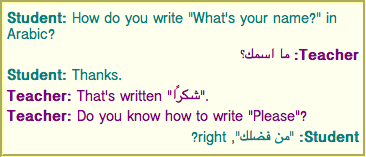
如前所述, auto
值并非万能。此示例的最后一段被误判为从右到左的文本,因为它以阿拉伯字符开头,导致“right?”出现在阿拉伯文本左侧。
style 属性所有当前引擎均支持。
所有 HTML 元素 均可设置 style 内容属性。它是一个 样式属性 ,其定义见 CSS 样式属性. [CSSATTR]
在支持 CSS 的用户代理中,当该属性被添加或其值发生变化时,必须解析该属性的值,并遵循以下规则: 样式属性的规则. [CSSATTR]
但是,如果 元素的内联行为是否应被内容安全策略阻止?
算法在以如下参数执行时返回 "Blocked":该属性的 元素,
"style attribute" 以及该属性的值,则不得将属性值中定义的样式规则应用于该
元素. [CSP]
在任何元素上使用了 style
属性的文档,在移除这些属性后仍必须可理解、可使用。
特别是,使用 style
属性隐藏和显示内容,或者传达文档中未以其他方式包含的含义,均不符合规范。(要隐藏和显示内容,请使用
属性。)
element.style
返回一个 CSSStyleDeclaration
对象,对应于该元素的 style 属性。
该 style
IDL 属性定义于 CSS 对象模型. [CSSOM]
在以下示例中,表示颜色的词语通过
span 元素以及 style 属性进行标记,以使这些词语在视觉媒体中以相应的颜色显示。
< p > My sweat suit is < span style = "color: green; background:
transparent" > green</ span > and my eyes are < span style = "color: blue;
background: transparent" > blue</ span > .</ p > data-*
属性)
所有当前引擎均支持。
一个 自定义数据属性 是一个不属于任何命名空间的属性,其名称以字符串“data-”开头,连字符后至少还有一个字符,是一个 有效属性局部名称,且不包含任何 ASCII 大写字母.
所有属性名称,在 HTML 元素 (位于 HTML 文档 中)上都会自动进行 ASCII 小写化,因此关于 ASCII 大写字母的限制不会影响此类文档。
自定义数据属性 用于存储页面或应用专用的自定义数据、状态、注解等,且不存在更合适的属性或元素来存储这些信息。
这些属性不供使用它们的网站的管理员所不知晓的软件使用。对于将由多个独立工具使用的通用扩展,应扩展本规范以明确提供该功能,或者使用 微数据 之类的技术(配合标准化词汇表)。
例如,音乐网站可以用包含每首曲目时长的自定义数据属性,为表示专辑中曲目的列表项添加注解。之后,网站本身可以使用此信息,让用户按曲目时长对列表排序,或筛选特定时长的曲目。
< ol >
< li data-length = "2m11s" > Beyond The Sea</ li >
...
</ ol > 但是,用户使用与该音乐网站无关的通用软件,通过查看这些数据来搜索特定时长的曲目,则是不恰当的。
这是因为这些属性供网站自身的脚本使用,而不是供公开使用的元数据的通用扩展机制。
同样,页面作者可以编写标记,为其打算使用的翻译工具提供信息:
< p > The third < span data-mytrans-de = "Anspruch" > claim</ span > covers the case of < span
translate = "no" > HTML</ span > markup.</ p > 在此示例中,“data-mytrans-de”属性为 MyTrans 产品提供了将短语“claim”翻译成德语时使用的特定文本。不过,标准 translate
属性用于告知它,在所有语言中,“HTML”均应保持不变。当已有标准属性可用时,就不必使用 自定义数据属性 。
在此示例中,自定义数据属性用于存储对 PaymentRequest的特性检测结果,这可以在
CSS 中用于为结账页面设置不同样式。
< script >
if ( 'PaymentRequest' in window) {
document. documentElement. dataset. hasPaymentRequest = '' ;
}
</ script > 这里, data-has-payment-request 属性实际上被用作 布尔属性;检查该属性是否存在即可。不过,如果作者愿意,以后也可以为其填入某个值,例如用来表明该特性的功能有限。
每个 HTML 元素 均可指定任意数量的 自定义数据属性 ,其值可以任意。
作者应谨慎设计此类扩展,使得当这些属性被忽略、任何相关 CSS 被丢弃时,页面仍可使用。
用户代理不得从这些属性或其值推导出任何实现行为。面向用户代理的规范不得将这些属性定义为具有任何有意义的值。
JavaScript 库可以使用 自定义数据属性,因为它们被视为所在页面的一部分。对于被许多作者重复使用的库,鼓励其作者将库名包含在属性名称中,以降低冲突风险。在适当情况下,也鼓励库作者允许自定义属性名称中所用的具体名称,以便作者不知情地选用了同一名称的多个库能够在同一页面上使用,并且同一库的多个版本即使彼此不兼容,也能够在同一页面上使用。
例如,名为“DoQuery”的库可以使用 data-doquery-range之类的属性名,名为“jJo”的库可以使用
data-jjo-range之类的属性名。jJo 库还可以提供 API,用于设置所使用的前缀(例如 J.setDataPrefix('j2'),从而使属性的名称变为
data-j2-range).
element.dataset
所有当前引擎均支持。
所有当前引擎均支持。
返回一个 DOMStringMap
对象,对应于该元素的 data-*
属性。
带连字符的名称会变为驼峰式名称。例如, data-foo-bar=""
会变为 element.dataset.fooBar.
该 dataset IDL 属性为元素上的所有 data-*
属性提供便捷的访问器。在获取时, dataset
IDL 属性必须返回一个 DOMStringMap
,其关联元素为此元素。
该 DOMStringMap
接口用于 dataset
属性。每个 DOMStringMap
都具有一个 关联元素.
[Exposed =Window ,
LegacyOverrideBuiltIns ]
interface DOMStringMap {
getter DOMString (DOMString name );
[CEReactions ] setter undefined (DOMString name , DOMString value );
[CEReactions ] deleter undefined (DOMString name );
};要 获取 DOMStringMap的名称–值对,运行以下算法:
令 list 为一个空的名称–值对列表。
对于 DOMStringMap的
关联元素
上的每个内容属性,如果其前五个字符为字符串“data-”,且其余字符(如果有)不包含任何 ASCII 大写字母,则按这些属性在元素的 属性列表中列出的顺序,向
list 添加一个名称–值对,其名称是移除前五个字符后的属性名,其值是属性值。
对于 list中的每个名称,针对该名称中后接 ASCII 小写字母的每个 U+002D HYPHEN-MINUS 字符(-),移除该 U+002D HYPHEN-MINUS 字符(-),并将其后的字符 转换为 ASCII 大写.
返回 list.
以下是 支持的属性名 ,对于一个 DOMStringMap
对象,它们是在任何时刻通过 获取
DOMStringMap的名称–值对 返回的每个对的名称,按返回的顺序排列。
要 确定具名属性的值,其名称为
name ,对于一个 DOMStringMap,返回名称分量为
name 的名称–值对的值分量;该名称–值对位于通过 获取
DOMStringMap的名称–值对所得的列表中.
要 设置新具名属性的值 或
设置现有具名属性的值 ,对于一个 DOMStringMap,给定属性名
name 和新值 value,运行以下步骤:
如果 name 包含后接 ASCII
小写字母的 U+002D HYPHEN-MINUS 字符(-),则抛出一个 "SyntaxError"
DOMException.
对于每个 ASCII 大写字母 ,它位于 name中,在该字符之前插入一个 U+002D HYPHEN-MINUS 字符(-),并将该字符 转换为 ASCII 小写.
插入字符串 data- 到以下名称的开头: name.
如果 name 不是一个 有效属性局部名称,则抛出一个
"InvalidCharacterError" DOMException.
设置属性值 ,针对
DOMStringMap的
关联元素
,使用 name 和 value.
要 删除现有具名属性
name ,对于一个 DOMStringMap,运行以下步骤:
对于每个 ASCII 大写字母 ,它位于 name中,在该字符之前插入一个 U+002D HYPHEN-MINUS 字符(-),并将该字符 转换为 ASCII 小写.
插入字符串 data- 到以下名称的开头: name.
按名称移除属性 ,给定
name 以及 DOMStringMap的
关联元素.
此算法仅会由 Web IDL 调用,且只针对先前算法返回的名称,该算法是: 获取
DOMStringMap的名称–值对. [WEBIDL]
如果网页希望让一个元素表示一艘宇宙飞船,例如作为游戏的一部分,那么它必须使用 class
属性,并配合 data-*
属性:
< div class = "spaceship" data-ship-id = "92432"
data-weapons = "laser 2" data-shields = "50%"
data- x = "30" data-y = "10" data-z = "90" >
< button class = "fire"
onclick = "spaceships[this.parentNode.dataset.shipId].fire()" >
Fire
</ button >
</ div > 请注意,带连字符的属性名称在 API 中如何变为驼峰式名称。
给定以下片段以及具有类似结构的元素:
< img class = "tower" id = "tower5" data- x = "12" data-y = "5"
data-ai = "robotarget" data-hp = "46" data-ability = "flames"
src = "towers/rocket.png" alt = "Rocket Tower" > ……可以设想一个函数 splashDamage() ,它接受一些参数,其中第一个参数是要处理的元素:
function splashDamage( node, x, y, damage) {
if ( node. classList. contains( 'tower' ) && // checking the 'class' attribute
node. dataset. x == x && // reading the 'data-x' attribute
node. dataset. y == y) { // reading the 'data-y' attribute
var hp = parseInt( node. dataset. hp); // reading the 'data-hp' attribute
hp = hp - damage;
if ( hp < 0 ) {
hp = 0 ;
node. dataset. ai = 'dead' ; // setting the 'data-ai' attribute
delete node. dataset. ability; // removing the 'data-ability' attribute
}
node. dataset. hp = hp; // setting the 'data-hp' attribute
}
} innerText 和 outerText 属性所有当前引擎均支持。
element.innerText [ = value ]
返回元素“按渲染结果呈现”的文本内容。
可设置,以将元素的子节点替换为给定值,但其中的换行符会转换为 br 元素。
element.outerText [ = value ]
返回元素“按渲染结果呈现”的文本内容。
可设置,以将元素替换为给定值,但其中的换行符会转换为
br 元素。
以下是 获取文本步骤,给定一个 HTMLElement element:
如果 element 并非 正在被渲染 ,或者用户代理是不支持 CSS 的用户代理,则返回 element的 后代文本内容.
这一步可能产生令人意外的结果,因为调用 innerText 取值器时,若该元素并非
正在被渲染,则会返回其文本内容;但在对
正在被渲染的元素访问该属性时,其所有并非 正在被渲染 的子节点的文本内容都会被忽略。
令 results 为一个新的空 列表.
对于每个子节点 node ,它属于 element:
移除 以下列表中的所有空字符串项: results 。
移除 所有连续的 所需换行数 项序列,若其位于以下列表的开头或末尾: results.
替换 剩余的每个连续 所需换行数 项序列,将其替换为一个由 U+000A LF 码点组成的字符串,码点数量等于该序列中 所需换行数 项的最大值。
返回以下列表中各字符串项的连接结果: results.
所有当前引擎均支持。
以下是 渲染文本收集步骤,给定一个 节点 node:
令 items 为以下结果:运行 渲染文本收集步骤 ,所用参数依次为 node 的每个子节点,按 树顺序进行,然后将结果连接成一个 列表.
如果 node的 计算值 (针对 'visibility' )不是 'visible',则返回 items.
如果 node 并非 正在被渲染,则返回 items。就此步骤而言,如果 计算值 (针对 'display' 属性)不是 'none',则以下元素必须表现为所述行为:
items 可能由于 'display:contents' 而不为空。
如果 node 是一个 Text
节点,则对于
node所生成的每个 CSS 文本盒,按内容顺序,计算应用 CSS
'white-space' 处理规则以及 'text-transform' 规则后的盒内文本,将
items 设为 列表 ,其内容为所得字符串,然后返回 items。CSS 'white-space' 处理规则略有修改:行末的可折叠空格始终会被折叠,但仅当该行是块的最后一行,或者以 br
元素结尾时才会被移除。软连字符应保留。
[CSSTEXT]
如果 node的 计算值 (针对 'display' )为 'table-cell',且 node的 CSS 盒 不是最后一个 'table-cell' 盒(在包围它的 'table-row' 盒内),则 追加 一个仅包含单个 U+0009 TAB 码点的字符串到 items.
如果 node的 计算值 (针对 'display' )为 'table-row',且 node的 CSS 盒 不是最后一个 'table-row' 盒(在最近的祖先 'table' 盒内),则 追加 一个仅包含单个 U+000A LF 码点的字符串到 items.
如果 node的 使用值 (针对 'display' )为 块级 或 'table-caption',则 追加 1(一个 所需换行数),位置为以下列表的开头和末尾: items. [CSSDISPLAY]
浮动元素和绝对定位元素属于此类。
返回 items.
请注意,严格来说,大多数替换元素(例如 textarea,
input和 video ,但不包括 button)的后代节点不会被 CSS
渲染,因此就此算法而言,它们没有 CSS 盒 。
此算法适合推广到 范围上使用。这样,我们就可以将其作为 Selection的字符串化器的基础,或许还可以将其直接暴露于
范围上。参见 Bugzilla
缺陷 10583.
以下是 设置内部文本步骤,给定一个 HTMLElement element以及字符串 value :
该 outerText 设值器步骤为:
如果 this的父节点为 null,则抛出一个
"NoModificationAllowedError" DOMException.
如果 fragment 没有 子节点,则
追加 一个新的 Text
节点,其 数据 为空字符串,且 节点文档 为
this的 节点文档 ,追加目标为
fragment.
如果 next 不为 null,且 next的 上一个兄弟节点 是一个
Text
节点,则 与下一个文本节点合并 ,给定 next的
上一个兄弟节点.
如果 previous 是一个 Text
节点,则 与下一个文本节点合并 ,给定 previous.
一个 渲染文本片段 ,对应于字符串 input 并给定一个
Document document
,是运行以下步骤所得的结果:
令 fragment 为以下操作的结果: 创建文档片段 ,给定 document.
令 position 为一个 位置变量 ,针对 input,初始时指向以下字符串的起始处: input.
令 text 为空字符串。
当 position 尚未越过以下字符串的末尾时循环: input:
返回 fragment.
要 与下一个文本节点合并 ,给定一个 Text
节点 node:
文本内容 ,其所在的
HTML 元素 含有
Text
节点作为
内容,以及以下元素允许自由形式文本的属性中的文本:
HTML 元素
;二者都可以包含 U+202A 至 U+202E 以及 U+2066 至 U+2069 范围内的字符(双向算法格式控制字符)。 [BIDI]
鼓励作者使用 dir
属性、
bdo
元素以及 bdi
元素,而不是手动维护双向算法格式控制字符。双向算法格式控制字符与 CSS 的交互效果不佳。
用户代理必须实现 Unicode 双向算法,以在渲染文档及其部分内容时确定字符的正确顺序。 [BIDI]
必须通过以下三种方式之一将 HTML 映射到 Unicode 双向算法:用户代理必须实现 CSS,特别是 CSS 的 'unicode-bidi', 'direction'和 'content' 属性,并且其用户代理样式表必须包含本规范 渲染 一节中使用这些属性的规则;或者,用户代理的行为必须如同它仅实现了上述属性,并具有包含上述所有规则的用户代理样式表,但不允许文档中指定的样式表覆盖这些规则;或者,用户代理必须实现具有等价语义的另一种样式语言。 [CSSGC]
以下元素和属性具有由 渲染 一节定义的要求;根据本节要求,这些要求适用于所有用户代理(而不仅仅是那些 支持建议的默认渲染的用户代理):
关于在 HTML 元素 上实现无障碍 API 语义的用户代理要求,定义于 HTML 无障碍 API 映射。除其中的规则外,对于一个 自定义元素 element,其默认 ARIA 角色语义按以下方式确定: [HTMLAAM]
同样,对于一个 自定义元素 element,对于名为 stateOrProperty的状态或属性,其默认 ARIA 状态和属性语义按以下方式确定:
如果 element的 附加的内部对象 不为 null:
如果 element的 附加的内部对象的 获取 stateOrProperty关联元素的算法 存在,则返回运行该算法所得的结果。
如果 element的 附加的内部对象的 获取 stateOrProperty关联元素列表的算法 存在,则返回运行该算法所得的结果。
返回以下状态或属性的默认值: stateOrProperty.
此处所指的“默认语义”,有时也被称为“原生”“隐式”或“宿主语言”语义,见 ARIA. [ARIA]
这些定义所蕴含的一点是,默认语义可以随时间变化。这使自定义元素具有与内置元素同样的表达能力;例如,可以对比 a 元素的默认 ARIA 角色语义如何随着 href 属性的添加或移除而变化。
关于这一机制的实际示例,请参见 自定义元素一节.
关于检查 ARIA 的 role 和 aria-* 属性在
HTML 元素 上的使用情况的符合性检查器要求,定义于 HTML 中的 ARIA. [ARIAHTML]
html 元素所有当前引擎均支持。
所有当前引擎均支持。
head 元素,后接一个 body 元素。html 元素的 起始标签 可省略,条件是 html 元素中的第一项不是 注释.html 元素的 结束标签 可省略,条件是 html 元素之后并未紧跟 注释.[Exposed =Window ]
interface HTMLHtmlElement : HTMLElement {
[HTMLConstructor ] constructor ();
// also has obsolete members
};鼓励作者指定 lang 属性,将其置于根
html
元素上,以表明文档的语言。这有助于语音合成工具确定应使用的发音、翻译工具确定应使用的规则,等等。
以下示例中的 html 元素声明文档的语言为英语。
<!DOCTYPE html>
< html lang = "en" >
< head >
< title > Swapping Songs</ title >
</ head >
< body >
< h1 > Swapping Songs</ h1 >
< p > Tonight I swapped some of the songs I wrote with some friends, who
gave me some of the songs they wrote. I love sharing my music.</ p >
</ body >
</ html > head 元素所有当前引擎均支持。
所有当前引擎均支持。
html 元素中的第一个元素。iframe
srcdoc 文档 ,或者可从更高层协议获得标题信息:零个或多个 元数据内容元素,其中至多一个是 title 元素,且至多一个是 base 元素。title 元素,且至多一个是 base 元素。head 元素的 起始标签 可省略,条件是该元素为空,或者 head 元素中的第一项是一个元素。head 元素的 结束标签 可省略,条件是 head 元素之后并未紧跟 ASCII 空白符 或
注释.
[Exposed =Window ]
interface HTMLHeadElement : HTMLElement {
[HTMLConstructor ] constructor ();
}; head 元素 表示 一组元数据,其描述的对象是
Document.
在 head
元素中,元数据集合可多可少。下面是一个很简短的示例:
<!doctype html>
< html lang = en >
< head >
< title > A document with a short head</ title >
</ head >
< body >
...下面是一个较长的示例:
<!DOCTYPE HTML>
< HTML LANG = "EN" >
< HEAD >
< META CHARSET = "UTF-8" >
< BASE HREF = "https://www.example.com/" >
< TITLE > An application with a long head</ TITLE >
< LINK REL = "STYLESHEET" HREF = "default.css" >
< LINK REL = "STYLESHEET ALTERNATE" HREF = "big.css" TITLE = "Big Text" >
< SCRIPT SRC = "support.js" ></ SCRIPT >
< META NAME = "APPLICATION-NAME" CONTENT = "Long headed application" >
</ HEAD >
< BODY >
... title
元素在大多数情况下都是必需的子元素,但如果更高层协议提供了标题信息,例如使用 HTML 编写电子邮件时的邮件主题行,则 title 元素可以省略。
title 元素所有当前引擎均支持。
所有当前引擎均支持。
head 元素中,且该元素不包含其他 title 元素。[Exposed =Window ]
interface HTMLTitleElement : HTMLElement {
[HTMLConstructor ] constructor ();
[CEReactions ] attribute DOMString text ;
}; title 元素 表示
文档的标题或名称。作者应使用即使脱离上下文也能标识文档的标题,例如用于用户的历史记录或书签中,或用于搜索结果中时。文档的标题通常与其第一个标题元素中的标题不同,因为后者不必在脱离上下文时仍能独立表达含义。
每个文档中至多只能有一个 title 元素。
如果 Document 没有标题是合理的,那么
title
元素很可能并非必需。有关何时需要该元素的说明,请参见 head 元素的内容模型。
title.text [ = value ]
返回该元素的 子节点文本内容 。
可设置此属性,以用给定值替换该元素的子节点。
下面列出了一些恰当的文档标题示例,并将其与相同页面中可能使用的顶级标题进行对比。
< title > Introduction to The Mating Rituals of Bees</ title >
...
< h1 > Introduction</ h1 >
< p > This companion guide to the highly successful
< cite > Introduction to Medieval Bee-Keeping</ cite > book is...下一个页面可能是同一站点的一部分。请注意,文档标题明确无歧义地描述了主题,而第一个标题则假设读者已了解上下文,因此不会疑惑这些舞蹈究竟是萨尔萨舞还是华尔兹:
< title > Dances used during bee mating rituals</ title >
...
< h1 > The Dances</ h1 > 用作文档标题的字符串由 document.title IDL
属性给出。
用户代理在其用户界面中提及文档时,应使用文档的标题。当以这种方式使用 title 元素的内容时,应将标题的 方向性 设置为该 title 元素的方向性,以在用户界面中呈现文档标题。
base 元素所有当前引擎均支持。
所有当前引擎均支持。
head 元素中,且该元素不包含其他 base 元素。href — 文档基准 URL
target — 默认 可导航对象 ,用于 超链接 导航 和 表单提交
[Exposed =Window ]
interface HTMLBaseElement : HTMLElement {
[HTMLConstructor ] constructor ();
[CEReactions , ReflectSetter ] attribute USVString href ;
[CEReactions , Reflect ] attribute DOMString target ;
}; base 元素允许作者指定 文档基准 URL ,以用于解析 URL;还允许指定默认
可导航对象 的名称,以用于 跟随超链接。除这些信息外,该元素不
表示 任何其他内容。
每个文档中至多只能有一个 base 元素。
base 元素必须具有 href
属性、 target 属性或同时具有这两个属性。
href 内容属性如果指定,则必须包含一个
可能带有前后空格的有效 URL.
base 元素如果具有 href
属性,则必须位于树中所有其他含有以下属性的元素之前:这些属性被定义为接受 URL.
如果有多个 base 元素具有
href 属性,则除第一个之外的所有元素均被忽略。
target
属性如果指定,则必须包含一个 有效的可导航对象目标名称或关键字,它指定应将哪个 可导航对象 用作默认目标,供以下 超链接 和 表单 使用:它们位于
Document 中,并会引发 导航.
base 元素如果具有 target
属性,则必须位于树中所有表示以下内容的元素之前: 超链接.
如果有多个 base 元素具有
target 属性,则除第一个之外的所有元素均被忽略。
对于 base 元素,如果它是第一个满足以下条件的
base 元素:具有 href 内容属性且 位于文档树中 ,则它具有一个
冻结基准 URL。此 冻结基准
URL 必须被 立即
设置 ,触发条件是该元素出现下列任一情况:
该 base 元素成为第一个满足以下条件的
base 元素:按 树顺序 排列,具有 href 内容属性,并且位于其所属的
Document.
该 base 元素是第一个满足以下条件的
base 元素:按 树顺序 排列,具有 href 内容属性,并且位于其所属的
Document中;同时,它的 href 内容属性发生了变化。
要 设置冻结基准 URL ,给定元素 element:
令 document 为 element的 节点文档.
令 urlRecord 为以下操作的结果: 解析 element的 href 内容属性的值;解析时使用
document的 后备基准 URL和
document的 字符编码。(因此, base
元素不会受其自身影响。)
如果下列任一条件为真:
urlRecord 为失败;
urlRecord的 方案 为
"data" 或 "javascript";或者
运行 Document 是否允许 base? ,以 urlRecord 和
document 为参数,返回 "Blocked",
将 element的 冻结基准 URL 设置为 urlRecord.
响应基准 URL 变化 ,给定 document.
href IDL 属性的
getter 必须返回运行以下算法的结果:
<!DOCTYPE html>
< html lang = "en" >
< head >
< title > This is an example for the < base> element</ title >
< base href = "https://www.example.com/news/index.html" >
</ head >
< body >
< p > Visit the < a href = "archives.html" > archives</ a > .</ p >
</ body >
</ html > 上述示例中的链接将指向 "https://www.example.com/news/archives.html".
link 元素所有当前引擎均支持。
所有当前引擎均支持。
所有当前引擎均支持。
所有当前引擎均支持。
noscript 元素中,且该元素是
head 元素的子元素。
href — 超链接的地址
crossorigin —
此元素处理跨源请求的方式
rel — 包含 超链接 的文档与目标资源之间的关系
media — 适用的媒体
integrity — 完整性元数据,用于
子资源完整性 检查 [SRI]
hreflang — 链接资源的语言
type — 引用资源类型的提示
referrerpolicy —
引用来源策略 ,用于此元素发起的 获取操作
sizes — 图标的尺寸 (用于 rel="icon")
imagesrcset —
在不同情形下使用的图像,例如高分辨率显示器、小显示器等 (用于 rel="preload")
imagesizes —
不同页面布局的图像尺寸 (用于 rel="preload")
as — 预加载请求的目标 (用于 rel="preload" 和 rel="modulepreload")
blocking — 此元素是否 可能阻塞渲染
color — 自定义站点图标时使用的颜色 (用于
rel="mask-icon")
disabled — 是否禁用链接
fetchpriority
— 设置 优先级 ,用于此元素发起的 获取操作
title 属性在此元素上 具有特殊语义 :链接的标题; CSS 样式表集名称
[Exposed =Window ]
interface HTMLLinkElement : HTMLElement {
[HTMLConstructor ] constructor ();
[CEReactions , ReflectURL ] attribute USVString href ;
[CEReactions ] attribute DOMString ? crossOrigin ;
[CEReactions , Reflect ] attribute DOMString rel ;
[CEReactions ] attribute DOMString as ;
[SameObject , PutForwards =value , Reflect="rel"] readonly attribute DOMTokenList relList ;
[CEReactions , Reflect ] attribute DOMString media ;
[CEReactions , Reflect ] attribute DOMString integrity ;
[CEReactions , Reflect ] attribute DOMString hreflang ;
[CEReactions , Reflect ] attribute DOMString type ;
[SameObject , PutForwards =value , Reflect ] readonly attribute DOMTokenList sizes ;
[CEReactions , Reflect ] attribute USVString imageSrcset ;
[CEReactions , Reflect ] attribute DOMString imageSizes ;
[CEReactions ] attribute DOMString referrerPolicy ;
[SameObject , PutForwards =value , Reflect ] readonly attribute DOMTokenList blocking ;
[CEReactions , Reflect ] attribute boolean disabled ;
[CEReactions ] attribute DOMString fetchPriority ;
// also has obsolete members
};
HTMLLinkElement includes LinkStyle ; link 元素允许作者将其文档链接到其他资源。
链接的地址由 href 属性给出。如果
href 属性存在,则其值必须是 可能带有前后空格的有效非空 URL。 href 或 imagesrcset
属性必须至少存在一个,也可以同时存在。
如果 href 和 imagesrcset
属性均不存在,则此元素不定义链接。
所指示的链接类型(关系)由 rel
属性的值给出;该属性如果存在,则其值必须是 无序的唯一空格分隔词元集合。 允许的关键字及其含义 在后文的一节中定义。如果 rel
属性不存在、不包含关键字,或者所用的关键字按本规范中的定义均不被允许,则此元素不创建任何链接。
rel的
支持的词元 是如下关键字:定义于
HTML 链接类型 中,允许用于 link 元素,影响处理模型,并且受用户代理支持。可能的 支持的词元 为
alternate,
dns-prefetch,
expect,
icon,
manifest,
modulepreload,
next,
pingback,
preconnect,
prefetch,
preload,
search以及
stylesheet.
rel的 支持的词元 必须仅包含此列表中用户代理已实现其处理模型的词元。
理论上,用户代理可以支持 canonical 关键字的处理模型,前提是它是一个执行
JavaScript 的搜索引擎。但实际上,这种可能性很低。因此,在大多数情况下, canonical 不应包括在 rel的 支持的词元之中.
link 元素必须具有 rel
属性或 itemprop
属性之一,但不得同时具有二者。
如果 rel
属性被使用,则此元素仅在某些情况下可用于页面的 body 中。与
itemprop
属性一起使用时,此元素既可用于
head 元素,也可用于页面的 body 中,但须遵守微数据模型的约束。
使用 link 元素可创建两类链接: 外部资源链接 和 超链接。 链接类型一节 定义了特定链接类型是外部资源还是超链接。一个 link
元素可以创建多个链接(其中一些可能是 外部资源链接
,另一些可能是 超链接);具体创建哪些链接以及链接的数量取决于 rel 属性中给出的关键字。用户代理必须按链接逐个处理,而不能按元素逐个处理。
对于 link
元素,为其创建的每个链接均单独处理。例如,如果有两个 link 元素,且它们都具有
rel="stylesheet",则每个元素都算作单独的外部资源,并分别独立地受其自身属性影响。同样,如果单个 link 元素具有 rel 属性且值为
next stylesheet,则它既创建一个 超链接 (对应 next 关键字),又创建一个 外部资源链接 (对应 stylesheet
关键字),并且其他属性(例如 media 或 title)对它们的影响不同。
例如,以下 link 元素创建两个 超链接 (指向同一页面):
< link rel = "author license" href = "/about" > 此元素创建的两个链接中,一个的语义是目标页面包含当前页面作者的相关信息;另一个的语义是目标页面包含当前页面所采用许可证的相关信息。
超链接 如果是由 link 元素及其
rel 属性创建的,则适用于整个文档。这与 rel 属性在 a 和 area
元素上的用法不同;后者指示的链接类型,其上下文由该链接在文档中的位置给出。
与 a 和 area 元素创建的链接不同, 超链接 如果由 link 元素创建,则默认不作为文档的一部分显示,条件是用户代理
支持建议的默认渲染。即使用 CSS 强制显示,它们也没有
激活行为。它们主要提供语义信息,供页面或使用该页面内容的其他软件使用。此外,用户代理可以 提供自己的用户界面,以跟随这类超链接.
对于 外部资源链接 ,具体行为取决于确切的关系,相关定义见对应的 链接类型.
crossorigin
属性是一个 CORS 设置属性。它旨在用于 外部资源链接.
media
属性说明资源适用的媒体。其值必须是 有效媒体查询列表.
所有当前引擎均支持。
integrity
属性表示 完整性元数据 ,用于此元素负责的请求。其值为文本。只有满足以下条件的 link 元素才能指定此属性:其 rel 属性包含 stylesheet, preload或 modulepreload 关键字。
[SRI]
hreflang
属性位于 link 元素上时,与 hreflang 属性位于
a
元素上时具有相同的语义.
type 属性给出链接资源的 MIME 类型 。它仅为建议。其值必须是 有效 MIME
类型字符串.
对于 外部资源链接, type 属性用作给用户代理的提示,以便用户代理避免获取不支持的资源。
referrerpolicy 属性是一个 引用来源策略属性。它旨在用于 外部资源链接,以帮助设置 引用来源策略 ,其用于 获取并处理链接资源.
[REFERRERPOLICY]
title
属性给出链接的标题。除一种情况外,它仅为建议。其值为文本。例外的情况是样式表链接 位于文档树中,在这种情况下,
title 属性定义 CSS 样式表集.
title 属性位于 link
元素上时,与大多数其他元素的全局 title
属性不同:没有标题的链接不会继承父元素的标题,它只是没有标题。
imagesrcset
属性可以存在,并且是一个 srcset 属性.
imagesrcset 和
href 属性(如果 宽度描述符 未被使用)共同提供 图像源 ,并将其纳入 源集.
如果 imagesrcset
属性存在,且含有任何
图像候选字符串 使用了 宽度描述符,则 imagesizes 属性也必须存在,并且是一个
sizes 属性。 imagesizes 属性提供 源尺寸 ,以纳入 源集.
imagesrcset 和
imagesizes 属性只能指定于
link 元素上,且该元素既具有 rel 属性并指定 preload 关键字,又具有 as 属性并处于 "image" 状态。
这些属性允许预加载适当的资源,以供稍后的
img 元素使用;该元素的 srcset 和 sizes
属性具有相应的值:
< link rel = "preload" as = "image"
imagesrcset = "wolf_400px.jpg 400w, wolf_800px.jpg 800w, wolf_1600px.jpg 1600w"
imagesizes = "50vw" >
<!-- ... later, or perhaps inserted dynamically ... -->
< img src = "wolf.jpg" alt = "A rad wolf"
srcset = "wolf_400px.jpg 400w, wolf_800px.jpg 800w, wolf_1600px.jpg 1600w"
sizes = "50vw" > 请注意,此处省略了 href 属性,因为它只对不支持
imagesrcset的浏览器有意义;在这些情况下,它很可能导致预加载错误的图像。
imagesrcset 属性可与
media 属性结合使用,以预加载从 picture 元素的各个源中选出的适当资源,用于 美术指导:
< link rel = "preload" as = "image"
imagesrcset = "dog-cropped-1x.jpg, dog-cropped-2x.jpg 2x"
media = "(max-width: 800px)" >
< link rel = "preload" as = "image"
imagesrcset = "dog-wide-1x.jpg, dog-wide-2x.jpg 2x"
media = "(min-width: 801px)" >
<!-- ... later, or perhaps inserted dynamically ... -->
< picture >
< source srcset = "dog-cropped-1x.jpg, dog-cropped-2x.jpg 2x"
media = "(max-width: 800px)" >
< img src = "dog-wide-1x.jpg" srcset = "dog-wide-2x.jpg 2x"
alt = "An awesome dog" >
</ picture > sizes
属性给出视觉媒体的图标尺寸。其值如果存在,则仅为建议。如果有多个图标可用,用户代理可以使用此值来决定使用哪些图标。如果指定了此属性,则其值必须是 无序的唯一空格分隔词元集合 ,其中的词元按 ASCII 大小写不敏感的方式比较。每个值必须符合以下二者之一:按 ASCII 大小写不敏感 的方式匹配字符串 "any";或者由两个 有效非负整数 组成,且它们均不得以 U+0030
DIGIT ZERO (0) 字符开头,并以一个 U+0078 LATIN SMALL LETTER X 或 U+0058 LATIN CAPITAL LETTER X 字符分隔。只有满足以下条件的 link 元素才能指定此属性:其 rel 属性指定了 icon 关键字或 apple-touch-icon 关键字。
apple-touch-icon 关键字是一项已注册的 对预定义链接类型集合的扩展,但不要求用户代理以任何方式支持它。
as 属性指定一个 预加载目标 或一个 模块预加载目标
,用于对 href
属性所给出的资源发起预加载请求。它是一个 枚举属性。 预加载目标 和 模块预加载目标
二者并集中的每一项都是此属性的一个关键字,并映射到同名的状态。如果
link 元素具有 rel 属性且包含 preload
关键字,则必须指定此属性;在这种情况下,其值必须是 预加载目标。如果
link
元素具有 rel 属性且包含
modulepreload
关键字,则可以指定此属性;在这种情况下,其值必须是 模块预加载目标。对于其他 link 元素,不得指定此属性。
关于 as 属性如何使用的处理模型,由各个链接类型的 获取并处理链接资源
算法给出。
此属性没有 缺失值默认状态
或 无效值默认状态,这意味着此属性的无效值或缺失值不映射到任何状态。处理模型考虑了这种情况。对于 preload 链接,这两种情况均为错误;对于
modulepreload
链接,缺失值将被视为 "script".
blocking
属性是一个 阻塞属性。它用于以下链接类型: stylesheet 和 expect;只有满足以下条件的 link 元素才能指定此属性:其
rel 属性包含这些关键字。
color 属性与
mask-icon 链接类型一起使用。只有满足以下条件的
link 元素才能指定此属性:其 rel 属性包含 mask-icon
关键字。其值必须是匹配 CSS <color> 产生式的字符串,它定义了一个建议颜色,用户代理可以使用该颜色来自定义图标的显示,该图标是用户固定站点时看到的图标。
本规范未就 color
属性对用户代理提出任何要求。
mask-icon 关键字是一项已注册的 对预定义链接类型集合的扩展,但不要求用户代理以任何方式支持它。
link 元素具有一个关联的 显式启用 布尔值,其初始值为 false。
disabled
属性是一个 布尔属性 ,与 stylesheet
链接类型一起使用。只有满足以下条件的
link 元素才能指定此属性:其 rel 属性包含 stylesheet 关键字。
动态移除 disabled 属性,例如使用
document.querySelector("link").removeAttribute("disabled"),将获取并应用该样式表:
< link disabled rel = "alternate stylesheet" href = "css/pooh" > fetchpriority 属性是一个 获取优先级属性 ,旨在用于 外部资源链接,以设置 优先级 ,该优先级用于 获取并处理链接资源.
目前没有反映 color 属性的
IDL 属性,但以后可能会添加。
所有当前引擎均支持。
crossOrigin IDL 属性必须 反映
crossorigin 内容属性,
仅限于已知值.
HTMLLinkElement/referrerPolicy
所有当前引擎均支持。
referrerPolicy IDL 属性必须
反映 referrerpolicy
内容属性, 仅限于已知值.
fetchPriority IDL 属性必须
反映 fetchpriority
内容属性, 仅限于已知值.
relList
属性可用于特性检测,方法是调用其 supports()
方法,以检查哪些 链接类型 受到支持。
media 属性如果链接是一个 超链接 ,则 media
属性仅为建议,用于描述该文档是为哪些媒体而设计的。
但是,如果链接是一个 外部资源链接,则 media
属性具有规定性。用户代理必须应用该外部资源,条件是 media 属性的值
匹配用户环境
且其他相关条件也适用;否则,必须不应用它。
如果省略 media 属性,则默认值为
"all",即链接默认适用于所有媒体。
外部资源自身可能定义进一步的限制,以约束其适用范围。例如,CSS 样式表可能含有一些 @media
块。本规范不会覆盖这些进一步的限制或要求。
type 属性如果 type
属性存在,则用户代理必须假定资源具有给定类型(即使它不是一个 有效 MIME
类型字符串,例如空字符串)。如果省略了此属性,但该 外部资源链接
类型定义了默认类型,则用户代理必须假定资源具有该类型。对于给定的链接关系,如果用户代理不支持给定的 MIME 类型 ,则用户代理不应 获取并处理链接资源;对于给定的链接关系,如果用户代理支持给定的 MIME 类型 ,则用户代理应 获取并处理链接资源 ,其适当时机由 外部资源链接的特定类型规定。如果省略了此属性,且该 外部资源链接
类型未定义默认类型,但如果类型已知且受支持,用户代理将会 获取并处理链接资源
,则用户代理应当 获取并处理链接资源 ,并假定该类型会受支持。
用户代理不得将 type
属性视为权威依据:获取资源之后,用户代理不得使用 type 属性来确定其实际类型。判断是否
应用 资源时,仅使用实际类型(定义见下一段),而不使用上述假定类型。
如果 外部资源链接 类型定义了处理该资源的 Content-Type 元数据的规则,则适用这些规则。否则,如果预期资源为图像,则用户代理可以应用 图像嗅探规则,其中 official type 采用从该资源的 Content-Type 元数据确定的类型,并将所得的 资源的计算类型 视为实际类型使用。否则,如果这些条件均不适用,或用户代理选择不应用图像嗅探规则,则用户代理必须使用该资源的 Content-Type 元数据 来确定资源类型。如果没有类型元数据,但该 外部资源链接 类型定义了默认类型,则用户代理必须假定资源具有该类型。
stylesheet
链接类型定义了处理资源的以下内容的规则: Content-Type 元数据.
用户代理一旦确定了资源类型,如果该类型受支持且其他相关条件也适用,就必须应用该资源;否则必须忽略该资源。
如果一个文档包含如下标注的样式表链接:
< link rel = "stylesheet" href = "A" type = "text/plain" >
< link rel = "stylesheet" href = "B" type = "text/css" >
< link rel = "stylesheet" href = "C" > ……那么,仅支持 CSS 样式表的符合规范的用户代理会获取文件 B 和 C,并跳过文件 A(因为 text/plain
不是 CSS 样式表的 MIME 类型 )。
对于文件 B 和 C,用户代理随后会检查服务器返回的实际类型。对于以 text/css发送的文件,它会应用样式;但对于标为
text/plain或其他任何类型的文件,则不会。
如果这两个文件中的一个在返回时没有 Content-Type
元数据,或具有语法不正确的类型,例如 Content-Type: "null",则 stylesheet
链接的默认类型将生效。由于此默认类型是 text/css,因此样式表 仍会 被应用。
link
元素的资源所有 外部资源链接 都有一个 获取并处理链接资源 算法,接受一个
link
元素 el。它们还有 链接资源获取设置步骤 ,接受一个 link
元素 el 和 请求 request。各个链接类型可以提供自己的 获取并处理链接资源
算法,但除非明确说明,否则都使用 默认的获取并处理链接资源算法
。同样,各个链接类型可以提供自己的 链接资源获取设置步骤,但除非明确说明,否则这些步骤仅返回
true。
默认的获取并处理链接资源算法接受一个 link
元素
el,其步骤如下:
令 options 为以下操作的结果: 创建链接选项 ,输入元素为 el.
令 request 为以下操作的结果: 创建链接请求 ,给定 options.
如果 request 为 null,则返回。
运行 链接资源获取设置步骤,给定 el 和 request。如果结果为 false,则返回。
按以下规则设置 request的 发起方类型 :"css" 对应以下情况: el的 rel
属性包含关键字 stylesheet;
"link" 对应其他情况。
获取 request ,将 processResponseConsumeBody 设置为以下步骤,其接受 响应 response 以及 null、失败或一个 字节序列 bodyBytes:
要 创建链接请求 ,给定一个 链接处理选项 options:
令 url 为以下操作的结果: 按编码解析 URL ,给定 options的 href,相对于 options的 基准 URL.
传入基准 URL 而非文档或环境的问题由以下议题跟踪: 议题 #9715.
如果 url 为失败,则返回 null。
令 request 为以下操作的结果: 创建潜在 CORS 请求 ,给定 url, options的 目标以及 options的 crossorigin.
将 request的 加密 nonce 元数据 设置为 options的 加密 nonce 元数据.
返回 request.
用户代理可以选择仅在需要时尝试 获取并处理 此类资源,而不主动获取所有 外部资源 中尚未应用的资源。
与 获取并处理链接资源
算法类似,所有 外部资源链接 都有一个 处理链接资源 算法,接受一个 link
元素 el、布尔值
success、一个 响应 response以及一个
字节序列
bodyBytes。各个链接类型可以提供自己的
处理链接资源
算法,但除非明确说明,否则该算法不执行任何操作。
除非对给定的 rel
关键字另有规定,否则此元素必须 延迟 load 事件 ,其对象为此元素的 节点文档 ;这种延迟必须持续到所有尝试
获取并处理链接资源
及其 关键子资源
的操作均完成。(用户代理尚未尝试获取并处理的资源,例如由于等待该资源被需要而尚未开始的资源,不会 延迟 load 事件.)
Link`
标头所有可作为 外部资源链接 的链接类型都定义了一个
处理链接标头 算法,它接受一个 链接处理选项。此算法定义这些链接类型出现在 HTTP `Link`
响应标头中时是否以及如何作出反应。
对于大多数链接类型,此算法不执行任何操作。 汇总表 是一个很好的参考,可用来快速了解某种链接类型是否定义了 处理链接标头 步骤。
link")
DocumentDocumentAuto)
一个 链接处理选项 具有一个 基准 URL 和一个 href ,而不是已解析的 URL,因为 URL 可能由该选项的以下项产生: 源集.
要 从元素创建链接选项 ,给定一个 link 元素
el:
令 document 为 el的 节点文档.
令 options 为一个新的 链接处理选项 ,其各项如下
crossorigin
内容属性的状态referrerpolicy
内容属性的状态fetchpriority
内容属性的状态如果 el 具有 integrity 属性,则将
options的 完整性 设置为 el的 integrity
内容属性的值。
断言: options的 href 不是空字符串,或者 options的 源集 不为 null。
一个 link 元素如果既没有
href ,也没有
imagesrcset
,则不表示链接。
返回 options.
要 从标头提取链接 ,给定一个 标头列表 headers:
要 处理链接标头 ,给定一个 Document doc、一个 响应 response以及一个值为 "pre-media" 或
"media" phase:
对于每个 linkObject ,其所在列表为 links:
令 rel 为 linkObject["relation_type"].
令 attribs 为 linkObject["target_attributes"].
按以下规则令 expectedPhase 为 "media":如果 "srcset", "imagesrcset"
或 "media" 存在 于
attribs中;否则为 "pre-media".
如果 expectedPhase 不是 phase,则 继续.
令 options 为一个新的 链接处理选项 ,其各项如下
应用已解析标头属性中的链接选项 ,目标为 options ,给定 attribs 和 rel。如果此操作返回 false,则返回。
如果 attribs["imagesrcset"]
存在 且 attribs["imagesizes"]
存在,则将 options的 源集 设置为以下操作的结果: 创建源集 ,给定
linkObject["target_uri"], attribs["imagesrcset"],
attribs["imagesizes"]
和 null。
运行 处理链接标头 步骤,所针对的类型为 rel ,给定 options.
要 应用已解析标头属性中的链接选项 ,其目标为一个 链接处理选项 options ,给定 attribs 以及一个字符串 rel:
如果 rel 为 "preload":
如果 attribs["crossorigin"]
存在 且按 ASCII
大小写不敏感 的方式匹配一个 CORS 设置属性 关键字,则将 options的 crossorigin 设置为
CORS 设置属性
中与该关键字对应的状态。
如果 attribs["integrity"] 存在,则将 options的 完整性 设置为 attribs["integrity"].
如果 attribs["referrerpolicy"]
存在 且按 ASCII
大小写不敏感 的方式匹配某个 引用来源策略,则将 options的 引用来源策略 设置为该 引用来源策略.
如果 attribs["nonce"]
存在,则将 options的 nonce 设置为 attribs["nonce"].
如果 attribs["fetchpriority"]
存在 且按 ASCII
大小写不敏感 的方式匹配一个 获取优先级属性 关键字,则将 options的 获取优先级
设置为该 获取优先级属性
关键字。
返回 true。
早期提示 允许用户代理在服务器完全处理导航请求并返回响应码之前执行一些操作,例如推测性地加载文档可能会使用的资源。服务器可以发送一个 响应 ,其状态码为 103,以指示早期提示;此响应先于最终的 响应发送.[RFC8297]
出于兼容性考虑, 早期提示通常通过 HTTP/2 或更高版本传送,但为便于阅读,下文使用 HTTP/1.1 风格的表示法。
例如,给定以下响应序列:
103 Early Hint Link: </image.png>; rel=preload; as=image
200 OK Content-Type: text/html <!DOCTYPE html> ... <img src="/image.png">
图像会在 HTML 内容到达之前开始加载。
只处理导航期间发送的第一个早期提示响应;如果其后发生跨源重定向,则丢弃该响应。
除了 `Link`
标头,103 响应还可能包含 内容安全策略 标头,该策略在处理早期提示时会被强制执行。
例如,给定以下响应序列:
103 Early Hint Content-Security-Policy: style-src: self; Link: </style.css>; rel=preload; as=style
103 Early Hint Link: </image.png>; rel=preload; as=image
302 Redirect Location: /alternate.html
200 OK Content-Security-Policy: style-src: none; Link: </font.ttf>; rel=preload; as=font
字体和样式会被加载,而图像会被丢弃,因为只考虑最终重定向链中的第一个早期提示响应。后来的 内容安全策略 标头到达时,获取样式的请求已经执行,但文档将无法访问该样式。
要 处理早期提示标头 ,给定一个 响应 response 和一个 环境 reservedEnvironment:
早期提示的 `Link`
标头总是先被处理,随后处理 `Link`
标头,其来源为最终 响应;之后再处理 link 元素。这等同于将早期提示和最终响应中的 `Link`
标头的内容按各自顺序前插到 Document的 head 元素中。
令 earlyPolicyContainer 为以下操作的结果: 从获取响应创建策略容器 ,给定 response 和 reservedEnvironment.
令 earlyHints 为一个空 列表.
对于每个 linkObject ,其所在列表为 links:
收到早期提示链接标头时,我们就开始 获取 earlyRequest。如果它在
Document 创建之前返回,则将 earlyResponse
设置为以下 响应 ,其来源为该 获取 ;一旦 Document 被创建,就提交该响应(使其在 预加载资源映射 中可用,如同它是一个 link 元素)。如果
Document 先被创建,则 响应 一旦可用便立即提交。
令 rel 为 linkObject["relation_type"].
令 options 为一个新的 链接处理选项 ,其各项如下
令 attribs 为 linkObject["target_attributes"].
只有 as, crossorigin, integrity和 type
属性作为早期提示处理的一部分加以处理。其他属性,特别是 blocking, imagesrcset, imagesizes和 media ,仅在 Document 创建之后才适用。
应用已解析标头属性中的链接选项 ,目标为 options ,给定 attribs 和 rel。如果此操作返回 false,则返回。
运行 处理链接标头 步骤,所针对的类型为 rel ,给定 options.
追加 options 至 earlyHints.
link
元素创建的超链接的方式交互式用户代理可以在其用户界面中的某处向用户提供一种方式,用于 跟随超链接
,这些链接由 link
元素创建。此类对 跟随超链接
算法的调用必须将 userInvolvement 参数设置为 "browser UI"。本规范未定义确切的界面,但它可以以某种形式(可能是简化形式)包含以下信息(从元素的属性获得,如下文所定义),针对每个
超链接
,这些链接由文档中的各个 link
元素创建:
rel
属性给出)title
属性给出)。href
属性给出)。hreflang
属性给出)。media
属性给出)。用户代理还可以包含其他信息,例如资源的类型(由 type
属性给出)。
meta
元素所有当前引擎均支持。
所有当前引擎均支持。
itemprop
属性存在: 流内容.itemprop
属性存在: 措辞内容.charset 属性存在,或者该元素的
http-equiv 属性处于 编码声明状态:在
head 元素中。
http-equiv
属性存在,但不处于 编码声明状态:在 head 元素中。http-equiv
属性存在,但不处于 编码声明状态:在 noscript 元素中,且该元素是 head 元素的子元素。name 属性存在:在需要 元数据内容 的位置。itemprop
属性存在:在需要 元数据内容 的位置。itemprop
属性存在:在需要 措辞内容 的位置。name — 元数据名称
http-equiv — 编译指示
content — 元素的值
charset — 字符编码声明
media — 适用的媒体
[Exposed =Window ]
interface HTMLMetaElement : HTMLElement {
[HTMLConstructor ] constructor ();
[CEReactions , Reflect ] attribute DOMString name ;
[CEReactions , Reflect="http-equiv"] attribute DOMString httpEquiv ;
[CEReactions , Reflect ] attribute DOMString content ;
[CEReactions , Reflect ] attribute DOMString media ;
// also has obsolete members
}; meta 元素 表示 各种元数据,这些元数据无法通过 title, base, link, style和 script 元素表达。
meta 元素可通过 name 属性表示文档级元数据,通过 http-equiv 属性表示 编译指示;对于文件的
字符编码声明 ,在 HTML
文档被序列化为字符串形式(例如为了网络传输或磁盘存储)时,可通过 charset
属性表示。
必须且只能指定 name, http-equiv, charset和 itemprop
属性中的一个。
如果指定了 name, http-equiv,或 itemprop
,则还必须指定 content 属性。否则,必须省略它。
charset
属性指定文档所用的 字符编码 。这是一个 字符编码声明。如果存在该属性,其值必须以 ASCII 大小写不敏感 的方式匹配字符串 "utf-8".
charset 属性,位于
meta 元素上时,在 XML 文档中不起作用;但为方便从
XML 迁移或迁移到 XML,允许在 XML 文档中使用它。
每个文档中不得有多个 meta 元素同时具有 charset 属性。
content
属性在元素用于文档元数据或 编译指示时给出相应的值。允许的值取决于具体上下文,详见本规范的后续各节。
如果一个 meta 元素具有 name
属性,则它会设置文档元数据。文档元数据以名称-值对的形式表示,其中 name 属性位于 meta 元素上,用于给出名称;而 content
属性位于同一元素上,用于给出值。名称指定要设置的是哪一方面的元数据;有效的名称及其值的含义在下列各节中说明。如果 meta 元素没有 content 属性,则元数据名称-值对的值部分为空字符串。
media
属性说明元数据适用于哪些媒体。其值必须是一个 有效媒体查询列表。除非 name 是 theme-color,否则 media
属性对处理模型没有影响,作者不得使用它。
所有当前引擎均支持。
本规范为 name
属性(属于 meta 元素)定义了一些名称。
名称不区分大小写,并且必须以 ASCII 大小写不敏感 的方式进行比较.
application-name该值必须是一个简短的自由格式字符串,给出页面所代表的 Web 应用程序的名称。如果页面不是 Web 应用程序,则不得使用 application-name
元数据名称。可以提供 Web 应用程序名称的译名,并使用 lang
属性指定每个名称的语言。
每个文档中不得有多个 meta
元素具有相同的 语言
且其 name 属性值以
ASCII
大小写不敏感 的方式匹配
application-name
。
用户代理可以在用户界面中优先使用应用程序名称,而不是页面的
title,因为标题可能包含与页面在某个特定时刻的状态有关的状态消息等信息,而不只是应用程序的名称。
给定一个有序的语言列表(例如英式英语、美式英语和英语),要查找应使用的应用程序名称,用户代理必须运行以下步骤:
令 languages 为该语言列表。
令 default language 为以下 语言 :
Document的 文档元素的语言,前提是存在该元素且其语言并非未知。
如果存在 default language,并且该语言不同于 languages中的任何语言,则将其追加到 languages.
令 winning language 为 languages 中第一个满足以下条件的语言:存在一个 meta 元素,位于 Document 中,其
name 属性值以
ASCII 大小写不敏感 的方式匹配
application-name
,且其
语言 是该语言。
如果所有语言都没有这样的 meta
元素,则返回;没有提供应用程序名称。
返回以下属性的值: content 属性,它属于第一个
meta 元素,该元素在
Document 中按 树顺序 排列,其
name 属性值以
ASCII 大小写不敏感 的方式匹配 application-name
且其 语言 是 winning language.
浏览器需要页面名称时(例如为书签命名时),会使用此算法。它向算法提供的语言应为用户的首选语言。
author该值必须是一个自由格式字符串,给出页面作者之一的姓名。
description
该值必须是一个描述页面的自由格式字符串。该值必须适合用于页面目录,例如搜索引擎中的目录。每个文档中不得有多个 meta 元素,其 name 属性值以 ASCII
大小写不敏感 的方式匹配
description 。
generator该值必须是一个自由格式字符串,用于标识生成该文档所用的某个软件包。不得在标记并非由软件生成的页面上使用此值,例如用户在文本编辑器中编写标记的页面。
名为“Frontweaver”的工具可以在其输出的页面的
head
元素中包含以下内容,以标明它是用于生成该页面的工具:
< meta name = generator content = "Frontweaver 8.2" > keywords该值必须是一个 逗号分隔的词元集合,其中每一项都是与页面有关的关键词。
下面这个有关英国高速公路字体的页面使用一个 meta
元素指定用户可能用来查找该页面的一些关键词:
<!DOCTYPE HTML>
< html lang = "en-GB" >
< head >
< title > Typefaces on UK motorways</ title >
< meta name = "keywords" content = "british,type face,font,fonts,highway,highways" >
</ head >
< body >
...许多搜索引擎不考虑此类关键词,因为以往此功能的使用并不可靠,甚至会误导搜索引擎,以对用户无益的方式干扰搜索结果。
要获取作者指定为适用于该页面的关键词列表,用户代理必须运行以下步骤:
如果对该值的可靠性没有足够把握,用户代理不应使用此信息。
例如,内容管理系统利用系统内页面的关键词信息来填充站点专用搜索引擎的索引是合理的;但使用此信息的大规模内容聚合器很可能会发现,某些用户会尝试通过使用不恰当的关键词来操纵其排名机制。
referrer该值必须是一个 引用来源策略,它定义默认的 引用来源策略 ,适用于 Document. [REFERRERPOLICY]
如果任何 meta 元素
element 被 插入到文档中,或者其 name 或 content
属性发生更改,则用户代理必须运行以下算法:
如果 element 没有 位于文档树中,则返回。
如果 element 不具有符合以下条件的 name
属性:其值以 ASCII 大小写不敏感 方式匹配字符串 "referrer",则返回。
如果 element 没有 content
属性,或者该属性的值为空字符串,则返回。
令 value 为 element的 content 属性值,并将其
转换为
ASCII 小写.
如果 value 是下表第一列给出的值之一,则将 value 设为第二列给出的值:
| 旧版值 | 引用来源策略 |
|---|---|
never
|
no-referrer
|
default
|
默认引用来源策略 |
always
|
unsafe-url
|
origin-when-crossorigin
|
origin-when-cross-origin
|
如果 value 是一个 引用来源策略,则将 element的 节点文档的 策略容器的 引用来源策略 设为 policy.
由于历史原因,与其他标准元数据名称不同, referrer 的处理模型不响应元素移除,也不使用 树顺序。只有处于此状态且最近插入或最近修改的 meta 元素才会起作用。
theme-color
该值必须是一个匹配 CSS <color> 产生式的字符串,定义一个建议颜色,用户代理应使用此颜色来自定义页面或周围用户界面的显示。例如,浏览器可以用指定值为页面标题栏着色,或者在标签栏或任务切换器中将其用作高亮颜色。
在一个 HTML 文档中, media
属性值必须在所有符合以下条件的 meta 元素中唯一:其 name 属性值以 ASCII
大小写不敏感 的方式匹配 theme-color.
本标准本身使用“WHATWG 绿”作为主题颜色:
<!DOCTYPE HTML>
< title > HTML Standard</ title >
< meta name = "theme-color" content = "#3c790a" >
... media
属性可用于描述应在哪种上下文中使用所提供的颜色。
如果我们只想在深色模式下使用“WHATWG 绿”作为本标准的主题颜色,就可以使用 prefers-color-scheme 媒体特性:
<!DOCTYPE HTML>
< title > HTML Standard</ title >
< meta name = "theme-color" content = "#3c790a" media = "(prefers-color-scheme: dark)" >
...要获取页面的主题颜色,用户代理必须运行以下步骤:
令 candidate elements 为所有 meta
元素组成的列表,这些元素满足以下条件,并按 树顺序排列:
该元素 位于文档树中;
该元素具有 name
属性,其值以 ASCII 大小写不敏感 的方式匹配 theme-color;并且
该元素具有 content 属性。
对于每个 element ,它属于 candidate elements:
不返回任何值(该页面没有主题颜色)。
如果任何 meta 元素被 插入到文档中 或 从文档中移除,或者现有 meta 元素的
name, content或
media
属性发生更改,或者环境发生变化,导致任何 meta 元素的 media
属性值现在可能 匹配环境或不再匹配环境,则用户代理必须重新运行上述算法,并将结果应用于所有受影响的用户界面。
在用户界面中使用主题颜色时,用户代理可以通过特定于实现的方式对其进行调整,使之更适合相应的用户界面。例如,如果用户代理打算使用主题颜色作为背景并在上面显示白色文本,则可以在该部分用户界面中使用主题颜色的较深变体,以确保足够的对比度。
color-scheme
为帮助用户代理立即以所需的配色方案渲染页面背景(而不必等待页面中的所有 CSS 加载完毕),可以提供 'color-scheme' 值,将其放在一个 meta 元素中。
该值必须是一个符合 CSS 'color-scheme' 属性值语法的字符串。它决定了 页面支持的配色方案.
不得有多个 meta 元素,其
name 属性值以
ASCII
大小写不敏感 的方式匹配 color-scheme (每个文档中)。
以下声明表示页面了解并能够处理背景色为深色、前景色为浅色的配色方案:
< meta name = "color-scheme" content = "dark" > 要获取 页面支持的配色方案,用户代理必须运行以下步骤:
令 candidate elements 为所有 meta
元素组成的列表,这些元素满足以下条件,并按 树顺序排列:
该元素 位于文档树中;
该元素具有 name
属性,其值以 ASCII 大小写不敏感 的方式匹配 color-scheme;并且
该元素具有 content 属性。
对于每个 element ,它属于 candidate elements:
content
属性。
返回 null。
如果任何 meta 元素被 插入到文档中 或 从文档中移除,或者现有 meta 元素的
name 或 content
属性发生更改,则用户代理必须重新运行上述算法。
由于这些规则依次检查各个元素,直到找到匹配项,作者可以提供多个这样的值,以便为旧版用户代理提供回退支持。这与 CSS 属性的回退机制相反:这些 meta 元素需要将旧值排在新值之后。
任何人都可以创建和使用自己的 对预定义元数据名称集合的扩展。没有要求必须注册此类扩展。
但是,在以下任何情况下都不应创建新的元数据名称:
如果名称是一个 URL,或者其配套的 content 属性的值是一个 URL;在这些情况下,鼓励将其注册为 对预定义链接类型集合的扩展 (而不是创建新的元数据名称)。
如果该名称所表示的内容预计会对用户代理提出处理要求;在这种情况下,应将其标准化。
此外,在创建和使用新的元数据名称之前,鼓励查阅 WHATWG Wiki MetaExtensions 页面 ,以避免选择已被使用的元数据名称,避免重复现有元数据名称的用途,并避免新标准化的名称与您选择的名称冲突。 [WHATWGWIKI]
任何人都可以随时编辑 WHATWG Wiki MetaExtensions 页面以添加元数据名称。可以用以下信息来指定新的元数据名称:
正在定义的实际名称。该名称不应与任何其他已定义名称相似到足以造成混淆(例如仅大小写不同)。
对元数据名称含义的简短非规范性描述,包括其值所需采用的格式。
具有完全相同处理要求的其他名称的列表。作者不应使用被定义为同义名称的名称(它们仅用于让用户代理支持旧内容)。任何人都可以移除实际未使用的同义名称;只有为兼容旧内容而需要作为同义名称处理的名称才应以此方式注册。
以下之一:
如果发现某个元数据名称与现有值重复,则应将其移除,并列为现有值的同义名称。
如果某个元数据名称以“已提议”状态添加后,在一个月或更长时间内都未被使用或给出规范,则可以将其从 WHATWG Wiki MetaExtensions 页面移除。
如果某个元数据名称以“已提议”状态添加后被发现与现有值重复,则应将其移除,并列为现有值的同义名称。如果以“已提议”状态添加的元数据名称被发现有害,则应将其改为“已停用”状态。
任何人都可以随时更改状态,但应仅按照上述定义进行更改。
当 http-equiv
属性被指定在一个
meta 元素上时,该元素就是一个 编译指示。
http-equiv 属性是一个 枚举属性 ,具有以下关键字和状态:
| 关键字 | 是否符合规范 | 状态 | 简述 |
|---|---|---|---|
content-language
|
否 | 内容语言 | 设置 编译指示 设置的默认语言. |
content-type
|
编码声明 | 设置以下属性的另一种形式: charset.
|
|
default-style
|
默认样式 | 设置 名称 ,所属对象为默认 CSS 样式表集. | |
refresh
|
刷新 | 用作定时重定向。 | |
set-cookie
|
否 | Set-Cookie | 无效果。 |
x-ua-compatible
|
X-UA-Compatible | 在实践中,促使 Internet Explorer 更严格地遵循规范。 | |
content-security-policy
|
内容安全策略 | 强制执行 一个 内容安全策略 ,作用于一个 Document.
|
当 meta 元素被 插入到文档中时,如果其 http-equiv
属性存在且表示上述状态之一,则用户代理必须运行适合该状态的算法,如下列列表所述:
http-equiv="content-language")
此特性不符合规范。鼓励作者改用 lang 属性。
此 编译指示 设置 编译指示 设置的默认语言。在成功处理此类 编译指示 之前,不存在 编译指示 设置的默认语言.
如果该元素的 content
属性包含 U+002C 逗号字符 (,),则返回。
令 input 为该元素的 content 属性值。
令 position 指向以下字符串的第一个字符: input.
跳过 ASCII 空白符 ,在 input ,给定 position.
令 candidate 为上一步得到的字符串。
如果 candidate 为空字符串,则返回。
将 编译指示 设置的默认语言 设为 candidate.
如果该值包含多个以空格分隔的词元,则忽略第一个词元之后的所有词元。
此 编译指示 与同名的 HTTP `Content-Language`
标头几乎完全不同,但也并非毫无相似之处。
[HTTP]
http-equiv="content-type")
编码声明状态 只是设置 charset
属性的另一种形式:它是一个 字符编码声明。此状态的用户代理要求全部由本规范的解析章节处理。
对于 meta 元素,如果其 http-equiv
属性处于 编码声明状态,则其 content 属性值必须以 ASCII 大小写不敏感
的方式匹配由以下内容组成的字符串:"text/html;",后面可选地跟任意数量的 ASCII 空白符,再后面跟
"charset=utf-8".
文档不得同时包含一个 meta 元素(其
http-equiv 属性处于
编码声明状态 )和一个
meta 元素(具有 charset 属性)。
编码声明状态 可以用于 HTML 文档,但 http-equiv
属性处于该状态的元素不得用于
XML 文档.
http-equiv="default-style")
仅有一个引擎支持。
此 编译指示 设置 名称 ,所属对象为默认 CSS 样式表集.
更改首选 CSS 样式表集名称 ,所用名称为该元素的 content 属性值。
[CSSOM]
http-equiv="refresh")
此 编译指示 用作定时重定向。
一个 Document 对象具有关联的 将以声明方式刷新 (布尔值)。其初始值为 false。
令 input 为该元素的 content 属性值。
运行 共享的声明式刷新步骤 ,使用 meta
元素的 节点文档, input,以及 meta
元素。
共享的声明式刷新步骤接受一个 Document 对象
document、字符串 input和一个可选的 meta 元素
meta,其具体过程如下:
如果 document的 将以声明方式刷新 为 true,则返回。
令 position 指向第一个 码点 ,其所在字符串为 input.
跳过 ASCII 空白符 ,在 input ,给定 position.
令 time 为 0。
收集码点序列 ,其中的码点为 ASCII 数字 ,来源为 input ,给定 position,并令 timeString 为结果。
如果 timeString 为空字符串:
如果 码点 (在 input 中由 position 指向)不是 U+002E (.),则返回。
否则,将 time 设为解析以下字符串的结果: timeString ,解析时使用 非负整数解析规则.
收集码点序列 ,其中的码点为 ASCII 数字 和 U+002E 句点字符 (.),来源为 input ,给定 position。忽略收集到的所有字符。
令 urlRecord 为 document的 URL.
如果 position 尚未越过以下字符串的末尾: input:
如果 码点 (在 input 中由 position 指向)不是 U+003B (;)、U+002C (,) 或 ASCII 空白符,则返回。
跳过 ASCII 空白符 ,在 input ,给定 position.
如果 码点 (在 input 中由 position 指向)是 U+003B (;) 或 U+002C (,),则将 position 前移到下一个 码点.
跳过 ASCII 空白符 ,在 input ,给定 position.
如果 position 尚未越过以下字符串的末尾: input:
令 urlString 为以下字符串的子串: input ,从 码点 (位于 position )开始,直到字符串末尾。
如果 码点 (在 input 中由 position 指向)是 U+0055 (U) 或 U+0075 (u),则将 position 前移到下一个 码点。否则,跳转到标有 跳过引号的步骤.
如果 码点 (在 input 中由 position 指向)是 U+0052 (R) 或 U+0072 (r),则将 position 前移到下一个 码点。否则,跳转到标有 解析的步骤.
如果 码点 (在 input 中由 position 指向)是 U+004C (L) 或 U+006C (l),则将 position 前移到下一个 码点。否则,跳转到标有 解析的步骤.
跳过 ASCII 空白符 ,在 input ,给定 position.
如果 码点 (在 input 中由 position 指向)是 U+003D (=),则将 position 前移到下一个 码点。否则,跳转到标有 解析的步骤.
跳过 ASCII 空白符 ,在 input ,给定 position.
跳过引号:如果 码点 (在 input 中由 position 指向)是 U+0027 (') 或 U+0022 ("),则令 quote 为该 码点,并将 position 前移到下一个 码点。否则,令 quote 为空字符串。
将 urlString 设为以下字符串的子串: input ,从 码点 (位于 position )开始,直到字符串末尾。
如果 quote 不为空字符串,并且存在一个 码点 (在 urlString 中)等于 quote,则在此处截断 urlString ,截断位置为该 码点,以便将此码点及所有后续 码点 移除。
解析:将 urlRecord 设为以下操作的结果: 按编码解析 URL ,给定 urlString,相对于 document.
如果 urlRecord 为失败,则返回。
如果 urlRecord的 方案 为 "javascript",则返回。
将 document的 将以声明方式刷新 设为 true。
执行以下一个或多个步骤:
刷新到期(定义见下文)后,如果用户未取消重定向,并且在提供了 meta 的情况下, document的 活动沙盒标志集 未设置
沙盒化自动功能浏览上下文标志 ,则 导航
document的 节点可导航对象 到
urlRecord ,使用
document,并将 historyHandling 设为 "replace".
就上一段而言,当下列两个条件中 较晚 的一个满足时,即认为刷新到期:
此处必须使用 document ,而不是 meta的
节点文档,因为从初始步骤执行到刷新到期之间,节点文档可能已经发生变化,而且 meta
并不总是被提供(例如使用 HTTP `Refresh` 标头时)。
为用户提供一个界面,在用户选中该界面时, 导航 document的 节点可导航对象 到 urlRecord ,使用 document.
不做任何操作。
此外,和其他操作一样,用户代理可以向用户告知其操作的任何或所有方面,包括所有计时器的状态、所有定时重定向的目的地等。
对于 meta 元素,如果其 http-equiv 属性处于 刷新状态,则其 content 属性值必须由以下任意一种形式构成:
URL",再后面跟一个 U+003D 等号字符
(=),再跟一个 有效 URL 字符串
,且该 URL 字符串不得以字面形式的 U+0027 撇号 (') 或 U+0022 引号 (") 字符开头。在前一种情况下,该整数表示页面重新加载前等待的秒数;在后一种情况下,该整数表示页面被给定地址的页面替换前等待的秒数,该地址为 URL.
新闻机构的首页可以在页面的
head
元素中包含以下标记,以确保页面每五分钟自动从服务器重新加载一次:
< meta http-equiv = "Refresh" content = "300" > 通过使每个页面刷新到序列中的下一个页面,可以将一系列页面用作自动幻灯片放映,例如使用以下标记:
< meta http-equiv = "Refresh" content = "20; URL=page4.html" > http-equiv="set-cookie")
此 编译指示 不符合规范,并且无效果。
用户代理必须忽略此 编译指示。
http-equiv="x-ua-compatible")
在实践中,此 编译指示 促使 Internet Explorer 更严格地遵循规范。
对于 meta 元素,如果其 http-equiv
属性处于 X-UA-Compatible 状态,则其
content 属性值必须以
ASCII
大小写不敏感 的方式匹配字符串 "IE=edge".
用户代理必须忽略此 编译指示。
http-equiv="content-security-policy")
此 编译指示 强制执行 一个 内容安全策略 ,作用于一个 Document. [CSP]
令 policy 为执行内容安全策略中的 解析已序列化的内容安全策略 算法的结果,所处理的是 meta 元素的
content 属性值,来源为
"meta",处置方式为 "enforce"。
移除所有出现的 report-uri,
frame-ancestors,以及
sandbox
指令 ,来源为 policy.
强制执行该策略 policy.
对于 meta 元素,如果其 http-equiv
属性处于 内容安全策略状态,则其 content 属性值必须由一个 有效的内容安全策略构成,但不得包含任何 report-uri,
frame-ancestors,或
sandbox
指令。 内容安全策略 (在 content 属性中给出)将被 强制执行 于当前文档。 [CSP]
将 meta
元素插入到文档时,可能已经获取了某些资源。例如,图像可能已经存储在 可用图像列表 中,之后才动态插入一个 meta
元素,其 http-equiv 属性处于 内容安全策略状态。对于已获取的资源,无法保证它们会被一个 内容安全策略 阻止,如果该策略是 强制执行 得较晚的话。
页面可以选择通过阻止执行内联 JavaScript 以及阻止所有插件内容来降低跨站脚本攻击的风险,例如使用以下策略:
< meta http-equiv = "Content-Security-Policy" content = "script-src 'self'; object-src 'none'" > 任何时候,文档中不得有多个 meta
元素处于同一特定状态。
一个 字符编码声明 是一种机制,用于指定 字符编码 ,即存储或传输文档时所用的编码。
Encoding 标准要求使用 UTF-8 字符编码 ,并要求使用 "utf-8" 编码标签
来标识它。这些要求意味着,文档的 字符编码声明(如果存在)必须指定一个 编码标签 ,该标签以 ASCII 大小写不敏感 的方式匹配 "utf-8"。无论是否存在
字符编码声明 ,实际的 字符编码 (用于对文档进行编码)都必须是
UTF-8. [ENCODING]
为落实上述规则,创作工具必须默认使用 UTF-8 来处理新创建的文档。
还需遵守以下限制:
此外,由于对 meta 元素有若干限制,每个文档只能有一个基于 meta的字符编码声明。
如果一个 HTML 文档 不以 BOM 开头,且其
编码 未由
Content-Type 元数据显式给出,而且该文档不是 iframe
srcdoc 文档,则必须使用以下方式指定编码:一个 meta 元素,带有 charset 属性;或者一个 meta 元素,其 http-equiv
属性处于 编码声明状态.
即使所有字符都在 ASCII 范围内,也必须有字符编码声明(在 Content-Type 元数据 中或显式写在文件中),因为需要字符编码来处理用户在表单中输入的非 ASCII 字符、脚本生成的 URL 中的非 ASCII 字符等。
使用非 UTF-8 编码可能会使表单提交和 URL 编码产生意外结果,因为它们默认使用 文档的字符编码 。
如果文档是 iframe
srcdoc
文档,则该文档不得包含 字符编码声明。(在此情况下,源内容已经解码,因为它是包含以下元素的文档的一部分:
iframe.)
在 XML 中,如果需要内联字符编码信息,应使用 XML 声明。
在 HTML 中,要声明字符编码为 UTF-8,作者可以在文档靠近开头的位置(在 head 元素中)包含以下标记:
< meta charset = "utf-8" > 而在 XML 中,应使用 XML 声明,并将其放在标记的最开头:
<?xml version="1.0" encoding="utf-8"?> style 元素所有当前引擎均支持。
所有当前引擎均支持。
所有当前引擎均支持。
noscript
元素中,且该元素是 head 元素的子元素。media — 适用的媒体
blocking — 此元素是否 可能阻塞渲染
title 属性 具有特殊语义 ,在此元素上表示: CSS 样式表集名称
[Exposed =Window ]
interface HTMLStyleElement : HTMLElement {
[HTMLConstructor ] constructor ();
attribute boolean disabled ;
[CEReactions , Reflect ] attribute DOMString media ;
[SameObject , PutForwards =value , Reflect ] readonly attribute DOMTokenList blocking ;
// also has obsolete members
};
HTMLStyleElement includes LinkStyle ; style 元素允许作者在其文档中嵌入 CSS
样式表。 style
元素是样式处理模型的若干输入之一。此元素不 表示 面向用户的内容。
所有当前引擎均支持。
disabled 的取值器步骤为:
如果 this 没有 关联的 CSS 样式表,则返回 false。
如果 this的 关联的 CSS 样式表的 已禁用标志 已设置,则返回 true。
返回 false。
disabled 的设值器步骤为:
如果 this 没有 关联的 CSS 样式表,则返回。
如果给定值为 true,则设置 this的 关联的 CSS 样式表的 已禁用标志。否则,取消设置 this的 关联的 CSS 样式表的 已禁用标志.
需要注意的是, disabled
属性赋值只会在以下条件下生效: style
元素具有 关联的 CSS 样式表:
const style = document. createElement( 'style' );
style. disabled = true ;
style. textContent = 'body { background-color: red; }' ;
document. body. append( style);
console. log( style. disabled); // false media
属性说明样式适用于哪些媒体。其值必须是一个 有效媒体查询列表。用户代理必须在以下条件下应用这些样式: media 属性值 匹配用户环境 且其他相关条件适用;否则不得应用这些样式。
样式的作用范围可能受到进一步限制,例如 CSS 中使用的 @media 块。本规范不会覆盖此类进一步的限制或要求。
如果省略 media
属性,则默认值为 "all",这意味着样式默认适用于所有媒体。
blocking
属性是一个 阻塞属性.
仅有一个引擎支持。
title 属性位于 style 元素上时,用于定义
CSS 样式表集。如果 style 元素没有 title 属性,则它没有标题;祖先的 title 属性不适用于该 style
元素。如果 style 元素未 位于文档树中,则 title 属性会被忽略。 [CSSOM]
title 属性位于
style
元素上时,与 title 属性位于 link
元素上的该属性类似,都与全局 title 属性不同:没有标题的
style 块不会继承父元素的标题;它只是没有标题。
子节点文本内容 (属于一个 style 元素)必须构成一个
符合规范的样式表.
如果一个 style 元素是一个 body 元素的后代,则由其 子节点文本内容 给出的样式表不得包含任何 @import 规则;并且每个 样式规则 以及每个 @scope
规则(其中包含 <scope-start> ),除非位于 @mixin 或
@supports-condition 规则内,否则都必须位于一个 @scope
规则内,且该规则不含 <scope-start>,例如 "@scope { ... }" 或
"@scope to (.x) { ... }".
作用域根 (对于这样的 @scope
规则)是 style
元素的父元素,因此其样式规则只能为父元素及父元素的后代设置样式。由于 style 元素必须是其父元素的第一个子节点,这些后代都位于
style 元素之后。这就避免了一个
style 元素在 body
中为用户代理可能已经渲染的内容重新设置样式,其父元素除外。
诸如 @font-face, @keyframes和 @property 等 at 规则会为整个文档定义名称。仅在 style
元素的父元素范围内使用这些名称,并选择其他地方未使用的名称,可以避免为用户代理可能已经渲染的内容重新设置样式。
在以下片段中, style 元素仅为其父
article 元素以及该元素的后代设置样式:
< article >
< style >
@ scope {
: scope { border : 1 px solid ; }
img { max-width : 100 % ; }
}
</ style >
< h2 > Kittens</ h2 >
< img src = "kittens.jpg" alt = "Three kittens asleep in a basket." >
</ article > 添加 h2 { margin: 0; } 到 @scope
规则之外会使样式表不符合规范,即使唯一的 h2
元素位于 style 元素之后。
用户代理必须运行 更新 style 块
算法,只要发生以下任意一种情况:
更新 style 块 算法如下:
令 element 为 style 元素。
如果 element 具有 关联的 CSS 样式表, 移除该 CSS 样式表 。
如果 element 未 连接,则返回。
如果 element的 type 属性存在,并且其值既不是空字符串,也不以 ASCII 大小写不敏感 的方式匹配 "text/css",则返回。
特别是, type
值如果带有参数,例如 "text/css; charset=utf-8",将导致此算法提前返回。
如果 元素的内联行为是否应被内容安全策略阻止?
算法返回 "Blocked",且执行该算法时使用的参数是
element, "style",以及 element的
子节点文本内容,则返回。 [CSP]
创建 CSS 样式表 ,具有以下属性:
如果 element 提供阻塞脚本的样式表, 追加 element 到其 节点文档的 阻塞脚本的样式表集合.
如果 element的 media 属性值
匹配用户环境 且
element
可能阻塞渲染,则 阻塞渲染 ,对象为
element.
一旦获取该样式表的 关键子资源(若有)的尝试全部完成;或者,如果该样式表没有 关键子资源,则在该样式表完成解析和处理后,用户代理必须运行以下步骤:
获取 关键子资源
的过程没有明确定义; 问题 #968 可能是对此最好的解决方案。在此期间,任何 关键子资源 请求 都应将其 阻塞渲染 设为以下布尔值:
style 元素当前是否 阻塞渲染.
令 element 为 style 元素,即与该样式表关联的元素。
令 success 为 true。
如果获取该样式表的任何 关键子资源 的尝试因任何原因失败(例如 DNS 错误、HTTP 404 响应、连接被过早关闭、不支持的 Content-Type),则将 success 设置为 false。
请注意,特定于内容的错误(例如 CSS 解析错误或 PNG 解码错误)不会影响 success.
将元素任务入队 ,使用 网络任务源 ,给定 element 和以下步骤:
如果 element 提供阻塞脚本的样式表:
断言: element的 节点文档的 阻塞脚本的样式表集合 包含 element.
移除 element ,从其 节点文档的 阻塞脚本的样式表集合中.
解除渲染阻塞 ,对象为 element.
该元素必须 延迟 load 事件 ,其对象为此元素的 节点文档 ,直到获取该样式表的 关键子资源(若有)的所有尝试全部完成。
本规范没有指定样式系统,但预计大多数 Web 浏览器都会支持 CSS。 [CSS]
以下文档将重读强调设置为鲜红色文本,而不是斜体文本,同时保留作品标题和拉丁语词汇的默认斜体。它展示了使用恰当的元素如何使文档更容易重新设置样式。
<!DOCTYPE html>
< html lang = "en-US" >
< head >
< title > My favorite book</ title >
< style >
body { color : black ; background : white ; }
em { font-style : normal ; color : red ; }
</ style >
</ head >
< body >
< p > My < em > favorite</ em > book of all time has < em > got</ em > to be
< cite > A Cat's Life</ cite > . It is a book by P. Rahmel that talks
about the < i lang = "la" > Felis catus</ i > in modern human society.</ p >
</ body >
</ html > 如果样式表没有引用其他资源(例如它是由一个 style
元素给出的内部样式表,且没有 @import 规则),则样式规则必须 立即 可供脚本使用;否则,必须等到 事件循环 到达其 更新渲染 步骤时,样式规则才可供脚本使用。
元素 el (其上下文为一个
Document ,该文档属于一个 HTML 解析器 或 XML 解析器 )提供阻塞脚本的样式表 ,如果以下条件全部成立:
el 由该 Document的解析器创建。
el 是一个 style
元素或 link
元素,后者属于 参与样式处理模型的外部资源链接 ,判定时机为 el
由解析器创建时。
el的 media 属性值
匹配用户环境.
el的样式表在该元素由解析器创建时处于启用状态。
用户代理尚未放弃加载该特定样式表。用户代理可以随时放弃加载某个样式表。
在样式表加载完成之前放弃加载,而该样式表最终仍然加载完成,这意味着脚本最终可能依据不正确的信息运行。例如,如果样式表将某个元素的颜色设为绿色,但检查结果样式的脚本在样式表加载之前就已执行,则脚本会发现该元素为黑色(或某个默认颜色),因而可能做出不恰当的选择(例如决定在页面其他地方使用黑色而不是绿色)。实现者必须在脚本使用不正确信息的可能性,与等待缓慢的网络请求完成而不执行任何操作所产生的性能影响之间权衡。
预计与上述规则对应的规则也适用于
<?xml-stylesheet?>
处理指令(PI)。但是,这一点尚未得到深入研究。
一个 Document 具有 阻塞脚本的样式表集合,它是一个 有序集合,初始为空。
一个 Document
document 具有阻塞脚本的样式表 ,如果以下步骤返回 true:
如果 document的 阻塞脚本的样式表集合 不 为空,则返回 true。
如果 document的 节点可导航对象 为 null,则返回 false。
如果 containerDocument 不为 null,且 containerDocument的 阻塞脚本的样式表集合 不 为空,则返回 true。
返回 false。
一个 Document 没有阻塞脚本的样式表 ,如果它不
具有阻塞脚本的样式表.
Introduction_to_HTML/Document_and_website_structure#HTML_for_structuring_content
所有当前引擎均支持。
body 元素所有当前引擎均支持。
所有当前引擎均支持。
html 元素中的第二个元素。body 元素的 开始标签 可以省略,条件是该元素为空,或者 body 元素中的第一项既不是
ASCII 空白符 ,也不是 注释,但如果 body 元素中的第一项是 meta, noscript,
link, script, style或 template 元素,则不能省略。
body 元素的 结束标签 可以省略,条件是
body 元素后面没有紧接着 注释.
onafterprint
onbeforeprint
onbeforeunload
onhashchange
onlanguagechange
onmessage
onmessageerror
onoffline
ononlineonpageswap
onpagehide
onpagereveal
onpageshow
onpopstate
onrejectionhandled
onstorage
onunhandledrejection
onunload[Exposed =Window ]
interface HTMLBodyElement : HTMLElement {
[HTMLConstructor ] constructor ();
// also has obsolete members
};
HTMLBodyElement includes WindowEventHandlers ;在符合规范的文档中,只有一个 body 元素。 document.body IDL 属性让脚本可以方便地访问文档的
body 元素。
某些 DOM 操作(例如 拖放 模型的某些部分)是根据“body 元素”定义的。根据该术语的定义,它指的是 DOM 中的某个特定元素,而不是任意一个 body 元素。
body 元素以 事件处理器内容属性
的形式暴露了一组 事件处理器 ,它们属于 Window 对象。它还映射了这些处理器的
事件处理器 IDL 属性.
事件处理器 属于 Window 对象,由
Window反映型 body
元素事件处理器集合指明,并在
body 元素上暴露。这些处理器替换了同名的通用 事件处理器 ,后者通常受 HTML 元素支持.
因此,例如,一个冒泡的 error 事件若被派发到
body 元素 的某个子节点(该 body 元素所属文档为 Document ),将首先触发该子节点的 onerror 事件处理器内容属性
,然后触发根 html 元素的相应属性,只有
在这之后 才会触发 onerror 事件处理器内容属性
,该属性位于
body 元素上。这是因为该事件会从目标冒泡至
body,再到 html,再到 Document,再到
Window,而对于 事件处理器 而言(位于
body 上),其监听的是 Window ,而不是 body。对于附加在 body 上、使用
addEventListener()注册的普通事件监听器,它会在事件冒泡经过 body 时运行,而不会在事件到达 Window 对象时运行。
此页面会更新一个指示器,以显示用户是否在线:
<!DOCTYPE HTML>
< html lang = "en" >
< head >
< title > Online or offline?</ title >
< script >
function update( online) {
document. getElementById( 'status' ). textContent =
online ? 'Online' : 'Offline' ;
}
</ script >
</ head >
< body ononline = "update(true)"
onoffline = "update(false)"
onload = "update(navigator.onLine)" >
< p > You are: < span id = "status" > (Unknown)</ span ></ p >
</ body >
</ html > article
元素所有当前引擎均支持。
HTMLElement. article 元素 表示
文档、页面、应用或网站中完整或自成一体的作品;原则上,这种作品可以独立分发或重用,例如通过内容聚合。这可以是论坛帖子、杂志或报纸文章、博客文章、用户提交的评论、交互式小组件或小工具,或者任何其他独立的内容项目。
当 article 元素嵌套时,内部的
article
元素表示原则上与外层文章内容相关的文章。例如,接受用户提交评论的网站上的博客文章,可以将评论表示为 article 元素,并将其嵌套在该博客文章的
article 元素内。
与 article
元素关联的作者信息(参见
address 元素)不适用于嵌套的
article 元素。
当专门用于将通过内容聚合重新分发的内容时,
article 元素的用途类似于
entry 元素在 Atom 中的用途。 [ATOM]
可以使用 schema.org 微数据词汇表中的某个 CreativeWork 子类型,为 article 元素提供发布日期。
当页面的主要内容(即不包括页脚、页眉、导航块和侧栏)全部属于一篇自成一体的作品时,可以使用
article标记这些内容;但在这种情况下,这在技术上是多余的(因为页面是一个文档,因此显然也是一篇作品)。
此示例展示了使用 article
元素的博客文章,其中带有一些 schema.org 注解:
< article itemscope itemtype = "http://schema.org/BlogPosting" >
< header >
< h2 itemprop = "headline" > The Very First Rule of Life</ h2 >
< p >< time itemprop = "datePublished" datetime = "2009-10-09" > 3 days ago</ time ></ p >
< link itemprop = "url" href = "?comments=0" >
</ header >
< p > If there's a microphone anywhere near you, assume it's hot and
sending whatever you're saying to the world. Seriously.</ p >
< p > ...</ p >
< footer >
< a itemprop = "discussionUrl" href = "?comments=1" > Show comments...</ a >
</ footer >
</ article > 这里是同一篇博客文章,同时展示了一些评论:
< article itemscope itemtype = "http://schema.org/BlogPosting" >
< header >
< h2 itemprop = "headline" > The Very First Rule of Life</ h2 >
< p >< time itemprop = "datePublished" datetime = "2009-10-09" > 3 days ago</ time ></ p >
< link itemprop = "url" href = "?comments=0" >
</ header >
< p > If there's a microphone anywhere near you, assume it's hot and
sending whatever you're saying to the world. Seriously.</ p >
< p > ...</ p >
< section >
< h1 > Comments</ h1 >
< article itemprop = "comment" itemscope itemtype = "http://schema.org/Comment" id = "c1" >
< link itemprop = "url" href = "#c1" >
< footer >
< p > Posted by: < span itemprop = "creator" itemscope itemtype = "http://schema.org/Person" >
< span itemprop = "name" > George Washington</ span >
</ span ></ p >
< p >< time itemprop = "dateCreated" datetime = "2009-10-10" > 15 minutes ago</ time ></ p >
</ footer >
< p > Yeah! Especially when talking about your lobbyist friends!</ p >
</ article >
< article itemprop = "comment" itemscope itemtype = "http://schema.org/Comment" id = "c2" >
< link itemprop = "url" href = "#c2" >
< footer >
< p > Posted by: < span itemprop = "creator" itemscope itemtype = "http://schema.org/Person" >
< span itemprop = "name" > George Hammond</ span >
</ span ></ p >
< p >< time itemprop = "dateCreated" datetime = "2009-10-10" > 5 minutes ago</ time ></ p >
</ footer >
< p > Hey, you have the same first name as me.</ p >
</ article >
</ section >
</ article > 注意这里使用 footer
来给出每条评论的信息(例如作者和发布时间): footer 元素 可以
在适当时出现在其所在节的开头,此处就是如此。(在此处使用 header 也没有错;这主要取决于作者的编写偏好。)
在此示例中, article
元素用于在门户页面上容纳小组件。这些小组件实现为 自定义内置元素 ,以获得特定的样式和脚本行为。
<!DOCTYPE HTML>
< html lang = en >
< title > eHome Portal</ title >
< script src = "/scripts/widgets.js" ></ script >
< link rel = stylesheet href = "/styles/main.css" >
< article is = "stock-widget" >
< h2 > Stocks</ h2 >
< table >
< thead > < tr > < th > Stock < th > Value < th > Delta
< tbody > < template > < tr > < td > < td > < td > </ template >
</ table >
< p > < input type = button value = "Refresh" onclick = "this.parentElement.refresh()" >
</ article >
< article is = "news-widget" >
< h2 > News</ h2 >
< ul >
< template >
< li >
< p >< img > < strong ></ strong >
< p >
</ template >
</ ul >
< p > < input type = button value = "Refresh" onclick = "this.parentElement.refresh()" >
</ article > section
元素所有当前引擎均支持。
HTMLElement. section 元素 表示 文档或应用中的一个通用节。在此上下文中,节是按主题分组的内容,通常带有标题。
节的例子包括章节、选项卡式对话框中的各个选项卡页面,或论文中编号的各节。网站首页可以分为简介、新闻和联系信息等节。
如果对元素的内容进行聚合分发是合理的,则鼓励作者使用 article 元素代替
section 元素。
section
元素不是通用的容器元素。如果仅出于样式目的或为了方便脚本处理而需要某个元素,则鼓励作者改用 div 元素。一般原则是,只有当 section 元素的内容会明确列在文档的 大纲中时,才适合使用该元素.
在以下示例中,我们可以看到一篇关于苹果的文章(它是一个更大网页的一部分),其中包含两个简短的节。
< article >
< hgroup >
< h2 > Apples</ h2 >
< p > Tasty, delicious fruit!</ p >
</ hgroup >
< p > The apple is the pomaceous fruit of the apple tree.</ p >
< section >
< h3 > Red Delicious</ h3 >
< p > These bright red apples are the most common found in many
supermarkets.</ p >
</ section >
< section >
< h3 > Granny Smith</ h3 >
< p > These juicy, green apples make a great filling for
apple pies.</ p >
</ section >
</ article > 以下是分为两节的毕业典礼程序,一节列出毕业生名单,另一节描述典礼。(此示例的标记使用了一种不常见的风格,有时用它来尽量减少 元素间空白的数量.)
<!DOCTYPE Html>
< Html Lang = En
>< Head
>< Title
> Graduation Ceremony Summer 2022</ Title
></ Head
>< Body
>< H1
> Graduation</ H1
>< Section
>< H2
> Ceremony</ H2
>< P
> Opening Procession</ P
>< P
> Speech by Valedictorian</ P
>< P
> Speech by Class President</ P
>< P
> Presentation of Diplomas</ P
>< P
> Closing Speech by Headmaster</ P
></ Section
>< Section
>< H2
> Graduates</ H2
>< Ul
>< Li
> Molly Carpenter</ Li
>< Li
> Anastasia Luccio</ Li
>< Li
> Ebenezar McCoy</ Li
>< Li
> Karrin Murphy</ Li
>< Li
> Thomas Raith</ Li
>< Li
> Susan Rodriguez</ Li
></ Ul
></ Section
></ Body
></ Html > 在此示例中,一位书籍作者将某些节标记为章节,另一些标记为附录,并使用 CSS 为这两类节的标题设置不同的样式。
< style >
section { border : double medium ; margin : 2 em ; }
section . chapter h2 { font : 2 em Roboto , Helvetica Neue , sans-serif ; }
section . appendix h2 { font : small-caps 2 em Roboto , Helvetica Neue , sans-serif ; }
</ style >
< header >
< hgroup >
< h1 > My Book</ h1 >
< p > A sample with not much content</ p >
</ hgroup >
< p >< small > Published by Dummy Publicorp Ltd.</ small ></ p >
</ header >
< section class = "chapter" >
< h2 > My First Chapter</ h2 >
< p > This is the first of my chapters. It doesn't say much.</ p >
< p > But it has two paragraphs!</ p >
</ section >
< section class = "chapter" >
< h2 > It Continues: The Second Chapter</ h2 >
< p > Bla dee bla, dee bla dee bla. Boom.</ p >
</ section >
< section class = "chapter" >
< h2 > Chapter Three: A Further Example</ h2 >
< p > It's not like a battle between brightness and earthtones would go
unnoticed.</ p >
< p > But it might ruin my story.</ p >
</ section >
< section class = "appendix" >
< h2 > Appendix A: Overview of Examples</ h2 >
< p > These are demonstrations.</ p >
</ section >
< section class = "appendix" >
< h2 > Appendix B: Some Closing Remarks</ h2 >
< p > Hopefully this long example shows that you < em > can</ em > style
sections, so long as they are used to indicate actual sections.</ p >
</ section > nav 元素所有当前引擎均支持。
HTMLElement. nav 元素 表示 页面中链接到其他页面或页面内部各部分的一个节,即含有导航链接的节。
页面上并非所有链接组都需要位于 nav
元素中;此元素主要用于由主要导航块组成的节。尤其是,页脚通常会有一个简短的链接列表,指向网站的各个页面,例如服务条款、首页和版权页。仅使用 footer 元素就足以处理这些情况;虽然这些情况下也可以使用
nav 元素,但通常没有必要。
某些用户代理(如屏幕阅读器)面向的用户可能受益于初始渲染时省略导航信息,或者受益于能够立即访问导航信息。这些用户代理可以通过此元素判断页面上哪些内容应在开始时跳过、在用户请求时提供,或同时采用这两种方式。
在以下示例中,有两个 nav
元素,一个用于网站的主要导航,另一个用于页面自身的次级导航。
< body >
< h1 > The Wiki Center Of Exampland</ h1 >
< nav >
< ul >
< li >< a href = "/" > Home</ a ></ li >
< li >< a href = "/events" > Current Events</ a ></ li >
...more...
</ ul >
</ nav >
< article >
< header >
< h2 > Demos in Exampland</ h2 >
< p > Written by A. N. Other.</ p >
</ header >
< nav >
< ul >
< li >< a href = "#public" > Public demonstrations</ a ></ li >
< li >< a href = "#destroy" > Demolitions</ a ></ li >
...more...
</ ul >
</ nav >
< div >
< section id = "public" >
< h2 > Public demonstrations</ h2 >
< p > ...more...</ p >
</ section >
< section id = "destroy" >
< h2 > Demolitions</ h2 >
< p > ...more...</ p >
</ section >
...more...
</ div >
< footer >
< p >< a href = "?edit" > Edit</ a > | < a href = "?delete" > Delete</ a > | < a href = "?Rename" > Rename</ a ></ p >
</ footer >
</ article >
< footer >
< p >< small > © copyright 1998 Exampland Emperor</ small ></ p >
</ footer >
</ body > 在以下示例中,页面上的多个位置都有链接,但其中只有一个位置被视为导航节。
< body itemscope itemtype = "http://schema.org/Blog" >
< header >
< h1 > Wake up sheeple!</ h1 >
< p >< a href = "news.html" > News</ a > -
< a href = "blog.html" > Blog</ a > -
< a href = "forums.html" > Forums</ a ></ p >
< p > Last Modified: < span itemprop = "dateModified" > 2009-04-01</ span ></ p >
< nav >
< h2 > Navigation</ h2 >
< ul >
< li >< a href = "articles.html" > Index of all articles</ a ></ li >
< li >< a href = "today.html" > Things sheeple need to wake up for today</ a ></ li >
< li >< a href = "successes.html" > Sheeple we have managed to wake</ a ></ li >
</ ul >
</ nav >
</ header >
< main >
< article itemprop = "blogPosts" itemscope itemtype = "http://schema.org/BlogPosting" >
< header >
< h2 itemprop = "headline" > My Day at the Beach</ h2 >
</ header >
< div itemprop = "articleBody" >
< p > Today I went to the beach and had a lot of fun.</ p >
...more content...
</ div >
< footer >
< p > Posted < time itemprop = "datePublished" datetime = "2009-10-10" > Thursday</ time > .</ p >
</ footer >
</ article >
...more blog posts...
</ main >
< footer >
< p > Copyright ©
< span itemprop = "copyrightYear" > 2010</ span >
< span itemprop = "copyrightHolder" > The Example Company</ span >
</ p >
< p >< a href = "about.html" > About</ a > -
< a href = "policy.html" > Privacy Policy</ a > -
< a href = "contact.html" > Contact Us</ a ></ p >
</ footer >
</ body > 上面的示例中还有微数据注解,它们使用 schema.org 词汇表提供博客文章的发布日期和其他元数据。
nav
元素不必包含列表,也可以包含其他类型的内容。在此导航块中,链接是以行文形式提供的:
< nav >
< h1 > Navigation</ h1 >
< p > You are on my home page. To the north lies < a href = "/blog" > my
blog</ a > , from whence the sounds of battle can be heard. To the east
you can see a large mountain, upon which many < a
href = "/school" > school papers</ a > are littered. Far up thus mountain
you can spy a little figure who appears to be me, desperately
scribbling a < a href = "/school/thesis" > thesis</ a > .</ p >
< p > To the west are several exits. One fun-looking exit is labeled < a
href = "https://games.example.com/" > "games"</ a > . Another more
boring-looking exit is labeled < a
href = "https://isp.example.net/" > ISP™</ a > .</ p >
< p > To the south lies a dark and dank < a href = "/about" > contacts
page</ a > . Cobwebs cover its disused entrance, and at one point you
see a rat run quickly out of the page.</ p >
</ nav > 在此示例中, nav
用于电子邮件应用,让用户可以切换文件夹:
< p >< input type = button value = "Compose" onclick = "compose()" ></ p >
< nav >
< h1 > Folders</ h1 >
< ul >
< li > < a href = "/inbox" onclick = "return openFolder(this.href)" > Inbox</ a > < span class = count ></ span >
< li > < a href = "/sent" onclick = "return openFolder(this.href)" > Sent</ a >
< li > < a href = "/drafts" onclick = "return openFolder(this.href)" > Drafts</ a >
< li > < a href = "/trash" onclick = "return openFolder(this.href)" > Trash</ a >
< li > < a href = "/customers" onclick = "return openFolder(this.href)" > Customers</ a >
</ ul >
</ nav > aside 元素所有当前引擎均支持。
HTMLElement. aside 元素 表示 页面中的一个节,其内容与 aside
元素周围的内容只有间接关联,并且可以视为独立于这些内容。在印刷排版中,此类节通常呈现为侧栏。
此元素可用于拉引文或侧栏等排版效果、广告、成组的 nav
元素,以及其他被视为独立于页面主要内容的内容。
仅为了表示插入说明而使用 aside 元素并不合适,因为这些说明属于文档的主要内容流。
以下示例展示了如何使用 aside,在一篇较长的欧洲新闻报道中标记关于瑞士的背景材料。
< aside >
< h2 > Switzerland</ h2 >
< p > Switzerland, a land-locked country in the middle of geographic
Europe, has not joined the geopolitical European Union, though it is
a signatory to a number of European treaties.</ p >
</ aside > 以下示例展示了如何使用 aside,在一篇较长的文章中标记拉引文。
...
< p > He later joined a large company, continuing on the same work.
< q > I love my job. People ask me what I do for fun when I'm not at
work. But I'm paid to do my hobby, so I never know what to
answer. Some people wonder what they would do if they didn't have to
work... but I know what I would do, because I was unemployed for a
year, and I filled that time doing exactly what I do now.</ q ></ p >
< aside >
< q > People ask me what I do for fun when I'm not at work. But I'm
paid to do my hobby, so I never know what to answer.</ q >
</ aside >
< p > Of course his work — or should that be hobby? —
isn't his only passion. He also enjoys other pleasures.</ p >
...以下片段展示了如何使用 aside
来标记博客上的友情链接列表和其他附属内容:
< body >
< header >
< h1 > My wonderful blog</ h1 >
< p > My tagline</ p >
</ header >
< aside >
<!-- this aside contains two sections that are tangentially related
to the page, namely, links to other blogs, and links to blog posts
from this blog -->
< nav >
< h2 > My blogroll</ h2 >
< ul >
< li >< a href = "https://blog.example.com/" > Example Blog</ a >
</ ul >
</ nav >
< nav >
< h2 > Archives</ h2 >
< ol reversed >
< li >< a href = "/last-post" > My last post</ a >
< li >< a href = "/first-post" > My first post</ a >
</ ol >
</ nav >
</ aside >
< aside >
<!-- this aside is tangentially related to the page also, it
contains twitter messages from the blog author -->
< h1 > Twitter Feed</ h1 >
< blockquote cite = "https://twitter.example.net/t31351234" >
I'm on vacation, writing my blog.
</ blockquote >
< blockquote cite = "https://twitter.example.net/t31219752" >
I'm going to go on vacation soon.
</ blockquote >
</ aside >
< article >
<!-- this is a blog post -->
< h2 > My last post</ h2 >
< p > This is my last post.</ p >
< footer >
< p >< a href = "/last-post" rel = bookmark > Permalink</ a >
</ footer >
</ article >
< article >
<!-- this is also a blog post -->
< h2 > My first post</ h2 >
< p > This is my first post.</ p >
< aside >
<!-- this aside is about the blog post, since it's inside the
<article> element; it would be wrong, for instance, to put the
blogroll here, since the blogroll isn't really related to this post
specifically, only to the page as a whole -->
< h2 > Posting</ h2 >
< p > While I'm thinking about it, I wanted to say something about
posting. Posting is fun!</ p >
</ aside >
< footer >
< p >< a href = "/first-post" rel = bookmark > Permalink</ a >
</ footer >
</ article >
< footer >
< p >< a href = "/archives" > Archives</ a > -
< a href = "/about" > About me</ a > -
< a href = "/copyright" > Copyright</ a ></ p >
</ footer >
</ body > h1, h2, h3, h4, h5和 h6
元素所有当前引擎均支持。
所有当前引擎均支持。
所有当前引擎均支持。
所有当前引擎均支持。
所有当前引擎均支持。
所有当前引擎均支持。
所有当前引擎均支持。
hgroup
元素的子元素。[Exposed =Window ]
interface HTMLHeadingElement : HTMLElement {
[HTMLConstructor ] constructor ();
// also has obsolete members
};这些元素 表示 其所在节的标题。
这些元素的语义和含义在关于 标题和大纲的节中定义.
这些元素具有一个 标题级别
,其值由元素名称中的数字给出。
标题级别 对应于嵌套节的层级。 h1
元素用于顶级节, h2
用于子节, h3
用于子节的子节,以此类推。
就各自的文档大纲(标题和节的结构)而言,这两个片段在语义上是等价的:
< body >
< h1 > Let's call it a draw(ing surface)</ h1 >
< h2 > Diving in</ h2 >
< h2 > Simple shapes</ h2 >
< h2 > Canvas coordinates</ h2 >
< h3 > Canvas coordinates diagram</ h3 >
< h2 > Paths</ h2 >
</ body > < body >
< h1 > Let's call it a draw(ing surface)</ h1 >
< section >
< h2 > Diving in</ h2 >
</ section >
< section >
< h2 > Simple shapes</ h2 >
</ section >
< section >
< h2 > Canvas coordinates</ h2 >
< section >
< h3 > Canvas coordinates diagram</ h3 >
</ section >
</ section >
< section >
< h2 > Paths</ h2 >
</ section >
</ body > 作者可能偏好前一种风格的简洁,也可能偏好后一种风格所提供的额外样式挂钩。哪一种最好,完全取决于作者偏好的编写风格。
hgroup
元素所有当前引擎均支持。
p 元素,后跟一个 h1,
h2,
h3,
h4,
h5或
h6
元素,再后跟零个或多个 p 元素,其间可以混入 脚本支持元素.
HTMLElement. hgroup 元素 表示 标题及相关内容。此元素可用于将一个 h1–h6
元素与一个或多个
p 元素分为一组;这些 p 元素中的内容表示副标题、替代标题或标语。
以下是包含在 hgroup
元素内的有效标题的一些示例。
< hgroup >
< h1 > The reality dysfunction</ h1 >
< p > Space is not the only void</ p >
</ hgroup > < hgroup >
< h1 > Dr. Strangelove</ h1 >
< p > Or: How I Learned to Stop Worrying and Love the Bomb</ p >
</ hgroup > header
元素所有当前引擎均支持。
header 或 footer 元素后代。HTMLElement. header
元素通常用于包含标题(一个 h1–h6
元素或一个 hgroup 元素),但这不是必需的。
header
元素还可以用于包裹节的目录、搜索表单或任何相关的标志。
以下是一些 header 示例。第一个用于游戏:
< header >
< p > Welcome to...</ p >
< h1 > Voidwars!</ h1 >
</ header > 以下片段展示了如何使用此元素标记规范的页眉:
< header >
< hgroup >
< h1 > Fullscreen API</ h1 >
< p > Living Standard — Last Updated 19 October 2015< p >
</ hgroup >
< dl >
< dt > Participate:</ dt >
< dd >< a href = "https://github.com/whatwg/fullscreen" > GitHub whatwg/fullscreen</ a ></ dd >
< dt > Commits:</ dt >
< dd >< a href = "https://github.com/whatwg/fullscreen/commits" > GitHub whatwg/fullscreen/commits</ a ></ dd >
</ dl >
</ header > 在此示例中,页面有一个由 h1
元素给出的页面标题,以及两个标题由 h2
元素给出的子节。
header 元素之后的内容,仍属于在
header 元素中开始的最后一个子节,因为
header 元素不参与
大纲 算法。
< body >
< header >
< h1 > Little Green Guys With Guns</ h1 >
< nav >
< ul >
< li >< a href = "/games" > Games</ a >
< li >< a href = "/forum" > Forum</ a >
< li >< a href = "/download" > Download</ a >
</ ul >
</ nav >
< h2 > Important News</ h2 > <!-- this starts a second subsection -->
<!-- this is part of the subsection entitled "Important News" -->
< p > To play today's games you will need to update your client.</ p >
< h2 > Games</ h2 > <!-- this starts a third subsection -->
</ header >
< p > You have three active games:</ p >
<!-- this is still part of the subsection entitled "Games" -->
...footer
元素所有当前引擎均支持。
header 或 footer 元素后代。HTMLElement. footer 元素 表示 其最近的
分节内容 祖先元素的页脚,或者是 body 元素
的页脚(如果没有这样的祖先)。页脚通常包含其所在节的相关信息,如作者、相关文档的链接、版权信息等。
当 footer 元素包含完整的节时,这些节
表示 附录、索引、较长的刊记、冗长的许可协议及其他类似内容。
节的作者或编辑的联系信息应放在
address 元素中,该元素本身可以位于
footer中。署名等信息可能既适合放在
header 中,也适合放在 footer
中;此类信息可以放在任一元素中,也可以都不放。这些元素的主要目的只是帮助作者编写含义清晰、易于维护和设置样式的标记;它们并非要强制作者采用特定的结构。
页脚不一定必须出现在节的 末尾 ,尽管它们通常位于该处。
当不存在作为祖先的 分节内容 元素时,它适用于整个页面。
以下页面有两个内容相同的页脚,一个位于顶部,另一个位于底部:
< body >
< footer >< a href = "../" > Back to index...</ a ></ footer >
< hgroup >
< h1 > Lorem ipsum</ h1 >
< p > The ipsum of all lorems</ p >
</ hgroup >
< p > A dolor sit amet, consectetur adipisicing elit, sed do eiusmod
tempor incididunt ut labore et dolore magna aliqua. Ut enim ad minim
veniam, quis nostrud exercitation ullamco laboris nisi ut aliquip ex
ea commodo consequat. Duis aute irure dolor in reprehenderit in
voluptate velit esse cillum dolore eu fugiat nulla
pariatur. Excepteur sint occaecat cupidatat non proident, sunt in
culpa qui officia deserunt mollit anim id est laborum.</ p >
< footer >< a href = "../" > Back to index...</ a ></ footer >
</ body > 以下示例展示了 footer
元素既用于整个网站的页脚,又用于节的页脚。
<!DOCTYPE HTML>
< HTML LANG = "en" >< HEAD >
< TITLE > The Ramblings of a Scientist</ TITLE >
< BODY >
< H1 > The Ramblings of a Scientist</ H1 >
< ARTICLE >
< H1 > Episode 15</ H1 >
< VIDEO SRC = "/fm/015.ogv" CONTROLS PRELOAD >
< P >< A HREF = "/fm/015.ogv" > Download video</ A > .</ P >
</ VIDEO >
< FOOTER > <!-- footer for article -->
< P > Published < TIME DATETIME = "2009-10-21T18:26-07:00" > on 2009/10/21 at 6:26pm</ TIME ></ P >
</ FOOTER >
</ ARTICLE >
< ARTICLE >
< H1 > My Favorite Trains</ H1 >
< P > I love my trains. My favorite train of all time is a Köf.</ P >
< P > It is fun to see them pull some coal cars because they look so
dwarfed in comparison.</ P >
< FOOTER > <!-- footer for article -->
< P > Published < TIME DATETIME = "2009-09-15T14:54-07:00" > on 2009/09/15 at 2:54pm</ TIME ></ P >
</ FOOTER >
</ ARTICLE >
< FOOTER > <!-- site wide footer -->
< NAV >
< P >< A HREF = "/credits.html" > Credits</ A > —
< A HREF = "/tos.html" > Terms of Service</ A > —
< A HREF = "/index.html" > Blog Index</ A ></ P >
</ NAV >
< P > Copyright © 2009 Gordon Freeman</ P >
</ FOOTER >
</ BODY >
</ HTML > 有些网站设计包含有时称作“胖页脚”的内容,即包含大量材料的页脚,包括图片、其他文章的链接、提交反馈页面的链接、优惠信息等;在某种意义上,整个“首页”都放进了页脚。
此片段展示了带有“胖页脚”的网站上某个页面的底部:
...
< footer >
< nav >
< section >
< h1 > Articles</ h1 >
< p >< img src = "images/somersaults.jpeg" alt = "" > Go to the gym with
our somersaults class! Our teacher Jim takes you through the paces
in this two-part article. < a href = "articles/somersaults/1" > Part
1</ a > · < a href = "articles/somersaults/2" > Part 2</ a ></ p >
< p >< img src = "images/kindplus.jpeg" > Tired of walking on the edge of
a clif<!-- sic --> ? Our guest writer Lara shows you how to bumble
your way through the bars. < a href = "articles/kindplus/1" > Read
more...</ a ></ p >
< p >< img src = "images/crisps.jpeg" > The chips are down, now all
that's left is a potato. What can you do with it? < a
href = "articles/crisps/1" > Read more...</ a ></ p >
</ section >
< ul >
< li > < a href = "/about" > About us...</ a >
< li > < a href = "/feedback" > Send feedback!</ a >
< li > < a href = "/sitemap" > Sitemap</ a >
</ ul >
</ nav >
< p >< small > Copyright © 2015 The Snacker —
< a href = "/tos" > Terms of Service</ a ></ small ></ p >
</ footer >
</ body > address
元素所有当前引擎均支持。
header, footer或
address 元素后代。
HTMLElement. address 元素 表示 其最近的 article 或 body 祖先元素的联系信息。如果该祖先是 body 元素,则此联系信息适用于整个文档。
例如,W3C 网站上与 HTML 相关的页面可能包含以下联系信息:
< ADDRESS >
< A href = "../People/Raggett/" > Dave Raggett</ A > ,
< A href = "../People/Arnaud/" > Arnaud Le Hors</ A > ,
contact persons for the < A href = "Activity" > W3C HTML Activity</ A >
</ ADDRESS > address
元素不得用于表示任意地址(例如邮政地址),除非这些地址实际上就是相关的联系信息。(通常应使用
p 元素来标记邮政地址。)
address
元素不得包含联系信息以外的信息。
例如,以下
address 元素的用法不符合规范:
< ADDRESS > Last Modified: 1999/12/24 23:37:50</ ADDRESS > 通常, address
元素会与其他信息一起包含在
footer 元素中。
节点 node 的联系信息是由以下列表中第一个适用条目定义的一组
address 元素:
用户代理可以向用户暴露节点的联系信息,或将其用于其他目的,例如根据节的联系信息为节建立索引。
在此示例中,页脚包含联系信息和版权声明。
< footer >
< address >
For more details, contact
< a href = "mailto:js@example.com" > John Smith</ a > .
</ address >
< p >< small > © copyright 2038 Example Corp.</ small ></ p >
</ footer > h1–h6
元素具有一个 标题级别,其值通过 获取元素的计算标题级别得到.
这些元素 表示 标题。 标题的 标题级别 越低, 标题 的祖先节就越少。
大纲 应当用于生成文档大纲,例如生成目录时。在创建交互式目录时,条目应当让用户跳转到相关的 标题.
如果文档具有一个或多个 标题,则至少应当有一个 标题 属于其 大纲 ,并且其 标题级别 为 1。
以下示例不符合规范:
< body >
< h1 > Apples</ h1 >
< p > Apples are fruit.</ p >
< section >
< h3 > Taste</ h3 >
< p > They taste lovely.</ p >
</ section >
</ body > 可以改写为如下形式,以符合规范:
< body >
< h1 > Apples</ h1 >
< p > Apples are fruit.</ p >
< section >
< h2 > Taste</ h2 >
< p > They taste lovely.</ p >
</ section >
</ body > headingoffset
内容属性允许作者对后代的标题级别施加偏移。
如果指定了 headingoffset
属性,它的值必须是一个 有效非负整数 ,范围为 0 到 8(含 0 和 8)。
headingreset
内容属性是一个 布尔属性。它允许作者阻止标题偏移量的计算越过具有该属性的元素继续遍历。
要 获取元素的计算标题级别,给定元素 element:
令 level 为 0。
如果 element的局部名称为 h1,则将
level 设置为 1。
如果 element的局部名称为 h2,则将
level 设置为 2。
如果 element的局部名称为 h3,则将
level 设置为 3。
如果 element的局部名称为 h4,则将
level 设置为 4。
如果 element的局部名称为 h5,则将
level 设置为 5。
如果 element的局部名称为 h6,则将
level 设置为 6。
断言: level 不为 0。
增加 level ,增量为 获取元素的计算标题偏移量 的结果,所给定的元素为 element.
如果 level 大于 9,则返回 9。
返回 level.
要 获取元素的计算标题偏移量,给定元素 element,执行以下步骤。这些步骤返回一个非负整数。
令 offset 为 0。
令 inclusiveAncestor 为 element.
当 inclusiveAncestor 不为 null 时:
令 nextOffset 为 0。
如果 inclusiveAncestor 是一个 HTML 元素 ,并且具有 headingoffset
属性,则解析该属性的值,使用 非负整数解析规则.
如果解析该值的结果不是错误,则将 nextOffset 设置为该值。
增加 offset ,增量为 nextOffset.
如果 inclusiveAncestor 是一个 HTML 元素
,并且具有 headingreset
属性,则返回
offset.
如果 inclusiveAncestor的父节点是一个 影子根,则将 inclusiveAncestor 设置为该 影子根的 宿主 ,并 继续.
将 inclusiveAncestor 设置为 inclusiveAncestor的 父元素.
返回 offset.
此示例展示了 headingoffset,
headingreset和
aria-level
属性的组合,并通过注释说明相应的标题级别。此示例用于说明各种组合,并不是最佳实践示例。
< body >
< main >
< h1 > This is a heading level 1</ h1 >
< article headingoffset = "1" >
< h1 > This is a heading level 2</ h1 >
< section headingoffset = "1" >
< h1 > This is a heading level 3</ h1 >
< dialog headingreset >
< h1 > This is a heading level 1</ h1 >
</ dialog >
</ section >
</ article >
< h1 aria-level = "2" > This is a heading level 2</ h1 >
</ main >
</ body > 以下标记片段:
< body >
< hgroup id = "document-title" >
< h1 > HTML: Living Standard</ h1 >
< p > Last Updated 12 August 2016</ p >
</ hgroup >
< p > Some intro to the document.</ p >
< h2 > Table of contents</ h2 >
< ol id = toc > ...</ ol >
< h2 > First section</ h2 >
< p > Some intro to the first section.</ p >
</ body > ……会产生 3 个文档标题:
<h1>HTML: Living Standard</h1>
<h2>Table of contents</h2>.
<h2>First section</h2>.
渲染后的 大纲 可能如下所示:
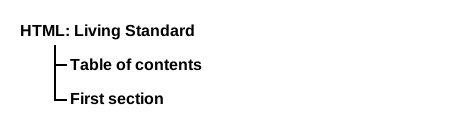
首先,以下是一份文档,它是一本书,章节和子节都很短:
<!DOCTYPE HTML>
< html lang = en >
< title > The Tax Book (all in one page)</ title >
< h1 > The Tax Book</ h1 >
< h2 > Earning money</ h2 >
< p > Earning money is good.</ p >
< h3 > Getting a job</ h3 >
< p > To earn money you typically need a job.</ p >
< h2 > Spending money</ h2 >
< p > Spending is what money is mainly used for.</ p >
< h3 > Cheap things</ h3 >
< p > Buying cheap things often not cost-effective.</ p >
< h3 > Expensive things</ h3 >
< p > The most expensive thing is often not the most cost-effective either.</ p >
< h2 > Investing money</ h2 >
< p > You can lend your money to other people.</ p >
< h2 > Losing money</ h2 >
< p > If you spend money or invest money, sooner or later you will lose money.
< h3 > Poor judgement</ h3 >
< p > Usually if you lose money it's because you made a mistake.</ p > 其 大纲 可以呈现为如下形式:
文档可以包含多个顶级标题:
<!DOCTYPE HTML>
< html lang = en >
< title > Alphabetic Fruit</ title >
< h1 > Apples</ h1 >
< p > Pomaceous.</ p >
< h1 > Bananas</ h1 >
< p > Edible.</ p >
< h1 > Carambola</ h1 >
< p > Star.</ p > 文档的 大纲 可以呈现为如下形式:
<!DOCTYPE HTML>
< html lang = "en" >
< title > We're adopting a child! — Ray's blog</ title >
< h1 > Ray's blog</ h1 >
< article >
< header >
< nav >
< a href = "?t=-1d" > Yesterday</ a > ;
< a href = "?t=-7d" > Last week</ a > ;
< a href = "?t=-1m" > Last month</ a >
</ nav >
< h2 > We're adopting a child!</ h2 >
</ header >
< p > As of today, Janine and I have signed the papers to become
the proud parents of baby Diane! We've been looking forward to
this day for weeks.</ p >
</ article >
</ html > 文档的 大纲 可以呈现为如下形式:
以下示例符合规范,但不鼓励这种写法,因为它没有任何 标题 ,其 标题级别 为 1:
<!DOCTYPE HTML>
< html lang = en >
< title > Alphabetic Fruit</ title >
< section >
< h2 > Apples</ h2 >
< p > Pomaceous.</ p >
</ section >
< section >
< h2 > Bananas</ h2 >
< p > Edible.</ p >
</ section >
< section >
< h2 > Carambola</ h2 >
< p > Star.</ p >
</ section > 文档的 大纲 可以呈现为如下形式:
以下示例符合规范,但不鼓励这种写法,因为第一个 标题的 标题级别 不是 1:
<!DOCTYPE HTML>
< html lang = en >
< title > Feathers on The Site of Encyclopedic Knowledge</ title >
< h2 > A plea from our caretakers</ h2 >
< p > Please, we beg of you, send help! We're stuck in the server room!</ p >
< h1 > Feathers</ h1 >
< p > Epidermal growths.</ p > 文档的 大纲 可以呈现为如下形式:
鼓励用户代理向用户暴露页面的 大纲 ,以帮助导航。对于非视觉媒体,例如屏幕阅读器,这一点尤其重要。
例如,用户代理可以按如下方式映射方向键:
本节为非规范性内容。
| 元素 | 用途 |
|---|---|
| 示例 | |
body
|
文档的内容。 |
|
|
article
|
文档、页面、应用或网站中完整或自成一体的作品;原则上,这种作品可以独立分发或重用,例如通过内容聚合。这可以是论坛帖子、杂志或报纸文章、博客文章、用户提交的评论、交互式小组件或小工具,或者任何其他独立的内容项目。 |
|
|
section
|
文档或应用中的一个通用节。在此上下文中,节是按主题分组的内容,通常带有标题。 |
|
|
nav
|
页面中链接到其他页面或页面内部各部分的一个节,即含有导航链接的节。 |
|
|
aside
|
页面中的一个节,其内容与 aside
元素周围的内容只有间接关联,并且可以视为独立于这些内容。在印刷排版中,此类节通常呈现为侧栏。
|
|
|
h1–h6
|
标题 |
|
|
hgroup
|
标题及相关内容。此元素可用于将一个 h1–h6
元素与一个或多个
p 元素分为一组;这些 p
元素中的内容表示副标题、替代标题或标语。
|
|
|
header
|
一组引导性或导航性辅助内容。 |
|
|
footer
|
其最近的 分节内容 祖先元素的页脚,或者是 body 元素 的页脚(如果没有这样的祖先)。页脚通常包含其所在节的相关信息,如作者、相关文档的链接、版权信息等。 |
|
本节为非规范性内容。
section 是其他事物的一部分。
article
则自成一体。但如何判断两者?通常,真正的答案是“这取决于作者的意图”。
例如,可以想象一本书中有一章名为“澳洲青苹”,只写着“这些多汁的青苹果非常适合用作苹果派的馅料。”;这会是一个 section
,因为还会有很多其他章节,可能介绍其他种类的苹果。
另一方面,可以想象一条推文、reddit 评论、tumblr 帖子或报纸分类广告,只写着“澳洲青苹。这些多汁的青苹果非常适合用作苹果派的馅料。”;那么它们就是 article,因为这就是其全部内容。
文章上的评论不属于它所评论的 article ,因此它本身就是一个 article.
p 元素所有当前引擎均支持。
所有当前引擎均支持。
hgroup 元素的子元素。p 元素的 结束标签 可以省略,条件是
p 元素后面紧接着 address, article,
aside, blockquote, details, dialog,
div, dl, fieldset, figcaption,
figure, footer, form, h1,
h2,
h3,
h4,
h5,
h6,
header,
hgroup, hr, main, menu, nav,
ol, p, pre, search, section,
table或 ul 元素;或者父元素中没有更多内容,且父元素是 HTML 元素 ,但不是 a, audio, del, ins, map,
noscript或 video 元素,也不是 自治自定义元素.
[Exposed =Window ]
interface HTMLParagraphElement : HTMLElement {
[HTMLConstructor ] constructor ();
// also has obsolete members
};虽然在视觉媒体中,段落通常呈现为文本块,通过空行与相邻的文本块在空间上分开,但样式表或用户代理也完全可以采用其他方式呈现段落分隔,例如使用行内段落标记(¶)。
以下示例都是符合规范的 HTML 片段:
< p > The little kitten gently seated herself on a piece of
carpet. Later in her life, this would be referred to as the time the
cat sat on the mat.</ p > < fieldset >
< legend > Personal information</ legend >
< p >
< label > Name: < input name = "n" ></ label >
< label >< input name = "anon" type = "checkbox" > Hide from other users</ label >
</ p >
< p >< label > Address: < textarea name = "a" ></ textarea ></ label ></ p >
</ fieldset > < p > There was once an example from Femley,< br >
Whose markup was of dubious quality.< br >
The validator complained,< br >
So the author was pained,< br >
To move the error from the markup to the rhyming.</ p > p 元素不应在有更具体的元素更合适时使用。
以下示例在技术上是正确的:
< section >
<!-- ... -->
< p > Last modified: 2001-04-23</ p >
< p > Author: fred@example.com</ p >
</ section > 不过,更好的标记方式是:
< section >
<!-- ... -->
< footer > Last modified: 2001-04-23</ footer >
< address > Author: fred@example.com</ address >
</ section > 或:
< section >
<!-- ... -->
< footer >
< p > Last modified: 2001-04-23</ p >
< address > Author: fred@example.com</ address >
</ footer >
</ section > 列表元素(特别是 ol 和 ul 元素)不能作为 p
元素的子元素。因此,当一句话包含项目符号列表时,人们可能会疑惑该如何为其添加标记。
例如,下面这句奇幻的句子包含与以下内容有关的项目符号:
下文将进一步讨论这句话。
解决办法是认识到: 段落在 HTML 中不是一个逻辑概念,而是一个结构概念。在上面的奇幻示例中,实际上有 五个 段落 符合本规范的定义:列表之前有一个,每个项目符号对应一个,列表之后还有一个。
因此,上例可以采用以下标记:
< p > For instance, this fantastic sentence has bullets relating to</ p >
< ul >
< li > wizards,
< li > faster-than-light travel, and
< li > telepathy,
</ ul >
< p > and is further discussed below.</ p > 如果作者希望方便地为这类由多个“结构性”段落组成的“逻辑性”段落设置样式,可以使用 div 元素来代替 p
元素。
例如,上面的示例可以改成以下形式:
< div > For instance, this fantastic sentence has bullets relating to
< ul >
< li > wizards,
< li > faster-than-light travel, and
< li > telepathy,
</ ul >
and is further discussed below.</ div > 这个示例仍有五个结构性段落,但现在作者只需为
div 设置样式,而不必分别考虑示例中的每个部分。
hr 元素所有当前引擎均支持。
所有当前引擎均支持。
select 元素的后代。[Exposed =Window ]
interface HTMLHRElement : HTMLElement {
[HTMLConstructor ] constructor ();
// also has obsolete members
}; hr 元素 表示 一个 段落级别的主题分隔,例如故事中的场景转换,或者参考书某一节中话题的转换;此外,它也表示某个
select 元素的一组选项之间的分隔符。
以下虚构的项目手册摘录展示了两个节,它们使用
hr 元素分隔节内的话题。
< section >
< h1 > Communication</ h1 >
< p > There are various methods of communication. This section
covers a few of the important ones used by the project.</ p >
< hr >
< p > Communication stones seem to come in pairs and have mysterious
properties:</ p >
< ul >
< li > They can transfer thoughts in two directions once activated
if used alone.</ li >
< li > If used with another device, they can transfer one's
consciousness to another body.</ li >
< li > If both stones are used with another device, the
consciousnesses switch bodies.</ li >
</ ul >
< hr >
< p > Radios use the electromagnetic spectrum in the meter range and
longer.</ p >
< hr >
< p > Signal flares use the electromagnetic spectrum in the
nanometer range.</ p >
</ section >
< section >
< h1 > Food</ h1 >
< p > All food at the project is rationed:</ p >
< dl >
< dt > Potatoes</ dt >
< dd > Two per day</ dd >
< dt > Soup</ dt >
< dd > One bowl per day</ dd >
</ dl >
< hr >
< p > Cooking is done by the chefs on a set rotation.</ p >
</ section > 以下摘录出自 Peter F. Hamilton 的《 潘多拉之星
》,展示了场景转换前的两个段落以及转换后的一个段落。在印刷版书籍中,第二段和第三段之间的空白中有一颗单独居中的星号,表示场景转换;这里则使用 hr 元素表示。
< p > Dudley was ninety-two, in his second life, and fast approaching
time for another rejuvenation. Despite his body having the physical
age of a standard fifty-year-old, the prospect of a long degrading
campaign within academia was one he regarded with dread. For a
supposedly advanced civilization, the Intersolar Commonwealth could be
appallingly backward at times, not to mention cruel.</ p >
< p >< i > Maybe it won't be that bad</ i > , he told himself. The lie was
comforting enough to get him through the rest of the night's
shift.</ p >
< hr >
< p > The Carlton AllLander drove Dudley home just after dawn. Like the
astronomer, the vehicle was old and worn, but perfectly capable of
doing its job. It had a cheap diesel engine, common enough on a
semi-frontier world like Gralmond, although its drive array was a
thoroughly modern photoneural processor. With its high suspension and
deep-tread tyres it could plough along the dirt track to the
observatory in all weather and seasons, including the metre-deep snow
of Gralmond's winters.</ p > pre 元素所有当前引擎均支持。
所有当前引擎均支持。
[Exposed =Window ]
interface HTMLPreElement : HTMLElement {
[HTMLConstructor ] constructor ();
// also has obsolete members
}; pre 元素 表示 一个预格式化文本块,其中的结构由排版约定表示,而不是由元素表示。
在 HTML 语法中,紧接在 pre 元素开始标签之后的首个换行符会被移除。
以下是一些可以使用 pre 元素的场景:
鼓励作者考虑:当格式丢失时,人们会如何感知预格式化文本。使用语音合成器、盲文显示器等设备的用户就会遇到这种情况。对于 ASCII 艺术等情况,采用另一种呈现形式(如文字描述)可能会让更多文档读者无障碍地获取内容。
要表示一段计算机代码,可以将 pre 元素与
code 元素搭配使用;要表示一段计算机输出,可以将 pre 元素与 samp 元素搭配使用。同样,可以将 kbd 元素放在 pre 元素内,以表示用户应输入的文本。
此元素 具有涉及双向算法的渲染要求.
以下片段展示了一段计算机代码示例。
< p > This is the < code > Panel</ code > constructor:</ p >
< pre >< code > function Panel(element, canClose, closeHandler) {
this.element = element;
this.canClose = canClose;
this.closeHandler = function () { if (closeHandler) closeHandler() };
}</ code ></ pre > 在以下片段中, samp 和 kbd 元素混合在 pre 元素的内容中,以展示一段 Zork I 游戏会话。
< pre >< samp > You are in an open field west of a big white house with a boarded
front door.
There is a small mailbox here.
></ samp > < kbd > open mailbox</ kbd >
< samp > Opening the mailbox reveals:
A leaflet.
></ samp ></ pre > 以下展示了一首现代诗,它使用 pre
元素保留其不寻常的格式,而这种格式是诗歌本身不可分割的一部分。
< pre > maxling
it is with a heart
heavy
that i admit loss of a feline
so loved
a friend lost to the
unknown
(night)
~cdr 11dec07</ pre > blockquote 元素
所有当前引擎均支持。
所有当前引擎均支持。
cite —
指向引文来源或有关编辑的更多信息的链接
cite.[Exposed =Window ]
interface HTMLQuoteElement : HTMLElement {
[HTMLConstructor ] constructor ();
[CEReactions , ReflectURL ] attribute USVString cite ;
}; HTMLQuoteElement 接口也用于
q
元素。
blockquote
元素 表示 引用自其他来源的一个节。
blockquote
中的内容必须引用自其他来源;如果来源有地址,可以通过 cite 属性注明。
如果 cite
属性存在,则必须是
可由空格包围的有效 URL。要获得相应的引用链接,必须对属性值进行 解析 ,解析时相对于元素的 节点文档。用户代理可以允许用户访问此类引用链接,但这些链接主要用于内部用途(例如,由服务器端脚本收集网站引用使用情况的统计数据),而不是供读者使用。
blockquote
的内容可以按照文本语言的惯例进行删节或补充上下文。
例如,在英语中,传统做法是使用方括号。假设某页面有这样的句子:“Jane ate the cracker. She then said she liked apples and fish.”(简吃了饼干。随后她说自己喜欢苹果和鱼。)可以引用如下:
< blockquote >
< p > [Jane] then said she liked [...] fish.</ p >
</ blockquote > 引文的出处说明(如果有)必须放在 blockquote
元素之外。
例如,这里的出处说明放在引文后的一个段落中:
< blockquote >
< p > I contend that we are both atheists. I just believe in one fewer
god than you do. When you understand why you dismiss all the other
possible gods, you will understand why I dismiss yours.</ p >
</ blockquote >
< p > — Stephen Roberts</ p > 下面的其他示例展示了注明出处的其他方式。
这里将 blockquote 元素与
figure
元素及其 figcaption
搭配使用,明确关联引文及其出处说明(出处说明不是引文的一部分,因此不应放在 blockquote
本身之内):
< figure >
< blockquote >
< p > The truth may be puzzling. It may take some work to grapple with.
It may be counterintuitive. It may contradict deeply held
prejudices. It may not be consonant with what we desperately want to
be true. But our preferences do not determine what's true. We have a
method, and that method helps us to reach not absolute truth, only
asymptotic approaches to the truth — never there, just closer
and closer, always finding vast new oceans of undiscovered
possibilities. Cleverly designed experiments are the key.</ p >
</ blockquote >
< figcaption > Carl Sagan, in "< cite > Wonder and Skepticism</ cite > ", from
the < cite > Skeptical Inquirer</ cite > Volume 19, Issue 1 (January-February
1995)</ figcaption >
</ figure > 下一个示例展示了以下元素的搭配使用: cite
和 blockquote:
< p > His next piece was the aptly named < cite > Sonnet 130</ cite > :</ p >
< blockquote cite = "https://quotes.example.org/s/sonnet130.html" >
< p > My mistress' eyes are nothing like the sun,< br >
Coral is far more red, than her lips red,< br >
...这个示例展示了论坛帖子如何使用 blockquote
来表示用户正在回复的帖子。每个帖子都使用 article 元素,以标记回复层级。
< article >
< h1 >< a href = "https://bacon.example.com/?blog=109431" > Bacon on a crowbar</ a ></ h1 >
< article >
< header >< strong > t3yw</ strong > 12 points 1 hour ago</ header >
< p > I bet a narwhal would love that.</ p >
< footer >< a href = "?pid=29578" > permalink</ a ></ footer >
< article >
< header >< strong > greg</ strong > 8 points 1 hour ago</ header >
< blockquote >< p > I bet a narwhal would love that.</ p ></ blockquote >
< p > Dude narwhals don't eat bacon.</ p >
< footer >< a href = "?pid=29579" > permalink</ a ></ footer >
< article >
< header >< strong > t3yw</ strong > 15 points 1 hour ago</ header >
< blockquote >
< blockquote >< p > I bet a narwhal would love that.</ p ></ blockquote >
< p > Dude narwhals don't eat bacon.</ p >
</ blockquote >
< p > Next thing you'll be saying they don't get capes and wizard
hats either!</ p >
< footer >< a href = "?pid=29580" > permalink</ a ></ footer >
< article >
< article >
< header >< strong > boing</ strong > -5 points 1 hour ago</ header >
< p > narwhals are worse than ceiling cat</ p >
< footer >< a href = "?pid=29581" > permalink</ a ></ footer >
</ article >
</ article >
</ article >
</ article >
< article >
< header >< strong > fred</ strong > 1 points 23 minutes ago</ header >
< blockquote >< p > I bet a narwhal would love that.</ p ></ blockquote >
< p > I bet they'd love to peel a banana too.</ p >
< footer >< a href = "?pid=29582" > permalink</ a ></ footer >
</ article >
</ article >
</ article > 这个示例展示了将 blockquote
用于简短片段的情况,说明不一定要把 p 元素放在 blockquote
元素内:
< p > He began his list of "lessons" with the following:</ p >
< blockquote > One should never assume that his side of
the issue will be recognized, let alone that it will
be conceded to have merits.</ blockquote >
< p > He continued with a number of similar points, ending with:</ p >
< blockquote > Finally, one should be prepared for the threat
of breakdown in negotiations at any given moment and not
be cowed by the possibility.</ blockquote >
< p > We shall now discuss these points...如何表示对话的示例 将在后面的节中展示;不适合将 cite 和 blockquote
元素用于这一目的。
ol 元素所有当前引擎均支持。
所有当前引擎均支持。
li 元素: 可感知内容.li 和 脚本支持 元素。reversed — 对列表反向编号
start — 起始值 ,用于该列表
type — 列表标记的类型
reversed, start, type.[Exposed =Window ]
interface HTMLOListElement : HTMLElement {
[HTMLConstructor ] constructor ();
[CEReactions , Reflect ] attribute boolean reversed ;
[CEReactions , Reflect , ReflectDefault=1] attribute long start ;
[CEReactions , Reflect ] attribute DOMString type ;
// also has obsolete members
}; ol 元素 表示 一个项目列表,其中的项目经过有意排序,改变顺序会改变文档的含义。
列表中的项目是其 li 元素子节点,这些节点属于 ol
元素,并按 树顺序排列.
所有当前引擎均支持。
reversed 属性是一个 布尔属性。如果存在,表示列表为降序列表(...、3、2、1)。如果省略此属性,则列表为升序列表(1、2、3、...)。
start 属性如果存在,必须是一个 有效整数。它用于确定该列表的 起始值 。
ol 元素具有一个 起始值,它是一个按以下方式确定的整数:
令 parsed 为 将属性值解析为整数所得的结果.
如果 parsed 不是错误,则返回 parsed.
如果 ol 元素具有一个 reversed
属性,则返回其 拥有的 li
元素的数量.
返回 1。
type
属性可用于指定列表所用标记的类型,适用于标记类型确实重要的情况(例如需要根据项目的编号或字母来 引用
这些项目)。如果指定了该属性,其值必须 等同于 下表中某一行的第一个单元格中给出的字符。对于第一个单元格与属性值相匹配的行, type
属性表示该行第二列单元格给出的状态;如果没有匹配的单元格,或者省略了此属性,则该属性表示 decimal(十进制) 状态。
| 关键字 | 状态 | 描述 | 值 1–3 和 3999–4001 的示例 | |||||||
|---|---|---|---|---|---|---|---|---|---|---|
1
(U+0031)
|
decimal(十进制) | 十进制数字 | 1. | 2. | 3. | ... | 3999. | 4000. | 4001. | ... |
a (U+0061)
|
lower-alpha(小写字母) | 小写拉丁字母 | a. | b. | c. | ... | ewu. | ewv. | eww. | ... |
A (U+0041)
|
upper-alpha(大写字母) | 大写拉丁字母 | A. | B. | C. | ... | EWU. | EWV. | EWW. | ... |
i (U+0069)
|
lower-roman(小写罗马数字) | 小写罗马数字 | i. | ii. | iii. | ... | mmmcmxcix. | i̅v̅. | i̅v̅i. | ... |
I (U+0049)
|
upper-roman(大写罗马数字) | 大写罗马数字 | I. | II. | III. | ... | MMMCMXCIX. | I̅V̅. | I̅V̅I. | ... |
用户代理应以符合
type 属性状态的方式渲染列表项目,该属性属于 ol 元素。小于或等于零的数应始终使用十进制,而不受 type 属性的影响。
对于 CSS 用户代理,此属性到 'list-style-type' CSS 属性的映射见 “渲染”一节 (该映射很直接:上述状态的名称与其对应的 CSS 值相同)。
在 CSS 用户代理中,可以重新定义用于实现此属性的默认 CSS 列表样式;这样做将影响列表项目的渲染方式。
由于 [ReflectDefault] ,
start IDL 属性不一定与列表的 起始值一致,这种情况发生在省略了 start 内容属性而指定了 reversed 内容属性时。
以下标记展示了一个顺序很重要的列表,因此适合使用 ol
元素。请将此列表与 ul
一节中的等价列表进行比较,查看对相同项目使用 ul 元素的示例。
< p > I have lived in the following countries (given in the order of when
I first lived there):</ p >
< ol >
< li > Switzerland
< li > United Kingdom
< li > United States
< li > Norway
</ ol > 请注意,改变列表的顺序会改变文档的含义。在以下示例中,改变前两个项目的相对顺序,使作者的出生地发生了变化:
< p > I have lived in the following countries (given in the order of when
I first lived there):</ p >
< ol >
< li > United Kingdom
< li > Switzerland
< li > United States
< li > Norway
</ ol > ul 元素所有当前引擎均支持。
所有当前引擎均支持。
li 元素: 可感知内容.li 和 脚本支持 元素。[Exposed =Window ]
interface HTMLUListElement : HTMLElement {
[HTMLConstructor ] constructor ();
// also has obsolete members
}; ul 元素 表示 一个项目列表,其中项目的顺序并不重要,即改变顺序不会实质性地改变文档的含义。
列表中的项目是其 li 元素子节点,这些节点属于 ul
元素。
以下标记展示了一个顺序无关紧要的列表,因此适合使用
ul 元素。请将此列表与
ol 一节中的等价列表进行比较,查看对相同项目使用 ol
元素的示例。
< p > I have lived in the following countries:</ p >
< ul >
< li > Norway
< li > Switzerland
< li > United Kingdom
< li > United States
</ ul > 请注意,改变列表的顺序不会改变文档的含义。上面的片段按字母顺序列出项目,下面的片段则按这些人在 2007 年的活期账户余额大小排序,而完全没有改变文档的含义:
< p > I have lived in the following countries:</ p >
< ul >
< li > Switzerland
< li > Norway
< li > United Kingdom
< li > United States
</ ul > menu 元素所有当前引擎均支持。
所有当前引擎均支持。
li 元素: 可感知内容.li 和 脚本支持 元素。[Exposed =Window ]
interface HTMLMenuElement : HTMLElement {
[HTMLConstructor ] constructor ();
// also has obsolete members
}; menu 元素 表示 由其内容组成的工具栏,采用无序项目列表的形式(项目由 li 元素表示),其中每个项目表示用户可以执行或激活的一个命令。
menu 元素只是 ul
的语义替代,用来表达无序的命令列表(“工具栏”)。
在这个示例中,文本编辑应用使用 menu
元素提供一系列编辑命令:
< menu >
< li >< button onclick = "copy()" >< img src = "copy.svg" alt = "Copy" ></ button ></ li >
< li >< button onclick = "cut()" >< img src = "cut.svg" alt = "Cut" ></ button ></ li >
< li >< button onclick = "paste()" >< img src = "paste.svg" alt = "Paste" ></ button ></ li >
</ menu > 请注意,使其看起来像常规工具栏菜单的样式需要由应用自行设置。
li 元素所有当前引擎均支持。
所有当前引擎均支持。
ol 元素内。ul 元素内。menu 元素内。li 元素的 结束标签 可以省略,条件是
li 元素后面紧接着另一个 li 元素,或者父元素中没有更多内容。
ul 或 menu 元素的子元素: value — 序号值 ,用于该列表项目
value.[Exposed =Window ]
interface HTMLLIElement : HTMLElement {
[HTMLConstructor ] constructor ();
[CEReactions , Reflect ] attribute long value ;
// also has obsolete members
}; li 元素 表示 一个列表项目。如果其父元素是
ol, ul或 menu
元素,则此元素按照这些元素的定义,是父元素列表中的一个项目。否则,此列表项目与任何其他 li 元素都没有已定义的、与列表有关的关系。
value 属性如果存在,必须是一个 有效整数。它用于确定该列表项目的 序号值 ,前提是这个 li的 列表所有者 是
ol 元素。
要确定各元素的 序号值 ,针对给定的 列表所有者 owner所拥有的每个元素,执行以下步骤:
令 i 为 1。
如果 owner 是 ol
元素,则令 numbering 为
owner的 起始值。否则,令
numbering 为 1。
循环:如果 i 大于 列表项目(由 owner 拥有)的数量,则返回;此时 owner 拥有的列表项目 都已被赋予 序号值.
令 parsed 为 将属性值解析为整数所得的结果.
如果 parsed 不是错误,则将 numbering 设为 parsed.
指定 序号值 如下: item 的序号值为 numbering.
如果 owner 是 ol 元素,且
owner 具有 reversed
属性,则将 numbering 减 1;否则,将 numbering 加 1。
将 i 加 1。
转到以下标签所标识的步骤: 循环.
元素的 value IDL 属性并不直接对应于其 序号值;它只是 反映
该内容属性。例如,给定以下列表:
< ol >
< li > Item 1
< li value = "3" > Item 3
< li > Item 4
</ ol > 以下示例列出了排名前十的电影(按倒序排列)。请注意,该列表如何通过 figure 元素及其 figcaption
元素获得标题。
< figure >
< figcaption > The top 10 movies of all time</ figcaption >
< ol >
< li value = "10" >< cite > Josie and the Pussycats</ cite > , 2001</ li >
< li value = "9" >< cite lang = "sh" > Црна мачка, бели мачор</ cite > , 1998</ li >
< li value = "8" >< cite > A Bug's Life</ cite > , 1998</ li >
< li value = "7" >< cite > Toy Story</ cite > , 1995</ li >
< li value = "6" >< cite > Monsters, Inc</ cite > , 2001</ li >
< li value = "5" >< cite > Cars</ cite > , 2006</ li >
< li value = "4" >< cite > Toy Story 2</ cite > , 1999</ li >
< li value = "3" >< cite > Finding Nemo</ cite > , 2003</ li >
< li value = "2" >< cite > The Incredibles</ cite > , 2004</ li >
< li value = "1" >< cite > Ratatouille</ cite > , 2007</ li >
</ ol >
</ figure > 也可以采用以下标记,使用 reversed
属性,该属性位于 ol 元素上:
< figure >
< figcaption > The top 10 movies of all time</ figcaption >
< ol reversed >
< li >< cite > Josie and the Pussycats</ cite > , 2001</ li >
< li >< cite lang = "sh" > Црна мачка, бели мачор</ cite > , 1998</ li >
< li >< cite > A Bug's Life</ cite > , 1998</ li >
< li >< cite > Toy Story</ cite > , 1995</ li >
< li >< cite > Monsters, Inc</ cite > , 2001</ li >
< li >< cite > Cars</ cite > , 2006</ li >
< li >< cite > Toy Story 2</ cite > , 1999</ li >
< li >< cite > Finding Nemo</ cite > , 2003</ li >
< li >< cite > The Incredibles</ cite > , 2004</ li >
< li >< cite > Ratatouille</ cite > , 2007</ li >
</ ol >
</ figure > 尽管将标题元素(例如 h1)包含在
li
元素内符合规范,但这样可能无法表达作者预期的语义。标题会开始一个新的节,因此列表中的标题会隐式地将列表拆分为跨越多个节的内容。
dl 元素所有当前引擎均支持。
所有当前引擎均支持。
dt 元素后接一个或多个
dd 元素组成,其间可以穿插 脚本支持元素.
div 元素,其间可以穿插 脚本支持元素.[Exposed =Window ]
interface HTMLDListElement : HTMLElement {
[HTMLConstructor ] constructor ();
// also has obsolete members
}; dl 元素 表示 一个由零个或多个名称-值组组成的关联列表(描述列表)。名称-值组由一个或多个名称(dt 元素,可能作为 div 子元素的子元素)后接一个或多个值(dd 元素,可能作为 div 子元素的子元素)组成。确定这些组时,仅考虑直接的 dt 和 dd 子元素,以及另一些
dt 和 dd 元素,后者是 div 子元素的子元素;其他节点均忽略。在同一个 dl 元素中,每个名称都不应对应多于一个
dt 元素。
名称-值组可以是术语及其定义、元数据主题及其值、问题及其答案,或者其他任何名称-值数据组。
一个组内的各个值互为替代;构成同一个值的多个段落必须全部放在同一个 dd 元素中。
组列表的顺序,以及每个组中名称和值的顺序,可能具有意义。
为了给组添加 微数据 属性或其他适用于整个组的 全局属性 ,或者仅出于设置样式的目的,
dl 元素中的每个组都可以包裹在一个 div 元素中。这不会改变 dl 元素的语义。
dl 元素 dl
的名称-值组通过以下算法确定。名称-值组具有一个名称(一个由 dt 元素组成的列表,初始为空)和一个值(一个由 dd 元素组成的列表,初始为空)。
令 groups 为一个空的名称-值组列表。
令 current 为一个新的名称-值组。
令 seenDd 为 false。
令 child 为 dl的 第一个子节点.
令 grandchild 为 null。
当 child 不为 null 时:
如果 child 是 div 元素:
令 grandchild 为 child的 第一个子节点.
当 grandchild 不为 null 时:
处理 dt 或
dd ,处理的节点为
grandchild.
将 grandchild 设为 grandchild的 下一个兄弟节点.
否则, 处理 dt 或
dd ,处理的节点为
child.
将 child 设为 child的 下一个兄弟节点.
如果 current 非空,则将 current 追加到 groups.
返回 groups.
当名称-值组的名称或值为空列表时,通常是因为意外地将 dd 元素当作 dt
元素使用,或反过来使用。符合性检查器可以发现这类错误,也许还能向作者提供正确使用标记的建议。
在以下示例中,一个条目(“Authors”)关联了两个值(“John”和“Luke”)。
< dl >
< dt > Authors
< dd > John
< dd > Luke
< dt > Editor
< dd > Frank
</ dl > 在以下示例中,一个定义关联了两个术语。
< dl >
< dt lang = "en-US" > < dfn > color</ dfn > </ dt >
< dt lang = "en-GB" > < dfn > colour</ dfn > </ dt >
< dd > A sensation which (in humans) derives from the ability of
the fine structure of the eye to distinguish three differently
filtered analyses of a view. </ dd >
</ dl > 以下示例说明如何使用 dl
元素标记某种元数据。在示例末尾,一个组有两个元数据标签(“Authors”和“Editors”)以及两个值(“Robert Rothman”和“Daniel Jackson”)。此示例还使用
div 元素包裹成组的 dt 和 dd 元素,以便设置样式。
< dl >
< div >
< dt > Last modified time </ dt >
< dd > 2004-12-23T23:33Z </ dd >
</ div >
< div >
< dt > Recommended update interval </ dt >
< dd > 60s </ dd >
</ div >
< div >
< dt > Authors </ dt >
< dt > Editors </ dt >
< dd > Robert Rothman </ dd >
< dd > Daniel Jackson </ dd >
</ div >
</ dl > 以下示例展示了使用 dl
元素提供一组指令。这里指令的顺序很重要(在其他示例中,各块的顺序并不重要)。
< p > Determine the victory points as follows (use the
first matching case):</ p >
< dl >
< dt > If you have exactly five gold coins </ dt >
< dd > You get five victory points </ dd >
< dt > If you have one or more gold coins, and you have one or more silver coins </ dt >
< dd > You get two victory points </ dd >
< dt > If you have one or more silver coins </ dt >
< dd > You get one victory point </ dd >
< dt > Otherwise </ dt >
< dd > You get no victory points </ dd >
</ dl > 以下片段展示了将 dl 元素用作术语表。请注意,使用了 dfn 来指示正在定义的词。
< dl >
< dt >< dfn > Apartment</ dfn > , n.</ dt >
< dd > An execution context grouping one or more threads with one or
more COM objects.</ dd >
< dt >< dfn > Flat</ dfn > , n.</ dt >
< dd > A deflated tire.</ dd >
< dt >< dfn > Home</ dfn > , n.</ dt >
< dd > The user's login directory.</ dd >
</ dl > 这个示例在 微数据 属性的使用中,将 dl 元素与 div 元素搭配起来,为一家法国餐厅的冰淇淋甜点添加注释。
< dl >
< div itemscope itemtype = "http://schema.org/Product" >
< dt itemprop = "name" > Café ou Chocolat Liégeois
< dd itemprop = "offers" itemscope itemtype = "http://schema.org/Offer" >
< span itemprop = "price" > 3.50</ span >
< data itemprop = "priceCurrency" value = "EUR" > €</ data >
< dd itemprop = "description" >
2 boules Café ou Chocolat, 1 boule Vanille, sauce café ou chocolat, chantilly
</ div >
< div itemscope itemtype = "http://schema.org/Product" >
< dt itemprop = "name" > Américaine
< dd itemprop = "offers" itemscope itemtype = "http://schema.org/Offer" >
< span itemprop = "price" > 3.50</ span >
< data itemprop = "priceCurrency" value = "EUR" > €</ data >
< dd itemprop = "description" >
1 boule Crème brûlée, 1 boule Vanille, 1 boule Caramel, chantilly
</ div >
</ dl > 如果没有 div 元素,标记就需要使用 itemref 属性,将 dd 元素中的数据与条目关联,如下所示。
< dl >
< dt itemscope itemtype = "http://schema.org/Product" itemref = "1-offer 1-description" >
< span itemprop = "name" > Café ou Chocolat Liégeois</ span >
< dd id = "1-offer" itemprop = "offers" itemscope itemtype = "http://schema.org/Offer" >
< span itemprop = "price" > 3.50</ span >
< data itemprop = "priceCurrency" value = "EUR" > €</ data >
< dd id = "1-description" itemprop = "description" >
2 boules Café ou Chocolat, 1 boule Vanille, sauce café ou chocolat, chantilly
< dt itemscope itemtype = "http://schema.org/Product" itemref = "2-offer 2-description" >
< span itemprop = "name" > Américaine</ span >
< dd id = "2-offer" itemprop = "offers" itemscope itemtype = "http://schema.org/Offer" >
< span itemprop = "price" > 3.50</ span >
< data itemprop = "priceCurrency" value = "EUR" > €</ data >
< dd id = "2-description" itemprop = "description" >
1 boule Crème brûlée, 1 boule Vanille, 1 boule Caramel, chantilly
</ dl > dl 元素不适合用来标记对话。请参阅一些
如何标记对话的示例.
dt 元素所有当前引擎均支持。
dd 或 dt 元素之前,这些元素位于 dl 元素内。dd 或 dt 元素之前,这些元素位于 div 元素内,该元素为 dl 元素的子元素。header, footer, 分节内容或 标题内容 后代。dt 元素的 结束标签 可以省略,条件是
dt 元素后面紧接着另一个 dt 元素或
dd 元素。
HTMLElement. dt 元素 表示 描述列表(dl 元素)中术语-描述组的术语或名称部分。
dt 元素本身在 dl 元素中使用时,并不表明其内容是正在定义的术语,不过可以使用
dfn 元素来表明这一点。
这个示例展示了一个常见问题列表(FAQ),使用
dt 元素标记问题,并使用 dd 元素标记答案。
< article >
< h1 > FAQ</ h1 >
< dl >
< dt > What do we want?</ dt >
< dd > Our data.</ dd >
< dt > When do we want it?</ dt >
< dd > Now.</ dd >
< dt > Where is it?</ dt >
< dd > We are not sure.</ dd >
</ dl >
</ article > dd 元素所有当前引擎均支持。
dt 或 dd 元素之后,这些元素位于 dl 元素内。dt 或 dd 元素之后,这些元素位于 div 元素内,该元素为 dl 元素的子元素。dd 元素的 结束标签 可以省略,条件是
dd 元素后面紧接着另一个 dd 元素或
dt 元素,或者父元素中没有更多内容。
HTMLElement. dd 元素 表示 描述列表(dl 元素)中术语-描述组的描述、定义或值部分。
dl
可以用来定义词汇列表,就像词典一样。在以下示例中,每个条目由一个 dt 及其所含的 dfn给出,并具有多个
dd,以展示定义的不同部分。
< dl >
< dt >< dfn > happiness</ dfn ></ dt >
< dd class = "pronunciation" > /ˈhæpinəs/</ dd >
< dd class = "part-of-speech" >< i >< abbr > n.</ abbr ></ i ></ dd >
< dd > The state of being happy.</ dd >
< dd > Good fortune; success. < q > Oh < b > happiness</ b > ! It worked!</ q ></ dd >
< dt >< dfn > rejoice</ dfn ></ dt >
< dd class = "pronunciation" > /rɪˈdʒɔɪs/</ dd >
< dd >< i class = "part-of-speech" >< abbr > v.intr.</ abbr ></ i > To be delighted oneself.</ dd >
< dd >< i class = "part-of-speech" >< abbr > v.tr.</ abbr ></ i > To cause one to be delighted.</ dd >
</ dl > figure
元素所有当前引擎均支持。
figcaption 元素后接 流内容.figcaption 元素。
HTMLElement. figure 元素 表示 一些 流内容,可选择带有说明文字;这些内容自身完整(像一个完整的句子),通常会作为一个整体被文档的主要内容流
引用 。
这里的“自身完整”并不一定意味着独立。例如,段落中的每个句子都是自身完整的;作为句子一部分的图像不适合使用 figure,但全部由图像组成的完整句子则适合。
因此,此元素可以用来为插图、图表、照片、代码清单等添加注释。
当文档的主要内容提到一个 figure
时,如果通过说明文字(例如图号)来标识它,就能很容易地将此类内容移离主要内容,例如移到页面侧边、专用页面或附录中,而不影响文档的连贯性。
如果一个 figure 元素被 引用
时采用的是相对位置,例如“上面的照片中”或“如下图所示”,那么移动该图就会破坏页面的含义。鼓励作者考虑使用标签来引用图,而不是使用这样的相对引用,以便轻松地重新设置页面样式而不影响页面含义。
此元素的第一个 figcaption
子元素(如果有)表示该 figure
元素内容的说明文字。如果没有
figcaption
子元素,则没有说明文字。
figure
元素的内容是周围内容流的一部分。如果页面的目的是展示该图,例如图像分享网站上的一张照片,则可以使用
figure 和 figcaption
元素明确地为该图提供说明文字。对于与周围内容流仅有间接关系,或用途不同的内容,应使用 aside 元素(它本身也可以包裹一个 figure)。例如,重复某个
article 中内容的摘引,更适合放在
aside 中,而不是
figure中,因为它不是内容的一部分,而是为吸引读者或突出关键主题而重复的内容。
这个示例展示了使用 figure
元素标记代码清单。
< p > In < a href = "#l4" > listing 4</ a > we see the primary core interface
API declaration.</ p >
< figure id = "l4" >
< figcaption > Listing 4. The primary core interface API declaration.</ figcaption >
< pre >< code > interface PrimaryCore {
boolean verifyDataLine();
undefined sendData(sequence< byte> data);
undefined initSelfDestruct();
}</ code ></ pre >
</ figure >
< p > The API is designed to use UTF-8.</ p > 这里使用了 figure
元素标记一张作为页面主要内容的照片(如图库中的照片)。
<!DOCTYPE HTML>
< html lang = "en" >
< title > Bubbles at work — My Gallery™</ title >
< figure >
< img src = "bubbles-work.jpeg"
alt = "Bubbles, sitting in his office chair, works on his
latest project intently." >
< figcaption > Bubbles at work</ figcaption >
</ figure >
< nav >< a href = "19414.html" > Prev</ a > — < a href = "19416.html" > Next</ a ></ nav > 在这个示例中,有一张图像 不是 独立的图,还有一张图像和一个视频是独立的图。第一张图像直接构成了示例第二句话的一部分,因此不是自身完整的单元,使用 figure 就不合适。
< h2 > Malinko's comics</ h2 >
< p > This case centered on some sort of "intellectual property"
infringement related to a comic (see Exhibit A). The suit started
after a trailer ending with these words:
< blockquote >
< img src = "promblem-packed-action.png" alt = "ROUGH COPY! Promblem-Packed Action!" >
</ blockquote >
< p > ...was aired. A lawyer, armed with a Bigger Notebook, launched a
preemptive strike using snowballs. A complete copy of the trailer is
included with Exhibit B.
< figure >
< img src = "ex-a.png" alt = "Two squiggles on a dirty piece of paper." >
< figcaption > Exhibit A. The alleged < cite > rough copy</ cite > comic.</ figcaption >
</ figure >
< figure >
< video src = "ex-b.mov" ></ video >
< figcaption > Exhibit B. The < cite > Rough Copy</ cite > trailer.</ figcaption >
</ figure >
< p > The case was resolved out of court.这里标记了一首诗的一部分,使用的是 figure.
< figure >
< p > 'Twas brillig, and the slithy toves< br >
Did gyre and gimble in the wabe;< br >
All mimsy were the borogoves,< br >
And the mome raths outgrabe.</ p >
< figcaption >< cite > Jabberwocky</ cite > (first verse). Lewis Carroll, 1832-98</ figcaption >
</ figure > 在这个示例中,嵌套的
figure
元素用于同时提供整组的说明文字和组内各图的单独说明文字;该示例可以是讨论一座城堡的更大作品的一部分:
< figure >
< figcaption > The castle through the ages: 1423, 1858, and 1999 respectively.</ figcaption >
< figure >
< figcaption > Etching. Anonymous, ca. 1423.</ figcaption >
< img src = "castle1423.jpeg" alt = "The castle has one tower, and a tall wall around it." >
</ figure >
< figure >
< figcaption > Oil-based paint on canvas. Maria Towle, 1858.</ figcaption >
< img src = "castle1858.jpeg" alt = "The castle now has two towers and two walls." >
</ figure >
< figure >
< figcaption > Film photograph. Peter Jankle, 1999.</ figcaption >
< img src = "castle1999.jpeg" alt = "The castle lies in ruins, the original tower all that remains in one piece." >
</ figure >
</ figure > 前一个示例也可以更简洁地写成如下形式(使用 title 属性代替嵌套的
figure/figcaption 配对):
< figure >
< img src = "castle1423.jpeg" title = "Etching. Anonymous, ca. 1423."
alt = "The castle has one tower, and a tall wall around it." >
< img src = "castle1858.jpeg" title = "Oil-based paint on canvas. Maria Towle, 1858."
alt = "The castle now has two towers and two walls." >
< img src = "castle1999.jpeg" title = "Film photograph. Peter Jankle, 1999."
alt = "The castle lies in ruins, the original tower all that remains in one piece." >
< figcaption > The castle through the ages: 1423, 1858, and 1999 respectively.</ figcaption >
</ figure > 有时,图只会被 引用 ,而这种引用在内容中是隐含的:
< article >
< h1 > Fiscal negotiations stumble in Congress as deadline nears</ h1 >
< figure >
< img src = "obama-reid.jpeg" alt = "Obama and Reid sit together smiling in the Oval Office." >
< figcaption > Barack Obama and Harry Reid. White House press photograph.</ figcaption >
</ figure >
< p > Negotiations in Congress to end the fiscal impasse sputtered on Tuesday, leaving both chambers
grasping for a way to reopen the government and raise the country's borrowing authority with a
Thursday deadline drawing near.</ p >
...
</ article > figcaption 元素
所有当前引擎均支持。
figure
元素的第一个或最后一个子元素。HTMLElement. figcaption
元素 表示 说明文字或图例,用来描述这个 figcaption 元素的父级
figure
元素(如果有)中其余的内容。
此元素可以包含有关来源的附加信息:
< figcaption >
< p > A duck.</ p >
< p >< small > Photograph courtesy of 🌟 News.</ small ></ p >
</ figcaption > < figcaption >
< p > Average rent for 3-room apartments, excluding non-profit apartments</ p >
< p > Zürich’s Statistics Office — < time datetime = 2017-11-14 > 14 November 2017</ time ></ p >
</ figcaption > main 元素所有当前引擎均支持。
main 元素.HTMLElement.一个文档不得有多个 main 元素未指定 属性。
层级正确的 main 元素 是指祖先元素仅限于以下类型的元素: html, body, div, form (不具有 无障碍名称)以及 自治自定义元素。每个 main 元素都必须是一个
层级正确的
main 元素.
在这个示例中,作者采用了将页面各部分都渲染在盒中的呈现方式。页面的主要内容(区别于页眉、页脚、导航栏和侧栏)使用 main 元素包裹。
<!DOCTYPE html>
< html lang = "en" >
< title > RPG System 17</ title >
< style >
header , nav , aside , main , footer {
margin : 0.5 em ; border : thin solid ; padding : 0.5 em ;
background : #EFF ; color : black ; box-shadow : 0 0 0.25 em #033 ;
}
h1 , h2 , p { margin : 0 ; }
nav , main { float : left ; }
aside { float : right ; }
footer { clear : both ; }
</ style >
< header >
< h1 > System Eighteen</ h1 >
</ header >
< nav >
< a href = "../16/" > ← System 17</ a >
< a href = "../18/" > RPXIX →</ a >
</ nav >
< aside >
< p > This system has no HP mechanic, so there's no healing.
</ aside >
< main >
< h2 > Character creation</ h2 >
< p > Attributes (magic, strength, agility) are purchased at the cost of one point per level.</ p >
< h2 > Rolls</ h2 >
< p > Each encounter, roll the dice for all your skills. If you roll more than the opponent, you win.</ p >
</ main >
< footer >
< p > Copyright © 2013
</ footer >
</ html > 在以下示例中,使用了多个 main
元素,并使用脚本在无需往返服务器的情况下实现导航,同时为当前未使用的元素设置 属性:
<!doctype html>
< html lang = en-CA >
< meta charset = utf-8 >
< title > … </ title >
< link rel = stylesheet href = spa.css >
< script src = spa.js async ></ script >
< nav >
< a href = / > Home</ a >
< a href = /about > About</ a >
< a href = /contact > Contact</ a >
</ nav >
< main >
< h1 > Home</ h1 >
…
</ main >
< main hidden >
< h1 > About</ h1 >
…
</ main >
< main hidden >
< h1 > Contact</ h1 >
…
</ main >
< footer > Made with ❤️ by < a href = https://example.com/ > Example 👻</ a > .</ footer > search
元素所有当前引擎均不支持。
HTMLElement. search 元素 表示
文档或应用的一部分,其中包含一组表单控件或与执行搜索或筛选操作有关的其他内容。它可以是针对网站或应用的搜索、搜索或筛选当前网页搜索结果的方式,或全局或全互联网范围的搜索功能。
不适合使用 search
元素仅仅呈现搜索结果,不过作为“快速搜索”结果一部分的建议和链接可以纳入搜索功能。相反,返回的搜索结果网页应将搜索结果呈现为该网页主要内容的一部分。
在以下示例中,作者在网页的
header 中放置了一个搜索表单:
< header >
< h1 >< a href = "/" > My fancy blog</ a ></ h1 >
...
< search >
< form action = "search.php" >
< label for = "query" > Find an article</ label >
< input id = "query" name = "q" type = "search" >
< button type = "submit" > Go!</ button >
</ form >
</ search >
</ header > 在这个示例中,作者完全使用 JavaScript 实现 Web 应用的搜索功能。这里没有使用 form 元素进行服务器端提交,但外层的 search
元素在语义上标识了后代内容的用途是提供搜索功能。
< search >
< label >
Find and filter your query
< input type = "search" id = "query" >
</ label >
< label >
< input type = "checkbox" id = "exact-only" >
Exact matches only
</ label >
< section >
< h3 > Results found:</ h3 >
< ul id = "results" >
< li >
< p >< a href = "services/consulting" > Consulting services</ a ></ p >
< p >
Find out how can we help you improve your business with our integrated consultants, Bob and Bob.
</ p >
</ li >
...
</ ul >
<!--
when a query returns or filters out all results
render the no results message here
-->
< output id = "no-results" ></ output >
</ section >
</ search > 在以下示例中,页面有两项搜索功能。第一项位于网页的
header
中,用作搜索网站内容的全局机制。其用途通过指定的 title
属性表明。第二项包含在页面的主要内容中,因为它是搜索和筛选当前页面内容的机制。其中包含一个标题,以表明其用途。
< body >
< header >
...
< search title = "Website" >
...
</ search >
</ header >
< main >
< h1 > Hotels near your location</ h1 >
< search >
< h2 > Filter results</ h2 >
...
</ search >
< article >
<!-- search result content -->
</ article >
</ main >
</ body > div 元素所有当前引擎均支持。
所有当前引擎均支持。
dl 元素的子元素。option 元素、 optgroup 元素或 select 元素的后代。dl 元素的子元素:一个或多个 dt 元素后接一个或多个 dd 元素,其间可以穿插 脚本支持元素.option 元素、
optgroup 元素或 select 元素的后代: 透明.
[Exposed =Window ]
interface HTMLDivElement : HTMLElement {
[HTMLConstructor ] constructor ();
// also has obsolete members
}; div 元素没有任何特殊含义。它 表示 其子节点。它可以与 class, lang和 title 属性搭配使用,标记一组连续元素共有的语义。也可以在 dl
元素中使用它,包裹成组的 dt 和 dd 元素。
强烈鼓励作者将 div
元素视为最后的选择,仅在没有其他合适元素时使用。使用更合适的元素来代替 div 元素,可以为读者提供更好的无障碍体验,也便于作者维护。
例如,博客文章应使用 article标记,章应使用
section标记,页面的导航辅助内容应使用
nav标记,一组表单控件应使用 fieldset.
另一方面, div
元素可以用于设置样式,或者包裹一个节中需要以类似方式添加注释的多个段落。在以下示例中,使用 div
元素同时设置两个段落的语言,而不必分别在两个段落元素上设置语言:
< article lang = "en-US" >
< h1 > My use of language and my cats</ h1 >
< p > My cat's behavior hasn't changed much since her absence, except
that she plays her new physique to the neighbors regularly, in an
attempt to get pets.</ p >
< div lang = "en-GB" >
< p > My other cat, coloured black and white, is a sweetie. He followed
us to the pool today, walking down the pavement with us. Yesterday
he apparently visited our neighbours. I wonder if he recognises that
their flat is a mirror image of ours.</ p >
< p > Hm, I just noticed that in the last paragraph I used British
English. But I'm supposed to write in American English. So I
shouldn't say "pavement" or "flat" or "colour"...</ p >
</ div >
< p > I should say "sidewalk" and "apartment" and "color"!</ p >
</ article > a 元素所有当前浏览器引擎均支持。
所有当前浏览器引擎均支持。
所有当前浏览器引擎均支持。
所有当前浏览器引擎均支持。
所有当前浏览器引擎均支持。
href 属性: 交互内容.a 元素后代,或指定了 tabindex 属性的后代。
href — 超链接的地址
target — 可导航对象 ,用于 超链接 导航
download —
是否下载该资源而非导航到它,以及下载时使用的文件名
ping — URL ,向其发送 ping
rel — 包含该 超链接 的文档位置与目标资源之间的关系
hreflang —
链接资源的语言
type — 对所引用资源类型的提示
referrerpolicy
— 引用来源策略 ,用于该元素发起的 获取
href 属性: 面向作者; 面向实现者.
href, hreflang和 type,以及 导航 URL 属性
href.
[Exposed =Window ]
interface HTMLAnchorElement : HTMLElement {
[HTMLConstructor ] constructor ();
[CEReactions , Reflect ] attribute DOMString download ;
[CEReactions , Reflect ] attribute USVString ping ;
[CEReactions , Reflect ] attribute DOMString rel ;
[SameObject , PutForwards =value , Reflect="rel"] readonly attribute DOMTokenList relList ;
[CEReactions ] attribute DOMString text ;
[CEReactions ] attribute DOMString referrerPolicy ;
// also has obsolete members
};
HTMLAnchorElement includes HyperlinkElementUtils ;
HTMLAnchorElement includes HTMLHyperlinkElementUtils ;如果 a 元素有 href 属性,则它 表示 一个以其内容作为标签的 超链接 (超文本锚点)。
如果 a 元素没有 href 属性,则该元素 表示 一个仅由该元素内容组成的占位符;如果链接与此处相关,则原本可以在此处放置该链接。
对于 target, download, ping,
rel, hreflang, type和 referrerpolicy
属性,若 href 属性不存在,则必须将其省略。
如果指定了 itemprop
属性的元素是 a 元素,则还必须指定 href 属性。
如果网站的每个页面都使用一致的导航工具栏,那么通常指向当前页面自身的链接可以使用 a 元素来标记:
< nav >
< ul >
< li > < a href = "/" > Home</ a > </ li >
< li > < a href = "/news" > News</ a > </ li >
< li > < a > Examples</ a > </ li >
< li > < a href = "/legal" > Legal</ a > </ li >
</ ul >
</ nav > href, target, download, ping和 referrerpolicy
属性会影响用户 跟随超链接 或 下载超链接 时发生的操作,这些链接由 a
元素创建。 rel, hreflang和 type
属性可用于在用户跟随链接之前,向用户提示目标资源可能具有的性质。
a.text等同于 textContent.
HTMLAnchorElement/referrerPolicy
所有当前浏览器引擎均支持。
IDL 属性 referrerPolicy 必须 反映 referrerpolicy
内容属性,且 仅限于已知值.
text
属性的 getter 必须返回此元素的 后代文本内容.
a
元素可以包裹整个段落、列表、表格等,甚至整个分节,只要其中没有交互内容(例如按钮或其他链接)。本例展示了如何利用这一点将整个广告块变成一个链接:
< aside class = "advertising" >
< h1 > Advertising</ h1 >
< a href = "https://ad.example.com/?adid=1929&pubid=1422" >
< section >
< h1 > Mellblomatic 9000!</ h1 >
< p > Turn all your widgets into mellbloms!</ p >
< p > Only $9.99 plus shipping and handling.</ p >
</ section >
</ a >
< a href = "https://ad.example.com/?adid=375&pubid=1422" >
< section >
< h1 > The Mellblom Browser</ h1 >
< p > Web browsing at the speed of light.</ p >
< p > No other browser goes faster!</ p >
</ section >
</ a >
</ aside > 以下示例展示了如何用少量脚本,有效地将职位列表表格中的整行变为一个超链接:
< table >
< tr >
< th > Position
< th > Team
< th > Location
< tr >
< td >< a href = "/jobs/manager" > Manager</ a >
< td > Remotees
< td > Remote
< tr >
< td >< a href = "/jobs/director" > Director</ a >
< td > Remotees
< td > Remote
< tr >
< td >< a href = "/jobs/astronaut" > Astronaut</ a >
< td > Architecture
< td > Remote
</ table >
< script >
document. querySelector( "table" ). onclick = ({ target }) => {
if ( target. parentElement. localName === "tr" ) {
const link = target. parentElement. querySelector( "a" );
if ( link) {
link. click();
}
}
}
</ script > em 元素所有当前浏览器引擎均支持。
HTMLElement.一段特定内容的重读程度,由其祖先
em 元素的数量决定。
重读强调的位置会改变句子的含义。因此,该元素是内容不可分割的一部分。以这种方式使用重读强调的具体做法取决于语言。
以下示例展示了改变重读强调如何改变含义。首先是不带重读强调的一般事实陈述:
< p > Cats are cute animals.</ p > 强调第一个词,意味着所讨论的动物种类受到了质疑(也许有人断言狗很可爱):
< p >< em > Cats</ em > are cute animals.</ p > 将重读强调移到动词上,则突出整个句子的真实性受到了质疑(也许有人说猫不可爱):
< p > Cats < em > are</ em > cute animals.</ p > 将重读强调移到形容词上,则再次申明猫的确切特性(也许有人认为猫是 凶恶的 动物):
< p > Cats are < em > cute</ em > animals.</ p > 类似地,如果有人断言猫是蔬菜,纠正这一说法的人可能会强调最后一个词:
< p > Cats are cute < em > animals</ em > .</ p > 强调整个句子,可以清楚表明说话者正在竭力表达这一观点。这类重读强调通常也会影响标点,因此这里使用了感叹号。
< p >< em > Cats are cute animals!</ em ></ p > 如果在强调可爱的同时夹杂着愤怒,可能会采用如下标记:
< p >< em > Cats are < em > cute</ em > animals!</ em ></ p > strong
元素所有当前浏览器引擎均支持。
HTMLElement. strong 元素 表示 其内容具有很高的重要性、严肃性或紧迫性。
重要性: strong
元素可用于标题、说明文字或段落中,以区分真正重要的部分与其他更详细、更诙谐或仅为套语的部分。(这与标记副标题不同,副标题适合使用 hgroup 元素。)
例如,上一段的第一个词使用
strong
标记,以便与该段其余更详细的文字区分开来。
严肃性: strong 元素可用于标记警告或注意事项。
紧迫性: strong
元素可用于表示用户需要优先于文档其他部分看到的内容。
一段内容的相对重要程度,由其祖先
strong 元素的数量决定;每个 strong 元素都会提高其内容的重要性。
使用 strong
元素改变一段文本的重要性,不会改变句子的含义。
这里,“chapter”一词和实际章节编号仅为套语,而标记章节的实际名称时则使用 strong:
< h1 > Chapter 1: < strong > The Praxis</ strong ></ h1 > 在下面的示例中,说明文字中的图表名称使用
strong标记,以便与其前面的套语和后面的描述区分开来:
< figcaption > Figure 1. < strong > Ant colony dynamics</ strong > . The ants in this colony are
affected by the heat source (upper left) and the food source (lower right).</ figcaption > 在此示例中,标题其实是“Flowers, Bees, and Honey”(花朵、蜜蜂和蜂蜜),但作者在标题中添加了一段轻松诙谐的附加文字。因此,使用 strong
元素标记前半部分,以便与后半部分区分开来。
< h1 >< strong > Flowers, Bees, and Honey</ strong > and other things I don't understand</ h1 > 下面是游戏中一则警告提示的示例,其中各部分根据其重要程度进行了标记:
< p >< strong > Warning.</ strong > This dungeon is dangerous.
< strong > Avoid the ducks.</ strong > Take any gold you find.
< strong >< strong > Do not take any of the diamonds</ strong > ,
they are explosive and < strong > will destroy anything within
ten meters.</ strong ></ strong > You have been warned.</ p > 在此示例中, strong
元素用于表示希望用户先阅读的那部分文本。
< p > Welcome to Remy, the reminder system.</ p >
< p > Your tasks for today:</ p >
< ul >
< li >< p >< strong > Turn off the oven.</ strong ></ p ></ li >
< li >< p > Put out the trash.</ p ></ li >
< li >< p > Do the laundry.</ p ></ li >
</ ul > small 元素所有当前浏览器引擎均支持。
HTMLElement.小字附注通常包含免责声明、注意事项、法律限制或版权声明。有时也用于注明来源或满足许可要求。
small
元素不会“减弱强调”,也不会降低文本的重要性,即使这些文本已通过 em
元素强调,或通过 strong
元素标记为重要。要表明文本没有被强调或没有特别的重要性,只需分别不使用
em 或 strong 元素进行标记。
small
元素不应当用于大段文本,例如多个段落、列表或分节。它仅适用于短小的文本片段。例如,列出使用条款的页面中的文本就不适合使用
small
元素:在这种情况下,该文本是页面的主要内容,而不是旁注。
small 元素不得用于副标题;为此,应使用
hgroup 元素。
在此示例中, small
元素用于表示酒店客房价格不包含增值税:
< dl >
< dt > Single room
< dd > 199 € < small > breakfast included, VAT not included</ small >
< dt > Double room
< dd > 239 € < small > breakfast included, VAT not included</ small >
</ dl > 在第二个示例中, small
元素用于文章中的一则旁注。
< p > Example Corp today announced record profits for the
second quarter < small > (Full Disclosure: Foo News is a subsidiary of
Example Corp)</ small > , leading to speculation about a third quarter
merger with Demo Group.</ p > 这与侧栏不同;侧栏可能包含多个段落,并且独立于文本的主要行文流程。在下面的示例中,我们看到同一篇文章中的一个侧栏。此侧栏也包含小字附注,用于指明侧栏中信息的来源。
< aside >
< h1 > Example Corp</ h1 >
< p > This company mostly creates small software and Web
sites.</ p >
< p > The Example Corp company mission is "To provide entertainment
and news on a sample basis".</ p >
< p >< small > Information obtained from < a
href = "https://example.com/about.html" > example.com</ a > home
page.</ small ></ p >
</ aside > 在最后这个示例中, small 元素被标记为
重要的
小字附注。
< p >< strong >< small > Continued use of this service will result in a kiss.</ small ></ strong ></ p > s 元素所有当前浏览器引擎均支持。
HTMLElement. s
元素不适合用来表示对文档的编辑;要将一段文本标记为已从文档中删除,应使用 del 元素。
在此示例中,由于相应产品有了新的销售价格,建议零售价被标记为不再相关。
< p > Buy our Iced Tea and Lemonade!</ p >
< p >< s > Recommended retail price: $3.99 per bottle</ s ></ p >
< p >< strong > Now selling for just $2.99 a bottle!</ strong ></ p > cite 元素所有当前浏览器引擎均支持。
HTMLElement. cite 元素 表示
作品的标题(例如书籍、论文、随笔、诗歌、乐谱、歌曲、剧本、电影、电视节目、游戏、雕塑、绘画、舞台演出、戏剧、歌剧、音乐剧、展览、判例报告、计算机程序等)。这可以是一部正在被引述或详细 引用 的作品(即引文出处),也可以是仅被顺带提及的作品。
人名不是作品的标题,即便人们用“piece of work”(字面意为“一件作品”,也用来形容难缠的人)来形容那个人。因此,不得使用该元素标记人名。(在某些情况下, b
元素可能适用于人名;例如,在八卦文章中,名人的名字是关键词,会以不同样式呈现以引人注意。在其他情况下,如果 确实 需要一个元素,则可以使用 span 元素。)
下一个示例展示了 cite 元素的典型用法:
< p > My favorite book is < cite > The Reality Dysfunction</ cite > by
Peter F. Hamilton. My favorite comic is < cite > Pearls Before
Swine</ cite > by Stephan Pastis. My favorite track is < cite > Jive
Samba</ cite > by the Cannonball Adderley Sextet.</ p > 这是正确用法:
< p > According to the Wikipedia article < cite > HTML</ cite > , as it
stood in mid-February 2008, leaving attribute values unquoted is
unsafe. This is obviously an over-simplification.</ p > 但是,以下用法是不正确的,因为这里的 cite
元素包含的内容远不止作品的标题:
<!-- do not copy this example, it is an example of bad usage! -->
< p > According to < cite > the Wikipedia article on HTML</ cite > , as it
stood in mid-February 2008, leaving attribute values unquoted is
unsafe. This is obviously an over-simplification.</ p > cite
元素是参考文献目录中任何一条引文出处的关键部分,但它仅用于标记标题:
< p >< cite > Universal Declaration of Human Rights</ cite > , United Nations,
December 1948. Adopted by General Assembly resolution 217 A (III).</ p > 引文出处 不是
引述内容 (引述内容适合使用 q 元素)。
这是不正确的用法,因为 cite 不用于引述内容:
< p >< cite > This is wrong!</ cite > , said Ian.</ p > 这也是不正确的用法,因为人不是作品:
< p >< q > This is still wrong!</ q > , said < cite > Ian</ cite > .</ p > 正确用法不使用 cite 元素:
< p >< q > This is correct</ q > , said Ian.</ p > 如上所述,在某些类型的文档中, b
元素可能适合用来将名字标记为关键词:
< p > And then < b > Ian</ b > said < q > this might be right, in a
gossip column, maybe!</ q > .</ p > 如果按照惯例,要用标点将作品标题括起来,例如英语文章标题周围的引号,或日语书名周围的双钩括号(『』),则这些标点不是标题的一部分,应当放在
cite 元素之外。
这是正确用法:
< p > My review of 『< cite lang = "ja" > 阪急電車</ cite > 』 was titled “< cite > A cute series of short stories</ cite > ”.</ p > q 元素所有当前浏览器引擎均支持。
cite — 指向引述来源或有关编辑的更多信息的链接
HTMLQuoteElement.用于引述该元素内容的标点(例如引号)不得出现在紧邻 q
元素的前后位置,也不得出现在其内部;用户代理会在渲染时插入这些标点。
在 q 元素中的内容必须引述自其他来源;如果该来源有地址,可以在 cite
属性中注明。来源可以是虚构的,例如引述小说或剧本中人物的话语。
如果 cite 属性存在,其值必须是一个 可能带有前后空格的有效 URL。要获得相应的引文出处链接,必须对该属性值进行 解析
,解析时相对于该元素的 节点文档。用户代理可以允许用户跟随此类引文出处链接,但它们主要供内部使用(例如供服务器端脚本统计网站使用引述的情况),而不是供读者使用。
q 元素不得用于替代不表示引述的引号;例如,不适合使用 q 元素来标记讽刺性陈述。
使用 q 元素标记引述完全是可选的;直接使用引述标点而不使用 q 元素,同样是正确的。
下面是使用 q 元素的一个简单示例:
< p > The man said < q > Things that are impossible just take
longer</ q > . I disagreed with him.</ p > 在下面的示例中,既在 q
元素中提供了明确的引文出处链接,也在外部明确标出了引文出处:
< p > The W3C page < cite > About W3C</ cite > says the W3C's
mission is < q cite = "https://www.w3.org/Consortium/" > To lead the
World Wide Web to its full potential by developing protocols and
guidelines that ensure long-term growth for the Web</ q > . I
disagree with this mission.</ p > 在下面的示例中,引述内容本身又包含一段引述:
< p > In < cite > Example One</ cite > , he writes < q > The man
said < q > Things that are impossible just take longer</ q > . I
disagreed with him</ q > . Well, I disagree even more!</ p > 在下面的示例中,使用了引号来代替 q 元素:
< p > His best argument was ❝I disagree❞, which
I thought was laughable.</ p > 在下面的示例中,没有引述内容,引号用于指称一个单词。在这种情况下使用 q 元素是不恰当的。
< p > The word "ineffable" could have been used to describe the disaster
resulting from the campaign's mismanagement.</ p > dfn 元素所有当前浏览器引擎均支持。
dfn 元素后代。title 属性 具有特殊语义 ,在此元素上表示完整术语或缩写的展开形式
HTMLElement. dfn 元素 表示 术语的定义性实例。在作为祖先的 段落,
描述列表组或 分节 中,距离 dfn
元素最近的那个还必须包含以下 术语 的定义:该术语由 dfn 元素给出。
被定义的术语:如果 dfn 元素有 title
属性,那么该属性的确切值就是被定义的术语。否则,如果它恰好包含一个元素子节点,且不包含任何 Text
子节点,并且该子元素是一个 abbr 元素,具有
title 属性,那么 该
属性的确切值就是被定义的术语。否则,被定义的术语由 后代文本内容 给出,这些内容属于该 dfn 元素。
如果 title 属性存在于 dfn 元素上,则它必须仅包含被定义的术语。
a 元素如果链接到 dfn 元素,就表示一个术语实例;该术语由这个 dfn 元素定义。
在下面的片段中,术语“Garage Door Opener”(车库门开启器)先在第一段中定义,然后在第二段中使用。在这两种情况下,实际显示的都是其缩写。
< p > The < dfn >< abbr title = "Garage Door Opener" > GDO</ abbr ></ dfn >
is a device that allows off-world teams to open the iris.</ p >
<!-- ... later in the document: -->
< p > Teal'c activated his < abbr title = "Garage Door Opener" > GDO</ abbr >
and so Hammond ordered the iris to be opened.</ p > < p > The < dfn id = gdo >< abbr title = "Garage Door Opener" > GDO</ abbr ></ dfn >
is a device that allows off-world teams to open the iris.</ p >
<!-- ... later in the document: -->
< p > Teal'c activated his < a href = #gdo > < abbr title = "Garage Door Opener" > GDO</ abbr > </ a >
and so Hammond ordered the iris to be opened.</ p > abbr 元素所有当前浏览器引擎均支持。
title 属性 具有特殊语义 ,在此元素上表示完整术语或缩写的展开形式
HTMLElement. abbr 元素 表示 缩写或首字母缩略词,可以附带其展开形式。 title 属性可用于提供缩写的展开形式。如果指定了该属性,它必须仅包含缩写的展开形式,不能包含任何其他内容。
下面的段落包含一个用 abbr 元素标记的缩写。该段落
定义了术语 “Web Hypertext Application Technology
Working Group”(Web 超文本应用技术工作组)。
< p > The < dfn id = whatwg >< abbr
title = "Web Hypertext Application Technology Working Group" > WHATWG</ abbr ></ dfn >
is a loose unofficial collaboration of web browser manufacturers and
interested parties who wish to develop new technologies designed to
allow authors to write and deploy Applications over the World Wide
Web.</ p > 也可以写成以下形式:
< p > The < dfn id = whatwg > Web Hypertext Application Technology
Working Group</ dfn > (< abbr
title = "Web Hypertext Application Technology Working Group" > WHATWG</ abbr > )
is a loose unofficial collaboration of web browser manufacturers and
interested parties who wish to develop new technologies designed to
allow authors to write and deploy Applications over the World Wide
Web.</ p > 这个段落中有两个缩写。请注意,只有一个得到了定义;另一个没有关联的展开形式,因此没有使用 abbr 元素。
< p > The
< abbr title = "Web Hypertext Application Technology Working Group" > WHATWG</ abbr >
started working on HTML5 in 2004.</ p > 这个段落将一个缩写链接到它的定义。
< p > The < a href = "#whatwg" >< abbr
title = "Web Hypertext Application Technology Working Group" > WHATWG</ abbr ></ a >
community does not have much representation from Asia.</ p > 这个段落标记了一个缩写,但没有给出其展开形式;这可能是为了提供一个挂钩,以便为缩写应用样式(例如小型大写字母)。
< p > Philip` and Dashiva both denied that they were going to
get the issue counts from past revisions of the specification to
backfill the < abbr > WHATWG</ abbr > issue graph.</ p > 如果缩写采用复数形式,其展开形式的语法数(复数或单数)必须与该元素内容的语法数相匹配。
这里的复数词尾在元素外部,因此展开形式是单数:
< p > Two < abbr title = "Working Group" > WG</ abbr > s worked on
this specification: the < abbr > WHATWG</ abbr > and the
< abbr > HTMLWG</ abbr > .</ p > 这里的复数词尾在元素内部,因此展开形式是复数:
< p > Two < abbr title = "Working Groups" > WGs</ abbr > worked on
this specification: the < abbr > WHATWG</ abbr > and the
< abbr > HTMLWG</ abbr > .</ p > 缩写不一定要使用此元素标记。在以下情况下,此元素预期会很有用:
abbr 元素并附带 title 属性,可以替代在行内写出展开形式(例如放在括号中)的做法。
abbr 元素并附带 title 属性来标记缩写,或者在文本行内写出展开形式。abbr 元素,而不提供 title 属性。仅在某个 title
属性中提供一次展开形式,并不一定会使同一文档中其他 abbr
元素(内容相同但没有 title 属性)的行为也如同具有同样的展开形式。每个
abbr 元素都是独立的。
ruby 元素所有当前浏览器引擎均支持。
HTMLElement. ruby 元素允许为一个或多个短语内容片段添加 ruby
注释。ruby 注释是呈现在基底文本旁边的短小文本段,主要用于东亚排版,以指示读音或提供其他注释。在日语中,这种排版形式也称为 振假名(furigana).
对于 ruby 元素,其内容模型由一个或多个以下序列组成:
以下两者之一:
以下两者之一:
ruby 和 rt 元素可用于多种注释,特别包括(但绝不限于)下述类型。有关日文 ruby
的更多详细信息,以及如何呈现日文 ruby,请参见
日文排版需求. [JLREQ]
在撰写本文时,CSS 尚未提供完全控制 HTML ruby 元素呈现方式的方法。希望 CSS
将来能扩展以支持下述样式。
在每个表意字符(基底文本)旁放置一个或多个平假名或片假名字符(ruby 注释)。这用于给出汉字的读音。
< ruby > B< rt > annotation</ ruby > 这与前一种情况类似:复合词(基底文本)中的每个表意字符都有以平假名或片假名字符(ruby 注释)给出的读音。区别在于,这些基底文本片段组成了一个复合词,而不是各自独立。
< ruby > B< rt > annotation</ rt > B< rt > annotation</ ruby > 在本例中,请再次注意每个注释如何对应一个基底字符。每个复合词(熟语)都对应一个 ruby 元素。
此处预期的呈现方式是:每个注释放在相应基底字符上方(竖排文本中则放在旁边),且注释不会悬伸到相邻字符上方。
< ruby > 鬼< rt > き</ rt > 門< rt > もん</ rt ></ ruby > の< ruby > 方< rt > ほう</ rt > 角< rt > がく</ rt ></ ruby > を< ruby > 凝< rt > ぎょう</ rt > 視< rt > し</ rt ></ ruby > する鬼門の方角を凝視する
这与前一种情况在语义上相同(基底复合词中的每个表意字符都有以平假名或片假名字符组成的注释来给出读音),但采用更为复杂的熟语 ruby 呈现方式。
这与上面“用于复合词的单字 ruby”中的示例相同。不同的呈现效果应通过不同的样式(例如 CSS)实现,此处未予展示。
< ruby > 鬼< rt > き</ rt > 門< rt > もん</ rt ></ ruby > の< ruby > 方< rt > ほう</ rt > 角< rt > がく</ rt ></ ruby > を< ruby > 凝< rt > ぎょう</ rt > 視< rt > し</ rt ></ ruby > する有关 熟语 ruby 呈现的更多详细信息,请参见 《日文排版需求》的附录 F. [JLREQ]
注释说明基底文本的含义,而不是读音(或者在说明读音之外,也说明含义)。因此,基底文本和注释都可以包含多个字符。
< ruby > BASE< rt > annotation</ ruby > 此处将一个表意字符复合词对应的片假名作为注释。
< ruby > 境界面< rt > インターフェース</ ruby > 境界面
此处将一个表意字符复合词的英语译文作为注释。
< ruby lang = "ja" > 編集者< rt lang = "en" > editor</ ruby > 編集者
一个语音读音对应多个基底字符,因为一一对应会很困难。(英语单词“Colonel”和“Lieutenant”就是这样的例子:在某些方言中,它们的发音与各个字母之间的直接对应关系相当不明确。)
在本例中,一种花的名称使用成组 ruby 给出读音:
< ruby > 紫陽花< rt > あじさい</ ruby > 紫陽花
有时会将上述 ruby 样式组合使用。
如果因此产生两个覆盖同一基底片段的注释,那么只需将这两个注释紧挨着放置即可。
< ruby > BASE< rt > annotation 1< rt > annotation 2</ ruby > < ruby > B< rt > a< rt > a</ ruby >< ruby > A< rt > a< rt > a</ ruby >< ruby > S< rt > a< rt > a</ ruby >< ruby > E< rt > a< rt > a</ ruby > 在这个人为构造的示例中,某些符号被赋予了英语和法语名称。
< ruby >
♥ < rt > Heart < rt lang = fr > Cœur </ rt >
☘ < rt > Shamrock < rt lang = fr > Trèfle </ rt >
✶ < rt > Star < rt lang = fr > Étoile </ rt >
</ ruby > 在更复杂的情形中,例如下面的示例,会使用一个嵌套的 ruby
元素给出内部注释,然后再为整个 ruby
在“外层”添加一个注释。
< ruby >< ruby > B< rt > a</ rt > A< rt > n</ rt > S< rt > t</ rt > E< rt > n</ rt ></ ruby >< rt > annotation</ ruby > 此处通过 ruby 注释同时给出读音和含义。嵌套的 ruby 元素上的注释为每个基底字符提供单字 ruby
读音注释,而 rt 元素中的注释(该元素是外层
ruby 元素的子元素)则用平假名给出含义。
< ruby >< ruby > 東< rt > とう</ rt > 南< rt > なん</ rt ></ ruby >< rt > たつみ</ rt ></ ruby > の方角東南 の方角
这是同一个示例,但含义改用英语给出,而非日语:
< ruby >< ruby > 東< rt > とう</ rt > 南< rt > なん</ rt ></ ruby >< rt lang = en > Southeast</ rt ></ ruby > の方角東南 の方角
在一个 ruby 元素中,如果它没有 ruby
元素祖先,其内容会被分段,各片段归入三类:基底文本片段、注释片段和忽略片段。忽略片段不构成文档语义的一部分(它们由某些 元素间空白 和 rp 元素组成,后者供完全不支持 ruby
的旧版用户代理使用)。基底文本片段可以重叠(但 DOM
中任何一个位置最多只能有两个片段重叠;若某个片段的起点早于与其重叠的另一片段,则其终点必须等于或晚于另一片段的终点;若某个片段的终点晚于与其重叠的另一片段,则其起点必须等于或早于另一片段的起点)。注释片段对应于 rt
元素。每个注释片段都可以与一个基底文本片段关联,每个基底文本片段也都可以有关联的注释片段。(在符合规范的文档中,每个基底文本片段至少关联一个注释片段,每个注释片段则关联一个基底文本片段。)一个 ruby 元素 表示 其包含的基底文本片段的并集,以及这些基底文本片段到注释片段的映射。片段以 DOM 范围来描述;注释片段的范围始终恰好由一个元素组成。 [DOM]
在任意特定时刻,一个 ruby
元素的内容分段和分类,都是运行下述算法所得到的结果:
令 base text segments 为一个空的基底文本片段列表,其中每个片段都可能带有一个基底文本子片段列表。
令 annotation segments 为一个空的注释片段列表,其中每个片段都可能与一个基底文本片段或子片段关联。
令 root 为正在运行此算法的 ruby 元素。
如果 root 具有 ruby 元素祖先,则跳至标记为
结束的步骤.
令 current parent 为 root.
令 index 为 0。
令 start index 为 null。
令 saved start index 为 null。
令 current base text 为 null。
开始模式:如果 index 大于或等于以下元素的子节点数: current parent,则跳至标记为 结束模式的步骤.
如果索引为 index的节点(位于 current parent 中)是
rt 或 rp 元素,则跳至标记为 注释模式的步骤.
将 start index 设置为以下值: index.
基底模式:如果索引为 index的节点(位于 current
parent 中)是 ruby 元素,且 current
parent 与以下元素相同: root,则 压入一个 ruby 层级 ,然后跳至标记为 开始模式的步骤.
如果索引为 index的节点(位于 current parent 中)是
rt 或 rp 元素,则 设置当前基底文本 ,然后跳至标记为
注释模式的步骤.
将 index 加一。
基底模式递增后:如果 index 大于或等于以下元素的子节点数: current parent,则跳至标记为 结束模式的步骤.
跳回标记为 基底模式的步骤.
注释模式:如果索引为 index的节点(位于 current
parent 中)是 rt 元素,则
压入一个 ruby 注释 ,并跳至标记为
注释模式递增的步骤.
如果索引为 index的节点(位于 current parent 中)是
rp 元素,则跳至标记为
注释模式递增的步骤.
如果索引为 index的节点(位于 current parent 中)不是
Text
节点,或是 Text
节点但不是 元素间空白,则跳至标记为
基底模式的步骤.
注释模式递增:令 lookahead index 为 index 加一。
注释模式跳过空白:如果 lookahead index 等于以下元素的子节点数: current parent ,则跳至标记为 结束模式的步骤.
如果索引为 lookahead index的节点(位于 current parent 中)是 rt 元素或 rp 元素,则将 index 设置为
lookahead index ,并跳至标记为 注释模式的步骤.
如果索引为 lookahead index的节点(位于 current parent 中)不是 Text
节点,或是 Text
节点但不是 元素间空白,则跳至标记为
基底模式 的步骤(不再递增
index,因此到目前为止遇到的 元素间空白 成为下一个基底文本片段的一部分)。
将 lookahead index 加一。
跳至标记为 注释模式跳过空白的步骤.
结束模式:如果 current parent 与以下元素不同: root,则 弹出一个 ruby 层级 ,并跳至标记为 基底模式递增后的步骤.
结束:返回 base text segments 和 annotation
segments。对于 ruby
元素,未由上述两个列表中的任何片段描述的内容,都隐含地位于一个 忽略片段中.
当上述步骤要求 设置当前基底文本时,意味着在算法的该处运行下列步骤:
当上述步骤要求 压入一个 ruby 层级时,意味着在算法的该处运行下列步骤:
令 current parent 为索引为 index的节点,该节点位于 current parent.
令 index 为 0。
将 saved start index 设置为以下值: start index.
令 start index 为 null。
当上述步骤要求 弹出一个 ruby 层级时,意味着在算法的该处运行下列步骤:
令 index 为以下节点的位置: current parent ,所在父节点为 root.
令 current parent 为 root.
将 index 加一。
将 start index 设置为以下值: saved start index.
令 saved start index 为 null。
当上述步骤要求 压入一个 ruby 注释时,意味着在算法的该处运行下列步骤:
令 rt 为以下类型的元素: rt ,其索引为
index,所在父节点为 current parent.
令 annotation range 为一个 DOM 范围,其 起点 为 边界点 (current parent, index),且其 终点 为 边界点 (current parent, index 加一) (即只包含 rt).
令 new annotation segment 为一个注释片段,由以下范围描述: annotation range.
如果 current base text 不为 null,则关联 new annotation segment 与 current base text.
将 new annotation segment 加入 annotation segments.
在本例中,日语文本 漢字 中的每个表意字符都用平假名标注其读音。
...
< ruby > 漢< rt > かん</ rt > 字< rt > じ</ rt ></ ruby >
...其呈现效果可能如下:
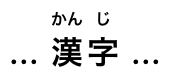
在本例中,繁体中文文本 漢字 中的每个表意字符都用注音符号标注其读音。
< ruby > 漢< rt > ㄏㄢˋ</ rt > 字< rt > ㄗˋ</ rt ></ ruby > 其呈现效果可能如下:
在本例中,简体中文文本 汉字 中的每个表意字符都用拼音标注其读音。
...< ruby > 汉< rt > hàn</ rt > 字< rt > zì</ rt ></ ruby > ...其呈现效果可能如下:
在这个更为人为构造的示例中,缩略词“HTML”有四个注释:一个注释针对整个缩略词,简要说明它是什么;一个注释针对字母“HT”,将其展开为“Hypertext”;一个注释针对字母“M”,将其展开为“Markup”;一个注释针对字母“L”,将其展开为“Language”。
< ruby >
< ruby > HT< rt > Hypertext</ rt > M< rt > Markup</ rt > L< rt > Language</ rt ></ ruby >
< rt > An abstract language for describing documents and applications
</ ruby > rt 元素所有当前浏览器引擎均支持。
ruby 元素的子元素。rt 元素的 结束标签 可以在以下情况下省略:该
rt 元素后紧跟一个 rt 或 rp 元素,或父元素中没有更多内容。
HTMLElement. rt 元素标记 ruby 注释的 ruby 文本部分。当它是
ruby 元素的子元素时,它自身不 表示
任何内容,但 ruby 元素会使用它来帮助确定
自身
所表示的内容.
一个 rt 元素如果不是 ruby 元素的子元素,则
表示 与其子节点相同的内容。
rp 元素所有当前浏览器引擎均支持。
ruby 元素的子元素,且紧接在一个 rt 元素之前或之后。rp 元素的 结束标签 可以在以下情况下省略:该
rp 元素后紧跟一个 rt 或 rp 元素,或父元素中没有更多内容。
HTMLElement. rp 元素可用于在 ruby 注释的 ruby
文本部分周围提供括号或其他内容,供不支持 ruby 注释的用户代理显示。
一个 rp 元素如果是 ruby
元素的子元素,则不 表示 任何内容。一个 rp 元素如果其父元素不是 ruby 元素,则 表示 其子节点。
在上面的示例中,文本 漢字 中的每个表意字符都标注了读音。可以扩充该示例以使用 rp ,使旧版用户代理将读音显示在括号内:
...
< ruby > 漢< rp > (</ rp >< rt > かん</ rt >< rp > )</ rp > 字< rp > (</ rp >< rt > じ</ rt >< rp > )</ rp ></ ruby >
...在符合规范的用户代理中,呈现效果与上面相同,但在不支持 ruby 的用户代理中,呈现效果如下:
... 漢(かん)字(じ)...
当一个片段有多个注释时,也可以将 rp
元素放置在注释之间。下面再次给出先前人为构造的示例,以英语和法语名称标注某些符号,但这次也加入了 rp 元素:
< ruby >
♥< rp > : </ rp >< rt > Heart</ rt >< rp > , </ rp >< rt lang = fr > Cœur</ rt >< rp > .</ rp >
☘< rp > : </ rp >< rt > Shamrock</ rt >< rp > , </ rp >< rt lang = fr > Trèfle</ rt >< rp > .</ rp >
✶< rp > : </ rp >< rt > Star</ rt >< rp > , </ rp >< rt lang = fr > Étoile</ rt >< rp > .</ rp >
</ ruby > 这会使不具备 ruby 支持能力的用户代理将示例呈现如下:
♥: Heart, Cœur. ☘: Shamrock, Trèfle. ✶: Star, Étoile.
data 元素所有当前浏览器引擎均支持。
所有当前浏览器引擎均支持。
所有当前浏览器引擎均支持。
value — 机器可读的值
value.[Exposed =Window ]
interface HTMLDataElement : HTMLElement {
[HTMLConstructor ] constructor ();
[CEReactions , Reflect ] attribute DOMString value ;
}; data 元素 表示 其内容,以及 value
属性中这些内容的机器可读形式。
value
属性必须存在。其值必须以机器可读的格式表示该元素的内容。
当该值与日期或时间有关时,可以改用更专门的 time
元素。
此元素可以有多种用途。
当与微格式或本规范定义的 微数据属性 结合使用时,此元素既可为数据处理器提供机器可读的值,也可为 Web 浏览器的呈现提供人类可读的值。在这种情况下, value 属性应使用的格式由所采用的微格式或微数据词汇表决定。
不过,此元素也可以与页面中的脚本配合使用,适用于脚本需要在一个人类可读值旁存储一个字面值的情况。在这些情况下,应使用的格式仅取决于脚本的需要。( data-*
属性在这种情况下也可能有用。)
此处,一个小表格使用 data
元素编码其数值,使表格排序 JavaScript 库能够为每一列提供排序机制,尽管其中一列的数字以文字形式呈现,另一列则以分解形式呈现。
< script src = "sortable.js" ></ script >
< table class = "sortable" >
< thead > < tr > < th > Game < th > Corporations < th > Map Size
< tbody >
< tr > < td > 1830 < td > < data value = "8" > Eight</ data > < td > < data value = "93" > 19+74 hexes (93 total)</ data >
< tr > < td > 1856 < td > < data value = "11" > Eleven</ data > < td > < data value = "99" > 12+87 hexes (99 total)</ data >
< tr > < td > 1870 < td > < data value = "10" > Ten</ data > < td > < data value = "149" > 4+145 hexes (149 total)</ data >
</ table > time 元素所有当前浏览器引擎均支持。
所有当前浏览器引擎均支持。
所有当前浏览器引擎均支持。
datetime 属性: 短语内容.datetime — 机器可读的值
datetime.[Exposed =Window ]
interface HTMLTimeElement : HTMLElement {
[HTMLConstructor ] constructor ();
[CEReactions , Reflect ] attribute DOMString dateTime ;
}; time 元素 表示 其内容,以及 datetime
属性中这些内容的机器可读形式。内容的种类仅限于下文所述的各类日期、时间、时区偏移量和时长。
datetime
属性可以存在。如果存在,其值必须以机器可读的格式表示该元素的内容。
一个 time 元素如果没有 datetime 内容属性,则不得有任何元素后代。
日期时间值 (所属元素为 time 元素)必须匹配以下语法之一。
< time > 2011-11</ time > < time > 2011-11-18</ time > < time > 11-18</ time > < time > 14:54</ time > < time > 14:54:39</ time > < time > 14:54:39.929</ time > < time > 2011-11-18T14:54</ time > < time > 2011-11-18T14:54:39</ time > < time > 2011-11-18T14:54:39.929</ time > < time > 2011-11-18 14:54</ time > < time > 2011-11-18 14:54:39</ time > < time > 2011-11-18 14:54:39.929</ time > 带有日期但没有时区偏移量的时间,可用于指定在一天之内于每个时区相同的特定时刻分别举行的活动。例如,每个时区都在当地的 2020-01-01 00:00 庆祝 2020 年新年,而不是在所有时区的同一个精确瞬间庆祝。对于所有时区同时发生的活动,例如视频会议, 有效全局日期和时间字符串 可能更有用。
< time > Z</ time > < time > +0000</ time > < time > +00:00</ time > < time > -0800</ time > < time > -08:00</ time > 对于没有日期的时间(或指代在多个日期重复发生的活动的时间),指定决定该时间的地理位置通常比指定时区偏移量更有用,因为地理位置的时区偏移量会随夏令时而变化。在某些情况下,地理位置甚至会更改时区,例如当时区边界被重新划定时,萨摩亚在 2011 年底就发生过这种情况。有一个数据库描述时区的边界及各时区内适用的规则,称为 时区数据库. [TZDATABASE]
< time > 2011-11-18T14:54Z</ time > < time > 2011-11-18T14:54:39Z</ time > < time > 2011-11-18T14:54:39.929Z</ time > < time > 2011-11-18T14:54+0000</ time > < time > 2011-11-18T14:54:39+0000</ time > < time > 2011-11-18T14:54:39.929+0000</ time > < time > 2011-11-18T14:54+00:00</ time > < time > 2011-11-18T14:54:39+00:00</ time > < time > 2011-11-18T14:54:39.929+00:00</ time > < time > 2011-11-18T06:54-0800</ time > < time > 2011-11-18T06:54:39-0800</ time > < time > 2011-11-18T06:54:39.929-0800</ time > < time > 2011-11-18T06:54-08:00</ time > < time > 2011-11-18T06:54:39-08:00</ time > < time > 2011-11-18T06:54:39.929-08:00</ time > < time > 2011-11-18 14:54Z</ time > < time > 2011-11-18 14:54:39Z</ time > < time > 2011-11-18 14:54:39.929Z</ time > < time > 2011-11-18 14:54+0000</ time > < time > 2011-11-18 14:54:39+0000</ time > < time > 2011-11-18 14:54:39.929+0000</ time > < time > 2011-11-18 14:54+00:00</ time > < time > 2011-11-18 14:54:39+00:00</ time > < time > 2011-11-18 14:54:39.929+00:00</ time > < time > 2011-11-18 06:54-0800</ time > < time > 2011-11-18 06:54:39-0800</ time > < time > 2011-11-18 06:54:39.929-0800</ time > < time > 2011-11-18 06:54-08:00</ time > < time > 2011-11-18 06:54:39-08:00</ time > < time > 2011-11-18 06:54:39.929-08:00</ time > 带有日期和时区偏移量的时间,可用于指定特定事件,或时间不绑定于特定地理位置的重复虚拟活动。例如,小行星撞击的精确时刻,或一系列每天于 1400 UTC 举行的会议中的某一次会议,而不论世界上任何特定地区是否正在实行夏令时。对于精确时刻会随某一地理位置的当地时区偏移量而变化的活动, 有效本地日期和时间字符串 与该地理位置结合使用可能更有用。
< time > 2011-W47</ time > < time > 2011</ time > < time > 0001</ time > < time > PT4H18M3S</ time > < time > 4h 18m 3s</ time > 必须使用以下算法,获取 元素内容的机器可读等价值 ;算法的输入为该元素的 日期时间值 :
如果 解析无年份日期字符串 算法以该元素的 日期时间值 为输入时返回一个 无年份日期,则该值就是机器可读等价值;返回。
如果 解析本地日期和时间字符串 算法以该元素的 日期时间值 为输入时返回一个 本地日期和时间,则该值就是机器可读等价值;返回。
如果 解析时区偏移量字符串 算法以该元素的 日期时间值 为输入时返回一个 时区偏移量,则该值就是机器可读等价值;返回。
如果 解析全局日期和时间字符串 算法以该元素的 日期时间值 为输入时返回一个 全局日期和时间,则该值就是机器可读等价值;返回。
如果该元素的 日期时间值 仅由 ASCII 数字组成,其中至少一个不是 U+0030 DIGIT ZERO (0),则机器可读等价值是将这些数字按十进制解读得到的值,表示一个年份;返回。
不存在机器可读等价值。
上述算法的设计意图是:对于任意字符串 s,只有其中一个算法返回一个值。更高效的方法可能是创建一个算法,在单次扫描中解析所有这些数据类型;开发这样的算法留作读者练习。
time
元素可以用于编码日期,例如在微格式中使用。以下展示了一种假想的活动编码方式,使用一种采用 time 元素的 hCalendar 变体:
< div class = "vevent" >
< a class = "url" href = "http://www.web2con.com/" > http://www.web2con.com/</ a >
< span class = "summary" > Web 2.0 Conference</ span > :
< time class = "dtstart" datetime = "2005-10-05" > October 5</ time > -
< time class = "dtend" datetime = "2005-10-07" > 7</ time > ,
at the < span class = "location" > Argent Hotel, San Francisco, CA</ span >
</ div > 此处,将一个基于 Atom 词汇表的虚构微数据词汇表与
time 元素结合使用,以标记博客文章的发布日期。
< article itemscope itemtype = "https://n.example.org/rfc4287" >
< h1 itemprop = "title" > Big tasks</ h1 >
< footer > Published < time itemprop = "published" datetime = "2009-08-29" > two days ago</ time > .</ footer >
< p itemprop = "content" > Today, I went out and bought a bike for my kid.</ p >
</ article > 在本例中,另一篇文章的发布日期使用 time标记,这次采用 schema.org 微数据词汇表:
< article itemscope itemtype = "http://schema.org/BlogPosting" >
< h1 itemprop = "headline" > Small tasks</ h1 >
< footer > Published < time itemprop = "datePublished" datetime = "2009-08-30" > yesterday</ time > .</ footer >
< p itemprop = "articleBody" > I put a bike bell on her bike.</ p >
</ article > 在以下代码片段中, time 元素用于将日期编码为
ISO8601 格式,以便脚本随后处理:
< p > Our first date was < time datetime = "2006-09-23" > a Saturday</ time > .</ p > 在第二段代码片段中,该值包含时间:
< p > We stopped talking at < time datetime = "2006-09-24T05:00-07:00" > 5am the next morning</ time > .</ p > 由该页面加载的脚本(因而了解该页面内部使用 time
元素标记日期和时间的约定)可以扫描页面,查看其中的所有 time 元素,以建立日期和时间索引。
例如,此元素传达字符串“Friday”,并附带额外语义:2011 年 11 月 18 日就是“Friday”所对应的含义:
Today is < time datetime = "2011-11-18" > Friday</ time > .本例指定了太平洋标准时间时区中的一个具体时间:
Your next meeting is at < time datetime = "2011-11-18T15:00-08:00" > 3pm</ time > .code 元素所有当前浏览器引擎均支持。
HTMLElement. code 元素 表示 计算机代码片段。它可以是 XML 元素名、文件名、计算机程序,或计算机能够识别的任何其他字符串。
没有正式的方式来指明所标记的计算机代码使用的语言。作者若希望为 code
元素标明所用的语言,例如让语法高亮脚本能够使用正确的规则,可以使用 class
属性,例如为元素添加一个以“language-”为前缀的类。
以下示例展示了如何在段落中使用该元素来标记元素名和计算机代码,包括标点符号。
< p > The < code > code</ code > element represents a fragment of computer
code.</ p >
< p > When you call the < code > activate()</ code > method on the
< code > robotSnowman</ code > object, the eyes glow.</ p >
< p > The example below uses the < code > begin</ code > keyword to indicate
the start of a statement block. It is paired with an < code > end</ code >
keyword, which is followed by the < code > .</ code > punctuation character
(full stop) to indicate the end of the program.</ p > 以下示例展示了如何使用 pre
和 code 元素来标记代码块。
< pre >< code class = "language-pascal" > var i: Integer;
begin
i := 1;
end.</ code ></ pre > 该示例使用一个类来指明所用的语言。
更多详情请参见 pre 元素。
var 元素所有当前浏览器引擎均支持。
HTMLElement. var 元素 表示 变量。它可以是数学表达式或编程上下文中的实际变量、表示常量的标识符、标识物理量的符号、函数参数,也可以只是正文中用作占位符的词语。
在下面的段落中,字母“n”被用作正文中的变量:
< p > If there are < var > n</ var > pipes leading to the ice
cream factory then I expect at < em > least</ em > < var > n</ var >
flavors of ice cream to be available for purchase!</ p > 对于数学内容,尤其是超出最简单表达式的内容,MathML 更为合适。不过, var 元素仍可用来指代随后在 MathML 表达式中提及的具体变量。
本示例展示了一个方程,其说明文字引用了方程中的变量。表达式本身使用 MathML 标记,而图的说明文字则使用以下元素提及变量: var.
< figure >
< math >
< mi > a</ mi >
< mo > =</ mo >
< msqrt >
< msup >< mi > b</ mi >< mn > 2</ mn ></ msup >
< mi > +</ mi >
< msup >< mi > c</ mi >< mn > 2</ mn ></ msup >
</ msqrt >
</ math >
< figcaption >
Using Pythagoras' theorem to solve for the hypotenuse < var > a</ var > of
a triangle with sides < var > b</ var > and < var > c</ var >
</ figcaption >
</ figure > 这里在句子中使用了描述质能等价关系的方程,并用
var 元素标记该方程中的变量和常量:
< p > Then she turned to the blackboard and picked up the chalk. After a few moment's
thought, she wrote < var > E</ var > = < var > m</ var > < var > c</ var >< sup > 2</ sup > . The teacher
looked pleased.</ p > samp 元素所有当前浏览器引擎均支持。
HTMLElement. samp 元素 表示 来自另一个程序或计算系统的示例输出或引用输出。
该元素可与 output
元素相对照,后者可用于在 Web 应用中提供即时输出。
本示例展示了 samp 元素的行内用法:
< p > The computer said < samp > Too much cheese in tray
two</ samp > but I didn't know what that meant.</ p > 第二个示例展示了控制台程序的一块示例输出。嵌套的
samp 和 kbd 元素可让作者使用样式表设置示例输出中特定元素的样式。此外,
samp
中的某些部分还使用了更加细致的标记,以便进行非常精确的样式设置。为此使用了
span 元素。
< pre >< samp >< span class = "prompt" > jdoe@mowmow:~$</ span > < kbd > ssh demo.example.com</ kbd >
Last login: Tue Apr 12 09:10:17 2005 from mowmow.example.com on pts/1
Linux demo 2.6.10-grsec+gg3+e+fhs6b+nfs+gr0501+++p3+c4a+gr2b-reslog-v6.189 #1 SMP Tue Feb 1 11:22:36 PST 2005 i686 unknown
< span class = "prompt" > jdoe@demo:~$</ span > < span class = "cursor" > _</ span ></ samp ></ pre > 第三个示例展示了一块输入及其相应的输出。该示例同时使用了 code 和 samp 元素。
< pre >
< code class = "language-javascript" > console.log(2.3 + 2.4)</ code >
< samp > 4.699999999999999</ samp >
</ pre > kbd 元素所有当前浏览器引擎均支持。
HTMLElement. kbd 元素 表示 用户输入(通常为键盘输入,但也可以用来表示语音命令等其他输入)。
当 kbd 元素嵌套在 samp 元素内时,它表示系统回显的输入。
当 kbd 元素 包含 一个 samp 元素时,它表示基于系统输出的输入,例如调用菜单项。
当 kbd 元素嵌套在另一个 kbd 元素内时,它表示实际的按键,或适合相应输入机制的其他单个输入单元。
这里使用 kbd 元素指明要按下的按键:
< p > To make George eat an apple, press < kbd >< kbd > Shift</ kbd > + < kbd > F3</ kbd ></ kbd ></ p > 在第二个示例中,用户被告知要选择某个特定的菜单项。外层
kbd 元素标记了一块输入,其中的内层 kbd 元素表示输入的各个步骤,而这些元素内部的 samp
元素则表明,这些步骤是基于系统所显示内容的输入,在本例中为菜单标签:
< p > To make George eat an apple, select
< kbd >< kbd >< samp > File</ samp ></ kbd > |< kbd >< samp > Eat Apple...</ samp ></ kbd ></ kbd >
</ p > 不必如此精确;以下写法同样可以:
< p > To make George eat an apple, select < kbd > File | Eat Apple...</ kbd ></ p > sub 和 sup 元素所有当前浏览器引擎均支持。
所有当前浏览器引擎均支持。
sub
元素: 面向作者; 面向实现者.sup 元素:
面向作者; 面向实现者.
HTMLElement.这些元素必须仅用于标记具有特定含义的排版惯例,而不能仅仅为了呈现效果而进行排版。例如,将 sub 和
sup
元素用于 LaTeX 文档排版系统的名称就不恰当。通常,只有在
不使用 这些元素会改变内容含义时,作者才应使用它们。
在某些语言中,上标是一些缩写词的排版惯例的一部分。
< p > Their names are
< span lang = "fr" >< abbr > M< sup > lle</ sup ></ abbr > Gwendoline</ span > and
< span lang = "fr" >< abbr > M< sup > me</ sup ></ abbr > Denise</ span > .</ p > 这里, sub
元素用来表示在一组变量中标识某个变量的下标:
< p > The coordinate of the < var > i</ var > th point is
(< var > x< sub >< var > i</ var ></ sub ></ var > , < var > y< sub >< var > i</ var ></ sub ></ var > ).
For example, the 10th point has coordinate
(< var > x< sub > 10</ sub ></ var > , < var > y< sub > 10</ sub ></ var > ).</ p > 数学表达式经常使用下标和上标。鼓励作者使用 MathML 来标记数学内容,但如果不希望采用详细的数学标记,也可以选择使用 sub 和
sup 。
[MATHML]
< var > E</ var > =< var > m</ var >< var > c</ var >< sup > 2</ sup > f(< var > x</ var > , < var > n</ var > ) = log< sub > 4</ sub >< var > x</ var >< sup >< var > n</ var ></ sup > i 元素所有当前浏览器引擎均支持。
HTMLElement. i 元素 表示
一段采用另一种语气或情绪的文本,或者以其他方式与普通正文区分开来、表明文本性质不同的文本,例如分类学名称、技术术语、其他语言中的习惯用语、转写、想法,或西文中的船名。
与正文语言不同的词语应使用 lang 属性标注 (在 XML 中,则应使用 lang 属性,该属性属于 XML 命名空间).
下面的示例展示了 i 元素的用法:
< p > The < i class = "taxonomy" > Felis silvestris catus</ i > is cute.</ p >
< p > The term < i > prose content</ i > is defined above.</ p >
< p > There is a certain < i lang = "fr" > je ne sais quoi</ i > in the air.</ p > 在以下示例中,梦境片段使用
i 元素标记。
< p > Raymond tried to sleep.</ p >
< p >< i > The ship sailed away on Thursday</ i > , he
dreamt. < i > The ship had many people aboard, including a beautiful
princess called Carey. He watched her, day-in, day-out, hoping she
would notice him, but she never did.</ i ></ p >
< p >< i > Finally one night he picked up the courage to speak with
her—</ i ></ p >
< p > Raymond woke with a start as the fire alarm rang out.</ p > 作者可以使用 class 属性(设置在 i
元素上)来指明使用该元素的原因。这样,如果以后要更改某种特定用法(例如梦境片段,而非分类学术语)的样式,作者就不必遍历整个文档(或一系列相关文档),为每一处用法添加标注。
鼓励作者考虑其他元素是否可能比
i 元素更适合,例如用 em 元素标记重读强调,或用 dfn 元素标记术语的定义性实例。
可以使用样式表设置 i
元素的格式,正如可以重新设置任何其他元素的样式一样。因此, i
元素的内容不一定会以斜体显示。
b 元素所有当前浏览器引擎均支持。
HTMLElement. b 元素 表示
一段出于实用目的而引人注意的文本,不传达任何额外的重要性,也不暗示另一种语气或情绪,例如文档摘要中的关键词、评论中的产品名、交互式文本驱动软件中的可操作词语,或文章的导语。
以下示例展示了使用 b
元素突出显示关键词,而不将其标记为重要内容的用法:
< p > The < b > frobonitor</ b > and < b > barbinator</ b > components are fried.</ p > 在以下示例中,文字冒险游戏中的物体通过 b
元素突出显示,以表明它们是特殊的。
< p > You enter a small room. Your < b > sword</ b > glows
brighter. A < b > rat</ b > scurries past the corner wall.</ p > 另一种适合使用 b 元素的情况,是标记导语(lede 或
lead)句或段落。以下示例展示了如何标记一篇 关于小猫把兔子当作自己家人的 BBC 文章 :
< article >
< h2 > Kittens 'adopted' by pet rabbit</ h2 >
< p >< b class = "lede" > Six abandoned kittens have found an
unexpected new mother figure — a pet rabbit.</ b ></ p >
< p > Veterinary nurse Melanie Humble took the three-week-old
kittens to her Aberdeen home.</ p >
[...]与 i 元素一样,作者可以使用 class
属性(设置在 b
元素上)来指明使用该元素的原因。这样,如果以后要更改某种特定用法的样式,作者就不必逐一为每一处用法添加标注。
b 元素应作为最后的选择,仅在没有更合适的元素时使用。尤其是,标题应使用
h1
到 h6
元素,重读强调应使用 em 元素,重要性应使用
strong 元素表示,而带标记或高亮的文本应使用 mark
元素。
可以使用样式表设置 b
元素的格式,正如可以重新设置任何其他元素的样式一样。因此, b
元素的内容不一定会以粗体显示。
u 元素所有当前浏览器引擎均支持。
HTMLElement. u 元素 表示 一段带有非文本注释的文本,该注释虽未用文字表述,但有明确的渲染表现,例如标注中文文本中的专名(中文专名号),或标注拼写错误的文本。
在大多数情况下,其他元素可能更合适:标记重读强调应使用 em
元素;标记关键词或短语应根据上下文使用
b 元素或 mark 元素;标记书名应使用 cite 元素;为文本添加明确的文字注释应使用
ruby
元素;对于技术术语、分类学名称、转写、想法,或标注西文中的船名,应使用 i
元素。
在视觉呈现中, u
元素的默认渲染方式与超链接的惯常渲染方式(下划线)相冲突。鼓励作者避免在可能被误认为是超链接的地方使用 u 元素。
在本示例中, u 元素用来标记一个拼写错误的词:
< p > The < u > see</ u > is full of fish.</ p > mark 元素所有当前浏览器引擎均支持。
HTMLElement. mark 元素 表示 文档中因与另一上下文相关而被标记或高亮、以供 参照
的一段文本。当用于引文或正文所引用的其他文本块时,它表示原文中并不存在、而是后来添加的高亮,以便将读者的注意力引向某段文本。这段文本在最初写成时,原作者可能未认为其重要,但现在正受到原先未曾预料的仔细审视。当用于文档的主要正文时,它表示文档中因可能与用户当前活动相关而被高亮的部分。
本示例展示了如何使用 mark
元素将注意力引向引文中的特定部分:
< p lang = "en-US" > Consider the following quote:</ p >
< blockquote lang = "en-GB" >
< p > Look around and you will find, no-one's really
< mark > colour</ mark > blind.</ p >
</ blockquote >
< p lang = "en-US" > As we can tell from the < em > spelling</ em > of the word,
the person writing this quote is clearly not American.</ p > (不过,如果目的是将该元素标记为拼写错误,则使用 u
元素,可能再加上一个类,会更合适。)
使用 mark
元素的另一个示例是高亮文档中与某个搜索字符串匹配的部分。如果某人查看一个文档,而服务器知道该用户正在搜索单词“kitten”,那么服务器可能会在返回文档时将其中一个段落修改如下:
< p > I also have some < mark > kitten</ mark > s who are visiting me
these days. They're really cute. I think they like my garden! Maybe I
should adopt a < mark > kitten</ mark > .</ p > 在以下片段中,一个文本段落提到了代码片段中的某个特定部分。
< p > The highlighted part below is where the error lies:</ p >
< pre >< code > var i: Integer;
begin
i := < mark > 1.1</ mark > ;
end.</ code ></ pre > 这与 语法高亮不同,对于语法高亮, span 更为合适。将两者结合,可得到:
< p > The highlighted part below is where the error lies:</ p >
< pre >< code >< span class = keyword > var</ span > < span class = ident > i</ span > : < span class = type > Integer</ span > ;
< span class = keyword > begin</ span >
< span class = ident > i</ span > := < span class = literal >< mark > 1.1</ mark ></ span > ;
< span class = keyword > end</ span > .</ code ></ pre > 这是另一个示例,展示如何使用 mark
来高亮引文中原本没有强调的部分。在本例中,常见的排版惯例促使作者显式设置引文中 mark 元素的样式,使其以斜体渲染。
< style >
blockquote mark , q mark {
font : inherit ; font-style : italic ;
text-decoration : none ;
background : transparent ; color : inherit ;
}
. bubble em {
font : inherit ; font-size : larger ;
text-decoration : underline ;
}
</ style >
< article >
< h1 > She knew</ h1 >
< p > Did you notice the subtle joke in the joke on panel 4?</ p >
< blockquote >
< p class = "bubble" > I didn't < em > want</ em > to believe. < mark > Of course
on some level I realized it was a known-plaintext attack.</ mark > But I
couldn't admit it until I saw for myself.</ p >
</ blockquote >
< p > (Emphasis mine.) I thought that was great. It's so pedantic, yet it
explains everything neatly.</ p >
</ article > 以下示例展示了表示一段文本的 重要性 (使用strong)与表示一段文本的 相关性
(使用mark)之间的区别。这是从教科书中摘录的一段,其中与考试相关的部分已被高亮。安全警告虽然可能很重要,但显然与考试无关。
< h3 > Wormhole Physics Introduction</ h3 >
< p >< mark > A wormhole in normal conditions can be held open for a
maximum of just under 39 minutes.</ mark > Conditions that can increase
the time include a powerful energy source coupled to one or both of
the gates connecting the wormhole, and a large gravity well (such as a
black hole).</ p >
< p >< mark > Momentum is preserved across the wormhole. Electromagnetic
radiation can travel in both directions through a wormhole,
but matter cannot.</ mark ></ p >
< p > When a wormhole is created, a vortex normally forms.
< strong > Warning: The vortex caused by the wormhole opening will
annihilate anything in its path.</ strong > Vortexes can be avoided when
using sufficiently advanced dialing technology.</ p >
< p >< mark > An obstruction in a gate will prevent it from accepting a
wormhole connection.</ mark ></ p > bdi 元素所有当前浏览器引擎均支持。
dir 全局属性在此元素上具有特殊语义。HTMLElement. bdi 元素 表示 一段为了双向文本格式化而需要与周围文本隔离的文本。 [BIDI]
dir 全局属性在此元素上的默认值为 auto (与其他元素不同,它绝不会从父元素继承)。
此元素 具有涉及双向算法的渲染要求.
在嵌入方向性未知的用户生成内容时,此元素尤其有用。
在本例中,用户名与该用户提交的帖子数一同显示。如果不使用 bdi
元素,阿拉伯语用户的用户名最终会使文本混乱(双向算法会将冒号和数字“3”放在单词“User”旁边,而不是单词“posts”旁边)。
< ul >
< li > User < bdi > jcranmer</ bdi > : 12 posts.
< li > User < bdi > hober</ bdi > : 5 posts.
< li > User < bdi > إيان</ bdi > : 3 posts.
</ ul > 
bdi
元素时,用户名的表现符合预期。
bdi 元素被替换为 b 元素,用户名就会使双向算法产生混乱,第三个项目符号项最终会显示“User
3 :”,后面接着阿拉伯语姓名(从右到左),再接着“posts”和一个句点。bdo 元素所有当前浏览器引擎均支持。
dir 全局属性在此元素上具有特殊语义。HTMLElement. bdo 元素 表示 对其子节点进行的显式文本方向性格式控制。它允许作者显式指定方向覆盖,以覆盖 Unicode 双向算法。 [BIDI]
作者必须在此元素上指定 dir 属性,使用值 ltr 指定从左到右的覆盖,使用值 rtl 指定从右到左的覆盖。不得指定 auto 值。
此元素 具有涉及双向算法的渲染要求.
span 元素所有当前浏览器引擎均支持。
所有当前浏览器引擎均支持。
[Exposed =Window ]
interface HTMLSpanElement : HTMLElement {
[HTMLConstructor ] constructor ();
}; span 元素本身没有任何含义,但与 全局属性一起使用时可能会很有用,例如 class,
lang或 dir。它
表示 其子节点。
在本例中,代码片段使用 span 元素和 class 属性进行标记,以便通过 CSS 为其中的关键词和标识符设置不同颜色:
< pre >< code class = "lang-c" >< span class = "keyword" > for</ span > (< span class = "ident" > j</ span > = 0; < span class = "ident" > j</ span > < 256; < span class = "ident" > j</ span > ++) {
< span class = "ident" > i_t3</ span > = (< span class = "ident" > i_t3</ span > & 0x1ffff) | (< span class = "ident" > j</ span > << 17);
< span class = "ident" > i_t6</ span > = (((((((< span class = "ident" > i_t3</ span > >> 3) ^ < span class = "ident" > i_t3</ span > ) >> 1) ^ < span class = "ident" > i_t3</ span > ) >> 8) ^ < span class = "ident" > i_t3</ span > ) >> 5) & 0xff;
< span class = "keyword" > if</ span > (< span class = "ident" > i_t6</ span > == < span class = "ident" > i_t1</ span > )
< span class = "keyword" > break</ span > ;
}</ code ></ pre > br 元素所有当前浏览器引擎均支持。
所有当前浏览器引擎均支持。
[Exposed =Window ]
interface HTMLBRElement : HTMLElement {
[HTMLConstructor ] constructor ();
// also has obsolete members
};虽然在视觉媒体中,换行通常通过将后续文本实际移到新的一行来表示,但样式表或用户代理以其他方式渲染换行也同样合理,例如将其渲染为绿色圆点或额外的间距。
br 元素必须仅用于实际构成内容一部分的换行,例如诗歌或地址中的换行。
以下示例展示了 br 元素的正确用法:
< p > P. Sherman< br >
42 Wallaby Way< br >
Sydney</ p > br 元素不得用于分隔段落中按主题划分的组。
以下示例不符合规范,因为它们滥用了 br 元素:
< p >< a ...> 34 comments.</ a >< br >
< a ...> Add a comment.</ a ></ p > < p >< label > Name: < input name = "name" ></ label >< br >
< label > Address: < input name = "address" ></ label ></ p > 下面是可以替代上述写法的正确写法:
< p >< a ...> 34 comments.</ a ></ p >
< p >< a ...> Add a comment.</ a ></ p > < p >< label > Name: < input name = "name" ></ label ></ p >
< p >< label > Address: < input name = "address" ></ label ></ p > 如果一个 段落 仅包含一个 br
元素,那么它表示一个用作占位符的空白行(例如模板中的空白行)。此类空白行不得用于呈现目的。
对于 br 元素内的任何内容,都不得将其视为周围文本的一部分。
此元素 具有涉及双向算法的渲染要求.
wbr 元素所有当前浏览器引擎均支持。
HTMLElement.在以下示例中,为了营造效果,所引用的某人的话被写成一个长单词。但是,为了确保文本能够以易于阅读的方式折行,引文中的各个单词使用 wbr 元素分隔。
< p > So then she pointed at the tiger and screamed
"there< wbr > is< wbr > no< wbr > way< wbr > you< wbr > are< wbr > ever< wbr > going< wbr > to< wbr > catch< wbr > me"!</ p > 对于 wbr 元素内的任何内容,都不得将其视为周围文本的一部分。
var wbr = document. createElement( "wbr" );
wbr. textContent = "This is wrong" ;
document. body. appendChild( wbr); 此元素 具有涉及双向算法的渲染要求.
本节为非规范性内容。
| 元素 | 用途 | 示例 |
|---|---|---|
a
|
超链接 |
|
em
|
重读强调 |
|
strong
|
重要性 |
|
small
|
旁注 |
|
s
|
不准确的文本 |
|
cite
|
作品标题 |
|
q
|
引文 |
|
dfn
|
定义性实例 |
|
abbr
|
缩写词 |
|
ruby, rt, rp
|
ruby 注释 |
|
data
|
机器可读的等价值 |
|
time
|
日期或时间相关数据的机器可读等价值 |
|
code
|
计算机代码 |
|
var
|
变量 |
|
samp
|
计算机输出 |
|
kbd
|
用户输入 |
|
sub
|
下标 |
|
sup
|
上标 |
|
i
|
另一种语气 |
|
b
|
关键词 |
|
u
|
注释 |
|
mark
|
高亮 |
|
bdi
|
文本方向性隔离 |
|
bdo
|
文本方向性格式化 |
|
span
|
其他 |
|
br
|
换行 |
|
wbr
|
换行机会 |
|
链接是一种概念结构,由 a, area,
form和 link 元素创建,用来 表示
两个资源之间的联系,其中一个资源是当前 Document。HTML 中有三种链接:
这些链接指向用来增强当前文档的资源,通常由用户代理自动处理。所有 外部资源链接 都有一个 获取并处理链接资源 算法,用于描述如何获得资源。
这些链接指向其他资源,通常由用户代理呈现给用户,使用户能够让用户代理 导航 到那些资源,例如在浏览器中访问或下载它们。
这些链接指向当前文档内部的资源,用于赋予这些资源特殊的含义或行为。
对于 link 元素,如果具有 href 属性和
rel 属性,则必须为
rel 属性中的关键字创建链接,具体遵循 链接类型 一节中对这些关键字的定义。
类似地,对于 a 和 area 元素,如果具有 href 属性和 rel 属性,则必须为
rel 属性中的关键字,按 链接类型 一节中对这些关键字的定义创建链接。不过,与 link 元素不同,对于
a 和 area 元素,如果具有 href
属性,且满足以下任一条件:没有 rel 属性,或其
rel 属性中没有定义为指定 超链接的关键字,那么也必须创建一个 超链接。这种隐含的超链接没有特殊含义(它没有 链接类型);它仅将元素的 节点文档 链接到元素的 href 属性给出的资源。
类似地,对于 form 元素,如果具有 rel
属性,则必须为 rel
属性中的关键字创建链接,具体遵循 链接类型 一节中对这些关键字的定义。
form 元素若没有 rel 属性,或者其 rel 属性中没有定义为指定 超链接的关键字,也必须创建一个 超链接.
一个 超链接 可以带有一个或多个 超链接注解 ,以修改该超链接的处理语义。
a 和 area 元素创建的链接 href
属性,在 a 和 area
元素上必须具有一个值,该值是 可能带有前后空格的有效 URL.
href 属性,在
a 和
area
元素上不是必需的;当这些元素没有 href
属性时,它们不会创建超链接。
target
属性如果存在,其值必须是 有效的可导航对象目标名称或关键字。它给出要使用的 可导航对象 的名称。用户代理使用此名称来 跟随超链接.
download
属性如果存在,则表明作者希望将超链接用于 下载资源。该属性可以有值;如果有值,该值指定作者建议用来在本地文件系统中标识该资源的默认文件名。允许的值没有限制,但作者应注意,大多数文件系统对文件名中支持的标点符号有所限制,用户代理很可能会相应调整文件名。
所有当前浏览器引擎均支持。
ping 属性如果存在,则给出一些资源的
URL;这些资源希望在用户跟随超链接时收到通知。该值必须是一个 空格分隔的词元集合,其中每个词元都必须是 有效的非空 URL ,其 方案 是 HTTP(S) 方案。用户代理使用该值进行 超链接审计.
rel 属性,在 a 和 area
元素上控制这些元素创建哪些类型的链接。该属性的值必须是一个
无序的唯一空格分隔词元集合。 允许的关键字及其含义 在下文定义。
rel的 支持的词元 是 HTML 链接类型 中定义的、允许用于 a 和 area
元素、影响处理模型且受用户代理支持的关键字。可能的 支持的词元 为 noreferrer,
noopener和
opener.
rel的
支持的词元 必须仅包含此列表中用户代理已实现其处理模型的词元。
rel
属性没有默认值。如果省略该属性,或者用户代理无法识别该属性中的任何值,则文档与目标资源之间除了存在超链接之外,没有任何特定关系。
referrerpolicy 属性是一个 引用来源策略属性。它用于设置 引用来源策略 ,该策略用于
跟随超链接. [REFERRERPOLICY]
当 a 或 area 元素的 激活行为 被调用时,用户代理可以允许用户指明自己的偏好,选择将超链接用于 导航 ,还是下载其指定的资源。
如果用户没有指定偏好,那么当元素没有
download
属性时,默认行为应为导航;如果有该属性,则应为下载指定的资源。
激活行为 适用于 a 或 area 元素
element ,给定事件 event ,其步骤为:
如果 element 没有 href
属性,则返回。
令 hyperlinkSuffix 为 null。
如果 element 是 a 元素,且
event的 目标
是 img
,且指定了 ismap 属性:
令 x 和 y 为 0。
如果 event的 isTrusted
属性初始化为 true,则将 x 设为以 CSS 像素 计量的从图像左边缘到点击位置的距离,并将
y 设为以 CSS 像素 计量的从图像上边缘到点击位置的距离。
如果 x 为负数,则将 x 设为 0。
如果 y 为负数,则将 y 设为 0。
将 hyperlinkSuffix 设为以下内容的拼接:U+003F (?)、 x 的十进制整数形式,使用 ASCII 数字表示,再拼接 U+002C (,) 和 y 的十进制整数形式,使用 ASCII 数字表示.
令 userInvolvement 为 event的 用户导航参与程度.
如果用户已表达下载超链接的偏好,则将
userInvolvement 设为 "browser UI".
也就是说,如果用户明确表示希望下载,这就不再仅仅算作 "activation".
如果 element 具有 download
属性,或者用户已表达下载超链接的偏好,则 下载超链接 ,该超链接由 element 创建,并将
hyperlinkSuffix 设为 hyperlinkSuffix 和
userInvolvement 设为
userInvolvement.
否则, 跟随超链接 ,该超链接由 element 创建,并将 hyperlinkSuffix 设为 hyperlinkSuffix 和 userInvolvement 设为 userInvolvement.
interface mixin HyperlinkElementUtils {
readonly attribute USVString origin ;
[CEReactions ] attribute USVString protocol ;
[CEReactions ] attribute USVString username ;
[CEReactions ] attribute USVString password ;
[CEReactions ] attribute USVString host ;
[CEReactions ] attribute USVString hostname ;
[CEReactions ] attribute USVString port ;
[CEReactions ] attribute USVString pathname ;
[CEReactions ] attribute USVString search ;
[CEReactions ] attribute USVString hash ;
[CEReactions , Reflect ] attribute DOMString hreflang ;
[CEReactions , Reflect ] attribute DOMString type ;
};hyperlink.origin
所有当前浏览器引擎均支持。
所有当前浏览器引擎均支持。
返回超链接 URL 的源。
hyperlink.protocol
所有当前浏览器引擎均支持。
所有当前浏览器引擎均支持。
返回超链接 URL 的方案。
可以设置,以更改 URL 的方案。
hyperlink.username
所有当前浏览器引擎均支持。
所有当前浏览器引擎均支持。
返回超链接 URL 的用户名。
可以设置,以更改 URL 的用户名。
hyperlink.password
所有当前浏览器引擎均支持。
所有当前浏览器引擎均支持。
返回超链接 URL 的密码。
可以设置,以更改 URL 的密码。
hyperlink.host
所有当前浏览器引擎均支持。
所有当前浏览器引擎均支持。
返回超链接 URL 的主机和端口(如果端口不同于该方案的默认端口)。
可以设置,以更改 URL 的主机和端口。
hyperlink.hostname
所有当前浏览器引擎均支持。
所有当前浏览器引擎均支持。
返回超链接 URL 的主机。
可以设置,以更改 URL 的主机。
hyperlink.port
所有当前浏览器引擎均支持。
所有当前浏览器引擎均支持。
返回超链接 URL 的端口。
可以设置,以更改 URL 的端口。
hyperlink.pathname
所有当前浏览器引擎均支持。
所有当前浏览器引擎均支持。
返回超链接 URL 的路径。
可以设置,以更改 URL 的路径。
hyperlink.search
所有当前浏览器引擎均支持。
所有当前浏览器引擎均支持。
返回超链接 URL 的查询(非空时包括开头的 "?")。
可以设置,以更改 URL 的查询(忽略开头的 "?").
hyperlink.hash
所有当前浏览器引擎均支持。
所有当前浏览器引擎均支持。
返回超链接 URL 的片段(非空时包括开头的 "#")。
可以设置,以更改 URL 的片段(忽略开头的 "#").
实现 HyperlinkElementUtils
混入的元素就是 超链接元素.
一个 超链接元素 有一个关联的 url (null 或一个 URL)。其初始值为 null。
一个 超链接元素 必须有一个关联的 设置 url 算法。
一个 超链接元素 有一个关联的 重新初始化 url 算法,该算法运行以下步骤:
一个 超链接元素 必须有一个关联的 更新 href
算法。
hreflang
属性如果出现在 超链接元素 上,且该元素创建了 超链接,那么该属性给出链接资源的语言。它仅为建议。其值必须是一个有效的 BCP 47 语言标签。
[BCP47] 用户代理不得将此属性视为权威依据。在获取资源时,用户代理必须仅使用与该资源关联的语言信息来确定其语言,而不能使用指向该资源的链接中包含的元数据。
type
属性如果出现在 超链接元素上,则给出链接资源的
MIME 类型 。它仅为建议。其值必须是一个
有效 MIME 类型字符串。用户代理不得将 type
属性视为权威依据。在获取资源时,用户代理不得使用指向该资源的链接中包含的元数据来确定其类型。
protocol
的设值器步骤为:
进行基本 URL 解析
,输入为给定值后面加上 ":",并以 this的 url 作为
url
,并以 方案起始状态 作为
state override.
由于 URL 解析器会忽略多个连续的冒号,因此提供值 "https:"(甚至 "https::::")都等同于提供值
"https".
username
的设值器步骤为:
password
的设值器步骤为:
host 的取值器步骤为:
host
的设值器步骤为:
如果 url 为 null 或者 url 具有 不透明路径,则返回。
进行基本 URL 解析 ,输入为给定值,以 url 作为 url ,并以 主机状态 作为 state override.
hostname 的取值器步骤为:
hostname
的设值器步骤为:
如果 url 为 null 或者 url 具有 不透明路径,则返回。
进行基本 URL 解析 ,输入为给定值,以 url 作为 url ,并以 主机名状态 作为 state override.
port
的设值器步骤为:
如果 url 为 null 或者 url 不能包含用户名、密码或端口,则返回。
如果给定值为空字符串,则将 url的 端口 设为 null。
否则, 进行基本 URL 解析 ,输入为给定值,以 url 作为 url ,并以 端口状态 作为 state override.
pathname 的取值器步骤为:
如果 url 为 null,则返回空字符串。
返回以下操作的结果: 对以下 URL 进行路径序列化: url.
pathname
的设值器步骤为:
如果 url 为 null 或者 url 具有 不透明路径,则返回。
将 url的 路径 设为空列表。
进行基本 URL 解析 ,输入为给定值,以 url 作为 url ,并以 路径起始状态 作为 state override.
search 的取值器步骤为:
search
的设值器步骤为:
如果 url 为 null,则终止这些步骤。
如果给定值为空字符串,则将 url的 查询 设为 null。
否则:
令 input 为给定值去掉一个开头的 "?" 后的结果(如果有)。
将 url的 查询 设为空字符串。
进行基本 URL 解析 input,以 url 作为 url ,并以 查询状态 作为 state override.
hash 的取值器步骤为:
hash
的设值器步骤为:
如果 url 为 null,则返回。
如果给定值为空字符串,则将 url的 片段 设为 null。
否则:
令 input 为给定值去掉一个开头的 "#" 后的结果(如果有)。
将 url的 片段 设为空字符串。
进行基本 URL 解析 input,以 url 作为 url ,并以 片段状态 作为 state override.
a 和 area 元素的 APIinterface mixin HTMLHyperlinkElementUtils {
[CEReactions , ReflectSetter ] stringifier attribute USVString href ;
[CEReactions , Reflect ] attribute DOMString target ;
};hyperlink.toString()hyperlink.href
所有当前浏览器引擎均支持。
所有当前浏览器引擎均支持。
所有当前浏览器引擎均支持。
所有当前浏览器引擎均支持。
返回超链接的 URL。
可以设置,以更改 URL。
href 的取值器步骤为:
HTML
元素插入步骤 适用于 a 和
area
元素,给定 insertedNode,步骤如下:
HTML
元素移除步骤 适用于 a 和
area 元素,给定
removedNode, isSubtreeRoot和 oldAncestor ,步骤如下:
HTML 元素移动步骤
适用于 a 和 area 元素,给定
movedNode,步骤如下:
以下 属性变更步骤,给定 element, localName,
oldValue,
value和 namespace,用于所有 a 和 area
元素:
如果 namespace 不为 null,则返回。
如果 oldValue 等于 value,则返回。
如果 localName 为 href,则 设置 url ,给定
element.
这仅对 blob:
URL 是可观察的,因为
解析 它们时需要在 Blob URL 存储 中查找。
如果 localName 为 href, referrerpolicy或
rel,则 考虑推测性加载
,给定
element的 节点文档.
更新 href ,针对 HTMLAnchorElement 或
HTMLAreaElement
元素,将该元素的 href
内容属性的值设为以下值:该元素的 url, 经序列化后得到的值.
设置 url
算法适用于
HTMLAnchorElement 和
HTMLAreaElement
元素,具体如下:
这也用于 表单提交 ,适用于 form 元素。针对 a 元素的例外是为了与 Web 内容兼容。
获取元素的 noopener,给定一个 a, area或
form 元素
element、一个 URL 记录 url以及字符串 target,执行以下步骤。这些步骤返回一个布尔值。
如果 element的 链接类型 包含 noopener 或 noreferrer
关键字,则返回 true。
如果 element的 链接类型
不包含 opener 关键字,并且
target 以
ASCII
大小写不敏感 的方式匹配 "_blank",则返回 true。
如果 url的 blob URL 条目 不为 null:
返回 false。
跟随超链接 ,该超链接由元素
subject创建,给定可选参数 hyperlinkSuffix (默认值为 null)和可选参数
userInvolvement (默认值为 "none"):
如果 subject 不能导航,则返回。
令 targetAttributeValue 为空字符串。
如果 subject 是 a
或 area 元素,则将
targetAttributeValue 设为以下操作的结果: 获取元素的目标 ,给定 subject.
令 urlRecord 为以下操作的结果: 按编码解析 URL ,给定
subject的 href 属性值,相对于
subject的 节点文档.
如果 urlRecord 为失败,则返回。
令 noopener 为以下操作的结果: 获取元素的 noopener ,使用 subject, urlRecord和 targetAttributeValue.
令 targetNavigable 为应用以下规则得到的第一个返回值: 选择可导航对象的规则 ,给定 targetAttributeValue, subject的 节点可导航对象和 noopener.
如果 targetNavigable 为 null,则返回。
令 urlString 为以下操作的结果:将 URL 序列化器 应用于 urlRecord.
如果 hyperlinkSuffix 非 null,则将其追加到 urlString.
导航 targetNavigable 至 urlString ,使用 subject的 节点文档,以 referrerPolicy 设为 subject的 超链接引用来源策略, userInvolvement 设为 userInvolvement和 sourceElement 设为 subject.
与许多其他类型的导航不同,跟随超链接没有特殊的 "replace"
行为来处理文档尚未 完全加载的情况。无论是用户发起的跟随超链接,还是通过脚本触发的跟随超链接,都如此;脚本触发的例子包括
aElement.click().
超链接引用来源策略 ,对于元素 subject ,是以下步骤返回的值:
如果 subject的 链接类型 包含 noreferrer
关键字,则返回 "no-referrer".
返回 subject的 referrerpolicy
内容属性的当前状态。
所有当前浏览器引擎均支持。
在某些情况下,资源是为了以后使用,而不是立即查看。要指明资源应下载后供以后使用,而不是立即使用,可以指定
download
属性,将其置于
a 或 area 元素上,该元素创建了 超链接 ,指向该资源。
还可以为该属性提供一个值,以指定用户代理将资源存储到文件系统时应使用的文件名。此值可以被 `Content-Disposition`
HTTP 标头的文件名参数覆盖。
[RFC6266]
在跨源情况下, download
属性必须与 `Content-Disposition`
HTTP 标头配合使用,具体来说应采用
attachment 处置类型,以免用户收到有关可能存在恶意活动的警告。(这是为了防止用户在未完全了解情况时被迫下载敏感的个人信息或机密信息。)
下载超链接 ,该超链接由元素 subject创建,给定可选参数 hyperlinkSuffix (默认值为 null)和可选参数 userInvolvement (默认值为 "none"):
如果 subject 不能导航,则返回。
如果 subject的 节点文档的 活动沙盒标志集 设置了 沙盒化下载浏览上下文标志 ,则返回。
令 urlString 为以下操作的结果: 对 URL 进行编码、解析和序列化 ,给定
subject的 href 属性值,相对于
subject的 节点文档.
如果 urlString 为失败,则返回。
如果 hyperlinkSuffix 非 null,则将其追加到 urlString.
如果 userInvolvement 不是 "browser UI":
令 filename 为 subject的 download
属性的值。
令 continue 为以下操作的结果: 触发下载请求 navigate 事件
,目标为
navigation ,使用 destinationURL
设为 urlString, userInvolvement 设为
userInvolvement, sourceElement
设为 subject和 filename 设为
filename.
如果 continue 为 false,则返回。
向导航 API 通知中止导航 ,给定 subject的 节点可导航对象.
如果用户代理认为返回能够保护用户免受潜在恶意下载的危害,则可以选择返回。
令 request 为一个新的 请求 ,其 URL 为 urlString, 客户端 为 入口设置对象, 发起方 为
"download", 目标
为空字符串,并且其
使用 URL 凭据标志 已设置。
获取 request,以 processResponse 设置为以下步骤,其接受 响应 response:
作为下载处理 一个 响应 response ,使用一个 可导航对象 navigable 和一个 导航 ID 或 null 类型的 navigationId:
令 suggestedFilename 为以下操作的结果: 获取建议文件名 ,针对 response.
令 download behavior 为以下操作的结果: WebDriver BiDi 下载即将开始 ,使用 navigable
以及一个新的 WebDriver BiDi 导航状态
,其 id 为
navigationId, 状态 为
"pending",
url 为
response的 URL, suggestedFilename 为
suggestedFilename和 downloadResponse 为
response.
如果 download behavior 不为 null,并且 download behavior的 允许 为 false:
调用 WebDriver BiDi 下载结束 ,使用 navigable 以及一个新的
WebDriver BiDi 导航状态 ,其 id 为
navigationId, 状态
为 "canceled",
url 为
response的 URL和 downloadResponse 为 response.
返回。
如果 download behavior 不为 null,则令 destinationFolder 为 download behavior的 destinationFolder.
运行以下步骤,采用 并行方式:
运行 由实现定义的 步骤,保存 response 以供以后使用。如果 destinationFolder 不为 null,用户代理应将文件保存到该路径。如果用户代理需要文件名,应使用 suggestedFilename.
如果下列任一条件为真:
用户取消了下载;
用户代理取消了下载;
发生错误(例如网络错误、存储空间不足或目标文件夹不可用);
则:
调用 WebDriver BiDi 下载结束 ,使用 navigable
以及一个新的
WebDriver BiDi 导航状态 ,其 id 为
navigationId, 状态 为 "canceled",
url 为
response的 URL.
返回。
下载成功完成时,调用 WebDriver BiDi 下载结束 ,使用 navigable 以及一个新的 WebDriver BiDi 导航状态
,其 id 为
navigationId, 状态
为 "complete",
downloadedFilepath 为已下载文件的绝对路径(如果可用),否则为
null, url 为
response的 URL和 downloadResponse 为 response.
获取建议文件名 ,对于一个 响应 response:
此算法旨在减轻从不受信任的网站下载文件所涉及的安全风险,强烈敦促用户代理遵循此算法。
令 filename 为 undefined 值。
如果 response 具有 `Content-Disposition`
标头,该标头指定
attachment 处置类型,并且该标头包含文件名信息,则令 filename 为该标头指定的值,并跳转至下文标记为
净化 的步骤。 [RFC6266]
令 interface origin 为以下文档的 源 :该 Document 中曾发起导致本次下载的 下载 或 导航 操作(如果存在这样的文档)。
令 response origin 为 源 (取自
response的 URL),除非该 URL 的 方案 组成部分为
data,在这种情况下,令 response origin 与
interface origin相同(如果存在)。
如果不存在 interface origin,则令 trusted operation 为 true。否则,令 trusted operation 的值由以下判断确定:如果 response origin 满足 同源 关系(另一方为 interface origin),则为 true,否则为 false。
如果 trusted operation 为 true 且 response 具有 `Content-Disposition`
标头,且该标头包含文件名信息,则令 filename 为该标头指定的值,并跳转至下文标记为 净化 的步骤。 [RFC6266]
如果下载不是从 超链接 发起的(该超链接由
a 或 area 元素创建),或者发起下载的 超链接 所在的元素在下载发起时没有 download
属性,或者虽然有此属性,但在下载发起时其值为空字符串,则跳转至以下标签所对应的步骤: 没有建议文件名.
令 proposed filename 为 download
属性的值,该属性属于
超链接 所在的元素,该超链接发起了本次下载;取其在下载发起时的属性值。
如果 trusted operation 为 true,则令 filename 为 proposed filename,并跳转至下文标记为 净化 的步骤。
如果 response 具有 `Content-Disposition`
标头,且该标头指定 attachment 处置类型,则令 filename 为
proposed filename,并跳转至下文标记为 净化 的步骤。
[RFC6266]
没有建议文件名:如果 trusted operation 为 true,或者用户已指明希望下载该响应,则令 filename 为从 URL (属于 response )中以 由实现定义的 方式派生的值,并跳转至下文标记为 净化 的步骤。
令 filename 设为用户首选的文件名或用户代理选定的文件名,并跳转至下文标记为 净化 的步骤。
如果算法执行到此步骤,则表明下载是从一个与
response不同的源发起的,并且该源没有将文件标记为适合下载,下载也并非由用户发起。这可能是因为使用了 download
属性来触发下载,或因为 response 的类型不受用户代理支持。
这可能存在危险。例如,恶意服务器可能诱骗用户相信数据来自该恶意服务器,从而试图让用户在不知情的情况下下载私人信息,再将其重新上传到恶意服务器。
因此,以某种方式告知用户 response 来自完全不同的来源,符合用户的利益;并且,为防止混淆,应忽略来自可能怀有恶意的 interface origin 的任何建议文件名。
净化:可以选择允许用户影响 filename。例如,用户代理可以提示用户输入文件名,并可能将上面确定的 filename 值作为默认值。
调整 filename ,使其适合本地文件系统。
例如,这可能涉及删除文件名中不合法的字符,或修剪开头和结尾的空白。
如果平台惯例完全不使用 扩展名 来确定文件系统中的文件类型,则返回 filename 作为文件名。
令 claimed type 为以下对象给出的类型: response的 Content-Type 元数据(如果已知)。令 named type 为以下对象给出的类型: filename的 扩展名(如果已知)。在此步骤中, 类型 是一个映射,从 MIME 类型 映射到 扩展名.
如果 named type 符合用户的偏好(例如,因为 filename 的值由用户在提示时指定),则返回 filename 作为文件名。
如果 claimed type 和 named type 为同一类型(即 response的 Content-Type 元数据 给出的类型与 filename的 扩展名给出的类型一致),则返回 filename 作为文件名。
如果 claimed type 已知,则修改 filename ,以添加一个 扩展名 ,其对应于 claimed type.
否则,如果 named type 已知有潜在危险(例如,按照平台惯例,它将被当作本机可执行文件、shell 脚本、HTML 应用或能够执行宏的文档),则可以选择修改
filename ,以添加一个已知安全的 扩展名
(例如 ".txt").
这最后一步会使下载可执行文件变得不可能,而这可能并非所愿。与往常一样,实现者在此问题上不得不在安全性和可用性之间取得平衡。
返回 filename 作为文件名。
对于此算法,文件 扩展名
包括文件名中按平台惯例用于标识文件类型的任何部分。例如,许多操作系统使用文件名中最后一个点号(".")之后的部分来确定文件类型,进而确定如何打开或执行该文件。
用户代理在决定将得到的文件存储到用户文件系统的什么位置时,应忽略响应本身、其 URL以及任何 download
属性提供的所有目录或路径信息。
如果一个 超链接 由 a 或 area 元素创建,且该元素具有
ping 属性,且用户跟随该超链接,并且该元素的 href 属性值能够被 解析,相对于该元素的 节点文档且没有失败,则用户代理必须取 ping 属性的值, 按 ASCII 空白拆分该字符串, 解析 得到的每个词元,相对于该元素的 节点文档,然后对得到的每个 URL ping
URL运行以下步骤,忽略解析返回失败的情况:
如果 ping URL的 方案 不是 HTTP(S) 方案,则返回。
可以选择返回。(例如,用户代理可能希望根据用户明确表达的偏好,忽略任何或所有 ping URL。)
令 request 为一个新的 请求 ,其 URL 为 ping URL, 方法 为 `POST`, 标头列表 为
« (`Content-Type`,
`text/ping`) », 主体 为 `PING`, 客户端 为
settingsObject, 目标
为空字符串, 凭据模式 为 "include", 引用来源 为
"no-referrer",其 使用 URL 凭据标志 已设置,并且其
发起方类型 为 "ping".
令 target URL 为以下操作的结果: 对 URL 进行编码、解析和序列化 ,输入为该元素的 href 属性值,相对于该元素的 节点文档,然后:
获取 request.
此操作可以采用 并行方式 与主获取操作同时进行,并且独立于该获取操作的结果。
用户代理应允许用户调整此行为,例如结合禁用发送 HTTP `Referer`(原文如此)标头的设置。根据用户的偏好,用户代理可以完全
忽略 ping 属性,也可以有选择地忽略列表中的 URL(例如忽略所有第三方 URL);上面的步骤已明确考虑到这一点。
用户代理必须忽略响应中返回的任何实体主体。用户代理可以在开始接收响应主体后提前关闭连接。
当一个 a 或 area 元素创建了 超链接 并具有 ping 属性时,用户代理可以向用户表明,跟随该超链接还会在后台发送次级请求,甚至可以列出实际的目标 URL。
例如,可视用户代理可以在状态栏或工具提示中,将目标 ping URL 的主机名与超链接的实际 URL 一同显示。
ping 属性在让网页跟踪哪些站外链接最受欢迎、或让广告商跟踪点击率方面,与 HTTP 重定向和
JavaScript 等现有技术功能重复。
然而, ping 属性相较于那些替代方案,为用户带来以下优势:
Ping-From` 和 `Ping-To` 标头`Ping-From` 和 `Ping-To` HTTP 请求标头包含在 超链接审计 请求中。其值为一个 URL, 取其序列化结果.
所有当前引擎均支持。
下表按对应的关键字汇总了本规范定义的链接类型。此表是非规范性的;链接类型的实际定义在接下来的几节中给出。
在本节中,术语 被引用文档 指表示链接的元素所标识的资源,而术语 当前文档 指表示链接的元素所在的资源。
要确定哪些链接类型适用于 link, a, area或 form 元素,必须将该元素的 rel 属性值 按 ASCII 空白拆分。生成的各个词元就是适用于该元素的链接类型的关键字。
除非另有规定,否则同一关键字在每个 rel 属性中不得指定超过一次。
下表后面的某些章节列出了某些关键字的同义词。用户代理应按规定处理这些同义词,但文档中不得使用它们(例如关键字 "copyright").
关键字始终 不区分 ASCII 大小写,且必须按此方式进行比较。
因此, rel="next" 等同于 rel="NEXT".
属于 body-ok 的关键字会影响 link 元素是否
允许出现在正文中。 body-ok 关键字包括
dns-prefetch,
modulepreload,
pingback,
preconnect,
prefetch,
preload和
stylesheet.
将由 Web 浏览器实现的新链接类型应添加到本标准中。其余链接类型可以 注册为扩展.
| 链接类型 | 对以下元素的影响 | body-ok | 是否有 `Link`
处理 |
简要说明 | ||
|---|---|---|---|---|---|---|
link |
a 和 area |
form |
||||
alternate |
超链接 | 不允许 | · | · | 提供当前文档的替代表示。 | |
canonical |
超链接 | 不允许 | · | · | 提供当前文档的首选 URL。 | |
author |
超链接 | 不允许 | · | · | 提供指向当前文档或文章作者的链接。 | |
bookmark |
不允许 | 超链接 | 不允许 | · | · | 提供最近的祖先章节的永久链接。 |
dns-prefetch |
外部资源 | 不允许 | 是 | · | 指定用户代理应预先执行 DNS 解析,解析对象为目标资源的 源. | |
expect |
内部资源 | 不允许 | · | · | 预期具有目标 ID 的元素会出现在当前文档中。 | |
external |
不允许 | 注解 | · | · | 表明被引用文档与当前文档不属于同一站点。 | |
help |
超链接 | · | · | 提供指向上下文相关帮助的链接。 | ||
icon |
外部资源 | 不允许 | · | · | 导入表示当前文档的图标。 | |
manifest |
外部资源 | 不允许 | · | · | 导入或链接到 应用清单. [MANIFEST] | |
modulepreload
|
外部资源 | 不允许 | 是 | · | 指定用户代理必须预先 获取模块脚本 ,并将其存储在文档的 模块映射 中,以供稍后求值。也可以选择获取该模块的依赖项。 | |
license |
超链接 | · | · | 表明当前文档的主要内容受被引用文档所述的版权许可涵盖。 | ||
next |
超链接 | · | · | 表明当前文档属于某个系列,且被引用文档是该系列中的下一篇文档。 | ||
nofollow |
不允许 | 注解 | · | · | 表明当前文档的原始作者或发布者并不认可被引用文档。 | |
noopener |
不允许 | 注解 | · | · | 创建一个 顶层可遍历对象 ,其浏览上下文不是辅助浏览上下文
;条件是该超链接原本会创建具有辅助浏览上下文的顶层可遍历对象(即具有适当的 target 属性值)。 |
|
noreferrer |
不允许 | 注解 | · | · | 不包含 `Referer`(原文如此)标头。此外,效果等同于
noopener.
|
|
opener |
不允许 | 注解 | · | · | 创建一个 辅助浏览上下文
;条件是该超链接原本会创建一个 顶层可遍历对象
,其浏览上下文不是辅助浏览上下文 (即以
"_blank" 作为 target
属性值)。 |
|
pingback |
外部资源 | 不允许 | 是 | · | 提供处理指向当前文档的 pingback 的 pingback 服务器地址。 | |
preconnect |
外部资源 | 不允许 | 是 | 是 | 指定用户代理应预先连接到目标资源的 源. | |
prefetch |
外部资源 | 不允许 | 是 | · | 指定用户代理应预先 获取 并缓存目标资源,因为后续可能需要该资源来进行 导航. | |
preload |
外部资源 | 不允许 | 是 | 是 | 指定用户代理必须预先 获取 并缓存目标资源,以用于当前 导航
,依据是 预加载目标 ,该目标由 as 属性给出(以及 优先级 ,其关联于 对应的 目标). |
|
prev |
超链接 | · | · | 表明当前文档属于某个系列,且被引用文档是该系列中的上一篇文档。 | ||
privacy-policy
|
超链接 | 不允许 | · | · | 提供指向当前文档所适用的数据收集与使用惯例相关信息的链接。 | |
search |
超链接 | · | · | 提供指向某个资源的链接,该资源可用于搜索当前文档及其相关页面。 | ||
stylesheet |
外部资源 | 不允许 | 是 | · | 导入样式表。 | |
tag |
不允许 | 超链接 | 不允许 | · | · | 提供适用于当前文档的标签(由给定地址标识)。 |
terms-of-service
|
超链接 | 不允许 | · | · | 提供指向协议信息的链接,这些协议订立于当前文档的提供者与希望使用当前文档的用户之间。 | |
alternate"仅有一个引擎支持。
alternate 关键字可用于 link,
a和 area 元素。
此关键字的含义取决于其他属性的值。
link 元素,且 rel
属性还包含关键字 stylesheet alternate 关键字会修改 stylesheet
关键字的含义,修改方式见该关键字的说明。
alternate 关键字本身不创建链接。
这里,一组 link 元素提供了一些样式表:
<!-- a persistent style sheet -->
< link rel = "stylesheet" href = "default.css" >
<!-- the preferred alternate style sheet -->
< link rel = "stylesheet" href = "green.css" title = "Green styles" >
<!-- some alternate style sheets -->
< link rel = "alternate stylesheet" href = "contrast.css" title = "High contrast" >
< link rel = "alternate stylesheet" href = "big.css" title = "Big fonts" >
< link rel = "alternate stylesheet" href = "wide.css" title = "Wide screen" > alternate 关键字与 type 属性一起使用,且该属性设为值
application/rss+xml 或值 application/atom+xml
此关键字会创建一个 超链接 ,引用一个联合供稿源(但该供稿源提供的内容不一定与当前页面完全相同)。
为实现供稿源自动发现,用户代理应考虑文档中所有满足以下条件的 link
元素:使用了 alternate 关键字,并且其 type 属性设为值
application/rss+xml 或值 application/atom+xml。如果用户代理具有默认联合供稿源的概念,则应使用第一个这样的元素(按 树顺序排列)作为默认供稿源。
以下 link 元素提供了一个博客的联合供稿源:
< link rel = "alternate" type = "application/atom+xml" href = "posts.xml" title = "Cool Stuff Blog" >
< link rel = "alternate" type = "application/atom+xml" href = "posts.xml?category=robots" title = "Cool Stuff Blog: robots category" >
< link rel = "alternate" type = "application/atom+xml" href = "comments.xml" title = "Cool Stuff Blog: Comments" > 这样的 link
元素会被执行供稿源自动发现的用户代理使用,其中第一个作为默认供稿源(如适用)。
下面的示例使用
a 元素向用户提供多种不同的联合供稿源:
< p > You can access the planets database using Atom feeds:</ p >
< ul >
< li >< a href = "recently-visited-planets.xml" rel = "alternate" type = "application/atom+xml" > Recently Visited Planets</ a ></ li >
< li >< a href = "known-bad-planets.xml" rel = "alternate" type = "application/atom+xml" > Known Bad Planets</ a ></ li >
< li >< a href = "unexplored-planets.xml" rel = "alternate" type = "application/atom+xml" > Unexplored Planets</ a ></ li >
</ ul > 这些链接不会用于供稿源自动发现。
此关键字会创建一个 超链接 ,引用当前文档的替代表示。
被引用文档的性质由 hreflang和 type 属性给出。
如果 alternate 关键字与 hreflang
属性一起使用,且该属性的值与 文档元素的 语言不同,则表明被引用文档是一个翻译版本。
如果 alternate 关键字与 type
属性一起使用,则表明被引用文档是以指定格式重新表述的当前文档。
hreflang 和
type 属性与 alternate 关键字一起指定时,可以组合使用。
下面的示例展示了如何指定采用替代格式、面向其他语言以及用于其他媒体的页面版本:
< link rel = alternate href = "/en/html" hreflang = en type = text/html title = "English HTML" >
< link rel = alternate href = "/fr/html" hreflang = fr type = text/html title = "French HTML" >
< link rel = alternate href = "/en/html/print" hreflang = en type = text/html media = print title = "English HTML (for printing)" >
< link rel = alternate href = "/fr/html/print" hreflang = fr type = text/html media = print title = "French HTML (for printing)" >
< link rel = alternate href = "/en/pdf" hreflang = en type = application/pdf title = "English PDF" >
< link rel = alternate href = "/fr/pdf" hreflang = fr type = application/pdf title = "French PDF" > 这种关系具有传递性,也就是说,如果一个文档通过链接类型 "alternate"
链接到另外两个文档,那么除了隐含这两个文档都是第一个文档的替代表示之外,还隐含这两个文档互为替代表示。
author" author 关键字可用于 link,
a和 area 元素。此关键字会创建一个 超链接.
对于 a 和 area 元素, author
关键字表明被引用文档提供了有关作者的进一步信息:如果定义该超链接的元素具有 article
元素祖先,则是其最近的此类祖先的作者;否则是整个页面的作者。
对于 link 元素, author
关键字表明被引用文档提供了有关整个页面作者的进一步信息。
“被引用文档”可以是,而且通常是,一个 mailto:
URL,用于给出作者的电子邮件地址。 [MAILTO]
同义词:出于历史原因,对于
link, a和 area 元素,如果其 rev 属性的值为
"made",用户代理也必须将其视为已指定 author 关键字作为链接关系。
bookmark" bookmark 关键字可用于 a 和
area 元素。此关键字会创建一个 超链接.
bookmark
关键字提供了相关链接元素最近的 article
元素祖先的永久链接;如果没有 article
元素祖先,则提供与该链接元素最密切相关的章节的永久链接。
下面的片段有三个永久链接。用户代理可根据永久链接所在的位置,确定哪个永久链接适用于规范的哪个部分。
...
< body >
< h1 > Example of permalinks</ h1 >
< div id = "a" >
< h2 > First example</ h2 >
< p >< a href = "a.html" rel = "bookmark" > This permalink applies to
only the content from the first H2 to the second H2</ a > . The DIV isn't
exactly that section, but it roughly corresponds to it.</ p >
</ div >
< h2 > Second example</ h2 >
< article id = "b" >
< p >< a href = "b.html" rel = "bookmark" > This permalink applies to
the outer ARTICLE element</ a > (which could be, e.g., a blog post).</ p >
< article id = "c" >
< p >< a href = "c.html" rel = "bookmark" > This permalink applies to
the inner ARTICLE element</ a > (which could be, e.g., a blog comment).</ p >
</ article >
</ article >
</ body >
...canonical" canonical 关键字可用于
link
元素。此关键字会创建一个 超链接.
canonical 关键字表明
href 属性给出的 URL 是当前文档的首选
URL。这有助于搜索引擎减少重复内容,详见 规范链接关系. [RFC6596]
dns-prefetch" dns-prefetch
关键字可用于
link 元素。此关键字会创建一个 外部资源链接。此关键字属于 body-ok.
dns-prefetch
关键字表明,预先执行 DNS 解析可能会有益处,解析对象为指定资源的 源
,因为用户极有可能需要位于该
源的资源,而通过预先消除 DNS 解析带来的延迟开销,可以改善用户体验。
由以下关键字给出的资源没有默认类型: dns-prefetch
关键字。
对这类链接进行 获取并处理 的适当时机是:
expect" expect 关键字可用于 link
元素。此关键字会创建一个 内部资源链接.
一个 内部资源链接 由 expect
关键字创建,可用于 阻塞渲染 ,直到它所 指示
的元素已连接到文档并完成解析。
由以下关键字给出的资源没有默认类型: expect
关键字。
每当以下任一情况发生于一个 link 元素
el:
一个 expect 内部资源链接 已由以下元素创建:
el, el 已经 与浏览上下文连接,且
el的 href
属性被设置、更改或移除;或
一个 expect 内部资源链接 已由以下元素创建:
el, el 已经 与浏览上下文连接,且
el的 media
属性被设置、更改或移除,
则 处理 el.
要 处理内部资源链接 ,给定 link 元素 el,运行以下步骤:
令 doc 为 el的 节点文档.
如果此操作失败,或如果 url 不 等于 doc的 URL (比较时将 排除片段 设为 true),则 解除渲染阻塞 ,作用于 el ,并返回。
令 indicatedElement 为以下操作的结果: 选择所指示的部分 ,给定 doc 和 url.
如果以下条件全部为真:
doc的 当前文档就绪状态 为 "loading";
el 创建了一个 内部资源链接;
el 与浏览上下文连接;
el 可能阻塞渲染;
indicatedElement 不是元素,或位于某个
打开元素栈 中,该栈属于一个 HTML 解析器 ,且该解析器关联的
Document 为 doc,
则 阻塞渲染 ,作用于 el.
否则, 解除渲染阻塞 ,作用于 el.
external" external 关键字可用于 a,
area和 form 元素。此关键字不会创建
超链接,而是 添加注解 于该元素创建的任何其他超链接(如果没有其他关键字创建超链接,则为隐含的超链接)。
external
关键字表明,该链接指向的文档不属于当前文档所在的站点。
help" help 关键字可用于 link,
a, area和 form 元素。此关键字会创建一个
超链接.
对于 a, area和 form 元素, help
关键字表明,被引用文档为定义该超链接的元素的父元素及其子元素提供进一步的帮助信息。
在下面的示例中,表单控件具有关联的上下文相关帮助。用户代理可以利用此信息,例如,在用户按下“Help”键或“F1”键时显示被引用文档。
< p >< label > Topic: < input name = topic > < a href = "help/topic.html" rel = "help" > (Help)</ a ></ label ></ p > 对于 link 元素, help 关键字表明,被引用文档为整个页面提供帮助。
对于 a 和 area 元素,在某些浏览器中, help 关键字会使链接使用不同的光标。
icon"所有当前引擎均支持。
icon 关键字可用于 link 元素。此关键字会创建一个 外部资源链接.
指定的资源是表示该页面或站点的图标,用户代理在用户界面中表示该页面时应使用它。
图标可以是声音图标、视觉图标或其他种类的图标。如果提供了多个图标,用户代理必须根据
type, media和 sizes 属性选择最合适的图标。如果有多个同样合适的图标,用户代理必须使用收集图标列表时按
树顺序
最后声明的那个。如果用户代理尝试使用某个图标,但进一步检查后确定该图标实际上不合适(例如,由于它使用了不受支持的格式),则用户代理必须尝试根据各属性确定的次合适图标。
不要求用户代理在图标列表变化时更新图标,但鼓励这样做。
由以下关键字给出的资源没有默认类型: icon 关键字。不过,在 确定资源的类型时,用户代理必须预期该资源是一幅图像。
sizes 关键字表示以原始像素为单位的图标尺寸(区别于 CSS 像素).
一个宽为 50 CSS 像素 的图标,如果用于设备像素密度为每个 CSS 像素 对应两个设备像素(2x,192dpi)的显示器,其宽度将为 100 个原始像素。此功能不支持指定将不同资源分别用于小型高分辨率图标和大型低分辨率图标(例如 50×50 2x 与 100×100 1x)。
要解析并处理该属性的值,用户代理必须先 按 ASCII 空白拆分该属性的值,然后必须解析生成的每个关键字,以确定它所表示的内容。
any 关键字表示该资源包含可缩放图标,例如 SVG 图像提供的图标。
必须进一步按以下方式解析其他关键字,以确定它们所表示的内容:
如果关键字不包含恰好一个 U+0078 LATIN SMALL LETTER X 或 U+0058 LATIN CAPITAL LETTER X 字符,则此关键字不表示任何内容。结束对该关键字的处理并返回。
令 width string 为位于以下字符之前的字符串:"x" 或 "X".
令 height string 为位于以下字符之后的字符串:"x" 或 "X".
如果 width string 或 height string 中的任意一个以 U+0030 DIGIT ZERO (0) 字符开头,或包含 ASCII 数字以外的任何字符,则此关键字不表示任何内容。结束对该关键字的处理并返回。
应用 解析非负整数的规则 于 width string ,得到 width.
应用 解析非负整数的规则 于 height string ,得到 height.
此关键字表示该资源包含位图图标,其宽度为 width 个设备像素,高度为 height 个设备像素。
在 sizes
属性中指定的关键字,不得表示链接资源中实际上并不存在的图标尺寸。
链接资源获取设置步骤
适用于这类链接资源,给定
link 元素 el 和 请求
request,如下所示:
将 request的 目标 设为
"image".
返回 true。
处理链接标头 步骤对于这类链接资源不执行任何操作。
下面的片段展示了具有多个图标的应用的开头部分。
<!DOCTYPE HTML>
< html lang = "en" >
< head >
< title > lsForums — Inbox</ title >
< link rel = icon href = favicon.png sizes = "16x16" type = "image/png" >
< link rel = icon href = windows.ico sizes = "32x32 48x48" type = "image/vnd.microsoft.icon" >
< link rel = icon href = mac.icns sizes = "128x128 512x512 8192x8192 32768x32768" >
< link rel = icon href = iphone.png sizes = "57x57" type = "image/png" >
< link rel = icon href = gnome.svg sizes = "any" type = "image/svg+xml" >
< link rel = stylesheet href = lsforums.css >
< script src = lsforums.js ></ script >
< meta name = application-name content = "lsForums" >
</ head >
< body >
...出于历史原因, icon 关键字之前可以有关键字 "shortcut"。如果存在
"shortcut" 关键字,则 rel
属性的整个值必须
不区分 ASCII 大小写 匹配字符串 "shortcut icon"(词元之间有且仅有一个
U+0020 SPACE 字符,且没有其他 ASCII 空白).
license" license 关键字可用于 link,
a, area和 form 元素。此关键字会创建一个
超链接.
license
关键字表明,被引用文档提供了当前文档主要内容所依据的版权许可条款。
本规范不规定如何区分文档的主要内容与不被视为主要内容一部分的内容。应向用户明确说明这种区别。
以照片分享站点为例。该站点上的一个页面可能描述并展示一张照片,其标记可能如下所示:
<!DOCTYPE HTML>
< html lang = "en" >
< head >
< title > Exampl Pictures: Kissat</ title >
< link rel = "stylesheet" href = "/style/default" >
</ head >
< body >
< h1 > Kissat</ h1 >
< nav >
< a href = "../" > Return to photo index</ a >
</ nav >
< figure >
< img src = "/pix/39627052_fd8dcd98b5.jpg" >
< figcaption > Kissat</ figcaption >
</ figure >
< p > One of them has six toes!</ p >
< p >< small >< a rel = "license" href = "http://www.opensource.org/licenses/mit-license.php" > MIT Licensed</ a ></ small ></ p >
< footer >
< a href = "/" > Home</ a > | < a href = "../" > Photo index</ a >
< p >< small > © copyright 2009 Exampl Pictures. All Rights Reserved.</ small ></ p >
</ footer >
</ body >
</ html > 在这种情况下, license
仅适用于照片(文档的主要内容),而不适用于整个文档。尤其不适用于页面本身的设计,该设计受文档底部给出的版权声明涵盖。可通过样式更清晰地表达这种区别(例如,将许可链接放在照片附近的醒目位置,而在页面底部以浅色小字显示页面版权声明)。
同义词:出于历史原因,用户代理也必须将关键字 "copyright" 视同 license 关键字。
manifest"仅有一个引擎支持。
manifest 关键字可用于 link 元素。此关键字会创建一个 外部资源链接.
manifest
关键字指示提供与当前文档关联的元数据的清单文件。
由以下关键字给出的资源没有默认类型: manifest
关键字。
当 Web 应用尚未 安装时,对此链接类型 获取并处理链接资源 的适当时机是用户代理认为必要的时候。例如,当用户选择 安装 Web 应用.
对于 已安装的 Web 应用,对此链接类型 获取并处理链接资源 的适当时机是:
在任何情况下,只有满足以下条件的第一个 link
元素(按 树顺序 排列)可被使用:其 rel 属性包含词元 manifest 。
对于此链接类型,用户代理不得 延迟 load 事件 。
链接资源获取设置步骤 适用于这类链接资源,给定
link 元素 el 和 请求
request,如下所示:
如果 navigable 为 null,则返回 false。
如果 navigable 不是 顶层可遍历对象,则返回 false。
将 request的 发起者 设为
"manifest".
将 request的 目标 设为
"manifest".
将 request的 模式 设为
"cors".
将 request的 凭据模式 设为 CORS 设置属性凭据模式 ,此模式对应于 el的
crossorigin
内容属性。
返回 true。
要 处理这类链接资源 ,给定
link 元素 el、布尔值
success, 响应 response和 字节序列
bodyBytes:
如果 response的 Content-Type 元数据 不是 JSON MIME 类型,则将 success 设为 false。
如果 success 为 true:
处理链接标头 步骤对于这类链接资源不执行任何操作。
modulepreload" modulepreload
关键字可用于
link 元素。此关键字会创建一个 外部资源链接。此关键字属于 body-ok.
modulepreload
关键字是 preload
关键字的一种专用替代形式,其处理模型面向预加载 模块脚本。具体来说,它采用模块脚本特有的获取行为(例如,对 crossorigin
属性采用不同的解释),并将结果放入适当的 模块映射 中,以供稍后求值。相比之下,一个类似的 外部资源链接 ,如果使用 preload
关键字,则会将结果放入预加载缓存,而不会影响文档的 模块映射.
此外,实现可以利用 模块脚本
声明其依赖项这一事实,同时获取指定模块的依赖项。这是为了提供优化的机会,因为用户代理知道,这些依赖项极有可能在稍后也会被需要。一般而言,如果不使用 service worker
等技术或在服务器端进行监测,就无法观察到这种行为。特别是,相应的 load
或 error 事件会在获取指定模块后发生,不会等待任何依赖项。
对于此链接类型,用户代理不得 延迟 load 事件 。
模块预加载目标 为 "json", "style",
"text",或一个 类脚本目标.
对这类链接进行 获取并处理链接资源 的适当时机是:
与某些其他链接关系不同,相关属性(例如 as, crossorigin和
referrerpolicy)即使发生更改,此类
link
不会触发新的获取。这是因为文档的 模块映射 已由之前的获取填充,因此重新获取没有意义。
获取并处理链接资源 算法用于 modulepreload
链接,给定 link 元素
el,如下所示:
如果 el的 href 属性的值为空字符串,则返回。
令 destination 为 el的 as 属性的当前状态(一个 目标),如果该属性不处于任何状态,则为 "script"。
如果 destination 不是 模块预加载目标,则
将元素任务入队 ,使用 网络任务源 ,给定
el
,任务是 触发事件 ,事件名为 error ,目标为
el;然后从此算法返回。
如果 url 为失败,则返回。
令 credentials mode 为 CORS 设置属性凭据模式 ,此模式对应于
el的 crossorigin
属性。
令 cryptographic nonce 为 el.[[CryptographicNonce]].
令 integrity metadata 为 el的 integrity
属性的值(如果指定了该属性),否则为空字符串。
如果 el 不具有 integrity
属性,则将 integrity metadata 设为以下操作的结果: 解析模块完整性元数据 ,给定 url 和
settings object.
令 referrer policy 为 el的 referrerpolicy
属性的当前状态。
令 fetch priority 为 el的 fetchpriority
属性的当前状态。
令 options 为一个 脚本获取选项 ,其 加密 nonce 为 cryptographic
nonce, 完整性元数据 为
integrity metadata, 解析器元数据 为
"not-parser-inserted", 凭据模式 为 credentials
mode, 引用来源策略 为 referrer
policy和 获取优先级 为
fetch priority.
获取 modulepreload 模块脚本图 ,给定 url, destination, settings object, options,并使用以下步骤,给定 result:
处理链接标头 步骤对于这类链接资源不执行任何操作。
下面的片段展示了预加载多个模块的应用的开头部分:
<!DOCTYPE html>
< html lang = "en" >
< title > IRCFog</ title >
< link rel = "modulepreload" href = "app.mjs" >
< link rel = "modulepreload" href = "helpers.mjs" >
< link rel = "modulepreload" href = "irc.mjs" >
< link rel = "modulepreload" href = "fog-machine.mjs" >
< script type = "module" src = "app.mjs" >
... 假设该应用的模块图如下所示:
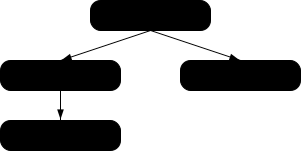
在这里可以看到,应用开发者使用了 modulepreload
来声明模块图中的所有模块,确保用户代理发起对所有这些模块的获取。如果没有这种预加载,且未采用 HTTP/2 Server Push 等技术,用户代理可能需要进行多次网络往返后才能发现
helpers.mjs。通过这种方式, modulepreload
link
元素可以用作应用模块的一种“清单”。
以下代码展示了如何将 modulepreload
链接与 import()
配合使用,确保提前完成网络获取,从而在调用 import()
时,模块已经就绪(但尚未求值),并位于 模块映射:
< link rel = "modulepreload" href = "awesome-viewer.mjs" >
< button onclick = "import('./awesome-viewer.mjs').then(m => m.view())" >
View awesome thing
</ button > nofollow" nofollow 关键字可用于 a,
area和 form 元素。此关键字不会创建
超链接,而是 添加注解 于该元素创建的任何其他超链接(如果没有其他关键字创建超链接,则为隐含的超链接)。
nofollow
关键字表明,此链接未获页面原作者或发布者认可,或者之所以包含指向被引用文档的链接,主要是因为与这两个页面有关联的人员之间存在商业关系。
noopener"所有当前引擎均支持。
所有当前引擎均支持。
noopener 关键字可用于 a,
area和 form 元素。此关键字不会创建
超链接,而是 添加注解 于该元素创建的任何其他超链接(如果没有其他关键字创建超链接,则为隐含的超链接)。
此关键字表明,对于任何新创建的 顶层可遍历对象
,如果它是因跟随此 超链接 而产生的,则其中不会包含 辅助浏览上下文。例如,所产生的 Window的 opener
获取器将返回 null。
另请参阅 处理模型.
这通常会创建一个 顶层可遍历对象 ,其中包含 辅助浏览上下文 (假设不存在这样的 可导航对象 ,其 目标名称 为 "example"):
< a href = help.html target = example > Help!</ a > 这会创建一个 顶层可遍历对象 ,其浏览上下文不是辅助浏览上下文 (假设条件相同):
< a href = help.html target = example rel = noopener > Help!</ a > 以下两者等效,并且只会导航 父可导航对象:
< a href = index.html target = _parent > Home</ a > < a href = index.html target = _parent rel = noopener > Home</ a > noreferrer"
所有当前引擎均支持。
所有当前引擎均支持。
noreferrer 关键字可用于
a,
area和 form 元素。此关键字不会创建
超链接,而是 添加注解 于该元素创建的任何其他超链接(如果没有其他关键字创建超链接,则为隐含的超链接)。
它表明在跟随链接时不得泄露任何引用来源信息,还隐含要求在相同条件下表现出 noopener 关键字的行为。
另请参阅 处理模型 ,其中会直接操作引用来源。
<a href="..." rel="noreferrer" target="_blank">
的行为与以下内容相同: <a href="..." rel="noreferrer noopener" target="_blank">.
opener" opener 关键字可用于 a,
area和 form 元素。此关键字不会创建
超链接,而是 添加注解 于该元素创建的任何其他超链接(如果没有其他关键字创建超链接,则为隐含的超链接)。
此关键字表明,对于任何新创建的 顶层可遍历对象 ,如果它是因跟随此 超链接 而产生的,则其中会包含 辅助浏览上下文.
另请参阅 处理模型.
在以下示例中,使用 opener
来允许帮助页面的弹出窗口导航其打开者,例如当用户要查找的内容可以在其他地方找到时。另一种方式可能是使用具名目标,而非 _blank,但这样可能会与现有名称冲突。
< a href = "..." rel = opener target = _blank > Help!</ a > pingback" pingback 关键字可用于 link
元素。此关键字会创建一个 外部资源链接。此关键字属于 body-ok.
关于 pingback 关键字的语义,请参阅
Pingback 1.0. [PINGBACK]
preconnect"
所有当前引擎均支持。
preconnect 关键字可用于
link
元素。此关键字会创建一个 外部资源链接。此关键字属于 body-ok.
preconnect
关键字表明,预先发起到指定资源的 源 的连接很可能有益,因为用户很可能需要位于该
源的资源,而提前承担建立连接所需的延迟成本将改善用户体验。
由以下关键字给出的资源没有默认类型: preconnect 关键字。
对于此链接类型,用户代理不得 延迟 load 事件 。
对这类链接进行 获取并处理 的适当时机是:
要 预连接 ,给定 链接处理选项 options:
如果 options的 href 为空字符串,则返回。
令 url 为以下操作的结果: 按编码解析 URL ,给定 options的 href,相对于 options的 基准 URL.
传入基准 URL 而非文档或环境的问题由以下议题跟踪: 议题 #9715.
如果 url 为失败,则返回。
如果 url的 方案 不是 HTTP(S) 方案,则返回。
令 useCredentials 为 true。
如果 options的 crossorigin 为 匿名 ,且 options的 源 不与以下源 同源 : url的 源,则将 useCredentials 设为 false。
用户代理应 获取连接 ,给定 partitionKey, url的 源和 useCredentials.
此连接会被取得,但不会直接使用。它将保留在 连接池 中,供后续使用。
用户代理应尽可能尝试发起预连接并执行完整的连接握手(对于 HTTP 为 DNS+TCP,对于 HTTPS 源为 DNS+TCP+TLS),但允许因资源限制或其他原因而选择执行部分握手(对于 HTTP 仅执行 DNS,对于 HTTPS 源执行 DNS 或 DNS+TCP),也可以完全跳过。
每个源的最佳连接数取决于协商的协议、用户当前的连接状况、可用设备资源、全局连接数限制以及其他与具体上下文有关的变量。因此,应打开多少个连接由用户代理决定。
prefetch" prefetch 关键字可用于 link
元素。此关键字会创建一个 外部资源链接。此关键字属于 body-ok.
prefetch 关键字表明,预先 获取 并缓存指定资源或同站点文档很可能有益,因为用户很可能在将来的导航中需要此资源。
由以下关键字给出的资源没有默认类型: prefetch
关键字。
对这类链接进行 获取并处理 的适当时机是:
获取并处理链接资源 算法用于 prefetch 链接,给定 link 元素
el,如下所示:
如果 el的 href
属性的值为空字符串,则返回。
令 options 为以下操作的结果: 创建链接选项 ,来源为 el.
令 request 为以下操作的结果: 创建链接请求 ,给定 options.
如果 request 为 null,则返回。
将 request的 发起者 设为
"prefetch".
令 processPrefetchResponse 为以下步骤,给定 响应 response 以及 null、失败或一个 字节序列 bytesOrNull:
用户代理应 获取 request,并将 processResponseConsumeBody 设为 processPrefetchResponse。用户代理可以延迟获取 request ,以优先处理当前文档所必需的其他请求。
处理链接标头 步骤对于这类链接资源不执行任何操作。
preload"仅有一个引擎支持。
preload 关键字可用于 link
元素。此关键字会创建一个 外部资源链接。此关键字属于 body-ok.
preload 关键字表明,用户代理将预先 获取 并缓存指定资源,依据是以下 预加载目标 (由 as
属性给出),以及以下 优先级 (由 fetchpriority
属性给出),因为用户很可能在当前导航中需要此资源。
用户代理可能会在资源加载后执行其他操作,例如预先 解码图像 或 创建样式表。但是,这些额外操作不能产生可观察到的效果。
由以下关键字给出的资源没有默认类型: preload
关键字。
对于此链接类型,用户代理不得 延迟 load 事件 。
对这类链接进行 获取并处理链接资源 的适当时机是:
Document 具有 预加载资源映射,它是一个
有序映射,初始为空。
same-origin", "cors" 或
"no-cors"
要 消费预加载资源 ,针对 Window window,给定 URL
url、字符串 destination、字符串
mode、字符串 credentialsMode、字符串 integrityMetadata和
onResponseAvailable,后者是一个算法,其参数为 响应:
令 key 为一个 预加载键 ,其 URL 为 url, 目标 为 destination, 模式 为 mode和 凭据模式 为 credentialsMode.
令 preloads 为 window的 关联 Document的 预加载资源映射.
如果 key 不 存在 于 preloads,则返回 false。
令 entry 为 preloads[key].
令 consumerIntegrityMetadata 为以下操作的结果: 解析 integrityMetadata.
如果以下条件均不成立:
consumerIntegrityMetadata 为 no metadata;
consumerIntegrityMetadata 等于 preloadIntegrityMetadata;或
此比较会忽略未知的完整性选项。请参阅 议题 #116。
则返回 false。
如果预加载与消费者的完整性元数据不匹配,即使两者都与数据匹配,也会导致额外的网络获取。
务必要将 网络错误 加入预加载缓存,以便在预加载请求导致错误时,之后不会再次向网络请求该错误响应。这也涉及安全问题:考虑开发者为预加载请求指定了子资源完整性元数据,却未为后续资源请求指定此元数据的情况。如果预加载请求未通过子资源完整性验证而被丢弃,资源请求就会从网络获取并消费一个可能具有恶意的响应,而不验证其完整性。 [SRI]
移除 preloads[key].
否则,调用 onResponseAvailable ,给定 entry的 响应.
返回 true。
就本节而言,字符串 type 匹配 一个 预加载目标 destination ,当且仅当以下算法返回 true:
如果 type 为空字符串,则返回 true。
如果 destination 为 "fetch",则返回 true。
令 mimeTypeRecord 为以下操作的结果: 解析 type.
如果 mimeTypeRecord 为失败,则返回 false。
如果 mimeTypeRecord 不是 用户代理所支持的类型,则返回 false。
如果下列任一条件为真:
destination 为 "script",且
mimeTypeRecord 是一个 JavaScript MIME 类型;
destination 为 "image",且
mimeTypeRecord 是一个 图像 MIME
类型;
destination 为 "font",且
mimeTypeRecord 是一个 字体 MIME
类型;
则返回 true。
返回 false。
要 创建预加载键 ,给定一个 请求 request,返回一个新的 预加载键 ,其 URL 为 request的 URL, 目标 为 request的 目标, 模式 为 request的 模式和 凭据模式 为 request的 凭据模式.
预加载目标 为 "fetch", "font", "image",
"script", "style" 或 "track".
要 预加载 ,给定 链接处理选项 options 以及一个可选的 processResponse,后者是一个算法,其参数为 响应:
令 request 为以下操作的结果: 创建链接请求 ,给定 options.
如果 request 为 null,则返回。
令 unsafeEndTime 为 0。
令 key 为以下操作的结果: 创建预加载键 ,给定 request.
令 controller 为 null。
令 reportTiming 在给定 Document
document 时执行以下操作:
报告计时 ,针对 controller ,给定 document的 相关全局对象.
将 controller 设为以下操作的结果: 获取 request,并将 processResponseConsumeBody 设为以下步骤,给定 响应 response 以及 null、失败或一个 字节序列 bodyBytes:
如果 bodyBytes 是一个 字节序列,则将 response的 主体 设为 bodyBytes 作为主体的结果.
通过使用 processResponseConsumeBody,我们已 提取 整个 主体。这是确保预加载器从网络加载整个主体所必需的,无论预加载最终是否会被消费(这一点目前尚不确定)。此步骤随后会将请求的主体重置为一个包含相同字节的新主体,以便其他规范能够在实际消费时从中读取,尽管我们已经读取过一次。
否则,将 response 设为一个 网络错误.
将 unsafeEndTime 设为 不安全的共享当前时间.
如果 entry的 响应可用时 为 null,则将 entry的 响应 设为 response;否则调用 entry的 响应可用时 ,给定 response.
如果 processResponse 已给定,则调用 processResponse ,给定 response.
令 commit 为以下步骤,给定 Document
document:
如果 options的 文档 为 null,则将 options的 文档就绪时 设为 commit。否则,调用 commit ,给定 options的 文档.
privacy-policy" privacy-policy
关键字可用于
link, a和 area 元素。此关键字会创建一个
超链接.
privacy-policy
关键字表明,被引用文档包含适用于当前文档的数据收集和使用惯例方面的信息,详细说明见 附加链接关系类型。被引用文档可以是独立的隐私政策,也可以是某个更通用文档中的特定章节。 [RFC6903]
search" search 关键字可用于 link,
a, area和 form 元素。此关键字会创建一个
超链接.
search
关键字表明,被引用文档提供了专门用于搜索该文档及其相关资源的界面。
OpenSearch 描述文档可与 link 元素和 search 链接类型配合使用,使用户代理能够自动发现搜索界面。
[OPENSEARCH]
stylesheet"
stylesheet 关键字可用于
link
元素。此关键字会创建一个 外部资源链接
,它参与样式处理模型。此关键字属于
body-ok.
指定的资源是一个 CSS 样式表 ,用于描述如何呈现文档。
仅有一个引擎支持。
如果 alternate 关键字也在
link 元素上指定,则 此链接是一个替代样式表;在这种情况下, title 属性必须在 link 元素上指定,且其值必须非空。
由 stylesheet
关键字给出的资源,其默认类型为 text/css.
当 disabled
属性被设置,且其所属的 link
元素具有 stylesheet
关键字时, 禁用 关联的 CSS 样式表.
对这类链接进行 获取并处理 的适当时机是:
当 外部资源链接的 link 元素 变为与浏览上下文连接.
当 disabled
属性(其所属的
link 元素对应一个 外部资源链接 ,且该元素已
与浏览上下文连接
)被设置、更改或移除时。
当 crossorigin
属性(其所属的
link 元素对应一个 外部资源链接 ,且该元素已 与浏览上下文连接
)被设置、更改或移除时。
当 type 属性(其所属的 link
元素对应一个 外部资源链接 ,且该元素已
与浏览上下文连接
)被设置为或更改为不匹配或不再匹配以下元数据的值时: Content-Type 元数据
,即此前所取得的外部资源(如果有)的元数据。
当 type 属性(其所属的 link
元素对应一个 外部资源链接 ,且该元素已
与浏览上下文连接,但此前因
type
属性指定了不受支持的类型而未获取资源)被移除或更改时。
怪异行为:如果文档已被设为 怪异模式,且与以下 URL
同源 :外部资源的 URL ,并且该外部资源的 Content-Type 元数据 不是受支持的样式表类型,则用户代理必须改为假定其为 text/css.
链接资源获取设置步骤 适用于这类链接资源,给定
link 元素 el 和
请求
request,如下所示:
请参阅 议题 #968 ,其中计划使用 CSSOM 的 获取 CSS 样式表 算法来代替 默认的获取并处理链接资源 算法。在此期间,任何 关键子资源 请求 都应将其 阻塞渲染 设为以下布尔值:
link 元素当前是否 阻塞渲染.
要 处理这类链接资源
,给定 link 元素
el、布尔值 success, 响应 response和 字节序列
bodyBytes:
如果资源的 Content-Type 元数据 不是
text/css,则将 success 设为
false。
如果 el 不再创建参与样式处理模型的 外部资源链接 ,或者如果在该资源被 获取后,已经到了适合再次 获取 该资源的时机:
移除 el ,从 el的 节点文档的 阻塞脚本的样式表集合.
返回。
如果 el 具有 关联的 CSS 样式表, 移除该 CSS 样式表.
如果 success 为 true:
创建 CSS 样式表 ,具有以下属性:
response的 URL 列表[0]
此处提供 URL,是假定 w3c/csswg-drafts 议题 #9316 将得到修复。
el
media 属性,属于
el.
这是对该属性(此时可能不存在)的引用,而不是该属性当前值的副本。 CSSOM 定义了在动态设置、更改或移除该属性时会发生什么。
title 属性,属于
el,如果
el 位于文档树中;否则为空字符串。
这同样是对该属性的引用,而非其当前值的副本。
若 此链接是一个替代样式表 ,且 el的 显式启用 为 false,则设置;否则不设置。
若资源为 CORS 同源,则设置;否则不设置。
null
保持其默认值。
保持未初始化状态。
这似乎不正确。大概应当使用 bodyBytes?此问题由以下议题跟踪: 议题 #2997.
CSS 的 环境编码 ,是运行以下步骤所得的结果: [CSSSYNTAX]
如果 el 具有 charset 属性,则
取得编码
,使用该属性的值。如果成功,则返回所得编码。 [ENCODING]
如果 el 提供阻塞脚本的样式表:
断言: el的 节点文档的 阻塞脚本的样式表集合 包含 el.
移除 el ,从其 节点文档的 阻塞脚本的样式表集合.
解除渲染阻塞 ,作用于 el.
处理链接标头 步骤对于这类链接资源不执行任何操作。
tag" tag 关键字可用于 a 和
area 元素。此关键字会创建一个 超链接.
tag 关键字表明,以下 标签
由被引用文档表示,且适用于当前文档。
因为它表明标签 适用于当前文档,所以不宜在 标签云的标记中使用此关键字,因为标签云列出的是一组页面中的热门标签。
此文档介绍一些宝石,因此为它 添加标签 ,标签为
"https://en.wikipedia.org/wiki/Gemstone",从而明确将其归类为与“珠宝”类宝石有关,而非例如美国的城镇、Ruby 软件包格式或瑞士的机车车型:
<!DOCTYPE HTML>
< html lang = "en" >
< head >
< title > My Precious</ title >
</ head >
< body >
< header >< h1 > My precious</ h1 > < p > Summer 2012</ p ></ header >
< p > Recently I managed to dispose of a red gem that had been
bothering me. I now have a much nicer blue sapphire.</ p >
< p > The red gem had been found in a bauxite stone while I was digging
out the office level, but nobody was willing to haul it away. The
same red gem stayed there for literally years.</ p >
< footer >
Tags: < a rel = tag href = "https://en.wikipedia.org/wiki/Gemstone" > Gemstone</ a >
</ footer >
</ body >
</ html > 在 此 文档中有两篇文章。然而,"tag"
链接适用于整个页面(无论它放在何处都如此,包括放在 article 元素内)。
<!DOCTYPE HTML>
< html lang = "en" >
< head >
< title > Gem 4/4</ title >
</ head >
< body >
< article >
< h1 > 801: Steinbock</ h1 >
< p > The number 801 Gem 4/4 electro-diesel has an ibex and was rebuilt in 2002.</ p >
</ article >
< article >
< h1 > 802: Murmeltier</ h1 >
< figure >
< img src = "https://upload.wikimedia.org/wikipedia/commons/b/b0/Trains_de_la_Bernina_en_hiver_2.jpg"
alt = "The 802 was red with pantographs and tall vents on the side." >
< figcaption > The 802 in the 1980s, above Lago Bianco.</ figcaption >
</ figure >
< p > The number 802 Gem 4/4 electro-diesel has a marmot and was rebuilt in 2003.</ p >
</ article >
< p class = "topic" >< a rel = tag href = "https://en.wikipedia.org/wiki/Rhaetian_Railway_Gem_4/4" > Gem 4/4</ a ></ p >
</ body >
</ html > terms-of-service" terms-of-service
关键字可用于
link, a和 area 元素。此关键字会创建一个
超链接.
terms-of-service
关键字表明,被引用文档包含当前文档的提供者与希望使用当前文档的用户之间的协议相关信息,详细说明见
附加链接关系类型. [RFC6903]
有些文档是某个文档序列的一部分。
在文档序列中,每个文档都可以有一个 前一个同级文档 和一个 后一个同级文档。没有前一个同级文档的文档是其序列的起点,没有后一个同级文档的文档是其序列的终点。
一个文档可以属于多个序列。
next" next 关键字可用于 link,
a, area和 form 元素。此关键字会创建一个
超链接.
next
关键字表明,文档是某个序列的一部分,并且此链接指向序列中逻辑上位于其后的下一个文档。
当 next 关键字与 link
元素配合使用时,用户代理应处理此类链接,如同它们使用的是 dns-prefetch, preconnect或
prefetch
关键字之一。用户代理选择使用哪个关键字取决于具体实现;例如,在试图节省流量、电池电量或处理能力时,用户代理可能会使用成本较低的 preconnect
处理模型,也可能会根据对类似情境下用户过往行为的启发式分析来选择关键字。
prev" prev 关键字可用于 link,
a, area和 form 元素。此关键字会创建一个
超链接.
prev
关键字表明,文档是某个序列的一部分,并且此链接指向序列中逻辑上位于其前的上一个文档。
同义词:出于历史原因,用户代理也必须将关键字 "previous" 视同 prev 关键字。
对预定义链接类型集合的扩展 可以注册在 microformats 的现有 rel 值页面. [MFREL]
任何人都可以随时编辑 microformats 的现有 rel 值页面 来添加类型。扩展类型必须指定以下信息:
实际定义的值。该值不应与其他任何已定义的值相似到容易混淆的程度(例如仅大小写不同)。
如果该值包含 U+003A COLON 字符(:),则它还必须是一个 绝对 URL.
link以下之一:
link
元素。link
元素上;它会创建一个
超链接.
link
元素上;它会创建一个 外部资源链接.a 和 area以下之一:
a 和 area 元素。a 和 area 元素上;它会创建一个
超链接.
a 和 area 元素上;它会创建一个 外部资源链接.a 和 area 元素上;它会 添加注解 ,作用于该元素创建的其他 超链接
。form以下之一:
form
元素。form
元素上;它会创建一个
超链接.
form
元素上;它会创建一个 外部资源链接.form 元素上;它会
添加注解 ,作用于该元素创建的其他 超链接 。
关于此关键字含义的简短、非规范性描述。
一个链接,指向对此关键字的语义和要求的更详细描述。它可以指向 wiki 上的另一个页面,也可以指向外部页面。
其他具有完全相同处理要求的关键字值的列表。作者不应使用被定义为同义词的值,这些值仅用于让用户代理支持旧内容。任何人都可以移除实际并未使用的同义词;只有为兼容旧内容而必须按同义词处理的名称,才应以这种方式注册。
以下之一:
如果发现某个关键字与现有值重复,应将其移除,并将其列为现有值的同义词。
如果某个关键字以“已提议”状态注册一个月或更长时间,仍未被使用或制定规范,则可以将其从注册表中移除。
如果某个关键字以“已提议”状态添加,且被发现与现有值重复,则应将其移除并列为现有值的同义词。如果某个关键字以“已提议”状态添加,且被发现有害,则应将其状态更改为“已停用”。
任何人都可以随时更改状态,但应仅按照上述定义进行更改。
符合性检查器必须使用 microformats 的现有 rel 值页面 提供的信息来确定是否允许某个值:本规范中定义或标记为“已提议”或“已认可”的值,在按“对以下元素的影响”字段所述用于其适用的元素时,必须被接受;而标记为“已停用”的值,或本规范和上述页面均未列出的值,则必须以无效为由拒绝。符合性检查器可以缓存此信息(例如出于性能考虑,或避免使用不可靠的网络连接)。
当作者使用本规范及该 wiki 页面均未定义的新类型时,符合性检查器应提供将该值添加到 wiki 的选项,并附上上述详细信息,状态设为“已提议”。
在 microformats 的现有 rel
值页面 中定义为扩展且状态为“已提议”或“已认可”的类型,可以用于
rel 属性,该属性可位于 link, a和 area
元素上,并遵循“对以下元素的影响”字段。 [MFREL]
ins 元素所有当前引擎均支持。
cite — 指向引文来源或有关编辑的更多信息的链接
datetime — 更改的日期以及可选的时间
cite, datetime.HTMLModElement.以下示例表示添加一个段落:
< aside >
< ins >
< p > I like fruit. </ p >
</ ins >
</ aside > 以下示例也是如此,因为这里的 aside
元素中的所有内容都被视为
短语内容 ,因此只有一个 段落:
< aside >
< ins >
Apples are < em > tasty</ em > .
</ ins >
< ins >
So are pears.
</ ins >
</ aside > 以下示例表示添加两个段落,其中第二个段落分两部分插入。因此,此示例中的第一个 ins 元素跨越了段落边界,这被认为是不良写法。
< aside >
<!-- don't do this -->
< ins datetime = "2005-03-16 00:00Z" >
< p > I like fruit. </ p >
Apples are < em > tasty</ em > .
</ ins >
< ins datetime = "2007-12-19 00:00Z" >
So are pears.
</ ins >
</ aside > 以下是更好的标记方式。它使用了更多元素,但没有任何元素跨越隐含段落的边界。
< aside >
< ins datetime = "2005-03-16 00:00Z" >
< p > I like fruit. </ p >
</ ins >
< ins datetime = "2005-03-16 00:00Z" >
Apples are < em > tasty</ em > .
</ ins >
< ins datetime = "2007-12-19 00:00Z" >
So are pears.
</ ins >
</ aside > del 元素所有当前引擎均支持。
cite — 指向引文来源或有关编辑的更多信息的链接
datetime — 更改的日期以及可选的时间
cite, datetime.HTMLModElement.以下示例展示了一个“待办事项”列表,其中已完成的事项被划去,并附上了完成日期和时间。
< h1 > To Do</ h1 >
< ul >
< li > Empty the dishwasher</ li >
< li >< del datetime = "2009-10-11T01:25-07:00" > Watch Walter Lewin's lectures</ del ></ li >
< li >< del datetime = "2009-10-10T23:38-07:00" > Download more tracks</ del ></ li >
< li > Buy a printer</ li >
</ ul > ins 和 del 元素的共有属性 cite 属性可用于指定一个 URL ,指向解释该更改的文档。当该文档较长(例如会议记录)时,鼓励作者加入一个 片段
,指向该文档中讨论此更改的具体部分。
如果存在 cite
属性,则其值必须是一个 可能带有前后空格的有效 URL
,用于解释该更改。要获得对应的引用链接,必须 解析 该属性值,解析时以元素的 节点文档为基准。用户代理可以允许用户访问此类引用链接,但这些链接主要用于内部用途(例如,由服务器端脚本收集有关网站编辑的统计信息),而不是供读者使用。
datetime
属性可用于指定更改的时间和日期。
如果存在 datetime
属性,则其值必须是
带可选时间的有效日期字符串.
用户代理必须解析 datetime
属性,所依据的是 解析日期或时间字符串 算法。若该算法未返回 日期 或 全局日期和时间,则此修改没有关联的时间戳(该值不符合规范;它不是
带可选时间的有效日期字符串)。否则,此修改将被标记为发生于给定的
日期 或 全局日期和时间。若给定的值为 全局日期和时间,则用户代理应使用关联的时区偏移信息来确定应以哪个时区呈现给定的日期时间。
可以向用户显示此值,但它主要用于内部用途。
ins 和
del
元素必须实现
HTMLModElement
接口:
所有当前引擎均支持。
[Exposed =Window ]
interface HTMLModElement : HTMLElement {
[HTMLConstructor ] constructor ();
[CEReactions , ReflectURL ] attribute USVString cite ;
[CEReactions , Reflect ] attribute DOMString dateTime ;
};本节为非规范性内容。
由于 ins 和 del 元素不影响 段落划分,因此,在某些段落为 隐含 的情况下(没有显式的 p 元素),一个
ins 或 del 元素可能会同时跨越整个段落或其他非短语内容 元素,以及另一个段落的一部分。例如:
< section >
< ins >
< p >
This is a paragraph that was inserted.
</ p >
This is another paragraph whose first sentence was inserted
at the same time as the paragraph above.
</ ins >
This is a second sentence, which was there all along.
</ section > 仅将部分段落包裹在 p
元素中,甚至可以使一个段落的末尾、整个第二段以及第三段的开头都被同一个
ins 或 del
元素涵盖(不过,这非常容易引起混淆,也不被视为良好做法):
< section >
This is the first paragraph. < ins > This sentence was
inserted.
< p > This second paragraph was inserted.</ p >
This sentence was inserted too.</ ins > This is the
third paragraph in this example.
<!-- (don't do this) -->
</ section > 然而,根据 隐含段落 的定义方式,不可能使用同一个
ins 或 del
元素来标记一个段落的末尾和紧随其后段落的开头。必须改用一个(或两个) p
元素和两个 ins 或 del 元素,例如:
< section >
< p > This is the first paragraph. < del > This sentence was
deleted.</ del ></ p >
< p >< del > This sentence was deleted too.</ del > That
sentence needed a separate < del> element.</ p >
</ section > 部分原因在于上述容易引起混淆的情况,强烈鼓励作者始终使用 p
元素标记所有段落,而不要使用 ins 或
del 元素跨越 隐含段落
的边界。
本节为非规范性内容。
ol 和 ul 元素的内容模型不允许将
ins 和 del
元素用作子元素。列表始终表示其中的所有项目,包括原本会被标记为已删除的项目。
若要表明某个项目已插入或删除,可以使用 ins 或 del
元素包裹 li 元素的内容。若要表明某个项目已被另一个项目替换,可以在单个
li 元素中放置一个或多个
del 元素,后接一个或多个 ins 元素。
在以下示例中,一个最初为空的列表随着时间推移添加和移除了一些项目。示例中强调的部分显示了列表的“当前”状态。不过,列表项目的编号并未将这些编辑考虑在内。
< h1 > Stop-ship bugs</ h1 >
< ol >
< li >< ins datetime = "2008-02-12T15:20Z" > Bug 225:
Rain detector doesn't work in snow</ ins ></ li >
< li >< del datetime = "2008-03-01T20:22Z" >< ins datetime = "2008-02-14T12:02Z" > Bug 228:
Water buffer overflows in April</ ins ></ del ></ li >
< li >< ins datetime = "2008-02-16T13:50Z" > Bug 230:
Water heater doesn't use renewable fuels</ ins ></ li >
< li >< del datetime = "2008-02-20T21:15Z" >< ins datetime = "2008-02-16T14:25Z" > Bug 232:
Carbon dioxide emissions detected after startup</ ins ></ del ></ li >
</ ol > 在以下示例中,一个最初只包含水果的列表被一个只包含颜色的列表替换了。
< h1 > List of < del > fruits</ del >< ins > colors</ ins ></ h1 >
< ul >
< li >< del > Lime</ del >< ins > Green</ ins ></ li >
< li >< del > Apple</ del ></ li >
< li > Orange</ li >
< li >< del > Pear</ del ></ li >
< li >< ins > Teal</ ins ></ li >
< li >< del > Lemon</ del >< ins > Yellow</ ins ></ li >
< li > Olive</ li >
< li >< ins > Purple</ ins ></ li >
</ ul > 本节为非规范性内容。
构成表格模型的元素有复杂的内容模型要求,不允许使用 ins 和
del 元素,因此可能难以表示对表格的编辑。
若要表明整行或整列已添加或移除,可以分别用 ins 或
del
元素包裹该行或该列中每个单元格的全部内容。
这里添加了表格的一行:
< table >
< thead >
< tr > < th > Game name < th > Game publisher < th > Verdict
< tbody >
< tr > < td > Diablo 2 < td > Blizzard < td > 8/10
< tr > < td > Portal < td > Valve < td > 10/10
< tr > < td > < ins > Portal 2</ ins > < td > < ins > Valve</ ins > < td > < ins > 10/10</ ins >
</ table > 这里移除了一列(同时给出了移除的时间,以及指向解释原因的页面的链接):
< table >
< thead >
< tr > < th > Game name < th > Game publisher < th > < del cite = "/edits/r192" datetime = "2011-05-02 14:23Z" > Verdict</ del >
< tbody >
< tr > < td > Diablo 2 < td > Blizzard < td > < del cite = "/edits/r192" datetime = "2011-05-02 14:23Z" > 8/10</ del >
< tr > < td > Portal < td > Valve < td > < del cite = "/edits/r192" datetime = "2011-05-02 14:23Z" > 10/10</ del >
< tr > < td > Portal 2 < td > Valve < td > < del cite = "/edits/r192" datetime = "2011-05-02 14:23Z" > 10/10</ del >
</ table > 一般而言,没有很好的方式来表示更复杂的编辑(例如,移除一个单元格并将其后的所有单元格向上或向左移动)。
picture
元素所有当前引擎均支持。
所有当前引擎均支持。
source 元素,后接一个
img 元素,其中可以混有 脚本支持元素.
[Exposed =Window ]
interface HTMLPictureElement : HTMLElement {
[HTMLConstructor ] constructor ();
}; picture 元素是一个容器,为其包含的
img 元素提供多个来源,使作者能够根据屏幕像素密度、
视口 大小、图像格式及其他因素,以声明方式控制使用哪个图像资源,或向用户代理提供相关提示。它 表示 其子节点。
picture 元素与外观相似的
video 和 audio 元素有所不同。虽然它们都包含 source
元素,但 source 元素的 src 属性在该元素嵌套于 picture
元素内时没有意义,而且资源选择算法也不同。此外, picture
元素自身不显示任何内容;它只是为其包含的 img
元素提供上下文,使其能够从多个 URL 中进行选择.
source
元素所有当前引擎均支持。
所有当前引擎均支持。
picture 元素的子元素,位于
img 元素之前。
track 元素之前。
type — 嵌入资源的类型
media — 适用的媒体
src (用于 audio 或 video)— 资源地址
srcset (用于 picture)—
不同情况下使用的图像,例如高分辨率显示屏、小型显示器等
sizes (用于 picture)— 不同页面布局下的图像尺寸
width (用于 picture)— 水平尺寸
height (用于 picture)— 垂直尺寸
[Exposed =Window ]
interface HTMLSourceElement : HTMLElement {
[HTMLConstructor ] constructor ();
[CEReactions , ReflectURL ] attribute USVString src ;
[CEReactions , Reflect ] attribute DOMString type ;
[CEReactions , Reflect ] attribute USVString srcset ;
[CEReactions , Reflect ] attribute DOMString sizes ;
[CEReactions , Reflect ] attribute DOMString media ;
[CEReactions , Reflect ] attribute unsigned long width ;
[CEReactions , Reflect ] attribute unsigned long height ;
}; source 元素允许作者指定多个备选的
源集 ,供 img 元素使用,或指定多个备选的
媒体资源 ,供 媒体元素使用。它本身不 表示 任何内容。
type
属性可以存在。若存在,则其值必须是 有效 MIME
类型字符串.
media
属性也可以存在。若存在,则其值必须包含 有效媒体查询列表。用户代理会跳到下一个 source 元素,条件是该值不 与环境匹配.
media
属性只会在运行 资源选择算法
时求值一次,此算法用于 媒体元素。相比之下,当使用
picture 元素时,用户代理将 对环境变化作出反应.
其余要求取决于父元素是 picture
元素还是 媒体元素:
source 元素的父元素是
picture 元素
srcset
属性必须存在,且属于 srcset 属性.
srcset 属性提供 图像源 并将其加入 源集,前提是
source 元素被选中。
如果 srcset 属性中有 图像候选字符串 使用了 宽度描述符,则
sizes
属性也可以存在。此外,如果后面的兄弟 img 元素不
允许自动尺寸,则 sizes 属性必须存在。 sizes
属性属于 sizes 属性,会提供 源尺寸 并将其加入 源集,前提是 source 元素被选中。
如果 img 元素 允许自动尺寸,则 sizes 属性可以从前面的兄弟
source
元素中省略。在这种情况下,效果等同于指定 auto.
source 元素支持 尺寸属性。
img 元素可以使用 width 和 height 属性(来自 source 元素),而不是 img 元素自身的对应属性,来确定其渲染尺寸和宽高比, 如渲染一节所定义.
type 属性给出
源集中图像的类型,使用户代理能够跳到下一个 source 元素,条件是它不支持给定的类型。
如果 type 属性
未
指定,那么当用户代理在获取图像后才发现不支持其格式时,它不会选择另一个 source 元素。
当一个 source 元素后面有兄弟
source 元素或
img 元素,且该后续元素指定了 srcset 属性时,前者必须至少满足以下条件之一:
指定了 media 属性,其值在
去除前导和尾随 ASCII 空白之后不是空字符串,且不会按 ASCII 大小写不敏感 方式匹配字符串 "all".
指定了 type 属性。
src 属性必须不存在。
source 元素的父元素是 媒体元素 src 属性给出 URL ,该
URL 指向 媒体资源。此值必须是 可能带有前后空格的有效非空 URL。此属性必须存在。
type 属性给出 媒体资源的类型,帮助用户代理确定自己是否可以播放该 媒体资源 ,从而无需先获取它。某些 MIME 类型定义了
codecs 参数,可能需要使用此参数才能准确指定资源的编码方式。
[RFC6381]
动态修改一个 source 元素的 src 或 type 属性,在该元素已插入 video 或 audio
元素中的情况下,不会产生任何效果。若要改变正在播放的内容,只需使用 src
属性,直接在 媒体元素 上设置;也可以利用 canPlayType()
方法从可用资源中作出选择。一般而言,在文档解析后手动操作 source 元素是一种不必要的复杂做法。
以下列表展示了使用 codecs= 这一 MIME 参数的一些示例,该参数位于 type 属性中。
< source src = 'video.mp4' type = 'video/mp4; codecs="avc1.42E01E, mp4a.40.2"' > < source src = 'video.mp4' type = 'video/mp4; codecs="avc1.58A01E, mp4a.40.2"' > < source src = 'video.mp4' type = 'video/mp4; codecs="avc1.4D401E, mp4a.40.2"' > < source src = 'video.mp4' type = 'video/mp4; codecs="avc1.64001E, mp4a.40.2"' > < source src = 'video.mp4' type = 'video/mp4; codecs="mp4v.20.8, mp4a.40.2"' > < source src = 'video.mp4' type = 'video/mp4; codecs="mp4v.20.240, mp4a.40.2"' > < source src = 'video.3gp' type = 'video/3gpp; codecs="mp4v.20.8, samr"' > < source src = 'video.ogv' type = 'video/ogg; codecs="theora, vorbis"' > < source src = 'video.ogv' type = 'video/ogg; codecs="theora, speex"' > < source src = 'audio.ogg' type = 'audio/ogg; codecs=vorbis' > < source src = 'audio.spx' type = 'audio/ogg; codecs=speex' > < source src = 'audio.oga' type = 'audio/ogg; codecs=flac' > < source src = 'video.ogv' type = 'video/ogg; codecs="dirac, vorbis"' > source 的 HTML 元素插入步骤以
insertedNode为输入,如下:
source 的 HTML 元素移动步骤以
movedNode,
isSubtreeRoot和 oldAncestor 为输入,如下:
source 的 HTML 元素移除步骤以
removedNode, isSubtreeRoot和 oldAncestor 为输入,如下:
如果作者不确定所有用户代理是否都能够渲染所提供的媒体资源,可以监听 error 事件,该事件发生在最后一个
source 元素上,并触发回退行为:
< script >
function fallback( video) {
// replace <video> with its contents
while ( video. hasChildNodes()) {
if ( video. firstChild instanceof HTMLSourceElement)
video. removeChild( video. firstChild);
else
video. parentNode. insertBefore( video. firstChild, video);
}
video. parentNode. removeChild( video);
}
</ script >
< video controls autoplay >
< source src = 'video.mp4' type = 'video/mp4; codecs="avc1.42E01E, mp4a.40.2"' >
< source src = 'video.ogv' type = 'video/ogg; codecs="theora, vorbis"'
onerror = "fallback(parentNode)" >
...
</ video > img 元素所有当前引擎均支持。
所有当前引擎均支持。
所有当前引擎均支持。
所有当前引擎均支持。
所有当前引擎均支持。
所有当前引擎均支持。
所有当前引擎均支持。
usemap 或
controls 属性: 交互内容.
picture 元素的子元素,位于所有
source 元素之后。
alt — 图像不可用时使用的替代文本
src — 资源的地址
srcset —
在不同情况下使用的图像,例如高分辨率显示器、小屏幕等
sizes — 不同页面布局下的图像尺寸
crossorigin —
此元素如何处理跨源请求
usemap — 所用 图像映射 的名称
ismap — 图像是否为服务器端图像映射
controls — 显示用户代理控件
width — 水平尺寸
height — 垂直尺寸
referrerpolicy
— 引用来源策略 ,用于此元素发起的 获取操作
decoding —
处理此图像以供呈现时使用的解码提示
loading — 用于确定是否延迟加载
fetchpriority —
设置 优先级 ,用于此元素发起的 获取操作
alt 属性: 面向作者; 面向实现者.[Exposed =Window ,
LegacyFactoryFunction =Image (optional unsigned long width , optional unsigned long height )]
interface HTMLImageElement : HTMLElement {
[HTMLConstructor ] constructor ();
[CEReactions , Reflect ] attribute DOMString alt ;
[CEReactions , ReflectURL ] attribute USVString src ;
[CEReactions , Reflect ] attribute USVString srcset ;
[CEReactions , Reflect ] attribute DOMString sizes ;
[CEReactions ] attribute DOMString ? crossOrigin ;
[CEReactions , Reflect ] attribute DOMString useMap ;
[CEReactions , Reflect ] attribute boolean isMap ;
[CEReactions , Reflect ] attribute boolean controls ;
[CEReactions , ReflectSetter ] attribute unsigned long width ;
[CEReactions , ReflectSetter ] attribute unsigned long height ;
readonly attribute unsigned long naturalWidth ;
readonly attribute unsigned long naturalHeight ;
readonly attribute boolean complete ;
readonly attribute USVString currentSrc ;
[CEReactions ] attribute DOMString referrerPolicy ;
[CEReactions ] attribute DOMString decoding ;
[CEReactions ] attribute DOMString loading ;
[CEReactions ] attribute DOMString fetchPriority ;
Promise <undefined > decode ();
// also has obsolete members
}; img 元素表示一个图像。
img 元素具有一个 尺寸属性来源,初始设置为此元素本身。
所有当前引擎均支持。
所有当前引擎均支持。
由 src
和 srcset 属性,以及前面的所有同级
source 元素的 srcset
属性所指定的图像(后者仅当父元素为 picture
元素时适用),就是嵌入内容; alt
属性的值为无法处理图像或禁用了图像加载的用户提供等价内容(即它是 img 元素的 回退内容).
如果 src 属性存在,它必须包含一个
可由空格包围的有效非空 URL
,引用一个非交互式、可带动画、但既不分页也不包含脚本的图像资源。
上述要求意味着,图像可以是静态位图(例如 PNG、GIF、JPEG)、单页矢量文档(单页 PDF、文档元素为 SVG 的 XML 文件)、动画位图(APNG、动画 GIF)、动画矢量图形(具有 SVG 文档元素 且使用声明式 SMIL 动画的 XML 文件)等。不过,这些定义排除了带脚本的 SVG 文件、多页 PDF 文件、交互式 MNG 文件、HTML 文档、纯文本文档等。 [PNG] [GIF] [JPEG] [PDF] [XML] [APNG] [SVG] [MNG]
srcset 属性和 src 属性(如果未使用 宽度描述符 )将 图像源
提供给 源集合 (如果没有选中 source 元素)。
如果 srcset 属性存在,并且其中有任何 图像候选字符串 使用 宽度描述符,则 sizes 属性也必须存在。如果 srcset 属性 未 指定,且
loading 属性处于 惰性 状态,则可以将 sizes 属性指定为值 "auto" (ASCII 大小写不敏感)。 sizes 属性是一个 sizes 属性,它将 源尺寸 提供给 源集合
(如果没有选中
source 元素)。
img 元素在下列条件下 允许自动尺寸 :
loading 属性处于 惰性 状态,并且sizes 属性的值为
"auto" (ASCII
大小写不敏感),或开头为 "auto," (ASCII
大小写不敏感).所有当前引擎均支持。
crossorigin
属性是一个 CORS
设置属性。其目的是允许来自准许跨源访问的第三方站点的图像用于 canvas.
referrerpolicy 属性是一个 引用来源策略属性。其目的是设置 引用来源策略 ,在 获取 图像时使用。 [REFERRERPOLICY]
decoding
属性指示 解码 此图像的首选方法。如果存在,此属性必须是一个 图像解码提示。此属性的 缺失值默认值 和 无效值默认值 均为 自动 状态。
HTMLImageElement/fetchPriority
fetchpriority
属性是一个 获取优先级属性。其目的是设置 优先级 ,在 获取 图像时使用。
loading 属性是一个 惰性加载属性。其目的是指示视口外图像的加载策略。
< img src = "1.jpeg" alt = "1" >
< img src = "2.jpeg" loading = eager alt = "2" >
< img src = "3.jpeg" loading = lazy alt = "3" >
< div id = very-large ></ div > <!-- Everything after this div is below the viewport -->
< img src = "4.jpeg" alt = "4" >
< img src = "5.jpeg" loading = lazy alt = "5" > 在上面的示例中,图像按如下方式加载:
1.jpeg, 2.jpeg,
4.jpeg
图像立即加载,并延迟 window 的 load 事件。
3.jpeg图像位于视口内,因此在布局确定后加载;但它不会延迟 window 的 load 事件。
5.jpeg图像仅在滚动进入视口后加载,且不会延迟 window 的 load 事件。
鼓励开发者通过 width 和
height 属性为惰性加载的图像指定首选宽高比,即使 CSS
设置了图像的 width 和 height 属性也应如此,以防图像加载后页面布局发生偏移。
img HTML 元素插入步骤,给定
insertedNode,如下:
img HTML 元素移动步骤,给定
movedNode,
isSubtreeRoot和 oldAncestor ,如下:
img HTML 元素移除步骤,给定
removedNode,
isSubtreeRoot和 oldAncestor ,如下:
img 元素不得用作布局工具。尤其是,不应使用 img
元素显示透明图像,因为此类图像很少传达含义,也很少为文档增添任何有用内容。
img 元素表示什么,取决于 src 属性和 alt
属性。
src 属性已设置,且 alt 属性设置为空字符串图像是装饰性的,或是其他内容的补充,与文档中的其他信息重复。
如果图像 可用 ,且用户代理已配置为显示该图像,则此元素 表示 此元素的图像数据。
否则,此元素不 表示 任何内容,并且可以在渲染时完全省略。用户代理可以通知用户存在一幅图像,但已在渲染中省略。
src 属性已设置,且 alt 属性设置为非空值图像是内容的重要组成部分; alt
属性提供图像的文本等价内容或替代内容。
src 属性已设置,且 alt 属性未设置图像可能是内容的重要组成部分,但没有可用的图像文本等价内容。
在符合规范的文档中,缺少 alt
属性表示图像是内容的重要组成部分,但在生成图像时没有可用的图像文本替代内容。
如果图像 可用 ,且用户代理已配置为显示该图像,则此元素 表示 此元素的图像数据。
如果图像具有 src 属性且其值为空字符串,则此元素不 表示 任何内容。
否则,用户代理应显示某种指示,表明存在一幅未渲染的图像;并且在用户请求时、在相应配置下、或在响应导航而需要提供上下文信息时,可以提供按以下方式得出的图像说明信息:
如果图像具有 title 属性且其值不是空字符串,则返回此属性的值。
如果图像是一个 figure
元素的后代,而该元素有一个
figcaption
子元素,并且忽略此 figcaption
元素及其后代后,此 figure
元素没有其他 流内容 后代,除了 元素间空白 和该 img 元素,则返回第一个这样的 figcaption
元素的内容。
返回空内容。(没有说明信息。)
src 属性未设置,并且以下条件之一成立: alt 属性设置为空字符串,或 alt 属性根本未设置此元素不 表示 任何内容。
alt 属性不表示提示性信息。用户代理不得将 alt 属性的内容以与 title 属性内容相同的方式呈现。
用户代理可以始终为用户提供显示任何图像或阻止显示任何图像的选项。当用户无法看到图像时,例如由于视觉障碍或正在使用没有图形功能的文本终端,用户代理也可以应用启发式方法来帮助用户利用图像。例如,此类启发式方法可以包括对图像中的文本进行光学字符识别(OCR)。
虽然鼓励用户代理修复缺少 alt
属性的情况,但作者不得依赖此类行为。 为图像提供替代文本的要求 在下文中有详细说明。
在渲染时会忽略 内容 ,这里指的是 img
元素可能具有的内容。
usemap
属性(如果存在)可以指示图像具有关联的
图像映射.
ismap
属性,当用于某个元素上,且此元素是 a 元素的后代,而该祖先元素具有
href
属性,则此属性的存在表示该元素提供对服务器端图像映射的访问。这会影响对应 a 元素处理事件的方式。
ismap 属性是一个
布尔属性。如果元素没有 a 祖先元素,或该祖先元素不具有 href 属性,则不得在此元素上指定该属性。
usemap
和 ismap 属性在与 source 元素一起使用,而这些元素指定了 media
属性并位于 picture
元素中时,可能产生令人困惑的行为。
controls
属性是一个 布尔属性。如果存在,它表示用户代理可以向用户提供用户界面。如果元素不具有
alt 属性,或者其 alt 属性值为空字符串,则不得在此元素上指定该属性。
如果 controls
属性存在,用户代理可以在图像上提供控件(例如用于全屏查看的控件)。具体提供的控件 由实现定义,并且可以因平台或用户偏好而异。
如果用户代理通过在 img
元素上显示控件来提供用户界面,那么在用户代理与此界面交互时,应抑制任何用户交互事件。
议题 #12318 跟踪图像控件与动画图像之间的交互。在该议题解决之前,用户代理不应为图像提供动画控件。
所有当前引擎均支持。
crossOrigin IDL 属性必须
反映 crossorigin 内容属性,且
仅限于已知值.
HTMLImageElement/referrerPolicy
所有当前引擎均支持。
referrerPolicy IDL 属性必须
反映 referrerpolicy
内容属性,且 仅限于已知值.
所有当前引擎均支持。
所有当前引擎均支持。
fetchPriority IDL 属性必须 反映 fetchpriority 内容属性,且
仅限于已知值.
image.width [ = value ]
所有当前引擎均支持。
image.height [ = value ]
所有当前引擎均支持。
这些属性返回图像的渲染尺寸。当图像未在渲染时,它们返回 width 和 height 内容属性的值,默认分别为 naturalWidth 和 naturalHeight.
可以设置它们,以更改相应的内容属性。
image.naturalWidth
所有当前引擎均支持。
image.naturalHeight
HTMLImageElement/naturalHeight
所有当前引擎均支持。
这些属性返回图像的 经密度校正的固有宽度和高度 ;如果图像不 可用,则返回 0.
image.complete
所有当前引擎均支持。
如果图像已完全下载或未指定图像,则返回 true;否则返回 false。
image.currentSrc
所有当前引擎均支持。
返回图像的 绝对 URL.
image.decode()
所有当前引擎均支持。
此方法使用户代理 解码 图像,解码过程 并行进行,并返回一个在解码完成时兑现的 promise。
如果图像无法解码,则此 promise 会被拒绝,拒绝原因为一个 "EncodingError"
DOMException
。
image = new Image([ width [, height ] ])
所有当前引擎均支持。
要确定以下对象的 尺寸 : img 元素
image:
令 naturalDimensions 为 null。
如果 image 为 可用,则将 naturalDimensions 设置为 image的 经密度校正的固有宽度和高度.
返回 确定尺寸 的结果;对象为 image ,给定 naturalDimensions.
naturalWidth 和 naturalHeight 的 getter 步骤如下:
如果图像不 可用,则返回 0。
返回图像的 经密度校正的固有宽度和高度中的相应分量,以 CSS 像素为单位. [CSS]
由于图像的 经密度校正的固有宽度和高度 考虑了其元数据中指定的任何方向,因此 naturalWidth 和 naturalHeight
反映的是为使图像方向正确而进行所需旋转之后的尺寸,而不受
'image-orientation' 属性值的影响。
complete
的 getter 步骤如下:
decode()
方法被调用时,必须执行以下步骤:
令 promise 为一个新的 promise。
将一个微任务加入队列 ,以执行以下步骤:
这样做是因为 更新图像数据 也发生在微任务中。因此,要使以下这样的代码
img. src = "stars.jpg" ;
img. decode(); 正确解码 stars.jpg,我们需要将任何处理延迟一个微任务。
如果以下任一条件为真:
则拒绝 promise ,拒绝原因为一个 "EncodingError"
DOMException.
否则, 并行地等待以下某种情况发生,并执行对应的操作:
img 元素的 节点文档 不再 完全活动img 元素的 当前请求 发生变化或变更img 元素的 当前请求的 状态 变为 损坏将一个全局任务加入队列 ,任务源为 DOM 操作任务源
,全局对象为
global ,以拒绝 promise ,拒绝原因为一个
"EncodingError" DOMException.
img 元素的 当前请求的 状态 变为 完全可用解码 图像。
如果此图像不需要解码(例如因为它是矢量图形),或者解码过程成功完成,则 将一个全局任务加入队列 ,任务源为 DOM 操作任务源 ,全局对象为 global ,以用 undefined 解决 promise 。
如果解码失败(例如由于图像数据无效),则 将一个全局任务加入队列 ,任务源为 DOM
操作任务源 ,全局对象为 global ,以拒绝 promise ,拒绝原因为一个 "EncodingError"
DOMException.
用户代理应确保已解码的媒体数据保持可随时使用,至少持续到 更新渲染 步骤在 事件循环中下一次成功执行结束。这是 API 契约的重要组成部分,应尽一切可能避免违背。(通常,仅在内存不足而需要驱逐已解码的图像数据,或图像过大而无法在此期间以解码形式保留时,才会违背这一要求。)
动画图像仅在所有帧都加载后才会变为 完全可用 。因此,即使实现在此之前可以解码第一帧,上述步骤也不会这样做,而是等待所有帧都可用。
返回 promise.
如果不使用 decode() 方法,加载一个
img 元素然后显示它的过程可能如下所示:
const img = new Image();
img. src = "nebula.jpg" ;
img. onload = () => {
document. body. appendChild( img);
};
img. onerror = () => {
document. body. appendChild( new Text( "Could not load the nebula :(" ));
}; 不过,这可能导致明显的掉帧,因为将图像插入 DOM 后发生的绘制,会触发主线程上的同步解码。
可以改为使用 decode()
方法重写:
const img = new Image();
img. src = "nebula.jpg" ;
img. decode(). then(() => {
document. body. appendChild( img);
}). catch (() => {
document. body. appendChild( new Text( "Could not load the nebula :(" ));
}); 后一种写法允许用户代理 并行地解码图像,并且只在解码过程完成后才将图像插入 DOM(从而触发绘制),以此避免原先的掉帧问题。
因为 decode()
方法会尝试确保已解码的图像数据至少在一帧的时间内可用,所以它可以与 requestAnimationFrame()
API 结合使用。这意味着,可以将其用于某些编码风格或框架,这些编码风格或框架确保所有 DOM 修改都被批量合并为 动画帧回调:
const container = document. querySelector( "#container" );
const { containerWidth, containerHeight } = computeDesiredSize();
requestAnimationFrame(() => {
container. style. width = containerWidth;
container. style. height = containerHeight;
});
// ...
const img = new Image();
img. src = "supernova.jpg" ;
img. decode(). then(() => {
requestAnimationFrame(() => container. appendChild( img));
}); 提供了一个用于创建 HTMLImageElement
对象的旧式工厂函数(此外还有 DOM 提供的工厂方法,例如 createElement()):
Image(width, height)。此旧式工厂函数被调用时,必须执行以下步骤:
同一幅图像在不同上下文中可以有不同的适当替代文本。
在以下各个情况中,使用的是同一幅图像,但每次的 alt
文本都不同。图像是瑞士日内瓦州卡鲁日市的市徽。
这里,它用作补充图标:
< p > I lived in < img src = "carouge.svg" alt = "" > Carouge.</ p > 这里,它用作代表该市的图标:
< p > Home town: < img src = "carouge.svg" alt = "Carouge" ></ p > 这里,它用作介绍该市的文字的一部分:
< p > Carouge has a coat of arms.</ p >
< p >< img src = "carouge.svg" alt = "The coat of arms depicts a lion, sitting in front of a tree." ></ p >
< p > It is used as decoration all over the town.</ p > 这里,它用于辅助类似的文字,但描述是与图像一同提供的,而不是作为图像的替代内容:
< p > Carouge has a coat of arms.</ p >
< p >< img src = "carouge.svg" alt = "" ></ p >
< p > The coat of arms depicts a lion, sitting in front of a tree.
It is used as decoration all over the town.</ p > 这里,它用作故事的一部分:
< p > She picked up the folder and a piece of paper fell out.</ p >
< p >< img src = "carouge.svg" alt = "Shaped like a shield, the paper had a
red background, a green tree, and a yellow lion with its tongue
hanging out and whose tail was shaped like an S." ></ p >
< p > She stared at the folder. S! The answer she had been looking for all
this time was simply the letter S! How had she not seen that before? It all
came together now. The phone call where Hector had referred to a lion's tail,
the time Maria had stuck her tongue out...</ p > 这里,在发布时尚不知道图像具体会是什么,只知道它会是某种徽章,因此无法提供替代文本,而只能在 title 属性中提供简短的图像说明:
< p > The last user to have uploaded a coat of arms uploaded this one:</ p >
< p >< img src = "last-uploaded-coat-of-arms.cgi" title = "User-uploaded coat of arms." ></ p > 理想情况下,即使在这种情况下,作者也会设法提供真正的替代文本,例如询问前一位用户。不提供替代文本会使无法查看图像的人更难使用文档,例如盲人用户、连接带宽极低或按字节付费的用户,或被迫使用纯文本 Web 浏览器的用户。
下面还有一些示例,展示同一幅图片在不同上下文中的用法,每次都使用不同且适当的替代文本。
< article >
< h1 > My cats</ h1 >
< h2 > Fluffy</ h2 >
< p > Fluffy is my favorite.</ p >
< img src = "fluffy.jpg" alt = "She likes playing with a ball of yarn." >
< p > She's just too cute.</ p >
< h2 > Miles</ h2 >
< p > My other cat, Miles just eats and sleeps.</ p >
</ article > < article >
< h1 > Photography</ h1 >
< h2 > Shooting moving targets indoors</ h2 >
< p > The trick here is to know how to anticipate; to know at what speed and
what distance the subject will pass by.</ p >
< img src = "fluffy.jpg" alt = "A cat flying by, chasing a ball of yarn, can be
photographed quite nicely using this technique." >
< h2 > Nature by night</ h2 >
< p > To achieve this, you'll need either an extremely sensitive film, or
immense flash lights.</ p >
</ article > < article >
< h1 > About me</ h1 >
< h2 > My pets</ h2 >
< p > I've got a cat named Fluffy and a dog named Miles.</ p >
< img src = "fluffy.jpg" alt = "Fluffy, my cat, tends to keep itself busy." >
< p > My dog Miles and I like go on long walks together.</ p >
< h2 > music</ h2 >
< p > After our walks, having emptied my mind, I like listening to Bach.</ p >
</ article > < article >
< h1 > Fluffy and the Yarn</ h1 >
< p > Fluffy was a cat who liked to play with yarn. She also liked to jump.</ p >
< aside >< img src = "fluffy.jpg" alt = "" title = "Fluffy" ></ aside >
< p > She would play in the morning, she would play in the evening.</ p >
</ article > 本节为非规范性内容。
要在 HTML 中嵌入图像,如果只有一个图像资源,请使用 img
元素及其 src 属性。
< h2 > From today's featured article</ h2 >
< img src = "/uploads/100-marie-lloyd.jpg" alt = "" width = "100" height = "150" >
< p >< b >< a href = "/wiki/Marie_Lloyd" > Marie Lloyd</ a ></ b > (1870–1922)
was an English < a href = "/wiki/Music_hall" > music hall</ a > singer, ...不过,在许多情况下,作者可能希望使用多个图像资源供用户代理选择:
不同用户可能具有不同的环境特征:
不同用户的屏幕物理尺寸可能不同。
手机屏幕的对角线可能为 4 英寸,而笔记本电脑屏幕的对角线可能为 14 英寸。
只有当图像的渲染尺寸取决于 视口 尺寸时,这一点才相关。
不同用户的屏幕像素密度可能不同。
无论屏幕的物理尺寸如何,一部手机屏幕每英寸的物理像素数都可能是另一部手机屏幕的三倍。
不同用户的缩放级别可能不同;同一用户的缩放级别也可能随时间变化。
用户可能会放大某幅图像,以便查看得更加仔细。
缩放级别和屏幕像素密度(上一点)都可能影响每个 CSS 像素对应的屏幕物理像素数。这一比率通常称为 设备像素比.
不同用户的屏幕方向可能不同;同一用户的屏幕方向也可能随时间变化。
平板电脑可以竖直握持或旋转 90 度,使屏幕处于“纵向”或“横向”。
作者可能希望显示相同的图像内容,但让渲染尺寸随条件而变化,通常取决于 视口的宽度。这通常称为 基于视口的选择.
网页顶部可能有一幅始终横跨整个 视口 宽度的横幅图像。在这种情况下,图像的渲染尺寸取决于屏幕的物理尺寸(假设浏览器窗口已最大化)。
另一个网页可能按列排列图像:在物理尺寸较小的屏幕上显示一列,中等物理尺寸的屏幕上显示两列,大物理尺寸的屏幕上显示三列;每种情况下图像的渲染尺寸都会变化,以填满 视口。在这种情况下,即使屏幕较小,图像在单列布局中的渲染尺寸也可能 大于 其在双列布局中的渲染尺寸。
作者可能希望根据图像的渲染尺寸显示不同的图像内容。这通常称为 美术指导.
在物理尺寸较大的屏幕上查看网页时(假设浏览器窗口已最大化),作者可能希望包含图像关键部分周围的一些次要部分。在物理尺寸较小的屏幕上查看同一网页时,作者可能希望只显示图像的关键部分。
作者可能希望显示相同的图像内容,但根据用户代理支持的图像格式使用不同的格式。这通常称为 基于图像格式的选择.
网页可能具有 JPEG、WebP 和 JPEG XR 格式的图像,其中后两种格式的压缩能力优于 JPEG。不同用户代理可能支持不同的图像格式,而某些格式提供更高的压缩率,因此作者希望向支持这些格式的用户代理提供更好的格式,同时为不支持它们的用户代理提供 JPEG 回退方案。
上述情况并不互斥。例如,可以合理地组合针对不同 设备像素比 的不同资源以及用于 美术指导的不同资源.
虽然可以使用脚本解决这些问题,但这样做会引入一些其他问题:
某些用户代理会在脚本有机会运行之前,就积极下载 HTML 标记中指定的图像,以便让网页更早完成加载。如果脚本更改了要下载的图像,用户代理就可能开始两次独立的下载,反而导致页面加载性能下降。
如果作者不在 HTML 标记中指定任何图像,而改为从脚本发起一次下载,就能避免上述重复下载问题;但对于禁用了脚本的用户,将完全不会下载图像,积极下载图像的优化也将失效。
考虑到这些情况,本规范引入了一些功能,以声明式方式解决上述问题。
src 和 srcset
属性位于 img 元素上,可以结合
x
描述符,提供多个仅尺寸不同的图像(较小图像是较大图像的缩小版本)。
x 描述符不适用于图像渲染尺寸取决于 视口 宽度的情况(基于视口的选择),但可以与
美术指导结合使用.
< h2 > From today's featured article</ h2 >
< img src = "/uploads/100-marie-lloyd.jpg"
srcset = "/uploads/150-marie-lloyd.jpg 1.5x, /uploads/200-marie-lloyd.jpg 2x"
alt = "" width = "100" height = "150" >
< p >< b >< a href = "/wiki/Marie_Lloyd" > Marie Lloyd</ a ></ b > (1870–1922)
was an English < a href = "/wiki/Music_hall" > music hall</ a > singer, ...用户代理根据用户屏幕的像素密度、缩放级别,以及可能考虑是否已有可用的更高密度图像,从给定资源中选择一个。
为了向后兼容尚不能理解 srcset
属性的旧版用户代理,其中一个 URL 会指定在
img 元素的 src
属性中。这样即使在旧版用户代理中,也会显示有用的内容(尽管其分辨率可能低于用户的期望)。对于新版用户代理, src
属性会参与资源选择,就像将它指定在 srcset
中并带有 1x 描述符一样。
srcset 和 sizes 属性可结合 w
描述符,提供多个仅尺寸不同的图像(较小图像是较大图像的缩小版本)。
在此示例中,横幅图像占据整个 视口 的宽度(使用适当的 CSS)。
< h1 >< img sizes = "100vw" srcset = "wolf-400.jpg 400w, wolf-800.jpg 800w, wolf-1600.jpg 1600w"
src = "wolf-400.jpg" alt = "The rad wolf" ></ h1 > 用户代理根据指定的 w 描述符以及 sizes 属性中指定的呈现尺寸,计算每张图像的有效像素密度。然后根据用户屏幕的像素密度、缩放级别,以及可能考虑是否已有可用的更高密度图像,从给定资源中选择一个。
如果用户屏幕的宽度为 320 CSS 像素 ,这就相当于指定
wolf-400.jpg 1.25x, wolf-800.jpg 2.5x, wolf-1600.jpg 5x。另一方面,如果用户屏幕的宽度为 1200 CSS 像素
,这就相当于指定 wolf-400.jpg 0.33x, wolf-800.jpg 0.67x, wolf-1600.jpg 1.33x。使用
w 描述符和 sizes
属性后,无论用户设备多大,用户代理都能选择正确的图像源进行下载。
为了向后兼容,其中一个 URL 会指定在 img
元素的
src 属性中。在新版用户代理中, src 属性会被忽略,条件是 srcset 属性使用 w 描述符。
在此示例中,网页根据
视口宽度提供三种布局。窄布局有一列图像(每幅图像的宽度约为 100%),中等布局有两列图像(每幅图像的宽度约为
50%),最宽布局有三列图像,并留有一定的页面外边距(每幅图像的宽度约为 33%)。当 视口 宽度分别为
30em 和 50em 时,在这些布局之间切换。
< img sizes = "(max-width: 30em) 100vw, (max-width: 50em) 50vw, calc(33vw - 100px)"
srcset = "swing-200.jpg 200w, swing-400.jpg 400w, swing-800.jpg 800w, swing-1600.jpg 1600w"
src = "swing-400.jpg" alt = "Kettlebell Swing" > sizes 属性在
30em 和 50em处设置布局断点,并将这些断点之间的图像尺寸声明为 100vw, 50vw或
calc(33vw - 100px)。这些尺寸不一定要与 CSS 中指定的实际图像宽度完全一致。
用户代理将从 sizes
属性中选取一个宽度,使用第一个其 <media-condition> (括号中的部分)求值为 true 的条目;如果所有条件都求值为
false,则使用最后一个条目(calc(33vw -
100px))。
例如,如果 视口 宽度为 29em,则 (max-width: 30em) 求值为 true,因而使用
100vw ,所以在资源选择时,图像尺寸为 29em。如果 视口 宽度改为 32em,则
(max-width: 30em) 求值为 false,但
(max-width: 50em) 求值为 true,因而使用 50vw ,所以在资源选择时,图像尺寸为 16em ( 视口 宽度的一半)。请注意,由于布局不同,稍宽的 视口 反而产生了较小的图像。
随后,用户代理可以像前一个示例那样,计算有效像素密度并选择适当的资源。
此示例与前一个示例相同,但图像采用 惰性加载。在这种情况下, sizes 属性可以使用 auto 关键字,用户代理会使用 width 属性(或 CSS 中指定的宽度)作为
源尺寸.
< img loading = "lazy" width = "200" height = "200" sizes = "auto"
srcset = "swing-200.jpg 200w, swing-400.jpg 400w, swing-800.jpg 800w, swing-1600.jpg 1600w"
src = "swing-400.jpg" alt = "Kettlebell Swing" > 为了更好地向后兼容不支持 auto
关键字的旧版用户代理,可以按需指定回退尺寸。
< img loading = "lazy" width = "200" height = "200"
sizes = "auto, (max-width: 30em) 100vw, (max-width: 50em) 50vw, calc(33vw - 100px)"
srcset = "swing-200.jpg 200w, swing-400.jpg 400w, swing-800.jpg 800w, swing-1600.jpg 1600w"
src = "swing-400.jpg" alt = "Kettlebell Swing" > picture 元素和 source 元素可以与 media
属性一起使用,以提供多个内容不同的图像(例如,较小图像可能是较大图像的裁剪版本)。
< picture >
< source media = "(min-width: 45em)" srcset = "large.jpg" >
< source media = "(min-width: 32em)" srcset = "med.jpg" >
< img src = "small.jpg" alt = "The wolf runs through the snow." >
</ picture > 用户代理将选择第一个符合以下条件的 source 元素:它的 media 属性中的媒体查询相匹配,然后从它的
srcset 属性中选择适当的 URL。
图像的渲染尺寸因所选资源而异。可以使用 CSS 指定尺寸,以供用户代理在下载图像之前使用。
img { width : 300 px ; height : 300 px }
@media ( min-width: 32em) { img { width: 500px; height:300px } }
@media (min-width: 45em) { img { width: 700px; height:400px } } type 属性位于 source 元素上,可用于提供多个不同格式的图像。
< h2 > From today's featured article</ h2 >
< picture >
< source srcset = "/uploads/100-marie-lloyd.webp" type = "image/webp" >
< source srcset = "/uploads/100-marie-lloyd.jxr" type = "image/vnd.ms-photo" >
< img src = "/uploads/100-marie-lloyd.jpg" alt = "" width = "100" height = "150" >
</ picture >
< p >< b >< a href = "/wiki/Marie_Lloyd" > Marie Lloyd</ a ></ b > (1870–1922)
was an English < a href = "/wiki/Music_hall" > music hall</ a > singer, ...在此示例中,用户代理将选择第一个其 type
属性具有受支持 MIME 类型的源。如果用户代理支持 WebP 图像,则会选择第一个 source 元素。如果不支持 WebP,但支持
JPEG XR 图像,则会选择第二个 source 元素。如果这两种格式都不支持,则会选择
img 元素。
本节为非规范性内容。
可以使用 CSS 和媒体查询构建能动态适应用户环境的图形页面布局,尤其是适应不同的 视口 尺寸和像素密度。不过,对于内容,CSS 无能为力;我们需要改用
img 元素的
srcset 属性和 picture 元素。本节通过一个示例说明如何使用这些功能。
考虑这样一种情况:在宽屏(宽于 600 CSS 像素)上,要使用一幅名为 a-rectangle.png 的 300×150 图像;而在较小屏幕(600 CSS 像素
及以下)上,要使用一幅名为 a-square.png 的较小的 100×100 图像。对应的标记如下:
< figure >
< picture >
< source srcset = "a-square.png" media = "(max-width: 600px)" >
< img src = "a-rectangle.png" alt = "Barney Frank wears a suit and glasses." >
</ picture >
< figcaption > Barney Frank, 2011</ figcaption >
</ figure > 关于 alt
属性中应填写哪些内容,详见 为图像提供替代文本的要求 一节。
这样做的问题在于,在图像加载期间,用户代理不一定知道应为它使用什么尺寸。为了避免页面在加载时因布局而多次重排,可以使用 CSS 和 CSS 媒体查询来提供尺寸:
< style >
# a { width : 300 px ; height : 150 px ; }
@ media ( max-width : 600px ) { # a { width : 100 px ; height : 100 px ; } }
</ style >
< figure >
< picture >
< source srcset = "a-square.png" media = "(max-width: 600px)" >
< img src = "a-rectangle.png" alt = "Barney Frank wears a suit and glasses." id = "a" >
</ picture >
< figcaption > Barney Frank, 2011</ figcaption >
</ figure > 另一种方法是使用 width 和 height 属性,在 source 和
img 元素上提供宽度和高度:
< figure >
< picture >
< source srcset = "a-square.png" media = "(max-width: 600px)" width = "100" height = "100" >
< img src = "a-rectangle.png" width = "300" height = "150"
alt = "Barney Frank wears a suit and glasses." >
</ picture >
< figcaption > Barney Frank, 2011</ figcaption >
</ figure >
img 元素与 src 属性一起使用;对于不支持
picture
元素的旧版用户代理,该属性给出要使用的图像 URL。这就带来了一个问题:应在 src 属性中提供哪幅图像?
如果作者希望旧版用户代理使用最大的图像,可以使用以下标记:
< picture >
< source srcset = "pear-mobile.jpeg" media = "(max-width: 720px)" >
< source srcset = "pear-tablet.jpeg" media = "(max-width: 1280px)" >
< img src = "pear-desktop.jpeg" alt = "The pear is juicy." >
</ picture > 不过,如果旧版移动用户代理更重要,可以将三幅图像都列在
source 元素中,完全覆盖 src 属性。
< picture >
< source srcset = "pear-mobile.jpeg" media = "(max-width: 720px)" >
< source srcset = "pear-tablet.jpeg" media = "(max-width: 1280px)" >
< source srcset = "pear-desktop.jpeg" >
< img src = "pear-mobile.jpeg" alt = "The pear is juicy." >
</ picture > 由于此时 src 属性实际上已被支持 picture的用户代理完全忽略,因此 src 属性可以默认指向任何图像,包括既不是最小也不是最大的图像:
< picture >
< source srcset = "pear-mobile.jpeg" media = "(max-width: 720px)" >
< source srcset = "pear-tablet.jpeg" media = "(max-width: 1280px)" >
< source srcset = "pear-desktop.jpeg" >
< img src = "pear-tablet.jpeg" alt = "The pear is juicy." >
</ picture > 上面使用了 max-width 媒体特性,给出图像预期适用的最大(视口)尺寸。也可以改用 min-width 。
< picture >
< source srcset = "pear-desktop.jpeg" media = "(min-width: 1281px)" >
< source srcset = "pear-tablet.jpeg" media = "(min-width: 721px)" >
< img src = "pear-mobile.jpeg" alt = "The pear is juicy." >
</ picture > source,
img和
link
元素的共有属性
srcset 属性 是其要求在本节定义的属性。
若存在,其值必须由一个或多个 图像候选字符串组成,相邻字符串之间以一个 U+002C COMMA 字符(,)分隔。如果某个 图像候选字符串 不含描述符,且 URL 后没有 ASCII 空白 ,则后面的 图像候选字符串(如果有)的开头必须具有一个或多个 ASCII 空白.
图像候选字符串 按顺序由以下分量组成,并须满足此列表后所述的进一步限制:
不得存在这样的 图像候选字符串 :其 宽度描述符值 与同一元素的另一个 图像候选字符串的 宽度描述符值 相同。
不得存在这样的 图像候选字符串 :其
像素密度描述符值
与同一元素的另一个 图像候选字符串的
像素密度描述符值
相同。就此要求而言,一个 图像候选字符串
若不含描述符,则等同于一个
图像候选字符串 ,带有 1x
描述符。
如果一个 图像候选字符串 (对于某个元素)指定了 宽度描述符 ,则该元素的所有其他 图像候选字符串 也必须指定 宽度描述符 。
一个 图像候选字符串的 宽度描述符 中指定的宽度必须与 固有宽度 相符,该固有宽度来自此 图像候选字符串的 URL 所给出的资源,前提是该资源具有 固有宽度.
如果某个元素具有 sizes 属性 ,则该元素的所有 图像候选字符串 必须指定 宽度描述符 。
sizes 属性 是其要求在本节定义的属性。
若存在,其值必须为一个 有效源尺寸列表.
有效源尺寸列表 是匹配以下语法的字符串: [CSSVALUES] [MQ]
< source-size-list > = < source-size > #? , < source-size-value >
< source-size > = < media-condition > < source-size-value > | auto
< source-size-value > = < length > | auto<source-size-value> 若为 <length> ,则不得为负数,且允许使用的 CSS 函数仅限于 数学函数.
关键字 auto 是一个宽度,在 解析 sizes 属性中计算。如果存在,它必须是第一个条目,且整个 <source-size-list> 的值必须是字符串 "auto" (ASCII 大小写不敏感),或以字符串 "auto," (ASCII 大小写不敏感).
如果 img 元素发起了图像加载(通过
更新图像数据 或 响应环境变化 算法),且它 允许自动尺寸 并且 正在被渲染,则 auto 为 具体对象尺寸 的宽度。如果它 允许自动尺寸 并且未 正在被渲染,但其 上次自动尺寸宽度 不为 null,则 auto 就是该宽度。否则,忽略 auto 值,并改为使用下一个
源尺寸 (如果有)。
auto 关键字可以指定在 sizes 属性中(对于 source 元素)和 sizes 属性中(对于 img 元素),但必须满足以下条件。否则,不得指定 auto 。
此外,强烈建议使用 width 和
height 属性或 CSS 指定尺寸。如果未指定尺寸,图像很可能以
300x150 的尺寸渲染,因为 sizes="auto" 隐含了 contain-intrinsic-size: 300px
150px ,见 渲染一节.
<source-size-value> 给出图像的预期布局宽度。作者可以通过 <media-condition>为不同环境指定不同宽度。
不允许在 <source-size-value>中使用百分比,以免混淆其相对对象。 'vw' 单位可用于相对于 视口 宽度的尺寸。
img 元素具有一个 当前请求 和一个 待处理请求。 当前请求 初始设为一个新的 图像请求。 待处理请求 初始设为 null。
图像请求 具有 状态, 当前 URL和 图像数据.
当 img 元素的 当前请求 为 可用,则 img 元素提供一个 绘制源 ,其宽度为图像的 经密度校正的固有宽度 (如果有),高度为图像的 经密度校正的固有高度
(如果有),外观为图像的自然外观。
每一个 img 元素具有一个 上次选中的源,初始必须为 null。
每一个 img 元素具有一个 上次自动尺寸宽度,它是以
CSS
像素 为单位的长度或 null,初始为 null。
每一个 图像请求 具有一个 当前像素密度,初始必须为 1。
每一个 图像请求 具有 首选的经密度校正尺寸,它是由宽度和高度组成的结构体,或为 null。初始必须为 null。
要确定 经密度校正的固有宽度和高度 ,针对一个 img 元素 img:
令 dimensions 为 img的 当前请求的 首选的经密度校正尺寸.
首选的经密度校正尺寸 在 为呈现准备图像 算法中根据图像中的元信息设置。
如果 dimensions 不为 null,则将 dimensions的宽度设为 dimensions的宽度除以 density,将 dimensions的高度设为 dimensions的高度除以 density,并返回 dimensions.
令 intrinsicWidth, intrinsicHeight和 intrinsicRatio 为 img的 固有宽度、固有高度和固有宽高比(如果有)。
如果 intrinsicWidth 不缺失,则将 intrinsicWidth 设置为 intrinsicWidth 除以 density.
如果 intrinsicHeight 不缺失,则将 intrinsicHeight 设置为 intrinsicHeight 除以 density.
返回将 默认尺寸确定算法 应用于 intrinsicWidth, intrinsicHeight和 intrinsicRatio所得的结果,并使用 默认对象尺寸 为 300 × 150。
例如,如果 当前像素密度 为 3.125,则意味着每 CSS 英寸有 300 个设备像素。因此,如果图像数据为 300x600,其 经密度校正的固有宽度和高度 为 96 CSS 像素 乘以 192 CSS 像素.
源集合 包含零个或多个 图像源 组成的有序集合,以及一个 源尺寸.
图像源 是一个 URL以及可选的 像素密度描述符或 宽度描述符.
源尺寸 是一个 <source-size-value>。当 源尺寸 使用相对于 视口的单位时,必须相对于 img 元素的 节点文档的
视口进行解释。其他单位必须与媒体查询中的解释方式相同。
[MQ]
解析错误 在本节算法中表示输入与要求之间的非致命不匹配。鼓励用户代理以某种方式暴露 解析错误。
在确定图像的类型以及它是否是有效图像时,必须忽略图像是否获取成功(例如,响应状态是否为 成功状态)。
这使服务器能够在错误响应中返回图像,并使图像得到显示。
用户代理应该应用 图像嗅探规则 来确定图像的类型,并使用图像的 关联的 Content-Type 标头 给出 official type。如果未应用这些规则,则图像类型必须由以下内容给出:图像的 关联的 Content-Type 标头.
用户代理不得通过 img
元素支持非图像资源(例如, 文档元素 为 HTML 元素的 XML 文件)。用户代理不得运行图像资源中嵌入的可执行代码(例如脚本)。用户代理必须只显示多页资源(例如 PDF
文件)的第一页。用户代理不得允许资源以交互方式运行,但应该遵循资源中的任何动画。
本规范未规定必须支持哪些图像类型。
默认情况下,立即获取图像。用户代理可以向用户提供改为按需获取图像的选项。(例如,带宽受限的用户可能会使用按需选项。)
按需获取图像时,用户代理必须 更新图像数据
,针对一个
img
元素,每当需要图像数据时(即按需),但仅当该
img 元素的 当前请求的 状态 为 不可用。当一个
img 元素发生了 相关变更时,如果用户代理仅按需获取图像,则用户代理必须为该 img 元素更新源集合,并且该 img 元素的 当前请求的 状态 必须恢复为 不可用.
相关变更 对于一个 img 元素如下:
元素的 crossorigin
属性的状态发生更改。
元素的 referrerpolicy
属性的状态发生更改。
img 或 source HTML
元素插入步骤,
HTML
元素移除步骤和 HTML 元素移动步骤 将该变更计为 相关变更.
该元素的父元素为 picture
元素,且一个位于它之前的同级 source 元素的
srcset, sizes, media, type, width 或 height 属性被设置、更改或移除。
元素的 收养步骤 被运行。
如果该元素 允许自动尺寸:该元素开始处于 正在被渲染,或者其 具体对象尺寸 的宽度发生更改。这必须设置 可能省略事件 标志,针对 更新图像数据 算法。
每一个 Document 对象必须具有一个 可用图像列表。此列表中的每个图像由一个元组标识,该元组由一个 绝对 URL、一个 CORS 设置属性 模式,以及在此模式不为 无 CORS时的一个 源组成。每个图像还具有一个 忽略上层缓存 标志。用户代理可以随时将条目从一个 Document
对象的 可用图像列表
复制到另一个(例如,在
Document 创建时,用户代理可以向其中添加其他 Document中已加载的所有图像),但在这样做时不得更改所复制条目的键,并且必须取消设置所复制条目的
忽略上层缓存
标志。用户代理还可以随时从此类列表中移除图像(例如,为了节省内存)。用户代理必须酌情移除以下列表中的条目: 可用图像列表 ,依据资源的上层缓存语义(例如 HTTP `Cache-Control`
响应标头),前提是 忽略上层缓存 标志未设置。
可用图像列表 旨在使 src 属性更改为先前已加载的 URL
时能够同步切换,并避免在同一文档中重新下载图像,即使 HTTP 规则不允许缓存它们。它不用于在先前图像仍在加载时避免重新下载同一图像。
用户代理还可以单独存储图像数据,而不将其纳入 可用图像列表.
例如,如果资源具有 HTTP 响应标头 `Cache-Control: must-revalidate`,且其 忽略上层缓存
标志未设置,则用户代理会将它从 可用图像列表 中移除,但可以单独保留图像数据,并在服务器以
304 Not Modified 状态响应时使用该数据。
通常会对图像数据进行编码以减小文件大小。这意味着,用户代理若要将图像呈现在屏幕上,就需要对数据进行解码。 解码 是将图像的媒体数据转换为适于呈现在屏幕上的位图形式的过程。请注意,相对于呈现内容所涉及的其他过程,此过程可能较慢。因此,用户代理可以选择何时执行解码,以获得最佳用户体验。
如果图像解码在完成之前会阻止呈现其他内容,则称其为同步解码。通常,这会产生将图像和任何其他内容同时以原子方式呈现的效果。不过,呈现会推迟执行解码所需的时间。
如果图像解码不阻止呈现其他内容,则称其为异步解码。这会使非图像内容更快得到呈现。不过,在解码完成之前,屏幕上会缺少图像内容。解码完成后,会将图像更新到屏幕上。
在同步和异步解码模式下,最终内容都在经过相同时间后呈现在屏幕上。主要区别在于用户代理是否先于最终内容呈现非图像内容。
为帮助用户代理决定执行同步解码还是异步解码,可以将 decoding 属性设置在
img 元素上。 decoding 属性的可能值为以下 图像解码提示 关键字:
| 关键字 | 状态 | 描述 |
|---|---|---|
sync
|
同步 | 表示倾向于同步 解码 此图像,以便与其他内容以原子方式一起呈现。 |
async
|
异步 | 表示倾向于异步 解码 此图像,以避免延迟其他内容的呈现。 |
auto
|
自动 | 表示对解码模式没有偏好(默认值)。 |
当 解码 图像时,用户代理应该遵循 decoding
属性状态所指示的偏好。如果指示的状态为 自动,则用户代理可以自由选择任何解码行为。
还可以使用 decode()
方法控制解码行为。由于 decode() 方法执行 解码 时独立于负责将内容呈现在屏幕上的过程,因此它不受 decoding 属性影响。
不能从以 并行方式运行的步骤调用此算法。如果用户代理需要从以 并行方式运行的步骤调用此算法,则需要 将一个任务入队 以进行调用。
当用户代理要 更新图像数据 时,针对一个 img 元素
element,且可选地设置 重启动画 标志,还可选地设置
可能省略事件 标志,它必须运行以下步骤:
继续运行此算法,采用 并行方式.
如果此算法针对 element 的另一个实例在此实例之后启动(即使该实例已中止且不再运行),则返回。
将一个微任务加入队列 以继续此算法。
为 element更新源集合。
同步更新源集合可确保尺寸属性来源立即更新。
如果用户代理无法支持图像,或者其图像支持已被禁用,则 中止图像请求 ,针对 当前请求 和该 待处理请求,将 当前请求的 状态 设置为 不可用,将 待处理请求 设置为 null,然后返回。
令 selected source 为 null,并令 selected pixel density 为 undefined。
如果 element 不 使用 srcset 或
picture ,并且它具有一个 src 属性,且其值不是空字符串,则将
selected source 设置为以下值: element的 src 属性,并将 selected
pixel density 设置为 1.0。
将 element的 上次选中的源 设置为 selected source.
如果 selected source 不为 null:
令 urlString 为以下操作的结果: 对 URL 进行编码、解析和序列化 ,给定 selected source,相对于 element的 节点文档.
如果 urlString 为失败,则中止这一组内层步骤。
令 key 为由以下各项组成的元组: urlString, element的
crossorigin
属性的模式,以及(仅当该模式不为 无
CORS 时的), element的
节点文档的 源.
如果 可用图像列表 包含以下键对应的条目: key:
设置 忽略上层缓存 标志,针对该条目。
将 待处理请求 设置为 null。
准备 当前请求 以供呈现 ,给定 element.
中止 更新图像数据 算法。
将一个微任务加入队列 以执行此算法的剩余部分,使调用此算法的 任务 能够继续。
如果此算法针对 element 的另一个实例在此实例之后启动(即使该实例已中止且不再运行),则返回。
仅最后一个实例生效,以避免例如在连续设置 src, srcset和 crossorigin
属性时发出多个请求。
令 selected 为以 element 执行选择图像源的结果。
如果 selected 为 null:
将 selected source 设置为 selected[0],将 selected pixel density 设置为 selected[1]。
令 urlString 为以下操作的结果: 对 URL 进行编码、解析和序列化 ,给定 selected source,相对于 element的 节点文档.
如果 urlString 为失败:
如果 当前请求的 状态 为 不可用 或 损坏,则将 当前请求 设置为 image request。否则,将 待处理请求 设置为 image request.
令 request 为以下操作的结果: 创建潜在 CORS 请求 ,给定 urlString,
"image",以及以下属性的当前状态: element的 crossorigin
内容属性。
如果 element 使用 srcset 或
picture,将 request的 发起者
设为 "imageset".
将 request的 引用来源策略 设置为以下属性的当前状态: element的 referrerpolicy
属性。
将 request的 优先级
设置为以下属性的当前状态: element的
fetchpriority
属性。
令 delay load event 为 true,当满足以下任一条件: img的 惰性加载属性 处于 立即 状态,或者
脚本已禁用 的对象为 img;否则为 false。
如果 元素是否将懒加载的步骤 ,给定 img 返回 true:
开始对惰性加载元素进行交叉观察 ,针对 element.
返回。
获取图像: 获取 request。从此算法返回,并将剩余步骤作为此次获取操作的 processResponse 的一部分运行,针对 响应 response.
以此方式获取的资源(如果有)是 image request的 图像数据。它可以是 CORS 同源 或
CORS 跨源;这会影响图像与其他 API
的交互(例如,用于 canvas).
当 delay load event 为 true 时,获取图像必须 延迟 load 事件 ,对于 element的 节点文档 ,直至以下 任务 (其 入队 来源为 网络任务源 ,发生于资源获取完成后;定义见下文)已运行。
遗憾的是,这可以用于对用户的本地网络进行简单的端口扫描(尤其是在结合脚本时,尽管实施此类攻击实际上并不需要脚本)。用户代理可以实施 跨源 访问控制策略,比上述策略更严格,以缓解此攻击,但遗憾的是,此类策略通常与现有 Web 内容不兼容。
尽快跳转到以下列表中第一个适用的条目:
multipart/x-mixed-replace
下一个 任务 (其 入队 来源为 网络任务源 ,且入队发生在图像获取期间)必须运行以下步骤:
如果 image request 为 待处理请求 且至少有一个主体部分已完全解码,则 中止图像请求 ,针对 当前请求,并 将待处理请求升级为当前请求.
否则,如果 image request 为 待处理请求 且用户代理能够确定 image request的图像发生了致命损坏,以致无法获得图像尺寸,则 中止图像请求 ,针对 当前请求, 将待处理请求升级为当前请求,并将 当前请求的 状态 设置为 损坏.
否则,如果 image request 为 当前请求,其 状态 为 不可用,且用户代理能够确定 image request的图像的宽度和高度,则将 当前请求的 状态 设置为 部分可用.
否则,如果 image request 为 当前请求,其 状态 为 不可用,且用户代理能够确定 image request的图像发生了致命损坏,以致无法获得图像尺寸,则将 当前请求的 状态 设置为 损坏.
每一个 任务 (其 入队 来源为 网络任务源 ,且入队发生在图像获取期间)都必须更新图像的呈现。不过,每当收到新的主体部分时,如果用户代理能够确定图像的宽度和高度,就必须 准备 element的 当前请求 以供呈现 ,给定 element ,并替换先前的图像。一旦一个主体部分已完全解码,就执行以下步骤:
下一个 任务 (其 入队 来源为 网络任务源 ,且入队发生在图像获取期间)必须运行以下步骤:
如果用户代理能够确定 image request的图像的宽度和高度,且 image request 为 待处理请求,将 image request的 状态 设置为 部分可用.
否则,如果用户代理能够确定 image request的图像的宽度和高度,且 image request 为 当前请求, 准备 image request 以供呈现 ,给定 element ,并将 image request的 状态 设置为 部分可用.
否则,如果用户代理能够确定 image request的图像发生了致命损坏,以致无法获得图像尺寸,且 image request 为 待处理请求:
否则,如果用户代理能够确定 image request的图像发生了致命损坏,以致无法获得图像尺寸,且 image request 为 当前请求:
该 任务,以及之后的每一个 任务 (其 入队 来源为 网络任务源 ,且入队发生在图像获取期间),如果 image request 为 当前请求,则必须适当地更新图像的呈现(例如,如果图像是渐进式 JPEG,每个数据包都可以提高图像的分辨率)。
此外,最后一个 任务 (其 入队 来源为 网络任务源 ,且入队发生在资源获取完成后)还必须运行以下步骤:
如果 image request 为 待处理请求, 中止图像请求 ,针对 当前请求, 将待处理请求升级为当前请求,并 准备 image request 以供呈现 ,给定 element.
将 image request 设置为 完全可用 状态。
如果 可能省略事件 未设置,或 previousURL 不等于
urlString,则 触发事件
,事件名为
load ,目标为
element.
图像数据并非受支持的文件格式;用户代理必须将 image
request的 状态 设置为 损坏, 中止图像请求 ,针对 当前请求 和该 待处理请求, 将待处理请求升级为当前请求 ,条件是
image request 为 待处理请求,然后,如果 可能省略事件 未设置,或
previousURL 不等于
urlString, 将元素任务入队 ,任务源为 DOM
操作任务源 ,给定 element 以 触发事件 ,事件名为
error ,目标为
element.
要 中止图像请求 ,针对 图像请求 或 null image request ,意为运行以下步骤:
要 为呈现准备图像 ,针对 图像请求 req ,给定图像元素 img:
令 physicalWidth 和 physicalHeight 分别为从 req的 图像数据中获得的宽度和高度,具体由相关编解码器定义。
令 dimX 为以下标签的值: exifTagMap的标签 0xA002 (PixelXDimension).
令 dimY 为以下标签的值: exifTagMap的标签 0xA003 (PixelYDimension).
令 resX 为以下标签的值: exifTagMap的标签 0x011A (XResolution).
令 resY 为以下标签的值: exifTagMap的标签 0x011B (YResolution).
令 resUnit 为以下标签的值: exifTagMap的标签 0x0128 (ResolutionUnit).
如果以下条件全部为真:
dimX 是正整数;
dimY 是正整数;
resX 是正浮点数;
resY 是正浮点数;
physicalWidth × 72 / resX 为 dimX;
physicalHeight × 72 / resY 为 dimY;
resUnit 为 2 (Inch),
则:
如果 req的 图像数据 为 CORS 跨源,则将 img的 固有尺寸 设置为 dimX 和 dimY,并相应缩放 img的像素数据。
否则,将 req的 首选的经密度校正尺寸 设置为一个结构体,其宽度设为 dimX ,高度设为 dimY.
更新 req的 img
元素的呈现,使之适当。
EXIF 中的分辨率等价于 每英寸的 CSS 点数,因此根据分辨率计算尺寸时以 72 为基数。
尚未规定在图像已呈现之后才收到 EXIF 时应如何处理。参见 问题 #4929.
给定源集 sourceSet 和 Document document,要从源集选择图像源,执行以下步骤。这些步骤返回由字符串(URL)和数字(像素密度)组成的元组,或 null。
如果 sourceSet 为空,则返回 null。
令 candidates 为新的列表。
对于 sourceSet 中的每个图像源 entry:
将 candidates 设置为对 candidates 按升序排序的结果;若 a 关联的像素密度小于 b 关联的像素密度,则 a 小于 b。
令 devicePixelRatio 为 1.0。
如果 document 是完全活动的,则将 devicePixelRatio 设置为对 document 执行确定设备像素比的结果。[CSSOMVIEW]
document 中 img 元素或其祖先上的 CSS 'zoom' 属性不会影响 devicePixelRatio。但是,可导航容器(例如 iframe)上的 'zoom' 会缩放其内容可导航对象的活动文档的设备像素比,因此会影响该文档中的图像源选择。
令 selectedSource 为 candidates 中首个关联的像素密度大于或等于 devicePixelRatio 的图像源(如果存在);否则为 candidates 中的最后一个图像源。
如果 candidates 包含这样的图像源:其关联的像素密度大于 selectedSource 关联的像素密度,且其图像数据无需网络请求即可使用(例如在 document 的可用图像列表中、内存缓存中或通过 data: URL),则用户代理可以将 selectedSource 设置为这样的一个图像源。
返回(selectedSource 的 URL,selectedSource 关联的像素密度)。
当要求 创建源集合 ,给定字符串 default source、字符串 srcset、字符串 sizes,以及一个元素或 null img:
当要求 更新源集合 ,对于给定的 img 或
link 元素
el,用户代理必须执行以下操作:
令 elements 为 « el ».
令 img 为 el 如果 el 是 img 元素,否则为 null。
如果 img 不为 null:
对于每一个 child 在 elements:
如果 child 为 el:
令 default source 为空字符串。
令 srcset 为空字符串。
令 sizes 为空字符串。
否则,如果 el 是一个 link 元素且具有
imagesrcset
属性,则将 srcset 设置为该属性的值。
否则,如果 el 是一个 link 元素且具有
imagesizes
属性,则将 sizes 设置为该属性的值。
将 el的 源集合 设为以下操作的结果: 创建源集合 ,给定 default source, srcset, sizes和 img.
返回。
如果 el 是一个 link 元素,则
elements
仅包含 el,因此会立即到达此步骤,且不会运行算法的剩余部分。
解析 child的 srcset 属性 ,并令 source set 为返回的 源集合.
解析 child的 sizes 属性 ,给定 img,并令 source set的 源尺寸 为返回值。
规范化源密度 ,针对 source set.
将 el的 源集合 设置为 source set.
返回。
每一个 img
元素会独立考虑其前面的同级
source 元素以及 img 元素本身,以选择一个 图像源,忽略任何其他(无效)元素,包括其他 img 元素(位于同一个 picture 元素中),或 source 元素(位于相关 img 元素之后,且与其同级)。
当要求 解析 srcset 属性 (来自一个元素)时,按如下方式解析该元素的 srcset 属性 的值:
令 input 为传给此算法的值。
令 position 为指向 input的指针,初始指向字符串的开头。
令 candidates 为初始为空的 源集合.
拆分循环: 收集码点序列 ,其中的码点为 ASCII 空白 或 U+002C COMMA 字符,从 input ,给定 position。如果收集到了任何 U+002C COMMA 字符,则属于 解析错误.
如果 position 越过以下字符串的末尾: input,则返回 candidates.
令 descriptors 为一个新的空列表。
如果 url 以 U+002C(,)结尾:
移除所有尾随的 U+002C COMMA 字符,来源为 url。如果这样移除了不止一个字符,则属于 解析错误.
否则:
描述符分词器: 跳过 ASCII 空白符 ,在 input ,给定 position.
令 current descriptor 为空字符串。
令 state 为 在描述符中.
令 c 为以下位置的字符: position。根据以下值执行相应操作: state。在此步骤中,“EOF” 是一个特殊字符,表示 position 越过以下字符串的末尾: input.
根据以下值执行相应操作: c:
如果 current descriptor 非空,则将 current descriptor 追加到 descriptors ,并令 current descriptor 为空字符串。将 state 设置为 描述符之后.
将 position 向前移动到以下字符串中的下一个字符: input。如果 current descriptor 非空,则将 current descriptor 追加到 descriptors。跳转到标记为以下名称的步骤: 描述符解析器.
将 c 追加到 current descriptor。将 state 设置为 在括号中.
如果 current descriptor 非空,则将 current descriptor 追加到 descriptors。跳转到标记为以下名称的步骤: 描述符解析器.
将 c 追加到 current descriptor.
根据以下值执行相应操作: c:
将 c 追加到 current descriptor。将 state 设置为 在描述符中.
将 current descriptor 追加到 descriptors。跳转到标记为以下名称的步骤: 描述符解析器.
将 c 追加到 current descriptor.
根据以下值执行相应操作: c:
保持此状态。
跳转到标记为以下名称的步骤: 描述符解析器.
将 state 设置为 在描述符中。将 position 设置为 前一个 字符,所在字符串为 input.
将 position 向前移动到以下字符串中的下一个字符: input。重复此步骤。
为兼容未来新增的语法,此算法支持多个描述符以及带括号的描述符。
描述符解析器:令 error 为 no.
令 width 为 缺失.
令 density 为 缺失.
令 future-compat-h 为 缺失.
对于以下列表中的每个描述符: descriptors,运行以下列表中适用的一组步骤:
这是一个 解析错误.
如果 future-compat-h 和 density 不都为 缺失,则令 error 为 yes.
应用 解析非负整数的规则 于该描述符。如果结果为 0,则令 error 为 yes。否则,令 future-compat-h 为结果。
令 error 为 yes.
如果 future-compat-h 不是 缺失 ,且 width 为 缺失,则令 error 为 yes.
如果 error 仍为 no,则追加一个新的 图像源 到 candidates ,其 URL 为 url,并关联宽度 width (如果不为 缺失 )以及像素密度 density (如果不为 缺失)。否则,存在一个 解析错误.
返回到标记为以下名称的步骤: 拆分循环.
当要求 解析 sizes 属性 (来自元素 element),并给定一个
img 元素或 null
img:
令 unparsed sizes list 为 解析逗号分隔的分量值列表 ,所处理的值为 element的 sizes 属性 (若该属性缺失,则为空字符串)所得的结果。 [CSSSYNTAX]
令 size 为 null。
对于每一个 unparsed size 在 unparsed sizes list:
移除所有连续的 <whitespace-token>,位置为以下列表的末尾: unparsed size。如果 unparsed size 现在为空,则属于 解析错误; 继续.
如果最后一个 分量值 (位于 unparsed size 中)是有效的非负 <source-size-value>,则将 size 设置为其值,并移除该 分量值 ,来源为 unparsed size。除 数学函数 之外的任何 CSS 函数都无效。否则,存在一个 解析错误; 继续.
如果 size 为 auto,且
img 不为 null,并且 img 允许自动尺寸:
如果 size 仍为 auto,则忽略它。
移除所有连续的 <whitespace-token>,位置为以下列表的末尾: unparsed size。如果 unparsed size 现在为空:
解析剩余的 分量值 (位于 unparsed size 中),作为一个 <media-condition>。如果无法正确解析,或者可以正确解析但 <media-condition> 求值为 false,则 继续. [MQ]
如果 size 不是 auto,则返回
size。否则,继续。
返回 100vw.
使用一个单独的 <source-size-value> ,且其为 <length>
(没有随附的 <media-condition>),将其作为 <source-size-list> 中非最后一个的条目,是无效的。不过,解析算法允许其出现在 <source-size-list>中的任意位置,而且如果列表中的先前条目均未使用,就会立即接受它作为尺寸。这是为了支持未来的扩展,并防范作者的简单错误,例如末尾多余的逗号。单独的
auto
关键字之后允许有其他条目,以为旧版用户代理提供回退值。
一个 图像源 的 URL 可以随附一个 像素密度描述符、一个 宽度描述符,或完全没有描述符。规范化一个 源集合 会为每一个 图像源 提供一个 像素密度描述符.
当要求 规范化源密度 时,针对一个 源集合 source set,用户代理必须执行以下操作:
用户代理可以随时运行以下算法来更新一个 img
元素的图像,以便 对环境变化作出反应。(用户代理 并不被要求
一定运行此算法;例如,如果用户已不再查看页面,用户代理可能希望等到用户返回页面之后,再确定要使用哪个图像,以防在此期间环境再次发生变化。)
尤其鼓励用户代理在用户更改 视口尺寸(例如通过调整窗口大小或更改页面缩放)时,以及在一个
img 元素被 插入文档时运行此算法,使 经密度校正的固有宽度和高度 与新的 视口匹配,并使涉及 美术指导
时能够选择正确的图像。
⌛ 如果 img
元素不 使用
srcset 或
picture,或其 节点文档 不是 完全活动,或它具有资源类型为以下值的图像数据: multipart/x-mixed-replace,或者其
待处理请求 不为 null,则返回。
⌛ 如果 selected 为 null,则返回。
⌛ 令 selected source 为 selected[0],令 selected pixel density 为 selected[1]。
⌛ 如果 selected source 和 selected pixel density 与该元素的以下各项分别相同: 上次选中的源 和 当前像素密度,则返回。
⌛ 令 urlString 为以下操作的结果: 对 URL 进行编码、解析和序列化 ,给定 selected source,相对于该元素的 节点文档.
⌛ 如果 urlString 为失败,则返回。
⌛ 令 corsAttributeState 为该元素的以下属性的状态: crossorigin
内容属性。
⌛ 令 key 为由以下各项组成的元组: urlString, corsAttributeState,以及(仅当 corsAttributeState 不为 无 CORS 时的), origin.
⌛ 将该元素的 待处理请求 设置为 image request.
结束 同步段,并继续以 并行方式运行剩余步骤.
令 finishUpdate 为以下步骤:
如果 可用图像列表 包含以下键对应的条目: key:
否则:
令 request 为以下操作的结果: 创建潜在 CORS 请求 ,给定
urlString, "image",以及
corsAttributeState.
将 request的
引用来源策略 设置为该元素的以下属性的当前状态: referrerpolicy
属性。
将 request的 优先级 设置为该元素的以下属性的当前状态: fetchpriority
属性。
获取 request,并将 processResponse 设为以下步骤,给定 响应 response:
除非另有规定,否则必须指定 alt
属性,且其值不得为空;该值必须能够恰当地替代图像。 alt
属性的具体要求取决于图像所要表示的内容,详见以下各节。
编写替代文本时,需要考虑的最基本规则如下: 目标是将每幅图像都替换为其 alt
属性中的文本后,页面的含义保持不变.
因此,一般可以通过设想在无法加入图像时会写些什么,来编写替代文本。
由此可以推知, alt 属性的值不应包含任何可视为图像的
图注, 标题或
图例的文本。它应当包含供用户用来
替代 图像的文本,而不是用来补充图像的信息。 title
属性可用于提供补充信息。
另一个推论是, alt
属性的值不应重复图像旁边的正文中已经提供的信息。
构思替代文本的一种方法是,设想如何在电话中向某人朗读包含该图像的页面,同时不提及图像的存在。你用来代替图像而说出的内容,通常就是编写替代文本的良好起点。
当一个 a 元素(用于创建
超链接)或一个 button
元素没有文本内容,而是包含一幅或多幅图像时,这些图像的 alt
属性必须包含合起来能够传达该链接或按钮用途的文本。
在这个示例中,用户需要从三种颜色中选出自己偏好的颜色。每种颜色都由一幅图像表示,但对于已将用户代理配置为不显示图像的用户,则使用颜色名称作为替代:
< h1 > Pick your color</ h1 >
< ul >
< li >< a href = "green.html" > < img src = "green.jpeg" alt = "Green" > </ a ></ li >
< li >< a href = "blue.html" > < img src = "blue.jpeg" alt = "Blue" > </ a ></ li >
< li >< a href = "red.html" > < img src = "red.jpeg" alt = "Red" > </ a ></ li >
</ ul > 在这个示例中,每个按钮都有一组图像,用来表示用户希望获得的颜色输出类型。每种情况下都使用第一幅图像来提供替代文本。
< button name = "rgb" > < img src = "red" alt = "RGB" >< img src = "green" alt = "" >< img src = "blue" alt = "" > </ button >
< button name = "cmyk" > < img src = "cyan" alt = "CMYK" >< img src = "magenta" alt = "" >< img src = "yellow" alt = "" >< img src = "black" alt = "" > </ button > 由于每幅图像分别表示文本的一部分,因此也可以这样写:
< button name = "rgb" > < img src = "red" alt = "R" >< img src = "green" alt = "G" >< img src = "blue" alt = "B" > </ button >
< button name = "cmyk" > < img src = "cyan" alt = "C" >< img src = "magenta" alt = "M" >< img src = "yellow" alt = "Y" >< img src = "black" alt = "K" > </ button > 但是,换用其他替代文本时,这种写法可能不适用;在每种情况下都将全部替代文本放在一幅图像中,可能更为合理:
< button name = "rgb" > < img src = "red" alt = "sRGB profile" >< img src = "green" alt = "" >< img src = "blue" alt = "" > </ button >
< button name = "cmyk" > < img src = "cyan" alt = "CMYK profile" >< img src = "magenta" alt = "" >< img src = "yellow" alt = "" >< img src = "black" alt = "" > </ button > 有时,某些内容可以用图形更清楚地表达,例如使用流程图、示意图、统计图,或简单的路线图。在这些情况下,可以使用 img
元素提供图像,但仍必须提供效果稍逊的文本版本,让无法查看图像的用户(例如,因为网络连接很慢、使用纯文本浏览器、正在收听车载免提语音 Web 浏览器朗读页面,或仅仅因为失明)也能理解所传达的信息。
文本必须在 alt
属性中提供,而且必须传达与 src
属性所指定的图像相同的信息。
重要的是要认识到,替代文本是图像的 替代内容 ,而不是对图像的描述。
在下面的示例中,有一幅以图像形式呈现的 流程图
,其 alt
属性中的文本用文字重新表述了流程图:
< p > In the common case, the data handled by the tokenization stage
comes from the network, but it can also come from script.</ p >
< p > < img src = "images/parsing-model-overview.svg" alt = "The Network
passes data to the Input Stream Preprocessor, which passes it to the
Tokenizer, which passes it to the Tree Construction stage. From there,
data goes to both the DOM and to Script Execution. Script Execution is
linked to the DOM, and, using document.write(), passes data to the
Tokenizer." > </ p > 下面是另一个示例,展示了在一段描述中加入图像时的一种良好做法和一种不良做法。
首先是良好做法。这个示例说明,替代文本应当就是在图像从未存在的情况下会写入正文的内容。
<!-- This is the correct way to do things. -->
< p >
You are standing in an open field west of a house.
< img src = "house.jpeg" alt = "The house is white, with a boarded front door." >
There is a small mailbox here.
</ p > 其次是不良做法。在这种错误做法中,替代文本只是对图像的描述,而不是能够替代图像的文本。它之所以不好,是因为在不显示图像时,文字不像第一个示例那样连贯流畅。
<!-- This is the wrong way to do things. -->
< p >
You are standing in an open field west of a house.
< img src = "house.jpeg" alt = "A white house, with a boarded front door." >
There is a small mailbox here.
</ p > “Photo of white house with boarded door”(门用木板封住的白色房子的照片)之类的文字也同样是不恰当的替代文本(不过,它可能适合放在 title
属性中,或者放在
figcaption
元素中,该元素属于包含此图像的 figure
元素)。
文档可以包含以图标形式呈现的信息。图标旨在帮助使用可视化浏览器的用户一眼识别出功能。
在某些情况下,图标用于补充传达相同含义的文本标签。在这些情况下, alt
属性必须存在,但必须为空。
这里,图标旁边的文本传达了相同的含义,因此图标的 alt
属性为空:
< nav >
< p >< a href = "/help/" > < img src = "/icons/help.png" alt = "" > Help</ a ></ p >
< p >< a href = "/configure/" > < img src = "/icons/configuration.png" alt = "" >
Configuration Tools</ a ></ p >
</ nav > 在其他情况下,图标旁边没有描述其含义的文本;图标本身应当能说明其含义。在这些情况下,必须在 alt
属性中提供等效的文本标签。
这里,新闻网站上的文章使用图标标示其主题。
< body >
< article >
< header >
< h1 > Ratatouille wins < i > Best Movie of the Year</ i > award</ h1 >
< p > < img src = "movies.png" alt = "Movies" > </ p >
</ header >
< p > Pixar has won yet another < i > Best Movie of the Year</ i > award,
making this its 8th win in the last 12 years.</ p >
</ article >
< article >
< header >
< h1 > Latest TWiT episode is online</ h1 >
< p > < img src = "podcasts.png" alt = "Podcasts" > </ p >
</ header >
< p > The latest TWiT episode has been posted, in which we hear
several tech news stories as well as learning much more about the
iPhone. This week, the panelists compare how reflective their
iPhones' Apple logos are.</ p >
</ article >
</ body > 许多页面包含标志、徽章、旗帜或徽记,用来代表某个特定实体,例如公司、组织、项目、乐队、软件包、国家等。
如果标志用于代表该实体,例如用作页面标题,那么 alt
属性必须包含该标志所代表的实体名称。 alt
属性 不得 包含“标志”一词之类的文本,因为所要传达的是实体本身,而不是这是一幅标志这一事实。
如果标志放在它所代表的实体名称旁边,那么它就是补充性内容,其 alt
属性此时必须为空。
如果标志仅用作装饰素材(用于品牌展示,或者例如,作为一篇提及标志所属实体的文章的侧边配图),则适用下文关于纯装饰性图像的条目。如果实际讨论的就是标志本身,那么它就是用图形(标志本身)来表达一个短语或段落(标志的描述),因而适用上文的第一个条目。
下面的代码片段涵盖了上述全部四种情况。首先是用标志来代表一家公司:
< h1 > < img src = "XYZ.gif" alt = "The XYZ company" > </ h1 > 接下来,这个段落将标志紧挨着公司名称放置,因此没有提供任何替代文本:
< article >
< h2 > News</ h2 >
< p > We have recently been looking at buying the < img src = "alpha.gif"
alt = "" > ΑΒΓ company, a small Greek company
specializing in our type of product.</ p > 在第三个代码片段中,标志用于旁注中,而旁注属于一篇讨论收购事宜的较长文章:
< aside >< p >< img src = "alpha-large.gif" alt = "" ></ p ></ aside >
< p > The ΑΒΓ company has had a good quarter, and our
pie chart studies of their accounts suggest a much bigger blue slice
than its green and orange slices, which is always a good sign.</ p >
</ article > 最后,一篇评论文章讨论了某个标志,因此在替代文本中对该标志作了详细描述。
< p > Consider for a moment their logo:</ p >
< p >< img src = "/images/logo" alt = "It consists of a green circle with a
green question mark centered inside it." ></ p >
< p > How unoriginal can you get? I mean, oooooh, a question mark, how
< em > revolutionary</ em > , how utterly < em > ground-breaking</ em > , I'm
sure everyone will rush to adopt those specifications now! They could
at least have tried for some sort of, I don't know, sequence of
rounded squares with varying shades of green and bold white outlines,
at least that would look good on the cover of a blue book.</ p > 这个示例说明,替代文本的写法应当确保:如果图像不 可用,转而使用文本时,文本能与周围的文字自然衔接,仿佛原本就没有这幅图像。
有时,图像仅由文本构成,使用图像的目的并不是突出渲染文本时所用的具体排版效果,而只是传达文本本身。
在这些情况下, alt
属性必须存在,且其内容必须与图像本身所写的文本相同。
设想一幅包含“Earth Day”(地球日)文字的图形,其中所有字母都用花朵和植物装饰。如果这段文字仅用作标题,目的是为使用图形界面的用户增添页面的趣味,那么正确的替代文本就只是相同的“Earth Day”文字,无需提及这些装饰:
< h1 > < img src = "earthdayheading.png" alt = "Earth Day" > </ h1 > 彩饰手抄本可能会在其中一些图像中使用图形。在这种情况下,替代文本就只是图像所代表的字符。
< p >< img src = "initials/o.svg" alt = "O" > nce upon a time and a long long time ago, late at
night, when it was dark, over the hills, through the woods, across a great ocean, in a land far
away, in a small house, on a hill, under a full moon...当图像用于表示无法以其他方式在 Unicode 中表示的字符时,例如外字、异体字,或新货币符号等新字符,替代文本应当采用更常规的方式来表达同样的内容,例如用表音的平假名或片假名给出该字符的读音。
在这个来自 1997 年的示例中,一个新出现的货币符号用图像表示,该符号看起来像一个弯曲的 E,但中间有两横而不是一横。替代文本给出了这个字符的读音。
< p > Only < img src = "euro.png" alt = "euro " > 5.99!如果字符能够起到完全相同的作用,就不应使用图像。只有在无法直接用文本表示这些文字时,例如带有装饰,或没有合适的字符(如外字的情况),使用图像才是恰当的。
如果作者因为系统默认字体不支持某个字符而想要使用图像,那么 Web 字体是比图像更好的解决办法。
在许多情况下,图像实际上只是补充内容,它的存在仅用于强化周围的文字。在这些情况下, alt
属性必须存在,但其值必须为空字符串。
一般来说,如果去掉图像并不会降低页面的实用性,但加入图像会让使用可视化浏览器的用户更容易理解概念,那么这幅图像就属于此类。
以图形形式重复前一段内容的流程图:
< p > The Network passes data to the Input Stream Preprocessor, which
passes it to the Tokenizer, which passes it to the Tree Construction
stage. From there, data goes to both the DOM and to Script Execution.
Script Execution is linked to the DOM, and, using document.write(),
passes data to the Tokenizer.</ p >
< p >< img src = "images/parsing-model-overview.svg" alt = "" ></ p > 在这些情况下,加入仅由图注构成的替代文本是错误的。如果要加入图注,可以使用 title
属性,也可以使用 figure
和 figcaption
元素。在后一种情况下,图像实际上就是以图形作为另一种表达形式的短语或段落,因此需要替代文本。
<!-- Using the title="" attribute -->
< p > The Network passes data to the Input Stream Preprocessor, which
passes it to the Tokenizer, which passes it to the Tree Construction
stage. From there, data goes to both the DOM and to Script Execution.
Script Execution is linked to the DOM, and, using document.write(),
passes data to the Tokenizer.</ p >
< p > < img src = "images/parsing-model-overview.svg" alt = ""
title = "Flowchart representation of the parsing model." > </ p > <!-- Using <figure> and <figcaption> -->
< p > The Network passes data to the Input Stream Preprocessor, which
passes it to the Tokenizer, which passes it to the Tree Construction
stage. From there, data goes to both the DOM and to Script Execution.
Script Execution is linked to the DOM, and, using document.write(),
passes data to the Tokenizer.</ p >
< figure >
< img src = "images/parsing-model-overview.svg" alt = "The Network leads to
the Input Stream Preprocessor, which leads to the Tokenizer, which
leads to the Tree Construction stage. The Tree Construction stage
leads to two items. The first is Script Execution, which leads via
document.write() back to the Tokenizer. The second item from which
Tree Construction leads is the DOM. The DOM is related to the Script
Execution." >
< figcaption > Flowchart representation of the parsing model.</ figcaption >
</ figure > <!-- This is WRONG. Do not do this. Instead, do what the above examples do. -->
< p > The Network passes data to the Input Stream Preprocessor, which
passes it to the Tokenizer, which passes it to the Tree Construction
stage. From there, data goes to both the DOM and to Script Execution.
Script Execution is linked to the DOM, and, using document.write(),
passes data to the Tokenizer.</ p >
< p >< img src = "images/parsing-model-overview.svg"
alt = "Flowchart representation of the parsing model." ></ p >
<!-- Never put the image's caption in the alt="" attribute! --> 以图形形式重复前一段内容的统计图:
< p > According to a study covering several billion pages,
about 62% of documents on the web in 2007 triggered the Quirks
rendering mode of web browsers, about 30% triggered the Almost
Standards mode, and about 9% triggered the Standards mode.</ p >
< p >< img src = "rendering-mode-pie-chart.png" alt = "" ></ p > 有时,图像对内容并非至关重要,但既不是纯装饰性的,也不与文本完全重复。在这些情况下, alt
属性必须存在,其值应当是空字符串,或者是对图像所传达信息的文字表示。如果图像有给出其标题的图注,那么 alt
属性的值不得为空(因为这会让非视觉阅读者相当困惑)。
设想一篇关于某位政治人物的新闻报道,其中用图像展示了此人的面容。该图像并非纯装饰性的,因为它与报道相关。它也并不与报道完全重复,因为它展示了这位政治人物的长相。是否需要提供替代文本,由作者根据该图像是否影响对正文的理解来决定。
在第一个变体中,图像的展示没有提供上下文,也没有提供替代文本:
< p > < img src = "president.jpeg" alt = "" > Ahead of today's referendum,
the President wrote an open letter to all registered voters. In it, she admitted that the country was
divided.</ p > 如果图片只是一个人的面容,那么描述它可能没有什么价值。此人是红发还是金发、白皮肤还是黑皮肤、有一只眼睛还是两只眼睛,对读者而言都无关紧要。
但是,如果图片更具表现力,例如显示这位政治人物愤怒、特别高兴或悲痛欲绝的样子,那么提供一些替代文本有助于确立文章的基调,否则读者可能体会不到这种基调:
< p > < img src = "president.jpeg" alt = "The President is sad." >
Ahead of today's referendum, the President wrote an open letter to all
registered voters. In it, she admitted that the country was divided.
</ p > < p > < img src = "president.jpeg" alt = "The President is happy!" >
Ahead of today's referendum, the President wrote an open letter to all
registered voters. In it, she admitted that the country was divided.
</ p > 此人是“sad”(悲伤)还是“happy”(高兴),会影响对段落其余部分的理解:她是在表达对国家分裂的不满,还是在说国家分裂的前景有利于自己的政治生涯?图像不同,解读也会不同。
如果图像有图注,那么加入替代文本可以避免非视觉用户对图注所指的内容感到困惑。
< p > Ahead of today's referendum, the President wrote an open letter to
all registered voters. In it, she admitted that the country was divided.</ p >
< figure >
< img src = "president.jpeg"
alt = "A high forehead, cheerful disposition, and dark hair round out the President's face." >
< figcaption > The President of Ruritania. Photo © 2014 PolitiPhoto. </ figcaption >
</ figure > 如果图像是装饰性的,但并非专门针对某一页面,例如属于全站设计方案的一部分,那么该图像应当在网站的 CSS 中指定,而不是在文档的标记中指定。
但是,如果周围的文字并未讨论某幅装饰性图像,而它仍有一定的相关性,那么可以使用 img
元素将其加入页面。这类图像具有装饰性,但仍属于内容的一部分。在这些情况下, alt
属性必须存在,但其值必须为空字符串。
图像虽然相关但仍属于纯装饰性内容的例子包括:在一篇介绍火人节某项活动的博客文章中放置黑石城景观的照片,或者在一个吟诵诗歌的页面上放置一幅以该诗歌为灵感创作的画作的图像。下面的代码片段展示了后一种情况(此片段仅包含第一节诗):
< h1 > The Lady of Shalott</ h1 >
< p >< img src = "shalott.jpeg" alt = "" ></ p >
< p > On either side the river lie< br >
Long fields of barley and of rye,< br >
That clothe the wold and meet the sky;< br >
And through the field the road run by< br >
To many-tower'd Camelot;< br >
And up and down the people go,< br >
Gazing where the lilies blow< br >
Round an island there below,< br >
The island of Shalott.</ p > 当一幅图片被切分为较小的图像文件,然后一起显示以重新组成完整图片时,其中一幅图像的 alt
属性必须按照适用于整幅图片的相关规则设置,其余所有图像的 alt
属性则必须设置为空字符串。
在下面的示例中,一幅表示 XYZ Corp 公司标志的图片被切分为两块,第一块包含字母“XYZ”,第二块包含单词“Corp”。全部替代文本(“XYZ Corp”)都放在第一幅图像中。
< h1 > < img src = "logo1.png" alt = "XYZ Corp" >< img src = "logo2.png" alt = "" > </ h1 > 在下面的示例中,评分显示为三颗实心星和两颗空心星。虽然替代文本本可以是“★★★☆☆”,但作者决定用更有帮助的“3 out of 5”(满分 5 分,得 3 分)形式给出评分。这是第一幅图像的替代文本,其余图像的替代文本均为空。
< p > Rating: < meter max = 5 value = 3 > < img src = "1" alt = "3 out of 5"
>< img src = "1" alt = "" >< img src = "1" alt = "" >< img src = "0" alt = ""
>< img src = "0" alt = "" > </ meter ></ p > 一般应当使用 图像映射 ,而不是为了设置链接而切分图像。
但是,如果确实切分了图像,而且切分后的图片中有任何组成部分是链接的唯一内容,那么每个链接中都必须有一幅图像在其 alt
属性中提供表示链接用途的替代文本。
在下面的示例中,一幅表示飞天意面神徽记的图片将左侧和右侧的面条状触手分别放在不同图像中,以便用户在冒险中选择左侧或右侧。
< h1 > The Church</ h1 >
< p > You come across a flying spaghetti monster. Which side of His
Noodliness do you wish to reach out for?</ p >
< p >< a href = "?go=left" >< img src = "fsm-left.png" alt = "Left side. " ></ a
>< img src = "fsm-middle.png" alt = ""
>< a href = "?go=right" >< img src = "fsm-right.png" alt = "Right side." ></ a ></ p > 在某些情况下,图像是内容的关键部分。例如,某个页面是照片画廊的一部分时,就可能属于这种情况。图像是其所在页面的全部 意义所在 。
如何为内容中的关键图像提供替代文本,取决于图像的来源。
如果能够提供详细的替代文本,例如图像是杂志评测中的一系列屏幕截图之一、连环漫画的一部分,或者是一篇专门讨论该照片的博客文章中的照片,那么必须提供能够代替该图像的文本作为 alt 属性的内容。
某个新操作系统的截图画廊中的一幅屏幕截图,附带一些替代文本:
< figure >
< img src = "KDE%20Light%20desktop.png"
alt = "The desktop is blue, with icons along the left hand side in
two columns, reading System, Home, K-Mail, etc. A window is
open showing that menus wrap to a second line if they
cannot fit in the window. The window has a list of icons
along the top, with an address bar below it, a list of
icons for tabs along the left edge, a status bar on the
bottom, and two panes in the middle. The desktop has a bar
at the bottom of the screen with a few buttons, a pager, a
list of open applications, and a clock." >
< figcaption > Screenshot of a KDE desktop.</ figcaption >
</ figure > 财务报告中的一幅统计图:
< img src = "sales.gif"
title = "Sales graph"
alt = "From 1998 to 2005, sales increased by the following percentages
with each year: 624%, 75%, 138%, 40%, 35%, 9%, 21%" > 请注意,“sales graph”(销售统计图)并不是销售统计图的充分替代文本。适合作为 图注 的文本,通常不适合作为替代文本。
在某些情况下,图像的性质可能导致提供详尽的替代文本不切实际。例如,图像可能模糊不清,或者是一幅复杂的分形图,或是一幅详细的地形图。
在这些情况下, alt
属性必须包含一些合适的替代文本,但可以较为简短。
有时,根本没有任何文本能充分表达一幅图像。例如,对于罗夏墨迹测验,几乎没有什么有用的描述可说。但即使描述很简短,也仍然胜过完全没有:
< figure >
< img src = "/commons/a/a7/Rorschach1.jpg" alt = "A shape with left-right
symmetry with indistinct edges, with a small gap in the center, two
larger gaps offset slightly from the center, with two similar gaps
under them. The outline is wider in the top half than the bottom
half, with the sides extending upwards higher than the center, and
the center extending below the sides." >
< figcaption > A black outline of the first of the ten cards
in the Rorschach inkblot test.</ figcaption >
</ figure > 请注意,下面的替代文本用法就很糟糕:
<!-- This example is wrong. Do not copy it. -->
< figure >
< img src = "/commons/a/a7/Rorschach1.jpg" alt = "A black outline
of the first of the ten cards in the Rorschach inkblot test." >
< figcaption > A black outline of the first of the ten cards
in the Rorschach inkblot test.</ figcaption >
</ figure > 像这样将图注加入替代文本并无用处,因为这实际上为无法使用图像的用户重复了一遍图注,仿佛戏弄了他们两次,却并未比只读到或听到一次图注更有帮助。
分形是另一种难以完整描述的图像;根据定义,它具有无限的细节。
下面的示例展示了为曼德勃罗集图像的全貌提供替代文本的一种可能方式。
< img src = "ms1.jpeg" alt = "The Mandelbrot set appears as a cardioid with
its cusp on the real axis in the positive direction, with a smaller
bulb aligned along the same center line, touching it in the negative
direction, and with these two shapes being surrounded by smaller bulbs
of various sizes." > 类似地,一个人面容的照片,例如传记中的照片,可能被认为与内容十分相关且至关重要,但很难完全用文本来替代:
< section class = "bio" >
< h1 > A Biography of Isaac Asimov</ h1 >
< p > Born < b > Isaak Yudovich Ozimov</ b > in 1920, Isaac was a prolific author.</ p >
< p >< img src = "headpics/asimov.jpeg" alt = "Isaac Asimov had dark hair, a tall forehead, and wore glasses.
Later in life, he wore long white sideburns." ></ p >
< p > Asimov was born in Russia, and moved to the US when he was three years old.</ p >
< p > ...</ p >
</ section > 在这类情况下,无需(实际上也不鼓励)在替代文本中提及图像本身的存在,因为这样的文本会与浏览器自身对图像存在的提示重复。例如,如果替代文本是“A photo of Isaac Asimov”(艾萨克·阿西莫夫的一张照片),那么符合规范的用户代理可能会将其读为“(图像)艾萨克·阿西莫夫的一张照片”,而不是更有用的“(图像)艾萨克·阿西莫夫头发乌黑,额头高,戴着眼镜……”。
在某些不理想的情况下,可能根本没有可用的替代文本:原因可能是图像以某种自动化方式取得,且没有任何关联的替代文本(例如网络摄像头);也可能是页面由脚本使用用户提供的图像生成,而用户没有提供合适或可用的替代文本(例如照片分享网站);还可能是作者自己也不知道图像表示什么(例如一位盲人摄影师在其博客上分享图像)。
在这些情况下,可以省略 alt
属性,但还必须满足以下某个条件:
该 img 元素位于一个
figure
元素中,后者包含一个 figcaption
元素,其内容不限于 元素间空白;而且,忽略该
figcaption
元素及其后代后,该 figure 元素的
流内容 后代仅限于 元素间空白 和该
img 元素。
存在 title 属性,且其值非空。
目前不鼓励依赖 title
属性,因为许多用户代理并未按照本规范的要求以无障碍的方式呈现该属性(例如,要求使用鼠标等指点设备才能显示工具提示,这就排除了仅使用键盘的用户以及仅使用触摸操作的用户,例如使用现代手机或平板电脑的人)。
这类情况应尽一切可能减少。如果作者哪怕有一丝可能具备提供真正替代文本的能力,那么省略 alt 属性都是不可接受的。
对于照片分享网站上的一张照片,如果网站收到该图像时,除图注外没有任何其他元数据,可以使用如下标记:
< figure >
< img src = "1100670787_6a7c664aef.jpg" >
< figcaption > Bubbles traveled everywhere with us.</ figcaption >
</ figure > 不过,如果能够从用户那里获取对图像重要部分的详细描述,并将其加入页面,会更好。
一个盲人用户的博客,展示了该用户拍摄的一张照片。起初,用户可能完全不知道自己拍摄的照片中有什么:
< article >
< h1 > I took a photo</ h1 >
< p > I went out today and took a photo!</ p >
< figure >
< img src = "photo2.jpeg" >
< figcaption > A photograph taken blindly from my front porch.</ figcaption >
</ figure >
</ article > 不过,最终用户可能从朋友那里获得对图像的描述,此时就可以加入替代文本:
< article >
< h1 > I took a photo</ h1 >
< p > I went out today and took a photo!</ p >
< figure >
< img src = "photo2.jpeg" alt = "The photograph shows my squirrel
feeder hanging from the edge of my roof. It is half full, but there
are no squirrels around. In the background, out-of-focus trees fill the
shot. The feeder is made of wood with a metal grate, and it contains
peanuts. The edge of the roof is wooden too, and is painted white
with light blue streaks." >
< figcaption > A photograph taken blindly from my front porch.</ figcaption >
</ figure >
</ article > 有时,使用图像的全部意义就在于没有可用的文字描述,并要求用户提供描述。例如,CAPTCHA 图像的目的就是检验用户是否真的能读出图形中的内容。下面是为 CAPTCHA 编写标记的一种方式(注意 title 属性):
< p >< label > What does this image say?
< img src = "captcha.cgi?id=8934" title = "CAPTCHA" >
< input type = text name = captcha ></ label >
(If you cannot see the image, you can use an < a
href = "?audio" > audio</ a > test instead.)</ p > 另一个例子是某种软件,它显示图像并请求提供替代文本,目的正是随后编写一个具有正确替代文本的页面。这样的页面可以包含一张图像表格,如下所示:
< table >
< thead >
< tr > < th > Image < th > Description
< tbody >
< tr >
< td > < img src = "2421.png" title = "Image 640 by 100, filename 'banner.gif'" >
< td > < input name = "alt2421" >
< tr >
< td > < img src = "2422.png" title = "Image 200 by 480, filename 'ad3.gif'" >
< td > < input name = "alt2422" >
</ table > 请注意,即使在这个示例中,仍然在 title
属性中包含了尽可能多的有用信息。
由于某些用户完全无法使用图像(例如,因为网络连接很慢、使用纯文本浏览器、正在收听车载免提语音 Web
浏览器朗读页面,或仅仅因为失明),因此只有在没有可用的替代文本、而且也无法提供替代文本的情况下,才允许省略 alt
属性而不提供替代文本,正如上面的示例所示。作者没有付出应有的努力,不能成为省略 alt 属性的可接受理由。
一般来说,作者应当避免将 img 元素用于显示图像之外的用途。
如果一个 img
元素用于显示图像之外的用途,例如作为统计页面浏览量的服务的一部分,那么 alt 属性必须为空字符串。
在这些情况下, width 和
height
属性都应当设置为零。
本节不适用于公开可访问的文档,也不适用于作者未必亲自认识目标受众的文档,例如网站上的文档、发送到公开邮件列表的电子邮件或软件文档。
当图像包含在发给某个已知能够查看图像的特定人员的私密通信(例如 HTML 电子邮件)中时,可以省略 alt
属性。不过,即使在这些情况下,也强烈建议作者加入替代文本(根据所涉及的图像类型,按上述各条目的说明提供适当的文本),以便用户使用不支持图像的邮件客户端时,或者文档被转发给可能不具备轻松查看图像能力的其他用户时,邮件仍然可用。
标记生成器(例如所见即所得的创作工具)应当尽可能从用户那里取得替代文本。不过,在许多情况下,这一点确实无法做到。
对于作为链接唯一内容的图像,标记生成器应当检查链接目标,以确定目标的标题或 URL,并将通过这种方式获得的信息用作替代文本。
对于带有图注的图像,标记生成器应当使用 figure 和
figcaption
元素,或者 title 属性,来提供图像的图注。
作为最后的手段,实现者应当选择以下两种做法之一:将 alt
属性设置为空字符串,假设该图像是纯装饰性图像,不提供任何信息,但仍与周围内容具有特定关联;或者完全省略
alt 属性,假设该图像是内容的关键部分。
标记生成器可以将 generator-unable-to-provide-required-alt
属性指定在 img
元素上,前提是未能为该元素取得替代文本,并因此省略了 alt
属性。所指定的生成器属性的值必须为空字符串。包含此类属性的文档不符合规范,但符合性检查器会 静默忽略 这个错误。
这样做是为了避免标记生成器因受到压力,而将省略 alt
属性的错误替换为提供虚假替代文本这一更严重的错误,因为目前最先进的自动化符合性检查器无法区分虚假的替代文本和正确的替代文本。
标记生成器通常应当避免使用图像自身的文件名作为替代文本。同样,标记生成器应当避免根据任何呈现型用户代理(例如 Web 浏览器)同样能够获取的内容来生成替代文本。
这是因为页面一旦生成,通常就不会再更新,而之后读取该页面的浏览器却可以由用户更新,因此,与标记生成器生成页面时所采用的方法相比,浏览器更有可能具有更新且经过更精细调整的启发式方法。
符合性检查器必须将缺少 alt
属性报告为错误,除非符合下列某个条件:
符合性检查器已被配置为假定该文档是发给某个已知能够查看图像的特定人员的电子邮件或文档。
该 img
元素具有一个(不符合规范的) generator-unable-to-provide-required-alt
属性,其值为空字符串。如果符合性检查器不将缺少 alt
属性报告为错误,那么也不得将存在值为空的 generator-unable-to-provide-required-alt
属性报告为错误。(这种情况并不表示文档符合规范,而仅仅表示生成器无法确定适当的替代文本。在这种情况下,并不要求验证器显示错误,因为这样的错误可能会促使标记生成器仅仅为了让验证器不再报错而加入虚假的替代文本。当然,符合性检查器
可以 将缺少 alt 属性报告为错误,即使存在
generator-unable-to-provide-required-alt
属性也可以;例如,可以提供一个用户选项,用于报告 所有 符合性错误,即使这些错误可能在某种程度上是使用标记生成器不可避免的结果。)
iframe 元素
所有当前引擎均支持。
所有当前引擎均支持。
所有当前引擎均支持。
所有当前引擎均支持。
所有当前引擎均支持。
src — 资源的地址
srcdoc — 要渲染的文档,位于
iframe
name — 名称,对象为 内容可导航对象
sandbox — 嵌套内容的安全规则
allow — 权限策略 ,应用于
iframe的内容
allowfullscreen
— 是否允许 iframe的内容使用
requestFullscreen()
width — 水平尺寸
height — 垂直尺寸
referrerpolicy
— 引用来源策略 ,用于 获取操作 (由此元素发起)
loading — 用于确定是否延迟加载
[Exposed =Window ]
interface HTMLIFrameElement : HTMLElement {
[HTMLConstructor ] constructor ();
[CEReactions , ReflectURL ] attribute USVString src ;
[CEReactions ] attribute (TrustedHTML or DOMString ) srcdoc ;
[CEReactions , Reflect ] attribute DOMString name ;
[SameObject , PutForwards =value , Reflect ] readonly attribute DOMTokenList sandbox ;
[CEReactions , Reflect ] attribute DOMString allow ;
[CEReactions , Reflect ] attribute boolean allowFullscreen ;
[CEReactions , Reflect ] attribute DOMString width ;
[CEReactions , Reflect ] attribute DOMString height ;
[CEReactions ] attribute DOMString referrerPolicy ;
[CEReactions ] attribute DOMString loading ;
readonly attribute Document ? contentDocument ;
readonly attribute WindowProxy ? contentWindow ;
Document ? getSVGDocument ();
// also has obsolete members
}; src 属性给出页面的 URL
,该页面将由元素的 内容可导航对象 包含。此属性如存在,必须是 可能带有前后空格的有效非空 URL。如果 itemprop
属性被指定于
iframe 元素,则还必须指定 src 属性。
所有当前引擎均支持。
srcdoc
属性给出元素的 内容可导航对象 所要包含的页面内容。该属性的值用于 构造 一个 iframe srcdoc 文档,其类型为 Document ,其
URL 匹配 about:srcdoc.
上述要求也适用于 XML 文档 。
这里,博客将 srcdoc
属性与下文介绍的 sandbox
属性结合使用,为使用支持此功能的用户代理的用户额外提供一层保护,防范博客评论中的脚本注入:
< article >
< h1 > I got my own magazine!</ h1 >
< p > After much effort, I've finally found a publisher, and so now I
have my own magazine! Isn't that awesome?! The first issue will come
out in September, and we have articles about getting food, and about
getting in boxes, it's going to be great!</ p >
< footer >
< p > Written by < a href = "/users/cap" > cap</ a > , 1 hour ago.
</ footer >
< article >
< footer > Thirteen minutes ago, < a href = "/users/ch" > ch</ a > wrote: </ footer >
< iframe sandbox srcdoc = "<p>did you get a cover picture yet?" ></ iframe >
</ article >
< article >
< footer > Nine minutes ago, < a href = "/users/cap" > cap</ a > wrote: </ footer >
< iframe sandbox srcdoc = "<p>Yeah, you can see it <a href="/gallery?mode=cover&amp;page=1">in my gallery</a>." ></ iframe >
</ article >
< article >
< footer > Five minutes ago, < a href = "/users/ch" > ch</ a > wrote: </ footer >
< iframe sandbox srcdoc = "<p>hey that's earl's table.
<p>you should get earl&amp;me on the next cover." ></ iframe >
</ article > 注意引号必须如何转义(否则 srcdoc
属性会提前结束),以及沙盒内容中出现的原始与号(例如 URL 或正文中的与号)必须如何进行
双重 转义:第一次转义是为了在最初解析 srcdoc
属性时保留与号,第二次则是为了在解析沙盒内容时避免错误解释该与号。
此外,请注意, DOCTYPE 在
iframe
srcdoc 文档中是可选的,而 html,
head和 body 元素的 开始标签和结束标签均可省略,且 title 元素在 iframe
srcdoc
文档中也可省略,因此 srcdoc
属性中的标记虽然表示整个文档,却可以相当简洁,因为在语法中只需显式出现
body
元素的内容。其他元素仍然存在,只是隐含存在。
在 HTML 语法中,作者只需记住使用 U+0022 QUOTATION MARK
字符(")括起属性内容,然后转义所有 U+0026 AMPERSAND(&)和 U+0022 QUOTATION MARK(")字符,并指定 sandbox
属性,即可确保安全地嵌入内容。(还应记住先转义与号,再转义引号,以确保引号变为 ",而不是 &quot;。)
在 XML 中,还需要转义 U+003C LESS-THAN SIGN 字符(<)。为避免 属性值规范化,还需要转义 XML 中的某些空白字符,具体为 U+0009 CHARACTER TABULATION(制表符)、U+000A LINE FEED(LF)和 U+000D CARRIAGE RETURN(CR)。 [XML]
如果 src 属性和 srcdoc 属性同时指定,则 srcdoc 属性优先。这使作者能够提供回退 URL
,以兼容不支持 srcdoc
属性的旧版用户代理。
iframe HTML
元素连接后步骤,给定
insertedNode,如下所示:
如果 insertedNode 具有 sandbox
属性,则 解析沙盒指令
,给定该属性的值以及 insertedNode的
iframe
沙盒标志集.
创建新的子可导航对象 ,针对 insertedNode.
处理
iframe 属性 ,针对 insertedNode,并将
initialInsertion 设为 true。
iframe HTML 元素移除步骤,给定
removedNode,步骤为: 销毁子可导航对象 ,给定
removedNode.
此过程不会触发任何 unload 事件(元素的
内容文档 被 销毁,而不是 卸载).
尽管根据上述规定, iframe在 影子树中也会被处理,但其行为的其他一些方面在涉及影子树时尚无明确定义。更多详情请参阅 议题 #763 。
每当一个 iframe 元素具有非
null 的 内容可导航对象 ,且其
srcdoc
属性被设置、更改或移除时,用户代理必须 处理 iframe 属性.
同样,每当一个 iframe 元素具有非
null 的 内容可导航对象 ,却未指定 srcdoc 属性,而其 src 属性被设置、更改或移除时,用户代理必须 处理
iframe 属性.
要 处理 iframe 属性 ,给定元素 element,并给定一个可选布尔值
initialInsertion (默认为 false):
如果 element的 srcdoc 属性已指定:
将 element的 当前导航采用了懒加载 布尔值设为 false。
如果 元素是否将懒加载的步骤 (给定 element )返回 true:
将 element的 懒加载恢复步骤 设为此算法从下方步骤开始的剩余步骤: 导航至 srcdoc 资源.
将 element的 当前导航采用了懒加载 布尔值设为 true。
开始对懒加载元素进行交叉观察 ,针对 element.
返回。
导航至 srcdoc 资源: 导航 iframe 或
frame ,给定 element, about:srcdoc、空字符串,以及
element的 srcdoc
属性的值。
所生成的 Document 必须视为 一个
iframe srcdoc 文档.
否则:
令 url 为以下结果:运行 共用属性处理步骤,适用于
iframe 和 frame 元素 ,给定 element 和
initialInsertion.
如果 url 为 null,则返回。
如果 url 匹配
about:blank 和
initialInsertion 为 true:
运行 iframe 加载事件步骤 ,给定 element.
返回。
令 referrerPolicy 为 element的 referrerpolicy
内容属性的当前状态。
将 element的 当前导航采用了懒加载 布尔值设为 false。
如果 元素是否将懒加载的步骤 (给定 element )返回 true:
将 element的 懒加载恢复步骤 设为此算法从下方步骤开始的剩余步骤: 导航.
将 element的 当前导航采用了懒加载 布尔值设为 true。
开始对懒加载元素进行交叉观察 ,针对 element.
返回。
导航: 导航 iframe 或 frame
,给定 element, url, referrerPolicy、null 和
initialInsertion.
共用属性处理步骤,适用于 iframe 和
frame 元素,给定元素
element 以及布尔值 initialInsertion,如下所示:
令 url 为 URL 记录 about:blank.
如果 element 具有 src 属性,且其值不为空字符串:
如果以下集合: 包含自身的祖先可导航对象 (属于 element的 节点可导航对象 )包含一个 可导航对象 ,其 活动文档的 URL 等于 url (将 排除片段 设为 true),则返回 null。
如果 url 匹配
about:blank 和
initialInsertion 为 true,则执行 URL 与历史记录更新步骤
,给定 element的 内容可导航对象的
活动文档 和 url.
此步骤是必要的,例如当 url 形如 about:blank?foo时。如果 url 仅为普通的
about:blank,则此步骤不执行任何操作。
返回 url.
要 导航 iframe 或 frame ,给定元素
element、一个 URL url、一个 引用来源策略
referrerPolicy、一个可选的字符串或 null srcdocString (默认为 null),以及一个可选布尔值 initialInsertion
(默认为 false):
令 historyHandling 为"auto".
如果 element的 内容可导航对象的
活动文档 尚未 完全加载,则将
historyHandling 设为 "replace".
如果 element 是一个 iframe:
将 element的 待处理的资源计时开始时间 设为 当前高精度时间 ,给定 element的 节点文档的 相关全局对象.
将 element的 待处理的资源计时 URL 设为 url.
导航 element的 内容可导航对象 ,目标为 url ,使用 element的 节点文档,并将 historyHandling 设为 historyHandling, referrerPolicy 设为 referrerPolicy, documentResource 设为 srcdocString和 initialInsertion 设为 initialInsertion.
每个 Document 具有 iframe 加载进行中 标志和一个 静默 iframe 加载 标志。创建 Document 时,必须清除这些标志,清除的对象为该 Document.
要运行 iframe 加载事件步骤,给定一个 iframe 元素
element:
如果 childDocument 的 静默 iframe 加载 标志已设置,则返回。
如果 element的 待处理的资源计时开始时间 不为 null:
断言: element的 待处理的资源计时 URL 不为 null。
令 fallbackTimingInfo 为一个新的 获取计时信息 ,其 开始时间 为 element的 待处理的资源计时开始时间 ,且其 响应结束时间 为 当前高精度时间 ,给定 global.
标记资源计时 ,给定 fallbackTimingInfo、 解析 element的 待处理的资源计时 URL 所得的结果,
"iframe",
global、空字符串、一个新的
响应主体信息和 0。
将 element的 待处理的资源计时开始时间 设为 null。
将 element的 待处理的资源计时 URL 设为 null。
设置 childDocument的 iframe 加载进行中 标志。
清除 childDocument的 iframe 加载进行中 标志。
结合脚本,此行为可用于探测本地网络中 HTTP 服务器的 URL 空间。用户代理可以实施比上述更严格的 跨源 访问控制策略,以缓解此攻击,但遗憾的是,此类策略通常与现有 Web 内容不兼容。
如果一种元素类型 可能延迟加载事件,那么对于该类型的每个元素 element ,用户代理必须 延迟 load 事件 ,延迟的文档为 element的 节点文档 ;条件是 element的 内容可导航对象 为非 null,且以下任一条件成立:
element的 内容可导航对象的 活动文档 尚未 准备好执行加载后任务;
element的 内容可导航对象的 正在延迟 load
事件 为 true;或者
如果在处理 load 事件期间,
element的 内容可导航对象 再次被 导航,则会进一步 延迟 load 事件.
每个 iframe 元素都有一个关联的
当前导航采用了懒加载 布尔值,初始为 false。此值在 处理
iframe 属性 算法中被设置和清除。
对于 iframe 元素,若其 当前导航采用了懒加载 布尔值为 false,则该元素 可能延迟加载事件.
每个 iframe 元素都有关联的、取值为
null 或
DOMHighResTimeStamp 类型值的待处理资源计时开始时间,初始设为 null。
每个 iframe 元素都有关联的、取值为
null 或
URL 类型值的待处理资源计时 URL,初始设为 null。
如果在创建元素时,未设置 srcdoc 属性,且 src 属性也未设置,或者虽已设置但其值无法被 解析,则元素的 内容可导航对象 将保持为 初始
about:blank Document.
如果用户 导航 离开此页面,则
iframe的 内容可导航对象的 活动的
WindowProxy 对象将代理新的 Window
对象,这些对象对应于新的
Document 对象,但 src 属性不会改变。
name
属性如存在,必须是 有效的可导航目标名称。给定的值用于命名元素的 内容可导航对象 ,前提是此属性在该对象 创建时存在.
所有当前引擎均支持。
sandbox
属性如指定,会对以下元素承载的任何内容启用一组额外限制:
iframe。其值必须是 无序的唯一空格分隔词元集合 ,其中的词元按 ASCII 大小写不敏感方式比较。允许的值为:
allow-downloads
allow-forms
allow-modals
allow-orientation-lock
allow-pointer-lock
allow-popups
allow-popups-to-escape-sandbox
allow-presentation
allow-same-origin
allow-scripts
allow-top-navigation
allow-top-navigation-by-user-activation
allow-top-navigation-to-custom-protocols
设置此属性时,内容会被视为来自唯一的 不透明源,表单、脚本以及各种可能造成困扰的 API 会被禁用,且链接无法以其他 可导航对象为目标。 allow-same-origin
关键字会使内容被视为来自其真实源,而不是强制其具有 不透明源;
allow-top-navigation
关键字允许内容 导航 其 可遍历可导航对象; allow-top-navigation-by-user-activation
关键字行为类似,但只在下述条件满足时才允许此类 导航 :浏览上下文的 活动窗口 具有 短暂激活状态; allow-top-navigation-to-custom-protocols
重新允许将目标为非 获取方案 的导航 移交给外部软件;而 allow-forms,
allow-modals,
allow-orientation-lock,
allow-pointer-lock,
allow-popups,
allow-presentation,
allow-scripts和
allow-popups-to-escape-sandbox
关键字分别重新启用表单、模态对话框、屏幕方向锁定、指针锁定 API、弹出窗口、演示 API、脚本,以及创建不受沙盒限制的 辅助浏览上下文 。 allow-downloads
关键字允许内容执行下载。 [POINTERLOCK] [SCREENORIENTATION]
[PRESENTATION]
allow-top-navigation
和 allow-top-navigation-by-user-activation
关键字不得同时指定,因为这样做是冗余的;在这种不符合规范的标记中,只有 allow-top-navigation
会生效。
类似地,不得指定 allow-top-navigation-to-custom-protocols
关键字,如果 allow-top-navigation
或 allow-popups
中的任一项已指定,因为这样做是冗余的。
同时设置 allow-scripts
和 allow-same-origin
关键字时,如果嵌入的页面具有 相同的源 (与包含以下元素的页面相比: iframe
),则嵌入的页面只需移除 sandbox
属性,然后重新加载自身,便能实际上完全逃脱沙盒限制。
这些标志仅在以下对象被导航时生效: 内容可导航对象 (属于
iframe 元素);也就是该对象被 导航时才生效。移除这些标志或移除整个 sandbox 属性,都不会影响已经加载的页面。
可能具有恶意的文件不应与包含 iframe
元素的文件共用服务器。如果攻击者能诱使用户直接访问恶意内容,而不是在
iframe中访问,那么对恶意内容施加沙盒限制几乎无济于事。为了限制恶意
HTML 内容可能造成的损害,应当从单独的专用域提供此类内容。使用不同的域可以确保文件中的脚本无法攻击站点,即使用户被诱骗而直接访问这些页面,没有受到 sandbox
属性的保护。
当 iframe 元素的 sandbox
属性被设置或更改,且它具有非 null 的 内容可导航对象时,用户代理必须 解析沙盒指令
,给定该属性的值,以及 iframe
元素的 iframe
沙盒标志集.
当 iframe 元素的 sandbox
属性被移除,且它具有非 null 的 内容可导航对象时,用户代理必须清空
iframe 元素的 iframe
沙盒标志集.
在这个示例中,页面嵌入了一些由用户提供、完全未知且可能具有恶意的 HTML 内容。由于这些内容由单独的域提供,因此会受到所有常规跨站限制。此外,嵌入的页面中禁用了脚本、插件和表单,而且它无法导航除自身(或它自己嵌入的框架或窗口)以外的任何框架或窗口。
< p > We're not scared of you! Here is your content, unedited:</ p >
< iframe sandbox src = "https://usercontent.example.net/getusercontent.cgi?id=12193" ></ iframe > 使用单独的域十分重要,这样即使攻击者诱使用户直接访问该页面,页面也不会在本站源的上下文中运行,否则用户就可能受到页面中任何攻击的危害。
在这个示例中,嵌入了来自另一站点的小工具。该小工具启用了脚本和表单,并解除了源方面的沙盒限制,从而能够与其来源服务器通信。不过,沙盒仍然有用,因为它禁用了插件和弹出窗口,降低了用户接触恶意软件和其他滋扰内容的风险。
< iframe sandbox = "allow-same-origin allow-forms allow-scripts"
src = "https://maps.example.com/embedded.html" ></ iframe > 假设文件 A 包含以下片段:
< iframe sandbox = "allow-same-origin allow-forms" src = B ></ iframe > 假设文件 B 也包含一个 iframe:
< iframe sandbox = "allow-scripts" src = C ></ iframe > 再假设文件 C 包含一个链接:
< a href = D > Link</ a > 在此示例中,假设所有文件都以以下类型提供: text/html.
在这种情况下,页面 C 设置了所有沙盒标志。脚本被禁用,因为 A 中的
iframe 禁用了脚本,而这会覆盖
allow-scripts
关键字,即在 B 中以下元素上设置的关键字:
iframe 。表单也被禁用,因为内部的
iframe (位于 B 中)没有设置
allow-forms
关键字。
现在假设 A 中的一个脚本移除了 A 和 B 中的所有 sandbox
属性。这不会立即改变任何行为。如果用户点击 C 中的链接,将页面 D 加载到 B 中的 iframe 中,则页面 D 的行为将如同 B
中的 iframe 设置了
allow-same-origin
和 allow-forms
关键字一样,因为这就是加载页面 B 时,以下对象所处的状态: 内容可导航对象 (属于 iframe ,该元素位于 A 中)。
一般而言,不宜动态移除或更改 sandbox
属性,因为这样会使判断哪些行为被允许、哪些不被允许变得十分困难。
allow
属性如指定,会确定 容器策略 ,用于初始化以下 权限策略
:该策略属于一个
Document ,此文档位于 iframe的 内容可导航对象 中。此属性的值必须是 已序列化的权限策略. [PERMISSIONSPOLICY]
在这个示例中,使用 iframe
嵌入在线导航服务提供的地图。 allow
属性用于在嵌套上下文中启用 Geolocation API。
< iframe src = "https://maps.example.com/" allow = "geolocation" ></ iframe > allowfullscreen 属性是一个 布尔属性。如指定,则表示 Document 对象(位于
iframe 元素的 内容可导航对象 中)将使用以下策略初始化: 权限策略
,该策略允许使用 "fullscreen" 特性,而不限制 源。此要求由 处理权限策略属性 算法实施。 [PERMISSIONSPOLICY]
这里使用 iframe
嵌入视频站点的播放器。需要指定 allowfullscreen
属性,才能使播放器全屏显示视频。
< article >
< header >
< p >< img src = "/usericons/1627591962735" > < b > Fred Flintstone</ b ></ p >
< p >< a href = "/posts/3095182851" rel = bookmark > 12:44</ a > — < a href = "#acl-3095182851" > Private Post</ a ></ p >
</ header >
< p > Check out my new ride!</ p >
< iframe src = "https://video.example.com/embed?id=92469812" allowfullscreen ></ iframe >
</ article > 无论是 allow 还是
allowfullscreen
,都无法向
iframe 元素的 内容可导航对象 授予使用某项特性的权限,如果该元素的 节点文档 尚未获准使用该特性。
要确定一个 Document 对象
document
是否 获准使用 受策略控制的特性 feature,运行以下步骤:
如果 document的 浏览上下文 为 null,则返回 false。
如果 document 不是 完全活动状态,则返回 false。
如果运行 源在文档中是否启用特性 的结果(参数为
feature, document和 document的 源 )是 "Enabled",则返回 true。
返回 false。
因为这些属性只影响 权限策略 (属于 内容可导航对象的 活动文档),所以 allow 和 allowfullscreen
属性仅在下述对象被导航时才生效:
内容可导航对象 (属于 iframe );也就是该对象被 导航时才生效。添加或移除它们不会影响已经加载的文档。
iframe 元素支持 尺寸属性
,用于嵌入内容具有特定尺寸的情况(例如,广告单元具有明确定义的尺寸)。
iframe 元素永远没有 回退内容,因为它始终会
创建新的子可导航对象,不论指定的初始内容是否被成功使用。
referrerpolicy 属性是一个
引用来源策略属性。其用途是设置 引用来源策略
,该策略用于 处理
iframe
属性 ,并允许屏蔽某些 源 ,屏蔽发生在以下步骤中: 内部祖先源对象列表创建步骤. [REFERRERPOLICY]
loading 属性是一个
懒加载属性。其用途是指示加载位于视口之外的 iframe
元素时所采用的策略。
对于 iframe
元素,其后代不表示任何内容。(在不支持 iframe
元素的旧版用户代理中,这些内容会被解析为标记,可用作回退内容。)
所有当前引擎均支持。
srcdoc
的取值器步骤为:
令 attribute 为以下操作的结果: 按命名空间和局部名称获取属性 ,给定 null、 srcdoc的 局部名称和 this.
如果 attribute 为 null,则返回空字符串。
返回 attribute的 值.
srcdoc 的设值器步骤为:
令 compliantString 为调用 获取符合可信类型要求的字符串
算法的结果,参数为 TrustedHTML,
this的
相关全局对象、给定值、"HTMLIFrameElement srcdoc",以及"script".
以下 支持的词元 (属于 sandbox的 DOMTokenList
)是 sandbox
属性中定义且用户代理支持的允许值。
HTMLIFrameElement/referrerPolicy
所有当前引擎均支持。
referrerPolicy IDL 属性必须
反映 referrerpolicy
内容属性,且 仅限于已知值.
HTMLIFrameElement/contentDocument
所有当前引擎均支持。
HTMLIFrameElement/contentWindow
所有当前引擎均支持。
以下示例中,页面使用 iframe
包含广告代理商提供的广告:
< iframe src = "https://ads.example.com/?customerid=923513721&format=banner"
width = "468" height = "60" ></ iframe > embed 元素所有当前引擎均支持。
所有当前引擎均支持。
src — 资源的地址
type — 嵌入资源的类型
width — 水平尺寸
height — 垂直尺寸
[Exposed =Window ]
interface HTMLEmbedElement : HTMLElement {
[HTMLConstructor ] constructor ();
[CEReactions , ReflectURL ] attribute USVString src ;
[CEReactions , Reflect ] attribute DOMString type ;
[CEReactions , Reflect ] attribute DOMString width ;
[CEReactions , Reflect ] attribute DOMString height ;
Document ? getSVGDocument ();
// also has obsolete members
}; embed
元素为外部应用程序或交互式内容提供一个集成点。
src 属性给出 URL
,指向被嵌入的资源。此属性如存在,必须包含 可能带有前后空格的有效非空 URL.
如果 itemprop
属性被指定于
embed 元素,则还必须指定 src 属性。
type 属性如存在,会给出 MIME 类型 ,用于选择要实例化的插件。该值必须是 有效 MIME
类型字符串。如果 type 属性和 src
属性都存在,则 type 属性指定的类型必须与资源的显式 Content-Type 元数据 相同;该资源由 src 属性给出。
embed 元素称为 可能处于活动状态 ,当且仅当以下条件全部同时满足:
每当一个 embed 元素由非 可能处于活动状态 变为 可能处于活动状态时,以及每当一个 可能处于活动状态的 embed 元素仍然 可能处于活动状态 ,且其 src 属性被设置、更改或移除,或者其 type 属性被设置、更改或移除时,用户代理必须
将元素任务入队 ,任务源为 embed 任务源 ,给定该元素,以便为该元素运行 embed 元素设置步骤 。
embed 元素设置步骤 ,对于给定的 embed 元素
element 如下:
如果后来已经将另一个 任务 加入队列,以运行
embed 元素设置步骤 ,针对 element,则返回。
如果 element 具有 src 属性:
令 url 为以下操作的结果: 按编码解析 URL ,给定
element的 src
属性的值,相对于
element的 节点文档.
如果 url 为失败,则返回。
令 request 为一个新的 请求 ,其
URL 为 url, 客户端 为
element的 节点文档的 相关设置对象, 目标
为 "embed",
凭据模式 为 "include", 模式 为 "navigate", 发起方类型 为 "embed",其 使用 URL 凭据标志
已设置。
获取 request,并将 processResponse 设置为以下步骤,其接受 响应 response:
如果后来已经将另一个 任务 加入队列,以运行
embed 元素设置步骤 ,针对 element,则返回。
如果 response 是一个 网络错误,则 触发事件 ,事件名为 load ,目标为
element;然后从此算法返回。
令 type 为确定 内容类型 的结果,给定 element 和 response.
按以下情况处理 type:
获取此资源必须 延迟 load 事件 ,所延迟的文档为 element的 节点文档.
否则, 不显示插件 ,针对 element.
要确定 内容类型 ,给定一个
embed 元素
element 和一个 响应 response,运行以下步骤:
如果以下 路径 分量(属于 response的 URL )匹配某个 插件 支持的模式,则返回该插件能够处理的类型。
例如,某个插件可能声明,它能够处理以下 URL:其 路径
分量以以下四字符字符串结尾:".swf".
如果 response 具有显式 Content-Type 元数据,且该值是某个 插件 支持的类型,则返回该值。
返回 null。
上述算法有意允许 response 具有非成功状态。这样服务器即使返回错误响应,也可以返回供插件使用的数据(例如,HTTP 500 Internal Server Error 状态码的响应仍可以包含插件数据)。
要 不显示插件 ,针对 embed 元素 element:
object
元素所有当前引擎均支持。
所有当前引擎均支持。
所有当前引擎均支持。
所有当前引擎均支持。
所有当前引擎均支持。
data — 资源的地址
type — 嵌入资源的类型
name — 名称,对象为 内容可导航对象
form — 将元素与以下元素关联: form 元素
width — 水平尺寸
height — 垂直尺寸
[Exposed =Window ]
interface HTMLObjectElement : HTMLElement {
[HTMLConstructor ] constructor ();
[CEReactions , ReflectURL ] attribute USVString data ;
[CEReactions , Reflect ] attribute DOMString type ;
[CEReactions , Reflect ] attribute DOMString name ;
readonly attribute HTMLFormElement ? form ;
[CEReactions , Reflect ] attribute DOMString width ;
[CEReactions , Reflect ] attribute DOMString height ;
readonly attribute Document ? contentDocument ;
readonly attribute WindowProxy ? contentWindow ;
Document ? getSVGDocument ();
readonly attribute boolean willValidate ;
readonly attribute ValidityState validity ;
readonly attribute DOMString validationMessage ;
boolean checkValidity ();
boolean reportValidity ();
undefined setCustomValidity (DOMString error );
// also has obsolete members
};根据
object
元素所实例化的内容类型,该节点还支持其他接口。
object
元素可以表示外部资源;根据资源的类型,该资源会被视为图像或者 子可导航对象.
data 属性指定资源的 URL
。此属性必须存在,且必须包含
可能带有前后空格的有效非空 URL.
type
属性如存在,会指定资源的类型。此属性如存在,必须是 有效 MIME
类型字符串.
name
属性如存在,必须是 有效的可导航目标名称。给定的值用于命名元素的 内容可导航对象(如适用),前提是在元素的 内容可导航对象 被 创建时存在此属性.
每当发生以下任一情况:
object
祖先元素开始或停止显示其
回退内容,
classid
属性被设置、更改或移除,
classid
属性不存在,且其 data
属性被设置、更改或移除,
classid 属性和
data 属性都不存在,且其 type 属性被设置、更改或移除,
……用户代理必须 将元素任务入队 ,任务源为 DOM 操作任务源 ,给定
object
元素,以运行以下步骤来(重新)确定 object 元素表示什么。此 任务
处于 入队 状态或正在运行时,必须 延迟 load 事件 ,其对象为此元素的 节点文档.
如果用户已表示希望显示此 object 元素的 回退内容 而不是采用元素的通常行为,则跳至下方步骤:
回退.
例如,用户可能要求显示元素的 回退内容 ,因为其格式对用户而言更易于访问。
如果元素具有以下祖先: 媒体元素,或者具有一个
object 祖先元素,且该祖先
不 显示其 回退内容,或者元素不满足以下条件: 位于文档中 且该文档的 浏览上下文 非 null,或者元素的 节点文档 不是 完全活动状态,或者元素仍位于以下栈中: 开放元素栈 ,所属解析器为
HTML 解析器 或 XML 解析器,或者元素并非 正在被渲染,则跳至下方步骤: 回退.
如果 data
属性存在且其值不为空字符串:
如果 type
属性存在,且其值不是用户代理支持的类型,则用户代理可以跳至下方步骤:
回退 ,而不获取内容来检查其真实类型。
令 request 为一个新的 请求 ,其
URL 为 url, 客户端 是元素的 节点文档的
相关设置对象, 目标
为 "object",
凭据模式 为 "include", 模式 为 "navigate", 发起方类型 为 "object",其 使用 URL 凭据标志 已设置。
获取 request.
获取此资源必须 延迟 load 事件 ,其对象为此元素的 节点文档 ,直至以下 任务 (在资源获取后被 入队 ,所用任务源为 网络任务源 )运行完毕;该任务在下文定义。
如果资源尚不可用(例如,资源未在缓存中,因此需要通过网络发出请求才能加载),则跳至下方步骤: 回退。以下 任务 在资源可用时被 入队 ,所用任务源为 网络任务源 ;该任务必须从本步骤重新开始该算法。资源可以逐步加载;只要获得了足够的数据来开始处理资源,用户代理就可以选择将其视为"可用"。
如果加载失败(例如出现 HTTP 404 错误或 DNS 错误),则 触发事件 ,事件名为 error
,以该元素为目标,然后跳至下方步骤: 回退.
确定 resource type,步骤如下:
令 resource type 为未知。
如果用户代理配置为对该资源严格遵守 Content-Type 首部,且资源具有关联的 Content-Type 元数据,则令 resource type 为资源的 Content-Type 元数据中指定的类型,然后跳至下方步骤: 处理器.
这可能引入一种漏洞:站点试图嵌入使用某种特定类型的资源,但远程站点覆盖了该类型,转而向用户代理提供另一种资源,触发具有不同安全特性的另一类内容。
运行以下列表中相应的一组步骤:
令 binary 为 false。
如果资源的 Content-Type 元数据
所指定的类型是 "text/plain",且对该资源应用
区分资源是文本还是二进制数据的规则 的结果表明该资源不是
text/plain,则将
binary 设为 true。
如果资源的 Content-Type 元数据
所指定的类型是 "application/octet-stream",则将
binary 设为 true。
如果 binary 为 false,则令 resource type 为资源的 Content-Type 元数据中指定的类型,然后跳至下方步骤: 处理器.
如果 type 属性存在于
object
元素上,且其值不是 application/octet-stream,则运行以下步骤:
如果属性值是以"image/" 开头、且不属于 XML MIME 类型的类型,则令 resource type 为该 type
属性中指定的类型。
跳至下方步骤: 处理器.
如果 type 属性存在于
object
元素上,则令 tentative type 为该 type
属性中指定的类型。
否则,令 tentative type 为 资源的计算类型.
如果 tentative type 不是
application/octet-stream,则令
resource type 为
tentative type ,然后跳至下方步骤:
处理器.
如果将 URL 解析器 算法应用于指定资源的 URL (在所有重定向之后),得到的 URL 记录 ,其 路径 分量匹配某个 插件 支持的模式,则令 resource type 为该插件可以处理的类型。
例如,某个插件可能声明,它可以处理以下资源:其 路径
分量以以下四字符字符串结尾:".swf".
在此步骤结束时,或者以上某个子步骤直接跳至下一步时, resource type 可能仍为未知。在这两种情况下,下一步都会触发回退。
处理器:按以下第一个匹配的情况处理内容:
image/"如果 object 元素的 内容可导航对象 为 null,则
创建新的子可导航对象 ,给定该元素。
如果 response的 URL 不 匹配
about:blank,则
导航 元素的 内容可导航对象 ,目标为
response的 URL ,使用元素的
节点文档,并将 historyHandling 设为 "replace".
image/"开头,且图像支持未被禁用应用 图像嗅探 规则,以确定图像的类型。
如果图像无法渲染,例如格式错误或采用不支持的格式,则跳至下方步骤: 回退.
不支持给定的 resource type 。跳至下方步骤: 回退.
如果上一步结束时 resource type 为未知,就会触发此情况。
元素的内容不属于 object 元素所表示的内容。
如果 object
元素不表示其 内容可导航对象,则在资源完全加载后, 将元素任务入队 ,任务源为
DOM
操作任务源 ,给定 object 元素,以便 触发事件 ,事件名为 load
,以该元素为目标。
如果该元素 确实 表示其 内容可导航对象,则会在所创建的 Document 已 完全完成加载时,将一个类似的任务加入队列.
返回。
根据上述算法, object 元素的内容充当
回退内容,仅在所引用的资源无法显示时使用(例如,资源返回 404 错误)。这使多个
object
元素能够相互嵌套,以适配具有不同能力的多个用户代理,用户代理会选择其支持的第一个元素。
form 属性用于将
object 元素与其 表单所有者显式关联.
HTMLObjectElement/contentDocument
所有当前引擎均支持。
HTMLObjectElement/contentWindow
所有当前引擎均支持。
willValidate,
validity和 validationMessage
属性以及 checkValidity(), reportValidity()和
setCustomValidity()
方法属于
约束验证 API。 form IDL 属性属于元素的表单 API。
在这个示例中,使用以下元素将一个 HTML 页面嵌入另一个页面: object
元素。
< figure >
< object data = "clock.html" ></ object >
< figcaption > My HTML Clock</ figcaption >
</ figure > video 元素当前所有引擎均支持。
当前所有引擎均支持。
controls 属性:
交互内容.
src 属性:零个或多个 track 元素,随后是
透明内容,但不得有 媒体元素 后代。
src 属性:零个或多个 source 元素,随后是零个或多个 track 元素,随后是
透明内容,但不得有 媒体元素 后代。
src — 资源的地址
crossorigin —
元素如何处理跨源请求
poster — 视频播放前显示的海报帧
preload — 提示 媒体资源 可能需要的缓冲量
autoplay — 提示 媒体资源 可以在页面加载时自动开始播放
playsinline —
鼓励用户代理在元素的播放区域内显示视频内容
loop — 是否循环播放 媒体资源
muted — 是否将 媒体资源 默认静音
controls —
显示用户代理的控件
loading — 用于判断是否推迟加载
width — 水平尺寸
height — 垂直尺寸
[Exposed =Window ]
interface HTMLVideoElement : HTMLMediaElement {
[HTMLConstructor ] constructor ();
[CEReactions , Reflect ] attribute unsigned long width ;
[CEReactions , Reflect ] attribute unsigned long height ;
readonly attribute unsigned long videoWidth ;
readonly attribute unsigned long videoHeight ;
[CEReactions , ReflectURL ] attribute USVString poster ;
[CEReactions , Reflect ] attribute boolean playsInline ;
}; video
元素用于播放视频或电影,以及带有隐藏式字幕的音频文件。
可以在 video
元素内提供内容。用户代理不应向用户显示此内容;它是为不支持 video的旧版 Web
浏览器提供的,以便向这些旧版浏览器的用户显示文本,告知他们如何访问视频内容。
尤其需要注意,此内容并不是为了解决无障碍问题。为了使低视力者、盲人、重听者、聋人以及有其他身体或认知障碍的人能够访问视频内容,可以使用多种功能。隐藏式字幕可以嵌入视频流,也可以使用
track
元素以外部文件的形式提供。手语轨道可以嵌入视频流。音频描述可以嵌入视频流,也可以采用文本形式,通过 WebVTT 文件
提供,该文件使用 track
元素引用,并由用户代理合成为语音。WebVTT 还可用于提供章节标题。对于完全不想使用媒体元素的用户,只需在 video
元素附近的正文中提供指向文字记录或其他文本替代内容的链接即可。 [WEBVTT]
该 video 元素是一种 媒体元素 ,其 媒体数据 表面上是视频数据,也可能带有相关联的音频数据。
该 video 元素具有一个内部 影子树
,其中没有 slot 元素。
该 src, crossorigin,
preload, autoplay,
loop, muted,以及 controls 属性是 所有媒体元素共有的属性.
该 poster
属性给出图像文件的 URL ,用户代理可以在没有可用视频数据时显示该图像。此属性若存在,必须包含一个 两侧可能带有空格的有效非空 URL.
如果要使用指定的资源,那么在创建元素时,或在设置、更改或移除 poster 属性时,用户代理必须运行以下步骤来确定元素的
海报帧 (不论元素的以下标志取何值: 显示海报标志):
由 poster
属性给出的图像,即 海报帧,旨在作为视频中有代表性的一帧(通常是最初几个非空白帧之一),让用户大致了解视频的内容。
该 playsinline
属性是一个 布尔属性。若存在,它会提示用户代理,默认应在文档中以内联方式显示视频,将其限制在元素的播放区域内,而不是全屏显示或在独立的可调整大小的窗口中显示。
缺少 playsinline
属性并不意味着视频默认会全屏显示。事实上,大多数用户代理已选择默认以内联方式播放所有视频;在这些用户代理中, playsinline 属性不起作用。
如果 poster 属性存在,且 loading 属性处于 懒加载
状态,则用户代理必须推迟加载海报图像的源数据,直到调用元素的 懒加载恢复步骤 。
< video src = "1.mp4" poster = "1.jpg" type = "video/mp4" >
< video src = "2.mp4" type = "video/mp4" loading = "eager" >
< video src = "3.mp4" type = "video/mp4" loading = "lazy" >
< video src = "4.mp4" type = "video/mp4" loading = "lazy" autoplay >
< div id = "very-large" ></ div > <!-- Everything after this div is below the viewport -->
< video src = "5.mp4" type = "video/mp4" >
< video src = "6.mp4" type = "video/mp4" loading = "lazy" >
< video src = "7.mp4" type = "video/mp4" autoplay loading = "lazy" >
< video src = "8.mp4" type = "video/mp4" poster = "8.jpg" loading = "lazy" >
< video src = "9.mp4" type = "video/mp4" preload = "none" poster = "9.jpg" loading = "lazy" >
< video src = "10.mp4" type = "video/mp4" preload = "metadata" loading = "lazy" >
< video src = "11.mp4" type = "video/mp4" poster = "11.jpg" preload = "none" loading = "eager" > 在上面的示例中,视频按以下方式加载:
1.mp4视频和海报图像立即加载,并延迟窗口的 load 事件。
2.mp4, 5.mp4这些视频立即加载,并延迟窗口的 load 事件。
3.mp4由于视频位于视口内,因此会在布局确定时加载,但不会延迟窗口的 load 事件。
4.mp4由于视频位于视口内,因此会在布局确定时加载并开始自动播放,但不会延迟窗口的 load 事件。
6.mp4视频仅在滚动进入视口后才加载,且不会延迟窗口的 load 事件。
7.mp4视频仅在滚动进入视口后才加载并开始自动播放,且不会延迟窗口的 load 事件。
8.mp4视频和海报图像仅在滚动进入视口后才加载,且不会延迟窗口的 load 事件。
9.mp4视频直到播放时才加载。海报图像仅在滚动进入视口后才加载,且不会延迟窗口的 load 事件。
10.mp4视频的元数据仅在滚动进入视口后才加载,且不会延迟窗口的 load 事件。
11.mp4视频直到播放时才加载。海报图像立即加载,并延迟窗口的 load 事件。
video
元素表示下列列表中第一个匹配条件所规定的内容:
readyState 属性为 HAVE_NOTHING,或者为
HAVE_METADATA
但尚未获得任何视频数据,或者元素的 readyState 属性为任何后续值,但
媒体资源 没有视频通道)
video 元素 表示 其 海报帧(若有),否则表示 透明黑色 ,且没有
固有尺寸.
video 元素处于 已暂停状态, 当前播放位置 为视频的第一帧,且元素的 显示海报标志 已设置时video 元素 表示 其 海报帧(若有),否则表示视频的第一帧。video 元素处于 已暂停状态,且与 当前播放位置
对应的视频帧不可用时(例如,因为视频正在寻址或缓冲)video 元素既非 可能正在播放 也非 已暂停 时(例如,正在寻址或停滞时)video 元素 表示 上一次渲染的视频帧。video 元素处于 已暂停状态时video 元素 表示 与以下位置对应的视频帧: 当前播放位置.video
元素具有视频通道,并且 可能正在播放)video 元素 表示 位于持续递增的 “当前”位置的视频帧。当
当前播放位置
发生变化,使得上一次渲染的帧不再是视频中与 当前播放位置 对应的帧时,必须渲染新的一帧。
视频帧必须从以下视频轨道获取:其处于 已选中 状态的时间点是 事件循环 上一次到达 步骤 1 时.
视频流中的哪一帧对应某个特定播放位置,由视频流的格式定义。
该 video 元素还 表示 所有符合以下条件的 文本轨道提示 :其 文本轨道提示活动标志 已设置,且其
文本轨道 处于 显示 模式;它还表示来自 媒体资源的所有音频,以上内容均位于 当前播放位置.
与 媒体资源 相关联的任何音频,如果播放,都必须与 当前播放位置同步,并以元素的 有效媒体音量播放。用户代理必须播放以下音频轨道中的音频:其处于 已启用 状态的时间点是 事件循环 上一次到达步骤 1 时。
除上述内容外,用户代理可以通过在视频或元素播放区域的其他部分叠加文本或图标,或以其他适当方式,向用户提供消息(例如“正在缓冲”“未加载视频”“错误”,或更详细的信息)。
无法渲染视频的用户代理可以改为让元素 表示 指向外部视频播放工具或视频数据本身的链接。
当 video 元素的 媒体资源 具有视频通道时,元素会提供一个 绘制源 ,其宽度为 媒体资源的
固有宽度,高度为
媒体资源的 固有高度,外观为与 当前播放位置对应的视频帧(若可用);否则(例如视频正在寻址或缓冲时)为其先前的外观(若有);再否则(例如视频仍在加载第一帧时)为黑色。
video.videoWidth
当前所有引擎均支持。
video.videoHeight
当前所有引擎均支持。
这些属性返回视频的固有尺寸;如果尺寸未知,则返回 0。
所谓 固有宽度 和 固有高度 ,是指 媒体资源 的尺寸,其单位为 CSS 像素 ,并且已根据该资源所用格式的定义,计入资源的尺寸、宽高比、净显示区域(clean aperture)、分辨率等因素。如果某种变形格式(anamorphic format)没有定义如何将宽高比应用到视频数据的尺寸以得到“正确”的尺寸,那么用户代理必须通过增大其中一个维度、保持另一个维度不变来应用该比值。
videoWidth 获取器步骤如下:
如果 this的 readyState 属性为
HAVE_NOTHING,则返回
0。
videoHeight 获取器步骤如下:
如果 this的 readyState 属性为
HAVE_NOTHING,则返回
0。
每当视频的 固有宽度
或 固有高度
发生变化时(例如,包括因为 已选中的视频轨道
被更改而产生的变化),如果元素的 readyState
属性不为 HAVE_NOTHING,则用户代理必须
将媒体元素任务入队 ,以该 媒体元素 为输入,用以 触发事件 ,名称为 resize ,目标为该 媒体元素.
在没有相反样式规则的情况下,视频内容应渲染在元素的播放区域内,使视频在保留宽高比的同时,以能够完全容纳于播放区域的最大尺寸居中显示。因此,如果播放区域的宽高比与视频的宽高比不符,视频将以上下留边或左右留边的方式显示。元素播放区域中不包含视频的部分不表示任何内容。
在实现了 CSS 的用户代理中,可以使用 “渲染”一节建议的样式规则来实现上述要求.
以下确定播放区域的 固有宽度 :对于 video 元素,首先考虑
固有宽度 ,也就是 海报帧的固有宽度;如果海报帧可用,且元素当前 表示 其海报帧,则采用此值;否则采用 固有宽度 ,即视频资源的固有宽度(若可用);再否则, 固有宽度 缺失。
以下确定播放区域的 固有高度 :对于 video 元素,首先考虑
固有高度 ,也就是 海报帧的固有高度;如果海报帧可用,且元素当前 表示 其海报帧,则采用此值;否则采用 固有高度 ,即视频资源的固有高度(若可用);再否则, 固有高度 缺失。
默认对象尺寸 为宽 300 CSS 像素 、高 150 CSS 像素. [CSSIMAGES]
用户代理应提供控件,以启用或禁用隐藏式字幕、音频描述轨道及与视频流相关联的其他附加数据的显示;不过,同样地,这些功能不应干扰页面的正常渲染。
用户代理可以允许用户以更适合自己的方式观看视频内容,例如全屏观看或在独立的可调整大小的窗口中观看。用户代理甚至可以在播放视频时默认触发这类观看模式,不过,在指定了 playsinline
属性时不应如此。与其他用户界面功能一样,用于启用此功能的控件不应干扰页面的正常渲染,除非用户代理正在 公开用户界面。不过,在这类独立观看模式下,用户代理可以显示完整的用户界面,即使 controls 属性不存在。
用户代理可以允许视频播放影响可能干扰用户体验的系统功能;例如,用户代理可以在视频播放期间禁用屏幕保护程序。
此示例展示如何检测视频未能正确播放的情况:
< script >
function failed( e) {
// video playback failed - show a message saying why
switch ( e. target. error. code) {
case e. target. error. MEDIA_ERR_ABORTED:
alert( 'You aborted the video playback.' );
break ;
case e. target. error. MEDIA_ERR_NETWORK:
alert( 'A network error caused the video download to fail part-way.' );
break ;
case e. target. error. MEDIA_ERR_DECODE:
alert( 'The video playback was aborted due to a corruption problem or because the video used features your browser did not support.' );
break ;
case e. target. error. MEDIA_ERR_SRC_NOT_SUPPORTED:
alert( 'The video could not be loaded, either because the server or network failed or because the format is not supported.' );
break ;
default :
alert( 'An unknown error occurred.' );
break ;
}
}
</ script >
< p >< video src = "tgif.vid" autoplay controls onerror = "failed(event)" ></ video ></ p >
< p >< a href = "tgif.vid" > Download the video file</ a > .</ p > audio 元素当前所有引擎均支持。
当前所有引擎均支持。
controls 属性:
交互内容.
controls
属性: 可感知内容.src 属性:零个或多个 track 元素,随后是
透明内容,但不得有 媒体元素 后代。
src 属性:零个或多个 source 元素,随后是零个或多个 track 元素,随后是
透明内容,但不得有 媒体元素 后代。
src — 资源的地址
crossorigin —
元素如何处理跨源请求
preload — 提示 媒体资源 可能需要的缓冲量
autoplay — 提示 媒体资源 可以在页面加载时自动开始播放
loop — 是否循环播放 媒体资源
muted — 是否将 媒体资源 默认静音
controls —
显示用户代理的控件
loading — 用于判断是否推迟加载
[Exposed =Window ,
LegacyFactoryFunction =Audio (optional DOMString src )]
interface HTMLAudioElement : HTMLMediaElement {
[HTMLConstructor ] constructor ();
};可以在 audio
元素内提供内容。用户代理不应向用户显示此内容;它是为不支持 audio的旧版 Web
浏览器提供的,以便向这些旧版浏览器的用户显示文本,告知他们如何访问音频内容。
尤其需要注意,此内容并不是为了解决无障碍问题。为了使聋人或有其他身体或认知障碍的人能够访问音频内容,可以使用多种功能。如果有隐藏式字幕或手语视频,可以用 video 元素代替 audio
元素来播放音频,让用户能够启用这些视觉替代内容。还可以使用 track 元素和 WebVTT 文件提供章节标题,以辅助导航。当然,只需在 audio
元素附近的正文中提供指向文字记录或其他文本替代内容的链接即可。 [WEBVTT]
该 audio 元素是一种 媒体元素 ,其 媒体数据 表面上是音频数据。
该 audio 元素具有一个内部 影子树
,其中没有 slot 元素。
该 src, crossorigin,
preload, autoplay,
loop, muted, controls,以及 loading 属性是 所有媒体元素共有的属性.
audio 元素如果没有
controls
属性,就不会被用户代理显示,因此无法进行懒加载。
< audio src = "1.mp3" type = "audio/mpeg" controls >
< audio src = "2.mp3" type = "audio/mpeg" controls loading = "eager" >
< audio src = "3.mp3" type = "audio/mpeg" controls loading = "lazy" >
< audio src = "4.mp3" type = "audio/mpeg" controls loading = "lazy" autoplay >
< div id = "very-large" ></ div > <!-- Everything after this div is below the viewport -->
< audio src = "5.mp3" type = "audio/mpeg" controls >
< audio src = "6.mp3" type = "audio/mpeg" controls loading = "lazy" >
< audio src = "7.mp3" type = "audio/mpeg" controls autoplay loading = "lazy" >
< audio src = "8.mp3" type = "audio/mpeg" controls preload = "metadata" loading = "lazy" > 在上面的示例中,音频文件按以下方式加载:
1.mp3, 2.mp3, 5.mp3音频文件立即加载,并延迟窗口的 load 事件。
3.mp3由于音频位于视口内,因此会在布局确定时加载,但不会延迟窗口的 load 事件。
4.mp3由于音频位于视口内,因此会在布局确定时加载并开始自动播放,但不会延迟窗口的 load 事件。
6.mp3音频仅在滚动进入视口后才加载,且不会延迟窗口的 load 事件。
7.mp3音频仅在滚动进入视口后才加载并开始自动播放,且不会延迟窗口的 load 事件。
8.mp3音频的元数据仅在滚动进入视口后才加载,且不会延迟窗口的 load 事件。
audio = new Audio([ url ])
当前所有引擎均支持。
提供了一个旧式工厂函数,用于创建 HTMLAudioElement 对象(除 DOM
提供的工厂方法外,例如 createElement()):
Audio(src)。调用此旧式工厂函数时,必须执行以下步骤:
track
元素当前所有引擎均支持。
当前所有引擎均支持。
当前所有引擎均支持。
kind — 文本轨道的类型
src — 资源的地址
srclang — 文本轨道的语言
label — 对用户可见的标签
default — 在没有更合适的 文本轨道 时启用此轨道
[Exposed =Window ]
interface HTMLTrackElement : HTMLElement {
[HTMLConstructor ] constructor ();
[CEReactions ] attribute DOMString kind ;
[CEReactions , ReflectURL ] attribute USVString src ;
[CEReactions , Reflect ] attribute DOMString srclang ;
[CEReactions , Reflect ] attribute DOMString label ;
[CEReactions , Reflect ] attribute boolean default ;
const unsigned short NONE = 0;
const unsigned short LOADING = 1;
const unsigned short LOADED = 2;
const unsigned short ERROR = 3;
readonly attribute unsigned short readyState ;
readonly attribute TextTrack track ;
};该 track 元素允许作者显式指定外部定时 文本轨道 ,供 媒体元素使用。它本身不 表示 任何内容。
该 kind 属性是一个 枚举属性 ,具有下列关键字和状态:
| 关键字 | 状态 | 简要说明 |
|---|---|---|
subtitles
|
字幕 | 对对白的文字记录或翻译,适用于有声音但无法理解的情况(例如,因为用户不理解 媒体资源的音频轨道所用的语言)。叠加显示在视频上。 |
captions
|
隐藏式字幕 | 对白、音效、相关音乐提示及其他相关音频信息的文字记录或翻译,适用于没有声音或听不清声音的情况(例如,因为已静音、被环境噪声盖过,或因为用户是聋人)。叠加显示在视频上;标注为适合重听者使用。 |
descriptions
|
描述 | 对 媒体资源的视频部分的文字描述,用于在视觉部分被遮挡、不可用或无法使用时合成为音频(例如,因为用户在驾车时不使用屏幕与应用程序交互,或因为用户是盲人)。合成为音频。 |
chapters
|
章节元数据 | 供脚本使用的轨道。用户代理不显示这些轨道。 |
metadata
|
元数据 |
该 src 属性给出文本轨道数据的 URL 。其值必须为一个
两侧可能带有空格的有效非空 URL。此属性必须存在。
此元素具有关联的 轨道 URL (字符串),初始为空字符串。
设置元素的 src 属性时,运行以下步骤:
令 trackURL 为失败。
令 value 为元素的 src 属性值。
如果 value 不为空字符串,则将 trackURL 设为执行以下操作的结果: 编码解析并序列化 URL ,以 value为输入,并相对于元素的 节点文档.
将元素的 轨道 URL 设为 trackURL (若其不为失败);否则设为空字符串。
如果元素的 轨道 URL 标识了一个 WebVTT 资源,且元素的 kind 属性不处于 章节元数据 或 元数据 状态,则此 WebVTT 文件必须是一个
使用隐藏式字幕或字幕提示文本的 WebVTT 文件. [WEBVTT]
该 srclang
属性给出文本轨道数据的语言。其值必须是有效的 BCP 47 语言标签。如果元素的 kind
属性处于 字幕 状态,此属性必须存在。
[BCP47]
该 label
属性为轨道提供可供用户阅读的标题。用户代理在其用户界面中列出 字幕, 隐藏式字幕以及 音频描述 轨道时使用此标题。
如果 label
属性存在,其值不得为空字符串。此外,不得有两个 track
元素同为某个 媒体元素 的子元素,且它们的 kind 属性处于相同状态、 srclang 属性都缺失或其值表示同一种语言,并且
label 属性也都缺失或具有相同的值。
该 default
属性是一个 布尔属性;若指定,则表示当用户的偏好没有表明另一个轨道更合适时,应启用该轨道。
每个 媒体元素 最多只能有一个 track 子元素满足以下条件:其 kind 属性处于 字幕 或 隐藏式字幕 状态,且已指定其 default 属性。
每个 媒体元素 最多只能有一个 track 子元素满足以下条件:其 kind 属性处于 描述 状态,且已指定其 default 属性。
每个 媒体元素 最多只能有一个 track 子元素满足以下条件:其 kind 属性处于 章节元数据 状态,且已指定其 default 属性。
对于 track
元素,如果其 kind 属性处于 元数据 状态,且已指定其 default 属性,则其数量没有限制。
track.readyState返回 文本轨道就绪状态,以以下列表中的数字表示:
track.track此视频具有多种语言的字幕:
< video src = "brave.webm" >
< track kind = subtitles src = brave.en.vtt srclang = en label = "English" >
< track kind = captions src = brave.en.hoh.vtt srclang = en label = "English for the Hard of Hearing" >
< track kind = subtitles src = brave.fr.vtt srclang = fr lang = fr label = "Français" >
< track kind = subtitles src = brave.de.vtt srclang = de lang = de label = "Deutsch" >
</ video > (最后两个轨道上的 lang 属性描述的是 label 属性的语言,而不是字幕本身的语言。字幕的语言由
srclang 属性给出。)
HTMLMediaElement 对象(在本规范中为audio 和 video)简称为 媒体元素.
当前所有引擎均支持。
当前所有引擎均支持。
当前所有引擎均支持。
当前所有引擎均支持。
当前所有引擎均支持。
当前所有引擎均支持。
enum CanPlayTypeResult { "" /* empty string */, " maybe " , " probably " };
typedef (MediaStream or MediaSource or Blob ) MediaProvider ;
[Exposed =Window ]
interface HTMLMediaElement : HTMLElement {
// error state
readonly attribute MediaError ? error ;
// network state
[CEReactions , ReflectURL ] attribute USVString src ;
attribute MediaProvider ? srcObject ;
readonly attribute USVString currentSrc ;
[CEReactions ] attribute DOMString ? crossOrigin ;
const unsigned short NETWORK_EMPTY = 0;
const unsigned short NETWORK_IDLE = 1;
const unsigned short NETWORK_LOADING = 2;
const unsigned short NETWORK_NO_SOURCE = 3;
readonly attribute unsigned short networkState ;
[CEReactions ] attribute DOMString preload ;
readonly attribute TimeRanges buffered ;
undefined load ();
CanPlayTypeResult canPlayType (DOMString type );
// ready state
const unsigned short HAVE_NOTHING = 0;
const unsigned short HAVE_METADATA = 1;
const unsigned short HAVE_CURRENT_DATA = 2;
const unsigned short HAVE_FUTURE_DATA = 3;
const unsigned short HAVE_ENOUGH_DATA = 4;
readonly attribute unsigned short readyState ;
readonly attribute boolean seeking ;
// playback state
attribute double currentTime ;
undefined fastSeek (double time );
readonly attribute unrestricted double duration ;
object getStartDate ();
readonly attribute boolean paused ;
attribute double defaultPlaybackRate ;
attribute double playbackRate ;
attribute boolean preservesPitch ;
readonly attribute TimeRanges played ;
readonly attribute TimeRanges seekable ;
readonly attribute boolean ended ;
[CEReactions , Reflect ] attribute boolean autoplay ;
[CEReactions , Reflect ] attribute boolean loop ;
Promise <undefined > play ();
undefined pause ();
// controls
[CEReactions , Reflect ] attribute boolean controls ;
attribute double volume ;
attribute boolean muted ;
[CEReactions , Reflect="muted"] attribute boolean defaultMuted ;
[CEReactions ] attribute DOMString loading ;
// tracks
[SameObject ] readonly attribute AudioTrackList audioTracks ;
[SameObject ] readonly attribute VideoTrackList videoTracks ;
[SameObject ] readonly attribute TextTrackList textTracks ;
TextTrack addTextTrack (TextTrackKind kind , optional DOMString label = "", optional DOMString language = "");
}; 媒体元素属性, src, crossorigin, preload, autoplay,
loop, muted, controls,以及 loading适用于所有 媒体元素。它们在本节中定义。
loading
属性是一个 懒加载属性。它的用途是指示加载视口之外的媒体资源时所采用的策略。
当 loading 属性处于 懒加载 状态时,它会推迟数据获取,因此优先于 preload 属性。
如果 autoplay 属性存在,且 loading 属性处于 懒加载
状态,则用户代理还必须推迟开始播放(以及自动播放可能引发的任何相关网络请求),直到调用该元素的
懒加载恢复步骤 为止。
媒体元素 用于向用户呈现音频数据,或视频和音频数据。本节将这些数据称为 媒体数据 ,因为本节同样适用于音频或视频 媒体元素 。术语 媒体资源 用于指完整的一组媒体数据,例如完整的视频文件或完整的音频文件。
媒体资源 具有一个关联的
源,其值可以是 "none",
"multiple",
"rewritten" 或一个 源。其初始值为
"none".
媒体资源 可以有多个音频和视频轨道。对于
媒体元素而言, 媒体资源 的视频数据仅为该元素的 videoTracks 属性在 事件循环 上一次执行到 步骤 1 时所指示的当前选中轨道(若有)的数据,而
媒体资源 的音频数据则是将该元素的 audioTracks 属性在 事件循环 上一次执行到 步骤 1
时所指示的所有当前启用轨道(若有)混音所得的结果.
audio 和 video 元素均可用于音频和视频。两者之间的主要区别只是:
audio
元素没有用于视觉内容(例如视频或隐藏式字幕)的播放区域,而 video
元素有。
每个 媒体元素 都有一个唯一的 媒体元素事件任务源.
当前所有引擎均支持。
media.error
当前所有引擎均支持。
返回一个 MediaError 对象,表示该元素当前的错误状态。
如果没有错误,则返回 null。
所有 媒体元素 都有一个关联的错误状态,用于记录该元素的 资源选择算法
上一次被调用以来遇到的最后一个错误。获取
error
属性时,必须返回为这个最后的错误创建的 MediaError
对象;如果没有发生错误,则返回 null。
[Exposed =Window ]
interface MediaError {
const unsigned short MEDIA_ERR_ABORTED = 1;
const unsigned short MEDIA_ERR_NETWORK = 2;
const unsigned short MEDIA_ERR_DECODE = 3;
const unsigned short MEDIA_ERR_SRC_NOT_SUPPORTED = 4;
readonly attribute unsigned short code ;
readonly attribute DOMString message ;
};media.error.code
当前所有引擎均支持。
返回当前错误的错误代码,其值来自下表。
media.error.message
当前所有引擎均支持。
返回针对所遇到错误状况的具体诊断消息。不同用户代理的消息及其格式通常不一致。如果没有此类消息,则返回空字符串。
每个 MediaError 对象都有一个 消息(一个字符串),以及一个 代码,其值为以下值之一:
MEDIA_ERR_ABORTED (数值为 1)MEDIA_ERR_NETWORK (数值为 2)MEDIA_ERR_DECODE (数值为 3)MEDIA_ERR_SRC_NOT_SUPPORTED (数值为 4)src
属性或 已分配的媒体提供者对象 指示。
要 创建一个 MediaError,给定一个取上述值之一的错误代码,返回一个新的 MediaError 对象,其
代码 为给定的错误代码,且其 消息
为一个字符串,包含用户代理能够提供的、有关错误状况成因的任何详细信息;如果用户代理无法提供这些详细信息,则为空字符串。此消息字符串不得仅包含所提供的错误代码已经表明的信息;例如,不得只是将该代码转换为字符串形式。如果除了错误代码提供的信息之外没有其他信息,则必须将
消息 设为空字符串。
src 内容属性属于 媒体元素 ,用于给出待呈现的媒体资源(视频、音频)的 URL 。此属性若存在,必须包含一个 可能带有前后空格的有效非空 URL.
如果 itemprop
属性已在 媒体元素上指定,则还必须指定 src 属性。
crossorigin 内容属性属于 媒体元素 ,它是一个 CORS 设置属性.
当前所有引擎均支持。
crossOrigin IDL 属性必须 反映
crossorigin
内容属性,且 仅限于已知值.
媒体提供者对象 是能够表示 媒体资源的一种对象,独立于 URL. MediaStream
对象、
MediaSource
对象和 Blob
对象都是 媒体提供者对象.
每个 媒体元素 都有一个 已分配的媒体提供者对象,它是一个 媒体提供者对象 或 null,初始为 null。
media.srcObject [ = source ]
仅一个引擎支持。
media.currentSrc
当前所有引擎均支持。
currentSrc IDL 属性的初始值必须设为空字符串。其值由下文定义的 资源选择算法
更改。
srcObject 获取器步骤是返回 this的
已分配的媒体提供者对象.
srcObject
设置器步骤如下:
将 this的 已分配的媒体提供者对象 设为给定的值。
有三种方式可以指定 媒体资源:
srcObject
IDL 属性、 src 内容属性,以及
source
元素。IDL 属性的优先级最高,其次为内容属性,最后为元素。
媒体资源 可以用其 类型来描述,具体来说就是
MIME
类型,有时还带有 codecs 参数。(是否允许
codecs 参数取决于 MIME 类型。)
[RFC6381]
类型通常并不能完整地描述资源;例如,"video/mpeg" 仅说明容器类型,不包含其他信息;即使是
"video/mp4; codecs="avc1.42E01E, mp4a.40.2"" 这样的类型,也不包含实际比特率等信息(只包含最大比特率)。因此,给定一个类型,用户代理往往只能知道它是否
可能 播放该类型的媒体(确信程度各异),或它是否确定 不能 播放该类型的媒体。
用户代理已知其无法渲染的类型 是指描述了用户代理确定不支持的资源的类型,例如因为用户代理无法识别容器类型,或不支持列出的编解码器。
不带参数的 MIME 类型 "application/octet-stream"
绝不是
用户代理已知其无法渲染的类型。用户代理必须将此类型视为没有任何显式 Content-Type 元数据
的情况,当它用于标记潜在的 媒体资源时.
此处仅对不带参数的 MIME 类型 "application/octet-stream"
作特殊处理;如果它带有任何参数,则会与其他任何 MIME 类型一样处理。这偏离了以下规则:未知的 MIME 类型 参数应被忽略。
media.canPlayType(type)
当前所有引擎均支持。
根据用户代理对于自身能够播放给定类型媒体资源的确信程度,返回空字符串(否定答复)、"maybe" 或 "probably"。
canPlayType(type) 方法在以下情况下必须返回
空字符串 : type 是 用户代理已知其无法渲染的类型 ,或为类型 "application/octet-stream";必须返回
"probably" 的情形是:用户代理确信该类型表示的 媒体资源 在用于此 audio 或 video 元素时可以被它渲染;否则必须返回 "maybe"。鼓励实现者返回 "maybe",除非能够确信该类型是否受支持。通常,用户代理绝不应返回
"probably",如果该类型允许
codecs 参数但未提供该参数。
此脚本测试用户代理是否支持一种(虚构的)新格式,以动态决定是否使用 video 元素:
< section id = "video" >
< p >< a href = "playing-cats.nfv" > Download video</ a ></ p >
</ section >
< script >
const videoSection = document. getElementById( 'video' );
const videoElement = document. createElement( 'video' );
const support = videoElement. canPlayType( 'video/x-new-fictional-format;codecs="kittens,bunnies"' );
if ( support === "probably" ) {
videoElement. setAttribute( "src" , "playing-cats.nfv" );
videoSection. replaceChildren( videoElement);
}
</ script > type 属性(位于
source
元素上)可让用户代理避免下载使用其无法渲染的格式的资源。
media.networkState
当前所有引擎均支持。
返回该元素当前的网络活动状态,其值取自下表中的代码。
当 媒体元素 与网络交互时,它们当前的网络活动由 networkState 属性表示。获取此属性时,它必须返回该元素当前的网络状态,且必须为以下值之一:
NETWORK_EMPTY (数值为 0)NETWORK_IDLE (数值为 1)NETWORK_LOADING (数值为 2)NETWORK_NO_SOURCE (数值为 3)下文定义的 资源选择算法 准确描述了
networkState
属性何时改变值,以及会触发哪些事件来指示此状态的变化。
media.load()
当前所有引擎均支持。
使元素重置,并从头开始选择和加载新的 媒体资源 。
所有 媒体元素 都有一个 可自动播放标志,其初始值必须为 true,以及一个 延迟加载事件标志,其初始值必须为 false。当 延迟加载事件标志 为 true 时,元素必须 延迟加载事件 (指该元素所属文档的加载事件)。
当 load()
方法在一个 媒体元素 上被调用时,用户代理必须运行以下步骤:
媒体元素 具有一个关联的布尔值 当前是否停滞,其初始值为 false。
媒体元素加载算法 由以下步骤组成:
将此元素的 当前是否停滞 设为 false。
中止已在为此元素运行的所有 资源选择算法 实例。
令 pending tasks 为一个列表,包含以下所有 任务 :来自 媒体元素的 媒体元素事件任务源 ,且位于某个 任务队列.
对于 pending tasks 中每个将要 兑现待处理的播放 promise 或 拒绝待处理的播放 promise的任务,按相应任务入队的顺序立即兑现或拒绝这些 promise。
逐一移除 任务 :取出 pending tasks 中的每项,并将其移出所属的 任务队列.
基本上,当媒体元素开始加载新资源时,会丢弃待处理的事件和回调,并立即兑现或拒绝正在等待兑现或拒绝的 promise。
如果 媒体元素的 networkState
设为 NETWORK_LOADING
或 NETWORK_IDLE,
将媒体元素任务入队
,给定 媒体元素 ,以 触发事件
,名称为 abort
,目标为 媒体元素.
如果 媒体元素的 networkState
未设为 NETWORK_EMPTY:
如果正在为 媒体元素执行获取过程,则用户代理应停止该过程。
如果 媒体元素的 已分配的媒体提供者对象 是一个
MediaSource
对象,则 分离 它。
如果 readyState
未设为 HAVE_NOTHING,则将其设为该状态。
如果 paused
属性为 false:
将 paused
属性设为 true。
取出待处理的播放 promise ,并 拒绝待处理的播放 promise
,使用取出的 promise 和一个 "AbortError"
DOMException.
如果 seeking 为
true,则将其设为 false。
将 当前播放位置 设为 0。
将 正式播放位置 设为 0。
如果这改变了 正式播放位置,则 将媒体元素任务入队 ,给定 媒体元素 ,以 触发事件 ,名称为
timeupdate
,目标为 媒体元素.
将 时间轴偏移量 设为非数值(NaN)。
将 duration
属性更新为非数值(NaN)。
用户代理 不会 触发 durationchange
事件来响应这一次时长变化。
将 playbackRate
属性设为 defaultPlaybackRate
属性的值。
此元素此前正在播放的任何 媒体资源 都会停止播放。
资源选择算法 适用于 媒体元素 ,步骤如下。此算法始终作为某个 任务的一部分被调用,但算法的最初几个步骤之一就是返回,并以 并行方式继续运行其余步骤。此外,此算法与 事件循环 机制密切交互;具体而言,它包含 同步区段 (作为 事件循环 算法的一部分触发)。这些区段中的步骤以 ⌛ 标记。
将元素的 networkState
属性设为 NETWORK_NO_SOURCE
值。
将元素的 显示海报标志 设为 true。
等待稳定状态,允许调用此算法的 任务 继续执行。 同步区段 由此算法接下来的所有步骤组成,直到算法指示 同步区段 结束为止。( 同步区段 中的步骤以 ⌛ 标记。)
⌛ 如果 媒体元素的 懒加载属性 处于 立即加载 状态,或 脚本已禁用,则将 媒体元素的 延迟加载事件标志 设为 true(这会 延迟加载事件).
⌛ 如果 媒体元素的 解析器阻塞 标志为 false,则 填充待处理文本轨道列表.
⌛ 令 mode 为 null。
⌛ 令 candidate 为 null。
⌛ 如果 媒体元素的 已分配的媒体提供者对象 不为 null,则将 mode 设为 object.
⌛ 否则,如果 媒体元素 具有一个 source 元素子节点,则将
mode 设为 children ,并将 candidate 设为第一个
source
元素子节点,其顺序为 树顺序.
⌛ 否则:
⌛ 将 networkState
设为 NETWORK_EMPTY.
结束 同步区段 并返回。
⌛ 将 媒体元素的 networkState
设为 NETWORK_LOADING.
运行以下列表中适用的步骤:
⌛ 将 currentSrc
属性设为空字符串。
结束 同步区段,并以 并行方式继续运行其余步骤.
运行 资源获取算法 ,传入 已分配的媒体提供者对象。如果该算法返回时没有中止 本 算法,则加载失败。
媒体提供者失败:到达此步骤表示媒体资源加载失败。 取出待处理的播放 promise ,并 将媒体元素任务入队 ,给定 媒体元素 ,以运行 专用媒体源失败步骤 ,传入该结果。
等待上一步入队的 任务 执行完毕。
返回。在再次触发此算法之前,元素不会尝试加载其他资源。
⌛ 令 urlRecord 为以下操作的结果: 编码解析 URL
,给定 src
属性的值为输入,相对于
媒体元素的 节点文档 在
src
属性上次更改时的值。
⌛ 如果 urlRecord 不为失败,则将 currentSrc
属性设为以下操作的结果:将 URL
序列化器 应用于 urlRecord.
结束 同步区段,并以 并行方式继续运行其余步骤.
如果 urlRecord 不为失败,则运行 资源获取算法 ,传入 urlRecord。如果该算法返回时没有中止 本 算法,则加载失败。
属性失败:到达此步骤表示媒体资源加载失败,或 urlRecord 为失败。 取出待处理的播放 promise ,并 将媒体元素任务入队 ,给定 媒体元素 ,以运行 专用媒体源失败步骤 ,传入该结果。
等待上一步入队的 任务 执行完毕。
返回。在再次触发此算法之前,元素不会尝试加载其他资源。
⌛ 令 pointer 为一个位置,由 媒体元素的子节点列表中的两个相邻节点定义,其中列表开头(位于列表中第一个子节点之前,若有)和列表末尾(位于列表中最后一个子节点之后,若有)也各自视为一个节点。一个节点位于 pointer之前,另一个节点位于 pointer之后。初始时,令 pointer 为 candidate 节点与下一个节点之间的位置(如果有下一个节点);如果它是最后一个节点,则为该节点与列表末尾之间的位置。
当节点被 插入, 移除或 移动 (相对于 媒体元素进行这些操作), pointer 必须按以下方式更新:
其他更改不会影响 pointer.
如果 candidate 已被 移除 ,其原所属对象为 媒体元素,或被 移动 到该元素之外,则将 candidate 设为 null。
⌛ 处理候选项:如果 candidate 没有
src 属性,或它的
src
属性的值为空字符串,则结束
同步区段,并跳转至下方的
元素失败 步骤。
⌛ 如果 candidate 具有一个 media
属性,且该属性的值不 匹配环境,则结束 同步区段,并跳转至下方的
元素失败 步骤。
⌛ 令 urlRecord 为以下操作的结果: 编码解析 URL
,给定 candidate的 src 属性的值,相对于
candidate的 节点文档 在
src
属性上次更改时的值。
⌛ 如果 urlRecord 为失败,则结束 同步区段,并跳转至下方的 元素失败 步骤。
⌛ 如果 candidate 具有一个 type
属性,且将该属性的值解析为 MIME 类型
时(包括对于定义了 codecs 参数的类型由该参数描述的任何编解码器),它表示 用户代理已知其无法渲染的类型,则结束
同步区段,并跳转至下方的
元素失败 步骤。
⌛ 将 currentSrc
属性设为以下操作的结果:将 URL 序列化器 应用于
urlRecord.
结束 同步区段,并以 并行方式继续运行其余步骤.
运行 资源获取算法 ,传入 urlRecord。如果该算法返回时没有中止 本 算法,则加载失败。
元素失败:如果 candidate 不为 null,则 将媒体元素任务入队 ,给定 媒体元素 ,以 触发事件
,名称为 error
,目标为 candidate.
等待稳定状态。 同步区段 由此算法接下来的所有步骤组成,直到算法指示 同步区段 结束为止。( 同步区段 中的步骤以 ⌛ 标记。)
⌛ 查找下一个候选项:令 candidate 为 null。
⌛ 搜索循环:如果 pointer 后面的节点是列表末尾,则跳转至下方的 等待 步骤。
⌛ 如果 pointer 后面的节点是一个 source
元素,则令 candidate 为该元素。
⌛ 向前推进 pointer ,使 pointer 前面的节点现在成为原先位于 pointer之后的节点,而 pointer 后面的节点则成为原先位于 pointer之后的节点的后一个节点(若有)。
⌛ 如果 candidate 为 null,则跳回 搜索循环 步骤。否则,跳回 处理候选项 步骤。
⌛ 等待:将元素的 networkState
属性设为 NETWORK_NO_SOURCE
值。
⌛ 将元素的 显示海报标志 设为 true。
结束 同步区段,并以 并行方式继续运行其余步骤.
等待,直到 pointer 后面的节点不是列表末尾。(此步骤可能永远等待下去。)
等待稳定状态。 同步区段 由此算法接下来的所有步骤组成,直到算法指示 同步区段 结束为止。( 同步区段 中的步骤以 ⌛ 标记。)
⌛ 如果 媒体元素的 懒加载属性 处于 立即加载 状态,或 脚本已禁用,则将元素的 延迟加载事件标志 重新设为 true(这会再次 延迟加载事件 ,以防该事件尚未触发)。
⌛ 将 networkState
重新设为 NETWORK_LOADING.
⌛ 跳回上面的 查找下一个候选项 步骤。
专用媒体源失败步骤 ,给定一个 promise 列表 promises ,其步骤如下:
将 error
属性设为以下操作的结果:
创建一个
MediaError ,传入 MEDIA_ERR_SRC_NOT_SUPPORTED.
将元素的 networkState
属性设为 NETWORK_NO_SOURCE
值。
将元素的 显示海报标志 设为 true。
拒绝待处理的播放 promise ,传入
promises 和一个
"NotSupportedError" DOMException.
要 验证媒体响应 ,给定一个 响应
response、一个 媒体资源
resource以及 "entire resource" 或一个(数字、数字或 "until end")元组 byteRange:
如果 response 是一个 网络错误,则返回 false。
如果 byteRange 为 "entire resource",则返回 true。
令 internalResponse 为 response的 不安全响应.
如果 internalResponse的 状态 为 200,则返回 true。
如果 internalResponse的 状态 不为 206,则返回 false。
如果执行 提取内容范围值 时,以其为数据来源的响应为 internalResponse ,所得结果为失败,则返回 false。
请注意,提取出的值不会被使用,尤其不会与 byteRange进行比较。因此,此步骤仅用于对 `Content-Range`
标头进行语法验证,但如果响应中的 `Content-Range`
值与请求中的 `Range`
值不匹配,并不视为失败。
令 origin 为 "rewritten"(如果
internalResponse的 URL 为
null);否则为
internalResponse的 URL的
源.
令 previousOrigin 为 resource的 源.
如果满足以下任一条件:
previousOrigin 为 "none";
origin 和 previousOrigin 均为 "rewritten";或
origin 和 previousOrigin 均为 源,且 origin 与下述源 同源 : previousOrigin,
则将 resource的 源 设为 origin.
否则,如果 response 是 CORS 跨源,则返回 false。
否则,将 resource的 源 设为 "multiple".
这确保带有范围标头的不透明响应不会因与来自其他源的响应拼接而泄露信息。
返回 true。
资源获取算法 以一个 媒体元素 以及给定的 URL 记录 或 媒体提供者对象 为输入,步骤如下:
如果 元素是否将懒加载的步骤 ,给定 媒体元素 返回 true:
令 resumptionSteps 为本算法的剩余部分,开始于标记为以下内容的步骤: 令 mode 为 remote.
开始对懒加载元素进行交叉观察 ,目标为 媒体元素.
返回。
令 mode 为 remote.
如果调用此算法时传入了 媒体提供者对象,则将 mode 设为 local.
否则:
令 isTopLevelSelfFetch 为 false。
如果满足以下所有条件:
则将 isTopLevelSelfFetch 设为 true。
令 stringOrEnvironment 为 "top-level-self-fetch"(如果
isTopLevelSelfFetch 为 true);否则为 settingsObject.
令 object 为以下操作的结果: 获取 blob 对象 ,使用 URL 记录的 blob URL 条目 和 stringOrEnvironment.
如果 object 是一个 媒体提供者对象,则将 mode 设为 local.
如果 mode 是 remote,则令 current media resource 为由传给此算法的 URL 记录 给出的资源;否则,令 current media resource 为由此 媒体提供者对象给出的资源。无论哪种情况, current media resource 现在都是元素的 媒体资源.
将所有 媒体资源专属文本轨道 移出 媒体元素的 待处理文本轨道列表(若有)。
运行以下列表中适用的步骤:
可选地运行以下子步骤。如果用户代理打算直到用户明确请求资源时才尝试获取资源(例如,为了实现 preload
属性的 none
关键字),则预期采用此行为。
将 networkState
设为 NETWORK_IDLE.
等待该任务执行。
等待一个 由实现定义 的事件(例如用户请求媒体元素开始播放)。
将 networkState
设为 NETWORK_LOADING.
令 request 为以下操作的结果: 创建潜在 CORS 请求 ,给定
current media resource的 URL 记录,
destination以及 媒体元素的
crossorigin
内容属性的当前状态。
将 request的 发起方类型 设为 destination.
令 byteRange(值为 "entire resource" 或一个(数字、数字或
"until end")元组),其值为满足 媒体数据中缺失数据所需的字节范围。此值是 由实现定义的
,可能依赖编解码器、网络状况或其他启发式规则。用户代理可以决定获取整个资源,此时 byteRange 为
"entire resource";也可以从某个字节偏移量获取到末尾,此时 byteRange
为(数字、"until end");还可以获取两个字节偏移量之间的范围,此时 byteRange 为一个表示这两个偏移量的(数字、数字)元组。
如果 byteRange 不为 "entire resource":
获取 request,并将 processResponse 设为以下步骤,给定 响应 response:
令 updateMedia 为 将媒体元素任务入队 ,给定 媒体元素 ,以运行下方 媒体数据处理步骤列表 中第一个适用的步骤。(为此使用一个新任务,以便下述工作在适当的 媒体元素事件任务源 上执行,而不是使用 网络任务源.)
令 processEndOfMedia 为以下步骤:如果获取过程已完成且未出现任何错误(包括媒体数据解码错误),并且用户代理无需访问网络即可取得全部数据,则用户代理必须转至下方的 最终步骤 。这可能永远不会发生,例如在流式传输网络广播之类的无限资源时,或资源大小超出用户代理缓存数据的能力时。
如果 验证 response ,给定 current media resource 和 byteRange 的结果为 false,则中止这些步骤。
否则, 增量读取 response的 响应体 ,给定 updateMedia, processEndOfMedia、一个空算法以及 global.
更新 媒体数据 ,所使用的内容来自
response的
不安全响应
,且是以这种方式取得的。 response 可以是
CORS 同源 或 CORS 跨源;这会影响
媒体数据 中引用的字幕是否通过 API 暴露,以及对于
video
元素,在把视频绘制到 canvas
上时是否会使其受到污染。
媒体元素停滞超时 是 由实现定义 的时长,应约为三秒。当一个 媒体元素 正在积极尝试获取 媒体数据 ,却在等同于 媒体元素停滞超时的时长内未能收到任何数据时,用户代理必须 将媒体元素任务入队 ,给定 媒体元素 ,以:
用户代理可以允许用户有选择地阻止或减慢 媒体数据 的下载。当 媒体元素的下载被完全阻止时,用户代理必须表现得如同下载已停滞(而不是如同连接已关闭)。用户代理也可以自动限制下载速率,例如为了在下载与共享同一带宽的其他连接之间取得平衡。
用户代理可以随时决定不再下载更多内容,例如在一小时的媒体资源已缓冲五分钟后、等待用户决定是否播放资源时、在交互式资源中等待用户输入时,或用户离开页面时。当 媒体元素的下载已暂停时,用户代理必须 将媒体元素任务入队 ,给定 媒体元素 ,以将 networkState
设为 NETWORK_IDLE
,并 触发事件
,名称为 suspend
(以该元素为目标)。如果此资源的下载在某一时刻恢复,用户代理必须 将媒体元素任务入队 ,给定
媒体元素 ,以将 networkState
设为 NETWORK_LOADING。在这两个任务入队之间,加载处于暂停状态(因此,如上所述,不会触发
progress
事件)。
preload
属性提供了有关作者认为应当缓冲多少数据的提示,即使没有 autoplay
属性也是如此。
当用户代理决定完全暂停下载时,例如在下载更多内容之前等待用户开始播放,用户代理必须 将媒体元素任务入队 ,给定 媒体元素 ,以将元素的 延迟加载事件标志 设为 false。这将停止 延迟加载事件.
尽管上述步骤给出了发出请求的算法,用户代理也可以采用其他方式,尤其是在出错的情况下。例如,用户代理可以重新连接服务器或切换到流式传输协议。只有在用户代理已经放弃尝试获取资源时,才能将该资源视为出错,并进入上述步骤的错误分支。
要确定 媒体资源的格式,用户代理必须使用 专门嗅探音频和视频的规则.
当加载未暂停时(见下文),每 350 毫秒(±200 毫秒)或每收到一个字节,以频率 较低 者为准, 将媒体元素任务入队 ,给定 媒体元素 ,以
只要用户代理仍可能需要访问网络来取得 媒体资源的部分内容,就必须停留在此步骤。
例如,如果用户代理丢弃了视频的前半部分,即使 播放已结束,用户代理仍会停留在此步骤,因为用户总有可能跳回开头。事实上,在这种情况下,一旦 播放已结束,用户代理最终就会触发 suspend
事件,如前文所述。
由 current media resource描述的资源(若有)包含 媒体数据。它是 CORS 同源.
如果 current media resource 是原始数据流(例如来自
File
对象),则为了确定 媒体资源的格式,用户代理必须使用
专门嗅探音频和视频的规则。否则,如果数据流已经过解码,则其格式由相关规范给定。
每当 current media resource 的新数据变得可用时, 将媒体元素任务入队 ,给定 媒体元素 ,以运行下方 媒体数据处理步骤列表 中第一个适用的步骤。
当 current media resource 永久耗尽时(例如一个 Blob
的所有字节均已处理完毕),如果没有解码错误,则用户代理必须转至下方的 最终步骤 。这可能永远不会发生,例如,如果
current media resource 是一个 MediaStream.
媒体数据处理步骤列表 如下:
在用户代理确定 current media resource 是否可用之前发生的 DNS 错误、HTTP 4xx 和 5xx 错误(及其他协议中的等效错误)以及其他致命网络错误,还有文件使用不受支持的容器格式,或所有数据均使用不受支持的编解码器的情况,都必须使用户代理执行以下步骤:
用户代理应取消获取过程。
中止此子算法,并返回 资源选择算法.
创建一个 AudioTrack
对象以表示该音频轨道。
更新 媒体元素的 audioTracks
属性的 AudioTrackList
对象,加入新的 AudioTrack
对象。
令 enable 为 unknown.
如果 媒体资源 或 URL (属于 current media resource )指示了要启用的一组特定音频轨道,或者用户代理拥有可帮助选择特定音频轨道以改善用户体验的信息:如果此音频轨道是要启用的轨道之一,则将 enable 设为 true;否则,将 enable 设为 false.
这可能由 媒体片段语法触发,也可能由用户代理选择 5.1 环绕声音频轨道而非立体声音频轨道等行为触发。
如果 enable 仍为 unknown,则如果 媒体元素 尚无 已启用 的音频轨道,则将 enable 设为 true;否则,将 enable 设为 false.
如果 enable 是 true,则启用此音频轨道,否则不启用此音频轨道。
触发事件
,名称为 addtrack
,目标为此 AudioTrackList
对象,使用 TrackEvent,并将
track
属性初始化为新的 AudioTrack 对象。
创建一个 VideoTrack
对象以表示该视频轨道。
更新 媒体元素的 videoTracks
属性的 VideoTrackList
对象,加入新的 VideoTrack
对象。
令 enable 为 unknown.
如果 媒体资源 或 URL (属于 current media resource )指示了要启用的一组特定视频轨道,或者用户代理拥有可帮助选择特定视频轨道以改善用户体验的信息:如果此视频轨道是第一个这样的轨道,则将 enable 设为 true;否则,将 enable 设为 false.
同样,此行为的触发原因也可能是 媒体片段语法.
如果 enable 仍为 unknown,则如果 媒体元素 尚无 已选中 的视频轨道,则将 enable 设为 true;否则,将 enable 设为 false.
如果 enable 是 true,则选择此轨道,并取消选择先前已选择的所有视频轨道,否则不选择此视频轨道。如果取消选择了其他轨道,则 一个 change 事件将被触发.
触发事件
,名称为 addtrack
,目标为此 VideoTrackList
对象,使用 TrackEvent,并将 track
属性初始化为新的 VideoTrack 对象。
这表示该资源可用。用户代理必须遵循以下子步骤:
将 时间轴偏移量 设为与上一步建立的 媒体时间轴 中的零时刻对应的日期和时间(若有)。如果 媒体资源未给出明确的日期和时间,则必须将 时间轴偏移量 设为非数值(NaN)。
将 duration
属性更新为该资源最后一帧在上文建立的 媒体时间轴 上的时间(若已知)。如果未知(例如原则上无限的流),则将 duration
属性更新为正无穷大(Infinity)。
用户代理 会 将媒体元素任务入队 ,给定 媒体元素 ,以 触发事件
,名称为 durationchange
(以该元素为目标),时间点就在此时。
对于 video
元素,设置 videoWidth
和 videoHeight
属性,并 将媒体元素任务入队 ,给定 媒体元素 ,以 触发事件
,名称为 resize
,目标为 媒体元素.
如果尺寸随后发生变化,则会进一步触发 resize
事件。
将 readyState
属性设为 HAVE_METADATA.
loadedmetadata
DOM 事件
将被触发 ,作为将 readyState
属性设为新值的一部分。
令 jumped 为 false。
令 initial playback position 为 0。
如果 媒体资源 或 URL (属于 current media resource )指示了特定的开始时间,则将 initial playback position 设为该时间,并且如果 jumped 仍为 false,则 寻址 至该时间。
如果没有 已启用 的音频轨道,则启用一个音频轨道。这 会使 change 事件被触发.
如果没有 已选中 的视频轨道,则选择一个视频轨道。这 会使 change 事件被触发.
一旦 readyState
属性达到 HAVE_CURRENT_DATA,
在 loadeddata 事件触发之后,就将元素的 延迟加载事件标志 设为 false。这将停止 延迟加载事件.
如果用户代理试图在获取每个 媒体资源 的元数据的同时减少网络使用量,也会在此时停止缓冲,并遵循 先前描述的规则,其中包括使
networkState
属性切换为 NETWORK_IDLE
值,以及触发 suspend
事件。
用户代理 必须 在播放之前确定 媒体资源 的时长并经过此步骤。
将 networkState
设为 NETWORK_IDLE
,并 触发事件 ,名称为
suspend
,目标为 媒体元素.
如果用户代理丢弃了任何 媒体数据
,之后又需要恢复网络活动以重新取得它,则必须 将媒体元素任务入队
,给定 媒体元素 ,以将 networkState
设为 NETWORK_LOADING.
如果用户代理能够使 媒体资源 一直保持已加载状态,则此算法将继续执行至下方的 最终步骤 ,该步骤会中止算法。
在用户代理确定 current media resource 是否可用之后发生的致命网络错误(即一旦 媒体元素的
readyState
属性不再为 HAVE_NOTHING)必须使用户代理执行以下步骤:
用户代理应取消获取过程。
将 error
属性设为以下操作的结果:
创建一个
MediaError ,传入 MEDIA_ERR_NETWORK.
将元素的 networkState
属性设为 NETWORK_IDLE
值。
中止整个 资源选择算法.
在解码 媒体数据 时发生的致命错误,若发生在用户代理确定
current media resource 是否可用之后(即一旦 媒体元素的
readyState
属性不再为 HAVE_NOTHING)必须使用户代理执行以下步骤:
用户代理应取消获取过程。
将 error
属性设为以下操作的结果:
创建一个
MediaError ,传入 MEDIA_ERR_DECODE.
将元素的 networkState
属性设为 NETWORK_IDLE
值。
中止整个 资源选择算法.
获取过程被用户中止,例如用户按下了“停止”按钮,则用户代理必须执行以下步骤。如果在这些步骤运行期间调用了 load()
方法本身,则不遵循这些步骤,因为上面的步骤已处理这种特定的中止情况。
用户代理应取消获取过程。
将 error
属性设为以下操作的结果:
创建一个
MediaError ,传入 MEDIA_ERR_ABORTED.
如果 媒体元素的 readyState
属性的值等于 HAVE_NOTHING,就将元素的
networkState
属性设为
NETWORK_EMPTY
值,将元素的
显示海报标志 设为 true,并 触发事件
,名称为 emptied
(以该元素为目标)。
否则,将元素的 networkState
属性设为 NETWORK_IDLE
值。
中止整个 资源选择算法.
如果服务器返回的数据部分可用,但无法以最佳方式渲染,用户代理必须只渲染它能够处理的部分,并忽略其余部分。
如果 媒体数据 是 CORS 同源,则运行 暴露媒体资源专属文本轨道的步骤 ,传入相关数据。
跨源视频不会暴露其字幕,因为这可能导致恶意网站读取用户内网上机密视频的字幕等攻击。
最终步骤:如果用户代理到达此步骤(只有在整个资源加载完毕并始终保持可用的情况下才可能发生):中止整个 资源选择算法.
当一个 媒体元素 要 清除媒体元素的媒体资源专属轨道时,用户代理必须从 媒体元素的 文本轨道列表 中移除所有 媒体资源专属文本轨道,然后清空 媒体元素的 audioTracks
属性的 AudioTrackList
对象,再清空 媒体元素的 videoTracks
属性的 VideoTrackList
对象。此过程不触发任何事件(尤其不触发 removetrack
事件);可以改用 error 和
emptied
事件,该事件由调用此算法的算法触发。
preload
属性是一个 枚举属性 ,其关键字和状态如下:
| 关键字 | 状态 | 简要说明 |
|---|---|---|
auto
|
自动 | 向用户代理提示,可以在不危及服务器的情况下将用户需求放在首位,甚至可以乐观地下载整个资源。 |
none
|
无 | 向用户代理提示,作者预计用户不需要该媒体资源,或者服务器希望尽量减少不必要的流量。如果仍然开始了缓冲(例如用户按下“播放”后),此状态并不提示实际上应以多大力度下载该媒体资源。 |
metadata
|
元数据 | 向用户代理提示,作者预计用户不需要该媒体资源,但获取资源的元数据(尺寸、轨道列表、时长等),甚至前几帧,是合理的。如果用户代理精确地只获取元数据,则 媒体元素 最终会将其 readyState
属性设为 HAVE_METADATA;不过,通常也会取得一些帧,因此该属性可能为
HAVE_CURRENT_DATA
或 HAVE_FUTURE_DATA。当媒体资源正在播放时,向用户代理提示应将带宽视为稀缺资源,例如建议限制下载速率,以能维持流畅播放的尽可能低的速率取得媒体数据。
|
即使 媒体资源 正在缓冲或播放,也可以更改此属性;理解上表的描述时应考虑这一点。
用户开始播放后,作者可能会动态地将此属性从 "none" 或
"metadata"
切换为 "auto"。例如,在包含许多视频的页面上,可以用它来表示,除非用户请求,否则不应下载这些视频,但一旦其中某个视频
确实 被请求,就应积极下载。
preload
属性旨在向用户代理提供提示,说明作者认为什么行为会带来最佳的用户体验。用户代理可以完全忽略此属性,例如根据用户的明确偏好或可用的网络连接状况。
autoplay 属性可以覆盖
preload
属性(因为如果媒体要播放,自然必须先缓冲,无论 preload
属性给出何种提示)。不过,同时包含这两个属性并不是错误。
在 audio 和 video 元素中,如果 脚本已启用,则 loading 属性可以将 preload
属性所提示的行为推迟到该元素的
懒加载恢复步骤 运行时。
media.buffered
当前所有引擎均支持。
返回一个 TimeRanges 对象,表示用户代理已缓冲的
媒体资源 的范围。
buffered 获取器步骤是返回一个新的
规范化的
TimeRanges 对象 ,表示
this的 媒体资源中用户代理已缓冲的范围(若有)。用户代理必须准确确定可用范围,即使对于某些媒体流而言,只有经过繁琐检查才能确定这些范围。
通常,这会是一个从零点开始的单一区间,但例如,如果用户代理为响应寻址而使用 HTTP 范围请求,就可能有多个区间。
用户代理可以丢弃先前缓冲的数据。
因此,在某一时刻包含于 buffered
属性返回对象的某个区间内的时间位置,在之后某个时刻可能不再包含于同一属性返回对象的区间内。
每次都返回一个新对象对于属性获取器来说是一种不良模式,这里仅因更改的代价高昂才予以保留。新的 API 不应照搬这种模式。
media.duration
所有当前引擎均支持。
返回 媒体资源的长度,以秒为单位,假定 媒体资源 的起点位于时间零点。
如果时长不可用,则返回 NaN。
对于无界流,返回 Infinity。
media.currentTime [ = value ]
所有当前引擎均支持。
返回 正式播放位置,以秒为单位。
可以设置,以寻址到给定时间。
一个 媒体资源 具有一条 媒体时间轴 ,它将时间(以秒为单位)映射到 媒体资源中的位置。时间轴的原点是其最早定义的位置。时间轴的时长是其最后定义的位置。
建立媒体时间轴:如果 媒体资源
以某种方式指定了一条原点非负的显式时间轴(即为每一帧指定一个具体的时间偏移量,并为第一帧指定零或正偏移量),则 媒体时间轴 应该采用该时间轴。( 媒体资源 是否能指定时间轴取决于该 媒体资源的格式。)如果 媒体资源 指定了明确的开始时间 和日期,则该时间和日期应该视为 媒体时间轴的零点; 时间轴偏移量 将是该时间和日期,并通过 getStartDate()
方法公开。
如果 媒体资源 的时间轴不连续,则用户代理必须将资源开头所用的时间轴扩展到整个资源,使 媒体时间轴 (属于该 媒体资源 )从 最早可能位置 (定义见下文)开始线性增长,即使底层 媒体数据 具有乱序甚至重叠的时间码也是如此。
例如,如果两个片段拼接成一个视频文件,但视频格式公开了两个片段的原始时间,则视频数据可能公开这样一条时间轴:先是 00:15..00:29,然后是 00:05..00:38。不过,用户代理不会公开这些时间;它会将时间公开为 00:15..00:29 和 00:29..01:02,作为一个连续的视频。
在极少数情况下, 媒体资源 没有显式时间轴,此时 媒体时间轴 上的时间零点应该对应于
媒体资源的第一帧。在更罕见的情况下, 媒体资源
没有任何明确的计时信息,甚至没有帧时长,此时用户代理必须以 由实现定义
的方式自行确定每一帧的时间。
Animated GIF 格式就是一种没有显式时间轴但具有明确帧时长的文件格式。JPEG-push 格式则是一种完全没有明确计时信息的文件格式(即包含 JPEG 帧的multipart/x-mixed-replace
,常用作 MJPEG 流的格式)。
对于没有计时信息的资源,如果用户代理仍能寻址到比服务器最初提供的第一帧更早的位置,则时间零点应该对应于 媒体资源中最早可寻址的时间;否则,应该对应于从服务器收到的第一帧(即 媒体资源 中用户代理开始接收流时的位置)。
在撰写本文时,尚无已知格式既缺少明确的帧时间偏移量,又支持寻址到服务器所发送的第一帧之前的帧。
考虑来自电视广播机构的一条流,它在十月某个阳光明媚的星期五下午开始流式传输,并始终在同一媒体时间轴上向连接的用户代理发送媒体数据,时间零点设为该流的起点。数月后,连接到此流的用户代理会发现,收到的第一帧的时间已达数百万秒。
getStartDate()
方法将始终返回广播开始的日期;这使控制器能在其进度拖动控件中显示实际时间(例如“2:30pm”),而不是相对于广播开始时的时间(“8 个月、4 小时、12 分钟又 23 秒”)。
考虑一条承载了由多个片段拼接而成的视频的流,其服务器不允许用户代理请求特定时间,而只是按预定顺序流式传输视频数据,并始终将发送的第一帧标识为时间为零的帧。如果用户代理连接到此流,收到的片段被定义为涵盖 2010-03-20
23:15:00 UTC 至 2010-03-21 00:05:00 UTC,以及 2010-02-12 14:25:00 UTC 至 2010-02-12 14:35:00 UTC 这两段时间戳,则它会使用一条 媒体时间轴 来公开这些内容,该时间轴从 0s 开始,延伸到
3,600s(一小时)。假定流服务器在第二个片段结束时断开连接,那么 duration 属性将返回
3,600。 getStartDate()
方法将返回一个
Date
对象,其时间对应于 2010-03-20 23:15:00 UTC。但是,如果另一个用户代理在五分钟后连接, 它 (推测)将收到涵盖 2010-03-20 23:20:00 UTC 至 2010-03-21
00:05:00 UTC,以及 2010-02-12 14:25:00 UTC 至 2010-02-12 14:35:00 UTC 这两段时间戳的片段,并用一条 媒体时间轴
来公开这些内容,该时间轴从 0s 开始,延伸到 3,300s(五十五分钟)。在这种情况下, getStartDate()
方法将返回一个 Date
对象,其时间对应于 2010-03-20 23:20:00 UTC。
在这两个示例中, seekable
属性都会给出控制器希望在其用户界面中实际显示的范围;通常,如果服务器不支持寻址到任意时间,这就是从用户代理连接到流的时刻起,直到用户代理已获取的最新一帧为止的时间范围;不过,如果用户代理开始丢弃较早的信息,实际范围可能更短。
无论如何,用户代理都必须确保 最早可能位置 (定义见下文)在所建立的 媒体时间轴上大于或等于零。
媒体时间轴 还具有一个关联的时钟。使用哪一种时钟由用户代理定义,并且可能取决于 媒体资源,但它应该接近用户的挂钟时间。
媒体元素 具有一个 当前播放位置,初始时(即不存在 媒体数据时)必须为零秒。 当前播放位置 是 媒体时间轴上的一个时间值.
媒体元素 还具有一个 正式播放位置,其初始值必须设为零秒。 正式播放位置 是 当前播放位置 的近似值,在脚本运行期间保持稳定。
媒体元素 还具有一个 默认播放起始位置,其初始值必须设为零秒。这个时间值用于允许在媒体加载之前就对元素进行寻址。
每个 媒体元素 具有一个 显示海报标志。创建一个 媒体元素 时,必须将此标志设为 true。此标志用于控制用户代理何时应为 video
元素显示海报帧,而非显示视频内容。
currentTime 属性在获取时必须返回
媒体元素的 默认播放起始位置,除非该值为零;如果该值为零,则必须返回元素的 正式播放位置。返回值必须以秒为单位。设置时,如果 媒体元素的 readyState
为 HAVE_NOTHING,则必须将
媒体元素的 默认播放起始位置 设为新值;否则,必须将 正式播放位置
设为新值,然后 寻址 到新值。新值必须解释为以秒为单位。
如果 媒体资源 是流式资源,则资源的某些部分从缓冲区过期移除后,用户代理可能无法再获取这些部分。同样,某些 媒体资源 可能具有一条 媒体时间轴 ,其起点不为零。 最早可能位置 是流或资源中用户代理今后仍有可能再次获取的最早位置。它也是 媒体时间轴上的一个时间值.
最早可能位置 并未在 API 中显式公开;它对应于 seekable 属性的
TimeRanges
对象中第一个范围的起始时间(如果存在这样的范围),否则对应于 当前播放位置 。
当 最早可能位置 发生变化时:如果 当前播放位置 早于
最早可能位置,则用户代理必须 寻址 到 最早可能位置;否则,如果用户代理在过去 15 至 250ms 内未在该元素上触发
timeupdate
事件,并且当前没有在运行此类事件的事件处理器,则用户代理必须 将一个媒体元素任务加入队列 ,针对给定的 媒体元素 ,来 触发一个事件 ,名称为 timeupdate
,目标为该元素。
由于上述要求,以及 资源获取算法 中在 片段的元数据变为已知时生效的要求, 当前播放位置 绝不可能小于 最早可能位置.
如果用户代理在任何时候获知某条音频或视频轨道已经结束,且与该轨道相关的所有 媒体数据 都对应于 媒体时间轴 上 早于 最早可能位置的部分,则用户代理可以 将一个媒体元素任务加入队列 ,针对给定的 媒体元素 ,来运行以下步骤:
根据情况,从 audioTracks
属性的 AudioTrackList 对象或
videoTracks
属性的 VideoTrackList
对象中移除该轨道。
触发一个事件
,名称为 removetrack
,目标为 媒体元素的上述 AudioTrackList 或
VideoTrackList
对象,使用
TrackEvent,并将 track
属性初始化为表示该轨道的 AudioTrack
或 VideoTrack 对象。
duration 属性必须返回
媒体资源结束时在 媒体时间轴上的时间,以秒为单位。如果没有可用的 媒体数据 ,则这些属性必须返回非数值(NaN)值。如果
媒体资源
并非已知有界的资源(例如流式广播,或未公布结束时间的现场活动),则该属性必须返回正 Infinity 值。
用户代理必须确定 媒体资源 的时长,然后才能播放 媒体数据 的任何部分,或将 readyState
设为大于或等于 HAVE_METADATA的值,即使这需要获取资源的多个部分也不例外。
当 媒体资源
的长度变为一个已知值(例如从未知变为已知,或从之前确定的长度变为新的长度)时,用户代理必须 将一个媒体元素任务加入队列 ,针对给定的 媒体元素 ,来
触发一个事件 ,名称为
durationchange
,目标为该 媒体元素。(在加载新媒体资源的过程中重置时长时,不会触发此事件。)如果时长的变化导致 当前播放位置 大于
媒体资源结束时的时间,则用户代理还必须 寻址 到 媒体资源的结束时间.
如果一条“无限”流因某种原因结束,则时长将从正 Infinity 变为流中最后一帧或采样的时间,并触发 durationchange
事件。同样,如果用户代理最初只是估计了 媒体资源的时长,而未精确确定它,随后又根据新信息修正了估计值,则时长将改变,并触发 durationchange
事件。
某些视频文件还具有明确的日期和时间,对应于 媒体时间轴中的时间零点,称为 时间轴偏移量。初始时, 时间轴偏移量 必须设为非数值(NaN)。
getStartDate() 方法必须返回 一个新的 Date 对象 ,它表示当前的
时间轴偏移量.
loop
属性是一个 布尔属性 ;如果指定此属性,则表示 媒体元素 在到达末尾时应寻址回 媒体资源 的起点。
media.readyState
所有当前引擎均支持。
返回下列代码之一,表示元素当前对于渲染 当前播放位置的就绪情况。
媒体元素 具有一种 就绪状态,它描述元素对于在 当前播放位置处进行渲染的准备程度。可能的值如下;媒体元素在任何特定时刻的就绪状态,都是能描述该元素状态的最大值:
HAVE_NOTHING (数值为 0)没有关于 媒体资源 的任何可用信息。没有
当前播放位置 的可用数据。 媒体元素 的 networkState 属性若设为 NETWORK_EMPTY ,则始终处于
HAVE_NOTHING 状态。
HAVE_METADATA (数值为 1)已获取足够的资源,可以获得资源的时长。对于 video
元素,也可以获得视频尺寸。尚无
媒体数据 可用于即时的 当前播放位置.
HAVE_CURRENT_DATA (数值为 2)即时的 当前播放位置
所需的数据已可用,但是可用数据不足以让用户代理将 当前播放位置 沿 播放方向 推进任何距离而不立即退回 HAVE_METADATA 状态,或者沿
播放方向已没有更多数据可供获取。例如,对于视频,这对应于以下情况:
当前播放位置
位于当前帧末尾时,用户代理拥有当前帧的数据,但没有下一帧的数据;或者 播放已结束.
HAVE_FUTURE_DATA (数值为 3)即时的 当前播放位置
所需的数据已可用,并且有足够的数据让用户代理将 当前播放位置 沿
播放方向 至少推进一点而不立即退回 HAVE_METADATA 状态,而且
文本轨道已就绪。例如,对于视频,这对应于以下情况:
当前播放位置
处于两帧之间的时间瞬间时,用户代理至少拥有当前帧和下一帧的数据;或者当 当前播放位置 处于某一帧中间时,用户代理拥有当前帧的视频数据,以及能支持至少继续播放一小段时间的音频数据。如果 播放已结束,则用户代理不可能处于此状态,因为在这种情况下, 当前播放位置
绝不可能继续推进。
HAVE_ENOUGH_DATA (数值为 4)满足为 HAVE_FUTURE_DATA
状态描述的所有条件,此外,还满足以下任一条件:
playbackRate推进,也不会超出可用数据范围,直至播放完
媒体资源.
实际上, HAVE_METADATA 与 HAVE_CURRENT_DATA
之间的差别微乎其微。只有在将 video 元素绘制到
canvas上时,这种差别才真正有意义,因为它区分了会绘制某些内容的情况(HAVE_CURRENT_DATA
或更大)和不会绘制任何内容的情况(HAVE_METADATA 或更小)。同样,
HAVE_CURRENT_DATA
(只有当前帧)与 HAVE_FUTURE_DATA
(至少有当前帧和下一帧)之间的差别也可能微乎其微(极端情况下,只差一帧)。只有当页面提供“逐帧”导航界面时,这种区别才真正重要。
当某个 媒体元素 的 networkState 不为 NETWORK_EMPTY
且其就绪状态发生变化时,用户代理必须遵循以下步骤:
应用下列列表中第一组适用的子步骤:
HAVE_NOTHING,而新的就绪状态为
HAVE_METADATA
将一个媒体元素任务加入队列
,针对给定的 媒体元素 ,来 触发一个事件 ,名称为 loadedmetadata
,目标为该元素。
HAVE_METADATA
,而新的就绪状态为 HAVE_CURRENT_DATA
或更大如果这是该 媒体元素 自上次调用
load() 算法以来首次发生这种情况,则用户代理必须 将一个媒体元素任务加入队列
,针对给定的 媒体元素 ,来 触发一个事件 ,名称为 loadeddata
,目标为该元素。
如果新的就绪状态为 HAVE_FUTURE_DATA
或 HAVE_ENOUGH_DATA,则随后还必须运行下文中的相关步骤。
HAVE_FUTURE_DATA
或更大,而新的就绪状态为
HAVE_CURRENT_DATA
或更小
如果 媒体元素
原本处于 潜在播放状态 (在其 readyState 属性变为小于
HAVE_FUTURE_DATA的值之前),并且该元素尚未
结束播放,且播放并未 因错误而停止,
因用户交互而暂停或 因带内内容而暂停,则用户代理必须 将一个媒体元素任务加入队列
,针对给定的 媒体元素 ,来
触发一个事件 ,名称为 timeupdate
,目标为该元素,并 将一个媒体元素任务加入队列 ,针对给定的 媒体元素 ,来 触发一个事件 ,名称为 waiting ,目标为该元素。
HAVE_CURRENT_DATA
或更小,而新的就绪状态为 HAVE_FUTURE_DATA
用户代理必须 将一个媒体元素任务加入队列 ,针对给定的 媒体元素 ,来 触发一个事件 ,名称为 canplay ,目标为该元素。
HAVE_ENOUGH_DATA
如果先前的就绪状态为 HAVE_CURRENT_DATA
或更小,则用户代理必须
将一个媒体元素任务加入队列
,针对给定的 媒体元素 ,来 触发一个事件 ,名称为 canplay
,目标为该元素,并且如果元素的 paused
属性为 false,则 通知正在播放
,针对该元素。
用户代理必须 将一个媒体元素任务加入队列 ,针对给定的 媒体元素 ,来 触发一个事件 ,名称为 canplaythrough
,目标为该元素。
如果元素不 符合自动播放条件,则用户代理必须中止这些子步骤。
用户代理可以运行以下子步骤:
paused 属性设为 false。
play ,目标为该元素。或者,如果元素是一个 video
元素,则用户代理可以开始观察该元素是否 与视口相交。当元素开始 与视口相交时,如果该元素仍 符合自动播放条件,则运行上述子步骤。可选地,当元素不再 与视口相交时,如果 可自动播放标志 仍为 true,且仍指定了 autoplay 属性,则运行以下子步骤:
pause ,目标为该元素。随着元素开始或不再 与视口相交,只要 可自动播放标志 为 true,播放和暂停的子步骤就可以运行多次。
用户代理不必支持自动播放,建议用户代理尊重用户对此的偏好。强烈建议作者使用 autoplay
属性,而不是用脚本强制播放视频,以便用户在希望时能够覆盖此行为。
媒体元素的就绪状态可以在这些状态间非连续地跳转。例如,媒体元素的状态可以从 HAVE_METADATA 直接跳到 HAVE_ENOUGH_DATA
,而不经过 HAVE_CURRENT_DATA
和 HAVE_FUTURE_DATA
状态。
readyState IDL 属性在获取时,必须返回上文描述的值,以表示 媒体元素的当前就绪状态.
autoplay
属性是一个 布尔属性。当存在此属性时,用户代理(按照此处所述的算法)将在能够不间断播放时,立即自动开始播放 媒体资源 。
强烈建议作者使用 autoplay
属性,而不是使用脚本触发自动播放,因为这能让用户在不希望自动播放时(例如使用屏幕阅读器时)覆盖该行为。同时,也鼓励作者考虑完全不采用自动播放行为,而是让用户代理等待用户明确开始播放。
media.paused
当前所有引擎均支持。
如果播放已暂停,则返回 true;否则返回 false。
media.ended
当前所有引擎均支持。
如果播放已到达以下资源的末尾,则返回 true: 媒体资源.
media.defaultPlaybackRate [ = value ]
HTMLMediaElement/defaultPlaybackRate
当前所有引擎均支持。
返回默认播放速率,用于用户未快进或倒放以下资源时: 媒体资源.
可通过设置此属性来更改默认播放速率。
默认速率不会直接影响播放,但如果用户切换到快进模式,在返回正常播放模式时,预期播放速率会恢复为默认播放速率。
media.playbackRate [ = value ]
当前所有引擎均支持。
返回当前播放速率,其中 1.0 表示正常速度。
可通过设置此属性来更改播放速率。
media.preservesPitch
HTMLMediaElement/preservesPitch
在 playbackRate
不为 1.0 时,如果使用保持音高的算法,则返回 true。默认值为 true。
可将此属性设为 false,使 媒体资源的音高随以下属性的值升高或降低: playbackRate。这对于音效和性能方面的需求很有用。
media.played返回一个 TimeRanges 对象,表示 媒体资源 中用户代理已播放的范围。
media.play()
当前所有引擎均支持。
media.pause()
当前所有引擎均支持。
paused
属性表示 媒体元素 是否已暂停。此属性的初始值必须为 true。
媒体元素 被视为 受阻的媒体元素 ,条件是其 readyState 属性处于
HAVE_NOTHING
状态、 HAVE_METADATA
状态或 HAVE_CURRENT_DATA
状态,或者此元素已
因用户交互而暂停 或
因带内内容而暂停.
waiting DOM 事件 可能会触发 ,原因是处于
潜在播放状态 的元素因其 readyState
属性变为小于以下值而停止播放: HAVE_FUTURE_DATA.
媒体元素 被视为 符合自动播放条件 ,条件是以下各项全部为真:
媒体元素 被视为 允许播放 ,前提是用户代理和系统允许在当前上下文中播放媒体。
例如,用户代理可以仅在 媒体元素的
Window 对象具有 瞬时激活时允许播放,但可以例外允许在 静音时播放.
媒体元素 被视为 已结束播放 ,条件是:
此元素的 readyState
属性为 HAVE_METADATA
或更高,并且
满足以下全部条件:
或满足以下全部条件:
媒体元素 被视为 因错误而停止 ,条件是此元素的 readyState 属性为
HAVE_METADATA
或更高,且用户代理 遇到非致命错误 ,该错误发生在处理
媒体数据期间,而且由于此错误,无法播放以下位置的内容:
当前播放位置.
媒体元素 被视为 因用户交互而暂停 ,条件是其
paused 属性为 false,
readyState
属性为 HAVE_FUTURE_DATA
或 HAVE_ENOUGH_DATA,而且用户代理已到达
媒体资源 中的一个位置,必须由用户做出选择才能继续播放该资源。
一个 媒体元素 可能同时处于 已结束播放 和 因用户交互而暂停 这两种状态。
当 媒体元素 处于 潜在播放状态 ,但由于 用户交互而暂停并停止播放时,用户代理必须 将一个媒体元素任务加入队列
,给定 媒体元素 ,以便 触发一个事件 ,名称为 timeupdate
,目标为该元素。
媒体元素 被视为 因带内内容而暂停 ,条件是其
paused 属性为 false,
readyState
属性为 HAVE_FUTURE_DATA
或 HAVE_ENOUGH_DATA,而且用户代理已暂停播放
媒体资源 ,目的是播放在时间上锚定到 媒体资源 且长度非零的内容,或者播放在时间上锚定到 媒体资源 的某一片段、但长度超过该片段的内容。
一个 媒体元素 会 因带内内容而暂停 的例子是:用户代理正在播放 音频描述 (来自外部 WebVTT 文件),且为某个提示生成的合成语音长度超过了 文本轨道提示开始时间 与 文本轨道提示结束时间之间的间隔.
当 当前播放位置 到达 媒体资源的末尾 且 播放方向 为正向时,用户代理必须遵循以下步骤:
将一个媒体元素任务加入队列 ,给定 媒体元素 及以下步骤:
触发一个事件
,名称为 timeupdate
,目标为 媒体元素.
如果 媒体元素 已 结束播放, 播放方向 为正向,且 paused 为 false:
将 paused
属性设为 true。
取出待处理的播放 promise ,并 拒绝待处理的播放 promise
,使用所得结果和一个 "AbortError"
DOMException.
当 当前播放位置 到达
最早可能位置
(所属资源为 媒体资源) 且 播放方向 为反向时,用户代理必须仅 将一个媒体元素任务加入队列 ,给定
媒体元素 ,以便 触发一个事件 ,名称为 timeupdate
,目标为该元素。
这里的“到达”一词并不意味着 当前播放位置 必须在正常播放过程中发生变化;例如,也可能是通过 寻址到达的。
defaultPlaybackRate 属性给出 媒体资源的预期播放速度 ,以其固有速度的倍数表示。此属性可修改:获取时,必须返回上次设置的值,若尚未设置则返回
1.0;设置时,必须将此属性设为新值。
defaultPlaybackRate
由用户代理在 向用户提供用户界面时使用.
playbackRate 属性给出有效播放速率,即 媒体资源 的播放速度,以其固有速度的倍数表示。如果它不等于 defaultPlaybackRate,则意味着用户正在使用快进或慢动作播放等功能。此属性可修改:获取时,必须返回上次设置的值,若尚未设置则返回
1.0;设置时,用户代理必须遵循以下步骤:
如果用户代理不支持给定的值,则抛出一个
"NotSupportedError" DOMException.
将 playbackRate
设为新值,且如果此元素处于 潜在播放状态,则更改播放速度。
当 defaultPlaybackRate
或 playbackRate
属性的值发生变化时(无论由脚本设置还是由用户代理直接更改,例如响应用户控制),用户代理必须 将一个媒体元素任务加入队列 ,给定 媒体元素 ,以便
触发一个事件 ,名称为 ratechange
,目标为 媒体元素。用户代理必须平滑地处理属性变更,不得因此使播放出现任何可感知的间断或静音。
preservesPitch 的 getter 步骤为:如果播放期间有保持音高的算法生效,则返回 true。setter
步骤为:相应地启用或停用保持音高的算法,且不得使播放出现任何可感知的间断或静音。默认情况下,必须使这种保持音高的算法生效(即 getter 最初返回 true)。
played
的 getter 步骤为:返回一个新的 规范化的 TimeRanges 对象 ,表示 媒体时间轴上的位置范围 ,该时间轴属于 this的
媒体资源 ;这些位置(如果有)是在正常播放过程中通过 this的
当前播放位置
通常的单调递增到达的。
每次都返回一个新对象对属性 getter 而言是一种不良模式;这里只因更改成本过高才将其固定下来。新 API 不应效仿这种模式。
每个 媒体元素 都有一个 待处理的播放 promise 列表,其初始状态必须为空。
要 取出待处理的播放 promise ,针对一个 媒体元素,用户代理必须运行以下步骤:
令 promises 为一个空的 promise 列表。
将 媒体元素的 待处理的播放 promise 列表 复制到 promises.
清空 媒体元素的 待处理的播放 promise 列表.
要 兑现待处理的播放 promise ,针对一个 媒体元素 并给定 promise 列表 promises,用户代理必须用 undefined 兑现 promises 中的每个 promise。
要 拒绝待处理的播放 promise ,针对一个 媒体元素 ,并给定 promise 列表 promises 和异常名称 error,用户代理必须拒绝 promises 中的每个 promise,拒绝原因为 error.
要 通知正在播放 ,针对一个 媒体元素,用户代理必须运行以下步骤:
取出待处理的播放 promise ,并令 promises 为所得结果。
将一个媒体元素任务加入队列 ,给定此元素及以下步骤:
兑现待处理的播放 promise ,使用 promises.
当 play()
方法在一个 媒体元素 上被调用时,用户代理必须运行以下步骤:
如果 媒体元素 不被 允许播放,则返回
一个被拒绝的 promise,拒绝原因为 一个 "NotAllowedError"
DOMException.
如果 媒体元素的 error 属性不为 null,且其 错误代码 为 MEDIA_ERR_SRC_NOT_SUPPORTED,则返回
一个被拒绝的 promise,拒绝原因为 一个 "NotSupportedError"
DOMException.
如果 resumptionSteps 不为 null:
令 promise 为一个新 promise,并将 promise 追加到 待处理的播放 promise 列表.
返回 promise.
以下是 内部播放步骤 ,适用于一个 媒体元素 :
如果 媒体元素的 networkState
属性值为 NETWORK_EMPTY,则调用
媒体元素的
资源选择算法.
如果 播放已结束 且 播放方向 为正向,则 寻址 到 最早可能位置 ,该位置属于 媒体资源.
这 会使 用户代理 将一个媒体元素任务加入队列 ,给定 媒体元素 ,以便 触发一个事件 ,名称为 timeupdate
,目标为 媒体元素.
将 paused
的值改为 false。
将一个媒体元素任务加入队列 ,给定 媒体元素 ,以便 触发一个事件
,名称为 play
,目标为该元素。
如果 媒体元素的 readyState
属性值为 HAVE_NOTHING,
HAVE_METADATA或
HAVE_CURRENT_DATA,
则将一个媒体元素任务加入队列 ,给定 媒体元素 ,以便 触发一个事件
,名称为 waiting
,目标为该元素。
否则, 媒体元素的 readyState
属性值为 HAVE_FUTURE_DATA
或 HAVE_ENOUGH_DATA:
通知正在播放
,针对该元素。
否则,如果 媒体元素的 readyState
属性值为 HAVE_FUTURE_DATA
或 HAVE_ENOUGH_DATA,
则取出待处理的播放
promise ,并 将一个媒体元素任务加入队列 ,给定 媒体元素
,以便 兑现待处理的播放 promise ,使用所得结果。
此媒体元素已经在播放。不过,在加入队列的任务运行之前, promise 仍有可能被 拒绝 。
当 pause()
方法被调用,以及当要求用户代理暂停 媒体元素时,用户代理必须运行以下步骤:
如果 媒体元素的 networkState
属性值为 NETWORK_EMPTY,则调用
媒体元素的
资源选择算法.
以下是 内部暂停步骤 ,适用于一个 媒体元素 :
如果 媒体元素的 paused 属性为
false,则运行以下步骤:
将 paused
的值改为 true。
取出待处理的播放 promise ,并令 promises 为所得结果。
将一个媒体元素任务加入队列 ,给定 媒体元素 及以下步骤:
触发一个事件 ,名称为 timeupdate
,目标为该元素。
拒绝待处理的播放 promise ,使用
promises 和一个
"AbortError" DOMException.
如果此元素的 playbackRate
为正数或零,则 播放方向 为正向。否则为反向。
当 媒体元素 处于 潜在播放状态 ,且其 Document 是一个 完全活动的 Document时,其 当前播放位置
必须单调递增,速率为此元素的 playbackRate
个媒体时间单位,对应每一个
媒体时间轴时钟的时间单位。(本规范始终将其称为
递增,但这种递增实际上也可能是 递减,如果此元素的 playbackRate
为负。)
此元素的 playbackRate
可以为 0.0,此时 当前播放位置 不会移动,尽管播放并未暂停(paused 不会变为 true,也不会触发
pause 事件)。
本规范不定义用户代理如何实现适当的播放速率。根据可用的协议和媒体,用户代理完全可能与服务器协商,让服务器以适当的速率提供媒体数据,这样客户端实际上就无需丢弃任何帧或对帧进行插值(从速率更改到服务器更新流的播放速率之间的这段时间除外)。
如果此元素的 playbackRate
不为 1.0,且 preservesPitch
为 true,则用户代理必须调整音高,以保持音频原本的音高。否则,用户代理必须加快或减慢音频,而不进行任何音高调整。
媒体元素 处于 潜在播放状态 但不 在文档中 时,不得播放任何视频,但应播放任何音频部分。媒体元素不得仅因为所有对其的引用已被移除就停止播放;只有当媒体元素处于不可能再播放任何音频的状态时,才可以对该元素进行垃圾回收。
即使没有任何显式引用的元素当前并未主动播放,它仍然可能播放音频:例如,它可能未暂停,但因等待内容缓冲而停滞;也可能仍在缓冲,但有一个
suspend
事件监听器会开始播放。即便一个媒体元素的 媒体资源
没有音轨,只要它有一个会更改以下资源的事件监听器,它最终也可能再次播放音频: 媒体资源.
每个 媒体元素 都有一个 新引入的提示列表,其初始状态必须为空。每当一个 文本轨道提示 被添加到一个 提示列表 (所属 文本轨道 位于 文本轨道列表中 ,该列表属于一个 媒体元素)时,都必须将此 提示 添加到该 媒体元素的 新引入的提示列表。每当一个 文本轨道 被添加到 文本轨道列表 (属于一个 媒体元素)时,都必须将所有 提示 (位于此 文本轨道的 提示列表 中)添加到该 媒体元素的 新引入的提示列表。当一个 媒体元素的 新引入的提示列表 中添加了新提示,且此 媒体元素的 显示海报标志 未设置时,用户代理必须运行 时间推进 步骤。
当 文本轨道提示 从一个 提示列表 中移除(所属 文本轨道 位于 文本轨道列表中 ,该列表属于一个 媒体元素)时,以及每当一个 文本轨道 从一个 文本轨道列表 中移除(该列表属于一个 媒体元素)时,如果该 媒体元素的 显示海报标志 未设置,则用户代理必须运行 时间推进 步骤。
当 当前播放位置 (属于一个 媒体元素) 发生变化时(例如由于播放或寻址),用户代理必须运行 时间推进 步骤。为了支持依赖提示事件触发时间精度的用例,例如使字幕与视频中的镜头切换同步,用户代理应尽量在接近提示在媒体时间轴上的位置时触发提示事件,理想情况下偏差在 20 毫秒以内。如果 当前播放位置 在这些步骤运行期间发生变化,则用户代理必须等待这些步骤完成,然后必须立即重新运行这些步骤。因此,这些步骤应尽可能频繁地运行,或按需运行。
如果某次迭代耗时很长,可能导致持续时间很短的
提示 在用户代理快速向前“追赶”时被跳过,因此这些提示不会出现在
activeCues
列表中。
时间推进 步骤如下:
令 current cues 为一个 提示列表,初始包含满足以下条件的所有 提示 :所属轨道为 或 显示 文本轨道 ,且该轨道属于 媒体元素 (不含 禁用 轨道),且提示的 开始时间 小于或等于 当前播放位置 , 结束时间 大于 当前播放位置.
令 other cues 为一个 提示列表,初始包含以下所有 提示 :它们属于 或 显示 文本轨道 ,这些轨道属于该 媒体元素 ,且这些提示均不属于 current cues.
如果 当前播放位置 自本算法上次运行以来,仅通过正常播放过程中通常的单调递增而改变,则令 missed cues 为一个列表,包含满足以下条件的所有 提示 (位于 other cues 中):其 开始时间 大于或等于 last time ,且其 结束时间 小于或等于 当前播放位置。否则,令 missed cues 为一个空列表。
移除所有 提示 (位于 missed cues 中且同时位于 媒体元素的 新引入的提示列表中),然后清空此元素的 新引入的提示列表.
如果此时间是通过 当前播放位置 在正常播放过程中通常的单调递增而到达的,且用户代理在过去 15 到
250ms 内未在此元素上触发 timeupdate
事件,而且当前并未仍在运行这种事件的事件处理程序,则用户代理必须 将一个媒体元素任务加入队列 ,给定 媒体元素 ,以便 触发一个事件 ,名称为 timeupdate
,目标为该元素。(在其他情况下,例如显式寻址,相关事件会在更改以下位置的整体过程中触发:
当前播放位置.)
因此,此事件的触发频率不得高于约 66Hz,也不得低于 4Hz(假设事件处理程序的运行时间不超过 250ms)。鼓励用户代理根据系统负载以及每次处理此事件的平均开销调整事件频率,使 UI 更新的频率不会超出用户代理在解码视频的同时能够轻松处理的程度。
如果所有 提示 (位于 current cues 中)都已设置 文本轨道提示活动标志 ;所有 提示 (位于 other cues 中)都未设置 文本轨道提示活动标志 ;且 missed cues 为空,则返回。
如果此时间是通过 当前播放位置 在正常播放过程中通常的单调递增而到达的,且存在 提示 (位于 other cues 中)已设置 文本轨道提示退出时暂停标志 ,并且满足以下任一条件:已设置 文本轨道提示活动标志 ,或也位于 missed cues中;则 立即 暂停 此 媒体元素.
在其他情况下,例如显式寻址,越过一个 提示的结束时间不会使播放暂停,即使此 提示 已设置 文本轨道提示退出时暂停标志 。
令 events 为一个 任务列表,初始为空。此列表中的每个 任务 都会关联一个 文本轨道、一个 文本轨道提示以及一个时间,用于在将 任务 加入队列之前对此列表进行排序。
令 affected tracks 为一个 文本轨道列表,初始为空。
当以下步骤要求 准备一个事件 ,名称为 event ,针对一个 文本轨道提示 target 并使用时间 time时,用户代理必须运行以下步骤:
对于每个 文本轨道提示 (位于 missed
cues, 中),准备一个事件 ,名称为
enter ,针对
TextTrackCue 对象,使用 文本轨道提示开始时间.
对于每个 文本轨道提示 (位于 other
cues 中),如果它已设置 文本轨道提示活动标志 或位于 missed cues, 中,则准备一个事件 ,名称为 exit ,针对 TextTrackCue
对象,使用以下两个时间中的较晚者:
文本轨道提示结束时间 和
文本轨道提示开始时间.
对于每个 文本轨道提示 (位于 current
cues 中),如果它尚未设置 文本轨道提示活动标志 ,则 准备一个事件 ,名称为 enter ,针对 TextTrackCue
对象,使用 文本轨道提示开始时间.
对 任务 (位于 events 中)按时间升序排序(任务 中时间较早者在前)。
进一步对 任务 (位于 events 中且时间相同)按相对 文本轨道提示顺序 排序;此顺序取自 文本轨道提示 ,即与这些 任务关联的提示.
最后,对 任务 (位于 events
中且时间相同、 文本轨道提示顺序
也相同)进行排序,使 任务 中触发 enter
事件的排在触发 exit
事件的之前。
将一个媒体元素任务加入队列 ,给定 媒体元素 ;此操作适用于每个 任务 (位于 events中),并按列表顺序执行。
对 affected tracks 进行排序,顺序与 文本轨道 在该 媒体元素的 文本轨道列表中出现的顺序一致,并移除重复项。
对于每个 文本轨道 (位于 affected
tracks中),按列表顺序,
将一个媒体元素任务加入队列 ,给定 媒体元素 ,以便 触发一个事件 ,名称为 cuechange
,目标为 TextTrack 对象;如果此
文本轨道 具有对应的 track 元素,则接着 触发一个事件 ,名称为 cuechange
,目标为 track
元素。
设置 文本轨道提示活动标志 ,对象为所有 提示 (位于 current cues中);并取消设置 文本轨道提示活动标志 ,对象为所有 提示 ,即来自列表 other cues.
运行 更新文本轨道呈现的规则 ,针对每个 文本轨道 (位于 affected tracks 中且处于 显示状态);如果该 文本轨道的 文本轨道语言 不是空字符串,则将它作为后备语言提供。例如,对于 文本轨道 (基于 WebVTT),运行 更新 WebVTT 文本轨道显示的规则. [WEBVTT]
如果 媒体元素的 节点文档 不再是 完全活动的 文档,则播放将 停止 ,直到此文档再次处于活动状态。
当 媒体元素 被 移出一个
Document时,用户代理必须运行以下步骤:
media.seeking如果用户代理当前正在寻址,则返回 true。
media.seekable
当前所有引擎均支持。
返回一个 TimeRanges 对象,表示 媒体资源 中用户代理能够寻址到的范围。
media.fastSeek(time)
尽快寻址到给定的 time 附近,以精度换取速度。(要寻址到精确的时间,请使用 currentTime
属性。)
如果尚未加载媒体资源,则此方法不执行任何操作。
seeking
属性的初始值必须为 false。
fastSeek(time) 方法必须 寻址 到 time指定的时间,并设置
以近似换取速度 标志。
当要求用户代理 寻址 到某个特定的 new playback position (位于 媒体资源中),并可选地设置 以近似换取速度 标志时,意味着用户代理必须运行以下步骤。本算法与 事件循环 机制紧密交互;尤其是,它包含一个 同步区段 (作为 事件循环 算法的一部分触发)。该区段中的步骤以 ⌛ 标记。
如果 媒体元素的 readyState
为 HAVE_NOTHING,则返回。
如果此元素的 seeking IDL 属性为
true,则本算法的另一个实例已在运行。中止该算法实例,无需等待它正在运行的步骤完成。
将 seeking IDL 属性设为 true。
如果此次寻址是对 DOM 方法调用或 IDL 属性设置的响应,则继续执行脚本。其余步骤必须 以并行方式运行。除以 ⌛ 标记的步骤外,这些步骤随时可能因调用本算法的另一个实例而被中止。
如果 new playback position 小于 最早可能位置,则将其改为该位置。
如果(此时可能已经改变的) new playback position 不在 seekable 属性给出的任何范围内,则将其改为 seekable 属性给出的某个范围内最接近 new
playback position的位置。如果两个位置都满足该约束(即 new playback position 恰好位于 seekable 属性中两个范围之间的正中间),则使用最接近 当前播放位置的位置。如果 seekable 属性未给出任何范围,则将 seeking IDL 属性设为 false,并返回。
如果已设置 以近似换取速度 标志,则将 new playback position 调整为能让播放迅速恢复的值。如果本步骤之前的 new playback position 位于 当前播放位置之前,则调整后的 new playback position 也必须位于 当前播放位置之前。同样,如果本步骤之前的 new playback position 位于 当前播放位置之后,则调整后的 new playback position 也必须位于 当前播放位置之后.
例如,用户代理可以对齐到附近的关键帧,这样就不必在恢复播放之前花费时间解码中间帧,然后再将它们丢弃。
将一个媒体元素任务加入队列 ,给定 媒体元素 ,以便 触发一个事件 ,名称为 seeking ,目标为该元素。
将 当前播放位置 设为 new playback position.
如果 媒体元素 在开始寻址前一刻处于 潜在播放状态
,但寻址使其 readyState 属性变为小于
HAVE_FUTURE_DATA的值,则一个
waiting 事件 会触发 ,目标为此元素。
此步骤设置了 当前播放位置,因此可能立即触发其他条件,例如关于播放何时“到达媒体资源末尾”的规则(处理循环播放的逻辑的一部分),甚至可能早于用户代理实际能够呈现该位置的媒体数据之时(将在下一步骤中确定)。
currentTime 属性返回的是 正式播放位置,而不是 当前播放位置,因此它在脚本执行前更新,独立于本算法。
等待用户代理确定以下 媒体数据 是否可用,所指位置为 new playback position ;如果可用,还须等待用户代理解码出足够的数据,以播放该位置。
⌛ 将 seeking IDL 属性设为 false。
⌛ 运行 时间推进 步骤。
⌛ 将一个媒体元素任务加入队列 ,给定 媒体元素 ,以便 触发一个事件 ,名称为 timeupdate ,目标为该元素。
⌛ 将一个媒体元素任务加入队列 ,给定 媒体元素 ,以便
触发一个事件 ,名称为 seeked ,目标为该元素。
seekable 的 getter 步骤为:返回一个新的
规范化的 TimeRanges
对象 ,表示
this的 媒体资源中用户代理能够寻址到的范围(如果有)。
如果用户代理可以寻址到 媒体资源中的任何位置,例如它是一个简单的视频文件,且用户代理和服务器都支持 HTTP Range
请求,则此属性会返回一个仅包含一个范围的对象;该范围的起点为第一帧的时间( 最早可能位置,通常为零),终点则等于第一帧的时间加上 duration 属性的值(这将等于最后一帧的时间,也可能为正
Infinity)。
此范围可能不断变化,例如用户代理正在缓冲无限流的一个滑动窗口。DVR 收看直播电视时就会出现这种行为。
每次都返回一个新对象对属性 getter 而言是一种不良模式;这里只因更改成本过高才将其固定下来。新 API 不应效仿这种模式。
用户代理应以非常宽松且乐观的方式判断哪些位置可以寻址。用户代理还应尽可能缓冲最近的内容,以便快速寻址。
例如,考虑一个由不支持 HTTP Range 请求的 HTTP 服务器提供的大型视频文件。浏览器 可以 只缓冲当前帧以及为后续帧获取的数据,从不允许寻址,唯一的例外是通过重新开始播放来寻址到最开头。但这是一种较差的实现。高质量的实现会缓冲最近几分钟的内容(如果存储空间充足,还可以更多),让用户毫无延迟地跳回并重看令人意外的内容;此外,它还会允许在必要时通过从头重新加载文件来实现任意寻址。后一种方式虽然较慢,但仍比为了回到之前一个未缓冲的位置而不得不真正重新开始播放视频并从头一直看过去更方便。
媒体资源 内部可能含有脚本或具有交互性。因此,一个 媒体元素 可能以非线性方式播放。如果发生这种情况,用户代理必须按已使用以下算法来处理: 寻址 ;适用时机是 当前播放位置 以不连续的方式改变时(使相关事件触发)。
一个 媒体资源 可以具有多个内嵌的音频和视频轨道。例如,除了主视频和音频轨道之外, 媒体资源 还可以具有外语配音对白、导演解说、音频描述、其他视角或手语叠加层。
media.audioTracks
所有当前引擎均支持。
返回一个 AudioTrackList
对象,表示
媒体资源中可用的音频轨道.
media.videoTracks
所有当前引擎均支持。
返回一个 VideoTrackList
对象,表示
媒体资源中可用的视频轨道.
audioTracks 属性(属于 媒体元素
)必须返回一个 实时的 AudioTrackList
对象,表示该 媒体元素的 媒体资源中可用的音频轨道.
videoTracks 属性(属于 媒体元素
)必须返回一个 实时的 VideoTrackList
对象,表示该 媒体元素的 媒体资源中可用的视频轨道.
始终只有一个 AudioTrackList
对象和一个
VideoTrackList
对象对应于每个 媒体元素,即使将另一个 媒体资源
加载到该元素中也是如此:这些对象会被复用。(不过, AudioTrack
和 VideoTrack
对象不会被复用。)
AudioTrackList
和 VideoTrackList
对象所有当前引擎均支持。
所有当前引擎均支持。
所有当前引擎均支持。
AudioTrackList
和 VideoTrackList
接口由上一节定义的属性使用。
所有当前引擎均支持。
所有当前引擎均支持。
[Exposed =Window ]
interface AudioTrackList : EventTarget {
readonly attribute unsigned long length ;
getter AudioTrack (unsigned long index );
AudioTrack ? getTrackById (DOMString id );
attribute EventHandler onchange ;
attribute EventHandler onaddtrack ;
attribute EventHandler onremovetrack ;
};
[Exposed =Window ]
interface AudioTrack {
readonly attribute DOMString id ;
readonly attribute DOMString kind ;
readonly attribute DOMString label ;
readonly attribute DOMString language ;
attribute boolean enabled ;
};
[Exposed =Window ]
interface VideoTrackList : EventTarget {
readonly attribute unsigned long length ;
getter VideoTrack (unsigned long index );
VideoTrack ? getTrackById (DOMString id );
readonly attribute long selectedIndex ;
attribute EventHandler onchange ;
attribute EventHandler onaddtrack ;
attribute EventHandler onremovetrack ;
};
[Exposed =Window ]
interface VideoTrack {
readonly attribute DOMString id ;
readonly attribute DOMString kind ;
readonly attribute DOMString label ;
readonly attribute DOMString language ;
attribute boolean selected ;
};media.audioTracks.length
所有当前引擎均支持。
media.videoTracks.length
所有当前引擎均支持。
返回列表中的轨道数量。
audioTrack = media.audioTracks[index]
videoTrack = media.videoTracks[index]
返回指定的 AudioTrack 或
VideoTrack
对象。
audioTrack = media.audioTracks.getTrackById(id)
所有当前引擎均支持。
videoTrack = media.videoTracks.getTrackById(id)
所有当前引擎均支持。
返回具有给定标识符的 AudioTrack 或
VideoTrack
对象;如果没有轨道具有该标识符,则返回 null。
audioTrack.id
所有当前引擎均支持。
videoTrack.id
所有当前引擎均支持。
返回给定轨道的 ID。此 ID 可用于 片段 ,前提是格式支持 媒体片段语法;也可以用于 getTrackById() 方法。
audioTrack.kind
所有当前引擎均支持。
videoTrack.kind
所有当前引擎均支持。
返回给定轨道所属的类别。 可能的轨道类别 如下所示。
audioTrack.label
所有当前引擎均支持。
videoTrack.label
所有当前引擎均支持。
如果已知给定轨道的标签,则返回该标签,否则返回空字符串。
audioTrack.language
所有当前引擎均支持。
videoTrack.language
所有当前引擎均支持。
如果已知给定轨道的语言,则返回该语言,否则返回空字符串。
audioTrack.enabled [ = value ]
所有当前引擎均支持。
如果给定轨道处于活动状态,则返回 true,否则返回 false。
可通过设置此属性来更改轨道是否启用。如果同时启用多个音频轨道,则会将它们混音。
media.videoTracks.selectedIndex
所有当前引擎均支持。
如果当前有选中的轨道,则返回其索引,否则返回 −1。
videoTrack.selected [ = value ]
所有当前引擎均支持。
如果给定轨道处于活动状态,则返回 true,否则返回 false。
可通过设置此属性来更改轨道是否被选中。选中的视频轨道数量为零或一个;如果已有选中的轨道,此时选择新轨道将取消选择之前的轨道。
一个 AudioTrackList
对象表示一个包含零个或多个音频轨道的动态列表,其中任一时刻可启用零个或多个轨道。每个音频轨道由一个
AudioTrack 对象表示。
一个 VideoTrackList
对象表示一个包含零个或多个视频轨道的动态列表,其中任一时刻可选中零个或一个轨道。每个视频轨道由一个
VideoTrack 对象表示。
AudioTrackList
和 VideoTrackList
对象中的轨道必须按一致的顺序排列。如果 媒体资源
的格式定义了顺序,则必须使用该顺序;否则,必须按照轨道在 媒体资源中声明的相对顺序排列。所使用的顺序称为列表的 自然顺序
。
因此,这些对象中的每个轨道都有一个索引;第一个轨道的索引为 0,后续每个轨道的编号都比前一个轨道大一。如果 媒体资源 动态添加或移除音频或视频轨道,则轨道的索引将动态变化。如果 媒体资源 完全改变,则会移除之前的所有轨道,并替换为新轨道。
AudioTrackList
length 和 VideoTrackList
length
属性的 getter 必须返回获取属性值时各自对象所表示的轨道数量。
支持的属性索引 对于 AudioTrackList
和
VideoTrackList
对象而言,在任意时刻,如果相应对象表示任何轨道,则为从零到该对象所表示的轨道数量减一之间的所有整数。如果
AudioTrackList
或 VideoTrackList
对象不表示任何轨道,则它没有
支持的属性索引.
要 确定索引属性的值 ,给定索引为 index 、所在的 AudioTrackList
或 VideoTrackList
对象为 list时,用户代理必须返回相应的 AudioTrack 或
VideoTrack
对象,该对象表示索引为 index的轨道,所属列表为 list.
AudioTrackList
getTrackById(id) 和
VideoTrackList
getTrackById(id) 方法必须分别返回第一个符合条件的 AudioTrack 或 VideoTrack
对象,该对象位于相应的
AudioTrackList
或 VideoTrackList
对象中,且其标识符等于 id 参数的值(按上文定义的列表自然顺序查找)。没有轨道与给定参数匹配时,这些方法必须返回 null。
AudioTrack 和
VideoTrack 对象表示
媒体资源中的特定轨道。每个轨道可以具有标识符、类别、标签和语言。轨道的这些特征在其整个生命周期中保持不变;即使将轨道从
媒体资源的 AudioTrackList
或 VideoTrackList
对象中移除,这些特征也不会改变。
此外,每个 AudioTrack
对象都可以启用或禁用;这就是音频轨道的 启用状态。创建 AudioTrack 时,其
启用状态
必须设置为 false(禁用)。 资源获取算法 可以覆盖此设置。
同样,可以选中的 VideoTrack 对象在每个
VideoTrackList
对象中最多只有一个,这就是视频轨道的 选择状态。创建 VideoTrack 时,其
选择状态 必须设置为 false(未选中)。 资源获取算法 可以覆盖此设置。
AudioTrack
id 和 VideoTrack id
属性必须返回轨道的标识符(如果有),否则返回空字符串。如果 媒体资源 的格式支持 媒体片段语法,则针对某个特定轨道返回的标识符,必须与在此类 片段的轨道维度中用作轨道名称时会启用该轨道的标识符相同. [INBAND]
例如,在 Ogg 文件中,这就是轨道的 Name 标头字段。 [OGGSKELETONHEADERS]
AudioTrack
kind 和 VideoTrack kind
属性必须返回轨道的类别(如果有),否则返回空字符串。
轨道的类别是下表第一列给出的字符串;根据第二列和第三列中的定义,该字符串最适合此轨道,具体由 媒体资源中该轨道所包含的元数据决定。每行第三列的单元格说明该行第一列单元格中给出的类别适用于什么轨道;一个类别只有适用于音频轨道时,才适合某个音频轨道;只有适用于视频轨道时,才适合某个视频轨道。对于
AudioTrack
对象,只能返回适用于音频的类别;对于 VideoTrack
对象,只能返回适用于视频的类别。
对于 Ogg 文件,轨道的 Role 标头字段提供相关元数据。对于 DASH 媒体资源, Role 元素传达该信息。对于 WebM,目前只有
FlagDefault 元素会映射到一个值。 《将媒体容器中的带内媒体资源轨道引入 HTML》 提供了更多详细信息。
[OGGSKELETONHEADERS] [DASH] [WEBMCG] [INBAND]
| 类别 | 定义 | 适用对象 | 示例 |
|---|---|---|---|
"alternative"
|
可替代主轨道的一个备选轨道,例如一首歌曲的不同录制版本(音频)或不同视角(视频)。 | 音频和视频。 | Ogg:"audio/alternate" 或 "video/alternate";DASH:具有 "alternate" 角色而不具有 "main" 和 "commentary" 角色;对于音频,还不能具有 "dub" 角色(忽略其他角色)。 |
"captions"
|
将隐藏式字幕烧录到画面中的主视频轨道版本。(用于旧内容;新内容应使用文本轨道。) | 仅视频。 | DASH:同时具有 "caption" 和 "main" 角色(忽略其他角色)。 |
"descriptions"
|
对视频轨道的音频描述。 | 仅音频。 | Ogg:"audio/audiodesc"。 |
"main"
|
主要的音频或视频轨道。 | 音频和视频。 | Ogg:"audio/main" 或 "video/main";WebM:设置了 "FlagDefault" 元素;DASH:具有 "main" 角色而不具有 "caption"、"subtitle" 和 "dub" 角色(忽略其他角色)。 |
"main-desc"
|
混入了音频描述的主音频轨道。 | 仅音频。 | MPEG-2 TS 中的 AC3 音频:bsmod=2 且 full_svc=1。 |
"sign"
|
音频轨道的手语传译。 | 仅视频。 | Ogg:"video/sign"。 |
"subtitles"
|
将字幕烧录到画面中的主视频轨道版本。(用于旧内容;新内容应使用文本轨道。) | 仅视频。 | DASH:同时具有 "subtitle" 和 "main" 角色(忽略其他角色)。 |
"translation"
|
主音频轨道的翻译版本。 | 仅音频。 | Ogg:"audio/dub"。DASH:同时具有 "dub" 和 "main" 角色(忽略其他角色)。 |
"commentary"
|
对主要音频或视频轨道的解说,例如导演解说。 | 音频和视频。 | DASH:具有 "commentary" 角色而不具有 "main" 角色(忽略其他角色)。 |
" |
没有明确的种类,或者用户代理无法识别轨道元数据给出的种类。 | 音频和视频。 |
AudioTrack
label 和
VideoTrack
label
属性必须返回轨道的标签(如果有),否则返回空字符串。 [INBAND]
AudioTrack
language
和 VideoTrack
language
属性必须返回轨道语言的 BCP 47 语言标签(如果有),否则返回空字符串。如果用户代理无法将该语言表示为 BCP 47 语言标签(例如,因为 媒体资源的格式中的语言信息是没有明确解释规则的自由格式字符串),则该方法必须返回空字符串,就像轨道没有语言一样。
[INBAND]
AudioTrack
enabled
属性在获取时,如果轨道当前已启用,则必须返回 true,否则返回 false。在设置时,如果新值为 true,则必须启用该轨道,否则禁用它。(如果轨道已不在
AudioTrackList
对象中,则启用或禁用轨道除了更改 AudioTrack
对象上该属性的值以外,没有其他影响。)
每当 AudioTrackList
中原先禁用的音频轨道被启用,或原先启用的音频轨道被禁用时,用户代理都必须
将媒体元素任务入队 ,以该 媒体元素 为参数,以便 触发事件
,事件名为 change
,目标为 AudioTrackList
对象。
如果音频轨道在 媒体时间线的某个位置没有数据,或在该位置不存在,则必须将其解释为在时间线的该位置保持静音。
VideoTrackList
selectedIndex 属性必须返回当前选中轨道的索引(如果有)。如果 VideoTrackList
对象当前不表示任何轨道,或没有任何轨道被选中,则必须改为返回 −1。
VideoTrack
selected
属性在获取时,如果轨道当前已选中,则必须返回 true,否则返回 false。在设置时,如果新值为 true,则必须选择该轨道,否则取消选择它。如果轨道位于 VideoTrackList中,则必须取消选择该列表中所有其他
VideoTrack
对象。(如果轨道已不在 VideoTrackList
对象中,则选择或取消选择轨道除了更改 VideoTrack
对象上该属性的值以外,没有其他影响。)
每当 VideoTrackList
中原先未选中的轨道被选中,或 VideoTrackList
中已选中的轨道被取消选择且没有选择新轨道来替代它时,用户代理都必须 将媒体元素任务入队 ,以该 媒体元素 为参数,以便 触发事件 ,事件名为 change
,目标为 VideoTrackList
对象。此 任务 必须 入队
,且先于触发以下事件的 任务 : resize
事件(如果存在这样的任务)。
如果视频轨道在 媒体时间线的某个位置 没有数据,则必须将其解释为在时间线的该位置呈现为 透明黑色 ,且尺寸与该位置之前的最后一帧相同;如果该位置在此轨道的所有数据之前,则尺寸与此轨道的第一帧相同。如果轨道在当前位置根本不存在,则必须按其存在但没有数据的情况处理。
例如,如果某个视频具有一个在播放一小时之后才引入的轨道,而用户选择该轨道后又回到起点,则用户代理会按以下情况处理:该轨道从 媒体资源 的起点开始,只是在前一小时一直是透明的。
以下列出 事件处理器 (及其对应的 事件处理器事件类型),它们必须作为 事件处理器 IDL 属性由实现 AudioTrackList
和 VideoTrackList
接口的所有对象支持:
| 事件处理器 | 事件处理器事件类型 |
|---|---|
onchange
所有当前引擎均支持。 Firefox🔰
33+Safari7+Chrome🔰 37+
Opera?Edge🔰 79+ Edge(旧版)不支持Internet Explorer10+ Firefox Android?Safari iOS?Chrome Android?WebView Android?Samsung Internet?Opera Android? 所有当前引擎均支持。 Firefox31+Safari7+Chrome33+
Opera?Edge79+ Edge(旧版)18Internet Explorer不支持 Firefox Android?Safari iOS?Chrome Android?WebView Android4.4+Samsung Internet?Opera Android? 所有当前引擎均支持。 Firefox🔰
33+Safari7+Chrome🔰 37+
Opera?Edge🔰 79+ Edge(旧版)不支持Internet Explorer10+ Firefox Android?Safari iOS?Chrome Android?WebView Android?Samsung Internet?Opera Android? |
change
|
onaddtrack
所有当前引擎均支持。 Firefox🔰
33+Safari7+Chrome🔰 37+
Opera?Edge🔰 79+ Edge(旧版)不支持Internet Explorer10+ Firefox Android?Safari iOS?Chrome Android?WebView Android?Samsung Internet?Opera Android? 所有当前引擎均支持。 Firefox31+Safari6+Chrome23+
Opera12.1+Edge79+ Edge(旧版)12+Internet Explorer11 Firefox Android?Safari iOS7+Chrome Android?WebView Android?Samsung Internet?Opera Android12.1+ 所有当前引擎均支持。 Firefox🔰
33+Safari7+Chrome🔰 37+
Opera?Edge🔰 79+ Edge(旧版)不支持Internet Explorer10+ Firefox Android?Safari iOS?Chrome Android?WebView Android?Samsung Internet?Opera Android? |
addtrack
|
onremovetrack
AudioTrackList/removetrack_event 所有当前引擎均支持。 Firefox🔰
33+Safari7+Chrome🔰 37+
Opera?Edge🔰 79+ Edge(旧版)不支持Internet Explorer10+ Firefox Android?Safari iOS?Chrome Android?WebView Android?Samsung Internet?Opera Android? TextTrackList/removetrack_event 所有当前引擎均支持。 Firefox31+Safari7+Chrome33+
Opera20+Edge79+ Edge(旧版)18Internet Explorer不支持 Firefox Android?Safari iOS?Chrome Android?WebView Android4.4+Samsung Internet?Opera Android20+ VideoTrackList/removetrack_event 所有当前引擎均支持。 Firefox🔰
33+Safari7+Chrome🔰 37+
Opera?Edge🔰 79+ Edge(旧版)不支持Internet Explorer10+ Firefox Android?Safari iOS?Chrome Android?WebView Android?Samsung Internet?Opera Android? |
removetrack
|
audioTracks
和 videoTracks
属性允许脚本选择应播放哪个轨道,但也可以通过声明方式选择特定轨道,即在 片段 中指定特定轨道;该片段属于
URL ,该 URL 指向 媒体资源。 片段 的格式取决于 MIME 类型 (对应于
媒体资源).
[RFC2046] [URL]
在此示例中,所嵌入的视频使用支持 媒体片段语法 的格式,并采用一种嵌入方式,使标记为 "Alternative" 的其他视角被启用,而不是默认视频轨道。
< video src = "myvideo#track=Alternative" ></ video > 一个 媒体元素 可以有一组关联的 文本轨道,称为该 媒体元素的 文本轨道列表。这些 文本轨道 按如下方式排序:
所有 文本轨道 ,若是使用 addTextTrack()
方法添加的,则按添加顺序排列,最早添加的在前。
所有 媒体资源专属文本轨道 (即文本轨道 ,它们对应于 媒体资源中的数据),按 媒体资源的格式规范所定义的顺序排列。
一个 文本轨道 是一个 TextTrack 对象,由以下内容组成:
这决定用户代理如何处理该轨道。种类由一个字符串表示。可能的字符串包括:
subtitles
captions
descriptions
chapters
metadata
这是一个人类可读的字符串,用于向用户标识该轨道。
此 轨道标签 可以动态变化,条件是该 文本轨道 对应于一个 track 元素。
当 文本轨道标签 为空字符串时,用户代理应根据文本轨道的其他属性(例如文本轨道的种类和语言)自动生成一个适当的标签,用于其用户界面。这个自动生成的标签不会通过 API 暴露。
这是专门为带内元数据轨道从 媒体资源 中提取的字符串,以便将此类轨道分派给文档中的不同脚本。
例如,传统电视台的广播节目通过 Web 流式传输,并加入 Web 特有的交互功能后,可以包含承载以下元数据的文本轨道:广告定向投放信息、游戏节目中的问答游戏数据、体育比赛中的运动员状态、烹饪节目中的食谱信息等等。随着各个节目的开始和结束,流中可能会添加或移除轨道;每添加一个轨道,用户代理就可以使用该属性的值将其绑定到专用脚本模块。
除带内元数据文本轨道之外,其他轨道的 带内元数据轨道分派类型 为空字符串。针对不同媒体格式如何填充此值,见 暴露媒体资源专属文本轨道的步骤.
这是表示文本轨道提示所用语言的字符串(BCP 47 语言标签)。 [BCP47]
一个字符串。
下列值之一:
下列值之一:
表示文本轨道未处于活动状态。除在 DOM 中暴露该轨道以外,用户代理会忽略该文本轨道。没有任何提示处于活动状态,不会触发任何事件,用户代理也不会尝试取得该轨道的提示。
表示文本轨道处于活动状态,但用户代理当前并不显示提示。如果尚未尝试取得该轨道的提示,用户代理很快就会着手尝试。用户代理维护着一个当前活动提示的列表,并相应地触发事件。
表示文本轨道处于活动状态。如果尚未尝试取得该轨道的提示,用户代理很快就会着手尝试。用户代理维护着一个当前活动提示的列表,并相应地触发事件。此外,对于 种类 为 subtitles
或 captions的文本轨道,提示会适当地叠加在视频画面上;对于
种类 为 descriptions的文本轨道,用户代理会以非视觉方式向用户提供提示;对于
种类 为 chapters的文本轨道,用户代理会向用户提供一种机制,使用户可以通过选择提示,导航至
媒体资源 中的任意位置。
一个 文本轨道提示列表,以及 更新文本轨道呈现的规则。例如,对于 WebVTT,就是 更新 WebVTT 文本轨道显示的规则. [WEBVTT]
每个 媒体元素 都有一个 待处理文本轨道列表,其初始状态必须为空;还有一个 解析器阻塞 标志,其初始值必须为 false;以及一个 已执行自动轨道选择 标志,其初始值也必须为 false。
当要求用户代理 填充待处理文本轨道列表 (针对一个 媒体元素)时,用户代理必须向该元素的 待处理文本轨道列表 中添加每个 文本轨道 ,这些轨道必须位于该元素的 文本轨道列表 中,且其 文本轨道模式 不是 禁用 ,其 文本轨道就绪状态 为 加载中.
当一个 媒体元素 由 HTML 解析器 或 XML 解析器创建时,用户代理必须将该元素的 解析器阻塞 标志设置为 true。当一个 媒体元素 从 开放元素栈 中弹出(该栈属于一个 HTML 解析器 或 XML 解析器)时,用户代理必须 遵循用户的文本轨道自动选择偏好, 填充待处理文本轨道列表,并将该元素的 解析器阻塞 标志设置为 false。
每个 媒体元素 都有一个 待处理文本轨道变更通知标志,初始时必须未设置该标志。
每当一个 文本轨道 位于一个 媒体元素的 文本轨道列表 中,且其 文本轨道模式 的值发生变化时,用户代理必须运行以下步骤,所针对的是该 媒体元素:
如果该 媒体元素的 待处理文本轨道变更通知标志 已设置,则返回。
设置该 媒体元素的 待处理文本轨道变更通知标志.
取消设置该 媒体元素的 待处理文本轨道变更通知标志.
触发事件 ,事件名称为 change ,目标为该 媒体元素的 textTracks 属性所持有的
TextTrackList
对象。
本节的 任务源 (用于本节列出的 任务 )是 DOM 操作任务源.
一个 文本轨道提示 是一个 文本轨道中的时效性数据单位;例如,对于字幕和隐藏式字幕,它对应于在特定时间出现、在另一时间消失的文本。
每个 文本轨道提示 由以下内容组成:
任意字符串。
以秒及秒的小数表示的时间,描述该提示所适用的 媒体数据 范围的起点。
以秒及秒的小数表示的时间,描述该提示所适用的 媒体数据 范围的终点;对于 无界文本轨道提示,此值为正 Infinity.
一个布尔值,指示当到达该提示所适用范围的终点时,是否暂停 媒体资源 的播放。
根据格式需要提供的附加字段,包括提示的实际数据。例如,WebVTT 有 文本轨道提示书写方向 等等。 [WEBVTT]
一个 无界文本轨道提示 是其 文本轨道提示结束时间 设置为正 Infinity的文本轨道提示。一个处于活动状态的 无界文本轨道提示 不能通过正常播放过程中 当前播放位置 通常的单调递增而变为非活动状态(例如,直播活动中的某个章节对应的元数据提示,且该章节未公布结束时间)。
文本轨道提示开始时间 和 文本轨道提示结束时间 可以为负数。(不过, 当前播放位置 永远不能为负数,因此完全位于时间零之前的提示无法处于活动状态。)
每个 文本轨道提示 都有一个对应的 TextTrackCue 对象(更准确地说,是一个继承自 TextTrackCue 的对象;例如,WebVTT 提示使用 VTTCue
接口)。一个 文本轨道提示在内存中的表示可以通过此 TextTrackCue API 动态修改。
[WEBVTT]
一个 文本轨道提示 与 更新文本轨道呈现的规则相关联,这些规则由该特定种类的 文本轨道提示的规范定义。这些规则专用于以下情况:表示该提示的对象被添加到一个
TextTrack 对象中,所用的是 addCue()
方法。
此外,每个 文本轨道提示 还有两项动态信息:
初始时必须未设置此标志。此标志用于确保在提示变为活动或非活动状态时适当地触发事件,以及确保呈现正确的提示。
每当发生以下任一情况时,用户代理必须同步地取消设置此标志:该 文本轨道提示 从其
文本轨道的 文本轨道提示列表中被移除;该
文本轨道 本身从其 媒体元素的 文本轨道列表 中被移除,或其 文本轨道模式 变为 禁用;以及该 媒体元素的 readyState 改回 HAVE_NOTHING。当以这种方式取消设置一个或多个提示的标志,且这些提示所在的
文本轨道 在相关事件发生前处于 显示 模式时,用户代理必须在取消设置所有受影响提示的标志后,应用 更新文本轨道呈现的规则 ,这些规则属于那些 文本轨道。例如,对于基于 WebVTT 的 文本轨道 ,就是 更新 WebVTT 文本轨道显示的规则. [WEBVTT]
它用于呈现模型,使提示保持在一致的位置。其初始状态必须为空。每当 文本轨道提示活动标志 被取消设置时,用户代理必须清空 文本轨道提示显示状态.
这些 文本轨道提示 属于某个 媒体元素的 文本轨道 ,并按照 文本轨道提示顺序彼此排序,该顺序的确定方式如下:首先,按所属轨道将 提示 分组,其所属的 文本轨道所决定的各组顺序,与这些 文本轨道 在该 媒体元素的 文本轨道列表中的顺序相同;然后,在每组内,必须将 提示 按其 开始时间排序,最早的在前;接着,对于所有 提示 ,若其 开始时间 相同,则必须按其 结束时间排序,最晚的在前;最后,对于所有 提示 ,若其 结束时间 相同,则必须按它们最后一次添加到各自的 文本轨道提示列表中的顺序排序,最早添加的在前(因此,例如,对于来自 WebVTT 文件的提示,初始顺序就是提示在文件中的排列顺序)。 [WEBVTT]
一个 媒体资源专属文本轨道 是一个 文本轨道 ,对应于 媒体资源中发现的数据.
处理和呈现这类数据的规则由相关规范定义,例如,如果 媒体资源 是视频,则由视频格式的规范定义。一些旧格式的详细信息见 《将媒体容器中的带内媒体资源轨道作为 HTML 轨道来源》. [INBAND]
当一个 媒体资源 包含用户代理识别并支持为等同于 文本轨道的数据时,用户代理 运行 以下 暴露媒体资源专属文本轨道的步骤 ,并使用相关数据。
将相关数据与一个新的 文本轨道关联。该 文本轨道 是一个 媒体资源专属文本轨道.
根据相关规范所定义的相关数据的语义,设置新 文本轨道的 种类, 标签, 语言和 标识符 。如果该数据中没有标签,那么 标签 必须设置为空字符串。
如果该 媒体资源 采用的格式支持 媒体片段语法,那么 标识符 必须与在此类 片段的轨道维度中用作轨道名称时能够启用该轨道的标识符相同.
将 文本轨道提示列表 与 更新文本轨道呈现的规则 关联,这些规则应适用于所讨论的格式。
如果新 文本轨道的 种类 为 chapters
或 metadata,则按下述方式设置
文本轨道带内元数据轨道分派类型 ,具体取决于
媒体资源的类型:
CodecID 元素的值。 [WEBMCG]stsd 盒,它位于首个 stbl 盒中,后者位于首个 minf
盒中,后者又位于首个 mdia 盒中,而这个盒位于该
文本轨道的 trak
盒中,该盒位于文件的首个 moov 盒中;如果不存在这样的 stsd 盒,则为 null。如果 stsd box 为 null,或者
stsd box 既没有 mett 盒也没有 metx 盒,则 文本轨道带内元数据轨道分派类型
必须设置为空字符串。否则,如果 stsd box 有一个 mett 盒,则 文本轨道带内元数据轨道分派类型
必须设置为以下拼接结果:字符串“mett”、一个 U+0020 SPACE 字符,以及首个 mime_format 字段的值(该字段位于首个
mett 盒中,而该盒位于 stsd
box中);如果该盒中没有此字段,则设置为空字符串。否则,如果 stsd box 没有 mett 盒但有一个 metx 盒,则
文本轨道带内元数据轨道分派类型
必须设置为以下拼接结果:字符串“metx”、一个 U+0020 SPACE 字符,以及首个 namespace 字段的值(该字段位于首个
metx 盒中,而该盒位于 stsd box中);如果该盒中没有此字段,则设置为空字符串。
[MPEG4]
将新 文本轨道的 模式 设置为符合用户偏好以及相关数据规范要求的模式。
例如,如果没有其他活动字幕,而这是一个强制字幕轨道(即提供音轨主要语言的字幕,但只为实际使用其他语言的音频提供字幕),那么可以在此激活这些字幕。
触发事件 ,名称为
addtrack
,目标为该 媒体元素的 textTracks
属性所持有的 TextTrackList
对象,使用 TrackEvent,并将其 track
属性初始化为该 文本轨道.
文本轨道种类 由元素的 kind
属性的状态根据下表确定;对于第一列单元格中的某个状态,相应的 种类 为第二列给出的字符串:
| 状态 | 字符串 |
|---|---|
| 字幕 | subtitles
|
| 隐藏式字幕 | captions
|
| 描述 | descriptions
|
| 章节元数据 | chapters
|
| 元数据 | metadata
|
当 kind, label,
srclang和
id
属性被设置、更改或移除时, 文本轨道 必须按照上述定义进行相应更新。
对 轨道 URL 的更改由下面的算法处理。
文本轨道就绪状态 最初为 未加载, 文本轨道模式 最初为 禁用.
文本轨道提示列表 最初为空。解析引用的文件时,会动态修改此列表。与该列表关联的是适用于相关格式的 更新文本轨道呈现的规则 ;对于 WebVTT,这些规则就是 更新 WebVTT 文本轨道显示的规则. [WEBVTT]
当 track
元素的父元素发生变化且新的父元素是 媒体元素时,用户代理必须将
track
元素对应的
文本轨道 添加到该 媒体元素的 文本轨道列表中,然后 将媒体元素任务入队 ,指定的元素为该 媒体元素 ,以 触发一个事件 ,其名称为 addtrack
,目标是该 媒体元素的 textTracks
属性所对应的 TextTrackList
对象,使用 TrackEvent,并将 track
属性初始化为该 文本轨道.
当 track
元素的父元素发生变化且旧的父元素是 媒体元素时,用户代理必须将
track
元素对应的
文本轨道 从该 媒体元素的 文本轨道列表中移除,然后 将媒体元素任务入队 ,指定的元素为该 媒体元素 ,以 触发一个事件 ,其名称为
removetrack
,目标是该 媒体元素的 textTracks
属性所对应的 TextTrackList 对象,使用
TrackEvent,并将 track
属性初始化为该 文本轨道.
当一个 文本轨道 (对应于 track 元素)被添加到
媒体元素的 文本轨道列表时,用户代理必须 将媒体元素任务入队 ,指定的元素为该 媒体元素 ,以运行下列步骤,处理对象为该
媒体元素:
如果元素的 解析器阻塞 标志为 true,则返回。
如果元素的 已执行自动轨道选择 标志为 true,则返回。
遵循用户的文本轨道自动选择偏好 ,以此元素为对象。
当要求用户代理 遵循用户的文本轨道自动选择偏好 ,针对的元素为一个 媒体元素时,用户代理必须运行以下步骤:
当上述步骤要求 执行自动文本轨道选择 ,针对的是一种或多种 文本轨道种类时,意味着运行以下步骤:
令 candidates 为一个由以下 文本轨道 组成的列表:这些轨道位于 媒体元素的 文本轨道列表 中,并且其 文本轨道种类 是传入此算法的种类之一(如果有这样的轨道),其顺序遵循 文本轨道列表.
如果 candidates 为空,则返回。
如果用户已表示希望启用 candidates 中的某个轨道,并且其选择依据是该轨道的 文本轨道种类, 文本轨道语言和 文本轨道标签,则将该轨道的 文本轨道模式 设置为 显示.
例如,用户可能设置了某项浏览器偏好,其意思是“只要可能,我就希望使用法语隐藏式字幕”,或“如果有标题中包含‘Commentary’的字幕轨道,就启用它”,或“如果有可用的音频描述轨道,就启用一个,最好是瑞士德语的;如果没有,则使用瑞士标准德语或标准德语的”。
否则,如果存在这样的 文本轨道 :它们位于
candidates 中,对应于 track
元素,这些元素已设置 default
属性,并且这些轨道的 文本轨道模式 设置为
禁用,则将第一个这样的轨道的
文本轨道模式 设置为 显示.
当某个 文本轨道 (对应于 track
元素)遇到以下任一情况时,用户代理必须 启动 track 处理模型 ,处理对象为该 文本轨道 及其 track 元素:
当用户代理要 启动 track 处理模型 ,处理对象为一个
文本轨道 及其 track
元素时,它必须运行以下算法。此算法与 事件循环
机制紧密交互;具体来说,它包含一个 同步段
(作为 事件循环
算法的一部分触发)。该段中的步骤以 ⌛ 标记。
如果此算法的另一个实例已在运行,处理的对象是这个 文本轨道
及其 track
元素,则返回,让另一个算法实例负责处理此元素。
运行这些步骤中的剩余步骤,执行方式为 并行,以允许引发这些步骤运行的操作继续进行。
⌛ 如果 track
元素的父元素是 媒体元素,则令
corsAttributeState 为父 媒体元素的 crossorigin
内容属性的状态。否则,令
corsAttributeState 为 无 CORS.
如果 URL 不是空字符串:
令 request 为 创建潜在 CORS 请求 的结果,给定参数为
URL, "track", 和 corsAttributeState,并设置
同源回退标志 。
将 request的 发起者类型 设置为 "track".
获取 request.
获取算法为处理正在获取的数据而安排的 任务 被加入队列 ,所用任务源为 联网任务源 。这些任务必须确定资源的类型。如果资源的类型不是受支持的文本轨道格式,则加载将失败,如下文所述。否则,必须在收到资源数据时,将其传给适当的解析器(例如 WebVTT 解析器),并使用 文本轨道提示列表 作为该解析器的输出。 [WEBVTT]
适当的解析器会逐步更新 文本轨道提示列表 ,更新发生在这些来自 联网任务源 的任务运行期间,因为每个这样的任务运行时都会处理当时已从网络接收的数据。
本规范目前并未规定是否或如何检查文本轨道的 MIME 类型,也未规定是否或如何使用实际文件数据进行文件类型嗅探。各实现方在此问题上的意向不一致,因此尚不清楚哪种解决方案才是正确的。由于这里没有任何要求,应以 HTTP 规范中严格遵循 Content-Type 首部的要求为准(“Content-Type 指定底层数据的媒体类型。”……“当且仅当 Content-Type 字段未给出媒体类型时,接收方才可以尝试通过检查内容和/或用于标识资源的 URI 的扩展名来猜测媒体类型。”)。
如果获取因任何原因而失败(网络错误、服务器返回错误代码、CORS 失败等),或者 URL 为空字符串,则 将一个元素任务加入队列
,任务源为 DOM 操作任务源 ,指定的元素为该 媒体元素 ,以首先将 文本轨道就绪状态 更改为 加载失败
,然后 触发一个事件
,其名称为 error ,目标是
track
元素。
如果获取并未失败,但资源的类型不是受支持的文本轨道格式,或文件未被成功处理(例如,相关格式是一种 XML 格式,而文件包含良构性错误,且 XML
要求检测到该错误并将其报告给应用程序),则发现上述问题的 任务 (它 被加入队列 ,任务源为 联网任务源
)必须将 文本轨道就绪状态 更改为 加载失败
,并 触发一个事件
,其名称为 error ,目标是
track
元素。
如果获取并未失败,且文件被成功处理,那么最后一个 任务
(它 被加入队列
,任务源为 联网任务源)必须在完成数据解析后,将
文本轨道就绪状态 更改为 已加载,并
触发一个事件
,其名称为 load
,目标是 track 元素。
如果在获取仍在进行时,出现以下任一情况:
……则用户代理必须中止 获取,丢弃该算法生成的任何待处理
任务 (尤其是在 URL 更改之后,不再向 文本轨道提示列表
添加任何提示),然后 将一个元素任务加入队列 ,任务源为 DOM 操作任务源 ,指定的元素为 track
元素;该任务首先将 文本轨道就绪状态 更改为 加载失败
,然后 触发一个事件
,其名称为 error ,目标是
track
元素。
跳转到标记为以下名称的步骤: 顶部.
每当 track
元素的 src
属性被设置、更改或移除时,用户代理必须 立即 清空该元素的 文本轨道的 文本轨道提示列表。(这也会使上述算法停止从使用先前给定的 URL
所获取的资源中添加提示,如果有这样的资源。)
为了让 HTML 用户代理进行处理,应如何解释特定格式的文本轨道提示,由该格式定义。在缺少此类规范时,本节提供了一些约束,实现可以在这些约束内尝试以一致的方式暴露此类格式。
为支持 HTML 的 文本轨道 模型,每个定时数据单元都被转换为一个 文本轨道提示。如果某种格式未定义其特性与本规范中 文本轨道提示 各个方面之间的映射,实现必须确保该映射符合上文对 文本轨道提示 各个方面的定义,并遵守以下约束:
如果该格式没有与每个提示的标识符明显对应的概念,则应设置为空字符串。
应设置为 false。
所有当前引擎均支持。
[Exposed =Window ]
interface TextTrackList : EventTarget {
readonly attribute unsigned long length ;
getter TextTrack (unsigned long index );
TextTrack ? getTrackById (DOMString id );
attribute EventHandler onchange ;
attribute EventHandler onaddtrack ;
attribute EventHandler onremovetrack ;
};media.textTracks.length
所有当前引擎均支持。
返回 文本轨道 的数量,这些轨道与该
媒体元素 相关联(例如来自 track 元素)。这也是 文本轨道 的数量,指该 媒体元素的 文本轨道列表中所含的轨道数.
media.textTracks[ n ]
textTrack = media.textTracks.getTrackById(id)
所有当前引擎均支持。
返回具有给定标识符的 TextTrack 对象;如果没有轨道具有该标识符,则返回
null。
一个 TextTrackList 对象表示一个动态更新的 文本轨道 列表,其中的轨道按给定顺序排列。
textTracks 是 媒体元素 的属性,必须返回一个 TextTrackList 对象,该对象表示
文本轨道 ,即该 媒体元素的 文本轨道列表中的轨道,其顺序与 文本轨道列表中的顺序相同.
所有当前引擎均支持。
length 是 TextTrackList
对象的属性,必须返回 文本轨道 的数量,即由该 TextTrackList 对象表示的列表中的轨道数。
支持的属性索引 对于一个 TextTrackList
对象而言,在任意时刻都是从零到以下数量减一这一范围内的数: 文本轨道 的数量,即该 TextTrackList
对象表示的列表中的轨道数(仅在此范围内存在数时)。如果列表中没有
文本轨道 ,则没有 支持的属性索引.
要 确定索引属性的值 ,针对
TextTrackList 对象和给定索引
index,用户代理必须返回第 index个 文本轨道 ,即该
TextTrackList 对象表示的列表中的相应轨道。
getTrackById(id) 方法必须返回第一个满足以下条件的 TextTrack ,它位于该 TextTrackList 对象中,且其 id IDL 属性返回的值等于
id 参数的值。如果没有轨道与给定参数匹配,该方法必须返回 null。
所有当前引擎均支持。
enum TextTrackMode { " disabled " , " hidden " , " showing " };
enum TextTrackKind { " subtitles " , " captions " , " descriptions " , " chapters " , " metadata " };
[Exposed =Window ]
interface TextTrack : EventTarget {
readonly attribute TextTrackKind kind ;
readonly attribute DOMString label ;
readonly attribute DOMString language ;
readonly attribute DOMString id ;
readonly attribute DOMString inBandMetadataTrackDispatchType ;
attribute TextTrackMode mode ;
readonly attribute TextTrackCueList ? cues ;
readonly attribute TextTrackCueList ? activeCues ;
undefined addCue (TextTrackCue cue );
undefined removeCue (TextTrackCue cue );
attribute EventHandler oncuechange ;
};textTrack = media.addTextTrack(kind [, label [, language ] ])
textTrack.kind
所有当前引擎均支持。
返回 文本轨道种类 字符串。
textTrack.label
所有当前引擎均支持。
返回 文本轨道标签(如果存在);否则返回空字符串(这表示,如果该对象要展示给用户,则可能需要根据该对象的其他属性生成一个自定义标签)。
textTrack.language
所有当前引擎均支持。
返回 文本轨道语言 字符串。
textTrack.id
所有当前引擎均支持。
返回给定轨道的 ID。
对于带内轨道,这是可以与 片段 一起使用的 ID,前提是该格式支持 媒体片段语法;它也可以用于 getTrackById()
方法。
textTrack.inBandMetadataTrackDispatchType
TextTrack/inBandMetadataTrackDispatchType
返回 文本轨道带内元数据轨道分派类型 字符串。
textTrack.mode [ = value ]
所有当前引擎均支持。
返回 文本轨道模式,以以下列表中的一个字符串表示:
可以设置,以更改模式。
textTrack.cues
所有当前引擎均支持。
返回 文本轨道提示列表,以 TextTrackCueList
对象的形式表示。
textTrack.activeCues
所有当前引擎均支持。
返回 文本轨道提示 ,具体为 文本轨道提示列表
中当前处于活动状态的提示(即开始时间早于 当前播放位置 且结束时间晚于该位置的提示),以 TextTrackCueList 对象的形式表示。
textTrack.addCue(cue)
所有当前引擎均支持。
将给定提示添加到 textTrack的 文本轨道提示列表中.
textTrack.removeCue(cue)
所有当前引擎均支持。
移除给定提示,移除位置是 textTrack的 文本轨道提示列表.
addTextTrack(kind, label,
language) 方法属于 媒体元素,调用时必须运行以下步骤:
创建一个新的 文本轨道,并将其 文本轨道种类 设置为 kind,将其 文本轨道标签 设置为 label,将其 文本轨道语言 设置为 language,将其 文本轨道就绪状态 设置为 文本轨道已加载 状态,将其 文本轨道模式 设置为 模式,并将其 文本轨道提示列表 设置为空列表。
最初, 文本轨道提示列表 未关联任何 更新文本轨道呈现的规则。当一个 文本轨道提示 被添加到其中时, 文本轨道提示列表 的规则就会相应地永久设定。
将媒体元素任务入队 ,给定该 媒体元素 ,以 触发事件 ,事件名称为 addtrack ,目标为该 媒体元素的 textTracks 属性的 TextTrackList 对象,使用 TrackEvent,并将 track
属性初始化为新的 文本轨道.
返回新的 文本轨道.
inBandMetadataTrackDispatchType
的获取器步骤是返回 this的 带内元数据轨道分派类型.
cues
的获取器步骤如下:
返回一个 实时的 TextTrackCueList 对象,它表示 this的 文本轨道提示列表 中的一个子集,该子集包含 结束时间 在 脚本开始时的最早可能位置或之后的提示,并按 文本轨道提示顺序排列.
对于每个 TextTrack 对象,只要返回对象,每次都必须返回同一个
TextTrackCueList 对象。
activeCues 的获取器步骤如下:
返回一个 实时的 TextTrackCueList 对象,它表示 this的 文本轨道提示列表 中满足 脚本开始时活动标志已设置这一条件的提示所组成的子集,并按 文本轨道提示顺序排列.
对于每个 TextTrack 对象,只要返回对象,每次都必须返回同一个
TextTrackCueList 对象。
一个 文本轨道提示被称为 脚本开始时活动标志已设置 ,当且仅当它的 文本轨道提示活动标志 在上一次 事件循环 到达 步骤 1 时已设置.
addCue(cue) 方法的步骤如下:
如果 list 尚未关联任何 更新文本轨道呈现的规则,则将 list 与 更新文本轨道呈现的规则 关联,规则须适用于 cue.
如果 list所关联的 更新文本轨道呈现的规则
与所需的 更新文本轨道呈现的规则 不同(所需规则适用于
cue),则抛出 "InvalidStateError"
DOMException.
将 cue 添加到 list.
removeCue(cue) 方法的步骤如下:
如果给定的 cue 不在 this的 文本轨道提示列表中,则抛出 "NotFoundError"
DOMException.
在本示例中,使用一个 audio
元素来播放包含多种音效的声音文件中的特定音效。这里使用提示来暂停音频,即使浏览器正忙于运行某个脚本,也能使音频在片段结束时准确停止。如果页面依靠脚本来暂停音频,而浏览器无法在指定的准确时刻运行脚本,那么就可能听到下一个片段的开头。
var sfx = new Audio( 'sfx.wav' );
var sounds = sfx. addTextTrack( 'metadata' );
// add sounds we care about
function addFX( start, end, name) {
var cue = new VTTCue( start, end, '' );
cue. id = name;
cue. pauseOnExit = true ;
sounds. addCue( cue);
}
addFX( 12.783 , 13.612 , 'dog bark' );
addFX( 13.612 , 15.091 , 'kitten mew' );
function playSound( id) {
sfx. currentTime = sounds. getCueById( id). startTime;
sfx. play();
}
// play a bark as soon as we can
sfx. oncanplaythrough = function () {
playSound( 'dog bark' );
}
// meow when the user tries to leave,
// and have the browser ask them to stay
window. onbeforeunload = function ( e) {
playSound( 'kitten mew' );
e. preventDefault();
} 所有当前引擎均支持。
[Exposed =Window ]
interface TextTrackCueList {
readonly attribute unsigned long length ;
getter TextTrackCue (unsigned long index );
TextTrackCue ? getCueById (DOMString id );
};cuelist.length
返回 提示 的数量,即列表中的提示数。
cuelist[index]返回列表中的 文本轨道提示 ,其索引为 index 。提示按 文本轨道提示顺序排序.
cuelist.getCueById(id)
返回第一个 文本轨道提示 (按 文本轨道提示顺序排列),其 文本轨道提示标识符为 id.
如果没有任何提示具有给定标识符,或者参数为空字符串,则返回 null。
一个 TextTrackCueList 对象表示一个动态更新的
文本轨道提示 列表,其中的提示按给定顺序排列。
所有当前引擎均支持。
length 属性必须返回 提示 的数量,即由该 TextTrackCueList
对象表示的列表中的提示数。
支持的属性索引 对于一个 TextTrackCueList
对象而言,在任意时刻都是从零到以下数量减一这一范围内的数: 提示 的数量,即该 TextTrackCueList
对象表示的列表中的提示数(仅在此范围内存在数时)。如果列表中没有
提示 ,则没有 支持的属性索引.
要 确定索引属性的值 ,对于给定索引 index,用户代理必须返回第
index个 文本轨道提示 ,即该 TextTrackCueList 对象表示的列表中的相应提示。
所有当前引擎均支持。
getCueById(id) 方法在以非空字符串作为参数调用时,必须返回第一个满足以下条件的 文本轨道提示 :它位于该 TextTrackCueList 对象表示的列表中,且其 文本轨道提示标识符 为
id;如果不存在这样的提示,则返回 null。如果参数为空字符串,则该方法必须返回 null。
所有当前引擎均支持。
[Exposed =Window ]
interface TextTrackCue : EventTarget {
readonly attribute TextTrack ? track ;
attribute DOMString id ;
attribute double startTime ;
attribute unrestricted double endTime ;
attribute boolean pauseOnExit ;
attribute EventHandler onenter ;
attribute EventHandler onexit ;
};cue.trackcue.id [ = value ]
返回 文本轨道提示标识符.
可以设置。
cue.startTime [ = value ]
返回 文本轨道提示开始时间,以秒为单位。
可以设置。
cue.endTime [ = value ]
返回 文本轨道提示结束时间,以秒为单位。
返回正 Infinity,若该提示为 无界文本轨道提示.
可以设置。
cue.pauseOnExit [ = value ]
返回 true,如果 文本轨道提示退出时暂停标志 已设置;否则返回 false。
可以设置。
所有当前引擎均支持。
所有当前引擎均支持。
id
属性在获取时必须返回 文本轨道提示标识符
,该标识符属于 文本轨道提示 ,后者由 TextTrackCue 对象表示。在设置时,必须将 文本轨道提示标识符 设置为新值。
所有当前引擎均支持。
startTime 属性在获取时必须返回
文本轨道提示开始时间 ,以秒为单位;该时间属于
文本轨道提示 ,后者由
TextTrackCue 对象表示。在设置时,必须将 文本轨道提示开始时间
设置为新值,并将其解释为以秒为单位;然后,如果该
TextTrackCue 对象的 文本轨道提示 位于某个 文本轨道的
提示列表中,且该 文本轨道 位于某个 媒体元素的 文本轨道列表中,且该 媒体元素的 显示海报标志 未设置,则运行 时间推进 步骤,针对的是该 媒体元素.
所有当前引擎均支持。
endTime 属性在获取时必须返回
文本轨道提示结束时间 ,以秒为单位或为正
Infinity;该时间属于 文本轨道提示 ,后者由
TextTrackCue 对象表示。在设置时,如果新值为负 Infinity
或非数值(NaN),则抛出 TypeError
异常。否则,必须将 文本轨道提示结束时间
设置为新值。然后,如果该 TextTrackCue 对象的 文本轨道提示 位于某个 文本轨道的 提示列表中,且该 文本轨道 位于某个 媒体元素的 文本轨道列表中,且该
媒体元素的 显示海报标志 未设置,则运行 时间推进 步骤,针对的是该 媒体元素.
所有当前引擎均支持。
pauseOnExit 属性在获取时的返回值取决于 文本轨道提示退出时暂停标志 ,该标志属于 文本轨道提示 ,后者由 TextTrackCue 对象表示。若该标志已设置,则必须返回
true,否则必须返回 false。在设置时,如果新值为 true,则必须设置
文本轨道提示退出时暂停标志 ,否则必须将其取消设置。
以下列出的是 事件处理器 (及其对应的 事件处理器事件类型);这些处理器必须作为 事件处理器 IDL 属性得到所有实现
TextTrackList 接口的对象的支持:
| 事件处理器 | 事件处理器事件类型 |
|---|---|
onchange |
change
|
onaddtrack |
addtrack
|
onremovetrack |
removetrack
|
以下列出的是 事件处理器 (及其对应的 事件处理器事件类型);这些处理器必须作为 事件处理器 IDL 属性得到所有实现
TextTrack 接口的对象的支持:
| 事件处理器 | 事件处理器事件类型 |
|---|---|
oncuechange
所有当前引擎均支持。 Firefox31+Safari6+Chrome23+
Opera12.1+Edge79+ Edge(旧版)12+Internet Explorer10+ Firefox Android?Safari iOS7+Chrome Android?WebView Android?Samsung Internet?Opera Android12.1+ |
cuechange
|
以下列出的是 事件处理器 (及其对应的 事件处理器事件类型);这些处理器必须作为 事件处理器 IDL 属性得到所有实现
TextTrackCue 接口的对象的支持:
| 事件处理器 | 事件处理器事件类型 |
|---|---|
onenter
所有当前引擎均支持。 Firefox31+Safari6+Chrome23+
Opera12.1+Edge79+ Edge(旧版)12+Internet Explorer10+ Firefox Android?Safari iOS7+Chrome Android?WebView Android?Samsung Internet?Opera Android12.1+ |
enter
|
onexit
所有当前引擎均支持。 Firefox31+Safari6+Chrome23+
Opera12.1+Edge79+ Edge(旧版)12+Internet Explorer10+ Firefox Android?Safari iOS7+Chrome Android?WebView Android?Samsung Internet?Opera Android12.1+ |
exit
|
本节为非规范性内容。
文本轨道可以用来存储与媒体数据相关的数据,用于交互式视图或增强视图。
例如,显示体育转播的页面可以包含当前比分的信息。假设正在直播一场机器人大赛,可以将比分叠加在画面上,如下所示:
为了使用户每次跳转到视频中的任意位置时,比分显示都能正确呈现,元数据文本轨道提示的持续时间需要与相应比分的适用时长相符。例如,在上面的画面中,可能有一个提示持续整场比赛,用于给出比赛编号;一个提示持续到蓝方联盟的比分发生变化;另一个提示持续到红方联盟的比分发生变化。如果视频只是现场赛事的直播流,那么右下角的时间大概会根据当前视频时间自动推导出来,而不是基于某个提示。不过,如果视频只是精彩集锦,那么时间也可能通过提示给出。
下面展示了此类内容在 WebVTT 文件中的片段可能是什么样子:
WEBVTT ... 05:10:00.000 --> 05:12:15.000 matchtype:qual matchnumber:37 ... 05:11:02.251 --> 05:11:17.198 red:78 05:11:03.672 --> 05:11:54.198 blue:66 05:11:17.198 --> 05:11:25.912 red:80 05:11:25.912 --> 05:11:26.522 red:83 05:11:26.522 --> 05:11:26.982 red:86 05:11:26.982 --> 05:11:27.499 red:89 ...
这里的关键在于注意:信息通过提示给出,而提示的持续时间涵盖相关事件适用的整个时段。反之,如果在比分发生变化时,用时长为零(或极短、接近于零)的提示来给出比分,例如在 05:11:17.198 给出 "red+2",在 05:11:25.912 给出 "red+3" 等,就会出现问题:首先,跳转功能会难以实现得多,因为脚本必须遍历整个提示列表,确保没有遗漏任何通知;此外,如果提示很短,脚本也可能始终观察不到它们处于活动状态,除非专门监听这些提示。
以这种方式使用提示时,鼓励作者使用 cuechange
事件来更新当前标注。(特别是,使用 timeupdate
事件就不太合适,因为即使提示没有变化,也需要执行处理工作;更重要的是,这会增大从元数据提示变为活动状态到显示更新之间的延迟,因为 timeupdate
事件的触发频率受到限制。)
其他规范或格式若需要用 URL 来标识 AudioTrack kind 或
VideoTrack kind IDL
属性的返回值,或标识 文本轨道种类,则必须使用
about:html-kind
URL.
controls
属性是一个 布尔属性。如果存在,则表明作者尚未提供脚本控制器,并希望用户代理提供其自带的一组控件。
如果该属性存在,或者 已禁用脚本 (针对该 媒体元素),则用户代理应 向用户提供用户界面。此用户界面应包括以下功能:开始播放、暂停播放、寻址到内容中的任意位置(如果内容支持任意寻址)、更改音量、更改隐藏式字幕或嵌入式手语轨道的显示、选择不同的音频轨道或启用音频描述,以及以更适合用户的方式显示媒体内容(例如全屏视频或在可调整大小的独立窗口中显示)。也可以提供其他控件。
不过,即使该属性不存在,用户代理也可以提供影响媒体资源播放的控件(例如播放、暂停、寻址、轨道选择和音量控件),但这些功能不应干扰页面的正常呈现。例如,可以在 媒体元素的上下文菜单、平台媒体按键或遥控器中提供这些功能。用户代理可以仅通过 向用户提供用户界面
来实现这一点,方式如上所述(如同存在 controls
属性一样)。
如果用户代理 向用户提供用户界面 的方式是在 媒体元素上叠加显示控件,那么当用户代理与此界面交互时,应抑制任何用户交互事件。(例如,如果用户点击视频的播放控件, mousedown
等事件就不会同时在页面上的元素处触发。)
只要可能(具体而言,对于开始、停止、暂停和恢复播放,寻址,更改播放速率,快进或快退,列出、启用和禁用文本轨道,以及将音频静音或更改其音量),用户代理提供的用户界面功能都必须基于上述 DOM API 实现,从而例如能够触发完全相同的事件。
快进或快退等功能必须仅通过更改 playbackRate 属性来实现(而不更改 defaultPlaybackRate
属性)。
寻址必须通过以下方式实现: 寻址 到所请求的位置,该位置位于 媒体元素的 媒体时间轴中。对于寻址到任意位置会很慢的媒体资源,当用户操作寻址条等近似位置界面而触发寻址时,鼓励用户代理使用 approximate-for-speed 标志。
media.volume [ = value ]
所有当前引擎均支持。
返回当前播放音量,值为 0.0 到 1.0 范围内的数,其中 0.0 最安静,1.0 最响。
可以设置,以更改音量。
如果新值不在 0.0 .. 1.0 范围内,则抛出 "IndexSizeError" DOMException
。
media.muted [ = value ]
所有当前引擎均支持。
如果音频已静音并覆盖 volume
属性,则返回 true;如果遵循 volume
属性,则返回 false。
可以设置,以更改音频是否静音。
一个 媒体元素 具有一个 播放音量,其值为 0.0(无声)到 1.0(最响)范围内的小数。初始音量应为 1.0,但用户代理可以按站点或以其他方式跨会话记住上次设置的值,因此音量也可以从其他值开始。
要 设置播放音量 ,针对 媒体元素 element 执行下列步骤,所用的数值为 value:
volume 的设置器步骤如下:
如果给定值不在 0.0 到 1.0 的闭区间内,则抛出
"IndexSizeError" DOMException.
如果以下任一条件为真,则一个 媒体元素 处于 静音 状态:
其 静音状态 为 true。
播放方向 为反向。
其 playbackRate
过低或过高,以致用户代理无法有效播放音频。
每个 媒体元素 具有一个 静音状态,其值为 true、false 或 "default";初始值为
"default"。用户代理可以 设置静音状态 ,目标为
媒体元素 ,将此状态设置为 true 或 false(例如按站点或以其他方式跨会话记住上次设置的值)。
要 设置静音状态 ,针对 媒体元素 element 执行下列步骤,所用的布尔值为 value:
用户代理具有一个关联的 音量锁定 (布尔值)。其值 由实现定义 ,并决定 播放音量 是否生效。
元素的 有效媒体音量 按以下方式确定:
muted
内容属性用于 媒体元素 ,是一个 布尔属性 ,用来给出静音的默认值。
一旦调用了 muted
设置器或用户表明了偏好,此属性就不再产生其他影响。
此视频(一则广告)会自动播放,但为避免打扰用户,播放时不发出声音,并允许用户打开声音。如果未经过用户交互就取消静音,用户代理可以暂停该视频。
< video src = "adverts.cgi?kind=video" controls autoplay loop muted ></ video > 所有当前引擎均支持。
实现 TimeRanges 接口的对象表示一个时间范围(时段)列表。
[Exposed =Window ]
interface TimeRanges {
readonly attribute unsigned long length ;
double start (unsigned long index );
double end (unsigned long index );
};media.length
所有当前引擎均支持。
返回对象中的范围数量。
time = media.start(index)
所有当前引擎均支持。
返回给定索引处的范围的起始时间。
如果索引超出范围,则抛出 "IndexSizeError" DOMException
。
time = media.end(index)
所有当前引擎均支持。
返回给定索引处的范围的结束时间。
如果索引超出范围,则抛出 "IndexSizeError" DOMException
。
一个 TimeRanges 对象具有 范围,它是一个
列表 ,其中包含零个或多个 时间范围.
一个 起点,为数值,单位为秒。
一个 终点,为数值,单位为秒。
start(index) 的方法步骤如下:
如果 index 大于或等于 this的 范围的
大小,则抛出
"IndexSizeError" DOMException.
end(index) 的方法步骤如下:
如果 index 大于或等于 this的 范围的
大小,则抛出
"IndexSizeError" DOMException.
一个 TimeRanges 对象是 规范化的 TimeRanges 对象 ,如果以下条件对每个 时间范围 均成立(这些时间范围位于其 范围之内):
换言之,这类对象中的 时间范围 按顺序排列,既不重叠也不接触(相邻的范围会合并成一个更大的 时间范围)。一个 时间范围 可以为空(仅指向时间上的单个时刻),例如,当用户代理丢弃了整个 媒体资源 中除当前帧之外的所有内容时,用来表明目前仅缓冲了一帧;这可能发生在 媒体元素 暂停时。
因此, 终点 (属于某个 时间范围 )会等于 起点 ,后者属于紧随其后且相邻(接触但不重叠)的 时间范围。同样,一个 时间范围 如果覆盖了以零为基点的整条时间轴,其 起点 就会等于零,而其 终点 就会等于时间轴的时长。
对于 buffered, seekable和
played 这三个 IDL 属性(它们属于 媒体元素 ),其返回对象所用的时间轴必须是该元素的 媒体时间轴.
TrackEvent 接口所有当前引擎均支持。
[Exposed =Window ]
interface TrackEvent : Event {
constructor (DOMString type , optional TrackEventInit eventInitDict = {});
readonly attribute (VideoTrack or AudioTrack or TextTrack )? track ;
};
dictionary TrackEventInit : EventInit {
(VideoTrack or AudioTrack or TextTrack )? track = null ;
};event.track
所有当前引擎均支持。
返回该事件关联的轨道对象(TextTrack, AudioTrack或
VideoTrack)。
track
属性必须返回其初始化时的值。它表示事件的上下文信息。
本节为非规范性内容。
以下事件在 媒体元素 上触发,是上述处理模型的一部分:
| 事件名称 | 接口 | 触发时机 | 前置条件 |
|---|---|---|---|
loadstart
HTMLMediaElement/loadstart_event 所有当前引擎均支持。 Firefox6+Safari4+Chrome3+
Opera12.1+Edge79+ Edge(旧版)12+Internet Explorer9+ Firefox Android?Safari iOS3+Chrome Android?WebView Android?Samsung Internet?Opera Android12.1+ |
Event
|
用户代理开始查找 媒体数据,这是 资源选择算法的一部分. | networkState 等于
NETWORK_LOADING
|
progress
HTMLMediaElement/progress_event 所有当前引擎均支持。 Firefox6+Safari3.1+Chrome3+
Opera12.1+Edge79+ Edge(旧版)12+Internet Explorer9+ Firefox Android?Safari iOS3+Chrome Android?WebView Android?Samsung Internet?Opera Android12.1+ |
Event
|
用户代理正在获取 媒体数据. | networkState 等于
NETWORK_LOADING
|
suspend
HTMLMediaElement/suspend_event 所有当前引擎均支持。 Firefox3.5+Safari3.1+Chrome3+
Opera10.5+Edge79+ Edge(旧版)12+Internet Explorer9+ Firefox Android?Safari iOS3+Chrome Android?WebView Android37+Samsung Internet?Opera Android11+ |
Event
|
用户代理当前有意不获取 媒体数据. | networkState 等于
NETWORK_IDLE
|
abort
所有当前引擎均支持。 Firefox9+Safari3.1+Chrome3+
Opera12.1+Edge79+ Edge(旧版)12+Internet Explorer9+ Firefox Android?Safari iOS3+Chrome Android?WebView Android?Samsung Internet?Opera Android12.1+ |
Event
|
用户代理停止获取 媒体数据 ,此时数据尚未完全下载,但停止并非由于错误。 | error 是一个对象,其代码为 MEDIA_ERR_ABORTED.
networkState 等于
NETWORK_EMPTY 或
NETWORK_IDLE,具体取决于下载何时被中止。
|
error
所有当前引擎均支持。 Firefox6+Safari3.1+Chrome3+
Opera11.6+Edge79+ Edge(旧版)12+Internet Explorer9+ Firefox Android?Safari iOS3+Chrome Android?WebView Android?Samsung Internet?Opera Android12+ |
Event
|
获取 媒体数据 时发生错误,或资源的类型不是受支持的媒体格式。 | error 是一个对象,其代码为 MEDIA_ERR_NETWORK
或更大的值。 networkState 等于 NETWORK_EMPTY 或
NETWORK_IDLE,具体取决于下载何时被中止。
|
emptied
HTMLMediaElement/emptied_event 所有当前引擎均支持。 Firefox3.5+Safari3.1+Chrome3+
Opera10.5+Edge79+ Edge(旧版)12+Internet Explorer9+ Firefox Android?Safari iOS3+Chrome Android?WebView Android37+Samsung Internet?Opera Android11+ |
Event
|
一个 媒体元素 ,其 networkState
之前不处于 NETWORK_EMPTY
状态,而刚刚切换到该状态(原因可能是加载期间发生了即将报告的致命错误,也可能是 load() 方法在 资源选择算法 已运行时被调用)。
|
networkState 为
NETWORK_EMPTY;所有
IDL 属性都处于初始状态。
|
stalled
HTMLMediaElement/stalled_event 所有当前引擎均支持。 Firefox3.5+Safari3.1+Chrome3+
Opera10.5+Edge79+ Edge(旧版)12+Internet Explorer9+ Firefox Android?Safari iOS3+Chrome Android?WebView Android37+Samsung Internet?Opera Android11+ |
Event
|
用户代理正在尝试获取 媒体数据,但数据出乎意料地迟迟未到。 | networkState 为
NETWORK_LOADING.
|
loadedmetadata
HTMLMediaElement/loadedmetadata_event 所有当前引擎均支持。 Firefox3.5+Safari3.1+Chrome3+
Opera10.5+Edge79+ Edge(旧版)12+Internet Explorer9+ Firefox Android?Safari iOS3+Chrome Android?WebView Android37+Samsung Internet?Opera Android11+ |
Event
|
用户代理刚刚确定了 媒体资源 的时长和尺寸,且 文本轨道已就绪. | readyState 首次变为等于
HAVE_METADATA
或更大的值。
|
loadeddata
HTMLMediaElement/loadeddata_event 所有当前引擎均支持。 Firefox3.5+Safari3.1+Chrome3+
Opera10.5+Edge79+ Edge(旧版)12+Internet Explorer9+ Firefox Android?Safari iOS3+Chrome Android?WebView Android37+Samsung Internet?Opera Android11+ |
Event
|
用户代理首次能够呈现 媒体数据 ,位置为 当前播放位置 。 | readyState 首次增大到
HAVE_CURRENT_DATA
或更大的值。
|
canplay
HTMLMediaElement/canplay_event 所有当前引擎均支持。 Firefox3.5+Safari3.1+Chrome3+
Opera10.5+Edge79+ Edge(旧版)12+Internet Explorer9+ Firefox Android?Safari iOS3+Chrome Android?WebView Android37+Samsung Internet?Opera Android11+ |
Event
|
用户代理可以恢复播放 媒体数据,但估计如果现在开始播放,则 媒体资源 无法以当前播放速率一直呈现至结束,而不因需要进一步缓冲内容而停止。 | readyState 刚刚增大到
HAVE_FUTURE_DATA
或更大的值。
|
canplaythrough
HTMLMediaElement/canplaythrough_event 所有当前引擎均支持。 Firefox3.5+Safari3.1+Chrome3+
Opera10.5+Edge79+ Edge(旧版)12+Internet Explorer9+ Firefox Android?Safari iOS3+Chrome Android?WebView Android37+Samsung Internet?Opera Android11+ |
Event
|
用户代理估计如果现在开始播放,则 媒体资源 可以按当前播放速率一直呈现至结束,而不必停止以进一步缓冲。 | readyState 刚刚变为等于
HAVE_ENOUGH_DATA.
|
playing
HTMLMediaElement/playing_event 所有当前引擎均支持。 Firefox3.5+Safari3.1+Chrome3+
Opera10.5+Edge79+ Edge(旧版)12+Internet Explorer9+ Firefox Android?Safari iOS3+Chrome Android?WebView Android37+Samsung Internet?Opera Android11+ |
Event
|
播放曾暂停或因缺少数据而延迟,现已准备好开始;所缺的数据是 媒体数据. | readyState
刚刚变为大于或等于
HAVE_FUTURE_DATA
且 paused 为 false,或者 paused 刚刚变为 false,且 readyState 大于或等于 HAVE_FUTURE_DATA。即使触发了此事件,该元素也仍可能不处于
潜在播放状态,例如该元素处于
因用户交互而暂停 或 因带内内容而暂停.
|
waiting
HTMLMediaElement/waiting_event 所有当前引擎均支持。 Firefox6+Safari3.1+Chrome3+
Opera12.1+Edge79+ Edge(旧版)12+Internet Explorer9+ Firefox Android?Safari iOS3+Chrome Android?WebView Android37+Samsung Internet?Opera Android12.1+ |
Event
|
因为下一帧不可用,播放已停止,但用户代理预期该帧稍后会变为可用。 | readyState 小于或等于
HAVE_CURRENT_DATA,且
paused 为 false。或者 seeking 为 true,或者 当前播放位置
不包含在任何范围内,这些范围位于 buffered中。播放也可能因其他原因停止,而无须
paused 为
false,但这些原因不会触发此事件(而且当这些情况解除时,也不会另行触发 playing
事件):例如, 已结束播放,或播放 因错误而停止,或该元素 因用户交互而暂停 或 因带内内容而暂停.
|
seeking
HTMLMediaElement/seeking_event 所有当前引擎均支持。 Firefox3.5+Safari3.1+Chrome3+
Opera10.5+Edge79+ Edge(旧版)12+Internet Explorer9+ Firefox Android?Safari iOS3+Chrome Android?WebView Android37+Samsung Internet?Opera Android11+ |
Event
|
seeking IDL 属性变为
true,且用户代理已开始寻址到新位置。
|
|
seeked
所有当前引擎均支持。 Firefox3.5+Safari3.1+Chrome3+
Opera10.5+Edge79+ Edge(旧版)12+Internet Explorer9+ Firefox Android?Safari iOS3+Chrome Android?WebView Android37+Samsung Internet?Opera Android11+ |
Event
|
seeking IDL 属性在 当前播放位置 更改后变为 false。
|
|
ended
所有当前引擎均支持。 Firefox3.5+Safari3.1+Chrome3+
Opera10.5+Edge79+ Edge(旧版)12+Internet Explorer9+ Firefox Android?Safari iOS3+Chrome Android?WebView Android37+Samsung Internet?Opera Android11+ |
Event
|
播放已停止,因为已经到达 媒体资源 的结尾。 | currentTime 等于 媒体资源的结尾; ended 为 true。
|
durationchange
HTMLMediaElement/durationchange_event 所有当前引擎均支持。 Firefox3.5+Safari3.1+Chrome3+
Opera10.5+Edge79+ Edge(旧版)12+Internet Explorer9+ Firefox Android?Safari iOS3+Chrome Android?WebView Android37+Samsung Internet?Opera Android11+ |
Event
|
duration 属性刚刚更新。
|
|
timeupdate
HTMLMediaElement/timeupdate_event 所有当前引擎均支持。 Firefox3.5+Safari3.1+Chrome3+
Opera10.5+Edge79+ Edge(旧版)12+Internet Explorer9+ Firefox Android?Safari iOS3+Chrome Android?WebView Android37+Samsung Internet?Opera Android11+ |
Event
|
当前播放位置 在正常播放过程中更改,或以特别值得注意的方式更改,例如发生不连续的跳变。 | |
play
所有当前引擎均支持。 Firefox3.5+Safari3.1+Chrome3+
Opera10.5+Edge79+ Edge(旧版)12+Internet Explorer9+ Firefox Android?Safari iOS3+Chrome Android?WebView Android37+Samsung Internet?Opera Android11+ |
Event
|
该元素不再暂停。在 play()
方法返回后,或 autoplay
属性导致开始播放时触发。
|
paused 刚刚变为 false。
|
pause
所有当前引擎均支持。 Firefox3.5+Safari3.1+Chrome3+
Opera10.5+Edge79+ Edge(旧版)12+Internet Explorer9+ Firefox Android?Safari iOS3+Chrome Android?WebView Android37+Samsung Internet?Opera Android11+ |
Event
|
该元素已暂停。在 pause()
方法返回后触发。
|
paused 刚刚变为 true。
|
ratechange
HTMLMediaElement/ratechange_event 所有当前引擎均支持。 Firefox3.5+Safari3.1+Chrome3+
Opera10.5+Edge79+ Edge(旧版)12+Internet Explorer9+ Firefox Android?Safari iOS3+Chrome Android?WebView Android37+Samsung Internet?Opera Android11+ |
Event
|
defaultPlaybackRate
或
playbackRate
属性刚刚更新。
|
|
resize
|
Event
|
videoWidth 和 videoHeight
属性中的一个或两个刚刚更新。
|
媒体元素 是一个 video 元素; readyState 不是 HAVE_NOTHING
|
volumechange
HTMLMediaElement/volumechange_event 所有当前引擎均支持。 Firefox6+Safari3.1+Chrome3+
Opera12.1+Edge79+ Edge(旧版)12+Internet Explorer9+ Firefox Android?Safari iOS3+Chrome Android?WebView Android37+Samsung Internet?Opera Android12.1+ |
Event
|
volume 属性或 muted 属性已更改。在相关属性的设置器返回后触发。
|
以下事件在 source 元素上触发:
| 事件名称 | 接口 | 触发时机 |
|---|---|---|
error
|
Event
|
获取 媒体数据 时发生错误,或资源的类型不是受支持的媒体格式。 |
以下事件在 AudioTrackList, VideoTrackList和
TextTrackList 对象上触发:
| 事件名称 | 接口 | 触发时机 |
|---|---|---|
change
所有当前引擎均支持。 Firefox🔰
33+Safari7+Chrome🔰 37+
Opera?Edge🔰 79+ Edge(旧版)不支持Internet Explorer10+ Firefox Android?Safari iOS?Chrome Android?WebView Android?Samsung Internet?Opera Android? 所有当前引擎均支持。 Firefox31+Safari7+Chrome33+
Opera?Edge79+ Edge(旧版)18Internet Explorer不支持 Firefox Android?Safari iOS?Chrome Android?WebView Android4.4+Samsung Internet?Opera Android? 所有当前引擎均支持。 Firefox🔰
33+Safari7+Chrome🔰 37+
Opera?Edge🔰 79+ Edge(旧版)不支持Internet Explorer10+ Firefox Android?Safari iOS?Chrome Android?WebView Android?Samsung Internet?Opera Android? |
Event
|
轨道列表中的一个或多个轨道已启用或禁用。 |
addtrack
所有当前引擎均支持。 Firefox🔰
33+Safari7+Chrome🔰 37+
Opera?Edge🔰 79+ Edge(旧版)不支持Internet Explorer10+ Firefox Android?Safari iOS?Chrome Android?WebView Android?Samsung Internet?Opera Android? 所有当前引擎均支持。 Firefox31+Safari6+Chrome23+
Opera12.1+Edge79+ Edge(旧版)12+Internet Explorer11 Firefox Android?Safari iOS7+Chrome Android?WebView Android?Samsung Internet?Opera Android12.1+ 所有当前引擎均支持。 Firefox🔰
33+Safari7+Chrome🔰 37+
Opera?Edge🔰 79+ Edge(旧版)不支持Internet Explorer10+ Firefox Android?Safari iOS?Chrome Android?WebView Android?Samsung Internet?Opera Android? |
TrackEvent
|
一个轨道已添加到轨道列表中。 |
removetrack
AudioTrackList/removetrack_event 所有当前引擎均支持。 Firefox🔰
33+Safari7+Chrome🔰 37+
Opera?Edge🔰 79+ Edge(旧版)不支持Internet Explorer10+ Firefox Android?Safari iOS?Chrome Android?WebView Android?Samsung Internet?Opera Android? TextTrackList/removetrack_event 所有当前引擎均支持。 Firefox31+Safari7+Chrome33+
Opera20+Edge79+ Edge(旧版)18Internet Explorer不支持 Firefox Android?Safari iOS?Chrome Android?WebView Android4.4+Samsung Internet?Opera Android20+ VideoTrackList/removetrack_event 所有当前引擎均支持。 Firefox🔰
33+Safari7+Chrome🔰 37+
Opera?Edge🔰 79+ Edge(旧版)不支持Internet Explorer10+ Firefox Android?Safari iOS?Chrome Android?WebView Android?Samsung Internet?Opera Android? |
TrackEvent
|
一个轨道已从轨道列表中移除。 |
以下事件在 TextTrack 对象和 track 元素上触发:
| 事件名称 | 接口 | 触发时机 |
|---|---|---|
cuechange
HTMLTrackElement/cuechange_event 所有当前引擎均支持。 Firefox68+Safari10+Chrome32+
Opera19+Edge79+ Edge(旧版)14+Internet Explorer不支持 Firefox Android?Safari iOS?Chrome Android?WebView Android4.4.3+Samsung Internet?Opera Android19+ 所有当前引擎均支持。 Firefox31+Safari6+Chrome23+
Opera12.1+Edge79+ Edge(旧版)12+Internet Explorer10+ Firefox Android?Safari iOS7+Chrome Android?WebView Android?Samsung Internet?Opera Android12.1+ |
Event
|
轨道中的一个或多个提示已变为活动状态或不再处于活动状态。 |
以下事件在 track 元素上触发:
| 事件名称 | 接口 | 触发时机 |
|---|---|---|
error
|
Event
|
获取轨道数据时发生错误,或资源的类型不是受支持的文本轨道格式。 |
load
|
Event
|
轨道数据已获取并成功处理。 |
以下事件在 TextTrackCue 对象上触发:
| 事件名称 | 接口 | 触发时机 |
|---|---|---|
enter
所有当前引擎均支持。 Firefox31+Safari6+Chrome23+
Opera12.1+Edge79+ Edge(旧版)12+Internet Explorer10+ Firefox Android?Safari iOS7+Chrome Android?WebView Android?Samsung Internet?Opera Android12.1+ |
Event
|
提示已变为活动状态。 |
exit
所有当前引擎均支持。 Firefox31+Safari6+Chrome23+
Opera12.1+Edge79+ Edge(旧版)12+Internet Explorer10+ Firefox Android?Safari iOS7+Chrome Android?WebView Android?Samsung Internet?Opera Android12.1+ |
Event
|
提示已不再处于活动状态。 |
video 和
audio
元素的主要安全与隐私影响来自跨源嵌入媒体的能力。威胁可能沿两个方向传播:从恶意内容传播到受害页面,以及从恶意页面传播到受害内容。
如果受害页面嵌入了恶意内容,威胁在于这些内容可能包含脚本代码,试图与嵌入该内容的 Document
交互。为避免这种情况,用户代理必须确保内容无法访问嵌入它的页面。对于使用 DOM 概念的媒体内容,必须将嵌入的内容视为位于它自己独立且无关的 顶层可遍历对象中.
例如,如果将 SVG 动画嵌入到 video
元素中,用户代理不会让它访问外部页面的 DOM。从 SVG 资源中的脚本的角度来看,该 SVG 文件就像位于一个没有父级的独立顶层可遍历对象中。
如果恶意页面嵌入了受害内容,威胁在于嵌入页面可能从内容中获取其原本无法访问的信息。此 API 确实会暴露一些信息:媒体是否存在、其类型、时长、尺寸,以及托管它的主机的性能特征。这些信息本就可能造成问题,但实际上,使用 img
元素也能大致获取相同的信息,因此这被认为可以接受。
但是,如果用户代理进一步暴露内容中的元数据,例如字幕,就可能获取敏感程度高得多的信息。因此,只有视频资源使用 CORS 时才会暴露这些信息。 crossorigin
属性允许作者启用 CORS。 [FETCH]
若无此限制,攻击者就可能诱使企业网络中的用户访问某个站点,该站点尝试从企业内网上此前泄露的位置加载视频。如果此视频包含新产品的机密计划,那么能够读取字幕就会造成严重的机密信息泄露。
本节为非规范性内容。
在机顶盒或手机等小型设备上播放音频和视频资源,往往受到设备有限硬件资源的制约。例如,一个设备可能只支持同时播放三个视频。因此,良好的做法是在 媒体元素
播放完毕后释放它们持有的资源:可以非常谨慎地移除对该元素的所有引用,让其被垃圾回收;更好的方式是将元素的 src
属性设为空字符串。如果设置过 srcObject
,则应改为将 srcObject
设为 null。
同样,当播放速率并非恰好为 1.0 时,硬件、软件或格式的限制可能导致视频丢帧,以及音频断续或静音。
本节为非规范性内容。
媒体元素 API 的各个方面实现得有多准确,被视为实现质量问题。
例如,实现 buffered
属性时,实现对已缓冲范围的报告有多精确,取决于用户代理检查数据有多仔细。由于 API
将范围报告为时间,但数据是以字节流形式获取的,接收可变比特率流的用户代理可能只有在实际解码全部数据后,才能确定精确时间。不过,并不要求用户代理这样做;它们也可以返回估算值(例如根据到目前为止观察到的平均比特率计算),并随着获得更多信息而修正这些值。
一般而言,强烈建议用户代理采取保守而非乐观的做法。例如,尚未全部缓冲时就报告所有内容均已缓冲,是不妥的。
另一个实现质量问题是:当编解码器仅为正向播放而设计时,如何反向播放视频(例如,关键帧很少,彼此间隔很远,而中间帧只有相对于前一帧的差量)。用户代理的实现可能很粗糙,例如仅显示关键帧;不过,更好的实现会做更多工作,取得更好的效果,例如实际正向解码视频的一部分,存储完整帧,再反向播放这些帧。
同样,虽然允许实现在任何时候丢弃已缓冲数据(并不要求用户代理在媒体元素的整个生命周期中保留所获得的全部媒体数据),这仍是一个实现质量问题:鼓励有足够资源保留全部数据的用户代理这样做,因为这能带来更好的用户体验。例如,如果用户正在观看直播流,用户代理可以只允许用户观看实时视频;不过,更好的用户代理会缓冲所有内容,并允许用户对之前的内容进行寻址、暂停、正向和反向播放等操作。
当一个 媒体元素 处于暂停状态并 从文档中移除 ,且在下一次 事件循环 到达 步骤 1之前没有被重新插入时,鼓励资源受限的实现利用这一机会,释放该 媒体元素使用的全部硬件资源(如视频平面、网络资源和数据缓冲区)。(不过,用户代理仍必须跟踪播放位置等信息,以便之后重新开始播放。)
map 元素所有当前引擎均支持。
所有当前引擎均支持。
name — 图像映射的名称 ,可供 引用 此映射的
usemap 属性使用
[Exposed =Window ]
interface HTMLMapElement : HTMLElement {
[HTMLConstructor ] constructor ();
[CEReactions , Reflect ] attribute DOMString name ;
[SameObject ] readonly attribute HTMLCollection areas ;
}; map 元素与一个 img 元素以及任何
area 后代元素一起定义了一个 图像映射。该元素
表示 其子节点。
name 属性为映射指定名称,以便它可以被
引用。此属性必须存在,且其值必须是非空值,不得包含 ASCII 空白符。 name 属性的值不得与其他元素的 name 属性值相同;这里的其他元素是指另一个 map 元素,且处于同一棵
树中。如果还指定了
id 属性,则这两个属性的值必须相同。
map.areas返回一个 HTMLCollection
,其中包含 area 元素,它们来自该
map.
areas
属性必须返回一个 HTMLCollection
,其根为 map 元素,且其过滤器仅匹配 area 元素。
可以将图像映射与页面上的其他内容结合起来定义,以便维护。此示例中的页面在顶部有一个图像映射,在底部有一组对应的文本链接。
<!DOCTYPE HTML>
< HTML LANG = "EN" >
< TITLE > Babies™: Toys</ TITLE >
< HEADER >
< H1 > Toys</ H1 >
< IMG SRC = "/images/menu.gif"
ALT = "Babies™ navigation menu. Select a department to go to its page."
USEMAP = "#NAV" >
</ HEADER >
...
< FOOTER >
< MAP NAME = "NAV" >
< P >
< A HREF = "/clothes/" > Clothes</ A >
< AREA ALT = "Clothes" COORDS = "0,0,100,50" HREF = "/clothes/" > |
< A HREF = "/toys/" > Toys</ A >
< AREA ALT = "Toys" COORDS = "100,0,200,50" HREF = "/toys/" > |
< A HREF = "/food/" > Food</ A >
< AREA ALT = "Food" COORDS = "200,0,300,50" HREF = "/food/" > |
< A HREF = "/books/" > Books</ A >
< AREA ALT = "Books" COORDS = "300,0,400,50" HREF = "/books/" >
</ P >
</ MAP >
</ FOOTER > area 元素所有当前引擎均支持。
所有当前引擎均支持。
所有当前引擎均支持。
所有当前引擎均支持。
map 祖先元素的情况。alt — 图像不可用时使用的替代文本
coords — 所创建形状的坐标,形状位于 图像映射
shape — 所创建形状的种类,形状位于 图像映射
href — 超链接的地址
target — 可导航对象 ,用于 超链接 导航
download —
是否下载资源而非导航到该资源,以及下载时所用的文件名
ping — URL ,用于发送
ping
rel — 包含 超链接 的文档中的位置与目标资源之间的关系
referrerpolicy
— 引用来源策略 ,用于该元素发起的 获取
hreflang —
所链接资源的语言
type — 所引用资源的类型提示
href 属性: 面向作者; 面向实现者.href.[Exposed =Window ]
interface HTMLAreaElement : HTMLElement {
[HTMLConstructor ] constructor ();
[CEReactions , Reflect ] attribute DOMString alt ;
[CEReactions , Reflect ] attribute DOMString coords ;
[CEReactions , Reflect ] attribute DOMString shape ;
[CEReactions , Reflect ] attribute DOMString download ;
[CEReactions , Reflect ] attribute USVString ping ;
[CEReactions , Reflect ] attribute DOMString rel ;
[SameObject , PutForwards =value , Reflect="rel"] readonly attribute DOMTokenList relList ;
[CEReactions ] attribute DOMString referrerPolicy ;
// also has obsolete members
};
HTMLAreaElement includes HyperlinkElementUtils ;
HTMLAreaElement includes HTMLHyperlinkElementUtils ; area 元素 表示 一个带有文本及 图像映射上对应区域的超链接,或图像映射上的无效区域。
如果 area 元素有 href
属性,则该 area 元素表示一个 超链接。此时, alt 属性必须存在。它指定超链接的文本。它的值必须是这样的文本:当它与 图像映射上其他超链接所指定的文本以及图像的替代文本一起呈现、但不呈现图像本身时,应为用户提供同样的选择,这种选择应与不使用超链接文本、而将其形状应用于图像时所提供的选择相同。
alt 属性可以留空,前提是存在另一个
area 元素,它位于同一 图像映射 中、指向同一资源,且具有非空的 alt 属性。
如果 area 元素没有 href
属性,则不能选择该元素所表示的区域,并且必须省略 alt 属性。
在这两种情况下, shape 和 coords 属性都用于指定区域。
shape 属性是一个 枚举属性 ,其关键字和状态如下:
| 关键字 | 是否符合规范 | 状态 | 简要描述 |
|---|---|---|---|
circle
|
圆形状态 | 指定一个圆形,在 coords 属性中使用恰好三个整数。
|
|
circ
|
否 | ||
default
|
默认状态 | 此区域为整幅图像。(不使用 coords
属性。)
|
|
poly
|
多边形状态 | 指定一个多边形,在 coords 属性中使用至少六个整数。
|
|
polygon
|
否 | ||
rect
|
矩形状态 | 指定一个矩形,在 coords 属性中使用恰好四个整数。
|
|
rectangle
|
否 |
coords 属性若指定,必须包含一个
有效浮点数列表。此属性给出由 shape
属性描述的形状的坐标。此属性的处理方式在 图像映射 处理模型中描述。
当处于 圆形状态,
area 元素必须具有 coords
属性,其中包含三个整数,最后一个必须为非负数。第一个整数必须是以 CSS 像素 为单位的图像左边缘到圆心的距离,第二个整数必须是以 CSS 像素 为单位的图像上边缘到圆心的距离,第三个整数必须是圆的半径,单位同样为 CSS 像素.
当处于 默认状态,
area 元素不得具有 coords
属性。(该区域为整幅图像。)
当处于 多边形状态,
area 元素必须具有 coords
属性,其中包含至少六个整数,且整数的个数必须为偶数。每对整数必须表示一个坐标,分别给出距图像左侧和顶部的距离,单位为 CSS 像素 ;所有坐标合起来必须按顺序表示多边形的各个顶点。
当处于 矩形状态,
area 元素必须具有 coords
属性,其中包含恰好四个整数。第一个必须小于第三个,第二个必须小于第四个。这四个值必须分别表示图像左边缘到矩形左边的距离、图像上边缘到矩形上边的距离、图像左边缘到矩形右边的距离,以及图像上边缘到矩形下边的距离,所有距离的单位均为 CSS 像素.
当用户代理允许用户 跟随超链接 或
下载超链接 ,且这些超链接是使用
area 元素创建的时, href, target, download和 ping 属性决定如何跟随链接。 rel
属性可以在用户跟随链接之前,用于向用户指示目标资源可能的性质。
target, download, ping,
rel, referrerpolicy,
hreflang和 type 属性在 href 属性不存在时必须省略。
如果 itemprop
属性被指定在一个
area 元素上,则还必须指定 href 属性。
HTMLAreaElement/referrerPolicy
所有当前引擎均支持。
IDL 属性 referrerPolicy 必须 反映 对应的 referrerpolicy
内容属性,且 仅限于已知值.
图像映射 允许将图像上的几何区域与 超链接相关联.
以 img 元素形式表示的图像,可以与图像映射(以 map 元素形式表示)相关联,方法是将 usemap 属性指定在 img 元素上。
usemap 属性若指定,必须是一个 有效的井号名称引用 ,引用一个 map 元素。
考虑如下图像:

如果我们希望只有彩色区域可以点击,可以按如下方式实现:
< p >
Please select a shape:
< img src = "shapes.png" usemap = "#shapes"
alt = "Four shapes are available: a red hollow box, a green circle, a blue triangle, and a yellow four-pointed star." >
< map name = "shapes" >
< area shape = rect coords = "50,50,100,100" > <!-- the hole in the red box -->
< area shape = rect coords = "25,25,125,125" href = "red.html" alt = "Red box." >
< area shape = circle coords = "200,75,50" href = "green.html" alt = "Green circle." >
< area shape = poly coords = "325,25,262,125,388,125" href = "blue.html" alt = "Blue triangle." >
< area shape = poly coords = "450,25,435,60,400,75,435,90,450,125,465,90,500,75,465,60"
href = "yellow.html" alt = "Yellow star." >
</ map >
</ p > 如果一个 img 元素指定了 usemap
属性,则用户代理必须按如下方式处理:
使用 井号名称引用解析规则
解析此属性值,引用目标是 map
元素,并以该元素作为上下文节点。这会返回一个元素(即 map)或 null。
如果返回的是 null,则返回。该图像实际上没有关联任何图像映射。
否则,用户代理必须收集所有 area 元素,条件是它们是
map的后代。令 areas 为该列表。
获取到构成图像映射的 area
元素列表(即 areas)后,交互式用户代理必须按以下两种方式之一处理此列表。
如果用户代理打算显示 img
元素所表示的文本,则必须使用以下步骤:
移除所有 area
元素,条件是它们位于 areas 中,且没有 alt 属性或其 alt
属性的值为空字符串,但仅在 以下条件成立时 才移除:存在另一个 area 元素,它位于
areas 中,具有相同的 href
属性值,且具有非空的 alt 属性。
每个剩余的 area
元素(位于 areas 中)都表示一个
超链接。应使用户能够使用所有这些超链接,并以某种方式将它们与以下元素的文本相关联:
img.
在此上下文中,对于 area 和 img 元素,若未指定
alt 属性,或其 alt
属性为空字符串或其他不可见文本,则用户代理可以采用
由实现定义 的方式来表示它们,以表明作者未提供适当的文本。
如果用户代理打算显示图像,并允许通过与图像交互来选择超链接,则必须为图像关联一组分层形状;这些形状来自
area 元素,其所在列表为
areas,并按反向 树顺序 排列(因此,最后指定的 area 元素,即
map 中的最后一个,是最底层的形状;而 map中按 树顺序排列的第一个元素是最顶层的形状)。
每个 area 元素(位于
areas 中)都必须按如下方式处理,以获取一个要叠加到图像上的形状:
查明该元素的 shape
属性所表示的状态。
使用 浮点数列表解析规则 解析该元素的
coords
属性(若存在),并令
coords 列表为解析结果。如果此属性不存在,则令 coords 列表为空列表。
如果 coords 列表中的项数小于 area
元素当前状态在下表中给出的最少项数,则形状为空;返回。
| 状态 | 最少项数 |
|---|---|
| 圆形状态 | 3 |
| 默认状态 | 0 |
| 多边形状态 | 6 |
| 矩形状态 | 4 |
检查 coords 列表中是否存在多余项,检查方式如下列列表中与 shape 属性状态对应的条目所述:
现在,该元素所表示的形状由下面列表中与 shape 属性的状态对应的条目描述:
令 x 为以下列表中的第一个数: coords, y 为第二个数, r 为第三个数。
该形状是一个圆,其圆心与图像左边缘的距离为 x CSS 像素 ,与图像上边缘的距离为 y CSS 像素 ,半径为 r CSS 像素.
该形状是一个恰好覆盖整幅图像的矩形。
令 xi 为第 (2i)项(所在列表为 coords),并令 yi 为第 (2i+1)项(所在列表为 coords );其中, coords 中的第一项的索引为 0。
令 the coordinates 为 (xi, yi),以 CSS 像素 为单位,相对于图像左上角解读;对 i 从 0 到 (N/2)-1的所有整数值均如此,其中 N 为以下列表中的项数: coords.
该形状是一个多边形,其顶点由 the coordinates给出,其内部区域使用奇偶规则确定。 [GRAPHICS]
令 x1 为以下列表中的第一个数: coords, y1 为第二个数, x2 为第三个数, y2 为第四个数。
该形状是一个矩形,其左上角由坐标 (x1, y1) 给出,右下角由坐标 (x2, y2) 给出。这些坐标以 CSS 像素 为单位,相对于图像左上角解读。
出于历史原因,坐标必须相对于最终
显示的 图像解读,即在 CSS 'width' 和
'height' 属性引起的任何拉伸之后的图像(对于不支持 CSS 的浏览器,则是在图像元素的 width 和
height 属性引起的拉伸之后;支持 CSS 的浏览器会将这些属性映射到上述 CSS 属性)。
浏览器的缩放功能以及使用 CSS 或 SVG 应用的变换均不影响坐标。
当指针设备与按照上述算法关联了一组分层形状的图像交互时,必须首先向覆盖指针设备所指位置的最顶层形状触发相关用户交互事件(若存在这样的形状);如果没有形状覆盖该点,则向图像元素本身触发事件。用户代理也可以允许单独的
area 元素在表示 超链接 时被选中和激活(例如使用键盘)。
由于一个 map
元素(及其 area 元素)可以与多个
img 元素关联,一个 area
元素可能对应文档中的多个 可聚焦区域 。
图像映射是 实时的;如果 DOM 发生变动,用户代理必须像重新运行了图像映射算法一样采取行动。
HTML/HTML5/HTML5_Parser#Inline_SVG_and_MathML_support
所有当前引擎均支持。
就本规范中的内容模型而言, MathML math 元素属于 嵌入内容,
短语内容, 流内容和 可感知内容
类别。
当 MathML annotation-xml 元素包含来自
HTML 命名空间的元素时,这些元素必须全部是 流内容.
当 MathML 词元元素(mi,
mo,
mn,
ms和
mtext)是
HTML 元素的后代时,它们可以包含
短语内容 元素,这些元素来自 HTML 命名空间.
对于在内容模型不允许直接包含文本的 MathML 元素中发现的非 元素间空白符 文本,用户代理必须按如下方式处理:就 MathML 的内容模型、布局和呈现而言,假定这些文本实际上被包装在一个 MathML
mtext 元素中。(不过,此类文本并不符合规范。)
对于任何内容与自身内容模型不匹配的 MathML 元素,就 MathML 的布局和呈现而言,用户代理必须按其已被一个 MathML
merror 元素替换的方式处理,该替换元素包含适当的错误消息。
MathML 元素的语义由 MathML 和 其他适用规范定义. [MATHML]
以下是在 HTML 文档中使用 MathML 的示例:
<!DOCTYPE html>
< html lang = "en" >
< head >
< title > The quadratic formula</ title >
</ head >
< body >
< h1 > The quadratic formula</ h1 >
< p >
< math >
< mi > x</ mi >
< mo > =</ mo >
< mfrac >
< mrow >
< mo form = "prefix" > −</ mo > < mi > b</ mi >
< mo > ±</ mo >
< msqrt >
< msup > < mi > b</ mi > < mn > 2</ mn > </ msup >
< mo > −</ mo >
< mn > 4</ mn > < mo > </ mo > < mi > a</ mi > < mo > </ mo > < mi > c</ mi >
</ msqrt >
</ mrow >
< mrow >
< mn > 2</ mn > < mo > </ mo > < mi > a</ mi >
</ mrow >
</ mfrac >
</ math >
</ p >
</ body >
</ html > HTML/HTML5/HTML5_Parser#Inline_SVG_and_MathML_support
所有当前引擎均支持。
就本规范中的内容模型而言, SVG svg 元素属于 嵌入内容,
短语内容, 流内容和 可感知内容
类别。
当 SVG foreignObject 元素包含来自
HTML 命名空间的元素时,这些元素必须全部是 流内容.
对于 SVG title 元素,若位于 HTML 文档 中,其内容模型为 短语内容。(这进一步约束了以下规范中给出的要求: SVG 2.)
SVG 元素的语义由 SVG 2 和 其他适用规范定义. [SVG]
doc = iframe.getSVGDocument()
doc = embed.getSVGDocument()
doc = object.getSVGDocument()
getSVGDocument() 方法的步骤如下:
如果 document 不为 null,且是由 XML 文件的页面加载处理模型 一节创建的,原因是 资源的计算类型 在 导航 算法中为
image/svg+xml,则返回 document.
返回 null。
作者要求:可以在以下元素上指定 width 和
height 属性: img, iframe,
embed, object, video, source (当父元素为 picture 元素时),以及其 type
属性处于 图像按钮
状态时的
input
元素,以给出该元素视觉内容的尺寸(分别为宽度和高度,相对于输出媒介的标称方向),单位为 CSS 像素。如果指定了这些属性,其值必须是 有效非负整数.
给出的尺寸可能不同于资源本身所指定的尺寸,因为资源的分辨率可能不同于 CSS 像素的分辨率。(在屏幕上, CSS 像素 的分辨率为 96ppi,但通常 CSS 像素的分辨率取决于阅读距离。)如果两个属性都指定了,则以下陈述之一必须为真:
target ratio 是资源的 固有宽度 与
固有高度 的比值。 specified width 和 specified
height 分别为 width 和
height 属性的值。
如果所讨论的资源并非同时具有 固有宽度 和 固有高度,则必须省略这两个属性.
如果两个属性都为 0,则表明该元素并非供用户使用(例如,它可能是统计页面浏览量的服务的一部分)。
尺寸属性的用途并不是拉伸图像。
用户代理要求:用户代理预期会将这些属性 用作呈现提示.
对于 iframe, embed 和 object ,其 IDL 属性类型为 DOMString;对于
video 和
source ,其 IDL 属性类型为
unsigned
long.
img 和
input 元素对应的 IDL
属性定义在各自元素的章节中,因为这些属性与相应元素的其他行为更密切相关。两者都根据以下算法定义。
要 确定尺寸 ,目标是 img 或
input 元素
element ,给定的参数为一个由宽度和高度组成的结构体或 null,记为 naturalDimensions:
令 width 和 height 均为 0。
如果 naturalDimensions 不为 null,则将 width 设为 naturalDimensions的宽度,并将 height 设为 naturalDimensions的高度。
如果 element 具有 width 属性:
令 attributeWidth 为 解析该属性的值所得的结果.
如果 attributeWidth 不是错误,则将 width 设为 attributeWidth.
如果 element 具有 height 属性:
令 attributeHeight 为 解析该属性的值所得的结果.
如果 attributeHeight 不是错误,则将 height 设为 attributeHeight.
返回宽度为 width 、高度为 height的尺寸,单位为 CSS 像素.
table 元素所有当前引擎均支持。
所有当前引擎均支持。
caption
元素,后跟零个或多个
colgroup 元素,再后跟可选的一个
thead 元素,然后是零个或多个 tbody 元素或一个或多个 tr 元素,最后是可选的一个 tfoot 元素;其中可以混入一个或多个
脚本支持元素.
[Exposed =Window ]
interface HTMLTableElement : HTMLElement {
[HTMLConstructor ] constructor ();
[CEReactions ] attribute HTMLTableCaptionElement ? caption ;
HTMLTableCaptionElement createCaption ();
[CEReactions ] undefined deleteCaption ();
[CEReactions ] attribute HTMLTableSectionElement ? tHead ;
HTMLTableSectionElement createTHead ();
[CEReactions ] undefined deleteTHead ();
[CEReactions ] attribute HTMLTableSectionElement ? tFoot ;
HTMLTableSectionElement createTFoot ();
[CEReactions ] undefined deleteTFoot ();
[SameObject ] readonly attribute HTMLCollection tBodies ;
HTMLTableSectionElement createTBody ();
[SameObject ] readonly attribute HTMLCollection rows ;
HTMLTableRowElement insertRow (optional long index = -1);
[CEReactions ] undefined deleteRow (long index );
// also has obsolete members
}; table 元素 表示 具有多个维度的数据,其形式为 表格.
table 元素参与 表格模型。表格的后代节点定义了表格的行、列和单元格。行和列构成一个网格;表格的单元格必须完全覆盖该网格,且不能相互重叠。
有关如何判定是否满足此符合性要求的确切规则,参见 表格模型的说明.
鼓励作者提供描述如何解读复杂表格的信息。下文提供了关于如何 提供此类信息 的指导。
不得将表格用作布局辅助工具。过去,一些 Web 作者曾误用 HTML 中的表格来控制页面布局。这种用法不符合规范,因为试图从这类文档中提取表格数据的工具会得到令人非常困惑的结果。尤其是,使用屏幕阅读器等无障碍工具的用户,很可能会发现很难浏览将表格用于布局的页面。
有多种方法可替代使用 HTML 表格进行布局,例如 CSS 网格布局、CSS 弹性盒布局(“flexbox”)、CSS 多列布局、CSS 定位以及 CSS 表格模型。 [CSS]
表格可能难以理解和浏览。为帮助用户,用户代理应明确区分表格中的各个单元格,除非用户代理已将该表格归类为(不符合规范的)布局表格。
鼓励作者和实现者考虑使用下文介绍的一些 表格设计技巧 ,使用户更容易浏览表格。
鼓励用户代理,尤其是会对任意内容进行表格分析的用户代理,探索启发式方法,以判断哪些表格实际包含数据,哪些表格仅用于布局。本规范不定义确切的启发式方法,但建议将以下特征作为可能的判断依据:
| 特征 | 所表明的情况 |
|---|---|
使用 role 属性,且值为 presentation
|
可能是布局表格 |
使用不符合规范的 border
属性,且其值为不符合规范的 0
|
可能是布局表格 |
使用不符合规范的 cellspacing 和
cellpadding
属性,且值为 0
|
可能是布局表格 |
使用 caption,
thead或 th 元素
|
可能是非布局表格 |
使用 headers 和 scope 属性
|
可能是非布局表格 |
使用不符合规范的 border
属性,且值不为 0
|
可能是非布局表格 |
| 使用 CSS 显式设置可见边框 | 可能是非布局表格 |
使用 summary 属性
|
不是良好的判断依据(过去布局表格和非布局表格都曾使用此属性) |
上述建议完全可能有误。强烈建议实现者提供反馈,详细说明他们在尝试建立布局表格检测启发式方法时的经验。
如果一个 table 元素具有(不符合规范的)
summary
属性,并且用户代理没有将该表格归类为布局表格,那么用户代理可以向用户报告该属性的内容。
table.caption [ = value ]
所有当前引擎均支持。
返回表格的 caption 元素。
可设置此属性,以替换 caption
元素。
caption = table.createCaption()
HTMLTableElement/createCaption
所有当前引擎均支持。
确保表格具有一个 caption
元素,并返回该元素。
table.deleteCaption()
HTMLTableElement/deleteCaption
所有当前引擎均支持。
确保表格没有 caption 元素。
table.tHead [ = value ]
所有当前引擎均支持。
返回表格的 thead 元素。
可设置此属性,以替换 thead
元素。如果新值不是
thead 元素,则抛出 "HierarchyRequestError"
DOMException.
thead = table.createTHead()
所有当前引擎均支持。
确保表格具有一个 thead
元素,并返回该元素。
table.deleteTHead()
所有当前引擎均支持。
确保表格没有 thead 元素。
table.tFoot [ = value ]
所有当前引擎均支持。
返回表格的 tfoot 元素。
可设置此属性,以替换 tfoot
元素。如果新值不是
tfoot 元素,则抛出 "HierarchyRequestError"
DOMException.
tfoot = table.createTFoot()
所有当前引擎均支持。
确保表格具有一个 tfoot
元素,并返回该元素。
table.deleteTFoot()
所有当前引擎均支持。
确保表格没有 tfoot 元素。
table.tBodies
所有当前引擎均支持。
返回一个 HTMLCollection
,包含表格中的 tbody 元素。
tbody = table.createTBody()
所有当前引擎均支持。
创建一个 tbody
元素,将其插入表格中,并返回该元素。
table.rows
所有当前引擎均支持。
返回一个 HTMLCollection
,包含表格中的 tr 元素。
tr = table.insertRow([ index ])
所有当前引擎均支持。
创建一个 tr 元素,并在需要时创建一个 tbody
,将它们插入表格中由参数指定的位置,并返回该 tr.
该位置相对于表格中的行计算。索引 −1 等同于在表格末尾插入;如果省略参数,则默认使用该索引。
如果给定位置小于 −1 或大于行数,则抛出
"IndexSizeError" DOMException.
table.deleteRow(index)
所有当前引擎均支持。
移除表格中给定位置的 tr 元素。
该位置相对于表格中的行计算。索引 −1 等同于删除表格的最后一行。
如果给定位置小于 −1 或大于最后一行的索引,或者没有任何行,则抛出 "IndexSizeError"
DOMException.
要 创建表格元素 ,给定一个 table 元素
tableElement 和一个字符串 localName,返回以下 创建元素 操作的结果,参数依次为 tableElement的 节点文档, localName以及 HTML 命名空间.
createCaption() 的方法步骤如下:
tHead 的设置器步骤如下:
如果给定值既不是 null,也不是 thead 元素,则抛出
"HierarchyRequestError" DOMException.
如果给定值不为 null,则将其插入以下位置:紧接在 this 的第一个既不是 caption 元素也不是 colgroup
元素的子元素之前(若有);否则将其插入以下节点的末尾: this.
createTHead() 的方法步骤如下:
tFoot 的设置器步骤如下:
如果给定值既不是 null,也不是 tfoot 元素,则抛出
"HierarchyRequestError" DOMException.
如果给定值不为 null,则将其插入以下节点的末尾: this.
createTFoot() 的方法步骤如下:
tBodies
的获取器步骤返回一个 HTMLCollection
,其根节点为 this,其过滤器仅匹配 tbody 元素,且这些元素的父节点必须为 this.
createTBody() 的方法步骤如下:
rows
的获取器步骤返回一个 HTMLCollection
,其根节点为 this,其过滤器仅匹配 tr 元素,且这些元素的父节点必须是 this,或者是
thead, tbody或 tfoot 元素,而这些元素本身的父节点必须是 this。集合中的元素必须按如下方式排序:首先包含父节点为 thead 的元素,按 树顺序排列,然后包含父节点为 this 或
tbody 元素的元素,同样按 树顺序排列,最后包含父节点为 tfoot 元素的元素,仍按 树顺序排列.
insertRow(index) 的方法步骤如下:
如果 index 小于 −1 或大于
rows 集合中的元素数量,则抛出
"IndexSizeError" DOMException.
否则,如果 index 为 −1 或等于 rows 集合中的项数,则将 tr
追加到最后一个 tr 元素的父节点中,该元素位于
rows
集合中。
否则,将 tr 插入第 index个 tr
元素之前;目标元素位于 rows
集合中,并且插入位置与目标元素具有相同的父节点。
返回 tr.
deleteRow(index) 的方法步骤如下:
如果 index 小于 −1 或大于等于 rows 集合中的元素数量,则抛出
"IndexSizeError" DOMException.
如果 index 为 −1,则 移除
rows
集合中的最后一个元素,将其从父节点中移除;如果 rows 集合为空,则不执行任何操作。
以下示例使用表格标记一个数独谜题。请注意,它没有表头,因为此类表格不需要表头。
< style >
# sudoku { border-collapse : collapse ; border : solid thick ; }
# sudoku colgroup , table # sudoku tbody { border : solid medium ; }
# sudoku td { border : solid thin ; height : 1.4 em ; width : 1.4 em ; text-align : center ; padding : 0 ; }
</ style >
< h1 > Today's Sudoku</ h1 >
< table id = "sudoku" >
< colgroup >< col >< col >< col >
< colgroup >< col >< col >< col >
< colgroup >< col >< col >< col >
< tbody >
< tr > < td > 1 < td > < td > 3 < td > 6 < td > < td > 4 < td > 7 < td > < td > 9
< tr > < td > < td > 2 < td > < td > < td > 9 < td > < td > < td > 1 < td >
< tr > < td > 7 < td > < td > < td > < td > < td > < td > < td > < td > 6
< tbody >
< tr > < td > 2 < td > < td > 4 < td > < td > 3 < td > < td > 9 < td > < td > 8
< tr > < td > < td > < td > < td > < td > < td > < td > < td > < td >
< tr > < td > 5 < td > < td > < td > 9 < td > < td > 7 < td > < td > < td > 1
< tbody >
< tr > < td > 6 < td > < td > < td > < td > 5 < td > < td > < td > < td > 2
< tr > < td > < td > < td > < td > < td > 7 < td > < td > < td > < td >
< tr > < td > 9 < td > < td > < td > 8 < td > < td > 2 < td > < td > < td > 5
</ table > 对于结构比“第一行和第一列为表头的单元格网格”更复杂的表格,以及一般而言任何读者可能难以理解其内容的表格,作者都应包含介绍表格的说明信息。这些信息对所有用户都有用,但对于无法看到表格的用户(例如屏幕阅读器用户)尤其有用。
此类说明信息应介绍表格的用途,概述其基本的单元格结构,突出任何趋势或模式,并从整体上指导用户如何使用该表格。
例如,以下表格:
| 负面 | 特征 | 正面 |
|---|---|---|
| 悲伤 | 心情 | 快乐 |
| 不及格 | 成绩 | 及格 |
……可能适合附上一段解释表格布局方式的说明,例如:“第二列给出特征,左列是负面的一面,右列是正面的一面”。
包含这些信息的方法有很多,例如:
< p > In the following table, characteristics are given in the second
column, with the negative side in the left column and the positive
side in the right column.</ p >
< table >
< caption > Characteristics with positive and negative sides</ caption >
< thead >
< tr >
< th id = "n" > Negative
< th > Characteristic
< th > Positive
< tbody >
< tr >
< td headers = "n r1" > Sad
< th id = "r1" > Mood
< td > Happy
< tr >
< td headers = "n r2" > Failing
< th id = "r2" > Grade
< td > Passing
</ table > caption< table >
< caption >
< strong > Characteristics with positive and negative sides.</ strong >
< p > Characteristics are given in the second column, with the
negative side in the left column and the positive side in the right
column.</ p >
</ caption >
< thead >
< tr >
< th id = "n" > Negative
< th > Characteristic
< th > Positive
< tbody >
< tr >
< td headers = "n r1" > Sad
< th id = "r1" > Mood
< td > Happy
< tr >
< td headers = "n r2" > Failing
< th id = "r2" > Grade
< td > Passing
</ table > caption中的
details 元素
< table >
< caption >
< strong > Characteristics with positive and negative sides.</ strong >
< details >
< summary > Help</ summary >
< p > Characteristics are given in the second column, with the
negative side in the left column and the positive side in the right
column.</ p >
</ details >
</ caption >
< thead >
< tr >
< th id = "n" > Negative
< th > Characteristic
< th > Positive
< tbody >
< tr >
< td headers = "n r1" > Sad
< th id = "r1" > Mood
< td > Happy
< tr >
< td headers = "n r2" > Failing
< th id = "r2" > Grade
< td > Passing
</ table > figure< figure >
< figcaption > Characteristics with positive and negative sides</ figcaption >
< p > Characteristics are given in the second column, with the
negative side in the left column and the positive side in the right
column.</ p >
< table >
< thead >
< tr >
< th id = "n" > Negative
< th > Characteristic
< th > Positive
< tbody >
< tr >
< td headers = "n r1" > Sad
< th id = "r1" > Mood
< td > Happy
< tr >
< td headers = "n r2" > Failing
< th id = "r2" > Grade
< td > Passing
</ table >
</ figure > figure的 figcaption
< figure >
< figcaption >
< strong > Characteristics with positive and negative sides</ strong >
< p > Characteristics are given in the second column, with the
negative side in the left column and the positive side in the right
column.</ p >
</ figcaption >
< table >
< thead >
< tr >
< th id = "n" > Negative
< th > Characteristic
< th > Positive
< tbody >
< tr >
< td headers = "n r1" > Sad
< th id = "r1" > Mood
< td > Happy
< tr >
< td headers = "n r2" > Failing
< th id = "r2" > Grade
< td > Passing
</ table >
</ figure > 作者也可以视情况采用其他技巧,或组合使用上述技巧。
当然,最佳选择是调整表格,使其无需解释,而不是撰写说明来解释表格的布局方式。
对于上述示例中使用的表格,只需重新排列表格,让表头位于顶部和左侧,就既不再需要解释,也不再需要使用 headers 属性:
< table >
< caption > Characteristics with positive and negative sides</ caption >
< thead >
< tr >
< th > Characteristic
< th > Negative
< th > Positive
< tbody >
< tr >
< th > Mood
< td > Sad
< td > Happy
< tr >
< th > Grade
< td > Failing
< td > Passing
</ table > 良好的表格设计是让表格更易阅读和使用的关键。
在视觉媒体中,为列和行设置边框,以及为各行交替设置不同背景,可以非常有效地提升复杂表格的可读性。
对于包含大量数字内容的表格,使用等宽字体可以帮助用户发现规律,尤其是在用户代理不渲染边框的情况下。(遗憾的是,由于历史原因,默认情况下不为表格渲染边框的做法很常见。)
在语音媒体中,可以在朗读单元格内容前先报告相应的表头,并允许用户以网格方式浏览表格,从而区分表格单元格,而不是按源代码顺序逐一读出表格的全部内容。
鼓励作者使用 CSS 实现这些效果。
当页面不使用 CSS,且表格未被归类为布局表格时,鼓励用户代理采用这些技巧来渲染表格。
caption
元素所有当前引擎均支持。
所有当前引擎均支持。
table 元素的第一个子元素。
table 后代元素。caption 元素的 结束标签 可以省略,条件是该 caption 元素之后没有紧接 ASCII 空白 或
注释.
[Exposed =Window ]
interface HTMLTableCaptionElement : HTMLElement {
[HTMLConstructor ] constructor ();
// also has obsolete members
}; caption 元素 表示 其父 table
的标题,前提是它有父节点,且该父节点是 table
元素。
当 table 元素是 figure 元素中除 figcaption以外的唯一内容时,应省略
caption 元素,改用 figcaption.
标题可以介绍表格的背景,使其更易于理解。
例如,请看下表:
| 1 | 2 | 3 | 4 | 5 | 6 | |
|---|---|---|---|---|---|---|
| 1 | 2 | 3 | 4 | 5 | 6 | 7 |
| 2 | 3 | 4 | 5 | 6 | 7 | 8 |
| 3 | 4 | 5 | 6 | 7 | 8 | 9 |
| 4 | 5 | 6 | 7 | 8 | 9 | 10 |
| 5 | 6 | 7 | 8 | 9 | 10 | 11 |
| 6 | 7 | 8 | 9 | 10 | 11 | 12 |
孤立地看,这张表格的含义并不清楚。然而,加上给出表格编号(供正文 引用 )并说明其用途的标题后,就更容易理解了:
< caption >
< p > Table 1.
< p > This table shows the total score obtained from rolling two
six-sided dice. The first row represents the value of the first die,
the first column the value of the second die. The total is given in
the cell that corresponds to the values of the two dice.
</ caption > 这样可以为用户提供更多背景:
| 1 | 2 | 3 | 4 | 5 | 6 | |
|---|---|---|---|---|---|---|
| 1 | 2 | 3 | 4 | 5 | 6 | 7 |
| 2 | 3 | 4 | 5 | 6 | 7 | 8 |
| 3 | 4 | 5 | 6 | 7 | 8 | 9 |
| 4 | 5 | 6 | 7 | 8 | 9 | 10 |
| 5 | 6 | 7 | 8 | 9 | 10 | 11 |
| 6 | 7 | 8 | 9 | 10 | 11 | 12 |
colgroup 元素所有当前引擎均支持。
所有当前引擎均支持。
table 元素的子元素,位于所有
caption 元素之后,并位于所有
thead,
tbody, tfoot,以及 tr
元素之前。
span 属性存在: 无内容.span
属性不存在:零个或多个 col 和 template 元素。colgroup 元素的 开始标签 可以省略,条件是该 colgroup 元素内的第一个内容是
col 元素,且该元素之前没有紧接另一个 colgroup 元素,其
结束标签 已被省略。(如果该元素为空,则不能省略开始标签。)
colgroup 元素的
结束标签 可以省略,条件是该 colgroup 元素之后没有紧接 ASCII 空白
或 注释.
span — 元素跨越的列数
span.[Exposed =Window ]
interface HTMLTableColElement : HTMLElement {
[HTMLConstructor ] constructor ();
[CEReactions , Reflect , ReflectDefault=1, ReflectRange=(1, 1000)] attribute unsigned long span ;
// also has obsolete members
}; colgroup 元素 表示 一个 组 ,由一个或多个 列 组成,这些列位于其父 table 中,前提是它有父节点,且该父节点为
table 元素。
如果 colgroup
元素不包含任何 col 元素,则可为该元素指定 span
内容属性,其值必须是 有效非负整数
,且大于零、小于或等于 1000。
col 元素所有当前引擎均支持。
colgroup
元素的子元素,且该父元素不具有 span 属性。span — 元素跨越的列数
span.HTMLTableColElement,其定义见
colgroup 元素。
如果 col 元素有父节点,且该父节点是 colgroup 元素,而此父元素本身的父节点是
table 元素,则该 col 元素
表示 一个或多个 列 ,位于以下 列组 中,该列组由此元素表示: colgroup.
可为该元素指定 span 内容属性,其值必须是
有效非负整数 ,且大于零、小于或等于 1000。
tbody 元素所有当前引擎均支持。
所有当前引擎均支持。
table 元素的子元素,位于所有
caption, colgroup,以及
thead 元素之后,但仅限于不存在任何
tr 元素作为该
table 元素的子元素时。
tr 和 脚本支持 元素。tbody 元素的 开始标签 可以省略,条件是该 tbody 元素内的第一个内容是 tr 元素,且该元素之前没有紧接 tbody, thead或
tfoot 元素,其 结束标签 已被省略。(如果该元素为空,则不能省略开始标签。)
tbody 元素的 结束标签 可以省略,条件是该 tbody 元素之后紧接 tbody 或
tfoot 元素,或者父元素中已没有更多内容。
[Exposed =Window ]
interface HTMLTableSectionElement : HTMLElement {
[HTMLConstructor ] constructor ();
[SameObject ] readonly attribute HTMLCollection rows ;
HTMLTableRowElement insertRow (optional long index = -1);
[CEReactions ] undefined deleteRow (long index );
// also has obsolete members
};
HTMLTableSectionElement
接口也用于 thead 和
tfoot 元素。
tbody 元素 表示 一个 区块 ,其中的 行 构成父 table 元素的数据主体,前提是该 tbody 元素有父节点,且该父节点是 table.
tbody.rows返回一个 HTMLCollection
,包含表格分区的 tr 元素。
tr = tbody.insertRow([ index ])
创建一个 tr
元素,将其插入表格分区中参数指定的位置,并返回该 tr.
该位置相对于表格分区中的行计算。索引 −1 等同于在表格分区末尾插入;如果省略参数,则默认使用该索引。
如果给定位置小于 −1 或大于行数,则抛出
"IndexSizeError" DOMException.
tbody.deleteRow(index)
移除表格分区中指定位置的 tr 元素。
该位置相对于表格分区中的行计算。索引 −1 等同于删除表格分区的最后一行。
如果给定位置小于 −1 或大于最后一行的索引,或者没有任何行,则抛出 "IndexSizeError"
DOMException.
rows 属性必须返回一个 HTMLCollection
,其根节点为此元素,且过滤器仅匹配 tr
元素,这些元素是此元素的子元素。
insertRow(index) 方法必须执行以下步骤:
deleteRow(index) 方法在被调用时必须执行以下步骤:
如果 index 小于 −1 或大于或等于 rows 集合中的元素数量,则抛出
"IndexSizeError" DOMException.
如果 index 为 −1,则 移除
以下集合中的最后一个元素: rows
集合;将其从此元素中移除,若 rows
集合为空,则不执行任何操作。
thead 元素所有当前引擎均支持。
table 元素的子元素,位于所有
caption,以及 colgroup
元素之后,并位于所有 tbody, tfoot,以及
tr 元素之前,但仅限于不存在其他
thead 元素作为该
table 元素的子元素时。
tr 和 脚本支持 元素。thead 元素的 结束标签 可以省略,条件是该 thead 元素之后紧接 tbody 或
tfoot 元素。
HTMLTableSectionElement,其定义见
tbody 元素。
thead 元素 表示 一个 区块 ,其中的 行 由父 table
元素的列标签(表头)及任何辅助的非表头单元格组成,前提是该 thead 元素有父节点,且该父节点是 table.
本例展示了 thead 元素的用法。请注意,
th 和 td 元素都用在 thead 元素中:第一行是表头,第二行说明如何填写表格。
< table >
< caption > School auction sign-up sheet </ caption >
< thead >
< tr >
< th >< label for = e1 > Name</ label >
< th >< label for = e2 > Product</ label >
< th >< label for = e3 > Picture</ label >
< th >< label for = e4 > Price</ label >
< tr >
< td > Your name here
< td > What are you selling?
< td > Link to a picture
< td > Your reserve price
< tbody >
< tr >
< td > Ms Danus
< td > Doughnuts
< td >< img src = "https://example.com/mydoughnuts.png" title = "Doughnuts from Ms Danus" >
< td > $45
< tr >
< td >< input id = e1 type = text name = who required form = f >
< td >< input id = e2 type = text name = what required form = f >
< td >< input id = e3 type = url name = pic form = f >
< td >< input id = e4 type = number step = 0.01 min = 0 value = 0 required form = f >
</ table >
< form id = f action = "/auction.cgi" >
< input type = button name = add value = "Submit" >
</ form > tfoot 元素所有当前引擎均支持。
table 元素的子元素,位于所有
caption, colgroup, thead,
tbody,以及 tr 元素之后,但仅限于不存在其他 tfoot 元素作为该
table 元素的子元素时。
tr 和 脚本支持 元素。tfoot 元素的 结束标签 可以省略,条件是父元素中已没有更多内容。HTMLTableSectionElement,其定义见
tbody 元素。
tfoot 元素 表示 一个 区块 ,其中的 行 由父 table 元素的列汇总(表尾)组成,前提是该
tfoot 元素有父节点,且该父节点是 table.
tr 元素所有当前引擎均支持。
所有当前引擎均支持。
thead 元素的子元素。tbody 元素的子元素。tfoot 元素的子元素。table 元素的子元素,位于所有
caption, colgroup,以及 thead
元素之后,但仅限于不存在任何 tbody 元素作为该
table 元素的子元素时。
td, th,以及 脚本支持 元素。tr 元素的 结束标签 可以省略,条件是该
tr 元素之后紧接另一个 tr 元素,或者父元素中已没有更多内容。
[Exposed =Window ]
interface HTMLTableRowElement : HTMLElement {
[HTMLConstructor ] constructor ();
readonly attribute long rowIndex ;
readonly attribute long sectionRowIndex ;
[SameObject ] readonly attribute HTMLCollection cells ;
HTMLTableCellElement insertCell (optional long index = -1);
[CEReactions ] undefined deleteCell (long index );
// also has obsolete members
}; tr 元素 表示 一 行 ,由
单元格 构成,并位于一个 表格中.
tr.rowIndex
所有当前引擎均支持。
返回该行在表格的 rows
列表中的位置。
如果该元素不在表格中,则返回 −1。
tr.sectionRowIndex
返回该行在表格分区的 rows 列表中的位置。
如果该元素不在表格分区中,则返回 −1。
tr.cells返回一个 HTMLCollection
,包含该行的 td 和 th 元素。
cell = tr.insertCell([ index ])
HTMLTableRowElement/insertCell
所有当前引擎均支持。
创建一个 td 元素,将其插入表格行中参数指定的位置,并返回该
td.
该位置相对于该行中的单元格计算。索引 −1 等同于在该行末尾插入;如果省略参数,则默认使用该索引。
如果给定位置小于 −1 或大于单元格数量,则抛出
"IndexSizeError" DOMException.
tr.deleteCell(index)
该位置相对于该行中的单元格计算。索引 −1 等同于删除该行的最后一个单元格。
如果给定位置小于 −1 或大于最后一个单元格的索引,或者没有任何单元格,则抛出 "IndexSizeError"
DOMException.
rowIndex 属性必须在此元素具有父
table 元素,或具有父 tbody, thead或
tfoot 元素且有一个 祖父
table 元素时,返回此 tr 元素在该 table 元素的 rows 集合中的索引。如果不存在这样的 table 元素,则该属性必须返回 −1。
sectionRowIndex 属性必须在此元素的父节点是 table, tbody, thead或 tfoot 元素时,返回该 tr 元素在父元素的 rows
集合中的索引(对于表格,是 HTMLTableElement的
rows 集合;对于表格分区,是
HTMLTableSectionElement的
rows
集合)。如果不存在这样的父元素,则该属性必须返回 −1。
cells
属性必须返回一个 HTMLCollection
,其根节点为此 tr 元素,且过滤器仅匹配 td 和 th 元素,这些元素是该
tr 元素的子元素。
insertCell(index) 方法必须执行以下步骤:
deleteCell(index) 方法必须执行以下步骤:
如果 index 小于 −1 或大于或等于 cells 集合中的元素数量,则抛出
"IndexSizeError" DOMException.
如果 index 为 −1,则 移除
以下集合中的最后一个元素: cells
集合;将其从其父节点中移除,若 cells
集合为空,则不执行任何操作。
td 元素所有当前引擎均支持。
所有当前引擎均支持。
tr 元素的子元素。td 元素的 结束标签 可以省略,条件是该
td 元素之后紧接 td 或 th 元素,或者父元素中已没有更多内容。
colspan — 单元格要跨越的列数
rowspan — 单元格要跨越的行数
headers — 此单元格的表头单元格
colspan, headers, rowspan.[Exposed =Window ]
interface HTMLTableCellElement : HTMLElement {
[HTMLConstructor ] constructor ();
[CEReactions , Reflect , ReflectDefault=1, ReflectRange=(1, 1000)] attribute unsigned long colSpan ;
[CEReactions , Reflect , ReflectDefault=1, ReflectRange=(0, 65534)] attribute unsigned long rowSpan ;
[CEReactions , Reflect ] attribute DOMString headers ;
readonly attribute long cellIndex ;
[CEReactions ] attribute DOMString scope ; // only conforming for th elements
[CEReactions , Reflect ] attribute DOMString abbr ; // only conforming for th elements
// also has obsolete members
};
HTMLTableCellElement
接口也用于 th 元素。
td 元素及其 colspan, rowspan,以及 headers
属性参与 表格模型.
用户代理在渲染单元格内容时,可以向用户提供该单元格的背景信息,尤其是在非视觉环境中或无法实际将表格显示为二维网格时;例如,给出它在 表格模型中的位置,或列出该单元格的表头单元格(由 分配表头单元格的算法确定)。列出某个单元格的表头单元格时,用户代理可以使用这些表头单元格的 abbr
属性值(若有),而不是表头单元格本身的内容。
在本例中,我们看到一个 Web 应用程序片段,它由可编辑单元格组成的网格构成(本质上是一个简单的电子表格)。其中一个单元格已配置为显示其上方单元格的总和。三个单元格被标记为表头,使用 th 元素,而不是
td 元素。脚本会为这些元素附加事件处理器,以维护总和。
< table >
< tr >
< th >< input value = "Name" >
< th >< input value = "Paid ($)" >
< tr >
< td >< input value = "Jeff" >
< td >< input value = "14" >
< tr >
< td >< input value = "Britta" >
< td >< input value = "9" >
< tr >
< td >< input value = "Abed" >
< td >< input value = "25" >
< tr >
< td >< input value = "Shirley" >
< td >< input value = "2" >
< tr >
< td >< input value = "Annie" >
< td >< input value = "5" >
< tr >
< td >< input value = "Troy" >
< td >< input value = "5" >
< tr >
< td >< input value = "Pierce" >
< td >< input value = "1000" >
< tr >
< th >< input value = "Total" >
< td >< output value = "1060" >
</ table > th 元素所有当前引擎均支持。
tr 元素的子元素。header, footer,
分节内容或 标题内容 后代。
th 元素的 结束标签 可以省略,条件是该
th 元素之后紧接 td 或 th 元素,或者父元素中已没有更多内容。
colspan — 单元格要跨越的列数
rowspan — 单元格要跨越的行数
headers — 此单元格的表头单元格
scope — 指定表头单元格适用于哪些单元格
abbr — 在其他上下文中引用此单元格时,用于该表头单元格的替代标签
abbr, colspan, headers, rowspan, scope.HTMLTableCellElement,其定义见
td 元素。
th 元素可以指定 scope 内容属性。
| 关键字 | 状态 | 简要说明 |
|---|---|---|
row
|
行 | 表头单元格适用于同一行(或多行)中位于其后的部分单元格。 |
col
|
列 | 表头单元格适用于同一列(或多列)中位于其后的部分单元格。 |
rowgroup
|
行组 | 表头单元格适用于行组中其余所有单元格。 |
colgroup
|
列组 | 表头单元格适用于列组中其余所有单元格。 |
th 元素的 scope 属性不得处于 行组 状态,除非该元素锚定在一个 行组中;同样,不得处于 列组 状态,除非该元素锚定在一个
列组中.
th 元素可以指定 abbr
内容属性。其值必须是该表头单元格的替代标签,用于在其他上下文中引用该单元格(例如,描述适用于某个数据单元格的表头单元格时)。它通常是完整表头单元格内容的缩写形式,但也可以是扩展形式,或仅仅是不同的表述。
th 元素及其 colspan, rowspan, headers,以及
scope 属性参与 表格模型.
以下示例说明 scope 属性的 rowgroup
值如何影响表头单元格适用的数据单元格。
以下标记片段展示了一张表格:
< table >
< thead >
< tr > < th > ID < th > Measurement < th > Average < th > Maximum
< tbody >
< tr > < td > < th scope = rowgroup > Cats < td > < td >
< tr > < td > 93 < th > Legs < td > 3.5 < td > 4
< tr > < td > 10 < th > Tails < td > 1 < td > 1
< tbody >
< tr > < td > < th scope = rowgroup > English speakers < td > < td >
< tr > < td > 32 < th > Legs < td > 2.67 < td > 4
< tr > < td > 35 < th > Tails < td > 0.33 < td > 1
</ table > 它会生成下表:
| ID | 测量项目 | 平均值 | 最大值 |
|---|---|---|---|
| 猫 | |||
| 93 | 腿 | 3.5 | 4 |
| 10 | 尾巴 | 1 | 1 |
| 英语使用者 | |||
| 32 | 腿 | 2.67 | 4 |
| 35 | 尾巴 | 0.33 | 1 |
第一行的各个表头直接适用于其所在列下方的各行。
具有 scope 属性且该属性处于 行组
状态的表头适用于其所在行组中除第一列单元格以外的所有单元格。
其余表头仅适用于其右侧的单元格。

td 和 th 元素共有的属性 td 和
th 元素可以指定
colspan 内容属性,其值必须是
有效非负整数 ,且大于零、小于或等于 1000。
td 和
th 元素也可以指定
rowspan 内容属性,其值必须是
有效非负整数 ,且小于或等于
65534。对于此属性,值零表示该单元格要跨越所在行组中其余所有行。
这些属性分别给出单元格要跨越的列数和行数。不得使用这些属性使单元格重叠,具体说明见 表格模型.
td 和
th 元素可以指定
headers 内容属性。如果指定了
headers
属性,其值必须是一个字符串,由 无序的唯一空格分隔词元集合构成;其中任何词元都不得与另一个词元
相同 ,并且每个词元的值都必须是某个元素的 ID ,该元素为 th 元素,且参与的 表格 必须与该 td 或 th 元素相同(其定义见 表格模型).
如果一个 th
元素具有 ID id ,则称其被 直接指向 ,指向它的是所有 td 和 th
元素,这些元素位于同一 表格 中,且其
headers
属性值的词元之一是此 ID id。若称一个
th 元素
A 被 指向 ,指向它的是一个 th 或 td 元素
B ,是指满足以下任一条件: A 被 直接指向 ,指向它的是 B ;或者存在一个元素 C ,它本身被
指向 ,指向它的是元素 B ,而 A 被 直接指向 ,指向它的是 C.
一个 th
元素不得成为它自身所 指向 的目标。
colspan,
rowspan,以及
headers
属性参与 表格模型.
cell.cellIndex返回该单元格在该行的 cells
列表中的位置。这不一定与单元格在表格中的 x坐标相对应,因为前面的单元格可能跨越多个行或列。
如果该元素不在行中,则返回 −1。
各种表格元素及其内容属性共同定义了 表格模型.
一个 表格 由排列在二维网格上的单元格组成;网格中的
槽位 具有坐标(x, y)。网格是有限的,它要么为空,要么包含一个或多个槽位。如果网格包含一个或多个槽位,那么
x 坐标始终处于范围 0 ≤ x < xwidth内,而
y 坐标始终处于范围 0 ≤ y < yheight内。如果
xwidth 和 yheight 中的一个或两个为零,则表格为空(不含槽位)。表格对应于 table 元素。
一个 单元格 是一组槽位,以槽位(cellx,
celly)为锚点,并具有特定的宽度 width 和高度 height ,使得该单元格覆盖坐标为(x,
y)且满足
cellx ≤ x < cellx+width
和
celly ≤ y < celly+height的所有槽位。单元格可以是
数据单元格
或 表头单元格。数据单元格对应于 td
元素,表头单元格对应于 th
元素。这两类单元格都可以具有零个或多个关联的表头单元格。
在某些错误情况下,两个单元格可能占据同一个槽位。
一 行 是从 x=0 到 x=xwidth-1 的完整槽位集合,其中
y为某个特定值。行通常对应于 tr
元素,不过,在 行组
末尾可能存在一些隐含的 行 ;这种情况可能出现在
单元格 跨越多行时。
一 列 是从 y=0 到 y=yheight-1 的完整槽位集合,其中
x为某个特定值。列可以对应于 col 元素。如果没有 col 元素,列就是隐含的。
一个 行组 是一组 行 ,以槽位(0, groupy)为锚点,并具有特定的高度
height ,使得该行组覆盖坐标为(x, y)且满足
0 ≤ x < xwidth 和
groupy ≤ y < groupy+height的所有槽位。行组对应于
tbody, thead和 tfoot 元素。并不是每一行都一定属于某个行组。
一个 列组 是一组 列 ,以槽位(groupx, 0)为锚点,并具有特定的宽度
width ,使得该列组覆盖坐标为(x, y)且满足
groupx ≤ x < groupx+width
和 0 ≤ y < yheight的所有槽位。列组对应于 colgroup
元素。并不是每一列都一定属于某个列组。
一个 单元格 不能覆盖来自两个或更多 行组的槽位。不过,一个单元格可以处于多个 列组之中。构成一个单元格的所有槽位属于零个或一个 行组 以及零个或多个 列组.
除了 单元格, 列, 行, 行组和 列组, 表格 还可以关联一个 caption
元素。这会为表格提供一个标题或说明。
一个 表格模型错误 是指 table
元素及其后代所表示的数据存在错误。文档不得存在表格模型错误。
要确定某个 表格 中哪些元素对应于哪些槽位(该表格关联于一个 table
元素),确定表格的尺寸(xwidth 和 yheight),并确定是否存在 表格模型错误,用户代理必须使用以下算法:
令 xwidth 为 0。
令 yheight 为 0。
令 the table 为一个 表格 ,它由 table 元素表示。变量
xwidth 和 yheight 给出 the table的尺寸。 The
table 初始为空。
如果 table 元素没有子元素,则返回
the
table (此时它为空)。
将第一个 caption
子元素(其父元素为 table 元素)与
the table关联。如果没有这样的子元素,则它没有关联的
caption 元素。
令 current element 为
table 元素的第一个子元素。
如果此算法中的某一步要求将 current element 推进至下一个子元素,其父元素为
table ,但不存在这样的下一个子元素,则用户代理必须跳转到标记为 结束的步骤,该步骤靠近此算法的末尾。
当 current element 不是以下元素之一时, 推进 current element ,使其指向以下元素的下一个子元素: table:
如果 current element 是 colgroup,则执行以下子步骤:
列组:处理 current element ,依据下面相应的情况:
col 子元素执行以下步骤:
令 xstart 具有与以下变量相同的值: xwidth.
列:如果 current column col 元素具有 span 属性,则解析其值,使用
非负整数解析规则.
如果该值的解析结果既不是错误也不是零,则令 span 为该值。
否则,如果 col
元素没有 span
属性,或尝试解析该属性值时得到错误或零,则令 span 为 1。
如果 span 大于 1000,则改为将其设为 1000。
将 xwidth 增加 span.
如果 current column 不是最后一个 col 子元素(其父元素为
colgroup
元素),则令 current column 为下一个 col 子元素,其父元素为
colgroup
元素,然后返回以下标记处: 列.
让最后的所有 列 (位于 the
table 中,范围从 x=xstart 到
x=xwidth-1 )构成一个新的 列组,以槽位(xstart, 0)为锚点,宽度为
xwidth-xstart,并对应于 colgroup
元素。
col 子元素当 current element 不是以下元素之一时, 推进 current element ,使其指向以下元素的下一个子元素: table:
如果 current element 是 colgroup
元素,则跳转到上面标记为 列组 的步骤。
令 ycurrent 为 0。
令 list of downward-growing cells 为空列表。
行:当 current element 不是以下元素之一时, 推进 current
element ,使其指向以下元素的下一个子元素: table:
如果 current element 是 tr,则运行 处理行的算法, 推进 current
element ,使其指向以下元素的下一个子元素: table,然后返回以下标记处:
行.
运行 结束行组的算法.
如果 current element 是 tfoot,则将该元素加入列表
pending tfoot
elements, 推进
current element ,使其指向以下元素的下一个子元素: table,然后返回以下标记处:
行.
current element 要么是 thead ,要么是
tbody.
运行 处理行组的算法.
返回以下标记处: 行.
结束:对于每个 tfoot
元素(位于列表 pending
tfoot
elements中),按 树顺序运行 处理行组的算法.
如果存在一 行 或一 列 (位于 the table 中),其中只包含这样的 槽位 :没有任何 单元格 以其为锚点,则这是一个 表格模型错误.
返回 the table.
下面给出 结束行组的算法;上述步骤在开始和结束一个行块时会调用此算法:
当 ycurrent 小于 yheight时,执行以下步骤:
运行 扩展向下增长的单元格的算法.
将 ycurrent 增加 1。
清空 list of downward-growing cells.
下面给出 处理行的算法;上述步骤在处理 tr 元素时会调用此算法:
如果 yheight 等于 ycurrent,则将 yheight 增加 1。(ycurrent 绝不会 大于 yheight.)
令 xcurrent 为 0。
运行 扩展向下增长的单元格的算法.
如果当前处理的 tr 元素没有 td 或 th
子元素,则将 ycurrent 增加 1,中止这组步骤,并返回上面的算法。
单元格:当 xcurrent 小于 xwidth ,且坐标为(xcurrent, ycurrent)的槽位已经分配了单元格时,将 xcurrent 增加 1。
如果 xcurrent 等于 xwidth,则将 xwidth 增加 1。(xcurrent 绝不会 大于 xwidth.)
如果 current cell 具有 colspan
属性,则 解析该属性的值,并令 colspan 为解析结果。
如果解析该值失败,或返回零,或该属性不存在,则改为令 colspan 为 1。
如果 colspan 大于 1000,则改为将其设为 1000。
如果 current cell 具有 rowspan
属性,则 解析该属性的值,并令 rowspan 为解析结果。
如果解析该值失败,或该属性不存在,则改为令 rowspan 为 1。
如果 rowspan 大于 65534,则改为将其设为 65534。
令 cell grows downward 为 false。
如果 rowspan 为零,则将 cell grows downward 设为 true,并将 rowspan 设为 1。
如果 xwidth < xcurrent+colspan,则令 xwidth 为 xcurrent+colspan.
如果 yheight < ycurrent+rowspan,则令 yheight 为 ycurrent+rowspan.
让坐标为(x, y)且满足 xcurrent ≤ x < xcurrent+colspan 和 ycurrent ≤ y < ycurrent+rowspan 的槽位由一个新的 单元格 c覆盖;其锚点为(xcurrent, ycurrent),宽度为 colspan ,高度为 rowspan,并对应于 current cell 元素。
如果 current cell 元素是 th 元素,则令这个新单元格 c
为表头单元格;否则,令其为数据单元格。
要确定哪些表头单元格适用于 current cell 元素,应使用 分配表头单元格的算法 ,该算法将在下一节介绍。
如果 cell grows downward 为 true,则将元组 {c, xcurrent, colspan} 加入 list of downward-growing cells.
将 xcurrent 增加 colspan.
如果 current cell 是最后一个 td 或 th 子元素(其父元素为当前处理的 tr 元素),则将
ycurrent 增加 1,中止这组步骤,并返回上面的算法。
返回以下标记处: 单元格.
当上述算法要求用户代理运行 扩展向下增长的单元格的算法时,用户代理必须对每个 {cell, cellx, width} 元组(位于 list of downward-growing cells中,若有),扩展 单元格 cell ,使其也覆盖坐标为(x, ycurrent)的槽位,其中 cellx ≤ x < cellx+width.
每个单元格都可以分配零个或多个表头单元格。下面给出 分配表头单元格的算法 ,其目标单元格为 principal cell 。
令 header list 为一个空的单元格列表。
令(principalx, principaly)为槽位的坐标,该槽位是 principal cell 的锚点。
headers 属性
取 principal cell的 headers
属性值,并 按 ASCII 空白符拆分,令 id list 为所得的词元列表。
对于 id list中的每个词元,如果 Document 中第一个 ID 等于该词元的元素是同一 表格中的单元格,且该单元格不是
principal cell,则将该单元格加入 header list.
headers 属性
令 principalwidth 为以下单元格的宽度: principal cell.
令 principalheight 为以下单元格的高度: principal cell.
对于 y 的每个值(从 principaly 到 principaly+principalheight-1),运行 扫描并分配表头单元格的内部算法,参数为 principal cell、 header list、初始坐标(principalx, y),以及增量 Δx=−1 和 Δy=0.
对于 x 的每个值(从 principalx 到 principalx+principalwidth-1),运行 扫描并分配表头单元格的内部算法,参数为 principal cell、 header list、初始坐标(x, principaly),以及增量 Δx=0 和 Δy=−1.
如果 principal cell 锚定在某个 行组中,则选出所有满足以下条件的表头单元格:它们是 行组表头 ,锚定在同一行组中,且 x坐标小于或等于 principalx+principalwidth-1,并且 y坐标小于或等于 principaly+principalheight-1;将这些表头单元格加入 header list.
如果 principal cell 锚定在某个 列组中,则选出所有满足以下条件的表头单元格:它们是 列组表头 ,锚定在同一列组中,且 x坐标小于或等于 principalx+principalwidth-1,并且 y坐标小于或等于 principaly+principalheight-1;将这些表头单元格加入 header list.
将所有 空单元格 从以下列表中移除: header list.
移除以下列表中的所有重复项: header list.
将 principal cell 从 header list 中移除(如果其中存在该单元格)。
将 header list 中的表头分配给 principal cell.
下面给出 扫描并分配表头单元格的内部算法;给定 principal cell、 header list、初始坐标(initialx, initialy),以及增量 Δx 和 Δy ,执行以下步骤:
令 x 等于 initialx.
令 y 等于 initialy.
令 opaque headers 为一个空的单元格列表。
令 in header block 为 true,并令 headers from current header block 为一个单元格列表,其中仅包含 principal cell.
令 in header block 为 false,并令 headers from current header block 为一个空的单元格列表。
循环:将 x 增加 Δx;将 y 增加 Δy.
每次调用此算法时,Δx 和 Δy 中的一个为 −1,另一个为 0。
如果 x 或 y 中的任一个小于 0,则中止此内部算法。
如果没有单元格覆盖槽位(x, y),或有多个单元格覆盖槽位(x, y),则返回以下子步骤标记处: 循环.
令 current cell 为覆盖以下槽位的单元格:(x, y).
将 in header block 设为 true。
将 current cell 加入 headers from current header block.
令 blocked 为 false。
如果 blocked 为 false,则将 current cell 加入 header list.
将 in header block 设为 false。将 headers from current header block 中的所有单元格加入 opaque headers 列表,并清空 headers from current header block 列表。
返回以下标记处: 循环.
一个表头单元格,若其锚点为坐标(x, y)处的槽位,宽度为 width ,高度为 height ,则称其为 列表头 ,如果以下任一条件成立:
一个表头单元格,若其锚点为坐标(x, y)处的槽位,宽度为 width ,高度为 height ,则称其为 行表头 ,如果以下任一条件成立:
本节为非规范性内容。
下面展示了如何标记以下文献中表 45 的下半部分: 《史密森尼物理数据表》第 71 卷:
< table >
< caption > Specification values: < b > Steel</ b > , < b > Castings</ b > ,
Ann. A.S.T.M. A27-16, Class B;* P max. 0.06; S max. 0.05.</ caption >
< thead >
< tr >
< th rowspan = 2 > Grade.</ th >
< th rowspan = 2 > Yield Point.</ th >
< th colspan = 2 > Ultimate tensile strength</ th >
< th rowspan = 2 > Per cent elong. 50.8 mm or 2 in.</ th >
< th rowspan = 2 > Per cent reduct. area.</ th >
</ tr >
< tr >
< th > kg/mm< sup > 2</ sup ></ th >
< th > lb/in< sup > 2</ sup ></ th >
</ tr >
</ thead >
< tbody >
< tr >
< td > Hard</ td >
< td > 0.45 ultimate</ td >
< td > 56.2</ td >
< td > 80,000</ td >
< td > 15</ td >
< td > 20</ td >
</ tr >
< tr >
< td > Medium</ td >
< td > 0.45 ultimate</ td >
< td > 49.2</ td >
< td > 70,000</ td >
< td > 18</ td >
< td > 25</ td >
</ tr >
< tr >
< td > Soft</ td >
< td > 0.45 ultimate</ td >
< td > 42.2</ td >
< td > 60,000</ td >
< td > 22</ td >
< td > 30</ td >
</ tr >
</ tbody >
</ table > 该表格可能呈现如下:
| 等级。 | 屈服点。 | 极限抗拉强度 | 伸长率(%),标距 50.8 mm 或 2 in。 | 断面收缩率(%)。 | |
|---|---|---|---|---|---|
| kg/mm2 | lb/in2 | ||||
| 硬 | 极限强度的 0.45 倍 | 56.2 | 80,000 | 15 | 20 |
| 中等 | 极限强度的 0.45 倍 | 49.2 | 70,000 | 18 | 25 |
| 软 | 极限强度的 0.45 倍 | 42.2 | 60,000 | 22 | 30 |
下面展示了如何标记 Apple, Inc. 2008 财年 10-K 申报文件第 46 页的毛利表:
< table >
< thead >
< tr >
< th >
< th > 2008
< th > 2007
< th > 2006
< tbody >
< tr >
< th > Net sales
< td > $ 32,479
< td > $ 24,006
< td > $ 19,315
< tr >
< th > Cost of sales
< td > 21,334
< td > 15,852
< td > 13,717
< tbody >
< tr >
< th > Gross margin
< td > $ 11,145
< td > $ 8,154
< td > $ 5,598
< tfoot >
< tr >
< th > Gross margin percentage
< td > 34.3%
< td > 34.0%
< td > 29.0%
</ table > 该表格可能呈现如下:
| 2008 | 2007 | 2006 | |
|---|---|---|---|
| 净销售额 | $ 32,479 | $ 24,006 | $ 19,315 |
| 销售成本 | 21,334 | 15,852 | 13,717 |
| 毛利 | $ 11,145 | $ 8,154 | $ 5,598 |
| 毛利率 | 34.3% | 34.0% | 29.0% |
下面展示了如何标记该文件同一页下部的营业费用表:
< table >
< colgroup > < col >
< colgroup > < col > < col > < col >
< thead >
< tr > < th > < th > 2008 < th > 2007 < th > 2006
< tbody >
< tr > < th scope = rowgroup > Research and development
< td > $ 1,109 < td > $ 782 < td > $ 712
< tr > < th scope = row > Percentage of net sales
< td > 3.4% < td > 3.3% < td > 3.7%
< tbody >
< tr > < th scope = rowgroup > Selling, general, and administrative
< td > $ 3,761 < td > $ 2,963 < td > $ 2,433
< tr > < th scope = row > Percentage of net sales
< td > 11.6% < td > 12.3% < td > 12.6%
</ table > 该表格可能呈现如下:
| 2008 | 2007 | 2006 | |
|---|---|---|---|
| 研发 | $ 1,109 | $ 782 | $ 712 |
| 占净销售额的百分比 | 3.4% | 3.3% | 3.7% |
| 销售、一般及行政费用 | $ 3,761 | $ 2,963 | $ 2,433 |
| 占净销售额的百分比 | 11.6% | 12.3% | 12.6% |
所有当前浏览器引擎均支持。
本节是非规范性的。
表单是网页中的一种组件,其中包含文本、按钮、复选框、范围选择器或颜色选择器等表单控件。用户可以与这样的表单交互,提供数据,随后将数据发送到服务器以进行进一步处理(例如,返回搜索或计算的结果)。在许多情况下,无需使用客户端脚本;不过,本规范提供了 API,使脚本能够改善用户体验,或将表单用于向服务器提交数据以外的用途。
编写表单包括几个步骤,这些步骤可以按任意顺序执行:编写用户界面、实现服务器端处理,以及配置用户界面使其与服务器通信。
本节是非规范性的。
在这篇简短的介绍中,我们将创建一个比萨饼订购表单。
所有表单都以 form
元素开始,控件放置在该元素内部。大多数控件由 input
元素表示,它默认提供一个文本控件。要为控件添加标签,可以使用 label
元素;标签文本和控件本身都放在 label
元素内部。表单的每个部分都被视为一个
段落,通常使用 p
元素将其与其他部分分隔开。将这些内容结合起来,就可以按如下方式询问顾客的姓名:
< form >
< p >< label > Customer name: < input ></ label ></ p >
</ form > 要让用户选择比萨饼的尺寸,可以使用一组单选按钮。单选按钮同样使用 input 元素,但这时要将其
type 属性的值设为 radio。要使这些单选按钮作为一组工作,需使用
name
属性为其指定相同的名称。要将一批控件(例如这里的单选按钮)归为一组,可以使用
fieldset
元素。这组控件的标题由 fieldset中的第一个元素给出,该元素必须是
legend 元素。
< form >
< p >< label > Customer name: < input ></ label ></ p >
< fieldset >
< legend > Pizza Size </ legend >
< p >< label > < input type = radio name = size > Small </ label ></ p >
< p >< label > < input type = radio name = size > Medium </ label ></ p >
< p >< label > < input type = radio name = size > Large </ label ></ p >
</ fieldset >
</ form > 相较于上一步的改动已突出显示。
要选择配料,可以使用复选框。复选框使用 input 元素,并将其
type 属性的值设为 checkbox:
< form >
< p >< label > Customer name: < input ></ label ></ p >
< fieldset >
< legend > Pizza Size </ legend >
< p >< label > < input type = radio name = size > Small </ label ></ p >
< p >< label > < input type = radio name = size > Medium </ label ></ p >
< p >< label > < input type = radio name = size > Large </ label ></ p >
</ fieldset >
< fieldset >
< legend > Pizza Toppings </ legend >
< p >< label > < input type = checkbox > Bacon </ label ></ p >
< p >< label > < input type = checkbox > Extra Cheese </ label ></ p >
< p >< label > < input type = checkbox > Onion </ label ></ p >
< p >< label > < input type = checkbox > Mushroom </ label ></ p >
</ fieldset >
</ form > 我们为之编写这份表单的比萨饼店经常出错,因此需要一种联系顾客的方式。为此,可以使用专门用于电话号码的表单控件(input 元素,其 type
属性设为 tel)和专门用于电子邮件地址的表单控件
(input 元素,其
type 属性设为 email):
< form >
< p >< label > Customer name: < input ></ label ></ p >
< p >< label > Telephone: < input type = tel ></ label ></ p >
< p >< label > Email address: < input type = email ></ label ></ p >
< fieldset >
< legend > Pizza Size </ legend >
< p >< label > < input type = radio name = size > Small </ label ></ p >
< p >< label > < input type = radio name = size > Medium </ label ></ p >
< p >< label > < input type = radio name = size > Large </ label ></ p >
</ fieldset >
< fieldset >
< legend > Pizza Toppings </ legend >
< p >< label > < input type = checkbox > Bacon </ label ></ p >
< p >< label > < input type = checkbox > Extra Cheese </ label ></ p >
< p >< label > < input type = checkbox > Onion </ label ></ p >
< p >< label > < input type = checkbox > Mushroom </ label ></ p >
</ fieldset >
</ form > 我们可以使用 input
元素,将其 type
属性设为 time
,以询问配送时间。这些表单控件中有许多带有属性,用来精确控制可指定的值;在这里,特别值得注意的三个属性是 min, max和 step。它们分别设置最早时间、最晚时间以及允许值之间的间隔(以秒为单位)。这家比萨饼店只在
11am 至 9pm 之间配送,而且承诺的时间精度最多只能达到 15 分钟。可以用如下标记表示:
< form >
< p >< label > Customer name: < input ></ label ></ p >
< p >< label > Telephone: < input type = tel ></ label ></ p >
< p >< label > Email address: < input type = email ></ label ></ p >
< fieldset >
< legend > Pizza Size </ legend >
< p >< label > < input type = radio name = size > Small </ label ></ p >
< p >< label > < input type = radio name = size > Medium </ label ></ p >
< p >< label > < input type = radio name = size > Large </ label ></ p >
</ fieldset >
< fieldset >
< legend > Pizza Toppings </ legend >
< p >< label > < input type = checkbox > Bacon </ label ></ p >
< p >< label > < input type = checkbox > Extra Cheese </ label ></ p >
< p >< label > < input type = checkbox > Onion </ label ></ p >
< p >< label > < input type = checkbox > Mushroom </ label ></ p >
</ fieldset >
< p >< label > Preferred delivery time: < input type = time min = "11:00" max = "21:00" step = "900" ></ label ></ p >
</ form > 使用 textarea
元素可以提供多行文本控件。在这个示例中,我们将用它为顾客提供填写配送说明的空间:
< form >
< p >< label > Customer name: < input ></ label ></ p >
< p >< label > Telephone: < input type = tel ></ label ></ p >
< p >< label > Email address: < input type = email ></ label ></ p >
< fieldset >
< legend > Pizza Size </ legend >
< p >< label > < input type = radio name = size > Small </ label ></ p >
< p >< label > < input type = radio name = size > Medium </ label ></ p >
< p >< label > < input type = radio name = size > Large </ label ></ p >
</ fieldset >
< fieldset >
< legend > Pizza Toppings </ legend >
< p >< label > < input type = checkbox > Bacon </ label ></ p >
< p >< label > < input type = checkbox > Extra Cheese </ label ></ p >
< p >< label > < input type = checkbox > Onion </ label ></ p >
< p >< label > < input type = checkbox > Mushroom </ label ></ p >
</ fieldset >
< p >< label > Preferred delivery time: < input type = time min = "11:00" max = "21:00" step = "900" ></ label ></ p >
< p >< label > Delivery instructions: < textarea ></ textarea ></ label ></ p >
</ form > 最后,为了使表单可以提交,我们使用 button 元素:
< form >
< p >< label > Customer name: < input ></ label ></ p >
< p >< label > Telephone: < input type = tel ></ label ></ p >
< p >< label > Email address: < input type = email ></ label ></ p >
< fieldset >
< legend > Pizza Size </ legend >
< p >< label > < input type = radio name = size > Small </ label ></ p >
< p >< label > < input type = radio name = size > Medium </ label ></ p >
< p >< label > < input type = radio name = size > Large </ label ></ p >
</ fieldset >
< fieldset >
< legend > Pizza Toppings </ legend >
< p >< label > < input type = checkbox > Bacon </ label ></ p >
< p >< label > < input type = checkbox > Extra Cheese </ label ></ p >
< p >< label > < input type = checkbox > Onion </ label ></ p >
< p >< label > < input type = checkbox > Mushroom </ label ></ p >
</ fieldset >
< p >< label > Preferred delivery time: < input type = time min = "11:00" max = "21:00" step = "900" ></ label ></ p >
< p >< label > Delivery instructions: < textarea ></ textarea ></ label ></ p >
< p >< button > Submit order</ button ></ p >
</ form > 本节是非规范性的。
编写服务器端处理程序的具体细节不在本规范的范围之内。在本介绍中,我们假定 https://pizza.example.com/order.cgi 处的脚本已配置为接受采用
application/x-www-form-urlencoded
格式的提交,并要求在 HTTP POST 请求体中发送以下参数:
custnamecusttelcustemailsizesmall, medium或 largetoppingbacon, cheese, onion和 mushroomdeliverycomments本节是非规范性的。
表单提交可通过多种方式传送给服务器,最常见的是 HTTP GET 或 POST 请求。要指定具体使用的方法,需将 method
属性设置在 form
元素上。不过,这并不指定表单数据的编码方式;要指定编码方式,应使用 enctype
属性。此外,还必须指定处理所提交数据的服务的 URL ,为此可使用 action
属性。
接下来,对于希望提交的每个表单控件,都必须指定一个名称,用于在提交内容中指代相应数据。我们已经为单选按钮组指定了名称;同一个属性(name)也用于指定提交时的名称。使用
value
属性为各个单选按钮指定不同的值,就可以在提交内容中区分它们。
多个控件可以具有相同的名称;例如,这里为所有复选框指定了相同的名称,服务器通过查看以该名称提交的值来区分哪些复选框被选中。与单选按钮一样,也要使用 value
属性为各个复选框指定唯一的值。
根据上一节的设置,完整内容如下:
< form method = "post"
enctype = "application/x-www-form-urlencoded"
action = "https://pizza.example.com/order.cgi" >
< p >< label > Customer name: < input name = "custname" ></ label ></ p >
< p >< label > Telephone: < input type = tel name = "custtel" ></ label ></ p >
< p >< label > Email address: < input type = email name = "custemail" ></ label ></ p >
< fieldset >
< legend > Pizza Size </ legend >
< p >< label > < input type = radio name = size value = "small" > Small </ label ></ p >
< p >< label > < input type = radio name = size value = "medium" > Medium </ label ></ p >
< p >< label > < input type = radio name = size value = "large" > Large </ label ></ p >
</ fieldset >
< fieldset >
< legend > Pizza Toppings </ legend >
< p >< label > < input type = checkbox name = "topping" value = "bacon" > Bacon </ label ></ p >
< p >< label > < input type = checkbox name = "topping" value = "cheese" > Extra Cheese </ label ></ p >
< p >< label > < input type = checkbox name = "topping" value = "onion" > Onion </ label ></ p >
< p >< label > < input type = checkbox name = "topping" value = "mushroom" > Mushroom </ label ></ p >
</ fieldset >
< p >< label > Preferred delivery time: < input type = time min = "11:00" max = "21:00" step = "900" name = "delivery" ></ label ></ p >
< p >< label > Delivery instructions: < textarea name = "comments" ></ textarea ></ label ></ p >
< p >< button > Submit order</ button ></ p >
</ form > 有些属性的值加了引号,有些没有,这种写法并没有特殊含义。HTML 语法允许使用多种同样有效的方式指定属性,具体讨论参见 语法一节.
例如,如果顾客输入的姓名为“Denise Lawrence”,电话号码为“555-321-8642”,未指定电子邮件地址,选择了中号比萨饼和 Extra Cheese(额外奶酪)、Mushroom(蘑菇)配料,输入的配送时间为 7pm,并将配送说明文本控件留空,那么用户代理会向在线 Web 服务提交以下内容:
custname=Denise+Lawrence&custtel=555-321-8642&custemail=&size=medium&topping=cheese&topping=mushroom&delivery=19%3A00&comments=所有当前浏览器引擎均支持。
本节是非规范性的。
可以在表单中添加注解,使用户代理在提交表单之前检查用户的输入。服务器仍然必须验证输入是否有效(因为恶意用户可以轻易绕过表单验证),但这种做法可以避免用户因输入仅由服务器检查而产生的等待。
最简单的注解是 required 属性,可以在
input
元素上指定该属性,表示在提供值之前不得提交表单。将此属性添加到顾客姓名、比萨饼尺寸和配送时间字段后,当用户尚未填写这些字段就提交表单时,用户代理便可以通知用户:
< form method = "post"
enctype = "application/x-www-form-urlencoded"
action = "https://pizza.example.com/order.cgi" >
< p >< label > Customer name: < input name = "custname" required ></ label ></ p >
< p >< label > Telephone: < input type = tel name = "custtel" ></ label ></ p >
< p >< label > Email address: < input type = email name = "custemail" ></ label ></ p >
< fieldset >
< legend > Pizza Size </ legend >
< p >< label > < input type = radio name = size required value = "small" > Small </ label ></ p >
< p >< label > < input type = radio name = size required value = "medium" > Medium </ label ></ p >
< p >< label > < input type = radio name = size required value = "large" > Large </ label ></ p >
</ fieldset >
< fieldset >
< legend > Pizza Toppings </ legend >
< p >< label > < input type = checkbox name = "topping" value = "bacon" > Bacon </ label ></ p >
< p >< label > < input type = checkbox name = "topping" value = "cheese" > Extra Cheese </ label ></ p >
< p >< label > < input type = checkbox name = "topping" value = "onion" > Onion </ label ></ p >
< p >< label > < input type = checkbox name = "topping" value = "mushroom" > Mushroom </ label ></ p >
</ fieldset >
< p >< label > Preferred delivery time: < input type = time min = "11:00" max = "21:00" step = "900" name = "delivery" required ></ label ></ p >
< p >< label > Delivery instructions: < textarea name = "comments" ></ textarea ></ label ></ p >
< p >< button > Submit order</ button ></ p >
</ form > 还可以使用 maxlength
属性来限制输入长度。将该属性添加到 textarea
元素上,就可以将用户的输入限制为 1000 个字符,避免他们给忙碌的配送员写长篇大论,而是让说明保持简明扼要:
< form method = "post"
enctype = "application/x-www-form-urlencoded"
action = "https://pizza.example.com/order.cgi" >
< p >< label > Customer name: < input name = "custname" required ></ label ></ p >
< p >< label > Telephone: < input type = tel name = "custtel" ></ label ></ p >
< p >< label > Email address: < input type = email name = "custemail" ></ label ></ p >
< fieldset >
< legend > Pizza Size </ legend >
< p >< label > < input type = radio name = size required value = "small" > Small </ label ></ p >
< p >< label > < input type = radio name = size required value = "medium" > Medium </ label ></ p >
< p >< label > < input type = radio name = size required value = "large" > Large </ label ></ p >
</ fieldset >
< fieldset >
< legend > Pizza Toppings </ legend >
< p >< label > < input type = checkbox name = "topping" value = "bacon" > Bacon </ label ></ p >
< p >< label > < input type = checkbox name = "topping" value = "cheese" > Extra Cheese </ label ></ p >
< p >< label > < input type = checkbox name = "topping" value = "onion" > Onion </ label ></ p >
< p >< label > < input type = checkbox name = "topping" value = "mushroom" > Mushroom </ label ></ p >
</ fieldset >
< p >< label > Preferred delivery time: < input type = time min = "11:00" max = "21:00" step = "900" name = "delivery" required ></ label ></ p >
< p >< label > Delivery instructions: < textarea name = "comments" maxlength = 1000 ></ textarea ></ label ></ p >
< p >< button > Submit order</ button ></ p >
</ form > 提交表单时, invalid
事件会在每个无效的表单控件上触发。这有助于显示表单问题的汇总,因为浏览器本身通常一次只报告一个问题。
本节是非规范性的。
某些浏览器会尝试通过自动填写表单控件来帮助用户,使用户无需每次都重新输入自己的信息。例如,要求用户提供电话号码的字段可以自动填入用户的电话号码。
为了帮助用户代理完成这项工作,可以使用 autocomplete
属性来描述字段的用途。在本表单中,有三个字段很适合用这种方式添加注解,即有关比萨饼收件人的信息。添加这些信息后的内容如下:
< form method = "post"
enctype = "application/x-www-form-urlencoded"
action = "https://pizza.example.com/order.cgi" >
< p >< label > Customer name: < input name = "custname" required autocomplete = "shipping name" ></ label ></ p >
< p >< label > Telephone: < input type = tel name = "custtel" autocomplete = "shipping tel" ></ label ></ p >
< p >< label > Email address: < input type = email name = "custemail" autocomplete = "shipping email" ></ label ></ p >
< fieldset >
< legend > Pizza Size </ legend >
< p >< label > < input type = radio name = size required value = "small" > Small </ label ></ p >
< p >< label > < input type = radio name = size required value = "medium" > Medium </ label ></ p >
< p >< label > < input type = radio name = size required value = "large" > Large </ label ></ p >
</ fieldset >
< fieldset >
< legend > Pizza Toppings </ legend >
< p >< label > < input type = checkbox name = "topping" value = "bacon" > Bacon </ label ></ p >
< p >< label > < input type = checkbox name = "topping" value = "cheese" > Extra Cheese </ label ></ p >
< p >< label > < input type = checkbox name = "topping" value = "onion" > Onion </ label ></ p >
< p >< label > < input type = checkbox name = "topping" value = "mushroom" > Mushroom </ label ></ p >
</ fieldset >
< p >< label > Preferred delivery time: < input type = time min = "11:00" max = "21:00" step = "900" name = "delivery" required ></ label ></ p >
< p >< label > Delivery instructions: < textarea name = "comments" maxlength = 1000 ></ textarea ></ label ></ p >
< p >< button > Submit order</ button ></ p >
</ form > 本节是非规范性的。
某些设备,特别是配有虚拟键盘的设备,可以为用户提供多种输入方式。例如,输入信用卡号时,用户可能希望只看到数字 0-9 的按键;而输入姓名时,则可能希望表单字段默认将每个单词的首字母大写。
使用 inputmode
属性可以选择合适的输入方式:
< form method = "post"
enctype = "application/x-www-form-urlencoded"
action = "https://pizza.example.com/order.cgi" >
< p >< label > Customer name: < input name = "custname" required autocomplete = "shipping name" ></ label ></ p >
< p >< label > Telephone: < input type = tel name = "custtel" autocomplete = "shipping tel" ></ label ></ p >
< p >< label > Buzzer code: < input name = "custbuzz" inputmode = "numeric" ></ label ></ p >
< p >< label > Email address: < input type = email name = "custemail" autocomplete = "shipping email" ></ label ></ p >
< fieldset >
< legend > Pizza Size </ legend >
< p >< label > < input type = radio name = size required value = "small" > Small </ label ></ p >
< p >< label > < input type = radio name = size required value = "medium" > Medium </ label ></ p >
< p >< label > < input type = radio name = size required value = "large" > Large </ label ></ p >
</ fieldset >
< fieldset >
< legend > Pizza Toppings </ legend >
< p >< label > < input type = checkbox name = "topping" value = "bacon" > Bacon </ label ></ p >
< p >< label > < input type = checkbox name = "topping" value = "cheese" > Extra Cheese </ label ></ p >
< p >< label > < input type = checkbox name = "topping" value = "onion" > Onion </ label ></ p >
< p >< label > < input type = checkbox name = "topping" value = "mushroom" > Mushroom </ label ></ p >
</ fieldset >
< p >< label > Preferred delivery time: < input type = time min = "11:00" max = "21:00" step = "900" name = "delivery" required ></ label ></ p >
< p >< label > Delivery instructions: < textarea name = "comments" maxlength = 1000 ></ textarea ></ label ></ p >
< p >< button > Submit order</ button ></ p >
</ form > 本节是非规范性的。
以下的 type,
autocomplete和
inputmode
属性看起来很相似,容易令人混淆。例如,字符串“email”是这三个属性都可以使用的有效值。本节尝试说明这三个属性之间的区别,并提供有关如何使用它们的建议。
其中, type
属性用于 input
元素,决定用户代理用什么类型的控件来呈现字段。在此属性的不同值之间进行选择,就如同选择使用 input
元素、 textarea
元素、 select
元素等。
而 autocomplete
属性描述的是用户输入的值实际代表什么。在此属性的不同值之间进行选择,就如同选择应为该元素使用什么标签。
首先,考虑电话号码。如果页面要求用户提供电话号码,适合使用的表单控件是 <input type=tel>。不过,应使用哪个
autocomplete
值,取决于页面要求提供的是哪个电话号码、要求的是国际格式的电话号码还是仅需本地格式的号码,等等。
例如,在电子商务网站的结账流程中,如果顾客购买礼物并寄给朋友,其中一个页面可能既需要买家的电话号码(以便处理付款问题),又需要朋友的电话号码(以便处理配送问题)。如果网站要求提供国际电话号码(带国家代码前缀),则可以采用如下写法:
< p >< label > Your phone number: < input type = tel name = custtel autocomplete = "billing tel" ></ label >
< p >< label > Recipient's phone number: < input type = tel name = shiptel autocomplete = "shipping tel" ></ label >
< p > Please enter complete phone numbers including the country code prefix, as in "+1 555 123 4567".但如果网站仅支持英国的顾客和收件人,则可以改用如下写法 (注意,这里使用 tel-national
而非
tel):
< p >< label > Your phone number: < input type = tel name = custtel autocomplete = "billing tel-national" ></ label >
< p >< label > Recipient's phone number: < input type = tel name = shiptel autocomplete = "shipping tel-national" ></ label >
< p > Please enter complete UK phone numbers, as in "(01632) 960 123".接下来,考虑一个人的首选语言。合适的 autocomplete
值是 language。不过,可以使用多种不同的表单控件来实现这一目的:文本控件(<input type=text>)、下拉列表(<select>)、单选按钮(<input
type=radio>)等。具体选用哪一种,只取决于希望提供什么样的界面。
最后,考虑姓名。如果页面只需要用户提供一个姓名,那么相应的控件是 <input type=text>。如果页面要求用户提供完整姓名,那么相应的
autocomplete
值就是 name.
< p >< label > Japanese name: < input name = "j" type = "text" autocomplete = "section-jp name" ></ label >
< label > Romanized name: < input name = "e" type = "text" autocomplete = "section-en name" ></ label > 在这个示例中,“section-*”关键字出现在
autocomplete
属性的值中,用于告诉用户代理,这两个字段需要填写 不同的 姓名。若没有这些关键字,当用户在第一个字段中提供值时,用户代理可能会将同一个值自动填入第二个字段。
关键字中的“-jp”和“-en”部分对用户代理而言是不透明的;用户代理无法据此推断这两个姓名应分别使用日语和英语。
除了选择 type
和 autocomplete的值以外,还可以通过
inputmode
属性决定在控件为文本控件时使用何种输入方式(例如,虚拟键盘)。
考虑信用卡号。合适的输入类型 不是 <input type=number>,
下文会对此作出说明;应使用的是 <input type=text>。为了让用户代理仍然采用数字输入方式(例如,只显示数字的虚拟键盘),页面可以使用以下写法:
< p >< label > Credit card number:
< input name = "cc" type = "text" inputmode = "numeric" pattern = "[0-9]{8,19}" autocomplete = "cc-number" >
</ label ></ p > 本节是非规范性的。
在这个比萨饼配送示例中,时间采用“HH:MM”格式指定:用两位数字以 24 小时制表示小时,再用两位数字表示分钟。(也可以指定秒数,但在这个示例中没有必要。)
不过,在某些区域设置中,向用户显示时间时往往使用不同的表示方式。例如,在美国,带有 am/pm 标识的 12 小时制仍很常见,如“2pm”。在法国,通常使用字符“h”分隔小时和分钟,如“14h00”。
日期也存在类似的问题,而且更复杂的是,各个组成部分的顺序也不总是一致。例如,2003 年 2 月 1 日在塞浦路斯通常写作“1/2/03”,而在日本,同一天通常写作“2003年02月01日”。数字也存在类似问题,例如,不同区域设置可能使用不同的标点作为小数分隔符和千位分隔符。
因此,必须区分以下两种格式:一种是 HTML 和表单提交所使用的时间、日期和数字格式,它们始终采用本规范定义的格式(日期和时间格式以成熟的、供计算机读取的 ISO 8601 标准为基础);另一种是浏览器向用户呈现、并接受用户输入的时间、日期和数字格式。
“传输时”所使用的格式,即 HTML 标记和表单提交中的格式,旨在供计算机读取,并且不受用户区域设置的影响,始终保持一致。例如,日期总是采用“YYYY-MM-DD”格式书写,如“2003-02-01”。一些用户看到的可能是这种格式,另一些用户看到的则可能是“01.02.2003”或“February 1, 2003”。
页面以传输格式给出的时间、日期或数字,会先根据用户偏好或页面本身的区域设置,转换为用户偏好的呈现方式,再显示给用户。同样,用户以自己偏好的格式输入时间、日期或数字后,用户代理会先将其转换回传输格式,再将其放入 DOM 或提交。
这样,页面中和服务器上的脚本便可以用一致的方式处理时间、日期和数字,无需支持数十种不同的格式,同时仍能满足用户的需求。
另请参阅 实现说明 中有关表单控件本地化的内容。
主要由于历史原因,本节中的元素除了属于通常的类别外,还分为几个相互重叠但存在细微差别的类别。通常的类别包括 流内容, 短语内容和 交互内容.
其中有些元素属于 表单关联元素,这意味着它们可以具有 表单所有者.
这些 表单关联元素 分为以下几个子类别:
表示会列入 form.elements
和 fieldset.elements
API 的元素。这些元素还具有 form 内容属性,以及相应的 form IDL 属性,作者可以通过这些属性明确指定
表单所有者.
表示可用于 构造条目列表
的元素;构造过程发生于
form 元素被 提交时.
有些 可提交元素 会根据其属性成为 按钮。下文定义了元素在什么情况下属于按钮。有些按钮特别属于 提交按钮.
表示会继承 autocapitalize
和 autocorrect 属性的元素;这些属性继承自其 表单所有者.
一些元素(其中并非全部都是 表单关联元素)被归类为 可标注元素。这些元素可以与 label 元素关联。
form 元素所有当前浏览器引擎均支持。
所有当前浏览器引擎均支持。
所有当前浏览器引擎均支持。
所有当前浏览器引擎均支持。
所有当前浏览器引擎均支持。
form 元素后代。accept-charset ——
字符编码,用于 表单提交
action — URL ,用于 表单提交
autocomplete ——
表单内控件的自动填写功能的默认设置
enctype — 条目列表 的编码类型,用于 表单提交
method —— 所采用的方式,用于 表单提交
name —— 表单名称,用于 document.forms API
novalidate ——
跳过表单控件验证,用于 表单提交
target — 可导航对象 ,用于 表单提交
relaction.[Exposed =Window ,
LegacyOverrideBuiltIns ,
LegacyUnenumerableNamedProperties ]
interface HTMLFormElement : HTMLElement {
[HTMLConstructor ] constructor ();
[CEReactions , Reflect="accept-charset"] attribute DOMString acceptCharset ;
[CEReactions , ReflectSetter ] attribute USVString action ;
[CEReactions ] attribute DOMString autocomplete ;
[CEReactions ] attribute DOMString enctype ;
[CEReactions ] attribute DOMString encoding ;
[CEReactions ] attribute DOMString method ;
[CEReactions , Reflect ] attribute DOMString name ;
[CEReactions , Reflect ] attribute boolean noValidate ;
[CEReactions , Reflect ] attribute DOMString target ;
[CEReactions , Reflect ] attribute DOMString rel ;
[SameObject , PutForwards =value , Reflect="rel"] readonly attribute DOMTokenList relList ;
[SameObject ] readonly attribute HTMLFormControlsCollection elements ;
readonly attribute unsigned long length ;
getter Element (unsigned long index );
getter (RadioNodeList or Element ) (DOMString name );
undefined submit ();
undefined requestSubmit (optional HTMLElement ? submitter = null );
[CEReactions ] undefined reset ();
boolean checkValidity ();
boolean reportValidity ();
}; form 元素 表示 一种 超链接 ,可以通过一组 表单关联元素对其进行操作;其中一些元素可以表示可编辑的值,这些值可以提交到服务器进行处理。
accept-charset 属性指定提交时使用的字符编码。如果指定了此属性,其值必须以 ASCII 大小写不敏感 的方式匹配 "UTF-8". [ENCODING]
name 属性表示 form在 forms
集合中的名称。此值不得为空字符串;并且,此值必须在所有
form 元素之间唯一,范围是此元素所在的 forms 集合(如果存在这样的集合)。
autocomplete
属性是 枚举属性 ,具有以下关键字和状态:
| 关键字 | 状态 | 简要说明 |
|---|---|---|
on
|
开启 | 表单控件的 自动填写字段名称 默认设为 "on"。
|
off
|
关闭 | 表单控件的 自动填写字段名称 默认设为 "off"。
|
action, enctype,
method, novalidate和 target 属性是 表单提交属性.
rel 属性用于
form
元素时,控制这些元素创建哪些类型的链接。属性值必须是 无序的唯一空格分隔词元集合。 允许的关键字及其含义 已在前文定义。
rel的 支持的词元 是 HTML 链接类型 中定义的关键字,这些关键字可用于 form 元素、影响处理模型,并且受用户代理支持。可能的 支持的词元 包括 noreferrer, noopener和 opener. rel的 支持的词元 只能包含此列表中用户代理实现了其处理模型的词元。
form.elements
所有当前浏览器引擎均支持。
返回一个 HTMLFormControlsCollection
,包含表单中的表单控件(出于历史原因,不包含图像按钮)。
form.length
所有当前浏览器引擎均支持。
返回表单中表单控件的数量(出于历史原因,不计入图像按钮)。
form[index]返回表单中的第 index个元素(出于历史原因,不计入图像按钮)。
form[name]返回表单中的表单控件(如果有多个,则返回这些控件组成的 RadioNodeList ),所匹配的控件具有指定的 ID 或 name (出于历史原因,不包含图像按钮);如果没有这样的控件,则返回具有指定
ID 的 img 元素。
一旦通过某个特定名称引用了一个元素,该方法就可以继续通过该名称引用此元素,即使此元素实际的 ID 或 name 发生了变化;前提是此元素仍位于该 树中.
如果有多个匹配项,则返回一个 RadioNodeList
对象,其中包含所有这些元素。
form.submit()
所有当前浏览器引擎均支持。
form.requestSubmit([ submitter ])
所有当前浏览器引擎均支持。
请求提交表单。与 submit()不同,此方法包含
交互式约束验证 以及触发 submit 事件这两个步骤,任一步骤都可以取消提交。
submitter 参数可用于指定一个具体的 提交按钮,该按钮的 formaction, formenctype, formmethod, formnovalidate和
formtarget
属性可以影响提交。此外,在为提交 构造条目列表 时会包含此提交者;通常情况下,按钮会被排除。
form.reset()
所有当前浏览器引擎均支持。
重置表单。
form.checkValidity()
如果表单中的控件全部有效,则返回 true;否则返回 false。
form.reportValidity()
如果表单中的控件全部有效,则返回 true;否则返回 false,并通知用户。
elements
IDL 属性必须返回一个 HTMLFormControlsCollection
,其根为
form 元素的 根,其过滤条件匹配 可列举元素
,这些元素的 表单所有者 必须是该
form 元素,但不包括以下 input 元素:其 type 属性处于 图像按钮
状态。出于历史原因,这些元素必须从此集合中排除。
每个 form 元素都有一个从名称到元素的映射,称为
历史名称映射。它用于持久保存控件的名称,即使这些控件更改了名称。
支持的属性名 由以下算法得到的名称组成,其顺序与此算法得到的顺序相同:
令 sourced names 为一个初始为空的有序元组列表。每个元组由一个字符串、一个元素、一个来源组成;来源为 id, name或 past。如果来源为 past,则元组还包含一个存续时长。
对于每个 可列举元素 candidate
,其 表单所有者 为该 form 元素,但不包括以下
input 元素:其 type 属性处于
图像按钮
状态:
对于每个条目 past entry ,该条目位于 历史名称映射中,向 sourced names 添加一个条目,其中字符串为 past entry的名称,元素为 past entry的元素,来源为 past ,存续时长为 past entry 已在 历史名称映射 中存在的时间长度。
对 sourced names 进行排序,依据为 树顺序 ,按每个元组中的元素分量确定。同一元素的各条目中,来源为 id 的条目排在最前,其次是来源为 name的条目,最后是来源为 past的条目。元素和来源均相同的条目则按其存续时长排序,存续最久的排在最前。
移除 sourced names 中名称为空字符串的所有条目。
移除 sourced names 中与映射内更靠前的条目同名的所有条目。
返回 sourced names中的名称列表,保持其相对顺序。
要 确定具名属性 name
的值(针对 form
元素),用户代理必须运行以下步骤:
令 candidates 为一个 实时的 RadioNodeList 对象,包含满足以下条件的所有 可列举元素:其 表单所有者 为该 form 元素;且其 id 属性或 name 属性等于 name。但不包括以下
input 元素:其 type 属性处于 图像按钮
状态。列表按 树顺序排列.
如果 candidates 为空,则令 candidates 为一个 实时的
RadioNodeList 对象,包含满足以下条件的所有
img 元素:其 表单所有者 为该 form 元素;且其 id 属性或 name 属性等于 name。列表按 树顺序排列.
如果 candidates 为空,则 name 是该 form 元素的 历史名称映射中某个条目的名称:返回该映射中与 name
关联的对象。
如果 candidates 包含多个节点,则返回 candidates.
否则, candidates 恰好包含一个节点。添加一个映射,将
name 映射到 candidates 中的节点,并将此映射添加到该 form
元素的 历史名称映射中;如果已有同名条目,则替换原有条目。
返回以下列表中的节点: candidates.
如果某个元素列在一个 form 元素的 历史名称映射 中,并更改了其
表单所有者,则必须从该映射中移除此元素的条目。
submit()
方法的步骤是 提交 this ,提交来源为
this,并将 由
submit() 方法提交 设为 true。
requestSubmit(submitter) 方法被调用时,必须运行以下步骤:
如果 submitter 不为 null:
如果 submitter的 表单所有者 不是此 form 元素,则抛出 "NotFoundError" DOMException.
否则,将 submitter 设为此 form 元素。
reset()
方法被调用时,必须运行以下步骤:
如果调用了 checkValidity() 方法,则用户代理必须 静态验证约束
,验证对象为此 form 元素。如果约束验证返回
肯定 结果,则返回 true;如果返回
否定 结果,则返回 false。
如果调用了 reportValidity() 方法,则用户代理必须 交互式验证约束 ,验证对象为此 form 元素。如果约束验证返回 肯定
结果,则返回 true;如果返回 否定 结果,则返回 false。
此示例展示了两个搜索表单:
< form action = "https://www.google.com/search" method = "get" >
< label > Google: < input type = "search" name = "q" ></ label > < input type = "submit" value = "Search..." >
</ form >
< form action = "https://www.bing.com/search" method = "get" >
< label > Bing: < input type = "search" name = "q" ></ label > < input type = "submit" value = "Search..." >
</ form > label
元素所有当前浏览器引擎均支持。
所有当前浏览器引擎均支持。
所有当前浏览器引擎均支持。
label 元素。for —— 将标签与表单控件关联
[Exposed =Window ]
interface HTMLLabelElement : HTMLElement {
[HTMLConstructor ] constructor ();
readonly attribute HTMLFormElement ? form ;
[CEReactions , Reflect="for"] attribute DOMString htmlFor ;
readonly attribute HTMLElement ? control ;
}; label 元素 表示 用户界面中的标题。此标题可与特定的表单控件关联,该控件称为此
label 元素所 标注的控件。可以使用 for 属性进行关联,也可以将表单控件放入
label 元素自身内部。
除非以下规则另有规定,否则 label 元素没有
标注的控件.
所有当前浏览器引擎均支持。
for
属性可用于指明此标题要关联的表单控件。如果指定了此属性,其值必须为某个元素的 ID ;该元素必须是
可标注元素 ,且它所在的 树 必须与此
label 元素所在的树相同。如果指定了此属性,且该
树 中有元素的
ID 等于 for 属性的值,并且按 树顺序 排列的第一个这样的元素是 可标注元素,则该元素就是此
label 元素所 标注的控件.
label
元素具体的默认呈现和行为,尤其是其 激活行为 (如果有),应与所在平台的标签行为一致。以下 激活行为 要求适用于 label 元素:如果事件的目标是属于 交互内容 的该 label 元素的后代,或者目标是这些 交互内容 后代的任意后代,都必须不执行任何操作。
表单关联自定义元素 属于 可标注元素,因此,如果用户代理中 label 元素的 激活行为 会影响 标注的控件,则内建元素和自定义元素都会受到影响。
例如,在点击标签会激活表单控件的平台上,点击以下代码片段中的
label ,可能会使用户代理 派发 click 事件 ,目标为 input 元素,就像用户直接触发了此元素一样:
< label >< input type = checkbox name = lost > Lost</ label > 同样,假设 my-checkbox 已被声明为
表单关联自定义元素 (如
此示例所示),那么以下代码
< label >< my-checkbox name = lost ></ my-checkbox > Lost</ label > 会具有相同的行为,即 派发 click 事件
,目标为 my-checkbox
元素。
在其他平台上,这两种情况下的行为可能都只是让控件获得焦点,或者不执行任何操作。
以下示例展示了三个各自带有标签的表单控件,其中两个还带有小号文字,向用户说明正确的输入格式。
< p >< label > Full name: < input name = fn > < small > Format: First Last</ small ></ label ></ p >
< p >< label > Age: < input name = age type = number min = 0 ></ label ></ p >
< p >< label > Post code: < input name = pc > < small > Format: AB12 3CD</ small ></ label ></ p > label.control
所有当前浏览器引擎均支持。
返回与此元素关联的表单控件。
label.form
所有当前浏览器引擎均支持。
返回与此元素关联的表单控件的 表单所有者 。
如果不存在,则返回 null。
form IDL
属性必须运行以下步骤:
此 form IDL 属性位于
label 元素上,与 form IDL 属性在以下元素上的定义不同: 可列举的 表单关联元素。此外, label 元素没有 form 内容属性。
control.labels
所有当前浏览器引擎均支持。
所有当前浏览器引擎均支持。
所有当前浏览器引擎均支持。
所有当前浏览器引擎均支持。
所有当前浏览器引擎均支持。
所有当前浏览器引擎均支持。
所有当前浏览器引擎均支持。
可标注元素 以及所有 input 元素都有一个与之关联的 实时的 NodeList
对象,它表示以下 label
元素组成的列表:这些元素按 树顺序排列,且它们 标注的控件 为此元素。 labels IDL 属性在 可标注元素 上的定义(这些元素不是 表单关联自定义元素),以及 labels IDL 属性在 input 元素上的定义,都要求在获取时返回此 NodeList
对象,并且必须始终返回同一个值;但如果此元素是一个 input 元素,且其 type
属性处于 状态,则必须改为返回
null。
所有当前浏览器引擎均支持。
表单关联自定义元素
没有 labels IDL 属性,而是由其
ElementInternals 对象提供 labels IDL 属性。获取时,在以下情况下必须抛出 "NotSupportedError" DOMException
: 目标元素 不是 表单关联自定义元素。否则,必须返回此 NodeList
对象,并且必须始终返回同一个值。
此(不符合规范的)示例展示了 NodeList
的变化以及 labels 的返回值如何变化,条件是一个
input 元素的 type 属性发生更改。
<!doctype html>
< p >< label >< input ></ label ></ p >
< script >
const input = document. querySelector( 'input' );
const labels = input. labels;
console. assert( labels. length === 1 );
input. type = 'hidden' ;
console. assert( labels. length === 0 ); // the input is no longer the label's labeled control
console. assert( input. labels === null );
input. type = 'checkbox' ;
console. assert( labels. length === 1 ); // the input is once again the label's labeled control
console. assert( input. labels === labels); // same value as returned originally
</ script > input
元素所有当前引擎均支持。
所有当前引擎均支持。
所有当前引擎均支持。
所有当前引擎均支持。
所有当前引擎均支持。
type 属性 不 处于 隐藏 状态: 交互内容.type 属性 不 处于 隐藏 状态: 可列举的, 可标注的, 可提交的, 可重置的和 继承自动大写和自动纠错的 表单关联元素.type 属性处于 隐藏 状态: 可列举的, 可提交的, 可重置的和 继承自动大写和自动纠错的 表单关联元素.type 属性 不 处于 隐藏 状态: 可感知内容.accept — 预期文件类型的提示,用于 文件上传控件
alpha — 允许设置颜色的 alpha 分量
alt — 图像不可用时使用的替代文本
autocomplete —
表单自动填充功能的提示
checked — 控件是否被选中
colorspace —
序列化颜色的色彩空间
dirname — 表单控件的名称,用于发送元素的 方向性 ,提交方式为 表单提交
disabled — 表单控件是否被禁用
form — 将元素关联到一个 form 元素
formaction — URL ,用于 表单提交
formenctype — 条目列表 的编码类型,用于 表单提交
formmethod — 所采用的方式,用于
表单提交
formnovalidate
— 跳过表单控件验证,用于 表单提交
formtarget — 可导航对象 ,用于 表单提交
height — 垂直尺寸
list — 自动补全选项的列表
max — 最大值
maxlength — 值的最大 长度
min — 最小值
minlength — 值的最小 长度
multiple — 是否允许多个值
name — 元素名称,用于 表单提交 以及 form.elements API
pattern — 表单控件的值必须匹配的模式
placeholder —
放在表单控件内部、对用户可见的标签
popovertarget —
指定要切换、显示或隐藏的弹出层元素
popovertargetaction
— 指示要切换、显示还是隐藏目标弹出层元素
readonly — 是否允许用户编辑值
required —
控件是否为必填项,适用场景为 表单提交
size — 控件的尺寸
src — 资源的地址
step — 表单控件的值必须符合的粒度
type — 表单控件的类型
value — 表单控件的值
width — 水平尺寸
title 属性在此元素上 具有特殊语义 :对模式的描述(与 pattern 属性一起使用时)
type 属性处于 隐藏 状态: 面向作者; 面向实现者.type 属性处于 文本 状态: 面向作者; 面向实现者.type 属性处于 搜索 状态: 面向作者; 面向实现者.type 属性处于 电话号码 状态: 面向作者; 面向实现者.type 属性处于 URL 状态: 面向作者; 面向实现者.type 属性处于 电子邮件 状态: 面向作者; 面向实现者.type 属性处于 密码 状态: 面向作者; 面向实现者.type 属性处于 日期 状态: 面向作者; 面向实现者.type 属性处于 月份 状态: 面向作者; 面向实现者.type 属性处于 周 状态: 面向作者; 面向实现者.type 属性处于 时间 状态: 面向作者; 面向实现者.type 属性处于 本地日期和时间 状态: 面向作者; 面向实现者.type 属性处于 数字 状态: 面向作者; 面向实现者.type 属性处于 范围 状态: 面向作者; 面向实现者.type 属性处于 颜色 状态: 面向作者; 面向实现者.type 属性处于 复选框 状态: 面向作者; 面向实现者.type 属性处于 单选按钮 状态: 面向作者; 面向实现者.type 属性处于 文件上传 状态: 面向作者; 面向实现者.type 属性处于 提交按钮 状态:
面向作者; 面向实现者.
type 属性处于 图像按钮 状态: 面向作者; 面向实现者.type 属性处于 重置按钮 状态: 面向作者; 面向实现者.type 属性处于 按钮 状态: 面向作者; 面向实现者.formaction.[Exposed =Window ]
interface HTMLInputElement : HTMLElement {
[HTMLConstructor ] constructor ();
[CEReactions , Reflect ] attribute DOMString accept ;
[CEReactions , Reflect ] attribute boolean alpha ;
[CEReactions , Reflect ] attribute DOMString alt ;
[CEReactions , ReflectSetter ] attribute DOMString autocomplete ;
[CEReactions , Reflect="checked"] attribute boolean defaultChecked ;
attribute boolean checked ;
[CEReactions ] attribute DOMString colorSpace ;
[CEReactions , Reflect ] attribute DOMString dirName ;
[CEReactions , Reflect ] attribute boolean disabled ;
readonly attribute HTMLFormElement ? form ;
attribute FileList ? files ;
[CEReactions , ReflectSetter ] attribute USVString formAction ;
[CEReactions ] attribute DOMString formEnctype ;
[CEReactions ] attribute DOMString formMethod ;
[CEReactions , Reflect ] attribute boolean formNoValidate ;
[CEReactions , Reflect ] attribute DOMString formTarget ;
[CEReactions , ReflectSetter ] attribute unsigned long height ;
attribute boolean indeterminate ;
readonly attribute HTMLDataListElement ? list ;
[CEReactions , Reflect ] attribute DOMString max ;
[CEReactions , ReflectNonNegative ] attribute long maxLength ;
[CEReactions , Reflect ] attribute DOMString min ;
[CEReactions , ReflectNonNegative ] attribute long minLength ;
[CEReactions , Reflect ] attribute boolean multiple ;
[CEReactions , Reflect ] attribute DOMString name ;
[CEReactions , Reflect ] attribute DOMString pattern ;
[CEReactions , Reflect ] attribute DOMString placeholder ;
[CEReactions , Reflect ] attribute boolean readOnly ;
[CEReactions , Reflect ] attribute boolean required ;
[CEReactions , Reflect ] attribute unsigned long size ;
[CEReactions , ReflectURL ] attribute USVString src ;
[CEReactions , Reflect ] attribute DOMString step ;
[CEReactions ] attribute DOMString type ;
[CEReactions , Reflect="value"] attribute DOMString defaultValue ;
[CEReactions ] attribute [LegacyNullToEmptyString ] DOMString value ;
attribute object ? valueAsDate ;
attribute unrestricted double valueAsNumber ;
[CEReactions , ReflectSetter ] attribute unsigned long width ;
undefined stepUp (optional long n = 1);
undefined stepDown (optional long n = 1);
readonly attribute boolean willValidate ;
readonly attribute ValidityState validity ;
readonly attribute DOMString validationMessage ;
boolean checkValidity ();
boolean reportValidity ();
undefined setCustomValidity (DOMString error );
readonly attribute NodeList ? labels ;
undefined select ();
attribute unsigned long ? selectionStart ;
attribute unsigned long ? selectionEnd ;
attribute DOMString ? selectionDirection ;
undefined setRangeText (DOMString replacement );
undefined setRangeText (DOMString replacement , unsigned long start , unsigned long end , optional SelectionMode selectionMode = "preserve");
undefined setSelectionRange (unsigned long start , unsigned long end , optional DOMString direction );
undefined showPicker ();
// also has obsolete members
};
HTMLInputElement includes PopoverTargetAttributes ; input 元素 表示 一个带有类型的数据字段,通常还带有表单控件,以便用户编辑数据。
type
属性控制元素的数据类型(及相关控件)。它是一个 枚举属性
,具有下列关键字和状态:
| 关键字 | 状态 | 数据类型 | 控件类型 |
|---|---|---|---|
hidden
|
任意字符串 | 不适用 | |
text
|
文本 | 不含换行符的文本 | 文本控件 |
search
|
搜索 | 不含换行符的文本 | 搜索控件 |
tel
|
电话号码 | 不含换行符的文本 | 文本控件 |
url
|
URL | 绝对 URL | 文本控件 |
email
|
电子邮件 | 电子邮件地址或电子邮件地址列表 | 文本控件 |
password
|
密码 | 不含换行符的文本(敏感信息) | 隐藏输入内容的文本控件 |
date
|
日期 | 不含时区的日期(年、月、日) | 日期控件 |
month
|
月份 | 由年和月构成、不含时区的日期 | 月份控件 |
week
|
周 | 由周年份编号和周编号构成、不含时区的日期 | 周控件 |
time
|
时间 | 不含时区的时间(时、分、秒、秒的小数部分) | 时间控件 |
datetime-local
|
本地日期和时间 | 不含时区的日期和时间(年、月、日、时、分、秒、秒的小数部分) | 日期和时间控件 |
number
|
数字 | 数值 | 文本控件或微调控件 |
range
|
范围 | 数值,另有精确值并不重要这一语义 | 滑块控件或类似控件 |
color
|
颜色 | 红、绿、蓝分量各为 8 位的 sRGB 颜色 | 颜色选择器 |
checkbox
|
复选框 | 从预定义列表中选取的零个或多个值组成的集合 | 复选框 |
radio
|
单选按钮 | 枚举值 | 单选按钮 |
file
|
文件上传 | 零个或多个文件,每个文件都具有 MIME 类型 ,并且可以具有文件名 | 标签和按钮 |
submit
|
提交按钮 | 枚举值,另有以下语义:它必须是最后选中的值,并会启动表单提交 | 按钮 |
image
|
图像按钮 | 相对于特定图像尺寸的坐标,另有以下语义:它必须是最后选中的值,并会启动表单提交 | 可点击的图像或按钮 |
reset
|
重置按钮 | 不适用 | 按钮 |
button
|
按钮 | 不适用 | 按钮 |
下列各项:
accept,
alpha,
alt,
autocomplete,
checked,
colorspace,
dirname,
formaction,
formenctype,
formmethod,
formnovalidate,
formtarget,
height,
list,
max,
maxlength,
min,
minlength,
multiple,
pattern,
placeholder,
readonly,
required,
size,
src,
step和
width 内容属性,
checked,
files,
valueAsDate,
valueAsNumber和
list IDL 属性,
select()
方法,
selectionStart,
selectionEnd和
selectionDirectionIDL
属性,
setRangeText()
和
setSelectionRange()
方法,
stepUp() 和
stepDown() 方法,以及
input
和
change 事件,其中哪些 适用于
input 元素,取决于该元素的
type
属性的状态。定义各个类型的小节还在规范性的“适用性汇总”部分中,明确规定了哪些功能适用、哪些功能 不适用于各个类型。这些功能的行为取决于它们是否适用,具体定义见其各自的章节(参见 内容属性、 API、 事件).
下表是非规范性的,概括了上述内容属性、IDL 属性、方法和事件中的哪些 适用于 各个状态:
| 文本, 搜索 | 电话号码, URL | 电子邮件 | 密码 | 日期, 月份, 周, 时间 | 本地日期和时间 | 数字 | 范围 | 颜色 | 复选框, 单选按钮 | 文件上传 | 提交按钮 | 图像按钮 | 重置按钮, 按钮 | ||
|---|---|---|---|---|---|---|---|---|---|---|---|---|---|---|---|
| 内容属性 | |||||||||||||||
accept
|
· | · | · | · | · | · | · | · | · | · | · | 是 | · | · | · |
alpha
|
· | · | · | · | · | · | · | · | · | 是 | · | · | · | · | · |
alt
|
· | · | · | · | · | · | · | · | · | · | · | · | · | 是 | · |
autocomplete
|
是 | 是 | 是 | 是 | 是 | 是 | 是 | 是 | 是 | 是 | · | · | · | · | · |
checked
|
· | · | · | · | · | · | · | · | · | · | 是 | · | · | · | · |
colorspace
|
· | · | · | · | · | · | · | · | · | 是 | · | · | · | · | · |
dirname
|
是 | 是 | 是 | 是 | 是 | · | · | · | · | · | · | · | 是 | · | · |
formaction
|
· | · | · | · | · | · | · | · | · | · | · | · | 是 | 是 | · |
formenctype
|
· | · | · | · | · | · | · | · | · | · | · | · | 是 | 是 | · |
formmethod
|
· | · | · | · | · | · | · | · | · | · | · | · | 是 | 是 | · |
formnovalidate
|
· | · | · | · | · | · | · | · | · | · | · | · | 是 | 是 | · |
formtarget
|
· | · | · | · | · | · | · | · | · | · | · | · | 是 | 是 | · |
height
|
· | · | · | · | · | · | · | · | · | · | · | · | · | 是 | · |
list
|
· | 是 | 是 | 是 | · | 是 | 是 | 是 | 是 | 是 | · | · | · | · | · |
max
|
· | · | · | · | · | 是 | 是 | 是 | 是 | · | · | · | · | · | · |
maxlength
|
· | 是 | 是 | 是 | 是 | · | · | · | · | · | · | · | · | · | · |
min
|
· | · | · | · | · | 是 | 是 | 是 | 是 | · | · | · | · | · | · |
minlength
|
· | 是 | 是 | 是 | 是 | · | · | · | · | · | · | · | · | · | · |
multiple
|
· | · | · | 是 | · | · | · | · | · | · | · | 是 | · | · | · |
pattern
|
· | 是 | 是 | 是 | 是 | · | · | · | · | · | · | · | · | · | · |
placeholder
|
· | 是 | 是 | 是 | 是 | · | · | 是 | · | · | · | · | · | · | · |
popovertarget
|
· | · | · | · | · | · | · | · | · | · | · | · | 是 | 是 | 是 |
popovertargetaction
|
· | · | · | · | · | · | · | · | · | · | · | · | 是 | 是 | 是 |
readonly
|
· | 是 | 是 | 是 | 是 | 是 | 是 | 是 | · | · | · | · | · | · | · |
required
|
· | 是 | 是 | 是 | 是 | 是 | 是 | 是 | · | · | 是 | 是 | · | · | · |
size
|
· | 是 | 是 | 是 | 是 | · | · | · | · | · | · | · | · | · | · |
src
|
· | · | · | · | · | · | · | · | · | · | · | · | · | 是 | · |
step
|
· | · | · | · | · | 是 | 是 | 是 | 是 | · | · | · | · | · | · |
width
|
· | · | · | · | · | · | · | · | · | · | · | · | · | 是 | · |
| IDL 属性和方法 | |||||||||||||||
checked
|
· | · | · | · | · | · | · | · | · | · | 是 | · | · | · | · |
files
|
· | · | · | · | · | · | · | · | · | · | · | 是 | · | · | · |
value
|
default | value | value | value | value | value | value | value | value | value | default/on | filename | default | default | default |
valueAsDate
|
· | · | · | · | · | 是 | · | · | · | · | · | · | · | · | · |
valueAsNumber
|
· | · | · | · | · | 是 | 是 | 是 | 是 | · | · | · | · | · | · |
list
|
· | 是 | 是 | 是 | · | 是 | 是 | 是 | 是 | 是 | · | · | · | · | · |
select()
|
· | 是 | 是 | 是† | 是 | 是† | 是† | 是† | · | 是† | · | 是† | · | · | · |
selectionStart
|
· | 是 | 是 | · | 是 | · | · | · | · | · | · | · | · | · | · |
selectionEnd
|
· | 是 | 是 | · | 是 | · | · | · | · | · | · | · | · | · | · |
selectionDirection
|
· | 是 | 是 | · | 是 | · | · | · | · | · | · | · | · | · | · |
setRangeText()
|
· | 是 | 是 | · | 是 | · | · | · | · | · | · | · | · | · | · |
setSelectionRange()
|
· | 是 | 是 | · | 是 | · | · | · | · | · | · | · | · | · | · |
stepDown()
|
· | · | · | · | · | 是 | 是 | 是 | 是 | · | · | · | · | · | · |
stepUp()
|
· | · | · | · | · | 是 | 是 | 是 | 是 | · | · | · | · | · | · |
| 事件 | |||||||||||||||
input
事件
|
· | 是 | 是 | 是 | 是 | 是 | 是 | 是 | 是 | 是 | 是 | 是 | · | · | · |
change 事件
|
· | 是 | 是 | 是 | 是 | 是 | 是 | 是 | 是 | 是 | 是 | 是 | · | · | · |
† 如果控件没有可选择的文本,则 select()
方法不执行任何操作,也不会抛出以下异常:
"InvalidStateError" DOMException.
type 属性的某些状态定义了 值清理算法.
每个 input 元素都具有一个 值,通过 value IDL 属性公开。某些状态定义了
将字符串转换为数字的算法、 将数字转换为字符串的算法、 将字符串转换为
Date 对象的算法,以及 将 Date
对象转换为字符串的算法,这些算法由以下成员使用: max, min, step, valueAsDate,
valueAsNumber和
stepUp().
value 内容属性给出默认
值 ,对应于 input
元素。添加、设置或移除 value
内容属性时,如果控件的 脏值标志
为 false,则用户代理必须将元素的 值 设为元素的 value
内容属性的值(若存在);否则设为空字符串。然后运行当前的 值清理算法(若有定义)。
每个 input 元素都具有一个 选中状态,通过 checked IDL 属性公开。
每个 input 元素都具有一个布尔型的
脏选中状态标志。当它为 true 时,称该元素具有 脏选中状态。 脏选中状态标志 必须在创建元素时初始化为
false,并且只要用户与控件的交互改变了元素的以下状态,就必须设为 true: 选中状态.
所有当前引擎均支持。
checked
内容属性是一个 布尔属性 ,用于给出默认 选中状态 ,对应于 input 元素。添加 checked 内容属性时,如果控件不具有 脏选中状态,则用户代理必须将元素的 选中状态 设为 true;移除 checked 内容属性时,如果控件不具有 脏选中状态,则用户代理必须将元素的 选中状态 设为 false。
以下为 重置算法 ,适用于 input
元素,其步骤为将其 用户有效性,
脏值标志和
脏选中状态标志
重新设为 false;将其 值 设为元素的 value 内容属性的值(若存在),否则设为空字符串;将其
选中状态 设为 true(如果元素具有 checked 内容属性),否则设为 false;清空
已选文件列表;然后调用 值清理算法(如果 type 属性的当前状态定义了此算法)。
每个 input 元素都可以是 可变的。除非另有规定,否则 input 元素总是 可变的。同样,除非另有规定,否则用户代理不应允许用户修改元素的 值 或 选中状态.
readonly
属性在某些情况下(例如处于 日期 状态时,但不包括处于 复选框 状态时)也可以使
input 元素不再是 可变的.
input 元素可以 支持选择器。选择器是一种允许最终用户选择值的用户界面元素。
input 元素是否支持选择器取决于其 type 属性的状态和 由实现定义
的行为。 input 元素必须支持选择器,当其
type 属性处于 文件上传 状态。
截至本文撰写时,常见的浏览器实现会为以下元素显示此类选择器界面:
请记住,对于用户发起的激活和合成激活(例如通过脚本触发),元素的 激活行为 都会运行。合成激活的一个例子是
el.click()。用户代理还可能针对特定控件具有某些仅由真正的用户发起的激活触发的行为,这些行为未在此处规定。常见的做法是针对该控件
显示选择器(若适用)。相比之下,
input 激活行为 仅在历史遗留的特殊情形,即
文件上传 和 颜色 状态下显示选择器。
当 input 元素的 type 属性的状态发生变化时,用户代理必须运行以下步骤:
如果元素的 type 属性的先前状态使
value IDL 属性处于 value 模式,且元素的 值 不是空字符串,同时元素的
type 属性的新状态使 value IDL 属性处于 default 模式或 default/on 模式,则将元素的 value 内容属性设为元素的 值.
否则,如果元素的 type
属性的先前状态使 value
IDL 属性处于除 value
模式以外的任意模式,同时元素的 type
属性的新状态使 value IDL 属性处于
value 模式,则将其 值 设为元素的 value
内容属性的值(若存在),否则设为空字符串;然后将控件的 脏值标志
设为 false。
否则,如果元素的 type
属性的先前状态使 value IDL
属性处于除 filename 模式以外的任意模式,同时元素的 type 属性的新状态使 value IDL 属性处于 filename
模式,则将其 值 设为空字符串。
将元素的渲染方式和行为更新为新状态的渲染方式和行为。
发出类型变更信号 ,目标为此元素。(特别是 单选按钮 状态会使用此信号。)
令 previouslySelectable 的值按以下方式确定:如果 setRangeText()
之前 适用于 该元素,则为 true,否则为
false。
令 nowSelectable 的值按以下方式确定:如果 setRangeText()
现在 适用于 该元素,则为 true,否则为
false。
如果 previouslySelectable 为 false,且 nowSelectable 为 true,则将元素的 文本输入光标位置
设为文本控件的起始位置,并 将其选择方向 设为 "none".
name 属性表示元素的名称。 dirname 属性控制元素的 方向性 如何提交。 disabled 属性用于使控件不可交互,并阻止提交其值。
form 属性用于显式地将 input 元素关联到其 表单所有者。 autocomplete
属性控制用户代理如何提供自动填充行为。
每个 input 元素都具有一个 不确定状态,它是一个初始值为 false 的布尔值。它仅对 复选框 控件产生影响,包括其渲染和无障碍语义。 input 元素的不确定状态独立于其 选中状态.
HTMLInputElement#indeterminate
所有当前引擎均支持。
indeterminate
的设置器步骤是将
this的 不确定状态 设为给定的值。
colorSpace IDL 属性必须 反映
colorspace 内容属性,且
仅限于已知值。 type IDL 属性必须
反映 相应的同名内容属性,且 仅限于已知值.
要确定 尺寸 ,目标为 input
元素 input:
willValidate, validity和 validationMessage
IDL 属性以及 checkValidity(), reportValidity()和
setCustomValidity()
方法均属于
约束验证 API。 labels IDL 属性提供该元素的 label元素列表。 select(), selectionStart,
selectionEnd,
selectionDirection,
setRangeText()和
setSelectionRange()
方法和 IDL 属性公开该元素的文本选择信息。 disabled,
form和 name IDL 属性属于该元素的表单 API。
type 属性的状态type=hidden)所有当前引擎均支持。
当 元素的 属性处于 状态时,适用本节的规则。
元素 不供用户查看或操作的值。
约束验证:如果 元素的 属性处于 状态,则该元素 .
如果 属性存在,且其值按 的方式与 “” 匹配,则必须省略该元素的 属性。
和 内容属性 于此元素。
IDL 属性 于此元素,且其模式为 .
不得指定以下内容属性,且它们 于该元素: , , , , , , , , , , , , , , , , , , , , , , , , , ,以及 .
以下 IDL 属性和方法 于该元素: , , , , , , ,以及 IDL 属性; , , , ,以及 方法。
和 事件 .
type=text) 状态与 搜索 状态 (type=search)所有当前引擎均支持。
所有当前引擎均支持。
当 input
元素的 type
属性处于 文本
状态或 搜索
状态时,适用本节的规则。
input
元素 表示
一个单行纯文本编辑控件,用于编辑该元素的 值.
以下两者之间的差异主要体现在样式上: 文本 状态与 搜索 状态。在将搜索控件与常规文本控件加以区分的平台上, 搜索 状态可能会呈现出与该平台的搜索控件一致的外观,而非常规文本控件的外观。
如果元素是 可变的,则其 值 应可由用户编辑。用户代理不得允许用户将 U+000A LINE FEED (LF) 或 U+000D CARRIAGE RETURN (CR) 字符插入该元素的 值.
如果元素是 可变的,用户代理应允许用户更改元素的书写方向,将其设为从左到右或从右到左。如果用户这样做,用户代理随后必须运行以下步骤:
value
属性若已指定,则其值不得包含 U+000A LINE FEED (LF) 或 U+000D CARRIAGE RETURN (CR) 字符。
以下通用的 input
元素内容属性、IDL 属性和方法 适用 于该元素:
autocomplete,
dirname,
list,
maxlength,
minlength,
pattern,
placeholder,
readonly,
required,以及
size
内容属性;
list,
selectionStart,
selectionEnd,
selectionDirection,以及
value
IDL 属性;
select(),
setRangeText(),以及
setSelectionRange()
方法。
不得指定以下内容属性,且它们 不适用 于该元素:
accept,
alpha,
alt,
checked,
colorspace,
formaction,
formenctype,
formmethod,
formnovalidate,
formtarget,
height,
max,
min,
multiple,
popovertarget,
popovertargetaction,
src,
step,以及
width.
以下 IDL 属性和方法 不适用 于该元素:
checked,
files,
valueAsDate,以及
valueAsNumber
IDL 属性;
stepDown()
和
stepUp()
方法。
type=tel)所有当前引擎均支持。
当 input 元素的 type 属性处于 电话号码
状态时,适用本节的规则。
input 元素 表示 一个用于编辑电话号码的控件,该号码取自元素的 值.
如果元素是 可变的,则其 值 应可由用户编辑。用户代理可以更改用户所输入的 值 中的空白间隔,并谨慎地更改其中的标点。用户代理不得允许用户将 U+000A LINE FEED (LF) 或 U+000D CARRIAGE RETURN (CR) 字符插入该元素的 值.
value 属性若已指定,则其值不得包含
U+000A LINE FEED (LF) 或 U+000D CARRIAGE RETURN (CR) 字符。
不同于 URL 和 电子邮件 类型, 电话号码
类型不强制要求特定的语法。这是有意为之;在实践中,电话号码字段往往是自由格式的字段,因为有效的电话号码有多种多样的形式。对于需要强制使用特定格式的系统,鼓励使用 pattern 属性或 setCustomValidity()
方法接入客户端验证机制。
以下通用的 input
元素内容属性、IDL 属性和方法 适用 于该元素:
autocomplete,
dirname,
list,
maxlength,
minlength,
pattern,
placeholder,
readonly,
required,以及
size 内容属性;
list,
selectionStart,
selectionEnd,
selectionDirection,以及
value IDL 属性;
select(),
setRangeText(),以及
setSelectionRange()
方法。
不得指定以下内容属性,且它们 不适用 于该元素:
accept,
alpha,
alt,
checked,
colorspace,
formaction,
formenctype,
formmethod,
formnovalidate,
formtarget,
height,
max,
min,
multiple,
popovertarget,
popovertargetaction,
src,
step,以及
width.
以下 IDL 属性和方法 不适用 于该元素:
checked,
files,
valueAsDate,以及
valueAsNumber
IDL 属性;
stepDown() 和
stepUp() 方法。
type=url)所有当前引擎均支持。
当 input 元素的 type 属性处于 URL 状态时,适用本节的规则。
input 元素 表示 一个用于编辑单个
绝对 URL 的控件,该 URL 取自元素的 值.
如果元素是 可变的,用户代理应允许用户更改其 值所表示的 URL。用户代理可以允许用户将 值 设为并非 有效的 绝对 URL的字符串,也可以同时或转而自动转义用户输入的字符,使 值 始终为 有效的 绝对 URL (即使这不是用户在界面中实际看到和编辑的值)。用户代理应允许用户将 值 设为空字符串。用户代理不得允许用户将 U+000A LINE FEED (LF) 或 U+000D CARRIAGE RETURN (CR) 字符插入 值.
value 属性若已指定且不为空,则其值必须是 可能带有前后空格的有效 URL ,并且该 URL 还必须是
绝对 URL.
值清理算法 如下: 去除 值中的换行符,然后 去除 值的首尾 ASCII 空白符.
以下通用的 input
元素内容属性、IDL 属性和方法 适用 于该元素:
autocomplete,
dirname,
list,
maxlength,
minlength,
pattern,
placeholder,
readonly,
required,以及
size 内容属性;
list,
selectionStart,
selectionEnd,
selectionDirection,以及
value IDL 属性;
select(),
setRangeText(),以及
setSelectionRange()
方法。
不得指定以下内容属性,且它们 不适用 于该元素:
accept,
alpha,
alt,
checked,
colorspace,
formaction,
formenctype,
formmethod,
formnovalidate,
formtarget,
height,
max,
min,
multiple,
popovertarget,
popovertargetaction,
src,
step,以及
width.
以下 IDL 属性和方法 不适用 于该元素:
checked,
files,
valueAsDate,以及
valueAsNumber
IDL 属性;
stepDown() 和
stepUp() 方法。
如果文档包含以下标记:
< input type = "url" name = "location" list = "urls" >
< datalist id = "urls" >
< option label = "MIME: Format of Internet Message Bodies" value = "https://www.rfc-editor.org/rfc/rfc2045" >
< option label = "HTML" value = "https://html.spec.whatwg.org/" >
< option label = "DOM" value = "https://dom.spec.whatwg.org/" >
< option label = "Fullscreen" value = "https://fullscreen.spec.whatwg.org/" >
< option label = "Media Session" value = "https://mediasession.spec.whatwg.org/" >
< option label = "The Single UNIX Specification, Version 3" value = "http://www.unix.org/version3/" >
</ datalist > ……并且用户输入了 “spec.w”,而用户代理还发现用户最近访问过 https://url.spec.whatwg.org/#url-parsing 和
https://streams.spec.whatwg.org/ ,那么渲染结果可能如下:

此示例中的前四个 URL 是作者指定的列表中与用户输入文本相匹配的四个 URL,按某种 由实现定义的 方式排序(可能按用户访问这些 URL 的频率排序)。请注意,用户代理利用这些值为 URL 这一信息,允许用户省略方案部分,并对域名进行智能匹配。
最后两个 URL(而且根据滚动条所指示的还有更多值可用,很可能远不止两个)是用户代理的会话历史记录数据中的匹配项。这些数据不会提供给页面 DOM。在这个特定的例子中,用户代理没有可为这些值提供的标题。
type=email)所有当前引擎均支持。
当 input 元素的 type 属性处于 电子邮件 状态时,适用本节的规则。
电子邮件
状态的运作方式取决于是否指定了
multiple 属性。
multiple 属性时 input 元素 表示 一个用于编辑电子邮件地址的控件,该地址取自元素的 值.
如果元素是 可变的,用户代理应允许用户更改其 值所表示的电子邮件地址。用户代理可以允许用户将 值 设为并非 有效电子邮件地址的字符串。用户代理的行为应符合让用户提供单个电子邮件地址这一预期。用户代理应允许用户将 值 设为空字符串。用户代理不得允许用户将 U+000A LINE FEED (LF) 或 U+000D CARRIAGE RETURN (CR) 字符插入 值。用户代理可以转换 值 以供显示和编辑;具体而言,用户代理应将 值 的域标签中的 punycode 在显示时转换为 IDN,并在反向操作时进行相反转换。
约束验证:当用户界面呈现的输入无法由用户代理转换为 punycode 时,该控件 存在错误输入.
value
属性若已指定且不为空,则其值必须是单个 有效电子邮件地址.
值清理算法 如下: 去除 值中的换行符,然后 去除 值的首尾 ASCII 空白符.
multiple 属性
已 指定时
input 元素 表示 一个用于添加、删除和编辑电子邮件地址的控件,这些地址取自元素的 值列表.
如果元素是 可变的,用户代理应允许用户添加、删除和编辑其 值列表所表示的电子邮件地址。用户代理可以允许用户将 值列表 中的任意单个值设为并非 有效电子邮件地址的字符串,但不得允许用户将任意单个值设为包含 U+002C COMMA (,)、U+000A LINE FEED (LF) 或 U+000D CARRIAGE RETURN (CR) 字符的字符串。用户代理应允许用户删除元素的 值列表中的全部地址。用户代理可以转换 值列表 以供显示和编辑;具体而言,用户代理应将 值 的域标签中的 punycode 在显示时转换为 IDN,并在反向操作时进行相反转换。
约束验证:当用户界面呈现的情况为某个单独的值包含 U+002C COMMA (,) 字符,或所呈现的输入无法由用户代理转换为 punycode 时,该控件 存在错误输入.
每当用户更改元素的 值列表时,用户代理必须运行以下步骤:
令 latest values 为元素的 值列表的副本.
去除首尾 ASCII 空白符 ,处理对象为以下列表中的每个值: latest values.
将元素的 值 设为拼接以下列表中的全部值所得的结果: latest values;拼接时保持列表顺序,并用一个 U+002C COMMA 字符 (,) 分隔相邻的两个值。
value
属性若已指定,则其值必须是 有效电子邮件地址列表.
值清理算法 如下:
约束验证:当元素的 值 不是 有效电子邮件地址列表时,该元素 存在类型不匹配.
有效电子邮件地址 是与以下 ABNF 中的 email 产生式匹配的字符串,该 ABNF 的字符集为 Unicode。此
ABNF 实现了 RFC 1123 中描述的扩展。 [ABNF] [RFC5322]
[RFC1034] [RFC1123]
email = 1* ( atext / "." ) "@" label * ( "." label )
label = let-dig [ [ ldh-str ] let-dig ] ; limited to a length of 63 characters by RFC 1034 section 3.5
atext = < as defined in RFC 5322 section 3 .2 .3 >
let-dig = < as defined in RFC 1034 section 3 .5 >
ldh-str = < as defined in RFC 1034 section 3 .5 >此要求 有意违反 了 RFC 5322。该 RFC 定义的电子邮件地址语法同时存在过于严格(在 “@” 字符之前)、过于含糊(在 “@” 字符之后)和过于宽松(允许以大多数用户不熟悉的方式使用注释、空白字符和带引号的字符串)的问题,因而在此处不具实际可用性。
以下兼容 JavaScript 和 Perl 的正则表达式是上述定义的一种实现。
/^[a-zA-Z0-9.!#$%&'*+\/=?^_`{|}~-]+@[a-zA-Z0-9](?:[a-zA-Z0-9-]{0,61}[a-zA-Z0-9])?(?:\.[a-zA-Z0-9](?:[a-zA-Z0-9-]{0,61}[a-zA-Z0-9])?)*$/
有效电子邮件地址列表 是一个 逗号分隔的词元集合,其中每个词元本身都是一个 有效电子邮件地址。要从 有效电子邮件地址列表中获取词元列表,实现必须 按逗号拆分字符串.
以下通用的 input
元素内容属性、IDL 属性和方法 适用 于该元素:
autocomplete,
dirname,
list,
maxlength,
minlength,
multiple,
pattern,
placeholder,
readonly,
required,以及
size 内容属性;
list 和
value IDL 属性;
select()
方法。
不得指定以下内容属性,且它们 不适用 于该元素:
accept,
alpha,
alt,
checked,
colorspace,
formaction,
formenctype,
formmethod,
formnovalidate,
formtarget,
height,
max,
min,
popovertarget,
popovertargetaction,
src,
step,以及
width.
以下 IDL 属性和方法 不适用 于该元素:
checked,
files,
selectionStart,
selectionEnd,
selectionDirection,
valueAsDate,以及
valueAsNumber
IDL 属性;
setRangeText(),
setSelectionRange(),
stepDown() 和
stepUp() 方法。
type=password)所有当前引擎均支持。
当 input 元素的
type 属性处于 密码
状态时,适用本节的规则。
input 元素 表示 一个单行纯文本编辑控件,用于编辑该元素的 值。用户代理应遮蔽该值,使用户以外的人无法看到它。
如果元素是 可变的,则其 值 应可由用户编辑。用户代理不得允许用户将 U+000A LINE FEED (LF) 或 U+000D CARRIAGE RETURN (CR) 字符插入 值.
value
属性若已指定,则其值不得包含 U+000A LINE FEED (LF) 或 U+000D CARRIAGE RETURN (CR) 字符。
以下通用的 input
元素内容属性、IDL 属性和方法 适用
于该元素:
autocomplete,
dirname,
maxlength,
minlength,
pattern,
placeholder,
readonly,
required,以及
size 内容属性;
selectionStart,
selectionEnd,
selectionDirection,以及
value IDL 属性;
select(),
setRangeText(),以及
setSelectionRange()
方法。
不得指定以下内容属性,且它们 不适用 于该元素:
accept,
alpha,
alt,
checked,
colorspace,
formaction,
formenctype,
formmethod,
formnovalidate,
formtarget,
height,
list,
max,
min,
multiple,
popovertarget,
popovertargetaction,
src,
step,以及
width.
以下 IDL 属性和方法 不适用 于该元素:
checked,
files,
list,
valueAsDate,以及
valueAsNumber
IDL 属性;
stepDown() 和
stepUp() 方法。
type=date)所有当前引擎均支持。
当 input 元素的 type 属性处于 日期 状态时,适用本节的规则。
input 元素 表示 一个控件,用于设置该元素的
值 ;该值为字符串,表示一个特定的 日期.
如果元素是 可变的,用户代理应允许用户更改 日期 ;它由该元素的 值表示,并通过从该值 解析日期 获得。用户代理不得允许用户将 值 设为不属于 有效日期字符串的非空字符串。如果用户代理提供用户界面,用来选择 日期,那么 值 必须设为一个 有效日期字符串 ,以表示用户的选择。用户代理应允许用户将 值 设为空字符串。
参见 简介一节 中对日期、时间和数值表单控件的输入格式与提交格式之间差异的讨论,以及 实现说明 中关于表单控件本地化的内容。
value 属性若已指定且非空,则其值必须是
有效日期字符串.
min 属性若已指定,则其值必须是 有效日期字符串。 max 属性若已指定,则其值必须是 有效日期字符串.
step 属性以天为单位。 步长缩放因子 为
86,400,000(将天数转换为其他算法中使用的毫秒数)。 默认步长 为 1 天。
当元素 存在步长不匹配时,用户代理可以将元素的 值 舍入到最接近的 日期 ,使该元素不再 存在步长不匹配.
将字符串转换为数值的算法,给定字符串
input,其步骤如下:尝试 解析日期 ,输入为 input ;如果解析出错,则返回错误;否则,返回从 UTC
1970-01-01 凌晨零点 (即值 "1970-01-01T00:00:00.0Z" 所表示的时刻) 到某日在 UTC 的凌晨零点之间经过的毫秒数;该日为解析得到的 日期,计算时忽略闰秒。
将数值转换为字符串的算法,给定数值
input,其步骤如下:返回一个
有效日期字符串 ,其表示的 日期 是在 UTC 1970-01-01 凌晨零点之后经过
input 毫秒时在 UTC 时区中所处的日期 (起点时刻由以下值表示:"1970-01-01T00:00:00.0Z").
将字符串转换为
Date 对象的算法,给定字符串 input,其步骤如下:尝试 解析日期 ,输入为 input ;如果解析出错,则返回错误;否则,返回 一个新的
Date 对象 ,其表示的时刻为 UTC 当日凌晨零点,该日为解析得到的 日期.
将
Date 对象转换为字符串的算法,给定 Date
对象 input,其步骤如下:返回一个 有效日期字符串 ,其表示的 日期 对应于 input 所表示的时刻,按 UTC 时区确定。
日期 状态(以及后续章节介绍的其他日期和时间相关状态)不适用于输入无法按现代历法确定精确日期和时间的值。例如,不宜用它来输入“大爆炸后一毫秒”“侏罗纪早期”或“约公元前 250 年的某个冬季”这样的时间。
对于格里高利历引入之前的日期,建议作者不要使用 日期
状态(以及后续章节介绍的其他日期和时间相关状态),因为用户代理无需支持将更早时期的日期和时间转换为格里高利历,而要求用户手动转换会给用户带来过重负担。(格里高利历的逐步推行方式使这一问题更加复杂:各国采用它的时间不同,从 16
世纪中途一直到 20 世纪初。)建议作者改用以下元素提供更细粒度的输入控件:
select 元素,以及 input 元素,后者采用 数字 状态。
以下通用的 input
元素内容属性、IDL 属性和方法 适用 于该元素:
autocomplete,
list,
max,
min,
readonly,
required,以及
step 内容属性;
list,
value,
valueAsDate,以及
valueAsNumber
IDL 属性;
select(),
stepDown(),以及
stepUp() 方法。
不得指定以下内容属性,且它们 不适用 于该元素:
accept,
alpha,
alt,
checked,
colorspace,
dirname,
formaction,
formenctype,
formmethod,
formnovalidate,
formtarget,
height,
maxlength,
minlength,
multiple,
pattern,
placeholder,
popovertarget,
popovertargetaction,
size,
src,以及
width.
以下 IDL 属性和方法 不适用 于该元素:
checked,
selectionStart,
selectionEnd,以及
selectionDirection
IDL 属性;
setRangeText(),以及
setSelectionRange()
方法。
type=month)所有当前引擎均支持。
当 input 元素的 type 属性处于 月份 状态时,适用本节的规则。
input 元素 表示 一个控件,用于设置该元素的
值 ;该值为字符串,表示一个特定的 月份.
如果元素是 可变的,用户代理应允许用户更改 月份 ;它由该元素的 值表示,并通过从该值 解析月份 获得。用户代理不得允许用户将 值 设为不属于 有效月份字符串的非空字符串。如果用户代理提供用户界面,用来选择 月份,那么 值 必须设为一个 有效月份字符串 ,以表示用户的选择。用户代理应允许用户将 值 设为空字符串。
参见 简介一节 中对日期、时间和数值表单控件的输入格式与提交格式之间差异的讨论,以及 实现说明 中关于表单控件本地化的内容。
value 属性若已指定且非空,则其值必须是
有效月份字符串.
min 属性若已指定,则其值必须是 有效月份字符串。 max 属性若已指定,则其值必须是 有效月份字符串.
step 属性以月为单位。 步长缩放因子 为
1(这些算法使用月数,因此无需转换)。 默认步长 为 1 个月。
当元素 存在步长不匹配时,用户代理可以将元素的 值 舍入到最接近的 月份 ,使该元素不再 存在步长不匹配.
将字符串转换为数值的算法,给定字符串 input,其步骤如下:尝试 解析月份 ,输入为 input ;如果解析出错,则返回错误;否则,返回从 1970 年 1 月到以下月份之间的月数;该月份为解析得到的 月份.
将数值转换为字符串的算法,给定数值 input,其步骤如下:返回一个 有效月份字符串 ,其表示的 月份 相对于 1970 年 1 月偏移 input 个月。
将字符串转换为
Date 对象的算法,给定字符串 input,其步骤如下:尝试 解析月份 ,输入为 input
;如果解析出错,则返回错误;否则,返回 一个新的
Date 对象 ,其表示的时刻为 UTC 某月第一天凌晨零点,该月为解析得到的 月份.
将
Date 对象转换为字符串的算法,给定 Date
对象 input,其步骤如下:返回一个 有效月份字符串 ,其表示的 月份 对应于 input 所表示的时刻,按 UTC 时区确定。
以下通用的 input
元素内容属性、IDL 属性和方法 适用 于该元素:
autocomplete,
list,
max,
min,
readonly,
required,以及
step 内容属性;
list,
value,
valueAsDate,以及
valueAsNumber
IDL 属性;
select(),
stepDown(),以及
stepUp() 方法。
不得指定以下内容属性,且它们 不适用 于该元素:
accept,
alpha,
alt,
checked,
colorspace,
dirname,
formaction,
formenctype,
formmethod,
formnovalidate,
formtarget,
height,
maxlength,
minlength,
multiple,
pattern,
placeholder,
popovertarget,
popovertargetaction,
size,
src,以及
width.
以下 IDL 属性和方法 不适用 于该元素:
checked,
files,
selectionStart,
selectionEnd,以及
selectionDirection
IDL 属性;
setRangeText(),以及
setSelectionRange()
方法。
type=week)当 input 元素的 type 属性处于 周 状态时,适用本节的规则。
input 元素 表示 一个控件,用于设置该元素的
值 ;该值为字符串,表示一个特定的 周.
如果元素是 可变的,用户代理应允许用户更改 周 ;它由该元素的 值表示,并通过从该值 解析周 获得。用户代理不得允许用户将 值 设为不属于 有效周字符串的非空字符串。如果用户代理提供用户界面,用来选择 周,那么 值 必须设为一个 有效周字符串 ,以表示用户的选择。用户代理应允许用户将 值 设为空字符串。
参见 简介一节 中对日期、时间和数值表单控件的输入格式与提交格式之间差异的讨论,以及 实现说明 中关于表单控件本地化的内容。
value 属性若已指定且非空,则其值必须是
有效周字符串.
min 属性若已指定,则其值必须是 有效周字符串。 max 属性若已指定,则其值必须是 有效周字符串.
step 属性以周为单位。 步长缩放因子 为
604,800,000(将周数转换为其他算法中使用的毫秒数)。 默认步长 为 1 周。 默认步长基准 为 −259,200,000(1970-W01 这一周的开始时刻)。
当元素 存在步长不匹配时,用户代理可以将元素的 值 舍入到最接近的 周 ,使该元素不再 存在步长不匹配.
将字符串转换为数值的算法,给定字符串
input,其步骤如下:尝试 解析周字符串 ,输入为 input ;如果解析出错,则返回错误;否则,返回从 UTC
1970-01-01 凌晨零点 (即值 "1970-01-01T00:00:00.0Z" 所表示的时刻) 到某周星期一在 UTC 的凌晨零点之间经过的毫秒数;该周为解析得到的 周,计算时忽略闰秒。
将数值转换为字符串的算法,给定数值
input,其步骤如下:返回一个
有效周字符串 ,其表示的 周 是在 UTC 1970-01-01 凌晨零点之后经过
input 毫秒时在 UTC 时区中所处的周 (起点时刻由以下值表示:"1970-01-01T00:00:00.0Z").
将字符串转换为
Date 对象的算法,给定字符串 input,其步骤如下:尝试 解析周 ,输入为 input ;如果解析出错,则返回错误;否则,返回 一个新的 Date
对象 ,其表示的时刻为 UTC 某周星期一凌晨零点,该周为解析得到的 周.
将
Date 对象转换为字符串的算法,给定 Date
对象 input,其步骤如下:返回一个 有效周字符串 ,其表示的 周 对应于 input 所表示的时刻,按 UTC 时区确定。
以下通用的 input
元素内容属性、IDL 属性和方法 适用 于该元素:
autocomplete,
list,
max,
min,
readonly,
required,以及
step 内容属性;
list,
value,
valueAsDate,以及
valueAsNumber
IDL 属性;
select(),
stepDown(),以及
stepUp() 方法。
不得指定以下内容属性,且它们 不适用 于该元素:
accept,
alpha,
alt,
checked,
colorspace,
dirname,
formaction,
formenctype,
formmethod,
formnovalidate,
formtarget,
height,
maxlength,
minlength,
multiple,
pattern,
placeholder,
popovertarget,
popovertargetaction,
size,
src,以及
width.
以下 IDL 属性和方法 不适用 于该元素:
checked,
files,
selectionStart,
selectionEnd,以及
selectionDirection
IDL 属性;
setRangeText(),以及
setSelectionRange()
方法。
type=time)所有当前引擎均支持。
当 input 元素的 type 属性处于 时间 状态时,适用本节的规则。
input 元素 表示 一个控件,用于设置该元素的
值 ;该值为字符串,表示一个特定的 时间.
如果元素是 可变的,用户代理应允许用户更改 时间 ;它由该元素的 值表示,并通过从该值 解析时间 获得。用户代理不得允许用户将 值 设为不属于 有效时间字符串的非空字符串。如果用户代理提供用户界面,用来选择 时间,那么 值 必须设为一个 有效时间字符串 ,以表示用户的选择。用户代理应允许用户将 值 设为空字符串。
参见 简介一节 中对日期、时间和数值表单控件的输入格式与提交格式之间差异的讨论,以及 实现说明 中关于表单控件本地化的内容。
value 属性若已指定且非空,则其值必须是
有效时间字符串.
此表单控件 具有周期性取值域.
min 属性若已指定,则其值必须是 有效时间字符串。 max 属性若已指定,则其值必须是 有效时间字符串.
step 属性以秒为单位。 步长缩放因子 为
1000(将秒数转换为其他算法中使用的毫秒数)。 默认步长 为 60 秒。
当元素 存在步长不匹配时,用户代理可以将元素的 值 舍入到最接近的 时间 ,使该元素不再 存在步长不匹配.
将字符串转换为数值的算法,给定字符串 input,其步骤如下:尝试 解析时间 ,输入为 input ;如果解析出错,则返回错误;否则,返回从凌晨零点到解析得到的 时间 之间经过的毫秒数,按没有时间调整的一天计算。
将数值转换为字符串的算法,给定数值 input,其步骤如下:返回一个 有效时间字符串 ,其表示的 时间 是在没有时间调整的一天中,凌晨零点之后经过 input 毫秒的时间。
将字符串转换为
Date 对象的算法,给定字符串 input,其步骤如下:尝试 解析时间 ,输入为
input ;如果解析出错,则返回错误;否则,返回 一个新的
Date 对象 ,表示解析得到的 时间 ,日期为
1970-01-01,时区为 UTC。
将
Date 对象转换为字符串的算法,给定 Date
对象 input,其步骤如下:返回一个 有效时间字符串 ,表示 UTC 时间 分量,该分量取自 input.
以下通用的 input
元素内容属性、IDL 属性和方法 适用 于该元素:
autocomplete,
list,
max,
min,
readonly,
required,以及
step 内容属性;
list,
value,
valueAsDate,以及
valueAsNumber
IDL 属性;
select(),
stepDown(),以及
stepUp() 方法。
不得指定以下内容属性,且它们 不适用 于该元素:
accept,
alpha,
alt,
checked,
colorspace,
dirname,
formaction,
formenctype,
formmethod,
formnovalidate,
formtarget,
height,
maxlength,
minlength,
multiple,
pattern,
placeholder,
popovertarget,
popovertargetaction,
size,
src,以及
width.
以下 IDL 属性和方法 不适用 于该元素:
checked,
files,
selectionStart,
selectionEnd,以及
selectionDirection
IDL 属性;
setRangeText(),以及
setSelectionRange()
方法。
type=datetime-local)所有当前引擎均支持。
当 input
元素的 type
属性处于 本地日期和时间
状态时,适用本节的规则。
input
元素 表示 一个控件,用于设置该元素的
值 ;该值为字符串,表示
本地日期和时间,不包含时区偏移量信息。
如果元素是 可变的,用户代理应允许用户更改 日期和时间 ;它由该元素的 值表示,并通过从该值 解析日期和时间 获得。用户代理不得允许用户将 值 设为不属于 有效规范化本地日期和时间字符串的非空字符串。如果用户代理提供用户界面,用来选择 本地日期和时间,那么 值 必须设为一个 有效规范化本地日期和时间字符串 ,以表示用户的选择。用户代理应允许用户将 值 设为空字符串。
约束验证:当用户界面所描述的输入无法由用户代理转换为 有效规范化本地日期和时间字符串时,该控件 存在错误输入.
参见 简介一节 中对日期、时间和数值表单控件的输入格式与提交格式之间差异的讨论,以及 实现说明 中关于表单控件本地化的内容。
value
属性若已指定且非空,则其值必须是 有效本地日期和时间字符串.
值清理算法 如下:如果元素的 值 是 有效本地日期和时间字符串,则将其设为一个 有效规范化本地日期和时间字符串 ,表示相同的日期和时间;否则,将其改设为空字符串。
min
属性若已指定,则其值必须是 有效本地日期和时间字符串。 max
属性若已指定,则其值必须是 有效本地日期和时间字符串.
step
属性以秒为单位。 步长缩放因子 为
1000(将秒数转换为其他算法中使用的毫秒数)。 默认步长 为 60 秒。
当元素 存在步长不匹配时,用户代理可以将元素的 值 舍入到最接近的 本地日期和时间 ,使该元素不再 存在步长不匹配.
将字符串转换为数值的算法,给定字符串
input,其步骤如下:尝试 解析日期和时间 ,输入为
input ;如果解析出错,则返回错误;否则,返回从 1970-01-01 凌晨零点 (即值 "1970-01-01T00:00:00.0" 所表示的时刻) 到解析得到的 本地日期和时间之间经过的毫秒数,忽略闰秒。
将数值转换为字符串的算法,给定数值
input,其步骤如下:返回一个
有效规范化本地日期和时间字符串
,表示在 1970-01-01 凌晨零点之后经过
input 毫秒的日期和时间 (起点时刻由以下值表示:"1970-01-01T00:00:00.0").
以下通用的 input
元素内容属性、IDL 属性和方法 适用 于该元素:
autocomplete,
list,
max,
min,
readonly,
required,以及
step
内容属性;
list,
value,以及
valueAsNumber
IDL 属性;
select(),
stepDown(),以及
stepUp()
方法。
不得指定以下内容属性,且它们 不适用
于该元素:
accept,
alpha,
alt,
checked,
colorspace,
dirname,
formaction,
formenctype,
formmethod,
formnovalidate,
formtarget,
height,
maxlength,
minlength,
multiple,
pattern,
placeholder,
popovertarget,
popovertargetaction,
size,
src,以及
width.
以下 IDL 属性和方法 不适用
于该元素:
checked,
files,
selectionStart,
selectionEnd,
selectionDirection,以及
valueAsDate
IDL 属性;
setRangeText(),以及
setSelectionRange()
方法。
以下示例展示了航班预订应用的一部分。该应用使用一个
input
元素,将其 type
属性设为
datetime-local,然后按所选机场的时区解释给定的日期和时间。
< fieldset >
< legend > Destination</ legend >
< p >< label > Airport: < input type = text name = to list = airports ></ label ></ p >
< p >< label > Departure time: < input type = datetime-local name = totime step = 3600 ></ label ></ p >
</ fieldset >
< datalist id = airports >
< option value = ATL label = "Atlanta" >
< option value = MEM label = "Memphis" >
< option value = LHR label = "London Heathrow" >
< option value = LAX label = "Los Angeles" >
< option value = FRA label = "Frankfurt" >
</ datalist > type=number)所有当前引擎均支持。
当 input 元素的 type 属性处于 数字 状态时,适用本节中的规则。
input 元素 表示 一个控件,用于将该元素的
值 设为表示数字的字符串。
如果该元素是 可变的,用户代理应允许用户更改其 值所表示的数字;该数字通过对值应用 浮点数值解析规则 而获得。用户代理不得允许用户将 值 设为并非 有效浮点数的非空字符串。如果用户代理提供用于选择数字的用户界面,则 值 必须设为 表示用户选择结果的数字的最佳浮点数表示。用户代理应允许用户将 值 设为空字符串。
本规范不规定用户代理应使用何种用户界面;鼓励用户代理厂商考虑哪种界面最能满足用户需求。例如,面向波斯语或阿拉伯语市场的用户代理可以支持波斯语和阿拉伯语数字输入(并将其转换为上文所述的提交所需格式)。同样,为古罗马人设计的用户代理可以用罗马数字而非十进制显示值;或者,更切合实际的例子是,面向法国市场的用户代理可以用撇号分隔千位、用逗号分隔小数部分来显示值,并允许用户按这种方式输入,在内部将其转换为上文所述的提交格式。
该 value
属性如果已指定且不为空,其值必须是 有效浮点数.
该 min 属性如果已指定,其值必须是 有效浮点数。 max 属性如果已指定,其值必须是 有效浮点数.
该 步长缩放因子 为 1。 默认步长 为 1(仅允许用户选择整数,除非 步长基准 为非整数值)。
当该元素 存在步长不匹配,用户代理可以将该元素的 值 舍入为最接近的、使该元素不会 存在步长不匹配的数字。如果有两个这样的数字,建议用户代理选择最接近正无穷大的那个。
该 将字符串转换为数字的算法,在给定字符串 input时,如下:如果将 浮点数值解析规则 应用于 input 时出错,则返回错误;否则,返回所得数字。
该 将数字转换为字符串的算法,在给定数字 input时,如下:返回一个 有效浮点数 ,它表示 input.
以下通用的 input
元素内容属性、IDL 属性和方法 适用 于该元素:
autocomplete,
list,
max,
min,
placeholder,
readonly,
required和
step 内容属性;
list,
value和
valueAsNumber
IDL 属性;
select(),
stepDown()和
stepUp() 方法。
不得指定以下内容属性,且它们 不适用 于该元素:
accept,
alpha,
alt,
checked,
colorspace,
dirname,
formaction,
formenctype,
formmethod,
formnovalidate,
formtarget,
height,
maxlength,
minlength,
multiple,
pattern,
popovertarget,
popovertargetaction,
size,
src和
width.
以下 IDL 属性和方法 不适用 于该元素:
checked,
files,
selectionStart,
selectionEnd,
selectionDirection和
valueAsDate
IDL 属性;
setRangeText()和
setSelectionRange()
方法。
以下是使用数字输入控件的示例:
< label > How much do you want to charge? $< input type = number min = 0 step = 0.01 name = price ></ label > 如上文所述,用户代理可以支持按用户所在地的格式输入数字,并将其转换为上文所述的提交所需格式。这可能包括处理分组分隔符(如“872,000,000,000”)和各种小数分隔符(如“3,99”与“3.99”),或使用本地数字(如阿拉伯文、天城文、波斯文和泰文中的数字)。
type=number 状态不适用于那些碰巧只由数字字符组成、但严格来说并非数值的输入。例如,它不适用于信用卡号或美国邮政编码。判断是否应使用 type=number
的一个简单方法,是考虑为该输入控件提供微调框界面(例如带“向上”和“向下”箭头)是否合理。信用卡号最后一位差 1
并不是小错误,它和每一位都不正确一样错误。因此,让用户通过“向上”和“向下”按钮选择信用卡号并不合理。当微调框界面不合适时, type=text 很可能才是正确的选择(可以再配合 inputmode 或 pattern
属性)。
type=range)所有当前引擎均支持。
当 input 元素的 type 属性处于 范围 状态时,适用本节中的规则。
input 元素 表示 一个控件,用于将该元素的
值 设为表示数字的字符串,但其确切值并不重要,因此用户代理可以提供比 数字 状态更简单的界面。
如果该元素是 可变的,用户代理应允许用户更改其 值所表示的数字;该数字通过对值应用 浮点数值解析规则 而获得。用户代理不得允许用户将 值 设为并非 有效浮点数的字符串。如果用户代理提供用于选择数字的用户界面,则 值 必须设为 表示用户选择结果的数字的最佳浮点数表示。用户代理不得允许用户将 值 设为空字符串。
当该元素 存在步长不匹配,用户代理必须将该元素的 值 舍入为最接近的、使该元素不会 存在步长不匹配的数字;该数字必须大于或等于 最小值,而且,如果 最大值 不小于 最小值,则该数字还必须小于或等于 最大值;前提是存在满足这些约束的数字。如果有两个数字满足这些约束,则用户代理必须使用最接近正无穷大的那个。
例如,标记
<input type="range" min=0 max=100 step=20 value=50>
会生成初始值为 60 的范围控件。
下面是一个通过 list
属性使用自动补全列表的范围控件示例。如果控件的整个取值范围内有一些特别重要的值,例如预设的照明级别,或者用作速度控制器的范围控件中的典型限速值,这可能很有用。以下标记片段:
< input type = "range" min = "-100" max = "100" value = "0" step = "10" name = "power" list = "powers" >
< datalist id = "powers" >
< option value = "0" >
< option value = "-30" >
< option value = "30" >
< option value = "++50" >
</ datalist > ……应用以下样式表后:
input { writing-mode : vertical-lr; height : 75 px ; width : 49 px ; background : #D5CCBB; color : black; } ……可能呈现为:

请注意,用户代理如何根据样式表指定的高度与宽度属性的比例来确定控件方向。颜色也同样来自样式表。不过,刻度线来自标记。特别是, step
属性并未影响刻度线的位置;用户代理决定只使用作者指定的补全值,然后在两端添加较长的刻度线。
还请注意,无效值 ++50 被忽略了。
再来看一个例子,考虑以下标记片段:
< input name = x type = range min = 100 max = 700 step = 9.09090909 value = 509.090909 > 用户代理可以采用多种方式显示,例如:

或者,也可以这样显示:

用户代理可以根据样式表给出的尺寸来选择显示方式。这样,即使宽度不同,刻度线也能保持相同的分辨率。
最后,下面是一个带有两个已标注值的范围控件示例:
< input type = "range" name = "a" list = "a-values" >
< datalist id = "a-values" >
< option value = "10" label = "Low" >
< option value = "90" label = "High" >
</ datalist > 如果样式使控件垂直绘制,它可能如下所示:
在此状态下,即使在用户输入期间,也会强制执行范围和步长约束,且无法将值设为空字符串。
该 min 属性如果已指定,其值必须是 有效浮点数。 默认最小值 为 0。 max 属性如果已指定,其值必须是 有效浮点数。 默认最大值 为 100。
该 步长缩放因子 为 1。 默认步长 为 1(只允许整数,除非
min 属性具有非整数值)。
该 将字符串转换为数字的算法,在给定字符串 input时,如下:如果将 浮点数值解析规则 应用于 input 时出错,则返回错误;否则,返回所得数字。
该 将数字转换为字符串的算法,在给定数字 input时,如下:返回 最佳浮点数表示,所表示的数为 input.
以下通用的 input
元素内容属性、IDL 属性和方法 适用 于该元素:
autocomplete,
list,
max,
min和
step 内容属性;
list,
value和
valueAsNumber
IDL 属性;
stepDown() 和
stepUp() 方法。
不得指定以下内容属性,且它们 不适用 于该元素:
accept,
alpha,
alt,
checked,
colorspace,
dirname,
formaction,
formenctype,
formmethod,
formnovalidate,
formtarget,
height,
maxlength,
minlength,
multiple,
pattern,
placeholder,
popovertarget,
popovertargetaction,
readonly,
required,
size,
src和
width.
以下 IDL 属性和方法 不适用 于该元素:
checked,
files,
selectionStart,
selectionEnd,
selectionDirection和
valueAsDate
IDL 属性;
select(),
setRangeText()和
setSelectionRange()
方法。
type=color)所有当前引擎均支持。
当 input 元素的 type 属性处于 颜色 状态时,适用本节中的规则。
input 元素 表示 一个颜色选择控件,用于将该元素的 值 设为表示某个 CSS 颜色的序列化结果的字符串。
在此状态下,始终有一个选中的 CSS 颜色,最终用户无法将值设为空字符串。
该 alpha 属性是一个 布尔属性。如果存在此属性,则表示最终用户可以调整该 CSS 颜色的
alpha 分量,且颜色不必完全不透明。
该 colorspace
属性指示序列化后的 CSS 颜色所处的色彩空间。它还提示了选择 CSS 颜色时所期望的用户界面。它是一个 枚举属性 ,具有以下关键字和状态:
| 关键字 | 状态 | 简要说明 |
|---|---|---|
limited-srgb
|
受限 sRGB | 将 CSS 颜色转换到 'srgb'
色彩空间,并将每个分量限制为 8 位,例如"#123456"或"color(srgb 0 1 0 / 0.5)".
|
display-p3
|
Display P3 | 将 CSS 颜色转换到 'display-p3'
色彩空间,例如"color(display-p3 1.84 -0.19 0.72 / 0.6)".
|
每当元素的 alpha 或 colorspace
属性发生变化时,用户代理必须运行
更新颜色选择控件的颜色 ,并传入该元素。
如果该元素是 可变的,用户代理应允许用户更改其 值所表示的颜色;该颜色通过 解析 此值而获得。用户代理不得允许用户将 值 设为对该元素运行 更新颜色选择控件的颜色 后不可能得到的字符串。如果用户代理提供用于选择 CSS 颜色的用户界面,则 值 必须设为运行 序列化颜色选择控件的颜色 的结果,传入该元素和最终用户选择的颜色。
input 激活行为 对于这样的元素 element 而言,是 在适用时显示选择器,对象为 element.
该 value
属性如果已指定且不是空字符串,其值必须是 CSS 颜色。
该 值清理算法 如下:运行 更新颜色选择控件的颜色 ,对象为该元素。
要执行 更新颜色选择控件的颜色,给定一个元素 element:
要执行 序列化颜色选择控件的颜色,给定一个元素 element 和一个 CSS 颜色 color:
令 htmlCompatible 为 false。
如果 element的 alpha 属性未指定,则将
color的 alpha 分量设为完全不透明。
如果 element的 colorspace
属性处于 受限 sRGB 状态:
否则:
断言: element的 colorspace
属性处于 Display P3 状态。
将 color 设为将 color 转换 到 'display-p3' 色彩空间的结果。
返回 序列化 color的结果。如果 htmlCompatible 为 true,则在执行时 请求 HTML 兼容序列化.
以下通用的 input
元素内容属性和 IDL 属性 适用 于该元素:
alpha,
autocomplete,
colorspace和
list 内容属性;
list 和
value IDL 属性;
select()
方法。
不得指定以下内容属性,且它们 不适用 于该元素:
accept,
alt,
checked,
dirname,
formaction,
formenctype,
formmethod,
formnovalidate,
formtarget,
height,
max,
maxlength,
min,
minlength,
multiple,
pattern,
placeholder,
popovertarget,
popovertargetaction,
readonly,
required,
size,
src,
step和
width.
以下 IDL 属性和方法 不适用 于该元素:
checked,
files,
selectionStart,
selectionEnd,
selectionDirection,
valueAsDate
和
valueAsNumber
IDL 属性;
setRangeText(),
setSelectionRange(),
stepDown()和
stepUp() 方法。
type=checkbox)所有当前引擎均支持。
当 input 元素的
type 属性处于 复选框
状态时,适用本节中的规则。
input 元素 表示 一个两态控件,表示该元素的 选中状态 。如果元素的 选中状态 为 true,则控件表示肯定的选择;如果为
false,则表示否定的选择。如果元素的 不确定状态 为 true,则应隐藏控件的选择情况。
该 input 激活行为 是运行以下步骤:
input.indeterminate [ = value ]
设置后,会覆盖 复选框 控件的渲染,使当前值不可见。
以下通用的 input
元素内容属性和 IDL 属性 适用 于该元素:
checked和
required
内容属性;
checked 和
value IDL 属性。
该 value IDL
属性的模式为 default/on.
不得指定以下内容属性,且它们 不适用 于该元素:
accept,
alpha,
alt,
autocomplete,
colorspace,
dirname,
formaction,
formenctype,
formmethod,
formnovalidate,
formtarget,
height,
list,
max,
maxlength,
min,
minlength,
multiple,
pattern,
placeholder,
popovertarget,
popovertargetaction,
readonly,
size,
src,
step和
width.
以下 IDL 属性和方法 不适用 于该元素:
files,
list,
selectionStart,
selectionEnd,
selectionDirection,
valueAsDate和
valueAsNumber
IDL 属性;
select(),
setRangeText(),
setSelectionRange(),
stepDown()和
stepUp() 方法。
type=radio)所有当前引擎均支持。
当 input 元素的
type 属性处于 单选按钮 状态时,适用本节中的规则。
input 元素 表示 一个控件,当它与其他 input
元素配合使用时,会组成一个 单选按钮组
,其中只有一个控件的 选中状态 可以设为
true。如果该元素的 选中状态 为
true,则该控件表示组中被选中的控件;如果为 false,则表示组中未被选中的控件。
一棵 树 不得包含这样的 input 元素:它所属的 单选按钮组 中只有它自身这一个元素。
该 input 激活行为 是运行以下步骤:
下面这个示例出于某种原因,将 pupper 同时指定为 必填的 和 禁用的:
< form >
< p >< label >< input type = "radio" name = "dog-type" value = "pupper" required disabled > Pupper</ label >
< p >< label >< input type = "radio" name = "dog-type" value = "doggo" > Doggo</ label >
< p >< button > Make your choice</ button >
</ form > 如果用户在尚未选择“Doggo”的情况下尝试提交此表单,那么 两个
input 元素都将
存在值缺失,因为 单选按钮组 中的一个元素是 必填的
(即第一个元素),且该单选按钮组中两个元素的 选中状态均为 false.
另一方面,如果用户选择“Doggo”后提交表单,那么这两个
input
元素都不会 存在值缺失,因为虽然其中一个元素是 必填的,但并非所有元素的 选中状态都为 false.
如果一个 单选按钮组 中没有任何单选按钮被选中,那么它们最初在界面中都处于未选中状态,直到其中一个被选中(由用户或脚本选中)。
以下通用的 input 元素内容属性和
IDL 属性 适用 于该元素:
checked 和
required
内容属性;
checked 和
value IDL 属性。
该 value IDL
属性的模式为 default/on.
不得指定以下内容属性,且它们 不适用 于该元素:
accept,
alpha,
alt,
autocomplete,
colorspace,
dirname,
formaction,
formenctype,
formmethod,
formnovalidate,
formtarget,
height,
list,
max,
maxlength,
min,
minlength,
multiple,
pattern,
placeholder,
popovertarget,
popovertargetaction,
readonly,
size,
src,
step和
width.
以下 IDL 属性和方法 不适用 于该元素:
files,
list,
selectionStart,
selectionEnd,
selectionDirection,
valueAsDate和
valueAsNumber
IDL 属性;
select(),
setRangeText(),
setSelectionRange(),
stepDown()和
stepUp() 方法。
type=file)所有当前引擎均支持。
当 input 元素的
type 属性处于 文件上传
状态时,适用本节中的规则。
input 元素 表示 一个列表,其中包含 已选择的文件;每个文件由文件名、文件类型和文件主体(文件内容)组成。
文件名不得包含 路径组成部分,即使用户选择了整个目录层次结构,或选择了来自不同目录的多个同名文件,也是如此。 路径组成部分这一术语,在 文件上传 状态中指文件名中由 U+005C REVERSE SOLIDUS 字符 (\) 分隔的各个部分。
除非已设置 multiple
属性,否则以下列表中不得包含多于一个文件: 已选择的文件.
input 激活行为 对这样的元素 element 的处理是: 显示选择器(若适用),对象为 element.
如果该元素是 可变的,用户代理也应允许用户通过其他方式更改列表中的文件,例如通过拖放来添加或移除文件。当用户这样做时,用户代理必须 更新文件选择 ,对象为该元素。
如果该元素不是 可变的,用户代理不得允许用户更改该元素的选择。
要执行 更新文件选择 ,针对元素 element:
所有当前引擎均支持。
所有当前引擎均支持。
accept
属性可以指定,以向用户代理提示将接受哪些文件类型。
若已指定,该属性必须由一个 逗号分隔的词元集合组成,其中的每个词元都必须以 ASCII 大小写不敏感 的方式与以下某一项匹配:
audio/*"video/*"image/*"各个词元不得以 ASCII 大小写不敏感 的方式与其他任何词元匹配(即不允许重复)。要从该属性中获取词元列表,用户代理必须 按逗号拆分属性值.
用户代理可以使用此属性的值,来显示比通用文件选择器更合适的用户界面。例如,当给定值为 image/*时,用户代理可以为用户提供使用本地摄像头或从其照片集中选择照片的选项;当给定值为
audio/*时,用户代理可以为用户提供使用耳麦录制音频片段的选项。
用户代理应阻止用户选择不被这些词元中的任何一个(或多个)接受的文件。
在寻找特定格式的数据时,鼓励作者同时指定所有相关的 MIME 类型及其对应的扩展名。
例如,考虑一个将 Microsoft Word 文档转换为开放文档格式(Open Document Format)文件的应用。由于用于描述 Microsoft Word 文档的 MIME 类型和扩展名多种多样,网站可以列出多项,如下所示:
< input type = "file" accept = ".doc,.docx,.xml,application/msword,application/vnd.openxmlformats-officedocument.wordprocessingml.document" > 在仅使用文件扩展名来描述文件类型的平台上,可以用这里列出的扩展名筛选允许的文档;如果系统具有类型注册表(将 MIME 类型映射为系统使用的扩展名),则可以结合 MIME 类型和该表,确定还应允许哪些其他扩展名。类似地,对于没有文件名或扩展名、而是在内部使用 MIME 类型标记文档的系统,可以用 MIME 类型选取允许的文件;如果系统具有将已知扩展名映射为系统使用的 MIME 类型的扩展名注册表,则也可以使用扩展名。
扩展名往往具有歧义(例如,有不计其数的格式使用 ".dat" 扩展名,而且用户通常很容易就能重命名文件,使其具有 ".doc"
扩展名,即使这些文件并非 Microsoft Word 文档),而 MIME 类型往往不可靠(例如,许多格式没有正式注册的类型,而且许多格式在实践中会使用多种不同的 MIME
类型来标记)。提醒作者:和往常一样,应谨慎对待从客户端接收的数据,因为即使用户没有恶意,且用户代理完全遵守了
accept
属性的要求,这些数据也可能不符合预期格式。
由于历史原因, value IDL
属性会在文件名前添加字符串 "C:\fakepath\"。某些旧版用户代理实际上会包含完整路径(这是一项安全漏洞)。因此,要以向后兼容的方式从 value IDL
属性中获取文件名并非易事。以下函数以足够兼容的方式提取文件名:
function extractFilename( path) {
if ( path. substr( 0 , 12 ) == "C:\\fakepath\\" )
return path. substr( 12 ); // modern browser
var x;
x = path. lastIndexOf( '/' );
if ( x >= 0 ) // Unix-based path
return path. substr( x+ 1 );
x = path. lastIndexOf( '\\' );
if ( x >= 0 ) // Windows-based path
return path. substr( x+ 1 );
return path; // just the filename
} 其用法如下:
< p >< input type = file name = image onchange = "updateFilename(this.value)" ></ p >
< p > The name of the file you picked is: < span id = "filename" > (none)</ span ></ p >
< script >
function updateFilename( path) {
var name = extractFilename( path);
document. getElementById( 'filename' ). textContent = name;
}
</ script > 以下通用的 input
元素内容属性和 IDL 属性 适用 于该元素:
accept,
multiple以及
required
内容属性;
files 和
value IDL 属性;
select()
方法。
不得指定以下内容属性,且它们 不适用 于该元素:
alpha,
alt,
autocomplete,
checked,
colorspace,
dirname,
formaction,
formenctype,
formmethod,
formnovalidate,
formtarget,
height,
list,
max,
maxlength,
min,
minlength,
pattern,
popovertarget,
popovertargetaction,
placeholder,
readonly,
size,
src,
step以及
width.
该元素的 value
属性必须省略。
以下 IDL 属性和方法 不适用 于该元素:
checked,
list,
selectionStart,
selectionEnd,
selectionDirection,
valueAsDate以及
valueAsNumber
IDL 属性;
setRangeText(),
setSelectionRange(),
stepDown()以及
stepUp() 方法。
type=submit)所有当前引擎均支持。
当 input 元素的
type 属性处于 提交按钮 状态时,适用本节中的规则。
input 元素 表示 一个按钮,激活时会提交表单。如果该元素具有 value
属性,则按钮的标签必须是该属性的值;否则,它必须是一个
由实现定义
的字符串,含义为“提交”或类似意思。该元素是一个 按钮,具体而言,是一个 提交按钮.
由于默认标签是 由实现定义的,而按钮宽度通常取决于按钮标签,因此按钮的宽度可能泄露几比特可用于指纹识别的信息。这些比特很可能与用户代理的身份以及用户的区域设置高度相关。
该元素的 input 激活行为 ,给定 event ,其步骤如下:
formaction,
formenctype,
formmethod,
formnovalidate以及
formtarget
属性是 用于表单提交的属性.
formnovalidate
属性可用于创建不触发约束验证的提交按钮。
以下通用的 input 元素内容属性和
IDL 属性 适用 于该元素:
dirname,
formaction,
formenctype,
formmethod,
formnovalidate,
formtarget,
popovertarget以及
popovertargetaction
内容属性; value IDL
属性。
不得指定以下内容属性,且它们 不适用 于该元素:
accept,
alpha,
alt,
autocomplete,
checked,
colorspace,
height,
list,
max,
maxlength,
min,
minlength,
multiple,
pattern,
placeholder,
readonly,
required,
size,
src,
step以及
width.
以下 IDL 属性和方法 不适用 于该元素:
checked,
files,
list,
selectionStart,
selectionEnd,
selectionDirection,
valueAsDate以及
valueAsNumber
IDL 属性;
select(),
setRangeText(),
setSelectionRange(),
stepDown()以及
stepUp() 方法。
type=image)所有当前引擎均支持。
当 input 元素的
type 属性处于 图像按钮 状态时,适用本节中的规则。
input 元素 表示
一幅图像,用户可以从中选择坐标并提交表单;也可以表示一个供用户提交表单的按钮。该元素是一个 按钮,具体而言,是一个 提交按钮.
坐标会发送给服务器,时机为 提交表单期间 ,方式是为该元素发送两个条目;条目名称由控件名称派生,分别在名称后附加
".x" 和 ".y",其值分别为坐标的 x 和 y 分量。
所有当前引擎均支持。
图像由 src 属性指定。 src
属性必须存在,并且必须包含一个 可能由空格包围的有效非空 URL
,引用的图像资源必须不可交互、不可分页、不可含有脚本,但可以包含动画。
当以下任一事件发生时:
input
元素的 type
属性首次设为 图像按钮 状态(可能发生在元素首次创建时),并且 src 属性存在input
元素的 type
属性重新改回 图像按钮 状态,并且 src 属性存在,且其值自 type 属性上次处于 图像按钮 状态以来已发生变化input
元素的 type 属性处于
图像按钮 状态,并且 src 属性被设置或更改
那么,除非用户代理无法支持图像、其图像支持已被禁用、用户代理仅按需抓取图像,或 src
属性的值为空字符串,否则运行以下步骤:
抓取图像必须 延迟 load 事件 (针对该元素的 节点文档 ),直到以下 任务 运行完毕:此任务被 加入队列 ,来源为 网络任务源 ,入队时机为资源抓取完成(定义见下文)之后。
如果图像已成功获取,没有网络错误,且图像类型受支持,图像本身也是该类型的有效图像,那么该图像被称为 可用。如果在图像下载完成之前就满足这一条件,则每个 任务 ,若被 加入队列 ,来源为 网络任务源 ,且是在图像抓取期间入队,都必须适当地更新图像的呈现。
用户代理应应用 图像嗅探规则 来确定图像类型,其中图像的 关联 Content-Type 标头 给出 official type。如果未应用这些规则,那么图像类型必须是图像的以下标头所给出的类型: 关联 Content-Type 标头.
用户代理不得通过 input
元素支持非图像资源。用户代理不得运行嵌入图像资源中的可执行代码。用户代理只能显示多页资源的第一页。用户代理不得允许资源以交互方式工作,但应呈现资源中的任何动画。
所有当前引擎均支持。
alt
属性为无法使用图像的用户和用户代理提供按钮的文本标签。
alt
属性必须存在,并且必须包含一个非空字符串,给出图像不可用时适用于等效按钮的标签。
如果已设置 src 属性,且图像
可用
,并且用户代理配置为显示该图像,那么该元素 表示 一个用于选择 坐标 的控件,坐标来自
src
属性所指定的图像。在这种情况下,如果该元素是 可变的,用户代理应允许用户选择此 坐标.
该元素的 input 激活行为 ,给定 event ,其步骤如下:
该元素的 已选择的坐标 由一个 x分量和一个 y分量组成。它初始为 (0, 0)。这些坐标表示相对于该元素图像边缘的位置,坐标空间中 x 的正方向向右, y 的正方向向下。
x分量必须是一个 有效整数 ,表示数值 x ,其范围为 −(borderleft+paddingleft) ≤ x ≤ width+borderright+paddingright,其中 width 是图像的渲染宽度, borderleft 是图像左侧边框的宽度, paddingleft 是图像左侧内边距的宽度, borderright 是图像右侧边框的宽度,而 paddingright 是图像右侧内边距的宽度,所有尺寸均以 CSS 像素表示.
y分量必须是一个 有效整数 ,表示数值 y ,其范围为 −(bordertop+paddingtop) ≤ y ≤ height+borderbottom+paddingbottom,其中 height 是图像的渲染高度, bordertop 是图像上方边框的宽度, paddingtop 是图像上方内边距的宽度, borderbottom 是图像下方边框的宽度,而 paddingbottom 是图像下方内边距的宽度,所有尺寸均以 CSS 像素表示.
如果缺少某一边框或内边距,其宽度为零 CSS 像素.
formaction,
formenctype,
formmethod,
formnovalidate以及
formtarget
属性是 用于表单提交的属性.
image.width [ = value ]
image.height [ = value ]
这些属性返回图像的渲染尺寸。当图像未被渲染时,它们返回 width 和 height
内容属性的值;默认值为图像的
固有尺寸(如果存在),否则为 0。
可以设置这些属性,以更改相应的内容属性。
以下通用的 input 元素内容属性和
IDL 属性 适用 于该元素:
alt,
formaction,
formenctype,
formmethod,
formnovalidate,
formtarget,
height,
popovertarget,
popovertargetaction,
src以及
width 内容属性;
value IDL 属性。
不得指定以下内容属性,且它们 不适用 于该元素:
accept,
alpha,
autocomplete,
checked,
colorspace,
dirname,
list,
max,
maxlength,
min,
minlength,
multiple,
pattern,
placeholder,
readonly,
required,
size以及
step.
该元素的 value
属性必须省略。
以下 IDL 属性和方法 不适用 于该元素:
checked,
files,
list,
selectionStart,
selectionEnd,
selectionDirection,
valueAsDate以及
valueAsNumber
IDL 属性;
select(),
setRangeText(),
setSelectionRange(),
stepDown()以及
stepUp() 方法。
此状态下的行为在许多方面与
img
元素的行为相似。鼓励读者阅读该节,其中对许多相同要求进行了更详细的描述。
以下列表单为例:
< form action = "process.cgi" >
< input type = image src = map.png name = where alt = "Show location list" >
</ form > 如果用户点击了图像上坐标为 (127,40) 的位置,则用于提交表单的 URL 为 "process.cgi?where.x=127&where.y=40".
(在本示例中,假定对于看不到地图、而只能看到标签为 "Show location list" 的按钮的用户,点击按钮会使服务器显示一个可供选择的位置列表,替代地图。)
type=reset)所有当前引擎均支持。
当 input 元素的
type 属性处于 重置按钮 状态时,适用本节中的规则。
input 元素 表示 一个按钮,激活时会重置表单。如果该元素具有 value
属性,则按钮的标签必须是该属性的值;否则,它必须是一个
由实现定义
的字符串,含义为“重置”或类似意思。该元素是一个 按钮.
由于默认标签是 由实现定义的,而按钮宽度通常取决于按钮标签,因此按钮的宽度可能泄露几比特可用于指纹识别的信息。这些比特很可能与用户代理的身份以及用户的区域设置高度相关。
约束验证:该元素 不参与约束验证.
value IDL 属性 适用 于此元素,且其模式为 default.
以下通用的 input 元素内容属性 适用 于该元素:
popovertarget 和
popovertargetaction.
不得指定以下内容属性,且它们 不适用 于该元素:
accept,
alpha,
alt,
autocomplete,
checked,
colorspace,
dirname,
formaction,
formenctype,
formmethod,
formnovalidate,
formtarget,
height,
list,
max,
maxlength,
min,
minlength,
multiple,
pattern,
placeholder,
readonly,
required,
size,
src,
step以及
width.
以下 IDL 属性和方法 不适用 于该元素:
checked,
files,
list,
selectionStart,
selectionEnd,
selectionDirection,
valueAsDate以及
valueAsNumber
IDL 属性;
select(),
setRangeText(),
setSelectionRange(),
stepDown()以及
stepUp() 方法。
type=button)所有当前引擎均支持。
当 input 元素的 type 属性处于 按钮 状态时,适用本节中的规则。
input 元素 表示 一个没有默认行为的按钮。必须在 value
属性中提供按钮标签,不过它可以是空字符串。如果该元素具有 value
属性,则按钮的标签必须是该属性的值;否则,它必须是空字符串。该元素是一个 按钮.
该元素没有 input 激活行为.
约束验证:该元素 不参与约束验证.
value IDL 属性 适用 于此元素,且其模式为 default.
以下通用的 input
元素内容属性 适用 于该元素:
popovertarget 和
popovertargetaction.
不得指定以下内容属性,且它们 不适用 于该元素:
accept,
alpha,
alt,
autocomplete,
checked,
colorspace,
dirname,
formaction,
formenctype,
formmethod,
formnovalidate,
formtarget,
height,
list,
max,
maxlength,
min,
minlength,
multiple,
pattern,
placeholder,
readonly,
required,
size,
src,
step以及
width.
以下 IDL 属性和方法 不适用 于该元素:
checked,
files,
list,
selectionStart,
selectionEnd,
selectionDirection,
valueAsDate以及
valueAsNumber
IDL 属性;
select(),
setRangeText(),
setSelectionRange(),
stepDown()以及
stepUp() 方法。
本节为非规范性内容。
日期、时间和数字控件向用户显示的格式独立于提交表单时所使用的格式。
鼓励浏览器采用按照以下区域设置惯例呈现日期、时间和数字的用户界面: input 元素的
语言 所隐含的区域设置,或用户偏好的区域设置。使用页面的区域设置可确保与页面提供的数据保持一致。
例如,一个美式英语页面声称太阳马戏团(Cirque De Soleil)的一场演出将在 02/03 上演,但用户的浏览器配置为使用英式英语区域设置,在购票日期选择器中只显示日期 03/02,这就会让用户感到困惑。使用页面的区域设置至少能确保所有位置都采用相同格式呈现日期。(当然,用户最终仍有可能晚到一个月,但对于这样的文化差异,能做的也只有这么多……)
input 元素属性这些属性仅在满足以下条件时才 适用 于
input
元素:该元素的 type
属性所处状态的定义声明该属性 适用。当一个属性
不适用 于 input
元素时,无论下文的要求和定义如何,用户代理都必须
忽略 该属性。
maxlength
和 minlength
属性所有当前引擎均支持。
所有当前引擎均支持。
所有当前引擎均支持。
所有当前引擎均支持。
所有当前引擎均支持。
maxlength
属性在 适用时,是一种
表单控件
maxlength
属性.
所有当前引擎均支持。
minlength
属性在 适用时,是一种
表单控件
minlength
属性.
如果 input 元素具有
允许的最大值长度,则该元素的属性值
长度 (指该元素的 value
属性值的长度)必须小于或等于元素的 允许的最大值长度.
以下片段展示了如何将消息客户端的文本输入任意限制为固定字符数,从而强迫通过这一媒介进行的任何对话都言简意赅,并妨碍有深度的讨论。
< label > What are you doing? < input name = status maxlength = 140 ></ label > 这里为密码设置了最小长度:
< p >< label > Username: < input name = u required ></ label >
< p >< label > Password: < input name = p required minlength = 12 ></ label > size 属性 size
属性给出了在视觉渲染中,用户代理在用户编辑元素的 值时应允许用户看到的字符数.
size 属性若已指定,其值必须是大于零的 有效非负整数 。
如果该属性存在,则必须使用 非负整数解析规则来解析它的值;如果结果是大于零的数字,则用户代理应确保至少有这么多个字符可见。
size IDL 属性 仅限于正数 ,并具有 默认值 20。
readonly 属性所有当前引擎均支持。
所有当前引擎均支持。
所有当前引擎均支持。
readonly
属性是一个 布尔属性
,用于控制用户是否可以编辑表单控件。指定该属性时,元素不是 可变的.
disabled 和 readonly
的区别在于,只读控件仍可发挥作用,而禁用的控件在启用之前通常无法作为控件发挥作用。本规范其他地方通过涉及 禁用 概念的规范性要求对此进行了更详细的说明(例如,元素的
激活行为、它是否为 可聚焦区域,或者在
构造条目列表时)。本标准未定义与用户同禁用控件交互有关的其他行为,例如是否可以选择或复制文本。
只有文本控件可以设为只读,因为对于其他控件(例如复选框和按钮),只读与禁用之间没有有意义的区别,因此
readonly 属性 不适用.
在下面的示例中,现有产品的标识符不能修改,但它们仍作为表单的一部分显示,以便与代表新产品的行(其中尚未填写标识符)保持一致。
< form action = "products.cgi" method = "post" enctype = "multipart/form-data" >
< table >
< tr > < th > Product ID < th > Product name < th > Price < th > Action
< tr >
< td > < input readonly = "readonly" name = "1.pid" value = "H412" >
< td > < input required = "required" name = "1.pname" value = "Floor lamp Ulke" >
< td > $< input required = "required" type = "number" min = "0" step = "0.01" name = "1.pprice" value = "49.99" >
< td > < button formnovalidate = "formnovalidate" name = "action" value = "delete:1" > Delete</ button >
< tr >
< td > < input readonly = "readonly" name = "2.pid" value = "FG28" >
< td > < input required = "required" name = "2.pname" value = "Table lamp Ulke" >
< td > $< input required = "required" type = "number" min = "0" step = "0.01" name = "2.pprice" value = "24.99" >
< td > < button formnovalidate = "formnovalidate" name = "action" value = "delete:2" > Delete</ button >
< tr >
< td > < input required = "required" name = "3.pid" value = "" pattern = "[A-Z0-9]+" >
< td > < input required = "required" name = "3.pname" value = "" >
< td > $< input required = "required" type = "number" min = "0" step = "0.01" name = "3.pprice" value = "" >
< td > < button formnovalidate = "formnovalidate" name = "action" value = "delete:3" > Delete</ button >
</ table >
< p > < button formnovalidate = "formnovalidate" name = "action" value = "add" > Add</ button > </ p >
< p > < button name = "action" value = "update" > Save</ button > </ p >
</ form > required 属性 required
属性是一个 布尔属性。指定该属性时,元素是 必填的.
下面的表单有两个必填字段,一个用于电子邮件地址,另一个用于密码。它还具有第三个字段,仅当用户在密码字段和第三个字段中输入相同密码时,第三个字段才被视为有效。
< h1 > Create new account</ h1 >
< form action = "/newaccount" method = post
oninput = "up2.setCustomValidity(up2.value != up.value ? 'Passwords do not match.' : '')" >
< p >
< label for = "username" > Email address:</ label >
< input id = "username" type = email required name = un >
< p >
< label for = "password1" > Password:</ label >
< input id = "password1" type = password required name = up >
< p >
< label for = "password2" > Confirm password:</ label >
< input id = "password2" type = password name = up2 >
< p >
< input type = submit value = "Create account" >
</ form > 对于单选按钮,满足 required 属性的条件是:所在
组
中有任意一个单选按钮被选中。因此,在下面的示例中,可以选中任意一个单选按钮,而不必仅限于标记为必填的那个:
< fieldset >
< legend > Did the movie pass the Bechdel test?</ legend >
< p >< label >< input type = "radio" name = "bechdel" value = "no-characters" > No, there are not even two female characters in the movie. </ label >
< p >< label >< input type = "radio" name = "bechdel" value = "no-names" > No, the female characters never talk to each other. </ label >
< p >< label >< input type = "radio" name = "bechdel" value = "no-topic" > No, when female characters talk to each other it's always about a male character. </ label >
< p >< label >< input type = "radio" name = "bechdel" value = "yes" required > Yes. </ label >
< p >< label >< input type = "radio" name = "bechdel" value = "unknown" > I don't know. </ label >
</ fieldset > 为避免混淆 单选按钮组 是否必填,鼓励作者在同一组中的所有单选按钮上都指定该属性。事实上,一般而言,鼓励作者从一开始就避免出现没有任何初始选中控件的单选按钮组,因为用户无法返回到这种状态,因此通常认为这是不良的用户界面设计。
multiple 属性所有当前引擎均支持。
所有当前引擎均支持。
multiple
属性是一个 布尔属性 ,表示是否允许用户指定多个值。
以下片段展示了电子邮件客户端的“To”(收件人)字段如何接受多个电子邮件地址。
< label > To: < input type = email multiple name = to ></ label > 如果用户的联系人数据库中的许多朋友里,有两位分别是“Spider-Man”(地址为“spider@parker.example.net”)和“Scarlet Witch”(地址为“scarlet@avengers.example.net”),那么在用户输入“s”之后,用户代理可能会向用户推荐这两个电子邮件地址。

页面也可以接入该网站上用户的联系人数据库:
< label > To: < input type = email multiple name = to list = contacts ></ label >
...
< datalist id = "contacts" >
< option value = "hedral@damowmow.com" >
< option value = "pillar@example.com" >
< option value = "astrophy@cute.example" >
< option value = "astronomy@science.example.org" >
</ datalist > 假设用户已在这个文本控件中输入“bob@example.net”,然后开始输入以“s”开头的第二个电子邮件地址。用户代理可能同时显示前面提到的两位朋友,以及 datalist
元素中给出的“astrophy”和“astronomy”值。

以下片段展示了电子邮件客户端的“Attachments”(附件)字段如何接受多个待上传的文件。
< label > Attachments: < input type = file multiple name = att ></ label > pattern 属性所有当前引擎均支持。
所有当前引擎均支持。
pattern
属性指定一个正则表达式,用于检查控件的 值,或者在 multiple 属性 适用 且已设置时,用于检查控件的 值列表。
如果已指定,则该属性的值必须匹配 JavaScript 的 Pattern[+UnicodeSetsMode, +N] 产生式。
已编译的模式正则表达式 若存在于一个 input 元素上,则是一个 JavaScript
RegExp
对象。它的确定方式如下:
如果元素未指定 pattern
属性,则不返回任何值。该元素没有 已编译的模式正则表达式.
令 pattern 为该元素的 pattern 属性的值。
令 regexpCompletion 为 RegExpCreate(pattern,
"v").
如果 regexpCompletion 是 突然完成,则不返回任何值。该元素没有 已编译的模式正则表达式.
鼓励用户代理在开发者控制台中记录此错误,以帮助调试。
令 anchoredPattern 为字符串"^(?:"后接
pattern, 再后接")$".
返回 ! RegExpCreate(anchoredPattern, "v").
采用这些步骤而不是直接使用 pattern
属性值的原因有两个。首先,我们希望确保在与字符串匹配时,正则表达式的起始位置锚定到字符串的起始位置,结束位置锚定到字符串的结束位置。其次,我们希望确保正则表达式独立存在时就是有效的,而不是只有在前后加上“^(?:”和“)$”锚点后才变得有效。
一个 RegExp
对象 regexp 匹配 字符串 input,当且仅当 !
RegExpBuiltinExec(regexp, input) 不为 null。
约束验证:如果元素的 值
不是空字符串,且(元素未指定 multiple 属性,或者该属性 不适用 于 input 元素,是否适用由其 type 属性的当前状态决定),且元素具有
已编译的模式正则表达式 ,但该正则表达式不 匹配 元素的 值,则该元素 存在模式不匹配.
约束验证:如果元素的 值
不是空字符串,且元素的 multiple 属性已指定且 适用 于 input 元素,且元素具有 已编译的模式正则表达式 ,但该正则表达式未能 匹配 元素的 值列表中的所有值,则该元素 存在模式不匹配.
当 input 元素指定了 pattern
属性时,作者应加入 title
属性来描述该模式。如果此属性存在,用户代理可以在告知用户未匹配该模式时,或在任何其他合适的时机使用该属性的内容,例如在工具提示中显示,或在控件 获得焦点时由辅助技术读出.
例如,以下片段:
< label > Part number:
< input pattern = "[0-9][A-Z]{3}" name = "part"
title = "A part number is a digit followed by three uppercase letters." />
</ label > ……可能使用户代理显示如下警告:
A part number is a digit followed by three uppercase letters. You cannot submit this form when the field is incorrect.
当控件具有 pattern
属性时,如果使用了 title
属性,则该属性必须描述模式。也可以包含其他信息,只要有助于用户填写控件即可。否则,会妨碍辅助技术发挥作用。
例如,如果 title 属性包含控件的标题文字,辅助技术最终可能会说出类似以下的内容: The text you have entered does not match the required pattern. Birthday,这并无帮助。
用户代理在非错误情形下仍可显示 title
(例如,鼠标悬停在控件上时显示为工具提示),因此作者应注意,
title的措辞不应让人觉得必定已经发生了错误。
min 和 max 属性所有当前引擎均支持。
所有当前引擎均支持。
一些表单控件可以施加明确的约束,以限制用户可提供值的允许范围。通常,这种范围是线性且连续的。不过,表单控件也可以 具有周期性取值域;在这种情况下,表单控件可能具有的最广范围是有限的,而作者可以在其中指定跨越边界的明确范围。
具体而言, type=time
控件的最广范围是从午夜到午夜(24 小时),作者既可以设置连续的线性范围(例如晚上 9 点到晚上 11 点),也可以设置跨越午夜的不连续范围(例如晚上 11 点到凌晨 1 点)。
min 和 max 属性表示该元素允许的值范围。
它们的语法由定义 type
属性当前状态的章节定义。
如果元素具有 min 属性,且使用 将字符串转换为数字的算法 转换 min 属性的值后得到一个数字,则该数字是元素的
最小值;否则,如果
type 属性的当前状态定义了 默认最小值,则它就是 最小值;否则,该元素没有 最小值.
如果元素具有 max 属性,且使用 将字符串转换为数字的算法 转换 max 属性的值后得到一个数字,则该数字是元素的
最大值;否则,如果
type 属性的当前状态定义了 默认最大值,则它就是 最大值;否则,该元素没有 最大值.
如果元素不 具有周期性取值域,则
max 属性的值 (即 最大值) 不得小于 min 属性的值 (即其 最小值).
如果一个不 具有周期性取值域 的元素具有 最大值 ,且该最大值小于其 最小值,则只要该元素具有 值,它就会 存在下溢 或 存在上溢.
以下日期控件将输入限制为 20 世纪 80 年代以前的日期:
< input name = bday type = date max = "1979-12-31" > 以下数字控件将输入限制为大于零的整数:
< input name = quantity required = "" type = "number" min = "1" value = "1" > 以下时间控件将输入限制为晚上 9 点到早上 6 点之间的整分钟时刻,默认值为午夜:
< input name = "sleepStart" type = time min = "21:00" max = "06:00" step = "60" value = "00:00" > step 属性所有当前引擎均支持。
step 属性通过限制允许的值,指明
值 或 值列表预期(并且必须)遵循的粒度。定义 type 属性当前状态的章节还定义了 默认步长、 步长缩放因子,以及某些情况下的 默认步长基准;这些值用于按下文所述处理该属性。
step 属性若已指定,其值必须是 有效浮点数 ,并且 解析 为大于零的数字;或者其值必须以 ASCII 大小写不敏感 方式匹配字符串"any".
该属性按照以下方式提供元素的 允许的值步长 :
以下算法返回的值是 步长基准 :
如果元素具有 min 内容属性,且使用 将字符串转换为数字的算法 转换 min 内容属性的值所得的结果不是错误,则返回该结果。
如果元素具有 value 内容属性,且使用
将字符串转换为数字的算法 转换 value
内容属性的值所得的结果不是错误,则返回该结果。
返回零。
约束验证:当元素具有 允许的值步长,并且使用 将字符串转换为数字的算法 转换元素的 值 所给出的字符串,结果为数字,且从 步长基准 中减去该数字所得的差不是 允许的值步长的整数倍时,该元素 存在步长不匹配.
以下范围控件仅接受 0..1 范围内的值,并允许在该范围内分为 256 级:
< input name = opacity type = range min = 0 max = 1 step = 0.00392156863 > 以下控件允许选择一天中的任意时刻,精度不受限制(例如可精确到千分之一秒或更高):
< input name = favtime type = time step = any > 通常,时间控件的精度限制为一分钟。
list 属性所有当前引擎均支持。
list
属性用于标识一个元素,该元素列出推荐给用户的预定义选项。
如果存在,则其值必须是以下元素的 ID :一个 datalist
元素,且该元素与当前元素位于同一棵 树.
确定 建议来源元素 时,取 树 中按 树顺序 排列的第一个具有如下 ID
的元素:该 ID 等于 list 属性的值。如果该元素是
datalist
元素,则它就是建议来源元素。如果没有 list
属性,或不存在具有该 ID的元素,或具有该 ID 的第一个元素不是 datalist
元素,则没有 建议来源元素.
如果有 建议来源元素,那么当用户代理允许用户编辑 input 元素的 值时,用户代理应以适合所用控件类型的方式向用户提供 建议来源元素 所表示的建议。如果合适,用户代理应使用建议的
标签 和 值 向用户标识该建议。
当建议的数量很多时,鼓励用户代理筛选 建议来源元素 所表示的建议,仅包含最相关的建议(例如,根据用户目前的输入)。这里没有定义精确的阈值,但将列表上限设为四到七个值是合理的。如果基于用户输入进行筛选,用户代理应在建议的 标签 和 值 中都搜索匹配项。用户代理应考虑输入差异如何影响匹配过程。应应用 Unicode 规范化,以免不同键盘或输入机制所导致的底层 Unicode 码点序列差异干扰匹配过程。应忽略大小写差异,这可能需要采用特定于语言的大小写映射。这些情况的示例请参阅 《万维网字符模型:字符串匹配》。用户代理还可以提供其他匹配功能;例如,将不同形式的假名相互匹配(或与汉字匹配)、忽略重音,或进行拼写纠正。 [CHARMODNORM]
这个文本字段允许你选择一种 JavaScript 函数类型。
< input type = "text" list = "function-types" >
< datalist id = "function-types" >
< option value = "function" > function</ option >
< option value = "async function" > async function</ option >
< option value = "function*" > generator function</ option >
< option value = "=>" > arrow function</ option >
< option value = "async =>" > async arrow function</ option >
< option value = "async function*" > async generator function</ option >
</ datalist > 
然后,输入“arrow”或“=>”会将列表筛选为标签是“arrow function”和“async arrow function”的条目。输入“generator”或“*”会将列表筛选为标签是“generator function”和“async generator function”的条目。
一如既往,用户代理可以自由作出适合其特定要求和用户特定情况的用户界面决策。不过,历来实现者、Web 开发者和用户都对这一领域感到困惑,因此上文给出了一些“应”遵循的建议。
如何处理用户选中的建议,取决于该元素是仅接受单个值的控件,还是接受多个值的控件:
这个 URL 字段提供一些建议。
< label > Homepage: < input name = hp type = url list = hpurls ></ label >
< datalist id = hpurls >
< option value = "https://www.google.com/" label = "Google" >
< option value = "https://www.reddit.com/" label = "Reddit" >
</ datalist > 也可能显示用户历史记录中的其他 URL;这由用户代理决定。
这个示例展示了如何设计一个使用自动补全列表功能的表单,同时仍能在旧版用户代理中以有用的方式降级工作。
如果自动补全列表仅起辅助作用,对内容并不重要,那么只需使用一个 datalist
元素,并在其中放置作为子元素的 option
元素即可。为防止这些值在旧版用户代理中被渲染,需要将它们放在
value 属性中,而不是作为内联文本。
< p >
< label >
Enter a breed:
< input type = "text" name = "breed" list = "breeds" >
< datalist id = "breeds" >
< option value = "Abyssinian" >
< option value = "Alpaca" >
<!-- ... -->
</ datalist >
</ label >
</ p > 然而,如果需要在旧版用户代理中显示这些值,可以将回退内容放在 datalist 元素内部,如下所示:
< p >
< label >
Enter a breed:
< input type = "text" name = "breed" list = "breeds" >
</ label >
< datalist id = "breeds" >
< label >
or select one from the list:
< select name = "breed" >
< option value = "" > (none selected)
< option > Abyssinian
< option > Alpaca
<!-- ... -->
</ select >
</ label >
</ datalist >
</ p > 回退内容只会在不支持 datalist的用户代理中显示。另一方面,所有用户代理都会检测到这些选项,即使它们不是
datalist 元素的子元素。
请注意,如果一个 option 元素用于
datalist 中,并且是
selected的,则旧版用户代理会默认选中它(因为它会影响
select 元素);但它不会影响
input 元素,前提是用户代理支持 datalist.
placeholder
属性所有当前引擎均支持。
Element/input#attr-placeholder
所有当前引擎均支持。
placeholder
属性表示一条 简短的
提示(一个词或短语),用于在控件没有值时帮助用户输入数据。提示可以是示例值,也可以是预期格式的简短描述。该属性若已指定,其值不得包含 U+000A LINE FEED (LF) 或 U+000D CARRIAGE RETURN
(CR) 字符。
placeholder
属性不应用来替代 label。对于较长的提示或其他建议性文本,
title 属性更为合适。
这些机制非常相似,但有细微差别:控件的 label 给出的提示始终显示; placeholder
属性中给出的简短提示在用户输入值之前显示;而 title
属性中的提示则在用户请求进一步帮助时显示。
用户代理应在对这条提示 移除换行符 之后,在元素的 值 为空字符串时将其呈现给用户,尤其是在控件未 聚焦时.
如果用户代理通常在控件
已聚焦时不向用户显示这条提示,那么当控件因 autofocus
属性而获得焦点时,用户代理仍应显示该控件的提示,因为在这种情况下,用户没有机会在控件获得焦点前查看它。
下面是一个使用 placeholder
属性的邮件配置用户界面示例:
< fieldset >
< legend > Mail Account</ legend >
< p >< label > Name: < input type = "text" name = "fullname" placeholder = "John Ratzenberger" ></ label ></ p >
< p >< label > Address: < input type = "email" name = "address" placeholder = "john@example.net" ></ label ></ p >
< p >< label > Password: < input type = "password" name = "password" ></ label ></ p >
< p >< label > Description: < input type = "text" name = "desc" placeholder = "My Email Account" ></ label ></ p >
</ fieldset > 当控件内容具有一种方向性,而占位符需要具有不同的方向性时,可以在属性值中使用 Unicode 双向算法格式控制字符:
< input name = t1 type = tel placeholder = " ‫ رقم الهاتف 1 ‮ " >
< input name = t2 type = tel placeholder = " ‫ رقم الهاتف 2 ‮ " > 为使示例稍微清晰一些,下面使用数字字符引用代替内联阿拉伯文,给出同一个示例:
< input name = t1 type = tel placeholder = " ‫ رقم الهاتف 1 ‮ " >
< input name = t2 type = tel placeholder = " ‫ رقم الهاتف 2 ‮ " > input 元素 APIinput.value [ = value ]
返回表单控件当前的 值 。
可以设置,以更改该值。
当控件是文件上传控件且赋给它的值不是空字符串时,会抛出 "InvalidStateError" DOMException
。
input.checked [ = value ]
返回表单控件当前的 选中状态 。
可以设置,以更改 选中状态.
input.files [ = files ]
所有当前引擎均支持。
所有当前引擎均支持。
返回一个 FileList
对象,其中列出了表单控件的 已选择的文件 。
如果控件不是文件控件,则返回 null。
input.valueAsDate [ = value ]
返回一个 Date
对象,以表示表单控件的 值(如果适用);否则,返回
null。
可以设置,以更改该值。
如果控件不是基于日期或时间的控件,则抛出 "InvalidStateError" DOMException
。
input.valueAsNumber [ = value ]
返回一个数字,以表示表单控件的 值(如果适用);否则,返回 NaN。
可以设置,以更改该值。将其设置为 NaN 会把底层值设置为空字符串。
如果控件既不是基于日期或时间的控件,也不是数字控件,则抛出 "InvalidStateError" DOMException
。
input.stepUp([ n ])
input.stepDown([ n ])
更改表单控件的 值 ,改变量为 step 属性给出的值乘以
n。 n 的默认值为 1。
以下情况会抛出 "InvalidStateError" DOMException
:控件既不是基于日期或时间的控件,也不是数字控件,或者 step
属性的值为"any".
input.listinput.showPicker()
为 input显示适用的选择器界面,以便用户选择一个值。
如果 input 不 支持选择器,则此方法不执行任何操作。
会抛出 "InvalidStateError" DOMException
,如果
input 不是 可变的.
会抛出 "NotAllowedError" DOMException
,如果调用时没有 瞬时用户激活.
会抛出 "SecurityError" DOMException
,如果
input 位于跨源 iframe内,除非
input 处于
文件上传 或
颜色 状态。
value IDL
属性允许脚本操纵 值 ,该值属于
input
元素。此属性处于以下某个模式,这些模式定义了其行为:
获取时,返回元素当前的 值 。
获取时,如果元素具有 value
内容属性,则返回该属性的值;否则,返回空字符串。
设置时,将元素的 value
内容属性的值设置为新值。
获取时,如果元素具有 value
内容属性,则返回该属性的值;否则,返回字符串"on".
设置时,将元素的 value
内容属性的值设置为新值。
获取时,返回字符串“C:\fakepath\”,后接 已选择的文件列表中第一个文件的名称(如果有);如果列表为空,则返回空字符串。
设置时,如果新值为空字符串,则清空 已选择的文件列表;否则,抛出
"InvalidStateError" DOMException.
这项“fakepath”要求是历史遗留下来的遗憾。更多信息请参阅 文件上传状态一节中的示例 。
checked
IDL 属性允许脚本操纵 选中状态 ,该状态属于
input
元素。获取时,必须返回元素当前的 选中状态
;设置时,必须将元素的 选中状态 设置为新值,并将元素的
脏选中状态标志 设置为 true。
files IDL
属性允许脚本访问元素的 已选择的文件.
获取时,如果此 IDL 属性 适用,则必须返回一个
FileList
对象,以表示当前 已选择的文件。在 已选择的文件 列表发生变化之前,必须返回同一个对象。如果此 IDL 属性 不适用,则必须改为返回 null。 [FILEAPI]
valueAsDate IDL 属性表示元素的 值 ,并将其解释为日期。
获取时,如果 valueAsDate 属性
不适用(按照 input 元素的 type 属性的当前状态中的定义),则返回
null。否则,运行 将字符串转换为
Date 对象的算法 ,以该状态定义的算法处理元素的 值;如果算法返回了一个 Date
对象,则返回该对象,否则返回 null。
设置时,如果 valueAsDate
属性 不适用(按照 input 元素的 type 属性的当前状态中的定义),则抛出
"InvalidStateError" DOMException;否则,如果新值既不是
null,也不是 Date
对象,则抛出 TypeError
异常;否则,如果新值是 null,或者是 Date
对象且表示 NaN 时间值,则将元素的 值
设置为空字符串;否则,运行 将
Date 对象转换为字符串的算法,以该状态定义的算法处理新值,并将元素的 值 设置为结果字符串。
valueAsNumber IDL 属性表示元素的 值 ,并将其解释为数字。
获取时,如果 valueAsNumber
属性 不适用(按照 input 元素的 type
属性的当前状态中的定义),则返回非数字(NaN)值。否则,运行 将字符串转换为数字的算法 ,以该状态定义的算法处理元素的 值;如果算法返回了一个数字,则返回该数字,否则返回非数字(NaN)值。
设置时,如果新值为无穷值,则抛出 TypeError
异常。否则,如果 valueAsNumber
属性 不适用(按照 input 元素的 type 属性的当前状态中的定义),则抛出
"InvalidStateError" DOMException。否则,如果新值为非数字(NaN)值,则将元素的
值 设置为空字符串。否则,运行 将数字转换为字符串的算法,以该状态定义的算法处理新值,并将元素的 值
设置为结果字符串。
stepDown(n) 和 stepUp(n) 方法在被调用时,必须运行以下算法:
如果 stepDown() 和
stepUp() 方法 不适用(按照
input 元素的
type
属性的当前状态中的定义),则抛出 "InvalidStateError" DOMException.
如果元素没有 允许的值步长,则抛出 "InvalidStateError" DOMException.
如果元素具有 最小值 和 最大值 ,而且不存在某个值,既大于或等于元素的 最小值 又小于或等于元素的 最大值 ,并且用 步长基准减去该值所得的差是 允许的值步长的整数倍,则返回。
如果运行 将字符串转换为数字的算法 来处理元素的 值 所给出的字符串并未产生错误,则令 value 为该算法的结果。否则,令 value 为零。
令 valueBeforeStepping 为 value.
如果 value 从 步长基准 中减去后所得的差不是 允许的值步长的整数倍,则将 value 设置为符合下列条件的最近值:用 步长基准减去该值所得的差是 允许的值步长的整数倍,并且该值小于
value (如果所调用的方法是 stepDown()
方法),或大于 value (其他情况)。
否则(value 从 步长基准 中减去后所得的差是 允许的值步长的整数倍):
令 n 为参数。
令 delta 为 允许的值步长 乘以 n.
如果所调用的方法是 stepDown()
方法,则取以下值的相反数并赋回该值: delta.
令 value 为以下求和的结果: delta 加上 value.
如果元素具有 最小值,并且 value 小于该 最小值,则将 value 设置为符合下列条件的最小值:用 步长基准减去该值所得的差是 允许的值步长的整数倍,且该值大于或等于该 最小值.
如果元素具有 最大值,并且 value 大于该 最大值,则将 value 设置为符合下列条件的最大值:用 步长基准减去该值所得的差是 允许的值步长的整数倍,且该值小于或等于该 最大值.
如果所调用的方法是 stepDown()
方法且 value 大于 valueBeforeStepping,或者所调用的方法是 stepUp() 方法且
value 小于 valueBeforeStepping,则返回。
令 value as string 为运行 将数字转换为字符串的算法所得的结果;该算法由 input 元素的 type
属性的当前状态定义,输入为 value.
将元素的 值 设置为 value as string.
list IDL
属性必须返回当前的 建议来源元素(如果有),否则返回
null。
所有当前引擎均支持。
HTMLInputElement
showPicker() 和 HTMLSelectElement showPicker()
方法的步骤如下:
如果 this 不是 可变的,则抛出 "InvalidStateError" DOMException.
如果 this的 相关设置对象的 源
并非 同源 于
this的 相关设置对象的 顶层源,且满足以下任一条件:
this 是 select 元素,或
this的 type 属性既不处于 文件上传 状态,也不处于 颜色 状态,则抛出
"SecurityError" DOMException.
文件 和 颜色 输入控件因历史原因免于此检查:它们的 input 激活行为 也会显示各自的选择器,而且从未受源检查的限制。
如果 this的 相关全局对象 不具有 瞬时激活,则抛出 "NotAllowedError"
DOMException.
如果 this 是 select 元素,并且 this 并非
正在渲染,则抛出 "NotSupportedError"
DOMException.
要 在适用时显示选择器 ,对于 input 或 select
元素 element:
如果 element 不是 可变的,则返回。
如果 element 不 支持选择器,则返回。
如果 element 是 input 元素,并且
element的 type 属性处于 文件上传 状态,则按以下步骤 并行执行:
可选择等待,直到此算法先前的所有执行均已终止。
令 dismissed 为执行 WebDriver BiDi 文件对话框已打开 所得的结果,参数为 element.
如果 dismissed 为 false:
向用户显示提示,要求其指定一些文件。如果 multiple
属性未设置在 element上,则选中的文件不得超过一个;否则,可以选择任意数量的文件。文件可以来自文件系统,也可以即时创建,例如用连接到用户设备的摄像头拍摄的照片。
等待用户完成选择。
如果 dismissed 为 true,或者用户关闭了提示且未更改其选择,则 将一个元素任务加入队列 ,任务源为 用户交互任务源 ,给定元素为 element ,用于 触发一个事件 ,名称为 cancel ,目标为
element,并将
bubbles
属性初始化为 true。
否则, 更新文件选择 ,目标为 element.
与所有用户界面规范一样,用户代理在解释这些要求时有很大的自由度。上文意味着用户要么关闭提示,要么更改其选择;两者恰有一个成立。但本标准并未强制规定如何将这些可能情况映射到具体的用户界面元素。例如,当先前已选择了文件时,用户代理可能将点击“取消”按钮解释为更改选择,以选择零个文件,从而触发
input
和 change。也可能将这样的点击解释为关闭提示且保持选择不变,从而触发
cancel。同样,重新选择与先前相同的文件究竟算作关闭提示还是更改选择,也由用户代理决定。
否则,用户代理应显示相应的用户界面,用于为 element选择一个值,显示方式应与用户通常和该控件交互时相同。
显示此类用户界面时,必须遵循本规范相关部分中对于 element 行为的要求,这些要求由其 type
属性的状态确定。(例如,各节描述了对所生成的 值
字符串的限制。)
此步骤可能产生副作用,例如关闭此前由此算法显示的其他选择器。(如果这会关闭一个文件选择器,则根据上文,将导致触发 input
和 change 事件,或触发 cancel
事件。)
当 input
和 change 事件 适用
时(除 input 控件中的 按钮 以及 type 属性处于 状态的控件之外,所有
input 控件均属于此情况),这些事件会被触发,以表明用户已与控件交互。每当用户修改控件的数据时, input
事件就会触发。 change
事件在值被确认时触发(如果这一概念适用于该控件),否则在控件 失去焦点时触发。在所有情况下, input
事件都先于对应的
change 事件(如果有)触发。
当一个 input
元素具有已定义的 input
激活行为时,如果这些事件 适用,则其派发规则由上文定义 type 属性状态的章节给出。(所有 input 控件中,凡是其 type 属性处于 复选框 状态、
单选按钮
状态或 文件上传
状态的控件均属于此情况。)
对于 input
元素,如果没有定义 input
激活行为,但这些事件 适用,且其用户界面既包含交互式操作,也包含显式的确认操作,则每当用户更改元素的 值时,用户代理都必须
将一个元素任务加入队列 ,任务源为 用户交互任务源
,给定元素为
input 元素,用于 触发一个事件 ,名称为 input
,目标为 input
元素,并将 bubbles
和 composed
属性初始化为 true;并且,每当用户确认更改时,用户代理都必须
将一个元素任务加入队列 ,任务源为 用户交互任务源
,给定元素为
input 元素,用于将其
用户有效性 设置为 true,并 触发一个事件 ,名称为 change
,目标为 input
元素,并将 bubbles
属性初始化为 true。
一种同时包含交互式操作和确认操作的用户界面示例,是使用滑块的 范围 控件,在使用指针设备操作时的情形。用户拖动控件的滑块柄时,每次位置改变都会触发
input
事件,而 change
事件只会在用户松开滑块柄、确认某个具体值时触发。
对于 input
元素,如果没有定义 input
激活行为,但这些事件 适用,且其用户界面包含显式的确认操作,却没有中间操作过程,则每当用户确认对元素 值的更改时,用户代理都必须 将一个元素任务加入队列 ,任务源为 用户交互任务源
,给定元素为 input
元素,用于先 触发一个事件 ,名称为 input
,目标为 input
元素,并将 bubbles
和 composed
属性初始化为 true,然后 触发一个事件 ,名称为 change
,目标为 input
元素,并将 bubbles
属性初始化为 true。
一种包含确认操作的用户界面示例,是 颜色 控件,其仅由一个可打开色轮的按钮构成:如果 值 只在对话框关闭时才改变,那么这就是显式的确认操作。另一方面,如果操作控件会以交互方式改变颜色,则可能没有确认操作。
另一种包含确认操作的用户界面示例,是 日期 控件,其既允许用户输入文本,也允许用户从下拉日历中选择:文本输入可能没有显式的确认步骤,但从下拉日历选择日期后再关闭该下拉界面,就属于确认操作。
对于 input
元素,如果没有定义 input
激活行为,但这些事件 适用,则每当用户使元素的 值 在没有显式确认操作的情况下发生更改时,用户代理都必须 将一个元素任务加入队列 ,任务源为 用户交互任务源
,给定元素为 input
元素,用于 触发一个事件 ,名称为 input
,目标为 input
元素,并将 bubbles
和 composed
属性初始化为 true。对应的
change
事件(如果有)将在下述情况下触发:控件 失去焦点.
用户更改元素 值 的示例包括:在文本控件中输入、向控件粘贴新值,或撤销在该控件中的编辑。有些用户交互不会改变该值,例如在空文本控件中按“delete”键,或用剪贴板中恰好完全相同的文本替换控件中的某些文本。
一个 范围 控件,如果采用滑块形式,且用户已将其 聚焦 并正在通过键盘与其交互,那么这也是用户更改元素的 值 而无需确认步骤的示例。
对于 任务 ,如果它们只触发 input
事件,则用户代理可以在用户交互出现适当间歇后,再 将任务加入队列 ;例如,用户代理可以等待用户持续 100ms
未按键,从而只在用户暂停时触发事件,而不是随着每次按键连续触发。
当用户代理要代用户更改一个 input 元素的 值 时(例如作为表单预填功能的一部分),用户代理必须 将一个元素任务加入队列 ,任务源为 用户交互任务源
,给定元素为 input
元素,用于先相应地更新 值 ,然后 触发一个事件 ,名称为 input
,目标为 input
元素,并将 bubbles
和 composed
属性初始化为 true,然后 触发一个事件 ,名称为 change
,目标为 input
元素,并将 bubbles
属性初始化为 true。
这些事件不会因脚本更改表单控件的值而触发。(这样便于在响应用户操作控件时更新表单控件的值,而不必随后滤除脚本自身造成的更改以避免无限循环。)
浏览器在更改表单控件的值时,如果这种更改是以下过程的一部分,同样不会触发这些事件: 导航期间的状态恢复.
button
元素所有当前引擎均支持。
所有当前引擎均支持。
select 元素的第一个子节点。
tabindex 属性的后代。如果此元素是
select
元素的第一个子节点,那么它还可以有一个 selectedcontent
后代元素。
command —
向目标元素指示要执行的操作。
commandfor —
指定另一个元素作为调用目标。
disabled — 表单控件是否被禁用
form — 将此元素与一个 form 元素关联
formaction — URL ,用于 表单提交
formenctype — 条目列表 的编码类型,用于 表单提交
formmethod — 所用变体,适用于
表单提交
formnovalidate
— 跳过表单控件验证,以进行 表单提交
formtarget — 可导航对象 ,用于 表单提交
name — 元素的名称,用于 表单提交 和 form.elements API
popovertarget —
指定要切换、显示或隐藏的弹出层元素
popovertargetaction
— 指示要切换、显示还是隐藏目标弹出层元素
type — 按钮类型
value — 所用的值,用于 表单提交
formaction.[Exposed =Window ]
interface HTMLButtonElement : HTMLElement {
[HTMLConstructor ] constructor ();
[CEReactions , ReflectSetter ] attribute DOMString command ;
[CEReactions , Reflect="commandfor"] attribute Element ? commandForElement ;
[CEReactions , Reflect ] attribute boolean disabled ;
readonly attribute HTMLFormElement ? form ;
[CEReactions , ReflectSetter ] attribute USVString formAction ;
[CEReactions ] attribute DOMString formEnctype ;
[CEReactions ] attribute DOMString formMethod ;
[CEReactions , Reflect ] attribute boolean formNoValidate ;
[CEReactions , Reflect ] attribute DOMString formTarget ;
[CEReactions , Reflect ] attribute DOMString name ;
[CEReactions , ReflectSetter ] attribute DOMString type ;
[CEReactions , Reflect ] attribute DOMString value ;
readonly attribute boolean willValidate ;
readonly attribute ValidityState validity ;
readonly attribute DOMString validationMessage ;
boolean checkValidity ();
boolean reportValidity ();
undefined setCustomValidity (DOMString error );
readonly attribute NodeList labels ;
};
HTMLButtonElement includes PopoverTargetAttributes ;此元素是一个 按钮.
type
属性控制按钮被激活时的行为。它是一个 枚举属性
,具有以下关键字和状态:
| 关键字 | 状态 | 简要说明 |
|---|---|---|
submit
|
提交按钮 | 提交表单。 |
reset
|
重置按钮 | 重置表单。 |
button
|
按钮 | 不执行任何操作。 |
如果一个 button 元素是其父节点的第一个
子节点
(仅考虑属于 元素 的子节点),且其父节点是 select 元素,则它是
惰性的.
若指定了 commandfor 属性,其值必须是某个元素的 ID ,且该元素所在的 树 必须与相应 按钮 (具有 commandfor 属性)的树相同。
command
属性是一个 枚举属性 ,具有以下关键字和状态:
| 关键字 | 状态 | 简要说明 |
|---|---|---|
toggle-popover
|
切换弹出层 | 显示或隐藏目标 popover 元素。
|
show-popover
|
显示弹出层 | 显示目标 popover 元素。
|
hide-popover
|
隐藏弹出层 | 隐藏目标 popover 元素。
|
close
|
关闭 | 关闭目标 dialog 元素。
|
request-close
|
请求关闭 | 请求关闭目标 dialog
元素。
|
show-modal
|
显示模态对话框 | 以模态方式打开目标 dialog
元素。
|
| 一个 自定义命令关键字 | 自定义 | 仅在目标元素上派发 command 事件。
|
自定义命令关键字 是一个字符串,其
开头为 "--".
要 确定命令对目标是否有效 ,给定一个 command 属性
command 和一个元素 target:
一个 button 元素
element的 激活行为 (给定
event )如下:
如果 element 处于 禁用状态,则返回。
如果 element 有 表单所有者:
令 target 为以下操作的结果:运行 element的 获取与 commandfor关联的元素.
如果 target 不为 null:
令 command 为 element的 command 属性。
如果运行 确定命令对目标是否有效 (传入 command 和 target )的结果为 false,则返回。
令 continue 为以下操作的结果: 触发事件 ,名称为 command ,目标为
target,使用
CommandEvent,并将其 command
属性初始化为 command,将其 source
属性初始化为 element,并将其 cancelable
属性初始化为 true。
DOM 标准议题 #1328 跟踪如何以适合事件的方式更好地规范相关事件数据。目前,初始化为某个值的事件属性不能同时具有获取器,因此需要一个内部槽(或额外字段的映射)才能正确规定这一行为。
如果 continue 为 false,则返回。
如果 target 不是 已连接的,则返回。
如果 command 处于 自定义 状态,则返回。
如果 command 处于 隐藏弹出层 状态:
否则,如果 command 处于 切换弹出层 状态:
否则,如果 command 处于 显示弹出层 状态:
否则,如果本标准定义了 命令步骤 来对应 target的 局部名称,则运行相应的 命令步骤 ,传入 target, element和 command.
否则,运行 弹出层目标属性激活行为 ,传入 element 和 event的 目标.
一个 HTML 元素 可以具有特定的 命令有效性步骤 和 命令步骤 ,定义所依据的是该元素的 局部名称.
form 属性用于将
button 元素与其 表单所有者显式关联。 name 属性表示元素的名称。 disabled 属性用于使控件不可交互,并防止提交其值。
formaction,
formenctype, formmethod, formnovalidate和
formtarget 属性都是 用于表单提交的属性.
formnovalidate
属性可用于使提交按钮不触发约束验证。
不得指定 formaction, formenctype, formmethod, formnovalidate和
formtarget 这些属性,除非此元素是
提交按钮.
command 的获取器步骤如下:
value
属性给出元素用于表单提交的值。元素的 值 就是该元素的 value
属性的值(如果存在此属性);否则为空字符串。元素的 可选值 就是该元素的 value 属性的值(如果存在此属性);否则为
null。
只有当按钮本身用于发起表单提交时,该按钮(及其值)才会包含在表单提交中。
type
的获取器步骤如下:
willValidate,
validity和 validationMessage
IDL 属性,以及 checkValidity(), reportValidity()和
setCustomValidity()
方法,都是
约束验证 API的一部分。
labels IDL 属性提供此元素的 label元素列表。 disabled, form和 name IDL 属性是此元素的表单 API 的一部分。
以下按钮的标签为“Show hint”(显示提示),激活时会弹出一个对话框:
< button type = button
onclick = "alert('This 15-20 minute piece was composed by George Gershwin.')" >
Show hint
</ button > 以下示例展示 按钮 如何使用 commandfor
在激活时显示和隐藏具有 popover 属性的元素:
< button type = button
commandfor = "the-popover"
command = "show-popover" >
Show menu
</ button >
< div popover
id = "the-popover" >
< button commandfor = "the-popover"
command = "hide-popover" >
Hide menu
</ button >
</ div >
以下示例展示按钮如何使用 commandfor 配合 自定义命令关键字
来作用于一个元素,演示了如何利用自定义命令实现本标准未规定的行为:
< button type = button
commandfor = "the-image"
command = "--rotate-landscape" >
Rotate Left
</ button >
< button type = button
commandfor = "the-image"
command = "--rotate-portrait" >
Rotate Right
</ button >
< img id = "the-image"
src = "photo.jpg" >
< script >
const image = document. getElementById( "the-image" );
image. addEventListener( "command" , ( event) => {
if ( event. command == "--rotate-landscape" ) {
event. target. style. rotate = "-90deg"
} else if ( event. command == "--rotate-portrait" ) {
event. target. style. rotate = "0deg"
}
});
</ script >
select
元素所有当前引擎均支持。
所有当前引擎均支持。
button 元素(如果
select 为 下拉框),后接零个或多个 option 元素、 optgroup
元素、 hr 元素、 脚本支持元素,
noscript 元素或 div 元素。
autocomplete ——
表单自动填充功能的提示
disabled —— 表单控件是否禁用
form —— 将该元素与一个 form 元素关联
multiple ——
是否允许多个值
name —— 用于 表单提交 和 form.elements API 的元素名称
required ——
是否必须填写该控件才能进行 表单提交
size —— 控件的大小
multiple 属性,或具有一个
size 属性且其值为 > 1: 面向作者; 面向实现者.
[Exposed =Window ]
interface HTMLSelectElement : HTMLElement {
[HTMLConstructor ] constructor ();
[CEReactions , ReflectSetter ] attribute DOMString autocomplete ;
[CEReactions , Reflect ] attribute boolean disabled ;
readonly attribute HTMLFormElement ? form ;
[CEReactions , Reflect ] attribute boolean multiple ;
[CEReactions , Reflect ] attribute DOMString name ;
[CEReactions , Reflect ] attribute boolean required ;
[CEReactions , Reflect , ReflectDefault=0] attribute unsigned long size ;
readonly attribute DOMString type ;
[SameObject ] readonly attribute HTMLOptionsCollection options ;
[CEReactions ] attribute unsigned long length ;
getter HTMLOptionElement ? item (unsigned long index );
HTMLOptionElement ? namedItem (DOMString name );
[CEReactions ] undefined add ((HTMLOptionElement or HTMLOptGroupElement ) element , optional (HTMLElement or long )? before = null );
[CEReactions ] undefined remove (); // ChildNode overload
[CEReactions ] undefined remove (long index );
[CEReactions ] setter undefined (unsigned long index , HTMLOptionElement ? option );
[SameObject ] readonly attribute HTMLCollection selectedOptions ;
[CEReactions ] attribute long selectedIndex ;
[CEReactions ] attribute DOMString value ;
readonly attribute boolean willValidate ;
readonly attribute ValidityState validity ;
readonly attribute DOMString validationMessage ;
boolean checkValidity ();
boolean reportValidity ();
undefined setCustomValidity (DOMString error );
undefined showPicker ();
readonly attribute NodeList labels ;
}; select
元素表示一个用于从一组选项中进行选择的控件。
所有当前引擎均支持。
multiple
属性是一个 布尔属性。如果存在该属性,则
select 元素 表示 一个用于选择零个或多个选项的控件,选择范围为 选项列表。如果不存在该属性,则 select 元素 表示 一个用于选择单个选项的控件,选择范围为 选项列表.
所有当前引擎均支持。
size
属性给出向用户显示的选项数量。如果指定了 size
属性,其值必须是一个 有效非负整数
,且大于零。
所有当前引擎均支持。
required
属性是一个 布尔属性。指定此属性时,用户必须先选择一个值,才能提交表单。
form 属性用于将
select 元素显式关联到其 表单所有者。 name 属性表示元素的名称。 disabled 属性用于使控件不可交互,并阻止提交其值。
autocomplete
属性控制用户代理如何提供自动填充行为。
如果一个 select 元素指定了
required
属性,且其 显示大小 为 1;并且,若 值 (属于第一个 option 元素,该元素位于 select 元素的 选项列表
中,如有)为空字符串,且该 option
元素不存在这样的
祖先 optgroup (它位于自身与该
select
元素之间),那么该 option 就是该
select 元素的 占位标签选项.
实际上,上一段所述要求仅适用于这样的
select 元素:它不具有 size 属性,或此属性的值不大于 1。
约束验证:如果元素指定了 required
属性,且满足下列任一条件:所有
option 元素(位于 select 元素的 选项列表 中)的 选中状态 均未设为
true;或者唯一一个
option 元素(位于 select 元素的 选项列表 中,且其 选中状态 设为 true)是 占位标签选项,那么该元素 存在值缺失.
用户代理应允许用户选取一个 option
元素,该元素来自
select 元素的 选项列表
(可以通过点击、在更改值后使该元素失去焦点、通过 菜单命令,或通过其他任何机制),具体方式是运行 选取选项 算法,给定该 select 元素、该 option 元素,以及:如果该
select的内容正在以基础外观渲染,则给定一个对应的
keydown
或 mouseup
事件,否则给定 null。
要 选取选项 ,给定一个 select 元素
select、一个 option 元素
option和一个 Event
或 null 类型的 event:
如果 event 不为 null,且 event的 已取消标志 已设置,则返回。
如果 event 是一个 MouseEvent
,且 event的 button
属性不为 0,则返回。
将 option的 选中状态 设为 true。
将 option的 脏状态 设为 true。
发送
select 更新通知 ,给定
select.
如果 select 正在渲染为一个 下拉框 ,且采用 基础外观,则运行 隐藏弹出层算法 ,给定 select的 select 弹出层.
如果不存在 multiple
属性,则每当一个
option 元素(位于 select 元素的 选项列表 中)的 选中状态 被设为 true
时,以及每当一个
option 元素(其 选中状态 为 true)被添加到
select 元素的 选项列表中时,用户代理都必须将 选中状态 (属于其他所有 option 元素,这些元素位于其 选项列表 中)设为 false。
如果不存在 multiple
属性且元素的 显示大小 大于
1,则用户代理还应允许用户请求取消选择那个 option ,其 选中状态 为
true(如有)。当此请求传达给用户代理时,且在相关用户交互事件加入队列之前(例如在 click
事件之前),用户代理必须将 选中状态 (属于该 option 元素)设为 false,将其 脏状态 设为 true,然后
发送
select 更新通知.
如果 select 正在渲染为一个 下拉框 ,且采用 基础外观,则用户代理应允许用户 打开选择器 ,给定一个对应的 select
元素 select 和一个对应的 mousedown
或
keydown
事件 event:
如果 event的 已取消标志 已设置,则返回。
如果 event 是一个 MouseEvent
,且 event的 button
属性不为 0,则返回。
运行 显示弹出层 算法,给定 select的 select 弹出层、false 和 select.
实现通常允许用户通过向上和向下箭头键聚焦下一个或上一个选项,通过 Home 或 End 键聚焦第一个或最后一个选项,或通过 PageUp 或 PageDown 键聚焦选择器视口中的第一个或最后一个选项。
具体哪些键盘按键会引发这些操作,可能因实现和平台而异。ARIA 编写实践指南针对这种行为给出了很好的 建议 。
如果存在 multiple
属性,且元素不处于 禁用状态,则用户代理应允许用户 切换 其 选中状态 ,作用对象是 option 元素:它们位于其 选项列表 中,并且自身不处于 禁用状态。当这类元素被 切换 时(无论通过点击、通过 菜单命令,还是通过其他机制),且在相关用户交互事件加入队列之前(例如在相关的
click
事件之前), 选中状态 (属于该
option 元素)必须改变(从 true
改为 false,或从 false 改为 true),该元素的 脏状态 必须设为 true,且用户代理必须 发送
select 更新通知.
显示大小 (对于 select 元素而言)等于以下结果:将 解析非负整数的规则 应用于元素的 size
属性值,前提是存在该属性且解析成功。如果将这些规则应用于属性值后解析失败,或者不存在 size 属性,则元素的 显示大小 为 4(如果元素存在 multiple 内容属性);否则为 1。
要获取 选项列表 ,给定一个
select 元素
select:
要 请求重置 ,给定一个 option 元素
option:
令 select 为 option的 已缓存的最近祖先
select 元素.
如果 select 为 null,则返回。
运行 选中状态设置算法 ,给定 select.
更新 select的后代
selectedcontent
元素 ,给定 select.
要运行 选中状态设置算法 ,给定一个 select 元素
select,运行以下步骤。它们返回一个布尔值。
要 重置 select的选中状态,给定一个 select 元素
select 和一个布尔值 hasChanged:
如果运行 选中状态设置算法 (给定 select )的结果为 true,则将 hasChanged 设为 true。
如果 hasChanged 为 false,则返回。
更新 select的后代
selectedcontent
元素 ,给定 select.
每当一个 select 元素的
size 属性被设置、更改或移除时, 重置
select的选中状态 ,给定该
select 元素和 false。
每当一个 select 元素
select的 multiple
属性被添加或移除时,运行以下步骤:
如果 multiple
属性被移除,则将 选中状态 设为 false,作用于所有
option 元素(其 选中状态 为
true,且位于 select的 选项列表 中),但第一个此类元素除外。
重置
select的选中状态 ,给定 select 和 true。
selectedcontent
元素(属于一个 select
元素)在其具有 multiple
属性期间不会保持最新,因此这里总是更新它们。
要 发送 select 更新通知 ,针对一个 select 元素
element, 将一个元素任务加入队列
,在 用户交互任务源 上,给定
element ,运行以下步骤:
更新 select的后代
selectedcontent
元素 ,给定 element.
将选中的 option 克隆到
select 按钮中 ,给定
element.
触发一个事件 ,其名称为 input
,目标为 element,且 bubbles
和 composed
属性初始化为 true。
select.type
所有当前引擎均支持。
返回 "select-multiple"(如果元素具有 multiple 属性),否则返回
"select-one"。
select.options
所有当前引擎均支持。
返回一个 HTMLOptionsCollection
,表示该元素的 选项列表.
select.length [ = value ]
返回元素的数量,范围为 选项列表.
element = select.item(index)
所有当前引擎均支持。
select[index]element = select.namedItem(name)
所有当前引擎均支持。
返回第一个条目,匹配条件为 ID 或 name 属性等于指定名称(对应属性及参数: name name ),查找范围为
选项列表.
如果找不到具有该 ID 的元素,则返回 null。
select.add(element [, before ])
所有当前引擎均支持。
插入 element ,位置在以下参数指定的节点之前: before.
before 参数可以是一个数字,此时 element 插入到该数字对应的条目之前;也可以是来自 选项列表的一个元素,此时 element 插入到该元素之前。
如果 before 被省略、为 null 或为超出范围的数字,则 element 会被添加到列表末尾。
此方法会抛出一个 "HierarchyRequestError"
DOMException
,条件是 element 为其将要插入到的元素的祖先。
select.selectedOptions
HTMLSelectElement/selectedOptions
所有当前引擎均支持。
返回一个 HTMLCollection
,其中包含 选项列表
中已选中的选项。
select.selectedIndex [ = value ]
HTMLSelectElement/selectedIndex
所有当前引擎均支持。
返回第一个选中条目的索引(如有);如果没有选中的条目,则返回 −1。
可以通过设置此属性来更改选择。
select.value [ = value ]
返回 值 ,它属于第一个选中的条目(如有);如果没有选中的条目,则返回空字符串。
可以通过设置此属性来更改选择。
select.showPicker()
显示适用于 select的选择器用户界面,让用户能够选择一个值。
抛出一个 "InvalidStateError" DOMException
,条件是
select 不是 可变的.
抛出一个 "NotAllowedError" DOMException
,条件是调用时缺少 瞬态用户激活.
抛出一个 "SecurityError" DOMException
,条件是
select 位于以下跨源元素内: iframe.
抛出一个 "NotSupportedError" DOMException
,条件是
select 并非 正在渲染.
options IDL 属性必须返回一个
HTMLOptionsCollection
,其根节点为 select
节点,且其过滤器匹配 选项列表中的元素.
options 集合也映射在
HTMLSelectElement
对象上。任一时刻的 受支持的属性索引 就是该时刻由 options 属性返回的对象所支持的索引。
同样, add(element, before) 方法的行为必须与同一个 options
集合上的同名方法相同。
所有当前引擎均支持。
remove()
方法在带有实参时,其行为必须与同一个 options
集合上的同名方法相同;不带实参时,其行为必须与 ChildNode
接口上的同名方法相同,此接口由 HTMLSelectElement
的祖先接口 Element
实现。
selectedOptions IDL 属性必须返回一个
HTMLCollection
,其根节点为 select
节点,且其过滤器匹配 选项列表
中这样的元素:它们的
选中状态 为 true。
一个 select 元素的 选中索引 是 索引 ,它属于第一个 option 元素:该元素位于其 选项列表 中,按 树序
排列,且其 选中状态 为
true。如果不存在这样的元素,则为 −1。
要 设置选中索引 ,作用于一个 select 元素
select ,设为值 value:
令 firstMatchingOption 为 null。
对于每个 option (属于 select的 选项列表):
如果 firstMatchingOption 不为 null,则将 firstMatchingOption的 选中状态 设为 true,并将 firstMatchingOption的 脏状态 设为 true。
更新 select的后代
selectedcontent
元素 ,给定 select.
这可能导致没有任何元素的 选中状态 为 true,即使
select 元素不具有 multiple
属性,且其 显示大小 为 1 也是如此。
selectedIndex
的 setter 步骤是 设置选中索引 ,作用于 this
,将其设为给定值。
value
的 getter 步骤是返回 值 ,它属于第一个 option 元素:该元素位于 this的 选项列表 中,按 树序 排列,且其
选中状态 为
true(如有)。如果不存在这样的元素,则返回空字符串。
value 的 setter 步骤如下:
这可能导致没有任何元素的 选中状态 为 true,即使
select 元素不具有 multiple
属性,且其 显示大小 为 1 也是如此。
由于历史原因, size IDL
属性的默认值不会返回实际使用的大小;在不存在 size
内容属性时,实际大小为 1 或 4,取决于是否存在 multiple
属性。
willValidate,
validity和 validationMessage
IDL 属性,以及 checkValidity(), reportValidity()和
setCustomValidity()
方法,都是
约束验证 API的一部分。
labels IDL 属性提供该元素的 label列表。 disabled, form和 name IDL 属性是该元素表单 API 的一部分。
下例展示如何使用一个 select
元素为用户提供一组选项,用户可以从中选择一个选项。默认选项已预先选中。
< p >
< label for = "unittype" > Select unit type:</ label >
< select id = "unittype" name = "unittype" >
< option value = "1" > Miner </ option >
< option value = "2" > Puffer </ option >
< option value = "3" selected > Snipey </ option >
< option value = "4" > Max </ option >
< option value = "5" > Firebot </ option >
</ select >
</ p > 如果没有默认选项,可以改用占位选项:
< select name = "unittype" required >
< option value = "" > Select unit type </ option >
< option value = "1" > Miner </ option >
< option value = "2" > Puffer </ option >
< option value = "3" > Snipey </ option >
< option value = "4" > Max </ option >
< option value = "5" > Firebot </ option >
</ select > 此处为用户提供了一组选项,用户可以选择任意数量的选项。默认情况下,五个选项全部选中。
< p >
< label for = "allowedunits" > Select unit types to enable on this map:</ label >
< select id = "allowedunits" name = "allowedunits" multiple >
< option value = "1" selected > Miner </ option >
< option value = "2" selected > Puffer </ option >
< option value = "3" selected > Snipey </ option >
< option value = "4" selected > Max </ option >
< option value = "5" selected > Firebot </ option >
</ select >
</ p > 有时,用户必须选择一个或多个条目。此示例展示了这样的界面。
< label >
Select the songs from that you would like on your Act II Mix Tape:
< select multiple required name = "act2" >
< option value = "s1" > It Sucks to Be Me (Reprise)
< option value = "s2" > There is Life Outside Your Apartment
< option value = "s3" > The More You Ruv Someone
< option value = "s4" > Schadenfreude
< option value = "s5" > I Wish I Could Go Back to College
< option value = "s6" > The Money Song
< option value = "s7" > School for Monsters
< option value = "s8" > The Money Song (Reprise)
< option value = "s9" > There's a Fine, Fine Line (Reprise)
< option value = "s10" > What Do You Do With a B.A. in English? (Reprise)
< option value = "s11" > For Now
</ select >
</ label > 有时,使用分隔符会很有帮助:
< label >
Select the song to play next:
< select required name = "next" >
< option value = "sr" > Random
< hr >
< option value = "s1" > It Sucks to Be Me (Reprise)
< option value = "s2" > There is Life Outside Your Apartment
…以下示例使用了 div, legend,
img, button和 selectedcontent
元素:
< select >
< button >
< selectedcontent ></ selectedcontent >
</ button >
< div class = "border" >
< optgroup >
< legend > WHATWG Specifications</ legend >
< option >
< img src = "html.jpg" alt = "" >
HTML
</ option >
< option >
< img src = "dom.jpg" alt = "" >
DOM
</ option >
</ optgroup >
</ div >
< div class = "border" >
< optgroup >
< legend > W3C Specifications</ legend >
< option >
< img src = "forms.jpg" alt = "" >
CSS Form Control Styling
</ option >
< option >
< img src = "pseudo.jpg" alt = "" >
CSS Pseudo-Elements
</ option >
< optgroup >
</ div >
</ select > datalist 元素所有当前引擎均支持。
option 和 脚本支持 元素。[Exposed =Window ]
interface HTMLDataListElement : HTMLElement {
[HTMLConstructor ] constructor ();
[SameObject ] readonly attribute HTMLCollection options ;
}; datalist 元素表示一组
option
元素;这些元素表示供其他控件使用的预定义选项。渲染时, datalist
元素不 表示 任何内容;它及其子节点都应隐藏。
datalist
元素有两种使用方式。在最简单的情况下,
datalist 元素仅包含
option 元素子节点。
< label >
Animal:
< input name = animal list = animals >
< datalist id = animals >
< option value = "Cat" >
< option value = "Dog" >
</ datalist >
</ label > 在较复杂的情况下,可以为 datalist 元素提供内容,以供不支持
datalist的旧版客户端显示。在这种情况下,
option 元素放在一个 select 元素内,而该 select 元素位于
datalist 元素内。
< label >
Animal:
< input name = animal list = animals >
</ label >
< datalist id = animals >
< label >
or select from the list:
< select name = animal >
< option value = "" >
< option > Cat
< option > Dog
</ select >
</ label >
</ datalist > datalist 元素关联到一个
input 元素,方法是使用 list 属性,该属性位于 input 元素上。
每个 option 元素,若它是
datalist 元素的后代、未处于
禁用状态,且其 值 是一个非空字符串,就表示一条建议。每条建议都有一个 值 和一个 标签.
datalist.options返回一个 HTMLCollection
,其中包含以下 option
元素:它们属于该
datalist 元素。
options IDL 属性必须返回一个
HTMLCollection
,其根节点为该 datalist 节点,筛选器匹配
option 元素。
optgroup 元素所有当前引擎均支持。
所有当前引擎均支持。
select 元素的后代。
legend
元素,后接零个或多个 option
元素、 脚本支持元素,
noscript 元素或
div 元素。
optgroup 元素的
结束标签 可以在以下情况下省略:该 optgroup 元素后紧接着另一个
optgroup
元素,或后紧接着一个
hr 元素,或父元素中没有更多内容。
disabled ——
表单控件是否禁用
label —— 对用户可见的标签
[Exposed =Window ]
interface HTMLOptGroupElement : HTMLElement {
[HTMLConstructor ] constructor ();
[CEReactions , Reflect ] attribute boolean disabled ;
[CEReactions , Reflect ] attribute DOMString label ;
}; optgroup 元素 表示 一 组 option 元素 ,这些元素具有相同的标签。
在显示 option 元素时(位于
select
元素中),用户代理应将此类组中的 option 元素显示为彼此相关联,并与其他
option 元素相区分。
所有当前引擎均支持。
disabled
属性是一个 布尔属性 ,可用于一并 禁用 一 组 option 元素 。
每当一个 optgroup
元素的 disabled
属性被添加或移除时:
令 select 为 optgroup 元素的 最近祖先 select.
如果 select 为 null,则返回。
重置
select的选中状态 ,给定 select 和 false。
必须指定 label
属性,如果该 optgroup
没有子 legend
元素。
要 获取一个 optgroup 元素的标签,给定一个 optgroup
optgroup:
如果 optgroup的第一个元素子节点是一个 legend
元素,则返回以下操作的结果: 获取
HTML 感知的文本内容 ,给定该 legend 元素和 true。
如果 optgroup 具有一个 label 属性,则返回该属性的值。
返回空字符串。
由 optgroup 标签算法
得到的值给出了用于用户界面的组名。用户代理在为一组
option
元素添加标签时(这些元素位于一个 select 元素中),应使用此属性的值。
无法选中一个 optgroup 元素。只能选中
option 元素。一个 optgroup 元素仅为一组 option 元素提供标签。
以下片段展示了如何在一个
select
下拉控件中提供来自三门课程的一组课时:
< form action = "courseselector.dll" method = "get" >
< p > Which course would you like to watch today?
< p >< label > Course:
< select name = "c" >
< optgroup label = "8.01 Physics I: Classical Mechanics" >
< option value = "8.01.1" > Lecture 01: Powers of Ten
< option value = "8.01.2" > Lecture 02: 1D Kinematics
< option value = "8.01.3" > Lecture 03: Vectors
< optgroup label = "8.02 Electricity and Magnetism" >
< option value = "8.02.1" > Lecture 01: What holds our world together?
< option value = "8.02.2" > Lecture 02: Electric Field
< option value = "8.02.3" > Lecture 03: Electric Flux
< optgroup label = "8.03 Physics III: Vibrations and Waves" >
< option value = "8.03.1" > Lecture 01: Periodic Phenomenon
< option value = "8.03.2" > Lecture 02: Beats
< option value = "8.03.3" > Lecture 03: Forced Oscillations with Damping
</ select >
</ label >
< p >< input type = submit value = "▶ Play" >
</ form > option
元素所有当前引擎均支持。
所有当前引擎均支持。
select 元素的后代。
datalist
元素的后代。optgroup
元素的后代。label 属性和一个
value 属性: 无.
label 属性,但没有
value 属性: 文本.
label 属性,且不是一个
datalist
元素的后代:零个或多个 div 元素或
短语内容,但不得具有 交互内容 后代、
datalist 元素后代、
object 元素后代,也不得具有指定了
tabindex 属性的后代
label 属性,且是一个
datalist 元素的后代: 文本.
option 元素的 结束标签 可以在以下情况下省略:该 option 元素后紧接着另一个 option 元素,或后紧接着一个 optgroup 元素,或后紧接着一个
hr 元素,或父元素中没有更多内容。
disabled ——
表单控件是否禁用
label —— 对用户可见的标签
selected ——
选项是否默认选中
value —— 用于以下用途的值: 表单提交
[Exposed =Window ,
LegacyFactoryFunction =Option (optional DOMString text = "", optional DOMString value , optional boolean defaultSelected = false , optional boolean selected = false )]
interface HTMLOptionElement : HTMLElement {
[HTMLConstructor ] constructor ();
[CEReactions , Reflect ] attribute boolean disabled ;
readonly attribute HTMLFormElement ? form ;
[CEReactions , ReflectSetter ] attribute DOMString label ;
[CEReactions , Reflect="selected"] attribute boolean defaultSelected ;
[CEReactions ] attribute boolean selected ;
[CEReactions , ReflectSetter ] attribute DOMString value ;
[CEReactions ] attribute DOMString text ;
readonly attribute long index ;
}; option 元素 表示 选项,位于一个 select
元素中,或作为建议列表的一部分,位于一个 datalist 元素中。
在 select
元素的定义中所述的某些情况下,一个
option 元素可以是一个 select 元素的 占位标签选项。一个 占位标签选项 不表示实际的选项,而是表示用于
select 控件的标签。
所有当前引擎均支持。
每当一个 option 元素的 disabled
属性被添加或移除时:
令 select 为 option 元素的 已缓存的最近祖先
select 元素.
如果 select 为 null,则返回。
重置
select的选中状态 ,给定 select 和 false。
一个 option 元素,若处于 禁用状态 ,则必须阻止任何 click
事件在该元素上派发,只要这些事件 已加入队列 ,且使用 用户交互任务源 。
处于 禁用状态
并不意味着禁止对 option
元素进行所有修改。例如,其 选中状态
可以通过 JavaScript 以编程方式修改,也可以由用户操作间接修改,例如,若其他未禁用的
option 元素(位于该 select 元素中)被修改。
label
属性为元素提供标签。
要 获取一个 option 元素的标签,给定一个 option 元素
option 和一个布尔值 includeAltText:
如果 option 具有一个 label 属性且其值不是空字符串,则返回该值。
返回以下操作的结果: 获取 HTML 感知的文本内容 ,给定 option 和 includeAltText.
label 内容属性若已指定,则不得为空。
value
属性为元素提供值。所称的 值 (对于一个 option 元素)是 value
内容属性的值(如果该属性存在);否则,是以下操作的结果: 获取 HTML 感知的文本内容 ,给定 this 和 false。
selected
属性是一个 布尔属性。它表示该元素的默认 选中状态 。
脏状态 (属于一个 option 元素)是一个布尔状态,初始为
false。它决定添加或移除 selected 内容属性是否会产生任何影响。
每当一个 option 元素
option的 selected 属性被添加或移除时:
令 hasChanged 为 false。
如果 option的 脏状态 为 false:
令 select 为 option的 已缓存的最近祖先
select 元素.
如果 select 为 null,则返回。
重置
select的选中状态 ,给定 select 和
hasChanged.
例如,在一个 select 元素中,若未指定 multiple 属性,那么将 selected 属性添加到一个 option (尚未选中)会取消选中此前选中的
option 。此时, 选中状态设置算法
不再有任何内容需要更改。所以,如果没有 hasChanged ,
selectedcontent
元素就不会更新。
Option()
构造函数在调用时若传入三个或更少的参数,会将初始 选中状态 始终覆盖为 false,即使第三个参数为 true(这意味着将设置 selected
属性)。使用该构造函数时,可以用第四个参数显式设置初始 选中状态 。
一个 select 元素,若未指定其
multiple
属性,则不得拥有多个后代 option
元素设置了 selected 属性。
一个 option 元素的 索引 是以下
option 元素的数量:它们位于同一个
选项列表 中,且在 树序中排在该元素之前。如果该 option
元素不在某个 选项列表中,则该
option 元素的 索引 为零。
每个 option 元素具有一个 已缓存的最近祖先 select
元素,它是一个 select
元素或 null,初始设为 null。
要 更新一个 option的最近祖先
select,给定一个
option
option,运行以下步骤。这些步骤返回一个 列表 ,其中包含
select 元素,这些元素的 后代 selectedcontent
元素需要更新。
令 oldSelect 为 option的 已缓存的最近祖先
select 元素.
令 newSelect 为 option的 最近祖先 select.
将 option的 已缓存的最近祖先 select
元素 设为 newSelect.
如果 oldSelect 是 newSelect,则返回 « »。
令 result 为 « »。
对于每个 select ,来自 « oldSelect, newSelect »:
返回 result.
option HTML 元素插入步骤,给定
insertedOption,执行以下操作: 更新一个 option的最近祖先
select ,给定 insertedOption.
这里有意忽略返回的 select 元素。所有
selectedcontent
更新由 option
HTML
元素连接后步骤执行,而这些步骤会在树处于一致状态时运行。
option HTML
元素连接后步骤,给定
insertedOption,执行以下操作: 更新后代
selectedcontent 元素(针对一个 option ),给定 insertedOption.
要 更新后代 selectedcontent 元素(针对一个
option),给定一个 option 元素
option:
令 select 为 option的 已缓存的最近祖先
select 元素.
如果 select 为 null 或 option的 选中状态 为 false,则返回。
更新 select的后代
selectedcontent
元素 ,给定 select.
option HTML 元素移除步骤,给定
removedNode, isSubtreeRoot和 oldAncestor,如下所示:
令 selects 为以下操作的结果: 更新一个 option的最近祖先
select ,给定 removedNode.
对于每个 select ,来自 selects: 将一个微任务加入队列 ,以
更新 select的后代
selectedcontent 元素
,给定 select.
option HTML 元素移动步骤,给定
movedNode,
isSubtreeRoot和 oldAncestor,如下所示:
令 selects 为以下操作的结果: 更新一个 option的最近祖先
select ,给定 movedNode.
对于每个 select ,来自 selects: 将一个微任务加入队列 ,以
更新 select的后代
selectedcontent 元素
,给定 select.
要 克隆选中的 option 到 select
按钮中,给定一个
select 元素
select:
令 option 为以下列表中的第一个元素: select的 选项列表 ,要求其 选中状态 设为 true(如果存在这样的元素);否则为 null。
令 text 为空字符串。
如果 option 不为 null,则将 text 设为 option的 标签.
将 select的 select 回退按钮文本 设为 text.
当 option 元素
option 从 开放元素栈
中弹出时,该栈属于一个 HTML 解析器 或 XML 解析器, 更新后代
selectedcontent 元素(针对一个 option ),给定
option.
option.selected如果该元素被选中,则返回 true,否则返回 false。
可以通过设置此属性来覆盖该元素的当前状态。
option.indexoption.form返回该元素的 form 元素(如果存在),否则返回
null。
option.text与以下属性相同: textContent,但会折叠空格,并跳过
script
元素。
option = new Option([ text [, value [, defaultSelected [, selected ] ] ] ])
所有当前引擎均支持。
返回一个新的 option 元素。
text 参数设置元素的内容。
value 参数设置 value
属性。
defaultSelected 参数设置 selected 属性。
selected 参数设置该元素是否被选中。如果省略此参数,即使 defaultSelected 参数为 true,该元素也不会被选中。
label
的获取器步骤如下:
如果 attribute 为 null,则返回以下操作的结果: 获取一个 option 元素的标签 ,给定
this
和 false。
返回 attribute的 值.
index
IDL 属性必须返回该元素的 索引.
text
的获取器步骤是返回以下操作的结果: 获取
HTML 感知的文本内容 ,给定
this 和
false。
form
的获取器步骤如下:
令 select 为 this的 最近祖先 select.
如果 select 为 null,则返回 null。
返回 select的 表单所有者.
提供了一个旧式工厂函数,用于创建 HTMLOptionElement 对象(除 DOM
提供的工厂方法之外,例如 createElement()):
Option(text, value,
defaultSelected, selected)。调用此旧式工厂函数时,必须执行以下步骤:
要 获取 HTML 感知的文本内容,给定元素 element 和一个布尔值 includeAltText:
令 text 为空字符串。
返回以下操作的结果: 去除并折叠 ASCII 空白符 ,给定 text.
当没有将 value
属性设置在 option
元素上时,会使用其文本内容来生成一个可提交的值。如果 option
元素具有子元素,这可能导致意外结果,例如某些 option
元素渲染出来的外观不同,但却具有相同的值。为解决此问题,建议将 value 属性设置在 option 元素上。
textarea 元素所有当前引擎均支持。
所有当前引擎均支持。
autocomplete ——
表单自动填充功能的提示
cols —— 每行的最大字符数
dirname —— 表单控件的名称,用于发送元素的
方向性 ,发送时机为 表单提交
disabled —— 表单控件是否禁用
form —— 将该元素与一个 form 元素关联
maxlength
— 值的最大 长度
minlength
— 值的最小 长度
name —— 用于 表单提交 和 form.elements API 的元素名称
placeholder
— 放在表单控件内部、对用户可见的标签
readonly —
是否允许用户编辑值
required ——
是否必须填写该控件才能进行 表单提交
rows —— 要显示的行数
wrap ——
表单控件的值采用何种换行方式,以用于 表单提交
[Exposed =Window ]
interface HTMLTextAreaElement : HTMLElement {
[HTMLConstructor ] constructor ();
[CEReactions , ReflectSetter ] attribute DOMString autocomplete ;
[CEReactions , ReflectPositiveWithFallback , ReflectDefault=20] attribute unsigned long cols ;
[CEReactions , Reflect ] attribute DOMString dirName ;
[CEReactions , Reflect ] attribute boolean disabled ;
readonly attribute HTMLFormElement ? form ;
[CEReactions , ReflectNonNegative ] attribute long maxLength ;
[CEReactions , ReflectNonNegative ] attribute long minLength ;
[CEReactions , Reflect ] attribute DOMString name ;
[CEReactions , Reflect ] attribute DOMString placeholder ;
[CEReactions , Reflect ] attribute boolean readOnly ;
[CEReactions , Reflect ] attribute boolean required ;
[CEReactions , ReflectPositiveWithFallback , ReflectDefault=2] attribute unsigned long rows ;
[CEReactions , Reflect ] attribute DOMString wrap ;
readonly attribute DOMString type ;
[CEReactions ] attribute DOMString defaultValue ;
attribute [LegacyNullToEmptyString ] DOMString value ;
readonly attribute unsigned long textLength ;
readonly attribute boolean willValidate ;
readonly attribute ValidityState validity ;
readonly attribute DOMString validationMessage ;
boolean checkValidity ();
boolean reportValidity ();
undefined setCustomValidity (DOMString error );
readonly attribute NodeList labels ;
undefined select ();
attribute unsigned long selectionStart ;
attribute unsigned long selectionEnd ;
attribute DOMString selectionDirection ;
undefined setRangeText (DOMString replacement );
undefined setRangeText (DOMString replacement , unsigned long start , unsigned long end , optional SelectionMode selectionMode = "preserve");
undefined setSelectionRange (unsigned long start , unsigned long end , optional DOMString direction );
}; textarea 元素 表示 一个多行纯文本编辑控件,用于编辑该元素的 原始值。控件的内容表示该控件的默认值。
初始时, 原始值 (属于 textarea
控件)必须是空字符串。
此元素 有涉及双向算法的渲染要求.
readonly
属性是一个 布尔属性 ,用于控制用户是否可以编辑文本。
在此示例中,文本控件被标记为只读,因为它表示一个只读文件:
Filename: < code > /etc/bash.bashrc</ code >
< textarea name = "buffer" readonly >
# System-wide .bashrc file for interactive bash(1) shells.
# To enable the settings / commands in this file for login shells as well,
# this file has to be sourced in /etc/profile.
# If not running interactively, don't do anything
[ -z "$PS1" ] && return
...</ textarea > 当一个 textarea 是
可变的时,其 原始值
应允许用户编辑:用户代理应允许用户编辑、插入和删除文本,以及插入和删除以 U+000A LINE FEED(LF)字符表示的换行符。每当用户导致元素的 原始值 发生变化时,用户代理都必须 将一个元素任务加入队列 ,使用 用户交互任务源 ,给定该
textarea 元素,用于
触发一个事件 ,其名称为
input
,目标为 textarea
元素,并将 bubbles
和 composed
属性初始化为 true。用户代理可以等待用户交互中出现适当的停顿后再将任务加入队列;例如,用户代理可以等待用户连续 100ms 没有按键,从而仅在用户暂停时触发事件,而不是在每次按键时连续触发。
如果该元素是 可变的,则用户代理应允许用户更改元素的书写方向,将其设为从左到右或从右到左。如果用户这样做,用户代理随后必须运行以下步骤:
cols
属性指定每行预期的最大字符数。如果指定了 cols 属性,其值必须是一个 有效非负整数 ,且大于零。如果将 解析非负整数的规则 应用于属性值后得到一个大于零的数,则元素的 字符宽度 就是该值;否则为 20。
用户代理可以使用 textarea 元素的 字符宽度
,向用户提示服务器希望每行有多少个字符(例如,视觉用户代理可以将控件宽度设为相应的字符数)。在视觉渲染中,用户代理应在渲染时对用户输入进行换行,使每行宽度不超过此字符数。
rows
属性指定要显示的行数。如果指定了 rows 属性,其值必须是一个 有效非负整数 ,且大于零。如果将
解析非负整数的规则 应用于属性值后得到一个大于零的数,则元素的 字符高度 就是该值;否则为 2。
视觉用户代理应将控件高度设为以下值给出的行数: 字符高度.
wrap
属性是一个 枚举属性 ,具有以下关键字和状态:
| 关键字 | 状态 | 简要说明 |
|---|---|---|
soft
|
软换行 | 提交时不对文本进行换行(但渲染时仍可换行)。 |
hard
|
硬换行 | 用户代理必须为文本添加换行符,使文本在提交时已经换行。 |
如果元素的 wrap 属性处于 硬换行 状态,则必须指定
cols 属性。
由于历史原因,元素的值针对三种不同用途采用三种不同方式进行规范化。 原始值 是最初设置的值,不进行规范化。 API 值 是以下属性使用的值: value IDL 属性、 textLength IDL
属性,以及
maxlength 和 minlength 内容属性。对此值进行规范化,使换行使用
U+000A LINE FEED(LF)字符。最后还有 值,它用于表单提交以及本规范中的其他处理模型。它采用与 API 值相同的规范化方式;此外,如果根据元素的 wrap
属性有必要进行换行,还会插入额外的换行符,使文本按给定宽度换行。
元素的 值 定义为以下结果:对元素的 API 值 应用 textarea 换行转换 。 textarea 换行转换 是应用于字符串的以下算法:
maxlength 属性是 表单控件 maxlength 属性.
如果 textarea
元素具有一个 允许的最大值长度,则元素的子节点必须满足以下要求: 长度 (即元素的
后代文本内容 经过 规范化换行符 后所得的值的长度)必须小于或等于元素的 允许的最大值长度.
minlength 属性是 表单控件 minlength 属性.
required
属性是一个 布尔属性。指定此属性时,用户必须先输入一个值才能提交表单。
placeholder 属性表示一条 简短的
提示(一个词或一个短语),用于在控件没有值时帮助用户输入数据。提示可以是示例值,也可以是对预期格式的简短描述。
placeholder
属性不应用来替代 label。对于较长的提示或其他建议性文本, title 属性更为合适。
这些机制非常相似,但有细微差别:控件的 label 给出的提示始终显示; placeholder
属性中给出的简短提示在用户输入值之前显示;而 title
属性中的提示则在用户请求进一步帮助时显示。
用户代理应在以下情况下向用户显示此提示:元素的 值 为空字符串,且控件尚未 聚焦 (例如,在空白且未聚焦的控件内显示提示)。在渲染提示时,其中所有 U+000D CARRIAGE RETURN U+000A LINE FEED 字符对(CRLF),以及所有其他 U+000D CARRIAGE RETURN(CR)和 U+000A LINE FEED(LF)字符,都必须被视为换行。
如果用户代理通常在控件
聚焦时不向用户显示这条提示,那么当控件因 autofocus
属性而获得焦点时,用户代理仍应显示该控件的提示,因为在这种情况下,用户没有机会在控件获得焦点前查看它。
name 属性表示元素的名称。 dirname 属性控制元素的 方向性 如何提交。 disabled 属性用于使控件不可交互,并阻止提交其值。
form 属性用于将
textarea 元素显式关联到其
表单所有者。 autocomplete
属性控制用户代理如何提供自动填充行为。
textarea.type返回字符串 "textarea".
textarea.value返回元素的当前值。
可以设置,以更改该值。
type
IDL 属性必须返回值 "textarea".
defaultValue 属性的获取器必须返回元素的 子节点文本内容.
defaultValue
属性的设置器必须
以字符串替换全部内容 ,使用给定值,操作节点为此元素。
value IDL 属性在获取时必须返回元素的 API 值。设置时,必须执行以下步骤:
willValidate,
validity和 validationMessage
IDL 属性,以及 checkValidity(),
reportValidity()和
setCustomValidity()
方法,都是
约束验证 API的一部分。
labels IDL 属性提供该元素的 label列表。 select(),
selectionStart,
selectionEnd,
selectionDirection,
setRangeText()和
setSelectionRange()
方法和 IDL 属性公开该元素的文本选择状态。 disabled, form和 name IDL 属性是该元素表单 API 的一部分。
以下示例使用 textarea
在表单中提供不受限制的自由格式文本输入:
< p > If you have any comments, please let us know: < textarea cols = 80 name = comments ></ textarea ></ p > 要为评论指定最大长度,可以使用 maxlength 属性:
< p > If you have any short comments, please let us know: < textarea cols = 80 name = comments maxlength = 200 ></ textarea ></ p > 要提供默认值,可以在元素内部包含文本:
< p > If you have any comments, please let us know: < textarea cols = 80 name = comments > You rock!</ textarea ></ p > 也可以指定最小长度。此处需要用户填写一封信;虽然提供了模板(其长度小于最小长度),但仅有模板还不足以提交表单:
< textarea required minlength = "500" > Dear Madam Speaker,
Regarding your letter dated ...
...
Yours Sincerely,
...</ textarea > 还可以提供占位提示,向用户建议基本格式,而不提供明确的模板:
< textarea placeholder = "Dear Francine,
They closed the parks this week, so we won't be able to
meet your there. Should we just have dinner?
Love,
Daddy" ></ textarea > 要让浏览器在提交值的同时提交元素的 方向性 ,可以指定
dirname 属性:
< p > If you have any comments, please let us know (you may use either English or Hebrew for your comments):
< textarea cols = 80 name = comments dirname = comments.dir ></ textarea ></ p > output
元素所有当前引擎均支持。
所有当前引擎均支持。
for —— 指定用于计算输出结果的控件
form —— 将该元素与一个 form 元素关联
name —— 用于 form.elements API 的元素名称。[Exposed =Window ]
interface HTMLOutputElement : HTMLElement {
[HTMLConstructor ] constructor ();
[SameObject , PutForwards =value , Reflect="for"] readonly attribute DOMTokenList htmlFor ;
readonly attribute HTMLFormElement ? form ;
[CEReactions , Reflect ] attribute DOMString name ;
readonly attribute DOMString type ;
[CEReactions ] attribute DOMString defaultValue ;
[CEReactions ] attribute DOMString value ;
readonly attribute boolean willValidate ;
readonly attribute ValidityState validity ;
readonly attribute DOMString validationMessage ;
boolean checkValidity ();
boolean reportValidity ();
undefined setCustomValidity (DOMString error );
readonly attribute NodeList labels ;
}; output 元素 表示 应用程序执行的计算结果,或用户操作的结果。
可以将此元素与 samp
元素作比较;后者适用于引用先前运行过的其他程序的输出。
所有当前引擎均支持。
for
内容属性允许在计算结果与表示参与计算或以其他方式影响计算的值的元素之间建立明确关系。如果指定了 for 属性,其值必须是一个字符串,由一个 无序的唯一空格分隔词元集合组成;其中任何词元都不得 与另一个词元相同 ,且每个词元的值都必须是某个元素的 ID ,该元素必须位于同一棵 树中.
form 属性用于将
output 元素显式关联到其 表单所有者。 name 属性表示元素的名称。 output
元素与表单关联,以便表单控件的事件处理器能够方便地 引用 它;提交表单时,并不提交该元素的值本身。
该元素有一个 默认值覆盖值 (null 或字符串)。初始时必须为 null。
以下是 重置算法 ,适用于 output
元素,运行以下步骤:
以字符串替换全部内容 ,使用此元素的 默认值 ,操作节点为此元素。
将此元素的 默认值覆盖值 设为 null。
output.value [ = value ]
返回元素的当前值。
可以设置,以更改该值。
output.defaultValue [ = value ]
返回元素当前的默认值。
可以设置,以更改默认值。
output.type返回字符串 "output".
defaultValue
的设置器步骤如下:
type
的获取器步骤是返回 "output".
willValidate,
validity和 validationMessage
IDL 属性,以及 checkValidity(), reportValidity()和
setCustomValidity()
方法,都是
约束验证 API的一部分。
labels IDL 属性提供该元素的 label列表。 form 和 name IDL 属性属于该元素的表单 API。
一个简单的计算器可以使用 output
显示计算结果:
< form onsubmit = "return false" oninput = "o.value = a.valueAsNumber + b.valueAsNumber" >
< input id = a type = number step = any > +
< input id = b type = number step = any > =
< output id = o for = "a b" ></ output >
</ form > 在此示例中, output
元素用于在收到远程服务器的计算结果时报告这些结果:
< output id = "result" ></ output >
< script >
var primeSource = new WebSocket( 'ws://primes.example.net/' );
primeSource. onmessage = function ( event) {
document. getElementById( 'result' ). value = event. data;
}
</ script > progress 元素所有当前引擎均支持。
所有当前引擎均支持。
progress 元素后代。value —— 元素的当前值
max —— 范围上限
[Exposed =Window ]
interface HTMLProgressElement : HTMLElement {
[HTMLConstructor ] constructor ();
[CEReactions , ReflectSetter ] attribute double value ;
[CEReactions , ReflectPositive , ReflectDefault=1.0] attribute double max ;
readonly attribute double position ;
readonly attribute NodeList labels ;
}; progress 元素 表示
任务的完成进度。进度可以是不确定的,表示任务正在进行,但尚不清楚完成任务还需要多少工作量(例如,任务正在等待远程主机响应);也可以是从零到最大值范围内的一个数,用于给出到目前为止已完成工作的比例。
所有当前引擎均支持。
有两个属性决定该元素表示的当前任务完成情况。 value
属性指定任务已完成的工作量,而 max 属性指定任务总共需要多少工作量。单位任意,本规范不作规定。
要创建一个确定型进度条,请添加一个 value 属性,将其设为当前进度(0.0 到
1.0 之间的数;或者,如果指定了 max
属性,则为从 0 到以下属性值之间的数: max
)。要创建一个不确定型进度条,请移除 value
属性。
鼓励作者也在元素内以内联文本形式包含当前值和最大值,以便旧版用户代理的用户也能获取进度信息。
以下 Web 应用程序片段显示某个自动化任务的进度:
< section >
< h2 > Task Progress</ h2 >
< p > Progress: < progress id = p max = 100 >< span > 0</ span > %</ progress ></ p >
< script >
var progressBar = document. getElementById( 'p' );
function updateProgress( newValue) {
progressBar. value = newValue;
progressBar. getElementsByTagName( 'span' )[ 0 ]. textContent = newValue;
}
</ script >
</ section > (此示例中的 updateProgress() 方法会由页面上的其他代码调用,以便随着任务推进更新实际的进度条。)
value 和 max 属性如果存在,其值必须是 有效浮点数。 value
属性如果存在,其值必须大于或等于零,并且不得超过以下上限: max 属性的值(如果该属性存在),否则为 1.0。
max 属性如果存在,其值必须大于零。
progress
元素不适合仅用于计量而不表示任务进度的场景。例如,用
progress
表示磁盘空间使用情况就不合适。这类用例可以使用 meter 元素。
用户代理要求:如果 value
属性被省略,则进度条为不确定型进度条;否则为确定型进度条。
如果进度条是确定型进度条,且元素具有 max 属性,则用户代理必须解析 max 属性的值,遵循 浮点数值解析规则。如果没有发生错误,且解析所得的值大于零,则进度条的
最大值 就是该值。否则,如果元素没有 max
属性,或存在该属性但解析时出错,或解析所得的值小于或等于零,则进度条的 最大值 为 1.0。
如果进度条是确定型进度条,则用户代理必须解析 value 属性的值,遵循 浮点数值解析规则。如果没有发生错误,且解析所得的值大于零,则进度条的
值 就是该解析所得的值。否则,如果解析 value
属性的值时发生错误,或得到小于或等于零的数,则进度条的 值 为零。
用户代理显示进度条的要求:向用户呈现一个
progress
元素时,用户代理应指明它是确定型还是不确定型进度条;如果是前者,还应指明
当前值 相对于 最大值的位置.
progress.position
对于确定型进度条(当前值和最大值均已知),返回当前值除以最大值的结果。
对于不确定型进度条,返回 −1。
当对应的内容属性不存在时,将 value IDL
属性设为其自身的值,会将不确定型进度条变成进度为零的确定型进度条。
meter
元素所有当前引擎均支持。
所有当前引擎均支持。
meter 元素后代。value —— 元素的当前值
min —— 范围的下限
max —— 范围的上限
low —— 低值区间的上限
high —— 高值区间的下限
optimum —— 计量器中的最优值
[Exposed =Window ]
interface HTMLMeterElement : HTMLElement {
[HTMLConstructor ] constructor ();
[CEReactions , ReflectSetter ] attribute double value ;
[CEReactions , ReflectSetter ] attribute double min ;
[CEReactions , ReflectSetter ] attribute double max ;
[CEReactions , ReflectSetter ] attribute double low ;
[CEReactions , ReflectSetter ] attribute double high ;
[CEReactions , ReflectSetter ] attribute double optimum ;
readonly attribute NodeList labels ;
}; meter 元素 表示 已知范围内的标量测量值,或一个比例值;例如磁盘使用量、查询结果的相关度,或投票人群中选择某一候选人的比例。
这也称为计量器。
meter
元素不应被用于指示进度(如进度条)。HTML 为此另行提供了 progress 元素。
meter
元素也不表示任意范围的标量值。例如,除非存在已知的最大值,否则使用它来报告重量或高度就是错误的。
有六个属性决定了该元素所表示的计量器的语义。
所有当前引擎均支持。
所有当前引擎均支持。
min 属性指定范围的下限,而 max 属性指定上限。 value 属性指定计量器应指示的“测量”值。
其余三个属性可用于将计量器的范围划分为“低”“中”“高”三部分,并指示计量器的哪一部分是“最优”部分。 low 属性指定被视为“低”部分的范围,而 high 属性指定被视为“高”部分的范围。 optimum
属性给出“最优”位置;如果它高于“高”值,则表示数值越高越好;如果它低于“低”标记,则表示数值越低越好;自然,如果它位于两者之间,则表示数值过高或过低都不好。
编写要求:必须指定 value 属性。 value, min, low, high, max和 optimum 属性若存在,其值必须是 有效浮点数.
此外,这些属性的值还受到进一步约束:
令 value 为 value
属性的数值。
如果指定了 min 属性,则令
minimum 为该属性的值;否则,令其为 0。
如果指定了 max 属性,则令
maximum 为该属性的值;否则,令其为 1.0。
以下不等式必须在适用时成立:
如果未指定最小值或最大值,则假定范围为 0..1,因此该值必须在此范围内。
鼓励作者在元素的内容中包含计量器状态的文本表示,以供使用不支持 meter
元素的用户代理的用户阅读。
与 微数据一起使用时, meter 元素的 value 属性提供该元素的机器可读值。
以下示例展示了三个计量器,它们都将填满四分之三:
Storage space usage: < meter value = 6 max = 8 > 6 blocks used (out of 8 total)</ meter > Voter turnout: < meter value = 0.75 >< img alt = "75%" src = "graph75.png" ></ meter > Tickets sold: < meter min = "0" max = "100" value = "75" ></ meter > 以下示例对该元素的使用是不正确的,因为它没有给出范围(而且由于默认最大值为 1,两个计量器最后看起来都会达到最大值):
< p > The grapefruit pie had a radius of < meter value = 12 > 12cm</ meter >
and a height of < meter value = 2 > 2cm</ meter > .</ p > <!-- BAD! --> 正确的做法是,不包含 meter 元素,或者使用定义了范围的 meter 元素,使这些尺寸能够与其他馅饼的尺寸进行比较:
< p > The grapefruit pie had a radius of 12cm and a height of
2cm.</ p >
< dl >
< dt > Radius: < dd > < meter min = 0 max = 20 value = 12 > 12cm</ meter >
< dt > Height: < dd > < meter min = 0 max = 10 value = 2 > 2cm</ meter >
</ dl > 在 meter
元素中没有显式指定单位的方式,但可以在 title 属性中用自由格式的文本指定单位。
上面的示例可以扩展为包含单位:
< dl >
< dt > Radius: < dd > < meter min = 0 max = 20 value = 12 title = "centimeters" > 12cm</ meter >
< dt > Height: < dd > < meter min = 0 max = 10 value = 2 title = "centimeters" > 2cm</ meter >
</ dl > 用户代理要求:用户代理必须解析 min, max, value, low, high和 optimum
属性,使用 浮点数值解析规则.
随后,用户代理必须使用所有这些数值,按以下方式求出计量器上六个点的值。(求值顺序很重要,因为某些值会引用先前的值。)
如果指定了 min
属性且能够从中解析出一个值,则最小值为该值。否则,最小值为零。
如果指定了 max
属性且能够从中解析出一个值,则候选最大值为该值。否则,候选最大值为 1.0。
如果候选最大值大于或等于最小值,则最大值为候选最大值。否则,最大值与最小值相同。
如果指定了 value
属性且能够从中解析出一个值,则该值为候选实际值。否则,候选实际值为零。
如果候选实际值小于最小值,则实际值为最小值。
否则,如果候选实际值大于最大值,则实际值为最大值。
否则,实际值为候选实际值。
如果指定了 low
属性且能够从中解析出一个值,则候选低值边界为该值。否则,候选低值边界与最小值相同。
如果候选低值边界小于最小值,则低值边界为最小值。
否则,如果候选低值边界大于最大值,则低值边界为最大值。
否则,低值边界为候选低值边界。
如果指定了 high
属性且能够从中解析出一个值,则候选高值边界为该值。否则,候选高值边界与最大值相同。
如果候选高值边界小于低值边界,则高值边界为低值边界。
否则,如果候选高值边界大于最大值,则高值边界为最大值。
否则,高值边界为候选高值边界。
如果指定了 optimum
属性且能够从中解析出一个值,则候选最优点为该值。否则,候选最优点为最小值与最大值之间的中点。
如果候选最优点小于最小值,则最优点为最小值。
否则,如果候选最优点大于最大值,则最优点为最大值。
否则,最优点为候选最优点。
以上处理将使以下不等式全部成立:
最小值 ≤ 实际值 ≤ 最大值
最小值 ≤ 低值边界 ≤ 高值边界 ≤ 最大值
最小值 ≤ 最优点 ≤ 最大值
计量器各区域的用户代理要求:如果最优点等于低值边界或高值边界,或位于两者之间的任意位置,则必须将计量器的低值边界与高值边界之间的区域视为最优区域,并且必须将低值部分和高值部分(若有)视为次优区域。否则,如果最优点小于低值边界,则必须将最小值与低值边界之间的区域视为最优区域,将从低值边界向上到高值边界的区域视为次优区域,并将其余区域视为更差的区域。最后,如果最优点高于高值边界,则情况相反;必须将高值边界与最大值之间的区域视为最优区域,将从高值边界向下到低值边界的区域视为次优区域,并将其余区域视为更差的区域。
显示计量器的用户代理要求:向用户呈现 meter
元素时,用户代理应指示实际值相对于最小值和最大值的位置,以及实际值与计量器三个区域之间的关系。
以下标记:
< h3 > Suggested groups</ h3 >
< menu >
< li >< a href = "?cmd=hsg" onclick = "hideSuggestedGroups()" > Hide suggested groups</ a ></ li >
</ menu >
< ul >
< li >
< p >< a href = "/group/comp.infosystems.www.authoring.stylesheets/view" > comp.infosystems.www.authoring.stylesheets</ a > -
< a href = "/group/comp.infosystems.www.authoring.stylesheets/subscribe" > join</ a ></ p >
< p > Group description: < strong > Layout/presentation on the WWW.</ strong ></ p >
< p > < meter value = "0.5" > Moderate activity,</ meter > Usenet, 618 subscribers</ p >
</ li >
< li >
< p >< a href = "/group/netscape.public.mozilla.xpinstall/view" > netscape.public.mozilla.xpinstall</ a > -
< a href = "/group/netscape.public.mozilla.xpinstall/subscribe" > join</ a ></ p >
< p > Group description: < strong > Mozilla XPInstall discussion.</ strong ></ p >
< p > < meter value = "0.25" > Low activity,</ meter > Usenet, 22 subscribers</ p >
</ li >
< li >
< p >< a href = "/group/mozilla.dev.general/view" > mozilla.dev.general</ a > -
< a href = "/group/mozilla.dev.general/subscribe" > join</ a ></ p >
< p > < meter value = "0.25" > Low activity,</ meter > Usenet, 66 subscribers</ p >
</ li >
</ ul > 可能呈现如下:
用户代理可以结合 title
属性的值及其他属性的值,提供与上下文相关的帮助或详细说明实际数值的行内文本。
例如,以下代码片段:
< meter min = 0 max = 60 value = 23.2 title = seconds ></ meter > ……可能使用户代理显示一个计量器,其工具提示的第一行是“Value: 23.2 out of 60.”,第二行是“seconds”。
labels IDL 属性提供该元素的
label元素的列表。
以下示例展示了计量器如何回退为本地化文本或格式美化后的文本。
< p > Disk usage: < meter min = 0 value = 170261928 max = 233257824 > 170 261 928 bytes used
out of 233 257 824 bytes available</ meter ></ p > fieldset 元素所有当前引擎均支持。
所有当前引擎均支持。
legend 元素,后接
流内容.
disabled ——
是否禁用后代表单控件( legend内部的控件除外)
form —— 将该元素与一个 form 元素关联
name —— 用于 form.elements API 的元素名称。
[Exposed =Window ]
interface HTMLFieldSetElement : HTMLElement {
[HTMLConstructor ] constructor ();
[CEReactions , Reflect ] attribute boolean disabled ;
readonly attribute HTMLFormElement ? form ;
[CEReactions , Reflect ] attribute DOMString name ;
readonly attribute DOMString type ;
[SameObject ] readonly attribute HTMLCollection elements ;
readonly attribute boolean willValidate ;
[SameObject ] readonly attribute ValidityState validity ;
readonly attribute DOMString validationMessage ;
boolean checkValidity ();
boolean reportValidity ();
undefined setCustomValidity (DOMString error );
}; fieldset 元素 表示 一组归在一起的表单控件(或其他内容),可选择附带一个标题。该标题由第一个
legend 子元素给出,该子元素的父元素为
fieldset
元素(如果存在这样的子元素)。其余后代组成该组。
所有当前引擎均支持。
满足以下任一条件的 fieldset 元素是 已禁用的 fieldset :
form 属性用于将
fieldset 元素与其 表单所有者显式关联。 name 属性表示该元素的名称。
fieldset.type返回字符串 "fieldset"。
fieldset.elements
返回一个 HTMLCollection
,其中包含该元素内的表单控件。
type
IDL 属性必须返回字符串 "fieldset".
elements IDL 属性必须返回一个
HTMLCollection
,它以 fieldset
元素为根,且其筛选器匹配
可列举元素.
willValidate,
validity和 validationMessage
属性,以及 checkValidity(),
reportValidity()和
setCustomValidity()
方法,都是
约束验证 API的一部分。
form 和 name IDL 属性是该元素表单 API 的一部分。
此示例展示了如何使用 fieldset
元素将一组相关控件归为一组:
< fieldset >
< legend > Display</ legend >
< p >< label >< input type = radio name = c value = 0 checked > Black on White</ label >
< p >< label >< input type = radio name = c value = 1 > White on Black</ label >
< p >< label >< input type = checkbox name = g > Use grayscale</ label >
< p >< label > Enhance contrast < input type = range name = e list = contrast min = 0 max = 100 value = 0 step = 1 ></ label >
< datalist id = contrast >
< option label = Normal value = 0 >
< option label = Maximum value = 100 >
</ datalist >
</ fieldset > 以下代码片段展示了一个 fieldset,其 legend 内有一个复选框,用于控制是否启用该 fieldset。该 fieldset 的内容由两个必填文本控件和一个可选的年/月控件组成。
< fieldset name = "clubfields" disabled >
< legend > < label >
< input type = checkbox name = club onchange = "form.clubfields.disabled = !checked" >
Use Club Card
</ label > </ legend >
< p >< label > Name on card: < input name = clubname required ></ label ></ p >
< p >< label > Card number: < input name = clubnum required pattern = "[-0-9]+" ></ label ></ p >
< p >< label > Expiry date: < input name = clubexp type = month ></ label ></ p >
</ fieldset > 也可以嵌套 fieldset
元素。以下示例在上一个示例的基础上进行了扩展,展示了这种用法:
< fieldset name = "clubfields" disabled >
< legend > < label >
< input type = checkbox name = club onchange = "form.clubfields.disabled = !checked" >
Use Club Card
</ label > </ legend >
< p >< label > Name on card: < input name = clubname required ></ label ></ p >
< fieldset name = "numfields" >
< legend > < label >
< input type = radio checked name = clubtype onchange = "form.numfields.disabled = !checked" >
My card has numbers on it
</ label > </ legend >
< p >< label > Card number: < input name = clubnum required pattern = "[-0-9]+" ></ label ></ p >
</ fieldset >
< fieldset name = "letfields" disabled >
< legend > < label >
< input type = radio name = clubtype onchange = "form.letfields.disabled = !checked" >
My card has letters on it
</ label > </ legend >
< p >< label > Card code: < input name = clublet required pattern = "[A-Za-z]+" ></ label ></ p >
</ fieldset >
</ fieldset > 在此示例中,如果外层的“Use Club Card”复选框未选中,则外层 fieldset内的所有内容,包括两个嵌套的
fieldset的
legend 内的两个单选按钮,都会被禁用。但是,如果选中了该复选框,则两个单选按钮都会启用,并允许选择两个内层
fieldset中的哪一个应被启用。
此示例展示了一组控件,其中 legend
元素为该组提供标签,而嵌套的标题元素则使该组出现在文档大纲中:
< fieldset >
< legend > < h2 >
How can we best reach you?
</ h2 > </ legend >
< p > < label >
< input type = radio checked name = contact_pref >
Phone
</ label > </ p >
< p > < label >
< input type = radio name = contact_pref >
Text
</ label > </ p >
< p > < label >
< input type = radio name = contact_pref >
Email
</ label > </ p >
</ fieldset > legend
元素所有当前引擎均支持。
所有当前引擎均支持。
fieldset 元素中。optgroup 元素中。optgroup
元素的子节点: 短语内容,但不得有 交互内容 ,也不得有带 tabindex 属性的后代。[Exposed =Window ]
interface HTMLLegendElement : HTMLElement {
[HTMLConstructor ] constructor ();
readonly attribute HTMLFormElement ? form ;
// also has obsolete members
}; legend 元素 表示 一个标题,用于标注 legend 元素的父 fieldset
元素(若有)中其余的内容。否则,如果 legend 有一个父 optgroup 元素,则 legend 表示 optgroup的标签。
legend.form返回该元素的 form 元素(若有),否则返回
null。
form IDL
属性的行为取决于 legend 元素是否位于
fieldset 元素中。如果
legend 以 fieldset
元素为父元素,则 form IDL 属性必须返回与
form IDL 属性相同的值,该属性位于那个
fieldset
元素上。否则,必须返回 null。
selectedcontent 元素button
元素的后代,该 button 元素是 select
元素的子节点。[Exposed =Window ]
interface HTMLSelectedContentElement : HTMLElement {
[HTMLConstructor ] constructor ();
}; selectedcontent
元素反映一个 select
元素当前选中的 option
元素的内容。 selectedcontent
元素可用于以声明式方式显示选中的 option 元素的内容,显示位置在
select 元素的首个子节点
button 元素内。
option 元素的 label
属性可用于为该选项呈现可见标签,但
selectedcontent
元素不会反映 label
属性的内容。
每个 selectedcontent
元素都有一个布尔值 disabled,初始为 false。
要 更新一个 select的后代
selectedcontent 元素
,给定一个 select
元素 select:
如果 select 具有 multiple
属性,则返回。
令 descendantSelectedcontents 为一个 列表 ,其中包含 select的
后代,按 树顺序排列,且这些后代是
selectedcontent
元素,其 disabled 为 false。
对于每个 selectedcontent ,其来自 descendantSelectedcontents:
更新一个
selectedcontent ,给定 select 和
selectedcontent.
要 更新一个 selectedcontent ,给定一个 select 元素
select 和一个 selectedcontent
元素 selectedcontent:
如果 selectedcontent的 disabled 为 true,则返回。
令 option 为第一个 option ,它位于
select的 选项列表 中,且其 选中状态 为
true;如果不存在这样的 option
,则为 null。
如果 option 为 null,则 清空一个 selectedcontent
,给定 selectedcontent.
否则, 将一个 option 克隆到一个
selectedcontent ,给定
option 和 selectedcontent.
要 将一个 option 克隆到一个
selectedcontent,给定一个
option 元素
option 和一个 selectedcontent
元素
selectedcontent:
要 清空一个 selectedcontent ,给定一个 selectedcontent
元素
selectedcontent:
全部替换 ,替换内容为 null,操作在以下节点内进行: selectedcontent.
selectedcontent
HTML
元素插入步骤,给定
selectedcontent,是 重新计算一个
selectedcontent 元素的禁用状态 ,给定 selectedcontent.
selectedcontent
HTML 元素连接后步骤,给定
selectedcontent,如下:
令 select 为 重新计算一个
selectedcontent
元素的禁用状态 的结果,给定 selectedcontent.
如果 selectedcontent的 disabled 为 true, select 为 null,或者
select 具有 multiple
属性,则返回。
更新一个
selectedcontent ,给定 select 和
selectedcontent.
selectedcontent
HTML 元素移动步骤,给定
movedNode, isSubtreeRoot和 oldAncestor,如下:
令 select 为 重新计算一个
selectedcontent
元素的禁用状态 的结果,给定 movedNode.
如果 movedNode的 disabled 为 true, select 为 null,或者
select 具有 multiple
属性,则返回。
将一个微任务入队 以 更新一个
selectedcontent ,给定
select 和 movedNode.
要 重新计算一个 selectedcontent
元素的禁用状态,给定一个
selectedcontent
元素 selectedcontent,运行以下步骤。这些步骤返回一个
select 元素或
null。
令 nearestSelectAncestor 为 null。
将 selectedcontent的 disabled 设为 false。
返回 nearestSelectAncestor.
大多数表单控件都具有一个 值 和一个 选中状态。(后者仅用于 input
元素。)这些概念用于描述用户如何与控件交互。
控件的 值 是其内部状态。因此,它可能与用户当前的输入不一致。
例如,如果用户将单词“three”输入 一个数值字段 (该字段预期输入为数字),那么用户的输入将是字符串 "three",但控件的 值
将保持不变。又如,如果用户将电子邮件地址“ awesome@example.com”(带有前导空白)输入 一个电子邮件字段,那么用户的输入将是字符串
" awesome@example.com",但浏览器针对电子邮件字段的 UI 可能会将其转换为一个 值 ,即“awesome@example.com”(不带前导空白)。
input
和 textarea 元素具有一个
脏值标志。它用于跟踪 值 与默认值之间的相互作用。如果该标志为 false, 值 就与默认值保持一致。如果该标志为 true,则忽略默认值。
某些表单控件还具有一个 可选值。它在很大程度上与 值 保持一致,但不会规范化为空字符串。 应谨慎使用此概念,通常应使用 值.
input, textarea和 select 元素具有一个
用户有效性 布尔值,初始设为 false。
为定义在涉及 input
元素的 multiple
属性时约束验证的行为, input
元素还可以具有单独定义的多个 值.
为定义 maxlength 和 minlength 属性以及其他专用于
textarea 元素的 API
的行为,所有具有 值 的表单控件还都具有一个获取 API 值的算法。默认情况下,此算法只是返回控件的 值.
select 元素没有 值;所使用的是 选中状态 ,其来源为该元素的
option
元素。
表单控件可以被指定为 可变的.
这将决定用户能否修改表单控件的 值 或 选中状态 ,以及控件能否被自动预填充;这些行为由本规范中依赖于元素是否被如此指定的定义和要求来确定。
一个 表单关联元素
可以与一个 form
元素建立关系,该 form 元素称为此元素的 表单所有者。如果一个 表单关联元素 未与任何 form
元素关联,则其 表单所有者 为 null。
一个 表单关联元素 具有一个关联的 解析器插入标志.
所有当前引擎均支持。
所有当前引擎均支持。
一个 表单关联元素
默认与其最近的祖先 form
元素关联(如下所述),但如果它是 可列举的,则可以指定
form 属性来覆盖此行为。
此特性使作者能够绕过不支持嵌套
form 元素的限制。
本节的规则较为复杂,因为虽然符合规范的文档或 树 永远不会包含嵌套的 form
元素,但完全有可能生成包含这种嵌套元素的
树 ,例如使用执行 DOM 操作的脚本。此外,由于历史原因,HTML 解析器中的规则可能使一个 表单关联元素 与一个并非其祖先的 form
元素关联,这也使规则变得复杂。
当一个 可列举的 表单关联元素 具有
form 属性,并且具有 ID 的元素被 插入 或 移出
Document,或该元素的 HTML
元素移动步骤 被运行时,用户代理必须 重置表单所有者 ,作用对象为该 表单关联元素.
以下步骤也会重置表单所有者: HTML 元素插入步骤, HTML 元素移除步骤以及 HTML 元素移动步骤.
在以下不符合规范的代码片段中
...
< form id = "a" >
< div id = "b" ></ div >
</ form >
< script >
document. getElementById( 'b' ). innerHTML =
'<table><tr><td></form><form id="c"><input id="d"></table>' +
'<input id="e">' ;
</ script >
..."d" 的 表单所有者 将是内层嵌套的表单 "c",而 "e" 的 表单所有者 将是外层表单 "a"。
这通过以下过程发生:首先,在 HTML 解析器中,"e" 节点被关联到
"c"。然后, innerHTML
算法将节点从临时文档移动到 "b" 元素。此时,这些节点的祖先链发生了变化,因此解析器建立的所有“特殊”关联都被重置为正常的祖先关联。
不过,此示例是一个不符合规范的文档,因为嵌套 form
元素违反了内容模型,并且存在 解析错误 ,由
</form> 标签引起。
element.form
所有当前引擎均支持。
所有当前引擎均支持。
返回元素的 表单所有者.
如果不存在,则返回 null。
所有当前引擎均支持。
表单关联自定义元素 没有 form IDL 属性;它们的
ElementInternals
对象具有 form IDL 属性。获取该属性时,必须抛出
"NotSupportedError" DOMException
,条件是 目标元素 不是 表单关联自定义元素。否则,必须返回该元素的 表单所有者,如果不存在,则返回 null。
name 属性所有当前引擎均支持。
name 内容属性给出表单控件的名称,用于 表单提交 以及 form 元素的
elements
对象中。如果指定此属性,其值不得为空字符串或 isindex.
历史上,一些用户代理对名称为
isindex且在表单中排在首位的文本控件实现了特殊支持,本规范以前也为此定义过相关的用户代理要求。不过,后来有些用户代理取消了这种特殊支持,本规范也删除了相关要求。因此,为避免旧版用户代理产生有问题的重新解释,名称
isindex
已不再允许使用。
除 isindex外, name
的任何非空值都允许使用。按 ASCII
大小写不敏感 方式与名称 _charset_ 匹配的名称具有特殊含义:如果将其用作
控件的名称,并且此控件没有 value
属性,那么在提交时, value
属性会自动获得一个由提交所用字符编码构成的值。
DOM 覆盖是安全问题的常见成因。应避免在 name
内容属性中使用表单内置属性的名称。
在此示例中, input
元素覆盖了内置的 method 属性:
let form = document. createElement( "form" );
let input = document. createElement( "input" );
form. appendChild( input);
form. method; // => "get"
input. name = "method" ; // DOM clobbering occurs here
form. method === input; // => true 由于输入控件的名称优先于表单的内置属性,JavaScript 引用
form.method 将指向名为 "method" 的 input
元素,而非内置的 method 属性。
dirname
属性所有当前引擎均支持。
表单控件元素上的 dirname
属性允许提交元素的 方向性 ,并给出在 表单提交期间包含此值的控件的名称。如果指定此属性,其值不得为空字符串。
在此示例中,表单包含一个文本控件和一个提交按钮:
< form action = "addcomment.cgi" method = post >
< p >< label > Comment: < input type = text name = "comment" dirname = "comment.dir" required ></ label ></ p >
< p >< button name = "mode" type = submit value = "add" > Post Comment</ button ></ p >
</ form > 当用户提交表单时,用户代理会包含三个字段,分别名为 "comment"、"comment.dir" 和 "mode";因此,如果用户输入 "Hello",提交正文可能如下所示:
comment=Hello&comment.dir=ltr&mode=add
如果用户手动切换到从右向左的书写方向并输入“مرحبا”,则提交正文可能如下所示:
comment=%D9%85%D8%B1%D8%AD%D8%A8%D8%A7&comment.dir=rtl&mode=add
maxlength
属性 表单控件的
maxlength 属性受 脏值标志控制,声明用户可输入的字符数量上限。字符数量使用 长度 来度量;对于 textarea
元素,所有换行都会规范化为单个字符(而非 CRLF 字符对)。
如果元素指定了其 表单控件的 maxlength 属性
,则此属性的值必须是 有效非负整数。如果指定了此属性,且对其值应用
非负整数解析规则
得到一个数值,则此数值就是该元素的 允许的最大值长度。如果省略此属性,或解析其值时出现错误,则不存在 允许的最大值长度.
约束验证:如果元素具有 允许的最大值长度,其 脏值标志 为 true,其 值 上次是由用户编辑更改的(而非由脚本更改),并且 长度 (指该元素的 API 值 的长度)大于该元素的 允许的最大值长度,则该元素 存在过长问题.
用户代理可以阻止用户将元素的 API 值 设为某个值,使其 长度 大于该元素的 允许的最大值长度.
对于 textarea
元素, API 值 与 值
不同。具体而言,应用 换行规范化 是在检查 允许的最大值长度 之前(而 textarea 换行转换
则不会被应用)。
minlength
属性 表单控件的
minlength 属性受 脏值标志控制,声明用户可输入的字符数量下限。“字符数量”使用
长度 来度量;对于 textarea
元素,所有换行都会规范化为单个字符(而非 CRLF 字符对)。
minlength
属性并不隐含
required 属性。如果表单控件没有 required 属性,则仍可省略该值; minlength
属性只有在用户确实输入了某个值之后才会生效。如果不允许空字符串,则还需要设置 required
属性。
如果元素指定了其 表单控件的
minlength 属性 ,则此属性的值必须是 有效非负整数。如果指定了此属性,且对其值应用
非负整数解析规则
得到一个数值,则此数值就是该元素的 允许的最小值长度。如果省略此属性,或解析其值时出现错误,则不存在 允许的最小值长度.
如果元素同时具有 允许的最大值长度 和 允许的最小值长度,则 允许的最小值长度 必须小于或等于 允许的最大值长度.
约束验证:如果元素具有 允许的最小值长度,其 脏值标志 为 true,其 值 上次是由用户编辑更改的(而非由脚本更改),其 值 不是空字符串,并且 长度 (指该元素的 API 值 的长度)小于该元素的 允许的最小值长度,则该元素 存在过短问题.
此示例中有四个文本控件。第一个为必填,且长度必须至少为 5 个字符。其他三个为可选,但如果用户填写其中一个,就必须输入至少 10 个字符。
< form action = "/events/menu.cgi" method = "post" >
< p >< label > Name of Event: < input required minlength = 5 maxlength = 50 name = event ></ label ></ p >
< p >< label > Describe what you would like for breakfast, if anything:
< textarea name = "breakfast" minlength = "10" ></ textarea ></ label ></ p >
< p >< label > Describe what you would like for lunch, if anything:
< textarea name = "lunch" minlength = "10" ></ textarea ></ label ></ p >
< p >< label > Describe what you would like for dinner, if anything:
< textarea name = "dinner" minlength = "10" ></ textarea ></ label ></ p >
< p >< input type = submit value = "Submit Request" ></ p >
</ form > disabled
属性
所有当前引擎均支持。
所有当前引擎均支持。
所有当前引擎均支持。
所有当前引擎均支持。
所有当前引擎均支持。
disabled 内容属性是一个 布尔属性.
disabled
属性(用于
option
元素)和 disabled
属性(用于 optgroup
元素)另行定义。
表单控件处于 禁用状态 的条件是以下任一项为真:
处于 禁用状态 的表单控件必须阻止任何
click
事件在该元素上派发,只要这些事件已 加入队列
,所用任务源为 用户交互任务源 。
处于 禁用状态 并不会阻止对表单控件的所有修改。例如,控件的 值 或 选中状态 可以通过 JavaScript 以编程方式修改。它们也可能被用户操作间接修改,例如当控件所属 单选按钮组 中的其他未禁用元素被修改时。
Element/form#Attributes_for_form_submission
所有当前引擎均支持。
表单提交属性 既可以指定在 form 元素上,也可以指定在 提交按钮 上(即表示提交表单的按钮的元素,例如
input 元素,其 type 属性处于 提交按钮 状态)。
这些 表单提交属性 可指定在 form
元素上,包括 action, enctype, method, novalidate和 target.
相应的 表单提交属性 可指定在 提交按钮 上,包括 formaction, formenctype, formmethod, formnovalidate和
formtarget。省略时,它们默认为
form 元素上对应属性所给出的值。
所有当前引擎均支持。
action 和
formaction
内容属性如果被指定,其值必须是 可能带有前后空格的有效非空 URL.
元素的 动作 为该元素的
formaction
属性的值(如果该元素是 提交按钮
且具有此属性),或者为其
表单所有者的 action 属性的值(如果 它
具有此属性),否则为空字符串。
所有当前引擎均支持。
method 和
formmethod
内容属性都是 枚举属性 ,具有以下关键字和状态:
| 关键字 | 状态 | 简要说明 |
|---|---|---|
get
|
GET | 表示 form 将使用
HTTP GET 方法。
|
post
|
POST | 表示 form 将使用
HTTP POST 方法。
|
dialog
|
对话框 | 表示 form
旨在关闭其所在的 dialog
对话框(如果存在);否则不进行提交。
|
method 属性的 缺失值默认状态 和 无效值默认状态
均为 GET 状态。
formmethod
属性没有 缺失值默认状态,其
无效值默认状态 为 GET 状态。
元素的 方法 是这些状态之一。如果该元素是 提交按钮 并且具有 formmethod
属性,则该元素的 方法 就是该属性的状态;否则,为其 表单所有者的 method 属性的状态。
这里使用 method
属性显式指定默认值“get”,使搜索查询在
URL 中提交:
< form method = "get" action = "/search.cgi" >
< p >< label > Search terms: < input type = search name = q ></ label ></ p >
< p >< input type = submit ></ p >
</ form > 另一方面,这里使用 method
属性指定值“post”,使用户的消息在
HTTP 请求正文中提交:
< form method = "post" action = "/post-message.cgi" >
< p >< label > Message: < input type = text name = m ></ label ></ p >
< p >< input type = submit value = "Submit message" ></ p >
</ form > 在此示例中, form 与
dialog配合使用。
method 属性的“dialog”关键字使对话框在提交表单时自动关闭。
< dialog id = "ship" >
< form method = dialog >
< p > A ship has arrived in the harbour.</ p >
< button type = submit value = "board" > Board the ship</ button >
< button type = submit value = "call" > Call to the captain</ button >
</ form >
</ dialog >
< script >
var ship = document. getElementById( 'ship' );
ship. showModal();
ship. onclose = function ( event) {
if ( ship. returnValue == 'board' ) {
// ...
} else {
// ...
}
};
</ script > 所有当前引擎均支持。
enctype 和
formenctype
内容属性都是 枚举属性 ,具有以下关键字和状态:
application/x-www-form-urlencoded”关键字及其对应状态。multipart/form-data”关键字及其对应状态。text/plain”关键字及其对应状态。该属性的 缺失值默认状态
和 无效值默认状态 均为
application/x-www-form-urlencoded
状态。
formenctype
属性没有 缺失值默认状态,其
无效值默认状态 为 application/x-www-form-urlencoded
状态。
元素的 编码类型 是这三种状态之一。如果该元素是 提交按钮 并且具有 formenctype
属性,则该元素的 编码类型 就是该属性的状态;否则,为其
表单所有者的 enctype 属性的状态。
所有当前引擎均支持。
target 和
formtarget
内容属性如果被指定,其值必须是 有效的可导航对象目标名称或关键字.
所有当前引擎均支持。
novalidate
和 formnovalidate 内容属性都是 布尔属性。如果存在,则表示在提交时不验证表单。
元素的 不验证状态 为 true,当且仅当该元素是 提交按钮 并且该元素的 formnovalidate
属性存在,或者该元素的
表单所有者的 novalidate
属性存在;否则为 false。
此属性可用于在具有验证约束的表单中加入“保存”按钮,使用户即使尚未完整输入表单数据,也能保存进度。以下示例展示了一个包含两个必填字段的简单表单。表单中有三个按钮:一个用于提交表单,要求两个字段均已填写;一个用于保存表单,让用户能够稍后回来继续填写;另一个用于完全取消表单。
< form action = "editor.cgi" method = "post" >
< p >< label > Name: < input required name = fn ></ label ></ p >
< p >< label > Essay: < textarea required name = essay ></ textarea ></ label ></ p >
< p >< input type = submit name = submit value = "Submit essay" ></ p >
< p >< input type = submit formnovalidate name = save value = "Save essay" ></ p >
< p >< input type = submit formnovalidate name = cancel value = "Cancel" ></ p >
</ form > 所有当前引擎均支持。
action
的获取器步骤如下:
formAction 的获取器步骤如下:
令 attribute 为 this的 formaction 属性。
如果 attribute 为 null,或 attribute的 值 为空字符串,则返回 this的 节点文档的 URL.
令 urlString 为执行以下操作的结果: 按编码解析并序列化 URL ,给定 attribute的 值,相对于 this的 节点文档.
如果 urlString 不是失败,则返回 urlString.
返回将 attribute的 值, 转换为标量值字符串后的结果.
所有当前引擎均支持。
所有当前引擎均支持。
所有当前引擎均支持。
method 和
enctype IDL
属性必须 反映 各自的同名内容属性,且
仅限于已知值。
encoding IDL
属性必须 反映 enctype 内容属性,且 仅限于已知值。
formEnctype IDL 属性必须 反映
formenctype
内容属性,且 仅限于已知值。 formMethod IDL 属性必须 反映
formmethod
内容属性,且 仅限于已知值.
autocomplete
属性所有当前引擎均支持。
用户代理有时会提供帮助用户填写表单的功能,例如根据用户之前输入的信息预先填写其地址。 autocomplete
内容属性可用于提示用户代理如何提供此类功能,或是否应当提供此类功能。
此属性有两种用法。当充当 自动填写预期角色时, autocomplete
属性描述期望用户输入什么内容。当充当 自动填写锚点角色时, autocomplete
属性描述给定值的含义。
对于 input
元素,如果其 type
属性处于 状态,则其 autocomplete
属性充当 自动填写锚点角色。在所有其他情况下,它充当 自动填写预期角色.
当充当 自动填写预期角色时, autocomplete
属性(如果指定)的值必须是有序的 空格分隔的词元集合
,其组成可以是单个词元,以 ASCII
大小写不敏感 方式匹配字符串 "off";或单个词元,以
ASCII
大小写不敏感 方式匹配字符串 "on";或
自动填写详细信息词元.
当充当 自动填写锚点角色时, autocomplete
属性(如果指定)的值必须是有序的 空格分隔的词元集合 ,且只能包含 自动填写详细信息词元 (即不允许使用 "on"
和 "off"
关键字)。
自动填写详细信息词元 是按以下顺序排列的词元:
可选:一个词元,其前八个字符以 ASCII
大小写不敏感
方式匹配字符串 "section-",表示该字段属于该命名组。
例如,如果表单中有两个收货地址,则可以标记为:
< fieldset >
< legend > Ship the blue gift to...</ legend >
< p > < label > Address: < textarea name = ba autocomplete = "section-blue shipping street-address" ></ textarea > </ label >
< p > < label > City: < input name = bc autocomplete = "section-blue shipping address-level2" > </ label >
< p > < label > Postal Code: < input name = bp autocomplete = "section-blue shipping postal-code" > </ label >
</ fieldset >
< fieldset >
< legend > Ship the red gift to...</ legend >
< p > < label > Address: < textarea name = ra autocomplete = "section-red shipping street-address" ></ textarea > </ label >
< p > < label > City: < input name = rc autocomplete = "section-red shipping address-level2" > </ label >
< p > < label > Postal Code: < input name = rp autocomplete = "section-red shipping postal-code" > </ label >
</ fieldset > 可选:一个词元,以 ASCII 大小写不敏感 方式匹配以下字符串之一:
shipping",表示该字段是收货地址或联系信息的一部分
billing",表示该字段是账单地址或联系信息的一部分
以下两个选项之一:
一个词元,以 ASCII 大小写不敏感 方式匹配以下 自动填写字段 名称之一,但排除那些 不适用于该控件的名称:
name"
honorific-prefix"
given-name"
additional-name"
family-name"
honorific-suffix"
nickname"
username"
new-password"
current-password"
one-time-code"
organization-title"
organization"
street-address"
address-line1"
address-line2"
address-line3"
address-level4"
address-level3"
address-level2"
address-level1"
country"
country-name"
postal-code"
cc-name"
cc-given-name"
cc-additional-name"
cc-family-name"
cc-number"
cc-exp"
cc-exp-month"
cc-exp-year"
cc-csc"
cc-type"
transaction-currency"
transaction-amount"
language"
bday"
bday-day"
bday-month"
bday-year"
sex"
url"
photo"
(这些值的说明见下表。)
按给定顺序排列的以下内容:
可选:一个词元,以 ASCII 大小写不敏感 方式匹配以下字符串之一:
home",表示该字段用于在某人的住所联系此人
work",表示该字段用于在某人的工作场所联系此人
mobile",表示该字段用于联系某人,不受地点限制
fax",表示该字段描述传真机的联系信息
pager",表示该字段描述寻呼机或传呼机的联系信息
一个词元,以 ASCII 大小写不敏感 方式匹配以下 自动填写字段 名称之一,但排除那些 不适用于该控件的名称:
tel"
tel-country-code"
tel-national"
tel-area-code"
tel-local"
tel-local-prefix"
tel-local-suffix"
tel-extension"
email"
impp"
(这些值的说明见下表。)
可选:一个词元,以 ASCII
大小写不敏感 方式匹配字符串 "webauthn",表示当用户与表单控件交互时,用户代理应显示 公钥凭据 ,这些凭据可通过
conditional
调解方式获取。 webauthn
仅对
input
和 textarea
元素有效。
如前所述,属性及其关键字的含义取决于该属性所充当的角色。
"off"
关键字表示以下情况之一:该控件的输入数据特别敏感(例如核武器的启动代码);或者该值永远不会重复使用(例如银行登录的一次性密钥),因此用户每次都必须显式输入数据,而不能依赖用户代理预先填写该值;或者文档提供了自己的自动补全机制,不希望用户代理提供自动补全值。
"on"
关键字表示允许用户代理向用户提供自动补全值,但没有提供更多信息来说明期望用户输入哪类数据。用户代理必须使用启发式方法来决定建议哪些自动补全值。
上面列出的 自动填写字段 表示允许用户代理向用户提供自动补全值,并指定期望的值的种类。每个此类关键字的含义见下表。
如果省略 autocomplete
属性,则改为使用与该元素的 表单所有者的 autocomplete
属性状态相对应的默认值("on"
或 "off")。如果没有
表单所有者,则使用值
"on"。
上面列出的 自动填写字段 表示:所指定的特定种类的值,就是为此元素提供的值。每个此类关键字的含义见下表。
在此示例中,页面显式指定了交易的货币和金额。表单要求提供信用卡及其他账单信息。用户代理可以利用这些信息,建议一张它已知余额充足且支持相关货币的信用卡。
< form method = post action = "step2.cgi" >
< input type = hidden autocomplete = transaction-currency value = "CHF" >
< input type = hidden autocomplete = transaction-amount value = "15.00" >
< p >< label > Credit card number: < input type = text inputmode = numeric autocomplete = cc-number ></ label >
< p >< label > Expiry Date: < input type = month autocomplete = cc-exp ></ label >
< p >< input type = submit value = "Continue..." >
</ form > 各个 自动填写字段
关键字之间的关系如下表所述。此表每一行列出的字段名称都对应于该行“含义”列单元格中给出的含义。某些字段对应于其他字段的子部分;例如,信用卡到期日期可以表示为一个同时给出到期月份和年份的字段("cc-exp"),也可以表示为两个字段,一个给出月份("cc-exp-month"),另一个给出年份("cc-exp-year")。在这类情况下,较宽泛的字段名称会跨越多行,而这些行定义了较细分的字段。
一般来说,鼓励作者使用较宽泛的字段,而非较细分的字段,因为较细分的字段往往体现出西方文化的偏向。例如,在某些西方文化中,人们通常有名和姓,并按名在前、姓在后的顺序排列(因此通常称为 首名(first name) 和 姓(surname)),但许多文化把姓放在前面、名放在后面,还有许多文化只有一个名字( 单名)。因此,使用单个字段更为灵活。
某些字段只适用于特定的表单控件。某个 自动填写字段 名称 不适用于某个控件 ,是指该控件不属于下表中为此 自动填写字段 列出的分组,该分组位于描述此 自动填写字段 的第一行的第五列。各个分组包含哪些控件,在表格之后说明。
| 字段名称 | 含义 | 规范格式 | 规范格式示例 | 控件分组 | |||
|---|---|---|---|---|---|---|---|
"name"
|
完整姓名 | 自由格式文本,不含换行符 | Sir Timothy John Berners-Lee, OM, KBE, FRS, FREng, FRSA | 文本 | |||
"honorific-prefix"
|
前缀或称谓 (例如 "Mr."、"Ms."、"Dr."、"Mlle") | 自由格式文本,不含换行符 | Sir | 文本 | |||
"given-name"
|
名 (在某些西方文化中,也称为 首名(first name)) | 自由格式文本,不含换行符 | Timothy | 文本 | |||
"additional-name"
|
其他名字(在某些西方文化中,也称为 中间名(middle names),即首名之外的名字) | 自由格式文本,不含换行符 | John | 文本 | |||
"family-name"
|
姓 (在某些西方文化中,也称为 末名(last name) 或 姓(surname)) | 自由格式文本,不含换行符 | Berners-Lee | 文本 | |||
"honorific-suffix"
|
后缀(例如 "Jr."、"B.Sc."、"MBASW"、"II") | 自由格式文本,不含换行符 | OM, KBE, FRS, FREng, FRSA | 文本 | |||
"nickname"
|
昵称、网名、代号:用来替代完整姓名的名字,通常较短 | 自由格式文本,不含换行符 | Tim | 文本 | |||
"organization-title"
|
职位名称(例如 "Software Engineer"、"Senior Vice President"、"Deputy Managing Director") | 自由格式文本,不含换行符 | Professor | 文本 | |||
"username"
|
用户名 | 自由格式文本,不含换行符 | timbl | 用户名 | |||
"new-password"
|
新密码(例如创建账户或更改密码时) | 自由格式文本,不含换行符 | GUMFXbadyrS3 | 密码 | |||
"current-password"
|
由 username
字段标识的账户的当前密码(例如登录时)
|
自由格式文本,不含换行符 | qwerty | 密码 | |||
"one-time-code"
|
用于验证用户身份的一次性验证码 | 自由格式文本,不含换行符 | 123456 | 密码 | |||
"organization"
|
与此字段关联的其他字段中,人员、地址或联系信息所对应的公司名称 | 自由格式文本,不含换行符 | World Wide Web Consortium | 文本 | |||
"street-address"
|
街道地址(多行,保留换行符) | 自由格式文本 | 32 Vassar Street MIT Room 32-G524 |
多行 | |||
"address-line1"
|
街道地址(每个字段一行) | 自由格式文本,不含换行符 | 32 Vassar Street | 文本 | |||
"address-line2"
|
自由格式文本,不含换行符 | MIT Room 32-G524 | 文本 | ||||
"address-line3"
|
自由格式文本,不含换行符 | 文本 | |||||
"address-level4"
|
在具有四级行政区划的地址中,最细一级的 行政区划层级 | 自由格式文本,不含换行符 | 文本 | ||||
"address-level3"
|
在具有三级或更多级行政区划的地址中, 第三级行政区划 | 自由格式文本,不含换行符 | 文本 | ||||
"address-level2"
|
在具有两级或更多级行政区划的地址中, 第二级行政区划;在具有两级行政区划的国家,这通常是相关街道地址所在的城市、城镇、村庄或其他地方 | 自由格式文本,不含换行符 | Cambridge | 文本 | |||
"address-level1"
|
地址中最宽泛的 行政区划层级 ,即该地方所属的省级区划;例如,在美国是州,在瑞士是州,在英国是邮政城镇 | 自由格式文本,不含换行符 | MA | 文本 | |||
"country"
|
国家代码 | 有效的 ISO 3166-1-alpha-2 国家代码 [ISO3166] | US | 文本 | |||
"country-name"
|
国家名称 | 自由格式文本,不含换行符; 在某些情况下由 country 派生
|
US | 文本 | |||
"postal-code"
|
邮政编码、邮区编码、ZIP 代码、CEDEX 代码(如果是 CEDEX,则将 "CEDEX" 以及相关的 行政分区(arrondissement)追加到 address-level2
字段)
|
自由格式文本,不含换行符 | 02139 | 文本 | |||
"cc-name"
|
支付工具上所列的完整姓名 | 自由格式文本,不含换行符 | Tim Berners-Lee | 文本 | |||
"cc-given-name"
|
支付工具上所列的名 (在某些西方文化中,也称为 首名(first name)) | 自由格式文本,不含换行符 | Tim | 文本 | |||
"cc-additional-name"
|
支付工具上所列的其他名字(在某些西方文化中,也称为 中间名(middle names),即首名之外的名字) | 自由格式文本,不含换行符 | 文本 | ||||
"cc-family-name"
|
支付工具上所列的姓 (在某些西方文化中,也称为 末名(last name) 或 姓(surname)) | 自由格式文本,不含换行符 | Berners-Lee | 文本 | |||
"cc-number"
|
标识支付工具的代码(例如信用卡号码) | ASCII 数字 | 4114360123456785 | 文本 | |||
"cc-exp"
|
支付工具的到期日期 | 有效月份字符串 | 2014-12 | 月份 | |||
"cc-exp-month"
|
支付工具到期日期的月份部分 | 有效整数 ,范围为 1..12 | 12 | 数值 | |||
"cc-exp-year"
|
支付工具到期日期的年份部分 | 有效整数 ,大于零 | 2014 | 数值 | |||
"cc-csc"
|
支付工具的安全码(也称为卡片安全码(CSC)、卡片验证代码(CVC)、卡片验证值(CVV)、签名栏代码(SPC)、信用卡 ID(CCID)等) | ASCII 数字 | 419 | 文本 | |||
"cc-type"
|
支付工具的类型 | 自由格式文本,不含换行符 | Visa | 文本 | |||
"transaction-currency"
|
用户希望交易使用的货币 | ISO 4217 货币代码 [ISO4217] | GBP | 文本 | |||
"transaction-amount"
|
用户希望的交易金额(例如输入出价或售价时) | 有效浮点数 | 401.00 | 数值 | |||
"language"
|
首选语言 | 有效的 BCP 47 语言标签 [BCP47] | en | 文本 | |||
"bday"
|
出生日期 | 有效日期字符串 | 1955-06-08 | 日期 | |||
"bday-day"
|
出生日期中的日部分 | 有效整数 ,范围为 1..31 | 8 | 数值 | |||
"bday-month"
|
出生日期中的月份部分 | 有效整数 ,范围为 1..12 | 6 | 数值 | |||
"bday-year"
|
出生日期中的年份部分 | 有效整数 ,大于零 | 1955 | 数值 | |||
"sex"
|
性别认同(例如 Female、Fa'afafine) | 自由格式文本,不含换行符 | Male | 文本 | |||
"url"
|
与此字段关联的其他字段中,公司、人员、地址或联系信息所对应的主页或其他网页 | 有效 URL 字符串 | https://www.w3.org/People/Berners-Lee/ | URL | |||
"photo"
|
与此字段关联的其他字段中,公司、人员、地址或联系信息所对应的照片、图标或其他图像 | 有效 URL 字符串 | https://www.w3.org/Press/Stock/Berners-Lee/2001-europaeum-eighth.jpg | URL | |||
"tel"
|
完整电话号码,包括国家代码 | ASCII 数字 和 U+0020 SPACE 字符,前面加上 U+002B PLUS SIGN 字符(+) | +1 617 253 5702 | 电话 | |||
"tel-country-code"
|
电话号码的国家代码部分 | ASCII 数字 ,前面加上 U+002B PLUS SIGN 字符(+) | +1 | 文本 | |||
"tel-national"
|
不含国家代码部分的电话号码;如果适用,则加上国内拨号前缀 | ASCII 数字 和 U+0020 SPACE 字符 | 617 253 5702 | 文本 | |||
"tel-area-code"
|
电话号码的区号部分;如果适用,则加上国内拨号前缀 | ASCII 数字 | 617 | 文本 | |||
"tel-local"
|
不含国家代码和区号部分的电话号码 | ASCII 数字 | 2535702 | 文本 | |||
"tel-local-prefix"
|
当电话号码中区号之后的部分被分成两部分时,其中的第一部分 | ASCII 数字 | 253 | 文本 | |||
"tel-local-suffix"
|
当电话号码中区号之后的部分被分成两部分时,其中的第二部分 | ASCII 数字 | 5702 | 文本 | |||
"tel-extension"
|
电话号码的内部分机号 | ASCII 数字 | 1000 | 文本 | |||
"email"
|
电子邮件地址 | 有效电子邮件地址 | timbl@w3.org | 用户名 | |||
"impp"
|
表示即时消息协议端点的 URL (例如 "aim:goim?screenname=example" 或 "xmpp:fred@example.net")
|
有效 URL 字符串 | irc://example.org/timbl,isuser | URL | |||
各个分组对应的控件如下:
input
元素,其 type
属性处于 隐藏 状态
input
元素,其 type
属性处于 文本
状态
input
元素,其 type
属性处于 搜索
状态
textarea
元素
select
元素
input
元素,其 type
属性处于 隐藏 状态
textarea
元素
select
元素
input
元素,其 type
属性处于 隐藏 状态
input
元素,其 type
属性处于 文本
状态
input
元素,其 type
属性处于 搜索
状态
input
元素,其 type
属性处于 密码 状态
textarea
元素
select
元素
input
元素,其 type
属性处于 隐藏 状态
input
元素,其 type
属性处于 文本
状态
input
元素,其 type
属性处于 搜索
状态
input
元素,其 type
属性处于 URL 状态
textarea
元素
select
元素
input
元素,其 type
属性处于 隐藏 状态
input
元素,其 type
属性处于 文本
状态
input
元素,其 type
属性处于 搜索
状态
input
元素,其 type
属性处于 电子邮件 状态
textarea
元素
select
元素
input
元素,其 type
属性处于 隐藏 状态
input
元素,其 type
属性处于 文本
状态
input
元素,其 type
属性处于 搜索
状态
input
元素,其 type
属性处于 电话 状态
textarea
元素
select
元素
input
元素,其 type
属性处于 隐藏 状态
input
元素,其 type
属性处于 文本
状态
input
元素,其 type
属性处于 搜索
状态
input
元素,其 type
属性处于 数字 状态
textarea
元素
select
元素
input
元素,其 type
属性处于 隐藏 状态
input
元素,其 type
属性处于 文本
状态
input
元素,其 type
属性处于 搜索
状态
input
元素,其 type
属性处于 月份 状态
textarea
元素
select
元素
input
元素,其 type
属性处于 隐藏 状态
input
元素,其 type
属性处于 文本
状态
input
元素,其 type
属性处于 搜索
状态
input
元素,其 type
属性处于 日期 状态
textarea
元素
select
元素
地址层级:"address-level1"
– "address-level4"
字段用于描述街道地址所在的地方。不同地区的层级数量不同。例如,美国使用两级(州和城镇),英国根据地址使用一级或两级(邮政城镇,有时还包括地方),中国可以使用三级(省、市、区)。"address-level1"
字段表示最宽泛的行政区划。不同地区以不同方式排列这些字段;例如,在美国,城镇(第 2 级)在州(第 1 级)之前;而在日本,都道府县(第 1 级)在市(第 2 级)之前,市又在区(第 3
级)之前。鼓励作者提供符合该国惯例的表单布局(在用户更改国家时,相应地隐藏、显示并重新排列字段)。
每个 input 元素(其 autocomplete 属性 适用于该元素)、每个 select 元素,以及每个 textarea 元素,都有一个
自动填写提示集合、一个 自动填写作用域、一个 自动填写字段名称、一个
非自动填写凭据类型,以及一个 IDL 暴露的自动填写值.
自动填写字段名称 指定该字段所预期的数据的具体种类,例如
"street-address"
或 "cc-exp".
自动填写提示集合 指明用户代理应考虑的地址或联系信息类型,例如
"shipping
fax" 或
"billing".
非自动填写凭据类型
指明一种
凭据
,当用户与该字段交互时,用户代理可将这种凭据与其他 自动填写字段
值一并提供。如果此值为 "webauthn" 而不是 null,则选择这种类型的凭据将兑现一个待处理的、采用 conditional
介入模式的
navigator.credentials.get()
请求,而不是自动填写该字段。
例如,登录页面可以指示用户代理自动填写已保存的密码,或者显示一个 公钥凭据
,以兑现一个待处理的
navigator.credentials.get()
请求。用户可以选择任一方式登录。
< input name = password type = password autocomplete = "current-password webauthn" > 自动填写作用域 指明其信息涉及同一主体的一组字段;它由 自动填写提示集合 组成,并在适用时带有
"section-*" 前缀,例如 "billing",
"section-parent shipping",或 "section-child shipping
home".
这些值定义为运行以下算法的结果:
如果元素没有 autocomplete
属性,则跳到标为 默认的步骤.
令 tokens 为 按 ASCII 空白拆分该属性的值所得的结果.
如果 tokens 为空,则跳到标为 默认的步骤.
令 index 为最后一个词元的索引,该词元位于 tokens.
令 field 为第 index个词元,所在列表为 tokens.
令 category 为运行 确定字段类别 所得的结果,给定的输入为 field.
如果 category 为 null,则跳到标为 默认的步骤.
如果 category 为关闭或自动,且满足以下任一条件: tokens的 大小 大于 1,或元素的 autocomplete
属性承担 自动填写锚点角色,则跳到标为 默认的步骤.
如果 category 为关闭,则将元素的 自动填写字段名称
设为字符串 "off",将其 自动填写提示集合 设为空,并将其 IDL
暴露的自动填写值 设为字符串 "off"。然后返回。
如果 category 为自动,则将元素的 自动填写字段名称 设为字符串 "on",将其 自动填写提示集合 设为空,并将其 IDL
暴露的自动填写值 设为字符串 "on"。然后返回。
令 scope tokens 为空列表。
令 hint tokens 为空集合。
令 credential type 为 null。
令 IDL value 具有与以下项相同的值: field.
如果 category 为凭据,且第 index个词元(所在列表为 tokens )以 ASCII
大小写不敏感 的方式匹配 "webauthn",则运行以下子步骤:
将 credential type 设为 "webauthn".
如果第 index个词元(所在列表为 tokens )是第一个条目,则跳到标为 完成的步骤.
将 index 减一。
将 category 设为运行 确定字段类别 所得的结果,给定的输入为第 index个词元,所在列表为 tokens.
如果 category 不是普通且 category 不是联系信息,则跳到标为 默认的步骤.
将 IDL value 设为以下各项的串联结果:第 index个词元(所在列表为 tokens)、一个 U+0020 SPACE 字符,以及以下变量先前的值: IDL value.
如果第 index个词元(所在列表为 tokens )是第一个条目,则跳到标为 完成的步骤.
将 index 减一。
如果 category 为联系信息,且第 index个词元(所在列表为 tokens )以 ASCII 大小写不敏感 的方式匹配以下列表中的某个字符串:
则:
令 contact 为上述列表中匹配的字符串。
插入 contact ,插入位置为以下列表的开头: scope tokens.
添加 contact 到 hint tokens.
令 IDL value 为以下各项的串联结果: contact、一个 U+0020 SPACE 字符,以及以下变量先前的值: IDL value.
如果第 index个条目(所在列表为 tokens )是第一个条目,则跳到标为 完成的步骤.
将 index 减一。
如果第 index个词元(所在列表为 tokens )以 ASCII 大小写不敏感 的方式匹配以下列表中的某个字符串:
则:
令 mode 为上述列表中匹配的字符串。
插入 mode ,插入位置为以下列表的开头: scope tokens.
添加 mode 到 hint tokens.
令 IDL value 为以下各项的串联结果: mode、一个 U+0020 SPACE 字符,以及以下变量先前的值: IDL value.
如果第 index个条目(所在列表为 tokens )是第一个条目,则跳到标为 完成的步骤.
将 index 减一。
如果第 index个条目(所在列表为 tokens )不是第一个条目,则跳到标为 默认的步骤.
如果第 index个词元(所在列表为 tokens )的前八个字符未以 ASCII
大小写不敏感 的方式匹配字符串 "section-",则跳到标为
默认的步骤.
令 section 为第 index个词元,其所在列表为 tokens, 并将其转换为 ASCII 小写.
插入 section ,插入位置为以下列表的开头: scope tokens.
令 IDL value 为以下各项的串联结果: section、一个 U+0020 SPACE 字符,以及以下变量先前的值: IDL value.
完成:将元素的 自动填写提示集合 设为 hint tokens.
将元素的 非自动填写凭据类型 设为 credential type.
将元素的 自动填写作用域 设为 scope tokens.
将元素的 自动填写字段名称 设为 field.
将元素的 IDL 暴露的自动填写值 设为 IDL value.
返回。
默认:将元素的 IDL 暴露的自动填写值 设为空字符串,并将其 自动填写提示集合 和 自动填写作用域 设为空。
如果元素的 autocomplete
属性承担 自动填写锚点角色,则将元素的 自动填写字段名称 设为空字符串并返回。
令 form 为该元素的 表单所有者(如果存在),否则为 null。
如果 form 不为 null 且 form的 autocomplete
属性处于 关闭 状态,则将元素的
自动填写字段名称 设为 "off".
要 确定字段类别,给定 field:
如果 field 未以 ASCII 大小写不敏感 的方式匹配下表第一列中的任一词元,则返回 null。
| 词元 | 类别 |
|---|---|
"off"
|
关闭 |
"on"
|
自动 |
"name"
|
普通 |
"honorific-prefix"
|
普通 |
"given-name"
|
普通 |
"additional-name"
|
普通 |
"family-name"
|
普通 |
"honorific-suffix"
|
普通 |
"nickname"
|
普通 |
"organization-title"
|
普通 |
"username"
|
普通 |
"new-password"
|
普通 |
"current-password"
|
普通 |
"one-time-code"
|
普通 |
"organization"
|
普通 |
"street-address"
|
普通 |
"address-line1"
|
普通 |
"address-line2"
|
普通 |
"address-line3"
|
普通 |
"address-level4"
|
普通 |
"address-level3"
|
普通 |
"address-level2"
|
普通 |
"address-level1"
|
普通 |
"country"
|
普通 |
"country-name"
|
普通 |
"postal-code"
|
普通 |
"cc-name"
|
普通 |
"cc-given-name"
|
普通 |
"cc-additional-name"
|
普通 |
"cc-family-name"
|
普通 |
"cc-number"
|
普通 |
"cc-exp"
|
普通 |
"cc-exp-month"
|
普通 |
"cc-exp-year"
|
普通 |
"cc-csc"
|
普通 |
"cc-type"
|
普通 |
"transaction-currency"
|
普通 |
"transaction-amount"
|
普通 |
"language"
|
普通 |
"bday"
|
普通 |
"bday-day"
|
普通 |
"bday-month"
|
普通 |
"bday-year"
|
普通 |
"sex"
|
普通 |
"url"
|
普通 |
"photo"
|
普通 |
"tel"
|
联系信息 |
"tel-country-code"
|
联系信息 |
"tel-national"
|
联系信息 |
"tel-area-code"
|
联系信息 |
"tel-local"
|
联系信息 |
"tel-local-prefix"
|
联系信息 |
"tel-local-suffix"
|
联系信息 |
"tel-extension"
|
联系信息 |
"email"
|
联系信息 |
"impp"
|
联系信息 |
"webauthn"
|
凭据 |
返回该行第二列单元格中的值。
对于自动填写, 控件数据 取决于控件的种类:
如何处理 自动填写提示集合, 自动填写作用域和
自动填写字段名称 ,取决于 autocomplete
属性所承担的角色。
当元素的 自动填写字段名称 为 "off"
时,用户代理不应记住 控件数据,也不应向用户提供过去的值。
此外,当元素的 自动填写字段名称 为 "off",
值会被重置 ,其时机是 重新激活文档.
银行通常不希望用户代理预填登录信息:
< p >< label > Account: < input type = "text" name = "ac" autocomplete = "off" ></ label ></ p >
< p >< label > PIN: < input type = "password" name = "pin" autocomplete = "off" ></ label ></ p > 当元素的 自动填写字段名称
不为 "off"
时,用户代理可以存储 控件数据,并可以向用户提供先前存储的值。
例如,假设用户访问了一个包含以下控件的页面:
< select name = "country" >
< option > Afghanistan
< option > Albania
< option > Algeria
< option > Andorra
< option > Angola
< option > Antigua and Barbuda
< option > Argentina
< option > Armenia
<!-- ... -->
< option > Yemen
< option > Zambia
< option > Zimbabwe
</ select > 其呈现效果可能如下:
假设用户首次访问此页面时选择了 "Zambia"。再次访问时,用户代理可以在列表顶部复制一项 Zambia,使界面变为如下所示:
当 自动填写字段名称 为 "on"
时,用户代理应尝试运用启发式方法来确定最适合提供给用户的值,例如依据元素的 name 值、元素在其 树中的位置、表单中还存在哪些其他字段,等等。
当 自动填写字段名称 是上述 自动填写字段 的名称之一时,用户代理应提供与本节前面的表格中该字段名称的含义相符的建议。应使用 自动填写提示集合 在多个可能的建议中进行选择。
例如,如果用户曾在使用 "shipping"
关键字的字段中输入了一个地址,又在使用 "billing"
关键字的字段中输入了另一个地址,那么在后续表单中,只会为以下表单控件建议第一个地址:其 自动填写提示集合 包含关键字 "shipping"。不过,对于与地址有关的表单控件,如果其
自动填写提示集合
不包含上述任何一个关键字,则可能建议这两个地址。
当 自动填写字段名称 不是空字符串时,用户代理必须按如下方式行事:视为用户已指定 控件数据 ,对应于给定的 自动填写提示集合, 自动填写作用域和 自动填写字段名称 组合。
当用户代理 自动填写表单控件时,具有相同 表单所有者 和相同 自动填写作用域 的元素,必须使用有关同一个人、地址、支付工具和联系方式的数据。 当用户代理自动填写 "country"
和 "country-name"
字段时,如果这些字段具有相同的 表单所有者 和 自动填写作用域,并且用户代理拥有 " country"
字段的值,则必须使用同一国家的人类可读名称来填写 "country-name"
字段。 当用户代理一次填写多个字段时,所有具有相同 自动填写字段名称, 表单所有者和
自动填写作用域 的字段,都必须填写相同的值。
假设用户代理知道两个电话号码:+1 555 123 1234 和 +1 555 666 7777。如果用户代理在具有
autocomplete="shipping tel-local-prefix" 的字段中填写值 "123",又在同一表单中具有
autocomplete="shipping tel-local-suffix" 的另一个字段中填写值 "7777",则不符合规范。基于上述信息,唯一有效的预填值分别是 "123" 和 "1234",或
"666" 和 "7777"。
同样,如果某个表单出于某种原因既包含 "cc-exp"
字段,又包含 "cc-exp-month"
字段,而用户代理要预填该表单,则前者的月份部分必须与后者匹配。
此要求也会与 自动填写锚点角色 相互影响。考虑以下标记片段:
< form >
< input type = hidden autocomplete = "nickname" value = "TreePlate" >
< input type = text autocomplete = "nickname" >
</ form > 符合规范的用户代理能够在文本控件中建议的唯一值是 "TreePlate",也就是隐藏的 input 元素所给出的值。
这些 "section-*" 词元位于 自动填写作用域 中,其含义是不透明的;用户代理不得尝试从这些词元的具体值中推导含义。
例如,如果用户代理决定,对于 "section-child"
应提供其所知的用户女儿的地址,而对于以下值应提供其所知的用户配偶的地址,则不符合规范:"section-spouse".
用户代理必须以如同用户修改了 控件数据的方式实现自动补全机制,而且必须在元素是 可变的 时进行(例如,元素刚插入文档后,或用户代理 停止解析时)。用户代理只能用用户本来能够输入的值来预填控件。
例如,如果一个 select 元素只有若干 option
元素,其值分别为 "Steve"、"Rebecca"、"Jay" 和 "Bob",并且其 自动填写字段名称为 "given-name",但用户代理能想到的用于预填该字段的唯一值是
"Evan",则用户代理不能预填该字段。若以某种方式将这个 select 元素设为值
"Evan",则不符合规范,因为用户自身无法这样做。
用户代理预填表单控件时,不得区别对待
位于文档树中 的表单控件和 已连接的表单控件;也就是说,不得根据元素的
根 是 影子根 还是以下对象来决定是否自动填写:
Document.
用户代理在预填表单控件的 值 时,不得导致该控件 出现类型不匹配, 过长, 过短, 低于下限, 超出上限或 出现步长不匹配。用户代理在预填表单控件的 值 时,也不得导致该控件 出现模式不匹配 。在控件约束允许的情况下,用户代理必须使用上述表格中指定的规范格式。如果无法使用规范格式,用户代理应使用启发式方法尝试转换这些值,使其可以使用。
例如,如果用户代理知道用户的中间名是 "Ines",并试图预填如下表单控件:
< input name = middle-initial maxlength = 1 autocomplete = "additional-name" > ……那么用户代理可以将 "Ines" 转换为 "I",再以此预填。
月份值是一个更复杂的例子。如果用户代理知道用户的生日是 2012 年 7 月 27 日,则可能尝试为以下所有控件预填略有不同的值,而这些值都源自这一信息:
|
2012-07 |
日期中的日被舍弃,因为 月份 状态仅接受月/年组合。(请注意,此示例不符合规范,因为 自动填写字段名称 bday
不允许用于
月份 状态。)
|
|
July | 用户代理从列出的选项中选择月份:可以注意到共有十二个选项并选择第 7 个;也可以识别出其中一个字符串(三个字符 "Jul" 后跟一个换行符和一个空格)与用户代理支持的某种语言中的月份名称(July)近似匹配;还可以采用其他类似机制。 |
|
7 | 用户代理根据该字段的要求,将 "July" 转换为 1..12 范围内的月份编号。 |
|
6 | 用户代理根据该字段的要求,将 "July" 转换为 0..11 范围内的月份编号。 |
|
用户代理不会填写该字段,因为它无法合理猜测表单所预期的内容。 |
用户代理可以允许用户覆盖元素的 自动填写字段名称,例如将其从 "off" 改为
"on",从而不顾页面作者的反对,允许记住并预填值;或者始终设为
"off",从不记住值。
更具体地说,对于符合下表第一列描述的表单控件,用户代理尤其可以考虑替换其 自动填写字段名称 :当这些控件的 自动填写字段名称 为 "on" 或
"off"
时,将其替换为同一行第二个单元格中给出的值。如果使用此表,则必须按 树顺序执行替换,因为除第一行以外的所有行都引用了较早元素的 自动填写字段名称 。当下面的描述提到一个表单控件前面或后面有其他控件时,指的是以下列表中的先后顺序:由 列出的元素 构成的列表,其中的元素具有相同的 表单所有者.
| 表单控件 | 新的 自动填写字段名称 |
|---|---|
一个 input 元素,其
type 属性处于 文本 状态,且后面跟着一个
input 元素,后者的
type 属性处于 密码
状态
|
"username"
|
一个 input 元素,其
type 属性处于 密码 状态,且前面有一个
input
元素,该前置元素的 自动填写字段名称 为
"username"
|
"current-password"
|
一个 input 元素,其
type 属性处于 密码 状态,且前面有一个
input
元素,该前置元素的 自动填写字段名称 为
"current-password"
|
"new-password"
|
一个 input
元素,其 type 属性处于 密码 状态,且前面有一个
input
元素,该前置元素的 自动填写字段名称 为
"new-password"
|
"new-password"
|
autocomplete IDL 属性在读取时,必须返回元素的 IDL 暴露的自动填写值.
input 和 textarea
元素定义了若干属性和方法,用于处理它们的选区。它们共用的算法在此定义。
element.select()
选中文本控件中的全部内容。
element.selectionStart [ = value ]
返回选区起点的偏移量。
可以设置,以更改选区的起点。
element.selectionEnd [ = value ]
返回选区终点的偏移量。
可以设置,以更改选区的终点。
element.selectionDirection [ = value ]
返回选区的当前方向。
可以设置,以更改选区的方向。
可能的值为 "forward", "backward" 和 "none".
element.setSelectionRange(start, end [, direction])
HTMLInputElement/setSelectionRange
所有当前引擎均支持。
更改选区,使其以给定方向覆盖给定的子字符串。如果省略方向,则将其重置为平台默认值(none 或 forward)。
element.setRangeText(replacement [, start, end [, selectionMode ] ])
所有当前引擎均支持。
用新文本替换一个文本范围。如果未提供 start 和 end 参数,则假定该范围为当前选区。
最后一个参数决定替换文本后如何设置选区。可能的值如下:
select"start"end"preserve"所有 input 元素(这些 API 适用于该元素),以及所有 textarea 元素,在任何时候都有一个
选区 或一个 文本输入光标位置
(即使元素并非 正在呈现也是如此);其位置以 码元 偏移量衡量,偏移量位于控件的 相关值中。初始状态必须是一个 文本输入光标 ,位于控件的开头。
对于 input 元素,这些 API 必须对元素的
值进行操作。对于 textarea 元素,这些 API
必须对元素的 API 值进行操作。在以下算法中,将被操作的值字符串称为
相关值.
使用 API 值 而不使用 原始值 来操作 textarea 元素,意味着 U+000D
(CR) 字符会在规范化过程中被去除。例如:
< textarea id = "demo" ></ textarea >
< script >
demo. value = "A\r\nB" ;
demo. setRangeText( "replaced" , 0 , 2 );
assert( demo. value === "replacedB" );
</ script > 如果我们操作的是 原始值
"A\r\nB",则会替换字符 "A\r",最终得到 "replaced\nB"。但是,因为我们使用了 API 值
"A\nB",所以替换的字符是 "A\n",得到 "replacedB".
没有可见呈现效果的字符,例如 U+200D ZERO WIDTH JOINER,仍然算作字符。因此,选区可以只包含一个不可见字符,而文本插入光标可以放在这种字符的任一侧。
每当适用这些 API 的元素的 相关值 发生更改时,运行以下步骤:
在某些情况下,当 相关值 发生更改时,除了上述将位置限制在范围内的步骤外,规范的其他部分也会修改 文本输入光标位置。例如,请参阅
value 设置器,适用的元素为 textarea.
在可行的情况下,用于更改 文本选区 的用户界面功能,如果作用于 input 和
textarea 元素,则必须使用 设置选区范围
算法实现,以便例如触发相同的全部事件。
这些 选区 属于
input 和
textarea 元素,并具有一个
选区方向,其值为 "forward", "backward" 或
"none"。选区方向的确切含义取决于平台。用户操作选区时会设置此方向。初始 选区方向 必须为 "none"(如果平台支持此方向),否则为
"forward"。
在 Windows 上,方向指示插入光标相对于选区的位置:"forward" 选区的插入光标位于选区终点,"backward" 选区的插入光标位于选区起点。Windows
没有 "none" 方向。
在 Mac 上,方向指示用户按住 Shift 并使用方向键调整选区大小时,选区的哪一端会受到影响:"forward" 方向表示修改选区终点,"backward"
方向表示修改选区起点。"none" 方向是 Mac 上的默认方向,表示尚未选择特定方向。用户首次调整选区时,会根据所用方向键隐式地设置该方向。
所有当前引擎均支持。
select() 方法在调用时,必须运行以下步骤:
如果此元素是 input
元素,并满足以下任一条件: select()
不适用 于此元素,或相应控件没有可选择的文本,则返回。
例如,如果某个用户代理将 <input type=color>
呈现为带有选择器的颜色框,而不是接受十六进制颜色代码的文本控件,则不存在可选择的文本,因此对此方法的调用将被忽略。
设置选区范围 ,使用参数 0 和 infinity。
selectionStart 属性的获取器必须运行以下步骤:
如果此元素是 input 元素,且
selectionStart
不适用 于此元素,则返回 null。
如果没有 选区,则返回以 码元 为单位的偏移量,该偏移量在 相关值 中指向紧随 文本输入光标之后的字符.
selectionStart
属性的设置器必须运行以下步骤:
如果此元素是 input 元素,且
selectionStart
不适用 于此元素,则抛出 "InvalidStateError"
DOMException.
令 end 为此元素的 selectionEnd
属性的值。
如果 end 小于给定值,则将 end 设为给定值。
设置选区范围 ,使用给定值、
end以及此元素的 selectionDirection
属性的值。
selectionEnd 属性的获取器必须运行以下步骤:
如果此元素是 input 元素,且
selectionEnd
不适用 于此元素,则返回 null。
如果没有 选区,则返回以 码元 为单位的偏移量,该偏移量在 相关值 中指向紧随 文本输入光标之后的字符.
selectionEnd
属性的设置器必须运行以下步骤:
如果此元素是 input 元素,且
selectionEnd
不适用 于此元素,则抛出 "InvalidStateError"
DOMException.
设置选区范围 ,使用此元素的 selectionStart
属性的值、给定值,以及此元素的 selectionDirection
属性的值。
selectionDirection 属性的获取器必须运行以下步骤:
如果此元素是 input 元素,且
selectionDirection
不适用 于此元素,则返回 null。
返回此元素的 选区方向.
selectionDirection
属性的设置器必须运行以下步骤:
如果此元素是 input 元素,且
selectionDirection
不适用 于此元素,则抛出
"InvalidStateError" DOMException.
设置选区范围 ,使用此元素的 selectionStart
属性的值、此元素的 selectionEnd
属性的值,以及给定值。
setSelectionRange(start, end,
direction) 方法在调用时,必须运行以下步骤:
如果此元素是 input 元素,且
setSelectionRange()
不适用 于此元素,则抛出
"InvalidStateError" DOMException.
设置选区范围 ,使用 start, end和 direction.
要 设置选区范围 ,给定一个整数或 null start、一个整数、null 或特殊值 infinity end,以及一个可选字符串 direction,运行以下步骤:
如果 start 为 null,则令 start 为 0。
如果 end 为 null,则令 end 为 0。
将文本控件的 选区 设为一个由 码元 组成的序列,该序列位于 相关值 中,从第 start个位置(按逻辑顺序)的码元开始,到第 (end-1)个位置的码元结束。若参数(包括特殊值 infinity)大于以下 长度 (即文本控件的 相关值 的长度),则必须视为指向文本控件的末尾。如果 end 小于或等于 start,则选区起点和终点都必须紧邻地置于以下偏移量所指字符的前面: end。在没有空选区概念的用户代理中,这必须将光标紧邻地置于以下偏移量所指字符的前面: end.
如果 direction 与以下两个值都不 相同
:"backward" 或 "forward",或者未给出 direction
参数,则将 direction 设为 "none".
设置选区方向 ,将文本控件的该方向设为 direction.
如果前面的步骤导致文本控件的 选区 发生改变(范围或 方向发生改变),则 将一个元素任务入队 ,使用 用户交互任务源 ,给定该元素,以在该元素上 触发事件 ,事件名称为 select
,并将 bubbles
属性初始化为 true。
setRangeText(replacement, start,
end, selectMode) 方法在调用时,必须运行以下步骤:
如果此元素是 input 元素,且
setRangeText()
不适用 于此元素,则抛出 "InvalidStateError"
DOMException.
将此元素的 值脏标记 设为 true。
如果此方法只有一个参数,则令 start 和 end 分别具有 selectionStart
属性和 selectionEnd
属性的值。
否则,令 start, end 分别具有第二个和第三个参数的值。
如果 start 大于 end,则抛出
"IndexSizeError" DOMException.
如果 start 大于文本控件的值的 长度 (此处的值指 相关值 ),则将其设为文本控件的值的 长度 (此处的值指 相关值 )。
如果 end 大于文本控件的值的 长度 (此处的值指 相关值 ),则将其设为文本控件的值的 长度 (此处的值指 相关值 )。
令 selection start 为 selectionStart
属性的当前值。
令 selection end 为 selectionEnd
属性的当前值。
如果 start 小于 end,则删除由 码元 组成的一个序列,该序列位于元素的 相关值 中,从第 start个位置的码元开始,到第 (end-1)个位置的码元结束。
令 new length 为以下 长度 :第一个参数的值的长度。
令 new end 为以下两者之和: start 和 new length.
运行以下列表中适用的一组子步骤:
select"令 selection start 为 start.
令 selection end 为 new end.
start"令 selection start 和 selection end 都为 start.
end"令 selection start 和 selection end 都为 new end.
preserve"令 old length 为 end 减去 start.
令 delta 为 new length 减去 old length.
如果 selection start 大于 end,则将其增加 delta。(如果 delta 为负数,即新文本比旧文本短,则这会 减小 以下变量的值: selection start.)
否则,如果 selection start 大于 start,则将其设为 start。(如果选区起点原先位于被替换文本的中间,则此步骤将其移至新文本的起点。)
如果 selection end 大于 end,则以相同方式将其增加 delta 。
否则,如果 selection end 大于 start,则将其设为 new end。(如果选区终点原先位于被替换文本的中间,则此步骤将其移至新文本的终点。)
设置选区范围 ,使用 selection start 和 selection end.
setRangeText()
方法使用以下枚举:
enum SelectionMode {
" select " ,
" start " ,
" end " ,
" preserve " // default
};要获取当前选中的文本,使用以下 JavaScript 即可:
var selectionText = control. value. substring( control. selectionStart, control. selectionEnd); 要在文本控件开头添加一些文本,同时保持文本选区,必须保留这三个属性:
var oldStart = control. selectionStart;
var oldEnd = control. selectionEnd;
var oldDirection = control. selectionDirection;
var prefix = "http://" ;
control. value = prefix + control. value;
control. setSelectionRange( oldStart + prefix. length, oldEnd + prefix. length, oldDirection); 元素可以定义 自定义有效性错误消息 。最初,元素必须将其 自定义有效性错误消息 设置为空字符串。当该消息的值不是空字符串时,元素就 存在自定义错误。可以使用 setCustomValidity()
方法设置该消息,但不适用于
表单关联自定义元素. 表单关联自定义元素 可以设置其
自定义有效性错误消息 ,所用方式是调用其
ElementInternals 对象的
setValidity()
方法。用户代理在提醒用户控件存在问题时,应使用
自定义有效性错误消息 。
元素可以受到各种约束。以下列出表单控件可能处于的 有效性状态 ;在约束验证中,这些状态会使控件无效。(以下定义不具有规范性;本规范的其他部分更精确地定义了每种状态适用或不适用的情况。)
当控件没有 值 但具有 required 属性时(input required, textarea required);或者,对于
select 元素以及属于 单选按钮组的控件,则适用其各自章节中规定的更复杂的规则。
对于通过 setValidity()
方法将
valueMissing 标志设置为 true 的
表单关联自定义元素.
当允许用户任意输入的控件的 值 不符合正确语法时(电子邮件, URL).
对于通过 setValidity()
方法将
typeMismatch 标志设置为 true 的
表单关联自定义元素.
对于通过 setValidity()
方法将
patternMismatch 标志设置为 true 的
表单关联自定义元素.
当控件的 值 过长,超出
表单控件 maxlength 属性所规定的长度时
(input maxlength, textarea
maxlength).
对于通过 setValidity()
方法将
tooLong 标志设置为 true 的
表单关联自定义元素.
当控件的 值 过短,未达到
表单控件 minlength 属性所规定的长度时
(input minlength, textarea
minlength).
对于通过 setValidity()
方法将
tooShort 标志设置为 true 的
表单关联自定义元素.
当控件的 值 不是空字符串,且过小,低于 min 属性所规定的值时。
对于通过 setValidity()
方法将
rangeUnderflow 标志设置为 true 的
表单关联自定义元素.
当控件的 值 不是空字符串,且过大,高于 max 属性所规定的值时。
对于通过 setValidity()
方法将
rangeOverflow 标志设置为 true 的
表单关联自定义元素.
对于通过 setValidity()
方法将
stepMismatch 标志设置为 true 的
表单关联自定义元素.
当控件的输入不完整,并且用户代理认为不应允许用户以当前状态提交表单时。
对于通过 setValidity()
方法将
badInput 标志设置为 true 的 表单关联自定义元素.
当控件的 自定义有效性错误消息
(通过元素的
setCustomValidity()
方法或
ElementInternals的 setValidity()
方法设置)不是空字符串时。
元素即使被 禁用,仍然可能处于这些状态;因此,即便在提交过程中验证表单不会向用户提示问题,这些状态也可以在 DOM 中表示。
元素 满足其约束 ,当且仅当它未处于上述任何一种 有效性状态.
当要求用户代理 静态验证约束 ,所针对的是
form 元素
form时,必须运行以下步骤。这些步骤返回 肯定 结果(表单中的所有控件均有效),或返回 否定
结果(存在无效控件),并附带一个(可能为空的)元素列表,其中的元素无效且没有脚本表示会负责处理:
令 controls 为一个由所有 可提交元素 构成的列表,这些元素的 表单所有者 是 form;列表的排列顺序为 树顺序.
令 invalid controls 为一个初始为空的元素列表。
对于每个元素 field (取自 controls),按 树顺序:
如果 invalid controls 为空,则返回 肯定 结果。
令 unhandled invalid controls 为一个初始为空的元素列表。
对于每个元素 field (取自 invalid controls;如果存在),按 树顺序:
令 notCanceled 为以下操作的结果: 触发事件 ,名称为 invalid ,目标为
field,其
cancelable
属性初始化为 true。
如果 notCanceled 为 true,则将 field 添加到 unhandled invalid controls.
返回 否定 结果,并附带 unhandled invalid controls 列表中的元素列表。
如果用户代理要 交互式验证约束 ,所针对的是 form
元素 form,则用户代理必须运行以下步骤:
静态验证约束 ,所针对的是 form;令 unhandled invalid controls 为返回的元素列表,前提是结果为 否定.
如果结果为 肯定,则返回该结果。
对于 unhandled invalid controls 中给出的元素,至少将其中一个元素的约束问题报告给用户。
返回 否定 结果。
element.willValidate
HTMLObjectElement/willValidate
所有当前引擎均支持。
如果提交表单时会验证该元素,则返回 true;否则返回 false。
element.setCustomValidity(message)
HTMLObjectElement/setCustomValidity
所有当前引擎均支持。
HTMLSelectElement/setCustomValidity
所有当前引擎均支持。
设置自定义错误,使元素无法通过验证。给定消息是在向用户报告问题时应向用户显示的消息。
如果实参为空字符串,则清除自定义错误。
element.validity.valueMissing
所有当前引擎均支持。
如果元素没有值,但它是必填字段,则返回 true;否则返回 false。
element.validity.typeMismatch
如果元素的值不符合正确语法,则返回 true;否则返回 false。
element.validity.patternMismatch
如果元素的值不匹配所提供的模式,则返回 true;否则返回 false。
element.validity.tooLong
所有当前引擎均支持。
如果元素值的长度超过所提供的最大长度,则返回 true;否则返回 false。
element.validity.tooShort
所有当前引擎均支持。
如果元素的值不是空字符串且其长度小于所提供的最小长度,则返回 true;否则返回 false。
element.validity.rangeUnderflow
如果元素的值低于所提供的最小值,则返回 true;否则返回 false。
element.validity.rangeOverflow
如果元素的值高于所提供的最大值,则返回 true;否则返回 false。
element.validity.stepMismatch
如果元素的值不符合 step
属性规定的规则,则返回 true;否则返回 false。
element.validity.badInput
所有当前引擎均支持。
如果用户在用户界面中提供的输入无法被用户代理转换为值,则返回 true;否则返回 false。
element.validity.customError
如果元素存在自定义错误,则返回 true;否则返回 false。
element.validity.valid
如果元素的值不存在有效性问题,则返回 true;否则返回 false。
valid = element.checkValidity()
HTMLInputElement/checkValidity
所有当前引擎均支持。
HTMLObjectElement/checkValidity
所有当前引擎均支持。
HTMLSelectElement/checkValidity
所有当前引擎均支持。
如果元素的值不存在有效性问题,则返回 true;否则返回 false。在后一种情况下,会在元素处触发
invalid 事件。
valid = element.reportValidity()
HTMLFormElement/reportValidity
所有当前引擎均支持。
HTMLInputElement/reportValidity
所有当前引擎均支持。
如果元素的值不存在有效性问题,则返回 true;否则返回 false,在元素处触发 invalid
事件,并且(如果事件未被取消)向用户报告问题。
element.validationMessage
HTMLObjectElement/validationMessage
所有当前引擎均支持。
返回在对该元素进行有效性检查时会向用户显示的错误消息。
willValidate 属性的获取器 必须返回 true,如果该元素是 约束验证候选元素,则必须返回 true;否则返回
false(即如果存在任何条件使其 不参与约束验证,则返回 false).
所有当前引擎均支持。
读取 willValidate 属性(属于
ElementInternals
接口)时,以下情况必须抛出一个
"NotSupportedError" DOMException
:若 目标元素 不是 表单关联自定义元素。否则,如果 目标元素 是 约束验证候选元素,则必须返回 true;否则返回 false。
HTMLInputElement/setCustomValidity
所有当前引擎均支持。
setCustomValidity(error)
方法的步骤如下:
将 error 设置为以下操作的结果: 规范化换行符 ,输入为 error.
将 自定义有效性错误消息 设置为 error.
在以下示例中,脚本在每次编辑表单控件时检查其值,并在值无效时使用 setCustomValidity()
方法设置适当的消息。
< label > Feeling: < input name = f type = "text" oninput = "check(this)" ></ label >
< script >
function check( input) {
if ( input. value == "good" ||
input. value == "fine" ||
input. value == "tired" ) {
input. setCustomValidity( '"' + input. value + '" is not a feeling.' );
} else {
// input is fine -- reset the error message
input. setCustomValidity( '' );
}
}
</ script > 所有当前引擎均支持。
validity 属性的获取器 必须返回一个
ValidityState
对象,用于表示该元素的 有效性状态 。该对象是 实时的.
所有当前引擎均支持。
读取 validity 属性(属于
ElementInternals
接口)时,以下情况必须抛出一个
"NotSupportedError" DOMException
:若 目标元素 不是 表单关联自定义元素。否则,必须返回一个 ValidityState 对象,其中的
有效性状态 属于 目标元素。该对象是 实时的.
[Exposed =Window ]
interface ValidityState {
readonly attribute boolean valueMissing ;
readonly attribute boolean typeMismatch ;
readonly attribute boolean patternMismatch ;
readonly attribute boolean tooLong ;
readonly attribute boolean tooShort ;
readonly attribute boolean rangeUnderflow ;
readonly attribute boolean rangeOverflow ;
readonly attribute boolean stepMismatch ;
readonly attribute boolean badInput ;
readonly attribute boolean customError ;
readonly attribute boolean valid ;
}; ValidityState
对象具有以下属性。读取这些属性时,如果下表中对应的条件为真,则必须返回 true;否则返回 false。
valueMissing控件 存在值缺失.
typeMismatch
所有当前引擎均支持。
控件 存在类型不匹配.
patternMismatch
所有当前引擎均支持。
控件 存在模式不匹配.
tooLong控件 存在过长问题.
tooShort控件 存在过短问题.
rangeUnderflow
所有当前引擎均支持。
控件 存在下溢.
rangeOverflow
所有当前引擎均支持。
控件 存在上溢.
stepMismatch
所有当前引擎均支持。
控件 存在步长不匹配.
badInput控件 存在错误输入.
customError控件 存在自定义错误.
valid其他所有条件均不为真。
以下是 检查有效性的步骤 ,适用于元素 element :
如果 element 是 约束验证候选元素 且不 满足其约束:
触发事件 ,名称为
invalid ,目标为
element,其 cancelable
属性初始化为 true(但取消该事件没有效果)。
返回 false。
返回 true。
checkValidity() 方法被调用时,必须运行
检查有效性的步骤 ,所针对的是该元素。
ElementInternals/checkValidity
所有当前引擎均支持。
checkValidity() 方法(属于
ElementInternals
接口)必须运行以下步骤:
令 element 为此 ElementInternals的
目标元素.
如果 element 不是 表单关联自定义元素,则抛出一个
"NotSupportedError" DOMException.
运行 检查有效性的步骤 ,所针对的是 element.
以下是 报告有效性的步骤 ,适用于元素 element :
reportValidity() 方法被调用时,必须运行
报告有效性的步骤 ,所针对的是该元素。
ElementInternals/reportValidity
所有当前引擎均支持。
reportValidity() 方法(属于
ElementInternals
接口)必须运行以下步骤:
令 element 为此 ElementInternals的
目标元素.
如果 element 不是 表单关联自定义元素,则抛出一个
"NotSupportedError" DOMException.
运行 报告有效性的步骤 ,所针对的是 element.
validationMessage 属性的获取器 必须运行以下步骤:
返回经过适当本地化的消息,即假如此控件是唯一存在有效性约束问题的表单控件,用户代理会向用户显示的消息。如果用户代理在这种情况下实际上不会显示文本消息(例如,改为显示图形提示),则返回经过适当本地化的消息,用以表达该控件未满足的一项或多项有效性约束。如果元素是 约束验证候选元素 且 存在自定义错误,则 自定义有效性错误消息 应包含在返回值中。
服务器不应依赖客户端验证。恶意用户可能故意绕过客户端验证,而使用不实现这些功能的较旧用户代理或自动化工具的用户,也可能无意间绕过它。约束验证功能仅用于改善用户体验,并非提供任何形式的安全机制。
本节为非规范性内容。
提交表单时,表单中的数据会转换为由 编码类型指定的结构,然后发送到由 动作 指定的目标,并使用给定的 方法.
例如,考虑以下表单:
< form action = "/find.cgi" method = get >
< input type = text name = t >
< input type = search name = q >
< input type = submit >
</ form > 如果用户在第一个字段中输入 "cats",在第二个字段中输入 "fur",然后按下提交按钮,则用户代理将加载 /find.cgi?t=cats&q=fur.
再考虑以下表单:
< form action = "/find.cgi" method = post enctype = "multipart/form-data" >
< input type = text name = t >
< input type = search name = q >
< input type = submit >
</ form > 对于相同的用户输入,提交结果却大不相同:用户代理会向给定 URL 发送 HTTP POST,其实体主体类似于以下文本:
------kYFrd4jNJEgCervE Content-Disposition: form-data; name="t" cats ------kYFrd4jNJEgCervE Content-Disposition: form-data; name="q" fur ------kYFrd4jNJEgCervE--
如果用户代理支持让用户隐式提交表单(例如,在某些平台上,当文本控件 获得焦点 时按下 "enter"
键会隐式提交表单),那么对于 默认按钮 具有 激活行为 且未被 禁用的表单,执行该操作时必须使用户代理 触发 click 事件 ,目标为该 默认按钮.
Web 上有些页面只有在存在隐式提交表单的方式时才可使用,因此强烈建议用户代理支持此功能。
如果表单没有 提交按钮,则隐式提交机制必须执行以下步骤:
如果表单具有多个 阻止隐式提交的字段,则返回。
提交 form 元素,提交发起者为该
form 元素本身,并将 userInvolvement
设为 "activation".
就上一段而言,符合以下条件的元素是 阻止隐式提交的字段 ,其所属的表单为一个 form 元素:该元素是一个 input 元素,其
表单所有者 为该 form 元素,且其 type 属性处于以下状态之一:
文本,
搜索,
电话,
URL,
电子邮件,
密码,
日期,
月份,
周,
时间,
本地日期和时间,
数字
每个 form 元素都有一个 正在构造条目列表 布尔值,初始值为 false。
每个 form 元素都有一个 正在触发提交事件 布尔值,初始值为 false。
要 提交 一个 form 元素 form
,其提交发起者为元素 submitter (通常是按钮),给定一个可选布尔值 submitted from
submit() method (默认为 false)和一个可选的
用户导航参与程度
userInvolvement (默认为 "none"):
如果 form 无法导航,则返回。
如果 form的 正在构造条目列表 为 true,则返回。
令 form document 为 form的 节点文档.
如果 form document的 活动沙盒标志集 中设置了 沙盒化表单浏览上下文标志 ,则返回。
如果 submitted from submit() method
为 false:
如果 form的 正在触发提交事件 为 true,则返回。
将 form的 正在触发提交事件 设为 true。
对于每个元素 field ,它来自以下 可提交元素 构成的列表,这些元素的 表单所有者 为 form,将 field的 用户有效性 设为 true。
如果 submitter 元素的 不验证状态 为 false,则 交互式验证约束 ,所针对的是 form ,并检查结果。如果结果为否定(即约束验证得出存在无效字段的结论,并且可能已将此情况告知用户):
将 form的 正在触发提交事件 设为 false。
返回。
令 submitterButton 在以下条件下为 null: submitter 等同于 form。否则,令 submitterButton 为 submitter.
令 shouldContinue 为以下操作的结果: 触发事件 ,名称为
submit ,目标为
form ,使用
SubmitEvent,其 submitter
属性初始化为 submitterButton, bubbles
属性初始化为 true,且 cancelable
属性初始化为 true。
将 form的 正在触发提交事件 设为 false。
如果 shouldContinue 为 false,则返回。
如果 form 无法导航,则返回。
令 encoding 为以下操作的结果: 为表单选取编码.
令 entry list 为以下操作的结果: 构造条目列表 ,使用 form, submitter和 encoding.
断言: entry list 不为 null。
如果 form 无法导航,则返回。
令 method 为 submitter 元素的 方法.
如果 method 为 dialog:
令 action 为 submitter 元素的 动作.
如果 action 为空字符串,则令 action 为 URL ,该 URL 属于 form document.
令 parsed action 为以下操作的结果: 按编码解析 URL ,给定 action,相对于 submitter的 节点文档.
如果 parsed action 为失败,则返回。
令 scheme 为 方案 ,该方案属于 parsed action.
令 enctype 为 submitter 元素的 编码类型.
令 formTarget 为 null。
如果 submitter 元素是一个 提交按钮 且具有 formtarget 属性,则将
formTarget 设为 formtarget 属性值。
令 target 为以下操作的结果: 获取元素的目标 ,给定 submitter的 表单所有者 和 formTarget.
令 noopener 为以下操作的结果: 获取元素的 noopener ,使用 form, parsed action和 target.
令 targetNavigable 为应用以下规则时的第一个返回值: 选择可导航对象的规则 ,给定 target, form的 节点可导航对象和 noopener.
如果 targetNavigable 为 null,则返回。
令 historyHandling 为 "auto".
如果 form document 等于 targetNavigable的 活动文档,且 form document 尚未
完全加载,则将
historyHandling 设为 "replace".
根据 scheme 在下表中选择相应的行,各行的第一个单元格给出了对应值。然后,根据 method 在该行中选择相应的单元格,各列的第一个单元格给出了对应值。接着跳转到该单元格中指定的步骤,其定义位于表格下方。
| GET | POST | |
|---|---|---|
http
|
修改动作 URL | 作为实体主体提交 |
https
|
修改动作 URL | 作为实体主体提交 |
ftp
|
获取动作 URL | 获取动作 URL |
javascript
|
获取动作 URL | 获取动作 URL |
data
|
修改动作 URL | 获取动作 URL |
mailto
|
以标头发送邮件 | 作为正文发送邮件 |
如果 scheme 不在此表所列的值中,则本规范不定义其行为。在没有其他规范定义该行为的情况下,用户代理应采用与本规范为类似方案所定义的行为相仿的方式。
每个 form 元素都有一个
计划的导航,其值为 null 或一个
任务;首次创建 form 时,其
计划的导航 必须设为
null。在下文描述的行为中,当要求用户代理 计划导航 到一个 URL url ,并给定一个可选的 POST 资源或 null postResource
(默认为 null)时,必须运行以下步骤:
令 referrerPolicy 为空字符串。
如果 form
元素的 链接类型 包含 noreferrer
关键字,则将 referrerPolicy 设为 "no-referrer".
将元素任务入队 ,使用 DOM
操作任务源 ,给定 form 元素和以下步骤:
导航 targetNavigable 到
url
,使用 form 元素的
节点文档,并将 historyHandling 设为 historyHandling, userInvolvement 设为 userInvolvement,
sourceElement 设为 submitter,
referrerPolicy 设为 referrerPolicy,
documentResource 设为 postResource和 formDataEntryList 设为 entry
list.
这些行为如下:
令 pairs 为以下操作的结果: 转换为名称-值对列表 ,使用 entry list.
令 query 为运行以下算法的结果:
application/x-www-form-urlencoded
序列化器 ,使用 pairs
和 encoding.
将 parsed action的 查询 分量设为 query.
计划导航 到 parsed action.
根据以下值分情况处理: enctype:
application/x-www-form-urlencoded
令 pairs 为以下操作的结果: 转换为名称-值对列表 ,使用 entry list.
令 body 为运行以下算法的结果:
application/x-www-form-urlencoded
序列化器 ,使用 pairs
和 encoding.
将 body 设为以下操作的结果: 编码 body.
令 mimeType 为 `application/x-www-form-urlencoded`.
multipart/form-data
令 body 为运行以下算法的结果: multipart/form-data
编码算法 ,使用 entry list
和 encoding.
令 mimeType 为 同构编码
,编码对象为以下各项的串联结果:"multipart/form-data; boundary=" 和 multipart/form-data
边界字符串 ,该字符串由 multipart/form-data
编码算法生成.
text/plain
令 pairs 为以下操作的结果: 转换为名称-值对列表 ,使用 entry list.
令 body 为运行以下算法的结果: text/plain
编码算法 ,使用 pairs.
将 body 设为以下操作的结果: 编码 body ,使用 encoding.
令 mimeType 为 `text/plain`.
计划导航 到 parsed action ,给定一个 POST 资源 ,其 请求主体 为 body 和 请求内容类型 为 mimeType.
计划导航 到 parsed action.
entry list 被丢弃。
令 pairs 为以下操作的结果: 转换为名称-值对列表 ,使用 entry list.
令 headers 为运行以下算法的结果:
application/x-www-form-urlencoded
序列化器 ,使用 pairs
和 encoding.
将其中所有 U+002B 加号字符 (+) 替换掉,所处理的对象是 headers ,替换字符串为 "%20".
将 parsed action的 查询 设为 headers.
计划导航 到 parsed action.
令 pairs 为以下操作的结果: 转换为名称-值对列表 ,使用 entry list.
根据以下值分情况处理: enctype:
text/plain
令 body 为运行以下算法的结果: text/plain
编码算法 ,使用 pairs.
将 body 设为运行以下算法的结果: UTF-8 百分号编码 ,输入为 body ,使用 默认编码集. [URL]
令 body 为运行以下算法的结果:
application/x-www-form-urlencoded
序列化器 ,使用 pairs
和 encoding.
如果 parsed action的 查询 为 null,则将其设为空字符串。
如果 parsed action的 查询 不为空字符串,则向其追加单个 U+0026 与号字符 (&)。
追加 "body=" 到 parsed action的 查询.
追加 body 到 parsed action的 查询.
计划导航 到 parsed action.
条目列表 是一个 列表 ,其中包含 条目,通常表示表单的内容。 条目 是一个元组,由 名称
(一个 标量值字符串)和 值 (一个 标量值字符串 或一个
File
对象)组成。
要 创建条目 ,给定一个字符串
name、一个字符串或 Blob
对象 value,以及可选的
标量值字符串 filename:
要 构造条目列表 ,给定一个 form、一个可选的 submitter (默认为 null),以及一个可选的 encoding (默认为 UTF-8):
如果 form的 正在构造条目列表 为 true,则返回 null。
将 form的 正在构造条目列表 设为 true。
令 entry list 为一个新的空 条目列表.
对于每个元素 field ,取自 controls,处理顺序为 树顺序:
如果以下任一条件为真:
则 继续.
如果 field 是一个 表单关联自定义元素,则执行 条目构造算法 ,给定 field 和 entry list,然后 继续.
令 name 为 field 元素的
name 属性的值。
如果 field 元素是一个 select
元素,则对于每个
option
元素,它来自 select 元素的
选项列表
,并且其 选中状态 为 true 且未被 禁用, 创建条目 ,使用
name 和 值 (来自
option
元素),并 将其追加 到 entry
list.
否则,如果 field 元素是一个 input 元素,其
type 属性处于
状态,且 name 以 ASCII 大小写不敏感 的方式匹配 "_charset_":
如果元素具有 dirname
属性,该属性的值不为空字符串,并且该元素是一个 自动方向性表单关联元素:
令 form data 为一个新的 FormData
对象,它关联于
entry list.
触发事件 ,名称为
formdata ,目标为
form ,使用
FormDataEvent,其 formData
属性初始化为 form data ,且
bubbles
属性初始化为 true。
将 form的 正在构造条目列表 设为 false。
返回 克隆 ,其来源为 entry list.
如果用户代理要 为表单选取编码,则必须运行以下步骤:
令 encoding 为 文档的字符编码.
如果 form 元素具有
accept-charset
属性,则将 encoding 设为运行以下子步骤的返回值:
令 input 为 form
元素的 accept-charset
属性的值。
令 candidate encoding labels 为以下操作的结果: 拆分 input ,按 ASCII 空白.
令 candidate encodings 为一个空的 字符编码列表.
依次处理以下列表中的每个词元: candidate encoding labels (处理顺序为词元在以下字符串中的出现顺序: input), 获取编码 ,输入为该词元;如果结果不是失败,则将所得的 编码 追加到 candidate encodings.
如果 candidate encodings 为空,则返回 UTF-8.
返回其中的第一个编码,所在列表为 candidate encodings.
返回以下操作的结果: 获取输出编码 ,来源为 encoding.
application/x-www-form-urlencoded
和 text/plain
编码算法接受名称-值对列表,其中值必须是字符串;它们不接受 条目列表 ,后者中的值可以是
File。以下算法执行此转换。
要 转换为名称-值对列表 ,输入为一个 条目列表 entry list,请运行以下步骤:
令 list 为一个空的 列表 ,其中的项为名称-值对。
对于每个 entry ,取自 entry list:
令 name 为 entry的 名称,其中每个后面没有紧跟 U+000A (LF) 的 U+000D (CR),以及每个前面没有紧接 U+000D (CR) 的 U+000A (LF),都替换为由 U+000D (CR) 和 U+000A (LF) 组成的字符串。
如果 entry的 值 是一个
File
对象,则令 value 为 entry的 值的 name。否则,令
value 为 entry的 值.
将其中每个后面没有紧跟 U+000A (LF) 的 U+000D (CR),以及每个前面没有紧接 U+000D (CR) 的 U+000A (LF) 替换掉,所处理的对象是 value,替换字符串由 U+000D (CR) 和 U+000A (LF) 组成。
追加 以下项到 list :一个新的名称-值对,其名称为 name 且值为 value.
返回 list.
参见 URL ,其中提供了有关以下格式的详细信息: application/x-www-form-urlencoded.
[URL]
multipart/form-data 编码算法,给定一个
条目列表 entry list 和一个 编码 encoding,如下所述:
对于每个 entry ,取自 entry list:
将其中每个后面没有紧跟 U+000A (LF) 的 U+000D (CR),以及每个前面没有紧接 U+000D (CR) 的 U+000A (LF) 替换掉,所处理的对象是 entry的 名称,替换字符串由一个 U+000D (CR) 和一个 U+000A (LF) 组成。
如果 entry的 值 不是一个
File
对象,则将其中每个后面没有紧跟 U+000A (LF) 的 U+000D (CR),以及每个前面没有紧接 U+000D (CR) 的 U+000A (LF) 替换掉,所处理的对象是
entry的
值,替换字符串由一个 U+000D (CR) 和一个
U+000A (LF) 组成。
返回对以下列表进行编码所得的字节序列: entry list ,编码采用 RFC 7578《 从表单返回值:
multipart/form-data》中描述的规则,并满足以下条件:
[RFC7578]
各部分的顺序必须与其中各字段的顺序相同,字段所在列表为 entry list。同名的多个条目必须视为不同的字段。
对于生成的 multipart/form-data
资源,字段名称、非文件字段的字段值以及文件字段的文件名,都必须设为以下操作的结果: 编码 ,将相应条目的名称或值使用以下编码进行处理:
encoding,并转换为字节序列。
对于字段名称和文件字段的文件名,上一项中编码的结果必须进行转义,将所有 0x0A (LF) 字节替换为字节序列 `%0A`,将 0x0D (CR) 替换为
`%0D`,将 0x22 (") 替换为 `%22`。用户代理不得执行任何其他转义。
在生成的 multipart/form-data
资源中,与非文件字段对应的部分不得指定 `Content-Type` 标头。
用户代理在生成此算法的返回值时所使用的边界就是 multipart/form-data 边界字符串。(此值用于生成该算法所生成的表单提交载荷的 MIME 类型。)
有关如何解释 multipart/form-data
载荷的详细信息,请参见 RFC 7578。
[RFC7578]
text/plain 编码算法,给定一个名称-值对列表 pairs,如下所述:
令 result 为空字符串。
对于每个 pair ,取自 pairs:
追加 pair的名称到 result.
追加单个 U+003D 等号字符 (=) 到 result.
追加 pair的值到 result.
追加一对 U+000D 回车符 (CR) 和 U+000A 换行符 (LF) 到 result.
返回 result.
使用 text/plain
格式的载荷旨在供人类阅读。计算机无法可靠地解释它们,因为该格式具有歧义(例如,无法区分值中的字面换行符和值末尾的换行符)。
SubmitEvent 接口所有当前引擎均支持。
所有当前引擎均支持。
[Exposed =Window ]
interface SubmitEvent : Event {
constructor (DOMString type , optional SubmitEventInit eventInitDict = {});
readonly attribute HTMLElement ? submitter ;
};
dictionary SubmitEventInit : EventInit {
HTMLElement ? submitter = null ;
}; submitter 属性必须返回其初始化值。
FormDataEvent 接口所有当前引擎均支持。
所有当前引擎均支持。
[Exposed =Window ]
interface FormDataEvent : Event {
constructor (DOMString type , FormDataEventInit eventInitDict );
readonly attribute FormData formData ;
};
dictionary FormDataEventInit : EventInit {
required FormData formData ;
};当一个 form 元素 form 被
重置时,运行以下步骤:
每个 可重置元素 定义自己的 重置算法。这些算法对表单控件所做的更改不视为由用户造成的更改(因此,例如,不会导致触发 input
事件)。
details
元素所有当前引擎均支持。
所有当前引擎均支持。
所有当前引擎均支持。
summary 元素,后接 流内容.name — 互斥 details 元素组的名称
open — 详细信息是否可见
[Exposed =Window ]
interface HTMLDetailsElement : HTMLElement {
[HTMLConstructor ] constructor ();
[CEReactions , Reflect ] attribute DOMString name ;
[CEReactions , Reflect ] attribute boolean open ;
}; details 元素 表示 一个可展开控件,用户可以从中获取附加信息或控件。
与所有 HTML 元素一样,使用 details
元素来表示其他类型的控件是不符合规范的。例如,选项卡控件和菜单控件并非可展开控件,因此滥用 details 元素来实现这些模式是不正确的。
details
元素不适用于脚注。有关如何标记脚注的详细信息,请参见 有关脚注的章节 。
该元素的第一个 summary
子元素(如果有)
表示 详细信息的摘要或说明。如果没有 summary
子元素,用户代理应自行提供说明(例如 "Details")。
该元素内容的其余部分 表示 附加信息或控件。
name
内容属性给出该元素所属的相关 details
元素组的名称。打开该组中的一个成员会使组内其他成员关闭。如果指定了该属性,其值不得为空字符串。
在使用此功能之前,作者应考虑:将相关
details
元素以这种方式组织成互斥折叠面板,对用户是有益还是有害。虽然使用互斥折叠面板可以减少一组内容所能占用的最大空间,但也可能给用户带来不便,因为有些用户必须打开许多项目才能找到所需内容,有些用户则希望同时查看多个项目的内容。
文档不得包含多个 details
元素,它们属于同一个
details 名称组 且都具有 open
属性。作者不得使用脚本向文档中添加 details 元素,使得一个 details 名称组 中出现多个
details 元素同时具有 open 属性。
由相同 name
属性创建的元素组具有互斥性,这意味着最多只能有一个
details
元素同时处于打开状态。虽然用户代理会强制实施这种互斥性,但这种强制实施会立即改变标记中的 open
属性。对作者提出此要求,是为了禁止这种具有误导性的标记。
文档不得包含这样的 details
元素:它是另一个
details
元素的后代,且两者属于同一个 details 名称组.
使用 name 属性将多个相关 details
元素分组的文档,应将这些相关元素放在同一个容器元素中(例如 section 元素或 article
元素)。如果使用标题来介绍该组是合理的,作者应将该标题放在一个 标题
元素中,并将此元素置于容器元素的开头。
在视觉上和以编程方式将相关元素分组,对于无障碍用户体验可能很重要。这可以帮助用户理解这些元素之间的关系。如果相关元素分散在网页的不同部分而未分组,元素之间的关系就可能不那么容易发现或理解。
open 内容属性是一个 布尔属性。如果存在,则表示应向用户显示摘要和附加信息。如果该属性不存在,则只应显示摘要。
创建该元素时,如果该属性不存在,则应隐藏附加信息;如果该属性存在,则应显示这些信息。此后,如果移除了该属性,则应隐藏这些信息;如果添加了该属性,则应显示这些信息。
用户代理应允许用户请求显示或隐藏附加信息。为响应显示详细信息的请求,用户代理必须 设置 该元素的 open
属性,值为空字符串。为响应隐藏信息的请求,用户代理必须 移除 该元素的 open 属性。
这种请求显示或隐藏附加信息的能力,可以直接由相应元素的 激活行为 提供,所指的是适当的
summary
元素(如果存在)。但是,即使不存在这样的元素,用户代理仍可通过其他用户界面操作方式提供这种能力。
每个 details 元素都有一个
details 切换任务跟踪器,它是一个
切换任务跟踪器 或 null,初始值为 null。
以下 属性变更步骤,给定 element, localName,
oldValue,
value和 namespace,适用于所有 details 元素:
如果 namespace 不为 null,则返回。
如果 localName 为 name,则 按需关闭给定元素以确保
details 互斥性 ,给定
element.
如果 localName 为 open:
如果 oldValue 和 value 之一为 null,而另一个不为 null,则运行以下步骤,称为 details 通知任务步骤,所针对的是此 details 元素:
当 open
属性连续切换多次时,所产生的任务实际上会被合并,因此只会触发一个事件。
如果 oldValue 为 null,则 将 details 切换事件任务入队 ,给定该 details
元素、"closed" 和 "open".
否则, 将 details 切换事件任务入队 ,给定该
details
元素、"open" 和 "closed".
如果 oldValue 为 null 且 value 不为 null,则 按需关闭其他元素以确保 details 互斥性 ,给定 element.
details HTML 元素插入步骤,给定
insertedNode,如下所示:
按需关闭给定元素以确保 details 互斥性 ,给定 insertedNode.
为明确起见,通过解析器插入属性或元素时,也会运行这些属性变更步骤和插入步骤。
要 将 details 切换事件任务入队 ,给定一个 details 元素
element、一个字符串 oldState和一个字符串 newState:
如果 element的 details 切换任务跟踪器 不为 null:
将 oldState 设为 element的 details 切换任务跟踪器的 旧状态.
移除 element的 details 切换任务跟踪器的 任务 ,移除位置为该任务所属的 任务队列.
将 element的 details 切换任务跟踪器 设为 null。
将元素任务入队 ,给定 DOM 操作任务源 和 element ,以运行以下步骤:
触发事件 ,名称为 toggle ,目标为
element,使用 ToggleEvent,其 oldState
属性初始化为
oldState ,且 newState
属性初始化为 newState.
将 element的 details 切换任务跟踪器 设为 null。
将 element的 details 切换任务跟踪器 设为一个结构体,其中 任务 设为刚入队的 任务 ,且 旧状态 设为 oldState.
要 按需关闭其他元素以确保 details 互斥性 ,给定一个
details 元素
element:
令 groupMembers 为一个元素列表,其中包含 element的 details 名称组 中的所有元素,但不包括 element,按以下顺序排列: 树顺序.
对于每个 元素 otherElement ,取自 groupMembers:
要 按需关闭给定元素以确保 details 互斥性 ,给定一个
details 元素
element:
以下示例展示了如何使用 details
元素在进度报告中隐藏技术细节。
< section class = "progress window" >
< h1 > Copying "Really Achieving Your Childhood Dreams"</ h1 >
< details >
< summary > Copying... < progress max = "375505392" value = "97543282" ></ progress > 25%</ summary >
< dl >
< dt > Transfer rate:</ dt > < dd > 452KB/s</ dd >
< dt > Local filename:</ dt > < dd > /home/rpausch/raycd.m4v</ dd >
< dt > Remote filename:</ dt > < dd > /var/www/lectures/raycd.m4v</ dd >
< dt > Duration:</ dt > < dd > 01:16:27</ dd >
< dt > Color profile:</ dt > < dd > SD (6-1-6)</ dd >
< dt > Dimensions:</ dt > < dd > 320×240</ dd >
</ dl >
</ details >
</ section > 以下示例展示了如何使用 details 元素默认隐藏某些控件:
< details >
< summary >< label for = fn > Name & Extension:</ label ></ summary >
< p >< input type = text id = fn name = fn value = "Pillar Magazine.pdf" >
< p >< label >< input type = checkbox name = ext checked > Hide extension</ label >
</ details > 可以将其与列表中的其他 details
配合使用,让用户将一组字段折叠为少量标题,并能够打开其中的每一项。
在这些示例中,摘要实际上只是概括了控件可以更改哪些内容,而没有概括实际值,这并不理想。
以下示例展示了如何使用 name
属性(属于
details
元素)创建互斥折叠面板。这是一组
details
元素,当用户操作以打开其中一个 details 元素时,会使任何已打开的
details 关闭。
< section class = "characteristics" >
< details name = "frame-characteristics" >
< summary > Material</ summary >
The picture frame is made of solid oak wood.
</ details >
< details name = "frame-characteristics" >
< summary > Size</ summary >
The picture frame fits a photo 40cm tall and 30cm wide.
The frame is 45cm tall, 35cm wide, and 2cm thick.
</ details >
< details name = "frame-characteristics" >
< summary > Color</ summary >
The picture frame is available in its natural wood
color, or with black stain.
</ details >
</ section > 以下示例展示了设置 open
属性时会发生什么,设置的对象是一个 details 元素,它所在的元素组使用
name 属性创建互斥折叠面板。
给定初始标记:
< section class = "characteristics" >
< details name = "frame-characteristics" id = "d1" open > ...</ details >
< details name = "frame-characteristics" id = "d2" > ...</ details >
< details name = "frame-characteristics" id = "d3" > ...</ details >
</ section > 以及脚本:
document. getElementById( "d2" ). setAttribute( "open" , "" ); 则脚本执行后生成的树将等价于以下标记:
< section class = "characteristics" >
< details name = "frame-characteristics" id = "d1" > ...</ details >
< details name = "frame-characteristics" id = "d2" open > ...</ details >
< details name = "frame-characteristics" id = "d3" > ...</ details >
</ section > 这是因为,将 open 属性设置到
d2 时,会移除以下元素上的该属性: d1.
用户激活 summary
元素时也会发生同样的情况,这里所指的元素位于以下元素内部: d2.
由于 open
属性会随着用户与控件交互而自动添加和移除,因此可以在 CSS 中使用它,根据元素的状态应用不同的样式。在此示例中,样式表用于在元素打开或关闭时,为摘要的颜色变化添加动画:
< style >
details > summary { transition : color 1 s ; color : black ; }
details [ open ] > summary { color : red ; }
</ style >
< details >
< summary > Automated Status: Operational</ summary >
< p > Velocity: 12m/s</ p >
< p > Direction: North</ p >
</ details > summary
元素所有当前引擎均支持。
details 元素内。HTMLElement. summary 元素 表示 其余内容的摘要、标题或说明,这些内容位于该 summary 元素的父 details
元素中(如果有这样的父元素)。
一个 summary 元素是
其父 details 的摘要 ,当且仅当以下算法返回 true:
如果此 summary
元素不是 其父
details 的摘要,则返回。
令 parent 为此 summary 元素的父节点。
如果 open 属性存在于
parent,则 移除 该属性。否则, 设置 parent的
open 属性,值为空字符串。
这随后会运行 details 通知任务步骤.
一个 命令 是菜单项、按钮和链接背后的抽象。一旦定义了命令,界面的其他部分就可以引用同一命令,使同一功能的多个访问入口能够共享某些特性,例如 禁用状态.
命令被定义为具有以下 特性:
鼓励用户代理这样做,尤其是对于具有 访问键的命令,以便让用户知晓这些按键。
例如,可以将这些命令列在用户代理的菜单栏中。
a
元素定义命令命令的 在该元素具有 属性时为 true(隐藏),否则为 false。
命令的 动作
是在该元素上 触发一个
click 事件 。
button
元素定义命令input
元素定义命令命令的 标签 按以下规则确定:
命令的 在该元素具有 属性时为 true(隐藏),否则为 false。
命令的 动作
是在该元素上 触发一个
click 事件 。
option
元素定义命令命令的 在该元素具有 属性时为 true(隐藏),否则为 false。
accesskey 属性在 legend 元素上定义命令
命令的 ,
禁用状态和
动作
特性与以下对象的对应特性相同: 该
legend 元素的 accesskey 受托元素.
在此示例中, legend
元素指定了一个 accesskey,激活它时,会把操作委托给
input
元素,该元素位于 legend
元素内。
< fieldset >
< legend accesskey = p >
< label > I want < input name = pizza type = number step = 1 value = 1 min = 0 >
pizza(s) with these toppings</ label >
</ legend >
< label >< input name = pizza-cheese type = checkbox checked > Cheese</ label >
< label >< input name = pizza-ham type = checkbox checked > Ham</ label >
< label >< input name = pizza-pineapple type = checkbox > Pineapple</ label >
</ fieldset > accesskey
属性在其他元素上定义命令
如果前面说明哪些元素会 定义命令 的小节中,有一个小节规定此元素 定义一个命令,则该小节适用于此元素,而本小节不适用。否则,本小节适用于此元素。
命令的 标签
取决于元素。如果该元素是一个 标注的控件,则取符合以下条件的首个元素的
后代文本内容 :该元素是 label
元素,按 树顺序 查找,且其 标注的控件
是当前讨论的元素;将此内容用作命令的 标签 (用
JavaScript 表示,即 element.labels[0].textContent)。否则,命令的 标签 是该元素的 后代文本内容.
命令的 在该元素具有 属性时为 true(隐藏),否则为 false。
命令的 动作 是运行以下步骤:
click 事件 ,目标为该元素。dialog
元素所有当前引擎均支持。
所有当前引擎均支持。
所有当前引擎均支持。
closedby —
哪些用户操作会关闭对话框
open — 对话框是否正在显示
[Exposed =Window ]
interface HTMLDialogElement : HTMLElement {
[HTMLConstructor ] constructor ();
[CEReactions , Reflect ] attribute boolean open ;
attribute DOMString returnValue ;
[CEReactions , ReflectSetter ] attribute DOMString closedBy ;
[CEReactions ] undefined show ();
[CEReactions ] undefined showModal ();
[CEReactions ] undefined close (optional DOMString returnValue );
[CEReactions ] undefined requestClose (optional DOMString returnValue );
}; dialog
元素表示应用程序的临时组成部分,形式是一个小窗口(“对话框”),用户可与之交互来执行任务或获取信息。用户完成操作后,对话框可以由应用程序自动关闭,也可以由用户手动关闭。
尤其是模态对话框,它们是各类应用程序中常见的模式,因此作者应努力确保其 Web 应用程序中的对话框行为符合非 Web 应用程序用户熟悉的方式。
与所有 HTML 元素一样,使用 dialog
元素来表示其他类型的控件是不符合规范的。例如,上下文菜单、工具提示和弹出列表框都不是对话框,因此滥用 dialog 元素来实现这些模式是不正确的。
面向用户的对话框行为有一个重要方面,即初始焦点的位置。
对话框聚焦步骤
会在对话框显示时尝试选取一个适合初始焦点的候选对象,但这可能无法代替作者针对特定对话框仔细思考符合用户预期的正确选择。因此,作者应使用 autofocus
属性,将其设置在对话框打开后预期用户会立即交互的后代元素上。如果没有这样的元素,则作者应使用 autofocus 属性,将其设置在 dialog 元素本身上。
在以下示例中,对话框用于编辑库存管理 Web 应用程序中的产品详情。
< dialog >
< label > Product Number < input type = "text" readonly ></ label >
< label > Product Name < input type = "text" autofocus ></ label >
</ dialog > 如果 autofocus
属性不存在,对话框聚焦步骤将使 Product Number(产品编号)字段获得焦点。虽然这种行为合理,但作者认为更适合获得焦点的是 Product Name(产品名称)字段,因为 Product Number
字段是只读的,不需要用户输入。因此,作者使用 autofocus 覆盖了默认行为。
即使作者希望默认聚焦 Product Number 字段,也最好在该 input 元素上使用 autofocus
明确指定。这能让以后阅读代码的人清楚了解意图,并确保代码在未来更新时仍保持稳健。(例如,另一位开发者可能添加一个关闭按钮,并将其放在节点树中 Product Number 字段之前。)
用户行为的另一个重要方面是对话框是否可滚动。在某些情况下,溢出(因而可滚动)无法避免,例如用户将文本缩放比例设得很高时。但一般而言,可滚动的对话框不符合用户预期。将大型文本节点直接添加到对话框元素中尤其不好,因为这很可能使对话框元素本身溢出。作者最好避免这样做。
以下服务条款对话框遵循上述建议。
< dialog style = "height: 80vh;" >
< div style = "overflow: auto; height: 60vh;" autofocus >
< p > By placing an order via this Web site on the first day of the fourth month of the year
2010 Anno Domini, you agree to grant Us a non-transferable option to claim, for now and for
ever more, your immortal soul.</ p >
< p > Should We wish to exercise this option, you agree to surrender your immortal soul,
and any claim you may have on it, within 5 (five) working days of receiving written
notification from this site or one of its duly authorized minions.</ p >
<!-- ... etc., with many more <p> elements ... -->
</ div >
< form method = "dialog" >
< button type = "submit" value = "agree" > Agree</ button >
< button type = "submit" value = "disagree" > Disagree</ button >
</ form >
</ dialog > 请注意, 对话框聚焦步骤 默认会选取可滚动的
div 元素,但与前一个示例类似,我们将 autofocus 设置在 div 上,以使意图更加明确,并能稳健应对未来的更改。
相反,如果用于表达服务条款的 p 元素没有这样的外层 div 元素,那么 dialog
本身就会变得可滚动,违背上述建议。此外,如果没有任何 autofocus
属性,这种标记模式就会违背上述建议,并扰乱 对话框聚焦步骤的默认行为,导致焦点跳到 Agree(同意) button,这会造成不良的用户体验。
此对话框包含一些小字说明。 strong
元素用于引导用户关注更重要的部分。
< dialog >
< h1 > Add to Wallet</ h1 >
< p >< strong >< label for = amt > How many gold coins do you want to add to your wallet?</ label ></ strong ></ p >
< p >< input id = amt name = amt type = number min = 0 step = 0.01 value = 100 ></ p >
< p >< small > You add coins at your own risk.</ small ></ p >
< p >< label >< input name = round type = checkbox > Only add perfectly round coins</ label ></ p >
< p >< input type = button onclick = "submit()" value = "Add Coins" ></ p >
</ dialog > open 属性是一个 布尔属性。指定该属性时,表示 dialog
元素处于活动状态,用户可以与之交互。
closedby
内容属性是一个 枚举属性 ,具有以下关键字和状态:
| 关键字 | 状态 | 简要说明 |
|---|---|---|
any
|
任意 | 关闭请求 或在外部点击都会关闭对话框。 |
closerequest
|
关闭请求 | 关闭请求 会关闭对话框。 |
none
|
无 | 任何用户操作都不会自动关闭对话框。 |
closedby 属性的 无效值默认状态 和 缺失值默认状态 均为 自动 状态。
自动 状态的行为相当于
关闭请求 状态,条件是该
dialog 通过其 showModal()
方法显示;否则,其行为相当于 无 状态。
一个 dialog 元素如果未指定 open
属性,就不应向用户显示。此要求可以通过样式层间接实现。例如, 支持建议的默认渲染 的用户代理通过 CSS 规则实现此要求,这些规则见 渲染一节.
移除 open
属性通常会隐藏对话框。但是,这样做还会带来一些奇怪的后果:
由于这些原因,通常最好不要手动移除 open
属性。应改用 requestClose() 或
close() 方法关闭对话框,或使用 属性隐藏它。
dialog.show()
所有当前引擎均支持。
显示 dialog 元素。
dialog.showModal()
所有当前引擎均支持。
显示 dialog
元素,并使其成为最上层的模态对话框。
此方法遵循 autofocus 属性。
dialog.close([ result ])
所有当前引擎均支持。
关闭 dialog 元素。
若提供了参数,则该参数给出返回值。
dialog.requestClose([ result ])
其行为相当于发送了一个 关闭请求 ,以
dialog为目标:首先触发一个 cancel
事件,如果该事件未通过 preventDefault()取消,则继续关闭
dialog ,方式与 close() 方法相同(包括触发一个 close 事件)。
这是一个辅助方法,可将取消与关闭逻辑集中到 cancel 和
close 事件处理器中,做法是让所有并非通过关闭请求 实现关闭的交互方式都调用此方法。
注意,此方法会忽略 closedby
属性:也就是说,即使 closedby 设为"none",其行为也相同。
若提供了参数,则该参数给出返回值。
dialog.returnValue [ = result ]
所有当前引擎均支持。
返回 dialog的返回值。
可以设置,以更新返回值。
show()
方法的步骤如下:
如果 this 具有 open 属性,则抛出一个 "InvalidStateError" DOMException.
如果执行以下操作的结果为 false,则返回: 触发一个事件 ,其名称为 beforetoggle,使用 ToggleEvent,将 cancelable
属性初始化为 true,将 oldState
属性初始化为"closed",并将 newState
属性初始化为"open",目标为 this 。
将对话框切换事件任务入队 ,给定 this,
"closed", "open",以及 null。
运行 隐藏弹出框直到 ,给定 document, hideUntil、false 和 true。
requestClose(returnValue) 方法的步骤如下:
我们使用 show/close 作为 dialog
元素的动词,而未采用通常更常被视为反义词的动词对(如 show/hide 或 open/close),原因在于以下约束:
隐藏对话框与关闭对话框不同。关闭对话框会为其提供返回值、触发事件、解除页面阻塞以便用于其他对话框,等等。而隐藏对话框只是一种视觉属性,已有方法可以做到,即使用 属性,或移除 open 属性。(另请参阅 上文的说明 ,其中讨论了移除 open
属性,以及为什么通常不希望以这种方式隐藏对话框。)
显示对话框与打开对话框不同。打开对话框包括创建并显示该对话框(类似于 window.open()
会同时创建并显示一个新窗口)。而显示对话框则是取得一个已存在于 DOM 中的
dialog
元素,使其可供用户交互并对用户可见的过程。
如果不顾上述原因,仍提供 dialog.open() 方法,它就会与 dialog.open 属性冲突。
此外,一项 调查
考察了许多与 dialog
元素最初设计同时期的其他 UI 框架,清楚表明 show/close 这一动词对相当常见。
总而言之,某些动词的含义及其在技术语境中的用法,意味着显示和关闭对话框等成对操作并非总能用反义词表达。
returnValue IDL 属性在获取时,必须返回上次设置的值;在设置时,必须设为新值。创建元素时,必须将其设为空字符串。
closedBy 的获取器步骤是返回以下状态对应的关键字: 计算得到的关闭方式状态 ,给定 this.
每个 Document 都有一个 对话框 pointerdown 目标,它是一个 HTML 对话框元素 或 null,初始为 null。
每个 HTML 元素 都有一个 先前聚焦的元素 ,它为 null 或一个元素,初始为 null。调用 showModal() 和 show()
时,会将此元素设为当前 已聚焦的 元素,此操作在运行
对话框聚焦步骤之前进行。具有 popover
属性的元素会将此元素设为当前 已聚焦的 元素,此操作发生于 显示弹出框算法.
每个 dialog 元素都有一个 对话框切换任务跟踪器,它是一个
切换任务跟踪器 或 null,初始为 null。
每个 dialog 元素都有一个 关闭监视器,它是一个 关闭监视器 或 null,初始为 null。
每个 dialog 元素都有一个 请求关闭返回值,它是一个字符串或 null,初始为 null。
每个 dialog 元素都有一个 请求关闭源元素,它是一个
Element
或 null,初始为 null。
每个 dialog 元素都有一个 为请求关闭启用关闭监视器 布尔值,初始为 false。
dialog的
为请求关闭启用关闭监视器 用于强制启用对话框的 关闭监视器 ,在 请求关闭 该对话框时使用。一个对话框的 计算得到的关闭方式状态 为 无
状态时,若无此机制,便会禁用其 关闭监视器.
每个 dialog 元素都有一个 是否为模态 布尔值,初始为 false。
dialog HTML 元素插入步骤,给定
insertedNode,如下:
dialog HTML 元素移除步骤,给定
removedNode, isSubtreeRoot,以及 oldAncestor ,如下:
要 显示模态对话框 ,给定一个 dialog 元素
subject 和一个
Element
或 null source:
如果 subject 具有 open 属性,则抛出一个 "InvalidStateError" DOMException.
如果 subject的 节点文档 不是 完全活动的,则抛出一个 "InvalidStateError" DOMException.
如果 subject 并非 已连接,则抛出一个
"InvalidStateError" DOMException.
如果 subject 处于 弹出框显示状态,则抛出一个 "InvalidStateError"
DOMException.
如果执行以下操作的结果为 false,则返回: 触发一个事件 ,其名称为 beforetoggle,使用 ToggleEvent,将 cancelable
属性初始化为 true,将 oldState
属性初始化为"closed",将 newState
属性初始化为"open",并将 source 属性初始化为
source ,目标为
subject 。
如果 subject 具有 open 属性,则返回。
如果 subject 并非 已连接,则返回。
如果 subject 处于 弹出框显示状态,则返回。
将对话框切换事件任务入队 ,给定 subject,
"closed", "open",以及 source.
添加一个 open 属性到
subject,其值为空字符串。
将 是否为模态 (针对 subject )设为 true。
将 subject的 节点文档 设为 被以下模态对话框阻塞: subject.
这将导致 文档的聚焦区域 变为 惰性的 (除非当前聚焦区域是一个 包含影子的后代 ,其祖先为 subject)。在这种情况下, 文档的聚焦区域 将很快 重置 为 视口。再经过几个步骤,我们将尝试找出更适合聚焦的候选对象。
令 document 为 subject的 节点文档.
令 hideUntil 为运行以下算法的结果: 最上层弹出框祖先 ,给定 subject、null 和 false。
运行 隐藏弹出框直到 ,给定 document, hideUntil、false 和 true。
运行 对话框聚焦步骤 ,给定 subject.
要 设置对话框关闭监视器,给定一个 dialog
元素 dialog:
将 dialog的 关闭监视器 设为以下操作的结果: 建立关闭监视器 ,给定 dialog的 相关全局对象,并使用以下参数:
cancelAction ,给定
canPreventClose :返回以下操作的结果: 触发一个事件 ,其名称为 cancel ,目标为
dialog,将 cancelable
属性初始化为
canPreventClose.
closeAction : 关闭对话框 ,给定 dialog, dialog的 请求关闭返回值,以及 dialog的 请求关闭源元素.
getEnabledState :如果 dialog的 为请求关闭启用关闭监视器 为 true,或 dialog的 计算得到的关闭方式状态 不是 无,则返回 true;否则返回 false。
以下按钮使用 commandfor
,在激活时打开和关闭一个模态“确认” dialog :
< button type = button
commandfor = "the-dialog"
command = "show-modal" >
Delete
</ button >
< dialog id = "the-dialog" >
< form action = "/delete" method = "POST" >
< button type = "submit" >
Delete
</ button >
< button commandfor = "the-dialog"
command = "close" >
Cancel
</ button >
</ form >
</ dialog >
当需要将一个 dialog 元素
subject 关闭时,使用 null 或字符串 result 以及一个 Element
或 null
source,运行以下步骤:
如果 subject 不具有 open
属性,则返回。
触发一个事件 ,其名称为 beforetoggle,使用 ToggleEvent,将 oldState
属性初始化为"open",将 newState
属性初始化为"closed",并将 source 属性初始化为
source ,目标为
subject.
如果 subject 不具有 open
属性,则返回。
将对话框切换事件任务入队 ,给定 subject,
"open", "closed",以及 source.
移除 subject的 open
属性。
如果 是否为模态 (针对 subject )为 true,则 请求将元素从顶层移除 ,给定 subject.
令 wasModal 为 subject的 是否为模态 标志的值。
将 是否为模态 (针对 subject )设为 false。
如果 result 不为 null,则将 subject的 returnValue
属性设为 result.
将 subject的 请求关闭返回值 设为 null。
将 subject的 请求关闭源元素 设为 null。
如果 subject的 先前聚焦的元素 不为 null:
将元素任务入队 ,使用 用户交互任务源 ,给定
subject 元素,以 触发一个事件 ,其名称为
close ,目标为 subject.
要 将对话框切换事件任务入队 ,给定一个 dialog 元素
element、字符串 oldState、字符串 newState以及一个
Element
或 null source:
如果 element的 对话框切换任务跟踪器 不为 null:
将 oldState 设为 element的 对话框切换任务跟踪器的 旧状态.
将 element的 对话框切换任务跟踪器的 任务 移出其 任务队列.
将 element的 对话框切换任务跟踪器 设为 null。
将元素任务入队 ,给定 DOM 操作任务源 和 element ,运行以下步骤:
触发一个事件 ,其名称为 toggle ,目标为
element,使用 ToggleEvent,将 oldState
属性初始化为
oldState,将 newState
属性初始化为 newState,并将 source
属性初始化为
source.
将 element的 对话框切换任务跟踪器 设为 null。
将 element的 对话框切换任务跟踪器 设为一个结构,其中 任务 设为刚入队的 任务 和 旧状态 设为 oldState.
要获取对话框的 计算得到的关闭方式状态,给定一个 dialog
dialog:
对话框聚焦步骤,给定一个 dialog 元素
subject,如下所示:
令 control 为 null。
如果 subject 具有 autofocus
属性,则将 control 设为 subject.
如果 control 为 null,则将 control 设为 焦点委托对象 ,其所属元素为 subject.
如果 control 为 null,则将 control 设为 subject.
运行 聚焦步骤 ,针对 control.
如果 control 不是 可聚焦的,则此步骤不会执行任何操作。只有在 subject 没有焦点委托对象,且用户代理认定
dialog
元素通常不可聚焦时,才会发生这种情况。此时,任何 先前的修改 ,其修改对象为 文档的聚焦区域
,仍然有效。
将 topDocument的 自动聚焦已处理标志 设为 true。
对话框设置步骤,给定一个 dialog 元素
subject,如下所示:
对话框清理步骤,给定一个 dialog 元素
subject,如下所示:
“轻量关闭”是指,点击某个 dialog 元素的外部,且其 closedby 属性处于 任意 状态时,就会关闭该
dialog 元素。此外,此类 dialog也会响应 关闭请求.
要 轻量关闭已打开的对话框,给定一个 PointerEvent
event:
令 ancestor 为运行以下算法的结果: 最近被点击的对话框 ,给定 event.
如果 event的 type
为"pointerdown",则将
document的
对话框 pointerdown
目标 设为 ancestor.
令 sameTarget 为 true,如果 ancestor 是 document的 对话框 pointerdown 目标.
将 document的 对话框 pointerdown 目标 设为 null。
如果 sameTarget 为 false,则返回。
令 topmostDialog 为以下列表中的最后一个元素: document的 已打开对话框列表.
如果 ancestor 是 topmostDialog,则返回。
如果 topmostDialog的 计算得到的关闭方式状态 不是 任意,则返回。
要 运行轻量关闭操作,给定一个 PointerEvent
event:
运行 轻量关闭已打开的弹出框 ,使用 event.
运行 轻量关闭已打开的对话框 ,使用 event.
运行轻量关闭操作 会由 Pointer Events 规范 在用户点击或触碰页面上任意位置时调用。
要查找 最近被点击的对话框,给定一个 PointerEvent
event:
脚本使作者能够为文档添加交互功能。
鼓励作者在可能的情况下使用声明式方案替代脚本,因为声明式机制通常更易于维护,而且许多用户会禁用脚本。
例如,要通过显示或隐藏一个章节来展示更多详细信息,可以使用
details 元素,而不必使用脚本。
也鼓励作者使应用在不支持脚本时能够优雅降级。
例如,如果作者在表头中提供了用于动态重新排序表格的链接,也可以让该链接通过向服务器请求已排序的表格,在没有脚本时仍然发挥作用。
script 元素所有当前引擎均支持。
所有当前引擎均支持。
src
属性,则取决于 type 属性的值,但必须符合
脚本内容限制.
src
属性,则元素必须为空,或仅包含
脚本文档说明 ,且这些说明还必须符合 脚本内容限制.
type —— 脚本的类型
src —— 资源的地址
nomodule ——
阻止脚本在支持以下类型脚本的用户代理中执行: 模块脚本
async ——
脚本可用时即执行,获取期间不阻塞
defer —— 延迟脚本执行
blocking —— 元素是否
可能阻塞渲染
crossorigin
—— 元素如何处理跨源请求
referrerpolicy
— 引用来源策略 ,用于该元素发起的 获取操作
integrity —— 用于
子资源完整性 检查的完整性元数据 [SRI]
fetchpriority
—— 设置 优先级 ,适用于该元素发起的 获取操作
[Exposed =Window ]
interface HTMLScriptElement : HTMLElement {
[HTMLConstructor ] constructor ();
[CEReactions , Reflect ] attribute DOMString type ;
[CEReactions ] attribute (TrustedScriptURL or USVString ) src ;
[CEReactions , Reflect ] attribute boolean noModule ;
[CEReactions ] attribute boolean async ;
[CEReactions , Reflect ] attribute boolean defer ;
[SameObject , PutForwards =value , Reflect ] readonly attribute DOMTokenList blocking ;
[CEReactions ] attribute DOMString ? crossOrigin ;
[CEReactions ] attribute DOMString referrerPolicy ;
[CEReactions , Reflect ] attribute DOMString integrity ;
[CEReactions ] attribute DOMString fetchPriority ;
// innerText and textContent shadow HTMLElement's and Node's, to add Trusted Types checks
[CEReactions ] attribute (TrustedScript or [LegacyNullToEmptyString ] DOMString ) innerText ;
[CEReactions ] attribute (TrustedScript or DOMString )? textContent ;
[CEReactions ] attribute (TrustedScript or DOMString ) text ;
static boolean supports (DOMString type );
// also has obsolete members
}; script
元素允许作者在文档中包含动态脚本、向用户代理发出的指令以及数据块。此元素不 表示 面向用户的内容。
所有当前引擎均支持。
script 元素有两个核心属性。 type 属性允许自定义所表示的脚本类型:
省略该属性、将其设为空字符串或将其设为
JavaScript MIME 类型本质匹配 ,意味着该脚本是 经典脚本,应按照 JavaScript 的 Script 顶层产生式进行解释。作者应省略 type 属性,而不是多余地设置它。
将该属性设为与以下值按 ASCII
大小写不敏感 方式匹配的值:"module",意味着该脚本是 JavaScript 模块脚本,应按照 JavaScript 的 Module 顶层产生式进行解释。
将该属性设为与以下值按 ASCII
大小写不敏感 方式匹配的值:"importmap",意味着该脚本是 导入映射,其中包含的 JSON 将用于控制 模块说明符解析.
将该属性设为与以下值按 ASCII
大小写不敏感 方式匹配的值:"speculationrules",意味着该脚本定义了一个 推测规则集,其中包含的 JSON 将用于描述 推测性加载.
将该属性设为任何其他值,意味着该脚本是一个 数据块,不由用户代理处理,而是由作者脚本或其他工具处理。作者必须使用 有效 MIME 类型字符串 来表示数据块,且该字符串不能是 JavaScript MIME 类型本质匹配 。
要求 数据块
必须使用 有效 MIME
类型字符串 来表示,是为了避免将来可能发生的冲突。对于 type
属性,标准使用 MIME 类型以外的值(例如"module"或"importmap")来表示在用户代理中具有特殊行为的脚本类型。现在使用有效 MIME
类型字符串,可以确保数据块在未来的用户代理中也不会被重新解释为其他脚本类型。
第二个核心属性是 src
属性。它只能用于 经典脚本 和 JavaScript 模块脚本,表示不使用元素的
子节点文本内容 作为脚本内容,而是从指定的 URL获取脚本。如果指定了 src ,其值必须为 可能带有前后空格的有效非空 URL.
给定的 script
元素上可以指定哪些其他属性,由下表决定:
nomodule
|
async
|
defer
|
blocking
|
crossorigin
|
referrerpolicy
|
integrity
|
fetchpriority
|
|
|---|---|---|---|---|---|---|---|---|
| 外部经典脚本 | 是 | 是 | 是 | 是 | 是 | 是 | 是 | 是 |
| 内联经典脚本 | 是 | · | · | · | 是* | 是* | · | ·† |
| 外部模块脚本 | · | 是 | · | 是 | 是 | 是 | 是 | 是 |
| 内联模块脚本 | · | 是 | · | · | 是* | 是* | · | ·† |
| 导入映射 | · | · | · | · | · | · | · | · |
| 推测规则 | · | · | · | · | · | · | · | · |
| 数据块 | · | · | · | · | · | · | · | · |
* 虽然内联脚本没有初始获取操作,但内联脚本上的 crossorigin 和
referrerpolicy
属性会影响模块导入时使用的
凭据模式 和 引用来源策略 ,这也包括动态 import().
† 相较于 crossorigin 和
referrerpolicy,
fetchpriority
不会影响模块导入。相关讨论见 议题 #10276.
内联 script
元素的内容或外部脚本资源,必须符合 JavaScript 规范中 Script 或 Module 产生式的要求,分别对应 经典脚本 和 JavaScript 模块脚本 。 [JAVASCRIPT]
内联 script 元素若用于 导入映射 ,其内容必须符合 导入映射编写要求.
内联 script 元素若用于 推测规则集 ,其内容必须符合 推测规则集编写要求.
用于包含 数据块时,数据必须以内联方式嵌入,数据格式必须通过 type
属性给出,且 script
元素的内容必须符合所用格式定义的要求。
nomodule
属性是一个 布尔属性 ,它会阻止脚本在支持 模块脚本的用户代理中执行。这样便可在现代用户代理中选择执行 模块脚本 ,在较旧的用户代理中执行 经典脚本 , 如下所示.
所有当前引擎均支持。
所有当前引擎均支持。
async 和
defer 属性是
布尔属性
,用于指示应如何求值脚本。根据脚本类型,可以使用这些属性选择多种可能的模式。
对于外部 经典脚本,如果存在 async 属性,则经典脚本的获取将与解析以 并行方式 进行,并在脚本可用后立即求值(可能早于解析完成)。如果不存在 async 属性,但存在 defer 属性,则经典脚本将以 并行方式
获取,并在页面解析完成后求值。如果两个属性都不存在,则立即获取并求值脚本,在这两项操作都完成之前阻塞解析。
对于 模块脚本,如果存在 async 属性,则模块脚本及其所有依赖项的获取将与解析以
并行方式
进行,并在模块脚本可用后立即求值(可能早于解析完成)。否则,模块脚本及其依赖项的获取将与解析以 并行方式 进行,并在页面解析完成后求值。( defer
属性对模块脚本没有影响。)
下方示意图概括了上述情况:
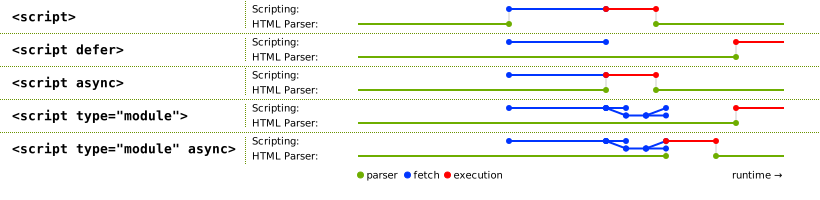
主要由于历史原因,这些属性的具体处理细节相当复杂,涉及 HTML 的多个方面。因此,实现要求不可避免地分散在规范各处。 下文
的算法描述了这一处理的核心,但这些算法与 HTML 中的 script 起始 和 结束 标签解析规则、 外来内容中的解析规则以及
XML 中的解析规则、 document.write() 方法的规则、 脚本的处理等相互引用。
使用 document.write()
方法插入时, script 元素 通常会
执行(通常会阻塞后续脚本执行或 HTML 解析)。使用
innerHTML 和 outerHTML 属性或 insertAdjacentHTML()
方法插入时,它们完全不会执行,除非 Trusted Types 默认策略的 createParserOptions 回调启用了脚本执行。
defer 属性可以与 async 属性同时指定,以使仅支持 defer (而不支持 async)的旧版 Web 浏览器回退到 defer 的行为,而非默认的阻塞行为。
blocking
属性是一个 阻塞属性.
crossorigin 属性是一个 CORS 设置属性。对于外部 经典脚本,它控制从其他 源获取脚本时是否公开错误信息。对于外部 模块脚本,它控制 凭据模式 ,该模式用于跨源情况下模块源代码的初始获取。对于 经典脚本 和 模块脚本,它控制
凭据模式 ,该模式用于跨源模块导入。
相较于 经典脚本, 模块脚本 在跨源获取时要求使用 CORS 协议 。
referrerpolicy 属性是一个 引用来源策略属性。它设置 引用来源策略 ,该策略用于外部脚本的初始获取,以及任何导入的模块脚本的获取。
[REFERRERPOLICY]
以下示例展示了 script
元素的引用来源策略用于获取导入的脚本、但不用于获取其他子资源的情况:
< script referrerpolicy = "origin" >
fetch( '/api/data' ); // not fetched with <script>'s referrer policy
import ( './utils.mjs' ); // is fetched with <script>'s referrer policy ("origin" in this case)
</ script > integrity
属性设置 完整性元数据
,这些元数据用于外部脚本的初始获取。其值必须符合 integrity 属性的要求. [SRI]
fetchpriority 属性是一个 获取优先级属性。它设置 优先级 ,该优先级用于外部脚本的初始获取。
动态更改这些属性中的任意一个都没有直接效果;这些属性只会在特定时机使用,具体时机见 处理模型.
针对 script
元素的 Trusted Types 处理仍主要定义于 Trusted Types中,且尚未涵盖实现应执行的所有行为。参见 w3c/trusted-types#507.
[TRUSTED-TYPES]
src
的获取器步骤如下:
令 attribute 为执行以下操作的结果: 按命名空间和局部名称获取属性 ,给定 null、 src的 局部名称和 this.
如果 attribute 为 null,则返回空字符串。
令 urlString 为执行以下操作的结果: 对 URL 进行编码解析并序列化 ,给定 attribute的 值,相对于 this的 节点文档.
如果 urlString 不是失败,则返回 urlString.
返回 attribute的 值, (转换为标量值字符串).
src 的设置器步骤如下:
令 compliantScriptURL 为调用 获取符合可信类型要求的字符串
算法的结果,参数为 TrustedScriptURL,
this的
相关全局对象、给定值、"HTMLScriptElement src"和"script".
crossOrigin IDL 属性必须 反映
crossorigin
内容属性,且 仅限于已知值.
HTMLScriptElement/referrerPolicy
所有当前引擎均支持。
referrerPolicy IDL 属性必须
反映 referrerpolicy
内容属性,且 仅限于已知值.
fetchPriority IDL 属性必须
反映 fetchpriority
内容属性,且 仅限于已知值.
async 的设置器步骤如下:
script.text [ = value ]
返回元素的 子节点文本内容 。
script.text = value
将元素的子节点替换为以下值给出的文本: value.
HTMLScriptElement.supports(type)如果给定的 type 是用户代理支持的脚本类型,则返回 true。本规范中可能的脚本类型包括"classic",
"module"和"importmap",但将来可能会添加其他类型。
text 和 textContent IDL
属性是动态设置 script
元素文本的推荐方式,因为它们的设置器会检查给定值是否符合 Trusted Types. [TRUSTED-TYPES]
直接操作文本节点,则会在准备脚本时针对元素的 子节点文本内容
调用默认策略。( innerText
设置器也会检查给定值,但会将换行符替换为 br
元素,而这些元素不计入 子节点文本内容.)
innerText
的设置器步骤如下:
令 compliantScript 为调用 获取符合可信类型要求的字符串
算法的结果,参数为 TrustedScript,
this的 相关全局对象、给定值、"HTMLScriptElement innerText"和"script".
innerText
设置器将符合要求的字符串存储为 script
元素的 Trusted Types 脚本文本,但随后会将其中的所有换行符替换为 br 元素,因此元素的 子节点文本内容 不再匹配。参见 w3c/trusted-types#517.
textContent
的设置器步骤如下:
令 value 为给定值。
如果 value 为 null,则将 value 设为空字符串。
令 compliantScript 为调用 获取符合可信类型要求的字符串
算法的结果,参数为 TrustedScript,
this的 相关全局对象, value,
"HTMLScriptElement textContent"和"script".
text 的设置器步骤如下:
令 compliantScript 为调用 获取符合可信类型要求的字符串
算法的结果,参数为 TrustedScript,
this的 相关全局对象、给定值、"HTMLScriptElement text"和"script".
HTMLScriptElement/supports_static
所有当前引擎均支持。
静态 supports(type) 方法的步骤如下:
type 参数必须与这些值完全匹配;这里不会进行 ASCII
大小写不敏感 匹配。这与 type
内容属性值的处理方式以及
DOMTokenList的
supports()
方法的工作方式不同,但与 WorkerType 枚举一致,该枚举用于 Worker() 构造器。
此示例使用了两个 script
元素。一个嵌入了外部
经典脚本,另一个则包含一些数据,并将其用作 数据块.
< script src = "game-engine.js" ></ script >
< script type = "text/x-game-map" >
........ U......... e
o............ A.... e
..... A..... AAA.... e
. A.. AAA... AAAAA... e
</ script > 本例中的数据可由脚本用来生成电子游戏的地图。不过,这些数据不一定非得这样使用;地图数据可能实际上嵌入在页面标记的其他部分,而此处的数据块仅供网站的搜索引擎使用,帮助用户寻找具有特定特征的游戏地图。
以下示例展示了如何使用 script
元素定义一个供文档其他部分使用的函数,作为 经典脚本的一部分。它还展示了如何使用
script
元素在文档解析期间调用脚本,在本例中是为了初始化表单的输出。
< script >
function calculate( form) {
var price = 52000 ;
if ( form. elements. brakes. checked)
price += 1000 ;
if ( form. elements. radio. checked)
price += 2500 ;
if ( form. elements. turbo. checked)
price += 5000 ;
if ( form. elements. sticker. checked)
price += 250 ;
form. elements. result. value = price;
}
</ script >
< form name = "pricecalc" onsubmit = "return false" onchange = "calculate(this)" >
< fieldset >
< legend > Work out the price of your car</ legend >
< p > Base cost: £52000.</ p >
< p > Select additional options:</ p >
< ul >
< li >< label >< input type = checkbox name = brakes > Ceramic brakes (£1000)</ label ></ li >
< li >< label >< input type = checkbox name = radio > Satellite radio (£2500)</ label ></ li >
< li >< label >< input type = checkbox name = turbo > Turbo charger (£5000)</ label ></ li >
< li >< label >< input type = checkbox name = sticker > "XZ" sticker (£250)</ label ></ li >
</ ul >
< p > Total: £< output name = result ></ output ></ p >
</ fieldset >
< script >
calculate( document. forms. pricecalc);
</ script >
</ form > 以下示例展示了如何使用 script
元素包含一个外部 JavaScript
模块脚本.
< script type = "module" src = "app.mjs" ></ script > 该模块及其所有依赖项(通过源文件中的 JavaScript import 语句声明)都会被获取。当所形成的整个模块图已导入且文档已解析完毕时,
app.mjs 的内容将被求值。
此外,如果来自另一个 script
元素的代码,在同一 Window
中从 app.mjs 导入该模块(例如,通过 import
"./app.mjs";),则将导入同一个 JavaScript 模块脚本 ,也就是先前的 script 元素所创建的脚本。
此示例展示了如何为现代用户代理包含 JavaScript 模块脚本 ,并为较旧的用户代理包含 经典脚本 :
< script type = "module" src = "app.mjs" ></ script >
< script nomodule defer src = "classic-app-bundle.js" ></ script > 在支持 JavaScript
模块脚本的现代用户代理中, script 元素如果带有 nomodule 属性就会被忽略,而
script 元素如果其 type
为"module",就会被获取并求值(作为 JavaScript 模块脚本)。相反,对于较旧的用户代理, script 元素若其
type
为"module",就会被忽略,因为该脚本类型对它们来说是未知的;不过,它们可以正常获取并求值另一个
script 元素(作为 经典脚本),因为它们没有实现
nomodule 属性。
以下示例展示了如何使用 script
元素编写内联
JavaScript 模块脚本
,对文档文本进行多处替换,以提供更有趣的阅读体验(例如用于新闻网站):
[XKCD1288]
< script type = "module" >
import { walkAllTextNodeDescendants } from "./dom-utils.mjs" ;
const substitutions = new Map([
[ "witnesses" , "these dudes I know" ]
[ "allegedly" , "kinda probably" ]
[ "new study" , "Tumblr post" ]
[ "rebuild" , "avenge" ]
[ "space" , "spaaace" ]
[ "Google glass" , "Virtual Boy" ]
[ "smartphone" , "Pokédex" ]
[ "electric" , "atomic" ]
[ "Senator" , "Elf-Lord" ]
[ "car" , "cat" ]
[ "election" , "eating contest" ]
[ "Congressional leaders" , "river spirits" ]
[ "homeland security" , "Homestar Runner" ]
[ "could not be reached for comment" , "is guilty and everyone knows it" ]
]);
function substitute( textNode) {
for ( const [ before, after] of substitutions. entries()) {
textNode. data = textNode. data. replace( new RegExp( `\\b ${ before} \\b` , "ig" ), after);
}
}
walkAllTextNodeDescendants( document. body, substitute);
</ script > 使用 JavaScript 模块脚本可带来一些值得注意的特性,包括可以从其他 JavaScript 模块导入函数、默认启用严格模式,以及顶层声明不会在 全局对象上引入新属性。另请注意,无论这个 script
元素出现在文档的何处,它都只会在文档解析完成且其依赖项(dom-utils.mjs)已获取并求值之后才被求值。
以下示例展示了如何把 JSON 模块脚本 导入到 JavaScript 模块脚本:
< script type = "module" >
import peopleInSpace from "http://api.open-notify.org/astros.json" with { type: "json" };
const list = document. querySelector( "#people-in-space" );
for ( const { craft, name } of peopleInSpace. people) {
const li = document. createElement( "li" );
li. textContent = ` ${ name} / ${ craft} ` ;
list. append( li);
}
</ script > 模块脚本的 MIME 类型检查是严格的。要成功获取 JSON
模块脚本 ,HTTP 响应必须具有 JSON MIME 类型,例如
Content-Type: text/json。另一方面,如果语句中的 with { type: "json" } 部分被省略,则会假定其意图是导入 JavaScript 模块脚本;如果 HTTP
响应的 MIME 类型不符合下列类型,获取就会失败: JavaScript
MIME 类型.
script 元素有几项关联状态。
script 元素有一个 解析器文档,其值为 null 或一个
Document,初始为 null。该状态由 HTML 解析器 和
XML 解析器 设置在其插入的 script 元素上,并影响这些元素的处理。
script 元素如果其 解析器文档 非 null,就称为 由解析器插入.
script 元素有一个 准备时文档,其值为 null 或一个 Document,初始为 null。它用于防止在 准备 期间被移到另一文档的脚本 执行.
script 元素具有预期文档,其值为 null 或 Document,初始为 null。HTML 解析器和XML 解析器在所插入的 script 元素上设置它,以跟踪脚本预期执行所在的 Document,防止元素在解析器准备它之前被移到其他文档时执行。准备元素时,它会重置为 null。
script 元素具有强制异步布尔值,初始为 true。HTML 解析器和XML 解析器会在其插入的 script 元素上将它设置为 false;为元素添加 async 内容属性时也会如此。
script 元素有一个 来自外部文件 布尔值,初始为 false。该值在脚本 准备时,根据元素当时的 src
属性来确定。
script 元素有一个 已可由解析器执行 布尔值,初始为 false。它仅用于同时为 由解析器插入的元素,让解析器知道何时执行脚本。
script 元素有一个
已经开始 布尔值,初始为 false。
script 元素有一个
正在延迟加载事件 布尔值,初始为 false。
script 元素有一个
类型,其值为 null、"classic", "module",
"importmap"或"speculationrules",初始为 null。该值在元素 准备时,根据元素当时的 type 属性来确定。
script 元素有一个 结果,其值为"uninitialized"、null(表示错误)、一个 脚本、一个 导入映射解析结果或一个
推测规则解析结果。其初始值为"uninitialized".
script 元素有一组 结果就绪时运行的步骤,其值为一系列步骤或 null,初始为 null。要为一个元素执行 标记为就绪 操作,其中该
script 元素为
el ,给定 result:
将 el的 结果 设为 result.
如果 el的 结果就绪时运行的步骤 不为 null,则运行这些步骤。
将 el的 结果就绪时运行的步骤 设为 null。
将 el的 正在延迟加载事件 设为 false。
script HTML
元素连接后步骤,给定
insertedNode,如下:
HTML 元素连接后步骤 仅当插入的元素仍处于 已连接状态时才运行,这可以防范先插入的
script 移除后插入的
script的情况。例如:
< script >
const script1 = document. createElement( 'script' );
script1. innerText = `
document.querySelector('#script2').remove();
` ;
const script2 = document. createElement( 'script' );
script2. id = 'script2' ;
script2. textContent = `console.log('script#2 running')` ;
document. body. append( script1, script2);
</ script > 在此示例中,控制台不会输出任何内容。当 HTML 元素连接后步骤 为第一个 script
运行时(该元素由以下调用以原子方式插入: append()),它可以观察到第二个
script 已连接 到 DOM,并将其从 DOM 中移除。由于第二个 script 不再处于 已连接状态,其 HTML 元素连接后步骤 不会运行,该元素也不会进行 准备.
script HTML 元素移除步骤 ,给定
removedNode
如下:
这对 script
元素及任何新插入的子 script
元素的执行顺序有一个有趣的影响。请看以下代码片段:
< script id = outer-script ></ script >
< script >
const outerScript = document. querySelector( '#outer-script' );
const start = new Text( 'console.log(1);' );
const innerScript = document. createElement( 'script' );
innerScript. textContent = `console.log('inner script executing')` ;
const end = new Text( 'console.log(2);' );
outerScript. append( start, innerScript, end);
// Logs:
// 1
// 2
// inner script executing
</ script > 第二个脚本块执行时, outer-script 已经过 准备,但由于它为空,因此未执行,也就没有被标记为 已经开始。以原子方式插入 Text
节点和嵌套的 script
元素,会产生以下效果:
以下 属性变更步骤,给定 element, localName,
oldValue,
value和 namespace,适用于所有 script 元素:
如果 namespace 不为 null,则返回。
如果 localName 为 src, value
不为 null,且 element 处于 已连接状态,则运行 script
HTML 元素连接后步骤,给定 element.
要 准备脚本元素 ,给定一个 script
元素 el:
如果 el的 已经开始 为 true,则返回。
令 parser document 为 el的 解析器文档.
将 el的 解析器文档 设为 null。
这样做是为了:如果由解析器插入的 script
元素在解析器尝试运行它们时未能运行,例如因为它们为空或指定了不受支持的脚本语言,其他脚本随后仍可修改它们,使它们再次运行。
令 intendedDocument 为 el 的预期文档。
将 el 的预期文档设置为 null。
如果 parser document 非 null,且 el 没有 async 属性,则将
el的 强制异步 设为
true。
这样做是为了:如果由解析器插入的 script
元素在解析器尝试运行它时未能运行,但随后因脚本动态更新它而执行,那么即使没有设置 async
属性,它也会以异步方式执行。
令 source text 为 el的 子节点文本内容.
如果 el 没有 src 属性,且 source
text 为空字符串,则返回。
如果 el 不处于 已连接状态,则返回。
如果以下任一条件为 true:
el 具有 type 属性,且其值为空字符串;
则令 the script block's type string (用于此 script
元素)为"text/javascript".
否则,如果 el 具有 type 属性,则令 the
script block's type string 为该属性的值。
否则, el 具有非空的 language
属性;令 the script block's type string 为"text/"与以下值的拼接结果: el的 language 属性。
如果 the script block's type string 为一个 JavaScript MIME 类型本质匹配,或者 el 具有 type 属性,且该属性的值在 去除首尾 ASCII 空白符 后为一个 JavaScript MIME 类型本质匹配,则将
el的 类型
设为"classic".
否则,如果 the script block's type string 为按 ASCII
大小写不敏感 方式匹配以下字符串的值:"module",则将
el的 类型
设为"module".
否则,如果 the script block's type string 为按 ASCII
大小写不敏感 方式匹配以下字符串的值:"importmap",则将
el的 类型
设为"importmap".
否则,如果 the script block's type string 为按 ASCII
大小写不敏感 方式匹配以下字符串的值:"speculationrules",则将
el的 类型
设为"speculationrules".
否则,返回。(不执行任何脚本,并且 el的 类型 保持为 null。)
如果 parser document 非 null,则将 el的 解析器文档 设回 parser document ,并将 el的 强制异步 设为 false。
将 el的 已经开始 设为 true。
如果 intendedDocument 不为 null,且 intendedDocument 不是 el 的准备时文档,则返回。
如果 脚本功能已禁用 ,对于 el,则返回。
脚本功能已禁用
的定义意味着,以下脚本均不会执行(此外还有其他情形):位于
XMLHttpRequest的
responseXML
文档中的脚本、位于 DOMParser所创建文档中的脚本、位于文档中的脚本(该文档由
XSLTProcessor的 transformToDocument
功能创建),以及由脚本首次插入到 Document
中的脚本,而该文档通过以下 API 创建:
createDocument()
。 [XHR]
[DOMPARSING] [XSLTP] [DOM]
令 cspType 为"script speculationrules",如果
el的 类型
为"speculationrules";否则为"script".
如果 el 没有 src 内容属性,并且 元素的内联行为是否应被内容安全策略阻止?
算法返回"Blocked"(给定 el, cspType和 source
text),则返回。 [CSP]
如果 el 具有 event 属性和 for 属性,且 el的
类型
为"classic":
令 for 为以下属性的值: el的 for 属性。
令 event 为以下属性的值: el的 event 属性。
去除首尾 ASCII 空白符 ,目标为 event 和 for.
如果 for 不是按 ASCII 大小写不敏感 方式匹配以下字符串的值:"window",则返回。
如果 event 不是按 ASCII 大小写不敏感
方式匹配以下任一字符串的值:"onload"或"onload()",则返回。
如果 el 具有 charset 属性,则令
encoding 为执行以下操作的结果: 获取编码
,根据以下属性的值:
charset 属性。
如果 el 没有 charset
属性,或如果 获取编码
失败,则令 encoding 为
el的 节点文档的 编码.
如果 el的 类型 为"module",则忽略此编码。
令 classic script CORS setting 为以下内容属性的当前状态: el的 crossorigin
内容属性。
令 module script credentials mode 为 CORS 设置属性凭据模式 ,对应于 el的
crossorigin
内容属性。
令 cryptographic nonce 为 el的 [[CryptographicNonce]] 内部槽的值。
如果 el 具有 integrity
属性,则令 integrity metadata 为该属性的值。
否则,令 integrity metadata 为空字符串。
令 referrer policy 为以下内容属性的当前状态: el的 referrerpolicy
内容属性。
令 fetch priority 为以下内容属性的当前状态: el的 fetchpriority
内容属性。
令 parser metadata 为"parser-inserted",如果
el 为 由解析器插入,否则为"not-parser-inserted"。
令 options 为一组 脚本获取选项 ,其 加密随机数 为 cryptographic nonce, 完整性元数据 为 integrity metadata, 解析器元数据 为 parser metadata, 凭据模式 为 module script credentials mode, 引用来源策略 为 referrer policy,且 获取优先级 为 fetch priority.
如果 el 具有 src 内容属性:
如果 el的 类型
为"importmap"或"speculationrules",则 将元素任务入队 ,使用 DOM
操作任务源 ,给定 el ,以
触发事件 ,事件名为 error ,目标为
el,然后返回。
目前不支持外部导入映射和推测规则。参见 WICG/import-maps 议题 #235 和 WICG/nav-speculation 议题 #348 中有关添加支持的讨论。
令 src 为以下属性的值: el的 src 属性。
如果 src 为空字符串,则 将元素任务入队 ,使用
DOM
操作任务源 ,给定 el ,以 触发事件 ,事件名为
error
,目标为 el,然后返回。
将 el的 来自外部文件 设为 true。
令 url 为执行以下操作的结果: 对 URL 进行编码解析 ,给定 src,相对于 el的 节点文档.
如果 url 为失败,则 将元素任务入队 ,使用 DOM
操作任务源 ,给定 el ,以 触发事件 ,事件名为
error ,目标为
el,然后返回。
将 el的 正在延迟加载事件 设为 true。
令 onComplete 为接收以下参数的步骤: result ;步骤内容如下:
将以下元素标记为就绪: el ,给定 result.
根据以下值分情况处理: el的 类型:
classic"获取经典脚本 ,给定 url, settings object, options, classic script CORS setting, encoding和 onComplete.
module"如果 el 没有 integrity
属性,则将 options的 完整性元数据 设为执行以下操作的结果:
解析模块完整性元数据 ,使用 url
和 settings
object.
获取外部模块脚本图 ,给定 url, settings object, options和 onComplete.
出于性能方面的考虑,用户代理也可以在 src
属性一经设置时,就开始获取上述经典脚本或模块图,预期 el 随后会变为已连接(并且 crossorigin
属性的值在此期间不会更改)。无论采用哪种方式,一旦 el 变为已连接,加载都必须已按此步骤所述的方式开始。如果用户代理执行了此类预获取,但
el
始终未变为已连接,或者 src
属性被动态更改,或者 crossorigin
属性被动态更改,那么用户代理将不会执行这样获取的脚本,这次获取过程实际上就白费了。
如果 el 没有 src 内容属性:
根据以下值分情况处理: el的 类型:
classic"令 script 为执行以下操作的结果: 创建经典脚本 ,使用 source text, settings object, base URL和 options.
将以下元素标记为就绪: el ,给定 script.
module"importmap"令 result 为执行以下操作的结果: 创建导入映射解析结果 ,给定 source text 和 base URL.
将以下元素标记为就绪: el ,给定 result.
speculationrules"令 result 为执行以下操作的结果: 创建推测规则解析结果 ,给定 source text 和 el的 节点文档.
将以下元素标记为就绪: el ,给定 result.
如果 el的 类型
为"classic",且 el 具有 src
属性,或者 el的 类型
为"module":
如果 el 具有 async 属性,或者
el的 强制异步 为
true:
令 scripts 为 el的 准备时文档的 将尽快执行的脚本集合.
追加 el 到 scripts.
将 el的 结果就绪时运行的步骤 设为以下步骤:
否则,如果 el 不是 由解析器插入:
令 scripts 为 el的 准备时文档的 将尽快按顺序执行的脚本列表.
追加 el 到 scripts.
将 el的 结果就绪时运行的步骤 设为以下步骤:
否则,如果 el 具有
defer 属性,或者
el的 类型
为"module":
追加 el 到其 解析器文档的 将在文档解析完成后执行的脚本列表.
将 el的 结果就绪时运行的步骤 设为以下步骤:将 el的 已可由解析器执行 设为 true。(解析器将负责执行脚本。)
否则:
将 el的 解析器文档的 待处理的解析阻塞脚本 设为 el.
阻塞渲染 ,针对 el.
将 el的 结果就绪时运行的步骤 设为以下步骤:将 el的 已可由解析器执行 设为 true。(解析器将负责执行脚本。)
否则:
每个 Document 具有 待处理的解析阻塞脚本,其值为一个
script 元素或
null,初始为 null。
每个 Document 具有 将尽快执行的脚本集合,其值为一个 集合
,其中包含 script
元素,初始为空。
每个 Document 具有 将尽快按顺序执行的脚本列表,其值为一个 列表 ,其中包含
script 元素,初始为空。
每个 Document 具有 将在文档解析完成后执行的脚本列表,其值为一个 列表 ,其中包含
script 元素,初始为空。
如果一个 script
元素阻塞着解析器,并且在正常情况下停止阻塞该解析器之前被移到另一个
Document
,它仍会继续阻塞该解析器,直到导致它阻塞解析器的条件不再成立。例如,脚本是一个 待处理的解析阻塞脚本 ,原因是原始 Document 具有阻塞脚本的样式表
(在解析该脚本时);但该脚本随后在这些阻塞样式表加载完成之前被移到另一个 Document
,那么该脚本仍会阻塞解析器,直到所有样式表均已加载。届时脚本会执行,而解析器也会解除阻塞。
要 执行脚本元素 ,给定一个
script 元素
el:
令 document 为 el的 节点文档.
如果 el的 准备时文档 不等于 document,则返回。
解除渲染阻塞 ,针对 el.
如果 el的 来自外部文件 为 true,或者 el的 类型
为"module",则递增 document的 忽略破坏性写入计数器.
根据以下值分情况处理: el的 类型:
classic"令 oldCurrentScript 为以下对象最近一次被设置的值: document的 currentScript
对象。
如果 el的 根 不是 一个 影子根,则将 document的 currentScript
属性设为 el。否则,将其设为 null。
此处不使用 位于文档树中 这一检查,因为
el 可能在执行前已从文档中移除,而在这种情况下, currentScript
仍需要指向它。
将 document的 currentScript
属性设为
oldCurrentScript.
module"断言: document的 currentScript
属性为 null。
importmap"speculationrules"递减 忽略破坏性写入计数器 ,所属文档为 document,前提是先前步骤曾递增此计数器。
用户代理不必支持 JavaScript。如果出现 JavaScript 之外的语言,并且获得了 Web 浏览器同样广泛的采用,则需要更新本标准。在此之前,鉴于本标准为 script
元素定义的处理模型,实现其他语言与本标准相冲突。
服务器应使用 text/javascript 来提供
JavaScript 资源,这遵循
《ECMAScript 媒体类型更新》。服务器不应使用其他
JavaScript MIME 类型 来提供 JavaScript 资源,而且不得使用非JavaScript MIME 类型.
[RFC9239]
对于外部 JavaScript 资源,`Content-Type`
标头中的 MIME 类型参数通常会被忽略。(在某些情况下,`charset` 参数会起作用。)但是,对于 script 元素的 type 属性,这些参数具有实际意义;此属性使用 JavaScript MIME 类型本质匹配 这一概念。
例如,若脚本的 type
属性设为"text/javascript; charset=utf-8",则不会对该脚本求值,尽管该值在解析后是有效的 JavaScript MIME 类型 。
此外,同样对于外部 JavaScript 资源,处理 `Content-Type` 标头时还有特别的注意事项,详见 准备脚本元素 算法和
Fetch. [FETCH]
script
元素内容的限制要避免本节所述的那些相当奇特的限制,最简单、最安全的方法是:当这些序列出现在脚本的字面文本中(例如字符串、正则表达式或注释中)时,始终将与以下序列按 ASCII
大小写不敏感方式匹配的内容进行转义:将"<!--"转义为"\x3C!--",
"<script"转义为"\x3Cscript",将"</script"转义为"\x3C/script";同时避免编写在表达式中使用此类构造的代码。这样就能避免本节这些限制容易引发的陷阱:由于历史原因,HTML
中
script
块的解析是一种奇特且反常的做法,在遇到这些序列时,其行为不符合直觉。
script
元素的 后代文本内容 必须匹配下列 ABNF 中的 script 产生式;该 ABNF 的字符集为 Unicode。
[ABNF]
script = outer * ( comment-open inner comment-close outer )
outer = < any string that doesn 't contain a substring that matches not-in-outer >
not-in-outer = comment-open
inner = < any string that doesn 't contain a substring that matches not-in-inner >
not-in-inner = comment-close / script-open
comment-open = "<!--"
comment-close = "-->"
script-open = "<" s c r i p t tag-end
s = %x0053 ; U+0053 LATIN CAPITAL LETTER S
s =/ %x0073 ; U+0073 LATIN SMALL LETTER S
c = %x0043 ; U+0043 LATIN CAPITAL LETTER C
c =/ %x0063 ; U+0063 LATIN SMALL LETTER C
r = %x0052 ; U+0052 LATIN CAPITAL LETTER R
r =/ %x0072 ; U+0072 LATIN SMALL LETTER R
i = %x0049 ; U+0049 LATIN CAPITAL LETTER I
i =/ %x0069 ; U+0069 LATIN SMALL LETTER I
p = %x0050 ; U+0050 LATIN CAPITAL LETTER P
p =/ %x0070 ; U+0070 LATIN SMALL LETTER P
t = %x0054 ; U+0054 LATIN CAPITAL LETTER T
t =/ %x0074 ; U+0074 LATIN SMALL LETTER T
tag-end = %x0009 ; U+0009 CHARACTER TABULATION (tab)
tag-end =/ %x000A ; U+000A LINE FEED (LF)
tag-end =/ %x000C ; U+000C FORM FEED (FF)
tag-end =/ %x0020 ; U+0020 SPACE
tag-end =/ %x002F ; U+002F SOLIDUS (/)
tag-end =/ %x003E ; U+003E GREATER-THAN SIGN (>) 当 script
元素包含 脚本文档说明时,其内容还受到进一步限制,详见下一节。
以下脚本说明了这个问题。假设有一个脚本包含如下字符串:
const example = 'Consider this string: <!-- <script>' ;
console. log( example); 如果将这个字符串直接放入 script
块,就会违反上述限制:
< script >
const example = 'Consider this string: <!-- <script>' ;
console. log( example);
</ script > 然而,更大的问题,也是它违反这些限制的原因,是脚本实际上会以奇怪的方式被解析:
上面的脚本块没有终止。也就是说,这段代码中看似"</script>"结束标签的部分,实际上仍属于 script
块。脚本不会执行,因为它没有终止;如果它以某种方式执行了(例如标记如下所示时就可能发生),它也会失败,因为该脚本(此处高亮显示)不是有效的 JavaScript:
< script >
const example = 'Consider this string: <!-- <script>' ;
console. log( example);
</ script >
<!-- despite appearances, this is actually part of the script still! -->
< script >
... // this is the same script block still...
</ script > 这里的原因是:出于历史兼容性考虑,字符串"<!--"和"<script"在 HTML 的 script
元素中必须保持配对平衡,解析器才会考虑关闭该块。
按本节开头所述对这些有问题的字符串进行转义,即可彻底避免该问题:
< script >
// Note: `\x3C` is an escape sequence for `<`.
const example = 'Consider this string: \x3C!-- \x3Cscript>' ;
console. log( example);
</ script >
<!-- this is just a comment between script blocks -->
< script >
... // this is a new script block
</ script > 这些序列也可能自然出现在脚本表达式中,如下例所示:
if ( x<!-- y) { ... }
if ( player< script ) { ... } 在这种情况下,不能对这些字符进行转义,但可以改写表达式,使这些序列不再出现,例如:
if ( x < !-- y) { ... }
if ( !-- y > x) { ... }
if ( ! ( -- y) > x) { ... }
if ( player < script) { ... }
if ( script > player) { ... } 这样做还能避免另一种陷阱:由于相关的历史原因,字符串"<!--"在 经典脚本 中实际上会被视为行注释的开头,就像"//"一样。
如果 script
元素的 src
属性已指定,那么 script
元素的内容(如果有)必须使 text IDL
属性的值(由该元素的内容得到)匹配下列 ABNF 中的 documentation 产生式;该 ABNF 的字符集为 Unicode。 [ABNF]
documentation = * ( * ( space / tab / comment ) [ line-comment ] newline )
comment = slash star * ( not-star / star not-slash ) 1* star slash
line-comment = slash slash * not-newline
; characters
tab = %x0009 ; U+0009 CHARACTER TABULATION (tab)
newline = %x000A ; U+000A LINE FEED (LF)
space = %x0020 ; U+0020 SPACE
star = %x002A ; U+002A ASTERISK (*)
slash = %x002F ; U+002F SOLIDUS (/)
not-newline = %x0000-0009 / %x000B-10FFFF
; a scalar value other than U+000A LINE FEED (LF)
not-star = %x0000-0029 / %x002B-10FFFF
; a scalar value other than U+002A ASTERISK (*)
not-slash = %x0000-002E / %x0030-10FFFF
; a scalar value other than U+002F SOLIDUS (/) 这相当于将元素的内容放在 JavaScript 注释中。
除先前针对 script
元素内容语法的限制之外,还须满足此要求。
这允许作者在引用外部脚本文件的同时,在文档中包含说明,例如许可证信息或 API 信息。对语法加以限制,是为了防止作者在提供
src
属性时,意外包含看似有效的脚本。
< script src = "cool-effects.js" >
// create new instances using:
// var e = new Effect();
// start the effect using .play, stop using .stop:
// e.play();
// e.stop();
</ script > script 元素与 XSLT 的交互避免在浏览器中使用客户端 XSLT。浏览器的 XSLT 实现极易受到内存安全漏洞的影响,而 Web 平台已经发展为采用 JavaScript 作为安全的替代方案。出于这些原因,Web 平台正在逐步移除这一功能。(这是一个需要多年的漫长过程。)
本节为非规范性内容。
本规范未定义 XSLT 如何与 script
元素交互。不过,在尚无其他规范实际定义此行为的情况下,以下根据现有实现,为实现者提供一些指导:
当 XSLT 转换程序由 <?xml-stylesheet?> 处理指令触发且浏览器实现了直接生成 DOM 的转换时,XSLT 处理器创建的 script 元素需要正确设置其解析器文档和预期文档,并在转换过程中立即按文档顺序运行(标记为 defer 或 async 的脚本除外)。
XSLTProcessor transformToDocument()
方法将元素添加到 Document 对象中,该对象具有值为 null 的 浏览上下文;因此,它创建的任何 script 元素都需要将其 已经开始 设为 true,这发生在 准备脚本元素
算法中,并且这些元素永远不会执行(脚本功能已禁用)。不过,这样的 script 元素仍需要设置其 解析器文档 ,这样它们的 async IDL 属性就会在未提供以下属性时返回 false:
async
内容属性。
XSLTProcessor transformToFragment()
方法需要创建一个片段,该片段等同于通过 document.createElementNS()手动创建元素而构建的片段。例如,它需要创建
script 元素,且其 解析器文档 为 null,其
已经开始 设为 false,以便在片段插入文档时执行这些元素。
前两种情况与最后一种情况之间的主要区别在于:前两种情况操作的是 Document,而最后一种情况操作的是片段。
noscript 元素所有当前引擎均支持。
head 元素中,所在文档为 HTML 文档,且本元素没有祖先 noscript 元素。noscript 元素。select 元素或 optgroup
元素的后代,且本元素没有祖先 noscript 元素。head 元素中:任意顺序的零个或多个 link 元素、零个或多个 style 元素以及零个或多个 meta 元素。head 元素中: 透明,但不得有 noscript 元素后代。HTMLElement. noscript 元素不 表示 任何内容( 脚本功能已启用时);它 表示 其子节点(
脚本功能已禁用时)。它通过影响文档的解析方式,为支持脚本执行和不支持脚本执行的用户代理呈现不同的标记。
用于 HTML 文档时,允许的内容模型如下:
head 元素中,且 脚本功能已禁用 (对该 noscript 元素而言)head 元素中,且 脚本功能已启用
(对该 noscript
元素而言)noscript 元素必须只包含文本,但以 noscript 元素作为 target、文本内容作为 input 调用HTML 片段解析算法时,必须得到一个节点列表,其中只包含在作为 noscript 元素子元素时符合要求的 link、style 和 meta 元素,且没有解析错误。
head 元素之外,且 脚本功能已禁用 (对该 noscript 元素而言) noscript
元素的内容模型为 透明,还有一个额外限制: noscript 元素不得以
noscript
元素为祖先(也就是说, noscript 不能嵌套)。
head 元素之外,且 脚本功能已启用 (对该 noscript 元素而言) noscript
元素只能包含文本,但该文本必须使下列算法生成一个符合要求的文档,其中没有
noscript
元素,也没有 script
元素,且算法中的任何步骤均不得抛出异常或导致 HTML 解析器 报告 解析错误:
这些迂回处理之所以必要,是因为历史原因,HTML 解析器会根据调用解析器时脚本功能被禁用与否,以不同方式处理 noscript 元素。
noscript 元素仅在 HTML 语法中有效,在 XML 语法中没有作用。这是因为它的工作方式实质上是在启用脚本时“关闭”解析器,使元素的内容被视为纯文本而非真正的元素。XML
没有定义实现这一点的机制。
noscript
元素没有其他要求。特别是,
noscript
元素的子节点不会免于 表单提交、脚本执行等处理,即使该元素 脚本功能已启用 也是如此。
在以下示例中, noscript
元素用于为脚本提供回退内容。
< form action = "calcSquare.php" >
< p >
< label for = x > Number</ label > :
< input id = "x" name = "x" type = "number" >
</ p >
< script >
var x = document. getElementById( 'x' );
var output = document. createElement( 'p' );
output. textContent = 'Type a number; it will be squared right then!' ;
x. form. appendChild( output);
x. form. onsubmit = function () { return false ; }
x. oninput = function () {
var v = x. valueAsNumber;
output. textContent = v + ' squared is ' + v * v;
};
</ script >
< noscript >
< input type = submit value = "Calculate Square" >
</ noscript >
</ form > 禁用脚本时,会显示一个按钮,以便在服务器端进行计算。启用脚本时,则即时计算该值。
noscript
元素是一种粗略的工具。有时即使启用了脚本,页面的脚本仍可能因某种原因而失败。因此,通常最好避免使用 noscript,而是将脚本设计为即时将页面从不含脚本的页面转变为由脚本增强的页面,如下一个示例所示:
< form action = "calcSquare.php" >
< p >
< label for = x > Number</ label > :
< input id = "x" name = "x" type = "number" >
</ p >
< input id = "submit" type = submit value = "Calculate Square" >
< script >
var x = document. getElementById( 'x' );
var output = document. createElement( 'p' );
output. textContent = 'Type a number; it will be squared right then!' ;
x. form. appendChild( output);
x. form. onsubmit = function () { return false ; }
x. oninput = function () {
var v = x. valueAsNumber;
output. textContent = v + ' squared is ' + v * v;
};
var submit = document. getElementById( 'submit' );
submit. parentNode. removeChild( submit);
</ script >
</ form > template 元素所有当前引擎均支持。
所有当前引擎均支持。
colgroup
元素的子节点,且该元素没有 span 属性。
for — 更新现有内容
shadowrootmode
— 启用流式声明式影子根
shadowrootdelegatesfocus
— 设置声明式影子根的 委托焦点 状态
shadowrootserializable
— 设置声明式影子根的 可序列化 状态
shadowrootslotassignment
— 设置声明式影子根的 槽位分配 模式
shadowrootclonable
— 设置声明式影子根的 可克隆 状态
shadowrootcustomelementregistry
— 允许声明式影子根表明其将使用自定义元素注册表
[Exposed =Window ]
interface HTMLTemplateElement : HTMLElement {
[HTMLConstructor ] constructor ();
readonly attribute DocumentFragment content ;
[CEReactions , Reflect="for"] attribute DOMString htmlFor ;
[CEReactions ] attribute DOMString shadowRootMode ;
[CEReactions , Reflect ] attribute boolean shadowRootDelegatesFocus ;
[CEReactions , Reflect ] attribute boolean shadowRootSerializable ;
[CEReactions ] attribute DOMString shadowRootSlotAssignment ;
[CEReactions , Reflect ] attribute boolean shadowRootClonable ;
[CEReactions , Reflect ] attribute DOMString shadowRootCustomElementRegistry ;
}; template 元素用于声明
HTML 片段,脚本可以克隆这些片段并将其插入文档。
for 内容属性标识一个
ProcessingInstruction
,它标记要插入内容的位置(<?marker>)或要替换的范围的起点(<?start>)。如果指定了此属性,则其值必须等于 name
属性的值,该属性属于一个 <?marker> 或 <?start>
ProcessingInstruction
,其所在的 树 必须同时包含该 template
元素。
shadowrootmode 内容属性是一个
枚举属性 ,具有以下关键字和状态:
| 关键字 | 状态 | 简要说明 |
|---|---|---|
open
|
开放 | template 元素表示一个开放的声明式影子根。 |
closed
|
封闭 | template 元素表示一个封闭的声明式影子根。 |
shadowrootmode
属性的 无效值默认状态 和 缺失值默认状态 均为 无 状态。
shadowrootdelegatesfocus 内容属性是一个 布尔属性.
shadowrootserializable 内容属性是一个 布尔属性.
shadowrootslotassignment 内容属性是一个 枚举属性 ,具有以下关键字和状态:
| 关键字 | 状态 | 简要说明 |
|---|---|---|
named
|
命名 | 声明式影子根使用命名槽位分配。 |
manual
|
手动 | 声明式影子根使用手动槽位分配。 |
shadowrootslotassignment
属性的 无效值默认状态 和 缺失值默认状态 均为 命名 状态。
shadowrootclonable 内容属性是一个
布尔属性.
shadowrootcustomelementregistry
内容属性是一个 布尔属性.
所谓 模板内容 (属于 template 元素) 并非该元素本身的子节点.
DOM 操作也可能使 template
元素包含 Text
节点和元素节点;然而,只要包含这些节点,就会违反 template
元素的内容模型,因为它的内容模型被定义为 无内容.
例如,考虑以下文档:
<!doctype html>
< html lang = "en" >
< head >
< title > Homework</ title >
< body >
< template id = "template" >< p > Smile!</ p ></ template >
< script >
let num = 3 ;
const fragment = document. getElementById( 'template' ). content. cloneNode( true );
while ( num-- > 1 ) {
fragment. firstChild. before( fragment. firstChild. cloneNode( true ));
fragment. firstChild. textContent += fragment. lastChild. textContent;
}
document. body. appendChild( fragment);
</ script >
</ html > p 元素位于 template 中,它
并非 该
template 在 DOM
中的子节点;它是一个 DocumentFragment
的子节点,该对象由 template 元素的 content IDL 属性返回。
如果脚本调用 appendChild()
,作用于该
template
元素,就会向该 template
元素添加一个子节点(与任何其他元素一样);然而,这样做会违反 template 元素的内容模型。
template.content
所有当前引擎均支持。
返回 模板内容 (一个 DocumentFragment).
每个 template
元素都有一个关联的 DocumentFragment
对象,该对象就是它的 模板内容。 模板内容 没有符合性要求。创建 template
元素时,用户代理必须运行以下步骤以建立 模板内容:
令 document 为 template 元素的 节点文档的 适当的模板内容所有者文档.
创建一个 DocumentFragment
对象,其 节点文档 为
document , 宿主 为该
template
元素。
将 template
元素的 模板内容 设为新创建的 DocumentFragment
对象。
每个 template
元素都有一个关联的
Element或DocumentFragment或
null 的 插入目标,初始为 null。
每个 template
元素都有一个关联的 ProcessingInstruction或
null 的
插入起始标记 和 插入结束标记,初始均为 null。
收养步骤
(以 node 和 oldDocument 为参数)针对 template 元素定义如下:
令 document 为 node的 节点文档的 适当的模板内容所有者文档.
将 node的
模板内容 (一个 DocumentFragment
对象) 收养到
document.
shadowRootMode IDL 属性必须
反映 shadowrootmode
内容属性,且 仅限于已知值.
shadowRootSlotAssignment IDL 属性必须 反映 shadowrootslotassignment
内容属性,且
仅限于已知值.
shadowRootCustomElementRegistry IDL 属性有意不使用布尔类型,以便将来扩展。
要 准备内容修补 ,给定一个 Element
或
DocumentFragment
scope 和一个 template 元素
template:
令 markerName 为 template的 for 属性的值。
如果 markerName 为空字符串,则返回 false。
令 (start, end) 为以下结果: 查找标记 ,给定 scope 和 markerName.
如果 start 为 null,则返回 false。
将 template的 插入起始标记 设为 start.
将 template的 插入结束标记 设为 end.
如果 start 为 end,则返回 true。
令 removedNodes 为一个空 列表.
令 currentNode 为 start的 下一个兄弟节点.
当 currentNode 不为 null 时:
对于每一个 node ,取自 removedNodes:
返回 true。
要 查找标记 ,给定一个节点 scope 和一个字符串 name:
对于每一个 descendant ,取自 scope的 后代,按 树顺序:
如果 descendant 不是一个 ProcessingInstruction
节点,则
继续.
如果 descendant的 目标 为
"marker",则返回 (descendant, descendant).
如果 descendant的 目标 为
"start":
令 start 为 descendant.
令 nestingLevel 为 0。
令 sibling 为 start的 下一个兄弟节点.
当 sibling 不为 null 时:
如果 sibling 是一个 ProcessingInstruction
节点:
将 sibling 设为 sibling的 下一个兄弟节点.
返回 (start, null)。
未找到匹配的 <?end> ,这会被解释为从 start 到其父节点末尾的范围。
返回(null,null)。
在此示例中,脚本使用来自某个数据结构的数据填充一个四列表格,并使用 template
提供元素结构,而不是根据标记手动生成结构。
<!DOCTYPE html>
< html lang = 'en' >
< title > Cat data</ title >
< script >
// Data is hard-coded here, but could come from the server
var data = [
{ name: 'Pillar' , color: 'Ticked Tabby' , sex: 'Female (neutered)' , legs: 3 },
{ name: 'Hedral' , color: 'Tuxedo' , sex: 'Male (neutered)' , legs: 4 },
];
</ script >
< table >
< thead >
< tr >
< th > Name < th > Color < th > Sex < th > Legs
< tbody >
< template id = "row" >
< tr >< td >< td >< td >< td >
</ template >
</ table >
< script >
var template = document. querySelector( '#row' );
for ( var i = 0 ; i < data. length; i += 1 ) {
var cat = data[ i];
var clone = template. content. cloneNode( true );
var cells = clone. querySelectorAll( 'td' );
cells[ 0 ]. textContent = cat. name;
cells[ 1 ]. textContent = cat. color;
cells[ 2 ]. textContent = cat. sex;
cells[ 3 ]. textContent = cat. legs;
template. parentNode. appendChild( clone);
}
</ script > 此示例使用 cloneNode()
,作用于该
template的内容;也可以等效地使用
document.importNode(),两者执行相同的操作。这两个
API 的唯一区别在于 节点文档 的更新时间:使用
cloneNode()
时,在通过 appendChild()追加节点时更新;使用
document.importNode()
时,则在克隆节点时更新。
在此示例中,一个 template 元素带有 for 属性,用于在
select
元素中填充国家列表,填充发生在页面的主要内容交付之后。
<!DOCTYPE html>
< html lang = "en" >
< head >
< title > Out-of-order countries</ title >
< style >
# countries : empty {
opacity : 0 ;
}
</ style >
</ head >
< body >
< select id = countries > <?marker name="country-options"?> </ select >
...
< template for = "country-options" >< option > Antigua</ option > ...</ template >
</ body >
</ html > <?marker?> 处理指令会被替换为
option 元素,这些元素来自后面的
template 元素。
select 元素在被填充之前是透明的。
在此示例中,一个 template 元素带有 for
属性,用于以乱序方式流式传输文档,先发送可以快速提供的静态内容,再在服务器完成异步计算后发送推荐内容。
<!DOCTYPE html>
< html lang = "en" >
< head >
< title > Async recommendation engine</ title >
< style >
aside {
/* position the aside where it can grow without causing layout shift or obscuring other content */
}
aside : has ( . placeholder ) {
/* style the placeholder content */
}
</ style >
</ head >
< body >
< h1 > How to train your cat</ h1 >
< p > Set realistic goals and don't expect your cat to make a perfect cup of tea
on the first try.</ p >
< aside >
< p > Recommended reading:</ p >
<?start name="recommended">
< ul class = "placeholder" >
< li > ...</ li >
< li > ...</ li >
< li > ...</ li >
</ ul >
<?end>
</ aside >
< p > ...</ p >
< p > Now sit back and enjoy your tea with your cat.</ p >
<!-- The server has a potentially long delay at this point. -->
< template for = "recommended" >
< ul >
< li > Cat or butler, which is right for you?</ li >
< li > Rewarding good cat behavior</ li >
< li > Kettles considered harmful</ li >
</ ul >
</ template >
</ body >
</ html > 位于 <?start name="recommended"> 和 <?end> 之间的内容会被替换为 template
的内容。由于新内容不使用 class="placeholder",占位内容的样式便不再适用。
template 元素与 XSLT 和 XPath
的交互应避免在浏览器中使用客户端 XSLT。浏览器中的 XSLT 实现极易出现内存安全漏洞,而 Web 平台已经发展为使用 JavaScript 作为安全的替代方案。出于这些原因,该功能正逐步从 Web 平台移除。(这是一个历时多年的漫长过程。)
本节为非规范性内容。
本规范没有定义 XSLT 和 XPath 如何与 template
元素交互。不过,在没有其他规范真正定义这一点的情况下,以下为实现者提供一些指导原则,其意图是与本规范描述的其他处理方式保持一致:
如果 XSLT 处理器基于一个 XML 解析器,且该解析器的行为 如本规范所述
,那么就转换而言,该处理器需要将 template 元素视为包含其 模板内容 作为后代。
使用 XPath DOM API 对一个 Document
求值时,如果该文档由本规范描述的 HTML 解析器 或 XML 解析器 解析,则需要忽略 模板内容.
slot 元素所有当前引擎均支持。
所有当前引擎均支持。
name — 影子树槽位的名称
[Exposed =Window ]
interface HTMLSlotElement : HTMLElement {
[HTMLConstructor ] constructor ();
[CEReactions , Reflect ] attribute DOMString name ;
sequence <Node > assignedNodes (optional AssignedNodesOptions options = {});
sequence <Element > assignedElements (optional AssignedNodesOptions options = {});
undefined assign ((Element or Text )... nodes );
};
dictionary AssignedNodesOptions {
boolean flatten = false ;
}; slot 元素定义一个 槽位。它通常用于 影子树。 slot 元素 表示
其 已分配节点(如果有);否则表示它自身的内容。
name
内容属性可以包含任意字符串值。它表示一个 槽位的
名称.
name 属性用于向其他元素 分配槽位 :一个 slot 元素若带有
name 属性,就会创建一个具名 槽位 ,任何元素都可被 分配 到此槽位,前提是该元素具有一个 slot 属性,其值与该 name 属性的值匹配,并且该
slot 元素是一个 影子树 的子节点,该影子树的 根的
宿主 具有对应的
slot 属性值。
slot.name
所有当前引擎均支持。
slot.assignedNodes()
所有当前引擎均支持。
slot.assignedNodes({ flatten: true })
slot 元素递归地执行相同操作,直到不再有任何 slot 元素。
slot.assignedElements()
HTMLSlotElement/assignedElements
所有当前引擎均支持。
slot.assignedElements({ flatten: true })
assignedNodes({ flatten: true
})相同的结果,仅限元素。slot.assign(...nodes)
将 slot的 手动分配节点 设为给定的 nodes.
slot 元素具有 手动分配节点,它是一个 有序集合 ,其中的成员为
可分配至槽位的对象 ,由 assign()设置。该集合初始为空。
手动分配节点 集合可以使用指向 可分配至槽位的对象的弱引用实现,因为脚本无法直接访问此集合。
assignedNodes(options) 方法的步骤如下:
返回以下结果: 查找扁平化的可分配至槽位的对象 ,给定 this.
assignedElements(options) 方法的步骤如下:
所有当前引擎均支持。
assign(...nodes) 方法的步骤如下:
canvas 元素所有当前浏览器引擎均支持。
所有当前浏览器引擎均支持。
a 元素、 img 元素(具有
usemap 属性)、 button 元素、
input 元素(其 type 属性处于 复选框 或 单选按钮 状态)、
input 元素(属于
按钮),以及 select 元素(具有 multiple 属性或 显示大小 大于 1)。
width — 水平尺寸
height — 垂直尺寸
typedef (CanvasRenderingContext2D or ImageBitmapRenderingContext or WebGLRenderingContext or WebGL2RenderingContext or GPUCanvasContext ) RenderingContext ;
[Exposed =Window ]
interface HTMLCanvasElement : HTMLElement {
[HTMLConstructor ] constructor ();
[CEReactions ] attribute unsigned long width ;
[CEReactions ] attribute unsigned long height ;
RenderingContext ? getContext (DOMString contextId , optional any options = null );
USVString toDataURL (optional DOMString type = "image/png", optional any quality );
undefined toBlob (BlobCallback _callback , optional DOMString type = "image/png", optional any quality );
OffscreenCanvas transferControlToOffscreen ();
};
callback BlobCallback = undefined (Blob ? blob ); canvas
元素为脚本提供与分辨率相关的位图画布,可用于即时渲染图表、游戏图形、艺术作品或其他视觉图像。
如果有更合适的元素,作者就不应在文档中使用 canvas 元素。例如,使用 canvas
元素渲染页面标题是不恰当的:如果标题的预期呈现效果包含大量图形,应使用适当的元素(通常为 h1)进行标记,然后使用
CSS 和辅助技术来设置样式,例如 影子树.
作者使用 canvas
元素时,还必须提供这样的内容:当其呈现给用户时,所传达的功能或目的应与
canvas的位图基本相同。可将此内容放置在
canvas
元素中。如果 canvas
元素具有内容,这些内容就是该元素的 回退内容.
在交互式视觉媒体中,如果 已启用脚本 (针对 canvas 元素),且对 canvas 元素的支持也已启用,则该 canvas 元素 表示 嵌入内容
,其内容由动态创建的图像组成,也就是该元素的位图。
在非交互式的静态视觉媒体中,如果 canvas
元素之前已关联渲染上下文(例如,页面之前在交互式视觉媒体中被查看,现在正在打印;或者页面布局过程中运行的某个脚本曾在该元素上绘制),则该 canvas 元素 表示
嵌入内容
,采用该元素当前的位图和尺寸。否则,该元素表示其 回退内容 。
在非视觉媒体中,以及在视觉媒体中当 已禁用脚本 (针对 canvas 元素),或对 canvas 元素的支持已禁用时, canvas 元素 表示 其 回退内容 。
当 canvas 元素 表示 嵌入内容时,用户仍可使 canvas 元素的后代获得焦点(这些后代位于 回退内容中)。当元素 获得焦点时,它就是键盘交互事件的目标(即使该元素本身不可见)。这使作者能够让交互式画布支持键盘无障碍操作:作者应使交互区域与 可聚焦区域 一一对应,这些可聚焦区域位于 回退内容中。(焦点不影响鼠标交互事件。) [UIEVENTS]
canvas
元素有两个用于控制其位图大小的属性:
width 和 height。指定这些属性时,其值必须是
有效非负整数。必须按照 非负整数解析规则 来 取得其数值。如果属性缺失,或者解析其值时返回错误,则必须改用默认值。 width
属性的默认值为 300, height
属性的默认值为 150。
设置 width 或 height 属性的值时,如果 上下文模式 (针对 canvas
元素)已设置为 placeholder,则用户代理必须抛出 "InvalidStateError" DOMException
,并保持该属性的值不变。
对于 canvas
及其渲染上下文的位图,用户代理必须使用方形像素密度,即每个坐标空间单位对应一个图像数据像素。
canvas
元素可通过样式表任意调整大小,此时其位图受 'object-fit' CSS
属性控制。
canvas 元素的位图、 ImageBitmap 对象的位图,以及某些渲染上下文的位图,例如下文所述的 CanvasRenderingContext2D,
OffscreenCanvasRenderingContext2D和
ImageBitmapRenderingContext
对象的位图,都具有 origin-clean 标志,可设置为 true 或 false。最初创建 canvas 元素或 ImageBitmap 对象时,其位图的 origin-clean 标志必须设置为
true。
canvas
元素可以绑定一个渲染上下文。最初,它没有绑定的渲染上下文。为了跟踪其是否具有渲染上下文,以及渲染上下文的种类, canvas 还具有 画布上下文模式,其初始值为 none ,但可由本规范定义的算法更改为 placeholder, 2d, bitmaprenderer, webgl, webgl2或 webgpu 。
当 画布上下文模式 为 none时, canvas 元素没有渲染上下文,其位图必须为 透明黑色 ,其 固有宽度 等于 取得的数值 ,该数值来自元素的 width 属性;其 固有高度 等于
取得的数值 ,该数值来自元素的 height 属性。这些值以 CSS
像素为单位解释,并随属性的设置、更改或移除而更新。
当 画布上下文模式 为 placeholder时, canvas 元素没有渲染上下文。它充当 OffscreenCanvas 对象的占位符,并且 canvas 元素的内容由该 OffscreenCanvas
对象的渲染上下文更新。
当 canvas 元素表示 嵌入内容时,它提供一个
绘制源 ,其宽度为元素的 固有宽度,高度为元素的 固有高度,外观为元素的位图。
每当 width 和 height
内容属性被设置、移除、更改,或重复设置为其已有的值时,用户代理都必须执行下表中与 canvas 元素的 上下文模式相对应的行中的操作.
|
操作 |
|
|---|---|
|
遵循 WebGL 规范中定义的行为。 [WEBGL] |
|
|
遵循以下规范中定义的行为: WebGPU. [WEBGPU] |
|
|
如果该上下文的 位图模式 已设置为 blank,则运行 设置
|
|
|
不执行任何操作。 |
|
|
不执行任何操作。 |
所有当前浏览器引擎均支持。
所有当前浏览器引擎均支持。
width
和 height
IDL 属性必须 反映 各自的同名内容属性,并使用相同的默认值。
context = canvas.getContext(contextId [, options ])
所有当前浏览器引擎均支持。
返回一个对象,该对象公开用于在画布上绘图的 API。 contextId
指定所需的 API:"2d", "bitmaprenderer",
"webgl", "webgl2" 或 "webgpu".
options 由该 API 处理。
本规范在下文定义了 "2d" 和
"bitmaprenderer"
上下文。WebGL 规范定义了 "webgl" 和 "webgl2" 上下文。
WebGPU 定义了 "webgpu" 上下文。 [WEBGL] [WEBGPU]
返回 null 的情况包括:不支持 contextId ,或者该画布已经以另一种上下文类型初始化(例如,尝试获取 "2d" 上下文,但此前已获取了 "webgl" 上下文)。
调用 getContext(contextId, options)
方法(属于 canvas
元素)时,必须运行以下步骤:
如果 options 不是 对象,则将 options 设置为 null。
将 options 设置为 转换 options 所得的 JavaScript 值。
运行下表中符合以下条件的单元格内的步骤:列标题与此
canvas 元素的 画布上下文模式
匹配,且行标题匹配 contextId:
| none | 2d | bitmaprenderer | webgl 或 webgl2 | webgpu | placeholder | |
|---|---|---|---|---|---|---|
"2d"
|
|
返回上一次以相同的第一个参数调用此方法时返回的同一对象。 | 返回 null。 | 返回 null。 | 返回 null。 |
抛出 "InvalidStateError" DOMException.
|
"bitmaprenderer"
|
|
返回 null。 | 返回上一次以相同的第一个参数调用此方法时返回的同一对象。 | 返回 null。 | 返回 null。 |
抛出 "InvalidStateError" DOMException.
|
"webgl" 或 "webgl2",且用户代理在其当前配置中支持 WebGL 功能
|
返回 null。 | 返回 null。 | 返回上一次以相同的第一个参数调用此方法时返回的同一对象。 | 返回 null。 |
抛出 "InvalidStateError" DOMException.
|
|
"webgpu",且用户代理在其当前配置中支持 WebGPU 功能
|
返回 null。 | 返回 null。 | 返回 null。 | 返回上一次以相同的第一个参数调用此方法时返回的同一对象。 |
抛出 "InvalidStateError" DOMException.
|
|
| 不受支持的值* | 返回 null。 | 返回 null。 | 返回 null。 | 返回 null。 | 返回 null。 |
抛出 "InvalidStateError" DOMException.
|
* 例如,当用户代理已耗尽图形硬件的能力且没有软件回退实现时,值 "webgl" 或 "webgl2"
就属于这种情况。
url = canvas.toDataURL([ type [, quality ] ])
所有当前浏览器引擎均支持。
返回画布中图像的 data: URL 。
第一个参数(如果提供)控制所返回图像的类型(例如 PNG 或 JPEG)。默认值为 "image/png";如果指定的类型不受支持,也使用此类型。如果图像格式支持可变质量(例如
"image/jpeg"),则第二个参数适用;它是一个介于 0.0 和
1.0 之间(包括两端)的数值,表示所生成图像的期望质量级别。
尝试使用 "image/png"
之外的类型时,作者可以检查返回的字符串是否以确切的字符串 "data:image/png," 或 "data:image/png;"
开头,以确定图像是否确实以请求的格式返回。如果是,则图像为 PNG,因此请求的类型不受支持。(唯一的例外是画布的高度或宽度为零,在这种情况下,结果可能仅为 "data:,".)
canvas.toBlob(callback [, type [, quality ] ])
所有当前浏览器引擎均支持。
创建一个 Blob
对象,表示包含画布中图像的文件,并以该对象的句柄调用回调。
第二个参数(如果提供)控制所返回图像的类型(例如 PNG 或 JPEG)。默认值为 "image/png";如果指定的类型不受支持,也使用此类型。如果图像格式支持可变质量(例如
"image/jpeg"),则第三个参数适用;它是一个介于 0.0 和
1.0 之间(包括两端)的数值,表示所生成图像的期望质量级别。
canvas.transferControlToOffscreen()
HTMLCanvasElement/transferControlToOffscreen
所有当前浏览器引擎均支持。
返回一个新创建的 OffscreenCanvas
对象,该对象使用
canvas 元素作为占位符。一旦
canvas 元素成为 OffscreenCanvas
对象的占位符,其固有大小就无法再更改,也不能具有渲染上下文。占位画布的内容会在 OffscreenCanvas的 相关代理的 事件循环的 更新渲染
步骤中更新。
调用 toDataURL(type, quality) 方法时,必须运行以下步骤:
如果此 canvas 元素位图的
origin-clean
标志已设置为 false,则抛出
"SecurityError" DOMException.
如果此 canvas
元素的位图没有像素(即水平尺寸或垂直尺寸为零),则返回字符串 "data:,"。(这是最短的 data: URL;它表示 text/plain 资源中的空字符串。)
令 file 为 将此 canvas 元素的位图序列化为文件的结果,传入
type 和 quality (如果提供)。
如果 file 为 null,则返回 "data:,".
调用 toBlob(callback, type,
quality) 方法时,必须运行以下步骤:
如果此 canvas 元素位图的
origin-clean
标志已设置为 false,则抛出
"SecurityError" DOMException.
令 result 为 null。
如果此 canvas
元素的位图有像素(即水平尺寸和垂直尺寸均不为零),则将 result 设置为此
canvas 元素位图的副本。
执行以下步骤,采用 并行方式:
调用 transferControlToOffscreen() 方法时,必须运行以下步骤:
如果此 canvas 元素的
上下文模式 未设置为
none,则抛出
"InvalidStateError" DOMException.
令 offscreenCanvas 为一个新的 OffscreenCanvas
对象,其宽度和高度分别等于 width
和 height
内容属性的值,这两个属性属于此
canvas 元素。
将 offscreenCanvas的 占位 canvas 元素
设置为对此 canvas
元素的弱引用。
将此 canvas 元素的 上下文模式 设置为 placeholder.
返回 offscreenCanvas.
所有当前引擎均支持。
所有当前引擎均支持。
所有当前引擎均支持。
所有当前引擎均支持。
typedef (HTMLImageElement or
SVGImageElement ) HTMLOrSVGImageElement ;
typedef (HTMLOrSVGImageElement or
HTMLVideoElement or
HTMLCanvasElement or
ImageBitmap or
OffscreenCanvas or
VideoFrame ) CanvasImageSource ;
enum CanvasColorType { " unorm8 " , " float16 " };
enum CanvasFillRule { " nonzero " , " evenodd " };
dictionary CanvasRenderingContext2DSettings {
boolean alpha = true ;
boolean desynchronized = false ;
PredefinedColorSpace colorSpace = "srgb";
CanvasColorType colorType = "unorm8";
boolean willReadFrequently = false ;
};
enum ImageSmoothingQuality { " low " , " medium " , " high " };
[Exposed =Window ]
interface CanvasRenderingContext2D {
// back-reference to the canvas
readonly attribute HTMLCanvasElement canvas ;
};
CanvasRenderingContext2D includes CanvasSettings ;
CanvasRenderingContext2D includes CanvasState ;
CanvasRenderingContext2D includes CanvasTransform ;
CanvasRenderingContext2D includes CanvasCompositing ;
CanvasRenderingContext2D includes CanvasImageSmoothing ;
CanvasRenderingContext2D includes CanvasFillStrokeStyles ;
CanvasRenderingContext2D includes CanvasShadowStyles ;
CanvasRenderingContext2D includes CanvasFilters ;
CanvasRenderingContext2D includes CanvasRect ;
CanvasRenderingContext2D includes CanvasDrawPath ;
CanvasRenderingContext2D includes CanvasUserInterface ;
CanvasRenderingContext2D includes CanvasText ;
CanvasRenderingContext2D includes CanvasDrawImage ;
CanvasRenderingContext2D includes CanvasImageData ;
CanvasRenderingContext2D includes CanvasPathDrawingStyles ;
CanvasRenderingContext2D includes CanvasTextDrawingStyles ;
CanvasRenderingContext2D includes CanvasPath ;
interface mixin CanvasSettings {
// settings
CanvasRenderingContext2DSettings getContextAttributes ();
};
interface mixin CanvasState {
// state
undefined save (); // push state on state stack
undefined restore (); // pop state stack and restore state
undefined reset (); // reset the rendering context to its default state
boolean isContextLost (); // return whether context is lost
};
interface mixin CanvasTransform {
// transformations (default transform is the identity matrix)
undefined scale (unrestricted double x , unrestricted double y );
undefined rotate (unrestricted double angle );
undefined translate (unrestricted double x , unrestricted double y );
undefined transform (unrestricted double a , unrestricted double b , unrestricted double c , unrestricted double d , unrestricted double e , unrestricted double f );
[NewObject ] DOMMatrix getTransform ();
undefined setTransform (unrestricted double a , unrestricted double b , unrestricted double c , unrestricted double d , unrestricted double e , unrestricted double f );
undefined setTransform (optional DOMMatrix2DInit transform = {});
undefined resetTransform ();
};
interface mixin CanvasCompositing {
// compositing
attribute unrestricted double globalAlpha ; // (default 1.0)
attribute DOMString globalCompositeOperation ; // (default "source-over")
};
interface mixin CanvasImageSmoothing {
// image smoothing
attribute boolean imageSmoothingEnabled ; // (default true)
attribute ImageSmoothingQuality imageSmoothingQuality ; // (default low)
};
interface mixin CanvasFillStrokeStyles {
// colors and styles (see also the CanvasPathDrawingStyles and CanvasTextDrawingStyles interfaces)
attribute (DOMString or CanvasGradient or CanvasPattern ) strokeStyle ; // (default black)
attribute (DOMString or CanvasGradient or CanvasPattern ) fillStyle ; // (default black)
CanvasGradient createLinearGradient (double x0 , double y0 , double x1 , double y1 );
CanvasGradient createRadialGradient (double x0 , double y0 , double r0 , double x1 , double y1 , double r1 );
CanvasGradient createConicGradient (double startAngle , double x , double y );
CanvasPattern ? createPattern (CanvasImageSource image , [LegacyNullToEmptyString ] DOMString repetition );
};
interface mixin CanvasShadowStyles {
// shadows
attribute unrestricted double shadowOffsetX ; // (default 0)
attribute unrestricted double shadowOffsetY ; // (default 0)
attribute unrestricted double shadowBlur ; // (default 0)
attribute DOMString shadowColor ; // (default transparent black)
};
interface mixin CanvasFilters {
// filters
attribute DOMString filter ; // (default "none")
};
interface mixin CanvasRect {
// rects
undefined clearRect (unrestricted double x , unrestricted double y , unrestricted double w , unrestricted double h );
undefined fillRect (unrestricted double x , unrestricted double y , unrestricted double w , unrestricted double h );
undefined strokeRect (unrestricted double x , unrestricted double y , unrestricted double w , unrestricted double h );
};
interface mixin CanvasDrawPath {
// path API (see also CanvasPath)
undefined beginPath ();
undefined fill (optional CanvasFillRule fillRule = "nonzero");
undefined fill (Path2D path , optional CanvasFillRule fillRule = "nonzero");
undefined stroke ();
undefined stroke (Path2D path );
undefined clip (optional CanvasFillRule fillRule = "nonzero");
undefined clip (Path2D path , optional CanvasFillRule fillRule = "nonzero");
boolean isPointInPath (unrestricted double x , unrestricted double y , optional CanvasFillRule fillRule = "nonzero");
boolean isPointInPath (Path2D path , unrestricted double x , unrestricted double y , optional CanvasFillRule fillRule = "nonzero");
boolean isPointInStroke (unrestricted double x , unrestricted double y );
boolean isPointInStroke (Path2D path , unrestricted double x , unrestricted double y );
};
interface mixin CanvasUserInterface {
undefined drawFocusIfNeeded (Element element );
undefined drawFocusIfNeeded (Path2D path , Element element );
};
interface mixin CanvasText {
// text (see also the CanvasPathDrawingStyles and CanvasTextDrawingStyles interfaces)
undefined fillText (DOMString text , unrestricted double x , unrestricted double y , optional unrestricted double maxWidth );
undefined strokeText (DOMString text , unrestricted double x , unrestricted double y , optional unrestricted double maxWidth );
TextMetrics measureText (DOMString text );
};
interface mixin CanvasDrawImage {
// drawing images
undefined drawImage (CanvasImageSource image , unrestricted double dx , unrestricted double dy );
undefined drawImage (CanvasImageSource image , unrestricted double dx , unrestricted double dy , unrestricted double dw , unrestricted double dh );
undefined drawImage (CanvasImageSource image , unrestricted double sx , unrestricted double sy , unrestricted double sw , unrestricted double sh , unrestricted double dx , unrestricted double dy , unrestricted double dw , unrestricted double dh );
};
interface mixin CanvasImageData {
// pixel manipulation
ImageData createImageData ([EnforceRange ] long sw , [EnforceRange ] long sh , optional ImageDataSettings settings = {});
ImageData createImageData (ImageData imageData );
ImageData getImageData ([EnforceRange ] long sx , [EnforceRange ] long sy , [EnforceRange ] long sw , [EnforceRange ] long sh , optional ImageDataSettings settings = {});
undefined putImageData (ImageData imageData , [EnforceRange ] long dx , [EnforceRange ] long dy );
undefined putImageData (ImageData imageData , [EnforceRange ] long dx , [EnforceRange ] long dy , [EnforceRange ] long dirtyX , [EnforceRange ] long dirtyY , [EnforceRange ] long dirtyWidth , [EnforceRange ] long dirtyHeight );
};
enum CanvasLineCap { "butt" , "round" , "square" };
enum CanvasLineJoin { "round" , "bevel" , "miter" };
enum CanvasTextAlign { " start " , " end " , " left " , " right " , " center " };
enum CanvasTextBaseline { " top " , " hanging " , " middle " , " alphabetic " , " ideographic " , " bottom " };
enum CanvasDirection { " ltr " , " rtl " , " inherit " };
enum CanvasFontKerning { " auto " , " normal " , " none " };
enum CanvasFontStretch { " ultra-condensed " , " extra-condensed " , " condensed " , " semi-condensed " , " normal " , " semi-expanded " , " expanded " , " extra-expanded " , " ultra-expanded " };
enum CanvasFontVariantCaps { " normal " , " small-caps " , " all-small-caps " , " petite-caps " , " all-petite-caps " , " unicase " , " titling-caps " };
enum CanvasTextRendering { " auto " , " optimizeSpeed " , " optimizeLegibility " , " geometricPrecision " };
interface mixin CanvasPathDrawingStyles {
// line caps/joins
attribute unrestricted double lineWidth ; // (default 1)
attribute CanvasLineCap lineCap ; // (default "butt")
attribute CanvasLineJoin lineJoin ; // (default "miter")
attribute unrestricted double miterLimit ; // (default 10)
// dashed lines
undefined setLineDash (sequence <unrestricted double > segments ); // default empty
sequence <unrestricted double > getLineDash ();
attribute unrestricted double lineDashOffset ;
};
interface mixin CanvasTextDrawingStyles {
// text
attribute DOMString lang ; // (default: "inherit")
attribute DOMString font ; // (default 10px sans-serif)
attribute CanvasTextAlign textAlign ; // (default: "start")
attribute CanvasTextBaseline textBaseline ; // (default: "alphabetic")
attribute CanvasDirection direction ; // (default: "inherit")
attribute DOMString letterSpacing ; // (default: "0px")
attribute CanvasFontKerning fontKerning ; // (default: "auto")
attribute CanvasFontStretch fontStretch ; // (default: "normal")
attribute CanvasFontVariantCaps fontVariantCaps ; // (default: "normal")
attribute CanvasTextRendering textRendering ; // (default: "auto")
attribute DOMString wordSpacing ; // (default: "0px")
};
interface mixin CanvasPath {
// shared path API methods
undefined closePath ();
undefined moveTo (unrestricted double x , unrestricted double y );
undefined lineTo (unrestricted double x , unrestricted double y );
undefined quadraticCurveTo (unrestricted double cpx , unrestricted double cpy , unrestricted double x , unrestricted double y );
undefined bezierCurveTo (unrestricted double cp1x , unrestricted double cp1y , unrestricted double cp2x , unrestricted double cp2y , unrestricted double x , unrestricted double y );
undefined arcTo (unrestricted double x1 , unrestricted double y1 , unrestricted double x2 , unrestricted double y2 , unrestricted double radius );
undefined rect (unrestricted double x , unrestricted double y , unrestricted double w , unrestricted double h );
undefined roundRect (unrestricted double x , unrestricted double y , unrestricted double w , unrestricted double h , optional (unrestricted double or DOMPointInit or sequence <(unrestricted double or DOMPointInit )>) radii = 0);
undefined arc (unrestricted double x , unrestricted double y , unrestricted double radius , unrestricted double startAngle , unrestricted double endAngle , optional boolean counterclockwise = false );
undefined ellipse (unrestricted double x , unrestricted double y , unrestricted double radiusX , unrestricted double radiusY , unrestricted double rotation , unrestricted double startAngle , unrestricted double endAngle , optional boolean counterclockwise = false );
};
[Exposed =(Window ,Worker )]
interface CanvasGradient {
// opaque object
undefined addColorStop (double offset , DOMString color );
};
[Exposed =(Window ,Worker )]
interface CanvasPattern {
// opaque object
undefined setTransform (optional DOMMatrix2DInit transform = {});
};
[Exposed =(Window ,Worker )]
interface TextMetrics {
// x-direction
readonly attribute double width ; // advance width
readonly attribute double actualBoundingBoxLeft ;
readonly attribute double actualBoundingBoxRight ;
// y-direction
readonly attribute double fontBoundingBoxAscent ;
readonly attribute double fontBoundingBoxDescent ;
readonly attribute double actualBoundingBoxAscent ;
readonly attribute double actualBoundingBoxDescent ;
readonly attribute double emHeightAscent ;
readonly attribute double emHeightDescent ;
readonly attribute double hangingBaseline ;
readonly attribute double alphabeticBaseline ;
readonly attribute double ideographicBaseline ;
};
[Exposed =(Window ,Worker )]
interface Path2D {
constructor (optional (Path2D or DOMString ) path );
undefined addPath (Path2D path , optional DOMMatrix2DInit transform = {});
};
Path2D includes CanvasPath ;为了保持与现有 Web 内容的兼容性,用户代理需要枚举 CanvasUserInterface 中定义的方法,其位置紧接
stroke() 方法之后,这一要求适用于 CanvasRenderingContext2D
对象。
context = canvas.getContext('2d' [, { [ alpha: true ] [, desynchronized: false ] [, colorSpace: 'srgb'] [, willReadFrequently: false ]} ])
返回一个 CanvasRenderingContext2D
对象,该对象永久绑定到一个特定的 canvas 元素。
如果 alpha
成员为 false,则强制此上下文始终保持不透明。
如果 desynchronized
成员为 true,则此上下文可能处于 非同步状态.
colorSpace
成员指定此渲染上下文的 颜色空间 。
如果 willReadFrequently
成员为 true,则将此上下文标记为进行 回读优化.
context.canvas
CanvasRenderingContext2D/canvas
所有当前引擎均支持。
返回 canvas 元素。
attributes = context.getContextAttributes()
返回一个对象,其中:
alpha 成员在此上下文具有不为 1.0 的
alpha 分量时为 true;否则为 false。desynchronized
成员为 true 的条件是此上下文可以处于 非同步状态.colorSpace
成员是一个字符串,表示此上下文的 颜色空间.
colorType
成员是一个字符串,表示此上下文的 颜色类型.
willReadFrequently
成员为 true 的条件是此上下文已标记为进行 回读优化. CanvasRenderingContext2D
2D 渲染上下文表示一个平坦的线性笛卡尔平面,其原点 (0,0) 位于左上角。在此坐标空间中,
x 值向右递增, y 值向下递增。最右边缘的 x坐标等于此渲染上下文的 输出位图 的宽度,单位为 CSS 像素;类似地,最下边缘的
y坐标等于此渲染上下文的
输出位图 的高度,单位为 CSS 像素.
坐标空间的尺寸不一定代表用户代理在内部或渲染过程中所用的实际位图尺寸。例如,在高清显示器上,用户代理可以在内部使用这样的位图:坐标空间中的每个单位对应四个设备像素,从而在整个过程中保持高质量渲染。同样,也可以使用分辨率高于显示器上最终图像的位图,通过过采样实现抗锯齿。
使用 CSS 像素 来描述渲染上下文的 输出位图 尺寸,并不意味着画布在渲染时会覆盖相同数量的 CSS 像素. CSS 像素 在此复用,是为了便于与文本布局等 CSS 功能集成。
换言之,下面的 canvas 元素的渲染上下文具有一个
200x200 的
输出位图 (其内部使用 CSS 像素 作为单位,以便与
CSS 集成),而渲染尺寸为 100x100 CSS 像素:
< canvas width = 200 height = 200 style = width:100px;height:100px > 2D 上下文创建算法接收一个 target (一个
canvas 元素)和
options,其步骤如下:
令 settings 为如下 转换结果:将 options
转换为字典类型
CanvasRenderingContext2DSettings。(这可能抛出异常。)
令 context 为一个新的 CanvasRenderingContext2D
对象。
将 context的 canvas
属性初始化为指向 target.
将 context的 输出位图 设为与 target的位图相同的位图(使两者共享同一位图)。
运行 画布设置输出位图初始化算法,传入 context 和 settings.
返回 context.
当用户代理要 设置位图尺寸 为 width 和 height时,必须运行以下步骤:
在下面的示例中,看起来只绘制了一个正方形:
// canvas is a reference to a <canvas> element
var context = canvas. getContext( '2d' );
context. fillRect( 0 , 0 , 50 , 50 );
canvas. setAttribute( 'width' , '300' ); // clears the canvas
context. fillRect( 0 , 100 , 50 , 50 );
canvas. width = canvas. width; // clears the canvas
context. fillRect( 100 , 0 , 50 , 50 ); // only this square remains canvas 属性必须返回对象创建时为其初始化的值。
CanvasColorType 枚举用于指定画布后备存储的 颜色类型 。
“unorm8”值表示所有颜色分量的类型均为 8 位无符号归一化类型。
“float16”值表示所有颜色分量的类型均为 16 位浮点类型。
CanvasFillRule 枚举用于选择 填充规则
算法,以确定某个点位于路径内部还是外部。
“nonzero”值表示非零环绕规则:从某点引出一条半无限直线,如果它沿一个方向穿过形状路径的次数等于沿另一个方向穿过该路径的次数,则认为该点位于形状外部。
“evenodd”值表示奇偶规则:从某点引出一条半无限直线,如果它穿过形状路径的次数为偶数,则认为该点位于形状外部。
如果某点不在形状外部,则它位于形状内部。
ImageSmoothingQuality
枚举用于表示对平滑图像时所用插值质量的偏好。
“low”值表示偏好较低的图像插值质量。低质量图像插值可能比更高质量的设置具有更高的计算效率。
“medium”值表示偏好中等的图像插值质量。
“high”值表示偏好较高的图像插值质量。高质量图像插值可能比更低质量的设置需要更高的计算开销。
双线性缩放是一种相对快速、质量较低的图像平滑算法。双三次缩放和 Lanczos 缩放则是能产生更高质量输出的图像平滑算法示例。本规范并未强制要求使用特定的插值算法。
本节不具有规范性。
对于 输出位图,如果用户代理并不直接显示它,实现可以不立即更新此位图,而只记录已经对其执行的绘制操作序列,直到需要位图的实际数据时再更新(例如,因为调用了
drawImage()或
createImageBitmap()
工厂方法)。在许多情况下,这样更节省内存。
canvas
元素的位图是在实践中几乎总会用到的位图。如果渲染上下文具有 输出位图 ,那么它始终只是某个
canvas 元素的位图的别名。
有时还需要额外的位图,例如在画布以不同于其 固有大小的尺寸绘制时实现快速绘制,或者启用双缓冲,以便在执行画布绘制命令的同时,并发处理页面滚动等图形更新。
CanvasSettings 对象具有一个 输出位图 ,在对象创建时初始化。
输出位图 具有一个 origin-clean 标志,可以设为 true 或 false。最初创建此类位图时,其 origin-clean 标志必须设为 true。
CanvasSettings 对象还具有一个 alpha 布尔值。当一个 CanvasSettings 对象的
alpha 为 false 时,必须将其所有像素的 alpha
分量固定为 1.0(完全不透明),并且必须默默忽略更改任何像素的 alpha 分量的尝试。
因此,这种上下文的位图最初是 不透明黑色 ,而非 透明黑色; clearRect()
始终产生 不透明黑色 像素, getImageData()
返回的数据中每第四个字节始终为 255, putImageData()
方法实际上会忽略其输入中的每第四个字节,等等。不过,绘制到画布上的样式和图像的 alpha 分量仍然会被采用,只是在将要影响 输出位图的 alpha 分量时才受限;例如,在新创建的
输出位图 上,如果其 alpha 设为 false,则绘制一个透明度为 50% 的白色正方形会得到一个完全不透明的灰色正方形。
CanvasSettings 对象还具有一个 非同步 布尔值。当一个
CanvasSettings 对象的 非同步 为 true
时,用户代理可以通过使画布绘制周期与事件循环脱离同步、绕过通常的用户代理渲染算法,或同时采用这两种方式,来优化画布渲染,以减少从输入事件到光栅化的延迟。如果此模式涉及绕过通常的绘制机制或光栅化过程,或同时绕过两者,则可能引入可见的撕裂伪影。
用户代理通常在一个未被显示的缓冲区上进行渲染,并快速交换该缓冲区与正在被扫描输出以进行显示的缓冲区;前者称为后缓冲区,后者称为 前缓冲区。一种常用的降延迟技术称为前缓冲区渲染,也称为 单缓冲区 渲染,其中渲染与扫描输出过程并行进行,并存在竞态。这项技术以可能引入撕裂伪影为代价来减少延迟,可用于全部或部分实现 非同步 布尔值所对应的行为。 [MULTIPLEBUFFERING]
非同步 布尔值在实现某些类型的应用(如绘图应用)时可能很有用,因为这类应用对输入与光栅化之间的延迟非常敏感。
CanvasSettings 对象还具有一个 将频繁读取 布尔值。当一个
CanvasSettings 对象的 将频繁读取
为 true 时,用户代理可以针对回读操作优化画布。
在大多数设备上,用户代理需要决定将画布的
输出位图 存储在 GPU 上(也称为“硬件加速”)还是 CPU
上(也称为“软件”)。在经过加速的画布上,大多数渲染操作的性能更好,主要的例外是使用以下方法进行回读: getImageData(),
toDataURL()或 toBlob(). CanvasSettings 对象的 将频繁读取 为
true,就会告知用户代理:此网页很可能执行大量回读操作,因此使用软件画布更为有利。
CanvasSettings 对象还具有一个 颜色空间 设置,其类型为
PredefinedColorSpace。
CanvasSettings 对象的 颜色空间 表示以下位图所用的颜色空间:
输出位图.
CanvasSettings 对象还具有一个 颜色类型 设置,其类型为
CanvasColorType。 CanvasSettings 对象的 颜色类型 表示以下位图中像素的颜色分量和
alpha 分量的数据类型: 输出位图.
要 初始化 CanvasSettings 输出位图,给定一个 CanvasSettings
context 和一个
CanvasRenderingContext2DSettings
settings:
getContextAttributes() 方法的步骤是返回 «[ "alpha"
→
this的 alpha, "desynchronized"
→
this的 非同步, "colorSpace"
→ this的
颜色空间, "colorType"
→ this的
颜色类型, "willReadFrequently"
→
this的 将频繁读取
]».
实现 CanvasState 接口的对象维护一个绘制状态栈。 绘制状态 由以下内容组成:
当前的 变换矩阵.
当前的 裁剪区域.
以下属性的当前值: lineWidth, lineCap, lineJoin, miterLimit,
lineDashOffset,
shadowOffsetX,
shadowOffsetY,
shadowBlur,
lang, font, textAlign, textBaseline,
direction,
fontKerning,
fontStretch,
fontVariantCaps,
textRendering,
imageSmoothingEnabled,
imageSmoothingQuality.
当前的 虚线列表.
渲染上下文的位图不属于绘制状态,因为它们取决于渲染上下文是否绑定到 canvas 元素,以及如何绑定。
实现 CanvasState 混入的对象具有一个 上下文已丢失 布尔值,在对象创建时初始化为 false。 上下文已丢失
值在以下步骤中更新: 上下文丢失步骤.
context.save()
所有当前引擎均支持。
将当前状态压入栈中。
context.restore()
CanvasRenderingContext2D/restore
所有当前引擎均支持。
弹出栈顶状态,并将上下文恢复到该状态。
context.reset()重置渲染上下文,包括后备缓冲区、绘制状态栈、路径和样式。
context.isContextLost()
如果渲染上下文已丢失,则返回 true。上下文丢失可能由驱动程序崩溃、内存耗尽等原因引起。在这些情况下,画布会丢失其后备存储,并采取步骤来 将渲染上下文重置为其默认状态.
save()
方法的步骤是将当前绘制状态的副本压入绘制状态栈。
restore()
方法的步骤是弹出绘制状态栈的栈顶条目,并恢复该条目所描述的绘制状态。如果没有已保存的状态,则此方法必须不执行任何操作。
CanvasRenderingContext2D/reset
OffscreenCanvasRenderingContext2D#canvasrenderingcontext2d.reset
reset()
方法的步骤是 将渲染上下文重置为其默认状态.
CanvasRenderingContext2D/isContextLost
仅一个引擎支持。
context.lineWidth [ = value ]
CanvasRenderingContext2D/lineWidth
所有当前引擎均支持。
styles.lineWidth [ = value ]
返回当前线宽。
可设置,以更改线宽。非大于零的有限值会被忽略。
context.lineCap [ = value ]
CanvasRenderingContext2D/lineCap
所有当前引擎均支持。
styles.lineCap [ = value ]
返回当前线帽样式。
可设置,以更改线帽样式。
可用的线帽样式为 "butt", "round" 和 "square"。其他值会被忽略。
context.lineJoin [ = value ]
CanvasRenderingContext2D/lineJoin
所有当前引擎均支持。
styles.lineJoin [ = value ]
返回当前线条连接样式。
可设置,以更改线条连接样式。
可用的线条连接样式为 "bevel", "round" 和 "miter"。其他值会被忽略。
context.miterLimit [ = value ]
CanvasRenderingContext2D/miterLimit
所有当前引擎均支持。
styles.miterLimit [ = value ]
返回当前斜接限制比率。
可设置,以更改斜接限制比率。非大于零的有限值会被忽略。
context.setLineDash(segments)
CanvasRenderingContext2D/setLineDash
所有当前引擎均支持。
styles.setLineDash(segments)
设置当前虚线模式(用于描边)。参数为一个距离列表,交替指定绘制线条和留空的长度。
segments = context.getLineDash()
CanvasRenderingContext2D/getLineDash
所有当前引擎均支持。
segments = styles.getLineDash()
返回当前虚线模式的副本。返回的数组始终具有偶数个条目(即模式经过规范化)。
context.lineDashOffset
CanvasRenderingContext2D/lineDashOffset
所有当前引擎均支持。
styles.lineDashOffset
返回相位偏移(单位与虚线模式相同)。
可设置,以更改相位偏移。非有限值会被忽略。
实现 CanvasPathDrawingStyles
接口的对象具有属性和方法(在本节中定义),用于控制对象如何处理线条。
lineWidth 属性给出线宽,以坐标空间单位表示。获取时,必须返回当前值。设置时,必须忽略零、负数、无穷大和 NaN
值,并保持值不变;对于其他值,必须将当前值更改为新值。
创建实现 CanvasPathDrawingStyles
接口的对象时,
lineWidth 属性的初始值必须为
1.0。
lineCap 属性定义用户代理在线条末端放置的端点类型。三个有效值为 "butt",
"round" 和 "square".
获取时,必须返回当前值。设置时,必须将当前值更改为新值。
创建实现 CanvasPathDrawingStyles
接口的对象时,
lineCap 属性的初始值必须为
"butt".
lineJoin 属性定义用户代理在两条线相接处放置的拐角类型。三个有效值为 "bevel",
"round" 和 "miter".
获取时,必须返回当前值。设置时,必须将当前值更改为新值。
创建实现 CanvasPathDrawingStyles
接口的对象时,
lineJoin 属性的初始值必须为
"miter".
当 lineJoin 属性的值为
"miter" 时,描边使用斜接限制比率来决定如何渲染连接处。可以使用以下属性显式设置斜接限制比率: miterLimit
。获取时,必须返回当前值。设置时,必须忽略零、负数、无穷大和 NaN 值,并保持值不变;对于其他值,必须将当前值更改为新值。
创建实现 CanvasPathDrawingStyles
接口的对象时,
miterLimit
属性的初始值必须为 10.0。
每个 CanvasPathDrawingStyles
对象都有一个 虚线列表,它要么为空,要么包含偶数个非负数。初始时, 虚线列表
必须为空。
setLineDash(segments) 方法被调用时,必须运行以下步骤:
如果 segments 中的任一值不是有限值(例如 Infinity 或 NaN 值),或任一值为负数(小于零),则返回(不抛出异常;不过,用户代理可以在开发者控制台上显示一条消息,这会有助于调试)。
如果 segments 中的元素个数为奇数,则令 segments 为以下列表的两个副本的拼接结果: segments.
将对象的 虚线列表 设置为 segments.
当 getLineDash() 方法被调用时,必须返回一个序列,其值为对象的 虚线列表中的值,顺序相同。
有时更改虚线模式的“相位”会很有用,例如实现“蚂蚁线”效果。可使用 lineDashOffset 属性设置相位。获取时,必须返回当前值。设置时,必须忽略无穷大和 NaN
值,并保持值不变;对于其他值,必须将当前值更改为新值。
创建实现 CanvasPathDrawingStyles
接口的对象时,
lineDashOffset
属性的初始值必须为 0.0。
当用户代理要 描摹路径时,给定一个对象 style
,它实现了 CanvasPathDrawingStyles
接口,用户代理必须运行以下算法。此算法返回一条新 路径.
令 path 为正在描摹的路径的副本。
剪除所有零长度的 线段 ,范围为 path.
从 path 中移除所有不包含线的子路径(即只有一个点的子路径)。
将 path 中每条子路径上除首尾点之外的每个点替换为一个 连接处 ,连接通向该点的线与从该点引出的线;这样,每条子路径都由两个点(引出一条线的起点以及引入一条线的终点)、一条或多条线(连接点与连接处)以及零个或多个连接处(每个连接处将一条线连接到另一条线)组成。它们连接在一起,使每条子路径成为一条或多条线组成的序列,各线之间有一个连接处,两端各有一个点。
为以下路径中的每条闭合子路径添加一条闭合直线: path ,连接该子路径的最后一个点和第一个点;将最后一个点更改为连接处(连接先前的最后一条线与新添加的闭合线),并将第一个点更改为连接处(连接新添加的闭合线与第一条线)。
如果 style的 虚线列表 为空,则跳转至以下标记对应的步骤: 转换.
令 pattern width 为以下虚线列表中所有条目的拼接结果: style的 虚线列表,以坐标空间单位表示。
对于每条子路径 subpath (位于 path中),运行以下子步骤。这些子步骤会对 path 中的子路径进行原地修改.
令 subpath width 为以下子路径中所有线的总长度: subpath,以坐标空间单位表示。
令 offset 为以下属性的值: style的 lineDashOffset,以坐标空间单位表示。
只要 offset 大于 pattern width,就将其减去 pattern width.
只要 offset 小于零,就将其加上 pattern width.
定义 L 为沿以下子路径中所有线定义的线性坐标线: subpath,其中子路径上第一条线的起点定义为坐标 0,子路径上最后一条线的终点定义为坐标 subpath width.
令 position 为 0 减去 offset.
令 index 为 0。
令 current state 为 关 (其他状态为 开 和 零长度开).
虚线开:令 segment length 为 style的 虚线列表的第 index个条目的值。
将 position 增加 segment length.
如果 position 大于 subpath width,则结束此子路径的这些子步骤,并对下一条子路径重新开始这些子步骤;如果没有更多子路径,则改为跳转至以下标记对应的步骤: 转换 。
如果 segment length 不为零,则令 current state 为 开.
将 index 增加一。
虚线关:令 segment length 为 style的 虚线列表的第 index个条目的值。
令 start 为偏移量 position 在以下坐标线上的位置: L.
将 position 增加 segment length.
如果 position 小于零,则跳转至以下标记对应的步骤: 切割后.
如果 start 小于零,则令 start 为零。
如果 position 大于 subpath width,则令 end 为偏移量 subpath width 在以下坐标线上的位置: L。否则,令 end 为偏移量 position 在以下坐标线上的位置: L.
跳转至第一个适用的步骤:
不执行任何操作,直接继续下一步骤。
将 end 所在的线截短至 end ,并在那里放置一个点,将该线所在的子路径一分为二;移除位于 start 和 end之间的所有线段、连接处、点和子路径;最后,在 start 处放置一个没有任何线与之相连的单独的点。
该点具有 方向性 ,用于绘制线帽(见下文)。此方向性就是原线在该点处的方向(即上文定义 L 时的方向)。
将 start 所在的线在 start 处一分为二,并在那里放置一个点,将该线所在的子路径一分为二;类似地,将 end 所在的线截短至 end ,并在那里放置一个点,将 该线 所在的子路径一分为二,然后移除位于以下两个点之间的所有线段、连接处、点和子路径: start 和 end.
如果 start 和 end 为同一个点,则只会将线一分为二,并在那里插入两个点,而不会移除任何东西;除非该点处恰好还有一个连接处,此时必须移除该连接处。
切割后:如果 position 大于 subpath width,则跳转至以下标记对应的步骤: 转换.
将 index 增加一。如果它等于以下虚线列表中的条目数: style的 虚线列表,则令 index 为 0。
返回以下标记对应的步骤: 虚线开.
转换:此步骤将路径转换为表示其描边的新路径。
创建一条新 路径 ,描述以下方式覆盖的区域的边缘:使一条长度等于
style的
lineWidth
的直线扫过以下路径中的每条子路径: path ,同时保持直线与被扫过的路径正交;将每个点替换为满足 style的 lineCap
属性所需的线帽(如前文所述、下文详述),并将每个连接处替换为满足 style的 lineJoin
类型所需的连接处(如下文定义)。
线帽:每个点都有一条平直边缘,与从该点引出的线的方向垂直。然后,根据 style的 lineCap的值对其进行扩展。"butt"
值表示不添加额外的线帽。"round" 值表示必须在从每个点引出的线上额外放置一个半圆,其直径等于
style的 lineWidth
宽度。"square" 值表示必须在每个点处添加一个矩形,其长度等于 style的 lineWidth
宽度,宽度等于以下宽度的一半: style的 lineWidth
宽度;该矩形平贴着与从该点引出的线的方向垂直的边缘放置。
对于没有线引出的点,必须背靠背地放置两个线帽,就好像它实际上是由一条无限短的直线连接的两个点,这条直线的方向为该点的 方向性 (如上文定义)。
连接处:除连接发生的点外,每个连接处还涉及另外两个点,每条线各一个:它们是距连接点半个线宽的两个拐角,分别位于垂直于各线的方向上,并各自位于离另一条线最远的一侧。
在所有连接处,必须添加一个三角形:用一条直线连接这两个相对的拐角,并以连接点作为三角形的第三个点。 lineJoin
属性控制是否渲染其他内容。上述三个值的含义如下:
"bevel" 值表示连接处仅渲染这些内容。
"round" 值表示必须在连接处添加一段连接上述两个拐角的圆弧,紧邻(而不重叠于)上述三角形,其直径等于线宽,圆心位于连接点。
"miter"
值表示必须在连接处添加第二个三角形(如果斜接长度允许):其中一条边为上述两个拐角之间的线,与第一个三角形紧邻;另两条边为相接的两条线的外边缘的延长线,它们延长至相交所需的长度,但不得超过斜接长度。
斜接长度是从连接点到连接处外侧线条边缘交点的距离。斜接限制比率是斜接长度与半个线宽之比所允许的最大值。如果斜接长度会导致超过由 style的 miterLimit
属性设置的斜接限制比率,则不得添加第二个三角形。
新建路径中的子路径必须定向为满足如下条件:对于任意一点,当且仅当从该点画出的半无限直线与朝一个方向的子路径相交的次数等于与朝另一个方向的子路径相交的次数时,从该点画出的半无限直线与子路径相交的总次数为偶数。
返回新建的路径。
context.lang [ = value ]
styles.lang [ = value ]
返回当前语言设置。
可设置为 BCP 47 语言标签、空字符串或 "inherit",以更改解析字体时使用的语言。"inherit"
使用以下来源的语言: canvas 元素的语言,或关联的
文档元素 的语言(当不存在 canvas 元素时)。
默认值为 "inherit".
context.font [ = value ]
所有当前引擎均支持。
styles.font [ = value ]
返回当前字体设置。
可设置,以更改字体。语法与 CSS 'font' 属性相同;无法解析为 CSS 字体值的值会被忽略。默认值为 "10px sans-serif"。
相对关键字和长度相对于以下元素的字体计算: canvas
元素。
context.textAlign [ = value ]
CanvasRenderingContext2D/textAlign
所有当前引擎均支持。
styles.textAlign [ = value ]
返回当前文本对齐设置。
可设置,以更改对齐方式。可用值及其含义见下文。其他值会被忽略。默认值为 "start".
context.textBaseline [ = value ]
CanvasRenderingContext2D/textBaseline
所有当前引擎均支持。
styles.textBaseline [ = value ]
返回当前基线对齐设置。
可设置,以更改基线对齐方式。可用值及其含义见下文。其他值会被忽略。默认值为 "alphabetic".
context.direction [ = value ]
CanvasRenderingContext2D/direction
所有当前引擎均支持。
styles.direction [ = value ]
返回当前方向性。
可设置,以更改方向性。可用值及其含义见下文。其他值会被忽略。默认值为 "inherit".
context.letterSpacing [ = value ]
styles.letterSpacing [ = value ]
返回当前文本中的字符间距。
可设置,以更改字符间距。无法解析为 CSS
<长度> 的值会被忽略。默认值为 "0px".
context.fontKerning [ = value ]
styles.fontKerning [ = value ]
返回当前字体字距调整设置。
可设置,以更改字体字距调整。可用值及其含义见下文。其他值会被忽略。默认值为 "auto".
context.fontStretch [ = value ]
styles.fontStretch [ = value ]
返回当前字体伸缩设置。
可设置,以更改字体伸缩。可用值及其含义见下文。其他值会被忽略。默认值为 "normal".
context.fontVariantCaps [ = value ]
styles.fontVariantCaps [ = value ]
返回当前字体大写变体设置。
可设置,以更改字体大写变体。可用值及其含义见下文。其他值会被忽略。默认值为 "normal".
context.textRendering [ = value ]
styles.textRendering [ = value ]
返回当前文本渲染设置。
可设置,以更改文本渲染。可用值及其含义见下文。其他值会被忽略。默认值为 "auto".
context.wordSpacing [ = value ]
styles.wordSpacing [ = value ]
返回当前文本中的词间距。
可设置,以更改词间距。无法解析为 CSS
<长度> 的值会被忽略。默认值为 "0px".
实现 CanvasTextDrawingStyles
接口的对象具有属性(在本节中定义),用于控制对象如何布局文本(栅格化或描绘轮廓)。这些对象还可以具有 字体样式源对象。对于
CanvasRenderingContext2D
对象,它是 canvas 元素,由上下文的 canvas 属性的值给出。对于
OffscreenCanvasRenderingContext2D
对象,它是 关联的
OffscreenCanvas 对象.
对 字体样式源对象 进行字体解析需要一个 字体源。对于给定的 object (实现了
CanvasTextDrawingStyles
),按以下步骤确定: [CSSFONTLOAD]
否则, object的 字体样式源对象 是
OffscreenCanvas 对象:
令 global 为 object的 相关全局对象.
如果 global 是 Window 对象,则返回
global的
关联的 Document.
断言:
global 实现了
WorkerGlobalScope.
返回 global.
此示例展示了对一个普通 canvas
元素进行字体解析,该元素的 ID 为 c1.
const font = new FontFace( "MyCanvasFont" , "url(mycanvasfont.ttf)" );
documents. fonts. add( font);
const context = document. getElementById( "c1" ). getContext( "2d" );
document. fonts. ready. then( function () {
context. font = "64px MyCanvasFont" ;
context. fillText( "hello" , 0 , 0 );
}); 在此示例中,画布将使用 mycanvasfont.ttf 作为字体显示文本。
此示例展示了如何使用 OffscreenCanvas进行字体解析。假设有一个 canvas 元素,其 ID 为 c2
,它按如下方式转移给 worker:
const offscreenCanvas = document. getElementById( "c2" ). transferControlToOffscreen();
worker. postMessage( offscreenCanvas, [ offscreenCanvas]); 然后,在 worker 中:
self. onmessage = function ( ev) {
const transferredCanvas = ev. data;
const context = transferredCanvas. getContext( "2d" );
const font = new FontFace( "MyFont" , "url(myfont.ttf)" );
self. fonts. add( font);
self. fonts. ready. then( function () {
context. font = "64px MyFont" ;
context. fillText( "hello" , 0 , 0 );
});
}; 在此示例中,画布将使用 myfont.ttf作为字体显示一段文本。请注意,该字体仅在 worker 内部加载,并未在文档上下文中加载。
font IDL 属性在设置时,必须将设置值 解析为 CSS <'font'> 值 (但不支持 'inherit'
等独立于属性的样式表语法),并将得到的字体赋给上下文,其中 'line-height'
分量被强制设为 'normal', 'font-size' 分量被转换为 CSS 像素,系统字体被计算为显式值。如果新值在语法上不正确(包括使用 'inherit' 或 'initial'
等独立于属性的样式表语法),则必须忽略该值,而不赋予新的字体值。 [CSS]
使用字体时,必须在 字体样式源对象
的上下文中解释字体族名称;因此,通过 @font-face 嵌入或通过 FontFace 对象加载的任何字体,只要对
字体样式源对象 可见,就必须在加载完成后可用。(每个 字体样式源对象 都有一个 字体源,它决定哪些字体可用。)如果在字体完全加载之前使用它,或者 字体样式源对象 在要使用该字体时的作用域内没有该字体,则必须将其视为未知字体,并按照相关 CSS 规范所述回退到其他字体。
[CSSFONTS] [CSSFONTLOAD]
获取时, font 属性必须返回上下文当前字体的
序列化形式 (不包含 'line-height' 分量)。
[CSSOM]
例如,在以下语句之后:
context. font = 'italic 400 12px/2 Unknown Font, sans-serif' ; ……表达式 context.font 的求值结果将为字符串
"italic 12px "Unknown Font", sans-serif"。其中没有出现 "400"
字重,因为它是默认值。没有出现行高,是因为它被强制设为默认值 "normal"。
创建实现 CanvasTextDrawingStyles
接口的对象时,必须将上下文的字体设置为 10px sans-serif。当 'font-size'
分量设置为使用百分比、 'em'
或 'ex' 单位的长度,或
'larger'、'smaller' 关键字时,必须相对于以下属性的 计算值 来解释:
'font-size' 属性,取自 字体样式源对象 ,取设置该属性时的值(如果此源对象是元素)。当 'font-weight'
分量设置为相对值 'bolder' 和 'lighter' 时,必须相对于以下属性的
计算值 来解释: 'font-weight'
属性,取自 字体样式源对象
,取设置该属性时的值(如果此源对象是元素)。如果 计算值 在特定情况下未定义(例如,因为 字体样式源对象 不是元素或未 被渲染),则必须相对于字重为 normal 的默认字体 10px sans-serif 解释这些相对关键字。
textAlign IDL 属性在获取时,必须返回当前值。设置时,必须将当前值更改为新值。创建实现 CanvasTextDrawingStyles
接口的对象时, textAlign
属性的初始值必须为 start.
textBaseline IDL 属性在获取时,必须返回当前值。设置时,必须将当前值更改为新值。创建实现 CanvasTextDrawingStyles
接口的对象时, textBaseline
属性的初始值必须为
alphabetic.
实现 CanvasTextDrawingStyles
接口的对象具有关联的
语言 值,用于对字体渲染进行本地化。有效值为 BCP 47 语言标签、空字符串或 "inherit";在后者的情况下,语言来自
canvas 元素的语言,或关联的 文档元素 的语言(当不存在 canvas 元素时)。初始时, 语言
必须为 "inherit".
direction IDL 属性在获取时,必须返回当前值。设置时,必须将当前值更改为新值。创建实现 CanvasTextDrawingStyles
接口的对象时, direction
属性的初始值必须为 "inherit".
实现 CanvasTextDrawingStyles
接口的对象具有控制字母间距和词间距的属性。这些对象具有关联的 字母间距 和 词间距 值,它们是 CSS
<长度> 值。初始时,两者都必须为以下操作的结果: 解析 "0px" 为 CSS
<长度>.
CanvasRenderingContext2D/letterSpacing
仅一个引擎支持。
letterSpacing
设置器步骤为:
CanvasRenderingContext2D/wordSpacing
仅一个引擎支持。
wordSpacing
设置器步骤为:
CanvasRenderingContext2D/fontKerning
fontKerning IDL 属性在获取时,必须返回当前值。设置时,必须将当前值更改为新值。创建实现 CanvasTextDrawingStyles
接口的对象时, fontKerning
属性的初始值必须为 "auto".
CanvasRenderingContext2D/fontStretch
仅一个引擎支持。
fontStretch IDL 属性在获取时,必须返回当前值。设置时,必须将当前值更改为新值。创建实现 CanvasTextDrawingStyles
接口的对象时, fontStretch
属性的初始值必须为 "normal".
CanvasRenderingContext2D/fontVariantCaps
仅一个引擎支持。
fontVariantCaps IDL 属性在获取时,必须返回当前值。设置时,必须将当前值更改为新值。创建实现 CanvasTextDrawingStyles
接口的对象时, fontVariantCaps
属性的初始值必须为 "normal".
CanvasRenderingContext2D/textRendering
仅一个引擎支持。
textRendering IDL 属性在获取时,必须返回当前值。设置时,必须将当前值更改为新值。创建实现 CanvasTextDrawingStyles
接口的对象时, textRendering
属性的初始值必须为 "auto".
textAlign
属性允许的关键字如下:
start
对齐到文本的起始边缘(从左到右的文本为左侧,从右到左的文本为右侧)。
end
对齐到文本的结束边缘(从左到右的文本为右侧,从右到左的文本为左侧)。
left
左对齐。
right
右对齐。
center
居中对齐。
textBaseline
属性允许的关键字对应字体中的对齐点:
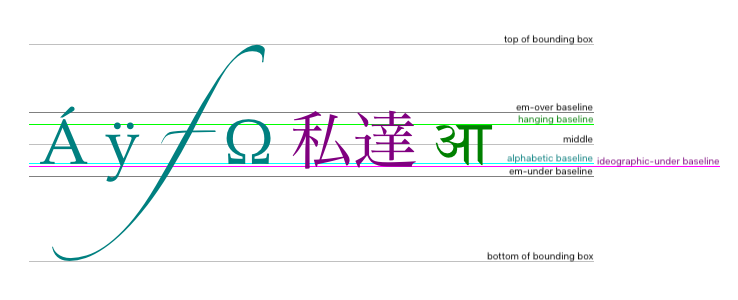
关键字与这些对齐点的对应关系如下:
top
hanging
middle
alphabetic
ideographic
bottom
direction
属性允许的关键字如下:
ltr
将 文本准备算法 的输入视为从左到右的文本。
rtl
将 文本准备算法 的输入视为从右到左的文本。
inherit
使用 文本准备算法
中的过程,获取以下来源的文本方向: canvas
元素、 占位 canvas
元素或
文档元素.
fontKerning
属性允许的关键字如下:
auto
由用户代理自行决定是否应用字距调整。
normal
应用字距调整。
none
不应用字距调整。
fontStretch
属性允许的关键字如下:
ultra-condensed
与 CSS 'font-stretch' 'ultra-condensed' 设置相同。
extra-condensed
与 CSS 'font-stretch' 'extra-condensed' 设置相同。
condensed
与 CSS 'font-stretch' 'condensed' 设置相同。
semi-condensed
与 CSS 'font-stretch' 'semi-condensed' 设置相同。
normal
默认设置,字形宽度为 100%。
semi-expanded
与 CSS 'font-stretch' 'semi-expanded' 设置相同。
expanded
与 CSS 'font-stretch' 'expanded' 设置相同。
extra-expanded
与 CSS 'font-stretch' 'extra-expanded' 设置相同。
ultra-expanded
与 CSS 'font-stretch' 'ultra-expanded' 设置相同。
fontVariantCaps
属性允许的关键字如下:
normal
不启用下面列出的任何特性。
small-caps
与 CSS 'font-variant-caps' 'small-caps' 设置相同。
all-small-caps
与 CSS 'font-variant-caps' 'all-small-caps' 设置相同。
petite-caps
与 CSS 'font-variant-caps' 'petite-caps' 设置相同。
all-petite-caps
与 CSS 'font-variant-caps' 'all-petite-caps' 设置相同。
unicase
与 CSS 'font-variant-caps' 'unicase' 设置相同。
titling-caps
与 CSS 'font-variant-caps' 'titling-caps' 设置相同。
textRendering
属性允许的关键字如下:
auto
与以下属性中的 'auto' 相同: SVG text-rendering 属性。
optimizeSpeed
与以下属性中的 'optimizeSpeed' 相同: SVG text-rendering 属性。
optimizeLegibility
与以下属性中的 'optimizeLegibility' 相同: SVG text-rendering 属性。
geometricPrecision
与以下属性中的 'geometricPrecision' 相同: SVG text-rendering 属性。
文本准备算法 如下。其输入为一个字符串 text、一个 CanvasTextDrawingStyles
对象 target以及一个可选长度
maxWidth。它返回一个字形形状数组,其中每个形状都定位在同一个坐标空间中;还返回一个 physical alignment ,其值为 左, 右和
中之一,以及一个 行内盒。(此算法的大多数调用者会忽略
physical alignment 和 行内盒.)
如果 maxWidth 已提供,但小于等于零或等于 NaN,则返回空数组。
将所有 ASCII 空白 (位于 text 中)替换为 U+0020 SPACE 字符。
令 font 为 target的当前字体,由该对象的 font 属性给出。
令 language 为 target的 语言.
如果 language 为 "inherit":
如果 language 为空字符串,则将 language 设置为 明确未知.
从以下列表中执行适用的步骤,以确定变量 direction:
构造一个假想的无限宽 CSS 行盒 ,其中包含一个 行内盒 ,该行内盒包含文本 text,CSS 内容语言 设置为 language,CSS 属性按如下方式设置:
| 属性 | 来源 |
|---|---|
| 'direction' | direction |
| 'font' | font |
| 'font-kerning' | target的 fontKerning
|
| 'font-stretch' | target的 fontStretch
|
| 'font-variant-caps' | target的 fontVariantCaps
|
| 'letter-spacing' | target的 字母间距 |
| SVG text-rendering | target的 textRendering
|
| 'white-space' | 'pre' |
| 'word-spacing' | target的 词间距 |
并将所有其他属性设置为其初始值。
如果 maxWidth 已提供,并且假想的 行内盒 在假想的 行盒 中的宽度大于 maxWidth CSS 像素,则更改 font ,使其采用更窄的字体(如果存在这样的字体,或可以通过对字体应用水平缩放因子合成可读性尚可的字体)或更小的字体,然后返回上一步骤。
anchor point 是 行内盒上的一个点, physical
alignment 为 左, 右和 中中的一个值。这些变量由 textAlign 和
textBaseline
值按如下方式确定:
水平位置:
textAlign 为
left
textAlign 为
start
且 direction 为 'ltr'
textAlign 为
end 且
direction 为 'rtl'
textAlign 为
right
textAlign 为
end
且 direction 为 'ltr'
textAlign 为
start
且 direction 为 'rtl'
textAlign 为
center
垂直位置:
textBaseline
为 top
textBaseline
为 hanging
textBaseline
为 middle
textBaseline
为 alphabetic
textBaseline
为 ideographic
textBaseline
为 bottom
令 result 为按以下方式构造的数组:从左到右遍历以下行内盒中的每个字形(如果有): 行内盒 ;对于每个字形,将该字形在 行内盒中的形状添加到数组中,并将其定位到使用 CSS 像素 的坐标空间中,原点位于 anchor point.
返回 result, physical alignment以及行内盒。
实现 CanvasPath 接口的对象具有一条 路径。 路径
具有一个包含零条或多条子路径的列表。每条子路径由一个点列表和一个标志组成;点列表包含一个或多个点,由直线或曲线 线段连接,标志则指示子路径是否闭合。闭合子路径是指其最后一个点通过直线连接到其第一个点的子路径。绘制路径时,只有一个点的子路径会被忽略。
路径 具有一个 需要新子路径 标志。此标志被设置时,某些 API 会创建新的子路径,而不是扩展上一条子路径。创建 路径 时,必须设置其 需要新子路径 标志。
创建实现 CanvasPath 接口的对象时,必须将其 路径 初始化为包含零条子路径。
context.moveTo(x, y)
CanvasRenderingContext2D/moveTo
所有当前引擎均支持。
path.moveTo(x, y)
创建一条以给定点为起点的新子路径。
context.closePath()
CanvasRenderingContext2D/closePath
所有当前引擎均支持。
path.closePath()
将当前子路径标记为闭合,并开始一条新子路径,其起点与刚闭合的子路径的起点和终点相同。
context.lineTo(x, y)
CanvasRenderingContext2D/lineTo
所有当前引擎均支持。
path.lineTo(x, y)
将给定点添加到当前子路径,并通过直线将它连接到前一个点。
context.quadraticCurveTo(cpx, cpy, x, y)
CanvasRenderingContext2D/quadraticCurveTo
所有当前引擎均支持。
path.quadraticCurveTo(cpx, cpy, x, y)
将给定点添加到当前子路径,并通过使用给定控制点的二次贝塞尔曲线将它连接到前一个点。
context.bezierCurveTo(cp1x, cp1y, cp2x, cp2y, x, y)
CanvasRenderingContext2D/bezierCurveTo
所有当前引擎均支持。
path.bezierCurveTo(cp1x, cp1y, cp2x, cp2y, x, y)
将给定点添加到当前子路径,并通过使用给定控制点的三次贝塞尔曲线将它连接到前一个点。
context.arcTo(x1, y1, x2, y2, radius)
CanvasRenderingContext2D/arcTo
所有当前引擎均支持。
path.arcTo(x1, y1, x2, y2, radius)
将使用给定控制点和半径的圆弧添加到当前子路径,并通过直线将它连接到前一个点。
如果给定半径为负数,则抛出 "IndexSizeError" DOMException
。
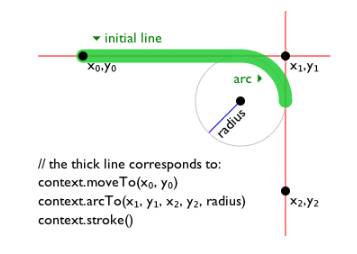
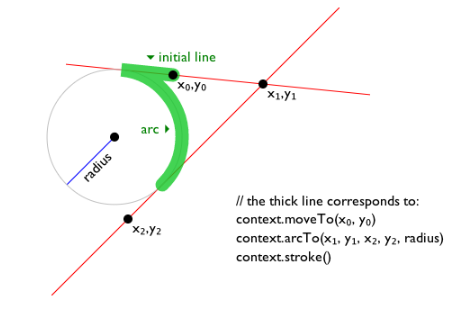
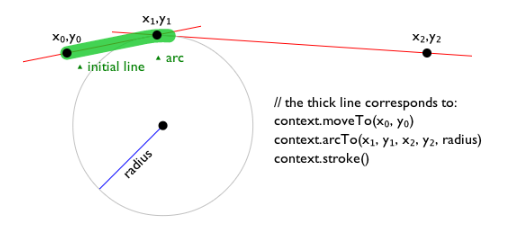
context.arc(x, y, radius, startAngle, endAngle [, counterclockwise ])
所有当前引擎均支持。
path.arc(x, y, radius, startAngle, endAngle [, counterclockwise ])
将点添加到子路径,从而将参数所描述的圆的圆周上的一段圆弧添加到路径,并通过直线将它连接到前一个点。该圆弧从给定起始角开始,到给定结束角终止,沿给定方向行进(默认为顺时针)。
如果给定半径为负数,则抛出 "IndexSizeError" DOMException
。
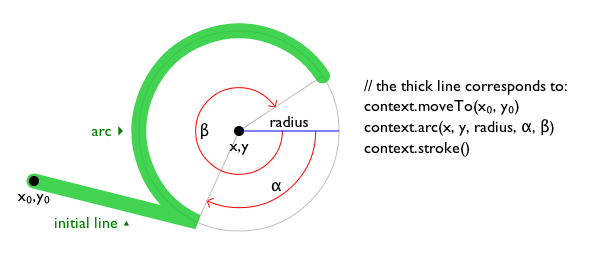
context.ellipse(x, y, radiusX, radiusY, rotation, startAngle, endAngle [, counterclockwise])
CanvasRenderingContext2D/ellipse
所有当前引擎均支持。
path.ellipse(x, y, radiusX, radiusY, rotation, startAngle, endAngle [, counterclockwise])
将点添加到子路径,从而将参数所描述的椭圆的周界上的一段弧添加到路径,并通过直线将它连接到前一个点。该弧从给定起始角开始,到给定结束角终止,沿给定方向行进(默认为顺时针)。
如果给定半径为负数,则抛出 "IndexSizeError" DOMException
。
context.rect(x, y, w, h)
所有当前引擎均支持。
path.rect(x, y, w, h)
向路径添加一条新的闭合子路径,表示给定的矩形。
context.roundRect(x, y, w, h, radii)
path.roundRect(x, y, w, h, radii)
向路径添加一条新的闭合子路径,表示给定的圆角矩形。 radii 是一个半径列表或单个半径,以像素为单位表示矩形的各个角。如果提供列表,这些半径的数量和顺序与 CSS 'border-radius' 属性的作用方式相同。单个半径与仅包含一个元素的列表的行为相同。
如果 w 和 h 都大于或等于 0,或者都小于 0,则按顺时针方向绘制路径。否则,按逆时针方向绘制。
当 w 为负数时,圆角矩形会水平翻转,也就是说,通常应用于左侧角的半径值将用于右侧角,反之亦然。类似地,当 h 为负数时,圆角矩形会垂直翻转。
当值 r 位于 radii 中且为数字时,相应的角会绘制为圆弧,其半径为 r.
当值 r 位于 radii 中且为具有 { x, y
} 属性的对象时,相应的角会绘制为椭圆弧,其 x
和 y 方向的半径分别等于 r.x 和 r.y。
当同一条边上两个角的 radii 之和大于该边的长度时,圆角矩形的所有 radii 都会按以下因子缩放:边长 / (r1 + r2)。如果多条边具有这种情况,则使用缩放因子最小的那条边的缩放因子。这与 CSS 的行为一致。
在以下情况下抛出 RangeError
: radii 是一个列表,且其大小不是一、二、三或四。
在以下情况下抛出 RangeError
: radii 中的某个值为负数,或者为 { x, y } 对象且其 x
或 y 属性为负数。
以下方法允许作者操作 路径
,这些路径属于实现 CanvasPath 接口的对象。
对于实现 CanvasDrawPath 和 CanvasTransform
接口的对象,传递给这些方法的点,以及由这些方法产生并添加到 当前默认路径
的线,在添加到路径之前,必须根据 当前变换矩阵 进行变换。
moveTo(x,
y) 方法被调用时,必须运行以下步骤:
如果任一参数为无穷大或 NaN,则返回。
创建一条新子路径,以指定点作为其第一个(且唯一的)点。
当用户代理要 确保存在子路径 时,对于坐标 (x,
y) 及其所属的 路径,用户代理必须检查该 路径 的 需要新子路径 标志是否已设置。如果已设置,则用户代理必须创建一条新子路径,以点 (x, y)
作为其第一个(且唯一的)点,如同调用了 moveTo() 方法一样,然后必须取消设置该
路径的 需要新子路径 标志。
closePath()
方法被调用时,如果对象的路径没有子路径,则必须不执行任何操作。否则,必须将最后一条子路径标记为闭合,创建一条新子路径,其第一个点与上一条子路径的第一个点相同,最后将这条新子路径添加到路径。
如果最后一条子路径的点列表中有多个点,那么这等同于添加一条直线,将最后一个点连接回最后一条子路径的第一个点,从而“闭合”该子路径。
使用下述方法将新点及连接这些点的线添加到子路径。在所有情况下,这些方法都只修改对象路径中的最后一条子路径。
lineTo(x,
y) 方法被调用时,必须运行以下步骤:
如果任一参数为无穷大或 NaN,则返回。
如果对象的路径没有子路径,则 确保存在子路径 ,对应坐标为 (x, y).
否则,用直线将子路径中的最后一个点连接到给定点 (x, y),然后将给定点 (x, y) 添加到子路径。
quadraticCurveTo(cpx, cpy,
x, y) 方法被调用时,必须运行以下步骤:
bezierCurveTo(cp1x, cp1y,
cp2x, cp2y, x, y) 方法被调用时,必须运行以下步骤:
arcTo(x1,
y1, x2, y2, radius) 方法被调用时,必须运行以下步骤:
如果任一参数为无穷大或 NaN,则返回。
确保存在子路径 ,对应坐标为 (x1, y1).
如果 radius 为负数,则抛出 "IndexSizeError"
DOMException.
令点 (x0, y0) 为子路径中的最后一个点经以下矩阵的逆矩阵变换后的点: 当前变换矩阵 (使它与传递给该方法的点处于同一坐标系中)。
如果点 (x0, y0) 等于点 (x1, y1),或者点 (x1, y1) 等于点 (x2, y2),或者 radius 为零,则将点 (x1, y1) 添加到子路径,并用直线将该点连接到前一个点 (x0, y0)。
否则,如果点 (x0, y0), (x1, y1) 和 (x2, y2) 都位于同一直线上,则将点 (x1, y1) 添加到子路径,并用直线将该点连接到前一个点 (x0, y0)。
否则,令 The Arc 为一个圆的圆周所给出的最短圆弧,该圆的半径为 radius,且与一条半无限直线相切于一点,这条直线穿过点 (x0, y0) 并终止于点 (x1, y1);该圆还在另一点与另一条半无限直线相切,后一条直线终止于点 (x1, y1) 并穿过点 (x2, y2)。此圆与这两条直线相切的点分别称为起始切点和结束切点。用直线将点 (x0, y0) 连接到起始切点,将起始切点添加到子路径,然后用 The Arc将起始切点连接到结束切点,将结束切点添加到子路径。
arc(x,
y, radius, startAngle, endAngle,
counterclockwise) 方法被调用时,必须运行 椭圆方法步骤 ,参数为 this, x, y,
radius, radius, 0,
startAngle, endAngle和 counterclockwise.
这使其等同于 ellipse()
,但两个半径相等且 rotation 为 0。
ellipse(x,
y, radiusX, radiusY, rotation, startAngle,
endAngle, counterclockwise) 方法被调用时,必须运行
椭圆方法步骤 ,参数为 this,
x, y, radiusX,
radiusY, rotation, startAngle, endAngle和
counterclockwise.
确定椭圆上的点的步骤,给定 ellipse和 angle,如下所示:
令 eccentricCircle 为与 ellipse共享原点的圆,其半径等于以下椭圆的半长轴: ellipse.
令 outerPoint 为以下圆的圆周上的点: eccentricCircle,该点对应的角度为 angle ,以弧度为单位,从 ellipse的半长轴开始按顺时针方向测量。
令 chord 为垂直于 ellipse的长轴的线段,位于该长轴与以下点之间: outerPoint.
返回 chord 与 ellipse的周界相交的点。
椭圆方法步骤,给定 canvasPath, x, y, radiusX, radiusY, rotation, startAngle, endAngle和 counterclockwise,如下所示:
如果任一参数为无穷大或 NaN,则返回。
如果 radiusX 或 radiusY 为负数,则抛出
"IndexSizeError" DOMException.
如果 canvasPath的路径具有子路径,则添加一条从子路径中最后一个点到弧的起点的直线。
将弧的起点和终点添加到子路径,并用弧将它们连接起来。该弧及其起点和终点定义如下:
考虑一个椭圆,其原点为 (x, y),长轴半径为 radiusX ,短轴半径为 radiusY,并绕其原点旋转,使其半长轴相对于 x 轴顺时针倾斜 rotation 弧度。
如果 counterclockwise 为 false,且 endAngle − startAngle 大于或等于 2π,或者 counterclockwise 为 true 且 startAngle − endAngle 大于或等于 2π,则该弧是此椭圆的整个周界,起点和终点均为运行 确定椭圆上的点的步骤 的结果,参数为此椭圆和 startAngle.
否则,起点为运行 确定椭圆上的点的步骤 的结果,参数为此椭圆和 startAngle;终点为运行 确定椭圆上的点的步骤 的结果,参数为此椭圆和 endAngle;而弧是沿此椭圆的周界从起点到终点的路径,如果 counterclockwise 为 true,则沿逆时针方向行进,否则沿顺时针方向行进。由于这些点位于椭圆上,而不只是从零开始的角度,因此该弧覆盖的角度绝不会大于 2π 弧度。
即使该弧覆盖椭圆的整个周界且子路径中没有其他点,除非恰当地调用 closePath()
方法,否则该路径仍不闭合。
rect(x,
y, w, h) 方法被调用时,必须运行以下步骤:
如果任一参数为无穷大或 NaN,则返回。
创建一条新子路径,按顺序仅包含以下四个点:(x, y), (x+w, y), (x+w, y+h), (x, y+h),并用直线连接这四个点。
将子路径标记为闭合。
创建一条新子路径,以点 (x, y) 作为子路径中唯一的点。
CanvasRenderingContext2D/roundRect
所有当前引擎均支持。
roundRect(x, y, w,
h, radii) 方法的步骤如下:
如果 x, y, w或 h 中任一值为无穷大或 NaN,则返回。
如果 radii 为 unrestricted
double 或 DOMPointInit,则将
radii 设置为 « radii
».
如果 radii 不是大小为一、二、三或四的列表,则抛出 RangeError.
令 normalizedRadii 为一个空列表。
对于每个 radius ,其所属列表为 radii:
如果 radius 为 DOMPointInit:
如果 radius["x"]
或
radius["y"]
为负数,则抛出 RangeError.
否则,将 radius 追加到 normalizedRadii.
如果 radius 为 unrestricted
double:
如果 radius 为无穷大或 NaN,则返回。
如果 radius 为负数,则抛出 RangeError.
令 upperLeft, upperRight, lowerRight和 lowerLeft 为 null。
如果 normalizedRadii的大小为 4,则将 upperLeft 设置为 normalizedRadii[0],将 upperRight 设置为 normalizedRadii[1],将 lowerRight 设置为 normalizedRadii[2],并将 lowerLeft 设置为 normalizedRadii[3].
如果 normalizedRadii的大小为 3,则将 upperLeft 设置为 normalizedRadii[0],将 upperRight 和 lowerLeft 设置为 normalizedRadii[1],并将 lowerRight 设置为 normalizedRadii[2].
如果 normalizedRadii的大小为 2,则将 upperLeft 和 lowerRight 设置为 normalizedRadii[0],并将 upperRight 和 lowerLeft 设置为 normalizedRadii[1].
如果 normalizedRadii的大小为 1,则将 upperLeft, upperRight, lowerRight和 lowerLeft 设置为 normalizedRadii[0].
各个角的曲线不得重叠。为防止重叠,应缩放所有半径:
创建一条新子路径:
移动到点 (x + upperLeft["x"],
y).
绘制一条直线到点 (x + w −
upperRight["x"],
y).
绘制一条弧到点 (x + w, y +
upperRight["y"]).
绘制一条直线到点 (x + w, y +
h − lowerRight["y"]).
绘制一条弧到点 (x + w −
lowerRight["x"],
y +
h).
绘制一条直线到点 (x + lowerLeft["x"],
y + h).
绘制一条弧到点 (x, y + h −
lowerLeft["y"]).
绘制一条直线到点 (x, y +
upperLeft["y"]).
绘制一条弧到点 (x + upperLeft["x"],
y).
将子路径标记为闭合。
创建一条新子路径,以点 (x, y) 作为子路径中唯一的点。
此设计旨在使其行为类似于 CSS 'border-radius' 属性。
Path2D 对象
所有当前引擎均支持。
Path2D 对象可用于声明路径,随后可在实现 CanvasDrawPath 接口的对象上使用这些路径。除了前面各节介绍的许多
API 之外, Path2D 对象还具有用于组合路径以及向路径添加文本的方法。
path = new Path2D()
所有当前引擎均支持。
创建一个新的空 Path2D 对象。
path = new Path2D(path)
当 path 为 Path2D 对象时,返回一个副本。
当 path 为字符串时,将其解释为 SVG 路径数据,并创建参数所描述的路径。 [SVG]
path.addPath(path [, transform ])
所有当前引擎均支持。
将参数给出的路径添加到该路径。
Path2D(path) 构造函数被调用时,必须运行以下步骤:
令 output 为一个新的 Path2D 对象。
如果 path 未给定,则返回 output.
如果 path 为 Path2D 对象,则将
path 的所有子路径添加到 output 并返回 output。(换言之,它返回参数的副本。)
令 svgPath 为解析并解释 path 的结果,遵循 SVG 2的路径数据规则。 [SVG]
得到的路径可能为空。SVG 为路径数据的解析和应用定义了错误处理规则。
令 (x, y) 为以下路径中的最后一个点: svgPath.
将 svgPath 中的所有子路径(如果有)添加到 output.
创建一条新子路径,位于 output 中,并以 (x, y) 作为子路径中唯一的点。
返回 output.
addPath(path,
transform) 方法在 Path2D 对象
a上被调用时,必须运行以下步骤:
如果 Path2D 对象 path 没有子路径,则返回。
令 matrix 为以下操作的结果: 创建 DOMMatrix ,依据二维字典
transform.
如果 matrix的 m11 元素, m12 元素, m21 元素, m22 元素, m41 元素或 m42 元素 中一个或多个值为无穷大或 NaN,则返回。
复制 path中的所有子路径。令 c 为此副本。
对 c 中的所有坐标和线应用变换矩阵 matrix.
令 (x, y) 为以下副本中最后一条子路径的最后一个点: c.
将 c 中的所有子路径添加到 a.
创建一条新子路径,位于 a 中,并以 (x, y) 作为子路径中唯一的点。
实现 CanvasTransform 接口的对象具有一个 当前变换矩阵,以及用于操作该矩阵的方法(在本节中描述)。创建实现 CanvasTransform
接口的对象时,必须将其变换矩阵初始化为单位矩阵。
将 当前变换矩阵
应用于坐标,适用情形是在创建
当前默认路径时,以及在绘制文本、形状和 Path2D
对象时;这些操作作用于实现 CanvasTransform
接口的对象。
变换必须以相反的顺序执行。
例如,如果先对画布应用将宽度加倍的缩放变换,再应用将绘制操作旋转四分之一圈的旋转变换,然后在画布上绘制一个宽度是高度两倍的矩形,那么实际结果将是一个正方形。
context.scale(x, y)
CanvasRenderingContext2D/scale
所有当前引擎均支持。
更改 当前变换矩阵 ,以应用具有给定特征的缩放变换。
context.rotate(angle)
CanvasRenderingContext2D/rotate
所有当前引擎均支持。
更改 当前变换矩阵 ,以应用具有给定特征的旋转变换。角度以弧度为单位。
context.translate(x, y)
CanvasRenderingContext2D/translate
所有当前引擎均支持。
更改 当前变换矩阵 ,以应用具有给定特征的平移变换。
context.transform(a, b, c, d, e, f)
CanvasRenderingContext2D/transform
所有当前引擎均支持。
更改 当前变换矩阵 ,以应用参数所给出的矩阵,具体如下所述。
matrix = context.getTransform()
CanvasRenderingContext2D/getTransform
所有当前引擎均支持。
context.setTransform(a, b, c, d, e, f)
CanvasRenderingContext2D/setTransform
所有当前引擎均支持。
将 当前变换矩阵 设为 参数所给出的矩阵,具体如下所述。
context.setTransform(transform)
将 当前变换矩阵
设为 传入的 DOMMatrix2DInit
字典所表示的矩阵。
context.resetTransform()
CanvasRenderingContext2D/resetTransform
所有当前引擎均支持。
将 当前变换矩阵 设为单位矩阵。
scale(x,
y) 方法被调用时,必须运行以下步骤:
如果任一参数为无穷大或 NaN,则返回。
将参数所描述的缩放变换添加到 当前变换矩阵。参数 x 表示水平方向上的缩放因子,参数 y 表示垂直方向上的缩放因子。这些因子表示倍数。
rotate(angle) 方法被调用时,必须运行以下步骤:
如果 angle 为无穷大或 NaN,则返回。
将参数所描述的旋转变换添加到 当前变换矩阵。参数 angle 表示以弧度为单位的顺时针旋转角度。
translate(x, y) 方法被调用时,必须运行以下步骤:
如果任一参数为无穷大或 NaN,则返回。
将参数所描述的平移变换添加到 当前变换矩阵。参数 x 表示水平方向上的平移距离,参数 y 表示垂直方向上的平移距离。这些参数以坐标空间单位表示。
transform(a, b, c,
d, e, f) 方法被调用时,必须运行以下步骤:
参数 a, b, c, d, e和 f 有时称为 m11, m12, m21, m22, dx和 dy 或 m11, m21, m12, m22, dx和 dy。尤其应注意第二个和第三个参数(b 和 c)的顺序,因为它们的顺序因 API 而异,而且 API 有时在这些位置使用记法 m12/m21 ,有时则使用 m21/m12 。
返回的对象并非实时对象,因此更新它不会影响
当前变换矩阵,而更新 当前变换矩阵 也不会影响已返回的
DOMMatrix.
setTransform(a, b, c,
d, e, f) 方法被调用时,必须运行以下步骤:
如果任一参数为无穷大或 NaN,则返回。
将 当前变换矩阵 重置为下述矩阵:
| a | c | e |
| b | d | f |
| 0 | 0 | 1 |
setTransform(transform)
方法被调用时,必须运行以下步骤:
resetTransform() 方法被调用时,必须将 当前变换矩阵 重置为单位矩阵。
给定一个矩阵,其形式与 transform() 和 setTransform()
方法创建的矩阵相同,即:
| a | c | e |
| b | d | f |
| 0 | 0 | 1 |
经过变换矩阵乘法运算后得到的变换后坐标为:
xnew = a x + c y + e
ynew = b x + d y + f
接口 CanvasDrawImage
和 CanvasFillStrokeStyles
上的某些方法接受联合类型 CanvasImageSource
作为参数。
此联合类型允许将实现以下任一接口的对象用作图像源:
HTMLOrSVGImageElement
(img 或 SVG
image
元素)HTMLVideoElement
(video 元素)
HTMLCanvasElement
(canvas
元素)OffscreenCanvas
ImageBitmap
VideoFrame
虽然规范并未正式如此规定,但 SVG
image
元素的实现预期应与 img
元素几乎完全相同。也就是说,
SVG
image 元素共享
img
元素的基本概念和特性。
ImageBitmap
接口可以从多种其他表示图像的类型创建,包括 ImageData.
要 检查参数 image 的可用性(其中 image
是一个 CanvasImageSource
对象),请运行以下步骤:
按对象类型分支,所用对象为 image:
HTMLOrSVGImageElement
如果 image的 当前请求的 状态 为 损坏,则抛出 "InvalidStateError" DOMException.
如果 image 不是 可完全解码的,则返回 不可用.
HTMLVideoElement
如果 image的 readyState
属性为 HAVE_NOTHING
或 HAVE_METADATA,则返回
不可用.
HTMLCanvasElement
OffscreenCanvas
如果 image 的水平尺寸或垂直尺寸等于零,则抛出 "InvalidStateError"
DOMException.
ImageBitmap
VideoFrame
如果 image的 [[Detached]] 内部槽的值被设为 true,则抛出 "InvalidStateError"
DOMException.
返回 可用.
当 CanvasImageSource
对象表示 HTMLOrSVGImageElement时,必须将该元素的图像用作源图像。
具体而言,当 CanvasImageSource
对象表示以下元素中的动画图像时:
HTMLOrSVGImageElement,用户代理在为
CanvasRenderingContext2D
API 渲染图像时,必须使用该动画的默认图像(即格式规定在不支持动画或禁用动画时使用的图像);如果不存在这样的图像,则使用动画的第一帧。
当 CanvasImageSource
对象表示 HTMLVideoElement时,必须使用
当前播放位置 处的帧,即调用以该对象为参数的方法时所在位置的帧,作为源图像来为
CanvasRenderingContext2D
API 渲染图像,而且源图像必须采用固有尺寸,其 固有宽度 和 固有高度 均取自该 媒体资源
(即应用任何宽高比校正之后的尺寸)。
当 CanvasImageSource
对象表示 HTMLCanvasElement时,必须将该元素的位图用作源图像。
当 CanvasImageSource
对象表示一个 正在渲染
且尺寸已被调整的元素时,必须使用源图像的原始图像数据,而不是渲染后的图像(例如,源元素上的 width 和
height
属性不会影响为 CanvasRenderingContext2D
API 渲染图像时对该对象的解释方式)。
当 CanvasImageSource
对象表示 ImageBitmap时,必须将该对象的位图图像数据用作源图像。
当 CanvasImageSource
对象表示 OffscreenCanvas时,必须将该对象的位图用作源图像。
当 CanvasImageSource
对象表示 VideoFrame时,必须将该对象的像素数据用作源图像,而且源图像的尺寸必须为该对象的
[[display width]] 和 [[display height]].
对象 image 为非源干净 ,条件如下,按 image的类型分支:
HTMLOrSVGImageElement
HTMLVideoElement
HTMLCanvasElement
ImageBitmap
OffscreenCanvas
image的位图的 origin-clean 标志为 false。
context.fillStyle [ = value ]
CanvasRenderingContext2D/fillStyle
所有当前引擎均支持。
返回当前用于填充形状的样式。
可以设置,以更改 填充样式.
样式可以是包含 CSS 颜色的字符串,也可以是 CanvasGradient 或
CanvasPattern 对象。无效值会被忽略。
context.strokeStyle [ = value ]
CanvasRenderingContext2D/strokeStyle
所有当前引擎均支持。
返回当前用于描绘形状轮廓的样式。
可以设置,以更改 描边样式。
样式可以是包含 CSS 颜色的字符串,也可以是 CanvasGradient 或
CanvasPattern 对象。无效值会被忽略。
实现 CanvasFillStrokeStyles
接口的对象具有属性和方法(在本节中定义),用于控制该对象如何处理形状。
此类对象具有关联的 填充样式 和 描边样式
值,它们可以是 CSS 颜色、 CanvasPattern或
CanvasGradient。最初,两者必须均为 解析
字符串所得的结果,该字符串为"#000000".
当该值是 CSS 颜色时,使用它在位图上绘图时必须不受变换矩阵的影响。
当设置为 CanvasPattern 或 CanvasGradient
对象时,赋值后对此对象所作的更改确实会影响后续对形状的描边或填充。
fillStyle 的
setter 步骤如下:
strokeStyle 的 getter 步骤如下:
strokeStyle
的 setter 步骤如下:
渐变有三种类型:线性渐变、径向渐变和锥形渐变,由实现不透明 CanvasGradient 接口的对象表示。
创建渐变后(见下文),沿渐变放置色标,以定义颜色在渐变上的分布方式。每个色标处的渐变颜色为该色标所指定的颜色,经 转换 至上下文的 颜色空间后所得的颜色。在各个相邻色标之间,必须在上下文的 颜色空间 中对颜色和 alpha 分量进行线性插值,且不预乘 alpha 值,以求得相应偏移量处应使用的颜色。在第一个色标之前,颜色必须为第一个色标的颜色。在最后一个色标之后,颜色必须为最后一个色标的颜色。没有色标时,渐变为 透明黑色.
gradient.addColorStop(offset, color)
所有当前引擎均支持。
在渐变的给定偏移量处添加一个具有给定颜色的色标。0.0 是渐变一端的偏移量,1.0 是另一端的偏移量。
抛出 "IndexSizeError" DOMException
(如果偏移量超出范围)。抛出 "SyntaxError" DOMException
(如果无法解析颜色)。
gradient = context.createLinearGradient(x0, y0, x1, y1)
CanvasRenderingContext2D/createLinearGradient
所有当前引擎均支持。
返回一个 CanvasGradient
对象,表示沿参数中的坐标所给出的直线绘制的线性渐变。
gradient = context.createRadialGradient(x0, y0, r0, x1, y1, r1)
CanvasRenderingContext2D/createRadialGradient
所有当前引擎均支持。
返回一个 CanvasGradient
对象,表示沿参数中的圆所给出的圆锥绘制的径向渐变。
如果任一半径为负数,则抛出 "IndexSizeError"
DOMException.
gradient = context.createConicGradient(startAngle, x, y)
CanvasRenderingContext2D/createConicGradient
所有当前引擎均支持。
返回一个 CanvasGradient
对象,表示围绕参数所表示的中心沿顺时针旋转方向绘制的锥形渐变。
addColorStop(offset,
color) 方法属于 CanvasGradient,被调用时必须运行以下步骤:
如果 offset 小于 0 或大于 1,则抛出
"IndexSizeError" DOMException.
令 parsed color 为以下操作的结果: 解析 color.
不向解析器传入任何元素,因为 CanvasGradient 对象与 canvas无关。一个 CanvasGradient 对象由某个
canvas
创建后也可被另一个 canvas 使用,因此在指定颜色时无法知道哪个是“相关元素”。
如果 parsed color 为失败,则抛出 "SyntaxError"
DOMException.
在渐变上放置一个新色标,其相对于整个渐变的偏移量为 offset ,颜色为 parsed color.
如果在渐变上的相同偏移量处添加多个色标,则必须按添加顺序放置它们,第一个色标最靠近渐变的起点,后续每个色标都向终点方向前进一个无穷小的距离(实际上会导致每个位置添加的色标中,除第一个和最后一个外,其余均被忽略)。
createLinearGradient(x0, y0,
x1, y1) 方法接受四个参数,表示渐变的起点(x0, y0)和终点(x1,
y1)。该方法被调用时,必须返回一个线性的 CanvasGradient ,并以指定的直线初始化。
渲染线性渐变时,必须使所有垂直于起点与终点连线的直线上的各点,都具有这两条直线交点处的颜色(这些颜色来自上文所述的 内插和外推 )。渲染时,必须按照 当前变换矩阵 所描述的方式对线性渐变中的各点进行变换。
如果 x0 = x1 并且 y0 = y1,则线性渐变必须不绘制任何内容。
createRadialGradient(x0, y0,
r0, x1, y1, r1) 方法接受六个参数,前三个表示起始圆,其圆心为(x0,
y0),半径为 r0;后三个表示结束圆,其圆心为(x1, y1),半径为 r1。这些值以坐标空间单位表示。如果
r0 或 r1 为负数,则必须抛出
"IndexSizeError" DOMException
。否则,该方法被调用时,必须返回一个径向的 CanvasGradient ,并以指定的两个圆初始化。
必须按照以下步骤渲染径向渐变:
如果 x0 = x1 并且 y0 = y1 并且 r0 = r1,则径向渐变必须不绘制任何内容。返回。
令 x(ω) = (x1-x0)ω + x0.
令 y(ω) = (y1-y0)ω + y0.
令 r(ω) = (r1-r0)ω + r0.
令 ω 处的颜色为渐变上该位置的颜色(这些颜色来自上文所述的 内插和外推 )。
对于 ω 的所有满足 r(ω) > 0 的值,从最接近正无穷大的 ω 值开始,到最接近负无穷大的 ω 值结束,绘制半径为 r(ω)、位置为 (x(ω), y(ω)) 的圆的圆周,使用 ω处的颜色;但仅绘制在本次渐变渲染的这一步中尚未被此前的圆绘制过的位图部分。
这实际上创建了一个与创建渐变时定义的两个圆相切的圆锥;位于起始圆(0.0)之前的圆锥部分使用第一个偏移量处的颜色,位于结束圆(1.0)之后的圆锥部分使用最后一个偏移量处的颜色,而圆锥之外的区域不受渐变影响(透明黑色).
然后,渲染时必须按照 当前变换矩阵 所描述的方式对生成的径向渐变进行变换。
createConicGradient(startAngle,
x, y) 方法接受三个参数,第一个参数
startAngle表示渐变开始处的角度,以弧度为单位;最后两个参数(x, y)表示渐变的中心,单位为 CSS
像素。该方法被调用时,必须返回一个锥形的
CanvasGradient
,并以指定的中心和角度初始化。
它遵循与 CSS 'conic-gradient' 相同的渲染规则,等同于 CSS 'conic-gradient(from adjustedStartAnglerad at xpx ypx, angularColorStopList)'。其中:
adjustedStartAngle 由以下表达式给出: startAngle + π/2;
angularColorStopList 由已添加到
CanvasGradient
中的色标给出,添加色标使用 addColorStop(),并将色标偏移量解释为百分比。
只能在相关描边或填充效果要求绘制渐变的区域绘制渐变。
图案由实现不透明 CanvasPattern
接口的对象表示。
pattern = context.createPattern(image, repetition)
CanvasRenderingContext2D/createPattern
所有当前引擎均支持。
返回一个 CanvasPattern
对象,它使用给定图像,并沿 repetition 参数给定的方向重复。
参数 repetition 允许的值为 repeat (两个方向)、 repeat-x (仅水平方向)、 repeat-y
(仅垂直方向)和 no-repeat (两个方向都不重复)。如果 repetition
参数为空,则使用值 repeat 。
如果图像尚未完全解码,则不绘制任何内容。如果图像是没有数据的画布,则抛出 "InvalidStateError" DOMException.
pattern.setTransform(transform)
所有当前引擎均支持。
设置在填充或描边绘制操作期间渲染图案时使用的变换矩阵。
createPattern(image,
repetition) 方法被调用时,必须运行以下步骤:
令 usability 为以下操作的结果: 检查以下图像的可用性: image.
如果 usability 为 不可用,则返回 null。
断言: usability 为 可用.
如果 repetition 为空字符串,则将其设为"repeat".
如果 repetition 不 等同于
以下任意一个值:"repeat", "repeat-x", "repeat-y"或"no-repeat",则抛出
"SyntaxError" DOMException.
令 pattern 为新的 CanvasPattern 对象,其图像为
image ,重复行为由以下参数给出: repetition.
如果 image 不是源干净的,则将 pattern 标记为 非源干净.
返回 pattern.
对 image 所作的修改(该图像用于创建 CanvasPattern 对象),若发生在 createPattern()
方法调用之后,则不得影响 CanvasPattern
对象渲染的图案。
图案具有一个变换矩阵,用于控制绘制图案时如何使用该图案。最初,图案的变换矩阵必须为单位矩阵。
setTransform(transform) 方法被调用时,必须运行以下步骤:
要在某个区域内渲染图案时,用户代理必须运行以下步骤,以确定渲染内容:
创建一个无限大的 透明黑色 位图。
在位图上放置图像的副本,将其左上角锚定在坐标空间的原点,图像的每个 CSS 像素
对应一个坐标空间单位;然后在水平方向向左和向右重复放置此图像的副本,条件是重复行为为"repeat-x";或者在垂直方向向上和向下重复放置副本,条件是重复行为为"repeat-y";或者向全部四个方向重复放置副本,铺满整个位图,条件是重复行为为"repeat".
如果原始图像数据是位图图像,则通过对原始图像数据进行滤波,计算重复区域中某一点所绘制的值。放大时,如果
imageSmoothingEnabled
属性设为 false,则必须使用最近邻插值来渲染图像。否则,用户代理可以使用任何滤波算法(例如双线性插值或最近邻插值)。支持多种滤波算法的用户代理可以使用 imageSmoothingQuality
属性的值来指导滤波算法的选择。当此类滤波算法需要原始图像数据之外的像素值时,必须改用将该像素坐标按原始图像尺寸环绕后所得到的像素值。(也就是说,无论图案重复行为的值如何,滤波器均使用 'repeat' 行为。)
按照图案的变换矩阵对得到的位图进行变换。
再次对得到的位图进行变换,这次按照 当前变换矩阵.
将图像中位于图案渲染区域之外的任何部分替换为 透明黑色.
得到的位图就是要渲染的内容,使用相同的原点和相同的比例。
如果在变换矩阵为奇异矩阵时使用径向渐变或重复图案,则生成的样式必须为 透明黑色 (否则渐变或图案会坍缩成一个点或一条线,导致其他像素未定义)。即使变换矩阵为奇异矩阵,线性渐变和纯色也始终会定义所有点。
实现 CanvasRect
接口的对象提供以下方法,用于立即向位图绘制矩形。每个方法均接受四个参数;前两个分别给出矩形左上角的 x 和 y 坐标,后两个分别给出矩形的宽度 w 和高度
h 。
必须将 当前变换矩阵 应用于以下四个坐标;这些坐标构成的路径随后必须闭合,以得到指定的矩形: (x, y), (x+w, y), (x+w, y+h), (x, y+h).
绘制这些形状时不会影响 当前默认路径,且受以下因素影响: 裁剪区域,以及(除 clearRect()外)
阴影效果, 全局 alpha和
当前合成与混合运算符.
context.clearRect(x, y, w, h)
CanvasRenderingContext2D/clearRect
所有当前引擎均支持。
将位图中给定矩形内的所有像素清除为 透明黑色.
context.fillRect(x, y, w, h)
CanvasRenderingContext2D/fillRect
所有当前引擎均支持。
使用当前填充样式,将给定矩形绘制到位图上。
context.strokeRect(x, y, w, h)
CanvasRenderingContext2D/strokeRect
所有当前引擎均支持。
使用当前描边样式,将勾勒给定矩形轮廓的边框绘制到位图上。
clearRect(x, y, w,
h) 方法被调用时,必须运行以下步骤:
如果高度或宽度为零,则此方法不起作用,因为像素集合将为空。
fillRect(x,
y, w, h) 方法被调用时,必须运行以下步骤:
strokeRect(x, y, w,
h) 方法被调用时,必须运行以下步骤:
如果任一参数为无穷大或 NaN,则返回。
取 描摹路径 算法对下述路径的处理结果;该算法使用
CanvasPathDrawingStyles
接口的线条样式。填充该结果,所用样式为
this的 描边样式.
如果 w 和 h 均为零,则该路径只有一个子路径,该子路径仅含一个点(x, y),且没有线,因此此方法不起作用(在这种情况下, 描摹路径 算法返回空路径)。
如果 w 和 h 中恰好只有一个为零,则该路径只有一个子路径,该子路径包含两个点,其坐标依次为(x, y)和(x+w, y+h),并由一条直线按此顺序连接。
否则,该路径只有一个子路径,该子路径包含四个点,其坐标依次为 (x, y), (x+w, y), (x+w, y+h) 和 (x, y+h),并由直线按此顺序彼此连接。
所有当前引擎均支持。
context.fillText(text, x, y [, maxWidth ])
CanvasRenderingContext2D/fillText
所有当前引擎均支持。
context.strokeText(text, x, y [, maxWidth ])
CanvasRenderingContext2D/strokeText
所有当前引擎均支持。
在给定位置分别对给定文本进行填充或描边。如果提供了最大宽度,必要时会缩放文本以适应该宽度。
metrics = context.measureText(text)
CanvasRenderingContext2D/measureText
所有当前引擎均支持。
返回一个 TextMetrics
对象,其中包含给定文本使用当前字体时的度量信息。
metrics.width
所有当前引擎均支持。
metrics.actualBoundingBoxLeft
TextMetrics/actualBoundingBoxLeft
所有当前引擎均支持。
metrics.actualBoundingBoxRight
TextMetrics/actualBoundingBoxRight
所有当前引擎均支持。
metrics.fontBoundingBoxAscent
TextMetrics/fontBoundingBoxAscent
所有当前引擎均支持。
metrics.fontBoundingBoxDescent
TextMetrics/fontBoundingBoxDescent
所有当前引擎均支持。
metrics.actualBoundingBoxAscent
TextMetrics/actualBoundingBoxAscent
所有当前引擎均支持。
metrics.actualBoundingBoxDescent
TextMetrics/actualBoundingBoxDescent
所有当前引擎均支持。
metrics.emHeightAscent
所有当前引擎均支持。
metrics.emHeightDescent
所有当前引擎均支持。
metrics.hangingBaseline
metrics.alphabeticBaseline
TextMetrics/alphabeticBaseline
metrics.ideographicBaseline
TextMetrics/ideographicBaseline
返回下文描述的测量值。
实现 CanvasText 接口的对象提供以下方法,用于渲染文本。
fillText(text, x, y,
maxWidth) 和 strokeText(text, x, y,
maxWidth) 方法会将给定的
text 渲染到给定坐标(x, y)处,并确保文本宽度不超过 maxWidth (如果指定了此参数),并使用当前的 font, textAlign和
textBaseline
值。具体而言,调用这些方法时,用户代理必须运行以下步骤:
如果任一参数为无穷大或 NaN,则返回。
运行 文本准备算法,传入 text、实现 CanvasText 接口的对象,以及(如果提供了
maxWidth 参数)该参数。令 glyphs 为结果。
绘制 glyphs中的形状;这些形状经过 当前变换矩阵变换。每个 CSS 像素 (位于 glyphs 的坐标空间中)映射到一个坐标空间单位。
对于 fillText(),
this的 填充样式 必须应用于这些形状,且 this的 描边样式 必须忽略。对于 strokeText(),则相反:
this的 描边样式 必须应用于 描摹 这些形状所得的结果;描摹时,线条样式取自实现 CanvasText 接口的对象,且 this的 填充样式 必须忽略。
绘制这些形状时不会影响当前路径,且受以下因素影响: 阴影效果, 全局 alpha、 裁剪区域以及 当前合成与混合运算符.
measureText(text) 方法的步骤是运行 文本准备算法,传入
text 和实现 CanvasText
接口的对象,然后使用返回的 行内盒 返回一个新的 TextMetrics 对象,其成员的行为如下列表所述: [CSS]
width
属性actualBoundingBoxLeft 属性从 textAlign
属性给出的对齐点到给定文本的边界矩形左侧、平行于基线方向的距离,以 CSS 像素为单位;正数表示从给定对齐点向左的距离。
此值与下一项(actualBoundingBoxRight)之和可能大于
行内盒 (width)
的宽度,尤其是在使用倾斜字体、字符伸出其前进宽度范围时。
actualBoundingBoxRight 属性从 textAlign
属性给出的对齐点到给定文本的边界矩形右侧、平行于基线方向的距离,以 CSS 像素为单位;正数表示从给定对齐点向右的距离。
fontBoundingBoxAscent 属性从 textBaseline
属性所指示的水平线到 上伸度量 的距离,该度量取自
首个可用字体,以 CSS 像素为单位;正数表示从给定基线向上的距离。
渲染背景时,如果要求即使所渲染的具体文本改变,背景高度也必须保持一致,则此值与下一项很有用。在绘制包围特定文本的边界框时, actualBoundingBoxAscent
属性(以及与其对应的下伸属性)很有用。
fontBoundingBoxDescent 属性从 textBaseline
属性所指示的水平线到 下伸度量 的距离,该度量取自
首个可用字体,以 CSS 像素为单位;正数表示从给定基线向下的距离。
actualBoundingBoxAscent 属性从 textBaseline
属性所指示的水平线到给定文本的边界矩形顶部的距离,以 CSS 像素为单位;正数表示从给定基线向上的距离。
即使所指定的第一个字体涵盖输入中的所有字符,此数值仍可能因输入文本而大幅变化。例如,小写“o”的 actualBoundingBoxAscent
(相对于 字母基线
)会小于大写“F”的相应值。此值很容易为负数;例如,从 em 盒顶部(textBaseline
值为“top”)到边界矩形顶部的距离,在给定文本仅为单个逗号“,”时,很可能为负数(除非字体相当不寻常)。
actualBoundingBoxDescent 属性从 textBaseline
属性所指示的水平线到给定文本的边界矩形底部的距离,以 CSS 像素为单位;正数表示从给定基线向下的距离。
emHeightAscent 属性从 textBaseline
属性所指示的水平线到 em 上侧基线
的距离,该基线位于 行内盒中,以 CSS 像素为单位;正数表示给定基线低于 em 上侧基线
(因此此值通常为正数)。如果给定基线为 em
上侧基线,则此值为零;如果给定基线位于以下两条基线的正中间,则此值为字号的一半: em 上侧基线 和
em 下侧基线.
emHeightDescent 属性从 textBaseline
属性所指示的水平线到 em 下侧基线
的距离,该基线位于 行内盒中,以 CSS 像素为单位;正数表示给定基线高于 em
下侧基线。(在给定基线为以下基线时,此值为零: em
下侧基线.)
hangingBaseline 属性从 textBaseline
属性所指示的水平线到 悬挂基线
的距离,该基线属于 行内盒,以 CSS 像素为单位;正数表示给定基线低于 悬挂基线。(在给定基线为以下基线时,此值为零: 悬挂基线.)
alphabeticBaseline 属性从 textBaseline
属性所指示的水平线到 字母基线
的距离,该基线属于 行内盒,以 CSS 像素为单位;正数表示给定基线低于 字母基线。(在给定基线为以下基线时,此值为零: 字母基线.)
ideographicBaseline 属性从 textBaseline
属性所指示的水平线到 表意文字下侧基线 的距离,该基线属于 行内盒,以 CSS 像素为单位;正数表示给定基线低于 表意文字下侧基线。(在给定基线为以下基线时,此值为零: 表意文字下侧基线.)
使用 fillText()
和
strokeText()
渲染的字形可能超出由字号和 measureText()
返回的宽度(文本宽度)所确定的盒。如果这会造成问题,建议作者使用上述边界框值。
未来版本的 2D 上下文 API 可能会提供一种方式,将使用 CSS 渲染的文档片段直接渲染到画布上。相比提供专门用于多行布局的方式,将优先提供这种功能。
实现 CanvasDrawPath
接口的对象具有一个 当前默认路径。每个对象只有一个 当前默认路径,它不属于
绘制状态。 当前默认路径 是上文所述的一条 路径。
context.beginPath()
CanvasRenderingContext2D/beginPath
所有当前引擎均支持。
重置 当前默认路径.
context.fill([ fillRule ])
所有当前引擎均支持。
context.fill(path [, fillRule ])
使用当前填充样式,按照给定的填充规则填充 当前默认路径 或给定路径的子路径。
context.stroke()
CanvasRenderingContext2D/stroke
所有当前引擎均支持。
context.stroke(path)
使用当前描边样式对 当前默认路径 或给定路径的子路径描边。
context.clip([ fillRule ])
所有当前引擎均支持。
context.clip(path [, fillRule ])
将裁剪区域进一步限制为 当前默认路径 或给定路径,使用给定的填充规则确定哪些点位于路径内。
context.isPointInPath(x, y [, fillRule ])
CanvasRenderingContext2D/isPointInPath
所有当前引擎均支持。
context.isPointInPath(path, x, y [, fillRule ])
如果给定点位于 当前默认路径 或给定路径内,则返回 true;使用给定的填充规则确定哪些点位于路径内。
context.isPointInStroke(x, y)
CanvasRenderingContext2D/isPointInStroke
所有当前引擎均支持。
context.isPointInStroke(path, x, y)
如果在当前描边样式下,给定点会位于 当前默认路径 或给定路径的描边覆盖的区域内,则返回 true。
当 预期路径 是 Path2D 对象时,这些方法在使用其子路径的坐标和线段时,必须按照 当前变换矩阵 进行变换;该矩阵位于实现 CanvasTransform
接口的对象上(此过程不影响 Path2D 对象本身)。当预期路径是 当前默认路径时,它不受该变换影响。(这是因为变换在构建 当前默认路径
时就已影响该路径,若绘制时再次应用变换,就会造成双重变换。)
填充步骤接受一个 CanvasDrawPath
context、一个类型为
Path2D或 null 的 path以及一个 填充规则 fillRule,其步骤是:对 预期路径 (对应
path)的所有子路径进行填充,使用
context的 填充样式以及 填充规则 (由 fillRule指定)。填充时必须隐式闭合开放的子路径(而不影响实际的子路径)。
描边步骤接受一个 CanvasDrawPath
context 以及一个类型为
Path2D或 null 的 path,其步骤是:
描摹
预期路径 (对应 path),使用
context的线条样式,该样式由其 CanvasPathDrawingStyles
混入设置;然后使用
context的 描边样式填充所得路径,并使用 非零环绕规则.
根据 描摹路径 算法的定义,在一次描边操作中,路径的重叠部分按绘制其并集的方式处理。
描边 样式 在绘制时会受到变换影响,即使使用的是 当前默认路径 也是如此。
填充或描边路径时,绘制不得影响 当前默认路径
或任何 Path2D 对象,且必须受以下因素影响: 阴影效果, 全局 alpha、 裁剪区域以及 当前合成与混合运算符。(变换的影响已在上文说明,具体取决于所使用的路径。)
裁剪步骤接受一个 CanvasDrawPath
context、一个类型为
Path2D或 null 的 path以及一个 填充规则 fillRule,其步骤是创建新的 裁剪区域 ,计算方式是取
context的当前裁剪区域与 预期路径 (对应
path)所描述区域的交集,使用 填充规则 (由
fillRule指定)。计算裁剪区域时,必须隐式闭合开放的子路径,而不影响实际的子路径。新的裁剪区域将替换当前裁剪区域。
初始化上下文时,必须将其当前裁剪区域设置为最大的无限平面(即默认不进行裁剪)。
isPointInPath(x, y,
fillRule) 方法的步骤是返回 点是否在路径内的步骤 的结果,传入 this、null、 x, y和
fillRule.
isPointInPath(path, x,
y, fillRule) 方法的步骤是返回
点是否在路径内的步骤 的结果,传入
this, path, x, y和 fillRule.
点是否在路径内的步骤接受一个 CanvasDrawPath
context、一个类型为 Path2D或 null
的 path、两个数字 x 和 y以及一个
填充规则 fillRule,其步骤为:
isPointInStroke(x, y)
方法的步骤是返回 点是否在描边内的步骤 的结果,传入
this、null、 x和 y.
isPointInStroke(path, x,
y) 方法的步骤是返回 点是否在描边内的步骤 的结果,传入 this, path, x和 y.
点是否在描边内的步骤接受一个 CanvasDrawPath
context、一个类型为 Path2D或
null 的 path以及两个数字 x
和 y,其步骤为:
如果 x 或 y 为无穷大或 NaN,则返回 false。
如果由 x 和 y 坐标给出的点(这些坐标视为不受当前变换影响的画布坐标空间中的坐标)位于以下路径内:通过 描摹 预期路径 (对应 path)得到的路径,且该判断使用 非零环绕规则,描摹使用
context的线条样式(由其 CanvasPathDrawingStyles
混入设置),则返回 true。所得路径本身上的点必须视为在路径内。
返回 false。
这个 canvas
元素包含几个复选框。与路径有关的命令已突出显示:
< canvas height = 400 width = 750 >
< label >< input type = checkbox id = showA > Show As</ label >
< label >< input type = checkbox id = showB > Show Bs</ label >
<!-- ... -->
</ canvas >
< script >
function drawCheckbox( context, element, x, y, paint) {
context. save();
context. font = '10px sans-serif' ;
context. textAlign = 'left' ;
context. textBaseline = 'middle' ;
var metrics = context. measureText( element. labels[ 0 ]. textContent);
if ( paint) {
context. beginPath();
context. strokeStyle = 'black' ;
context. rect( x- 5 , y- 5 , 10 , 10 );
context. stroke();
if ( element. checked) {
context. fillStyle = 'black' ;
context. fill();
}
context. fillText( element. labels[ 0 ]. textContent, x+ 5 , y);
}
context. beginPath();
context. rect( x- 7 , y- 7 , 12 + metrics. width+ 2 , 14 );
context. drawFocusIfNeeded( element);
context. restore();
}
function drawBase() { /* ... */ }
function drawAs() { /* ... */ }
function drawBs() { /* ... */ }
function redraw() {
var canvas = document. getElementsByTagName( 'canvas' )[ 0 ];
var context = canvas. getContext( '2d' );
context. clearRect( 0 , 0 , canvas. width, canvas. height);
drawCheckbox( context, document. getElementById( 'showA' ), 20 , 40 , true );
drawCheckbox( context, document. getElementById( 'showB' ), 20 , 60 , true );
drawBase();
if ( document. getElementById( 'showA' ). checked)
drawAs();
if ( document. getElementById( 'showB' ). checked)
drawBs();
}
function processClick( event) {
var canvas = document. getElementsByTagName( 'canvas' )[ 0 ];
var context = canvas. getContext( '2d' );
var x = event. clientX;
var y = event. clientY;
var node = event. target;
while ( node) {
x -= node. offsetLeft - node. scrollLeft;
y -= node. offsetTop - node. scrollTop;
node = node. offsetParent;
}
drawCheckbox( context, document. getElementById( 'showA' ), 20 , 40 , false );
if ( context. isPointInPath( x, y) )
document. getElementById( 'showA' ). checked = ! ( document. getElementById( 'showA' ). checked);
drawCheckbox( context, document. getElementById( 'showB' ), 20 , 60 , false );
if ( context. isPointInPath( x, y) )
document. getElementById( 'showB' ). checked = ! ( document. getElementById( 'showB' ). checked);
redraw();
}
document. getElementsByTagName( 'canvas' )[ 0 ]. addEventListener( 'focus' , redraw, true );
document. getElementsByTagName( 'canvas' )[ 0 ]. addEventListener( 'blur' , redraw, true );
document. getElementsByTagName( 'canvas' )[ 0 ]. addEventListener( 'change' , redraw, true );
document. getElementsByTagName( 'canvas' )[ 0 ]. addEventListener( 'click' , processClick, false );
redraw();
</ script > context.drawFocusIfNeeded(element)
CanvasRenderingContext2D/drawFocusIfNeeded
所有当前引擎均支持。
context.drawFocusIfNeeded(path, element)
如果 element 获得焦点,则按照平台的焦点环惯例,在 path周围绘制焦点环。
实现 CanvasUserInterface
接口的对象提供以下方法来绘制焦点环。
要执行 按需绘制焦点,给定以下参数:接口实现对象
CanvasUserInterface
context、元素 element和一条 路径 path:
按照平台惯例,沿 path绘制样式适当的焦点环。
有些平台只在通过键盘获得焦点的元素周围绘制焦点环,而不在通过鼠标获得焦点的元素周围绘制。另一些平台除非启用了相关的无障碍功能,否则根本不会在某些元素周围绘制焦点环。此 API
旨在遵循这些惯例。对于根据元素获得焦点的方式作出区分的用户代理,鼓励其根据触发调用的用户交互事件类型(如果有),对由 focus()
方法产生的焦点进行分类。
焦点环不应受以下因素影响: 阴影效果、 全局 alpha、 当前合成与混合运算符、
填充样式、
描边样式或
CanvasPathDrawingStyles,
CanvasTextDrawingStyles
接口中的任何成员,但 应当 受 裁剪区域影响。(变换的影响已在上文说明,具体取决于所使用的路径。)
用户代理在绘制焦点环时,不应隐式闭合预期路径中开放的子路径。
不过,这一点可能无关紧要。例如,如果焦点环被绘制为包围预期路径各点、与坐标轴对齐的外接矩形,那么子路径是否闭合都没有影响。本规范有意不精确规定焦点环的绘制方式:预期用户代理遵循其平台的原生惯例。
本节所用的“告知用户”并不意味着任何持久的状态变化。例如,它可以指调用系统无障碍 API,通知放大工具等辅助技术,使用户的放大镜移至画布的给定区域。但是,它不会将路径与元素关联,也不会提供触觉反馈区域等。
实现 CanvasDrawImage 接口的对象具有 drawImage()
方法,用于绘制图像。
调用此方法时,可以使用三组不同的参数:
drawImage(image, dx, dy)
drawImage(image, dx, dy, dw, dh)
drawImage(image, sx, sy, sw, sh, dx, dy, dw, dh)
context.drawImage(image, dx, dy)
CanvasRenderingContext2D/drawImage
所有当前引擎均支持。
context.drawImage(image, dx, dy, dw, dh)
context.drawImage(image, sx, sy, sw, sh, dx, dy, dw, dh)
将给定图像绘制到画布上。参数的含义如下:
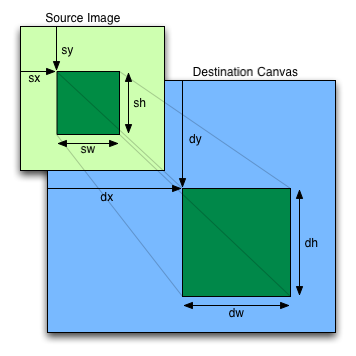
如果图像尚未完全解码,则不绘制任何内容。如果图像是一个没有数据的画布,则抛出 "InvalidStateError" DOMException.
调用 drawImage()
方法时,用户代理必须运行以下步骤:
如果任一参数为无穷大或 NaN,则返回。
令 usability 为以下操作的结果: 检查以下图像的可用性: image.
如果 usability 为 不可用,则返回(不绘制任何内容)。
按如下方式确定源矩形和目标矩形:
如果未指定, dw 和 dh 参数必须分别默认为 sw 和 sh的值,其解释方式是将图像中的一个 CSS 像素 视为 输出位图坐标空间中的一个单位。如果省略了 sx, sy, sw和 sh 参数,则它们必须分别默认为 0、0、以图像像素为单位的图像 固有宽度 和以图像像素为单位的图像 固有高度 。如果图像没有 固有尺寸,则必须改用 具体对象尺寸 ,该尺寸使用 CSS 的“具体对象尺寸解析”算法确定,其中 指定尺寸 既没有确定的宽度和高度,也没有任何额外的约束;对象的固有属性为 image 参数的固有属性;而 默认对象尺寸 为以下位图的尺寸: 输出位图. [CSSIMAGES]
源矩形是以以下四个点为顶点的矩形:(sx, sy), (sx+sw, sy), (sx+sw, sy+sh), (sx, sy+sh).
目标矩形是以以下四个点为顶点的矩形:(dx, dy), (dx+dw, dy), (dx+dw, dy+dh), (dx, dy+dh).
当源矩形超出源图像时,必须将源矩形裁剪到源图像范围内,并按相同比例裁剪目标矩形。
当目标矩形超出目标图像(即 输出位图)时,落在 输出位图 之外的像素将被丢弃,就如同目标是一个无限画布,其渲染结果被裁剪为以下位图的尺寸: 输出位图.
如果 sw 或 sh 参数中的任意一个为零,则返回。不绘制任何内容。
将 image 参数中由源矩形指定的区域绘制到渲染上下文的 输出位图 中由目标矩形指定的区域;绘制前,须先将 当前变换矩阵 应用于目标矩形。
即使给定的尺寸为负值,也必须按原始方向处理图像数据。
放大时,如果 imageSmoothingEnabled
属性设为 true,用户代理应尝试在缩放图像数据时应用平滑算法。支持多种滤波算法的用户代理可以使用 imageSmoothingQuality
属性的值来辅助选择滤波算法,前提是 imageSmoothingEnabled
属性设为 true。否则,必须使用最近邻插值渲染图像。
本规范没有规定缩小图像时,或在 imageSmoothingEnabled
属性设为 true 时放大图像所用的精确算法。
将 canvas
元素绘制到其自身上时, 绘制模型 要求在绘制图像之前先复制源,因此可以将 canvas
元素的某些部分复制到其自身与这些部分重叠的区域。
如果原始图像数据是位图图像,则目标矩形内某点的绘制值通过对原始图像数据进行滤波来计算。用户代理可以使用任何滤波算法(例如双线性插值或最近邻插值)。当滤波算法需要原始图像数据范围之外的像素值时,必须改为使用最近的边缘像素的值。(即滤波器使用“钳制到边缘”(clamp-to-edge)行为。)当滤波算法需要源矩形之外、但在原始图像数据范围内的像素值时,则必须使用原始图像数据中的值。
因此,分块缩放或整体缩放图像会得到相同的效果。这也意味着,缩放来自同一精灵图集的精灵时,图集中相邻的图像可能相互干扰。要避免这种情况,可以确保图集中的每个精灵周围都有一圈 透明黑色边框,或将要缩放的精灵复制到临时 canvas 元素中,再从这些元素绘制缩放后的精灵。
绘制图像不会影响当前路径,且受以下因素影响: 阴影效果, 全局 alpha、 裁剪区域以及 当前合成与混合运算符.
如果 image 并非源干净的,则将
CanvasRenderingContext2D的
origin-clean 标志设为
false。
imageData = context.createImageData(imageData)
imageData = context.createImageData(sw, sh [, settings])
CanvasRenderingContext2D/createImageData
所有当前引擎均支持。
返回一个具有给定尺寸的 ImageData 对象。返回对象的 颜色空间 默认与
context 相同;若要覆盖,则使用 settings。返回对象中的所有像素均为 透明黑色.
抛出 "IndexSizeError" DOMException
的条件是宽度或高度参数中任一为零。
imageData = context.getImageData(sx, sy, sw, sh [, settings])
CanvasRenderingContext2D/getImageData
所有当前引擎均支持。
返回一个 ImageData
对象,包含位图中给定矩形的图像数据。返回对象的 颜色空间 默认与 context 相同;若要覆盖,则使用
settings.
抛出 "IndexSizeError" DOMException
的条件是宽度或高度参数中任一为零。
context.putImageData(imageData, dx, dy [, dirtyX, dirtyY, dirtyWidth, dirtyHeight ])
CanvasRenderingContext2D/putImageData
所有当前引擎均支持。
将给定 ImageData
对象中的数据绘制到位图上。如果提供了脏矩形,则只绘制该矩形中的像素。
在本次方法调用中, globalAlpha
和 globalCompositeOperation
属性以及 阴影属性均被忽略;画布中的像素被直接替换,不进行合成、alpha 混合,也不生成阴影等。
抛出 "InvalidStateError" DOMException
的条件是
imageData 对象的 data 属性值的
[[ViewedArrayBuffer]] 内部槽已被分离。
实现 CanvasImageData
接口的对象提供以下方法,用于读取位图的像素数据以及向位图写入像素数据。
createImageData(sw, sh,
settings) 方法的步骤如下:
如果 sw 和 sh 中的一个或两个为零,则抛出
"IndexSizeError" DOMException.
初始化 newImageData ,传入以下参数:取绝对值后的 sw、取绝对值后的 sh, settings,并将 defaultColorSpace 设为 this的 颜色空间.
将 newImageData 的图像数据初始化为 透明黑色.
返回 newImageData.
createImageData(imageData)
方法的步骤如下:
令 settings 为 ImageDataSettings 对象 «[
"colorSpace"
→
this的
colorSpace,
"pixelFormat"
→
this的
pixelFormat ]».
初始化
newImageData
,传入以下参数: imageData的 width
属性的值、 imageData的 height
属性的值以及 settings.
将 newImageData 的图像数据初始化为 透明黑色.
返回 newImageData.
getImageData(sx, sy, sw,
sh, settings) 方法的步骤如下:
如果 sw 或 sh 参数为零,则抛出
"IndexSizeError" DOMException.
如果 CanvasRenderingContext2D的
origin-clean
标志设为 false,则抛出
"SecurityError" DOMException.
初始化 imageData ,传入以下参数: sw, sh, settings,并将 defaultColorSpace 设为 this的 颜色空间.
令源矩形为以以下四点为顶点的矩形:(sx, sy), (sx+sw, sy), (sx+sw, sy+sh), (sx, sy+sh).
将 imageData 的像素值设为以下来源的像素值: this的
输出位图 中,以位图坐标空间单位指定的源矩形所确定的区域。先将这些像素值从 this的
颜色空间 转换为
imageData的 colorSpace
,使用 'relative-colorimetric'
渲染意图。
返回 imageData.
putImageData(imageData,
dx, dy) 方法的步骤为
将
ImageData 中的像素放入位图,传入以下参数:
imageData, this的 输出位图,
dx, dy, 0, 0,
imageData的 width,以及
imageData的 height.
putImageData(imageData,
dx, dy, dirtyX, dirtyY,
dirtyWidth, dirtyHeight) 方法的步骤为
将
ImageData 中的像素放入位图,传入以下参数:
imageData, this的 输出位图,
dx, dy, dirtyX, dirtyY,
dirtyWidth,以及 dirtyHeight.
要 将 ImageData
中的像素放入位图,给定一个 ImageData
imageData、一个 输出位图
bitmap以及数值 dx, dy,
dirtyX, dirtyY, dirtyWidth和 dirtyHeight:
令 buffer 为 imageData的 data 属性值的
[[ViewedArrayBuffer]] 内部槽。
如果 IsDetachedBuffer(buffer) 为 true,则抛出
"InvalidStateError" DOMException.
如果 dirtyWidth 为负,则令 dirtyX 为 dirtyX+dirtyWidth,并令 dirtyWidth 等于以下值的绝对值: dirtyWidth.
如果 dirtyHeight 为负,则令 dirtyY 为 dirtyY+dirtyHeight,并令 dirtyHeight 等于以下值的绝对值: dirtyHeight.
如果 dirtyX 为负,则令 dirtyWidth 为 dirtyWidth+dirtyX,并令 dirtyX 为 0。
如果 dirtyY 为负,则令 dirtyHeight 为 dirtyHeight+dirtyY,并令 dirtyY 为 0。
如果 dirtyX+dirtyWidth 大于以下 width 属性的值(属于
imageData 参数),则令 dirtyWidth 为该 width
属性的值减去 dirtyX.
如果 dirtyY+dirtyHeight 大于以下 height 属性的值(属于
imageData 参数),则令 dirtyHeight 为该 height 属性的值减去
dirtyY.
如果经过这些更改后, dirtyWidth 或 dirtyHeight 中的任一个为负或零,则返回,不影响任何位图。
对于 x 和 y 的所有整数值,若满足
dirtyX ≤ x < dirtyX+dirtyWidth
和
dirtyY ≤ y < dirtyY+dirtyHeight,则将坐标
(dx+x,
dy+y) 处的像素(位于 bitmap 中)设为坐标 (x, y) 处的像素(位于
imageData 数据结构的
位图中)的颜色,先将该颜色从 imageData的
colorSpace
转换为目标 颜色空间 (即
bitmap
的颜色空间),转换时使用 'relative-colorimetric' 渲染意图。
由于在颜色空间之间转换,以及与 预乘 alpha 颜色值之间相互转换都会有损失,因此,刚使用 putImageData()设置的非完全不透明像素,在等效的
getImageData()
调用中可能返回不同的值。
当前路径、 变换矩阵, 阴影属性, 全局 alpha、 裁剪区域以及 当前合成与混合运算符 不得影响本节所述的方法。
在以下示例中,脚本生成一个 ImageData 对象,以便在其上绘制。
// canvas is a reference to a <canvas> element
var context = canvas. getContext( '2d' );
// create a blank slate
var data = context. createImageData( canvas. width, canvas. height);
// create some plasma
FillPlasma( data, 'green' ); // green plasma
// add a cloud to the plasma
AddCloud( data, data. width/ 2 , data. height/ 2 ); // put a cloud in the middle
// paint the plasma+cloud on the canvas
context. putImageData( data, 0 , 0 );
// support methods
function FillPlasma( data, color) { ... }
function AddCloud( data, x, y) { ... } 下面的示例使用 getImageData()
和 putImageData()
实现边缘检测滤镜。
<!DOCTYPE HTML>
< html lang = "en" >
< head >
< title > Edge detection demo</ title >
< script >
var image = new Image();
function init() {
image. onload = demo;
image. src = "image.jpeg" ;
}
function demo() {
var canvas = document. getElementsByTagName( 'canvas' )[ 0 ];
var context = canvas. getContext( '2d' );
// draw the image onto the canvas
context. drawImage( image, 0 , 0 );
// get the image data to manipulate
var input = context. getImageData( 0 , 0 , canvas. width, canvas. height);
// get an empty slate to put the data into
var output = context. createImageData( canvas. width, canvas. height);
// alias some variables for convenience
// In this case input.width and input.height
// match canvas.width and canvas.height
// but we'll use the former to keep the code generic.
var w = input. width, h = input. height;
var inputData = input. data;
var outputData = output. data;
// edge detection
for ( var y = 1 ; y < h- 1 ; y += 1 ) {
for ( var x = 1 ; x < w- 1 ; x += 1 ) {
for ( var c = 0 ; c < 3 ; c += 1 ) {
var i = ( y* w + x) * 4 + c;
outputData[ i] = 127 + - inputData[ i - w* 4 - 4 ] - inputData[ i - w* 4 ] - inputData[ i - w* 4 + 4 ] +
- inputData[ i - 4 ] + 8 * inputData[ i] - inputData[ i + 4 ] +
- inputData[ i + w* 4 - 4 ] - inputData[ i + w* 4 ] - inputData[ i + w* 4 + 4 ];
}
outputData[( y* w + x) * 4 + 3 ] = 255 ; // alpha
}
}
// put the image data back after manipulation
context. putImageData( output, 0 , 0 );
}
</ script >
</ head >
< body onload = "init()" >
< canvas ></ canvas >
</ body >
</ html > 下面的示例展示了绘制纯色并回读结果时所应用的颜色空间转换,回读使用 getImageData().
<!DOCTYPE HTML>
< html lang = "en" >
< title > Color space image data demo</ title >
< canvas ></ canvas >
< script >
const canvas = document. querySelector( 'canvas' );
const context = canvas. getContext( '2d' , { colorSpace: 'display-p3' });
// Draw a red rectangle. Note that the hex color notation
// specifies sRGB colors.
context. fillStyle = "#FF0000" ;
context. fillRect( 0 , 0 , 64 , 64 );
// Get the image data.
const pixels = context. getImageData( 0 , 0 , 1 , 1 );
// This will print 'display-p3', reflecting the default behavior
// of returning image data in the canvas's color space.
console. log( pixels. colorSpace);
// This will print the values 234, 51, and 35, reflecting the
// red fill color, converted to 'display-p3'.
console. log( pixels. data[ 0 ]);
console. log( pixels. data[ 1 ]);
console. log( pixels. data[ 2 ]);
</ script > context.globalAlpha [ = value ]
CanvasRenderingContext2D/globalAlpha
所有当前引擎均支持。
返回当前应用于渲染操作的 全局 alpha 值。
可以设置此属性,以更改 全局 alpha 值。超出 0.0 .. 1.0 范围的值会被忽略。
context.globalCompositeOperation [ = value ]
CanvasRenderingContext2D/globalCompositeOperation
所有当前引擎均支持。
返回 当前合成与混合运算符,其取值由以下规范定义: 合成与混合. [COMPOSITE]
可以设置此属性,以更改 当前合成与混合运算符。未知值会被忽略。
实现 CanvasCompositing 接口的对象具有 全局 alpha 值和 当前合成与混合运算符 值,两者均影响该对象上的所有绘制操作。
全局 alpha 值指定一个 alpha 值;在将形状和图像合成到 输出位图之前,先将该 alpha 值应用于它们。其取值范围为 0.0(完全透明)到 1.0(不增加透明度)。其初始值必须为 1.0。
globalAlpha
设置器步骤如下:
当前合成与混合运算符 值控制形状和图像如何绘制到 输出位图上;绘制前需应用 全局 alpha 和 当前变换矩阵 。其初始值必须设为 "source-over".
globalCompositeOperation 获取器步骤为返回 this的 当前合成与混合运算符.
globalCompositeOperation
设置器步骤如下:
如果给定值不 完全等同于 以下属性规定可接受的任一值: <blend-mode> 或 <composite-mode> ,则返回。 [COMPOSITE]
否则,将 this的 当前合成与混合运算符 设为给定值。
context.imageSmoothingEnabled [ = value ]
CanvasRenderingContext2D/imageSmoothingEnabled
所有当前引擎均支持。
返回以下信息:图案填充和 drawImage()
方法在放大图像时,如果图像像素未与显示屏精确对齐,是否会尝试对图像进行平滑处理。
可以设置此属性,以决定是否对图像进行平滑处理(true 表示进行,false 表示不进行)。
context.imageSmoothingQuality [ = value ]
CanvasRenderingContext2D/imageSmoothingQuality
返回当前的图像平滑质量偏好。
可以设置此属性,以更改偏好的图像平滑质量。可能的值为 "low",
"medium"
和 "high"。未知值会被忽略。
实现 CanvasImageSmoothing
接口的对象具有控制图像平滑处理方式的属性。
imageSmoothingEnabled 属性在获取时,必须返回最近一次设置的值。在设置时,必须将其设为新值。创建实现 CanvasImageSmoothing
接口的对象时,必须将该属性设为 true。
imageSmoothingQuality 属性在获取时,必须返回最近一次设置的值。在设置时,必须将其设为新值。创建实现 CanvasImageSmoothing
接口的对象时,必须将该属性设为 "low".
实现 CanvasShadowStyles
接口的对象上的所有绘制操作均受四个全局阴影属性的影响。
context.shadowColor [ = value ]
CanvasRenderingContext2D/shadowColor
所有当前引擎均支持。
返回当前的阴影颜色。
可以设置此属性,以更改阴影颜色。无法解析为 CSS 颜色的值会被忽略。
context.shadowOffsetX [ = value ]
CanvasRenderingContext2D/shadowOffsetX
所有当前引擎均支持。
context.shadowOffsetY [ = value ]
CanvasRenderingContext2D/shadowOffsetY
所有当前引擎均支持。
返回当前的阴影偏移量。
可以设置此属性,以更改阴影偏移量。非有限数的值会被忽略。
context.shadowBlur [ = value ]
CanvasRenderingContext2D/shadowBlur
所有当前引擎均支持。
返回当前应用于阴影的模糊程度。
可以设置此属性,以更改模糊程度。不是大于或等于零的有限数的值会被忽略。
实现 CanvasShadowStyles 接口的对象具有一个关联的
阴影颜色,它是一个 CSS 颜色。其初始值必须为 透明黑色.
shadowColor 获取器步骤为返回以下 序列化 结果:将 this的 阴影颜色
序列化,并 请求与 HTML 兼容的序列化.
shadowColor
设置器步骤如下:
shadowOffsetX 和 shadowOffsetY
属性分别指定阴影在水平正方向和垂直正方向上的偏移距离。其值以坐标空间单位表示,不受当前变换矩阵的影响。
创建上下文时,阴影偏移属性的初始值必须为 0。
在获取时,它们必须返回各自的当前值。在设置时,必须将所设置的属性设为新值;但如果该值为正无穷、负无穷或 NaN,则必须忽略该新值。
shadowBlur 属性指定模糊效果的程度。(其单位不对应于坐标空间单位,也不受当前变换矩阵的影响。)
创建上下文时, shadowBlur
属性的初始值必须为 0。
在获取时,该属性必须返回当前值。在设置时,必须将该属性设为新值;但如果该值为负数、正无穷、负无穷或 NaN,则必须忽略该新值。
仅在以下情况下绘制阴影 : 阴影颜色 的 alpha 分量的不透明度分量非零,且下列条件至少有一个成立: shadowBlur
非零; shadowOffsetX 非零;
shadowOffsetY
非零。
绘制阴影时,必须按以下方式渲染:
令 A 为一个无限大的 透明黑色 位图,其上已渲染需要为之创建阴影的源图像。
令 B 为一个无限大的 透明黑色 位图,其坐标空间和原点均与以下位图相同: A.
将 A 的 alpha 分量复制到 B,偏移量为 shadowOffsetX
(沿 x
正方向)和 shadowOffsetY
(沿
y 正方向)。
如果 shadowBlur
大于 0:
令 σ 为以下值的一半: shadowBlur.
对 B执行二维高斯模糊,以 σ 为标准差。
用户代理可以为 σ 设定依实现而定的最大值限制,以避免在高斯模糊操作期间超出硬件限制。
将 B 中每个像素的红、绿、蓝分量分别设为以下颜色的红、绿、蓝分量: 阴影颜色.
将 B 中每个像素的 alpha 分量乘以下列颜色的 alpha 分量: 阴影颜色.
阴影位于位图 B中,并作为下文所述 绘制模型 的一部分进行渲染。
如果 当前合成与混合运算符 为 "copy",则实际上不会渲染阴影(因为形状会覆盖阴影)。
实现 CanvasFilters
接口的对象上的所有绘制操作都受全局 filter 属性的影响。
context.filter [ = value ]
CanvasRenderingContext2D/filter
返回当前滤镜。
可通过设置此属性来更改滤镜。其值可以是字符串“none”,也可以是能够解析为 <filter-value-list>的字符串。其他值将被忽略。
此类对象具有一个关联的 当前滤镜,它是一个字符串。初始时, 当前滤镜
被设为字符串“none”。只要 当前滤镜 的值为字符串“none”,该上下文就会禁用滤镜。
filter 的 setter 步骤为:
虽然
context. 会禁用该上下文的滤镜,但
filter
= "none"context.,
filter
= ""context.以及
filter
= nullcontext. 均被视为无法解析的输入, 当前滤镜 的值保持不变。
filter
=
undefined
当前滤镜 值中使用的坐标按以下方式解释:一个像素相当于一个 SVG 用户空间单位,也相当于一个画布坐标空间单位。滤镜坐标不受 当前变换矩阵影响。当前变换矩阵仅影响滤镜的输入。滤镜在 输出位图的坐标空间中应用。
当 当前滤镜 的值是可解析为 <filter-value-list> 的字符串,并且使用百分比、 'em' 或 'ex' 单位定义长度时,这些长度必须相对于相应的 计算值 来解释;该计算值对应于 'font-size' 属性,并在设置
filter 属性时从
字体样式源对象 获取。如果某种情况下的 计算值 未定义(例如,因为 字体样式源对象 不是元素,或没有 被渲染),则相对关键字必须相对于 font 属性的默认值来解释。不支持 'larger' 和 'smaller'
关键字。
如果 当前滤镜 的值是可解析为 <filter-value-list> 的字符串,且其中引用了同一文档中的 SVG 滤镜,那么当该 SVG 滤镜发生变化时,下一次绘制操作将使用更改后的滤镜。
如果 当前滤镜 的值是可解析为 <filter-value-list> 的字符串,且其中引用了外部资源文档中的 SVG 滤镜,而调用绘制操作时该文档尚未加载,则绘制操作必须在不应用滤镜的情况下继续进行。
本节为非规范性内容。
在外部定义的滤镜加载完成之前,绘制会使用滤镜值“none”,因此作者可能希望先确定该滤镜是否已加载完成,再进行绘制操作。一种实现方法是在同一页面的其他位置,使用某个会发送
load 事件的元素(例如 SVG
use
元素)来加载外部定义的滤镜,然后等待 load 事件被派发。
绘制形状或图像时,用户代理必须按给定顺序执行以下步骤(或使行为等同于执行这些步骤):
按照前面各节的说明,将形状或图像渲染到一个无限大的 透明黑色 位图上,创建图像 A。对于形状,必须遵循当前的填充、描边和线条样式,并且描边本身也必须经过当前变换矩阵的变换。
将图像 A 转换到该上下文的 颜色空间.
2D 上下文不存在颜色空间未定义的输入。CSS 颜色的颜色空间在 CSS Color中定义。未指定颜色配置文件信息的图像,其颜色空间为 'srgb',如 “未标记颜色的颜色空间” 一节中所述,该节出自 CSS Color. [CSSCOLOR]
将 A 中每个像素的 alpha 分量乘以 global alpha.
当 当前滤镜
被设为“none”以外的值,并且它引用的所有外部定义的滤镜(若有)都位于当前已加载的文档中时,使用图像 A 作为 当前滤镜的输入,创建图像
B。如果 当前滤镜
是可解析为 <filter-value-list>的字符串,则使用 当前滤镜 以与 SVG
相同的方式进行绘制。
否则,令 B 成为以下图像的别名: A.
绘制阴影时,根据图像 B使用当前阴影样式渲染阴影,创建图像 C.
绘制阴影时,将 C 在 裁剪区域 内合成到当前 输出位图 之上,使用 当前合成与混合运算符.
将 B 在 裁剪区域 内合成到当前 输出位图 之上,使用 当前合成与混合运算符.
当画布具有交互性时,作者应在该元素的后备内容中包含 可聚焦 的元素,分别对应画布上每一个 可聚焦 的部分,如 上面的示例.
渲染焦点环时,为确保焦点环具有原生焦点环的外观,作者应使用 drawFocusIfNeeded()
方法,并向其传入要为之绘制焦点环的元素。此方法仅在元素
获得焦点时绘制焦点环,因此可以在绘制该元素时直接调用它,无需先检查元素是否已获得焦点。
作者应避免使用 canvas 元素实现文本编辑控件。这样做有大量缺点:
这是一项极其庞大的工作,因此强烈建议作者避免自行实现上述任何功能,改为使用 input 元素、 textarea 元素或
contenteditable 属性。
本节为非规范性内容。
下面的脚本示例使用画布绘制 漂亮的发光线条.
< canvas width = "800" height = "450" ></ canvas >
< script >
var context = document. getElementsByTagName( 'canvas' )[ 0 ]. getContext( '2d' );
var lastX = context. canvas. width * Math. random();
var lastY = context. canvas. height * Math. random();
var hue = 0 ;
function line() {
context. save();
context. translate( context. canvas. width/ 2 , context. canvas. height/ 2 );
context. scale( 0.9 , 0.9 );
context. translate( - context. canvas. width/ 2 , - context. canvas. height/ 2 );
context. beginPath();
context. lineWidth = 5 + Math. random() * 10 ;
context. moveTo( lastX, lastY);
lastX = context. canvas. width * Math. random();
lastY = context. canvas. height * Math. random();
context. bezierCurveTo( context. canvas. width * Math. random(),
context. canvas. height * Math. random(),
context. canvas. width * Math. random(),
context. canvas. height * Math. random(),
lastX, lastY);
hue = hue + 10 * Math. random();
context. strokeStyle = 'hsl(' + hue + ', 50%, 50%)' ;
context. shadowColor = 'white' ;
context. shadowBlur = 10 ;
context. stroke();
context. restore();
}
setInterval( line, 50 );
function blank() {
context. fillStyle = 'rgba(0,0,0,0.1)' ;
context. fillRect( 0 , 0 , context. canvas. width, context. canvas. height);
}
setInterval( blank, 40 );
</ script > canvas 的 2D
渲染上下文常用于基于精灵的游戏。以下示例演示了这一用法:
以下是此示例的源代码:
<!DOCTYPE HTML>
< html lang = "en" >
< meta charset = "utf-8" >
< title > Blue Robot Demo</ title >
< style >
html { overflow : hidden ; min-height : 200 px ; min-width : 380 px ; }
body { height : 200 px ; position : relative ; margin : 8 px ; }
. buttons { position : absolute ; bottom : 0 px ; left : 0 px ; margin : 4 px ; }
</ style >
< canvas width = "380" height = "200" ></ canvas >
< script >
var Landscape = function ( context, width, height) {
this . offset = 0 ;
this . width = width;
this . advance = function ( dx) {
this . offset += dx;
};
this . horizon = height * 0.7 ;
// This creates the sky gradient (from a darker blue to white at the bottom)
this . sky = context. createLinearGradient( 0 , 0 , 0 , this . horizon);
this . sky. addColorStop( 0.0 , 'rgb(55,121,179)' );
this . sky. addColorStop( 0.7 , 'rgb(121,194,245)' );
this . sky. addColorStop( 1.0 , 'rgb(164,200,214)' );
// this creates the grass gradient (from a darker green to a lighter green)
this . earth = context. createLinearGradient( 0 , this . horizon, 0 , height);
this . earth. addColorStop( 0.0 , 'rgb(81,140,20)' );
this . earth. addColorStop( 1.0 , 'rgb(123,177,57)' );
this . paintBackground = function ( context, width, height) {
// first, paint the sky and grass rectangles
context. fillStyle = this . sky;
context. fillRect( 0 , 0 , width, this . horizon);
context. fillStyle = this . earth;
context. fillRect( 0 , this . horizon, width, height- this . horizon);
// then, draw the cloudy banner
// we make it cloudy by having the draw text off the top of the
// canvas, and just having the blurred shadow shown on the canvas
context. save();
context. translate( width- (( this . offset+ ( this . width* 3.2 )) % ( this . width* 4.0 )) + 0 , 0 );
context. shadowColor = 'white' ;
context. shadowOffsetY = 30 + this . horizon/ 3 ; // offset down on canvas
context. shadowBlur = '5' ;
context. fillStyle = 'white' ;
context. textAlign = 'left' ;
context. textBaseline = 'top' ;
context. font = '20px sans-serif' ;
context. fillText( 'WHATWG ROCKS' , 10 , - 30 ); // text up above canvas
context. restore();
// then, draw the background tree
context. save();
context. translate( width- (( this . offset+ ( this . width* 0.2 )) % ( this . width* 1.5 )) + 30 , 0 );
context. beginPath();
context. fillStyle = 'rgb(143,89,2)' ;
context. lineStyle = 'rgb(10,10,10)' ;
context. lineWidth = 2 ;
context. rect( 0 , this . horizon+ 5 , 10 , - 50 ); // trunk
context. fill();
context. stroke();
context. beginPath();
context. fillStyle = 'rgb(78,154,6)' ;
context. arc( 5 , this . horizon- 60 , 30 , 0 , Math. PI* 2 ); // leaves
context. fill();
context. stroke();
context. restore();
};
this . paintForeground = function ( context, width, height) {
// draw the box that goes in front
context. save();
context. translate( width- (( this . offset+ ( this . width* 0.7 )) % ( this . width* 1.1 )) + 0 , 0 );
context. beginPath();
context. rect( 0 , this . horizon - 5 , 25 , 25 );
context. fillStyle = 'rgb(220,154,94)' ;
context. lineStyle = 'rgb(10,10,10)' ;
context. lineWidth = 2 ;
context. fill();
context. stroke();
context. restore();
};
};
</ script >
< script >
var BlueRobot = function () {
this . sprites = new Image();
this . sprites. src = 'blue-robot.png' ; // this sprite sheet has 8 cells
this . targetMode = 'idle' ;
this . walk = function () {
this . targetMode = 'walk' ;
};
this . stop = function () {
this . targetMode = 'idle' ;
};
this . frameIndex = {
'idle' : [ 0 ], // first cell is the idle frame
'walk' : [ 1 , 2 , 3 , 4 , 5 , 6 ], // the walking animation is cells 1-6
'stop' : [ 7 ], // last cell is the stopping animation
};
this . mode = 'idle' ;
this . frame = 0 ; // index into frameIndex
this . tick = function () {
// this advances the frame and the robot
// the return value is how many pixels the robot has moved
this . frame += 1 ;
if ( this . frame >= this . frameIndex[ this . mode]. length) {
// we've reached the end of this animation cycle
this . frame = 0 ;
if ( this . mode != this . targetMode) {
// switch to next cycle
if ( this . mode == 'walk' ) {
// we need to stop walking before we decide what to do next
this . mode = 'stop' ;
} else if ( this . mode == 'stop' ) {
if ( this . targetMode == 'walk' )
this . mode = 'walk' ;
else
this . mode = 'idle' ;
} else if ( this . mode == 'idle' ) {
if ( this . targetMode == 'walk' )
this . mode = 'walk' ;
}
}
}
if ( this . mode == 'walk' )
return 8 ;
return 0 ;
},
this . paint = function ( context, x, y) {
if ( ! this . sprites. complete) return ;
// draw the right frame out of the sprite sheet onto the canvas
// we assume each frame is as high as the sprite sheet
// the x,y coordinates give the position of the bottom center of the sprite
context. drawImage( this . sprites,
this . frameIndex[ this . mode][ this . frame] * this . sprites. height, 0 , this . sprites. height, this . sprites. height,
x- this . sprites. height/ 2 , y- this . sprites. height, this . sprites. height, this . sprites. height);
};
};
</ script >
< script >
var canvas = document. getElementsByTagName( 'canvas' )[ 0 ];
var context = canvas. getContext( '2d' );
var landscape = new Landscape( context, canvas. width, canvas. height);
var blueRobot = new BlueRobot();
// paint when the browser wants us to, using requestAnimationFrame()
function paint() {
context. clearRect( 0 , 0 , canvas. width, canvas. height);
landscape. paintBackground( context, canvas. width, canvas. height);
blueRobot. paint( context, canvas. width/ 2 , landscape. horizon* 1.1 );
landscape. paintForeground( context, canvas. width, canvas. height);
requestAnimationFrame( paint);
}
paint();
// but tick every 100ms, so that we don't slow down when we don't paint
setInterval( function () {
var dx = blueRobot. tick();
landscape. advance( dx);
}, 100 );
</ script >
< p class = "buttons" >
< input type = button value = "Walk" onclick = "blueRobot.walk()" >
< input type = button value = "Stop" onclick = "blueRobot.stop()" >
< footer >
< small > Blue Robot Player Sprite by < a href = "https://johncolburn.deviantart.com/" > JohnColburn</ a > .
Licensed under the terms of the Creative Commons Attribution Share-Alike 3.0 Unported license.</ small >
< small > This work is itself licensed under a < a rel = "license" href = "https://creativecommons.org/licenses/by-sa/3.0/" > Creative
Commons Attribution-ShareAlike 3.0 Unported License</ a > .</ small >
</ footer >
ImageBitmap 渲染上下文ImageBitmapRenderingContext
是一个注重性能的接口,为显示 ImageBitmap
对象的内容提供了一种低开销的方法。它使用转移语义来降低总体内存消耗,同时通过避免中间合成来提高性能;这一点有别于 drawImage() 方法,该方法属于
CanvasRenderingContext2D.
例如,使用 img
元素作为中间媒介,将图像资源引入画布,会导致内存中同时存在解码后图像的两个副本: img
元素中的副本和画布后备存储中的副本。处理极大的图像时,这种内存开销可能高得无法接受。要避免这一问题,可以使用 ImageBitmapRenderingContext.
使用 ImageBitmapRenderingContext,可以按以下方式将图像转码为
JPEG 格式,同时高效利用内存和 CPU:
createImageBitmap( inputImageBlob). then( image => {
const canvas = document. createElement( 'canvas' );
const context = canvas. getContext( 'bitmaprenderer' );
context. transferFromImageBitmap( image);
canvas. toBlob( outputJPEGBlob => {
// Do something with outputJPEGBlob.
}, 'image/jpeg' );
}); ImageBitmapRenderingContext
接口所有当前引擎均支持。
[Exposed =(Window ,Worker )]
interface ImageBitmapRenderingContext {
readonly attribute (HTMLCanvasElement or OffscreenCanvas ) canvas ;
undefined transferFromImageBitmap (ImageBitmap ? bitmap );
};
dictionary ImageBitmapRenderingContextSettings {
boolean alpha = true ;
};context = canvas.getContext('bitmaprenderer' [, { [ alpha: false ] } ])
返回一个 ImageBitmapRenderingContext
对象,该对象永久绑定到某个特定的 canvas
元素。
如果提供了 alpha
设置,且将其设为 false,则画布被强制始终保持不透明。
context.canvas
返回上下文所绑定的 canvas
元素。
context.transferFromImageBitmap(imageBitmap)
ImageBitmapRenderingContext/transferFromImageBitmap
所有当前引擎均支持。
将底层 位图数据
从 imageBitmap 转移到 context,该位图会成为
canvas
元素的内容,绑定到该元素的上下文为 context 。
context.transferFromImageBitmap(null)
替换 canvas
元素的内容,绑定到该元素的上下文为 context 。替换后的内容是一个 透明黑色
位图,其尺寸由 width
和 height
内容属性决定;这些属性属于该 canvas
元素。
canvas 属性必须返回在创建对象时为其初始化的值。
ImageBitmapRenderingContext
对象具有一个 输出位图,它是一个引用,指向 位图数据.
ImageBitmapRenderingContext
对象具有一个 位图模式,可设为
有效 或 空白。值为 有效 表示该上下文的
输出位图 引用的
位图数据 是通过以下方法获取的: transferFromImageBitmap()。值为
空白 表示该上下文的 输出位图
是默认的透明位图。
ImageBitmapRenderingContext
对象还具有一个 alpha 标志,可设为 true 或 false。当一个 ImageBitmapRenderingContext
对象的 alpha 标志设为 false
时,该上下文绑定的 canvas
元素的内容通过以下方式获取:将该上下文的 输出位图
合成到一个尺寸相同的
不透明黑色 位图之上,使用 source-over 合成运算符。如果 alpha 标志设为
true,则将
输出位图
用作该上下文所绑定的 canvas
元素的内容。
[COMPOSITE]
只要可以通过其他方式更高效地获得等效结果,就应省略在 不透明黑色 位图之上进行合成的步骤。
当要求用户代理 设置
ImageBitmapRenderingContext的输出位图时,会传入一个 context 参数,它是
ImageBitmapRenderingContext
对象,以及一个可选参数 bitmap ,它引用 位图数据;用户代理必须运行以下步骤:
如果未提供 bitmap 参数:
如果提供了 bitmap 参数:
将 context的 输出位图 设为引用与 bitmap相同的底层位图数据,而不进行复制。
origin-clean 标志属于 bitmap ,该标志也包含在位图数据中,引用这些数据的是 context的 输出位图.
ImageBitmapRenderingContext 创建算法接收
target 和 options作为参数,并运行以下步骤:
令 settings 为 转换 options 后得到的值,转换的目标字典类型为
ImageBitmapRenderingContextSettings。(此操作可能抛出异常。)
令 context 为一个新的 ImageBitmapRenderingContext
对象。
初始化 context的 canvas
属性,使其指向 target.
将 context的 输出位图 设为与 target的位图相同的位图(使二者共享同一个位图)。
运行 设置
ImageBitmapRenderingContext的输出位图 的步骤,传入 context.
将 context的 alpha 标志初始化为 true。
按以下方式处理 settings 的各个成员:
alpha返回 context.
transferFromImageBitmap(bitmap)
方法在被调用时必须运行以下步骤:
令 bitmapContext 为相应的 ImageBitmapRenderingContext
对象,即被调用 transferFromImageBitmap()
方法的对象。
如果 bitmap 为 null,则运行 设置 ImageBitmapRenderingContext 的输出位图的步骤,将 bitmapContext 作为 context 参数,且不提供 bitmap 参数,然后返回。
如果 bitmap的 [[Detached]] 内部槽的值设为 true,则抛出 "InvalidStateError" DOMException.
运行 设置
ImageBitmapRenderingContext的输出位图的步骤,其中 context 参数等于 bitmapContext,
bitmap 参数引用 bitmap的底层 位图数据.
将 bitmap的 [[Detached]] 内部槽的值设为 true。
清除 bitmap的 位图数据.
OffscreenCanvas 接口所有当前引擎均支持。
typedef (OffscreenCanvasRenderingContext2D or ImageBitmapRenderingContext or WebGLRenderingContext or WebGL2RenderingContext or GPUCanvasContext ) OffscreenRenderingContext ;
dictionary ImageEncodeOptions {
DOMString type = "image/png";
unrestricted double quality ;
};
enum OffscreenRenderingContextId { " 2d " , " bitmaprenderer " , " webgl " , " webgl2 " , " webgpu " };
[Exposed =(Window ,Worker ), Transferable ]
interface OffscreenCanvas : EventTarget {
constructor ([EnforceRange ] unsigned long long width , [EnforceRange ] unsigned long long height );
attribute [EnforceRange ] unsigned long long width ;
attribute [EnforceRange ] unsigned long long height ;
OffscreenRenderingContext ? getContext (OffscreenRenderingContextId contextId , optional any options = null );
ImageBitmap transferToImageBitmap ();
Promise <Blob > convertToBlob (optional ImageEncodeOptions options = {});
attribute EventHandler oncontextlost ;
attribute EventHandler oncontextrestored ;
};OffscreenCanvas 是一个
EventTarget,因此
OffscreenCanvasRenderingContext2D
和 WebGL 都可以向其触发事件。
OffscreenCanvasRenderingContext2D
可以触发 contextlost
和 contextrestored,而
WebGL 可以触发 webglcontextlost 和 webglcontextrestored.
[WEBGL]
OffscreenCanvas
对象用于创建渲染上下文,与
HTMLCanvasElement十分相似,但不与
DOM 连接。这使得在以下环境中使用画布渲染上下文成为可能: 工作线程.
OffscreenCanvas
对象可以持有一个弱引用,指向 占位 canvas 元素;该元素通常位于 DOM 中,其嵌入内容由 OffscreenCanvas
对象提供。 OffscreenCanvas
对象的位图会推送到 占位
canvas 元素 ;这一操作属于 OffscreenCanvas的 相关代理的 事件循环的 更新渲染
步骤的一部分。
offscreenCanvas = new OffscreenCanvas(width,
height)
OffscreenCanvas/OffscreenCanvas
所有当前引擎均支持。
返回一个新的 OffscreenCanvas
对象;它不关联任何 占位 canvas 元素,其位图的尺寸由
width 和 height 参数决定。
context = offscreenCanvas.getContext(contextId [,
options ])
所有当前引擎均支持。
返回一个对象,它公开一个 API,用于在 OffscreenCanvas
对象上绘制。
contextId 指定所需的 API:"2d",
"bitmaprenderer",
"webgl",
"webgl2"
或 "webgpu".
options 由该 API 处理。
本规范在下文定义了 "2d" 上下文,它与 "2d"
上下文相似但有所区别;后者是通过 canvas
元素创建的。WebGL 规范定义了 "webgl"
和 "webgl2"
上下文。 WebGPU 定义了 "webgpu"
上下文。 [WEBGL]
[WEBGPU]
如果画布已经使用另一种上下文类型初始化,则返回 null(例如,尝试获取 "2d"
上下文,而此前已经获取了 "webgl"
上下文)。
OffscreenCanvas
对象有一个内部 位图 ,在创建该对象时初始化。 位图 的宽度和高度分别等于 width
和 height
属性的值,这些属性属于 OffscreenCanvas
对象。最初,位图的所有像素均为 透明黑色.
OffscreenCanvas
对象有一个内部 继承语言 和 继承方向 ,二者在 OffscreenCanvas 创建时设置。
OffscreenCanvas
对象可以绑定一个渲染上下文。最初,它没有绑定的渲染上下文。为了跟踪是否有渲染上下文以及它的类型, OffscreenCanvas 对象还有一个
上下文模式,其初始值为 none
,但可由本规范定义的算法更改为 2d, bitmaprenderer, webgl, webgl2, webgpu或 detached 。
new OffscreenCanvas(width,
height) 构造步骤如下:
OffscreenCanvas
对象是 可转移的。其 转移步骤,以 value 和
dataHolder为输入,具体如下:
如果 value的 上下文模式 不等于 none,则抛出一个
"InvalidStateError" DOMException.
令 width 和 height 为以下位图的尺寸: value的 位图.
取消设置 value的 位图.
将 dataHolder.[[Width]] 设置为 width ,并将 dataHolder.[[Height]] 设置为 height.
将 dataHolder.[[Language]] 设置为 language ,并将 dataHolder.[[Direction]] 设置为 direction.
将 dataHolder.[[PlaceholderCanvas]] 设置为一个弱引用,指向
value的 占位 canvas
元素(如果 value 有这样的元素);否则将其设置为 null。
其 转移接收步骤,以 dataHolder 和 value为输入,具体如下:
初始化 value的 位图 ,使其成为矩形像素数组,像素为 透明黑色 ,宽度为 dataHolder.[[Width]],高度为 dataHolder.[[Height]]。
将 value的 继承语言 设置为 dataHolder.[[Language]],并将其 继承方向 设置为 dataHolder.[[Direction]]。
如果 dataHolder.[[PlaceholderCanvas]] 不为 null,则将 value的 占位
canvas 元素 设置为
dataHolder.[[PlaceholderCanvas]](同时保持弱引用语义)。
getContext(contextId,
options) 方法属于 OffscreenCanvas
对象;调用时必须运行以下步骤:
如果 options 不是一个 对象,则将 options 设置为 null。
将 options 设置为以下结果: 将 options 转换为 JavaScript 值。
运行下表中相应单元格内的步骤,其列标题应匹配此
OffscreenCanvas
对象的 上下文模式 ,行标题应匹配 contextId:
| none | 2d | bitmaprenderer | webgl 或 webgl2 | webgpu | detached | |
|---|---|---|---|---|---|---|
"2d"
|
|
返回上次以相同的第一个参数调用此方法时返回的同一个对象。 | 返回 null。 | 返回 null。 | 返回 null。 |
抛出一个 "InvalidStateError" DOMException.
|
"bitmaprenderer"
|
|
返回 null。 | 返回上次以相同的第一个参数调用此方法时返回的同一个对象。 | 返回 null。 | 返回 null。 |
抛出一个 "InvalidStateError" DOMException.
|
"webgl" 或 "webgl2"
|
返回 null。 | 返回 null。 | 返回上次以相同的第一个参数调用此方法时返回的同一个值。 | 返回 null。 |
抛出一个 "InvalidStateError" DOMException.
|
|
"webgpu"
|
返回 null。 | 返回 null。 | 返回 null。 | 返回上次以相同的第一个参数调用此方法时返回的同一个值。 |
抛出一个 "InvalidStateError" DOMException.
|
offscreenCanvas.width [
= value ]
所有当前引擎均支持。
offscreenCanvas.height [
= value ]
所有当前引擎均支持。
这些属性返回 OffscreenCanvas
对象的 位图的尺寸.
如果设置了 width 或 height 属性(属于 OffscreenCanvas
对象,无论设置为新值还是与之前相同的值),且 OffscreenCanvas 对象的
上下文模式 为 2d,则 将渲染上下文重置为其默认状态 ,并调整
OffscreenCanvas
对象的 位图的尺寸 ,使其匹配
width
和 height
属性的新值。
"webgl"
和 "webgl2"
上下文的尺寸调整行为由 WebGL 规范定义。 [WEBGL]
"webgpu"
上下文的尺寸调整行为定义于 WebGPU. [WEBGPU]
如果一个 OffscreenCanvas
对象的尺寸发生了变化,且该对象有一个 占位 canvas 元素,那么该 占位
canvas 元素的
自然尺寸 仅会在
OffscreenCanvas的
相关代理的 事件循环的 更新渲染 步骤期间更新。
promise = offscreenCanvas.convertToBlob([options])
所有当前引擎均支持。
返回一个 promise,它将以一个新的 Blob
对象兑现;该对象表示一个文件,其中包含 OffscreenCanvas
对象中的图像。
如果提供了参数,该参数就是一个字典,用于控制所创建图像文件的编码选项。 type
字段指定文件格式,默认值为 "image/png";如果不支持所请求的类型,也会使用此类型。如果图像格式支持可变质量(例如
"image/jpeg"),则 quality
字段是 0.0 到 1.0 范围内(含两端)的一个数,表示所生成图像的期望质量等级。
canvas.transferToImageBitmap()
OffscreenCanvas/transferToImageBitmap
所有当前引擎均支持。
返回一个新创建的 ImageBitmap
对象,其中包含
OffscreenCanvas
对象中的图像。 OffscreenCanvas
对象中的图像会被一个新的空白图像替换。
convertToBlob(options) 方法的步骤如下:
如果 this的 [[Detached]] 内部槽的值为 true,则返回 一个已拒绝的 promise,其拒绝原因为 一个 "InvalidStateError"
DOMException.
如果 this的 上下文模式 为
2d
,并且渲染上下文的 输出位图的 origin-clean 标志设置为 false,则返回 一个已拒绝的 promise,其拒绝原因为 一个
"SecurityError" DOMException.
如果 this的 位图 没有像素(即其水平尺寸或垂直尺寸为零),则返回 一个已拒绝的 promise,其拒绝原因为 一个 "IndexSizeError"
DOMException.
令 result 为一个新的 promise 对象。
运行以下步骤,采用 并行方式:
令 file 为 将 bitmap
序列化为文件的结果,使用 options的 type 和 quality (如果存在)。
将一个全局任务入队 到 画布 blob 序列化任务源 ,输入为 global ,以运行以下步骤:
如果 file 为 null,则拒绝 result ,拒绝原因为一个
"EncodingError" DOMException.
否则,解决 result ,使用一个新的 Blob
对象,该对象创建于
global的 相关领域,表示
file. [FILEAPI]
返回 result.
transferToImageBitmap() 方法在被调用时,必须运行以下步骤:
如果此 OffscreenCanvas
对象的 [[Detached]]
内部槽的值设置为 true,则抛出一个 "InvalidStateError"
DOMException.
如果此 OffscreenCanvas
对象的 上下文模式 设置为 none,则抛出一个
"InvalidStateError" DOMException.
令 image 为一个新创建的 ImageBitmap
对象,它所引用的底层位图数据与此 OffscreenCanvas
对象的 位图相同.
将此 OffscreenCanvas
对象的 位图
设置为引用一个新创建的位图;其尺寸和颜色空间与之前的位图相同,且其像素初始化为
透明黑色,或者初始化为 不透明黑色 (如果渲染上下文的
alpha 为 false)。
这意味着,如果此 OffscreenCanvas
的渲染上下文是一个 WebGLRenderingContext,则
preserveDrawingBuffer
的值不会产生影响。
[WEBGL]
返回 image.
以下列出了 事件处理器 (及其对应的 事件处理器事件类型),它们必须作为
事件处理器 IDL
属性得到所有实现
OffscreenCanvas
接口的对象的支持:
| 事件处理器 | 事件处理器事件类型 |
|---|---|
oncontextlost |
contextlost
|
oncontextrestored |
contextrestored
|
OffscreenCanvasRenderingContext2D
所有当前引擎均支持。
[Exposed =(Window ,Worker )]
interface OffscreenCanvasRenderingContext2D {
readonly attribute OffscreenCanvas canvas ;
};
OffscreenCanvasRenderingContext2D includes CanvasSettings ;
OffscreenCanvasRenderingContext2D includes CanvasState ;
OffscreenCanvasRenderingContext2D includes CanvasTransform ;
OffscreenCanvasRenderingContext2D includes CanvasCompositing ;
OffscreenCanvasRenderingContext2D includes CanvasImageSmoothing ;
OffscreenCanvasRenderingContext2D includes CanvasFillStrokeStyles ;
OffscreenCanvasRenderingContext2D includes CanvasShadowStyles ;
OffscreenCanvasRenderingContext2D includes CanvasFilters ;
OffscreenCanvasRenderingContext2D includes CanvasRect ;
OffscreenCanvasRenderingContext2D includes CanvasDrawPath ;
OffscreenCanvasRenderingContext2D includes CanvasText ;
OffscreenCanvasRenderingContext2D includes CanvasDrawImage ;
OffscreenCanvasRenderingContext2D includes CanvasImageData ;
OffscreenCanvasRenderingContext2D includes CanvasPathDrawingStyles ;
OffscreenCanvasRenderingContext2D includes CanvasTextDrawingStyles ;
OffscreenCanvasRenderingContext2D includes CanvasPath ; OffscreenCanvasRenderingContext2D
对象是一个渲染上下文,用于向 位图 绘制,该位图属于一个 OffscreenCanvas
对象。它类似于 CanvasRenderingContext2D
对象,但有以下区别:
不支持 用户界面 功能;
其 canvas
属性指向一个
OffscreenCanvas
对象,而不是一个 canvas 元素;
OffscreenCanvasRenderingContext2D
对象有一个 关联的
OffscreenCanvas 对象,也就是 OffscreenCanvas
对象; OffscreenCanvasRenderingContext2D
对象便是由它创建的。
offscreenCanvas = offscreenCanvasRenderingContext2D.canvas
离屏 2D 上下文创建算法接受一个
target (一个 OffscreenCanvas
对象)以及可选的若干实参,并运行以下步骤:
如果向此算法传入了实参,则令 arg 为第一个实参。否则,令 arg 为 undefined。
令 settings 为以下转换的结果: 将
arg 转换为字典类型
CanvasRenderingContext2DSettings。(此操作可能抛出异常。)
令 context 为一个新的 OffscreenCanvasRenderingContext2D
对象。
将 context的 关联的 OffscreenCanvas
对象 设置为
target.
运行 画布设置输出位图初始化算法,输入为 context 和 settings.
将 context的 输出位图
设置为一个新创建的位图,其尺寸由 width
和 height
属性指定,这些属性属于 target;并将
target的位图设置为同一个位图(使它们共享该位图)。
如果 context的 alpha 标志设置为 true,则将 context的 输出位图 的所有像素初始化为 透明黑色。否则,将像素初始化为 不透明黑色.
返回 context.
鼓励实现绕过 窗口事件循环 的图形更新步骤,来将 占位
canvas 元素 的内容更新到显示设备。例如,可以将位图内容直接复制到一个图形缓冲区,该缓冲区映射到 占位 canvas
元素的物理显示位置。这种或类似的直接更新方式可以显著降低显示延迟,尤其是在 OffscreenCanvas 通过
工作线程事件循环 进行更新,而 窗口事件循环 (属于 占位
canvas 元素 )正忙的时候。不过,这类捷径不能产生任何可被脚本观察到的副作用。这意味着,已提交的位图仍需发送到 占位 canvas 元素,以防该元素被用作 CanvasImageSource、
ImageBitmapSource,或在该元素上调用
toDataURL()
或 toBlob() 。
canvas 属性在获取时,必须返回此
OffscreenCanvasRenderingContext2D的
关联的 OffscreenCanvas
对象.
enum PredefinedColorSpace { " srgb " , " srgb-linear " , " display-p3 " , " display-p3-linear " }; PredefinedColorSpace
枚举用于指定画布后备存储的 颜色空间 。
“srgb”值表示 'srgb'
颜色空间。
“srgb-linear”值表示
'srgb-linear' 颜色空间。
“display-p3”值表示
'display-p3'
颜色空间。
“display-p3-linear”值表示
'display-p3-linear' 颜色空间。
颜色空间转换 必须在将画布渲染到输出设备时应用于画布的后备存储。
颜色空间之间的转换算法可在“
颜色转换 ”一节(
CSS Color)中找到。这一颜色空间转换与应用于 img
元素的转换相同,前提是该元素的颜色配置文件指定的 颜色空间 与画布后备存储的颜色空间相同。 [CSSCOLOR]
当用户代理需要创建 位图序列化为文件的结果时,给定 type 和可选的 quality,它必须创建图像文件,格式由 type指定。如果创建图像文件时发生错误(例如编码器内部错误),则序列化结果为 null。 [PNG]
图像文件的像素数据必须是位图的像素数据,并缩放至每个坐标空间单位对应一个图像像素。如果所用文件格式支持对分辨率元数据进行编码,则分辨率必须设为 96dpi (每个图像像素对应一个 CSS 像素).
如果提供了 type ,则必须将其解释为指定所用格式的 MIME 类型 。如果该类型含有任何参数,则必须将其视为不受支持。
例如,值“image/png”表示生成 PNG 图像,值“image/jpeg”表示生成 JPEG 图像,而值“image/svg+xml”表示生成 SVG
图像(这将要求用户代理跟踪位图的生成方式;这一功能不太可能实现,但可能相当出色)。
用户代理必须支持 PNG (“image/png”)。用户代理可以支持其他类型。如果用户代理不支持所请求的类型,则必须使用
PNG 格式创建文件。 [PNG]
用户代理必须 将所提供的类型转换为 ASCII 小写 ,然后才能确定是否支持该类型。
对于不支持 alpha 分量的图像类型,序列化图像必须是位图图像与 不透明黑色 背景合成后的图像,合成使用 source-over 合成运算符。
对于支持颜色配置文件的图像类型,序列化图像必须包含指明底层位图颜色空间的颜色配置文件。对于不支持颜色配置文件的图像类型,序列化图像必须进行 转换 ,目标为 'srgb' 颜色空间,并使用 'relative-colorimetric' 渲染意图。
因此,在 2D 上下文中,调用 drawImage()
方法,将 toDataURL() 或
toBlob()
方法的输出按适当的尺寸渲染到画布上,最多只会将画布的颜色裁剪到更窄的色域,除此之外不会产生任何可见影响。
对于支持多种位深的图像类型,序列化图像必须使用最能保留底层位图内容的位深。
例如,将一个 2D 上下文(其
颜色类型 为
float16
)序列化为 type
"image/png" 时,所生成的图像每个样本将有 16
位。这种序列化仍然会丢失大量细节(所有小于 0.5/65535 的值都会被钳制为 0,所有大于 1 的值都会被钳制为 1)。
如果 type 是支持可变质量的图像格式 (例如 "image/jpeg"),
quality 已提供,且 type 不是“image/png”,则如果 quality
是 Number
,且位于 0.0 到 1.0(含端点)的范围内,那么用户代理必须将 quality 视为期望的质量级别。否则,用户代理必须使用其默认质量值,就如同没有提供
quality 参数一样。
此处使用类型检查,而非简单地将 quality 声明为 Web IDL 的 double,是历史遗留的做法。
不同实现对“质量”的解释可能略有不同。如果没有指定质量,则使用特定于实现的默认值,该值体现了压缩率、图像质量与编码时间之间的合理折中。
canvas 元素的安全性本节为非规范性内容。
信息泄露 可能发生在以下情形:一个 源 中的脚本能够访问另一个源的图像中的信息,例如读取像素 (两个源并非 同源).
为缓解此问题,规范规定,与 canvas 元素、 OffscreenCanvas
对象和 ImageBitmap
对象一起使用的位图具有一个标志,用于表明它们是否为 origin-clean。所有位图的
origin-clean 最初都设为 true。当使用跨源图像时,该标志设为 false。
toDataURL(),
toBlob()和 getImageData()
方法会检查该标志,并抛出 "SecurityError" DOMException
,以免泄露跨源数据。
origin-clean 标志的值会从源位图传播到新的 ImageBitmap 对象,传播由 createImageBitmap()完成。反之,目标
canvas 元素位图的
origin-clean 标志会被设为 false;这是由 drawImage
完成的,条件是源图像为
ImageBitmap 对象,且其位图的 origin-clean 标志已设为 false。
在某些情况下,该标志可以重置。例如,改变
width 或 height
内容属性的值时,如果所属的 canvas 元素绑定有
CanvasRenderingContext2D
,则该位图会被清除,其 origin-clean 标志会重置。
使用 ImageBitmapRenderingContext时,
origin-clean 标志的值会随
ImageBitmap 对象一起传播到 canvas
;这种转移通过以下方法实现: transferFromImageBitmap().
预乘 alpha 指的是表示图像透明度的一种方式,另一种方式为非预乘 alpha。
在非预乘 alpha 表示中,像素的红、绿、蓝分量表示该像素的颜色,而其 alpha 分量表示该像素的不透明度。
而在预乘 alpha 表示中,像素的红、绿、蓝分量表示该像素添加到图像中的各颜色量,其 alpha 分量则表示该像素遮挡其后方内容的程度。
例如,假设颜色分量的取值范围为 0(关闭)到 255(最大强度),以下示例颜色的表示方式如下:
| CSS 颜色表示 | 预乘表示 | 非预乘表示 | 颜色描述 | 该颜色在其他内容上方混合后的图像 |
|---|---|---|---|---|
| rgba(255, 127, 0, 1) | 255, 127, 0, 255 | 255, 127, 0, 255 | 完全不透明的橙色 | 
|
| rgba(255, 255, 0, 0.5) | 127, 127, 0, 127 | 255, 255, 0, 127 | 半不透明的黄色 | 
|
| 无法表示 | 255, 127, 0, 127 | 无法表示 | 加色的半不透明橙色 | 
|
| 无法表示 | 255, 127, 0, 0 | 无法表示 | 加色的完全透明橙色 | 
|
| rgba(255, 127, 0, 0) | 0, 0, 0, 0 | 255, 127, 0, 0 | 完全透明(“不可见”)的橙色 | 
|
| rgba(0, 127, 255, 0) | 0, 0, 0, 0 | 255, 127, 0, 0 | 完全透明(“不可见”)的青绿色 |
|
将颜色值从非预乘表示转换为预乘表示 需要将该颜色的红、绿、蓝分量分别乘以其 alpha 分量(将 alpha 分量的范围重新映射,使“完全透明”为 0,“完全不透明”为 1)。
将颜色值从预乘表示转换为非预乘表示 则涉及逆运算:将该颜色的红、绿、蓝分量分别除以其 alpha 分量。
由于某些颜色只能用预乘 alpha 表示(例如加色的颜色),另一些颜色只能用非预乘 alpha 表示(例如不透明度为零时仍保有特定红、绿、蓝分量值的“不可见”颜色);同时,使用有限精度进行除法和乘法会损失精度,因此,对于并非完全不透明的颜色,在预乘 alpha 与非预乘 alpha 之间进行转换是一种有损操作。
CanvasRenderingContext2D的
输出位图 和
OffscreenCanvasRenderingContext2D的
输出位图 必须使用预乘 alpha
来表示透明颜色。
画布位图使用预乘 alpha 表示颜色很重要,因为这会影响可表示的颜色范围。虽然目前无法直接在画布上绘制加色的颜色,因为 CSS 颜色是非预乘的,无法表示这类颜色,但仍然可以采用其他方式,例如先在
WebGL 画布上绘制加色的颜色,再将该 WebGL 画布绘制到 2D 画布上,所用方法为 drawImage().
所有当前引擎均支持。
本节为非规范性内容。
自定义元素 为作者提供了一种构建功能完备的 DOM 元素的方式。虽然作者一直可以在文档中使用非标准元素,并在之后通过脚本或类似方式添加应用专属的行为,但这类元素过去一直不符合规范,功能也相当有限。通过 定义 自定义元素,作者可以告知解析器如何正确构造元素,以及该类的元素应如何响应变化。
自定义元素属于“使平台合理化”这一更广泛工作的一部分:通过向作者开放的底层扩展点(如自定义元素定义),来解释现有的平台功能(如 HTML 元素)。目前,自定义元素的能力在功能和语义上仍存在许多限制,无法完全解释 HTML 现有元素的行为,但我们希望随着时间的推移逐步缩小这一差距。
本节为非规范性内容。
为了说明如何创建 自主自定义元素,我们来定义一个自定义元素,将国旗小图标的渲染封装起来。我们的目标是能够像下面这样使用它:
< flag-icon country = "nl" ></ flag-icon > 为此,我们首先为该自定义元素声明一个类,继承自
HTMLElement:
class FlagIcon extends HTMLElement {
constructor() {
super ();
this . _countryCode = null ;
}
static observedAttributes = [ "country" ];
attributeChangedCallback( name, oldValue, newValue) {
// name will always be "country" due to observedAttributes
this . _countryCode = newValue;
this . _updateRendering();
}
connectedCallback() {
this . _updateRendering();
}
get country() {
return this . _countryCode;
}
set country( v) {
this . setAttribute( "country" , v);
}
_updateRendering() {
// Left as an exercise for the reader. But, you'll probably want to
// check this.ownerDocument.defaultView to see if we've been
// inserted into a document with a browsing context, and avoid
// doing any work if not.
}
} 接下来,需要使用这个类来定义该元素:
customElements. define( "flag-icon" , FlagIcon); 至此,上面的代码就能工作了!每当解析器遇到 flag-icon 标签时,都会构造我们的 FlagIcon 类的新实例,并将其新增的 country
属性告知我们的代码。随后,我们用该属性设置元素的内部状态,并在适当的时候更新其渲染。
你也可以创建 flag-icon 元素,使用如下 DOM API:
const flagIcon = document. createElement( "flag-icon" )
flagIcon. country = "jp"
document. body. appendChild( flagIcon) 最后,我们也可以使用 自定义元素构造器 本身。也就是说,上面的代码等价于:
const flagIcon = new FlagIcon()
flagIcon. country = "jp"
document. body. appendChild( flagIcon) 本节为非规范性内容。
添加静态 formAssociated 属性并将其值设为 true,即可使
自主自定义元素 成为 表单关联自定义元素。
ElementInternals
接口可以帮助你实现表单控件元素共有的函数和属性。
class MyCheckbox extends HTMLElement {
static formAssociated = true ;
static observedAttributes = [ 'checked' ];
constructor() {
super ();
this . _internals = this . attachInternals();
this . addEventListener( 'click' , this . _onClick. bind( this ));
}
get form() { return this . _internals. form; }
get name() { return this . getAttribute( 'name' ); }
get type() { return this . localName; }
get checked() { return this . hasAttribute( 'checked' ); }
set checked( flag) { this . toggleAttribute( 'checked' , Boolean( flag)); }
attributeChangedCallback( name, oldValue, newValue) {
// name will always be "checked" due to observedAttributes
this . _internals. setFormValue( this . checked ? 'on' : null );
}
_onClick( event) {
this . checked = ! this . checked;
}
}
customElements. define( 'my-checkbox' , MyCheckbox); 你可以使用自定义元素 my-checkbox ,就像使用内置的表单关联元素一样。例如,将其放入 form 或 label
中,会使 my-checkbox 元素与它们关联;而提交
form 时,将发送由
my-checkbox 的实现提供的数据。
< form action = "..." method = "..." >
< label >< my-checkbox name = "agreed" ></ my-checkbox > I read the agreement.</ label >
< input type = "submit" >
</ form >
本节为非规范性内容。
通过使用 ElementInternals的适当属性,你的自定义元素可以拥有默认的无障碍语义。以下代码扩展了上一节中的表单关联复选框,以正确设置无障碍技术所感知的默认角色和选中状态:
class MyCheckbox extends HTMLElement {
static formAssociated = true ;
static observedAttributes = [ 'checked' ];
constructor() {
super ();
this . _internals = this . attachInternals();
this . addEventListener( 'click' , this . _onClick. bind( this ));
this . _internals. role = 'checkbox' ;
this . _internals. ariaChecked = 'false' ;
}
get form() { return this . _internals. form; }
get name() { return this . getAttribute( 'name' ); }
get type() { return this . localName; }
get checked() { return this . hasAttribute( 'checked' ); }
set checked( flag) { this . toggleAttribute( 'checked' , Boolean( flag)); }
attributeChangedCallback( name, oldValue, newValue) {
// name will always be "checked" due to observedAttributes
this . _internals. setFormValue( this . checked ? 'on' : null );
this . _internals. ariaChecked = this . checked;
}
_onClick( event) {
this . checked = ! this . checked;
}
}
customElements. define( 'my-checkbox' , MyCheckbox); 请注意,与内置元素一样,这些只是默认值,页面作者可以使用 role 和 aria-* 属性覆盖它们:
<!-- This markup is non-conforming -->
< input type = "checkbox" checked role = "button" aria-checked = "false" > <!-- This markup is probably not what the custom element author intended -->
< my-checkbox role = "button" checked aria-checked = "false" > 建议自定义元素作者明确说明,其无障碍语义中哪些方面属于强原生语义,即不应被自定义元素的使用者覆盖的语义。在我们的示例中, my-checkbox 元素的作者应说明其
角色 和 aria-checked
值属于强原生语义,从而劝阻使用上述代码。
本节为非规范性内容。
定制内置元素 是一种独特的 自定义元素,与 自主自定义元素相比,其定义方式略有不同,使用方式则大不相同。它们通过为 HTML 的现有元素扩展新的自定义功能,来复用这些元素的行为。这一点很重要,因为遗憾的是,HTML 元素的许多现有行为无法仅通过 自主自定义元素来复现。而 定制内置元素 允许为现有元素安装自定义构造行为、生命周期钩子和原型链,实际上就是将这些能力“混入”已有的元素。
定制内置元素 的语法必须区别于 自主自定义元素 的语法,因为用户代理和其他软件依靠元素的局部名称来识别其语义和行为。也就是说, 定制内置元素 在现有行为的基础上进行扩展这一概念,其关键前提是被扩展的元素保留原来的局部名称。
在本示例中,我们将创建一个 定制内置元素 ,名为
plastic-button。它的行为与普通按钮相同,但每当你单击它时,都会添加精美的动画效果。我们仍像之前一样,首先定义一个类,不过这次继承的是 HTMLButtonElement
,而不是 HTMLElement:
class PlasticButton extends HTMLButtonElement {
constructor() {
super ();
this . addEventListener( "click" , () => {
// Draw some fancy animation effects!
});
}
} 定义自定义元素时,我们还必须指定 extends
选项:
customElements. define( "plastic-button" , PlasticButton, { extends : "button" }); 一般而言,不能只根据它继承的元素接口来确定被扩展元素的名称,因为许多元素共用同一个接口 (例如
q 和 blockquote
都使用 HTMLQuoteElement).
要构造我们的 定制内置元素 ,可以在解析 HTML 源文本时使用 is 属性,并将其放在 button
元素上:
< button is = "plastic-button" > Click Me!</ button > 尝试将 定制内置元素 当作 自主自定义元素 来使用是 不 行的;也就是说,
<plastic-button>Click
me?</plastic-button> 只会创建一个 HTMLElement
,且不具备任何特殊行为。
如果需要以编程方式创建定制内置元素,可以使用以下形式的 createElement():
const plasticButton = document. createElement( "button" , { is: "plastic-button" });
plasticButton. textContent = "Click me!" ; 和之前一样,构造器也可以使用:
const plasticButton2 = new PlasticButton();
console. log( plasticButton2. localName); // will output "button"
console. assert( plasticButton2 instanceof PlasticButton);
console. assert( plasticButton2 instanceof HTMLButtonElement); 请注意,以编程方式创建定制内置元素时, is 属性不会出现在 DOM
中,因为并未显式设置该属性。不过, 序列化时会将它添加到输出中:
console. assert( ! plasticButton. hasAttribute( "is" ));
console. log( plasticButton. outerHTML); // will output '<button is="plastic-button"></button>' 无论采用何种方式创建, button
的所有特殊之处也都适用于这种“塑料按钮”:其聚焦行为、参与 表单提交的能力、 disabled
属性,等等。
定制内置元素 旨在允许扩展现有 HTML
元素,这些元素具有用户代理提供的实用行为或 API。因此,它们只能扩展本规范中定义的现有 HTML 元素,不能扩展下列遗留元素:
bgsound, blink, isindex, keygen,
multicol, nextid或 spacer ,因为这些元素被定义为使用
HTMLUnknownElement
作为其 元素接口.
提出此要求的原因之一是面向未来的兼容性:如果定义一个 定制内置元素 ,使其扩展一个当前未知的元素,例如
combobox,就会妨碍本规范在未来定义 combobox 元素,因为派生出的 定制内置元素
的使用者届时可能已依赖这样一个前提:基础元素不具有用户代理提供的任何特殊行为。
本节为非规范性内容。
如下文所规定、上文所提及的那样,仅仅定义并使用一个名为
taco-button 的元素,并不意味着这类元素 表示 按钮。也就是说,Web 浏览器、搜索引擎或无障碍技术等工具不会仅凭定义的名称就自动将所生成的元素视为按钮。
若仍然使用 自主自定义元素,却要向各种用户传达所需的按钮语义,就需要采用多种技术:
添加 tabindex
属性会使
taco-button 可聚焦。请注意,如果
taco-button 在逻辑上变为禁用状态,则需要移除 tabindex 属性。
添加 ARIA 角色以及各种 ARIA 状态和属性,有助于向无障碍技术传达语义。例如,将 角色 设置为“button”,就能传达“这是一个按钮”的语义,使用户能通过无障碍技术中常见的按钮式交互与该控件正常交互。必须设置
aria-label
属性,才能为按钮提供一个 无障碍名称,而不是让无障碍技术遍历其子文本节点并读出其中的内容。另外,当按钮在逻辑上被禁用时,将 aria-disabled
状态设置为“true”,就能向无障碍技术传达按钮的禁用状态。
添加事件处理器来处理通常预期的按钮行为,有助于向 Web 浏览器用户传达按钮语义。在这种情况下,最相关的事件处理器会将适当的 keydown
事件转发为 click
事件,使你既能通过键盘,也能通过单击激活按钮。
除了为 taco-button
元素提供默认的视觉样式之外,还需要更新视觉样式,以反映逻辑状态的变化,例如变为禁用状态;也就是说,只要样式表包含 taco-button 的规则,同样还需要定义规则来匹配
taco-button[disabled].
综合这些要点,一个功能完备的 taco-button 如果要负责传达按钮语义(包括可禁用这一能力),可能会是下面这个样子:
class TacoButton extends HTMLElement {
static observedAttributes = [ "disabled" ];
constructor() {
super ();
this . _internals = this . attachInternals();
this . _internals. role = "button" ;
this . addEventListener( "keydown" , e => {
if ( e. code === "Enter" || e. code === "Space" ) {
this . dispatchEvent( new PointerEvent( "click" , {
bubbles: true ,
cancelable: true
}));
}
});
this . addEventListener( "click" , e => {
if ( this . disabled) {
e. preventDefault();
e. stopImmediatePropagation();
}
});
this . _observer = new MutationObserver(() => {
this . _internals. ariaLabel = this . textContent;
});
}
connectedCallback() {
this . setAttribute( "tabindex" , "0" );
this . _observer. observe( this , {
childList: true ,
characterData: true ,
subtree: true
});
}
disconnectedCallback() {
this . _observer. disconnect();
}
get disabled() {
return this . hasAttribute( "disabled" );
}
set disabled( flag) {
this . toggleAttribute( "disabled" , Boolean( flag));
}
attributeChangedCallback( name, oldValue, newValue) {
// name will always be "disabled" due to observedAttributes
if ( this . disabled) {
this . removeAttribute( "tabindex" );
this . _internals. ariaDisabled = "true" ;
} else {
this . setAttribute( "tabindex" , "0" );
this . _internals. ariaDisabled = "false" ;
}
}
} 即使有了这样相当复杂的元素定义,该元素对使用者来说仍然不易使用:它会不断地自行“冒出” tabindex
属性,而它所选择的 tabindex="0" 可聚焦行为,可能与当前平台上 button
的行为不一致。这是因为目前还无法为自定义元素指定默认的聚焦行为,只能使用 tabindex
属性来实现(尽管该属性通常是留给使用者覆盖默认行为用的)。
相比之下,上一节所展示的简单 定制内置元素会自动继承 button
元素的语义和行为,无需手动实现这些行为。通常,对于那些基于 HTML 现有元素、具有较复杂行为和语义的元素,使用 定制内置元素 会更易于开发、维护和使用。
本节为非规范性内容。
由于 元素定义 可以在任何时候进行,因此可以先 创建一个非自定义元素,之后使它成为 自定义元素 ,只要注册了相应的 定义 。我们将这种从普通元素变为自定义元素的过程称为“升级”元素。
升级 支持这样一类场景:在相关元素已被初步创建(例如由解析器创建)之后,再注册 自定义元素定义
可能更为合适。它们允许对自定义元素中的内容进行渐进增强。例如,在以下 HTML 文档中, img-viewer 的元素定义是异步加载的:
<!DOCTYPE html>
< html lang = "en" >
< title > Image viewer example</ title >
< img-viewer filter = "Kelvin" >
< img src = "images/tree.jpg" alt = "A beautiful tree towering over an empty savannah" >
</ img-viewer >
< script src = "js/elements/img-viewer.js" async ></ script > 这里, img-viewer 元素的定义通过
script
元素加载;该元素带有 async
属性,并且放置在标记中的 <img-viewer> 标签之后。在脚本加载期间, img-viewer 元素会被视为未定义的元素,类似于 span。脚本加载完成后,会定义
img-viewer 元素,而页面上现有的 img-viewer
元素将被升级,应用该自定义元素的定义(其中大概包括应用由字符串“Kelvin”标识的图像滤镜,从而改善图像的视觉效果)。
请注意, 升级 只适用于文档树中的元素(严格地说,是处于 已连接状态的元素)。未插入文档的元素将保持未升级状态。下面的示例说明了这一点:
<!DOCTYPE html>
< html lang = "en" >
< title > Upgrade edge-cases example</ title >
< example-element ></ example-element >
< script >
"use strict" ;
const inDocument = document. querySelector( "example-element" );
const outOfDocument = document. createElement( "example-element" );
// Before the element definition, both are HTMLElement:
console. assert( inDocument instanceof HTMLElement);
console. assert( outOfDocument instanceof HTMLElement);
class ExampleElement extends HTMLElement {}
customElements. define( "example-element" , ExampleElement);
// After element definition, the in-document element was upgraded:
console. assert( inDocument instanceof ExampleElement);
console. assert( ! ( outOfDocument instanceof ExampleElement));
document. body. appendChild( outOfDocument);
// Now that we've moved the element into the document, it too was upgraded:
console. assert( outOfDocument instanceof ExampleElement);
</ script > 为了让多个库无需显式协调便可共存,
CustomElementRegistry
也可以以限定作用域的方式使用。
const scoped = new CustomElementRegistry();
scoped. define( "example-element" , ExampleElement);
const element = document. createElement( "example-element" , { customElementRegistry: scoped }); 如果节点关联了限定作用域的 CustomElementRegistry
,则其所有操作都会使用该注册表,例如调用 setHTMLUnsafe().
用户代理提供的内置元素具有某些状态,这些状态会根据用户交互和其他因素随时间变化,并通过 伪类向 Web
作者暴露。例如,某些表单控件具有“无效”状态,该状态通过 :invalid
伪类暴露.
与内置元素一样, 自定义元素 也可以处于各种状态,而 自定义元素 作者希望以类似于内置元素的方式暴露这些状态。
这可以通过 :state()
伪类实现。自定义元素作者可以使用 states
属性(属于
ElementInternals
)添加和移除此类自定义状态,随后这些状态便作为 :state() 伪类的参数暴露出来。
下面展示了如何使用 :state()
为自定义复选框元素设置样式。假设 LabeledCheckbox 未通过内容属性暴露其“选中”状态。
< script >
class LabeledCheckbox extends HTMLElement {
constructor() {
super ();
this . _internals = this . attachInternals();
this . addEventListener( 'click' , this . _onClick. bind( this ));
const shadowRoot = this . attachShadow({ mode: 'closed' });
shadowRoot. innerHTML =
`<style>
:host::before {
content: '[ ]';
white-space: pre;
font-family: monospace;
}
:host(:state(checked))::before { content: '[x]' }
</style>
<slot>Label</slot>` ;
}
get checked() { return this . _internals. states. has( 'checked' ); }
set checked( flag) {
if ( flag)
this . _internals. states. add( 'checked' );
else
this . _internals. states. delete ( 'checked' );
}
_onClick( event) {
this . checked = ! this . checked;
}
}
customElements. define( 'labeled-checkbox' , LabeledCheckbox);
</ script >
< style >
labeled-checkbox { border : dashed red ; }
labeled-checkbox : state ( checked ) { border : solid ; }
</ style >
< labeled-checkbox > You need to check this</ labeled-checkbox > 自定义伪类甚至可以匹配影子部件。对上例的以下扩展示范了这一点:
< script >
class QuestionBox extends HTMLElement {
constructor() {
super ();
const shadowRoot = this . attachShadow({ mode: 'closed' });
shadowRoot. innerHTML =
`<div><slot>Question</slot></div>
<labeled-checkbox part='checkbox'>Yes</labeled-checkbox>` ;
}
}
customElements. define( 'question-box' , QuestionBox);
</ script >
< style >
question-box :: part ( checkbox ) { color : red ; }
question-box :: part ( checkbox ) : state ( checked ) { color : green ; }
</ style >
< question-box > Continue?</ question-box > 编写 自定义元素构造器时,作者必须遵守以下符合性要求:
无参数的 super() 调用必须是构造器主体中的第一条语句,以便在执行任何后续代码之前建立正确的原型链和 this 值。
return 语句不得出现在构造器主体的任何位置,除非它是简单的提前返回 (return 或 return
this).
构造器不得使用 document.write()
或 document.open() 方法。
不得检查元素的属性和子节点,因为在非升级 的情况下,它们都不存在,而依赖升级会使元素更难使用。
不得向元素添加任何属性或子节点,因为这违背了使用 createElement
或 createElementNS
方法的使用者的预期。
一般而言,应尽可能将工作推迟到 connectedCallback 中,尤其是涉及获取资源或渲染的工作。不过,请注意, connectedCallback
可能会被多次调用,因此任何确实只应执行一次的初始化工作都需要保护措施,防止重复执行。
一般而言,应使用构造器设置初始状态和默认值、设置事件监听器,并按需设置 影子根.
在 元素创建期间,会直接或间接检查其中的多项要求;不遵守这些要求会导致自定义元素无法通过解析器或 DOM API 实例化。即使这些工作是在构造器发起的 微任务中完成的,也同样如此,因为 微任务检查点 可能紧接在构造完成后发生。
编写 自定义元素反应时,作者应避免操作节点树,因为这可能导致意外结果。
元素的 connectedCallback 可以在元素断开连接之前入队,但由于回调队列仍会得到处理,这会导致 connectedCallback
在一个已经不再连接的元素上被调用:
class CParent extends HTMLElement {
connectedCallback() {
this . firstChild. remove();
}
}
customElements. define( "c-parent" , CParent);
class CChild extends HTMLElement {
connectedCallback() {
console. log( "CChild connectedCallback: isConnected =" , this . isConnected);
}
}
customElements. define( "c-child" , CChild);
const parent = new CParent(),
child = new CChild();
parent. append( child);
document. body. append( parent);
// Logs:
// CChild connectedCallback: isConnected = false 本节为非规范性内容。
操作 DOM 树时,元素可以在保持连接的同时在树中 移动 。这也适用于自定义元素。默认情况下,"disconnectedCallback" 和
"connectedCallback" 会在该元素上依次被调用。这样做是为了与早于 moveBefore()
方法出现的现有自定义元素保持兼容。这意味着,在默认情况下,自定义元素会重置其状态,就好像被移除后又重新插入了一样。在 上面的示例中,其影响是观察器会断开连接后再重新连接,并且 Tab 索引会被重置。
要选择在 移动时保留状态,作者可以实现一个
"connectedMoveCallback"。只要存在这个回调,即使它是空的,也会取代默认行为。默认行为是调用 "disconnectedCallback" 和
"connectedCallback". "connectedMoveCallback" 也可以是执行依赖元素祖先的逻辑的合适位置。例如:
class TacoButton extends HTMLElement {
static observedAttributes = [ "disabled" ];
constructor() {
super ();
this . _internals = this . attachInternals();
this . _internals. role = "button" ;
this . _observer = new MutationObserver(() => {
this . _internals. ariaLabel = this . textContent;
});
}
_notifyMain() {
if ( this . parentElement. tagName === "MAIN" ) {
// Execute logic that depends on ancestors.
}
}
connectedCallback() {
this . setAttribute( "tabindex" , "0" );
this . _observer. observe( this , {
childList: true ,
characterData: true ,
subtree: true
});
this . _notifyMain();
}
disconnectedCallback() {
this . _observer. disconnect();
}
// Implementing this function would avoid resetting the tab index or re-registering the
// mutation observer when this element is moved inside the DOM without being disconnected.
connectedMoveCallback() {
// The parent can change during a state-preserving move.
this . _notifyMain();
}
} 自定义元素 是处于 自定义状态的元素。通俗地说,这意味着其构造器和原型由作者定义,而不是由用户代理定义。这个由作者提供的构造函数称为 自定义元素构造器.
可以定义两种不同类型的 自定义元素 :
在 自定义元素 被 创建之后,更改 is 属性的值不会改变元素的行为,因为该值已保存在元素上,作为其 is 值.
自主自定义元素 具有以下元素定义:
is 属性form,对于 表单关联自定义元素 :将元素与 form 元素关联
disabled,对于 表单关联自定义元素 :表单控件是否被禁用
readonly,对于
表单关联自定义元素 :影响 willValidate,以及自定义元素作者添加的任何行为
name,对于 表单关联自定义元素 :元素的名称,用于 表单提交 以及 form.elements API
HTMLElement)
自主自定义元素 没有任何特殊含义:它 表示 其子节点。 定制内置元素 继承其所扩展的元素的语义。
由元素作者认定为与元素功能相关的任何无命名空间属性,都可以指定在 自主自定义元素上,只要属性名称是 有效属性局部名称 且不包含 ASCII 大写字母。例外是 is 属性,不得将它指定在 自主自定义元素
上(即使指定了,也不会产生效果)。
定制内置元素
遵循其所扩展的元素的常规属性要求。要添加基于属性的自定义行为,请使用 data-* 属性。
name 属性表示 表单关联自定义元素的名称。 disabled 属性用于使 表单关联自定义元素 无法交互,并防止其
提交值 被提交。 form 属性用于显式地将
表单关联自定义元素 关联到其 表单所有者.
readonly 属性用于 表单关联自定义元素 时,表示该元素 不参与约束验证。用户代理不为该属性提供任何其他行为,但自定义元素作者应在可能的情况下,根据该属性是否存在,以某种适当的方式使其控件不可编辑,类似于内置表单控件的
readonly 属性的行为。
重置算法 用于
表单关联自定义元素 时,是 将自定义元素回调反应加入队列 ,并传入该元素、回调名称
"formResetCallback" 和 « »。
字符串 name 是 有效自定义元素名称 ,当且仅当以下条件全部成立:
name 是 有效元素局部名称;
这确保可以使用以下方法创建该自定义元素: createElement().
name的第 0 个 码点 是 ASCII 小写字母;
这确保 HTML 解析器将该名称视为标签名称,而不是文本。
name 不包含任何 ASCII 大写字母;
这确保用户代理始终可以以 ASCII 大小写不敏感的方式处理 HTML 元素。
name 包含一个 U+002D (-);并且
这用于区分命名空间并确保前向兼容性(因为今后不会向 HTML、SVG 或 MathML 添加局部名称包含连字符的元素)。
name 不是以下名称之一:
annotation-xml"color-profile"font-face"font-face-src"font-face-uri"font-face-format"font-face-name"missing-glyph"上述名称列表汇总了 适用规范中所有包含连字符的元素名称,这些规范具体是 SVG 2 和 MathML. [SVG] [MATHML]
除这些限制外,允许使用各种各样的名称,从而为各种用例提供最大的灵活性,例如 <math-α> 或 <emotion-😍>.
自定义元素定义 描述一个 自定义元素 ,由以下内容组成:
CustomElementConstructor
回调函数类型值,封装了 自定义元素构造器sequence<DOMString>connectedCallback", "disconnectedCallback",
"connectedMoveCallback", "adoptedCallback", "attributeChangedCallback",
"formAssociatedCallback", "formDisabledCallback", "formResetCallback" 和
"formStateRestoreCallback"。对应的值是 Web IDL Function
回调函数类型值或 null。默认情况下,每个条目的值都是 null。attachInternals().
attachShadow().
要 查找自定义元素定义,给定 null 或一个
CustomElementRegistry
对象 registry、字符串或 null
namespace、字符串 localName以及字符串或 null is,执行以下步骤。这些步骤将返回一个 自定义元素定义 或
null:
CustomElementRegistry
接口所有当前引擎都支持。
每个 相似源窗口代理 都有关联的
活动自定义元素构造器映射,它是一个 映射 ,将构造器映射到 CustomElementRegistry
对象。
所有当前引擎都支持。
Window customElements 的 getter 步骤如下:
断言: this的 关联的
Document的 自定义元素注册表 是一个 CustomElementRegistry
对象。
Window的 关联的
Document 总是在创建时附带一个新的
CustomElementRegistry
对象。
返回 this的 关联的
Document的 自定义元素注册表.
[Exposed =Window ]
interface CustomElementRegistry {
constructor ();
[CEReactions ] undefined define (DOMString name , CustomElementConstructor constructor , optional ElementDefinitionOptions options = {});
(CustomElementConstructor or undefined ) get (DOMString name );
DOMString ? getName (CustomElementConstructor constructor );
Promise <CustomElementConstructor > whenDefined (DOMString name );
[CEReactions ] undefined upgrade (Node root );
[CEReactions ] undefined initialize (Node root );
};
callback CustomElementConstructor = HTMLElement ();
dictionary ElementDefinitionOptions {
DOMString extends ;
};每个 CustomElementRegistry
都有一个 是否有作用域布尔值,初始为 false。
每个 CustomElementRegistry
都有一个 作用域文档集合,它是一个 集合 ,包含
Document 对象,初始为 « »。
每个 CustomElementRegistry
都有一个 自定义元素定义集合,它是一个
集合 ,包含
自定义元素定义,初始为 « »。查找此 集合
中的条目时,使用其 名称, 局部名称或 构造器.
每个 CustomElementRegistry
还有一个 元素定义正在运行
布尔值,用于防止对 元素定义的重入调用。初始为 false。
每个 CustomElementRegistry
还有一个 定义就绪 promise 映射,它是一个
映射 ,将 有效自定义元素名称 映射到 promise。它用于实现 whenDefined()
方法。
要 查找自定义元素注册表,给定一个 Node
对象
node:
registry = window.customElements
Document的 CustomElementRegistry
对象。registry = new CustomElementRegistry()
CustomElementRegistry
对象,供有作用域的场景使用。registry.define(name,
constructor)
所有当前引擎都支持。
registry.define(name, constructor,
{ extends: baseLocalName })NotSupportedError"
DOMException
会在尝试扩展 自定义元素 或未知元素时抛出;当
registry 不是全局
CustomElementRegistry
对象时,也会抛出该异常。
registry.get(name)
所有当前引擎都支持。
registry.getName(constructor)
registry.whenDefined(name)
CustomElementRegistry/whenDefined
所有当前引擎都支持。
SyntaxError" DOMException
,条件是未给出 有效自定义元素名称.
registry.upgrade(root)
所有当前引擎都支持。
registry.initialize(root)
CustomElementRegistry
对象。以下异常:
"NotSupportedError" DOMException
会在此
CustomElementRegistry
对象不用于有作用域的场景,且满足以下任一条件时抛出: root 是
Document 节点或者 root的 节点文档的 自定义元素注册表 不是此
CustomElementRegistry
对象。
元素定义 是一个将 自定义元素定义
添加到 CustomElementRegistry的过程。这通过
define()
方法实现。
define(name, constructor,
options) 的方法步骤如下:
如果 IsConstructor(constructor) 为 false,则抛出
TypeError.
如果 name 不是 有效自定义元素名称,则抛出
"SyntaxError" DOMException.
如果 this的 自定义元素定义集合 包含 一个条目,其 名称为 name,则抛出
"NotSupportedError" DOMException.
如果 this的 自定义元素定义集合 包含 一个条目,其 构造器为 constructor,则抛出
"NotSupportedError" DOMException.
令 localName 为 name.
如果 extends 不为 null:
如果 this的 是否有作用域 为
true,则抛出
"NotSupportedError" DOMException.
如果 extends 是 有效自定义元素名称,则抛出
"NotSupportedError" DOMException.
如果 元素接口 对应于 extends 和 HTML 命名空间 ,且为 HTMLUnknownElement
(例如, extends 并未指代本规范中的某个元素定义),则抛出
"NotSupportedError" DOMException.
将 localName 设为 extends.
如果 this的 元素定义正在运行 为 true,则抛出 "NotSupportedError" DOMException.
令 formAssociated 为 false。
令 disableInternals 为 false。
令 disableShadow 为 false。
令 observedAttributes 为空的 sequence<DOMString>.
执行以下步骤,同时捕获任何异常:
令 prototype 为 ? Get(constructor, "prototype")。
令 lifecycleCallbacks 为 有序映射 «[
"connectedCallback" → null, "disconnectedCallback" → null,
"connectedMoveCallback" → null, "adoptedCallback" → null,
"attributeChangedCallback" → null ]»。
对于每个 callbackName ,其取自 键集合 ,所属映射为 lifecycleCallbacks:
如果 lifecycleCallbacks["attributeChangedCallback"] 不为 null:
令 disabledFeatures 为空的 sequence<DOMString>.
令 disabledFeaturesIterable 为 ? Get(constructor, "disabledFeatures")。
如果 disabledFeaturesIterable 不是 undefined,则将
disabledFeatures 设为以下转换的结果: 转换
disabledFeaturesIterable 为 sequence<DOMString>。重新抛出转换中发生的任何异常。
如果 disabledFeatures 包含
"internals",则将 disableInternals 设为 true。
如果 disabledFeatures 包含 "shadow",则将
disableShadow 设为 true。
令 formAssociatedValue 为 ? Get( constructor, "formAssociated")。
将 formAssociated 设为以下转换的结果: 转换
formAssociatedValue 为 boolean.
如果 formAssociated 为 true,则对于每个 callbackName ,其属于 «
"formAssociatedCallback", "formResetCallback",
"formDisabledCallback", "formStateRestoreCallback"
»:
然后,无论以上步骤是否抛出异常,都将 this的 元素定义正在运行 设为 false。
最后,如果这些步骤抛出了异常,则重新抛出该异常。
令 definition 为一个新的 自定义元素定义 ,其中 名称为 name, 局部名称为 localName, 构造器为 constructor, 被观察属性为 observedAttributes, 生命周期回调为 lifecycleCallbacks, 表单关联为 formAssociated, 禁用内部功能为 disableInternals,以及 禁用影子为 disableShadow.
如果 this的 是否有作用域 为 true,则对于每个 document ,其属于 this的 作用域文档集合: 升级文档中的特定元素 ,传入 this, document, definition以及 localName.
否则, 升级文档中的特定元素 ,传入
this, this的 相关全局对象的 关联的
Document, definition,
localName以及 name.
如果 this的 定义就绪 promise 映射[name] 存在:
解决 this的 定义就绪 promise 映射[name],解决值为 constructor.
移除 this的 定义就绪 promise 映射[name].
要 升级文档中的特定元素 ,给定一个
CustomElementRegistry
对象 registry、一个 Document 对象
document、一个 自定义元素定义 definition、字符串
localName以及可选的字符串 name (默认为 localName):
whenDefined(name) 的方法步骤如下:
如果 name 不是 有效自定义元素名称,则返回 一个被拒绝的 promise,拒绝原因为 "SyntaxError"
DOMException.
如果 this的 自定义元素定义集合 包含 一个条目,其 名称为 name,则返回 一个已解决的 promise,解决值为 该条目的 构造器.
如果 this的 定义就绪 promise 映射[name] 不 存在,则 将 this的 定义就绪 promise 映射[name] 设为一个新的 promise。
返回 this的 定义就绪 promise 映射[name].
whenDefined()
方法可用于推迟某项操作,直到所有相关的 自定义元素 都 已定义。在此示例中,我们将它与 :defined
伪类结合使用,隐藏动态加载文章的内容,直到确定其中使用的所有 自主自定义元素 都已定义。
articleContainer. hidden = true ;
fetch( articleURL)
. then( response => response. text())
. then( text => {
articleContainer. innerHTML = text;
return Promise. all(
[... articleContainer. querySelectorAll( ":not(:defined)" )]
. map( el => customElements. whenDefined( el. localName))
);
})
. then(() => {
articleContainer. hidden = false ;
}); upgrade(root) 的方法步骤如下:
upgrade()
方法允许按需升级元素。通常,元素在变为
已连接时会自动升级,但如果需要在准备好连接元素之前升级它,就可以使用此方法。
const el = document. createElement( "spider-man" );
class SpiderMan extends HTMLElement {}
customElements. define( "spider-man" , SpiderMan);
console. assert( ! ( el instanceof SpiderMan)); // not yet upgraded
customElements. upgrade( el);
console. assert( el instanceof SpiderMan); // upgraded! initialize(root) 的方法步骤如下:
一旦某个节点的自定义元素注册表初始化为
CustomElementRegistry
对象,就有意禁止再更改它。这能简化对代码的推理,并允许实现进行优化。
要 升级元素,给定输入为一个 自定义元素定义 definition 和一个元素 element,运行以下步骤:
如果 element的 自定义元素状态 既不是 "undefined" 也不是
"uncustomized",则返回。
此情况可能因本算法的重入调用而发生,如以下示例所示:
<!DOCTYPE html>
< x-foo id = "a" ></ x-foo >
< x-foo id = "b" ></ x-foo >
< script >
// Defining enqueues upgrade reactions for both "a" and "b"
customElements. define( "x-foo" , class extends HTMLElement {
constructor() {
super ();
const b = document. querySelector( "#b" );
b. remove();
// While this constructor is running for "a", "b" is still
// undefined, and so inserting it into the document will enqueue a
// second upgrade reaction for "b" in addition to the one enqueued
// by defining x-foo.
document. body. appendChild( b);
}
})
</ script > 因此,当 升级元素 第二次以
"b" 为参数被调用时,此步骤将提前退出算法。
将 element的 自定义元素定义 设置为 definition.
将 element的 自定义元素状态 设置为 "failed".
该状态最终会变为 "custom" (升级成功之后)。目前先将它设置为
"failed",以便任何重入调用都能触发 上述提前退出步骤.
对于每个 attribute (按 element的 属性列表中的顺序), 将自定义元素回调反应入队 ,给定 element、回调名称
"attributeChangedCallback",以及 « attribute的局部名称、null、 attribute的值、
attribute的命名空间 »。
如果 element 为 已连接,则 将自定义元素回调反应入队 ,给定 element、回调名称
"connectedCallback",以及 « »。
将 element 添加到 definition的 构造栈末尾.
令 C 为 definition的 构造器.
令 previousRegistry 为 所属代理的 活动自定义元素构造器映射[C] ,默认值为 null。
设置 所属代理的 活动自定义元素构造器映射[C] 为 element的 自定义元素注册表.
运行以下步骤,并捕获任何异常:
如果 definition的 禁用影子 为 true,且
element的 影子根 非
null,则抛出 "NotSupportedError"
DOMException.
此步骤是必需的,因为 attachShadow()
不使用 查找自定义元素定义 ,而 attachInternals()
会使用。
将 element的 自定义元素状态 设置为 "precustomized".
令 constructResult 为 构造 C且不传入任何参数所得到的结果。
如果 C 违反规范地
使用了以 [CEReactions] 扩展属性修饰的
API,则在本算法开始时入队的反应将在此步骤中执行,执行时机在 C 结束并将控制权交回本算法之前。否则,这些反应将在 C 以及升级过程的其余部分结束之后执行。
如果 SameValue(constructResult, element) 为 false,则抛出
TypeError.
如果 C 在调用 super()之前构造了同一自定义元素的另一个实例,或者 C 使用了 JavaScript 的
return覆盖功能,从构造器返回任意一个 HTMLElement
对象,就会发生此情况。
然后,无论上述步骤是否抛出了异常,都执行以下步骤:
如果 previousRegistry 为 null,则 移除 以下条目: 所属代理的 活动自定义元素构造器映射[C].
否则, 设置 所属代理的 活动自定义元素构造器映射[C] 为 previousRegistry.
移除 definition的 构造栈末尾的最后一个条目.
假设 C 调用了 super() (如果它 符合规范,就会如此),且该调用成功,则此条目将是 已构造
标记 ,它替换了 element (即在本算法开始时压入的元素)。( HTML 元素构造器
执行此替换。)
如果 C 未调用 super() (即它不 符合规范),或者 HTML 元素构造器 中的任何步骤抛出了异常,则此条目仍为 element.
最后,如果上述步骤抛出了异常:
如果上述步骤抛出了异常,则 element的 自定义元素状态 将保持为 "failed" 或
"precustomized".
如果 element 是 表单关联自定义元素:
重置表单所有者 ,目标元素为
element。如果 element 关联了一个 form 元素,则
将自定义元素回调反应入队 ,给定 element、回调名称
"formAssociatedCallback",以及 « 关联的 form
».
如果 element 处于 禁用状态,则
将自定义元素回调反应入队 ,给定 element、回调名称
"formDisabledCallback",以及 « true »。
将 element的 自定义元素状态 设置为 "custom".
要 尝试升级元素 ,给定元素 element:
一个 自定义元素 能够通过运行作者代码来响应某些事件:
当它 变为已连接时,会调用其
connectedCallback ,不传入任何参数。
当它 变为已断开时,会调用其
disconnectedCallback
,不传入任何参数。
当它被 移动时,会调用其
connectedMoveCallback ,不传入任何参数。
当它被 收养 到一个新文档中时,会调用其
adoptedCallback ,以旧文档和新文档为参数。
当它的任何属性被 更改, 追加, 移除或 替换时,会调用其 attributeChangedCallback
,以该属性的局部名称、旧值、新值和命名空间为参数。(添加属性时,其旧值视为 null;移除属性时,其新值视为 null。)
当用户代理 重置表单所有者 ,目标为一个
表单关联自定义元素 ,且此操作改变了表单所有者时,会调用该元素的
formAssociatedCallback ,以新的表单所有者(若没有所有者则为 null)为参数。
当某个元素的 禁用状态 发生改变,且该元素是
表单关联自定义元素 时,会调用它的
formDisabledCallback ,以新状态为参数。
当用户代理更新一个 表单关联自定义元素的值,代表用户执行此操作或 将其作为导航的一部分时,会调用其
formStateRestoreCallback ,以新状态和一个表示原因的字符串("autocomplete" 或
"restore")为参数。
我们将这些反应统称为 自定义元素反应.
调用 自定义元素反应 时需要特别谨慎,以免在精细操作的执行过程中运行作者代码。实际上,这些反应会延迟到“即将返回用户脚本之前”执行。这意味着,在大多数情况下,它们看起来是同步执行的;但对于复杂的组合操作(如 克隆或 范围 操作),它们则会延迟到所有相关的用户代理处理步骤完成后,再作为一批共同运行。
此外,这些反应的精确顺序由下文所述的一个稍复杂的队列栈系统管理。此系统旨在确保 自定义元素反应 始终按照触发它们的操作的顺序被调用,至少在单个 自定义元素的局部上下文中是如此。(由于 自定义元素反应 代码本身也能执行变更,因此无法保证多个元素之间的全局顺序。)
每个 相似源窗口代理 都有一个 自定义元素反应栈,其初始为空。 相似源窗口代理的 当前元素队列 是一个 元素队列 ,位于该代理的 自定义元素反应栈顶。栈中的每一项都是一个 元素队列,其初始也为空。每个 元素队列 中的项都是一个元素。(这些元素此时未必已经是 自定义 元素,因为该队列也用于 升级 。)
每个 自定义元素反应栈 都有一个关联的 备用元素队列,它是一个初始为空的 元素队列。在下述操作期间,会将元素压入
备用元素队列 :这些操作会影响 DOM,但不会经过以
[CEReactions]修饰的 API,也不会经过解析器的
为词元创建元素
算法。例如,用户发起的编辑操作可能会修改一个 可编辑
元素的后代或属性。为了防止处理 备用元素队列时发生重入,每个
自定义元素反应栈 还有一个 正在处理备用元素队列 标志,其初始未设置。
所有元素都有一个关联的 自定义元素反应队列,其初始为空。 自定义元素反应队列 中的每一项都属于以下两种类型之一:
以下示意图概括了上述内容:
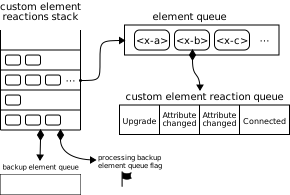
要 将元素加入适当的元素队列,给定一个元素 element,运行以下步骤:
如果 reactionsStack 为空:
将 element 添加到 reactionsStack的 备用元素队列.
如果 reactionsStack的 正在处理备用元素队列 标志已设置,则返回。
设置 reactionsStack的 正在处理备用元素队列 标志。
将微任务入队 ,以执行以下步骤:
取消设置 reactionsStack的 正在处理备用元素队列 标志。
要 将自定义元素回调反应入队,给定一个 自定义元素 element、一个回调名称 callbackName和一个参数列表 args,运行以下步骤:
令 definition 为 element的 自定义元素定义.
令 callback 为从 definition的 生命周期回调 中取得的值,所用键为 callbackName.
如果 callbackName 为 "connectedMoveCallback",且
callback 为 null:
令 disconnectedCallback 为从 definition的
生命周期回调
中取得的值,所用键为 "disconnectedCallback".
令 connectedCallback 为从 definition的
生命周期回调
中取得的值,所用键为 "connectedCallback".
如果 connectedCallback 和 disconnectedCallback 都为 null,则返回。
将 callback 设置为以下步骤:
如果 disconnectedCallback 非 null,则调用 disconnectedCallback ,不传入任何参数。
如果 connectedCallback 非 null,则调用 connectedCallback ,不传入任何参数。
如果 callback 为 null,则返回。
如果 callbackName 为 "attributeChangedCallback":
令 attributeName 为以下列表的第一个元素: args.
如果 definition的 被观察属性 不包含 attributeName,则返回。
将元素加入适当的元素队列 ,给定 element.
要 将自定义元素升级反应入队,给定一个元素 element 和一个 自定义元素定义 definition,运行以下步骤:
将元素加入适当的元素队列 ,给定 element.
要 调用自定义元素反应 ,针对一个 元素队列 queue,运行以下步骤:
为确保 自定义元素反应 被恰当地触发,我们引入了 [CEReactions] 这一 IDL 扩展属性。它表示,相关算法需要补充额外的步骤,以恰当地跟踪并调用 自定义元素反应.
此 [CEReactions]
扩展属性不得带有参数,也不得出现在操作、属性、设置器或删除器以外的任何结构上。此外,它不得出现在只读属性上。
带有 [CEReactions]
扩展属性注解的操作、属性、设置器或删除器,必须运行以下步骤来替代其描述中规定的步骤:
此扩展属性背后的意图略为微妙。实现其目标的一种方式是规定:平台上的每个操作、属性、设置器和删除器都必须插入这些步骤,并允许实现者通过优化去掉不必要的情况(即不可能发生会导致 自定义元素反应 的 DOM 变更的情况)。
但实际上,这种不精确的规定可能使 自定义元素反应的实现无法互操作,因为某些实现可能会忘记在某些情况下调用这些步骤。因此,我们最终选择了对所有相关 IDL 结构显式添加注解的方式,以确保行为可互操作,并帮助实现者轻松定位所有需要这些步骤的情况。
用户代理引入的任何非标准 API,只要其能够修改 DOM 并由此导致 将自定义元素回调反应入队 或 将自定义元素升级反应入队(例如通过修改任意属性或子元素),就也必须使用
[CEReactions] 属性修饰。
截至编写本文时,已知以下非标准或尚未标准化的 API 属于此类:
HTMLInputElement的
webkitdirectory 和 incremental IDL 属性
HTMLLinkElement的
scope IDL 属性
有些能力应当供自定义元素的作者使用,而不供自定义元素的使用者使用。这些能力通过 element.attachInternals()
方法提供,该方法返回一个
ElementInternals实例。 ElementInternals
的属性和方法允许控制用户代理为所有元素提供的内部功能。
element.attachInternals()
返回一个 ElementInternals
对象,其目标为 自定义元素
element。如果 element 不是 自定义元素、如果 "internals"
功能在元素定义中被禁用,或者如果对同一个元素调用此方法两次,则抛出异常。
每个 HTMLElement 都有一个 已附加的内部对象 (null 或一个
ElementInternals 对象),其初始为
null。
所有当前引擎均支持。
attachInternals() 方法的步骤为:
如果 this的 is
值 非 null,则抛出 "NotSupportedError"
DOMException.
令 definition 为 查找自定义元素定义 的结果,给定 this的 自定义元素注册表, this的 命名空间, this的 局部名称,以及 null。
如果 definition 为 null,则抛出
"NotSupportedError" DOMException.
如果 definition的 禁用内部功能 为 true,则抛出 "NotSupportedError" DOMException.
如果 this的 已附加的内部对象 非 null,则抛出
"NotSupportedError" DOMException.
如果 this的 自定义元素状态 既不是 "precustomized" 也不是
"custom",则抛出
"NotSupportedError" DOMException.
将 this的 已附加的内部对象 设置为一个新的
ElementInternals 实例,其
目标元素 为 this.
ElementInternals 接口所有当前引擎均支持。
ElementInternals 接口的
IDL 如下,各操作和属性在后续章节中定义:
[Exposed =Window ]
interface ElementInternals {
// Shadow root access
readonly attribute ShadowRoot shadowRoot ;
// Form-associated custom elements
undefined setFormValue ((File or USVString or FormData )? value ,
optional (File or USVString or FormData )? state );
readonly attribute HTMLFormElement ? form ;
undefined setValidity (optional ValidityStateFlags flags = {},
optional DOMString message ,
optional HTMLElement anchor );
readonly attribute boolean willValidate ;
readonly attribute ValidityState validity ;
readonly attribute DOMString validationMessage ;
boolean checkValidity ();
boolean reportValidity ();
readonly attribute NodeList labels ;
// Custom state pseudo-class
[SameObject ] readonly attribute CustomStateSet states ;
};
// Accessibility semantics
ElementInternals includes ARIAMixin ;
dictionary ValidityStateFlags {
boolean valueMissing = false ;
boolean typeMismatch = false ;
boolean patternMismatch = false ;
boolean tooLong = false ;
boolean tooShort = false ;
boolean rangeUnderflow = false ;
boolean rangeOverflow = false ;
boolean stepMismatch = false ;
boolean badInput = false ;
boolean customError = false ;
};每个 ElementInternals
都有一个 目标元素,它是一个 自定义元素.
internals.shadowRoot
返回 ShadowRoot
,对应于 internals的 目标元素,前提是该 目标元素 是 影子宿主;否则返回 null。
所有当前引擎均支持。
shadowRoot 获取器的步骤为:
internals.setFormValue(value)
将 状态 和 提交值 (均属于 internals的 目标元素 )设置为 value.
如果 value 为 null,则该元素不会参与表单提交。
internals.setFormValue(value,
state)将 提交值 (属于 internals的 目标元素 )设置为 value,并将其 状态 设置为 state.
如果 value 为 null,则该元素不会参与表单提交。
internals.form
internals.setValidity(flags,
message [, anchor ])将 internals的 目标元素 标记为未满足 flags
参数所指示的约束,并将该元素的验证消息设置为 message。如果指定了 anchor ,用户代理可能会用它来指示 internals的 目标元素 的约束问题,时机是在对 表单所有者 进行交互式验证时,或在调用 reportValidity()
时。
internals.setValidity({})
internals.willValidate
如果 internals的 目标元素 会在表单提交时接受验证,则返回 true;否则返回 false。
internals.validity
返回 ValidityState
对象,该对象对应于 internals的 目标元素.
internals.validationMessage
返回在检查 internals的 目标元素 的有效性时将向用户显示的错误消息。
valid = internals.checkValidity()
如果 internals的 目标元素 不存在有效性问题,则返回 true;否则返回 false,并向该元素派发 invalid 事件。
valid = internals.reportValidity()
如果 internals的 目标元素 不存在有效性问题,则返回 true;否则返回 false,向该元素派发 invalid
事件,并且(如果该事件未被取消)向用户报告问题。
internals.labels
每个 表单关联自定义元素 都有一个 提交值,用于在表单提交时提供一个或多个
条目 。 提交值 的初始值为 null,且
提交值 可以为 null、字符串、
File或
列表 (其项为 条目).
每个 表单关联自定义元素 都有一个 状态。用户代理可以利用这一信息恢复用户对该元素的输入。 状态 的初始值为 null,且 状态 可以为 null、字符串、 File或
列表 (其项为 条目).
自定义元素的作者使用 setFormValue()
方法来设置元素的 提交值 和 状态,从而将这些信息传达给用户代理。
当用户代理认为适合恢复 表单关联自定义元素的 状态时,例如在 导航后 或重启用户代理后,它可以 将自定义元素回调反应加入队列 ,所用参数为该元素、回调名称
"formStateRestoreCallback" 以及 « 要恢复的状态, "restore" ».
如果用户代理具有表单辅助填写功能,则调用该功能时,它可以
将自定义元素回调反应加入队列 ,所用参数为一个 表单关联自定义元素、回调名称
"formStateRestoreCallback" 以及 « 根据历史状态值和某些启发式方法确定的状态值, "autocomplete" ».
一般来说, 状态 是用户指定的信息,而 提交值 是经过规范化或清理后的值,适合提交给服务器。以下示例对此作了具体说明:
假设有一个 表单关联自定义元素 ,要求用户指定日期。用户指定了
"3/15/2019",但控件希望向服务器提交 "2019-03-15" 。 "3/15/2019" 将是该元素的 状态 ,而 "2019-03-15" 将是其 提交值.
假设你开发了一个自定义元素,用于模拟现有的
复选框 input 类型的行为。它的 提交值 将是其
value 内容属性的值,或字符串 "on"。它的 状态 将是以下值之一: "checked",
"unchecked", "checked/indeterminate"或 "unchecked/indeterminate".
所有当前引擎均支持。
setFormValue(value,
state) 方法的步骤如下:
每个 表单关联自定义元素 都有以下名称的有效性标志:
valueMissing, typeMismatch,
patternMismatch, tooLong,
tooShort, rangeUnderflow,
rangeOverflow, stepMismatch和
customError。它们最初均为 false。
每个 表单关联自定义元素 都有一个 验证消息 字符串,最初为空字符串。
每个 表单关联自定义元素 都有一个 验证锚点 元素,最初为 null。
所有当前引擎均支持。
setValidity(flags, message,
anchor) 方法的步骤如下:
如果 element 不是 表单关联自定义元素,则抛出
"NotSupportedError" DOMException.
如果未提供 message ,则将其设置为空字符串。
如果 flags 包含一个或多个 true 值,且 message 为空字符串,则抛出 TypeError.
将 message 设置为执行 规范化换行符 后的结果,其输入为 message.
对于每个条目 flag → value (来自 flags),将 element的名为 flag 的有效性标志设置为 value.
设置 element的 验证消息 :如果 element的所有有效性标志均为 false,则将其设置为空字符串;否则,将其设置为 message.
如果 element的 customError 有效性标志为 true,则将
element的 自定义有效性错误消息 设置为 element的
验证消息。否则,将
element的 自定义有效性错误消息 设置为空字符串。
如果未提供 anchor ,则将其设置为 element.
否则,如果 anchor 不是 包含影子且包含自身的后代 (相对于 element),则抛出 "NotFoundError"
DOMException.
将 element的 验证锚点 设置为 anchor.
ElementInternals/validationMessage
所有当前引擎均支持。
validationMessage 的 getter 步骤如下:
如果 element 不是 表单关联自定义元素,则抛出
"NotSupportedError" DOMException.
返回 element的 验证消息.
以下 条目构造算法 适用于 表单关联自定义元素,给定元素 element 和 条目列表 entry list后,由以下步骤组成:
internals.role [ = value ]
设置或获取 internals的 目标元素的默认 ARIA 角色;除非页面作者使用 role 属性将其覆盖,否则将使用此默认角色。
internals.aria* [ = value ]
设置或获取
internals的 目标元素的各种默认
ARIA 状态或属性值;除非页面作者使用 aria-*
属性将其覆盖,否则将使用这些默认值。
每个 自定义元素 都有一个 内部内容属性映射,它是一个 映射,最初为空。关于它如何影响平台无障碍 API,请参阅“ 与 ARIA 及平台无障碍 API 相关的要求 ”一节。
internals.states.add(value)
将字符串 value 添加到元素的 状态集合 中,以便将其公开为伪类。
internals.states.has(value)
如果 value 位于元素的 状态集合中,则返回 true;否则返回 false。
internals.states.delete(value)
如果元素的 状态集合 中包含 value,则将其移除并返回 true。否则,返回 false。
internals.states.clear()
清空元素的 状态集合.
for (const stateName of internals.states)
for (const stateName of internals.states.entries())
for (const stateName of internals.states.keys())
for (const stateName of internals.states.values())
遍历元素的 状态集合.
internals.states.forEach(callback)
迭代元素的 状态集合 中的所有值,对每个值调用一次 callback 。
internals.states.size
返回元素的 状态集合中值的数量.
每个 自定义元素 都有一个 状态集合,它是一个
CustomStateSet,最初为空。
[Exposed =Window ]
interface CustomStateSet {
setlike <DOMString >;
}; 状态集合
可以通过字符串值的存在与否来表示和公开布尔状态。如果作者希望公开一个可以具有三个值的状态,可以将其转换为三个互斥的布尔状态。例如,名为 readyState 的状态若具有
"loading", "interactive"和 "complete" 这些值,则可以映射为三个互斥的布尔状态:
"loading", "interactive"和 "complete":
// Change the readyState from anything to "complete".
this . _readyState = "complete" ;
this . _internals. states. delete ( "loading" );
this . _internals. states. delete ( "interactive" );
this . _internals. states. add( "complete" ); 本规范没有提供以机器可读的方式描述面包屑导航菜单的方法。建议作者直接在段落中使用一系列链接。可以使用 nav
元素将包含这些段落的章节标记为导航区块。
在下面的示例中,可以通过两条路径到达当前页面。
< nav >
< p >
< a href = "/" > Main</ a > ▸
< a href = "/products/" > Products</ a > ▸
< a href = "/products/dishwashers/" > Dishwashers</ a > ▸
< a > Second hand</ a >
</ p >
< p >
< a href = "/" > Main</ a > ▸
< a href = "/second-hand/" > Second hand</ a > ▸
< a > Dishwashers</ a >
</ p >
</ nav > 本规范没有定义专门用于标记适用于一组页面的关键词列表(也称为 标签云)的标记方式。一般而言,建议作者使用 ul
元素来标记这类列表,在行内明确标出计数,然后通过样式表将计数隐藏并转化为呈现效果;也可以使用 SVG。
这里,一个简短的标签云包含三个标签:
< style >
. tag-cloud > li > span { display : none ; }
. tag-cloud > li { display : inline ; }
. tag-cloud-1 { font-size : 0.7 em ; }
. tag-cloud-2 { font-size : 0.9 em ; }
. tag-cloud-3 { font-size : 1.1 em ; }
. tag-cloud-4 { font-size : 1.3 em ; }
. tag-cloud-5 { font-size : 1.5 em ; }
@ media speech {
. tag-cloud > li > span { display : inline }
}
</ style >
...
< ul class = "tag-cloud" >
< li class = "tag-cloud-4" >< a title = "28 instances" href = "/t/apple" > apple</ a > < span > (popular)</ span >
< li class = "tag-cloud-2" >< a title = "6 instances" href = "/t/kiwi" > kiwi</ a > < span > (rare)</ span >
< li class = "tag-cloud-5" >< a title = "41 instances" href = "/t/pear" > pear</ a > < span > (very popular)</ span >
</ ul > 每个标签的实际出现频率通过 title
属性给出。示例提供了 CSS 样式表,将标记转换成由不同字号的词组成的云;而对于不支持 CSS
或不采用视觉呈现的用户代理,标记中还包含“(popular)”(常见)或“(rare)”(少见)之类的注释,按出现频率对各个标签进行分类,从而让所有用户都能利用这些信息。
这里使用 ul 元素(而非 ol),是因为顺序并不特别重要:虽然列表实际上按字母顺序排列,但即使改为按标签长度等其他方式排序,也会传达相同的信息。
此处的 tag rel关键词
并未 用于这些 a
元素,因为这些元素并不表示适用于页面本身的标签;它们只是列出标签本身的索引的一部分。
本规范没有定义专门用于标记对话、会议记录、聊天记录、剧本对白、即时消息日志以及其他由不同参与者轮流发言的内容的元素。
建议作者使用 p
元素和标点符号来标记对话。需要标记说话者以便设置样式的作者,建议使用
span 或 b。将段落中的文本包裹在 i
元素中,可以用来标记舞台说明。
本示例通过以下片段来展示这种用法,片段节选自 Abbot 和 Costello 的著名喜剧短剧 《谁在一垒》:
< p > Costello: Look, you gotta first baseman?
< p > Abbott: Certainly.
< p > Costello: Who's playing first?
< p > Abbott: That's right.
< p > Costello becomes exasperated.
< p > Costello: When you pay off the first baseman every month, who gets the money?
< p > Abbott: Every dollar of it.以下节选展示了如何标记即时消息对话日志,使用
data 元素为每一行提供 Unix
时间戳。请注意,时间戳所采用的格式不受 time
元素支持,因此改用
data 元素(具体而言,这些是 Unix
time_t 时间戳)。如果作者希望使用
time
元素支持的某种日期和时间格式来标记数据,就可以使用该元素来代替 data。这样做可能更有利,因为数据分析工具无需与页面作者协调,就能明确识别这些时间戳。
< p > < data value = "1319898155" > 14:22</ data > < b > egof</ b > I'm not that nerdy, I've only seen 30% of the star trek episodes
< p > < data value = "1319898192" > 14:23</ data > < b > kaj</ b > if you know what percentage of the star trek episodes you have seen, you are inarguably nerdy
< p > < data value = "1319898200" > 14:23</ data > < b > egof</ b > it's unarguably
< p > < data value = "1319898228" > 14:23</ data > < i > * kaj blinks</ i >
< p > < data value = "1319898260" > 14:24</ data > < b > kaj</ b > you are not helping your caseHTML 没有合适的方式来标记图结构,因此游戏中交互式对话的描述较难标记。本示例展示了一种可行的约定:使用
dl 元素列出对话中每个节点的可能回应。另一种值得考虑的方案是用 DOT
文件描述对话,并将结果输出为 SVG 图像放入文档中。 [DOT]
< p > Next, you meet a fisher. You can say one of several greetings:
< dl >
< dt > "Hello there!"
< dd >
< p > She responds with "Hello, how may I help you?"; you can respond with:
< dl >
< dt > "I would like to buy a fish."
< dd > < p > She sells you a fish and the conversation finishes.
< dt > "Can I borrow your boat?"
< dd >
< p > She is surprised and asks "What are you offering in return?".
< dl >
< dt > "Five gold." (if you have enough)
< dt > "Ten gold." (if you have enough)
< dt > "Fifteen gold." (if you have enough)
< dd > < p > She lends you her boat. The conversation ends.
< dt > "A fish." (if you have one)
< dt > "A newspaper." (if you have one)
< dt > "A pebble." (if you have one)
< dd > < p > "No thanks", she replies. Your conversation options
at this point are the same as they were after asking to borrow
her boat, minus any options you've suggested before.
</ dl >
</ dd >
</ dl >
</ dd >
< dt > "Vote for me in the next election!"
< dd > < p > She turns away. The conversation finishes.
< dt > "Madam, are you aware that your fish are running away?"
< dd >
< p > She looks at you skeptically and says "Fish cannot run, miss".
< dl >
< dt > "You got me!"
< dd > < p > The fisher sighs and the conversation ends.
< dt > "Only kidding."
< dd > < p > "Good one!" she retorts. Your conversation options at this
point are the same as those following "Hello there!" above.
< dt > "Oh, then what are they doing?"
< dd > < p > She looks at her fish, giving you an opportunity to steal
her boat, which you do. The conversation ends.
</ dl >
</ dd >
</ dl > 在一些游戏中,对话比较简单:每个角色都只有一组固定台词。在本示例中,一份游戏常见问题解答/攻略列出了每个角色的一些已知可能回应:
< section >
< h1 > Dialogue</ h1 >
< p >< small > Some characters repeat their lines in order each time you interact
with them, others randomly pick from amongst their lines. Those who respond in
order have numbered entries in the lists below.</ small >
< h2 > The Shopkeeper</ h2 >
< ul >
< li > How may I help you?
< li > Fresh apples!
< li > A loaf of bread for madam?
</ ul >
< h2 > The pilot</ h2 >
< p > Before the accident:
< ul >
< li > I'm about to fly out, sorry!
< li > Sorry, I'm just waiting for flight clearance and then I'll be off!
</ ul >
< p > After the accident:
< ol >
< li > I'm about to fly out, sorry!
< li > Ok, I'm not leaving right now, my plane is being cleaned.
< li > Ok, it's not being cleaned, it needs a minor repair first.
< li > Ok, ok, stop bothering me! Truth is, I had a crash.
</ ol >
< h2 > Clan Leader</ h2 >
< p > During the first clan meeting:
< ul >
< li > Hey, have you seen my daughter? I bet she's up to something nefarious again...
< li > Nice weather we're having today, eh?
< li > The name is Bailey, Jeff Bailey. How can I help you today?
< li > A glass of water? Fresh from the well!
</ ul >
< p > After the earthquake:
< ol >
< li > Everyone is safe in the shelter, we just have to put out the fire!
< li > I'll go and tell the fire brigade, you keep hosing it down!
</ ol >
</ section > HTML 没有专门用于标记脚注的机制。以下是一些建议的替代方案。
对于简短的行内注释,可以使用 title 属性。
在本示例中,使用
title 属性为对话中的两个部分添加了类似脚注的注释内容。
< p > < b > Customer</ b > : Hello! I wish to register a complaint. Hello. Miss?
< p > < b > Shopkeeper</ b > : < span title = "Colloquial pronunciation of 'What do you'"
> Watcha</ span > mean, miss?
< p > < b > Customer</ b > : Uh, I'm sorry, I have a cold. I wish to make a complaint.
< p > < b > Shopkeeper</ b > : Sorry, < span title = "This is, of course, a lie." > we're
closing for lunch</ span > .遗憾的是,目前不建议依赖 title
属性,因为许多用户代理未按本规范的要求,以无障碍的方式提供该属性的内容(例如,必须使用鼠标等指针设备才能使工具提示出现,这就排除了仅使用键盘或仅使用触摸操作的用户,例如使用现代手机或平板电脑的人)。
如果使用 title 属性,可以使用 CSS
将读者的注意力引导到具有该属性的元素上。
例如,以下 CSS 会在具有 title 属性的元素下方绘制虚线。
[title] { border-bottom : thin dashed; } 对于较长的注释,应使用 a
元素指向文档中较后位置的元素。通常约定链接内容为方括号括起的数字。
在本示例中,对话中的脚注链接到对话下方的段落。该段落也提供返回对话的链接,让用户能够回到脚注所在的位置。
< p > Announcer: Number 16: The < i > hand</ i > .
< p > Interviewer: Good evening. I have with me in the studio tonight
Mr Norman St John Polevaulter, who for the past few years has been
contradicting people. Mr Polevaulter, why < em > do</ em > you
contradict people?
< p > Norman: I don't. < sup >< a href = "#fn1" id = "r1" > [1]</ a ></ sup >
< p > Interviewer: You told me you did!
...
< section >
< p id = "fn1" >< a href = "#r1" > [1]</ a > This is, naturally, a lie,
but paradoxically if it were true he could not say so without
contradicting the interviewer and thus making it false.</ p >
</ section > 对于旁注,即针对整段文字而非特定词语或句子的较长注释,应使用 aside
元素。
在本示例中,对话后面给出了一个侧栏,用于提供一些背景信息。
< p > < span class = "speaker" > Customer</ span > : I will not buy this record, it is scratched.
< p > < span class = "speaker" > Shopkeeper</ span > : I'm sorry?
< p > < span class = "speaker" > Customer</ span > : I will not buy this record, it is scratched.
< p > < span class = "speaker" > Shopkeeper</ span > : No no no, this's'a tobacconist's.
< aside >
< p > In 1970, the British Empire lay in ruins, and foreign
nationalists frequented the streets — many of them Hungarians
(not the streets — the foreign nationals). Sadly, Alexander
Yalt has been publishing incompetently-written phrase books.
</ aside > 对于插图或表格,可以将脚注包含在相应的 figcaption 或
caption 元素中,或者放在周围的文字中。
在本示例中,表格的单元格带有脚注,而脚注内容以文字形式给出。使用
figure 元素,为表格及其脚注这个整体提供一个统一的说明标题。
< figure >
< figcaption > Table 1. Alternative activities for knights.</ figcaption >
< table >
< tr >
< th > Activity
< th > Location
< th > Cost
< tr >
< td > Dance
< td > Wherever possible
< td > £0< sup >< a href = "#fn1" > 1</ a ></ sup >
< tr >
< td > Routines, chorus scenes< sup >< a href = "#fn2" > 2</ a ></ sup >
< td > Undisclosed
< td > Undisclosed
< tr >
< td > Dining< sup >< a href = "#fn3" > 3</ a ></ sup >
< td > Camelot
< td > Cost of ham, jam, and spam< sup >< a href = "#fn4" > 4</ a ></ sup >
</ table >
< p id = "fn1" > 1. Assumed.</ p >
< p id = "fn2" > 2. Footwork impeccable.</ p >
< p id = "fn3" > 3. Quality described as "well".</ p >
< p id = "fn4" > 4. A lot.</ p >
</ figure > 如果元素属于以下任意一种情况,就称其为 实际禁用 :
此定义用于确定哪些元素 可聚焦 ,以及哪些元素匹配 :enabled 和
:disabled 伪类.
CSS 值与单位 规范将 'attr()' 函数所用属性名的大小写敏感性留给宿主语言定义。 [CSSVALUES]
将 CSS 'attr()' 函数的属性名部分与 HTML 元素 (位于 HTML 文档中)的无命名空间属性的名称比较时,必须先将 CSS 'attr()' 函数的名称部分 转换为 ASCII 小写。将同一函数与其他属性比较时,必须按其原始大小写进行比较。两种情况下,要实现匹配,值都必须 彼此相同 (因此比较区分大小写)。
这与下一节规定的 CSS 属性选择器名称部分的比较方式相同。
选择器 规范将元素名、属性名和属性值的大小写敏感性留给宿主语言定义。 [SELECTORS]
将 CSS 元素 类型选择器 与 HTML 元素 (位于 HTML 文档中)的名称比较时,必须先将 CSS 元素 类型选择器 进行 ASCII 小写化。将同一选择器与其他元素比较时,必须按其原始大小写进行比较。两种情况下,要实现匹配,值都必须 彼此相同 (因此比较区分大小写)。
将 CSS 属性选择器 的名称部分与 HTML 元素 (位于 HTML 文档中)的属性的名称比较时,必须先将 CSS 属性选择器 的名称部分 转换为 ASCII 小写。将同一选择器与其他属性比较时,必须按其原始大小写进行比较。两种情况下,比较都区分大小写。
属性选择器 在匹配 HTML 元素 (位于 HTML 文档 中)时,必须将下列名称的属性的 值 视为 ASCII 大小写不敏感:
accept
accept-charset
align
alink
axis
bgcolor
charset
checked
clear
codetype
color
compact
declare
defer
dir
direction
disabled
enctype
face
frame
hreflang
http-equiv
lang
language
link
media
method
multiple
nohref
noresize
noshade
nowrap
readonly
rel
rev
rules
scope
scrolling
selected
shape
target
text
type
valign
valuetype
vlink
例如,选择器 [bgcolor="#ffffff"] 会匹配任何带有 bgcolor 属性且其值为 #ffffff,
#FFFFFF 或 #fffFFF等值的 HTML 元素。这种匹配也适用于 bgcolor 对于某个元素不起作用的情况(例如
div).
选择器 [type=a s] 会匹配任何带有 type 属性且其值为 a的 HTML 元素,但不会匹配其值为
A的元素,这是因为使用了 s 标志。
对于选择器匹配而言,所有其他属性值及其他任何内容都必须完全 彼此相同 ,才能视为匹配。这包括:
选择器 规范规定,ID 选择器和类选择器(例如 #foo 和 .bar)在匹配处于 怪异模式的文档中的元素时,会以 ASCII
大小写不敏感
的方式进行匹配。不过,这不适用于名称部分为“id”或“class”的属性选择器。选择器 [class="foobar"]
对其值的处理仍然区分大小写,即使处于
怪异模式时也是如此.
HTML 可以使用多种动态选择器。本节定义这些选择器在什么情况下匹配 HTML 元素。 [SELECTORS] [CSSUI]
:defined
所有当前浏览器引擎均支持。
:link
所有当前浏览器引擎均支持。
:visited
所有当前浏览器引擎均支持。
所有 a 元素中具有 href
属性的元素,以及所有 area 元素中具有 href 属性的元素,都必须匹配以下两者之一:
:link 或 :visited.
其他规范可能会针对此类元素如何匹配这些 伪类规定更具体的规则,以缓解直接实现此要求所带来的一些隐私问题。
:active
所有当前浏览器引擎均支持。
:active 伪类 定义为在以下情况下匹配某个元素: 当用户 正在激活 该元素时
.
称元素 正在被主动指向 ,是指用户使用指点设备指向该元素,且该指点设备处于“按下”状态(例如,对于鼠标,是从按下鼠标按钮到松开按钮之间;对于多点触控环境中的手指,是手指接触显示表面期间)。
根据 Selectors, :active 也匹配 扁平树 中的祖先元素,只要其后代元素 正在被激活.
[SELECTORS]
此外,对于任何作为 标注的控件 的元素,如果与其关联的 label
元素当前匹配 :active,那么该控件也匹配
:active。(但是,它不算 正在被激活.)
:hover
所有当前浏览器引擎均支持。
:hover 伪类 定义为在以下情况下匹配某个元素: 当用户使用指点设备
指向 该元素时
。仅就定义 :hover
伪类 而言,如果用户使用指点设备指向某个元素,HTML 用户代理就必须将其视为被用户 指向 的元素。
根据 Selectors, :hover 也匹配 扁平树 中的祖先元素,只要其后代元素被 指向. [SELECTORS]
此外,对于任何作为 标注的控件 的元素,如果与其关联的 label
元素当前匹配 :hover,那么该控件也匹配
:hover。(但是,它不算被 指向.)
具体考虑如下片段:
< p > < label for = c > < input id = a > </ label > < span id = b > < input id = c > </ span > </ p > 如果用户使用指点设备指向 ID 为“a”的元素,那么 p 元素(以及上面片段中未显示的所有祖先元素)、 label 元素、ID
为“a”的元素以及 ID 为“c”的元素,都将匹配 :hover 伪类。ID 为“a”的元素因被 指向而匹配;
label 和 p 元素匹配,是因为
Selectors 中关于扁平树祖先的条件;而 ID 为“c”的元素匹配,是因为上述关于 标注的控件 的附加条件(即它的 label 元素匹配 :hover)。但是,ID 为“b”的元素
不 匹配 :hover:它在扁平树中的后代并未被指向,即使那个扁平树后代匹配
:hover.
:focus
所有当前浏览器引擎均支持。
:target
所有当前浏览器引擎均支持。
:popover-open
所有当前浏览器引擎均支持。
:popover-open 伪类 定义为匹配满足以下条件的任何 HTML 元素 :其 popover 属性不处于 无弹出层 状态,且其 弹出层可见性状态 为 showing.
:enabled
所有当前浏览器引擎均支持。
:enabled 伪类 必须匹配以下所有元素:
button, input, select, textarea,
optgroup, option, fieldset 元素或
表单关联自定义元素
,条件是它们没有 实际被禁用.
:disabled
所有当前浏览器引擎均支持。
:checked
所有当前浏览器引擎均支持。
:indeterminate
所有当前浏览器引擎均支持。
:indeterminate
伪类
必须匹配属于以下任一类别的所有元素:
:default
所有当前浏览器引擎均支持。
:placeholder-shown :placeholder-shown
伪类 必须匹配属于以下任一类别的所有元素:
input 元素,具有 placeholder
属性,且该属性的值当前正呈现给用户textarea 元素,具有
placeholder
属性,且该属性的值当前正呈现给用户
:valid
所有当前浏览器引擎均支持。
:invalid
所有当前浏览器引擎均支持。
:user-valid :user-valid 伪类 必须匹配以下 input, textarea和 select 元素:其
用户有效性 为 true,属于
约束验证候选元素,并且 满足其约束.
:user-invalid :user-invalid 伪类 必须匹配以下 input, textarea和 select 元素:其
用户有效性 为 true,属于
约束验证候选元素
,但不 满足其约束.
:in-range
所有当前浏览器引擎均支持。
:in-range 伪类 必须匹配所有符合以下条件的元素:它们是 约束验证候选元素, 具有范围限制,并且既不
存在下溢 ,也不 存在上溢.
:out-of-range
所有当前浏览器引擎均支持。
:out-of-range 伪类 必须匹配所有符合以下条件的元素:它们是 约束验证候选元素, 具有范围限制,并且
存在下溢 或 存在上溢.
:required
所有当前浏览器引擎均支持。
:optional
所有当前浏览器引擎均支持。
:autofill
:-webkit-autofill :autofill 和 :-webkit-autofill
伪类 必须匹配由用户代理自动填充的 input
元素。如果用户编辑了自动填充的字段,这些伪类就必须停止匹配。
这种自动填充可能通过 autocomplete
属性实现,不过,即使未涉及该属性,用户代理也可以进行自动填充。
:read-only
所有当前浏览器引擎均支持。
:read-write
所有当前浏览器引擎均支持。
:read-write 伪类 必须匹配属于以下任一类别的所有元素;因此,就 Selectors 而言,这些元素被视为 用户可修改的: [SELECTORS]
input 元素,适用 readonly
属性,且为 可变的 (即未指定 readonly 属性,且未处于
禁用状态)
textarea 元素,不具有
readonly 属性,且未处于
禁用状态
input 元素,也不是
textarea 元素
:read-only 伪类 必须匹配所有其他 HTML 元素.
:modal:dir(ltr)
:dir(rtl) :state(identifier)
伪类必须匹配所有满足以下条件的 自定义元素:其 状态集合的 集合条目
包含 identifier.
:heading:heading(integer#) :heading(integer#)
伪类必须匹配以下所有 h1,
h2,
h3,
h4,
h5和
h6
元素:其 标题级别 为
integer. [CSSSYNTAX] [CSSVALUES]
:playing:paused:seeking:buffering :buffering 伪类 必须匹配所有满足以下条件的 媒体元素 :其 paused 属性为 false, networkState 属性为 NETWORK_LOADING,且就绪状态为
HAVE_CURRENT_DATA
或更低。
:stalled :stalled 伪类 必须匹配所有满足以下条件的 媒体元素 :它们匹配 :buffering 伪类 ,且其 当前是否停滞 为 true。
此伪类旨在视频播放缓冲过久时显示播放器状态界面。它不同于 stalled
事件,后者只要网络下载停滞就会触发,与播放状态或就绪状态无关。
:muted:volume-locked
:volume-locked
伪类
必须匹配所有 媒体元素 ,条件是用户代理的
音量锁定 为 true。
:open本规范不定义元素何时匹配 :lang() 动态 伪类,因为相关规则已以不依赖于具体语言的方式得到足够详细的定义,详见 Selectors.
[SELECTORS]
本节为非规范性内容。
有时,我们希望用特定的机器可读标签来注解内容,例如让通用脚本能够提供针对页面定制的服务,或让单个脚本能够以一致的方式处理多位合作作者提供的内容。
为此,作者可以使用本节介绍的微数据功能。微数据允许在文档中添加嵌套的名称-值对组,与现有内容并存。
本节为非规范性内容。
从整体上看,微数据由名称-值对组构成。这些组称为 项,每个名称-值对都是一个属性。项和属性都由普通元素表示。
要创建一个项,使用 itemscope 属性。
要为项添加属性,需使用 itemprop
属性,将其添加到该 项的某个后代元素上。
这里有两个项,每个项都有一个 "name" 属性:
< div itemscope >
< p > My name is < span itemprop = "name" > Elizabeth</ span > .</ p >
</ div >
< div itemscope >
< p > My name is < span itemprop = "name" > Daniel</ span > .</ p >
</ div > 不带微数据相关属性的标记不会对微数据模型产生任何影响。
在微数据层面,以下两个示例分别与前面的两个示例完全等价:
< div itemscope >
< p > My < em > name</ em > is < span itemprop = "name" > E< strong > liz</ strong > abeth</ span > .</ p >
</ div >
< section >
< div itemscope >
< aside >
< p > My name is < span itemprop = "name" >< a href = "/?user=daniel" > Daniel</ a ></ span > .</ p >
</ aside >
</ div >
</ section > 属性的值通常是字符串。
这里的项有三个属性:
< div itemscope >
< p > My name is < span itemprop = "name" > Neil</ span > .</ p >
< p > My band is called < span itemprop = "band" > Four Parts Water</ span > .</ p >
< p > I am < span itemprop = "nationality" > British</ span > .</ p >
</ div > 当字符串值是 URL时,可以使用 a 元素及其 href 属性、 img 元素及其
src 属性,或其他链接到外部资源或嵌入外部资源的元素来表达。
在此示例中,该项有一个 "image" 属性,其值是一个 URL:
< div itemscope >
< img itemprop = "image" src = "google-logo.png" alt = "Google" >
</ div > 当字符串值采用某种不适合人类阅读的机器可读格式时,使用 value
属性来表达;该属性设在 data
元素上,而人类可读的版本则放在该元素的内容中。
这里有一个项,其某个属性的值是产品 ID。该 ID 不便于人类阅读,因此使用产品名称作为人类可见的文本,而不使用 ID。
< h1 itemscope >
< data itemprop = "product-id" value = "9678AOU879" > The Instigator 2000</ data >
</ h1 > 对于数值数据,可以改用 meter 元素及其 value 属性。
这里使用一个 meter 元素给出评分。
< div itemscope itemtype = "http://schema.org/Product" >
< span itemprop = "name" > Panasonic White 60L Refrigerator</ span >
< img src = "panasonic-fridge-60l-white.jpg" alt = "" >
< div itemprop = "aggregateRating"
itemscope itemtype = "http://schema.org/AggregateRating" >
< meter itemprop = "ratingValue" min = 0 value = 3.5 max = 5 > Rated 3.5/5</ meter >
(based on < span itemprop = "reviewCount" > 11</ span > customer reviews)
</ div >
</ div > 同样,对于日期和时间相关的数据,可以改用 time 元素及其
datetime 属性。
在此示例中,该项有一个 "birthday" 属性,其值是一个日期:
< div itemscope >
I was born on < time itemprop = "birthday" datetime = "2009-05-10" > May 10th 2009</ time > .
</ div > 属性本身也可以是名称-值对组,只需将 itemscope
属性添加到声明该属性的元素上即可。
不属于其他项的项称为 顶层微数据项.
在此示例中,外层项表示一个人,内层项表示一个乐队:
< div itemscope >
< p > Name: < span itemprop = "name" > Amanda</ span ></ p >
< p > Band: < span itemprop = "band" itemscope > < span itemprop = "name" > Jazz Band</ span > (< span itemprop = "size" > 12</ span > players)</ span ></ p >
</ div > 这里的外层项有两个属性:"name" 和 "band"。"name" 的值是 "Amanda",而 "band" 本身也是一个项,具有 "name" 和 "size" 两个属性。乐队的 "name" 为 "Jazz Band","size" 为 "12"。
此示例中的外层项是一个顶层微数据项。
如果属性并不是具有 itemscope
属性的元素的后代,则可将其关联到相应的 项 ,方法是使用 itemref 属性。此属性接受一个元素 ID 列表;除了遍历具有 itemscope 属性的元素的子元素之外,还会遍历列表中这些 ID
所对应的元素。
此示例与前一个示例相同,但所有属性都已独立于各自所属的 项:
< div itemscope id = "amanda" itemref = "a b" ></ div >
< p id = "a" > Name: < span itemprop = "name" > Amanda</ span ></ p >
< div id = "b" itemprop = "band" itemscope itemref = "c" ></ div >
< div id = "c" >
< p > Band: < span itemprop = "name" > Jazz Band</ span ></ p >
< p > Size: < span itemprop = "size" > 12</ span > players</ p >
</ div > 这得到的结果与前一个示例相同。第一个项有两个属性:"name",其值为 "Amanda";"band",其值为另一个项。第二个项又有两个属性:"name",其值为 "Jazz Band";"size",其值为 "12"。
一个 项 可以有多个名称相同、值不同的属性。
此示例描述了一份有两种口味的冰淇淋:
< div itemscope >
< p > Flavors in my favorite ice cream:</ p >
< ul >
< li itemprop = "flavor" > Lemon sorbet</ li >
< li itemprop = "flavor" > Apricot sorbet</ li >
</ ul >
</ div > 这样就得到一个具有两个属性的项,这两个属性都名为 "flavor",值分别为 "Lemon sorbet" 和 "Apricot sorbet"。
引入属性的元素也可以一次引入多个属性,以免在某些属性具有相同值时重复编写。
这里有一个项,具有 "favorite-color" 和 "favorite-fruit" 两个属性,它们的值均为 "orange":
< div itemscope >
< span itemprop = "favorite-color favorite-fruit" > orange</ span >
</ div > 需要注意,微数据与标记该微数据的文档内容之间没有关联。
例如,以下两个示例在语义上没有区别:
< figure >
< img src = "castle.jpeg" >
< figcaption >< span itemscope >< span itemprop = "name" > The Castle</ span ></ span > (1986)</ figcaption >
</ figure > < span itemscope >< meta itemprop = "name" content = "The Castle" ></ span >
< figure >
< img src = "castle.jpeg" >
< figcaption > The Castle (1986)</ figcaption >
</ figure > 两者都有一个带说明文字的图,并且都有一个与该图完全无关的项,其名称-值对的名称为 "name",值为 "The Castle"。唯一的区别在于,如果用户将说明文字拖出文档,在前一种情况下,该项会包含在拖放数据中。在这两种情况下,图像都与该项没有任何关联。
本节为非规范性内容。
上一节的示例展示了如何在不打算复用微数据的页面上标记信息。不过,当其他作者和读者能够协作,为这些标记开发新的用途时,微数据才能发挥最大的作用。
为此,需要为每个 项 指定一个类型,例如 "https://example.com/person"、"https://example.org/cat" 或 "https://band.example.net/"。类型的标识形式为 URL.
一个 项 的类型通过 itemtype 属性的值给出;该属性与 itemscope 属性位于同一元素上。
这里,该项的类型为 "https://example.org/animals#cat":
< section itemscope itemtype = "https://example.org/animals#cat" >
< h1 itemprop = "name" > Hedral</ h1 >
< p itemprop = "desc" > Hedral is a male american domestic
shorthair, with a fluffy black fur with white paws and belly.</ p >
< img itemprop = "img" src = "hedral.jpeg" alt = "" title = "Hedral, age 18 months" >
</ section > 在此示例中,"https://example.org/animals#cat" 项有三个属性:"name"("Hedral")、"desc"("Hedral is...")和 "img"("hedral.jpeg")。
类型为属性提供上下文,从而选定一个词汇表:对于类型为 "https://census.example/person" 的项,名为 "class" 的属性可能表示一个人的经济阶层;而对于类型为
"https://example.com/school/teacher" 的项,名为 "class" 的属性可能表示分配给教师的教室。多个类型可以共用一个词汇表。例如,可以将类型
"https://example.org/people/teacher" 和 "https://example.org/people/engineer"
定义为使用同一个词汇表(不过,某些属性可能并非在两种情况下都特别有用,例如,"https://example.org/people/engineer" 类型通常可能不会使用
"classroom" 属性)。如果多个类型被定义为使用同一个词汇表,则可以将其 URL
以空格分隔的列表形式写入属性值,从而为单个项指定这些类型。不过,如果两个类型使用不同的词汇表,就不能将它们同时指定给一个项。
本节为非规范性内容。
有时,一个 项 提供的是有关具有全局标识符的主题的信息。例如,可以用 ISBN 编号标识图书。
词汇表(由 itemtype
属性标识)可以设计为:让 项
与其全局标识符建立明确无歧义的关联,方法是将全局标识符表示为 URL ,并将其提供在 itemid 属性中。
对于 URL ,若其在 itemid 属性中给出,则其确切含义取决于所用的词汇表。
这里,一个项描述的是某本特定的图书:
< dl itemscope
itemtype = "https://vocab.example.net/book"
itemid = "urn:isbn:0-330-34032-8" >
< dt > Title
< dd itemprop = "title" > The Reality Dysfunction
< dt > Author
< dd itemprop = "author" > Peter F. Hamilton
< dt > Publication date
< dd >< time itemprop = "pubdate" datetime = "1996-01-26" > 26 January 1996</ time >
</ dl > 此示例中的 "https://vocab.example.net/book" 词汇表会规定, itemid 属性接受一个 urn:
URL ,该 URL 指向该图书的 ISBN。
本节为非规范性内容。
使用微数据意味着使用词汇表。对于某些用途,临时编制的词汇表就足够了。对于其他用途,则需要设计词汇表。在可能的情况下,鼓励作者复用现有词汇表,因为这会使内容更容易复用。
设计新的词汇表时,可以使用 URL来创建标识符;对于属性,也可以使用普通单词(不含点号或冒号)。对于 URL,只使用与作者可控制的页面相对应的标识符,即可避免与其他词汇表发生冲突。
例如,如果 Jon 和 Adam 都在 example.com编写内容,地址分别是 https://example.com/~jon/... 和
https://example.com/~adam/... ,那么他们可以分别选择形如 "https://example.com/~jon/name" 和
"https://example.com/~adam/name" 的标识符。
名称仅为普通单词的属性,只能用于其预期类型的上下文中;使用 URL 命名的属性则可以在任何类型的项中复用。如果一个项没有类型,也不属于其他项,那么当其属性名称仅为普通单词时,这些名称并不旨在全局唯一,而是仅用于有限的场景。一般而言,鼓励作者使用具有全局唯一名称(URL)的属性,或者确保其项带有类型。
这里,一个项的类型为 "https://example.org/animals#cat",大多数属性的名称都是在该类型上下文中定义的单词。此外,还有几个属性的名称来自其他词汇表。
< section itemscope itemtype = "https://example.org/animals#cat" >
< h1 itemprop = "name https://example.com/fn" > Hedral</ h1 >
< p itemprop = "desc" > Hedral is a male American domestic
shorthair, with a fluffy < span
itemprop = "https://example.com/color" > black</ span > fur with < span
itemprop = "https://example.com/color" > white</ span > paws and belly.</ p >
< img itemprop = "img" src = "hedral.jpeg" alt = "" title = "Hedral, age 18 months" >
</ section > 此示例有一个类型为 "https://example.org/animals#cat" 的项,它具有以下属性:
| 属性 | 值 |
| name | Hedral |
| https://example.com/fn | Hedral |
| desc | Hedral is a male American domestic shorthair, with a fluffy black fur with white paws and belly. |
| https://example.com/color | black |
| https://example.com/color | white |
| img | .../hedral.jpeg |
微数据模型由若干组名称-值对组成,这些组称为 项.
每一组称为一个 项。每个 项 都可以具有 项类型、一个 全局标识符 (如果 项类型 所指定的词汇表支持项的全局标识符),以及一个名称-值对列表。名称-值对中的每个名称称为一个 属性,每个 属性 都有一个或多个 值。每个 值 要么是一个字符串,要么本身就是一组名称-值对(即一个 项)。名称之间没有相对顺序,但如果某个名称具有多个值,这些值之间则有相对顺序。
所有当前引擎均支持。
每个 HTML 元素 都可以指定 itemscope 属性。
itemscope 属性是一个 布尔属性.
指定了 itemscope 属性的元素会创建一个新的 项,即一组名称-值对。
所有当前引擎均支持。
具有 itemscope 属性的元素可以指定 itemtype 属性,以提供 项类型 ,用于描述该 项.
itemtype 属性如果被指定,其值必须是一个 无序的唯一空格分隔词元集合,其中任何词元都不得与其他词元
相同
,每个词元都必须是一个 有效 URL 字符串 ,且为 绝对
URL,并且这些词元都被定义为使用同一词汇表。该属性的值必须至少包含一个词元。
项类型 对于一个 项 而言,是通过以下方式获得的词元: 将该元素的 itemtype 属性值按 ASCII 空白符拆分。如果 itemtype 属性缺失,或者按此方式解析未找到任何词元,则称该 项 没有 项类型.
项类型 必须全都是 适用规范 中定义的类型,并且必须全都被定义为使用同一词汇表。
除非该规范另有规定,否则对于 URL ,若其作为 项类型 给出,则不应自动解引用。
例如,规范可以定义其 项类型 可以被解引用,以向用户提供帮助信息。事实上,鼓励词汇表作者在给定的 URL 处提供有用的信息.
项类型 是不透明标识符,用户代理不得解引用未知的 项类型,或以其他方式对其进行拆解,以确定如何处理使用这些类型的 项 。
itemtype 属性不得指定在未指定 itemscope 属性的元素上。
一个 项 在满足以下任一条件时称为 有类型项 :它具有 项类型;或者它是一个 值 ,该值对应的 属性 属于一个 有类型项。 相关类型 对于一个 有类型项 而言,是该 项的 项类型(如果有),否则为另一项的 相关类型 ;这里的另一 项 是指具有这样一个 属性的项:该属性的 值就是当前项.
所有当前引擎均支持。
如果元素具有 itemscope 属性,并且其 itemtype 属性所引用的词汇表被定义为
支持项的全局标识符 ,则该元素还可以指定 itemid 属性,为该 项提供全局标识符,从而将其与 Web 上其他页面中的其他 项
关联起来。
itemid 属性如果被指定,其值必须是一个 可能带有前后空格的有效 URL.
全局标识符 的计算方式如下:对于一个 项
,取其元素的 itemid 属性值(如果存在),对其进行 按编码解析 ,使用的基准是 节点文档
,即指定该属性的元素所属的文档。如果 itemid
属性缺失,或解析结果为失败,则称该项没有 全局标识符.
itemid 属性不得指定在未同时指定 itemscope 属性和 itemtype 属性的元素上,也不得指定在具有 itemscope 属性,但其 itemtype 属性所指定的词汇表按该词汇表的规范定义不 支持项的全局标识符的元素上。
全局标识符 的确切含义由词汇表的规范确定。这些规范负责定义是否允许存在具有相同全局标识符的多个项(无论是在同一页面上还是在不同页面上),以及该词汇表在处理具有相同 ID 的多个项时应遵循的处理规则。
所有当前引擎均支持。
具有 itemscope 属性的元素可以指定 itemref
属性,以提供一个额外元素列表,通过遍历这些元素来查找该
项的名称-值对.
itemref 属性如果被指定,其值必须是一个 无序的唯一空格分隔词元集合 ,其中任何词元都不得与其他词元
相同
;这些词元由元素的 ID 组成,这些元素必须位于同一 树.
itemref 属性不得指定在未指定 itemscope 属性的元素上。
itemref
属性不属于微数据的数据模型。它只是一种语法构造,用于帮助作者为页面添加标注,适用于待标注的数据并未采用便于标注的树结构的情形。例如,它允许作者对表格中的数据进行标记,使每一列定义一个单独的 项,同时将属性保留在单元格中。
本例展示了一个用于描述模型铁路制造商产品的简单词汇表。该词汇表仅包含五个属性名:
此词汇表定义了四种 项类型:
使用此词汇表的每个 项 都可以根据产品的具体情况被赋予其中一种或多种类型。
因此,机车可以标记为:
< dl itemscope itemtype = "https://md.example.com/loco
https://md.example.com/lighting" >
< dt > Name:
< dd itemprop = "name" > Tank Locomotive (DB 80)
< dt > Product code:
< dd itemprop = "product-code" > 33041
< dt > Scale:
< dd itemprop = "scale" > HO
< dt > Digital:
< dd itemprop = "digital" > Delta
</ dl > 道岔灯改装套件可以标记为:
< dl itemscope itemtype = "https://md.example.com/track
https://md.example.com/lighting" >
< dt > Name:
< dd itemprop = "name" > Turnout Lantern Kit
< dt > Product code:
< dd itemprop = "product-code" > 74470
< dt > Purpose:
< dd > For retrofitting 2 < span itemprop = "track-type" > C</ span > Track
turnouts. < meta itemprop = "scale" content = "HO" >
</ dl > 不带照明的客车可以标记为:
< dl itemscope itemtype = "https://md.example.com/passengers" >
< dt > Name:
< dd itemprop = "name" > Express Train Passenger Car (DB Am 203)
< dt > Product code:
< dd itemprop = "product-code" > 8710
< dt > Scale:
< dd itemprop = "scale" > Z
</ dl > 创建新的词汇表时必须十分谨慎。通常,可以采用层次化的类型设计,使词汇表中的每个项始终只有一种类型,这一般更易于管理。
itemprop 属性所有当前引擎均支持。
每个 HTML 元素 都可以指定 itemprop
属性,前提是这样做会 添加一个或多个属性 到一个或多个 项 中(定义见下文)。
itemprop
属性如果被指定,其值必须是一个 无序的唯一空格分隔词元集合
,其中任何词元都不得与其他词元
相同 ,这些词元表示该元素添加的名称-值对中的名称。该属性的值必须至少包含一个词元。
每个词元都必须是以下之一:
引入 已定义的属性名 的规范必须确保所有此类属性名均不包含 U+002E FULL STOP 字符(.)、U+003A COLON 字符(:)或 ASCII 空白符.
上述规则不允许非 URL 值包含 U+003A COLON 字符(:),否则就无法将其与 URL 区分。包含 U+002E FULL STOP 字符(.)的值保留供将来扩展使用。不允许包含 ASCII 空白符 ,是因为否则这些值会被解析为多个词元。
当具有 itemprop
属性的元素 添加属性
到多个 项时,上述关于词元的要求分别适用于每个 项
。
元素的 属性名 是将该元素的 itemprop
属性值 按 ASCII
空白符拆分后所得的词元,保留顺序但移除重复项(仅保留每个名称第一次出现的位置)。
在一个 项内部,属性之间没有相对顺序,同名属性除外;同名属性的顺序由定义 项的属性的算法给出.
在以下示例中,“a”属性的值为“1”和“2”, 顺序就是如此,但“a”属性是在“b”属性之前还是之后并不重要:
< div itemscope >
< p itemprop = "a" > 1</ p >
< p itemprop = "a" > 2</ p >
< p itemprop = "b" > test</ p >
</ div > 因此,以下内容与之等价:
< div itemscope >
< p itemprop = "b" > test</ p >
< p itemprop = "a" > 1</ p >
< p itemprop = "a" > 2</ p >
</ div > 以下内容也与之等价:
< div itemscope >
< p itemprop = "a" > 1</ p >
< p itemprop = "b" > test</ p >
< p itemprop = "a" > 2</ p >
</ div > 还有以下内容:
< div id = "x" >
< p itemprop = "a" > 1</ p >
</ div >
< div itemscope itemref = "x" >
< p itemprop = "b" > test</ p >
< p itemprop = "a" > 2</ p >
</ div > 属性值 对应于由具有 itemprop
属性的元素所添加的名称-值对,其取值由以下列表中第一个匹配的情形确定:
itemscope 属性该值是该元素创建的 项 。
meta 元素该值是该元素的 content
属性值(如果存在),如果没有该属性,则为空字符串。
audio, embed, iframe,
img, source, track或 video 元素
该值是 按编码解析并序列化 URL 得到的结果:输入为该元素的 src
属性值,基准为该元素的 节点文档,此操作在设置属性时进行;如果没有该属性或结果为失败,则为空字符串。
a, area或 link 元素该值是 按编码解析并序列化 URL 得到的结果:输入为该元素的 href
属性值,基准为该元素的 节点文档,此操作在设置属性时进行;如果没有该属性或结果为失败,则为空字符串。
object 元素该值是 按编码解析并序列化 URL 得到的结果:输入为该元素的 data
属性值,基准为该元素的 节点文档,此操作在设置属性时进行;如果没有该属性或结果为失败,则为空字符串。
data 元素该值是该元素的 value 属性值(如果存在),否则为空字符串。
meter 元素该值是该元素的 value 属性值(如果存在),否则为空字符串。
time 元素该值是该元素的 日期时间值.
该值是该元素的 后代文本内容.
如果某个属性的 值按该属性的定义是一个 绝对 URL,则必须使用 URL 属性元素来指定该属性.
这些要求不会仅仅因为某个属性值恰好符合 URL 语法就适用。只有在该属性被明确定义为采用此类值时,这些要求才适用。
例如,一本关于首次登月的书可能名为“mission:moon”。如果某词汇表将标题定义为字符串,那么它的“title”属性就不会要求在 a 元素中给出标题,即使该标题看起来像一个
URL。另一方面,如果存在一个用于“标题看起来像 URL 的书籍”的词汇表(范围相当狭窄!),其中的“title”属性被定义为采用 URL,那么该属性 就会
要求在 a 元素(或其他 URL 属性元素之一)中给出标题,这是由上述要求决定的。
要查找 项的属性 ,其中该项由元素 root定义,用户代理必须运行以下步骤。这些步骤也用于标记 微数据错误.
令 results, memory和 pending 均为空的元素列表。
将元素 root 添加到 memory.
将 root的子元素(如果有)添加到 pending.
如果 root 具有 itemref 属性,则 将该
itemref 属性值按 ASCII 空白符拆分。对于得到的每个词元 ID,如果在 树 中存在一个元素,该树是 root 所在的树,且该元素的
ID 为 ID,则将第一个这样的元素添加到
pending.
当 pending 不为空时:
对 results 进行排序,采用 树顺序.
返回 results.
文档不得包含这样的 项 :对其运行查找 项的属性 的算法时会发现任何 微数据错误.
所有 itemref 属性在一个 Document 中都必须满足以下条件:将每个 项 (属于该 Document )表示为图中的一个节点,并将项的每个
属性 在其 值
为另一个项时表示为连接这两个项的一条边,由此形成的图中不得存在环。
文档不得包含这样的元素:该元素具有 itemprop
属性,但在确定该文档中所有 项 的 属性
后,该元素不属于其中任何项的属性。
本例中,表示作品的项使用 itemref
,将同一份许可声明应用于两部作品:
<!DOCTYPE HTML>
< html lang = "en" >
< head >
< title > Photo gallery</ title >
</ head >
< body >
< h1 > My photos</ h1 >
< figure itemscope itemtype = "http://n.whatwg.org/work" itemref = "licenses" >
< img itemprop = "work" src = "images/house.jpeg" alt = "A white house, boarded up, sits in a forest." >
< figcaption itemprop = "title" > The house I found.</ figcaption >
</ figure >
< figure itemscope itemtype = "http://n.whatwg.org/work" itemref = "licenses" >
< img itemprop = "work" src = "images/mailbox.jpeg" alt = "Outside the house is a mailbox. It has a leaflet inside." >
< figcaption itemprop = "title" > The mailbox.</ figcaption >
</ figure >
< footer >
< p id = "licenses" > All images licensed under the < a itemprop = "license"
href = "http://www.opensource.org/licenses/mit-license.php" > MIT
license</ a > .</ p >
</ footer >
</ body >
</ html > 上述标记产生两个类型为“http://n.whatwg.org/work”的项,其中一个具有:
images/house.jpeg
http://www.opensource.org/licenses/mit-license.php
……另一个具有:
images/mailbox.jpeg
http://www.opensource.org/licenses/mit-license.php
目前, itemscope, itemprop及其他微数据属性仅针对
HTML 元素定义。这意味着,字面名称为
"itemscope", "itemprop" 等的属性,不会使其他命名空间(例如 SVG)中的元素进行微数据处理。
因此,以下示例中只有一个项,而不是两个。
< p itemscope ></ p > <!-- this is an item (with no properties and no type) -->
< svg itemscope ></ svg > <!-- this is not, it's just an SVG svg element with an invalid unknown attribute --> 本节中的词汇表主要用于演示如何定义词汇表,不过它们本身也可实际使用。
具有以下 项类型 http://microformats.org/profile/hcard 的项表示个人或组织的联系信息。
此词汇表不 支持项的全局标识符.
以下是此类型的 已定义的属性名。它们基于 vCard 格式规范 (vCard)及其扩展中定义的词汇表,这些文档还提供了关于如何解释各个值的更多信息。 [RFC6350]
kind描述该项表示哪一种联系人。
至多一个名为 kind 的属性可以出现在每个 项 中,该项的类型为 http://microformats.org/profile/hcard.
fn给出与个人或组织的名称相对应的格式化文本。
值 必须是文本。
有且仅有一个名为 fn 的属性必须出现在每个 项 中,该项的类型为 http://microformats.org/profile/hcard.
n给出个人或组织的结构化名称。
值 必须是一个 项 ,其中可以分别包含零个或多个 family-name, given-name, additional-name, honorific-prefix和
honorific-suffix
属性。
有且仅有一个名为 n 的属性必须出现在每个 项 中,该项的类型为 http://microformats.org/profile/hcard.
family-name (位于 n)给出个人的姓氏或组织的全名。
值 必须是文本。
任意数量的名为 family-name
的属性可以出现在以下 项 中:该项构成的 值 属于 n
属性,该属性所属的 项 的类型为 http://microformats.org/profile/hcard.
given-name (位于 n)给出个人的名字。
值 必须是文本。
任意数量的名为 given-name
的属性可以出现在以下 项 中:该项构成的 值 属于 n
属性,该属性所属的 项 的类型为 http://microformats.org/profile/hcard.
additional-name (位于 n)给出个人的任何其他姓名。
值 必须是文本。
任意数量的名为 additional-name
的属性可以出现在以下 项 中:该项构成的 值 属于 n
属性,该属性所属的 项 的类型为 http://microformats.org/profile/hcard.
honorific-prefix (位于 n)给出个人姓名前的尊称。
值 必须是文本。
任意数量的名为 honorific-prefix
的属性可以出现在以下 项 中:该项构成的 值 属于 n
属性,该属性所属的 项 的类型为 http://microformats.org/profile/hcard.
honorific-suffix (位于 n)给出个人姓名后的尊称。
值 必须是文本。
任意数量的名为 honorific-suffix
的属性可以出现在以下 项 中:该项构成的 值 属于 n 属性,该属性所属的 项 的类型为 http://microformats.org/profile/hcard.
nickname给出个人或组织的昵称。
昵称是用于替代或补充个人、地点或事物原有名称的描述性名称。它也可用于指定专有名称的惯用形式,而该专有名称由 fn 或 n 属性指定。
值 必须是文本。
任意数量的名为 nickname 的属性可以出现在每个 项 中,该项的类型为 http://microformats.org/profile/hcard.
photo给出个人或组织的照片。
任意数量的名为 photo 的属性可以出现在每个 项 中,该项的类型为 http://microformats.org/profile/hcard.
bday给出个人的出生日期或组织的成立日期。
至多一个名为 bday 的属性可以出现在每个 项 中,该项的类型为 http://microformats.org/profile/hcard.
anniversary给出个人的出生日期或组织的成立日期。
至多一个名为 anniversary 的属性可以出现在每个
项 中,该项的类型为 http://microformats.org/profile/hcard.
sex给出个人的生理性别。
值 必须是以下值之一:
F,表示“女性”;
M,表示“男性”;
N,表示“无或不适用”;
O,表示“其他”;或
U,表示“未知”。
至多一个名为 sex 的属性可以出现在每个 项 中,该项的类型为 http://microformats.org/profile/hcard.
gender-identity给出个人的性别认同。
值 必须是文本。
至多一个名为 gender-identity
的属性可以出现在每个 项 中,该项的类型为 http://microformats.org/profile/hcard.
adr给出个人或组织的投递地址。
值 必须是一个 项 ,其中可以包含零个或多个 type,
post-office-box,
extended-address和
street-address
属性,以及可选的一个 locality 属性、可选的一个
region 属性、可选的一个 postal-code 属性和可选的一个 country-name 属性。
如果没有 type 属性存在于以下 项 中:该项构成的 值 属于 adr 属性,该属性所属的 项 的类型为 http://microformats.org/profile/hcard,则隐含使用 地址类型字符串 work 。
任意数量的名为 adr 的属性可以出现在每个 项 中,该项的类型为 http://microformats.org/profile/hcard.
type (位于 adr)给出投递地址的类型。
任意数量的名为 type 的属性可以出现在以下 项 中:该项构成的 值 属于 adr 属性,该属性所属的 项 的类型为 http://microformats.org/profile/hcard,但在每个这样的 adr 属性所对应的 项 中,每个不同的值必须仅对应一个 type 属性。
post-office-box (位于 adr)给出个人或组织投递地址中的邮政信箱部分。
值 必须是文本。
任意数量的名为 post-office-box
的属性可以出现在以下 项 中:该项构成的 值 属于 adr 属性,该属性所属的 项 的类型为 http://microformats.org/profile/hcard.
vCard 强烈建议作者不要使用此字段。
extended-address (位于 adr)给出个人或组织投递地址中的附加部分。
值 必须是文本。
任意数量的名为 extended-address
的属性可以出现在以下 项 中:该项构成的 值 属于 adr 属性,该属性所属的 项 的类型为 http://microformats.org/profile/hcard.
vCard 强烈建议作者不要使用此字段。
street-address (位于 adr)给出个人或组织投递地址中的街道地址部分。
值 必须是文本。
任意数量的名为 street-address
的属性可以出现在以下 项 中:该项构成的 值 属于 adr 属性,该属性所属的 项 的类型为 http://microformats.org/profile/hcard.
locality (位于 adr)给出个人或组织投递地址中的地方部分(例如城市)。
值 必须是文本。
至多一个名为 locality 的属性可以出现在以下
项 中:该项构成的 值 属于 adr 属性,该属性所属的 项 的类型为 http://microformats.org/profile/hcard.
region (位于 adr)给出个人或组织投递地址中的地区部分(例如州或省)。
值 必须是文本。
至多一个名为 region 的属性可以出现在以下 项 中:该项构成的 值 属于 adr 属性,该属性所属的 项 的类型为 http://microformats.org/profile/hcard.
postal-code (位于 adr)给出个人或组织投递地址中的邮政编码部分。
值 必须是文本。
至多一个名为 postal-code
的属性可以出现在以下 项 中:该项构成的 值 属于 adr 属性,该属性所属的 项 的类型为 http://microformats.org/profile/hcard.
country-name (位于 adr)给出个人或组织投递地址中的国家名称部分。
值 必须是文本。
至多一个名为 country-name
的属性可以出现在以下 项 中:该项构成的 值 属于 adr 属性,该属性所属的 项 的类型为 http://microformats.org/profile/hcard.
tel给出个人或组织的电话号码。
值 必须是可以解释为 CCITT 规范 E.163 和 X.121
所定义的电话号码的文本,或者是一个
项 ,其中包含零个或多个 type 属性以及有且仅有一个 value 属性。 [E163] [X121]
如果没有 type 属性存在于以下 项 中:该项构成的 值 属于 tel 属性,该属性所属的 项 的类型为 http://microformats.org/profile/hcard;或者,如果 值 属于这样的 tel
属性且为文本,则隐含使用 电话类型字符串
voice 。
任意数量的名为 tel 的属性可以出现在每个 项 中,该项的类型为 http://microformats.org/profile/hcard.
type (位于 tel)给出电话号码的类型。
任意数量的名为 type 的属性可以出现在以下 项 中:该项构成的 值 属于 tel 属性,该属性所属的 项 的类型为 http://microformats.org/profile/hcard,但在每个这样的 tel 属性所对应的 项 中,每个不同的值必须仅对应一个 type 属性。
value (位于 tel)给出个人或组织的实际电话号码。
值 必须是可以解释为 CCITT 规范 E.163 和 X.121 所定义的电话号码的文本。 [E163] [X121]
有且仅有一个名为 value 的属性必须出现在以下 项 中:该项构成的 值 属于 tel 属性,该属性所属的 项 的类型为 http://microformats.org/profile/hcard.
email给出个人或组织的电子邮件地址。
值 必须是文本。
任意数量的名为 email 的属性可以出现在每个 项 中,该项的类型为 http://microformats.org/profile/hcard.
impp给出一个 URL ,用于通过即时消息和在线状态协议与个人或组织通信。
任意数量的名为 impp 的属性可以出现在每个 项 中,该项的类型为 http://microformats.org/profile/hcard.
lang给出个人或组织所理解的一种语言。
任意数量的名为 lang 的属性可以出现在每个 项 中,该项的类型为 http://microformats.org/profile/hcard.
tz给出个人或组织的时区。
值 必须是文本,并且必须符合以下语法:
任意数量的名为 tz 的属性可以出现在每个 项 中,该项的类型为 http://microformats.org/profile/hcard.
geo给出个人或组织的地理位置。
值 必须是文本,并且必须符合以下语法:
应包含标有星号(*)的可选部分,而且其中各自应有六位数字。
该值以十进制度数按纬度、经度的顺序(即“LAT LON”顺序)指定位置。经度分别以正实数和负实数表示本初子午线以东和以西的位置。纬度分别以正实数和负实数表示赤道以北和以南的位置。
任意数量的名为 geo 的属性可以出现在每个 项 中,该项的类型为 http://microformats.org/profile/hcard.
title给出个人或组织的职称、职务或职能。
值 必须是文本。
任意数量的名为 title 的属性可以出现在每个 项 中,该项的类型为 http://microformats.org/profile/hcard.
role给出个人或组织的角色、职业或业务类别。
值 必须是文本。
任意数量的名为 role 的属性可以出现在每个 项 中,该项的类型为 http://microformats.org/profile/hcard.
logo给出个人或组织的标志。
任意数量的名为 logo 的属性可以出现在每个 项 中,该项的类型为 http://microformats.org/profile/hcard.
agent给出代表该个人或组织行事的另一个人的联系信息。
值 必须是一个 项 (其类型为 http://microformats.org/profile/hcard),或一个 绝对 URL,或文本。
任意数量的名为 agent 的属性可以出现在每个 项 中,该项的类型为 http://microformats.org/profile/hcard.
org给出组织的名称及其部门。
值 必须是文本或一个 项 ,其中包含一个 organization-name
属性和零个或多个 organization-unit
属性。
任意数量的名为 org 的属性可以出现在每个 项 中,该项的类型为 http://microformats.org/profile/hcard.
organization-name (位于 org)给出组织的名称。
值 必须是文本。
有且仅有一个名为 organization-name
的属性必须出现在以下 项 中:该项构成的 值 属于 org 属性,该属性所属的 项 的类型为 http://microformats.org/profile/hcard.
organization-unit (位于 org)给出组织部门的名称。
值 必须是文本。
任意数量的名为 organization-unit
的属性可以出现在以下 项 中:该项构成的 值 属于 org
属性,该属性所属的 项 的类型为 http://microformats.org/profile/hcard.
member给出一个 URL ,用于表示该群组的一个成员。
任意数量的名为 member 的属性可以出现在每个 项 中,该项的类型为 http://microformats.org/profile/hcard ,且该 项 还具有一个名为 kind 的属性,其值为"group".
related给出与另一个实体的关系。
值 必须是一个 项 ,其中包含一个 url
属性和一个 rel 属性。
任意数量的名为 related 的属性可以出现在每个 项 中,该项的类型为 http://microformats.org/profile/hcard.
url (位于 related)给出一个 URL ,用于表示相关实体。
有且仅有一个名为 url 的属性必须出现在以下 项 中:该项构成的 值 属于 related
属性,该属性所属的 项 的类型为 http://microformats.org/profile/hcard.
rel (位于 related)给出该实体与相关实体之间的关系。
有且仅有一个名为 rel 的属性必须出现在以下 项 中:该项构成的 值 属于 related
属性,该属性所属的 项 的类型为 http://microformats.org/profile/hcard.
categories给出可用于对个人或组织分类的类别名称或标签名称。
值 必须是文本。
任意数量的名为 categories
的属性可以出现在每个 项 中,该项的类型为 http://microformats.org/profile/hcard.
note给出有关个人或组织的补充信息或备注。
值 必须是文本。
任意数量的名为 note 的属性可以出现在每个 项 中,该项的类型为 http://microformats.org/profile/hcard.
rev给出联系信息的修订日期和时间。
值 必须是文本,且须为 有效全局日期和时间字符串.
该值用于将信息的当前修订版与其他版本区分开来。
任意数量的名为 rev 的属性可以出现在每个 项 中,该项的类型为 http://microformats.org/profile/hcard.
sound给出与个人或组织有关的声音文件。
任意数量的名为 sound 的属性可以出现在每个 项 中,该项的类型为 http://microformats.org/profile/hcard.
uid给出与个人或组织对应的全局唯一标识符。
值 必须是文本。
至多一个名为 uid 的属性可以出现在每个 项 中,该项的类型为 http://microformats.org/profile/hcard.
url给出一个 URL ,与该个人或组织有关。
任意数量的名为 url 的属性可以出现在每个 项 中,该项的类型为 http://microformats.org/profile/hcard.
种类字符串 如下:
individual表示单个实体(例如一个人)。
group表示多个实体(例如邮件列表)。
org表示并非个人的单个实体(例如一家公司)。
location表示一个地理地点(例如一栋办公楼)。
地址类型字符串 如下:
home表示住宅的投递地址。
work表示工作地点的投递地址。
电话类型字符串 如下:
home表示住宅电话号码。
work表示工作地点的电话号码。
text表示该电话号码支持短信(SMS)。
voice表示语音电话号码。
fax表示传真电话号码。
cell表示移动电话号码。
video表示视频会议电话号码。
pager表示寻呼设备的电话号码。
textphone表示供有听觉或言语障碍的人使用的电信设备。
关系字符串 如下:
emergency紧急联系人。
agent代表此实体行事的另一个实体。
具有 XFN 中定义的含义。 [XFN]
给定节点列表 nodes (位于一个 Document中),用户代理必须运行以下算法,以 提取这些节点所表示的任何 vCard 数据 (仅返回第一个 vCard):
如果 nodes 中不存在满足以下条件的节点:它是一个 项
,且具有以下 项类型 http://microformats.org/profile/hcard,则不存在
vCard。中止该算法,不返回任何内容。
令 node 为 nodes 中的第一个符合以下条件的节点:它是一个
项 ,且具有以下 项类型 http://microformats.org/profile/hcard.
令 output 为空字符串。
添加一个 vCard 行
,其类型为“BEGIN”,值为“VCARD”,目标字符串为 output.
添加一个 vCard 行
,其类型为“PROFILE”,值为“VCARD”,目标字符串为 output.
添加一个 vCard 行
,其类型为“VERSION”,值为“4.0”,目标字符串为 output.
添加一个 vCard 行
,其类型为“SOURCE”,其值为以下操作的结果: 转义 vCard 文本字符串 ,该字符串是文档的 URL ;目标字符串为 output.
如果 title 元素 不为
null,则 添加一个 vCard 行
,其类型为“NAME”,其值为以下操作的结果: 转义 vCard 文本字符串 ,该字符串取自 title 元素的 后代文本内容 ;目标字符串为 output.
令 sex 为空字符串。
令 gender-identity 为空字符串。
对于每个元素 element ,若它是 以下项的属性: node;对于每个名称 name (位于 element的 属性名中),运行以下子步骤:
令 parameters 为空的名称-值对集合。
运行以下列表中适用的一组子步骤。这些步骤将设置一个变量 value,供下一步使用。
n
令 value 为空字符串。
向 value 追加以下操作的结果: 收集首个 vCard 子属性 ,其名称为 family-name
,所在项为 subitem.
向 value 追加以下操作的结果: 收集首个 vCard 子属性 ,其名称为 given-name
,所在项为 subitem.
向 value 追加以下操作的结果: 收集首个 vCard 子属性 ,其名称为 additional-name
,所在项为
subitem.
向 value 追加以下操作的结果: 收集首个 vCard 子属性 ,其名称为 honorific-prefix
,所在项为 subitem.
向 value 追加以下操作的结果: 收集首个 vCard 子属性 ,其名称为 honorific-suffix
,所在项为 subitem.
adr
令 value 为空字符串。
向 value 追加以下操作的结果: 收集 vCard 子属性 ,其名称为 post-office-box
,所在项为 subitem.
向 value 追加以下操作的结果: 收集 vCard 子属性 ,其名称为 extended-address
,所在项为 subitem.
向 value 追加以下操作的结果: 收集 vCard 子属性 ,其名称为 street-address
,所在项为 subitem.
向 value 追加以下操作的结果: 收集首个 vCard 子属性 ,其名称为 locality
,所在项为 subitem.
向 value 追加以下操作的结果: 收集首个 vCard 子属性 ,其名称为 region
,所在项为 subitem.
向 value 追加以下操作的结果: 收集首个 vCard 子属性 ,其名称为 postal-code
,所在项为 subitem.
向 value 追加以下操作的结果: 收集首个 vCard 子属性 ,其名称为 country-name
,所在项为
subitem.
如果存在名为 type 的属性,位于
subitem中,且第一个这样的属性的 值 不是一个 项 ,并且其值仅由 ASCII
字母数字组成,则添加一个名为“TYPE”的参数,其值为此属性的 值 ;将该参数添加到
parameters.
org
令 value 为空字符串。
向 value 追加以下操作的结果: 收集首个 vCard 子属性 ,其名称为
organization-name
,所在项为 subitem.
对于每个名为 organization-unit
的属性(位于 subitem中),运行以下步骤:
将一个 U+003B 分号字符(;)追加到 value.
将以下操作的结果追加: 转义 vCard 文本字符串 ,该字符串为此属性的 值 ;追加到 value.
http://microformats.org/profile/hcard
,并且 name 为 related
令 value 为空字符串。
如果存在名为 url
的属性,位于
subitem中,且其元素是一个 URL 属性元素,则追加以下操作的结果: 转义 vCard 文本字符串 ,该字符串为第一个这样的属性的 值 ;追加到
value,并添加一个名称为“VALUE”、值为“URI”的参数到 parameters.
如果存在名为 rel
的属性,位于
subitem中,且第一个这样的属性的 值 不是一个 项 ,并且其值仅由 ASCII
字母数字组成,则添加一个名为“RELATION”的参数,其值为此属性的 值 ;将该参数添加到
parameters.
令 value 为以下操作的结果: 收集首个 vCard 子属性 ,其名称为
value ,所在项为 subitem.
如果存在名为 type 的属性,位于 subitem中,且第一个这样的属性的 值 不是一个 项 ,并且其值仅由 ASCII
字母数字组成,则添加一个名为“TYPE”的参数,其值为此属性的 值 ;将该参数添加到
parameters.
sex
如果这是找到的第一个这样的属性,则将 sex 设为该属性的 值.
gender-identity
如果这是找到的第一个这样的属性,则将 gender-identity 设为该属性的 值.
令 value 为该属性的 值.
如果 element 是 URL
属性元素之一,则添加一个名称为“VALUE”、值为“URI”的参数到 parameters.
否则,如果 name 为 bday 或
anniversary
且 value 是一个 有效日期字符串,则添加一个名称为“VALUE”、值为“DATE”的参数到
parameters.
否则,如果 name 为 rev 且 value
是一个 有效全局日期和时间字符串,则添加一个名称为“VALUE”、值为“DATE-TIME”的参数到
parameters.
对于 value 中的每个 U+005C 反斜杠字符(\),在其前面再加一个 U+005C 反斜杠字符(\)。
对于 value 中的每个 U+002C 逗号字符(,),在其前面加一个 U+005C 反斜杠字符(\)。
除非 name 为 geo,否则对于
value 中的每个 U+003B 分号字符(;),在其前面加一个 U+005C 反斜杠字符(\)。
将 value 中的每个 U+000D 回车符与 U+000A 换行符组成的字符对(CRLF)替换为一个 U+005C 反斜杠字符(\),后接一个 U+006E 拉丁小写字母 N 字符(n)。
将 value 中剩余的每个 U+000D 回车符(CR)或 U+000A 换行符(LF)替换为一个 U+005C 反斜杠字符(\),后接一个 U+006E 拉丁小写字母 N 字符(n)。
添加一个 vCard 行 ,其类型为 name,参数为 parameters,值为 value ;目标字符串为 output.
如果 sex 或 gender-identity 的值不为空字符串,则 添加一个 vCard 行 ,其类型为“GENDER”,其值由以下内容连接而成:
sex、一个 U+003B 分号字符(;),以及 gender-identity ;目标字符串为 output.
添加一个 vCard 行
,其类型为“END”,值为“VCARD”,目标字符串为 output.
当上述算法要求用户代理 添加一个 vCard 行 ,该行由类型 type、可选的一些参数以及值 value 组成,目标字符串为 output时,用户代理必须运行以下步骤:
令 line 为空字符串。
取 type, 将其转换为 ASCII 大写,然后追加到 line.
如果有任何参数,则按添加顺序对每个参数运行以下子步骤:
将一个 U+003B 分号字符(;)追加到 line.
将该参数的名称追加到 line.
将一个 U+003D 等号字符(=)追加到 line.
将该参数的值追加到 line.
将一个 U+003A 冒号字符(:)追加到 line.
将 value 追加到 line.
令 maximum length 为 75。
当 line的 码点长度 大于 maximum length:
取前 maximum length 个码点(来自 line ),并将它们追加到 output.
移除前 maximum length 个码点,移除对象为 line.
将一个 U+000D 回车符(CR)追加到 output.
将一个 U+000A 换行符(LF)追加到 output.
将一个 U+0020 空格字符追加到 output.
令 maximum length 为 74。
将剩余的 line 追加到 output.
将一个 U+000D 回车符(CR)追加到 output.
将一个 U+000A 换行符(LF)追加到 output.
当上述步骤要求用户代理获得以下操作的结果: 收集 vCard 子属性 ,其名称为 subname ,所在项为 subitem时,用户代理必须运行以下步骤:
令 value 为空字符串。
对于每个名为 subname 的属性(位于项 subitem中),运行以下子步骤:
如果这不是第一个名为 subname 的属性(位于 subitem 中,忽略在上一步中跳过的任何属性),则将一个 U+002C 逗号字符(,)追加到 value.
将以下操作的结果追加: 转义 vCard 文本字符串 ,该字符串为此属性的 值 ;追加到 value.
返回 value.
当上述步骤要求用户代理获得以下操作的结果: 收集首个 vCard 子属性 ,其名称为 subname ,所在项为 subitem时,用户代理必须运行以下步骤:
如果没有名为 subname 的属性位于 subitem中,则返回空字符串。
返回以下操作的结果: 转义 vCard 文本字符串 ,该字符串为 值 ,取自第一个名为 subname 的属性,该属性所在项为 subitem.
当上述算法要求用户代理 转义 vCard 文本字符串 value时,用户代理必须使用以下步骤:
对于 value 中的每个 U+005C 反斜杠字符(\),在其前面再加一个 U+005C 反斜杠字符(\)。
对于 value 中的每个 U+002C 逗号字符(,),在其前面加一个 U+005C 反斜杠字符(\)。
对于 value 中的每个 U+003B 分号字符(;),在其前面加一个 U+005C 反斜杠字符(\)。
将 value 中的每个 U+000D 回车符与 U+000A 换行符组成的字符对(CRLF)替换为一个 U+005C 反斜杠字符(\),后接一个 U+006E 拉丁小写字母 N 字符(n)。
将 value 中剩余的每个 U+000D 回车符(CR)或 U+000A 换行符(LF)替换为一个 U+005C 反斜杠字符(\),后接一个 U+006E 拉丁小写字母 N 字符(n)。
返回修改后的 value.
此算法可能生成无效的 vCard 输出,条件是输入不符合以下对象所规定的规则: http://microformats.org/profile/hcard
项类型 及其 已定义的属性名.
本节为非规范性内容。
以下是一个较长的 vCard 示例,描述一个名为 "Jack Bauer" 的虚构角色:
< section id = "jack" itemscope itemtype = "http://microformats.org/profile/hcard" >
< h1 itemprop = "fn" >
< span itemprop = "n" itemscope >
< span itemprop = "given-name" > Jack</ span >
< span itemprop = "family-name" > Bauer</ span >
</ span >
</ h1 >
< img itemprop = "photo" alt = "" src = "jack-bauer.jpg" >
< p itemprop = "org" itemscope >
< span itemprop = "organization-name" > Counter-Terrorist Unit</ span >
(< span itemprop = "organization-unit" > Los Angeles Division</ span > )
</ p >
< p >
< span itemprop = "adr" itemscope >
< span itemprop = "street-address" > 10201 W. Pico Blvd.</ span >< br >
< span itemprop = "locality" > Los Angeles</ span > ,
< span itemprop = "region" > CA</ span >
< span itemprop = "postal-code" > 90064</ span >< br >
< span itemprop = "country-name" > United States</ span >< br >
</ span >
< span itemprop = "geo" > 34.052339;-118.410623</ span >
</ p >
< h2 > Assorted Contact Methods</ h2 >
< ul >
< li itemprop = "tel" itemscope >
< span itemprop = "value" > +1 (310) 597 3781</ span > < span itemprop = "type" > work</ span >
< meta itemprop = "type" content = "voice" >
</ li >
< li >< a itemprop = "url" href = "https://en.wikipedia.org/wiki/Jack_Bauer" > I'm on Wikipedia</ a >
so you can leave a message on my user talk page.</ li >
< li >< a itemprop = "url" href = "http://www.jackbauerfacts.com/" > Jack Bauer Facts</ a ></ li >
< li itemprop = "email" >< a href = "mailto:j.bauer@la.ctu.gov.invalid" > j.bauer@la.ctu.gov.invalid</ a ></ li >
< li itemprop = "tel" itemscope >
< span itemprop = "value" > +1 (310) 555 3781</ span > < span >
< meta itemprop = "type" content = "cell" > mobile phone</ span >
</ li >
</ ul >
< ins datetime = "2008-07-20 21:00:00+01:00" >
< meta itemprop = "rev" content = "2008-07-20 21:00:00+01:00" >
< p itemprop = "tel" itemscope >< strong > Update!</ strong >
My new < span itemprop = "type" > home</ span > phone number is
< span itemprop = "value" > 01632 960 123</ span > .</ p >
</ ins >
</ section > 这种不寻常的折行方式是必需的,因为换行符在微数据中有意义:例如,转换为 vCard 格式时,换行符会被保留。
此示例展示了网站的联系信息(使用 address
元素),其中包含一个具有两个街道组成部分的地址:
< address itemscope itemtype = "http://microformats.org/profile/hcard" >
< strong itemprop = "fn" >< span itemprop = "n" itemscope >< span itemprop = "given-name" > Alfred</ span >
< span itemprop = "family-name" > Person</ span ></ span ></ strong > < br >
< span itemprop = "adr" itemscope >
< span itemprop = "street-address" > 1600 Amphitheatre Parkway</ span > < br >
< span itemprop = "street-address" > Building 43, Second Floor</ span > < br >
< span itemprop = "locality" > Mountain View</ span > ,
< span itemprop = "region" > CA</ span > < span itemprop = "postal-code" > 94043</ span >
</ span >
</ address > vCard 词汇表也可以仅用于标记人名:
< span itemscope itemtype = "http://microformats.org/profile/hcard"
>< span itemprop = fn >< span itemprop = "n" itemscope >< span itemprop = "given-name"
> George</ span > < span itemprop = "family-name" > Washington</ span ></ span
></ span ></ span > 这会创建一个包含两个名称-值对的项:一个的名称为 "fn",值为 "George Washington";另一个的名称为 "n",值为第二个项。第二个项包含两个名称-值对,名称分别为 "given-name" 和 "family-name",对应的值分别为 "George" 和 "Washington"。按定义,这会映射为以下 vCard:
BEGIN:VCARD PROFILE:VCARD VERSION:4.0 SOURCE:document's address FN:George Washington N:Washington;George;;; END:VCARD
具有以下 项类型 http://microformats.org/profile/hcalendar#vevent 的项表示一个事件。
此词汇表不 支持项的全局标识符.
以下是此类型的 已定义的属性名。它们基于 互联网日历与日程安排核心对象规范 (iCalendar)中定义的词汇表,该规范还提供了关于如何解释各个值的更多信息。 [RFC5545]
这里只使用 iCalendar 词汇表中与事件有关的部分;此词汇表无法表达一个完整的 iCalendar 实例。
attach给出与该事件相关联的文档的地址。
任意数量的名为 attach 的属性可以出现在每个 项 中,该项的类型为 http://microformats.org/profile/hcalendar#vevent.
categories给出可用于对该事件进行分类的类别或标签名称。
值 必须是文本。
任意数量的名为 categories
的属性可以出现在每个 项 中,该项的类型为 http://microformats.org/profile/hcalendar#vevent.
class给出该事件相关信息的访问分类。
值 必须是取以下值之一的文本:
publicprivateconfidential这仅具有提示作用,不能视为一种保密措施。
至多一个名为 class 的属性可以出现在每个 项 中,该项的类型为 http://microformats.org/profile/hcalendar#vevent.
comment给出关于该事件的注释。
值 必须是文本。
任意数量的名为 comment 的属性可以出现在每个 项 中,该项的类型为 http://microformats.org/profile/hcalendar#vevent.
description给出该事件的详细描述。
值 必须是文本。
至多一个名为 description
的属性可以出现在每个 项 中,该项的类型为 http://microformats.org/profile/hcalendar#vevent.
geo给出该事件的地理位置。
值 必须是文本,并且必须符合以下语法:
应包含标有星号(*)的可选部分,并且每个部分应包含六位数字。
该值依次指定纬度和经度(即 "LAT LON" 顺序),单位为十进制度数。经度分别使用正实数和负实数表示本初子午线以东和以西的位置。纬度分别使用正实数和负实数表示赤道以北和以南的位置。
至多一个名为 geo 的属性可以出现在每个 项 中,该项的类型为 http://microformats.org/profile/hcalendar#vevent.
location给出该事件的地点。
值 必须是文本。
至多一个名为 location 的属性可以出现在每个 项 中,该项的类型为 http://microformats.org/profile/hcalendar#vevent.
resources给出该事件所需的一项资源。
值 必须是文本。
任意数量的名为 resources 的属性可以出现在每个 项 中,该项的类型为 http://microformats.org/profile/hcalendar#vevent.
status给出该事件的确认状态。
值 必须是取以下值之一的文本:
tentativeconfirmedcanceled至多一个名为 status 的属性可以出现在每个 项 中,该项的类型为 http://microformats.org/profile/hcalendar#vevent.
summary给出该事件的简短摘要。
值 必须是文本。
用户代理在使用该值时,应将 值 中的 U+000A 换行符(LF)替换为 U+0020 空格字符。
至多一个名为 summary 的属性可以出现在每个 项 中,该项的类型为 http://microformats.org/profile/hcalendar#vevent.
dtend给出该事件结束的日期和时间。
如果名为 dtend 的属性出现在一个
项 中,该项的类型为 http://microformats.org/profile/hcalendar#vevent
,并且具有名为 dtstart 的属性,后者的值是一个 有效日期字符串,则该属性的 值 (即 dtend 属性的值)也必须是文本形式的 有效日期字符串 。否则,该属性的 值 必须是文本形式的 有效全局日期和时间字符串.
无论哪种情况,该 值 在时间上都晚于 dtstart 属性的值,该属性属于同一个 项.
由 dtend
属性给出的时间不包含在事件期间内。因此,对于持续整天的事件, dtend
属性的 值 将是事件结束日的 次日 。
至多一个名为 dtend 的属性可以出现在每个 项 中,该项的类型为 http://microformats.org/profile/hcalendar#vevent,前提是该
http://microformats.org/profile/hcalendar#vevent
项不包含以下属性: duration.
dtstart给出该事件开始的日期和时间。
值 必须是文本形式的 有效日期字符串 或 有效全局日期和时间字符串.
有且仅有一个名为 dtstart 的属性必须出现在每个 项 中,该项的类型为 http://microformats.org/profile/hcalendar#vevent.
duration给出该事件的时长。
值 必须是文本形式的 有效 vevent 时长字符串.
所表示的时长是该值中所有整数所表示的时长之和。
至多一个名为 duration 的属性可以出现在每个 项 中,该项的类型为 http://microformats.org/profile/hcalendar#vevent,前提是该
http://microformats.org/profile/hcalendar#vevent
项不包含以下属性: dtend.
transp给出在查询空闲和忙碌时间时,是否应将该事件视为占用日历上的时间。
值 必须是取以下值之一的文本:
opaquetransparent至多一个名为 transp 的属性可以出现在每个 项 中,该项的类型为 http://microformats.org/profile/hcalendar#vevent.
contact给出该事件的联系信息。
值 必须是文本。
任意数量的名为 contact 的属性可以出现在每个 项 中,该项的类型为 http://microformats.org/profile/hcalendar#vevent.
url给出该事件的 URL 。
至多一个名为 url 的属性可以出现在每个 项 中,该项的类型为 http://microformats.org/profile/hcalendar#vevent.
uid给出与该事件对应的全局唯一标识符。
值 必须是文本。
至多一个名为 uid 的属性可以出现在每个 项 中,该项的类型为 http://microformats.org/profile/hcalendar#vevent.
exdate给出一个例外的日期和时间:即使重复规则指示事件应在该时刻发生,事件也不会发生。
值 必须是文本形式的 有效日期字符串 或 有效全局日期和时间字符串.
任意数量的名为 exdate 的属性可以出现在每个 项 中,该项的类型为 http://microformats.org/profile/hcalendar#vevent.
rdate给出该事件重复发生的日期和时间。
值 必须是以下形式之一的文本:
任意数量的名为 rdate 的属性可以出现在每个 项 中,该项的类型为 http://microformats.org/profile/hcalendar#vevent.
rrule给出用于确定该事件发生日期和时间的规则。
值 必须是匹配 RECUR 值类型的文本,该值类型定义于 iCalendar. [RFC5545]
至多一个名为 rrule 的属性可以出现在每个 项 中,该项的类型为 http://microformats.org/profile/hcalendar#vevent.
created给出该事件信息在日历系统中首次创建的日期和时间。
值 必须是文本形式的 有效全局日期和时间字符串.
至多一个名为 created 的属性可以出现在每个 项 中,该项的类型为 http://microformats.org/profile/hcalendar#vevent.
last-modified给出该事件信息在日历系统中最后修改的日期和时间。
值 必须是文本形式的 有效全局日期和时间字符串.
至多一个名为 last-modified
的属性可以出现在每个 项 中,该项的类型为 http://microformats.org/profile/hcalendar#vevent.
sequence给出该事件信息的修订号。
至多一个名为 sequence 的属性可以出现在每个 项 中,该项的类型为 http://microformats.org/profile/hcalendar#vevent.
字符串称为 有效 vevent 时长字符串 ,当且仅当它匹配以下模式:
一个 U+0050 拉丁大写字母 P 字符(P)。
以下两者之一:
一个 有效非负整数 ,后跟一个 U+0057 拉丁大写字母 W 字符(W)。该整数表示以周为单位的时长。
以下两者中至少一个,也可以按以下顺序包含两者:
给定节点列表 nodes ,它位于一个 Document中,用户代理必须运行以下算法,以 提取这些节点所表示的任何 vEvent 数据:
如果 nodes 中的节点均不是 项 (类型为
http://microformats.org/profile/hcalendar#vevent),则不存在
vEvent 数据。中止该算法,不返回任何内容。
令 output 为空字符串。
添加一个 iCalendar 行 :类型为
"BEGIN",值为 "VCALENDAR",目标字符串为 output.
添加一个 iCalendar 行
:类型为 "PRODID",值为一个用户代理特定的字符串,用于表示该用户代理,目标字符串为 output.
添加一个 iCalendar 行
:类型为 "VERSION",值为 "2.0",目标字符串为 output.
对于每个节点 node ,如果它位于 nodes 中,并且是一个 项 ,类型为 http://microformats.org/profile/hcalendar#vevent,则运行以下步骤:
添加一个 iCalendar
行 :类型为 "BEGIN",值为 "VEVENT",目标字符串为 output.
添加一个 iCalendar
行 :类型为 "DTSTAMP",值为一个表示当前日期和时间的 iCalendar DATE-TIME 字符串,注解为
"VALUE=DATE-TIME",目标字符串为 output.
[RFC5545]
对于每个元素 element ,如果它是 以下项的属性: node,则对于每个名称 name ,如果它位于 element的 属性名中,则运行以下列表中适用的一组子步骤:
跳过该属性。
dtend
dtstartexdaterdate
createdlast-modified
令 value 为移除所有 U+002D 连字符减号(-)和 U+003A 冒号(:)字符后的结果,移除对象为该属性的 值.
如果该属性的 值
是一个 有效日期字符串,则 添加一个 iCalendar
行 :类型为 name
,值为 value ,目标字符串为 output,注解为 "VALUE=DATE".
否则,如果该属性的 值 是一个
有效全局日期和时间字符串,则 添加一个 iCalendar
行 :类型为 name ,值为 value ,目标字符串为 output,注解为
"VALUE=DATE-TIME".
否则,跳过该属性。
添加一个 iCalendar 行 :类型为 name ,值为该属性的 值 ,目标字符串为 output.
添加一个 iCalendar
行 :类型为 "END",值为 "VEVENT",目标字符串为 output.
添加一个 iCalendar 行
:类型为 "END",值为 "VCALENDAR",目标字符串为 output.
当上述算法要求用户代理 添加一个 iCalendar 行 (类型为 type,值为 value,并且可选地带有注解)到字符串 output时,必须运行以下步骤:
令 line 为空字符串。
取 type, 将其转换为 ASCII 大写,然后追加到 line.
如果存在注解:
将一个 U+003B 分号字符(;)追加到 line.
将注解追加到 line.
将一个 U+003A 冒号字符(:)追加到 line.
对于 value 中的每个 U+005C 反斜线字符(\),在其前面加上另一个 U+005C 反斜线字符(\)。
对于 value 中的每个 U+002C 逗号字符(,),在其前面加上一个 U+005C 反斜线字符(\)。
对于 value 中的每个 U+003B 分号字符(;),在其前面加上一个 U+005C 反斜线字符(\)。
对于 value 中的每个 U+000D 回车符与 U+000A 换行符组成的字符对(CRLF),将其替换为一个 U+005C 反斜线字符(\),后跟一个 U+006E 拉丁小写字母 N 字符(n)。
对于 value 中剩余的每个 U+000D 回车符(CR)或 U+000A 换行符(LF),将其替换为一个 U+005C 反斜线字符(\),后跟一个 U+006E 拉丁小写字母 N 字符(n)。
将 value 追加到 line.
令 maximum length 为 75。
当 line的 码点长度 大于 maximum length:
取前 maximum length 个码点(取自 line ),将其追加到 output.
移除前 maximum length 个码点,移除位置为 line.
将一个 U+000D 回车符(CR)追加到 output.
将一个 U+000A 换行符(LF)追加到 output.
将一个 U+0020 空格字符追加到 output.
令 maximum length 为 74。
将剩余的 line 追加到 output.
将一个 U+000D 回车符(CR)追加到 output.
将一个 U+000A 换行符(LF)追加到 output.
如果输入不符合相关规则,此算法可能会生成无效的 iCalendar 输出;这些规则针对 http://microformats.org/profile/hcalendar#vevent
项类型 及其 已定义的属性名.
本节为非规范性内容。
以下页面示例使用 vEvent 词汇表标记一个事件:
< body itemscope itemtype = "http://microformats.org/profile/hcalendar#vevent" >
...
< h1 itemprop = "summary" > Bluesday Tuesday: Money Road</ h1 >
...
< time itemprop = "dtstart" datetime = "2009-05-05T19:00:00Z" > May 5th @ 7pm</ time >
(until < time itemprop = "dtend" datetime = "2009-05-05T21:00:00Z" > 9pm</ time > )
...
< a href = "http://livebrum.co.uk/2009/05/05/bluesday-tuesday-money-road"
rel = "bookmark" itemprop = "url" > Link to this page</ a >
...
< p > Location: < span itemprop = "location" > The RoadHouse</ span ></ p >
...
< p >< input type = button value = "Add to Calendar"
onclick = "location = getCalendar(this)" ></ p >
...
< meta itemprop = "description" content = "via livebrum.co.uk" >
</ body > getCalendar() 函数的实现留给读者作为练习。
同一页面还可以提供一些标记(如下所示),供复制粘贴到博客中:
< div itemscope itemtype = "http://microformats.org/profile/hcalendar#vevent" >
< p > I'm going to
< strong itemprop = "summary" > Bluesday Tuesday: Money Road</ strong > ,
< time itemprop = "dtstart" datetime = "2009-05-05T19:00:00Z" > May 5th at 7pm</ time >
to < time itemprop = "dtend" datetime = "2009-05-05T21:00:00Z" > 9pm</ time > ,
at < span itemprop = "location" > The RoadHouse</ span > !</ p >
< p >< a href = "http://livebrum.co.uk/2009/05/05/bluesday-tuesday-money-road"
itemprop = "url" > See this event on livebrum.co.uk</ a > .</ p >
< meta itemprop = "description" content = "via livebrum.co.uk" >
</ div > 具有 项类型 http://n.whatwg.org/work 的项表示一件作品(例如文章、图像、视频、歌曲等)。此类型的主要用途是让作者能够为作品附加许可信息。
以下是此类型的 已定义的属性名.
work标识所描述的作品。
名为 work 的属性必须在每个 项 中恰好出现一次,其中项的类型为 http://n.whatwg.org/work.
title给出作品的名称。
名为 title 的属性在每个 项 中至多可以出现一次,其中项的类型为 http://n.whatwg.org/work.
author给出作品的一位作者或创作者的姓名或联系信息。
该 值 必须是以下之一:一个 项 (类型为 http://microformats.org/profile/hcard),或者文本。
名为 author 的属性在每个 项 中可以出现任意多次,其中项的类型为 http://n.whatwg.org/work.
license标识允许使用该作品的许可之一。
名为 license 的属性在每个 项 中可以出现任意多次,其中项的类型为 http://n.whatwg.org/work.
本节是非规范性的。
本例展示了一幅名为 My Pond的嵌入式图像,同时采用知识共享署名-相同方式共享 4.0 国际许可协议和 MIT 许可。
< figure itemscope itemtype = "http://n.whatwg.org/work" >
< img itemprop = "work" src = "mypond.jpeg" >
< figcaption >
< p >< cite itemprop = "title" > My Pond</ cite ></ p >
< p >< small > Licensed under the < a itemprop = "license"
href = "https://creativecommons.org/licenses/by-sa/4.0/" > Creative
Commons Attribution-Share Alike 4.0 International License</ a >
and the < a itemprop = "license"
href = "http://www.opensource.org/licenses/mit-license.php" > MIT
license</ a > .</ small >
</ figcaption >
</ figure > 给定节点列表 nodes (位于某个 Document中),用户代理必须运行以下算法,以
将这些节点中的微数据提取为 JSON 格式:
此算法返回一个对象,其中仅有一个属性,且该属性的值为数组,而不是直接返回数组。这样便可以在将来有需要时扩展此算法。
当用户代理要 获取对象 (针对项 item,还可选择传入元素列表 memory)时,必须运行以下子步骤:
令 result 为空对象。
如果未将 memory 传入算法,则令 memory 为空列表。
将 item 添加到 memory.
如果 item 具有任何 项类型,则向 result 添加一个名为
"type" 的条目,其值为一个数组,其中列出的
项类型 属于 item,且顺序与这些类型在
itemtype 属性中的指定顺序一致。
如果 item 具有 全局标识符,则向 result
添加一个名为 "id" 的条目,其值为 全局标识符
,标识符所属的项为 item.
令 properties 为空对象。
对于每个元素 element ,如果它具有一个或多个 属性名 ,并且属于 项的属性(该项为 item),则按照返回 项的属性的算法给出这些元素的顺序,运行以下子步骤:
向 result 添加一个名为 "properties" 的条目,其值为对象 properties.
返回 result.
例如,考虑以下标记:
<!DOCTYPE HTML>
< html lang = "en" >
< title > My Blog</ title >
< article itemscope itemtype = "http://schema.org/BlogPosting" >
< header >
< h1 itemprop = "headline" > Progress report</ h1 >
< p >< time itemprop = "datePublished" datetime = "2013-08-29" > today</ time ></ p >
< link itemprop = "url" href = "?comments=0" >
</ header >
< p > All in all, he's doing well with his swim lessons. The biggest thing was he had trouble
putting his head in, but we got it down.</ p >
< section >
< h1 > Comments</ h1 >
< article itemprop = "comment" itemscope itemtype = "http://schema.org/UserComments" id = "c1" >
< link itemprop = "url" href = "#c1" >
< footer >
< p > Posted by: < span itemprop = "creator" itemscope itemtype = "http://schema.org/Person" >
< span itemprop = "name" > Greg</ span >
</ span ></ p >
< p >< time itemprop = "commentTime" datetime = "2013-08-29" > 15 minutes ago</ time ></ p >
</ footer >
< p > Ha!</ p >
</ article >
< article itemprop = "comment" itemscope itemtype = "http://schema.org/UserComments" id = "c2" >
< link itemprop = "url" href = "#c2" >
< footer >
< p > Posted by: < span itemprop = "creator" itemscope itemtype = "http://schema.org/Person" >
< span itemprop = "name" > Charlotte</ span >
</ span ></ p >
< p >< time itemprop = "commentTime" datetime = "2013-08-29" > 5 minutes ago</ time ></ p >
</ footer >
< p > When you say "we got it down"...</ p >
</ article >
</ section >
</ article > 上述算法会将其转换为以下 JSON (假定页面的 URL 为 https://blog.example.com/progress-report):
{
"items" : [
{
"type" : [ "http://schema.org/BlogPosting" ],
"properties" : {
"headline" : [ "Progress report" ],
"datePublished" : [ "2013-08-29" ],
"url" : [ "https://blog.example.com/progress-report?comments=0" ],
"comment" : [
{
"type" : [ "http://schema.org/UserComments" ],
"properties" : {
"url" : [ "https://blog.example.com/progress-report#c1" ],
"creator" : [
{
"type" : [ "http://schema.org/Person" ],
"properties" : {
"name" : [ "Greg" ]
}
}
],
"commentTime" : [ "2013-08-29" ]
}
},
{
"type" : [ "http://schema.org/UserComments" ],
"properties" : {
"url" : [ "https://blog.example.com/progress-report#c2" ],
"creator" : [
{
"type" : [ "http://schema.org/Person" ],
"properties" : {
"name" : [ "Charlotte" ]
}
}
],
"commentTime" : [ "2013-08-29" ]
}
}
]
}
}
]
} 仅一个引擎支持。
所有当前引擎均支持。
所有 都可以设置 hidden 内容属性。 属性是一个 ,具有以下关键字和状态:
| 关键字 | 状态 | 简要说明 |
|---|---|---|
hidden
|
隐藏 | 不会渲染。 |
until-found
|
发现前隐藏 | 不会渲染,但其中的内容仍支持 和 . |
当一个元素的 属性处于 状态时,表示该元素尚未或不再与页面的当前状态直接相关,或者该元素用于声明供页面其他部分重用的内容,而不是供用户直接访问的内容。用户代理不应渲染处于 状态的元素。
用户代理不渲染处于 状态的元素这一要求,可以通过样式层间接实现。例如,Web 浏览器可以 使用“渲染”一节所建议的规则来实现这些要求.
当一个元素的 属性处于 状态时,表示该元素会像处于 状态时一样被隐藏,但该元素中的内容可通过 和 访问。当这些功能尝试滚动到该元素子树中的目标时,用户代理会移除 属性,以便在滚动到该内容之前将其揭示出来;这通过对目标节点运行 来完成。
Web 浏览器会使用 'content-visibility: hidden' 而不是 'display: none',条件是 属性处于 状态,具体规定见 “渲染”一节.
由于此属性通常使用 CSS 实现,因此也可以使用 CSS 覆盖它。例如,将 'display: block' 应用于所有元素的规则会取消 状态的效果。因此,作者在编写样式表时必须谨慎,确保此属性仍按预期应用样式。此外,不支持 状态的旧版用户代理会使用 'display: none' 而不是 'content-visibility: hidden',因此建议作者确保其样式表不会更改处于 状态的元素的 'display' 或 'content-visibility' 属性。
由于 属性处于 状态的元素使用 'content-visibility: hidden' 而不是 'display: none',所以 状态有以下两点注意事项,与 状态不同:
元素必须受 影响,才能通过页内查找揭示。这意味着,如果处于 状态的元素的 'display' 值为 'none'、'contents' 或 'inline',则页内查找不会揭示该元素。
元素仍会有一个 ,即使其处于 状态;这意味着仍会在元素周围渲染边框、外边距和内边距。
在下面的骨架示例中,此属性用于隐藏网页游戏的主界面,直到用户登录:
< h1 > The Example Game</ h1 >
< section id = "login" >
< h2 > Login</ h2 >
< form >
...
<!-- calls login() once the user's credentials have been checked -->
</ form >
< script >
function login() {
// switch screens
document. getElementById( 'login' ). hidden = true ;
document. getElementById( 'game' ). hidden = false ;
}
</ script >
</ section >
< section id = "game" hidden >
...
</ section > 属性不得用于隐藏可以通过其他呈现方式合理显示的内容。例如,使用 来隐藏选项卡式对话框中的面板是不正确的,因为选项卡式界面仅是一种处理溢出的呈现方式;同样也可以把所有表单控件都显示在一个带滚动条的大页面上。仅在一种呈现方式中使用此属性隐藏内容也不正确;如果某项内容被标记为 ,则它在所有呈现方式中都会被隐藏,例如也会对屏幕阅读器隐藏。
对于本身未设为 的元素,不得通过
指向设为 的元素。对于 for 属性, 和 元素若本身未设为 ,其该属性同样不得引用设为
的元素。在这两种情况下,这样的引用都会使用户感到困惑。
但是,在其他上下文中,元素和脚本可以引用设为 的元素。
例如,使用 属性链接到标记了 属性的区段是不正确的。如果内容不适用或不相关,就没有理由链接到它。
不过,可以使用 ARIA 属性引用本身设为 的描述。虽然隐藏这些描述意味着它们单独使用时没有用处,但仍可以将其编写为:在被其所描述的元素引用的特定上下文中发挥作用。
类似地,一个 元素如果带有 属性,就可以由脚本驱动的图形引擎用作离屏缓冲区;而对于一个隐藏的 元素,表单控件可以通过自身的 属性引用它。
被 属性隐藏的区段中的元素仍然是活动的,例如,其中的脚本仍会执行,表单控件仍会提交。变化的只有它们向用户呈现的方式。
所有当前引擎均支持。
hidden 的 getter
步骤如下:
如果 属性处于 状态,则返回 "".
如果设置了 属性,则返回 true。
返回 false。
的 setter 步骤如下:
如果给定值是一个字符串,并且按 方式匹配 "",则将 属性设为 "".
否则,如果给定值为 false,则移除 属性。
否则,如果给定值为空字符串,则移除 属性。
否则,如果给定值为 null,则移除 属性。
否则,如果给定值为 0,则移除 属性。
否则,如果给定值为 NaN,则移除 属性。
否则,将 属性设为空字符串。
一个 祖先揭示对 是一个 ,其组成部分为一个 节点 和一个 字符串.
对于 祖先揭示算法 ,给定节点 target 时,其步骤如下:
令 ancestorsToReveal 为 « »。
令 ancestor 为 target.
当 ancestor 存在父节点时,重复以下步骤;这里的父节点以 :
如果 ancestor 具有一个 属性,且该属性处于
状态,则 (ancestor, "until-found") 到
ancestorsToReveal.
如果 ancestor 被分配到一个
元素的第二个槽,且该元素没有 属性,则
(ancestor的父节点, "details") 到
ancestorsToReveal.
将 ancestor 设为 ancestor 的父节点,此父节点以 .
对于每个 (ancestorToReveal, revealType),它们取自 ancestorsToReveal:
如果 ancestorToReveal 并非 ,则返回。
如果 revealType 为 "until-found":
如果 ancestorToReveal的 属性不处于 状态,则返回。
,其名称为 ,目标为 ancestorToReveal ,并将其 属性初始化为 true。
如果 ancestorToReveal 并非 ,则返回。
如果 ancestorToReveal的 属性不处于 状态,则返回。
移除 属性,目标元素为 ancestorToReveal.
否则:
: revealType 为 "details".
如果 ancestorToReveal 具有 属性,则返回。
将 ancestorToReveal的 属性设为空字符串。
一个 可遍历可导航对象的 系统可见性状态由用户代理确定,包括创建时的初始值。例如,它表示浏览器窗口是否已最小化、浏览器选项卡当前是否位于后台,或者任务切换器等系统元素是否遮挡了页面。
一个 Document 具有一个 可见性状态,其值为 "hidden" 或 "visible",初始值设为
"hidden".
所有当前引擎均支持。
所有当前引擎均支持。
要执行 更新可见性状态 ,目标为 Document document ,新状态为
visibilityState:
如果 document的 可见性状态 等于 visibilityState,则返回。
将 document的 可见性状态 设为 visibilityState.
入队 一个新的
VisibilityStateEntry ,其
可见性状态 为
visibilityState ,其 时间戳 为以下值: 当前高精度时间 ,以 document的
相关全局对象为参数求得.
运行 屏幕方向变更步骤 ,参数为 document. [SCREENORIENTATION]
运行 视图过渡页面可见性变更步骤 ,参数为 document.
运行其他规范可能定义的任何 页面可见性变更步骤 ,参数为 可见性状态 和 document.
更好的做法是由规范作者提交拉取请求,直接添加从这里到其规范的调用,而不是使用 页面可见性变更步骤 钩子,从而确保跨规范的调用顺序有明确定义。在撰写本文时,已知以下规范具有 页面可见性变更步骤,这些步骤将按未指定的顺序运行: Device Posture API 和 Web NFC. [DEVICEPOSTURE] [WEBNFC]
触发一个事件 ,其名称为 visibilitychange
,目标为
document,并将其 bubbles
属性初始化为 true。
要执行 设置初始可见性状态 ,目标为 Document document ,新状态为
visibilityState:
VisibilityStateEntry
接口仅一个引擎支持。
VisibilityStateEntry
接口公开文档自变为活动状态起的可见性变化。
function wasHiddenBeforeFirstContentfulPaint() {
const fcpEntry = performance. getEntriesByName( "first-contentful-paint" )[ 0 ];
const visibilityStateEntries = performance. getEntriesByType( "visibility-state" );
return visibilityStateEntries. some( e =>
e. startTime < fcpEntry. startTime &&
e. name === "hidden" );
} 由于隐藏页面可能导致渲染及其他用户代理操作受到节流限制,因此通常会将可见性变化作为此类节流已经发生的迹象。但是,在不同浏览器中,其他情况也可能导致节流,例如长时间没有活动。
[Exposed =(Window )]
interface VisibilityStateEntry : PerformanceEntry {
readonly attribute DOMString name ; // shadows inherited name
readonly attribute DOMString entryType ; // shadows inherited entryType
readonly attribute DOMHighResTimeStamp startTime ; // shadows inherited startTime
readonly attribute unsigned long duration ; // shadows inherited duration
}; VisibilityStateEntry
具有关联的
DOMHighResTimeStamp
时间戳.
VisibilityStateEntry
具有关联的、值为 "visible" 或 "hidden" 的可见性状态.
entryType 的 getter 步骤是返回 "visibility-state".
duration 的 getter 步骤是返回零。
另请参阅 inert
以了解同名属性的说明。
节点(特别是元素和文本节点)可以是 惰性的。当节点具有 惰性时:
命中测试必须表现得如同 'pointer-events' CSS 属性设为了 'none'。
文本选择功能必须表现得如同 'user-select' CSS 属性设为了 'none'。
如果它是 可编辑的,该节点表现得如同不可编辑。
用户代理在执行以下操作时应忽略此节点: 页内查找.
惰性节点通常无法获得焦点,用户代理也不会将惰性节点公开给无障碍 API 或辅助技术。属于 命令 的惰性节点将按上述方式变为用户无法操作的节点。
不过,用户代理可以允许用户覆盖针对 页内查找 和文本选择的限制。
默认情况下,节点不具有 惰性.
一个 Document
document 处于 被模态对话框阻塞(
subject )的状态,条件是 subject 是最顶层的 dialog 元素,并位于
document的 顶层中。当
document 如此被阻塞时,每个 已连接 到 document的节点(不包括
subject 元素及其 扁平树 后代)都必须具有
惰性.
subject 也可以变为 惰性 ,途径是指定 inert
属性,但必须在 subject 自身上指定(即 subject 不受祖先惰性的影响); subject的 扁平树 后代也可以采用类似方式变为 惰性 。
dialog 元素的
showModal()
方法通过以下操作触发此机制: 添加 该 dialog 元素到其
节点文档的 顶层.
inert 属性所有当前引擎均支持。
inert 属性是一个 布尔属性 ;该属性的存在表示,元素及其所有 扁平树 后代,除非以其他方式摆脱惰性(例如模态对话框),都应被用户代理设为 惰性 。
惰性子树不应包含对于理解或使用页面中非惰性部分至关重要的任何内容或控件。并非所有用户都能感知惰性子树中的内容,这些内容也无法交互。除非元素所表示的内容也以某种方式在视觉上被遮挡,否则作者不应将元素设为惰性。在大多数情况下,作者不应在单个表单控件上指定
inert 属性。在这些情况下, disabled 属性可能更合适。
以下示例演示如何将部分加载的、在视觉上被“正在加载”消息遮挡的内容标记为惰性。
< section aria-labelledby = s1 >
< h3 id = s1 > Population by City</ h3 >
< div class = container >
< div class = loading >< p > Loading...</ p ></ div >
< div inert >
< form >
< fieldset >
< legend > Date range</ legend >
< div >
< label for = start > Start</ label >
< input type = date id = start >
</ div >
< div >
< label for = end > End</ label >
< input type = date id = end >
</ div >
< div >
< button > Apply</ button >
</ div >
</ fieldset >
</ form >
< table >
< caption > From 20-- to 20--</ caption >
< thead >
< tr >
< th > City</ th >
< th > State</ th >
< th > 20-- Population</ th >
< th > 20-- Population</ th >
< th > Percentage change</ th >
</ tr >
</ thead >
< tbody >
<!-- ... -->
</ tbody >
</ table >
</ div >
</ div >
</ section > 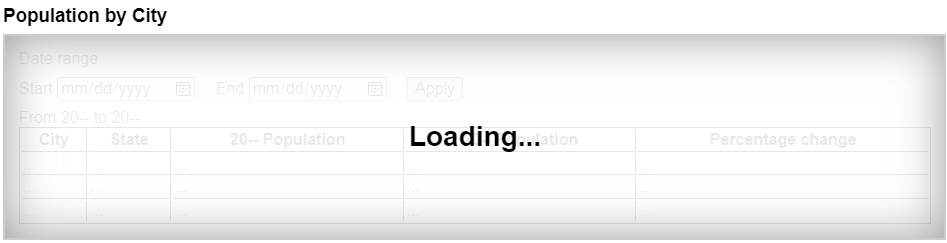
“正在加载”覆盖层遮挡了惰性内容,使其当前不可访问这一点在视觉上显而易见。注意,标题和“正在加载”文本不是具有 inert 属性的元素的后代。这样可以确保所有用户都能访问这些文本,而任何人都无法与惰性内容交互。
默认情况下,元素或其子树处于惰性状态不会有持续的视觉提示。此类内容适合采用何种视觉样式,通常取决于上下文。例如,惰性的离屏导航面板不需要默认样式,因为其位于屏幕外这一点已经在视觉上遮住了内容。类似地,模态 dialog
元素的背景遮罩会在视觉上遮挡网页的惰性内容,无需专门为惰性内容设置样式。
不过,在许多其他情况下,强烈建议作者清楚标明文档的哪些部分是活动的,哪些部分是惰性的,以免用户感到困惑。尤其应记住,并非所有用户都能同时看到页面的所有部分;例如,屏幕阅读器用户、小型设备或放大工具用户,甚至使用特别小的窗口的用户,都可能看不到页面的活动部分。如果惰性区段没有明显表现出其惰性状态,他们可能会感到困扰。
为防止某些 API 被滥用而令用户感到困扰(例如打开弹出窗口或使手机振动),用户代理仅在用户正与网页进行交互,或者已至少与网页交互过一次时,才允许使用这些 API。这种“主动交互”状态通过本节定义的机制来维护。
为了跟踪用户激活,每个 Window W
都有两个相关值:
一个 上次激活时间戳,其值为
DOMHighResTimeStamp、正无穷(表示
W 从未被激活)或负无穷(表示激活已被 消耗)。初始值为正无穷。
一个 上次历史操作激活时间戳,其值为
DOMHighResTimeStamp
或正无穷,初始值为正无穷。
用户代理还定义了一个 瞬时激活持续时间,这是一个常数,表示一次用户激活可供某些 受用户激活限制的 API 使用的时长(例如用于打开弹出窗口)。
瞬时激活持续时间 预计至多为几秒,使用户有可能察觉到与页面的交互和页面调用受激活限制的 API 之间的联系。
由此,可以定义以下布尔型用户激活状态,适用于 W:
这是 W的历史激活状态,表示用户是否曾在 W中进行交互。其初始值为 false;当 W 收到首次 激活通知时,它就变为 true(并且再也不会变回 false).
这是 W的当前激活状态,表示用户最近是否曾在 W 中进行交互。其初始值为 false;每当 激活通知送达 W ,此状态就会在有限的时间内保持 true。
瞬时激活 状态被视为 过期 ,是指该状态因距离上次用户激活已满 瞬时激活持续时间 而变为 false。请注意,通过 激活消耗,它也可能在过期时间到来之前变为 false.
当 上次历史操作激活时间戳 (所属窗口为 W )不等于 上次激活时间戳 (所属窗口为 W)时, W 便称为具有 历史操作激活.
这是用户激活的一种特殊变体,用于允许访问某些会话历史 API;如果过于频繁地使用这些 API,用户就更难通过 浏览器界面向后遍历历史。其初始值为 false,每当用户与 W交互时就变为 true,但会通过 历史操作激活消耗重置为 false。这确保了在没有穿插用户激活的情况下,无法连续多次使用这些 API。不过,与 瞬时激活不同的是,使用这些 API 并无时间限制。
上次激活时间戳 和 上次历史操作激活时间戳 即使在 Document 的
完全活动 状态改变后也会保留(例如从某个 Document导航离开,或者导航到一个已缓存的 Document之后)。这意味着 粘性激活 状态会跨越多次导航持续存在,只要重复使用的是同一个
Document 。对于瞬时激活状态,原有的 过期 时间保持不变(即状态仍会在 瞬时激活持续时间
这一时限内过期,该时限从最初的 触发激活的输入事件起算)。在决定某些行为应以何者为依据时,务必考虑到这一点,所选依据可能是
粘性激活 或 瞬时激活.
当用户交互导致 触发激活的输入事件 在 Document
document中触发时,用户代理必须执行以下 激活通知 步骤,执行时机应当 早于 派发
该事件:
触发激活的输入事件 是指满足以下条件的任何事件:其 isTrusted
属性为 true,且其 type
是下列值之一:
"keydown",前提是该键既不是
Esc 键,也不是用户代理保留的快捷键;
"mousedown";
"pointerdown",前提是该事件的
pointerType
为 "mouse";
"pointerup",前提是该事件的
pointerType
不是 "mouse";或
"touchend".
消耗历史操作激活的 API 可以 消耗历史操作用户激活 ,方法是运行以下步骤,给定参数为 Window W:
如果 W的 可导航对象 为 null,则返回。
令 navigables 为 包含自身的后代可导航对象 ,其所属文档为 top的 活动文档.
令 windows 为一个由 Window 对象构成的列表,其元素是各个 活动窗口 ,对应的可导航对象逐项取自
navigables.
对于每个 window ,取自 windows,将 window的 上次历史操作激活时间戳 设为 window的 上次激活时间戳.
请注意,页面中受影响的 浏览上下文 集合并不对称,取决于发生的是 激活通知 还是
激活消耗:激活消耗会将 瞬时激活 状态设为
false,作用于页面中的所有浏览上下文;而激活通知只会将其中一部分浏览上下文的状态设为 true。这里刻意让消耗作用于全部上下文,以防止恶意网站仅凭一次用户激活就多次调用 消耗激活的 API
(可能是通过利用深层嵌套的 iframe来实现的)。
依赖用户激活的 API 分为不同级别:
这些 API 要求 粘性激活 状态为 true,因此,在首次用户激活之前会被阻止。
这些 API 要求 瞬时激活 状态为 true,但不会 消耗 用户激活,因此,每次用户激活后都允许多次调用,直到瞬时状态 过期.
这些 API 要求 历史操作激活 状态为 true,并在每次调用时 消耗历史操作用户激活 ,以防止每次用户激活被用于多次调用。
UserActivation 接口每个 Window 都有一个 关联的 UserActivation,它是一个
UserActivation
对象。在创建 Window 对象时,其
关联的
UserActivation 必须设为一个 新建的
UserActivation
对象,该对象应创建于 Window 对象的 相关领域中.
[Exposed =Window ]
interface UserActivation {
readonly attribute boolean hasBeenActive ;
readonly attribute boolean isActive ;
};
partial interface Navigator {
[SameObject ] readonly attribute UserActivation userActivation ;
};navigator.userActivation.hasBeenActive
返回窗口是否具有 粘性激活.
navigator.userActivation.isActive
返回窗口是否具有 瞬时激活.
userActivation 的 getter 步骤是返回
this的 相关全局对象的 关联的
UserActivation.
为实现用户代理自动化和应用程序测试,本规范定义了下列 扩展命令 ,作为 Web Driver 规范的扩展。用户代理可以选择是否支持下列 扩展命令. [WEBDRIVER]
| HTTP 方法 | URI 模板 |
|---|---|
`POST` |
/session/{session id}/window/consume-user-activation |
远端步骤 如下:
HTML 中的某些元素具有 激活行为,这意味着用户可以激活它们。这始终由一个 click
事件引起。
用户代理应允许用户手动触发具有 激活行为的元素,例如使用键盘或语音输入,或者通过鼠标点击。当用户以点击以外的方式触发定义了 激活行为 的元素时,该交互事件的默认动作必须是在该元素上 触发一个 click 事件 。
element.click()
所有当前引擎均支持。
表现得如同该元素被点击了一样。
每个元素都有一个关联的 点击进行中标志,该标志初始时未设置。
click() 方法必须运行以下步骤:
ToggleEvent 接口所有当前引擎均支持。
所有当前引擎均支持。
[Exposed =Window ]
interface ToggleEvent : Event {
constructor (DOMString type , optional ToggleEventInit eventInitDict = {});
readonly attribute DOMString oldState ;
readonly attribute DOMString newState ;
readonly attribute Element ? source ;
};
dictionary ToggleEventInit : EventInit {
DOMString oldState = "";
DOMString newState = "";
Element ? source = null ;
};event.oldState
从关闭状态切换到打开状态时,设为“closed”;从打开状态切换到关闭状态时,设为“open”。
event.newState
从关闭状态切换到打开状态时,设为“open”;从打开状态切换到关闭状态时,设为“closed”。
event.source设为发起切换的元素,该元素可通过 popovertarget 和
commandfor
属性来指定。如果没有源元素,则设为 null。
所有当前引擎均支持。
所有当前引擎均支持。
oldState 和 newState 属性必须返回各自初始化时所设的值。
source
获取器的步骤是返回以下操作的结果:
重定向 source
,参照对象为 this的 currentTarget.
DOM 标准议题 #1328 跟踪如何以适合事件的方式更好地规范化关联的事件数据。目前,初始化为某个值的事件属性不能同时具有获取器,因此需要使用内部槽(或附加字段的映射)才能恰当地规定这一点。
切换任务跟踪器 是一个 结构体 ,具有以下成员:
ToggleEvent.oldState
属性值。CommandEvent 接口[Exposed =Window ]
interface CommandEvent : Event {
constructor (DOMString type , optional CommandEventInit eventInitDict = {});
readonly attribute Element ? source ;
readonly attribute DOMString command ;
};
dictionary CommandEventInit : EventInit {
Element ? source = null ;
DOMString command = "";
};event.command
返回该元素可以执行的动作。
event.source
返回用户为触发此事件而与之交互的 Element
。
command 属性必须返回其初始化时所设的值。
source 获取器的步骤是返回以下操作的结果: 重定向 source
,参照对象为 this的 currentTarget.
DOM 标准议题 #1328 跟踪如何以适合事件的方式更好地规范化关联的事件数据。目前,初始化为某个值的事件属性不能同时具有获取器,因此需要使用内部槽(或附加字段的映射)才能恰当地规定这一点。
本节为非规范性内容。
HTML 用户界面通常由多个交互式控件组成,例如表单控件、可滚动区域、链接、对话框、浏览器标签页等。这些控件构成一个层级结构,其中某些控件(例如浏览器标签页、对话框)包含其他控件(例如链接、表单控件)。
使用键盘与界面交互时,按键输入会从系统沿交互式控件的层级结构传递到一个活动控件,此时称该控件 已聚焦.
设想一个在图形环境中的浏览器标签页内运行的 HTML 应用程序。假设该应用程序的页面包含一些文本控件和链接,并且当前正显示一个模态对话框,对话框本身包含一个文本控件和一个按钮。
在这种情况下,可聚焦控件的层级结构会包含浏览器窗口,其子级之一是包含该 HTML 应用程序的浏览器标签页。标签页的子级则包括各种链接、文本控件以及对话框。对话框的子级是那个文本控件和按钮。
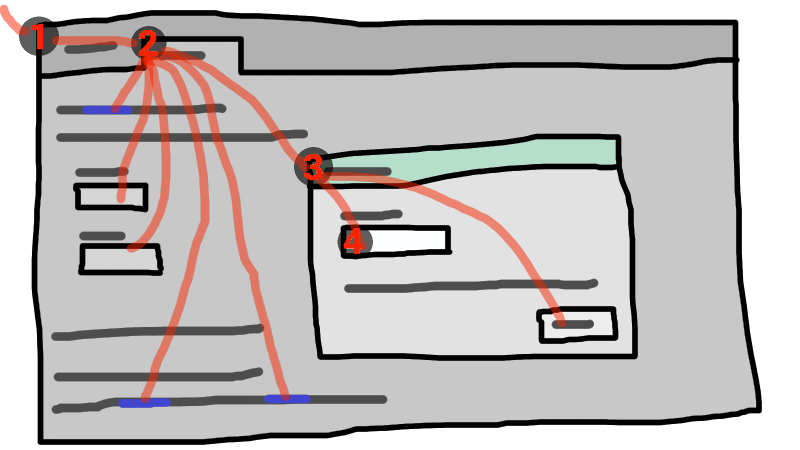
如果此示例中具有 焦点 的控件是对话框中的文本控件,那么按键输入会从图形系统传递到 ① Web 浏览器,再传递到 ② 标签页,然后传递到 ③ 对话框,最后传递到 ④ 文本控件。
键盘 事件 始终以这个 已聚焦 的元素为目标。
一个 顶层可遍历对象 具有 用户注意
,当且仅当其 系统可见性状态 为
"visible",并且满足以下任一条件:它具有 系统焦点
,或者与它直接相关的用户代理控件能够接收从操作系统传递来的键盘输入。
浏览器窗口失去焦点时,会失去用户注意;而浏览器窗口内的其他系统控件(例如地址栏)也可能使其失去系统焦点。
术语 可聚焦区域 用于指界面中可以进一步成为此类键盘输入目标的区域。可聚焦区域可以是元素、元素的一部分,或由用户代理管理的其他区域。
每个 可聚焦区域 都有一个 DOM 锚点,它是一个
Node
对象,表示该 可聚焦区域 在 DOM 中的位置。(当 可聚焦区域 本身就是一个 Node时,它就是自身的
DOM 锚点。)在某些 API 中, DOM 锚点 用于代替 可聚焦区域
,前提是没有其他 DOM 对象可以表示该 可聚焦区域.
下表描述了哪些对象可以成为 可聚焦区域。左列的单元格描述可以成为 可聚焦区域的对象;右列的单元格描述相应的 DOM 锚点 。(跨越两列的单元格是非规范性示例。)
| 可聚焦区域 | DOM 锚点 |
|---|---|
| 示例 | |
满足以下所有条件的元素:
|
元素本身。 |
|
|
|
由 area 元素在 图像映射 中定义的形状;此图像映射关联到一个
img 元素,且该元素 正在渲染 并且不具有 惰性.
|
该 img 元素。
|
|
在以下示例中, |
|
| 用户代理为元素提供的子控件,其中这些元素 正在渲染 ,既未被 实际禁用 ,也不具有 惰性. | 以该 可聚焦区域 为其子控件的元素。 |
|
例如, 用户界面中的控件 (属于 |
|
| 元素的可滚动区域,其中这些元素 正在渲染 并且不具有 惰性. | 相应的元素,可滚动区域所滚动的盒是为该元素创建的。 |
|
CSS 的 'overflow' 属性的 'scroll' 值通常会创建一个可滚动区域。 |
|
属于以下文档的 视口 :一个 Document ,它具有非 null 的 浏览上下文 并且不具有 惰性.
|
该 Document ,此 视口 正是为它创建的。
|
|
以下元素的内容: |
|
| 用户代理认定为可聚焦区域的任何其他元素或元素的一部分,尤其是为了辅助无障碍访问或更好地遵循平台惯例。 | 该元素。 |
|
用户代理可以使所有列表项的项目符号都 可顺序聚焦,以便用户更轻松地浏览列表。 |
|
一个 可导航容器 (例如
iframe)是一个 可聚焦区域,但传递到 可导航容器 的按键事件会立即被传递到其 内容可导航对象的 活动文档。同样,在顺序焦点导航中,
可导航容器 本质上只是一个占位符,代表其 内容可导航对象的 活动文档.
一个 可聚焦区域 会在每个 Document 中被指定为 文档的聚焦区域。具体指定哪个控件,会根据本规范中的算法随时间而变化。
即使文档不是 完全活动 的,也没有显示给用户,它仍然可以具有一个 文档的聚焦区域。如果文档的 完全活动 状态发生变化,其 文档的聚焦区域 将保持不变。
顶层可遍历对象的当前聚焦区域( traversable )是以下算法返回的 可聚焦区域或 null:
若某个元素充当 DOM 锚点 ,对应一个 可聚焦区域 ,则称该元素 获得焦点 ,当且仅当该 可聚焦区域 成为 顶层可遍历对象的当前聚焦区域。当某个元素充当 DOM 锚点 ,对应一个 可聚焦区域 ,并且此区域就是 顶层可遍历对象的当前聚焦区域时,该元素就是 已聚焦.
要构建 焦点链 ,对于一个 可聚焦区域 subject ,按以下方式生成有序列表:
令 output 为一个空 列表.
令 currentObject 为 subject.
只要为 true:
追加 currentObject 到 output.
如果 currentObject 是一个 area 元素的形状,则 追加 该 area 元素到 output.
否则,如果 currentObject的 DOM 锚点 是一个元素,且不是 currentObject 本身,则 追加 currentObject的 DOM 锚点 到 output.
如果 currentObject 是一个 可聚焦区域,则将 currentObject 设为 currentObject的 DOM 锚点的 节点文档.
否则,如果 currentObject 是一个 Document ,并且其 节点可导航对象的 父级 非
null,则将
currentObject 设为 currentObject的 节点可导航对象的 父级.
否则, 跳出.
返回 output.
该链以 subject 为起点,并且(如果 subject 是或可以成为 顶层可遍历对象的当前聚焦区域)沿焦点层级向上延伸,一直到一个 Document ,它属于该 顶层可遍历对象.
所有本身就是 可聚焦区域 的元素,都称为 可聚焦.
可聚焦性有以下两种特殊类型,适用于 可聚焦区域:
一个 可聚焦区域 具有 可点击聚焦 这一特性,当且仅当用户代理认定它可点击聚焦。对于具有非 null tabindex 值 的可聚焦区域,用户代理应当将其视为可点击聚焦。
不具备 可聚焦 特性的元素不是 可聚焦区域,因此既不 可顺序聚焦 ,也不 可点击聚焦.
所谓 可聚焦 ,说明的是能否通过编程方式使元素聚焦,例如使用 focus() 方法或 autofocus 属性。相比之下, 可顺序聚焦 和 可点击聚焦 决定用户代理如何响应用户交互:分别对应 顺序焦点导航 和
激活行为.
用户代理可能根据用户偏好,认定某个元素不 可顺序聚焦 ,即使它 可聚焦 并且包含在所属 Document的 顺序焦点导航次序中。例如,macOS 用户可以将用户代理设置为跳过非表单控件元素,或在进行 顺序焦点导航 时跳过链接,条件是仅使用
Tab 键(而不是同时使用
Option 和 Tab 键)。
类似地,用户代理可能认定某个元素不 可点击聚焦 ,即使它 可聚焦。例如,在某些用户代理中,点击不可编辑的表单控件不会使它聚焦,也就是说,用户代理已认定此类控件不可点击聚焦。
因此,某个元素可能 可聚焦,但既不 可顺序聚焦 ,也不 可点击聚焦。例如,在某些用户代理中,如果不可编辑的表单控件的 tabindex 值 为负整数,就无法通过用户交互使它聚焦,只能通过编程 API 使它聚焦。
请注意,聚焦不是 激活行为,也就是说,调用元素的
click() 方法或向它分派一个合成的 click
事件,并不会使该元素聚焦。
每个 焦点导航作用域所有者 都有一个 焦点导航作用域,它是一个元素列表。其内容按以下方式确定:
每个元素 element 都有一个 关联的焦点导航所有者,其值为 null 或一个 焦点导航作用域所有者。该值由以下算法确定:
那么,对于给定的 焦点导航作用域所有者 owner,其 焦点导航作用域 的内容就是所有满足以下条件的元素:其 关联的焦点导航所有者 为 owner.
一个 焦点导航作用域 中元素的顺序不会影响本规范中的任何算法。只有对于下文定义的 按 tabindex 排序的焦点导航作用域 和 展平的按 tabindex 排序的焦点导航作用域 这两个概念,顺序才具有重要意义。
一个 按 tabindex 排序的焦点导航作用域 是由 可聚焦区域 和 焦点导航作用域所有者组成的列表。每个 焦点导航作用域所有者 owner 都具有一个 按 tabindex 排序的焦点导航作用域,其内容按以下方式确定:
它包含 owner的 焦点导航作用域 中的所有本身也是 焦点导航作用域所有者的元素,但不包括那些 tabindex 值 为负整数的元素。
它包含满足以下条件的所有 可聚焦区域 :其 DOM 锚点 是位于 owner的 焦点导航作用域中的元素;但不包括以下 可聚焦区域 :其 tabindex 值 为负整数。
一个 按 tabindex 排序的焦点导航作用域 中的顺序由每个元素的 tabindex 值决定,详见下一节。
那里的规则并未给出精确的次序,因为它们主要由使用“应当”的陈述和相对排序规则组成。
一个 展平的按 tabindex 排序的焦点导航作用域 是由 可聚焦区域组成的列表。每个 焦点导航作用域所有者 owner 拥有一个独立的 展平的按 tabindex 排序的焦点导航作用域,其内容由以下算法确定:
令 result 为以下 克隆 操作的结果,克隆对象是 owner的 按 tabindex 排序的焦点导航作用域.
对于每个 item ,依次取自 result:
如果 item 不是 焦点导航作用域所有者,则 继续.
如果 item 不是 可聚焦区域,则替换 item ,替换内容为 item的 展平的按 tabindex 排序的焦点导航作用域中的所有项.
否则,插入 item的 展平的按 tabindex 排序的焦点导航作用域 的内容,位置在以下项之后: item.
tabindex 属性所有当前引擎均支持。
tabindex
内容属性允许作者使元素以及以该元素为
DOM 锚点 的区域成为 可聚焦区域,允许或阻止它们 可顺序聚焦,并确定它们在以下导航中的相对次序:
顺序焦点导航.
“tab index”这一名称源于通常使用 Tab 键在可聚焦元素之间导航。“tabbing”一词指依次向前移经 可顺序聚焦的 可聚焦区域.
tabindex 属性一旦指定,其值就必须是 有效整数。正数指定该元素的 可聚焦区域 在以下次序中的相对位置: 顺序焦点导航次序;负数表示该控件不
可顺序聚焦.
开发者在为 tabindex 属性使用 0 或 −1
以外的值时应当谨慎,因为要正确使用这些值相当复杂。
下面对 tabindex
属性各个可能值的行为作非规范性概述。下文的处理模型会给出更精确的规则。
tabindex 属性值较大的元素排在后面。
元素的 tabindex 值 是其 tabindex 属性值按照 整数解析规则解析所得的值。如果解析失败或未指定此属性,则 tabindex 值 为 null。
一个 tabindex 值 若属于一个 可聚焦区域 ,则其值等于以下 tabindex 值 ,取自该区域的 DOM 锚点.
元素的 tabindex 值 必须按以下方式解释:
用户代理应当遵循平台惯例,确定是否应将该元素视为 可聚焦区域 ;如果是,则确定该元素及所有 可聚焦区域 (以该元素为 DOM 锚点 )是否 可顺序聚焦;如果是,还应确定它们在其 按 tabindex 排序的焦点导航作用域 中的相对位置。如果该元素是 焦点导航作用域所有者,那么它必须被纳入其 按 tabindex 排序的焦点导航作用域 ,即使它不是 可聚焦区域.
在一个 按 tabindex 排序的焦点导航作用域 中,元素和 可聚焦区域 若属于同一 焦点导航作用域 ,且其 tabindex 值 为 null,则它们之间的相对次序应当遵循 包含影子的树顺序.
用户代理必须将该元素视为 可聚焦区域,但应当将该元素排除在以下所有作用域之外: 按 tabindex 排序的焦点导航作用域.
顺序焦点导航不应让作者将焦点引导到该元素,但如果顺序焦点导航是用户移动焦点的唯一机制,就有正当理由忽略这一要求。例如,仅使用键盘的用户无法点击具有负值 tabindex的文本控件,因此,用户代理完全有理由仍允许该用户通过
Tab 键导航到这个控件。
用户代理必须允许将该元素视为 可聚焦区域 ,并且应当允许该元素以及所有 可聚焦区域 (以该元素为 DOM 锚点 ) 可顺序聚焦.
在一个 按 tabindex 排序的焦点导航作用域 中,元素和 可聚焦区域 若属于同一 焦点导航作用域 ,且其 tabindex 值 为零,则它们之间的相对次序应当遵循 包含影子的树顺序.
用户代理必须允许将该元素视为 可聚焦区域 ,并且应当允许该元素以及所有 可聚焦区域 (以该元素为 DOM 锚点 ) 可顺序聚焦;还应当将该元素(下文称为 candidate )以及上述 可聚焦区域 排列在该元素所属的 按 tabindex 排序的焦点导航作用域 中,使它们相对于其他元素及 可聚焦区域 (属于同一 焦点导航作用域)满足以下关系:
tabindex 属性被省略,或者其值在解析时返回错误;
tabindex 属性值小于或等于零;tabindex 属性值大于零但小于以下 tabindex 属性值,该属性属于
candidate,
tabindex 属性值等于以下 tabindex 属性值,该属性属于
candidate ,但该元素先于 candidate 出现,所依据的次序为 包含影子的树顺序,
tabindex 属性值等于以下 tabindex 属性值,该属性属于
candidate ,但该元素后于 candidate 出现,所依据的次序为 包含影子的树顺序;并且
tabindex 属性值大于以下
tabindex 属性值,该属性属于
candidate.
所有当前引擎均支持。
tabIndex
的 getter 步骤如下:
默认值随元素类型变化,这是历史遗留行为。
要 获取可聚焦区域 ,对象为 focus target (它可以是一个不是 可聚焦区域的元素,也可以是 可导航对象),给定可选字符串 focus trigger (默认为
"other")时,运行下列列表中第一组匹配的步骤:
area 元素,且其一个或多个形状是
可聚焦区域
返回与符合以下条件的第一个 img
元素对应的形状(按 树顺序 确定先后):该元素使用此 area 元素所属的图像映射。
返回此元素的第一个可滚动区域,其顺序由前序、深度优先遍历以下树确定: 扁平树. [CSSSCOPING]
Document
令 focusedElement 为 顶层可遍历对象的当前聚焦区域的 DOM 锚点.
如果 focus target 是以下节点的 包含影子且包含自身的祖先 : focusedElement,则返回 focusedElement.
返回 焦点委托目标 ,对象为 focus target ,给定 focus trigger.
对于 顺序可聚焦性,对 影子宿主 和 委托焦点 的处理会在构造 顺序焦点导航次序时完成。也就是说, 聚焦步骤 绝不会作为顺序焦点导航的一部分对这类 影子宿主 调用。
返回 null。
以下步骤给出 焦点委托目标 ,对象为 focusTarget,给定可选字符串
focusTrigger (默认为 "other"):
令 whereToLook 为 focusTarget.
令 autofocusDelegate 为 自动聚焦委托目标 ,对象为 whereToLook ,给定 focusTrigger.
如果 autofocusDelegate 不为 null,则返回 autofocusDelegate.
对于每个 descendant (属于 whereToLook的 后代),按 树顺序:
令 focusableArea 为 null。
如果 focusTarget 是 dialog 元素且
descendant 是
可顺序聚焦的,则将
focusableArea 设为
descendant.
否则,如果 focusTarget 不是 dialog ,且
descendant 是 可聚焦区域,则将 focusableArea 设为
descendant.
否则,将 focusableArea 设为运行以下步骤的结果: 获取可聚焦区域 ,对象为 descendant ,给定 focusTrigger.
如果 focusableArea 不为 null,则返回 focusableArea.
返回 null。
上述算法实质上会返回第一个合适的 可聚焦区域 ,并且从它的 DOM 锚点 到 focusTarget 的路径在所有影子树边界上都委托焦点。
以下步骤给出 自动聚焦委托目标 ,对象为 focus target ,给定 focus trigger :
返回 null。
以下为 聚焦步骤 ,对象为 new focus target (它可以是 可聚焦区域、不是 可聚焦区域的元素或 可导航对象)。运行这些步骤时还可以提供 fallback target 和字符串 focus trigger.
如果 new focus target 不是 可聚焦区域,则将 new focus target 设为运行以下步骤的结果: 获取可聚焦区域 ,对象为 new focus target,并给定 focus trigger (如果已传入)。
如果 new focus target 为 null:
如果未指定 fallback target ,则返回。
否则,将 new focus target 设为 fallback target.
如果 new focus target 是 可导航容器 ,且具有非 null 的 内容可导航对象,则将 new focus target 设为该 内容可导航对象的 活动文档.
如果 new focus target 是 顶层可遍历对象的当前聚焦区域,则返回。
令 old chain 为 顶层可遍历对象的当前焦点链 ,所指的顶层可遍历对象是 new focus target 所在的对象。
令 new chain 为 焦点链 ,其对象为 new focus target.
运行 焦点更新步骤 ,依次传入 old chain, new chain和 new focus target 。
以下为 失焦步骤 ,对象为 old focus target (它可以是 可聚焦区域 或不是 可聚焦区域 的元素):
如果 old focus target 是 影子宿主 ,且其 影子根的 委托焦点 为 true,并且 old focus target的 影子根 在 包含影子且包含自身的祖先 关系中包含 顶层可遍历对象的当前聚焦区域的 DOM 锚点,则将 old focus target 设为该 顶层可遍历对象的当前聚焦区域.
如果 old focus target 是 惰性的,则返回。
如果 old focus target 是 area 元素,且它的某个形状是 顶层可遍历对象的当前聚焦区域;或者,如果
old focus
target 是一个具有一个或多个可滚动区域的元素,且其中一个可滚动区域是
顶层可遍历对象的当前聚焦区域,则令
old focus
target 为该 顶层可遍历对象的当前聚焦区域.
令 old chain 为 顶层可遍历对象的当前焦点链 ,所指的顶层可遍历对象是 old focus target 所在的对象。
如果 old focus target 不在 old chain的条目中,则返回。
如果 old focus target 不是 可聚焦区域,则返回。
令 topDocument 为 old chain的最后一个条目。
如果 topDocument的 节点可导航对象 具有 系统焦点,则运行 聚焦步骤 ,对象为 topDocument的 视口.
否则,应用所有相关的平台特定惯例,以移除 系统焦点 ,移除的对象为 topDocument的 节点可导航对象,并运行 焦点更新步骤 ,给定 old chain、空列表和 null。
这些 失焦步骤 并不总会导致焦点改变,即使应用于 顶层可遍历对象的当前聚焦区域也是如此。例如,如果 顶层可遍历对象的当前聚焦区域 是 视口,则通常无论如何它都会保持焦点,直到另一个 可聚焦区域 通过以下步骤被显式聚焦: 聚焦步骤.
以下为 焦点更新步骤,依次给定 old chain、 new chain和 new focus target :
如果 old chain 的最后一个条目与 new chain 的最后一个条目相同,则从 old chain 和 new chain 中分别弹出最后一个条目,并重新执行此步骤。
对于每个条目 entry (来自 old chain),按顺序运行以下子步骤:
如果 entry 是 input 元素,且 change 事件 适用
于该元素,且该元素没有定义 激活行为,且用户在控件聚焦期间更改了该元素的 值 或其 已选择的文件 列表,却未提交该更改(使其不同于控件首次聚焦时的状态):
如果 entry 是元素,则令 blur event target 为 entry.
如果 entry 是 Document 对象,则令 blur event
target 为该 Document 对象的
相关全局对象.
否则,令 blur event target 为 null。
如果 entry 是 old chain的最后一个条目,且
entry 是 Element,并且
new
chain 的最后一个条目也是 Element,则令
related blur target
为 new chain的最后一个条目。否则,令 related blur
target 为 null。
如果 blur event target 不为 null,则 触发焦点事件
,名称为 blur ,目标为 blur
event target,并以
related blur target 作为关联目标。
应用所有相关的平台特定惯例,以聚焦 new focus target。(例如,某些平台会在文本控件聚焦时选中其内容。)
对于每个条目 entry (来自 new chain),按逆序运行以下子步骤:
如果 entry 是 可聚焦区域,且 文档的聚焦区域 不是 entry:
将 document的 相关全局对象的 导航 API的 进行中的导航期间焦点已改变 设为 true。
将 entry 指定为 文档的聚焦区域.
如果 entry 是元素,则令 focus event target 为 entry.
如果 entry 是 Document 对象,则令 focus event
target 为该 Document 对象的
相关全局对象.
否则,令 focus event target 为 null。
如果 entry 是 new chain的最后一个条目,且
entry 是 Element,并且
old
chain 的最后一个条目也是 Element,则令
related focus target
为 old chain的最后一个条目。否则,令 related
focus target 为 null。
如果 focus event target 不为 null,则 触发焦点事件
,名称为 focus ,目标为 focus
event target,并以
related focus target 作为关联目标。
要 触发焦点事件 ,名称为 e ,目标为一个元素或 Window
对象 target ,并给定关联目标 relatedTarget:
令 view 为 target ,条件是 target 是 Window
对象;否则,设为 target的 节点文档的 相关全局对象.
触发事件 ,名称为 e ,目标为
target,使用 FocusEvent,将
relatedTarget
属性初始化为
relatedTarget,将 view
属性初始化为 view,并设置 composed 标志 。
当要在某个 顶层可遍历对象中路由按键事件时,用户代理必须运行以下步骤:
令 target area 为 顶层可遍历对象的当前聚焦区域.
断言: target area 不为 null,因为按键事件只会路由到 顶层可遍历对象 ,而这些对象具有 系统焦点。因此, target area 是 可聚焦区域.
令 target node 为 target area的 DOM 锚点.
如果 target node 是 Document ,且具有 body 元素,则令 target
node 为该 body 元素
,所属文档为此 Document.
否则,如果 target node 是 Document 对象,且具有非 null 的
文档元素,则令 target node 为该 文档元素.
如果 target node 不是 惰性的:
令 canHandle 为以下操作的结果: 派发 该按键事件,目标为 target node.
如果 canHandle 为 true,则让 target area 处理该按键事件。这可能包括 触发 click 事件 ,目标为 target node.
以下为 具有焦点步骤,给定 Document 对象 target:
每个 Document 都有一个 顺序焦点导航次序,它规定各 可聚焦区域 在该
Document 中的相对顺序,可涵盖部分或全部区域。其内容和顺序由
展平的按 tabindex 排序的焦点导航作用域
确定,该作用域属于此 Document.
根据 展平的按 tabindex
排序的焦点导航作用域的定义规则,此顺序不一定与 树顺序 相关,该树顺序属于此
Document.
如果某个 可聚焦区域 未被列入 顺序焦点导航次序 (该顺序属于此区域的 Document),则无法通过以下方式到达它: 顺序焦点导航.
还可以有一个 顺序焦点导航起点。它最初未设置。当用户表示应移动它时,用户代理可以设置它。
例如,如果用户点击文档内容,则用户代理可以将其设为用户点击的位置。
用户代理必须将 顺序焦点导航起点 设为 目标元素 ,执行时机为 导航到片段.
一个 顺序焦点方向 为两个可能值之一:"forward" 或 "backward"。它们用于下面的算法中,描述顺序焦点按用户请求移动的方向。
一种 选择机制 为两个可能值之一:"DOM" 或
"sequential"。它们用于描述 顺序导航搜索算法 如何找到将要返回的 可聚焦区域 。
当用户请求将焦点从 顶层可遍历对象的当前聚焦区域 移至下一个或上一个 可聚焦区域 (例如,作为按下 tab 键的默认操作),或者用户一开始就请求将焦点按顺序移入某个 顶层可遍历对象 (例如,从浏览器的地址栏移入)时,用户代理必须使用以下算法:
令 starting point 为 顶层可遍历对象的当前聚焦区域,条件是用户请求从该处按顺序移动焦点;否则,设为 顶层可遍历对象 本身,条件是用户请求从以下对象外部移入焦点: 顶层可遍历对象.
如果已经定义了 顺序焦点导航起点 且它位于 starting point内部,则令 starting point 改为 顺序焦点导航起点 。
令 direction 为 "forward",条件是用户请求下一个控件;如果用户请求上一个控件,则设为
"backward"。
通常,按下 tab 会请求下一个控件,按下 shift + tab 会请求上一个控件。
循环:令 selection mechanism 为 "sequential",条件是
starting point 是
可导航对象 ,或者 starting point 已列入其
Document的
顺序焦点导航次序.
否则, starting point 不在其 Document的 顺序焦点导航次序中;令 selection
mechanism 为 "DOM".
令 candidate 为运行 顺序导航搜索算法 的结果,传入 starting point, direction和 selection mechanism.
如果 candidate 不为 null,则运行 聚焦步骤 ,对象为 candidate ,然后返回。
否则,取消设置 顺序焦点导航起点.
如果 starting point 是 顶层可遍历对象,或者是 可聚焦区域 且位于 顶层可遍历对象中,则用户代理应适当地将焦点转移到自身的控件(如果有),遵循 direction,然后返回。
例如,如果 direction 为 backward,则浏览器渲染区域之前的最后一个 可顺序聚焦 的控件就是要聚焦的控件。
如果用户代理没有 可顺序聚焦 的控件(例如自助终端模式的浏览器),则用户代理也可以重新开始这些步骤,并将 starting point 设为 顶层可遍历对象 本身。
否则, starting point 是 可聚焦区域 ,且位于某个 子可导航对象中。将 starting point 设为该 子可导航对象的 父级 ,并返回以下标签对应的步骤: 循环.
以下为 顺序导航搜索算法,给定 可聚焦区域 starting point, 顺序焦点方向 direction和 选择机制 selection mechanism。这些步骤会返回 可聚焦区域或 null。
从下表中选择适当的单元格,并遵循其中的说明。
适当的单元格位于以下行列的交叉处:列标题描述 direction ;行是第一个符合以下条件的行:行标题描述 starting point 和 selection mechanism.
direction 为 "forward"
|
direction 为 "backward"
|
|
|---|---|---|
| starting point 是 可导航对象 | 令 candidate 为第一个 合适的可顺序聚焦区域 ,查找范围为 starting point的 活动文档;如果没有,则为 null。 | 令 candidate 为最后一个 合适的可顺序聚焦区域 ,查找范围为 starting point的 活动文档;如果没有,则为 null。 |
selection mechanism 为 "DOM"
|
令 candidate 为 合适的可顺序聚焦区域,它位于
starting point 之后且距离该起点最近,查找范围是 starting point的
在这种情况下, starting point 不一定属于其
|
令 candidate 为 合适的可顺序聚焦区域,它位于
starting point 之前且距离该起点最近,查找范围是 starting point的
Document,顺序采用 包含影子的树顺序;如果没有,则为 null。
|
selection mechanism 为 "sequential"
|
令 candidate 为第一个 合适的可顺序聚焦区域
,位于 starting point之后,并处于 starting point的 Document的
顺序焦点导航次序中;如果没有,则为 null。
|
令 candidate 为最后一个 合适的可顺序聚焦区域
,位于 starting point之前,并处于 starting point的 Document的
顺序焦点导航次序中;如果没有,则为 null。
|
如果 candidate 是 可导航容器 ,且具有非 null 的 内容可导航对象:
令 recursive candidate 为运行 顺序导航搜索算法 的结果,传入
candidate的 内容可导航对象,
direction和 "sequential".
如果 recursive candidate 为 null,则返回运行 顺序导航搜索算法 的结果,传入 candidate, direction和 selection mechanism.
否则,将 candidate 设为 recursive candidate.
返回 candidate.
dictionary FocusOptions {
boolean preventScroll = false ;
boolean focusVisible ;
};documentOrShadowRoot.activeElement
所有当前引擎均支持。
所有当前引擎均支持。
返回 documentOrShadowRoot 中键盘事件途经或发送到的最深层元素。粗略地说,它就是文档中已聚焦的元素。
就此 API 而言,当一个 子可导航对象 已聚焦时,其 容器 处于 已聚焦
状态,所在文档为其 父级的 活动文档。例如,如果用户将焦点移到一个
iframe内的文本控件,则该
iframe 就是以下 API
返回的元素: activeElement
,该 API 所属文档为这个
iframe的 节点文档.
类似地,如果已聚焦元素所在的 节点树 不同于 documentOrShadowRoot所在的节点树,则返回的元素为一个 宿主 ,它所在的 节点树 与 documentOrShadowRoot 相同,前提是 documentOrShadowRoot 是已聚焦元素的 包含影子且包含自身的祖先 ;否则返回 null。
document.hasFocus()
所有当前引擎均支持。
如果键盘事件途经或发送到 document,则返回 true;否则返回 false。粗略地说,这对应于 document或嵌套在 document内的文档已聚焦。
window.focus()
所有当前引擎均支持。
将焦点移到 window的 可导航对象(如果有)。
element.focus()
所有当前引擎均支持。
element.focus({ preventScroll, focusVisible })
将焦点移到 element.
如果 element 是 可导航容器,则改为将焦点移到其 内容可导航对象 。
默认情况下,此方法还会将 element 滚动到视图中。提供 preventScroll
选项并将其设为 true 可防止此行为。
默认情况下,用户代理使用 由实现定义 的启发式方法来确定是否通过焦点环 指示焦点 。提供 focusVisible
选项并将其设为 true,可确保焦点环始终可见。
element.blur()
所有当前引擎均支持。
将焦点移到 视口。不鼓励使用此方法;如果要聚焦 视口,请调用 focus() 方法,其调用对象为 Document的 文档元素.
如果你认为焦点环不美观,请勿使用此方法隐藏它。应改用 :focus-visible
伪类覆盖 'outline'
属性,并提供另一种方式来显示哪个元素已聚焦。请注意,如果未提供替代的聚焦样式,主要使用键盘浏览页面的人,以及依靠焦点轮廓来帮助浏览页面的低视力用户,使用此页面时会困难得多。
例如,要隐藏 textarea
元素的轮廓,改用黄色背景来指示焦点,可以使用:
textarea:focus-visible { outline : none; background : yellow; color : black; } DocumentOrShadowRoot
activeElement 的获取器步骤如下:
Window focus() 的方法步骤如下:
所有当前引擎均支持。
Window blur() 的方法步骤是不执行任何操作。
过去, focus() 和
blur() 方法实际会影响包含此 可导航对象的系统控件(如标签页或窗口)的系统级焦点,但恶意网站广泛滥用此行为,损害用户利益。
HTMLOrSVGOrMathMLElement focus(options) 的方法步骤如下:
HTMLOrSVGOrMathMLElement
blur()
的方法步骤如下:
例如,如果不明智地使用 blur()
方法来移除焦点环以改善美观,页面就会变得无法供键盘用户使用。因此,忽略对此方法的调用可使键盘用户能够与页面交互。
允许聚焦步骤,给定一个 Document 对象
target,其步骤如下:
如果 target 获准使用 "focus-without-user-activation"
功能,则返回 true。
返回 false。
autofocus 属性 autofocus
内容属性让作者能够指示某个元素应在页面加载完成后立即聚焦,使用户无需手动聚焦主要元素即可开始输入。
当把 autofocus 属性指定在
dialog 元素内的元素上,或指定在
HTML 元素 内的元素上(该 HTML 元素的 popover 属性已设置)时,该元素将在对话框或弹出框显示时聚焦。
要查找 最近祖先自动聚焦作用域根元素 ,给定
Element
element:
不允许两个具有相同 最近祖先自动聚焦作用域根元素 的元素都指定了 autofocus 属性。
每个 Document 都有一个 自动聚焦候选项 列表,初始为空。
每个 Document 都有一个 自动聚焦已处理标志 布尔值,初始为 false。
元素是否为 可聚焦区域 并不是将其存入 自动聚焦候选项 列表之前需要检查的条件,因为即使它在插入时并非可聚焦区域,也可能在 处理自动聚焦候选项 操作处理它时变为可聚焦区域。
要 处理自动聚焦候选项 ,对于文档 topDocument,运行以下步骤:
如果 topDocument的 自动聚焦已处理标志 为 true,则返回。
令 candidates 为 topDocument的 自动聚焦候选项.
如果 candidates 为空,则返回。
如果 topDocument的 聚焦区域 不是 topDocument 本身,或者 topDocument 具有非 null 的 目标元素:
只要 candidates 不为 空:
令 element 为 candidates[0].
令 doc 为 element的 节点文档.
如果 doc的 节点可导航对象的 顶层可遍历对象 与 topDocument的 节点可导航对象不同,则 移除 element ,来源为 candidates,然后 继续.
如果 doc的 阻塞脚本的样式表集合 不为 空,则返回。
此时, element 是当前最佳候选项,但 doc 尚未准备好自动聚焦。我们将在下次调用 处理自动聚焦候选项 时重试。
移除 element ,来源为 candidates.
令 inclusiveAncestorDocuments 为一个 列表 ,它由以下各对象的 活动文档 组成: doc的 包含自身的祖先可导航对象.
如果任意 Document (来自
inclusiveAncestorDocuments )具有非 null 的
目标元素,则 继续.
令 target 为 element.
如果 target 不是 可聚焦区域,则将 target 设为以下操作的结果: 获取可聚焦区域 ,对象为 target.
自动聚焦候选项 可以 包含 并非 可聚焦区域的元素。除 获取可聚焦区域 算法处理的特殊情况外,也可能是因为一个并非可聚焦区域 且具有 autofocus
属性的元素被 插入到文档中
后始终未变为可聚焦,或因为元素原本可聚焦,但其状态已发生改变,而当时它正存储于
自动聚焦候选项.
如果 target 不为 null:
这处理了文档加载期间的自动聚焦。 show() 和 showModal()
方法(属于 dialog
元素)也会处理 autofocus 属性。
聚焦该元素并不意味着:如果浏览器窗口已失焦,用户代理就必须聚焦该窗口。
在以下代码片段中,文本控件将在文档加载完成时聚焦。
< input maxlength = "256" name = "q" value = "" autofocus >
< input type = "submit" value = "Search" > autofocus
属性适用于所有元素,而不仅是表单控件。这允许编写如下示例:
< div contenteditable autofocus > Edit < strong > me!</ strong >< div > 本节为非规范性内容。
对于每个可以激活或聚焦的元素,都可以使用 accesskey
属性为其分配一个用于激活它的组合键。
具体的快捷键由用户代理确定;用户代理会根据用户的键盘信息、平台上已有的键盘快捷键以及页面上指定的其他快捷键,并以 accesskey
属性提供的信息为指导,作出选择。
为了确保各种输入设备上都能有适用的键盘快捷键,作者可以在 accesskey 属性中提供多个备选项。
每个备选项由单个字符组成,例如字母或数字。
用户代理可以向用户提供键盘快捷键列表,同时也鼓励作者这样做。 accessKeyLabel IDL
属性返回一个字符串,表示用户代理实际分配的组合键。
在此示例中,作者提供了一个可通过快捷键调用的按钮。为了支持全键盘,作者将"C"作为一个备选键。为了支持仅配备数字键盘的设备,作者还将"1"作为另一个备选键。
< input type = button value = Collect onclick = "collect()"
accesskey = "C 1" id = c > 为了告知用户快捷键是什么,作者在此选择将组合键明确添加到按钮的标签中:
function addShortcutKeyLabel( button) {
if ( button. accessKeyLabel != '' )
button. value += ' (' + button. accessKeyLabel + ')' ;
}
addShortcutKeyLabel( document. getElementById( 'c' )); 即使组合键相同,不同平台上的浏览器也会根据各自平台的惯例显示不同的标签。例如,如果组合键由 Control 键、Shift 键和字母 C 组成,Windows 浏览器可能显示"Ctrl+Shift+C",而 Mac 浏览器可能显示"^⇧C",Emacs 浏览器则可能仅显示"C-C"。类似地,如果组合键由 Alt 键和 Escape 键组成,Windows 可能使用"Alt+Esc",Mac 可能使用"⌥⎋",Emacs 浏览器则可能使用"M-ESC"或"ESC ESC".
因此,一般来说,不宜尝试解析 accessKeyLabel IDL 属性返回的值。
accesskey
属性所有当前引擎均支持。
所有 HTML 元素 都可以设置 accesskey
内容属性。用户代理使用 accesskey
属性的值作为指导,创建用于激活或聚焦该元素的键盘快捷键。
如果指定了此属性,其值必须是一个 有序的唯一空格分隔词元集合 ,其中任意词元都不得 与其他词元相同 ,并且每个词元的长度都必须恰好为一个码点。
在以下示例中,多个链接都设置了访问键,以便熟悉该站点的键盘用户更快地导航到相关页面:
< nav >
< p >
< a title = "Consortium Activities" accesskey = "A" href = "/Consortium/activities" > Activities</ a > |
< a title = "Technical Reports and Recommendations" accesskey = "T" href = "/TR/" > Technical Reports</ a > |
< a title = "Alphabetical Site Index" accesskey = "S" href = "/Consortium/siteindex" > Site Index</ a > |
< a title = "About This Site" accesskey = "B" href = "/Consortium/" > About Consortium</ a > |
< a title = "Contact Consortium" accesskey = "C" href = "/Consortium/contact" > Contact</ a >
</ p >
</ nav > 在以下示例中,搜索字段有两个备选访问键:"s"和"0"(按此顺序排列)。配备全键盘的设备上的用户代理可能选择 Ctrl + Alt + S 作为快捷键,而仅配备数字键盘的小型设备上的用户代理可能只选择不带任何修饰键的 0:
< form action = "/search" >
< label > Search: < input type = "search" name = "q" accesskey = "s 0" ></ label >
< input type = "submit" >
</ form > 在以下示例中,指定了按钮的备选访问键。随后,脚本尝试更新按钮的标签,以告知用户代理所选的组合键。
< input type = submit accesskey = "N @ 1" value = "Compose" >
...
< script >
function labelButton( button) {
if ( button. accessKeyLabel)
button. value += ' (' + button. accessKeyLabel + ')' ;
}
var inputs = document. getElementsByTagName( 'input' );
for ( var i = 0 ; i < inputs. length; i += 1 ) {
if ( inputs[ i]. type == "submit" )
labelButton( inputs[ i]);
}
</ script > 在某个用户代理上,按钮的标签可能变为"Compose (⌘N)"。在另一个用户代理上,它可能变为"Compose (Alt+⇧+1)"。如果用户代理没有分配按键,标签就只是"Compose"。具体字符串取决于 已分配的访问键 以及用户代理表示该组合键的方式。
元素的 已分配的访问键 是从该元素的
accesskey
内容属性派生的组合键。初始时,元素不得有 已分配的访问键.
每当元素的 accesskey
属性被设置、更改或移除时,用户代理必须运行以下步骤,以更新该元素的 已分配的访问键 :
如果元素没有 accesskey
属性,则跳至下方的 回退 步骤。
否则, 按 ASCII 空白符拆分该属性的值,并令 keys 为所得的词元。
对于 keys 中的每个值,按照词元在属性值中出现的顺序,依次运行以下子步骤:
如果该值不是长度恰好为一个码点的字符串,则跳过针对此值的其余步骤。
如果该值不对应于系统键盘上的某个键,则跳过针对此值的其余步骤。
如果用户代理能找到零个或多个修饰键的组合,并且这些修饰键与属性中给定的值所对应的键组合后可用作访问键,那么用户代理可以将该组合键设为元素的 已分配的访问键 ,然后返回。
回退:用户代理可以选择自行选定一个组合键,将其设为元素的 已分配的访问键 ,然后返回。
如果执行到此步骤,则该元素没有 已分配的访问键.
一旦用户代理为元素选择并分配了访问键,就不应更改该元素的 已分配的访问键 ,除非其 accesskey
内容属性发生更改,或该元素被移动到另一个 Document.
当用户按下元素的 已分配的访问键 所对应的组合键时,如果该元素 定义了命令,该命令的 方面为 false(可见),该命令的 禁用状态 方面也为 false(启用),该元素 位于文档中 且该文档具有非 null 的 浏览上下文,并且该元素及其所有祖先均未指定 属性,那么用户代理必须触发该命令的 动作 。
用户代理也 可能通过其他方式公开 具有 accesskey
属性的元素,例如在响应特定组合键而显示的菜单中公开这些元素。
accessKeyLabel IDL 属性必须返回一个字符串,表示该元素的 已分配的访问键(如果存在)。如果该元素没有已分配的访问键,则此 IDL
属性必须返回空字符串。
contenteditable 内容属性所有当前引擎均支持。
interface mixin ElementContentEditable {
[CEReactions ] attribute DOMString contentEditable ;
[CEReactions ] attribute DOMString enterKeyHint ;
readonly attribute boolean isContentEditable ;
[CEReactions ] attribute DOMString inputMode ;
};Global_attributes/contenteditable
所有当前引擎均支持。
contenteditable 内容属性是一个
枚举属性 ,具有以下关键字和状态:
| 关键字 | 状态 | 简要说明 |
|---|---|---|
true
|
真 | 元素可编辑。 |
false
|
假 | 元素不可编辑。 |
plaintext-only
|
仅纯文本 | 只有元素的原始文本内容可编辑;禁用富文本格式。 |
例如,考虑一个包含 form 和 textarea
、用于发布新文章的页面,其中要求用户使用 HTML 编写文章:
< form method = POST >
< fieldset >
< legend > New article</ legend >
< textarea name = article > < p>Hello world.< /p></ textarea >
</ fieldset >
< p >< button > Publish</ button ></ p >
</ form > 启用脚本时,可以将 textarea
元素替换为富文本控件,方法是使用 contenteditable
属性:
< form method = POST >
< fieldset >
< legend > New article</ legend >
< textarea id = textarea name = article > < p>Hello world.< /p></ textarea >
< div id = div style = "white-space: pre-wrap" hidden >< p > Hello world.</ p ></ div >
< script >
let textarea = document. getElementById( "textarea" );
let div = document. getElementById( "div" );
textarea. hidden = true ;
div. hidden = false ;
div. contentEditable = "true" ;
div. oninput = ( e) => {
textarea. value = div. innerHTML;
};
</ script >
</ fieldset >
< p >< button > Publish</ button ></ p >
</ form > 插入链接等功能可以使用 document.execCommand()
API 实现,也可以使用
Selection
API 和其他 DOM API 实现。 [EXECCOMMAND] [SELECTION]
[DOM]
contenteditable
属性也能用于实现很好的效果:
<!doctype html>
< html lang = en >
< title > Live CSS editing!</ title >
< style style = white-space:pre contenteditable >
html { margin : .2 em ; font-size : 2 em ; color : lime ; background : purple }
head , title , style { display : block }
body { display : none }
</ style > element.contentEditable [ = value ]
返回"true", "plaintext-only", "false"或"inherit",具体取决于 contenteditable
属性的状态。
可以设置此属性,以更改该状态。
如果新值不是上述字符串之一,则抛出 "SyntaxError" DOMException
。
element.isContentEditable
所有当前引擎均支持。
如果元素可编辑,则返回 true;否则返回 false。
contentEditable IDL
属性在获取时必须按以下规则返回字符串:返回"true"的条件是内容属性设置为 真 状态;返回"plaintext-only"的条件是内容属性设置为 仅纯文本 状态;返回"false"的条件是内容属性设置为 假
状态;否则返回"inherit"。在设置时,如果新值以 ASCII
大小写不敏感 方式匹配字符串"inherit",则必须移除内容属性;如果新值以
ASCII 大小写不敏感
方式匹配字符串"true",则必须将内容属性设置为字符串"true";如果新值以
ASCII 大小写不敏感
方式匹配字符串"plaintext-only",则必须将内容属性设置为字符串"plaintext-only";如果新值以 ASCII 大小写不敏感
方式匹配字符串"false",则必须将内容属性设置为字符串"false";否则,属性设置器必须抛出
"SyntaxError" DOMException.
designMode
获取器和设置器
document.designMode [ = value ]
所有当前引擎均支持。
返回"on"表示文档可编辑;返回"off"表示文档不可编辑。
可以设置此属性,以更改文档的当前状态。这会聚焦该文档,并重置文档中的选区。
Document
对象具有关联的 设计模式已启用,它是一个布尔值,初始为 false。
designMode
设置器的步骤如下:
建议作者将 'white-space' 属性应用于 编辑宿主 及最初通过这些编辑机制创建的标记,并将其值设为 'pre-wrap'。默认的 HTML 空白处理不太适合所见即所得(WYSIWYG)编辑;在某些边界情况下,如果 'white-space' 保持其默认值,自动换行就无法正常工作。
例如,若使用默认值 'normal',就会出现如下问题。假设用户键入"yellow␣␣ball",单词之间有两个空格(此处用"␣"表示)。对于 'white-space' 的默认值('normal'),根据相应的编辑规则,生成的标记将为"yellow ball"或"yellow ball";也就是说,两个单词之间除了普通空格之外,还会有一个不换行空格。之所以需要这样,是因为 'white-space' 的 'normal' 值要求将相邻的普通空格折叠在一起。
在前一种情况下,"yellow⍽"可能换到下一行(此处用"⍽"表示不换行空格),即使单独的"yellow"本可容纳在行尾。在后一种情况下,"⍽ball"如果换行到行首,就会因不换行空格而产生可见的缩进。
不过,当 'white-space' 设为 'pre-wrap' 时,编辑规则只会在两个单词之间放入两个普通空格;如果这两个单词在行尾被分开,渲染时就会恰当地移除这些空格。
编辑宿主 可以是一个 HTML 元素
,其 contenteditable 属性处于
真
状态或 仅纯文本 状态;也可以是一个作为 子节点 的 HTML 元素 ,其父节点为 Document 且该父节点的 设计模式已启用 为 true。
术语 活动范围,
所属编辑宿主和 可编辑的定义,以及 编辑宿主 或
可编辑元素的用户界面要求,
execCommand(),
queryCommandEnabled(),
queryCommandIndeterm(),
queryCommandState(),
queryCommandSupported()和
queryCommandValue()
方法、文本选区及 删除选区 算法,均定义于
execCommand. [EXECCOMMAND]
用户代理可以支持检查可编辑文本的拼写和语法;这些文本可以位于表单控件中(例如 textarea
元素的值),也可以位于 编辑宿主 中的元素内 (例如使用 contenteditable).
对于每个元素,用户代理必须根据默认设置或用户表达的偏好确定其 默认行为。每个元素都有三种可能的默认行为:
spellcheck
属性明确禁用拼写检查,则会检查该元素的拼写和语法。
spellcheck
属性明确启用拼写检查,否则绝不会检查该元素的拼写和语法。
当前所有引擎均支持。
该 spellcheck
属性是一个 枚举属性 ,具有以下关键字和状态:
| 关键字 | 状态 | 简要说明 |
|---|---|---|
true
|
真 | 将检查拼写和语法。 |
false
|
假 | 不检查拼写和语法。 |
该属性的 缺失值默认状态
和 无效值默认状态 均为
默认 状态。默认状态表示元素应依照默认行为运行;该行为可能基于父元素自身的
spellcheck
状态,具体定义如下。该属性的 空值默认状态 为 真 状态。
element.spellcheck [ = value ]
如果应检查元素的拼写和语法,则返回 true;否则,返回 false。
可通过设置此属性来覆盖默认值,并设置 spellcheck 内容属性。
获取 spellcheck
IDL 属性时,如果元素的 spellcheck 内容属性处于 真
状态,或者元素的 spellcheck 内容属性处于 默认
状态且元素的 默认行为 为 默认开启,或者元素的 spellcheck 内容属性处于 默认
状态且元素的 默认行为 为 默认继承 并且元素的父元素的 spellcheck IDL 属性会返回
true,则必须返回 true;否则,如果这些条件均不满足,则该属性必须返回 false。
该 spellcheck IDL 属性不受覆盖
spellcheck
内容属性的用户偏好影响,因此可能无法反映实际的拼写检查状态。
设置时,如果新值为 true,则必须将元素的 spellcheck 内容属性设置为
"true";否则,必须将其设置为 "false".
对于此功能,用户代理应仅将以下文本视为可检查的文本:
input 元素,其 type 属性处于 文本, 搜索,
URL或 电子邮件 状态,且该元素是
可变的 (即未指定 readonly 属性且未被
禁用).
textarea
元素,且该元素没有 readonly
属性,也未被 禁用.Text
节点内,这些节点是 编辑宿主 或 可编辑 元素的子节点。对于属于 Text
节点的文本,与该文本关联的元素是该单词、句子或其他文本片段中第一个字符的直接父元素。对于属性中的文本,关联元素是该属性所属的元素。对于 input 和 textarea
元素的值,关联元素就是该元素本身。
要确定是否应对适用元素(如上文所定义)中的单词、句子或其他文本片段启用拼写和语法检查,用户代理必须使用以下算法:
spellcheck
内容属性,则:如果该属性处于
真
状态,则启用检查;否则,如果该属性处于 假
状态,则禁用检查。
spellcheck
内容属性且该属性不处于 默认
状态的祖先元素,则:如果最近的此类祖先的 spellcheck
内容属性处于 真 状态,则启用检查;否则,禁用检查。
如果对某个单词、句子或文本启用了检查,用户代理应指出该文本中的拼写和语法错误。用户代理在建议拼写和语法更正时,应考虑文档给出的其他语义。用户代理可以使用元素的语言来确定要采用的拼写和语法规则,也可以使用用户偏好的语言设置。用户代理应尽可能使用
input 元素的属性(例如
pattern
)来确保最终得到的值有效。
如果禁用了检查,用户代理不应指出该文本中的拼写或语法错误。
在以下示例中,ID 为 "a" 的元素用于确定是否检查单词 "Hello" 的拼写错误。在此示例中,不会进行检查。
< div contenteditable = "true" >
< span spellcheck = "false" id = "a" > Hell</ span >< em > o!</ em >
</ div > 以下示例中 ID 为 "b" 的元素会启用检查( input
元素上该属性值开头的空格字符导致该属性被忽略,因此无论默认值如何,都会改用祖先的值)。
< p spellcheck = "true" >
< label > Name: < input spellcheck = " false" id = "b" ></ label >
</ p > 本规范不定义拼写和语法检查器的用户界面。用户代理可以提供按需检查,在启用检查时进行持续检查,也可以采用其他界面。
当用户在可编辑区域内输入时,用户代理会提供写作建议;这些区域可以位于表单控件中(例如 textarea 元素),也可以位于 编辑宿主中的元素内.
该 writingsuggestions 内容属性是一个
枚举属性 ,具有以下关键字和状态:
| 关键字 | 状态 | 简要说明 |
|---|---|---|
true
|
真 | 应对此元素提供写作建议。 |
false
|
假 | 不应对此元素提供写作建议。 |
该属性的 缺失值默认状态 为 默认 状态。默认状态表示元素应依照默认行为运行;该行为可能基于父元素自身的 writingsuggestions
状态,具体定义如下。
element.writingSuggestions [ = value ]
如果用户代理应在元素的范围内提供写作建议,则返回 "true";否则,返回 "false".
可通过设置此属性来覆盖默认值,并设置
writingsuggestions 内容属性。
要确定 计算后的写作建议值 ,对给定的 element 运行以下步骤:
如果 element的 writingsuggestions
内容属性处于 假
状态,则返回 "false".
如果 element的 writingsuggestions
内容属性处于 默认 状态, element 有父元素,且 计算后的写作建议值 (针对
element的父元素)为 "false",则返回 "false".
返回 "true".
该 writingSuggestions
IDL 属性不受覆盖 writingsuggestions
内容属性的用户偏好影响,因此可能无法反映实际的写作建议状态。
只有对给定 element 运行以下算法的结果返回 true 时,用户代理才应在该元素的范围内提供建议:
本规范不定义写作建议的用户界面。用户代理可以提供按需建议、在用户输入时持续给出建议、行内建议、弹出窗口中类似自动填充的建议,也可以采用其他界面。
某些文本输入方式(例如移动设备上的虚拟键盘和语音输入)通常会自动将句子的首字母大写,以帮助用户(适用于采用这一惯例的语言)。实现自动大写功能的虚拟键盘可能会在即将输入应自动大写的字母时,自动切换为显示大写字母(但允许用户切换回小写)。其他输入方式(例如语音输入)可能会直接执行自动大写,而不让用户事先干预。
autocapitalize
属性允许作者控制这种行为。
通常实现的 autocapitalize
属性不会影响使用实体键盘输入时的行为。(由于这一点,加上用户在某些情况下能够覆盖自动大写行为,或在初次输入后编辑文本,因此不得依赖此属性进行任何形式的输入验证。)
该 autocapitalize
属性可以用于 编辑宿主 ,以控制其承载的可编辑区域的自动大写行为;也可以用于 input 或 textarea
元素,以控制向该元素输入文本时的行为;还可以用于 form
元素,以控制所有 继承自动大写和自动更正设置的元素
的默认行为,这些元素与该 form 元素关联。
该 autocapitalize
属性绝不会为以下 input 元素启用自动大写:其
type 属性处于 URL, 电子邮件或 密码 状态。(此行为包含在下文的
所用自动大写提示 算法中。)
自动大写处理模型基于在五种 自动大写提示中进行选择,它们的定义如下:
用户代理和输入法应自行确定是否启用自动大写。
不应应用自动大写(所有字母应默认为小写)。
每个句子的首字母应默认为大写;所有其他字母应默认为小写。
每个单词的首字母应默认为大写;所有其他字母应默认为小写。
所有字母应默认为大写。
Global_attributes/autocapitalize
当前所有引擎均支持。
该 autocapitalize 属性是一个 枚举属性 ,其状态为各种可能的 自动大写提示。属性状态所指定的 自动大写提示 与其他考量相结合,形成 所用自动大写提示,用于指导用户代理的行为。此属性的关键字及其状态映射如下:
| 关键字 | 状态 |
|---|---|
off
|
无 |
none
|
|
on
|
句子 |
sentences
|
|
words
|
单词 |
characters
|
字符 |
element.autocapitalize [ = value ]
返回元素当前的自动大写状态;如果尚未设置,则返回空字符串。注意,对于 input 和 textarea 元素,如果其状态继承自
form 元素,则此处返回
form
元素的自动大写状态;但对于可编辑区域中的元素,此处不会返回编辑宿主的自动大写状态 (除非此元素实际上就是 编辑宿主).
可通过设置此属性来设置 autocapitalize
内容属性(从而更改元素的自动大写行为)。
要计算 自身自动大写提示 ,对元素 element运行以下步骤:
如果 autocapitalize
内容属性存在于 element上,且其值不是空字符串,则返回该属性的状态。
如果 element 是 继承自动大写和自动更正设置的元素 ,且具有非 null 的 表单所有者,则返回以下对象的 自身自动大写提示 : element的 表单所有者.
返回 默认.
该 autocapitalize 的获取器步骤如下:
如果用户代理支持为文本输入方式自定义自动大写行为,并希望允许 Web 开发者控制此功能,则应在向元素输入文本时,计算该元素的 所用自动大写提示 。这是一种 自动大写提示 ,描述向该元素输入文本时建议采用的自动大写行为。
在某些情况下,用户代理或输入法可以选择忽略或覆盖 所用自动大写提示 。
要计算 所用自动大写提示 ,对元素 element 使用以下算法:
某些文本输入方式会在用户输入时自动更正拼错的单词,以帮助用户,这一过程也称为自动更正。用户代理可以支持对可编辑文本进行自动更正;这些文本可以位于表单控件中(例如 textarea 元素的值),也可以位于 编辑宿主 中的元素内(例如使用 contenteditable)。自动更正可能伴有用户界面,用于指示文本即将被自动更正或已经被自动更正;通常会在拼错的单词后插入标点字符、空格或新段落时执行自动更正。
autocorrect 属性允许作者控制这种行为。
该 autocorrect
属性可以用于编辑宿主,以控制其承载的可编辑区域的自动更正行为;也可以用于 input 或
textarea
元素,以控制向该元素插入文本时的行为;还可以用于 form
元素,以控制所有 继承自动大写和自动更正设置的元素
的默认行为,这些元素与该 form 元素关联。
该 autocorrect 属性绝不会为以下 input 元素启用自动更正:其 type
属性处于 URL, 电子邮件或 密码 状态。(此行为包含在下文的 所用自动更正状态 算法中。)
该 autocorrect
属性是一个枚举属性,具有以下关键字和状态:
| 关键字 | 状态 | 简要说明 |
|---|---|---|
on
|
开启 | 允许用户代理在用户输入时自动更正拼写错误。是否在输入时自动更正拼写由用户代理决定,并且可能取决于元素和用户偏好。 |
off
|
关闭 | 不允许用户代理在用户输入时自动更正拼写。 |
该 autocorrect
的获取器步骤如下:如果元素的 所用自动更正状态 为
开启 ,则返回 true;如果元素的 所用自动更正状态 为 关闭,则返回
false。设置器步骤如下:如果给定值为 true,则必须将元素的 autocorrect
属性设置为 "on";否则,必须将其设置为 "off".
要计算 所用自动更正状态 ,对元素 element运行以下步骤:
如果 autocorrect 内容属性存在于
element上,则返回该属性的状态。
如果 element 是 继承自动大写和自动更正设置的元素 ,且具有非 null 的 表单所有者,则返回以下属性的状态:
element的 表单所有者的 autocorrect
属性。
返回 开启.
autocorrect返回元素的自动更正行为。注意,对于 继承自动大写和自动更正设置的元素 ,如果其状态继承自 form 元素,则此处返回 form
元素的自动更正行为;但对于可编辑区域中的元素,此处不会返回 编辑宿主 的自动更正行为
(除非此元素实际上就是 编辑宿主).
autocorrect
=
value
更新 autocorrect
内容属性(从而更改元素的自动更正行为)。
以下示例中的 input
元素不允许自动更正,因为它没有 autocorrect
内容属性,因此会继承 form
元素的设置,而该元素的属性值为 "off"。但是, textarea 元素允许自动更正,因为它具有
autocorrect 内容属性,且该属性的值为
"on".
< form autocorrect = "off" >
< input type = "search" >
< textarea autocorrect = "on" ></ textarea >
</ form > inputmode 属性用户代理可以支持 inputmode
属性,将其应用于表单控件(例如 textarea
元素的值),或应用于 编辑宿主 中的元素 (例如使用
contenteditable).
当前所有引擎均支持。
该 inputmode
内容属性是一个 枚举属性
,用于指定哪种输入机制最有助于用户输入内容。
| 关键字 | 说明 |
|---|---|
none
|
用户代理不应显示虚拟键盘。此关键字适用于自行呈现键盘控件的内容。 |
text
|
用户代理应显示能够按用户区域设置输入文本的虚拟键盘。 |
tel
|
用户代理应显示能够输入电话号码的虚拟键盘。该键盘应包含数字 0 到 9、"#" 字符和 "*" 字符的按键。在某些区域设置中,它还可以包含便于记忆的字母标签(例如在美国,标为 "2" 的按键历来还标有字母 A、B 和 C)。 |
url
|
用户代理应显示能够按用户区域设置输入文本的虚拟键盘,并提供有助于输入 URL的按键,例如用于输入 "/" 和 "." 字符的按键,以及用于快速输入域名中常见字符串(如 "www." 或 ".com")的按键。 |
email
|
用户代理应显示能够按用户区域设置输入文本的虚拟键盘,并提供有助于输入电子邮件地址的按键,例如用于输入 "@" 字符和 "." 字符的按键。 |
numeric
|
用户代理应显示能够输入数字的虚拟键盘。此关键字适用于输入 PIN 码。 |
decimal
|
用户代理应显示能够输入带小数部分的数字的虚拟键盘。应显示数字键和对应区域设置的格式分隔符。 |
search
|
用户代理应显示针对搜索优化的虚拟键盘。 |
当前所有引擎均支持。
当未指定 inputmode
(或其处于用户代理不支持的状态)时,用户代理应确定要显示的默认虚拟键盘。应使用输入控件的 type 或
pattern
属性等上下文信息,来确定应向用户呈现哪种类型的虚拟键盘。
enterkeyhint
属性用户代理可以支持 enterkeyhint
属性,将其应用于表单控件(例如 textarea
元素的值),或应用于 编辑宿主 中的元素
(例如使用 contenteditable).
Global_attributes/enterkeyhint
当前所有引擎均支持。
该 enterkeyhint 内容属性是一个 枚举属性
,用于指定应为虚拟键盘上的回车键呈现什么操作标签(或图标)。这使作者能够自定义回车键的呈现方式,让它对用户更有帮助。
| 关键字 | 说明 |
|---|---|
enter
|
用户代理应为“回车”(enter)操作呈现提示,通常表示插入新行。 |
done
|
用户代理应为“完成”(done)操作呈现提示,通常表示没有更多内容需要输入,并且将关闭输入法编辑器(IME)。 |
go
|
用户代理应为“前往”(go)操作呈现提示,通常表示将用户带到所输入文本指定的目标。 |
next
|
用户代理应为“下一个”(next)操作呈现提示,通常表示将用户带到下一个可接受文本的字段。 |
previous
|
用户代理应为“上一个”(previous)操作呈现提示,通常表示将用户带到上一个可接受文本的字段。 |
search
|
用户代理应为“搜索”(search)操作呈现提示,通常表示将用户带到对其所输入文本进行搜索的结果页面。 |
send
|
用户代理应为“发送”(send)操作呈现提示,通常表示将文本发送到其目标。 |
当前所有引擎均支持。
该 enterKeyHint IDL 属性必须 反映 该
enterkeyhint
内容属性,且 仅限于已知值.
当未指定 enterkeyhint
(或其处于用户代理不支持的状态)时,用户代理应确定要呈现的默认操作标签(或图标)。应使用 inputmode,
type或
pattern
属性等上下文信息,来确定应在虚拟键盘上呈现哪种操作标签(或图标)。
本节定义了 页内查找 ,这是用户代理的一种常见机制,允许用户在页面内容中搜索特定信息。
要使用 页内查找 功能,可以通过 页内查找界面。这是用户代理提供的用户界面,允许用户指定搜索输入和参数。此界面可以通过快捷键或菜单选项打开。
在 页内查找界面 中,文本输入和设置的组合表示用户的 查询。这通常包括用户想要搜索的文本,以及可选设置(例如,将搜索限制为仅匹配整个单词)。
用户代理针对给定的 查询处理页面内容,并找出零个或多个 匹配项,这些匹配项对应的内容范围满足用户的 查询.
其中一个 匹配项 会向用户标识为 活动匹配项。它会突出显示,并滚动到可见区域内。用户可以浏览各个 匹配项 ,方法是切换 活动匹配项 ,所用的界面是 页内查找界面.
议题 #3539 跟踪了有关标准化以下关系的工作: 页内查找 如何为目前尚无规范定义的 window.find() API
提供基础。
当页内查找开始搜索匹配项时,页面中的所有 元素若未设置 属性,则应使其第二个插槽中 变得可访问,而无需修改 属性,以便页内查找能够搜索这些内容。同样,对于所有具有 属性且该属性处于 状态的 HTML 元素,应使其 变得可访问,而无需修改 属性,以便页内查找能够搜索这些内容。在页内查找完成匹配项搜索后,这些 元素和具有 属性且该属性处于 状态的元素,其内容应再次被跳过。整个过程必须同步发生(因此用户和作者代码均无法观察到此过程)。 [CSSCONTAIN]
当页内查找选择新的 时,执行以下步骤:
令 node 为以下范围内的第一个节点: .
,使用 以及 node的 ,执行 ,作用于 node.
当页内查找以这种方式自动展开 元素时,会触发 事件。与页内查找另外触发的 事件一样,页面可以利用此事件探知用户在页内查找对话框中键入的内容。页面可以创建一个很小的可滚动区域,其中放入当前搜索词与用户下一步可能键入的每个字符的组合,并在各组合之间留出间隙,然后观察浏览器滚动到了哪一项。这样就能将该字符添加到搜索词中,并更新可滚动区域,逐步重建搜索词。通过将每个可能的下一个匹配项包裹在关闭的 元素中,页面可以监听 事件,而无需监听 事件。对于这两种事件,可以通过不对用户在页内查找对话框中键入的每个字符都采取操作,来应对此攻击。
页内查找过程在文档的上下文中调用,并可能影响该文档的 选区 。具体而言,定义 活动匹配项 的范围可以决定当前选区。不过,这些选区更新可以发生在页内查找过程中的不同时间(例如,在 页内查找界面 关闭时,或在 活动匹配项 范围发生变化时)。
用户可以通过 由实现定义 (并且很可能因设备而异)的方式,向用户代理发送 关闭请求 。这表示用户希望关闭当前显示在屏幕上的某个对象,例如弹出框、菜单、对话框、选择器或显示模式。
以下是关闭请求的一些示例:
桌面平台上的 Esc 键。
Android 等某些移动平台上的返回按钮或返回手势。
任何辅助技术的关闭手势,例如 iOS VoiceOver 的双指擦除“z”字形手势。
游戏控制器上的标准“返回”按钮,例如 DualShock 游戏手柄上的圆圈按钮。
每当用户代理收到针对某个 Document
document的潜在关闭请求时,它必须 将一个全局任务加入队列 ,使用 用户交互任务源 以及 document的 相关全局对象 ,执行以下 关闭请求步骤:
如果 document的 全屏元素 不为 null:
这 不会 触发任何相关事件,例如 keydown;它只会导致最终触发
fullscreenchange
事件。
可以选择跳至以下标签所示的步骤: 替代处理.
例如,如果用户代理发现当前网页反复拦截关闭请求,使用户感到不满,就可以选择这条路径。
根据 UI Events 或其他相关规范,触发任何相关事件。 [UIEVENTS]
例如,在 UI Events 模型中,相关事件可以是 keydown
事件; UI Events 建议
在用户按下键盘上的 Esc 键时触发该事件。在大多数配备键盘的平台上,这会被视为 关闭请求,因此会触发这些 关闭请求步骤.
对于不属于
UI Events 模型的相关事件,一个例子是辅助技术合成的 Esc keydown
事件;这是在用户通过关闭手势发送 关闭请求 时发生的。
令 event 在未触发此类事件时为 null,否则为表示某个已触发事件的 Event
对象。如果触发了多个事件,则选择哪一个 由实现定义.
如果 event 不为 null,并且其 已取消标志 已设置,则返回。
如果 document 不是 完全活动的,则返回。
此步骤是必要的,因为如果 event 不为 null,事件监听器可能已导致 document 不再处于 完全活动状态.
令 closedSomething 为以下操作的结果: 处理关闭监视器 ,所用对象为 document的 相关全局对象.
如果 closedSomething 为 true,则返回。
替代处理:否则,当前没有任何对象在监视 关闭请求。用户代理可以将此交互解释为其他操作,而非将其解释为关闭请求。
在将按下 Esc 键解释为 关闭请求的平台上,用户代理必须将按键被
按下 解释为关闭请求,而非将松开按键解释为关闭请求。因此,在上述算法中,触发的“相关事件”必须是单个 keydown
事件。
在将 Esc 视为 关闭请求的平台上,用户代理会先触发适当初始化的 keydown
事件。如果 Web 开发者通过调用 preventDefault()取消该事件,则不再发生任何事情。但是,如果触发的事件未被取消,用户代理就会继续
处理关闭监视器.
在将返回按钮视为潜在 关闭请求的平台上,不涉及事件,因此按下返回按钮时,用户代理会直接 处理关闭监视器。如果存在一个 活动的 关闭监视器,就会触发它。如果不存在,用户代理可以用其他方式解释返回按钮的按下操作,例如将其视为请求 以指定增量遍历历史 ,增量为 −1。
每个 Window 都有一个 关闭监视器管理器,它是一个
结构体 ,具有以下 条目:
关闭监视器管理器 的大部分复杂性源于防止滥用的保护措施。对于将 关闭请求的 回退操作 作为历史遍历主要机制的平台,这些措施旨在防止开发者禁用用户遍历历史的能力。具体来说:
对 关闭监视器 进行分组的设计意图是:如果在没有 历史操作激活的情况下创建多个关闭监视器,它们会被分到同一组,使得用户触发的一次 关闭请求 会关闭组中的全部关闭监视器。这可确保 Web 开发者无法通过创建关闭监视器来拦截无限数量的关闭请求;可用于拦截的数量最多等于 1 加上 用户激活页面的次数.
布尔值 下次用户交互允许新组 鼓励 Web 开发者创建 关闭监视器 时,将其与各次 用户激活相关联。如果没有这个布尔值,每次用户激活都会增加 允许的组数,即使 Web 开发者并未“使用”这些用户激活来创建关闭监视器。简而言之:
允许:用户交互;创建一个独立成组的关闭监视器;用户交互;创建一个属于第二个独立组的关闭监视器。
不允许:用户交互;用户交互;创建一个独立成组的关闭监视器;创建一个属于第二个独立组的关闭监视器。
允许:用户交互;用户交互;创建一个独立成组的关闭监视器;创建一个与前一个同组的关闭监视器。
这项保护措施 并非 维持预期不变量所必需;该不变量是最多创建(1 + 用户激活页面的次数)个组。执意滥用的开发者只需在每次用户交互时创建一个关闭监视器,将它们“囤积”起来以供日后滥用。不过,这一系统可以使常见情况下的行为更可预测,并鼓励不进行滥用的开发者直接响应用户交互来创建关闭监视器。
要 将用户激活通知给关闭监视器管理器 ,给定一个
Window window:
令 manager 为 window的 关闭监视器管理器.
如果 manager的 下次用户交互允许新组 为 true,则递增 manager的 允许的组数.
将 manager的 下次用户交互允许新组 设为 false。
一个 窗口,其类型为 Window.
一个 取消操作,是一个接受布尔参数并返回布尔值的算法。该参数指示取消操作算法能否通过算法的返回值阻止关闭请求继续进行。如果布尔参数为 true,则算法可以返回 true,表示调用方将继续执行 关闭操作;也可以返回 false,表示调用方将中止。如果参数为 false,则返回值始终为 true。此算法绝不能抛出异常。
一个 关闭操作,是一个不接受参数且无返回值的算法。此算法绝不能抛出异常。
一个 正在运行取消操作 布尔值。
一个 获取启用状态,是一个不接受参数并返回布尔值的算法。此算法绝不能抛出异常。
要 建立关闭监视器 ,给定一个 Window window、步骤列表 cancelAction、步骤列表 closeAction,以及返回布尔值的算法 getEnabledState:
要 请求关闭 一个 关闭监视器 closeWatcher ,使用布尔值 requireHistoryActionActivation:
如果 closeWatcher 不处于活动状态,则返回 true。
如果运行 closeWatcher的 获取启用状态 的结果为 false,则返回 true。
如果 closeWatcher的 正在运行取消操作 为 true,则返回 true。
令 window 为 closeWatcher的 窗口.
如果 window的 关联
Document 不处于 完全活动状态,则返回 true。
令 canPreventClose 为 true,条件是 requireHistoryActionActivation 为 false,或者同时满足以下条件: window的 关闭监视器管理器的 组的 大小 小于 window的 关闭监视器管理器的 允许的组数,且 window 具有 历史操作激活;否则为 false。
将 closeWatcher的 正在运行取消操作 设为 true。
令 shouldContinue 为运行 closeWatcher的 取消操作 的结果,所用参数为 canPreventClose.
将 closeWatcher的 正在运行取消操作 设为 false。
如果 shouldContinue 为 false:
断言: canPreventClose 为 true。
消耗历史操作用户激活 ,给定 window.
返回 false。
注意,由于这些子步骤会 消耗历史操作用户激活, 因此,连续两次请求关闭 一个 关闭监视器 ,且期间没有任何 用户激活 ,会使 canPreventClose 在第二次时为 false。
关闭 closeWatcher.
返回 true。
要 关闭 一个 关闭监视器 closeWatcher:
要 销毁 一个 关闭监视器 closeWatcher:
要 处理关闭监视器 ,给定一个 Window window:
令 processedACloseWatcher 为 false。
返回 processedACloseWatcher.
CloseWatcher 接口[Exposed =Window ]
interface CloseWatcher : EventTarget {
constructor (optional CloseWatcherOptions options = {});
undefined requestClose ();
undefined close ();
undefined destroy ();
attribute EventHandler oncancel ;
attribute EventHandler onclose ;
};
dictionary CloseWatcherOptions {
AbortSignal signal ;
};watcher = new CloseWatcher()
watcher = new CloseWatcher({ signal })
创建一个新的 CloseWatcher 实例。
如果提供了 signal
选项,则
watcher 可以被销毁(如同调用 watcher.destroy()),方法是中止给定的
AbortSignal.
如果已有任何 关闭监视器 处于活动状态,且 Window 不具有 历史操作激活,那么生成的
CloseWatcher
会与该已经处于活动状态的 关闭监视器 一同关闭,以响应任何
关闭请求。(这个已经处于活动状态的 关闭监视器 不一定是 CloseWatcher 对象;它也可以是模态的
dialog
元素,或者由具有 popover
属性的元素生成的弹出框。)
watcher.requestClose()
其行为如同发送了一个 关闭请求 ,目标为
watcher:先触发 cancel 事件;如果该事件未通过 preventDefault()取消,则继续触发
close 事件,然后停用关闭监视器,如同调用了
watcher.destroy()
。
此辅助方法可将取消和关闭的逻辑集中到 cancel 和 close 事件处理器中,只需让所有不属于关闭请求 的关闭控件调用此方法。
watcher.close()
立即触发 close
事件,然后停用关闭监视器,如同调用了 watcher.destroy()
。
watcher.destroy()
停用 watcher,使其不再接收 close 事件,并使新的独立 CloseWatcher
实例得以构造。
如果相关 UI 元素通过关闭之外的其他方式被移除,则应调用此方法。
每个 CloseWatcher 实例都有一个 内部关闭监视器,它是一个
关闭监视器.
new CloseWatcher(options)
构造函数的步骤如下:
如果 this的 相关全局对象的 关联 Document 不处于 完全活动状态,则抛出 "InvalidStateError"
DOMException.
令 closeWatcher 为以下操作的结果: 建立关闭监视器 ,给定 this的 相关全局对象,并指定:
cancelAction :给定
canPreventClose ,返回以下操作的结果: 触发一个事件 ,名称为
cancel ,目标为 this,其 cancelable
属性初始化为
canPreventClose.
closeAction : 触发事件 ,名称为
close
,目标为 this.
getEnabledState :返回 true。
以下 事件处理器 (及其对应的 事件处理器事件类型)必须作为 事件处理器 IDL
属性得到所有实现以下接口的对象的支持:
CloseWatcher 接口。
| 事件处理器 | 事件处理器事件类型 |
|---|---|
oncancel |
cancel
|
onclose |
close
|
如果要实现一个自定义选择器控件,使其在用户发出
关闭请求 时以及按下关闭按钮时自行关闭,以下代码展示了如何使用 CloseWatcher API 处理关闭请求:
const watcher = new CloseWatcher();
const picker = setUpAndShowPickerDOMElement();
let chosenValue = null ;
watcher. onclose = () => {
chosenValue = picker. querySelector( 'input' ). value;
picker. remove();
};
picker. querySelector( '.close-button' ). onclick = () => watcher. requestClose(); 注意,收集所选值的逻辑集中在 CloseWatcher
对象的 close 事件处理器中,而关闭按钮的
click
事件处理器通过调用以下方法将处理委托给该逻辑: requestClose().
cancel 事件在 CloseWatcher 对象上可以用来阻止 close 事件的触发,并防止
CloseWatcher 被销毁。典型用例如下:
watcher. oncancel = async ( e) => {
if ( hasUnsavedData && e. cancelable) {
e. preventDefault();
const userReallyWantsToClose = await askForConfirmation( "Are you sure you want to close?" );
if ( userReallyWantsToClose) {
hasUnsavedData = false ;
watcher. close();
}
}
}; 为防止滥用,此事件的 cancelable
仅在页面具有以下激活时才为 true: 历史操作激活,它会在任何一次 关闭请求之后失效。这可确保,如果用户连续两次发送关闭请求,且期间没有任何用户激活,该请求必定成功;第二次请求会忽略任何
cancel 事件处理器尝试调用 preventDefault()
的操作,并继续关闭
CloseWatcher.
结合起来,上述两个示例展示了 requestClose()
与 close()
的区别。由于我们使用了 requestClose()
,并将其放在关闭按钮的 click
事件处理器中,点击该按钮就会触发 CloseWatcher的 cancel
事件,因此如果存在未保存的数据,就可能要求用户确认。如果我们使用的是 close(),则会跳过此检查。在某些情况下,这样做是合适的,但通常
requestClose()
对于用户触发的关闭请求是更好的选择。
除 用户激活 对 cancel 事件施加的限制外,对 CloseWatcher
的构造还有一种更细微的用户激活限制。如果在没有用户激活的情况下创建多个
CloseWatcher
,那么新创建的实例会与最近创建的 关闭监视器分到同一组,使得单个 关闭请求 会同时关闭它们两个:
window. onload = () => {
// This will work as normal: it is the first close watcher created without user activation.
( new CloseWatcher()). onclose = () => { /* ... */ };
};
button1. onclick = () => {
// This will work as normal: the button click counts as user activation.
( new CloseWatcher()). onclose = () => { /* ... */ };
};
button2. onclick = () => {
// These will be grouped together, and both will close in response to a single close request.
( new CloseWatcher()). onclose = () => { /* ... */ };
( new CloseWatcher()). onclose = () => { /* ... */ };
}; 这意味着,正确调用 destroy(),
close()或
requestClose()
非常重要。只有这样才能重新获得那个“免费”的未分组关闭监视器名额。在没有用户激活的情况下创建的此类关闭监视器,适用于会话闲置超时对话框、服务器触发事件的紧急通知等场景;这些内容并非响应用户激活而生成。
所有当前的引擎均支持。
本节定义一种基于事件的拖放机制。
本规范并不确切定义 拖放操作 究竟是什么。
在具有指点设备的可视媒介上,拖动操作可以是
mousedown
事件的默认动作,随后是一系列 mousemove
事件,而放下操作则可以由释放鼠标按键触发。
当使用指点设备以外的输入方式时,用户可能需要明确表示其执行拖放操作的意图,分别指出要拖动什么,以及要将其放到哪里。
无论如何实现,拖放操作都必须有一个起点(例如,点击鼠标的位置,或为拖动而选中的选区或元素的起点),可以有任意数量的中间步骤(拖动期间鼠标经过的元素,或用户依次考虑各种可能性时选作潜在放下位置的元素),并且必须有一个终点(释放鼠标按键时指针下方的元素,或最终选定的元素),或者被取消。终点必须是放下之前最后一个被选作潜在放下位置的元素(因此,如果操作未被取消,中间步骤中必须至少有一个元素)。
本节是非规范性的。
要使元素可拖动,请为其添加 draggable
属性,并为 dragstart
设置事件监听器,以存储被拖动的数据。
事件处理器通常需要检查正在拖动的不是文本选区,然后将数据存储到 DataTransfer
对象中,并设置允许的效果(复制、移动、链接或它们的某种组合)。
例如:
< p > What fruits do you like?</ p >
< ol ondragstart = "dragStartHandler(event)" >
< li draggable = "true" data-value = "fruit-apple" > Apples</ li >
< li draggable = "true" data-value = "fruit-orange" > Oranges</ li >
< li draggable = "true" data-value = "fruit-pear" > Pears</ li >
</ ol >
< script >
var internalDNDType = 'text/x-example' ; // set this to something specific to your site
function dragStartHandler( event) {
if ( event. target instanceof HTMLLIElement) {
// use the element's data-value="" attribute as the value to be moving:
event. dataTransfer. setData( internalDNDType, event. target. dataset. value);
event. dataTransfer. effectAllowed = 'move' ; // only allow moves
} else {
event. preventDefault(); // don't allow selection to be dragged
}
}
</ script > 要接受放下操作,放下目标必须监听以下事件:
dragenter
事件处理器通过取消该事件,表明放下目标是否可能愿意接受放下操作。dragover 事件处理器通过设置 dropEffect
属性(属于与该事件关联的
DataTransfer )来指定向用户显示的反馈。此事件也需要被取消。
drop
事件处理器拥有接受或拒绝放下操作的最后机会。如果接受放下操作,事件处理器必须在目标上执行该操作。此事件需要被取消,以便来源可以使用 dropEffect
属性的值。否则,放下操作将被拒绝。例如:
< p > Drop your favorite fruits below:</ p >
< ol ondragenter = "dragEnterHandler(event)" ondragover = "dragOverHandler(event)"
ondrop = "dropHandler(event)" >
</ ol >
< script >
var internalDNDType = 'text/x-example' ; // set this to something specific to your site
function dragEnterHandler( event) {
var items = event. dataTransfer. items;
for ( var i = 0 ; i < items. length; ++ i) {
var item = items[ i];
if ( item. kind == 'string' && item. type == internalDNDType) {
event. preventDefault();
return ;
}
}
}
function dragOverHandler( event) {
event. dataTransfer. dropEffect = 'move' ;
event. preventDefault();
}
function dropHandler( event) {
var li = document. createElement( 'li' );
var data = event. dataTransfer. getData( internalDNDType);
if ( data == 'fruit-apple' ) {
li. textContent = 'Apples' ;
} else if ( data == 'fruit-orange' ) {
li. textContent = 'Oranges' ;
} else if ( data == 'fruit-pear' ) {
li. textContent = 'Pears' ;
} else {
li. textContent = 'Unknown Fruit' ;
}
event. target. appendChild( li);
}
</ script > 要从显示内容中移除原始元素(即被拖动的元素),可以使用 dragend
事件。
对于此处的示例,这意味着更新原始标记以处理该事件:
< p > What fruits do you like?</ p >
< ol ondragstart = "dragStartHandler(event)" ondragend = "dragEndHandler(event)" >
...as before...
</ ol >
< script >
function dragStartHandler( event) {
// ...as before...
}
function dragEndHandler( event) {
if ( event. dataTransfer. dropEffect == 'move' ) {
// remove the dragged element
event. target. parentNode. removeChild( event. target);
}
}
</ script > 拖放操作所依赖的数据称为 拖动数据存储,由以下信息组成:
一个 拖动数据存储项列表,即表示被拖动数据的项所组成的列表,每项包含以下信息:
数据的种类:
文本。
带有文件名的二进制数据。
一个给出数据类型或格式的 Unicode 字符串,通常以 MIME 类型表示。由于历史原因,某些不是 MIME 类型 的值会被特殊处理。此 API 不强制使用 MIME 类型,也可以使用其他值。不过,在所有情况下,API 都会将这些值 转换为 ASCII 小写 。
每个 文本 项必须具有不同的 项类型字符串.
一个 Unicode 字符串或二进制字符串,在某些情况下带有文件名(文件名本身也是 Unicode 字符串),具体取决于 拖动数据项种类.
拖动数据存储项列表 按各项添加到列表的先后顺序排列;最后添加的项位于末尾。
以下信息,用于在拖动期间生成用户界面反馈:
一个 拖动数据存储模式,其值为以下之一:
一个 拖动数据存储允许效果状态,它是一个字符串。
当 拖动数据存储 被 创建时,必须进行如下初始化:其 拖动数据存储项列表 为空,没有
拖动数据存储默认反馈,没有 拖动数据存储位图 和
拖动数据存储热点坐标,其 拖动数据存储模式 为 保护模式,其 拖动数据存储允许效果状态 为字符串 "uninitialized".
DataTransfer 接口所有当前的引擎均支持。
DataTransfer 对象用于公开拖放操作所依赖的
拖动数据存储 。
[Exposed =Window ]
interface DataTransfer {
constructor ();
attribute DOMString dropEffect ;
attribute DOMString effectAllowed ;
[SameObject ] readonly attribute DataTransferItemList items ;
undefined setDragImage (Element image , long x , long y );
/* old interface */
readonly attribute FrozenArray <DOMString > types ;
DOMString getData (DOMString format );
undefined setData (DOMString format , DOMString data );
undefined clearData (optional DOMString format );
[SameObject ] readonly attribute FileList files ;
};dataTransfer = new DataTransfer()
所有当前的引擎均支持。
创建一个新的 DataTransfer
对象,并为其提供空的 拖动数据存储.
dataTransfer.dropEffect [ = value ]
所有当前的引擎均支持。
返回当前选定的操作种类。如果该操作种类不是 effectAllowed
属性允许的种类之一,操作将会失败。
可以设置此属性,以更改选定的操作。
dataTransfer.effectAllowed [ = value ]
所有当前的引擎均支持。
返回允许的操作种类。
可以设置此属性(在 dragstart
事件期间),以更改允许的操作。
可能的值为 "none",
"copy",
"copyLink",
"copyMove",
"link",
"linkMove",
"move",
"all"
和 "uninitialized",
dataTransfer.items
所有当前的引擎均支持。
返回一个 DataTransferItemList
对象,其中包含拖动数据。
dataTransfer.setDragImage(element, x, y)
所有当前的引擎均支持。
使用给定元素更新拖动反馈,替换先前指定的任何反馈。
dataTransfer.types
所有当前的引擎均支持。
返回一个 冻结数组 ,其中列出了在
dragstart
事件中设置的格式。此外,如果有任何文件被拖动,其中一个类型将是字符串 "Files".
data = dataTransfer.getData(format)
所有当前的引擎均支持。
返回指定的数据。如果没有此类数据,则返回空字符串。
dataTransfer.setData(format, data)
所有当前的引擎均支持。
添加指定的数据。
dataTransfer.clearData([ format ])
所有当前的引擎均支持。
移除指定格式的数据。如果省略参数,则移除所有数据。
dataTransfer.files
所有当前的引擎均支持。
返回一个 FileList
,其中包含被拖动的文件(如果有)。
DataTransfer 对象作为 拖放事件 的一部分而创建时,仅在这些事件派发期间有效。
一个 DataTransfer 对象在有效期间与一个
拖动数据存储 关联。
一个 DataTransfer 对象有一个关联的
类型数组,它是一个
FrozenArray<DOMString>,初始为空。当
DataTransfer 对象的 拖动数据存储项列表
的内容发生变化,或当 DataTransfer
对象不再关联 拖动数据存储时,运行以下步骤:
令 L 为空序列。
如果 DataTransfer
对象仍然关联 拖动数据存储:
对于 DataTransfer
对象的 拖动数据存储项列表 中其 种类
为 文本的每一项,向 L 添加一个条目,内容为该项的 类型字符串.
如果 DataTransfer
对象的 拖动数据存储项列表 中存在 种类 为
文件的项,则向 L 添加一个条目,内容为字符串 "Files"。(由于此值不是全小写的,因此可以将其与其他值区分开来。)
将 DataTransfer 对象的
类型数组
设置为调用 创建冻结数组 所返回的结果,传入的序列为 L.
DataTransfer() 构造函数被调用时,必须返回一个新创建的 DataTransfer 对象,并按如下方式初始化:
将 dropEffect
和
effectAllowed
设为 "none"。
dropEffect 属性控制拖放操作期间向用户提供的拖放反馈。当
DataTransfer 对象创建时, dropEffect
属性被设为一个字符串值。获取时,它必须返回其当前值。设置时,如果新值为 "none", "copy", "link" 或 "move" 之一,则必须将该属性的当前值设为新值。其他值必须被忽略。
effectAllowed 属性在拖放处理模型中用于初始化 dropEffect
属性,此初始化发生在 dragenter 和 dragover 事件期间。当
DataTransfer 对象创建时, effectAllowed
属性被设为一个字符串值。获取时,它必须返回其当前值。设置时,如果 拖动数据存储的 模式 为 读写模式 且新值为 "none", "copy", "copyLink", "copyMove", "link", "linkMove", "move", "all" 或 "uninitialized"
之一,则必须将该属性的当前值设为新值。否则,必须保持该值不变。
items
属性必须返回一个 DataTransferItemList
对象,该对象与
DataTransfer 对象关联。
setDragImage(image, x,
y) 方法必须运行以下步骤:
如果 DataTransfer
对象不再关联 拖动数据存储,则返回。不执行任何操作。
如果 image 是一个 img 元素,则将 拖动数据存储位图
设为该元素的图像(采用其 自然尺寸);否则,将 拖动数据存储位图
设为从给定元素生成的图像(目前未规定具体的生成机制)。
将 拖动数据存储热点坐标 设为给定的 x, y 坐标。
types
属性必须返回此 DataTransfer 对象的
类型数组.
getData(format) 方法必须运行以下步骤:
如果 DataTransfer
对象不再关联 拖动数据存储,则返回空字符串。
令 format 为第一个参数经以下转换后的结果: 转换为 ASCII 小写.
令 convert-to-URL 为 false。
如果 format 等于 "text",则将其改为 "text/plain".
如果 format 等于 "url",则将其改为 "text/uri-list",并将 convert-to-URL 设为
true。
令 result 为以下项的数据:该项位于 拖动数据存储项列表 中,且其 种类 为 纯 Unicode 字符串 且其 类型字符串 等于 format.
如果 convert-to-URL 为 true,则解析 result ,采用适用于
text/uri-list 数据的方式,然后将 result 设为列表中的第一个 URL(如果有),否则设为空字符串。 [RFC2483]
返回 result.
setData(format, data) 方法必须运行以下步骤:
如果 DataTransfer
对象不再关联 拖动数据存储,则返回。不执行任何操作。
令 format 为第一个参数经以下转换后的结果: 转换为 ASCII 小写.
如果 format 等于 "text",则将其改为 "text/plain".
如果 format 等于 "url",则将其改为 "text/uri-list".
添加一项到 拖动数据存储项列表 ,其 种类 为 文本,其 类型字符串 等于 format,其数据为此方法的第二个参数给出的字符串。
clearData(format) 方法必须运行以下步骤:
如果 DataTransfer
对象不再关联 拖动数据存储,则返回。不执行任何操作。
将 format 设为以下转换的结果:取原值 format, 转换为 ASCII 小写.
如果 format 等于 "text",则将其改为 "text/plain".
如果 format 等于 "url",则将其改为 "text/uri-list".
clearData()
方法不会影响拖动操作是否包含文件,因此 types
属性的列表在调用 clearData()
后可能仍不为空(如果拖动操作包含文件,其中仍会包含 "Files" 字符串)。
files
属性必须返回一个 实时的 FileList
序列,由
File
对象组成,这些对象表示通过以下步骤找到的文件。此外,对于给定的 FileList
对象和给定的底层文件,每次都必须使用同一个 File
对象。
此版本的 API 不会在拖动期间公开文件的类型。
DataTransferItemList
接口所有当前的引擎均支持。
每个 DataTransfer 对象与一个
DataTransferItemList
对象关联。
[Exposed =Window ]
interface DataTransferItemList {
readonly attribute unsigned long length ;
getter DataTransferItem (unsigned long index );
DataTransferItem ? add (DOMString data , DOMString type );
DataTransferItem ? add (File data );
undefined remove (unsigned long index );
undefined clear ();
};items.length
所有当前的引擎均支持。
返回以下存储中的项数: 拖动数据存储.
items[index]返回 DataTransferItem
对象,它表示索引为 index的条目,该条目位于 拖动数据存储.
items.remove(index)
所有当前的引擎均支持。
移除索引为 index的条目,该条目位于 拖动数据存储.
items.clear()
所有当前的引擎均支持。
移除以下存储中的所有条目: 拖动数据存储.
items.add(data)
所有当前的引擎均支持。
items.add(data, type)
为给定数据添加新条目到 拖动数据存储。如果数据为纯文本,则还必须提供 type 字符串。
当 DataTransferItemList
对象的 DataTransfer
对象关联着一个 拖动数据存储时, DataTransferItemList
对象的
模式 与 拖动数据存储模式相同。当
DataTransferItemList
对象的 DataTransfer
对象 未
关联 拖动数据存储时, DataTransferItemList
对象的
模式 为 禁用模式。本节所提及的 拖动数据存储 (仅在 DataTransferItemList
对象未处于
禁用模式时使用)是以下 拖动数据存储
:它与
DataTransferItemList
对象的 DataTransfer
对象关联。
length 属性必须按以下规则返回:如果对象处于 禁用模式,则返回零;否则,返回以下列表中的项数:
拖动数据存储项列表.
当 DataTransferItemList
对象未处于 禁用模式时,其
支持的属性索引 就是以下列表的 索引 : 拖动数据存储项列表.
要 确定索引属性的值(索引为
i ,所属对象为 DataTransferItemList
对象),用户代理必须返回一个
DataTransferItem
对象,它表示索引为 i的项,该项位于
拖动数据存储。每次从此 DataTransferItemList
对象获取特定项时,都必须返回同一个对象。 DataTransferItem
对象首次创建时,必须关联同一个 DataTransfer 对象,即
DataTransferItemList
对象所关联的那个对象。
add() 方法必须运行以下步骤:
如果 DataTransferItemList
对象未处于 读写模式,则返回
null。
转到以下列表中相应的一组步骤:
如果 拖动数据存储项列表 中已经存在一项,其 种类 为
文本 且其 类型字符串 等于此方法的第二个参数值经以下转换所得的结果:
转换为
ASCII 小写,则抛出
"NotSupportedError" DOMException.
否则,添加一项到 拖动数据存储项列表 ,其 种类 为 文本,其 类型字符串 等于此方法的第二个参数值经以下转换所得的结果: 转换为 ASCII 小写,其数据为此方法的第一个参数给出的字符串。
File
添加一项到 拖动数据存储项列表 ,其 种类
为 文件,其 类型字符串 为 type
属性的值(来自该 File,
并已转换为 ASCII 小写),其数据与该
File的数据相同。
确定索引属性的值
,该属性对应于新添加的项,然后返回该值(一个新创建的
DataTransferItem
对象)。
remove(index) 方法必须运行以下步骤:
如果 DataTransferItemList
对象未处于 读写模式,则抛出
"InvalidStateError" DOMException.
如果 拖动数据存储 不包含索引为 index的项,则返回。
移除索引为 index的项,该项位于 拖动数据存储.
clear() 方法在
DataTransferItemList
对象处于 读写模式时,必须移除以下存储中的所有项: 拖动数据存储。否则,它必须不执行任何操作。
DataTransferItem 接口所有当前的引擎均支持。
每个 DataTransferItem
对象与一个 DataTransfer
对象关联。
[Exposed =Window ]
interface DataTransferItem {
readonly attribute DOMString kind ;
readonly attribute DOMString type ;
undefined getAsString (FunctionStringCallback ? _callback );
File ? getAsFile ();
};
callback FunctionStringCallback = undefined (DOMString data );item.kind
所有当前的引擎均支持。
返回 拖动数据项种类,其值为 "string"、"file" 之一。
item.type
所有当前的引擎均支持。
返回 拖动数据项类型字符串.
item.getAsString(callback)
所有当前的引擎均支持。
以字符串数据为参数调用回调,前提是 拖动数据项种类 为 文本.
file = item.getAsFile()
所有当前的引擎均支持。
当 DataTransferItem
对象的 DataTransfer
对象关联着一个 拖动数据存储 且该 拖动数据存储的 拖动数据存储项列表
仍包含 DataTransferItem
对象所表示的项时, DataTransferItem
对象的 模式 与 拖动数据存储模式相同。当 DataTransferItem
对象的 DataTransfer 对象
未 关联 拖动数据存储,或
DataTransferItem
对象所表示的项已从相应的 拖动数据存储项列表中移除时, DataTransferItem
对象的 模式 为 禁用模式。本节所提及的 拖动数据存储 (仅在
DataTransferItem
对象未处于 禁用模式时使用)是以下 拖动数据存储 :它与 DataTransferItem
对象的 DataTransfer
对象关联。
kind 属性的返回规则如下:如果
DataTransferItem
对象处于 禁用模式,则必须返回空字符串;否则,必须返回下表中相应行第二列单元格中的字符串。该行第一列单元格包含相应项的 拖动数据项种类 ,该项由
DataTransferItem
对象表示:
| 种类 | 字符串 |
|---|---|
| 文本 | "string"
|
| 文件 | "file"
|
type 属性的返回规则如下:如果
DataTransferItem
对象处于 禁用模式,则必须返回空字符串;否则,必须返回
拖动数据项类型字符串 ,该类型字符串对应的项由
DataTransferItem
对象表示。
getAsString(callback) 方法必须运行以下步骤:
如果 callback 为 null,则返回。
如果 DataTransferItem
对象既未处于 读写模式 也未处于 只读模式,则返回。不会调用回调。
如果 拖动数据项种类 不是 文本,则返回。不会调用回调。
否则, 将一个任务入队 ,以调用
callback,并将 DataTransferItem
对象所表示的项的实际数据作为参数传入。
getAsFile() 方法必须运行以下步骤:
如果 DataTransferItem
对象既未处于 读写模式 也未处于 只读模式,则返回 null。
如果 拖动数据项种类 不是 文件,则返回 null。
返回一个新的 File
对象,表示以下对象所对应的项的实际数据: DataTransferItem
对象。
DragEvent 接口所有当前的引擎均支持。
所有当前的引擎均支持。
拖放处理模型涉及多个事件。它们都使用
DragEvent 接口。
[Exposed =Window ]
interface DragEvent : MouseEvent {
constructor (DOMString type , optional DragEventInit eventInitDict = {});
readonly attribute DataTransfer ? dataTransfer ;
};
dictionary DragEventInit : MouseEventInit {
DataTransfer ? dataTransfer = null ;
};event.dataTransfer
所有当前的引擎均支持。
返回此事件的 DataTransfer 对象。
虽然为了与其他事件接口保持一致, DragEvent
接口具有构造函数,但它并不是特别有用。具体而言,无法通过脚本创建有用的 DataTransfer 对象,因为 DataTransfer
对象的处理模型和安全模型在拖放期间由浏览器协调。
此 dataTransfer 属性(属于
DragEvent
接口)必须返回其初始化时的值。它表示事件的上下文信息。
当要求用户代理在一个元素上 触发 DND 事件 ,其名称为 e ,并使用特定的 拖动数据存储,还可选择指定特定的 related target时,用户代理必须运行以下步骤:
如果没有提供特定的 related target ,则将 related target 设为 null。
如果 e 为 dragstart,则将
拖动数据存储模式 设为 读写模式
,并将 dataDragStoreWasChanged 设为 true。
令 dataTransfer 为一个新创建的 DataTransfer 对象,它关联给定的 拖动数据存储.
将 effectAllowed
属性设为 拖动数据存储的 拖动数据存储允许效果状态.
将 dropEffect
属性设为 "none",条件是
e 为 dragstart,
drag或
dragleave;设为以下操作所对应的值:
当前拖动操作 ,条件是
e 为 drop
或 dragend;否则,根据
effectAllowed
属性的值以及拖放来源,按下表所示设置其值(即当 e 为 dragenter 或 dragover):
effectAllowed
|
dropEffect
|
|---|---|
"none"
|
"none"
|
"copy"
|
"copy"
|
"copyLink"
|
"copy",或者,
在适当的情况下, "link"
|
"copyMove"
|
"copy",或者,
在适当的情况下, "move"
|
"all"
|
"copy",或者,
在适当的情况下,使用 "link"
或 "move"
|
"link"
|
"link"
|
"linkMove"
|
"link",或者,
在适当的情况下, "move"
|
"move"
|
"move"
|
"uninitialized",且被拖动的内容是文本控件中的选区
|
"move",或者,
在适当的情况下,使用 "copy"
或 "link"
|
"uninitialized",且被拖动的内容是选区
|
"copy",或者,
在适当的情况下,使用 "link"
或 "move"
|
"uninitialized",且被拖动的内容是
a 元素,该元素具有 href 属性
|
"link",或者,
在适当的情况下,使用 "copy"
或 "move"
|
| 任何其他情况 | "copy",或者,
在适当的情况下,使用 "link"
或 "move"
|
如果上表提供了 可能适用的替代值,且平台惯例表明用户请求了这些替代效果,则用户代理可以改用列出的替代值。
例如,Windows 平台的惯例是:按住 "alt" 键进行拖动,表示倾向于为数据建立链接,而不是移动或复制数据。因此,在 Windows 系统上,如果按下 "alt"
键时,根据上表,"link"
是可用选项,则用户代理可以选择它来代替 "copy"
或 "move".
将 event的 type
属性初始化为
e,将其 bubbles
属性初始化为 true,将其 view
属性初始化为 window,将其 relatedTarget
属性初始化为 related
target,并将其 dataTransfer
属性初始化为
dataTransfer.
如果 e 既不是 dragleave 也不是
dragend,则将
event的 cancelable
属性初始化为 true。
将 event的鼠标和按键属性按照输入设备的状态进行初始化,如同对用户交互事件所做的那样。
如果没有相关指点设备,则将 event的 screenX, screenY, clientX,
clientY和
button 属性初始化为 0。
派发 event ,目标为指定的目标元素。
将 拖动数据存储允许效果状态 设为以下属性的当前值:
dataTransfer的 effectAllowed
属性。(其值只有在以下条件下才可能改变: e 为 dragstart.)
解除以下两者之间的关联: dataTransfer 与 拖动数据存储.
当用户尝试开始拖动操作时,用户代理必须运行以下步骤。即使拖动实际上是在另一个文档或应用中开始的,而且用户代理直到拖动进入其管辖范围内的某个文档时才知晓该拖动,用户代理的行为也必须如同这些步骤已被运行一样。
按以下方式确定正在拖动什么:
如果拖动操作是在选区上发起的,则正在拖动的就是该选区。
否则,如果拖动操作是在一个 Document上发起的,则正在拖动的是从用户试图拖动的节点开始,沿祖先链向上查找时,第一个
IDL 属性 draggable 为
true 的元素。如果不存在这样的元素,则没有任何内容被拖动;返回,拖放操作不会开始。
否则,拖动操作是在用户代理管辖范围之外发起的。正在拖动的内容由开始拖动的文档或应用定义。
按以下方式确定哪个 DOM 节点是 源节点:
如果正在拖动的是选区,则 源节点 是用户开始拖动时所在的
Text
节点(通常是用户最初点击的 Text
节点)。如果用户没有指定某个节点,例如用户只是告诉用户代理开始拖动“选区”,则 源节点 是包含该选区一部分的第一个 Text
节点。
否则,如果正在拖动的是元素,则 源节点 是正在拖动的元素。
否则, 源节点 属于另一个文档或应用。在这种情况下,当本规范要求向 源节点 派发事件时,用户代理必须改为遵循适用于该情况的平台特定惯例。
在拖放操作过程中, 源节点 上会触发多个事件。
按以下方式确定 被拖动节点列表:
如果正在拖动的是选区,则向 拖动数据存储项列表添加一个项,其属性设置如下:
text/plain"
否则,如果正在拖动文件,则为每个文件向 拖动数据存储项列表添加一个项,其属性设置如下:
application/octet-stream"。
目前,拖动文件只能从 可导航对象外部开始,例如从文件系统管理应用中开始。
如果拖动是在应用外部发起的,则用户代理必须根据被拖动的数据,向 拖动数据存储项列表 添加适当的项,并在适用时遵循平台惯例;但是,如果平台惯例不使用 MIME 类型 标记被拖动的数据,用户代理必须尽最大努力将这些类型映射为 MIME 类型,并且无论如何,所有 拖动数据项类型字符串 都必须 转换为 ASCII 小写.
用户代理也可以添加一个或多个项,以其他形式(例如 HTML)表示选区或被拖动的元素。
如果 被拖动节点列表 非空,则 从这些节点提取微数据并转为 JSON 形式,然后向 拖动数据存储项列表添加一个项,其属性设置如下:
application/microdata+json
运行以下子步骤:
令 urls 为 « »。
逐一处理 node ,范围为 被拖动节点列表:
a 元素,并具有 href
属性href
内容属性值,基准是该元素的 节点文档.
img 元素,并具有
src
属性
src
内容属性值,基准是该元素的 节点文档.
如果 urls 仍为空,则返回。
令 url string 为将以下列表中的字符串拼接而得的结果,列表为 urls;按字符串添加的顺序拼接,并以 U+000D CARRIAGE RETURN U+000A LINE FEED 字符对(CRLF)分隔。
向 拖动数据存储项列表添加一个项,其属性设置如下:
text/uri-list
根据用户代理的情况更新 拖动数据存储默认反馈 (如果用户正在拖动选区,则该选区很可能作为此反馈的依据;如果用户正在拖动元素,则使用该元素的渲染结果;如果拖动是在用户代理外部开始的,则应使用平台关于确定拖动反馈的惯例)。
触发 DND 事件 ,名称为 dragstart
,目标为
源节点.
如果该事件被取消,则不应进行拖放操作;返回。
由于没有注册事件监听器的事件几乎按定义就绝不会被取消,因此只要作者没有明确阻止,用户就始终可以进行拖放。
触发指针事件 ,目标为 源节点 ,名称为 pointercancel,并触发所要求的任何其他后续事件,具体要求见
Pointer Events. [POINTEREVENTS]
发起拖放操作 ,方式应符合平台惯例,并遵循下文的描述。
拖放反馈必须根据以下来源中第一个可用的来源生成:
从用户代理即将 发起拖放操作的那一刻起,直到拖放操作结束,都必须抑制设备输入事件(例如鼠标和键盘事件)。
在拖动操作期间,用户直接指定为放下目标的元素称为 用户直接选择项。(用户只能选择元素;不得将其他节点作为放下目标。)但是, 用户直接选择项 不一定是 当前目标元素;后者是当前被选定用于拖放操作中放下部分的元素。
用户直接选择项 会随用户选择不同元素而变化(用户可以用指点设备指向元素,也可以用其他方式选择元素)。 当前目标元素 会在 用户直接选择项 变化时,根据文档中事件监听器的结果而变化,具体如下所述。
当前目标元素 和 用户直接选择项 都可以为 null,表示没有选定目标元素。它们也都可以是其他(基于 DOM 的)文档中的元素,或者完全位于其他(非 Web)程序中。(例如,用户可以将文本拖入文字处理程序。) 当前目标元素 初始为 null。
此外,还存在一个 当前拖动操作,其值可以为 "none", "copy", "link" 和 "move"。初始值为 "none"。用户代理按以下步骤所述对其进行更新。
用户代理必须在拖动操作 发起 后立即,以及之后在拖动操作持续期间每隔 350ms(±200ms), 将任务入队 ,以依次执行以下步骤:
如果到了应进行下一次迭代的时候,用户代理仍在执行此步骤序列的上一次迭代(如果有),则本次迭代返回(实际上相当于跳过拖放操作中错过的帧)。
触发 DND 事件 ,名称为 drag ,目标为
源节点。如果此事件被取消,则用户代理必须将 当前拖动操作 设为
"none"(无拖动操作)。
如果 drag
事件未被取消,而且用户尚未结束拖放操作,则按以下方式检查拖放操作的状态:
如果用户指定的 用户直接选择项 与上一次迭代时不同(或者这是第一次迭代),并且此 用户直接选择项 不同于 当前目标元素,则按以下方式更新 当前目标元素 :
如果上一步使 当前目标元素 发生变化,且先前的目标元素既不为 null,也不属于非 DOM
文档,则 触发 DND 事件 ,名称为
dragleave
,目标为先前的目标元素,并将新的 当前目标元素 用作指定的 相关目标.
如果 当前目标元素 是 DOM 元素,则 触发 DND 事件 ,名称为 dragover
,目标为此 当前目标元素.
如果 dragover
事件未被取消,则运行以下列表中适用的步骤:
textarea,或者一个
input
元素,其 type 属性处于
文本
状态)、 编辑宿主 或
可编辑
元素,并且 拖动数据存储项列表 中存在一个项,其 拖动数据项类型字符串为 "text/plain",且
拖动数据项种类为 文本
否则(如果 dragover
事件 已
被取消),按下表设置 当前拖动操作 ,依据是 effectAllowed
和 dropEffect
属性的值。这两个属性属于
DragEvent 对象的 dataTransfer
对象,并取事件 派发
完成后的值:
effectAllowed
|
dropEffect
|
拖动操作 |
|---|---|---|
"uninitialized",
"copy",
"copyLink",
"copyMove"
或 "all"
|
"copy"
|
"copy"
|
"uninitialized",
"link",
"copyLink",
"linkMove"
或 "all"
|
"link"
|
"link"
|
"uninitialized",
"move",
"copyMove",
"linkMove"
或 "all"
|
"move"
|
"move"
|
| 其他任何情况 | "none"
|
|
否则,如果 当前目标元素 不是 DOM 元素,则使用平台特定机制确定正在执行哪种拖动操作(无、复制、链接或移动),并相应地设置 当前拖动操作 。
按以下方式更新拖动反馈(例如鼠标光标),使其与 当前拖动操作相匹配:
| 拖动操作 | 反馈 |
|---|---|
"copy"
|
如果放在这里,将复制数据。 |
"link"
|
如果放在这里,将链接数据。 |
"move"
|
如果放在这里,将移动数据。 |
"none"
|
不允许任何操作,在此放下将取消拖放操作。 |
否则,如果用户结束了拖放操作(例如,在鼠标驱动的拖放界面中释放鼠标按键),或者 drag
事件被取消,则这将是最后一次迭代。运行以下步骤,然后停止拖放操作:
如果 当前拖动操作 为 "none"(无拖动操作),或者用户通过取消来结束拖放操作(例如按下
Escape 键),或者 当前目标元素 为 null,则拖动操作失败。运行以下子步骤:
令 dropped 为 false。
如果 当前目标元素 是 DOM 元素,则 触发 DND 事件 ,名称为
dragleave
,目标为该元素;否则,如果它不为 null,则使用平台关于取消拖动的特定惯例。
否则,拖动操作可能成功;运行以下子步骤:
令 dropped 为 true。
如果 当前目标元素 是 DOM 元素,则 触发 DND 事件 ,名称为
drop
,目标为该元素;否则,使用平台关于表示放下操作的特定惯例。
如果该事件被取消,则设置 当前拖动操作 ,所用值为
dropEffect
属性的值,该属性属于
DragEvent 对象的
dataTransfer
对象,并取事件 派发
完成后的值。
否则,该事件未被取消;执行该事件的默认动作,具体取决于确切的目标,如下所述:
textarea,或者一个
input
元素,其 type
属性处于 文本
状态)、 编辑宿主 或
可编辑
元素,并且 拖动数据存储项列表 中存在一个项,其 拖动数据项类型字符串为 "text/plain",且
拖动数据项种类为 文本
取 拖动数据存储项列表 中第一个满足以下条件的项:其 拖动数据项类型字符串 为 "text/plain"
且 拖动数据项种类 为 文本
,将该项的实际数据插入文本控件、
编辑宿主 或 可编辑 元素中,插入方式应符合平台特定惯例(例如插入到当前鼠标光标位置,或插入到字段末尾)。
运行以下列表中适用的步骤,作为 dragend
事件的默认动作:
move",并且拖放操作的来源是
DOM 中的选区,且该选区完全包含于一个
编辑宿主
删除选区.
move",并且拖放操作的来源是文本控件中的选区
用户代理应从相关文本控件中删除被拖动的选区。
none"
拖动已被取消。如果平台惯例规定应向用户呈现这一点(例如通过动画将被拖动的选区移回拖放操作的来源),则应这样做。
该事件没有默认动作。
就此步骤而言, 文本控件 是一个 textarea
元素,或者一个 input
元素,其 type
属性处于以下状态之一:
文本,
搜索,
电话,
URL,
电子邮件,
密码或
数字
。
鼓励用户代理考虑如何响应可滚动区域边缘附近的拖动。例如,如果用户在一个长页面上将链接拖到 视口 底部,滚动页面以便用户能将链接放到页面更下方可能是合理的。
此模型与所涉及节点来自哪个 Document
对象无关;无论操作涉及多少个文档,都会按上述方式触发事件,处理模型的其余部分也按上述方式运行。
本节是非规范性的。
拖放模型涉及以下事件。
| 事件名称 | 目标 | 可取消? | 拖动数据存储模式 | dropEffect
|
默认动作 |
|---|---|---|---|---|---|
dragstart
所有当前的引擎均支持。 Firefox9+Safari3.1+Chrome1+
Opera12+Edge79+ Edge(旧版)12+Internet Explorer9+ Firefox Android?Safari iOS?Chrome Android?WebView Android?Samsung Internet?Opera Android12+ |
源节点 | ✓ 可取消 | 读写模式 | "none"
|
发起拖放操作 |
drag
所有当前的引擎均支持。 Firefox9+Safari3.1+Chrome1+
Opera12+Edge79+ Edge(旧版)12+Internet Explorer9+ Firefox Android?Safari iOS?Chrome Android?WebView Android?Samsung Internet?Opera Android12+ |
源节点 | ✓ 可取消 | 保护模式 | "none"
|
继续拖放操作 |
dragenter
所有当前的引擎均支持。 Firefox9+Safari3.1+Chrome1+
Opera12+Edge79+ Edge(旧版)12+Internet Explorer9+ Firefox Android?Safari iOS?Chrome Android?WebView Android?Samsung Internet?Opera Android12+ |
用户直接选择项 或 body 元素 | ✓ 可取消 | 保护模式 | 基于 effectAllowed 的值 |
拒绝 用户直接选择项 作为潜在的 目标元素 |
dragleave
所有当前的引擎均支持。 Firefox9+Safari3.1+Chrome1+
Opera12+Edge79+ Edge(旧版)12+Internet Explorer9+ Firefox Android?Safari iOS?Chrome Android?WebView Android?Samsung Internet?Opera Android12+ |
先前的目标元素 | — | 保护模式 | "none"
|
无 |
dragover
所有当前的引擎均支持。 Firefox9+Safari3.1+Chrome1+
Opera12+Edge79+ Edge(旧版)12+Internet Explorer9+ Firefox Android?Safari iOS?Chrome Android?WebView Android?Samsung Internet?Opera Android12+ |
当前目标元素 | ✓ 可取消 | 保护模式 | 基于 effectAllowed 的值 |
将 当前拖动操作 重置为 "none" |
drop
所有当前的引擎均支持。 Firefox9+Safari3.1+Chrome1+
Opera12+Edge79+ Edge(旧版)12+Internet Explorer9+ Firefox Android?Safari iOS?Chrome Android?WebView Android?Samsung Internet?Opera Android12+ |
当前目标元素 | ✓ 可取消 | 只读模式 | 当前拖动操作 | 因情况而异 |
dragend
所有当前的引擎均支持。 Firefox9+Safari3.1+Chrome1+
Opera12+Edge79+ Edge(旧版)12+Internet Explorer9+ Firefox Android?Safari iOS?Chrome Android?WebView Android?Samsung Internet?Opera Android12+ |
源节点 | — | 保护模式 | 当前拖动操作 | 因情况而异 |
所有这些事件都会冒泡,其组合标志均已设置,并且 effectAllowed
属性始终保持 dragstart 事件结束后的值,其默认值为
"uninitialized"(此默认值用于
dragstart 事件)。
draggable 属性所有当前的引擎均支持。
所有 HTML 元素 都可以设置 draggable 内容属性。
draggable 属性是一个 枚举属性 ,具有以下关键字和状态:
| 关键字 | 状态 | 简述 |
|---|---|---|
true
|
真 | 该元素将可以拖动。 |
false
|
假 | 该元素将无法拖动。 |
具有 draggable 属性的元素也应具有
title 属性,以便为非视觉交互提供该元素的名称。
element.draggable [ = value ]
如果元素可以拖动,则返回 true;否则返回 false。
可以设置此属性,以覆盖默认值并设置 draggable 内容属性。
draggable IDL
属性控制元素是否可以拖动,其值按下文描述的方式取决于对应内容属性的值。通常,只有文本选区可以拖动,但 draggable IDL 属性为 true 的元素也会变为可以拖动。
如果元素的 draggable 内容属性处于
真状态,则 draggable IDL 属性必须返回 true。
否则,如果元素的 draggable
内容属性处于 假状态,则
draggable IDL 属性必须返回 false。
否则,元素的 draggable 内容属性处于
自动状态。如果该元素是
img 元素、 object 元素( 表示 图像),或者 a 元素(具有 href 内容属性),则 draggable IDL 属性必须返回 true;否则,
draggable IDL 属性必须返回 false。
如果 draggable IDL 属性设为
false,则 draggable
内容属性必须设为字面值 "false"。如果 draggable IDL 属性设为 true,则 draggable 内容属性必须设为字面值
"true".
对于添加到 DataTransfer
对象中的数据,如果它是在
dragstart
事件期间添加的,则用户代理不得让脚本访问这些数据,直到 drop
事件发生。否则,如果用户将敏感信息从一个文档拖到第二个文档,并在途中经过恶意的第三个文档,则该恶意文档可能截获这些数据。
出于同样的原因,只有用户明确结束拖动操作时,用户代理才能认为放下操作成功。如果任何脚本结束了拖动操作,则必须认为该操作失败(已取消),并且不得触发 drop 事件。
用户代理应注意,不要响应脚本操作而开始拖放操作。例如,在使用鼠标和窗口的环境中,如果脚本在用户按住鼠标按键时移动窗口,用户代理不应将此视为拖动的开始。这一点很重要,因为否则用户代理可能会在未经用户同意的情况下,将数据从敏感来源拖出并放入恶意文档中。
用户代理应在拖动和放下可能具有活动行为(脚本化)的内容(例如 HTML)时,使用已知安全功能的允许列表来过滤这些内容。同样, 相对 URL 应转换为绝对 URL,以避免引用以出乎预期的方式变化。本规范不规定如何完成这些操作。
设想一个恶意页面提供某些内容,并诱导用户选择这些内容,然后将其拖放(或者复制粘贴)到受害页面的 contenteditable
区域。如果浏览器不确保仅拖动安全内容,则选区中诸如脚本和事件处理器之类的潜在不安全内容一旦被放入(或粘贴到)受害站点,就会获得该受害站点的权限,从而导致跨站脚本攻击。
popover 属性所有当前浏览器引擎均支持。
所有 HTML 元素 都可以设置 popover
内容属性。指定此属性后,该元素在变为显示状态之前不会被渲染;一旦显示,它就会渲染在页面其他内容的上方。
popover
属性是全局属性,让作者能够灵活地将弹出层功能应用于语义最适合的元素。
以下示例展示了如何在网站的全局导航中创建包含链接的弹出式子导航列表。
< ul >
< li >
< a href = ... > All Products</ a >
< button popovertarget = sub-nav >
< img src = down-arrow.png alt = "Product pages" >
</ button >
< ul popover id = sub-nav >
< li >< a href = ... > Shirts</ a >
< li >< a href = ... > Shoes</ a >
< li >< a href = ... > Hats etc.</ a >
</ ul >
</ li >
<!-- other list items and links here -->
</ ul > 当将 popover 用于不具备无障碍语义的元素(例如
div 元素)时,作者应使用适当的 ARIA
属性,确保弹出层具有无障碍支持。
以下示例展示了创建自定义菜单弹出层的基本标记。由于使用了
autofocus 属性,当弹出层被调用时,第一个菜单项将获得键盘焦点。使用方向键在菜单项间导航以及激活行为,仍需由作者编写脚本实现。构建自定义菜单控件的其他要求定义于 WAI-ARIA 规范.
< button popovertarget = m > Actions</ button >
< div role = menu id = m popover >
< button role = menuitem tabindex = -1 autofocus > Edit</ button >
< button role = menuitem tabindex = -1 > Hide</ button >
< button role = menuitem tabindex = -1 > Delete</ button >
</ div > 弹出层可用于渲染状态消息,以确认用户执行的操作。以下示例展示了如何在 output
元素中显示弹出层。
< button id = submit > Submit</ button >
< p >< output >< span popover = manual ></ span ></ output ></ p >
< script >
const sBtn = document. getElementById( "submit" );
const outSpan = document. querySelector( "output [popover=manual]" );
let successMessage;
let errorMessage;
/* define logic for determining success of action
and determining the appropriate success or error
messages to use */
sBtn. addEventListener( "click" , ()=> {
if ( success ) {
outSpan. textContent = successMessage;
}
else {
outSpan. textContent = errorMessage;
}
outSpan. showPopover();
setTimeout( function () {
outSpan. hidePopover();
}, 10000 );
});
</ script > 将弹出层元素插入 output
元素,通常会使屏幕阅读器在其内容变得可见时播报这些内容。根据内容的复杂程度或出现频率,这对辅助技术用户可能有帮助,也可能造成困扰。使用 output 元素或其他 ARIA
实时区域时,请牢记这一点,以确保最佳用户体验。
popover 属性是一个 枚举属性 ,具有以下关键字和状态:
| 关键字 | 状态 | 简要说明 |
|---|---|---|
auto
|
自动 | 打开时关闭其他弹出层;支持 轻量关闭 ,并响应 关闭请求. |
manual
|
手动 | 不关闭其他弹出层;不进行 轻量关闭 ,也不响应 关闭请求. |
hint |
提示 | 打开时关闭其他提示弹出层,但不关闭其他自动弹出层;支持 轻量关闭 ,并响应 关闭请求. |
所有当前浏览器引擎均支持。
每个 HTML 元素 都有一个 弹出层可见性状态,初始值为 ,可能的值如下:
隐藏
显示
每个 Document 都有一个 弹出层 pointerdown 目标,它是一个 HTML 元素 或 null,初始值为 null。
每个 HTML 元素 都有一个 弹出层触发元素,它是一个 HTML 元素 或 null,初始值设为 null。
每个 HTML 元素 都有一个 正在隐藏弹出层,它是一个布尔值,初始值设为 false。
每个 HTML 元素都有一个 弹出层切换任务跟踪器,它是一个 切换任务跟踪器 或 null,初始值为 null。
每个 HTML 元素 都有一个 弹出层关闭监视器,它是一个 关闭监视器 或 null,初始值为 null。
每个 HTML 元素 都有一个 弹出层打开模式,其值为 "auto", "hint" 或 null,初始值为 null。
每个 Document 都有一个 隐藏弹出层嵌套计数,它是一个数,初始值为 0。
每个 Document 都有一个 正在显示弹出层,它是一个布尔值,初始值为 false。
每个 Document 都有一个 提示栈父元素,它是一个 HTML
元素 或 null,初始值为 null。
提示栈父元素 跟踪 显示中的自动弹出层列表 中哪一项是 显示中的提示弹出层列表中第一项的“父元素”;如果不存在这样的父元素,则为 null,即 显示中的提示弹出层列表 中的第一项不是以下列表中任一项的“子元素”: 显示中的自动弹出层列表.
element.showPopover()popover 属性处于 自动 状态,则还会关闭所有其他 自动 弹出层,除非它们是
element 的祖先(依据 最顶层弹出层祖先 算法)。
element.hidePopover()display: none 。
element.togglePopover()所有当前浏览器引擎均支持。
showPopover(options) 方法的步骤如下:
要 显示弹出层,给定一个 HTML 元素 element、一个布尔值 throwExceptions和一个 HTML 元素 或 null source:
令 document 为 element的 节点文档.
如果 document的 正在显示弹出层 为 true,或 document的 隐藏弹出层嵌套计数 不为 0:
如果 throwExceptions 为 true,则抛出一个
"InvalidStateError" DOMException.
返回。
这可以防止在显示或隐藏另一个弹出层时显示弹出层。
令 validityResult 为运行 检查弹出层有效性 ,给定 element、false 和 null 所得的结果。如果这抛出异常,则捕获该异常,并将 validityResult 设为该异常。
如果 validityResult 不为 true:
如果 throwExceptions 为 true 且 validityResult 是一个
DOMException,则抛出
validityResult.
返回。
将 document的 正在显示弹出层 设为 true。
令 cleanupShowingSteps 为以下步骤:
将 document的 正在显示弹出层 设为 false。
如果 触发事件 (名称为 beforetoggle,使用 ToggleEvent,并将 cancelable
属性初始化为 true,将 oldState
属性初始化为 "closed",将 newState
属性初始化为 "open",并将 source 属性初始化为
source ,目标为
element )的结果为 false,则运行 cleanupShowingSteps 并返回。
将 validityResult 设为运行 检查弹出层有效性 ,给定 element、false 和 document所得的结果。如果这抛出异常,则捕获该异常,并将 validityResult 设为该异常。
检查弹出层有效性 会再次被调用,因为触发 beforetoggle
事件可能使此元素断开连接,或更改其 popover
属性。
如果 validityResult 不为 true:
运行 cleanupShowingSteps.
如果 throwExceptions 为 true 且 validityResult 是一个
DOMException,则抛出
validityResult.
返回。
令 shouldRestoreFocus 为 false。
令 originalType 为 element的 popover 属性的当前状态。
令 effectiveType 为 originalType.
令 ancestor 为运行 最顶层弹出层祖先 算法所得的结果,给定 element, source和 true。
如果以下条件全部为 true:
则将 effectiveType 设为 提示 状态。
提示 弹出层的优先级低于 自动 弹出层,因此 自动 弹出层不能以 提示 弹出层作为“父元素”。为解决这种情况, effectiveType 会被“降级”为 提示.
运行 隐藏弹出层栈直到指定端点 ,给定 document, ancestor, 提示, shouldRestoreFocus和 true。
如果 effectiveType 为 自动 状态,则运行 隐藏弹出层栈直到指定端点 ,给定 document, ancestor, 自动, shouldRestoreFocus和 true。
如果 originalType 不等于 element的 popover 属性的值:
运行 cleanupShowingSteps.
如果 throwExceptions 为 true,则抛出一个
"InvalidStateError" DOMException.
返回。
将 validityResult 设为运行 检查弹出层有效性 ,给定 element、false 和 document所得的结果。如果这抛出异常,则捕获该异常,并将 validityResult 设为该异常。
检查弹出层有效性 会再次被调用,因为运行上述 隐藏弹出层栈直到指定端点
算法可能触发 beforetoggle
事件,而事件处理器可能使此元素断开连接,或更改其 popover
属性。
如果 validityResult 不为 true:
运行 cleanupShowingSteps.
如果 throwExceptions 为 true 且 validityResult 是一个
DOMException,则抛出
validityResult.
返回。
如果运行 最顶层自动或提示弹出层 算法,给定 document 所得的结果为 null,则将 shouldRestoreFocus 设为 true。
这确保了只有栈中的第一个弹出层会将焦点恢复到先前聚焦的元素。
如果 effectiveType 是 自动:
断言: document的 显示中的自动弹出层列表 不包含 element.
将 element的 弹出层打开模式 设为 "auto".
否则:
断言: document的 显示中的提示弹出层列表 不包含 element.
将 element的 弹出层打开模式 设为 "hint".
将 element的 弹出层关闭监视器 设为运行 建立关闭监视器 ,给定 element的 相关全局对象所得的结果,其中:
cancelAction 为返回 true。
closeAction 为运行 隐藏弹出层 ,给定 element、true、true、false 和 null。
getEnabledState 为返回 true。
将 element的 先前聚焦的元素 设为 null。
将元素添加到顶层 ,给定 element.
如果 effectiveType 是 提示 且
ancestor的 弹出层打开模式 为 "auto",则将
document的 提示栈父元素 设为
ancestor.
将 element的 弹出层触发元素 设为 source.
将 element的 隐式锚点元素 设为 source.
运行 弹出层聚焦步骤 ,给定 element.
如果 shouldRestoreFocus 为 true 且 element的 popover 属性不处于 无弹出层 状态,则将
element的
先前聚焦的元素 设为
originallyFocusedElement.
运行 cleanupShowingSteps.
将弹出层切换事件任务入队 ,给定 element,
"closed", "open" 和 source.
要 将弹出层切换事件任务入队 ,给定元素 element、字符串
oldState、字符串 newState和一个 Element
或 null
source:
如果 element的 弹出层切换任务跟踪器 不为 null:
将 oldState 设为 element的 弹出层切换任务跟踪器的 旧状态.
从 element的 弹出层切换任务跟踪器的 任务 所属的 任务队列中移除该任务.
将 element的 弹出层切换任务跟踪器 设为 null。
将元素任务入队 ,给定 DOM 操作任务源 和 element ,以运行以下步骤:
触发事件 ,名称为 toggle ,目标为
element,使用 ToggleEvent,并将 oldState
属性初始化为
oldState,将 newState
属性初始化为 newState,并将 source
属性初始化为
source.
将 element的 弹出层切换任务跟踪器 设为 null。
将 element的 弹出层切换任务跟踪器 设为一个结构,其中 任务 设为刚入队的 任务 ,而 旧状态 设为 oldState.
所有当前浏览器引擎均支持。
要 隐藏弹出层 ,给定一个 HTML 元素 element、一个布尔值 focusPreviousElement、一个布尔值 fireEvents、一个布尔值 throwExceptions和一个 HTML 元素 或 null source:
令 validityResult 为运行 检查弹出层有效性 ,给定 element、true 和 null 所得的结果。如果这抛出异常,则捕获该异常,并令 validityResult 为该异常。
如果 validityResult 不为 true:
如果 throwExceptions 为 true 且 validityResult 是一个
DOMException,则抛出
validityResult.
返回。
令 document 为 element的 节点文档.
令 nestedHide 为 element的 正在隐藏弹出层.
将 element的 正在隐藏弹出层 设为 true。
如果 nestedHide 为 true,则将 fireEvents 设为 false。
递增 document的 隐藏弹出层嵌套计数.
令 cleanupSteps 为以下步骤:
令 autoPopoverListContainsElement 为 true(如果 document的 显示中的自动弹出层列表 包含 element);否则为 false。
令 hintPopoverListContainsElement 为 true(如果 document的 显示中的提示弹出层列表 包含 element);否则为 false。
如果 element的 弹出层打开模式 为 "auto" 或 "hint":
如果 hintPopoverListContainsElement 为 true,则运行 隐藏弹出层栈直到指定端点 ,给定 document, element, 提示, focusPreviousElement和 fireEvents.
如果 element 是 document的 提示栈父元素,则运行 隐藏弹出层栈直到指定端点 ,给定 document、null、 提示, focusPreviousElement和 fireEvents.
如果 document的 提示栈父元素 正在被隐藏,则 所有 提示弹出层都会被隐藏。
如果 autoPopoverListContainsElement 为 true,则运行 隐藏弹出层栈直到指定端点 ,给定 document, element, 自动, focusPreviousElement和 fireEvents.
将 validityResult 设为运行 检查弹出层有效性 ,给定 element、true 和 document所得的结果。如果这抛出异常,则捕获该异常,并将 validityResult 设为该异常。
检查弹出层有效性 会再次被调用,因为运行上述 隐藏弹出层栈直到指定端点
算法可能使 element 断开连接,或更改其 popover 属性。
如果 validityResult 不为 true:
运行 cleanupSteps.
如果 throwExceptions 为 true 且 validityResult 是一个
DOMException,则抛出
validityResult.
返回。
如果 fireEvents 为 true:
触发事件 ,名称为 beforetoggle,使用
ToggleEvent,并将 oldState
属性初始化为 "open",将 newState
属性初始化为 "closed",并将 source
属性设为 source ,目标为
element.
将 validityResult 设为运行 检查弹出层有效性 ,给定 element、true 和 document所得的结果。如果这抛出异常,则捕获该异常,并将 validityResult 设为该异常。
检查弹出层有效性 会再次被调用,因为触发 beforetoggle
事件可能使
element 断开连接,或更改其 popover 属性。
如果 validityResult 不为 true:
运行 cleanupSteps.
如果 throwExceptions 为 true 且 validityResult 是一个
DOMException,则抛出
validityResult.
返回。
请求将元素从顶层移除 ,给定 element.
将 element的 隐式锚点元素 设为 null。
否则, 立即将元素从顶层移除 ,给定 element.
将 element的 弹出层触发元素 设为 null。
将 element的 弹出层打开模式 设为 null。
将 element的 弹出层可见性状态 设为 .
如果 element 是 document的 提示栈父元素或 document的 显示中的提示弹出层列表 为空,则将 document的 提示栈父元素 设为 null。
如果 fireEvents 为 true,则 将弹出层切换事件任务入队
,给定 element, "open", "closed" 和
source.
令 previouslyFocusedElement 为 element的 先前聚焦的元素.
如果 previouslyFocusedElement 不为 null:
将 element的 先前聚焦的元素 设为 null。
如果 focusPreviousElement 为 true 且 document的 文档的聚焦区域的 DOM 锚点 是一个 包含影子且包含自身的后代 ,所属元素为 element,则运行 聚焦步骤 ,针对 previouslyFocusedElement;执行此步骤不应滚动视口。
如果 element的 弹出层关闭监视器 不为 null:
运行 cleanupSteps.
所有当前浏览器引擎均支持。
togglePopover(options) 方法的步骤如下:
要 隐藏弹出层直到指定端点,给定 Document document、一个
HTML 元素 或 null endpoint、一个布尔值
focusPreviousElement和一个布尔值 fireEvents:
令 endpointIsHint 为 true(如果 document的 显示中的提示弹出层列表 包含 endpoint);否则为 false。
运行 隐藏弹出层栈直到指定端点 ,给定 document, endpoint, 提示, focusPreviousElement和 fireEvents.
令 autoEndpoint 为 endpoint.
如果 endpointIsHint 为 true,则将 autoEndpoint 设为 document的 提示栈父元素.
这意味着,如果 endpoint 是提示弹出层,则会关闭自动弹出层,但作为该提示弹出层父元素的自动弹出层除外。
运行 隐藏弹出层栈直到指定端点 ,给定 document, autoEndpoint, 自动, focusPreviousElement和 fireEvents.
要 隐藏弹出层栈直到指定端点,给定 Document document、一个
HTML 元素 或 null endpoint、一个 自动 或 提示
stackType、一个布尔值 focusPreviousElement和一个布尔值
fireEvents:
令 popoverList 为 document的 显示中的自动弹出层列表 (如果 stackType 是 自动);否则为 document的 显示中的提示弹出层列表.
令 lastHideIndex 为 0(如果 popoverList 不 包含 endpoint);否则为 endpoint 在 popoverList 中的索引加 1。
令 toHide 为一个 切片 ,来源为 popoverList ,范围是从 lastHideIndex开始的部分,并将顺序 反转 。
对于每个 popover (来自 toHide):运行 隐藏弹出层算法 ,给定 popover, focusPreviousElement, fireEvents、false 和 null。
令 newPopoverList 为 document的 显示中的自动弹出层列表 (如果 stackType 是 自动);否则为 document的 显示中的提示弹出层列表.
令 toCheck 为将 newPopoverList 的顺序 反转 后的列表。
遍历以下列表中的每一项 popover ,列表为 toCheck:
如果 toRemain 包含 popover,则继续。
运行 隐藏弹出层算法 ,给定 popover, focusPreviousElement、false、false 和 null。
如果在隐藏弹出层时又显示了弹出层,就会发生这种情况。例如在
beforetoggle
事件中。这通常是开发者的错误,因此鼓励用户代理显示警告。在这一额外的隐藏阶段,会忽略
fireEvents ,转而使用 false。
隐藏弹出层栈直到指定端点 算法用于多种情形,以隐藏某件事发生后不应继续保持打开的所有弹出层。例如,对弹出层执行轻量关闭时,此算法确保只关闭与用户所点击节点无关的弹出层。
要查找 最顶层弹出层祖先,给定 Node
newPopoverOrTopLayerElement、一个 HTML 元素 或 null source和一个布尔值
isPopover,请执行以下步骤。这些步骤返回一个 HTML
元素 或 null。
最顶层弹出层祖先 算法会返回给定弹出层或顶层元素的最顶层祖先弹出层。弹出层之间可以通过多种方式关联,形成弹出层树。一个弹出层(称为“子”弹出层)可以通过两条途径拥有最顶层祖先弹出层(称为“父”弹出层):
弹出层在节点树中相互嵌套。在这种情况下,后代弹出层是“子”弹出层,其最顶层祖先弹出层是“父”弹出层。
某个元素是弹出层的“来源”(例如一个 button ,其 command 处于 显示弹出层
状态)。在这种情况下,弹出层是“子”弹出层,触发元素所在的弹出层子树是“父”弹出层。触发元素必须位于一个弹出层中,并引用一个已打开的弹出层。
在上述形成的每种关系中,父弹出层在 显示中的自动弹出层列表 或 显示中的提示弹出层列表 中的位置必须严格早于子弹出层,否则不能构成有效的祖先关系。这排除了未显示的弹出层和自指(例如,弹出层中包含的调用元素指回该弹出层本身),并使得可以从连接关系图(可能存在环)构造出良构的树。只考虑 自动 和 提示 弹出层。
如果给定元素是顶层元素,例如 dialog ,并且它并未作为弹出层显示,则
最顶层弹出层祖先
只会在节点树中查找第一个弹出层。
如果 isPopover 为 true:
否则:
断言: source 为 null。
令 document 为 newPopoverOrTopLayerElement的 节点文档.
令 combinedPopovers 为 document的 显示中的自动弹出层列表 扩展 得到的列表,扩展所用的内容为 document的 显示中的提示弹出层列表.
令 popoverAncestorIndex 为最后一个符合以下条件的 项 (位于 combinedPopovers 中)的索引,该项满足: newPopoverOrTopLayerElement 是该项的 扁平树 后代;否则为 -1。
令 sourceAncestorIndex 为 -1。
如果 source 不为 null,则将 sourceAncestorIndex 设为最后一个符合以下条件的 项 (位于 combinedPopovers 中)的索引,该项满足: source 是该项的 扁平树 后代;否则为 -1。
令 ancestorIndex 为以下两者的最大值: popoverAncestorIndex 和 sourceAncestorIndex.
如果 ancestorIndex 为 -1,则返回 null。
返回 combinedPopovers[ancestorIndex].
要 查找最顶层自动或提示弹出层 ,给定 Document
document,请执行以下步骤。这些步骤返回一个 HTML
元素 或 null。
如果 document的 显示中的提示弹出层列表 不为空,则返回 document的 显示中的提示弹出层列表的最后一个元素。
如果 document的 显示中的自动弹出层列表 不为空,则返回 document的 显示中的自动弹出层列表的最后一个元素。
返回 null。
要执行 弹出层聚焦步骤 ,针对一个 HTML 元素 subject:
要 检查弹出层有效性 ,针对一个 HTML 元素
element ,给定布尔值 expectedToBeShowing 和 Document 或 null
expectedDocument,请执行以下步骤。这些步骤会抛出异常或返回一个布尔值。
如果 element的 popover 属性处于 无弹出层 状态,则抛出一个
"NotSupportedError" DOMException.
如果以下任一条件为 true:
expectedToBeShowing 为 false 且 element的 弹出层可见性状态 不是 ,
则返回 false。
如果以下任一条件为 true:
expectedToBeShowing 为 false 且 element 并非 已连接;
弹出层可以处于 显示 状态,即使它并非 已连接,因为 移除步骤 在元素从其父元素中移除后才会运行。弹出层也可以处于 显示 状态,即使其 节点文档 并非 完全活动,例如包含它的 可导航对象 已导航离开。 隐藏弹出层算法 在这两种情况下都需要成功执行。
expectedDocument 不为 null 且 element的 节点文档 不是 expectedDocument;
element的 全屏标志 已设置,
则抛出一个 "InvalidStateError" DOMException.
返回 true。
要获取 显示中的自动弹出层列表 ,针对
Document document:
要获取 显示中的提示弹出层列表 ,针对 Document
document:
按钮 可以具有以下内容属性:
popovertarget
popovertargetaction
如果指定了 popovertarget
属性,其值必须是某个元素的 ID ,该元素具有 popover 属性,并且与相应按钮位于同一棵 树 ;该 按钮 具有 popovertarget 属性。
popovertargetaction
属性是一个
枚举属性 ,具有以下关键字和状态:
| 关键字 | 状态 | 简要说明 |
|---|---|---|
toggle
|
切换 | 显示或隐藏目标弹出层元素。 |
show
|
显示 | 显示目标弹出层元素。 |
hide
|
隐藏 | 隐藏目标弹出层元素。 |
应尽可能确保弹出层元素在 DOM 中紧接着其触发元素放置。这有助于确保屏幕阅读器等辅助技术的用户能按照合理的程序化阅读顺序访问弹出层。
以下示例展示了如何将 popovertarget
属性与 popovertargetaction
属性结合使用,以显示和关闭弹出层:
< button popovertarget = "foo" popovertargetaction = "show" >
Show a popover
</ button >
< article popover = "auto" id = "foo" >
This is a popover article!
< button popovertarget = "foo" popovertargetaction = "hide" > Close</ button >
</ article > 如果未指定 popovertargetaction
属性,则默认操作是切换关联的弹出层。以下示例展示了如何仅在调用按钮上指定 popovertarget
属性,就能使手动弹出层在打开和关闭状态之间切换。手动弹出层不会响应 轻量关闭 或 关闭请求:
< input type = "button" popovertarget = "foo" value = "Toggle the popover" >
< div popover = manual id = "foo" >
This is a popover!
</ div > HTMLButtonElement/popoverTargetElement
所有当前引擎均支持。
HTMLInputElement/popoverTargetElement
所有当前引擎均支持。
interface mixin PopoverTargetAttributes {
[CEReactions , Reflect="popovertarget"] attribute Element ? popoverTargetElement ;
[CEReactions ] attribute DOMString popoverTargetAction ;
};HTMLButtonElement/popoverTargetAction
所有当前引擎均支持。
HTMLInputElement/popoverTargetAction
所有当前引擎均支持。
popoverTargetAction IDL 属性必须
反映 popovertargetaction
属性,且 仅限于已知值.
要运行 弹出层目标属性激活行为 ,给定一个 Node
node 和一个 Node
eventTarget:
令 popover 为 node的 弹出层目标元素.
如果 popover 为 null,则返回。
如果 eventTarget 在 包含影子且包含自身的后代 关系中属于 popover ,并且 popover 在 包含影子的后代 关系中属于 node,则返回。
如果 node的 popovertargetaction
属性处于 显示 状态,并且
popover的 弹出层可见性状态 为 显示,则返回。
如果 node的 popovertargetaction
属性处于 隐藏 状态,并且
popover的 弹出层可见性状态 为 ,则返回。
如果 popover的 弹出层可见性状态 为 显示,则运行 隐藏弹出层算法 ,传入 popover、true、true、false 和 node.
否则:
“轻量关闭”是指:在弹出层外部点击时,如果该弹出层的 popover 属性处于 自动 或 提示
状态,就会关闭该弹出层。除此以外,这类弹出层还会响应 关闭请求.
要 轻量关闭已打开的弹出层,给定一个 PointerEvent
event:
令 target 为 event的 目标.
令 document 为 target的 节点文档.
如果运行 最顶层自动或提示弹出层 所得的结果(传入 document )为 null,则返回。
如果 event的 type
为 "pointerdown":将
document的 弹出层 pointerdown 目标 设为运行 最顶层被点击的弹出层 所得的结果,参数为
target.
令 ancestor 为运行 最顶层被点击的弹出层 所得的结果,参数为 target.
令 sameTarget 为 true,条件是 ancestor 为 document的 弹出层 pointerdown 目标.
将 document的 弹出层 pointerdown 目标 设为 null。
如果 sameTarget 为 false,则返回。
运行 隐藏弹出层直到指定端点 ,传入 document, ancestor、false 和 true。
要查找 最顶层被点击的弹出层,给定一个 Node
node:
令 clickedPopover 为运行 最近的包含自身的已打开弹出层 所得的结果,参数为 node.
令 targetPopover 为运行 最近的包含自身的目标弹出层 所得的结果,参数为 node.
如果运行 获取弹出层栈位置 所得的结果(传入 clickedPopover )大于运行 获取弹出层栈位置 所得的结果(传入 targetPopover),则返回 clickedPopover.
返回 targetPopover.
要 获取弹出层栈位置,给定一个 HTML 元素 popover:
令 hintList 为 popover的 节点文档的 显示中的提示弹出层列表.
令 autoList 为 popover的 节点文档的 显示中的自动弹出层列表.
如果 popover 在 hintList中,则返回以下和:元素 popover 在列表 hintList 中的索引值 + 下列列表的大小: autoList + 1.
如果 popover 在 autoList中,则返回以下和:元素 popover 在以下列表中的索引值: autoList + 1.
返回 0。
要查找 最近的包含自身的目标弹出层 ,给定一个 Node
node:
要获取 目标弹出层 ,给定一个 Node
node,执行以下步骤。这些步骤返回一个 HTML 元素 或
null。
如果 node 处于 禁用状态,则返回 null。
令 target 为运行以下算法所得的结果: node的 获取与 commandfor关联的元素.
如果 target 为 null,则返回 node的 弹出层目标元素.
如果 node 具有 表单所有者:
令 command 为 node的 command 属性。
返回 target.
本节描述最直接适用于 Web 浏览器的功能。不过,除非另有说明,本节规定的要求 确实 适用于所有用户代理,无论其是否为 Web 浏览器。
源是 Web 安全模型的基本单位。Web 平台中共享同一个源的两个主体被假定为相互信任,并具有相同权限。源不同的主体则被视为彼此可能怀有敌意,并受到不同程度的相互隔离。
例如,如果托管在 bank.example.com的 Example Bank 网站尝试检查托管在 charity.example.org的
Example Charity 网站的 DOM,就会引发一个 "SecurityError"
DOMException
。
一个 源 是以下之一:
源 可以共享,例如多个
Document 对象可以共享一个源。此外, 源 通常是不可变的。唯一可以更改的是 域名 ,它必须属于 元组源 ,而且只能通过 document.domain API 更改。
有效域名 的计算方法如下,输入为 源 origin :
源的序列化 是通过以下算法得到的字符串,输入为给定的 源 origin:
以下 序列化 示例中,("https",
"xn--maraa-rta.example", null, null) 的结果是 "https://xn--maraa-rta.example".
过去还存在 源的 Unicode 序列化。但它从未得到广泛采用。
对于两个 源, A 和 B,如果以下算法返回 true,则称它们为 同源 :
对于两个 源, A 和 B,如果以下算法返回 true,则称它们为 同源域 :
| A | B | 同源 | 同源域 |
|---|---|---|---|
("https", "example.org", null, null)
|
("https", "example.org", null, null)
|
✅ | ✅ |
("https", "example.org", 314, null)
|
("https", "example.org", 420, null)
|
❌ | ❌ |
("https", "example.org", 314, "example.org")
|
("https", "example.org", 420, "example.org")
|
❌ | ✅ |
("https", "example.org", null, null)
|
("https", "example.org", null, "example.org")
|
✅ | ❌ |
("https", "example.org", null, "example.org")
|
("http", "example.org", null, "example.org")
|
❌ | ❌ |
方案与主机 是一个 元组 ,包含一个 方案 (一个 ASCII 字符串) 和一个 主机 (一个 主机).
要 获取站点,给定一个源 origin,运行以下步骤:
对于两个 站点, A 和 B,如果以下算法返回 true,则称它们为 同站点 :
站点的序列化 是通过以下算法得到的字符串,输入为给定的 站点 site:
必须能够从上下文中明确判断序列化后的值是站点,而非源,因为两者在语法上不一定有区别。例如,源 ("https", "shop.example",
null, null) 与站点 ("https", "shop.example") 具有相同的序列化结果:"https://shop.example".
对于两个 源, A 和 B,如果以下算法返回 true,则称它们为 忽略方案同站点 :
对于两个 源, A 和 B,如果以下算法返回 true,则称它们为 同站点 :
与 同源 和 同源域 概念不同, 忽略方案同站点 和 同站点会忽略 端口 和 域名 这两个组成部分。
基于 相关规范中说明的原因( URL),应尽可能避免使用 同站点 和 忽略方案同站点 概念,转而使用 同源 检查。
假设 wildlife.museum, museum和 com 是 公共后缀 ,而 example.com 不是:
| A | B | 忽略方案同站点 | 同站点 |
|---|---|---|---|
("https", "example.com")
|
("https", "sub.example.com")
|
✅ | ✅ |
("https", "example.com")
|
("https", "sub.other.example.com")
|
✅ | ✅ |
("https", "example.com")
|
("http", "non-secure.example.com")
|
✅ | ❌ |
("https", "r.wildlife.museum")
|
("https", "sub.r.wildlife.museum")
|
✅ | ✅ |
("https", "r.wildlife.museum")
|
("https", "sub.other.r.wildlife.museum")
|
✅ | ✅ |
("https", "r.wildlife.museum")
|
("https", "other.wildlife.museum")
|
❌ | ❌ |
("https", "r.wildlife.museum")
|
("https", "wildlife.museum")
|
❌ | ❌ |
("https", "wildlife.museum")
|
("https", "wildlife.museum")
|
✅ | ✅ |
("https", "example.com")
|
("https", "example.com.")
|
❌ | ❌ |
document.domain [ = domain ]
返回当前用于安全检查的域名。
可以将其设为去掉子域名后的值,从而更改 源的 域名 ,使同一域名的其他子域名上的页面(如果也进行了相同操作)能够相互访问。这使一个域名下位于不同主机的页面能够同步访问彼此的 DOM。
对于启用了沙箱的 iframe、
Document(具有 不透明源),以及
Document(没有 浏览上下文),设置器会抛出一个
"SecurityError" 异常。如果 crossOriginIsolated
或 originAgentCluster
返回 true,则设置器不执行任何操作。
应避免使用 document.domain
设置器。它会削弱同源策略提供的安全保护。在使用共享托管时,这一问题尤为严重。例如,如果不可信的第三方能够在相同的 IP 地址、不同的端口上托管 HTTP
服务器,那么原本保护同一主机上两个不同站点的同源保护就会失效。这是因为在使用 document.domain
设置器之后,比较源时会忽略端口。
由于这些安全隐患,此功能正逐步从 Web 平台中移除。(这是一个需要多年才能完成的漫长过程。)
应改用 postMessage()
或
MessageChannel
对象,以安全的方式进行跨源通信。
domain
的获取器步骤如下:
domain
的设置器步骤如下:
如果 this的 浏览上下文 为 null,则抛出一个 "SecurityError" DOMException.
如果 this的 活动沙箱标志集 中设置了 沙箱化
document.domain 浏览上下文标志 ,则抛出一个 "SecurityError" DOMException.
如果 effectiveDomain 为 null,则抛出一个
"SecurityError" DOMException.
如果给定值 既不是以下域名的可注册域名后缀、也不等于该域名:
effectiveDomain,则抛出一个 "SecurityError" DOMException.
要判断 标量值字符串 hostSuffixString 是否为可注册域名后缀或相等 ,其比较对象为 主机 originalHost:
如果 hostSuffixString 为空字符串,则返回 false。
令 hostSuffix 为以下操作的结果: 解析 hostSuffixString.
如果 hostSuffix 为失败,则返回 false。
如果 hostSuffix 不 等于 originalHost:
返回 true。
| hostSuffixString | originalHost | 判断结果: 是否为可注册域名后缀或相等 | 注释 |
|---|---|---|---|
"0.0.0.0" |
0.0.0.0 |
✅ | |
"0x10203" |
0.1.2.3 |
✅ | |
"[0::1]" |
::1 |
✅ | |
"example.com" |
example.com |
✅ | |
"example.com" |
example.com. |
❌ | 末尾的点有意义。 |
"example.com." |
example.com |
❌ | |
"example.com" |
www.example.com |
✅ | |
"com" |
example.com |
❌ | 在撰写本文时, com 是公共后缀。 |
"example" |
example |
✅ | |
"compute.amazonaws.com" |
example.compute.amazonaws.com |
❌ | 在撰写本文时, *.compute.amazonaws.com 是公共后缀。 |
"example.compute.amazonaws.com" |
www.example.compute.amazonaws.com |
❌ | |
"amazonaws.com" |
www.example.compute.amazonaws.com |
❌ | |
"amazonaws.com" |
test.amazonaws.com |
✅ | 在撰写本文时, amazonaws.com 是可注册域名。 |
Origin 接口 Origin 接口表示一个
源,可用于可靠地进行 同源 和 同站点
比较。
[Exposed=*]
interface Origin {
constructor ();
static Origin from (any value );
readonly attribute boolean opaque ;
boolean isSameOrigin (Origin other );
boolean isSameSite (Origin other );
};平台对象 具有一个 提取源 操作,除非另有规定,否则该操作返回 null。
静态 from(value) 方法的步骤如下:
一个 Document 通过 安全上下文 交付时,可以请求将其放入进行 源-键控的 代理簇,方法是使用 `Origin-Agent-Cluster` HTTP 响应头。此头部是一个 结构化头部
,其值必须为 布尔值.
[STRUCTURED-FIELDS]
按照 创建并初始化新的 Document 对象中的处理模型,若一个值不是
结构化头部布尔值
中的 true(即 `?1`),就会被忽略。
使用此头部的后果是,所产生的
Document的 代理簇键 是它的 源,而不是其 对应的站点。就可观察到的效果而言,这意味着尝试 放宽同源限制 时,即使用了 document.domain
,也不会产生任何作用,而且无法将 WebAssembly.Module
对象发送给跨源的 Document(即使两者为 同站点)。在内部,这种隔离可以让用户代理更高效地分配与 代理簇相对应的实现特定资源,例如进程或线程。
请注意,在一个 浏览上下文组中,`Origin-Agent-Cluster`
头部绝不会使同源的 Document
对象最终处于不同的 代理簇中,即使一个对象发送了该头部而另一个没有。这是因为存在用于防止这种情况的
历史代理簇键映射.
这意味着,即使设置了该头部, originAgentCluster
获取器也可能返回 false:如果先前加载的同源页面未包含此头部,且该页面位于同一个
浏览上下文组中,就会出现这种情况。同样,即使未设置该头部,它也可能返回 true。
Document如果具有 不透明源
,就可以被视为无条件以源为键;该头部对它们没有影响,而且 originAgentCluster
获取器将始终返回 true。
同样,对于 Document,如果其 代理簇的 跨源隔离模式 不是 "none",那么该文档就会自动以源为键。`Origin-Agent-Cluster`
头部可能有助于向实现提供资源分配方面的额外提示,因为用于实现跨源隔离的 `Cross-Origin-Opener-Policy`
和 `Cross-Origin-Embedder-Policy`
头部更侧重于确保同一地址空间中的所有内容都主动选择置于其中。不过,添加该头部不会对编写者的代码产生额外的可观察效果。
一个 打开者策略值 使在 顶级浏览上下文 中作为导航目标的文档能够强制创建一个新的 顶级浏览上下文及其对应的 组。可能的值如下:
unsafe-none"same-origin-allow-popups"same-origin"其行为与 "same-origin-allow-popups"
相同,但还要求创建的任何 辅助浏览上下文 包含的文档必须 同源
,并且具有相同的 打开者策略 ,否则在打开者看来,该上下文将处于已关闭状态。
same-origin-plus-COEP"其行为与 "same-origin"
相同,但还会将(新的) 顶级浏览上下文的 组的 跨源隔离模式 设为 "logical"
或 "concrete".
"same-origin-plus-COEP"
无法通过 `Cross-Origin-Opener-Policy`
标头直接设置,而是同时设置
`Cross-Origin-Opener-Policy: same-origin`
和 `Cross-Origin-Embedder-Policy`
标头(其值须 与跨源隔离兼容 )所产生的结果。
noopener-allow-popups"这会强制为文档创建一个新的 顶级浏览上下文 ,无论其前一个文档是什么。
虽然包含 noopener-allow-popups
值会切断应用该值的文档与其打开者之间的打开者关系,但这并不能在这些同源文档之间建立牢固的安全边界。
来自同源应用的其他风险包括:
获取文档内容的同源请求。可通过 Fetch Metadata 过滤来缓解。 [FETCHMETADATA]
同源框架嵌入。可使用以下机制来缓解: X-Frame-Options
或 CSP 的
frame-ancestors.
JavaScript 可访问的 Cookie。可通过确保所有 Cookie 都设置了以下标志来缓解: httponly.
localStorage
对敏感数据的访问。
Service Worker 安装。
postMessage 或 BroadcastChannel
消息传递导致敏感信息暴露。
同源文档可能无需用户交互即可使用的自动填充。
使用 noopener-allow-popups
的开发者需要确保其敏感应用不依赖其他同源文档可访问的客户端功能,例如 localStorage
及其他客户端存储 API、
BroadcastChannel
及相关的同源通信机制。他们还需要确保服务端端点不会向非导航请求返回敏感数据,因为同源文档可以访问这些请求的响应内容。
一个 打开者策略 包含:
一个 值,其类型为 打开者策略值,初始为 "unsafe-none".
一个 报告端点,其类型为字符串或 null,初始为 null。
一个 仅报告值,其类型为 打开者策略值,初始为 "unsafe-none".
一个 仅报告的报告端点,其类型为字符串或 null,初始为 null。
要 匹配打开者策略值,给定一个 打开者策略值 documentCOOP、一个 源 documentOrigin、一个 打开者策略值 responseCOOP,以及一个 源 responseOrigin:
如果 documentCOOP 为 "unsafe-none" 且
responseCOOP 为 "unsafe-none",则返回
true。
如果 documentCOOP 为 "unsafe-none" 或
responseCOOP 为 "unsafe-none",则返回
false。
如果 documentCOOP 为 responseCOOP 且 documentOrigin 在 同源 关系上匹配 responseOrigin,则返回 true。
返回 false。
所有当前引擎均支持。
一个 Document的 跨源打开者策略 来自 `Cross-Origin-Opener-Policy` 和 `Cross-Origin-Opener-Policy-Report-Only` HTTP 响应标头。这些标头属于 结构化标头 ,其值必须是一个 令牌. [STRUCTURED-FIELDS]
有效的 令牌 值就是 打开者策略值。令牌还可以附带 参数;其中,"report-to" 参数的值可以是一个 字符串 ,其内容是
名称 ,所命名的对象为适当的 端点.
[REPORTING]
根据下文所述的处理模型,如果此标头包含无效值,用户代理将忽略该标头。同样,如果其值无法解析为以下类型,用户代理也会忽略该标头: 令牌.
要 获取打开者策略 ,给定一个 响应 response 和一个 环境 reservedEnvironment:
令 policy 为一个新的 打开者策略.
如果 reservedEnvironment 是一个 非安全上下文,则返回 policy.
令 parsedItem 为执行以下操作所得的结果: 获取结构化字段值
,输入为 `Cross-Origin-Opener-Policy`
和 "item",来源为
response的 标头列表.
如果 parsedItem 不为 null 且 parsedItem[0] 为一个 令牌:
如果 parsedItem[0] 为 "same-origin":
令 coep 为执行以下操作所得的结果: 获取跨源嵌入者策略 ,输入为 response 和 reservedEnvironment.
如果 coep的 值 满足
与跨源隔离兼容这一条件,则将 policy的
值 设为 "same-origin-plus-COEP".
否则,将 policy的 值
设为 "same-origin".
如果 parsedItem[0] 为 "same-origin-allow-popups",则将
policy的 值 设为 "same-origin-allow-popups".
如果 parsedItem[0] 为 "noopener-allow-popups",则将
policy的 值 设为 "noopener-allow-popups".
如果 parsedItem[1]["report-to"] 存在 且其类型为 字符串,则将 policy的 报告端点 设为
parsedItem[1]["report-to"].
将 parsedItem 设为执行以下操作所得的结果: 获取结构化字段值
,输入为 `Cross-Origin-Opener-Policy-Report-Only`
和 "item",来源为 response的 标头列表.
如果 parsedItem 不为 null 且 parsedItem[0] 为一个 令牌:
如果 parsedItem[0] 为 "same-origin":
令 coep 为执行以下操作所得的结果: 获取跨源嵌入者策略 ,输入为 response 和 reservedEnvironment.
如果 coep的 值 满足
与跨源隔离兼容这一条件 或 coep的 仅报告值 满足 与跨源隔离兼容这一条件,则将 policy的
仅报告值
设为 "same-origin-plus-COEP".
仅报告的 COOP 在赋予特殊的 "same-origin-plus-COEP"
值时,也会考虑仅报告的 COEP。这让开发者可以更自由地安排 COOP 和 COEP 的部署顺序。
否则,将 policy的 仅报告值 设为 "same-origin".
如果 parsedItem[0] 为 "same-origin-allow-popups",则将
policy的 仅报告值 设为 "same-origin-allow-popups".
如果 parsedItem[1]["report-to"] 存在 且其类型为 字符串,则将 policy的 仅报告的报告端点 设为
parsedItem[1]["report-to"].
返回 policy.
要 检查弹出窗口的 COOP 值是否要求切换浏览上下文组,给定两个 源 responseOrigin 和 activeDocumentNavigationOrigin,以及两个 打开者策略值 responseCOOPValue 和 activeDocumentCOOPValue:
如果 responseCOOPValue 为 "noopener-allow-popups",则返回
true。
如果下列条件全部为真:
activeDocumentCOOPValue 为 "same-origin-allow-popups"
或 "noopener-allow-popups";且
responseCOOPValue 为 "unsafe-none",
则返回 false。
如果执行 匹配 activeDocumentCOOPValue, activeDocumentNavigationOrigin, responseCOOPValue,以及 responseOrigin 所得的结果为 true,则返回 false。
返回 true。
要 检查 COOP 值是否要求切换浏览上下文组,给定一个布尔值 isInitialAboutBlank、两个 源 responseOrigin 和 activeDocumentNavigationOrigin,以及两个 打开者策略值 responseCOOPValue 和 activeDocumentCOOPValue:
如果 isInitialAboutBlank 为 true,则返回执行以下操作所得的结果: 检查弹出窗口的 COOP 值是否要求切换浏览上下文组 ,参数为 responseOrigin, activeDocumentNavigationOrigin, responseCOOPValue,以及 activeDocumentCOOPValue.
此处处理的是非弹出窗口的导航。
如果执行 匹配 activeDocumentCOOPValue, activeDocumentNavigationOrigin, responseCOOPValue,以及 responseOrigin 所得的结果为 true,则返回 false。
返回 true。
要 检查强制执行仅报告的 COOP 是否会要求切换浏览上下文组,给定一个布尔值 isInitialAboutBlank、两个 源 responseOrigin, activeDocumentNavigationOrigin,以及两个 打开者策略 responseCOOP 和 activeDocumentCOOP:
如果执行 检查 COOP 值是否要求切换浏览上下文组 ,参数为 isInitialAboutBlank, responseOrigin, activeDocumentNavigationOrigin, responseCOOP的 仅报告值,以及 activeDocumentCOOP的 仅报告值 所得的结果为 false,则返回 false。
匹配仅报告策略可让网站在其所有页面上指定相同的仅报告打开者策略,而不会因这些页面之间的导航而收到违规报告。
如果执行 检查 COOP 值是否要求切换浏览上下文组 ,参数为 isInitialAboutBlank, responseOrigin, activeDocumentNavigationOrigin, responseCOOP的 值,以及 activeDocumentCOOP的 仅报告值 所得的结果为 true,则返回 true。
如果执行 检查 COOP 值是否要求切换浏览上下文组 ,参数为 isInitialAboutBlank, responseOrigin, activeDocumentNavigationOrigin, responseCOOP的 仅报告值,以及 activeDocumentCOOP的 值 所得的结果为 true,则返回 true。
返回 false。
一个布尔值: 需要切换浏览上下文组,初始为 false。
一个布尔值: 因仅报告策略而需要切换浏览上下文组,初始为 false。
一个类型为 URL 的项: URL.
一个类型为 源的项: 源.
一个类型为 打开者策略的项: 打开者策略.
一个布尔值: 当前上下文是导航源,初始为 false。
要 强制执行响应的打开者策略,给定一个 浏览上下文 browsingContext、一个 URL responseURL、一个 源 responseOrigin、一个 打开者策略 responseCOOP、一个 打开者策略执行结果 currentCOOPEnforcementResult,以及一个 引用来源 referrer:
令 newCOOPEnforcementResult 为一个新的 打开者策略执行结果 ,各项如下
令 isInitialAboutBlank 为 browsingContext的 活动文档的 是否为初始
about:blank.
如果 isInitialAboutBlank 为 true 且 browsingContext的 初始 URL 为 null,则将 browsingContext的 初始 URL 设为 responseURL.
如果执行 检查 COOP 值是否要求切换浏览上下文组 ,参数为 isInitialAboutBlank, responseOrigin, currentCOOPEnforcementResult的 源, responseCOOP的 值,以及 currentCOOPEnforcementResult的 打开者策略的 值 所得的结果为 true:
将 newCOOPEnforcementResult的 需要切换浏览上下文组 设为 true。
如果 browsingContext的 组的 浏览上下文集合的 大小 大于 1:
将导航至
COOP 响应时因切换浏览上下文组而产生的违规报告加入队列 ,参数为 responseCOOP,
"enforce", responseURL,
currentCOOPEnforcementResult的 URL,
currentCOOPEnforcementResult的 源,
responseOrigin,以及
referrer.
将导航离开
COOP 响应时因切换浏览上下文组而产生的违规报告加入队列 ,参数为
currentCOOPEnforcementResult的 打开者策略,
"enforce", currentCOOPEnforcementResult的
URL,
responseURL,
currentCOOPEnforcementResult的 源,
responseOrigin,以及
currentCOOPEnforcementResult的 当前上下文是导航源.
如果执行 检查强制执行仅报告的 COOP 是否会要求切换浏览上下文组 ,参数为 isInitialAboutBlank, responseOrigin, currentCOOPEnforcementResult的 源, responseCOOP,以及 currentCOOPEnforcementResult的 打开者策略 所得的结果为 true:
将 newCOOPEnforcementResult的 因仅报告策略而需要切换浏览上下文组 设为 true。
如果 browsingContext的 组的 浏览上下文集合的 大小 大于 1:
将导航至
COOP 响应时因切换浏览上下文组而产生的违规报告加入队列 ,参数为 responseCOOP,
"reporting", responseURL,
currentCOOPEnforcementResult的 URL,
currentCOOPEnforcementResult的 源,
responseOrigin,以及
referrer.
将导航离开
COOP 响应时因切换浏览上下文组而产生的违规报告加入队列 ,参数为
currentCOOPEnforcementResult的 打开者策略,
"reporting",
currentCOOPEnforcementResult的 URL,
responseURL, currentCOOPEnforcementResult的 源,
responseOrigin,以及
currentCOOPEnforcementResult的 当前上下文是导航源.
返回 newCOOPEnforcementResult.
要 获取用于导航响应的浏览上下文,给定 导航参数 navigationParams:
如果 browsingContext 不是 顶级浏览上下文,则返回 browsingContext.
令 coopEnforcementResult 为 navigationParams的 COOP 执行结果.
令 swapGroup 为 coopEnforcementResult的 需要切换浏览上下文组.
令 destinationOrigin 为 navigationParams的 源.
如果 sourceOrigin 在 同站 关系上不匹配 destinationOrigin:
如果 sourceOrigin 或 destinationOrigin 任意一者的 方案 不是 HTTP(S) 方案 ,且用户代理认为有必要使 sourceOrigin 和 destinationOrigin 相互隔离(原因 由实现定义 ),则可以将 swapGroup 设为 true。
例如,若用户从 about:settings 导航至
https://example.com,用户代理可以强制切换。
议题 #10842 正在跟踪如何在此处确定可互操作的行为,而不再允许其作为可选行为。
如果 navigationParams的 用户参与
为 "browser UI",则可以将
swapGroup 设为 true。
议题 #6356 正在跟踪如何在此处确定可互操作的行为,而不再允许其作为可选行为。
如果 browsingContext的 组的 浏览上下文集合的 大小 为 1,则可以将 swapGroup 设为 true。
一些实现出于性能原因会在此处切换浏览上下文组。
检查是否有其他上下文能通过脚本操作此上下文,并不足以避免可能影响网页的行为差异。即使当前没有其他上下文,目标页面也可能打开一个窗口;随后,如果用户后退导航,先前的页面可能期望能够通过脚本操作该已打开的窗口。在此处进行切换会破坏这种用例。
如果 swapGroup 为 false:
如果 coopEnforcementResult的 因仅报告策略而需要切换浏览上下文组 为 true,则将 browsingContext的 虚拟浏览上下文组 ID 设为一个新的唯一标识符。
返回 browsingContext.
令 newBrowsingContext 为执行以下操作所得的第一个返回值: 创建新的顶级浏览上下文和文档.
在这种情况下,将进行浏览上下文组切换。
browsingContext 不会被新的 Document
使用,这个新文档即将被 创建。如果其他
Document(例如后退/前进缓存中的文档)也未使用它,那么用户代理此时可以
将其销毁 。
令 navigationCOOP 为 navigationParams的 跨源打开者策略.
如果 navigationCOOP的 值 为 "same-origin-plus-COEP",则将
newBrowsingContext的 组的 跨源隔离模式
设为 "logical"
或 "concrete"。具体选择哪一个
由实现定义.
在某些平台上,很难满足以下能力所要求的安全属性: 跨源隔离能力.
"concrete"
会授予该能力的访问权限,而 "logical"
则不会。
如果 sandboxFlags 不为空:
返回 newBrowsingContext.
访问方与被访问方关系 是一个枚举,用于描述发生访问的两个 浏览上下文 之间的关系。它可以取以下值:
访问方 浏览上下文、访问方 浏览上下文或它们的任何 祖先之间不存在打开者关系.
要 检查两个浏览上下文之间的访问是否应当报告,给定两个 浏览上下文 accessor 和 accessed、一个 JavaScript 属性名 P,以及一个 环境设置对象 environment:
如果 P 不是 跨源可访问的窗口属性名,则返回。
令 accessorInclusiveAncestorOrigins 为包含以下 源 的列表:各个 活动文档 的源,这些文档分别对应于 accessor的 活动文档的 包含自身的祖先可导航对象.
令 accessedInclusiveAncestorOrigins 为包含以下 源 的列表:各个 活动文档 的源,这些文档分别对应于 accessed的 活动文档的 包含自身的祖先可导航对象.
如果 accessorInclusiveAncestorOrigins 中的任何一个在 同源 关系上不匹配 accessorTopDocument的 源,或如果 accessedInclusiveAncestorOrigins 中的任何一个在 同源 关系上不匹配 accessedTopDocument的 源,则返回。
这可避免通过打开者策略报告向顶级框架泄露跨源 iframe 的信息。
如果 accessor的 顶级浏览上下文的 虚拟浏览上下文组 ID 等于 accessed的 顶级浏览上下文的 虚拟浏览上下文组 ID,则返回。
令 accessorAccessedRelationship 为一个新的 访问方与被访问方关系 ,其值为 无.
如果 accessed的 顶级浏览上下文的 打开者浏览上下文 是 accessor 或是以下对象的 祖先 : accessor,则将 accessorAccessedRelationship 设为 访问方是打开者.
如果 accessor的 顶级浏览上下文的 打开者浏览上下文 是 accessed 或是以下对象的 祖先 : accessed,则将 accessorAccessedRelationship 设为 访问方是被打开者.
将访问违规报告加入队列,给定 accessorAccessedRelationship, accessorTopDocument的 打开者策略, accessedTopDocument的 打开者策略, accessor的 活动文档的 URL, accessed的 活动文档的 URL, accessor的 顶级浏览上下文的 初始 URL, accessed的 顶级浏览上下文的 初始 URL, accessor的 活动文档的 源, accessed的 活动文档的 源, accessor的 顶级浏览上下文的 创建时的打开者源, accessed的 顶级浏览上下文的 创建时的打开者源, accessorTopDocument的 引用来源, accessedTopDocument的 引用来源, P,以及 environment.
要 净化要在报告中发送的 URL ,给定一个 URL url:
要 将导航至 COOP 响应时因切换浏览上下文组而产生的违规报告加入队列 ,给定一个 打开者策略 coop、一个字符串 disposition、一个 URL coopURL、一个 URL previousResponseURL、两个 源 coopOrigin 和 previousResponseOrigin,以及一个 引用来源 referrer:
如果 coop的 报告端点 为 null,则返回。
令 coopValue 为 coop的 值.
如果 disposition 为 "reporting",则将
coopValue 设为 coop的 仅报告值.
令 serializedReferrer 为空字符串。
如果 referrer 是一个 URL,则将 serializedReferrer 设为以下 序列化结果 ,输入为 referrer.
令 body 为一个包含下列属性的新对象:
| 键 | 值 |
|---|---|
| disposition | disposition |
| effectivePolicy | coopValue |
| previousResponseURL | 如果 coopOrigin 和 previousResponseOrigin 为 同源 ,则此值为 净化结果 ,输入为 previousResponseURL;否则为 null。 |
| referrer | serializedReferrer |
| type | "navigation-to-response" |
将以下报告加入队列: body ,类型为 "coop",端点为
coop的 报告端点 ,参数为 coopURL.
要 将导航离开 COOP 响应时因切换浏览上下文组而产生的违规报告加入队列 ,给定一个 打开者策略 coop、一个字符串 disposition、一个 URL coopURL、一个 URL nextResponseURL、两个 源 coopOrigin 和 nextResponseOrigin,以及一个布尔值 isCOOPResponseNavigationSource:
如果 coop的 报告端点 为 null,则返回。
令 coopValue 为 coop的 值.
如果 disposition 为 "reporting",则将
coopValue 设为 coop的 仅报告值.
令 body 为一个包含下列属性的新对象:
| 键 | 值 |
|---|---|
| disposition | disposition |
| effectivePolicy | coopValue |
| nextResponseURL | 如果 coopOrigin 和 nextResponseOrigin 为 同源 或 isCOOPResponseNavigationSource 为 true,则此值为 净化结果 ,输入为 nextResponseURL;否则为 null。 |
| type | "navigation-from-response" |
将以下报告加入队列: body ,类型为 "coop",端点为
coop的 报告端点 ,参数为 coopURL.
要 将访问违规报告加入队列,给定一个 访问方与被访问方关系 accessorAccessedRelationship、两个 打开者策略 accessorCOOP 和 accessedCOOP、四个 URL accessorURL, accessedURL, accessorInitialURL, accessedInitialURL、四个 源 accessorOrigin, accessedOrigin, accessorCreatorOrigin 和 accessedCreatorOrigin、两个 引用来源 accessorReferrer 和 accessedReferrer、一个字符串 propertyName,以及一个 环境设置对象 environment:
如果 accessorAccessedRelationship 为 访问方是打开者:
将访问已打开窗口的违规报告加入队列,给定 accessorCOOP, accessorURL, accessedURL, accessedInitialURL, accessorOrigin, accessedOrigin, accessedCreatorOrigin, propertyName,以及 environment.
将来自打开者的访问违规报告加入队列,给定 accessedCOOP, accessedURL, accessorURL, accessedOrigin, accessorOrigin, propertyName,以及 accessedReferrer.
否则,如果 accessorAccessedRelationship 为 访问方是被打开者:
将访问打开者的违规报告加入队列,给定 accessorCOOP, accessorURL, accessedURL, accessorOrigin, accessedOrigin, propertyName, accessorReferrer,以及 environment.
将来自已打开窗口的访问违规报告加入队列,给定 accessedCOOP, accessedURL, accessorURL, accessorInitialURL, accessedOrigin, accessorOrigin, accessorCreatorOrigin,以及 propertyName.
否则:
将访问其他窗口的违规报告加入队列,给定 accessorCOOP, accessorURL, accessedURL, accessorOrigin, accessedOrigin, propertyName,以及 environment.
将来自其他窗口的访问违规报告加入队列,给定 accessedCOOP, accessedURL, accessorURL, accessedOrigin, accessorOrigin,以及 propertyName.
要 将访问打开者的违规报告加入队列,给定一个 打开者策略 coop、两个 URL coopURL 和 openerURL、两个 源 coopOrigin 和 openerOrigin、一个字符串 propertyName、一个 引用来源 referrer,以及一个 环境设置对象 environment:
如果 coop的 报告端点 为 null,则返回。
令 sourceFile, lineNumber,以及 columnNumber 分别为触发本报告的相关脚本 URL 以及问题所在的行号和列号。
令 serializedReferrer 为空字符串。
如果 referrer 是一个 URL,则将 serializedReferrer 设为以下 序列化结果 ,输入为 referrer.
令 body 为一个包含下列属性的新对象:
| 键 | 值 |
|---|---|
| disposition | "reporting" |
| effectivePolicy | coop的 仅报告值 |
| property | propertyName |
| openerURL | 如果 coopOrigin 和 openerOrigin 为 同源,则此值为 净化结果 ,输入为 openerURL;否则为 null。 |
| referrer | serializedReferrer |
| sourceFile | sourceFile |
| lineNumber | lineNumber |
| columnNumber | columnNumber |
| type | "access-to-opener" |
将以下报告加入队列: body ,类型为 "coop",端点为
coop的 报告端点 ,参数为 coopURL 和
environment.
要 将访问已打开窗口的违规报告加入队列,给定一个 打开者策略 coop、三个 URL coopURL, openedWindowURL 和 initialWindowURL、三个 源 coopOrigin, openedWindowOrigin,以及 openerInitialOrigin、一个字符串 propertyName,以及一个 环境设置对象 environment:
如果 coop的 报告端点 为 null,则返回。
令 sourceFile, lineNumber,以及 columnNumber 分别为触发本报告的相关脚本 URL 以及问题所在的行号和列号。
令 body 为一个包含下列属性的新对象:
| 键 | 值 |
|---|---|
| disposition | "reporting" |
| effectivePolicy | coop的 仅报告值 |
| property | propertyName |
| openedWindowURL | 如果 coopOrigin 和 openedWindowOrigin 为 同源,则此值为 净化结果 ,输入为 openedWindowURL;否则为 null。 |
| openedWindowInitialURL | 如果 coopOrigin 和 openerInitialOrigin 为 同源,则此值为 净化结果 ,输入为 initialWindowURL;否则为 null。 |
| sourceFile | sourceFile |
| lineNumber | lineNumber |
| columnNumber | columnNumber |
| type | "access-to-opener" |
将以下报告加入队列: body ,类型为 "coop",端点为
coop的 报告端点 ,参数为
coopURL 和 environment.
要 将访问其他窗口的违规报告加入队列,给定一个 打开者策略 coop、两个 URL coopURL 和 otherURL、两个 源 coopOrigin 和 otherOrigin、一个字符串 propertyName,以及一个 环境设置对象 environment:
如果 coop的 报告端点 为 null,则返回。
令 sourceFile, lineNumber,以及 columnNumber 分别为触发本报告的相关脚本 URL 以及问题所在的行号和列号。
令 body 为一个包含下列属性的新对象:
| 键 | 值 |
|---|---|
| disposition | "reporting" |
| effectivePolicy | coop的 仅报告值 |
| property | propertyName |
| otherURL | 如果 coopOrigin 和 otherOrigin 为 同源,则此值为 净化结果 ,输入为 otherURL;否则为 null。 |
| sourceFile | sourceFile |
| lineNumber | lineNumber |
| columnNumber | columnNumber |
| type | "access-to-opener" |
将以下报告加入队列: body ,类型为 "coop",端点为
coop的 报告端点 ,参数为
coopURL 和 environment.
要 将来自打开者的访问违规报告加入队列,给定一个 打开者策略 coop、两个 URL coopURL 和 openerURL、两个 源 coopOrigin 和 openerOrigin、一个字符串 propertyName,以及一个 引用来源 referrer:
如果 coop的 报告端点 为 null,则返回。
令 serializedReferrer 为空字符串。
如果 referrer 是一个 URL,则将 serializedReferrer 设为以下 序列化结果 ,输入为 referrer.
令 body 为一个包含下列属性的新对象:
| 键 | 值 |
|---|---|
| disposition | "reporting" |
| effectivePolicy | coop的 仅报告值 |
| property | propertyName |
| openerURL | 如果 coopOrigin 和 openerOrigin 为 同源,则此值为 净化结果 ,输入为 openerURL;否则为 null。 |
| referrer | serializedReferrer |
| type | "access-to-opener" |
将以下报告加入队列: body ,类型为 "coop",端点为
coop的 报告端点 ,参数为
coopURL.
要 将来自已打开窗口的访问违规报告加入队列,给定一个 打开者策略 coop、三个 URL coopURL, openedWindowURL 和 initialWindowURL、三个 源 coopOrigin, openedWindowOrigin,以及 openerInitialOrigin,以及一个字符串 propertyName:
如果 coop的 报告端点 为 null,则返回。
令 body 为一个包含下列属性的新对象:
| 键 | 值 |
|---|---|
| disposition | "reporting" |
| effectivePolicy | coop的 仅报告值 |
| property | propertyName |
| openedWindowURL | 如果 coopOrigin 和 openedWindowOrigin 为 同源,则此值为 净化结果 ,输入为 openedWindowURL;否则为 null。 |
| openedWindowInitialURL | 如果 coopOrigin 和 openerInitialOrigin 为 同源,则此值为 净化结果 ,输入为 initialWindowURL;否则为 null。 |
| type | "access-to-opener" |
将以下报告加入队列: body ,类型为 "coop",端点为
coop的 报告端点 ,参数为
coopURL.
要 将来自其他窗口的访问违规报告加入队列,给定一个 打开者策略 coop、两个 URL coopURL 和 otherURL、两个 源 coopOrigin 和 otherOrigin,以及一个字符串 propertyName:
标头/Cross-Origin-Embedder-Policy
所有当前引擎均支持。
嵌入者策略值 是三个字符串之一,用于控制未获得资源所有者明确许可的跨源资源获取。
unsafe-none"
这是默认值。使用此值时,即使未通过以下机制明确授予许可,也可以获取跨源资源: CORS 协议 或 `Cross-Origin-Resource-Policy`
标头。
require-corp"使用此值时,获取跨源资源需要服务器通过以下机制明确授予许可: CORS 协议 或 `Cross-Origin-Resource-Policy`
标头。
credentialless"使用此值时,获取跨源 no-CORS 资源会省略凭据。作为交换,无需显式的 `Cross-Origin-Resource-Policy`
标头。其他携带凭据发送的请求需要服务器通过以下机制明确授予许可: CORS 协议 或 `Cross-Origin-Resource-Policy`
标头。
在支持 "credentialless"
之前,强烈建议实现者同时支持以下两项:
否则,攻击者将能够利用客户端所处的网络位置,借助以下能力读取非公开资源: 跨源隔离能力.
一个 嵌入者策略值 满足以下条件时便 与跨源隔离兼容 :其值为 "credentialless" 或 "require-corp".
一个 嵌入者策略 包含:
一个 值,其类型为 嵌入者策略值,初始为 "unsafe-none".
一个 报告端点 字符串,初始为空字符串。
一个 仅报告值,其类型为 嵌入者策略值,初始为 "unsafe-none".
一个 仅报告的报告端点 字符串,初始为空字符串。
"coep" 报告类型 是一个 报告类型 ,其值为
"coep"。它 对以下对象可见:
ReportingObserver.
`Cross-Origin-Embedder-Policy` 和 `Cross-Origin-Embedder-Policy-Report-Only` HTTP 响应标头允许服务器声明一个 嵌入者策略 ,所针对的对象为一个 环境设置对象。这些标头属于 结构化标头 ,其值必须是一个 令牌.
[STRUCTURED-FIELDS]
有效的 令牌 值就是 嵌入者策略值。令牌还可以附带 参数;其中,"report-to" 参数的值可以是一个 字符串 ,其内容是
名称 ,所命名的对象为适当的 端点.
[REPORTING]
此 处理模型
在遇到无法解析为令牌的标头时采取失败即放行的策略(默认为 "unsafe-none")。这也包括将给定响应中的多个 `Cross-Origin-Embedder-Policy`
标头实例合并时无意间形成的列表:
`Cross-Origin-Embedder-Policy`
|
最终的 嵌入者策略值 |
|---|---|
| 未发送标头 | "unsafe-none" |
`require-corp` |
"require-corp" |
`unknown-value` |
"unsafe-none" |
`require-corp, unknown-value` |
"unsafe-none" |
`unknown-value, unknown-value` |
"unsafe-none" |
`unknown-value, require-corp` |
"unsafe-none" |
`require-corp, require-corp` |
"unsafe-none" |
(同样适用于 `Cross-Origin-Embedder-Policy-Report-Only`.)
要 获取嵌入者策略 ,输入为一个 响应 response 和一个 环境 environment:
令 policy 为一个新的 嵌入者策略.
如果 environment 是一个 非安全上下文,则返回 policy.
令 parsedItem 为执行以下操作所得的结果: 获取结构化字段值
,输入为 `Cross-Origin-Embedder-Policy`
和 "item",来源为
response的 标头列表.
如果 parsedItem 不为 null, parsedItem[0] 是一个 令牌,且 parsedItem[0] 满足 与跨源隔离兼容这一条件:
将 parsedItem 设为执行以下操作所得的结果: 获取结构化字段值
,输入为 `Cross-Origin-Embedder-Policy-Report-Only`
和 "item",来源为 response的 标头列表.
如果 parsedItem 不为 null, parsedItem[0] 是一个 令牌,且 parsedItem[0] 满足 与跨源隔离兼容这一条件:
返回 policy.
要 检查导航响应是否遵守其嵌入者策略 ,给定一个 响应 response、一个 可导航对象 navigable,以及一个 嵌入者策略 responsePolicy:
如果 navigable 不是 子可导航对象,则返回 true。
如果 parentPolicy的 仅报告值 满足 与跨源隔离兼容这一条件 且
responsePolicy的 值 不满足,则
将跨源嵌入者策略继承违规报告加入队列
,参数为 response,
"navigation", parentPolicy的 仅报告的报告端点,
"reporting",以及 navigable的 容器文档的 相关设置对象.
如果 parentPolicy的 值 不满足 与跨源隔离兼容这一条件 或 responsePolicy的 值 满足 与跨源隔离兼容这一条件,则返回 true。
将跨源嵌入者策略继承违规报告加入队列
,参数为
response, "navigation", parentPolicy的 报告端点,
"enforce",以及 navigable的
容器文档的 相关设置对象.
返回 false。
要 检查全局对象的嵌入者策略 ,给定一个 WorkerGlobalScope
workerGlobalScope、一个 环境设置对象 owner,以及一个 响应 response:
如果 workerGlobalScope 不是 DedicatedWorkerGlobalScope
对象,则返回 true。
令 policy 为 workerGlobalScope的 嵌入者策略.
如果 ownerPolicy的 仅报告值 满足 与跨源隔离兼容这一条件 且 policy的
值 不满足,则 将跨源嵌入者策略继承违规报告加入队列
,参数为 response, "worker
initialization", ownerPolicy的 仅报告的报告端点,
"reporting",以及 owner.
如果 ownerPolicy的 值 不满足 与跨源隔离兼容这一条件 或 policy的 值 满足 与跨源隔离兼容这一条件,则返回 true。
将跨源嵌入者策略继承违规报告加入队列
,参数为
response, "worker initialization", ownerPolicy的
报告端点,
"enforce",以及 owner.
返回 false。
要 将跨源嵌入者策略继承违规报告加入队列 ,给定一个 响应 response、一个字符串 type、一个字符串 endpoint、一个字符串 disposition,以及一个 环境设置对象 settings:
令 serialized 为执行以下操作所得的结果: 将响应 URL 序列化以用于报告 ,参数为 response.
令 body 为一个包含下列属性的新对象:
| 键 | 值 |
|---|---|
| type | type |
| blockedURL | serialized |
| disposition | disposition |
将以下报告加入队列: body ,类型为
"coep" 报告类型 ,端点为
endpoint ,环境为 settings.
一个 沙箱化标志集 是由下列零个或多个标志组成的集合;这些标志用于限制可能不受信任的资源所具备的能力:
该标志 禁止内容导航除沙箱化浏览上下文本身 (或进一步嵌套于其中的浏览上下文)、 辅助浏览上下文 (由接下来定义的 沙箱化辅助导航浏览上下文标志 保护),以及 顶级浏览上下文 (由下文定义的 无用户激活的沙箱化顶级导航浏览上下文标志 和 有用户激活的沙箱化顶级导航浏览上下文标志 保护)以外的浏览上下文。
如果 沙箱化辅助导航浏览上下文标志 未设置,那么在某些情况下,这些限制仍允许打开弹出窗口(新的 顶级浏览上下文)。这些 浏览上下文 始终具有 一个获准的沙箱化导航者,它在创建浏览上下文时设置,允许创建这些上下文的 浏览上下文 实际导航它们。(否则,即使这些上下文已打开, 沙箱化导航浏览上下文标志 也会阻止对它们进行导航。)
该标志 禁止内容创建新的辅助浏览上下文,例如通过 target 属性或 window.open() 方法创建。
该标志 禁止内容导航其 顶级浏览上下文 和 禁止内容关闭其 顶级浏览上下文。仅当沙箱化浏览上下文的 活动窗口 不具有 瞬时激活时,才会检查该标志.
当 无用户激活的沙箱化顶级导航浏览上下文标志 未 设置时,内容可以导航其 顶级浏览上下文,但其他 浏览上下文 仍受以下标志保护: 沙箱化导航浏览上下文标志 ,并且可能还受到以下标志保护: 沙箱化辅助导航浏览上下文标志.
该标志 禁止内容导航其 顶级浏览上下文 和 禁止内容关闭其 顶级浏览上下文。仅当沙箱化浏览上下文的 活动窗口 具有 瞬时激活时,才会检查该标志.
与 无用户激活的沙箱化顶级导航浏览上下文标志一样,该标志仅影响 顶级浏览上下文;如果未设置该标志,其他 浏览上下文 仍可能受到其他标志的保护。
该标志 强制将内容置于不透明源中,从而禁止它访问具有相同 源的其他内容.
该标志还 禁止脚本读写
document.cookie IDL 属性,并阻止访问 localStorage.
该标志 阻止表单提交.
该标志禁用 Pointer Lock API。 [POINTERLOCK]
该标志 阻止脚本执行.
document.domain
浏览上下文标志该标志禁止内容使用
document.domain 设置器。
该标志通过确保内容创建的任何 辅助浏览上下文 均继承该内容的 活动沙箱化标志集,来防止内容逃离沙箱.
该标志禁止内容使用下列任意功能生成模态对话框:
该标志禁用锁定屏幕方向的能力。 [SCREENORIENTATION]
该标志禁用 Presentation API。 [PRESENTATION]
当用户代理要 解析沙箱化指令时,给定一个字符串 input 和一个 沙箱化标志集 output,必须运行下列步骤:
拆分 input ,以 ASCII 空白符为分隔符,得到 tokens.
令 output 为空。
将下列标志添加至 output:
沙箱化辅助导航浏览上下文标志,除非
tokens 包含 allow-popups 关键字。
无用户激活的沙箱化顶级导航浏览上下文标志,除非
tokens 包含 allow-top-navigation
关键字。
有用户激活的沙箱化顶级导航浏览上下文标志,除非
tokens 包含 allow-top-navigation-by-user-activation
关键字或 allow-top-navigation
关键字。
这意味着,如果存在 allow-top-navigation
,则 allow-top-navigation-by-user-activation
关键字将不起作用。因此,同时指定两者属于文档合规性错误。
沙箱化源浏览上下文标志,除非 tokens
包含 allow-same-origin 关键字。
allow-same-origin
关键字用于两种情况。
第一种情况是,它可用于允许对来自同一站点的内容进行沙箱化以禁用脚本,同时仍允许访问沙箱化内容的 DOM。
第二种情况是,它可用于嵌入来自第三方站点的内容,通过沙箱化阻止该站点打开弹出窗口等,同时不阻止嵌入的页面与其来源站点通信、使用数据库 API 存储数据等。
沙箱化表单浏览上下文标志,除非 tokens
包含 allow-forms 关键字。
沙箱化指针锁定浏览上下文标志,除非 tokens
包含 allow-pointer-lock
关键字。
沙箱化脚本浏览上下文标志,除非 tokens
包含 allow-scripts 关键字。
沙箱化自动功能浏览上下文标志,除非
tokens 包含 allow-scripts
关键字(定义见上文)。
用于放宽该标志限制的关键字与用于脚本的关键字相同,因为一旦启用脚本,这些功能无论如何都很容易实现;若在沙箱化环境下强迫作者通过脚本实现这些功能,而不允许使用声明式功能,则并不理想。
沙箱传播至辅助浏览上下文标志,除非
tokens 包含 allow-popups-to-escape-sandbox
关键字。
沙箱化模态对话框标志,除非
tokens 包含 allow-modals 关键字。
沙箱化方向锁定浏览上下文标志,除非
tokens 包含 allow-orientation-lock
关键字。
沙箱化演示浏览上下文标志,除非 tokens
包含 allow-presentation
关键字。
沙箱化下载浏览上下文标志,除非 tokens
包含 allow-downloads 关键字。
沙箱化自定义协议导航浏览上下文标志,除非
tokens 包含 allow-top-navigation-to-custom-protocols
关键字、 allow-popups
关键字或 allow-top-navigation
关键字。
每个 顶级浏览上下文 都有一个 弹出窗口沙箱化标志集,其类型为 沙箱化标志集。创建一个 浏览上下文 时,其 弹出窗口沙箱化标志集 必须为空。它由以下规则和算法填充: 选择可导航对象的规则 和 获取用于导航响应的浏览上下文 算法。
每个 iframe 元素都有一个 iframe 沙箱化标志集,其类型为 沙箱化标志集。一个 iframe
沙箱化标志集中 在任一时刻设置了哪些标志,由 iframe
元素的 sandbox 属性决定。
每个 Document 都有一个 活动沙箱化标志集,其类型为 沙箱化标志集。创建 Document 时,其
活动沙箱化标志集 必须为空。它由以下算法填充: 导航算法.
要 确定创建时的沙箱化标志 ,所针对的是一个 浏览上下文 browsing context,给定 null 或一个元素 embedder,返回以下标志的 并集 ,这些标志存在于下列 沙箱化标志集中:
如果 embedder 为 null,则取以下对象中设置的标志: browsing context的 弹出窗口沙箱化标志集.
如果 embedder 是元素,则取以下对象中设置的标志: embedder的
iframe
沙箱化标志集.
iframe 元素引用来源策略要 确定
iframe 元素引用来源策略 ,给定一个元素或 null
embedder:
如果 embedder 是一个 iframe
元素,则返回
embedder的 referrerpolicy
属性状态所对应的关键字。
返回空字符串。
这用于允许屏蔽某些 源 ,发生于 内部祖先源对象列表创建步骤中.
一个 策略容器 是一个 结构体 ,其中包含适用于 Document、 WorkerGlobalScope或 WorkletGlobalScope的策略。它具有下列 项:
一个 CSP 列表,其类型为 CSP 列表。初始为空。
将其他策略移入策略容器。
要 克隆策略容器 ,给定一个 策略容器 policyContainer:
要 从获取响应创建策略容器 ,给定一个 响应 response 和一个 环境或 null environment:
如果 response的 URL的 方案 为 "blob",则返回一个 克隆 ,所克隆的对象为 response的 URL的 blob URL 条目的 环境的 策略容器.
令 result 为一个新的 策略容器.
将 result的 CSP 列表 设为以下操作的结果: 解析响应的内容安全策略 ,输入为 response.
如果 environment 不为 null,则将 result的 嵌入者策略 设为以下操作的结果: 获取嵌入者策略 ,输入为
response
和 environment。否则,将其设为 "unsafe-none".
将 result的 引用来源策略 设为以下操作的结果: 解析
`Referrer-Policy` 标头 ,输入为 response.
[REFERRERPOLICY]
解析 Integrity-Policy 标头 ,输入为 response 和 result.
返回 result.
要 确定导航参数策略容器 ,给定一个 URL responseURL 和四个 策略容器或 null historyPolicyContainer, initiatorPolicyContainer, parentPolicyContainer,以及 responsePolicyContainer:
如果 historyPolicyContainer 不为 null:
断言: responseURL 需要将策略容器存储在历史记录中.
返回一个 克隆 ,所克隆的对象为 historyPolicyContainer.
如果 responseURL 为 about:srcdoc:
如果 responseURL 是本地的 ,并且 initiatorPolicyContainer 不为 null,则返回一个 克隆 ,所克隆的对象为 initiatorPolicyContainer.
如果 responsePolicyContainer 不为 null,则返回 responsePolicyContainer.
返回一个新的 策略容器.
要 初始化工作线程全局作用域的策略容器 ,给定一个 WorkerGlobalScope
workerGlobalScope、 响应 response,以及一个 环境
environment:
Window,
WindowProxy和 Location 对象的安全基础设施
虽然通常无法跨 源访问对象,但如果这条规则没有一些 Web 所依赖的历史遗留例外,Web 平台也就不成其为 Web 平台了。
本节采用 JavaScript 规范中的术语和排版约定。 [JAVASCRIPT]
当调用 执行安全检查 并传入 platformObject, identifier和 type时,运行以下步骤:
对于每个 e ,其取自 CrossOriginProperties(platformObject):
如果 SameValue(e.[[Property]], identifier) 为 true:
如果 type 为 "method",并且 e 既没有 [[NeedsGetter]] 也没有
[[NeedsSetter]],则返回。
否则,如果 type 为 "getter",并且
e.[[NeedsGetter]] 为 true,则返回。
否则,如果 type 为 "setter",并且
e.[[NeedsSetter]] 为 true,则返回。
如果 IsPlatformObjectSameOrigin(platformObject)
为 false,则抛出 "SecurityError" DOMException.
Window 和
Location
对象都具有一个
[[CrossOriginPropertyDescriptorMap]] 内部槽,其初始值为空映射。
此 [[CrossOriginPropertyDescriptorMap]]
内部槽包含一个映射,其中条目的键为(currentGlobal, objectGlobal,
propertyKey)元组,值为属性描述符,用于记忆化缓存脚本可见的结果:当 currentGlobal 检查一个 Window 或
Location
对象时,该对象来自 objectGlobal。此映射由
CrossOriginGetOwnPropertyHelper惰性填充,后续查找时该操作会查询此映射。
当映射中某个值的任何部分都不再被引用时,用户代理应允许对此值及其对应的键进行垃圾回收。也就是说,只要垃圾回收不可被观察到即可。
例如,存在 const href =
Object.getOwnPropertyDescriptor(crossOriginLocation, "href").set 时,映射中的该值及其对应的键不能被垃圾回收,因为那样会被观察到。
用户代理可以采用一种优化:当
document.domain
被设置时,从映射中移除键值对。此行为不可被观察到,因为 document.domain
无法恢复为先前的值。
例如,在 www.example.com 上将 document.domain
设置为 "example.com",意味着用户代理可以从映射中移除所有键的一部分为 www.example.com 的键值对,因为它不可能再次成为 源 的一部分,因此相应的值也就不可能再从映射中取回。
如果 O 为 Location
对象,则返回 «
{ [[Property]]: "href", [[NeedsGetter]]: false, [[NeedsSetter]]: true },
{ [[Property]]: "replace" } ».
返回 «
{ [[Property]]: "window", [[NeedsGetter]]: true, [[NeedsSetter]]: false },
{ [[Property]]: "self", [[NeedsGetter]]: true, [[NeedsSetter]]: false },
{ [[Property]]: "location", [[NeedsGetter]]: true, [[NeedsSetter]]: true },
{ [[Property]]: "close" },
{ [[Property]]: "closed", [[NeedsGetter]]: true, [[NeedsSetter]]: false },
{ [[Property]]: "focus" },
{ [[Property]]: "blur" },
{ [[Property]]: "frames", [[NeedsGetter]]: true, [[NeedsSetter]]: false },
{ [[Property]]: "length", [[NeedsGetter]]: true, [[NeedsSetter]]: false },
{ [[Property]]: "top", [[NeedsGetter]]: true, [[NeedsSetter]]: false },
{ [[Property]]: "opener", [[NeedsGetter]]: true, [[NeedsSetter]]: false },
{ [[Property]]: "parent", [[NeedsGetter]]: true, [[NeedsSetter]]: false },
{ [[Property]]: "postMessage" } ».
此抽象操作不返回 完成记录.
索引属性无需在此算法中列入安全列表,因为它们由 WindowProxy 对象直接处理。
JavaScript 属性名 P 是 跨源可访问的窗口属性名 ,当且仅当其为
"window", "self", "location", "close", "closed",
"focus", "blur", "frames",
"length", "top", "opener",
"parent", "postMessage",或 数组索引属性名.
如果 P 为 "then", %Symbol.toStringTag%,
%Symbol.hasInstance%,或 %Symbol.isConcatSpreadable%,则返回
PropertyDescriptor {
[[Value]]: undefined,
[[Writable]]: false,
[[Enumerable]]: false,
[[Configurable]]: true }.
此抽象操作不返回 完成记录.
此处的 当前设置对象 大致对应于“调用者”,因为此检查发生在相关 getter/setter/方法的
执行上下文 进入 JavaScript 执行上下文栈之前。例如,在代码
w.document中,此步骤在调用 document getter 之前执行;该
getter 是以下 [[Get]] 算法的一部分,此算法所属对象为 WindowProxy
w.
如果此抽象操作返回 undefined 且没有自定义行为,则调用者需要抛出 "SecurityError" DOMException。实际处理方式是由调用者调用
CrossOriginPropertyFallback.
对于每个 e ,其取自 CrossOriginProperties(O):
如果 SameValue(e.[[Property]], P) 为 true:
如果 [[CrossOriginPropertyDescriptorMap]] 内部槽(属于 O )的值包含一个条目,且其键 等于 crossOriginKey,则返回该条目的值。
令 originalDesc 为 OrdinaryGetOwnProperty(O, P).
令 crossOriginDesc 为 undefined。
如果 e.[[NeedsGetter]] 和 e.[[NeedsSetter]] 都不存在:
令 value 为 originalDesc.[[Value]].
如果 IsCallable(value) 为 true,则将 value 设为一个匿名内置函数,该函数在 当前领域中创建,并执行与 IDL 操作 P 相同的步骤,操作的目标对象为 O.
将 crossOriginDesc 设为 PropertyDescriptor { [[Value]]: value, [[Enumerable]]: false, [[Writable]]: false, [[Configurable]]: true }.
否则:
令 crossOriginGetter 为 undefined。
如果 e.[[NeedsGetter]] 为 true,则将 crossOriginGetter 设为一个匿名内置函数,该函数在 当前领域中创建,并执行与 IDL 属性 P 的 getter 相同的步骤,属性所属对象为 O.
令 crossOriginSetter 为 undefined。
如果 e.[[NeedsSetter]] 为 true,则将 crossOriginSetter 设为一个匿名内置函数,该函数在 当前领域中创建,并执行与 IDL 属性 P 的 setter 相同的步骤,属性所属对象为 O.
将 crossOriginDesc 设为 PropertyDescriptor { [[Getter]]: crossOriginGetter, [[Setter]]: crossOriginSetter, [[Enumerable]]: false, [[Configurable]]: true }.
在 [[CrossOriginPropertyDescriptorMap]] 内部槽(属于 O )的值中创建一个条目,其键为 crossOriginKey ,值为 crossOriginDesc.
返回 crossOriginDesc.
返回 undefined。
此抽象操作不返回 完成记录.
此处生成的属性描述符之所以可配置,是为了保持 JavaScript 规范所要求的 基本内部方法的不变式 。特别是,由于属性的值可能因导航而改变,因此该属性必须是可配置的。(不过,为了与现有 Web 内容兼容,有些情况下我们无法保持这些不变式;请参阅 tc39/ecma262 议题 #672 以及本规范其他位置对它的引用。) [JAVASCRIPT]
这些属性描述符之所以不可枚举,尽管这与同源时的行为不一致,是为了与现有 Web 内容兼容。有关详细信息,请参阅 议题 #3183 。
令 desc 为 ? O.[[GetOwnProperty]](P).
断言: desc 不为 undefined。
如果 IsDataDescriptor(desc) 为 true,则返回 desc.[[Value]].
断言: IsAccessorDescriptor(desc) 为 true。
令 getter 为 desc.[[Getter]].
如果 getter 为 undefined,则抛出 "SecurityError"
DOMException.
返回 ? Call(getter, Receiver).
令 keys 为一个新建的空 List.
对于每个 e ,其取自 CrossOriginProperties(O), 追加 e.[[Property]] 到 keys.
返回以下两项的连接结果: keys 和 « "then",
%Symbol.toStringTag%, %Symbol.hasInstance%, %Symbol.isConcatSpreadable%
».
此抽象操作不返回 完成记录.
Window 对象所有当前引擎均支持。
[Global =Window ,
Exposed =Window ,
LegacyUnenumerableNamedProperties ]
interface Window : EventTarget {
// the current browsing context
[LegacyUnforgeable ] readonly attribute WindowProxy window ;
[Replaceable ] readonly attribute WindowProxy self ;
[LegacyUnforgeable ] readonly attribute Document document ;
attribute DOMString name ;
[PutForwards =href , LegacyUnforgeable ] readonly attribute Location location ;
readonly attribute History history ;
[Replaceable ] readonly attribute Navigation navigation ;
readonly attribute CustomElementRegistry customElements ;
[Replaceable ] readonly attribute BarProp locationbar ;
[Replaceable ] readonly attribute BarProp menubar ;
[Replaceable ] readonly attribute BarProp personalbar ;
[Replaceable ] readonly attribute BarProp scrollbars ;
[Replaceable ] readonly attribute BarProp statusbar ;
[Replaceable ] readonly attribute BarProp toolbar ;
attribute DOMString status ;
undefined close ();
readonly attribute boolean closed ;
undefined stop ();
undefined focus ();
undefined blur ();
// other browsing contexts
[Replaceable ] readonly attribute WindowProxy frames ;
[Replaceable ] readonly attribute unsigned long length ;
[LegacyUnforgeable ] readonly attribute WindowProxy ? top ;
attribute any opener ;
[Replaceable ] readonly attribute WindowProxy ? parent ;
readonly attribute Element ? frameElement ;
WindowProxy ? open (optional USVString url = "", optional DOMString target = "_blank", optional [LegacyNullToEmptyString ] DOMString features = "");
// Since this is the global object, the IDL named getter adds a NamedPropertiesObject exotic
// object on the prototype chain. Indeed, this does not make the global object an exotic object.
// Indexed access is taken care of by the WindowProxy exotic object.
getter object (DOMString name );
// the user agent
readonly attribute Navigator navigator ;
[Replaceable ] readonly attribute Navigator clientInformation ; // legacy alias of .navigator
readonly attribute boolean originAgentCluster ;
// user prompts
undefined alert ();
undefined alert (DOMString message );
boolean confirm (optional DOMString message = "");
DOMString ? prompt (optional DOMString message = "", optional DOMString default = "");
undefined print ();
undefined postMessage (any message , USVString targetOrigin , optional sequence <object > transfer = []);
undefined postMessage (any message , optional WindowPostMessageOptions options = {});
// also has obsolete members
};
Window includes GlobalEventHandlers ;
Window includes WindowEventHandlers ;
dictionary WindowPostMessageOptions : StructuredSerializeOptions {
USVString targetOrigin = "/";
};window.window
所有当前引擎均支持。
window.frames
所有当前引擎均支持。
window.self
所有当前引擎均支持。
这些属性都返回 window.
window.document
所有当前引擎均支持。
返回 Document 对象,它关联于 window.
document.defaultView
所有当前引擎均支持。
返回 Window ,即与
document关联的窗口;若不存在,则返回 null。
Window 对象有一个 关联的
Document,它是一个 Document
对象。它在
Window 对象创建时设置,并且只会在以下情况中更改: 导航 离开 初始的
about:blank Document.
Window的 浏览上下文 是其 关联的 Document的 浏览上下文. 它为 null 或一个
浏览上下文.
document 的获取器步骤是返回
this的 关联的
Document.
Document 对象(与一个 Window 对象关联)仅会在一种情况下更改:当 导航 算法 创建新的 Document 对象 ,用于在以下上下文中加载的第一个页面: 浏览上下文。在这种特定情况下,
Window 对象(属于 初始的
about:blank 页面)会被复用,并获得一个新的 Document 对象。
defaultView 的获取器步骤如下:
返回 this的 浏览上下文的
WindowProxy 对象。
所有当前引擎均支持。
由于历史原因, Window 对象还必须有一个可写、可配置、不可枚举的属性,名为 HTMLDocument ,其值为
Document 接口对象.
window = window.open([ url [, target [, features ] ] ])
所有当前引擎均支持。
打开一个窗口以显示 url (默认为 "about:blank"),并返回该窗口。
target (默认为 "_blank")给出新窗口的名称。如果已存在具有该名称的窗口,则复用它。 features
参数可以包含一个 逗号分隔的词元集合:
noopener"noreferrer"它们的行为等同于 noopener
和 noreferrer
链接类型,这些链接类型用于 超链接.
popup"鼓励用户代理为新窗口提供最精简的 Web 浏览器用户界面。(也会影响 visible
获取器,该获取器位于所有
BarProp
对象上。)
globalThis. open( "https://email.example/message/CAOOOkFcWW97r8yg=SsWg7GgCmp4suVX9o85y8BvNRqMjuc5PXg" , undefined , "noopener,popup" ); window.name [ = value ]
所有当前引擎均支持。
返回窗口的名称。
可以设置此属性来更改名称。
window.close()
所有当前引擎均支持。
关闭窗口。
window.closed
所有当前引擎均支持。
如果窗口已关闭,则返回 true;否则返回 false。
window.stop()
所有当前引擎均支持。
取消文档加载。
要 获取窗口打开的 noopener,给定一个 Document
sourceDocument、一个 有序映射
tokenizedFeatures以及一个
URL 记录或 null 值
url,执行以下步骤。这些步骤返回一个布尔值。
如果 url 不为 null,且 url的 blob URL 条目 不为 null:
令 noopener 为 false。
如果 tokenizedFeatures["noopener"] 存在,则将 noopener 设为以下操作的结果: 将
tokenizedFeatures["noopener"] 解析为布尔功能.
返回 noopener.
窗口打开步骤接受字符串 url、字符串 target和字符串 features,其步骤如下:
令 sourceDocument 为 入口全局对象的 关联的
Document.
令 urlRecord 为 null。
如果 url 不是空字符串:
将 urlRecord 设为以下操作的结果: 编码解析 URL ,给定 url,相对于 sourceDocument.
如果 urlRecord 为失败,则抛出一个 "SyntaxError"
DOMException.
如果 target 为空字符串,则将 target 设为 "_blank".
令 tokenizedFeatures 为以下操作的结果: 词元化 features.
令 noreferrer 为 false。
如果 tokenizedFeatures["noreferrer"] 存在,则将 noreferrer 设为以下操作的结果: 将
tokenizedFeatures["noreferrer"] 解析为布尔功能.
令 noopener 为以下操作的结果: 获取窗口打开的 noopener ,给定 sourceDocument, tokenizedFeatures和 urlRecord.
移除 tokenizedFeatures["noopener"] 和
tokenizedFeatures["noreferrer"].
令 referrerPolicy 为空字符串。
如果 noreferrer 为 true,则将 noopener 设为 true,并将
referrerPolicy 设为 "no-referrer".
令 targetNavigable 和 windowType 为应用以下规则的结果: 选择可导航对象的规则 ,给定 target, sourceDocument的 节点可导航对象和 noopener.
如果用户代理支持按住 Control 键点击链接以在新标签页中打开它,而用户按住 Control 键点击了一个元素,该元素的 onclick
处理器使用 window.open()
API 在 iframe
元素中打开页面,那么用户代理可以覆盖目标浏览上下文的选择,改为以新标签页为目标。
如果 targetNavigable 为 null,则返回 null。
如果 windowType 为 "new and unrestricted" 或 "new with no opener":
将 targetNavigable的 活动浏览上下文的 是否为弹出窗口 设为以下操作的结果: 检查是否请求了弹出窗口,给定 tokenizedFeatures.
设置浏览上下文功能 ,目标为 targetNavigable的 活动浏览上下文 ,给定 tokenizedFeatures. [CSSOMVIEW]
如果 urlRecord 为 null,则将 urlRecord 设为一个 URL 记录 ,其表示 about:blank.
如果 urlRecord 匹配
about:blank,则执行
URL
和历史记录更新步骤 ,给定 targetNavigable的 活动文档 和
urlRecord.
当 url 是类似于 about:blank?foo的值时,这是必要的。如果 url 只是普通的
about:blank,则此步骤不会执行任何操作。
否则, 导航 targetNavigable 至 urlRecord ,使用 sourceDocument,其中 referrerPolicy 设为 referrerPolicy , exceptionsEnabled 设为 true。
否则:
如果 urlRecord 不为 null,则 导航 targetNavigable 至 urlRecord ,使用 sourceDocument,其中 referrerPolicy 设为 referrerPolicy , exceptionsEnabled 设为 true。
如果 noopener 为 false,则将 targetNavigable的 活动浏览上下文的 打开者浏览上下文 设为 sourceDocument的 浏览上下文.
如果 windowType 为 "new with no opener",则返回 null。
如果 noopener 为 true,且 target 未按 ASCII
大小写不敏感 的方式匹配 "_self", "_parent" 或 "_top",则返回 null。
返回 targetNavigable的 活动的
WindowProxy.
open(url, target,
features) 的方法步骤是运行 窗口打开步骤 ,给定
url, target和 features.
此方法提供一种机制,用于 导航 现有的 浏览上下文 ,或打开并导航一个 辅助浏览上下文.
要 将 features 参数词元化:
令 tokenizedFeatures 为一个新的 有序映射.
令 position 指向以下字符串的第一个码位: features.
当 position 尚未越过以下字符串的末尾时,重复以下步骤;该字符串为 features:
令 name 为空字符串。
令 value 为空字符串。
收集码位序列 ,其中各码位均为 功能分隔符 ,来源为 features ,给定 position。这会跳过名称之前的前导分隔符。
收集码位序列 ,其中各码位均不是 功能分隔符 ,来源为 features ,给定 position。将 name 设为收集到的字符,并将其 转换为 ASCII 小写.
将 name 设为以下操作的结果: 规范化功能名称 name.
当 position 尚未越过 features 的末尾,并且 position 处的码位(位于 features 中)不是 U+003D (=):
这会跳至第一个 U+003D (=),但不会跳过 U+002C (,) 或非分隔符。
如果 position 处的码位(位于 features 中)是 功能分隔符:
当 position 尚未越过 features 的末尾,并且 position 处的码位(位于 features 中)是 功能分隔符:
如果 position 处的码位(位于 features 中)是 U+002C (,),则 跳出.
将 position 向前推进 1。
这会跳至第一个非分隔符,但不会跳过 U+002C (,) 。
收集码位序列 ,其中各码位均不是 功能分隔符 ,来源为 features ,给定 position。将 value 设为收集到的码位,并将其 转换为 ASCII 小写.
如果 name 不是空字符串,则将 tokenizedFeatures[name] 设为 value.
返回 tokenizedFeatures.
要 检查窗口功能是否已设置,给定 tokenizedFeatures, featureName和 defaultValue:
如果 tokenizedFeatures[featureName] 存在,则返回以下操作的结果: 将 tokenizedFeatures[featureName] 解析为布尔功能.
返回 defaultValue.
要 检查是否请求了弹出窗口,给定 tokenizedFeatures:
如果 tokenizedFeatures 为 空,则返回 false。
如果 tokenizedFeatures["popup"] 存在,则返回以下操作的结果: 将
tokenizedFeatures["popup"] 解析为布尔功能.
令 location 为以下操作的结果: 检查窗口功能是否已设置,给定
tokenizedFeatures, "location" 和 false。
令 toolbar 为以下操作的结果: 检查窗口功能是否已设置,给定
tokenizedFeatures, "toolbar" 和 false。
如果 location 和 toolbar 均为 false,则返回 true。
令 menubar 为以下操作的结果: 检查窗口功能是否已设置,给定
tokenizedFeatures, "menubar" 和 false。
如果 menubar 为 false,则返回 true。
令 resizable 为以下操作的结果: 检查窗口功能是否已设置,给定
tokenizedFeatures, "resizable" 和 true。
如果 resizable 为 false,则返回 true。
令 scrollbars 为以下操作的结果: 检查窗口功能是否已设置,给定
tokenizedFeatures, "scrollbars" 和 false。
如果 scrollbars 为 false,则返回 true。
令 status 为以下操作的结果: 检查窗口功能是否已设置,给定
tokenizedFeatures, "status" 和 false。
如果 status 为 false,则返回 true。
返回 false。
一个码位被称为 功能分隔符 ,当且仅当它为 ASCII 空白符、U+003D (=) 或 U+002C (,) 。
由于历史原因,一些功能名称具有别名。要 规范化功能名称 name,根据以下值分情况处理: name:
screenx"
left".
screeny"
top".
innerwidth"
width".
innerheight"
height".
要 解析布尔功能 ,给定字符串 value:
如果 value 为空字符串,则返回 true。
如果 value 为 "yes",则返回 true。
如果 value 为 "true",则返回 true。
令 parsed 为以下操作的结果: 将 value 解析为整数.
如果 parsed 为错误,则将其设为 0。
如果 parsed 为 0,则返回 false;否则返回 true。
close() 的方法步骤如下:
一个 可导航对象 是 可由脚本关闭的 ,当且仅当它是 顶级可遍历对象,并且以下任一条件为真:
Window 对象上的索引访问window.length
所有当前引擎均支持。
返回以下对象的数量: 文档树子可导航对象.
window[index]返回一个 WindowProxy
,它对应于指定的 文档树子可导航对象.
length 的 getter 步骤为返回 this的 关联
Document的 文档树子可导航对象的 size.
对 文档树子可导航对象 的索引访问由内部方法 [[GetOwnProperty]] 定义,该方法属于
WindowProxy 对象。
Window 对象上的具名访问window[name]返回指定的元素或元素集合。
一般而言,依赖这种访问方式会导致代码脆弱。例如,随着 Web 平台增加新功能,哪些 ID 会映射到此 API 可能会随时间变化。应改用 document.getElementById() 或
document.querySelector().
以下所称的 文档树子可导航对象目标名称属性集 ,对于 Window 对象 window
,是执行以下步骤的返回值:
这两轮独立迭代意味着:在下面托管于 https://example.org/的示例中,假设 https://elsewhere.example/
将 window.name
设为“spices”,那么在所有内容加载完毕后,对
window.spices 求值将得到 undefined:
< iframe src = https://elsewhere.example.com/ ></ iframe >
< iframe name = spices ></ iframe > Window 对象 支持具名属性。以下所称的 支持的属性名 ,对于 Window 对象
window ,在任何时刻都由以下各项组成,并按提供各项的元素的 树顺序 排列,忽略后续重复项:
window的 文档树子可导航对象目标名称属性集;
以下元素的 name 内容属性值:所有 embed,
form,
img和 object
元素,条件是这些元素具有非空的 name 内容属性,并且 位于文档树中 ,且以
window的 关联
Document 为 根;以及
以下元素的 ID :所有具有 ID 并且 位于文档树中 、以
window的
关联
Document 为
根的元素.
若要 确定具名属性的值(属性名为
name ,属于 Window 对象
window),用户代理必须返回通过以下步骤获得的值:
令 objects 为满足以下条件的 具名对象 列表:它们属于 window ,且名称为 name.
这样的对象至少有一个,否则此算法就不会 被 Web IDL 调用.
如果 objects 包含一个 可导航对象:
令 container 为第一个符合以下条件的 可导航对象容器 :它位于
window的 关联
Document的 后代 中,且其
内容可导航对象 在以下列表中:
objects.
返回 container的 内容可导航对象的 活动的 WindowProxy.
否则,如果 objects 只有一个元素,则返回该元素。
否则,返回一个 HTMLCollection
,其根为 window的 关联 Document,且其过滤器仅匹配以下 具名对象 :属于 window 且名称为
name的对象。(根据定义,这些对象都将是元素。)
具名对象 在上述算法中的含义如下:对于 Window 对象
window ,名称为 name的具名对象由以下各项组成:
以下文档的文档树子可导航对象:
window的 关联 Document ;这些可导航对象的 目标名称 为 name;
embed,
form,
img或
object
元素,条件是这些元素具有 name 内容属性,其值为 name ,并且 位于文档树中 、以
window的 关联 Document 为
根;以及
以下元素:其 ID 为 name ,并且
位于文档树中 、以
window的 关联 Document 为
根.
由于 Window 接口具有
[Global]
扩展属性,其具名属性遵循的是
具名属性对象 的规则,而不是 旧式平台对象的规则.
window.top
所有当前引擎均支持。
返回一个 WindowProxy
,它对应于 顶层可遍历对象.
window.opener [ = value ]
所有当前引擎均支持。
返回一个 WindowProxy
,它对应于 打开者浏览上下文.
如果不存在,或者已将其设为 null,则返回 null。
可设为 null。
window.parent
所有当前引擎均支持。
返回一个 WindowProxy
,它对应于 父可导航对象.
window.frameElement
所有当前引擎均支持。
返回 可导航对象容器 元素。
如果不存在,或者处于跨源情形,则返回 null。
opener 的 getter 步骤如下:
如果 current 为 null,则返回 null。
如果 current的 打开者浏览上下文 为 null,则返回 null。
返回 current的 打开者浏览上下文的
WindowProxy
对象。
opener 的
setter 步骤如下:
将 window.opener
设为 null 会清除对 打开者浏览上下文 的引用。实际上,这会阻止后续脚本访问其
打开者浏览上下文的 Window 对象。
默认情况下,脚本可以访问其 打开者浏览上下文的
Window 对象,访问途径是
window.opener
getter。例如,脚本可以设置 window.opener.location,从而使 打开者浏览上下文 发生导航。
parent 的 getter 步骤如下:
如果 navigable 为 null,则返回 null。
如果 navigable的 parent 不为 null,则将 navigable 设为 navigable的 parent.
返回 navigable的 活动的
WindowProxy.
frameElement
的 getter 步骤如下:
以下示例说明这些属性何时会返回 null:
<!DOCTYPE html>
< iframe ></ iframe >
< script >
"use strict" ;
const element = document. querySelector( "iframe" );
const iframeWindow = element. contentWindow;
element. remove();
console. assert( iframeWindow. top === null );
console. assert( iframeWindow. parent === null );
console. assert( iframeWindow. frameElement === null );
</ script > 这里, 浏览上下文
(对应于 iframeWindow
)被 置为
null ,发生时机是 element 从文档中移除时。
由于历史原因, Window 接口曾有一些属性用于表示某些 Web
浏览器界面元素的可见性。
出于隐私和互操作性方面的考虑,这些属性现在返回的值表示 Window的 浏览上下文的
是否为弹出窗口 属性是 true 还是 false。
每个界面元素都由一个 BarProp 对象表示:
所有当前引擎均支持。
[Exposed =Window ]
interface BarProp {
readonly attribute boolean visible ;
};window.locationbar.visible
所有当前引擎均支持。
window.menubar.visible
所有当前引擎均支持。
window.personalbar.visible
所有当前引擎均支持。
window.scrollbars.visible
所有当前引擎均支持。
window.statusbar.visible
所有当前引擎均支持。
window.toolbar.visible
所有当前引擎均支持。
如果 Window 不是弹出窗口,则返回 true;否则返回
false。
所有当前引擎均支持。
visible 的
getter 步骤如下:
以下 BarProp 对象必须存在于每个 Window 对象中:
BarProp 对象BarProp 对象BarProp 对象BarProp 对象BarProp 对象BarProp 对象 locationbar
属性必须返回 地址栏 BarProp 对象.
menubar
属性必须返回 菜单栏
BarProp 对象.
personalbar
属性必须返回 个人栏 BarProp 对象.
scrollbars
属性必须返回 滚动条
BarProp 对象.
statusbar
属性必须返回 状态栏
BarProp 对象.
toolbar
属性必须返回 工具栏
BarProp 对象.
由于历史原因, status
属性属于 Window
对象;获取时,它必须返回最后一次为其设置的字符串,设置时,它必须将自身设为新值。在 Window 对象创建时,此属性必须设为空字符串。它不执行任何其他操作。
Window 对象的脚本设置要 设置窗口环境设置对象,给定以下参数: URL creationURL、 JavaScript 执行上下文 execution context、null 或 环境 reservedEnvironment、 URL topLevelCreationURL,以及 源 topLevelOrigin,运行以下步骤:
令 realm 为 execution context的 Realm 组件的值。
令 window 为 realm的 全局对象.
令 settings object 为一个新的 环境设置对象 ,其算法定义如下:
返回 execution context.
返回以下文档的 模块映射 :
window的 关联
Document.
返回以下文档当前的 基准
URL : window的
关联
Document.
返回以下文档的 源 : window的
关联
Document.
返回以下文档的 策略容器 :
window的 关联
Document.
如果以下两个条件都成立,则返回 true,否则返回 false:
window的 关联
Document 获准使用 “cross-origin-isolated”功能。
返回 window的 关联
Document的 加载计时信息的 导航开始时间.
如果 reservedEnvironment 不为 null:
否则,将 settings object的 id 设为一个新的唯一不透明字符串,将 settings object的 目标浏览上下文 设为 null,并将 settings object的 活动服务工作线程 设为 null。
将 settings object的 创建 URL 设为 creationURL, settings object的 顶层创建 URL 设为 topLevelCreationURL,并将 settings object的 顶层源 设为 topLevelOrigin.
将 realm的 [[HostDefined]] 字段设为 settings object.
WindowProxy 异质对象一个 WindowProxy 是一个异质对象,它包装一个
Window 普通对象,并将大多数操作间接转交给被包装的对象。每个 浏览上下文 都有一个关联的 WindowProxy 对象。当该
浏览上下文 被 导航时, Window
对象(由该 浏览上下文关联的 WindowProxy 对象包装)会被更换。
WindowProxy
异质对象必须使用普通内部方法,除非下文明文另有规定。
不存在 WindowProxy 接口对象.
每个 WindowProxy 对象都有一个 [[Window]] 内部槽,表示被包装的 Window 对象。
虽然 WindowProxy
被命名为“代理”,但它不会像真正的代理那样对其目标的内部方法进行多态分派,这是为了能在 WindowProxy 和 Location 对象之间复用机制。只要
Window
对象仍然是普通对象,这种差别就无法观察到,因此采用任一种实现方式均可。
令 W 为内部槽 [[Window]] 的值,该内部槽属于 this.
如果 IsPlatformObjectSameOrigin(W) 为 true,则返回 ! OrdinaryGetPrototypeOf(W).
返回 null。
返回 ! SetImmutablePrototype(this, V).
令 W 为内部槽 [[Window]] 的值,该内部槽属于 this.
如果 P 是 数组索引属性名:
令 index 为 ! ToUint32(P).
令 children 为 文档树子可导航对象 ,其所属文档为
W的 关联的
Document.
令 value 为 undefined。
如果 index 小于 children的 大小:
排序 children
,采用升序,其中
navigableA 小于 navigableB 的条件是 navigableA的 容器 被插入 W的 关联的
Document 的时间早于
navigableB的 容器
的插入时间。
将 value 设为 children[index] 的 活动 WindowProxy.
如果 value 为 undefined:
如果 IsPlatformObjectSameOrigin(W) 为 true,则返回 undefined。
抛出一个 "SecurityError" DOMException.
返回 PropertyDescriptor { [[Value]]: value, [[Writable]]: false, [[Enumerable]]: true, [[Configurable]]: true }.
如果 IsPlatformObjectSameOrigin(W) 为 true,则返回 ! OrdinaryGetOwnProperty(W, P).
此处 有意违反 了 JavaScript 规范的 基本内部方法的不变式 ,以保持与现有 Web 内容的兼容性。更多信息请参见 tc39/ecma262 问题 #672 。 [JAVASCRIPT]
令 property 为 CrossOriginGetOwnPropertyHelper(W, P).
如果 property 不为 undefined,则返回 property.
如果 property 为 undefined 且 P 属于 W的 文档树子可导航对象目标名称属性集:
令 value 为 活动
WindowProxy ,它属于以下 命名对象 :该命名对象属于 W ,名称为
P.
返回 PropertyDescriptor { [[Value]]: value, [[Enumerable]]: false, [[Writable]]: false, [[Configurable]]: true }.
尽管这与同源情况下的行为不一致,但将这些属性描述符设为不可枚举是为了兼容现有 Web 内容。详情请参见 问题 #3183 。
返回 ? CrossOriginPropertyFallback(P).
令 W 为内部槽 [[Window]] 的值,该内部槽属于 this.
如果 IsPlatformObjectSameOrigin(W) 为 true:
如果 P 是 数组索引属性名,则返回 false。
返回 ? OrdinaryDefineOwnProperty(W, P, Desc).
此处 有意违反 了 JavaScript 规范的 基本内部方法的不变式 ,以保持与现有 Web 内容的兼容性。更多信息请参见 tc39/ecma262 问题 #672 。 [JAVASCRIPT]
抛出一个 "SecurityError" DOMException.
令 W 为内部槽 [[Window]] 的值,该内部槽属于 this.
检查两个浏览上下文之间的访问是否应当报告,传入的参数为 当前全局对象的 浏览上下文, W的 浏览上下文, P以及 当前设置对象.
如果 IsPlatformObjectSameOrigin(W) 为 true,则返回 ? OrdinaryGet(this, P, Receiver).
返回 ? CrossOriginGet(this, P, Receiver).
this 被作为参数传入,而非 W ,因为 OrdinaryGet 和 CrossOriginGet 会调用 [[GetOwnProperty]] 内部方法。
令 W 为内部槽 [[Window]] 的值,该内部槽属于 this.
检查两个浏览上下文之间的访问是否应当报告,传入的参数为 当前全局对象的 浏览上下文, W的 浏览上下文, P以及 当前设置对象.
如果 IsPlatformObjectSameOrigin(W) 为 true:
如果 P 是 数组索引属性名,则返回 false。
返回 ? OrdinarySet(W, P, V, Receiver).
返回 ? CrossOriginSet(this, P, V, Receiver).
this 被作为参数传入,而非 W ,因为 CrossOriginSet 会调用 [[GetOwnProperty]] 内部方法。
令 W 为内部槽 [[Window]] 的值,该内部槽属于 this.
如果 IsPlatformObjectSameOrigin(W) 为 true:
如果 P 是 数组索引属性名:
令 desc 为 ! this.[[GetOwnProperty]](P).
如果 desc 为 undefined,则返回 true。
返回 false。
返回 ? OrdinaryDelete(W, P).
抛出一个 "SecurityError" DOMException.
令 W 为内部槽 [[Window]] 的值,该内部槽属于 this.
令 maxProperties 为 W的 关联的 Document的 文档树子可导航对象的 大小.
令 keys 为 范围 :从 0(含)到 maxProperties(不含)。
如果 IsPlatformObjectSameOrigin(W) 为 true,则返回以下两项的串接结果: keys 和 OrdinaryOwnPropertyKeys(W).
返回以下两项的串接结果: keys 和 ! CrossOriginOwnPropertyKeys(W).
Location 接口所有当前引擎均支持。
所有当前引擎均支持。
所有当前引擎均支持。
每个 Window 对象都关联一个唯一的 Location
对象实例,该实例在创建 Window 对象时分配。
Location 这一异质对象的定义混合了
IDL、创建后对 JavaScript 内部方法的调用,以及被重写的 JavaScript 内部方法。再加上其令人胆战心惊的安全策略,在实现这个累赘之物时请格外小心。
要创建一个 Location 对象,请执行以下步骤:
令 valueOf 为 location的 相关领域.[[Intrinsics]].[[%Object.prototype.valueOf%]].
执行 ! location.[[DefineOwnProperty]]("valueOf", {
[[Value]]: valueOf,
[[Writable]]: false,
[[Enumerable]]: false,
[[Configurable]]: false }).
执行 ! location.[[DefineOwnProperty]](%Symbol.toPrimitive%, { [[Value]]: undefined, [[Writable]]: false, [[Enumerable]]: false, [[Configurable]]: false }).
将内部槽 [[DefaultProperties]] (所属对象为 location )的值设为 location.[[OwnPropertyKeys]]().
返回 location.
添加 valueOf 和 %Symbol.toPrimitive% 这两个自有数据属性,以及将 Location的所有 IDL 属性标记为
[LegacyUnforgeable],都是为了满足旧式代码的要求。这些代码会查阅
Location 接口或将其字符串化,以确定 文档 URL,然后以涉及安全的方式使用它。特别是, valueOf, %Symbol.toPrimitive%以及
[LegacyUnforgeable]
字符串化器的这些缓解措施可确保诸如
foo[location] = bar 或 location + "" 之类的代码不会被误导。
document.location [ = value ]
window.location [ = value ]
返回一个 Location 对象,其中包含当前页面的位置。
可通过设置此属性导航到另一个页面。
Location 对象表示一个 URL ,即其关联的 Document的 URL;还提供 导航 和 重新加载
关联的 可导航对象的方法.
[Exposed =Window ]
interface Location { // but see also additional creation steps and overridden internal methods
[LegacyUnforgeable ] stringifier attribute USVString href ;
[LegacyUnforgeable ] readonly attribute USVString origin ;
[LegacyUnforgeable ] attribute USVString protocol ;
[LegacyUnforgeable ] attribute USVString host ;
[LegacyUnforgeable ] attribute USVString hostname ;
[LegacyUnforgeable ] attribute USVString port ;
[LegacyUnforgeable ] attribute USVString pathname ;
[LegacyUnforgeable ] attribute USVString search ;
[LegacyUnforgeable ] attribute USVString hash ;
[LegacyUnforgeable ] undefined assign (USVString url );
[LegacyUnforgeable ] undefined replace (USVString url );
[LegacyUnforgeable ] undefined reload ();
[LegacyUnforgeable ] readonly attribute DOMStringList ancestorOrigins ;
};location.toString()location.href
所有当前引擎均支持。
所有当前引擎均支持。
返回 Location 对象的 URL。
可通过设置此属性导航到给定的 URL。
location.origin
所有当前引擎均支持。
返回 Location 对象的 URL 的源。
location.protocol
所有当前引擎均支持。
返回 Location 对象的 URL 的方案。
可通过设置此属性导航到仅更改方案后的同一 URL。
location.host
所有当前引擎均支持。
返回 Location 对象的 URL
的主机和端口(如果端口不同于该方案的默认端口)。
可通过设置此属性导航到仅更改主机和端口后的同一 URL。
location.hostname
所有当前引擎均支持。
返回 Location 对象的 URL 的主机。
可通过设置此属性导航到仅更改主机后的同一 URL。
location.port
所有当前引擎均支持。
返回 Location 对象的 URL 的端口。
可通过设置此属性导航到仅更改端口后的同一 URL。
location.pathname
所有当前引擎均支持。
返回 Location 对象的 URL 的路径。
可通过设置此属性导航到仅更改路径后的同一 URL。
location.search
所有当前引擎均支持。
返回 Location 对象的 URL 的查询(非空时包含开头的
"?")。
可通过设置此属性导航到仅更改查询后的同一 URL (忽略开头的 "?").
location.hash
所有当前引擎均支持。
返回 Location 对象的 URL 的片段(非空时包含开头的
"#")。
可通过设置此属性导航到仅更改片段后的同一 URL (忽略开头的 "#").
location.assign(url)
所有当前引擎均支持。
导航到给定的 URL。
location.replace(url)
所有当前引擎均支持。
从会话历史记录中移除当前页面,并导航到给定的 URL。
location.reload()
所有当前引擎均支持。
重新加载当前页面。
location.ancestorOrigins
返回一个 DOMStringList
对象,列出以下对象的源:' 祖先可导航对象' 的活动文档.
一个 Location 对象有一个关联的 相关 Document,其值为该对象的 相关全局对象的 浏览上下文的 活动文档,前提是该
Location 对象的 相关全局对象的 浏览上下文 不是 null;否则其值为 null。
一个 Location 对象有一个关联的 URL,其值为该 Location 对象的 相关 Document的 URL,前提是该 Location 对象的 相关
Document 不是 null;否则其值为 about:blank 。
要将 Location对象导航 应用于一个 Location 对象
location ,使其导航到 URL url,可选地给定一个 NavigationHistoryBehavior
historyHandling
(默认值为 "auto"):
令 sourceDocument 为 现任全局对象的 关联的
Document.
如果 location的 相关
Document 尚未
完全加载,且 现任全局对象 没有 瞬时激活,则将
historyHandling 设为 "replace".
将 navigable 导航到 url ,使用 sourceDocument,并将 exceptionsEnabled 设为 true,并将 historyHandling 设为 historyHandling.
href 的 获取器
步骤如下:
如果 this的 相关 Document 不是 null,且其
源 不具有 同源域 关系(比较对象为 入口设置对象的 源),则抛出一个
"SecurityError" DOMException.
href 的 设置器 步骤如下:
如果 this的 相关 Document 是 null,则返回。
如果 url 是失败,则抛出一个 "SyntaxError"
DOMException.
Location对象导航:将 this 导航到
url.
href 的
设置器 有意不进行安全检查。
origin
的 获取器 步骤如下:
如果 this的 相关 Document 不是 null,且其
源 不具有 同源域 关系(比较对象为 入口设置对象的 源),则抛出一个
"SecurityError" DOMException.
protocol
的 获取器 步骤如下:
如果 this的 相关 Document 不是 null,且其
源 不具有 同源域 关系(比较对象为 入口设置对象的 源),则抛出一个
"SecurityError" DOMException.
protocol 的
设置器 步骤如下:
如果 this的 相关 Document 是 null,则返回。
如果 this的 相关 Document的 源 不具有 同源域 关系(比较对象为
入口设置对象的 源),则抛出一个
"SecurityError" DOMException.
令 possibleFailure 为执行以下 基本 URL 解析 的结果:输入为给定值后接
":",以 copyURL
作为 url ,以 方案起始状态 作为
state override.
由于 URL 解析器会忽略多个连续的冒号,因此提供值 "https:"(甚至 "https::::")等同于提供值
"https".
如果 possibleFailure 是失败,则抛出一个
"SyntaxError" DOMException.
如果 copyURL的 方案 不是 HTTP(S) 方案,则终止这些步骤。
Location对象导航:将 this 导航到
copyURL.
host 的 获取器
步骤如下:
host 的 设置器 步骤如下:
如果 this的 相关 Document 是 null,则返回。
如果 this的 相关 Document的 源 不具有 同源域 关系(比较对象为
入口设置对象的 源),则抛出一个
"SecurityError" DOMException.
如果 copyURL 具有 不透明路径,则返回。
执行基本 URL 解析 :输入为给定值,以 copyURL 作为 url ,以 主机状态 作为 state override.
Location对象导航:将 this 导航到
copyURL.
hostname
的 获取器 步骤如下:
如果 this的 相关 Document 不是 null,且其
源 不具有 同源域 关系(比较对象为 入口设置对象的 源),则抛出一个
"SecurityError" DOMException.
hostname 的
设置器 步骤如下:
如果 this的 相关 Document 是 null,则返回。
如果 this的 相关 Document的 源 不具有 同源域 关系(比较对象为
入口设置对象的 源),则抛出一个
"SecurityError" DOMException.
如果 copyURL 具有 不透明路径,则返回。
执行基本 URL 解析 :输入为给定值,以 copyURL 作为 url ,以 主机名状态 作为 state override.
Location对象导航:将 this 导航到
copyURL.
port 的 获取器
步骤如下:
如果 this的 相关 Document 不是 null,且其
源 不具有 同源域 关系(比较对象为 入口设置对象的 源),则抛出一个
"SecurityError" DOMException.
port 的 设置器 步骤如下:
如果 this的 相关 Document 是 null,则返回。
如果 this的 相关 Document的 源 不具有
同源域 关系(比较对象为
入口设置对象的 源),则抛出一个
"SecurityError" DOMException.
如果 copyURL 不能包含用户名、密码或端口,则返回。
如果给定值为空字符串,则将 copyURL的 端口 设为 null。
否则, 执行基本 URL 解析 :输入为给定值,以 copyURL 作为 url ,以 端口状态 作为 state override.
Location对象导航:将 this 导航到
copyURL.
pathname
的 获取器 步骤如下:
如果 this的 相关 Document 不是 null,且其
源 不具有
同源域 关系(比较对象为 入口设置对象的 源),则抛出一个
"SecurityError" DOMException.
pathname 的
设置器 步骤如下:
如果 this的 相关 Document 是 null,则返回。
如果 this的 相关 Document的 源 不具有
同源域 关系(比较对象为
入口设置对象的 源),则抛出一个
"SecurityError" DOMException.
如果 copyURL 具有 不透明路径,则返回。
将 copyURL的 路径 设为空列表。
执行基本 URL 解析 :输入为给定值,以 copyURL 作为 url ,以 路径起始状态 作为 state override.
Location对象导航:将 this 导航到
copyURL.
search
的 获取器 步骤如下:
如果 this的 相关 Document 不是 null,且其
源 不具有
同源域 关系(比较对象为 入口设置对象的 源),则抛出一个
"SecurityError" DOMException.
search 的 设置器
步骤如下:
如果 this的 相关 Document 是 null,则返回。
如果 this的 相关 Document的 源 不具有
同源域 关系(比较对象为
入口设置对象的 源),则抛出一个
"SecurityError" DOMException.
如果给定值为空字符串,则将 copyURL的 查询 设为 null。
否则,执行以下子步骤:
令 input 为给定值去除开头的一个 "?"(如有)后的结果。
将 copyURL的 查询 设为空字符串。
执行基本 URL 解析:输入为
input,参数为 null、
相关
Document的 文档字符编码,
copyURL 作为 url,以及 查询状态 作为 state override.
Location对象导航:将 this 导航到
copyURL.
hash 的 获取器
步骤如下:
如果 this的 相关 Document 不是 null,且其
源 不具有
同源域 关系(比较对象为 入口设置对象的 源),则抛出一个
"SecurityError" DOMException.
hash 的 设置器 步骤如下:
如果 this的 相关 Document 是 null,则返回。
如果 this的 相关 Document的 源 不具有
同源域 关系(比较对象为
入口设置对象的 源),则抛出一个
"SecurityError" DOMException.
令 thisURLFragment 为 copyURL的 片段 (如果该片段不是 null);否则为空字符串。
令 input 为给定值去除开头的一个 "#"(如有)后的结果。
将 copyURL的 片段 设为空字符串。
执行基本 URL 解析:输入为 input,以 copyURL 作为 url ,以 片段状态 作为 state override.
如果 copyURL的 片段 等于 thisURLFragment,则返回。
此处必须提前退出,以便兼容已经部署的内容;这类内容会 重复设置 location.hash
(在滚动时)。这不适用于片段导航的其他机制,例如 location.href 的 设置器
或 location.assign().
Location对象导航:将 this 导航到
copyURL.
与 a 和 area 元素的等效 API 不同, hash 的 设置器
不对空字符串进行特殊处理,以保持与已部署脚本的兼容性。
assign(url) 的方法步骤如下:
如果 this的 相关 Document 是 null,则返回。
如果 this的 相关 Document的 源 不具有
同源域 关系(比较对象为
入口设置对象的 源),则抛出一个
"SecurityError" DOMException.
如果 urlRecord 是失败,则抛出一个 "SyntaxError"
DOMException.
Location对象导航:将 this 导航到
urlRecord.
replace(url) 的方法步骤如下:
如果 this的 相关 Document 是 null,则返回。
如果 urlRecord 是失败,则抛出一个 "SyntaxError"
DOMException.
Location对象导航:将 this 导航到
urlRecord ,给定参数为 "replace".
replace()
方法有意不进行安全检查。
reload()
的方法步骤如下:
令 document 为 this的 相关
Document.
如果 document 是 null,则返回。
如果 document的 源 不具有
同源域 关系(比较对象为 入口设置对象的 源),则抛出一个
"SecurityError" DOMException.
一个 Location 对象有一个关联的 空
DOMStringList ,它是一个
DOMStringList 对象,其关联的列表是一个空 列表.
此对象不能在多次导航之间携带状态,因为只有在没有 相关 Document时才会返回此对象;在这种情况下无法导航,也无法恢复为非 null 的 相关
Document.
ancestorOrigins 的 获取器 步骤如下:
如果 this的 相关 Document 是 null,则返回
this的 空
DOMStringList.
如果 this的 相关 Document的 源 不具有
同源域 关系(比较对象为
入口设置对象的 源),则抛出一个
"SecurityError" DOMException.
断言: this的 相关 Document的 祖先源列表 不是 null。
否则,返回 this的 相关 Document的 祖先源列表.
如前所述, Location 异质对象出于安全目的,需要 IDL 之外的额外逻辑。 Location 对象必须使用普通内部方法,除非下文明确另有规定。
此外,每个 Location 对象都有一个 [[DefaultProperties]] 内部槽,表示其创建时的自有属性。
如果 IsPlatformObjectSameOrigin(this) 为 true,则返回 ! OrdinaryGetPrototypeOf(this).
返回 null。
返回 ! SetImmutablePrototype(this, V).
如果 IsPlatformObjectSameOrigin(this) 为 true:
令 desc 为 OrdinaryGetOwnProperty(this, P).
如果内部槽 [[DefaultProperties]] (所属对象为 this )的值包含 P,则将 desc.[[Configurable]] 设为 true。
返回 desc.
令 property 为 CrossOriginGetOwnPropertyHelper(this, P).
如果 property 不是 undefined,则返回 property.
返回 ? CrossOriginPropertyFallback(P).
如果 IsPlatformObjectSameOrigin(this) 为 true:
如果内部槽 [[DefaultProperties]] (所属对象为 this )的值包含 P,则返回 false。
返回 ? OrdinaryDefineOwnProperty(this, P, Desc).
抛出一个 "SecurityError" DOMException.
如果 IsPlatformObjectSameOrigin(this) 为 true,则返回 ? OrdinaryGet(this, P, Receiver).
返回 ? CrossOriginGet(this, P, Receiver).
如果 IsPlatformObjectSameOrigin(this) 为 true,则返回 ? OrdinarySet(this, P, V, Receiver).
返回 ? CrossOriginSet(this, P, V, Receiver).
如果 IsPlatformObjectSameOrigin(this) 为 true,则返回 ? OrdinaryDelete(this, P).
抛出一个 "SecurityError" DOMException.
如果 IsPlatformObjectSameOrigin(this) 为 true,则返回 OrdinaryOwnPropertyKeys(this).
返回 CrossOriginOwnPropertyKeys(this).
History 接口所有当前引擎均支持。
所有当前引擎均支持。
enum ScrollRestoration { " auto " , " manual " };
[Exposed =Window ]
interface History {
readonly attribute unsigned long length ;
attribute ScrollRestoration scrollRestoration ;
readonly attribute any state ;
undefined go (optional long delta = 0);
undefined back ();
undefined forward ();
undefined pushState (any data , DOMString unused , optional USVString ? url = null );
undefined replaceState (any data , DOMString unused , optional USVString ? url = null );
};history.length
所有当前引擎均支持。
history.scrollRestoration
所有当前引擎均支持。
返回 滚动恢复模式 ,其所属条目为 活动会话历史记录条目.
history.scrollRestoration = value
将 滚动恢复模式 (属于 活动会话历史记录条目 )设置为 value.
history.state
所有当前引擎均支持。
返回 经典历史记录 API 状态 (属于 活动会话历史记录条目)反序列化后的 JavaScript 值。
history.go()
重新加载当前页面。
history.go(delta)
所有当前引擎均支持。
在全部 会话历史记录条目 组成的列表中后退或前进指定步数,该列表属于当前 可遍历可导航对象.
差值为零时,将重新加载当前页面。
如果差值超出范围,则不执行任何操作。
history.back()
所有当前引擎均支持。
在全部 会话历史记录条目 组成的列表中后退一步,该列表属于当前 可遍历可导航对象.
如果没有上一页,则不执行任何操作。
history.forward()
所有当前引擎均支持。
在全部 会话历史记录条目 组成的列表中前进一步,该列表属于当前 可遍历可导航对象.
如果没有下一页,则不执行任何操作。
history.pushState(data, "")
所有当前引擎均支持。
向会话历史记录添加一个新条目,将其 经典历史记录 API 状态 设置为以下数据的序列化结果: data。 活动历史记录条目的 URL 将被复制并用作新条目的 URL。
(第二个参数因历史原因而存在,不能省略;惯例是传入空字符串。)
history.pushState(data, "", url)
向会话历史记录添加一个新条目,将其 经典历史记录 API 状态 设置为以下数据的序列化结果: data,并将其 URL 设置为 url.
如果当前 Document 无法将其 URL 重写 为
url,则会抛出一个 "SecurityError"
DOMException
。
(第二个参数因历史原因而存在,不能省略;惯例是传入空字符串。)
history.replaceState(data, "")
所有当前引擎均支持。
将 经典历史记录 API 状态 (属于 活动会话历史记录条目 )更新为以下数据的结构化克隆: data.
(第二个参数因历史原因而存在,不能省略;惯例是传入空字符串。)
history.replaceState(data, "", url)
将 经典历史记录 API 状态 (属于 活动会话历史记录条目 )更新为以下数据的结构化克隆: data,并将其 URL 更新为 url.
如果当前 Document 无法将其 URL 重写 为
url,则会抛出一个 "SecurityError"
DOMException
。
(第二个参数因历史原因而存在,不能省略;惯例是传入空字符串。)
一个 Document 具有一个 历史记录对象,它是一个
History 对象。
history 的获取器步骤是返回 this的 关联的
Document的 历史记录对象.
每个 History 对象都有一个 状态,初始值为 null。
每个 History 对象都有一个 长度,它是一个非负整数,初始值为 0。
每个 History 对象都有一个 索引,它是一个非负整数,初始值为 0。
尽管 索引 并不直接暴露,但可以根据同步导航过程中 长度 的变化推断出它。事实上,这正是它的用途。
length
的获取器步骤如下:
如果 this的 相关全局对象的 关联的 Document 不是 完全活动的,则抛出一个 "SecurityError"
DOMException.
scrollRestoration 的获取器步骤如下:
如果 this的 相关全局对象的 关联的 Document 不是 完全活动的,则抛出一个 "SecurityError"
DOMException.
返回 this的 相关全局对象的 可导航对象的 活动会话历史记录条目的 滚动恢复模式.
scrollRestoration
的设置器步骤如下:
如果 this的 相关全局对象的 关联的 Document 不是 完全活动的,则抛出一个 "SecurityError"
DOMException.
将 this的 相关全局对象的 可导航对象的 活动会话历史记录条目的 滚动恢复模式 设置为给定值。
state 的获取器步骤如下:
如果 this的 相关全局对象的 关联的 Document 不是 完全活动的,则抛出一个 "SecurityError"
DOMException.
要 按差值遍历 一个 History 对象 history ,给定整数
delta:
令 document 为 history的 相关全局对象的
关联的
Document.
如果 document 不是 完全活动的,则抛出一个
"SecurityError" DOMException.
如果 history的 相关全局对象的 可导航对象的 是否允许执行导航或历史记录更新 返回 阻止,则返回。
按差值遍历历史记录 ,给定 document的 节点可导航对象的 可遍历可导航对象, delta,并将 sourceDocument 设置为 document.
pushState(data,
unused, url) 的方法步骤是运行 共享的历史记录推送/替换状态步骤 ,给定 this,
data, url和 "push".
replaceState(data, unused,
url) 的方法步骤是运行 共享的历史记录推送/替换状态步骤 ,给定 this,
data, url和 "replace".
共享的历史记录推送/替换状态步骤接受一个 History
history、一个值 data、一个 标量值字符串或 null
值
url,以及一个 历史记录处理行为 historyHandling,步骤如下:
令 document 为 history的 相关全局对象的
关联的
Document.
如果 document 不是 完全活动的,则抛出一个
"SecurityError" DOMException.
令 serializedData 为 StructuredSerializeForStorage(data)。重新抛出任何异常。
令 newURL 为 document的 URL.
如果 url 既不是 null 也不是空字符串:
如果 newURL 为失败,则抛出一个 "SecurityError"
DOMException.
如果 document 无法将其 URL 重写 为 newURL,则抛出一个 "SecurityError"
DOMException.
此处对空字符串的特殊处理有其历史原因,会导致以下两种代码产生不同的 URL:例如 location.href = ""
(对空字符串执行 URL 解析)与 history.pushState(null, "", "") (跳过解析)。
如果 history的 相关全局对象的 可导航对象的 是否允许执行导航或历史记录更新 返回 阻止,则返回。
令 continue 为 触发推送/替换/重新加载 navigate
事件 的结果,事件目标为
navigation ,其中 navigationType 设置为
historyHandling, isSameDocument 设置为 true, destinationURL 设置为
newURL,并将 classicHistoryAPIState 设置为
serializedData.
如果 continue 为 false,则返回。
运行 URL 和历史记录更新步骤 ,给定 document 和 newURL,其中 serializedData 设置为 serializedData ,且 historyHandling 设置为 historyHandling.
用户代理可以限制每个页面向会话历史记录添加的状态对象数量。如果页面达到 由实现定义
的上限,则用户代理必须在添加新条目后,移除会话历史记录中紧随该 Document
对象第一个条目之后的条目。(因此,状态历史记录在逐出条目时充当先进先出(FIFO)缓冲区,在导航时则充当后进先出(LIFO)缓冲区。)
若以下算法返回 true,则一个 Document
document 可以重写其 URL 为
URL
targetURL :
令 documentURL 为 document的 URL.
如果 targetURL 与 documentURL 的 方案, 用户名, 密码, 主机或 端口 组成部分不同,则返回 false。
如果 targetURL的 方案 是 HTTP(S) 方案,则返回 true。
如果 targetURL的 方案 为
"file":
如果 targetURL 与 documentURL 的 路径 组成部分不同,则返回 false。
返回 true。
如果 targetURL 与 documentURL 的 路径 或 查询 组成部分不同,则返回 false。
对于其他类型的 URL,只允许 片段 存在差异。
返回 true。
| document的 URL | targetURL | 是否可以重写其 URL |
|---|---|---|
https://example.com/home
|
https://example.com/home#about
|
✅ |
https://example.com/home
|
https://example.com/home?page=shop
|
✅ |
https://example.com/home
|
https://example.com/shop
|
✅ |
https://example.com/home
|
https://user:pass@example.com/home
|
❌ |
https://example.com/home
|
http://example.com/home
|
❌ |
file:///path/to/x
|
file:///path/to/x#hash
|
✅ |
file:///path/to/x
|
file:///path/to/x?search
|
✅ |
file:///path/to/x
|
file:///path/to/y
|
❌ |
about:blank
|
about:blank#hash
|
✅ |
about:blank
|
about:blank?search
|
❌ |
about:blank
|
about:srcdoc
|
❌ |
data:text/html,foo
|
data:text/html,foo#hash
|
✅ |
data:text/html,foo
|
data:text/html,foo?search
|
❌ |
data:text/html,foo
|
data:text/html,bar
|
❌ |
data:text/html,foo
|
data:bar
|
❌ |
blob:https://example.com/77becafe-657b-4fdc-8bd3-e83aaa5e8f43
|
blob:https://example.com/77becafe-657b-4fdc-8bd3-e83aaa5e8f43#hash
|
✅ |
blob:https://example.com/77becafe-657b-4fdc-8bd3-e83aaa5e8f43
|
blob:https://example.com/77becafe-657b-4fdc-8bd3-e83aaa5e8f43?search
|
❌ |
blob:https://example.com/77becafe-657b-4fdc-8bd3-e83aaa5e8f43
|
blob:https://example.com/anything
|
❌ |
blob:https://example.com/77becafe-657b-4fdc-8bd3-e83aaa5e8f43
|
blob:path
|
❌ |
请注意,这里只取决于 URL ,其所属的 Document
的 源并不影响结果。例如,对于继承了源的 about:blank Document、沙箱化的
iframe中的文档,或使用了 document.domain
设置器的文档,两者可能不一致。
设想一个游戏,用户可以沿一条直线移动,因此用户始终位于某个坐标,且可以为特定坐标对应的页面添加书签,以便日后返回该位置。
在这样的游戏中,实现 x=5 位置的静态页面可以如下所示:
<!DOCTYPE HTML>
<!-- this is https://example.com/line?x=5 -->
< html lang = "en" >
< title > Line Game - 5</ title >
< p > You are at coordinate 5 on the line.</ p >
< p >
< a href = "?x=6" > Advance to 6</ a > or
< a href = "?x=4" > retreat to 4</ a > ?
</ p > 这种系统的问题在于,用户每次点击都必须重新加载整个页面。下面给出另一种使用脚本的实现方式:
<!DOCTYPE HTML>
<!-- this starts off as https://example.com/line?x=5 -->
< html lang = "en" >
< title > Line Game - 5</ title >
< p > You are at coordinate < span id = "coord" > 5</ span > on the line.</ p >
< p >
< a href = "?x=6" onclick = "go(1); return false;" > Advance to 6</ a > or
< a href = "?x=4" onclick = "go(-1); return false;" > retreat to 4</ a > ?
</ p >
< script >
var currentPage = 5 ; // prefilled by server
function go( d) {
setupPage( currentPage + d);
history. pushState( currentPage, "" , '?x=' + currentPage);
}
onpopstate = function ( event) {
setupPage( event. state);
}
function setupPage( page) {
currentPage = page;
document. title = 'Line Game - ' + currentPage;
document. getElementById( 'coord' ). textContent = currentPage;
document. links[ 0 ]. href = '?x=' + ( currentPage+ 1 );
document. links[ 0 ]. textContent = 'Advance to ' + ( currentPage+ 1 );
document. links[ 1 ]. href = '?x=' + ( currentPage- 1 );
document. links[ 1 ]. textContent = 'retreat to ' + ( currentPage- 1 );
}
</ script > 在不支持脚本的系统上,这仍然像前一个示例那样工作。不过,对于 确实 支持脚本的用户,现在可以更快地导航,因为获得同样的体验无需访问网络。此外,与仅采用简单脚本方案时的体验不同,添加书签和在会话历史记录中导航仍然有效。
在上面的示例中, data 参数属于 pushState()
方法;它包含的信息与将发送给服务器的信息相同,但形式更方便,因此脚本不必在用户每次导航时都解析 URL。
大多数应用希望为其所有历史记录条目使用相同的 滚动恢复模式 值。为此,可以尽早设置 scrollRestoration
属性(例如,在第一个 script
元素中,该元素位于文档的 head
元素内),以确保添加到会话历史记录中的任何条目都采用所需的滚动恢复模式。
< head >
< script >
if ( 'scrollRestoration' in history)
history. scrollRestoration = 'manual' ;
</ script >
</ head >
本节为非规范性内容。
导航 API 由全局 navigation
属性提供,以现代化、面向 Web 应用的方式管理导航和历史记录条目。它是传统的 location 和 history API 的后继者。
此 API 提供的能力之一是检查 会话历史记录条目。例如,以下代码会在一个有序列表中显示各条目的 URL:
const ol = document. createElement( "ol" );
ol. start = 0 ; // so that the list items' ordinal values match up with the entry indices
for ( const entry of navigation. entries()) {
const li = document. createElement( "li" );
if ( entry. index < navigation. currentEntry. index) {
li. className = "backward" ;
} else if ( entry. index > navigation. currentEntry. index) {
li. className = "forward" ;
} else {
li. className = "current" ;
}
li. textContent = entry. url;
ol. append( li);
} navigation.entries()
数组包含 NavigationHistoryEntry
实例;除了此处展示的 url
和 index
属性外,这些实例还有其他有用的属性。请注意,该数组只包含 NavigationHistoryEntry
对象,且这些对象表示当前 可导航对象,因此其内容不会受到以下导航的影响:发生在 可导航容器 (例如 iframe)内部的导航;或者 父可导航对象 的导航(当导航 API 本身是在 iframe内部使用时)。此外,它只包含 NavigationHistoryEntry
对象,且这些对象表示同源 会话历史记录条目;也就是说,如果用户在访问当前源之前或之后还访问过其他源,则不会有相应的 NavigationHistoryEntry对象。
导航 API 也可用于导航、重新加载或遍历历史记录:
< button onclick = "navigation.reload()" > Reload</ button >
< input type = "url" id = "navigationURL" >
< button onclick = "navigation.navigate(navigationURL.value)" > Navigate</ button >
< button id = "backButton" onclick = "navigation.back()" > Back</ button >
< button id = "forwardButton" onclick = "navigation.forward()" > Forward</ button >
< select id = "traversalDestinations" ></ select >
< button id = "goButton" onclick = "navigation.traverseTo(traversalDestinations.value)" > Traverse To</ button >
< script >
backButton. disabled = ! navigation. canGoBack;
forwardButton. disabled = ! navigation. canGoForward;
for ( const entry of navigation. entries()) {
traversalDestinations. append( new Option( entry. url, entry. key));
}
</ script > 请注意,遍历同样仅限于同源 的目标。例如, navigation.canGoBack
将为 false,只要前一个 会话历史记录条目
对应的是来自其他源的页面。
导航 API 最强大的部分是 navigate
事件,几乎任何导航或遍历在当前 可导航对象中发生时,都会触发该事件:
navigation. onnavigate = event => {
console. log( event. navigationType); // "push", "replace", "reload", or "traverse"
console. log( event. destination. url);
console. log( event. userInitiated);
// ... and other useful properties
}; (如果导航的目标是新文档,则对于 由地址栏发起的导航或从其他窗口发起的导航,都不会触发该事件。)
大多数情况下,该事件的 cancelable
属性将为 true,意味着可以取消此事件,方法是调用 preventDefault():
navigation. onnavigate = event => {
if ( event. cancelable && isDisallowedURL( event. destination. url)) {
alert( `Please don't go to ${ event. destination. url} !` );
event. preventDefault();
}
};
对于 cancelable
属性,其值在某些 "traverse"
导航中将为 false,例如发生在 子可导航对象内部的导航、跨越到新源的导航,或用户在先前调用 preventDefault()
阻止其遍历后不久又尝试遍历的情况。
NavigateEvent的 intercept()
方法允许拦截导航,并将其转换为同文档导航:
navigation. addEventListener( "navigate" , e => {
// Some navigations, e.g. cross-origin navigations, we cannot intercept.
// Let the browser handle those normally.
if ( ! e. canIntercept) {
return ;
}
// Similarly, don't intercept fragment navigations or downloads.
if ( e. hashChange || e. downloadRequest !== null ) {
return ;
}
const url = new URL( event. destination. url);
if ( url. pathname. startsWith( "/articles/" )) {
e. intercept({
async handler() {
// The URL has already changed, so show a placeholder while
// fetching the new content, such as a spinner or loading page.
renderArticlePagePlaceholder();
// Fetch the new content and display when ready.
const articleContent = await getArticleContent( url. pathname, { signal: e. signal });
renderArticlePage( articleContent);
}
});
}
}); 请注意, handler
函数可以返回一个 promise,用于表示导航的异步进度以及成功或失败。只要该 promise 仍处于待定状态,浏览器 UI 就可以将导航视为正在进行(例如显示加载动画)。导航 API 的其他部分也会响应这些
promise,这也会体现在如下调用的返回值中,例如 navigation.navigate():
const { committed, finished } = await navigation. navigate( "/articles/the-navigation-api-is-cool" );
// The committed promise will fulfill once the URL has changed, which happens
// immediately (as long as the NavigateEvent wasn't canceled).
await committed;
// The finished promise will fulfill once the Promise returned by handler() has
// fulfilled, which happens once the article is downloaded and rendered. (Or,
// it will reject, if handler() fails along the way).
await finished; Navigation 接口[Exposed =Window ]
interface Navigation : EventTarget {
sequence <NavigationHistoryEntry > entries ();
readonly attribute NavigationHistoryEntry ? currentEntry ;
undefined updateCurrentEntry (NavigationUpdateCurrentEntryOptions options );
readonly attribute NavigationTransition ? transition ;
readonly attribute NavigationActivation ? activation ;
readonly attribute boolean canGoBack ;
readonly attribute boolean canGoForward ;
NavigationResult navigate (USVString url , optional NavigationNavigateOptions options = {});
NavigationResult reload (optional NavigationReloadOptions options = {});
NavigationResult traverseTo (DOMString key , optional NavigationOptions options = {});
NavigationResult back (optional NavigationOptions options = {});
NavigationResult forward (optional NavigationOptions options = {});
attribute EventHandler onnavigate ;
attribute EventHandler onnavigatesuccess ;
attribute EventHandler onnavigateerror ;
attribute EventHandler oncurrententrychange ;
};
dictionary NavigationUpdateCurrentEntryOptions {
required any state ;
};
dictionary NavigationOptions {
any info ;
};
dictionary NavigationNavigateOptions : NavigationOptions {
any state ;
NavigationHistoryBehavior history = "auto";
};
dictionary NavigationReloadOptions : NavigationOptions {
any state ;
};
dictionary NavigationResult {
Promise <NavigationHistoryEntry > committed ;
Promise <NavigationHistoryEntry > finished ;
};
enum NavigationHistoryBehavior {
" auto " ,
" push " ,
" replace "
};每个 Window 都有一个关联的 导航 API,它是一个 Navigation 对象。创建 Window
对象时,其 导航 API 必须被设置为一个
新的 Navigation 对象,该对象创建于 Window 对象的 相关领域.
以下是必须作为 事件处理器 得到支持的成员(以及其对应的 事件处理器事件类型);它们必须以 事件处理器 IDL
属性的形式由所有实现
Navigation 接口的对象支持:
| 事件处理器 | 事件处理器事件类型 |
|---|---|
onnavigate
|
navigate
|
onnavigatesuccess
|
navigatesuccess
|
onnavigateerror
|
navigateerror
|
oncurrententrychange
|
currententrychange
|
每个 Navigation 都有一个关联的 条目列表,它是一个 列表 ,其中包含 NavigationHistoryEntry
对象,初始为空。
每个 Navigation 都有一个关联的 当前条目索引,它是一个整数,初始为 −1。
要确定 当前条目 ,对于 Navigation
navigation ,运行以下步骤并取其结果:
若以下步骤返回 true,则 Navigation
navigation 已禁用条目和事件 :
令 document 为 navigation的 相关全局对象的
关联的
Document.
如果 document 不是 完全活动的,则返回 true。
如果 document的 是否为初始 about:blank 为 true,则返回 true。
返回 false。
要 获取导航 API 条目索引 ,给定一个 会话历史记录条目 she 及其所在的
Navigation navigation:
贯穿整个导航 API 使用的一种关键类型是 NavigationType
枚举:
enum NavigationType {
" push " ,
" replace " ,
" reload " ,
" traverse "
};它涵盖了 Web 开发者可见的主要“导航”类型;这些类型(如 别处所述)并不完全对应于本标准中唯一的 导航 算法。各个值的含义如下:
push"push";也对应于对以下方法的调用:
history.pushState().
replace"replace";也对应于对以下方法的调用:
history.replaceState().
reload"traverse"对于 NavigationType
枚举,其值域是规范内部的 历史记录处理行为
类型值域的超集。本标准的多处利用了这种重叠,将 历史记录处理行为 传给期望接收以下类型的算法: NavigationType.
要 为新文档初始化导航 API 条目 ,给定一个
Navigation
navigation、一个 列表 (元素类型为 会话历史记录条目) newSHEs,以及一个 会话历史记录条目
initialSHE:
如果 navigation 已禁用条目和事件,则返回。
对于每个 newSHE ,其所属列表为 newSHEs:
令 newNHE 为一个 新的 NavigationHistoryEntry
对象;创建该对象所用的 相关领域 属于
navigation.
将 newNHE的 会话历史记录条目 设为 newSHE.
newSHEs 最初来自 为导航 API 获取会话历史记录条目,因此每个 newSHE 都位于连续且 相同 源 的条目序列中,该序列还包含 initialSHE.
将 navigation的 当前条目索引 设为以下操作的结果: 获取导航 API 条目索引 ,条目为 initialSHE ,所在对象为 navigation.
要 为重新激活更新导航 API 条目 ,给定一个
Navigation
navigation、一个 列表 (元素类型为 会话历史记录条目) newSHEs,以及一个 会话历史记录条目
reactivatedSHE:
如果 navigation 已禁用条目和事件,则返回。
令 newNHEs 为一个新的空 列表.
对于每个 newSHE ,其所属列表为 newSHEs:
令 newNHE 为 null。
如果 oldNHEs 包含 一个
NavigationHistoryEntry
matchingOldNHE ,且该对象的 会话历史记录条目 为 newSHE:
将 newNHE 设为 matchingOldNHE.
移除 matchingOldNHE ,所在列表为 oldNHEs.
否则:
将 newNHE 设为一个 新的 NavigationHistoryEntry
对象;创建该对象所用的 相关领域 属于
navigation.
将 newNHE的 会话历史记录条目 设为 newSHE.
追加 newNHE 到 newNHEs.
newSHEs 最初来自 为导航 API 获取会话历史记录条目,因此每个 newSHE 都位于连续且 相同 源 的条目序列中,该序列还包含 reactivatedSHE.
到此循环结束时,所有 NavigationHistoryEntry对象中仍留在
oldNHEs 中的那些,都表示 会话历史记录条目
,且这些条目是在 Document
处于以下缓存期间被弃置的: 往返缓存.
将 navigation的 条目列表 设为 newNHEs.
将 navigation的 当前条目索引 设为以下操作的结果: 获取导航 API 条目索引 ,条目为 reactivatedSHE ,所在对象为 navigation.
将全局任务加入队列 ,使用的任务源为 导航和遍历任务源 ,给定 navigation的 相关全局对象 ,以运行以下步骤:
我们将这些步骤延后一个任务执行,以确保 dispose
事件会在 pageshow
事件之后触发。这样可确保 pageshow
是页面收到的第一个事件,当页面进行
重新激活时.
(不过,此算法的其余部分会在 pageshow
事件触发之前运行。这样可确保 navigation.entries()
和 navigation.currentEntry
的值已正确更新,在运行任何 pageshow
事件处理器期间都是如此。)
要 为同文档导航更新导航 API 条目 ,给定一个
Navigation
navigation、一个 会话历史记录条目
destinationSHE,以及一个 NavigationType
navigationType:
如果 navigation 已禁用条目和事件,则返回。
令 oldCurrentNHE 为 当前条目 ,其所属对象为 navigation.
令 disposedNHEs 为一个新的空 列表.
如果 navigationType 为 "traverse":
将 navigation的 当前条目索引 设为以下操作的结果: 获取导航 API 条目索引 ,条目为 destinationSHE ,所在对象为 navigation.
只有同文档遍历才会调用此算法。跨文档遍历则会调用 为新文档初始化导航 API 条目 或 为重新激活更新导航 API 条目.
否则,如果 navigationType 为 "push":
否则,如果 navigationType 为 "replace":
追加 oldCurrentNHE 到 disposedNHEs.
如果 navigation的 正在进行的 API 方法跟踪器 非 null,则 通知已提交到的条目 ,给定 navigation的 正在进行的 API 方法跟踪器 以及 当前条目 ,其所属对象为 navigation.
务必在触发 dispose 或 currententrychange
事件之前执行此操作,因为事件处理器可能会启动另一次导航,或以其他方式改变以下值: navigation的 正在进行的 API 方法跟踪器.
令 navigateEvent 为 navigation的 正在进行的 navigate 事件.
令 apiMethodTracker 为 navigation的 正在进行的 API 方法跟踪器.
准备运行脚本 ,给定 navigation的 相关设置对象.
参见 关于其他导航 API 事件的讨论 ,了解我们这样做的原因。
触发事件 ,名称为
currententrychange
,目标为 navigation ,使用
NavigationCurrentEntryChangeEvent,并将其
navigationType
属性初始化为 navigationType ,将其 from
初始化为
oldCurrentNHE.
对于每个 disposedNHE ,其所属列表为 disposedNHEs:
运行 navigate 事件拦截提交处理器步骤 ,给定 navigation, navigateEvent和 apiMethodTracker.
在实现中,同文档导航可能导致 会话历史记录条目 因从会话历史记录条目列表的后端被挤出而被弃置。上述算法(以及本标准的其他任何部分)尚未处理这种情况。参见 议题 #8620 ,以跟踪为此类情况定义正确行为的进展。
NavigationHistoryEntry
接口[Exposed =Window ]
interface NavigationHistoryEntry : EventTarget {
readonly attribute USVString ? url ;
readonly attribute DOMString key ;
readonly attribute DOMString id ;
readonly attribute long long index ;
readonly attribute boolean sameDocument ;
any getState ();
attribute EventHandler ondispose ;
};entry.url
此导航历史记录条目的 URL。
如果该条目对应的 Document
与当前的不同(即 sameDocument
为 false),而且该 Document
在获取时使用的 引用来源策略 为“no-referrer”或“origin”,则可能返回
null,因为这表明相关 Document
甚至对其他同源页面也隐藏其 URL。
entry.key
由用户代理生成的随机 UUID 字符串,表示此导航历史记录条目在导航历史记录列表中的位置。其他
NavigationHistoryEntry
实例若因“replace”导航而替换此实例,会重用此值;此值在重新加载和会话恢复后仍会保留。
这对于使用以下方法导航回导航历史记录列表中的此条目很有用: navigation.traverseTo(key).
entry.id
由用户代理生成的随机 UUID 字符串,表示此特定的导航历史记录条目。此值 不会 被其他 NavigationHistoryEntry
实例重用。此值在重新加载和会话恢复后仍会保留。
这对于使用其他存储 API 将数据与此导航历史记录条目关联起来很有用。
entry.index
此 NavigationHistoryEntry
在 navigation.entries()中的索引;如果条目不在导航历史记录条目列表中,则为
−1。
entry.sameDocument
指示此导航历史记录条目是否对应于与当前条目相同的
Document
。例如,当条目表示片段导航或单页应用导航时,此值为 true。
entry.getState()
返回对此条目中存储的状态进行 反序列化 后的结果;该状态是通过 navigation.navigate()
或 navigation.updateCurrentEntry()加入此条目的。此状态在重新加载和会话恢复后仍会保留。
请注意,一般来说,除非状态值为原始值,否则 entry.getState() !== entry.getState(),因为每次都会返回重新反序列化得到的结果。
此状态与经典历史记录 API 的以下属性无关: history.state.
每个 NavigationHistoryEntry
都有一个关联的 会话历史记录条目,它是一个 会话历史记录条目.
所谓 键 ,其所属的对象为
NavigationHistoryEntry
nhe ,其值由以下算法的返回值给出:
如果 nhe的 相关全局对象的 关联的
Document 不是 完全活动的,则返回空字符串。
所谓 ID ,其所属的对象为
NavigationHistoryEntry
nhe ,其值由以下算法的返回值给出:
如果 nhe的 相关全局对象的 关联的
Document 不是 完全活动的,则返回空字符串。
所谓 索引 ,其所属的对象为
NavigationHistoryEntry
nhe ,其值由以下算法的返回值给出:
如果 nhe的 相关全局对象的 关联的
Document 不是 完全活动的,则返回 −1。
返回以下操作的结果: 获取导航 API 条目索引 ,条目为 this的 会话历史记录条目 ,所在对象为 this的 相关全局对象的 导航 API.
url 的 getter 步骤如下:
sameDocument 的 getter 步骤如下:
getState() 的方法步骤如下:
如果 this的 相关全局对象的 关联的
Document 不是 完全活动的,则返回 undefined。
返回 StructuredDeserialize(this的 会话历史记录条目的 导航 API 状态)。重新抛出任何异常。
理论上,如果在可用内存不足时尝试反序列化一个大型
ArrayBuffer
,则可能抛出异常。
以下列出了必须得到支持的 事件处理器 (及其对应的 事件处理器事件类型),它们必须作为 事件处理器
IDL 属性,由所有实现
NavigationHistoryEntry
接口的对象支持:
| 事件处理器 | 事件处理器事件类型 |
|---|---|
ondispose
|
dispose
|
entries = navigation.entries()
返回一个由 NavigationHistoryEntry
实例组成的数组,表示当前导航历史记录条目列表,即所有 会话历史记录条目 ,这些条目属于此 可导航对象 ,并且 同源 ,还与以下条目构成连续序列: 当前会话历史记录条目.
navigation.currentEntry
返回一个 NavigationHistoryEntry
,它对应于 当前会话历史记录条目.
navigation.updateCurrentEntry({ state })
更新 导航 API 状态
,该状态属于 当前会话历史记录条目,不会像 navigation.reload()
那样执行导航。
此方法最适合用于记录页面上已经发生且需要反映到导航 API 状态中的更新。如果是要通过状态更新来驱动页面更新,则应改用 navigation.navigate()
或 navigation.reload(),这会触发一个
navigate 事件。
navigation.canGoBack
如果 当前会话历史记录条目
(即 currentEntry)不是导航历史记录条目列表(即
entries())中的第一个条目,则返回
true。这意味着存在前一个
会话历史记录条目 ,它属于此 可导航对象,并且其 文档状态的 源 满足 同源 条件,比较对象为当前
Document的 源.
navigation.canGoForward
如果 当前会话历史记录条目
(即 currentEntry)不是导航历史记录条目列表(即
entries())中的最后一个条目,则返回
true。这意味着存在后一个 会话历史记录条目
,它属于此 可导航对象,并且其 文档状态的 源 满足 同源 条件,比较对象为当前
Document的 源.
entries()
的方法步骤如下:
请注意,由于 Web IDL 的序列类型转换规则,每次调用都会创建一个新的 JavaScript 数组对象。也就是说,
navigation.entries() !== navigation.entries().
updateCurrentEntry(options)
的方法步骤如下:
如果 current 为 null,则抛出一个 "InvalidStateError"
DOMException.
令 serializedState 为
StructuredSerializeForStorage(options["state"]),重新抛出任何异常。
触发事件 ,事件名为 currententrychange
,目标为 this ,使用
NavigationCurrentEntryChangeEvent,并将其
navigationType
属性初始化为 null,将其 from
初始化为 current.
canGoBack 的 getter 步骤如下:
canGoForward 的 getter 步骤如下:
{ committed, finished } = navigation.navigate(url)
{ committed, finished } = navigation.navigate(url, options)
将当前页面导航 至给定的 url. options 可包含以下值:
info
可设置为任意值;它将用于填充 info
属性,该属性属于相应的 NavigateEvent.
state
可设置为任意
可序列化
的值;对于同文档导航,此值会在导航完成后成为可由 navigation.currentEntry.getState()
获取的状态。(对于最终成为跨文档导航的情况,此值将被忽略。)
默认情况下,这将执行完整导航(即跨文档导航,除非给定 URL 与当前 URL 的差异仅在于 片段
)。可使用 navigateEvent.intercept()
方法将其转换为同文档导航。
返回的 promise 的行为如下:
对于中止的导航,两个 promise 都将被拒绝,拒绝原因为一个
"AbortError" DOMException.
对于使用 navigateEvent.intercept()
方法创建的同文档导航, committed
将在导航提交后兑现,而 finished
将根据传给以下方法的处理程序所返回的 promise 兑现或拒绝: intercept().
对于其他同文档导航(例如,未被拦截的 片段导航),两个 promise 都将立即兑现。
对于跨文档导航,或服务器返回 204 或 205 状态码 或 `Content-Disposition: attachment`
标头字段的导航(因此并不实际进行导航),两个 promise 都永远不会敲定。
在所有情况下,返回的 promise 兑现时,其兑现值都是导航到的
NavigationHistoryEntry
。
{ committed, finished } = navigation.reload(options)
重新加载 当前页面。 options 可包含 info
和 state,其行为如上所述。
默认行为是从网络或缓存重新加载当前页面,可使用 navigateEvent.intercept()
方法覆盖此行为。这意味着此调用只会更新状态或传递适当的 info,并执行
navigate
事件处理程序认为适合执行的任何操作。
返回的 promise 的行为如下:
如果重新加载被 navigateEvent.intercept()
方法拦截, committed
将在导航提交后兑现,而 finished
将根据传给以下方法的处理程序所返回的 promise 兑现或拒绝: intercept().
否则,两个 promise 都永远不会敲定。
{ committed, finished } = navigation.traverseTo(key)
{ committed, finished } = navigation.traverseTo(key, { info })
遍历 至最近一个满足以下条件的 会话历史记录条目
:它匹配一个 NavigationHistoryEntry
,其键为给定的
key. info
可设置为任意值;它将用于填充 info
属性,该属性属于相应的 NavigateEvent.
如果向该 会话历史记录条目 的遍历已在进行中,则会返回原始遍历的 promise,而
info
将被忽略。
返回的 promise 的行为如下:
如果不存在这样的 NavigationHistoryEntry
:它位于 navigation.entries()
中,且其 key
匹配 key,则两个 promise 都将被拒绝,拒绝原因为一个 "InvalidStateError"
DOMException.
对于被 navigateEvent.intercept()
方法拦截的同文档遍历, committed
将在遍历处理完毕且 navigation.currentEntry
更新后立即兑现,而 finished
将根据传给以下方法的处理程序所返回的 promise 兑现或拒绝: intercept().
对于未被拦截的同文档遍历,两个 promise 都将在遍历处理完毕且 navigation.currentEntry
更新后立即兑现。
对于跨文档遍历,包括尝试进行跨文档遍历但最终服务器返回了 204 或 205 状态码 或 `Content-Disposition: attachment`
标头字段的情况(因此并不实际进行遍历),两个 promise 都永远不会敲定。
{ committed, finished } = navigation.back(key)
{ committed, finished } = navigation.back(key, { info })
遍历至最近一个满足以下条件的先前 会话历史记录条目 :该条目会导致此
可导航对象 发生遍历,也就是说,该条目对应一个不同的
NavigationHistoryEntry
,从而会使 navigation.currentEntry
发生变化。 info
可设置为任意值;它将用于填充
info
属性,该属性属于相应的
NavigateEvent.
如果向该 会话历史记录条目 的遍历已在进行中,则会返回原始遍历的 promise,而
info
将被忽略。
返回的 promise 的行为等同于以下方法返回的 promise: traverseTo().
{ committed, finished } = navigation.forward(key)
{ committed, finished } = navigation.forward(key, { info })
遍历至最近一个满足以下条件的后续 会话历史记录条目 :该条目会导致此
可导航对象 发生遍历,也就是说,该条目对应一个不同的
NavigationHistoryEntry
,从而会使 navigation.currentEntry
发生变化。 info
可设置为任意值;它将用于填充
info
属性,该属性属于相应的
NavigateEvent.
如果向该 会话历史记录条目 的遍历已在进行中,则会返回原始遍历的 promise,而
info
将被忽略。
返回的 promise 的行为等同于以下方法返回的 promise: traverseTo().
navigate(url, options) 方法的步骤如下:
如果 urlRecord 为失败,则返回一个 早期错误结果 ,对应的异常为一个
"SyntaxError" DOMException.
如果 urlRecord的 方案 为
"javascript",则返回一个
早期错误结果 ,对应的异常为一个
"NotSupportedError" DOMException.
令 document 为 this的 相关全局对象的 关联
Document.
如果 options["history"]
为 "push",且
导航必须为替换 (给定
urlRecord 和 document),则返回一个 早期错误结果 ,对应的异常为一个
"NotSupportedError" DOMException.
令 serializedState 为 StructuredSerializeForStorage(state)。如果此操作抛出异常,则返回一个 早期错误结果 ,对应的异常为该异常。
尽早执行此步骤很重要,因为序列化可能调用 Web 开发者的代码,而这些代码又可能改变我们将在后续步骤中检查的各种内容。
如果 document 不是 完全活动的,则返回一个 早期错误结果 ,对应的异常为一个
"InvalidStateError" DOMException.
如果 document的 卸载计数器 大于 0,则返回一个
早期错误结果 ,对应的异常为一个
"InvalidStateError" DOMException.
令 apiMethodTracker 为如下操作的结果: 设置导航/重新加载 API 方法跟踪器 ,针对 this ,给定 info 和 serializedState.
执行导航,将 document的 节点可导航对象 导航至
urlRecord ,使用 document,其中 historyHandling 设置为 options["history"],
navigationAPIState 设置为
serializedState,且 apiMethodTracker
设置为 apiMethodTracker.
与 location.assign()
等跨 源域
边界公开的方法不同,
navigation.navigate()
只能由能够直接同步访问 window.navigation
属性的代码访问。因此,我们避免了确定导航源文档时的复杂性,也无需处理 沙盒允许导航
检查及其随附的 exceptionsEnabled 标志。我们将所有导航都视为来自某个 Document ,该文档对应于此
Navigation 对象本身
(即 document).
返回一个 导航 API 方法跟踪器派生结果 ,其跟踪器为 apiMethodTracker.
reload(options) 方法的步骤如下:
令 document 为 this的 相关全局对象的 关联
Document.
令 serializedState 为 StructuredSerializeForStorage(undefined)。
如果 options["state"]
存在,则将 serializedState 设置为
StructuredSerializeForStorage(options["state"])。如果此操作抛出异常,则返回一个
早期错误结果 ,对应的异常为该异常。
尽早执行此步骤很重要,因为序列化可能调用 Web 开发者的代码,而这些代码又可能改变我们将在后续步骤中检查的各种内容。
否则:
如果 document 不是 完全活动的,则返回一个 早期错误结果 ,对应的异常为一个
"InvalidStateError" DOMException.
如果 document的 卸载计数器 大于 0,则返回一个
早期错误结果 ,对应的异常为一个
"InvalidStateError" DOMException.
令 apiMethodTracker 为如下操作的结果: 设置导航/重新加载 API 方法跟踪器 ,针对 this ,给定 info 和 serializedState.
重新加载 document的 节点可导航对象 ,其中 navigationAPIState 设置为 serializedState ,且 apiMethodTracker 设置为 apiMethodTracker.
返回一个 导航 API 方法跟踪器派生结果 ,其跟踪器为 apiMethodTracker.
traverseTo(key, options)
方法的步骤如下:
如果 this的 当前条目索引 为 −1,则返回一个 早期错误结果 ,对应的异常为一个 "InvalidStateError"
DOMException.
如果 this的 条目列表 不
包含 一个这样的 NavigationHistoryEntry
:其 会话历史记录条目的 导航 API
键 等于 key,则返回一个 早期错误结果 ,对应的异常为一个
"InvalidStateError" DOMException.
返回如下操作的结果: 执行导航 API 遍历 ,给定 this, key和 options.
back(options) 方法的步骤如下:
如果 this的 当前条目索引 为 −1 或 0,则返回一个 早期错误结果 ,对应的异常为一个
"InvalidStateError" DOMException.
返回如下操作的结果: 执行导航 API 遍历 ,给定 this, key和 options.
forward(options) 方法的步骤如下:
要 执行导航 API 遍历
,给定一个 Navigation
navigation、一个字符串 key和一个
NavigationOptions
options:
令 document 为 navigation的 相关全局对象的
关联
Document.
如果 document 不是 完全活动的,则返回一个 早期错误结果 ,对应的异常为一个
"InvalidStateError" DOMException.
如果 document的 卸载计数器 大于 0,则返回一个
早期错误结果 ,对应的异常为一个
"InvalidStateError" DOMException.
令 current 为以下对象的 当前条目 : navigation.
如果 key 等于 current的 会话历史记录条目的 导航 API 键,则返回 «[ "committed"
→ 已解决的 promise,解决值为 current, "finished"
→ 已解决的 promise,解决值为 current ]».
如果 navigation的 即将发生的遍历 API 方法跟踪器[key] 存在,则返回一个 导航 API 方法跟踪器派生结果 ,其跟踪器为 navigation的 即将发生的遍历 API 方法跟踪器[key].
令 apiMethodTracker 为如下操作的结果: 添加即将发生的遍历 API 方法跟踪器 ,针对 navigation ,给定 key 和 info.
令 navigable 为 document的 节点可导航对象.
令 traversable 为 navigable的 可遍历的可导航对象.
令 sourceSnapshotParams 为如下操作的结果: 获取源快照参数的快照 ,给定 document.
追加以下会话历史记录遍历步骤 至 traversable:
令 navigableSHEs 为如下操作的结果: 获取会话历史记录条目 ,给定 navigable.
令 targetSHE 为满足以下条件的 会话历史记录条目 :它位于 navigableSHEs 中,且其 导航 API 键 为 key。如果不存在这样的条目:
将全局任务入队 ,任务源为 导航和遍历任务源 ,给定
navigation的 相关全局对象 ,以
拒绝完成 promise ,目标跟踪器为
apiMethodTracker ,拒绝原因为一个
"InvalidStateError" DOMException.
中止这些步骤。
如果 navigation的 条目列表 相较于 navigableSHEs已过时,则会执行此分支;在所有相关线程和进程响应历史记录变化而进行同步时,这种情况可能短暂出现。
如果 targetSHE 是 navigable的 活动会话历史记录条目:
将全局任务入队 ,任务源为 导航和遍历任务源 ,给定
navigation的 相关全局对象 ,以
拒绝完成 promise ,目标跟踪器为
apiMethodTracker ,拒绝原因为一个
"InvalidStateError" DOMException.
中止这些步骤。
令 result 为如下操作的结果: 应用遍历历史记录步骤 ,步骤由
targetSHE的 步骤
给出,目标为 traversable,给定 sourceSnapshotParams,
navigable和 "none".
如果 result 为 "canceled-by-beforeunload",则
将全局任务入队 ,任务源为 导航和遍历任务源 ,给定
navigation的 相关全局对象 ,以 拒绝完成 promise ,目标跟踪器为
apiMethodTracker ,拒绝原因为一个新的
"AbortError" DOMException
,其创建位置为
navigation的 相关领域.
如果 result 为 "initiator-disallowed",则 将全局任务入队 ,任务源为 导航和遍历任务源 ,给定
navigation的 相关全局对象 ,以 拒绝完成 promise ,目标跟踪器为
apiMethodTracker ,拒绝原因为一个新的
"SecurityError" DOMException
,其创建位置为
navigation的 相关领域.
当 result 为 "canceled-by-beforeunload" 或 "initiator-disallowed" 时,
navigate
事件从未触发,此时 中止正在进行的导航 是不正确的;这会导致触发一个
navigateerror
事件,而此前并未触发 navigate
事件。
在 "canceled-by-navigate" 的情况下, navigate
确实 会触发,但 内部的
navigate 事件触发算法 会负责
中止正在进行的导航.
返回一个 导航 API 方法跟踪器派生结果 ,其跟踪器为 apiMethodTracker.
一个 早期错误结果 对应某个异常
e ,它是一个 NavigationResult
字典实例,内容为 «[ "committed"
→ 已拒绝的
promise,拒绝原因为
e, "finished"
→ 已拒绝的
promise,拒绝原因为 e ]».
要计算 导航 API 方法跟踪器派生结果 ,给定一个 导航 API 方法跟踪器或 null 类型的 apiMethodTracker:
如果 apiMethodTracker 为 待定状态,则返回一个 早期错误结果 ,对应的异常为一个
"AbortError" DOMException.
返回一个 NavigationResult
字典实例,内容为 «[ "committed"
→ apiMethodTracker的 提交 promise, "finished"
→ apiMethodTracker的 完成 promise ]».
在任何一次导航(按该词的 广义理解)期间, Navigation 对象需要跟踪以下内容:
| 状态 | 持续时间 | 说明 |
|---|---|---|
NavigateEvent
|
事件触发期间 | 这样,如果导航在事件触发期间被取消,我们就可以 取消 该事件 |
| 事件的 中止控制器 | 直到传给 intercept()
的处理程序所返回的所有 promise 都已敲定
|
这样,如果导航被取消,我们就可以 发出中止信号 |
| 是否有新的元素 获得焦点 | 直到传给 intercept()
的处理程序所返回的所有 promise 都已敲定
|
这样,如果有,焦点就不会被 重置 |
导航目标对应的 NavigationHistoryEntry
|
从确定它开始,直到传给 intercept()
的处理程序所返回的所有 promise 都已敲定
|
这样,我们就知道应使用什么值来解决任何 committed
和 finished
promise
|
任何已返回的 finished
promise
|
直到传给 intercept()
的处理程序所返回的所有 promise 都已敲定
|
这样,我们就可以适当地解决或拒绝它 |
| 状态 | 持续时间 | 说明 |
|---|---|---|
任何 state
|
事件触发期间 | 以便更新当前条目的 导航 API 状态 ,条件是事件完成触发且未被 取消 |
| 状态 | 持续时间 | 说明 |
|---|---|---|
任何 info
|
直到用于触发 navigate
事件的任务入队
|
以便用它触发 navigate
事件,这会在经过以下队列之后发生: 会话历史记录遍历队列.
|
任何已返回的 committed
promise
|
直到会话历史记录更新(在同一个任务内) | 这样,我们就可以适当地解决或拒绝它 |
是否调用了 intercept()
|
直到会话历史记录更新(在同一个任务内) | 这样,我们就可以抑制常规滚动恢复逻辑,改用 scroll
选项指定的行为
|
我们也不能假定任何时刻都只会有一个导航请求,因为 Web 开发者可能会编写如下代码:
const p1 = navigation. navigate( url1). finished;
const p2 = navigation. navigate( url2). finished; 也就是说,在这种情况下,我们需要确保,在导航到 url2时,仍然保留 promise p1 ,以便能够拒绝它。我们不能在第二次调用
navigate()
时就丢弃所有正在进行的导航的 promise。
我们通过关联以下内容来实现这一切,关联对象为每个
Navigation:
正在进行的 navigate 事件,一个
NavigateEvent 或
null,初始为 null。
正在进行的导航期间焦点已改变,一个布尔值,初始为 false。
正在进行的导航期间抑制常规滚动恢复,一个布尔值,初始为 false。
正在进行的 API 方法跟踪器,一个 导航 API 方法跟踪器 或 null,初始为 null。
即将发生的遍历 API 方法跟踪器,一个 有序映射 ,其键为字符串,值为 导航 API 方法跟踪器,初始为空。
这里未存储在 导航 API 方法跟踪器 中的状态,即使对于并非通过导航 API 方法发起的导航,也需要进行跟踪。
一个 导航对象,类型为
Navigation
一个 键,类型为字符串或 null
一份 信息,类型为 JavaScript 值
一个 序列化状态,类型为 序列化状态 或 null
一个 已提交到的条目,类型为 NavigationHistoryEntry
或 null
一个 提交 promise,类型为 promise
一个 完成 promise,类型为 promise
一个 待定标志,类型为布尔值。
所有这些状态随后都通过以下算法进行管理。
要 设置导航/重新加载 API 方法跟踪器 ,给定一个 Navigation
navigation、一个 JavaScript 值 info,以及一个 序列化状态或 null serializedState:
令 committedPromise 和 finishedPromise 为新 promise,创建于 navigation的 相关领域.
标记为已处理: finishedPromise.
返回一个新的 导航 API 方法跟踪器 ,其各项如下:
要 添加即将发生的遍历 API 方法跟踪器 ,给定一个 Navigation
navigation、一个字符串 destinationKey和一个 JavaScript 值
info:
令 committedPromise 和 finishedPromise 为新 promise,创建于 navigation的 相关领域.
标记为已处理: finishedPromise.
关于这样做的原因,请参阅 前面的讨论 。
令 apiMethodTracker 为一个新的 导航 API 方法跟踪器 ,其各项如下:
将 navigation的 即将发生的遍历 API 方法跟踪器[destinationKey] 设置为 apiMethodTracker.
返回 apiMethodTracker.
要 清理 一个 导航 API 方法跟踪器 apiMethodTracker:
令 navigation 为 apiMethodTracker的 导航对象.
如果 navigation的 正在进行的 API 方法跟踪器 为 apiMethodTracker,则将 navigation的 正在进行的 API 方法跟踪器 设置为 null。
否则:
令 key 为 apiMethodTracker的 键.
断言: key 不为 null。
断言: navigation的 即将发生的遍历 API 方法跟踪器[key] 存在.
移除 navigation的 即将发生的遍历 API 方法跟踪器[key].
要 通知已提交到的条目 ,给定一个 导航 API 方法跟踪器 apiMethodTracker
和一个 NavigationHistoryEntry
nhe:
将 apiMethodTracker的 已提交到的条目 设置为 nhe.
如果 apiMethodTracker的 序列化状态 不为 null,则将 nhe的 会话历史记录条目的 导航 API 状态 设置为 apiMethodTracker的 序列化状态.
如果它为 null,则表示我们正遍历到 nhe ,所使用的方法为 navigation.traverseTo(),该方法不允许更改状态。
此时, apiMethodTracker的 序列化状态 已不再需要。实现可能希望将其清除,以免在以下对象存续期间一直将其保留: 导航 API 方法跟踪器.
解决 apiMethodTracker的 提交 promise ,解决值为 nhe.
此时, apiMethodTracker的 提交 promise 只在尚未返回给作者代码的情况下才需要。实现可能希望将其清除,以免在以下对象存续期间一直将其保留: 导航 API 方法跟踪器.
要 解决完成 promise ,针对一个 导航 API 方法跟踪器 apiMethodTracker:
解决 apiMethodTracker的 完成 promise ,解决值为其 已提交到的条目.
清理 apiMethodTracker.
要 拒绝完成 promise ,针对一个 导航 API 方法跟踪器 apiMethodTracker ,使用 JavaScript 值 exception:
拒绝 apiMethodTracker的 提交 promise ,拒绝原因为 exception.
如果 apiMethodTracker的 提交 promise 此前已通过以下算法解决,则此步骤不会执行任何操作: 通知已提交到的条目.
拒绝 apiMethodTracker的 完成 promise ,拒绝原因为 exception.
清理 apiMethodTracker.
要 中止正在进行的导航 ,给定一个 Navigation
navigation 和一个可选的 DOMException
error:
令 event 为 navigation的 正在进行的 navigate 事件.
断言: event 不为 null。
将 navigation的 正在进行的导航期间焦点已改变 设置为 false。
将 navigation的 正在进行的导航期间抑制常规滚动恢复 设置为 false。
如果未给定 error ,则令 error 为新建的
"AbortError" DOMException
,创建于
navigation的 相关领域.
中止 event ,给定 error.
要 中止一个 NavigateEvent event ,给定 reason:
将 navigation的 正在进行的 navigate
事件 设置为 null。
令 errorInfo 为 提取错误信息 的结果,信息来源为 reason.
例如,如果是因为调用了 window.stop()而执行到此算法,这些属性最终可能会根据调用
window.stop()的那一行脚本来初始化。但是,如果是因为用户点击了停止按钮,这些属性最终可能会采用空字符串或
0 等默认值。
如果 navigation的 正在进行的 API 方法跟踪器 不为 null,则 拒绝完成 promise ,针对 apiMethodTracker ,拒绝原因为 reason.
触发事件 ,名称为 navigateerror
,目标为 navigation ,使用
ErrorEvent,其他属性按照以下信息初始化:
errorInfo.
如果 navigation的 过渡 为 null,则返回。
拒绝 navigation的 过渡的 提交 promise ,拒绝原因为 reason.
拒绝 navigation的 过渡的 完成 promise ,拒绝原因为 reason.
将 navigation的 过渡 设置为 null。
要 向导航 API 通知导航中止 ,针对一个 可导航对象 navigable:
如果此算法正在 navigable的 活动窗口的 相关代理的 事件循环上运行,则继续执行以下步骤。否则, 将全局任务入队 ,使用 导航和遍历任务源 ,并给定 navigable的 活动窗口 ,以运行以下步骤。
当 navigation的 正在进行的 navigate 事件 不为 null
时,重复以下步骤:
中止正在进行的导航 ,给定 navigation.
如果存在正在进行的跨文档导航,这意味着会将其中止的信号传递给导航 API,例如通过触发 navigateerror
事件。这在某种程度上是准确的,因为 Document
接下来经历的导航将是此次同文档导航,因此,原本期望下一个完成的导航是该跨文档导航的开发者,会收到一个有用的信号,表明并非如此。不过,这在某种程度上也不准确,因为浏览器会继续处理正在进行的跨文档导航(在此次同文档导航同步完成后再应用它)。
归根结底,当跨文档导航和同文档导航重叠时,导航 API 会变得有些混乱,因为 正在进行的导航跟踪
机制和 API 的设计只会公开一个正在进行的导航。Web 开发者最好避免产生这种重叠情况,例如,使用 await等待 navigation.navigate()
返回的 promise,然后再开始新的导航。
这里使用循环,是因为 中止正在进行的导航 可以运行 JavaScript(例如通过 navigateerror
事件),而这些 JavaScript 可能会发起新的导航。由于这种新发起的导航会因本次导航完成而被取代,因此会将其中止的信号传递给导航 API。
要 向导航 API 通知子可导航对象的销毁 ,给定一个 可导航对象 navigable:
向导航 API 通知导航中止 ,针对 navigable.
令 traversalAPIMethodTrackers 为一个 克隆 ,其来源为 navigation的 即将发生的遍历 API 方法跟踪器.
对于每个 apiMethodTracker ,取自
traversalAPIMethodTrackers: 拒绝完成 promise ,针对
apiMethodTracker ,拒绝原因为一个新的 "AbortError"
DOMException
,创建于 navigation的 相关领域.
正在进行的导航这一概念最直接通过 navigation.transition
属性向 Web 开发者公开,该属性的值是 NavigationTransition
接口的实例:
[Exposed =Window ]
interface NavigationTransition {
readonly attribute NavigationType navigationType ;
readonly attribute NavigationHistoryEntry from ;
readonly attribute NavigationDestination to ;
readonly attribute Promise <undefined > committed ;
readonly attribute Promise <undefined > finished ;
};navigation.transition
一个 NavigationTransition
,表示尚未到达 navigatesuccess
或 navigateerror
阶段的任何正在进行的导航(如果存在);如果没有这样的过渡正在进行,则为 null。
由于 navigation.currentEntry
(以及其他属性,例如 location.href)会在导航时立即更新,因此,此
navigation.transition
属性有助于根据传给以下方法的处理程序,判断这些导航何时仍未完全敲定: navigateEvent.intercept().
navigation.transition.navigationType
取值为 "push",
"replace",
"reload"
或 "traverse"
之一,表示此过渡所对应的导航类型。
navigation.transition.from
作为过渡来源的 NavigationHistoryEntry
。可将其与以下值进行比较: navigation.currentEntry.
navigation.transition.to
此过渡的 NavigationDestination
。它可以反映当前导航的目标的 url
,而不必监听 navigate 事件。
navigation.transition.committed
一个 promise,在 navigation.currentEntry
和 URL
发生变化时兑现。这发生在其所有 提交前处理程序 都兑现之后。如果一个或多个 提交前处理程序
拒绝,则该 promise 也会拒绝。
navigation.transition.finished
一个 promise,与 navigatesuccess
的触发同时兑现,或与
navigateerror
事件的触发同时拒绝。
每个 Navigation 都有一个 过渡,它是一个
NavigationTransition
或 null,初始为 null。
每个 NavigationTransition
都关联一个 导航类型,类型为
NavigationType.
每个 NavigationTransition
都关联一个 来源条目,类型为
NavigationHistoryEntry.
每个 NavigationTransition
都关联一个 目标,类型为
NavigationDestination.
每个 NavigationTransition
都关联一个 提交 promise,类型为 promise。
每个 NavigationTransition
都关联一个 完成 promise,类型为 promise。
committed 的 getter 步骤为返回
this的 提交 promise.
finished 的 getter 步骤为返回
this的 完成 promise.
NavigationActivation
接口[Exposed =Window ]
interface NavigationActivation {
readonly attribute NavigationHistoryEntry ? from ;
readonly attribute NavigationHistoryEntry entry ;
readonly attribute NavigationType navigationType ;
};navigation.activation
一个 NavigationActivation
,包含最近一次跨文档导航的信息,该导航“激活”了此 Document.
尽管 navigation.currentEntry
和
Document的 URL
可能因同文档导航而频繁更新, navigation.activation
却保持不变,并且其属性只会在 Document
从历史记录中 重新激活 时更新。
navigation.activation.entry
一个 NavigationHistoryEntry,等同于
navigation.currentEntry
属性在
Document 激活时的值。
navigation.activation.from
一个 NavigationHistoryEntry,表示一个
Document ,即紧接在当前 Document激活之前处于活动状态的文档。以下任一情况成立时,其值为
null:前一个 Document 与当前文档不 同源 ,或者它是
初始
about:blank
Document.
在某些情况下, from
或 entry
NavigationHistoryEntry
对象可能无法用作 traverseTo()
方法的目标,因为它们可能未被保留在历史记录中。例如, Document 可以通过 location.replace()
激活,或者其初始条目可能被 history.replaceState()替换。不过,这些条目的
url
属性和 getState()
方法仍然可以访问。
navigation.activation.navigationType
取值为 "push",
"replace",
"reload"
或 "traverse"
之一,表示哪种类型的导航激活了此 Document.
每个 Navigation 都关联一个 激活信息,它为 null 或一个
NavigationActivation
对象,初始为 null。
每个 NavigationActivation
都具有:
旧条目,类型为 null 或
NavigationHistoryEntry.
新条目,类型为 null 或
NavigationHistoryEntry.
导航类型,类型为
NavigationType.
navigate 事件导航 API 的一项主要功能是 navigate
事件。每次导航(按该词的 广义理解)都会触发此事件,让 Web
开发者能够监视这类向外发起的导航。在许多情况下,该事件的 cancelable为
true,因此可以阻止导航发生。在其他情况下,可以使用 intercept()
方法(属于 NavigateEvent
类)来拦截导航,并用同文档导航替代它。
NavigateEvent 接口[Exposed =Window ]
interface NavigateEvent : Event {
constructor (DOMString type , NavigateEventInit eventInitDict );
readonly attribute NavigationType navigationType ;
readonly attribute NavigationDestination destination ;
readonly attribute boolean canIntercept ;
readonly attribute boolean userInitiated ;
readonly attribute boolean hashChange ;
readonly attribute AbortSignal signal ;
readonly attribute FormData formData ;
readonly attribute DOMString ? downloadRequest ;
readonly attribute any info ;
readonly attribute boolean hasUAVisualTransition ;
readonly attribute Element ? sourceElement ;
undefined intercept (optional NavigationInterceptOptions options = {});
undefined scroll ();
};
dictionary NavigateEventInit : EventInit {
NavigationType navigationType = "push";
required NavigationDestination destination ;
boolean canIntercept = false ;
boolean userInitiated = false ;
boolean hashChange = false ;
required AbortSignal signal ;
FormData ? formData = null ;
DOMString ? downloadRequest = null ;
any info ;
boolean hasUAVisualTransition = false ;
Element ? sourceElement = null ;
};
dictionary NavigationInterceptOptions {
NavigationPrecommitHandler precommitHandler ;
NavigationInterceptHandler handler ;
NavigationFocusReset focusReset ;
NavigationScrollBehavior scroll ;
};
enum NavigationFocusReset {
" after-transition " ,
" manual "
};
enum NavigationScrollBehavior {
" after-transition " ,
" manual "
};
callback NavigationInterceptHandler = Promise <undefined > ();event.navigationType
event.destination
一个 NavigationDestination
,表示导航的目标。
event.canIntercept
如果可以调用 intercept()
来拦截此次导航,并将其转换为同文档导航以替代其常规行为,则为 true;否则为 false。
一般来说,只要当前 Document 可以重写其 URL
为目标 URL,该值就为 true;但跨文档的 "traverse"
导航除外,在这种情况下该值始终为 false。
event.userInitiated
如果此次导航是由用户点击 a 元素、提交
form 元素或使用 浏览器界面
进行导航而引发的,则为 true;否则为 false。
event.hashChange
对于 片段导航,为 true;否则为 false。
event.signal
一个 AbortSignal
,在导航被取消时会变为已中止状态,例如用户按下浏览器的“停止”按钮,或另一导航中断此次导航时。
预期的使用模式是,开发者在处理此次导航时,将此信号传给执行的任何异步操作,例如
fetch()。
event.formData
一个 FormData
,表示为此次导航提交的表单条目,条件是此次导航是 "push"
或 "replace"
导航,并且代表 POST 表单提交;否则为
null。
(值得注意的是,即使 "reload"
或 "traverse"
导航重新访问的是最初由表单提交创建的 会话历史记录条目 ,该值也会是 null。)
event.downloadRequest
表示是否通过
a 或 area 元素的 download
属性,请求将此次导航作为下载处理:
如果未请求下载,则此属性为 null。
如果请求了下载,则返回作为 download
属性值提供的文件名。(它可能是空字符串。)
请注意,请求下载并不总是意味着下载会发生:例如,浏览器安全策略可能会阻止下载,或者下载最终被当作 "push"
导航处理,其原因 未作规定.
同样,即使没有请求将导航作为下载处理,导航最终也可能变成下载,这是因为目标服务器在响应中发送了 `Content-Disposition: attachment`
标头。
最后,请注意,对于使用浏览器界面功能发起的下载,例如通过右键点击并选择保存链接目标而创建的下载, navigate 事件完全不会触发。
event.info一个任意的 JavaScript 值,通过发起此次导航的某个 导航 API 方法 传入;如果导航是由用户或其他 API 发起的,则为 undefined。
event.hasUAVisualTransition
如果用户代理在派发此事件之前为此次导航执行了视觉过渡,则返回 true。如果为 true,作者同步将 DOM 更新为导航后的状态可以提供最佳的用户体验。
event.sourceElement
event.intercept({ precommitHandler, handler, focusReset, scroll })
拦截此次导航,阻止其常规处理,转而将其转换为导航到目标 URL 的同类型同文档导航。
precommitHandler
选项可以是一个接受 NavigationPrecommitController
并返回 promise 的函数。预提交处理程序函数会在 navigate 事件触发完毕之后、
navigation.currentEntry
属性更新之前运行。返回一个被拒绝的 promise 会中止导航及其影响,例如更新 URL 和会话历史记录。所有预提交处理程序返回的 promise 都兑现后,导航才可以继续提交并调用其余处理程序。 precommitHandler
选项只能在事件的 cancelable为
true 时传入:尝试将 precommitHandler
传给不可取消的 NavigateEvent
会抛出
"SecurityError" DOMException.
handler
选项可以是返回 promise 的函数。处理程序函数会在 navigate 事件触发完毕且 navigation.currentEntry
属性更新之后运行。返回的这个 promise 用于表示导航的持续时间,以及导航的成功或失败。在该 promise 敲定后,浏览器会向用户表明导航已完成(例如通过加载旋转图标界面或辅助技术)。此外,浏览器还会相应地触发
navigatesuccess
或 navigateerror
事件,Web 应用程序的其他部分可以对此作出响应。
默认情况下,使用此方法会在任意处理程序返回的 promise 敲定时重置焦点。焦点会重置到第一个设置了 autofocus
属性的元素;如果不存在该属性,则重置到 body
元素 。可以将 focusReset
选项设为 "manual"
来避免此行为。
默认情况下,使用此方法会推迟浏览器对 "traverse"
或 "reload"
导航执行的滚动恢复逻辑,或对 "push"
或 "replace"
导航执行的滚动重置/滚动到片段逻辑,直到任意处理程序返回的 promise 敲定。可以将 scroll
选项设为 "manual",从而完全关闭浏览器为此次导航执行的任何滚动行为;也可以在
promise 敲定之前调用 scroll()
,提前触发此行为。
在以下情况下,本方法会抛出 "SecurityError" DOMException
: canIntercept
为 false,或 isTrusted
为 false。如果未在事件派发期间同步调用此方法,则会抛出
"InvalidStateError" DOMException
。
event.scroll()
对于 "traverse"
或 "reload"
导航,使用浏览器常规的滚动恢复逻辑来恢复滚动位置。
对于 "push"
或 "replace"
导航,将滚动位置重置到文档顶部,或者滚动到 片段 ,该片段由
destination.url
指定(如果存在)。
如果调用多次,或在因 scroll
选项仍为 "after-transition"
而执行的自动过渡后滚动处理发生之后才调用,或在导航提交之前调用,则此方法会抛出
"InvalidStateError" DOMException.
每个 NavigateEvent 都有一个
拦截状态,取值为 "none", "intercepted",
"committed",
"scrolled" 或 "finished",初始为 "none".
每个 NavigateEvent 都有一个
导航预提交处理程序列表,它是一个 列表
,其元素为 NavigationPrecommitHandler
回调,初始为空。
每个 NavigateEvent 都有一个
导航处理程序列表,它是一个
列表
,其元素为 NavigationInterceptHandler
回调,初始为空。
每个 NavigateEvent 都有一个
焦点重置行为,类型为 NavigationFocusReset或
null,初始为 null。
每个 NavigateEvent 都有一个
滚动行为,类型为 NavigationScrollBehavior或
null,初始为 null。
每个 NavigateEvent 都有一个
中止控制器,类型为
AbortController或
null,初始为 null。
每个 NavigateEvent 都有一个
经典历史记录 API 状态,为
序列化状态 或 null。它仅在事件的 navigationType
为 "push" 或
"replace"
的某些情况下使用,并在事件
触发时适当地设置.
navigationType, destination, canIntercept, userInitiated,
hashChange, signal, formData, downloadRequest, info, hasUAVisualTransition和
sourceElement 属性必须返回其初始化时所设的值。
intercept(options) 方法的步骤如下:
如果 this的 canIntercept
属性初始化为 false,则抛出 "SecurityError"
DOMException.
如果 this的 派发标志 未设置,则抛出
"InvalidStateError" DOMException.
如果 options["precommitHandler"]
存在:
如果 this的 cancelable
属性初始化为 false,则抛出 "InvalidStateError"
DOMException.
追加 options["precommitHandler"]到
this的 导航预提交处理程序列表.
如果 options["focusReset"]
存在:
如果 this的 焦点重置行为 不为 null,且不等于
options["focusReset"],则用户代理可以
向控制台报告警告 ,指出 focusReset
选项(来自此前对 intercept()
的调用)已被这个新值覆盖,先前的值将被忽略。
将 this的 焦点重置行为 设为
options["focusReset"].
scroll() 方法的步骤如下:
如果 this的 拦截状态 不为
"committed",则抛出 "InvalidStateError"
DOMException.
要 执行共享检查 ,给定一个
NavigateEvent
event:
如果 event的 相关全局对象的 关联的 Document 不是 完全活动的,则抛出 "InvalidStateError"
DOMException.
如果 event的 isTrusted
属性初始化为 false,则抛出 "SecurityError"
DOMException.
如果 event的 已取消标志 已设置,则抛出
"InvalidStateError" DOMException.
NavigationPrecommitController
接口[Exposed =Window ]
interface NavigationPrecommitController {
undefined redirect (USVString url , optional NavigationNavigateOptions options = {});
undefined addHandler (NavigationInterceptHandler handler );
};
callback NavigationPrecommitHandler = Promise <undefined > (NavigationPrecommitController controller );precommitController.redirect(USVString url, NavigationNavigateOptions options)
对于 "push"
或 "replace"
导航,将 destination.url
设为 url.
如果给定了 options ,还会将 info
以及生成的
NavigationHistoryEntry的
状态 分别设为
options的 info
和 state(如果存在)。
history
选项还可以在 "push"
和 "replace"
导航类型之间切换。
对于 "reload"
或 "traverse"
导航,会抛出
"InvalidStateError" 。
如果当前 Document 无法重写其 URL 为
url,则会抛出 "SecurityError"
DOMException
。
precommitController.addHandler(NavigationInterceptHandler handler)
添加一个 NavigationInterceptHandler
回调,它会在导航提交后被调用,效果等同于将此方法传给 navigateEvent.intercept()
方法作为 handler.
每个 NavigationPrecommitController
都有一个 NavigateEvent
事件.
redirect(url,
options) 方法的步骤如下:
如果 this的 事件的 拦截状态 不为
"intercepted",则抛出 "InvalidStateError"
DOMException.
如果 this的 事件的 navigationType
既不为 "push"
也不为 "replace",则抛出
"InvalidStateError" DOMException.
令 document 为 this的 相关全局对象的 关联的
Document.
令 destinationURL 为以下操作的结果: 解析 url ,给定 document.
如果 destinationURL 为失败,则抛出
"SyntaxError" DOMException.
如果 document 无法重写其 URL 为
destinationURL,则抛出
"SecurityError" DOMException.
如果 options["history"]为
"push"
或 "replace",则将
this的 事件的 navigationType
设为 options["history"].
令 serializedState 为调用
StructuredSerializeForStorage(options["state"])
的结果。这可能会抛出异常。
将 this的 事件的
destination的
状态 设为
serializedState.
如果 this的 事件的 目标的 正在进行的 API 方法跟踪器 不为 null,则将 this的 事件的 目标的 正在进行的 API 方法跟踪器的 序列化状态 设为 serializedState.
将 this的 事件的 destination的
URL 设为
destinationURL.
addHandler(handler,)
方法的步骤如下:
NavigationDestination
接口[Exposed =Window ]
interface NavigationDestination {
readonly attribute USVString url ;
readonly attribute DOMString key ;
readonly attribute DOMString id ;
readonly attribute long long index ;
readonly attribute boolean sameDocument ;
any getState ();
};event.destination.url
导航要前往的 URL。
event.destination.key
此值为 key
属性在目标 NavigationHistoryEntry上的值,前提是这是
"traverse"
导航;否则为空字符串。
event.destination.id
此值为 id
属性在目标 NavigationHistoryEntry上的值,前提是这是
"traverse"
导航;否则为空字符串。
event.destination.index
此值为 index
属性在目标 NavigationHistoryEntry上的值,前提是这是
"traverse"
导航;否则为 −1。
event.destination.sameDocument
表示此次导航的目标是否与当前文档为同一个 Document 。例如,对于片段导航或 history.pushState()
导航,此值为 true。
请注意,此属性表示导航的原始性质。如果使用 navigateEvent.intercept()将跨文档导航转换为同文档导航,此属性的值不会因此改变。
event.destination.getState()
对于 "traverse"
导航,返回
反序列化
后的状态;该状态原先存储在目标 会话历史记录条目.
对于 "push"
或 "replace"
导航,返回 反序列化
后的状态,该状态是传给 navigation.navigate()的状态(如果导航由该方法发起);否则返回
undefined。
对于 "reload"
导航,返回 反序列化
后的状态,该状态是传给 navigation.reload()的状态(如果重新加载由该方法发起);否则返回
undefined。
每个 NavigationDestination
都有一个 URL,它是一个 URL.
每个 NavigationDestination
都有一个 条目,它是一个
NavigationHistoryEntry
或 null。
当且仅当 NavigationDestination
对应于 "traverse"
导航时,该条目才不为 null。
每个 NavigationDestination
都有一个 状态,它是一个 序列化状态.
每个 NavigationDestination
都有一个 同一文档标志,它是一个布尔值。
url 的 getter 步骤为:对于
this的 URL, 返回其序列化后的结果.
getState() 的方法步骤为返回
StructuredDeserialize(this的 状态).
本标准的其他部分会触发 navigate
事件,所用方式是调用本节给出的一系列包装算法。
要 触发遍历 navigate 事件 ,目标为一个
Navigation navigation
,给定一个 会话历史记录条目 destinationSHE 和一个可选的
用户导航参与程度 userInvolvement (默认为 "none"):
令 event 为以下操作的结果: 创建事件 ,给定
NavigateEvent,所在领域为
navigation的 相关领域.
将 event的 经典历史记录 API 状态 设为 null。
令 destination 为一个 新的 NavigationDestination
对象,创建于 navigation的 相关领域.
令 destinationNHE 为 NavigationHistoryEntry
,它位于
navigation的 条目列表 中,且其 会话历史记录条目 为 destinationSHE;若不存在这样的
NavigationHistoryEntry
,则为 null。
如果 destinationNHE 不为 null:
否则,
将 destination的 条目 设为 null。
将 destination的 状态 设为 StructuredSerializeForStorage(null)。
将 destination的 同一文档标志 设为 true,条件为
destinationSHE的 文档 等于
navigation的 相关全局对象的 关联的 Document;否则设为 false。
返回以下操作的结果:执行 内部 navigate 事件触发算法 ,给定
navigation, "traverse",
event, destination, userInvolvement、null、null 和 null。
要 触发推入/替换/重新加载 navigate 事件 ,目标为一个 Navigation navigation ,给定一个
NavigationType navigationType、一个 URL destinationURL、一个布尔值 isSameDocument、一个可选的 用户导航参与程度 userInvolvement (默认为 "none")、一个可选的 Element或
null sourceElement (默认为 null)、一个可选的 条目列表或 null formDataEntryList (默认为 null)、一个可选的 序列化状态 navigationAPIState (默认为
StructuredSerializeForStorage(null))、一个可选的 序列化状态或 null classicHistoryAPIState (默认为 null),以及一个可选的 导航 API 方法跟踪器或
null apiMethodTracker:
令 document 为 navigation的 相关全局对象的 关联的 Document.
向导航 API 通知导航中止 ,其发生于 document的 节点可导航对象.
如果 navigation 已禁用条目和事件,并且 apiMethodTracker 不为 null:
将 apiMethodTracker的 待定标志 设为 false。
将 apiMethodTracker 设为 null。
如果 navigation 已禁用条目和事件,则
navigate()
和 reload()
调用会返回永远不会兑现的 promise。我们绝不会创建 NavigationHistoryEntry
对象来对应这样的 Document,因此不存在 NavigationHistoryEntry
可以接收 serializedState ,也没有 navigate 事件来包含
info 。因此,我们根本不需要跟踪此次 API 方法调用。我们需要在中止先前的导航之后再进行这项检查,以防 Document 已不再是完全活动的
,原因是发生了 navigateerror 事件。
如果 document 不是 完全活动的,则返回 false。
令 event 为以下操作的结果: 创建事件 ,给定
NavigateEvent,所在领域为
navigation的 相关领域.
将 event的 经典历史记录 API 状态 设为 classicHistoryAPIState.
令 destination 为一个 新的 NavigationDestination
对象,创建于 navigation的 相关领域.
将 destination的 URL 设为 destinationURL.
将 destination的 条目 设为 null。
将 destination的 状态 设为 navigationAPIState.
将 destination的 同一文档标志 设为 isSameDocument.
返回以下操作的结果:执行 内部 navigate 事件触发算法 ,给定
navigation, navigationType, event, destination,
userInvolvement, sourceElement, formDataEntryList、null 和
apiMethodTracker.
要 触发下载请求 navigate 事件 ,目标为一个
Navigation navigation
,给定一个 URL destinationURL、一个
用户导航参与程度 userInvolvement、一个
Element或
null sourceElement,以及一个字符串
filename:
令 event 为以下操作的结果: 创建事件 ,给定
NavigateEvent,所在领域为
navigation的 相关领域.
将 event的 经典历史记录 API 状态 设为 null。
令 destination 为一个 新的 NavigationDestination
对象,创建于 navigation的 相关领域.
将 destination的 URL 设为 destinationURL.
将 destination的 条目 设为 null。
将 destination的 状态 设为 StructuredSerializeForStorage(null)。
将 destination的 同一文档标志 设为 false。
返回以下操作的结果:执行 内部 navigate 事件触发算法 ,给定
navigation, "push",
event,
destination, userInvolvement, sourceElement、null 和
filename.
内部 navigate 事件触发算法
包括以下步骤,给定一个 Navigation
navigation、一个
NavigationType
navigationType、一个 NavigateEvent
event、一个 NavigationDestination
destination、一个 用户导航参与程度 userInvolvement、一个 Element或
null
sourceElement、一个 条目列表或 null
formDataEntryList、一个字符串或 null downloadRequestFilename,以及一个可选的 导航 API
方法跟踪器或 null apiMethodTracker (默认为 null):
如果 navigation 已禁用条目和事件:
断言: navigation的 正在进行的 API 方法跟踪器 为 null。
断言: navigation的 即将发生的遍历 API 方法跟踪器 为空.
断言: apiMethodTracker 为 null。
返回 true。
这些断言成立,是因为 traverseTo(),
back()和 forward()
在条目和事件被禁用时会立即失败(因为没有可遍历至的条目)。
断言: navigation的 正在进行的 API 方法跟踪器 为 null。
如果 destination的 条目 不为 null:
断言: apiMethodTracker 为 null。
apiMethodTracker 仅会在 navigate()
和 reload()
调用中作为参数传入。
断言: destinationKey 不为空字符串。
如果 navigation的 即将发生的遍历 API 方法跟踪器[destinationKey] 存在:
将 apiMethodTracker 设为 navigation的 即将发生的遍历 API 方法跟踪器[destinationKey].
移除 navigation的 即将发生的遍历 API 方法跟踪器[destinationKey].
如果 apiMethodTracker 不为 null:
将 navigation的 正在进行的 API 方法跟踪器 设为 apiMethodTracker.
将 apiMethodTracker的 待定标志 设为 false。
令 document 为 navigation的 相关全局对象的
关联的
Document.
如果 document 可将其 URL 重写 为 destination的
URL,并且满足以下任一条件: destination的
同一文档标志 为 true,或
navigationType 不是 "traverse",则初始化
event的 canIntercept
为 true。否则,将其初始化为 false。
如果以下任一条件成立:
navigationType 不是 "traverse";或
traverseCanBeCanceled 为 true,
则初始化 event的 cancelable
为 true。否则,将其初始化为 false。
初始化 event的 navigationType
为
navigationType.
初始化 event的 destination
为 destination.
初始化 event的 downloadRequest
为
downloadRequestFilename.
如果 apiMethodTracker 不为 null,则初始化 event的 info 为
apiMethodTracker的 信息。否则,将其初始化为 undefined。
此时, apiMethodTracker的 信息 已不再需要,可以将其置为空值,而不必将其保留至下述对象生命周期的结束: 导航 API 方法跟踪器.
初始化 event的 hasUAVisualTransition
为 true,条件为用户代理已执行视觉过渡,以显示 document的 最新条目的缓存渲染状态。否则,将其初始化为 false。
初始化 event的 sourceElement
为
sourceElement.
将 event的 中止控制器 设为一个 新的
AbortController
对象,创建于
navigation的 相关领域.
令 currentURL 为 document的 URL.
如果以下各项均为 true:
event的 经典历史记录 API 状态 为 null;
destination的 同一文档标志 为 true;
则初始化 event的 hashChange
为 true。否则,将其初始化为 false。
这里的第一个条件意味着, hashChange
在下述情况下为 true: 片段导航;但在以下这类情况下为 false:
history.pushState(undefined, "", "#fragment").
如果 userInvolvement 不是 "none",则初始化 event的 userInitiated
为 true。否则,将其初始化为 false。
如果 formDataEntryList 不为 null,则初始化 event的 formData
为一个 新的 FormData
对象,创建于 navigation的 相关领域,并关联至 formDataEntryList。否则,将其初始化为
null。
断言: navigation的 正在进行的 navigate 事件 为 null。
将 navigation的 正在进行的 navigate
事件 设为 event.
将 navigation的 正在进行的导航期间焦点已改变 设为 false。
将 navigation的 正在进行的导航期间抑制常规滚动恢复 设为 false。
令 dispatchResult 为以下操作的结果: 派发 event ,目标为 navigation.
如果 dispatchResult 为 false:
如果 event的 拦截状态 不是 "none":
令 fromNHE 为 当前条目 ,所属对象为 navigation.
断言: fromNHE 不为 null。
将 navigation的 过渡
设为一个 新的 NavigationTransition
对象,创建于 navigation的
相关领域,其中
destination
标记为已处理: navigation的 过渡的 完成 promise.
参见 有关其他完成 promise 的讨论 ,以了解这样做的原因。
标记为已处理: navigation的 过渡的 提交 promise.
如果 event的 导航预提交处理程序列表 为空 ,则 提交 event ,给定 apiMethodTracker.
否则:
令 precommitController 为一个新的 NavigationPrecommitController
对象,创建于 navigation的 相关领域,其 事件 为
event.
令 precommitPromisesList 为一个空 列表.
对于每个 handler ,其所在列表为 event的 导航预提交处理程序列表:
等待全部 promise,列表为 precommitPromisesList ,成功时执行以下步骤: 提交 event ,给定 apiMethodTracker;失败时执行以下步骤,给定 reason: 处理 navigate 事件处理程序失败 ,给定 event 和 reason.
如果 event的 拦截状态 为 "none",则返回
true。
返回 false。
navigate 事件拦截提交处理程序步骤,给定一个 Navigation
navigation、一个 NavigateEvent 对象
event,以及一个 导航 API 方法跟踪器 apiMethodTracker ,如下所示:
令 promisesList 为一个空 列表.
如果 promisesList的 大小 为 0,则将 promisesList 设为 « 一个已解决的 promise,其解决值为 undefined »。
在给定零个 promise 与给定 ≥1 个 promise 时, 等待全部 安排成功步骤和失败步骤的时机存在细微差异。对于大多数
等待全部的使用场景,这一点并不重要。但是,对于此 API,可能在几乎同一时间触发的事件和 promise
处理程序非常多,因此很容易观察到这种差异:它会导致事件/promise 处理程序的执行顺序发生变化。(涉及的事件和 promise 包括:
navigatesuccess
/ navigateerror,
currententrychange,
dispose,
apiMethodTracker的 promise,以及 navigation.transition.finished
promise。)
等待全部 promise ,列表为 promisesList,成功时执行以下步骤:
断言: event 等于 navigation的 正在进行的
navigate 事件.
将 navigation的 正在进行的 navigate
事件 设为 null。
完成 event ,给定 true。
如果 apiMethodTracker 不为 null,则 解决完成 promise ,对应的跟踪器为 apiMethodTracker.
触发事件 ,名称为 navigatesuccess
,目标为 navigation.
如果 navigation的 过渡 不为 null,则解决 navigation的 过渡的 完成 promise ,解决值为 undefined。
将 navigation的 过渡 设为 null。
;失败时执行以下步骤,给定 reason: 处理 navigate 事件处理程序失败 ,给定 event 和 reason.
要 提交 navigate 事件 ,给定一个 NavigateEvent 对象
event 和一个 导航 API 方法跟踪器
apiMethodTracker:
令 navigation 为 event的 目标.
如果 event的 相关全局对象的 关联的 Document 不是 完全活动的,则返回。
令 endResultIsSameDocument 为 true,条件为 event的 拦截状态 不是 "none",或
event的 destination的
同一文档标志 为 true。
如果 event的 拦截状态 不是 "none":
将 event的 拦截状态 设为
"committed".
按以下值分情况处理: event的 navigationType:
push"
replace"
运行 URL 和历史记录更新步骤 ,给定 event的
相关全局对象的
关联的
Document 和 event的 destination的
URL,其中 serializedData
设为 event的 经典历史记录 API 状态 和
historyHandling 设为 event的 navigationType.
reload"
为同文档导航更新导航
API 条目 ,给定
navigation, navigable的 活动会话历史记录条目,以及 "reload".
traverse"
将 navigation的 正在进行的导航期间抑制常规滚动恢复 设为 true。
如果 event的 滚动行为 被设为 "after-transition",则滚动恢复会在
完成 相关的 NavigateEvent时进行。否则,不会进行滚动恢复。也就是说,凡是被
intercept()
拦截的导航都不会经过常规滚动恢复过程;对于此类导航,滚动恢复要么由 Web 开发者手动完成,要么在过渡后完成。
令 userInvolvement 为 "none".
如果 event的 userInitiated
为 true,则将
userInvolvement 设为 "activation".
在拦截之后的这个阶段,激活是否由浏览器 UI 引起已无关紧要。
追加以下会话历史记录遍历步骤 ,追加目标为 navigable的 可遍历的可导航对象:
继续应用遍历历史记录步骤 ,给定
event的
destination的
条目的 会话历史记录条目的 步骤,
navigable的 可遍历的可导航对象,以及
userInvolvement.
如果 navigation的 过渡 不为 null,则解决 navigation的 过渡的 提交 promise ,解决值为 undefined。
如果 endResultIsSameDocument 为 false,且 apiMethodTracker 不为 null,则 清理 apiMethodTracker.
运行脚本后进行清理 ,给定 navigation的 相关设置对象.
根据 前面的注释,这会停止抑制任何可能的 promise 处理程序微任务,使它们在此时或稍后运行。
要 处理 navigate 事件处理程序失败 ,给定一个 NavigateEvent 对象
event 和一个 reason:
通过调用 navigateEvent.intercept(),Web
开发者可以抑制同文档导航的常规滚动和焦点行为,改为在稍后调用类似于跨文档导航的行为。本节的算法会在这些适当的后续时间点被调用。
要 完成 一个 NavigateEvent
event,给定一个布尔值 didFulfill:
要 按需重置焦点 ,给定一个 NavigateEvent
event:
令 focusChanged 为 navigation的 正在进行的导航期间焦点已改变.
将 navigation的 正在进行的导航期间焦点已改变 设为 false。
如果 focusChanged 为 true,则返回。
如果 event的 焦点重置行为 为 "manual",则返回。
如果其保持为 null,则将其视为 "after-transition",并继续执行。
令 document 为 event的 相关全局对象的 关联的 Document.
令 focusTarget 为 自动聚焦委托目标 ,对象为 document.
如果 focusTarget 为 null,则将 focusTarget 设为 document的 body 元素.
如果 focusTarget 为 null,则将 focusTarget 设为 document的 文档元素.
将 顺序焦点导航起点 移至 focusTarget.
要 按需处理滚动行为 ,给定一个 NavigateEvent
event:
要 处理滚动行为 ,给定一个 NavigateEvent
event:
将 event的 拦截状态 设为
"scrolled".
如果 event的 navigationType
被初始化为 "traverse",则
恢复滚动位置数据 ,给定 event的 相关全局对象的 可导航对象的 活动会话历史记录条目.
否则:
令 document 为 event的 相关全局对象的
关联的
Document.
如果 document的 指示部分 为 null,则 滚动至文档开头 ,给定 document. [CSSOMVIEW]
否则, 滚动至片段 ,给定 document.
NavigateEvent 接口因较为复杂而设有 独立章节。
NavigationCurrentEntryChangeEvent
接口[Exposed =Window ]
interface NavigationCurrentEntryChangeEvent : Event {
constructor (DOMString type , NavigationCurrentEntryChangeEventInit eventInitDict );
readonly attribute NavigationType ? navigationType ;
readonly attribute NavigationHistoryEntry from ;
};
dictionary NavigationCurrentEntryChangeEventInit : EventInit {
NavigationType ? navigationType = null ;
required NavigationHistoryEntry from ;
};event.navigationType
返回导致当前条目发生变化的导航类型;如果变化由以下方法引起,则返回 null: navigation.updateCurrentEntry().
event.from
返回当前条目发生变化之前的 navigation.currentEntry值。
如果 navigationType
为 null 或 "reload",则此值与
navigation.currentEntry相同。在这种情况下,即使没有转到新条目或替换当前条目,该事件也表示条目的内容发生了变化。
navigationType 和 from 属性必须返回各自初始化时所设的值。
PopStateEvent 接口所有当前引擎均支持。
所有当前引擎均支持。
[Exposed =Window ]
interface PopStateEvent : Event {
constructor (DOMString type , optional PopStateEventInit eventInitDict = {});
readonly attribute any state ;
readonly attribute boolean hasUAVisualTransition ;
};
dictionary PopStateEventInit : EventInit {
any state = null ;
boolean hasUAVisualTransition = false ;
};event.state
所有当前引擎均支持。
返回提供给以下方法的信息的副本: pushState()
或 replaceState().
event.hasUAVisualTransition
如果用户代理在分派此事件之前为此次导航执行了视觉过渡,则返回 true。若为 true,作者应同步将 DOM 更新为导航后的状态,以提供最佳用户体验。
state 属性必须返回其初始化时所设的值。它表示事件的上下文信息;如果所表示的状态是以下对象的初始状态,则为 null: Document.
hasUAVisualTransition 属性必须返回其初始化时所设的值。
HashChangeEvent 接口HashChangeEvent/HashChangeEvent
所有当前引擎均支持。
所有当前引擎均支持。
[Exposed =Window ]
interface HashChangeEvent : Event {
constructor (DOMString type , optional HashChangeEventInit eventInitDict = {});
readonly attribute USVString oldURL ;
readonly attribute USVString newURL ;
};
dictionary HashChangeEventInit : EventInit {
USVString oldURL = "";
USVString newURL = "";
};event.oldURL
所有当前引擎均支持。
event.newURL
所有当前引擎均支持。
oldURL 属性必须返回其初始化时所设的值。它表示事件的上下文信息,具体来说,是作为遍历起点的
会话历史记录条目 的 URL。
newURL 属性必须返回其初始化时所设的值。它表示事件的上下文信息,具体来说,是作为遍历终点的
会话历史记录条目 的 URL。
PageSwapEvent 接口[Exposed =Window ]
interface PageSwapEvent : Event {
constructor (DOMString type , optional PageSwapEventInit eventInitDict = {});
readonly attribute NavigationActivation activation ;
readonly attribute ViewTransition viewTransition ;
};
dictionary PageSwapEventInit : EventInit {
NavigationActivation ? activation = null ;
ViewTransition viewTransition = null ;
};event.activation
一个 NavigationActivation
对象,表示跨文档导航的目标和类型。对于跨源导航,此值为 null。
event.activation.entry
一个 NavigationHistoryEntry,表示即将成为活动文档的
Document 。
event.activation.from
一个 NavigationHistoryEntry,等于事件触发时
navigation.currentEntry
属性的值。
event.activation.navigationType
值为 "push",
"replace",
"reload"
或 "traverse"
之一,表示即将导致页面交换的导航类型。
event.viewTransition
返回 ViewTransition
对象,该对象表示传出的跨文档视图过渡,前提是该过渡在事件触发时处于活动状态。否则,返回 null。
activation 和 viewTransition
属性必须返回各自初始化时所设的值。
PageRevealEvent 接口[Exposed =Window ]
interface PageRevealEvent : Event {
constructor (DOMString type , optional PageRevealEventInit eventInitDict = {});
readonly attribute ViewTransition viewTransition ;
};
dictionary PageRevealEventInit : EventInit {
ViewTransition viewTransition = null ;
};event.viewTransition
返回 ViewTransition
对象,该对象表示传入的跨文档视图过渡,前提是该过渡在事件触发时处于活动状态。否则,返回 null。
viewTransition 属性必须返回其初始化时所设的值。
PageTransitionEvent
接口PageTransitionEvent/PageTransitionEvent
所有当前引擎均支持。
所有当前引擎均支持。
[Exposed =Window ]
interface PageTransitionEvent : Event {
constructor (DOMString type , optional PageTransitionEventInit eventInitDict = {});
readonly attribute boolean persisted ;
};
dictionary PageTransitionEventInit : EventInit {
boolean persisted = false ;
};event.persisted
所有当前引擎均支持。
对于 pageshow
事件,如果页面正在进行一次新的加载(并且会触发 load 事件),则返回 false。否则,返回
true。
对于 pagehide
事件,如果页面此次离开后将不再复用,则返回 false。否则,返回 true,表示用户导航回此页面时,页面可能会被复用(前提是 Document的 可保留 状态保持为 true)。
可能导致页面不可保留的情况包括:
persisted 属性必须返回其初始化时所设的值。它表示事件的上下文信息。
要 触发页面过渡事件 ,给定事件名 eventName 、目标 Window
window 和布尔值 persisted, 应触发事件 ,事件名为
eventName ,目标为 window,使用
PageTransitionEvent,并将
persisted
属性初始化为
persisted,将 cancelable
属性初始化为 true,将 bubbles
属性初始化为 true,并设置 旧式目标覆盖标志 。
cancelable
和 bubbles
的值没有任何意义,因为取消事件不会产生任何效果,并且事件不可能冒泡到 Window 对象之外。将它们设为 true 是出于历史原因。
BeforeUnloadEvent
接口所有当前引擎均支持。
[Exposed =Window ]
interface BeforeUnloadEvent : Event {
attribute DOMString returnValue ;
};没有 BeforeUnloadEvent专用的初始化方法。
BeforeUnloadEvent
接口是一个旧式接口,它允许 检查卸载是否被取消 的过程不仅受取消事件操作的控制,还受以下操作的控制:将
returnValue
属性设为空字符串以外的值。作者应使用 preventDefault()
方法或其他取消事件的方式,而不应使用 returnValue.
returnValue 属性控制 检查卸载是否被取消的过程。创建事件时,必须将该属性设为空字符串。获取时,它必须返回上次设置的值。设置时,必须将该属性设为新值。
此属性的类型为 DOMString 仅仅是出于历史原因。空字符串以外的任何值都将被视为要求向用户请求确认。
NotRestoredReasons
接口[Exposed =Window ]
interface NotRestoredReasonDetails {
readonly attribute DOMString reason ;
[Default ] object toJSON ();
};
[Exposed =Window ]
interface NotRestoredReasons {
readonly attribute USVString ? src ;
readonly attribute DOMString ? id ;
readonly attribute DOMString ? name ;
readonly attribute USVString ? url ;
readonly attribute FrozenArray <NotRestoredReasonDetails >? reasons ;
readonly attribute FrozenArray <NotRestoredReasons >? children ;
[Default ] object toJSON ();
};notRestoredReasonDetails.reason
notRestoredReasons.src
返回 src
属性;该属性属于文档的 节点可导航对象的 容器 ,前提是该容器为 iframe
元素。若该属性未设置,或该容器不是 iframe
元素,则可为 null。
notRestoredReasons.id
返回 id
属性;该属性属于文档的 节点可导航对象的 容器 ,前提是该容器为 iframe
元素。若该属性未设置,或该容器不是 iframe
元素,则可为 null。
notRestoredReasons.name
返回 name
属性;该属性属于文档的
节点可导航对象的 容器 ,前提是该容器为
iframe
元素。若该属性未设置,或该容器不是 iframe
元素,则可为 null。
notRestoredReasons.url
返回文档的 URL,若文档位于跨源 iframe中,则返回
null。除了 src
之外也报告此值,因为 iframe
可能已在最初的 src
设置后进行了导航。
notRestoredReasons.reasons
返回该文档的 NotRestoredReasonDetails
数组。此值为 null 的情形是:文档位于跨源 iframe.
notRestoredReasons.children
返回由 NotRestoredReasons
组成的数组,其中各项对应文档的子项。此值为 null 的情形是:文档位于跨源 iframe.
一个 NotRestoredReasonDetails
对象有一个 后备结构体,其为一个 未恢复原因详情 或 null,初始为 null。
要 创建一个 NotRestoredReasonDetails 对象 ,给定一个 未恢复原因详情
backingStruct 和一个
领域 realm:
令 notRestoredReasonDetails 为一个新的 NotRestoredReasonDetails
对象,其创建于 realm.
将 notRestoredReasonDetails的 后备结构体 设置为 backingStruct.
返回 notRestoredReasonDetails.
原因,其为字符串,初始为空。
原因 是一个字符串,表示阻止页面从 往返缓存恢复的原因。该字符串为以下值之一:
fetch"Document
发起的一次获取仍在进行中并被取消,因此页面未处于可存入 往返缓存的状态.
navigation-failure"Document
的原始导航出错,因此阻止了将生成的错误文档存入 往返缓存 。parser-aborted"Document 从未完成初始 HTML
解析,因此阻止了将未完成的文档存入 往返缓存 。websocket"WebSocket
连接被关闭,因此页面未处于可存入 往返缓存的状态. [WEBSOCKETS]lock"masked"Document 具有位于跨源 iframe中的子项,它们阻止了使用
往返缓存;或者,此 Document
由于用户代理特有的原因而无法 存入往返缓存 ,且用户代理选择不使用 用户代理特有的阻止原因列表中更具体的原因.
除上述列表外,对于阻止页面从 往返缓存 恢复的原因,用户代理还可能选择暴露 用户代理特有的阻止原因。这些原因为以下字符串之一:
audio-capture"Document 通过使用《
媒体捕获与流》中的 getUserMedia()
并指定音频,请求了音频捕获权限。 [MEDIASTREAM]
background-work"Document 通过调用 SyncManager的
register()
方法、
PeriodicSyncManager的
register()
方法或
BackgroundFetchManager的
fetch()
方法,请求了后台工作。
broadcastchannel-message"BroadcastChannel
连接收到了消息,并触发了 message
事件。
idbversionchangeevent"Document 有一个待处理的 IDBVersionChangeEvent
,当时正在 卸载. [INDEXEDDB]idledetector"Document 有一个活动的 IdleDetector
,当时正在 卸载.keyboardlock"Keyboard的
lock()
方法。
mediastream"MediaStreamTrack
处于 存活状态 ,当时正在 卸载. [MEDIASTREAM]
midi"Document 请求了 MIDI
权限,方式是调用 navigator.requestMIDIAccess().
modals"navigating"Document 未处于可存入 往返缓存的状态.
navigation-canceled"window.stop()
取消了导航请求,且页面未处于可存入
往返缓存的状态.
non-trivial-browsing-context-group"Document ,且包含多个
顶层浏览上下文.
otpcredential"Document 创建了一个 OTPCredential.
outstanding-network-request"
Document 具有未完成的网络请求,且未处于可存入 往返缓存的状态.paymentrequest"Document 有一个活动的 PaymentRequest
,当时正在 卸载. [PAYMENTREQUEST]pictureinpicturewindow"Document 有一个活动的 PictureInPictureWindow
,当时正在 卸载. [PICTUREINPICTURE]plugins"Document 包含 插件.request-method-not-get"Document 由一个 HTTP
请求创建,该请求的 方法 不是
`GET`.
[FETCH]
response-auth-required"Document 由一个需要 HTTP
身份验证的 HTTP 响应创建。response-cache-control-no-store"Document 由一个 HTTP
响应创建,该响应的 `Cache-Control`
标头包含“no-store”词元。 [HTTP]response-cache-control-no-cache"Document 由一个 HTTP
响应创建,该响应的 `Cache-Control`
标头包含“no-cache”词元。 [HTTP]response-keep-alive"Document 由一个包含
`Keep-Alive` 标头的 HTTP 响应创建。response-scheme-not-http-or-https"Document 由一个响应创建,该响应的
URL的 方案 不是 HTTP(S) 方案. [FETCH]
response-status-not-ok"Document 由一个 HTTP
响应创建,该响应的 状态
不是 成功状态.
[FETCH]
rtc"RTCPeerConnection
或
RTCDataChannel
被关闭,因此页面未处于可存入 往返缓存的状态. [WEBRTC]
rtc-used-with-cache-control-no-store"
Document 由一个 HTTP
响应创建,该响应的 `Cache-Control`
标头包含“no-store”词元;此外,该文档创建了一个 RTCPeerConnection
或
RTCDataChannel
,这可能用于接收敏感信息,因此页面未处于可存入 往返缓存的状态.
[HTTP] [WEBRTC]
sensors"Document 请求了传感器访问.serviceworker-added"Document的 服务工作线程客户端 开始受到
控制 ,控制方是一个 ServiceWorker
,当时页面位于 往返缓存. [SW]
serviceworker-claimed"Document的 服务工作线程客户端的 活动服务工作线程 被接管,当时页面位于 往返缓存. [SW]serviceworker-postmessage"Document的 服务工作线程客户端的 活动服务工作线程 收到了一条消息,当时页面位于 往返缓存. [SW]serviceworker-version-activated"Document的 服务工作线程客户端的 活动服务工作线程的版本被激活,当时页面位于 往返缓存.
[SW]
serviceworker-unregistered"Document的 服务工作线程客户端的 活动服务工作线程的 服务工作线程注册 被 注销 ,当时页面位于 往返缓存. [SW]sharedworker"Document 位于 所有者集合 中,该集合属于一个
SharedWorkerGlobalScope.
对于使用共享工作线程的文档,支持 往返缓存 的用户代理可以使用更具体的原因,例如 "sharedworker-message"
或 "sharedworker-with-no-active-client"
,来替代这个一般性原因,因为除这些原因描述的情形外,共享工作线程的使用本身受到支持。
sharedworker-message"SharedWorkerGlobalScope
的消息,其 所有者集合 包含 此 Document.sharedworker-with-no-active-client"Document 位于 所有者集合 中,该集合属于一个
SharedWorkerGlobalScope
,且该共享工作线程不被 主动需要.
smartcardconnection"Document 有一个活动的 SmartCardConnection
,当时正在 卸载.speechrecognition"Document 有一个活动的 SpeechRecognition
,当时正在 卸载.storageaccess"Document 通过使用存储访问 API
请求了存储访问权限。unload-listener"Document 注册了一个 事件监听器 ,用于 unload 事件。video-capture"Document 通过使用《
媒体捕获与流》中的 getUserMedia()
并指定视频,请求了视频捕获权限。 [MEDIASTREAM]
webhid"Document 调用了 WebHID API
的 requestDevice()
方法。webshare"Document 使用了 Web Share
API 的 navigator.share()
方法。websocket-used-with-cache-control-no-store"Document 由一个 HTTP
响应创建,该响应的 `Cache-Control`
标头包含“no-store”词元;此外,该文档创建了一个 WebSocket
连接,这可能用于接收敏感信息,因此页面未处于可存入 往返缓存的状态. [HTTP] [WEBSOCKETS]webtransport"WebTransport
连接被关闭,因此页面未处于可存入 往返缓存的状态. [WEBTRANSPORT]webtransport-used-with-cache-control-no-store"Document 由一个 HTTP
响应创建,该响应的 `Cache-Control`
标头包含“no-store”词元;此外,该文档创建了一个 WebTransport
连接,这可能用于接收敏感信息,因此页面未处于可存入 往返缓存的状态. [HTTP] [WEBTRANSPORT]webxrdevice"Document 创建了一个 XRSystem.
一个 NotRestoredReasons
对象有一个 后备结构体,其为一个 未恢复原因 或 null,初始为 null。
一个 NotRestoredReasons
对象有一个 原因数组,其为一个
FrozenArray<
或 null,初始为 null。
NotRestoredReasonDetails>
一个 NotRestoredReasons
对象有一个 子项数组,其为一个
FrozenArray<NotRestoredReasons>
或 null,初始为 null。
要 创建一个 NotRestoredReasons 对象 ,给定一个
未恢复原因 backingStruct 和一个
领域 realm:
src,其为一个 标量值字符串 或 null,初始为 null。
id,其为字符串或 null,初始为 null。
name,其为字符串或 null,初始为 null。
url,其为一个 URL 或 null,初始为 null。
本标准包含若干用于将文档序列分组的相关概念。下面是简短的非规范性概述:
可导航对象
是面向用户的文档序列表示,也就是说,它们表示可以在文档之间进行导航的事物。典型示例包括 Web 浏览器的标签页或窗口、 iframe,或者
frame,后者位于 frameset.
可遍历导航对象 是一种特殊的可导航对象,用于控制自身及其后代可导航对象的会话历史记录。也就是说,除了自身的文档序列外,它们还表示由更多文档序列构成的树,并提供在该树的扁平化视图中线性地向后或向前遍历的能力。
浏览上下文
是面向开发者的文档序列表示。它们与 WindowProxy
对象一一对应。每个可导航对象可以呈现一系列浏览上下文,这些浏览上下文之间的 切换 会在某些明确定义的情况下发生。
本标准的大部分内容使用可导航对象的概念来描述,但某些 API 会暴露浏览上下文切换的存在,因此本标准的部分内容需要使用浏览上下文的概念来描述。
一个 可导航对象 会向用户呈现一个 Document ,这是通过其 活动会话历史记录条目来实现的。每个可导航对象都具有:
一个 标识符,其值为一个 新的唯一内部值.
一个 父级,其值为一个 可导航对象 或 null。
一个 当前会话历史记录条目,其值为一个 会话历史记录条目.
此项只能在以下队列中修改: 会话历史记录遍历队列 ,它属于父级 可遍历导航对象.
一个 活动会话历史记录条目,其值为一个 会话历史记录条目.
此项只能通过以下文档的事件循环修改: 活动会话历史记录条目的 文档.
一个 是否正在关闭 布尔值,初始为 false。
只有以下对象的此项会被设置为 true: 顶层可遍历导航对象.
一个 是否正在延迟 load
事件 布尔值,初始为 false。
只有在可导航对象的 父级 不为 null 的情况下,此项才会被设置为 true。
一个 是否允许执行导航或历史记录更新 算法,该算法由 实现定义 ,返回值为 允许 或 阻止.
例如,此算法可能返回 阻止 ,这种情况发生在一定时间范围内调用次数过多时。
当前会话历史记录条目 和 活动会话历史记录条目 通常相同,但在以下情况下会失去同步:
执行同步导航。这会使 活动会话历史记录条目 暂时超前于 当前会话历史记录条目.
在执行以下操作时收到无法显示且并非错误的响应: 应用历史记录步。这会更新 当前会话历史记录条目 ,但保持 活动会话历史记录条目 不变。
一个 可导航对象的 活动文档 是其 活动会话历史记录条目的 文档.
可以从以下队列中安全地读取此项: 会话历史记录遍历队列 ,它属于该可导航对象的 顶层可遍历对象。尽管
可导航对象的 活动历史记录条目 可以同步更改,但新条目总是具有相同的 Document.
一个 可导航对象的 活动 WindowProxy
是其
活动浏览上下文所关联的 WindowProxy.
一个 可导航对象的 活动窗口
是其 活动 WindowProxy的 [[Window]].
此项总是等于该可导航对象的 活动文档的 相关全局对象;以下算法会保持二者同步: 使其活动 算法。
一个 可导航对象的 目标名称 是其 活动会话历史记录条目的 文档状态的 可导航对象目标名称.
要获取 节点可导航对象 (针对 节点 node),返回满足以下条件的 可导航对象 ,其 活动文档 为 node的 节点文档;若不存在这样的 可导航对象,则返回 null.
要 初始化可导航对象 navigable,给定 文档状态 documentState 以及可选的 可导航对象或 null 值 parent (默认为 null):
令 entry 为一个新的 会话历史记录条目,其属性如下
此算法的调用者负责初始化 entry的
步;在完成初始化之前,此项保持为 "pending"。
将 navigable的 当前会话历史记录条目 设置为 entry.
将 navigable的 活动会话历史记录条目 设置为 entry.
将 navigable的 父级 设置为 parent.
设置初始可见性状态 ,将 documentState的 文档 的该状态设置为 navigable的 可遍历导航对象的 系统可见性状态.
一个 可遍历导航对象 是一个 可导航对象 ,它还控制哪个 会话历史记录条目 应当成为 当前会话历史记录条目 和 活动会话历史记录条目 ,这些条目属于它自身及其后代 可导航对象.
一个 当前会话历史记录步,它是一个数字,初始为 0。
一个 会话历史记录遍历队列,其值为一个 会话历史记录遍历并行队列,其值为以下操作的结果: 启动新的会话历史记录遍历并行队列.
一个 是否正在运行嵌套的历史记录步应用 布尔值,初始为 false。
一个 系统可见性状态,其值为 "hidden" 或 "visible".
有关此项的要求,参见 页面可见性 一节。
一个 是否由 Web 内容创建 布尔值,初始为 false。
要获取 可遍历导航对象 ,给定 可导航对象 inputNavigable:
目前,所有 可遍历导航对象 都是 顶层可遍历对象。未来的提案计划引入非顶层的可遍历对象。
用户代理持有一个 顶层可遍历对象集 (它是一个 集合 ,包含 顶层可遍历对象)。这些对象通常以浏览器窗口或标签页的形式呈现给用户。
要获取 顶层可遍历对象 ,给定 可导航对象 inputNavigable:
要 创建新的顶层可遍历对象 ,给定 浏览上下文或 null 值 opener、字符串 targetName以及可选的 可导航对象 openerNavigableForWebDriver:
令 document 为 null。
如果 opener 为 null,则将 document 设置为以下操作的第二个返回值: 创建新的顶层浏览上下文和文档.
否则,将 document 设置为以下操作的第二个返回值: 创建新的辅助浏览上下文和文档 ,传入 opener.
令 documentState 为一个新的 文档状态,其属性如下
令 traversable 为一个新的 可遍历导航对象.
初始化可导航对象 traversable ,传入 documentState.
令 initialHistoryEntry 为 traversable的 活动会话历史记录条目.
将 initialHistoryEntry的 步 设置为 0。
如果 opener 不为 null,则 以旧式方式克隆可遍历对象的存储棚 ,传入 opener的 顶层可遍历对象 和 traversable. [STORAGE]
调用 WebDriver BiDi 可导航对象已创建 ,传入 traversable 和 openerNavigableForWebDriver.
返回 traversable.
要 创建全新的顶层可遍历对象 ,给定 URL initialNavigationURL 以及可选的 POST 资源或 null 值 initialNavigationPostResource (默认为 null):
令 traversable 为以下操作的结果: 创建新的顶层可遍历对象 ,传入 null 和空字符串。
导航 traversable 至 initialNavigationURL ,使用 traversable的 活动文档,并将 documentResource 设置为 initialNavigationPostResource.
我们将这些初始导航视为 traversable 对自身进行导航,这会确保所有相关安全检查均可通过。
返回 traversable.
某些元素(例如 iframe 元素)可以向用户呈现一个 可导航对象 。这些元素称为 可导航容器.
每个 可导航容器 都有一个 内容可导航对象,它是一个 可导航对象 或 null。初始为 null。
容器文档 (对于 可导航对象 navigable )是运行以下步骤的结果:
容器文档 (对于 Document
document )是运行以下步骤的结果:
一个 可导航对象 navigable 是一个 子可导航对象 ,其父级为另一个可导航对象 potentialParent ,条件是 navigable的 父级 为 potentialParent。我们也可以只说一个 可导航对象 “是一个 子可导航对象”,这表示其 父级 不为 null。
所有 子可导航对象 都是 内容可导航对象 ,它们属于各自的 容器.
内容文档 (对于 可导航容器 container )是运行以下步骤的结果:
内容窗口 (对于 可导航容器 container )是运行以下步骤的结果:
如果 container的 内容可导航对象 为 null,则返回 null。
返回 container的 内容可导航对象的
活动 WindowProxy的对象。
要 创建新的子可导航对象,给定元素 element:
令 parentNavigable 为 element的 节点可导航对象.
令 browsingContext 和 document 为以下操作的结果: 创建新的浏览上下文和文档 ,传入 element的 节点文档, element和 group.
令 targetName 为 null。
如果 element 具有 name 内容属性,则将
targetName 设置为该属性的值。
令 documentState 为一个新的 文档状态,其属性如下
令 navigable 为一个新的 可导航对象.
初始化可导航对象 navigable ,传入 documentState 和 parentNavigable.
将 element的 内容可导航对象 设置为 navigable.
令 historyEntry 为 navigable的 活动会话历史记录条目.
令 traversable 为 parentNavigable的 可遍历导航对象.
追加以下会话历史记录遍历步骤 至 traversable:
令 parentDocState 为 parentNavigable的 活动会话历史记录条目的 文档状态.
令 parentNavigableEntries 为以下操作的结果: 获取会话历史记录条目 ,针对 parentNavigable.
令 targetStepSHE 为第一个符合以下条件的 会话历史记录条目 :它位于 parentNavigableEntries 中,且其 文档状态 等于 parentDocState.
令 nestedHistory 为一个新的 嵌套历史记录 ,其 标识符 为 navigable的 标识符 ,且其 条目列表 为 « historyEntry ».
为可导航对象的创建或销毁进行更新 ,传入 traversable.
调用 WebDriver BiDi 可导航对象已创建 ,传入 traversable.
一种用于可视化文档序列的实用方法,尤其适合表示 可导航对象 及其 会话历史记录条目,就是 Jake 图。下面是一个典型的 Jake 图:
| 0 | 1 | 2 | 3 | 4 | |
|---|---|---|---|---|---|
top |
/t-a | /t-a#foo | /t-b | ||
frames[0] |
/i-0-a | /i-0-b | |||
frames[1] |
/i-1-a | /i-1-b | |||
这里,每个带编号的列都表示可遍历对象的 会话历史记录步的一个可能值。每个带标签的行都描绘一个
可导航对象在不同 URL 和文档之间的转换。第一行标记为 top,表示 顶层可遍历对象,其他行表示 子可导航对象。文档由每个单元格的背景色表示;背景色改变说明在相应的
可导航对象中出现了新文档。单元格的文本内容表示 URL;为简洁起见,通常使用 相对 URL ,除非专门研究跨源情况。给定的可导航对象在某一步可能不存在,此时相应单元格为空。粗斜体的步编号表示该可遍历对象的 当前会话历史记录步 ,所有 URL
使用粗斜体的单元格都表示 当前会话历史记录条目
,对应于该行的可导航对象。
因此,上面的 Jake 图描绘了以下事件序列:
一个 顶层可遍历对象 被创建,其起始 URL 为
/t-a,并具有两个 子可导航对象
,它们的起始 URL 分别为 /i-0-a 和 /i-1-a
。
第一个子可导航对象被 导航 至另一个文档,其 URL 为 /i-0-b.
第二个子可导航对象被 导航 至另一个文档,其 URL 为 /i-1-b.
顶层可遍历对象被 导航 至
同一 文档,将其 URL 更新为 /t-a#foo.
顶层可遍历对象被 导航 至另一个文档,其 URL 为
/t-b。(请注意,此文档当然不会保留旧文档的子可导航对象。)
该可遍历对象被 按增量遍历 ,增量为 −3,回到第 1 步。
Jake 图 是可视化多个可导航对象、导航和遍历之间交互的强大工具。它们无法呈现每一种可能的交互,例如只能处理一层嵌套,但本标准会使用它们来说明若干复杂情况。
Jake 图 以其创造者、独一无二的 Jake Archibald 命名。
在本标准的算法中,考察一组 可导航对象 往往很有帮助,这些对象的收集从给定的 Document开始。本节收录了一组选定的算法,用于收集这些可导航对象。
这些算法的返回值有序排列,使父级出现在其子级之前。调用者依赖这一顺序。
从 Document开始,而不是从
可导航对象开始,通常更好,因为这能让调用者意识到起始对象是否为
完全活动的 Document 。虽然非完全活动的
Document确实具有祖先和后代可导航对象,但它们的行为往往像是没有这些对象一样(例如在
window.parent 获取器中)。
祖先可导航对象 (对于 Document
document )由以下步骤给出:
包含自身的祖先可导航对象 (对于 Document
document )由以下步骤给出:
后代可导航对象 (对于 Document document
)由以下步骤给出:
包含自身的后代可导航对象 (对于
Document document
)由以下步骤给出:
这些收集后代对象的算法被描述为查看后代 Document 对象的 DOM 树。实际上,这往往不可行,因为 DOM
树可能与算法调用者位于不同进程中。因此,实现通常会在不同进程间复制相应的树。
文档树子可导航对象 (对于
Document document
)由以下步骤给出:
要 销毁子可导航对象 ,给定一个 可导航容器 container:
令 navigable 为 container的 内容可导航对象.
如果 navigable 为 null,则返回。
将 container的 内容可导航对象 设置为 null。
向导航 API 通报子可导航对象的销毁 ,给定 navigable.
令 parentDocState 为 container的 节点可导航对象的 活动会话历史记录条目的 文档状态.
移除 以下 嵌套历史记录 :它位于 parentDocState的 嵌套历史记录 中,且其 标识符 等于 navigable的 标识符.
追加以下会话历史记录遍历步骤 至 traversable:
为可导航对象的创建或销毁进行更新 ,给定 traversable.
调用 WebDriver BiDi 可导航对象已销毁 ,传入 navigable.
要 销毁 一个 顶层可遍历导航对象 traversable:
令 browsingContext 为 traversable的 活动浏览上下文.
移除 browsingContext.
从用户界面中移除 traversable (例如,在标签式浏览器中关闭或隐藏其标签页)。
移除 traversable ,其所在集合为用户代理的 顶层可遍历导航对象集合.
调用 WebDriver BiDi 可导航对象已销毁 ,传入 traversable.
用户代理可以 销毁顶层可遍历导航对象 ,时机不限 (通常是 响应用户请求).
要 确定关闭 一个 顶层可遍历导航对象 traversable:
令 toUnload 为 traversable的 活动文档的 包含自身的后代可导航对象.
如果执行 检查卸载是否已取消 (给定
toUnload )的结果不是“continue”,则返回。
追加以下会话历史记录遍历步骤 至 traversable:
将 关闭 与 确定关闭 区分开来,使其他规范可以调用
关闭 ,而在顶层可遍历导航对象已因 JavaScript
代码调用以下方法而正在关闭时,让该调用不执行任何操作: window.close().
可导航对象 可以具有 目标名称,目标名称是字符串,可让某些 API(例如 window.open() 或 a 元素的 target 属性)将 导航 指向该可导航对象。
有效的可导航对象目标名称 是至少包含一个字符的任意字符串,该字符串不得同时包含 ASCII 制表符或换行符 和 U+003C(<),并且不得以 U+005F (_) 开头。(以 U+005F (_) 开头的名称保留用于特殊关键字。)
有效的可导航对象目标名称或关键字 是满足以下任一条件的任意字符串:它是一个 有效的可导航对象目标名称
,或它以 ASCII
大小写不敏感 的方式与以下某个值匹配: _blank, _self, _parent或 _top.
这些值的含义会因页面是否处于沙箱中而有所不同,如下方的非规范性表格所概述。在此表中,“当前”表示链接或脚本所在的
可导航对象 ;“父级”表示 父级 (相对于链接或脚本所在的 可导航对象 );“顶层”表示 顶层可遍历导航对象 (相对于链接或脚本所在的 可导航对象
);“新建”表示一个新的 可遍历导航对象 ,其
父级 为 null(它可能使用 辅助浏览上下文,具体取决于各种用户偏好和用户代理策略);“无”表示不会发生任何操作;如果“allow-popups”关键字也已指定在
sandbox
属性中(或用户覆盖了沙箱限制),则“可能新建”与“新建”含义相同,否则与“无”含义相同。
| 关键字 | 通常的效果 | 以下 iframe 配置下的效果……
|
|
|---|---|---|---|
sandbox=""
|
sandbox="allow-top-navigation"
|
||
| 未指定,适用于链接和表单提交 | 当前 | 当前 | 当前 |
| 空字符串 | 当前 | 当前 | 当前 |
_blank
|
新建 | 可能新建 | 可能新建 |
_self
|
当前 | 当前 | 当前 |
_parent ,若不存在父级
|
当前 | 当前 | 当前 |
_parent ,若父级也是顶层
|
父级/顶层 | 无 | 父级/顶层 |
_parent ,若存在父级且它不是顶层
|
父级 | 无 | 无 |
_top ,若顶层就是当前
|
当前 | 当前 | 当前 |
_top ,若顶层不是当前
|
顶层 | 无 | 顶层 |
| 不存在的名称 | 新建 | 可能新建 | 可能新建 |
| 已存在且对应后代的名称 | 指定的后代 | 指定的后代 | 指定的后代 |
| 已存在且对应当前的名称 | 当前 | 当前 | 当前 |
| 已存在且对应顶层祖先的名称 | 指定的祖先 | 无 | 指定的祖先/顶层 |
| 已存在且对应非顶层祖先的名称 | 指定的祖先 | 无 | 无 |
| 已存在且具有相同顶层的其他名称 | 指定对象 | 无 | 无 |
| 已存在但具有不同顶层的名称,若 熟悉 且为 一个获准的沙箱化导航者 | 指定对象 | 指定对象 | 指定对象 |
| 已存在但具有不同顶层的名称,若 熟悉 但不是 一个获准的沙箱化导航者 | 指定对象 | 无 | 无 |
| 已存在但具有不同顶层的名称,且不 熟悉 | 新建 | 可能新建 | 可能新建 |
对沙箱化浏览上下文的大多数限制由其他算法实施,例如 导航 算法,而非下文给出的 选择可导航对象的规则 。
要 按目标名称查找可导航对象 ,给定字符串 name 和一个 可导航对象 currentNavigable:
令 currentDocument 为 currentNavigable的 活动文档.
令 sourceSnapshotParams 为以下操作的结果: 为源快照参数创建快照 ,给定 currentDocument.
令 subtreesToSearch 为以下选项中以 实现定义 的方式选择的一项:
« currentNavigable的 可遍历导航对象, currentNavigable »
以下 包含自身的祖先可导航对象 ,其所属文档为 currentDocument
问题 #10848 跟踪从这两个可能选项中确定一个的工作,以实现互操作性。
对于每个 subtreeToSearch ,其取自 subtreesToSearch,按相反顺序执行:
令 currentTopLevelBrowsingContext 为 currentNavigable的 活动浏览上下文的 顶层浏览上下文.
令 group 为 currentTopLevelBrowsingContext的 组.
对于每个 topLevelBrowsingContext ,其取自 group的 浏览上下文集合,按照 实现定义 的顺序执行(用户代理应选择一致的顺序,例如按最近打开、最近获得焦点或关系更密切的顺序):
问题 #10850 跟踪选择特定顺序的工作,以实现互操作性。
如果 currentTopLevelBrowsingContext 为 topLevelBrowsingContext,则 继续.
令 documentToSearch 为 topLevelBrowsingContext的 活动文档.
对于每个 navigable ,其所在的 包含自身的后代可导航对象 列表所属文档为 documentToSearch:
返回 null。
选择可导航对象的规则,给定字符串 name、一个 可导航对象 currentNavigable和一个布尔值 noopener ,如下所示:
令 chosen 为 null。
令 windowType 为"existing or none".
如果 name 为空字符串,或以 ASCII
大小写不敏感 的方式匹配“_self”,则将 chosen 设置为
currentNavigable.
否则,如果 name 以 ASCII
大小写不敏感 的方式匹配“_parent”,则将 chosen 设置为 currentNavigable的 父级(若存在),否则设置为 currentNavigable 。
否则,如果 name 以 ASCII
大小写不敏感 的方式匹配“_top”,则将 chosen 设置为 currentNavigable的 可遍历导航对象.
否则,如果 name 未以 ASCII
大小写不敏感 的方式匹配“_blank”,则将 chosen 设置为以下操作的结果: 按目标名称查找可导航对象 ,给定
name 和 currentNavigable.
如果 chosen 为 null,则表示正在请求新的 顶层可遍历导航对象 ;接下来发生的情况取决于用户代理的配置和能力,由以下列表中第一个适用选项所给出的规则确定:
用户代理可以通知用户,有一个弹出窗口已被拦截。
用户代理可以向开发者控制台报告有一个弹出窗口已被拦截。
将 windowType 设置为"new and unrestricted".
令 currentDocument 为 currentNavigable的 活动文档.
如果 currentDocument的 打开者策略的 值 为“same-origin”或“same-origin-plus-COEP”,并且
currentDocument的 源
不满足
同源 关系,对比对象为
currentDocument的 相关设置对象的 顶层源:
将 noopener 设置为 true。
将 name 设置为"_blank".
将 windowType 设置为"new with no opener".
当存在 打开者策略时,与其顶层浏览上下文的活动文档跨源的嵌套文档始终将 noopener 设置为 true。
令 targetName 为空字符串。
如果 name 未以 ASCII 大小写不敏感 的方式匹配“_blank”,则将
targetName 设置为 name.
如果 noopener 为 true,则将 chosen 设置为以下操作的结果: 创建新的顶层可遍历导航对象 ,给定 null、 targetName和 currentNavigable.
否则:
将 chosen 设置为以下操作的结果: 创建新的顶层可遍历导航对象 ,给定 currentNavigable的 活动浏览上下文, targetName和 currentNavigable.
如果 sandboxingFlagSet的 沙箱化导航浏览上下文标志 已设置,则将 chosen的 活动浏览上下文的 一个获准的沙箱化导航者 设置为 currentNavigable的 活动浏览上下文.
如果 sandboxingFlagSet的 沙箱传播至辅助浏览上下文标志 已设置,则所有已设置于 sandboxingFlagSet 中的标志也必须设置于 chosen的 活动浏览上下文的 弹出窗口沙箱化标志集.
将 chosen的 是否由 Web 内容创建 设置为 true。
将 chosen 设置为 currentNavigable.
不执行任何操作。
鼓励用户代理提供一种方式,让用户将其配置为始终选择 currentNavigable.
返回 chosen 和 windowType.
浏览上下文 是一系列文档的程序化表示,其中多个可以存在于同一个 可导航对象中。每个 浏览上下文 都有一个对应的
WindowProxy 对象,以及以下各项:
活动文档,值为一个 Document
或 null,初始值为 null。
打开者浏览上下文,值为一个 浏览上下文 或 null,初始值为 null。
创建时的打开者源,值为一个 源 或 null,初始值为 null。
是否为弹出窗口 ,一个布尔值,初始值为 false。
本规范中, 是否为弹出窗口 唯一的强制性影响涉及 visible getter,该 getter 属于相关的
BarProp 对象。不过,用户代理也可能将其用于 用户界面方面的考量.
是否为辅助上下文 ,一个布尔值,初始值为 false。
初始 URL,值为一个 URL 或 null,初始值为 null。
虚拟浏览上下文组 ID ,一个整数,初始值为 0。 打开者策略报告使用它来跟踪在强制执行仅报告策略的情况下本应发生的浏览上下文组切换。
浏览上下文的 活动窗口 是其
WindowProxy
对象的 [[Window]] 内部槽的值。
目前尚不清楚是否有必要单独设立 是否为辅助上下文 这一概念。 议题 #5680指出,或许可以依据 打开者浏览上下文 是否为 null 来简化此处。
现代规范在大多数情况下应避免使用
浏览上下文 这一概念,除非是在处理 浏览上下文组切换 和 代理簇分配的微妙细节。通常, Document 和 可导航对象 这两个概念更为合适。
Document的浏览上下文 是一个 浏览上下文 或 null,初始值为 null。
Document 的 浏览上下文不一定非 null。尤其是,数据挖掘工具很可能从不实例化浏览上下文。对于 Document ,如果它是使用诸如 createDocument()
之类的 API 创建的,那么其 浏览上下文始终为 null。而对于 Document ,如果它最初是为某个 iframe 元素创建的,而该元素后来已 从文档中移除,则它没有关联的浏览上下文,因为该浏览上下文已被 置为 null.
通常,从 Window 对象到
Document 对象存在一对一的映射,只要该 Document 对象的 浏览上下文不为 null。但有一个例外:一个
Window 可以复用,以呈现另一个 Document ,而这两个文档位于同一个 浏览上下文中;此时映射便是一对二。这发生在
浏览上下文 进行 导航 时,其从 初始
about:blank Document
文档转到另一个文档,这一过程会使用 替换.
要 创建新的浏览上下文和文档,给定 null 或一个 Document
对象 creator、null 或一个元素 embedder,以及一个 浏览上下文组 group:
令 browsingContext 为一个新的 浏览上下文.
令 unsafeContextCreationTime 为 不安全的共享当前时间.
令 creatorOrigin 为 null。
令 creatorBaseURL 为 null。
如果 creator 不为 null:
将 creatorOrigin 设为 creator的 源.
将 creatorBaseURL 设为 creator的 文档基准 URL.
将 browsingContext的 虚拟浏览上下文组 ID 设为 creator的 浏览上下文的 顶层浏览上下文的 虚拟浏览上下文组 ID.
令 sandboxFlags 为执行 确定创建时的沙箱化标志 所得的结果,参数为 browsingContext 和 embedder.
令 origin 为执行 确定源 所得的结果,参数为 about:blank,
sandboxFlags,以及
creatorOrigin.
令 permissionsPolicy 为执行 创建权限策略 所得的结果,参数为 embedder 和 origin. [PERMISSIONSPOLICY]
令 agent 为执行 获取相似源窗口代理 所得的结果,参数为 origin, group,以及 false。
令 realm execution context 为执行 创建新的领域 所得的结果,参数为 agent ,并作如下定制:
对于全局对象,创建一个新的 Window 对象。
对于全局 this 绑定,使用 browsingContext的
WindowProxy 对象。
令 topLevelCreationURL 为运行以下步骤的返回值:
返回 about:blank。
如果 embedder 为 null,则令 topLevelOrigin 为 origin; 否则为 embedder 的 相关设置对象 的 顶层 源。
设置窗口环境
设置对象,使用 about:blank、
realm execution context、null、topLevelCreationURL 和
topLevelOrigin。
令 loadTimingInfo 为一个新的 文档加载计时信息,并将 其 导航开始 时间 设置为调用 粗化时间 时传入 unsafeContextCreationTime 和新 环境设置对象 的 跨源 隔离 能力 所得的结果。
令 document 为一个新的 Document,具有以下属性:
html"text/html"quirks"about:blankCustomElementRegistry
对象令 iframeReferrerPolicy 为确定
iframe 元素引用来源策略(给定 embedder)所得的结果。
将 document 的 内部祖先 源对象 列表 设置为运行 内部祖先 源对象列表创建 步骤(给定 document 和 iframeReferrerPolicy)所得的结果。
将 document 的 祖先 源列表 设置为运行 祖先源列表创建 步骤(给定 document)所得的结果。
如果 creator 不为 null:
断言:document 的 URL
和 document 的 相关设置对象 的 创建
URL 均为
about:blank。
将 document 标记为已准备好执行加载后任务。
填充
html/head/body,给定
document。
激活 document。
完全 结束加载 document。
返回 browsingContext 和 document。
要 创建新的顶层浏览上下文和文档:
令 group 和 document 为以下操作的结果: 创建新的浏览上下文组和文档.
返回 group的 浏览上下文集[0] 和 document.
要 创建新的辅助浏览上下文和文档,给定一个 浏览上下文 opener:
令 group 为 openerTopLevelBrowsingContext的 组.
令 browsingContext 和 document 为执行 创建新的浏览上下文和文档 所得的结果,参数为 opener的 活动文档、null 和 group.
将 browsingContext的 是否为辅助上下文 设为 true。
追加 browsingContext 至 group.
将 browsingContext的 打开者浏览上下文 设置为 opener.
将 browsingContext的 虚拟浏览上下文组 ID 设置为 openerTopLevelBrowsingContext的 虚拟浏览上下文组 ID.
返回 browsingContext 和 document.
要 确定源,给定一个 URL url、一个 沙箱化标志集 sandboxFlags,以及一个 源或 null 值 sourceOrigin:
如果 sandboxFlags 的 沙箱化源浏览上下文标志 已设置,则返回一个新的 不透明源.
如果 url 为 null,则返回一个新的 不透明源.
如果 url 为 about:srcdoc:
断言: sourceOrigin 不为 null。
返回 sourceOrigin.
如果 url 匹配
about:blank ,且
sourceOrigin 不为 null,则返回 sourceOrigin.
返回 url的 源.
返回 sourceOrigin 的情况会使两个
Document最终拥有相同的底层 源,这意味着
document.domain
会影响这两个文档。
对于 浏览上下文 potentialDescendant ,其被称为 祖先 (相对于浏览上下文 potentialAncestor ),当且仅当以下算法返回 true:
它 不 必是 顶层可遍历对象.
要获取 顶层浏览上下文 (对于 浏览上下文 start ),返回以下算法的结果:
顶层浏览上下文 具有关联的 组 (null 或一个 浏览上下文组)。其初始值为 null。
用户代理持有一个 浏览上下文组集 (一个 集合 ,其中的成员为 浏览上下文组).
浏览上下文组 持有一个 浏览上下文集 (一个 集合 ,其中的成员为 顶层浏览上下文).
一个 顶层浏览上下文 会被添加到 组 中,时机是在该组被 创建时。之后,所有 顶层浏览上下文 若被添加到 组 中,都将是 辅助浏览上下文.
浏览上下文组 具有关联的 代理簇映射 (一个弱 映射 ,键为 代理簇键 ,值为 代理簇)。用户代理负责在认定代理簇不再能够被任何对象访问时回收这些代理簇。
浏览上下文组 具有关联的 历史代理簇键映射,它是一个 映射 ,其键为 源 ,值为 代理簇键。此映射会记录给定源先前使用过的代理簇键,从而确保 以源为键的代理簇 功能的一致性。
历史代理簇键映射 中的条目在浏览上下文组的生命周期内只增不减。
浏览上下文组 具有 跨源隔离模式,其取值属于
跨源隔离模式.
初始值为 "none".
跨源隔离模式 具有三种可能的值:"none", "logical",或 "concrete".
"logical"
和 "concrete"
相似。它们都用于满足下列条件的
浏览上下文组 :
每个顶层 Document 都具有
`Cross-Origin-Opener-Policy: same-origin`,并且
每个 Document 都具有 `Cross-Origin-Embedder-Policy`
标头,该标头的值 与跨源隔离兼容.
在某些平台上,很难提供所需的安全特性,以便安全地访问由 跨源隔离能力控制的
API。因此,只有 "concrete"
才能授予此能力。"logical"
用于不支持此能力的平台;在这些平台上,跨源隔离施加的各种限制仍然适用,但不会授予该能力。
要 创建新的浏览上下文组和文档:
令 group 为一个新的 浏览上下文组.
令 browsingContext 和 document 为执行 创建新的浏览上下文和文档 所得的结果,参数为 null、null 和 group.
追加 browsingContext 至 group.
返回 group 和 document.
要 移除 一个 顶层浏览上下文 browsingContext:
追加 和 移除 是用于帮助定义 浏览上下文组生命周期的基础操作。用于创建和销毁
Document和 浏览上下文的更高层操作会调用它们.
当不存在这样的 Document 对象,其
浏览上下文 等于给定的 浏览上下文 (即所有这样的 Document均已被 销毁),并且该 浏览上下文的 WindowProxy 符合垃圾回收条件时,该 浏览上下文 将永远不会再被访问。如果它是一个 顶层浏览上下文,则此时用户代理必须
移除 它。
一个 Document d 称为 完全活动 ,当且仅当 d 是 活动文档 ,其所属的
可导航对象 navigable满足以下条件之一:
navigable 是一个 顶层可遍历对象 ,或者 navigable的 容器文档 是 完全活动.
由于与元素相关联, 子可导航对象 始终绑定到一个特定的 Document,即其 容器文档,该文档位于其 父可导航对象中。用户代理不得允许用户与
子可导航对象 交互,如果这些子可导航对象的 容器文档 自身并非 完全活动.
下面的示例说明,一个 Document 如何可以是 活动文档 (属于其 节点可导航对象),却并非
完全活动。这里将 a.html 加载到浏览器窗口中;
b-1.html 起初加载到一个 iframe 中,如代码所示;而
b-2.html 和 c.html 被省略了(它们可以只是空文档)。
<!-- a.html -->
<!DOCTYPE html>
< html lang = "en" >
< title > Navigable A</ title >
< iframe src = "b-1.html" ></ iframe >
< button onclick = "frames[0].location.href = 'b-2.html'" > Click me</ button >
<!-- b-1.html -->
<!DOCTYPE html>
< html lang = "en" >
< title > Navigable B</ title >
< iframe src = "c.html" ></ iframe > 此时,由 a.html, b-1.html和 c.html 给出的文档都是 活动文档 ,分别属于它们各自的 节点可导航对象。它们也都是 完全活动.
欢迎来到龙的巨口。导航、会话历史记录,以及对会话历史记录的遍历,是本标准中最复杂的部分之一。
基本概念看起来可能并不难:
浏览器将 可导航对象的 活动会话历史记录条目 更新为刚刚填充的条目,从而更新其向用户显示的 活动文档 。
之后的某个时刻,用户 按下浏览器的后退按钮 ,以返回上一个 会话历史记录条目.
浏览器再次更新 可导航对象的 活动会话历史记录条目.
这里已经能看出一些相互交织的复杂性:遍历可能触发导航(即从网络获取一个已存储的 URL),而导航必然需要与会话历史记录列表交互,以确保完成时用户看到的是正确的内容。但真正的问题来自各种边界情况,以及相互影响的 Web 平台功能:
子可导航对象 (例如包含在
iframe中的那些)也可以导航和遍历,但这些导航需要线性化为
单一的会话历史记录列表
,因为用户对于整个 可遍历导航对象
(例如浏览器标签页)只有一套后退/前进界面。
由于用户可以在会话历史记录中一次向后遍历多步(例如长按后退按钮),他们最终可能同时遍历多个 可导航对象 ,这种情况可能在涉及 子可导航对象 时发生。这需要在所有相关可导航对象之间保持同步,其中可能涉及多个 事件循环 ,甚至多个 代理簇.
导航过程中,服务器可能响应 204 或 205 状态码,或包含 `Content-Disposition: attachment`
标头,导致导航中止,并使 可导航对象 停留在其原来的 活动文档。(如果发生在由遍历发起的导航中,问题就更严重了!)
其他各种 HTTP 标头,例如 `Location`,
`Refresh`, `X-Frame-Options`,以及内容安全策略所用的标头,都会影响
获取过程或 Document创建过程,或同时影响两者。`Cross-Origin-Opener-Policy`
标头甚至还会影响 浏览上下文的选择和创建 过程!
某些导航(即 片段导航 和 单页应用导航)是同步的,这意味着 JavaScript 代码预期可以立即观察到导航结果。随后,这需要与树中所有其他 可导航对象 所见的会话历史记录视图保持同步,其中可能出现竞态条件,因此必须解决会话历史记录视图之间的冲突。
平台已经积累了各种需要特殊处理的、令人兴奋的导航相关功能,例如 javascript:
URL、 srcdoc iframe,以及
beforeunload
事件。
在下文中,我们尝试通过将这些复杂内容恰当地划分为带有名称的章节和算法,并尽可能提供适当的引导性说明,帮助读者理解它们。不过,如果你想真正理解导航与会话历史记录, 通常的阅读建议 将会极有价值。
步,一个非负整数或 "pending",初始为 "pending".
URL,一个 URL
文档状态,一个 文档状态.
经典历史记录 API 状态,其值为 序列化状态,初始为 StructuredSerializeForStorage(null).
导航 API 状态,其值为 序列化状态,初始为 StructuredSerializeForStorage(undefined).
导航 API 键,一个字符串,初始设为 生成随机 UUID 的结果.
导航 API ID,一个字符串,初始设为 生成随机 UUID 的结果.
滚动位置数据,其内容为 文档的 可恢复的可滚动区域的滚动位置数据.
持久化用户状态,其内容 由实现定义,初始为 null
例如,某些用户代理可能想要持久化表单控件的值。
建议持久化表单控件值的用户代理同时持久化其方向性(元素的 dir
属性的值)。这样,当用户最初以显式指定的非默认方向性输入值时,就能防止这些值在历史记录遍历之后显示错误。
序列化状态 是对表示用户界面状态的对象进行序列化(通过 StructuredSerializeForStorage)的结果。我们有时会非正式地提及“状态对象”,它指的是作者提供的、表示用户界面状态的对象,或通过对序列化状态进行反序列化(通过 StructuredDeserialize)所创建的对象。
页面可以 添加 序列化状态 到会话历史记录中。随后,当用户(或脚本)在历史记录中后退时,这些状态会被 反序列化 并 返回给脚本 ,从而使作者即使在单页应用中也能使用“导航”这一概念。
序列化状态 主要有两种用途:第一,存储 URL
中状态的预解析描述,使作者在简单情况下不必进行解析(不过,处理用户相互传递的 URL 时仍然需要解析,所以这只是一个小优化)。第二,让作者可以存储不适合放在 URL
中的状态,因为这些状态仅适用于当前的 Document 实例,如果打开一个新的
Document ,就必须重新构建这些状态。
后一种用途的一个例子是,跟踪弹出式 div
动画起始位置的精确坐标,这样当用户后退时,就可以让它通过动画回到同一位置。另一种用法是保留一个指向数据缓存的指针;这些数据原本需要根据
URL中的信息从服务器获取,这样前进和后退时就不必再次获取这些信息。
滚动恢复模式 指示在遍历到一个 条目时,用户代理是否应当恢复持久化的滚动位置(如果有)。滚动恢复模式为以下之一:
auto"manual"文档状态 在 会话历史记录条目 中保存有关如何呈现以及必要时如何重新创建 Document的状态。它具有:
一个 文档,一个
Document 或 null,初始为 null。
一个 历史记录策略容器,一个 策略容器 或 null,初始为 null。
一个 请求引用来源,其值为
"no-referrer", "client",或一个 URL,初始为 "client".
一个 请求引用来源策略,一个 引用来源策略,初始为 默认引用来源策略.
请求引用来源策略 与 历史记录策略容器的 引用来源策略不同。前者用于 获取 此文档的请求,而后者控制 由 此文档发起的获取请求。
一个 发起者源,一个 源 或 null,初始为 null。
一个 源,一个 源 或 null,初始为 null。
我们会将采用 "about:" 方案的
Document的 源 设为此值。之所以将其存储在这里,是因为在遍历期间恢复这些 Document时也会用到它,因为这些文档是在本地重新构建的,不会访问网络。它还用于比较 会话历史记录条目 被 重新填充前后的源。如果源发生变化,则会清空 可导航对象目标名称 。
一个 about 基准 URL,一个 URL 或 null,初始为 null。
仅对采用 "about:" 方案的
Document填充此项,并将其作为 后备基准 URL 供这些
Document使用。它是发起者 Document的 文档基准 URL 的快照.
一个 资源,一个字符串、 POST 资源 或 null,初始为 null。
字符串被视为 HTML,用于存储以下 iframe srcdoc 文档的源代码.
一个 等待重新加载 布尔值,初始为 false。
一个 曾经填充 布尔值,初始为 false。
一个 可导航对象目标名称 字符串,初始为空字符串。
一个 未恢复原因,一个 未恢复原因 或 null,初始为 null。
用户代理可以执行 销毁文档及其后代 ,所给定的 文档 来自 文档状态 ,且这些文档状态具有非 null 的 文档,只要该 Document 并非 完全活动.
除该限制以外,本标准并未规定用户代理何时应销毁 文档 (存储在 文档状态中),而不是继续将其保留在缓存中。
一个 POST 资源 具有:
一个 请求体,一个 字节序列 或 failure。
此项仅能 以并行方式访问,因此不必将其存储在内存中。但是,它每次都必须返回相同的 字节序列 。如果由于磁盘上的资源发生变化而无法做到这一点,或者资源已无法访问,则必须将此项设为 failure。
一个 请求内容类型,其值为
`application/x-www-form-urlencoded`,
`multipart/form-data`,或
`text/plain`.
一个 嵌套历史记录 具有:
这里之后将包含在多次重新加载之间识别子可导航对象的方法。
会话历史记录中多个连续的条目可以共享同一个 文档状态。例如,最初的条目通过普通
导航到达,随后的条目则通过 history.pushState()添加。也可能通过
导航到片段而发生这种情况.
所有共享同一 文档状态 的条目(因此它们只是同一个特定文档的不同状态),按其构造方式必然是连续的。
一个 Document 具有一个 最新条目,一个 会话历史记录条目 或 null。
这是由给定的
Document最近表示的条目。单个 Document 随着时间推移可以表示多个 会话历史记录条目 ,因为如上所述,多个连续的 会话历史记录条目 可以共享相同的 文档状态 。
为了维护单一的权威状态来源,对 可遍历导航对象的 会话历史记录条目 的所有修改都需要同步。这一点尤为重要,因为会话历史记录会受到所有后代 可导航对象的影响,因而也受到多个 事件循环的影响。为此,我们使用 会话历史记录遍历并行队列 结构。
一个 会话历史记录遍历并行队列 非常类似于 并行队列。它具有一个 算法集,一个 有序集.
以下 项 位于 会话历史记录遍历并行队列的 算法集 中;它们或者是算法步骤,或者是 同步导航步骤,后者是一类特殊的算法步骤,涉及一个 目标可导航对象 (一个 可导航对象).
要执行 追加会话历史记录遍历步骤 ,目标为 可遍历导航对象 traversable ,给定算法步骤 steps, 追加 steps 至 traversable的 会话历史记录遍历队列的 算法集.
要执行 追加会话历史记录同步导航步骤 ,涉及一个 可导航对象 targetNavigable ,目标为一个 可遍历导航对象 traversable ,给定算法步骤 steps, 追加 steps (作为 同步导航步骤 ,以 目标可导航对象 targetNavigable 为目标)至 traversable的 会话历史记录遍历队列的 算法集.
要 启动新的会话历史记录遍历并行队列:
本节汇集了本标准中操作会话历史记录时所执行的各种操作。了解其作用的最佳方式是查看它们的调用位置。
要执行 获取会话历史记录条目 ,目标为一个 可导航对象 navigable:
要执行 为导航 API 获取会话历史记录条目 ,目标为一个 可导航对象 navigable ,给定整数 targetStep:
令 rawEntries 为执行 获取会话历史记录条目 所得的结果,目标为 navigable.
令 entriesForNavigationAPI 为一个新的空 列表.
令 startingIndex 为以下 会话历史记录条目的索引 ,该条目位于 rawEntries 中,并具有最大的 步 ,且该步小于或等于 targetStep.
参见 此示例 ,以了解为何选择小于或等于下列值的最大步: targetStep.
追加 rawEntries[startingIndex] 至 entriesForNavigationAPI.
令 i 为 startingIndex − 1.
当 i > 0:
设置 i 为 startingIndex + 1.
当 i < rawEntries的 大小:
返回 entriesForNavigationAPI.
要执行 清除前进会话历史记录 ,目标为一个 可遍历导航对象 navigable:
断言:此操作正在以下队列中运行: navigable的 会话历史记录遍历队列.
令 step 为 navigable的 当前会话历史记录步.
对于每个 entryList ,取自 entryLists:
要执行 获取所有已使用的历史记录步 ,范围为 可遍历导航对象 traversable:
例如, 跟随超链接,
表单提交,以及 window.open() 和 location.assign()
方法都可能引发导航。
在深入介绍 导航算法 本身之前,我们需要先确立它使用的几个重要结构。
源快照参数 结构体 用于从发起导航的
Document
中捕获数据。它在导航开始时生成快照,并在整个导航生命周期内使用。它具有以下 项:
执行 为源快照参数创建快照
,给定一个类型为 Document或 null 的
sourceDocument:
目标快照参数 结构体 用于从正在被导航的 可导航对象 中捕获数据。与 源快照参数一样,它在导航开始时生成快照,并在整个导航生命周期内使用。它具有以下 项:
iframe 元素引用来源策略执行 为目标快照参数创建快照 ,给定一个 可导航对象 targetNavigable,返回新的 目标快照参数 ,其各项如下:
iframe
元素引用来源策略iframe
元素引用来源策略 的结果,给定
targetNavigable的 容器
导航过程的很大一部分是确定如何创建新的
Document,该操作最终在 创建并初始化
Document 对象
算法中进行。该算法的参数通过 导航参数
结构体跟踪,该结构体具有以下 项:
Document作为输入DocumentDocumentDocumentDocument
iframe
元素引用来源策略DocumentNavigationTimingType
,用于 创建导航计时条目 ,所针对的是新的 DocumentDocument的 about 基础 URLDocument
一旦创建了 导航参数 结构体,本标准就不会再更改它的任何 项。这些项只会继续传递给其他算法。
导航 ID 是在导航期间生成的 UUID 字符串,用于与 WebDriver BiDi 规范交互,以及跟踪 正在进行的导航. [WEBDRIVERBIDI]
在 Document 创建后,相应 可遍历导航对象的 会话历史记录 会更新。
NavigationHistoryBehavior
枚举用于向 导航 算法指明所需的会话历史记录更新类型。其取值为以下之一:
push"replace"auto"push"或"replace"。通常会变为"push",但在
某些情况下 会变为"replace"。
历史记录处理行为 是一个 NavigationHistoryBehavior
,其值为"push"或"replace",即已由初始的"auto"值解析为具体值。
导航必须为替换:给定 URL url 和
Document
document,当以下任一条件为真时,此条件成立:
url的 方案 为"javascript";或
document的 是否为初始 about:blank 为 true。
平台的多个部分会跟踪用户是否参与导航。 用户导航参与 为以下值之一:
browser UI"activation"none"为方便某些调用位置使用, 用户导航参与 对于 Event
event 定义如下:
要执行 导航 ,将 可导航对象 navigable 导航至
URL
url ,使用可选的 Document或 null 类型的
sourceDocument (默认为 null),以及可选的 POST 资源、字符串或 null 类型的 documentResource (默认为 null)、可选的 响应或 null 类型的 response (默认为 null)、可选的布尔值 exceptionsEnabled (默认为 false)、可选的
NavigationHistoryBehavior
historyHandling (默认为"auto")、可选的
序列化状态或 null 类型的 navigationAPIState
(默认为 null)、可选的 条目列表 或 null 类型的 formDataEntryList
(默认为 null)、可选的 引用来源策略
referrerPolicy (默认为空字符串)、可选的 用户导航参与 userInvolvement (默认为"none")、可选的 Element
sourceElement (默认为 null)、可选的布尔值 initialInsertion (默认为 false),以及可选的 导航 API 方法跟踪器或
null 类型的 apiMethodTracker (默认为
null):
令 cspNavigationType 为"form-submission"(当
formDataEntryList 不为 null 时);否则为"other".
令 sourceSnapshotParams 为执行以下操作的结果: 为源快照参数创建快照 ,给定 sourceDocument.
令 initiatorOriginSnapshot 为新的 不透明源.
令 initiatorBaseURLSnapshot 为 about:blank.
如果 sourceDocument 为 null:
断言: userInvolvement 为"browser UI".
如果 url的 方案 为"javascript",则将
initiatorOriginSnapshot 设为
navigable的 活动文档的 源.
否则:
断言: userInvolvement 不为"browser UI".
如果 sourceDocument的 节点可导航对象 不满足 沙箱允许导航至 navigable 这一条件,给定 sourceSnapshotParams:
如果 exceptionsEnabled 为 true,则抛出
"SecurityError" DOMException.
返回。
将 initiatorOriginSnapshot 设为 sourceDocument的 源.
将 initiatorBaseURLSnapshot 设为 sourceDocument的 文档基准 URL.
令 navigationId 为以下操作的结果: 生成随机 UUID. [WEBCRYPTO]
如果 所属代理 等于 navigable的 活动文档的 相关代理,则继续执行这些步骤。否则, 将全局任务加入队列 ,使用 导航与遍历任务源 ,给定 navigable的 活动窗口 ,以继续执行这些步骤。
如果 navigable的 活动文档的
卸载计数器 大于 0,则调用 WebDriver BiDi 导航已失败 ,传入 navigable 和一个 WebDriver BiDi 导航状态 ,其
ID 为
navigationId, 状态 为"canceled",
URL 为
url,然后返回。
令 container 为 navigable的 容器.
如果 container 为 iframe 元素,且执行 元素是否将懒加载的步骤
(给定 container )返回 true,则 停止对懒加载元素进行交叉观察
container ,并将
container的 懒加载恢复步骤 设为 null。
如果 navigable的 是否允许执行导航或历史记录更新
返回 阻止,则调用 WebDriver BiDi 导航已失败 ,传入
navigable 和一个 WebDriver BiDi 导航状态 ,其 ID 为
navigationId, 状态
为"canceled",
URL 为
url,然后返回。
如果 导航必须为替换 这一条件成立,给定 url 和
navigable的 活动文档,则将
historyHandling 设为"replace".
如果 navigable的 父级 不为 null,则将
navigable的 是否正在延迟 load 事件 设为 true。
令 targetSnapshotParams 为执行以下操作的结果: 为目标快照参数创建快照 ,给定 navigable.
调用 WebDriver BiDi 导航已开始 ,传入 navigable 和一个新的
WebDriver BiDi 导航状态 ,其 ID
为 navigationId, 状态
为"pending",
URL 为
url.
如果 navigable的 正在进行的导航 为"traversal":
调用 WebDriver BiDi 导航已失败 ,传入 navigable
和一个新的
WebDriver BiDi 导航状态 ,其 ID 为
navigationId, 状态
为"canceled",
URL 为
url.
返回。
设置正在进行的导航 ,针对 navigable ,将正在进行的导航设为 navigationId.
这会中止 navigable的其他正在进行的导航,因为在导航的某些阶段, 正在进行的导航 发生变化会导致后续工作被放弃。
如果 url的 方案 为"javascript":
令 request 为新的 请求,其各项如下
这是一个合成的 请求,之所以需要它,是因为 导航到
javascript:
URL 中的内容安全策略检查以 请求为操作对象。它永远不会访问网络。
将全局任务加入队列 ,使用 导航与遍历任务源 ,给定 navigable的
活动窗口 ,以执行
导航到
javascript: URL ,给定 navigable,
request, historyHandling, initiatorOriginSnapshot,
userInvolvement, cspNavigationType, initialInsertion,以及
navigationId.
返回。
如果以下条件全部为真:
userInvolvement 不为"browser
UI";
navigable的 活动文档的 是否为初始
about:blank 为 false;并且
则:
令 entryListForFiring 为 formDataEntryList (如果 documentResource 为 POST 资源);否则为 null。
令 navigationAPIStateForFiring 为 navigationAPIState (如果 navigationAPIState 不为 null);否则为 StructuredSerializeForStorage(undefined)。
令 continue 为执行以下操作的结果: 触发推入/替换/重新加载 navigate
事件 ,目标为 navigation ,其中 navigationType 设为 historyHandling,
isSameDocument 设为 false, userInvolvement 设为
userInvolvement, sourceElement 设为 sourceElement, formDataEntryList 设为
entryListForFiring, destinationURL
设为 url, navigationAPIState
设为 navigationAPIStateForFiring,以及 apiMethodTracker 设为
apiMethodTracker.
如果 continue 为 false,则返回。
对于 userInvolvement 为"browser UI"或者由 跨源域的 sourceDocument
发起的导航,如果走的是前面的片段导航路径,也可能触发 navigate 事件;该路径即 导航到片段 。
如果 sourceDocument 是 navigable的 容器文档,则 预留延迟获取配额 ,针对 navigable的 容器 ,给定 url的 源.
以并行方式运行以下步骤:
令 unloadPromptCanceled 为执行以下操作的结果: 检查卸载是否已取消 ,针对 navigable的 活动文档的 包含自身的后代可导航对象.
如果 unloadPromptCanceled 不为"continue",或者
navigable的 正在进行的导航 不再是
navigationId:
调用 WebDriver BiDi 导航已失败 ,传入 navigable
和一个新的 WebDriver BiDi 导航状态 ,其 ID 为
navigationId, 状态 为"canceled",
URL 为
url.
中止这些步骤。
将全局任务加入队列 ,使用 导航与遍历任务源 ,给定 navigable的 活动窗口 ,以执行 中止文档及其后代 ,给定 navigable的 活动文档.
如果 url 匹配
about:blank 或为 about:srcdoc:
将 documentState的 源 设为 initiatorOriginSnapshot.
将 documentState的 about 基础 URL 设为 initiatorBaseURLSnapshot.
令 historyEntry 为新的 会话历史记录条目,其 URL 设为 url ,其 文档状态 设为 documentState.
令 navigationParams 为 null。
如果 response 不为 null:
令 sourcePolicyContainer 为通过 克隆 以下对象所得的副本: sourceDocument的 策略容器(如果 sourceDocument 不为 null);否则为 null。
令 policyContainer 为执行以下操作的结果: 确定导航参数策略容器 ,给定 response的 URL、null、 sourcePolicyContainer, navigable的 容器文档的 策略容器,以及 null。
令 finalSandboxFlags 为以下各项的 并集 : targetSnapshotParams的 沙箱化标志 和 policyContainer的 CSP 列表的 从 CSP 派生的沙箱化标志.
令 responseOrigin 为执行以下操作的结果: 确定源 ,给定 response的 URL, finalSandboxFlags,以及 documentState的 发起者源.
令 coop 为新的 打开者策略.
令 coopEnforcementResult 为新的 打开者策略执行结果 ,其各项如下
将 navigationParams 设为新的 导航参数,其各项如下
iframe
元素引用来源策略iframe
元素引用来源策略navigate"
尝试填充历史记录条目的文档 ,针对
historyEntry,给定 navigable, "navigate",
sourceSnapshotParams,
targetSnapshotParams, userInvolvement, navigationId,
navigationParams, cspNavigationType,其中 allowPOST 设为 true, completionSteps 设为以下步骤:
追加会话历史记录遍历步骤 到 navigable的 可遍历导航对象 ,以执行 完成跨文档导航 ,给定 navigable, historyHandling, userInvolvement,以及 historyEntry.
虽然通常的跨文档导航会先尝试 填充会话历史记录条目 ,为其填入一个
Document,但所有未被中止的导航最终都会调用以下算法之一。
要 完成跨文档导航 ,给定一个 可导航对象 navigable、一个 历史记录处理行为 historyHandling、一个 用户导航参与 userInvolvement以及一个 会话历史记录条目 historyEntry:
断言:此算法正在以下队列中运行: navigable的 可遍历导航对象的 会话历史记录遍历队列.
将 navigable的 是否正在延迟 load
事件 设为 false。
若 historyEntry的 文档 为 null,则返回。
这意味着 尝试填充历史记录条目的文档 最终没有创建文档,例如因为此次导航被后续导航取消、收到 204 No Content 响应等。
若以下各项均为真:
令 entryToReplace 为 navigable的 活动会话历史记录条目 ,条件是
historyHandling 为 "replace",否则为
null。
令 traversable 为 navigable的 可遍历导航对象.
令 targetStep 为 null。
令 targetEntries 为以下操作的结果: 获取会话历史记录条目 ,目标为 navigable.
若 entryToReplace 为 null:
清除前进会话历史记录 ,目标为 traversable.
将 targetStep 设为 traversable的 当前会话历史记录步 + 1.
将 historyEntry的 步 设为 targetStep.
追加 historyEntry 至 targetEntries.
否则:
应用推入/替换历史记录步 targetStep ,目标为 traversable ,给定 historyHandling 和 userInvolvement.
javascript: URL
特例javascript:
URL 在问题跟踪器中有一个 专用标签
,用于记录其规范中的各种问题。
要 导航至 javascript: URL,给定一个 可导航对象
targetNavigable、一个 请求
request、一个
历史记录处理行为
historyHandling、一个 源
initiatorOrigin、一个 用户导航参与 userInvolvement、一个字符串
cspNavigationType、一个布尔值 initialInsertion以及一个
导航 ID navigationId:
若 targetNavigable的 正在进行的导航 不再是 navigationId,则返回。
设置正在进行的导航 ,目标为 targetNavigable ,将其设为 null。
若以下操作的结果: 是否应通过内容安全策略阻止此类型的导航请求?
,给定 request 和 cspNavigationType 为 "Blocked",则返回。 [CSP]
这可能会更改 request的 URL,因为
require-trusted-types-for 导航前检查 会将脚本源代码交由默认策略处理。
[TRUSTED-TYPES]
令 newDocument 为以下操作的结果: 求值 javascript: URL ,给定
targetNavigable,
request的 URL,
initiatorOrigin,
userInvolvement和 navigationId.
若 newDocument 为 null:
令 container 为 targetNavigable的 容器.
若 initialInsertion 为 true, container 不为 null,且
targetNavigable的 活动文档的 是否为初始 about:blank 为 true:
若 container 是一个 iframe
元素,则运行 iframe 加载事件步骤 ,给定
container.
container 可能为 null,例如当作者编写的代码(如 Trusted Types 默认策略或
javascript:frameElement.remove())将其移除时。
返回。
在这种情况下,执行了一些 JavaScript 代码,但没有创建新的
Document ,因此不会执行导航。
令 entryToReplace 为 targetNavigable的 活动会话历史记录条目.
令 oldDocState 为 entryToReplace的 文档状态.
令 documentState 为一个新的 文档状态 ,其各项为
令 historyEntry 为一个新的 会话历史记录条目,其各项为
对于 URL,我们 不 使用
request的 URL,即已求值的 javascript:
URL。这意味着 javascript:
URL 从不会存储在会话历史记录中,因此也永远无法遍历到它们。
追加会话历史记录遍历步骤 ,目标为 targetNavigable的 可遍历导航对象 ,步骤为: 完成跨文档导航 ,参数为 targetNavigable, historyHandling, userInvolvement和 historyEntry.
要 求值 javascript: URL ,给定一个 可导航对象
targetNavigable、一个 URL url、一个 源
newDocumentOrigin、一个 用户导航参与
userInvolvement以及一个 导航
ID navigationId:
令 urlString 为运行以下操作的结果: URL 序列化器 ,输入为 url.
令 encodedScriptSource 为移除开头的 "javascript:" 后的结果,原字符串为 urlString.
令 scriptSource 为以下结果: UTF-8 解码 ,其输入为 百分号解码 ,其输入为 encodedScriptSource.
令 baseURL 为 settings的 API 基础 URL.
令 script 为以下操作的结果: 创建经典脚本 ,给定 scriptSource, settings, baseURL以及 默认脚本获取选项.
令 evaluationStatus 为以下操作的结果: 运行经典脚本 script.
令 result 为 null。
若 evaluationStatus 是正常完成,且 evaluationStatus.[[Value]] 为 String,则将 result 设为 evaluationStatus.[[Value]]。
否则,返回 null。
令 response 为一个新的 响应 ,其各项为
Content-Type`,
`text/html;charset=utf-8`) »编码为 UTF-8 意味着,一旦 HTML 解析器对响应主体进行解码,未配对的 代理码点 就无法在此往返转换后恢复原样。
令 finalSandboxFlags 为 policyContainer的 CSP 列表的 从 CSP 派生的沙箱化标志.
令 coopEnforcementResult 为一个新的 打开者策略执行结果 ,其各项为
令 navigationParams 为一个新的 导航参数,其各项为
Document
的引用来源为 null;这样正确吗?iframe
元素引用来源策略iframe
元素引用来源策略navigate"
返回以下操作的结果: 加载 HTML 文档 ,给定 navigationParams.
要 导航至片段 ,给定一个 可导航对象
navigable、一个 URL url、一个 历史记录处理行为
historyHandling、一个 用户导航参与 userInvolvement、一个 Element或
null 类型的 sourceElement、一个 序列化状态或
null 类型的
navigationAPIState以及一个 导航 ID
navigationId:
令 destinationNavigationAPIState 为 navigable的 活动会话历史记录条目的 导航 API 状态.
若 navigationAPIState 不为 null,则将 destinationNavigationAPIState 设为 navigationAPIState.
令 continue 为以下操作的结果: 触发推入/替换/重新加载 navigate 事件
,目标为
navigation ,其中 navigationType 设为
historyHandling, isSameDocument 设为 true, userInvolvement 设为
userInvolvement, sourceElement 设为 sourceElement, destinationURL
设为 url和 navigationAPIState 设为
destinationNavigationAPIState.
若 continue 为 false:
若 navigation的 正在进行的 navigate
事件 不为 null,则 设置正在进行的导航 ,目标为 navigable
,值为 navigationId.
这使得被拦截的散列导航可以通过浏览器 UI 或以下方法取消: window.stop().
返回。
令 historyEntry 为一个新的 会话历史记录条目,其各项为
对于通过 navigation.navigate()执行的导航,
state
选项提供的值用于新的 导航 API
状态。(若未为该选项提供值,则将其设为 undefined 的序列化结果。)对于其他片段导航(包括用户发起的导航), 导航 API 状态 会沿用上一条目的值。
经典历史记录 API 状态 则从不会沿用。
令 entryToReplace 为 navigable的 活动会话历史记录条目 ,条件是
historyHandling 为 "replace",否则为
null。
若 entryToReplace 不为 null,则将 historyEntry的 导航 API 键 设为 entryToReplace的 导航 API 键.
令 scriptHistoryIndex 为 history的 索引.
令 scriptHistoryLength 为 history的 长度.
若 historyHandling 为 "push":
将 history的 状态 设为 null。
递增 scriptHistoryIndex.
将 scriptHistoryLength 设为 scriptHistoryIndex + 1.
将 navigable的 活动会话历史记录条目 设为 historyEntry.
为应用历史记录步更新文档 ,给定 navigable的 活动文档, historyEntry、true、 scriptHistoryIndex, scriptHistoryLength和 historyHandling.
单次片段导航会导致此算法被调用两次:一次为同步调用,此时会设置尽可能准确估计的 scriptHistoryIndex 和
scriptHistoryLength 值,将 history.state
置为 null,并触发各种事件;另一次为异步调用,此时会设置索引和长度的最终值, history.state
则保持不变,且不触发任何事件。
若滚动失败是因为 Document 是新文档,且相关的
ID 尚未解析,则第二次异步调用 为应用历史记录步更新文档 时会处理滚动。
令 traversable 为 navigable的 可遍历导航对象.
追加以下会话历史记录同步导航步骤 ,所涉及的对象为 navigable ,追加目标为 traversable:
完成同文档导航 ,给定 traversable, navigable, historyEntry, entryToReplace, historyHandling和 userInvolvement.
调用 WebDriver BiDi 已导航至片段 ,参数为 navigable
以及一个新的 WebDriver BiDi 导航状态 ,其 ID 为
navigationId, URL 为
url和 状态 为
"complete".
要 完成同文档导航 ,给定一个 可遍历导航对象 traversable、一个 可导航对象 targetNavigable、一个 会话历史记录条目 targetEntry、一个 会话历史记录条目或 null 类型的 entryToReplace、一个 历史记录处理行为 historyHandling以及一个 用户导航参与 userInvolvement:
此算法由 片段导航 和 URL 和历史记录更新步骤共同使用,它们是仅有的会话历史记录同步更新操作。由于是同步操作,这些算法在 顶层可遍历对象的 会话历史记录遍历队列之外执行。这使它们与 顶层可遍历对象的 当前会话历史记录步不同步,因此本算法用于解决竞争条件导致的冲突。
断言:此算法正在以下队列中运行: traversable的 会话历史记录遍历队列.
若 targetNavigable的 活动会话历史记录条目 不是 targetEntry,则返回。
令 targetStep 为 null。
令 targetEntries 为以下操作的结果: 获取会话历史记录条目 ,目标为 targetNavigable.
若 entryToReplace 为 null:
清除前进会话历史记录 ,目标为 traversable.
将 targetStep 设为 traversable的 当前会话历史记录步 + 1.
将 targetEntry的 步 设为 targetStep.
追加 targetEntry 至 targetEntries.
否则:
应用推入/替换历史记录步 targetStep ,目标为 traversable ,给定 historyHandling 和 userInvolvement.
即使对于 "replace"
导航,也要执行此操作,因为它能解决多次同步导航之间的竞争条件。
尝试创建非获取方案文档 的输入是 非获取方案导航参数 结构体。它是以下结构的轻量版本: 导航参数 ,仅携带与非获取方案 导航情形相关的参数。它包含以下 项:
一个 源 ,可能用于向用户显示提示,以确认是否调用外部软件包
这与 文档状态的 发起者源 略有不同: 非获取方案导航参数的 发起者源 会沿重定向链更新,直到该链中的最后一个 获取方案 URL,该重定向链以非获取方案 URL 结束。
NavigationTimingType
,用于 创建导航计时条目 ,目标为新的 Document (如果创建了该对象)Document (如果创建了该对象)
若 url 将由不影响以下对象的机制处理: navigable,例如因为 url的 方案 由外部处理:
处理 url ,方法是显示某种内联内容,例如指定方案不属于支持的协议时显示错误消息,或显示内联提示,允许用户为给定方案选择 已注册的处理程序 。返回以下操作的结果: 显示内联内容 ,给定 navigable, navigationParams的 ID, navigationParams的 导航计时类型和 navigationParams的 用户参与.
若使用已注册的处理程序,则会以新的 URL 调用 导航 。
要 移交给外部软件 ,给定一个 URL 或 响应 resource、一个 可导航对象 navigable、一个 沙箱化标志集 sandboxFlags、一个布尔值 hasTransientActivation以及一个 源 initiatorOrigin,用户代理应执行以下步骤:
若以下各项均为真:
navigable 不是 顶层可遍历对象;
sandboxFlags 的 沙箱化自定义协议导航浏览上下文标志 已设置;并且
sandboxFlags 的 有用户激活的沙箱化顶级导航浏览上下文标志 已设置,或 hasTransientActivation 为 false,
则返回,不调用外部软件包。
用户可能会将 iframe 内指向外部软件的导航视为新的弹出窗口或新的顶层导航。因此,在沙箱化的
iframe
中,仅当指定了 allow-popups,
allow-top-navigation,
allow-top-navigation-by-user-activation或
allow-top-navigation-to-custom-protocols
之一时,才允许这种导航。
适当移交 resource ,同时尽力降低此次操作企图利用目标软件漏洞的风险。例如,用户代理可以提示用户确认是否允许 initiatorOrigin 调用相应的外部软件。尤其是,若 hasTransientActivation 为 false,则用户代理不应在未事先获得用户确认的情况下调用外部软件包。
例如,目标软件的 URL 处理程序可能存在漏洞,而恶意页面可能会通过诱骗用户点击链接来尝试利用该漏洞。
有几种情形会在导航过程早期介入,使整个过程停止。尤其是在会话历史记录遍历导致多个 可导航对象 同时导航时,情况可能格外复杂。
对于 可导航对象 source ,称其 被沙箱允许导航至 另一个 可导航对象 target,条件是:给定一个 源快照参数 sourceSnapshotParams,以下步骤返回 true:
若 source 就是 target,则返回 true。
若 source 是以下对象的祖先: target,则返回 true。
若 target 是以下对象的祖先: source:
若 target 不是 顶层可遍历对象,则返回 true。
若 sourceSnapshotParams的 具有瞬时激活 为 true,并且 sourceSnapshotParams的 沙箱化标志中的 有用户激活的沙箱化顶级导航浏览上下文标志 已设置,则返回 false。
若 sourceSnapshotParams的 具有瞬时激活 为 false,并且 sourceSnapshotParams的 沙箱化标志中的 无用户激活的沙箱化顶级导航浏览上下文标志 已设置,则返回 false。
返回 true。
若 target 是 顶层可遍历对象:
若 source 是 一个获准的沙箱化导航者 ,所属对象为 target,则返回 true。
若 sourceSnapshotParams的 沙箱化标志中的 沙箱化导航浏览上下文标志 已设置,则返回 false。
返回 true。
若 sourceSnapshotParams的 沙箱化标志中的 沙箱化导航浏览上下文标志 已设置,则返回 false。
返回 true。
要 检查卸载是否已取消
,针对一个 列表
(其元素为 可导航对象)
navigablesThatNeedBeforeUnload,并给定可选的
可遍历导航对象
traversable、可选的整数
targetStep以及可选的 用户导航参与
userInvolvementForNavigateEvent,运行以下步骤。这些步骤返回 "canceled-by-beforeunload",
"canceled-by-navigate" 或 "continue".
令 documentsToFireBeforeunload 为以下 活动文档 所组成的列表:这些文档分别属于各个 项 ,这些项位于 navigablesThatNeedBeforeUnload.
令 unloadPromptShown 为 false。
令 finalStatus 为 "continue".
若 traversable 已给定:
断言: targetStep 和 userInvolvementForNavigateEvent 均已给定。
令 targetEntry 为以下操作的结果: 获取目标历史记录条目 ,给定 traversable 和 targetStep.
若 targetEntry 不是 traversable的 当前会话历史记录条目,且 targetEntry的 文档状态的 源 与以下源 相同 : traversable的 当前会话历史记录条目的 文档状态的 源:
在这种情况下,我们将在此处触发 navigate 事件,针对
traversable 。由于 在某些情况下
该事件可能被取消,因此必须将其触发过程与 其他遍历
navigate 事件分开,后者将在稍后触发。
此外,因为我们希望 beforeunload
事件先于 navigate
事件触发,所以需要在此处触发 beforeunload
,针对 traversable (若适用),而不是在下文遍历以下列表的循环中执行此操作:
documentsToFireBeforeunload.
令 eventsFired 为 false。
令 needsBeforeunload 为 true,条件是 navigablesThatNeedBeforeUnload 包含 traversable;否则为 false。
若 needsBeforeunload 为 true,则 移除 traversable的 活动文档 ,从以下列表中: documentsToFireBeforeunload.
将全局任务加入队列 ,使用 导航与遍历任务源 ,给定 traversable的 活动窗口 ,以执行以下步骤:
若 needsBeforeunload 为 true:
令(unloadPromptShownForThisDocument,
unloadPromptCanceledByThisDocument)为运行以下操作的结果: 触发
beforeunload 的步骤,给定
traversable的 活动文档 和 false。
若 unloadPromptShownForThisDocument 为 true,则将 unloadPromptShown 设为 true。
若 unloadPromptCanceledByThisDocument 为 true,则将
finalStatus 设为 "canceled-by-beforeunload".
若 finalStatus 为 "canceled-by-beforeunload",则中止这些步骤。
令 navigateEventResult 为以下操作的结果: 触发遍历 navigate
事件 ,目标为 navigation ,给定 targetEntry 和
userInvolvementForNavigateEvent.
若 navigateEventResult 为 false,则将 finalStatus 设为
"canceled-by-navigate".
将 eventsFired 设为 true。
等待,直到 eventsFired 为 true。
若 finalStatus 不为 "continue",则返回
finalStatus.
令 totalTasks 为以下列表的 大小 : documentsToFireBeforeunload.
令 completedTasks 为 0。
对于每个 document ,其所属列表为 documentsToFireBeforeunload, 将全局任务加入队列 ,使用 导航与遍历任务源 ,给定 document的 相关全局对象 ,以运行以下步骤:
令(unloadPromptShownForThisDocument,
unloadPromptCanceledByThisDocument)为运行以下操作的结果: 触发
beforeunload 的步骤,给定 document 和
unloadPromptShown.
若 unloadPromptShownForThisDocument 为 true,则将 unloadPromptShown 设为 true。
若 unloadPromptCanceledByThisDocument 为 true,则将
finalStatus 设为 "canceled-by-beforeunload".
递增 completedTasks.
等待,直到 completedTasks 等于 totalTasks.
返回 finalStatus.
触发 beforeunload 的步骤,给定一个
Document document 和一个布尔值
unloadPromptShown ,如下所示:
令 unloadPromptCanceled 为 false。
将 document的 卸载计数器 加 1。
令 eventFiringResult 为以下操作的结果: 触发事件 ,名称为 beforeunload ,目标为
document的 相关全局对象,使用 BeforeUnloadEvent,并将
cancelable
属性初始化为 true。
若以下各项均为真:
unloadPromptShown 为 false;
document的 活动沙箱化标志集 未设置 沙箱化模态对话框标志 ;
eventFiringResult 为 false,或 returnValue
属性(所属对象为 event )不为空字符串;并且
显示卸载提示不太可能造成困扰、产生误导或毫无意义,
则:
将 unloadPromptShown 设为 true。
令 userPromptHandler 为以下操作的结果: WebDriver BiDi 用户提示已打开 ,参数为 document的
相关全局对象,
"beforeunload" 和 ""。
若 userPromptHandler 为 "dismiss",则将
unloadPromptCanceled 设为 true。
若 userPromptHandler 为 "none":
请用户确认其希望卸载该文档,并在等待用户响应期间 暂停 。
向用户显示的消息不可自定义,而是由用户代理决定。具体而言, returnValue
属性的实际值会被忽略。
若用户没有确认页面导航,则将 unloadPromptCanceled 设为 true。
调用 WebDriver BiDi 用户提示已关闭 ,参数为 document的
相关全局对象,
"beforeunload",以及一个布尔值:若 unloadPromptCanceled 为 false,则为 true;否则为 false。
将 document的 卸载计数器 减 1。
返回 (unloadPromptShown, unloadPromptCanceled).
要 设置正在进行的导航 ,针对一个 可导航对象 navigable ,将其设为 newValue:
若 navigable的 正在进行的导航 等于 newValue,则返回。
向导航 API 通知导航中止 ,给定 navigable.
将 navigable的 正在进行的导航 设为 newValue.
要 重新加载 一个 可导航对象
navigable ,给定可选的
序列化状态或 null 值 navigationAPIState (默认为 null)、可选的 用户导航参与 userInvolvement (默认为 "none"),以及可选的 导航 API
方法跟踪器或 null 值 apiMethodTracker
(默认为 null):
若 userInvolvement 不为 "browser UI":
令 destinationNavigationAPIState 为 navigable的 活动会话历史记录条目的 导航 API 状态.
若 navigationAPIState 不为 null,则将 destinationNavigationAPIState 设为 navigationAPIState.
令 continue 为以下操作的结果: 触发推入/替换/重新加载
navigate
事件 ,目标为 navigation ,其中 navigationType 设为 "reload",
isSameDocument 设为 false, userInvolvement 设为
userInvolvement, destinationURL
设为 navigable的 活动会话历史记录条目的 URL, navigationAPIState 设为
destinationNavigationAPIState,并将 apiMethodTracker 设为
apiMethodTracker.
若 continue 为 false,则返回。
将 navigable的 活动会话历史记录条目的 文档状态的 等待重新加载 设为 true。
令 traversable 为 navigable的 可遍历导航对象.
追加以下会话历史记录遍历步骤 ,目标为 traversable:
应用重新加载历史记录步 ,目标为 traversable ,给定 userInvolvement.
要 按差值遍历历史记录 ,给定一个 可遍历导航对象
traversable、一个整数 delta以及一个可选的 Document sourceDocument:
令 sourceSnapshotParams 和 initiatorToCheck 均为 null。
令 userInvolvement 为 "browser
UI".
若 sourceDocument 已给定:
将 sourceSnapshotParams 设为以下操作的结果: 为源快照参数创建快照 ,给定 sourceDocument.
将 initiatorToCheck 设为 sourceDocument的 节点可导航对象.
将 userInvolvement 设为 "none".
追加以下会话历史记录遍历步骤 ,目标为 traversable:
令 allSteps 为以下操作的结果: 获取所有已使用的历史记录步 ,针对 traversable.
令 currentStepIndex 为以下值的索引: traversable的 当前会话历史记录步 ,所在列表为 allSteps.
令 targetStepIndex 为 currentStepIndex 加上 delta.
若 allSteps[targetStepIndex] 不 存在,则中止这些步骤。
应用遍历历史记录步 allSteps[targetStepIndex],目标为 traversable,给定 sourceSnapshotParams, initiatorToCheck和 userInvolvement.
除了 导航 算法之外, 会话历史记录条目 还可以通过另一种机制推入或替换,即 URL
和历史记录更新步骤。这些步骤最广为人知的调用方是 history.replaceState()
和 history.pushState()
API,但标准中的其他多个部分也需要更新 活动历史记录条目,并使用这些步骤完成更新。
URL 和历史记录更新步骤,给定一个 Document
document、一个 URL newURL、一个可选的 序列化状态或 null 值 serializedData (默认为 null),以及一个可选的 历史记录处理行为 historyHandling (默认为 "replace"),如下所示:
令 navigable 为 document的 节点可导航对象.
令 activeEntry 为 navigable的 活动会话历史记录条目.
令 newEntry 为一个新的 会话历史记录条目,其各项为
若 document的 是否为初始 about:blank 为 true,则将
historyHandling 设为 "replace".
这意味着, pushState()
在一个
初始
about:blank
Document 上的行为等同于一次 replaceState()
调用。
令 entryToReplace 为 activeEntry ,条件是 historyHandling 为 "replace";否则为
null。
若 entryToReplace 不为 null,则将 newEntry的 导航 API 键 设为 entryToReplace的 导航 API 键.
若 historyHandling 为 "push":
这些是为满足即时同步访问而暂时估算的值。
若 serializedData 不为 null,则 恢复历史记录对象状态 ,给定 document 和 newEntry.
设置 URL ,针对 document ,将其设为 newURL.
由于这既不是 导航 ,也不是 历史记录遍历,因此不会触发 hashchange 事件。
将 document的 最新条目 设为 newEntry.
将 navigable的 活动会话历史记录条目 设为 newEntry.
为同文档导航更新导航 API 条目 ,给定 document的 相关全局对象的 导航 API, newEntry和 historyHandling.
令 traversable 为 navigable的 可遍历导航对象.
追加以下会话历史记录同步导航步骤 ,涉及 navigable ,目标为 traversable:
完成同文档导航 ,给定 traversable,
navigable, newEntry, entryToReplace,
historyHandling和 "none".
调用 WebDriver BiDi 历史记录已更新 ,参数为 navigable.
虽然 片段导航 和
URL 和历史记录更新步骤
都会同步更新历史记录,但只有片段导航包含对以下算法的同步调用: 为应用历史记录步更新文档。 URL 和历史记录更新步骤
则在上述算法中执行少数特定更新,省略其他更新。这在一定程度上是一个不幸的历史偶然,通常会因这种不一致而让 Web
开发者感到难过 。例如,这意味着 popstate 事件会在片段导航时触发,却不会在 history.pushState()
调用时触发。
如 概述所述, 导航 和 遍历 均涉及创建一个 会话历史记录条目 ,然后尝试填充其 文档 成员,以便呈现在该 可导航对象中.
这涉及以下几种方式之一:使用 已给定的响应;使用 srcdoc 资源 ,该资源存储于 会话历史记录条目;或 获取。此过程有多种失败情况,可能不执行任何操作(使 可导航对象 保持其当前活动的 Document),也可能为
会话历史记录条目 填充一个
错误文档.
要执行 尝试填充历史记录条目的文档 ,针对一个 会话历史记录条目
entry:给定 可导航对象
navigable,一个
NavigationTimingType
navTimingType,一个 源快照参数
sourceSnapshotParams,一个 目标快照参数
targetSnapshotParams,一个 用户导航参与
userInvolvement、一个可选的 导航
ID或 null 的 navigationId
(默认为 null)、可选的 导航参数或
null 的 navigationParams
(默认为 null)、可选的字符串 cspNavigationType (默认为 "other")、可选的布尔值 allowPOST (默认为 false),以及可选的算法步骤 completionSteps (默认为空算法):
断言:如果 navigationParams 不为 null,则 navigationParams的 响应 不为 null。
如果 navigationParams 为 null:
如果 documentResource 是字符串,则将 navigationParams 设为以下操作的结果: 从 srcdoc 资源创建导航参数 ,给定 entry, navigable, targetSnapshotParams, userInvolvement, navigationId、 navTimingType.
否则,如果以下各项均为真:
则将 navigationParams 设为以下操作的结果: 通过获取创建导航参数 ,给定 entry, navigable, sourceSnapshotParams, targetSnapshotParams, cspNavigationType, userInvolvement, navigationId、 navTimingType.
否则,如果 entry的 URL的 方案 不是 获取方案,则将 navigationParams 设为新的 非获取方案导航参数,其各项如下
要执行 从 srcdoc 资源创建导航参数 ,给定一个 会话历史记录条目
entry,一个 可导航对象
navigable,一个 目标快照参数 targetSnapshotParams,一个
用户导航参与
userInvolvement,一个 导航
ID或 null 的 navigationId以及一个
NavigationTimingType
navTimingType:
令 response 为一个新的 响应 ,其各项如下
about:srcdoc
Content-Type`,
`text/html`) »令 responseOrigin 为以下操作的结果: 确定源 ,给定 response的 URL, targetSnapshotParams的 沙箱化标志、 entry的 文档状态的 源.
令 coop 为一个新的 打开者策略.
令 coopEnforcementResult 为一个新的 打开者策略执行结果 ,其各项如下
令 policyContainer 为以下操作的结果: 确定导航参数策略容器 ,给定 response的 URL, entry的 文档状态的 历史记录策略容器、null、 navigable的 容器文档的 策略容器,以及 null。
返回新的 导航参数,其各项如下
iframe
元素引用来源策略iframe
元素引用来源策略此算法会更改 entry.
令 request 为一个新的 请求,其各项如下
document" 目标将在下文予以更新,条件是
navigable 具有一个 容器.include"manual"navigate"如果 navigable 是一个 顶层可遍历对象,则将 request的 顶层导航发起方的源 设为 entry的 文档状态的 发起者源.
如果 request的 客户端 为 null:
这种情况 只会发生 于通过浏览器 UI 发起的导航。
如果 documentResource 是一个 POST 资源:
如果 sourceSnapshotParams的 具有瞬时激活 为 true,则将 request的 用户激活 设为 true。
如果 navigable的 容器 不为 null:
令 response 为 null。
令 responseOrigin 为 null。
令 fetchController 为 null。
令 coopEnforcementResult 为一个新的 打开者策略执行结果,其各项如下
令 finalSandboxFlags 为一个空的 沙箱化标志集.
令 responsePolicyContainer 为 null。
令 responseCOOP 为一个新的 打开者策略.
令 locationURL 为 null。
令 currentURL 为 request的 当前 URL.
令 commitEarlyHints 为 null。
当 true 时:
如果 request的 预留客户端 不为 null 且 currentURL的 源 与以下源不 相同 : request的 预留客户端的 创建 URL的 源:
如果 request的 预留客户端 为 null:
如果执行 是否应通过内容安全策略阻止此类型的导航请求?
,给定 request 和 cspNavigationType 时所得的结果为 "Blocked",则将
response 设为一个 网络错误 并
跳出循环. [CSP]
将 response 设为 null。
如果 fetchController 为 null,则将 fetchController 设为以下操作的结果: 获取 request,将 processEarlyHintsResponse 设为下文定义的 processEarlyHintsResponse ,将 processResponse 设为下文定义的 processResponse ,并将 useParallelQueue 设为 true。
令 processEarlyHintsResponse 为以下算法,该算法接受一个 响应 earlyResponse:
如果 commitEarlyHints 为 null,则将 commitEarlyHints 设为以下操作的结果: 处理早期提示标头 ,给定 earlyResponse 和 request的 预留客户端.
令 processResponse 为以下算法,该算法接受一个 响应 fetchedResponse:
将 response 设为 fetchedResponse.
否则, 处理下一次手动重定向 ,针对 fetchController.
这会在首次循环迭代期间调用上文提供的 processResponse ,从而设置 response.
导航会手动处理重定向,因为导航是 Web 平台中唯一需要关心重定向到 mailto:
URL 等情况的地方。
等待,直到 response 不为 null,或 navigable的 正在进行的导航 发生变化,不再等于 navigationId.
如果出现后一种情况,则 中止 fetchController,然后返回。
否则,继续执行。
如果 request的 主体 为 null,则将 entry的 文档状态的 资源 设为 null。
对于某些重定向,获取会取消设置 主体 。
将 responsePolicyContainer 设为以下操作的结果: 从获取响应创建策略容器 ,给定 response 和 request的 预留客户端.
将 finalSandboxFlags 设为以下两者的 并集 : targetSnapshotParams的 沙箱化标志 和 responsePolicyContainer的 CSP 列表的 从 CSP 派生的沙箱化标志.
将 responseOrigin 设为以下操作的结果: 确定源 ,给定 response的 URL, finalSandboxFlags、 entry的 文档状态的 发起者源.
如果 response 是重定向,那么 response的 URL 将是引发重定向至 response的 位置 URL的 URL;它并不是 位置 URL 本身。
如果 navigable 是一个 顶层可遍历对象:
将 responseCOOP 设为以下操作的结果: 获取打开者策略 ,给定 response 和 request的 预留客户端.
将 coopEnforcementResult 设为以下操作的结果: 强制执行响应的打开者策略 ,给定 navigable的 活动浏览上下文, response的 URL, responseOrigin, responseCOOP, coopEnforcementResult、 request的 引用来源.
如果 finalSandboxFlags 不为空且 responseCOOP的 值 不为"unsafe-none",则将
response 设为相应的 网络错误
并 跳出循环.
这会产生网络错误,因为无法在使用打开者策略为响应提供全新环境的同时,又将导航到该响应的结果置于沙箱中。
如果以下所有条件均为真:
response 不是一个 网络 错误;
navigable 是一个 子可导航对象;
response 的 URL 的 方案 是一个 HTTP(S) 方案;且
执行 跨源资源策略检查,并传入 navigable 的 容器文档的 源、navigable 的 容器文档的 相关设置 对象、request 的 目标、response 和 true 后,结果为 被阻止,
这里,我们执行 跨源资源策略检查 时,针对的是 父级 可导航对象,而不是 navigable 自身。这是因为我们关心的是嵌入内容 相对于父级上下文的同源性,而不是导航来源。我们仅针对 HTTP(S) 方案 的响应执行此检查,与 Fetch 中的做法一致;其他响应仍须接受 检查 导航 响应是否遵守其嵌入器策略。
如果 locationURL 是失败或 null,则 跳出循环.
将 entry的 经典历史记录 API 状态 设为 StructuredSerializeForStorage(null).
令 oldDocState 为 entry的 文档状态.
对于导航情形,只有 entry 引用 oldDocState,后者是在 导航算法的早期阶段创建的。因此,对于导航,这在功能上仅仅是更新 entry的 文档状态。对于遍历情形,相邻的 会话历史记录条目 也可能引用 oldDocState,这种情况下,它们会继续引用该状态,即使我们更新了 entry的 文档状态.
oldDocState的 历史记录策略容器 在这里仅在遍历情形下才可能不为 null,前提是我们之前曾在导航到具有如下特性的 URL 时将其填充: 需要将策略容器存储在历史记录中.
初始设置如下方 Jake 图所示:
| 0 | 1 | 2 | 3 | |
|---|---|---|---|---|
top |
/a | /a#foo | /a#bar | /b |
还假设步骤 0、1 和 2 中的条目共享的 文档状态 具有一个为 null 的 文档,即 bfcache 未发挥作用。
现在考虑遍历回步骤 2 的情景,但这一次获取
/a时,服务器返回的响应中带有 `Location` 标头,指向 /c。也就是说, locationURL
指向
/c ,因此我们到达了此步骤,而不是 跳出 循环。
在这种情况下,我们替换 文档状态 ,它属于占据步骤 2 的 会话历史记录条目 ,但 不 替换占据步骤 0 和 1 的条目的文档状态。得到的 Jake 图 如下所示:
| 0 | 1 | 2 | 3 | |
|---|---|---|---|---|
top |
/a | /a#foo | /c#bar | /b |
请注意,即使最终的重定向链返回原始 URL,我们仍会执行此替换。例如,假设 /c 本身也具有一个 `Location` 标头,指向
/a,这种情况下最终结果如下:
| 0 | 1 | 2 | 3 | |
|---|---|---|---|---|
top |
/a | /a#foo | /a#bar | /b |
如果 locationURL的 方案 不是 HTTP(S) 方案:
将 currentURL 设为 locationURL.
将 entry的 URL 设为 currentURL.
如果 locationURL 是一个 URL ,其 方案 不是 获取方案,则返回一个新的 非获取方案导航参数,其各项如下
此时, request的 当前 URL 是重定向链中最后一个满足以下条件的 URL :具有 获取 方案 ,之后才重定向到非获取方案 URL。此 URL的 源 将成为发起者源,用于导航到非获取方案 URL.
如果以下任一项为真:
则返回 null。
我们允许重定向到非获取方案 URL,但重定向到 获取方案 URL 时,如果其方案不是 HTTP(S) ,则会将其视为网络错误。
令 resultPolicyContainer 为以下操作的结果: 确定导航参数策略容器 ,给定 response的 URL, entry的 文档状态的 历史记录策略容器, sourceSnapshotParams的 源策略容器、null 和 responsePolicyContainer.
如果 navigable的 容器 为
iframe,且
response的 计时许可通过标志 已设置,则将 navigable的 容器的 待处理资源计时开始时间 设为 null。
如果 iframe
获准向资源计时报告,就无需运行其后备步骤,因为正常的报告流程会执行。
返回新的 导航参数,其各项如下
元素具有 浏览上下文作用域源 ,条件是其 Document的
节点可导航对象 是一个 顶层可遍历对象 ,或者其
Document的 祖先可导航对象 全部具有 活动文档 ,且这些文档的 源 与以下源 同源 :该元素的
节点文档的 源。如果元素具有 浏览上下文作用域源,则其值为以下 源 :该元素的 节点文档的源.
此定义有误,需要研究其本意:请参阅 问题 #4703.
要执行 加载文档 ,给定 导航参数
navigationParams, 源快照参数 sourceSnapshotParams、 源
initiatorOrigin,执行以下步骤。这些步骤返回一个
Document 或 null。
如果用户代理已配置为采用某种机制处理给定 type 的资源,且该机制不涉及在 可导航对象中呈现内容,则跳过此步骤。否则,如果 type 是以下类型之一:
text/css"text/plain"
text/vtt"multipart/x-mixed-replace"
multipart/x-mixed-replace 文档,给定 navigationParams,
sourceSnapshotParams、 initiatorOrigin.
application/pdf"text/pdf"否则,继续执行。
一个 显式支持的 XML MIME 类型 是一种 XML MIME 类型
,用户代理已配置为使用外部应用程序呈现该类型的内容,或为该类型制定了专用处理规则。例如,具有内置 Atom 订阅源查看器的 Web 浏览器可称为显式支持 application/atom+xml
MIME 类型。
一个 显式支持的 JSON MIME 类型 是一个 JSON MIME 类型 ,用户代理已配置为使用外部应用程序呈现该类型的内容,或为该类型制定了专用处理规则。
在这两种情况下,外部应用程序或用户代理将 以内联方式显示内容 ,直接显示于 navigationParams的 可导航对象,或 将其移交给外部软件。这两种操作都发生在下面的步骤中。
否则,文档的 type 意味着该资源不会影响 navigationParams的 可导航对象,例如因为资源将移交给外部应用程序,或因为其类型未知,将通过以下算法处理: 作为下载处理. 移交给外部软件 ,给定 navigationParams的 响应, navigationParams的 可导航对象, navigationParams的 最终沙箱化标志集, sourceSnapshotParams的 具有瞬时激活、 initiatorOrigin.
返回 null。
无论是导航还是遍历,一旦确定了要在会话历史记录中前往何处,接下来的大量工作就是将这一目标落实到 可遍历导航对象 及相关的 Document上。对于导航,这些工作通常出现在流程接近尾声时;对于遍历,这些工作则是流程的开端。
确保一个 可遍历对象 最终到达正确的会话历史记录步尤其复杂,因为这可能涉及协调该可遍历对象的多个 可导航对象 后代,并行 填充 它们,然后重新同步,以确保各方对结果具有一致的认识。同步同文档导航与跨文档导航交织在一起,而网页也逐渐形成了对某些相对时序的预期,这进一步增加了复杂性。
一个 正在变化的可导航对象续行状态 用于在 应用历史记录步 算法期间存储信息,使算法的某些部分只有在其他部分完成后才能继续执行。它是一个 结构体 ,具有以下成员:
Document虽然对 可遍历导航对象 的所有更新最终都会进入同一个 应用历史记录步 算法,但每个可能的入口点都有一些细微的定制:
要 针对可导航对象的创建/销毁进行更新 ,给定一个 可遍历导航对象 traversable:
要 应用推入/替换历史记录步 ,将给定的非负整数 step 应用于一个 可遍历导航对象 traversable,另给定一个 历史记录处理行为 historyHandling 和一个 用户导航参与 userInvolvement:
返回以下操作的结果: 应用历史记录步 step 到 traversable ,给定 false、null、null、 userInvolvement和 historyHandling.
应用推入/替换历史记录步 从不将 源快照参数 或发起者 可导航对象 传给 应用历史记录步。这是因为这些检查在 导航 算法中更早的时候就已经完成。
应用重新加载历史记录步 从不将 源快照参数 或发起者 可导航对象 传给 应用历史记录步。这是因为重新加载始终被视为由 可导航对象 自身执行,即使在以下这样的情形下也是如此: parent.location.reload().
要 应用遍历历史记录步 ,将给定的非负整数 step 应用于一个 可遍历导航对象 traversable,另给定 源快照参数 sourceSnapshotParams, 可导航对象 initiatorToCheck和 用户导航参与 userInvolvement:
要 恢复应用遍历历史记录步 ,给定一个非负整数
step、一个 可遍历导航对象 traversable和 用户导航参与
userInvolvement, 应用 step 到 traversable ,给定
false、null、null、
userInvolvement和 "traverse".
恢复遍历时,我们已经完成取消、发起者和源快照检查,并且已确定此次遍历是同文档遍历。因此,可以为这些参数传入 false 和 null。
下面是算法本身。
要 应用历史记录步 ,将给定的非负整数
step 应用于一个 可遍历导航对象
traversable,另给定布尔值 checkForCancelation, 源快照参数或 null 类型的 sourceSnapshotParams, 可导航对象或 null 类型的
initiatorToCheck, 用户导航参与 userInvolvement和 NavigationType或 null 类型的
navigationType,执行以下步骤。这些步骤返回 "initiator-disallowed",
"canceled-by-beforeunload", "canceled-by-navigate" 或 "applied".
断言:当前操作运行于 traversable的 会话历史记录遍历队列.
令 targetStep 为以下操作的结果: 获取已使用的步 ,给定 traversable 和 step.
如果 initiatorToCheck 不为 null:
断言: sourceSnapshotParams 不为 null。
对于每个 navigable ,取自以下操作的结果: 获取当前会话历史记录条目将发生变化或重新加载的所有可导航对象:如果
initiatorToCheck 未 获沙箱化机制允许导航到
navigable ,给定 sourceSnapshotParams,则返回 "initiator-disallowed".
令 navigablesCrossingDocuments 为以下操作的结果: 获取可能经历跨文档遍历的所有可导航对象 ,给定 traversable 和 targetStep.
如果 checkForCancelation 为 true,且以下操作的结果: 检查卸载是否已取消 ,给定
navigablesCrossingDocuments, traversable,
targetStep和 userInvolvement ,不是 "continue",则返回该结果。
令 changingNavigables 为以下操作的结果: 获取当前会话历史记录条目将发生变化或重新加载的所有可导航对象 ,给定 traversable 和 targetStep.
令 nonchangingNavigablesThatStillNeedUpdates 为以下操作的结果: 获取只需更新历史记录对象长度/索引的所有可导航对象 ,给定 traversable 和 targetStep.
对于每个 navigable ,取自 changingNavigables:
令 targetEntry 为以下操作的结果: 获取目标历史记录条目 ,给定 navigable 和 targetStep.
将 navigable的 当前会话历史记录条目 设为 targetEntry.
如果 targetEntry的 文档 不是 navigable的 活动文档,则 将一个全局任务排入队列 ,使用 导航与遍历任务源 ,全局对象为 navigable的 活动窗口 ,以运行以下步骤:
将 navigation的 正在进行的 navigate 事件 设为 null。
将 navigation的 正在进行的 API 方法跟踪器 设为 null。
这可以防止成功的跨文档导航导致触发 navigateerror
事件以及相应的 signal 。
将 navigable的 正在进行的导航 设为 "traversal".
令 totalChangeJobs 为以下列表的 大小 : changingNavigables.
令 completedChangeJobs 为 0。
令 changingNavigableContinuations 为一个空的 队列 ,其元素为 正在变化的可导航对象续行状态.
这个队列用于将针对 changingNavigables 的操作拆分为两部分。具体来说, changingNavigableContinuations 存储的是以下部分所需的数据: 第二部分.
对于每个 navigable ,取自 changingNavigables, 将一个全局任务排入队列 ,使用 导航与遍历任务源 ,全局对象为 navigable的 活动窗口 ,以运行以下步骤:
这组步骤分为两部分,以便在文档卸载之前处理同步导航。状态存储在 changingNavigableContinuations 中,供以下部分使用: 第二部分.
令 displayedEntry 为 navigable的 活动会话历史记录条目.
令 targetEntry 为 navigable的 当前会话历史记录条目.
令 changingNavigableContinuation 为一个 正在变化的可导航对象续行状态 ,具有以下成员:
如果 displayedEntry 是 targetEntry ,且 targetEntry的 文档状态的 等待重新加载 为 false:
将 changingNavigableContinuation的 仅更新 设为 true。
将以下项入队: changingNavigableContinuation ,队列为 changingNavigableContinuations.
中止这些步骤。
出现这种情况是因为一次 同步导航 已经更新了 活动会话历史记录条目.
根据以下值分情况处理: navigationType:
如果 targetEntry的 文档 为 null,或者 targetEntry的 文档状态的 等待重新加载 为 true:
令 navTimingType 在以下条件成立时为 "back_forward":
targetEntry的 文档 为
null;否则为 "reload".
令 targetSnapshotParams 为以下操作的结果: 为目标快照参数创建快照 ,给定 navigable.
令 potentiallyTargetSpecificSourceSnapshotParams 为 sourceSnapshotParams.
如果 potentiallyTargetSpecificSourceSnapshotParams 为 null,则将其设为以下操作的结果: 为源快照参数创建快照 ,给定 navigable的 活动文档.
在这种情况下,遍历/重新加载没有明确的来源。我们将这种情形视为 navigable 对自身进行了导航,但请注意, targetEntry的原始发起者的某些属性保留在 targetEntry的 文档状态中,例如 发起者源 和 引用来源,这些属性将对导航产生相应的影响。
以并行方式, 尝试填充历史记录条目的文档 ,条目为 targetEntry,给定 navigable, potentiallyTargetSpecificSourceSnapshotParams, targetSnapshotParams, userInvolvement,其中 allowPOST 设为 allowPOST ,并将 completionSteps 设为 将一个全局任务排入队列 ,使用 导航与遍历任务源 ,给定 navigable的 活动窗口 ,以运行 afterDocumentPopulated.
否则, afterDocumentPopulated 立即运行.
无论是哪种情况,都令 afterDocumentPopulated 为以下步骤:
如果 targetEntry的 文档 为 null,则将 changingNavigableContinuation的 仅更新 设为 true。
这表示我们尝试填充文档,但未能成功,例如因为服务器返回了 204。
这类失败的导航或遍历不会被通知给 导航 API (例如,通过任何
导航 API 方法跟踪器的 promise,或通过 navigateerror
事件)。在跨源情况下,这样做会泄露其他源的响应时间信息;而在跨源和同源情况下提供不同结果则被认为过于令人困惑。
不过,实现可以借此清除 navigation.transition.finished
promise 的所有处理器,因为此时可以确定它们永远不会运行。另外,如果这些导航是由导航 API 的任何部分发起的,实现可能希望
向控制台报告警告 ,以向 Web 开发者明确说明为什么他们的 promise
永远不会敲定,事件也永远不会触发。
如果 targetEntry的 文档的 源 不与以下源 同源 : oldOrigin,则将 targetEntry的 经典历史记录 API 状态 设为 StructuredSerializeForStorage(null)。
如果与先前加载 targetEntry 时相比,源在未发生重定向的情况下发生了变化,此操作会清除历史记录状态。这可能是由 CSP 沙箱标头的变化引起的。
如果以下所有条件均为 true:
将以下项入队: changingNavigableContinuation ,队列为 changingNavigableContinuations.
此任务的其余部分会 稍后运行 ,仍在此算法中。
令 navigablesThatMustWaitBeforeHandlingSyncNavigation 为一个空的 集合.
循环,条件是 completedChangeJobs 不等于 totalChangeJobs:
如果 traversable的 是否正在运行嵌套的历史记录步应用 为 false:
令 changingNavigableContinuation 为以下操作的结果: 出队 ,队列为 changingNavigableContinuations.
如果 changingNavigableContinuation 没有值,则 继续.
令 displayedDocument 为 changingNavigableContinuation的 显示的文档.
令 targetEntry 为 changingNavigableContinuation的 目标条目.
令 navigable 为 changingNavigableContinuation的 可导航对象.
令 (scriptHistoryLength, scriptHistoryIndex) 为以下操作的结果: 获取历史记录对象的长度和索引 ,给定 traversable 和 targetStep.
这些值可能自上次计算后发生了变化。
追加 navigable 到 navigablesThatMustWaitBeforeHandlingSyncNavigation.
一旦可导航对象在遍历过程中到达此处,后来排入队列的同步导航步骤很可能是打算在本次遍历之后而非之前发生,因此它们将不再插队。 更多详情见此处.
令 entriesForNavigationAPI 为以下操作的结果: 为导航 API 获取会话历史记录条目 ,给定 navigable 和 targetStep.
如果 changingNavigableContinuation的 仅更新 为 true,或者 targetEntry的 文档 是 displayedDocument:
这是同文档导航:我们继续执行,无需卸载。
将 navigable的 正在进行的导航 设为 null。
现在可以为以下对象开始新的 导航 : navigable ,而在遍历期间,这些导航是被阻止的。
将一个全局任务排入队列 ,使用 导航与遍历任务源 ,给定 navigable的 活动窗口 ,以执行 afterPotentialUnloads.
否则:
无论是哪种情况,都令 afterPotentialUnloads 为以下步骤:
令 previousEntry 为 navigable的 活动会话历史记录条目.
如果 changingNavigableContinuation的 仅更新 为 false,则 激活历史记录条目 targetEntry ,针对 navigable.
令 updateDocument 为执行以下操作的算法步骤: 为应用历史记录步更新文档 ,给定 targetEntry的 文档, targetEntry, changingNavigableContinuation的 仅更新, scriptHistoryLength, scriptHistoryIndex, navigationType, entriesForNavigationAPI和 previousEntry.
如果 targetEntry的 文档 等于 displayedDocument,则执行 updateDocument.
否则, 将一个全局任务排入队列 ,使用 导航与遍历任务源 ,给定 targetEntry的 文档的 相关全局对象 ,以执行 updateDocument.
递增 completedChangeJobs.
令 totalNonchangingJobs 为以下列表的 大小 : nonchangingNavigablesThatStillNeedUpdates.
从此步骤起,会特意等待所有先前操作完成,因为这些操作包括 处理同步导航 ,而后者也会投递任务来更新历史记录长度和索引。
令 completedNonchangingJobs 为 0。
令 (scriptHistoryLength, scriptHistoryIndex) 为以下操作的结果: 获取历史记录对象的长度和索引 ,给定 traversable 和 targetStep.
对于每个 navigable ,取自 nonchangingNavigablesThatStillNeedUpdates, 将一个全局任务排入队列 ,使用 导航与遍历任务源 ,给定 navigable的 活动窗口 ,以运行以下步骤:
等待 completedNonchangingJobs 等于 totalNonchangingJobs.
将 traversable的 当前会话历史记录步 设为 targetStep.
返回 "applied".
要 为跨文档导航停用文档 ,给定一个
Document
displayedDocument、一个 用户导航参与
userNavigationInvolvement、一个 会话历史记录条目 targetEntry、一个 NavigationType
navigationType和 afterPotentialUnloads,其中最后一项是不接收任何参数的算法:
令 navigable 为 displayedDocument的 节点可导航对象.
令 potentiallyTriggerViewTransition 为 false。
令 isBrowserUINavigation 在以下条件成立时为 true:
userNavigationInvolvement 是 "browser UI";否则为 false。
将 potentiallyTriggerViewTransition 设为调用以下算法的结果: 导航能否触发跨文档视图过渡? ,给定 displayedDocument, targetEntry的 文档, navigationType和 isBrowserUINavigation.
如果 potentiallyTriggerViewTransition 为 false:
令 firePageSwapBeforeUnload 为以下步骤:
触发
pageswap 事件 ,给定
displayedDocument, targetEntry, navigationType和 null。
将 navigable的 正在进行的导航 设为 null。
现在可以为以下对象开始新的 导航 : navigable ,而在遍历期间,这些导航是被阻止的。
卸载文档及其后代 ,给定 displayedDocument, targetEntry的 文档, afterPotentialUnloads和 firePageSwapBeforeUnload.
否则, 将一个全局任务排入队列 ,使用 导航与遍历任务源 ,给定 navigable的 活动窗口 ,以运行以下步骤:
令 proceedWithNavigationAfterViewTransitionCapture 为以下步骤:
令 viewTransition 为以下操作的结果: 设置跨文档视图过渡 ,给定 displayedDocument, targetEntry的 文档, navigationType和 proceedWithNavigationAfterViewTransitionCapture.
触发
pageswap 事件 ,给定
displayedDocument, targetEntry, navigationType和
viewTransition.
如果 viewTransition 为 null,则运行 proceedWithNavigationAfterViewTransitionCapture.
如果视图过渡已经启动,则由视图过渡算法负责调用 proceedWithNavigationAfterViewTransitionCapture.
要 触发 pageswap 事件 ,给定一个
Document
displayedDocument、一个 会话历史记录条目
targetEntry、一个 NavigationType
navigationType,以及一个
ViewTransition或
null 类型的 viewTransition:
令 activation 为 null。
如果以下所有条件均为 true:
targetEntry的 文档的 是否通过跨源重定向创建 为 false,或者 targetEntry的 文档的 最新条目 不为 null,
则:
令 destinationEntry 根据以下值分情况确定: navigationType:
将 activation 设为一个 新的 NavigationActivation
,创建于 displayedDocument的 相关领域,并具有以下成员:
这表示,导航期间发生跨源重定向时,旧文档中的 activation
会是 null,该值位于其
PageSwapEvent中;除非新文档是从以下位置恢复的:
bfcache.
触发一个事件 ,名称为
pageswap ,目标为
displayedDocument的
相关全局对象,使用 PageSwapEvent ,并将其 activation
设为 activation,以及将其 viewTransition
设为
viewTransition.
要 激活历史记录条目 ,给定会话历史记录条目 entry ,针对 可导航对象 navigable:
保存持久化状态 到 可导航对象的 活动会话历史记录条目.
令 newDocument 为 entry的 文档.
断言: newDocument的 是否为初始
about:blank 为 false,即我们永远不会遍历回 初始 about:blank Document ,因为在导航离开它时,它始终会被 替换 。
将 navigable的 活动会话历史记录条目 设为 entry.
激活 newDocument.
要 获取已使用的步 ,给定一个 可遍历导航对象 traversable以及一个非负整数 step,执行以下步骤。这些步骤返回一个非负整数。
令 steps 为以下操作的结果: 获取所有已使用的历史记录步 ,范围为 traversable.
返回符合以下条件的最大 项 :属于 steps ,且小于或等于 step.
要 获取历史记录对象的长度和索引 ,给定一个 可遍历导航对象 traversable以及一个非负整数 step,执行以下步骤。这些步骤返回一个 元组 ,包含两个非负整数。
令 steps 为以下操作的结果: 获取所有已使用的历史记录步 ,范围为 traversable.
令 scriptHistoryLength 为以下列表的 大小 : steps.
这里假定 step 已经经过以下操作的调整: 获取已使用的步.
令 scriptHistoryIndex 为以下项的索引: step ,位于 steps.
返回 (scriptHistoryLength, scriptHistoryIndex).
要 获取当前会话历史记录条目将发生变化或重新加载的所有可导航对象 ,给定一个 可遍历导航对象 traversable以及一个非负整数 targetStep,执行以下步骤。这些步骤返回一个 列表 ,其中元素为 可导航对象.
令 results 为一个空的 列表.
令 navigablesToCheck 为 « traversable ».
此列表会在下面的循环中扩展。
对于每个 navigable ,取自 navigablesToCheck:
令 targetEntry 为以下操作的结果: 获取目标历史记录条目 ,给定 navigable 和 targetStep.
如果 targetEntry 不是 navigable的 当前会话历史记录条目 或者 targetEntry的 文档状态的 等待重新加载 为 true,则 追加 navigable 到 results.
如果 targetEntry的 文档 是 navigable的 活动文档,且 targetEntry的 文档状态的 等待重新加载 为 false,则 扩展 navigablesToCheck ,使用 子可导航对象 ,其所属对象为 navigable.
将 子可导航对象 加入 navigablesToCheck 意味着该循环也会检查这些可导航对象。 子可导航对象 只会在以下条件下接受检查: navigable的 活动文档 不会因本次遍历而变化。
返回 results.
要 获取只需更新历史记录对象长度/索引的所有可导航对象 ,给定一个 可遍历导航对象 traversable以及一个非负整数 targetStep,执行以下步骤。这些步骤返回一个 列表 ,其中元素为 可导航对象.
其他 可导航对象 可能不受遍历影响。例如,如果响应为 204,则当前活动文档会保留下来。另外,在收到 204 后执行“后退”会改变 当前会话历史记录条目,但 活动会话历史记录条目 此时已经是正确的。
令 results 为一个空的 列表.
令 navigablesToCheck 为 « traversable ».
此列表会在下面的循环中扩展。
对于每个 navigable ,取自 navigablesToCheck:
令 targetEntry 为以下操作的结果: 获取目标历史记录条目 ,给定 navigable 和 targetStep.
如果 targetEntry 是 navigable的 当前会话历史记录条目 ,且 targetEntry的 文档状态的 等待重新加载 为 false:
返回 results.
要 获取目标历史记录条目 ,给定一个 可导航对象 navigable以及一个非负整数 step,执行以下步骤。这些步骤返回一个 会话历史记录条目.
令 entries 为以下操作的结果: 获取会话历史记录条目 ,对象为 navigable.
要理解为什么 获取目标历史记录条目 返回的条目具有最大的 步 ,且该步小于或等于输入步,请看下面的 Jake 图:
| 0 | 1 | 2 | 3 | |
|---|---|---|---|---|
top |
/t | /t#foo | ||
frames[0] |
/i-0-a | /i-0-b | ||
对于输入步 1, top 可导航对象的目标历史记录条目是 /t 条目,其 步 为 0;而 frames[0] 可导航对象的目标历史记录条目是 /i-0-b
条目,其 步 为 1:
| 0 | 1 | 2 | 3 | |
|---|---|---|---|---|
top |
/t | /t#foo | ||
frames[0] |
/i-0-a | /i-0-b | ||
同样,对于输入步 3,我们得到 top 条目,其 步 为 3,以及
frames[0] 条目,其 步 为 1:
| 0 | 1 | 2 | 3 | |
|---|---|---|---|---|
top |
/t | /t#foo | ||
frames[0] |
/i-0-a | /i-0-b | ||
要 获取可能经历跨文档遍历的所有可导航对象 ,给定一个 可遍历导航对象 traversable以及一个非负整数 targetStep,执行以下步骤。这些步骤返回一个 列表 ,其中元素为 可导航对象.
从 traversable的 会话历史记录遍历队列的角度看,这些文档都有可能在以下步所描述的遍历期间发生跨文档遍历: targetStep。如果其目标文档的状态码为 HTTP 204 No Content,则它们不会经历跨文档遍历。
请注意,如果给定的 可导航对象 可能经历跨文档遍历,则此算法会返回该 可导航对象 ,但不会返回它的 子可导航对象。这些子可导航对象最终会被 卸载,而不是被遍历。
令 results 为一个空的 列表.
令 navigablesToCheck 为 « traversable ».
此列表会在下面的循环中扩展。
对于每个 navigable ,取自 navigablesToCheck:
令 targetEntry 为以下操作的结果: 获取目标历史记录条目 ,给定 navigable 和 targetStep.
如果 targetEntry的 文档 不是 navigable的 活动文档 或者 targetEntry的 文档状态的 等待重新加载 为 true,则 追加 navigable 到 results.
虽然 navigable的 活动历史记录条目 可以同步变化,但新条目始终具有同一个 Document,因此访问
navigable的 活动文档 是可靠的。
否则, 扩展 navigablesToCheck ,使用 navigable的 子可导航对象.
将 子可导航对象 加入 navigablesToCheck 意味着该循环也会检查这些可导航对象。 子可导航对象 只会在以下条件下接受检查: navigable的 活动文档 不会因本次遍历而变化。
返回 results.
要 为应用历史记录步更新文档 ,给定一个 Document
document、一个 会话历史记录条目 entry、一个布尔值
doNotReactivate、整数 scriptHistoryLength 和
scriptHistoryIndex, NavigationType或 null 的
navigationType、一个可选的 列表 (元素为 会话历史记录条目)
entriesForNavigationAPI,以及一个可选的 会话历史记录条目
previousEntryForActivation:
令 documentIsNew 的值取决于以下条件:如果 document的 最新条目 为 null,则为 true;否则为 false。
令 documentsEntryChanged 的值取决于以下条件:如果 document的 最新条目 不是 entry,则为 true;否则为 false。
如果 documentsEntryChanged 为 true:
将 document的 最新条目 设为 entry.
恢复历史记录对象状态 ,给定 document 和 entry.
如果 documentIsNew 为 false:
断言: navigationType 不为 null。
为同文档导航更新导航 API 条目 ,给定 navigation, entry以及 navigationType.
触发一个事件 ,名称为
popstate ,目标为
document的 相关全局对象,使用 PopStateEvent,将 state
属性初始化为 document的
历史记录对象的 状态 ,并且 hasUAVisualTransition
的初始值在以下情况下为 true:用户代理已执行视觉过渡,以显示 最新条目的已缓存渲染状态。
恢复持久化状态 ,给定 entry.
如果 oldURL的 片段 不等于
entry的 URL的 片段,则 将一个全局任务加入队列 ,任务源为
DOM
操纵任务源 ,给定 document的 相关全局对象 ,以 触发一个事件 ,名称为
hashchange
,目标为 document的 相关全局对象,使用 HashChangeEvent,将
oldURL
属性初始化为 序列化结果
,序列化对象为 oldURL ,并将 newURL
属性初始化为 序列化结果 ,序列化对象为 entry的 URL.
否则:
断言: entriesForNavigationAPI 已给定。
恢复持久化状态 ,给定 entry.
为新文档初始化导航 API 条目 ,给定 navigation, entriesForNavigationAPI以及 entry.
如果以下各项均为真:
previousEntryForActivation 已给定;
navigationType 不为 null;且
navigationType 为 "reload",或
previousEntryForActivation的 文档 不是
document,
则:
如果 navigation的 activation 为 null,则将 navigation的
activation 设为一个新的
NavigationActivation
对象,创建于 navigation的
相关领域.
令 previousEntryIndex 为以下操作的结果: 获取导航 API 条目索引 ,条目为 previousEntryForActivation ,所在对象为 navigation.
如果 previousEntryIndex 为非负数,则将 activation的 旧条目 设为 navigation的 条目列表[previousEntryIndex].
否则,如果以下各项均为真:
navigationType 为 "replace";
previousEntryForActivation的 文档的
是否为初始
about:blank 为 false,
则将 activation的 旧条目
设为一个新的 NavigationHistoryEntry
,位于 navigation的 相关领域,其 会话历史记录条目 为
previousEntryForActivation.
将 activation的 导航类型 设为 navigationType.
如果 documentIsNew 为 true:
断言: document的 供 WebDriver BiDi 使用的加载期间导航 ID 不为 null。
调用 WebDriver BiDi 导航已提交 ,给定 navigable
和一个新的 WebDriver BiDi 导航状态 ,其 标识符 为
document的 供 WebDriver BiDi 使用的加载期间导航 ID,
状态 为
"committed",并且
URL 为
document的 URL.
尝试滚动到片段 ,针对 document.
此时, 脚本可以为新创建的文档运行,文档为 document.
否则,如果 documentsEntryChanged 为 false 且 doNotReactivate 为 false:
documentsEntryChanged 可能因以下两种原因之一而为 false:正在从 bfcache恢复;或正在异步完成一个同步导航,该导航已经同步设置了 document的 最新条目。 doNotReactivate 参数用于区分这两种情况。
要 恢复历史记录对象状态 ,给定 Document
document 和 会话历史记录条目 entry:
令 targetRealm 为 document的 相关领域.
令 state 为 StructuredDeserialize(entry的 经典历史记录 API 状态, targetRealm)。如果此操作抛出异常,则捕获该异常,并令 state 为 null。
要 设为活动状态 ,针对一个 Document document:
令 window 为 document的 相关全局对象.
将 document的 浏览上下文的
WindowProxy的 [[Window]]
内部槽的值设为 window.
要 重新激活 ,针对一个
Document document ,给定一个 会话历史记录条目
reactivatedEntry 和一个 列表 (元素为 会话历史记录条目) entriesForNavigationAPI:
此算法更新 document ,执行时机是在其从 bfcache恢复之后,也就是再次进入 完全活动 状态之后。鼓励希望监测这一进入 完全活动 状态的变化的其他规范向此算法中添加步骤,以明确由该变化引起的事件的顺序。
要 将文档设为不可保留,给定一个 Document
document 和一个字符串 reason:
要 为文档状态构建未恢复原因 ,给定 Document
document:
令 notRestoredReasonsForDocument 为一个新的 未恢复原因.
如果 container 是一个 iframe 元素:
令 src 为空字符串。
如果 container 具有 src 属性:
令 src 为以下操作的结果: 对 URL 进行编码、解析和序列化 ,给定
container的 src
属性的值,并以以下对象为相对基准: container的 节点文档.
如果 src 为失败,则将 src 设为 container的 src 属性的值。
将 notRestoredReasonsForDocument的 src 设为 src.
将 notRestoredReasonsForDocument的 标识符
设为
container的 id
属性的值;如果没有此属性,则设为空字符串。
将 notRestoredReasonsForDocument的 名称 设为
container的 name
属性的值;如果没有此属性,则设为空字符串。
将 notRestoredReasonsForDocument的 原因 设为一份 克隆 ,克隆的对象为 document的 往返缓存阻止详情.
对于每个 navigable ,它属于 document的 文档树子可导航对象:
令 childDocument 为 navigable的 活动文档.
为文档状态构建未恢复原因 ,给定 childDocument.
追加 childDocument的 未恢复原因 到 notRestoredReasonsForDocument的 子项.
将 document的 节点可导航对象的 活动会话历史记录条目的 文档状态的 未恢复原因 设为 notRestoredReasonsForDocument.
要 为顶级可遍历对象及其后代构建未恢复原因 ,给定 顶级可遍历对象 topLevelTraversable:
为文档状态构建未恢复原因 ,给定 topLevelTraversable的 活动文档.
令 crossOriginDescendants 为一个空 列表.
对于每个 childNavigable ,它属于 topLevelTraversable的 活动文档的 后代可导航对象:
令 crossOriginDescendantsPreventsBfcache 为 false。
对于每个 crossOriginNavigable ,它属于 crossOriginDescendants:
如果 crossOriginDescendantsPreventsBfcache 为 true,则 将文档设为不可保留 ,给定 topLevelTraversable的 活动文档 和 "masked".
一个 Document 具有布尔值 是否已揭示,初始为 false。它用于确保 pagereveal 事件在每次激活以下对象时触发一次:
Document (初次渲染时触发一次,每次进行以下操作时也触发一次:
重新激活).
要 揭示 ,针对一个 Document document:
如果 document的 是否已揭示 为 true,则返回。
将 document的 是否已揭示 设为 true。
令 transition 为以下操作的结果: 解析传入的跨文档视图过渡 ,针对 document.
触发一个事件 ,名称为
pagereveal ,目标为
document的
相关全局对象,使用 PageRevealEvent ,将其 viewTransition
设为
transition.
如果 transition 不为 null:
激活视图过渡可能会兑现或拒绝 promise,因此,在激活前后执行准备和清理,可确保这些 promise 在下一个渲染步骤之前得到处理。
虽然保证 pagereveal 会在首次显示页面最新版本的 更新渲染
步骤期间触发,但用户代理可以在触发此事件前显示页面的已缓存帧。这可防止 pagereveal
处理器的存在延迟此类已缓存帧的呈现。
要 滚动到片段 ,给定一个
Document document:
将 document的 目标元素 设为 null。
滚动到文档开头 ,针对 document. [CSSOMVIEW]
返回。
否则:
一个 Document的 指示部分 是其 URL的 片段
所标识的部分;如果片段不标识任何内容,则为 null。 片段
映射到节点的语义,由定义以下内容的规范规定: MIME 类型 ,使用该类型的对象为 Document (例如, 片段 在 XML MIME 类型 中的处理由 RFC7303 负责)。 [RFC7303]
另有 目标元素 与各 Document分别关联,用于定义 :target 伪类,并由上述算法更新。其初始值为 null。
要 选择指示部分 ,给定一个 Document document 和一个
URL
url:
令 fragment 为 url的 片段.
如果 fragment 为空字符串,则返回特殊值 文档顶部.
令 potentialIndicatedElement 为以下操作的结果: 查找潜在指示元素 ,给定 document 和 fragment.
如果 potentialIndicatedElement 不为 null,则返回 potentialIndicatedElement.
令 fragmentBytes 为以下操作的结果: 百分号解码 fragment.
令 decodedFragment 为运行以下操作的结果: 无 BOM 的 UTF-8 解码 ,作用于 fragmentBytes.
将 potentialIndicatedElement 设为以下操作的结果: 查找潜在指示元素 ,给定 document 和 decodedFragment.
如果 potentialIndicatedElement 不为 null,则返回 potentialIndicatedElement.
如果 decodedFragment 按 ASCII
大小写不敏感 方式匹配字符串 top,则返回 文档顶部.
返回 null。
要 查找潜在指示元素 ,给定一个 Document
document 和一个字符串 fragment,运行以下步骤:
要 保存持久化状态 ,目标为一个 会话历史记录条目 entry:
要 恢复持久化状态 ,来源为一个 会话历史记录条目 entry:
如果 entry的 滚动恢复模式 为 "auto",并且
entry的
文档的 相关全局对象的 导航 API的 正在进行的导航期间抑制常规滚动恢复
为 false,则 恢复滚动位置数据 ,给定
entry.
用户代理不恢复滚动位置,并不意味着滚动位置会保持在任何特定值(例如 (0,0))。实际滚动位置取决于导航类型和用户代理的具体缓存策略。因此,Web 应用程序不能假定滚动位置为任何特定值,而是强烈建议将其设置为所需的位置。
如果 正在进行的导航期间抑制常规滚动恢复
为 true,则 恢复滚动位置数据
仍可能在稍后发生,作为以下操作的一部分: 完成 相关的 NavigateEvent;也可能通过调用
navigateEvent.scroll()
方法发生。
可选地,更新 entry的 文档 及其渲染的其他方面,例如表单字段的值,这些内容是用户代理先前记录在 entry的 持久化用户状态中的内容.
这甚至可以包括更新 dir 属性,此属性可属于 textarea
元素,或属于 input 元素,后者的
type 属性处于 文本, 搜索,
电话,
URL或 电子邮件
状态;前提是持久化状态包含用户在这些控件中输入内容的方向性。
在此过程中恢复表单控件的值,不会触发任何
input
或 change 事件,但可能触发
formStateRestoreCallback ,所属对象为 表单关联自定义元素.
每个 Document 具有布尔值 是否已由用户滚动,初始为 false。如果用户滚动了文档,用户代理必须将该文档的 是否已由用户滚动 设为 true。
子可导航对象
的滚动恢复,是以下条目的状态恢复过程的一部分: 会话历史记录条目 ,条目对应于这些 可导航对象的' Document。
要 恢复滚动位置数据 ,给定一个 会话历史记录条目 entry:
使用下列算法之一加载文档时,我们采用以下步骤来 创建并初始化一个 Document 对象,给定一个 类型 type, 内容类型 contentType,以及
导航参数
navigationParams:
Document
对象也会在以下过程中创建: 创建新的浏览上下文和文档;这类 初始
about:blank Document 绝不会由本算法创建。此外,不具有
浏览上下文的 Document 对象可以通过各种 API
创建,例如 document.implementation.createHTMLDocument().
令 browsingContext 为以下操作的结果: 获取用于导航响应的浏览上下文 ,给定 navigationParams.
这可能导致 浏览上下文组切换,此时
browsingContext 将是一个 新创建的 浏览上下文 ,而不是
navigationParams的 可导航对象的 活动浏览上下文。在这种情况下,所创建的 Window, Document和
代理 最终不会被使用;因为所创建的 Document的
源 是 不透明的,所以我们最终会创建新的 代理
和 Window ,创建将在本算法后面的步骤中进行 ,以与新的以下文档关联: Document.
令 permissionsPolicy 为以下操作的结果: 根据响应创建权限策略 ,给定 navigationParams的 可导航对象的 容器, navigationParams的 源,以及 navigationParams的 响应. [PERMISSIONSPOLICY]
这个 根据响应创建权限策略 算法会使用传入的 源。如果 document.domain
已经用于 navigationParams的 可导航对象的 容器文档,那么该容器文档的 源 就不可能满足 同源域 条件(与传入的源相比),因为这些步骤在
document 创建之前运行,所以该文档自身尚不可能使用过 document.domain。注意,这意味着权限策略检查比改用
同源 检查更为严格。
下面给出了一些实际示例。
如果 navigationParams的 请求 不为 null,则将 creationURL 设为 navigationParams的 请求的 当前 URL.
令 window 为 null。
如果 browsingContext的 活动文档的 是否为初始
about:blank 为 true,且 browsingContext的 活动文档的 源 满足 同源域 条件(比较对象为
navigationParams的 源),则将 window 设为
browsingContext的 活动窗口.
这意味着 初始
about:blank Document和即将创建的新 Document 将共享同一个 Window 对象。
否则:
令 oacHeader 为以下操作的结果: 获取结构化字段值
,给定 `Origin-Agent-Cluster`
和 "item",从以下标头列表中获取:
navigationParams的 响应的
标头列表.
令 requestsOAC 在以下条件成立时为 true: oacHeader 不为 null 且 oacHeader[0] 为 布尔值 true;否则为 false。
如果 navigationParams的 预留环境 是一个 非安全上下文,则将 requestsOAC 设为 false。
令 agent 为以下操作的结果: 获取相似源窗口代理 ,给定 navigationParams的 源, browsingContext的 组,以及 requestsOAC.
令 realmExecutionContext 为以下操作的结果: 创建新的领域 ,给定 agent 和以下定制步骤:
对于全局对象,创建一个新的 Window 对象。
对于全局 this 绑定,使用 browsingContext的
WindowProxy
对象。
将 window 设为 全局对象 ,该对象属于 realmExecutionContext的 Realm 组件。
令 topLevelCreationURL 为 creationURL.
令 topLevelOrigin 为 navigationParams的 源.
设置窗口 环境设置对象,参数为 creationURL、 realmExecutionContext、navigationParams的 保留 环境、 topLevelCreationURL 和 topLevelOrigin。
令 loadTimingInfo 为一个新的 文档加载计时信息 ,其 导航开始时间 设为 navigationParams的 响应的 计时信息的 开始时间.
令 document 为一个新的 Document,其成员如下
same-origin";否则为 falseloading"CustomElementRegistry
对象将 window的 关联的
Document 设为 document.
将 document的 内部祖先源对象列表
设为运行以下步骤的结果: 内部祖先源对象列表创建步骤
,给定 document 和 navigationParams的 iframe
元素引用来源策略.
运行 Document 的 CSP 初始化,给定
document. [CSP]
如果 navigationParams的 请求 不为 null:
如果 navigationParams的 获取控制器 不为 null:
令 fullTimingInfo 为以下操作的结果: 提取完整计时信息 ,来源为 navigationParams的 获取控制器.
令 redirectCount 为 0。
如果 navigationParams的 响应的 重定向污染 为 "same-origin",或以下条件均为 true:
创建导航计时条目 ,目标文档为 document,给定 fullTimingInfo, redirectCount, navigationTimingType, navigationParams的 响应的 服务工作线程计时信息,以及 navigationParams的 响应的 主体信息.
创建导航计时条目 ,目标文档为 document,使用 navigationParams的 响应的 计时信息, redirectCount, navigationParams的 导航计时类型,以及 navigationParams的 响应的 服务工作线程计时信息.
如果 navigationParams的 响应
具有 `Refresh` 标头:
令 value 为 同构解码 该标头值的结果。
运行 共享的声明式刷新步骤 ,使用 document 和 value.
如果 navigationParams的 提交早期提示 不为 null,则调用 navigationParams的 提交早期提示 ,使用 document.
如果 navigationParams的 可导航对象
是一个 顶层可遍历对象,则 处理
`Speculation-Rules` 标头 ,给定 document 和 navigationParams的 响应.
之所以设置这一条件,是因为 仅对顶层可遍历对象考虑推测性加载,所以在其他情况下获取这些规则只会造成浪费。
可能释放延迟获取配额 ,目标文档为 document.
返回 document.
在此示例中,子文档不获准使用 PaymentRequest,尽管在尝试使用它时,子文档与父文档
同源域
。在初始化子文档时,仅父文档设置了 document.domain,而子文档尚未设置。
<!-- https://foo.example.com/a.html -->
<!doctype html>
< script >
document. domain = 'example.com' ;
</ script >
< iframe src = b.html ></ iframe > <!-- https://bar.example.com/b.html -->
<!doctype html>
< script >
document. domain = 'example.com' ; // This happens after the document is initialized
new PaymentRequest( …); // Not allowed to use
</ script > 在此示例中,子文档 确实 获准使用
PaymentRequest,尽管在尝试使用它时,子文档与父文档不满足
同源域
条件。在初始化子文档时,两个文档都尚未设置 document.domain
,所以
同源域 退化为通常的 同源 检查。
<!-- https://example.com/a.html -->
<!doctype html>
< iframe src = b.html ></ iframe >
<!-- The child document is now initialized, before the script below is run. -->
< script >
document. domain = 'example.com' ;
</ script > <!-- https://example.com/b.html -->
<!doctype html>
< script >
new PaymentRequest( …); // Allowed to use
</ script > 要 填入 html/head/body ,给定一个
Document
document:
要 加载 HTML 文档,给定 导航参数 navigationParams:
令 document 为以下操作的结果: 创建并初始化一个 Document
对象 ,给定 "html", "text/html",以及
navigationParams.
如果 document的 URL 为
about:blank,则 填入
html/head/body ,给定 document.
这一特殊情况(即使不是初始
about:blank Document也同步获得其元素节点)是兼容现有内容所必需的。换言之,为保持兼容,不能改走“否则”分支,将空
字节序列 送入 HTML 解析器
以异步填充
document.
否则,创建一个 HTML 解析器 ,其 允许声明式影子根 为 true,并将其与以下文档关联: document.
每个 任务 (在获取过程中由 网络任务源 放入 任务队列 的任务)随后都必须用获取到的字节填充解析器的 输入字节流 ,并使 HTML 解析器 对输入流执行适当的处理。
第一个 任务 (在获取过程中由 网络任务源 放入 任务队列 的任务)必须 处理链接标头 ,给定 document, navigationParams的 响应,以及
"media",且要在该任务经以下解析器处理之后执行这一操作: HTML 解析器.
在执行任何脚本之前,用户代理必须等待以下条件为 true: 脚本可以为新创建的文档运行 ,文档为 document.
此 输入字节流 会将字节转换为字符,供 分词器使用。这一过程部分依赖于资源真实的 Content-Type 元数据 中包含的字符编码信息;计算所得的类型不用于此目的。
没有更多可用字节时,用户代理必须 将一个全局任务加入队列 ,任务源为 网络任务源 ,给定 document的 相关全局对象 ,使解析器处理隐含的 EOF 字符,这最终会导致
load 事件被触发。
返回 document.
需要以内联方式显示 XML 文件时,给定 导航参数
navigationParams 和一个字符串 type,用户代理必须遵循以下规范所定义的要求: XML 和 XML 命名空间,
XML 媒体类型, DOM以及其他相关规范,并据此 创建并初始化一个 Document 对象
document,给定 "xml", type,以及
navigationParams,然后返回该 Document。用户代理还必须创建一个对应的 XML 解析器. [XML] [XMLNS] [RFC7303]
[DOM]
撰写本文时,XML 规范社区实际上尚未规定 XML 与 DOM 如何交互。
第一个 任务 (在获取过程中由 网络任务源
放入 任务队列 的任务)必须 处理链接标头
,给定 document, navigationParams的 响应,以及 "media",且要在该任务经以下解析器处理之后执行这一操作: XML 解析器.
按照上述规范的规则确定字符编码时,必须使用实际的 HTTP 标头和其他元数据,而非本规范算法所修改或隐含的标头。确定字符编码后,必须将 文档的字符编码 设为该字符编码。
在执行任何脚本之前,用户代理必须等待以下条件为 true: 脚本可以为新创建的文档运行 ,文档为新创建的 Document.
解析完成后,用户代理必须将 document的 供 WebDriver BiDi 使用的加载期间导航 ID 设为 null。
对于 HTML 文档,此值会在解析完成且触发 load 事件之后重置。
解析过程中的错误消息(例如 XML 命名空间良构性错误)可以以内联方式报告,具体方式是修改 Document.
要 加载文本文档,给定一个 导航参数 navigationParams 和一个字符串 type:
令 document 为以下操作的结果: 创建并初始化一个 Document
对象 ,给定 "html", type,以及
navigationParams.
将 document的 解析器不能更改模式标志 设为 true。
将 document的 模式
设为 "no-quirks".
创建一个 HTML 解析器 ,并将其与以下文档关联: document。按分词器已发出标签名为 "pre" 的开始标签标记、随后发出一个 U+000A LINE FEED (LF) 字符的情形执行,并将 HTML 解析器的分词器切换到 PLAINTEXT 状态。每个 任务 (在获取过程中由 网络任务源 放入 任务队列 的任务)随后都必须用获取到的字节填充解析器的 输入字节流 ,并使 HTML 解析器 对输入流执行适当的处理。
document的 编码 必须设为解析过程中用于解码该文档的字符编码。
第一个 任务 (在获取过程中由 网络任务源 放入 任务队列 的任务)必须 处理链接标头 ,给定 document, navigationParams的 响应,以及
"media",且要在该任务经以下解析器处理之后执行这一操作: HTML 解析器.
在执行任何脚本之前,用户代理必须等待以下条件为 true: 脚本可以为新创建的文档运行 ,文档为 document.
没有更多可用字节时,用户代理必须 将一个全局任务加入队列 ,任务源为 网络任务源 ,给定 document的 相关全局对象 ,使解析器处理隐含的 EOF 字符,这最终会导致
load 事件被触发。
用户代理可以向 head 元素(属于
document)添加内容,例如链接到样式表、提供脚本或为文档提供 title.
特别是,如果用户代理支持 Format=Flowed 这一 RFC 3676 特性,那么它就需要应用额外的样式,使文本正确换行并处理引用功能。例如,可以使用 CSS
扩展来完成此操作。
返回 document.
将纯文本文档的字节转换为实际字符的规则,以及实际向用户呈现该文本的规则,都由以下类型的相关规范定义:资源的 计算所得 MIME 类型 (即 type).
multipart/x-mixed-replace
文档要 加载
multipart/x-mixed-replace 文档,给定 导航参数
navigationParams, 源快照参数 sourceSnapshotParams,以及 源 initiatorOrigin:
令 firstPartNavigationParams 为以下对象的副本: navigationParams.
将 firstPartNavigationParams的 响应 设为一个新的 响应 ,它表示 navigationParams的 响应的 主体的多部分流中的第一部分。
令 document 为以下操作的结果: 加载文档 ,给定 firstPartNavigationParams, sourceSnapshotParams,以及 initiatorOrigin.
对于从 navigationParams的 响应中获取的每个额外主体部分,用户代理必须 导航
document的 节点可导航对象
至 navigationParams的 请求的 URL,使用
document,将 response 设为 navigationParams的 响应
,并将 historyHandling 设为
"replace".
返回 document.
为使处理这些主体部分的算法能将它们视为完整的独立资源,只要到达主体部分之后的边界,用户代理就必须按这些资源已无更多字节的情形执行。
因此,每个加载的主体部分都会触发 load 事件(同样也会触发 unload 事件)。
要 加载媒体文档,给定 navigationParams 和一个字符串 type:
令 document 为以下操作的结果: 创建并初始化一个 Document
对象 ,给定 "html", type,以及
navigationParams.
将 document的 模式
设为 "no-quirks".
填入
html/head/body ,给定
document.
追加一个如下所述的媒体元素 host element ,目标为
body 元素。
将元素 host element的适当属性(如下所述)设为图像、视频或音频资源的地址。
用户代理可以向 head 元素(属于
document)添加内容,或向 host element添加属性,例如链接到样式表、提供脚本、为文档提供 title,或使媒体 自动播放.
按以下情形执行:用户代理已 停止解析 document.
返回 document.
为媒体创建的元素 host element 是下表中相应行的第二个单元格所给出的元素,该行第一个单元格描述了该媒体。应设置的适当属性由同一行的第三个单元格给出。
| 媒体类型 | 媒体元素 | 适当的属性 |
|---|---|---|
| 图像 | img
|
src
|
| 视频 | video
|
src
|
| 音频 | audio
|
src
|
在执行任何脚本之前,用户代理必须等待以下条件为 true: 脚本可以为新创建的文档运行 ,文档为 Document.
当用户代理要 创建文档以内联方式显示用户代理页面或 PDF 查看器时,给定一个 可导航对象 navigable、一个 导航 ID
navigationId、一个 NavigationTimingType
navTimingType,以及一个
用户导航参与
userInvolvement,用户代理应当执行以下步骤:
令 origin 为一个新的 不透明源.
令 coop 为一个新的 打开者策略.
令 coopEnforcementResult 为一个新的 打开者策略执行结果 ,其成员如下
令 navigationParams 为一个新的 导航参数 ,其成员如下
令 document 为以下操作的结果: 创建并初始化一个 Document
对象 ,给定 "html", "text/html",以及
navigationParams.
将 document 关联到某种自定义渲染,这种渲染不采用常规的 Document 渲染规则;或者修改 document
,直到它表示用户代理希望渲染的内容。
按以下情形执行:用户代理已 停止解析 document.
这样做是为了避免向父页面泄露以下信息:导航是否遭到 CSP 阻止,或者响应是否为 网络错误。当容器是
iframe 元素时, 停止解析 会使 iframe 加载事件步骤 运行。
返回 document.
由于我们确保生成的 Document的 源 是 不透明的,而且生成的 Document 不能运行可访问 DOM 的脚本,因此 Web 开发者的代码无法观察到这个
Document 的存在及其属性。这意味着上述多数值,例如
text/html 类型,都无关紧要。同样, navigationParams 中的大多数项目除了防止 Document创建算法 陷入混乱之外,不产生任何可观察的效果,所以都设为默认值。
每个 Document 都有一个 完全加载时间 (时间或 null),初始值为 null。
要 完全结束加载 ,给定一个 Document document:
将 document的 完全加载时间 设为当前时间。
令 container 为 document的 节点可导航对象的 容器.
此值在以下情况下为 null: document 是 初始 about:blank Document ,位于
frame 或 iframe中。这是因为在 创建浏览上下文
的过程中调用本算法时,容器关系尚未建立。(该关系将在以下算法的后续步骤中建立:
创建新的子可导航对象.)
因此,下列步骤不会执行任何操作,即在这些情况下,我们不会在容器元素上触发异步的 load 事件。相反,在首次插入这一特殊情况下,会触发同步的 load 事件;这发生于 处理
iframe 属性时.
如果 container 是一个 iframe 元素,则 将一个元素任务加入队列 ,任务源为 DOM 操纵任务源 ,给定
container ,以运行 iframe 加载事件步骤 ,给定 container.
否则,如果 container 不为 null,则 将一个元素任务加入队列 ,任务源为 DOM 操纵任务源 ,给定 container ,以 触发一个事件 ,名称为 load ,目标为
container.
一个 Document 具有一个 可保留的 状态,其初始值必须为 true;还具有一个 页面显示中
布尔值,其初始值为 false。 页面显示中 布尔值用于确保脚本以一致的方式接收 pageshow 和 pagehide 事件(例如,脚本不会连续接收两个 pagehide 事件而其间没有 pageshow事件,反之亦然)。
一个 Document 具有一个 DOMHighResTimeStamp
挂起时间,初始值为 0。
一个 Document 具有一个 列表 ,名为 已挂起的计时器句柄,初始为空。
事件循环 具有一个 终止嵌套层级 计数器,其初始值必须为 0。
Document 对象具有一个 卸载计数器,用于在下列算法运行时忽略某些操作。该计数器最初必须设为零。
要 卸载 一个 Document
oldDocument,给定一个可选的 Document
newDocument:
令 unloadTimingInfo 为一个新的 文档卸载计时信息.
如果 newDocument 未给定,则将 unloadTimingInfo 设为 null。
在这种情况下,没有新文档需要知道卸载 oldDocument 花了多长时间。
否则,如果 newDocument的 事件循环 不是 oldDocument的 事件循环,则用户代理可能正在 卸载 oldDocument ,以并行方式执行。在这种情况下,用户代理应将 unloadTimingInfo 设为 null。
在这种情况下, newDocument的加载不受卸载以下文档所花时间的影响: oldDocument,因此传递该计时信息毫无意义。
令 intendToKeepInBfcache 在以下条件成立时为 true:用户代理打算让 oldDocument 在一个 会话历史记录条目中保持存活,以便稍后可以 用于历史遍历.
此值在以下情况下必须为 false: oldDocument 不是 可保留的,或 oldDocument 存在用户代理不打算以同样的方式保持存活的后代 (包括因其缺乏 可保留性).
将 eventLoop的 终止嵌套层级 增加 1。
将 oldDocument的 卸载计数器 增加 1。
如果 intendToKeepInBfcache 为 false,则将 oldDocument的 可保留的 状态设为 false。
如果 oldDocument的 页面显示中 为 true:
如果 unloadTimingInfo 不为 null,则将 unloadTimingInfo的 卸载事件开始时间 设为 当前高精度时间 ,该时间以以下对象为参数获取: newDocument的 相关全局对象, 并降低时间精度 ,所用参数为 oldDocument的 相关设置对象的 跨源隔离能力.
如果 oldDocument的 可保留的
状态为 false,则 触发一个事件 ,名称为 unload ,目标为 oldDocument的
相关全局对象,并设置
旧式目标覆盖标志 。
如果 unloadTimingInfo 不为 null,则将 unloadTimingInfo的 卸载事件结束时间 设为 当前高精度时间 ,该时间以以下对象为参数获取: newDocument的 相关全局对象, 并降低时间精度 ,所用参数为 oldDocument的 相关设置对象的 跨源隔离能力.
将 eventLoop的 终止嵌套层级 减少 1。
将 oldDocument的 挂起时间 设为 当前高精度时间 ,该时间以以下对象为参数获取: document的 相关全局对象.
将 oldDocument的 是否已由用户滚动 设为 false。
如果 oldDocument的 节点可导航对象 是一个 顶层可遍历对象, 为顶层可遍历对象及其后代构建未恢复原因 ,给定 oldDocument的 节点可导航对象.
将 oldDocument的 卸载计数器 减少 1。
如果 newDocument 已给定、 newDocument的 是否通过跨源重定向创建 为 false,且 newDocument的 源 与以下源 同源 : oldDocument的 源,则将 newDocument的 前一个文档的卸载计时 设为 unloadTimingInfo.
要 卸载文档及其后代,给定一个 Document
document、一个可选的 Document或 null
的 newDocument (默认值为 null)、一组可选的步骤 afterAllUnloads以及一组可选的步骤
firePageSwapSteps:
令 childNavigables 为 document的 子可导航对象.
令 numberUnloaded 为 0。
对于每个 childNavigable ,它位于 childNavigables (以何种顺序?), 将一个全局任务加入队列 ,任务源为 导航和遍历任务源 ,给定 childNavigable的 活动窗口 ,以执行以下步骤:
等待,直到 numberUnloaded 等于 childNavigable的 大小.
将一个全局任务加入队列 ,任务源为 导航和遍历任务源 ,给定 document的 相关全局对象 ,以执行以下步骤:
如果 firePageSwapSteps 已给定,则运行 firePageSwapSteps.
卸载 document,并传入 newDocument (如果其不为 null)。
如果 afterAllUnloads 已给定,则运行它。
本规范定义了下列 卸载文档清理步骤。其他规范可以定义更多步骤。给定一个 Document document:
令 window 为 document的 相关全局对象.
对于每个 WebSocket
对象 webSocket ,若其 相关全局对象 为 window, 使其消失,目标为 webSocket.
如果这影响了任何 WebSocket
对象,则 将文档设为不可保留
,给定 document 和 "websocket".
对于每个 WebTransport
对象 transport ,若其 相关全局对象 为 window,则运行 上下文清理步骤 ,给定
transport.
如果 document的 可保留的 状态为 false:
对于每个 EventSource 对象
eventSource ,若其 相关全局对象 等于 window, 强制关闭
eventSource.
为了确保跨规范的调用顺序得到明确定义,规范作者最好提交拉取请求,直接在此处添加对其规范的调用,而不是使用 卸载文档清理步骤 挂钩。截至撰写本文时,已知以下规范具有 卸载文档清理步骤,这些步骤将按未指定的顺序运行: Fullscreen API, Web NFC, WebDriver BiDi, Compute Pressure, File API, Media Capture and Streams, Picture-in-Picture, Screen Orientation, Service Workers, WebLocks API, WebAudio API, WebRTC. [FULLSCREEN] [WEBNFC] [WEBDRIVERBIDI] [COMPUTEPRESSURE] [FILEAPI] [MEDIASTREAM] [PICTUREINPICTURE] [SCREENORIENTATION] [SW] [WEBLOCKS] [WEBAUDIO] [WEBRTC]
问题 #8906 跟踪明确这些步骤顺序的工作。
要 销毁 一个
Document document:
即使销毁之后, Document
对象本身仍可能被脚本访问,此情况可能出现在 销毁子可导航对象时.
要 销毁文档及其后代 ,给定一个 Document
document 和一组可选的步骤 afterAllDestruction,执行以下步骤,执行方式为 并行方式:
如果 document 并非 完全活动:
令 reason 为一个字符串,取自 用户代理特有的阻止原因。如果没有适用的原因,则令 reason 为
"masked".
将文档设为不可保留 ,给定 document 和 reason.
如果 document的 节点可导航对象 是一个 顶层可遍历对象, 为顶层可遍历对象及其后代构建未恢复原因 ,给定 document的 节点可导航对象.
令 childNavigables 为 document的 子可导航对象.
令 numberDestroyed 为 0。
对于每个 childNavigable ,它位于 childNavigables (以何种顺序?), 将一个全局任务加入队列 ,任务源为 导航和遍历任务源 ,给定 childNavigable的 活动窗口 ,以执行以下步骤:
等待,直到 numberDestroyed 等于 childNavigable的 大小.
将一个全局任务加入队列 ,任务源为 导航和遍历任务源 ,给定 document的 相关全局对象 ,以执行以下步骤:
销毁 document.
如果 afterAllDestruction 已给定,则运行它。
要 中止 一个 Document document:
取消所有 获取 算法实例,这些实例位于以下文档的上下文中: document;并丢弃所有此类实例的 任务 ,即已加入队列的任务 ;同时丢弃此后从网络收到的、供这些实例使用的所有数据。如果这导致任何 获取 算法实例被取消,或任何 已加入队列的 任务 或任何网络数据被丢弃,则 将文档设为不可保留 ,给定 document 和 "fetch".
如果 document的 供 WebDriver BiDi 使用的加载期间导航 ID 不为 null:
调用 WebDriver BiDi 导航已中止 ,给定 document的
节点可导航对象 和一个新的 WebDriver BiDi 导航状态 ,其 标识符 为
document的 供 WebDriver BiDi 使用的加载期间导航 ID,
状态
为 "canceled",并且
URL 为
document的 URL.
将 document的 供 WebDriver BiDi 使用的加载期间导航 ID 设为 null。
如果 document 具有一个 活动解析器:
将 document的 活动解析器是否已中止 设为 true。
将文档设为不可保留 ,给定 document 和
"parser-aborted".
要 中止文档及其后代 ,给定一个 Document
document:
要 停止加载 一个 可导航对象 navigable:
通过其 用户界面,用户代理还允许停止遍历,即 正在进行的导航 为 "traversal"
的情况。上述算法未考虑这种情况。(另一方面,用户代理不允许 window.stop()
停止遍历,因此上述算法对该调用方而言是正确的。)参见 问题 #6905.
推测性加载是指在导航开始之前,预先执行预取等导航操作。这可以加快后续导航。
开发者可以使用 推测规则来发起推测性加载。用户代理也可能在某些 由实现定义 的场景中执行推测性加载,例如用户在地址栏中输入内容时。
推测规则 是开发者告知浏览器哪些推测性加载操作可能有益的方式。这些规则以 JSON 文档的形式,通过以下任一方式提供:
从以下 HTTP 响应标头指定的 URL 获取的资源:`Speculation-Rules`。
以下 JSON 文档会被解析为一个 推测规则集 ,其中指定了一些期望的条件,供用户代理据此 启动由引用来源发起的导航预取:
{
"prefetch" : [
{
"urls" : [ "/chapters/5" ]
},
{
"eagerness" : "moderate" ,
"where" : {
"and" : [
{ "href_matches" : "/*" },
{ "not" : { "selector_matches" : ".no-prefetch" } }
]
}
}
]
} 表示 推测规则集 的 JSON 文档必须满足以下 推测规则集编写要求:
它必须是有效的 JSON。 [JSON]
该 JSON 必须表示一个 JSON 对象,至多包含三个键:"tag",
"prefetch" 和 "prerender".
在本标准中,"prerender" 可以选择转换为 "prefetch" ,转换发生在解析时。有些实现可能会按照以下规范为预渲染实现不同的行为:
Prerendering Revamped. [PRERENDERING-REVAMPED]
"tag" 键若存在,其对应的值必须是一个
推测规则标签.
"prefetch" 和 "prerender" 键若存在,其对应的值必须是数组,数组元素为 有效的推测规则.
一个 有效的推测规则 是满足以下要求的 JSON 对象:
它至多只能包含以下键:"source", "urls", "where", "relative_to",
"eagerness", "referrer_policy", "tag", "requires",
"expects_no_vary_search" 或 "target_hint".
在本标准中, "target_hint" 会被忽略.
"source" 键若存在,其对应的值必须为 "list" 或 "document".
如果 "source" 键对应的值为 "list",则 "urls" 键必须存在,而 "where" 键必须不存在。
如果 "source" 键对应的值为 "document",则 "urls" 键必须不存在。
"urls" 和 "where" 键不得同时存在。
如果 "source" 键对应的值为 "document" 或者 "where" 键存在,则
"relative_to" 键必须不存在。
"urls" 键若存在,其对应的值必须是数组,数组元素为 有效的 URL 字符串.
"where" 键若存在,其对应的值必须是一个
有效的文档规则谓词.
"relative_to" 键若存在,其对应的值必须为 "ruleset" 或 "document".
"eagerness" 键若存在,其对应的值必须是一个 推测规则积极程度.
"referrer_policy" 键若存在,其对应的值必须是一个 引用来源策略.
"tag" 键若存在,其对应的值必须是一个
推测规则标签.
"requires" 键若存在,其对应的值必须是数组,数组元素为 推测规则要求.
"expects_no_vary_search" 键若存在,其对应的值必须是一个 字符串 ,它必须 可解析 为
`No-Vary-Search`
标头值。
一个 有效的文档规则谓词 是满足以下要求的 JSON 对象:
它必须恰好包含以下键中的一个:"and", "or", "not", "href_matches" 或
"selector_matches".
它不得包含上述键或以下键之外的任何键:"relative_to".
如果它包含 "relative_to" 键,则它还必须包含以下键:"href_matches".
"relative_to" 键若存在,其对应的值必须为 "ruleset" 或 "document".
"and" 或 "or" 键若存在,其对应的值必须是数组,数组元素为 有效的文档规则谓词.
"not" 键若存在,其对应的值必须是一个
有效的文档规则谓词.
"href_matches" 键若存在,其对应的值必须是一个 有效的 URL 模式输入 ,或者是一个数组,数组元素为 有效的 URL 模式输入.
"selector_matches" 键若存在,其对应的值必须是一个 字符串 ,该字符串须匹配 <selector-list>
,或者是由以下元素组成的数组:
字符串
,这些字符串须匹配 <selector-list>.
一个 有效的 URL 模式输入 是以下任一种:
一个 JSON 对象,其键取自 URLPatternInit
字典的成员,其值为 标量值字符串.
将来可能还会有其他规则,例如预渲染规则。有关这些尚未被采纳的扩展,请参阅 Prerendering Revamped 。 [PRERENDERING-REVAMPED]
一个 文档规则谓词 是以下任一种:
一个 文档规则合取;
一个 文档规则析取;
一个 文档规则否定;
一个 文档规则 URL 模式谓词;或
一个 文档规则选择器谓词.
子句,是一个 文档规则谓词
一个 文档规则 URL 模式谓词 是一种 结构体 ,包含以下 项:
一个 推测规则积极程度 是以下 字符串之一:
immediate"开发者认为,执行相关推测性加载极有可能是值得的,并且可能还预期该加载需要相当长的提前量才能完成。用户代理通常应该在实际可行的情况下尽早执行该推测性加载候选项,仅需考虑用户偏好、设备状况和资源限制等因素。
eager"即使只有轻微迹象表明用户将来可能导航到此 URL,用户代理也应该执行该推测性加载候选项。例如,用户可能已将光标移向某个链接或悬停在其上,哪怕只是一瞬间;或者,当该链接是视口中较为醒目的链接之一时,用户暂停了滚动。作者希望尽早覆盖尽可能多的导航。
moderate"如果用户行为表明其在不久的将来可能导航到此
URL,用户代理应该执行该候选项。例如,用户可能已通过滚动将某个链接移入视口,并表现出可能点击它的迹象,例如将光标移到该链接上并停留一段时间。开发者希望在以下两者之间取得平衡:"eager" 和 "conservative".
conservative"只有当用户极有可能随时导航到此 URL 时,用户代理才应该执行该候选项。例如,用户可能已经开始与某个链接交互。开发者希望以相当小的资源代价获得推测性加载的部分好处。
一个 推测规则标签 可以是一个 ASCII 字符串 ,其 码点 全部位于 U+0020 至 U+007E 的范围内(含两端),也可以是 null。
此码点范围限制可确保该值能够在 HTTP 标头中发送,无需转义或修改。
一个 推测规则要求 是字符串 "anonymous-client-ip-when-cross-origin".
将来可能会定义更多可用的要求。
由于推测性加载是一种渐进增强,本标准的解析行为相当保守。具体而言,未知的键或无效的值通常会导致解析失败,因为不执行任何操作比可能误解推测规则更安全。
不过,单个推测规则解析失败,并不会阻止其他推测规则的处理。只有在顶层配置错误时,才会丢弃整个推测规则集。
要 解析推测规则集字符串 ,给定一个 字符串 input、一个 Document document和一个 URL
baseURL:
令 parsed 为执行以下操作的结果: 将 JSON 字符串解析为 Infra 值 ,传入 input.
令 result 为一个新的 推测规则集.
令 tag 为 null。
如果 parsed["tag"] 存在:
令 typesToTreatAsPrefetch 为 « "prefetch" ».
用户代理可以 追加 "prerender" 至 typesToTreatAsPrefetch.
由于本规范仅包含预取,因此允许用户代理将预渲染请求视为预取请求。而按照 Prerendering Revamped 规范实现预渲染的用户代理,则会将这些请求解释为预渲染请求。 [PRERENDERING-REVAMPED]
对每个 type ,取自 typesToTreatAsPrefetch:
返回 result.
要 解析推测规则 ,给定一个 映射
input、一个 推测规则标签 rulesetLevelTag、一个
Document document和一个 URL baseURL:
如果 input 不是 映射:
用户代理可以 向控制台报告警告 ,表明规则必须是 JSON 对象。
返回 null。
如果 input 含有任何 键 ,其名称不属于以下列表:"source",
"urls", "where", "relative_to", "eagerness",
"referrer_policy", "tag", "requires",
"expects_no_vary_search" 或 "target_hint":
用户代理可以 向控制台报告警告 ,表明规则含有无法识别的键。
返回 null。
"target_hint"
对本标准的处理模型没有影响。不过, Prerendering Revamped 的实现可以将其用于预渲染规则,因此,要求用户代理对这样的规则报告解析失败会适得其反。
[PRERENDERING-REVAMPED].
令 source 为 null。
如果 input["source"] 存在,则将 source 设为
input["source"].
否则,如果 input["urls"] 存在 且
input["where"] 不 存在,则将 source 设为
"list".
否则,如果 input["where"] 存在 且
input["urls"] 不 存在,则将 source 设为
"document".
如果 source 既不是 "list" 也不是 "document":
用户代理可以 向控制台报告警告 ,表明无法推断来源或指定的来源无效。
返回 null。
令 urls 为一个空 列表.
令 predicate 为 null。
如果 source 为 "list":
如果 source 为 "document":
令 eagerness 为 "immediate",条件是
source 为 "list";否则为 "conservative".
如果 input["eagerness"] 存在:
令 referrerPolicy 为空字符串。
如果 input["referrer_policy"] 存在:
令 tags 为一个空 有序集合.
如果 rulesetLevelTag 不为 null,则 追加 rulesetLevelTag 至 tags.
如果 input["tag"] 存在:
令 requirements 为一个空 有序集合.
如果 input["requires"] 存在:
令 noVarySearchHint 为 默认 URL 查询差异.
如果 input["expects_no_vary_search"] 存在:
如果 input["expects_no_vary_search"] 不是
字符串:
用户代理可以 向控制台报告警告 ,表明 `No-Vary-Search`
提示无效。
返回 null。
将 noVarySearchHint 设为执行以下操作的结果: 解析 URL 查询差异 ,传入
input["expects_no_vary_search"].
返回一个 推测规则 ,其各项如下:
要 解析文档规则谓词 ,给定一个值 input、一个
Document document和一个 URL baseURL:
如果 input 不是 映射:
用户代理可以 向控制台报告警告 ,表明文档规则谓词无效。
返回 null。
如果 input 不满足以下条件: 包含
以下键中的恰好一个:"and", "or", "not", "href_matches" 或
"selector_matches":
用户代理可以 向控制台报告警告 ,表明文档规则谓词为空或存在歧义。
返回 null。
令 predicateType 为上一步中找到的唯一一个键。
如果 predicateType 为 "and" 或 "or":
如果 predicateType 为 "not":
如果 predicateType 为 "href_matches":
如果 input 含有任何 键
,其名称不属于以下列表:"href_matches" 或 "relative_to":
用户代理可以 向控制台报告警告 ,表明文档规则谓词含有非预期的额外选项。
返回 null。
如果 input["relative_to"] 存在:
令 rawPatterns 为 input["href_matches"].
如果 rawPatterns 不是 列表,则将 rawPatterns 设为 « rawPatterns ».
令 patterns 为一个空 列表.
对每个 rawPattern ,取自 rawPatterns:
令 pattern 为执行以下操作的结果: 从 Infra 值构建 URL 模式 ,传入 rawPattern 和 baseURL。如果此步骤抛出异常,则捕获该异常,并将 pattern 设为 null。
如果 pattern 为 null:
用户代理可以 向控制台报告警告 ,表明提供的 URL 模式无效。
返回 null。
追加 pattern 至 patterns.
返回一个 文档规则 URL 模式谓词 ,其 模式 为 patterns.
如果 predicateType 为 "selector_matches":
断言:由于已进入前面的某个分支,因此绝不会执行到此步骤。
一个 预取候选项 是一种 推测性加载候选项 ,还包含以下附加 项:
匿名化策略,是一个 预取 IP 匿名化策略
一个 预取 IP 匿名化策略 为 null 或一个 跨源预取 IP 匿名化策略.
一个 跨源预取 IP 匿名化策略 是一种 结构体 ,其唯一的 项 是它的 源,是一个 源.
一个 推测性加载候选项 candidateA 被称为 冗余于 另一个 推测性加载候选项 candidateB ,当且仅当以下步骤返回 true:
如果 candidateA的 No-Vary-Search 提示 不等于 candidateB的 No-Vary-Search 提示,则返回 false。
如果 candidateA的 URL 并未 在忽略查询差异时等价 于 candidateB的 URL (依据 candidateA的 No-Vary-Search 提示),则返回 false。
返回 true。
要求 No-Vary-Search 提示 等价这一条件有些严格。这意味着,某些理论上可以视为匹配的情况并不会被视为匹配。因此,可能发生冗余的推测性加载。
但是,允许更宽松的匹配会使此项检查不再构成等价关系,而且要得出这样的匹配结果,就需要采用进行完整比较的实现策略,而无法采用使用规范化 URL 键的更简单策略。这与以下章节中面向服务器运营者的最佳实践及相关 HTTP 缓存实现说明一致: No Vary Search § 6 比较.
实际上,我们预计这不会导致冗余的推测性加载,因为服务器运营者以及编写相应推测规则的 Web 开发者会遵循最佳实践,使用静态的 `No-Vary-Search`
标头值/推测规则提示。
考虑三个 推测性加载候选项:
A 的 URL
为 https://example.com?a=1&b=1 ,其 No-Vary-Search 提示 解析自
params=("a").
B 的 URL
为 https://example.com?a=2&b=1 ,其 No-Vary-Search 提示 解析自
params=("b").
C 的 URL
为 https://example.com?a=2&b=2 ,其 No-Vary-Search 提示 解析自
params=("a").
根据当前对 冗余于的定义,这些候选项彼此均不冗余。一个 推测规则集 若包含这三个候选项,可能导致三次独立的推测性加载。
如果定义不要求 No-Vary-Search 提示 等价,则可以认为 A 和 B 匹配(使用 A的 No-Vary-Search 提示),以及 B 和 C 匹配(使用 B的 No-Vary-Search 提示)。但该定义无法认为 A 和 C 匹配,因此它不具有传递性,也就不构成等价关系。
每个 Document 都有 推测规则集,它是一个
列表 ,其元素为 推测规则集,初始为空。
每个 Document 都有一个 考虑推测性加载微任务已入队,它是一个布尔值,初始为 false。
要执行 考虑推测性加载 ,给定一个 Document document:
如果 document的 节点可导航对象 不是 顶层可遍历对象,则返回。
支持在 子可导航对象 中进行推测性加载有一些复杂之处,目前尚未定义。将来或许可以对此作出定义。
如果 document的 考虑推测性加载微任务已入队 为 true,则返回。
将 document的 考虑推测性加载微任务已入队 设置为 true。
将微任务入队 ,给定 document ,以运行以下步骤:
将 document的 考虑推测性加载微任务已入队 设置为 false。
运行 内部考虑推测性加载步骤 ,针对 document.
除了本标准明确列出的调用位置之外:
当用户对 超链接表现出兴趣,且采用的是 由实现定义 的某种方式,而该方式被用户代理用于实现 推测规则积极程度 启发式策略时,用户代理可以 考虑推测性加载 ,针对该超链接的 节点文档.
例如,若用户代理实现的 "conservative"
积极程度依赖于观察 pointerdown
事件,则它会 考虑推测性加载 ,作为响应该类事件的一部分。
在本标准中,每次调用 考虑推测性加载 时仅给定一个
Document,算法会以无状态方式重新计算所有可能的候选项。实际实现很可能会缓存先前的计算结果,并传入调用位置提供的信息,使更新更加高效。例如,如果某个
a 元素的 href
属性发生变化,就可以传入该具体元素,以便只更新相关的 推测性加载候选项.
请注意,由于 考虑推测性加载 采用了将微任务入队的方式,因此在运行 内部考虑推测性加载步骤 时,可能会一起处理多次更新(或 取消)。
以下是 内部考虑推测性加载步骤 ,用于一个 Document
document :
如果 document 并非 完全活动的,则返回。
令 prefetchCandidates 为一个空 列表.
对于每一项 ruleSet ,遍历范围为 document的 推测规则集:
对于每一项 rule ,遍历范围为 ruleSet的 预取规则:
令 anonymizationPolicy 为 null。
如果 rule的 要求 包含
"anonymous-client-ip-when-cross-origin",则将
anonymizationPolicy 设置为一个 跨源预取 IP
匿名化策略 ,其 源 为
document的 源.
令 referrerPolicy 为以下操作的结果: 计算推测性加载引用来源策略 ,给定 rule 和 null。
到 prefetchCandidates.
如果 rule的 谓词 不为 null:
对于每一项 link ,遍历范围为 links:
令 referrerPolicy 为以下操作的结果: 计算推测性加载引用来源策略 ,给定 rule 和 link.
到 prefetchCandidates.
令 prefetchCandidateGroups 为一个空 列表.
对于每一项 candidate ,遍历范围为 prefetchCandidates:
令 group 为 « candidate ».
扩充 group ,加入所有符合以下条件的 项 ,这些项来自 prefetchCandidates,但不包括 candidate 本身:它们 冗余于 candidate ,并且其 积极程度 不低于 candidate的 积极程度.
如果 prefetchCandidateGroups 包含 另一个分组,且其 项 在忽略顺序时与 group相同,则 继续.
追加 group 到 prefetchCandidateGroups.
{
"prefetch" : [
{
"tag" : "a" ,
"urls" : [ "next.html" ]
},
{
"tag" : "b" ,
"urls" : [ "next.html" ],
"referrer_policy" : "no-referrer"
}
]
}
这一步将创建一个分组,按给定顺序包含这两个候选项。(第二次遍历不会创建分组,因为它的内容与第一个分组相同,只是顺序不同。)这意味着,如果用户代理选择执行下方标为“可以”的步骤来实施该分组,就会实施第一个候选项,而忽略第二个。因此,该请求将使用
默认引用来源策略,而不是使用 "no-referrer".
不过, 从推测性加载候选项收集标签
算法会收集分组中两个候选项的标签,所以 `Sec-Speculation-Tags`
标头值将为 `"a", "b"`。这向服务器运营者表明,任一规则都有可能导致此次推测性加载。
对于每一项 group ,遍历范围为 prefetchCandidateGroups:
用户代理可以运行以下步骤:
令 prefetchCandidate 为 group[0].
令 tagsToSend 为以下操作的结果: 从推测性加载候选项收集标签 ,给定 group.
令 prefetchRecord 为一个新的 预取记录 ,其各项如下
speculation rules"启动由引用来源发起的导航预取 ,给定 document 和 prefetchRecord.
决定是否执行这个标为“可以”的步骤时,用户代理应考虑 prefetchCandidate的 积极程度,依据用户当前的行为以及下述概念的定义: 推测规则积极程度.
prefetchCandidate的 No-Vary-Search 提示 也有助于实现为 推测规则积极程度 各个取值定义的启发式策略。例如,用户将指针悬停在某个链接上,而该链接的 url 在忽略查询差异时等价 于 prefetchCandidate的 URL (依据 prefetchCandidate的 No-Vary-Search 提示 ),这就可能向用户代理表明,执行此步骤会有帮助。
决定是否执行这个标为“可以”的步骤时,用户代理应优先考虑用户偏好(明确表达或隐含的偏好,例如流量节省模式或省电模式),而非 Web 开发者提供的积极程度。
要 从推测性加载候选项收集标签 ,给定一个 列表 (由 推测性加载候选项组成) candidates:
一个 文档规则谓词 predicate 匹配 一个 a 或 area 元素
el ,当且仅当根据 predicate的类型选择并执行以下相应步骤后返回 true:
推测规则功能使用 推测规则任务源,它是一种 任务源.
由于推测性加载通常不如为当前文档处理任务重要,实现可能会为在此处入队的 任务 赋予特别低的优先级。
目前,导航预取过程定义于 Prefetch 规范中。将其移入本标准的进展记录在 议题 #11123. [PREFETCH]
本标准引用了该规范中定义的以下概念:
Speculation-Rules`
标头`Speculation-Rules` HTTP
响应标头允许开发者请求用户代理获取指定的 推测规则集
并将其应用于当前 Document。它是一个 结构化标头 ,其值必须是一个 列表
,其中的
字符串 均为 有效 URL 字符串.
要 处理 `Speculation-Rules` 标头 ,给定一个 Document
document 和一个 响应
response:
令 parsedList 为以下操作的结果: 获取结构化字段值
,给定 `Speculation-Rules`
和 "list",来源为
response的 标头列表.
如果 parsedList 为 null,则返回。
对于每一项 item ,遍历范围为 parsedList:
如果 url 为失败,则 继续.
可以选择等待一段 由实现定义 的时间。
这使实现可以优先处理其他工作,再加载推测规则,因为尤其是在 Document
创建和标头处理期间,往往还有许多更重要的事情需要处理。
将全局任务入队 ,使用 推测规则任务源 ,给定 document的 相关全局对象 ,以执行以下步骤:
令 request 为一个新的 请求 ,其
URL 为 url, 目的地 为 "speculationrules",且 模式 为 "cors".
获取 request ,使用以下 processResponseConsumeBody 步骤,给定 响应 response 和 null、失败或一个 字节序列 bodyBytes:
如果 bodyBytes 为 null 或失败,则中止这些步骤。
如果 提取 MIME 类型
(来源为 response的 标头列表
)所得结果的 本质 不是 "application/speculationrules+json",则中止这些步骤。
令 bodyText 为以下操作的结果: UTF-8 解码 bodyBytes.
令 ruleSet 为以下操作的结果: 解析推测规则集字符串 ,给定 bodyText, document以及 response的 URL。如果这抛出异常,则中止这些步骤。
考虑推测性加载 ,针对 document.
Sec-Speculation-Tags`
标头`Sec-Speculation-Tags` HTTP
请求标头指定与推测性导航请求关联的、由 Web 开发者提供的标签。它也可以用来区分推测性导航请求和推测性子资源请求,因为这两类请求都可以发送 `Sec-Purpose`。
该标头是一个 结构化标头 ,其值必须是一个 列表。该列表可以包含 令牌 或 字符串 值。字符串值表示开发者提供的标签,而令牌值表示预定义标签。目前,唯一的预定义标签是
null,它表示没有开发者定义标签的推测性导航请求。
网页可以向跨站点目的地发起推测性加载。不过,这类跨站点推测性加载始终不会携带 凭据(参见 下文),因此环境所赋予的权限仅限于平台上已有其他机制可以发出的那些请求。
`Speculation-Rules`
标头也可以用于发出针对 JSON 文档的请求,其正文将被 解析为推测规则集字符串。不过,这些请求使用
"same-origin"
凭据模式和 "cors" 模式,而且不使用 application/speculationrules+json
MIME 类型本质
的响应会被忽略,因此这些请求无法用于发起攻击。
由于可以通过 文档规则谓词选择文档中的链接进行推测性加载,因此如果这些链接可能包含用户生成的标记,开发者就需要谨慎。例如,如果链接的
href
可以由一名用户输入并显示给所有其他用户,恶意用户可能会选择类似 "/logout" 的值,导致其他用户的浏览器在推测性加载该链接时自动退出该站点的登录。使用 文档规则选择器谓词 排除此类具有潜在危险的链接,或者使用 文档规则 URL 模式谓词
将已知安全的链接加入允许列表,都是应对这种情况的实用技术。
与 script
元素的所有用途一样,开发者在将用户提供的内容插入 <script type=speculationrules>的
子节点文本内容时需要谨慎。尤其是,插入未经转义的结束标签 </script> 可能会被用来逃离 script
元素的上下文,并注入攻击者控制的标记。
<script type=speculationrules> 功能会根据文档中的内容触发活动,因此值得考虑能够注入未经转义的 HTML 的攻击者有哪些可行手段。这类攻击者已经能够注入
JavaScript 或
iframe
元素。推测性加载通常比任意脚本执行的危险性小。不过,使用 文档规则谓词
可以对文档中的链接进行推测性加载,而这些加载的存在可能提供泄露这些链接信息的途径。内容安全策略为这种可能性提供了纵深防御。具体而言, script-src 指令可用于限制对推测规则 script
元素的解析,而 default-src 指令则适用于由此类推测规则产生的导航预取请求。此外,推测性加载只能针对 潜在可信 URL进行的要求也提供了一层防御,因此路径上的攻击者只能接触元数据并进行流量分析,无法直接看到 URL。
[CSP]
通常不应出现将用户生成的内容作为任意响应标头加入的情况:如果能够这样做,服务器运营者本就会面临严重问题。因此,`Speculation-Rules`
标头不太可能显著扩大 XSS 攻击面。出于这一原因,通过该标头加载规则集不受内容安全策略约束。
本标准允许开发者请求使用用户代理提供的 IP 匿名化技术来执行导航预取。本标准未规定这种匿名化的细节,但一些通用安全原则仍然适用。
如果使用代理服务实现 IP 匿名化,建议尽量减少服务运营者以及网络路径上的其他实体所能获得的信息。这很可能至少需要为连接使用 TLS。
站点运营者需要注意,与虚拟专用网络(VPN)技术类似,HTTP 服务器看到的客户端 IP 地址可能并不完全对应于用户实际的网络服务提供商或位置,多个不同订户的流量也可能来自同一个客户端 IP 地址。这可能影响站点运营者的安全和滥用防范措施。IP 匿名化措施可能会尽量使用与用户地理位置相近或位于同一司法管辖区内的出口 IP 地址,但任何此类行为都取决于具体用户代理,并无保证。
考虑推测性加载 算法包含一个关键的“可以”步骤,它鼓励用户代理 启动由引用来源发起的导航预取 ,并综合考虑 推测规则积极程度 以及用户环境的其他特征。由于文档可能观察到是否执行了推测性加载,用户代理在作出此类决定时必须注意保护隐私,例如仅使用该源已经能够获取的信息。如果这些启发式策略依赖任何持久状态,则每当用户清除其他站点数据时,也必须清除这些状态。如果用户代理不时自动清除其他站点数据,也必须同时清除这类持久状态。
这里使用 源 而非 站点 是有意为之。虽然同站点的各个源通常可以在有意愿时相互协作,但 Web 安全模型的前提是阻止一个源访问其他源的数据,即使这些源属于同一站点。因此,用户代理需要确保不会无意中跨源泄露此类数据,而不仅仅是避免跨站点泄露。
文档已经知晓的输入示例:
作者提供的 积极程度
在文档中出现的顺序
链接是否位于视口内
光标是否靠近链接
链接的渲染尺寸
与源相关、该源本可自行收集,但必须根据用户意愿清除的持久数据示例:
用户是否曾在此文档或同源的其他文档中点击过该链接或类似链接
以下设备信息可能有助于判断推测性加载是否适宜,但由于它们可能使用户更容易被跨源识别,因此需要纳入用户代理整体隐私保护策略的考量:
粗略的设备档次(CPU、内存)
粗略的电池电量
是否已知网络连接按流量计费
任何用户可切换的设置,例如推测性加载开关、省电模式开关或流量节省模式开关
启动由引用来源发起的导航预取 算法旨在确保它发出的 HTTP 请求遵循用户代理对 凭据 进行分区的方式,而这种分区依据的是 存储键。即使是跨分区预取也保持这一性质,具体如下。
如果未来使用预取响应的导航会在同一分区中加载文档,那么在预取时就可以发送分区凭据,就像子资源请求和脚本发起的获取一样。如果这种未来的导航会改为在另一个分区中加载文档,那么使用目标分区的分区凭据将不符合分区方案,因为这会在没有顶层导航的情况下跨越分区边界;使用发起分区内的分区凭据同样不符合分区方案,因为这会导致用户看到的文档状态与未预取的导航不同。因此,此类请求会改用第三个初始为空的分区。这些请求不会附带来自前述任一分区的凭据。不过,使用这个初始为空的分区构造出的预取响应正文,只有在激活时目标分区不含凭据的情况下才能使用。
这种行为在某种程度上类似于仅在事先已知目标分区不含凭据时才发送此类预取请求。不过,为避免利用这种行为探测凭据是否存在,实际上总会完成此类预取请求,而在凭据冲突的情况下不使用其结果。
这两类请求之间可能发生重定向。从同分区 URL 到跨分区 URL 的重定向可能包含从发起分区内的分区凭据得出的信息;不过,这等同于发起文档自行获取同分区 URL,然后再向跨分区 URL 发出请求。从跨源 URL 到同源 URL 的重定向可能携带隔离分区中的凭据,但由于此分区没有先前的状态,因此这并不能根据用户此前在该站点上的浏览活动进行跟踪,而且文档也可以自行发出不携带凭据的请求来构造相同的状态。
推测性加载提供了一种机制,使得无需用户手势就能为后续顶层导航发出 HTTP 请求。自然会引出这样一个问题:两个相互协作的站点是否能够关联用户的身份?
由于目标站点的现有 凭据
不会被发送(如上一节所述),该站点在导航发生之前识别用户的能力受到限制,其情况类似于引用来源站点仅使用 fetch()
发出一个不携带凭据的请求。导航发生时,其情况就变得类似于普通导航,例如点击一个未经推测性加载的链接。
如果用户代理尝试针对普通获取和导航减轻身份关联问题,也可以将类似的缓解措施应用于经过推测性加载的导航。
X-Frame-Options` 标头所有当前引擎均支持。
`X-Frame-Options` HTTP 响应标头可用于控制一个 Document 是否以及如何在一个 子可导航对象中加载。对于使用 CSP 的站点, frame-ancestors
指令能够对同类情况提供更细粒度的控制。该标头最初定义于 HTTP 标头字段 X-Frame-Options,但此处的定义和处理模型取代了该文档。
[CSP] [RFC7034]
特别是, HTTP 标头字段 X-Frame-Options 曾规定了该标头的一种 `ALLOW-FROM` 变体,但不得实现这一变体。
根据下述处理模型,如果 CSP frame-ancestors
指令和 `X-Frame-Options`
标头用于同一个 响应,则 `X-Frame-Options` 会被忽略。
对于 Web 开发者和符合性检查器,该标头值的 ABNF 为:
X-Frame-Options = "DENY" / "SAMEORIGIN" 要 检查导航响应是否遵守
`X-Frame-Options`,给定一个 响应
response、一个 可导航对象
navigable、一个 CSP 列表
cspList以及一个 源
destinationOrigin:
如果 navigable 不是 子可导航对象,则返回 true。
对于每一项 policy ,遍历范围为 cspList:
如果 policy的 指令集 包含 一条 frame-ancestors
指令,则返回 true。
令 rawXFrameOptions 为以下操作的结果: 获取、解码并拆分
`X-Frame-Options`,来源为
response的 标头列表.
令 xFrameOptions 为一个新的 集合.
对于每一项 value ,遍历范围为 rawXFrameOptions, 追加以下转换结果(原值为 value, 转换为 ASCII 小写形式)到 xFrameOptions.
如果 xFrameOptions的 大小 大于 1,并且
xFrameOptions 包含
以下任一值:"deny", "allowall" 或 "sameorigin",则返回 false。
这里的意图是阻止那些试图达到有效效果、却似乎配置混乱的 `X-Frame-Options`
应用方式。
这是旧式 `ALLOWALL` 值对处理模型的唯一影响。
如果 xFrameOptions的 大小 大于 1,则返回 true。
这意味着它包含多个无效值,我们将其视为完全省略了该标头来处理。
如果 xFrameOptions[0] 为 "deny",则返回 false。
如果 xFrameOptions[0] 为 "sameorigin":
返回 true。
如果执行到了这一步,就表示只有一个无效值(它可能是旧式 `ALLOWALL` 或 `ALLOW-FROM`
形式之一)。这些值会被视为完全省略了该标头来处理。
下表说明了该标头各种值的处理方式,包括不符合规范的值:
`X-Frame-Options`
|
有效 | 结果 |
|---|---|---|
`DENY` |
✅ | 不允许嵌入 |
`SAMEORIGIN` |
✅ | 允许同源嵌入 |
`INVALID` |
❌ | 允许嵌入 |
`ALLOWALL` |
❌ | 允许嵌入 |
`ALLOW-FROM=https://example.com/` |
❌ | 允许嵌入(来自任何位置) |
下表说明了涉及多个值的各种不符合规范的情况如何处理:
`X-Frame-Options`
|
结果 |
|---|---|
`SAMEORIGIN, SAMEORIGIN` |
允许同源嵌入 |
`SAMEORIGIN, DENY` |
不允许嵌入 |
`SAMEORIGIN,` |
不允许嵌入 |
`SAMEORIGIN, ALLOWALL` |
不允许嵌入 |
`SAMEORIGIN, INVALID` |
不允许嵌入 |
`ALLOWALL, INVALID` |
不允许嵌入 |
`ALLOWALL,` |
不允许嵌入 |
`INVALID, INVALID` |
允许嵌入 |
无论这些值是放在一个标头中并以逗号分隔,还是放在多个标头中,结果都相同。
Refresh` 标头`Refresh` HTTP 响应标头是以下内容的 HTTP 等效形式:一个 meta 元素,其 http-equiv
属性处于 刷新状态。它接受 相同的值 ,工作方式也基本相同。其处理模型详见 创建并初始化
Document
对象.
浏览器用户代理应该提供以下功能: 导航, 重新加载以及 停止加载 任意 顶层可遍历对象 ,范围为其 顶层可遍历对象集.
例如,通过地址栏以及重新加载/停止按钮界面提供这些功能。
浏览器用户代理应该支持 按差值遍历 任意 顶层可遍历对象 ,范围为其 顶层可遍历对象集.
例如,通过后退和前进按钮提供这一功能,还可以包括通过长按改变差值的功能。
建议此类用户代理允许按大于一的差值进行遍历,以免页面通过向会话历史记录中塞入虚假条目来“困住”用户。(例如,通过反复调用 history.pushState() 或反复进行
片段导航.)
某些用户代理采用启发式策略,将单次按下“后退”或“前进”按钮转换为更大的差值,专门用来应对此类滥用。我们正在考虑为这些启发式策略作出规范,相关讨论见 议题 #7832.
浏览器用户代理应该向用户提供以下能力: 创建全新的顶层可遍历对象,给定用户提供或用户代理确定的初始 URL.
例如,通过“新建标签页”或“新建窗口”按钮提供这一功能。
浏览器用户代理应该允许用户自行 关闭 任意 顶层可遍历对象 ,范围为其 顶层可遍历对象集.
例如,通过点击“关闭标签页”按钮。
浏览器用户代理可以提供一些方式,让用户明确地使任意 可导航对象 (而不仅是 顶层可遍历对象)进行 导航, 重新加载或 停止加载.
例如,通过上下文菜单。
浏览器用户代理可以提供以下能力,供用户 销毁顶层可遍历对象.
例如,通过强制关闭包含以下对象的窗口:一个或多个这样的 顶层可遍历对象.
当用户请求 重新加载 一个 可导航对象 ,而该对象的 活动会话历史记录条目的 文档状态的 资源 是一个 POST 资源时,用户代理应该先提示用户确认该操作,否则事务(例如购买或数据库修改)可能会被重复执行。
当用户请求 重新加载 一个 可导航对象时,用户代理可以提供一种在重新加载时忽略所有缓存的机制。
上述机制发起的所有对 导航 的调用都必须将 userInvolvement
参数设为 "browser UI".
上述机制发起的所有对 重新加载 的调用都必须将 userInvolvement 参数设为
"browser UI".
上述机制发起的所有对 按差值遍历历史记录 的调用都不得为 sourceDocument 参数传值。
上述建议以及本规范中的数据结构,无意限制用户代理向用户呈现会话历史记录的方式。
例如,尽管 顶层可遍历对象的 会话历史记录条目 以列表形式存储和维护,并且建议用户代理提供一个用于 按差值遍历该列表的界面,但采用创新方式的用户代理可以改为提供或额外提供树状视图,让每个页面都有多个可供用户选择的“前进”页面。
同样,虽然所有后代 可导航对象 的会话历史记录都存储在它们的 可遍历导航对象中,但用户代理也可以向用户呈现更细致的、按各个可导航对象 区分的会话历史记录视图。
浏览器用户代理可以使用 顶层浏览上下文的 是否为弹出窗口 布尔值来实现以下目的:
在这两种情况下,用户代理都还可以考虑用户偏好,或者提供选项,让用户选择是否采用弹出窗口方式。
鼓励为此类弹出窗口提供精简用户界面的用户代理不要隐藏浏览器地址栏。
各种机制都可能使作者提供的可执行代码在文档的上下文中运行。这些机制包括但可能不限于:
script 元素。javascript: URL.addEventListener()注册,还是通过显式的 事件处理器内容属性、
事件处理器 IDL 属性或其他方式注册。
JavaScript 定义了 代理这一概念。本节说明如何将这一语言层面的概念映射到 Web 平台。
从概念上说, 代理 是一种独立于体系结构的理想化“线程”,JavaScript 代码在其中运行。这类代码可能涉及多个可相互同步访问的全局对象/领域 ,因此需要在单个执行线程中运行。
两个 Window 对象具有相同的
代理 ,并不意味着它们可以直接访问在彼此领域中创建的所有对象。它们还必须满足
同源域条件;参见
IsPlatformObjectSameOrigin.
Web 平台上存在以下类型的代理:
包含多个 Window
对象,这些对象可能能够直接或通过使用以下属性相互访问: document.domain.
如果所属 代理簇的 是否以源为键 为
true,则所有 Window
对象都将满足 同源条件,可以直接相互访问,而 document.domain
将不执行任何操作。
两个 Window 对象即使满足 同源 条件,也可能位于不同的 相似源窗口代理中,例如当它们各自拥有独立的 浏览上下文组.
包含单个 SharedWorkerGlobalScope.
包含单个 ServiceWorkerGlobalScope.
包含单个 WorkletGlobalScope
对象。
虽然一个 worklet 可以具有多个领域,但每个领域都需要自己的代理,因为各领域可以独立执行代码,并且可以与其他领域同时执行。
只有 共享工作线程代理 和 专用工作线程代理 才允许使用 JavaScript Atomics
API 进行潜在的 阻塞.
要 创建代理,给定布尔值 canBlock:
JavaScript 还定义了 代理簇这一概念。本标准在使用 获取相似源窗口代理 或 获取工作线程/worklet 代理 算法创建代理时,将代理放入适当的代理簇,从而将这一概念映射到 Web 平台。
代理簇 这一概念对于定义 JavaScript
内存模型至关重要,尤其是用于规定哪些 代理 之间可以共享
SharedArrayBuffer
对象的底层数据。
从概念上说, 代理簇 是一种独立于体系结构的理想化“进程边界”,将多个“线程”(代理)归为一组。本规范定义的 代理簇 通常比用户代理实际实现的进程边界更严格。通过在规范层面强制实施这些理想化划分,我们可以确保,即使不同用户代理的进程模型存在差异并不断变化,Web 开发者看到的共享内存行为也具有互操作性。
一个 代理簇 具有关联的 跨源隔离模式,其值是一个
跨源隔离模式,初始为 "none".
一个 代理簇 具有关联的 是否以源为键 (布尔值),初始为 false。
以下定义了如何分配 代理簇 ,适用的代理类型为 相似源窗口代理.
代理簇键 是一个 站点 或 元组源。如果 Web 开发者未采取措施来实现 以源为键的代理簇,则该键将是一个 站点.
等价的表述是, 代理簇键 可以是一个 方案与主机 或一个 源.
要 获取相似源窗口代理,给定 源 origin、 浏览上下文组 group和布尔值 requestsOAC,执行以下步骤:
这意味着,每个浏览上下文代理簇只有一个 相似源窗口代理 。(但是, 专用工作线程代理 和 worklet 代理 也可能位于同一代理簇中。)
以下定义了如何分配 代理簇 ,适用于其他所有类型的代理。
要 获取工作线程/worklet 代理,给定一个取值为 环境设置对象 或 null 的 outside settings、布尔值 isTopLevel和布尔值 canBlock,执行以下步骤:
令 agentCluster 为 null。
如果 isTopLevel 为 true:
将 agentCluster 设为新的 代理簇.
将 agentCluster的 是否以源为键 设为 true。
这些工作线程可以视为以源为键。不过,并没有任何 API 暴露这一特性(不像 originAgentCluster
那样暴露窗口是否以源为键)。
否则:
令 agent 为 创建代理 的结果,给定参数为 canBlock.
将 agent 添加到 agentCluster.
返回 agent.
要 获取专用/共享工作线程代理,给定 环境设置对象 outside settings 和布尔值 isShared,返回 获取工作线程/worklet 代理 的结果,给定参数为 outside settings, isShared和 true。
要 获取 worklet 代理,给定 环境设置对象 outside settings,返回 获取工作线程/worklet 代理 的结果,给定参数为 outside settings、false 和 false。
要 获取服务工作线程代理,返回 获取工作线程/worklet 代理 的结果,给定参数为 null、true 和 false。
JavaScript 规范引入了 领域 这一概念,表示脚本运行所在的全局环境。每个领域都配有一个 由实现定义的 全局对象;本规范的大量篇幅都用于定义该全局对象及其属性。
对于 Web 规范,将值或算法关联到一个领域/全局对象对通常很有用。如果这些值仅适用于某种特定类型的领域,就直接将其关联到相应的全局对象,例如在
Window 或 WorkerGlobalScope
接口的定义中。如果这些值对多个领域都有用,则使用 环境设置对象 这一概念。
最后,在某些情况下,需要在领域/全局对象/环境设置对象尚未存在之前就跟踪关联的值(例如,在 导航期间)。这些值通过 环境 这一概念来跟踪。
环境 是一个对象,用于标识当前或潜在执行环境的设置(即 导航参数的 预留环境 或 请求的 预留客户端)。 环境 具有以下字段:
一个不透明字符串,用于唯一标识此 环境.
对于 Window 环境设置对象,此 URL 可能与其 全局对象所 关联的
Document的 URL不同,因为 history.pushState()
等机制会修改后者。
null 或一个 URL ;它所表示的 创建 URL 属于“顶层” 环境。对于工作线程和 worklet,它为 null。
一个 目前 由实现定义 的值、null 或一个 源。对于“顶层”的潜在执行环境,它为 null(即尚无响应时);否则,它是“顶层” 环境的 源。对于专用工作线程或 worklet,它是其创建者的 顶层源 。对于共享工作线程或服务工作线程,它是一个 由实现定义 的值。
指示环境设置是否完成的标志。其初始状态为未设置。
规范可以为环境定义 环境丢弃步骤 。这些步骤以一个 环境 作为输入。
环境丢弃步骤 仅针对少数特定环境运行:这些环境永远不会进入执行就绪状态,例如由于加载失败。
环境设置对象 是一种 环境 ,它还为以下各项指定算法:
一种 JavaScript 执行上下文 ,由所有使用该设置对象的 脚本 共享,也就是由给定 领域中的所有脚本共享。当我们 运行经典脚本 或 运行模块脚本时,此执行上下文会成为 JavaScript 执行上下文栈的栈顶,随后再在其上压入另一个专用于相应脚本的执行上下文。(这样的安排确保 源码文本模块记录的 Evaluate 知道应使用哪个领域。)
一个 模块映射 ,在导入 JavaScript 模块时使用。
一个 源 ,用于安全检查。
用于安全检查的布尔值。
一个 策略容器 ,包含用于安全检查的策略。
一个布尔值,表示使用此 环境设置对象 的脚本是否获准使用要求跨源隔离的 API。
全局对象 是一个 JavaScript 对象,作为 [[GlobalObject]] 字段的值存在于某个 领域.
在本规范中,所有 领域 在 创建 时配有的 全局对象 都是 Window, WorkerGlobalScope或
WorkletGlobalScope
对象。
全局对象 具有一个 是否处于错误报告模式 布尔值,初始为 false。
全局对象 具有一个 未处理的已拒绝 promise 弱集合,它是一个
集合 ,其中包含 Promise
对象,初始为空。此集合不得对其任何成员创建强引用,且实现可以按 由实现定义
的方式限制其大小,例如在加入新条目时从中移除旧条目。
全局对象 具有一个 即将通知的已拒绝 promise 列表,它是一个
列表 ,其中包含 Promise
对象,初始为空。
目前,只有 Window
全局对象 的 导入映射
会在初始空映射的基础上被修改。 导入映射 仅用于解析根 模块脚本.
全局对象 具有一个 已解析模块集合,它是一个 集合 ,其中包含 说明符解析记录,初始为空。
已解析模块集合 确保使用相同的 (referrer, specifier)
对多次调用模块说明符解析时,都会返回相同结果。其实现方式是确保 导入映射 中会在引用方作用域内影响该说明符的规则,不能在首次解析之后再被定义。目前,只有 Window
全局对象
的模块集合数据结构会在初始空集合的基础上被修改。
以下三者之间始终存在一一对应关系: 领域, 全局对象和 环境设置对象:
要 创建新领域 ,应在 代理 agent中执行以下步骤,也可以提供创建全局对象或全局 this 绑定(或同时创建二者)的指令:
执行 InitializeHostDefinedRealm(),使用所提供的自定义指令来创建全局对象和全局 this 绑定。
令 realm execution context 为 正在运行的 JavaScript 执行上下文.
这就是上一步创建的 JavaScript 执行上下文 。
将 realm execution context 移出 JavaScript 执行上下文栈.
令 realm 为 realm execution context的 Realm 分量。
如果 agent的 代理簇的 跨源隔离模式 为 "none":
这样做是为了兼容 Web 内容,并且希望将来能够去掉此步骤。Web 开发者仍可通过以下表达式取得该构造函数:
new WebAssembly.Memory({ shared:true, initial:0, maximum:0
}).buffer.constructor.
返回 realm execution context.
在本规范各处定义算法步骤时,往往需要指明要使用哪个 领域 ;等价地,也就是要使用哪个 全局对象 或 环境设置对象 。一般而言,至少有以下四种可能:
请注意, 入口, 在任和 当前 这些概念无需限定即可使用,而 相关 这一概念则必须应用于某个特定的 平台对象.
新的规范不应使用 在任 和 入口 这两个概念,因为它们过于复杂,使用起来也不直观。我们正在努力从平台中移除几乎所有现有用法:请参阅 问题 #1430 ,其中讨论的是 在任概念;另请参阅 问题 #1431 ,其中讨论的是 入口.
一般而言,Web 平台规范应使用 相关 这一概念,将其应用于正在操作的对象(通常是当前方法的
this 值)。这与 JavaScript 规范不同,后者通常默认使用 当前 这一概念(例如,需要确定应使用哪个 领域 的 Array
构造函数来构造 Array.prototype.map的结果)。但这种不一致已深深植根于平台之中,因此今后我们也只能接受。
考虑以下页面,其中 a.html 加载在浏览器窗口中, b.html 加载在所示的 iframe
中, c.html 和 d.html 则省略了(它们可以只是空文档):
<!-- a.html -->
<!DOCTYPE html>
< html lang = "en" >
< title > Entry page</ title >
< iframe src = "b.html" ></ iframe >
< button onclick = "frames[0].hello()" > Hello</ button >
<!--b.html -->
<!DOCTYPE html>
< html lang = "en" >
< title > Incumbent page</ title >
< iframe src = "c.html" id = "c" ></ iframe >
< iframe src = "d.html" id = "d" ></ iframe >
< script >
const c = document. querySelector( "#c" ). contentWindow;
const d = document. querySelector( "#d" ). contentWindow;
window. hello = () => {
c. print. call( d);
};
</ script > 每个页面都有自己的 浏览上下文,因而也都有自己的 领域, 全局对象和 环境设置对象.
当 print()
方法响应按钮按下而被调用时,按钮所在的页面为 a.html:
相关 这一概念通常比 当前
概念更适合作为默认选择,原因之一是它更适合创建需要持久保存并多次返回的对象。例如, navigator.getBattery()
方法创建 promise 时所使用的
相关领域
属于其调用目标 Navigator
对象。这会产生以下影响: [BATTERY]
<!-- outer.html -->
<!DOCTYPE html>
< html lang = "en" >
< title > Relevant realm demo: outer page</ title >
< script >
function doTest() {
const promise = navigator. getBattery. call( frames[ 0 ]. navigator);
console. log( promise instanceof Promise); // logs false
console. log( promise instanceof frames[ 0 ]. Promise); // logs true
frames[ 0 ]. hello();
}
</ script >
< iframe src = "inner.html" onload = "doTest()" ></ iframe >
<!-- inner.html -->
<!DOCTYPE html>
< html lang = "en" >
< title > Relevant realm demo: inner page</ title >
< script >
function hello() {
const promise = navigator. getBattery();
console. log( promise instanceof Promise); // logs true
console. log( promise instanceof parent. Promise); // logs false
}
</ script > 如果 getBattery()
方法的算法改为使用 当前领域,那么所有结果都会反过来。也就是说,首次调用
getBattery()
(位于 outer.html)之后, Navigator 对象(位于
inner.html )就会永久保存一个 Promise 对象,该对象创建于 outer.html的 领域中,而像
hello() 函数内那样的调用则会返回来自“错误”领域的 promise。这并非我们希望的行为,因此该算法使用 相关领域,从而得到上方注释中所示的合理结果。
本节余下部分将正式定义 入口, 在任, 当前和 相关 这些概念。
调用脚本 的过程会将 领域执行上下文 压入或弹出 JavaScript 执行上下文栈,期间还会穿插其他 执行上下文.
据此,我们将 入口执行上下文 定义为 JavaScript 执行上下文栈 中最近压入的、属于 领域执行上下文的项。 入口领域 是 入口执行上下文的 Realm 分量。
所有 JavaScript 执行上下文 都必须在其代码求值状态中包含一个 确定在任者时跳过计数器 ,其初始值为零。在 准备运行回调 和 运行回调后的清理过程中,该值会分别递增和递减。
每个 事件循环 都有一个关联的 备用在任设置对象栈,初始为空。大致而言,当栈上没有作者代码,但当前算法是由作者代码以某种方式促使运行时,该栈用于确定 在任设置对象 。 准备运行回调 和 运行回调后的清理 过程会操作此栈。 [WEBIDL]
当使用 Web IDL 调用 作者代码时,或者当 HostEnqueuePromiseJob 调用一个 promise 作业时,它们会使用以下算法跟踪相关数据,以确定 在任设置对象:
要 准备运行回调 ,给定一个 环境设置对象 settings:
将 settings 压入 备用在任设置对象栈.
令 context 为 最顶层的含脚本执行上下文.
如果 context 不为 null,则递增 context的 确定在任者时跳过计数器.
要进行 运行回调后的清理 ,给定一个 环境设置对象 settings:
令 context 为 最顶层的含脚本执行上下文.
这与以下操作中的 最顶层的含脚本执行上下文 相同:与本次清理对应的 准备运行回调.
如果 context 不为 null,则递减 context的 确定在任者时跳过计数器.
移除 settings ,所操作的栈是 备用在任设置对象栈.
这里, 最顶层的含脚本执行上下文 是以下栈中 ScriptOrModule 分量不为 null 的最顶层项: JavaScript 执行上下文栈 ;如果不存在这样的项,则为 null,这里的栈指 JavaScript 执行上下文栈.
在上述机制的基础上, 在任设置对象 按以下方式确定:
以下一系列示例旨在说明各种机制如何共同构成 在任 概念的定义:
请看以下入门示例:
<!DOCTYPE html>
< iframe ></ iframe >
< script >
frames[ 0 ]. postMessage( "some data" , "*" );
</ script > 这里有两个值得关注的 环境设置对象 :一个属于
window,另一个属于 frames[0]。我们关心的问题是: 在任设置对象 在 postMessage()
的算法执行时是什么?
它应当属于 window,以体现这样一种直观认识:促使该算法运行的作者脚本在 window中执行,而不是在 frames[0]中执行。这是合理的:
窗口发布消息步骤 使用 在任设置对象 来确定 source 属性,此属性属于所生成的
MessageEvent,而在这种情况下, window
无疑是消息的来源。
现在我们来解释,上述步骤如何得到我们直观上期望的结果,即 window的 相关设置对象.
当 窗口发布消息步骤 查找 在任设置对象时, 最顶层的含脚本执行上下文 将是 script 元素对应的上下文:它被压入 JavaScript 执行上下文栈 ,作为 ScriptEvaluation 的一部分,而该操作在 运行经典脚本
算法中执行。由于不涉及 Web IDL 回调的调用,该上下文的
确定在任者时跳过计数器 为零,因此使用它来确定
在任设置对象;结果是一个 环境设置对象 ,其所属对象为
window.
(请注意,此处的 环境设置对象 属于
frames[0] ,同时也是 相关设置对象 ,其所关联的对象为 this ;在 postMessage()
方法被调用时,正是这一设置对象参与确定消息的 目标 。而在任设置对象用于确定消息的
来源.)
请看以下更复杂的示例:
<!DOCTYPE html>
< iframe ></ iframe >
< script >
const bound = frames[ 0 ]. postMessage. bind( frames[ 0 ], "some data" , "*" );
window. setTimeout( bound);
</ script > 此示例与上一个非常相似,但额外通过 Function.prototype.bind 以及 setTimeout()增加了间接调用。不过,答案应当相同:异步调用算法不应改变 在任 概念。
这一次,结果涉及更复杂的机制:
当 bound 被 转换 为 Web IDL 回调类型时, 在任设置对象 对应于 window
(其方式与前面的入门示例相同)。Web IDL 将此对象保存为生成的回调值的 回调上下文.
当 任务 (由 setTimeout() 发布)执行时,该任务的算法使用 Web IDL
调用
所保存的回调值。Web IDL 随后调用上面的 准备运行回调
算法。这会将保存的
回调上下文 压入 备用在任设置对象栈。此时(在定时器任务内),栈上没有作者代码,因此 最顶层的含脚本执行上下文 为 null,没有任何上下文的
确定在任者时跳过计数器 会递增。
接着,调用回调会调用 bound,后者又调用 postMessage() 方法,该方法属于
frames[0]。当 postMessage()
算法查找 在任设置对象时,栈上仍然没有作者代码,因为绑定函数只是直接调用内置方法。因此,
最顶层的含脚本执行上下文 将为 null: JavaScript 执行上下文 栈只包含 postMessage()对应的执行上下文,其下没有
ScriptEvaluation 上下文或类似上下文。
这时就会回退到 备用在任设置对象栈。如上所述,其栈顶项将是一个 相关设置对象 ,所关联的对象为
window。因此,这就是所使用的 在任设置对象 ,使用时机为执行 postMessage()
算法时。
请看最后这个更加曲折的示例:
<!-- a.html -->
<!DOCTYPE html>
< button > click me</ button >
< iframe ></ iframe >
< script >
const bound = frames[ 0 ]. location. assign. bind( frames[ 0 ]. location, "https://example.com/" );
document. querySelector( "button" ). addEventListener( "click" , bound);
</ script > <!-- b.html -->
<!DOCTYPE html>
< iframe src = "a.html" ></ iframe >
< script >
const iframe = document. querySelector( "iframe" );
iframe. onload = function onLoad() {
iframe. contentWindow. document. querySelector( "button" ). click();
};
</ script > 这里同样涉及两个值得关注的 环境设置对象
:一个属于 a.html,另一个属于 b.html。当 location.assign()
方法触发 Location对象导航
算法时, 在任设置对象会是什么?与之前一样,直观上它应当属于 a.html: click
监听器最初由 a.html安排,所以即使某个与 b.html 有关的操作导致监听器被触发,承担责任的 在任 对象也属于
a.html.
回调的设置与上一个示例相似:当 bound 被
转换 为 Web IDL 回调类型时,
在任设置对象 对应于
a.html,并被保存为回调的 回调上下文.
当 click() 方法在 b.html中被调用时,它会 派发 一个 click
事件,事件的目标是 a.html中的按钮。这一次, 准备运行回调 算法作为事件派发的一部分执行时,栈上 确实有 作者代码; 最顶层的含脚本执行上下文 属于 onLoad 函数,其 确定在任者时跳过计数器 会递增。此外, a.html的 环境设置对象 (保存为
EventHandler的 回调上下文)被压入
备用在任设置对象栈.
现在,当 Location对象导航
算法查找
在任设置对象时, 最顶层的含脚本执行上下文 仍然属于 onLoad
函数(因为我们使用的是绑定函数作为回调)。但是,其 确定在任者时跳过计数器 的值为一,因此会回退到 备用在任设置对象栈。这会给出一个 环境设置对象 ,其所属文档为
a.html,正如预期。
请注意,这意味着,即使发生导航的是 iframe 元素,且它位于
a.html 内,用作来源的仍是 a.html 本身,该来源是一个 Document,它决定了 请求客户端等信息。这 可能是在 Web
平台上使用在任概念的唯一合理情形;在所有其他情况下,使用它的后果只会令人困惑,我们希望有一天能改为酌情使用 当前 或 相关 概念。
JavaScript 规范定义了 当前领域,也称为“当前领域记录”。 [JAVASCRIPT]
所谓 相关领域 ,对于一个 平台对象 而言,就是以下字段的值: 其 [[Realm]] 字段.
脚本已启用 :对于 环境设置对象 settings ,这意味着以下所有条件均为真:
用户此时尚未禁用 settings 的脚本。(用户代理可以提供相应选项,供用户全局禁用脚本,或以更细的粒度禁用脚本,例如按源禁用,甚至细化到单个 环境设置对象.)
Window 对象;或者 settings的 全局对象的
关联
Document的 活动沙箱化标志集 未设置 沙箱化脚本浏览上下文标志
。
脚本已禁用 :对于 平台对象 object ,这意味着以下任一条件为真:
一个 环境 environment 是 安全上下文 ,当且仅当以下算法返回 true:
如果 environment 是 环境设置对象:
令 global 为 environment的 全局对象.
如果 global 是 WorkerGlobalScope:
如果 global 是 WorkletGlobalScope,则返回
true。
worklet 只能在安全上下文中创建。
如果调用 URL 是否可能值得信任? 并传入
environment 的 顶层创建 URL 所得的结果为 "Potentially
Trustworthy",则返回 true。
返回 false。
一个 脚本 是两种可能的 结构体 之一(即 经典脚本 或 模块脚本)。所有脚本都具有:
以下之一:
一个 源码文本模块记录,用于 JavaScript 模块脚本;
一个 WebAssembly 模块记录,用于 WebAssembly 模块脚本;或者
null,表示解析失败。
一个 JavaScript 值,仅当 记录 为 null 时才有意义,用于表示无法解析相应脚本的源码文本。
一个 JavaScript 值,表示会阻止求值成功的错误。任何尝试 运行 该脚本的操作都会重新抛出此错误。
此值可能是脚本的 解析错误,但对于 模块脚本 ,也可能是其某个依赖项的 解析错误 ,或者来自以下操作的错误: 解析模块说明符.
由于此异常值由 JavaScript 规范提供,我们知道它绝不会是 null,因此使用 null 表示没有发生错误。
null 或一个基准 URL ,用于 解析模块说明符。非 null 时,对于外部脚本,它是获取该脚本所用的 URL;对于内联脚本,它是包含该脚本的文档的 文档基准 URL 。
一个布尔值;如果为 true,则表示不会提供此脚本中发生的错误的相关信息。此值用于屏蔽跨源脚本的错误,因为这些错误可能泄露私密信息。
模块脚本 可分为五种类型:
一个 模块脚本 被称为 CSS 模块脚本 的条件是,其 记录 是一个 合成模块记录,并且该脚本是通过 创建 CSS 模块脚本 算法创建的。CSS 模块脚本表示已解析的 CSS 样式表。
一个 模块脚本 被称为 JSON 模块脚本 的条件是,其 记录 是一个 合成模块记录,并且该脚本是通过 创建 JSON 模块脚本 算法创建的。JSON 模块脚本表示已解析的 JSON 文档。
一个 模块脚本 被称为 WebAssembly 模块脚本 的条件是,其 记录 是一个 WebAssembly 模块记录.
由于 CSS 样式表、JSON 文档和文本不会导入依赖模块,也不会在求值时抛出异常, 获取选项 和 基准 URL 在 CSS 模块脚本, JSON 模块脚本以及 文本模块脚本 中始终为 null。
活动脚本 由以下算法确定:
令 record 为 GetActiveScriptOrModule().
如果 record 为 null,则返回 null。
返回 record.[[HostDefined]].
活动脚本 这一概念目前仅用于
import()
功能,用于确定 基准 URL ,以解析相对模块说明符。
本节介绍多种获取脚本的算法;这些算法接受各种必要的输入,并生成 经典脚本 或 模块脚本.
加密 nonce 元数据 ,用于初始获取以及获取任何导入的模块
完整性元数据 ,用于初始获取
解析器元数据 ,用于初始获取以及获取任何导入的模块
引用来源策略 ,用于初始获取以及获取任何导入的模块
阻塞渲染 的布尔值,用于初始获取以及获取任何导入的模块。除非另有说明,其值为 false。
优先级 ,用于初始获取
请记住,通过 import()
功能, 经典脚本 可以导入 模块脚本.
默认脚本获取选项 是一组 脚本获取选项 ,其 加密 nonce 为空字符串, 完整性元数据 为空字符串,
解析器元数据 为 "not-parser-inserted", 凭据模式 为 "same-origin", 引用来源策略 为空字符串,而 获取优先级
为 "auto".
要 设置经典脚本请求,给定一个 请求 request 和一组 脚本获取选项 options,将 request的 加密 nonce 元数据 设为 options的 加密 nonce,将其 完整性元数据 设为 options的 完整性元数据,将其 解析器元数据 设为 options的 解析器元数据,将其 引用来源策略 设为 options的 引用来源策略,将其 阻塞渲染 设为 options的 阻塞渲染,并将其 优先级 设为 options的 获取优先级.
要 设置模块脚本请求,给定一个 请求 request 和一组 脚本获取选项 options,将 request的 加密 nonce 元数据 设为 options的 加密 nonce,将其 完整性元数据 设为 options的 完整性元数据,将其 解析器元数据 设为 options的 解析器元数据,将其 凭据模式 设为 options的 凭据模式,将其 引用来源策略 设为 options的 引用来源策略,将其 阻塞渲染 设为 options的 阻塞渲染,并将其 优先级 设为 options的 获取优先级.
要 取得后代脚本获取选项 ,给定一组 脚本获取选项 originalOptions、一个 URL url以及一个 环境设置对象 settingsObject:
令 newOptions 为以下值的副本: originalOptions.
令 integrity 为执行以下操作的结果: 解析模块完整性元数据 ,传入 url 和 settingsObject.
将 newOptions的 完整性元数据 设为 integrity.
将 newOptions的 获取优先级 设为 "auto".
返回 newOptions.
下面的一些算法可以通过 执行获取钩子
算法进行定制;该算法接受一个 请求、一个布尔值 isTopLevel以及一个 processCustomFetchResponse
算法。它运行 processCustomFetchResponse ,传入一个 响应 以及 null(失败时)或一个 字节序列 (其中包含响应体)。 isTopLevel
在所有 经典脚本 的获取中,以及在 获取外部模块脚本图 或 获取模块 worker
脚本图的初始获取中都为 true;但对于由图中遇到的 import 语句或
import() 表达式触发的获取,则为 false。
默认情况下,不提供 执行获取钩子 会使下面的算法仅仅 获取 给定的 请求,并根据具体算法定制 请求 和验证生成的 响应.
要在这些算法特定的定制之上添加你自己的定制,可提供一个 执行获取钩子 ,用于修改给定的 请求, 获取 该请求,然后对生成的 响应 执行特定验证(如果验证失败,则以 网络错误 完成)。
此钩子还可用于进行更精细的定制,例如缓存 响应 ,从而完全避免执行 获取 。
Service Workers 规范就是一个示例,它使用自己的钩子选项运行这些算法。 [SW]
下面介绍算法本身。
要 获取经典脚本 ,给定一个 URL url、一个 环境设置对象 settingsObject、一个 脚本获取选项 options、一个 CORS 设置属性状态 corsSetting、一个 编码 encoding以及一个算法 onComplete,运行以下步骤。 onComplete 必须是一个接受 null(失败时)或一个 经典脚本 (成功时)的算法。
令 request 为执行以下操作的结果: 创建潜在 CORS 请求 ,给定 url,
"script" 和 corsSetting.
将 request的 客户端 设为 settingsObject.
将 request的 发起方类型 设为 "script".
设置经典脚本请求 ,给定 request 和 options.
获取 request ,使用以下 processResponseConsumeBody 步骤,这些步骤接受 响应 response 以及 null、failure 或一个 字节序列 bodyBytes:
response 可以是 CORS 同源 或 CORS 跨源。这仅影响错误报告的方式。
将 response 设为 response的 不安全响应.
如果以下任一条件为真:
则运行 onComplete ,传入 null,并中止这些步骤。
由于历史原因,此算法与本节中其他获取脚本的算法不同,不包含 MIME 类型检查。
令 potentialMIMETypeForEncoding 为执行以下操作的结果: 提取 MIME 类型 ,给定 response的 标头列表.
将 encoding 设为执行以下操作的结果: 以旧式方式提取编码 ,给定 potentialMIMETypeForEncoding 和 encoding.
此处有意忽略 MIME 类型本质.
令 sourceText 为执行以下操作的结果: 解码 bodyBytes 为 Unicode,使用 encoding 作为后备编码。
如果文件包含 BOM,则 解码 算法会覆盖 encoding 。
令 mutedErrors 为以下值:如果 response 是 CORS 跨源,则为 true,否则为 false。
令 script 为执行以下操作的结果: 创建经典脚本 ,给定 sourceText, settingsObject, response的 URL, options, mutedErrors以及 url.
要 获取经典 worker 脚本 ,给定一个 URL url、一个 环境设置对象 fetchClient、一个 目标 destination、一个 环境设置对象 settingsObject、一个算法 onComplete以及一个可选的 执行获取钩子 performFetch,运行以下步骤。 onComplete 必须是一个接受 null(失败时)或一个 经典脚本 (成功时)的算法。
令 request 为一个新的 请求 ,其 URL 为 url, 客户端 为 fetchClient, 目标 为
destination, 发起方类型 为 "other",
模式 为 "same-origin", 凭据模式 为 "same-origin", 解析器元数据 为 "not parser-inserted",并且其
使用 URL 凭据标志 已设置。
如果 performFetch 已给定,则运行 performFetch ,传入 request、true,以及 processResponseConsumeBody (定义如下)。
否则, 获取 request ,将 processResponseConsumeBody 设为 processResponseConsumeBody (定义如下)。
在这两种情况下,令 processResponseConsumeBody 为以下算法,它接受 响应 response 以及 null、failure 或一个 字节序列 bodyBytes :
将 response 设为 response的 不安全响应.
如果以下任一条件为真:
则运行 onComplete ,传入 null,并中止这些步骤。
如果以下所有条件均为真:
response的 URL的 方案 是一个 HTTP(S) 方案;并且
通过 提取 MIME 类型 (从 response的 标头列表 )得到的结果不是 JavaScript MIME 类型,
则运行 onComplete ,传入 null,并中止这些步骤。
其他 获取方案 出于历史上的 Web 兼容性原因可免于 MIME 类型检查。未来或许可以收紧这一限制;参见 议题 #3255.
令 sourceText 为执行以下操作的结果: UTF-8 解码 bodyBytes.
令 script 为执行以下操作的结果: 创建经典脚本 ,使用 sourceText, settingsObject, response的 URL以及 默认脚本获取选项.
运行 onComplete ,给定 script.
要 获取经典 worker 导入的脚本 ,给定一个 URL url、一个 环境设置对象 settingsObject以及一个可选的 执行获取钩子 performFetch,运行以下步骤。该算法将在成功时返回一个 经典脚本 ,或在失败时抛出异常。
令 response 为 null。
令 bodyBytes 为 null。
令 request 为一个新的 请求 ,其 URL 为 url, 客户端 为 settingsObject, 目标 为
"script",
发起方类型 为 "other", 解析器元数据
为 "not parser-inserted",并且其 使用 URL 凭据标志
已设置。
如果 performFetch 已给定,则运行 performFetch ,传入 request, true,以及 processResponseConsumeBody (定义如下)。
否则, 获取 request ,将 processResponseConsumeBody 设为 processResponseConsumeBody (定义如下)。
在这两种情况下,令 processResponseConsumeBody 为以下算法,它接受 响应 res 以及 null、failure 或一个 字节序列 bb :
将 bodyBytes 设为 bb.
将 response 设为 res.
暂停 ,直到 response 不为 null。
与本节中的其他算法不同,此处的获取过程是同步的。
将 response 设为 response的 不安全响应.
如果以下任一条件为真:
bodyBytes 为 null 或 failure;
通过 提取 MIME 类型 (从 response的 标头列表 )得到的结果不是 JavaScript MIME 类型,
则抛出一个 "NetworkError" DOMException.
令 sourceText 为执行以下操作的结果: UTF-8 解码 bodyBytes.
令 mutedErrors 为以下值:如果 response 是 CORS 跨源,则为 true,否则为 false。
令 script 为执行以下操作的结果: 创建经典脚本 ,给定 sourceText, settingsObject, response的 URL、 默认脚本获取选项以及 mutedErrors.
返回 script.
要 获取外部模块脚本图 ,给定一个 URL url、一个 环境设置对象 settingsObject、一个 脚本获取选项 options以及一个算法 onComplete,运行以下步骤。 onComplete 必须是一个接受 null(失败时)或一个 模块脚本 (成功时)的算法。
获取单个模块脚本 ,给定
url, settingsObject,
"script", options, settingsObject, "client"、true,以及以下步骤,这些步骤接受
result:
如果 result 为 null,则运行 onComplete ,传入 null,并中止这些步骤。
获取后代并链接以下脚本:
result ,给定 settingsObject, "script" 和 onComplete.
要 获取 modulepreload 模块脚本图 ,给定一个 URL url、一个 目标 destination、一个 环境设置对象 settingsObject、一个 脚本获取选项 options以及一个算法 onComplete,运行以下步骤。 onComplete 必须是一个接受 null(失败时)或一个 模块脚本 (成功时)的算法。
获取单个模块脚本 ,给定
url, settingsObject,
destination, options, settingsObject,
"client"、true,以及以下步骤,这些步骤接受 result:
运行 onComplete ,给定 result.
如果 result 不为 null,则可以选择 获取后代并链接以下脚本: result ,给定 settingsObject, destination以及一个空算法。
通常,执行此步骤有利于性能,因为它可以预加载稍后必然会通过获取整个图的算法(例如 获取外部模块脚本图 )请求的模块。不过,在带宽受限或相关获取已经在进行的情况下,用户代理可能会希望跳过这些操作。
要 获取内联模块脚本图 ,给定一个 字符串 sourceText、一个 URL baseURL、一个 环境设置对象 settingsObject、一个 脚本获取选项 options以及一个算法 onComplete,运行以下步骤。 onComplete 必须是一个接受 null(失败时)或一个 模块脚本 (成功时)的算法。
令 script 为执行以下操作的结果: 创建 JavaScript 模块脚本 ,使用 sourceText, settingsObject, baseURL以及 options.
获取后代并链接以下脚本:
script,给定 settingsObject, "script" 和 onComplete.
要 获取模块 worker 脚本图 ,给定一个 URL url、一个 环境设置对象 fetchClient、一个 目标 destination、一个 凭据模式 credentialsMode、一个 环境设置对象 settingsObject以及一个算法 onComplete, 获取 worklet/模块 worker 脚本图 ,给定 url, fetchClient, destination, credentialsMode, settingsObject以及 onComplete.
要 获取 worklet 脚本图 ,给定一个 URL url、一个 环境设置对象 fetchClient、一个 目标 destination、一个 凭据模式 credentialsMode、一个 环境设置对象 settingsObject、一个 模块响应映射 moduleResponsesMap以及一个算法 onComplete, 获取 worklet/模块 worker 脚本图 ,给定 url, fetchClient, destination, credentialsMode, settingsObject, onComplete以及以下 执行获取钩子 ,给定 request 和 processCustomFetchResponse:
令 requestURL 为 request的 URL.
如果 moduleResponsesMap[requestURL] 为 "fetching",则以 并行方式 等待该条目的值更改,然后
将任务入队 ,使用 网络任务源 ,以继续运行以下步骤。
如果 moduleResponsesMap[requestURL] 存在:
令 cached 为 moduleResponsesMap[requestURL].
运行 processCustomFetchResponse ,传入 cached[0] 和 cached[1].
返回。
将 moduleResponsesMap[requestURL] 设为
"fetching".
获取 request,并将 processResponseConsumeBody 设为以下步骤,给定 响应 response 以及 null、failure 或一个 字节序列 bodyBytes:
将 moduleResponsesMap[requestURL] 设为 (response, bodyBytes).
运行 processCustomFetchResponse ,传入 response 和 bodyBytes.
以下算法仅供本规范在 获取外部模块脚本图 或上述其他类似概念中内部使用,其他规范不应直接使用。
此图说明了这些算法与上述算法之间的关系,以及它们彼此之间的关系:
要 获取 worklet/模块 worker 脚本图 ,给定一个 URL url、一个 环境设置对象 fetchClient、一个 目标 destination、一个 凭据模式 credentialsMode、一个 环境设置对象 settingsObject、一个算法 onComplete以及一个可选的 执行获取钩子 performFetch,运行以下步骤。 onComplete 必须是一个接受 null(失败时)或一个 模块脚本 (成功时)的算法。
令 options 为一组 脚本获取选项 ,其 加密 nonce 为空字符串, 完整性元数据 为空字符串,
解析器元数据 为 "not-parser-inserted",
凭据模式 为
credentialsMode, 引用来源策略 为空字符串,而 获取优先级 为 "auto".
获取单个模块脚本 ,给定
url,
fetchClient, destination, options, settingsObject,
"client"、true 和 onSingleFetchComplete (定义如下)。如果
performFetch 已给定,则也将其传入。
onSingleFetchComplete 是接受参数 result 的以下算法:
如果 result 为 null,则运行 onComplete ,传入 null,并中止这些步骤。
获取后代并链接以下脚本: result ,给定 fetchClient, destination以及 onComplete。如果 performFetch 已给定,则也将其传入。
要 获取后代并链接 ,所处理的是一个 模块脚本 moduleScript,给定一个 环境设置对象 fetchClient、一个 目标 destination、一个算法 onComplete以及一个可选的 执行获取钩子 performFetch,运行以下步骤。 onComplete 必须是一个接受 null(失败时)或一个 模块脚本 (成功时)的算法。
令 record 为 moduleScript的 记录.
如果 record 为 null:
令 state 为 记录 { [[ErrorToRethrow]]: null, [[Destination]]: destination, [[PerformFetch]]: null, [[FetchClient]]: fetchClient }.
如果 performFetch 已给定,则将 state.[[PerformFetch]] 设为 performFetch.
令 loadingPromise 为 record.LoadRequestedModules(state).
此步骤将递归加载该模块的所有传递依赖项。
当 promise loadingPromise兑现时,运行以下步骤:
当 promise loadingPromise被拒绝时,运行以下步骤:
如果 state.[[ErrorToRethrow]] 不为 null,则将 moduleScript的 待重新抛出的错误 设为 state.[[ErrorToRethrow]],并运行 onComplete ,给定 moduleScript.
否则,运行 onComplete ,传入 null。
state.[[ErrorToRethrow]] 为 null 的情况是 loadingPromise 因加载错误而被拒绝时。
要 获取单个模块脚本,给定一个 URL url、一个 环境设置对象 fetchClient、一个 目标 destination、一个 脚本获取选项 options、一个 环境设置对象 settingsObject、一个 引用来源 referrer、一个可选的 ModuleRequest 记录 moduleRequest、一个布尔值 isTopLevel、一个算法 onComplete以及一个可选的 执行获取钩子 performFetch,运行以下步骤。 onComplete 必须是一个接受 null(失败时)或一个 模块脚本 (成功时)的算法。
令 moduleType 为 "javascript-or-wasm".
如果 moduleRequest 已给定,则将 moduleType 设为执行 从模块请求取得模块类型 步骤的结果,给定 moduleRequest.
断言:执行 模块类型是否允许 步骤的结果(给定 moduleType 和 settingsObject )为 true。否则,不会执行到这里,因为在检查 moduleRequest.[[Attributes]] 时就已经在以下操作中引发了失败: HostLoadImportedModule 或 获取单个导入的模块脚本.
令 moduleMap 为 settingsObject的 模块映射.
如果 moduleMap[(url, moduleType)] 是一个 模块脚本,则运行 onComplete ,给定 moduleMap[(url, moduleType)],然后返回。
如果 moduleMap[(url, moduleType)] 是一个 列表, 追加 onComplete 到 moduleMap[(url, moduleType)],然后返回。
将 moduleMap[(url, moduleType)] 设为 « onComplete ».
令 request 为一个新的 请求 ,其
URL 为 url, 模式 为 "cors", 引用来源 为
referrer以及 客户端 为
fetchClient.
将 request的 目标 设为执行 从模块类型取得获取目标 步骤的结果,给定 destination 和 moduleType.
如果 destination 为 "worker", "sharedworker" 或
"serviceworker",且
isTopLevel 为 true,则将 request的 模式 设为 "same-origin".
将 request的 发起方类型 设为 "script".
设置模块脚本请求 ,给定 request 和 options.
如果 performFetch 已给定,则运行 performFetch ,传入 request, isTopLevel,以及 processResponseConsumeBody (定义如下)。
否则, 获取 request ,将 processResponseConsumeBody 设为 processResponseConsumeBody (定义如下)。
在这两种情况下,令 processResponseConsumeBody 为以下算法,它接受 响应 response 以及 null、failure 或一个 字节序列 bodyBytes :
response 始终为 CORS 同源.
如果以下任一条件为真:
则:
令 mimeType 为执行以下操作的结果: 提取 MIME 类型 ,所使用的是 response的 标头列表.
令 moduleScript 为 null。
令 referrerPolicy 为执行以下操作的结果: 解析
`Referrer-Policy` 标头
,给定 response. [REFERRERPOLICY]
如果 referrerPolicy 不为空字符串,则将 options的 引用来源策略 设为 referrerPolicy.
如果 mimeType的 本质 为 "application/wasm" 且
moduleType 为 "javascript-or-wasm",则将 moduleScript 设为执行以下操作的结果:
创建 WebAssembly 模块脚本 ,给定
bodyBytes,
settingsObject, response的 URL以及 options.
否则:
令 sourceText 为执行以下操作的结果: UTF-8 解码 bodyBytes.
如果 moduleType 为 "text",则将
moduleScript 设为执行以下操作的结果: 创建文本模块脚本 ,给定
sourceText 和 settingsObject.
如果 mimeType 是一个 JavaScript MIME 类型 ,且 moduleType
为 "javascript-or-wasm",则将 moduleScript 设为执行以下操作的结果:
创建 JavaScript 模块脚本 ,给定
sourceText,
settingsObject, response的 URL以及
options.
如果 MIME
类型本质 (所属类型为 mimeType )为 "text/css" 且 moduleType 为
"css",则将 moduleScript 设为执行以下操作的结果: 创建 CSS 模块脚本 ,给定 sourceText 和
settingsObject.
如果 mimeType 是一个 JSON MIME
类型 ,且
moduleType 为 "json",则将 moduleScript 设为执行以下操作的结果: 创建 JSON
模块脚本 ,给定 sourceText 和
settingsObject.
令 callbacks 为 moduleMap[(url, moduleType)].
如果 moduleScript 为 null,则 移除 moduleMap[(url, moduleType)];否则 将 moduleMap[(url, moduleType)] 设为 moduleScript.
有意让 模块映射 以 请求 URL作为键,而将 基 URL (属于 模块脚本 )设为 响应 URL。前者用于避免重复获取,后者用于 URL 解析。
对于每个 callback (来自 callbacks):运行 callback ,给定 moduleScript.
要 获取单个导入的模块脚本,给定一个 URL url、一个 环境设置对象 fetchClient、一个 目标 destination、一个 脚本获取选项 options, 环境设置对象 settingsObject、一个 引用来源 referrer、一个 ModuleRequest 记录 moduleRequest、一个算法 onComplete以及一个可选的 执行获取钩子 performFetch,运行以下步骤。 onComplete 必须是一个接受 null(失败时)或一个 模块脚本 (成功时)的算法。
断言: moduleRequest.[[Attributes]] 不包含任何这样的
记录 entry : entry.[[Key]] 不为
"type",因为我们只在以下操作中请求了 "type" 属性:
HostGetSupportedImportAttributes.
令 moduleType 为执行 从模块请求取得模块类型 步骤的结果,给定 moduleRequest.
如果执行 模块类型是否允许 步骤的结果(给定 moduleType 和 settingsObject )为 false,则运行 onComplete ,传入 null,然后返回。
获取单个模块脚本 ,给定 url, fetchClient, destination, options, settingsObject, referrer, moduleRequest、false 和 onComplete。如果 performFetch 已给定,则也将其传入。
本标准引用了其中定义的以下概念:
要 创建经典脚本,给定一个 字符串 source、一个 环境设置对象 settings、一个 URL baseURL、一组 脚本获取选项 options、一个可选的布尔值 mutedErrors (默认为 false)、一个可选的 URL或 null 值 sourceURLForWindowScripts (默认为 null),以及一个可选的布尔值 bypassDisabledScripting (默认为 false):
bypassDisabledScripting 参数用于即使在 脚本已禁用时也运行脚本。某些自动化场景需要此行为,例如 WebDriver BiDi 命令 "script.evaluate".
bypassDisabledScripting 参数用于即使脚本已禁用时也运行脚本。某些自动化场景需要此行为,例如 WebDriver BiDi 命令 "script.evaluate"。当调用脚本执行过程(例如通过 WebDriver BiDi 命令执行脚本),且 bypassDisabledScripting 设为 true 时,即使 脚本已禁用,事件循环也获准运行,以解决该脚本创建的 thenable(来自 promise)并完成其创建的 weakmap 终结操作。这对确保通常依赖异步操作的测试脚本正常工作是必要的。
如果 mutedErrors 为 true,则将 baseURL 设为
about:blank.
当 mutedErrors 为 true 时, baseURL 是脚本的 CORS 跨源 响应的 URL,不应将其暴露给 JavaScript。因此,此处对 baseURL 进行净化处理。
如果 脚本已禁用 (针对 settings ),且 bypassDisabledScripting 为 false,则将 source 设为空字符串。
令 script 为一个新的 经典脚本 ,此算法随后将对其进行初始化。
将 script的 设置对象 设为 settings.
将 script的 基 URL 设为 baseURL.
将 script的 获取选项 设为 options.
将 script的 屏蔽错误 设为 mutedErrors.
记录经典脚本创建时间 ,传入 script 以及 sourceURLForWindowScripts.
令 result 为 ParseScript(source, settings的 领域, script).
此处将 script 作为最后一个参数传入,可确保 result.[[HostDefined]] 为 script.
如果 result 是一个 列表 ,其中包含错误:
将 script的 记录 设为 result.
返回 script.
要 创建 JavaScript 模块脚本,给定一个 字符串 source、一个 环境设置对象 settings、一个 URL baseURL以及一组 脚本获取选项 options:
如果 脚本已禁用 (针对 settings),则将 source 设为空字符串。
令 script 为一个新的 模块脚本 ,此算法随后将对其进行初始化。
将 script的 设置对象 设为 settings.
将 script的 基 URL 设为 baseURL.
将 script的 获取选项 设为 options.
令 result 为 ParseModule(source, settings的 领域, script).
此处将 script 作为最后一个参数传入,可确保 result.[[HostDefined]] 为 script.
如果 result 是一个 列表 ,其中包含错误:
将 script的 解析错误 设为 result[0].
返回 script.
将 script的 记录 设为 result.
返回 script.
要 创建 WebAssembly 模块脚本,给定一个 字节序列 bodyBytes、一个 环境设置对象 settings、一个 URL baseURL以及一组 脚本获取选项 options:
如果 脚本已禁用 (针对 settings),则将 bodyBytes 设为字节序列 0x00 0x61 0x73 0x6D 0x01 0x00 0x00 0x00。
此字节序列对应一个空的 WebAssembly 模块,其中仅包含魔数字节和版本号。
令 script 为一个新的 模块脚本 ,此算法随后将对其进行初始化。
将 script的 设置对象 设为 settings.
将 script的 基 URL 设为 baseURL.
将 script的 获取选项 设为 options.
令 result 为执行以下操作的结果: 解析 WebAssembly 模块 ,传入 bodyBytes, settings的 领域以及 script.
此处将 script 作为最后一个参数传入,可确保 result.[[HostDefined]] 为 script.
如果上一步抛出了错误 error:
将 script的 解析错误 设为 error.
返回 script.
将 script的 记录 设为 result.
返回 script.
WebAssembly JavaScript 接口:ESM 集成 规定了将 WebAssembly 与 ECMA-262 模块加载集成所需的钩子。这既包括对直接依赖项导入的支持,也包括对源码阶段导入的支持,后者支持虚拟化和多重实例化。 [WASMESM]
要 创建 CSS 模块脚本,给定一个字符串 source 以及一个 环境设置对象 settings:
令 script 为一个新的 模块脚本 ,此算法随后将对其进行初始化。
将 script的 设置对象 设为 settings.
令 sheet 为执行以下步骤的结果: 创建构造的
CSSStyleSheet ,以空字典作为参数。
运行以下步骤: 同步替换 CSSStyleSheet
的规则,操作对象为 sheet ,传入 source.
如果此操作抛出异常,则捕获该异常,将 script的 解析错误 设为该异常,并返回 script.
在执行 同步替换
CSSStyleSheet 的规则的步骤时,如果 source 包含任何 @import
规则,则会抛出异常。目前,这是有意为之,因为对于 CSS 模块脚本应如何处理这些规则,尚未达成一致;因此,在达成共识之前,一律阻止这些规则。
将 script的 记录 设为以下操作的结果: CreateDefaultExportSyntheticModule(sheet).
返回 script.
要 创建 JSON 模块脚本,给定一个字符串 source 以及一个 环境设置对象 settings:
要 创建文本模块脚本,给定一个字符串 text 以及一个 环境设置对象 settings:
从模块请求取得模块类型 的步骤,给定一个 ModuleRequest 记录 moduleRequest,如下所示:
令 moduleType 为 "javascript-or-wasm".
如果 moduleRequest.[[Attributes]] 中有一个 记录
entry ,且 entry.[[Key]] 为 "type":
如果 entry.[[Value]] 为 "javascript-or-wasm",则将
moduleType 设为 null。
本规范在内部使用 "javascript-or-wasm" 模块类型来表示 JavaScript 模块脚本 或
WebAssembly
模块脚本,因此需要此步骤来防止使用 "javascript-or-wasm" 类型属性导入模块(为 null 的 moduleType 会导致 模块类型是否允许 检查失败)。
否则,将 moduleType 设为 entry.[[Value]]。
返回 moduleType.
模块类型是否允许 的步骤,给定一个 字符串 moduleType 以及一个 环境设置对象 settings,如下所示:
如果 moduleType 不是以下任何值:"javascript-or-wasm", "css", "json" 或
"text",则返回 false。
如果 moduleType 为 "css",且
CSSStyleSheet
接口未 暴露 于
settings的 领域中,则返回 false。
返回 true。
从模块类型取得获取目标 的步骤,给定一个 目标 defaultDestination 以及一个 字符串 moduleType,如下所示:
json",则返回 "json".css",则返回 "style".text",则返回 "text".要 运行经典脚本 ,给定一个 经典脚本 script 以及一个可选的布尔值 rethrow errors (默认为 false):
令 settings 为以下 设置对象 :取自 script.
检查是否可以运行脚本 ,传入 settings。如果返回 "do not run",则返回 NormalCompletion(empty)。
记录经典脚本执行开始时间 ,传入 script.
准备运行脚本 ,传入 settings.
令 evaluationStatus 为 null。
如果 script的 待重新抛出的错误 不为 null,则将 evaluationStatus 设为 ThrowCompletion(script的 待重新抛出的错误).
否则,将 evaluationStatus 设为 ScriptEvaluation(script的 记录).
如果 ScriptEvaluation 因用户代理 中止正在运行的脚本而未完成,则使 evaluationStatus 保持为 null。
如果 evaluationStatus 是一个 突然完成:
如果 rethrow errors 为 true,且 script的 屏蔽错误 为 false:
运行脚本后清理 ,传入 settings.
重新抛出 evaluationStatus.[[Value]]。
如果 rethrow errors 为 true,且 script的 屏蔽错误 为 true:
运行脚本后清理 ,传入 settings.
抛出一个 "NetworkError" DOMException.
否则, rethrow errors 为 false。执行以下步骤:
运行脚本后清理 ,传入 settings.
如果 evaluationStatus 是正常完成,则返回 evaluationStatus.
如果执行到此处,说明 evaluationStatus 保持为 null,因为脚本在求值过程中 被提前中止 。返回 ThrowCompletion(一个新的 QuotaExceededError).
要 运行模块脚本 ,给定一个 模块脚本 script 以及一个可选的布尔值 preventErrorReporting (默认为 false):
令 settings 为以下 设置对象 :取自 script.
检查是否可以运行脚本 ,传入 settings。如果返回 "do not run",则返回 一个已解决的 promise,其解决值为 undefined。
记录模块脚本执行开始时间 ,传入 script.
准备运行脚本 ,传入 settings.
令 evaluationPromise 为 null。
如果 script的 待重新抛出的错误 不为 null,则将 evaluationPromise 设为 一个已拒绝的 promise,其拒绝原因为 script的 待重新抛出的错误.
否则:
令 record 为 script的 记录.
将 evaluationPromise 设为 record.Evaluate().
此步骤将递归地对模块的所有依赖项进行求值。
如果 Evaluate 因用户代理
中止正在运行的脚本而未完成,则将
evaluationPromise 设为 一个已拒绝的 promise,其拒绝原因为 一个新的
QuotaExceededError.
如果 preventErrorReporting 为 false,则 在被拒绝时 执行以下操作,所观察的 promise 为 evaluationPromise ,拒绝原因为 reason, 报告异常 ,其异常值为 reason ,目标为 script的 设置对象的 全局对象.
运行脚本后清理 ,传入 settings.
返回 evaluationPromise.
检查是否可以运行脚本 的步骤,给定一个 环境设置对象 settings ,如下所示。这些步骤返回 "run" 或 "do not run"。
准备运行脚本 的步骤,给定一个 环境设置对象 settings ,如下所示:
将 settings的 领域执行上下文 压入 JavaScript 执行上下文栈;它现在就是 正在运行的 JavaScript 执行上下文.
将 settings 添加到 所属代理的 事件循环的 当前正在运行的任务的 脚本求值环境设置对象集合.
运行脚本后清理 的步骤,给定一个 环境设置对象 settings ,如下所示:
断言: settings的 领域执行上下文 是 正在运行的 JavaScript 执行上下文.
将 settings的 领域执行上下文 移出 JavaScript 执行上下文栈.
如果 JavaScript 执行上下文栈 现在为空,则 执行微任务检查点。(如果这会运行脚本,则会以可重入方式调用这些算法。)
一个脚本直接调用另一个脚本时,不会调用这些算法,但可能以间接方式重入这些算法,例如脚本派发了一个已注册事件监听器的事件时。
正在运行的脚本 是以下 脚本 :取自 ScriptOrModule 组件的 [[HostDefined]] 字段,而该组件属于 正在运行的 JavaScript 执行上下文.
虽然 JavaScript 规范未考虑这种可能性,但有时有必要 中止正在运行的脚本。这会立即停止任何 ScriptEvaluation
或 源码文本模块记录 Evaluate 调用,清空 JavaScript 执行上下文栈 ,而不触发任何正常机制,例如 finally 块。
[JAVASCRIPT]
用户代理可以对脚本施加资源限制,例如 CPU 配额、内存限制、总执行时间限制或带宽限制。当脚本超过某项限制时,用户代理可以抛出 QuotaExceededError,
中止脚本 而不产生异常、提示用户,或限制脚本的执行速率。
例如,下面的脚本永远不会终止。用户代理可以等待几秒钟,然后提示用户选择终止脚本或允许其继续运行。
< script >
while ( true ) { /* loop */ }
</ script > 当脚本向用户显示提示(例如使用 window.alert()
API)或因脚本的行为而向用户显示提示(例如脚本超出了时间限制)时,鼓励用户代理允许用户禁用脚本。
如果在脚本执行期间禁用了脚本,则应立即终止该脚本。
用户代理可以允许用户禁用脚本,仅用于关闭一个 浏览上下文.
例如,上例中提到的提示还可以为用户提供一种机制,使其直接完全关闭页面,而不运行任何 unload 事件处理器。
所有当前引擎均支持。
self.reportError(e)在全局对象上派发一个 error 事件,以报告给定值
e,其方式与未处理的异常相同。
要 提取错误信息 ,给定一个 JavaScript 值 exception:
要 报告异常 exception ,其值为 JavaScript 值;给定一个特定的 全局对象 global 以及一个可选的布尔值 omitError (默认为 false):
令 notHandled 为 true。
令 errorInfo 为 提取错误信息 的结果,所用值为 exception.
令 script 为一个 脚本 ,它以 由实现定义 的方式找到,也可以为 null。此脚本通常应为 正在运行的脚本 (尤其是在 运行经典脚本时).
对于较少见的情况,各实现尚未就应使用哪个脚本来判断是否屏蔽错误达成可互操作的一致行为。
如果 script 是一个 经典脚本 ,且
script的 屏蔽错误 为 true,则将
errorInfo[error] 设为 null,
errorInfo[message] 设为
"Script error.",
errorInfo[filename]
设为空字符串, errorInfo[lineno] 设为
0,以及
errorInfo[colno] 设为 0。
如果 omitError 为 true,则将 errorInfo[error] 设为 null。
如果 global 未 处于错误报告模式:
如果 global 实现了 EventTarget,则将
notHandled 设为以下 触发事件 操作的结果:事件名为
error ,目标为
global,使用 ErrorEvent,并将 cancelable
属性初始化为 true,并根据以下值初始化其他属性: errorInfo.
在事件处理器中返回 true 会取消该事件,具体遵循 事件处理器处理算法.
将 global的 是否处于错误报告模式 设为 false。
如果 notHandled 为 true:
将 errorInfo[error] 设为
null。
如果 global 实现了 DedicatedWorkerGlobalScope,
将一个全局任务加入队列 ,任务源为 DOM
操作任务源 ,所用全局对象为
global所关联的 Worker的 相关全局对象 ,以运行以下步骤:
令 workerObject 为 Worker 对象,该对象关联于
global.
将 notHandled 设为以下 触发事件
操作的结果:事件名为 error ,目标为
workerObject,使用 ErrorEvent,并将 cancelable
属性初始化为 true,并根据以下值初始化其他属性: errorInfo.
如果 notHandled 为 true,则 报告异常 exception ,目标为 workerObject的 相关全局对象 ,并将 omitError 设为 true。
实际的 exception 值在拥有者领域中不可用,但用户代理仍会传递足够的信息,以设置 message、filename 等属性,并且可能将其报告到开发者控制台。
否则,用户代理可以将 exception 报告到开发者控制台。
如果将 worker 连接到其 Worker 对象的隐式端口已解除纠缠(即父
worker 已被终止),则用户代理必须像以下情况一样行事: Worker 对象没有
error 事件处理器,且该 worker 的 onerror
属性为 null;但在其他方面仍必须按上述方式行事。
因此,错误报告会沿着专用 worker 链向上传播,直至最初的 Document,即使链上的某些 worker 已经终止并被垃圾回收也是如此。
本标准的先前修订版本定义了 报告该异常的算法。作为 议题 #958的一部分,该算法已被 报告异常 取代;后者的行为和输入均有所不同。 议题 #10516 跟踪了整个规范生态系统的更新工作。
目前尚不清楚 屏蔽错误 是否适用于此处。Chrome 和 Safari 会屏蔽错误,而 Firefox 不会。另请参阅 议题 #958.
所有当前引擎均支持。
ErrorEvent 接口定义如下:
[Exposed=*]
interface ErrorEvent : Event {
constructor (DOMString type , optional ErrorEventInit eventInitDict = {});
readonly attribute DOMString message ;
readonly attribute USVString filename ;
readonly attribute unsigned long lineno ;
readonly attribute unsigned long colno ;
readonly attribute any error ;
};
dictionary ErrorEventInit : EventInit {
DOMString message = "";
USVString filename = "";
unsigned long lineno = 0;
unsigned long colno = 0;
any error ;
}; message
属性必须返回其初始化时所设的值。它表示错误消息。
filename 属性必须返回其初始化时所设的值。它表示最初发生错误的脚本的 URL 。
lineno
属性必须返回其初始化时所设的值。它表示脚本中发生错误的行号。
colno
属性必须返回其初始化时所设的值。它表示脚本中发生错误的列号。
error
属性必须返回其初始化时所设的值。最初必须将其初始化为 undefined。在适当的情况下,将其设为表示错误的对象(例如,对于未捕获的异常,设为该异常对象)。
所有当前引擎均支持。
除了同步的 运行时脚本错误之外,脚本还可能遇到异步的 promise 拒绝,这些拒绝通过 unhandledrejection
和 rejectionhandled
事件进行跟踪。跟踪这些拒绝使用的是 HostPromiseRejectionTracker
抽象操作,但报告这些拒绝的方式在此处定义。
要 就已拒绝的 promise 发出通知 ,给定一个 全局对象 global:
令 list 为以下列表的一个 克隆 ,该列表为 global的 即将通知的已拒绝 promise 列表.
如果 list 为空,则返回。
清空 global的 即将通知的已拒绝 promise 列表.
将一个全局任务加入队列 ,任务源为 DOM 操作任务源 ,传入 global ,以运行以下步骤:
对于每个 promise p ,其来自 list:
如果 p.[[PromiseIsHandled]] 为 true,则 继续.
令 notCanceled 为以下 触发事件
操作的结果:事件名为 unhandledrejection
,目标为
global,使用 PromiseRejectionEvent,并将
cancelable
属性初始化为 true,将 promise
属性初始化为
p,并将 reason
属性初始化为 p.[[PromiseResult]]。
如果 notCanceled 为 true,则用户代理可以将 p.[[PromiseResult]] 报告到开发者控制台。
如果 p.[[PromiseIsHandled]] 为 false,则 将 p 追加到 global的 未处理的已拒绝 promise 弱集合.
所有当前引擎均支持。
PromiseRejectionEvent
接口定义如下:
[Exposed=*]
interface PromiseRejectionEvent : Event {
constructor (DOMString type , PromiseRejectionEventInit eventInitDict );
readonly attribute object promise ;
readonly attribute any reason ;
};
dictionary PromiseRejectionEventInit : EventInit {
required object promise ;
any reason ;
};所有当前引擎均支持。
promise 属性必须返回其初始化时所设的值。它表示此通知涉及的 promise。
由于 Web IDL 针对
Promise<T>
类型的转换规则总是将输入包装为一个新的 promise,因此
promise
属性采用的类型是 object
,这更适合用于表示原始 promise 对象的不透明句柄。
所有当前引擎均支持。
reason 属性必须返回其初始化时所设的值。它表示该 promise 的拒绝原因。
导入映射解析结果 是一个 结构体 ,其类似于 脚本,也可以存储在 script 元素的
结果中,但在其他用途中不算作 脚本 。它具有以下 成员:
要 注册导入映射 ,给定一个 Window global 以及一个
导入映射解析结果
result:
如果 result的 待重新抛出的错误 不为 null,则 报告异常 ,异常值为 result的 待重新抛出的错误 ,目标为 global ,然后返回。
合并现有与新的导入映射,传入 global 和 result的 导入映射.
推测规则解析结果 是一个 结构体 ,其类似于 脚本,也可以存储在 script 元素的
结果中,但在其他用途中不算作 脚本 。它具有以下 成员:
要 注册推测规则 ,给定一个 Window global、一个
推测规则解析结果 result,以及一个可选的布尔值
queueErrors (默认为 false):
如果 result的 待重新抛出的错误 不为 null:
将 result的 推测规则集 追加到 global所 关联的
Document的 推测规则集.
考虑推测性加载 ,目标为 global所 关联的
Document.
要 注销推测规则 ,给定一个 Window global 以及一个
推测规则解析结果 result:
如果 result的 待重新抛出的错误 不为 null,则返回。
将 result的 推测规则集 从 global所 关联的
Document的 推测规则集中移除.
考虑推测性加载 ,目标为 global所 关联的
Document.
解析模块说明符 算法是将模块说明符字符串转换为 URL的主要入口点。当不涉及 导入映射 时,该算法相对简单,可归结为 解析类 URL 模块说明符.
存在非空 导入映射 时,行为更复杂。该算法检查所有适用的 模块说明符映射中的候选条目,按从最具体到最不具体的顺序检查 作用域 (回退到顶层无作用域的 导入项),并按从最具体到最不具体的顺序检查前缀。对于每个候选条目, 解析导入匹配项 算法都会给出以下结果之一:
最终,如果通过所有候选 模块说明符映射, 解析模块说明符 算法都未得到成功的解析结果,它就会抛出异常。因此,结果始终是一个 URL 或抛出的异常。
要 解析模块说明符 ,给定一个 脚本或 null referringScript 以及一个 字符串 specifier:
令 settingsObject 和 baseURL 为 null。
如果 referringScript 不为 null:
否则:
令 importMap 为一个 空导入映射.
如果 settingsObject的 全局对象 实现了 Window,则将 importMap 设为
settingsObject的 全局对象的
导入映射.
令 serializedBaseURL 为 baseURL, 序列化所得的结果.
令 asURL 为执行 解析类 URL 模块说明符 所得的结果,给定的参数为 specifier 和 baseURL.
令 normalizedSpecifier 为 序列化 asURL所得的结果(如果 asURL 非 null);否则为 specifier.
令 result 为一个 URL或 null,初始为 null。
如果 result 为 null,则将 result 设为执行 解析导入匹配项 所得的结果,给定的参数为 normalizedSpecifier, asURL以及 importMap的 导入项.
如果 result 为 null,则将其设为 asURL.
到这一步时,如果 result 原先为 null,则 specifier 没有被 importMap重映射为任何内容,但它可能能够转换为 URL。
如果 result 不为 null:
将模块添加到已解析模块集合 ,给定的参数为 settingsObject, serializedBaseURL, normalizedSpecifier以及 asURL.
返回 result.
抛出一个 TypeError
,指出 specifier 是裸说明符,但以下导入映射未将其重映射为任何内容: importMap.
要 解析导入匹配项,给定一个 字符串 normalizedSpecifier、一个 URL或 null asURL以及一个 模块说明符映射 specifierMap:
对于每个 specifierKey → resolutionResult ,其所属映射为 specifierMap:
如果 specifierKey 为 normalizedSpecifier:
如果以下条件全部为真:
specifierKey 以 U+002F (/) 结尾;
specifierKey 按 码元前缀 规则匹配 normalizedSpecifier;并且
asURL 为 null,或者 asURL 是特殊的,
则:
如果 resolutionResult 为 null,则抛出一个 TypeError
,指出 specifierKey 的解析被一个 null 条目阻止。
这将终止整个 解析模块说明符 算法,不再进行任何回退。
令 afterPrefix 为 normalizedSpecifier 中位于起始的 specifierKey 前缀之后的部分。
断言: resolutionResult, 序列化后以 U+002F (/) 结尾,这是在 解析过程中强制保证的.
令 url 为执行 URL 解析 afterPrefix 所得的结果,所用基准 URL 为 resolutionResult.
如果 url 为失败,则抛出一个 TypeError
,指出 normalizedSpecifier 的解析被阻止,因为 afterPrefix
部分无法执行相对 URL 解析,其基准 URL 为 resolutionResult ,而该基准 URL 是由 specifierKey 前缀映射得到的。
这将终止整个 解析模块说明符 算法,不再进行任何回退。
如果 序列化
resolutionResult 所得的字符串不是按 码元前缀
规则匹配 序列化 url所得字符串的前缀,则抛出一个
TypeError
,指出 normalizedSpecifier 的解析被阻止,因为它回溯到了以下前缀所限定范围的上层: specifierKey.
这将终止整个 解析模块说明符 算法,不再进行任何回退。
返回 url.
返回 null。
解析模块说明符 算法会在可能的情况下回退到较不具体的作用域,或回退到
"imports"。
要 解析类 URL 模块说明符,给定一个 字符串 specifier 和一个 URL baseURL:
如果 specifier 开头为
"/", "./" 或 "../":
令 url 为执行 URL 解析 specifier 所得的结果,所用基准 URL 为 baseURL.
如果 url 为失败,则返回 null。
出现这种情况的一个例子是 specifier 为 "../foo" 且 baseURL 是一个 data:
URL。
返回 url.
这包括 specifier 开头为
"//" 的情况,即相对方案 URL。因此, url 最终的 主机 可能与以下 URL 的主机不同:
baseURL.
令 url 为执行 URL 解析 specifier 所得的结果(不使用基准 URL)。
如果 url 为失败,则返回 null。
返回 url.
导入映射 允许控制模块说明符的解析。导入映射通过内联 script 元素提供,这些元素的 type 属性设为 "importmap",而其 子节点文本内容 包含导入映射的 JSON 表示。
一个 Document 可以处理多个导入映射,处理可发生在任何模块导入之前或之后,例如通过 import()
表达式或
script 元素导入,这些元素的 type 属性设为 "module"。 合并现有与新导入映射
算法确保新导入映射无法为以下模块定义解析方式:此前的导入映射已定义其解析方式的模块,或已经解析过的模块。
导入映射最简单的用法是全局重映射一个裸模块说明符:
{
"imports" : {
"moment" : "/node_modules/moment/src/moment.js"
}
} 这使得类似 import moment from "moment";
的语句能够工作,获取并求值以下 URL 处的 JavaScript 模块: /node_modules/moment/src/moment.js 。
导入映射可以通过尾随斜杠将一类模块说明符重映射为一类 URL,如下所示:
{
"imports" : {
"moment/" : "/node_modules/moment/src/"
}
} 这使得类似 import localeData from
"moment/locale/zh-cn.js"; 的语句能够工作,获取并求值以下 URL 处的 JavaScript 模块:
/node_modules/moment/src/locale/zh-cn.js 。这种尾随斜杠映射通常与裸说明符映射组合使用,例如:
{
"imports" : {
"moment" : "/node_modules/moment/src/moment.js" ,
"moment/" : "/node_modules/moment/src/"
}
} 这样,既可以使用由 "moment" 指定的“主模块”,也可以使用由 "moment/locale/zh-cn.js" 等路径指定的“子模块”。
裸说明符并非导入映射唯一能重映射的模块说明符类型。“类 URL”说明符,即能够解析为绝对 URL,或开头为 "/", "./" 或 "../"
的说明符,也可以重映射:
{
"imports" : {
"https://cdn.example.com/vue/dist/vue.runtime.esm.js" : "/node_modules/vue/dist/vue.runtime.esm.js" ,
"/js/app.mjs" : "/js/app-8e0d62a03.mjs" ,
"../helpers/" : "https://cdn.example/helpers/"
}
} 请注意,待重映射的 URL 和映射目标 URL 都可以指定为绝对 URL,或指定为开头为 "/", "./" 或 "../" 的相对
URL。(不能将它们指定为不带这些开头符号的相对 URL,因为这些符号有助于将其与裸模块说明符区分开。)另请注意, 尾随斜杠映射 在此情形下同样有效。
这种重映射作用于规范化之后的 URL,不要求导入映射的键与导入的模块说明符所提供的字面字符串相匹配。例如,如果此导入映射包含在
https://example.com/app.html中,则会发生重映射的不仅有 import "/js/app.mjs" ,还包括 import "./js/app.mjs" 和 import "./foo/../js/app.mjs".
前面的所有示例都通过导入映射中的顶层 "imports" 键来全局重映射模块说明符。顶层 "scopes" 键可用于提供局部重映射,仅当发起引用的模块匹配特定 URL
前缀时才适用。例如:
{
"scopes" : {
"/a/" : {
"moment" : "/node_modules/moment/src/moment.js"
},
"/b/" : {
"moment" : "https://cdn.example.com/moment/src/moment.js"
}
}
} 使用此导入映射时,语句 import "moment" 的含义会因包含该语句的引用方脚本而异:
在位于 /a/下的脚本中,这会导入 /node_modules/moment/src/moment.js.
在位于 /b/下的脚本中,这会导入 https://cdn.example.com/moment/src/moment.js.
在位于 /c/下的脚本中,这会解析失败,从而抛出异常。
作用域的典型用途是允许同一 Web 应用中存在“同一”模块的多个版本,模块图的某些部分导入一个版本,而其他部分导入另一个版本。
作用域之间可以相互重叠,也可以与全局 "imports" 说明符映射重叠。解析时,按从最具体到最不具体的顺序查询作用域,具体程度通过使用 码元小于
操作对作用域排序来衡量。例如,"/scope2/scope3/" 被视为比 "/scope2/" 更具体,而后者又被视为比顶层(无作用域)映射更具体。
以下导入映射说明了这一点:
{
"imports" : {
"a" : "/a-1.mjs" ,
"b" : "/b-1.mjs" ,
"c" : "/c-1.mjs"
},
"scopes" : {
"/scope2/" : {
"a" : "/a-2.mjs"
},
"/scope2/scope3/" : {
"b" : "/b-3.mjs"
}
}
} 这会产生以下解析结果(为简洁起见,使用相对 URL):
| 说明符 | ||||
|---|---|---|---|---|
"a"
|
"b"
|
"c"
|
||
| 引用方 | /scope1/r.mjs
|
/a-1.mjs
|
/b-1.mjs
|
/c-1.mjs
|
/scope2/r.mjs
|
/a-2.mjs
|
/b-1.mjs
|
/c-1.mjs
|
|
/scope2/scope3/r.mjs
|
/a-2.mjs
|
/b-3.mjs
|
/c-1.mjs
|
|
导入映射还可用于为模块提供完整性元数据,以用于 子资源完整性 检查。 [SRI]
以下导入映射说明了这一点:
{
"imports" : {
"a" : "/a-1.mjs" ,
"b" : "/b-1.mjs" ,
"c" : "/c-1.mjs"
},
"integrity" : {
"/a-1.mjs" : "sha384-Li9vy3DqF8tnTXuiaAJuML3ky+er10rcgNR/VqsVpcw+ThHmYcwiB1pbOxEbzJr7" ,
"/d-1.mjs" : "sha384-MBO5IDfYaE6c6Aao94oZrIOiC6CGiSN2n4QUbHNPhzk5Xhm0djZLQqTpL0HzTUxk"
}
} 以上示例提供了要对模块 /a-1.mjs 和 /d-1.mjs强制执行的完整性元数据,即使后者未在映射中定义为导入项。
对于 子节点文本内容 ,若其所属的 script 元素表示一个
导入映射 ,则该内容必须符合下列 导入映射编写要求:
必须是有效的 JSON。 [JSON]
JSON 必须表示一个 JSON 对象,最多只能有这三个键:"imports", "scopes" 和 "integrity".
与 "imports", "scopes" 和 "integrity" 键对应的值(如果存在)本身必须是 JSON 对象。
与 "imports" 键对应的值(如果存在)必须是一个 有效模块说明符映射.
与 "scopes" 键对应的值(如果存在)必须是一个 JSON 对象,其键为 有效 URL 字符串 ,其值为 有效模块说明符映射.
与 "integrity" 键对应的值(如果存在)必须是一个 JSON 对象,其键为 有效 URL 字符串 ,其值符合 integrity 属性的要求.
有效模块说明符映射 是满足以下要求的 JSON 对象:
所有键都必须非空。
所有值都必须是字符串。
每个值必须是一个 有效绝对 URL ,或者是以下这种
有效 URL 字符串 :其 开头为
"/", "./" 或 "../".
如果给定键的 末尾为 "/",则对应的值也必须如此。
模块说明符映射 是一个 有序映射 ,其 键 为 字符串 ,且其 值 为 URL 或 null。
模块完整性映射 是一个 有序映射 ,其 键 为 URL ,且其 值 为 字符串 ,用作 完整性元数据.
空导入映射 是一个 导入映射 ,其 导入项 和 作用域 均为空映射。
实现可以将 URL 形式的说明符 替换为一个布尔值,用于指示该说明符是否为裸说明符,或者为类 URL 说明符且其 URL 是特殊的.
要 将模块添加到已解析模块集合 ,给定一个 环境设置对象 settingsObject、一个 字符串 serializedBaseURL、一个 字符串 normalizedSpecifier以及一个 URL或 null asURL:
令 global 为 settingsObject的 全局对象.
如果 global 未实现 Window,则返回。
令 record 为一个新的 说明符解析记录,其 序列化后的基准 URL 设为 serializedBaseURL, 说明符 设为 normalizedSpecifier,且其 URL 形式的说明符 设为 asURL.
要 解析导入映射字符串,给定一个 字符串 input 和一个 URL baseURL:
令 parsed 为执行 将 JSON 字符串解析为 Infra 值 所得的结果,给定的参数为 input.
令 sortedAndNormalizedImports 为一个空的 有序映射.
如果 parsed["imports"] 存在:
如果 parsed["imports"] 不是 有序映射,则抛出一个 TypeError
,指出顶层键 "imports" 对应的值必须是 JSON 对象。
将 sortedAndNormalizedImports 设为执行 排序并规范化模块说明符映射
所得的结果,给定的参数为 parsed["imports"] 和 baseURL.
令 sortedAndNormalizedScopes 为一个空的 有序映射.
如果 parsed["scopes"] 存在:
令 normalizedIntegrity 为一个空的 有序映射.
如果 parsed["integrity"] 存在:
如果 parsed["integrity"] 不是 有序映射,则抛出一个 TypeError
,指出顶层键 "integrity" 对应的值必须是 JSON 对象。
将 normalizedIntegrity 设为执行 规范化模块完整性映射 所得的结果,给定的参数为
parsed["integrity"] 和
baseURL.
如果 parsed的 键 包含 以下各项以外的任何项:"imports", "scopes" 或
"integrity",则用户代理应
向控制台报告警告 ,指出导入映射中存在无效的顶层键。
这有助于发现拼写错误。此情形不是错误,否则将无法以向后兼容的方式添加任何未来的扩展。
返回一个 导入映射 ,其 导入项 为 sortedAndNormalizedImports,其 作用域 为 sortedAndNormalizedScopes,且其 完整性 为 normalizedIntegrity.
通过此解析算法得到的 导入映射 经过了高度规范化。例如,给定基准 URL
https://example.com/base/page.html,以下输入
{
"imports" : {
"/app/helper" : "node_modules/helper/index.mjs" ,
"lodash" : "/node_modules/lodash-es/lodash.js"
}
} «[
"https://example.com/app/helper" → https://example.com/base/node_modules/helper/index.mjs
"lodash" → https://example.com/node_modules/lodash-es/lodash.js
]»要 合并现有与新导入映射,给定一个 全局对象 global 和一个 导入映射 newImportMap:
令 newImportMapScopes 为以下映射的深层副本: newImportMap的 作用域.
当使用这些副本来忽略特定于作用域的规则时,我们会修改这些副本并从中移除项。这适用于 newImportMapScopes,也适用于下文的 newImportMapImports 。
令 oldImportMap 为 global的 导入映射.
令 newImportMapImports 为以下映射的深层副本: newImportMap的 导入项.
对于每个 scopePrefix → scopeImports ,其所属映射为 newImportMapScopes:
对于每个 record ,其所属集合为 global的 已解析模块集合:
如果 scopePrefix 等于 record的 序列化后的基准 URL,或者 scopePrefix 以 U+002F (/) 结尾,且 scopePrefix 按 码元前缀 规则匹配 record的 序列化后的基准 URL:
建议实现者在处理 已解析模块集合时实现更高效的匹配算法。作为参考,大型应用中已解析或已映射的模块数量可达数千个。
如果 scopePrefix 存在 于 oldImportMap的 作用域,则将 oldImportMap的 作用域[scopePrefix] 设为执行 合并模块说明符映射所得的结果,给定的参数为 scopeImports 和 oldImportMap的 作用域[scopePrefix].
否则,将 oldImportMap的 作用域[scopePrefix] 设为 scopeImports.
将 oldImportMap的 导入项 设为执行 合并模块说明符映射所得的结果,给定的参数为 newImportMapImports 和 oldImportMap的 导入项.
上述算法将新导入映射合并到给定 环境设置对象的 全局对象的 导入映射中。来看几个示例:
当新导入映射影响某个已解析模块时,相应规则会从导入映射中移除。
因此,如果 已解析模块集合 已包含
"/app/helper",则以下新导入映射:
{
"imports" : {
"/app/helper" : "./helper/index.mjs" ,
"lodash" : "/node_modules/lodash-es/lodash.js"
}
} 等效于以下导入映射:
{
"imports" : {
"lodash" : "/node_modules/lodash-es/lodash.js"
}
} 影响特定作用域中定义的已解析模块的规则也是如此。如果我们已经解析了 "/app/helper",发起引用的脚本为 "/app/main.mjs",则以下新导入映射:
{
"scopes" : {
"/app/" : {
"/app/helper" : "./helper/index.mjs"
}
},
"imports" : {
"lodash" : "/node_modules/lodash-es/lodash.js"
}
} 同样等效于:
{
"imports" : {
"lodash" : "/node_modules/lodash-es/lodash.js"
}
} 还可能存在这样的情况:同一个已解析模块说明符具有多条解析规则,使用哪一条取决于发起引用的脚本。在这种情况下,只有相关的规则不会被添加到映射中。
例如,如果我们已经解析了 "/app/helper",发起引用的脚本为 "/app/vendor/main.mjs",则以下新导入映射:
{
"scopes" : {
"/app/" : {
"/app/helper" : "./helper/index.mjs"
},
"/app/vendor/" : {
"/app/" : "./vendor_helper/"
},
"/vendor/" : {
"/app/helper" : "./helper/vendor_index.mjs"
}
},
"imports" : {
"lodash" : "/node_modules/lodash-es/lodash.js"
"/app/" : "./general_app_path/"
"/app/helper" : "./other_path/helper/index.mjs"
}
} 等效于:
{
"scopes" : {
"/vendor/" : {
"/app/helper" : "./helper/vendor_index.mjs"
}
},
"imports" : {
"lodash" : "/node_modules/lodash-es/lodash.js"
}
} 之所以如此,是因为合并算法会跟踪已解析的模块,并在新导入映射合并到现有映射之前,从新导入映射中移除会影响这些模块的规则。
当新导入映射中有与现有导入映射冲突的规则,但没有已解析模块受到影响时,现有导入映射中的规则会保留下来。
例如,以下现有导入映射和新导入映射:
{
"imports" : {
"/app/helper" : "./helper/index.mjs" ,
"lodash" : "/node_modules/lodash-es/lodash.js"
}
} {
"imports" : {
"/app/helper" : "./main/helper/index.mjs"
}
} 等效于以下单个导入映射:
{
"imports" : {
"/app/helper" : "./helper/index.mjs" ,
"lodash" : "/node_modules/lodash-es/lodash.js" ,
}
} 要 排序并规范化模块说明符映射,给定一个 有序映射 originalMap 和一个 URL baseURL:
令 normalized 为一个空的 有序映射.
对于每个 specifierKey → value ,其所属映射为 originalMap:
令 normalizedSpecifierKey 为执行 规范化说明符键 所得的结果,给定的参数为 specifierKey 和 baseURL.
如果 normalizedSpecifierKey 为 null,则 继续.
如果 value 不是 字符串:
令 addressURL 为执行 解析类 URL 模块说明符 所得的结果,给定的参数为 value 和 baseURL.
如果 addressURL 为 null:
如果 specifierKey 以 U+002F (/) 结尾,而 序列化 addressURL 所得的结果不以 U+002F (/) 结尾:
将 normalized[normalizedSpecifierKey] 设为 addressURL.
要 排序并规范化作用域,给定一个 有序映射 originalMap 和一个 URL baseURL:
令 normalized 为一个空的 有序映射.
对于每个 scopePrefix → potentialSpecifierMap ,其所属映射为 originalMap:
如果 potentialSpecifierMap 不是 有序映射,则抛出一个
TypeError
,指出前缀为
scopePrefix 的作用域的值必须是 JSON 对象。
令 scopePrefixURL 为执行 URL 解析 scopePrefix 所得的结果,所用基准 URL 为 baseURL.
如果 scopePrefixURL 为失败:
令 normalizedScopePrefix 为以下 URL 的 序列化 结果: scopePrefixURL.
将 normalized[normalizedScopePrefix] 设为执行 排序并规范化模块说明符映射 所得的结果,给定的参数为 potentialSpecifierMap 和 baseURL.
在上述两个算法中,按降序排列键和作用域,会将 "foo/bar/" 排在 "foo/" 之前。这进而使 "foo/bar/"
比 "foo/" 更优先地用于 模块说明符解析.
要 规范化模块完整性映射,给定一个 有序映射 originalMap:
令 normalized 为一个空的 有序映射.
对于每个 key → value ,其所属映射为 originalMap:
令 resolvedURL 为执行 解析类 URL 模块说明符 所得的结果,给定的参数为 key 和 baseURL.
与 "imports" 不同,完整性映射的键被视为 URL,而不是模块说明符。不过,我们使用 解析类 URL 模块说明符 算法来禁止像
foo这样的“裸”相对 URL,因为它们可能被误认为是模块说明符。
如果 resolvedURL 为 null:
如果 value 不是 字符串:
将 normalized[resolvedURL] 设为 value.
返回 normalized.
要 规范化说明符键,给定一个 字符串 specifierKey 和一个 URL baseURL:
如果 specifierKey 为空字符串:
用户代理可以 向控制台报告警告 ,指出说明符键不得为空字符串。
返回 null。
令 url 为执行 解析类 URL 模块说明符所得的结果,给定的参数为 specifierKey 和 baseURL.
如果 url 不为 null,则返回以下 URL 的 序列化 结果: url.
返回 specifierKey.
JavaScript 规范包含若干 由实现定义 的抽象操作,它们因宿主环境而异。本节为用户代理宿主定义这些操作。
JavaScript 包含一个 由实现定义的 HostEnsureCanAddPrivateElement(O) 抽象操作。用户代理必须使用以下实现: [JAVASCRIPT]
如果 O 是一个 WindowProxy
对象,或者 实现了
Location,则返回
ThrowCompletion(一个新的
TypeError).
返回 NormalCompletion(unused).
JavaScript 私有字段可以应用于任意对象。对于行为尤为特殊的宿主对象,这可能会大幅增加实现的复杂性,因此 JavaScript
语言规范提供了此钩子,允许宿主拒绝在符合宿主所定义条件的对象上添加私有字段。在 HTML 中, WindowProxy
和
Location
的语义较为复杂,尤其涉及导航和安全的部分,使私有字段语义的实现颇具挑战,因此我们的实现直接拒绝这些对象。
JavaScript 包含一个 由实现定义的 HostEnsureCanCompileStrings 抽象操作,“ 动态代码品牌检查 ”提案对其进行了重新定义。用户代理必须使用以下实现: [JAVASCRIPT] [JSDYNAMICCODEBRANDCHECKS]
执行 ? EnsureCSPDoesNotBlockStringCompilation(realm, parameterStrings, bodyString, codeString, compilationType, parameterArgs, bodyArg). [CSP]
“ 动态代码品牌检查 ”提案包含一个 由实现定义的 HostGetCodeForEval(argument) 抽象操作。用户代理必须使用以下实现: [JSDYNAMICCODEBRANDCHECKS]
如果 argument 是一个 TrustedScript
对象,则返回 argument的 数据.
否则,返回 no-code。
JavaScript 包含一个 由实现定义的 HostPromiseRejectionTracker(promise, operation) 抽象操作。用户代理必须使用以下实现: [JAVASCRIPT]
令 script 为 正在运行的脚本.
令 settingsObject 为 当前设置对象.
如果 script 不为 null,则将 settingsObject 设为 script的 设置对象.
令 global 为 settingsObject的 全局对象.
如果 operation 为 "reject":
追加 promise 至 global的 即将通知的已拒绝 promise 列表.
如果 operation 为 "handle":
如果 global的 即将通知的已拒绝 promise 列表 包含 promise,则 移除 promise (从该列表中),然后返回。
如果 global的 未处理的已拒绝 promise 弱集合 不 包含 promise,则返回。
移除 promise (从 global的 未处理的已拒绝 promise 弱集合中).
将一个全局任务加入队列 ,所用任务源为 DOM 操作任务源 ,给定
global ,以 触发一个事件 ,其名称为 rejectionhandled
、目标为 global,使用
PromiseRejectionEvent,并将
promise
属性初始化为
promise,将 reason
属性初始化为 promise.[[PromiseResult]].
Temporal 提案包含一个 由实现定义的 HostSystemUTCEpochNanoseconds 抽象操作。用户代理必须使用以下实现: [JSTEMPORAL]
令 settingsObject 为 global的 相关设置对象.
令 time 为 settingsObject的 当前墙上时间.
令 ns 为从 Unix 纪元 到 time的纳秒数,舍入至最接近的整数。
返回 钳制 ns 到以下范围的结果:下限为 nsMinInstant ,上限为 nsMaxInstant.
Reference/Global_Objects/Promise#Incumbent_settings_object_tracking
仅一个引擎支持。
JavaScript 规范定义了由宿主安排在稍后运行的作业,以及
JobCallback 记录 ,后者封装了作为作业的一部分被调用的 JavaScript 函数。JavaScript 规范包含若干
由实现定义
的抽象操作,允许宿主定义如何调度作业以及如何处理 JobCallback。HTML 利用这些抽象操作 跟踪 在任设置对象 ,涵盖
promise 和 FinalizationRegistry
回调 ;实现方式是在 JobCallback 中保存和恢复 在任设置对象 以及一个 JavaScript
执行上下文 ,该上下文对应于 活动脚本
。本节为用户代理宿主定义这些操作。
JavaScript 包含一个 由实现定义的 HostCallJobCallback(callback, V, argumentsList) 抽象操作,让宿主在任务内部调用 JavaScript 回调时恢复状态。用户代理必须使用以下实现: [JAVASCRIPT]
令 incumbent settings 为 callback.[[HostDefined]].[[IncumbentSettings]].
令 script execution context 为 callback.[[HostDefined]].[[ActiveScriptContext]].
准备运行回调 ,使用 incumbent settings.
这会在回调运行期间影响 在任 这一概念。
如果 script execution context 不为 null,则 压入 script execution context 至 JavaScript 执行上下文栈.
这会在回调运行期间影响 活动脚本 。
令 result 为 Call(callback.[[Callback]], V, argumentsList).
如果 script execution context 不为 null,则 弹出 script execution context (从 JavaScript 执行上下文栈中).
运行回调后的清理 ,使用 incumbent settings.
返回 result.
JavaScript 能够将对象注册到 FinalizationRegistry
对象中,以便在发现这些对象已被垃圾回收时安排清理操作。JavaScript 规范包含一个 由实现定义的
HostEnqueueFinalizationRegistryCleanupJob(finalizationRegistry)
抽象操作,用于安排清理操作。
JavaScript 规范规定,清理工作何时发生以及是否发生均 由实现定义
。在对象何时被垃圾回收以及是否被垃圾回收方面,用户代理可能有所不同,这既影响 WeakRef.prototype.deref()
方法的返回值是否为 undefined,也影响是否发生 FinalizationRegistry
清理回调。在主流 Web 浏览器中,存在一些广为人知的情况:JavaScript 无法访问某些对象,但垃圾回收器仍会无限期地保留它们。HTML 会清除保持存活的
WeakRef
对象,此操作位于 执行微任务检查点
算法中。作者最好不要依赖垃圾回收实现的时序细节。
清理操作不会穿插在同步 JavaScript 的执行过程中,而是在已入队的 任务中发生。用户代理必须使用以下实现: [JAVASCRIPT]
令 global 为 finalizationRegistry.[[Realm]] 的 全局对象.
将一个全局任务加入队列 ,所用任务源为 JavaScript 引擎任务源 ,给定 global ,以执行以下步骤:
JavaScript 包含一个 由实现定义的
HostEnqueueGenericJob(job, realm)
抽象操作,用于在特定领域中执行通用作业(例如,解决由 Atomics.waitAsync产生的
promise)。用户代理必须使用以下实现:
[JAVASCRIPT]
令 global 为 realm的 全局对象.
将一个全局任务加入队列 ,所用任务源为 JavaScript 引擎任务源 ,给定 global ,以执行 job().
JavaScript 包含一个 由实现定义的 HostEnqueuePromiseJob(job, realm) 抽象操作,用于调度与 Promise 相关的操作。HTML 在微任务队列中调度这些操作。用户代理必须使用以下实现: [JAVASCRIPT]
如果 realm 不为 null,则令 job settings 为相应的 设置对象 ,其所属领域为 realm。否则,令 job settings 为 null。
如果 realm 不为 null,它就是一个 领域 ,即将运行的作者代码属于该领域。当
job 由 NewPromiseReactionJob返回时,该领域就是 promise 处理函数的领域。当
job 由
NewPromiseResolveThenableJob返回时,该领域就是 then
函数的领域。
如果 realm 为 null,则要么不会运行任何作者代码,要么作者代码必定抛出异常。对于前一种情况,作者可能没有传入要运行的代码,例如
promise.then(null, null)。对于后一种情况,原因是传入了一个已撤销的 Proxy。在这两种情况下,下面所有原本会使用 job settings
的步骤都会被跳过。
NewPromiseResolveThenableJob 和 NewPromiseReactionJob 似乎都会在代理被撤销的情况下提供非 null 的领域(当前的领域记录)。前面的文字可以更新,以反映这一点。
将一个微任务加入队列 ,以执行以下步骤:
如果 job settings 不为 null,则 准备运行脚本 ,使用 job settings.
这会在作业运行期间影响 入口 这一概念。
令 result 为 job().
job 是一个 抽象闭包 ,由
NewPromiseReactionJob 或 NewPromiseResolveThenableJob返回。promise 的处理函数(当
job 由 NewPromiseReactionJob返回时)以及 then 函数(当
job 由
NewPromiseResolveThenableJob返回时)都封装在 JobCallback 记录中。HTML 会保存 在任设置对象 以及一个 JavaScript 执行上下文 ,该上下文对应于 活动脚本 ;保存操作发生在
HostMakeJobCallback
中,而恢复操作发生在 HostCallJobCallback.
如果 job settings 不为 null,则 运行脚本后清理 ,使用 job settings.
如果 result 是一个 突然完成,则 报告异常 ,异常由 result.[[Value]] 给出,所针对的是 realm的 全局对象.
存在一种非常棘手的情况:调用 HostEnqueuePromiseJob 时传入的领域为 null(例如,因为调用 Promise.prototype.then 时传入了 null 处理函数),但作业同时又以突然完成方式返回(因为 promise 能力的 resolve 或 reject 处理函数抛出了异常;可能的原因是,这是 Promise 的一个子类,它获取传入的函数并将其包装在会抛出异常的函数中,然后再把这些包装后的函数传递给传入 Promise 父类构造函数的那个函数)。如果使用来自另一个领域的 Promise 构造函数或 Promise.prototype.then,以上每个步骤中的当前领域都可能不同,那么此时应使用哪个全局对象?请参阅 议题 #10526.
JavaScript 包含一个 由实现定义的 HostEnqueueTimeoutJob(job, milliseconds) 抽象操作,用于安排在超时之后执行某项操作。HTML 使用 超时后运行步骤来调度这些操作。用户代理必须使用以下实现: [JAVASCRIPT]
令 global 为 realm的 全局对象.
令 timeoutStep 为一个算法步骤,该步骤会 将一个全局任务加入队列 ,所用任务源为 JavaScript 引擎任务源 ,给定 global ,以执行 job().
超时后运行步骤 ,给定
global, "JavaScript", milliseconds和 timeoutStep.
JavaScript 包含一个 由实现定义的 HostMakeJobCallback(callable) 抽象操作,让宿主能够为 JavaScript 回调附加状态,这些回调从 任务内部被调用。用户代理必须使用以下实现: [JAVASCRIPT]
令 incumbent settings 为 在任设置对象.
令 active script 为 活动脚本.
令 script execution context 为 null。
如果 active script 不为 null,则将 script execution context 设为一个新的 JavaScript 执行上下文,其 Function 字段设为 null,Realm 字段设为 active script的 设置对象的 领域,ScriptOrModule 则设为 active script的 记录.
如下所示,这样做是为了将当前的 活动脚本 传递到作业回调被调用时。
以下是一种情况,其中 active script 不为 null,且以这种方式保存它很有用:
Promise. resolve( 'import(`./example.mjs`)' ). then( eval); 如果没有此步骤(以及 HostCallJobCallback中使用它的那些步骤), 活动脚本 在对 import()
表达式求值时就不存在,因为 eval()
是一个内置函数,不来源于任何特定的
脚本.
active script 可能为 null,例如用户点击下面的按钮时:
< button onclick = "Promise.resolve('import(`./example.mjs`)').then(eval)" > Click me</ button > 在这种情况下,与 事件处理程序 对应的 JavaScript 函数将由 获取事件处理程序的当前值 算法创建,该算法创建的函数具有值为 null 的 [[ScriptOrModule]]。因此,当 promise 机制调用 HostMakeJobCallback时,就没有 活动脚本 可以传递下去。
因此,这意味着在对 import()
表达式求值时,仍然不会存在 活动脚本。所幸我们的 HostLoadImportedModule
实现能够处理这种情况:它会退而使用
当前设置对象的 API 基 URL.
返回 JobCallback 记录 { [[Callback]]: callable, [[HostDefined]]: { [[IncumbentSettings]]: incumbent settings, [[ActiveScriptContext]]: script execution context } }.
JavaScript 规范定义了模块的语法,以及其处理模型中一些与宿主无关的部分。本规范定义了该处理模型的其余部分:如何通过 script
元素(其 type
属性设为 "module")引导启动模块系统,以及如何获取、解析和执行模块。 [JAVASCRIPT]
虽然 JavaScript 规范使用“脚本”和“模块”这两个术语,但本规范通常使用 经典脚本 和 模块脚本,因为两者都使用 script
元素。
modulePromise = import(specifier)
返回一个 promise,其兑现值是以下 模块脚本
的模块命名空间对象,该脚本由 specifier标识。这允许在运行时动态导入模块脚本,而非静态地使用 import 语句形式。说明符的 解析 所用的基准为 活动脚本.
如果给定的说明符无效,或在 获取 或求值所生成的模块图时遇到失败,则返回的 promise 将被拒绝。
url = import.meta.url
此语法只能用于 模块脚本中.
url = import.meta.resolve(specifier)
返回以下说明符的解析结果: specifier, 解析
以 活动脚本为基准。也就是说,返回的 URL 与以下调用会导入的 URL 相同:
import(specifier).
抛出 TypeError
异常(如果给定的说明符无效)。
此语法只能用于 模块脚本中.
模块映射 是一种 映射 ,其键是 元组 ,每个元组由一个 URL 记录 和一个 字符串组成。该 URL 记录 是获取模块时使用的 请求
URL ,而 字符串 指示模块的类型(例如
"javascript-or-wasm")。 模块映射的值是一个
模块脚本 或一个算法 列表 (其中的算法正在等待获取完成)。 模块映射 用于确保以下对象范围内的导入模块脚本只会被获取、解析和求值一次:每个 Document 或 worker.
由于 模块映射 以 (URL, 模块类型)
为键,以下代码将在 模块映射中创建三个独立的条目,因为它会产生三个不同的 (URL, 模块类型) 元组 (类型均为 "javascript-or-wasm"):
import "https://example.com/module.mjs" ;
import "https://example.com/module.mjs#map-buster" ;
import "https://example.com/module.mjs?debug=true" ; 也就是说,改变 URL 的 查询 和 片段 可以在 模块映射中创建不同的条目;它们不会被忽略。因此,将执行三次独立的获取和三次独立的模块求值。
相比之下,以下代码只会在 模块映射中创建一个条目,因为将 URL 解析器 应用于这些输入后,得到的 URL 记录 是相等的:
import "https://example.com/module2.mjs" ;
import "https:example.com/module2.mjs" ;
import "https://///example.com\\module2.mjs" ;
import "https://example.com/foo/../module2.mjs" ; 因此,在第二个示例中,只会进行一次获取和一次模块求值。
请注意,这种行为与以下行为相同: 共享 worker 使用解析后的 构造函数 URL 作为键.
由于模块类型也是 模块映射
的键的一部分,以下代码将在 模块映射
中创建两个独立的条目(第一个的类型为 "javascript-or-wasm",第二个的类型为 "css"):
< script type = module >
import "https://example.com/module" ;
</ script >
< script type = module >
import "https://example.com/module" with { type: "css" };
</ script > 这可能导致执行两次独立的获取和两次独立的模块求值。
实际上,由于尚未在规范中定义的内存缓存(参见议题 #6110),在基于 WebKit 和 Blink 的浏览器中,该资源可能只会被获取一次。此外,只要所有模块类型都互斥, 获取单个模块脚本 中的模块类型检查就会对至少一次导入失败,因此最多只会进行一次模块求值。
将类型包含在 模块映射 的键中,是为了让使用错误类型属性的导入不会妨碍使用相同说明符但类型正确的另一次导入成功。
从另一个 JavaScript 模块导入时,默认的导入类型是 JavaScript 模块脚本;也就是说,当 import 语句缺少 type
导入属性时,导入的模块脚本的类型将为 JavaScript。尝试使用 import 语句导入 JavaScript 资源时,若语句带有 type 导入属性,则会失败:
< script type = "module" >
// All of the following will fail, assuming that the imported .mjs files are served with a
// JavaScript MIME type. JavaScript module scripts are the default and cannot be imported with
// any import type attribute.
import foo from "./foo.mjs" with { type: "javascript" };
import foo2 from "./foo2.mjs" with { type: "js" };
import foo3 from "./foo3.mjs" with { type: "" };
await import ( "./foo4.mjs" , { with : { type: null } });
await import ( "./foo5.mjs" , { with : { type: undefined } });
</ script > Reference/Operators/import.meta/resolve
所有当前引擎均支持。
Reference/Operators/import.meta
所有当前引擎均支持。
JavaScript 包含一个 由实现定义的 HostGetImportMetaProperties 抽象操作。用户代理必须使用以下实现: [JAVASCRIPT]
令 moduleScript 为 moduleRecord.[[HostDefined]].
断言: moduleScript的 基准 URL 不为 null,因为 moduleScript 是一个 JavaScript 模块脚本.
令 steps 为以下步骤,给定参数 specifier:
令 resolveFunction 为 ! CreateBuiltinFunction(steps,
1, "resolve", « »).
返回 « 记录 {
[[Key]]: "url", [[Value]]: urlString },
记录 {
[[Key]]: "resolve",
[[Value]]: resolveFunction } ».
JavaScript 包含一个 由实现定义的 HostGetSupportedImportAttributes 抽象操作。用户代理必须使用以下实现: [JAVASCRIPT]
返回 « "type" ».
JavaScript 包含一个 由实现定义的 HostLoadImportedModule 抽象操作。用户代理必须使用以下实现: [JAVASCRIPT]
令 settingsObject 为 当前设置对象.
如果 settingsObject的 全局对象 实现了 WorkletGlobalScope 或
ServiceWorkerGlobalScope
,且 loadState 为 undefined:
loadState 在当前获取过程由动态 import()
调用发起时为 undefined,无论是直接发起,还是在加载动态导入模块的传递依赖时发起。
执行 FinishLoadingImportedModule(referrer,
moduleRequest, payload, ThrowCompletion(一个新的
TypeError)).
返回。
令 referencingScript 为 null。
令 originalFetchOptions 为 默认脚本获取选项.
令 fetchReferrer 为 "client".
如果 referrer 是一个 脚本记录 或一个 循环模块记录:
将 referencingScript 设为 referrer.[[HostDefined]].
将 settingsObject 设为 referencingScript的 设置对象.
将 fetchReferrer 设为 referencingScript的 基准 URL.
将 originalFetchOptions 设为 referencingScript的 获取选项.
referrer 通常是一个 脚本记录 或一个 循环模块记录,但根据 取得事件处理程序的当前值 算法,对于事件处理程序则不是如此。例如,给定:
< button onclick = "import('./foo.mjs')" > Click me</ button > 如果发生 click
事件,则在
import()
表达式运行时, GetActiveScriptOrModule 将返回 null,而本操作将接收 当前领域 作为后备的
referrer.
如果 referrer 是一个 循环模块记录 ,且 moduleRequest 等于 referrer.[[RequestedModules]] 的第一个元素:
对于每个 ModuleRequest 记录 requested (来自 referrer.[[RequestedModules]]):
如果 requested.[[Attributes]] 包含一个 记录 entry
,且 entry.[[Key]] 不为 "type":
令 error 为一个新的 SyntaxError
异常。
如果 loadState 不为 undefined 且 loadState.[[ErrorToRethrow]] 为 null,则将 loadState.[[ErrorToRethrow]] 设为 error.
执行 FinishLoadingImportedModule(referrer, moduleRequest, payload, ThrowCompletion(error)).
返回。
JavaScript 规范会再次执行此验证,但此处重复验证是为了避免在验证失败时不必要地加载任何依赖。
解析模块说明符 ,给定 referencingScript 和 requested.[[Specifier]],并捕获任何异常。如果这些步骤抛出异常,则令 resolutionError 为抛出的异常。
如果上一步抛出了异常:
如果 loadState 不为 undefined 且 loadState.[[ErrorToRethrow]] 为 null,则将 loadState.[[ErrorToRethrow]] 设为 resolutionError.
执行 FinishLoadingImportedModule(referrer, moduleRequest, payload, ThrowCompletion(resolutionError)).
返回。
令 moduleType 为运行以下步骤的结果: 从模块请求取得模块类型 ,给定 requested.
如果运行 模块类型是否允许 步骤(给定 moduleType 和 settingsObject )的结果为 false:
令 error 为一个新的 TypeError
异常。
如果 loadState 不为 undefined 且 loadState.[[ErrorToRethrow]] 为 null,则将 loadState.[[ErrorToRethrow]] 设为 error.
执行 FinishLoadingImportedModule(referrer, moduleRequest, payload, ThrowCompletion(error)).
返回。
此步骤实质上是在首次为静态模块依赖列表调用 HostLoadImportedModule 时,验证所有请求的模块说明符和类型属性,以避免在任何一个依赖存在静态错误时执行进一步的加载操作。对于包含无法解析的模块说明符或不受支持的类型属性的模块,我们将其视同无法解析语法的模块;在这两种情况下,语法问题都会导致该模块以后完全不可能进行链接。
令 url 为以下操作的结果: 解析模块说明符 ,给定 referencingScript 和 moduleRequest.[[Specifier]],并捕获任何异常。如果这些步骤抛出异常,则令 resolutionError 为抛出的异常。
如果上一步抛出了异常:
如果 loadState 不为 undefined 且 loadState.[[ErrorToRethrow]] 为 null,则将 loadState.[[ErrorToRethrow]] 设为 resolutionError.
执行 FinishLoadingImportedModule(referrer, moduleRequest, payload, ThrowCompletion(resolutionError)).
返回。
令 fetchOptions 为以下操作的结果: 取得后代脚本获取选项 ,给定 originalFetchOptions, url,以及 settingsObject.
令 destination 为 "script".
令 fetchClient 为 settingsObject.
如果 loadState 不为 undefined:
将 destination 设为 loadState.[[Destination]].
将 fetchClient 设为 loadState.[[FetchClient]].
获取单个导入的模块脚本 ,给定 url, fetchClient, destination, fetchOptions, settingsObject, fetchReferrer, moduleRequest,以及 onSingleFetchComplete (定义如下)。如果 loadState 不为 undefined 且 loadState.[[PerformFetch]] 不为 null,则同时传入 loadState.[[PerformFetch]]。
onSingleFetchComplete 以 moduleScript 为输入,执行以下算法:
令 completion 为 null。
如果 moduleScript 为 null,则将 completion 设为
ThrowCompletion(一个新的 TypeError).
否则,如果 moduleScript的 解析错误 不为 null:
令 parseError 为 moduleScript的 解析错误.
将 completion 设为 ThrowCompletion(parseError).
如果 loadState 不为 undefined 且 loadState.[[ErrorToRethrow]] 为 null,则将 loadState.[[ErrorToRethrow]] 设为 parseError.
否则,将 completion 设为 NormalCompletion(moduleScript的 记录).
执行 FinishLoadingImportedModule(referrer, moduleRequest, payload, completion).
为协调事件、用户交互、脚本、渲染、网络等活动,用户代理必须使用 事件循环 ,具体方式如本节所述。每个 代理 都有一个关联的 事件循环,且该事件循环为该代理所独有。
事件循环 若属于 相似源窗口代理 ,就称为 窗口事件循环。 事件循环 若属于 专用工作线程代理, 共享工作线程代理或 服务工作线程代理 ,就称为 工作线程事件循环。而 事件循环 若属于 worklet 代理 ,就称为 worklet 事件循环.
事件循环 不一定对应于实现中的线程。例如,多个 窗口事件循环 可以在同一个线程中进行协作式调度。
不过,对于分配时将 [[CanBlock]] 设为 true 的各种工作线程 代理 ,JavaScript 规范确实对其 向前推进作出了要求;这些要求实际上相当于要求在此类情况下为每个代理配备专用线程。
一个 事件循环 具有一个或多个 任务队列。一个 任务队列 是一种 集合 ,其成员为 任务.
任务队列 是 集合,而不是 队列,因为 事件循环处理模型 会从所选队列中取出第一个 可运行的 任务 ,而不是将第一个任务 出队 。
任务封装的算法负责完成以下各类工作:
将一个 Event
对象派发到特定的
EventTarget
对象,通常由专门的任务完成。
并非所有事件都通过 任务队列派发;许多事件在其他任务执行期间派发。
HTML 解析器 将一个或多个字节转换为词元、然后处理由此产生的所有词元,这通常是一个任务。
调用回调通常由专门的任务完成。
当某个算法 获取 资源时,如果获取以非阻塞方式进行,那么在部分或全部资源可用后,对资源的处理由一个任务执行。
某些元素具有响应 DOM 操作而触发的任务,例如当该元素被 插入到文档中.
形式上, 任务 是一种 结构体 ,具有以下字段:
Document ;在以下情况下为 null:该任务不属于
窗口事件循环.
根据其 来源 字段,每个 任务 都被定义为来自某个特定的 任务源。对于每个 事件循环,每个 任务源 都必须关联到某个特定的 任务队列.
从本质上讲,规范使用 任务源 来区分逻辑上不同类型的任务,用户代理可能希望对这些类型加以区别。 任务队列 则由用户代理用来归并任务源,归并范围是给定的 事件循环.
例如,用户代理可以有一个用于鼠标和键盘事件的 任务队列 (与之关联的是 用户交互任务源 ),以及另一个队列,所有其他 任务源 都与后者关联。然后,利用 事件循环处理模型初始步骤所赋予的自由度,用户代理可以在四分之三的时间里优先处理键盘和鼠标事件,而非其他任务,从而既保持界面响应灵敏,又不使其他任务队列陷入饥饿。请注意,在这种设置下,处理模型仍强制要求用户代理绝不能乱序处理来自任何一个 任务源 的事件。
每个 事件循环 都有一个 当前正在运行的任务,其值为某个 任务 或 null。初始值为 null。它用于处理重入。
每个 事件循环 都有一个 微任务队列,它是一个 队列 ,其中的项为 微任务,初始为空。 微任务 是对一类 任务 的非正式称呼,这类任务通过 将一个微任务加入队列 算法创建。
每个 事件循环 都有一个 正在执行微任务检查点 布尔值,初始为 false。它用于防止对 执行微任务检查点 算法的重入调用。
每个 窗口事件循环 都有一个 DOMHighResTimeStamp
上次渲染机会时间,初始设为零。
每个 窗口事件循环 都有一个 DOMHighResTimeStamp
上次空闲期开始时间,初始设为零。
要 将一个任务加入队列 ,使用 任务源 source,使其执行一系列步骤 steps,可选地给定事件循环 event loop 和文档 document:
未向 将一个任务加入队列 传递事件循环和文档,就意味着依赖含糊且规定不明确的 隐含事件循环 和 隐含文档 概念。规范作者应始终传递这些值,或者改用封装算法 将一个全局任务加入队列 或 将一个元素任务加入队列 。推荐使用这些封装算法。
要 将一个全局任务加入队列 ,使用 任务源 source,给定 全局对象 global 和一系列步骤 steps:
令 document 为 global的 关联的 Document,如果 global 是 Window 对象;否则为 null。
将一个任务加入队列 ,给定 source, event loop, document和 steps.
要 将一个元素任务加入队列 ,使用 任务源 source,给定元素 element 和一系列步骤 steps:
令 global 为 element的 相关全局对象.
将一个全局任务加入队列 ,给定 source, global和 steps.
要 将一个微任务加入队列 ,使其执行一系列步骤 steps,可选地给定文档 document:
一个 微任务 可能会被移到常规的 任务队列,如果它在初次执行期间 转动事件循环。这是唯一会用到该微任务的 来源, 文档和 脚本求值环境设置对象集合 的情况;这些字段会被 执行微任务检查点 算法忽略。
将任务加入队列时的 隐含事件循环 是可以根据调用算法的上下文推断出的事件循环。这通常是明确的,因为大多数规范算法只涉及单个 代理 (因此也只有单个 事件循环)。例外是涉及或规定跨代理通信的算法(例如窗口与工作线程之间的通信);在此类情况下,不能依赖 隐含事件循环 概念,规范必须显式提供 事件循环 ,以便 将一个任务加入队列.
要确定 隐含文档 (在 事件循环 event loop 上将任务加入队列时),执行以下步骤:
隐含事件循环 和 隐含文档 的定义都很模糊,且存在大量非局部影响。希望能移除这些概念,尤其是 隐含文档。参见 议题 #4980.
一个 事件循环 只要存在,就必须不断地执行以下步骤:
令 oldestTask 和 taskStartTime 为 null。
如果该 事件循环 具有一个 任务队列 ,其中至少有一个 可运行的 任务:
令 taskQueue 为这样一个 任务队列,其选择方式 由实现定义 。
请记住, 微任务队列 不是 任务队列,因此不会在此步骤中被选中。不过, 任务队列 若与 微任务任务源 关联,则可能在此步骤中被选中。在这种情况下,下一步选中的 任务 原本是一个 微任务,但已被移动;这一移动是以下操作的一部分: 转动事件循环.
将 taskStartTime 设为 不安全的共享当前时间.
将 oldestTask 设为首个 可运行的 任务 (位于 taskQueue中),并将其 移除 出 taskQueue.
如果 oldestTask的 文档 不为 null,则 记录任务开始时间 ,给定 taskStartTime 和 oldestTask的 文档.
执行 oldestTask的 步骤.
令 taskEndTime 为 不安全的共享当前时间. [HRT]
如果 oldestTask 不为 null:
如果这是一个 窗口事件循环 ,且没有 可运行的 任务 位于此 事件循环的 任务队列:
将此 事件循环的 上次空闲期开始时间 设为 不安全的共享当前时间.
令 computeDeadline 为以下步骤:
对于每个 win ,其所属的 同循环窗口 对应于此 事件循环,执行 启动空闲期算法 ,针对 win 并给定以下步骤:返回下述结果:调用 computeDeadline, 对其返回值进行粗化 ,给定 win的 相关设置对象的 跨源隔离能力. [REQUESTIDLECALLBACK]
如果这是一个 工作线程事件循环:
如果此 事件循环的 代理的唯一 领域的 全局对象 是一个 受支持的
DedicatedWorkerGlobalScope
,且用户代理认为此时更新其渲染会有所裨益:
令 now 为 当前高精度时间 ,给定该
DedicatedWorkerGlobalScope.
[HRT]
运行动画帧回调 ,针对该
DedicatedWorkerGlobalScope,并传入
now 作为时间戳。
更新该专用工作线程的渲染以反映当前状态。
如果没有 任务 位于该 事件循环的 任务队列 中,并且该
WorkerGlobalScope
对象的 正在关闭 标志为 true,则销毁该
事件循环,中止这些步骤,并恢复下文 运行工作线程 步骤的执行,这些步骤在 Web 工作线程 一节中描述。
一个 窗口事件循环 eventLoop 只要存在,就还必须以 并行方式运行以下步骤:
将 eventLoop的 上次渲染机会时间 设为 不安全的共享当前时间.
对于每个 navigable ,只要它具有 渲染机会, 就将一个全局任务加入队列 ,使用 渲染任务源 ,给定 navigable的 活动窗口 ,以 更新渲染:
这可能导致多余的 更新渲染调用。不过,这些调用不会有可观察到的效果,因为按照 无需渲染 步骤,此时不需要进行渲染。实现可以引入更多优化,例如仅当此任务尚未入队时才将其入队。不过,请注意,与任务关联的文档可能在任务处理前变为非活动状态。
令 frameTimestamp 为 eventLoop的 上次渲染机会时间.
令 docs 为所有处于 完全活动状态的
Document 对象,这些对象的
相关代理的 事件循环 为
eventLoop;它们的排序可以是任意的,但必须满足以下条件:
在下面遍历 docs的步骤中,必须按照每个 Document 在列表中的顺序处理它。
筛除不可渲染的文档:从 docs 中移除任何
Document 对象
doc ,只要以下任一条件为真:
除了在以 并行方式 执行的步骤中检查渲染机会之外,此处也必须进行检查,因为共享同一 事件循环 的某些文档可能不会同时具有 渲染机会 。
无需渲染:从 docs 中移除任何 Document 对象
doc ,只要以下所有条件均为真:
从 docs 中移除所有 Document
对象,只要用户代理出于其他原因认为跳过其渲染更新更为合适。
依次令 doc 取自 docs, 揭示 doc.
依次令 doc 取自 docs, 运行尺寸调整步骤 ,针对 doc. [CSSOMVIEW]
依次令 doc 取自 docs, 运行滚动步骤 ,针对 doc. [CSSOMVIEW]
依次令 doc 取自 docs, 求值媒体查询并报告变更 ,针对 doc. [CSSOMVIEW]
依次令 doc 取自 docs, 更新动画并发送事件 ,针对 doc,并传入 相对高精度时间 ,给定 frameTimestamp 和 doc的 相关全局对象 ,用作时间戳。 [WEBANIMATIONS]
依次令 doc 取自 docs, 运行全屏步骤 ,针对 doc. [FULLSCREEN]
依次令 doc 取自 docs,如果用户代理检测到与某个 CanvasRenderingContext2D
或
OffscreenCanvasRenderingContext2D,
context关联的后备存储已丢失,则必须运行 上下文丢失步骤 ,针对每个这样的 context:
令 canvas 为 context的 canvas
属性的值,如果 context 是
CanvasRenderingContext2D;否则为
关联的 OffscreenCanvas
对象 ,对应于 context 。
将 context的 上下文已丢失 设为 true。
将渲染上下文重置为其默认状态 ,给定 context.
令 shouldRestore 为以下操作的结果: 触发事件
,事件名为 contextlost
,目标为 canvas,且 cancelable
属性初始化为 true。
如果 shouldRestore 为 false,则中止这些步骤。
尝试恢复 context ,方法是使用 context的属性创建后备存储,并将其与 context关联。如果失败,则中止这些步骤。
将 context的 上下文已丢失 设为 false。
触发事件
,事件名为 contextrestored
,目标为 canvas.
依次令 doc 取自 docs, 运行动画帧回调 ,针对 doc,并传入 相对高精度时间 ,给定 frameTimestamp 和 doc的 相关全局对象 ,用作时间戳。
令 unsafeStyleAndLayoutStartTime 为 不安全的共享当前时间.
依次令 doc 取自 docs:
令 resizeObserverDepth 为 0。
当 true 时,循环执行:
重新计算样式并更新布局,针对 doc.
令 hadInitialVisibleContentVisibilityDetermination 为 false。
对于每个元素 element ,其使用值为 'auto' 的属性是 'content-visibility':
如果 hadInitialVisibleContentVisibilityDetermination 为 true,则 继续.
此步骤的目的是让首次确定的视口接近程度(其立即生效)反映在此循环前面的某个步骤执行的样式和布局计算中。除首次之外的接近程度确定结果则延迟生效,生效时间为下一个 渲染机会. [CSSCONTAIN]
收集指定深度的活跃尺寸观察,深度为 resizeObserverDepth ,针对 doc.
如果 doc 具有活跃尺寸观察:
如果 doc 具有已跳过的尺寸观察,则 传递尺寸调整循环错误 ,给定 doc.
依次令 doc 取自 docs,如果其 聚焦区域 (对应于 doc )不是 可聚焦区域,则运行 聚焦步骤 ,针对 doc的 视口,并将 doc的 相关全局对象的 导航 API的 进行中的导航期间焦点已改变 设为 false。
例如,元素添加了 属性,导致它不再 被渲染时,就可能发生这种情况。也可能发生在 input
元素上,触发条件是它进入
禁用状态.
这 通常 会触发 blur 事件,也可能触发 change 事件。
除了这种异步修正之外,如果 文档的聚焦区域 被移除,还会进行 同步修正。这种修正 不会 触发 blur 或 change 事件。
依次令 doc 取自 docs, 执行待处理的过渡操作 ,针对 doc. [CSSVIEWTRANSITIONS]
依次令 doc 取自 docs, 运行更新交叉观察步骤 ,针对 doc,并传入 相对高精度时间 ,给定 now 和 doc的 相关全局对象 ,用作时间戳。 [INTERSECTIONOBSERVER]
依次令 doc 取自 docs, 记录渲染时间 ,针对 doc ,给定 unsafeStyleAndLayoutStartTime.
依次令 doc 取自 docs, 标记绘制计时 ,针对 doc.
依次令 doc 取自 docs,更新 doc 及其 节点可导航对象 的渲染或用户界面,以反映当前状态。
依次令 doc 取自 docs, 处理顶层移除 ,给定 doc.
一个 可导航对象的 渲染机会
由显示刷新率等硬件约束以及其他因素决定,例如页面性能,或其 活动文档的
可见性状态
是否为“visible”。渲染机会通常以固定间隔出现。
本规范不强制要求采用任何特定模型来选择渲染机会。不过,例如,如果浏览器尝试达到 60Hz 的刷新率,那么渲染机会最多每秒出现 60 次(约每 16.7 毫秒一次)。如果浏览器发现某个 可导航对象 无法维持此频率,则可能将该 可导航对象的频率降至更能持续维持的每秒 30 次渲染机会,而不是偶尔丢帧。同样,如果某个 可导航对象 不可见,用户代理可能决定将该页面降至慢得多的每秒 4 次渲染机会,甚至更少。
用户代理按以下步骤 执行微任务检查点:
如果该 事件循环的 正在执行微任务检查点 为 true,则返回。
将该 事件循环的 正在执行微任务检查点 设为 true。
对于每个 环境设置对象 settingsObject ,只要其 负责事件循环 为此 事件循环, 就已拒绝的 promise 发出通知 ,给定 settingsObject的 全局对象.
执行 ClearKeptObjects().
当 WeakRef.prototype.deref()
返回一个对象时,该对象会保持存活,直到下一次调用 ClearKeptObjects(),此后它将重新受到垃圾回收的管理。
将该 事件循环的 正在执行微任务检查点 设为 false。
当某个以 并行方式 运行的算法要 等待稳定状态时,用户代理必须 将一个微任务加入队列 ,使其运行以下步骤,然后必须停止执行(在微任务运行时,算法会恢复执行,如下列步骤所述):
运行该算法的 同步部分.
恢复该算法的执行,采用 并行方式(若适用),具体如该算法的步骤所述。
在 同步部分 中的步骤以 ⌛ 标记。
如果算法步骤要求 转动事件循环 直到满足条件 goal ,则等同于将其替换为以下算法步骤:
task 可以是一个 微任务.
令 task source 为 task的 来源.
令 old stack 为以下栈的副本: JavaScript 执行上下文栈.
如果 task 是一个 微任务 ,则此步骤不执行任何操作,因为 正在执行微任务检查点 为 true。
等待条件 goal 满足。
将一个任务加入队列 ,使用 task source ,使其执行以下步骤:
将 JavaScript 执行上下文栈 替换为 old stack.
执行原算法中出现在此次 转动事件循环 之后的所有步骤。
这会恢复 task.
停止 task,允许调用它的算法恢复执行。
本规范和其他规范中的其他算法,其行为类似于编程语言中的函数调用,而 转动事件循环 则更像一个宏,它会展开成一系列步骤和操作,从而减少使用处的输入量和缩进层级。
如果一个算法的步骤如下:
执行某项操作。
转动事件循环 ,直到精彩之事发生。
执行另一项操作。
那么这是一种简写,在“宏展开”后会变成:
执行某项操作。
令 old stack 为以下栈的副本: JavaScript 执行上下文栈.
等待精彩之事发生。
将一个任务加入队列 ,使用“执行某项操作”时所用的任务源,使其执行以下步骤:
将 JavaScript 执行上下文栈 替换为 old stack.
执行另一项操作。
下面是一个更完整的替换示例:并行工作将一个任务加入队列,然后在此任务内部转动事件循环。下面的版本使用 转动事件循环:
完全展开后的版本:
执行并行操作 1。
令 old stack 为 null。
将一个任务加入队列 ,使用 DOM 操作任务源 ,使其执行以下步骤:
执行任务操作 1。
将 old stack 设为以下栈的副本: JavaScript 执行上下文栈.
等待精彩之事发生。
将一个任务加入队列 ,使用 DOM 操作任务源 ,使其执行以下步骤:
将 JavaScript 执行上下文栈 替换为 old stack.
执行任务操作 2。
执行并行操作 2。
出于历史原因,本规范中的某些算法要求用户代理 暂停 正在运行的 任务 ,直到条件 goal 满足。这意味着运行以下步骤:
暂停 极大地损害用户体验,尤其是在多个文档共享单个 事件循环 的场景中。我们鼓励用户代理尝试替代 暂停的方案,例如 转动事件循环 ,甚至直接继续执行而完全不挂起,只要这样做能够保持与现有内容的兼容性。如果发现更温和且与 Web 兼容的替代方案,本规范很乐意作出更改。
与此同时,实现者应意识到,用户代理可能试验的各种替代方案,会改变 事件循环 行为中的一些细微之处,包括 任务 和 微任务 的时序。即使试验会使实现违反 暂停 操作所隐含的确切语义,也应继续试验。
下列 任务源 用于本规范和其他规范中的多个大多互不相关的功能。
此 任务源 用于响应用户交互的功能,例如键盘或鼠标输入。
响应用户输入而发送的事件(例如 click
事件)必须通过以下方式触发:执行 任务 ;这些任务加入队列 时必须使用 用户交互任务源. [UIEVENTS]
此 任务源 用于响应网络活动而触发的功能。
编写能够正确地与 事件循环 交互的规范可能颇为棘手。本规范采用不依赖于并发模型的术语,这又增加了难度;例如,我们使用“事件循环”和“并行方式”这样的说法,而非“主线程”或“在后台线程上”等更为熟悉、但依赖于特定模型的术语。
默认情况下,规范文本所描述的操作通常在 事件循环上运行。这可以从正式的 事件循环处理模型推导出来,因为大多数算法最终都可以追溯到这样的 任务: 已加入队列 ,且入队位置就在该事件循环上。
任何 JavaScript 方法的算法步骤,都会由调用该方法的作者代码触发。而作者代码只能通过已加入队列的任务运行,这些任务通常源自 script 处理模型中的某个位置.
以此为出发点,首要原则是:规范需要执行的任何工作,如果原本会阻塞 事件循环 ,就必须改为与之以 并行方式 执行。这包括但不限于:
执行繁重的计算;
向用户显示提示;
执行可能需要外部系统参与的操作(即“到进程外执行”)。
接下来的难点是:在以 并行方式运行的算法部分中,不得创建或操作与特定 领域, 全局对象或 环境设置对象关联的对象。(用更熟悉的术语来说,就是不得从后台线程直接访问主线程中的对象等内容。)这样做会产生 JavaScript 代码可观察到的数据竞争,因为你的算法步骤毕竟正在与 JavaScript 代码以 并行方式 运行。
依此类推,Web IDL 的 this 值也不能在以 并行方式运行的步骤中访问,即使这些步骤是由某个 确实 可以访问 this 值的算法启动的,也不例外。
不过,可以操作 Infra中的规范层面数据结构和值,因为它们与领域无关。它们绝不会未经特定转换就直接暴露给 JavaScript (这种转换通常 通过 Web IDL 完成). [INFRA] [WEBIDL]
因此,要影响可观察的 JavaScript 对象,就必须 将一个全局任务加入队列 ,以执行任何此类操作。这样便能确保这些步骤与其他活动正确地交错执行;这些活动发生在同一个 事件循环上。此外,必须选择一个 任务源 ,用于 将一个全局任务加入队列;它决定这些步骤与其他步骤之间的相对顺序。如果不确定应使用哪个 任务源 ,就从 通用任务源 中选择看起来最适用的一个。最后,还必须指出所加入队列的任务关联到哪个 全局对象 ;这能确保当该全局对象不处于活动状态时,任务不会运行。
作为 将一个全局任务加入队列 基础的原语,是 将一个任务加入队列 算法。通常, 将一个全局任务加入队列 更为合适,因为它会自动选择正确的 事件循环 ,并在适用时选择正确的 文档。较早的规范往往把 将一个任务加入队列 与 隐含事件循环 和 隐含文档 的概念结合使用,但不建议这样做。
综上所述,我们可以为需要异步执行工作的典型算法提供如下模板:
以下算法会将传入的 列表 (元素类型为 标量值字符串) input中的字符串先解析为 URL,再对其进行“加密”:
令 urls 为一个空 列表.
对于每个 string ,取自 input:
如果 parsed 为失败,则返回 一个已拒绝的 promise,其拒绝原因为 一个
"SyntaxError" DOMException.
令 serialized 为以下操作的结果:应用 URL 序列化器 至 parsed.
追加 serialized 至 urls.
令 realm 为 当前领域.
令 p 为一个新的 promise。
运行以下步骤,采用 并行方式:
返回 p.
关于此算法,有几点需要注意:
它会预先在 事件循环上完成 URL 解析,然后才转入以 并行方式 运行的步骤。这是必要的,因为解析依赖于 当前设置对象,而这个对象在后续步骤开始时就不再是“当前”的了,因为这些步骤采用 并行方式.
另一种做法是先保存对 当前设置对象的 API 基 URL 的引用,并在以 并行方式 运行的步骤中使用它;这样做的效果相同。不过,我们建议像此示例一样,尽可能预先完成工作。试图保存正确的值很容易出错;例如,如果只保存了 当前设置对象,而不是它的 API 基 URL,就会存在潜在的数据竞争。
它隐式地把一个 列表 (其中的项为 字符串 )从最初的步骤传递给以 并行方式 运行的步骤。这样做是可以的,因为 列表 和 字符串 都与 领域无关。
promise 是可观察的 JavaScript 对象,绝不能在以 并行方式 运行的步骤中创建或操作。 p 在进入这些步骤前创建,随后在一个 任务 中被操作;该任务被专门 加入队列 以执行此操作。
JavaScript 数组对象同样是在已加入队列的任务中创建的,并且谨慎地指定了要在哪个领域中创建数组,因为此时已无法从上下文中明显看出这一点。
(关于最后两点,另请参见 whatwg/webidl 议题 #135 和 whatwg/webidl 议题 #371,我们仍在这些议题中仔细斟酌上述 promise 解决模式的细微之处。)
还需注意,如果此算法由一个 Web IDL 规定的、接收 sequence<USVString>的操作调用,那么作者作为输入提供的、特定
领域中的 JavaScript 对象已自动转换为与领域无关的 sequence<USVString>
Web IDL 类型。随后,我们将其视为一个 列表 ,其项为 标量值字符串。因此,根据规范的组织方式,主 事件循环 上可能还会发生其他隐式步骤,它们参与整个准备过程,使算法能够采用 并行方式.
许多对象都可以指定 事件处理器 。这些处理器充当相应对象的非捕获 事件监听器 ,这里的对象就是指定它们的对象。 [DOM]
一个 值,可以是 null、回调对象或
内部原始未编译处理器。 EventHandler
回调函数类型描述了该值如何向脚本暴露。最初, 事件处理器的 值
必须设为 null。
一个 监听器,可以是 null 或一个 事件监听器 ,后者负责运行 事件处理器处理算法。最初, 事件处理器的 监听器 必须设为 null。
事件处理器通过两种方式暴露。
第一种方式适用于所有事件处理器,即以 事件处理器 IDL 属性的形式暴露.
第二种方式是以 事件处理器内容属性的形式暴露。 HTML 元素 上的事件处理器,以及
Window 对象上的部分事件处理器,都是通过这种方式暴露的。
对于这两种方式, 事件处理器 都通过一个 名称暴露。该名称是一个字符串,始终以 "on" 开头,后跟该处理器所针对的事件的名称。
大多数情况下,暴露 事件处理器
的对象,与添加相应 事件监听器 的对象相同。不过,
body 和 frameset 元素会暴露若干 事件处理器 ,这些处理器作用于该元素的 Window 对象(如果存在)。在任一情况下,我们将 事件处理器 所作用的对象称为 目标 ,此目标属于该 事件处理器.
要 确定事件处理器的目标,给定一个 EventTarget
对象 eventTarget (其上暴露了该 事件处理器 )以及一个 事件处理器名称
name,执行以下步骤:
如果 name 不是
WindowEventHandlers
接口混入的属性成员的名称,并且 Window反映型 body
元素事件处理器集合 不 包含
name,则返回 eventTarget.
如果 eventTarget的 节点文档 不是 活动文档,则返回 null。
例如,如果此对象是一个 body 元素,且没有对应的 Window 对象,就可能出现这种情况。
这一检查不一定会阻止 body 和
frameset 元素进入下一步,即使这些元素并非 文档的 body 元素 ,这里的文档是它们的 节点文档 。尤其是,如果一个 body 元素创建于 活动文档 中(可能通过 document.createElement()),但尚未
连接 ,其对应的 Window 对象仍会充当 目标 ,对应于通过该元素暴露的若干 事件处理器 。
每个 EventTarget
对象只要指定了一个或多个 事件处理器 ,就具有一个关联的 事件处理器映射,这是一个 映射 ,其键是表示 名称 的字符串(名称属于 事件处理器 ),值则是相应的 事件处理器.
创建一个 EventTarget
对象时,如果它指定了一个或多个 事件处理器
,则必须初始化它的 事件处理器映射 ,确保其中包含相应的 条目 :每个 事件处理器 只要以该对象为 目标,就应对应一个条目;此外,所有
项 ,也就是这些 事件处理器 中的项,均设为其初始值。
就 条目 而言, 事件处理器映射 中的顺序可以是任意的。任何对该映射进行操作的算法都无法观察到这一顺序。
条目 不会在某个对象的 事件处理器映射 中为这样一种 事件处理器 创建:它仅在该对象上暴露,却以其他对象为 目标.
一个 事件处理器 IDL 属性 是针对特定 事件处理器的 IDL 属性。该 IDL 属性的 名称 与相应 事件处理器的名称相同.
对于一个 事件处理器 IDL 属性 ,若其名称为 name,则调用其 getter 时必须执行以下步骤:
令 eventTarget 为执行 确定事件处理器的目标 所得的结果,给定此对象和 name.
如果 eventTarget 为 null,则返回 null。
返回执行 获取事件处理器的当前值 所得的结果,给定 eventTarget 和 name.
对于一个 事件处理器 IDL 属性 ,若其名称为 name,则调用其 setter 时必须执行以下步骤:
令 eventTarget 为执行 确定事件处理器的目标 所得的结果,给定此对象和 name.
如果 eventTarget 为 null,则返回。
如果给定值为 null,则 停用事件处理器 ,给定 eventTarget 和 name.
否则:
某些 事件处理器 IDL 属性 还有额外要求,尤其是 onmessage
属性,它属于
MessagePort 对象。
一个 事件处理器内容属性 是针对特定 事件处理器的内容属性。该内容属性的 名称 与相应 事件处理器的名称相同.
事件处理器内容属性一旦指定,就必须包含有效的 JavaScript 代码;该代码解析后必须匹配 FunctionBody 产生式,且解析时应用 自动分号插入.
以下 属性更改步骤 用于同步 事件处理器内容属性 与 事件处理器: [DOM]
如果 namespace 不为 null,或者 localName 不是一个 事件处理器内容属性 的名称(该属性位于 element上),则返回。
令 eventTarget 为执行 确定事件处理器的目标 所得的结果,给定 element 和 localName.
如果 eventTarget 为 null,则返回。
如果 value 为 null,则 停用事件处理器 ,给定 eventTarget 和 localName.
否则:
如果“ 内容安全策略是否应阻止元素的内联行为?
”算法返回 "Blocked",且执行该算法时给定的参数为
element, "script attribute" 和 value,则返回。 [CSP]
令 handlerMap 为 eventTarget的 事件处理器映射.
令 eventHandler 为 handlerMap[localName].
令 location 为触发执行这些步骤的脚本位置。
将 eventHandler的 值 设为 内部原始未编译处理器 value/location.
激活事件处理器 ,给定 eventTarget 和 localName.
根据 DOM 标准,即使 oldValue 和 value 相同(将属性设为其当前值),也会执行这些步骤;但 不会 在 oldValue 和 value 均为 null 时执行(移除当前并不存在的属性)。 [DOM]
要 停用事件处理器 ,给定一个 EventTarget
对象
eventTarget 以及一个字符串 name ,该字符串表示 名称 ,即某个 事件处理器的名称,执行以下步骤:
要 清除所有事件监听器和处理器 ,给定一个 EventTarget
对象
eventTarget,执行以下步骤:
此算法用于定义 document.open().
要 激活事件处理器 ,给定一个 EventTarget
对象
eventTarget 以及一个字符串 name ,该字符串表示 名称 ,即某个 事件处理器的名称,执行以下步骤:
令 handlerMap 为 eventTarget的 事件处理器映射.
令 eventHandler 为 handlerMap[name].
如果 eventHandler的 监听器 不为 null,则返回。
令 callback 为创建 Web IDL EventListener
实例所得的结果,该实例表示一个单参数函数的引用;该函数执行 事件处理器处理算法的步骤,给定
eventTarget, name,以及该函数的实参。
该 EventListener的
回调上下文 可以是任意的;它不会影响 事件处理器处理算法的步骤. [DOM]
必须强调,该回调 并不是 该 事件处理器 本身。每个事件处理器最终注册的都是同一个回调,即下面定义的算法;该算法负责调用正确的代码,并处理该代码的返回值。
令 listener 为一个新的 事件监听器 ,其 类型 为 事件处理器事件类型 (对应于 eventHandler ),而其 回调 为 callback.
为明确起见, 事件监听器 不同于
EventListener.
添加事件监听器 ,给定 eventTarget 和 listener.
将 eventHandler的 监听器 设为 listener.
只有当 事件处理器的 值 正在被设为非 null,且该 事件处理器 尚未激活时,才会注册事件监听器。由于监听器按注册顺序被调用,所以假设没有发生 停用 ,针对某个特定事件类型的事件监听器顺序将始终为:
通过 addEventListener()
注册的事件监听器,且注册时间早于首次将
事件处理器的 值 设为非 null 的时间
然后是当前设置的回调(如果有)
最后是通过 addEventListener()
后来注册的事件监听器 ,即在首次将 事件处理器的 值 设为非 null 之后注册的事件监听器。
本例演示调用事件监听器的顺序。如果用户点击本例中的按钮,页面会依次显示四个警告框,文本分别为“ONE”、“TWO”、“THREE”和“FOUR”。
< button id = "test" > Start Demo</ button >
< script >
var button = document. getElementById( 'test' );
button. addEventListener( 'click' , function () { alert( 'ONE' ) }, false );
button. setAttribute( 'onclick' , "alert('NOT CALLED')" ); // event handler listener is registered here
button. addEventListener( 'click' , function () { alert( 'THREE' ) }, false );
button. onclick = function () { alert( 'TWO' ); };
button. addEventListener( 'click' , function () { alert( 'FOUR' ) }, false );
</ script > 不过,在下面的示例中,事件处理器在初次激活之后被 停用 (并移除其事件监听器),随后才在稍后的某个时刻重新激活。页面会依次显示五个警告框,文本分别为“ONE”、“TWO”、“THREE”、“FOUR”和“FIVE”。
< button id = "test" > Start Demo</ button >
< script >
var button = document. getElementById( 'test' );
button. addEventListener( 'click' , function () { alert( 'ONE' ) }, false );
button. setAttribute( 'onclick' , "alert('NOT CALLED')" ); // event handler is activated here
button. addEventListener( 'click' , function () { alert( 'TWO' ) }, false );
button. onclick = null ; // but deactivated here
button. addEventListener( 'click' , function () { alert( 'THREE' ) }, false );
button. onclick = function () { alert( 'FOUR' ); }; // and re-activated here
button. addEventListener( 'click' , function () { alert( 'FIVE' ) }, false );
</ script > 事件对象实现的接口不影响 事件处理器 是否被触发。
事件处理器处理算法 接受一个 EventTarget
对象
eventTarget、一个字符串 name (表示 名称 ,即某个 事件处理器的名称)以及一个
Event
对象 event ,其步骤如下:
如果执行 WebDriver BiDi 脚本功能是否启用 所得的结果为 false(给定 eventTarget的 相关设置对象 ),则返回。
令 callback 为执行 获取事件处理器的当前值 所得的结果,给定 eventTarget 和 name.
如果 callback 为 null,则返回。
如果 callback的 关联领域的 全局对象 是一个 Window 对象,且其 关联的
Document 不是 完全活动的,则返回。
令 special error event handling 为 true,当且仅当 event 是一个
ErrorEvent 对象,
event的 type
为 "error",并且
event的 currentTarget
实现了
WindowOrWorkerGlobalScope
混入。否则,令 special error event
handling 为 false。
处理这个 Event
对象 event ,具体如下:
令 return value 为 调用 callback 所得的结果,参数为 «
event的 message,
event的
filename,
event的 lineno,
event的 colno,
event的 error »,
"rethrow",并将 回调 this 值 设为 event的
currentTarget.
令 return value 为 调用 callback 所得的结果,参数为 «
event », "rethrow",并将 回调 this 值 设为 event的
currentTarget.
如果回调抛出异常,该异常将被重新抛出,从而结束这些步骤。该异常会传播到 DOM 事件分派逻辑,后者随后会 报告 该异常。
处理 return value ,具体如下:
BeforeUnloadEvent
对象,且 event的 type
为 "beforeunload"
在这种情况下, 事件处理器 IDL 属性的类型将为 OnBeforeUnloadEventHandler,因此
return
value 已被强制转换为 null 或 DOMString.
如果 return value 不为 null:
设置 event的 已取消标志.
如果 event的 returnValue
属性的值为空字符串,则将 event的 returnValue
属性的值设为
return value.
如果 return value 为 true,则设置 event的 已取消标志.
如果 return value 为 false,则设置 event的 已取消标志.
如果进入此“否则”分支是因为 event的 type
为 "beforeunload",但
event 却 不是 一个
BeforeUnloadEvent
对象,那么 return value 绝不会为 false,因为在这种情况下, return value 已被强制转换为 null 或 DOMString.
EventHandler
回调函数类型表示用于事件处理器的回调。其 Web IDL 表示如下:
[LegacyTreatNonObjectAsNull ]
callback EventHandlerNonNull = any (Event event );
typedef EventHandlerNonNull ? EventHandler ;在 JavaScript 中,任何 Function
对象都实现此接口。
例如,下面的文档片段:
< body onload = "alert(this)" onclick = "alert(this)" >
……会在文档加载时显示文本为“[object Window]”的警告框,并在用户点击页面中的任何内容时显示文本为“[object HTMLBodyElement]”的警告框。
函数的返回值会影响事件是否被取消:如上所述,如果返回值为 false,则事件被取消。
由于历史原因,平台中存在两个例外:
全局对象上的 onerror
处理器,其返回 true 时会取消事件。
onbeforeunload
处理器,其返回既非 null 也非 undefined 的任何值时都会取消事件。
由于历史原因, onerror
处理器具有不同的参数:
[LegacyTreatNonObjectAsNull ]
callback OnErrorEventHandlerNonNull = any ((Event or DOMString ) event , optional DOMString source , optional unsigned long lineno , optional unsigned long colno , optional any error );
typedef OnErrorEventHandlerNonNull ? OnErrorEventHandler ;window. onerror = ( message, source, lineno, colno, error) => { … }; 类似地, onbeforeunload
处理器具有不同的返回值:
[LegacyTreatNonObjectAsNull ]
callback OnBeforeUnloadEventHandlerNonNull = DOMString ? (Event event );
typedef OnBeforeUnloadEventHandlerNonNull ? OnBeforeUnloadEventHandler ;一个 内部原始未编译处理器 是包含以下信息的元组:
未编译的脚本体
脚本体的来源位置,用于需要报告错误的情况
当用户代理要 获取事件处理器的当前值 时,给定一个 EventTarget
对象
eventTarget 以及一个字符串 name (它表示 名称 ,即某个 事件处理器的名称),必须执行以下步骤:
令 handlerMap 为 eventTarget的 事件处理器映射.
令 eventHandler 为 handlerMap[name].
如果 eventHandler的 值 是一个 内部原始未编译处理器:
如果 eventTarget 是元素,则令 element 为
eventTarget,并令 document 为 element的 节点文档。否则, eventTarget 是一个 Window 对象;令
element 为 null,并令 document 为 eventTarget的 关联的
Document.
如果 document的 浏览上下文 为 null,或者 document的 活动沙箱化标志集 设置了 沙箱化脚本浏览上下文标志 ,则返回 null。
令 body 为以下值中的未编译脚本体: eventHandler的 值.
令 location 为脚本体的来源位置,该位置由以下值提供: eventHandler的 值.
如果 element 不为 null,且 element 具有 表单所有者,则令 form owner 为该 表单所有者。否则,令 form owner 为 null。
令 settings object 为从以下对象取得的 相关设置对象 : document.
如果 body 无法解析为 FunctionBody ,或者解析时检测到 早期错误,则执行以下子步骤:
将 settings object的 领域执行上下文 压入 JavaScript 执行上下文栈;它现在是 运行中的 JavaScript 执行上下文.
这是必要的,可确保随后对 OrdinaryFunctionCreate 的调用发生在正确的 领域中.
令 function 为调用 OrdinaryFunctionCreate所得的结果,参数如下:
令 realm 为 settings object的 领域.
令 scope 为 realm.[[GlobalEnv]]。
如果 eventHandler 是某个元素的 事件处理器,则将 scope 设为 NewObjectEnvironment(document, true, scope).
如果 form owner 不为 null,则将 scope 设为 NewObjectEnvironment(form owner, true, scope).
如果 element 不为 null,则将 scope 设为 NewObjectEnvironment(element, true, scope).
返回 scope.
将 settings object的 领域执行上下文 移出 JavaScript 执行上下文栈.
将 function.[[ScriptOrModule]] 设为 null。
之所以这样做,是因为默认行为会将所创建的函数与栈中最近的 脚本 关联起来,而这可能导致结果依赖于执行路径。例如,一个首次因用户交互而被调用的事件处理器,其 [[ScriptOrModule]] 最终会是 null(因为此时本算法会在 活动脚本 为 null 时首次被调用);而一个首次因脚本分派事件而被调用的事件处理器,其 [[ScriptOrModule]] 则会被设为该脚本。
因此,我们始终将 [[ScriptOrModule]] 设为 null。无论如何,这样更为直观;认为首个分派事件的脚本会以某种方式对事件处理器代码负责,这种想法是值得怀疑的。
实际上,这只会影响通过 import()解析相对
URL 的过程,该过程会参考 基准 URL ,即关联脚本的基准 URL。将 [[ScriptOrModule]]
清空为 null,意味着 HostLoadImportedModule 将回退到 当前设置对象的 API 基 URL.
将 eventHandler的 值 设为创建 Web IDL EventHandler
回调函数对象所得的结果;该对象的对象引用为 function ,其 回调上下文
为 settings
object.
返回 eventHandler的 值.
Document
对象和 Window
对象上的事件处理器以下列出 事件处理器 (及其对应的 事件处理器事件类型)。所有
HTML
元素必须同时支持它们的 事件处理器内容属性
和 事件处理器 IDL
属性;所有 Document
和 Window
对象必须支持它们的 事件处理器 IDL
属性:
| 事件处理器 | 事件处理器事件类型 |
|---|---|
onabort
所有当前引擎均支持。 Firefox9+Safari3.1+Chrome3+
Opera12.1+Edge79+ Edge(旧版)12+Internet Explorer9+ Firefox Android?Safari iOS3+Chrome Android?WebView Android?Samsung Internet?Opera Android12.1+ |
abort
|
onauxclick
Firefox53+Safari不支持Chrome55+
Opera?Edge79+ Edge(旧版)?Internet Explorer不支持 Firefox Android53+Safari iOS?Chrome Android?WebView Android?Samsung Internet?Opera Android? |
auxclick
|
onbeforeinput |
beforeinput
|
onbeforematch |
beforematch
|
onbeforetoggle |
beforetoggle
|
oncancel
HTMLDialogElement/cancel_event 所有当前引擎均支持。 Firefox98+Safari15.4+Chrome37+
Opera?Edge79+ Edge(旧版)?Internet Explorer不支持 Firefox Android?Safari iOS?Chrome Android不支持WebView Android?Samsung Internet?Opera Android? |
cancel
|
oncanplay
HTMLMediaElement/canplay_event 所有当前引擎均支持。 Firefox3.5+Safari3.1+Chrome3+
Opera10.5+Edge79+ Edge(旧版)12+Internet Explorer9+ Firefox Android?Safari iOS3+Chrome Android?WebView Android37+Samsung Internet?Opera Android11+ |
canplay
|
oncanplaythrough
HTMLMediaElement/canplaythrough_event 所有当前引擎均支持。 Firefox3.5+Safari3.1+Chrome3+
Opera10.5+Edge79+ Edge(旧版)12+Internet Explorer9+ Firefox Android?Safari iOS3+Chrome Android?WebView Android37+Samsung Internet?Opera Android11+ |
canplaythrough
|
onchange
所有当前引擎均支持。 Firefox1+Safari3+Chrome1+
Opera9+Edge79+ Edge(旧版)12+Internet Explorer9+ Firefox Android?Safari iOS?Chrome Android?WebView Android?Samsung Internet?Opera Android10.1+ |
change
|
onclick
所有当前引擎均支持。 Firefox6+Safari3+Chrome1+
Opera11.6+Edge79+ Edge(旧版)12+Internet Explorer9+ Firefox Android6+Safari iOS1+Chrome Android?WebView Android?Samsung Internet?Opera Android12.1+ |
click
|
onclose |
close
|
oncommand |
command
|
oncontextlost |
contextlost
|
oncontextmenu |
contextmenu
|
oncontextrestored |
contextrestored
|
oncopy
所有当前引擎均支持。 Firefox22+Safari3+Chrome1+
Opera12.1+Edge79+ Edge(旧版)12+Internet Explorer9+ Firefox Android?Safari iOS3+Chrome Android?WebView Android?Samsung Internet?Opera Android12.1+ |
copy
|
oncuechange
HTMLTrackElement/cuechange_event 所有当前引擎均支持。 Firefox68+Safari10+Chrome32+
Opera19+Edge79+ Edge(旧版)14+Internet Explorer不支持 Firefox Android?Safari iOS?Chrome Android?WebView Android4.4.3+Samsung Internet?Opera Android19+ |
cuechange
|
oncut
所有当前引擎均支持。 Firefox22+Safari3+Chrome1+
Opera12.1+Edge79+ Edge(旧版)12+Internet Explorer9+ Firefox Android?Safari iOS3+Chrome Android?WebView Android?Samsung Internet?Opera Android12.1+ |
cut
|
ondblclick
所有当前引擎均支持。 Firefox6+Safari3+Chrome1+
Opera11.6+Edge79+ Edge(旧版)12+Internet Explorer8+ Firefox Android6+Safari iOS1+Chrome Android不支持WebView Android?Samsung Internet?Opera Android12.1+ |
dblclick
|
ondrag |
drag
|
ondragend |
dragend
|
ondragenter |
dragenter
|
ondragleave |
dragleave
|
ondragover |
dragover
|
ondragstart |
dragstart
|
ondrop |
drop
|
ondurationchange
HTMLMediaElement/durationchange_event 所有当前引擎均支持。 Firefox3.5+Safari3.1+Chrome3+
Opera10.5+Edge79+ Edge(旧版)12+Internet Explorer9+ Firefox Android?Safari iOS3+Chrome Android?WebView Android37+Samsung Internet?Opera Android11+ |
durationchange
|
onemptied
HTMLMediaElement/emptied_event 所有当前引擎均支持。 Firefox3.5+Safari3.1+Chrome3+
Opera10.5+Edge79+ Edge(旧版)12+Internet Explorer9+ Firefox Android?Safari iOS3+Chrome Android?WebView Android37+Samsung Internet?Opera Android11+ |
emptied
|
onended
所有当前引擎均支持。 Firefox3.5+Safari3.1+Chrome3+
Opera10.5+Edge79+ Edge(旧版)12+Internet Explorer9+ Firefox Android?Safari iOS3+Chrome Android?WebView Android37+Samsung Internet?Opera Android11+ |
ended
|
onformdata |
formdata
|
oninput
所有当前引擎均支持。 Firefox6+Safari3.1+Chrome1+
Opera11.6+Edge79+ Edge(旧版)不支持Internet Explorer🔰 9+ Firefox Android?Safari iOS?Chrome Android?WebView Android?Samsung Internet?Opera Android12+ |
input
|
oninvalid |
invalid
|
onkeydown
所有当前引擎均支持。 Firefox6+Safari1.2+Chrome1+
Opera12.1+Edge79+ Edge(旧版)12+Internet Explorer9+ Firefox Android?Safari iOS?Chrome Android?WebView Android?Samsung Internet?Opera Android12.1+ |
keydown
|
onkeypress |
keypress
|
onkeyup
所有当前引擎均支持。 Firefox6+Safari1.2+Chrome1+
Opera12.1+Edge79+ Edge(旧版)12+Internet Explorer9+ Firefox Android?Safari iOS?Chrome Android?WebView Android?Samsung Internet?Opera Android12.1+ |
keyup
|
onloadeddata
HTMLMediaElement/loadeddata_event 所有当前引擎均支持。 Firefox3.5+Safari3.1+Chrome3+
Opera10.5+Edge79+ Edge(旧版)12+Internet Explorer9+ Firefox Android?Safari iOS3+Chrome Android?WebView Android37+Samsung Internet?Opera Android11+ |
loadeddata
|
onloadedmetadata
HTMLMediaElement/loadedmetadata_event 所有当前引擎均支持。 Firefox3.5+Safari3.1+Chrome3+
Opera10.5+Edge79+ Edge(旧版)12+Internet Explorer9+ Firefox Android?Safari iOS3+Chrome Android?WebView Android37+Samsung Internet?Opera Android11+ |
loadedmetadata
|
onloadstart
HTMLMediaElement/loadstart_event 所有当前引擎均支持。 Firefox6+Safari4+Chrome3+
Opera12.1+Edge79+ Edge(旧版)12+Internet Explorer9+ Firefox Android?Safari iOS3+Chrome Android?WebView Android?Samsung Internet?Opera Android12.1+ |
loadstart
|
onmousedown
所有当前引擎均支持。 Firefox6+Safari4+Chrome2+
Opera11.6+Edge79+ Edge(旧版)12+Internet Explorer9+ Firefox Android?Safari iOS?Chrome Android?WebView Android37+Samsung Internet?Opera Android12.1+ |
mousedown
|
onmouseenter
所有当前引擎均支持。 Firefox10+Safari7+Chrome30+
Opera?Edge79+ Edge(旧版)12+Internet Explorer5.5+ Firefox Android?Safari iOS?Chrome Android?WebView Android37+Samsung Internet?Opera Android? |
mouseenter
|
onmouseleave
所有当前引擎均支持。 Firefox10+Safari7+Chrome30+
Opera?Edge79+ Edge(旧版)12+Internet Explorer5.5+ Firefox Android?Safari iOS?Chrome Android?WebView Android37+Samsung Internet?Opera Android? |
mouseleave
|
onmousemove
所有当前引擎均支持。 Firefox6+Safari4+Chrome2+
Opera11.6+Edge79+ Edge(旧版)12+Internet Explorer9+ Firefox Android?Safari iOS?Chrome Android?WebView Android37+Samsung Internet?Opera Android12.1+ |
mousemove
|
onmouseout
所有当前引擎均支持。 Firefox6+Safari1+Chrome1+
Opera12.1+Edge79+ Edge(旧版)12+Internet Explorer9+ Firefox Android?Safari iOS?Chrome Android?WebView Android37+Samsung Internet?Opera Android12.1+ |
mouseout
|
onmouseover
所有当前引擎均支持。 Firefox6+Safari4+Chrome2+
Opera9.5+Edge79+ Edge(旧版)12+Internet Explorer9+ Firefox Android?Safari iOS?Chrome Android?WebView Android37+Samsung Internet?Opera Android10.1+ |
mouseover
|
onmouseup
所有当前引擎均支持。 Firefox6+Safari4+Chrome2+
Opera11.6+Edge79+ Edge(旧版)12+Internet Explorer9+ Firefox Android?Safari iOS?Chrome Android?WebView Android37+Samsung Internet?Opera Android12.1+ |
mouseup
|
onpaste
所有当前引擎均支持。 Firefox22+Safari3+Chrome1+
Opera12.1+Edge79+ Edge(旧版)12+Internet Explorer9+ Firefox Android?Safari iOS3+Chrome Android?WebView Android37+Samsung Internet?Opera Android12.1+ |
paste
|
onpause
所有当前引擎均支持。 Firefox3.5+Safari3.1+Chrome3+
Opera10.5+Edge79+ Edge(旧版)12+Internet Explorer9+ Firefox Android?Safari iOS3+Chrome Android?WebView Android37+Samsung Internet?Opera Android11+ |
pause
|
onplay
所有当前引擎均支持。 Firefox3.5+Safari3.1+Chrome3+
Opera10.5+Edge79+ Edge(旧版)12+Internet Explorer9+ Firefox Android?Safari iOS3+Chrome Android?WebView Android37+Samsung Internet?Opera Android11+ |
play
|
onplaying
HTMLMediaElement/playing_event 所有当前引擎均支持。 Firefox3.5+Safari3.1+Chrome3+
Opera10.5+Edge79+ Edge(旧版)12+Internet Explorer9+ Firefox Android?Safari iOS3+Chrome Android?WebView Android37+Samsung Internet?Opera Android11+ |
playing
|
onprogress
HTMLMediaElement/progress_event 所有当前引擎均支持。 Firefox6+Safari3.1+Chrome3+
Opera12.1+Edge79+ Edge(旧版)12+Internet Explorer9+ Firefox Android?Safari iOS3+Chrome Android?WebView Android?Samsung Internet?Opera Android12.1+ |
progress
|
onratechange
HTMLMediaElement/ratechange_event 所有当前引擎均支持。 Firefox3.5+Safari3.1+Chrome3+
Opera10.5+Edge79+ Edge(旧版)12+Internet Explorer9+ Firefox Android?Safari iOS3+Chrome Android?WebView Android37+Samsung Internet?Opera Android11+ |
ratechange
|
onreset |
reset
|
onscrollend
Firefox109+Safari不支持Chrome114+
Opera?Edge114+ Edge(旧版)?Internet Explorer不支持 Firefox Android?Safari iOS?Chrome Android?WebView Android?Samsung Internet?Opera Android? Firefox109+Safari不支持Chrome114+
Opera?Edge114+ Edge(旧版)?Internet Explorer不支持 Firefox Android?Safari iOS?Chrome Android?WebView Android?Samsung Internet?Opera Android? |
scrollend
|
onsecuritypolicyviolation
Element/securitypolicyviolation_event 所有当前引擎均支持。 Firefox63+Safari10+Chrome41+
Opera?Edge79+ Edge(旧版)15+Internet Explorer不支持 Firefox Android?Safari iOS?Chrome Android?WebView Android?Samsung Internet?Opera Android? |
securitypolicyviolation
|
onseeked
所有当前引擎均支持。 Firefox3.5+Safari3.1+Chrome3+
Opera10.5+Edge79+ Edge(旧版)12+Internet Explorer9+ Firefox Android?Safari iOS3+Chrome Android?WebView Android37+Samsung Internet?Opera Android11+ |
seeked
|
onseeking
HTMLMediaElement/seeking_event 所有当前引擎均支持。 Firefox3.5+Safari3.1+Chrome3+
Opera10.5+Edge79+ Edge(旧版)12+Internet Explorer9+ Firefox Android?Safari iOS3+Chrome Android?WebView Android37+Samsung Internet?Opera Android11+ |
seeking
|
onselect
所有当前引擎均支持。 Firefox6+Safari1+Chrome1+
Opera12.1+Edge79+ Edge(旧版)12+Internet Explorer9+ Firefox Android?Safari iOS?Chrome Android?WebView Android?Samsung Internet?Opera Android12.1+ HTMLTextAreaElement/select_event 所有当前引擎均支持。 Firefox6+Safari1+Chrome1+
Opera12.1+Edge79+ Edge(旧版)12+Internet Explorer9+ Firefox Android?Safari iOS?Chrome Android?WebView Android?Samsung Internet?Opera Android12.1+ |
select
|
onslotchange
HTMLSlotElement/slotchange_event 所有当前引擎均支持。 Firefox63+Safari10.1+Chrome53+
Opera?Edge79+ Edge(旧版)?Internet Explorer不支持 Firefox Android?Safari iOS?Chrome Android?WebView Android?Samsung Internet?Opera Android? |
slotchange
|
onstalled
HTMLMediaElement/stalled_event 所有当前引擎均支持。 Firefox3.5+Safari3.1+Chrome3+
Opera10.5+Edge79+ Edge(旧版)12+Internet Explorer9+ Firefox Android?Safari iOS3+Chrome Android?WebView Android37+Samsung Internet?Opera Android11+ |
stalled
|
onsubmit
所有当前引擎均支持。 Firefox1+Safari3+Chrome1+
Opera8+Edge79+ Edge(旧版)12+Internet Explorer9+ Firefox Android?Safari iOS1+Chrome Android?WebView Android?Samsung Internet?Opera Android10.1+ |
submit
|
onsuspend
HTMLMediaElement/suspend_event 所有当前引擎均支持。 Firefox3.5+Safari3.1+Chrome3+
Opera10.5+Edge79+ Edge(旧版)12+Internet Explorer9+ Firefox Android?Safari iOS3+Chrome Android?WebView Android37+Samsung Internet?Opera Android11+ |
suspend
|
ontimeupdate
HTMLMediaElement/timeupdate_event 所有当前引擎均支持。 Firefox3.5+Safari3.1+Chrome3+
Opera10.5+Edge79+ Edge(旧版)12+Internet Explorer9+ Firefox Android?Safari iOS3+Chrome Android?WebView Android37+Samsung Internet?Opera Android11+ |
timeupdate
|
ontoggle |
toggle
|
onvolumechange
HTMLMediaElement/volumechange_event 所有当前引擎均支持。 Firefox6+Safari3.1+Chrome3+
Opera12.1+Edge79+ Edge(旧版)12+Internet Explorer9+ Firefox Android?Safari iOS3+Chrome Android?WebView Android37+Samsung Internet?Opera Android12.1+ |
volumechange
|
onwaiting
HTMLMediaElement/waiting_event 所有当前引擎均支持。 Firefox6+Safari3.1+Chrome3+
Opera12.1+Edge79+ Edge(旧版)12+Internet Explorer9+ Firefox Android?Safari iOS3+Chrome Android?WebView Android37+Samsung Internet?Opera Android12.1+ |
waiting
|
onwebkitanimationend |
webkitAnimationEnd
|
onwebkitanimationiteration |
webkitAnimationIteration
|
onwebkitanimationstart |
webkitAnimationStart
|
onwebkittransitionend |
webkitTransitionEnd
|
onwheel
所有当前引擎均支持。 Firefox17+Safari7+Chrome31+
Opera?Edge79+ Edge(旧版)12+Internet Explorer9+ Firefox Android?Safari iOS不支持Chrome Android?WebView Android?Samsung Internet?Opera Android? |
wheel
|
以下列出 事件处理器 (及其对应的 事件处理器事件类型)。所有
HTML
元素 ( body
和 frameset
元素除外)必须同时支持它们的 事件处理器内容属性
和 事件处理器 IDL
属性;所有 Document
对象必须支持它们的 事件处理器 IDL
属性;所有 Window
对象必须支持它们的 事件处理器 IDL
属性 ,具体而言,这些属性位于
Window
对象本身上,且相应的 事件处理器内容属性
和 事件处理器 IDL
属性 会在所有 body
和 frameset
元素上暴露,前提是这些元素归属于该 Window
对象 关联的
Document:
| 事件处理器 | 事件处理器事件类型 |
|---|---|
onblur
所有当前引擎均支持。 Firefox24+Safari3.1+Chrome1+
Opera11.6+Edge79+ Edge(旧版)12+Internet Explorer9+ Firefox Android?Safari iOS?Chrome Android?WebView Android?Samsung Internet?Opera Android12.1+ 所有当前引擎均支持。 Firefox6+Safari5.1+Chrome5+
Opera12.1+Edge79+ Edge(旧版)12+Internet Explorer11 Firefox Android?Safari iOS?Chrome Android?WebView Android37+Samsung Internet?Opera Android12.1+ |
blur
|
onerror
所有当前引擎均支持。 Firefox6+Safari5.1+Chrome10+
Opera?Edge79+ Edge(旧版)12+Internet Explorer9+ Firefox Android?Safari iOS?Chrome Android?WebView Android37+Samsung Internet?Opera Android? |
error
|
onfocus
所有当前引擎均支持。 Firefox24+Safari3.1+Chrome1+
Opera11.6+Edge79+ Edge(旧版)12+Internet Explorer9+ Firefox Android?Safari iOS?Chrome Android?WebView Android?Samsung Internet?Opera Android12.1+ 所有当前引擎均支持。 Firefox6+Safari5.1+Chrome5+
Opera12.1+Edge79+ Edge(旧版)12+Internet Explorer11 Firefox Android?Safari iOS?Chrome Android?WebView Android37+Samsung Internet?Opera Android12.1+ |
focus
|
onload |
load
|
onresize |
resize
|
onscroll
所有当前引擎均支持。 Firefox6+Safari2+Chrome1+
Opera11.6+Edge79+ Edge(旧版)12+Internet Explorer9+ Firefox Android?Safari iOS?Chrome Android?WebView Android?Samsung Internet?Opera Android12+ 所有当前引擎均支持。 Firefox6+Safari1.3+Chrome1+
Opera12.1+Edge79+ Edge(旧版)12+Internet Explorer9+ Firefox Android?Safari iOS?Chrome Android?WebView Android?Samsung Internet?Opera Android12.1+ |
scroll
|
以下列出 事件处理器 (及其对应的 事件处理器事件类型)。
Window
对象必须支持它们的 事件处理器 IDL
属性 ,具体而言,这些属性位于
Window
对象本身上,且相应的 事件处理器内容属性
和 事件处理器 IDL
属性 会在所有 body
和 frameset
元素上暴露,前提是这些元素归属于该 Window
对象 关联的
Document:
| 事件处理器 | 事件处理器事件类型 |
|---|---|
onafterprint
所有当前引擎均支持。 Firefox6+Safari13+Chrome63+
Opera?Edge79+ Edge(旧版)12+Internet Explorer9+ Firefox Android?Safari iOS?Chrome Android?WebView Android?Samsung Internet?Opera Android? |
afterprint
|
onbeforeprint
所有当前引擎均支持。 Firefox6+Safari13+Chrome63+
Opera?Edge79+ Edge(旧版)12+Internet Explorer9+ Firefox Android?Safari iOS?Chrome Android?WebView Android?Samsung Internet?Opera Android? |
beforeprint
|
onbeforeunload
所有当前引擎均支持。 Firefox1+Safari3+Chrome1+
Opera12+Edge79+ Edge(旧版)12+Internet Explorer4+ Firefox Android?Safari iOS1+Chrome Android?WebView Android?Samsung Internet?Opera Android12+ |
beforeunload
|
onhashchange
所有当前引擎均支持。 Firefox3.6+Safari5+Chrome8+
Opera10.6+Edge79+ Edge(旧版)12+Internet Explorer8+ Firefox Android?Safari iOS5+Chrome Android?WebView Android37+Samsung Internet?Opera Android11+ |
hashchange
|
onlanguagechange
所有当前引擎均支持。 Firefox32+Safari10.1+Chrome37+
Opera?Edge79+ Edge(旧版)?Internet Explorer不支持 Firefox Android4+Safari iOS?Chrome Android?WebView Android?Samsung Internet4.0+Opera Android? |
languagechange
|
onmessage
所有当前引擎均支持。 Firefox9+Safari4+Chrome60+
Opera?Edge79+ Edge(旧版)12+Internet Explorer8+ Firefox Android?Safari iOS4+Chrome Android?WebView Android?Samsung Internet?Opera Android47+ |
message
|
onmessageerror
所有当前引擎均支持。 Firefox6+Safari3.1+Chrome3+
Opera11.6+Edge79+ Edge(旧版)12+Internet Explorer9+ Firefox Android?Safari iOS3+Chrome Android?WebView Android?Samsung Internet?Opera Android12+ 所有当前引擎均支持。 Firefox57+Safari16.4+Chrome60+
Opera?Edge79+ Edge(旧版)18Internet Explorer不支持 Firefox Android?Safari iOS?Chrome Android?WebView Android?Samsung Internet?Opera Android47+ |
messageerror
|
onoffline
所有当前引擎均支持。 Firefox9+Safari4+Chrome3+
Opera?Edge79+ Edge(旧版)12+Internet Explorer9+ Firefox Android?Safari iOS3+Chrome Android?WebView Android37+Samsung Internet?Opera Android? |
offline
|
ononline
所有当前引擎均支持。 Firefox9+Safari4+Chrome3+
Opera?Edge79+ Edge(旧版)12+Internet Explorer9+ Firefox Android?Safari iOS3+Chrome Android?WebView Android37+Samsung Internet?Opera Android? |
online
|
onpageswap |
pageswap
|
onpagehide |
pagehide
|
onpagereveal |
pagereveal
|
onpageshow |
pageshow
|
onpopstate
所有当前引擎均支持。 Firefox4+Safari5+Chrome5+
Opera11.5+Edge79+ Edge(旧版)12+Internet Explorer10+ Firefox Android?Safari iOS?Chrome Android?WebView Android37+Samsung Internet?Opera Android11.5+ |
popstate
|
onrejectionhandled
所有当前引擎均支持。 Firefox69+Safari11+Chrome49+
Opera?Edge79+ Edge(旧版)?Internet Explorer不支持 Firefox Android?Safari iOS11.3+Chrome Android?WebView Android?Samsung Internet?Opera Android? |
rejectionhandled
|
onstorage
所有当前引擎均支持。 Firefox45+Safari4+Chrome1+
Opera?Edge79+ Edge(旧版)15+Internet Explorer9+ Firefox Android?Safari iOS4+Chrome Android?WebView Android37+Samsung Internet?Opera Android? |
storage
|
onunhandledrejection
Window/unhandledrejection_event 所有当前引擎均支持。 Firefox69+Safari11+Chrome49+
Opera?Edge79+ Edge(旧版)?Internet Explorer不支持 Firefox Android?Safari iOS11.3+Chrome Android?WebView Android?Samsung Internet?Opera Android? |
unhandledrejection
|
onunload
所有当前引擎均支持。 Firefox1+Safari3+Chrome1+
Opera4+Edge79+ Edge(旧版)12+Internet Explorer4+ Firefox Android?Safari iOS1+Chrome Android?WebView Android?Samsung Internet?Opera Android10.1+ |
unload
|
此 事件处理器 列表具体表现为 事件处理器 IDL
属性 ,通过 WindowEventHandlers
接口混入来提供。
以下列出 事件处理器 (及其对应的 事件处理器事件类型)。
Document
对象必须支持它们的 事件处理器 IDL
属性:
| 事件处理器 | 事件处理器事件类型 |
|---|---|
onreadystatechange |
readystatechange
|
onvisibilitychange
Document/visibilitychange_event 所有当前引擎均支持。 Firefox56+Safari14.1+Chrome62+
Opera49+Edge79+ Edge(旧版)18Internet Explorer🔰 10+ Firefox Android?Safari iOS?Chrome Android?WebView Android62+Samsung Internet?Opera Android46+ |
visibilitychange
|
interface mixin GlobalEventHandlers {
attribute EventHandler onabort ;
attribute EventHandler onauxclick ;
attribute EventHandler onbeforeinput ;
attribute EventHandler onbeforematch ;
attribute EventHandler onbeforetoggle ;
attribute EventHandler onblur ;
attribute EventHandler oncancel ;
attribute EventHandler oncanplay ;
attribute EventHandler oncanplaythrough ;
attribute EventHandler onchange ;
attribute EventHandler onclick ;
attribute EventHandler onclose ;
attribute EventHandler oncommand ;
attribute EventHandler oncontextlost ;
attribute EventHandler oncontextmenu ;
attribute EventHandler oncontextrestored ;
attribute EventHandler oncopy ;
attribute EventHandler oncuechange ;
attribute EventHandler oncut ;
attribute EventHandler ondblclick ;
attribute EventHandler ondrag ;
attribute EventHandler ondragend ;
attribute EventHandler ondragenter ;
attribute EventHandler ondragleave ;
attribute EventHandler ondragover ;
attribute EventHandler ondragstart ;
attribute EventHandler ondrop ;
attribute EventHandler ondurationchange ;
attribute EventHandler onemptied ;
attribute EventHandler onended ;
attribute OnErrorEventHandler onerror ;
attribute EventHandler onfocus ;
attribute EventHandler onformdata ;
attribute EventHandler oninput ;
attribute EventHandler oninvalid ;
attribute EventHandler onkeydown ;
attribute EventHandler onkeypress ;
attribute EventHandler onkeyup ;
attribute EventHandler onload ;
attribute EventHandler onloadeddata ;
attribute EventHandler onloadedmetadata ;
attribute EventHandler onloadstart ;
attribute EventHandler onmousedown ;
[LegacyLenientThis ] attribute EventHandler onmouseenter ;
[LegacyLenientThis ] attribute EventHandler onmouseleave ;
attribute EventHandler onmousemove ;
attribute EventHandler onmouseout ;
attribute EventHandler onmouseover ;
attribute EventHandler onmouseup ;
attribute EventHandler onpaste ;
attribute EventHandler onpause ;
attribute EventHandler onplay ;
attribute EventHandler onplaying ;
attribute EventHandler onprogress ;
attribute EventHandler onratechange ;
attribute EventHandler onreset ;
attribute EventHandler onresize ;
attribute EventHandler onscroll ;
attribute EventHandler onscrollend ;
attribute EventHandler onsecuritypolicyviolation ;
attribute EventHandler onseeked ;
attribute EventHandler onseeking ;
attribute EventHandler onselect ;
attribute EventHandler onslotchange ;
attribute EventHandler onstalled ;
attribute EventHandler onsubmit ;
attribute EventHandler onsuspend ;
attribute EventHandler ontimeupdate ;
attribute EventHandler ontoggle ;
attribute EventHandler onvolumechange ;
attribute EventHandler onwaiting ;
attribute EventHandler onwebkitanimationend ;
attribute EventHandler onwebkitanimationiteration ;
attribute EventHandler onwebkitanimationstart ;
attribute EventHandler onwebkittransitionend ;
attribute EventHandler onwheel ;
};
interface mixin WindowEventHandlers {
attribute EventHandler onafterprint ;
attribute EventHandler onbeforeprint ;
attribute OnBeforeUnloadEventHandler onbeforeunload ;
attribute EventHandler onhashchange ;
attribute EventHandler onlanguagechange ;
attribute EventHandler onmessage ;
attribute EventHandler onmessageerror ;
attribute EventHandler onoffline ;
attribute EventHandler ononline ;
attribute EventHandler onpagehide ;
attribute EventHandler onpagereveal ;
attribute EventHandler onpageshow ;
attribute EventHandler onpageswap ;
attribute EventHandler onpopstate ;
attribute EventHandler onrejectionhandled ;
attribute EventHandler onstorage ;
attribute EventHandler onunhandledrejection ;
attribute EventHandler onunload ;
};某些操作和方法被定义为在元素上触发事件。例如, click() 方法在 HTMLElement 接口中的定义是在元素上触发 click
事件。 [POINTEREVENTS]
触发合成指针事件,其名称为 e ,目标为 target,并可指定可选的 not trusted flag,是指运行以下步骤:
令 event 为以下操作的结果: 创建事件 ,使用
PointerEvent.
将 event的 type
属性初始化为
e.
将 event的 bubbles
和 cancelable
属性初始化为 true。
设置 event的 组合标志.
如果 not trusted flag 已设置,则将 event的 isTrusted
属性初始化为 false。
将 event的 ctrlKey, shiftKey, altKey和 metaKey
属性根据按键输入设备(如果存在)的当前状态进行初始化(不可用的键对应的属性设为 false)。
将 event的 view
属性初始化为
target的 节点文档的 Window 对象(如果存在),否则初始化为 null。
event的 getModifierState() 方法应返回恰当地描述按键输入设备当前状态的值。
返回以下操作的结果: 派发 event ,目标为 target.
触发 click 事件
,目标为 target ,是指 触发合成指针事件,其名称为 click ,目标为 target.
WindowOrWorkerGlobalScope
混入 WindowOrWorkerGlobalScope
混入供以下对象上需要暴露的 API 使用:
Window 和 WorkerGlobalScope
对象。
鼓励其他标准使用
partial
interface mixin WindowOrWorkerGlobalScope { … };
进一步扩展该混入,并附上适当的引用。
typedef (DOMString or Function or TrustedScript ) TimerHandler ;
interface mixin WindowOrWorkerGlobalScope {
[Replaceable ] readonly attribute USVString origin ;
readonly attribute boolean isSecureContext ;
readonly attribute boolean crossOriginIsolated ;
undefined reportError (any e );
// base64 utility methods
DOMString btoa (DOMString data );
ByteString atob (DOMString data );
// timers
long setTimeout (TimerHandler handler , optional long timeout = 0, any ... arguments );
undefined clearTimeout (optional long id = 0);
long setInterval (TimerHandler handler , optional long timeout = 0, any ... arguments );
undefined clearInterval (optional long id = 0);
// microtask queuing
undefined queueMicrotask (VoidFunction callback );
// ImageBitmap
Promise <ImageBitmap > createImageBitmap (ImageBitmapSource image , optional ImageBitmapOptions options = {});
Promise <ImageBitmap > createImageBitmap (ImageBitmapSource image , long sx , long sy , long sw , long sh , optional ImageBitmapOptions options = {});
// structured cloning
any structuredClone (any value , optional StructuredSerializeOptions options = {});
};
Window includes WindowOrWorkerGlobalScope ;
WorkerGlobalScope includes WindowOrWorkerGlobalScope ;self.isSecureContext
所有当前引擎均支持。
返回此全局对象是否代表一个 安全上下文. [SECURE-CONTEXTS]
self.origin
所有当前引擎均支持。
返回该全局对象的 源,序列化为字符串。
self.crossOriginIsolated
所有当前引擎均支持。
返回在此全局对象中运行的脚本是否获准使用要求跨源隔离的 API。这取决于 `Cross-Origin-Opener-Policy`
和 `Cross-Origin-Embedder-Policy`
HTTP 响应头以及 "cross-origin-isolated"
特性。
强烈建议开发者使用 self.origin 来替代 location.origin。前者返回环境的 源 ,后者返回环境 URL 的源。设想以下脚本在某个文档中执行,该文档位于
https://stargate.example/:
var frame = document. createElement( "iframe" )
frame. onload = function () {
var frameWin = frame. contentWindow
console. log( frameWin. location. origin) // "null"
console. log( frameWin. origin) // "https://stargate.example"
}
document. body. appendChild( frame) self.origin 是更可靠的安全指标。
实现了 WindowOrWorkerGlobalScope
混入的元素具有以下
提取源 步骤:
由于这些对象可能被跨源访问(例如,通过
WindowProxy),在授予对源的访问权限之前,我们需要在此进行安全检查。
atob() 和 btoa() 方法让开发者能够将内容转换为 base64 编码形式,以及从 base64 编码形式转换回来。
在这些 API 中,为了方便记忆,可以将 "b" 理解为 "binary"(二进制),将 "a" 理解为 "ASCII"。不过在实践中,主要由于历史原因,这些函数的输入和输出都是 Unicode 字符串。
result = self.btoa(data)
所有当前引擎均支持。
接受 Unicode 字符串形式的输入数据,其中仅包含 U+0000 至 U+00FF 范围内的字符,各字符分别表示值为 0x00 至 0xFF 的一个二进制字节;将其转换为 base64 表示形式并返回。
输入字符串包含任何超出范围的字符时,抛出一个 "InvalidCharacterError" DOMException
。
result = self.atob(data)
所有当前引擎均支持。
接受包含 base64 编码二进制数据的 Unicode 字符串形式的输入数据,对其进行解码,并返回与该二进制数据对应的字符串。返回的字符串由 U+0000 至 U+00FF 范围内的字符组成,各字符分别表示值为 0x00 至 0xFF 的一个二进制字节。
输入字符串不是有效的 base64 数据时,抛出一个 "InvalidCharacterError" DOMException
。
btoa(data) 方法在以下情况下必须抛出一个
"InvalidCharacterError" DOMException
: data
包含任何码点大于 U+00FF 的字符。否则,用户代理必须将 data 转换为字节序列,其中第 n个字节是第 n个码点(取自
data)的八位表示;随后必须对该字节序列应用
宽容 base64 编码 ,并返回结果。
atob(data) 方法的步骤如下:
令 decodedData 为以下操作的结果:运行 宽容 base64 解码 ,输入为 data.
如果 decodedData 为失败,则抛出一个
"InvalidCharacterError" DOMException.
返回 decodedData.
用于向文档动态插入标记的 API 会与解析器交互,因此其行为会因所用的文档和解析器而异,具体取决于使用的是 HTML 文档 (以及 HTML 解析器),还是 XML 文档 (以及 XML 解析器).
Document 对象有一个 动态标记插入时抛出异常计数器,它与 为令牌创建元素 算法配合使用,防止 自定义元素构造器
在由解析器调用时使用 document.open(), document.close()和 document.write()
。最初,该计数器必须设为零。
document = document.open()
所有当前引擎均支持。
使 Document 被就地替换,看起来如同一个新的
Document 对象,但实际上复用原来的对象,然后返回该对象。
得到的 Document 会关联一个 HTML
解析器,可以使用以下方法向其提供要解析的数据: document.write().
如果 Document 仍在解析中,则该方法不会产生任何效果。
以下情况会抛出 "InvalidStateError" DOMException
:
Document 是 XML 文档.
以下情况会抛出 "InvalidStateError" DOMException
:解析器当前正在执行 自定义元素构造器.
window = document.open(url, name, features)
其作用与 window.open() 方法相同。
Document 对象有一个 活动解析器已中止 布尔值,用于限制脚本对 document.open()
和 document.write()
方法的直接或间接调用,防止脚本在文档的 活动解析器 中止后调用这些方法。其初始值为
false。
文档打开步骤接受 document作为输入,具体如下:
如果 document 是 XML 文档,则抛出 "InvalidStateError" DOMException.
如果 document的 动态标记插入时抛出异常计数器 大于 0,则抛出 "InvalidStateError"
DOMException.
令 entryDocument 为 入口全局对象的 关联 Document.
如果 document的 源 不
同源 于 entryDocument的 源,则抛出
"SecurityError" DOMException.
如果 document 有一个 活动解析器 ,且该解析器的 脚本嵌套级别 大于 0,则返回 document.
这基本上会使 document.open()
在从解析过程中遇到的内联脚本中调用时被忽略,但在从计时器回调或事件处理器等非解析器任务中调用时仍然有效。
同样,如果 document的 卸载计数器 大于 0,则返回 document.
这基本上会使 document.open() 在从
beforeunload,
pagehide或 unload 事件处理器中调用时被忽略,前提是 Document 正在卸载。
如果 document的 活动解析器已中止 为 true,则返回 document.
特别是,这会使 document.open() 在
导航 开始之后被调用时被忽略,但仅限于初始解析期间。有关更多背景信息,请参见 议题 #4723 。
如果 document的 节点可导航对象 不为 null,并且 document的 节点可导航对象的 正在进行的导航 是 导航 ID,则 停止加载 document的 节点可导航对象.
对于每个 包含影子且包含自身的后代 node ,其后代关系的根节点为 document, 清除所有事件监听器和处理器 ,参数为 node.
如果 document 是以下对象的 关联
Document : document的 相关全局对象,则
清除所有事件监听器和处理器 ,参数为
document的 相关全局对象.
替换全部 :以 null 为替换内容,目标节点为 document.
如果 document 处于 完全活动状态:
令 newURL 为以下值的副本: entryDocument的 URL.
如果 entryDocument 不是 document,则将 newURL的 片段 设为 null。
运行 URL 和历史记录更新步骤 ,参数为 document 和 newURL.
将 document的 是初始 about:blank 设为 false。
如果 document的 iframe 加载进行中 标志已设置,则设置 document的 静默 iframe 加载 标志。
将 document 设为 无怪异模式.
创建一个HTML 解析器,使其允许声明式影子根为 document 的允许声明式影子根,并将其与 document 关联。这是一个由脚本创建的解析器(意味着可以通过 document.open() 和 document.close() 方法关闭它,或在流式处理 HTML时通过关闭流来关闭它;分词器会等待显式调用 document.close() 或流被关闭,然后才发出文件结束标记)。编码置信度为无关。
更新当前文档就绪状态 ,文档为 document
,状态为 "loading".
这会触发 readystatechange
事件,但创作者代码实际上无法观察到该事件,因为前面的步骤已经 清除了所有事件监听器和处理器
,其中也包括所有能观察到该事件的监听器和处理器。
返回 document.
文档打开步骤 不会影响
Document
是否 已准备好执行加载后任务 或 已完全加载.
open(unused1,
unused2) 方法必须返回运行 文档打开步骤 所得的结果,参数为 this.
unused1 和
unused2 参数会被忽略,但仍保留在 IDL 中,以使使用一个或两个参数调用该函数的代码能够继续运行。这两个参数之所以必不可少,是因为 Web IDL
重载解析算法 的规则:如果没有这两个参数,这类调用就会抛出 TypeError
异常。 whatwg/webidl 议题 #581 正在探讨修改该算法,以便移除这两个参数。 [WEBIDL]
open(url,
name, features) 方法必须运行以下步骤:
如果 this 不处于 完全活动状态,则抛出
"InvalidAccessError" DOMException.
返回运行 窗口打开步骤 所得的结果,参数为 url, name和 features.
document.close()
所有当前引擎均支持。
关闭由 document.open()
方法打开的输入流。
以下情况会抛出 "InvalidStateError" DOMException
:
Document 是 XML 文档.
以下情况会抛出 "InvalidStateError" DOMException
:解析器当前正在执行 自定义元素构造器.
close()
方法必须运行以下步骤:
如果 this 是 XML 文档,则抛出 "InvalidStateError" DOMException.
如果 this的 动态标记插入时抛出异常计数器 大于零,则抛出 "InvalidStateError"
DOMException.
插入一个 显式 "EOF" 字符 ,位置为解析器的 输入流末尾.
如果 this的 待处理的解析阻塞脚本 不为 null,则返回。
运行分词器,在每个生成的令牌发出时处理它,并在分词器到达 显式 "EOF" 字符 或 转动事件循环时停止.
document.write()document.write(...text)
所有当前引擎均支持。
通常,将给定的一个或多个字符串添加到 Document的输入流中。
该方法的行为非常特殊。在某些情况下,它会在 HTML 解析器
运行时影响其状态,从而生成与文档源代码不一致的 DOM(例如,写入的字符串是 "<plaintext>" 或
"<!--")。在另一些情况下,调用该方法可能会先清空当前页面,就像调用了 document.open()
一样。在其他一些情况下,该方法会直接被忽略,或抛出异常。用户代理被 明确允许不执行通过该方法插入的
script 元素。更糟糕的是,该方法的确切行为在某些情况下可能取决于网络延迟,从而导致极难调试的故障。 基于以上所有原因,强烈建议不要使用该方法。
以下情况会抛出 "InvalidStateError" DOMException
:调用该方法的对象是 XML 文档.
以下情况会抛出 "InvalidStateError" DOMException
:解析器当前正在执行 自定义元素构造器.
该方法不会进行任何净化处理来移除可能有危险的元素和属性,例如 script 或 事件处理器内容属性.
Document 对象有一个 忽略破坏性写入计数器,它与 script 元素的处理配合使用,以阻止外部脚本使用
document.write() 通过隐式调用
document.open()来清空文档。最初,该计数器必须设为零。
文档写入步骤接受一个 Document 对象 document、一个列表
text、一个布尔值 lineFeed和一个字符串 sink作为输入,具体如下:
令 string 为空字符串。
令 isTrusted 按以下规则取值:如果 text 包含 字符串,则为 false;否则为 true。
对于每个 value ,其所在列表为 text:
如果 value 是 TrustedHTML
对象,则将 value的关联 数据 追加到
string.
否则,将 value 追加到 string.
如果 isTrusted 为 false,则将 string 设为调用
获取符合可信类型要求的字符串
算法所得的结果,参数为
TrustedHTML,
this的 相关全局对象, string,
sink和 "script".
如果 lineFeed 为 true,则追加 U+000A LINE FEED(换行符)到 string.
如果 document 是 XML 文档,则抛出 "InvalidStateError" DOMException.
如果 document的 动态标记插入时抛出异常计数器 大于 0,则抛出 "InvalidStateError"
DOMException.
如果 document的 活动解析器已中止 为 true,则返回。
如果 插入点 未定义:
如果 document的 卸载计数器 大于 0,或 document的 忽略破坏性写入计数器 大于 0,则返回。
运行 文档打开步骤 ,参数为 document.
如果 document的 待处理的解析阻塞脚本 为 null,则让
HTML 解析器 逐码点处理
string,在每个生成的令牌发出时处理它,并在分词器到达插入点,或分词器处理被树构建阶段中止时停止(如果分词器发出 script
结束标签令牌,就可能出现后一种情况)。
如果 document.write()
方法是从以内联方式执行的脚本中调用的(即脚本因解析器解析了一组
script 标签而执行),则这是一次
解析器的重入调用。如果 解析器暂停标志 已设置,分词器将立即中止,不会解析任何 HTML,这是分词器的以下检查所规定的: 解析器暂停标志检查.
document.writeln()document.writeln(...text)
所有当前引擎均支持。
将给定的一个或多个字符串添加到 Document的输入流中,后跟一个换行符。如有必要,会先隐式调用 open() 方法。
该方法的行为非常特殊。 强烈建议不要使用该方法,原因与以下方法相同: document.write().
以下情况会抛出 "InvalidStateError" DOMException
:调用该方法的对象是 XML 文档.
以下情况会抛出 "InvalidStateError" DOMException
:解析器当前正在执行 自定义元素构造器.
该方法不会进行任何净化处理来移除可能有危险的元素和属性,例如 script 或 事件处理器内容属性.
所有当前引擎均支持。
partial interface Element {
[CEReactions ] undefined setHTML (DOMString html , optional SetHTMLOptions options = {});
[CEReactions ] undefined appendHTML (DOMString html , optional SetHTMLOptions options = {});
[CEReactions ] undefined prependHTML (DOMString html , optional SetHTMLOptions options = {});
[CEReactions , NewObject ] WritableStream streamHTML (optional SetHTMLOptions options = {});
[NewObject ] WritableStream streamAppendHTML (optional SetHTMLOptions options = {});
[NewObject ] WritableStream streamPrependHTML (optional SetHTMLOptions options = {});
[CEReactions ] undefined setHTMLUnsafe ((TrustedHTML or DOMString ) html , optional (SetHTMLUnsafeOptions or TrustedHTMLParserOptions ) options = {});
[CEReactions ] undefined appendHTMLUnsafe ((TrustedHTML or DOMString ) html , optional (SetHTMLUnsafeOptions or TrustedHTMLParserOptions ) options = {});
[CEReactions ] undefined prependHTMLUnsafe ((TrustedHTML or DOMString ) html , optional (SetHTMLUnsafeOptions or TrustedHTMLParserOptions ) options = {});
[CEReactions , NewObject ] WritableStream streamHTMLUnsafe (optional (SetHTMLUnsafeOptions or TrustedHTMLParserOptions ) options = {});
[NewObject ] WritableStream streamAppendHTMLUnsafe (optional (SetHTMLUnsafeOptions or TrustedHTMLParserOptions ) options = {});
[NewObject ] WritableStream streamPrependHTMLUnsafe (optional (SetHTMLUnsafeOptions or TrustedHTMLParserOptions ) options = {});
DOMString getHTML (optional GetHTMLOptions options = {});
[CEReactions ] attribute (TrustedHTML or [LegacyNullToEmptyString ] DOMString ) innerHTML ;
[CEReactions ] attribute (TrustedHTML or [LegacyNullToEmptyString ] DOMString ) outerHTML ;
[CEReactions ] undefined insertAdjacentHTML (DOMString position , (TrustedHTML or DOMString ) string );
};
partial interface ShadowRoot {
[CEReactions ] undefined setHTML (DOMString html , optional SetHTMLOptions options = {});
[CEReactions ] undefined appendHTML (DOMString html , optional SetHTMLOptions options = {});
[CEReactions ] undefined prependHTML (DOMString html , optional SetHTMLOptions options = {});
[CEReactions , NewObject ] WritableStream streamHTML (optional SetHTMLOptions options = {});
[NewObject ] WritableStream streamAppendHTML (optional SetHTMLOptions options = {});
[NewObject ] WritableStream streamPrependHTML (optional SetHTMLOptions options = {});
[CEReactions ] undefined setHTMLUnsafe ((TrustedHTML or DOMString ) html , optional (SetHTMLUnsafeOptions or TrustedHTMLParserOptions ) options = {});
[CEReactions ] undefined appendHTMLUnsafe ((TrustedHTML or DOMString ) html , optional (SetHTMLUnsafeOptions or TrustedHTMLParserOptions ) options = {});
[CEReactions ] undefined prependHTMLUnsafe ((TrustedHTML or DOMString ) html , optional (SetHTMLUnsafeOptions or TrustedHTMLParserOptions ) options = {});
[CEReactions , NewObject ] WritableStream streamHTMLUnsafe (optional (SetHTMLUnsafeOptions or TrustedHTMLParserOptions ) options = {});
[NewObject ] WritableStream streamAppendHTMLUnsafe (optional (SetHTMLUnsafeOptions or TrustedHTMLParserOptions ) options = {});
[NewObject ] WritableStream streamPrependHTMLUnsafe (optional (SetHTMLUnsafeOptions or TrustedHTMLParserOptions ) options = {});
DOMString getHTML (optional GetHTMLOptions options = {});
[CEReactions ] attribute (TrustedHTML or [LegacyNullToEmptyString ] DOMString ) innerHTML ;
};
partial interface mixin NonDocumentTypeChildNode {
[CEReactions ] undefined beforeHTML (DOMString html , optional SetHTMLOptions options = {});
[CEReactions ] undefined afterHTML (DOMString html , optional SetHTMLOptions options = {});
[CEReactions ] undefined replaceWithHTML (DOMString html , optional SetHTMLOptions options = {});
[NewObject ] WritableStream streamBeforeHTML (optional SetHTMLOptions options = {});
[NewObject ] WritableStream streamAfterHTML (optional SetHTMLOptions options = {});
[CEReactions , NewObject ] WritableStream streamReplaceWithHTML (optional SetHTMLOptions options = {});
[CEReactions ] undefined beforeHTMLUnsafe ((TrustedHTML or DOMString ) html , optional (SetHTMLUnsafeOptions or TrustedHTMLParserOptions ) options = {});
[CEReactions ] undefined afterHTMLUnsafe ((TrustedHTML or DOMString ) html , optional (SetHTMLUnsafeOptions or TrustedHTMLParserOptions ) options = {});
[CEReactions ] undefined replaceWithHTMLUnsafe ((TrustedHTML or DOMString ) html , optional (SetHTMLUnsafeOptions or TrustedHTMLParserOptions ) options = {});
[NewObject ] WritableStream streamBeforeHTMLUnsafe (optional (SetHTMLUnsafeOptions or TrustedHTMLParserOptions ) options = {});
[NewObject ] WritableStream streamAfterHTMLUnsafe (optional (SetHTMLUnsafeOptions or TrustedHTMLParserOptions ) options = {});
[CEReactions , NewObject ] WritableStream streamReplaceWithHTMLUnsafe (optional (SetHTMLUnsafeOptions or TrustedHTMLParserOptions ) options = {});
};
enum SanitizerPresets { " default " };
dictionary SetHTMLOptions {
(Sanitizer or SanitizerConfig or SanitizerPresets ) sanitizer = "default";
};
dictionary SetHTMLUnsafeOptions {
(Sanitizer or SanitizerConfig or SanitizerPresets ) sanitizer ;
boolean runScripts = false ;
};
dictionary ParseHTMLUnsafeOptions {
(Sanitizer or SanitizerConfig or SanitizerPresets ) sanitizer ;
};
dictionary GetHTMLOptions {
boolean serializableShadowRoots = false ;
sequence <ShadowRoot > shadowRoots = [];
};DOMParser 接口 DOMParser 接口允许作者通过将字符串解析为 HTML 或
XML 来创建新的 Document 对象。
parser = new DOMParser()
所有当前引擎均支持。
构造一个新的 DOMParser 对象。
document = parser.parseFromString(string, type)
所有当前引擎均支持。
解析 string 时,根据 type选择 HTML 或 XML 解析器,并返回生成的 Document. type 可以是 "text/html"(将调用 HTML
解析器),也可以是以下任一值:"text/xml",
"application/xml",
"application/xhtml+xml"
或 "image/svg+xml"(将调用 XML
解析器)。
对于 XML 解析器,如果 string 无法解析,则返回的
Document 将包含描述所产生错误的元素。
请注意, script
元素不会在解析过程中求值,生成的文档的 编码 始终为
UTF-8。文档的 URL 将继承自
parser的 相关全局对象.
如果 type 取上述值以外的值,则会抛出 TypeError
异常。
DOMParser的设计要求先构造该类,再调用其 parseFromString()
方法,这是令人遗憾的历史遗留问题。如果今天设计这一功能,它会是一个独立函数。对于 HTML 解析,现代的替代方案是 Document.parseHTMLUnsafe().
该方法不会进行任何净化处理来移除可能有危险的元素和属性,例如 script 或 事件处理器内容属性.
[Exposed =Window ]
interface DOMParser {
constructor ();
[NewObject ] Document parseFromString ((TrustedHTML or DOMString ) string , DOMParserSupportedType type );
};
enum DOMParserSupportedType {
" text/html " ,
" text/xml " ,
" application/xml " ,
" application/xhtml+xml " ,
" image/svg+xml "
}; new DOMParser() 构造器的步骤是不执行任何操作。
parseFromString(string,
type) 方法的步骤如下:
令 compliantString 为调用 获取符合可信类型要求的字符串 算法的结果,参数为 TrustedHTML,
this的 相关全局对象, string,
"DOMParser parseFromString",以及 "script".
令 relevantDocument 为 this的 相关全局对象的 关联的
Document.
令 document 为一个新的 Document,其 内容类型 为 type, 源 为
relevantDocument的 源,且 URL 为
relevantDocument的 URL.
文档的 编码 将保留其默认值 UTF-8。具体来说,任何 XML 声明或
meta 元素,即使在解析
compliantString 时遇到,也不会生效。
分支判断 type:
text/html"从字符串解析 HTML ,给定 document 和 compliantString.
创建一个 XML 解析器 parser,使其关联到 document,同时 禁用 XML 脚本支持.
解析 compliantString ,所用解析器为 parser.
如果上一步产生了 XML 良构性错误或 XML 命名空间良构性错误:
返回 document.
要 从字符串解析 HTML,给定一个 Document document、一个
字符串 html,以及一个可选的 SanitizerConfig 或 null 值
configuration (默认为 null):
element.setHTML(html, options)
解析 html 时,使用采用给定 options的 HTML 解析器,并用结果替换以下节点的子节点: element (或其 模板内容 ,若该元素为 template 元素)。
element 为 HTML 解析器提供上下文。标记在解析时会经过 净化
,所用配置基于
options的 sanitizer
成员,并且会
移除不安全内容。如果
element 是 HTML 或 SVG script 元素,则不执行任何操作。
shadowRoot.setHTML(html, options)
解析 html 时,使用采用给定 options的 HTML 解析器,并用结果替换以下节点的子节点: shadowRoot 。
shadowRoot的 宿主
为 HTML 解析器提供上下文。标记在解析时会经过 净化 ,所用配置基于
options的
sanitizer
成员,并且会 移除不安全内容.
element.appendHTML(html, options)
解析 html 时,使用采用给定 options的 HTML 解析器,并在以下节点的最后一个子节点之后插入结果: element (或其 模板内容 ,若该元素为 template 元素)。
element 为 HTML 解析器提供上下文。标记在解析时会经过 净化
,所用配置基于 options的 sanitizer
成员,并且会 移除不安全内容。以下情况会抛出
"HierarchyRequestError" DOMException
: element
是 html 元素。如果
element 是 HTML 或 SVG
script
元素,则不执行任何操作。
shadowRoot.appendHTML(html, options)
解析 html 时,使用采用给定 options的 HTML 解析器,并在以下节点的最后一个子节点之后插入结果: shadowRoot.
shadowRoot的 宿主 为 HTML 解析器提供上下文。标记在解析时会经过 净化 ,所用配置基于 options的
sanitizer
成员,并且会 移除不安全内容.
element.prependHTML(html, options)
解析 html 时,使用采用给定 options的 HTML 解析器,并在以下节点的第一个子节点之前插入结果: element (或其 模板内容 ,若该元素为 template 元素)。
element 为 HTML 解析器提供上下文。标记在解析时会经过 净化
,所用配置基于 options的 sanitizer
成员,并且会 移除不安全内容。以下情况会抛出
"HierarchyRequestError" DOMException
: element
是 html 元素。如果
element 是 HTML 或 SVG
script
元素,则不执行任何操作。
shadowRoot.prependHTML(html, options)
解析 html 时,使用采用给定 options的 HTML 解析器,并在以下节点的第一个子节点之前插入结果: shadowRoot.
shadowRoot的 宿主 为 HTML 解析器提供上下文。标记在解析时会经过 净化 ,所用配置基于 options的
sanitizer
成员,并且会 移除不安全内容.
node.beforeHTML(html, options)
解析 html 时,使用采用给定 options的 HTML 解析器,并在以下节点之前插入结果: node.
node的父节点(如果该父节点是
影子根 或 模板内容,则改用其 宿主)为 HTML 解析器提供上下文。标记在解析时会经过 净化 ,所用配置基于 options的
sanitizer
成员,并且会 移除不安全内容。以下情况会抛出
"HierarchyRequestError" DOMException
: node的父节点是 Document、 html 元素、 template 元素,或
DocumentFragment
(没有 宿主)。如果 node 没有父节点,或其父节点是 HTML 或 SVG script 元素,则不执行任何操作。
node.afterHTML(html, options)
解析 html 时,使用采用给定 options的 HTML 解析器,并在以下节点之后插入结果: node.
node的父节点(如果该父节点是
影子根 或 模板内容,则改用其 宿主)为 HTML 解析器提供上下文。标记在解析时会经过 净化 ,所用配置基于 options的
sanitizer
成员,并且会 移除不安全内容。以下情况会抛出
"HierarchyRequestError" DOMException
: node的父节点是 Document、 html 元素、 template 元素,或
DocumentFragment
(没有 宿主)。如果 node 没有父节点,或其父节点是 HTML 或 SVG script 元素,则不执行任何操作。
node.replaceWithHTML(html, options)
解析 html 时,使用采用给定 options的 HTML 解析器,并用结果替换 node 。 node的父节点(如果该父节点是
影子根 或 模板内容,则改用其 宿主)为 HTML 解析器提供上下文。标记在解析时会经过 净化 ,所用配置基于 options的
sanitizer
成员,并且会 移除不安全内容。以下情况会抛出
"HierarchyRequestError" DOMException
: node的父节点是 Document、 html 元素、 template 元素,或
DocumentFragment
(没有 宿主)。如果 node 没有父节点,或其父节点是 HTML 或 SVG script 元素,则不执行任何操作。
element.setHTMLUnsafe(html, options)
解析 html 时,使用采用给定 options的 HTML 解析器,并用结果替换以下节点的子节点: element (或其 模板内容 ,若该元素为 template 元素)。
element 为 HTML 解析器提供上下文。如果 options 是一个 SetHTMLUnsafeOptions
字典且包含
sanitizer
成员,或是一个 TrustedHTMLParserOptions
对象且净化器配置非 null,则会使用它来 净化 解析中的标记。如果
options的 runScripts
为 true,则 html 中的脚本会在节点树更新后立即执行(除非可信类型的默认策略改变了这一行为)。如果强制实施可信类型,并且
options 不是 TrustedHTMLParserOptions
对象,则在以下情况下抛出
TypeError
:默认策略的 createParserOptions 返回 null 或 undefined;或没有默认策略定义 createParserOptions
,并且满足以下任一条件:( options 启用了 runScripts
或指定了非空的 sanitizer;或
html 不是 TrustedHTML
对象(除非默认策略的 createHTML 返回了此类对象))。默认策略抛出的异常会被重新抛出。
shadowRoot.setHTMLUnsafe(html, options)
解析 html 时,使用采用给定 options的 HTML 解析器,并用结果替换以下节点的子节点: shadowRoot 。
shadowRoot的 宿主 为 HTML 解析器提供上下文。如果
options 是一个 SetHTMLUnsafeOptions
字典且包含 sanitizer
成员,或是一个 TrustedHTMLParserOptions
对象且净化器配置非 null,则会使用它来 净化 解析中的标记。如果
options的 runScripts
为 true,则 html 中的脚本会在节点树更新后立即执行(除非可信类型的默认策略改变了这一行为)。可信类型的强制实施方式等同于 element.setHTMLUnsafe().
element.appendHTMLUnsafe(html, options)
解析 html 时,使用采用给定 options的 HTML 解析器,并在以下节点的最后一个子节点之后插入结果: element (或其 模板内容 ,若该元素为 template 元素)。
element 为 HTML 解析器提供上下文。如果 options 是一个 SetHTMLUnsafeOptions
字典且包含 sanitizer
成员,或是一个 TrustedHTMLParserOptions
对象且净化器配置非 null,则会使用它来 净化 解析中的标记。如果
options的 runScripts
为 true,则 html 中的脚本会在节点树更新后立即执行(除非可信类型的默认策略改变了这一行为)。可信类型的强制实施方式等同于 element的 setHTMLUnsafe()。以下情况会抛出
"HierarchyRequestError" DOMException
: element
是 html 元素。
shadowRoot.appendHTMLUnsafe(html, options)
解析 html 时,使用采用给定 options的 HTML 解析器,并在以下节点的最后一个子节点之后插入结果: shadowRoot.
shadowRoot的 宿主 为 HTML 解析器提供上下文。如果
options 是一个 SetHTMLUnsafeOptions
字典且包含 sanitizer
成员,或是一个 TrustedHTMLParserOptions
对象且净化器配置非 null,则会使用它来 净化 解析中的标记。如果
options的 runScripts
为 true,则 html 中的脚本会在节点树更新后立即执行(除非可信类型的默认策略改变了这一行为)。可信类型的强制实施方式等同于 element.setHTMLUnsafe().
element.prependHTMLUnsafe(html, options)
解析 html 时,使用采用给定 options的 HTML 解析器,并在以下节点的第一个子节点之前插入结果: element (或其 模板内容 ,若该元素为 template 元素)。
element 为 HTML 解析器提供上下文。如果 options 是一个 SetHTMLUnsafeOptions
字典且包含 sanitizer
成员,或是一个 TrustedHTMLParserOptions
对象且净化器配置非 null,则会使用它来 净化 解析中的标记。如果
options的 runScripts
为 true,则 html 中的脚本会在节点树更新后立即执行(除非可信类型的默认策略改变了这一行为)。可信类型的强制实施方式等同于 element的 setHTMLUnsafe()。以下情况会抛出
"HierarchyRequestError" DOMException
: element
是 html 元素。
shadowRoot.prependHTMLUnsafe(html, options)
解析 html 时,使用采用给定 options的 HTML 解析器,并在以下节点的第一个子节点之前插入结果: shadowRoot.
shadowRoot的 宿主 为 HTML 解析器提供上下文。如果
options 是一个 SetHTMLUnsafeOptions
字典且包含 sanitizer
成员,或是一个 TrustedHTMLParserOptions
对象且净化器配置非 null,则会使用它来 净化 解析中的标记。如果
options的 runScripts
为 true,则 html 中的脚本会在节点树更新后立即执行(除非可信类型的默认策略改变了这一行为)。可信类型的强制实施方式等同于 element.setHTMLUnsafe().
node.beforeHTMLUnsafe(html, options)
解析 html 时,使用采用给定 options的 HTML 解析器,并在以下节点之前插入结果: node.
node的父节点(如果该父节点是
影子根 或 模板内容,则改用其 宿主)为 HTML 解析器提供上下文。如果
options 是一个 SetHTMLUnsafeOptions
字典且包含 sanitizer
成员,或是一个 TrustedHTMLParserOptions
对象且净化器配置非 null,则会使用它来 净化 解析中的标记。如果
options的 runScripts
为 true,则 html 中的脚本会在节点树更新后立即执行(除非可信类型的默认策略改变了这一行为)。可信类型的强制实施方式等同于 element.setHTMLUnsafe()。以下情况会抛出
"HierarchyRequestError" DOMException
: node的父节点是 Document、 html 元素、 template 元素,或
DocumentFragment
(没有 宿主)。如果 node 没有父节点,则不执行任何操作。
node.afterHTMLUnsafe(html, options)
解析 html 时,使用采用给定 options的 HTML 解析器,并在以下节点之后插入结果: node.
node的父节点(如果该父节点是
影子根 或 模板内容,则改用其 宿主)为 HTML 解析器提供上下文。如果
options 是一个 SetHTMLUnsafeOptions
字典且包含 sanitizer
成员,或是一个 TrustedHTMLParserOptions
对象且净化器配置非 null,则会使用它来 净化 解析中的标记。如果
options的 runScripts
为 true,则 html 中的脚本会在节点树更新后立即执行(除非可信类型的默认策略改变了这一行为)。可信类型的强制实施方式等同于 element.setHTMLUnsafe()。以下情况会抛出
"HierarchyRequestError" DOMException
: node的父节点是 Document、 html 元素、 template 元素,或
DocumentFragment
(没有 宿主)。如果 node 没有父节点,则不执行任何操作。
node.replaceWithHTMLUnsafe(html, options)
解析 html 时,使用采用给定 options的 HTML 解析器,并用结果替换 node 。 node的父节点(如果该父节点是
影子根 或 模板内容,则改用其 宿主)为 HTML 解析器提供上下文。如果
options 是一个 SetHTMLUnsafeOptions
字典且包含 sanitizer
成员,或是一个 TrustedHTMLParserOptions
对象且净化器配置非 null,则会使用它来 净化 解析中的标记。如果
options的 runScripts
为 true,则 html 中的脚本会在节点树更新后立即执行(除非可信类型的默认策略改变了这一行为)。可信类型的强制实施方式等同于 element.setHTMLUnsafe()。以下情况会抛出
"HierarchyRequestError" DOMException
: node的父节点是 Document、 html 元素、 template 元素,或
DocumentFragment
(没有 宿主)。如果 node 没有父节点,则不执行任何操作。
doc = Document.parseHTML(html, options)
解析 html 时,使用采用给定 options的 HTML 解析器,并返回一个新的 Document ,其中包含解析结果。标记在解析时会经过 净化 ,所用配置基于 options的 sanitizer
成员,并且会 移除不安全内容.
doc = Document.parseHTMLUnsafe(html, options)
解析 html 时,使用采用给定 options的 HTML 解析器,并返回生成的 Document.
请注意, script
元素不会在解析过程中求值,生成的文档的 编码
始终为
UTF-8。文档的 URL 将为
about:blank。如果 options
是一个 ParseHTMLUnsafeOptions
字典且包含 sanitizer
成员,或是一个 TrustedHTMLParserOptions
对象且净化器配置非 null,则会使用它来 净化 解析中的标记。如果强制实施可信类型,并且
options 不是 TrustedHTMLParserOptions
对象,则在以下情况下抛出
TypeError
:默认策略的 createParserOptions 返回 null 或 undefined;或没有默认策略定义 createParserOptions
,并且满足以下任一条件:( options 指定了非空的 sanitizer
或 html 不是 TrustedHTML
对象(除非默认策略的 createHTML 返回了此类对象))。默认策略抛出的异常会被重新抛出。
默认情况下,以 Unsafe 为后缀的方法不会进行任何净化处理来移除可能有危险的元素和属性,例如 script 或
事件处理器内容属性.
HTML 插入方法 包括 setHTML(),
appendHTML(),
prependHTML(),
beforeHTML(),
afterHTML(),以及
replaceWithHTML(),以及它们对应的
Unsafe 版本。
Element的
setHTML(html, options) 方法的步骤如下:
过滤并设置 HTML ,给定 target, html, options,以及 安全.
Element的
appendHTML(html, options)
方法的步骤如下:
过滤并预插入 HTML ,给定 target,null, html, options,以及 安全.
Element的
prependHTML(html, options)
方法的步骤如下:
过滤并预插入 HTML ,给定 target, target的 第一个子节点, html, options,以及 安全.
ShadowRoot的
setHTML(html, options) 方法的步骤是 过滤并设置 HTML ,给定 this,
html,
options,以及 安全.
ShadowRoot的
appendHTML(html, options)
方法的步骤是 过滤并预插入
HTML ,给定 this,null,
html, options,以及 安全.
ShadowRoot的
prependHTML(html, options)
方法的步骤是 过滤并预插入
HTML ,给定 this,
this的
第一个子节点, html, options,以及 安全.
NonDocumentTypeChildNode
的下列方法暴露于
Element
和 CharacterData
对象。由于混入名称不可被观测到,其对应的 Unsafe 版本的可信类型接收点名称使用 "Node" 作为接口名称 (例如 "Node
beforeHTMLUnsafe").
NonDocumentTypeChildNode的
beforeHTML(html,
options) 方法的步骤如下:
令 parent 为运行 HTML 插入父节点 所得的结果,输入为 this.
如果 parent 为 null,则返回。
过滤并预插入 HTML ,给定 parent, this, html, options,以及 安全.
NonDocumentTypeChildNode的
afterHTML(html,
options) 方法的步骤如下:
令 parent 为运行 HTML 插入父节点 所得的结果,输入为 this.
如果 parent 为 null,则返回。
过滤并预插入 HTML ,给定 parent, this的 下一个兄弟节点, html, options,以及 安全.
NonDocumentTypeChildNode的
replaceWithHTML(html,
options) 方法的步骤如下:
令 parent 为运行 HTML 插入父节点 所得的结果,输入为 this.
如果 parent 为 null,则返回。
过滤并用 HTML 替换 ,给定 parent, this, html, options,以及 安全.
Element的
setHTMLUnsafe(html, options)
方法的步骤如下:
令 (compliantHTML, compliantOptions) 为调用
获取符合可信类型要求的输入
算法的结果,参数为
this的 相关全局对象, html, options,以及
"Element setHTMLUnsafe".
过滤并设置 HTML ,给定 target, compliantHTML, compliantOptions,以及 不安全.
Element的
appendHTMLUnsafe(html,
options) 方法的步骤如下:
令 (compliantHTML, compliantOptions) 为调用
获取符合可信类型要求的输入
算法的结果,参数为
this的 相关全局对象, html, options,以及
"Element appendHTMLUnsafe".
过滤并预插入 HTML ,给定 target,null, compliantHTML, compliantOptions,以及 不安全.
Element的
prependHTMLUnsafe(html,
options) 方法的步骤如下:
令 (compliantHTML, compliantOptions) 为调用
获取符合可信类型要求的输入
算法的结果,参数为
this的 相关全局对象, html, options,以及
"Element prependHTMLUnsafe".
过滤并预插入 HTML ,给定 target, target的 第一个子节点, compliantHTML, compliantOptions,以及 不安全.
ShadowRoot的
setHTMLUnsafe(html,
options) 方法的步骤如下:
令 (compliantHTML, compliantOptions) 为调用
获取符合可信类型要求的输入
算法的结果,参数为
this的 相关全局对象, html, options,以及
"ShadowRoot setHTMLUnsafe".
过滤并设置 HTML ,给定 this, compliantHTML, compliantOptions,以及 不安全.
ShadowRoot的
appendHTMLUnsafe(html,
options) 方法的步骤如下:
令 (compliantHTML, compliantOptions) 为调用
获取符合可信类型要求的输入
算法的结果,参数为
this的 相关全局对象, html, options,以及
"ShadowRoot appendHTMLUnsafe".
过滤并预插入 HTML ,给定 this,null, compliantHTML, compliantOptions,以及 不安全.
ShadowRoot的
prependHTMLUnsafe(html,
options) 方法的步骤如下:
令 (compliantHTML, compliantOptions) 为调用
获取符合可信类型要求的输入
算法的结果,参数为
this的 相关全局对象, html, options,以及
"ShadowRoot prependHTMLUnsafe".
过滤并预插入 HTML ,给定 this, this的 第一个子节点, compliantHTML, compliantOptions,以及 不安全.
NonDocumentTypeChildNode的
beforeHTMLUnsafe(html,
options) 方法的步骤如下:
令 (compliantHTML, compliantOptions) 为调用
获取符合可信类型要求的输入
算法的结果,参数为
this的 相关全局对象, html, options,以及
"Node beforeHTMLUnsafe".
令 parent 为运行 HTML 插入父节点 所得的结果,输入为 this.
如果 parent 为 null,则返回。
过滤并预插入 HTML ,给定 parent, this, compliantHTML, compliantOptions,以及 不安全.
NonDocumentTypeChildNode的
afterHTMLUnsafe(html,
options) 方法的步骤如下:
令 (compliantHTML, compliantOptions) 为调用
获取符合可信类型要求的输入
算法的结果,参数为
this的 相关全局对象, html, options,以及
"Node afterHTMLUnsafe".
令 parent 为运行 HTML 插入父节点 所得的结果,输入为 this.
如果 parent 为 null,则返回。
过滤并预插入 HTML ,给定 parent, this的 下一个兄弟节点, compliantHTML, compliantOptions,以及 不安全.
NonDocumentTypeChildNode的
replaceWithHTMLUnsafe(html,
options) 方法的步骤如下:
令 (compliantHTML, compliantOptions) 为调用
获取符合可信类型要求的输入
算法的结果,参数为
this的 相关全局对象, html, options,以及
"Node replaceWithHTMLUnsafe".
令 parent 为运行 HTML 插入父节点 所得的结果,输入为 this.
如果 parent 为 null,则返回。
过滤并用 HTML 替换 ,给定 parent, this, compliantHTML, compliantOptions,以及 不安全.
静态 parseHTML(html,
options) 方法的步骤如下:
令 document 为一个新的 Document,其 内容类型 为 "text/html",且 源 为
this的 相关全局对象的 关联的 Document的 源.
将 document的 允许声明式影子根 设为 true。
令 sanitizerConfig 为执行 从选项获取净化器配置 所得的结果,给定 options 和 true。
断言: sanitizerConfig 不为 null。
sanitizer
成员(属于
SetHTMLOptions )的默认值为
"default".
从字符串解析 HTML ,给定 document, html,以及 sanitizerConfig.
返回 document.
静态 parseHTMLUnsafe(html, options)
方法的步骤如下:
令 (compliantHTML, compliantOptions) 为调用
获取符合可信类型要求的输入
算法的结果,参数为
当前全局对象, html,
options,以及 "Document parseHTMLUnsafe".
令 document 为一个新的 Document,其 内容类型 为 "text/html",且 源 为
this的 相关全局对象的 关联的 Document的 源.
将 document的 允许声明式影子根 设为 true。
令 sanitizerConfig 为执行 从选项获取净化器配置 所得的结果,给定 compliantOptions 和 false。
从字符串解析 HTML ,给定 document, compliantHTML,以及 sanitizerConfig.
返回 document.
stream = element.streamHTML([options])移除 element 的子节点(对于 template 元素,则移除模板内容的子节点),并返回 WritableStream;字符串写入其中时,它使用 HTML 解析器解析字符串并逐步插入结果。 element 为 HTML 解析器提供上下文。 标记在解析时根据 options 的 sanitizer 成员进行净化,并移除不安全内容。 如果 element 是 HTML 或 SVG 的 script 元素,则抛出 "NotSupportedError" DOMException。
stream = shadowRoot.streamHTML([options])移除 shadowRoot 的子节点,并返回 WritableStream;字符串写入其中时,它使用 HTML 解析器解析字符串并逐步插入结果。 shadowRoot 的宿主为 HTML 解析器提供上下文。 标记在解析时根据 options 的 sanitizer 成员进行净化,并移除不安全内容。
stream = element.streamAppendHTML([options])返回 WritableStream;字符串写入其中时,它使用 HTML 解析器解析字符串,并将结果逐步插入 element 的最后一个子节点之后(对于 template 元素,则插入模板内容的最后一个子节点之后)。 element 为 HTML 解析器提供上下文。 标记在解析时根据 options 的 sanitizer 成员进行净化,并移除不安全内容。 如果 element 是 html 元素,则抛出 "HierarchyRequestError" DOMException。 如果 element 是 HTML 或 SVG 的 script 元素,则抛出 "NotSupportedError" DOMException。
stream = shadowRoot.streamAppendHTML([options])返回 WritableStream;字符串写入其中时,它使用 HTML 解析器解析字符串,并将结果逐步插入 shadowRoot 的最后一个子节点之后。 shadowRoot 的宿主为 HTML 解析器提供上下文。 标记在解析时根据 options 的 sanitizer 成员进行净化,并移除不安全内容。
stream = element.streamPrependHTML([options])返回 WritableStream;字符串写入其中时,它使用 HTML 解析器解析字符串,并将结果逐步插入 element 的首个子节点之前(对于 template 元素,则插入模板内容的首个子节点之前)。 element 为 HTML 解析器提供上下文。 标记在解析时根据 options 的 sanitizer 成员进行净化,并移除不安全内容。 如果 element 是 html 元素,则抛出 "HierarchyRequestError" DOMException。 如果 element 是 HTML 或 SVG 的 script 元素,则抛出 "NotSupportedError" DOMException。 流式处理期间,内容插入到调用方法时作为 element 的首个子节点(或模板内容的首个子节点)的节点之前。 如果该节点不再是 element(或模板内容)的子节点,流会以 "HierarchyRequestError" DOMException 出错。 如果调用方法时没有这样的子节点,则流式传入的内容会被追加,因此之后通过其他方式添加的子节点最终会位于它之前。
stream = shadowRoot.streamPrependHTML([options])返回 WritableStream;字符串写入其中时,它使用 HTML 解析器解析字符串,并将结果逐步插入 shadowRoot 的首个子节点之前。 shadowRoot 的宿主为 HTML 解析器提供上下文。 标记在解析时根据 options 的 sanitizer 成员进行净化,并移除不安全内容。 流式处理期间,内容插入到调用方法时作为 shadowRoot 的首个子节点的节点之前。 如果该节点不再是 shadowRoot 的子节点,流会以 "HierarchyRequestError" DOMException 出错。 如果调用方法时没有这样的子节点,则流式传入的内容会被追加,因此之后通过其他方式添加的子节点最终会位于它之前。
stream = node.streamBeforeHTML([options])返回 WritableStream;字符串写入其中时,它使用 HTML 解析器解析字符串,并将结果逐步插入 node 之前。 node 的父节点(若该父节点是影子根或模板内容,则为其宿主)为 HTML 解析器提供上下文。 标记在解析时根据 options 的 sanitizer 成员进行净化,并移除不安全内容。 如果 node 的父节点为 null、Document、html 元素、template 元素或没有宿主的 DocumentFragment,则抛出 "HierarchyRequestError" DOMException。 如果 node 的父节点是 HTML 或 SVG 的 script 元素,则抛出 "NotSupportedError" DOMException。 如果 node 不再是其原父节点的子节点,流会以 "HierarchyRequestError" DOMException 出错。
stream = node.streamAfterHTML([options])返回 WritableStream;字符串写入其中时,它使用 HTML 解析器解析字符串,并将结果逐步插入 node 之后。 node 的父节点(若该父节点是影子根或模板内容,则为其宿主)为 HTML 解析器提供上下文。 标记在解析时根据 options 的 sanitizer 成员进行净化,并移除不安全内容。 如果 node 的父节点为 null、Document、html 元素、template 元素或没有宿主的 DocumentFragment,则抛出 "HierarchyRequestError" DOMException。 如果 node 的父节点是 HTML 或 SVG 的 script 元素,则抛出 "NotSupportedError" DOMException。 流式处理期间,内容插入到调用方法时作为 node 的下一个兄弟节点的节点之前(如果它当时是最后一个子节点,则插入 node 原父节点的最后一个子节点之后)。 如果该下一个兄弟节点不再是 node 原父节点的子节点,流会以 "HierarchyRequestError" DOMException 出错。
stream = node.streamReplaceWithHTML([options])移除 node,并返回 WritableStream;字符串写入其中时,它使用 HTML 解析器解析字符串,并在原位置逐步插入结果。 node 的父节点(若该父节点是影子根或模板内容,则为其宿主)为 HTML 解析器提供上下文。 标记在解析时根据 options 的 sanitizer 成员进行净化,并移除不安全内容。 如果 node 的父节点为 null、Document、html 元素、template 元素或没有宿主的 DocumentFragment,则抛出 "HierarchyRequestError" DOMException。 如果 node 的父节点是 HTML 或 SVG 的 script 元素,则抛出 "NotSupportedError" DOMException。 流式处理期间,内容插入到调用方法时作为 node 的下一个兄弟节点的节点之前(如果它当时是最后一个子节点,则插入 node 先前父节点的最后一个子节点之后)。 如果该下一个兄弟节点不再是 node 先前父节点的子节点,流会以 "HierarchyRequestError" DOMException 出错。
stream = element.streamHTMLUnsafe([options])移除 element 的子节点(对于 template 元素,则移除模板内容的子节点),并返回 WritableStream;字符串写入其中时,它使用 HTML 解析器解析字符串并逐步插入结果。 element 为 HTML 解析器提供上下文。 如果 options 是包含 sanitizer 成员的 SetHTMLUnsafeOptions 字典,或具有非 null 净化器配置的 TrustedHTMLParserOptions 对象,则在解析标记时使用它进行净化。 如果 options 的 runScripts 为 true,写入流的脚本在解析时若已连接(且位于同一文档中),就会在解析时执行(对于 async 脚本,在获取后执行;对于外部 defer 脚本以及非 async 的“module”脚本,在流关闭时执行),除非 Trusted Types 默认策略改变了这一行为。 如果 element 是 HTML 或 SVG 的 script 元素,则抛出 "NotSupportedError" DOMException。 如果强制使用 Trusted Types 且 options 不是 TrustedHTMLParserOptions 对象,那么没有默认策略定义 createParserOptions,或默认策略的 createParserOptions 返回 null 或 undefined 时,会抛出 TypeError。 createParserOptions 抛出的异常会被重新抛出。
stream = shadowRoot.streamHTMLUnsafe([options])移除 shadowRoot 的子节点,并返回 WritableStream;字符串写入其中时,它使用 HTML 解析器解析字符串并逐步插入结果。 shadowRoot 的宿主为 HTML 解析器提供上下文。 如果 options 是包含 sanitizer 成员的 SetHTMLUnsafeOptions 字典,或具有非 null 净化器配置的 TrustedHTMLParserOptions 对象,则在解析标记时使用它进行净化。 如果 options 的 runScripts 为 true,写入流的脚本在解析时若已连接(且位于同一文档中),就会在解析时执行(对于 async 脚本,在获取后执行;对于外部 defer 脚本以及非 async 的“module”脚本,在流关闭时执行),除非 Trusted Types 默认策略改变了这一行为。 Trusted Types 的强制方式与 element.streamHTMLUnsafe() 相同。
stream = element.streamAppendHTMLUnsafe([options])返回 WritableStream;字符串写入其中时,它使用 HTML 解析器解析字符串,并将结果逐步插入 element 的最后一个子节点之后(对于 template 元素,则插入模板内容的最后一个子节点之后)。 element 为 HTML 解析器提供上下文。 如果 options 是包含 sanitizer 成员的 SetHTMLUnsafeOptions 字典,或具有非 null 净化器配置的 TrustedHTMLParserOptions 对象,则在解析标记时使用它进行净化。 如果 options 的 runScripts 为 true,写入流的脚本在解析时若已连接(且位于同一文档中),就会在解析时执行(对于 async 脚本,在获取后执行;对于外部 defer 脚本以及非 async 的“module”脚本,在流关闭时执行),除非 Trusted Types 默认策略改变了这一行为。 如果 element 是 html 元素,则抛出 "HierarchyRequestError" DOMException。 如果 element 是 HTML 或 SVG 的 script 元素,则抛出 "NotSupportedError" DOMException。 Trusted Types 的强制方式与 element.streamHTMLUnsafe() 相同。
stream = shadowRoot.streamAppendHTMLUnsafe([options])返回 WritableStream;字符串写入其中时,它使用 HTML 解析器解析字符串,并将结果逐步插入 shadowRoot 的最后一个子节点之后。 shadowRoot 的宿主为 HTML 解析器提供上下文。 如果 options 是包含 sanitizer 成员的 SetHTMLUnsafeOptions 字典,或具有非 null 净化器配置的 TrustedHTMLParserOptions 对象,则在解析标记时使用它进行净化。 如果 options 的 runScripts 为 true,写入流的脚本在解析时若已连接(且位于同一文档中),就会在解析时执行(对于 async 脚本,在获取后执行;对于外部 defer 脚本以及非 async 的“module”脚本,在流关闭时执行),除非 Trusted Types 默认策略改变了这一行为。 Trusted Types 的强制方式与 element.streamHTMLUnsafe() 相同。
stream = element.streamPrependHTMLUnsafe([options])返回 WritableStream;字符串写入其中时,它使用 HTML 解析器解析字符串,并将结果逐步插入 element 的首个子节点之前(对于 template 元素,则插入模板内容的首个子节点之前)。 element 为 HTML 解析器提供上下文。 如果 options 是包含 sanitizer 成员的 SetHTMLUnsafeOptions 字典,或具有非 null 净化器配置的 TrustedHTMLParserOptions 对象,则在解析标记时使用它进行净化。 如果 options 的 runScripts 为 true,写入流的脚本在解析时若已连接(且位于同一文档中),就会在解析时执行(对于 async 脚本,在获取后执行;对于外部 defer 脚本以及非 async 的“module”脚本,在流关闭时执行),除非 Trusted Types 默认策略改变了这一行为。 如果 element 是 html 元素,则抛出 "HierarchyRequestError" DOMException。 如果 element 是 HTML 或 SVG 的 script 元素,则抛出 "NotSupportedError" DOMException。 Trusted Types 的强制方式与 element.streamHTMLUnsafe() 相同。 流式处理期间,内容插入到调用方法时作为 element 的首个子节点(或模板内容的首个子节点)的节点之前。 如果该节点不再是 element(或模板内容)的子节点,流会以 "HierarchyRequestError" DOMException 出错。 如果调用方法时没有这样的子节点,则流式传入的内容会被追加,因此之后通过其他方式添加的子节点最终会位于它之前。
stream = shadowRoot.streamPrependHTMLUnsafe([options])返回 WritableStream;字符串写入其中时,它使用 HTML 解析器解析字符串,并将结果逐步插入 shadowRoot 的首个子节点之前。 shadowRoot 的宿主为 HTML 解析器提供上下文。 如果 options 是包含 sanitizer 成员的 SetHTMLUnsafeOptions 字典,或具有非 null 净化器配置的 TrustedHTMLParserOptions 对象,则在解析标记时使用它进行净化。 如果 options 的 runScripts 为 true,写入流的脚本在解析时若已连接(且位于同一文档中),就会在解析时执行(对于 async 脚本,在获取后执行;对于外部 defer 脚本以及非 async 的“module”脚本,在流关闭时执行),除非 Trusted Types 默认策略改变了这一行为。 Trusted Types 的强制方式与 element.streamHTMLUnsafe() 相同。 流式处理期间,内容插入到调用方法时作为 shadowRoot 的首个子节点的节点之前。 如果该节点不再是 shadowRoot 的子节点,流会以 "HierarchyRequestError" DOMException 出错。 如果调用方法时没有这样的子节点,则流式传入的内容会被追加,因此之后通过其他方式添加的子节点最终会位于它之前。
stream = node.streamBeforeHTMLUnsafe([options])返回 WritableStream;字符串写入其中时,它使用 HTML 解析器解析字符串,并将结果逐步插入 node 之前。 node 的父节点(若该父节点是影子根或模板内容,则为其宿主)为 HTML 解析器提供上下文。 如果 options 是包含 sanitizer 成员的 SetHTMLUnsafeOptions 字典,或具有非 null 净化器配置的 TrustedHTMLParserOptions 对象,则在解析标记时使用它进行净化。 如果 options 的 runScripts 为 true,写入流的脚本在解析时若已连接(且位于同一文档中),就会在解析时执行(对于 async 脚本,在获取后执行;对于外部 defer 脚本以及非 async 的“module”脚本,在流关闭时执行),除非 Trusted Types 默认策略改变了这一行为。 如果 node 的父节点为 null、Document、html 元素、template 元素或没有宿主的 DocumentFragment,则抛出 "HierarchyRequestError" DOMException。 如果 node 的父节点是 HTML 或 SVG 的 script 元素,则抛出 "NotSupportedError" DOMException。 Trusted Types 的强制方式与 element.streamHTMLUnsafe() 相同。 如果 node 不再是其原父节点的子节点,流会以 "HierarchyRequestError" DOMException 出错。
stream = node.streamAfterHTMLUnsafe([options])返回 WritableStream;字符串写入其中时,它使用 HTML 解析器解析字符串,并将结果逐步插入 node 之后。 node 的父节点(若该父节点是影子根或模板内容,则为其宿主)为 HTML 解析器提供上下文。 如果 options 是包含 sanitizer 成员的 SetHTMLUnsafeOptions 字典,或具有非 null 净化器配置的 TrustedHTMLParserOptions 对象,则在解析标记时使用它进行净化。 如果 options 的 runScripts 为 true,写入流的脚本在解析时若已连接(且位于同一文档中),就会在解析时执行(对于 async 脚本,在获取后执行;对于外部 defer 脚本以及非 async 的“module”脚本,在流关闭时执行),除非 Trusted Types 默认策略改变了这一行为。 如果 node 的父节点为 null、Document、html 元素、template 元素或没有宿主的 DocumentFragment,则抛出 "HierarchyRequestError" DOMException。 如果 node 的父节点是 HTML 或 SVG 的 script 元素,则抛出 "NotSupportedError" DOMException。 Trusted Types 的强制方式与 element.streamHTMLUnsafe() 相同。 流式处理期间,内容插入到调用方法时作为 node 的下一个兄弟节点的节点之前(如果它当时是最后一个子节点,则插入 node 原父节点的最后一个子节点之后)。 如果该下一个兄弟节点不再是 node 原父节点的子节点,流会以 "HierarchyRequestError" DOMException 出错。
stream = node.streamReplaceWithHTMLUnsafe([options])移除 node,并返回 WritableStream;字符串写入其中时,它使用 HTML 解析器解析字符串,并在原位置逐步插入结果。 node 的父节点(若该父节点是影子根或模板内容,则为其宿主)为 HTML 解析器提供上下文。 如果 options 是包含 sanitizer 成员的 SetHTMLUnsafeOptions 字典,或具有非 null 净化器配置的 TrustedHTMLParserOptions 对象,则在解析标记时使用它进行净化。 如果 options 的 runScripts 为 true,写入流的脚本在解析时若已连接(且位于同一文档中),就会在解析时执行(对于 async 脚本,在获取后执行;对于外部 defer 脚本以及非 async 的“module”脚本,在流关闭时执行),除非 Trusted Types 默认策略改变了这一行为。 如果 node 的父节点为 null、Document、html 元素、template 元素或没有宿主的 DocumentFragment,则抛出 "HierarchyRequestError" DOMException。 如果 node 的父节点是 HTML 或 SVG 的 script 元素,则抛出 "NotSupportedError" DOMException。 Trusted Types 的强制方式与 element.streamHTMLUnsafe() 相同。 流式处理期间,内容插入到调用方法时作为 node 的下一个兄弟节点的节点之前(如果它当时是最后一个子节点,则插入 node 先前父节点的最后一个子节点之后)。 如果该下一个兄弟节点不再是 node 先前父节点的子节点,流会以 "HierarchyRequestError" DOMException 出错。
写入流的数据块会转换为字符串;要流式传输字节(例如来自 Response 正文的字节),应先通过管道将其传给 TextDecoderStream。写入数据块会直接完成,而不等待阻塞解析器的脚本获取;关闭流则会等到所有输入完成解析且阻塞解析器的脚本执行完毕。当 runScripts 为 true 时,流式传入的脚本在活动文档而非流的解析器中运行(因此 document.write() 以活动文档为目标),且不会被样式表阻塞。
默认情况下,以 Unsafe 为后缀的方法不会进行任何净化处理来移除可能有危险的元素和属性,例如 script 或
事件处理器内容属性.
HTML 流式处理方法包括 streamHTML()、streamAppendHTML()、streamPrependHTML()、streamBeforeHTML()、streamAfterHTML() 和 streamReplaceWithHTML(),以及它们对应的 Unsafe 版本。
Element 的 streamHTML(options) 方法步骤为:
Element 的 streamAppendHTML(options) 方法步骤为:
如果 target 是 html 元素,则抛出 "HierarchyRequestError" DOMException。
Element 的 streamPrependHTML(options) 方法步骤为:
如果 target 是 html 元素,则抛出 "HierarchyRequestError" DOMException。
返回以 target、target 的首个子节点、options、Safe 和 this 的相关领域运行流式处理 HTML的结果。
Element 的 streamHTMLUnsafe(options) 方法步骤为:
Element 的 streamAppendHTMLUnsafe(options) 方法步骤为:
令 compliantOptions 为以 this 的相关全局对象、options、true 和“Element streamAppendHTMLUnsafe”调用获取符合可信类型要求的解析器选项算法的结果。
如果 target 是 html 元素,则抛出 "HierarchyRequestError" DOMException。
返回以 target、null、compliantOptions、Unsafe 和 this 的相关领域运行流式处理 HTML的结果。
Element 的 streamPrependHTMLUnsafe(options) 方法步骤为:
令 compliantOptions 为以 this 的相关全局对象、options、true 和“Element streamPrependHTMLUnsafe”调用获取符合可信类型要求的解析器选项算法的结果。
如果 target 是 html 元素,则抛出 "HierarchyRequestError" DOMException。
返回以 target、target 的首个子节点、compliantOptions、Unsafe 和 this 的相关领域运行流式处理 HTML的结果。
ShadowRoot 的 streamHTML(options) 方法步骤为:
ShadowRoot 的 streamPrependHTML(options) 方法步骤是返回以 this、this 的首个子节点、options、Safe 和 this 的相关领域运行流式处理 HTML的结果。
ShadowRoot 的 streamHTMLUnsafe(options) 方法步骤为:
ShadowRoot 的 streamAppendHTMLUnsafe(options) 方法步骤为:
ShadowRoot 的 streamPrependHTMLUnsafe(options) 方法步骤为:
NonDocumentTypeChildNode 的 streamBeforeHTML(options) 方法步骤为:
NonDocumentTypeChildNode 的 streamAfterHTML(options) 方法步骤为:
NonDocumentTypeChildNode 的 streamReplaceWithHTML(options) 方法步骤为:
NonDocumentTypeChildNode 的 streamBeforeHTMLUnsafe(options) 方法步骤为:
令 compliantOptions 为以 this 的相关全局对象、options、true 和“Node streamBeforeHTMLUnsafe”调用获取符合可信类型要求的解析器选项算法的结果。
令 parent 为给定 this 时的HTML 流式处理的父节点。
返回以 parent、this、compliantOptions、Unsafe 和 this 的相关领域运行流式处理 HTML的结果。
NonDocumentTypeChildNode 的 streamAfterHTMLUnsafe(options) 方法步骤为:
NonDocumentTypeChildNode 的 streamReplaceWithHTMLUnsafe(options) 方法步骤为:
给定 Node node,要获取HTML 流式处理的父节点:
令 parent 为给定 node 时的HTML 插入的父节点。
如果 parent 为 null 或 html 元素,则抛出 "HierarchyRequestError" DOMException。
返回 parent。
给定 Element 或 DocumentFragment 类型的 target、Node 或 null 类型的 referenceChild、SetHTMLOptions 或 SetHTMLUnsafeOptions 字典或 TrustedHTMLParserOptions 对象 options、片段解析器模式 mode 以及领域 realm,要流式处理 HTML:
令 context 为给定 target 时的解析器上下文元素。
如果 context 的局部名称为“script”,且 context 的命名空间为HTML 命名空间或SVG 命名空间,则抛出 "NotSupportedError" DOMException。
令 safe 为 true,条件是 mode 为 安全;否则为 false。
令 sanitizerConfig 为执行 从选项获取净化器配置 的结果,给定 options 和 safe.
令 runScripts 为 options的 runScripts (若 options 是
TrustedHTMLParserOptions);否则为
options["runScripts"]
,默认值为 false。
令 parser 为以 document、target、(target、referenceChild)、true、runScripts 和 sanitizerConfig 执行初始化 HTML 片段解析器的结果。parser 是由脚本创建的解析器。
作为由脚本创建的解析器,parser 只有在关闭流时追加显式“EOF”字符之后才到达其输入流的末尾。由于样式表插入到 target 的节点文档而非 document 中,document 从不具有阻塞脚本的样式表。
令 stream 为在 realm 中创建的新建 WritableStream。
令 writeError 为 null。
如果 referenceChild 不为 null,则将 parser 的无效参考子节点步骤设置为以下以 Node child 为参数的步骤:
如果 child 不是 referenceChild,或 referenceChild 的父节点是 target,则返回。
将 parser 的无效参考子节点步骤设置为 null。
令 error 为在 realm 中创建的新建 "HierarchyRequestError" DOMException。
将 writeError 设置为 error。
对 stream 以 error 执行使之出错。
如果 parser 的片段解析器关闭承诺不为 null,则以 error 拒绝 parser 的片段解析器关闭承诺,并将 parser 的片段解析器关闭承诺设置为 null。
中止 parser。
令 writeAlgorithm 为以下以 chunk 为参数的步骤:
令 chunkString 为将 chunk 转换为 DOMString 的结果。如果这抛出异常 e,则捕获它,中止 parser,并返回 realm 中以 e 为原因的以给定原因拒绝的承诺。
如果 referenceChild 不为 null、referenceChild 的父节点不是 target,且 parser 的无效参考子节点步骤不为 null,则以 referenceChild 运行 parser 的无效参考子节点步骤。
这会捕获 referenceChild 在 parser 运行之前被移动或移除的情况,以及某个数据块没有生成可插入它之前的节点时的情况;解析期间的变更会在调整后的插入位置中捕获。
如果 writeError 不为 null,则返回 realm 中以 writeError 为原因的以给定原因拒绝的承诺。
将 chunkString 追加到 parser 的输入流末尾,并以 parser 执行运行片段解析器。编码置信度为无关。
如果 writeError 不为 null,则返回 realm 中以 writeError 为原因的以给定原因拒绝的承诺。
返回 realm 中以 undefined 为值的以给定值解决的承诺。
返回的承诺不等待任何待执行的阻塞解析脚本;如果 parser 的片段解析器正在运行为 true,则会在解析 chunkString 之前解决。
令 closeAlgorithm 为以下步骤:
令 abortAlgorithm 为给定 reason 时的以下步骤:
中止 parser。
返回 realm 中兑现值为 undefined 的已兑现的 promise。
设置 stream,其中 writeAlgorithm 设为 writeAlgorithm、closeAlgorithm 设为 closeAlgorithm,abortAlgorithm 设为 abortAlgorithm。
返回 stream。
html = element.getHTML({ serializableShadowRoots, shadowRoots })
返回将 element 序列化为 HTML 的结果。对于 影子根 ,位于 element 内的会根据所提供的选项进行序列化:
如果 serializableShadowRoots
为 true,则会序列化所有标记为 可序列化 的影子根。
如果提供了 shadowRoots
数组,则会序列化数组中指定的所有影子根,无论它们是否标记为可序列化。
如果两个选项均未提供,则不会序列化任何影子根。
html = shadowRoot.getHTML({ serializableShadowRoots, shadowRoots })
返回将 shadowRoot 序列化为 HTML 的结果,使用其 影子宿主 作为上下文元素。对于 影子根 ,位于 shadowRoot 内的会按上文所述,根据所提供的选项进行序列化。
Element的
getHTML(options) 方法的步骤是返回运行 HTML 片段序列化算法 的结果,给定
this, options["serializableShadowRoots"],以及
options["shadowRoots"].
ShadowRoot的
getHTML(options) 方法的步骤是返回运行 HTML 片段序列化算法 的结果,给定
this, options["serializableShadowRoots"],以及
options["shadowRoots"].
innerHTML 属性 innerHTML
属性存在若干尚未解决的问题,记录在 DOM 解析与序列化 问题跟踪器中,涉及其规范中的各种问题。
element.innerHTML
返回表示该元素内容的 HTML 或 XML 片段。
对于 XML 文档,以下情况会抛出 "InvalidStateError"
DOMException
:该元素无法序列化为 XML。
element.innerHTML = value
用从给定字符串解析得到的节点替换该元素的内容。
对于 XML 文档,以下情况会抛出 "SyntaxError"
DOMException
:给定字符串不符合良构性要求。
shadowRoot.innerHTML
返回表示该影子根内容的 HTML 片段。
shadowRoot.innerHTML = value
用从给定字符串解析得到的节点替换该影子根的内容。
默认情况下,这些属性的设置器不会进行任何净化处理来移除可能有危险的元素和属性,例如 script 或 事件处理器内容属性.
片段序列化算法步骤,给定一个 Element,
Document,或 DocumentFragment
node 以及一个布尔值 require
well-formed,步骤如下:
令 context document 为 node的 节点文档.
如果 context document 是 HTML 文档,则返回运行 HTML 片段序列化算法 的结果,给定 node、false 和 « »。
返回 XML 序列化 的结果,待序列化节点为 node ,给定 require well-formed.
片段解析器模式 是以下之一:
不安全 的元素和属性会被移除,且 允许声明式影子根 为 true。 HTML 解析器 始终会被使用,无论文档的类型是什么。
不安全 的元素和属性不会被移除,除非提供了净化器; 允许声明式影子根 为 true。 HTML 解析器 始终会被使用,无论文档的类型是什么。
不安全 的元素和属性不会被移除,除非提供了净化器; 允许声明式影子根 为 false。在 XML 文档中, XML 解析器 会被使用。
要获取 HTML 插入父节点,给定一个 Node
node:
令 parent 为 node的 父级.
如果 parent 为 null,则返回 null。
如果 parent 是 template
元素,则抛出
"HierarchyRequestError" DOMException.
如果 parent 是 Element,或是
DocumentFragment
且具有非 null 的 宿主,则返回
parent.
这不同于 DOM 插入方法(如 before()),后者仅在生成的树无效时才拒绝此类插入;也不同于 insertAdjacentHTML(),后者允许在 template 元素的子节点旁或 html 元素内部插入。HTML 插入方法和HTML 流式处理方法要求为片段解析器提供 Element 上下文,而 Document 或没有宿主的 DocumentFragment 无法提供这种上下文;并且它们将 template 元素视为代表其模板内容而不是其子节点,因此不允许在后者旁边插入。同样,除替换所有子节点(通过 setHTML()、streamHTML() 或对应的 Unsafe 版本)外,它们不允许将 html 元素用作目标或父节点,因为以上下文元素 html 解析片段时,总是会同时产生 head 和 body 元素。此外,当父节点为 Document 时,outerHTML 和 insertAdjacentHTML() 等旧式方法会抛出 "NoModificationAllowedError" DOMException,而HTML 插入方法和HTML 流式处理方法则会抛出 "HierarchyRequestError" DOMException。
要 过滤并设置 HTML,给定一个 Element
或
DocumentFragment
target、一个字符串 html、一个
SetHTMLOptions 或 SetHTMLUnsafeOptions
字典或 TrustedHTMLParserOptions
对象 options,以及一个 片段解析器模式 mode:
令 fragment 为执行 解析 HTML 以供插入 的结果,给定 target, html, options,以及 mode.
如果 fragment 非 null,则 全部替换 ,替换内容为 fragment ,目标为 target.
要 过滤并预插入 HTML,给定一个 Element
或
DocumentFragment
parent、一个 Node或
null 值 child、一个字符串 html、一个 SetHTMLOptions 或 SetHTMLUnsafeOptions
字典或 TrustedHTMLParserOptions
对象
options,以及一个 片段解析器模式 mode:
如果 parent 是 html 元素,则抛出
"HierarchyRequestError" DOMException.
令 fragment 为执行 解析 HTML 以供插入 的结果,给定 parent, html, options,以及 mode.
如果 fragment 非 null,则 预插入 fragment ,插入目标为 parent ,插入位置在以下节点之前: child.
要 过滤并用 HTML 替换,给定一个 Element
或
DocumentFragment
parent、一个 Node
node、一个字符串
html、一个 SetHTMLOptions 或 SetHTMLUnsafeOptions
字典或 TrustedHTMLParserOptions
对象
options,以及一个 片段解析器模式 mode:
如果 parent 是 html 元素,则抛出
"HierarchyRequestError" DOMException.
令 fragment 为执行 解析 HTML 以供插入 的结果,给定 parent, html, options,以及 mode.
如果 fragment 非 null,则 替换 node ,替换内容为 fragment ,所在父节点为 parent.
要 解析 HTML 以供插入,给定一个 Element
或
DocumentFragment
target、一个字符串 html、一个
SetHTMLOptions 或 SetHTMLUnsafeOptions
字典或 TrustedHTMLParserOptions
对象 options,以及一个 片段解析器模式 mode:
片段解析算法步骤,给定一个 Element
或
DocumentFragment
target、一个字符串 markup、一个
SetHTMLOptions 或 SetHTMLUnsafeOptions
字典或 TrustedHTMLParserOptions
对象 options,以及一个 片段解析器模式 mode,步骤如下:
如果 mode 为 旧式 且 target的 节点文档 是 XML 文档,则返回调用 XML 片段解析算法 的结果,给定 target 和 markup.
净化功能不支持 XML 文档.
令 safe 为 true,条件是 mode 为 安全;否则为 false。
令 sanitizerConfig 为执行 从选项获取净化器配置 的结果,给定 options 和 safe.
令 runScripts 为 options的 runScripts (若 options 是
TrustedHTMLParserOptions);否则为
options["runScripts"]
,默认值为 false。
令 allowDeclarativeShadowRoots 为 false,条件是 mode 为 旧式;否则为 true。
返回给定 target、markup、allowDeclarativeShadowRoots、runScripts 和 sanitizerConfig 调用HTML 片段解析算法的结果。
返回的片段中的脚本只有在插入文档后才会执行,而且仅在 runScripts 为 true 时执行。
ShadowRoot的
innerHTML 获取器的步骤是返回运行 片段序列化算法步骤 的结果,给定 this 和
true。
令(compliantString, compliantOptions)为调用 获取符合可信类型要求的输入
算法的结果,参数为
this的 相关全局对象、给定值、一个新的
SetHTMLUnsafeOptions
字典、"Element innerHTML",
this的 节点文档的 类型,以及 false。
过滤并设置 HTML ,给定 target, compliantString, compliantOptions,以及 旧式.
ShadowRoot的
innerHTML
设置器的步骤如下:
令(compliantString, compliantOptions)为调用 获取符合可信类型要求的输入
算法的结果,参数为
this的 相关全局对象、给定值、一个新的
SetHTMLUnsafeOptions
字典、"ShadowRoot innerHTML",
this的 节点文档的 类型,以及 false。
过滤并设置 HTML ,给定 this, compliantString, compliantOptions,以及 旧式.
outerHTML 属性 outerHTML
属性存在若干尚未解决的问题,记录在 DOM 解析与序列化 问题跟踪器中,涉及其规范中的各种问题。
element.outerHTML
返回表示该元素及其内容的 HTML 或 XML 片段。
对于 XML 文档,以下情况会抛出 "InvalidStateError"
DOMException
:该元素无法序列化为 XML。
element.outerHTML = value
用从给定字符串解析得到的节点替换该元素。
对于 XML 文档,以下情况会抛出 "SyntaxError"
DOMException
:给定字符串不符合良构性要求。
以下情况会抛出 "NoModificationAllowedError" DOMException
:该元素的父级是 Document.
默认情况下,该属性的设置器不会进行任何净化处理来移除可能有危险的元素和属性,例如 script 或 事件处理器内容属性.
令(compliantString, compliantOptions)为调用 获取符合可信类型要求的输入
算法的结果,参数为
this的 相关全局对象、给定值、一个新的
SetHTMLUnsafeOptions
字典、"Element outerHTML",
this的 节点文档的 类型,以及 false。
如果 parent 为 null,则返回。即使执行其余步骤,也无法获得对所创建节点的引用。
如果 parent 是 Document,则抛出
"NoModificationAllowedError" DOMException.
如果 parent 是 DocumentFragment,则将
parent 设为执行 创建元素 的结果,给定 this的
节点文档, "body",以及 HTML 命名空间.
令 fragment 为调用 片段解析算法步骤 的结果,给定 parent, compliantString, compliantOptions,以及 旧式.
insertAdjacentHTML() 方法 insertAdjacentHTML()
方法存在若干尚未解决的问题,记录在 DOM 解析与序列化 问题跟踪器中,涉及其规范中的各种问题。
element.insertAdjacentHTML(position, string)
将 string 解析为 HTML 或 XML,并将生成的节点插入到树中,插入位置由 position 参数给定,如下所示:
beforebegin"afterbegin"beforeend"afterend"以下情况会抛出 "SyntaxError" DOMException
:参数含有无效值(例如,在 XML 文档中,给定字符串不符合良构性要求)。
以下情况会抛出 "NoModificationAllowedError" DOMException
:给定位置无法实现 (例如,在以下节点的根元素之后插入元素:
Document).
默认情况下,此方法不会进行任何净化处理来移除可能有危险的元素和属性,例如 script 或 事件处理器内容属性.
Element的
insertAdjacentHTML(position,
string) 方法的步骤如下:
令(compliantString, compliantOptions)为调用 获取符合可信类型要求的输入 算法的结果,参数为
this的 相关全局对象, string、一个新的
SetHTMLUnsafeOptions
字典、"Element
insertAdjacentHTML", this的 节点文档的 类型,以及
false。
令 context 为 null。
使用此列表中第一个匹配的条目:
beforebegin"afterend"如果 context 为 null 或 Document,则抛出
"NoModificationAllowedError" DOMException.
afterbegin"beforeend"如果 context 不是 Element
,或者以下条件全部为真:
则将 context 设为执行 创建元素 的结果,给定
this的 节点文档,
"body",以及 HTML 命名空间.
令 fragment 为调用 片段解析算法步骤 的结果,给定 context, compliantString, compliantOptions,以及 旧式.
beforebegin"afterbegin"beforeend"afterend"与其他直接操作 Node的
API 一样 (并且不同于 innerHTML),
insertAdjacentHTML()
不包含任何针对以下元素的特殊处理: template
元素。在大多数情况下,应使用
templateEl.content.insertAdjacentHTML()
,而不是直接操作以下元素的子节点: template
元素。
createContextualFragment() 方法 createContextualFragment()
方法存在若干尚未解决的问题,记录在 DOM 解析与序列化 问题跟踪器中,涉及其规范中的各种问题。
docFragment = range.createContextualFragment(string)
返回一个 DocumentFragment
,它从标记字符串 string 创建,使用
range的 起始节点 作为上下文,在该上下文中解析 fragment 。
默认情况下,此方法不会进行任何净化处理来移除可能有危险的元素和属性,例如 script 或 事件处理器内容属性.
partial interface Range {
[CEReactions , NewObject ] DocumentFragment createContextualFragment ((TrustedHTML or DOMString ) string );
};Range的
createContextualFragment(string)
方法的步骤如下:
令(compliantString, compliantOptions)为调用
获取符合可信类型要求的输入 算法的结果,参数为
this的 相关全局对象, string、一个新的
SetHTMLUnsafeOptions
字典(其中 runScripts
成员设为 true,其他成员设为其默认值)、"Range
createContextualFragment", node的 节点文档的 类型,以及 false。
可信类型默认策略可以覆盖这些选项,例如将
runScripts
设为 false,以阻止脚本在插入返回的片段时执行。
令 element 为 null。
如果 element 为 null,或者以下条件全部为真:
则将 element 设为执行 创建元素
的结果,给定 node的 节点文档,
"body",以及 HTML 命名空间.
返回调用 片段解析算法步骤 的结果,给定 element, compliantString, compliantOptions,以及 旧式.
XMLSerializer 接口 XMLSerializer
接口存在若干尚未解决的问题,记录在
DOM 解析与序列化 问题跟踪器中,涉及其规范中的各种问题。 DOM
解析与序列化 的其余内容将逐步整合到本规范中。
xmlSerializer = new XMLSerializer()
构造一个新的 XMLSerializer
对象。
string = xmlSerializer.serializeToString(root)
返回将 root 序列化为 XML 的结果。
以下情况会抛出 "InvalidStateError" DOMException
:
root 无法序列化为 XML。
XMLSerializer的设计要求先构造该类,再调用其
serializeToString()
方法,这是令人遗憾的历史遗留问题。如果今天设计这一功能,它会是一个独立函数。
[Exposed =Window ]
interface XMLSerializer {
constructor ();
DOMString serializeToString (Node root );
}; new XMLSerializer()
构造器的步骤是不执行任何操作。
serializeToString(root)
方法的步骤如下:
返回 XML 序列化 的结果,待序列化节点为 root ,给定 false。
本节为非规范性内容。
Web 应用程序经常需要处理不可信的 HTML 字符串,例如在渲染用户生成的内容或使用客户端模板时。要将这些字符串安全地插入 DOM,必须谨慎地进行净化,以防止基于 DOM 的跨站脚本(XSS)攻击。
HTML 净化提供了一种原生机制,用于安全地解析和净化 HTML 字符串。这些 API 使用用户代理自身的 HTML 解析器,确保净化后的输出准确反映浏览器渲染内容的方式,从而防止脚本执行,并缓解高级攻击,例如 脚本利用片段(script gadgets).
这些 API 可以将包含 HTML 的字符串解析为 DOM 树,并在解析过程中 净化 标记。这些方法主要分为两类:“安全”和“不安全”。
“安全”方法不会生成任何会执行脚本的标记。也就是说,它们旨在防范 XSS。“不安全”方法会根据所提供的配置进行解析和过滤,但默认情况下不提供相同的安全保证。
Sanitizer 接口[Exposed =Window ]
interface Sanitizer {
constructor (optional (SanitizerConfig or SanitizerPresets ) configuration = "default");
// Query configuration:
SanitizerConfig get ();
// Modify a Sanitizer's lists and fields:
boolean allowElement (SanitizerElementWithAttributes element );
boolean removeElement (SanitizerElement element );
boolean replaceElementWithChildren (SanitizerElement element );
boolean allowProcessingInstruction (SanitizerPI pi );
boolean removeProcessingInstruction (SanitizerPI pi );
boolean allowAttribute (SanitizerAttribute attribute );
boolean removeAttribute (SanitizerAttribute attribute );
boolean setComments (boolean allow );
boolean setDataAttributes (boolean allow );
boolean setJavascriptURLs (boolean allow );
// Remove markup that executes script.
boolean removeUnsafe ();
};config = sanitizer.get()
返回一份净化器 配置的副本.
sanitizer.allowElement(element)
确保净化器配置允许指定的元素。
sanitizer.removeElement(element)
确保净化器配置阻止指定的元素。
sanitizer.replaceElementWithChildren(element)
将净化器配置为移除指定的元素,但保留其子节点。
sanitizer.allowAttribute(attribute)
将净化器配置为在全局范围内允许指定的属性。
sanitizer.removeAttribute(attribute)
将净化器配置为在全局范围内阻止指定的属性。
sanitizer.allowProcessingInstruction(pi)
将净化器配置为允许指定的处理指令。
sanitizer.removeProcessingInstruction(pi)
将净化器配置为阻止指定的处理指令。
sanitizer.setComments(allow)
设置净化器是否保留注释。
sanitizer.setDataAttributes(allow)
设置净化器是否保留自定义数据属性 (例如 data-*).
sanitizer.setJavascriptURLs(allow)
设置净化器是否保留包含 javascript:
URL 的属性。
sanitizer.removeUnsafe()
修改配置,以自动移除被视为不安全的元素和属性。
一个 Sanitizer 对象具有关联的 配置,其为一个 SanitizerConfig.
new
Sanitizer(configuration) 构造器的步骤如下:
要 配置 一个
Sanitizer
sanitizer,给定一个字典 configuration 以及一个布尔值 permissiveDefaults:
要 规范化配置 SanitizerConfig configuration ,给定一个布尔值 permissiveDefaults:
如果 configuration["elements"]
和 configuration["removeElements"]
均不存在,则将 configuration["removeElements"]
设为空列表。
如果 configuration["attributes"]
和 configuration["removeAttributes"]
均不存在,则将 configuration["removeAttributes"]
设为空列表。
如果 configuration["processingInstructions"]
和
configuration["removeProcessingInstructions"]
均不存在:
如果 permissiveDefaults 为 true,则将 configuration["removeProcessingInstructions"]
设为空列表。
否则,将 configuration["processingInstructions"]
设为空列表。
如果 configuration["removeElements"]
存在,则将 configuration["removeElements"]
设为以下操作的结果: 规范化
configuration["removeElements"].
如果 configuration["attributes"]
存在,则将 configuration["attributes"]
设为以下操作的结果: 规范化 configuration["attributes"].
如果 configuration["removeAttributes"]
存在,则将 configuration["removeAttributes"]
设为以下操作的结果: 规范化 configuration["removeAttributes"].
如果 configuration["replaceWithChildrenElements"]
存在,则将 configuration["replaceWithChildrenElements"]
设为以下操作的结果: 规范化
configuration["replaceWithChildrenElements"].
如果 configuration["processingInstructions"]
存在,则将 configuration["processingInstructions"]
设为以下操作的结果: 规范化
configuration["processingInstructions"].
如果 configuration["removeProcessingInstructions"]
存在,则将 configuration["removeProcessingInstructions"]
设为以下操作的结果: 规范化
configuration["removeProcessingInstructions"].
如果 configuration["attributes"]
存在 且 configuration["dataAttributes"]
不 存在,则将其设为 permissiveDefaults.
如果 configuration["javascriptURLs"]
不 存在,则将其设为 permissiveDefaults.
要 规范化净化器列表 list:
要 规范化处理指令列表 list:
要 规范化处理指令 ,给定一个 SanitizerPI
pi:
要 规范化净化器名称 ,给定一个 DOMString
或字典 name,以及一个默认命名空间
defaultNamespace (默认为 null):
要 规范化净化器元素 ,给定一个 SanitizerElement
element:
要 规范化净化器元素列表 list:
要求得 规范化交集 ,针对以下两个 列表 A 和 B:
get() 方法的步骤如下:
除了通过 get()
方法外,无法观察到以下对象中元素和属性的顺序: Sanitizer。通过对该方法的结果显式排序,我们为实现提供了优化的机会,例如在内部使用无序集合。
遍历每个 element ,范围为 config["elements"]:
如果 element["attributes"]
存在,则将 element["attributes"]
设为以下操作的结果: 排序 element["attributes"],使用
比较净化器条目.
如果 element["removeAttributes"]
存在,则将 element["removeAttributes"]
设为以下操作的结果: 排序
element["removeAttributes"],使用
比较净化器条目.
将 config["elements"]
设为以下操作的结果: 排序 config["elements"],使用
比较净化器条目.
否则:
将 config["removeElements"]
设为以下操作的结果: 排序 config["removeElements"],使用
比较净化器条目.
如果 config["replaceWithChildrenElements"]
存在,则将 config["replaceWithChildrenElements"]
设为以下操作的结果: 排序 config["replaceWithChildrenElements"],使用
比较净化器条目.
如果 config["processingInstructions"]
存在,则将 config["processingInstructions"]
设为以下操作的结果: 排序 config["processingInstructions"],使用以下比较关系:
piA["target"]
码元小于 piB["target"].
否则:
将 config["removeProcessingInstructions"]
设为以下操作的结果: 排序 config["removeProcessingInstructions"],使用以下比较关系:
piA["target"]
码元小于
piB["target"].
如果 config["attributes"]
存在,则将 config["attributes"]
设为以下操作的结果: 排序 config["attributes"],给定
比较净化器条目.
否则:
将 config["removeAttributes"]
设为以下操作的结果: 排序 config["removeAttributes"],给定
比较净化器条目.
返回 config.
allowElement(element) 方法的步骤如下:
将 element 设为以下操作的结果: 规范化 element.
如果 configuration["elements"]
存在:
令 modified 为以下操作的结果: 移除
element ,来源为 configuration["replaceWithChildrenElements"].
如果 configuration["attributes"]
存在:
如果 element["attributes"]
存在:
将 element["attributes"]
设为以下操作的结果: 创建集合 ,输入为
element["attributes"].
将 element["attributes"]
设为以下两者的
差集 :
element["attributes"]
和
configuration["attributes"].
如果 configuration["dataAttributes"]
为 true,则 移除 所有项
item ,来源为 element["attributes"],且满足以下条件:
item 是一个 自定义数据属性.
如果 element["removeAttributes"]
存在:
将 element["removeAttributes"]
设为以下操作的结果: 创建集合 ,输入为
element["removeAttributes"].
将 element["removeAttributes"]
设为以下两者的 交集 :
element["removeAttributes"]
和 configuration["attributes"].
否则:
如果 element["attributes"]
存在:
将 element["attributes"]
设为以下操作的结果: 创建集合 ,输入为
element["attributes"].
将 element["attributes"]
设为以下两者的
差集 :
element["attributes"]
和
element["removeAttributes"]
,默认值为 « ».
移除 element["removeAttributes"].
将 element["attributes"]
设为以下两者的
差集 :
element["attributes"]
和
configuration["removeAttributes"].
如果 element["removeAttributes"]
存在:
将 element["removeAttributes"]
设为以下操作的结果: 创建集合 ,输入为
element["removeAttributes"].
将 element["removeAttributes"]
设为以下两者的 差集 :
element["removeAttributes"]
和 configuration["removeAttributes"].
令 currentElement 为以下列表中满足所述条件的项: configuration["elements"],该项的
name
成员为 element的 name
成员,且该项的 namespace
成员为
element的 namespace
成员。
如果 element 等于 currentElement,则返回 modified.
返回 true。
否则:
如果 element["attributes"]
存在 或 element["removeAttributes"]
(默认值为 « »)不为空,则返回 false。
令 modified 为以下操作的结果: 移除
element ,来源为 configuration["replaceWithChildrenElements"].
如果 configuration["removeElements"]
不 包含 element,则返回 modified.
移除 element ,来源为
configuration["removeElements"].
返回 true。
replaceElementWithChildren(element)
方法的步骤如下:
将 element 设为以下操作的结果: 规范化 element.
如果 内置不可替换元素列表 包含 element,则返回 false。
令 modified 为以下操作的结果: 移除
element ,来源为 configuration["elements"].
如果以下操作的结果为 true: 移除 element ,来源为
configuration["removeElements"],则将
modified 设为 true。
如果 configuration["replaceWithChildrenElements"]
不 包含 element:
追加 element 到
configuration["replaceWithChildrenElements"].
返回 true。
返回 modified.
allowAttribute(attribute) 方法的步骤如下:
将 attribute 设为以下操作的结果: 规范化 attribute.
如果 configuration["attributes"]
存在:
如果 configuration["dataAttributes"]
为 true,且
attribute 是一个 自定义数据属性,则返回 false。
如果 configuration["attributes"]
包含 attribute,则返回 false。
如果 configuration["elements"]
存在:
遍历每个 element ,范围为
configuration["elements"]:
如果 element["attributes"]
(默认值为 « »
)包含 attribute,则 移除 attribute ,来源为 element["attributes"].
追加 attribute 到
configuration["attributes"].
返回 true。
否则:
如果 configuration["removeAttributes"]
不 包含 attribute,则返回 false。
移除 attribute ,来源为
configuration["removeAttributes"].
返回 true。
setComments(allow) 方法的步骤如下:
setDataAttributes(allow) 方法的步骤如下:
如果 configuration["attributes"]
不 存在,则返回 false。
如果 configuration["dataAttributes"]
存在 且等于 allow,则返回 false。
如果 allow 为 true:
如果 configuration["elements"]
存在:
遍历每个 element ,范围为
configuration["elements"]:
如果 element["attributes"]
存在,则 移除 所有项
item ,来源为 element["attributes"],且满足以下条件:
item 是一个 自定义数据属性.
移除 所有项 item ,来源为
configuration["attributes"],且满足以下条件:
item 是一个 自定义数据属性.
将 configuration["dataAttributes"]
设为 allow.
返回 true。
setJavascriptURLs(allow) 方法的步骤如下:
如果 configuration["javascriptURLs"]
为 allow,则返回 false。
将 configuration["javascriptURLs"]
设为 allow.
返回 true。
allowProcessingInstruction(pi)
方法的步骤如下:
将 pi 设为以下操作的结果: 规范化 pi.
如果 configuration["processingInstructions"]
存在:
如果 configuration["processingInstructions"]
包含 pi,则返回 false。
追加 pi 到
configuration["processingInstructions"].
返回 true。
否则:
如果 configuration["removeProcessingInstructions"]
包含 pi:
移除 pi ,来源为
configuration["removeProcessingInstructions"].
返回 true。
返回 false。
removeProcessingInstruction(pi)
方法的步骤如下:
将 pi 设为以下操作的结果: 规范化 pi.
如果 configuration["processingInstructions"]
存在:
如果 configuration["processingInstructions"]
包含 pi:
移除 pi ,来源为
configuration["processingInstructions"].
返回 true。
返回 false。
否则:
如果 configuration["removeProcessingInstructions"]
包含 pi,则返回 false。
追加 pi 到
configuration["removeProcessingInstructions"].
返回 true。
dictionary SanitizerElementNamespace {
required DOMString name ;
DOMString ? _namespace = "http://www.w3.org/1999/xhtml";
};
// Used by "elements"
dictionary SanitizerElementNamespaceWithAttributes : SanitizerElementNamespace {
sequence <SanitizerAttribute > attributes ;
sequence <SanitizerAttribute > removeAttributes ;
};
dictionary SanitizerAttributeNamespace {
required DOMString name ;
DOMString ? _namespace = null ;
};
dictionary SanitizerProcessingInstruction {
required DOMString target ;
};
typedef (DOMString or SanitizerElementNamespace ) SanitizerElement ;
typedef (DOMString or SanitizerElementNamespaceWithAttributes ) SanitizerElementWithAttributes ;
typedef (DOMString or SanitizerProcessingInstruction ) SanitizerPI ;
typedef (DOMString or SanitizerAttributeNamespace ) SanitizerAttribute ;
dictionary SanitizerConfig {
sequence <SanitizerElementWithAttributes > elements ;
sequence <SanitizerElement > removeElements ;
sequence <SanitizerElement > replaceWithChildrenElements ;
sequence <SanitizerPI > processingInstructions ;
sequence <SanitizerPI > removeProcessingInstructions ;
sequence <SanitizerAttribute > attributes ;
sequence <SanitizerAttribute > removeAttributes ;
boolean comments ;
boolean dataAttributes ;
boolean javascriptURLs ;
};SanitizerElementNamespace,
SanitizerAttributeNamespace,
SanitizerElementNamespaceWithAttributes,以及
SanitizerProcessingInstruction
字典的 相等
条件是它们具有相同的成员,且这些成员也相等,判定遵循 相等性 规则;该规则适用于 映射.
本节为非规范性内容。
开发者可以且应当根据自己的用途修改配置。可选的方式包括:从头编写一个新的 SanitizerConfig 字典;使用修改方法更改现有
Sanitizer的配置;或者调用 get() ,以字典形式获取现有 Sanitizer的
配置 ,修改该字典,然后用它创建一个新的
Sanitizer 。
空配置允许一切内容(在使用“不安全”方法调用时,例如 setHTMLUnsafe())。“default”配置包含一个
内置安全默认配置。请注意,“安全”和“不安全”的净化器方法具有不同的默认值。
并非所有配置字典都有效。有效配置会避免冗余(例如,两次指定允许同一个元素)和矛盾(例如,指定同一个元素既要移除又要允许)。
配置要有效,必须满足以下若干条件:
混用全局允许列表和移除列表:
elements
或 removeElements
可以存在,但不能同时存在。如果两者均缺失,则等同于 removeElements
为空列表。
attributes
或 removeAttributes
可以存在,但不能同时存在。如果两者均缺失,则等同于 removeAttributes
为空列表。
dataAttributes
在概念上是对 attributes
允许列表的扩展。 dataAttributes
成员只能在使用 attributes
列表时出现。
不同全局列表之间的重复条目:
以下列表之间没有重复条目(即没有相同的元素): elements,
removeElements,或
replaceWithChildrenElements.
以下列表之间没有重复条目(即没有相同的属性): attributes
或 removeAttributes.
在同一元素上混用局部允许列表和移除列表:
当存在 attributes
列表时,同一元素上的 attributes
和 removeAttributes
列表可以同时存在、仅存在其中一个,或者均不存在。
当存在 removeAttributes
列表时,同一元素上的 attributes
和 removeAttributes
列表可以仅存在其中一个,或者均不存在,但不能同时存在。
同一元素上的重复条目:
同一元素上的 attributes
和 removeAttributes
之间没有重复条目。
不能将 内置不可替换元素列表 中的任何元素列入 replaceWithChildrenElements,因为将这些元素替换为其子节点可能导致重新解析问题或无效的节点树。
elements
元素允许列表还可以指定允许或移除某个给定元素的属性。这样设计是为了反映本标准的结构,本标准既包含 全局属性
,也包含适用于特定元素的局部属性。全局属性和局部属性可以混用,但请注意,如果某个属性被一个列表允许,却又被另一个列表禁止,这样有歧义的配置通常是无效的。
全局 attributes
|
全局 removeAttributes
|
|
|---|---|---|
局部 attributes
|
只要属性匹配任意一个列表,就允许该属性。不允许有重复条目。 | 仅当属性位于局部允许列表中时,才允许该属性。全局移除列表和局部允许列表之间不允许有重复条目。请注意,全局移除列表对这个特定元素不起作用,但可以应用于其他没有局部允许列表的元素。 |
局部 removeAttributes
|
如果属性位于全局允许列表中,但不在局部移除列表中,则允许该属性。局部移除列表必须是全局允许列表的子集。 | 如果属性不在这两个列表中的任何一个内,则允许该属性。全局移除列表和局部移除列表之间不允许有重复条目。 |
请注意其中的不对称之处:在大多数情况下,全局列表和逐元素列表之间不允许有重复条目,但对于全局允许列表与逐元素移除列表,后者必须是前者的子集。仅关注重复条目时,上表可摘录如下:
全局 attributes
|
全局 removeAttributes
|
|
|---|---|---|
局部 attributes
|
不允许有重复条目。 | 不允许有重复条目。 |
局部 removeAttributes
|
局部移除列表必须是全局允许列表的子集。 | 不允许有重复条目。 |
dataAttributes
设置允许
自定义数据属性。上述规则很容易扩展到 自定义数据属性 ,只需将 dataAttributes
视为允许列表:
全局 attributes
以及已设置的 dataAttributes
|
|
|---|---|
局部 attributes
|
允许所有 自定义数据属性 。不得将任何 自定义数据属性 列入任意允许列表,否则就意味着存在重复条目。 |
局部 removeAttributes
|
自定义数据属性 是允许的,除非它被列入局部移除列表。不得将任何 自定义数据属性 列入全局允许列表,否则就意味着存在重复条目。 |
用文字表述这些规则如下:
全局列表与局部列表之间的重复条目和相互作用:
如果存在全局 attributes
允许列表,则所有元素的局部列表都必须满足以下条件:
如果存在局部 attributes
允许列表,则该列表与全局允许列表之间不能有重复条目。
如果存在局部 removeAttributes
移除列表,则它的所有条目也都需要列入全局 attributes
允许列表。
如果 dataAttributes
为 true,则不得将任何 自定义数据属性 列入任意允许列表。
如果存在全局 removeAttributes
移除列表:
如果存在局部 attributes
允许列表,则该列表与全局移除列表之间不能有重复条目。
如果存在局部 removeAttributes
移除列表,则该列表与全局移除列表之间不能有重复条目。
不得同时存在局部 attributes
允许列表和局部 removeAttributes
移除列表。
dataAttributes
必须为 false。
要 从选项获取净化器配置 ,给定一个 SetHTMLOptions,
SetHTMLUnsafeOptions或
ParseHTMLUnsafeOptions
字典,或一个 TrustedHTMLParserOptions
对象 options,以及一个布尔值 safe:
令 sanitizerInput 为 null。
如果 options 是一个 TrustedHTMLParserOptions:
否则,如果 options["sanitizer"]
存在,则将 sanitizerInput 设为 options["sanitizer"].
否则,如果 safe 为 false,则返回 null。
否则,将 sanitizerInput 设为 "default".
断言: sanitizerInput 是一个 Sanitizer
实例、一个 SanitizerPresets 成员或一个 SanitizerConfig
字典。
如果 sanitizerInput 是字符串:
如果 sanitizerInput 是一个 Sanitizer,则将
sanitizerInput 设为 sanitizerInput的 配置.
断言: sanitizerInput 是字典。
令 sanitizer 为一个新的 Sanitizer 对象。
令 permissiveDefaults 取以下值:如果 safe 为 false,则取 true;否则取 false。
配置 sanitizer ,参数为 sanitizerInput 和 permissiveDefaults.
令 configuration 为 sanitizer的 配置.
如果 safe 为 true,则 移除不安全内容 ,来源为 configuration.
返回 configuration.
返回的 SanitizerConfig 是全新的副本,因此对其 移除不安全内容 永远不会影响脚本可观察到的
Sanitizer 对象或 SanitizerConfig 字典。
要判断字符串 value 是否包含 javascript:
URL:
令 url 为运行以下解析器的结果: 基本 URL 解析器 ,输入为 value.
如果 url 为失败,则返回 false。
如果 url的 方案 为
"javascript",则返回 true;否则返回 false。
要检查 净化器配置是否允许注释 ,给定一个 SanitizerConfig
configuration:如果 configuration["comments"]
为 true,则返回 true;否则返回 false。
要检查 净化器配置是否允许处理指令目标 ,给定一个 字符串 piTarget 和一个 SanitizerConfig configuration:
令 pi 为 «[ "target"
→ piTarget
]».
如果 configuration["processingInstructions"]
存在,则返回以下判断的结果: configuration["processingInstructions"]
包含 pi.
如果 configuration["removeProcessingInstructions"]
存在 ,且 configuration["removeProcessingInstructions"]
包含 pi,则返回 false。
返回 true。
一个 净化器操作 是以下值之一:
要 获取元素名称对应的净化器操作 ,给定字符串 localName、字符串或 null namespace,以及一个 SanitizerConfig configuration:
令 elementName 为 «[ "name"
→ localName, "namespace"
→ namespace
]».
如果 configuration["replaceWithChildrenElements"]
存在 ,且 configuration["replaceWithChildrenElements"]
包含 elementName,则返回 "替换为子节点".
否则,如果 configuration["removeElements"]
包含 elementName,则返回 "移除".
返回 "保留".
要检查 净化器配置是否允许属性 ,给定字符串 localName、字符串或 null namespace、字符串 value、字符串 elementLocalName、字符串或 null elementNamespace,以及一个 SanitizerConfig configuration:
令 attrName 为 «[ "name"
→ localName, "namespace"
→ namespace
]».
令 elementName 为 «[ "name"
→ elementLocalName, "namespace"
→ elementNamespace
]».
令 elementWithLocalAttributes 为 «[ ]»。
如果 configuration["elements"]
存在 ,且存在项 element ,位于
configuration["elements"],该项的
name
成员为
elementLocalName ,且该项的 namespace
成员为
elementNamespace,则将 elementWithLocalAttributes 设为
element.
如果 elementWithLocalAttributes["removeAttributes"]
存在 ,且 elementWithLocalAttributes["removeAttributes"]
包含 attrName,则返回 false。
否则,如果 configuration["attributes"]
存在:
如果 configuration["attributes"]
不 包含 attrName ,且
elementWithLocalAttributes["attributes"]
(默认值为 « »)不 包含
attrName,并且("data-" 不是以下字符串的
码元前缀 : localName ,或 namespace 不为 null,或
configuration["dataAttributes"]
不为 true),则返回 false。
否则:
如果 elementWithLocalAttributes["attributes"]
存在 ,且 elementWithLocalAttributes["attributes"]
不
包含 attrName,则返回 false。
否则,如果 configuration["removeAttributes"]
存在 ,且 configuration["removeAttributes"]
包含 attrName,则返回 false。
如果 configuration["javascriptURLs"]
为 true,则返回 true。
如果二元组(elementName, attrName)匹配以下列表中的一个条目:
内置导航 URL 属性列表,并且 value
包含
javascript: URL,则返回 false。
如果 elementNamespace 是 MathML 命名空间,
localName
为 "href", namespace 为 null 或 XLink 命名空间,且
value 包含 javascript: URL,则返回 false。
如果 内置动画 URL 属性列表 包含 二元组(elementName, attrName),并且
value 为 "href" 或 "xlink:href",则返回 false。
返回 true。
要 移除元素 element ,来源为一个 SanitizerConfig configuration:
将 element 设为以下操作的结果: 规范化 element.
令 modified 为以下操作的结果: 移除
element ,来源为 configuration["replaceWithChildrenElements"].
否则:
如果 configuration["removeElements"]
包含 element,则返回 modified.
追加 element 到
configuration["removeElements"].
返回 true。
要 移除属性 attribute ,来源为一个 SanitizerConfig configuration:
将 attribute 设为以下操作的结果: 规范化 attribute.
如果 configuration["attributes"]
存在:
令 modified 为以下操作的结果: 移除
attribute ,来源为 configuration["attributes"].
如果 configuration["elements"]
存在:
遍历每个 element ,所属列表为
configuration["elements"]:
如果 element["attributes"]
(默认值为 « »
)包含
attribute:
将 modified 设为 true。
移除
attribute ,来源为
element["attributes"].
如果 element["removeAttributes"]
(默认值为 « »
)包含
attribute:
断言: modified 为 true。
移除
attribute ,来源为
element["removeAttributes"].
返回 modified.
否则:
如果 configuration["removeAttributes"]
包含 attribute,则返回 false。
如果 configuration["elements"]
存在:
遍历每个 element ,所属列表为
configuration["elements"]:
如果 element["attributes"]
(默认值为 « »
)包含
attribute,则 移除
attribute ,来源为 element["attributes"].
如果 element["removeAttributes"]
(默认值为 « »
)包含
attribute,则 移除
attribute ,来源为 element["removeAttributes"].
追加 attribute 到
configuration["removeAttributes"].
返回 true。
要 移除不安全内容 ,来源为一个 SanitizerConfig configuration:
令 result 为 false。
遍历每个 element ,所属列表为 内置安全基线配置["removeElements"]:
如果以下操作: 移除 element ,来源为 configuration 的结果为 true,则将 result 设为 true。
遍历每个 attribute ,所属列表为 内置安全基线配置["removeAttributes"]:
如果以下操作: 移除 attribute ,来源为 configuration 的结果为 true,则将 result 设为 true。
对于每个 attribute ,若其为 事件处理器内容属性:
如果以下操作: 移除 attribute ,来源为 configuration 的结果为 true,则将 result 设为 true。
如果 configuration["javascriptURLs"]
为 true:
将 result 设为 true。
将 configuration["javascriptURLs"]
设为 false。
返回 result.
要 比较净化器条目 itemA 和 itemB:
要 规范化 一个 SanitizerElementWithAttributes element:
令 result 为以下操作的结果: 规范化 element.
如果 element 是字典:
如果 element["attributes"]
存在,则将 result["attributes"]
设为以下操作的结果: 规范化
element["attributes"].
如果 element["removeAttributes"]
存在,则将 result["removeAttributes"]
设为以下操作的结果: 规范化
element["removeAttributes"].
如果 result["attributes"]
和
result["removeAttributes"]
均不存在,则将 result["removeAttributes"]
设为空列表。
返回 result.
要判断已规范化的 SanitizerConfig config 是否 有效:
传入的配置预期已经过 规范化配置 步骤处理。这里只需断言该算法保证成立的条件。
断言: config["elements"]
存在
或 config["removeElements"]
存在.
如果 config["elements"]
存在 ,且 config["removeElements"]
存在,则返回 false。
断言: config["processingInstructions"]
存在 或 config["removeProcessingInstructions"]
存在.
如果 config["processingInstructions"]
存在 ,且 config["removeProcessingInstructions"]
存在,则返回 false。
断言: config["attributes"]
存在 或 config["removeAttributes"]
存在.
如果 config["attributes"]
存在 ,且 config["removeAttributes"]
存在,则返回 false。
断言:所有 SanitizerElementNamespaceWithAttributes, SanitizerElementNamespace, SanitizerProcessingInstruction和 SanitizerAttributeNamespace 类型的项(位于 config )都是规范化的,也就是说,它们已经过相应的 规范化处理。
否则:
如果 config["removeElements"]
有重复项,则返回
false。
如果 config["replaceWithChildrenElements"]
存在 ,且 有重复项,则返回 false。
如果 config["processingInstructions"]
存在:
如果 config["processingInstructions"]
有重复项,则返回
false。
否则:
如果 config["removeProcessingInstructions"]
有重复项,则返回
false。
如果 config["attributes"]
存在:
如果 config["attributes"]
有重复项,则返回
false。
否则:
如果 config["removeAttributes"]
有重复项,则返回
false。
如果 config["replaceWithChildrenElements"]
存在:
遍历每个 element ,所属列表为 config["replaceWithChildrenElements"]:
如果 内置不可替换元素列表 包含 element,则返回 false。
如果 交集 (
config["elements"]
与
config["replaceWithChildrenElements"])不为空,则返回
false。
否则:
如果 交集 (
config["removeElements"]
与 config["replaceWithChildrenElements"])不为空,则返回
false。
如果 config["attributes"]
存在:
断言: config["dataAttributes"]
存在.
遍历每个 element ,所属列表为
config["elements"]:
如果 element["attributes"]
存在 ,且 element["attributes"]
有重复项,则返回 false。
如果 element["removeAttributes"]
存在 ,且 element["removeAttributes"]
有重复项,则返回 false。
如果 交集 (
config["attributes"]
与
element["attributes"]
(默认值为 «
»))不为空,则返回 false。
如果 element["removeAttributes"]
(默认值为 «
»)不是以下列表的 子集 :
config["attributes"],则返回
false。
如果 config["dataAttributes"]
为 true,且
element["attributes"]
包含 自定义数据属性,则返回 false。
如果 config["dataAttributes"]
为 true,且
config["attributes"]
包含
自定义数据属性,则返回
false。
否则:
遍历每个 element ,所属列表为
config["elements"]:
如果 element["attributes"]
存在 ,且 element["removeAttributes"]
存在,则返回 false。
如果 element["attributes"]
存在 ,且 element["attributes"]
有重复项,则返回 false。
如果 element["removeAttributes"]
存在 ,且 element["removeAttributes"]
有重复项,则返回 false。
如果 交集 (
config["removeAttributes"]
与
element["attributes"]
(默认值为 «
»))不为空,则返回 false。
如果 交集 (
config["removeAttributes"]
与
element["removeAttributes"]
(默认值为 «
»))不为空,则返回 false。
如果 config["dataAttributes"]
存在,则返回 false。
返回 true。
元素的 净化类别 可以是以下类别之一:
SanitizerConfig.setHTMLUnsafe()
或 parseHTMLUnsafe();并由以下方法移除:
setHTML(), parseHTML(),以及 removeUnsafe().)
SanitizerConfig.
内置安全基线配置 是一个 SanitizerConfig。其
removeElements
列表包含所有在各自定义中规范性地标记为“ 不安全 ”的 HTML 元素,以及已废弃的 frame 元素、 SVG
script 和 SVG
use 元素;其 removeAttributes
列表为空。
在安全净化过程中,事件处理器内容属性会由 移除不安全内容
算法自动移除,因此基线配置的实际行为相当于将这些属性包含在 removeAttributes
列表中。
内置安全默认配置 是一个 SanitizerConfig ,其成员初始化如下:
processingInstructions
attributes
dirlangtitlealignment-baseline
baseline-shift
clip-path
clip-rule
color
color-interpolation
cursor
direction
display
displaystyle
dominant-baseline
fill
fill-opacity
fill-rule
font-family
font-size
font-size-adjust
font-stretch
font-style
font-variant
font-weight
letter-spacing
marker-end
marker-mid
marker-start
mathbackground
mathcolor
mathsize
opacity
paint-order
pointer-events
scriptlevel
shape-rendering
stop-color
stop-opacity
stroke
stroke-dasharray
stroke-dashoffset
stroke-linecap
stroke-linejoin
stroke-miterlimit
stroke-opacity
stroke-width
text-anchor
text-decoration
text-overflow
text-rendering
transform
transform-origin
unicode-bidi
vector-effect
visibility
white-space
word-spacing
writing-mode
comments
dataAttributes
javascriptURLs
elements
attributes
列表中。下表列出了归为“ 默认
”类别、包含在 内置安全默认配置中的 MathML 和 SVG 元素;这些元素表示为一个由
SanitizerElementNamespaceWithAttributes
字典组成的列表。表中每一行的“元素”列对应于 name
成员,“命名空间”列对应于 namespace
成员,“允许的属性”列对应于 attributes
成员(其中每个列出的属性都表示为序列中的一个 SanitizerAttribute ):
内置导航 URL 属性列表 对应于所有在规范性定义中标记了 导航 URL 属性 的 HTML 元素,以及下表所示的元素与属性对。表中每一行的元素对应于一个 SanitizerElementNamespace ,其 name
成员由“元素”列给出, namespace
成员由“元素命名空间”列给出;属性则对应于一个
SanitizerAttributeNamespace ,其 name
成员由“属性”列给出, namespace
成员由“属性命名空间”列给出:
| 元素 | 元素命名空间 | 属性 | 属性命名空间 |
|---|---|---|---|
a
|
SVG | href
|
无命名空间 |
a
|
SVG | href
|
XLink |
MathML a 元素未列于此处,因为
净化器配置是否允许属性 算法不允许任何 MathML 元素的
href 属性 包含
javascript: URL ,无论该属性无命名空间还是位于 XLink 命名空间.
内置动画 URL 属性列表 是下表所示的元素与属性对列表。表中每一行的元素对应于一个
SanitizerElementNamespace ,其 name
成员由“元素”列给出, namespace
成员由“元素命名空间”列给出;属性则对应于一个
SanitizerAttributeNamespace ,其 name
成员由“属性”列给出, namespace
成员为 null:
| 元素 | 元素命名空间 | 属性 |
|---|---|---|
animate
|
SVG | attributeName
|
animateTransform
|
SVG | attributeName
|
set
|
SVG | attributeName
|
内置不可替换元素列表 包含不得替换为其子节点的元素,因为这样做可能导致重新解析问题或无效的节点树。它是以下由 SanitizerElementNamespace 字典组成的列表,以下表表示。表中每一行的“元素”列对应于
name
成员,“元素命名空间”列对应于 namespace
成员:
| 元素 | 元素命名空间 |
|---|---|
html
|
HTML |
svg
|
SVG |
math
|
MathML |
本节为非规范性内容。
Sanitizer API 旨在解析所提供的 HTML 内容时,根据配置移除元素和属性,从而防止基于 DOM 的跨站脚本攻击。按照设计,无论提供何种配置,setHTML()、streamHTML() 和 parseHTML() 方法都会移除能够执行脚本的标记;如果任何配置能通过这些方法保留此类标记,那就是一个缺陷。
相比之下,不安全的 HTML 解析方法(如 setHTMLUnsafe()、streamHTMLUnsafe() 和 parseHTMLUnsafe())以及旧式 HTML 汇入点(如 innerHTML、outerHTML 和 insertAdjacentHTML())只有在通过选项或 Trusted Types 默认策略的 createParserOptions 回调提供清理器时才会进行清理。由于这些汇入点调用的是默认策略的 createParserOptions 回调而非 createHTML,因此如果定义一个不提供清理器、直接传递选项的 createParserOptions 回调,即使策略的 createHTML 回调会清理字符串,innerHTML、streamHTMLUnsafe() 及相关汇入点仍不会被清理。同样,在 createParserOptions 中启用 runScripts 会使通过 streamHTMLUnsafe()、innerHTML、outerHTML 和 insertAdjacentHTML() 插入的脚本执行。
然而,Sanitizer API 无法防范某些安全问题。以下各节将对此进行说明。
本节为非规范性内容。
Sanitizer API 仅在 DOM 中工作,提供了在 HTML 内容解析为节点树时对其进行过滤的能力。Sanitizer API 无法解决服务器端反射型或存储型 XSS。
本节为非规范性内容。
DOM 覆盖是一种攻击方式:恶意 HTML 使用
id 或
name 属性,使 DOM 属性(例如 HTML 元素的 children
属性)被恶意内容遮蔽,从而扰乱应用程序。
Sanitizer API 默认不防范 DOM 覆盖攻击,但可以配置为移除 id 和
name
属性。
本节为非规范性内容。
脚本利用片段(script gadgets)是一种攻击技术,攻击者利用流行 JavaScript 库中现有的应用程序代码来执行自己的代码。常见做法是注入看似无害的代码或看似惰性的 DOM 节点,只有框架会对其进行解析和解释,随后根据这些输入执行 JavaScript。
Sanitizer API 无法防范这些攻击。它依赖于作者显式允许未知元素这一通用要求,并且还要求作者显式允许常用于模板和框架专用代码的属性、元素及标记,例如 data-* 和 slot 属性,以及 slot 和 template等元素。这些限制并不穷尽所有情形,建议作者检查其第三方库是否存在这种行为。
本节为非规范性内容。
突变型 XSS(mXSS)是一种攻击方式:它利用解析得到的 DOM 结构在序列化后再次解析时发生变化的情形,绕过序列化之前执行的净化。例如,可以利用外来内容或错误嵌套标签的解析行为变化来实施此类攻击。
Sanitizer API 仅提供将字符串转换为节点树的函数。所有清理器函数都隐式提供上下文:setHTML()、appendHTML()、prependHTML()、streamHTML()、streamAppendHTML() 和 streamPrependHTML() 使用调用它们的元素(对于影子根,则使用其宿主);beforeHTML()、afterHTML()、replaceWithHTML()、streamBeforeHTML()、streamAfterHTML() 和 streamReplaceWithHTML() 使用父节点(对于影子根或模板内容,则使用其宿主);Document.parseHTML() 则创建新文档。因此,Sanitizer API 不直接受突变 XSS 影响。
如果开发者将已净化的节点树提取为字符串,例如通过 innerHTML,然后再次解析该字符串,就可能发生突变型
XSS。强烈建议不要这样做。如果确实需要将 HTML 作为字符串处理或传递,则应将任何此类字符串视为不可信内容,并在插入 DOM 时重新净化。换句话说,经过净化后又被序列化的 HTML 树不能再视为已净化。有关 mXSS
的更全面讨论,请参阅 [MXSS].
setTimeout() 和 setInterval() 方法允许作者安排基于计时器的回调。
id = self.setTimeout(handler [, timeout [, ...arguments ] ])
所有当前引擎均支持。
设置计时器以运行 handler ,延迟为 timeout 毫秒。所有 arguments 都会直接传给 handler.
id = self.setTimeout(code [, timeout ])
设置计时器以编译并运行 code ,延迟为 timeout 毫秒。
self.clearTimeout(id)
所有当前引擎均支持。
取消通过 setTimeout() 或 setInterval() 设置的计时器,其标识为 id.
id = self.setInterval(handler [, timeout [, ...arguments ] ])
所有当前引擎均支持。
设置计时器以反复运行 handler ,每次间隔为 timeout 毫秒。所有 arguments 都会直接传给 handler.
id = self.setInterval(code [, timeout ])
设置计时器以反复编译并运行 code ,每次间隔为 timeout 毫秒。
self.clearInterval(id)
所有当前引擎均支持。
取消通过 setInterval() 或 setTimeout() 设置的计时器,其标识为 id.
计时器可以嵌套;不过,经过五层这样的计时器嵌套后,时间间隔会被强制设为至少四毫秒。
此 API 不保证计时器会严格按预定时间运行。CPU 负载、其他任务等因素都可能导致延迟。
实现 WindowOrWorkerGlobalScope
混入的对象具有一个
setTimeout 和
setInterval ID 映射,它是一个 有序映射,初始为空。此映射中的每个 键 都是正整数,对应一次 setTimeout() 或 setInterval() 调用的返回值。每个 值 都是一个 唯一内部值,对应对象的以下映射中的一个键: 活动计时器映射.
setTimeout(handler, timeout,
...arguments) 方法的步骤是返回运行以下算法的结果:
计时器初始化步骤 ,参数为 this, handler,
timeout, arguments和 false。
setInterval(handler, timeout,
...arguments) 方法的步骤是返回运行以下算法的结果:
计时器初始化步骤 ,参数为 this,
handler,
timeout, arguments和 true。
clearTimeout(id) 和 clearInterval(id) 方法的步骤是 移除 this的 setTimeout 和
setInterval ID 映射[id].
由于 clearTimeout() 和 clearInterval()
会清除同一映射中的条目,因此这两个方法都可用于清除由以下方法创建的计时器: setTimeout() 或 setInterval().
要执行 计时器初始化步骤,给定一个 WindowOrWorkerGlobalScope
global、一个字符串或 Function
或 TrustedScript
handler、一个数值 timeout、一个列表 arguments、一个布尔值
repeat,以及可选的(且仅当 repeat 为 true 时才可提供的)数值
previousId,执行以下步骤。这些步骤返回一个数值。
如果 handler 不是 Function
,且未提供
previousId :
令 globalName 为 "Window"(如果 global 是
Window 对象);否则为 "WorkerGlobalScope"。
令 methodName 为 "setInterval"(如果 repeat
为 true);否则为 "setTimeout"。
令 sink 为下列各项按顺序拼接所得的字符串: globalName、U+0020 SPACE 和 methodName.
将 handler 设为调用以下算法的结果: 获取符合可信类型要求的字符串 ,参数为 TrustedScript,
global, handler,
sink和 "script".
执行 EnsureCSPDoesNotBlockStringCompilation(global的 相关领域, « », handler, handler, timer, « », handler)。如果这抛出异常,则捕获该异常并返回 0。
令 thisArg 为 global (如果它是 WorkerGlobalScope
对象);否则,令 thisArg 为对应的 WindowProxy
,其对应对象为
global.
如果提供了 previousId ,则令 id 为 previousId;否则,令 id 为一个 由实现定义 的整数,该整数大于零,且尚未 存在 于 global的 setTimeout 和 setInterval ID 映射.
如果 所属代理的 事件循环的 当前正在运行的任务 是由此算法创建的任务,则令 nestingLevel 为该 任务的 计时器嵌套层级。否则,令 nestingLevel 为 0。
任务的 计时器嵌套层级 既用于对
setTimeout()的嵌套调用,也用于通过
setInterval()创建的重复计时器(实际上也用于两者的任意组合)。换言之,它表示对此算法的嵌套调用,而不是对某个特定方法的嵌套调用。
如果 timeout 小于 0,则将 timeout 设为 0。
如果 nestingLevel 大于 5,且 timeout 小于 4,则将 timeout 设为 4。
令 initiating script 为 活动脚本.
令 uniqueHandle 为 null。
令 task 为一个 任务 ,运行以下子步骤:
如果 id 不 存在 于 global的 setTimeout 和 setInterval ID 映射,则中止这些步骤。
如果 global的 setTimeout 和 setInterval ID 映射[id] 不等于 uniqueHandle,则中止这些步骤。
这涵盖了 ID 已通过一次 clearTimeout() 或 clearInterval() 调用被清除,而后又被一次
setTimeout() 或 setInterval() 调用重用的情况。
令 settings object 为 global的 相关设置对象.
如果 脚本已禁用 (对于 settings object),则中止这些步骤。
记录计时器处理程序的计时信息 ,参数为 handler, settings object和 repeat.
如果 handler 是 Function,则
调用
handler ,参数为
arguments 和 "report",并将 回调 this 值 设为
thisArg.
否则:
断言: handler 是字符串。
令 fetch options 为 默认脚本获取选项.
令 base URL 为 settings object的 API 基 URL.
如果 initiating script 不为 null:
将 fetch options 设为一组 脚本获取选项 ,其中 加密 nonce 为 initiating
script的 获取选项的
加密
nonce, 完整性元数据 为空字符串, 解析器元数据 为 "not-parser-inserted",
凭据模式 为
initiating script的 获取选项的 凭据模式, 引用来源策略 为 initiating
script的 获取选项的 引用来源策略,且 获取优先级 为 "auto".
将 base URL 设为 initiating script的 基 URL.
这些步骤的效果确保了 setTimeout() 和 setInterval() 进行的字符串编译具有与
eval()进行的字符串编译相同的行为。也就是说,
模块脚本 通过 import()
获取时,在这两种上下文中的行为相同。
令 script 为以下操作的结果: 创建经典脚本 ,参数为 handler, settings object, base URL和 fetch options.
运行经典脚本 script.
如果 id 不 存在 于 global的 setTimeout 和 setInterval ID 映射,则中止这些步骤。
如果 global的 setTimeout 和 setInterval ID 映射[id] 不等于 uniqueHandle,则中止这些步骤。
该 ID 可能已被以下处理程序中的作者代码移除: handler
,通过调用 clearTimeout() 或 clearInterval()。检查 uniqueHandle
是否仍然相同,是为了处理 ID 被清除后又被后续的 setTimeout() 或 setInterval() 调用重用的情况。
如果 repeat 为 true,则再次执行 计时器初始化步骤 ,参数为 global, handler, timeout, arguments、true 和 id.
否则, 移除 global的 setTimeout 和 setInterval ID 映射[id].
将 nestingLevel 加一。
将 task的 计时器嵌套层级 设为 nestingLevel.
令 completionStep 为以下算法步骤: 将一个全局任务加入队列 ,使用 计时器任务源 ,给定 global ,以运行 task.
将 uniqueHandle 设为以下操作的结果: 在超时后运行步骤 ,参数为 global,
"setTimeout/setInterval", timeout和
completionStep.
将 global的 setTimeout 和 setInterval ID 映射[id] 设为 uniqueHandle.
返回 id.
Web IDL 定义的参数转换(例如,对作为第一个参数传入的对象调用 toString() 方法)发生在 Web IDL 定义的算法中,早于对此算法的调用。
例如,以下这段颇为无聊的代码会使日志包含 "ONE TWO ":
var log = '' ;
function logger( s) { log += s + ' ' ; }
setTimeout({ toString: function () {
setTimeout( "logger('ONE')" , 100 );
return "logger('TWO')" ;
} }, 100 ); 要连续运行若干耗时数毫秒的任务,不在任务之间引入延迟,同时又能把控制权交还浏览器,避免用户界面得不到运行机会(也避免浏览器因脚本独占 CPU 而终止脚本),只需在执行工作之前将下一个计时器加入队列:
function doExpensiveWork() {
var done = false ;
// ...
// this part of the function takes up to five milliseconds
// set done to true if we're done
// ...
return done;
}
function rescheduleWork() {
var id = setTimeout( rescheduleWork, 0 ); // preschedule next iteration
if ( doExpensiveWork())
clearTimeout( id); // clear the timeout if we don't need it
}
function scheduleWork() {
setTimeout( rescheduleWork, 0 );
}
scheduleWork(); // queues a task to do lots of work 实现 WindowOrWorkerGlobalScope
混入的对象具有一个 活动计时器映射,它是一个
有序映射,初始为空。此映射中的每个 键 都是一个 唯一内部值 ,表示一个计时器;每个 值 都是一个
DOMHighResTimeStamp,表示该计时器的到期时间。
要 在超时后运行步骤,给定一个 WindowOrWorkerGlobalScope
global、一个字符串 orderingIdentifier、一个数值 milliseconds,以及一组步骤
completionSteps,执行以下步骤。这些步骤返回一个 唯一内部值.
令 timerKey 为一个新的 唯一内部值.
令 startTime 为 当前高精度时间 ,参数为 global.
运行以下步骤,采用 并行方式:
如果 global 是 Window 对象,则等待,直到
global的 关联
Document 处于 完全活动 状态的时间又累计达到
milliseconds 毫秒(无需连续)。
否则, global 是 WorkerGlobalScope 对象;等待
milliseconds 毫秒,且这段时间内工作线程未挂起(无需连续)。
等待此算法中满足以下条件的所有调用完成:与本次调用具有相同的 global 和 orderingIdentifier、早于本次调用开始,并且其 milliseconds 小于或等于本次调用的值。
可以选择再等待一段 由实现定义 的时间。
这样做旨在允许用户代理按需延长超时时间,以优化设备的耗电量。例如,某些处理器具有低功耗模式,在该模式下计时器的精细程度会降低;在这些平台上,用户代理可以减慢计时器以适应该调度方式,而不必要求处理器使用精度更高、耗电量也更高的模式。
执行 completionSteps.
返回 timerKey.
在超时后运行步骤
供其他规范使用,使它们能够在开发者提供的超时时间过去后,执行开发者提供的代码,方式类似于 setTimeout()。(不过请注意,它不具备以下方法的嵌套和最短延迟限制行为:
setTimeout()。)这些规范可以选择一个
orderingIdentifier ,以确保其规范内部各次超时的顺序,同时不限制它们与其他规范的超时之间的顺序。
所有当前引擎均支持。
queueMicrotask(callback) 方法必须
将一个微任务加入队列 ,以 调用
callback ,参数为 « » 和 "report".
queueMicrotask()
方法允许作者在以下队列上安排回调: 微任务队列。这样可以让代码在
JavaScript 执行上下文栈 下一次变为空时运行;当前执行的所有同步 JavaScript
运行完毕时,就会出现这种情况。这不会将控制权交还
事件循环,而使用例如以下调用时就会交还控制权: setTimeout(f, 0).
作者应当注意,安排大量微任务与运行大量同步代码具有相同的性能弊端。两者都会阻止浏览器执行自身的工作,例如渲染。在许多情况下, requestAnimationFrame()
或
requestIdleCallback()
是更好的选择。尤其是,如果目的是在下一个渲染周期之前运行代码,那么应使用专为此设计的 requestAnimationFrame().
从下面的示例可以看出,理解 queueMicrotask()
的最佳方式是将其视为一种重新安排同步代码执行顺序的机制:实际上,它会把排入队列的代码安排在当前执行的同步 JavaScript 运行完毕之后立即执行。
使用 queueMicrotask()
最常见的原因是确保一致的执行顺序,即使信息可以同步获取,也无需引入不必要的延迟。
例如,考虑一个会触发 load 事件的自定义元素,它还会在内部缓存之前加载的数据。一种简单实现可能如下所示:
MyElement. prototype. loadData = function ( url) {
if ( this . _cache[ url]) {
this . _setData( this . _cache[ url]);
this . dispatchEvent( new Event( "load" ));
} else {
fetch( url). then( res => res. arrayBuffer()). then( data => {
this . _cache[ url] = data;
this . _setData( data);
this . dispatchEvent( new Event( "load" ));
});
}
}; 然而,这种简单实现存在问题,因为它会使使用者遇到不一致的行为。例如,以下代码
element. addEventListener( "load" , () => console. log( "loaded" ));
console. log( "1" );
element. loadData();
console. log( "2" ); 有时会记录 "1, 2, loaded"(如果需要获取数据),有时会记录 "1, loaded, 2"(如果数据已缓存)。同样,在调用 loadData()之后,元素上是否已经设置了数据也会不一致。
要确保一致的执行顺序,可以使用 queueMicrotask() :
MyElement. prototype. loadData = function ( url) {
if ( this . _cache[ url]) {
queueMicrotask(() => {
this . _setData( this . _cache[ url]);
this . dispatchEvent( new Event( "load" ));
});
} else {
fetch( url). then( res => res. arrayBuffer()). then( data => {
this . _cache[ url] = data;
this . _setData( data);
this . dispatchEvent( new Event( "load" ));
});
}
}; 这实际上将队列中的代码安排在 JavaScript 执行上下文栈 清空之后执行,从而确保执行顺序及元素状态更新的一致性。
另一个有趣的用途是借助 queueMicrotask()
,让多个调用者无需相互协调即可“批量”处理工作。例如,考虑一个库函数:它希望尽快将数据发送到某处,但如果很容易避免多次网络请求,就不希望发起多次请求。一种兼顾这两个目标的方法如下:
const queuedToSend = [];
function sendData( data) {
queuedToSend. push( data);
if ( queuedToSend. length === 1 ) {
queueMicrotask(() => {
const stringToSend = JSON. stringify( queuedToSend);
queuedToSend. length = 0 ;
fetch( "/endpoint" , stringToSend);
});
}
} 在这种架构下,当前执行的同步 JavaScript 中对 sendData() 的后续多次调用会合并成一次
fetch()
调用,而且中间不会有其他事件循环任务抢先于这次获取执行 (如果类似的代码改用以下方法,就会发生这种情况: setTimeout()).
window.alert(message)
所有当前引擎均支持。
显示包含给定消息的模态警告对话框,并等待用户关闭它。
result = window.confirm(message)
所有当前引擎均支持。
显示包含给定消息和“确定”/“取消”选项的模态提示框,等待用户关闭它;若用户点击“确定”,则返回 true;若用户点击“取消”,则返回 false。
result = window.prompt(message [, default])
所有当前引擎均支持。
显示包含给定消息和文本控件的模态提示框,等待用户关闭它,然后返回用户输入的值。若用户取消提示,则返回 null。若提供了第二个参数,则使用该值作为默认值。
依赖于 任务 或 微任务的逻辑,例如 媒体元素 加载其 媒体数据,会在调用这些方法时停滞。
alert() 和 alert(message)
方法的步骤如下:
若调用该方法时没有传入参数,则令 message 为空字符串;否则,令 message 为该方法的第一个参数。
将 message 设为执行 规范化换行符 操作所得的结果,输入为 message.
将 message 设为以下操作的结果: 可选地截短 message.
令 userPromptHandler 为调用 WebDriver BiDi 用户提示已打开 所得的结果,参数为
this,
"alert",以及 message.
若 userPromptHandler 为 "none":
向用户显示 message ,将 U+000A LF 视为换行。
可以在等待用户确认消息期间 暂停 。
调用 WebDriver BiDi 用户提示已关闭 ,参数为 this,
"alert",以及 true。
由于历史原因,此方法使用两个重载来定义,而不是使用可选参数。这实际意味着 alert(undefined) 会被视为 alert("undefined"),而 alert() 会被视为
alert("").
confirm(message) 方法的步骤如下:
将 message 设为执行 规范化换行符 操作所得的结果,输入为 message.
将 message 设为以下操作的结果: 可选地截短 message.
向用户显示 message ,将 U+000A LF 视为换行,并要求用户作出肯定或否定的回应。
令 userPromptHandler 为调用 WebDriver BiDi 用户提示已打开 所得的结果,参数为
this,
"confirm",以及 message.
令 accepted 为 false。
若 userPromptHandler 为 "none":
暂停 ,直到用户作出肯定或否定的回应。
若用户作出肯定的回应,则将 accepted 设为 true。
若 userPromptHandler 为 "accept",则将
accepted 设为 true。
调用 WebDriver BiDi 用户提示已关闭 ,参数为 this,
"confirm",以及 accepted.
返回 accepted.
prompt(message,
default) 方法的步骤如下:
将 message 设为执行 规范化换行符 操作所得的结果,输入为 message.
将 message 设为以下操作的结果: 可选地截短 message.
将 default 设为以下操作的结果: 可选地截短 default.
向用户显示 message ,将 U+000A LF 视为换行,并要求用户输入字符串值作为回应或中止。回应的默认值必须为 default.
令 userPromptHandler 为调用 WebDriver BiDi 用户提示已打开 所得的结果,参数为
this,
"prompt",以及 message.
令 result 为 null。
若 userPromptHandler 为 "none":
暂停 ,等待用户的回应。
若用户未中止,则将 result 设为用户回应的字符串。
否则,若 userPromptHandler 为 "accept",则将
result 设为空字符串。
调用 WebDriver BiDi 用户提示已关闭 ,参数为 this,
"prompt"、以下布尔值(若 result 为 null,则为 false,否则为 true),以及 result.
返回 result.
要 可选地截短简单对话框字符串 s,则返回 s 本身,或从 s 派生出的某个更短的字符串。用户代理不应提供用于显示 s被省略部分的用户界面,因为这会让滥用者很容易创建出此类对话框:“重要安全警报!点击‘显示更多’以查看完整详情!”
例如,用户代理可能希望只显示消息的前 100 个字符。或者,用户代理可能会将字符串的中间部分替换为“…”。这些类型的修改有助于限制异常庞大且看似可信的系统对话框被滥用的可能性。
无法显示简单对话框 的判定:对于 Window window ,以下算法返回 true 时即满足该条件:
若 活动沙箱化标志集 (属于
window的 关联
Document )中设置了 沙箱化模态对话框标志 ,则返回 true。
可以返回 true。(例如,用户代理可能会向用户提供忽略所有模态对话框的选项,因此在每次调用该方法时,都在此步骤中止。)
返回 false。
所有当前引擎均支持。
window.print()提示用户打印页面。
print() 方法的步骤如下:
令 document 为 this的 关联
Document.
若 document 不是 完全活动的,则返回。
若 document的 卸载计数器 大于 0,则返回。
若 document 已 准备好执行加载后任务,则运行 打印步骤 ,目标为 document.
否则,设置 document的 加载后打印 标志。
用户代理还应运行 打印步骤 ,只要用户请求 获取文档的实体形式 (例如打印副本)或实体形式的表示(例如 PDF 副本)。
以下是 打印步骤 ,适用于 Document
document :
用户代理可以向用户显示一条消息或返回(也可以两者都做)。
例如,自助终端浏览器可以静默忽略对
print() 方法的任何调用。
例如,移动设备上的浏览器可以检测到附近没有打印机,并显示相应消息,然后继续提供“另存为 PDF”选项。
若 活动沙箱化标志集 (属于 document )中设置了 沙箱化模态对话框标志 ,则返回。
若打印对话框被 Document的沙箱阻止,则 beforeprint 和 afterprint 事件都不会被触发。
用户代理必须 触发事件 ,事件名为 beforeprint ,目标为 相关全局对象 (属于
document),以及其中的任何 子可导航对象 。
此处仅在子项中触发似乎并不妥当,而且可能需要将某些任务加入队列。参见 议题 #5096.
beforeprint
事件可用于为打印副本添加注记,例如添加文档的打印时间。
用户代理应向用户提供 获取实体形式 (或实体形式的表示)的机会,对象为 document。用户代理可以等待用户接受或拒绝后再返回;若如此,用户代理必须 暂停 ,直至该方法结束等待。即使用户代理此时不等待,若其最终创建了这种替代形式,也必须使用相关文档在算法此时的状态。
用户代理必须 触发事件 ,事件名为 afterprint ,目标为 相关全局对象 (属于
document),以及其中的任何 子可导航对象 。
此处仅在子项中触发似乎并不妥当,而且可能需要将某些任务加入队列。参见 议题 #5096.
afterprint
事件可用于撤销先前事件中添加的注记,并显示打印后的用户界面。例如,若页面正在引导用户完成住房贷款的申请步骤,则脚本可以在打印表格或其他内容后自动进入下一步。
Navigator 对象所有当前引擎均支持。
Navigator
的实例表示用户代理(客户端)的身份和状态。它也曾被用作承载各种 API 的通用全局对象,但不应沿用这种做法。应改用 WindowOrWorkerGlobalScope
混入或等效机制。
[Exposed =Window ]
interface Navigator {
// objects implementing this interface also implement the interfaces given below
};
Navigator includes NavigatorID ;
Navigator includes NavigatorLanguage ;
Navigator includes NavigatorOnLine ;
Navigator includes NavigatorContentUtils ;
Navigator includes NavigatorCookies ;
Navigator includes NavigatorPlugins ;
Navigator includes NavigatorConcurrentHardware ;这些接口混入分别定义,以便 WorkerNavigator 可以复用 Navigator 接口中的部分内容。
每个 Window 都有一个 关联的 Navigator,它是一个 Navigator
对象。创建 Window 对象时,其 关联的 Navigator
必须设置为一个 新建的
Navigator 对象,该对象的创建位置是此 Window 对象的 相关领域.
所有当前引擎均支持。
navigator 和 clientInformation
的获取器步骤是返回
this的 关联的 Navigator.
interface mixin NavigatorID {
readonly attribute DOMString appCodeName ; // constant "Mozilla"
readonly attribute DOMString appName ; // constant "Netscape"
readonly attribute DOMString appVersion ;
readonly attribute DOMString platform ;
readonly attribute DOMString product ; // constant "Gecko"
[Exposed =Window ] readonly attribute DOMString productSub ;
readonly attribute DOMString userAgent ;
[Exposed =Window ] readonly attribute DOMString vendor ;
[Exposed =Window ] readonly attribute DOMString vendorSub ; // constant ""
};尽管整个行业竭尽全力,但在某些情况下,Web 浏览器仍存在迫使 Web 开发者设法绕过的缺陷和限制。
本节定义了一组属性,可供脚本判断正在使用的用户代理类型,以便绕过这些问题。
用户代理具有一个 navigator 兼容模式,其值为 Chrome, Gecko或 WebKit.
navigator 兼容模式 将 NavigatorID 混入的属性值以及 taintEnabled()
和 oscpu
是否存在的组合,限定为已知与现有 Web 内容兼容的组合。
客户端检测应始终仅限于检测已知的当前版本;对于未来版本和未知版本,应始终假定其完全符合规范。
self.navigator.appCodeName
返回字符串 "Mozilla".
self.navigator.appName
返回字符串 "Netscape".
self.navigator.appVersion
返回浏览器的版本。
self.navigator.platform
返回平台的名称。
self.navigator.product
返回字符串 "Gecko".
window.navigator.productSub
返回字符串 "20030107" 或字符串 "20100101".
self.navigator.userAgent
所有当前引擎均支持。
所有当前引擎均支持。
返回完整的 `User-Agent` 标头。
window.navigator.vendor
返回空字符串、字符串 "Apple Computer, Inc." 或字符串 "Google Inc.".
window.navigator.vendorSub
返回空字符串。
appCodeName 的获取器步骤是返回 "Mozilla".
appName
的获取器步骤是返回 "Netscape".
appVersion 的获取器步骤如下:
令 userAgent 为 this的 相关设置对象的
环境默认 `User-Agent` 值.
如果 userAgent 不以 `Mozilla/5.0 (` 开头,则返回空字符串。
令 trail 为以下子字符串:先取 userAgent, 并进行同构解码,然后取位于 "Mozilla/" 前缀之后的部分。
返回 trail.
如果 trail 以 "5.0 (Windows" 开头,则返回 "5.0 (Windows)".
否则,返回 trail 中位于第一个 U+003B (;) 之前但不包含该字符的前缀,并在其后拼接字符 U+0029 RIGHT
PARENTHESIS(右括号)。例如,"5.0 (Macintosh)", "5.0 (Android 10)" 或
"5.0 (X11)".
platform
的获取器步骤是返回一个表示浏览器运行所在平台的字符串(例如,"MacIntel", "Win32",
"Linux x86_64", "Linux armv81"),或者出于隐私和兼容性考虑,返回一个通常在另一平台上返回的字符串。
product
的获取器步骤是返回 "Gecko".
productSub
的获取器步骤是返回以下列表中对应的字符串:
字符串 "20030107".
字符串 "20100101".
userAgent
的获取器步骤是返回 this的 相关设置对象的 环境默认 `User-Agent` 值.
vendor
的获取器步骤是返回以下列表中对应的字符串:
字符串 "Google Inc.".
空字符串。
字符串 "Apple Computer, Inc.".
vendorSub
的获取器步骤是返回空字符串。
如果 navigator 兼容模式 为 Gecko,则用户代理还必须支持以下部分接口:
partial interface mixin NavigatorID {
[Exposed =Window ] boolean taintEnabled (); // constant false
[Exposed =Window ] readonly attribute DOMString oscpu ;
}; taintEnabled() 方法必须返回 false。
oscpu
属性的获取器必须返回空字符串或表示浏览器运行所在平台的字符串,例如,"Windows NT 10.0; Win64; x64", "Linux
x86_64".
此 API 中任何因用户而异的信息都可用于对用户进行画像。事实上,如果此类信息足够多,甚至可以唯一识别用户。因此,强烈建议用户代理实现者尽可能减少此 API 中包含的信息。
interface mixin NavigatorLanguage {
readonly attribute DOMString language ;
readonly attribute FrozenArray <DOMString > languages ;
};self.navigator.language
所有当前引擎均支持。
所有当前引擎均支持。
返回表示用户首选语言的语言标签。
self.navigator.languages
所有当前引擎均支持。
所有当前引擎均支持。
返回表示用户首选语言的语言标签数组,最偏好的语言排在首位。
最偏好的语言就是以下属性返回的语言: navigator.language.
当用户代理对用户首选语言的判断发生变化时,会触发 languagechange 事件,目标为
Window 或 WorkerGlobalScope 对象。
language 的获取器步骤如下:
languages 的获取器步骤如下:
必须返回同一个对象,直到用户代理需要返回不同的值、以不同顺序排列的值,或 emulatedLanguage 被更新。
每当用户代理需要更新 navigator.languages
属性,使 Window
或 WorkerGlobalScope 对象
global 的该属性返回一组新的语言标签时,用户代理必须 将一个全局任务加入队列 ,任务源为 DOM 操作任务源 ,指定的全局对象为 global ;该任务将 触发事件
,事件名为 languagechange ,目标为
global,并且用户代理必须等到该任务开始执行后,才实际返回新值。
为确定 一种合理的语言,用户代理应注意以下事项:
此 API 中任何因用户而异的信息都可用于对用户进行画像或识别用户。
en-US";如果该服务的所有用户都使用此值,就可以降低将这些用户相互区分的可能性。
为避免引入更多指纹识别手段,用户代理应为此功能中定义的 API 使用与 HTTP `Accept-Language`
标头相同的列表。
interface mixin NavigatorOnLine {
readonly attribute boolean onLine ;
};self.navigator.onLine
所有当前引擎均支持。
所有当前引擎均支持。
如果用户代理确定处于离线状态(已断开网络连接),则返回 false。如果用户代理可能处于在线状态,则返回 true。
对于 navigator.onLine
属性,若其所属的 Window 或
WorkerGlobalScope
global 对应的属性返回值从 true 变为 false,用户代理必须
将一个全局任务加入队列 ,任务源为 网络任务源 ,指定的全局对象为
global ;该任务将 触发事件 ,事件名为 offline ,目标为 global.
另一方面,对于 navigator.onLine
属性,若其所属的 Window 或
WorkerGlobalScope
global 对应的属性返回值从 false 变为 true,用户代理必须
将一个全局任务加入队列 ,任务源为 网络任务源 ,指定的全局对象为
global ;该任务将 触发事件 ,事件名为 online ,目标为该 Window 或 WorkerGlobalScope
对象。
此属性本身就不可靠。计算机即使连接到网络,也可能无法访问互联网。
在此示例中,浏览器在在线和离线状态之间切换时,会更新一个指示器。
<!DOCTYPE HTML>
< html lang = "en" >
< head >
< title > Online status</ title >
< script >
function updateIndicator() {
document. getElementById( 'indicator' ). textContent = navigator. onLine ? 'online' : 'offline' ;
}
</ script >
</ head >
< body onload = "updateIndicator()" ononline = "updateIndicator()" onoffline = "updateIndicator()" >
< p > The network is: < span id = "indicator" > (state unknown)</ span >
</ body >
</ html > registerProtocolHandler()
方法Navigator/registerProtocolHandler
interface mixin NavigatorContentUtils {
[SecureContext ] undefined registerProtocolHandler (DOMString scheme , USVString url );
[SecureContext ] undefined unregisterProtocolHandler (DOMString scheme , USVString url );
};window.navigator.registerProtocolHandler(scheme, url)
为 scheme 注册位于 url的处理程序。例如,在线电话消息服务可以将自身注册为 sms:
方案的处理程序,这样,当用户点击此类链接时,就有机会使用该网站。 [SMS]
字符串 "%s" 在 url 中用作占位符,指示应在何处放置待处理内容的 URL。
在以下情况下抛出 "SecurityError" DOMException
:用户代理阻止注册(例如,尝试注册为 "http" 的处理程序时就可能发生这种情况)。
抛出 "SyntaxError" DOMException
的条件是:"%s" 字符串缺失于 url.
window.navigator.unregisterProtocolHandler(scheme, url)
Navigator/unregisterProtocolHandler
仅有一个引擎支持。
注销参数指定的处理程序。
在以下情况下抛出 "SecurityError" DOMException
:用户代理阻止注销(例如,方案无效时就可能发生这种情况)。
抛出 "SyntaxError" DOMException
的条件是:"%s" 字符串缺失于 url.
registerProtocolHandler(scheme,
url) 方法的步骤如下:
令 (normalizedScheme, normalizedURLString) 为运行以下操作的结果: 规范化协议处理程序参数 ,输入为 scheme, url,以及 this的 相关设置对象.
并行执行: 注册协议处理程序 ,其方案为 normalizedScheme ,URL 字符串为 normalizedURLString。用户代理可以在所述约束范围内自行决定具体行为。例如,用户代理可以提示用户,让用户选择将该站点添加到处理程序候选列表中、将其设为默认处理程序,或取消请求。用户代理也可以静默收集这些信息,仅在与用户相关时才提供。
用户代理应记录哪些站点已注册处理程序(即使用户拒绝了这些注册),以免针对同一请求反复提示用户。
如果 registerProtocolHandler()
自动化模式(位于 this的 相关全局对象的 关联 Document 上)不是 "none",则用户代理应先验证自身是否处于自动化上下文中(参见 WebDriver
的安全注意事项)。随后,用户代理应跳过上述信息告知和用户同意征求过程,改为按下述方式处理,具体取决于 registerProtocolHandler()
自动化模式的值:
autoAccept"按用户已查看注册详情并接受请求的情况处理。
autoReject"按用户已查看注册详情并拒绝请求的情况处理。
当 用户代理使用此处理程序 来处理以下 URL inputURL:
设置用户名 ,输入为 inputURL 和空字符串。
设置密码 ,输入为 inputURL 和空字符串。
令 inputURLString 为以下操作的结果: 序列化 inputURL.
令 encodedURL 为运行以下操作的结果: UTF-8 百分号编码 ,输入为 inputURLString ,使用的编码集为 组件百分号编码集.
令 handlerURLString 为 normalizedURLString.
将首次出现的 "%s"(在 handlerURLString
中)替换为 encodedURL.
令 resultURL 为以下操作的结果: 解析 handlerURLString.
如果用户访问过位于 https://example.com/ 的站点,且该站点进行了以下调用:
navigator. registerProtocolHandler( 'web+soup' , 'soup?url=%s' ) ……之后过了很久,用户在访问 https://www.example.net/时,点击了如下链接:
< a href = "web+soup:chicken-kïwi" > Download our Chicken Kïwi soup!</ a > ……那么用户代理可能会导航到以下 URL:
https://example.com/soup?url=web+soup:chicken-k%C3%AFwi
然后,该站点就可以对汤执行它所提供的操作(制作汤并送给用户,或其他任何操作)。
这并未定义何时使用该处理程序。在某种程度上, 跨文档导航的处理模型 定义了某些相关情形,但一般来说,在原本会考虑将方案交由原生插件或辅助应用程序处理的任何场合,用户代理都可以使用这些信息。
unregisterProtocolHandler(scheme,
url) 方法的步骤如下:
令 (normalizedScheme, normalizedURLString) 为运行以下操作的结果: 规范化协议处理程序参数 ,输入为 scheme, url,以及 this的 相关设置对象.
并行执行:注销以下两者所描述的处理程序: normalizedScheme 和 normalizedURLString.
要 规范化协议处理程序参数,给定字符串 scheme、字符串 url和 环境设置对象 environment,运行以下步骤:
将 scheme 设置为以下转换的结果:取 scheme, 进行 ASCII 小写化.
如果 scheme 既不是 安全列表中的方案
,也不是以 "web+" 开头、后接一个或多个 ASCII
小写字母的字符串,则抛出 "SecurityError"
DOMException.
这意味着,如果在 scheme 中包含冒号(如 "mailto:"),就会抛出异常。
以下方案属于 安全列表中的方案:
bitcoinftpftpsgeoimircircsmagnetmailtomatrixmmsnewsnntpopenpgp4fprsftpsipsmssmstosshtelurnwebcalwtaixmpp此列表可以更改。如果有应当添加的方案,请提供反馈。
如果 url 不包含 "%s",则抛出
"SyntaxError" DOMException.
令 urlRecord 为以下操作的结果: 编码解析 URL ,输入为 url,相对于 environment.
如果 urlRecord 为失败,则抛出 "SyntaxError"
DOMException.
如果 %s 占位符位于 URL 的主机或端口中,就一定会出现这种情况。
如果 urlRecord的 方案 不是
HTTP(S) 方案 ,或者 urlRecord的 源 不满足以下 同源 条件:与
environment的 源同源,则抛出 "SecurityError" DOMException.
断言:运行 URL 是否潜在可信? (输入为
urlRecord )的结果是 "Potentially Trustworthy".
由于 规范化协议处理程序参数 是在 安全上下文中运行的,因此 同源 条件已隐含保证这一点。
返回 (scheme, urlRecord).
执行 序列化 时,输入为
urlRecord ,其结果按定义不会是 有效的 URL 字符串
,因为它包含字符串 "%s",而该字符串不是 URL 中的有效组件。
自定义方案处理程序可能带来多方面的问题,尤其是隐私问题。
劫持所有 Web 使用活动。 用户代理不应允许将其正常运作所必需的方案(例如 HTTP(S) 方案)重新路由到第三方站点。这会让用户的活动极易被跟踪,并使用户信息即使在安全连接中也可能被收集。
劫持默认设置。 强烈建议用户代理不要自动更改任何默认设置,因为这可能导致用户将数据发送到其未曾预期的远程主机。新处理程序的注册绝不应自动导致使用这些站点。
滥发注册请求。 用户代理应考虑站点试图注册大量处理程序的可能性,这些处理程序可能来自多个域(例如,通过一系列各处于不同域的页面进行重定向,每个页面都为 web+spam:
注册处理程序;多年来,色情网站一直使用类似手法来滥用 Web 浏览器的其他功能)。用户代理应妥善处理此类恶意尝试,保护用户。
恶意处理程序元数据。 用户代理应防范针对其界面中嵌入字符串的典型攻击,例如确保此类字符串中的标记或转义字符不会被执行,正确处理空字节,以及确保过长的字符串不会导致崩溃或缓冲区溢出等。
泄露私密数据。 网页作者可能使用被视为私密的 URL 数据来引用自定义方案处理程序。他们这样做时,可能预期用户所选的处理程序指向组织内部的页面,从而确保敏感数据不会暴露给第三方。然而,用户可能已经注册了指向外部站点的处理程序,导致数据泄露给该第三方。实现者可以考虑允许管理员针对某些子域、内容类型或方案禁用自定义处理程序。
干扰界面。 用户代理应准备好处理故意传给这些方法的过长参数。例如,如果呈现的用户界面包含"接受"按钮和"拒绝"按钮,且"接受"按钮的绑定内容包含处理程序的名称,那么务必确保过长的名称不会将"拒绝"按钮挤出屏幕。
每个 Document 都有一个 registerProtocolHandler() 自动化模式。其默认值为 "none",但也可以是
"autoAccept"
或 "autoReject".
为了支持用户代理自动化和网站测试,本标准定义了 设置 RPH 注册模式 这一 WebDriver 扩展命令。它指示用户代理将一个 Document 置于某种模式,使其自动模拟用户接受或拒绝注册确认提示对话框。
| HTTP 方法 | URI 模板 |
|---|---|
`POST`
|
/session/{session id}/custom-handlers/set-mode
|
远程端步骤 如下:
如果 parameters 不是 JSON 对象,则返回一个 WebDriver 错误 ,其 WebDriver 错误码 为 invalid argument(无效参数).
令 mode 为以下操作的结果: 获取属性
,名称为 "mode",来源为 parameters.
如果 mode 不是 "autoAccept",
"autoReject"
或 "none",则返回一个
WebDriver 错误 ,其
WebDriver 错误码 为 invalid
argument(无效参数).
将 document的 registerProtocolHandler()
自动化模式 设置为 mode.
返回 成功 ,数据为 null。
interface mixin NavigatorCookies {
readonly attribute boolean cookieEnabled ;
};window.navigator.cookieEnabled
所有当前引擎均支持。
如果设置 cookie 会被忽略,则返回 false,否则返回 true。
cookieEnabled 属性必须在用户代理尝试按照 HTTP 状态管理机制处理 cookie 时返回
true,在忽略 cookie 更改请求时返回 false。 [COOKIES]
window.navigator.pdfViewerEnabled
如果用户代理支持在 导航 至 PDF 文件时以内联方式查看它们,则返回 true;否则返回 false。在后一种情况下,PDF 文件将由 外部软件处理.
interface mixin NavigatorPlugins {
[SameObject ] readonly attribute PluginArray plugins ;
[SameObject ] readonly attribute MimeTypeArray mimeTypes ;
boolean javaEnabled ();
readonly attribute boolean pdfViewerEnabled ;
};
[Exposed =Window ,
LegacyUnenumerableNamedProperties ]
interface PluginArray {
undefined refresh ();
readonly attribute unsigned long length ;
getter Plugin ? item (unsigned long index );
getter Plugin ? namedItem (DOMString name );
};
[Exposed =Window ,
LegacyUnenumerableNamedProperties ]
interface MimeTypeArray {
readonly attribute unsigned long length ;
getter MimeType ? item (unsigned long index );
getter MimeType ? namedItem (DOMString name );
};
[Exposed =Window ,
LegacyUnenumerableNamedProperties ]
interface Plugin {
readonly attribute DOMString name ;
readonly attribute DOMString description ;
readonly attribute DOMString filename ;
readonly attribute unsigned long length ;
getter MimeType ? item (unsigned long index );
getter MimeType ? namedItem (DOMString name );
};
[Exposed =Window ]
interface MimeType {
readonly attribute DOMString type ;
readonly attribute DOMString description ;
readonly attribute DOMString suffixes ;
readonly attribute Plugin enabledPlugin ;
};虽然如今可以通过 navigator.pdfViewerEnabled检测
PDF 查看器支持情况,但由于历史原因,仍有多个复杂且相互交织的接口提供相同功能,遗留代码依赖这些接口。本节既规定了简洁的现代方式,也规定了复杂的历史方式。
每个用户代理都有一个 PDF 查看器支持状态 布尔值,其值
由实现定义 (并且可能因用户偏好而异)。
此值也会影响 导航 处理模型。
每个 Window 对象都有一个 PDF 查看器插件对象 列表。如果用户代理的 PDF 查看器支持状态 为 false,则该列表为空列表。否则,该列表包含五个 Plugin 对象,它们的 名称 分别为:
PDF Viewer"Chrome PDF Viewer"Chromium PDF Viewer"Microsoft Edge PDF Viewer"WebKit built-in PDF"上述列表中的值构成 PDF 查看器插件名称 列表。
这些名称的选取依据是有关网站过去会查找哪些名称的证据,因此用户代理必须暴露这些名称,才能与现有内容保持兼容。这些名称按字母顺序排列。随后将名称 "PDF Viewer" 插入第
0 个位置,以便 enabledPlugin
获取器能够指向一个通用插件名称。
每个 Window 对象都有一个 PDF 查看器 MIME 类型对象 列表。如果用户代理的 PDF 查看器支持状态 为 false,则该列表为空列表。否则,该列表包含两个 MimeType 对象,它们的 类型 分别为:
application/pdf"text/pdf"上述列表中的值构成 PDF 查看器 MIME 类型 列表。
每个 NavigatorPlugins 对象都有一个
插件数组,它是一个新的
PluginArray,以及一个 MIME 类型数组,它是一个新的
MimeTypeArray.
NavigatorPlugins 混入的
plugins 获取器步骤是返回 this的
插件数组.
NavigatorPlugins 混入的
mimeTypes 获取器步骤是返回
this的 MIME 类型数组.
NavigatorPlugins 混入的
javaEnabled() 方法步骤是返回 false。
所有当前引擎均支持。
NavigatorPlugins 混入的
pdfViewerEnabled 获取器步骤是返回用户代理的 PDF 查看器支持状态.
PluginArray 接口 支持命名属性。如果用户代理的
PDF 查看器支持状态 为 true,则这些属性名为 PDF 查看器插件名称。否则,它们为空列表。
PluginArray 接口的 namedItem(name) 方法步骤如下:
PluginArray 接口 支持索引属性。其
支持的属性索引 等于以下列表的 索引 : this的
相关全局对象的 PDF 查看器插件对象.
PluginArray 接口的 item(index) 方法步骤如下:
令 plugins 为 this的 相关全局对象的 PDF 查看器插件对象.
如果 index < plugins的 大小,则返回 plugins[index].
返回 null。
PluginArray 接口的 length
获取器步骤是返回 this的
相关全局对象的 PDF 查看器插件对象的 大小.
PluginArray 接口的 refresh()
方法步骤是不执行任何操作。
MimeTypeArray 接口 支持命名属性。如果用户代理的 PDF 查看器支持状态 为 true,则这些属性名为 PDF 查看器 MIME 类型。否则,它们为空列表。
MimeTypeArray 接口的 namedItem(name) 方法步骤如下:
MimeTypeArray 接口 支持索引属性。其
支持的属性索引 等于以下列表的 索引 : this的
相关全局对象的 PDF 查看器 MIME
类型对象.
MimeTypeArray 接口的 item(index) 方法步骤如下:
令 mimeTypes 为 this的 相关全局对象的 PDF 查看器 MIME 类型对象.
如果 index < mimeTypes的 大小,则返回 mimeTypes[index].
返回 null。
MimeTypeArray 接口的 length
获取器步骤是返回
this的
相关全局对象的 PDF 查看器 MIME
类型对象的 大小.
每个 Plugin 对象都有一个 名称,在创建该对象时设置。
Plugin 接口的 description
获取器步骤是返回 "Portable Document Format".
Plugin 接口的 filename 获取器步骤是返回
"internal-pdf-viewer".
Plugin 接口 支持命名属性。如果用户代理的 PDF 查看器支持状态 为 true,则这些属性名为 PDF 查看器 MIME 类型。否则,它们为空列表。
Plugin 接口的 namedItem(name) 方法步骤如下:
Plugin 接口的 item(index)
方法步骤如下:
令 mimeTypes 为 this的 相关全局对象的 PDF 查看器 MIME 类型对象.
如果 index < mimeTypes的 大小,则返回 mimeTypes[index].
返回 null。
Plugin 接口的 length 获取器步骤是返回
this的
相关全局对象的 PDF 查看器 MIME
类型对象的 大小.
每个 MimeType 对象都有一个 类型,在创建该对象时设置。
MimeType 接口的 description
获取器步骤是返回 "Portable Document Format".
MimeType 接口的 suffixes
获取器步骤是返回 "pdf".
MimeType 接口的 enabledPlugin 获取器步骤是返回
this的
相关全局对象的 PDF 查看器插件对象[0](即通用的
"PDF Viewer" 插件对象)。
ImageData 接口所有当前引擎均支持。
typedef (Uint8ClampedArray or Float16Array ) ImageDataArray ;
enum ImageDataPixelFormat { " rgba-unorm8 " , " rgba-float16 " };
dictionary ImageDataSettings {
PredefinedColorSpace colorSpace ;
ImageDataPixelFormat pixelFormat = "rgba-unorm8";
};
[Exposed =(Window ,Worker ),
Serializable ]
interface ImageData {
constructor (unsigned long sw , unsigned long sh , optional ImageDataSettings settings = {});
constructor (ImageDataArray data , unsigned long sw , optional unsigned long sh , optional ImageDataSettings settings = {});
readonly attribute unsigned long width ;
readonly attribute unsigned long height ;
readonly attribute ImageDataArray data ;
readonly attribute ImageDataPixelFormat pixelFormat ;
readonly attribute PredefinedColorSpace colorSpace ;
};
一个 ImageData 对象
表示一个矩形位图 ,其宽度等于
width 属性,高度等于 height
属性。该位图的像素值存储在
data 属性中,按从上到下逐行、每行从左到右的顺序排列,从左上角像素的索引 0 开始;每个像素的颜色分量的顺序和数值表示由 pixelFormat
属性确定。位图像素值的颜色空间由 colorSpace
属性确定。
imageData = new ImageData(sw, sh [, settings])
所有当前引擎均支持。
返回一个 ImageData 对象,其尺寸为给定尺寸,颜色空间由
settings指定。返回对象中的所有像素均为 透明黑色.
如果宽度或高度参数为零,则抛出一个 "IndexSizeError" DOMException
。
imageData = new ImageData(data, sw [, sh [, settings ] ])
返回一个 ImageData 对象,使用 ImageDataArray
参数中提供的数据,按给定尺寸进行解释,使用的颜色空间由以下参数指定: settings.
数据的字节长度必须是每个像素的字节数与给定宽度之积的整数倍。如果还提供了高度,则该长度必须恰好等于每个像素的字节数乘以宽度再乘以高度。
如果给定数据和尺寸无法一致地解释,或者任一尺寸为零,则抛出一个 "IndexSizeError" DOMException
。
imageData.width
所有当前引擎均支持。
imageData.height
所有当前引擎均支持。
返回 ImageData 对象中数据的实际尺寸,以像素为单位。
imageData.data
所有当前引擎均支持。
返回包含数据的一维数组,数据按 RGBA 顺序排列,为 0 到 255 范围内的整数。
imageData.colorSpace
返回像素的颜色空间。
new ImageData(sw,
sh, settings) 构造器的步骤如下:
如果 sw 和 sh 中的一个或两个为零,则抛出一个
"IndexSizeError" DOMException.
new
ImageData(data, sw, sh, settings)
构造器的步骤如下:
令 bytesPerPixel 取以下值:若
settings["pixelFormat"]
为 "rgba-unorm8" 则为 4,否则为 8。
令 length 为以下对象的 缓冲区源字节长度 : data.
如果 length 不是 bytesPerPixel的非零整数倍,则抛出一个
"InvalidStateError" DOMException.
令 length 为 length 除以 bytesPerPixel.
如果 length 不是 sw的整数倍,则抛出一个
"IndexSizeError" DOMException.
在此步骤中,长度保证大于零(否则上面的第二步便会中止这些步骤),所以如果 sw 为零,则此步骤将抛出异常并返回。
令 height 为 length 除以 sw.
如果提供了 sh 且其值不等于 height,则抛出一个
"IndexSizeError" DOMException.
初始化 this ,给定参数为 sw, sh, settings,并且 source 设为 data.
此步骤不会将 this的数据设为以下数据的副本: data。它会将其设为实际传入的 ImageDataArray
对象,该对象作为以下参数传入: data.
要 初始化一个 ImageData 对象
imageData,给定正整数表示的每行像素数 pixelsPerRow、正整数表示的行数 rows、一个 ImageDataSettings
settings、一个可选的
ImageDataArray source以及一个可选的 PredefinedColorSpace
defaultColorSpace:
如果提供了 source :
如果 settings["pixelFormat"]
等于 "rgba-unorm8" 且
source 不是 Uint8ClampedArray,则抛出一个
"InvalidStateError" DOMException.
如果 settings["pixelFormat"]
为 "rgba-float16" 且
source 不是 Float16Array,则抛出一个
"InvalidStateError" DOMException.
将 data
属性(所属对象为 imageData )初始化为
source.
否则(未提供source ):
如果 settings["pixelFormat"]
为 "rgba-unorm8",则将 data 属性(所属对象为
imageData )初始化为一个新的 Uint8ClampedArray
对象。该 Uint8ClampedArray
对象必须使用一个新的
ArrayBuffer
作为存储,字节偏移量必须为零,字节长度必须等于其存储的长度(以字节为单位)。用作存储的 ArrayBuffer
的长度必须为 4 × rows × pixelsPerRow 字节。
否则,如果 settings["pixelFormat"]
为 "rgba-float16",则将 data 属性(所属对象为
imageData )初始化为一个新的 Float16Array
对象。该 Float16Array
对象必须使用一个新的
ArrayBuffer
作为存储,字节偏移量必须为零,字节长度必须等于其存储的长度(以字节为单位)。用作存储的 ArrayBuffer
的长度必须为 8 × rows × pixelsPerRow 字节。
如果无法分配用作存储的 ArrayBuffer
,则重新抛出 JavaScript 抛出的 RangeError
,并返回。
将 width
属性(所属对象为 imageData )初始化为
pixelsPerRow.
将 height
属性(所属对象为 imageData )初始化为
rows.
将
pixelFormat
属性(所属对象为 imageData )初始化为
settings["pixelFormat"].
如果 settings["colorSpace"]
存在,则将 colorSpace 属性(所属对象为 imageData )初始化为
settings["colorSpace"].
否则,如果提供了 defaultColorSpace ,则将 colorSpace
属性(所属对象为 imageData )初始化为
defaultColorSpace.
否则,将 colorSpace
属性(所属对象为 imageData )初始化为 "srgb".
ImageData 对象是 可序列化对象。其 序列化步骤(给定 value 和
serialized)如下:
将 serialized.[[Width]] 设为 value的 width 属性的值。
将 serialized.[[Height]] 设为 value的 height 属性的值。
将 serialized.[[ColorSpace]] 设为 value的 colorSpace
属性的值。
将 serialized.[[PixelFormat]] 设为 value的 pixelFormat
属性的值。
其 反序列化步骤(给定 serialized, value以及 targetRealm)如下:
将 value的 width 属性初始化为
serialized.[[Width]]。
将 value的 height 属性初始化为
serialized.[[Height]]。
将 value的 colorSpace
属性初始化为 serialized.[[ColorSpace]]。
将 value的 pixelFormat
属性初始化为 serialized.[[PixelFormat]]。
ImageDataPixelFormat
枚举用于指定
data 属性的类型(该属性属于一个
ImageData
对象),以及每个像素的颜色分量的排列方式和数值表示。
"rgba-unorm8" 值表示
data 属性(属于一个 ImageData 对象)的类型必须为 Uint8ClampedArray。每个像素的颜色分量必须按红、绿、蓝、alpha 的顺序存储在四个连续元素中。每个元素表示该分量的 8
位无符号归一化值。
"rgba-float16" 值表示
data 属性(属于一个 ImageData 对象)的类型必须为 Float16Array。每个像素的颜色分量必须按红、绿、蓝、alpha 的顺序存储在四个连续元素中。每个元素表示该分量的值。
ImageBitmap 接口所有当前的引擎均支持。
[Exposed =(Window ,Worker ), Serializable , Transferable ]
interface ImageBitmap {
readonly attribute unsigned long width ;
readonly attribute unsigned long height ;
undefined close ();
};
typedef (CanvasImageSource or
Blob or
ImageData ) ImageBitmapSource ;
enum ImageOrientation { " from-image " , " flipY " };
enum PremultiplyAlpha { " none " , " premultiply " , " default " };
enum ColorSpaceConversion { " none " , " default " };
enum ResizeQuality { " pixelated " , " low " , " medium " , " high " };
dictionary ImageBitmapOptions {
ImageOrientation imageOrientation = "from-image";
PremultiplyAlpha premultiplyAlpha = "default";
ColorSpaceConversion colorSpaceConversion = "default";
[EnforceRange ] unsigned long resizeWidth ;
[EnforceRange ] unsigned long resizeHeight ;
ResizeQuality resizeQuality = "low";
}; ImageBitmap
对象表示一幅位图图像,可以将其绘制到画布上,而不会产生过度延迟。
何种延迟属于过度延迟,具体由实现者判断;但通常来说,如果使用位图需要网络 I/O,甚至本地磁盘 I/O,那么延迟很可能就是过度的;而如果只需要从 GPU 或系统 RAM 进行阻塞读取,那么延迟很可能是可以接受的。
promise = self.createImageBitmap(image [, options ])
所有当前的引擎均支持。
promise = self.createImageBitmap(image, sx, sy, sw, sh [, options ])
接收 image,它可以是 img 元素、 SVG
image 元素、 video 元素、 canvas 元素、 Blob
对象、 ImageData 对象或另一个
ImageBitmap 对象,并返回一个
promise,该 promise 会在新的
ImageBitmap 创建后得到解决。
如果无法构造 ImageBitmap
对象,例如因为所提供的
image 数据实际上并不是图像,则改为拒绝该 promise。
如果提供了 sx, sy, sw和 sh 参数,则将源图像裁剪为给定的像素区域,原图中缺失的任何像素都替换为 透明黑色。这些坐标位于源图像的像素坐标空间中, 而不是 以 CSS 像素为单位.
如果提供了 options ,则会修改 ImageBitmap 对象的位图数据,依据的是
options。例如,如果将 premultiplyAlpha
选项设置为“premultiply”,则
位图数据的非 alpha 颜色分量会
预乘 alpha
分量.
在以下情况下拒绝此 promise,拒绝原因是 "InvalidStateError"
DOMException
:源图像未处于有效状态(例如, img
元素未成功加载, ImageBitmap 对象的
[[Detached]] 内部槽的值为 true, ImageData 对象的
data 属性值的
[[ViewedArrayBuffer]] 内部槽已分离,或 Blob
的数据无法解释为位图图像)。
imageBitmap.close()
所有当前的引擎均支持。
释放 imageBitmap的底层 位图数据.
imageBitmap.width
所有当前的引擎均支持。
imageBitmap.height
所有当前的引擎均支持。
ImageBitmap 对象的 [[Detached]] 内部槽的值为 false 时,该对象始终具有关联的 位图数据,其具有宽度和高度。不过,这些数据可能已损坏。如果
ImageBitmap
对象的媒体数据可以无错误地解码,则称该对象为 可完全解码.
ImageBitmap 对象的位图具有 origin-clean
标志,该标志表示位图是否受到来自其他 源的内容的污染。该标志最初设置为
true,并且可能在运行以下方法的步骤时变为 false: createImageBitmap().
ImageBitmap 对象是 可序列化对象 和 可转移对象.
它们的 序列化步骤如下,给定 value 和 serialized:
如果 value的 origin-clean
标志未设置,则抛出一个 "DataCloneError"
DOMException.
将 serialized.[[BitmapData]] 设为以下数据的副本: value的 位图数据.
它们的 转移步骤如下,给定 value 和 dataHolder:
如果 value的 origin-clean
标志未设置,则抛出一个 "DataCloneError"
DOMException.
将 dataHolder.[[BitmapData]] 设为 value的 位图数据.
清除 value的 位图数据.
createImageBitmap 方法使用 位图任务源 使其返回的 Promise 进入已敲定状态。
createImageBitmap(image,
options) 和 createImageBitmap(image,
sx, sy, sw, sh, options) 方法被调用时,必须运行以下步骤:
如果 sw 或 sh 中的任一参数已提供且为 0,则返回 一个被拒绝的 promise,拒绝原因是 RangeError.
如果 options的 resizeWidth 或 options的
resizeHeight 中的任一项存在且为 0,则返回 一个被拒绝的 promise,拒绝原因是 "InvalidStateError"
DOMException.
检查参数 image
的可用性。如果这会抛出异常或返回 不可用,则返回 一个被拒绝的 promise,拒绝原因是
"InvalidStateError" DOMException.
令 promise 为一个新的 promise。
令 imageBitmap 为一个新的 ImageBitmap 对象。
按以下对象的类型进行分支处理: image:
img
image
如果 image的媒体数据没有 固有尺寸 (例如,它是一个未指定内容尺寸的矢量图形),且 options的 resizeWidth
或 options的 resizeHeight
中有任一项不存在,则返回
一个被拒绝的 promise,拒绝原因是 "InvalidStateError"
DOMException.
如果 image的媒体数据没有 固有尺寸 (例如,它是一个未指定内容尺寸的矢量图形),则应将其渲染为位图,其尺寸由 resizeWidth
和 resizeHeight
选项指定。
将 imageBitmap的 位图数据 设为以下媒体数据的副本: image的媒体数据,且已经过 裁剪至源矩形并格式处理。如果这是一幅动画图像,则 imageBitmap的 位图数据 必须仅取自动画的默认图像(该格式规定在不支持或禁用动画时使用的图像);如果没有这样的图像,则取自动画的第一帧。
如果 image 为非源干净,则将 origin-clean 标志设为 false,该标志属于 imageBitmap的位图。
将一个全局任务加入队列,使用 位图任务源,以解决 promise ,使用值 imageBitmap.
video
如果 image的 networkState
属性为 NETWORK_EMPTY,则返回
一个被拒绝的 promise,拒绝原因是 "InvalidStateError"
DOMException.
将 imageBitmap的 位图数据 设为位于 当前播放位置的帧的副本,其尺寸为 媒体资源的 固有宽度 和 固有高度 (即已应用所有宽高比校正后的尺寸),并已经过 裁剪至源矩形并格式处理.
如果 image 为非源干净,则将 origin-clean 标志设为 false,该标志属于 imageBitmap的位图。
将一个全局任务加入队列,使用 位图任务源,以解决 promise ,使用值 imageBitmap.
canvas
将 imageBitmap的 位图数据 设为以下数据的副本: image的 位图数据, 经裁剪至源矩形并格式处理.
将 origin-clean 标志(属于 imageBitmap的位图)设置为与以下 origin-clean 标志相同的值,该标志属于 image的位图。
将一个全局任务加入队列,使用 位图任务源,以解决 promise ,使用值 imageBitmap.
Blob
运行以下步骤,采用 并行方式:
令 imageData 为读取 image的数据所得的结果。如果 在读取对象时发生错误,则 将一个全局任务加入队列,使用 位图任务源,以拒绝
promise
,拒绝原因是 "InvalidStateError" DOMException
,并中止这些步骤。
应用 图像嗅探规则 来确定以下数据的文件格式: imageData,并以
image 的 MIME 类型(由 image的 type
属性给出)作为官方类型。
如果 imageData 不是受支持的图像文件格式(例如,它根本不是图像),或者 imageData
存在某种致命损坏,以至于无法获取图像尺寸(例如,没有固有尺寸的矢量图形),则 将一个全局任务加入队列,使用 位图任务源,以拒绝
promise
,拒绝原因是 "InvalidStateError" DOMException
,并中止这些步骤。
将 imageBitmap的 位图数据 设为 imageData, 经裁剪至源矩形并格式处理后的结果。如果这是一幅动画图像,则 imageBitmap的 位图数据 必须仅取自动画的默认图像(该格式规定在不支持或禁用动画时使用的图像);如果没有这样的图像,则取自动画的第一帧。
将一个全局任务加入队列,使用 位图任务源,以解决 promise ,使用值 imageBitmap.
ImageData
令 buffer 为 image的 data
属性值的 [[ViewedArrayBuffer]] 内部槽。
如果 IsDetachedBuffer(buffer) 为 true,则返回 一个被拒绝的 promise,拒绝原因是 "InvalidStateError"
DOMException.
将 imageBitmap的 位图数据 设为 image的图像数据,且已经过 裁剪至源矩形并格式处理.
将一个全局任务加入队列,使用 位图任务源,以解决 promise ,使用值 imageBitmap.
ImageBitmap
将 imageBitmap的 位图数据 设为以下数据的副本: image的 位图数据, 经裁剪至源矩形并格式处理.
将 origin-clean 标志(属于 imageBitmap的位图)设置为与以下 origin-clean 标志相同的值,该标志属于 image的位图。
将一个全局任务加入队列,使用 位图任务源,以解决 promise ,使用值 imageBitmap.
VideoFrame
将 imageBitmap的 位图数据 设为以下数据的副本: image的可见像素数据,且已经过 裁剪至源矩形并格式处理.
将一个全局任务加入队列,使用 位图任务源,以解决 promise ,使用值 imageBitmap.
返回 promise.
当上述步骤要求用户代理 将位图数据裁剪至源矩形并进行格式处理时,用户代理必须运行以下步骤:
令 input 为正在转换的 位图数据 。
如果 sx, sy, sw 和 sh 均已指定,则令 sourceRectangle 为以以下四个点为角点的矩形:(sx, sy), (sx+sw, sy), (sx+sw, sy+sh), (sx, sy+sh)。否则,令 sourceRectangle 为以以下四个点为角点的矩形:(0, 0)、( input的宽度, 0)、( input的宽度, input的高度)、(0, 以下位图的高度: input).
如果 sw 或 sh 中的任一值为负,则此矩形的左上角将位于点 (sx, sy) 的左侧或上方。
令 outputWidth 按如下方式确定:
resizeWidth
成员在
options 中已指定
resizeWidth
的值;该成员属于 optionsresizeWidth
成员在
options 中未指定,但 resizeHeight
成员已指定
resizeHeight
的值(该成员属于 options),再除以 sourceRectangle的高度,向上舍入到最近的整数resizeWidth
和 resizeHeight
均未指定令 outputHeight 按如下方式确定:
resizeHeight
成员在
options 中已指定
resizeHeight
的值;该成员属于 optionsresizeHeight
成员在
options 中未指定,但 resizeWidth
成员已指定
resizeWidth
的值(该成员属于 options),再除以 sourceRectangle的宽度,向上舍入到最近的整数resizeWidth
和 resizeHeight
均未指定将 input 放置在一个无限的 透明黑色 网格平面上,使其左上角位于平面的原点, x坐标向右增大, y坐标向下增大,且 input 图像数据中的每个像素占据平面网格中的一个单元格。
令 output 为平面上由以下矩形表示的区域: sourceRectangle.
将 output 缩放到由 outputWidth 和
outputHeight指定的尺寸。用户代理应使用 resizeQuality
选项的值来指导缩放算法的选择。
如果 imageOrientation 成员(属于
options )的值为 "flipY", output 必须垂直翻转,忽略源中可能存在的任何图像方向元数据(例如 EXIF
元数据)。 [EXIF]
如果该值为“from-image”,则无需额外步骤。
曾有一个“none”枚举值。它已重命名为“from-image”。将来,“none”将以不同含义重新加入。
如果 image 是 img 元素或 Blob
对象,则令
val 为成员 colorSpaceConversion 的值,该成员属于 options,然后运行以下子步骤:
如果 val 为“default”,则颜色空间转换行为由实现定义,并且应根据该实现在向画布绘制图像时使用的默认颜色空间进行选择。
如果 val 为 "none", output
必须在不执行任何颜色空间转换的情况下解码。这意味着图像解码算法必须忽略嵌入在源数据中的颜色配置文件元数据,以及显示设备的颜色配置文件。
令 val 为成员 premultiplyAlpha 的值,该成员属于
options,然后运行以下子步骤:
返回 output.
close()
方法的步骤如下:
将 this的 [[Detached]] 内部槽的值设为 true。
width
的 getter 步骤如下:
如果 this的 [[Detached]] 内部槽的值为 true,则返回 0。
height
的 getter 步骤如下:
如果 this的 [[Detached]] 内部槽的值为 true,则返回 0。
ResizeQuality
枚举用于表达对缩放图像时所用插值质量的偏好。
“pixelated”值表示偏好在缩放图像时尽可能保留原图的像素化外观,并在必要时进行轻微平滑处理,以免在目标尺寸不是原始尺寸的整数倍时使图像失真。
实现“pixelated”时,应对每个轴分别进行处理,先确定其固有尺寸的大于零且最接近目标尺寸的整数倍。使用最近邻插值将其缩放到此整数倍尺寸,然后使用双线性插值进一步缩放到目标尺寸。
“low”值表示偏好较低的图像插值质量。与较高质量的设置相比,低质量图像插值可能具有更高的计算效率。
“medium”值表示偏好中等的图像插值质量。
“high”值表示偏好较高的图像插值质量。与较低质量的设置相比,高质量图像插值可能需要更大的计算开销。
双线性缩放是一种相对较快、质量较低的图像平滑算法。双三次缩放和 Lanczos 缩放则是能产生更高质量输出的图像缩放算法示例。除上述“pixelated”情况外,本规范不强制使用特定的插值算法。
使用此 API,可以预先裁剪并准备精灵图:
var sprites = {};
function loadMySprites() {
var image = new Image();
image. src = 'mysprites.png' ;
var resolver;
var promise = new Promise( function ( arg) { resolver = arg });
image. onload = function () {
resolver( Promise. all([
createImageBitmap( image, 0 , 0 , 40 , 40 ). then( function ( image) { sprites. person = image }),
createImageBitmap( image, 40 , 0 , 40 , 40 ). then( function ( image) { sprites. grass = image }),
createImageBitmap( image, 80 , 0 , 40 , 40 ). then( function ( image) { sprites. tree = image }),
createImageBitmap( image, 0 , 40 , 40 , 40 ). then( function ( image) { sprites. hut = image }),
createImageBitmap( image, 40 , 40 , 40 , 40 ). then( function ( image) { sprites. apple = image }),
createImageBitmap( image, 80 , 40 , 40 , 40 ). then( function ( image) { sprites. snake = image })
]));
};
return promise;
}
function runDemo() {
var canvas = document. querySelector( 'canvas#demo' );
var context = canvas. getContext( '2d' );
context. drawImage( sprites. tree, 30 , 10 );
context. drawImage( sprites. snake, 70 , 10 );
}
loadMySprites(). then( runDemo); 一些对象包含 AnimationFrameProvider
接口混入。
callback FrameRequestCallback = undefined (DOMHighResTimeStamp time );
interface mixin AnimationFrameProvider {
unsigned long requestAnimationFrame (FrameRequestCallback callback );
undefined cancelAnimationFrame (unsigned long handle );
};
Window includes AnimationFrameProvider ;
DedicatedWorkerGlobalScope includes AnimationFrameProvider ;每个 AnimationFrameProvider
对象还具有一个 目标对象 ,用于存储提供者的内部状态。其定义如下:
每个 目标对象 都具有一个 动画帧回调映射,它是一个 有序映射 ,初始时必须为空;还具有一个 动画帧回调标识符,它是一个数值,初始时必须为零。
对于 AnimationFrameProvider
provider ,如果以下任一条件为真,则认为它是 受支持的 :
所有当前的引擎均支持。
requestAnimationFrame(callback)
方法的步骤如下:
如果 this
不是 受支持的,则抛出一个
"NotSupportedError" DOMException.
将 target的 动画帧回调标识符 加一,并令 handle 为所得的结果。
令 callbacks 为 target的 动画帧回调映射.
设置 callbacks[handle] 为 callback.
返回 handle.
所有当前的引擎均支持。
cancelAnimationFrame(handle)
方法的步骤如下:
如果 this 不是 受支持的,则抛出一个
"NotSupportedError" DOMException.
移除 callbacks[handle].
要 运行动画帧回调 ,给定 目标对象 target 和时间戳 now:
在工作线程中, requestAnimationFrame()
可以与 OffscreenCanvas 配合使用,后者由
canvas
元素转移而来。首先,在文档中将控制权转移给工作线程:
const offscreenCanvas = document. getElementById( "c" ). transferControlToOffscreen();
worker. postMessage( offscreenCanvas, [ offscreenCanvas]); 然后,在工作线程中,以下代码将绘制一个从左向右移动的矩形:
let ctx, pos = 0 ;
function draw( dt) {
ctx. clearRect( 0 , 0 , 100 , 100 );
ctx. fillRect( pos, 0 , 10 , 10 );
pos += 10 * dt;
requestAnimationFrame( draw);
}
self. onmessage = function ( ev) {
const transferredCanvas = ev. data;
ctx = transferredCanvas. getContext( "2d" );
draw();
}; WebSocket
接口曾在此处定义。现在它定义于 WebSockets. [WEBSOCKETS]
MessageEvent 接口所有当前引擎均支持。
服务器发送事件, 跨文档消息传递,
通道消息传递, 广播通道,以及 WebSockets 中的消息使用
MessageEvent 接口来表示其 message
事件: [WEBSOCKETS]
[Exposed =(Window ,Worker ,AudioWorklet )]
interface MessageEvent : Event {
constructor (DOMString type , optional MessageEventInit eventInitDict = {});
readonly attribute any data ;
readonly attribute USVString origin ;
readonly attribute DOMString lastEventId ;
readonly attribute MessageEventSource ? source ;
readonly attribute FrozenArray <MessagePort > ports ;
undefined initMessageEvent (DOMString type , optional boolean bubbles = false , optional boolean cancelable = false , optional any data = null , optional USVString origin = "", optional DOMString lastEventId = "", optional MessageEventSource ? source = null , optional sequence <MessagePort > ports = []);
};
dictionary MessageEventInit : EventInit {
any data = null ;
USVString origin = "";
DOMString lastEventId = "";
MessageEventSource ? source = null ;
sequence <MessagePort > ports = [];
};
typedef (WindowProxy or MessagePort or ServiceWorker ) MessageEventSource ;每个 MessageEvent 都有一个 源 (其值为一个 源、字符串或 null),初始值为 null。
event.data
所有当前引擎均支持。
返回消息的数据。
event.origin
所有当前引擎均支持。
event.lastEventId
所有当前引擎均支持。
返回 最后事件 ID 字符串,适用于 服务器发送事件.
event.source
所有当前引擎均支持。
返回来源窗口的 WindowProxy ,适用于
跨文档消息传递;并返回正在附加的 MessagePort ,适用于 connect
事件(该事件在
SharedWorkerGlobalScope
对象上触发)。
event.ports
所有当前引擎均支持。
返回随消息发送的 MessagePort
数组,适用于 跨文档消息传递 和 通道消息传递.
data
属性必须返回其初始化值。它表示正在发送的消息。
origin 属性在 服务器发送事件 和 跨文档消息传递中表示发送消息的文档的 源
(通常是该文档的方案、主机名和端口,但不包括其路径或 片段).
origin
获取器步骤如下:
当 origin
属性被“初始化”时(例如在 MessageEvent的 构造函数中),初始化值会被放入该对象的 源.
实现 MessageEvent 接口的对象的 提取源
步骤是:如果 this的 源
是一个 源,则返回它;否则返回 null。
lastEventId 属性必须返回其初始化值。在 服务器发送事件中,它表示事件源的 最后事件 ID 字符串 。
source 属性必须返回其初始化值。在 跨文档消息传递中,它表示一个
WindowProxy ,该代理对应的 浏览上下文 属于消息来源的 Window 对象;而对于 connect
事件(由 共享工作线程使用),它表示新连接的
MessagePort.
ports
属性必须返回其初始化值。在 跨文档消息传递 和 通道消息传递中,它表示正在发送的 MessagePort 数组。
initMessageEvent(type, bubbles,
cancelable, data, origin, lastEventId,
source, ports) 方法必须按照与名称相近的 initEvent()
方法类似的方式初始化该事件。
[DOM]
多种 API (例如 WebSocket,
EventSource) 使用
MessageEvent 接口来表示其 message 事件,而不使用 MessagePort API。
所有当前引擎均支持。
本节为非规范性内容。
为使服务器能够通过 HTTP 或专用的服务器推送协议向网页推送数据,本规范引入了 EventSource 接口。
使用此 API 的方式是创建一个 EventSource
对象并注册一个事件监听器。
var source = new EventSource( 'updates.cgi' );
source. onmessage = function ( event) {
alert( event. data);
}; 在服务器端,脚本(此例中为 "updates.cgi")以如下形式发送消息,使用的 MIME 类型为 text/event-stream :
data: This is the first message. data: This is the second message, it data: has two lines. data: This is the third message.
作者可以使用不同的事件类型来区分事件。以下是包含 "add" 和 "remove" 两种事件类型的流:
event: add data: 73857293 event: remove data: 2153 event: add data: 113411
处理此类流的脚本如下(其中 addHandler
和 removeHandler 均为接受一个参数(即事件)的函数):
var source = new EventSource( 'updates.cgi' );
source. addEventListener( 'add' , addHandler, false );
source. addEventListener( 'remove' , removeHandler, false ); 默认的事件类型为 "message"。
事件流始终按 UTF-8 解码。无法指定其他字符编码。
与普通 HTTP 请求一样,事件流请求也可以使用 HTTP 301 和 307 重定向。如果连接关闭,客户端会重新连接;可以使用 HTTP 204 No Content 响应码告知客户端停止重新连接。
使用此 API,而不是用 XMLHttpRequest
或
iframe
模拟它,可以在用户代理实现者与网络运营商能够事先协调的情况下,让用户代理更好地利用网络资源。除其他好处外,这还可以显著降低便携设备的电池消耗。有关此问题的进一步讨论,请参见下文的 无连接推送.
EventSource 接口所有当前引擎均支持。
[Exposed =(Window ,Worker )]
interface EventSource : EventTarget {
constructor (USVString url , optional EventSourceInit eventSourceInitDict = {});
readonly attribute USVString url ;
readonly attribute boolean withCredentials ;
// ready state
const unsigned short CONNECTING = 0;
const unsigned short OPEN = 1;
const unsigned short CLOSED = 2;
readonly attribute unsigned short readyState ;
// networking
attribute EventHandler onopen ;
attribute EventHandler onmessage ;
attribute EventHandler onerror ;
undefined close ();
};
dictionary EventSourceInit {
boolean withCredentials = false ;
};每个 EventSource 对象都关联有以下内容:
一个 url (即一个 URL 记录)。它在构造时设置。
一个 请求。其初始值必须为 null。
一个 重新连接时间,以毫秒为单位。其初始值必须是一个 由实现定义 的值,大概在几秒左右。
一个 最后事件 ID 字符串。其初始值必须为空字符串。
除 url 以外,这些值目前均未暴露在
EventSource 对象上。
source = new EventSource(
url [, { withCredentials:
true } ])
所有当前引擎均支持。
创建一个新的 EventSource 对象。
url 是一个字符串,给出用于提供事件流的 URL 。
将 withCredentials
设置为 true,将使 凭据模式 (用于向 url 发出的连接请求)设置为
"include".
source.close()
所有当前引擎均支持。
中止所有 fetch 算法实例,这些实例是为此 EventSource 对象启动的;并将 readyState
属性设置为 CLOSED.
source.url
所有当前引擎均支持。
返回 提供事件流的 URL.
source.withCredentials
所有当前引擎均支持。
如果 凭据模式
(用于向 提供事件流的 URL
发出的连接请求)被设置为 "include",则返回 true;否则返回 false。
source.readyState
所有当前引擎均支持。
返回此 EventSource
对象的连接状态。它可以具有下文所述的值。
当 EventSource(url, eventSourceInitDict)
构造器被调用时,必须运行以下步骤:
令 ev 为一个新的 EventSource 对象。
令 settings 为 ev的 相关设置对象.
令 urlRecord 为以下操作的结果: 编码解析 URL ,输入为 url,基准为 settings.
如果 urlRecord 为失败,则抛出一个 "SyntaxError"
DOMException.
将 ev的 url 设置为 urlRecord.
令 corsAttributeState 为 匿名.
如果 eventSourceInitDict的 withCredentials
成员的值为 true,则将
corsAttributeState 设置为 使用凭据 ,并将 ev的 withCredentials
属性设置为 true。
令 request 为以下操作的结果: 创建潜在 CORS 请求 ,输入为 urlRecord、空字符串以及 corsAttributeState.
将 request的 客户端 设置为 settings.
用户代理可以 设置
(`Accept`,
`text/event-stream`),目标为
request的
标头列表.
将 request的 缓存模式 设置为 "no-store".
将 request的 发起方类型 设置为 "other".
将 ev的 请求 设置为 request.
令 processEventSourceEndOfBody 接受 响应 res 并执行以下步骤:如果 res 不是 网络错误,则 重新建立连接.
获取 request,其中将 processResponseEndOfBody 设置为 processEventSourceEndOfBody ,将 processResponse 设置为以下步骤,其输入为 响应 res:
返回 ev.
url
属性的 getter 必须返回 序列化 结果,该结果来自此
EventSource 对象的 url.
withCredentials 属性必须返回其最后一次初始化时所设置的值。对象创建时,必须将其初始化为 false。
readyState 属性表示连接的状态。它可以具有以下值:
CONNECTING (数值为 0)OPEN (数值为 1)
CLOSED (数值为
2)close()
方法被调用。对象创建时,必须将其 readyState
设置为 CONNECTING
(0)。下文给出的连接处理规则定义了该值何时发生变化。
close()
方法必须中止所有 fetch 算法实例,这些实例是为此 EventSource 对象启动的;并且必须将 readyState
属性设置为 CLOSED.
以下列出了 事件处理器 (及其对应的 事件处理器事件类型)。这些处理器必须作为
事件处理器 IDL
属性受到所有实现了
EventSource 接口的对象的支持:
| 事件处理器 | 事件处理器事件类型 |
|---|---|
onopen
所有当前引擎均支持。 Firefox6+Safari5+Chrome6+
Opera12+Edge79+ Edge(旧版)?Internet Explorer不支持 Firefox Android45+Safari iOS5+Chrome Android?WebView Android?Samsung Internet?Opera Android12+ |
open
|
onmessage
所有当前引擎均支持。 Firefox6+Safari5+Chrome6+
Opera12+Edge79+ Edge(旧版)?Internet Explorer不支持 Firefox Android45+Safari iOS5+Chrome Android?WebView Android?Samsung Internet?Opera Android12+ |
message
|
onerror
所有当前引擎均支持。 Firefox6+Safari5+Chrome6+
Opera12+Edge79+ Edge(旧版)?Internet Explorer不支持 Firefox Android45+Safari iOS5+Chrome Android?WebView Android?Samsung Internet?Opera Android12+ |
error
|
当用户代理需要 宣布连接已建立时,用户代理必须 将一个任务加入队列 ,该任务执行以下操作:如果 readyState
属性的值不是 CLOSED,则将 readyState
属性设置为 OPEN ,并 触发事件 ,事件名为 open ,目标为 EventSource
对象。
当用户代理需要 重新建立连接时,用户代理必须运行以下步骤。这些步骤以 并行方式运行,而不是作为某个 任务的一部分。(当然,这些步骤排入队列的任务会像普通任务一样运行,其本身并不以 并行方式运行.)
将一个任务加入队列 以运行以下步骤:
如果 readyState
属性被设置为
CLOSED,则中止该任务。
将 readyState
属性设置为 CONNECTING.
触发事件 ,事件名为 error ,目标为 EventSource 对象。
等待一段时间,时长等于事件源的重新连接时间。
可以选择再等待一段时间。尤其是,如果上一次尝试失败,用户代理可以引入指数退避延迟,以免使可能已经过载的服务器负担更重。或者,如果操作系统报告当前没有网络连接,用户代理可以等到操作系统宣布网络连接已恢复后再重试。
如果上述任务尚未运行,则等待其运行完毕。
将一个任务加入队列 以运行以下步骤:
如果 EventSource 对象的 readyState
属性未设置为 CONNECTING,则返回。
令 request 为 EventSource 对象的 请求.
如果 EventSource 对象的 最后事件 ID 字符串 不是空字符串:
令 lastEventIDValue 为 EventSource 对象的 最后事件 ID 字符串, 编码为 UTF-8 后的结果.
设置
(`Last-Event-ID`,
lastEventIDValue),目标为 request的 标头列表.
Fetch request ,并按照本节前面所述的方式处理由此获得的响应(如果有)。
当用户代理需要 使连接失败时,用户代理必须 将一个任务加入队列 ,该任务执行以下操作:如果 readyState
属性的值不是 CLOSED,则将 readyState
属性设置为 CLOSED
,并 触发事件 ,事件名为 error ,目标为 EventSource 对象。
一旦用户代理 使连接失败,它就
不再 尝试重新连接。
关于 任务源 :所有 任务 ,只要是被 加入队列 且由 EventSource 对象发起的,其任务源均为 远程事件任务源.
Last-Event-ID` 标头` Last-Event-ID` HTTP 请求标头将
EventSource 对象的 最后事件
ID 字符串 报告给服务器,时机是用户代理需要 重新建立连接时.
有关更精确定义值域的讨论,请参阅 whatwg/html 议题 #7363 。它基本上可以是任意 UTF-8 编码的字符串,但不能包含 U+0000 NULL、U+000A LF 或 U+000D CR。
此事件流格式的 MIME 类型 为 text/event-stream.
事件流格式由以下 ABNF 中的 stream 产生式描述,其中的字符集为 Unicode。 [ABNF]
stream = [ bom ] * event
event = * ( comment / field ) end-of-line
comment = colon * any-char end-of-line
field = 1* name-char [ colon [ space ] * any-char ] end-of-line
end-of-line = ( cr lf / cr / lf )
; characters
lf = %x000A ; U+000A LINE FEED (LF)
cr = %x000D ; U+000D CARRIAGE RETURN (CR)
space = %x0020 ; U+0020 SPACE
colon = %x003A ; U+003A COLON (:)
bom = %xFEFF ; U+FEFF BYTE ORDER MARK
name-char = %x0000-0009 / %x000B-000C / %x000E-0039 / %x003B-10FFFF
; a scalar value other than U+000A LINE FEED (LF), U+000D CARRIAGE RETURN (CR), or U+003A COLON (:)
any-char = %x0000-0009 / %x000B-000C / %x000E-10FFFF
; a scalar value other than U+000A LINE FEED (LF) or U+000D CARRIAGE RETURN (CR) 此格式的事件流必须始终使用 UTF-8 编码。 [ENCODING]
各行必须以 U+000D CARRIAGE RETURN U+000A LINE FEED(CRLF)字符对、单个 U+000A LINE FEED(LF)字符或单个 U+000D CARRIAGE RETURN(CR)字符分隔。
由于针对此类资源与远程服务器建立的连接预计会长期保持,用户代理应确保使用适当的缓冲方式。具体而言,将单个 U+000A LINE FEED(LF)字符定义为行尾的行缓冲是安全的,但块缓冲或预期行尾不同的行缓冲可能会导致事件派发延迟。
必须使用 UTF-8 解码 算法对流进行解码。
UTF-8 解码 算法会移除流开头的一个 UTF-8 字节顺序标记(BOM),如果存在的话。
随后必须逐行读取所有内容以解析该流。行可以通过以下方式结束:U+000D CARRIAGE RETURN U+000A LINE FEED(CRLF)字符对;前面没有 U+000D CARRIAGE RETURN(CR)字符的单个 U+000A LINE FEED(LF)字符;以及后面没有 U+000A LINE FEED(LF)字符的单个 U+000D CARRIAGE RETURN(CR)字符。
解析流时,必须将一个 data 缓冲区、一个 event type 缓冲区和一个 last event ID 缓冲区与该流关联。它们必须初始化为空字符串。
必须按接收顺序,按照以下规则处理各行:
派发事件,具体定义见下文。
忽略该行。
收集该行中第一个 U+003A COLON 字符(:)之前的字符,并令 field 为所得字符串。
收集该行中第一个 U+003A COLON 字符(:)之后的字符,并令 value 为所得字符串。如果 value 以 U+0020 SPACE 字符开头,则移除这个开头字符,更新 value.
处理字段 ,按照下文所述的步骤,以 field 作为字段名,以 value 作为字段值。
处理字段 ,按照下文所述的步骤,以整行作为字段名,以空字符串作为字段值。
一旦到达文件末尾,就必须丢弃所有待处理的数据。(如果文件在某个事件的中间、最后一个空行之前结束,则不会派发该不完整的事件。)
对于给定的字段名和字段值, 处理字段 的步骤取决于字段名,具体如下所列。字段名必须按字面值比较,不执行大小写折叠。
当要求用户代理 派发事件时,用户代理必须使用适合自身的步骤,处理 data 缓冲区、 event type 缓冲区和 last event ID 缓冲区。
对于 Web 浏览器, 派发事件 的适当步骤如下:
将事件源的 最后事件 ID 字符串 设置为 last event ID 缓冲区的值。该缓冲区不会被重置,因此事件源的 最后事件 ID 字符串 将保持为该值,直到服务器下一次设置它。
如果 data 缓冲区为空字符串,则将 data 缓冲区和 event type 缓冲区设置为空字符串,然后返回。
如果 data 缓冲区的最后一个字符是 U+000A LINE FEED(LF)字符,则移除该字符,更新 data 缓冲区。
令 event 为 创建事件
的结果,使用
MessageEvent,创建所在的 相关领域 属于 EventSource 对象。
将 event的 type
属性初始化为 "message",将其
data
属性初始化为 data,将其 源 初始化为 URL 的 源 ,这里的 URL 指事件流的最终 URL(即重定向后的 URL);并将其 lastEventId
属性初始化为事件源的 最后事件 ID 字符串 。
如果 event type 缓冲区的值不是空字符串,则更改新创建事件的 类型 ,使其等于 event type 缓冲区的值。
将 data 缓冲区和 event type 缓冲区设置为空字符串。
将一个任务加入队列 ,该任务执行以下操作:如果 readyState
属性的值不是 CLOSED,
派发
新创建的事件,目标为
EventSource 对象。
如果某个事件没有 "id" 字段,但较早的某个事件曾设置事件源的 最后事件 ID 字符串,则该事件的 lastEventId
字段将设置为最近出现的 "id" 字段的值。
对于其他用户代理, 派发事件 的适当步骤取决于实现,但至少必须在返回前将 data 和 event type 缓冲区设置为空字符串。
以下事件流后面一旦跟随一个空行:
data: YHOO data: +2 data: 10
……就会导致一个名为 message
、接口为
MessageEvent 的事件被派发到
EventSource 对象。该事件的
data
属性将包含字符串 "YHOO\n+2\n10"(其中 "\n" 表示换行)。
可以按以下方式使用它:
var stocks = new EventSource( "https://stocks.example.com/ticker.php" );
stocks. onmessage = function ( event) {
var data = event. data. split( '\n' );
updateStocks( data[ 0 ], data[ 1 ], data[ 2 ]);
}; ……其中 updateStocks() 是一个定义如下的函数:
function updateStocks( symbol, delta, value) { ... } ……或类似的函数。
以下流包含四个块。第一个块只有一条注释,不会触发任何事件。第二个块有两个字段,名称分别为 "data" 和 "id";此块会触发一个数据为 "first event" 的事件,然后将最后事件 ID 设置为
"1"。这样,如果连接在此块与下一个块之间中断,服务器就会收到一个 `Last-Event-ID` 标头,其值为
`1`。第三个块触发一个数据为 "second event" 的事件,而且也有一个 "id" 字段,但这次没有值,这会将最后事件 ID 重置为空字符串(这意味着,之后尝试重新连接时将不再发送
`Last-Event-ID`
标头)。最后一个块只会触发一个数据为 " third event" 的事件(数据开头有一个空格字符)。请注意,最后一个块仍然必须以空行结束,仅仅到达流的末尾不足以触发最后一个事件的派发。
: test stream data: first event id: 1 data:second event id data: third event
以下流会触发两个事件:
data data data data:
第一个块会触发数据设置为空字符串的事件;最后一个块如果后面跟随一个空行,也会如此。中间的块会触发数据设置为单个换行字符的事件。最后一个块由于后面没有空行而被丢弃。
以下流会触发两个相同的事件:
data:test data: test
这是因为冒号之后的空格(如果存在)会被忽略。
已知某些旧式代理服务器在某些情况下会在短暂超时后断开 HTTP 连接。为防范此类代理服务器,作者可以每隔约 15 秒加入一行注释(以 ':' 字符开头的行)。
如果作者想将事件源连接彼此关联,或将它们与先前提供的特定文档关联起来,可能会发现依赖 IP 地址行不通。这是因为单个客户端可能有多个 IP 地址(由于使用了多个代理服务器),而单个 IP 地址也可能对应多个客户端(由于共享一个代理服务器)。更好的做法是在提供文档时,在其中加入唯一标识符,然后在建立连接时,将该标识符作为 URL 的一部分传递。
还需提醒作者,HTTP 分块传输可能会对本协议的可靠性产生意料之外的负面影响,尤其是在由不知晓时序要求的另一层执行分块传输时。如果这构成问题,可以在提供事件流时禁用分块传输。
遵循 HTTP 每服务器连接数限制的客户端,在打开同一站点的多个页面时,若每个页面都有一个连接到同一域的 EventSource
,就可能遇到问题。作者可以通过为每个连接使用唯一域名这一相对复杂的机制来避免此问题;也可以允许用户按页面启用或禁用 EventSource
功能;或者共享单个 EventSource 对象,使用
共享工作线程.
在受控环境中运行的用户代理,例如与特定运营商绑定的手机上的浏览器,可以将连接管理工作交给网络上的代理。在这种情况下,为判断是否符合规范,用户代理被视为同时包括手机软件和网络代理。
例如,移动设备上的浏览器在建立连接后,可能检测到自己处于支持此功能的网络上,并请求网络上的某个代理服务器接管连接管理工作。这种情况下的时间顺序可能如下:
EventSource 构造器中指定的资源。EventSource 构造器中指定的资源(其中可能包含
`Last-Event-ID` HTTP 标头等)。这可以减少总数据用量,因而能显著节省电量。
除了按照本规范的定义以及上文所述的更分布式方式,实现现有 API 和 text/event-stream 传输格式之外,还可以支持由 其他适用规范
定义的事件分帧格式。本规范不定义如何解析或处理这些格式。
当一个 EventSource 对象的 readyState 为
CONNECTING,且该对象为
open, message或 error 事件注册了一个或多个事件监听器时,必须存在一个来自 Window 或 WorkerGlobalScope 对象的强引用(此 EventSource 对象的构造器就是从该对象调用的),指向此 EventSource
对象本身。
当一个 EventSource 对象的 readyState 为
OPEN,且该对象为 message 或 error 事件注册了一个或多个事件监听器时,必须存在一个来自
Window 或 WorkerGlobalScope 对象的强引用(此
EventSource
对象的构造器就是从该对象调用的),指向此 EventSource 对象本身。
只要存在由一个 EventSource 对象排入 远程事件任务源的任务,就必须存在一个来自 Window 或
WorkerGlobalScope 对象的强引用(此
EventSource 对象的构造器就是从该对象调用的),指向该 EventSource 对象。
如果用户代理需要 强制关闭 一个
EventSource 对象(当 Document 对象永久消失时就会发生这种情况),则用户代理必须中止所有 fetch 算法实例,这些实例是为此 EventSource 对象启动的;并且必须将 readyState
属性设置为 CLOSED.
如果一个 EventSource
对象在其连接仍然打开时被垃圾回收,则用户代理必须中止所有 fetch 算法实例,这些实例的发起者为该 EventSource.
本节为非规范性内容。
强烈建议用户代理在开发控制台中提供有关
EventSource
对象及其相关网络连接的详细诊断信息,以帮助作者调试使用此 API 的代码。
例如,用户代理可以提供一个面板,显示页面创建的所有 EventSource
对象;针对每个对象,列出构造器的参数、是否发生网络错误、连接的 CORS 状态,以及客户端发送了哪些标头、从服务器接收了哪些标头才导致此状态,还有接收到的消息及其解析方式等。
尤其鼓励实现在每次触发 error
事件时,向开发控制台报告详细信息,因为事件本身能提供的信息很少,甚至完全没有。
所有当前引擎均支持。
出于安全和隐私考虑,Web 浏览器会阻止不同域中的文档相互影响;也就是说,不允许跨站脚本执行。
虽然这是一项重要的安全功能,但它也会阻止不同域中的页面进行通信,即使这些页面并无恶意。本节介绍一种消息传递系统,它允许文档相互通信,而不受各自来源域的限制;其设计旨在避免使跨站脚本攻击成为可能。
postMessage() API 可用作一种
跟踪手段.
本节是非规范性的。
例如,如果文档 A 包含一个 iframe
元素,其中包含文档 B,而文档 A 中的脚本调用 postMessage()
,调用所针对的是文档 B 的
Window 对象,那么将在该对象上触发一个消息事件,并将其标记为来自文档 A 的 Window 对象。文档 A 中的脚本可能如下:
var o = document. getElementsByTagName( 'iframe' )[ 0 ];
o. contentWindow. postMessage( 'Hello world' , 'https://b.example.org/' ); 要为传入的事件注册事件处理器,脚本会使用 addEventListener() (或类似的机制)。例如,文档 B 中的脚本可能如下:
window. addEventListener( 'message' , receiver, false );
function receiver( e) {
if ( e. origin == 'https://example.com' ) {
if ( e. data == 'Hello world' ) {
e. source. postMessage( 'Hello' , e. origin);
} else {
alert( e. data);
}
}
} 该脚本首先检查域是否为预期的域,然后查看消息:它会将消息显示给用户,或者向最初发送该消息的文档发回一条消息作为响应。
使用此 API 时需要格外谨慎,以保护用户,防止恶意实体出于自身目的滥用站点。
作者应检查 origin
属性,确保只接受来自预期域的消息。否则,作者的消息处理代码中的缺陷可能被恶意站点利用。
此外,即使检查了 origin
属性,作者也应检查相关数据是否符合预期格式。否则,如果事件来源已遭受利用跨站脚本漏洞实施的攻击,那么未经检查就进一步处理通过 postMessage()
方法发送的信息,可能导致攻击传播到接收方。
对于包含任何机密信息的消息,作者不应在 targetOrigin 参数中使用通配符关键字(*),否则就无法保证消息只会传递给预期的接收方。
鼓励接受来自任意源的消息的作者考虑拒绝服务攻击的风险。攻击者可能发送大量消息;如果接收页面对每条此类消息都执行开销高昂的计算,或导致发送网络流量,攻击者的消息就可能被放大为拒绝服务攻击。鼓励作者实施速率限制(每分钟只接受一定数量的消息),使此类攻击难以奏效。
此 API 的完整性依赖于以下限制:一个 源 中的脚本无法(通过
dispatchEvent() 或其他方式)向其他源中的对象投递任意事件 (即这些对象与脚本并非 同源).
强烈建议实现者在实现此功能时格外谨慎。它允许作者将信息从一个域传输到另一个域,而出于安全原因,这通常是不允许的。它还要求用户代理谨慎地允许访问某些属性,同时禁止访问其他属性。
还鼓励用户代理考虑对不同 源之间的消息流量实施速率限制,以保护防护不足的站点免受拒绝服务攻击。
window.postMessage(message [, options ])
所有当前引擎均支持。
向给定的窗口投递一条消息。消息可以是结构化对象,例如嵌套对象和数组;可以包含 JavaScript 值(字符串、数字、 Date
对象等);也可以包含特定的数据对象,例如 File
Blob,
FileList以及
ArrayBuffer
对象。
若对象列在 transfer
成员中(该成员属于 options ),它们将被转移,而不仅仅是克隆,这意味着它们在发送端将无法再使用。
目标源可通过 targetOrigin
成员指定,该成员属于
options。如果未提供,则默认为 "/"。此默认值将消息限制为只能发送给同源目标。
如果目标窗口的源与给定的目标源不匹配,则丢弃该消息,以避免信息泄露。要将消息发送给目标而不考虑源,请将目标源设为 "*".
会抛出一个 "DataCloneError" DOMException
,条件是
transfer 数组中包含重复的对象,或者 message 无法被克隆。
window.postMessage(message, targetOrigin [, transfer ])
这是 postMessage()
的另一种版本,其中目标源被指定为一个参数。调用 window.postMessage(message, target, transfer) 等价于 window.postMessage(message, {targetOrigin,
transfer}).
向一个 Window 发送消息时,如果其所属的 浏览上下文
刚刚导航到一个新的 Document ,那么消息很可能无法送达预期接收者:目标 浏览上下文 中的脚本必须有时间设置消息监听器。因此,例如,要向一个 Window 发送消息,且该对象属于新创建的子 iframe时,建议作者让该子 Document
向其父级投递一条消息,表明自己已准备好接收消息,并让父级等待收到该消息后再开始投递消息。
窗口投递消息步骤,给定一个 targetWindow, message以及 options,如下所示:
令 targetRealm 为 targetWindow的 领域.
令 incumbentSettings 为 在任设置对象.
令 targetOrigin 为 options["targetOrigin"].
如果 targetOrigin 是单个 U+002F SOLIDUS 字符(/),则将 targetOrigin 设为 incumbentSettings的 源.
否则,如果 targetOrigin 不是单个 U+002A ASTERISK 字符(*):
令 parsedURL 为运行 URL 解析器 解析以下值所得的结果: targetOrigin.
如果 parsedURL 为失败,则抛出一个 "SyntaxError"
DOMException.
将 targetOrigin 设为 parsedURL的 源.
令 transfer 为 options["transfer"].
令 serializeWithTransferResult 为 StructuredSerializeWithTransfer(message, transfer)。重新抛出任何异常。
将一个全局任务加入队列 ,任务源为 已投递消息任务源 ,给定 targetWindow ,以运行以下步骤:
如果 targetOrigin 参数不是单个字面 U+002A ASTERISK 字符(*),并且 targetWindow的 关联
Document的 源 不
同源于 targetOrigin,则返回。
令 origin 为 incumbentSettings的 源.
令 source 为一个 WindowProxy 对象,它对应于
incumbentSettings的 全局对象 (一个 Window 对象)。
令 deserializeRecord 为 StructuredDeserializeWithTransfer(serializeWithTransferResult, targetRealm).
如果这抛出异常,则捕获该异常,并 触发事件 ,其名称为 messageerror ,目标为
targetWindow,使用 MessageEvent,并将其 源 初始化为
origin ,将 source
属性初始化为
source,然后返回。
令 messageClone 为 deserializeRecord.[[Deserialized]]。
令 newPorts 为一个新的 冻结数组
,其元素由以下所有
MessagePort 对象组成:
deserializeRecord.[[TransferredValues]] 中的此类对象(如果有),且保持它们的相对顺序。
触发事件 ,其名称为 message ,目标为
targetWindow,使用
MessageEvent,并将其 源 初始化为
origin,将 source
属性初始化为 source,将
data 属性初始化为
messageClone,并将 ports 属性初始化为
newPorts.
对于 Window 接口,其 postMessage(message, targetOrigin,
transfer) 方法步骤是运行 窗口投递消息步骤 ,给定 this, message以及 «[ "targetOrigin"
→
targetOrigin, "transfer"
→ transfer ]».
所有当前引擎均支持。
Channel_Messaging_API/Using_channel_messaging
所有当前引擎均支持。
本节是非规范性的。
为了让相互独立的代码(例如在不同的 浏览上下文中运行的代码)能够直接通信,作者可以使用 通道消息传递.
这种机制中的通信通道以双向管道的形式实现,两端各有一个端口。在一个端口发送的消息会在另一个端口交付,反之亦然。消息以 DOM 事件的形式交付,不会中断或阻塞正在运行的 任务.
要创建一个连接(两个“纠缠”的端口),需调用 MessageChannel()
构造函数:
var channel = new MessageChannel(); 将其中一个端口保留为本地端口,并将另一个端口发送给远端代码,例如使用 postMessage():
otherWindow. postMessage( 'hello' , 'https://example.com' , [ channel. port2]); 要发送消息,需使用端口上的 postMessage()
方法:
channel. port1. postMessage( 'hello' ); 要接收消息,需监听 message 事件:
channel. port1. onmessage = handleMessage;
function handleMessage( event) {
// message is in event.data
// ...
} 在端口上发送的数据可以是结构化数据;例如,下面通过一个端口传递字符串数组,该端口的类型为
MessagePort:
port1. postMessage([ 'hello' , 'world' ]); 本节是非规范性的。
在此示例中,两个 JavaScript 库使用
MessagePort相互连接。这使得这些库日后可以在不同的框架或 Worker 对象中运行,而无需对 API 做任何改动。
< script src = "contacts.js" ></ script > <!-- exposes a contacts object -->
< script src = "compose-mail.js" ></ script > <!-- exposes a composer object -->
< script >
var channel = new MessageChannel();
composer. addContactsProvider( channel. port1);
contacts. registerConsumer( channel. port2);
</ script > “addContactsProvider()”函数可以如下实现:
function addContactsProvider( port) {
port. onmessage = function ( event) {
switch ( event. data. messageType) {
case 'search-result' : handleSearchResult( event. data. results); break ;
case 'search-done' : handleSearchDone(); break ;
case 'search-error' : handleSearchError( event. data. message); break ;
// ...
}
};
}; 或者,也可以如下实现:
function addContactsProvider( port) {
port. addEventListener( 'message' , function ( event) {
if ( event. data. messageType == 'search-result' )
handleSearchResult( event. data. results);
});
port. addEventListener( 'message' , function ( event) {
if ( event. data. messageType == 'search-done' )
handleSearchDone();
});
port. addEventListener( 'message' , function ( event) {
if ( event. data. messageType == 'search-error' )
handleSearchError( event. data. message);
});
// ...
port. start();
}; 关键区别在于,使用 addEventListener()时,还必须调用
start() 方法。使用 onmessage时,则会隐式调用
start() 。
无论是显式调用 start()
方法,还是隐式调用它(通过设置 onmessage),都会启动消息传递:消息端口上发布的消息最初会暂停交付,以免在脚本有机会设置其处理器之前就被丢弃。
本节是非规范性的。
端口可以视为向系统中其他参与方公开有限能力(在对象能力模型的意义上)的一种方式。这既可以是弱能力系统,其中端口仅作为特定源内部的一种便捷模型;也可以是强能力模型,其中端口由一个源 provider 提供;另一个源 consumer 若要实施更改或获取信息,就只能通过这些端口访问 provider.
例如,考虑这样一种情况:某个社交网站在一个 iframe
中嵌入用户的电子邮件联系人提供方(一个来自第二个源的通讯录网站),并在第二个
iframe
中嵌入一个游戏(来自第三个源)。外层社交网站和第二个
iframe
中的游戏都无法访问第一个 iframe内的任何内容;两者能做的只有:
导航 操作可将 iframe
转至一个新的 URL,例如与原来的
URL 相同,但具有不同的 片段,从而使 Window
(位于 iframe
内)接收到一个 hashchange
事件。
发送 message
事件至 Window
(位于
iframe
内),所用的是 window.postMessage()
API。
联系人提供方可以利用这些方法,尤其是第三种,提供一个允许其他源访问的 API,以操作用户的通讯录。例如,它可以响应消息“add-contact Guillaume Tell
<tell@pomme.example.net>”,将给定的人员及其电子邮件地址添加到用户的通讯录中。
为避免 Web 上的任何网站都能操作用户的联系人,联系人提供方可能只允许某些受信任的网站(例如该社交网站)执行此操作。
现在假设游戏想要向用户的通讯录添加一个联系人,而社交网站愿意允许游戏代表自己这样做,实质上是“共享”联系人提供方对社交网站的信任。实现这一点有多种方式;最简单的方式是在游戏网站和联系人网站之间代理转发消息。然而,这种解决方案存在一些困难:它要求社交网站完全信任游戏网站不会滥用此权限,或者要求社交网站验证每个请求,以确保它不是自己不愿允许的请求(例如添加多个联系人、读取联系人或删除联系人);如果还可能有多个游戏同时尝试与联系人提供方交互,则还会增加额外的复杂性。
不过,使用消息通道和 MessagePort
对象可以消除所有这些问题。当游戏告诉社交网站它想要添加一个联系人时,社交网站可以向联系人提供方请求添加单个联系人的 能力 ,而不是请求它添加联系人。然后,联系人提供方会创建一对 MessagePort
对象,并将其中一个发回社交网站,再由社交网站将其转发给游戏。这样,游戏和联系人提供方就有了直接连接,而联系人提供方也知道只应处理一次“添加联系人”请求,不处理其他任何请求。换言之,游戏获授了添加单个联系人的能力。
本节是非规范性的。
延续上一节的示例,这里重点考虑联系人提供方。初始实现可能只是使用 XMLHttpRequest
对象,将它们置于该服务的 iframe中;随着服务的发展,则可能希望改用一个
共享工作线程
,并通过它使用单个 WebSocket
连接。
如果最初的设计使用 MessagePort
对象来授予能力,或者即便只是为了允许多个独立会话同时进行,那么服务实现就可以从将 XMLHttpRequest对象分别置于各个iframe
中的模型切换到共享WebSocket
的模型,而完全不必更改 API:服务提供方一侧的端口都可以转发给共享工作线程,丝毫不会影响 API 的使用者。
所有当前引擎均支持。
[Exposed =(Window ,Worker )]
interface MessageChannel {
constructor ();
readonly attribute MessagePort port1 ;
readonly attribute MessagePort port2 ;
};channel = new MessageChannel()
所有当前引擎均支持。
返回一个新的 MessageChannel
对象,其中包含两个新的 MessagePort
对象。
channel.port1
所有当前引擎均支持。
返回第一个 MessagePort 对象。
channel.port2
所有当前引擎均支持。
返回第二个 MessagePort 对象。
每个 MessageChannel 对象都有一个关联的 端口 1 和一个关联的
端口 2,二者都是 MessagePort 对象。
new MessageChannel() 构造器的步骤如下:
MessageEventTarget
混入
interface mixin MessageEventTarget {
attribute EventHandler onmessage ;
attribute EventHandler onmessageerror ;
};以下 事件处理器 (及其对应的 事件处理器事件类型)必须作为 事件处理器 IDL
属性,由实现
MessageEventTarget
接口的对象提供支持:
| 事件处理器 | 事件处理器事件类型 |
|---|---|
onmessage
所有当前引擎均支持。 Firefox41+Safari5+Chrome2+
Opera10.6+Edge79+ Edge(旧版)12+Internet Explorer10+ Firefox Android?Safari iOS?Chrome Android?WebView Android37+Samsung Internet?Opera Android11.5+ DedicatedWorkerGlobalScope/message_event 所有当前引擎均支持。 Firefox3.5+Safari4+Chrome4+
Opera10.6+Edge79+ Edge(旧版)12+Internet Explorer10+ Firefox Android?Safari iOS5+Chrome Android?WebView Android37+Samsung Internet?Opera Android11.5+ |
message
|
onmessageerror
MessagePort/messageerror_event 所有当前引擎均支持。 Firefox57+Safari16.4+Chrome60+
Opera?Edge79+ Edge(旧版)18Internet Explorer不支持 Firefox Android?Safari iOS?Chrome Android?WebView Android?Samsung Internet?Opera Android47+ DedicatedWorkerGlobalScope/messageerror_event 所有当前引擎均支持。 Firefox57+Safari16.4+Chrome60+
Opera?Edge79+ Edge(旧版)18Internet Explorer不支持 Firefox Android?Safari iOS?Chrome Android?WebView Android?Samsung Internet?Opera Android47+ |
messageerror
|
所有当前引擎均支持。
每个通道都有两个消息端口。通过一个端口发送的数据会由另一个端口接收,反之亦然。
[Exposed =(Window ,Worker ,AudioWorklet ), Transferable ]
interface MessagePort : EventTarget {
undefined postMessage (any message , sequence <object > transfer );
undefined postMessage (any message , optional StructuredSerializeOptions options = {});
undefined start ();
undefined close ();
};
MessagePort includes MessageEventTarget ;
dictionary StructuredSerializeOptions {
sequence <object > transfer = [];
};port.postMessage(message [, transfer])
所有当前引擎均支持。
port.postMessage(message [, { transfer }])
通过通道投递消息。列在 transfer 中的对象会被转移,而不只是被克隆;这意味着发送方将无法再使用这些对象。
抛出一个 "DataCloneError" DOMException
的条件是:
transfer 包含重复的对象或 port,或者 message
无法被克隆。
port.start()
所有当前引擎均支持。
开始派发端口上收到的消息。
port.close()
所有当前引擎均支持。
断开端口,使其不再处于活动状态。
每个 MessagePort 对象都有一个 消息事件目标 (一个
MessageEventTarget), message 和 messageerror
事件会派发到该目标。除非另有说明,否则默认为该 MessagePort 对象本身。
每个 MessagePort 对象都可以与另一个对象纠缠(这是一种对称关系)。每个
MessagePort 对象还具有一个 任务源 ,名为 端口消息队列,最初为空。 端口消息队列
可以处于启用或禁用状态,最初为禁用。一旦启用,端口就不能再次禁用(不过,队列中的消息可以被移动到另一个队列,或被全部移除,这会产生大致相同的效果)。 MessagePort 还具有一个 已转运 标志,该标志最初必须为 false。
当端口的 端口消息队列 启用时, 事件循环 必须将其用作自己的一个 任务源。当端口的 相关全局对象 是 Window时, 任务 排入 其 端口消息队列 后,都必须关联到该端口的 相关全局对象所 关联的
Document.
如果文档处于 完全活动状态,但事件监听器都是在 不处于 完全活动状态的文档上下文中创建的,那么这些消息就不会被接收,除非且直到这些文档重新变为 完全活动 状态。
每个 事件循环 都有一个 任务源 ,名为 未转运端口消息队列。这是一个虚拟 任务源:它必须表现得如同包含下述所有 任务 :这些任务分别属于相应的 端口消息队列 ,而每个这样的队列所属的
MessagePort 都满足以下条件:其 已转运 标志为 false,其 端口消息队列 已启用,且其 相关代理的 事件循环 就是当前 事件循环。这些任务按加入各自 任务源的先后顺序排列。当某个 任务 将要从 未转运端口消息队列中移除时,必须改为从其 端口消息队列中移除.
当 MessagePort的 已转运 标志为 false 时,其 端口消息队列 在 事件循环中必须被忽略。(此时改用
未转运端口消息队列 。)
已转运
标志会在端口、与其成对的端口,或作为其克隆来源的对象正在或曾经被转移时,设为 true。当 MessagePort的
已转运 标志为 true 时,其 端口消息队列 会作为一等 任务源运行,不受任何 未转运端口消息队列的影响.
当用户代理要 纠缠 两个 MessagePort 对象时,必须运行以下步骤:
如果其中一个端口已处于纠缠状态,则解除它与其所纠缠的端口之间的纠缠。
如果此前纠缠的这两个端口是某个
MessageChannel 对象的两个端口,那么该 MessageChannel
对象就不再表示一个实际的通道:该对象中的两个端口已不再纠缠。
将要纠缠的两个端口关联起来,使它们形成一个新通道的两个部分。(没有 MessageChannel 对象表示这个通道。)
两个端口 A 和 B 经过此步骤后,就称为处于纠缠状态;一个端口与另一个端口纠缠,反之亦然。
虽然本规范将此过程描述为瞬时发生,但实现更有可能通过消息传递来完成它。与所有算法一样,关键“仅仅”在于:从黑盒角度看,最终结果应与本规范的描述无法区分。
解除纠缠 步骤接受一个发起解除纠缠的 MessagePort initiatorPort
,具体如下:
令 otherPort 为以下 MessagePort 对象:它先前与
initiatorPort
纠缠。
断言: otherPort 存在。
解除 initiatorPort 与 otherPort之间的纠缠,使它们不再彼此纠缠或关联。
MessagePort
对象是 可转移对象。它们的 转移步骤接受 value 和
dataHolder,具体如下:
它们的 转移接收步骤接受 dataHolder 和 value,具体如下:
将 value的 已转运 标志设为 true。
将所有 任务 中用于触发 message 事件的那些(如果存在),从
dataHolder.[[PortMessageQueue]] 移至以下
端口消息队列 ,该队列属于 value;保持
value的
端口消息队列 处于初始的禁用状态;此外,如果
value的
相关全局对象 是 Window,则将移动后的 任务 关联到 value的 相关全局对象所
关联的 Document.
如果 dataHolder.[[RemotePort]] 不为 null,则 纠缠 dataHolder.[[RemotePort]] 和 value。(这会解除 dataHolder.[[RemotePort]] 与被转移的原端口之间的纠缠。)
消息端口投递消息步骤接受 sourcePort, targetPort, message和 options ,具体如下:
令 transfer 为 options["transfer"].
如果 transfer 包含
sourcePort,则抛出一个 "DataCloneError"
DOMException.
令 doomed 为 false。
如果 targetPort 不为 null 且 transfer 包含 targetPort,则将 doomed 设为 true,并且可以选择向开发者控制台报告:目标端口被投递给了自身,导致通信通道丢失。
令 serializeWithTransferResult 为 StructuredSerializeWithTransfer(message, transfer)。重新抛出任何异常。
如果 targetPort 为 null,或者 doomed 为 true,则返回。
添加一个 任务 ,使其运行以下步骤;所添加到的 端口消息队列 属于 targetPort:
令 finalTargetPort 为这样一个 MessagePort :当前任务此时位于它的 端口消息队列 中。
这可能与 targetPort不同: targetPort 自身被转移时,其所有任务也会随之移动。
令 messageEventTarget 为 finalTargetPort的 消息事件目标.
令 targetRealm 为 finalTargetPort的 相关领域.
令 deserializeRecord 为 StructuredDeserializeWithTransfer(serializeWithTransferResult, targetRealm).
如果这抛出异常,则捕获该异常, 触发一个事件 ,事件名称为 messageerror ,目标为
messageEventTarget,使用 MessageEvent,然后返回。
令 messageClone 为 deserializeRecord.[[Deserialized]]。
令 newPorts 为一个新的 冻结数组
,其内容为所有符合以下条件的
MessagePort 对象:它们位于
deserializeRecord.[[TransferredValues]] 中(如果存在),并保持其相对顺序。
触发一个事件 ,事件名称为 message ,目标为
messageEventTarget,使用
MessageEvent,将 data 属性初始化为
messageClone ,并将 ports 属性初始化为
newPorts.
postMessage(message,
options) 方法的步骤如下:
令 targetPort 为与 this 纠缠的端口(如果存在);否则令其为 null。
运行 消息端口投递消息步骤 ,传入 this, targetPort, message 和 options.
postMessage(message,
transfer) 方法的步骤如下:
令 targetPort 为与 this 纠缠的端口(如果存在);否则令其为 null。
令 options 为 «[ "transfer"
→ transfer
]».
运行 消息端口投递消息步骤 ,传入 this, targetPort, message 和 options.
close()
方法的步骤如下:
将 this的 [[Detached]] 内部槽的值设为 true。
首次设置 MessagePort 对象的 onmessage
IDL 属性时,必须启用该端口的
端口消息队列 ,如同调用了 start() 方法一样。
本节是非规范性的。
向多个端口广播在原理上相对简单:维护一个数组,其中存放要接收消息的
MessagePort
对象,然后遍历该数组来发送消息。然而,这有一个很不利的影响:即便另一端已不复存在,也会阻止这些端口被垃圾回收。为避免此问题,可以实现一个简单的协议,让另一端确认其仍然存在。如果它在一段时间后仍未这样做,就假定它已不复存在,关闭该
MessagePort 对象,并让它被垃圾回收。
当一个 MessagePort 对象
o 处于纠缠状态时,用户代理必须表现得如同与 o纠缠的 MessagePort 对象以强引用指向
o,或者如同 o的 相关全局对象 以强引用指向 o.
因此,可以在收到一个消息端口后为其设置事件监听器,然后不再保留对该端口的引用;只要该事件监听器仍可能收到消息,通道就会保持存在。
当然,如果通道两端都这样做,那么两个端口都可以被垃圾回收,因为尽管它们相互持有强引用,存活代码仍无法访问到它们。
此外,一个 MessagePort
对象在以下情况下不得被垃圾回收:存在一个由 任务 引用的事件,该任务位于 任务队列 中,且该事件将被派发到这个 MessagePort 对象上;或者该
MessagePort 对象的 端口消息队列 已启用且非空。
强烈建议作者显式关闭 MessagePort
对象以解除其纠缠,从而使其资源能够被回收。创建大量
MessagePort
对象并在未关闭的情况下丢弃它们,可能导致较高的瞬时内存使用量,因为垃圾回收不一定会及时进行;对于 MessagePort对象尤其如此,因为其垃圾回收可能涉及跨进程协调。
所有当前引擎均支持。
所有当前引擎均支持。
属于同一 源 的页面由同一用户在同一用户代理中的不同且互不相关的 浏览上下文 中打开,有时需要相互发送通知,例如“嘿,用户在这边登录了,请重新检查你的凭据”。
对于复杂情况,例如管理共享状态的锁定、管理服务器与多个本地客户端之间的资源同步、共享与远程主机建立的 WebSocket
连接等, 共享 worker 是最合适的解决方案。
但对于简单情况,如果使用共享 worker 会带来不合理的开销,作者可以使用本节介绍的基于通道的简单广播机制。
[Exposed =(Window ,Worker )]
interface BroadcastChannel : EventTarget {
constructor (DOMString name );
readonly attribute DOMString name ;
undefined postMessage (any message );
undefined close ();
attribute EventHandler onmessage ;
attribute EventHandler onmessageerror ;
};broadcastChannel = new BroadcastChannel(name)
BroadcastChannel/BroadcastChannel
所有当前引擎均支持。
返回一个新的 BroadcastChannel
对象,可通过该对象发送和接收指定通道名称对应的消息。
broadcastChannel.name
所有当前引擎均支持。
返回通道名称(即传给构造函数的名称)。
broadcastChannel.postMessage(message)
所有当前引擎均支持。
将给定的消息发送到为此通道建立的其他 BroadcastChannel
对象。消息可以是结构化对象,例如嵌套对象和数组。
broadcastChannel.close()
所有当前引擎均支持。
关闭 BroadcastChannel
对象,使其可以被垃圾回收。
一个 BroadcastChannel
对象具有一个 通道名称 和一个 已关闭标志.
一个 BroadcastChannel
对象被称为 可进行消息传递 ,当其 相关全局对象 为以下两者之一时:
一个 Window 对象,其 关联的
Document 处于 完全活动状态;或者
一个 WorkerGlobalScope
对象,其 正在关闭 标志为 false,且它不 可挂起.
postMessage(message) 方法的步骤如下:
如果 this的 已关闭标志
为 true,则抛出一个 "InvalidStateError"
DOMException.
令 serialized 为 StructuredSerialize(message) 的结果。重新抛出任何异常。
令 sourceStorageKey 为运行 获取用于非存储目的的存储键 算法所得的结果,所用的参数为 this的 相关设置对象.
令 destinations 为一个 BroadcastChannel
对象列表,其中的对象符合以下条件:
它们 可进行消息传递.
执行 获取用于非存储目的的存储键 算法时,以它们的 相关设置对象 为参数,所得结果等于 sourceStorageKey.
将 source 移出 destinations.
对 destinations 进行排序,使所有 BroadcastChannel
对象中,
相关代理
相同的对象均按创建顺序排列,最早创建的排在前面。(这并未定义完整的排序。在此约束下,用户代理可以按任何 由实现定义 的方式对列表进行排序。)
对于每个 destination ,若它位于 destinations, 则将一个全局任务加入队列 ,任务源为 DOM 操作任务源 ,全局对象为 destination的 相关全局对象 ,以执行以下步骤:
如果 destination的 已关闭标志 为 true,则中止这些步骤。
令 targetRealm 为 destination的 相关领域.
令 data 为 StructuredDeserialize(serialized, targetRealm).
如果此操作抛出异常,则捕获该异常, 触发事件 ,事件名为 messageerror
,目标为
destination,使用 MessageEvent,其
源 初始化为
sourceOrigin,然后中止这些步骤。
触发事件 ,事件名为 message
,目标为 destination,使用
MessageEvent,其
data
属性初始化为 data ,其 源 初始化为
sourceOrigin.
当一个 BroadcastChannel
对象的 已关闭标志 为 false,且已为 message 或 messageerror
事件注册事件监听器时,必须从该
BroadcastChannel
对象的 相关全局对象 到该
BroadcastChannel
对象自身保持一个强引用。
强烈建议作者在不再需要 BroadcastChannel
对象时显式关闭它们,以便对其进行垃圾回收。创建大量
BroadcastChannel
对象后,丢弃它们而保留事件监听器且不关闭对象,可能导致看似内存泄漏的现象,因为只要对象还有事件监听器,它们就会一直存活(或直至其页面或 worker 被关闭)。
以下 事件处理器 (及其对应的 事件处理器事件类型)必须作为 事件处理器 IDL 属性受到所有实现
BroadcastChannel
接口的对象的支持:
| 事件处理器 | 事件处理器事件类型 |
|---|---|
onmessage
BroadcastChannel/message_event 所有当前引擎均支持。 Firefox38+Safari15.4+Chrome54+
Opera?Edge79+ Edge(旧版)?Internet Explorer不支持 Firefox Android?Safari iOS?Chrome Android?WebView Android?Samsung Internet?Opera Android? |
message
|
onmessageerror
BroadcastChannel/messageerror_event 所有当前引擎均支持。 Firefox57+Safari15.4+Chrome60+
Opera?Edge79+ Edge(旧版)?Internet Explorer不支持 Firefox Android?Safari iOS?Chrome Android?WebView Android?Samsung Internet?Opera Android47+ |
messageerror
|
假设某个页面希望知道用户何时退出登录,即使用户是在同一站点的另一个标签页中执行此操作:
var authChannel = new BroadcastChannel( 'auth' );
authChannel. onmessage = function ( event) {
if ( event. data == 'logout' )
showLogout();
}
function logoutRequested() {
// called when the user asks us to log them out
doLogout();
showLogout();
authChannel. postMessage( 'logout' );
}
function doLogout() {
// actually log the user out (e.g. clearing cookies)
// ...
}
function showLogout() {
// update the UI to indicate we're logged out
// ...
} 所有当前引擎均支持。
本节为非规范性内容。
本规范定义了一个 API,用于在后台运行脚本,使其独立于任何用户界面脚本。
这使得长时间运行的脚本不会被响应点击或其他用户交互的脚本打断,也使长任务无需为了保持页面响应而让出执行权。
工作线程(本文中对这些后台脚本的称呼)相对较为重量级,不适合大量使用。例如,为一张四百万像素图像的每个像素启动一个工作线程就是不恰当的。下面的示例展示了一些工作线程的适当用法。
一般而言,工作线程预期会长期存在,启动时的性能开销较高,且每个实例的内存开销也较高。
本节为非规范性内容。
工作线程有多种用途。以下各小节展示了各种使用示例。
本节为非规范性内容。
工作线程最简单的用途是在不中断用户界面的情况下执行计算开销较大的任务。
在本示例中,主文档创建一个工作线程,使用朴素算法计算素数,并不断显示最近找到的素数。
主页面如下:
<!DOCTYPE HTML>
< html lang = "en" >
< head >
< meta charset = "utf-8" >
< title > Worker example: One-core computation</ title >
</ head >
< body >
< p > The highest prime number discovered so far is: < output id = "result" ></ output ></ p >
< script >
var worker = new Worker( 'worker.js' );
worker. onmessage = function ( event) {
document. getElementById( 'result' ). textContent = event. data;
};
</ script >
</ body >
</ html >
调用 Worker()
构造函数会创建一个工作线程,并返回一个
Worker 对象,表示该工作线程,用于与其通信。该对象的
onmessage
事件处理器使代码能够接收来自工作线程的消息。
工作线程本身如下:
var n = 1 ;
search: while ( true ) {
n += 1 ;
for ( var i = 2 ; i <= Math. sqrt( n); i += 1 )
if ( n % i == 0 )
continue search;
// found a prime!
postMessage( n);
}
这段代码的主体只是未经优化的素数查找过程。 postMessage()
方法用于在找到素数时向页面发回消息。
本节为非规范性内容。
目前为止,我们的所有示例都展示了运行 经典脚本的工作线程。也可以使用 模块脚本来实例化工作线程,这样就能获得模块通常具有的优势:能够使用 JavaScript 的
import 语句导入其他模块;默认采用严格模式;以及顶层声明不会污染工作线程的全局作用域。
由于可以使用 import 语句, importScripts()
方法在模块工作线程内部会自动失败。
在本示例中,主文档使用工作线程在主线程之外处理图像。该工作线程从另一个模块导入所用的滤镜。
主页面如下:
<!DOCTYPE html>
< html lang = "en" >
< meta charset = "utf-8" >
< title > Worker example: image decoding</ title >
< p >
< label >
Type an image URL to decode
< input type = "url" id = "image-url" list = "image-list" >
< datalist id = "image-list" >
< option value = "https://html.spec.whatwg.org/images/drawImage.png" >
< option value = "https://html.spec.whatwg.org/images/robots.jpeg" >
< option value = "https://html.spec.whatwg.org/images/arcTo2.png" >
</ datalist >
</ label >
</ p >
< p >
< label >
Choose a filter to apply
< select id = "filter" >
< option value = "none" > none</ option >
< option value = "grayscale" > grayscale</ option >
< option value = "brighten" > brighten by 20%</ option >
</ select >
</ label >
</ p >
< div id = "output" ></ div >
< script type = "module" >
const worker = new Worker( "worker.js" , { type: "module" });
worker. onmessage = receiveFromWorker;
const url = document. querySelector( "#image-url" );
const filter = document. querySelector( "#filter" );
const output = document. querySelector( "#output" );
url. oninput = updateImage;
filter. oninput = sendToWorker;
let imageData, context;
function updateImage() {
const img = new Image();
img. src = url. value;
img. onload = () => {
const canvas = document. createElement( "canvas" );
canvas. width = img. width;
canvas. height = img. height;
context = canvas. getContext( "2d" );
context. drawImage( img, 0 , 0 );
imageData = context. getImageData( 0 , 0 , canvas. width, canvas. height);
sendToWorker();
output. replaceChildren( canvas);
};
}
function sendToWorker() {
worker. postMessage({ imageData, filter: filter. value });
}
function receiveFromWorker( e) {
context. putImageData( e. data, 0 , 0 );
}
</ script >
工作线程文件如下:
import * as filters from "./filters.js" ;
self. onmessage = e => {
const { imageData, filter } = e. data;
filters[ filter]( imageData);
self. postMessage( imageData, [ imageData. data. buffer]);
};
其中导入的文件是 filters.js:
export function none() {}
export function grayscale({ data: d }) {
for ( let i = 0 ; i < d. length; i += 4 ) {
const [ r, g, b] = [ d[ i], d[ i + 1 ], d[ i + 2 ]];
// CIE luminance for the RGB
// The human eye is bad at seeing red and blue, so we de-emphasize them.
d[ i] = d[ i + 1 ] = d[ i + 2 ] = 0.2126 * r + 0.7152 * g + 0.0722 * b;
}
};
export function brighten({ data: d }) {
for ( let i = 0 ; i < d. length; ++ i) {
d[ i] *= 1.2 ;
}
};
所有当前引擎均支持。
本节为非规范性内容。
本节通过一个 Hello World 示例介绍共享工作线程。共享工作线程所用的 API 略有不同,因为每个工作线程都可以有多个连接。
第一个示例展示如何连接到工作线程,以及工作线程如何在连接建立时向页面发回消息。收到的消息会显示在日志中。
HTML 页面如下:
<!DOCTYPE HTML>
< html lang = "en" >
< meta charset = "utf-8" >
< title > Shared workers: demo 1</ title >
< pre id = "log" > Log:</ pre >
< script >
var worker = new SharedWorker( 'test.js' );
var log = document. getElementById( 'log' );
worker. port. onmessage = function ( e) { // note: not worker.onmessage!
log. textContent += '\n' + e. data;
}
</ script >
JavaScript 工作线程如下:
onconnect = function ( e) {
var port = e. ports[ 0 ];
port. postMessage( 'Hello World!' );
}
第二个示例对第一个示例做了两处扩展:首先,使用 addEventListener() 接收消息,而不是使用 事件处理器 IDL 属性;其次,将消息发送 给
工作线程,使工作线程发回另一条消息。收到的消息同样会显示在日志中。
HTML 页面如下:
<!DOCTYPE HTML>
< html lang = "en" >
< meta charset = "utf-8" >
< title > Shared workers: demo 2</ title >
< pre id = "log" > Log:</ pre >
< script >
var worker = new SharedWorker( 'test.js' );
var log = document. getElementById( 'log' );
worker. port. addEventListener( 'message' , function ( e) {
log. textContent += '\n' + e. data;
}, false );
worker. port. start(); // note: need this when using addEventListener
worker. port. postMessage( 'ping' );
</ script >
JavaScript 工作线程如下:
onconnect = function ( e) {
var port = e. ports[ 0 ];
port. postMessage( 'Hello World!' );
port. onmessage = function ( e) {
port. postMessage( 'pong' ); // not e.ports[0].postMessage!
// e.target.postMessage('pong'); would work also
}
}
最后,再次扩展该示例,展示两个页面如何连接到同一个工作线程;在这里,第二个页面只是位于第一个页面的一个 iframe
中,但相同的原理也适用于完全独立的页面,其所在环境是另一个 顶层可遍历对象.
外层 HTML 页面如下:
<!DOCTYPE HTML>
< html lang = "en" >
< meta charset = "utf-8" >
< title > Shared workers: demo 3</ title >
< pre id = "log" > Log:</ pre >
< script >
var worker = new SharedWorker( 'test.js' );
var log = document. getElementById( 'log' );
worker. port. addEventListener( 'message' , function ( e) {
log. textContent += '\n' + e. data;
}, false );
worker. port. start();
worker. port. postMessage( 'ping' );
</ script >
< iframe src = "inner.html" ></ iframe >
内层 HTML 页面如下:
<!DOCTYPE HTML>
< html lang = "en" >
< meta charset = "utf-8" >
< title > Shared workers: demo 3 inner frame</ title >
< pre id = log > Inner log:</ pre >
< script >
var worker = new SharedWorker( 'test.js' );
var log = document. getElementById( 'log' );
worker. port. onmessage = function ( e) {
log. textContent += '\n' + e. data;
}
</ script >
JavaScript 工作线程如下:
var count = 0 ;
onconnect = function ( e) {
count += 1 ;
var port = e. ports[ 0 ];
port. postMessage( 'Hello World! You are connection #' + count);
port. onmessage = function ( e) {
port. postMessage( 'pong' );
}
}
本节为非规范性内容。
在本示例中,可以打开多个窗口(查看器),它们都查看同一张地图。所有窗口共享相同的地图信息,由一个工作线程协调所有查看器。每个查看器都可以独立移动视图,但如果其中任何一个在地图上设置了数据,所有查看器都会更新。
主页面并不复杂,它只是提供了一种打开查看器的方式:
<!DOCTYPE HTML>
< html lang = "en" >
< head >
< meta charset = "utf-8" >
< title > Workers example: Multiviewer</ title >
< script >
function openViewer() {
window. open( 'viewer.html' );
}
</ script >
</ head >
< body >
< p >< button type = button onclick = "openViewer()" > Open a new
viewer</ button ></ p >
< p > Each viewer opens in a new window. You can have as many viewers
as you like, they all view the same data.</ p >
</ body >
</ html >
查看器则更为复杂:
<!DOCTYPE HTML>
< html lang = "en" >
< head >
< meta charset = "utf-8" >
< title > Workers example: Multiviewer viewer</ title >
< script >
var worker = new SharedWorker( 'worker.js' , 'core' );
// CONFIGURATION
function configure( event) {
if ( event. data. substr( 0 , 4 ) != 'cfg ' ) return ;
var name = event. data. substr( 4 ). split( ' ' , 1 )[ 0 ];
// update display to mention our name is name
document. getElementsByTagName( 'h1' )[ 0 ]. textContent += ' ' + name;
// no longer need this listener
worker. port. removeEventListener( 'message' , configure, false );
}
worker. port. addEventListener( 'message' , configure, false );
// MAP
function paintMap( event) {
if ( event. data. substr( 0 , 4 ) != 'map ' ) return ;
var data = event. data. substr( 4 ). split( ',' );
// display tiles data[0] .. data[8]
var canvas = document. getElementById( 'map' );
var context = canvas. getContext( '2d' );
for ( var y = 0 ; y < 3 ; y += 1 ) {
for ( var x = 0 ; x < 3 ; x += 1 ) {
var tile = data[ y * 3 + x];
if ( tile == '0' )
context. fillStyle = 'green' ;
else
context. fillStyle = 'maroon' ;
context. fillRect( x * 50 , y * 50 , 50 , 50 );
}
}
}
worker. port. addEventListener( 'message' , paintMap, false );
// PUBLIC CHAT
function updatePublicChat( event) {
if ( event. data. substr( 0 , 4 ) != 'txt ' ) return ;
var name = event. data. substr( 4 ). split( ' ' , 1 )[ 0 ];
var message = event. data. substr( 4 + name. length + 1 );
// display "<name> message" in public chat
var public = document. getElementById( 'public' );
var p = document. createElement( 'p' );
var n = document. createElement( 'button' );
n. textContent = '<' + name + '> ' ;
n. onclick = function () { worker. port. postMessage( 'msg ' + name); };
p. appendChild( n);
var m = document. createElement( 'span' );
m. textContent = message;
p. appendChild( m);
public. appendChild( p);
}
worker. port. addEventListener( 'message' , updatePublicChat, false );
// PRIVATE CHAT
function startPrivateChat( event) {
if ( event. data. substr( 0 , 4 ) != 'msg ' ) return ;
var name = event. data. substr( 4 ). split( ' ' , 1 )[ 0 ];
var port = event. ports[ 0 ];
// display a private chat UI
var ul = document. getElementById( 'private' );
var li = document. createElement( 'li' );
var h3 = document. createElement( 'h3' );
h3. textContent = 'Private chat with ' + name;
li. appendChild( h3);
var div = document. createElement( 'div' );
var addMessage = function ( name, message) {
var p = document. createElement( 'p' );
var n = document. createElement( 'strong' );
n. textContent = '<' + name + '> ' ;
p. appendChild( n);
var t = document. createElement( 'span' );
t. textContent = message;
p. appendChild( t);
div. appendChild( p);
};
port. onmessage = function ( event) {
addMessage( name, event. data);
};
li. appendChild( div);
var form = document. createElement( 'form' );
var p = document. createElement( 'p' );
var input = document. createElement( 'input' );
input. size = 50 ;
p. appendChild( input);
p. appendChild( document. createTextNode( ' ' ));
var button = document. createElement( 'button' );
button. textContent = 'Post' ;
p. appendChild( button);
form. onsubmit = function () {
port. postMessage( input. value);
addMessage( 'me' , input. value);
input. value = '' ;
return false ;
};
form. appendChild( p);
li. appendChild( form);
ul. appendChild( li);
}
worker. port. addEventListener( 'message' , startPrivateChat, false );
worker. port. start();
</ script >
</ head >
< body >
< h1 > Viewer</ h1 >
< h2 > Map</ h2 >
< p >< canvas id = "map" height = 150 width = 150 ></ canvas ></ p >
< p >
< button type = button onclick = "worker.port.postMessage('mov left')" > Left</ button >
< button type = button onclick = "worker.port.postMessage('mov up')" > Up</ button >
< button type = button onclick = "worker.port.postMessage('mov down')" > Down</ button >
< button type = button onclick = "worker.port.postMessage('mov right')" > Right</ button >
< button type = button onclick = "worker.port.postMessage('set 0')" > Set 0</ button >
< button type = button onclick = "worker.port.postMessage('set 1')" > Set 1</ button >
</ p >
< h2 > Public Chat</ h2 >
< div id = "public" ></ div >
< form onsubmit = "worker.port.postMessage('txt ' + message.value); message.value = ''; return false;" >
< p >
< input type = "text" name = "message" size = "50" >
< button > Post</ button >
</ p >
</ form >
< h2 > Private Chat</ h2 >
< ul id = "private" ></ ul >
</ body >
</ html >
查看器的编写方式有几个值得注意的要点。
多个监听器。这里的代码没有使用单一的消息处理函数,而是附加了多个事件监听器,每个监听器都会快速检查消息是否与自身有关。在本示例中,这样做的差别不大;但如果多位作者希望协作,通过同一个端口与工作线程通信,这种方式就允许各自编写独立的代码,而不必将所有更改都集中在同一个事件处理函数中。
以这种方式注册事件监听器,还能在不再需要特定监听器时将其注销,本示例中的 configure() 方法就是这样做的。
最后是工作线程:
var nextName = 0 ;
function getNextName() {
// this could use more friendly names
// but for now just return a number
return nextName++ ;
}
var map = [
[ 0 , 0 , 0 , 0 , 0 , 0 , 0 ],
[ 1 , 1 , 0 , 1 , 0 , 1 , 1 ],
[ 0 , 1 , 0 , 1 , 0 , 0 , 0 ],
[ 0 , 1 , 0 , 1 , 0 , 1 , 1 ],
[ 0 , 0 , 0 , 1 , 0 , 0 , 0 ],
[ 1 , 0 , 0 , 1 , 1 , 1 , 1 ],
[ 1 , 1 , 0 , 1 , 1 , 0 , 1 ],
];
function wrapX( x) {
if ( x < 0 ) return wrapX( x + map[ 0 ]. length);
if ( x >= map[ 0 ]. length) return wrapX( x - map[ 0 ]. length);
return x;
}
function wrapY( y) {
if ( y < 0 ) return wrapY( y + map. length);
if ( y >= map[ 0 ]. length) return wrapY( y - map. length);
return y;
}
function wrap( val, min, max) {
if ( val < min)
return val + ( max- min) + 1 ;
if ( val > max)
return val - ( max- min) - 1 ;
return val;
}
function sendMapData( viewer) {
var data = '' ;
for ( var y = viewer. y- 1 ; y <= viewer. y+ 1 ; y += 1 ) {
for ( var x = viewer. x- 1 ; x <= viewer. x+ 1 ; x += 1 ) {
if ( data != '' )
data += ',' ;
data += map[ wrap( y, 0 , map[ 0 ]. length- 1 )][ wrap( x, 0 , map. length- 1 )];
}
}
viewer. port. postMessage( 'map ' + data);
}
var viewers = {};
onconnect = function ( event) {
var name = getNextName();
event. ports[ 0 ]. _data = { port: event. ports[ 0 ], name: name, x: 0 , y: 0 , };
viewers[ name] = event. ports[ 0 ]. _data;
event. ports[ 0 ]. postMessage( 'cfg ' + name);
event. ports[ 0 ]. onmessage = getMessage;
sendMapData( event. ports[ 0 ]. _data);
};
function getMessage( event) {
switch ( event. data. substr( 0 , 4 )) {
case 'mov ' :
var direction = event. data. substr( 4 );
var dx = 0 ;
var dy = 0 ;
switch ( direction) {
case 'up' : dy = - 1 ; break ;
case 'down' : dy = 1 ; break ;
case 'left' : dx = - 1 ; break ;
case 'right' : dx = 1 ; break ;
}
event. target. _data. x = wrapX( event. target. _data. x + dx);
event. target. _data. y = wrapY( event. target. _data. y + dy);
sendMapData( event. target. _data);
break ;
case 'set ' :
var value = event. data. substr( 4 );
map[ event. target. _data. y][ event. target. _data. x] = value;
for ( var viewer in viewers)
sendMapData( viewers[ viewer]);
break ;
case 'txt ' :
var name = event. target. _data. name;
var message = event. data. substr( 4 );
for ( var viewer in viewers)
viewers[ viewer]. port. postMessage( 'txt ' + name + ' ' + message);
break ;
case 'msg ' :
var party1 = event. target. _data;
var party2 = viewers[ event. data. substr( 4 ). split( ' ' , 1 )[ 0 ]];
if ( party2) {
var channel = new MessageChannel();
party1. port. postMessage( 'msg ' + party2. name, [ channel. port1]);
party2. port. postMessage( 'msg ' + party1. name, [ channel. port2]);
}
break ;
}
}
连接到多个页面。脚本使用 onconnect
事件监听器来监听多个连接。
直接通道。当工作线程收到某个查看器发来的、指定另一个查看器的 "msg" 消息时,它会在两者之间建立直接连接,使这两个查看器能够直接通信,而无需工作线程代理所有消息。
本节为非规范性内容。
随着多核 CPU 的普及,将计算开销较大的任务分配给多个工作线程,是提升性能的一种方法。在本示例中,需要对从 1 到 10,000,000 的每个数字执行一项计算开销较大的任务,这项工作被分配给了十个子工作线程。
主页面如下,它只负责报告结果:
<!DOCTYPE HTML>
< html lang = "en" >
< head >
< meta charset = "utf-8" >
< title > Worker example: Multicore computation</ title >
</ head >
< body >
< p > Result: < output id = "result" ></ output ></ p >
< script >
var worker = new Worker( 'worker.js' );
worker. onmessage = function ( event) {
document. getElementById( 'result' ). textContent = event. data;
};
</ script >
</ body >
</ html >
工作线程本身如下:
// settings
var num_workers = 10 ;
var items_per_worker = 1000000 ;
// start the workers
var result = 0 ;
var pending_workers = num_workers;
for ( var i = 0 ; i < num_workers; i += 1 ) {
var worker = new Worker( 'core.js' );
worker. postMessage( i * items_per_worker);
worker. postMessage(( i+ 1 ) * items_per_worker);
worker. onmessage = storeResult;
}
// handle the results
function storeResult( event) {
result += 1 * event. data;
pending_workers -= 1 ;
if ( pending_workers <= 0 )
postMessage( result); // finished!
}
它先通过一个循环启动各个子工作线程,再通过一个处理器等待所有子工作线程响应。
子工作线程的实现如下:
var start;
onmessage = getStart;
function getStart( event) {
start = 1 * event. data;
onmessage = getEnd;
}
var end;
function getEnd( event) {
end = 1 * event. data;
onmessage = null ;
work();
}
function work() {
var result = 0 ;
for ( var i = start; i < end; i += 1 ) {
// perform some complex calculation here
result += 1 ;
}
postMessage( result);
close();
}
它们通过两个事件接收两个数字,对由此指定的数字范围执行计算,然后将结果报告给父工作线程。
本节为非规范性内容。
假设有一个密码学库,提供以下三项任务:
库本身如下:
function handleMessage( e) {
if ( e. data == "genkeys" )
genkeys( e. ports[ 0 ]);
else if ( e. data == "encrypt" )
encrypt( e. ports[ 0 ]);
else if ( e. data == "decrypt" )
decrypt( e. ports[ 0 ]);
}
function genkeys( p) {
var keys = _generateKeyPair();
p. postMessage( keys[ 0 ]);
p. postMessage( keys[ 1 ]);
}
function encrypt( p) {
var key, state = 0 ;
p. onmessage = function ( e) {
if ( state == 0 ) {
key = e. data;
state = 1 ;
} else {
p. postMessage( _encrypt( key, e. data));
}
};
}
function decrypt( p) {
var key, state = 0 ;
p. onmessage = function ( e) {
if ( state == 0 ) {
key = e. data;
state = 1 ;
} else {
p. postMessage( _decrypt( key, e. data));
}
};
}
// support being used as a shared worker as well as a dedicated worker
if ( 'onmessage' in this ) // dedicated worker
onmessage = handleMessage;
else // shared worker
onconnect = function ( e) { e. port. onmessage = handleMessage; }
// the "crypto" functions:
function _generateKeyPair() {
return [ Math. random(), Math. random()];
}
function _encrypt( k, s) {
return 'encrypted-' + k + ' ' + s;
}
function _decrypt( k, s) {
return s. substr( s. indexOf( ' ' ) + 1 );
}
请注意,这里的密码学函数只是占位实现,并不执行真正的密码运算。
这个库可以按如下方式使用:
<!DOCTYPE HTML>
< html lang = "en" >
< head >
< meta charset = "utf-8" >
< title > Worker example: Crypto library</ title >
< script >
const cryptoLib = new Worker( 'libcrypto-v1.js' ); // or could use 'libcrypto-v2.js'
function startConversation( source, message) {
const messageChannel = new MessageChannel();
source. postMessage( message, [ messageChannel. port2]);
return messageChannel. port1;
}
function getKeys() {
let state = 0 ;
startConversation( cryptoLib, "genkeys" ). onmessage = function ( e) {
if ( state === 0 )
document. getElementById( 'public' ). value = e. data;
else if ( state === 1 )
document. getElementById( 'private' ). value = e. data;
state += 1 ;
};
}
function enc() {
const port = startConversation( cryptoLib, "encrypt" );
port. postMessage( document. getElementById( 'public' ). value);
port. postMessage( document. getElementById( 'input' ). value);
port. onmessage = function ( e) {
document. getElementById( 'input' ). value = e. data;
port. close();
};
}
function dec() {
const port = startConversation( cryptoLib, "decrypt" );
port. postMessage( document. getElementById( 'private' ). value);
port. postMessage( document. getElementById( 'input' ). value);
port. onmessage = function ( e) {
document. getElementById( 'input' ). value = e. data;
port. close();
};
}
</ script >
< style >
textarea { display : block ; }
</ style >
</ head >
< body onload = "getKeys()" >
< fieldset >
< legend > Keys</ legend >
< p >< label > Public Key: < textarea id = "public" ></ textarea ></ label ></ p >
< p >< label > Private Key: < textarea id = "private" ></ textarea ></ label ></ p >
</ fieldset >
< p >< label > Input: < textarea id = "input" ></ textarea ></ label ></ p >
< p >< button onclick = "enc()" > Encrypt</ button > < button onclick = "dec()" > Decrypt</ button ></ p >
</ body >
</ html >
不过,后续版本的 API 可能希望将所有密码运算移交给子工作线程。这可以按如下方式实现:
function handleMessage( e) {
if ( e. data == "genkeys" )
genkeys( e. ports[ 0 ]);
else if ( e. data == "encrypt" )
encrypt( e. ports[ 0 ]);
else if ( e. data == "decrypt" )
decrypt( e. ports[ 0 ]);
}
function genkeys( p) {
var generator = new Worker( 'libcrypto-v2-generator.js' );
generator. postMessage( '' , [ p]);
}
function encrypt( p) {
p. onmessage = function ( e) {
var key = e. data;
var encryptor = new Worker( 'libcrypto-v2-encryptor.js' );
encryptor. postMessage( key, [ p]);
};
}
function encrypt( p) {
p. onmessage = function ( e) {
var key = e. data;
var decryptor = new Worker( 'libcrypto-v2-decryptor.js' );
decryptor. postMessage( key, [ p]);
};
}
// support being used as a shared worker as well as a dedicated worker
if ( 'onmessage' in this ) // dedicated worker
onmessage = handleMessage;
else // shared worker
onconnect = function ( e) { e. ports[ 0 ]. onmessage = handleMessage };
这些小型子工作线程如下。
用于生成密钥对:
onmessage = function ( e) {
var k = _generateKeyPair();
e. ports[ 0 ]. postMessage( k[ 0 ]);
e. ports[ 0 ]. postMessage( k[ 1 ]);
close();
}
function _generateKeyPair() {
return [ Math. random(), Math. random()];
}
用于加密:
onmessage = function ( e) {
var key = e. data;
e. ports[ 0 ]. onmessage = function ( e) {
var s = e. data;
postMessage( _encrypt( key, s));
}
}
function _encrypt( k, s) {
return 'encrypted-' + k + ' ' + s;
}
用于解密:
onmessage = function ( e) {
var key = e. data;
e. ports[ 0 ]. onmessage = function ( e) {
var s = e. data;
postMessage( _decrypt( key, s));
}
}
function _decrypt( k, s) {
return s. substr( s. indexOf( ' ' ) + 1 );
}
请注意,API 的使用者甚至不需要知道发生了这些变化,因为 API 本身并未改变;即使库是通过消息通道接收数据的,它也能在不改变 API 的情况下,将工作委派给子工作线程。
本节为非规范性内容。
创建工作线程需要一个指向 JavaScript 文件的 URL。调用 Worker() 构造函数时,将该文件的 URL
作为唯一参数,即会创建并返回一个工作线程:
var worker = new Worker( 'helper.js' ); 如果希望工作线程脚本被解释为 模块脚本 ,而不是默认的 经典脚本,则需要使用略有不同的签名:
var worker = new Worker( 'helper.mjs' , { type: "module" }); 本节为非规范性内容。
专用工作线程在内部使用 MessagePort
对象,因此支持所有相同的功能,例如发送结构化数据、转移二进制数据以及转移其他端口。
要接收来自专用工作线程的消息,请使用 onmessage
事件处理器 IDL 属性 ;该属性位于 Worker 对象上:
worker. onmessage = function ( event) { ... }; 也可以使用 addEventListener()
方法。
专用工作线程使用隐式的 MessagePort ,其 端口消息队列
在创建时就已隐式启用,因此,与
MessagePort 接口的
start()
方法对应的方法并不存在于 Worker 接口上。
要向工作线程 发送 数据,请使用 postMessage()
方法。可以通过这一通信通道发送结构化数据。要高效地发送 ArrayBuffer
对象(通过转移而非克隆),请在第二个参数中用数组列出这些对象。
worker. postMessage({
operation: 'find-edges' ,
input: buffer, // an ArrayBuffer object
threshold: 0.6 ,
}, [ buffer]); 在工作线程内部接收消息时,使用 onmessage
事件处理器 IDL 属性 。
onmessage = function ( event) { ... }; 同样,也可以使用 addEventListener()
方法。
无论采用哪种方式,数据都通过事件对象的 data
属性提供。
要发回消息,同样使用 postMessage()。它以相同的方式支持结构化数据。
postMessage( event. data. input, [ event. data. input]); // transfer the buffer back 所有当前引擎均支持。
本节为非规范性内容。
共享工作线程通过创建它所用的脚本 URL 来标识,也可以选择提供一个显式名称。借助名称,可以启动某个共享工作线程的多个实例。
共享工作线程以 源为作用域。两个不同站点使用相同名称不会发生冲突。不过,如果一个页面尝试使用与同一站点上另一个页面相同的共享工作线程名称,却使用不同的脚本 URL,则会失败。
创建共享工作线程时,使用 SharedWorker()
构造函数。该构造函数的第一个参数是要使用的脚本的 URL;如果工作线程有名称,则将其作为第二个参数。
var worker = new SharedWorker( 'service.js' ); 与共享工作线程通信时,使用显式的 MessagePort 对象。由 SharedWorker() 构造函数返回的对象在其 port 属性中保存对端口的引用。
worker. port. onmessage = function ( event) { ... };
worker. port. postMessage( 'some message' );
worker. port. postMessage({ foo: 'structured' , bar: [ 'data' , 'also' , 'possible' ]}); 在共享工作线程内部,通过 connect
事件通知有新客户端接入。新客户端的端口由事件对象的 source 属性给出。
onconnect = function ( event) {
var newPort = event. source;
// set up a listener
newPort. onmessage = function ( event) { ... };
// send a message back to the port
newPort. postMessage( 'ready!' ); // can also send structured data, of course
}; 本标准定义了两种工作线程:专用工作线程和共享工作线程。专用工作线程一经创建,就与其创建者关联,但可以使用消息端口,让专用工作线程与多个其他浏览上下文或工作线程通信。而共享工作线程具有名称,一经创建,任何运行于同一 源 的脚本都可以获取该工作线程的引用并与之通信。 服务工作线程 定义了第三种工作线程。 [SW]
全局作用域是工作线程的“内部”。
WorkerGlobalScope 公共接口当前所有引擎均支持。
[Exposed =Worker ]
interface WorkerGlobalScope : EventTarget {
readonly attribute WorkerGlobalScope self ;
readonly attribute WorkerLocation location ;
readonly attribute WorkerNavigator navigator ;
undefined importScripts ((TrustedScriptURL or USVString )... urls );
attribute OnErrorEventHandler onerror ;
attribute EventHandler onlanguagechange ;
attribute EventHandler onoffline ;
attribute EventHandler ononline ;
attribute EventHandler onrejectionhandled ;
attribute EventHandler onunhandledrejection ;
};WorkerGlobalScope
是特定类型的工作线程全局作用域对象的基类,其中包括 DedicatedWorkerGlobalScope,
SharedWorkerGlobalScope和
ServiceWorkerGlobalScope.
一个 WorkerGlobalScope
对象具有一个关联的 所有者集合
(一个
集合 ,其成员为 Document 和 WorkerGlobalScope
对象)。它最初为空,在创建或获取工作线程时填充。
这里使用 集合,而非单个所有者,是为了兼容
SharedWorkerGlobalScope
对象。
一个 WorkerGlobalScope
对象具有一个关联的 类型
("classic" 或 "module")。它在创建时设置。
一个 WorkerGlobalScope
对象具有一个关联的 url (null
或一个 URL)。它最初为 null。
一个 WorkerGlobalScope
对象具有一个关联的 名称
(一个字符串)。它在创建时设置。
名称 在不同子类中可以具有不同的语义,这些子类均继承自 WorkerGlobalScope。对于
DedicatedWorkerGlobalScope
实例,它只是开发者提供的名称,主要用于调试。对于 SharedWorkerGlobalScope
实例,它允许通过 SharedWorker()
构造器获取同一个共享工作线程的引用。对于
ServiceWorkerGlobalScope
对象,它没有意义(因此完全不通过 JavaScript API 暴露)。
一个 WorkerGlobalScope
对象具有一个关联的 策略容器 (一个 策略容器)。它最初为一个新的 策略容器.
一个 WorkerGlobalScope
对象具有一个关联的 嵌入者策略 (一个 嵌入者策略).
一个 WorkerGlobalScope
对象具有一个关联的 模块映射。它是一个 模块映射,最初为空。
一个 WorkerGlobalScope
对象具有一个关联的 跨源隔离能力 布尔值。它最初为 false。
workerGlobal.self
当前所有引擎均支持。
workerGlobal.location
当前所有引擎均支持。
WorkerLocation
对象。workerGlobal.navigator
当前所有引擎均支持。
WorkerNavigator
对象。workerGlobal.importScripts(...urls)
WorkerGlobalScope/importScripts
当前所有引擎均支持。
self 属性必须返回
WorkerGlobalScope
对象本身。
location 属性必须返回一个
WorkerLocation
对象,该对象关联的 WorkerGlobalScope
对象 就是此 WorkerGlobalScope
对象。
虽然 WorkerLocation
对象是在
WorkerGlobalScope
对象之后创建的,但这不会造成问题,因为脚本无法观察到这一点。
以下 事件处理器 (以及它们对应的 事件处理器事件类型)必须作为 事件处理器 IDL 属性,由实现了
WorkerGlobalScope
接口的对象支持:
| 事件处理器 | 事件处理器事件类型 |
|---|---|
onerror
当前所有引擎均支持。 Firefox3.5+Safari4+Chrome4+
Opera11.5+Edge79+ Edge(旧版)12+Internet Explorer10+ Firefox Android?Safari iOS5+Chrome Android?WebView Android?Samsung Internet?Opera Android? |
error
|
onlanguagechange
WorkerGlobalScope/languagechange_event 当前所有引擎均支持。 Firefox74+Safari4+Chrome4+
Opera11.5+Edge79+ Edge(旧版)?Internet Explorer不支持 Firefox Android?Safari iOS5+Chrome Android?WebView Android37+Samsung Internet?Opera Android? |
languagechange
|
onoffline
WorkerGlobalScope/offline_event Firefox29+Safari8+Chrome不支持
Opera?Edge不支持 Edge(旧版)?Internet Explorer不支持 Firefox Android?Safari iOS?Chrome Android?WebView Android?Samsung Internet?Opera Android? |
offline
|
ononline
WorkerGlobalScope/online_event Firefox29+Safari8+Chrome不支持
Opera?Edge不支持 Edge(旧版)?Internet Explorer不支持 Firefox Android?Safari iOS?Chrome Android?WebView Android?Samsung Internet?Opera Android? |
online
|
onrejectionhandled |
rejectionhandled
|
onunhandledrejection |
unhandledrejection
|
DedicatedWorkerGlobalScope
接口
当前所有引擎均支持。
[Global =(Worker ,DedicatedWorker ),Exposed =DedicatedWorker ]
interface DedicatedWorkerGlobalScope : WorkerGlobalScope {
[Replaceable ] readonly attribute DOMString name ;
undefined postMessage (any message , sequence <object > transfer );
undefined postMessage (any message , optional StructuredSerializeOptions options = {});
undefined close ();
};
DedicatedWorkerGlobalScope includes MessageEventTarget ;DedicatedWorkerGlobalScope
对象具有一个关联的 内部端口 (一个
MessagePort)。此端口属于在创建工作线程时建立的通道,但它不会被暴露。在
DedicatedWorkerGlobalScope
对象被垃圾回收之前,绝不能对此端口对象进行垃圾回收。
dedicatedWorkerGlobal.name
DedicatedWorkerGlobalScope/name
当前所有引擎均支持。
dedicatedWorkerGlobal.postMessage(message [, transfer ])
DedicatedWorkerGlobalScope/postMessage
当前所有引擎均支持。
dedicatedWorkerGlobal.postMessage(message [, { transfer } ])
克隆 message 并将其传输给 Worker
对象,该对象关联于 dedicatedWorkerGlobal. transfer 可以作为对象列表传入,列表中的对象将被转移,而不是被克隆。
dedicatedWorkerGlobal.close()
DedicatedWorkerGlobalScope/close
当前所有引擎均支持。
中止 dedicatedWorkerGlobal.
postMessage(message,
transfer) 和 postMessage(message,
options) 这两个方法位于 DedicatedWorkerGlobalScope
对象上;调用它们时,其行为如同立即使用相同参数调用该端口上对应的 postMessage(message, transfer)
和 postMessage(message,
options) 方法,并返回相同的返回值。
要 关闭工作线程,给定 workerGlobal,执行以下步骤:
SharedWorkerGlobalScope 接口当前所有引擎均支持。
[Global =(Worker ,SharedWorker ),Exposed =SharedWorker ]
interface SharedWorkerGlobalScope : WorkerGlobalScope {
[Replaceable ] readonly attribute DOMString name ;
undefined close ();
attribute EventHandler onconnect ;
};对于每个连接,共享工作线程通过 connect
事件接收消息端口,这些事件发生在其 SharedWorkerGlobalScope
对象上。
sharedWorkerGlobal.name
当前所有引擎均支持。
返回 sharedWorkerGlobal的 名称,即传给
SharedWorker
构造器的值。多个 SharedWorker
对象可以通过重复使用同一名称,对应于同一个共享工作线程(以及 SharedWorkerGlobalScope)。
sharedWorkerGlobal.close()
当前所有引擎均支持。
中止 sharedWorkerGlobal.
name 的获取器步骤是返回
this的 名称。它的值表示一个名称,可通过
SharedWorker
构造器使用该名称来获取对此工作线程的引用。
以下列出了 事件处理器 及其对应的 事件处理器事件类型。这些事件处理器必须作为
事件处理器 IDL 属性,由实现了
SharedWorkerGlobalScope
接口的对象提供支持:
| 事件处理器 | 事件处理器事件类型 |
|---|---|
onconnect
SharedWorkerGlobalScope/connect_event 当前所有引擎均支持。 Firefox29+Safari16+Chrome4+
Opera10.6+Edge79+ Edge(旧版)?Internet Explorer不支持 Firefox Android?Safari iOS16+Chrome Android?WebView Android37+Samsung Internet?Opera Android11+ |
connect
|
工作线程事件循环的 任务队列 仅以事件、回调和网络活动作为 任务。这些 工作线程事件循环 由 运行工作线程 算法创建。
每个 WorkerGlobalScope 对象都有一个
正在关闭 标志,其初始值必须为
false,但可由下文处理模型一节中的算法设为 true。
一旦 WorkerGlobalScope的 正在关闭 标志被设为 true,
事件循环的 任务队列 就必须丢弃后续将要加入其中的所有 任务 (除非另有规定,否则队列中已有的任务不受影响)。实际上,一旦 正在关闭 标志为
true,定时器就会停止触发,所有待完成后台操作的通知都会被丢弃,等等。
工作线程与其他工作线程以及 Window之间通过 消息通道 及其 MessagePort
对象通信。
每个 WorkerGlobalScope
对象 worker global scope 都有一个
工作线程端口列表,其中包含符合以下条件的所有 MessagePort
对象:它们与另一个端口纠缠,且这对端口中有且仅有一个端口由 worker
global scope拥有。此列表还包含隐式的 MessagePort ,适用情形为 专用工作线程.
创建或获取工作线程时,给定一个 环境设置对象 o , 待添加的相关所有者 取决于 全局对象 的类型,该对象由 o指定。如果 o的 全局对象 是一个
WorkerGlobalScope
对象(即我们正在创建嵌套的专用工作线程),则相关所有者就是该全局对象。否则, o的 全局对象 是一个 Window 对象,而相关所有者就是该
Window所 关联的
Document.
用户代理有一个 由实现定义 的值,称为 加载间共享工作线程超时,它是一段较短的时间。这表示在页面加载期间,用户代理允许共享工作线程存续多长时间,以防该页面再次联系该共享工作线程。将此值设为大于零,可使用户代理在用户于同一站点内从一个页面导航到另一个页面时,避免重新启动该站点使用的共享工作线程所带来的开销。
加载间共享工作线程超时 的典型值可以是 5 秒。
用户代理有一个 由实现定义 的值,称为 延长生命周期共享工作线程超时,它是一段时间。对于 Web 开发者已请求延长生命周期的共享工作线程,此值表示在它们的所有 所有者 都消失之后,用户代理允许它们继续存续并执行工作多长时间。用户代理应选择一个值,使其等于服务工作线程在没有任何 客户端的情况下能够保持存活的最长时间,且不得选择超过该时长的值。
延长生命周期共享工作线程超时 的典型值可以是 10 秒到 5 分钟之间的任意时长,具体取决于各实现关于没有用户可见呈现的源执行后台工作的策略。
对于 WorkerGlobalScope
global ,称其“ 处于延长生命周期 ”,当且仅当以下算法返回 true:
如果 global 不是一个 SharedWorkerGlobalScope,则返回
false。
如果 global的 延长生命周期 为 false,则返回 false。
如果 global的 所有者集合 为空,但为空的持续时间小于用户代理的 延长生命周期共享工作线程超时,则返回 true。
对于每个 owner ,其所属集合为 global的 所有者集合:
如果 owner 是一个 Document ,且
owner 处于非完全活动
状态的持续时间小于用户代理的
延长生命周期共享工作线程超时,则返回 true。
如果 owner 是一个 WorkerGlobalScope
,且 处于延长生命周期,则返回 true。
返回 false。
对于 WorkerGlobalScope
global ,称其“ 活跃所需 ”,当且仅当以下算法返回 true:
对于 WorkerGlobalScope
global ,称其“ 受保护 ”,当且仅当以下算法返回 true:
如果 global 并非 活跃所需,则返回 false。
如果 global 处于延长生命周期,则返回 true。
如果 global 是一个 SharedWorkerGlobalScope,则返回
true。
如果 global 具有尚未结束的定时器、数据库事务或网络连接,则返回 true。
返回 false。
对于 WorkerGlobalScope
global ,称其“ 允许存续 ”,当且仅当以下算法返回 true:
如果 global 处于延长生命周期,则返回 true。
如果以下条件全部为真:
global 是一个 SharedWorkerGlobalScope;
global的 所有者集合 持续为 空 的时间不超过用户代理的 加载间共享工作线程超时;并且
则返回 true。
返回 false。
这些术语之间存在以下关系:
每个 WorkerGlobalScope
,只要其 处于延长生命周期 ,就也属于 活跃所需, 受保护以及 允许存续.
每个 WorkerGlobalScope
,只要其属于 活跃所需 或 受保护 ,就也属于 允许存续.
每个 WorkerGlobalScope
,只要其 受保护 ,就也属于 活跃所需.
不过,反过来并不总是成立:
一个 WorkerGlobalScope
可以是 活跃所需 ,但不 受保护;如果它是一个没有待完成异步工作的专用工作线程,仍在代表某个完全活动的所有者进行计算,但其对应的 Worker 对象已经被垃圾回收,就会出现这种情况。 由于垃圾回收,其 端口 集合为空,因此它不再受保护。然而,它的事件循环尚未让出执行权以 清空其所有者集合,所以它仍然是活跃所需的。
一个 WorkerGlobalScope
可以处于“ 允许存续 ”状态,但不 受保护 ,也不是 活跃所需;这种情况发生在其所有者传递集合中的全部
Document都位于 往返缓存中时,或发生在它是一个
SharedWorkerGlobalScope
、当前没有所有者、仅在以下时限内被保持存活时: 加载间共享工作线程超时.
对于 WorkerGlobalScope
global ,称其“ 可挂起 ”,当且仅当以下算法返回 true:
用户代理要 运行工作线程 时,给定脚本对应的 Worker 或
SharedWorker 对象
worker, URL url,
环境设置对象
outside settings, MessagePort
outside port,以及一个 WorkerOptions 字典
options,必须执行以下步骤:
将 is shared 设为如下值:如果 worker 是 SharedWorker
对象,则为 true;否则为 false。
令 owner 为 待添加的相关所有者 ,其输入为 outside settings.
令 unsafeWorkerCreationTime 为 不安全的共享当前时间.
令 agent 为 获取专用或共享工作线程代理 所得的结果,参数为 outside settings 和 is shared。在该代理中运行其余步骤。
令 realm execution context 为 创建新的领域 所得的结果,参数为 agent 以及以下定制内容:
对于全局对象,如果 is shared 为 true,则创建一个新的
SharedWorkerGlobalScope
对象。否则,创建一个新的
DedicatedWorkerGlobalScope
对象。
令 worker global scope 为 全局对象 ,取自 realm execution context的 Realm 组件。
这就是上一步中创建的 DedicatedWorkerGlobalScope
或
SharedWorkerGlobalScope
对象。
设置工作线程环境设置对象 ,参数为 realm execution context, outside settings和 unsafeWorkerCreationTime,并令 inside settings 为所得结果。
如果 is shared 为 true:
将 worker global scope的 构造器存储键 设为执行 获取用于非存储目的的存储键 所得的结果,参数为 outside settings.
将 worker global scope的 构造器 URL 设为 url.
将 worker global scope的 凭据 设为
options["credentials"].
将 worker global scope的 延长生命周期 设为
options["extendedLifetime"].
令 destination 为 "sharedworker"(如果 is
shared 为 true);否则为 "worker"。
获取 script ,方法是根据以下选项分情况处理: options["type"]:
classic"module"credentials
成员的值。该成员的来源字典和第五个参数分别为 options, inside settings;并使用下文定义的 onComplete 和
performFetch 。
在这两种情况下,均令 performFetch 为以下 执行获取钩子 ,参数为 request, isTopLevel和 processCustomFetchResponse:
如果 isTopLevel 为 false,则 获取 request ,其中 processResponseConsumeBody 设为 processCustomFetchResponse,并中止这些步骤。
获取 request ,其中 processResponseConsumeBody 设为以下步骤,这些步骤接收的参数为 响应 response ,以及值为 null、failure 或 字节序列的 bodyBytes:
初始化工作线程全局作用域的策略容器 ,参数为 worker global scope, response和 inside settings.
如果 为全局对象运行 CSP 初始化 算法返回
"Blocked"(该算法作用于 worker global scope),则将
response 设为 网络错误. [CSP]
如果 worker global scope的 嵌入者策略的 值 满足 与跨源隔离兼容 的条件,且 is
shared 为 true,则将 agent的 代理簇的 跨源隔离模式 设为 "logical"
或 "concrete"。具体选择哪一种
由实现定义.
实际上,这应在创建代理簇时设置,因此需要重新设计本节。
如果执行 检查全局对象的嵌入者策略 所得的结果(参数为 worker global scope, outside settings和 response )为 false,则将 response 设为 网络错误.
将 worker global scope的 跨源隔离能力
设为 true,条件是 agent的 代理簇的 跨源隔离模式 为 "concrete".
如果 is shared 为 false,且 owner的 跨源隔离能力 为 false,则将 worker global scope的 跨源隔离能力 设为 false。
如果 is shared 为 false,且 response的
URL的
方案 为
"data",则将
worker global scope的 跨源隔离能力
设为 false。
目前这是一项保守的默认设置,因为我们还在确定权限策略将如何处理一般的工作线程,尤其是 data:
URL 工作线程(它们与其所有者跨源)。更多详情参见
w3c/webappsec-permissions-policy
议题 #207 。
运行 processCustomFetchResponse ,参数为 response 和 bodyBytes.
在这两种情况下,均令 onComplete (参数为 script )包含以下步骤:
如果 script 为 null,或者 script的 待重新抛出的错误 不为 null:
将 worker 与以下对象关联: worker global scope.
令 inside port 为一个 新的 MessagePort 对象,位于
inside settings的 领域.
如果 is shared 为 false:
纠缠 outside port 和 inside port.
创建一个新的 WorkerLocation
对象,并将其与以下对象关联: worker global
scope.
关闭孤立的工作线程:开始监视 worker global scope ,以便在其不再 受保护时或之后,且不晚于其不再 允许存续之时, worker global scope的 正在关闭 标志被设为 true。
挂起工作线程:开始监视 worker global scope,以便每当 worker global scope的 正在关闭 标志为 false,且其 可挂起时,用户代理就挂起以下作用域中的脚本执行: worker global scope ,直到 正在关闭 标志变为 true,或者 worker global scope 不再 可挂起.
设置 inside settings的 执行就绪标志.
启用 outside port的 端口消息队列.
如果 is shared 为 false,则启用工作线程隐式端口的 端口消息队列 。
如果 is shared 为 true,则 将一个全局任务加入队列 ,使用 DOM
操作任务源 和 worker global scope ,以 触发事件 ,名称为
connect
,目标为 worker global scope,使用
MessageEvent,并将 data
属性初始化为空字符串,将 ports
属性初始化为一个新的 冻结数组
,其中包含 inside port,并将 source
属性初始化为 inside
port.
启用 客户端消息队列 ,该队列属于以下
ServiceWorkerContainer
对象:其关联的 服务工作线程客户端 为
worker global scope的 相关设置对象.
事件循环:运行 负责事件循环 ,该事件循环由 inside settings 指定,直到该事件循环被销毁。
处理事件或执行回调的 任务 由 事件循环 运行,这些处理或执行过程可能被 提前中止 ,执行中止的是下文定义的 终止工作线程 算法。
工作线程处理模型停留在此步骤,直到事件循环被销毁。销毁发生在 正在关闭 标志被设为 true 之后,具体如 事件循环 处理模型所述。
解除下列列表中所有端口的纠缠: 工作线程的端口.
用户代理要 终止工作线程时,必须以 并行方式 与工作线程的主循环(即上文定义的“运行工作线程”处理模型)一同运行以下步骤:
将工作线程的 WorkerGlobalScope 对象的
正在关闭
标志设为 true。
如果存在任何 任务 已排入
WorkerGlobalScope
对象的 相关代理的 事件循环的 任务队列,则直接丢弃这些任务,不予处理。
中止脚本 ,所指的是当前正在工作线程中运行的脚本。
如果工作线程的 WorkerGlobalScope
对象实际上是
DedicatedWorkerGlobalScope
对象(即该工作线程是专用工作线程),则清空 端口消息队列 ,该队列所属的端口与工作线程的隐式端口纠缠。
用户代理可以调用 终止工作线程 算法,条件是工作线程不再是 活跃所需 的,且即使其 正在关闭 标志已设为 true,该工作线程仍继续执行。
每当工作线程的某个脚本发生未捕获的运行时脚本错误时,如果该错误不是在处理先前的脚本错误时发生的,用户代理就会 报告 此错误,所针对的是该工作线程的 WorkerGlobalScope 对象。
AbstractWorker 混入
interface mixin AbstractWorker {
attribute EventHandler onerror ;
};以下 事件处理器 (以及它们对应的 事件处理器事件类型)必须作为 事件处理器 IDL
属性,由实现了
AbstractWorker 接口的对象支持:
| 事件处理器 | 事件处理器事件类型 |
|---|---|
onerror
当前所有引擎均支持。 Firefox44+Safari11.1+Chrome40+
Opera?Edge79+ Edge(旧版)17+Internet Explorer不支持 Firefox Android?Safari iOS?Chrome Android?WebView Android?Samsung Internet?Opera Android? 当前所有引擎均支持。 Firefox29+Safari16+Chrome5+
Opera10.6+Edge79+ Edge(旧版)?Internet Explorer不支持 Firefox Android33+Safari iOS16+Chrome Android不支持WebView Android?Samsung Internet4.0–5.0Opera Android11–14 当前所有引擎均支持。 Firefox3.5+Safari4+Chrome4+
Opera10.6+Edge79+ Edge(旧版)12+Internet Explorer10+ Firefox Android?Safari iOS5+Chrome Android?WebView Android?Samsung Internet?Opera Android11+ |
error
|
要 设置工作线程环境设置对象,给定一个 JavaScript 执行上下文 execution context、一个 环境设置对象 outside settings以及一个数值 unsafeWorkerCreationTime:
令 realm 为 execution context的 Realm 组件的值。
令 worker global scope 为 realm的 全局对象.
令 origin 为一个唯一的 不透明源 (如果 worker global scope的
url的 方案 为 "data");否则,为
outside settings的 源.
令 settings object 为一个新的 环境设置对象 ,其算法定义如下:
将 settings object的 标识符(id) 设为一个新的唯一不透明字符串,将 创建 URL 设为 worker global scope的 url, 顶层创建 URL 设为 null,将 目标浏览上下文 设为 null,并将 活动服务工作线程 设为 null。
如果 worker global scope 是一个 DedicatedWorkerGlobalScope
对象,则将 settings object的 顶层源 设为 outside
settings的 顶层源.
否则,将 settings object的 顶层源 设为一个 由实现定义 的值。
有关如何正确定义此项的最新进展,请参阅 客户端存储分区 。
将 realm的 [[HostDefined]] 字段设为 settings object.
返回 settings object.
Worker 接口当前所有引擎均支持。
[Exposed =(Window ,DedicatedWorker ,SharedWorker )]
interface Worker : EventTarget {
constructor ((TrustedScriptURL or USVString ) scriptURL , optional WorkerOptions options = {});
undefined terminate ();
undefined postMessage (any message , sequence <object > transfer );
undefined postMessage (any message , optional StructuredSerializeOptions options = {});
};
dictionary WorkerOptions {
DOMString name = "";
WorkerType type = "classic";
RequestCredentials credentials = "same-origin"; // credentials is only used if type is "module"
};
enum WorkerType { "classic" , "module" };
Worker includes AbstractWorker ;
Worker includes MessageEventTarget ;worker = new Worker(scriptURL [, options ])
当前所有引擎均支持。
返回一个新的 Worker 对象。
scriptURL 将被获取并在后台执行,从而创建一个新的全局环境; worker 表示与该全局环境通信的通道。
options 可以包含以下值:
type 可用于从
scriptURL 以 JavaScript 模块的形式加载新的全局环境,方法是将此选项设为 "module".
credentials
可用于指定 scriptURL 的获取方式,不过此选项仅在以下情况下有效: type
设为 "module".
worker.terminate()
当前所有引擎均支持。
worker.postMessage(message [, transfer ])
当前所有引擎均支持。
worker.postMessage(message [, { transfer } ])
克隆 message 并将其传输到 worker的全局环境。 transfer 可以作为一个对象列表传入,其中的对象将被转移而非克隆。
每个 Worker 对象都有一个关联的
外部端口 (一个
MessagePort)。此端口属于在创建工作线程时建立的通道,但它不会被暴露。在
Worker
对象被垃圾回收之前,绝不能对此端口对象进行垃圾回收。
调用 postMessage(message, transfer)
和 postMessage(message,
options) 方法时, Worker
对象的行为如同立即使用相同的参数调用相应的 postMessage(message, transfer)
和 postMessage(message,
options) 方法,调用目标为 this的 外部端口,并返回相同的返回值。
postMessage()
方法的第一个参数可以是结构化数据:
worker. postMessage({ opcode: 'activate' , device: 1938 , parameters: [ 23 , 102 ]}); new Worker(scriptURL,
options) 构造器的步骤如下:
令 compliantScriptURL 为调用 获取符合可信类型要求的字符串 算法所得的结果,参数为 TrustedScriptURL,
this的 相关全局对象, scriptURL,
"Worker constructor" 和 "script".
令 workerURL 为 编码解析 URL 所得的结果,给定 compliantScriptURL,相对于 outsideSettings.
可以使用任何 同源
URL(包括 blob:
URL)。也可以使用 data:
URL,但它们创建的工作线程具有 不透明源.
如果 workerURL 为失败,则抛出一个 "SyntaxError"
DOMException.
令 outsidePort 为一个 新建的 MessagePort
,位于
outsideSettings的 领域.
令 worker 为 this.
以下步骤以 并行方式执行:
运行工作线程 ,给定 worker, workerURL, outsideSettings, outsidePort以及 options.
SharedWorker 接口当前所有引擎均支持。
[Exposed =Window ]
interface SharedWorker : EventTarget {
constructor ((TrustedScriptURL or USVString ) scriptURL , optional (DOMString or SharedWorkerOptions ) options = {});
readonly attribute MessagePort port ;
};
SharedWorker includes AbstractWorker ;
dictionary SharedWorkerOptions : WorkerOptions {
boolean extendedLifetime = false ;
};sharedWorker = new SharedWorker(scriptURL [, name ])
当前所有引擎均支持。
返回一个新的 SharedWorker
对象。 scriptURL 将在后台获取并执行,从而创建一个新的全局环境; sharedWorker
表示与该环境通信的通道。 name 可用于定义该全局环境的 名称 。
sharedWorker = new SharedWorker(scriptURL [, options ])
返回一个新的 SharedWorker
对象。 scriptURL 将在后台获取并执行,从而创建一个新的全局环境; sharedWorker
表示与该环境通信的通道。
options 可以包含以下值:
type
可用于从 scriptURL 以 JavaScript 模块形式加载新的全局环境,方法是将其值设为 "module".
credentials
可用于指定 scriptURL 的获取方式,不过必须满足以下条件: type
设为 "module".
extendedLifetime
可被设置为请求给予新创建的全局环境额外时间来执行其操作,即使其全部 所有者
都已消失。例如,这可用于在页面卸载后执行异步工作。
请注意,尝试使用 options
构造共享工作线程时,如果其中的 type,
credentials或
extendedLifetime
的值与具有相同 构造器 URL
和 名称的现有共享工作线程不匹配,将导致返回的
sharedWorker 触发 error
事件,且不会连接到现有共享工作线程。
sharedWorker.port
当前所有引擎均支持。
返回 sharedWorker的 MessagePort
对象,可用来与该全局环境通信。
用户代理具有一个关联的 共享工作线程管理器 ,其值通过以下操作获得: 启动新的并行队列.
为简单起见,每个用户代理只有一个 共享工作线程管理器 。实现也可以为每个 源使用一个管理器;这不会带来可观察的差异,并且可以提高并发度。
每个 SharedWorker
都具有一个 端口,它是一个
MessagePort
,在创建该对象时设置。
new
SharedWorker(scriptURL, options) 构造器的步骤如下:
令 compliantScriptURL 为调用 获取符合可信类型要求的字符串 算法的结果,参数为 TrustedScriptURL,
this的 相关全局对象, scriptURL,
"SharedWorker constructor" 和 "script".
如果 options 是 DOMString,则将
options 设为一个新的 WorkerOptions
字典,其 name
成员设为 options 的值,其他成员设为各自的默认值。
令 urlRecord 为执行 编码解析 URL 的结果,输入为 compliantScriptURL,相对于 outsideSettings.
可以使用任何 同源 URL(包括 blob:
URL)。 data:
URL 也可以使用,但它们创建的工作线程具有 不透明源.
如果 urlRecord 为失败,则抛出 "SyntaxError"
DOMException.
令 outsidePort 为一个 新建的 MessagePort
,位于
outsideSettings的 领域.
令 callerIsSecureContext 取值如下:若 outsideSettings 是 安全上下文,则为 true;否则为 false。
令 outsideStorageKey 为运行 获取用于非存储目的的存储键 的结果,输入为 outsideSettings.
令 worker 为 this.
令 workerGlobalScope 为 null。
对于每个
scope (位于所有
SharedWorkerGlobalScope
对象组成的列表中):
如果以下条件全部为真:
name"],
则:
将 workerGlobalScope 设为 scope.
跳出.
data:
URL 创建的工作线程具有 不透明源;如果使用工作线程自身的 存储键
,这样的工作线程将始终无法被匹配。因此,改为比较 构造器存储键
(由创建环境派生)和 构造器
URL ,这样,相同的 data:
URL 就可以在同一个 存储键 内用于获取同一个 SharedWorkerGlobalScope
对象,但不能用来绕过 存储键 的限制。
如果 workerGlobalScope 不为 null,但用户代理被配置为不允许以下两者通信: workerGlobalScope 所表示的工作线程,以及 脚本 (其 设置对象 为 outsideSettings),则将 workerGlobalScope 设为 null。
例如,用户代理可以提供一种开发模式,将特定的 顶层可遍历对象 与所有其他页面隔离,并且可以阻止该开发模式中的脚本连接到在正常浏览器模式下运行的共享工作线程。
如果 workerGlobalScope 不为 null,且以下任一条件为真:
workerGlobalScope的 凭据
不等于
options["credentials"];
或
workerGlobalScope的 延长生命周期
不等于 options["extendedLifetime"],
则:
将一个全局任务加入队列 ,任务源为 DOM 操作任务源
,给定 worker的 相关全局对象 ,以 触发事件 ,名称为 error
,目标为 worker.
中止这些步骤。
如果 workerGlobalScope 不为 null:
令 insideSettings 为 workerGlobalScope的 相关设置对象.
令 workerIsSecureContext 取值如下:若 insideSettings 是 安全上下文,则为 true;否则为 false。
如果 workerIsSecureContext 不等于 callerIsSecureContext:
将一个全局任务加入队列 ,任务源为
DOM 操作任务源
,给定 worker的 相关全局对象 ,以 触发事件 ,名称为 error
,目标为 worker.
中止这些步骤。
关联 worker 与 workerGlobalScope.
令 insidePort 为一个 新建的 MessagePort
,位于
insideSettings的 领域.
纠缠 outsidePort 和 insidePort.
将一个全局任务加入队列 ,任务源为 DOM 操作任务源
,给定 workerGlobalScope ,以 触发事件
,名称为 connect
,目标为
workerGlobalScope,使用 MessageEvent,将
data
属性初始化为空字符串,将
ports
属性初始化为一个新的
冻结数组
,该数组仅包含 insidePort,并将 source
属性初始化为
insidePort.
追加 以下 待添加的相关所有者 (输入为 outsideSettings )到 workerGlobalScope的 所有者集合.
否则,以 并行方式, 运行工作线程 ,给定 worker, urlRecord, outsideSettings, outsidePort和 options.
interface mixin NavigatorConcurrentHardware {
readonly attribute unsigned long long hardwareConcurrency ;
};self.navigator.hardwareConcurrency
返回用户代理可能可用的逻辑处理器数量。
navigator.hardwareConcurrency 属性的获取器必须返回一个介于 1
和用户代理可能可用的逻辑处理器数量之间的数值。如果无法确定该数量,获取器必须返回 1。
用户代理应倾向于暴露可用的逻辑处理器数量,只有在存在用户代理特定的限制(例如,限制可创建的 工作线程 数量)或用户代理希望限制指纹识别的可能性时,才使用较小的值。
importScripts(...urls)
方法步骤为:
令 urlStrings 为 « »。
对于每个 url ,其所属列表为 urls:
追加 以下算法调用的结果: 获取符合可信类型要求的字符串 算法的参数为 TrustedScriptURL,
this的 相关全局对象, url,
"WorkerGlobalScope importScripts",以及 "script";追加目标为 urlStrings.
将脚本导入工作线程全局作用域 ,给定 this 和 urlStrings.
要 将脚本导入工作线程全局作用域,给定一个
WorkerGlobalScope
对象 worker global scope、一个 列表 (元素为
标量值字符串)
urls,以及可选的
执行获取钩子
performFetch:
令 settings object 为 当前设置对象.
如果 urls 为空,则返回。
令 urlRecords 为 « »。
对于每个 url ,其所属列表为 urls:
令 urlRecord 为执行 编码解析 URL 的结果,输入为 url,相对于 settings object.
如果 urlRecord 为失败,则抛出 "SyntaxError"
DOMException.
追加 urlRecord 到 urlRecords.
对于每个 urlRecord ,其所属列表为 urlRecords:
Service Workers 规范就是一个例子:它运行此算法时使用自己的 执行获取钩子. [SW]
WorkerNavigator 接口当前所有引擎均支持。
navigator 属性属于
WorkerGlobalScope
接口,必须返回
WorkerNavigator
接口的一个实例,该实例表示用户代理(客户端)的身份和状态:
[Exposed =Worker ]
interface WorkerNavigator {};
WorkerNavigator includes NavigatorID ;
WorkerNavigator includes NavigatorLanguage ;
WorkerNavigator includes NavigatorOnLine ;
WorkerNavigator includes NavigatorConcurrentHardware ;WorkerLocation 接口当前所有引擎均支持。
当前所有引擎均支持。
[Exposed =Worker ]
interface WorkerLocation {
stringifier readonly attribute USVString href ;
readonly attribute USVString origin ;
readonly attribute USVString protocol ;
readonly attribute USVString host ;
readonly attribute USVString hostname ;
readonly attribute USVString port ;
readonly attribute USVString pathname ;
readonly attribute USVString search ;
readonly attribute USVString hash ;
};一个 WorkerLocation 对象具有关联的 WorkerGlobalScope 对象 (一个
WorkerGlobalScope 对象)。
当前所有引擎均支持。
href 获取器步骤为返回 this的
WorkerGlobalScope
对象的 url, 以序列化形式表示.
当前所有引擎均支持。
origin 获取器步骤为返回以下值的 序列化结果 : this的 WorkerGlobalScope 对象的
url的 源.
当前所有引擎均支持。
protocol 获取器步骤为返回
this的 WorkerGlobalScope 对象的
url的 方案,后接 ":".
当前所有引擎均支持。
host 获取器步骤为:
当前所有引擎均支持。
hostname 获取器步骤为:
令 host 为 this的 WorkerGlobalScope 对象的
url的 主机.
如果 host 为 null,则返回空字符串。
返回 host, 以序列化形式表示.
当前所有引擎均支持。
port 获取器步骤为:
令 port 为 this的 WorkerGlobalScope 对象的
url的 端口.
如果 port 为 null,则返回空字符串。
返回 port, 以序列化形式表示.
当前所有引擎均支持。
pathname 获取器步骤为返回以下操作的结果: 对 URL 路径进行序列化,输入为 this的 WorkerGlobalScope 对象的
url.
当前所有引擎均支持。
search 获取器步骤为:
令 query 为 this的 WorkerGlobalScope 对象的
url的 查询.
如果 query 为 null 或空字符串,则返回空字符串。
返回 "?",后接 query.
当前所有引擎均支持。
hash 获取器步骤为:
令 fragment 为 this的 WorkerGlobalScope 对象的
url的 片段.
如果 fragment 为 null 或空字符串,则返回空字符串。
返回 "#",后接 fragment.
本节为非规范性内容。
Worklet 是一套规范基础设施,可用于在独立于主 JavaScript 执行环境的环境中运行脚本,同时不要求采用任何特定的实现模型。
Web 开发者无法直接使用此处规定的 worklet 基础设施。其他规范会在此基础上创建可直接使用的 worklet 类型,专门用于在浏览器实现流水线的特定环节中运行。
本节为非规范性内容。
为渲染或实现流水线中的其他敏感环节(例如音频输出)提供扩展点很困难。如果扩展点可以完整访问 Window上可用的
API,那么引擎就必须放弃先前对这些阶段中可能发生的情况所作的假设。例如,在布局阶段,渲染引擎假定不会修改任何 DOM。
此外,在 Window 环境中定义扩展点,会将用户代理限制为只能在与 Window 对象相同的线程上执行工作。(除非实现加入复杂且开销高昂的基础设施,以提供线程安全的
API,并保证线程汇合。)
Worklet 的设计旨在允许设置扩展点,同时保留用户代理当前所依赖的保证。实现方式是引入新的全局环境;这些环境所对应的类继承自
WorkletGlobalScope.
Worklet 类似于 Web worker。不过,worklet 具有以下特点:
与线程无关。也就是说,与每个 worker 不同,worklet 并非设计为在专用的独立线程中运行。实现可以在其选择的任何位置运行 worklet(包括在主线程上)。
可以创建全局作用域的多个副本实例,以实现并行执行。
不使用基于事件的 API,而是在全局作用域上注册类,由用户代理调用这些类的方法。
全局作用域上提供的 API 更少。
由于 worklet 的开销相对较高,最好谨慎使用。因此,通常会让多个独立的脚本共享给定的
WorkletGlobalScope
。(这与多个独立的脚本共享同一个 Window 的方式类似。)
Worklet 是一种通用技术,适用于不同的用例。有些 worklet(例如 CSS Painting API中定义的 worklet)提供的扩展点用于无状态、幂等且运行时间短的计算,涉及一些特殊的注意事项,下两节将对此进行说明。另一些 worklet(例如 Web Audio API中定义的 worklet)则用于有状态、长时间运行的操作。 [CSSPAINT] [WEBAUDIO]
一些使用 worklet 的规范旨在允许用户代理将工作分配到多个线程中并行执行,或按需在线程之间转移工作。在这些规范中,用户代理可能按 由实现定义 的顺序调用 Web 开发者提供的类上的方法。
因此,为了避免互操作性问题,在此类
WorkletGlobalScope上注册类的作者应使其代码具有幂等性。也就是说,对于给定的输入,类上的某个方法或一组方法应产生相同的输出。
本规范采用以下技术,鼓励作者以幂等方式编写代码:
无法获取对全局对象的引用 (也就是说,与 self
对应的属性并不存在于 WorkletGlobalScope).
虽然这是最初制定 worklet 规范时的意图,但引入 globalThis 后,这一点已不再成立。更多讨论请参阅 议题 #6059 。
代码以 模块脚本的形式加载,因此代码会在严格模式下执行,并且不存在共享的
this 来引用全局代理。
综合起来,这些限制有助于防止两个不同的脚本通过属性共享状态,而这些属性位于 全局对象上.
此外,使用 worklet 且打算允许行为 由实现定义 的规范必须遵守以下要求:
这些规范必须要求用户代理始终至少维护两个 WorkletGlobalScope
实例,对每个 Worklet均如此,并将某个类的一个方法或一组方法随机分配给某个
WorkletGlobalScope
实例。这些规范可以允许在内存受限时不遵守上述要求。
这些规范必须允许用户代理随时创建和销毁其
WorkletGlobalScope
子类的实例。
一些使用 worklet 的规范可以根据用户代理的状态,调用 Web 开发者提供的类上的方法。为了提高线程之间的并发程度,用户代理可以根据未来可能出现的状态,推测性地调用方法。
在这些规范中,用户代理可能随时使用任意实参调用此类方法,而不限于与用户代理当前状态对应的实参。这种推测性求值的结果不会立即显示,但可以缓存起来,在用户代理的状态与推测的状态匹配时使用。这样可以提高用户代理线程与 worklet 线程之间的并发程度。
因此,为了避免用户代理之间的互操作性风险,在此类 WorkletGlobalScope上注册类的作者应使其代码无状态。也就是说,调用方法产生的唯一影响应是其返回的结果,而不应产生更新可变状态等副作用。
鼓励 代码幂等性 的这些技术,同样也能鼓励作者编写无状态代码。
本节为非规范性内容。
这些示例将使用一个虚构的 worklet。 Window 对象提供两个
Worklet 实例,每个实例运行代码时使用各自的一组
FakeWorkletGlobalScope:
partial interface Window {
[SameObject , SecureContext ] readonly attribute Worklet fakeWorklet1 ;
[SameObject , SecureContext ] readonly attribute Worklet fakeWorklet2 ;
};每个 Window 都有两个 Worklet 实例,即 虚构 worklet
1 和 虚构 worklet 2。这两个实例的 worklet 全局作用域类型 均设为 FakeWorkletGlobalScope,其
worklet 目标类型 均设为
"fakeworklet"。用户代理应为每个 worklet 创建至少两个 FakeWorkletGlobalScope
实例。
"fakeworklet" 实际上并不是有效的 目标 ,依据的是
Fetch规范。不过,这说明了实际的 worklet 通常如何拥有专用于各自 worklet 类型的目标。
[FETCH]
fakeWorklet1 的 getter 步骤是返回
this的 虚构 worklet 1.
fakeWorklet2 的 getter 步骤是返回
this的 虚构 worklet 2.
[Global =(Worklet ,FakeWorklet ),
Exposed =FakeWorklet ,
SecureContext ]
interface FakeWorkletGlobalScope : WorkletGlobalScope {
undefined registerFake (DOMString type , Function classConstructor );
};每个 FakeWorkletGlobalScope
都有一个 已注册类构造函数映射,它是一个 有序映射,初始为空。
registerFake(type, classConstructor) 方法的步骤是将 this的 已注册类构造函数映射[type] 设为
classConstructor.
本节为非规范性内容。
要将脚本加载到 虚构 worklet 1中,Web 开发者可以编写以下代码:
window. fakeWorklet1. addModule( 'script1.mjs' );
window. fakeWorklet1. addModule( 'script2.mjs' ); 请注意,哪个脚本先完成获取并运行取决于网络时序:可能是 script1.mjs ,也可能是 script2.mjs。对于编写良好、旨在加载到 worklet
中的脚本,只要它们遵循相关建议,通常就不会受此影响;这些建议要求脚本做好准备,以应对 推测性求值.
如果 Web 开发者希望仅在脚本已成功运行并加载到某些 worklet 后执行任务,可以编写以下代码:
Promise. all([
window. fakeWorklet1. addModule( 'script1.mjs' ),
window. fakeWorklet2. addModule( 'script2.mjs' )
]). then(() => {
// Do something which relies on those scripts being loaded.
}); 关于脚本加载,另一个要点是,已加载的脚本可能会在多个
WorkletGlobalScope中运行,而这些作用域属于同一个
Worklet,这一点已在以下小节中讨论过: 代码幂等性。具体而言,上述规范对 虚构 worklet 1 和 虚构 worklet 2 都提出了这一要求。因此,请考虑以下场景:
// script.mjs
console. log( "Hello from a FakeWorkletGlobalScope!" ); // app.mjs
window. fakeWorklet1. addModule( "script.mjs" ); 这可能会在用户代理的控制台中产生如下输出:
[fakeWorklet1#1] Hello from a FakeWorkletGlobalScope!
[fakeWorklet1#4] Hello from a FakeWorkletGlobalScope!
[fakeWorklet1#2] Hello from a FakeWorkletGlobalScope!
[fakeWorklet1#3] Hello from a FakeWorkletGlobalScope!如果用户代理在某一时刻决定终止并重新启动
FakeWorkletGlobalScope的第三个实例,那么此时控制台会再次输出
[fakeWorklet1#3] Hello from a FakeWorkletGlobalScope! 。
本节为非规范性内容。
假设我们的虚构 worklet 的预期用途之一是允许 Web 开发者自定义布尔取反这个极为复杂的过程。他们可以按以下方式注册自定义实现:
// script.mjs
registerFake( 'negation-processor' , class {
process( arg) {
return ! arg;
}
}); // app.mjs
window. fakeWorklet1. addModule( "script.mjs" ); 为了使用这些已注册的类,虚构 worklet 的规范可以定义一个 求 true 的相反值 算法,给定一个
Worklet worklet:
可选地, 创建一个 worklet 全局作用域 ,用于 worklet.
令 classConstructor 为 workletGlobalScope的 已注册类构造函数映射["negation-processor"].
令 classInstance 为 构造 classConstructor时不传入任何实参所得的结果。
令 function 为 Get(classInstance,
"process")。重新抛出任何异常。
返回 调用
callback 所得的结果,调用时传入 « true » 和 "rethrow",并将 回调 this 值 设为
classInstance.
另一种可能更好的规范设计是在注册时提取 "process" 属性并将其转换为 Function
,作为 registerFake()
方法步骤的一部分。
通过 WorkletGlobalScope 的子类,可以创建 全局对象 ,使加载到特定 Worklet 中的代码能够在这些全局对象中执行。
[Exposed =Worklet , SecureContext ]
interface WorkletGlobalScope {};其他规范预期会创建 WorkletGlobalScope的子类,添加用于注册类的
API,以及特定于其 worklet 类型的其他 API。
每个 WorkletGlobalScope
都有一个关联的 模块映射。它是一个 模块映射,初始为空。
本节为非规范性内容。
每个 WorkletGlobalScope
都包含在其自身的 worklet 代理中,该代理具有对应的 事件循环。不过,在实践中,这些代理与事件循环的实现方式预期会不同于大多数其他代理与事件循环。
一个 worklet 代理 对应一个 WorkletGlobalScope
,因为从理论上说,实现可以为每个 WorkletGlobalScope
实例使用单独的线程,而使用代理最适合支持这种程度的并行性。不过,由于这些代理的 [[CanBlock]] 值为 false,代理与线程并不需要一一对应。这使实现可以自由地在任何线程上执行加载到 worklet
中的脚本,包括那些正在运行其他 [[CanBlock]] 值为 false 的代理的代码的线程,例如
相似源窗口代理
的线程(“主线程”)。相比之下, 专用工作线程代理的 [[CanBlock]] 值为
true,实际上要求每个这样的代理都获得一个专用的操作系统线程。
worklet 的 事件循环 也有些特殊。它们仅用于处理 任务 ,包括与 addModule()关联的任务以及用户代理调用作者定义的方法的任务,还用于处理
微任务。因此,尽管 事件循环处理模型 规定所有事件循环都要持续运行,实现仍可以通过一种更简单的策略获得可观察行为等价的结果:只需 调用 作者提供的方法,然后依靠这一过程来 执行微任务检查点.
下面的算法用于 创建 worklet 全局作用域 ,输入为一个 Worklet
worklet:
令 outsideSettings 为 worklet的 相关设置对象.
令 agent 为 获取 worklet 代理 的结果,参数为 outsideSettings。在该代理中运行其余步骤。
令 realmExecutionContext 为 创建新领域 的结果,参数为 agent 以及以下自定义项:
对于全局对象,创建一个新对象,其类型采用 worklet的 worklet 全局作用域类型.
令 workletGlobalScope 为 全局对象 ,它属于 realmExecutionContext的 Realm 分量。
令 insideSettings 为 设置 worklet 环境设置对象 的结果,参数为 realmExecutionContext 和 outsideSettings.
令 runNextAddedModule 为以下步骤:
如果 pendingAddedModules 不为空:
令 moduleURL 为 出队 操作的结果,所使用的队列为 pendingAddedModules.
获取 worklet 脚本图 ,参数为 moduleURL, insideSettings, worklet的 worklet 目标类型, 采用什么凭据模式?, insideSettings, worklet的 模块响应映射,并提供以下步骤,步骤参数为 script:
这实际上不会发出网络请求,而只会复用 响应 ,其来源是 worklet的 模块响应映射。此步骤的主要目的是创建一个新的、专用于 workletGlobalScope的 模块脚本 ,其来源为 响应.
追加 workletGlobalScope 到
outsideSettings的 全局对象的 关联
Document的 worklet 全局作用域.
运行 负责事件循环 ,该循环由以下设置对象指定: insideSettings.
运行 runNextAddedModule.
下面的算法用于 终止 worklet 全局作用域 ,输入为一个 WorkletGlobalScope
workletGlobalScope:
等待 eventLoop 完成 当前正在运行的任务.
销毁 eventLoop.
移除 workletGlobalScope ,移除位置为 全局作用域 ,该作用域集合属于某个 Worklet ,此对象的
全局作用域 包含
workletGlobalScope.
移除 workletGlobalScope ,移除位置为 worklet 全局作用域 ,该作用域集合属于某个
Document ,此文档的 worklet 全局作用域 包含
workletGlobalScope.
要 设置 worklet 环境设置对象,给定一个 JavaScript 执行上下文 executionContext 和一个 环境设置对象 outsideSettings:
令 origin 为一个唯一的 不透明源.
令 inheritedAPIBaseURL 为 outsideSettings的 API 基 URL.
令 inheritedPolicyContainer 为一个 克隆副本 ,其来源是 outsideSettings的 策略容器.
令 realm 为 executionContext的 Realm 分量的值。
令 workletGlobalScope 为 realm的 全局对象.
令 settingsObject 为一个新的 环境设置对象 ,其算法定义如下:
返回 executionContext.
返回 workletGlobalScope的 模块映射.
返回 inheritedAPIBaseURL.
与从单一资源派生的工作线程或其他全局对象不同,worklet 没有主要资源;它通过 worklet.addModule()将多个脚本加载到全局作用域中,每个脚本都有自己的
URL。因此,这个 API 基 URL
与其他全局对象的 API 基 URL 很不一样。不过,目前这并无影响,因为可供 worklet 代码使用的 API 都不会用到 API 基 URL.
返回 origin.
返回 true。
返回 inheritedPolicyContainer.
返回 outsideSettings的 跨源隔离能力.
返回 outsideSettings的 时间原点.
将 settingsObject的 标识符(id) 设为一个新的唯一不透明字符串,将其 创建 URL 设为 inheritedAPIBaseURL, 顶层创建 URL 设为 null,将其 顶层源 设为 outsideSettings的 顶层源, 目标浏览上下文 设为 null,并将其 活动服务工作线程 设为 null。
将 realm的 [[HostDefined]] 字段设为 settingsObject.
返回 settingsObject.
Worklet 类所有当前引擎均支持。
Worklet 类提供将模块脚本添加到其关联的 WorkletGlobalScope中的能力。然后,用户代理可以创建在这些
WorkletGlobalScope上注册的类的实例,并调用其方法。
[Exposed =Window , SecureContext ]
interface Worklet {
[NewObject ] Promise <undefined > addModule (USVString moduleURL , optional WorkletOptions options = {});
};
dictionary WorkletOptions {
RequestCredentials credentials = "same-origin";
};创建 Worklet 实例的规范必须为给定实例指定以下内容:
它的 worklet 全局作用域类型,这必须是一个 Web IDL 类型,且 继承 自 WorkletGlobalScope;以及
它的 worklet 目标类型,这必须是一个 目标,并用于获取脚本。
await worklet.addModule(moduleURL[, { credentials }])
所有当前引擎均支持。
加载并执行 模块脚本 ,该脚本由 moduleURL 指定,并会加载到 worklet的所有 全局作用域中。根据 worklet 类型,在此过程中还可能创建额外的全局作用域。一旦脚本已成功加载到所有全局作用域并在其中运行,返回的 promise 就会兑现。
credentials
选项可设为一种
凭据模式 ,以修改脚本获取过程。其默认值为 "same-origin".
如果在 获取
脚本或其依赖项时发生任何失败,则返回的 promise 将被拒绝,拒绝原因为一个
"AbortError" DOMException。如果在解析脚本或其依赖项时发生任何错误,则返回的
promise 将被拒绝,拒绝原因为解析期间产生的异常。
每个 Worklet 都有一个 列表 ,称为 全局作用域,其中包含该 Worklet的 worklet 全局作用域类型的实例。此列表初始为空。
每个 Worklet 都有一个 已添加模块列表,它是一个 列表 ,由 URL组成,初始为空。对此列表的访问应是线程安全的。
每个 Worklet 都有一个 模块响应映射,这是一个 有序映射 ,其键为 URL ,值为
"fetching",或一个 元组 ,由一个
响应 以及 null、failure 或表示响应体的一个 字节序列
组成。此映射初始为空,对它的访问应是线程安全的。
已添加模块列表 和 模块响应映射 的存在确保在不同时刻创建的
WorkletGlobalScope中会运行等价的 模块脚本 ,这些脚本基于同一份源文本。这样,额外创建的 WorkletGlobalScope对作者而言是透明的。
实际上,并不期望用户代理使用线程安全编程技术来实现这些数据结构及查询它们的算法。相反,当 addModule()
被调用时,用户代理可以在主线程上获取模块图,并将获取到的源文本(即 模块响应映射中包含的重要数据)发送到各个线程,只要该线程中有一个 WorkletGlobalScope.
然后,当用户代理 创建 一个新的
WorkletGlobalScope
,使其归属于给定的 Worklet时,只需将已获取源文本的映射和入口点列表从主线程发送到相应线程,该线程中包含这个新的
WorkletGlobalScope.
addModule(moduleURL,
options) 方法的步骤如下:
令 moduleURLRecord 为 编码解析 URL 的结果,输入为 moduleURL,相对于 outsideSettings.
如果 moduleURLRecord 为失败,则返回 以指定原因拒绝的 promise
,拒绝原因为一个 "SyntaxError" DOMException.
令 promise 为一个新的 promise。
令 workletInstance 为 this.
运行以下步骤,采用 并行方式:
创建一个 worklet 全局作用域 ,输入为 workletInstance.
可选地, 创建 额外的全局作用域实例,输入为 workletInstance,具体取决于所讨论的 worklet 及其规范。
等待 创建 过程中的所有步骤完成,包括在 worklet 代理 中进行的步骤,然后再继续。
令 addedSuccessfully 为 false。
对于每个 workletGlobalScope ,其来源为
workletInstance的 全局作用域, 将一个全局任务加入队列 ,所用的任务源为 网络任务源
,给定 workletGlobalScope ,以 获取 worklet 脚本图 ,输入为
moduleURLRecord, outsideSettings, workletInstance的
worklet 目标类型,
options["credentials"],
workletGlobalScope的
相关设置对象,
workletInstance的 模块响应映射,以及以下步骤,输入为 script:
这些获取操作中,只有第一个会实际发出网络请求;针对其他 WorkletGlobalScope的获取操作会复用
响应 ,这些响应来自 workletInstance的 模块响应映射.
如果 script 为 null:
将一个全局任务加入队列 ,所用的任务源为 网络任务源 ,给定 workletInstance的 相关全局对象 ,以执行以下步骤:
如果 pendingTasks 不为 −1:
将 pendingTasks 设为 −1。
拒绝 promise ,拒绝原因为一个 "AbortError"
DOMException.
中止这些步骤。
如果 script的 待重新抛出的错误 不为 null:
将一个全局任务加入队列 ,所用的任务源为 网络任务源 ,给定 workletInstance的 相关全局对象 ,以执行以下步骤:
如果 pendingTasks 不为 −1:
将 pendingTasks 设为 −1。
拒绝 promise ,拒绝原因为 script的 待重新抛出的错误.
中止这些步骤。
如果 addedSuccessfully 为 false:
运行模块脚本 ,输入为 script.
将一个全局任务加入队列 ,所用的任务源为 网络任务源 ,给定 workletInstance的 相关全局对象 ,以执行以下步骤:
如果 pendingTasks 不为 −1:
将 pendingTasks 设为 pendingTasks − 1.
如果 pendingTasks 为 0,则解决 promise.
返回 promise.
对于 Worklet 的生命周期,没有特殊的注意事项;它与其所属对象的生命周期绑定,例如
Window.
每个 Document 都有一个 worklet 全局作用域,它是一个 集合 ,其中的元素为 WorkletGlobalScope,初始为空。
对于 WorkletGlobalScope
,其生命周期至少与某个
Document 绑定,该文档的 worklet 全局作用域 包含它。特别是, 销毁
Document 将 终止 相应的 WorkletGlobalScope
,并允许其被垃圾回收。
此外,用户代理可以随时 终止 给定的 WorkletGlobalScope,除非定义相应
worklet 类型的规范另有规定。例如,如果
worklet 代理的 事件循环 中没有排队等待的
任务 ,或者用户代理没有计划使用该 worklet
的待处理操作,或者用户代理检测到无限循环或回调超出规定时限等异常操作,则可能终止它们。
最后,特定 worklet 类型的规范可以更具体地规定何时
创建 WorkletGlobalScope,用于给定的
worklet 类型。例如,可能会在调用 worklet 代码的特定过程中创建它们,就像前面的 示例.
当前所有引擎均支持。
本节为非规范性内容。
本规范引入了两种相关的机制,用于在客户端存储名称-值对,这些机制类似于 HTTP 会话 cookie。 [COOKIES]
第一种机制适用于这样的场景:用户正在执行一项交易,但可能同时在不同窗口中执行多项交易。
Cookie 无法很好地处理这种情况。例如,用户可能在两个不同的窗口中使用同一个网站购买机票。如果网站使用 cookie 来跟踪用户正在购买哪张机票,那么当用户在两个窗口中逐页点击时,当前正在购买的机票就会从一个窗口“泄漏”到另一个窗口,从而可能导致用户在不知情的情况下购买同一航班的两张机票。
为了解决这个问题,本规范引入了 sessionStorage
获取器。网站可以向会话存储中添加数据,在该窗口中打开的同一网站的任何页面都可以访问这些数据。
例如,页面上可以有一个复选框,用户勾选它来表示希望购买保险:
< label >
< input type = "checkbox" onchange = "sessionStorage.insurance = checked ? 'true' : ''" >
I want insurance on this trip.
</ label > 之后的页面便可以通过脚本检查用户是否勾选了该复选框:
if ( sessionStorage. insurance) { ... } 如果用户为该网站打开了多个窗口,那么每个窗口都会拥有自己独立的会话存储对象副本。
第二种存储机制适用于跨多个窗口、且持续时间超出当前会话的存储。具体而言,出于性能方面的考虑,Web 应用可能希望在客户端存储数兆字节的用户数据,例如完整的用户编写文档或用户的邮箱。
同样,cookie 无法很好地处理这种情况,因为每次请求都会传输它们。
localStorage 获取器用于访问页面的本地存储区域。
example.com 网站可以在页面底部添加以下内容,以显示用户加载该页面的次数:
< p >
You have viewed this page
< span id = "count" > an untold number of</ span >
time(s).
</ p >
< script >
if ( ! localStorage. pageLoadCount)
localStorage. pageLoadCount = 0 ;
localStorage. pageLoadCount = parseInt( localStorage. pageLoadCount) + 1 ;
document. getElementById( 'count' ). textContent = localStorage. pageLoadCount;
</ script > 每个网站都有自己独立的存储区域。
localStorage
获取器提供对共享状态的访问。本规范未定义多进程用户代理中与其他代理簇的交互,建议作者假定不存在锁定机制。例如,网站可能尝试读取某个键的值,将其递增后再写回,并将新值作为会话的唯一标识符;如果网站同时在两个不同的浏览器窗口中执行这项操作,那么最终可能为两个会话使用相同的“唯一”标识符,从而产生灾难性的后果。
当前所有引擎均支持。
Storage 接口[Exposed =Window ]
interface Storage {
readonly attribute unsigned long length ;
DOMString ? key (unsigned long index );
getter DOMString ? getItem (DOMString key );
setter undefined setItem (DOMString key , DOMString value );
deleter undefined removeItem (DOMString key );
undefined clear ();
};storage.length
当前所有引擎均支持。
返回键值对的数量。
storage.key (n)
当前所有引擎均支持。
返回第 n个键的名称;如果 n 大于或等于键值对的数量,则返回 null。
value = storage.getItem (key)
当前所有引擎均支持。
返回与给定的 key关联的当前值;如果给定的 key 不存在,则返回 null。
value = storage[key]返回与给定的 key关联的当前值;如果给定的 key 不存在,则返回 undefined。
storage.setItem (key, value)
当前所有引擎均支持。
storage[key] = value将由 key 标识的键值对的值设为 value;如果此前不存在以 key 为键的键值对,则新建一个。
如果无法设置新值,则抛出 QuotaExceededError
。(例如,如果用户禁用了该网站的存储,或者已超出配额,设置就可能失败。)
storage.removeItem (key)
当前所有引擎均支持。
delete
storage[key]
移除以给定的 key为键的键值对,前提是存在以该 key 为键的键值对。
storage.clear()
当前所有引擎均支持。
如果存在键值对,则移除所有键值对。
每个 Storage 对象都关联着以下内容:
local" 或 "session".
遗憾的是,迭代顺序并未定义,而且大多数变更操作都可能改变该顺序。
要 广播 一个 Storage 对象
storage,给定 key, oldValue和 newValue,执行以下步骤:
令 thisDocument 为 storage的 相关全局对象所 关联的 Document.
令 remoteStorages 为所有 Storage 对象(不包括
storage ),且这些对象满足以下条件:
此外,如果 类型 为
"session",则这些对象的 相关设置对象所 关联的
Document的 节点可导航对象的
可遍历导航对象 须为 thisDocument的
节点可导航对象的 可遍历导航对象.
对于每个 remoteStorage ,其所属集合为
remoteStorages: 将一个全局任务加入队列 ,使用 DOM 操作任务源 ,给定 remoteStorage的 相关全局对象 ,执行以下操作: 触发事件 ,名称为 storage ,目标为
remoteStorage的 相关全局对象,使用 StorageEvent,其中 key 初始化为
key, oldValue
初始化为 oldValue, newValue
初始化为 newValue, url 初始化为
url,且 storageArea
初始化为
remoteStorage.
此处的 Document 对象与所产生的 任务 相关联,它不一定处于 完全活动状态;但在此类对象上触发的事件会被 事件循环 忽略,直到该 Document
再次处于 完全活动 状态。
key(index)
方法步骤为:
setItem(key,
value) 方法步骤为:
removeItem(key) 方法步骤为:
sessionStorage 获取器interface mixin WindowSessionStorage {
readonly attribute Storage sessionStorage ;
};
Window includes WindowSessionStorage ;window.sessionStorage
当前所有引擎均支持。
返回一个 Storage 对象,该对象关联于该
window的源的会话存储区域。
在以下情况下抛出 "SecurityError" DOMException
:
Document的 源 为 不透明源
,或请求违反某项策略决定(例如,用户代理被配置为不允许该页面持久存储数据)。
每个 Document 对象都有关联的 会话存储持有者,其值为 null 或一个 Storage 对象。初始值为 null。
sessionStorage 获取器的步骤为:
如果 this所 关联的
Document的 会话存储持有者 非 null,则返回
this所 关联的
Document的 会话存储持有者.
令 map 为执行 获取会话存储瓶映射 的结果,参数为 this的 相关设置对象 和 "sessionStorage".
如果 map 为失败,则抛出 "SecurityError"
DOMException.
将 this所 关联的
Document的 会话存储持有者 设为
storage.
返回 storage.
在 创建新的辅助浏览上下文和文档之后,会话存储会被 复制 过去。
localStorage 获取器interface mixin WindowLocalStorage {
readonly attribute Storage localStorage ;
};
Window includes WindowLocalStorage ;window.localStorage
当前所有引擎均支持。
返回一个 Storage 对象,该对象关联于
window的源的本地存储区域。
在以下情况下抛出 "SecurityError" DOMException
:
Document的 源 为 不透明源
,或请求违反某项策略决定(例如,用户代理被配置为不允许该页面持久存储数据)。
每个 Document 对象都有关联的 本地存储持有者,其值为 null 或一个 Storage 对象。初始值为 null。
localStorage 获取器的步骤为:
如果 this所 关联的
Document的 本地存储持有者 非 null,则返回
this所 关联的
Document的 本地存储持有者.
如果 map 为失败,则抛出 "SecurityError"
DOMException.
将 this所 关联的
Document的 本地存储持有者 设为 storage.
返回 storage.
StorageEvent 接口当前所有引擎均支持。
[Exposed =Window ]
interface StorageEvent : Event {
constructor (DOMString type , optional StorageEventInit eventInitDict = {});
readonly attribute DOMString ? key ;
readonly attribute DOMString ? oldValue ;
readonly attribute DOMString ? newValue ;
readonly attribute USVString url ;
readonly attribute Storage ? storageArea ;
undefined initStorageEvent (DOMString type , optional boolean bubbles = false , optional boolean cancelable = false , optional DOMString ? key = null , optional DOMString ? oldValue = null , optional DOMString ? newValue = null , optional USVString url = "", optional Storage ? storageArea = null );
};
dictionary StorageEventInit : EventInit {
DOMString ? key = null ;
DOMString ? oldValue = null ;
DOMString ? newValue = null ;
USVString url = "";
Storage ? storageArea = null ;
};event.key返回正在发生更改的存储项的键。
event.oldValue
返回正在发生值更改的存储项的键所对应的旧值。
event.newValue
返回正在发生值更改的存储项的键所对应的新值。
event.url返回一个 URL ,它属于存储项发生了更改的文档。
event.storageArea
返回受影响的 Storage 对象。
key,
oldValue,
newValue,
url和 storageArea
属性必须返回它们被初始化时设置的值。
initStorageEvent(type, bubbles,
cancelable, key, oldValue, newValue, url,
storageArea) 方法必须以类似于名称相近的 initEvent()
方法的方式初始化事件。 [DOM]
第三方广告商(或任何能够将内容分发到多个站点的实体)可以利用存储在其本地存储区域中的唯一标识符,跨多个会话跟踪用户,建立用户兴趣档案,从而投放高度定向的广告。如果再与知晓用户真实身份的站点(例如要求经过身份验证的凭据的电子商务站点)相结合,那么,与完全匿名使用 Web 的情况相比,实施压迫的团体就可能更准确地锁定个人。
可以采用多种技术来降低用户跟踪的风险:
用户代理可以限制对 localStorage
对象的访问,仅允许与 活动文档 同域的脚本访问;这里的文档指 顶层可遍历对象的活动文档。例如,可以拒绝在 iframe中运行的其他域的页面访问该 API。
用户代理可以在一段时间后自动删除存储的数据,具体方式可以由用户配置。
例如,可以将用户代理配置为把第三方本地存储区域视为仅用于会话的存储,在用户关闭了所有能够访问这些数据的 可导航对象 后便删除这些数据。
这可以限制站点跟踪用户的能力,因为此时只有当用户在该站点上进行身份验证(例如购物或登录服务)时,站点才能跨多个会话跟踪用户。
不过,这也会降低该 API 作为长期存储机制的实用性。如果用户没有充分理解数据过期的影响,其数据也可能面临风险。
如果用户试图通过清除 cookie 来保护隐私,却没有同时清除本地存储区域中存储的数据,站点便可以利用这两项功能互为冗余备份,使这些尝试失效。用户代理应以有助于用户理解这种可能性的方式提供清除界面,并使用户能够同时删除所有持久存储功能中的数据。 [COOKIES]
用户代理可以允许站点不受限制地访问会话存储区域,但要求由用户授权访问本地存储区域。
如果站点包含来自第三方源的内容,而这些内容导致了数据存储,用户代理可以记录该站点的 源 。
如果再利用这些信息来展示持久存储中当前保存的数据,用户就可以在充分知情的情况下决定清理持久存储中的哪些部分。结合阻止名单(“删除这些数据,并禁止此域今后再存储任何数据”),用户可以将持久存储的使用限制在自己信任的站点范围内。
用户代理可以允许用户共享其持久存储域阻止名单。
这将使社群能够共同行动,保护自己的隐私。
虽然这些建议使利用此 API 跟踪用户不再轻而易举,但并不能彻底阻止这种行为。在单个域内,站点仍然可以在会话期间持续跟踪用户,然后将所有这些信息连同该站点获取的任何身份识别信息(姓名、信用卡号、地址)一起传给第三方。如果第三方与多个站点合作来获取此类信息,仍然可以建立用户档案。
然而,即使用户代理完全不予配合,在一定程度上仍然可以跟踪用户。例如,在 URL 中使用会话标识符,这项技术已被广泛用于无害的用途,但很容易被改作用户跟踪之用(甚至可以追溯既往活动)。这些信息随后可以与其他站点共享,并利用访问者的 IP 地址及其他用户特定数据(例如 user-agent 标头和配置设置),将不同会话整合为连贯的用户档案。
用户代理应将持久存储的数据视为可能具有敏感性的数据;电子邮件、日历约会、健康记录或其他机密文档完全可能通过这种机制存储。
为此,用户代理应确保在删除数据时,及时从底层存储中将其删除。
由于可能发生 DNS 欺骗攻击,无法保证声称位于某个域中的主机确实来自该域。为减轻这一问题,页面可以使用 TLS。使用 TLS 的页面可以确信,只有用户、代表用户运行的软件,以及同样使用 TLS 且持有证明其来自同一域的证书的其他页面,才能访问其存储区域。
共用同一主机名的不同作者,例如在现已停止运营的
geocities.com上托管内容的用户,都会共用同一个本地存储对象。没有任何功能可以按路径名限制访问。因此,强烈建议共享主机上的作者避免使用这些功能,因为其他作者可以轻而易举地读取和覆盖其中的数据。
即使提供了路径限制功能,常规的 DOM 脚本安全模型仍会让绕过这种保护、从任意路径访问数据变得轻而易举。
实现这些持久存储功能时,两个主要风险是:让恶意站点读取其他域的信息,以及让恶意站点写入随后可由其他域读取的信息。
允许第三方站点读取本不应由其所在域读取的数据,会导致 信息泄露。例如,用户在一个域上的购物愿望清单可能被另一个域用于投放定向广告;或者,用户存储在文字处理站点上的尚未完成的机密文档可能被竞争公司的站点查看。
允许第三方站点向其他域的持久存储中写入数据,可能导致 信息伪造,这同样危险。例如,恶意站点可能向用户的愿望清单添加项目;或者,恶意站点可能将用户的会话标识符设置为一个已知 ID,随后利用该 ID 跟踪用户在受害站点上的操作。
因此,严格遵循本规范所述的 源 模型对于用户安全非常重要。
本节仅描述标记为 HTML MIME 类型的资源所遵循的规则。有关 XML 资源的规则,请参见下文的 "XML 语法".
本节仅适用于文档、创作工具和标记生成器。特别是,本节不适用于符合性检查器;符合性检查器必须使用下一节(“解析 HTML 文档”)中给出的要求。
文档必须按给定顺序由以下部分组成:
上述各种内容类型将在接下来的几节中描述。
此外,对 字符编码声明 的序列化方式也有一些限制,详见讨论该主题的章节。
ASCII 空白符 如果位于 html 元素之前、
html 元素的开头或 head 元素之前,则会在解析文档时被丢弃;如果 ASCII 空白符 后置于 html 元素,则会按位于 body 元素末尾的情况进行解析。因此, ASCII 空白符 如果位于 文档元素
周围,就无法在往返转换后保持不变。
建议在 DOCTYPE 之后、文档元素之前的任何注释之后、 html
元素的开始标签之后(如果该标签未被 省略),以及位于
html 元素内部且位于 head 元素之前的任何注释之后插入换行符。
HTML 语法中的许多字符串(例如元素及其属性的名称)不区分大小写,但这仅限于 ASCII 大写字母 和 ASCII 小写字母。为方便起见,本节将其简称为“不区分大小写”。
一个 DOCTYPE 是必需的前导声明。
由于历史原因,DOCTYPE 是必需的。如果省略它,浏览器往往会使用另一种渲染模式,而这种模式与某些规范不兼容。在文档中包含 DOCTYPE,可确保浏览器尽力遵循相关规范。
DOCTYPE 必须按以下顺序由下列组成部分构成:
<!DOCTYPE".html".换句话说,就是不区分大小写的 <!DOCTYPE html>。
为了满足无法使用简短 DOCTYPE "<!DOCTYPE html>" 输出 HTML 标记的 HTML 生成器,可以在 DOCTYPE 中插入一个 DOCTYPE 旧式字符串 (位置如上定义)。该字符串必须由以下部分组成:
SYSTEM".about:legacy-compat".换句话说,就是 <!DOCTYPE html SYSTEM "about:legacy-compat"> 或
<!DOCTYPE html SYSTEM 'about:legacy-compat'>,除单引号或双引号内的部分外均不区分大小写。
这个 DOCTYPE 旧式字符串 不应使用,除非文档由无法输出较短字符串的系统生成。
共有六种不同类型的 元素: 空元素, template 元素, 原始文本元素, 可转义原始文本元素, 外来元素,以及
普通元素.
area, base, br, col, embed,
hr, img, input, link, meta,
source, track, wbr
template 元素templatescript, styletextarea, title标签 用于在标记中界定元素的起始和结束位置。 原始文本, 可转义原始文本,以及 普通 元素具有 开始标签 以指示其起始位置,以及 结束标签 以指示其结束位置。某些 普通元素 的开始标签和结束标签可以 省略,详见下文关于 可选标签的章节。不能省略的标签不得省略。 空元素 只有开始标签;结束标签不得用于 空元素. 外来元素 必须具有开始标签和结束标签,或者具有一个标记为自闭合的开始标签;在后一种情况下,不得具有结束标签。
元素的 内容 必须放置在紧随开始标签之后(开始标签 在某些情况下可以隐含)与紧接结束标签之前(结束标签同样 在某些情况下可以隐含)之间。每个元素具体允许的内容取决于该元素的 内容模型 ,本规范前文已有描述。元素不得包含其内容模型所不允许的内容。不过,除了这些内容模型对内容施加的限制外,这五类元素还有额外的 语法 要求。
空元素 不能具有任何内容(因为没有结束标签,因此无法在开始标签与结束标签之间放入内容)。
template 元素 可以具有
模板内容,但这些 模板内容 并不是
template 元素本身的子节点。它们会存储在一个
DocumentFragment
中,该片段关联到另一个 Document ,而这个文档没有 浏览上下文 ,从而避免 template 内容干扰主 Document。 模板内容 的标记位于 template 元素中,紧随 template 元素的开始标签之后,并紧接在 template
元素的结束标签之前(与其他元素相同),并且可以由任意 文本, 字符引用, 元素,以及 注释组成,但文本不得包含 U+003C 小于号字符 (<) 或 有歧义的与号.
原始文本元素 可以具有 文本,但它须遵守下文所述的 限制 。
可转义原始文本元素 可以具有 文本 和 字符引用,但文本不得包含 有歧义的与号。此外,还须遵守下文所述的 进一步限制 。
外来元素 如果其开始标签标记为自闭合,则不能具有任何内容(同样,因为没有结束标签,因此无法在开始标签与结束标签之间放入内容)。 外来元素 如果其开始标签 未 标记为自闭合,则可以具有 文本, 字符引用, CDATA 节、其他 元素,以及 注释,但文本不得包含 U+003C 小于号字符 (<) 或 有歧义的与号.
HTML 语法不支持命名空间声明,这也适用于 外来元素.
例如,考虑以下 HTML 片段:
< p >
< svg >
< metadata >
<!-- this is invalid -->
< cdr:license xmlns:cdr = "https://www.example.com/cdr/metadata" name = "MIT" />
</ metadata >
</ svg >
</ p > 最内层的元素 cdr:license实际上属于 SVG 命名空间,因为 "xmlns:cdr" 属性不起作用(这与 XML
不同)。事实上,正如上述片段中的注释所述,该片段实际上不符合规范。这是因为
SVG 2 并未在 SVG 命名空间中定义任何名为 "cdr:license" 的元素。
普通元素 可以具有 文本, 字符引用、其他 元素,以及 注释,但文本不得包含 U+003C 小于号字符 (<) 或 有歧义的与号。某些 普通元素 对于允许包含的内容还有 更多限制 ,这些限制超出了内容模型施加的限制和本段描述的限制。这些限制将在下文描述。
标签包含一个 标签名,用于给出元素的名称。所有 HTML 元素的名称都仅使用 ASCII 字母数字。在 HTML 语法中,标签名(包括 外来元素的标签名)可以任意混用大小写字母,只要转换为全小写后与该元素的标签名匹配即可;标签名不区分大小写。
开始标签 必须具有以下格式:
结束标签 必须具有以下格式:
属性 是在元素的开始标签内表示的。
属性具有名称和值。 属性名 必须由一个或多个字符组成,且不得使用下列字符: 控制字符, U+0020 空格、U+0022 (")、U+0027 (')、U+003E (>)、U+002F (/)、U+003D (=) 以及 非字符。在 HTML 语法中,属性名(包括 外来元素的属性名)可以任意混用 ASCII 小写字母 和 ASCII 大写字母.
属性值 由以下内容混合而成: 文本 和 字符引用,但还有一项额外限制:文本不得包含 有歧义的与号.
属性可以用四种不同的方式指定:
仅包含 属性名。其值隐含为空字符串。
在下面的示例中, disabled
属性使用空属性语法给出:
< input disabled > 如果使用空属性语法的属性后面还要跟另一个属性,则必须用 ASCII 空白符 将两者分隔。
属性名,后跟零个或多个 ASCII 空白符,后跟一个 U+003D 等号字符,再后跟零个或多个 ASCII 空白符,后跟 属性值;除了上述属性值要求之外,它还不得包含任何字面形式的 ASCII 空白符、任何 U+0022 双引号字符 (")、U+0027 单引号字符 (')、U+003D 等号字符 (=)、U+003C 小于号字符 (<)、U+003E 大于号字符 (>) 或 U+0060 重音符字符 (`),并且不得为空字符串。
在下面的示例中, value
属性使用无引号属性值语法给出:
< input value = yes > 如果使用无引号属性语法的属性后面还要跟另一个属性,或者跟上述 开始标签 语法第 6 步所允许的可选 U+002F 斜杠字符 (/),则必须用 ASCII 空白符 将两者分隔。
属性名,后跟零个或多个 ASCII 空白符,后跟一个 U+003D 等号字符,再后跟零个或多个 ASCII 空白符,后跟一个 U+0027 单引号字符 ('),再后跟 属性值;除了上述属性值要求之外,它还不得包含任何字面形式的 U+0027 单引号字符 ('),最后再跟第二个 U+0027 单引号字符 (')。
在下面的示例中, type 属性使用单引号属性值语法给出:
< input type = 'checkbox' > 如果使用单引号属性语法的属性后面还要跟另一个属性,则必须用 ASCII 空白符 将两者分隔。
属性名,后跟零个或多个 ASCII 空白符,后跟一个 U+003D 等号字符,再后跟零个或多个 ASCII 空白符,后跟一个 U+0022 双引号字符 ("),再后跟 属性值;除了上述属性值要求之外,它还不得包含任何字面形式的 U+0022 双引号字符 ("),最后再跟第二个 U+0022 双引号字符 (")。
在下面的示例中, name 属性使用双引号属性值语法给出:
< input name = "be evil" > 如果使用双引号属性语法的属性后面还要跟另一个属性,则必须用 ASCII 空白符 将两者分隔。
同一个开始标签上绝不能存在两个或更多名称在按 ASCII 大小写不敏感 方式比较时相互匹配的属性。
当一个 外来元素 具有带命名空间的属性,且其局部名和命名空间分别对应下表某一行的第一和第二单元格时,必须使用同一行第三单元格给出的名称来书写该属性。
| 局部名 | 命名空间 | 属性名 |
|---|---|---|
actuate |
XLink 命名空间 | xlink:actuate
|
arcrole |
XLink 命名空间 | xlink:arcrole
|
href |
XLink 命名空间 | xlink:href
|
role |
XLink 命名空间 | xlink:role
|
show |
XLink 命名空间 | xlink:show
|
title |
XLink 命名空间 | xlink:title
|
type |
XLink 命名空间 | xlink:type
|
lang |
XML 命名空间 | xml:lang
|
space |
XML 命名空间 | xml:space
|
xmlns |
XMLNS 命名空间 | xmlns
|
xlink |
XMLNS 命名空间 | xmlns:xlink
|
任何其他带命名空间的属性都无法用以下语法表示: HTML 语法.
上表中的属性是否符合规范由其他规范(例如 SVG 2 和 MathML)定义;本节仅描述使用 HTML 语法序列化这些属性时的语法规则。
某些标签可以 省略.
在下文所述的情况下,省略元素的 开始标签
并不意味着该元素不存在;它是隐含的,但仍然存在。例如,HTML 文档始终具有一个根 html 元素,即使字符串 <html>
在标记中的任何地方都没有出现。
html 元素的 开始标签 可省略,条件是 html 元素内部的第一个内容不是 注释.
例如,在下面的情况下,可以移除“<html>”标签:
<!DOCTYPE HTML>
< html >
< head >
< title > Hello</ title >
</ head >
< body >
< p > Welcome to this example.</ p >
</ body >
</ html > 这样做会使文档变成如下形式:
<!DOCTYPE HTML>
< head >
< title > Hello</ title >
</ head >
< body >
< p > Welcome to this example.</ p >
</ body >
</ html > 它具有完全相同的 DOM。尤其要注意, 文档元素 周围的空白符会被解析器忽略。下面的示例也具有完全相同的 DOM:
<!DOCTYPE HTML> < head >
< title > Hello</ title >
</ head >
< body >
< p > Welcome to this example.</ p >
</ body >
</ html > 但是,在下面的示例中,移除开始标签会使注释移到
html 元素之前:
<!DOCTYPE HTML>
< html >
<!-- where is this comment in the DOM? -->
< head >
< title > Hello</ title >
</ head >
< body >
< p > Welcome to this example.</ p >
</ body >
</ html > 移除该标签后,文档实际上就变得与下面的文档相同:
<!DOCTYPE HTML>
<!-- where is this comment in the DOM? -->
< html >
< head >
< title > Hello</ title >
</ head >
< body >
< p > Welcome to this example.</ p >
</ body >
</ html > 这就是只有在标签后面没有注释时才能移除该标签的原因:如果那里存在注释,移除标签会改变文档最终生成的解析树。当然,如果注释的位置无关紧要,那么可以省略该标签,效果就像一开始就把注释放在了开始标签之前一样。
html 元素的 结束标签 可省略,条件是 html 元素后面没有紧接着 注释.
head 元素的 开始标签 可省略,条件是该元素为空,或者 head 元素内部的第一个内容是一个元素。
head 元素的 结束标签 可省略,条件是 head 元素后面紧接的内容既不是 ASCII 空白符 ,也不是
注释.
body 元素的 开始标签 可省略,条件是该元素为空,或者 body 元素内部的第一个内容既不是
ASCII 空白符 ,也不是 注释;但是,如果 body 元素内部的第一个内容是 meta, noscript,
link, script, style或 template 元素,则不能省略。
body 元素的 结束标签 可省略,条件是
body 元素后面没有紧接着 注释.
请注意,在上面的示例中, head
元素的开始标签和结束标签,以及
body 元素的开始标签都不能省略,因为它们周围存在空白符:
<!DOCTYPE HTML>
< html >
< head >
< title > Hello</ title >
</ head >
< body >
< p > Welcome to this example.</ p >
</ body >
</ html > ( body 和 html
元素的结束标签可以省略,不会有问题;这些标签后面的任何空格无论如何都会被解析到 body 元素中。)
不过,空白符通常不是问题。如果先移除我们不关心的空白符:
<!DOCTYPE HTML> < html >< head >< title > Hello</ title ></ head >< body >< p > Welcome to this example.</ p ></ body ></ html > 那么就可以在不影响 DOM 的情况下省略若干标签:
<!DOCTYPE HTML> < title > Hello</ title >< p > Welcome to this example.</ p > 此时,还可以重新添加一些空白符:
<!DOCTYPE HTML>
< title > Hello</ title >
< p > Welcome to this example.</ p > 这与下面的文档等效,其中省略的标签显示在解析器隐含的位置;由此产生的唯一一个仅包含空白符的文本节点是 head 元素末尾的换行符:
<!DOCTYPE HTML>
< html >< head > < title > Hello</ title >
</ head >< body > < p > Welcome to this example.</ p > </ body ></ html > li 元素的 结束标签 可省略,条件是
li 元素后面紧接着另一个 li 元素,或者其父元素中已经没有其他内容。
dt 元素的 结束标签 可省略,条件是
dt 元素后面紧接着另一个 dt 元素或一个
dd 元素。
dd 元素的 结束标签 可省略,条件是
dd 元素后面紧接着另一个 dd 元素或一个
dt 元素,或者其父元素中已经没有其他内容。
p 元素的 结束标签 可省略,条件是
p 元素后面紧接着一个 address, article,
aside, blockquote, details, dialog,
div, dl, fieldset, figcaption,
figure, footer, form, h1,
h2,
h3,
h4,
h5,
h6,
header,
hgroup, hr, main, menu, nav,
ol, p, pre, search, section,
table或 ul 元素,或者其父元素中已经没有其他内容,且父元素是一个 HTML 元素 ,同时不是 a, audio, del, ins, map,
noscript或 video 元素,也不是 自主自定义元素.
因此,可以进一步简化前面的示例:
<!DOCTYPE HTML> < title > Hello</ title >< p > Welcome to this example. rt 元素的 结束标签 可省略,条件是
rt 元素后面紧接着一个 rt 或 rp 元素,或者其父元素中已经没有其他内容。
rp 元素的 结束标签 可省略,条件是
rp 元素后面紧接着一个 rt 或 rp 元素,或者其父元素中已经没有其他内容。
optgroup 元素的 结束标签 可省略,条件是 optgroup 元素后面紧接着另一个 optgroup 元素,或者后面紧接着一个
hr 元素,或者其父元素中已经没有其他内容。
option 元素的 结束标签 可省略,条件是 option 元素后面紧接着另一个 option 元素,或者后面紧接着一个 optgroup 元素,或者后面紧接着一个 hr 元素,或者其父元素中已经没有其他内容。
colgroup 元素的 开始标签 可省略,条件是 colgroup 元素内部的第一个内容是一个 col 元素,并且不存在以下情况:其前面紧接着另一个 colgroup 元素,且该前置元素的
结束标签 已被省略。(如果该元素为空,则不能省略开始标签。)
colgroup 元素的 结束标签 可省略,条件是 colgroup 元素后面紧接的内容既不是 ASCII 空白符
,也不是 注释.
caption 元素的 结束标签 可省略,条件是 caption 元素后面紧接的内容既不是 ASCII 空白符 ,也不是
注释.
thead 元素的 结束标签 可省略,条件是 thead 元素后面紧接着一个 tbody 或
tfoot 元素。
tbody 元素的 开始标签 可省略,条件是 tbody 元素内部的第一个内容是一个 tr 元素,并且不存在以下情况:其前面紧接着一个 tbody, thead或
tfoot 元素,且该前置元素的 结束标签 已被省略。(如果该元素为空,则不能省略开始标签。)
tbody 元素的 结束标签 可省略,条件是 tbody 元素后面紧接着一个 tbody 或
tfoot 元素,或者其父元素中已经没有其他内容。
tfoot 元素的 结束标签 可省略,条件是其父元素中已经没有其他内容。
tr 元素的 结束标签 可省略,条件是
tr 元素后面紧接着另一个 tr 元素,或者其父元素中已经没有其他内容。
td 元素的 结束标签 可省略,条件是
td 元素后面紧接着一个 td 或 th 元素,或者其父元素中已经没有其他内容。
th 元素的 结束标签 可省略,条件是
th 元素后面紧接着一个 td 或 th 元素,或者其父元素中已经没有其他内容。
能够省略所有这些与表格相关的标签,会使表格标记简洁得多。
以这个示例为例:
< table >
< caption > 37547 TEE Electric Powered Rail Car Train Functions (Abbreviated)</ caption >
< colgroup >< col >< col >< col ></ colgroup >
< thead >
< tr >
< th > Function</ th >
< th > Control Unit</ th >
< th > Central Station</ th >
</ tr >
</ thead >
< tbody >
< tr >
< td > Headlights</ td >
< td > ✔</ td >
< td > ✔</ td >
</ tr >
< tr >
< td > Interior Lights</ td >
< td > ✔</ td >
< td > ✔</ td >
</ tr >
< tr >
< td > Electric locomotive operating sounds</ td >
< td > ✔</ td >
< td > ✔</ td >
</ tr >
< tr >
< td > Engineer's cab lighting</ td >
< td ></ td >
< td > ✔</ td >
</ tr >
< tr >
< td > Station Announcements - Swiss</ td >
< td ></ td >
< td > ✔</ td >
</ tr >
</ tbody >
</ table > 忽略一些空白符上的差异,完全相同的表格可以用如下标记来表示:
< table >
< caption > 37547 TEE Electric Powered Rail Car Train Functions (Abbreviated)
< colgroup >< col >< col >< col >
< thead >
< tr >
< th > Function
< th > Control Unit
< th > Central Station
< tbody >
< tr >
< td > Headlights
< td > ✔
< td > ✔
< tr >
< td > Interior Lights
< td > ✔
< td > ✔
< tr >
< td > Electric locomotive operating sounds
< td > ✔
< td > ✔
< tr >
< td > Engineer's cab lighting
< td >
< td > ✔
< tr >
< td > Station Announcements - Swiss
< td >
< td > ✔
</ table > 由于这样写时单元格占用的空间要小得多,因此还可以把表格的每一行写在同一行上,使标记更加简洁:
< table >
< caption > 37547 TEE Electric Powered Rail Car Train Functions (Abbreviated)
< colgroup >< col >< col >< col >
< thead >
< tr > < th > Function < th > Control Unit < th > Central Station
< tbody >
< tr > < td > Headlights < td > ✔ < td > ✔
< tr > < td > Interior Lights < td > ✔ < td > ✔
< tr > < td > Electric locomotive operating sounds < td > ✔ < td > ✔
< tr > < td > Engineer's cab lighting < td > < td > ✔
< tr > < td > Station Announcements - Swiss < td > < td > ✔
</ table > 在 DOM 层面,这些表格之间唯一的区别在于空白符的确切位置(这些空白符无论如何都不影响语义)。
但是,如果一个 开始标签 具有任何属性,就绝不能省略它。
回到前面的示例,先移除所有空白符,再移除所有可省略的标签:
<!DOCTYPE HTML> < title > Hello</ title >< p > Welcome to this example.如果这个示例中的 body 元素必须具有一个 class 属性,而 html 元素必须具有一个 lang 属性,那么标记就必须改为:
<!DOCTYPE HTML> < html lang = "en" >< title > Hello</ title >< body class = "demo" >< p > Welcome to this example.本节假定文档符合规范,特别是没有违反 内容模型 。如果文档不符合本规范描述的 内容模型 ,按本节所述的方式省略标签很可能导致意料之外的 DOM 差异(内容模型的设计目的之一就是避免这种情况)。
由于历史原因,某些元素除了其内容模型规定的限制之外,还存在额外限制。
一个 table 元素不得包含 tr 元素,尽管从技术上讲,根据本规范描述的内容模型, table
元素内部允许包含这些元素。(如果在标记中将一个 tr
元素放入
table 内部,实际上就会在该元素之前隐含一个
tbody 开始标签。)
单个 换行符 可以紧接在 开始标签 之后,适用的元素为 pre 和 textarea
。这不会影响对元素的处理。原本可选的 换行符 必须
在元素内容本身以 换行符
开头时添加(否则,内容开头的换行符会被当作可选换行符而忽略)。
在 原始文本元素 和 可转义原始文本元素
中,文本不得包含以下序列:字符串 "</"(U+003C 小于号、U+002F 斜杠),其后跟随以大小写不敏感方式匹配该元素标签名的字符,接着再跟随以下字符之一:U+0009
字符制表符(tab)、U+000A 换行符(LF)、U+000C 换页符(FF)、U+000D 回车符(CR)、U+0020 空格、U+003E 大于号 (>) 或 U+002F 斜杠 (/)。
文本 允许出现在元素内部、属性值和注释中。根据文本所处的位置,对文本中允许和不允许出现的内容还会施加额外限制,如其他各节所述。
换行符 在 HTML 中可以表示为 U+000D 回车符(CR)、U+000A 换行符(LF),或按此顺序排列的一对 U+000D 回车符(CR)和 U+000A 换行符(LF)。
在允许使用 字符引用 的位置,引用 U+000A 换行符(LF)(但不是 U+000D 回车符(CR))的字符引用也表示一个 换行符.
在其他各节描述的某些情况下, 文本 可以混入 字符引用。这些引用可用于转义某些字符,否则这些字符无法合法纳入 文本.
字符引用必须以 U+0026 与号字符 (&) 开头。其后,字符引用有以下三种形式:
上述数字字符引用形式允许引用的码点须同时满足以下条件:不是 U+000D CR,不是 非字符,并且若属于 控制字符 ,就必须属于 ASCII 空白符.
所谓 有歧义的与号 ,是指一个 U+0026 与号字符 (&),其后跟随一个或多个 ASCII 字母数字,再跟随一个 U+003B 分号字符 (;);其中,这些字符不匹配 命名字符引用 一节给出的任何名称。
CDATA 节 必须按顺序由以下部分组成:
<![CDATA[".]]>".]]>".CDATA 节只能用于外来内容(MathML 或 SVG)。在此示例中,CDATA 节用于转义 MathML
ms 元素的内容:
< p > You can add a string to a number, but this stringifies the number:</ p >
< math >
< ms > <![CDATA[x<y]]> </ ms >
< mo > +</ mo >
< mn > 3</ mn >
< mo > =</ mo >
< ms > <![CDATA[x<y3]]> </ ms >
</ math > 注释 必须采用以下格式:
<!--".>" 开头,也不得以字符串
"->" 开头,不得包含字符串 "<!--", "-->" 或
"--!>",也不得以下列字符串结尾:"<!-".-->".其中的 文本 允许以字符串 "<!" 结尾,例如 <!--My favorite operators are > and
<!-->.
处理指令标记文档中供进一步处理的某个位置。
处理指令 必须采用以下格式:
其中的 目标 由 ASCII
字母数字、U+002D (-) 和 U+005F (_) 码点组成。它必须以 ASCII 字母 或 U+005F (_)
开头,并且不得以 ASCII
大小写不敏感 方式匹配 "xml" 或 "xml-stylesheet".
其中的 数据 是 文本,并且还要求文本不得包含 U+003E (>),也不得以 U+003F (?) 结尾。
HTML 语法中的处理指令与 XML 中的处理指令相比有一些显著差异: [XML]
本节仅适用于用户代理、数据挖掘工具和符合性检查器。
将 XML 文档解析为 DOM 树的规则将在下一节介绍,该节标题为 "XML 语法".
用户代理必须使用本节所述的解析规则,从
text/html 资源生成 DOM 树。这些规则共同定义了所谓的
HTML 解析器.
虽然本规范描述的 HTML 语法与 SGML 和 XML 非常相似,但它是一种独立的语言,有自己的解析规则。
某些较早的 HTML 版本(特别是 HTML2 到 HTML4)基于 SGML,并使用 SGML 的解析规则。然而,真正为 HTML 文档实现 SGML 解析的 Web 浏览器寥寥无几,甚至可能根本没有;从历史上看,只有验证器这类用户代理才会严格地将 HTML 作为 SGML 应用来处理。由此产生了混乱:验证器声称文档应具有一种表示形式,而广泛部署的 Web 浏览器却以互操作的方式实现了另一种表示形式。这种混乱造成了数十年的生产力浪费。因此,本版本的 HTML 重新采用非 SGML 的基础。
对于符合性检查器,如果确定某个资源采用 HTML 语法,则它就是一个 HTML 文档.
如 术语一节中所述,凡提及 元素类型 而未明确指定命名空间的,始终指的是 HTML
命名空间中的元素。例如,如果规范提及“一个 menu
元素”,则指的是局部名称为 "menu"、命名空间为 "http://www.w3.org/1999/xhtml" 且接口为 HTMLMenuElement的元素。在可能的情况下,对这些元素的引用都通过超链接指向其定义。

HTML 解析过程的输入是一个 码点流,先经过 令牌化 阶段,再经过 树构建 阶段。输出是一个 Document 对象。
对于 不支持脚本 的实现,不必实际创建 DOM Document 对象,但在这种情况下,本规范其余部分仍使用 DOM
树作为模型。
通常,令牌化阶段处理的数据来自网络,但
也可以来自脚本
,这些脚本在用户代理中运行,例如使用 document.write()
API。
令牌化阶段和树构建阶段只有一套状态,但树构建阶段是可重入的。这意味着,当树构建阶段正在处理一个令牌时,令牌化器可能恢复运行,导致在第一个令牌的处理完成之前,又产生并处理更多令牌。
在以下示例中,树构建阶段在处理 "script" 结束标签令牌时,会被调用来处理一个 "p" 开始标签令牌:
...
< script >
document. write( '<p>' );
</ script >
...为了处理这些情况,解析器具有一个 脚本嵌套层级,其初始值必须设为零;还具有一个 解析器暂停标志,其初始值必须设为 false。
本规范定义了 HTML 文档的解析规则,无论文档在语法上是否正确。解析算法中的某些情况称为 解析错误。解析错误的错误处理方式已有明确的定义(即本规范各处描述的处理规则),但用户代理在解析 HTML 文档时可以选择 中止解析器 ,如果它们遇到了首个不希望按本规范所述规则处理的 解析错误 。
如果文档中存在一个或多个解析错误情形,则一致性检查器必须至少向用户报告一个解析错误情形;如果文档中不存在解析错误情形,则不得报告解析错误情形。如果文档中存在多个解析错误情形,一致性检查器可以报告不止一个。
解析错误仅指 HTML 的 语法 错误。除检查解析错误外,一致性检查器还会验证文档是否遵守本规范描述的所有其他一致性要求。
某些解析错误具有下表列出的专用代码,一致性检查器应在报告中使用这些代码。
下表中的错误描述为非规范性内容。
| 代码 | 描述 |
|---|---|
| abrupt-closing-of-empty-comment |
如果解析器遇到一个空 注释 ,并且该注释被 U+003E (>) 码点 突然关闭(即 |
| abrupt-doctype-public-identifier |
如果解析器遇到一个 U+003E (>) 码点 ,且该码点位于
DOCTYPE 的公共标识符中(例如
|
| abrupt-doctype-system-identifier |
如果解析器遇到一个 U+003E (>) 码点 ,且该码点位于
DOCTYPE 的系统标识符中(例如
|
| absence-of-digits-in-numeric-character-reference |
如果解析器遇到一个数字 字符引用 ,其中不包含任何数字(例如
|
| cdata-in-html-content |
如果解析器在外来内容(SVG 或 MathML)之外遇到一个 CDATA 节
,就会发生此错误。解析器会将这样的 CDATA 节(包括开头的 " |
| character-reference-outside-unicode-range |
如果解析器遇到一个数字 字符引用 ,它所引用的 码点 超出了有效的 Unicode 范围,就会发生此错误。解析器会将这样的字符引用解析为 U+FFFD 替换字符。 |
| control-character-in-input-stream |
如果 输入流 包含一个 控制字符 码点 ,而该码点既不是 ASCII 空白符 也不是 U+0000 空字符,就会发生此错误。这样的码点会按原样解析,并且通常会在解析规则未施加任何额外限制时进入 DOM。 |
| control-character-reference |
如果解析器遇到一个数字 字符引用 ,它所引用的 控制字符 码点 不是 ASCII 空白符 ,或者是 U+000D 回车符,就会发生此错误。解析器会按原样解析这样的字符引用,但 C1 控制字符引用除外;它们会按照以下状态所述的规则进行替换: 数字字符引用结束状态. |
| disallowed-processing-instruction-target |
如果解析器遇到一个 处理指令目标 ,它以 ASCII 大小写不敏感 的方式匹配 " |
| duplicate-attribute |
如果解析器在某个标签中遇到一个 属性 ,而该标签已经具有同名属性,就会发生此错误。解析器会忽略该属性所有这样的重复出现。 |
| end-tag-with-attributes | |
| end-tag-with-trailing-solidus |
如果解析器遇到一个 结束标签 ,其中的 U+002F (/) 码点 紧接在用于关闭标签的 U+003E (>) 码点之前(例如
|
| eof-before-tag-name |
如果解析器在应当出现标签名的位置遇到了 输入流
的末尾,就会发生此错误。在这种情况下,解析器会将 开始标签 的开头(即
|
| eof-in-cdata |
如果解析器遇到 输入流 的末尾时仍处于一个 CDATA 节中,就会发生此错误。解析器会按该 CDATA 节在输入流末尾之前立即关闭的方式处理。 |
| eof-in-comment |
如果解析器遇到 输入流 的末尾时仍处于一个 注释中,就会发生此错误。解析器会按该注释在输入流末尾之前立即关闭的方式处理。 |
| eof-in-doctype |
如果解析器在一个 DOCTYPE中遇到输入流的末尾,就会发生此错误。在这种情况下,如果 DOCTYPE 已正确地放置在文档序言位置,解析器会将
|
| eof-in-processing-instruction |
如果解析器遇到 输入流 的末尾时仍处于一个
处理指令 中(例如
|
| eof-in-script-html-comment-like-text |
如果解析器遇到 输入流 的末尾时仍处于类似 HTML 注释 的文本中,而且这段文本位于
在 |
| eof-in-tag |
如果解析器遇到 输入流 的末尾时仍处于一个
开始标签 或一个 结束标签 中(例如 |
| incorrectly-closed-comment |
如果解析器遇到一个 注释 ,它被 " |
| incorrectly-opened-comment |
如果解析器遇到 " 此错误的一个可能原因是在 HTML 中使用了 XML 标记声明(例如
|
| invalid-character-sequence-after-doctype-name |
如果解析器遇到一个 码点 序列,它不是 " |
| invalid-first-character-of-processing-instruction-target |
如果解析器遇到一个 码点 ,它既不是 ASCII 字母 也不是 U+005F (_),并且出现于应当是 处理指令目标 首个码点的位置,就会发生此错误。前面的 U+003F (?) 以及其后直到 U+003E (>)(如果存在)或直到 输入流 末尾的所有内容都会被视为注释。 |
| invalid-first-character-of-tag-name |
如果解析器遇到一个 码点 ,它不是 ASCII 字母 ,并且出现于应当是 开始标签 名称或 结束标签 名称的首个码点的位置,就会发生此错误。如果预期出现的是开始标签,则该码点及其前面的 U+003C (<) 会被视为文本内容,后面的所有内容会被视为标记。而如果预期出现的是结束标签,则该码点及其后直到 U+003E (>) 码点(如果存在)或直到 输入流 末尾的所有内容都会被视为注释。 |
| invalid-processing-instruction-target |
如果解析器遇到一个 码点 ,它既不是 ASCII 字母数字,也不是 U+002D (-) 或 U+005F (_),并且出现于应当是 处理指令目标 的位置,就会发生此错误。前面的 U+003F (?) 以及其后直到 U+003E (>)(如果存在)或直到 输入流 末尾的所有内容都会被视为注释。 |
| missing-attribute-value |
如果解析器遇到一个 U+003E (>) 码点 ,且该位置应当出现一个
属性 值(例如
|
| missing-doctype-name |
如果解析器遇到一个 DOCTYPE ,它缺少名称(例如
|
| missing-doctype-public-identifier |
如果解析器遇到一个 U+003E (>) 码点 ,且该位置应当是 DOCTYPE 公共标识符的开头(例如
|
| missing-doctype-system-identifier |
如果解析器遇到一个 U+003E (>) 码点 ,且该位置应当是 DOCTYPE 系统标识符的开头(例如
|
| missing-end-tag-name |
如果解析器遇到一个 U+003E (>) 码点 ,且该位置应当出现
结束标签 名称,即
|
| missing-quote-before-doctype-public-identifier |
如果解析器遇到的 DOCTYPE 公共标识符前面没有引号(例如
|
| missing-quote-before-doctype-system-identifier |
如果解析器遇到的 DOCTYPE 系统标识符前面没有引号(例如
|
| missing-semicolon-after-character-reference |
如果解析器遇到一个 字符引用 ,它没有以 U+003B (;) 码点结束,就会发生此错误。解析器的处理方式与该字符引用以 U+003B (;) 码点结束时相同。 大多数 命名字符引用 都需要以 U+003B (;) 码点结束。不要求这种结尾的引用在某些有歧义的情况下,可能会被解析为更长的命名 字符引用 。 例如, |
| missing-whitespace-after-doctype-public-keyword |
如果解析器遇到一个 DOCTYPE ,其中的
" |
| missing-whitespace-after-doctype-system-keyword |
如果解析器遇到一个 DOCTYPE ,其中的
" |
| missing-whitespace-before-doctype-name |
如果解析器遇到一个 DOCTYPE ,其中的
" |
| missing-whitespace-between-attributes |
如果解析器遇到多个 属性 ,它们之间没有 ASCII 空白符 分隔(例如
|
| missing-whitespace-between-doctype-public-and-system-identifiers |
如果解析器遇到一个 DOCTYPE ,其中的公共标识符与系统标识符之间没有 ASCII 空白符分隔,就会发生此错误。在这种情况下,解析器的处理方式与存在 ASCII 空白符时相同。 |
| nested-comment |
如果解析器遇到嵌套的 注释 (例如 |
| noncharacter-character-reference | |
| noncharacter-in-input-stream |
如果 输入流 包含一个 非字符,就会发生此错误。这样的 码点 会按原样解析,并且通常会在解析规则未施加任何额外限制时进入 DOM。 |
| non-void-html-element-start-tag-with-trailing-solidus |
如果解析器遇到一个 开始标签 ,其元素不在 空元素 列表中,或者不属于外来内容(即不是 SVG 或 MathML 元素),而且该标签的 U+002F (/) 码点 紧接在用于关闭标签的 U+003E (>) 码点之前,就会发生此错误。解析器的处理方式与该 U+002F (/) 不存在时相同。 开始标签名末尾的 U+002F (/) 只能在外来内容中用于表示自闭合标签。(HTML 中不存在自闭合标签。)空元素也允许使用它,但在这种情况下没有任何效果。 |
| null-character-reference |
如果解析器遇到一个数字 字符引用 ,它引用了 U+0000 空字符 码点,就会发生此错误。解析器会将这样的字符引用解析为 U+FFFD 替换字符。 |
| surrogate-character-reference |
如果解析器遇到一个数字 字符引用 ,它引用了一个 代理码点,就会发生此错误。解析器会将这样的字符引用解析为 U+FFFD 替换字符。 |
| surrogate-in-input-stream |
如果 输入流 包含一个 代理码点,就会发生此错误。这样的 码点 会按原样解析,并且通常会在解析规则未施加任何额外限制时进入 DOM。 代理码点只能通过脚本 API 进入输入流,例如 |
| unexpected-character-after-doctype-system-identifier |
如果解析器遇到的 码点 既不是 ASCII 空白符 ,也不是用于关闭 DOCTYPE 的 U+003E (>),而且位于 DOCTYPE 系统标识符之后,就会发生此错误。解析器会忽略这些码点。 |
| unexpected-character-in-attribute-name |
如果解析器遇到 U+0022 (")、U+0027 (') 或 U+003C (<) 码点 ,且该码点位于 属性名中,就会发生此错误。解析器会将这样的码点包含在属性名中。 触发此错误的码点通常是另一种语法结构的一部分,可能表明属性名附近存在笔误。 |
| unexpected-character-in-unquoted-attribute-value |
如果解析器遇到 U+0022 (")、U+0027 (')、U+003C (<)、U+003D (=) 或 U+0060 (`) 码点 ,且该码点位于无引号的 属性值中,就会发生此错误。解析器会将这样的码点包含在属性值中。 触发此错误的码点通常是另一种语法结构的一部分,可能表明属性值附近存在笔误。 U+0060 (`) 被列入会触发此错误的码点列表,是因为某些旧式用户代理会将它视为引号。 例如,考虑以下标记: 由于 U+0027 (') 码点的位置错误,解析器会将 " |
| unexpected-equals-sign-before-attribute-name |
如果解析器遇到一个 U+003D (=) 码点 ,且它位于属性名之前,就会发生此错误。在这种情况下,解析器会将 U+003D (=) 视为属性名的首个码点。 此错误的常见原因是漏写了属性名。 例如,考虑以下标记: 由于漏写了属性名,解析器会将这段标记视为一个 |
| unexpected-null-character |
如果解析器遇到一个 U+0000 空字符 码点 ,且它出现在 输入流 中的某些位置,就会发生此错误。一般而言,这样的码点要么被忽略,要么出于安全原因被替换为 U+FFFD 替换字符。 |
| unexpected-solidus-in-tag |
如果解析器在标签中遇到一个 U+002F (/) 码点 ,它不属于带引号的 属性 值的一部分,且其后没有紧接着 U+003E (>) 码点(例如
|
| unknown-named-character-reference |
构成令牌化阶段输入的码点流,最初在用户代理看来是一个字节流(通常来自网络或本地文件系统)。这些字节按照特定的 字符编码对实际字符进行编码,而用户代理使用该编码将字节解码为字符。
对于 XML 文档,用户代理必须使用的字符编码确定算法由 XML规定。本节不适用于 XML 文档。 [XML]
通常,使用下文定义的 编码嗅探算法 来确定字符编码。
开头的字节顺序标记(BOM)会使字符编码参数被忽略,且该标记本身也会被跳过。
原始字节流中不符合 Encoding 标准的字节或字节序列(例如 UTF-8 输入字节流中的无效 UTF-8 字节序列)属于错误,一致性检查器应报告这些错误。 [ENCODING]
解码器算法说明了如何处理无效输入;出于安全原因,必须严格遵循这些规则。对无效字节序列的处理方式存在差异,可能导致脚本注入漏洞(“XSS”)等问题。
HTML 解析器在解码输入字节流时,会使用一种字符编码和一个 置信度。置信度为 暂定, 确定或 无关。所使用的编码,以及该编码的置信度是 暂定 还是 确定,会 在解析过程中用于 确定是否 更改编码。如果不需要编码,例如解析器操作的是 Unicode 流,根本不必使用字符编码,则 置信度 为 无关.
某些算法通过直接向 输入流 中添加字符,为解析器提供输入,而不是向 输入字节流中添加字节.
当 HTML 解析器要处理的输入字节流具有 已知的确定编码时,字符编码就是该编码,且 置信度 为 确定.
在某些情况下,在解析文档之前明确确定编码可能并不可行。因此,本规范提供了一种带有可选预扫描的两遍处理机制。如下文所述,允许实现在开始解析文档之前,对已经获得的字节应用简化的解析算法。随后,使用从此预解析和其他带外元数据中得出的暂定编码,启动真正的解析器。如果在加载文档时,用户代理发现一个与此信息冲突的字符编码声明,则可以重新调用解析器,使用真正的编码解析文档。
用户代理必须使用以下称为 编码嗅探算法的算法,确定第一遍解码文档时使用的字符编码。此算法以用户代理可获得的任何带外元数据(例如文档的 Content-Type 元数据 )以及到目前为止可获得的所有字节作为输入,返回一个字符编码以及一个 置信度 ,其值为 暂定 或 确定.
如果 BOM 嗅探 的结果是一个编码,则返回该编码,且 置信度为 确定.
虽然 解码 算法本身会根据是否存在字节顺序标记来更改所使用的编码,但此算法也会嗅探 BOM,以便设置正确的 文档的字符编码 和 置信度.
如果用户已明确指示用户代理使用特定编码覆盖文档的字符编码,则可以选择返回该编码,且 置信度为 确定.
通常,用户代理会跨会话记住此类用户请求,有时也会将其应用于 iframe中的文档。
用户代理可以在本步骤或此算法后面的任何步骤中,等待资源的更多字节可用。例如,用户代理可能等待 500ms,或等待 1024 字节可用,以先发生者为准。一般来说,预解析源内容以查找编码可提高性能,因为这样可以减少发现编码信息后丢弃解析所用数据结构的需要。不过,如果用户代理为了获得数据以确定编码而延迟过久,延迟的代价可能超过预解析带来的任何性能提升。
针对字符编码声明的创作一致性要求,将其出现位置限制在 前 1024 字节之内。因此,建议用户代理对前 1024 字节使用下面的预扫描算法(由这些步骤调用),但不要为此继续等待更多字节。
如果传输层指定了字符编码,且该编码受支持,则返回该编码,且 置信度为 确定.
可以选择 预扫描字节流以确定其编码,其 结束条件 为用户代理认为扫描更多字节已无效率可言。建议用户代理只预扫描前 1024 字节。用户代理可以认定扫描 任何 字节都没有效率,在这种情况下,完全跳过这些子步骤。
上述算法返回一个字符编码或失败。如果它返回字符编码,则返回同一编码,且 置信度为 暂定.
否则,如果用户代理掌握了此页面可能使用的编码的信息,例如基于上次访问该页面时的编码,则返回该编码,且 置信度为 暂定.
用户代理可以尝试对数据流应用频率分析或其他算法,以自动检测字符编码。此类算法可以使用资源内容以外的资源信息,包括资源的地址。如果自动检测成功确定了字符编码,且该编码是受支持的编码,则返回该编码,且 置信度为 暂定. [UNIVCHARDET]
通常不建议用户代理尝试自动检测通过网络获取的资源的编码,因为这涉及本质上不具备互操作性的启发式方法。根据 HTML 文档的开头部分尝试检测编码尤其棘手,因为 HTML 标记通常只使用 ASCII 字符,而 HTML 文档往往以大量标记而非文本内容开头。
UTF-8 编码具有很容易检测的位模式。来自本地文件系统的文件,如果含有值大于 0x7F 的字节且符合 UTF-8 模式,则很可能采用 UTF-8;而字节序列不符合此模式的文档,则很可能并非 UTF-8。当用户代理能够检查整个文件,而不只是开头部分时,专门检测 UTF-8 会特别有效。 [PPUTF8] [UTF8DET]
否则,返回一种 由实现定义 或用户指定的默认字符编码,且 置信度为 暂定.
在受控环境中,或者可以规定文档编码的环境中(例如,专门用于新网络的用户代理),建议采用覆盖范围广的 UTF-8 编码。
在其他环境中,默认编码通常取决于用户的区域设置(它近似反映用户可能经常访问的页面所用的语言,因而通常也反映所用的编码)。为兼容旧内容,下表给出了基于用户区域设置的建议默认值。区域设置通过 BCP 47 语言标签标识。 [BCP47] [ENCODING]
| 区域设置的语言 | 建议的默认编码 | |
|---|---|---|
| ar | 阿拉伯语 | windows-1256 |
| az | 阿塞拜疆语 | windows-1254 |
| ba | 巴什基尔语 | windows-1251 |
| be | 白俄罗斯语 | windows-1251 |
| bg | 保加利亚语 | windows-1251 |
| cs | 捷克语 | windows-1250 |
| el | 希腊语 | ISO-8859-7 |
| et | 爱沙尼亚语 | windows-1257 |
| fa | 波斯语 | windows-1256 |
| he | 希伯来语 | windows-1255 |
| hr | 克罗地亚语 | windows-1250 |
| hu | 匈牙利语 | ISO-8859-2 |
| ja | 日语 | Shift_JIS |
| kk | 哈萨克语 | windows-1251 |
| ko | 韩语 | EUC-KR |
| ku | 库尔德语 | windows-1254 |
| ky | 吉尔吉斯语 | windows-1251 |
| lt | 立陶宛语 | windows-1257 |
| lv | 拉脱维亚语 | windows-1257 |
| mk | 马其顿语 | windows-1251 |
| pl | 波兰语 | ISO-8859-2 |
| ru | 俄语 | windows-1251 |
| sah | 雅库特语 | windows-1251 |
| sk | 斯洛伐克语 | windows-1250 |
| sl | 斯洛文尼亚语 | ISO-8859-2 |
| sr | 塞尔维亚语 | windows-1251 |
| tg | 塔吉克语 | windows-1251 |
| th | 泰语 | windows-874 |
| tr | 土耳其语 | windows-1254 |
| tt | 鞑靼语 | windows-1251 |
| uk | 乌克兰语 | windows-1251 |
| vi | 越南语 | windows-1258 |
| zh-Hans, zh-CN, zh-SG | 简体中文 | GBK |
| zh-Hant, zh-HK, zh-MO, zh-TW | 繁体中文 | Big5 |
| 所有其他区域设置 | windows-1252 | |
本表内容取自 Windows、Chrome 和 Firefox 默认值的交集。
必须立即将 文档的字符编码 设置为此算法返回的值,同时用户代理使用该返回值选择用于输入字节流的解码器。
当算法要求用户代理 预扫描字节流以确定其编码,并给定某个已定义的 end condition时,用户代理必须运行以下步骤。如果在这些步骤的任何时刻(包括在此算法所调用的 获取属性 算法运行期间),用户代理用尽了字节(也就是下面第一步创建的 position 指针超出了到目前为止所获得的字节流的末尾),或达到了其 end condition,则中止 预扫描字节流以确定其编码 算法,并返回运行 获取 XML 编码 的结果,其中输入字节与 预扫描字节流以确定其编码 算法所处理的字节相同。否则,这些步骤将返回一个字符编码。
令 position 为指向输入字节流中某个字节的指针,初始时指向第一个字节。
预扫描 UTF-16 XML 声明:如果 position 指向:
返回 UTF-16LE.
返回 UTF-16BE.
由于历史原因,前缀比 附录 F (属于 XML )中的前缀多两个字节,而且不检查编码名称。
循环:如果 position 指向:
<!--`)将 position 指针前移,使其指向所找到的 0x3C 字节之后,第一个前面有两个 0x2D 字节的 0x3E 字节(即位于 ASCII '-->' 序列的末尾)。(这两个 0x2D 字节可以就是 '<!--' 序列中的那两个字节。)
将 position 指针前移,使其指向下一个 0x09、0x0A、0x0C、0x0D、0x20 或 0x2F 字节(即上面匹配的字符序列中的那个字节)。
令 attribute list 为一个空的字符串列表。
令 got pragma 为 false。
令 need pragma 为 null。
令 charset 为 null 值(在本算法中,它不同于无法识别的编码或空字符串)。
属性: 获取属性 及其值。如果没有嗅探到属性,则跳到下面的 处理 步骤。
如果属性名已经在 attribute list中,则返回标为 属性的步骤.
将属性名添加到 attribute list.
运行下列列表中适用的步骤(如果有):
http-equiv"如果属性值为 "content-type",则将 got pragma 设置为 true。
content"应用 从
meta 元素中提取字符编码的算法,将属性值作为要解析的字符串。如果返回了字符编码,且 charset 仍为 null,则令
charset 为返回的编码,并将 need
pragma 设置为 true。
charset"令 charset 为以下操作的结果: 获取编码 ,以属性值为输入;并将 need pragma 设置为 false。
返回标为 属性的步骤.
处理:如果 need pragma 为 null,则跳到下面标为 下一字节的步骤.
如果 need pragma 为 true,但 got pragma 为 false,则跳到下面标为 下一字节的步骤.
如果 charset 为失败,则跳到下面标为 下一字节的步骤.
如果 charset 为 UTF-16BE/LE,则将 charset 设置为 UTF-8.
如果 charset 为 x-user-defined,则将 charset 设置为 windows-1252.
返回 charset.
将 position 指针前移,使其指向下一个 0x09 (HT)、0x0A (LF)、0x0C (FF)、0x0D (CR)、0x20 (SP) 或 0x3E (>) 字节。
反复 获取属性 ,直到找不到更多属性,然后跳到下面标为 下一字节的步骤.
<!`)</`)<?`)将 position 指针前移,使其指向所找到的 0x3C 字节之后的第一个 0x3E 字节(>)。
不对该字节执行任何操作。
当 预扫描字节流以确定其编码 算法要求 获取属性时,其含义是执行以下操作:
如果位于 position 的字节为 0x09 (HT)、0x0A (LF)、0x0C (FF)、0x0D (CR)、0x20 (SP) 或 0x2F (/),则将 position 前移至下一字节,并重新执行本步骤。
如果位于 position 的字节为 0x3E (>),则中止 获取属性 算法。没有可获取的属性。
否则,位于 position 的字节是属性名的开始。令 attribute name 和 attribute value 为空字符串。
处理位于 position 处的字节,如下所示:
将 position 前移至下一字节,并返回上一步。
空格:如果位于 position 的字节为 0x09 (HT)、0x0A (LF)、0x0C (FF)、0x0D (CR) 或 0x20 (SP),则将 position 前移至下一字节,然后重复本步骤。
如果位于 position 的字节 不是 0x3D (=),则中止 获取属性 算法。属性名为 attribute name的值,属性值为空字符串。
将 position 前移,越过 0x3D (=) 字节。
值:如果位于 position 的字节为 0x09 (HT)、0x0A (LF)、0x0C (FF)、0x0D (CR) 或 0x20 (SP),则将 position 前移至下一字节,然后重复本步骤。
处理位于 position 处的字节,如下所示:
处理位于 position 处的字节,如下所示:
将 position 前移至下一字节,并返回上一步。
当 预扫描字节流以确定其编码 算法中止而未返回编码时, 获取 XML 编码 表示执行以下操作。
即使在 text/html中,也必须查找类似 XML
声明的语法,以兼容现有内容。
令 encodingPosition 为指向流起始位置的指针。
如果 encodingPosition 未指向字节序列 0x3C, 0x3F, 0x78, 0x6D, 0x6C (`<?xml`) 的起始位置,则返回失败。
令 xmlDeclarationEnd 为指向输入字节流中下一个 0x3E (>) 字节的指针。如果没有这样的字节,则返回失败。
将 encodingPosition 设置为字节子序列 0x65, 0x6E, 0x63, 0x6F, 0x64, 0x69, 0x6E, 0x67
(`encoding`) 首次出现的位置,查找范围从当前的 encodingPosition 位置(含)起,到
xmlDeclarationEnd之前为止。如果没有这样的序列,则返回失败。
将 encodingPosition 前移,越过 0x67 (g) 字节。
只要位于 encodingPosition 的字节小于或等于 0x20(即 ASCII 空格或控制字符),就将 encodingPosition 前移至下一字节。
如果位于 encodingPosition 的字节不是 0x3D (=),则返回失败。
将 encodingPosition 前移至下一字节。
只要位于 encodingPosition 的字节小于或等于 0x20(即 ASCII 空格或控制字符),就将 encodingPosition 前移至下一字节。
令 quoteMark 为以下位置的字节: encodingPosition.
如果 quoteMark 既不是 0x22 (") 也不是 0x27 ('),则返回失败。
将 encodingPosition 前移至下一字节。
令 encodingEndPosition 为下一个 quoteMark 出现的位置,查找从 encodingPosition位置(含)开始。如果 quoteMark 未再次出现,则返回失败。
令 potentialEncoding 为以下两位置之间的字节序列: encodingPosition (含)与 encodingEndPosition (不含)。
如果 potentialEncoding 包含一个或多个值小于或等于 0x20 的字节,则返回失败。
令 encoding 为以下操作的结果: 获取编码 ,其输入是 potentialEncoding 经过同构解码后得到的字符串.
如果 encoding 为 UTF-16BE/LE,则将其更改为 UTF-8.
返回 encoding.
为了保证互操作性,用户代理不应使用返回结果与上述算法不同的预扫描算法。(不过,如果确实这样做了,请至少告知我们,以便我们改进此算法,让所有人受益……)
用户代理必须支持 Encoding标准中定义的编码,包括但不限于 UTF-8, ISO-8859-2, ISO-8859-7, ISO-8859-8, windows-874, windows-1250, windows-1251, windows-1252, windows-1254, windows-1255, windows-1256, windows-1257, windows-1258, GBK, Big5, ISO-2022-JP, Shift_JIS, EUC-KR, UTF-16BE, UTF-16LE, UTF-16BE/LE,以及 x-user-defined。用户代理不得支持其他编码。
上述要求禁止支持的编码包括 CESU-8、UTF-7、BOCU-1、SCSU、EBCDIC 和 UTF-32 等。本规范的算法不作任何支持禁用编码的尝试;因此,支持和使用禁用编码会导致意外行为。 [CESU8] [UTF7] [BOCU1] [SCSU]
当解析器要求用户代理 更改编码时,用户代理必须运行以下步骤。如果上述 编码嗅探算法 未能找到字符编码,或所找到的字符编码并非文件的实际编码,就可能出现这种情况。
如果当前用于解释输入流的编码是 UTF-16BE/LE,则将 置信度 设置为 确定 ,然后返回。忽略新编码;如果新编码与当前编码不相同,那么它显然就是错误的。
如果新编码是 UTF-16BE/LE,则将其更改为 UTF-8.
如果新编码是 x-user-defined,则将其更改为 windows-1252.
如果新编码与当前用于解释输入流的编码相同或等效,则将 置信度 设置为 确定 ,然后返回。在文件中找到的编码信息与 编码嗅探算法 所确定的编码匹配时,会出现这种情况;如果在第一遍解析时发现前文所述的编码嗅探算法未能找到正确编码,那么在第二遍解析时也会出现这种情况。
如果截至当前解码器已转换的最后一个字节为止,所有字节在当前编码和新编码下的 Unicode 解释均相同,且用户代理支持在运行过程中更换转换器,那么用户代理可以在运行过程中更换为新编码的转换器。将 文档的字符编码 和用于转换输入流的编码都设置为新编码,将 置信度 设置为 确定,然后返回。
否则,重新启动 导航 算法,将 historyHandling 设置为
"replace",其他输入保持不变,但本次应跳过
编码嗅探算法 ,直接将编码设置为新编码,并将 置信度 设置为
确定。只要可能,就应在不实际访问网络层的情况下完成此操作(应从内存中重新解析字节),即使文档被标记为不可缓存等情况也不例外。如果无法做到这一点,而且访问网络层将涉及重复一个使用非
`GET` 方法的请求,则改为将 置信度 设置为 确定
,并忽略新编码。该资源将被错误地解释。用户代理可以向用户告知这种情况,以帮助应用开发。
只有在发现
meta
元素声明了新编码时,才会调用此算法。
输入流 由字符组成,这些字符是在 输入字节流 解码时,或由直接操作输入流的各种 API 推入的。
任何出现的 代理码点 都属于 surrogate-in-input-stream 解析错误。任何出现的 非字符 都属于 noncharacter-in-input-stream 解析错误 ;任何出现的 控制字符 (除 ASCII 空白符 和 U+0000 NULL 字符外)都属于 control-character-in-input-stream 解析错误.
U+0000 NULL 字符的处理方式因这些字符出现的位置而异,处理发生在解析的后续阶段。这些字符要么被忽略,要么出于安全原因被替换为 U+FFFD REPLACEMENT CHARACTER。因此,这种处理必然分散在令牌化阶段和树构建阶段中。
插入点 是使用 document.write()
插入的内容实际插入的位置(紧邻某个字符之前或紧邻输入流末尾之前)。插入点是相对于紧随其后的字符的位置而言的,并不是输入流中的绝对偏移量。初始时,插入点未定义。
下表中的 "EOF" 字符是表示输入流结束的概念性字符。如果解析器是脚本创建的解析器,则在消耗一个显式 "EOF" 字符(由 document.close() 方法插入,或在流式处理 HTML返回的流关闭时插入)时,到达输入流的末尾。否则,"EOF" 字符并非流中的实际字符,而是表示已无后续字符。
插入模式 是一个状态变量,用于控制树构建阶段的主要操作。
解析令牌时采用的“ 外来内容中 ”规则并不是一种 插入模式。 树构建分派器 对这些规则的选择独立于当前 插入模式,而且在使用这些规则时,当前插入模式保持不变。
最初, 插入模式 为 "初始"。在解析过程中,它可以变为 "html 前", "head 前", "head 中", "head noscript 中", "head 后", "body 中", "文本", "表格中", "表格文本中", "表格标题中", "列组中", "表体中", "行中", "单元格中", "模板中", "body 后", "frameset 中", "frameset 后", "body 后之后" 和 "frameset 后之后",具体如 树构建 阶段所述。插入模式会影响令牌的处理方式。
其中有几种模式,即 "head 中", "body 中" 和 "表格中",比较特殊:其他模式会在不同情况下转而采用这些模式的规则。当下文的算法要求用户代理 "使用 m 插入模式的规则" 来执行某项操作时,其中 m 是上述模式之一,用户代理必须使用 m 插入模式一节所述的规则,但必须使当前 插入模式 保持不变,除非 m 的规则本身将 插入模式 切换为新值。
当插入模式切换为 "文本" 或 "表格文本中" 时,还会设置 原插入模式 。这是树构建阶段随后要返回的插入模式。
同样,为了解析嵌套的 template
元素,会使用 模板插入模式栈 。该栈最初为空。 当前模板插入模式 是最近一次加入 模板插入模式栈的插入模式。下文各节的算法会将插入模式 压入
此栈,即将指定的插入模式加入栈中;也会 弹出 栈中的插入模式,即必须从栈中移除最近一次加入的插入模式。
当下文的步骤要求用户代理 适当地重置插入模式时,意味着用户代理必须执行以下步骤:
令 last 为 false。
令 node 为 开放元素栈中的最后一个节点.
循环:如果 node 是开放元素栈中的第一个节点,则将 last 设为 true;并且,如果解析器的 片段上下文元素 不为 null,则将 node 设为该元素 (片段情形).
如果 node 是 frameset 元素,则将
插入模式 切换为 "frameset 中" 并返回。(片段情形)
如果 node 是 html 元素,则执行以下子步骤:
令 node 现在为紧邻 node 之前的节点,两者均位于 开放元素栈.
返回标记为以下名称的步骤: 循环.
最初, 开放元素栈 为空。此栈向下增长:栈中最上方的节点是第一个加入栈中的节点,而最下方的节点是最近一次加入栈中的节点 (以随机访问方式操作此栈时除外;这种操作属于 错误嵌套标签的处理).
"html 前"
插入模式 会创建 html 文档元素,随后将其加入栈中。
在片段情形下,开放元素栈被初始化为包含一个在初始化片段解析器时创建的 html 元素。(片段情形会跳过 "html 之前" 插入模式。)
无论如何创建, html
节点都是栈中最上方的节点。仅当解析器 完成时,才会将其弹出栈.
当前节点 是此 开放元素栈中最下方的节点.
开放元素栈 中的元素分为以下几类:
以下元素具有不同程度的特殊解析规则:HTML 中的
address,
applet, area, article,
aside, base, basefont, bgsound,
blockquote,
body, br, button,
caption,
center, col, colgroup,
dd, details, dir, div, dl,
dt, embed, fieldset,
figcaption,
figure, footer, form, frame,
frameset, h1,
h2,
h3,
h4,
h5,
h6,
head, header, hgroup,
hr, html, iframe,
img, input, keygen, li, link,
listing, main, marquee, menu,
meta, nav, noembed, noframes,
noscript,
object, ol, p,
param, plaintext, pre, script,
search, section, select, source,
style, summary, table, tbody,
td, template,
textarea,
tfoot,
th, thead, title, tr, track,
ul, wbr, xmp; MathML mi,
MathML mo, MathML mn, MathML
ms, MathML
mtext以及 MathML
annotation-xml;以及 SVG foreignObject, SVG
desc以及 SVG
title.
image 开始标签令牌由树构建器处理,但它不在此列表中,因为它并不是一个元素;它会被转换成 img
元素。
以下 HTML 元素最终会进入 活动格式化元素列表: a, b, big, code,
em, font, i, nobr, s,
small, strike, strong, tt以及
u.
解析 HTML 文档时遇到的所有其他元素。
通常, 特殊 元素的开始和结束标签令牌会被专门处理,而 普通 元素的令牌则落入“任何其他开始标签”和“任何其他结束标签”分支。此外,树构建器的某些部分会检查
开放元素栈 中的某个特定元素是否属于 特殊 类别。然而,有些元素(例如 option
元素)的开始或结束标签令牌虽然会被专门处理,却仍然不属于 特殊 类别,从而使它们在其他地方得到
普通 处理。
当以下算法以匹配状态终止时,就称 开放元素栈 在特定作用域内包含元素 target node ;此特定作用域由元素类型列表 list 组成:
将 node 初始化为 当前节点 (即栈中最下方的节点)。
如果 node 是 target node,则以匹配状态终止。
否则,如果 node 属于 list中的某种元素类型,则以失败状态终止。
否则,将 node 设为 开放元素栈中的前一项 ,然后返回步骤 2。(此操作永远不会失败,因为如果到达栈的最上方,即
html
元素,循环总会在上一步中终止。)
满足以下条件时,就称 开放元素栈 在作用域内包含某个特定元素 :该栈 在特定作用域内包含该元素 ,其中该作用域由以下元素类型组成:
满足以下条件时,就称 开放元素栈 在列表项作用域内包含某个特定元素 :该栈 在特定作用域内包含该元素 ,其中该作用域由以下元素类型组成:
满足以下条件时,就称 开放元素栈 在按钮作用域内包含某个特定元素 :该栈 在特定作用域内包含该元素 ,其中该作用域由以下元素类型组成:
满足以下条件时,就称 开放元素栈 在表格作用域内包含某个特定元素 :该栈 在特定作用域内包含该元素 ,其中该作用域由以下元素类型组成:
如果在任何时候, 开放元素栈
中的任何元素被移到 Document
树中的新位置,或从该树中移除,都不会触发任何处理。具体而言,在这种情况下,此栈不会发生变化。这可能导致一些奇怪的结果,例如将内容追加到已不再位于 DOM 中的节点。
在某些情况下(即 关闭错误嵌套的格式化元素时),会以随机访问的方式操作此栈。
初始时, 活动格式化元素列表 为空。它用于处理嵌套错误的 格式化元素标签.
该列表包含 格式化 类别中的元素和 标记。其中的 标记 在进入 applet,
object,
marquee,
template,
td,
th和 caption
元素时插入,用于防止格式“渗透” 到 applet, object,
marquee,
template,
td, th和 caption
元素中。
此外, 活动格式化元素列表 中的每个元素都与创建该元素所依据的令牌关联,以便必要时可以为该令牌创建更多元素。
当下文的步骤要求用户代理执行 将元素压入活动格式化元素列表 操作,且元素为 element时,用户代理必须执行以下步骤:
如果 活动格式化元素列表 中最后一个 标记之后(如有),或列表中任意位置(如果没有 标记)已有三个元素,它们的标签名、命名空间和属性都与 element相同,则从 活动格式化元素列表中移除其中最早的元素。为此,必须以创建这些元素所依据的令牌上的属性为准进行比较;如果两个元素的所有已解析属性都能一一配对,且每对属性的名称、命名空间和值均相同,则这两个元素的属性相同(属性的顺序无关紧要)。
这就是“诺亚方舟条款”。不过,每个家族是三个,而不是两个。
净化器在 为令牌创建元素 时移除的属性仍参与此项比较,因为该比较使用的是令牌的属性,而不是元素的属性。
将 element 添加到 活动格式化元素列表.
当下文的步骤要求用户代理 重建活动格式化元素时,用户代理必须执行以下步骤:
如果 活动格式化元素列表中没有条目,则无需重建;终止此算法。
如果 活动格式化元素列表 中的最后一个(最近添加的)条目是 标记,或者它是位于 开放元素栈中的元素,则无需重建;终止此算法。
令 entry 为以下列表中的最后一个(最近添加的)元素: 活动格式化元素列表.
回退:如果 entry 已是 活动格式化元素列表中的第一个条目,则跳转到以下标记的步骤: 创建.
令 entry 为 entry 的前一条目,所在列表为 活动格式化元素列表.
前进:令 entry 为 entry 的后一元素,所在列表为 活动格式化元素列表.
创建: 插入一个 HTML 元素 ,依据的令牌就是创建元素 entry 时使用的令牌,得到 new element.
将列表中对应 entry 的条目替换为以下元素的条目: new element.
如果 new element 对应的条目在 活动格式化元素列表 中不是列表的最后一个条目,则返回以下标记的步骤: 前进.
其效果是重新打开所有在当前正文、单元格或表格标题(以最近开始的为准)中打开、但尚未显式关闭的格式化元素。
按照本规范的编写方式, 活动格式化元素列表 中的元素始终按时间顺序排列,最早添加的元素在最前面,最近添加的元素在最后面(当然,执行上述算法的第 7 至第 10 步期间除外)。
当下文的步骤要求用户代理 清空活动格式化元素列表直至最后一个标记时,用户代理必须执行以下步骤:
初始时, head 元素指针 和 form
元素指针 均为 null。
一旦解析了 head 元素(无论是隐式还是显式解析),
head 元素指针
就会被设置为指向此节点。
form 元素指针
指向最后一个已打开、但尚未遇到结束标签的
form
元素。出于历史原因,它用于在标记极其糟糕的情况下,使表单控件与表单关联。在 template 元素内部,该指针会被忽略。
一个 HTML 解析器 被称为正在 解析模板内容 ,当且仅当存在一个
template 元素位于 开放元素栈上,或者该解析器的
片段上下文元素 是 template 元素。
一个类型为 Element或
null 的 片段上下文元素,初始值为 null。
一个布尔值 允许声明式影子根 (初始值为 false)。
布尔值解析器脚本已禁用:如果与解析器关联的 Document 的脚本已禁用,则初始为 true,否则为 false。
初始化 HTML 片段解析器则根据上下文元素的节点文档设置此值,因为与片段解析器关联的 Document 始终禁用脚本。
类型为 Document 或 null 的脚本目标文档,初始为 null。不为 null 时,它是解析器创建的 script 元素预期执行所在的 Document(当片段解析器不运行脚本时,这就是与解析器关联的 Document)。
布尔值片段解析器正在运行,初始为 false。当运行片段解析器位于此解析器的调用栈上时,该值为 true。
布尔值已中止,初始为 false。中止解析器会将其设为 true。
布尔值已请求中止片段解析器,初始为 false。在片段解析器正在运行为 true 时调用中止片段解析器,会将其设为 true,以使解析器在当前调用结束后中止。
一旦已请求中止片段解析器为 true,令牌化就会在下一步之前停止,因此只有重新处理的令牌,或者同一令牌化步骤中稍后的字符令牌或文件结束令牌仍可能被处理。因此,修改 DOM 的树构建步骤会首先检查此标志(直接检查或通过节点插入算法检查)。
类型为 promise 或 null 的片段解析器关闭 promise,初始为 null。不为 null 时,它会在解析器停止解析时兑现,或在流关闭期间出错时拒绝。
frameset-ok 标志 在创建解析器时设为“ok”。遇到某些令牌后,其值会设为“not ok”;隐式插入 body 元素时,又设回“ok”。
一个类型为 SanitizerConfig或 null 的 解析器净化器配置 (初始值为 null)。当其不为 null 时,解析器会在解析标记的同时对其进行 净化 :配置所不允许的元素、属性、注释和处理指令不会插入 DOM。
插入目标重定向映射 (它是一个 有序映射 ,其 键 为元素, 值 为 插入位置,初始为空)。
在解析过程中,若某个元素因净化而被移除或替换为其子节点,则紧挨该元素之前和之后插入的文本会合并成一个
Text
节点。
类型为算法或 null 的无效参考子节点步骤,初始为 null,接受一个 Node。不为 null 时,当解析器的调整后的插入位置或流式处理 HTML检测到参考子节点不再是目标父节点的子节点时,以该参考子节点为参数运行这些步骤。
实现的行为必须如同使用以下状态机对 HTML 进行令牌化。状态机必须从 数据状态开始。大多数状态会消费单个字符,这可能产生各种副作用,并且会将状态机切换到新状态以 重新消费 当前输入字符,或将状态机切换到新状态以消费 下一个字符,或保持在同一状态以消费下一个字符。有些状态的行为更复杂,会在切换到另一状态之前消费多个字符。在某些情况下,令牌化器的状态还会被树构建阶段更改。
当某个状态要求在指定状态中 重新消费 匹配的字符时,意思是切换到该状态,但在它尝试消费 下一个输入字符时,改为向它提供 当前输入字符 。
某些状态的具体行为取决于 插入模式 和 开放元素栈。某些状态还使用 temporary buffer 来跟踪进度,而 字符引用状态 使用 return state 来返回调用它时所在的状态。
令牌化步骤的输出是由零个或多个以下令牌组成的序列:DOCTYPE、开始标签、结束标签、注释、字符、文件结束。DOCTYPE 令牌具有名称、公共标识符、系统标识符和 强制怪异标志。创建 DOCTYPE 令牌时,其名称、公共标识符和系统标识符必须标记为缺失(这是与空字符串不同的状态),并且 强制怪异标志 必须设为 关闭 (其另一状态为 开启)。开始标签令牌和结束标签令牌具有标签名、 自闭合标志和属性列表,列表中的每个属性都有名称和值。创建开始标签令牌或结束标签令牌时,其 自闭合标志 必须处于未设置状态(其另一状态为已设置),且属性列表必须为空。注释令牌和字符令牌具有数据。
发出令牌时,必须立即由 树构建
阶段处理。树构建阶段可以影响令牌化阶段的状态,也可以向流中插入额外字符。(例如, script 元素可能导致脚本执行,并使用 动态标记插入 API 向正在令牌化的流中插入字符。)
创建令牌和发出令牌是不同的操作。令牌可能已创建,却被隐式丢弃(从未发出);例如,在处理正被解析为开始标签令牌的字符时,文件意外结束。
如果发出的开始标签令牌已设置 自闭合标志 ,但树构建阶段处理该令牌时没有 确认 此标志,则属于 non-void-html-element-start-tag-with-trailing-solidus 解析错误.
如果发出的结束标签令牌带有属性,则属于 end-tag-with-attributes 解析错误.
如果发出的结束标签令牌已设置 自闭合标志 ,则属于 end-tag-with-trailing-solidus 解析错误.
合适的结束标签令牌 是指标签名与此令牌化器最后发出的开始标签(如果有)的标签名相匹配的结束标签令牌。如果此令牌化器尚未发出过开始标签,则任何结束标签令牌都不合适。
若某个 字符引用 满足以下条件,则称其被 作为属性的一部分消费 :其 return state 为 属性值(双引号)状态, 属性值(单引号)状态或 属性值(无引号)状态.
当某个状态要求 输出作为字符引用消费的码点时,含义如下:对于每个 码点 (取自 temporary buffer ,按照加入缓冲区的顺序),如果字符引用被 作为属性的一部分消费,则用户代理必须将缓冲区中的该码点追加到当前属性的值中;否则,必须将该码点作为字符令牌发出。
要 将临时缓冲区转换为注释,需创建一个注释令牌,其数据是将“?”与以下 码点 拼接所得的结果: temporary buffer中的所有码点,顺序为它们加入缓冲区的顺序。
当发现处理指令的目标无效,因而改将其作为伪注释处理时,会使用此操作。
在令牌化器的每个步骤之前,用户代理必须先检查解析器暂停标志和解析器的已请求中止片段解析器。如果其中任一个为 true,则令牌化器必须中止其处理,包括令牌化器的任何嵌套调用的处理,将控制权交还调用方。
令牌化器状态机由以下各小节定义的状态组成。
消费 下一个输入字符:
消费 下一个输入字符:
消费 下一个输入字符:
消费 下一个输入字符:
消费 下一个输入字符:
消费 下一个输入字符:
消费 下一个输入字符:
消费 下一个输入字符:
消费 下一个输入字符:
消费 下一个输入字符:
消费 下一个输入字符:
消费 下一个输入字符:
消费 下一个输入字符:
消费 下一个输入字符:
消费 下一个输入字符:
消费 下一个输入字符:
消费 下一个输入字符:
消费 下一个输入字符:
消费 下一个输入字符:
消费 下一个输入字符:
消费 下一个输入字符:
消费 下一个输入字符:
消费 下一个输入字符:
消费 下一个输入字符:
消费 下一个输入字符:
消费 下一个输入字符:
script”,则切换到 脚本数据双重转义状态。否则,切换到 脚本数据转义状态。将 当前输入字符
作为字符令牌发出。消费 下一个输入字符:
消费 下一个输入字符:
消费 下一个输入字符:
消费 下一个输入字符:
消费 下一个输入字符:
script”,则切换到 脚本数据转义状态。否则,切换到 脚本数据双重转义状态。将 当前输入字符
作为字符令牌发出。消费 下一个输入字符:
消费 下一个输入字符:
当用户代理离开属性名状态时(如适用,还须在发出标签令牌之前),必须将完整的属性名与同一令牌上的其他属性进行比较;如果该令牌上已存在名称完全相同的属性,则这是一个 duplicate-attribute 解析错误 ,并且必须从该令牌中移除新属性。
如果以这种方式从令牌中移除一个属性,那么解析器之后将不再使用该属性及其关联的值(如有),因此它们实际上已被丢弃。但是,对于令牌化器而言,以这种方式移除属性并不会改变它作为“当前属性”的地位。
消费 下一个输入字符:
消费 下一个输入字符:
消费 下一个输入字符:
消费 下一个输入字符:
消费 下一个输入字符:
消费 下一个输入字符:
消费 下一个输入字符:
消费 下一个输入字符:
如果接下来的几个字符为:
DOCTYPE"[CDATA["[CDATA["。切换到 伪注释状态.消费 下一个输入字符:
消费 下一个输入字符:
消费 下一个输入字符:
消费 下一个输入字符:
消费 下一个输入字符:
消费 下一个输入字符:
消费 下一个输入字符:
消费 下一个输入字符:
消费 下一个输入字符:
消费 下一个输入字符:
消费 下一个输入字符:
消费 下一个输入字符:
消费 下一个输入字符:
消费 下一个输入字符:
如果从 当前输入字符
开始的六个字符
以不区分
ASCII 大小写的方式 匹配 "PUBLIC",则消费这些字符,并切换到 DOCTYPE PUBLIC 关键字后状态.
否则,如果从 当前输入字符
开始的六个字符 以不区分
ASCII 大小写的方式 匹配 "SYSTEM",则消费这些字符,并切换到 DOCTYPE SYSTEM 关键字后状态.
否则,这是一个 invalid-character-sequence-after-doctype-name 解析错误。将当前 DOCTYPE 令牌的 强制怪异标志 设为 开启. 重新消费 当前输入字符,所用状态为 伪 DOCTYPE 状态.
消费 下一个输入字符:
消费 下一个输入字符:
消费 下一个输入字符:
消费 下一个输入字符:
消费 下一个输入字符:
消费 下一个输入字符:
消费 下一个输入字符:
消费 下一个输入字符:
消费 下一个输入字符:
消费 下一个输入字符:
消费 下一个输入字符:
消费 下一个输入字符:
消费 下一个输入字符:
U+0000 NULL 字符在树构建阶段处理,遵循在 外来内容中解析令牌的规则;CDATA 节只能出现在外来内容中。
消费 下一个输入字符:
消费 下一个输入字符:
消费 下一个输入字符:
消费 下一个输入字符:
令 target 为这些 码点 拼接而成的字符串:这些码点来自 temporary buffer,并按其被追加到该缓冲区的顺序拼接。
如果 target 能够 以不区分
ASCII 大小写的方式 匹配 "xml" 或 "xml-stylesheet":
否则:
消费 下一个输入字符:
消费 下一个输入字符:
消费 下一个输入字符:
将 temporary buffer 设为空字符串。将一个 U+0026 AMPERSAND (&) 字符追加到 temporary buffer。消费 下一个输入字符:
消费尽可能多的字符,使所消费的字符组成 命名字符引用 表第一列中的一个标识符。每消费一个字符,就将其追加到 temporary buffer 。
如果该字符引用是 作为属性的一部分被消费的,且最后匹配的字符不是 U+003B SEMICOLON 字符 (;),并且 下一个输入字符 是 U+003D EQUALS SIGN 字符 (=) 或 ASCII 字母数字,则出于历史原因, 输出作为字符引用消费的码点 ,然后切换到 return state.
否则:
如果最后匹配的字符不是 U+003B SEMICOLON 字符 (;),则这是一个 missing-semicolon-after-character-reference 解析错误.
将 temporary buffer 设为空字符串。将字符引用名称所对应的一个或两个字符(见 命名字符引用 表第二列)追加到 temporary buffer.
如果标记中包含字符串(不在属性中) I'm ¬it; I
tell you,则该字符引用被解析为 "not",即得到 I'm ¬it;
I tell you (且这是一个解析错误)。但如果标记为 I'm
∉ I tell you,则该字符引用会被解析为 "notin;",得到 I'm ∉ I tell you (且没有解析错误)。
但是,如果标记中的一个属性包含字符串 I'm ¬it; I tell you
,则不会解析出字符引用,该字符串保持不变(且没有解析错误)。
消费 下一个输入字符:
将 character reference code 设为零 (0)。
消费 下一个输入字符:
消费 下一个输入字符:
消费 下一个输入字符:
消费 下一个输入字符:
如果该数值为 0x00,则这是一个 null-character-reference 解析错误。将 character reference code 设为 0xFFFD。
如果该数值大于 0x10FFFF,则这是一个 character-reference-outside-unicode-range 解析错误。将 character reference code 设为 0xFFFD。
如果该数值是一个 代理码点,则这是一个 surrogate-character-reference 解析错误。将 character reference code 设为 0xFFFD。
如果该数值是一个 非字符,则这是一个 noncharacter-character-reference 解析错误.
如果该数值为 0x0D,或者它是一个 控制字符 且不属于 ASCII 空白字符,则这是一个 control-character-reference 解析错误。如果该数值是下表第一列中的某个数值,则找到第一列为该数值的行,并将 character reference code 设为该行第二列中的数值。
| 数值 | 码点 | |
|---|---|---|
| 0x80 | 0x20AC | EURO SIGN (€) |
| 0x82 | 0x201A | SINGLE LOW-9 QUOTATION MARK (‚) |
| 0x83 | 0x0192 | LATIN SMALL LETTER F WITH HOOK (ƒ) |
| 0x84 | 0x201E | DOUBLE LOW-9 QUOTATION MARK („) |
| 0x85 | 0x2026 | HORIZONTAL ELLIPSIS (…) |
| 0x86 | 0x2020 | DAGGER (†) |
| 0x87 | 0x2021 | DOUBLE DAGGER (‡) |
| 0x88 | 0x02C6 | MODIFIER LETTER CIRCUMFLEX ACCENT (ˆ) |
| 0x89 | 0x2030 | PER MILLE SIGN (‰) |
| 0x8A | 0x0160 | LATIN CAPITAL LETTER S WITH CARON (Š) |
| 0x8B | 0x2039 | SINGLE LEFT-POINTING ANGLE QUOTATION MARK (‹) |
| 0x8C | 0x0152 | LATIN CAPITAL LIGATURE OE (Œ) |
| 0x8E | 0x017D | LATIN CAPITAL LETTER Z WITH CARON (Ž) |
| 0x91 | 0x2018 | LEFT SINGLE QUOTATION MARK (‘) |
| 0x92 | 0x2019 | RIGHT SINGLE QUOTATION MARK (’) |
| 0x93 | 0x201C | LEFT DOUBLE QUOTATION MARK (“) |
| 0x94 | 0x201D | RIGHT DOUBLE QUOTATION MARK (”) |
| 0x95 | 0x2022 | BULLET (•) |
| 0x96 | 0x2013 | EN DASH (–) |
| 0x97 | 0x2014 | EM DASH (—) |
| 0x98 | 0x02DC | SMALL TILDE (˜) |
| 0x99 | 0x2122 | TRADE MARK SIGN (™) |
| 0x9A | 0x0161 | LATIN SMALL LETTER S WITH CARON (š) |
| 0x9B | 0x203A | SINGLE RIGHT-POINTING ANGLE QUOTATION MARK (›) |
| 0x9C | 0x0153 | LATIN SMALL LIGATURE OE (œ) |
| 0x9E | 0x017E | LATIN SMALL LETTER Z WITH CARON (ž) |
| 0x9F | 0x0178 | LATIN CAPITAL LETTER Y WITH DIAERESIS (Ÿ) |
将 temporary buffer 设为空字符串。将一个值等于 character reference code 的码点追加到 temporary buffer. 输出作为字符引用消费的码点。切换到 return state.
树构建阶段的输入是来自
分词 阶段的令牌序列。在创建解析器时,树构建阶段会关联到一个 DOM
Document 对象。此阶段的“输出”包括对该文档的 DOM 树进行动态修改或扩展。
本规范未规定交互式用户代理必须何时渲染
Document 以供用户使用,也未规定其必须何时开始接受用户输入。
分词器每发出一个令牌,用户代理都必须执行以下列表中相应的步骤,这称为 树构建分派器:
annotation-xml 元素,且令牌是标签名为 "svg" 的开始标签所谓 下一个令牌 ,是指即将由 树构建分派器 处理的令牌(即使该令牌随后仅被忽略)。
节点属于 MathML 文本集成点 ,当且仅当它是以下元素之一:
mi 元素mo 元素mn 元素ms 元素mtext 元素节点属于 HTML 集成点 ,当且仅当它是以下元素之一:
annotation-xml 元素,其开始标签令牌具有名为 "encoding" 的属性,且该属性的值以 ASCII 大小写不敏感 方式匹配 "text/html"annotation-xml 元素,其开始标签令牌具有名为 "encoding" 的属性,且该属性的值以 ASCII 大小写不敏感 方式匹配 "application/xhtml+xml"foreignObject 元素desc 元素title 元素如果所讨论的节点是解析器的片段上下文元素,则该元素的开始标签令牌是在初始化片段解析器时创建的“伪”令牌。
下文提到的标签名并非全部都是本规范中符合要求的标签名;其中许多是为了处理旧有内容而纳入的。它们仍然属于实现若要声称符合规范就必须实现的算法的一部分。
下面描述的算法不限制所生成 DOM 树的深度,也不限制标签名、属性名、属性值、 Text
节点等的长度。虽然鼓励实现者 避免任意限制,但我们也认识到,实际因素很可能迫使用户代理施加嵌套深度限制。
一个 插入位置 是一个 元组 ,由一个 目标父节点 (一个 Node)和一个
参考子节点 (一个 Node
或 null)组成。
解析器处理令牌期间,可以启用或禁用 寄养。这会影响以下算法。
要查找 插入节点的适当位置,给定可选的
Node
overrideTarget (默认为 null),执行以下步骤。这些步骤返回一个 插入位置.
令 targetParent 为 overrideTarget (如果它不是 null);否则为 当前节点.
令 referenceChild 为 null。
如果 寄养 已启用,且
targetParent 是一个 table, tbody, tfoot,
thead或 tr 元素:
当内容在表格中错误嵌套时,就会发生寄养。
令 lastTemplateOrTable 为最后一个 template
或
table
元素,查找范围为 开放元素栈 (如果存在);否则为 null。
如果 lastTemplateOrTable 为 null,则返回(
开放元素栈
中的第一个元素(即 html
元素),null)。(片段情形)
如果 lastTemplateOrTable 是一个 template
元素,则将
targetParent 设为 lastTemplateOrTable.
否则,如果 lastTemplateOrTable的 父节点 不为 null,则将 targetParent 设为 lastTemplateOrTable的 父节点 ,并将 referenceChild 设为 lastTemplateOrTable.
否则,将 targetParent 设为紧邻以下元素上方的元素: lastTemplateOrTable ,所在栈为 开放元素栈.
这些步骤之所以复杂,部分原因在于元素,尤其是此处的
table
元素,在由解析器插入后,可能被脚本在 DOM 中移动,甚至从 DOM 中完全移除。
如果 targetParent 不是一个 template
元素,则返回 (targetParent, referenceChild).
令 patchInsertionTarget 为 targetParent的 插入目标.
如果 patchInsertionTarget 为 null,则返回 (targetParent的 模板内容, null)。
如果 targetParent的 插入结束标记 不是 null,且它的 父节点 是 patchInsertionTarget,则返回 (patchInsertionTarget, targetParent的 插入结束标记).
如果结束标记已被移除或移动到另一个节点,则在下一步中会改为将节点追加到 patchInsertionTarget 。
返回 (patchInsertionTarget, null)。
要 为令牌创建元素,给定令牌 token、字符串 namespace、一个 Node
对象
intendedParent以及可选的字符串或 null 值 prefix (默认为 null):
如果活动的推测性 HTML 解析器不为 null,则返回给定 namespace、token 的标签名、token 的属性以及解析器的 Document 来创建推测性模拟元素的结果(使用的不是活动的推测性 HTML 解析器解析到的该文档的同构表示)。
令 (targetParent, referenceChild) 为给定 (intendedParent, null) 时的调整后的插入位置。
使用 targetParent 可确保从解析器的根 html 元素或被其子节点替换的元素重定向出来的元素,直接在目标的节点文档中创建。
如果解析器的已请求中止片段解析器为 true,或 referenceChild 不为 null 且 referenceChild 的父节点不是 targetParent,则令 isDropped 为 true;否则为 false。
令 sanitizerConfig 为解析器的 解析器净化器配置.
如果 isDropped 为 true,则令 registry 为 null;否则令其为查找自定义元素注册表的结果:当 targetParent 不是 intendedParent 且 targetParent 是 Element 或 ShadowRoot 时,传入 targetParent;否则传入 intendedParent。
当 targetParent 是非 ShadowRoot 的 DocumentFragment 时,使用 intendedParent,因为无法从中查找注册表。否则,重定向时优先使用 targetParent,以防目标在流式处理 HTML期间被收养到另一文档。
令 document 为 targetParent 的节点文档。
令 localName 为 token的标签名。
令 sanitizerAction 为 "保留".
如果 sanitizerConfig 不为 null,则将 sanitizerAction 设为以下操作的结果: 获取元素名称的净化器动作 ,其输入是 localName, namespace和 sanitizerConfig.
如果 sanitizerAction 不是 "Keep" 或 isDropped 为 true,则将 document 设为 document 的适当的模板内容所有者文档。
这确保被清理器移除的元素,以及因 referenceChild 不再是 targetParent 的子节点或片段解析器正在中止而被丢弃的元素,在流式处理时仍位于开放元素栈上,但不会引发加载图像等副作用。
令 attributes 为一个新的列表。
对于每个 attribute ,其所属对象是 token的各个属性:
如果 sanitizerConfig 不为 null:
令 attrLocalName 为 attribute的 局部名称 (当 attribute 是具有命名空间的属性);否则为 attribute的名称。
令 attrNamespace 为 attribute的 命名空间 (当 attribute 是具有命名空间的属性);否则为 null。
如果检查以下条件的结果: 净化器配置是否允许属性 ,其输入是 attrLocalName, attrNamespace, attribute的值、 localName, namespace和 sanitizerConfig 为 false,则 继续.
将 attribute 追加到 attributes。
如果 document 的浏览上下文不为 null,则可以给定 namespace、localName、attributes 和 document 来创建推测性模拟元素。
此结果不被使用。此步骤允许在非推测性解析中,使用经过清理的attributes发起推测性获取。此时获取仍具有推测性,因为例如在元素插入时,intendedParent 可能已从文档中移除。在惰性 Document 中创建的元素没有浏览上下文,因此不会为它们启动推测性获取。
如果 attributes 中存在 "is" 属性,则令 is 为该属性的值;否则为 null。
令 creationRegistry 为 registry (当 sanitizerAction 为“保留");否则为 null。
清理器将移除或用其子节点替换的元素,会以 null 自定义元素注册表创建,因此创建元素时找不到自定义元素定义,也不会为它们运行自定义元素构造函数。被移除的元素保留 null 注册表,因此从它们查找注册表的后代也不会运行构造函数。被替换的元素在创建后会将其注册表设为 registry,以供子节点继承。同样,由于 is 从 attributes 中读取,清理器将移除的 is 属性不会创建定制内置元素。
如果 creationRegistry 为 null,则令 definition 为 null;否则为给定 creationRegistry、namespace、localName 和 is 来查找自定义元素定义的结果。
令 willExecuteScript 取值如下:若 definition 不是 null 且解析器的 片段上下文元素 为 null,则为 true;否则为 false。
如果 willExecuteScript 为 true:
递增 document的 动态标记插入时抛出异常计数器.
如果 JavaScript 执行上下文栈 为空,则 执行微任务检查点.
令 element 为以下操作的结果: 创建元素 ,其输入是 document, localName, namespace, prefix, is, willExecuteScript和 creationRegistry.
这会使 自定义元素构造函数 运行,如果 willExecuteScript 为 true。不过,由于我们已递增 动态标记插入时抛出异常计数器,因此这不会导致 向分词器插入新字符或 清空文档.
如果 sanitizerAction 为“替换为子节点",则将 element的 自定义元素注册表 设为 registry.
对于每个 attributes 中的 attribute,将 attribute 追加到 element。
这可以 将自定义元素回调反应加入队列 ,针对
attributeChangedCallback,该回调可能立即运行(在下一步中)。
虽然 is 属性决定了 创建 一个 定制内置元素的过程,但在相关 自定义元素构造器执行期间该属性尚不存在;它是在此步骤中与所有其他属性一同追加的。
如果 willExecuteScript 为 true:
令 queue 为从以下位置弹出的结果: document的 相关代理的 自定义元素反应栈。(这就是之前压入的同一个 元素队列 。)
调用自定义元素反应 ,其中的队列为 queue.
递减 document的 动态标记插入时抛出异常计数器.
如果 element 具有一个 xmlns 属性 ,位于 XMLNS
命名空间 ,其值与元素的命名空间不完全相同,则这是一个
解析错误。类似地,如果 element 具有一个
xmlns:xlink 属性处于 XMLNS 命名空间 ,其值不是
XLink 命名空间,则属于 解析错误.
如果 element 是一个 可重置元素 且不是 表单关联自定义元素,则调用其 重置算法。(这会根据元素的属性初始化其 值 和 选中状态 。)
如果 element 是一个 表单关联元素 且不是
表单关联自定义元素,且
form
元素指针 不是 null,解析器未在
解析模板内容,解析器的 片段上下文元素 为
null, element 不属于 可列举的 或没有 form 属性,
intendedParent 处于同一棵 树 中,另一元素是由 form
元素指针指向的元素;并且解析器的 插入目标重定向映射[以下指针指向的元素: form
元素指针] 不
存在,则 关联 element 与 form
元素关联(该元素由以下指针指向: form 元素指针 ),并设置
element的 解析器插入标志.
返回 element.
要计算 调整后的插入位置 ,给定可选的 插入位置 insertionLocation (默认为 null):
令 location 为 insertionLocation (当 insertionLocation 不是 null);否则为 插入节点的适当位置.
令 (targetParent, refChild) 为 location.
断言: refChild 为 null。
令 (redirectedParent, redirectedReferenceChild) 为解析器的插入目标重定向映射[targetParent]。
如果 redirectedReferenceChild 不为 null、redirectedReferenceChild 的父节点不是 redirectedParent,且解析器的无效参考子节点步骤不为 null,则给定 redirectedReferenceChild 运行解析器的无效参考子节点步骤。
返回 (redirectedParent, redirectedReferenceChild)。
插入目标重定向映射将向根 html 元素的插入重定向到片段解析器的目标,或HTML 片段解析算法创建的 DocumentFragment;将向作为清理的一部分而用子节点替换的元素的插入,重定向到这些元素本应插入的位置。
要 在调整后的插入位置插入元素 ,给定元素 element、一个可选的 插入位置 overrideLocation (默认为 null),以及一个可选的布尔值 alreadySanitized (默认为 false):
令 (targetParent, referenceChild) 为 调整后的插入位置 ,其输入是 overrideLocation.
如果下列任一条件为真:
Document 节点,且已有一个元素子节点,则返回。
如果 alreadySanitized 为 false,且解析器的 解析器净化器配置 不为 null:
令 action 为以下操作的结果: 获取元素名称的净化器动作 ,其输入是 element的 局部名称, element的 命名空间,以及解析器的 解析器净化器配置.
根据以下值分支处理 action:
如果解析器的已请求中止片段解析器为 true,或 referenceChild 不为 null 且 referenceChild 的父节点不是 targetParent,则返回。
断言: 确保预插入有效性 ,其输入是 element, targetParent, referenceChild以及 « » 时不会抛出异常。
插入 element 到 targetParent ,插入位置在以下节点之前: referenceChild.
要 插入外来元素,给定令牌 token 以及一个字符串 namespace:
当下面的步骤要求用户代理 调整 MathML 属性 时,针对给定的令牌,如果令牌具有名为
definitionurl的属性,则将其名称更改为
definitionURL (注意大小写的差异)。
当下面的步骤要求用户代理 调整 SVG 属性 时,针对给定的令牌,对于令牌中属性名属于下表第一列任一名称的每个属性,将其名称更改为第二列对应单元格中的名称。(这会修正并非全部小写的 SVG 属性的大小写。)
| 令牌上的属性名 | 元素上的属性名 |
|---|---|
attributename |
attributeName
|
attributetype |
attributeType
|
basefrequency |
baseFrequency
|
baseprofile |
baseProfile
|
calcmode |
calcMode
|
clippathunits |
clipPathUnits
|
diffuseconstant |
diffuseConstant
|
edgemode |
edgeMode
|
filterunits |
filterUnits
|
glyphref |
glyphRef
|
gradienttransform |
gradientTransform
|
gradientunits |
gradientUnits
|
kernelmatrix |
kernelMatrix
|
kernelunitlength |
kernelUnitLength
|
keypoints |
keyPoints
|
keysplines |
keySplines
|
keytimes |
keyTimes
|
lengthadjust |
lengthAdjust
|
limitingconeangle |
limitingConeAngle
|
markerheight |
markerHeight
|
markerunits |
markerUnits
|
markerwidth |
markerWidth
|
maskcontentunits |
maskContentUnits
|
maskunits |
maskUnits
|
numoctaves |
numOctaves
|
pathlength |
pathLength
|
patterncontentunits |
patternContentUnits
|
patterntransform |
patternTransform
|
patternunits |
patternUnits
|
pointsatx |
pointsAtX
|
pointsaty |
pointsAtY
|
pointsatz |
pointsAtZ
|
preservealpha |
preserveAlpha
|
preserveaspectratio |
preserveAspectRatio
|
primitiveunits |
primitiveUnits
|
refx |
refX
|
refy |
refY
|
repeatcount |
repeatCount
|
repeatdur |
repeatDur
|
requiredextensions |
requiredExtensions
|
requiredfeatures |
requiredFeatures
|
specularconstant |
specularConstant
|
specularexponent |
specularExponent
|
spreadmethod |
spreadMethod
|
startoffset |
startOffset
|
stddeviation |
stdDeviation
|
stitchtiles |
stitchTiles
|
surfacescale |
surfaceScale
|
systemlanguage |
systemLanguage
|
tablevalues |
tableValues
|
targetx |
targetX
|
targety |
targetY
|
textlength |
textLength
|
viewbox |
viewBox
|
viewtarget |
viewTarget
|
xchannelselector |
xChannelSelector
|
ychannelselector |
yChannelSelector
|
zoomandpan |
zoomAndPan
|
当下面的步骤要求用户代理 调整外来属性
时,针对给定的令牌,如果其任何属性匹配下表第一列中的字符串,则将该属性设为具有命名空间的属性:前缀为第二列对应单元格中的字符串,本地名称为第三列对应单元格中的字符串,命名空间为第四列对应单元格中的命名空间。(这会修正带命名空间属性的用法,尤其是
lang 属性,其命名空间为 XML 命名空间.)
| 属性名 | 前缀 | 局部名 | 命名空间 |
|---|---|---|---|
xlink:actuate |
xlink |
actuate |
XLink 命名空间 |
xlink:arcrole |
xlink |
arcrole |
XLink 命名空间 |
xlink:href |
xlink |
href |
XLink 命名空间 |
xlink:role |
xlink |
role |
XLink 命名空间 |
xlink:show |
xlink |
show |
XLink 命名空间 |
xlink:title |
xlink |
title |
XLink 命名空间 |
xlink:type |
xlink |
type |
XLink 命名空间 |
xml:lang |
xml |
lang |
XML 命名空间 |
xml:space |
xml |
space |
XML 命名空间 |
xmlns |
(无) | xmlns |
XMLNS 命名空间 |
xmlns:xlink |
xmlns |
xlink |
XMLNS 命名空间 |
当下面的步骤要求用户代理 插入字符 时,用户代理必须运行以下步骤来处理该令牌:
令 data 为传入算法的字符;如果没有明确指定字符,则为当前所处理字符令牌的字符。
令 (targetParent, referenceChild) 为 调整后的插入位置.
如果 targetParent 是一个 Document 节点,则返回。
如果解析器的已请求中止片段解析器为 true,或 referenceChild 不为 null 且 referenceChild 的父节点不是 targetParent,则返回。
令 previousSibling 为 referenceChild的 上一个兄弟节点 (当 referenceChild 不是 null);否则为 targetParent的 最后一个子节点.
如果 previousSibling 是一个 Text
节点,则将 data 追加到
previousSibling的 数据.
否则,令 text 为以下操作的结果: 创建文本节点 ,其输入是 targetParent的 节点文档 和 data和 插入 text 到 targetParent ,插入位置在以下节点之前: referenceChild.
以下列出解析器的一些输入示例,以及在用户代理会执行脚本的假设下所产生的相应 Text
节点数量。
| 输入 | Text
节点数量
|
|---|---|
|
一个 Text
节点位于文档中,内容为 "AB"。
|
|
三个 Text
节点:脚本前的 "A"、脚本内容,以及脚本后的 "BC"(解析器会追加到由脚本创建的 Text
节点)。
|
|
两个相邻的 Text
节点位于文档中,内容分别为 "A" 和 "BC"。
|
|
一个 Text
节点位于表格前,内容为 "ABCD"。(这是由以下机制导致的: 寄养.)
|
|
一个 Text
节点位于表格前,内容为 "A B C"(A-空格-B-空格-C)。(这是由以下机制导致的: 寄养.)
|
|
一个 Text
节点位于表格前,内容为 "A BC"(A-空格-B-C),以及一个 Text
节点位于表格内(作为一个 tbody的子节点),内容是单个空格字符。(如果空格字符与非空格字符被非字符令牌分隔,那么它们不会受
寄养影响,即使这些其他令牌随后被忽略也是如此。)
|
当下面的步骤要求用户代理 插入注释 时,针对正在处理的注释令牌,给定可选的 插入位置 insertionLocation (默认为 null),用户代理必须运行以下步骤:
令 data 为当前处理的注释令牌中给出的数据。
令 (targetParent, referenceChild) 为 调整后的插入位置 ,其输入是 insertionLocation.
如果解析器的已请求中止片段解析器为 true,或 referenceChild 不为 null 且 referenceChild 的父节点不是 targetParent,则返回。
插入 comment 到 targetParent ,插入位置在以下节点之前: referenceChild.
当下面的步骤要求用户代理 插入处理指令 时,针对正在处理的处理指令令牌,给定可选的 插入位置 insertionLocation (默认为 null),用户代理必须运行以下步骤:
令 piTarget 为当前处理的处理指令令牌中给出的目标。
如果解析器的 解析器净化器配置 不是 null,且解析器的 解析器净化器配置 不 允许处理指令目标 piTarget,则返回。
令 data 为当前处理的处理指令令牌中给出的数据。
令 (targetParent, referenceChild) 为 调整后的插入位置 ,其输入是 insertionLocation.
如果解析器的已请求中止片段解析器为 true,或 referenceChild 不为 null 且 referenceChild 的父节点不是 targetParent,则返回。
令 pi 为以下操作的结果: 创建处理指令节点 ,其输入是 targetParent的 节点文档, piTarget和 data.
插入 pi 到 targetParent ,插入位置在以下节点之前: referenceChild.
以下两个算法: 通用原始文本元素解析算法 和 通用 RCDATA 元素解析算法 由以下步骤组成。这些算法始终是为响应开始标签令牌而调用的。
插入 HTML 元素 ,针对该令牌。
如果调用的是 通用原始文本元素解析算法,则将分词器切换到 RAWTEXT 状态;否则调用的是 通用 RCDATA 元素解析算法,则将分词器切换到 RCDATA 状态.
当下面的步骤要求用户代理 生成隐含结束标签时,只要
当前节点 是一个 dd 元素、
dt 元素、
li 元素、
optgroup
元素、 option
元素、
p 元素、
rb 元素、 rp 元素、
rt
元素或 rtc 元素,用户代理就必须弹出 当前节点 ,从以下栈中移除:
开放元素栈.
如果某个步骤要求用户代理生成隐含结束标签,但列出一个应从该过程中排除的元素,则用户代理必须如同上述列表中没有该元素一样执行上述步骤。
当下面的步骤要求用户代理 彻底生成所有隐含结束标签时,只要 当前节点 是一个 caption
元素、
colgroup
元素、 dd 元素、
dt
元素、
li
元素、 optgroup
元素、 option
元素、
p 元素、
rb 元素、 rp 元素、
rt
元素、 rtc 元素、 tbody
元素、 td
元素、
tfoot
元素、 th
元素、 thead
元素或
tr
元素,用户代理就必须弹出 当前节点
,从以下栈中移除:
开放元素栈.
一个 Document 对象具有关联的 解析器不能更改模式标志
(布尔值),初始为 false。
当用户代理要应用 "初始" 插入模式的规则时,必须按以下方式处理令牌:
忽略该令牌。
如果 DOCTYPE 令牌的名称不是 "html",或令牌的公共标识符并非缺失,或令牌的系统标识符既非缺失也不是 "about:legacy-compat",则存在一个
解析错误.
令 doctype 为以下操作的结果: 创建 doctype ,输入为
Document 节点、DOCTYPE
令牌中给出的名称(若名称缺失则使用空字符串)、DOCTYPE 令牌中给出的公共标识符(若公共标识符缺失则使用空字符串),以及 DOCTYPE 令牌中给出的系统标识符(若系统标识符缺失则使用空字符串)。然后,如果
Document 节点既没有 DocumentType
子节点也没有元素子节点,则将 doctype 追加到 Document 节点。
这也确保 DocumentType
节点作为以下属性的值返回: doctype
,该属性属于
Document 对象。
然后,如果文档 不是 一个 iframe
srcdoc 文档,且 解析器不能更改模式标志 为 false,且 DOCTYPE
令牌匹配以下列表中的某个条件,则将 Document 设为
怪异模式:
html". -//W3O//DTD W3 HTML Strict 3.0//EN//" -/W3C/DTD HTML 4.0 Transitional/EN" HTML" http://www.ibm.com/data/dtd/v11/ibmxhtml1-transitional.dtd" +//Silmaril//dtd html Pro v0r11 19970101//" -//AS//DTD HTML 3.0 asWedit + extensions//" -//AdvaSoft Ltd//DTD HTML 3.0 asWedit + extensions//" -//IETF//DTD HTML 2.0 Level 1//" -//IETF//DTD HTML 2.0 Level 2//" -//IETF//DTD HTML 2.0 Strict Level 1//" -//IETF//DTD HTML 2.0 Strict Level 2//" -//IETF//DTD HTML 2.0 Strict//" -//IETF//DTD HTML 2.0//" -//IETF//DTD HTML 2.1E//" -//IETF//DTD HTML 3.0//" -//IETF//DTD HTML 3.2 Final//" -//IETF//DTD HTML 3.2//" -//IETF//DTD HTML 3//" -//IETF//DTD HTML Level 0//" -//IETF//DTD HTML Level 1//" -//IETF//DTD HTML Level 2//" -//IETF//DTD HTML Level 3//" -//IETF//DTD HTML Strict Level 0//" -//IETF//DTD HTML Strict Level 1//" -//IETF//DTD HTML Strict Level 2//" -//IETF//DTD HTML Strict Level 3//" -//IETF//DTD HTML Strict//" -//IETF//DTD HTML//" -//Metrius//DTD Metrius Presentational//" -//Microsoft//DTD Internet Explorer 2.0 HTML Strict//" -//Microsoft//DTD Internet Explorer 2.0 HTML//" -//Microsoft//DTD Internet Explorer 2.0 Tables//" -//Microsoft//DTD Internet Explorer 3.0 HTML Strict//" -//Microsoft//DTD Internet Explorer 3.0 HTML//" -//Microsoft//DTD Internet Explorer 3.0 Tables//" -//Netscape Comm. Corp.//DTD HTML//" -//Netscape Comm. Corp.//DTD Strict HTML//" -//O'Reilly and Associates//DTD HTML 2.0//" -//O'Reilly and Associates//DTD HTML Extended 1.0//" -//O'Reilly and Associates//DTD HTML Extended Relaxed 1.0//" -//SQ//DTD HTML 2.0 HoTMetaL + extensions//" -//SoftQuad Software//DTD HoTMetaL PRO 6.0::19990601::extensions to HTML 4.0//"
-//SoftQuad//DTD HoTMetaL PRO 4.0::19971010::extensions to HTML 4.0//" -//Spyglass//DTD HTML 2.0 Extended//" -//Sun Microsystems Corp.//DTD HotJava HTML//" -//Sun Microsystems Corp.//DTD HotJava Strict HTML//" -//W3C//DTD HTML 3 1995-03-24//" -//W3C//DTD HTML 3.2 Draft//" -//W3C//DTD HTML 3.2 Final//" -//W3C//DTD HTML 3.2//" -//W3C//DTD HTML 3.2S Draft//" -//W3C//DTD HTML 4.0 Frameset//" -//W3C//DTD HTML 4.0 Transitional//" -//W3C//DTD HTML Experimental 19960712//" -//W3C//DTD HTML Experimental 970421//" -//W3C//DTD W3 HTML//" -//W3O//DTD W3 HTML 3.0//" -//WebTechs//DTD Mozilla HTML 2.0//" -//WebTechs//DTD Mozilla HTML//" -//W3C//DTD HTML 4.01 Frameset//" -//W3C//DTD HTML 4.01 Transitional//" 否则,如果文档 不是 一个 iframe srcdoc
文档,且 解析器不能更改模式标志 为 false,且 DOCTYPE
令牌匹配以下列表中的某个条件,则将 Document 设为
有限怪异模式:
-//W3C//DTD XHTML 1.0 Frameset//" -//W3C//DTD XHTML 1.0 Transitional//" -//W3C//DTD HTML 4.01 Frameset//" -//W3C//DTD HTML 4.01 Transitional//" 必须以 ASCII 大小写不敏感 方式将系统标识符和公共标识符字符串与上述列表中的值进行比较。对于上述条件,值为空字符串的系统标识符不视为缺失。
如果文档 不是 一个 iframe srcdoc
文档,则这是一个 解析错误;如果 解析器不能更改模式标志 为 false,则将
Document 设为 怪异模式.
当用户代理要应用 "html 前" 插入模式的规则时,必须按以下方式处理令牌:
解析错误。忽略该令牌。
忽略该令牌。
为令牌创建元素 ,所在命名空间为 HTML 命名空间,并以
Document 作为预定父节点。 在调整后的插入位置插入元素
,给定该元素和( Document,null)。将该元素放入
开放元素栈.
按照下文“其他情况”条目中的说明执行。
解析错误。忽略该令牌。
创建一个 html
元素,其 节点文档 为
Document 对象。 在调整后的插入位置插入元素
,给定该元素和( Document,null)。将该元素放入 开放元素栈.
该 文档元素 最终可能从 Document
对象中移除,例如被脚本移除;这种情况下不会发生什么特别的事情,内容仍会按照下一节所述继续追加到节点。
当用户代理要应用 "head 前" 插入模式的规则时,必须按以下方式处理令牌:
忽略该令牌。
插入注释.
解析错误。忽略该令牌。
插入 HTML 元素 ,针对该令牌。
按照下文“其他情况”条目中的说明执行。
解析错误。忽略该令牌。
插入 HTML 元素 ,针对一个没有属性的 "head" 开始标签令牌。
重新处理当前令牌。
当用户代理要应用 "head 中" 插入模式的规则时,必须按以下方式处理令牌:
插入注释.
解析错误。忽略该令牌。
插入 HTML 元素 ,针对该令牌。立即弹出 当前节点 ,从以下栈中移除: 开放元素栈.
确认该令牌的 自闭合标志(如果已设置)。
插入 HTML 元素 ,针对该令牌。立即弹出 当前节点 ,从以下栈中移除: 开放元素栈.
确认该令牌的 自闭合标志(如果已设置)。
如果 活动推测性 HTML 解析器 为 null:
如果该元素具有 charset 属性,且 获取编码 ,使用其值所得的结果为一种 编码,且
置信度 当前为
暂定,则 更改编码 为所得编码。
否则,如果该元素具有 http-equiv
属性,其值以 ASCII 大小写不敏感 方式匹配 "Content-Type",且该元素具有 content 属性,并对该属性的值应用
从以下元素提取字符编码的算法:
meta 元素 ,所得结果为一种 编码,且
置信度 当前为
暂定,则 更改编码
为提取出的编码。
该 推测性 HTML 解析器 不会推测性地应用字符编码声明,以减少实现复杂度。
遵循 通用 RCDATA 元素解析算法.
遵循 通用原始文本元素解析算法.
插入 HTML 元素 ,针对该令牌。
将 插入模式 切换为 "head 中的 noscript".
运行以下步骤:
将元素的强制异步设为 false。
如果解析器是通过 document.write()
或 document.writeln()
方法调用的,则可以选择将该
script
元素的 已经开始 设为
true。(例如,用户
代理可能使用此条款来阻止执行 跨源
脚本,其插入途径为 document.write()
,在缓慢的
网络条件下,或在页面加载已耗时很长时。)
在调整后的插入位置 插入元素,使用新创建的 元素。
如果新创建的元素被 移除 或 替换为其子节点,且此操作作为 组成部分 属于 净化 过程,它仍会被压入 开放元素 栈,并将分词器状态更改为 脚本数据状态。 这可确保脚本元素的内容被解析为脚本数据而非 HTML,即使脚本元素本身未被插入。
将分词器切换到 脚本数据状态。
按照下文“其他情况”条目中的说明执行。
运行以下步骤:
令 templateStartTag 为开始标签。
将 frameset-ok 标志 设为 "not ok"。
令 declarativeShadowHostElement 为 当前节点.
这里使用的不是 调整后的当前节点,以便在
片段情形 下,顶层 template
元素绝不会附加影子根,目标为解析器的 片段上下文元素.
令 hostIsRoot 为 true,当 declarativeShadowHostElement 是以下栈的最顶端元素: 开放元素栈;否则为 false。
令 template 为以下操作的结果: 为令牌创建元素 ,其输入是 templateStartTag、 HTML 命名空间,以及 目标父节点 ,其所属的插入位置为 插入节点的适当位置.
令 insertionLocation 为 插入节点的适当位置.
此位置在 template 创建后计算,因为创建 定制内置元素 可能运行更改 DOM 的脚本;并且要在 template 压入 开放元素栈之前计算,因为之后的 插入节点的适当位置 将位于 template的 模板内容.
如果解析器的已请求中止片段解析器为 true,则返回。
令 sanitizerAction 为 "保留".
如果解析器的 解析器净化器配置 不为 null,则将 sanitizerAction 设为以下操作的结果: 获取元素名称的净化器动作 ,其输入是 template的 局部名称, template的 命名空间,以及解析器的 解析器净化器配置.
根据以下值分支处理 sanitizerAction:
返回。
一个 template
元素没有 子节点 (其解析后的内容位于其
模板内容 DocumentFragment中),因此将其替换为子节点与移除它具有相同效果。
如果 template的 shadowrootmode
属性不处于 无 状态:
如果以下任一条件为真:
则 在调整后的插入位置插入元素 ,给定 template, insertionLocation,以及 true,然后返回。
最后一个条件适用于
declarativeShadowHostElement 是 替换为其子节点
,作为以下处理的一部分: 净化。由于该元素永远不会被插入,向它附加的影子根也会丢失。因此,改为将
template 作为普通的 template
元素插入,插入位置就是被替换元素的子节点所插入的位置。
令 mode 为 template的 shadowrootmode
属性的值。
令 delegatesFocus 为 true,当 template 具有 shadowrootdelegatesfocus
属性,则为 true;否则为 false。
令 serializable 为 true,当 template 具有 shadowrootserializable
属性,则为 true;否则为 false。
令 slotAssignment 为 "named".
如果 template的 shadowrootslotassignment
属性处于 手动 状态,则将
slotAssignment 切换为 "manual".
令 clonable 为 true,当 template 具有 shadowrootclonable
属性,则为 true;否则为 false。
如果 declarativeShadowHostElement 是一个 影子宿主,则 在调整后的插入位置插入元素 ,给定 template, insertionLocation和 true。
否则:
令 registry 在以下条件下为 null: template 具有 shadowrootcustomelementregistry
属性;否则为 declarativeShadowHostElement的 节点文档的 自定义元素注册表.
解析器进行清理时,清理器将移除的宿主会在适当的模板内容所有者文档中创建,该文档的自定义元素注册表为 null。因此,对于宿主将被清理器移除的影子根,其内容不会运行自定义元素构造函数。
附加影子根 ,给定 declarativeShadowHostElement, mode, delegatesFocus, serializable, slotAssignment, clonable和 registry.
如果抛出异常,则捕获它,并执行:
在调整后的插入位置插入元素 ,给定 template, insertionLocation和 true。
用户代理可以向开发者控制台报告错误。
返回。
令 shadow 为 declarativeShadowHostElement的 影子根.
将 shadow的 可用于元素内部对象 设为 true。
将 shadow的 声明式 设为 true。
将 template的 模板内容 设为 shadow.
如果 template 具有 shadowrootcustomelementregistry
属性,则将 shadow的 保持自定义元素注册表为 null
设为 true。
该元素上的属性: template ,已在根据令牌创建元素时净化。
否则,如果 template 具有 for
属性:
令 (scope, referenceChild) 为给定 insertionLocation 时的调整后的插入位置。
在片段情形下,scope 可以是片段解析器的目标,或节点正被插入的 DocumentFragment。
该 插入节点的适当位置 ,对于
template
元素而言,位于其 模板内容中。这支持在普通的 template
元素或使用 shadowrootmode的元素内部进行修补。不支持嵌套修补,因为在这种情况下,
template
元素的 模板内容
将没有子节点,且 准备内容修补 会失败。
如果 referenceChild 不为 null 且 referenceChild 的父节点不是 scope,则返回。
如果 scope 是其节点文档的body 元素,且 scope 位于开放元素栈中,则将 scope 设为其父节点。
这是为了支持使用 body 内的 template 修补 head,同时不允许以 body 为目标的片段解析器修补 head。
令 success 为以下操作的结果: 准备内容修补 ,其输入是 scope 和 template.
如果 success 为 false,则 在调整后的插入位置插入元素 ,给定 template, insertionLocation和 true。
否则, 在调整后的插入位置插入元素 ,给定 template, insertionLocation和 true。
如果没有 template 元素位于 开放元素栈,则这是一个 解析错误;忽略该令牌。
否则,运行以下步骤:
令 template 为最后一个 template
元素,所在栈为 开放元素栈.
这就是 template
元素,它将在下文从栈中弹出。它不一定是 当前节点,因为一个
template
元素(带有 for
属性)的内容可能留下了一个尚未关闭的元素。
如果 template 的插入目标不为 null,且解析器的已请求中止片段解析器为 false:
解析错误。忽略该令牌。
弹出 当前节点 (它将是 head 元素),从以下栈中移除:
开放元素栈.
重新处理该令牌。
当用户代理要应用 "head 中的 noscript" 插入模式的规则时,必须按以下方式处理令牌:
解析错误。忽略该令牌。
弹出 当前节点 (它将是一个 noscript
元素),从以下栈中移除:
开放元素栈;新的 当前节点 将是一个
head 元素。
按照下文“其他情况”条目中的说明执行。
解析错误。忽略该令牌。
解析错误.
弹出 当前节点 (它将是一个 noscript
元素),从以下栈中移除:
开放元素栈;新的 当前节点 将是一个
head 元素。
重新处理该令牌。
当用户代理要应用 "head 后" 插入模式的规则时,必须按以下方式处理令牌:
插入注释.
解析错误。忽略该令牌。
插入 HTML 元素 ,针对该令牌。
将 frameset-ok 标志 设为 "not ok"。
插入 HTML 元素 ,针对该令牌。
将 插入模式 切换为 "frameset 中".
解析错误.
将以下指针指向的节点: head 元素指针 压入 开放元素栈.
移除以下指针指向的节点: head 元素指针
,从以下栈中移除: 开放元素栈。(此时它可能不是 当前节点 。)
该 head 元素指针 此时不能为 null。
按照下文“其他情况”条目中的说明执行。
解析错误。忽略该令牌。
插入 HTML 元素 ,针对一个没有属性的 "body" 开始标签令牌。
将 frameset-ok 标志 设为 "ok"。
重新处理当前令牌。
当用户代理要应用 "body 中" 插入模式的规则时,必须按以下方式处理令牌:
解析错误。忽略该令牌。
重建活动格式化元素(如果有)。
重建活动格式化元素(如果存在)。
将 frameset-ok 标志 设为 "not ok"。
插入注释.
解析错误。忽略该令牌。
解析错误.
如果有一个 template
元素位于 开放元素栈,则忽略该令牌。
否则:
解析错误.
如果开放元素栈仅有一个节点,或开放元素栈中的第二个元素不是 body 元素,或开放元素栈中存在 template 元素,或解析器的已请求中止片段解析器为 true,则忽略该令牌。(片段情形,或栈上存在 template 元素)
否则:
将 frameset-ok 标志 设为 "not ok"。
对于每个 attribute ,它位于该令牌上:
解析错误.
如果 开放元素栈 中只有一个节点,或者
开放元素栈 中的第二个元素不是一个
body 元素,则忽略该令牌。(片段情形 ,或者有一个 template 元素在栈上)
如果 frameset-ok 标志 被设为 "not ok",则忽略该令牌。
否则,运行以下步骤:
取以下栈的第二个元素: 开放元素栈 ,将其从父节点(如果存在)中移除。
插入 HTML 元素 ,针对该令牌。
将 插入模式 切换为 "frameset 中".
如果 模板插入模式栈 不为空,则处理该令牌 ,使用 "模板中" 插入模式.
否则,执行以下步骤:
如果 开放元素栈 不 具有一个 body
元素(在作用域内),则这是一个 解析错误;忽略该令牌。
否则,如果 开放元素栈 中存在既不是
dd 元素、 dt 元素、 li 元素、
optgroup 元素、
option 元素、 p 元素、
rb 元素、 rp 元素、 rt 元素、
rtc 元素、 tbody 元素、 td 元素、
tfoot 元素、 th 元素、 thead 元素、
tr 元素、 body 元素,也不是 html 元素的节点,则这是一个 解析错误.
如果 开放元素栈 不 具有一个 body
元素(在作用域内),则这是一个 解析错误;忽略该令牌。
否则,如果 开放元素栈 中存在既不是
dd 元素、 dt 元素、 li 元素、
optgroup 元素、
option 元素、 p 元素、
rb 元素、 rp 元素、 rt 元素、
rtc 元素、 tbody 元素、 td 元素、
tfoot 元素、 th 元素、 thead 元素、
tr 元素、 body 元素,也不是 html 元素的节点,则这是一个 解析错误.
重新处理该令牌。
如果 开放元素栈 具有
p 元素(在按钮作用域内),则 关闭一个 p
元素.
插入 HTML 元素 ,针对该令牌。
如果 开放元素栈 具有
p 元素(在按钮作用域内),则 关闭一个 p
元素.
如果 当前节点 是一个 HTML 元素 ,其标签名为 "h1"、"h2"、"h3"、"h4"、"h5" 或 "h6",则这是一个 解析错误;弹出 当前节点 ,从以下栈中移除: 开放元素栈.
插入 HTML 元素 ,针对该令牌。
如果 开放元素栈 具有
p 元素(在按钮作用域内),则 关闭一个 p
元素.
插入 HTML 元素 ,针对该令牌。
如果 下一个令牌 是 U+000A LINE FEED (LF)
字符令牌,则忽略该令牌并继续处理下一个令牌。(为方便编写, pre 块开头的换行符会被忽略。)
将 frameset-ok 标志 设为 "not ok"。
如果 form 元素指针
不是 null,且解析器未在 解析模板内容,则这是一个 解析错误;忽略该令牌。
否则:
如果 开放元素栈 具有
p 元素(在按钮作用域内),则 关闭一个 p
元素.
插入 HTML 元素
,针对该令牌;如果解析器未在
解析模板内容,则设置
form 元素指针
,使其指向新创建的元素。
运行以下步骤:
将 frameset-ok 标志 设为 "not ok"。
初始化 node 为 当前节点 (栈的最底端节点)。
循环:如果 node 是一个 li 元素,则运行以下子步骤:
否则,将 node 设为前一个条目,所在栈为 开放元素栈 ,然后返回标记为以下名称的步骤: 循环.
完成:如果 开放元素栈 具有 p 元素(在按钮作用域内),则 关闭一个
p 元素.
最后, 插入 HTML 元素 ,针对该令牌。
运行以下步骤:
将 frameset-ok 标志 设为 "not ok"。
初始化 node 为 当前节点 (栈的最底端节点)。
循环:如果 node 是一个 dd 元素,则运行以下子步骤:
如果 node 是一个 dt 元素,则运行以下子步骤:
否则,将 node 设为前一个条目,所在栈为 开放元素栈 ,然后返回标记为以下名称的步骤: 循环.
完成:如果 开放元素栈 具有 p 元素(在按钮作用域内),则 关闭一个
p 元素.
最后, 插入 HTML 元素 ,针对该令牌。
如果 开放元素栈 具有
p 元素(在按钮作用域内),则 关闭一个 p
元素.
插入 HTML 元素 ,针对该令牌。
将分词器切换到 PLAINTEXT 状态.
一旦遇到标签名为 "plaintext" 的开始标签,剩余所有令牌都会是字符令牌(以及最后一个文件结束令牌),因为无法再将分词器从 PLAINTEXT 状态切换到其他状态。但是,由于树构建器保留现有的插入模式,它可能在 重建活动格式化元素 后继续处理这些字符令牌。这意味着解析器可以向
plaintext 元素中插入其他元素。
如果 开放元素栈 具有
button 元素(在作用域内),则运行以下子步骤:
重建活动格式化元素(如果存在)。
插入 HTML 元素 ,针对该令牌。
将 frameset-ok 标志 设为 "not ok"。
如果 开放元素栈 不 包含处于作用域内的元素 ,其为一个 HTML 元素 (其标签名与令牌相同),则这是一个 解析错误;忽略该令牌。
否则,运行以下步骤:
如果解析器未在 解析模板内容:
令 node 为以下指针指向的元素: form
元素指针 ;如果该指针未指向元素,则为 null。
将 form
元素指针 设为 null。
如果 node 为 null,或 开放元素栈 不 具有 node 在作用域内,则这是一个 解析错误;返回并忽略该令牌。
移除 node ,从以下栈中移除: 开放元素栈.
否则:
如果 开放元素栈 不 具有一个
p 元素(在按钮作用域内),则这是一个 解析错误; 插入 HTML 元素 ,针对一个没有属性的 "p" 开始标签令牌。
如果 开放元素栈 不 具有一个
li 元素(在列表项作用域内),则这是一个 解析错误;忽略该令牌。
否则,运行以下步骤:
如果 开放元素栈 不 包含处于作用域内的元素 ,其为一个 HTML 元素 (其标签名与令牌相同),则这是一个 解析错误;忽略该令牌。
否则,运行以下步骤:
如果 开放元素栈 不 包含处于作用域内的元素 ,其为一个 HTML 元素 ,且其标签名为 "h1"、"h2"、"h3"、"h4"、"h5" 或 "h6",则这是一个 解析错误;忽略该令牌。
否则,运行以下步骤:
深呼吸,然后按照下文“任何其他结束标签”条目中的说明执行。
如果 活动格式化元素列表 包含一个 a 元素,它位于列表末尾和列表中最后一个 标记 之间(如果列表中没有 标记 ,则以列表开头为界),那么这是一个 解析错误;运行 收养机构算法 ,针对该令牌,然后从
活动格式化元素列表 ,以及 开放元素栈 中移除该元素,如果 收养机构算法
尚未将它移除(该元素不在以下作用域中时,可能尚未被移除: 表格作用域内).
在不符合规范的流
<a href="a">a<table><a href="b">b</table>x中,第一个
a 元素会在遇到第二个时关闭,而 "x"
字符会位于指向 "b" 而非 "a" 的链接内。尽管外层 a
元素不在表格作用域内(意味着在表格开头出现的普通 </a> 结束标签不会关闭外层 a 元素),结果依然如此。因此,两个
a
元素会彼此间接嵌套。不符合规范的标记在解析后往往会产生不符合规范的 DOM。
重建活动格式化元素(如果存在)。
插入 HTML 元素 ,针对该令牌。 压入活动格式化元素列表 ,将该元素作为输入。
重建活动格式化元素(如果存在)。
插入 HTML 元素 ,针对该令牌。 压入活动格式化元素列表 ,将该元素作为输入。
重建活动格式化元素(如果存在)。
如果 开放元素栈 具有
nobr 元素(在作用域内),则这是一个 解析错误;运行
收养机构算法
,针对该令牌,然后再次 重建活动格式化元素(如果存在)。
插入 HTML 元素 ,针对该令牌。 压入活动格式化元素列表 ,将该元素作为输入。
运行 收养机构算法 ,针对该令牌。
重建活动格式化元素(如果存在)。
插入 HTML 元素 ,针对该令牌。
插入一个 标记 ,插入到以下列表末尾: 活动格式化元素列表.
将 frameset-ok 标志 设为 "not ok"。
如果 开放元素栈 不 包含处于作用域内的元素 ,其为一个 HTML 元素 (其标签名与令牌相同),则这是一个 解析错误;忽略该令牌。
否则,运行以下步骤:
如果 Document 不 处于 怪异模式,且
开放元素栈 具有
p 元素(在按钮作用域内),则 关闭一个 p
元素.
插入 HTML 元素 ,针对该令牌。
将 frameset-ok 标志 设为 "not ok"。
解析错误。丢弃令牌的属性,并按照下一个条目中的说明执行;也就是说,将其视为一个没有属性的 "br" 开始标签令牌,而不是它实际上所代表的结束标签令牌。
重建活动格式化元素(如果存在)。
插入 HTML 元素 ,针对该令牌。立即弹出 当前节点 ,从以下栈中移除: 开放元素栈.
确认该令牌的 自闭合标志(如果已设置)。
将 frameset-ok 标志 设为 "not ok"。
如果解析器的 片段上下文元素 是一个
select 元素(片段情形):
解析错误.
忽略该令牌。
返回。
重建活动格式化元素(如果存在)。
插入 HTML 元素 ,针对该令牌。立即弹出 当前节点 ,从以下栈中移除: 开放元素栈.
确认该令牌的 自闭合标志(如果已设置)。
如果令牌没有名为 "type" 的属性,或者虽然有该属性,但其值并非以 ASCII
大小写不敏感 方式匹配 "hidden",则将 frameset-ok 标志 设为 "not ok"。
插入 HTML 元素 ,针对该令牌。立即弹出 当前节点 ,从以下栈中移除: 开放元素栈.
确认该令牌的 自闭合标志(如果已设置)。
如果 开放元素栈 具有
p 元素(在按钮作用域内),则 关闭一个 p
元素.
如果 开放元素栈 具有一个
option 元素(在作用域内) 或 具有一个
optgroup 元素(在作用域内),则这是一个 解析错误.
插入 HTML 元素 ,针对该令牌。立即弹出 当前节点 ,从以下栈中移除: 开放元素栈.
确认该令牌的 自闭合标志(如果已设置)。
将 frameset-ok 标志 设为 "not ok"。
解析错误。将令牌的标签名更改为 "img",然后重新处理它。(别问为什么。)
运行以下步骤:
插入 HTML 元素 ,针对该令牌。
如果 下一个令牌 是 U+000A LINE FEED (LF)
字符令牌,则忽略该令牌并继续处理下一个令牌。(为方便编写, textarea
元素开头的换行符会被忽略。)
将分词器切换到 RCDATA 状态.
将 frameset-ok 标志 设为 "not ok"。
如果 开放元素栈 具有
p 元素(在按钮作用域内),则 关闭一个 p
元素.
重建活动格式化元素(如果存在)。
将 frameset-ok 标志 设为 "not ok"。
遵循 通用原始文本元素解析算法.
将 frameset-ok 标志 设为 "not ok"。
遵循 通用原始文本元素解析算法.
遵循 通用原始文本元素解析算法.
如果解析器的 片段上下文元素
是一个 select 元素(片段情形):
解析错误.
忽略该令牌。
否则,如果 开放元素栈 具有 select
元素(在作用域内):
否则:
重建活动格式化元素(如果存在)。
插入 HTML 元素 ,针对该令牌。
将 frameset-ok 标志 设为 "not ok"。
如果 开放元素栈 具有一个
option 元素(在作用域内),则这是一个 解析错误.
否则:
重建活动格式化元素(如果存在)。
插入 HTML 元素 ,针对该令牌。
如果 开放元素栈 具有一个
option 元素(在作用域内) 或 具有一个
optgroup 元素(在作用域内),则这是一个 解析错误.
否则,如果 当前节点 是一个 option 元素,则弹出
当前节点 ,从以下栈中移除: 开放元素栈.
重建活动格式化元素(如果存在)。
插入 HTML 元素 ,针对该令牌。
如果 开放元素栈 具有
ruby 元素(在作用域内),则 生成隐含结束标签。如果
当前节点 此时不是 ruby 元素,则这是一个
解析错误.
插入 HTML 元素 ,针对该令牌。
如果 开放元素栈 具有
ruby 元素(在作用域内),则 生成隐含结束标签,排除 rtc 元素。如果 当前节点 此时不是 rtc
元素或一个 ruby 元素,则这是一个
解析错误.
插入 HTML 元素 ,针对该令牌。
重建活动格式化元素(如果存在)。
调整 MathML 属性 ,针对该令牌。(这会修正并非全部小写的 MathML 属性的大小写。)
调整外来属性 ,针对该令牌。(这会修正带命名空间属性的用法,尤其是 XLink。)
插入外来元素 ,针对该令牌,给定 MathML 命名空间.
如果令牌的 自闭合标志 已设置,则弹出 当前节点 ,从以下栈中移除: 开放元素栈 和 确认该令牌的 自闭合标志.
重建活动格式化元素(如果存在)。
调整 SVG 属性 ,针对该令牌。(这会修正并非全部小写的 SVG 属性的大小写。)
调整外来属性 ,针对该令牌。(这会修正带命名空间属性的用法,尤其是 SVG 中的 XLink。)
如果令牌的 自闭合标志 已设置,则弹出 当前节点 ,从以下栈中移除: 开放元素栈 和 确认该令牌的 自闭合标志.
解析错误。忽略该令牌。
重建活动格式化元素(如果存在)。
插入 HTML 元素 ,针对该令牌。
运行以下步骤:
当以上步骤要求用户代理 关闭一个 p 元素时,意味着用户代理必须运行以下步骤:
该 收养机构算法以令牌 token 作为唯一参数,并针对它运行,具体步骤如下:
令 subject 为 token的标签名。
如果 当前节点 是一个 HTML 元素 ,其标签名为 subject,以及 当前节点 未处于 活动格式化元素列表,则弹出 当前节点 ,从以下栈中移除: 开放元素栈 并返回。
令 outerLoopCounter 为 0。
当 true 时:
如果 outerLoopCounter 大于或等于 8,则返回。
递增 outerLoopCounter ,增量为 1。
令 formattingElement 为以下列表中的最后一个元素: 活动格式化元素列表 ,且满足:
如果没有这样的元素,则按照上文“任何其他结束标签”条目中的说明执行,然后返回。
令 furthestBlock 为以下栈中最顶端的节点: 开放元素栈 ,且它在栈中的位置低于 formattingElement,并且是属于 特殊 类别的元素。这样的节点可能不存在。
如果没有 furthestBlock,则用户代理必须先弹出以下栈底部的所有节点: 开放元素栈,从 当前节点 一直到 formattingElement(包含它),然后移除 formattingElement ,从以下列表中移除: 活动格式化元素列表,最后返回。
令 commonAncestor 为紧邻以下元素上方的元素: formattingElement ,位于 开放元素栈.
使用书签记录 formattingElement 在 活动格式化元素列表 中相对于两侧元素的位置。
令 node 和 lastNode 为 furthestBlock.
令 pendingRedirects 为空 列表.
一个已被 替换为其子节点 的元素本身不在树中,因此其 插入目标重定向映射 中的条目必须在此算法更改其原本应插入的位置时更新。只有遇到后续某个本身未被替换为子节点的元素时,才能确定新位置,因此在此之前,会将这些元素收集到 pendingRedirects 中。由于被替换的 furthestBlock 的子节点已插入到 furthestBlock 在此算法运行前原本应插入的位置,因此它们会留在原处,而不会移入 newElement.
如果解析器的 解析器净化器配置 不为 null:
令 (initialTarget, initialRefNode) 为给定插入节点的适当位置(以 commonAncestor 为参数确定)时的调整后的插入位置。
如果解析器的已请求中止片段解析器为 true,或 initialRefNode 不为 null 且 initialRefNode 的父节点不是 initialTarget,则将 lastNode 设为 null。
令 innerLoopCounter 为 0。
令 bookmarkMoved 为 false。
当 true 时:
递增 innerLoopCounter ,增量为 1。
令 node 为紧邻以下元素上方的元素: node ,位于 开放元素栈;或者,如果 node 已不在 开放元素栈 中(例如被此算法移除),则为紧邻 node ,位于 开放元素栈 ,在 node 被移除之前的上方元素。
如果 node 是 formattingElement,则 跳出.
如果 innerLoopCounter 大于 3,且 node 属于 活动格式化元素列表,则移除 node ,从以下栈中移除: 活动格式化元素列表.
为令牌创建元素 ,使用当初创建元素 node 所用的令牌,所在命名空间为 HTML 命名空间,其中 commonAncestor 作为预定父节点;将 node ,位于 活动格式化元素列表 中的条目替换为新元素的条目,并将 node ,位于 开放元素栈 中的条目替换为新元素的条目,然后将 node 设为新元素。
如果 bookmarkMoved 为 false,则将上述书签移动到新 node 之后,所在列表为 活动格式化元素列表,并将 bookmarkMoved 设为 true。
令 nodeAction 为 "保留".
如果解析器的 解析器净化器配置 不为 null,则将 nodeAction 设为以下操作的结果: 获取元素名称的净化器动作 ,其输入是 node的 局部名称, node的 命名空间,以及解析器的 解析器净化器配置.
如果 nodeAction 不是 "替换为子节点":
根据以下值分支处理 nodeAction:
令 insertionLocation 为 插入节点的适当位置 ,其输入是 commonAncestor.
令 (target, refNode) 为 调整后的插入位置 ,其输入是 insertionLocation.
对于每个 replacedElement ,所属对象为 pendingRedirects:将解析器的 插入目标重定向映射[replacedElement] 设为 (target, refNode).
如果 lastNode 不为 null、lastNode 的父节点不为 null、解析器的已请求中止片段解析器为 false,并且 refNode 为 null 或其父节点是 target,则移除 lastNode。
如果以下条件全部为真:
lastNode 非 null;
lastNode 的父节点为 null;
解析器的已请求中止片段解析器为 false;
lastNode 不是 target 的包含宿主的广义祖先;
target 不是 Document 节点,或者它没有元素子节点;并且
refNode 为 null 或其父节点为 target,
则:
令 newElement 为以下操作的结果: 为令牌创建元素 ,使用当初创建 formattingElement 所用的令牌,所在命名空间为 HTML 命名空间,其中 furthestBlock 作为预定父节点。
移除 formattingElement ,从以下栈中移除: 活动格式化元素列表,并将 newElement 插入 活动格式化元素列表 ,插入位置为上述书签的位置。
移除 formattingElement ,从以下栈中移除: 开放元素栈,并将 newElement 插入 开放元素栈 ,紧邻以下元素位置的下方: furthestBlock (在该栈中)。
令 sanitizerAction 为 "保留".
如果解析器的 解析器净化器配置 不为 null,则将 sanitizerAction 设为以下操作的结果: 获取元素名称的净化器动作 ,其输入是 newElement的 局部名称, newElement的 命名空间,以及解析器的 解析器净化器配置.
令 (newElementParent, newElementRefNode) 为 调整后的插入位置 ,给定 (furthestBlock, null)。
根据以下值分支处理 sanitizerAction:
将解析器的插入目标重定向映射[newElement] 设为 (newElementParent, newElementRefNode)。
如果解析器的已请求中止片段解析器为 false,则取出 furthestBlock 的所有子节点,并将它们追加到 newElement。
如果解析器的已请求中止片段解析器为 false,newElementRefNode 为 null 或其父节点是 newElementParent,并且 newElementParent 不是 Document 节点或没有元素子节点:
取出以下节点的所有子节点: furthestBlock ,然后 追加 它们到 newElement.
断言:给定 newElement、newElementParent、newElementRefNode 和 « » 来确保预插入有效性,不会抛出异常。
插入 newElement 到 newElementParent ,插入位置在以下节点之前: newElementRefNode.
仅当 furthestBlock 被其子节点替换时,newElementParent 才与 furthestBlock 不同,此时 furthestBlock 没有子节点。此时 newElementParent 可以是已有元素子节点的 Document 节点,例如,furthestBlock 的子节点原本正寄养在 table 元素之前,而脚本后来将该元素设为文档元素。
令 belowNode 为紧邻以下元素下方的元素: newElement ,位于 开放元素栈(如果存在);否则为 null。
当 belowNode 不是 null,且解析器的 插入目标重定向映射[belowNode] 存在:
将解析器的 插入目标重定向映射[belowNode] 设为 调整后的插入位置 ,给定 (newElement, null)。
将 belowNode 设为紧邻以下元素下方的元素: belowNode ,位于 开放元素栈(如果存在);否则为 null。
在栈中位于 furthestBlock 下方且已被 替换为其子节点 的元素,现在有 newElement 位于它们与 furthestBlock之间。它们通常会在插入其他内容前弹出,但如果外层循环达到次数限制,它们会留在栈中,因此需要在这里更新相应条目。
该算法之所以名为“收养机构算法”,是因为它会使元素更换父节点,与处理错误嵌套内容的 其他可能算法 形成对照。
当用户代理要应用 "文本" 插入模式的规则时,必须按以下方式处理令牌:
这绝不可能是 U+0000 NULL 字符;分词器会将这些字符转换为 U+FFFD REPLACEMENT CHARACTER 字符。
解析错误.
如果当前节点是 script 元素,则将其已开始设为 true;并且,如果解析器的片段上下文元素不为 null(片段情形),则将其解析器文档和预期文档设为 null。
如果 活动推测性 HTML 解析器 为 null,且 JavaScript 执行上下文栈 为空,则 执行微任务检查点.
令 script 为 当前节点 (它将是一个
script 元素)。
令 old insertion point 与当前的 插入点具有相同的值。令 插入点 设为紧邻以下字符之前的位置: 下一个输入字符.
递增解析器的 脚本嵌套层级 ,增量为 1。
如果 活动推测性 HTML 解析器 为 null,则 准备脚本元素 script。这可能导致某些脚本执行,继而可能导致 向分词器插入新字符,并可能导致分词器输出更多令牌,从而引发 解析器的重入调用.
递减解析器的 脚本嵌套层级 ,减量为 1。如果解析器的 脚本嵌套层级 为零,则将 解析器暂停标志 设为 false。
令 插入点 取以下值: old insertion point。(也就是说,将 插入点 恢复为原值。此值可能是“未定义”值。)
在此阶段,如果解析器的 Document 的待执行的阻塞解析脚本不为 null:
将 解析器暂停标志 设为 true,并中止分词器的任何嵌套调用的处理,将控制权交还调用者。(当调用者返回“外层”树构建阶段时,分词会恢复。)
这个特定解析器的树构建阶段正在 被重入调用,例如源于对以下方法的调用: document.write().
给定解析器的脚本目标文档的相关全局对象,在DOM 操作任务源上排入全局任务,以执行以下步骤:
为此解析器执行待执行的阻塞解析脚本。
将解析器暂停标志设为 true,并中止令牌化器的处理,将控制权交还调用方。
只有在流式处理 HTML且存在已连接的 script 元素时,才会进入此分支。将任务排入队列,可避免在脚本可能仍位于调用栈上时旋转事件循环。
为此解析器执行待执行的阻塞解析脚本。
当用户代理要应用 "表格中" 插入模式的规则时,必须按以下方式处理令牌:
table, tbody, template, tfoot, thead或 tr 元素令 pending table character tokens 为空的令牌列表。
插入注释.
解析错误。忽略该令牌。
将栈清退至表格上下文。(见下文。)
插入一个 标记 ,插入到以下列表末尾: 活动格式化元素列表.
插入 HTML 元素 ,针对该令牌,然后将 插入模式 切换为 "表格标题中".
将栈清退至表格上下文。(见下文。)
插入 HTML 元素 ,针对该令牌,然后将 插入模式 切换为 "列组中".
将栈清退至表格上下文。(见下文。)
插入 HTML 元素 ,针对一个没有属性的 "colgroup" 开始标签令牌,然后将 插入模式 切换为 "列组中".
重新处理当前令牌。
将栈清退至表格上下文。(见下文。)
插入 HTML 元素 ,针对该令牌,然后将 插入模式 切换为 "表体中".
将栈清退至表格上下文。(见下文。)
插入 HTML 元素 ,针对一个没有属性的 "tbody" 开始标签令牌,然后将 插入模式 切换为 "表体中".
重新处理当前令牌。
解析错误.
如果 开放元素栈 不 具有一个
table 元素(在表格作用域内),则忽略该令牌。
否则:
如果 开放元素栈 不 具有一个
table 元素(在表格作用域内),则这是一个 解析错误;忽略该令牌。
否则:
解析错误。忽略该令牌。
如果令牌没有名为 "type" 的属性,或者虽然有该属性,但其值并非以 ASCII
大小写不敏感 方式匹配 "hidden",则按照下文“其他情况”条目中的说明执行。
否则:
解析错误.
插入 HTML 元素 ,针对该令牌。
确认该令牌的 自闭合标志(如果已设置)。
解析错误.
如果 form 元素指针
不是 null,且解析器未在 解析模板内容,则忽略该令牌。
否则:
插入 HTML 元素
,针对该令牌;如果解析器未在
解析模板内容,则设置
form
元素指针 ,使其指向新创建的元素。
这里的元素列表与 在表格作用域内具有元素 步骤中使用的列表相同。
该 当前节点 在此过程后为一个 html 元素的情况属于 片段情形.
当用户代理要应用 "表格文本中" 插入模式的规则时,必须按以下方式处理令牌:
解析错误。忽略该令牌。
将字符令牌追加到 pending table character tokens 列表。
如果 pending table character tokens 列表中有任何令牌是字符令牌,且不是 ASCII 空白字符,则这是一个 解析错误:重新处理 pending table character tokens 列表中的字符令牌,所用规则为 "表格中" 插入模式的“其他情况”条目中给出的规则。
否则, 插入字符 ,字符由以下列表给出: pending table character tokens 列表。
当用户代理要应用 "表格标题中" 插入模式的规则时,必须按以下方式处理令牌:
如果 开放元素栈 不 具有一个
caption 元素(在表格作用域内),则这是一个 解析错误;忽略该令牌。(片段情形)
否则:
如果 开放元素栈 不 具有一个
caption 元素(在表格作用域内),则这是一个 解析错误;忽略该令牌。(片段情形)
否则:
解析错误。忽略该令牌。
当用户代理要应用 "列组中" 插入模式的规则时,必须按以下方式处理令牌:
插入注释.
解析错误。忽略该令牌。
插入 HTML 元素 ,针对该令牌。立即弹出 当前节点 ,从以下栈中移除: 开放元素栈.
确认该令牌的 自闭合标志(如果已设置)。
解析错误。忽略该令牌。
如果 当前节点 不是一个 colgroup
元素,则这是一个
解析错误;忽略该令牌。
重新处理该令牌。
当用户代理要应用 "表体中" 插入模式的规则时,必须按以下方式处理令牌:
将栈清退至表体上下文。(见下文。)
插入 HTML 元素 ,针对该令牌,然后将 插入模式 切换为 "行中".
解析错误.
将栈清退至表体上下文。(见下文。)
插入 HTML 元素 ,针对一个没有属性的 "tr" 开始标签令牌,然后将 插入模式 切换为 "行中".
重新处理当前令牌。
如果 开放元素栈 不 包含处于表格作用域内的元素 ,其为一个 HTML 元素 (其标签名与令牌相同),则这是一个 解析错误;忽略该令牌。
否则:
将栈清退至表体上下文。(见下文。)
如果 开放元素栈 不 具有一个
tbody, thead或 tfoot 元素(在表格作用域内),则这是一个 解析错误;忽略该令牌。
否则:
将栈清退至表体上下文。(见下文。)
重新处理该令牌。
解析错误。忽略该令牌。
当以上步骤要求用户代理 将栈清退至表体上下文时,意味着:只要 当前节点 不是一个 tbody,
tfoot, thead, template或 html 元素,用户代理就必须从以下栈中弹出元素: 开放元素栈.
该 当前节点 在此过程后为一个 html 元素的情况属于 片段情形.
当用户代理要应用 "行中" 插入模式的规则时,必须按以下方式处理令牌:
将栈清退至表格行上下文。(见下文。)
插入 HTML 元素 ,针对该令牌,然后将 插入模式 切换为 "单元格中".
如果 开放元素栈 不 具有一个
tr 元素(在表格作用域内),则这是一个 解析错误;忽略该令牌。
否则:
如果 开放元素栈 不 具有一个
tr 元素(在表格作用域内),则这是一个 解析错误;忽略该令牌。
否则:
如果 开放元素栈 不 包含处于表格作用域内的元素 ,其为一个 HTML 元素 (其标签名与令牌相同),则这是一个 解析错误;忽略该令牌。
如果 开放元素栈 不 具有一个
tr 元素(在表格作用域内),则忽略该令牌。
否则:
解析错误。忽略该令牌。
该 当前节点 在此过程后为一个 html 元素的情况属于 片段情形.
当用户代理要应用 "单元格中" 插入模式的规则时,必须按以下方式处理令牌:
如果 开放元素栈 不 包含处于表格作用域内的元素 ,其为一个 HTML 元素 (其标签名与令牌相同),则这是一个 解析错误;忽略该令牌。
否则:
断言: 开放元素栈 具有 td 或 th 元素(在表格作用域内).
关闭单元格 (见下文),然后重新处理该令牌。
解析错误。忽略该令牌。
如果 开放元素栈 不 包含处于表格作用域内的元素 ,其为一个 HTML 元素 (其标签名与令牌相同),则这是一个 解析错误;忽略该令牌。
否则, 关闭单元格 (见下文),然后重新处理该令牌。
当以上步骤要求 关闭单元格时,意味着要运行以下算法:
该 开放元素栈 不能同时具有
td 和
th 元素 在表格作用域内 ;而当调用 关闭单元格 算法时,也不能两者都没有。
当用户代理要应用 "模板中" 插入模式的规则时,必须按以下方式处理令牌:
弹出 当前模板插入模式 ,从以下栈中移除: 模板插入模式栈.
弹出 当前模板插入模式 ,从以下栈中移除: 模板插入模式栈.
弹出 当前模板插入模式 ,从以下栈中移除: 模板插入模式栈.
弹出 当前模板插入模式 ,从以下栈中移除: 模板插入模式栈.
弹出 当前模板插入模式 ,从以下栈中移除: 模板插入模式栈.
解析错误。忽略该令牌。
如果没有 template 元素位于
开放元素栈,则
停止解析. (片段情形)
否则,这是一个 解析错误.
从以下栈弹出元素: 开放元素栈
,直到一个 template
元素从栈中弹出为止。
弹出 当前模板插入模式 ,从以下栈中移除: 模板插入模式栈.
重新处理该令牌。
当用户代理要应用 "frameset 中" 插入模式的规则时,必须按以下方式处理令牌:
插入注释.
解析错误。忽略该令牌。
插入 HTML 元素 ,针对该令牌。
如果 当前节点 是根 html 元素,则这是一个
解析错误;忽略该令牌。(片段情形)
如果解析器的 片段上下文元素
为 null,且 当前节点 不再是 frameset 元素,则将 插入模式 切换为 "frameset 后".
插入 HTML 元素 ,针对该令牌。立即弹出 当前节点 ,从以下栈中移除: 开放元素栈.
确认该令牌的 自闭合标志(如果已设置)。
如果 当前节点 不是根 html 元素,则这是一个
解析错误.
该 当前节点 只有在以下情况才可能是根
html 元素: 片段情形.
停止解析.
解析错误。忽略该令牌。
当用户代理要应用 "frameset 后" 插入模式的规则时,必须按以下方式处理令牌:
当用户代理要应用 "body 后之后" 插入模式的规则时,必须按以下方式处理令牌:
停止解析.
当用户代理要应用 "frameset 后之后" 插入模式的规则时,必须按以下方式处理令牌:
当用户代理要应用外来内容中的令牌解析规则时,必须按以下方式处理令牌:
将 frameset-ok 标志 设为 "not ok"。
插入注释.
解析错误。忽略该令牌。
解析错误.
只要 当前节点 不是一个 MathML 文本集成点、 HTML 集成点或属于以下命名空间的元素: HTML 命名空间,则从以下栈中弹出元素: 开放元素栈.
按照 HTML 内容中与当前 插入模式 对应的一节所给出的规则重新处理该令牌。
如果 调整后的当前节点 是属于以下命名空间的元素: MathML 命名空间, 调整 MathML 属性 ,针对该令牌。(这会修正并非全部小写的 MathML 属性的大小写。)
如果 调整后的当前节点 是属于以下命名空间的元素: SVG 命名空间,且令牌的标签名是下表第一列中的某个名称,则将标签名更改为第二列对应单元格中的名称。(这会修正并非全部小写的 SVG 元素的大小写。)
| 标签名 | 元素名 |
|---|---|
altglyph |
altGlyph
|
altglyphdef |
altGlyphDef
|
altglyphitem |
altGlyphItem
|
animatecolor |
animateColor
|
animatemotion |
animateMotion
|
animatetransform |
animateTransform
|
clippath |
clipPath
|
feblend |
feBlend
|
fecolormatrix |
feColorMatrix
|
fecomponenttransfer |
feComponentTransfer
|
fecomposite |
feComposite
|
feconvolvematrix |
feConvolveMatrix
|
fediffuselighting |
feDiffuseLighting
|
fedisplacementmap |
feDisplacementMap
|
fedistantlight |
feDistantLight
|
fedropshadow |
feDropShadow
|
feflood |
feFlood
|
fefunca |
feFuncA
|
fefuncb |
feFuncB
|
fefuncg |
feFuncG
|
fefuncr |
feFuncR
|
fegaussianblur |
feGaussianBlur
|
feimage |
feImage
|
femerge |
feMerge
|
femergenode |
feMergeNode
|
femorphology |
feMorphology
|
feoffset |
feOffset
|
fepointlight |
fePointLight
|
fespecularlighting |
feSpecularLighting
|
fespotlight |
feSpotLight
|
fetile |
feTile
|
feturbulence |
feTurbulence
|
foreignobject |
foreignObject
|
glyphref |
glyphRef
|
lineargradient |
linearGradient
|
radialgradient |
radialGradient
|
textpath |
textPath
|
如果 调整后的当前节点 是属于以下命名空间的元素: SVG 命名空间, 调整 SVG 属性 ,针对该令牌。(这会修正并非全部小写的 SVG 属性的大小写。)
调整外来属性 ,针对该令牌。(这会修正带命名空间属性的用法,尤其是 SVG 中的 XLink。)
插入外来元素 ,针对该令牌,使用 调整后的当前节点的命名空间。
如果令牌的 自闭合标志 已设置,则执行下列列表中相应的步骤:
确认该令牌的 自闭合标志,然后按照下文 "script" 结束标签的步骤执行。
弹出 当前节点 ,从以下栈中移除: 开放元素栈 和 确认该令牌的 自闭合标志.
script 元素令 script 为当前节点。
从开放元素栈弹出 script。
令 old insertion point 与当前的 插入点具有相同的值。令 插入点 设为紧邻以下字符之前的位置: 下一个输入字符.
递增解析器的 脚本嵌套层级 ,增量为 1。将 解析器暂停标志 设为 true。
如果以下条件全部为真:
活动的推测性 HTML 解析器为 null;
script 已连接;并且
用户代理支持 SVG,
则根据 SVG 规则处理 SVG script 元素 script。[SVG]
仅对于不运行脚本的片段解析器,解析器的脚本目标文档才等于其 Document。
即使这导致 向分词器插入新字符,解析器也不会重入执行,因为 解析器暂停标志 为 true。
递减解析器的 脚本嵌套层级 ,减量为 1。如果解析器的 脚本嵌套层级 为零,则将 解析器暂停标志 设为 false。
令 插入点 取以下值: old insertion point。(也就是说,将 插入点 恢复为原值。此值可能是“未定义”值。)
运行以下步骤:
初始化 node 为 当前节点 (栈的最底端节点)。
如果 node的标签名 转换为 ASCII 小写后与令牌的标签名不同,则这是一个 解析错误.
如果 node的标签名 转换为 ASCII 小写后与令牌的标签名相同,则从以下栈中弹出元素: 开放元素栈 ,直到 node 已从栈中弹出,然后返回。
将 node 设为前一个条目,所在栈为 开放元素栈.
如果 node 不是属于以下命名空间的元素: HTML 命名空间,则返回标记为以下名称的步骤: 循环.
否则,按照 HTML 内容中与当前 插入模式 对应的一节所给出的规则处理该令牌。
Document/DOMContentLoaded_event
当前所有引擎均支持。
当前所有引擎均支持。
用户代理一旦 停止解析 文档,就必须运行以下步骤:
如果 活动推测性 HTML 解析器 不是 null,则 停止推测性 HTML 解析器 并返回。
如果解析器的已请求中止片段解析器为 true,则返回。
将 插入点 设为未定义。
更新当前文档就绪状态 为 "interactive".
弹出 全部 节点,从以下栈中移除: 开放元素栈.
如果解析器的片段解析器关闭 promise不为 null,则以 undefined 兑现解析器的片段解析器关闭 promise,并将解析器的片段解析器关闭 promise设为 null。
如果解析器的 Document 的文档完成解析后将执行的脚本列表不为空,则给定解析器的脚本目标文档的相关全局对象,在DOM 操作任务源上排入全局任务,以给定解析器的 Document 来执行延迟脚本。
返回。
将任务排入队列,可确保延迟脚本在关闭流的操作敲定之后执行;剩余步骤涉及加载解析器自身的 Document,不适用于片段情形。
将一个全局任务加入队列 ,使用 DOM 操作任务源 ,给定
Document的 相关全局对象 ,运行以下子步骤:
将 Document的 加载计时信息的 DOM 内容加载事件开始时间 设为 当前高精度时间 ,输入为
Document的 相关全局对象.
触发事件 ,名称为 DOMContentLoaded ,目标为
Document
对象,并将其 bubbles
属性初始化为 true。
将 Document的 加载计时信息的 DOM 内容加载事件结束时间 设为 当前高精度时间 ,输入为
Document的 相关全局对象.
启用 客户端消息队列 ,其所属对象为
ServiceWorkerContainer
对象,该对象关联的 服务工作线程客户端 为
Document 对象的 相关设置对象.
调用 WebDriver BiDi DOM 内容已加载 ,给定 Document的
浏览上下文和新的 WebDriver BiDi 导航状态 ,其 标识符(id) 为
Document 对象的 供 WebDriver BiDi
使用的加载期间导航 ID, 状态
为 "pending",且
URL 为 Document 对象的 URL.
转动事件循环 ,直到 将尽快执行的脚本集合 和 将尽快按顺序执行的脚本列表 均为空。
将一个全局任务加入队列 ,使用 DOM 操作任务源 ,输入为
Document的 相关全局对象 ,运行以下步骤:
更新当前文档就绪状态 为 "complete".
调用 WebDriver BiDi 加载完成 ,给定 Document的 浏览上下文和新的 WebDriver BiDi 导航状态 ,其 标识符(id) 为
Document 对象的 供 WebDriver BiDi
使用的加载期间导航 ID, 状态
为 "complete",且
URL 为 Document 对象的 URL.
将 Document 对象的 供 WebDriver BiDi
使用的加载期间导航 ID
设为 null。
触发一个页面过渡事件 ,名称为
pageshow ,目标为 window ,给定
false。
将导航计时条目加入队列 ,针对 Document.
该 Document 此时已 准备好执行加载后任务.
给定 Document document,要执行延迟脚本:
当 document 的文档完成解析后将执行的脚本列表不为空时:
旋转事件循环,直到 document 的文档完成解析后将执行的脚本列表中第一个 script 的已准备好由解析器执行设为 true,并且 document 没有阻塞脚本的样式表。
执行脚本元素,该元素为 document 的文档完成解析后将执行的脚本列表中的第一个 script。
从 document 的文档完成解析后将执行的脚本列表中移除第一个 script 元素(即移出列表的第一项)。
要为 HTML 解析器 parser 执行待执行的阻塞解析脚本:
当 parser 的 Document 的待执行的阻塞解析脚本不为 null 时:
令 the script 为 parser 的 Document 的待执行的阻塞解析脚本。
将 parser 的 Document 的待执行的阻塞解析脚本设为 null。
为 parser 启动推测性 HTML 解析器。
如果 parser 的 Document 具有阻塞脚本的样式表,或 the script 的已准备好由解析器执行为 false,则旋转事件循环,直到 parser 的已中止为 true,或者 parser 的 Document 没有阻塞脚本的样式表且 the
script 的已准备好由解析器执行为 true。
如果 parser 的已中止为 true:
例如,在旋转事件循环算法运行期间,解析器的 Document 被销毁,或在其上调用了 document.open(),或向流式处理片段解析器提供输入的流被中止或出错,都可能发生这种情况。在后一种情况下,the script 仍留在目标的节点文档中,因此必须显式解除渲染阻塞。
为 parser 停止推测性 HTML 解析器。
将 parser 的脚本嵌套层级加一(此步骤之前应为零,因此这会将其设为一)。
执行脚本元素 the script.
将 parser 的脚本嵌套层级减一。如果 parser 的脚本嵌套层级为零(此时它始终应为零),则将 parser 的解析器暂停标志设为 false。
将 parser 的插入点再次设为 undefined。
当用户代理要 中止解析器,必须执行以下步骤:
将解析器的已中止设为 true。
丢弃 输入流中所有待处理的内容,并丢弃未来原本将添加到其中的任何内容。
停止推测性 HTML 解析器 ,针对该 HTML 解析器。
对于每个开放元素栈中的 script 元素 script,将 script 的已开始设为 true、其解析器文档设为 null,并将其预期文档设为 null。
如果解析器的 Document 的待执行的阻塞解析脚本不为 null,则对其解除渲染阻塞,并将解析器的 Document 的待执行的阻塞解析脚本设为 null。
对于每个解析器的 Document 的文档完成解析后将执行的脚本列表中的 script,对 script 解除渲染阻塞。
更新当前文档就绪状态 为 "interactive".
弹出 全部 节点,从以下栈中移除: 开放元素栈.
更新当前文档就绪状态 为 "complete".
给定 HTML 解析器 parser,要运行片段解析器:
如果 parser 的片段解析器正在运行为 true,则返回。
当解析过程中执行的脚本(例如 parser 从任务恢复时)写入或关闭流时,就会发生这种情况;正在进行的运行会消耗新追加的输入。
将 parser 的片段解析器正在运行设为 true。
让 parser 的令牌化器处理其输入流中的字符,并在产生令牌时处理这些令牌,直到消耗完所有字符或令牌化器的处理被中止。
将 parser 的片段解析器正在运行设为 false。
如果 parser 的已请求中止片段解析器为 true,则将 parser 的已请求中止片段解析器设为 false 并中止 parser。
给定 HTML 解析器 parser,要中止片段解析器:
在 parser 正在运行时推迟中止它,可避免在步骤执行中途弹出开放元素栈。开放的 script 元素会立即标记为已开始,以便正在处理结束标签的 script 不会执行。
用户代理可以实现本节所述的一种优化:当 HTML 解析器正在等待 待处理的解析阻塞脚本 被获取并执行时,或者在正常解析过程中 为令牌创建元素时,推测性地获取 HTML 标记中声明的资源。虽然这里没有精确定义此优化的细节,但为了互操作性,需要遵守一些规则。
每个 HTML 解析器 都可以具有一个 活动推测性 HTML 解析器,初始为 null。
该 推测性 HTML 解析器 必须表现得与普通 HTML 解析器相同(例如,应用树构建器规则),但有以下例外:
不得影响普通 HTML 解析器的状态和文档本身。
例如,普通 HTML 解析器的 下一个输入字符 或 开放元素栈 均不会受到以下解析器的影响: 推测性 HTML 解析器.
推入 HTML 解析器的 输入字节流 中的字节,也必须推入推测性 HTML 解析器的 输入字节流中。从这两个流读取字节的操作必须相互独立。
推测性解析的结果主要是一系列 推测性获取。要推测性地获取哪些类型的资源,由 实现定义;但在假定阻塞 HTML 解析器的脚本不执行任何操作的前提下,用户代理不得推测性地获取普通 HTML 解析器不会获取的资源。
同一份标记可能被 推测性 HTML 解析器 多次遇到,然后又被普通 HTML 解析器遇到。预期缓存规则将避免重复获取,但这些规则尚未完全规定。
给定 Document document,针对推测性模拟元素 element 的推测性获取必须遵循以下规则:
尽管这些内容是推测性发现的,是否仍应将其中某些内容“实际”应用于文档?
如果 推测性 HTML 解析器 遇到以下元素之一,则为考虑该元素对后续推测性获取的影响,应当如同已处理该元素一样执行。
base 元素。
meta 元素,其
http-equiv
属性处于 内容安全策略 状态。
meta 元素,其
name 属性以
ASCII 大小写不敏感 方式匹配 "referrer".
meta 元素,其
name 属性以
ASCII 大小写不敏感 方式匹配 "viewport"。(这可能影响媒体查询列表是否 匹配环境.) [CSSDEVICEADAPT]
令 url 为 element 在 document 中正常处理时会获取的 URL。如果不存在这样的 URL,或它为空字符串,则不执行任何操作。否则,如果 url 已在 document 的推测性获取 URL 列表中,则不执行任何操作。否则,像该元素在 document 中正常处理那样获取 url,并将 url 添加到 document 的推测性获取 URL 列表中。
每个 Document 都有一个 推测性获取 URL 列表,它是一个
列表 ,其中包含
URL,初始为空。
要 启动推测性 HTML 解析器 ,针对 HTML 解析器实例 parser:
可以返回。
此步骤允许用户代理选择不进行推测性 HTML 解析。
如果 parser 的片段上下文元素不为 null(片段情形),则返回。
片段解析器(包括流式处理 HTML时使用的片段解析器)不会进行推测性解析。其输出可能会经过清理,而推测性解析器不会查询清理器配置。
如果 parser的 活动推测性 HTML 解析器 不是 null,则 停止推测性 HTML 解析器 ,针对 parser.
这种情况可能发生在 document.write()
写入另一个阻塞解析器的脚本时。为简便起见,本规范始终重新启动推测性解析,但用户代理可以实现更高效的策略,只要最终结果相同即可。
令 speculativeParser 为一个新的 推测性 HTML 解析器,其状态与以下解析器相同: parser.
令 speculativeDoc 为以下对象的新的同构表示: parser的
Document,其中的所有元素都改为 推测性模拟元素。令
speculativeParser 解析到
speculativeDoc.
将 parser的 活动推测性 HTML 解析器 设为 speculativeParser.
要 停止推测性 HTML 解析器 ,针对 HTML 解析器实例 parser:
令 speculativeParser 为 parser的 活动推测性 HTML 解析器.
如果 speculativeParser 为 null,则返回。
丢弃 speculativeParser的 输入流中所有待处理内容,并丢弃未来原本将添加到其中的任何内容。
将 parser的 活动推测性 HTML 解析器 设为 null。
该 推测性 HTML 解析器 将创建 推测性模拟元素 来代替普通元素。预期树构建器通常对元素执行的 DOM 操作也能适当地作用于推测性模拟元素。
给定 namespace、tagName、attributes 和 Document document,要创建推测性模拟元素:
当树构建器要求将元素插入到 template 元素的
模板内容时,如果该元素是一个 推测性模拟元素,且该
template 元素的
模板内容 不是一个
ShadowRoot
节点,则改为不执行任何操作。在不是声明式影子根的 template
元素中推测性发现的 URL 本身可能就是模板,因此不得进行推测性获取。
应用程序将 HTML 解析器 与 XML 流水线结合使用时,构建出的
DOM 可能在某些细微方面与 XML 工具链不兼容。例如,XML 工具链可能无法表示名称为 xmlns的属性,因为它们与 XML 命名空间语法冲突。此外, HTML 解析器 生成的某些数据并不包含在 DOM 本身中。本节规定处理这些问题的一些规则。
如果使用的 XML API 不支持 DOCTYPE,工具可以完全丢弃 DOCTYPE。
如果 XML API 不支持无命名空间且名为 "xmlns" 的属性、名称以 "xmlns:" 开头的属性,或属于 XMLNS 命名空间的属性,则工具可以丢弃这些属性。
工具可以为输出添加正常运作所需的任何命名空间声明。
如果使用的 XML API 限制元素和属性的本地名称中允许出现的字符,则工具可以将 API 不支持的所有元素和属性本地名称映射为一组 被 允许的名称。方法是将每个不支持的字符替换为大写字母 U,后接该字符码点的六位十六进制表示。表示所用符号按数值递增顺序为数字 0-9 和大写字母 A-F。
例如,元素名 foo<bar可以由 HTML 解析器输出,尽管它既不是合法的 HTML 元素名,也不是格式良好的 XML 元素名;它会被转换为
fooU00003Cbar,后者
是 格式良好的 XML 元素名(尽管在 HTML 中仍完全不合法)。
再如,考虑属性 xlink:href。用于 MathML 元素时,它在经过 调整后会成为一个前缀为 "xlink"、本地名称为
"href" 的属性。但是,用于 HTML 元素时,它会成为一个没有前缀、本地名称为 "xlink:href" 的属性。这不是有效的 NCName,因此 XML API
可能不接受它。于是它可能被转换为 "xlinkU00003Ahref".
这样转换得到的名称不会与 HTML 解析器生成的任何属性冲突,因为后者的名称要么全部小写,要么列于 调整外来属性 算法的表格中。
如果 XML API 禁止注释中出现两个连续的 U+002D HYPHEN-MINUS 字符 (--),工具可以在每对这样的字符之间插入一个 U+0020 SPACE 字符。
如果 XML API 禁止注释以 U+002D HYPHEN-MINUS 字符 (-) 结尾,工具可以在这样的注释末尾插入一个 U+0020 SPACE 字符。
如果 XML API 限制字符数据、属性值或注释中允许出现的字符,则工具可以将所有 U+000C FORM FEED (FF) 字符替换为 U+0020 SPACE 字符,并将其他所有非 XML 的字面字符替换为 U+FFFD REPLACEMENT CHARACTER。
如果工具无法传达带外信息,则可以丢弃以下信息:
form
元素祖先的表单之间的关联(解析器中 form 元素指针 的用法)template
元素。
本节允许的更改在规则应用 之后 进行;这些规则是 HTML 解析器的规则。例如,一个 <a::> 开始标签会由一个
</a::> 结束标签关闭,绝不会由一个 </aU00003AU00003A> 结束标签关闭,即使用户代理之后使用上述规则为该开始标签生成名称为
aU00003AU00003A 的实际 DOM 元素也是如此。
本节为非规范性内容。
本节考察一些有错误的标记,并讨论 HTML 解析器 如何处理这些情况。
本节为非规范性内容。
最常被讨论的错误标记示例如下:
< p > 1< b > 2< i > 3</ b > 4</ i > 5</ p > 在遇到 "3" 之前,这段标记的解析都很直接。此时的 DOM 如下:
这里, 开放元素栈 包含五个元素: html,
body, p, b和 i。而 活动格式化元素列表 只包含两个: b 和 i。其 插入模式 为 "body 中".
收到标签名为 "b" 的结束标签令牌后,会调用“收养机构算法”。这是一个简单的情况,因为
formattingElement
是 b 元素,且不存在 furthest
block。因此, 开放元素栈 最终只剩三个元素: html,
body和 p,而 活动格式化元素列表
只剩一个: i。此时 DOM 树尚未发生变化。
下一个令牌是字符("4"),它会触发 重建活动格式化元素,此处仅需重建 i 元素。因此会创建一个新的 i 元素来容纳 "4" 这个
Text
节点。当又收到 "i" 的结束标签令牌,并插入 "5" 这个
Text
节点后,DOM 如下:
本节为非规范性内容。
以下是一个与前例相似的情况:
< b > 1< p > 2</ b > 3</ p > 在遇到 "2" 之前,这里的解析都很直接:
有趣的部分发生在解析标签名为 "b" 的结束标签令牌时。
遇到该令牌之前, 开放元素栈 包含四个元素:
html, body, b和 p。而 活动格式化元素列表 只有一个: b。其 插入模式 为 "body 中".
收到标签名为 "b" 的结束标签令牌后,会像前例一样调用“收养机构算法”。不过,这种情况下
确实存在 一个 furthest block,即 p 元素。因此,这次不会跳过收养机构算法。
这里的 common ancestor 是 body 元素。一个概念上的“书签”记录
b 在 活动格式化元素列表中的位置,但由于该列表只有一个元素,书签不会有太大作用。
随着算法进行, node 最终被设为格式化元素(b),而 last node 最终被设为
furthest
block (p).
该 last node 被追加(移动)到 common ancestor,因此 DOM 变为:
最后,将新的 b 元素追加到 p 元素中,使 DOM 变为:
该 b 元素从 活动格式化元素列表
和 开放元素栈中移除,因此解析 "3"
时,会将它追加到
p 元素中:
本节为非规范性内容。
由于历史原因,表格中的错误处理格外奇特。例如,考虑以下标记:
< table > < b > < tr >< td > aaa</ td ></ tr > bbb</ table > ccc突出显示的 b
元素开始标签不能像这样直接出现在表格内,解析器会将该元素放在表格 之前 。(这称为 寄养。)查看刚遇到 table 元素的开始标签时的 DOM
树,就可以看到这一点:
……然后是刚遇到 b 元素开始标签时:
此时, 开放元素栈 包含这些元素:
html, body, table和 b (按此顺序排列,尽管生成的 DOM 树并非如此);
活动格式化元素列表 只有
b 元素;而 插入模式 为 "表格中".
该 tr 开始标签会使 b 元素从栈中弹出,并隐含一个 tbody 开始标签;随后对 tbody 和 tr 元素的处理相当直接,使解析器依次进入 "表体中" 和 "行中" 插入模式,之后的 DOM 如下:
这里, 开放元素栈 包含这些元素:
html,
body, table, tbody和 tr; 活动格式化元素列表 仍有 b 元素;而
插入模式 为 "行中".
该 td 元素的开始标签令牌在树中放入一个
td 元素后,又将一个 标记 放入 活动格式化元素列表 (它也会切换为 "单元格中" 插入模式).
这个 标记 意味着遇到 "aaa"
字符令牌时,不会创建 b 元素来容纳生成的
Text
节点:
结束标签的处理很直接;处理完它们后, 开放元素栈 包含这些元素: html, body,
table和 tbody; 活动格式化元素列表
仍有 b 元素( 标记
已被 "td" 结束标签令牌移除);而 插入模式 为 "表体中".
接下来便遇到 "bbb" 字符令牌。这会使解析器使用 "表格文本中" 插入模式(其中 原插入模式 被设为 "表体中")。这些字符令牌会被收集起来,遇到下一个令牌( table
元素的结束标签)时,再成组处理。因为它们并非全部是空格,所以会按照 "表格中" 插入模式的“其他情况”规则处理,而这些规则会转用 "body 中" 插入模式,同时启用 寄养.
当 活动格式化元素被重建时,会创建一个 b 元素,并进行 寄养,然后将 "bbb" 这个 Text
节点追加到其中:
该 开放元素栈 包含这些元素:
html,
body, table, tbody和新的 b (再次注意,这与生成的树并不一致!); 活动格式化元素列表
包含新的 b 元素;而 插入模式 仍为 "表体中".
如果这些字符令牌仅仅是 ASCII 空白字符 ,而不是
"bbb",那么这些
ASCII 空白字符 就只会被追加到 tbody 元素。
最后, table 被一个
"table" 结束标签关闭。这会从 开放元素栈 中弹出所有节点,直到并包括 table 元素,但不会影响 活动格式化元素列表,因此表格后的 "ccc" 字符令牌会导致又创建一个
b 元素,这次是在表格之后:
本节为非规范性内容。
考虑以下标记。在本例中,假设这是
URL https://example.com/inner所指向的文档,作为一个 iframe
的内容呈现在另一个文档中,后者的 URL
https://example.com/outer:
< div id = a >
< script >
var div = document. getElementById( 'a' );
parent. document. body. appendChild( div);
</ script >
< script >
alert( document. URL);
</ script >
</ div >
< script >
alert( document. URL);
</ script > 在第一个 "script" 结束标签之前,即该脚本被解析之前,结果比较直接:
然而,解析该脚本后, div
元素及其子
script
元素消失了:
此时,它们位于 Document
中,该文档属于前述外层
浏览上下文。但是,
开放元素栈 仍包含该 div
元素.
因此,解析第二个 script
元素时,会将它插入 到外层的
Document
对象中.
如果脚本被解析到不同的 Document中,而非创建该解析器时所关联的文档,它们就不会执行,因此第一个警告框不会显示。
一旦 div
元素的结束标签被解析, div
元素就会从栈中弹出,因此下一个 script
元素会位于内层的
Document:
这个脚本会执行,并弹出显示 "https://example.com/inner" 的警告框。
本节为非规范性内容。
进一步展开上一节的示例,考虑第二个
script
元素是外部脚本(即带有 src
属性)的情况。由于该元素创建时并不位于解析器的
Document
中,该外部脚本甚至不会被下载。
如果一个 script
元素带有 src
属性,并被正常解析到其解析器的 Document中,但在下载外部脚本期间,该元素被移动到了另一个文档,则脚本会继续下载,但不会执行。
一般而言,移动 script
元素,使其跨越不同的 Document,被认为是不良做法。
本节为非规范性内容。
以下标记展示了嵌套的格式化元素(例如 b)如何被收集,并在容纳它们的元素关闭后继续应用,同时丢弃过多的重复项。
<!DOCTYPE html>
< p >< b class = x >< b class = x >< b >< b class = x >< b class = x >< b > X
< p > X
< p >< b >< b class = x >< b > X
< p ></ b ></ b ></ b ></ b ></ b ></ b > X生成的 DOM 树如下:
htmlhtml
注意,标记中的第二个 p 元素没有显式的
b
元素,但在生成的 DOM 中,每类格式化元素最多会重建三个(本例中为三个带有 class 属性的 b 元素和两个不带任何属性的 b 元素),它们出现在该元素的 "X" 之前。
还要注意,这意味着最后一个段落中只需六个 b
结束标签就能完全清空 活动格式化元素列表,尽管到此为止已经遇到了九个
b 开始标签。
以下步骤构成 HTML 片段序列化算法。算法的输入为一个 DOM
Element,
Document或 DocumentFragment
(称为
the node)、一个布尔值 serializableShadowRoots和一个
sequence<ShadowRoot> shadowRoots,返回一个字符串。
此算法序列化的是待序列化节点的 子节点 ,而非节点本身。
如果 the node 按空元素序列化,则返回空字符串。
令 s 为字符串,并将其初始化为空字符串。
如果 the node 是一个 template
元素,则令 the node 改为该 template
元素的 模板内容 (一个 DocumentFragment
节点)。
如果 current node 是一个 影子宿主:
令 shadow 为 current node的 影子根.
如果以下任一条件为真:
serializableShadowRoots 为 true,且 shadow的 可序列化 为 true;或者
shadowRoots 包含 shadow,
则:
追加 "<template shadowrootmode="".
如果 shadow的 模式
为 "open",则追加 "open"。否则,追加 "closed".
追加 U+0022 (")。
如果 shadow的 委托焦点 已设置,则追加 " shadowrootdelegatesfocus=""".
如果 shadow的 可序列化
已设置,则追加 " shadowrootserializable=""".
如果 shadow的 槽位分配 为 "manual",则追加
" shadowrootslotassignment="manual"".
如果 shadow的 可克隆 已设置,则追加
" shadowrootclonable=""".
令 shouldAppendRegistryAttribute 为运行以下步骤的结果:
令 shadowRegistry 为 shadow的 自定义元素注册表.
如果 documentRegistry 为 null 且 shadowRegistry 为 null,则返回 false。
如果 documentRegistry 是全局自定义元素注册表 和 shadowRegistry 是全局自定义元素注册表,则返回 false。
返回 true。
如果 shouldAppendRegistryAttribute 为 true,则追加
" shadowrootcustomelementregistry=""".
追加 U+003E (>).
追加运行 HTML 片段序列化算法 的结果,输入为 shadow, serializableShadowRoots和 shadowRoots (因此会为该元素递归调用此算法)。
追加 "</template>".
对于 the node的每个子节点,按照 树顺序运行以下步骤:
令 current node 为正在处理的子节点。
将下列列表中相应的字符串追加到 s:
Element
如果 current node 是属于以下命名空间的元素: HTML 命名空间、 MathML 命名空间或 SVG 命名空间,则令 tagname 为 current node的本地名称。否则,令 tagname 为 current node的限定名称。
追加 U+003C (<),随后追加 tagname.
对于 HTML 元素
,其创建方式是 HTML 解析器 或
createElement(),
tagname 为小写。
如果 current node的 is 值 不是 null,且元素的属性列表中没有 is 属性,则追加
" is="",随后追加 current node的 is 值 按下文说明转义后的结果 ,使用 属性模式,再追加 U+0022 (")。
对于元素的每个属性,追加 U+0020 SPACE、 下文所述的属性序列化名称,
"=""、属性值(
按下文说明转义 ,使用
属性模式),以及 U+0022 (")。
一个 属性的序列化名称 在上一段中的含义必须按以下方式确定:
属性的序列化名称就是其本地名称。
对于 HTML
元素 上的属性,若由 HTML 解析器
或 setAttribute()设置,其本地名称会是小写。
属性的序列化名称为 "xml:" 后接属性的本地名称。
xmlns属性的序列化名称为 "xmlns".
xmlns属性的序列化名称为 "xmlns:" 后接属性的本地名称。
属性的序列化名称为 "xlink:" 后接属性的本地名称。
属性的序列化名称就是其限定名称。
虽然属性的确切顺序由 实现定义,并可能取决于原始标记中属性出现的顺序等因素,但排序必须稳定,使对该算法的连续调用以相同的顺序序列化同一元素的属性。
追加 U+003E (>).
如果 current node 按空元素序列化,则 继续 ,此时转到下一个子节点。
追加运行 HTML 片段序列化算法 的结果,输入为
current node, serializableShadowRoots和 shadowRoots
(因此会为该节点递归调用此算法),随后追加 "</",
tagname,以及 U+003E (>).
Text
节点如果 current node 的父节点是一个 style,
script,
xmp, iframe,
noembed,
noframes或 plaintext 元素,或者
current node 的父节点是一个 noscript
元素且 已启用脚本 对该节点成立,则追加
current node的 数据 的字面值。
否则,追加 current node的 数据, 按下文说明转义后的值.
Comment
追加 "<!--",随后追加 current
node的 数据的值,以及
"-->".
ProcessingInstruction
追加 "<?",随后追加 current
node的 目标的值、U+0020 SPACE、
current node的 数据的值,以及
"?>".
DocumentType
追加 "<!DOCTYPE ",随后追加 current
node的 名称
的值,以及 U+003E (>).
返回 s.
此算法的输出若由 HTML 解析器解析,可能不会产生原来的树结构。无法在序列化后再解析的往返过程中保持不变的树结构,也可能由 HTML 解析器 本身生成,尽管这种情况通常不符合规范。
例如,如果一个 textarea 元素中追加了
Comment
节点,将它序列化后再解析输出,注释最终会显示在文本控件中。同样,如果 DOM 操作使元素包含一条带有 "-->"
的注释,则解析该元素的序列化结果时,注释会在该处截断,其余内容会被解释为标记。其他例子包括让 script
元素包含一个 Text
节点,其文本字符串为 "</script>",或者让一个 p 元素包含一个
ul 元素(因为 ul 元素的 开始标签 会隐含结束标签,关闭 p).
这可能引发跨站脚本攻击。例如,某页面允许用户输入一些字体族名称,然后通过 DOM 将这些名称插入 CSS style 块中,再使用 innerHTML IDL
属性获取该 style 元素的
HTML 序列化结果。如果用户输入 "</style><script>attack</script>" 作为字体族名称, innerHTML
会返回一段标记,在不同上下文中解析它时,其中会包含一个 script 节点,尽管原 DOM
中并不存在 script
节点。
例如,考虑以下标记:
< form id = "outer" >< div ></ form >< form id = "inner" >< input > 它将被解析为:
该 input
元素会关联到内层的 form
元素。现在,如果将这棵树序列化后再解析, <form
id="inner"> 开始标签会被忽略,因此 input 元素会改为关联到外层的
form 元素。
< html >< head ></ head >< body >< form id = "outer" >< div > < form id = "inner" > < input ></ form ></ div ></ form ></ body ></ html > 再如,考虑以下标记:
< a >< table >< a > 它将被解析为:
也就是说, a 元素是嵌套的,因为第二个
a 元素被
寄养。经过一次序列化后再解析的往返过程,
a 元素和 table
元素会全部成为兄弟节点,因为第二个 <a> 开始标签会隐式关闭第一个 a
元素。
< html >< head ></ head >< body >< a > < a > </ a >< table ></ table ></ a ></ body ></ html > 由于历史原因,对于
pre, textarea或 listing 元素开头的 U+000A (LF)
字符,此算法无法在往返过程中保留它,即使往返的标记(在前两种情况下)可能符合规范。 HTML
解析器
会在解析时丢弃该字符,但此算法 不会 额外序列化一个 U+000A (LF) 字符。
例如,考虑以下标记:
< pre >
Hello.</ pre > 首次解析此文档时, pre 元素的
子节点文本内容
以单个换行字符开头。经过一次序列化后再解析的往返过程,
pre 元素的 子节点文本内容
就只是 "Hello.".
由于 is 属性在指示创建 定制内置元素时发挥特殊作用,即它为解析的 HTML 提供了设置元素 is
值的机制,因此我们在序列化时对其进行特殊处理。这可确保元素的
is 值 在序列化后再解析的往返过程中得以保留。
通过解析器创建一个 定制内置元素 时,开发者直接使用
is 属性;这种情况下,序列化后再解析的往返过程可以正常工作。
< script >
window. SuperP = class extends HTMLParagraphElement {};
customElements. define( "super-p" , SuperP, { extends : "p" });
</ script >
< div id = "container" >< p is = "super-p" > Superb!</ p ></ div >
< script >
console. log( container. innerHTML); // <p is="super-p">
container. innerHTML = container. innerHTML;
console. log( container. innerHTML); // <p is="super-p">
console. assert( container. firstChild instanceof SuperP);
</ script > 但是,通过定制内置元素的 构造函数 或通过 createElement()创建它时,
is
属性不会被添加。此时, is 值 (自定义元素机制实际使用的值)会被直接设置,而无需经由属性。
< script >
container. innerHTML = "" ;
const p = document. createElement( "p" , { is: "super-p" });
container. appendChild( p);
// The is attribute is not present in the DOM:
console. assert( ! p. hasAttribute( "is" ));
// But the element is still a super-p:
console. assert( p instanceof SuperP);
</ script > 为确保序列化后再解析的往返过程仍然有效,序列化过程会将元素的 is
值 显式写为一个 is 属性:
< script >
console. log( container. innerHTML); // <p is="super-p">
container. innerHTML = container. innerHTML;
console. log( container. innerHTML); // <p is="super-p">
console. assert( container. firstChild instanceof SuperP);
</ script > 转义字符串 (就上述算法而言)包括运行以下步骤:
将所有 "&" 字符替换为 "&".
将所有 U+00A0 NO-BREAK SPACE 字符替换为 " ".
将所有 "<" 字符替换为 "<".
将所有 ">" 字符替换为 ">".
如果算法以 属性模式调用,则将所有 """ 字符替换为 """.
给定 Element 或 DocumentFragment target,要确定解析器上下文元素:
如果 target 是 Element,则返回 target。
容器方法仅在 Element 和 ShadowRoot 上公开,子节点方法则通过用于 HTML 插入的父节点或用于 HTML 流式处理的父节点验证父节点。
返回 target 的宿主。
给定 Document tempDocument、Element 或 DocumentFragment target、插入位置 insertionLocation、布尔值 allowDeclarativeShadowRoots、布尔值 runScripts,以及 SanitizerConfig 或 null sanitizerConfig,要初始化 HTML 片段解析器:
令 contextElement 为给定 target 时的解析器上下文元素。
令 contextDocument 为 contextElement 的节点文档。
否则,如果 contextDocument 处于有限怪异模式,则将 tempDocument 的模式设为 "limited-quirks"。
令 parser 为一个与 tempDocument 关联的新HTML 解析器。
将 parser 的片段上下文元素设为 contextElement。
将 parser 的允许声明式影子根设为 allowDeclarativeShadowRoots。
将 parser 的解析器清理器配置设为 sanitizerConfig。
如果 runScripts 为 true,则将 parser 的脚本目标文档设为 contextDocument;否则设为 tempDocument。
如果 contextDocument 的脚本已禁用,则将 parser 的解析器脚本已禁用设为 true;否则设为 false。
根据 contextElement,按如下方式设置 parser 的令牌化阶段的状态:
titletextarea
将分词器切换到 RCDATA 状态.
stylexmpiframenoembednoframes将分词器切换到RAWTEXT 状态。
script将分词器切换到 脚本数据状态。
noscript
如果 parser 的解析器脚本已禁用为 false,则将令牌化器切换到RAWTEXT 状态。否则,让令牌化器保持在数据状态。
plaintext将分词器切换到 PLAINTEXT 状态.
使分词器保持在数据状态。
出于性能考虑,不报告错误且直接使用本规范所述实际状态机的实现,可以在上表提及 RAWTEXT 状态和脚本数据状态的地方改用 PLAINTEXT 状态。除了有关解析错误的规则之外,它们是等价的,因为片段情形中不存在 合适的结束标签令牌 ,而 PLAINTEXT 状态所涉及的状态转换少得多。
令 root 为给定 tempDocument、"html"、HTML 命名空间、null、null、false,以及给定 target 时查找自定义元素注册表的结果来创建元素的结果。
将 root 追加到 tempDocument。
设置 parser 的开放元素栈,使其仅包含单个元素 root。
将 parser 的插入目标重定向映射[root] 设为 insertionLocation。
如果 contextElement 是 template 元素,则将 "在模板中" 压入 parser 的模板插入模式栈,使其成为新的当前模板插入模式。
创建一个开始标签令牌,其名称为 contextElement 的本地名称,其属性为 contextElement 的属性。
令此开始标签令牌为 contextElement 的开始标签令牌;例如,用于确定它是否为HTML 集成点。
将 parser 的form 元素指针设为距离 contextElement 最近的 form 元素节点(沿祖先链一直向上,如果元素本身是 form 元素,则也包括它自身),如果存在这样的节点。(如果不存在这样的 form 元素,则form 元素指针保持其初始值 null。)
返回 parser。
给定 Element 或 DocumentFragment target、字符串 input、可选布尔值 allowDeclarativeShadowRoots(默认为 false)、可选布尔值 runScripts(默认为 false),以及可选的 SanitizerConfig 或 null sanitizerConfig(默认为 null),HTML 片段解析算法由以下步骤组成。这些步骤返回一个 DocumentFragment。
在 片段情形 这一标记下的算法部分,出自 HTML 解析器 一节,仅在解析器的 片段上下文元素 不是 null 时才会发生。这些标记仅供参考,不具有规范效力。如果某个被标记为 片段情形 的条件也可能在解析器的 片段上下文元素 为 null 时发生,则说明规范存在错误。
令 fragment 为创建文档片段的结果,传入的文档在 sanitizerConfig 不为 null 时为 document,否则为 target 的节点文档。
进行净化时, DocumentFragment
作为惰性的 document的一部分创建,以免净化器会移除的元素在
target的 节点文档中创建,因为在该文档中创建它们可能产生副作用,例如启动获取。解析完成后,它会被 收养 到
target的 节点文档 中。
令 parser 为给定 document、target、(fragment, null)、allowDeclarativeShadowRoots、runScripts 和 sanitizerConfig 来初始化 HTML 片段解析器的结果。
启动 parser 并使其运行,直到消耗完刚插入输入流的所有字符。
如果 input 包含一个没有匹配结束标签的 script 开始标签,则到达输入末尾时,该 script 元素的已开始会被设为 true,因此即使 runScripts 为 true,它也永远不会执行。
返回 fragment.
本表列出 HTML 支持的 字符引用 名称及其指向的码点。前面的各节会引用此表。
为了兼容旧有内容,许多码点有多个字符引用名称,这是有意为之。例如,有些名称既有末尾带分号的形式,也有不带分号的形式,或有不同大小写的形式。
| 名称 | 字符 | 字形 |
|---|---|---|
Aacute; |
U+000C1 | Á |
Aacute |
U+000C1 | Á |
aacute; |
U+000E1 | á |
aacute |
U+000E1 | á |
Abreve; |
U+00102 | Ă |
abreve; |
U+00103 | ă |
ac; |
U+0223E | ∾ |
acd; |
U+0223F | ∿ |
acE; |
U+0223E U+00333 | ∾̳ |
Acirc; |
U+000C2 | Â |
Acirc |
U+000C2 | Â |
acirc; |
U+000E2 | â |
acirc |
U+000E2 | â |
acute; |
U+000B4 | ´ |
acute |
U+000B4 | ´ |
Acy; |
U+00410 | А |
acy; |
U+00430 | а |
AElig; |
U+000C6 | Æ |
AElig |
U+000C6 | Æ |
aelig; |
U+000E6 | æ |
aelig |
U+000E6 | æ |
af; |
U+02061 | |
Afr; |
U+1D504 | 𝔄 |
afr; |
U+1D51E | 𝔞 |
Agrave; |
U+000C0 | À |
Agrave |
U+000C0 | À |
agrave; |
U+000E0 | à |
agrave |
U+000E0 | à |
alefsym; |
U+02135 | ℵ |
aleph; |
U+02135 | ℵ |
Alpha; |
U+00391 | Α |
alpha; |
U+003B1 | α |
Amacr; |
U+00100 | Ā |
amacr; |
U+00101 | ā |
amalg; |
U+02A3F | ⨿ |
AMP; |
U+00026 | & |
AMP |
U+00026 | & |
amp; |
U+00026 | & |
amp |
U+00026 | & |
And; |
U+02A53 | ⩓ |
and; |
U+02227 | ∧ |
andand; |
U+02A55 | ⩕ |
andd; |
U+02A5C | ⩜ |
andslope; |
U+02A58 | ⩘ |
andv; |
U+02A5A | ⩚ |
ang; |
U+02220 | ∠ |
ange; |
U+029A4 | ⦤ |
angle; |
U+02220 | ∠ |
angmsd; |
U+02221 | ∡ |
angmsdaa; |
U+029A8 | ⦨ |
angmsdab; |
U+029A9 | ⦩ |
angmsdac; |
U+029AA | ⦪ |
angmsdad; |
U+029AB | ⦫ |
angmsdae; |
U+029AC | ⦬ |
angmsdaf; |
U+029AD | ⦭ |
angmsdag; |
U+029AE | ⦮ |
angmsdah; |
U+029AF | ⦯ |
angrt; |
U+0221F | ∟ |
angrtvb; |
U+022BE | ⊾ |
angrtvbd; |
U+0299D | ⦝ |
angsph; |
U+02222 | ∢ |
angst; |
U+000C5 | Å |
angzarr; |
U+0237C | ⍼ |
Aogon; |
U+00104 | Ą |
aogon; |
U+00105 | ą |
Aopf; |
U+1D538 | 𝔸 |
aopf; |
U+1D552 | 𝕒 |
ap; |
U+02248 | ≈ |
apacir; |
U+02A6F | ⩯ |
apE; |
U+02A70 | ⩰ |
ape; |
U+0224A | ≊ |
apid; |
U+0224B | ≋ |
apos; |
U+00027 | ' |
ApplyFunction; |
U+02061 | |
approx; |
U+02248 | ≈ |
approxeq; |
U+0224A | ≊ |
Aring; |
U+000C5 | Å |
Aring |
U+000C5 | Å |
aring; |
U+000E5 | å |
aring |
U+000E5 | å |
Ascr; |
U+1D49C | 𝒜 |
ascr; |
U+1D4B6 | 𝒶 |
Assign; |
U+02254 | ≔ |
ast; |
U+0002A | * |
asymp; |
U+02248 | ≈ |
asympeq; |
U+0224D | ≍ |
Atilde; |
U+000C3 | Ã |
Atilde |
U+000C3 | Ã |
atilde; |
U+000E3 | ã |
atilde |
U+000E3 | ã |
Auml; |
U+000C4 | Ä |
Auml |
U+000C4 | Ä |
auml; |
U+000E4 | ä |
auml |
U+000E4 | ä |
awconint; |
U+02233 | ∳ |
awint; |
U+02A11 | ⨑ |
backcong; |
U+0224C | ≌ |
backepsilon; |
U+003F6 | ϶ |
backprime; |
U+02035 | ‵ |
backsim; |
U+0223D | ∽ |
backsimeq; |
U+022CD | ⋍ |
Backslash; |
U+02216 | ∖ |
Barv; |
U+02AE7 | ⫧ |
barvee; |
U+022BD | ⊽ |
Barwed; |
U+02306 | ⌆ |
barwed; |
U+02305 | ⌅ |
barwedge; |
U+02305 | ⌅ |
bbrk; |
U+023B5 | ⎵ |
bbrktbrk; |
U+023B6 | ⎶ |
bcong; |
U+0224C | ≌ |
Bcy; |
U+00411 | Б |
bcy; |
U+00431 | б |
bdquo; |
U+0201E | „ |
becaus; |
U+02235 | ∵ |
Because; |
U+02235 | ∵ |
because; |
U+02235 | ∵ |
bemptyv; |
U+029B0 | ⦰ |
bepsi; |
U+003F6 | ϶ |
bernou; |
U+0212C | ℬ |
Bernoullis; |
U+0212C | ℬ |
Beta; |
U+00392 | Β |
beta; |
U+003B2 | β |
beth; |
U+02136 | ℶ |
between; |
U+0226C | ≬ |
Bfr; |
U+1D505 | 𝔅 |
bfr; |
U+1D51F | 𝔟 |
bigcap; |
U+022C2 | ⋂ |
bigcirc; |
U+025EF | ◯ |
bigcup; |
U+022C3 | ⋃ |
bigodot; |
U+02A00 | ⨀ |
bigoplus; |
U+02A01 | ⨁ |
bigotimes; |
U+02A02 | ⨂ |
bigsqcup; |
U+02A06 | ⨆ |
bigstar; |
U+02605 | ★ |
bigtriangledown; |
U+025BD | ▽ |
bigtriangleup; |
U+025B3 | △ |
biguplus; |
U+02A04 | ⨄ |
bigvee; |
U+022C1 | ⋁ |
bigwedge; |
U+022C0 | ⋀ |
bkarow; |
U+0290D | ⤍ |
blacklozenge; |
U+029EB | ⧫ |
blacksquare; |
U+025AA | ▪ |
blacktriangle; |
U+025B4 | ▴ |
blacktriangledown; |
U+025BE | ▾ |
blacktriangleleft; |
U+025C2 | ◂ |
blacktriangleright; |
U+025B8 | ▸ |
blank; |
U+02423 | ␣ |
blk12; |
U+02592 | ▒ |
blk14; |
U+02591 | ░ |
blk34; |
U+02593 | ▓ |
block; |
U+02588 | █ |
bne; |
U+0003D U+020E5 | =⃥ |
bnequiv; |
U+02261 U+020E5 | ≡⃥ |
bNot; |
U+02AED | ⫭ |
bnot; |
U+02310 | ⌐ |
Bopf; |
U+1D539 | 𝔹 |
bopf; |
U+1D553 | 𝕓 |
bot; |
U+022A5 | ⊥ |
bottom; |
U+022A5 | ⊥ |
bowtie; |
U+022C8 | ⋈ |
boxbox; |
U+029C9 | ⧉ |
boxDL; |
U+02557 | ╗ |
boxDl; |
U+02556 | ╖ |
boxdL; |
U+02555 | ╕ |
boxdl; |
U+02510 | ┐ |
boxDR; |
U+02554 | ╔ |
boxDr; |
U+02553 | ╓ |
boxdR; |
U+02552 | ╒ |
boxdr; |
U+0250C | ┌ |
boxH; |
U+02550 | ═ |
boxh; |
U+02500 | ─ |
boxHD; |
U+02566 | ╦ |
boxHd; |
U+02564 | ╤ |
boxhD; |
U+02565 | ╥ |
boxhd; |
U+0252C | ┬ |
boxHU; |
U+02569 | ╩ |
boxHu; |
U+02567 | ╧ |
boxhU; |
U+02568 | ╨ |
boxhu; |
U+02534 | ┴ |
boxminus; |
U+0229F | ⊟ |
boxplus; |
U+0229E | ⊞ |
boxtimes; |
U+022A0 | ⊠ |
boxUL; |
U+0255D | ╝ |
boxUl; |
U+0255C | ╜ |
boxuL; |
U+0255B | ╛ |
boxul; |
U+02518 | ┘ |
boxUR; |
U+0255A | ╚ |
boxUr; |
U+02559 | ╙ |
boxuR; |
U+02558 | ╘ |
boxur; |
U+02514 | └ |
boxV; |
U+02551 | ║ |
boxv; |
U+02502 | │ |
boxVH; |
U+0256C | ╬ |
boxVh; |
U+0256B | ╫ |
boxvH; |
U+0256A | ╪ |
boxvh; |
U+0253C | ┼ |
boxVL; |
U+02563 | ╣ |
boxVl; |
U+02562 | ╢ |
boxvL; |
U+02561 | ╡ |
boxvl; |
U+02524 | ┤ |
boxVR; |
U+02560 | ╠ |
boxVr; |
U+0255F | ╟ |
boxvR; |
U+0255E | ╞ |
boxvr; |
U+0251C | ├ |
bprime; |
U+02035 | ‵ |
Breve; |
U+002D8 | ˘ |
breve; |
U+002D8 | ˘ |
brvbar; |
U+000A6 | ¦ |
brvbar |
U+000A6 | ¦ |
Bscr; |
U+0212C | ℬ |
bscr; |
U+1D4B7 | 𝒷 |
bsemi; |
U+0204F | ⁏ |
bsim; |
U+0223D | ∽ |
bsime; |
U+022CD | ⋍ |
bsol; |
U+0005C | \ |
bsolb; |
U+029C5 | ⧅ |
bsolhsub; |
U+027C8 | ⟈ |
bull; |
U+02022 | • |
bullet; |
U+02022 | • |
bump; |
U+0224E | ≎ |
bumpE; |
U+02AAE | ⪮ |
bumpe; |
U+0224F | ≏ |
Bumpeq; |
U+0224E | ≎ |
bumpeq; |
U+0224F | ≏ |
Cacute; |
U+00106 | Ć |
cacute; |
U+00107 | ć |
Cap; |
U+022D2 | ⋒ |
cap; |
U+02229 | ∩ |
capand; |
U+02A44 | ⩄ |
capbrcup; |
U+02A49 | ⩉ |
capcap; |
U+02A4B | ⩋ |
capcup; |
U+02A47 | ⩇ |
capdot; |
U+02A40 | ⩀ |
CapitalDifferentialD; |
U+02145 | ⅅ |
caps; |
U+02229 U+0FE00 | ∩︀ |
caret; |
U+02041 | ⁁ |
caron; |
U+002C7 | ˇ |
Cayleys; |
U+0212D | ℭ |
ccaps; |
U+02A4D | ⩍ |
Ccaron; |
U+0010C | Č |
ccaron; |
U+0010D | č |
Ccedil; |
U+000C7 | Ç |
Ccedil |
U+000C7 | Ç |
ccedil; |
U+000E7 | ç |
ccedil |
U+000E7 | ç |
Ccirc; |
U+00108 | Ĉ |
ccirc; |
U+00109 | ĉ |
Cconint; |
U+02230 | ∰ |
ccups; |
U+02A4C | ⩌ |
ccupssm; |
U+02A50 | ⩐ |
Cdot; |
U+0010A | Ċ |
cdot; |
U+0010B | ċ |
cedil; |
U+000B8 | ¸ |
cedil |
U+000B8 | ¸ |
Cedilla; |
U+000B8 | ¸ |
cemptyv; |
U+029B2 | ⦲ |
cent; |
U+000A2 | ¢ |
cent |
U+000A2 | ¢ |
CenterDot; |
U+000B7 | · |
centerdot; |
U+000B7 | · |
Cfr; |
U+0212D | ℭ |
cfr; |
U+1D520 | 𝔠 |
CHcy; |
U+00427 | Ч |
chcy; |
U+00447 | ч |
check; |
U+02713 | ✓ |
checkmark; |
U+02713 | ✓ |
Chi; |
U+003A7 | Χ |
chi; |
U+003C7 | χ |
cir; |
U+025CB | ○ |
circ; |
U+002C6 | ˆ |
circeq; |
U+02257 | ≗ |
circlearrowleft; |
U+021BA | ↺ |
circlearrowright; |
U+021BB | ↻ |
circledast; |
U+0229B | ⊛ |
circledcirc; |
U+0229A | ⊚ |
circleddash; |
U+0229D | ⊝ |
CircleDot; |
U+02299 | ⊙ |
circledR; |
U+000AE | ® |
circledS; |
U+024C8 | Ⓢ |
CircleMinus; |
U+02296 | ⊖ |
CirclePlus; |
U+02295 | ⊕ |
CircleTimes; |
U+02297 | ⊗ |
cirE; |
U+029C3 | ⧃ |
cire; |
U+02257 | ≗ |
cirfnint; |
U+02A10 | ⨐ |
cirmid; |
U+02AEF | ⫯ |
cirscir; |
U+029C2 | ⧂ |
ClockwiseContourIntegral; |
U+02232 | ∲ |
CloseCurlyDoubleQuote; |
U+0201D | ” |
CloseCurlyQuote; |
U+02019 | ’ |
clubs; |
U+02663 | ♣ |
clubsuit; |
U+02663 | ♣ |
Colon; |
U+02237 | ∷ |
colon; |
U+0003A | : |
Colone; |
U+02A74 | ⩴ |
colone; |
U+02254 | ≔ |
coloneq; |
U+02254 | ≔ |
comma; |
U+0002C | , |
commat; |
U+00040 | @ |
comp; |
U+02201 | ∁ |
compfn; |
U+02218 | ∘ |
complement; |
U+02201 | ∁ |
complexes; |
U+02102 | ℂ |
cong; |
U+02245 | ≅ |
congdot; |
U+02A6D | ⩭ |
Congruent; |
U+02261 | ≡ |
Conint; |
U+0222F | ∯ |
conint; |
U+0222E | ∮ |
ContourIntegral; |
U+0222E | ∮ |
Copf; |
U+02102 | ℂ |
copf; |
U+1D554 | 𝕔 |
coprod; |
U+02210 | ∐ |
Coproduct; |
U+02210 | ∐ |
COPY; |
U+000A9 | © |
COPY |
U+000A9 | © |
copy; |
U+000A9 | © |
copy |
U+000A9 | © |
copysr; |
U+02117 | ℗ |
CounterClockwiseContourIntegral; |
U+02233 | ∳ |
crarr; |
U+021B5 | ↵ |
Cross; |
U+02A2F | ⨯ |
cross; |
U+02717 | ✗ |
Cscr; |
U+1D49E | 𝒞 |
cscr; |
U+1D4B8 | 𝒸 |
csub; |
U+02ACF | ⫏ |
csube; |
U+02AD1 | ⫑ |
csup; |
U+02AD0 | ⫐ |
csupe; |
U+02AD2 | ⫒ |
ctdot; |
U+022EF | ⋯ |
cudarrl; |
U+02938 | ⤸ |
cudarrr; |
U+02935 | ⤵ |
cuepr; |
U+022DE | ⋞ |
cuesc; |
U+022DF | ⋟ |
cularr; |
U+021B6 | ↶ |
cularrp; |
U+0293D | ⤽ |
Cup; |
U+022D3 | ⋓ |
cup; |
U+0222A | ∪ |
cupbrcap; |
U+02A48 | ⩈ |
CupCap; |
U+0224D | ≍ |
cupcap; |
U+02A46 | ⩆ |
cupcup; |
U+02A4A | ⩊ |
cupdot; |
U+0228D | ⊍ |
cupor; |
U+02A45 | ⩅ |
cups; |
U+0222A U+0FE00 | ∪︀ |
curarr; |
U+021B7 | ↷ |
curarrm; |
U+0293C | ⤼ |
curlyeqprec; |
U+022DE | ⋞ |
curlyeqsucc; |
U+022DF | ⋟ |
curlyvee; |
U+022CE | ⋎ |
curlywedge; |
U+022CF | ⋏ |
curren; |
U+000A4 | ¤ |
curren |
U+000A4 | ¤ |
curvearrowleft; |
U+021B6 | ↶ |
curvearrowright; |
U+021B7 | ↷ |
cuvee; |
U+022CE | ⋎ |
cuwed; |
U+022CF | ⋏ |
cwconint; |
U+02232 | ∲ |
cwint; |
U+02231 | ∱ |
cylcty; |
U+0232D | ⌭ |
Dagger; |
U+02021 | ‡ |
dagger; |
U+02020 | † |
daleth; |
U+02138 | ℸ |
Darr; |
U+021A1 | ↡ |
dArr; |
U+021D3 | ⇓ |
darr; |
U+02193 | ↓ |
dash; |
U+02010 | ‐ |
Dashv; |
U+02AE4 | ⫤ |
dashv; |
U+022A3 | ⊣ |
dbkarow; |
U+0290F | ⤏ |
dblac; |
U+002DD | ˝ |
Dcaron; |
U+0010E | Ď |
dcaron; |
U+0010F | ď |
Dcy; |
U+00414 | Д |
dcy; |
U+00434 | д |
DD; |
U+02145 | ⅅ |
dd; |
U+02146 | ⅆ |
ddagger; |
U+02021 | ‡ |
ddarr; |
U+021CA | ⇊ |
DDotrahd; |
U+02911 | ⤑ |
ddotseq; |
U+02A77 | ⩷ |
deg; |
U+000B0 | ° |
deg |
U+000B0 | ° |
Del; |
U+02207 | ∇ |
Delta; |
U+00394 | Δ |
delta; |
U+003B4 | δ |
demptyv; |
U+029B1 | ⦱ |
dfisht; |
U+0297F | ⥿ |
Dfr; |
U+1D507 | 𝔇 |
dfr; |
U+1D521 | 𝔡 |
dHar; |
U+02965 | ⥥ |
dharl; |
U+021C3 | ⇃ |
dharr; |
U+021C2 | ⇂ |
DiacriticalAcute; |
U+000B4 | ´ |
DiacriticalDot; |
U+002D9 | ˙ |
DiacriticalDoubleAcute; |
U+002DD | ˝ |
DiacriticalGrave; |
U+00060 | ` |
DiacriticalTilde; |
U+002DC | ˜ |
diam; |
U+022C4 | ⋄ |
Diamond; |
U+022C4 | ⋄ |
diamond; |
U+022C4 | ⋄ |
diamondsuit; |
U+02666 | ♦ |
diams; |
U+02666 | ♦ |
die; |
U+000A8 | ¨ |
DifferentialD; |
U+02146 | ⅆ |
digamma; |
U+003DD | ϝ |
disin; |
U+022F2 | ⋲ |
div; |
U+000F7 | ÷ |
divide; |
U+000F7 | ÷ |
divide |
U+000F7 | ÷ |
divideontimes; |
U+022C7 | ⋇ |
divonx; |
U+022C7 | ⋇ |
DJcy; |
U+00402 | Ђ |
djcy; |
U+00452 | ђ |
dlcorn; |
U+0231E | ⌞ |
dlcrop; |
U+0230D | ⌍ |
dollar; |
U+00024 | $ |
Dopf; |
U+1D53B | 𝔻 |
dopf; |
U+1D555 | 𝕕 |
Dot; |
U+000A8 | ¨ |
dot; |
U+002D9 | ˙ |
DotDot; |
U+020DC | ◌⃜ |
doteq; |
U+02250 | ≐ |
doteqdot; |
U+02251 | ≑ |
DotEqual; |
U+02250 | ≐ |
dotminus; |
U+02238 | ∸ |
dotplus; |
U+02214 | ∔ |
dotsquare; |
U+022A1 | ⊡ |
doublebarwedge; |
U+02306 | ⌆ |
DoubleContourIntegral; |
U+0222F | ∯ |
DoubleDot; |
U+000A8 | ¨ |
DoubleDownArrow; |
U+021D3 | ⇓ |
DoubleLeftArrow; |
U+021D0 | ⇐ |
DoubleLeftRightArrow; |
U+021D4 | ⇔ |
DoubleLeftTee; |
U+02AE4 | ⫤ |
DoubleLongLeftArrow; |
U+027F8 | ⟸ |
DoubleLongLeftRightArrow; |
U+027FA | ⟺ |
DoubleLongRightArrow; |
U+027F9 | ⟹ |
DoubleRightArrow; |
U+021D2 | ⇒ |
DoubleRightTee; |
U+022A8 | ⊨ |
DoubleUpArrow; |
U+021D1 | ⇑ |
DoubleUpDownArrow; |
U+021D5 | ⇕ |
DoubleVerticalBar; |
U+02225 | ∥ |
DownArrow; |
U+02193 | ↓ |
Downarrow; |
U+021D3 | ⇓ |
downarrow; |
U+02193 | ↓ |
DownArrowBar; |
U+02913 | ⤓ |
DownArrowUpArrow; |
U+021F5 | ⇵ |
DownBreve; |
U+00311 | ◌̑ |
downdownarrows; |
U+021CA | ⇊ |
downharpoonleft; |
U+021C3 | ⇃ |
downharpoonright; |
U+021C2 | ⇂ |
DownLeftRightVector; |
U+02950 | ⥐ |
DownLeftTeeVector; |
U+0295E | ⥞ |
DownLeftVector; |
U+021BD | ↽ |
DownLeftVectorBar; |
U+02956 | ⥖ |
DownRightTeeVector; |
U+0295F | ⥟ |
DownRightVector; |
U+021C1 | ⇁ |
DownRightVectorBar; |
U+02957 | ⥗ |
DownTee; |
U+022A4 | ⊤ |
DownTeeArrow; |
U+021A7 | ↧ |
drbkarow; |
U+02910 | ⤐ |
drcorn; |
U+0231F | ⌟ |
drcrop; |
U+0230C | ⌌ |
Dscr; |
U+1D49F | 𝒟 |
dscr; |
U+1D4B9 | 𝒹 |
DScy; |
U+00405 | Ѕ |
dscy; |
U+00455 | ѕ |
dsol; |
U+029F6 | ⧶ |
Dstrok; |
U+00110 | Đ |
dstrok; |
U+00111 | đ |
dtdot; |
U+022F1 | ⋱ |
dtri; |
U+025BF | ▿ |
dtrif; |
U+025BE | ▾ |
duarr; |
U+021F5 | ⇵ |
duhar; |
U+0296F | ⥯ |
dwangle; |
U+029A6 | ⦦ |
DZcy; |
U+0040F | Џ |
dzcy; |
U+0045F | џ |
dzigrarr; |
U+027FF | ⟿ |
Eacute; |
U+000C9 | É |
Eacute |
U+000C9 | É |
eacute; |
U+000E9 | é |
eacute |
U+000E9 | é |
easter; |
U+02A6E | ⩮ |
Ecaron; |
U+0011A | Ě |
ecaron; |
U+0011B | ě |
ecir; |
U+02256 | ≖ |
Ecirc; |
U+000CA | Ê |
Ecirc |
U+000CA | Ê |
ecirc; |
U+000EA | ê |
ecirc |
U+000EA | ê |
ecolon; |
U+02255 | ≕ |
Ecy; |
U+0042D | Э |
ecy; |
U+0044D | э |
eDDot; |
U+02A77 | ⩷ |
Edot; |
U+00116 | Ė |
eDot; |
U+02251 | ≑ |
edot; |
U+00117 | ė |
ee; |
U+02147 | ⅇ |
efDot; |
U+02252 | ≒ |
Efr; |
U+1D508 | 𝔈 |
efr; |
U+1D522 | 𝔢 |
eg; |
U+02A9A | ⪚ |
Egrave; |
U+000C8 | È |
Egrave |
U+000C8 | È |
egrave; |
U+000E8 | è |
egrave |
U+000E8 | è |
egs; |
U+02A96 | ⪖ |
egsdot; |
U+02A98 | ⪘ |
el; |
U+02A99 | ⪙ |
Element; |
U+02208 | ∈ |
elinters; |
U+023E7 | ⏧ |
ell; |
U+02113 | ℓ |
els; |
U+02A95 | ⪕ |
elsdot; |
U+02A97 | ⪗ |
Emacr; |
U+00112 | Ē |
emacr; |
U+00113 | ē |
empty; |
U+02205 | ∅ |
emptyset; |
U+02205 | ∅ |
EmptySmallSquare; |
U+025FB | ◻ |
emptyv; |
U+02205 | ∅ |
EmptyVerySmallSquare; |
U+025AB | ▫ |
emsp; |
U+02003 | |
emsp13; |
U+02004 | |
emsp14; |
U+02005 | |
ENG; |
U+0014A | Ŋ |
eng; |
U+0014B | ŋ |
ensp; |
U+02002 | |
Eogon; |
U+00118 | Ę |
eogon; |
U+00119 | ę |
Eopf; |
U+1D53C | 𝔼 |
eopf; |
U+1D556 | 𝕖 |
epar; |
U+022D5 | ⋕ |
eparsl; |
U+029E3 | ⧣ |
eplus; |
U+02A71 | ⩱ |
epsi; |
U+003B5 | ε |
Epsilon; |
U+00395 | Ε |
epsilon; |
U+003B5 | ε |
epsiv; |
U+003F5 | ϵ |
eqcirc; |
U+02256 | ≖ |
eqcolon; |
U+02255 | ≕ |
eqsim; |
U+02242 | ≂ |
eqslantgtr; |
U+02A96 | ⪖ |
eqslantless; |
U+02A95 | ⪕ |
Equal; |
U+02A75 | ⩵ |
equals; |
U+0003D | = |
EqualTilde; |
U+02242 | ≂ |
equest; |
U+0225F | ≟ |
Equilibrium; |
U+021CC | ⇌ |
equiv; |
U+02261 | ≡ |
equivDD; |
U+02A78 | ⩸ |
eqvparsl; |
U+029E5 | ⧥ |
erarr; |
U+02971 | ⥱ |
erDot; |
U+02253 | ≓ |
Escr; |
U+02130 | ℰ |
escr; |
U+0212F | ℯ |
esdot; |
U+02250 | ≐ |
Esim; |
U+02A73 | ⩳ |
esim; |
U+02242 | ≂ |
Eta; |
U+00397 | Η |
eta; |
U+003B7 | η |
ETH; |
U+000D0 | Ð |
ETH |
U+000D0 | Ð |
eth; |
U+000F0 | ð |
eth |
U+000F0 | ð |
Euml; |
U+000CB | Ë |
Euml |
U+000CB | Ë |
euml; |
U+000EB | ë |
euml |
U+000EB | ë |
euro; |
U+020AC | € |
excl; |
U+00021 | ! |
exist; |
U+02203 | ∃ |
Exists; |
U+02203 | ∃ |
expectation; |
U+02130 | ℰ |
ExponentialE; |
U+02147 | ⅇ |
exponentiale; |
U+02147 | ⅇ |
fallingdotseq; |
U+02252 | ≒ |
Fcy; |
U+00424 | Ф |
fcy; |
U+00444 | ф |
female; |
U+02640 | ♀ |
ffilig; |
U+0FB03 | ffi |
fflig; |
U+0FB00 | ff |
ffllig; |
U+0FB04 | ffl |
Ffr; |
U+1D509 | 𝔉 |
ffr; |
U+1D523 | 𝔣 |
filig; |
U+0FB01 | fi |
FilledSmallSquare; |
U+025FC | ◼ |
FilledVerySmallSquare; |
U+025AA | ▪ |
fjlig; |
U+00066 U+0006A | fj |
flat; |
U+0266D | ♭ |
fllig; |
U+0FB02 | fl |
fltns; |
U+025B1 | ▱ |
fnof; |
U+00192 | ƒ |
Fopf; |
U+1D53D | 𝔽 |
fopf; |
U+1D557 | 𝕗 |
ForAll; |
U+02200 | ∀ |
forall; |
U+02200 | ∀ |
fork; |
U+022D4 | ⋔ |
forkv; |
U+02AD9 | ⫙ |
Fouriertrf; |
U+02131 | ℱ |
fpartint; |
U+02A0D | ⨍ |
frac12; |
U+000BD | ½ |
frac12 |
U+000BD | ½ |
frac13; |
U+02153 | ⅓ |
frac14; |
U+000BC | ¼ |
frac14 |
U+000BC | ¼ |
frac15; |
U+02155 | ⅕ |
frac16; |
U+02159 | ⅙ |
frac18; |
U+0215B | ⅛ |
frac23; |
U+02154 | ⅔ |
frac25; |
U+02156 | ⅖ |
frac34; |
U+000BE | ¾ |
frac34 |
U+000BE | ¾ |
frac35; |
U+02157 | ⅗ |
frac38; |
U+0215C | ⅜ |
frac45; |
U+02158 | ⅘ |
frac56; |
U+0215A | ⅚ |
frac58; |
U+0215D | ⅝ |
frac78; |
U+0215E | ⅞ |
frasl; |
U+02044 | ⁄ |
frown; |
U+02322 | ⌢ |
Fscr; |
U+02131 | ℱ |
fscr; |
U+1D4BB | 𝒻 |
gacute; |
U+001F5 | ǵ |
Gamma; |
U+00393 | Γ |
gamma; |
U+003B3 | γ |
Gammad; |
U+003DC | Ϝ |
gammad; |
U+003DD | ϝ |
gap; |
U+02A86 | ⪆ |
Gbreve; |
U+0011E | Ğ |
gbreve; |
U+0011F | ğ |
Gcedil; |
U+00122 | Ģ |
Gcirc; |
U+0011C | Ĝ |
gcirc; |
U+0011D | ĝ |
Gcy; |
U+00413 | Г |
gcy; |
U+00433 | г |
Gdot; |
U+00120 | Ġ |
gdot; |
U+00121 | ġ |
gE; |
U+02267 | ≧ |
ge; |
U+02265 | ≥ |
gEl; |
U+02A8C | ⪌ |
gel; |
U+022DB | ⋛ |
geq; |
U+02265 | ≥ |
geqq; |
U+02267 | ≧ |
geqslant; |
U+02A7E | ⩾ |
ges; |
U+02A7E | ⩾ |
gescc; |
U+02AA9 | ⪩ |
gesdot; |
U+02A80 | ⪀ |
gesdoto; |
U+02A82 | ⪂ |
gesdotol; |
U+02A84 | ⪄ |
gesl; |
U+022DB U+0FE00 | ⋛︀ |
gesles; |
U+02A94 | ⪔ |
Gfr; |
U+1D50A | 𝔊 |
gfr; |
U+1D524 | 𝔤 |
Gg; |
U+022D9 | ⋙ |
gg; |
U+0226B | ≫ |
ggg; |
U+022D9 | ⋙ |
gimel; |
U+02137 | ℷ |
GJcy; |
U+00403 | Ѓ |
gjcy; |
U+00453 | ѓ |
gl; |
U+02277 | ≷ |
gla; |
U+02AA5 | ⪥ |
glE; |
U+02A92 | ⪒ |
glj; |
U+02AA4 | ⪤ |
gnap; |
U+02A8A | ⪊ |
gnapprox; |
U+02A8A | ⪊ |
gnE; |
U+02269 | ≩ |
gne; |
U+02A88 | ⪈ |
gneq; |
U+02A88 | ⪈ |
gneqq; |
U+02269 | ≩ |
gnsim; |
U+022E7 | ⋧ |
Gopf; |
U+1D53E | 𝔾 |
gopf; |
U+1D558 | 𝕘 |
grave; |
U+00060 | ` |
GreaterEqual; |
U+02265 | ≥ |
GreaterEqualLess; |
U+022DB | ⋛ |
GreaterFullEqual; |
U+02267 | ≧ |
GreaterGreater; |
U+02AA2 | ⪢ |
GreaterLess; |
U+02277 | ≷ |
GreaterSlantEqual; |
U+02A7E | ⩾ |
GreaterTilde; |
U+02273 | ≳ |
Gscr; |
U+1D4A2 | 𝒢 |
gscr; |
U+0210A | ℊ |
gsim; |
U+02273 | ≳ |
gsime; |
U+02A8E | ⪎ |
gsiml; |
U+02A90 | ⪐ |
GT; |
U+0003E | > |
GT |
U+0003E | > |
Gt; |
U+0226B | ≫ |
gt; |
U+0003E | > |
gt |
U+0003E | > |
gtcc; |
U+02AA7 | ⪧ |
gtcir; |
U+02A7A | ⩺ |
gtdot; |
U+022D7 | ⋗ |
gtlPar; |
U+02995 | ⦕ |
gtquest; |
U+02A7C | ⩼ |
gtrapprox; |
U+02A86 | ⪆ |
gtrarr; |
U+02978 | ⥸ |
gtrdot; |
U+022D7 | ⋗ |
gtreqless; |
U+022DB | ⋛ |
gtreqqless; |
U+02A8C | ⪌ |
gtrless; |
U+02277 | ≷ |
gtrsim; |
U+02273 | ≳ |
gvertneqq; |
U+02269 U+0FE00 | ≩︀ |
gvnE; |
U+02269 U+0FE00 | ≩︀ |
Hacek; |
U+002C7 | ˇ |
hairsp; |
U+0200A | |
half; |
U+000BD | ½ |
hamilt; |
U+0210B | ℋ |
HARDcy; |
U+0042A | Ъ |
hardcy; |
U+0044A | ъ |
hArr; |
U+021D4 | ⇔ |
harr; |
U+02194 | ↔ |
harrcir; |
U+02948 | ⥈ |
harrw; |
U+021AD | ↭ |
Hat; |
U+0005E | ^ |
hbar; |
U+0210F | ℏ |
Hcirc; |
U+00124 | Ĥ |
hcirc; |
U+00125 | ĥ |
hearts; |
U+02665 | ♥ |
heartsuit; |
U+02665 | ♥ |
hellip; |
U+02026 | … |
hercon; |
U+022B9 | ⊹ |
Hfr; |
U+0210C | ℌ |
hfr; |
U+1D525 | 𝔥 |
HilbertSpace; |
U+0210B | ℋ |
hksearow; |
U+02925 | ⤥ |
hkswarow; |
U+02926 | ⤦ |
hoarr; |
U+021FF | ⇿ |
homtht; |
U+0223B | ∻ |
hookleftarrow; |
U+021A9 | ↩ |
hookrightarrow; |
U+021AA | ↪ |
Hopf; |
U+0210D | ℍ |
hopf; |
U+1D559 | 𝕙 |
horbar; |
U+02015 | ― |
HorizontalLine; |
U+02500 | ─ |
Hscr; |
U+0210B | ℋ |
hscr; |
U+1D4BD | 𝒽 |
hslash; |
U+0210F | ℏ |
Hstrok; |
U+00126 | Ħ |
hstrok; |
U+00127 | ħ |
HumpDownHump; |
U+0224E | ≎ |
HumpEqual; |
U+0224F | ≏ |
hybull; |
U+02043 | ⁃ |
hyphen; |
U+02010 | ‐ |
Iacute; |
U+000CD | Í |
Iacute |
U+000CD | Í |
iacute; |
U+000ED | í |
iacute |
U+000ED | í |
ic; |
U+02063 | |
Icirc; |
U+000CE | Î |
Icirc |
U+000CE | Î |
icirc; |
U+000EE | î |
icirc |
U+000EE | î |
Icy; |
U+00418 | И |
icy; |
U+00438 | и |
Idot; |
U+00130 | İ |
IEcy; |
U+00415 | Е |
iecy; |
U+00435 | е |
iexcl; |
U+000A1 | ¡ |
iexcl |
U+000A1 | ¡ |
iff; |
U+021D4 | ⇔ |
Ifr; |
U+02111 | ℑ |
ifr; |
U+1D526 | 𝔦 |
Igrave; |
U+000CC | Ì |
Igrave |
U+000CC | Ì |
igrave; |
U+000EC | ì |
igrave |
U+000EC | ì |
ii; |
U+02148 | ⅈ |
iiiint; |
U+02A0C | ⨌ |
iiint; |
U+0222D | ∭ |
iinfin; |
U+029DC | ⧜ |
iiota; |
U+02129 | ℩ |
IJlig; |
U+00132 | IJ |
ijlig; |
U+00133 | ij |
Im; |
U+02111 | ℑ |
Imacr; |
U+0012A | Ī |
imacr; |
U+0012B | ī |
image; |
U+02111 | ℑ |
ImaginaryI; |
U+02148 | ⅈ |
imagline; |
U+02110 | ℐ |
imagpart; |
U+02111 | ℑ |
imath; |
U+00131 | ı |
imof; |
U+022B7 | ⊷ |
imped; |
U+001B5 | Ƶ |
Implies; |
U+021D2 | ⇒ |
in; |
U+02208 | ∈ |
incare; |
U+02105 | ℅ |
infin; |
U+0221E | ∞ |
infintie; |
U+029DD | ⧝ |
inodot; |
U+00131 | ı |
Int; |
U+0222C | ∬ |
int; |
U+0222B | ∫ |
intcal; |
U+022BA | ⊺ |
integers; |
U+02124 | ℤ |
Integral; |
U+0222B | ∫ |
intercal; |
U+022BA | ⊺ |
Intersection; |
U+022C2 | ⋂ |
intlarhk; |
U+02A17 | ⨗ |
intprod; |
U+02A3C | ⨼ |
InvisibleComma; |
U+02063 | |
InvisibleTimes; |
U+02062 | |
IOcy; |
U+00401 | Ё |
iocy; |
U+00451 | ё |
Iogon; |
U+0012E | Į |
iogon; |
U+0012F | į |
Iopf; |
U+1D540 | 𝕀 |
iopf; |
U+1D55A | 𝕚 |
Iota; |
U+00399 | Ι |
iota; |
U+003B9 | ι |
iprod; |
U+02A3C | ⨼ |
iquest; |
U+000BF | ¿ |
iquest |
U+000BF | ¿ |
Iscr; |
U+02110 | ℐ |
iscr; |
U+1D4BE | 𝒾 |
isin; |
U+02208 | ∈ |
isindot; |
U+022F5 | ⋵ |
isinE; |
U+022F9 | ⋹ |
isins; |
U+022F4 | ⋴ |
isinsv; |
U+022F3 | ⋳ |
isinv; |
U+02208 | ∈ |
it; |
U+02062 | |
Itilde; |
U+00128 | Ĩ |
itilde; |
U+00129 | ĩ |
Iukcy; |
U+00406 | І |
iukcy; |
U+00456 | і |
Iuml; |
U+000CF | Ï |
Iuml |
U+000CF | Ï |
iuml; |
U+000EF | ï |
iuml |
U+000EF | ï |
Jcirc; |
U+00134 | Ĵ |
jcirc; |
U+00135 | ĵ |
Jcy; |
U+00419 | Й |
jcy; |
U+00439 | й |
Jfr; |
U+1D50D | 𝔍 |
jfr; |
U+1D527 | 𝔧 |
jmath; |
U+00237 | ȷ |
Jopf; |
U+1D541 | 𝕁 |
jopf; |
U+1D55B | 𝕛 |
Jscr; |
U+1D4A5 | 𝒥 |
jscr; |
U+1D4BF | 𝒿 |
Jsercy; |
U+00408 | Ј |
jsercy; |
U+00458 | ј |
Jukcy; |
U+00404 | Є |
jukcy; |
U+00454 | є |
Kappa; |
U+0039A | Κ |
kappa; |
U+003BA | κ |
kappav; |
U+003F0 | ϰ |
Kcedil; |
U+00136 | Ķ |
kcedil; |
U+00137 | ķ |
Kcy; |
U+0041A | К |
kcy; |
U+0043A | к |
Kfr; |
U+1D50E | 𝔎 |
kfr; |
U+1D528 | 𝔨 |
kgreen; |
U+00138 | ĸ |
KHcy; |
U+00425 | Х |
khcy; |
U+00445 | х |
KJcy; |
U+0040C | Ќ |
kjcy; |
U+0045C | ќ |
Kopf; |
U+1D542 | 𝕂 |
kopf; |
U+1D55C | 𝕜 |
Kscr; |
U+1D4A6 | 𝒦 |
kscr; |
U+1D4C0 | 𝓀 |
lAarr; |
U+021DA | ⇚ |
Lacute; |
U+00139 | Ĺ |
lacute; |
U+0013A | ĺ |
laemptyv; |
U+029B4 | ⦴ |
lagran; |
U+02112 | ℒ |
Lambda; |
U+0039B | Λ |
lambda; |
U+003BB | λ |
Lang; |
U+027EA | ⟪ |
lang; |
U+027E8 | ⟨ |
langd; |
U+02991 | ⦑ |
langle; |
U+027E8 | ⟨ |
lap; |
U+02A85 | ⪅ |
Laplacetrf; |
U+02112 | ℒ |
laquo; |
U+000AB | « |
laquo |
U+000AB | « |
Larr; |
U+0219E | ↞ |
lArr; |
U+021D0 | ⇐ |
larr; |
U+02190 | ← |
larrb; |
U+021E4 | ⇤ |
larrbfs; |
U+0291F | ⤟ |
larrfs; |
U+0291D | ⤝ |
larrhk; |
U+021A9 | ↩ |
larrlp; |
U+021AB | ↫ |
larrpl; |
U+02939 | ⤹ |
larrsim; |
U+02973 | ⥳ |
larrtl; |
U+021A2 | ↢ |
lat; |
U+02AAB | ⪫ |
lAtail; |
U+0291B | ⤛ |
latail; |
U+02919 | ⤙ |
late; |
U+02AAD | ⪭ |
lates; |
U+02AAD U+0FE00 | ⪭︀ |
lBarr; |
U+0290E | ⤎ |
lbarr; |
U+0290C | ⤌ |
lbbrk; |
U+02772 | ❲ |
lbrace; |
U+0007B | { |
lbrack; |
U+0005B | [ |
lbrke; |
U+0298B | ⦋ |
lbrksld; |
U+0298F | ⦏ |
lbrkslu; |
U+0298D | ⦍ |
Lcaron; |
U+0013D | Ľ |
lcaron; |
U+0013E | ľ |
Lcedil; |
U+0013B | Ļ |
lcedil; |
U+0013C | ļ |
lceil; |
U+02308 | ⌈ |
lcub; |
U+0007B | { |
Lcy; |
U+0041B | Л |
lcy; |
U+0043B | л |
ldca; |
U+02936 | ⤶ |
ldquo; |
U+0201C | “ |
ldquor; |
U+0201E | „ |
ldrdhar; |
U+02967 | ⥧ |
ldrushar; |
U+0294B | ⥋ |
ldsh; |
U+021B2 | ↲ |
lE; |
U+02266 | ≦ |
le; |
U+02264 | ≤ |
LeftAngleBracket; |
U+027E8 | ⟨ |
LeftArrow; |
U+02190 | ← |
Leftarrow; |
U+021D0 | ⇐ |
leftarrow; |
U+02190 | ← |
LeftArrowBar; |
U+021E4 | ⇤ |
LeftArrowRightArrow; |
U+021C6 | ⇆ |
leftarrowtail; |
U+021A2 | ↢ |
LeftCeiling; |
U+02308 | ⌈ |
LeftDoubleBracket; |
U+027E6 | ⟦ |
LeftDownTeeVector; |
U+02961 | ⥡ |
LeftDownVector; |
U+021C3 | ⇃ |
LeftDownVectorBar; |
U+02959 | ⥙ |
LeftFloor; |
U+0230A | ⌊ |
leftharpoondown; |
U+021BD | ↽ |
leftharpoonup; |
U+021BC | ↼ |
leftleftarrows; |
U+021C7 | ⇇ |
LeftRightArrow; |
U+02194 | ↔ |
Leftrightarrow; |
U+021D4 | ⇔ |
leftrightarrow; |
U+02194 | ↔ |
leftrightarrows; |
U+021C6 | ⇆ |
leftrightharpoons; |
U+021CB | ⇋ |
leftrightsquigarrow; |
U+021AD | ↭ |
LeftRightVector; |
U+0294E | ⥎ |
LeftTee; |
U+022A3 | ⊣ |
LeftTeeArrow; |
U+021A4 | ↤ |
LeftTeeVector; |
U+0295A | ⥚ |
leftthreetimes; |
U+022CB | ⋋ |
LeftTriangle; |
U+022B2 | ⊲ |
LeftTriangleBar; |
U+029CF | ⧏ |
LeftTriangleEqual; |
U+022B4 | ⊴ |
LeftUpDownVector; |
U+02951 | ⥑ |
LeftUpTeeVector; |
U+02960 | ⥠ |
LeftUpVector; |
U+021BF | ↿ |
LeftUpVectorBar; |
U+02958 | ⥘ |
LeftVector; |
U+021BC | ↼ |
LeftVectorBar; |
U+02952 | ⥒ |
lEg; |
U+02A8B | ⪋ |
leg; |
U+022DA | ⋚ |
leq; |
U+02264 | ≤ |
leqq; |
U+02266 | ≦ |
leqslant; |
U+02A7D | ⩽ |
les; |
U+02A7D | ⩽ |
lescc; |
U+02AA8 | ⪨ |
lesdot; |
U+02A7F | ⩿ |
lesdoto; |
U+02A81 | ⪁ |
lesdotor; |
U+02A83 | ⪃ |
lesg; |
U+022DA U+0FE00 | ⋚︀ |
lesges; |
U+02A93 | ⪓ |
lessapprox; |
U+02A85 | ⪅ |
lessdot; |
U+022D6 | ⋖ |
lesseqgtr; |
U+022DA | ⋚ |
lesseqqgtr; |
U+02A8B | ⪋ |
LessEqualGreater; |
U+022DA | ⋚ |
LessFullEqual; |
U+02266 | ≦ |
LessGreater; |
U+02276 | ≶ |
lessgtr; |
U+02276 | ≶ |
LessLess; |
U+02AA1 | ⪡ |
lesssim; |
U+02272 | ≲ |
LessSlantEqual; |
U+02A7D | ⩽ |
LessTilde; |
U+02272 | ≲ |
lfisht; |
U+0297C | ⥼ |
lfloor; |
U+0230A | ⌊ |
Lfr; |
U+1D50F | 𝔏 |
lfr; |
U+1D529 | 𝔩 |
lg; |
U+02276 | ≶ |
lgE; |
U+02A91 | ⪑ |
lHar; |
U+02962 | ⥢ |
lhard; |
U+021BD | ↽ |
lharu; |
U+021BC | ↼ |
lharul; |
U+0296A | ⥪ |
lhblk; |
U+02584 | ▄ |
LJcy; |
U+00409 | Љ |
ljcy; |
U+00459 | љ |
Ll; |
U+022D8 | ⋘ |
ll; |
U+0226A | ≪ |
llarr; |
U+021C7 | ⇇ |
llcorner; |
U+0231E | ⌞ |
Lleftarrow; |
U+021DA | ⇚ |
llhard; |
U+0296B | ⥫ |
lltri; |
U+025FA | ◺ |
Lmidot; |
U+0013F | Ŀ |
lmidot; |
U+00140 | ŀ |
lmoust; |
U+023B0 | ⎰ |
lmoustache; |
U+023B0 | ⎰ |
lnap; |
U+02A89 | ⪉ |
lnapprox; |
U+02A89 | ⪉ |
lnE; |
U+02268 | ≨ |
lne; |
U+02A87 | ⪇ |
lneq; |
U+02A87 | ⪇ |
lneqq; |
U+02268 | ≨ |
lnsim; |
U+022E6 | ⋦ |
loang; |
U+027EC | ⟬ |
loarr; |
U+021FD | ⇽ |
lobrk; |
U+027E6 | ⟦ |
LongLeftArrow; |
U+027F5 | ⟵ |
Longleftarrow; |
U+027F8 | ⟸ |
longleftarrow; |
U+027F5 | ⟵ |
LongLeftRightArrow; |
U+027F7 | ⟷ |
Longleftrightarrow; |
U+027FA | ⟺ |
longleftrightarrow; |
U+027F7 | ⟷ |
longmapsto; |
U+027FC | ⟼ |
LongRightArrow; |
U+027F6 | ⟶ |
Longrightarrow; |
U+027F9 | ⟹ |
longrightarrow; |
U+027F6 | ⟶ |
looparrowleft; |
U+021AB | ↫ |
looparrowright; |
U+021AC | ↬ |
lopar; |
U+02985 | ⦅ |
Lopf; |
U+1D543 | 𝕃 |
lopf; |
U+1D55D | 𝕝 |
loplus; |
U+02A2D | ⨭ |
lotimes; |
U+02A34 | ⨴ |
lowast; |
U+02217 | ∗ |
lowbar; |
U+0005F | _ |
LowerLeftArrow; |
U+02199 | ↙ |
LowerRightArrow; |
U+02198 | ↘ |
loz; |
U+025CA | ◊ |
lozenge; |
U+025CA | ◊ |
lozf; |
U+029EB | ⧫ |
lpar; |
U+00028 | ( |
lparlt; |
U+02993 | ⦓ |
lrarr; |
U+021C6 | ⇆ |
lrcorner; |
U+0231F | ⌟ |
lrhar; |
U+021CB | ⇋ |
lrhard; |
U+0296D | ⥭ |
lrm; |
U+0200E | |
lrtri; |
U+022BF | ⊿ |
lsaquo; |
U+02039 | ‹ |
Lscr; |
U+02112 | ℒ |
lscr; |
U+1D4C1 | 𝓁 |
Lsh; |
U+021B0 | ↰ |
lsh; |
U+021B0 | ↰ |
lsim; |
U+02272 | ≲ |
lsime; |
U+02A8D | ⪍ |
lsimg; |
U+02A8F | ⪏ |
lsqb; |
U+0005B | [ |
lsquo; |
U+02018 | ‘ |
lsquor; |
U+0201A | ‚ |
Lstrok; |
U+00141 | Ł |
lstrok; |
U+00142 | ł |
LT; |
U+0003C | < |
LT |
U+0003C | < |
Lt; |
U+0226A | ≪ |
lt; |
U+0003C | < |
lt |
U+0003C | < |
ltcc; |
U+02AA6 | ⪦ |
ltcir; |
U+02A79 | ⩹ |
ltdot; |
U+022D6 | ⋖ |
lthree; |
U+022CB | ⋋ |
ltimes; |
U+022C9 | ⋉ |
ltlarr; |
U+02976 | ⥶ |
ltquest; |
U+02A7B | ⩻ |
ltri; |
U+025C3 | ◃ |
ltrie; |
U+022B4 | ⊴ |
ltrif; |
U+025C2 | ◂ |
ltrPar; |
U+02996 | ⦖ |
lurdshar; |
U+0294A | ⥊ |
luruhar; |
U+02966 | ⥦ |
lvertneqq; |
U+02268 U+0FE00 | ≨︀ |
lvnE; |
U+02268 U+0FE00 | ≨︀ |
macr; |
U+000AF | ¯ |
macr |
U+000AF | ¯ |
male; |
U+02642 | ♂ |
malt; |
U+02720 | ✠ |
maltese; |
U+02720 | ✠ |
Map; |
U+02905 | ⤅ |
map; |
U+021A6 | ↦ |
mapsto; |
U+021A6 | ↦ |
mapstodown; |
U+021A7 | ↧ |
mapstoleft; |
U+021A4 | ↤ |
mapstoup; |
U+021A5 | ↥ |
marker; |
U+025AE | ▮ |
mcomma; |
U+02A29 | ⨩ |
Mcy; |
U+0041C | М |
mcy; |
U+0043C | м |
mdash; |
U+02014 | — |
mDDot; |
U+0223A | ∺ |
measuredangle; |
U+02221 | ∡ |
MediumSpace; |
U+0205F | |
Mellintrf; |
U+02133 | ℳ |
Mfr; |
U+1D510 | 𝔐 |
mfr; |
U+1D52A | 𝔪 |
mho; |
U+02127 | ℧ |
micro; |
U+000B5 | µ |
micro |
U+000B5 | µ |
mid; |
U+02223 | ∣ |
midast; |
U+0002A | * |
midcir; |
U+02AF0 | ⫰ |
middot; |
U+000B7 | · |
middot |
U+000B7 | · |
minus; |
U+02212 | − |
minusb; |
U+0229F | ⊟ |
minusd; |
U+02238 | ∸ |
minusdu; |
U+02A2A | ⨪ |
MinusPlus; |
U+02213 | ∓ |
mlcp; |
U+02ADB | ⫛ |
mldr; |
U+02026 | … |
mnplus; |
U+02213 | ∓ |
models; |
U+022A7 | ⊧ |
Mopf; |
U+1D544 | 𝕄 |
mopf; |
U+1D55E | 𝕞 |
mp; |
U+02213 | ∓ |
Mscr; |
U+02133 | ℳ |
mscr; |
U+1D4C2 | 𝓂 |
mstpos; |
U+0223E | ∾ |
Mu; |
U+0039C | Μ |
mu; |
U+003BC | μ |
multimap; |
U+022B8 | ⊸ |
mumap; |
U+022B8 | ⊸ |
nabla; |
U+02207 | ∇ |
Nacute; |
U+00143 | Ń |
nacute; |
U+00144 | ń |
nang; |
U+02220 U+020D2 | ∠⃒ |
nap; |
U+02249 | ≉ |
napE; |
U+02A70 U+00338 | ⩰̸ |
napid; |
U+0224B U+00338 | ≋̸ |
napos; |
U+00149 | ʼn |
napprox; |
U+02249 | ≉ |
natur; |
U+0266E | ♮ |
natural; |
U+0266E | ♮ |
naturals; |
U+02115 | ℕ |
nbsp; |
U+000A0 | |
nbsp |
U+000A0 | |
nbump; |
U+0224E U+00338 | ≎̸ |
nbumpe; |
U+0224F U+00338 | ≏̸ |
ncap; |
U+02A43 | ⩃ |
Ncaron; |
U+00147 | Ň |
ncaron; |
U+00148 | ň |
Ncedil; |
U+00145 | Ņ |
ncedil; |
U+00146 | ņ |
ncong; |
U+02247 | ≇ |
ncongdot; |
U+02A6D U+00338 | ⩭̸ |
ncup; |
U+02A42 | ⩂ |
Ncy; |
U+0041D | Н |
ncy; |
U+0043D | н |
ndash; |
U+02013 | – |
ne; |
U+02260 | ≠ |
nearhk; |
U+02924 | ⤤ |
neArr; |
U+021D7 | ⇗ |
nearr; |
U+02197 | ↗ |
nearrow; |
U+02197 | ↗ |
nedot; |
U+02250 U+00338 | ≐̸ |
NegativeMediumSpace; |
U+0200B | |
NegativeThickSpace; |
U+0200B | |
NegativeThinSpace; |
U+0200B | |
NegativeVeryThinSpace; |
U+0200B | |
nequiv; |
U+02262 | ≢ |
nesear; |
U+02928 | ⤨ |
nesim; |
U+02242 U+00338 | ≂̸ |
NestedGreaterGreater; |
U+0226B | ≫ |
NestedLessLess; |
U+0226A | ≪ |
NewLine; |
U+0000A | ␊ |
nexist; |
U+02204 | ∄ |
nexists; |
U+02204 | ∄ |
Nfr; |
U+1D511 | 𝔑 |
nfr; |
U+1D52B | 𝔫 |
ngE; |
U+02267 U+00338 | ≧̸ |
nge; |
U+02271 | ≱ |
ngeq; |
U+02271 | ≱ |
ngeqq; |
U+02267 U+00338 | ≧̸ |
ngeqslant; |
U+02A7E U+00338 | ⩾̸ |
nges; |
U+02A7E U+00338 | ⩾̸ |
nGg; |
U+022D9 U+00338 | ⋙̸ |
ngsim; |
U+02275 | ≵ |
nGt; |
U+0226B U+020D2 | ≫⃒ |
ngt; |
U+0226F | ≯ |
ngtr; |
U+0226F | ≯ |
nGtv; |
U+0226B U+00338 | ≫̸ |
nhArr; |
U+021CE | ⇎ |
nharr; |
U+021AE | ↮ |
nhpar; |
U+02AF2 | ⫲ |
ni; |
U+0220B | ∋ |
nis; |
U+022FC | ⋼ |
nisd; |
U+022FA | ⋺ |
niv; |
U+0220B | ∋ |
NJcy; |
U+0040A | Њ |
njcy; |
U+0045A | њ |
nlArr; |
U+021CD | ⇍ |
nlarr; |
U+0219A | ↚ |
nldr; |
U+02025 | ‥ |
nlE; |
U+02266 U+00338 | ≦̸ |
nle; |
U+02270 | ≰ |
nLeftarrow; |
U+021CD | ⇍ |
nleftarrow; |
U+0219A | ↚ |
nLeftrightarrow; |
U+021CE | ⇎ |
nleftrightarrow; |
U+021AE | ↮ |
nleq; |
U+02270 | ≰ |
nleqq; |
U+02266 U+00338 | ≦̸ |
nleqslant; |
U+02A7D U+00338 | ⩽̸ |
nles; |
U+02A7D U+00338 | ⩽̸ |
nless; |
U+0226E | ≮ |
nLl; |
U+022D8 U+00338 | ⋘̸ |
nlsim; |
U+02274 | ≴ |
nLt; |
U+0226A U+020D2 | ≪⃒ |
nlt; |
U+0226E | ≮ |
nltri; |
U+022EA | ⋪ |
nltrie; |
U+022EC | ⋬ |
nLtv; |
U+0226A U+00338 | ≪̸ |
nmid; |
U+02224 | ∤ |
NoBreak; |
U+02060 | |
NonBreakingSpace; |
U+000A0 | |
Nopf; |
U+02115 | ℕ |
nopf; |
U+1D55F | 𝕟 |
Not; |
U+02AEC | ⫬ |
not; |
U+000AC | ¬ |
not |
U+000AC | ¬ |
NotCongruent; |
U+02262 | ≢ |
NotCupCap; |
U+0226D | ≭ |
NotDoubleVerticalBar; |
U+02226 | ∦ |
NotElement; |
U+02209 | ∉ |
NotEqual; |
U+02260 | ≠ |
NotEqualTilde; |
U+02242 U+00338 | ≂̸ |
NotExists; |
U+02204 | ∄ |
NotGreater; |
U+0226F | ≯ |
NotGreaterEqual; |
U+02271 | ≱ |
NotGreaterFullEqual; |
U+02267 U+00338 | ≧̸ |
NotGreaterGreater; |
U+0226B U+00338 | ≫̸ |
NotGreaterLess; |
U+02279 | ≹ |
NotGreaterSlantEqual; |
U+02A7E U+00338 | ⩾̸ |
NotGreaterTilde; |
U+02275 | ≵ |
NotHumpDownHump; |
U+0224E U+00338 | ≎̸ |
NotHumpEqual; |
U+0224F U+00338 | ≏̸ |
notin; |
U+02209 | ∉ |
notindot; |
U+022F5 U+00338 | ⋵̸ |
notinE; |
U+022F9 U+00338 | ⋹̸ |
notinva; |
U+02209 | ∉ |
notinvb; |
U+022F7 | ⋷ |
notinvc; |
U+022F6 | ⋶ |
NotLeftTriangle; |
U+022EA | ⋪ |
NotLeftTriangleBar; |
U+029CF U+00338 | ⧏̸ |
NotLeftTriangleEqual; |
U+022EC | ⋬ |
NotLess; |
U+0226E | ≮ |
NotLessEqual; |
U+02270 | ≰ |
NotLessGreater; |
U+02278 | ≸ |
NotLessLess; |
U+0226A U+00338 | ≪̸ |
NotLessSlantEqual; |
U+02A7D U+00338 | ⩽̸ |
NotLessTilde; |
U+02274 | ≴ |
NotNestedGreaterGreater; |
U+02AA2 U+00338 | ⪢̸ |
NotNestedLessLess; |
U+02AA1 U+00338 | ⪡̸ |
notni; |
U+0220C | ∌ |
notniva; |
U+0220C | ∌ |
notnivb; |
U+022FE | ⋾ |
notnivc; |
U+022FD | ⋽ |
NotPrecedes; |
U+02280 | ⊀ |
NotPrecedesEqual; |
U+02AAF U+00338 | ⪯̸ |
NotPrecedesSlantEqual; |
U+022E0 | ⋠ |
NotReverseElement; |
U+0220C | ∌ |
NotRightTriangle; |
U+022EB | ⋫ |
NotRightTriangleBar; |
U+029D0 U+00338 | ⧐̸ |
NotRightTriangleEqual; |
U+022ED | ⋭ |
NotSquareSubset; |
U+0228F U+00338 | ⊏̸ |
NotSquareSubsetEqual; |
U+022E2 | ⋢ |
NotSquareSuperset; |
U+02290 U+00338 | ⊐̸ |
NotSquareSupersetEqual; |
U+022E3 | ⋣ |
NotSubset; |
U+02282 U+020D2 | ⊂⃒ |
NotSubsetEqual; |
U+02288 | ⊈ |
NotSucceeds; |
U+02281 | ⊁ |
NotSucceedsEqual; |
U+02AB0 U+00338 | ⪰̸ |
NotSucceedsSlantEqual; |
U+022E1 | ⋡ |
NotSucceedsTilde; |
U+0227F U+00338 | ≿̸ |
NotSuperset; |
U+02283 U+020D2 | ⊃⃒ |
NotSupersetEqual; |
U+02289 | ⊉ |
NotTilde; |
U+02241 | ≁ |
NotTildeEqual; |
U+02244 | ≄ |
NotTildeFullEqual; |
U+02247 | ≇ |
NotTildeTilde; |
U+02249 | ≉ |
NotVerticalBar; |
U+02224 | ∤ |
npar; |
U+02226 | ∦ |
nparallel; |
U+02226 | ∦ |
nparsl; |
U+02AFD U+020E5 | ⫽⃥ |
npart; |
U+02202 U+00338 | ∂̸ |
npolint; |
U+02A14 | ⨔ |
npr; |
U+02280 | ⊀ |
nprcue; |
U+022E0 | ⋠ |
npre; |
U+02AAF U+00338 | ⪯̸ |
nprec; |
U+02280 | ⊀ |
npreceq; |
U+02AAF U+00338 | ⪯̸ |
nrArr; |
U+021CF | ⇏ |
nrarr; |
U+0219B | ↛ |
nrarrc; |
U+02933 U+00338 | ⤳̸ |
nrarrw; |
U+0219D U+00338 | ↝̸ |
nRightarrow; |
U+021CF | ⇏ |
nrightarrow; |
U+0219B | ↛ |
nrtri; |
U+022EB | ⋫ |
nrtrie; |
U+022ED | ⋭ |
nsc; |
U+02281 | ⊁ |
nsccue; |
U+022E1 | ⋡ |
nsce; |
U+02AB0 U+00338 | ⪰̸ |
Nscr; |
U+1D4A9 | 𝒩 |
nscr; |
U+1D4C3 | 𝓃 |
nshortmid; |
U+02224 | ∤ |
nshortparallel; |
U+02226 | ∦ |
nsim; |
U+02241 | ≁ |
nsime; |
U+02244 | ≄ |
nsimeq; |
U+02244 | ≄ |
nsmid; |
U+02224 | ∤ |
nspar; |
U+02226 | ∦ |
nsqsube; |
U+022E2 | ⋢ |
nsqsupe; |
U+022E3 | ⋣ |
nsub; |
U+02284 | ⊄ |
nsubE; |
U+02AC5 U+00338 | ⫅̸ |
nsube; |
U+02288 | ⊈ |
nsubset; |
U+02282 U+020D2 | ⊂⃒ |
nsubseteq; |
U+02288 | ⊈ |
nsubseteqq; |
U+02AC5 U+00338 | ⫅̸ |
nsucc; |
U+02281 | ⊁ |
nsucceq; |
U+02AB0 U+00338 | ⪰̸ |
nsup; |
U+02285 | ⊅ |
nsupE; |
U+02AC6 U+00338 | ⫆̸ |
nsupe; |
U+02289 | ⊉ |
nsupset; |
U+02283 U+020D2 | ⊃⃒ |
nsupseteq; |
U+02289 | ⊉ |
nsupseteqq; |
U+02AC6 U+00338 | ⫆̸ |
ntgl; |
U+02279 | ≹ |
Ntilde; |
U+000D1 | Ñ |
Ntilde |
U+000D1 | Ñ |
ntilde; |
U+000F1 | ñ |
ntilde |
U+000F1 | ñ |
ntlg; |
U+02278 | ≸ |
ntriangleleft; |
U+022EA | ⋪ |
ntrianglelefteq; |
U+022EC | ⋬ |
ntriangleright; |
U+022EB | ⋫ |
ntrianglerighteq; |
U+022ED | ⋭ |
Nu; |
U+0039D | Ν |
nu; |
U+003BD | ν |
num; |
U+00023 | # |
numero; |
U+02116 | № |
numsp; |
U+02007 | |
nvap; |
U+0224D U+020D2 | ≍⃒ |
nVDash; |
U+022AF | ⊯ |
nVdash; |
U+022AE | ⊮ |
nvDash; |
U+022AD | ⊭ |
nvdash; |
U+022AC | ⊬ |
nvge; |
U+02265 U+020D2 | ≥⃒ |
nvgt; |
U+0003E U+020D2 | >⃒ |
nvHarr; |
U+02904 | ⤄ |
nvinfin; |
U+029DE | ⧞ |
nvlArr; |
U+02902 | ⤂ |
nvle; |
U+02264 U+020D2 | ≤⃒ |
nvlt; |
U+0003C U+020D2 | <⃒ |
nvltrie; |
U+022B4 U+020D2 | ⊴⃒ |
nvrArr; |
U+02903 | ⤃ |
nvrtrie; |
U+022B5 U+020D2 | ⊵⃒ |
nvsim; |
U+0223C U+020D2 | ∼⃒ |
nwarhk; |
U+02923 | ⤣ |
nwArr; |
U+021D6 | ⇖ |
nwarr; |
U+02196 | ↖ |
nwarrow; |
U+02196 | ↖ |
nwnear; |
U+02927 | ⤧ |
Oacute; |
U+000D3 | Ó |
Oacute |
U+000D3 | Ó |
oacute; |
U+000F3 | ó |
oacute |
U+000F3 | ó |
oast; |
U+0229B | ⊛ |
ocir; |
U+0229A | ⊚ |
Ocirc; |
U+000D4 | Ô |
Ocirc |
U+000D4 | Ô |
ocirc; |
U+000F4 | ô |
ocirc |
U+000F4 | ô |
Ocy; |
U+0041E | О |
ocy; |
U+0043E | о |
odash; |
U+0229D | ⊝ |
Odblac; |
U+00150 | Ő |
odblac; |
U+00151 | ő |
odiv; |
U+02A38 | ⨸ |
odot; |
U+02299 | ⊙ |
odsold; |
U+029BC | ⦼ |
OElig; |
U+00152 | Π|
oelig; |
U+00153 | œ |
ofcir; |
U+029BF | ⦿ |
Ofr; |
U+1D512 | 𝔒 |
ofr; |
U+1D52C | 𝔬 |
ogon; |
U+002DB | ˛ |
Ograve; |
U+000D2 | Ò |
Ograve |
U+000D2 | Ò |
ograve; |
U+000F2 | ò |
ograve |
U+000F2 | ò |
ogt; |
U+029C1 | ⧁ |
ohbar; |
U+029B5 | ⦵ |
ohm; |
U+003A9 | Ω |
oint; |
U+0222E | ∮ |
olarr; |
U+021BA | ↺ |
olcir; |
U+029BE | ⦾ |
olcross; |
U+029BB | ⦻ |
oline; |
U+0203E | ‾ |
olt; |
U+029C0 | ⧀ |
Omacr; |
U+0014C | Ō |
omacr; |
U+0014D | ō |
Omega; |
U+003A9 | Ω |
omega; |
U+003C9 | ω |
Omicron; |
U+0039F | Ο |
omicron; |
U+003BF | ο |
omid; |
U+029B6 | ⦶ |
ominus; |
U+02296 | ⊖ |
Oopf; |
U+1D546 | 𝕆 |
oopf; |
U+1D560 | 𝕠 |
opar; |
U+029B7 | ⦷ |
OpenCurlyDoubleQuote; |
U+0201C | “ |
OpenCurlyQuote; |
U+02018 | ‘ |
operp; |
U+029B9 | ⦹ |
oplus; |
U+02295 | ⊕ |
Or; |
U+02A54 | ⩔ |
or; |
U+02228 | ∨ |
orarr; |
U+021BB | ↻ |
ord; |
U+02A5D | ⩝ |
order; |
U+02134 | ℴ |
orderof; |
U+02134 | ℴ |
ordf; |
U+000AA | ª |
ordf |
U+000AA | ª |
ordm; |
U+000BA | º |
ordm |
U+000BA | º |
origof; |
U+022B6 | ⊶ |
oror; |
U+02A56 | ⩖ |
orslope; |
U+02A57 | ⩗ |
orv; |
U+02A5B | ⩛ |
oS; |
U+024C8 | Ⓢ |
Oscr; |
U+1D4AA | 𝒪 |
oscr; |
U+02134 | ℴ |
Oslash; |
U+000D8 | Ø |
Oslash |
U+000D8 | Ø |
oslash; |
U+000F8 | ø |
oslash |
U+000F8 | ø |
osol; |
U+02298 | ⊘ |
Otilde; |
U+000D5 | Õ |
Otilde |
U+000D5 | Õ |
otilde; |
U+000F5 | õ |
otilde |
U+000F5 | õ |
Otimes; |
U+02A37 | ⨷ |
otimes; |
U+02297 | ⊗ |
otimesas; |
U+02A36 | ⨶ |
Ouml; |
U+000D6 | Ö |
Ouml |
U+000D6 | Ö |
ouml; |
U+000F6 | ö |
ouml |
U+000F6 | ö |
ovbar; |
U+0233D | ⌽ |
OverBar; |
U+0203E | ‾ |
OverBrace; |
U+023DE | ⏞ |
OverBracket; |
U+023B4 | ⎴ |
OverParenthesis; |
U+023DC | ⏜ |
par; |
U+02225 | ∥ |
para; |
U+000B6 | ¶ |
para |
U+000B6 | ¶ |
parallel; |
U+02225 | ∥ |
parsim; |
U+02AF3 | ⫳ |
parsl; |
U+02AFD | ⫽ |
part; |
U+02202 | ∂ |
PartialD; |
U+02202 | ∂ |
Pcy; |
U+0041F | П |
pcy; |
U+0043F | п |
percnt; |
U+00025 | % |
period; |
U+0002E | . |
permil; |
U+02030 | ‰ |
perp; |
U+022A5 | ⊥ |
pertenk; |
U+02031 | ‱ |
Pfr; |
U+1D513 | 𝔓 |
pfr; |
U+1D52D | 𝔭 |
Phi; |
U+003A6 | Φ |
phi; |
U+003C6 | φ |
phiv; |
U+003D5 | ϕ |
phmmat; |
U+02133 | ℳ |
phone; |
U+0260E | ☎ |
Pi; |
U+003A0 | Π |
pi; |
U+003C0 | π |
pitchfork; |
U+022D4 | ⋔ |
piv; |
U+003D6 | ϖ |
planck; |
U+0210F | ℏ |
planckh; |
U+0210E | ℎ |
plankv; |
U+0210F | ℏ |
plus; |
U+0002B | + |
plusacir; |
U+02A23 | ⨣ |
plusb; |
U+0229E | ⊞ |
pluscir; |
U+02A22 | ⨢ |
plusdo; |
U+02214 | ∔ |
plusdu; |
U+02A25 | ⨥ |
pluse; |
U+02A72 | ⩲ |
PlusMinus; |
U+000B1 | ± |
plusmn; |
U+000B1 | ± |
plusmn |
U+000B1 | ± |
plussim; |
U+02A26 | ⨦ |
plustwo; |
U+02A27 | ⨧ |
pm; |
U+000B1 | ± |
Poincareplane; |
U+0210C | ℌ |
pointint; |
U+02A15 | ⨕ |
Popf; |
U+02119 | ℙ |
popf; |
U+1D561 | 𝕡 |
pound; |
U+000A3 | £ |
pound |
U+000A3 | £ |
Pr; |
U+02ABB | ⪻ |
pr; |
U+0227A | ≺ |
prap; |
U+02AB7 | ⪷ |
prcue; |
U+0227C | ≼ |
prE; |
U+02AB3 | ⪳ |
pre; |
U+02AAF | ⪯ |
prec; |
U+0227A | ≺ |
precapprox; |
U+02AB7 | ⪷ |
preccurlyeq; |
U+0227C | ≼ |
Precedes; |
U+0227A | ≺ |
PrecedesEqual; |
U+02AAF | ⪯ |
PrecedesSlantEqual; |
U+0227C | ≼ |
PrecedesTilde; |
U+0227E | ≾ |
preceq; |
U+02AAF | ⪯ |
precnapprox; |
U+02AB9 | ⪹ |
precneqq; |
U+02AB5 | ⪵ |
precnsim; |
U+022E8 | ⋨ |
precsim; |
U+0227E | ≾ |
Prime; |
U+02033 | ″ |
prime; |
U+02032 | ′ |
primes; |
U+02119 | ℙ |
prnap; |
U+02AB9 | ⪹ |
prnE; |
U+02AB5 | ⪵ |
prnsim; |
U+022E8 | ⋨ |
prod; |
U+0220F | ∏ |
Product; |
U+0220F | ∏ |
profalar; |
U+0232E | ⌮ |
profline; |
U+02312 | ⌒ |
profsurf; |
U+02313 | ⌓ |
prop; |
U+0221D | ∝ |
Proportion; |
U+02237 | ∷ |
Proportional; |
U+0221D | ∝ |
propto; |
U+0221D | ∝ |
prsim; |
U+0227E | ≾ |
prurel; |
U+022B0 | ⊰ |
Pscr; |
U+1D4AB | 𝒫 |
pscr; |
U+1D4C5 | 𝓅 |
Psi; |
U+003A8 | Ψ |
psi; |
U+003C8 | ψ |
puncsp; |
U+02008 | |
Qfr; |
U+1D514 | 𝔔 |
qfr; |
U+1D52E | 𝔮 |
qint; |
U+02A0C | ⨌ |
Qopf; |
U+0211A | ℚ |
qopf; |
U+1D562 | 𝕢 |
qprime; |
U+02057 | ⁗ |
Qscr; |
U+1D4AC | 𝒬 |
qscr; |
U+1D4C6 | 𝓆 |
quaternions; |
U+0210D | ℍ |
quatint; |
U+02A16 | ⨖ |
quest; |
U+0003F | ? |
questeq; |
U+0225F | ≟ |
QUOT; |
U+00022 | " |
QUOT |
U+00022 | " |
quot; |
U+00022 | " |
quot |
U+00022 | " |
rAarr; |
U+021DB | ⇛ |
race; |
U+0223D U+00331 | ∽̱ |
Racute; |
U+00154 | Ŕ |
racute; |
U+00155 | ŕ |
radic; |
U+0221A | √ |
raemptyv; |
U+029B3 | ⦳ |
Rang; |
U+027EB | ⟫ |
rang; |
U+027E9 | ⟩ |
rangd; |
U+02992 | ⦒ |
range; |
U+029A5 | ⦥ |
rangle; |
U+027E9 | ⟩ |
raquo; |
U+000BB | » |
raquo |
U+000BB | » |
Rarr; |
U+021A0 | ↠ |
rArr; |
U+021D2 | ⇒ |
rarr; |
U+02192 | → |
rarrap; |
U+02975 | ⥵ |
rarrb; |
U+021E5 | ⇥ |
rarrbfs; |
U+02920 | ⤠ |
rarrc; |
U+02933 | ⤳ |
rarrfs; |
U+0291E | ⤞ |
rarrhk; |
U+021AA | ↪ |
rarrlp; |
U+021AC | ↬ |
rarrpl; |
U+02945 | ⥅ |
rarrsim; |
U+02974 | ⥴ |
Rarrtl; |
U+02916 | ⤖ |
rarrtl; |
U+021A3 | ↣ |
rarrw; |
U+0219D | ↝ |
rAtail; |
U+0291C | ⤜ |
ratail; |
U+0291A | ⤚ |
ratio; |
U+02236 | ∶ |
rationals; |
U+0211A | ℚ |
RBarr; |
U+02910 | ⤐ |
rBarr; |
U+0290F | ⤏ |
rbarr; |
U+0290D | ⤍ |
rbbrk; |
U+02773 | ❳ |
rbrace; |
U+0007D | } |
rbrack; |
U+0005D | ] |
rbrke; |
U+0298C | ⦌ |
rbrksld; |
U+0298E | ⦎ |
rbrkslu; |
U+02990 | ⦐ |
Rcaron; |
U+00158 | Ř |
rcaron; |
U+00159 | ř |
Rcedil; |
U+00156 | Ŗ |
rcedil; |
U+00157 | ŗ |
rceil; |
U+02309 | ⌉ |
rcub; |
U+0007D | } |
Rcy; |
U+00420 | Р |
rcy; |
U+00440 | р |
rdca; |
U+02937 | ⤷ |
rdldhar; |
U+02969 | ⥩ |
rdquo; |
U+0201D | ” |
rdquor; |
U+0201D | ” |
rdsh; |
U+021B3 | ↳ |
Re; |
U+0211C | ℜ |
real; |
U+0211C | ℜ |
realine; |
U+0211B | ℛ |
realpart; |
U+0211C | ℜ |
reals; |
U+0211D | ℝ |
rect; |
U+025AD | ▭ |
REG; |
U+000AE | ® |
REG |
U+000AE | ® |
reg; |
U+000AE | ® |
reg |
U+000AE | ® |
ReverseElement; |
U+0220B | ∋ |
ReverseEquilibrium; |
U+021CB | ⇋ |
ReverseUpEquilibrium; |
U+0296F | ⥯ |
rfisht; |
U+0297D | ⥽ |
rfloor; |
U+0230B | ⌋ |
Rfr; |
U+0211C | ℜ |
rfr; |
U+1D52F | 𝔯 |
rHar; |
U+02964 | ⥤ |
rhard; |
U+021C1 | ⇁ |
rharu; |
U+021C0 | ⇀ |
rharul; |
U+0296C | ⥬ |
Rho; |
U+003A1 | Ρ |
rho; |
U+003C1 | ρ |
rhov; |
U+003F1 | ϱ |
RightAngleBracket; |
U+027E9 | ⟩ |
RightArrow; |
U+02192 | → |
Rightarrow; |
U+021D2 | ⇒ |
rightarrow; |
U+02192 | → |
RightArrowBar; |
U+021E5 | ⇥ |
RightArrowLeftArrow; |
U+021C4 | ⇄ |
rightarrowtail; |
U+021A3 | ↣ |
RightCeiling; |
U+02309 | ⌉ |
RightDoubleBracket; |
U+027E7 | ⟧ |
RightDownTeeVector; |
U+0295D | ⥝ |
RightDownVector; |
U+021C2 | ⇂ |
RightDownVectorBar; |
U+02955 | ⥕ |
RightFloor; |
U+0230B | ⌋ |
rightharpoondown; |
U+021C1 | ⇁ |
rightharpoonup; |
U+021C0 | ⇀ |
rightleftarrows; |
U+021C4 | ⇄ |
rightleftharpoons; |
U+021CC | ⇌ |
rightrightarrows; |
U+021C9 | ⇉ |
rightsquigarrow; |
U+0219D | ↝ |
RightTee; |
U+022A2 | ⊢ |
RightTeeArrow; |
U+021A6 | ↦ |
RightTeeVector; |
U+0295B | ⥛ |
rightthreetimes; |
U+022CC | ⋌ |
RightTriangle; |
U+022B3 | ⊳ |
RightTriangleBar; |
U+029D0 | ⧐ |
RightTriangleEqual; |
U+022B5 | ⊵ |
RightUpDownVector; |
U+0294F | ⥏ |
RightUpTeeVector; |
U+0295C | ⥜ |
RightUpVector; |
U+021BE | ↾ |
RightUpVectorBar; |
U+02954 | ⥔ |
RightVector; |
U+021C0 | ⇀ |
RightVectorBar; |
U+02953 | ⥓ |
ring; |
U+002DA | ˚ |
risingdotseq; |
U+02253 | ≓ |
rlarr; |
U+021C4 | ⇄ |
rlhar; |
U+021CC | ⇌ |
rlm; |
U+0200F | |
rmoust; |
U+023B1 | ⎱ |
rmoustache; |
U+023B1 | ⎱ |
rnmid; |
U+02AEE | ⫮ |
roang; |
U+027ED | ⟭ |
roarr; |
U+021FE | ⇾ |
robrk; |
U+027E7 | ⟧ |
ropar; |
U+02986 | ⦆ |
Ropf; |
U+0211D | ℝ |
ropf; |
U+1D563 | 𝕣 |
roplus; |
U+02A2E | ⨮ |
rotimes; |
U+02A35 | ⨵ |
RoundImplies; |
U+02970 | ⥰ |
rpar; |
U+00029 | ) |
rpargt; |
U+02994 | ⦔ |
rppolint; |
U+02A12 | ⨒ |
rrarr; |
U+021C9 | ⇉ |
Rrightarrow; |
U+021DB | ⇛ |
rsaquo; |
U+0203A | › |
Rscr; |
U+0211B | ℛ |
rscr; |
U+1D4C7 | 𝓇 |
Rsh; |
U+021B1 | ↱ |
rsh; |
U+021B1 | ↱ |
rsqb; |
U+0005D | ] |
rsquo; |
U+02019 | ’ |
rsquor; |
U+02019 | ’ |
rthree; |
U+022CC | ⋌ |
rtimes; |
U+022CA | ⋊ |
rtri; |
U+025B9 | ▹ |
rtrie; |
U+022B5 | ⊵ |
rtrif; |
U+025B8 | ▸ |
rtriltri; |
U+029CE | ⧎ |
RuleDelayed; |
U+029F4 | ⧴ |
ruluhar; |
U+02968 | ⥨ |
rx; |
U+0211E | ℞ |
Sacute; |
U+0015A | Ś |
sacute; |
U+0015B | ś |
sbquo; |
U+0201A | ‚ |
Sc; |
U+02ABC | ⪼ |
sc; |
U+0227B | ≻ |
scap; |
U+02AB8 | ⪸ |
Scaron; |
U+00160 | Š |
scaron; |
U+00161 | š |
sccue; |
U+0227D | ≽ |
scE; |
U+02AB4 | ⪴ |
sce; |
U+02AB0 | ⪰ |
Scedil; |
U+0015E | Ş |
scedil; |
U+0015F | ş |
Scirc; |
U+0015C | Ŝ |
scirc; |
U+0015D | ŝ |
scnap; |
U+02ABA | ⪺ |
scnE; |
U+02AB6 | ⪶ |
scnsim; |
U+022E9 | ⋩ |
scpolint; |
U+02A13 | ⨓ |
scsim; |
U+0227F | ≿ |
Scy; |
U+00421 | С |
scy; |
U+00441 | с |
sdot; |
U+022C5 | ⋅ |
sdotb; |
U+022A1 | ⊡ |
sdote; |
U+02A66 | ⩦ |
searhk; |
U+02925 | ⤥ |
seArr; |
U+021D8 | ⇘ |
searr; |
U+02198 | ↘ |
searrow; |
U+02198 | ↘ |
sect; |
U+000A7 | § |
sect |
U+000A7 | § |
semi; |
U+0003B | ; |
seswar; |
U+02929 | ⤩ |
setminus; |
U+02216 | ∖ |
setmn; |
U+02216 | ∖ |
sext; |
U+02736 | ✶ |
Sfr; |
U+1D516 | 𝔖 |
sfr; |
U+1D530 | 𝔰 |
sfrown; |
U+02322 | ⌢ |
sharp; |
U+0266F | ♯ |
SHCHcy; |
U+00429 | Щ |
shchcy; |
U+00449 | щ |
SHcy; |
U+00428 | Ш |
shcy; |
U+00448 | ш |
ShortDownArrow; |
U+02193 | ↓ |
ShortLeftArrow; |
U+02190 | ← |
shortmid; |
U+02223 | ∣ |
shortparallel; |
U+02225 | ∥ |
ShortRightArrow; |
U+02192 | → |
ShortUpArrow; |
U+02191 | ↑ |
shy; |
U+000AD | |
shy |
U+000AD | |
Sigma; |
U+003A3 | Σ |
sigma; |
U+003C3 | σ |
sigmaf; |
U+003C2 | ς |
sigmav; |
U+003C2 | ς |
sim; |
U+0223C | ∼ |
simdot; |
U+02A6A | ⩪ |
sime; |
U+02243 | ≃ |
simeq; |
U+02243 | ≃ |
simg; |
U+02A9E | ⪞ |
simgE; |
U+02AA0 | ⪠ |
siml; |
U+02A9D | ⪝ |
simlE; |
U+02A9F | ⪟ |
simne; |
U+02246 | ≆ |
simplus; |
U+02A24 | ⨤ |
simrarr; |
U+02972 | ⥲ |
slarr; |
U+02190 | ← |
SmallCircle; |
U+02218 | ∘ |
smallsetminus; |
U+02216 | ∖ |
smashp; |
U+02A33 | ⨳ |
smeparsl; |
U+029E4 | ⧤ |
smid; |
U+02223 | ∣ |
smile; |
U+02323 | ⌣ |
smt; |
U+02AAA | ⪪ |
smte; |
U+02AAC | ⪬ |
smtes; |
U+02AAC U+0FE00 | ⪬︀ |
SOFTcy; |
U+0042C | Ь |
softcy; |
U+0044C | ь |
sol; |
U+0002F | / |
solb; |
U+029C4 | ⧄ |
solbar; |
U+0233F | ⌿ |
Sopf; |
U+1D54A | 𝕊 |
sopf; |
U+1D564 | 𝕤 |
spades; |
U+02660 | ♠ |
spadesuit; |
U+02660 | ♠ |
spar; |
U+02225 | ∥ |
sqcap; |
U+02293 | ⊓ |
sqcaps; |
U+02293 U+0FE00 | ⊓︀ |
sqcup; |
U+02294 | ⊔ |
sqcups; |
U+02294 U+0FE00 | ⊔︀ |
Sqrt; |
U+0221A | √ |
sqsub; |
U+0228F | ⊏ |
sqsube; |
U+02291 | ⊑ |
sqsubset; |
U+0228F | ⊏ |
sqsubseteq; |
U+02291 | ⊑ |
sqsup; |
U+02290 | ⊐ |
sqsupe; |
U+02292 | ⊒ |
sqsupset; |
U+02290 | ⊐ |
sqsupseteq; |
U+02292 | ⊒ |
squ; |
U+025A1 | □ |
Square; |
U+025A1 | □ |
square; |
U+025A1 | □ |
SquareIntersection; |
U+02293 | ⊓ |
SquareSubset; |
U+0228F | ⊏ |
SquareSubsetEqual; |
U+02291 | ⊑ |
SquareSuperset; |
U+02290 | ⊐ |
SquareSupersetEqual; |
U+02292 | ⊒ |
SquareUnion; |
U+02294 | ⊔ |
squarf; |
U+025AA | ▪ |
squf; |
U+025AA | ▪ |
srarr; |
U+02192 | → |
Sscr; |
U+1D4AE | 𝒮 |
sscr; |
U+1D4C8 | 𝓈 |
ssetmn; |
U+02216 | ∖ |
ssmile; |
U+02323 | ⌣ |
sstarf; |
U+022C6 | ⋆ |
Star; |
U+022C6 | ⋆ |
star; |
U+02606 | ☆ |
starf; |
U+02605 | ★ |
straightepsilon; |
U+003F5 | ϵ |
straightphi; |
U+003D5 | ϕ |
strns; |
U+000AF | ¯ |
Sub; |
U+022D0 | ⋐ |
sub; |
U+02282 | ⊂ |
subdot; |
U+02ABD | ⪽ |
subE; |
U+02AC5 | ⫅ |
sube; |
U+02286 | ⊆ |
subedot; |
U+02AC3 | ⫃ |
submult; |
U+02AC1 | ⫁ |
subnE; |
U+02ACB | ⫋ |
subne; |
U+0228A | ⊊ |
subplus; |
U+02ABF | ⪿ |
subrarr; |
U+02979 | ⥹ |
Subset; |
U+022D0 | ⋐ |
subset; |
U+02282 | ⊂ |
subseteq; |
U+02286 | ⊆ |
subseteqq; |
U+02AC5 | ⫅ |
SubsetEqual; |
U+02286 | ⊆ |
subsetneq; |
U+0228A | ⊊ |
subsetneqq; |
U+02ACB | ⫋ |
subsim; |
U+02AC7 | ⫇ |
subsub; |
U+02AD5 | ⫕ |
subsup; |
U+02AD3 | ⫓ |
succ; |
U+0227B | ≻ |
succapprox; |
U+02AB8 | ⪸ |
succcurlyeq; |
U+0227D | ≽ |
Succeeds; |
U+0227B | ≻ |
SucceedsEqual; |
U+02AB0 | ⪰ |
SucceedsSlantEqual; |
U+0227D | ≽ |
SucceedsTilde; |
U+0227F | ≿ |
succeq; |
U+02AB0 | ⪰ |
succnapprox; |
U+02ABA | ⪺ |
succneqq; |
U+02AB6 | ⪶ |
succnsim; |
U+022E9 | ⋩ |
succsim; |
U+0227F | ≿ |
SuchThat; |
U+0220B | ∋ |
Sum; |
U+02211 | ∑ |
sum; |
U+02211 | ∑ |
sung; |
U+0266A | ♪ |
Sup; |
U+022D1 | ⋑ |
sup; |
U+02283 | ⊃ |
sup1; |
U+000B9 | ¹ |
sup1 |
U+000B9 | ¹ |
sup2; |
U+000B2 | ² |
sup2 |
U+000B2 | ² |
sup3; |
U+000B3 | ³ |
sup3 |
U+000B3 | ³ |
supdot; |
U+02ABE | ⪾ |
supdsub; |
U+02AD8 | ⫘ |
supE; |
U+02AC6 | ⫆ |
supe; |
U+02287 | ⊇ |
supedot; |
U+02AC4 | ⫄ |
Superset; |
U+02283 | ⊃ |
SupersetEqual; |
U+02287 | ⊇ |
suphsol; |
U+027C9 | ⟉ |
suphsub; |
U+02AD7 | ⫗ |
suplarr; |
U+0297B | ⥻ |
supmult; |
U+02AC2 | ⫂ |
supnE; |
U+02ACC | ⫌ |
supne; |
U+0228B | ⊋ |
supplus; |
U+02AC0 | ⫀ |
Supset; |
U+022D1 | ⋑ |
supset; |
U+02283 | ⊃ |
supseteq; |
U+02287 | ⊇ |
supseteqq; |
U+02AC6 | ⫆ |
supsetneq; |
U+0228B | ⊋ |
supsetneqq; |
U+02ACC | ⫌ |
supsim; |
U+02AC8 | ⫈ |
supsub; |
U+02AD4 | ⫔ |
supsup; |
U+02AD6 | ⫖ |
swarhk; |
U+02926 | ⤦ |
swArr; |
U+021D9 | ⇙ |
swarr; |
U+02199 | ↙ |
swarrow; |
U+02199 | ↙ |
swnwar; |
U+0292A | ⤪ |
szlig; |
U+000DF | ß |
szlig |
U+000DF | ß |
Tab; |
U+00009 | ␉ |
target; |
U+02316 | ⌖ |
Tau; |
U+003A4 | Τ |
tau; |
U+003C4 | τ |
tbrk; |
U+023B4 | ⎴ |
Tcaron; |
U+00164 | Ť |
tcaron; |
U+00165 | ť |
Tcedil; |
U+00162 | Ţ |
tcedil; |
U+00163 | ţ |
Tcy; |
U+00422 | Т |
tcy; |
U+00442 | т |
tdot; |
U+020DB | ◌⃛ |
telrec; |
U+02315 | ⌕ |
Tfr; |
U+1D517 | 𝔗 |
tfr; |
U+1D531 | 𝔱 |
there4; |
U+02234 | ∴ |
Therefore; |
U+02234 | ∴ |
therefore; |
U+02234 | ∴ |
Theta; |
U+00398 | Θ |
theta; |
U+003B8 | θ |
thetasym; |
U+003D1 | ϑ |
thetav; |
U+003D1 | ϑ |
thickapprox; |
U+02248 | ≈ |
thicksim; |
U+0223C | ∼ |
ThickSpace; |
U+0205F U+0200A | |
thinsp; |
U+02009 | |
ThinSpace; |
U+02009 | |
thkap; |
U+02248 | ≈ |
thksim; |
U+0223C | ∼ |
THORN; |
U+000DE | Þ |
THORN |
U+000DE | Þ |
thorn; |
U+000FE | þ |
thorn |
U+000FE | þ |
Tilde; |
U+0223C | ∼ |
tilde; |
U+002DC | ˜ |
TildeEqual; |
U+02243 | ≃ |
TildeFullEqual; |
U+02245 | ≅ |
TildeTilde; |
U+02248 | ≈ |
times; |
U+000D7 | × |
times |
U+000D7 | × |
timesb; |
U+022A0 | ⊠ |
timesbar; |
U+02A31 | ⨱ |
timesd; |
U+02A30 | ⨰ |
tint; |
U+0222D | ∭ |
toea; |
U+02928 | ⤨ |
top; |
U+022A4 | ⊤ |
topbot; |
U+02336 | ⌶ |
topcir; |
U+02AF1 | ⫱ |
Topf; |
U+1D54B | 𝕋 |
topf; |
U+1D565 | 𝕥 |
topfork; |
U+02ADA | ⫚ |
tosa; |
U+02929 | ⤩ |
tprime; |
U+02034 | ‴ |
TRADE; |
U+02122 | ™ |
trade; |
U+02122 | ™ |
triangle; |
U+025B5 | ▵ |
triangledown; |
U+025BF | ▿ |
triangleleft; |
U+025C3 | ◃ |
trianglelefteq; |
U+022B4 | ⊴ |
triangleq; |
U+0225C | ≜ |
triangleright; |
U+025B9 | ▹ |
trianglerighteq; |
U+022B5 | ⊵ |
tridot; |
U+025EC | ◬ |
trie; |
U+0225C | ≜ |
triminus; |
U+02A3A | ⨺ |
TripleDot; |
U+020DB | ◌⃛ |
triplus; |
U+02A39 | ⨹ |
trisb; |
U+029CD | ⧍ |
tritime; |
U+02A3B | ⨻ |
trpezium; |
U+023E2 | ⏢ |
Tscr; |
U+1D4AF | 𝒯 |
tscr; |
U+1D4C9 | 𝓉 |
TScy; |
U+00426 | Ц |
tscy; |
U+00446 | ц |
TSHcy; |
U+0040B | Ћ |
tshcy; |
U+0045B | ћ |
Tstrok; |
U+00166 | Ŧ |
tstrok; |
U+00167 | ŧ |
twixt; |
U+0226C | ≬ |
twoheadleftarrow; |
U+0219E | ↞ |
twoheadrightarrow; |
U+021A0 | ↠ |
Uacute; |
U+000DA | Ú |
Uacute |
U+000DA | Ú |
uacute; |
U+000FA | ú |
uacute |
U+000FA | ú |
Uarr; |
U+0219F | ↟ |
uArr; |
U+021D1 | ⇑ |
uarr; |
U+02191 | ↑ |
Uarrocir; |
U+02949 | ⥉ |
Ubrcy; |
U+0040E | Ў |
ubrcy; |
U+0045E | ў |
Ubreve; |
U+0016C | Ŭ |
ubreve; |
U+0016D | ŭ |
Ucirc; |
U+000DB | Û |
Ucirc |
U+000DB | Û |
ucirc; |
U+000FB | û |
ucirc |
U+000FB | û |
Ucy; |
U+00423 | У |
ucy; |
U+00443 | у |
udarr; |
U+021C5 | ⇅ |
Udblac; |
U+00170 | Ű |
udblac; |
U+00171 | ű |
udhar; |
U+0296E | ⥮ |
ufisht; |
U+0297E | ⥾ |
Ufr; |
U+1D518 | 𝔘 |
ufr; |
U+1D532 | 𝔲 |
Ugrave; |
U+000D9 | Ù |
Ugrave |
U+000D9 | Ù |
ugrave; |
U+000F9 | ù |
ugrave |
U+000F9 | ù |
uHar; |
U+02963 | ⥣ |
uharl; |
U+021BF | ↿ |
uharr; |
U+021BE | ↾ |
uhblk; |
U+02580 | ▀ |
ulcorn; |
U+0231C | ⌜ |
ulcorner; |
U+0231C | ⌜ |
ulcrop; |
U+0230F | ⌏ |
ultri; |
U+025F8 | ◸ |
Umacr; |
U+0016A | Ū |
umacr; |
U+0016B | ū |
uml; |
U+000A8 | ¨ |
uml |
U+000A8 | ¨ |
UnderBar; |
U+0005F | _ |
UnderBrace; |
U+023DF | ⏟ |
UnderBracket; |
U+023B5 | ⎵ |
UnderParenthesis; |
U+023DD | ⏝ |
Union; |
U+022C3 | ⋃ |
UnionPlus; |
U+0228E | ⊎ |
Uogon; |
U+00172 | Ų |
uogon; |
U+00173 | ų |
Uopf; |
U+1D54C | 𝕌 |
uopf; |
U+1D566 | 𝕦 |
UpArrow; |
U+02191 | ↑ |
Uparrow; |
U+021D1 | ⇑ |
uparrow; |
U+02191 | ↑ |
UpArrowBar; |
U+02912 | ⤒ |
UpArrowDownArrow; |
U+021C5 | ⇅ |
UpDownArrow; |
U+02195 | ↕ |
Updownarrow; |
U+021D5 | ⇕ |
updownarrow; |
U+02195 | ↕ |
UpEquilibrium; |
U+0296E | ⥮ |
upharpoonleft; |
U+021BF | ↿ |
upharpoonright; |
U+021BE | ↾ |
uplus; |
U+0228E | ⊎ |
UpperLeftArrow; |
U+02196 | ↖ |
UpperRightArrow; |
U+02197 | ↗ |
Upsi; |
U+003D2 | ϒ |
upsi; |
U+003C5 | υ |
upsih; |
U+003D2 | ϒ |
Upsilon; |
U+003A5 | Υ |
upsilon; |
U+003C5 | υ |
UpTee; |
U+022A5 | ⊥ |
UpTeeArrow; |
U+021A5 | ↥ |
upuparrows; |
U+021C8 | ⇈ |
urcorn; |
U+0231D | ⌝ |
urcorner; |
U+0231D | ⌝ |
urcrop; |
U+0230E | ⌎ |
Uring; |
U+0016E | Ů |
uring; |
U+0016F | ů |
urtri; |
U+025F9 | ◹ |
Uscr; |
U+1D4B0 | 𝒰 |
uscr; |
U+1D4CA | 𝓊 |
utdot; |
U+022F0 | ⋰ |
Utilde; |
U+00168 | Ũ |
utilde; |
U+00169 | ũ |
utri; |
U+025B5 | ▵ |
utrif; |
U+025B4 | ▴ |
uuarr; |
U+021C8 | ⇈ |
Uuml; |
U+000DC | Ü |
Uuml |
U+000DC | Ü |
uuml; |
U+000FC | ü |
uuml |
U+000FC | ü |
uwangle; |
U+029A7 | ⦧ |
vangrt; |
U+0299C | ⦜ |
varepsilon; |
U+003F5 | ϵ |
varkappa; |
U+003F0 | ϰ |
varnothing; |
U+02205 | ∅ |
varphi; |
U+003D5 | ϕ |
varpi; |
U+003D6 | ϖ |
varpropto; |
U+0221D | ∝ |
vArr; |
U+021D5 | ⇕ |
varr; |
U+02195 | ↕ |
varrho; |
U+003F1 | ϱ |
varsigma; |
U+003C2 | ς |
varsubsetneq; |
U+0228A U+0FE00 | ⊊︀ |
varsubsetneqq; |
U+02ACB U+0FE00 | ⫋︀ |
varsupsetneq; |
U+0228B U+0FE00 | ⊋︀ |
varsupsetneqq; |
U+02ACC U+0FE00 | ⫌︀ |
vartheta; |
U+003D1 | ϑ |
vartriangleleft; |
U+022B2 | ⊲ |
vartriangleright; |
U+022B3 | ⊳ |
Vbar; |
U+02AEB | ⫫ |
vBar; |
U+02AE8 | ⫨ |
vBarv; |
U+02AE9 | ⫩ |
Vcy; |
U+00412 | В |
vcy; |
U+00432 | в |
VDash; |
U+022AB | ⊫ |
Vdash; |
U+022A9 | ⊩ |
vDash; |
U+022A8 | ⊨ |
vdash; |
U+022A2 | ⊢ |
Vdashl; |
U+02AE6 | ⫦ |
Vee; |
U+022C1 | ⋁ |
vee; |
U+02228 | ∨ |
veebar; |
U+022BB | ⊻ |
veeeq; |
U+0225A | ≚ |
vellip; |
U+022EE | ⋮ |
Verbar; |
U+02016 | ‖ |
verbar; |
U+0007C | | |
Vert; |
U+02016 | ‖ |
vert; |
U+0007C | | |
VerticalBar; |
U+02223 | ∣ |
VerticalLine; |
U+0007C | | |
VerticalSeparator; |
U+02758 | ❘ |
VerticalTilde; |
U+02240 | ≀ |
VeryThinSpace; |
U+0200A | |
Vfr; |
U+1D519 | 𝔙 |
vfr; |
U+1D533 | 𝔳 |
vltri; |
U+022B2 | ⊲ |
vnsub; |
U+02282 U+020D2 | ⊂⃒ |
vnsup; |
U+02283 U+020D2 | ⊃⃒ |
Vopf; |
U+1D54D | 𝕍 |
vopf; |
U+1D567 | 𝕧 |
vprop; |
U+0221D | ∝ |
vrtri; |
U+022B3 | ⊳ |
Vscr; |
U+1D4B1 | 𝒱 |
vscr; |
U+1D4CB | 𝓋 |
vsubnE; |
U+02ACB U+0FE00 | ⫋︀ |
vsubne; |
U+0228A U+0FE00 | ⊊︀ |
vsupnE; |
U+02ACC U+0FE00 | ⫌︀ |
vsupne; |
U+0228B U+0FE00 | ⊋︀ |
Vvdash; |
U+022AA | ⊪ |
vzigzag; |
U+0299A | ⦚ |
Wcirc; |
U+00174 | Ŵ |
wcirc; |
U+00175 | ŵ |
wedbar; |
U+02A5F | ⩟ |
Wedge; |
U+022C0 | ⋀ |
wedge; |
U+02227 | ∧ |
wedgeq; |
U+02259 | ≙ |
weierp; |
U+02118 | ℘ |
Wfr; |
U+1D51A | 𝔚 |
wfr; |
U+1D534 | 𝔴 |
Wopf; |
U+1D54E | 𝕎 |
wopf; |
U+1D568 | 𝕨 |
wp; |
U+02118 | ℘ |
wr; |
U+02240 | ≀ |
wreath; |
U+02240 | ≀ |
Wscr; |
U+1D4B2 | 𝒲 |
wscr; |
U+1D4CC | 𝓌 |
xcap; |
U+022C2 | ⋂ |
xcirc; |
U+025EF | ◯ |
xcup; |
U+022C3 | ⋃ |
xdtri; |
U+025BD | ▽ |
Xfr; |
U+1D51B | 𝔛 |
xfr; |
U+1D535 | 𝔵 |
xhArr; |
U+027FA | ⟺ |
xharr; |
U+027F7 | ⟷ |
Xi; |
U+0039E | Ξ |
xi; |
U+003BE | ξ |
xlArr; |
U+027F8 | ⟸ |
xlarr; |
U+027F5 | ⟵ |
xmap; |
U+027FC | ⟼ |
xnis; |
U+022FB | ⋻ |
xodot; |
U+02A00 | ⨀ |
Xopf; |
U+1D54F | 𝕏 |
xopf; |
U+1D569 | 𝕩 |
xoplus; |
U+02A01 | ⨁ |
xotime; |
U+02A02 | ⨂ |
xrArr; |
U+027F9 | ⟹ |
xrarr; |
U+027F6 | ⟶ |
Xscr; |
U+1D4B3 | 𝒳 |
xscr; |
U+1D4CD | 𝓍 |
xsqcup; |
U+02A06 | ⨆ |
xuplus; |
U+02A04 | ⨄ |
xutri; |
U+025B3 | △ |
xvee; |
U+022C1 | ⋁ |
xwedge; |
U+022C0 | ⋀ |
Yacute; |
U+000DD | Ý |
Yacute |
U+000DD | Ý |
yacute; |
U+000FD | ý |
yacute |
U+000FD | ý |
YAcy; |
U+0042F | Я |
yacy; |
U+0044F | я |
Ycirc; |
U+00176 | Ŷ |
ycirc; |
U+00177 | ŷ |
Ycy; |
U+0042B | Ы |
ycy; |
U+0044B | ы |
yen; |
U+000A5 | ¥ |
yen |
U+000A5 | ¥ |
Yfr; |
U+1D51C | 𝔜 |
yfr; |
U+1D536 | 𝔶 |
YIcy; |
U+00407 | Ї |
yicy; |
U+00457 | ї |
Yopf; |
U+1D550 | 𝕐 |
yopf; |
U+1D56A | 𝕪 |
Yscr; |
U+1D4B4 | 𝒴 |
yscr; |
U+1D4CE | 𝓎 |
YUcy; |
U+0042E | Ю |
yucy; |
U+0044E | ю |
Yuml; |
U+00178 | Ÿ |
yuml; |
U+000FF | ÿ |
yuml |
U+000FF | ÿ |
Zacute; |
U+00179 | Ź |
zacute; |
U+0017A | ź |
Zcaron; |
U+0017D | Ž |
zcaron; |
U+0017E | ž |
Zcy; |
U+00417 | З |
zcy; |
U+00437 | з |
Zdot; |
U+0017B | Ż |
zdot; |
U+0017C | ż |
zeetrf; |
U+02128 | ℨ |
ZeroWidthSpace; |
U+0200B | |
Zeta; |
U+00396 | Ζ |
zeta; |
U+003B6 | ζ |
Zfr; |
U+02128 | ℨ |
zfr; |
U+1D537 | 𝔷 |
ZHcy; |
U+00416 | Ж |
zhcy; |
U+00436 | ж |
zigrarr; |
U+021DD | ⇝ |
Zopf; |
U+02124 | ℤ |
zopf; |
U+1D56B | 𝕫 |
Zscr; |
U+1D4B5 | 𝒵 |
zscr; |
U+1D4CF | 𝓏 |
zwj; |
U+0200D | |
zwnj; |
U+0200C | |
这些数据也提供 JSON 文件形式.
上面显示的字形是非规范性的。上述字符的正式定义请参阅 Unicode。
字符引用名称源自 XML 字符实体定义,但只有上表被视为规范性的。 [XMLENTITY]
此列表是固定的, 未来不会扩展或更改.
当前所有引擎均支持。
本节仅描述 XML 资源的规则。对于
text/html 资源,其规则在上文的以下章节中讨论:"HTML 语法".
不建议使用 XML 语法,原因包括:没有任何规范定义 XML 解析器必须如何将字节串或字符串映射为 Document 对象;此外,XML 语法基本上已无人维护,也就是说,预计今后不会再向 XML
语法添加任何特性 (即使这些特性已加入 HTML 语法).
HTML 的 XML 语法以前称为“XHTML”,但本规范不使用这个术语(原因之一是:MathML 和 SVG 的 HTML 语法并没有类似的专门名称)。
XML 的语法定义于 XML 和 XML 命名空间. [XML] [XMLNS]
除 XML 自身定义的要求外,本规范不再定义其他语法层面的要求。
XML 文档可以按需包含 DOCTYPE ,但要符合本规范,并不要求必须包含它。本规范不定义公共标识符或系统标识符,也不提供正式的 DTD。
根据 XML,不能保证 XML 处理器会处理 DOCTYPE 所引用的外部 DTD 子集。这意味着,例如,若字符的 实体引用 定义在外部文件中,则在 XML 文档中使用它们并不安全 (以下实体除外: <,
>, &,
"和 ').
本节描述 XML 与 DOM 的关系,重点说明其与 HTML 的交互方式。
XML 解析器在本规范中是指遵循 XML 给定的规则,将字节串或字符串映射为
Document 对象的构造。
截至撰写时,实际上还没有这样的规则。
XML 解析器 要么在创建时与一个 Document 对象关联,要么隐式创建一个这样的对象。
随后,必须向该 Document 填入 DOM
节点,以表示传给解析器的输入的树结构,具体定义见 XML, XML 命名空间和 DOM。必须使用以下算法创建这些节点:
对于 CDATASection
节点, 创建 CDATA 节点.
对于 ProcessingInstruction
节点, 创建处理指令节点.
对于 DocumentType
节点, 创建文档类型.
对于 XML 解析器 在 Document树上执行的操作,用户代理必须表现得如同逐一追加元素并设置属性,以触发本规范中关于元素插入文档或属性被设置时应发生何种行为的规则;此外,
DOM对 变更观察器 的要求意味着变更观察器
确实会 被触发。
[XML] [XMLNS] [DOM] [UIEVENTS]
从元素的开始标签被解析,到其结束标签被解析或解析器检测到良构性错误之间,用户代理必须表现得如同该元素位于 开放元素栈.
各种元素借此仅在从以下栈中弹出之后才启动某些过程: 开放元素栈.
本规范提供以下附加信息,供用户代理在获取外部实体时使用:下列列表中的公共标识符全部对应于 此链接给出的 URL。(该 URL 指向一个 DTD,其中包含 实体声明 ,对应的名称列于 命名字符引用 一节。) [XML]
-//W3C//DTD XHTML 1.0 Transitional//EN-//W3C//DTD XHTML 1.1//EN-//W3C//DTD XHTML 1.0 Strict//EN-//W3C//DTD XHTML 1.0 Frameset//EN-//W3C//DTD XHTML Basic 1.0//EN-//W3C//DTD XHTML 1.1 plus MathML 2.0//EN-//W3C//DTD XHTML 1.1 plus MathML 2.0 plus SVG 1.1//EN-//W3C//DTD MathML 2.0//EN-//WAPFORUM//DTD XHTML Mobile 1.0//EN-//WAPFORUM//DTD XHTML Mobile 1.1//EN-//WAPFORUM//DTD XHTML Mobile 1.2//EN此外,使用上述公共标识符之一时,用户代理应尝试获取上述外部实体的内容;对于其他外部实体,则不应尝试获取其内容。
严格来说,这并未 违反 XML,但确实有悖于 XML要求的精神。这样做是为了使所有用户代理都能以互操作的方式处理实体,而无需为处理外部子集进行任何网络访问。 [XML]
调用 XML 解析器时,可以 启用 XML 脚本支持 或 禁用 XML 脚本支持。除非另有规定,调用 XML 解析器时应 启用 XML 脚本支持.
当已启用 XML 脚本支持的 XML 解析器 创建 script 元素时,必须将该元素的解析器文档和预期文档设为与解析器关联的 Document,并将其强制异步设为 false。如果解析器是作为XML 片段解析算法的一部分创建的,则必须将该元素的已开始设为 true。随后解析该元素的结束标签时,用户代理必须执行微任务检查点,然后准备该 script 元素。如果这导致存在待执行的阻塞解析脚本,则用户代理必须运行以下步骤:
转动事件循环 ,直到解析器的 Document 没有阻塞脚本的样式表 ,且 待处理的解析阻塞脚本的 已可由解析器执行 为
true。
执行脚本元素 ,该元素由以下待处理脚本指定: 待处理的解析阻塞脚本.
将 待处理的解析阻塞脚本 设为 null。
由于 document.write() API 不可用于
XML 文档,因此 HTML
解析器
中的许多复杂机制在 XML 解析器中并不需要.
当 XML 解析器 处于 禁用 XML 脚本支持的状态时,上述行为均不会发生。
当 XML 解析器 要将节点追加到
template
元素时,必须改为将其追加到该 template 元素的
模板内容 (一个 DocumentFragment
节点)。
这构成了对以下规范的 有意违背 :
XML;遗憾的是,XML 并不具备 template
处理所需的正式可扩展能力。
[XML]
本规范中的某些算法 逐个向解析器提供 字符。此时, XML 解析器 的行为必须与接收由所有这些字符连接而成的单个字符串时相同。
对于符合性检查器,如果已确定资源使用 XML 语法,那么它就是 XML 文档.
XML 片段序列化算法 接受一个 Document 或 Element
节点,返回表示该节点的 XML 片段,或者抛出异常。
对于 Document,如果下列错误情况均不适用,则算法必须返回一个采用 文档实体形式的字符串。
对于 Element,如果下列错误情况均不适用,则算法必须返回一个采用
内部一般已解析实体形式的字符串。
无论哪种情况,返回的字符串都必须满足 XML 命名空间良构性,并且必须是该节点所有 相关子节点按 树顺序排列的同构序列化结果。用户代理可以调整序列化结果中的前缀和命名空间声明(实际上,在某些情况下,为了得到满足命名空间良构性的
XML,必须这样做)。用户代理可以组合使用普通文本和字符引用来表示 DOM 中的 Text
节点。
节点的 相关子节点 由以下规则确定:
对于 Element,如果序列化结果中的任何元素不属于任何命名空间,则必须将这些元素作用域内的默认命名空间显式声明为空字符串。(这不适用于
Document 的情况。) [XML]
[XMLNS]
在本节中,若一个文档仅包含一个没有任何命名空间声明的元素,且其内容是某个内部一般已解析实体,而该文档本身满足 XML 命名空间良构性,则认为该实体满足 XML 命名空间良构性。
如果在正被序列化的 DOM 子树中发现以下任何错误情况,则算法必须抛出 "InvalidStateError" DOMException
,而非返回字符串:
Document 节点,不含任何子元素节点。DocumentType
节点,其外部子集公共标识符包含不匹配 XML PubidChar 产生式的字符。 [XML]DocumentType
节点,其外部子集系统标识符同时包含 U+0022 QUOTATION MARK (") 和 U+0027 APOSTROPHE ('),或者包含不匹配 XML Char 产生式的字符。 [XML]Name
产生式。 [XML]Attr
节点,不属于任何命名空间,且其局部名为小写字符串 "xmlns". [XMLNS]Element
节点,具有两个或更多局部名和命名空间均相同的属性。Attr
节点、 Text
节点、 Comment
节点或
ProcessingInstruction
节点,其数据包含不匹配 XML Char 产生式的字符。 [XML]
Comment
节点,其数据包含两个相邻的 U+002D HYPHEN-MINUS 字符 (-),或以该字符结尾。ProcessingInstruction
节点,其目标名称 以 ASCII
不区分大小写的方式 匹配字符串 "xml".ProcessingInstruction
节点,其目标名称包含 U+003A COLON (:)。ProcessingInstruction
节点,其数据包含字符串 "?>".只有这些情况会导致 DOM 无法序列化。DOM 会强制执行所有其他 XML 约束;例如,尝试向 Document 节点追加两个元素会抛出 "HierarchyRequestError" DOMException.
XML 片段解析算法 在给定一个 Element
或
DocumentFragment
节点 target 和字符串 input时,运行以下步骤。它们返回一个 DocumentFragment.
令 context 为给定 target 时的解析器上下文元素。
创建一个新的 XML 解析器.
将与 context 的开始标签对应的字符串馈送给刚创建的解析器,并声明在 DOM 中该元素上处于作用域内的所有命名空间前缀,以及在 DOM 中该元素上处于作用域内的默认命名空间(如果有)。
如果在该元素上调用 DOM lookupNamespaceURI() 方法查询某个前缀会返回非 null 值,则该命名空间前缀位于作用域内。
默认命名空间是指在该元素上调用 DOM isDefaultNamespace() 方法查询该命名空间时会返回 true 的命名空间。
不会向解析器传入 DOCTYPE ,因此不会引用任何外部子集,也不会识别任何实体。
向刚创建的解析器 提供字符串 input.
将与 context 的结束标签对应的字符串馈送给刚创建的解析器。
如果存在 XML 良构性错误或 XML 命名空间良构性错误,则抛出
"SyntaxError" DOMException.
如果 文档元素 (属于生成的 Document )具有任何兄弟节点,则抛出 "SyntaxError"
DOMException.
返回 fragment.
用户代理无需以任何特定方式呈现 HTML 文档。不过,本节提供了一组 HTML 文档渲染建议;遵循这些建议,通常能使用户体验接近文档作者所期望的效果。为避免读者误解本节的规范性,本节不使用“必须”,而使用“预期”表示能够带来这种体验的行为。对于被指定为 支持建议的默认渲染的用户代理,就符合性而言,本节中的“预期”与“必须”具有相同的符合性含义。
本节中的建议通常以 CSS 术语表达。用户代理被 预期 支持 CSS,或者将本节给出的 CSS 规则转换为其他呈现机制中大致等效的规则。
在不存在相反的样式层规则(例如作者样式表)时,用户代理被 预期 渲染元素,使其向用户传达本规范所描述的、该元素所 表示的含义。
本节中的建议通常假定输出媒体是分辨率不低于 96dpi 的视觉媒体,但 HTML 旨在适用于多种媒体(它是一种 与媒体无关的 语言)。鼓励用户代理实现者根据目标媒体调整本节的建议。
称元素 正在渲染 ,是指它具有任何关联的 CSS 布局盒、SVG 布局盒,或其他样式语言中的等效对象。
仅仅位于屏幕范围之外,并不意味着元素没有 正在渲染。存在 属性通常意味着元素没有 正在渲染,不过样式表可能会覆盖这一行为。
完全活动 状态不会影响元素是否 正在渲染 。即使文档不是 完全活动 ,而且完全没有显示给用户,其中的元素仍可能属于“正在渲染”。
与 正在渲染 状态类似,非完全活动 文档中的元素仍然可以 与视口相交。 视口 并不在文档之间共享,也未必始终显示给用户,因此,非完全活动 文档中的元素仍然可以与 视口 相交,此视口与该元素所在的文档关联。
本规范不定义检测相交情况的确切时机,但建议与 Intersection Observer API 的检测时机保持一致。 [INTERSECTIONOBSERVER]
称元素 将其渲染委托给其子节点 ,是指它自身没有 正在渲染 ,但其子节点(如果有)可以 被渲染,原因可能是 CSS 的 'display: contents',或其他样式语言中的等效机制。 [CSSDISPLAY]
不遵循作者级 CSS 样式表的用户代理仍然被 预期 表现得如同以符合本规范以及相关 CSS 和 Unicode 规范的方式应用了这些章节给出的 CSS 规则。 [CSS] [UNICODE] [BIDI]
这对于涉及以下属性的问题尤为重要: 'display', 'unicode-bidi'和 'direction' 属性。
除非另有规定,这些小节中给出的 CSS 规则被 预期 用作所有包含 HTML 元素的文档的用户代理级默认样式表的一部分.
有些规则属于 CSS 层叠中作者级、零优先级的表现提示部分;这些规则会明确标为 表现提示.
下文说某个属性 attribute (位于元素 element 上)映射到像素长度属性 (或多个属性) properties,是指:如果 element 设置了属性 attribute ,且使用 解析非负整数的规则 解析该属性值时未产生错误,则用户代理被 预期 将解析所得值用作以像素表示的长度,构成 表现提示 ,用于 properties.
下文说某个属性 attribute (位于元素 element 上)映射到尺寸属性 (或多个属性) properties,是指:如果 element 设置了属性 attribute ,且使用 尺寸值解析规则 解析该属性值时未产生错误,则用户代理被 预期 将解析所得尺寸用作 表现提示 的值,用于 properties;若尺寸是长度,则该值以像素长度给出;若尺寸是百分比,则该值以百分比给出。
下文说某个属性 attribute (位于元素 element 上)映射到尺寸属性(忽略零) (或多个属性) properties,是指:如果 element 设置了属性 attribute ,且使用 非零尺寸值解析规则 解析该属性值时未产生错误,则用户代理被 预期 将解析所得尺寸用作 表现提示 的值,用于 properties;若尺寸是长度,则该值以像素长度给出;若尺寸是百分比,则该值以百分比给出。
下文说一对属性 w 和 h (位于元素 element 上)映射到宽高比属性,是指:如果
element 同时设置了属性 w 和 h,且使用 解析非负整数的规则
解析这两个属性值时均未产生错误,则用户代理被 预期 使用解析所得的整数作为 表现提示 ,用于
'aspect-ratio'
属性,其形式为 auto w /
h.
下文说一对属性 w 和 h (位于元素 element 上)映射到宽高比属性(使用尺寸规则),是指:如果 element
同时设置了属性 w 和 h,且使用 尺寸值解析规则
解析这两个属性值时均未产生错误或返回百分比,则用户代理被 预期
使用解析所得的尺寸作为 表现提示
,用于 'aspect-ratio'
属性,其形式为 auto w /
h.
当用户代理要 对齐后代 (针对某个节点)时,用户代理被
预期 仅对齐满足以下条件的后代:其
'margin-inline-start' 和 'margin-inline-end' 属性的计算值均不是 'auto',约束过度而使这两个外边距之一的
使用值 被强制增大,且该后代自身没有适用的
align 属性。多个元素要 对齐 某个后代时,其中嵌套最深的元素被
预期 覆盖其他元素。被对齐的元素被
预期 通过设置以下两侧外边距的 使用值
来对齐:
行左侧 和 行右侧 ,其外边距据此设置。
[CSSLOGICAL] [CSSWM]
@namespace "http://www.w3.org/1999/xhtml" ;
area, base, basefont, datalist, head, link, meta, noembed,
noframes, param, rp, script, style, template, title {
display : none;
}
{
display : none;
}
[hidden=until-found i]:not(embed) {
content-visibility : hidden;
}
embed[hidden] { display : inline; height : 0 ; width : 0 ; }
input[type=hidden i] { display : none !important; }
@media (scripting) {
noscript { display: none !important; }
}@namespace "http://www.w3.org/1999/xhtml" ;
html, body { display : block; } 对于下表中的每个 CSS 属性,给定一个 body
元素,其第一个存在的内容属性 映射到像素长度属性 ,位于 body 元素上。如果找不到该 CSS
属性对应的任何内容属性,或所找到的内容属性值无法成功解析,则 预期 为该 CSS 属性使用 8px 的默认值。
| 属性 | 来源 |
|---|---|
| 'margin-top', 'margin-bottom' | body 元素的 marginheight 属性
|
body 元素的 topmargin 属性
|
|
body 元素的 容器框架元素的 marginheight 属性
|
|
| 'margin-left', 'margin-right' | body 元素的 marginwidth 属性
|
body 元素的 leftmargin 属性
|
|
body 元素的 容器框架元素的 marginwidth 属性
|
如果 body 元素的 节点文档的 节点可导航对象 是
子可导航对象,且 容器 (属于该
可导航对象 )是 frame 或 iframe 元素,则该
容器框架元素 (属于 body 元素)就是该 frame 或
iframe 元素。否则不存在 容器框架元素.
上述要求意味着,一个页面可以改变另一个页面(包括来自其他 源)的外边距,例如通过
iframe。这可能带来安全风险,因为在某些情况下,攻击者可能借此使页面的呈现效果偏离作者的意图,从而进行网络钓鱼或以其他方式误导用户。
如果 Document的 节点可导航对象 是 子可导航对象,则该文档被 预期
调整位置和大小,以适合以下容器的 内容盒 : 容器 (属于该 可导航对象)。如果 容器 未 正在渲染,则
可导航对象 被 预期
具有一个 视口
,其宽度和高度均为零。
如果 Document的 节点可导航对象 是 子可导航对象,其 容器 (属于该
可导航对象 )是
frame 或 iframe 元素,该元素设置了
scrolling 属性,且该属性值以 ASCII
大小写不敏感 方式匹配字符串 "off", "noscroll" 或 "no",则用户代理被
预期 禁止显示任何滚动条,针对以下 视口 (属于 Document的 节点可导航对象),不受应用到以下对象的
'overflow' 属性影响: 该视口.
当一个 body 元素具有 background
属性且值非空时,其新值被 预期 进行 按编码解析并序列化 ,相对于该元素的 节点文档;若未返回失败,则用户代理被
预期 将该属性视为一个 表现提示 ,将该元素的 'background-image' 属性设置为返回值。
当一个 body 元素具有 bgcolor
属性时,其新值被 预期 使用 旧式颜色值解析规则解析;若未返回失败,则用户代理被
预期 将该属性视为一个 表现提示 ,将该元素的 'background-color' 属性设置为所得颜色。
当一个 body 元素具有 text 属性时,其值被 预期 使用 旧式颜色值解析规则解析;若未返回失败,则用户代理被 预期 将该属性视为一个 表现提示 ,将该元素的 'color' 属性设置为所得颜色。
当一个 body 元素具有 link 属性时,其值被 预期 使用 旧式颜色值解析规则解析;若未返回失败,则用户代理被 预期 将该属性视为一个 表现提示 ,将 'color'
属性设置为所得颜色,适用于以下文档中的任何元素: Document ,且该元素匹配 :link 伪类 。
当一个 body 元素具有 vlink 属性时,其值被 预期 使用 旧式颜色值解析规则解析;若未返回失败,则用户代理被 预期 将该属性视为一个 表现提示 ,将 'color'
属性设置为所得颜色,适用于以下文档中的任何元素: Document ,且该元素匹配 :visited 伪类 。
当一个 body 元素具有 alink 属性时,其值被 预期 使用 旧式颜色值解析规则解析;若未返回失败,则用户代理被 预期 将该属性视为一个 表现提示 ,将 'color'
属性设置为所得颜色,适用于以下文档中的任何元素: Document ,且该元素匹配
:active 伪类 ,并且匹配以下两者之一: :link 伪类 或 :visited 伪类 。
@namespace "http://www.w3.org/1999/xhtml" ;
address, blockquote, center, dialog, div, figure, figcaption, footer, form,
header, hr, legend, listing, main, p, plaintext, pre, search, xmp {
display : block;
}
blockquote, figure, listing, p, plaintext, pre, xmp {
margin-block : 1 em ;
}
blockquote, figure { margin-inline : 40 px ; }
address { font-style : italic; }
listing, plaintext, pre, xmp {
font-family : monospace; white-space : pre;
}
dialog:not([open]) { display : none; }
dialog {
position : absolute;
inset-inline-start : 0 ; inset-inline-end : 0 ;
width : fit-content;
height : fit-content;
margin : auto;
border : solid;
padding : 1 em ;
background-color : Canvas;
color : CanvasText;
}
dialog:modal {
position : fixed;
overflow : auto;
inset-block : 0 ;
max-width : calc ( 100 % - 6 px - 2 em );
max-height : calc ( 100 % - 6 px - 2 em );
}
dialog::backdrop {
background : rgba ( 0 , 0 , 0 , 0.1 );
}
[popover]:not(:popover-open):not(dialog[open]) {
display : none;
}
dialog:popover-open {
display : block;
}
[popover] {
position : fixed;
inset : 0 ;
width : fit-content;
height : fit-content;
margin : auto;
border : solid;
padding : 0.25 em ;
overflow : auto;
color : CanvasText;
background-color : Canvas;
}
:popover-open::backdrop {
position : fixed;
inset : 0 ;
pointer-events : none !important;
background-color: transparent;
}
slot {
display: contents;
}@namespace "http://www.w3.org/1999/xhtml" ;
pre[wrap] { white-space : pre-wrap; } @namespace "http://www.w3.org/1999/xhtml" ;
form { margin-block-end : 1 em ; } center 元素,以及 div 元素(当其具有 align 属性,且属性值以 ASCII 大小写不敏感
方式匹配以下任一字符串:"center"或"middle"时),被 预期 将内部文本居中,如同其 'text-align'
属性通过一个 表现提示设为 'center',并将 后代对齐
到中央。
div 元素(当其具有 align
属性,且属性值以 ASCII
大小写不敏感 方式匹配字符串 "left"时)被 预期 将内部文本左对齐,如同其
'text-align' 属性通过一个 表现提示设为 'left',并将 后代对齐 到左侧。
div 元素(当其具有 align
属性,且属性值以 ASCII
大小写不敏感 方式匹配字符串 "right"时)被 预期
将内部文本右对齐,如同其 'text-align' 属性通过一个 表现提示设为 'right',并将 后代对齐 到右侧。
div 元素(当其具有 align
属性,且属性值以 ASCII
大小写不敏感 方式匹配字符串 "justify"时)被 预期
将内部文本两端对齐,如同其 'text-align' 属性通过一个 表现提示设为 'justify',并将 后代对齐 到左侧。
@namespace "http://www.w3.org/1999/xhtml" ;
cite, dfn, em, i, var { font-style : italic; }
b, strong { font-weight : bolder; }
code, kbd, samp, tt { font-family : monospace; }
big { font-size : larger; }
small { font-size : smaller; }
sub { vertical-align : sub; }
sup { vertical-align : super; }
sub, sup { line-height : normal; font-size : smaller; }
ruby { display : ruby; }
rt { display : ruby-text; }
:link { color : #0000EE; }
:visited { color : #551A8B; }
:link:active, :visited:active { color : #FF0000; }
:link, :visited { text-decoration : underline; cursor : pointer; }
:focus-visible { outline : auto; }
mark { background : yellow; color : black; } /* this color is just a suggestion and can be changed based on implementation feedback */
abbr[title], acronym[title] { text-decoration : dotted underline; }
ins, u { text-decoration : underline; }
del, s, strike { text-decoration : line-through; }
q::before { content : open-quote; }
q::after { content : close-quote; }
br { display-outside : newline; } /* this also has bidi implications */
nobr { white-space : nowrap; }
wbr { display-outside : break-opportunity; } /* this also has bidi implications */
nobr wbr { white-space : normal; } @namespace "http://www.w3.org/1999/xhtml" ;
br[clear=left i] { clear : left; }
br[clear=right i] { clear : right; }
br[clear=all i], br[clear=both i] { clear : both; } 在 CSS ruby 模型中,以下元素的连续子节点: ruby 元素中,所有不是 rt 或 rp 元素的连续子节点,被 预期 被包裹在匿名盒中,其 'display' 属性的值为 'ruby-base'.
[CSSRUBY]
当 ruby 的某一部分具有多个注音时,这些注音应分布在基底文本的两侧,以尽量减少同一侧上堆叠的注音。
一旦条件允许,上述要求将更新为使用 CSS ruby 术语表达。(目前,CSS ruby 无法处理嵌套的 ruby
元素或多个连续的 rt
元素,而这种语义正是通过这些结构表达的。)
不能正确渲染 ruby 的用户代理被 预期 在以下元素的文本周围显示括号: rt 元素,条件是不存在 rp
元素。
用户代理被 预期 支持行内元素的 'clear' 属性(以便渲染 br 元素的 clear 属性),具体方式见以下规范中有关此问题的非规范性说明:
CSS.
对于 'color' 属性,其初始值被 预期 设为黑色。对于 'background-color' 属性,其初始值被 预期 设为 'transparent'。画布的背景被 预期 设为白色。
当一个 font 元素具有 color
属性时,其值被 预期 使用 旧式颜色值解析规则解析;若未返回失败,则用户代理被
预期 将该属性视为一个 表现提示 ,将该元素的 'color' 属性设置为所得颜色。
当一个 font 元素具有 face
属性时,用户代理被 预期 将该属性视为一个 表现提示 ,将该元素的
'font-family' 属性设置为该属性值。
当一个 font 元素具有 size
属性时,用户代理被 预期 使用以下步骤(称为
解析旧式字体大小的规则),将该属性视为 表现提示 ,将该元素的
'font-size' 属性进行设置:
令 input 为该属性的值。
令 position 为指向 input的指针,初始指向字符串的开头。
跳过 ASCII 空白符 ,在 input ,给定 position.
如果 position 越过以下字符串的末尾: input,则没有 表现提示。返回。
如果位于 position 处的字符是 U+002B PLUS SIGN (+),则令 mode 为 relative-plus,并将 position 前进到下一个字符。否则,如果 position 处的字符是 U+002D HYPHEN-MINUS (-),则令 mode 为 relative-minus,并将 position 前进到下一个字符。否则,令 mode 为 绝对.
收集码位序列 ,其中各码位均为 ASCII 数字 ,来源为 input ,给定 position;令 digits 为所得序列。
如果 digits 为空字符串,则不产生 表现提示。返回。
将 digits 解释为十进制整数。令 value 为所得数字。
如果 mode 为 relative-plus,则将 value 增加 3。如果 mode 为 relative-minus,则令 value 为以下运算的结果:从 3 中减去 value 。
如果 value 大于 7,则将其设为 7。
如果 value 小于 1,则将其设为 1。
将 'font-size' 属性设为与 value 的值对应的关键字,具体对应关系如下表:
| value | 'font-size' 关键字 |
|---|---|
| 1 | 'x-small' |
| 2 | 'small' |
| 3 | 'medium' |
| 4 | 'large' |
| 5 | 'x-large' |
| 6 | 'xx-large' |
| 7 | 'xxx-large' |
@namespace "http://www.w3.org/1999/xhtml" ;
[dir]:dir(ltr), bdi:dir(ltr), input[type=tel i]:dir(ltr) { direction : ltr; }
[dir]:dir(rtl), bdi:dir(rtl) { direction : rtl; }
address, blockquote, center, div, figure, figcaption, footer, form, header, hr,
legend, listing, main, p, plaintext, pre, summary, xmp, article, aside,
:heading, hgroup, nav, search, section, table, caption, colgroup, col, thead,
tbody, tfoot, tr, td, th, dir, dd, dl, dt, menu, ol, ul, li, bdi, output,
[dir=ltr i], [dir=rtl i], [dir=auto i] {
unicode-bidi : isolate;
}
bdo, bdo[dir] { unicode-bidi : isolate-override; }
input[dir=auto i]:is([type=search i], [type=tel i], [type=url i],
[type=email i]), textarea[dir=auto i], pre[dir=auto i] {
unicode-bidi : plaintext;
}
/* see prose for input elements whose type attribute is in the Text state */
/* the rules setting the 'content' property on br and wbr elements also has bidi implications */ 当 input 元素的 dir 属性处于
自动 状态,且其 type
属性处于 文本 状态,则用户代理被
预期 表现得如同具有一条用户代理级样式表规则,将
'unicode-bidi' 属性设置为 'plaintext'。
输入字段(即 textarea 元素,以及
input 元素,当其
type 属性处于 文本, 搜索,
电话号码, URL或 电子邮件 状态时)被 预期 提供一个编辑用户界面,其方向性与元素的
'direction' 属性一致。
当文档的字符编码为 ISO-8859-8时,以下附加规则被 预期 在上述规则之后应用: [ENCODING]
@namespace "http://www.w3.org/1999/xhtml" ;
address, blockquote, center, div, figure, figcaption, footer, form, header, hr,
legend, listing, main, p, plaintext, pre, summary, xmp, article, aside,
:heading, hgroup, nav, search, section, table, caption, colgroup, col, thead,
tbody, tfoot, tr, td, th, dir, dd, dl, dt, menu, ol, ul, li, [dir=ltr i],
[dir=rtl i], [dir=auto i], *|* {
unicode-bidi : bidi-override;
}
input:not([type=submit i]):not([type=reset i]):not([type=button i]),
textarea {
unicode-bidi : normal;
} @namespace "http://www.w3.org/1999/xhtml" ;
article, aside, :heading, hgroup, nav, section {
display : block;
}
:heading { font-weight : bold; }
:heading(1) { margin-block : 0.67 em ; font-size : 2.00 em ; }
:heading(2) { margin-block : 0.83 em ; font-size : 1.50 em ; }
:heading(3) { margin-block : 1.00 em ; font-size : 1.17 em ; }
:heading(4) { margin-block : 1.33 em ; font-size : 1.00 em ; }
:heading(5) { margin-block : 1.67 em ; font-size : 0.83 em ; }
:heading(6, 7, 8, 9) {
font-size : 0.67 em ;
margin-block : 2.33 em ;
}
@namespace "http://www.w3.org/1999/xhtml" ;
dir, dd, dl, dt, menu, ol, ul { display : block; }
li { display : list-item; text-align : match-parent; }
dir, dl, menu, ol, ul { margin-block : 1 em ; }
:is(dir, dl, menu, ol, ul) :is(dir, dl, menu, ol, ul) {
margin-block : 0 ;
}
dd { margin-inline-start : 40 px ; }
dir, menu, ol, ul { padding-inline-start : 40 px ; }
ol, ul, menu { counter-reset : list-item; }
ol { list-style-type : decimal; }
dir, menu, ul {
list-style-type : disc;
}
:is(dir, menu, ol, ul) :is(dir, menu, ul) {
list-style-type : circle;
}
:is(dir, menu, ol, ul) :is(dir, menu, ol, ul) :is(dir, menu, ul) {
list-style-type : square;
} @namespace "http://www.w3.org/1999/xhtml" ;
ol[type="1"], li[type="1"] { list-style-type : decimal; }
ol[type=a s], li[type=a s] { list-style-type : lower-alpha; }
ol[type=A s], li[type=A s] { list-style-type : upper-alpha; }
ol[type=i s], li[type=i s] { list-style-type : lower-roman; }
ol[type=I s], li[type=I s] { list-style-type : upper-roman; }
ul[type=none i], li[type=none i] { list-style-type : none; }
ul[type=disc i], li[type=disc i] { list-style-type : disc; }
ul[type=circle i], li[type=circle i] { list-style-type : circle; }
ul[type=square i], li[type=square i] { list-style-type : square; } @namespace "http://www.w3.org/1999/xhtml" ;
li { list-style-position : inside; }
li :is(dir, menu, ol, ul) { list-style-position : outside; }
:is(dir, menu, ol, ul) :is(dir, menu, ol, ul, li) { list-style-position : unset; } 渲染 li 元素时,非 CSS 用户代理被 预期 使用以下元素的 序号值 : li 元素,并据此渲染列表项标记中的计数器。
对于 CSS 用户代理,渲染 列表项 的某些方面由 CSS 列表 规范定义。此外,下列属性映射也被 预期 应用: [CSSLISTS]
当 li 元素具有 value 属性,且使用
整数解析规则 解析该属性值时未产生错误,则用户代理被
预期 使用解析所得的值 value 作为 表现提示 ,用于 'counter-set'
属性,其形式为 list-item value.
@namespace "http://www.w3.org/1999/xhtml" ;
table { display : table; }
caption { display : table-caption; }
colgroup, colgroup[hidden] { display : table-column-group; }
col, col[hidden] { display : table-column; }
thead, thead[hidden] { display : table-header-group; }
tbody, tbody[hidden] { display : table-row-group; }
tfoot, tfoot[hidden] { display : table-footer-group; }
tr, tr[hidden] { display : table-row; }
td, th { display : table-cell; }
colgroup[hidden], col[hidden], thead[hidden], tbody[hidden],
tfoot[hidden], tr[hidden] {
visibility : collapse;
}
table {
box-sizing : border-box;
border-spacing : 2 px ;
border-collapse : separate;
text-indent : initial;
}
td, th { padding : 1 px ; }
th { font-weight : bold; }
caption { text-align : center; }
thead, tbody, tfoot, table > tr { vertical-align : middle; }
tr, td, th { vertical-align : inherit; }
thead, tbody, tfoot, tr { border-color : inherit; }
table[rules=none i], table[rules=groups i], table[rules=rows i],
table[rules=cols i], table[rules=all i], table[frame=void i],
table[frame=above i], table[frame=below i], table[frame=hsides i],
table[frame=lhs i], table[frame=rhs i], table[frame=vsides i],
table[frame=box i], table[frame=border i],
table[rules=none i] > tr > td, table[rules=none i] > tr > th,
table[rules=groups i] > tr > td, table[rules=groups i] > tr > th,
table[rules=rows i] > tr > td, table[rules=rows i] > tr > th,
table[rules=cols i] > tr > td, table[rules=cols i] > tr > th,
table[rules=all i] > tr > td, table[rules=all i] > tr > th,
table[rules=none i] > thead > tr > td, table[rules=none i] > thead > tr > th,
table[rules=groups i] > thead > tr > td, table[rules=groups i] > thead > tr > th,
table[rules=rows i] > thead > tr > td, table[rules=rows i] > thead > tr > th,
table[rules=cols i] > thead > tr > td, table[rules=cols i] > thead > tr > th,
table[rules=all i] > thead > tr > td, table[rules=all i] > thead > tr > th,
table[rules=none i] > tbody > tr > td, table[rules=none i] > tbody > tr > th,
table[rules=groups i] > tbody > tr > td, table[rules=groups i] > tbody > tr > th,
table[rules=rows i] > tbody > tr > td, table[rules=rows i] > tbody > tr > th,
table[rules=cols i] > tbody > tr > td, table[rules=cols i] > tbody > tr > th,
table[rules=all i] > tbody > tr > td, table[rules=all i] > tbody > tr > th,
table[rules=none i] > tfoot > tr > td, table[rules=none i] > tfoot > tr > th,
table[rules=groups i] > tfoot > tr > td, table[rules=groups i] > tfoot > tr > th,
table[rules=rows i] > tfoot > tr > td, table[rules=rows i] > tfoot > tr > th,
table[rules=cols i] > tfoot > tr > td, table[rules=cols i] > tfoot > tr > th,
table[rules=all i] > tfoot > tr > td, table[rules=all i] > tfoot > tr > th {
border-color : black;
} @namespace "http://www.w3.org/1999/xhtml" ;
table[align=left i] { float : left; }
table[align=right i] { float : right; }
table[align=center i] { margin-inline : auto; }
thead[align=absmiddle i], tbody[align=absmiddle i], tfoot[align=absmiddle i],
tr[align=absmiddle i], td[align=absmiddle i], th[align=absmiddle i] {
text-align : center;
}
caption[align=bottom i] { caption-side : bottom; }
p[align=left i], h1[align=left i], h2[align=left i], h3[align=left i],
h4[align=left i], h5[align=left i], h6[align=left i] {
text-align : left;
}
p[align=right i], h1[align=right i], h2[align=right i], h3[align=right i],
h4[align=right i], h5[align=right i], h6[align=right i] {
text-align : right;
}
p[align=center i], h1[align=center i], h2[align=center i], h3[align=center i],
h4[align=center i], h5[align=center i], h6[align=center i] {
text-align : center;
}
p[align=justify i], h1[align=justify i], h2[align=justify i], h3[align=justify i],
h4[align=justify i], h5[align=justify i], h6[align=justify i] {
text-align : justify;
}
thead[valign=top i], tbody[valign=top i], tfoot[valign=top i],
tr[valign=top i], td[valign=top i], th[valign=top i] {
vertical-align : top;
}
thead[valign=middle i], tbody[valign=middle i], tfoot[valign=middle i],
tr[valign=middle i], td[valign=middle i], th[valign=middle i] {
vertical-align : middle;
}
thead[valign=bottom i], tbody[valign=bottom i], tfoot[valign=bottom i],
tr[valign=bottom i], td[valign=bottom i], th[valign=bottom i] {
vertical-align : bottom;
}
thead[valign=baseline i], tbody[valign=baseline i], tfoot[valign=baseline i],
tr[valign=baseline i], td[valign=baseline i], th[valign=baseline i] {
vertical-align : baseline;
}
td[nowrap], th[nowrap] { white-space : nowrap; }
table[rules=none i], table[rules=groups i], table[rules=rows i],
table[rules=cols i], table[rules=all i] {
border-style : hidden;
border-collapse : collapse;
}
table[border] { border-style : outset; } /* only if border is not equivalent to zero */
table[frame=void i] { border-style : hidden; }
table[frame=above i] { border-style : outset hidden hidden hidden; }
table[frame=below i] { border-style : hidden hidden outset hidden; }
table[frame=hsides i] { border-style : outset hidden outset hidden; }
table[frame=lhs i] { border-style : hidden hidden hidden outset; }
table[frame=rhs i] { border-style : hidden outset hidden hidden; }
table[frame=vsides i] { border-style : hidden outset; }
table[frame=box i], table[frame=border i] { border-style : outset; }
table[border] > tr > td, table[border] > tr > th,
table[border] > thead > tr > td, table[border] > thead > tr > th,
table[border] > tbody > tr > td, table[border] > tbody > tr > th,
table[border] > tfoot > tr > td, table[border] > tfoot > tr > th {
/* only if border is not equivalent to zero */
border-width : 1 px ;
border-style : inset;
}
table[rules=none i] > tr > td, table[rules=none i] > tr > th,
table[rules=none i] > thead > tr > td, table[rules=none i] > thead > tr > th,
table[rules=none i] > tbody > tr > td, table[rules=none i] > tbody > tr > th,
table[rules=none i] > tfoot > tr > td, table[rules=none i] > tfoot > tr > th,
table[rules=groups i] > tr > td, table[rules=groups i] > tr > th,
table[rules=groups i] > thead > tr > td, table[rules=groups i] > thead > tr > th,
table[rules=groups i] > tbody > tr > td, table[rules=groups i] > tbody > tr > th,
table[rules=groups i] > tfoot > tr > td, table[rules=groups i] > tfoot > tr > th,
table[rules=rows i] > tr > td, table[rules=rows i] > tr > th,
table[rules=rows i] > thead > tr > td, table[rules=rows i] > thead > tr > th,
table[rules=rows i] > tbody > tr > td, table[rules=rows i] > tbody > tr > th,
table[rules=rows i] > tfoot > tr > td, table[rules=rows i] > tfoot > tr > th {
border-width : 1 px ;
border-style : none;
}
table[rules=cols i] > tr > td, table[rules=cols i] > tr > th,
table[rules=cols i] > thead > tr > td, table[rules=cols i] > thead > tr > th,
table[rules=cols i] > tbody > tr > td, table[rules=cols i] > tbody > tr > th,
table[rules=cols i] > tfoot > tr > td, table[rules=cols i] > tfoot > tr > th {
border-width : 1 px ;
border-block-style : none;
border-inline-style : solid;
}
table[rules=all i] > tr > td, table[rules=all i] > tr > th,
table[rules=all i] > thead > tr > td, table[rules=all i] > thead > tr > th,
table[rules=all i] > tbody > tr > td, table[rules=all i] > tbody > tr > th,
table[rules=all i] > tfoot > tr > td, table[rules=all i] > tfoot > tr > th {
border-width : 1 px ;
border-style : solid;
}
table[rules=groups i] > colgroup {
border-inline-width : 1 px ;
border-inline-style : solid;
}
table[rules=groups i] > thead,
table[rules=groups i] > tbody,
table[rules=groups i] > tfoot {
border-block-width : 1 px ;
border-block-style : solid;
}
table[rules=rows i] > tr, table[rules=rows i] > thead > tr,
table[rules=rows i] > tbody > tr, table[rules=rows i] > tfoot > tr {
border-block-width : 1 px ;
border-block-style : solid;
} @namespace "http://www.w3.org/1999/xhtml" ;
table {
font-weight : initial;
font-style : initial;
font-variant : initial;
font-size : initial;
line-height : initial;
white-space : initial;
text-align : initial;
} 在 CSS 表格模型中, col 元素被 预期
被视为存在若干次,其次数由 span
属性 指定.
在 CSS 表格模型中, colgroup 元素如果不包含任何
col 元素,则被 预期 视为具有若干个这样的子元素,其数量由 span 属性 指定.
在 CSS 表格模型中, colspan 和
rowspan 属性位于 td 和 th
元素上,它们被 预期 提供 特殊知识 ,用于处理跨行和跨列的单元格。
@namespace "http://www.w3.org/1999/xhtml" ;
:is(table, thead, tbody, tfoot, tr) > form { display : none !important; } table 元素的 cellspacing
属性 映射到像素长度属性 'border-spacing' (位于该元素上)。
table 元素的 cellpadding
属性 映射到像素长度属性 'padding-top', 'padding-right',
'padding-bottom',以及 'padding-left'
,这些属性属于任意 td 和
th 元素,其对应的 单元格 位于
表格 中,该表格对应于 table 元素。
table 元素的 height 属性
映射到尺寸属性 'height' ,位于 table
元素。
table 元素的 width 属性
映射到尺寸属性(忽略零) 'width' ,位于
table 元素。
col 元素的 width 属性 映射到尺寸属性 'width' ,位于 col
元素。
thead, tbody,以及 tfoot 元素的 height 属性 映射到尺寸属性
'height' (位于该元素上)。
tr 元素的 height 属性 映射到尺寸属性 'height' ,位于 tr 元素。
td 和 th 元素的 height
属性 映射到尺寸属性(忽略零) 'height' (位于该元素上)。
td 和 th 元素的 width
属性 映射到尺寸属性(忽略零) 'width' (位于该元素上)。
thead, tbody, tfoot, tr,
td,以及 th 元素(当其具有 align
属性,且其值以 ASCII 大小写不敏感
方式匹配以下任一字符串:"center"或"middle"时),被 预期
将内部文本居中,如同其 'text-align' 属性通过一个 表现提示设为 'center',并将 后代对齐 到中央。
thead, tbody, tfoot, tr,
td,以及 th 元素(当其具有 align
属性,且其值以 ASCII 大小写不敏感 方式匹配字符串 "left"时),被 预期 将内部文本左对齐,如同其 'text-align'
属性通过一个 表现提示设为 'left',并将 后代对齐 到左侧。
thead, tbody, tfoot, tr,
td,以及 th 元素(当其具有 align
属性,且其值以 ASCII 大小写不敏感 方式匹配字符串 "right"时),被 预期 将内部文本右对齐,如同其 'text-align'
属性通过一个 表现提示设为 'right',并将 后代对齐
到右侧。
thead, tbody, tfoot, tr,
td,以及 th 元素(当其具有 align
属性,且其值以 ASCII 大小写不敏感 方式匹配字符串 "justify"时),被 预期 将内部文本两端对齐,如同其 'text-align'
属性通过一个 表现提示设为 'justify',并将 后代对齐
到左侧。
用户代理被 预期 在用户代理样式表中具有一条规则,匹配 th 元素,条件是其父节点的 计算值 ,用于 'text-align' 属性为其初始值;该规则的声明块仅包含一条声明,将 'text-align'
属性设置为 'center'。
当一个 table, thead, tbody, tfoot,
tr, td或 th 元素具有 background 属性且值非空时,其新值被
预期 进行 按编码解析并序列化 ,解析时相对于元素的 节点文档解析;若未返回失败,则用户代理被 预期
将该属性视为一个 表现提示 ,将该元素的 'background-image' 属性设置为返回值。
当一个 table, thead, tbody, tfoot,
tr, td或 th 元素具有 bgcolor
属性时,其新值被 预期 使用 旧式颜色值解析规则解析;若未返回失败,则用户代理被
预期 将该属性视为一个 表现提示 ,将该元素的 'background-color' 属性设置为所得颜色。
当一个 table 元素具有 bordercolor
属性时,其值被 预期 使用 旧式颜色值解析规则解析;若未返回失败,则用户代理被
预期 将该属性视为一个 表现提示 ,将该元素的 'border-top-color',
'border-right-color', 'border-bottom-color',以及
'border-left-color' 属性设置为所得颜色。
table 元素的 border 属性 映射到像素长度属性
'border-top-width', 'border-right-width',
'border-bottom-width', 'border-left-width' (位于该元素上)。如果属性存在,但使用 解析非负整数的规则 解析其值时发生错误,则 预期
为该属性使用 1px 的默认值。
上述 CSS 块中标记为“仅当 border 不等于零时”的规则被 预期 仅在满足以下条件时应用:规则选择器中提到的 border 属性不仅存在,而且使用 解析非负整数的规则解析时,其值非零或发生错误。
在 怪异模式下,一个 td 元素或一个 th 元素且具有
nowrap 属性,同时还具有 width 属性,且使用 非零尺寸值解析规则解析后确定其值是长度(而非错误或归类为百分比的数值)时,被 预期 具有一个 表现提示 ,将该元素的 'white-space'
属性设置为 'normal',覆盖上述 CSS 块中将其设为 'nowrap' 的规则。
称节点 实质性节点 ,是指该节点为文本节点且不属于 元素间空白,或者该节点为元素节点。
称节点 空白 ,是指它是一个不包含 实质性节点 的元素。
具有默认外边距的元素
包括以下元素: blockquote,
dir, dl,
h1,
h2,
h3,
h4,
h5,
h6,
listing, menu, ol,
p, plaintext, pre, ul, xmp.
在 怪异模式下,任何 具有默认外边距的元素 ,如果它是以下元素的 子节点 :
body, td或 th 元素,且没有 实质性节点
前置兄弟节点,则被
预期 具有一条用户代理级样式表规则,将其
'margin-block-start' 属性设为零。
在 怪异模式下,任何 具有默认外边距的元素 ,如果它是以下元素的 子节点 :
body, td或 th 元素,没有 实质性节点
前置兄弟节点,且是 空白,则被 预期 具有一条用户代理级样式表规则,将其 'margin-block-end' 属性也设为零。
在 怪异模式下,任何 具有默认外边距的元素 ,如果它是以下元素的 子节点 :
td 或 th 元素,没有 实质性节点
后置兄弟节点,且是 空白,则被 预期 具有一条用户代理级样式表规则,将其 'margin-block-start' 属性设为零。
在 怪异模式下,任何 p 元素,如果它是以下元素的 子节点 : td 或 th 元素,且没有 实质性节点
后置兄弟节点,则被
预期 具有一条用户代理级样式表规则,将其
'margin-block-end' 属性设为零。
@namespace "http://www.w3.org/1999/xhtml" ;
input, button, textarea {
letter-spacing : initial;
word-spacing : initial;
line-height : initial;
}
input, select, button, textarea {
text-transform : initial;
text-indent : initial;
text-shadow : initial;
appearance : auto;
}
input:not([type=range i], [type=checkbox i], [type=radio i]) {
overflow : clip !important;
overflow-clip-margin: 0 !important;
}
input[type=image i] {
overflow-clip-margin: content-box !important;
}
input, select, textarea {
text-align: initial;
}
:autofill {
field-sizing: fixed !important;
}
input:is([type=reset i], [type=button i], [type=submit i]), button {
text-align: center;
}
input, button {
display: inline-block;
}
input[type=hidden i], input[type=file i], input[type=image i] {
appearance: none;
}
input:is([type=radio i], [type=checkbox i], [type=reset i], [type=button i],
[type=submit i], [type=color i], [type=search i]), select, button {
box-sizing: border-box;
}
textarea { white-space: pre-wrap; }
input:not([type=file i], [type=range i], [type=checkbox i], [type=radio i]) {
align-content: unsafe center;
}
button,
::file-selector-button,
input:is([type=color i], [type=reset i], [type=button i], [type=submit i]) {
align-content: center;
}
@namespace "http://www.w3.org/1999/xhtml" ;
input:not([type=image i]), textarea { box-sizing : border-box; } 每一种表单控件还在 控件 一节中有所描述,该节说明控件的外观和操作体验。
对于 input 元素,如果其 type 属性不处于 状态或 图像按钮 状态,且处于 正在渲染状态,则被 预期 具有以下行为:
内部显示类型 始终为 'flow-root'。
hr 元素@namespace "http://www.w3.org/1999/xhtml" ;
hr {
color : gray;
border-style : inset;
border-width : 1 px ;
margin-block : 0.5 em ;
margin-inline : auto;
overflow : hidden;
} @namespace "http://www.w3.org/1999/xhtml" ;
hr[align=left i] { margin-left : 0 ; margin-right : auto; }
hr[align=right i] { margin-left : auto; margin-right : 0 ; }
hr[align=center i] { margin-left : auto; margin-right : auto; }
hr[color], hr[noshade] { border-style : solid; } 如果一个 hr 元素具有 color 属性,或具有一个 noshade 属性中的任意一个,同时还具有 size 属性,且使用
解析非负整数的规则 解析该属性值时未产生错误,则用户代理被 预期 将解析所得值除以二,以像素长度的形式用于
表现提示 ,对应属性为 'border-top-width',
'border-right-width', 'border-bottom-width',以及
'border-left-width' (位于该元素上)。
否则,如果 hr 元素既没有 color
属性,也没有 noshade 属性,但具有 size 属性,且使用
解析非负整数的规则 解析时未产生错误,则:如果解析所得值为 1,用户代理被 预期 将该属性用作 表现提示 ,将该元素的
'border-bottom-width' 设为 0;否则,如果解析所得值大于 1,用户代理被 预期 将解析所得值减去二,以像素长度的形式用于
表现提示 ,用于 'height' 属性(位于该元素上)。
width 属性(位于 hr 元素上) 映射到尺寸属性 'width' (位于该元素上)。
当 hr 元素具有 color 属性时,其值被 预期 使用 旧式颜色值解析规则解析;若未返回失败,则用户代理被 预期 将该属性视为一个 表现提示 ,将该元素的 'color' 属性设置为所得颜色。
fieldset 和
legend 元素
@namespace "http://www.w3.org/1999/xhtml" ;
fieldset {
display : block;
margin-inline : 2 px ;
border : groove 2 px ThreeDFace;
padding-block : 0.35 em 0.625 em ;
padding-inline : 0.75 em ;
min-inline-size : min-content;
}
legend {
padding-inline : 2 px ;
}
legend[align=left i] {
justify-self : left;
}
legend[align=center i] {
justify-self : center;
}
legend[align=right i] {
justify-self : right;
} fieldset
元素在生成 CSS 盒时,被
预期 具有以下行为:
这不会改变计算值。
如果该元素的盒具有满足下列条件的子盒,则第一个这样的子盒就是该 'fieldset' 元素的 已渲染图例:
legend
元素。为元素块起始侧的边框分配的空间被
预期 设为以下两者中的较大值:该元素的 'border-block-start-width' 或
已渲染图例的外边距盒在 fieldset的块流方向上的尺寸。
为计算使用的 'block-size',如果计算所得的 'block-size' 不是 'auto',则为 已渲染图例的外边距盒分配的空间中,超出边框的部分(如果有)被 预期 从 'block-size'中减去。如果内容盒的块尺寸为负,则改为将其块尺寸设为 0。
匿名 fieldset 内容盒 被 预期 出现在 已渲染图例 之后,并被 预期 包含 fieldset
元素除 已渲染图例以外的内容(如果有图例),包括 '::before' 和 '::after'
伪元素。
以下属性的使用值: 'padding-top', 'padding-right', 'padding-bottom'和 'padding-left' 被 预期 设为零。
计算最小内容行内尺寸时,取以下两者中的较大值: 已渲染图例 的最小内容行内尺寸,以及 匿名 fieldset 内容盒的最小内容行内尺寸.
计算最大内容行内尺寸时,取以下两者中的较大值: 已渲染图例 的最大内容行内尺寸,以及 匿名 fieldset 内容盒的最大内容行内尺寸.
一个 fieldset
元素的 已渲染图例(如果有),被
预期 具有以下行为:
该元素 预期 建立一个新的 格式化上下文 ,用于其内容。这种 格式化上下文 的类型由其 'display' 值决定,与通常情况相同。
'display' 属性被 预期 表现得如同其计算值已块化。
这不会改变计算值。
如果 计算值 (对应 'inline-size' )为 'auto',则 使用值 为 适应内容的行内尺寸.
该元素 预期 按照块的通常规则在行内方向定位(例如,考虑外边距和 'justify-self' 属性)。
该元素的盒被 预期 在行内方向上受限于 fieldset
的行内内容尺寸,如同它使用了计算所得的行内内边距。
例如,如果 fieldset
指定了 50px 的内边距,则
已渲染图例 会从 fieldset的边框向内偏移
50px。该内边距还将应用于 匿名 fieldset 内容盒
,而非 fieldset
元素自身内部。
一个 fieldset
元素的 匿名 fieldset 内容盒 是
预期 具有以下行为:
'block-size' 属性被 预期 设为 '100%'。
计算百分比内边距时,按为以下元素计算内边距的方式处理: fieldset
元素。
以下元素可以是 替换元素: audio, canvas, embed, iframe,
img, input, object和 video.
embed, iframe和 video 元素被
预期 被视为 替换元素.
一个 canvas
元素若 表示 嵌入内容 ,则被
预期 被视为一个 替换元素;这些元素的内容是元素的位图(如果有),否则是一个 透明黑色 的位图,其 固有尺寸
与元素相同。其他 canvas 元素被
预期 在渲染模型中被视为普通元素。
一个 object
元素若 表示 图像、插件或其
内容可导航对象 ,则被 预期 被视为一个 替换元素。其他 object 元素被 预期 在渲染模型中被视为普通元素。
audio 元素在 公开用户界面时,被 预期 被视为一个
替换元素
,其高度约为一行,宽度应足以显示用户代理的用户界面功能。当 audio 元素未 公开用户界面时,用户代理被
预期 强制将其 'display' 属性的计算值设为 'none',不受 CSS 规则影响。
无论 video
元素是否 公开用户界面 ,都不被 预期 影响渲染尺寸;控件被 预期 覆盖在页面内容之上,而不引起任何布局变化,并且被 预期 在用户不需要它们时消失。
当一个 video
元素表示海报帧或视频帧时,该海报帧或视频帧被 预期 在不高于或宽于
video
元素本身的前提下,以保持其宽高比的最大尺寸渲染,并被 预期 居中放置在
video 元素内。
任何字幕或说明字幕都被 预期 直接覆盖在对应的
video
元素之上,具体方式由相关渲染规则定义;对于 WebVTT,这些规则是
更新 WebVTT 文本轨道显示的规则. [WEBVTT]
当用户代理开始 公开用户界面 ,用于一个 video
元素时,用户代理应运行 更新文本轨道呈现的规则 ,针对每个 文本轨道 ,位于 video 元素的 文本轨道列表 中符合以下条件的轨道:处于 显示 状态,且其 文本轨道种类 是以下之一: subtitles
或 captions
(例如,针对 文本轨道 (基于 WebVTT),运行 更新 WebVTT 文本轨道显示的规则). [WEBVTT]
调整 video 和 canvas
元素的大小不会中断视频播放或清空画布。
以下 CSS 规则被 预期 应用:
@namespace "http://www.w3.org/1999/xhtml" ;
iframe { border : 2 px inset; }
video { object-fit : contain; } 用户代理被 预期 渲染 img 元素以及
input 元素(其 type 属性处于 图像按钮
状态),并从以下列表中选择第一条适用的规则:
input 元素,该元素被 预期 呈现为按钮外观,以表明它是一个 按钮.
img 元素若 表示 某些文本,且用户代理不预期这一点会改变img 元素若 表示 无内容,且用户代理不预期这一点会改变input 元素不 表示 图像,且用户代理不预期这一点会改变上述图标被 预期 保持相对较小,以避免干扰大多数文本,同时又便于点击。例如,在视觉环境中,图标可以是 16×16 像素的正方形;如果图像可缩放,也可以是 1em×1em。在音频环境中,图标可以是一声短促的提示音。这些图标旨在告知用户,可通过它们访问用户代理为图像提供的选项;在适当情况下,还被 预期 提供对上下文菜单的访问,该菜单应与用户操作实际图像时出现的菜单相同。
所有具有相同 绝对 URL 和相同图像数据的动画图像被 预期 作为一组,在同一时间轴上同步渲染,时间轴从该组中最早一次加入图像的时刻开始。
换言之,当第二个具有相同 绝对 URL 和相同动画图像数据的图像插入文档时,它会跳到第一个图像当前显示的动画周期位置。
以下 CSS 规则被 预期 应用:
@namespace "http://www.w3.org/1999/xhtml" ;
img:is([sizes="auto" i], [sizes^="auto," i]) {
contain : size !important;
contain-intrinsic-size: 300px 150px;
}以下 CSS 规则被 预期 在满足以下条件时应用: Document 在 怪异模式:
@namespace "http://www.w3.org/1999/xhtml" ;
img[align=left i] { margin-right : 3 px ; }
img[align=right i] { margin-left : 3 px ; } @namespace "http://www.w3.org/1999/xhtml" ;
embed[align=left i], iframe[align=left i], img[align=left i],
input[type=image i][align=left i], object[align=left i] {
float : left;
}
embed[align=right i], iframe[align=right i], img[align=right i],
input[type=image i][align=right i], object[align=right i] {
float : right;
}
embed[align=top i], iframe[align=top i], img[align=top i],
input[type=image i][align=top i], object[align=top i] {
vertical-align : top;
}
embed[align=baseline i], iframe[align=baseline i], img[align=baseline i],
input[type=image i][align=baseline i], object[align=baseline i] {
vertical-align : baseline;
}
embed[align=texttop i], iframe[align=texttop i], img[align=texttop i],
input[type=image i][align=texttop i], object[align=texttop i] {
vertical-align : text-top;
}
embed[align=absmiddle i], iframe[align=absmiddle i], img[align=absmiddle i],
input[type=image i][align=absmiddle i], object[align=absmiddle i],
embed[align=abscenter i], iframe[align=abscenter i], img[align=abscenter i],
input[type=image i][align=abscenter i], object[align=abscenter i] {
vertical-align : middle;
}
embed[align=bottom i], iframe[align=bottom i], img[align=bottom i],
input[type=image i][align=bottom i], object[align=bottom i] {
vertical-align : bottom;
} 当 embed,
iframe,
img或
object
元素,或 input
元素(其 type
属性处于 图像按钮 状态),具有 align
属性,且其值以 ASCII
大小写不敏感 方式匹配字符串 "center"或"middle",则用户代理被 预期 表现得如同元素的 'vertical-align' 属性设为一个使元素垂直中点与父元素基线对齐的值。
hspace 属性位于 embed,
img或
object
元素,以及 input
元素(其 type 属性处于
图像按钮 状态),则 映射到尺寸属性 'margin-left' 和
'margin-right'
(位于该元素上)。
vspace 属性位于 embed,
img或
object
元素,以及 input
元素(其 type 属性处于
图像按钮 状态),则 映射到尺寸属性 'margin-top' 和 'margin-bottom' (位于该元素上)。
当 iframe
元素具有 frameborder
属性,且使用
整数解析规则解析后为零或错误,则用户代理被
预期 具有 表现提示
,将该元素的
'border-top-width', 'border-right-width',
'border-bottom-width'和 'border-left-width' 属性设为零。
当 img
元素、 object
元素,或 input
元素(其 type 属性处于
图像按钮 状态)具有
border 属性,且使用 非负整数解析规则解析后大于零,则用户代理被
预期 使用解析所得值形成八个 表现提示:四个将解析所得值用作像素长度,设置元素的 'border-top-width',
'border-right-width', 'border-bottom-width'和
'border-left-width' 属性;另四个将元素的
'border-top-style', 'border-right-style',
'border-bottom-style'和 'border-left-style' 属性设置为 'solid'。
width 和 height 属性(位于
img
元素的 尺寸属性来源上) 映射到尺寸属性
'width' 和 'height' ,位于 img
元素上。这两个属性同样 映射到宽高比属性(使用尺寸规则)
,所属对象为
img
元素。
width
和 height
属性位于 embed,
iframe,
object和
video
元素,以及 input
元素(其 type
属性处于 图像按钮
状态,且表示图像或用户预期它最终会表示图像)上,则 映射到尺寸属性
'width' 和 'height' ,分别位于该元素上。
width
和 height
属性 映射到宽高比属性(使用尺寸规则)
,位于
img 和
video
元素,以及 input
元素(其 type 属性处于
图像按钮 状态)。
width 和
height
属性 映射到宽高比属性
,位于 canvas
元素。
在 图像映射 上的形状被 预期 在 CSS 层叠中,表现为独立于原始 area 元素的元素;它们恰好匹配相同的样式规则,但从 img 或 object
元素继承。
对于渲染,仅 'cursor' 属性被 预期 对该形状产生影响。
因此,例如,如果 area
元素具有 style 属性设置了 'cursor' 属性为
'help',则用户指定该形状时,光标会变为帮助光标。
同样,如果 area 元素具有一条
CSS 规则,将其
'cursor' 属性设为 'inherit'(或者根本没有设置 'cursor'
属性的规则匹配该元素),则形状的光标将继承自
img 或 object 元素,该元素属于 图像映射,而非继承自 area 元素。
CSS 基本用户界面 规范将能够具有 原生外观 的元素称为控件,并定义是否使用该 原生外观 ,其依据是 'appearance' 属性。该逻辑又取决于每个元素被归类为 可退化控件 或 不可退化控件。本节定义 HTML 中哪些元素符合这些概念、它们的 原生外观 是什么,以及它们在 退化 状态或 基本外观方面的特殊行为. [CSSUI]
以下元素可以具有 原生外观 ,这是就 CSS 'appearance' 属性而言。
一些控件的渲染由 'writing-mode' CSS 属性控制。对于这些控件,定义如下。
水平书写模式 是指解析控件的 'writing-mode' 属性后得到计算值 'horizontal-tb'。
垂直书写模式 是指解析控件的 'writing-mode' 属性后得到计算值 'vertical-rl'、'vertical-lr'、'sideways-rl' 或 'sideways-lr'。
按钮布局 如下:
该元素 预期 建立一个新的 格式化上下文 ,用于其内容。这种格式化上下文的类型由其 'display' 值决定,与通常情况相同。
如果元素是 绝对定位的,则在 CSS 视觉格式化模型中,将该元素视为一个 替换元素. [CSS]
如果 计算值 (对应 'inline-size' )为 'auto',则 使用值 为 适应内容的行内尺寸.
对于 'align-self' 属性的 'normal' 关键字,将该元素视为替换元素。
尚需定义 基本外观.
button 元素 button 元素在生成 CSS 盒时,被
预期 呈现为按钮,并使用 按钮布局.
details 和
summary
元素
@namespace "http://www.w3.org/1999/xhtml" ;
details, summary {
display : block;
}
details > summary:first-of-type {
display : list-item;
counter-increment : list-item 0 ;
list-style : disclosure-closed inside;
}
details[open] > summary:first-of-type {
list-style-type : disclosure-open;
} details 元素被
预期 具有一个内部 影子树 ,其中包含三个子元素:
第一个子元素是一个 slot 元素,该元素被 预期 接收
details
元素的第一个 summary
元素子节点(如果有)。该插槽元素只有一个 summary
子元素,称为 默认摘要 ,其文本内容 由实现定义 (并且很可能因区域设置而异)。
第二个子元素是一个 slot 元素,该元素被
预期 接收
details
元素其余的后代(如果有)。该插槽元素没有内容。
此元素被 预期 匹配 '::details-content' 伪元素。
此元素被 预期 将其 style
属性设为 "display: block; content-visibility: hidden;",条件是
details
元素没有 open
属性。当它具有 open 属性时,其
style 属性被 预期 设为 "display: block;".
由于插槽隐藏在影子树中,这个 style
属性不会直接对作者代码可见。不过,它产生的影响是可见的。尤其是,选择 content-visibility: hidden
而非例如 display: none,会影响各种查询布局信息的 API 的结果。
第三个子元素是一个 link 或 style
元素,为 默认摘要提供以下样式:
:host summary {
display : list-item;
counter-increment : list-item 0 ;
list-style : disclosure-closed inside;
}
:host([open]) summary {
list-style-type : disclosure-open;
} 此子元素相对于其他两个子元素的位置不可观察。这意味着,实现可能采用不同的兄弟节点顺序,甚至可以通过非元素机制将样式与影子树关联。
可以通过以下对象响应 CSS 样式的方式,观察该影子树的结构: details
元素的子节点,以及 '::details-content' 伪元素。
input
元素作为文本输入控件一个 input
元素,其 type 属性处于 文本, 电话号码, URL或
电子邮件 状态时,是一个 可退化控件。它的
原生外观 是 预期 渲染为一个
'inline-block'
盒,呈现单行文本控件。
一个 input
元素,其 type 属性处于
搜索
状态时,是一个 可退化控件。它的 原生外观 是 预期 渲染为一个
'inline-block'
盒,呈现单行文本控件。如果 计算值 (对应该元素的 'appearance'
属性)不是 'textfield',它可以采用独特的样式来表明这是一个搜索字段。
对于 input
元素,且其 type
属性处于上述状态之一时, 使用值 (对应 'line-height'
属性)必须是长度值,且不小于 使用值 在 'line-height:
normal' 下的取值。
使用值 不会是实际的关键字 'normal'。此外,这条规则不影响 计算值.
如果这些文本控件提供文本选择功能,则用户更改当前选区时,用户代理被 预期 将一个元素任务加入队列 ,使用
用户交互任务源 ,给定 input
元素,用于 触发事件
,名为 select
,在该元素上触发,并将 bubbles
属性初始化为 true。
一个 input
元素,其 type
属性处于上述状态之一时,是一个 具有默认首选尺寸的元素,用户代理被 预期 将 'field-sizing' CSS
属性应用于该元素。用户代理被 预期 确定 行内尺寸 (属于其
内在尺寸 ),具体步骤如下:
如果 'field-sizing'
属性具有 计算值
为 'content',则 行内尺寸
由元素显示的文本决定。该文本或者是一个
值 ,或者是由
placeholder
属性指定的简短提示。用户代理可以将文本插入光标的尺寸计入 行内尺寸.
如果元素具有一个 size
属性,且使用 非负整数解析规则
解析时未产生错误,则返回对该属性值应用 将字符宽度转换为像素 算法所得的值。
否则,返回对数字 20 应用 将字符宽度转换为像素 算法所得的值。
将字符宽度转换为像素 算法返回 (size-1)×avg + max,其中 size 是要转换的字符宽度, avg 是执行该算法所针对的元素的主要字体的平均字符宽度,以像素为单位; max 是该字体的最大字符宽度,同样以像素为单位。(元素的 'letter-spacing' 属性不会影响结果。)
这些文本控件被 预期 成为 滚动容器 ,支持沿 行内轴滚动,但不支持沿 块轴滚动.
input
元素作为特定领域的控件一个 input
元素,其 type
属性处于 数字 状态时,是一个
具有默认首选尺寸的元素,用户代理被 预期 将 'field-sizing' CSS
属性应用于该元素。其 块尺寸 (属于 内在尺寸 )约为一行高。如果
'field-sizing'
属性具有 计算值 为
'content',则 行内尺寸 (属于
内在尺寸 )被 预期 设为足以显示当前 值的宽度。否则, 行内尺寸 (属于 内在尺寸 )被 预期 设为足以显示可能出现的最宽值的宽度。
input
元素作为范围控件当此控件处于 水平书写模式时,该控件 预期 呈现为水平滑块。如果 'direction' 属性的 计算值 为 'rtl',则最小值在右侧,否则在左侧。当此控件处于 垂直书写模式,则它 预期 呈现为垂直滑块。如果 'direction' 属性的 计算值 为 'rtl',则最小值在底部,否则在顶部。
预定义的建议值(由 list
属性提供)被 预期 显示为滑块上的刻度标记,滑块可以吸附到这些标记。
尚需详细说明 基本外观.
input
元素作为颜色选择器一个 input
元素,其 type 属性处于
颜色 状态时,被 预期
呈现为颜色选择器的色块;激活后,它向用户提供颜色选择界面(例如色轮或调色板),以便更改颜色。该元素在生成 CSS 盒时,被 预期 使用 按钮布局,并具有一个
块级 块容器 子盒,该子盒被 预期 具有一个 表现提示 ,将
'background-color' 属性设置为元素的 值.
预定义的建议值(由 list
属性提供)被 预期 显示在颜色选择界面中,而不是色块本身上。
input
元素作为复选框和单选按钮控件input
元素作为文件上传控件一个 input
元素,其 type 属性处于 文件上传 状态时,在生成 CSS 盒时,被 预期 渲染为一个 'inline-block'
盒,包含一段文本,用于给出 已选择的文件的文件名(如果有),后面跟随一个按钮。激活该按钮时,它向用户提供文件选择器,以便更改选择。该按钮被
预期 使用 按钮布局 并匹配
'::file-selector-button' 伪元素。它的内容被 预期
成为 由实现定义
的文本(也可能因区域设置而异),例如“选择文件”。
用户代理可以将 input
元素,其
type
属性处于
文件上传 状态的元素视为一个
具有默认首选尺寸的元素,并可以将
'field-sizing' CSS
属性应用于该元素。如果 'field-sizing'
属性具有 计算值 为
'content',则 内在尺寸 (属于该元素)被 预期 根据其内容决定,例如
'::file-selector-button' 伪元素和所选文件名。
input 元素作为按钮一个 input 元素,其
type 属性处于 提交按钮, 重置按钮或 按钮 状态时,在生成 CSS 盒时,被
预期 呈现为按钮,并使用 按钮布局 ,其内容被 预期 设为该元素的 value
属性的文本(如果有);否则,根据该元素的 type 属性,以
由实现定义
的方式生成文本(并且很可能因区域设置而异)。
marquee 元素@namespace "http://www.w3.org/1999/xhtml" ;
marquee {
display : inline-block;
text-align : initial;
overflow : hidden !important;
} marquee 元素在 开启状态下,被
预期 根据其属性,以如下动画方式渲染:
behavior 属性处于
滚动 状态
沿下文定义的 direction
属性所描述的方向滑动元素内容,使其从 marquee起始侧之外开始,最终与内部结束侧齐平。
例如,如果 direction
属性为 向左
(默认值),则内容的左边缘最初位于
marquee的 内容区域右边缘之外,随后滑动,直到内容左边缘与
marquee的 内容区域的左内边缘齐平.
动画结束后,用户代理被 预期 递增 marquee 当前循环索引。如果此后元素仍然 开启 ,则用户代理被 预期 重新开始动画。
behavior 属性处于
滑入 状态
沿下文定义的 direction
属性所描述的方向滑动元素内容,使其从 marquee起始侧之外开始,最终移出以下元素的结束侧:
marquee.
例如,如果 direction
属性为 向左
(默认值),则内容的左边缘最初位于
marquee的 内容区域右边缘之外,随后滑动,直到内容的 右 边缘与
marquee的 内容区域的左内边缘齐平.
动画结束后,用户代理被 预期 递增 marquee 当前循环索引。如果此后元素仍然 开启 ,则用户代理被 预期 重新开始动画。
behavior 属性处于
往返 状态
当 marquee
当前循环索引 为偶数(或零)时,沿下文定义的 direction
属性所描述的方向滑动元素内容,使其从与
marquee起始侧齐平的位置开始,最终与以下元素的结束侧齐平:
marquee.
当 marquee
当前循环索引 为奇数时,沿下文定义的 direction
属性所描述方向的反方向滑动元素内容,使其从与 marquee结束侧齐平的位置开始,最终与以下元素的起始侧齐平:
marquee.
例如,如果 direction
属性为 向左
(默认值),则内容最初以右边缘贴合
marquee的 内容区域的右内边缘,随后滑动,直到内容的 左 边缘与
marquee的 内容区域的左内边缘齐平.
动画结束后,用户代理被 预期 递增 marquee 当前循环索引。如果此后元素仍然 开启 ,则用户代理被 预期 继续动画。
direction
属性的含义如下表所示:
direction
属性状态
|
动画方向 | 起始边 | 结束边 | 反方向 |
|---|---|---|---|---|
| 向左 | ← 从右向左 | 右 | 左 | → 从左向右 |
| 向右 | → 从左向右 | 左 | 右 | ← 从右向左 |
| 向上 | ↑ 向上(从下到上) | 下 | 上 | ↓ 向下(从上到下) |
| 向下 | ↓ 向下(从上到下) | 上 | 下 | ↑ 向上(从下到上) |
无论哪种情况,动画都应在各帧之间保持由 marquee 滚动间隔 指定的延迟,并使每帧内容移动的距离不超过 marquee 滚动距离 指定的距离。
当一个 marquee
元素具有 bgcolor
属性时,该值被 预期 使用 旧式颜色值解析规则解析;若未返回失败,则用户代理被
预期 将该属性视为一个 表现提示 ,将该元素的 'background-color' 属性设置为所得颜色。
width 和 height 属性位于 marquee 元素
映射到尺寸属性
'width' 和 'height' ,分别位于该元素上。
vspace 属性位于
marquee 元素 映射到尺寸属性 'margin-top' 和 'margin-bottom' (位于该元素上)。
hspace 属性位于 marquee
元素 映射到尺寸属性
'margin-left' 和 'margin-right'
(位于该元素上)。
meter 元素@namespace "http://www.w3.org/1999/xhtml" ;
meter { appearance : auto; } meter 元素是一个 可退化控件。它的 原生外观 是 预期 渲染为一个 'inline-block'
盒,具有
'block-size' 为 '1em'、 'inline-size' 为 '5em'、
'vertical-align' 为 '-0.2em',且其内容呈现为量规。
当此元素处于 水平书写模式时,其外观被 预期 呈现为水平量规。如果 'direction' 属性的 计算值 为 'rtl',则最小值在右侧,否则在左侧。当此元素处于 垂直书写模式,则它 预期 呈现为垂直量规。如果 'direction' 属性的 计算值 为 'rtl',则最小值在底部,否则在顶部。
用户代理被 预期 采用符合平台量规惯例的呈现方式(如果有)。
量规必须显示哪些内容的要求,包含在 meter 元素的定义中。
尚需详细说明 基本外观.
progress 元素@namespace "http://www.w3.org/1999/xhtml" ;
progress { appearance : auto; } progress
元素是一个 可退化控件。它的
原生外观 是 预期
渲染为一个
'inline-block' 盒,具有 'block-size'
为 '1em'、
'inline-size' 为 '10em',以及 'vertical-align' 为 '-0.2em'。
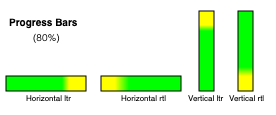 当此元素处于 水平书写模式,则此元素
预期 呈现为水平进度条。如果 'direction' 属性在该元素上的
计算值 为 'rtl',则起点在右侧、终点在左侧;否则起点在左侧、终点在右侧。当此元素处于 垂直书写模式,则它
预期 呈现为垂直进度条。如果 'direction' 属性在该元素上的
计算值 为 'rtl',则起点在底部、终点在顶部;否则起点在顶部、终点在底部。
当此元素处于 水平书写模式,则此元素
预期 呈现为水平进度条。如果 'direction' 属性在该元素上的
计算值 为 'rtl',则起点在右侧、终点在左侧;否则起点在左侧、终点在右侧。当此元素处于 垂直书写模式,则它
预期 呈现为垂直进度条。如果 'direction' 属性在该元素上的
计算值 为 'rtl',则起点在底部、终点在顶部;否则起点在顶部、终点在底部。
用户代理被 预期 采用符合平台进度条惯例的呈现方式。尤其是,用户代理被 预期 对确定进度条和不确定进度条采用不同的呈现方式。用户代理还被 预期 根据元素的尺寸改变呈现方式。
如何确定进度条是否为确定进度条,以及确定进度条应显示多少进度的要求,包含在 progress 元素的定义中。
尚需详细说明 基本外观.
select 元素 select 元素是一个 具有默认首选尺寸的元素,用户代理被 预期 将 'field-sizing' CSS 属性应用于
select 元素。
一个 select 元素可以是 列表框 或 下拉框,具体取决于其属性。
一个 select 元素,其 multiple
属性存在时,被 预期 渲染为多选 列表框 ,条件是其 显示大小 大于 1。如果
select 元素具有 multiple 属性,且其 显示大小 为 1,则在平台支持时可以渲染为多选 下拉框 ;否则渲染为多选
列表框.
一个 select 元素,其 multiple
属性不存在时,被 预期 渲染为单选 下拉框 ,条件是其 显示大小 为 1;或者渲染为单选 列表框 ,条件是其 显示大小
大于 1。
当元素渲染为 列表框时,它是一个 可退化控件
预期 渲染为一个 'inline-block'
盒。其 行内尺寸 (属于其 内在尺寸 )为
select的标签宽度 再加上滚动条宽度。其 块尺寸 (属于其 内在尺寸 ),由以下步骤确定:
如果 'field-sizing' 属性具有 计算值 为 'content',则返回足以容纳所有项目行的高度。
如果 size
属性不存在或没有有效值,则返回足以容纳四行的高度。
否则,返回足以容纳以下行数的高度:元素的 显示大小.
一个 select 元素若渲染为 下拉框 是
预期 渲染为一个 'inline-block'
盒。其 行内尺寸 (属于其 内在尺寸 )为
select的标签宽度。如果 'field-sizing' 属性具有 计算值 为 'content',则 行内尺寸
(属于 内在尺寸 )由所显示的文本决定。该文本通常是某个 option 选项的标签,其 选中状态 设为 true。
当元素渲染为 下拉框时,它是一个 可退化控件。在退化状态下,以及当
计算值 (对应该元素的 'appearance'
属性)为
'menulist-button'时,它呈现为包含“下拉按钮”的下拉框,但不一定使用宿主操作系统的原生控件渲染。在这种状态下,不应忽略诸如
'color', 'background-color'和 'border' 等 CSS 属性;相比之下,忽略这些属性通常只允许发生在按照以下外观渲染时:
原生外观).
无论哪种情况(列表框 或 下拉框),该元素的项目都被
预期 为该元素的 选项列表,其中该元素的 optgroup 元素 子节点 在适用时为选项组提供标题。
select 元素若渲染为 下拉框 ,支持 基底外观 ,此外还支持 原生外观 和 基本外观.
select 元素若渲染为 下拉框 且不具有 multiple 属性,或渲染为 列表框 ,支持
基底外观 ,此外还支持 原生外观 和 基本外观.
select 元素的 select 弹出层 支持 基底外观 和 原生外观。 select 弹出层 仅能以 基底外观 渲染,条件是其关联的 select 正使用 基底外观渲染.
当一个 select 正在渲染为一个
下拉框 ,使用 基底外观,则它 预期 使用
影子树 渲染,其中包含以下元素:
一个 select 按钮插槽,它是一种 slot 元素,追加到 select的 影子根 中作为第一个子节点。它被
预期 接收 select
的第一个子元素,条件是该子元素为 button.
一个 select 回退按钮文本,它是一种 div 元素,追加到 select 按钮插槽.
一个 select 弹出层,它是一种 div 元素,追加到
select的 影子根 中,作为第二个子节点,位于 select 按钮插槽之后。 select 元素的 '::picker' 伪元素就是
select 弹出层 :若 所提供的参数 是 select.
一个 select 弹出层插槽,它是一种 slot 元素,追加到 select 弹出层。它是 预期 接收
select
的所有子节点,但第一个子 button除外,因为它由
select 按钮插槽接收.
由于 基底外观
取决于样式计算,因此切换外观时无法替换该 DOM 结构。实现可以始终包含以下外观所需的 DOM 结构: 基底外观 ;当 select 渲染为
下拉框 时,再通过将其纳入或排除于布局树,控制是否渲染它。
select 弹出层 仅在其自行选择使用 基底外观 时渲染,该选择独立于 select 元素。否则,使用原生选择器。
当一个 select 正在渲染为一个
列表框 ,使用 基底外观时,预期使用 影子树 ,其中包含一个
select 列表框插槽,它是一种 slot 元素。 select 列表框插槽 追加到 select的 影子根 中作为第一个子节点。 select 列表框插槽 预期接收 select
元素的所有子节点。
select 弹出层的 隐式锚点元素 就是其关联的
select 元素。
当一个 select 元素以 原生外观 或
基本外观渲染,或 select 元素渲染为
列表框,则 '::picker' 伪元素和
'::picker-icon' 伪元素均不适用。
'::picker' 伪元素不渲染,条件是其外观为 原生外观 或 基本外观.
'::checkmark' 伪元素仅适用于 option 元素,且这些元素必须 以基底外观渲染.
一个 optgroup
元素具有一个内部 影子树 ,其中至少有一个
slot 元素。
一个 optgroup 元素被
以基底外观渲染 ,如果它具有 最近祖先 select ,其 内容以基底外观渲染.
如果一个 optgroup 元素未
以基底外观渲染,则该元素被
预期 通过显示其 标签 和子节点来渲染。
如果一个 optgroup 元素正
以基底外观渲染,则该元素被 预期 使用 影子树 渲染,其中包含以下元素:
一个 optgroup 图例插槽,它是一种 slot 元素,追加到 optgroup的 影子根 中作为第一个子节点。它被
预期 接收 optgroup
的第一个子元素,条件是该子元素为 legend 元素。
一个 optgroup 标签元素,它是一种 div 元素,追加到 optgroup 图例插槽。它是 预期 包含一个
Text
节点,其 数据 为以下操作的结果: 获取一个 optgroup 元素的标签 ,给定
optgroup 元素。
一个 optgroup 内容插槽,它是一种 slot 元素,追加到 optgroup的 影子根 中,位于 optgroup 图例插槽之后。它是 预期 接收
optgroup
元素的所有剩余子节点。
要判断一个 select的内容是否以基底外观渲染,给定一个
select 元素
select:
一个 option 元素具有一个内部 影子树 ,给定一个
slot 元素。
一个 option 元素被 以基底外观渲染 ,如果它具有 最近祖先 select 以及 select的内容正以基底外观渲染.
如果一个 option 没有 最近祖先 select,则该元素被 预期 渲染其子节点。
否则,如果 option 元素未 以基底外观渲染,则该元素被
预期 通过显示以下操作的结果来渲染: 获取一个 option 元素的标签 ,给定
option 和 true。
一个 option 内容插槽,它是一种 slot 元素,追加到 option的 影子根 中作为第一个子节点。如果 option 元素具有 label
属性且值非空字符串,则 option 内容插槽 是
预期 不接收任何节点。否则,它被 预期 接收 option 元素的所有子节点。
当 option 内容插槽 没有接收任何元素时, option 标签元素 作为回退内容渲染。
一个 option 标签元素,它是一种 span 元素,追加到 option 内容插槽。它是 预期 包含一个
Text
节点,其 数据 是以下
option的 label 属性的值。
每一段由一个或多个 hr
子元素兄弟节点构成的序列,可以渲染为单个分隔符。
select的标签宽度 ,为以下两者中较大的宽度:渲染最宽的 optgroup所需的宽度,以及渲染最宽的
option
元素所需的宽度,后者位于该元素的 选项列表 中(包括缩进,如果有)。如果 select 具有 multiple 属性,且渲染为
下拉框,则宽度还应足以容纳 select 中在任意组合的 option被选中时显示的文本。
select的标签宽度 会考虑
multiple
,因为某些实现会使用特殊文本表示多个选项被选中,例如“已选择 2 项”。此时,select 需要足以渲染“已选择 2 项”,也要足以渲染单个 option。
如果 select 元素包含一个 占位标签选项时,用户代理被 预期 将该 option
呈现为标签,而非控件的有效选项。这可以包括阻止用户显式选择该
占位标签选项 。当
占位标签选项的 选中状态 为 true 时,控件被
预期 以能够表明当前未选中任何有效选项的方式显示。
用户代理被 预期 渲染 select
中的标签,使其无论作为页面的一部分显示,还是显示在菜单控件中,都保持一致的对齐方式。
@namespace "http://www.w3.org/1999/xhtml" ;
option {
display : block;
}
optgroup {
display : block;
font-weight : bolder;
} 以下样式被 预期 应用于 select 元素,条件是它们渲染为 下拉框:
@namespace "http://www.w3.org/1999/xhtml" ;
select {
align-content : center;
} 以下样式被 预期 应用于 select 元素,条件是它们正在使用 原生外观 或 基本外观:
@namespace "http://www.w3.org/1999/xhtml" ;
select {
letter-spacing : initial;
word-spacing : initial;
line-height : initial;
} 以下样式被 预期 应用于 select 元素,条件是它们渲染为 下拉框 ,使用 原生外观 或
基本外观:
@namespace "http://www.w3.org/1999/xhtml" ;
select {
display : inline-block;
} 以下样式被 预期 应用于 select 元素,条件是它们以 基底外观:
@namespace "http://www.w3.org/1999/xhtml" ;
select {
background-color : transparent;
border : 1 px solid currentColor;
user-select : none;
box-sizing : border-box;
}
select option:enabled:hover {
background-color : color-mix ( currentColor 10 % , transparent);
}
select option:enabled:active {
background-color : color-mix ( currentColor 20 % , transparent);
}
select option:disabled {
color : color-mix ( currentColor 50 % , transparent);
}
select option {
min-inline-size : 24 px ;
min-block-size : max ( 24 px , 1 lh );
padding-inline : 0.5 em ;
padding-block-end : 0 ;
display : flex;
align-items : center;
gap : 0.5 em ;
white-space : nowrap;
}
select option::checkmark {
content : '\2713' / '' ;
}
select option:not(:checked)::checkmark {
visibility : hidden;
}
select optgroup {
display : block;
font-weight : bolder;
}
select optgroup option {
font-weight : normal;
}
select optgroup legend {
padding-inline : 0.5 em ;
min-block-size : 1 lh ;
} 以下样式被 预期 应用于 select 元素,条件是它们渲染为 下拉框 ,使用 基底外观:
@namespace "http://www.w3.org/1999/xhtml" ;
select {
border-radius : 0.5 em ;
padding-block : 0.25 em ;
padding-inline : 0.5 em ;
min-block-size : calc-size ( auto, max ( size, 24 px , 1 lh ));
min-inline-size : calc-size ( auto, max ( size, 24 px ));
display : inline-flex;
gap : 0.5 em ;
border-radius : 0.5 em ;
field-sizing : content !important;
}
select > button:first-child {
all: unset;
display: contents;
}
select:enabled:hover {
background-color: color-mix(currentColor 10%, transparent);
}
select:enabled:active {
background-color: color-mix(currentColor 20%, transparent);
}
select:disabled {
color: color-mix(currentColor 50%, transparent);
}
::picker(select) {
box-sizing: border-box;
border: 1px solid;
padding: 0;
color: CanvasText;
background-color: Canvas;
margin: 0;
inset: auto;
min-inline-size: anchor-size(self-inline);
max-block-size: stretch;
overflow: auto;
position-area: self-block-end span-self-inline-end;
position-try-order: most-block-size;
position-try-fallbacks:
self-block-start span-self-inline-end,
self-block-end span-self-inline-start,
self-block-start span-self-inline-start;
}
select::picker-icon {
content: counter(fake-counter-name, disclosure-open);
display: block;
margin-inline-start: auto;
}以下样式被 预期 应用于 select 元素,条件是它们渲染为 列表框 ,使用 基底外观:
@namespace "http://www.w3.org/1999/xhtml" ;
select {
overflow : auto;
display : inline-block;
block-size : calc ( max ( 24 px , 1 lh ) * attr(size type(<integer>), 4));
}以下样式被 预期 应用于 optgroup 标签元素:
padding-inline: 0.5em
min-block-size: 1lh
textarea 元素 textarea
元素是一个 可退化控件 ,预期会
渲染为一个 'inline-block' 盒,呈现多行文本控件。如果此多行文本控件提供选区,则用户更改当前选区时,用户代理 预期会 将一个元素任务加入队列 ,使用 用户交互任务源 ,给定 textarea 元素,用于 触发事件 ,名为 select
,在该元素上触发,并将 bubbles
属性初始化为 true。
textarea 元素是一个
具有默认首选尺寸的元素,用户代理 预期会 将 'field-sizing' CSS 属性应用于
textarea 元素。
如果 'field-sizing' 属性的 计算值
为 'content',则 内在尺寸 由元素显示的文本决定。该文本可以是
原始值 ,或者是由
placeholder
属性指定的简短提示。用户代理可以将文本插入光标的大小计入 内在尺寸。否则,其
内在尺寸 根据 textarea 有效宽度 和
textarea 有效高度
计算(定义见下文)。
textarea 有效宽度 (对于 textarea 元素)为
size×avg + sbw,其中
size 是该元素的 字符宽度,
avg 是元素的主要字体的平均字符宽度,单位为 CSS 像素,且 sbw 是滚动条宽度,单位为 CSS
像素。(元素的 'letter-spacing' 属性不会影响结果。)
用户代理 预期会 将 'white-space' CSS 属性应用于
textarea
元素。出于历史原因,如果元素具有 wrap
属性,其值以 ASCII
大小写不敏感 方式匹配字符串 "off",则用户代理 预期会
将该属性视为一个
表现提示 ,将该元素的
'white-space' 属性设为 'pre'。
用户代理 预期会 将 frameset 元素渲染为宽高等于 视口的盒,其表面按以下布局算法渲染:
cols 和 rows 变量是列表,包含零个或多个“数值与单位”对,单位为以下之一: 百分比, 相对和 绝对.
使用以下 尺寸列表解析规则 解析元素的 cols
属性值(如果有)。令 cols 为结果;如果不存在该属性,则为空列表。
使用以下 尺寸列表解析规则 解析元素的 rows
属性值(如果有)。令 rows 为结果;如果不存在该属性,则为空列表。
对于 cols 或 rows 中的任意条目,如果其数值为零且单位为 相对,则将该条目的数值改为一。
如果 cols 没有条目,则向以下列表添加一个数值为 1、单位为 相对 的条目: cols.
如果 rows 没有条目,则向以下列表添加一个数值为 1、单位为 相对 的条目: rows.
调用下文定义的 将尺寸列表转换为像素值列表 的算法,使用
cols 作为输入列表,并将
frameset 所渲染到的表面的宽度(以 CSS
像素为单位)用作输入尺寸。令 sized cols 为结果列表。
调用下文定义的 将尺寸列表转换为像素值列表 的算法,使用
rows 作为输入列表,并将
frameset 所渲染到的表面的高度(以 CSS
像素为单位)用作输入尺寸。令 sized rows 为结果列表。
将表面分割为一个 w×h 个矩形构成的网格,其中 w 是以下列表的条目数: sized cols ; h 是以下列表的条目数: sized rows.
设置各列尺寸,使网格中每一列的宽度(以 CSS 像素 为单位)等于 sized cols 列表中的对应条目。
设置各行尺寸,使网格中每一行的高度(以 CSS 像素 为单位)等于 sized rows 列表中的对应条目。
令 children 为以下类型元素的列表: frame 和
frameset 元素,且这些元素均为 子节点 ,其父节点是 frameset 元素,即调用此算法所针对的元素。
按照从上到下的顺序,对上一步创建的矩形网格中的每一行运行以下子步骤:
如果 frameset 元素 具有边框,则在这些矩形周围绘制一组外边框,颜色使用该元素的 框架边框颜色.
对每个矩形,如果已为它分配了元素,且该元素 具有边框,则在该矩形周围绘制一组内边框,颜色使用该元素的 框架边框颜色.
对于每条可见边框,如果它不与这样的矩形相邻:矩形分配了
frame 元素,后者具有 noresize
属性(也包括更深层嵌套的 frameset 元素中的矩形),则用户代理
预期会 允许用户移动边框,调整内部矩形的大小,并保持所有嵌套的 frameset 网格的比例。
一个 frameset 或 frame 元素 具有边框
,当且仅当以下算法返回 true:
如果元素具有一个 frameborder 属性,且其值非空字符串,首字符为 U+0031 DIGIT ONE (1)、U+0079 LATIN SMALL LETTER Y (y) 或
U+0059 LATIN CAPITAL LETTER Y (Y),则返回 true。
否则,如果元素具有 frameborder 属性,则返回 false。
否则,返回 true。
用于 将尺寸列表转换为像素值列表 的算法由以下步骤组成:
令 input list 为传给算法的数值与单位列表。
令 output list 为一个数值列表,长度与 input list相同,所有条目均为零。
output list 中的条目对应于 input list 中位置相同的条目。
令 input dimension 为传给算法的尺寸。
令 total percentage 为以下列表中所有数值的总和: input list ,仅计入单位为 百分比的条目.
令 total relative 为以下列表中所有数值的总和: input list ,仅计入单位为 相对值的条目.
令 total absolute 为以下列表中所有数值的总和: input list ,仅计入单位为 绝对值的条目.
令 remaining space 为 input dimension.
如果 total absolute 大于 remaining space,则对 input list 中单位为 绝对的每个条目,将 output list 中的对应值设为 input list 中该条目的数值乘以 remaining space 再除以 total absolute。然后,将 remaining space 设为零。
否则,对 input list 中单位为 绝对的每个条目,将 output list 中的对应值设为 input list中该条目的数值。然后,将 remaining space 减去 total absolute.
如果 total percentage 乘以 input dimension 再除以 100 后大于 remaining space,则对 input list 中单位为 百分比的每个条目,将 output list 中的对应值设为 input list 中该条目的数值乘以 remaining space 再除以 total percentage。然后,将 remaining space 设为零。
否则,对 input list 中单位为 百分比的每个条目,将 output list 中的对应值设为 input list 中该条目的数值乘以 input dimension 再除以 100。然后,将 remaining space 减去 total percentage 乘以 input dimension 再除以 100 所得的值。
对于 input list 中单位为 相对的每个条目,将 output list 中的对应值设为 input list 中该条目的数值乘以 remaining space 再除以 total relative.
返回 output list.
使用整数表示框架宽度的用户代理(相对于能以亚像素精度布局框架的用户代理) 预期会 首先将余数分配给单位为 相对的最后一个条目;然后平均(而非按比例)分配给单位为 百分比的各个条目;然后平均(而非按比例)分配给单位为 绝对的各个条目;最后,如果以上均不适用,则分配给最后一个条目。
如果一个 frame 元素没有 frameset 父元素,则该 frame 元素的内容 预期会 渲染为 透明黑色;在这种情况下,用户代理
预期会 避免渲染其 内容可导航对象 ,且其
内容可导航对象 预期会 具有一个 视口 ,其宽度和高度均为零。
用户代理 预期会 允许用户控制 超链接 激活和 表单提交的各个方面,例如使用哪个 可导航对象 进行后续的 导航.
用户代理 预期会 允许用户了解 超链接 和 表单 的目的地址,然后再触发其 导航.
用户代理 预期会 告知用户某次 超链接 是否包含 超链接审计,并至少告知用户此类审计将联系哪些域。
用户代理可以允许用户 导航 可导航对象 到以下 URL:该 URL 由下述属性 指示 : cite 属性,位于 q,
blockquote,
ins和 del 元素上。
用户代理可以在其用户界面中公开 超链接 ,它们由 link
元素创建,相关讨论见 前文.
title 属性用户代理 预期会 应用户请求公开元素的 提示信息 ,并让用户知道存在此类信息。
在用户可以使用指针设备的交互式图形系统中,这可以采用工具提示的形式。如果用户无法使用指针设备,则用户代理 预期会 以其他方式提供该内容,例如,使元素成为 可聚焦区域 ,并始终显示 提示信息 ,其来源是当前 已聚焦 的元素;或者在触摸设备上用户在屏幕上移动手指时,显示 提示信息 ,其来源是用户手指下方的元素。
U+000A LINE FEED (LF) 字符 预期会 使工具提示换行;U+0009 CHARACTER TABULATION (tab) 字符 预期会 渲染为非零的水平位移,将下一个字形对齐到下一个制表位;制表位位于 U+0020 SPACE 字符宽度的 8 倍的各个倍数处。
例如,视觉用户代理可以使具有 title 属性的元素 可聚焦;此外,对于任何 已聚焦 的元素,如果具有 title 属性,则可在其获得焦点时,在元素下方显示工具提示。这让用户可以用
Tab 键遍历文档,找到所有提示文本。
再如,屏幕阅读器可以在读到带有工具提示的元素时播放提示音,并提供一个关联按键,以读出最近一次播放提示音所对应的工具提示。
当前文本编辑插入光标(即 活动范围,条件是它为空且位于 编辑宿主中)(如果有) 预期会 在 CSS 渲染模型中表现为一个行内 替换元素 ,其垂直尺寸与插入光标相同,宽度为零。
这意味着即使空块也可以包含插入光标;当插入光标位于这样的元素中时,它会阻止 外边距折叠 穿过该元素。
用户代理 预期会 遵循用户界面中所公开文本的 Unicode 语义,例如,在对话框、标题栏、弹出菜单和工具提示的文本中支持双向算法。来自元素内容的文本 预期会 以遵循 方向性 的方式渲染,其中方向来自取得该文本的元素。来自属性的文本 预期会 按以下方向渲染: 属性的方向性.
考虑以下标记,其中的希伯来语文本询问一种编程语言。由于某些语言名称含有标点,因此这些名称的从左到右方向非常重要:
< p dir = "rtl" lang = "he" >
< label >
בחר שפת תכנות:
< select >
< option dir = "ltr" > C++</ option >
< option dir = "ltr" > C#</ option >
< option dir = "ltr" > FreePascal</ option >
< option dir = "ltr" > F#</ option >
</ select >
</ label >
</ p > 如果 select
元素渲染为下拉框,正确的渲染应确保标点在下拉列表和显示当前选项的框中保持一致。
属性的方向性取决于该属性以及元素的 dir
属性,如下例所示。考虑以下标记:
< table >
< tr >
< th abbr = "(א" dir = ltr > A
< th abbr = "(א" dir = rtl > A
< th abbr = "(א" dir = auto > A
</ table > 如果 abbr
属性显示在工具提示或其他用户界面中,第一个会显示左括号(因为方向是 'ltr'),第二个会显示右括号(因为方向是 'rtl'),第三个会显示右括号(因为方向 从属性值推断
为 'rtl')。
不过,如果该属性不是 支持方向性的属性,结果就会不同:
< table >
< tr >
< th data-abbr = "(א" dir = ltr > A
< th data-abbr = "(א" dir = rtl > A
< th data-abbr = "(א" dir = auto > A
</ table > 此时,如果用户代理在用户界面中公开 data-abbr 属性(例如在调试环境中),最后一种情况将显示
左 括号,因为方向由元素内容决定。
脚本提供的字符串(例如传给 window.alert()的参数) 预期会
在显示时视为一组独立的双向算法段落(一个或多个),具体由双向算法定义,包括支持 U+000A LINE FEED (LF) 字符的分段行为。在双向算法中确定此类文本的段落级别时,本规范 不会 提供覆盖 P2 和
P3 规则的高层规则。 [BIDI]
必要时,作者可以在段落开头添加 Unicode U+200E LEFT-TO-RIGHT MARK 或 U+200F RIGHT-TO-LEFT MARK 字符,以强制指定该段落的方向。
因此,以下脚本:
alert( '\u05DC\u05DE\u05D3 HTML \u05D4\u05D9\u05D5\u05DD!' ) ……始终会产生显示“למד LMTH היום!”的消息(而非“דמל HTML םויה!”),不受用户代理界面语言、页面方向或任何元素方向的影响。
更复杂的例子如下:
/* Warning: this script does not handle right-to-left scripts correctly */
var s;
if ( s = prompt( 'What is your name?' )) {
alert( s + '! Ok, Fred, ' + s + ', and Wilma will get the car.' );
} 当用户输入“Kitty”时,用户代理会弹出“Kitty! Ok, Fred, Kitty, and Wilma will get the car.”。但如果用户输入“لا أفهم”,双向算法将确定该段落方向为从右到左,结果便会产生以下意外的混乱显示:“لا أفهم! derF ,kO, لا أفهم, rac eht teg lliw amliW dna."
要使以用户提供的文本(或其他方向性未知的文本)开头的提示框强制按从左到右渲染,可以在字符串前加上 U+200E LEFT-TO-RIGHT MARK 字符:
var s;
if ( s = prompt( 'What is your name?' )) {
alert( ' \u200E ' + s + '! Ok, Fred, ' + s + ', and Wilma will get the car.' );
} 用户代理 预期会 允许用户请求获得以下机会:
获取实体形式 (或实体形式的表示),对象为
Document。例如,选择打印页面或将其转换为 PDF 的选项。 [PDF]
当用户实际 获取实体形式 (或实体形式的表示),对象为 Document时,用户代理
预期会 为 Document 创建新的、适用于打印媒体的渲染结果。
在某些情况下,HTML 用户代理可能需要渲染非 HTML 文档,而这些文档使用的词汇并不在其内建知识范围内。本节提供一种让用户代理以具有一定实用性的方式处理这些文档的方法。
当一个 Document 是 无样式文档时,用户代理
预期会 渲染 无样式文档视图.
一个 Document 是 无样式文档 ,当且仅当它满足以下条件:
Document 没有作者样式表(无论通过 HTTP
标头、处理指令、 link等元素、
style等内联元素,还是其他机制引用)。
Document ,均没有任何 表现提示.
Document ,均没有任何 样式属性.
Document
,均不属于下列任一命名空间: HTML 命名空间, SVG 命名空间, MathML 命名空间.
Document 没有 可聚焦区域 (例如来自 XLink),唯一例外是 视口.
Document 没有 超链接 (例如来自 XLink)。
Window 对象,且该对象以此 Document 为 关联
Document.
Document
,均未注册任何事件监听器。
无样式文档视图 不会按照 CSS 渲染 DOM(由于此时没有适用的样式,那样只会产生一大片文字),而是采用对开发者有用的方式渲染。例如,可以仅显示
Document 对象的源代码,或许附带语法高亮;也可以只显示 DOM
树,或仅显示一条说明页面不是带样式文档的消息。
如果 Document 不再是 无样式文档,则上述条件不再适用,因此遵循这些要求的用户代理将改用常规
CSS 渲染。
本节列出的特性会使符合性检查器发出警告。
作者不应使用 border
属性(在
img
元素上)。如果存在此属性,其值必须为字符串 "0"。应改用 CSS。
作者不应使用 charset 属性(在
script
元素上)。如果存在此属性,其值必须以 ASCII
大小写不敏感 方式匹配 "utf-8"。(如果文档符合本标准其他部分关于采用以下编码的要求,则此属性没有效果:
UTF-8.)
作者不应使用 language
属性(在
script
元素上)。如果存在此属性,其值必须以 ASCII
大小写不敏感 方式匹配字符串 "JavaScript",并且
type
属性必须省略,或者其值必须以
ASCII
大小写不敏感 方式匹配字符串 "text/javascript"。应完全省略此属性(其值为 "JavaScript" 时没有效果),或者改用 type 属性。
作者不应将 type
属性(在 script
元素上)的值指定为空字符串或 JavaScript MIME 类型本质匹配。应改为省略该属性,效果相同。
作者不应使用 type 属性(在
style
元素上)。如果存在此属性,其值必须以 ASCII
大小写不敏感 方式匹配 "text/css".
作者不应使用 name 属性(在
a
元素上)。如果存在此属性,其值不得为空字符串,且不得等于任何 ID 的值;这些 ID 位于该元素的 树 中,但不包括该元素自身的 ID(如果有),也不得等于其他 name
属性的值;这些属性位于 a
元素上,且这些元素属于该元素的 树。如果存在此属性,且该元素具有 ID,那么属性值必须等于该元素的 ID。在本语言的早期版本中,此属性旨在指定以下内容的可能目标: 片段 (位于 URL中)。应改用 id 属性。
尽管本规范其他部分有相反的要求,作者仍可以(但不应)使用 maxlength 和
size 属性(在 input 元素上,且其 type 属性处于 数字
状态)。仍使用这些属性的一项合理原因,是帮助不支持以下元素的旧式用户代理: input 元素,其具有
type="number" ;使这类用户代理仍能以适当的宽度渲染文本控件。
为了便于从 HTML4 Transitional 文档迁移到 本 规范定义的语言,并劝阻使用某些仅在极少数情形下允许的特性,符合性检查器必须在文档使用下列特性时向用户发出警告。这些通常是已经过时且没有效果的特性;允许它们只是为了区分可能的错误(一般符合性错误)与纯粹的遗留标记,或不常见且不建议的做法(此类警告)。
必须按上述方式对下列特性进行分类:
存在 charset
属性(在
script
元素上),且其值以 ASCII
大小写不敏感 方式匹配 "utf-8".
存在 language
属性(在
script
元素上),且其值以 ASCII
大小写不敏感 方式匹配字符串 "JavaScript",并且没有 type
属性,或者有该属性且其值以 ASCII
大小写不敏感 方式匹配字符串 "text/javascript".
存在 type
属性(在
script
元素上),且其值为 JavaScript MIME 类型本质匹配.
存在 type
属性(在
style
元素上),且其值以 ASCII
大小写不敏感 方式匹配 "text/css".
符合性检查器必须区分没有符合性错误且不含任何此类过时特性的页面,与没有符合性错误但含有某些此类过时特性的页面。
例如,验证器可以将某些页面报告为“有效 HTML”,将另一些页面报告为“有效 HTML,但有警告”。
下列元素已完全过时,作者不得使用:
appletacronym改用 abbr 。
bgsound改用 audio 。
dir改用 ul 。
frameframesetnoframes改用 iframe 与
CSS,或者使用服务器端包含功能,将各个不变部分合并以生成完整页面。
isindexkeygen对于企业设备管理用例,应使用设备自带的原生管理功能。
对于证书注册用例,应使用 Web Cryptography API 为证书生成密钥对,然后导出证书和密钥,让用户手动安装。 [WEBCRYPTO]
listingmenuitem要实现自定义上下文菜单,应使用脚本处理 contextmenu
事件。
nextid改用 GUID。
noembedparamplaintext改用 "text/plain"
MIME 类型 。
rbrtcstrikexmpbasefontbigblinkcenterfontmarqueemulticolnobrspacertt改用合适的元素或 CSS。
如果 tt 元素曾用于标记键盘输入,可考虑 kbd 元素;对于变量,可考虑 var 元素;对于计算机代码,可考虑 code 元素;对于计算机输出,可考虑
samp 元素。
类似地,如果 big 元素用于表示标题,可考虑使用 h1
元素;如果用于标记重要段落,可考虑
strong
元素;如果用于突出显示供参考的文本,可考虑 mark 元素。
另请参阅 文本级语义用法摘要 ,了解更多建议及示例。
下列属性已过时(但其所在元素仍属于本语言),作者不得使用:
charset (在 a 元素上)charset (在 link 元素上)改为在链接的资源上使用 HTTP `Content-Type` 标头。
charset (在
script
元素上;前一节所述情况除外)
coords (在 a 元素上)shape (在 a 元素上)methods (在 a 元素上)methods (在 link 元素上)改用 HTTP OPTIONS 功能。
name (在 a 元素上;前一节所述情况除外)name (在 embed 元素上)name (在 img 元素上)name (在 option 元素上)改用 id 属性。
rev (在 a 元素上)rev (在 link 元素上)改用 rel
属性,并使用含义相反的术语。(例如,不使用
rev="made",而使用 rel="author".)
urn (在 a 元素上)urn (在 link 元素上)改用 href
属性指定首选的持久标识符。
accept (在 form 元素上)hreflang (在
area
元素上)
type (在 area 元素上)这些属性没有任何有用的效果,而且由于历史原因, area 元素也没有对应的 IDL
属性。应完全省略这些属性。
nohref (在 area 元素上)profile (在 head 元素上)没有必要。应完全省略。
manifest (在
html 元素上)
改用 service worker。 [SW]
version (在 html 元素上)没有必要。应完全省略。
ismap (在 input 元素上)usemap (在 input 元素上)usemap (在
object 元素上)
改用 img 元素处理图像映射。
longdesc (在
iframe 元素上)
longdesc (在 img 元素上)lowsrc (在 img 元素上)使用渐进式 JPEG 图像(通过 src
属性提供),而非使用两个单独的图像。
target (在 link 元素上)没有必要。应完全省略。
type (在 menu 元素上)要实现自定义上下文菜单,应使用脚本处理 contextmenu
事件。对于工具栏菜单,应省略此属性。
label (在 menu 元素上)contextmenu (在所有元素上)onshow (在所有元素上)要实现自定义上下文菜单,应使用脚本处理 contextmenu
事件。
scheme (在 meta 元素上)每个字段只使用一种方案,或者将方案声明作为值的一部分。
archive (在
object 元素上)
classid (在
object 元素上)
code (在 object 元素上)codebase (在
object 元素上)
codetype (在
object 元素上)
declare (在
object 元素上)
每次需要重用资源时,都重复提供完整的 object 元素。
standby (在
object 元素上)
优化链接的资源,使其能够快速加载,或至少能够逐步加载。
typemustmatch (在 object 元素上)避免使用 object
元素加载不可信的资源。
language (在
script
元素上;前一节所述情况除外)
event (在 script 元素上)for (在 script 元素上)使用 DOM 事件机制注册事件监听器。 [DOM]
type (在 style 元素上;前一节所述情况除外)datapagesize (在 table 元素上)没有必要。应完全省略。
summary (在
table 元素上)
abbr (在 td 元素上)使用开头简明且无歧义的文本,并将更详尽的文本放在后面。 title
属性也可用于提供更详细的文本,从而使单元格内容保持简洁。如果是标题,应使用 th (它具有 abbr 属性)。
axis (在 td 和 th 元素上)scope (在 td 元素上)使用 th 元素表示标题单元格。
datasrc (在 a, button, div, frame, iframe, img, input, label, legend, marquee, object, option, select, span, table和 textarea 元素上)datafld (在 a, button, div, fieldset, frame, iframe, img, input, label, legend, marquee, object, select, span和 textarea 元素上)
dataformatas (在 button, div, input, label, legend, marquee, object, option, select, span和 table 元素上)使用脚本以及诸如 XMLHttpRequest
的机制来动态填充页面。 [XHR]
dropzone (在所有元素上)alink (在 body 元素上)bgcolor (在 body 元素上)bottommargin (在 body 元素上)leftmargin (在
body 元素上)
link (在 body 元素上)marginheight (在 body 元素上)marginwidth
(在 body 元素上)rightmargin
(在 body 元素上)text (在 body 元素上)topmargin (在
body 元素上)
vlink (在 body 元素上)clear (在 br 元素上)align (在
caption 元素上)
align (在 col 元素上)char (在 col 元素上)charoff (在 col 元素上)valign (在 col 元素上)width (在 col 元素上)align (在 div 元素上)compact (在 dl 元素上)align (在 embed 元素上)hspace (在 embed 元素上)vspace (在 embed 元素上)align (在 hr 元素上)color (在 hr 元素上)noshade (在 hr 元素上)size (在 hr 元素上)width (在 hr 元素上)align
(在 h1—h6
元素上)align (在 iframe 元素上)allowtransparency (在 iframe 元素上)frameborder (在 iframe 元素上)framespacing (在 iframe 元素上)hspace (在
iframe 元素上)
marginheight (在 iframe 元素上)marginwidth (在 iframe 元素上)scrolling
(在 iframe 元素上)
vspace (在
iframe 元素上)
align (在 input 元素上)border (在 input 元素上)hspace (在 input 元素上)vspace (在 input 元素上)align (在 img 元素上)border (在 img 元素上;前一节所述情况除外)hspace (在 img 元素上)vspace (在 img 元素上)align (在 legend 元素上)type (在 li 元素上)compact (在 menu 元素上)align (在 object 元素上)border (在
object 元素上)
hspace (在
object 元素上)
vspace (在
object 元素上)
compact (在 ol 元素上)align (在 p 元素上)width (在 pre 元素上)align (在 table 元素上)bgcolor (在
table 元素上)
border (在 table 元素上)bordercolor (在 table 元素上)cellpadding (在 table 元素上)cellspacing (在 table 元素上)frame (在 table 元素上)height (在 table 元素上)rules (在 table 元素上)width (在 table 元素上)align (在 tbody, thead和 tfoot 元素上)char (在 tbody, thead和 tfoot 元素上)charoff (在
tbody, thead和 tfoot 元素上)
height (在 thead, tbody和 tfoot 元素上)valign (在 tbody, thead和 tfoot 元素上)align (在 td 和 th 元素上)bgcolor (在
td 和 th 元素上)
char (在 td 和 th 元素上)charoff (在
td 和 th 元素上)
height (在 td 和 th 元素上)nowrap (在 td 和 th 元素上)valign (在 td 和 th 元素上)width (在 td 和 th 元素上)align (在 tr 元素上)bgcolor (在 tr 元素上)char (在 tr 元素上)charoff (在 tr 元素上)height (在 tr 元素上)valign (在 tr 元素上)compact (在 ul 元素上)type (在 ul 元素上)background (在 body, table, thead, tbody, tfoot, tr, td和 th 元素上)改用 CSS。
marquee
元素 marquee
元素是一种使内容产生动画的表现性元素。CSS 过渡和动画是更合适的机制。 [CSSANIMATIONS] [CSSTRANSITIONS]
marquee 元素必须实现
HTMLMarqueeElement
接口。
[Exposed =Window ]
interface HTMLMarqueeElement : HTMLElement {
[HTMLConstructor ] constructor ();
[CEReactions , Reflect ] attribute DOMString behavior ;
[CEReactions , Reflect ] attribute DOMString bgColor ;
[CEReactions , Reflect ] attribute DOMString direction ;
[CEReactions , Reflect ] attribute DOMString height ;
[CEReactions , Reflect ] attribute unsigned long hspace ;
[CEReactions ] attribute long loop ;
[CEReactions , Reflect , ReflectDefault=6] attribute unsigned long scrollAmount ;
[CEReactions , Reflect , ReflectDefault=85] attribute unsigned long scrollDelay ;
[CEReactions , Reflect ] attribute boolean trueSpeed ;
[CEReactions , Reflect ] attribute unsigned long vspace ;
[CEReactions , Reflect ] attribute DOMString width ;
undefined start ();
undefined stop ();
}; marquee 元素可以 开启 或 关闭。创建时,它处于 开启状态.
behavior
内容属性(用于 marquee
元素)是一个 枚举属性 ,具有以下关键字和状态(均不符合规范):
| 关键字 | 状态 |
|---|---|
scroll
|
滚动 |
slide
|
滑动 |
alternate
|
交替 |
direction
内容属性(用于 marquee
元素)是一个 枚举属性 ,具有以下关键字和状态(均不符合规范):
| 关键字 | 状态 |
|---|---|
left
|
向左 |
right
|
向右 |
up
|
向上 |
down
|
向下 |
truespeed
内容属性(用于 marquee
元素)是一个 布尔属性.
marquee 元素具有一个
marquee 滚动间隔,其计算方式如下:
如果元素具有 scrolldelay 属性,且使用 非负整数解析规则 解析其值时未返回错误,则令 delay
为解析所得的值。否则,令 delay
为 85。
如果元素不具有 truespeed
属性,且 delay 值小于 60,则改令 delay 为 60。
marquee 滚动间隔 为 delay,以毫秒为单位。
marquee 元素具有一个
marquee 滚动距离。如果元素具有 scrollamount 属性,且使用 非负整数解析规则 解析其值时未返回错误,则此距离为解析所得的值,单位为 CSS
像素;否则为 6 CSS 像素.
loop
IDL 属性在获取时,必须返回该元素的 marquee
循环次数;在设置时,如果新值与该元素的 marquee
循环次数 不同,且大于零或等于 −1,则必须将该元素的 loop 内容属性(如有必要则添加)设为一个
有效整数 ,该整数表示新值。(其他值会被忽略。)
marquee 元素还具有一个
marquee 当前循环索引,其值在元素创建时为零。
渲染层偶尔会 递增 marquee 当前循环索引,此操作必须使以下步骤运行:
如果 marquee 循环次数 为 −1,则返回。
将 marquee 当前循环索引 加一。
如果 marquee
当前循环索引 此时大于或等于该元素的 marquee
循环次数, 则关闭 该
marquee 元素。
frameset 元素在使用框架的文档中充当 文档的 body 元素 。
frameset 元素必须实现 HTMLFrameSetElement
接口。
[Exposed =Window ]
interface HTMLFrameSetElement : HTMLElement {
[HTMLConstructor ] constructor ();
[CEReactions , Reflect ] attribute DOMString cols ;
[CEReactions , Reflect ] attribute DOMString rows ;
};
HTMLFrameSetElement includes WindowEventHandlers ; frameset 元素以 事件处理器内容属性 的形式公开一组 事件处理器 ,它们属于 Window 对象。它还会镜像这些处理器的
事件处理器 IDL 属性.
这些 事件处理器 属于 Window 对象,其名称由
Window反映型 body 元素事件处理器集指定,且在
frameset 元素上公开;它们会替换同名的通用 事件处理器 ,即通常由 HTML 元素支持的处理器.
frame 元素具有一个 内容可导航对象 ,类似于 iframe 元素,但在 frameset 元素内渲染。
frame HTML 元素连接后步骤(给定
insertedNode)如下:
创建新的子可导航对象 ,针对 insertedNode.
处理 frame 属性
,针对 insertedNode,并将
initialInsertion 设为 true。
frame HTML 元素移除步骤(给定 removedNode)是 销毁子可导航对象 ,给定 removedNode.
每当一个 frame 元素具有非 null 的 内容可导航对象 ,且其
src 属性被设置、更改或移除时,用户代理必须 处理 frame 属性.
要 处理 frame 属性 (针对元素 element,并带有一个可选的布尔值 initialInsertion ,默认为 false):
令 url 为运行以下步骤的结果: 共用属性处理步骤,适用于 iframe
和 frame 元素 ,给定 element 和
initialInsertion.
如果 url 为 null,则返回。
如果 url 匹配
about:blank ,且
initialInsertion 为 true:
导航 iframe 或
frame ,给定
element, url、空字符串、null 和
initialInsertion.
frame 元素必须实现 HTMLFrameElement 接口。
[Exposed =Window ]
interface HTMLFrameElement : HTMLElement {
[HTMLConstructor ] constructor ();
[CEReactions , Reflect ] attribute DOMString name ;
[CEReactions , Reflect ] attribute DOMString scrolling ;
[CEReactions , ReflectURL ] attribute USVString src ;
[CEReactions , Reflect ] attribute DOMString frameBorder ;
[CEReactions , ReflectURL ] attribute USVString longDesc ;
[CEReactions , Reflect ] attribute boolean noResize ;
readonly attribute Document ? contentDocument ;
readonly attribute WindowProxy ? contentWindow ;
[CEReactions , Reflect ] attribute [LegacyNullToEmptyString ] DOMString marginHeight ;
[CEReactions , Reflect ] attribute [LegacyNullToEmptyString ] DOMString marginWidth ;
};用户代理必须将 acronym 元素按等同于 abbr
元素的方式处理,无论在语义上还是在渲染方面。
partial interface HTMLAnchorElement {
[CEReactions , Reflect ] attribute DOMString coords ;
[CEReactions , Reflect ] attribute DOMString charset ;
[CEReactions , Reflect ] attribute DOMString name ;
[CEReactions , Reflect ] attribute DOMString rev ;
[CEReactions , Reflect ] attribute DOMString shape ;
};partial interface HTMLAreaElement {
[CEReactions , Reflect ] attribute boolean noHref ;
};partial interface HTMLBodyElement {
[CEReactions , Reflect ] attribute [LegacyNullToEmptyString ] DOMString text ;
[CEReactions , Reflect ] attribute [LegacyNullToEmptyString ] DOMString link ;
[CEReactions , Reflect ] attribute [LegacyNullToEmptyString ] DOMString vLink ;
[CEReactions , Reflect ] attribute [LegacyNullToEmptyString ] DOMString aLink ;
[CEReactions , Reflect ] attribute [LegacyNullToEmptyString ] DOMString bgColor ;
[CEReactions , Reflect ] attribute DOMString background ;
}; background
IDL 属性出于历史原因不使用 ReflectURL
或 USVString
。
partial interface HTMLBRElement {
[CEReactions , Reflect ] attribute DOMString clear ;
};partial interface HTMLTableCaptionElement {
[CEReactions , Reflect ] attribute DOMString align ;
};partial interface HTMLTableColElement {
[CEReactions , Reflect ] attribute DOMString align ;
[CEReactions , Reflect="char"] attribute DOMString ch ;
[CEReactions , Reflect="charoff"] attribute DOMString chOff ;
[CEReactions , Reflect ] attribute DOMString vAlign ;
[CEReactions , Reflect ] attribute DOMString width ;
};用户代理必须将 dir 元素按等同于 ul
元素的方式处理,无论在语义上还是在渲染方面。
dir 元素必须实现 HTMLDirectoryElement
接口。
[Exposed =Window ]
interface HTMLDirectoryElement : HTMLElement {
[HTMLConstructor ] constructor ();
[CEReactions , Reflect ] attribute boolean compact ;
};partial interface HTMLDivElement {
[CEReactions , Reflect ] attribute DOMString align ;
};partial interface HTMLDListElement {
[CEReactions , Reflect ] attribute boolean compact ;
};partial interface HTMLEmbedElement {
[CEReactions , Reflect ] attribute DOMString align ;
[CEReactions , Reflect ] attribute DOMString name ;
[CEReactions , Reflect ] attribute unsigned long hspace ;
[CEReactions , Reflect ] attribute unsigned long vspace ;
}; font 元素必须实现 HTMLFontElement 接口。
[Exposed =Window ]
interface HTMLFontElement : HTMLElement {
[HTMLConstructor ] constructor ();
[CEReactions , Reflect ] attribute [LegacyNullToEmptyString ] DOMString color ;
[CEReactions , Reflect ] attribute DOMString face ;
[CEReactions , Reflect ] attribute DOMString size ;
};partial interface HTMLHeadingElement {
[CEReactions , Reflect ] attribute DOMString align ;
}; profile IDL 属性(用于 head 元素,其具有 HTMLHeadElement
接口)被有意省略。因此,除非 其他适用规范要求支持此属性,否则实现因此不会支持它。(此处提及它,是因为它曾定义于较早版本的
DOM.)
partial interface HTMLHRElement {
[CEReactions , Reflect ] attribute DOMString align ;
[CEReactions , Reflect ] attribute DOMString color ;
[CEReactions , Reflect ] attribute boolean noShade ;
[CEReactions , Reflect ] attribute DOMString size ;
[CEReactions , Reflect ] attribute DOMString width ;
};partial interface HTMLHtmlElement {
[CEReactions , Reflect ] attribute DOMString version ;
};partial interface HTMLIFrameElement {
[CEReactions , Reflect ] attribute DOMString align ;
[CEReactions , Reflect ] attribute DOMString scrolling ;
[CEReactions , Reflect ] attribute DOMString frameBorder ;
[CEReactions , ReflectURL ] attribute USVString longDesc ;
[CEReactions , Reflect ] attribute [LegacyNullToEmptyString ] DOMString marginHeight ;
[CEReactions , Reflect ] attribute [LegacyNullToEmptyString ] DOMString marginWidth ;
};partial interface HTMLImageElement {
[CEReactions , Reflect ] attribute DOMString name ;
[CEReactions , ReflectURL ] attribute USVString lowsrc ;
[CEReactions , Reflect ] attribute DOMString align ;
[CEReactions , Reflect ] attribute unsigned long hspace ;
[CEReactions , Reflect ] attribute unsigned long vspace ;
[CEReactions , ReflectURL ] attribute USVString longDesc ;
[CEReactions , Reflect ] attribute [LegacyNullToEmptyString ] DOMString border ;
};partial interface HTMLInputElement {
[CEReactions , Reflect ] attribute DOMString align ;
[CEReactions , Reflect ] attribute DOMString useMap ;
[CEReactions , Reflect ] attribute unsigned long hspace ;
[CEReactions , Reflect ] attribute unsigned long vspace ;
};partial interface HTMLLegendElement {
[CEReactions , Reflect ] attribute DOMString align ;
};partial interface HTMLLIElement {
[CEReactions , Reflect ] attribute DOMString type ;
};partial interface HTMLLinkElement {
[CEReactions , Reflect ] attribute DOMString charset ;
[CEReactions , Reflect ] attribute DOMString rev ;
[CEReactions , Reflect ] attribute DOMString target ;
};用户代理必须将 listing 元素按等同于 pre
元素的方式处理,无论在语义上还是在渲染方面。
partial interface HTMLMenuElement {
[CEReactions , Reflect ] attribute boolean compact ;
};partial interface HTMLMetaElement {
[CEReactions , Reflect ] attribute DOMString scheme ;
};用户代理可以将 scheme 内容属性(在
meta
元素上)视为该元素的 name
内容属性的扩展:当处理一个 meta 元素,且其
name
属性的值是用户代理所识别的、支持 scheme 属性的值时。
建议用户代理忽略 scheme
属性,改为将指定给该元数据名称的值按以下方式处理:视为每一个预期的 scheme
属性值都指定了该值。
例如,如果用户代理会处理 meta 元素,且其
name 属性的值为
"eGMS.subject.keyword",并知道 scheme
属性会与该元数据名称一起使用,那么它可以考虑 scheme
属性,将其当作 name
属性的扩展来处理。因此,以下两个 meta
元素可以被视为为两个不同元数据名称提供值的元素:一个名称由 "eGMS.subject.keyword" 与 "LGCL" 组合而成,另一个由 "eGMS.subject.keyword" 与 "ORLY" 组合而成:
<!-- this markup is invalid -->
< meta name = "eGMS.subject.keyword" scheme = "LGCL" content = "Abandoned vehicles" >
< meta name = "eGMS.subject.keyword" scheme = "ORLY" content = "Mah car: kthxbye" > 不过,对此标记的建议处理方式等同于以下内容:
< meta name = "eGMS.subject.keyword" content = "Abandoned vehicles" >
< meta name = "eGMS.subject.keyword" content = "Mah car: kthxbye" > 所有当前引擎均支持。
partial interface HTMLObjectElement {
[CEReactions , Reflect ] attribute DOMString align ;
[CEReactions , Reflect ] attribute DOMString archive ;
[CEReactions , Reflect ] attribute DOMString code ;
[CEReactions , Reflect ] attribute boolean declare ;
[CEReactions , Reflect ] attribute unsigned long hspace ;
[CEReactions , Reflect ] attribute DOMString standby ;
[CEReactions , Reflect ] attribute unsigned long vspace ;
[CEReactions , ReflectURL ] attribute DOMString codeBase ;
[CEReactions , Reflect ] attribute DOMString codeType ;
[CEReactions , Reflect ] attribute DOMString useMap ;
[CEReactions , Reflect ] attribute [LegacyNullToEmptyString ] DOMString border ;
};partial interface HTMLOListElement {
[CEReactions , Reflect ] attribute boolean compact ;
};partial interface HTMLParagraphElement {
[CEReactions , Reflect ] attribute DOMString align ;
}; param 元素必须实现 HTMLParamElement
接口。
[Exposed =Window ]
interface HTMLParamElement : HTMLElement {
[HTMLConstructor ] constructor ();
[CEReactions , Reflect ] attribute DOMString name ;
[CEReactions , Reflect ] attribute DOMString value ;
[CEReactions , Reflect ] attribute DOMString type ;
[CEReactions , Reflect ] attribute DOMString valueType ;
};用户代理必须将 plaintext 元素按等同于
pre
元素的方式处理,无论在语义上还是在渲染方面。(不过,解析器对该元素有特殊行为。)
partial interface HTMLPreElement {
[CEReactions , Reflect ] attribute long width ;
};partial interface HTMLStyleElement {
[CEReactions , Reflect ] attribute DOMString type ;
};partial interface HTMLScriptElement {
[CEReactions , Reflect ] attribute DOMString charset ;
[CEReactions , Reflect ] attribute DOMString event ;
[CEReactions , Reflect="for"] attribute DOMString htmlFor ;
};partial interface HTMLTableElement {
[CEReactions , Reflect ] attribute DOMString align ;
[CEReactions , Reflect ] attribute DOMString border ;
[CEReactions , Reflect ] attribute DOMString frame ;
[CEReactions , Reflect ] attribute DOMString rules ;
[CEReactions , Reflect ] attribute DOMString summary ;
[CEReactions , Reflect ] attribute DOMString width ;
[CEReactions , Reflect ] attribute [LegacyNullToEmptyString ] DOMString bgColor ;
[CEReactions , Reflect ] attribute [LegacyNullToEmptyString ] DOMString cellPadding ;
[CEReactions , Reflect ] attribute [LegacyNullToEmptyString ] DOMString cellSpacing ;
};partial interface HTMLTableSectionElement {
[CEReactions , Reflect ] attribute DOMString align ;
[CEReactions , Reflect="char"] attribute DOMString ch ;
[CEReactions , Reflect="charoff"] attribute DOMString chOff ;
[CEReactions , Reflect ] attribute DOMString vAlign ;
};partial interface HTMLTableCellElement {
[CEReactions , Reflect ] attribute DOMString align ;
[CEReactions , Reflect ] attribute DOMString axis ;
[CEReactions , Reflect ] attribute DOMString height ;
[CEReactions , Reflect ] attribute DOMString width ;
[CEReactions , Reflect="char"] attribute DOMString ch ;
[CEReactions , Reflect="charoff"] attribute DOMString chOff ;
[CEReactions , Reflect ] attribute boolean noWrap ;
[CEReactions , Reflect ] attribute DOMString vAlign ;
[CEReactions , Reflect ] attribute [LegacyNullToEmptyString ] DOMString bgColor ;
};partial interface HTMLTableRowElement {
[CEReactions , Reflect ] attribute DOMString align ;
[CEReactions , Reflect="char"] attribute DOMString ch ;
[CEReactions , Reflect="charoff"] attribute DOMString chOff ;
[CEReactions , Reflect ] attribute DOMString vAlign ;
[CEReactions , Reflect ] attribute [LegacyNullToEmptyString ] DOMString bgColor ;
};partial interface HTMLUListElement {
[CEReactions , Reflect ] attribute boolean compact ;
[CEReactions , Reflect ] attribute DOMString type ;
};用户代理必须将 xmp 元素按等同于 pre
元素的方式处理,无论在语义上还是在渲染方面。(不过,解析器对该元素有特殊行为。)
partial interface Document {
[CEReactions ] attribute [LegacyNullToEmptyString ] DOMString fgColor ;
[CEReactions ] attribute [LegacyNullToEmptyString ] DOMString linkColor ;
[CEReactions ] attribute [LegacyNullToEmptyString ] DOMString vlinkColor ;
[CEReactions ] attribute [LegacyNullToEmptyString ] DOMString alinkColor ;
[CEReactions ] attribute [LegacyNullToEmptyString ] DOMString bgColor ;
[SameObject ] readonly attribute HTMLCollection anchors ;
[SameObject ] readonly attribute HTMLCollection applets ;
undefined clear ();
undefined captureEvents ();
undefined releaseEvents ();
[SameObject ] readonly attribute HTMLAllCollection all ;
};下表第一列所列的属性属于 Document
对象;它们必须 反映 内容属性;该内容属性位于 文档的 body 元素
上,其名称在同一行第二列的对应单元格中给出,但仅限于 文档的 body 元素 是 body 元素(而非
frameset 元素)的情况。当不存在 body 元素 ,或者它是
frameset
元素时,这些属性必须在获取时返回空字符串,在设置时不执行任何操作。
| IDL 属性 | 内容属性 |
|---|---|
fgColor
|
text
|
linkColor
|
link
|
vlinkColor
|
vlink
|
alinkColor
|
alink
|
bgColor
|
bgcolor
|
anchors
属性必须返回一个 HTMLCollection
,其根节点为 Document
节点,其过滤器仅匹配 a
元素,且这些元素具有 name
属性。
applets
属性必须返回一个 HTMLCollection
,其根节点为 Document
节点,其过滤器不匹配任何内容。(此属性是由于历史原因而存在。)
clear(),
captureEvents()和 releaseEvents() 方法必须不执行任何操作。
all 属性必须返回一个
HTMLAllCollection
,其根节点为 Document
节点,其过滤器匹配所有元素。
partial interface Window {
undefined captureEvents ();
undefined releaseEvents ();
[Replaceable , SameObject ] readonly attribute External external ;
}; captureEvents() 和 releaseEvents() 方法必须不执行任何操作。
[Exposed =Window ]
interface External {
undefined AddSearchProvider ();
undefined IsSearchProviderInstalled ();
}; AddSearchProvider() 和 IsSearchProviderInstalled() 方法必须不执行任何操作。
text/html此注册信息供社区审阅,之后将提交给 IESG 审查、批准,并向 IANA 注册。
charset可以提供 charset 参数来指定
文档的字符编码,覆盖文档中的任何 字符编码声明
,但字节顺序标记(BOM)除外。该参数值必须以 ASCII 大小写不敏感 方式匹配字符串 "utf-8". [ENCODING]
关于适用于 HTML 文档的安全性注意事项,人们已经撰写了长篇巨著。本文档列出了其中许多问题,读者可参阅相关内容了解详情。不过,这里仍需提及一些普遍问题:
HTML 是一种支持脚本的语言,并拥有大量 API(其中一些在本文档中描述)。脚本可能使用户面临信息泄露、凭据泄露、跨站脚本攻击、跨站请求伪造及诸多其他问题的潜在风险。虽然本规范中的设计旨在确保正确实现时的安全性,但完整实现是一项庞大的工程,而且与任何软件一样,用户代理很可能存在安全漏洞。
即使没有脚本,HTML 中仍有一些特性,由于历史原因,要广泛兼容旧有内容就必须支持它们,但这些特性会使用户面临不幸的安全问题。特别是, img
元素可与其他某些特性结合使用,从用户在互联网中的位置进行端口扫描。这可能暴露攻击者原本无法确定的本地网络拓扑。
HTML 依赖一种隔离方案,有时称为 同源策略。一个 源 在大多数情况下由使用相同协议、相同端口从同一主机提供的所有页面组成。
因此,务必确保构成站点一部分的任何不可信内容都托管在不同的 源 上,与该站点的任何敏感内容隔离。不可信内容能够轻易冒充同源的其他页面、读取该源的数据、使该源中的脚本执行、向该源或从该源提交表单(即使表单使用唯一令牌防护跨站请求伪造攻击),以及利用暴露给该源的任何第三方资源或授予该源的权限。
html" 和 "htm" 常用作 HTML 文档的扩展名,但绝不限于这两种。TEXT片段 ,在与 text/html 资源一起使用时,要么指向 指示部分 (属于相应的 Document),要么为页内脚本提供状态信息。
multipart/x-mixed-replace此注册信息供社区审阅,之后将提交给 IESG 审查、批准,并向 IANA 注册。
boundary (定义见 RFC2046) [RFC2046]
multipart/x-mixed-replace
资源的子资源可以是任何类型,包括有不可忽视的安全影响的类型,例如 text/html.
multipart/mixed. [RFC2046]
multipart/x-mixed-replace
资源。片段 ,在与
multipart/x-mixed-replace
资源一起使用时,会应用到每个主体部分,其含义由各主体部分所使用的类型定义。
application/xhtml+xml此注册信息供社区审阅,之后将提交给 IESG 审查、批准,并向 IANA 注册。
application/xml
[RFC7303]
application/xml [RFC7303]application/xml [RFC7303]application/xml [RFC7303]application/xml [RFC7303]application/xhtml+xml
类型,表明该资源是一个 XML 文档,其通常具有一个 文档元素 ,该元素属于 HTML 命名空间。因此,相关规范是 XML, XML 命名空间以及本规范。 [XML] [XMLNS]application/xml [RFC7303]application/xml [RFC7303]xhtml" 和 "xht" 有时用作 XML 资源的扩展名,这些资源具有一个 文档元素 ,该元素属于 HTML 命名空间.TEXT片段 ,在与
application/xhtml+xml
资源一起使用时,其语义与用于任何
XML MIME 类型时相同. [RFC7303]
text/ping此注册信息供社区审阅,之后将提交给 IESG 审查、批准,并向 IANA 注册。
charset可以提供 charset 参数。该参数的值必须为 "utf-8"。此参数没有任何作用;允许使用它仅为兼容旧式服务器。
如果仅按照 超链接审计中描述的方式使用,此类型不会带来新的安全问题。
text/ping 资源始终由以下四个字节构成:0x50 0x49 0x4E 0x47
(`PING`).ping 属性时生成的 HTTP POST 请求。application/microdata+json
此注册信息供社区审阅,之后将提交给 IESG 审查、批准,并向 IANA 注册。
application/json [JSON]application/json [JSON]application/json [JSON]application/json [JSON]application/microdata+json
类型,表明该资源是 JSON 文本,包含一个对象,该对象只有一个名为 "items" 的条目,其值由条目数组构成。数组中的每个条目又是一个对象,其中包含名为 "id"
的条目(值为字符串)、名为 "type" 的条目(值为另一个字符串),以及名为 "properties"
的条目(值为对象)。后者对象中的每个条目值均为一个数组,数组元素为对象或字符串,其中对象的形式与上述 "items" 条目中的对象相同。因此,相关规范是
JSON 和本规范。 [JSON]
此类型主要用于传输供 HTML 微数据特性使用的数据的应用,尤其是拖放场景中的应用。
application/json
[JSON]
application/json
[JSON]
application/json
[JSON]
片段 ,在与
application/microdata+json
资源一起使用时,其语义与用于
application/json
时相同(即在撰写本文时没有任何语义)。
[JSON]
application/speculationrules+json
此注册信息供社区审阅,之后将提交给 IESG 审查、批准,并向 IANA 注册。
application/json
[JSON]
application/json
[JSON]
application/json
[JSON]
application/json
[JSON]
application/microdata+json
类型,表明该资源是符合以下要求的 JSON 文本: 推测规则集编写要求。因此,相关规范是
JSON 和本规范。 [JSON]
Web 浏览器。
application/json
[JSON]
application/json
[JSON]
application/json
[JSON]
片段 ,在与
application/speculationrules+json
资源一起使用时,其语义与用于
application/json
时相同(即在撰写本文时没有任何语义)。
[JSON]
text/event-stream此注册信息供社区审阅,之后将提交给 IESG 审查、批准,并向 IANA 注册。
charset可以提供 charset 参数。该参数的值必须为 "utf-8"。此参数没有任何作用;允许使用它仅为兼容旧式服务器。
如果事件流的源与使用它的内容的源不同,就可能导致信息泄露。为了避免这种情况,用户代理必须应用 CORS 语义。 [FETCH]
事件流可能使用户代理不堪负荷;预期用户代理会施加适当限制,避免因事件流的信息过多而耗尽本地资源。
如果出现服务器使客户端快速重连的情况,服务器可能不堪负荷。服务器应使用 5xx 状态代码表示容量问题,因为这样会阻止符合规范的客户端自动重连。
片段 没有含义(用于
text/event-stream 资源时)。
web+ 方案前缀本节描述用于 IANA URI 方案注册表的约定。它本身不注册任何特定方案。 [RFC7595]
web+" 开头的方案,后接一个或多个字母,字母范围为
a-z.
web+" 方案在适用时均应使用 UTF-8 编码。web+" 方案注册处理器。因此,不得将这些方案用于旨在作为平台核心功能的特性(例如 HTTP)。同样,这些方案的 URL
不得存储机密信息,例如用户名、密码、个人信息或机密项目名称。
以下各节仅涵盖符合规范的元素和功能。
本节为非规范性内容。
单元格中的星号(*)表示实际规则比上表所示更为复杂。
† “父元素”列中的类别指的是在其内容模型中列出指定类别的父元素,而不是自身属于这些类别的元素。例如, a
元素的“父元素”列为“短语内容”,因此,内容模型包含“短语内容”类别的任何元素都可以作为
a 元素的父元素。由于“流内容”类别包括所有“短语内容”元素,这意味着
th 元素可以作为 a 元素的父元素。
本节为非规范性内容。
本节为非规范性内容。
| 属性 | 元素 | 描述 | 值 |
|---|---|---|---|
abbr
|
th
|
在其他上下文中引用表头单元格时使用的替代标签 | 文本* |
accept
|
input
|
预期文件类型的提示,用于 文件上传控件 | 以逗号分隔的词元集合*,由以下内容组成: 不带参数的有效 MIME 类型字符串 或 audio/*,
video/*或 image/*
|
accept-charset
|
form
|
所用字符编码,用于 表单提交 | 不区分 ASCII 大小写 地匹配 "UTF-8"
|
accesskey
|
HTML 元素 | 用于激活元素或使其获得焦点的键盘快捷键 | 由空格分隔的唯一词元组成的有序集合,其中任何词元都不得与其他词元 相同 ,每个词元的长度均为一个码点 |
action
|
form
|
URL ,用于 表单提交 | 两端可能带有空格的有效非空 URL |
allow
|
iframe
|
权限策略 ,应用于
iframe的内容
|
序列化的权限策略 |
allowfullscreen
|
iframe
|
是否允许 iframe的内容使用
requestFullscreen()
|
布尔属性 |
alpha
|
input
|
允许设置颜色的 alpha 分量 | 布尔属性 |
alt
|
area;
img;
input
|
图像不可用时使用的替代文本 | 文本* |
as
|
link
|
预加载请求的目标(适用于 rel="preload" 和 rel="modulepreload")
|
预加载目标,适用于 rel="preload"; 模块预加载目标,适用于 rel="modulepreload"
|
async
|
script
|
脚本可用时即执行,在获取过程中不阻塞 | 布尔属性 |
autocapitalize
|
HTML 元素 | 建议的自动大写行为(针对支持此行为的输入法) | "on";
"off";
"none";
"sentences";
"words";
"characters"
|
autocomplete
|
form
|
表单中控件的自动填充功能的默认设置 | "on"; "off"
|
autocomplete
|
input;
select;
textarea
|
表单自动填充功能的提示 | 自动填充字段 的名称及相关词元* |
autocorrect
|
HTML 元素 | 建议的自动更正行为(针对支持此行为的输入法) | "on";
"off";空字符串
|
autofocus
|
HTML 元素 | 页面加载时自动使元素获得焦点 | 布尔属性 |
autoplay
|
audio;
video
|
提示以下内容: 媒体资源 可以在页面加载时自动开始播放 | 布尔属性 |
blocking
|
link;
script;
style
|
元素是否 可能阻塞渲染 | 由空格分隔的唯一词元组成的无序集合* |
charset
|
meta
|
字符编码声明 | "utf-8"
|
checked
|
input
|
控件是否选中 | 布尔属性 |
cite
|
blockquote;
del;
ins;
q
|
指向引文来源或编辑操作更多信息的链接 | 两端可能带有空格的有效 URL |
class
|
HTML 元素 | 元素所属的类 | 以空格分隔的词元集合 |
closedby
|
dialog
|
哪些用户操作会关闭对话框 | "any";
"closerequest";
"none";
|
color
|
link
|
自定义站点图标时使用的颜色(适用于 rel="mask-icon")
|
CSS <color> |
colorspace
|
input
|
序列化颜色所采用的色彩空间 | "limited-srgb";
"display-p3"
|
cols
|
textarea
|
每行的最大字符数 | 有效非负整数 ,大于零 |
colspan
|
td;
th
|
单元格跨越的列数 | 有效非负整数 ,大于零 |
command
|
button
|
指示目标元素应执行哪项操作。 | "toggle-popover";
"show-popover";
"hide-popover";
"close";
"request-close";
"show-modal";一个
自定义命令关键字
|
commandfor
|
button
|
指定另一个要调用的目标元素。 | ID* |
content
|
meta
|
元素的值 | 文本* |
contenteditable
|
HTML 元素 | 元素是否可编辑 | "true";
"false";
"plaintext-only";空字符串
|
controls
|
audio;
video
img;
|
显示用户代理控件 | 布尔属性 |
coords
|
area
|
待创建形状的坐标,形状位于 图像映射 | 有效浮点数列表* |
crossorigin
|
audio;
img;
link;
script;
video
|
元素如何处理跨源请求 | "anonymous";
"use-credentials";空字符串
|
data
|
object
|
资源地址 | 两端可能带有空格的有效非空 URL |
datetime
|
del;
ins
|
更改的日期和(可选)时间 | 可选带有时间的有效日期字符串 |
datetime
|
time
|
机器可读的值 | 有效月份字符串, 有效日期字符串, 有效无年份日期字符串, 有效时间字符串, 有效本地日期和时间字符串, 有效时区偏移量字符串, 有效全局日期和时间字符串, 有效周字符串, 有效非负整数或 有效时长字符串 |
decoding
|
img
|
为显示此图像而对其进行处理时使用的解码提示 | "sync";
"async";
"auto"
|
default
|
track
|
如果没有其他 文本轨道 更合适,则启用此轨道 | 布尔属性 |
defer
|
script
|
延迟执行脚本 | 布尔属性 |
dir
|
HTML 元素 | 元素的文本方向性 | "ltr"; "rtl"; "auto"
|
dir
|
bdo
|
元素的文本方向性 | "ltr"; "rtl"
|
dirname
|
input;
textarea
|
表单控件的名称,用于发送元素的 方向性 ,发送操作发生于 表单提交 | 文本* |
disabled
|
button;
input;
optgroup;
option;
select;
textarea;
表单关联自定义元素
|
表单控件是否禁用 | 布尔属性 |
disabled
|
fieldset
|
后代表单控件是否禁用(位于 legend内部的控件除外)
|
布尔属性 |
disabled
|
link
|
链接是否禁用 | 布尔属性 |
download
|
a;
area
|
是否下载资源而不导航至该资源,以及下载时使用的文件名 | 文本 |
draggable
|
HTML 元素 | 元素是否可拖动 | "true"; "false"
|
enctype
|
form
|
条目列表 的编码类型,用于 表单提交 | "application/x-www-form-urlencoded";
"multipart/form-data";
"text/plain"
|
enterkeyhint
|
HTML 元素 | 选择回车键操作的提示 | "enter";
"done";
"go";
"next";
"previous";
"search";
"send"
|
fetchpriority
|
img;
link;
script
|
设置 优先级 ,针对由元素发起的 获取 | "auto";
"high";
"low"
|
for
|
label
|
将标签与表单控件关联 | ID* |
for
|
output
|
指定计算输出所依据的控件 | 由空格分隔的唯一词元组成的无序集合 ,由 ID 组成* |
for
|
template
|
更新现有内容 | 文本 |
form
|
button;
fieldset;
input;
object;
output;
select;
textarea;
表单关联自定义元素
|
将元素与一个 form 元素关联
|
ID* |
formaction
|
button;
input
|
URL ,用于 表单提交 | 两端可能带有空格的有效非空 URL |
formenctype
|
button;
input
|
条目列表 的编码类型,用于 表单提交 | "application/x-www-form-urlencoded";
"multipart/form-data";
"text/plain"
|
formmethod
|
button;
input
|
所用变体,用于 表单提交 | "get";
"post";
"dialog"
|
formnovalidate
|
button;
input
|
绕过表单控件验证,用于 表单提交 | 布尔属性 |
formtarget
|
button;
input
|
可导航对象 ,用于 表单提交 | 有效的可导航目标名称或关键字 |
headers
|
td;
th
|
此单元格对应的表头单元格 | 由空格分隔的唯一词元组成的无序集合 ,由 ID 组成* |
headingoffset
|
HTML 元素 | 为后代的标题级别设置偏移 | 有效非负整数 ,介于 0 和 8 之间 |
headingreset
|
HTML 元素 | 阻止标题偏移计算遍历到具有该属性的元素之外 | 布尔属性 |
height
|
canvas;
embed;
iframe;
img;
input;
object;
source (位于 picture);
video
|
垂直尺寸 | 有效非负整数 |
hidden
|
元素是否相关 | ""; "";空字符串 | |
high
|
meter
|
高值范围的下限 | 有效浮点数* |
href
|
a;
area
|
以下内容的地址: 超链接 | 两端可能带有空格的有效 URL |
href
|
link
|
以下内容的地址: 超链接 | 两端可能带有空格的有效非空 URL |
href
|
base
|
文档基准 URL | 两端可能带有空格的有效 URL |
hreflang
|
a;
link
|
所链接资源的语言 | 有效的 BCP 47 语言标签 |
http-equiv
|
meta
|
编译指示指令 | "content-type";
"default-style";
"refresh";
"x-ua-compatible";
"content-security-policy"
|
id
|
HTML 元素 | 该元素的 ID | 文本* |
imagesizes
|
link
|
用于不同页面布局的图像尺寸(适用于 rel="preload")
|
有效来源尺寸列表 |
imagesrcset
|
link
|
不同情况下使用的图像,例如高分辨率显示器、小型显示器等(适用于 rel="preload")
|
以逗号分隔的列表,包含 图像候选字符串 |
inert
|
HTML 元素 | 元素是否具有 惰性. | 布尔属性 |
inputmode
|
HTML 元素 | 选择输入方式的提示 | "none";
"text";
"tel";
"email";
"url";
"numeric";
"decimal";
"search"
|
integrity
|
link;
script
|
完整性元数据,用于 子资源完整性 检查 [SRI] | 文本 |
is
|
HTML 元素 | 创建一个 定制内置元素 | 有效的自定义元素名称 ,对应一个已定义的 定制内置元素 |
ismap
|
img
|
图像是否为服务器端图像映射 | 布尔属性 |
itemid
|
HTML 元素 | 全局标识符 ,用于微数据项 | 两端可能带有空格的有效 URL |
itemprop
|
HTML 元素 | 属性名称 ,用于微数据项 | 由空格分隔的唯一词元组成的无序集合 ,由以下内容组成: 有效的绝对 URL, 已定义的属性名或文本* |
itemref
|
HTML 元素 | 引用的 元素 | 由空格分隔的唯一词元组成的无序集合 ,由 ID 组成* |
itemscope
|
HTML 元素 | 引入一个微数据项 | 布尔属性 |
itemtype
|
HTML 元素 | 项类型 ,用于微数据项 | 由空格分隔的唯一词元组成的无序集合 ,由以下内容组成: 有效的绝对 URL* |
kind
|
track
|
文本轨道的种类 | "subtitles";
"captions";
"descriptions";
"chapters";
"metadata"
|
label
|
optgroup;
option;
track
|
用户可见的标签 | 文本 |
lang
|
HTML 元素 | 元素的语言 | 有效的 BCP 47 语言标签或空字符串 |
list
|
input
|
自动补全选项列表 | ID* |
loading
|
iframe;
img;
audio;
video
|
用于确定是否延迟加载 | "lazy";
"eager"
|
loop
|
audio;
video
|
是否循环播放 媒体资源 | 布尔属性 |
low
|
meter
|
低值范围的上限 | 有效浮点数* |
max
|
input
|
最大值 | 视情况而定* |
max
|
meter;
progress
|
范围的上界 | 有效浮点数* |
maxlength
|
input;
textarea
|
值的最大 长度 | 有效非负整数 |
media
|
link;
meta;
source;
style
|
适用媒体 | 有效媒体查询列表 |
method
|
form
|
所用变体,用于 表单提交 | "get";
"post";
"dialog"
|
min
|
input
|
最小值 | 视情况而定* |
min
|
meter
|
范围的下界 | 有效浮点数* |
minlength
|
input;
textarea
|
值的最小 长度 | 有效非负整数 |
multiple
|
input;
select
|
是否允许多个值 | 布尔属性 |
muted
|
audio;
video
|
是否使 媒体资源 默认静音 | 布尔属性 |
name
|
button;
fieldset;
input;
output;
select;
textarea;
表单关联自定义元素
|
元素名称,用于 表单提交 以及 form.elements API
|
文本* |
name
|
details
|
互斥组的名称,组中包含 details
元素
|
文本* |
name
|
form
|
表单名称,用于 document.forms
API
|
文本* |
name
|
iframe;
object
|
名称,属于 内容可导航对象 | 有效的可导航目标名称或关键字 |
name
|
map
|
名称,属于 图像映射 ; 引用 此名称的属性为 usemap 属性
|
文本* |
name
|
meta
|
元数据名称 | 文本* |
name
|
slot
|
影子树插槽名称 | 文本 |
nomodule
|
script
|
在支持以下功能的用户代理中阻止执行: 模块脚本 | 布尔属性 |
nonce
|
HTML 元素 | 加密随机数,用于 内容安全策略 检查 [CSP] | 文本 |
novalidate
|
form
|
绕过表单控件验证,用于 表单提交 | 布尔属性 |
open
|
details
|
详细信息是否可见 | 布尔属性 |
open
|
dialog
|
对话框是否显示 | 布尔属性 |
optimum
|
meter
|
量规中的最优值 | 有效浮点数* |
pattern
|
input
|
表单控件的值应匹配的模式 | 正则表达式,匹配 JavaScript Pattern 产生式 |
ping
|
a;
area
|
URL ,用于发送 ping | 以空格分隔的词元集合 ,由以下内容组成: 有效非空 URL |
placeholder
|
input;
textarea
|
放置在表单控件内部的用户可见标签 | 文本* |
playsinline
|
video
|
建议用户代理在元素的播放区域内显示视频内容 | 布尔属性 |
popover
|
HTML 元素 | 使元素成为一个 弹出框 元素 | "auto";
"manual";
"hint";空字符串
|
popovertarget
|
button;
input
|
指定要切换、显示或隐藏的弹出框元素 | ID* |
popovertargetaction
|
button;
input
|
指示应切换、显示还是隐藏目标弹出框元素 | "toggle";
"show";
"hide"
|
poster
|
video
|
在视频播放之前显示的海报帧 | 两端可能带有空格的有效非空 URL |
preload
|
audio;
video
|
提示 媒体资源 可能需要的缓冲量 | "none";
"metadata";
"auto";空字符串
|
readonly
|
input;
textarea
|
是否允许用户编辑其值 | 布尔属性 |
readonly
|
表单关联自定义元素 | 影响 willValidate,以及自定义元素作者添加的任何行为
|
布尔属性 |
referrerpolicy
|
a;
area;
iframe;
img;
link;
script
|
引用来源策略 ,针对由元素发起的 获取 | 引用来源策略 |
rel
|
a;
area
|
包含 超链接 的文档中的位置与目标资源之间的关系 | 由空格分隔的唯一词元组成的无序集合* |
rel
|
link
|
包含 超链接 的文档与目标资源之间的关系 | 由空格分隔的唯一词元组成的无序集合* |
required
|
input;
select;
textarea
|
该控件是否为以下操作的必需项: 表单提交 | 布尔属性 |
reversed
|
ol
|
以倒序对列表编号 | 布尔属性 |
rows
|
textarea
|
显示的行数 | 有效非负整数 ,大于零 |
rowspan
|
td;
th
|
单元格跨越的行数 | 有效非负整数 |
sandbox
|
iframe
|
嵌套内容的安全规则 | 由空格分隔的唯一词元组成的无序集合, 不区分 ASCII 大小写,由以下内容组成:
|
scope
|
th
|
指定表头单元格适用于哪些单元格 | "row";
"col";
"rowgroup";
"colgroup"
|
selected
|
option
|
该选项是否默认选中 | 布尔属性 |
shadowrootclonable
|
template
|
设置声明式影子根的 可克隆 状态 | 布尔属性 |
shadowrootcustomelementregistry
|
template
|
允许声明式影子根指示其将使用自定义元素注册表 | 布尔属性 |
shadowrootdelegatesfocus
|
template
|
设置声明式影子根的 委托焦点 状态 | 布尔属性 |
shadowrootmode
|
template
|
启用流式声明式影子根 | "open";
"closed"
|
shadowrootserializable
|
template
|
设置声明式影子根的 可序列化 状态 | 布尔属性 |
shadowrootslotassignment
|
template
|
设置声明式影子根的 槽位分配 状态 | "named";
"manual"
|
shape
|
area
|
待创建形状的种类,形状位于 图像映射 | "circle";
"default";
"poly";
"rect"
|
size
|
input;
select
|
控件尺寸 | 有效非负整数 ,大于零 |
sizes
|
link
|
图标尺寸(适用于 rel="icon")
|
由空格分隔的唯一词元组成的无序集合, 不区分 ASCII 大小写,由尺寸组成* |
sizes
|
img;
source
|
适用于不同页面布局的图像尺寸 | 有效来源尺寸列表 |
slot
|
HTML 元素 | 元素期望的插槽 | 文本 |
span
|
col;
colgroup
|
元素跨越的列数 | 有效非负整数 ,大于零 |
spellcheck
|
HTML 元素 | 是否对元素进行拼写和语法检查 | "true";
"false";空字符串
|
src
|
audio;
embed;
iframe;
img;
input;
script;
source (位于 video 或 audio);
track;
video
|
资源地址 | 两端可能带有空格的有效非空 URL |
srcdoc
|
iframe
|
待渲染的文档,渲染位置为 iframe
|
以下内容的来源: 一个
iframe srcdoc 文档*
|
srclang
|
track
|
文本轨道的语言 | 有效的 BCP 47 语言标签 |
srcset
|
img;
source
|
不同情况下使用的图像,例如高分辨率显示器、小型显示器等 | 以逗号分隔的列表,包含 图像候选字符串 |
start
|
ol
|
起始值 ,用于该列表 | 有效整数 |
step
|
input
|
表单控件的值应符合的粒度 | 有效浮点数 ,大于零,或
"any"
|
style
|
HTML 元素 | 呈现和格式设置指令 | CSS 声明* |
tabindex
|
HTML 元素 | 元素是否具有 可聚焦 和 可顺序聚焦,以及用于以下目的的元素相对顺序: 顺序焦点导航 | 有效整数 |
target
|
a;
area
|
可导航对象 ,用于 超链接 导航 | 有效的可导航目标名称或关键字 |
target
|
base
|
默认 可导航对象 ,用于 超链接 导航 和 表单提交 | 有效的可导航目标名称或关键字 |
target
|
form
|
可导航对象 ,用于 表单提交 | 有效的可导航目标名称或关键字 |
title
|
HTML 元素 | 元素的提示信息 | 文本 |
title
|
abbr;
dfn
|
缩写所代表的完整术语或展开形式 | 文本 |
title
|
input
|
模式的说明(与 pattern
属性一起使用时)
|
文本 |
title
|
link
|
链接标题 | 文本 |
title
|
link;
style
|
CSS 样式表集名称 | 文本 |
translate
|
HTML 元素 | 页面本地化时是否翻译此元素 | "yes"; "no";空字符串
|
type
|
a;
link
|
所引用资源的类型提示 | 有效的 MIME 类型字符串 |
type
|
button
|
按钮类型 | "submit";
"reset";
"button"
|
type
|
embed;
object;
source
|
嵌入资源的类型 | 有效的 MIME 类型字符串 |
type
|
input
|
表单控件类型 | input 类型关键字
|
type
|
ol
|
列表标记种类 | "1";
"a";
"A";
"i";
"I"
|
type
|
script
|
脚本类型 | "module"; "importmap"; "speculationrules";一个 有效 MIME 类型字符串 ,且不是 JavaScript MIME 类型本质匹配
|
usemap
|
img
|
所用 图像映射 的名称 | 有效哈希名称引用* |
value
|
button;
option
|
所用值,用于 表单提交 | 文本 |
value
|
data
|
机器可读的值 | 文本* |
value
|
input
|
表单控件的值 | 视情况而定* |
value
|
li
|
序号值 ,用于该列表项目 | 有效整数 |
value
|
meter;
progress
|
元素的当前值 | 有效浮点数 |
width
|
canvas;
embed;
iframe;
img;
input;
object;
source (位于 picture);
video
|
水平尺寸 | 有效非负整数 |
wrap
|
textarea
|
表单控件的值如何换行,以用于 表单提交 | "soft";
"hard"
|
writingsuggestions
|
HTML 元素 | 元素是否可以提供写作建议。 | "true";
"false";空字符串
|
单元格中的星号(*)表示实际规则比上表所示更为复杂。
当前所有引擎均支持。
当前所有引擎均支持。
当前所有引擎均支持。
当前所有引擎均支持。
当前所有引擎均支持。
当前所有引擎均支持。
当前所有引擎均支持。
本节为非规范性内容。
本节为非规范性内容。
AudioTrackAudioTrackListBarPropBeforeUnloadEventBroadcastChannelCanvasGradientCanvasPatternCanvasRenderingContext2D
CloseWatcherCommandEventCustomElementRegistryCustomStateSetDOMParserDOMStringListDOMStringMapDataTransferDataTransferItemDataTransferItemList
DedicatedWorkerGlobalScope
Document, 部分定义 1 2DragEventElement,
部分定义
ElementInternalsErrorEventEventSourceExternalFormDataEventHTMLAllCollectionHTMLAnchorElement, 部分定义HTMLAreaElement, 部分定义HTMLAudioElementHTMLBRElement, 部分定义HTMLBaseElementHTMLBodyElement, 部分定义HTMLButtonElementHTMLCanvasElementHTMLDListElement, 部分定义HTMLDataElementHTMLDataListElementHTMLDetailsElementHTMLDialogElementHTMLDirectoryElement
HTMLDivElement, 部分定义HTMLElementHTMLEmbedElement, 部分定义HTMLFieldSetElementHTMLFontElementHTMLFormControlsCollection
HTMLFormElementHTMLFrameElementHTMLFrameSetElementHTMLHRElement, 部分定义HTMLHeadElementHTMLHeadingElement, 部分定义HTMLHtmlElement, 部分定义HTMLIFrameElement, 部分定义HTMLImageElement, 部分定义HTMLInputElement, 部分定义HTMLLIElement, 部分定义HTMLLabelElementHTMLLegendElement, 部分定义HTMLLinkElement, 部分定义HTMLMapElementHTMLMarqueeElementHTMLMediaElementHTMLMenuElement, 部分定义HTMLMetaElement, 部分定义HTMLMeterElementHTMLModElementHTMLOListElement, 部分定义HTMLObjectElement, 部分定义HTMLOptGroupElementHTMLOptionElementHTMLOptionsCollectionHTMLOutputElementHTMLParagraphElement,
部分定义
HTMLParamElementHTMLPictureElementHTMLPreElement, 部分定义HTMLProgressElementHTMLQuoteElementHTMLScriptElement, 部分定义HTMLSelectElementHTMLSelectedContentElement
HTMLSlotElementHTMLSourceElementHTMLSpanElementHTMLStyleElement, 部分定义HTMLTableCaptionElement,
部分定义
HTMLTableCellElement,
部分定义
HTMLTableColElement, 部分定义HTMLTableElement, 部分定义HTMLTableRowElement, 部分定义HTMLTableSectionElement,
部分定义
HTMLTemplateElementHTMLTextAreaElementHTMLTimeElementHTMLTitleElementHTMLTrackElementHTMLUListElement, 部分定义HTMLUnknownElementHTMLVideoElementHashChangeEventHistoryImageBitmapImageBitmapRenderingContext
ImageDataLocationMediaErrorMessageChannelMessageEventMessagePortMimeTypeMimeTypeArrayNavigateEventNavigationNavigationActivation
NavigationCurrentEntryChangeEvent
NavigationDestinationNavigationHistoryEntry
NavigationPrecommitController
NavigationTransition
Navigator, 部分定义NotRestoredReasonDetails
NotRestoredReasonsOffscreenCanvasOffscreenCanvasRenderingContext2D
OriginPageRevealEventPageSwapEventPageTransitionEventPath2DPluginPluginArrayPopStateEventPromiseRejectionEventRadioNodeListRange,
部分定义
SanitizerShadowRoot,
部分定义
SharedWorkerSharedWorkerGlobalScope
StorageStorageEventSubmitEventTextMetricsTextTrackTextTrackCueTextTrackCueListTextTrackListTimeRangesToggleEventTrackEventUserActivationValidityStateVideoTrackVideoTrackListVisibilityStateEntry
Window, 部分定义WorkerWorkerGlobalScopeWorkerLocationWorkerNavigatorWorkletWorkletGlobalScopeXMLSerializer本节为非规范性内容。
下表列出本文档触发的事件,不包括以下部分中已定义的事件: 媒体元素事件 和 拖放事件.
| 事件 | 接口 | 相关目标 | 描述 |
|---|---|---|---|
DOMContentLoaded
当前所有引擎均支持。 Firefox1+Safari3.1+Chrome1+
Opera9+Edge79+ Edge(旧版)12+Internet Explorer9+ Firefox Android?Safari iOS?Chrome Android?WebView Android37+Samsung Internet?Opera Android10.1+ |
Event
|
Document
|
触发于 Document ,在解析器完成后
|
afterprint
当前所有引擎均支持。 Firefox6+Safari13+Chrome63+
Opera?Edge79+ Edge(旧版)12+Internet Explorer9+ Firefox Android?Safari iOS?Chrome Android?WebView Android?Samsung Internet?Opera Android? |
Event
|
Window
|
触发于 Window ,在打印之后
|
beforeprint
当前所有引擎均支持。 Firefox6+Safari13+Chrome63+
Opera?Edge79+ Edge(旧版)12+Internet Explorer9+ Firefox Android?Safari iOS?Chrome Android?WebView Android?Samsung Internet?Opera Android? |
Event
|
Window
|
触发于 Window ,在打印之前
|
beforematch
仅有一个引擎支持。 Firefox不支持Safari不支持Chrome102+
Opera不支持Edge102+ Edge(旧版)?Internet Explorer不支持 Firefox Android?Safari iOS?Chrome Android?WebView Android?Samsung Internet?Opera Android? |
Event
|
元素 | 触发于具有 属性的元素,在其显露之前。 |
beforetoggle
HTMLElement/beforetoggle_event 当前所有引擎均支持。 Firefox🔰
114+Safari预览版+Chrome114+
Opera?Edge114+ Edge(旧版)?Internet Explorer不支持 Firefox Android?Safari iOS?Chrome Android?WebView Android?Samsung Internet?Opera Android? |
ToggleEvent
|
元素 | 触发于具有 popover 属性的元素,时机为其在显示与隐藏状态之间转换时
|
beforeunload
当前所有引擎均支持。 Firefox1+Safari3+Chrome1+
Opera12+Edge79+ Edge(旧版)12+Internet Explorer4+ Firefox Android?Safari iOS1+Chrome Android?WebView Android?Samsung Internet?Opera Android12+ |
BeforeUnloadEvent
|
Window
|
触发于 Window ,当页面即将卸载时,以便页面在需要时显示警告提示
|
blur
|
Event
|
Window、元素
|
当节点不再 具有焦点时,在该节点上触发 |
cancel
HTMLDialogElement/cancel_event 当前所有引擎均支持。 Firefox98+Safari15.4+Chrome37+
Opera?Edge79+ Edge(旧版)?Internet Explorer不支持 Firefox Android?Safari iOS?Chrome Android不支持WebView Android?Samsung Internet?Opera Android? |
Event
|
CloseWatcher, dialog 元素、 input 元素
|
触发于 CloseWatcher 对象或 dialog 元素,时机为它们收到 关闭请求时;也触发于 input 元素,当其 type 属性处于 文件 状态且用户未更改选择时
|
change
当前所有引擎均支持。 Firefox1+Safari3+Chrome1+
Opera9+Edge79+ Edge(旧版)12+Internet Explorer9+ Firefox Android?Safari iOS?Chrome Android?WebView Android?Samsung Internet?Opera Android10.1+ |
Event
|
表单控件 | 用户确认值的更改时,在控件上触发(另请参阅 input
事件)
|
click
|
PointerEvent
|
元素 | 通常为鼠标事件;当元素由非指针输入设备(例如键盘)激活时,也会在其 激活行为 运行之前于该元素上合成触发 |
close
当前所有引擎均支持。 Firefox98+Safari15.4+Chrome37+
Opera?Edge79+ Edge(旧版)?Internet Explorer不支持 Firefox Android?Safari iOS?Chrome Android?WebView Android?Samsung Internet?Opera Android? |
Event
|
CloseWatcher, dialog 元素
|
触发于 CloseWatcher 对象或 dialog 元素,时机为其通过 关闭请求 或 Web 开发者代码关闭时
|
command
|
CommandEvent
|
元素 | 当元素通过 commandfor
属性处理用户调用时,在该元素上触发。
|
connect
SharedWorkerGlobalScope/connect_event 当前所有引擎均支持。 Firefox29+Safari16+Chrome4+
Opera10.6+Edge79+ Edge(旧版)?Internet Explorer不支持 Firefox Android?Safari iOS16+Chrome Android?WebView Android37+Samsung Internet?Opera Android11+ |
MessageEvent
|
SharedWorkerGlobalScope
|
新客户端连接时,在共享工作线程的全局作用域上触发 |
contextlost
HTMLCanvasElement/webglcontextlost_event 仅有一个引擎支持。 Firefox不支持Safari不支持Chrome98+
Opera?Edge98+ Edge(旧版)?Internet Explorer不支持 Firefox Android?Safari iOS?Chrome Android?WebView Android?Samsung Internet?Opera Android? |
Event
|
canvas 元素、 OffscreenCanvas 对象
|
当对应的 CanvasRenderingContext2D
或 OffscreenCanvasRenderingContext2D
丢失时触发
|
contextrestored
HTMLCanvasElement/contextrestored_event 仅有一个引擎支持。 Firefox不支持Safari不支持Chrome98+
Opera?Edge98+ Edge(旧版)?Internet Explorer不支持 Firefox Android?Safari iOS?Chrome Android?WebView Android?Samsung Internet?Opera Android? |
Event
|
canvas 元素、 OffscreenCanvas 对象
|
当对应的 CanvasRenderingContext2D
或 OffscreenCanvasRenderingContext2D
在丢失后恢复时触发
|
currententrychange
|
NavigationCurrentEntryChangeEvent
|
Navigation
|
当 navigation.currentEntry
发生变化时触发
|
dispose
|
Event
|
NavigationHistoryEntry
|
当 会话历史记录条目 (对应于 NavigationHistoryEntry
)已被永久逐出会话历史记录且无法再遍历到时触发
|
error
当前所有引擎均支持。 Firefox6+Safari5+Chrome6+
Opera12+Edge79+ Edge(旧版)?Internet Explorer不支持 Firefox Android45+Safari iOS5+Chrome Android?WebView Android?Samsung Internet?Opera Android12+ 当前所有引擎均支持。 Firefox6+Safari5.1+Chrome10+
Opera?Edge79+ Edge(旧版)12+Internet Explorer9+ Firefox Android?Safari iOS?Chrome Android?WebView Android37+Samsung Internet?Opera Android? |
Event
或 ErrorEvent
|
全局作用域对象、 Worker 对象、元素、网络相关对象
|
发生意外错误时触发(例如网络错误、脚本错误、解码错误) |
focus
|
Event
|
Window、元素
|
触发于 正在获得焦点的节点 |
formdata
HTMLFormElement/formdata_event 当前所有引擎均支持。 Firefox72+Safari15+Chrome77+
Opera?Edge79+ Edge(旧版)?Internet Explorer不支持 Firefox Android?Safari iOS?Chrome Android?WebView Android?Samsung Internet?Opera Android? |
FormDataEvent
|
form 元素
|
触发于 form 元素,时机为其正在 构造条目列表时
|
hashchange
当前所有引擎均支持。 Firefox3.6+Safari5+Chrome8+
Opera10.6+Edge79+ Edge(旧版)12+Internet Explorer8+ Firefox Android?Safari iOS5+Chrome Android?WebView Android37+Samsung Internet?Opera Android11+ |
HashChangeEvent
|
Window
|
触发于 Window ,当 片段 (位于文档的 URL 中)发生变化时
|
input
|
Event
|
元素 | 用户更改 contenteditable
元素的内容或表单控件的值时触发。另请参阅表单控件的 change 事件。
|
invalid
HTMLInputElement/invalid_event 当前所有引擎均支持。 Firefox4+Safari5+Chrome10+
Opera10+Edge79+ Edge(旧版)12+Internet Explorer10+ Firefox Android64+Safari iOS5+Chrome Android?WebView Android4+Samsung Internet4.0+Opera Android12+ |
Event
|
表单控件 | 在表单验证期间,如果控件不满足其约束,则在该控件上触发 |
languagechange
当前所有引擎均支持。 Firefox32+Safari10.1+Chrome37+
Opera?Edge79+ Edge(旧版)?Internet Explorer不支持 Firefox Android4+Safari iOS?Chrome Android?WebView Android?Samsung Internet4.0+Opera Android? WorkerGlobalScope/languagechange_event 当前所有引擎均支持。 Firefox74+Safari4+Chrome4+
Opera11.5+Edge79+ Edge(旧版)?Internet Explorer不支持 Firefox Android?Safari iOS5+Chrome Android?WebView Android37+Samsung Internet?Opera Android? |
Event
|
全局作用域对象 | 用户首选语言更改时,在全局作用域对象上触发 |
load
|
Event
|
Window、元素
|
触发于 Window ,在文档完成加载时;也在包含资源的元素(例如 img, embed)上于其资源完成加载时触发
|
message
BroadcastChannel/message_event 当前所有引擎均支持。 Firefox38+Safari15.4+Chrome54+
Opera?Edge79+ Edge(旧版)?Internet Explorer不支持 Firefox Android?Safari iOS?Chrome Android?WebView Android?Samsung Internet?Opera Android? DedicatedWorkerGlobalScope/message_event 当前所有引擎均支持。 Firefox3.5+Safari4+Chrome4+
Opera10.6+Edge79+ Edge(旧版)12+Internet Explorer10+ Firefox Android?Safari iOS5+Chrome Android?WebView Android37+Samsung Internet?Opera Android11.5+ 当前所有引擎均支持。 Firefox6+Safari5+Chrome6+
Opera12+Edge79+ Edge(旧版)?Internet Explorer不支持 Firefox Android45+Safari iOS5+Chrome Android?WebView Android?Samsung Internet?Opera Android12+ 当前所有引擎均支持。 Firefox41+Safari5+Chrome2+
Opera10.6+Edge79+ Edge(旧版)12+Internet Explorer10+ Firefox Android?Safari iOS?Chrome Android?WebView Android37+Samsung Internet?Opera Android11.5+ 当前所有引擎均支持。 Firefox9+Safari4+Chrome60+
Opera?Edge79+ Edge(旧版)12+Internet Explorer8+ Firefox Android?Safari iOS4+Chrome Android?WebView Android?Samsung Internet?Opera Android47+ 当前所有引擎均支持。 Firefox3.5+Safari4+Chrome4+
Opera10.6+Edge79+ Edge(旧版)12+Internet Explorer10+ Firefox Android?Safari iOS5+Chrome Android?WebView Android?Samsung Internet?Opera Android11.5+ |
MessageEvent
|
Window, EventSource, MessagePort, BroadcastChannel, DedicatedWorkerGlobalScope,
Worker, ServiceWorkerContainer
|
对象收到消息时,在该对象上触发 |
messageerror
BroadcastChannel/messageerror_event 当前所有引擎均支持。 Firefox57+Safari15.4+Chrome60+
Opera?Edge79+ Edge(旧版)?Internet Explorer不支持 Firefox Android?Safari iOS?Chrome Android?WebView Android?Samsung Internet?Opera Android47+ DedicatedWorkerGlobalScope/messageerror_event 当前所有引擎均支持。 Firefox57+Safari16.4+Chrome60+
Opera?Edge79+ Edge(旧版)18Internet Explorer不支持 Firefox Android?Safari iOS?Chrome Android?WebView Android?Samsung Internet?Opera Android47+ MessagePort/messageerror_event 当前所有引擎均支持。 Firefox57+Safari16.4+Chrome60+
Opera?Edge79+ Edge(旧版)18Internet Explorer不支持 Firefox Android?Safari iOS?Chrome Android?WebView Android?Samsung Internet?Opera Android47+ 当前所有引擎均支持。 Firefox57+Safari16.4+Chrome60+
Opera?Edge79+ Edge(旧版)18Internet Explorer不支持 Firefox Android?Safari iOS?Chrome Android?WebView Android?Samsung Internet?Opera Android47+ 当前所有引擎均支持。 Firefox57+Safari16.4+Chrome60+
Opera?Edge79+ Edge(旧版)18Internet Explorer不支持 Firefox Android?Safari iOS?Chrome Android?WebView Android?Samsung Internet?Opera Android47+ |
MessageEvent
|
Window, MessagePort, BroadcastChannel, DedicatedWorkerGlobalScope,
Worker, ServiceWorkerContainer
|
对象收到无法反序列化的消息时,在该对象上触发 |
navigate
|
NavigateEvent
|
Navigation
|
在以下行为发生前触发: 可导航对象 导航, 重新加载, 遍历或 以其他方式 更改其 URL |
navigateerror
|
ErrorEvent
|
Navigation
|
导航未成功完成时触发 |
navigatesuccess
|
Event
|
Navigation
|
导航成功完成时触发 |
offline
当前所有引擎均支持。 Firefox9+Safari4+Chrome3+
Opera?Edge79+ Edge(旧版)12+Internet Explorer9+ Firefox Android?Safari iOS3+Chrome Android?WebView Android37+Samsung Internet?Opera Android? |
Event
|
全局作用域对象 | 网络连接失效时,在全局作用域对象上触发 |
online
当前所有引擎均支持。 Firefox9+Safari4+Chrome3+
Opera?Edge79+ Edge(旧版)12+Internet Explorer9+ Firefox Android?Safari iOS3+Chrome Android?WebView Android37+Samsung Internet?Opera Android? |
Event
|
全局作用域对象 | 网络连接恢复时,在全局作用域对象上触发 |
open
当前所有引擎均支持。 Firefox6+Safari5+Chrome6+
Opera12+Edge79+ Edge(旧版)?Internet Explorer不支持 Firefox Android45+Safari iOS5+Chrome Android?WebView Android?Samsung Internet?Opera Android12+ |
Event
|
EventSource
|
触发于 EventSource 对象,时机为连接建立时
|
pageswap
|
PageSwapEvent
|
Window
|
触发于 Window ,紧接在文档因导航而 卸载 之前。
|
pagehide
当前所有引擎均支持。 Firefox6+Safari5+Chrome3+
Opera?Edge79+ Edge(旧版)12+Internet Explorer11 Firefox Android?Safari iOS?Chrome Android?WebView Android37+Samsung Internet?Opera Android? |
PageTransitionEvent
|
Window
|
触发于 Window ,当页面的 会话历史记录条目 不再是 活动条目时
|
pagereveal
|
PageRevealEvent
|
Window
|
触发于 Window ,当页面初始化或 重新激活后首次开始渲染时
|
pageshow
当前所有引擎均支持。 Firefox6+Safari5+Chrome3+
Opera?Edge79+ Edge(旧版)12+Internet Explorer11 Firefox Android?Safari iOS?Chrome Android?WebView Android37+Samsung Internet?Opera Android? |
PageTransitionEvent
|
Window
|
触发于 Window ,当页面的 会话历史记录条目
成为 活动条目时
|
pointercancel
|
PointerEvent
|
元素和 Text
节点
|
触发于 源节点 ,当用户尝试启动拖放操作时 |
popstate
当前所有引擎均支持。 Firefox4+Safari5+Chrome5+
Opera11.5+Edge79+ Edge(旧版)12+Internet Explorer10+ Firefox Android?Safari iOS?Chrome Android?WebView Android37+Samsung Internet?Opera Android11.5+ |
PopStateEvent
|
Window
|
触发于 Window ,触发情形包括某些 会话历史遍历
|
readystatechange
Document/readystatechange_event 当前所有引擎均支持。 Firefox4+Safari5.1+Chrome9+
Opera12.1+Edge79+ Edge(旧版)12+Internet Explorer4+ Firefox Android?Safari iOS?Chrome Android?WebView Android37+Samsung Internet?Opera Android12.1+ |
Event
|
Document
|
触发于 Document ,在其完成解析时,以及其所有子资源完成加载时
|
rejectionhandled
|
PromiseRejectionEvent
|
全局作用域对象 | 之前未处理的 promise 拒绝变为已处理时,在全局作用域对象上触发 |
reset
当前所有引擎均支持。 Firefox6+Safari3+Chrome1+
Opera12.1+Edge79+ Edge(旧版)12+Internet Explorer9+ Firefox Android?Safari iOS1+Chrome Android?WebView Android37+Samsung Internet?Opera Android12.1+ |
Event
|
form 元素
|
触发于 form 元素,时机为其被 重置时
|
select
当前所有引擎均支持。 Firefox6+Safari1+Chrome1+
Opera12.1+Edge79+ Edge(旧版)12+Internet Explorer9+ Firefox Android?Safari iOS?Chrome Android?WebView Android?Samsung Internet?Opera Android12.1+ HTMLTextAreaElement/select_event 当前所有引擎均支持。 Firefox6+Safari1+Chrome1+
Opera12.1+Edge79+ Edge(旧版)12+Internet Explorer9+ Firefox Android?Safari iOS?Chrome Android?WebView Android?Samsung Internet?Opera Android12.1+ |
Event
|
表单控件 | 表单控件的文本选择调整时(无论是通过 API 还是用户操作),在该控件上触发 |
storage
当前所有引擎均支持。 Firefox45+Safari4+Chrome1+
Opera?Edge79+ Edge(旧版)15+Internet Explorer9+ Firefox Android?Safari iOS4+Chrome Android?WebView Android37+Samsung Internet?Opera Android? |
StorageEvent
|
Window
|
触发于 Window 上的事件,触发时机为对应的 localStorage 或 sessionStorage 存储区域发生变化时
|
submit
当前所有引擎均支持。 Firefox1+Safari3+Chrome1+
Opera8+Edge79+ Edge(旧版)12+Internet Explorer9+ Firefox Android?Safari iOS1+Chrome Android?WebView Android?Samsung Internet?Opera Android10.1+ |
SubmitEvent
|
form 元素
|
触发于 form 元素,时机为其被 提交时
|
toggle
HTMLDetailsElement/toggle_event 当前所有引擎均支持。 Firefox49+Safari10.1+Chrome36+
Opera?Edge79+ Edge(旧版)?Internet Explorer不支持 Firefox Android?Safari iOS?Chrome Android?WebView Android?Samsung Internet?Opera Android? 当前所有引擎均支持。 Firefox🔰
114+Safari预览版+Chrome114+
Opera?Edge114+ Edge(旧版)?Internet Explorer不支持 Firefox Android?Safari iOS?Chrome Android?WebView Android?Samsung Internet?Opera Android? |
ToggleEvent
|
details 和 弹出框 元素
|
触发于 details
元素,时机为其打开或关闭时;也触发于具有
popover 属性的元素,时机为其在显示与隐藏状态之间转换时
|
unhandledrejection
Window/unhandledrejection_event 当前所有引擎均支持。 Firefox69+Safari11+Chrome49+
Opera?Edge79+ Edge(旧版)?Internet Explorer不支持 Firefox Android?Safari iOS11.3+Chrome Android?WebView Android?Samsung Internet?Opera Android? |
PromiseRejectionEvent
|
全局作用域对象 | promise 拒绝未被处理时,在全局作用域对象上触发 |
unload
当前所有引擎均支持。 Firefox1+Safari3+Chrome1+
Opera4+Edge79+ Edge(旧版)12+Internet Explorer4+ Firefox Android?Safari iOS1+Chrome Android?WebView Android?Samsung Internet?Opera Android10.1+ |
Event
|
Window
|
触发于 Window 对象,时机为页面即将离开时
|
visibilitychange
Document/visibilitychange_event 当前所有引擎均支持。 Firefox56+Safari14.1+Chrome62+
Opera49+Edge79+ Edge(旧版)18Internet Explorer🔰 10+ Firefox Android?Safari iOS?Chrome Android?WebView Android62+Samsung Internet?Opera Android46+ |
Event
|
Document
|
触发于 Document 对象,时机为页面对用户变为可见或隐藏时
|
本节为非规范性内容。
本规范定义了以下 HTTP 请求标头:
Last-Event-ID`Ping-From`Ping-To`本规范定义了以下 HTTP 响应标头:
Cross-Origin-Embedder-Policy`
Cross-Origin-Embedder-Policy-Report-Only`
Cross-Origin-Opener-Policy`
Cross-Origin-Opener-Policy-Report-Only`
Origin-Agent-Cluster`
Refresh`X-Frame-Options`本节为非规范性内容。
本规范提到了以下 MIME 类型:
application/atom+xmlapplication/jsonapplication/octet-stream
application/microdata+json
application/rss+xmlapplication/wasmapplication/x-www-form-urlencoded
application/xhtml+xml
application/xmlimage/gifimage/jpegimage/pngimage/svg+xmlmultipart/form-datamultipart/mixedmultipart/x-mixed-replace
text/csstext/event-streamtext/javascripttext/jsontext/plaintext/htmltext/pingtext/uri-listtext/vcardtext/vtttext/xmlvideo/mp4
video/mpeg除标注为“非规范性”的参考文献外,所有参考文献均为规范性文献。
XMLHttpRequest, A. van Kesteren. WHATWG.
感谢 Tim Berners-Lee 发明了 HTML;没有 HTML,这一切都无从谈起。
感谢 Aankhen, Aaqa Ishtyaq, Aaron Boodman, Aaron Leventhal, Aaron Krajeski, Abhishek Ghaskata, Abhishek Gupta, Adam Barth, Alexandra Borovova, Adam de Boor, Adam Hepton, Adam Klein, Adam Rice, Adam Roben, Addison Phillips, Adele Peterson, Adrian Bateman, Adrian Roselli, Adrian Sutton, Agustín Fernández, Aharon (Vladimir) Lanin, Ajai Tirumali, Ajay Poshak, Akash Balenalli, Akatsuki Kitamura, Alan Jeffrey, Alan Plum, Alastair Campbell, Alejandro G. Castro, Alex Bishop, Alex Nicolaou, Alex Nozdriukhin, Alex Rousskov, Alex Soncodi, Alexander Farkas, Alexander J. Vincent, Alexander Kalenik, Alexandre Dieulot, Alexandre Morgaut, Alexey Feldgendler, Алексей Проскуряков (Alexey Proskuryakov), Alexey Shvayka, Alexis Deveria, Alfred Agrell, Ali Juma, Alice Boxhall, Alice Wonder, Allan Clements, Allen Wirfs-Brock, Alex Komoroske, Alex Russell, Alphan Chen, Aman Ansari, Ami Fischman, Amos Jeffries, Amos Lim, Anders Carlsson, André Bargull, André E. Veltstra, Andrea Rendine, Andreas, Andreas Deuschlinger, Andreas Farre, Andreas Kling, Andrei Popescu, Andres Gomez, Andres Rios, Andreu Botella, Andrew Barfield, Andrew Clover, Andrew Gove, Andrew Grieve, Andrew Kaster, Andrew Macpherson, Andrew Oakley, Andrew Paseltiner, Andrew Simons, Andrew Smith, Andrew W. Hagen, Andrew Williams, Andrey V. Lukyanov, Andry Rendy, Andy Davies, Andy Earnshaw, Andy Heydon, Andy Paicu, Andy Palay, Anjana Vakil, Ankur Kaushal, Anna Belle Leiserson, Anna Sidwell, Anthony Boyd, Anthony Bryan, Anthony Hickson, Anthony Ramine, Anthony Ricaud, Anton Vayvod, Antonio Sartori, Antti Koivisto, Arfat Salman, Arkadiusz Michalski, Arne Thomassen, Aron Spohr, Arphen Lin, Arthur Hemery, Arthur Sonzogni, Arthur Stolyar, Arun Patole, Aryeh Gregor, Asanka Herath, Asbjørn Ulsberg, Ashley Gullen, Ashley Sheridan, Asumu Takikawa, Atsushi Takayama, Attila Haraszti, Aurelien Levy, Ave Wrigley, Avi Drissman, Axel Dahmen, 방성범 (Bang Seongbeom), Barry Pollard, Ben Boyle, Ben Godfrey, Ben Golightly, Ben Kelly, Ben Lerner, Ben Leslie, Ben Meadowcroft, Ben Millard, Benjamin Carl Wiley Sittler, Benjamin Hawkes-Lewis, Benjamin VanderSloot, Benji Bilheimer, Benoit Ren, Bert Bos, Bijan Parsia, Bil Corry, Bill Mason, Bill McCoy, Billy Wong, Billy Woods, Bjartur Thorlacius, Björn Höhrmann, Blake Frantz, Bob Lund, Bob Owen, Bobby Holley, Boris Zbarsky, Brad Fults, Brad Neuberg, Brad Spencer, Bradley Meck, Brady Eidson, Brandon Jones, Brendan Eich, Brenton Simpson, Brett Wilson, Brett Zamir, Brian Birtles, Brian Blakely, Brian Campbell, Brian Korver, Brian Kuhn, Brian M. Dube, Brian Ryner, Brian Smith, Brian Wilson, Bryan Sullivan, Bruce Bailey, Bruce D'Arcus, Bruce Lawson, Bruce Miller, Bugs Nash, C. Scott Ananian, C. Williams, Cameron McCormack, Cameron Zemek, Cao Yipeng, Carlos Amengual, Carlos Gabriel Cardona, Carlos Ibarra López, Carlos Perelló Marín, Carolyn MacLeod, Casey Leask, Cătălin Badea, Cătălin Mariș, Cem Turesoy, ceving, Chao Cai, 윤석찬 (Channy Yun), Charl van Niekerk, Charlene Wright, Charles Iliya Krempeaux, Charles McCathie Nevile, Charlie Reis, 白丞祐 (Cheng-You Bai), Chris Apers, Chris Cressman, Chris Dumez, Chris Evans, Chris Harrelson, Chris Markiewicz, Chris Morgan, Chris Morris, Chris Nardi, Chris Needham, Chris Pearce, Chris Peterson, Chris Rebert, Chris Weber, Chris Wilson, Christian Biesinger, Christian Johansen, Christian Schmidt, Christoph Päper, Christophe Dumez, Christopher Aillon, Christopher Cameron, Christopher Ferris, Chriswa, Clark Buehler, Cole Robison, Colin Fine, Collin Jackson, Conrad Crawford, Corey Farwell, Corprew Reed, Craig Cockburn, Csaba Gabor, Csaba Marton, Cynthia Shelly, Cyrille Tuzi, Daksh Shah, Dan Callahan, Dan Yoder, Dane Foster, Daniel Barclay, Daniel Bratell, Daniel Brooks, Daniel Brumbaugh Keeney, Daniel Buchner, Daniel Cheng, Daniel Clark, Daniel Davis, Daniel Ehrenberg, Daniel Ethridge, Daniel Glazman, Daniel Holbert, Daniel Peng, Daniel Schattenkirchner, Daniel Spång, Daniel Steinberg, Daniel Tan, Daniel Trebbien, Daniel Vogelheim, Danny Sullivan, Daphne Preston-Kendal, Darien Maillet Valentine, Darin Adler, Darin Fisher, Darxus, Dave Camp, Dave Cramer, Dave Hodder, Dave Lampton, Dave Singer, Dave Tapuska, Dave Townsend, David Baron, David Bloom, David Bokan, David Bruant, David Carlisle, David E. Cleary, David Egan Evans, David Fink, David Flanagan, David Gerard, David Grogan, David Hale, David Håsäther, David Hyatt, David I. Lehn, David John Burrowes, David Matja, David Remahl, David Resseguie, David Smith, David Storey, David Vest, David Woolley, David Zbarsky, Dave Methvin, DeWitt Clinton, Dean Edridge, Dean Edwards, Dean Jackson, Debanjana Sarkar, Debi Orton, Delan Azabani, Derek Featherstone, Derek Guenther, Devarshi Pant, Devdatta, Devin Mullins, Devin Rousso, Di Zhang, Diego Ferreiro Val, Diego González Zúñiga, Diego Ponce de León, Dimitri Glazkov, Dimitry Golubovsky, Dirk Pranke, Dirk Schulze, Dirkjan Ochtman, Divya Manian, Dmitry Lazutkin, Dmitry Titov, dolphinling, Dominic Cooney, Dominique Hazaël-Massieux, Don Brutzman, Donovan Glover, Doron Rosenberg, Doug Kramer, Doug Simpkinson, Drew Wilson, Edgar Chen, Edmund Lai, Eduard Pascual, Eduardo Vela, Edward Welbourne, Edward Z. Yang, Eemeli Aro, Ehsan Akhgari, Ehsan Karamad, Eira Monstad, Eitan Adler, Eli Friedman, Eli Grey, Eliot Graff, Elisabeth Robson, Elizabeth Castro, Elliott Sprehn, Elliotte Harold, Emilio Cobos Álvarez, Emily Stark, Eric Carlson, Eric Casler, Eric Lawrence, Eric Portis, Eric Rescorla, Eric Semling, Eric Shepherd, Eric Willigers, Erik Arvidsson, Erik Charlebois, Erik Rose, 栗本 英理子 (Eriko Kurimoto), espretto, Evan Jacobs, Evan Martin, Evan Prodromou, Evan Stade, Evert, Evgeny Kapun, ExE-Boss, Ezequiel Garzón, fantasai, Félix Sanz, Felix Sasaki, Fernando Altomare Serboncini, Forbes Lindesay, Francesco Schwarz, Francis Brosnan Blazquez, Franck 'Shift' Quélain, François Marier, François Martin, Frank Barchard, Frank Liberato, Franklin Shirley, Frederik Braun, Fredrik Söderquist, 鵜飼文敏 (Fumitoshi Ukai), Futomi Hatano, Gavin Carothers, Gavin Kistner, Gareth Rees, Garrett Smith, Gary Blackwood, Gary Kacmarcik, Gary Katsevman, Geoff Richards, Geoffrey Garen, Georg Neis, George Lund, Gianmarco Armellin, Giovanni Campagna, Giuseppe Pascale, Glenn Adams, Glenn Maynard, Graham Klyne, Greg Botten, Greg Houston, Greg Wilkins, Gregg Tavares, Gregory J. Rosmaita, Gregory Terzian, Grey, guest271314, Guilherme Johansson Tramontina, Guy Bedford, Gytis Jakutonis, Håkon Wium Lie, Habib Virji, Hajime Morrita, Hallvord Reiar Michaelsen Steen, Hanna Laakso, Hans S. Tømmerhalt, Hans Stimer, Harald Alvestrand, Hashim Khan, Hayato Ito, 何志翔 (HE Zhixiang), Henri Sivonen, Henrik Lied, Henrik Lievonen, Henry Lewis, Henry Mason, Henry Story, Hermann Donfack Zeufack, 中川博貴 (Hiroki Nakagawa), Hiroshige Hayashizaki, Hiroyuki USHITO, Hitoshi Yoshida, Hongchan Choi, 王华 (Hua Wang), Hugh Bellamy, Hugh Guiney, Hugh Winkler, Ian Bicking, Ian Clelland, Ian Davis, Ian Fette, Ian Henderson, Ian Kilpatrick, Ibrahim Ahmed, Ido Green, Ignacio Javier, Igor Oliveira, 安次嶺 一功 (Ikko Ashimine), Ilya Grigorik, Ingvar Stepanyan, isonmad, Iurii Kucherov, Ivan Enderlin, Ivan Nikulin, Ivan Panchenko, Ivo Emanuel Gonçalves, J. King, J.C. Jones, Jackson Ray Hamilton, Jacob Davies, Jacques Distler, Jake Archibald, Jake Verbaten, Jakub Vrána, Jakub Łopuszański, Jakub Wilk, James Browning, James Craig, James Graham, James Greene, James Justin Harrell, James Kozianski, James M Snell, James Perrett, James Robinson, Jamie Liu, Jamie Lokier, Jamie Mansfield, Jan Kühle, Jan Miksovsky, Janice Shiu, Janusz Majnert, Jan-Ivar Bruaroey, Jan-Klaas Kollhof, Jared Jacobs, Jason Duell, Jason Kersey, Jason Lustig, Jason Orendorff, Jason White, Jasper Bryant-Greene, Jasper St. Pierre, Jatinder Mann, Jay Henry Kao, Jayson Chen, Jean-Yves Avenard, Jed Hartman, Jeff Balogh, Jeff Cutsinger, Jeff Gilbert, Jeff "=JeffH" Hodges, Jeff Schiller, Jeff Walden, Jeffrey Yasskin, Jeffrey Zeldman, 胡慧鋒 (Jennifer Braithwaite), Jellybean Stonerfish, Jennifer Apacible, Jens Bannmann, Jens Fendler, Jens Oliver Meiert, Jens Widell, Jer Noble, Jeremey Hustman, Jeremy Keith, Jeremy Orlow, Jeremy Roman, Jeroen van der Meer, Jerry Smith, Jesse Renée Beach, Jessica Jong, jfkthame, Jian Li, Jihye Hong, Jim Jewett, Jim Ley, Jim Meehan, Jim Michaels, Jin Dongxun (金东勋, 金東勳, 김동훈), Jinho Bang, Jinjiang (勾三股四), Jirka Kosek, Jjgod Jiang, Joaquim Medeiros, João Eiras, Jochen Eisinger, Joe Clark, Joe Gregorio, Joel Spolsky, Joel Verhagen, Joey Arhar, Johan Herland, Johanna Herman, John Boyer, John Bussjaeger, John Carpenter, John Daggett, John Fallows, John Foliot, John Harding, John Keiser, John Law, John Musgrave, John Snyders, John Stockton, John-Mark Bell, Johnny Stenback, Jon Coppeard, Jon Ferraiolo, Jon Gibbins, Jon Jensen, Jon Perlow, Jonas Sicking, Jonathan Cook, Jonathan Kew, Jonathan Neal, Jonathan Oddy, Jonathan Rees, Jonathan Watt, Jonathan Worent, Jonny Axelsson, Joram Schrijver, Jordan Tucker, Jorgen Horstink, Joris van der Wel, Jorunn Danielsen Newth, Joseph Kesselman, Joseph Mansfield, Joseph Pecoraro, Josh Aas, Josh Hart, Josh Juran, Josh Levenberg, Josh Matthews, Joshua Bell, Joshua Chen, Joshua Randall, Juan Olvera, Juanmi Huertas, Jukka K. Korpela, Jules Clément-Ripoche, Julian Reschke, Julio Lopez, 小勝 純 (Jun Kokatsu), Jun Yang (harttle), Jungkee Song, Jürgen Jeka, Justin Lebar, Justin Novosad, Justin Rogers, Justin Schuh, Justin Sinclair, Juuso Lapinlampi, Ka-Sing Chou, Kagami Sascha Rosylight, Kai Hendry, Kamishetty Sreeja, 呂康豪 (KangHao Lu), Karl Dubost, Karl Tomlinson, Kartik Arora, Kartikaya Gupta, Kathy Walton, 河童エクマ(Kawarabe Ecma) Keith Cirkel, Keith Rollin, Keith Yeung, Kelly Ford, Kelly Norton, Ken Russell, Kenji Baheux, Kevin Babbitt, Kevin Benson, Kevin Cole, Kevin Gadd, Kevin McNee, Kevin Venkiteswaran, Khushal Sagar, Kinuko Yasuda, Koji Ishii, Kornél Pál, Kornel Lesinski, 上野 康平 (UENO, Kouhei), Kris Northfield, Kristian Spangsege, Kristof Zelechovski, Krzysztof Maczyński, 黒澤剛志 (Kurosawa Takeshi), Kurt Catti-Schmidt, Kyle Barnhart, Kyle Hofmann, Kyle Huey, Léonard Bouchet, Léonie Watson, Lachlan Hunt, Larry Masinter, Larry Page, Lars Gunther, Lars Solberg, Laura Carlson, Laura Granka, Laura L. Carlson, Laura Wisewell, Laurens Holst, Lawrence Forooghian, Lee Kowalkowski, Leif Halvard Silli, Leif Kornstaedt, Lenny Domnitser, Leonard Rosenthol, Leons Petrazickis, Liviu Tinta, Lobotom Dysmon, Logan, Logan Moore, Lorenz Ackermann, Loune, Luca Casonato, Lucas Gadani, Łukasz Pilorz, Luke Kenneth Casson Leighton, Luke Warlow, Luke Wilde, Maciej Stachowiak, Magne Andersson, Magnus Kristiansen, Maik Merten, Majid Valipour, Maksim Sadym, Malcolm Rowe, Manish Goregaokar, Manish Tripathi, Manuel Martinez-Almeida, Manuel Rego Casasnovas, Marc Hoyois, Marc-André Choquette, Marc-André Lafortune, Marco Zehe, Marcus Bointon, Marcus Otterström, Marijn Kruisselbrink, Mark Amery, Mark Birbeck, Mark Davis, Mark Green, Mark Miller, Mark Nottingham, Mark Pilgrim, Mark Rogers, Mark Rowe, Mark Schenk, Mark Vickers, Mark Wilton-Jones, Markus Cadonau, Markus Stange, Martijn van der Ven, Martijn Wargers, Martin Atkins, Martin Chaov, Martin Dürst, Martin Honnen, Martin Janecke, Martin Kutschker, Martin Nilsson, Martin Robinson, Martin Thomson, Masataka Yakura, Masatoshi Kimura, Mason Freed, Mason Mize, Mathias Bynens, Mathieu Henri, Matias Larsson, Matt Brubeck, Matt Di Pasquale, Matt Falkenhagen, Matt Giuca, Matt Harding, Matt Schmidt, Matt Wright, Matthew Gaudet, Matthew Gregan, Matthew Mastracci, Matthew Noorenberghe, Matthew Raymond, Matthew Thomas, Matthew Tylee Atkinson, Mattias Waldau, Max Romantschuk, Maxim Tsoy, Mayeul Cantan, Menachem Salomon, Menno van Slooten, Micah Dubinko, Micah Nerren, Michael 'Ratt' Iannarelli, Michael A. Nachbaur, Michael A. Puls II, Michael Carter, Michael Daskalov, Michael Day, Michael Dyck, Michael Enright, Michael Ficarra, Michael Gratton, Michael Kohler, Michael McKelvey, Michael Nordman, Michael Powers, Michael Rakowski, Michael(tm) Smith, Michael Walmsley, Michael Wilson, Michal Zalewski, Michel Buffa, Michel Fortin, Michelangelo De Simone, Michiel van der Blonk, Miguel Casas-Sanchez, Mihai Şucan, Mihai Parparita, Mike Brown, Mike Dierken, Mike Dixon, Mike Hearn, Mike Pennisi, Mike Schinkel, Mike Shaver, Mikko Rantalainen, Mingye Wang, Mirko Brodesser, Mohamed Zergaoui, Mohammad Al Houssami, Mohammad Reza Zakerinasab, Momdo Nakamura, Morten Stenshorne, Mounir Lamouri, Ms2ger, mtrootyy, 邱慕安 (Mu-An Chiou), Mukilan Thiyagarajan, Mustaq Ahmed, Myles Borins, Nadia Heninger, Nate Chapin, NARUSE Yui, Navid Zolghadr, Neil Deakin, Neil Rashbrook, Neil Soiffer, Nereida Rondon, networkException, Nicholas Shanks, Nicholas Stimpson, Nicholas Zakas, Nickolay Ponomarev, Nicolas Gallagher, Nicolas Pena Moreno, Nicolò Ribaudo, Nidhi Jaju, Nigel Megitt, Nikki Bee, Niklas Gögge, Nina Satragno, Noah Mendelsohn, Noah Slater, Noam Rosenthal, Noel Gordon, Nolan Waite, NoozNooz42, Norbert Lindenberg, Oisín Nolan, Ojan Vafai, Olaf Hoffmann, Olav Junker Kjær, Oldřich Vetešník, Oli Studholme, Oliver Hunt, Oliver Rigby, Olivia (Xiaoni) Lai, Olivier Gendrin, Olli Pettay, Ondřej Žára, Ori Avtalion, Oriol Brufau, oSand, Pablo Flouret, Patrick Dark, Patrick Garies, Patrick H. Lauke, Patrik Persson, Paul Adenot, Paul Lewis, Paul Norman, Per-Erik Brodin, 一丝 (percyley), Perry Smith, Peter Beverloo, Peter Karlsson, Peter Kasting, Peter Moulder, Peter Occil, Peter Stark, Peter Van der Beken, Peter van der Zee, Peter-Paul Koch, Phil Pickering, Philip Ahlberg, Philip Brembeck, Philip Taylor, Philip TAYLOR, Philippe De Ryck, Pierre-Arnaud Allumé, Pierre-Marie Dartus, Pierre-Yves Gérardy, Piers Wombwell, Pooja Sanklecha, Prashant Hiremath, Prashanth Chandra, Prateek Rungta, Pravir Gupta, Prayag Verma, Psychpsyo, 李普君 (Pujun Li), Rachid Finge, Rafael Weinstein, Rafał Miłecki, Rahim Abdi, Rahul Purohit, Raj Doshi, Rajas Moonka, Rakina Zata Amni, Ralf Stoltze, Ralph Giles, Rebecca Star, Remci Mizkur, Remco, Remy Sharp, Rene Saarsoo, Rene Stach, Ric Hardacre, Rich Clark, Rich Doughty, Richa Rupela, Richard Gibson, Richard Ishida, Richard Torres, Ricky Mondello, Rigo Wenning, Rikkert Koppes, Rimantas Liubertas, Riona Macnamara, River Champeimont, Rob Buis, Rob Ennals, Rob Jellinghaus, Rob S, Rob Smith, Robert Blaut, Robert Collins, Robert Hogan, Robert Kieffer, Robert Linder, Robert Millan, Robert O'Callahan, Robert Sayre, Robin Berjon, Robin Schaufler, Rodger Combs, Roland Steiner, Roma Matusevich, Romain Deltour, Roman Ivanov, Roy Fielding, Rune Lillesveen, Russell Bicknell, Ruud Steltenpool, Ryan King, Ryan Landay, Ryan Sleevi, Ryo Kajiwara, Ryo Kato, Ryosuke Niwa, S. Mike Dierken, Salvatore Loreto, Sam Atkins, Sam Dutton, Sam Kuper, Sam Ruby, Sam Sneddon, Sam Weinig, Samikshya Chand, Samuel Bronson, Samy Kamkar, Sander van Lambalgen, Sanjoy Pal, Sanket Joshi, Sarah Gebauer, Sarven Capadisli, Satrujit Behera, Sayan Sivakumaran, Schalk Neethling, Scott Beardsley, Scott González, Scott Hess, Scott Jehl, Scott Miles, Scott O'Hara, Sean B. Palmer, Sean Feng, Sean Fraser, Sean Hayes, Sean Hogan, Sean Knapp, Sebastian Markbåge, Sebastian Schnitzenbaumer, Sendil Kumar N, Seth Call, Seth Dillingham, Shannon Booth, Shannon Moeller, Shanti Rao, Shaun Inman, Shiino Yuki, 贺师俊 (HE Shi-Jun), Shiki Okasaka, Shivani Sharma, Sho Katsumata, shreyateeza, Shubheksha Jalan, Sidak Singh Aulakh, Sierk Bornemann, Sigbjørn Finne, Sigbjørn Vik, Silver Ghost, Silvia Pfeiffer, Šime Vidas, Simon Fraser, Simon Montagu, Simon Sapin, Yu Han, Simon Spiegel, Simon Wülker, Siye Liu, skeww, Smylers, Srirama Chandra Sekhar Mogali, Stanton McCandlish, stasoid, Stefan Håkansson, Stefan Haustein, Stefan Santesson, Stefan Schumacher, Ştefan Vargyas, Stefan Weiss, Steffen Meschkat, Stephen Chenney, Stephen Ma, Stephen Stewart, Stephen White, Steve Comstock, Steve Faulkner, Steve Fink, Steve Orvell, Steve Runyon, Steven Bennett, Steven Bingler, Steven Garrity, Steven Tate, Stewart Brodie, Stuart Ballard, Stuart Langridge, Stuart Parmenter, Subramanian Peruvemba, Sudhanshu Jaiswal, sudokus999, Sunava Dutta, Surma, Susan Borgrink, Susan Lesch, Sylvain Pasche, T.J. Crowder, Tab Atkins-Bittner, Taiju Tsuiki, Takashi Toyoshima, Takayoshi Kochi, Takeshi Yoshino, Tantek Çelik, 田村健人 (Kent TAMURA), Tawanda Moyo, Taylor Hunt, Ted Mielczarek, Terence Eden, Terrence Wood, Tetsuharu OHZEKI, Theresa O'Connor, Thijs van der Vossen, Thomas Broyer, Thomas Koetter, Thomas O'Connor, Tim Altman, Tim Dresser, Tim Flynn, Tim Johansson, Tim Nguyen, Tim Perry, Tim van der Lippe, TJ VanToll, Tobias Schneider, Tobie Langel, Toby Inkster, Todd Moody, Tom Baker, Tom Pike, Tom Schuster, Tom ten Thij, Tomasz Jakut, Tomek Wytrębowicz, Tommy Thorsen, Tony Ross, Tooru Fujisawa, Toru Kobayashi, Traian Captan, Travis Leithead, Trevor Rowbotham, Trevor Saunders, Trey Eckels, triple-underscore, Tristan Fraipont, Tristan Parisot, 保呂 毅 (Tsuyoshi Horo), Tyler Close, Valentin Gosu, Vardhan Gupta, Vas Sudanagunta, Veli Şenol, Victor Carbune, Victor Costan, Vipul Snehadeep Chawathe, Vitya Muhachev, Vlad Levin, Vladimir Katardjiev, Vladimir Vukićević, Vyacheslav Aristov, voracity, Walter Steiner, Wakaba, Wayne Carr, Wayne Pollock, Wellington Fernando de Macedo, Wenson Hsieh, Weston Ruter, Wilhelm Joys Andersen, Will Levine, Will Ray, William Chen, William Swanson, Willy Martin Aguirre Rodriguez, Wladimir Palant, Wojciech Mach, Wolfram Kriesing, Xan Gregg, xenotheme, XhmikosR, Xida Chen, Xidorn Quan, Xue Fuqiao, Yang Chen, Yao Xiao, Yash Handa, Yay295, Ye-Kui Wang, Yehuda Katz, Yi Xu, Yi-An Huang, Yngve Nysaeter Pettersen, Yoav Weiss, Yoel Hawa, Yonathan Randolph, Yu Huojiang, Yuki Okushi, Yury Delendik, 平野裕 (Yutaka Hirano), Yuzo Fujishima, 西條柚 (Yuzu Saijo), Zhenbin Xu, 张智强 (Zhiqiang Zhang), Zoltan Herczeg, Zyachel,以及 Øistein E. Andersen,感谢他们提出的各种宝贵意见,无论大小,这些意见多年来推动了本规范的改进。
也感谢所有曾在博客、公开邮件列表或论坛上讨论 HTML 的人,包括以下邮件列表的所有贡献者: 各个 W3C HTML WG 邮件列表 和 各个 WHATWG 邮件列表.
特别感谢 Richard Williamson 在 Safari 中创建了最早的
canvas 实现,画布特性正是以此为基础设计而成。
也特别感谢最先实现基于事件的拖放机制、 contenteditable,以及其他最早由
Windows Internet Explorer 浏览器广泛部署的特性的 Microsoft 员工。
特别感谢 David Hyatt,并奉上 10,000 美元;他提出了一个存在缺陷的 收养机构算法 实现,编辑不得不对其进行逆向工程并加以修复,之后才能将其用于解析章节。
感谢微数据可用性研究的参与者允许我们以他们的错误为依据,指导微数据特性的设计。
感谢为本规范中的示例提供灵感的众多来源。
也感谢 Microsoft 博客社区提供的一些想法,感谢 W3C Web 应用与复合文档研讨会的参与者带来的启发,感谢 #mrt、#mrt.no 和 #whatwg 的成员,以及 Pillar 和 Hedral 的想法与支持。
感谢 Igor Zhbanov 生成本规范的 PDF 版本。
特别感谢 RICG 开发了 picture 元素和相关特性;尤其感谢 Adrian
Bateman、Bruce Lawson、David Newton、Ilya Grigorik、John Schoenick、Leon de Rijke、Mat Marquis、Marcos Cáceres、Tab
Atkins、Theresa O’Connor 和 Yoav Weiss 所作的贡献。
特别感谢 WPWG 孵化了 自定义元素 特性。尤其感谢 David Hyatt 和 Ian Hickson 通过 XBL 规范带来的影响,感谢 Dimitri Glazkov 编写自定义元素规范的初稿,并感谢 Alex Komoroske、Alex Russell、Andres Rios、Boris Zbarsky、Brian Kardell、Daniel Buchner、Dominic Cooney、Erik Arvidsson、Elliott Sprehn、Hajime Morrita、Hayato Ito、Jan Miksovsky、Jonas Sicking、Olli Pettay、Rafael Weinstein、Roland Steiner、Ryosuke Niwa、Scott Miles、Steve Faulkner、Steve Orvell、Tab Atkins、Theresa O’Connor、Tim Perry 和 William Chen 所作的贡献。
特别感谢 CSSWG 开发了 worklet。尤其感谢 Ian Kilpatrick 担任最初的 worklet 规范编辑所做的工作。
特别感谢 WICG 孵化了 推测性加载 特性。尤其感谢 Jeremy Roman 担任最初的推测规则规范和预取规范编辑所做的工作。
特别感谢 WICG 孵化了 Sanitizer API。尤其感谢 Frederik Braun、Mario Heiderich、Daniel Vogelheim 和 Tom Schuster 担任最初的 Sanitizer API 规范编辑所做的工作。
从 2003 年开始的约十年间,本标准几乎全部由 Ian Hickson 编写(Google, ian@hixie.ch).
从 2015 年开始,编辑团队逐渐扩大。目前由以下人员维护: Anne van Kesteren (Apple, annevk@annevk.nl), Domenic Denicola (Google, d@domenic.me) Dominic Farolino (Google, domfarolino@gmail.com), Philip Jägenstedt (Google, philip@foolip.org),以及 Simon Pieters(Mozilla, zcorpan@gmail.com).
引言中的图像基于以下作品: 照片 ,作者为 Wonderlane. (CC BY 2.0)
嵌入内容引言中的狼的图像基于以下作品: 照片 ,作者为 Barry O'Neill. (公有领域)
画布演示中使用的 Blue Robot Player 精灵图基于以下作品: 作品 ,作者为 JohnColburn. (CC BY-SA 3.0)
2013 年 FIRST 机器人大赛硅谷地区赛中 148 号机器人攀爬塔架的照片基于以下作品: 作品 ,作者为 Lenore Edman. (CC BY 2.0)
用于演示基于模块的工作线程的图像解码示例,借鉴了以下来源中的示例代码: 教程 ,作者为 Ilmari Heikkinen. (CC BY 3.0)
<flag-icon> 示例的灵感来自 一个自定义元素 ,作者为 Steven Skelton. (MIT)
picture 元素及其相关特性的部分修订历史可在以下仓库中找到: ResponsiveImagesCG/picture-element
仓库,该仓库采用 W3C 软件与文档许可证.
theme-color 元数据名称的部分修订历史可在以下仓库中找到: whatwg/meta-theme-color
仓库,该仓库采用 CC0.
自定义元素 特性的部分修订历史可在以下仓库中找到: w3c/webcomponents 仓库,该仓库采用 W3C 软件与文档许可证.
innerText 获取器和设置器的部分修订历史可在以下仓库中找到: rocallahan/innerText-spec
仓库,该仓库采用 CC0.
worklet 特性的部分修订历史可在以下仓库中找到: w3c/css-houdini-drafts
仓库,该仓库采用 W3C 软件与文档许可证.
导入映射 特性的部分修订历史可在以下仓库中找到: WICG/import-maps
仓库,该仓库采用 W3C 软件与文档许可证.
导航 API 特性的部分修订历史可在以下仓库中找到: WICG/navigation-api
仓库,该仓库采用 W3C 软件与文档许可证.
关闭请求与关闭监视器
章节的部分修订历史可在以下仓库中找到: WICG/close-watcher
仓库,该仓库采用 W3C 软件与文档许可证.
推测性加载 章节的部分修订历史可在以下仓库中找到: WICG/nav-speculation
仓库,该仓库采用 W3C 软件与文档许可证.
版权所有 © WHATWG(Apple、Google、Mozilla、Microsoft)。本作品采用 知识共享署名 4.0 国际许可证。其中纳入源代码的部分,在源代码中则采用 BSD 3 条款许可证 。
这是现行标准。对专利审查版本感兴趣的读者应参阅 现行标准审查草案.
